#✨┃vfx-and-particles
1 messages · Page 13 of 1

 warm torrent
I guess it might be as simple as using a particle texture with a black inside
 eternal herald
warm torrent
I guess it might be as simple as using a particle texture with a black inside
eternal herald
warm torrent
I guess it might be as simple as using a particle texture with a black inside
yeah i guess ill try that
 ashen robin
yeah, I usually do like custom trails for lightning stuff
warm torrent
eternal herald
yeah i guess ill try that
Something like this might work
 eternal herald
oh thank you ill try that
warm torrent
eternal herald
oh thank you ill try that
Also I notice your Blend Mode is currently Additive
Additive cannot display black colors so you need Alpha Blended or something else
eternal herald
it worked tysm
eternal herald
for some reason when i click stop on my vfx graph my particles dont stop till five seconds after idk what it could be
 ashen robin
eternal herald
for some reason when i click stop on my vfx graph my particles dont stop till fi...
ashen robin
eternal herald
for some reason when i click stop on my vfx graph my particles dont stop till fi...
stop only prevent producing more particles and turns off linked gpu events from doing the same, but the particles will still run their course
what you would need to do is set Alive to false
eternal herald
huh?
ashen robin
stop event means to turn off particle production. Not turn off particles completely.
eternal herald
is stop event a setting
ashen robin
it's an event ;)
But you can put your own start and stop events in your graph too
eternal herald
uhhhhh im so confused nvm its all good dw thanks for your help anyways
 tropic canopy
Does anyone know a way to make a particle system achieve an effect of a flock of butterflies flapping? Could this be achieved by uploading a sprite sheet that alternates between two images? It's something I plan on putting pretty far back into the environment so I don't need anything that looks that convincing
 atomic storm
tropic canopy
Does anyone know a way to make a particle system achieve an effect of a flock of...
atomic storm
tropic canopy
Does anyone know a way to make a particle system achieve an effect of a flock of...
I'd probably use a shader for the flapping honestly
I think there are tutorials tho on yt try to search unity particle butterfly
maybe theres one for vfx graph too
tropic canopy
atomic storm
I think there are tutorials tho on yt try to search unity particle butterfly
Yeah, I was digging a bit and found this devlog that uses a shadergraph instead

Welcome to our February dev talk, packed with good stuff!
In this video, game artist Walter will walk you through making the butterflies for Equestrian in Unity's Shadergraph.
Our new audio intern Viktor will share you an early draft of how the music will sound like when going on a trail ride.
Equestrian is a mobile and tablet horse game cu...
tropic canopy
atomic storm
maybe theres one for vfx graph too
I would like to try a VFX graph but this will be for a VR build on Oculus Quest 2 and I don't know how performant VFX graph stuff is on the Android build platform, let alone a scene for the Quest 2
atomic storm
tropic canopy
I would like to try a VFX graph but this will be for a VR build on Oculus Quest ...
I only meant vfx graph as a base starting point
you can translate it over to shuriken
might have to do some tricks but probably should work
 worthy garnet
I just started using the particle system today to create a snowball exploding effect. I have created something that I am happy with:

However, when I instantiate the particle during gameplay it just shoots out like this:

Does anyone know what I might be doing wrong? I've tried looking for things online but so far have found nothing helpful.
I found a solution but it's a bit jank: I just instantiate an empty game object that the particle is attached to rather than instantiate it from the player.
 errant osprey
My explosion particle is invisible when I set the simulation space to "World." If I pause during the explosion and look via scene view, I can see the explosion in the world space, but not in my game. During game scene it's not visible at all. I've tried setting the emission to be enabled = true, but it makes no difference. I've also tried setting culling mode to "always simulate."

 molten cliff
[Epilepsy warning] Need help! if I rotate the particle system it squishes itself but when I rotate it back it's normal I checked the values they are not changing, is it parent constraints?
eternal herald
who knows how to turn off backface culling in a vfx graph
ashen robin
eternal herald
who knows how to turn off backface culling in a vfx graph
Click on the output quad and check the editor area for shader specifics
if you're using a custom shader then you have to change it on that in the graph (if not exposed)
output context*
eternal herald
oh okay thanks
eternal herald
also am i able to set a vfx graph from front to both
 glass sun
Does anyone know how to fix when a certain particle effect doesn't have any texture colouring in a mobile build of a project?
I have an explosion particle that works fine in the editor and on pc builds, but on mobile it's grey
As if the colours are never set or something
 limpid ingot
Help me please. I attached Particle System to player. Set Emission Rate over Distance. But Partical systems that simulate dust doesn't work the way I want it to. It only emits during WASD input, when the button is held down, the effect stops emitting
 quiet ether
you can use by distance
and then it shouldn't even matter what ur code does.. if the object is moving its emitting
if its not.. its not
limpid ingot
In addition when I came to wall, the effects start emit endlessly
limpid ingot
quiet ether
you can use *by distance*
https://gdl.space/tipuruhucu.cs
Here my PlayerController. Just for you to be sure, that I havn't any logic which related to effects. At all
quiet ether
ya, the logic doesn't matter if u use by distance... well it matters.. b/c it moves it.. but if its moving it'll emit if its not moving it wont..
and u can still disable and enable the emitter during that
limpid ingot
quiet ether
ya, the logic doesn't matter if u use by distance... well it matters.. b/c it mo...
The particals emit, while the program get input from keyboard.
You can see in the video that the particles are only emitted when I'm turning, when I'm walking in the same direction, there are no particles.
quiet ether
looks like when u turn ur Speed is actually enough to emit particles
maybe only emit when ur !stationary && !turning..
and this is code related it seems
eternal herald
when i click play on the vfx graph the alpha over life time doesnt work does anyone know how to fix this
 ashen robin
eternal herald
when i click play on the vfx graph the alpha over life time doesnt work does any...
ashen robin
eternal herald
when i click play on the vfx graph the alpha over life time doesnt work does any...
May need to enable transparency on the editor side, otherwise make your own shader and enable it there
eternal herald
do you mean this
 eternal herald
nvm all good i fixed my issue

Unity Forum
[ATTACH]
I'm trying to create fake volumetric fog, but looks like the "add (or set) alpha over life" node is not working with shader graph asset: new...
eternal herald
also how do i use the skined mesh feture to make the particle stay on my character
eternal herald
when i use skinned mesh renderer this happens
 errant osprey
I'm having problems with the visibility of my explosion particle. It looks fine when the "Simulation Space" is set to "Local," but if I switch it to "World", I can barely see it. First screenshot is scene view in the world space, where it looks correct. I can't take a screenshot of how it looks in game view because the screen will flicker with very large particles only for a single frame. Even if I spam pause I can't capture the frame where it's visible. How do I make the particles look the same in game view like it does in scene view?
I've also hidden all of the other in-game elements in game view just in case there's a layer issue, and even hiding all of the graphics the particles are only visible for a single frame, and very large.


 onyx lake
worthy garnet
I just started using the particle system today to create a snowball exploding ef...
onyx lake
worthy garnet
I just started using the particle system today to create a snowball exploding ef...
To me this looks like either there's an issue with rotation and in the preview you are looking from above while ingame you're looking from the side or vice versa. Or, there's an issue with scaling and in-game the scaling might be set to 0 | 0 | 0.
onyx lake
errant osprey
My explosion particle is invisible when I set the simulation space to "World." I...
There could be a lot of reasons for this, but the layer mentions UI. Is it possible that you are rendering the particles on the wrong camera and some UI elements are sitting in front of the particles?
It could also be possible that the shader you are using is not made for UI rendering. There are some cases where shaders might render in scene view, but then break during game mode, because the shaders were never meant to be used in this context (even though they're from unity themsevles).
onyx lake
glass sun
As if the colours are never set or something
How exactly are the particles receiving the color? Are you using a custom shader that uses a color ramp texture? What device are you testing on, is it an iphone?
errant osprey
onyx lake
There could be a lot of reasons for this, but the layer mentions UI. Is it possi...
Sorry, the layer name is misleading. I have it set the highest number layer right now, and in its own separate category, so it should be over everything.
I only have one camera.
I'm using Sprites/Default for my shader.
I think I see what's happening. I have the simulation space set to world, but it's not acting like it's world.

That little square represents my game view.
onyx lake
errant osprey
I'm having problems with the visibility of my explosion particle. It looks fine ...
Can you show the renderer module? Does it change if you change the z-offset-value in the shape module? (you're using very large start speed numbers so you might need big offsets)
errant osprey
And so a single particle will occasionally pass by.
But I am expecting it to appear in the world space, so it should be appearing in front of my game in game view, not way off to the side.
onyx lake
What mode is your camera set to?
errant osprey
onyx lake
Can you show the renderer module? Does it change if you change the z-offset-valu...
 errant osprey
onyx lake
What mode is your camera set to?
errant osprey
onyx lake
What mode is your camera set to?
I thought there was a section for choosing world space or local on the camera? I don't see it. Is that what you mean by the mode?
 glass sun
onyx lake
How exactly are the particles receiving the color? Are you using a custom shader...
glass sun
onyx lake
How exactly are the particles receiving the color? Are you using a custom shader...
They're using a material I made that uses the Particles/Standard Unlit shader
The material is using a texture file for the Maps part (I got the texture online)
The particle system is also using the same shader
And I'm testing it on a Samsung S20 FE
onyx lake
errant osprey
I thought there was a section for choosing world space or local on the camera? I...
No, world space or local space is set on the particle system to decide how they should behave (in world space means they are not affected by their parents transform. If you move the object after the particles have been spawned they "do their own thing". If you set it to local space they particles would move with the parent)
onyx lake
errant osprey
I thought there was a section for choosing world space or local on the camera? I...
Sorry, I meant if you have a canvas set somewhere for UI elements.

You can see a render mode option on the canvas component
errant osprey
onyx lake
Sorry, I meant if you have a canvas set somewhere for UI elements.
Yes , I do. It's currently set for screen space - overlay
 onyx lake
eternal herald
when i use skinned mesh renderer this happens
onyx lake
eternal herald
when i use skinned mesh renderer this happens
Are you following a tutorial? It can be a bit tricky to setup, but happy to help you. Feel free to drop a DM (though judging from the time you asked for help you're probably living on the other side of the world).
worthy garnet
onyx lake
To me this looks like either there's an issue with rotation and in the preview y...
The rotation was exactly the issue, thank you! I guess I must have rotated it at some point while making it without realising. I can get rid of my jank fix to it now :>
eternal herald
onyx lake
Are you following a tutorial? It can be a bit tricky to setup, but happy to help...
Yeah I was using one
eternal herald
onyx lake
Are you following a tutorial? It can be a bit tricky to setup, but happy to help...
I do live on the other side of the world lol
 smoky pelican
Is it possible to have subemitters with one looping and the others not looping?
onyx lake
smoky pelican
Is it possible to have subemitters with one looping and the others not looping?
Yeah sure, the question is if that's really what you want. What are you trying to achieve?
smoky pelican
onyx lake
Yeah sure, the question is if that's really what you want. What are you trying t...
I want to create a set of particles, two particles are only played once at the beginning, and one particle will be played looping (starting from the same beginning as the two).
Now, I can simply create two separate particles and play them both at the same time, but having them as subemitters and play only the parent emitter seem like the right way
onyx lake
smoky pelican
I want to create a set of particles, two particles are only played once at the b...
There are two ways to approach this, I think. First one would be to have one of the systems that only plays once as the parent emitter and have the other one time emitter and the looping emitter as subemitters who are started `'On Birth'. Or you create the looping particle system and just have the other two systems that only emit once as children objects of the looping particles and let them all play on awake.
Personally, I think the second option is cleaner, but maybe that's just my personal preference.
smoky pelican
Or you create the looping particle system and just have the other two systems that only emit once as children objects of the looping particles and let them all play on awake.
this make all of them loop if I set the one shots particles as sub-emitter.
I can make them as non-sub-emitter, but that means I need to deactivate-activate the parent particle system, I assume? 🤔
But since I deactivate them on finish, I think that wont be much of a problem
Thanks 👍
 edgy acorn
Hi. Can i access these boxes from a script? If it's possible, then can i make one box so programmer can tick-on one box (from a script), instead of three?
 ashen robin
edgy acorn
Hi. Can i access these boxes from a script? If it's possible, then can i make on...
ashen robin
edgy acorn
Hi. Can i access these boxes from a script? If it's possible, then can i make on...
https://docs.unity3d.com/ScriptReference/VFX.VisualEffect.html
Check the set methods. It's a string accessor much like how you change exposed properties on the shader graph.

well, how you change exposed properties on materials
This would affect all particles of that graph, but if you want to do it per particle event you would use attribute events explained here: https://qriva.github.io/posts/how-to-vfx-graph/
 pseudo bough
Hello is there anyone know how to make tiling a flip book for line renderer ?
eternal herald
hey guys how do i use the skined mesh feture to make the particle stay on my character
eternal herald
also how to i make a script that will start and stop the vfx graph
edgy acorn
Sup. I've modified generic "Heads and sparks" preset and apparently they stay if i switch spawn system to Single burst?
 eternal herald
try this

change single burst delay to what ever you want at the start you can to 0 for an instant start but make sure that your single burst delay on stop is the time you want it to end
 warm torrent
edgy acorn
is this a legacy system, or it's still can be activated?
warm torrent
edgy acorn
is this a legacy system, or it's still can be activated?
Particle System (formerly Shuriken) is perfectly viable
They are CPU-simulated particles, the newer system VFX Graph is GPU-simulated and has higher system requirements as well, so it's not a direct replacement
 vocal sandal
how can I make the raindrops fall diagonally and kill them when they reach floor level?
 ashen robin
vocal sandal
how can I make the raindrops fall diagonally and kill them when they reach floo...
ashen robin
vocal sandal
how can I make the raindrops fall diagonally and kill them when they reach floo...
there should be an option to add collision to each particle in the system
maybe like trigger collider option that kills them on contact
 quiet vortex
eternal herald
hey guys how do i use the skined mesh feture to make the particle stay on my cha...
quiet vortex
eternal herald
hey guys how do i use the skined mesh feture to make the particle stay on my cha...
Do you need help with VFX
eternal herald
Yes sirrr
eternal herald
eternal herald
hey guys how do i use the skined mesh feture to make the particle stay on my cha...
can anyone help me with this please
 pallid pike
Can someone explain to me how GetParticleSystemInfo() works? https://docs.unity3d.com/ScriptReference/VFX.VisualEffect.GetParticleSystemInfo.html
Looking to get the bounds of a visual effect in a c# script
I'm not sure how to find the name, or id of the particle system. I have used the name of the visual effect, game object etc. but recieving Nan's
pallid pike
    void Start(){
        vfx = m_Smoke.GetComponent<VisualEffect>();
        vfx.initialEventID = Shader.PropertyToID(vfx.initialEventName);
        vfx.Play();
        Debug.Log(vfx.initialEventName);
        m_Info = vfx.GetParticleSystemInfo(vfx.initialEventID);
        Debug.Log(Shader.PropertyToID(vfx.initialEventName));
    }
    void FixedUpdate(){
        if (m_Smoke != null){
            m_Info = vfx.GetParticleSystemInfo(vfx.initialEventID);
            Debug.Log($"{m_Info.aliveCount}, {m_Info.capacity}");
        }
}```I have this. its showing 0, 0 as output
this is the same thing which is happening to me!
 brazen stirrup
pallid pike
this is the same thing which is happening to me!
brazen stirrup
pallid pike
this is the same thing which is happening to me!
oh man, I had this a while ago. My end solution was hacky but sufficed for what I needed, I just had a float attached to the VFX system to represent "lifetime" and other scripts could read it to determine if it was active or not
pallid pike
but, why is it outputting zeros for everything and NaN's for bounds?
pallid pike
brazen stirrup
oh man, I had this a while ago. My end solution was hacky but sufficed for what ...
I don't think I can make a hacky solution for this. need the bounds
brazen stirrup
pallid pike
but, why is it outputting zeros for everything and NaN's for bounds?
I'm not sure, it's likely something to do with it being GPU side and not accessible but that's a wild guess
pallid pike
Ah I see!
brazen stirrup
pallid pike
I don't think I can make a hacky solution for this. need the bounds
are you able to manually define the bounds or does it need to be variable?
again, a hacky fix, but if it works
pallid pike
well, I have the vfx graph automatically determine the bounds. so it shrinks and grows depending on the life-time of the particles etc. which I want to keep.
so not sure how I could make a hack for that.. any suggestions please shoot!
I just want to draw the bounds in-game.
not sure if theres a way to enable bound drawing for builds
 brazen stirrup
nothing major pops to mind, is there any particular reason you need the bounds to adjust with the system and can't have them be stationary?
pallid pike
it just looks cool 😄
the way it shrinks and grows.. going super debug aesthetic on this one
brazen stirrup
are you talking about a bounding box or the orange outline around the particle planes?
pallid pike
bounding box, not selection outline
I actually never checked the game object bounds which the vfx component is on.. might be info there!
brazen stirrup
I would just have a gameobject with a wireframe shader and animate it to emulate that feel
shouldn't be too difficult I don't think
pallid pike
Figured it out! I can just get the bounds from the VFXRenderer class
an hour of my life wasted : D
brazen stirrup
pallid pike
an hour of my life wasted : D
at least it works!
pallid pike
it was the only class i didnt look at.... AHHHHHH!

 peak totem
Anyone got a good example of rain using the default particles system? Not vfx graph
(I suck at the vfx graph)
ashen robin
Gabriel on youtube had some tutorials with the particle system
peak totem
Gotcha
ashen robin
main takeaway from a lot of these systems is collision is hard
especially with a large amount of particles
peak totem
Know any good resources for the vfx graph? I need to improve in it lol makes no sense to me
All the videos I find are more of a tutorial than a heres how these work
ashen robin
I'd just follow a bunch of Gabriel's stuff as it's pretty cool looking and introduces you functionality
Beyond that you've got a limited amount of documentation unfortunately.
peak totem
Yeah I've noticed
ashen robin
But knowing how compute shader works, how CPU to GPU buffers work, and knowing general shader knowledge would give you a better idea.
peak totem
Thanks
ashen robin
https://docs.unity3d.com/Packages/com.unity.visualeffectgraph@7.3/manual/GraphLogicAndPhilosophy.html
https://docs.unity3d.com/Packages/com.unity.visualeffectgraph@7.3/manual/Contexts.html
Can get some general information from the docs
A Unity C# Basics tutorial about using a compute shader to make it possible to show a million moving cubes.
 zealous wing
Any idea what kind of trickery is happening here? I am using VFX graph to spawn these swords. I have rotated the object with VFX component by 90' and the outline, when selecting this object, is no longer aligning with actual effect and changes depending on camera view. I have never had a problem when rotating VFX object
 zealous wing
Any idea what kind of trickery is happening here? I am using VFX graph to spawn ...
zealous wing
zealous wing
Any idea what kind of trickery is happening here? I am using VFX graph to spawn ...
apparently, the shader is causing that
 hollow obsidian
Anyone know a good technique to deal with submeshes independently (i.e., per particle) in a VFX Graph? Or do I just need to write a compute shader or some kind of custom extension?
You would think that it'd be a plug n' play sort of affair in this sort of tool to add a mesh split into submeshes and use the parts as individual particles, but it's not ...
ashen robin
hollow obsidian
Anyone know a good technique to deal with submeshes independently (i.e., per par...
depends what you're trying to make, but if you do want to manage numerous mesh data I would just make multiple systems in a single graph for each submesh
hollow obsidian
Simplified destruction/shattering vfx is one use case I have in mind. Say I shatter a rock mesh into 32 pieces, and make each a submesh of the mesh asset ... 🪨
So, then, in my graph, I would wanna spawn a count equal to submesh count, and each particle would be moving/manipulating the submesh of the same index.
I have some VAT (Vertex Animation Textures) shaders like the SideFx/Houdini VAT tools and shaders which are incredible, but those are "heavier" and much more sophisticated shaders that I don't always wanna use just to move mesh parts around for fun stuff ...
ashen robin
hollow obsidian
Simplified destruction/shattering vfx is one use case I have in mind. Say I shat...
https://blog.unity.com/engine-platform/realistic-smoke-with-6-way-lighting-in-vfx-graph
There's this sample they've shown where they do explode a statue into bits, but this was more to show off the smoke and lighting. Maybe the project is in one of their repositories to get an idea how it was done.

Though, could be a possibility not everything was using the vfx graph here.
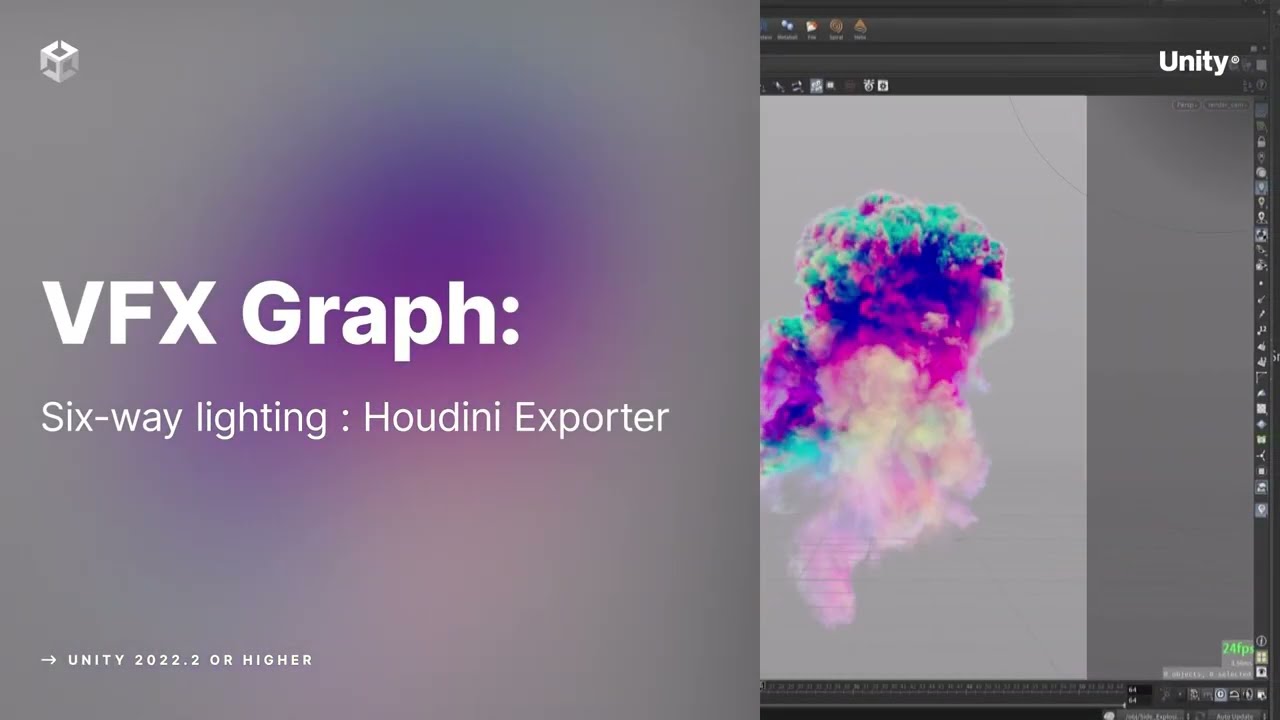
Six-way lightmaps allow to render smoke, steam, clouds flipbooks in real-time under different lighting conditions with minimal cost on performance. This official Unity plugin / HDA for Houdini is available here: https://on.unity.com/3IWTGq8
Want to learn how to use Unity’s complete suite of tools for authoring high-fidelity, richly detailed vis...
oh also https://unity.com/resources/definitive-guide-to-creating-visual-effects
@peak totem you may be interested in too

Unity
The e-book provides a complete overview of how to use visual effects authoring tools in Unity to create any kind of effect.
peak totem
ashen robin
oh also https://unity.com/resources/definitive-guide-to-creating-visual-effects
...
Oooh thanks
hollow obsidian
ashen robin
https://blog.unity.com/engine-platform/realistic-smoke-with-6-way-lighting-in-vf...
I'm familiar with that example but didn't think about that. I was actually just using VFX Graph Toolbox and Houdini to render 6-way fire and smoke 🚬 😁

This test scene for refactoring/debugging the Houdini Engine for Unity plugin evolved into a fun study of VFX, shaders and procedural data. It's not any sort of finished product, just a W.i.P. scene that started to look kinda cool!
Haha, I will have to see if that article/demo is just using VAT techniques like I normally use or if it has some trick to treat submeshes as particle representations
I'm using VATs to drive those fluid simulations for the spewing magma
Shader needed a little modification to be able to use in VFX Graph and stay synchronized though 😉
eternal herald
guys am i able to do something like a skin mesh render to a particle system
hollow obsidian
eternal herald
guys am i able to do something like a skin mesh render to a particle system
You will have to clarify what you mean by that. You can definitely reference/use a skinned mesh in a VFX Graph like to spawn particles on it during animations and stuff ...
eternal herald
am i able to keep particles on a hand with a particle system??
 tired summit
hollow obsidian
I'm using VATs to drive those fluid simulations for the spewing magma
tired summit
hollow obsidian
I'm using VATs to drive those fluid simulations for the spewing magma
I see a bunch of different particles above the fire, are these all different VFX graphs ?! (like one for the big spews, one for the middle size fires, one for the floating particles...)
peak totem
What program would you guys suggest for making images for particles / vfx, preferably free.
Please don't say photopea 😭
Might just eventually end up buying photoshop with a student plan
 sullen canopy
Hey 👋🏽
i have these particles that are using the built in particle system,
and i can't figure why it gets culled/invisible within ~ 10 seconds.
It stays in the hierarchy alive.
Something wrong how i handle the particle or may the built in particle sys bugged in hdrp? There is no script attached or sth.
https://cdn.discordapp.com/attachments/886316442256027668/1236461326797246534/image.png?ex=663817d8&is=6636c658&hm=2906f2b972cec77b342e6e2c379224b0f1df129f35a24f745076da1b64115cd3&
https://cdn.discordapp.com/attachments/886316442256027668/1236461327023607808/image.png?ex=663817d8&is=6636c658&hm=04966131387441415d29a7b2126378686f46bb27e5485f7e47d7ab48dc3cdc6c&

 peak totem
sullen canopy
Hey 👋🏽
i have these particles that are using the built in particle system,
an...
peak totem
sullen canopy
Hey 👋🏽
i have these particles that are using the built in particle system,
an...
What's emission look like
That is quite odd
sullen canopy
peak totem
What's emission look like
 peak totem
even more confusing
sullen canopy
right? it's not like i have much xp with particles, but i thought it's all about duration and lifetime.
Color over lifetime was enabled, deactivated that one tho.
peak totem
Perhaps lower lifetime to something like 60? I heard issues can be caused if the lifetime is way higher than the duration
sullen canopy
it was originally 8, tested with 60 and now 1000. But the behaviours stays the same 😔
peak totem
Oof
sullen canopy
Do you use hdrp?
peak totem
URP
sullen canopy
i'm worried it may be that, i may ask in the hdrp channel?
peak totem
Perhaps try to get the same setup in urp and see if the outcome is different?
Yeah you could try the hdrp channel, maybe they know
sullen canopy
peak totem
Perhaps try to get the same setup in urp and see if the outcome is different?
good idea, cheers
tired summit
peak totem
What program would you guys suggest for making images for particles / vfx, prefe...
What kind of images do you need ?
peak totem
tired summit
What kind of images do you need ?
Just like generic stuff, dust particles, sparks, glowing thingys
tired summit
I've used Kenney's texture set for VFX for a few years, it's free and has most of what you'll need, even for more advanced effects
https://kenney.nl/assets/particle-pack and many more on his (her ?) website

Download this package (80 assets) for free, CC0 licensed!
The buttons icons from Celeste are from a texture pack by Kenney, free as well
sullen canopy
peak totem
What program would you guys suggest for making images for particles / vfx, prefe...
Photoshop would be best, otherwise it's Gimp. The handling/interface is garbage for any non linux nerd.
Paint.net is good for small edits but can't handle alpha channels etc.
peak totem
Ah forgot about gimp
peak totem
tired summit
https://kenney.nl/assets/particle-pack and many more on his (her ?) website
Thanks love
 proven hare
hi guys, is vfx usually in hdrp or urp?
 tropic lichen
both
proven hare
im trying to follow a tutorial but im not sure where they got those assets from

 fading flare
so i just followed a tutorial to make VFX but i have problem with decal/trail effect that i just followed, mine was not showing anyone know the problem ? i exactly follow of his instruction and tutorial same setting too

 ashen robin
fading flare
so i just followed a tutorial to make VFX but i have problem with decal/trail ef...
ashen robin
fading flare
so i just followed a tutorial to make VFX but i have problem with decal/trail ef...
gonna need more information here and some more of the graph
 cosmic plover
hello all, sorry for the noob question... Im very new to unity. Just trying to make a particle system and every time I deselect my system the particles all disappear? I just want them constantly displaying without me having to select them basically
 livid heath
Any idea how I go about finding out the source for this?

Some artist has made some vfx graph somewhere that does something wrong, and Unity tells me nothing about what graph, what gameobject it's assigned to, or anything else.
Is there anything better than "check all relevant graphs by hand"?
 burnt coral
livid heath
Any idea how I go about finding out the source for this?
burnt coral
livid heath
Any idea how I go about finding out the source for this?
I think these are Particle System component / Shuriken warnings not VFX graph. Does double clicking them maybe highlight the component?
livid heath
Nope! That's the problem
Those being ParticleSystems rather than VFX graph is super useful info, tho, thanks!
onyx lake
cosmic plover
hello all, sorry for the noob question... Im very new to unity. Just trying to m...
When you have the particle system selected you can press the little lock icon in the top right of the inspector window (where you see all the details). If you still want to use the inspector on other files you can press the three little dots right next to the lock icon and add another tab > inspector then drag the new inspector window somewhere else.
onyx lake
cosmic plover
hello all, sorry for the noob question... Im very new to unity. Just trying to m...
Another trick that I use all the time: if you have an object that has particle systems as a child, but doesn't have a particle system itself the scene window will also not display the particles if you have the parent object selected. Just add a particle system to the parent object as well and deactivate the render module or set the render mode to <none>.
Now all particle systems beneath the parent object will render. This is more of a hack, but very useful in my opinion. Just remember to delete the particle system once you actually turn the object into a prefab or whatever you want to do.
onyx lake
livid heath
_Some_ artist has made some vfx graph _somewhere_ that does _something_ wrong, a...
It's indeed a shuriken warning. You should be able to click on the warning while you are in game mode. It will highlight the culprit. The warning is about the stop action I've highlighted in the inspector in the second image. Like the warning says, you may not use this option for sub-emitters.


 stark crest
sullen canopy
Hey 👋🏽
i have these particles that are using the built in particle system,
an...
stark crest
sullen canopy
Hey 👋🏽
i have these particles that are using the built in particle system,
an...
change the culling mode I guess
livid heath
onyx lake
It's indeed a shuriken warning. You should be able to click on the warning while...
Right. They're not pinging for me, so I assume it's from some short-lived particle system with Destroy stop action on the main emitter, or which is getting destroyed by script. Thanks!
sullen canopy
stark crest
change the culling mode I guess
sadly no, i tried all modes, pause, catch up, auto and always simulate
 prime dome
Anyone know why my particles emit in "waves" or pulses
as in, they start, stop for a bit, then start again
im trying to use a rain particle system but the drops will fall for a few seconds then resume then stop etc.
stark crest
If you select the particle system and don't see any outline, that's because the particle is not emitting, s you may try to play with rate over time first to see if it's not a lifetime/cycle issue
prime dome
stark crest
If you select the particle system and don't see any outline, that's because the ...
when I lower the rate over time it seems to give a steady flow, does that mean it is an issue of lifetime / cycle?
stark crest
prime dome
when I lower the rate over time it seems to give a steady flow, does that mean i...
was answering to @sullen canopy ^^
prime dome
oh :$
stark crest
for you Marwan, have you got a max particle count that allow constant spawn?
you may have a limited amount of particle too low
prime dome
Ah I think that was the issue indeed
just needed to know where to look, thank you very much :)
 gusty meadow
Take a look at this
Why are some particles
From when he punches the ground
NOT spawning above the ceiling
They should all spawn there and then fall
But you can see some spawn
Lower than theyre supposed to be
And when i replay the particle when i place it where i want it to be in the scene inspector i never get that problem
So idk if its with the particle editor or code
warm torrent
gusty meadow
Lower than theyre supposed to be
When you see a particle spawning in the wrong spot, you can quickly pause the Play mode with the pause button or ctrl + shift + P, then select that particular particle to reveal where its Particle System origin is located
This may give you a clue about where it's being instantiated
And very likely indicate that whatever code is instantiating it is doing so in the wrong position
gusty meadow
warm torrent
When you see a particle spawning in the wrong spot, you can quickly pause the Pl...
theres no parts of particle in scene viewer and for some reason all of them are in place
in scene
warm torrent
gusty meadow
theres no parts of particle in scene viewer and for some reason all of them are ...
I can't quite picture what you're saying here
gusty meadow
sorry
in scene viewer screen
not in the game window
u cant see the particle bits
warm torrent
If you have Game and Scene windows side by side, and the Play mode is paused, they definitely should appear in the same place
warm torrent
If you can't see particles at all in Scene view, I'd select the Particle System from the hierarchy and double click it (or hit F when mouse-overing the Scene window) to focus Scene view to them
gusty meadow
i can only find the particle itself
uk what i mean
like the object
and it says its on the right spot
but then why are some particle bits spawning there
sullen canopy
stark crest
If you select the particle system and don't see any outline, that's because the ...
Thanks for the answer, @onyx lake took a quick look and figured that it was the high start speed value 👍🏽

 gray ravine
what's the difference between the two? There seems to be no documentation. In VFX graph.

also why does (1, 0, 0) * 12 = (1, 0, 0)? I wnat to let the force be set in the inspector, but the gizmo for it seems to be in screen space and you can't increase the length of the vector.
 ashen robin
gray ravine
what's the difference between the two? There seems to be no documentation. In VF...
ashen robin
gray ravine
what's the difference between the two? There seems to be no documentation. In VF...
Vector to return if normalized vector is not finite
gray ravine
ashen robin
https://docs.unity3d.com/Packages/com.unity.mathematics@1.2/api/Unity.Mathematic...
im sorry but I still dont understand. What is a "safe normalized version of the float2 vector x"
gray ravine
ashen robin
**Vector to return if normalized vector is not finite**
oh so you think it's just some vector?
ashen robin
a directional vector of 0 can really break things usually so a lot of methods will return some default value otherwise
gray ravine
yea makes sense
ashen robin
quaternion lookrotation is a good example
gray ravine
i have ptsd from being a complete novice expecting to understand quaternions
@ashen robin since you seem knowledgeable do you know of any documentation about what the colors of the connections mean? I was trying to find for VFX, shader graph, visual scripting, etc., can't seem to find any. I know light blue is a float, purple is a predicate, yellow is a vector3, and yellow-orange is a direction (apparently different things in VFX), but beyond that no idea.
ashen robin
ah, I usually just drag out the connection field onto the blackboard and see what nodes pops up
gray ravine
ah well same when using shader graph, but it seems for VFX, at least for the version I'm using, that will allow you to choose nodes that can't connect (while doing that to find out it was outputting errors about invalid connections and instantly breaking the connection)
ashen robin
that's interesting. I may have ran into that before... I think with what nodes can connect with some of the curve nodes
gray ravine
must just be bugged, oh well
ashen robin
usually the documentation will have the output in question, but unlike the shader graph you usually need to go google it
shader graph probably one of my favorite modules unity has just because of that
^ being able to right click on the node to hotlink you to the actual node page in docs
gray ravine
yea fr
edgy acorn
g'day. What's the difference between "set" and "add" in short? For example "set" or "add" angle
ashen robin
edgy acorn
g'day. What's the difference between "set" and "add" in short? For example "set"...
set once or override (do it in initialize context or in output usually), or add onto the current system value (in update or if you're inheriting values in initialize)
edgy acorn
gotcha, ty
 restive birch
how can i make an orb have x particles revolving around it, each having different rotational axes
for convenience let x be 6
without making x different ribbons.
ashen robin
restive birch
how can i make an orb have x particles revolving around it, each having differen...
public static Vector3 RotatePointAroundPivot(Vector3 point, Vector3 pivot, Vector3 axis, float angle)
{
    Quaternion rotation = Quaternion.AngleAxis(angle, axis);
    return rotation * (point - pivot) + pivot;
}
This my goto formula for rotate around without using the transform methods
restive birch
wait we can script for vfx graph?
ashen robin
well, I don't think there's a rotate around specific node (maybe there is), but otherwise you're probably looking at doing a cross product using a pivot point
ashen robin
restive birch
wait we can script for vfx graph?
technically you can if you drive the particles using the cpu (using buffers)
restive birch
ashen robin
```cs
public static Vector3 RotatePointAroundPivot(Vector3 point, Vector3 pivot,...
wait wait, i shouldve have clarified
so basically
i want to make each particle from the same particle system have different rotation around the pivot
didnt know u can make scripts for vfx, but im guessin this just rotates every single particle from the particle system in the same direction/axes
restive birch
ashen robin
```cs
public static Vector3 RotatePointAroundPivot(Vector3 point, Vector3 pivot,...
isnt this( ⬆️ ) the same as this(⬇️) ?
 ashen robin
oh, rotate 3D I forget about that one, yeah that can work
restive birch
doesnt solve my problem tho 😓
all the particles have same axes. i need them to do this( ⬇️ ) without creating multiple ribbons
 ashen robin
you're setting these secondary particles at different positions, right
ashen robin
ah, ok it may not use the up position relative to where it's at and the direction to the pivot
which is what cross product is useful for
restive birch
cross between which vectors?
im so lost, can u explain pls
ashen robin
basically where ever this secondary particle is at, you now want to rotate it on an axis derived from the up axis of the particle in the direction of the pivot
restive birch
well not specifically on a y-axis
any random axis.
we are deviatin from the problem
i can calculate those random axes,
the problem is, i cant get those particles to rotate individually without rotating about the same axis
lemme send a vid. im kinda bad at explainin my doubts
https://gyazo.com/21bbabc2748fc6178a4339825945bdce?token=b9d016e058c0cec69d2f86158eaf8fd5
all the particles rotate about the same axes. i want them to rotate differently

"just make different particle systems for each particle"
no, its too much
ashen robin
haha
restive birch
im lazy ;-;
ashen robin
Let me see the full graph to see how you're spawning them
restive birch
 ashen robin
thumbnail
restive birch
wdym thumbnail?
ashen robin
508x611 px
restive birch
restive birch
so is there an event that fires after each particle spawns?
if so by script i can alter the particles rotation
 ashen robin
I just need to know what method you're spawning all these orbs
restive birch
single burst -> setting position by sequential circle
ashen robin
if it's like arc circle then you may need to split it up
restive birch
restive birch
so is there an event that fires after each particle spawns?
if so by script i c...
so is there?
restive birch
ashen robin
if it's like arc circle then you may need to split it up
tried arc circle, then settled on sequential
for no reason
ashen robin
I would honestly just do multiple systems
I can think of ways if you wanna math it out
restive birch
dammit, guess gotta compromise
restive birch
ashen robin
I can think of ways if you wanna math it out
ill do it myself
thanks tho!
ashen robin
problem with one system and the circle here is it's acting on the whole circle as a single particle of values for the rotate 3D so everything will work in unison unless you specify each particle value somehow
so my idea is to split each of these individual particles as a secondary system
and the main particle as the pivot
restive birch
ashen robin
problem with one system and the circle here is it's acting on the whole circle a...
yea
restive birch
ashen robin
so my idea is to split each of these individual particles as a secondary system
okie
 slate lily
Why can't I use the XYZ of nodes anymore? Any ideas?

I can drop down inputs, but not outputs
ashen robin
slate lily
Why can't I use the XYZ of nodes anymore? Any ideas?
Are you asking why you can't input values into the greyed out fields anymore?
the nodes that are being connected into A and B would be the values that are combined, and the output is the result of that operation
Oh, you mean you want the output to be xyz like a split node
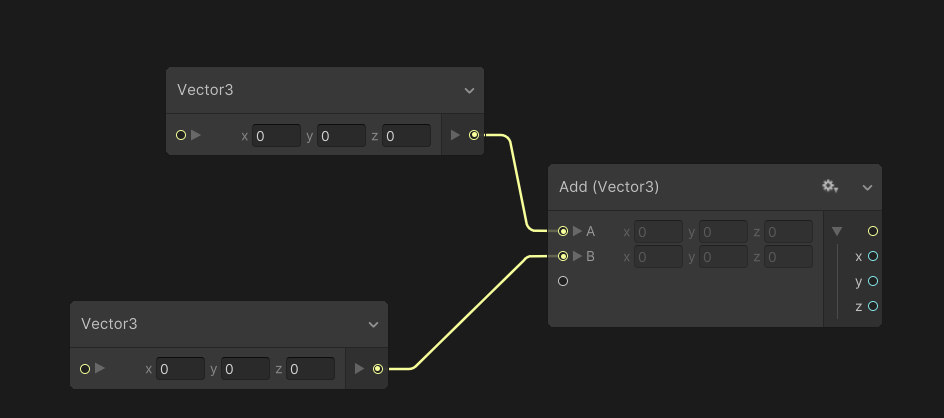
seems fine for me
https://i.imgur.com/4etm3fN.png
Casting seems to work too for vector4, so maybe the types you're adding is the problem
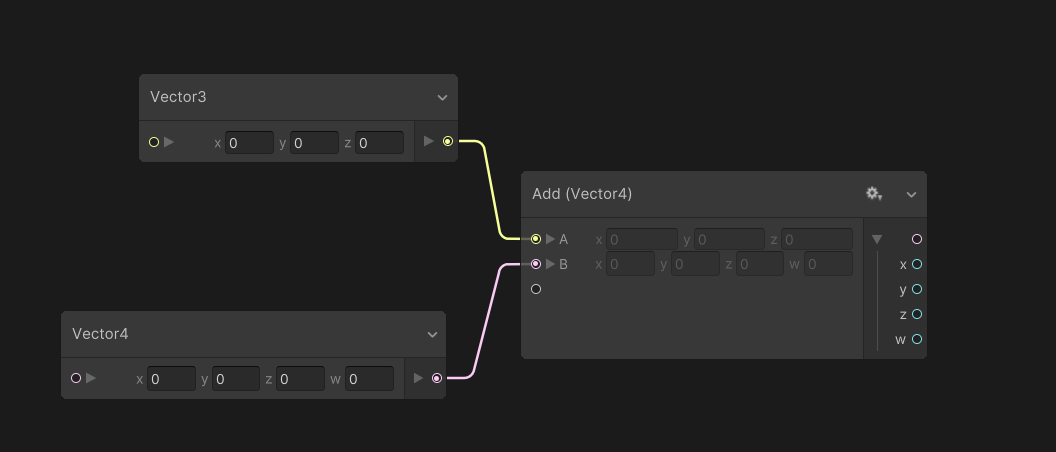 slate lily
ashen robin
https://i.imgur.com/4etm3fN.png
Casting seems to work too for vector4, so maybe ...
slate lily
ashen robin
https://i.imgur.com/4etm3fN.png
Casting seems to work too for vector4, so maybe ...
No outputs currently are split. I am so confused
I am on Unity 2022.3.27 if that helps
ashen robin
Try just extending it into another vector3 node and split it from that
 nimble axle
anyone know how i could create a fist barrage? I was thinking of a particle effect with a fist object that would go forward with a skin colored trail or something, but idk
slate lily
ashen robin
Try just extending it into another vector3 node and split it from that
Same thing, only a v3 output🤔
I'll make a new graph tomorrow to see if it also is there
edgy acorn
Sup. In particle system (not VFX graph), if i use Render Mode - Mesh and Collision ticked on, can i somehow apply collision based rotation? Kind of dynamic meshes with some sort of force emitter.
 ebon moth
do subgraphs not work with gpu events?
restive birch
restive birch
i can calculate those random axes,
the problem is, i cant get those particles ...
@ashen robin
did it, with only one particle system
as ive said i needed a way to change the properties of each particle
the "Set Random" attribute came in clutch!
https://gyazo.com/29ff0f7efde250b1503f754dc6f1505a

either map the Set random block to rotation3d axes or to the normal of seq circle
ashen robin
restive birch
<@288886727555284995>
did it, with only one particle system
as ive said i need...
I was going to suggest that but I was thinking you'd probably want more defined positions... which you can if you keep track of the IDs and then map them to positional values
restive birch
shouldve suggested it either way ¯_(ツ)_/¯
yea i could integrate get particleid for more defined positions
ty
ashen robin
only problem with that is then you're probably using a switch inside of a compute buffer when you could just make some gpu event
and another system
restive birch
oooo?
ashen robin
graphic buffers would allow you to read into an array of values though
right and then you can just structure the ID with a vector3 value and do that
restive birch
oooo
this feels like some advanced sht, i touched vfx graph day before yesterday xD
so what does the buffer do?
ashen robin

they're useful for when you want to use structs inside of the graph
where you can map IDs to values so you have full control over each particle
they're worth learning eventually because it does feel limiting without them haha
restive birch
damn so literally
takes in vars and returns what needs to be returned?
so like rn its outputting v4?
ashen robin
struct VFXBufferData
{
    public int ID;
    public Vector3 Position;
    public Vector3 Rotation;
    public Vector3 Direction;
    public float Size;
    public float LifeTime;
    public float ReturnTime;
    public float ParticleMultiplier;
    public int Alive;
}
one type of struct I use
so for that particle of ID #, I can specifically send in values to set for that exact particle
ashen robin
so yeah, that's probably the more prefered way if you want to stick to less amount of systems
ashen robin
https://qriva.github.io/posts/how-to-vfx-graph/
Some other useful information too
specifically stuff like the custom events which is an alternative to buffers but it's a bit more limiting
restive birch
gonna check it out
ashen robin
both methods are great if you want like a single visual effect system asset in the scene vs multiple system assets (different pooling methods)
 wind zodiac
Hi! I’m currently using Unity for the first time for a university project and I’ve ran into an issue that I would like some help or advice fixing. I followed this https://www.youtube.com/watch?v=FBP9k6W48vM&list=PLjLqixML5B8MlwxMsTRVhjlxkMIdAuYgg VFX graph tutorial which I found really helpful however coming to the end Ive realised mine looks slightly different to their finished product. In the tutorial finished product you can see the particles are moving around in various directions however with mine theyr’e all going in a straight line, like the particles are all attracted to one point. Which isn’t my intention. Would this be an issue with the mesh or an issue with the VFX graph. I’ll paste some images of the graph and the game scene. Thank you 🙂

Unity VFX Graph:Use SDF to make model particle effects
Version:2021.2.17f1
Subscribe:https://www.youtube.com/channel/UCf3S-ovaTom4cc7rxwall8w
0:00 Intro
0:32 Start creating VFX Graph file
1:43 Set up SDF node
2:39 Make sample model
3:25 Using SDF Bake Tool
5:00 Number and color settings of particles
7:25 Replace different SDF files
10:09 Added C...


 olive orbit
having trouble with my particles. I'm on URP and when I move the base of my particles, the already emitted particles follow it and don't stay flowing in the same direction they were emitted to. I don't know the name of what is happening, but If anyone can help, it would be grately appreciated :)
ashen robin
wind zodiac
Hi! I’m currently using Unity for the first time for a university project and I’...
I suspect it has to do with the values of your conform to SDF as they are different from the video, but make sure that without that node that the particles are spawning correctly
gray ravine
anyone know why my VFX graph isn't prewarming at all? No matter what values I set in here (and i've tried a lot of combinations) it always starts out as new when the scene plays
 tired summit
deltaTime of 4 sounds like a very, veeeeery laggy gamd x)
I want to add object pooling for all VFX graphs. Which means, I Get() an instance from the pool, and then I return it once the animation finished. How do I know when to return it the pool ?
Alternatively, if there a good solution somewhere of pooling that handles VFX graps ?
stark crest
wind zodiac
Hi! I’m currently using Unity for the first time for a university project and I’...
add turbulence in the update block in the end
ashen robin
tired summit
I want to add object pooling for all VFX graphs. Which means, I Get() an instanc...
https://qriva.github.io/posts/how-to-vfx-graph/
Check out the custom events. It's one way to pool by using a single graph per all similar type particles. This way you can keep track of each particle using the reference you spawned it with, and can end a particle by using stop events in your graph.
Another idea is to pool gameobjects with independent vfx systems, and do it the general gameobject pooling way. There's features to help for that like shared pooling which is an option inside of the graphs.
My preferred way is to use graphic buffers with a combination of custom events because custom events alone have some restrictions. For one, stopping an event only stops the generation of particles, but it won't stop any current particles from playing, but using buffers you can flip an IsAlive bool of that particle in the system to stop the event immediately.
Pooling VFX systems probably easier though with less setup, so I'd try that idea first.
tired summit
ashen robin
Another idea is to pool gameobjects with independent vfx systems, and do it the ...
That's how I've been doing it so far with particle systems. I would get their lifetime with ps.main.startLifetime.constantMax in order to know when to return it to the pool. But I can't do that with VFX graphs =x
ashen robin
tired summit
What is shared pooling ?

Real-time VFX are often performance intensive, especially as your game scales. In this session, you will see how VFX Graph works, in particular the new instancing feature that enables you to create many instances of your VFX in an efficient way. Using practical examples, you will learn how to identify issues and potential bottlenecks, as well as...
around 14 minute mark, it's called GPU instancing and you can see it in the newer versions when you click on the asset itself in the editor
tired summit
Thanks !
ashen robin
The problem with multiple systems is more drawcalls, but instancing is intended to get around that problem
tired summit
TBF my main issue no not having multiple systems, but when to return them to the pool
Like vfx.AllParticlesDead += (vfx) => pool.ReturnToPool(vfx)
ashen robin
If you were to go with the multiple system approach, you can stop particles by simply de-activating the gameobject then enqueing the system like a normal pooling system.
tired summit
That would instakill all the particles
ashen robin
Ah, ok so you want some to linger eh
tired summit
vfx.Stop();
vfx.AllParticlesDead += (vfx) => pool.ReturnToPool(vfx);
Something like that
ashen robin
in shuriken usually you detach a child system to linger
but there isn't a perfect solution to figuring out if all particles are dead in vfx graph
some ideas you can consider is have a lingertime variable, such that any secondary particles will only exist up to that maximum, this way when you return the system you will know that at this mark in time that all particles should be dead.
if you want to go the custom event approach, when you do stop event via: vfx.SendEvent("OnStop", eventAttribute);
You should account for particles to linger until this mark
pooling via systems, you can run a coroutine to wait until this time is up
https://docs.unity3d.com/ScriptReference/VFX.VisualEffect-aliveParticleCount.html
You do have this method too, but it's not totally accurate
and it would only work with independent systems
I think the best solutions is to just let the particles run its course by stopping any new particles, then clean up the object some time later on, even if it's not actively generating new particles.
You don't necessarily need to return them to a queue asap
tired summit
It's kinda what i'm doing, I set the linger time to 3 seconds for all VFX graphs
I thought about WaitUntil(aliveParticleCount == 0), but I guess it will cost more that it gains
 fiery surge

I would love to replicate something like this with a particle system
i made from scratch a skull model which i've set as 3d mesh for a particle system
but i have no idea how to do the trail
i tried with particle trails and ribbons but not ideal for what i want
sub particle system emitted with 3d mesh?
i'm doing this for vrchat so some custom shaders and vfx graph is not supported
but since i'm not getting any answer in their discord i'll ask here
ashen robin
looks like a particle trail to me
fiery surge
ashen robin
looks like a particle trail to me
yeah but particle trail doesn't allow 3d models right?
i was also thinking to maybe use shader animation instead
ashen robin
Ah, right the trail stuff is just billboarding quads but usually that gives the illusion of depth
no clue of the limitation of vrchat, but if you can do meshgen then making some mesh that's easy to build onto (something like a cylinder perhaps) and just rebuilding it for every segment made
you could just consider using the particle trail and attach it to the 3D mesh as you drag it around, no?
fiery surge
i'm back, sure i can do that but like how can i make it look 3d?
actually lemme try an idea
fiery surge

Maybe it's a stupid idea cause it's my first time messing with particle systems BUT
one particle system has the skull, the other has a segment that i could extend to make the tail
ashen robin
I'm pretty sure it's just a 3D model and a trail after looking at it again
and probably the easiest solution to this problem without a lot of vertex dabbling
 granite otter
why do my vfx spawn less particles when fps is lower
granite otter
ah, problem fixed after I turned off instancing. But why is it?
 jaunty tree
how do you debug your vfx graphs?
I often just get a random message that some computebuffer is not defined anymore, which I am using to upload data
by now I know that this means the graph does not compile and it normally has nothing to do with the buffer
often I just rebuilt the same graph and somehow it works then (dunno if unities fault or I am doing something different)
but I'd like to be able to do this a bit better
 acoustic dove
Question about changing texture outputs on the fly in VFX Graph: I want to switch the texture used in the render output, but without it changing the texture of any particles still alive. Is there away I can track particle id's to filter what gets the new texture?
ashen robin
jaunty tree
**how do you debug your vfx graphs?**
if you have project errors then the graphs wont recompile with the new buffer changes if you're editing them
ashen robin
acoustic dove
Question about changing texture outputs on the fly in VFX Graph: I want to switc...
Do you mean that you want to start a new particle with a whole new texture without affect current particles?
acoustic dove
yeah, an example would be, while the player runs over grass, grass leaves are kicked up, while they run over dirt, dust is kicked up, and so on.
But as they change surface, I want to switch what texture is used for the next particle, not change system or output.
ashen robin
Ah, easy way would just have a system for each type of surface, but if you do have a bunch of surfaces then perhaps doing it with a single system could work
https://qriva.github.io/posts/how-to-vfx-graph/
Has some ways to start different particles with different attributes without affecting previous particles using a single system.
Though, it depends on the data type that you're trying to change.
https://docs.unity3d.com/ScriptReference/VFX.VisualEffect.html
Any data type with 'Set' is what you can use with these events
https://forum.unity.com/threads/how-do-you-use-vfxeventattribute.1413285/
And a post about using them if you run into problems
Unity Forum
Hi, I've made this post in a different forum before I realized there was a VFX graph specific forum....
 acoustic dove
Thanks for taking time to help! I'll look through this stuff 👍
 acoustic dove
fiery surge
https://cdn.discordapp.com/attachments/1088238461808541757/1238492682125312090/U...
acoustic dove
fiery surge
https://cdn.discordapp.com/attachments/1088238461808541757/1238492682125312090/U...
Try adding some alpha controls to fade particle in and out so they don't pop like so. If you don't want them to fade out, you could have them flash a color or pop in size to add some animation to the sequence
fiery surge
acoustic dove
Try adding some alpha controls to fade particle in and out so they don't pop lik...
Oooh imma try that
fiery surge

Used the particle shader instead of the custom one so now the particles have fading
i've been struggling to make the skull more interesting ngl, the previous version used a spread of particles
but ngl i've been having issues with sub emitters

This looks great on it's own, but the moment i place it as a sub emitter it doesn't look the same anymore
tried tweaking it but i don't understand why the parameters gets changed once you put it under another particle system
warm torrent
fiery surge
https://cdn.discordapp.com/attachments/1088238461808541757/1238502760719188048/U...
No idea what these are supposed to be or what you want them to look like
Visual design should start with intent, something you want to depict or convey
fiery surge
warm torrent
No idea what these are supposed to be or what you want them to look like
I was thinking about having a burst of particles, fire like coming from behind the skull
fiery surge
warm torrent
Visual design should start with intent, something you want to depict or convey
 I'm a 3d artist, never messed with particle systems
i'm struggling to find good examples online to look at and be inspired by
warm torrent
fiery surge
I was thinking about having a burst of particles, fire like coming from behind t...
If it's fire you want, look for guides and examples of fire particle systems
Or perhaps magical fire more specifically in your case
fiery surge
gotcha
warm torrent
fiery surge
<:notlikethis:1068134558123442236> I'm a 3d artist, never messed with particle s...
Particles and 3D are both in the same realm of visual design, though the tools are different
fiery surge
warm torrent
Particles and 3D are both in the same realm of visual design, though the tools a...
yeh, i'm finding myself pretty lost with the controls, but it takes time i guess

the concept is that of a "music" gun, it shoots at rythm of music
i guess the closest thing i can look are dubstep guns but that's pretty old school
 fast olive
hi! i would appreciate if someone had a second to help me understand how this sort of emitter works. what kind of mesh and texture it's using, or in general how it behaves. the effect im trying to break down are these black spiky lines. they're in an orb sort of shape in the first effect and a ring in the second. any help would be greatly appreciated!
 ashen robin
fast olive
hi! i would appreciate if someone had a second to help me understand how this so...
ashen robin
fast olive
hi! i would appreciate if someone had a second to help me understand how this so...
cutout shader
basically a texture that wraps the sphere, but the alpha values get clipped
aka alpha clipping
granite otter
is there a way to get initial position of a particle in vfx graph, I can't seem to find it, i can only get current position not initial. Or is there a way to lock a float or sth similar?
ashen robin
you can do something like targetposition node at the very start of your graph, and then get position attribute node and connect it to that
now target position has your start position cache'd
granite otter
ashen robin
you can do something like targetposition node at the very start of your graph, a...
thanks that works
eternal herald
Who knows how to turn multiple images into a sprite sheet
warm torrent
eternal herald
Who knows how to turn multiple images into a sprite sheet
Do you mean to be used as a flipbook, or as sprites? Two kinda different things
eternal herald
Nah nvm I figured it out I used something called glue it
warm torrent
eternal herald
Nah nvm I figured it out I used something called glue it
Sprites in unity don't need to be compiled into a sprite sheet since they use internal references
Particle System's texture sheet animation can use sprite references as well as flipbook textures
If you specifically need a flipbook image sequence, I recommend Unity's own Image Sequencer that can be found here: https://github.com/Unity-Technologies/VFXToolbox
It can do more than just flipbooks, and the sequence is handled as an asset so it can be quickly regenerated if any of the individual images have changed
eternal herald
oh ty
ashen robin
How does shuriken pool secondary emissions? Trying to do like particle trails eats my fps like crazy
I could only assume it's creating a bunch of garbage by destroying
ashen robin
Also, how do I go about changing currently emitted particle size by code? I don't care for independent particles as I want to scale the whole system.
man, this module is arse
granite otter
is every flame bolt a particle or each ball is a particle
your trajectory looks kind of like what im doing but just in reverse, mine is going inward
ashen robin
yeah the trails are generating a bunch of quads
but they are secondary emissions from the main particle system
so I assume it would pool it all for me. Maybe it is and it's just taxing on the cpu
https://cdn.discordapp.com/attachments/448923113921576992/1201386658810052740/kZNCHTjZH51.webm
meanwhile VFXGraph pumping out 10000+ quads a frame
warm torrent
ashen robin
How does shuriken pool secondary emissions? Trying to do like particle trails ea...
I'd assume it's a simulation cost because you have a lot of individual particles there
In my experience you can destroy dozens or even hundreds of gameobjects before the GC hitch becomes noticeable, and it won't be every frame, so it's unlikely to be related to pooling
ashen robin
warm torrent
I'd assume it's a simulation cost because you have a lot of individual particles...
yeah probably simulation then yet none of them have colliders but still I would feel like this should be more optimized internally but guess not. Maybe there's some settings I'm missing
warm torrent
ashen robin
yeah probably simulation then yet none of them have colliders but still I would ...
Did you confirm the lag does not occur without the sub emitters enabled?
Or if you set the sub emitters' max particle count to 1
Might yield clues
ashen robin
warm torrent
Did you confirm the lag does not occur without the sub emitters enabled?
I've got max particles at 50, lifetime 2 seconds, with emission rate of 35
I see there is loop buffer and stuff ive been toying with so maybe there is some other recycling options im missing here
warm torrent
ashen robin
I see there is loop buffer and stuff ive been toying with so maybe there is some...
I think that only affects how lifetime is used, not performance
I don't really know of any recycling options or other performance related settings
But I recommend trying to confirm if the performance problem is actually related to sub emitters, and more specifically if it's related to their particle counts
ashen robin
I think a large problem too is that I'm generating mesh spheres, but even with 200k verts I shouldnt be dropping so many frames
warm torrent
ashen robin
I think a large problem too is that I'm generating mesh spheres, but even with 2...
For the particles or unrelatedly?
In either case you'll want to test the impact of one system and feature at a time
 obsidian salmon
does anyone know how i can make stuff like this
 ashen robin
get a paint program and some nice brushes
obsidian salmon
ashen robin
get a paint program and some nice brushes
is there any you recommend
ashen robin
krita seems to be popular but otherwise photoshop /shrug
krita has some nice utility for seamless trails and texturing
obsidian salmon
thanks
warm torrent
Gimp has the necessary technical features for creating and exporting the kind of precise image data often required in vfx
As does PS, but Gimp is free (and kinda unwieldy)
Options like linear color space and saving color for transparent pixels have no right to be missing from a lot of image editing programs, yet they do
obsidian salmon
ty, i'll try both
eternal herald
for some reason my image wont rotate this is the graph can anyone tell me what ive done wrong


 delicate oxide
I have sprite shape particle system and want some percent of particles spawn in fron of actual sprite and some behind.
So basically I need "random between to constants" for the start position, but I can't find this option
 warm torrent
delicate oxide
I have sprite shape particle system and want some percent of particles spawn in ...
warm torrent
delicate oxide
I have sprite shape particle system and want some percent of particles spawn in ...
Do you have an example of "some in front and some behind"? Hard time visualizing if this is in 2D or 3D
And with some kind of perspective or not
The pos, rot and scale are for where the shape is
delicate oxide
Yea, it's 2d.
I can set position for whole shape "behind" my base layer. And I want to some of the particles be in front

So I want to like 20% of particles to be in front of a sprite
 warm torrent
In 2D sorting each particle system is sorted as one object together with all the particles, so afaik that's not possible
You can confirm that with a random speed between positive and negative in depth axis
But I expect you'll need another particle system for the front particles
In which situation I recommend making a prefab of the original particle system, and a prefab variant of the front one
That way it can inherit all the modules, but override its emission rate to the 20% of the original you require
delicate oxide
Hmm, actually the velocity by lifetime moves particles in 3d. I think I can try to set this values to achieve what I want

Well, seems like it's not working nicely and it's hard to control. MAybe I should try this aproach with a second particle system
warm torrent
delicate oxide
Hmm, actually the velocity by lifetime moves particles in 3d. I think I can try ...
Use this to confirm if the particles can appear both in front and behind of the character
Two systems is cleaner though, when you know for a fact you need only two different depth positions
delicate oxide
Also, how can I set sprite and texture for a shape dynamicly.
When trying particleSystem.shape.texture = targetSprite is says "Property 'shape' access returns temporary value". Is there some kind of specific setter for this?
burnt coral
delicate oxide
Also, how can I set sprite and texture for a shape dynamicly.
When trying ```pa...
Try storing the module in a variable first
var shape = particleSystem.shape;
shape.texture = targetSprite;
Is explained a bit on this page - https://docs.unity3d.com/ScriptReference/ParticleSystem.html
delicate oxide
burnt coral
Try storing the module in a variable first
```
var shape = particleSystem.shape;...
Thanks
 manic nimbus
how do i make particles fly a different dierction
manic nimbus
how do i make particles go in a different direction. for context i have a flamethrower and i want the particles to fly toeards the hit point. i have a raycast and i want the particles to "follow" the path of the raycast but right now the particles just go up and i dont know how to change the rotation
ashen robin
manic nimbus
how do i make particles go in a different direction. for context i have a flamet...
particle system or vfx graph
eternal herald
eternal herald
for some reason my image wont rotate this is the graph can anyone tell me what i...
can anyone help me with this
ashen robin
eternal herald
for some reason my image wont rotate this is the graph can anyone tell me what i...
you want to 'Add' the angle, not set it. And, if that doesnt work, then you may need to throw it in Update context.
eternal herald
oh okay thank you
 modest silo
Anyone good at the Unity Shuriken Particle system?
i am looking for a solution concerning Particle lifetime and the trail module.
I have a particle system set up to spawn 3 particles that rotate around in a circle. the particles have Infinity lifetime.
i want to add trails to those particles.
The sad thing is that the trail lifetime is multiplied by particle lifetime, which means that the trails extend infinitely. is there a way around this? i have not been able to find anything to make the trail lifetime not be infinite except set the particle lifetime itself to non-infinite.
warm torrent
modest silo
Anyone good at the Unity Shuriken Particle system?
i am looking for a solution c...
I'd try the ring buffer mode with "pause" or "loop" settings
It makes the particle lifetime infinite without relying on or changing the lifetime property
manic nimbus
ashen robin
particle system or vfx graph
Particle system
ashen robin
manic nimbus
Particle system
Well, the particle system itself has many different properties affecting rotation, direction, and velocity so try fooling around with those. I personally like to make my own particle controller that the particle systems live on and instead move that scene object with the particle system attached.
 junior thistle
What is the best solution for lit particles? Specifically, I want underwater silt (i.e. dust) particles to react to the flashlight. As far as I can tell, I can't do it in HDRP for shuriken with anything I have available.
Maybe some screen space effect or what should I do?
warm torrent
junior thistle
What is the best solution for lit particles? Specifically, I want underwater sil...
Why can't you do it in shuriken?
If you mean HDRP not having particle shaders, they simply must be imported from the package manager in the Samples tab
But you can do that kind of thing in VFX Graph just the same
 vernal glade
when creating a waterfall using oarticle system i add a material to it but the trail makes the material super streched any ideas?
delicate oxide
I asked this question before, but after implementing proposed solution I started to have some doubts.
So I have sprite shape particle system in 2d game and want some percent of particles spawn in different Z postilion (some behind of the sprite and some in the front), example in the screenshot (switched to 3d view).
I was proposed to create a second particle system, which is technically works, but it seems like there should be a better solution. It's not very convenient to control the system in the runtime because I should edit values for both of them.
Seems like there definitely should be a way to just spawn particles in two (or more) z positions without creating a new systems.
 junior thistle
warm torrent
If you mean HDRP not having particle shaders, they simply must be imported from ...
junior thistle
warm torrent
If you mean HDRP not having particle shaders, they simply must be imported from ...
oh damn
thanks
I will check them out
warm torrent
vernal glade
when creating a waterfall using oarticle system i add a material to it but the t...
There's different texture tiling modes for trails, not just Stretch, try them
Still, I expect it might be hard to make convincing water with particle trails though it'd look quite unique
Usually waterfalls are meshes with a scrolling texture, and particles for the water splashes and mist
vernal glade
warm torrent
There's different texture tiling modes for trails, not just Stretch, try them
St...
I’m not going for a realistic look just cartoon
warm torrent
delicate oxide
I asked this question before, but after implementing proposed solution I started...
It'd be nice for sure, but the Particle System is one procedural mesh and it uses only one pivot point for 2D/Transparent depth sorting as do nearly all transparent renderers
You didn't mention doing changes at runtime before
If the secondary particle system is a child of the first one, they'll act as one for some purposes
They'll share at least Start and Stop methods
delicate oxide
warm torrent
You didn't mention doing changes at runtime before
I can to store both systems in array and apply changes for both if them every time, but it's not really convenient
I was looking to that SubEmitter option, do you think it can be helpful here?
warm torrent
delicate oxide
I can to store both systems in array and apply changes for both if them every ti...
As far as having to do extra code, calling methods on both is relatively simple, maybe even simpler with a foreach loop
delicate oxide
Yea, was thinking to do it this way
warm torrent
delicate oxide
I was looking to that SubEmitter option, do you think it can be helpful here?
It has some options for inheriting, but they won't make the sub-emitter copy the primary emitter's state
It just applies the specific listed properties multiplicatively to the sub-emitter's properties
delicate oxide
Hm, ok, thanks
tired summit
Tricky issue I have, is "Time" in Shader graph the same as "Game Time" in VFX graph ? As in, exactly the same at all times ?
delicate oxide
Asked in another channel, but maybe someone here faced similar problem.
I have Particle System as a child object. I want particles to continue to exist after the parent destruction. I trying to unparent particle system in the OnDestroy, but the problem is particle system "resets", like starts playing from the start. I believe that's happening because parent object already marked as "ready for destroy" and this affects how particle system behaves.
I don't really want to create a whole different gameobject and make it follow every target all the time, manage this secondary objects destruction and all of that, seems like there should be a more optimal way do to this.
Also it kinda works with OnDisable which is also called before destruction (and I think before marking object for destroy), so particle system doesn't reset before unparenting. But I don't want to face problems when I will need to use exactly "disable" in the future.
Is there some way to prevent this "reset to start" thing, maybe some option in particle system itself that controls that?
warm torrent
tired summit
Tricky issue I have, is "Time" in Shader graph the same as "Game Time" in VFX g...
What's the "Game Time" exactly
I can't find anything by that name
tired summit
"Total Time (Game)" is the exact name
Is it always the same as "Time" in Shader Graph ?
warm torrent
tired summit
"Total Time (Game)" is the exact name
I only have "VFX" and "Per-Particle" Total Time
You could test and compare but at least in SG the Time variable I believe is calculated from frames and frame time and isn't known to be very accurate
If you want to be sure you can run your own global timer so you know everything using it is synced, and you can control it too
 sly mortar
Hello!
I'm working on a horror game where you're in a space station and there's been an alien breach (think alien isolation), and I've got a clear vision for the monster desing, and an early protoype (attached video), but I don't know how to go from what I have now, to a more refined design... I've used unlit line renderers for the legs and an unlit sphere as the center, but in the final product I want the monster to be lit, since I want the surface to kinda look like goo. I have a reference design idea (very loosely since I know it's basically impossible to get similar results) that I will attach aswell. How would one go about achibing a similar enough design?
I though about a mesh with rig, but since the legs can move in all directions it seems difficult, so maybe I separate the leg meshes from the body, but then there would be a highly visible seam between the legs and body. Or could this maybe be fixed with some kind of raymarching/SDF. And how would one go about making it feel "gooey"? Maybe with some displacement? Some tips would be highly appreaciated!!
(sorry if this is the incorrect channel to ask about this, but I couldn't think of one more appropriate...)
 ashen robin
sly mortar
Hello!
I'm working on a horror game where you're in a space station and there's ...
ashen robin
sly mortar
Hello!
I'm working on a horror game where you're in a space station and there's ...
Kinda reminds me of this:
https://youtu.be/Nu8CZciSZt4?si=V0KU6-jz_m5ruI5F&t=1142

Discover the latest features and improvements to Visual Effect Graph, Unity's node-based effect creation tool. Join Vlad Neykov as he takes you through the latest updates to VFX Graph and how they enable better and more robust artist workflows.
View project files here: https://on.unity.com/3xdRjHF
Visit Unity Siggraph 2021 for more sessions: h...
https://forum.unity.com/threads/vfx-graph-siggraph-2021-video.1198156/
If you want to check their project out from the video
Unity Forum
Hey there,
Is it possible to release a sample project containing the effect seen here in the video. Recently I've been investing time in procedural...

But probably more related to your question. If you want something gooey, I'd expect this be more related to a vertex shader, and probably something specular/reflective in the fragment
 abstract crow
I'm trying to make an ondeath VFX for the enemies in my game but it seems to be having some issues. I'm in 2d so I made a flipbook effect but it is looping forever. I believe it because my sprite sheet has repeat mode on but when I use clamp, there are artifacts in the animation, not sure why. Also, I'm trying to use SendEvent to spawn an effect at a location but is also not working. Am I able to just have one gameobject with the VisualEffect component on it and allow every enemy to use it to spawn the effects at its location when it dies? Even multiple deaths at the same time? This is the code, it only spawns the effect at 0,0 var attritube = GameManager.Instance.DeathFX.CreateVFXEventAttribute(); attritube.SetVector3("Position", transform.position); GameManager.Instance.DeathFX.SendEvent("SpawnDeathEffect", attritube);

 ashen robin
abstract crow
I'm trying to make an ondeath VFX for the enemies in my game but it seems to be ...
ashen robin
abstract crow
I'm trying to make an ondeath VFX for the enemies in my game but it seems to be ...
If you don't set a lifetime it'll loop forever. Also, you can probably directly route SendEvent into your initialize without the spawn event
abstract crow
ashen robin
If you don't set a lifetime it'll loop forever. Also, you can probably directly ...
is there a way to set the lifetime to the "length" of the texture
how long it takes the flipbook to complete
also, it doesnt seem like multiple effects are being played
when I kill a bunch of enemies, theres only one effect at 0,0
ashen robin
uh, you probably need to evaluate it by frame rate
or some time const. I don't really use the flipbook feature
abstract crow
okay got the ilifetime thing but other than that, have any idea how to fix the other issues?\
something is wrong with the code it seems
ashen robin
Well, first off if you're not using local coordinates change your systems to world
abstract crow
wdym, for the visual effect?
ashen robin
Is it spawning anywhere else besides 0,0
abstract crow
nope
its like its not being send the position
so its just spawning it on the empty gameobject with the VissualEffect on it
at 0,0
ashen robin
ignore the flip book for now, just get particles to spawn somewhere
abstract crow
yeah, how lol
abstract crow
i am
its not working
the flipbook stuff shouldnt be effecting the fact that when I try to spawn it with code, the position isnt being passed through

is that correct? "inherit source position"?
abstract crow
in the code?
ashen robin
can't find the docs for the attributes but I suspect it may be an issue
abstract crow
when I look at the refercence docs, they have it capitalized
ashen robin
abstract crow
nope, even tried Shader.PropertyToID
however, its not spawning at 0,0
its just not spawning at all
ashen robin
I would start a new graph, keep/add a decent lifetime, and only try changing the position via event
abstract crow
is that not what I'm doing now?
in the docs it says use inherit to capture whatever is sent through the event
i believe
ashen robin
inherit source or get source works the same
but there isn't inherit inline node for custom attributes
 abstract crow
nope
ashen robin
and if you were to just give it a position instead
inside of the system itself
event spelled correctly, is an event of the right system, any small errors that may be
trying other standard attributes
ashen robin
anyway, imma sleep but that site I linked has some good bits in it, also the forums is pretty much where all the info is at if you find yourself stuck
abstract crow
kk thanks
granite otter
is unity timeline only dedicated to cutscenes or can we combine it for vfx timing
i want to make multi phase vfx
eternal herald
why is this happening i want the whole thing to be like the right side


 sly mortar
ashen robin
Kinda reminds me of this:
https://youtu.be/Nu8CZciSZt4?si=V0KU6-jz_m5ruI5F&t=114...
sly mortar
ashen robin
Kinda reminds me of this:
https://youtu.be/Nu8CZciSZt4?si=V0KU6-jz_m5ruI5F&t=114...
Thank you very much! I think I'll go for something similar!
 buoyant swan
Can some one tell me gow to make glowy eyes with smoke
tired summit
warm torrent
I only have "VFX" and "Per-Particle" Total Time
You could test and compare but a...
That's interesting, you don't have access to game time at all ?! Maybe a different version...?
I'm also curious about that time not being accurate in shader graph, more info on that ?
warm torrent
tired summit
I'm also curious about that time not being accurate in shader graph, more info o...
Looking at it closer the inaccuracy may be my own experience and superstition
It's finicky in the editor because it keeps counting up even outside of play mode so it rarely ever starts from zero and is susceptible to editor hitches
But the main disadvantage is not being able to read or change it
prime dome
hello guys (:
ashen robin
~~Why does emissions in the particle system delay the spawn of a single particle when set to one? ~~Apparently I should be using burst with a single particle instead which eliminates the warm-up phase that's tied to it otherwise.
eternal herald
eternal herald
why is this happening i want the whole thing to be like the right side
Can anyone help me with this
ashen robin
shuriken system really getting on my nerves
why is clear() removing all my child particle systems when they aren't linked as subemitters?
having all these options like Stop(), Clear(), Emissions = false feels so convoluted
ashen robin
Ok, so Clear() and Stop() do have optional parameters for children particle systems but states linked 'emitters' which would imply your primary system would have it linked in the emitter options. But no, Clear() will affect all children gameobjects
So, ideally if you want to stop the primary particle, and let the trails linger you'd do:
Stop(true)
Clear(false)
eternal herald
for some reason when i zoom in the particle shrinks how do i fix this


 ocean cove
Hi guys, I am a newbie trying to learn vfx and currently am trying to make a vfx ability , I have gotten the hang of the vfx graph and I am able to acheive the effect that I want with a single particle, but how to do it with multiple particles I am not able to figure out, the effect is for a blood spike, using multiple vfx graphs.
I am able to make this effect one graph draws the spike another draws the smoke using a flipbook and another one draws the ember particles, I want this whole effect to be applied, I want to have multiple of these spikes and these spikes should move to the center of the sphere, that also I am able to do using conform to a sphere by drawing the spike mesh and using a sphere shape, but not able to figure out how to give the same smoke and particles to each of those spikes.
I have tried to use trails and tried to parent the vfx graph to them but that only works if the vfx graph changes position and not the individual particles, does anyone know how to acheive this kind of effect, have searched all over youtube and internet but not able to figure it out. Thanks

 ashen robin
ocean cove
Hi guys, I am a newbie trying to learn vfx and currently am trying to make a vfx...
ashen robin
ocean cove
Hi guys, I am a newbie trying to learn vfx and currently am trying to make a vfx...
If the trouble here is combining particles together you can consider using GPU events and inheriting positions and spawning those particles at that location
https://www.youtube.com/watch?v=w3Xzzs1TWpk

Here's a great exercise with Unity VFX Graph on how to use trigger events and trails to create a Meteor Rain with their impact effect too. With lots of customizations too!
Enjoy!
Rabbit's Tale - STEAM WISHLIST: https://store.steampowered.com/app/1763860/Rabbits_Tale
00:00 Intro
01:15 VFX Graph Meteor
04:05 Adding Trails
10:00 Sparks Impact
...
eternal herald
eternal herald
for some reason when i zoom in the particle shrinks how do i fix this
Does anyone know how to fix this
 loud thistle
How can I make particles spawn from the border of an sphere instead of from the center of it?
ashen robin
loud thistle
How can I make particles spawn from the border of an sphere instead of from the ...
I may have had that working with arc sphere but maybe I'm dreaming
you can also conform to mesh and use a sphere
or just do your own spherical math and random sample that
loud thistle
Got it, found a forum and seems like this was before a setting you could assign to mesh-like shape spawners to spawnFromShell; but now is just radius thickness; I though radius thickness was where the particles COULD spawn, not where they could not; weird
ashen robin
https://i.imgur.com/YXgjbqW.png
Looking for a way to billboard these triangles towards the camera but still point in the direction towards the target with the shuriken system. I recall that's a little difficult, and I think I've made it work somewhat with vfx graph, but I imagine I need to use stretch billboards here. They however don't seem to want to present any useful results.
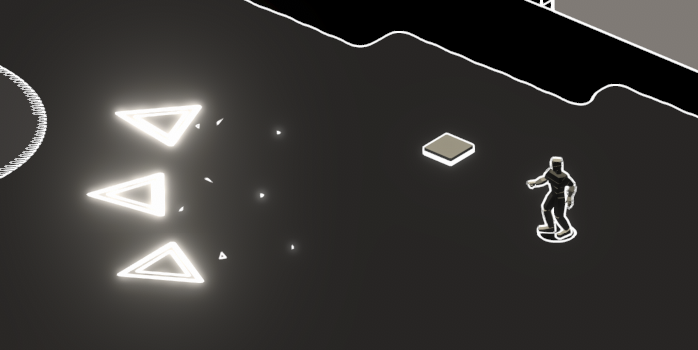
basically I want to rid of the 3D rotation and keep it 2D with regards to the direction
https://i.imgur.com/d1UCt4R.png
as we can see with the squares I've got only billboarding going on
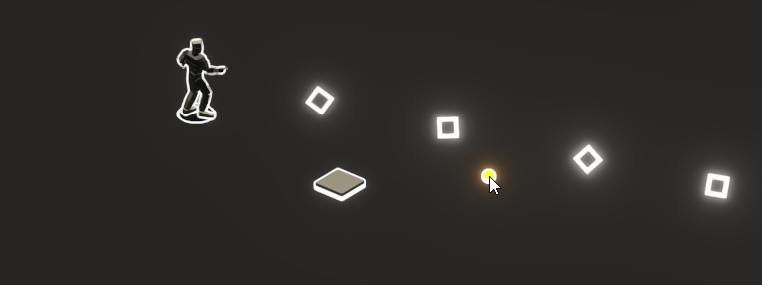 warm torrent
ashen robin
basically I want to rid of the 3D rotation and keep it 2D with regards to the di...
warm torrent
ashen robin
basically I want to rid of the 3D rotation and keep it 2D with regards to the di...
Hmm what should that look like exactly?
ashen robin
you can tell the triangles there are flat compared to the full 2D squares
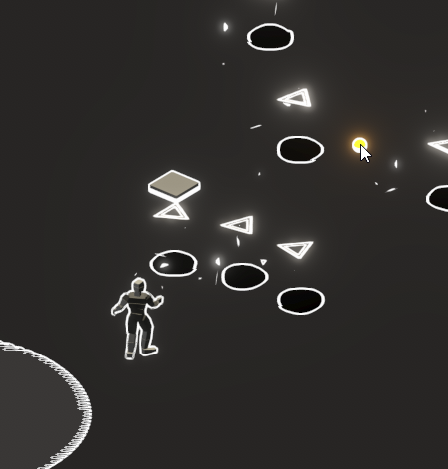
billboarding + 3D direction seems just hard
warm torrent
Stretch billboards don't have 3D rotation in the meaning of the word that Particle System usually uses, but they are stretched along their 3D movement direction
ashen robin
I can imagine it requires warping the quad with stretch billboarding
otherwise some shader stuff
ashen robin
warm torrent
Stretch billboards don't have 3D rotation in the meaning of the word that Partic...
that's what im reading and it sounds like what I want? but not really getting anything that looks remotely passable
warm torrent
I guess the issue is that the only way to stretch a quad so it doesn't appear flat is only width or height in screen space (or diagonally if we include shearing)
ashen robin
right, or do it with screen space coordinates and forget the whole warping thing
or w/e the matrix formulation is for it
warm torrent
You'd basically have to do the thing that stretched billboard does, but only in screen space without foreshortening
Particle System can pass the relevant info to the shader with custom vertex streams, but beats me what the right math is
ashen robin
I think vfx graph has a specific orientation for this
would make sense though that it does have it
or maybe I did some hack because I know I've done something like this before
warm torrent
ashen robin
I think vfx graph has a specific orientation for this
I don't recall spotting this type of orientation in any application
Afaik VFX Graph doesn't have its own "stretched billboard" mode either
 late citrus
Hello. I'm looking for an invisibility effect for my character in URP. Does anyone know of any assets on the store that have this effect?
I saw that Mesh Effect might meet my needs, but someone reviewed it saying that the distortion effect is broken in URP and the developer replied that it's a Unity bug. Is it true 😦
ashen robin
take you like two seconds to make your own distortion shader

In this video, we are creating a Distortion Shader using Shader Graph in Unity 2019!
Download the project here: https://ole.unity.com/DistortionShaderProject
Shader Graph in Unity 2019 lets you easily create shaders by building them visually and see the results in real time. You create and connect nodes in a network graph instead of having to...
also the 1000+ youtube videos that go over this same shader
late citrus
Thank you for your response. I'm looking for a polished and high-quality effect that I can use directly for my project because I don't have much experience with VFX and I think it would take a lot of time if I were to create it myself.
I will watch the video you sent. Thank you!
warm torrent
Asking about shaders in the shader channel rather than here would give you a better reception
warm torrent
@ashen robin I'm not easily finding any equivalent billboard modes from VFX graph's preset orientation modes
I think Look At Line with line being camera's depth axis is the kind of "classic" stretched billboard
But that doesn't include the functionality to stop stretching and render as camera facing billboard when facing the front or the back of the particle
Maybe it'd be as simple as lerping between those two by angle
But the Orient block is not one with a weight variable
 errant terrace
Is VFX graph valid for rendering persistent objects?
Mainly looking for a way to render billboard trees in HDRP
warm torrent
errant terrace
Is VFX graph valid for rendering persistent objects?
Mainly looking for a way to...
Yes, check out these:
https://github.com/Unity-Technologies/VisualEffectGraph-Samples
There's two demos with persistent grass
warm torrent
I see two types of trees also but I don't recall if they were with vfx graph
ashen robin
Yeah i was looking at the orientations and thought along velocity was it but that wouldn't solve issue
Ive a bunch of different types of billboard shaders ive probably mixed with it to get a hacky solution previously
Surprised none of this is standard
warm torrent
I guess you might ultimately hate to use a camera facing billboard and calculate your own 3D rotation and size from the velocity
Or maybe I'm overthinking it
All you might need is to point one axis towards the target vector
If they're camera facing billboards they'll be forced to appear flat anyway
ashen robin
Ah maybe. Going to throw all my shaders on it later and see what I can get out of it
Not a big deal as this was just a small jam project
Still it's an issue overall when you do want those 2D trails with some direction
fiery surge

It never did this before while warking with thousand of particles, now it keeps being stuck at every change
fiery surge
I guess it got fixed somehow

first proper ps that works ^^' i wanna try to make it look more interesting
Btw watching many videos i noticed that people rather have separated well timed particle systems instead of using sub emitters
is that usually the case?
 ocean cove
ashen robin
If the trouble here is combining particles together you can consider using GPU e...
ocean cove
ashen robin
If the trouble here is combining particles together you can consider using GPU e...
thanks, this might do it 🤔 will try this one
ocean cove
ashen robin
If the trouble here is combining particles together you can consider using GPU e...
Thanks again it worked , 😄
 ashen robin
ocean cove
Thanks again it worked , 😄
ashen robin
ocean cove
Thanks again it worked , 😄
Ye, no problem ;p
fiery surge

Welp, idk if i can push it more than this
i coded a quick shader for the heat distortion and made a flipbook texture
 languid meteor
anyone experienced some weird regression related to particle system in unity 6?
if I have clean new project with new particle system that emit clean (no material) particles "per distance" with noise enabled - editor crashes almost instantly when i drag this particle system to emit some particles
both win and osx
stark crest
languid meteor
anyone experienced some weird regression related to particle system in unity 6?
...
!bug
 gleaming flickerBOT

🪲 To make bug reporting as quickly as possible, we made a bug reporting application for you. When running Unity choose Help->Report a Bug in the menu, or you can access it directly through the executable in the directory where Unity is installed. It will also launch automatically if you experience a crash.
📝 If your bug report is to do with Documentation, either an error, typo, or omission, you can report it by scrolling to the bottom of the page where you found the issue and click ‘Report a problem on this page’!
💡If your report is to do with a new feature idea, you can check the Unity Product Roadmaps page to see if your idea has already been planned.
For more complete instructions on how to report bugs, access: https://unity3d.com/unity/qa/bug-reporting
 sweet ember
Hello, I am watching tutorial about how to make blood particles. Man in the video has this pop up menu and I don't.

 buoyant swan
Can some one tell me how to reach efx of a glowing eyes but not just that its the smoky efect of it the slow smoky that geting out from eyes i try fo find the tut or something but cant
Somehting like this

This demon eyes particle effect creates a magical smoke that slowly drifts from your character's eyes.
Just parent the eye smoke effect prefabs to each of the model's eye sockets. The demo character model is also provided.
Available to download exclusively at the Realtime VFX Store: https://realtimevfxstore.com/products/demon-smoke-eyes-fx
granite otter
this is actually a quad with texture getting alpha clipped
eternal herald
who knows how to make it so it doesnt stop then start again i want it to be constant
 eternal herald
nvm i fixed it
 fringe sable
Which shader type does render on top of other objects? (For particles)
I have this one rn

 cobalt scarab
Look at the renderer module on particle system, it should have render layer override
fringe sable
 fringe sable
Well I alerady tried that
fringe sable
And didnt help
cobalt scarab
What render pipeline are you using?
fringe sable
URP
cobalt scarab
It could be not working because of the particle system using its "universal" material. Try swapping for the URP shader on particle system and see if layer order works then
fringe sable
Well I have the URP particle unlit shader
onyx lake
fringe sable
Which shader type does render on top of other objects? (For particles)
transparent particles should render over other objects naturally because they're in a higher render queue (geometry = 2000, transparent = 3000). If the particles are closer to the camera than the object they should render in front. So there must be a certain type of setup you have in the scene that renders the particles behind objects. What kind of objects are you talking about? Can you share videos?
fringe sable
I will provide more screenshots when I get home
eternal herald
is it possible to use a particle strip and use a flip book??
fringe sable
onyx lake
transparent particles should render over other objects naturally because they're...
here are both objects that I currently have as ground:

 onyx lake
fringe sable
here are both objects that I currently have as ground:
onyx lake
fringe sable
here are both objects that I currently have as ground:
Show a video or screenshots of the whole scene with the hierarchy etc.
fringe sable
Okay
fringe sable
onyx lake
Show a video or screenshots of the whole scene with the hierarchy etc.


btw the particles are multiple particle objects attached to one empty object
being summoned by a script
 viscid bridge
My vector doesn't have the option to select either the Y or X component... what's going on?

Experimental blocks and stuff is enabled
though I don't think it has anything to do with that
I'm on 2023.3.27f1
onyx lake
viscid bridge
My vector doesn't have the option to select either the Y or X component... what'...
Looks like a bug to be honest. Have you tried closing the vfx graph window and opening it up again? If that doesn't help restarting Unity?
viscid bridge
tried restarting before - behaviour persists...
onyx lake
does this also not work for vector3?
viscid bridge
yeah, same thing.
onyx lake
could that be a workaround at least?

is the vfx graph on the latest version? In a desperate attempt the last thing I would check is whether deinstalling and then reinstalling helps.
onyx lake
viscid bridge
I'm on 2023.3.27f1
Where did you find that version btw?
 viscid bridge
woah.

something's up here.
Unity Hub

now it's on 2022.3.29f1
I got it when it was 27
month ago maybe?
oh MY BAD
2022, not 2023
sorry.
I'll try re-importing the package?
nope, still the same thing

strange... and very not good...
onyx lake
viscid bridge
nope, still the same thing
this is the version you are on?
 viscid bridge
yes
 onyx lake
really weird. I'm on the same unity version now and it still works so it's not a Unity bug per se.
viscid bridge
gotta be the project then
onyx lake
but I vaguely remember having this issue myself, but can't remember the solution. I guess restarting stuff worked for me 🤔
onyx lake
viscid bridge
gotta be the project then
yeah good shout. Try a new project to verify.
viscid bridge
my guess would be that I imported a graph from a later version straight into the project, and maybe some setting was changed that didn't align with the new version?
I really don't know.
onyx lake
dumb question, but have you tried creating a new graph?
viscid bridge
WOAH - it happens in the new project too
created a blank project for 3D-URP
imported Visual Effects Graph

you're on the same version?
guess I'll try restarting my computer...?
If that works I'll do a backflip out of confusion.
onyx lake
Yes, I've downloaded the exact same version and we are on the same VFX graph version.
onyx lake
viscid bridge
WOAH - it happens in the new project too
Any errors or warnings thrown in the console on the new project?
onyx lake
2022.3.29
viscid bridge
ah
sorry I was unclear
the current version is 29
I got it when it was 27
so 2022.3.27f1
my bad, again
so it might be version specific then
onyx lake
try upgrading to 29 or create a new project in a different version
viscid bridge
yessir
onyx lake
that's my last guess. If that doesn't work then I'm out of ideas 😄 Might be worth posting in the unity forums.
Good luck!
viscid bridge
cheers
 obtuse cypress
I have a particle system with the shape module set to Mesh Renderer. I set the mesh parameter to the mesh of an object in the scene. However, in the same scene there are several objects that use the same mesh asset. When in game mode (or in builds), the particles spawn on every object that uses the same mesh asset, and not only on the one that I plugged into the shape module of the particles. This seems to be a bug, I guess. Does anyone know any workarounds or how to fix this?
ashen robin
obtuse cypress
I have a particle system with the shape module set to Mesh Renderer. I set the m...
Are you certain you're not using a prefab with similar setups between each of these objects?
Otherwise all I could think of is some weird interaction with batching.
obtuse cypress
ashen robin
Are you certain you're not using a prefab with similar setups between each of th...
Yeah I am
ashen robin
Well, if the particle system is directly part of the prefab instance then everyone will generate those particles
 rancid current
is there any way that i can scale a ui particle's shape based on ui anchors
 sand trail
Hello, I have a particle system that uses the noise module, when the module itself expanded, it behaves how I want, however I've found that when the noise module is collapsed (but still checked on) it doesn't look at all how I want it to behave, and for instance when I reload the scene it goes back to collapsed. Does anybody know why this would be the case?
 quartz hull
Hi, I have a default "VFX" Trail, the one that comes as a default template. I'm triying to set the Color of the particle strip but I can't, I searched everywhere and nothing works. I tried to set the color from a GET COLOR CURRENT in every node but no luck. The VFX is set over a prefab with the sprite renderer (it is just a sprite 2d circle) but the tail is always white no matter what I do. My sprite does have a MAterial with a shader that automatically transform the sprite renderer color to the color of the shader (vertex color) but it is not automatic in the VFX.
Edited: I finally created a "custom property" and set in in code, it works.
VisualEffect vfxEffect = state.EntityManager.GetComponentObject<VisualEffect>(entity);
vfxEffect.SetVector4("MyColor", floid.Floid.ValueRO.GroupColor);
 ashen robin
quartz hull
Hi, I have a default "VFX" Trail, the one that comes as a default template. I'm ...
ashen robin
quartz hull
Hi, I have a default "VFX" Trail, the one that comes as a default template. I'm ...
ya picture so tiny
quartz hull
:p is the "Get Color" assigned everywhere to a "Set Color". I finally did it by code with a custom property, it seems that "Get Color" was not working for me
ashen robin
quartz hull
:p is the "Get Color" assigned everywhere to a "Set Color". I finally did it by ...
Get Color takes the current system data if it has been set before, else it returns a default color (probably white?)
quartz hull
ashen robin
Get Color takes the current system data if it has been set before, else it retur...
yes, with get color it appears white. I thoug the Get Color will take the "sprite renderer" color assigned. The thing is, I'm setting that color in the sprite renderer with code in a dots system so probably that was the problem. now I'm setting both with a custom property and it is done
 ashen relic
is there a way to set dynamically set lifetime of a vfxgraph particle so that a system removes the oldest particles and emits new ones after it hits capacity?
normally my capacity should be sufficient, but there are increasing cases where the capacity isn't enough, and I'd like to keep spawning particles in this event
ashen robin
ashen relic
is there a way to set dynamically set lifetime of a vfxgraph particle so that a ...
I think it automatically does that if the capacity is low enough
ashen relic
nah it just stops emitting
ashen robin
Sounds like something is off then, because what happens when you reach the capacity, it circle buffers around back to the first index and uses that
ashen relic
hmmmmmmmmmmmmmm I'll take a look, as far as I know it stops when capacity is reached as per this
Unity Forum
I'm experimenting with the VFX Graph and from the tutorials I have seen i understand that it needs to spawn particles constantly. Mine just spawns some...
and this: https://www.reddit.com/r/Unity3D/comments/h0ygoe/visual_effect_graph_stops_emitting_in_a_few/
 ashen robin
ashen relic
hmmmmmmmmmmmmmm I'll take a look, as far as I know it stops when capacity is rea...
ashen robin
ashen relic
hmmmmmmmmmmmmmm I'll take a look, as far as I know it stops when capacity is rea...
Ah, ok that does make sense. Honestly, it's been a while since I've let the systems do the indexing for me, but what you're looking for is how I do it and it's using graphic buffers.
ashen relic
by indexing are you doing something funky to get specific particles?
ashen robin
Basically you just keep track of the IDs and buckets, so it'll be up to you to consider when to reuse/remove those particles
ashen relic
that sounds way above my wheelhouse (haven't really touched VFX at all) but I'll keep that in mind when I have some time to look into a bit more
I might just have to make a new VFX asset with a shorter lifecycle
ashen robin
I don't touch vfx graph anymore without them, so that may give you an idea how vital they are ;)
ashen relic
weow okay i'll definitely have a dig, what's the technical term you're using? IDs and buckets??
ashen robin
good webpage for the more useful features of the vfx graph
if you need to eliminate, change, or reuse specific particles. This would be the tool to use.
because otherwise you can't change* that specific data as it's on the gpu side
ashen relic
wow this is probably exactly what I'm looking for, I'm trying to build a scene with many many smoke trails and plumes going on
if I could handle each visual in one vfx graph instead of having one per missile, that'd be perfect
ashen robin
exactly, you can use a single vfx graph system as a manager to control all specific effects on the scene
ashen relic
good stuff
ashen robin
otherwise people usually do the pool idea but this is probably less mem allocations and such
also looks cleaner ;)
ashen relic
for sure
though it looks very complicated :Y
I'll bookmark it and try to see how I can adapt my current trails to it
have to deal with floating origin offset too eugh
ashen robin
it's something to learn, especially if you're using vfx graph long term
ashen relic
yeah agreed
ashen robin
- the custom event stuff if you havent since you can use it in conjunction
ashen relic
after I wrap up the stuff I'm working on right now I'll give it a look as part of a broader optimisation study session
thanks for the tip though
obtuse cypress
ashen robin
Well, if the particle system is directly part of the prefab instance then everyo...
The mesh parameter in the shape module is not set inside the prefab, only in the scene. I believe it's a bug that has something to do with GPU mesh instancing, but I don't know how to solve it.
ashen robin
obtuse cypress
The mesh parameter in the shape module is not set inside the prefab, only in the...
I was thinking something like that, and now that you confirm that you're doing some instanced mesh rendering yourself perhaps some testing without it and confirm that theory.
VFX graph has similar methods of mesh rendering, yet I've not encountered problems with that despite it GPU instancing meshes itself.
I was actually having a problem with the shuriken system GPU instancing earlier as it creates flicker problems when too many similar particles are on the scene using mesh shape emissions
 cold pond
does anyone know why the video is not showing here? The audio is working but the video is not showing, here's what the console said:
Unexpected timestamp values detected. This can occur in H.264 videos not encoded with the baseline profile. Timestamps will be skewed to correct the playback for C:/Users/Jason De Lara/DOS2/Assets/intro.mp4
 warm torrent
cold pond
does anyone know why the video is not showing here? The audio is working but th...
warm torrent
cold pond
does anyone know why the video is not showing here? The audio is working but th...
We can't see the whole console, but the message is not an error so that probably isn't breaking anything
We can't see where the video player is supposed to be relative to canvas so we can't tell if it's misplaced
Not related to VFX so maybe try asking in #📲┃ui-ux
eternal herald
how would i give a colide with sphere size over life for its scale
 ashen robin
eternal herald
how would i give a colide with sphere size over life for its scale
ashen robin
eternal herald
how would i give a colide with sphere size over life for its scale
Get Age / Get Lifetime = current normalized time
then plug it into some curve
 ashen robin
eternal herald
like this??
ashen robin
eternal herald
like this??
age itself is elapsed time
and usually your curves should operate in some normalized time
so dividing elapsed by the total duration will give you that
eternal herald
nvm i found a better way ty anyways
eternal herald
actully how do i give a set position sphere scale over life this is my vfx graph

 obtuse cypress
ashen robin
I was thinking something like that, and now that you confirm that you're doing s...
obtuse cypress
ashen robin
I was thinking something like that, and now that you confirm that you're doing s...
I guess it has to do with static batching, this guy had the exact same issue:
https://forum.unity.com/threads/particle-system-and-mesh-shape.1260119/
I'll try to unset the meshes as batching static and see if that solves it
Unity Forum
Hi everybody :)
I have made a particle effect wich have Shape set to "Mesh renderer" . I have set a bush mesh from my scene , and in Edit mode , the...

 midnight grove
@rugged breach Please don't ping random people. There are no job postings here, you can use the !collab forums
gleaming flickerBOT
📢 Collaborating and Job Posting
We do not accept job or collab posts on discord.
Please use the forums:
• Commercial Job Seeking
• Commercial Job Offering
• Non Commercial Collaboration
eternal herald
why does the middle of my orb go completely purple when the ground effect plays


 ashen robin
eternal herald
why does the middle of my orb go completely purple when the ground effect plays
ashen robin
eternal herald
why does the middle of my orb go completely purple when the ground effect plays
When you click on your unlit mesh output youll see more options on the right. I'd expect something to do with lighting, but it's unlit so I'm not too sure.
Maybe its the other particles that contribute lightning
Or some type of additive/specular shader going on there
eternal herald
oh okay ty ill try some stuff
warm torrent
eternal herald
why does the middle of my orb go completely purple when the ground effect plays
This kinda looks like sorting issues when you have many transparent geometries in the same spot
It can easily be ambiguous which one should be drawn in front of the other which would affect alpha blending
If that's the issue, you may be able to control the sort order or physical depth in the vfx graph, or potentially use additive blending which is order-independent, or opaque blending which uses the depth buffer to accurately determine depth
eternal herald
oh i forgot about ty i will try that
eternal herald
I fixed it i used particle quad with a shader graph
 agile mesa
I just saw someone use the texture sheet setting to set single sprites in Shuriken Particle system instead of creating separate materials for each sprite. Has anyone made experiences if this is bad for performance or why this is so rarely done?
ashen robin
agile mesa
I just saw someone use the texture sheet setting to set single sprites in Shurik...
Texture/sprite atlasing one of the older techniques in games and is still used widely today
I was just having a discussion in #archived-shaders about the material issue, and even though you're probably fine having multiple materials, you still probably get more out of using a single material/shader but otherwise it's probably not a issue if you do have very few shaders
in built-in, you do want to atlas as much as possible
 sharp dawn
Hello i get problem with my particlei have simple rain system but i dont know why when i but my camera little bellow my particle are deleted i see only the on that far away , maybe it s probleme with my displaceme that kinda hide them , if you have any idea ! thank you 🥹
ashen robin
cant embed mkv
ashen robin
your camera is culling it
the pivot is behind the camera is why
not too sure of your options in shuriken, but if you disable frustum culling it'll always render no matter where your camera is pointing
https://forum.unity.com/threads/particle-system-culling-issue-please-help-explain-this-to-me.442585/
Unity Forum
Hey guys,
So I've been running into a problem. I have a large 2D scene with lots of rain particles, and the rain particles collide on the level...

maybe a fix in there
sharp dawn
ashen robin
your camera is culling it
thank a lot for you answer i am gonna check that ! 🙂
warm torrent
@sharp dawn @ashen robin I think here the water and rain are both transparent geometries, so one of them has to be rendered in front of the other which is dermined by distance of their origins to camera
The sea has one origin, and the particle system has another
ashen robin
I wouldn't think it'll out right cull the rain, no?
Usually it'll fall back to the distance check, but then render one or the other over each other
warm torrent
ashen robin
I wouldn't think it'll out right cull the rain, no?
I think I can see the rain rendering above the sea when it "disappears"
warm torrent
Basically either water or water shader would have to be opaque to definitely solve it
Or both
sharp dawn
warm torrent
<@186470721235582976> <@288886727555284995> I think here the water and rain are ...
okayy i seee ! maybe if i try to put them on opaque and see what it doing !
and yes they are both transparent !
warm torrent
Opaque raindrops would look kind of solid but that may not be a problem
In these situations you often can make the water opaque and get translucency as well as distortion from the "scene color" buffer, if that's an option
But you can also fake the translucency somehow in the shader
sharp dawn
yeah that was that the problem thank a lot ! yeah i am gonna try to do that
sharp dawn
warm torrent
Opaque raindrops would look kind of solid but that may not be a problem
In these...
i put the ocean in opaque and that work thank a lot ! 😉
eternal herald
what does this do??

 maiden nimbus
Hi, its possible to fixe a particle to another one ?
Cause i want create a magic cercle like this
And idk how rotate the little cercle and follow the rotation of the big one
 ashen robin
maiden nimbus
Hi, its possible to fixe a particle to another one ?
Cause i want create a magic...
ashen robin
maiden nimbus
Hi, its possible to fixe a particle to another one ?
Cause i want create a magic...
crop the circles yourself into multiple pictures
and either rotate each of them with the particle systems or make a simple flipbook animation yourself
ashen robin
eternal herald
what does this do??
Velocity is a directional speed while angular is a rotational speed
eternal herald
is it posible to make something where particles spawn on the x and y axsis and follow the velocity on the x and y axsis kinda like this
 ashen robin
sure, why not?
you'll need to figure out a direction from where you spawn the particles though
id probably do like an arc circle/sphere and when the particle spawns, my direction would be opposite to the center
eternal herald
oh okay ty ill give that a try
 obsidian latch
i got a question, how should i make these sprites point at the middle of the spawner? i tried stretched billboards in the render settings but that didn't work. someone who might got a clue?

 fossil dagger
Using the basic unity button animation system, right now im having to choose between the color change and the animation tabs, so i cant have both. Is there a way that i can get both?
 soft fractal
Im fairly new to shadergraph and shaders in general, does anyone have a tutorial they could share on how to accomplish this with shadergraph? I just kinda want a glowing effect thats coming from the center of the chest
 eternal herald
is there an option like this in a vfx graph?
 onyx lake
obsidian latch
i got a question, how should i make these sprites point at the middle of the spa...
onyx lake
obsidian latch
i got a question, how should i make these sprites point at the middle of the spa...
Stretched billboards is correct for this, but it only works if you have velocity on the particles. The trick is to give them a super small velocity to not move them, but enough to make the stretched billboards rotate.
You will probably also want to change the pivot point of your particles to the bottom otherwise the will all overlap in the center.
 jagged crow
im trying to set a grid under the player by attaching the vfx as a component to the player, the thing is my player moves by rotating itself. it is a cube which moves by rotating 90 degrees in the direction of input. how do i stop the rotation of the vfx graph component. i always need it to be 90 degrees under the player

this is my graph
warm torrent
eternal herald
is there an option like this in a vfx graph?
Not an "option" but the way vfx works is that you can do the same operation using maths
Spherize direction spherically interpolates the velocity direction with a direction away from a point
I think you can use the lerp node with Direction type inputs to slerp them
Since there's no slerp node
jagged crow
jagged crow
like this the black is the grid which i want under the player at 90 degrees rotation
 ashen robin
jagged crow
like this the black is the grid which i want under the player at 90 degrees rota...
ashen robin
jagged crow
like this the black is the grid which i want under the player at 90 degrees rota...
big text on the system that says local needs to be world
if you want position to be local but not the rotation then you need to feed the update particle context the transform position and keep the systems in world
eternal herald
warm torrent
Not an "option" but the way vfx works is that you can do the same operation usin...
Ty
jagged crow
ashen robin
if you want position to be local but not the rotation then you need to feed the ...
how do i feed position of another object
ashen robin
jagged crow
how do i feed position of another object
You can expose a field on the vfx graph to send transform data into it
 velvet phoenix
hii! im making a game with enemies and want them to generate "blood stains", but not as momentary, more like one that stays on the map even after x time, does someone know if this is the channel where to ask this question? and if so any video related on the matter or some tips? ty!
ashen robin
velvet phoenix
hii! im making a game with enemies and want them to generate "blood stains", but...
if it's not perma then you'd handle it in the same way, just increase the lifetime of it
velvet phoenix
and if its perma?
even so i think i will go for the lifetime approach for evading too much lag, but i just want to learn if other ways
ashen robin
little more complicated, but you'll be editing the texture
velvet phoenix
oh, if its something more advanced ill learn about it later
ashen robin
there's a few ways to do it like shader, or making a dynamic copy of the texture and stuff like that
decals should be fine though, if anything you can just circle buffer them such that once you hit a limit you reuse the oldest
^ usually what most games do anyway
velvet phoenix
i see, ty!
 drifting robin
Hey! I made a water jet fx using VFX graph
I have this flicker issue on mesh like water column or the puddle.
I use 5 Visual Effects to render this and for mesh, I use a custom shader graph. It's probably a sorting mode issue but when I changed the order in layer, it doesn't change anything... Any idea ?
 onyx lake
drifting robin
Hey! I made a water jet fx using VFX graph
I have this flicker issue on mesh lik...
onyx lake
drifting robin
Hey! I made a water jet fx using VFX graph
I have this flicker issue on mesh lik...
Looks like z-fighting to me. Is the mesh on the exact same height as the ground? If so, try to move it up just a little bit.
drifting robin
Yes I thought too but its not :/
This issues only cames up when I add multiple VFXs
onyx lake
Try deactiving all of them and see which one is conflicting with it
By enabling them one by one
drifting robin
Yes I did that! It seems when I add a VFX output quad with VFX mesh output there is a conflict
 terse crystal
Anybody help me make tracers like these
I mean how do they make it a bit transparent and shine like that
[Arma3]
I cant get my VFX to be transparent and if I add emission and use bloom it doesnt shine like this
 errant basin
 drifting robin
onyx lake
By enabling them one by one
drifting robin
onyx lake
By enabling them one by one
This bug appeasers when the VFX above (output mesh) is played
onyx lake
drifting robin
This bug appeasers when the VFX above (output mesh) is played
Quite odd. Have you tried giving the mesh at the top a higher render queue inside the material?
drifting robin
onyx lake
Quite odd. Have you tried giving the mesh at the top a higher render queue insid...
Yes I tried it doesn't change anything
I changed my plan I use VFX graph only for 2d particles and instance 3d mesh from code directly in scene
onyx lake
drifting robin
Yes I tried it doesn't change anything
Okay. Does this also happen when the top mesh is in a different position? (putting it way to the side). Just so we can fully rule out any sorting issues.
drifting robin
onyx lake
Okay. Does this also happen when the top mesh is in a different position? (putti...
I tried to move the mesh and change the sorting layer
The bug only disappears when i disable the VFX
it's very weird
onyx lake
drifting robin
I tried to move the mesh and change the sorting layer
Hmm .. the top part is not a full sphere mesh that's masked, is it?
Just a disk?
drifting robin
the three meshes looks like this

not a sphere but maybe too much curved ?
Okay weird thing haha
I saw in forum to set sort to Off, I just tried it works but my top mesh changed
drifting robin
onyx lake
Quite odd. Have you tried giving the mesh at the top a higher render queue insid...
Okay I can't really explained but I found a solution :
- In Output Particle Mesh properties I turn "Sort" to Off
- Then I disable "Allow Instancing" for the top mesh
ashen robin
drifting robin
Okay I can't really explained but I found a solution :
- In Output Particle Mesh...
I feel like this is more to deal with shader and shader instancing. Oh, I'm blind you did mentioned instancing haha
May can also be prevented from doing a single VFX system and using the internal sorting from that
But I guess you run into issues of different vfx systems still running into instance issues
onyx lake
drifting robin
Okay I can't really explained but I found a solution :
- In Output Particle Mesh...
Interesting stuff. I haven't used VFX graph too much yet. Seems like there's a whole new set of problems coming with it 😄
drifting robin
ashen robin
May can also be prevented from doing a single VFX system and using the internal ...
Yes, i'm not sure for now the best practice for making vfx with vfx graph. I think i will try for a next project to make one VFX graph to combine all effect parts (like here) to see how it's different
drifting robin
onyx lake
Interesting stuff. I haven't used VFX graph too much yet. Seems like there's a w...
Haha yes totally
eternal herald
how do i wrap this around the hand?? its just a sprite sheet in a vfx graph
 onyx lake
eternal herald
how do i wrap this around the hand?? its just a sprite sheet in a vfx graph
onyx lake
eternal herald
how do i wrap this around the hand?? its just a sprite sheet in a vfx graph
You need to create a mesh that wraps around the hand, if you want it to be 3D.
warm torrent
It would not have the outline of a flame though
onyx lake
https://www.youtube.com/watch?v=XykZ1ICPmCg this might help you

TUTORIALS AND BREAKDOWNS - https://www.1mafx.com/
NEWSLETTER SIGN UP - https://1mafx.gumroad.com/l/Newsletter?layout=profile
Patreon - https://www.patreon.com/1MAFX
https://twitter.com/pmargacz - Here I post most of my VFX
https://www.artstation.com/mgepm - Artstation
https://gumroad.com/1mafx - Free Noise Texture Pack I use in most of my VFX
eternal herald
onyx lake
You need to create a mesh that wraps around the hand, if you want it to be 3D.
Yep I’ve already tried that
eternal herald
onyx lake
https://www.youtube.com/watch?v=XykZ1ICPmCg this might help you
I’ll follow this vid ty
eternal herald
it doesnt wrap all the way around


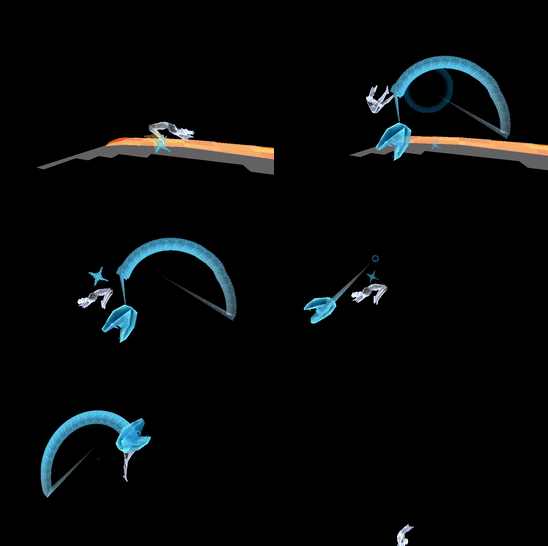


 onyx lake
eternal herald
but i dont know how to do it
onyx lake
eternal herald
but i dont know how to do it
The main problem is that the texture/sheet you're using isn't really made for a 3D effect. Having a 3D flame that looks good and stylized isn't a beginner's task, but it seems like you're pretty new to VFX.
This tutorial is maybe better suited for you:
https://www.youtube.com/watch?v=FzzGB5gwUtA
The part on the ground is less interesting for you, but the pear shaped mesh is what you might need as well as the shader that he is creating. It will look different to what you have (no edges), but maybe that's still good enough for your use case.

Unity Game VFX - Dragon Ball Aura Ki Charging Effect Tutorial
This time we are going to see a classic effect. It’s the Dragon Ball Charging Ki power up VFX. We are going to use our usual suspects, Unity Shader Graph, Blender and Photoshop.
It's a complex effect that is open to a lot of possibilities, so I tried my best to show you the most im...
eternal herald
onyx lake
The main problem is that the texture/sheet you're using isn't really made for a ...
ive tried that too it doesnt work 