#✨┃vfx-and-particles
1 messages · Page 12 of 1
 tired horizon
How do I stop particles from changing scale based on distance? Far away the particles look massive, and up close they are very tiny
tired horizon
tired horizon
How do I stop particles from changing scale based on distance? Far away the part...
 ashen robin
Size seems dependent on screen space size, but no clue what setting that would be in the shuriken system unless it's being done by shader
 rugged sierra
Is there a tutorial where I can see a reference? Thanks for the answer
 azure sorrel
how to spawn particles around the cone?

 unreal sphinx
Please help
Vfx when played normally acts good but when i play it in running car it suddenly speeds up how can I solve this
 jaunty tree
what is a nice way to slightly/randomly perturb a color in the vfx graph?
is adding a random float3 nice or should I maybe rather multiply with a random float3 centred at 1?
 proper raptor
idk if this should go in #✨┃vfx-and-particles or #archived-shaders because it includes both
so i basically made a shader that bends the world and i applied it to my particles' material, it works as intended but there's a problem that makes anything that alters the color and transparency of the particles not work, such as color over lifetime, start color...
anyone knows why this is happening? could it be related to properties references??
 burnt coral
proper raptor
idk if this should go in <#532260045887373352> or <#497874081329184799> because ...
burnt coral
proper raptor
idk if this should go in <#532260045887373352> or <#497874081329184799> because ...
The particle colour is passed into the vertex colors data. Should make sure your shader uses that in calculations. (Vertex Color node in graphs, or :COLOR semantic in vertex shader input struct for shader code)
proper raptor
works! thank you so much! i still have trouble with the alpha channel, the colour over lifetime property is not altering the transparency, do you know any possible fixes? please?
burnt coral
proper raptor
works! thank you so much! i still have trouble with the alpha channel, the colou...
The vertex color has an alpha channel, just need to make sure that is being used in the shader. In graphs you'd use a Split (A output) or Swizzle (with "a" in field) to extract it from the Vector4
proper raptor
thank you!!
 proven spade
Ages ago I remember doing some tutorial where guy made the texture on vfx graph particle system dissolve when in close proximity to the ground
Could any1 point me in the right direction?
I've watched like 20 tutorials today looking for this effect but with no luck
 warm torrent
proven spade
Ages ago I remember doing some tutorial where guy made the texture on vfx graph ...
warm torrent
proven spade
Ages ago I remember doing some tutorial where guy made the texture on vfx graph ...
You could split the challenge into parts
- find how to make particles dissolve over time at first
- find how to make particles change by proximity to something
- find how you want to / can represent "ground" in your VFX
- combine all previous steps
ashen robin
proven spade
Ages ago I remember doing some tutorial where guy made the texture on vfx graph ...
https://qriva.github.io/posts/how-to-vfx-graph/#how-to-bake-sdf-signed-distance-field
Collisional info in the VFX graph is very limited so you're either setting kill planes that the vfx graph offers, or baking some mesh data to throw at it.
warm torrent
Actually getting "proximity to ground" would require baking an SDF of the ground and sampling it in a VFX graph, but depending on what the effect needs to do that could be excessive
Reducing particle lifetime when they make contact with an arbitrary plane is usually good enough
ashen robin
oh yeah, SDF is probably not the most performative approach, but not really many options outside of prediction, primitive killboxes, and predefined constraints (checking y values, ect)
could try the shader dissolve approach between two shaders, but not too sure how that interacts with the vfx graph
proven spade
Thanks for your input on this topic! 👍
 full light
Any idea why my particles might be not fading over time?


 warm torrent
full light
Any idea why my particles might be not fading over time?
warm torrent
full light
Any idea why my particles might be not fading over time?
Which gradient are we looking at? What other particle system modules are there?
Unnecessarily cropped screenshots
 torpid mortar
hi folks, currently running into problem
can anyone spare their time to help me with
when I put this texture in here, it works


But the same can not be applied to this texture


although they appears to be of the same setting


and even size???
nvm fixed, the reason why it doesnt work is because iti s black (sue unity for racism(
 fringe lake
torpid mortar
nvm fixed, the reason why it doesnt work is because iti s black (sue unity for r...
fringe lake
torpid mortar
nvm fixed, the reason why it doesnt work is because iti s black (sue unity for r...
If the blending is additive, adding black to anything is just adding zero (i.e. it doesn't change)
 solar trellis
is there anyway to make the particle system use the texture color instead of the color from materials?

it's called gbuffer color in unreal if i am not wrong
 regal shard
Hi, I have trying to create a smoke VFX. The VFX event will be triggered when the player starts walking (3 particles per event sent). The problem is that I'm making VFX children of the player, and the VFX rotate along with the player.
The way I'm thinking about it is to spawn a lot of VFX behind the player (with pooling). Is this a good approach?
 dull obsidian
we've done this with code using signed distance fields and mesh generation using compute shaders and the new unity mesh api (which can make sense if you need something highly customized / optimized for your use case) but if you want an already made no-code solution with 3d artist brushes then mudbun is your best bet https://longbunnylabs.com/mudbun/ and there's also clayxels though it hasn't been updated in a few years: https://www.clayxels.com

Welcome! MudBun is a volumetric VFX mesh tool for Unity. It procedurally generates meshes from non-destructive “brushes” that define shapes, distortion, and surface modification. MudBun can also be used for volumetric modeling and provides a convenient auto-rigging feature. Locked meshes,…
 ebon spear
Hey all, I am looking to create some fog VFX for the Quest 2. I've found a lot of conflicting information about the usage of VFX graph within VR and URP. Can anyone share their understanding of this within VR applications they have worked on?
Additionally any information how you may approach rendering smoke or fog within VR would be appreciated.
dull obsidian
ebon spear
Hey all, I am looking to create some fog VFX for the Quest 2. I've found a lot ...
this asset from kronnect is what most studios use looking for a ready made volumetric fog solution that supports universal render pipe and standalone virtual reality like meta quest. i haven't worked with it much myself but we worked on shipped virtual reality projects that already had it integrated, and haven't found much else out there for that fits your platform requirements: https://assetstore.unity.com/packages/vfx/shaders/fullscreen-camera-effects/volumetric-fog-mist-2-162694

Add depth to your project with Volumetric Fog & Mist 2 asset from Kronnect. Find this & more VFX options on the Unity Asset Store.
@ebon spear and as far as visual effect graph goes, it is officially supported for universal render pipe, but not all features are supported. (the largest difference being the "output" rendering features, naturally) the quest supports compute shaders, so it supports vfx graph, but volumetric fog is not supported officially / out-of-the-box with universal rp like it is for high def rp, so the volumetric fog integration features of vfx graph only work with high def rp, and there's no asset that currently fills that gap. though we have our own solutions for this that we haven't packaged up into an asset to publish, let me know if you or your studio is interested and we can chat.
ebon spear
dull obsidian
this asset from kronnect is what most studios use looking for a ready made volum...
I appreciate the in-depth response! That package does indeed look interesting. in fact its pretty much what I was looking to learn, I haven't got much experience with the volumteric and compute shader side of things so gives me a target and keywords to research around.
The knowledge on the URP and support from Quest2 on compute is great information. You've given me a fair bit to start some investigation from. I may shoot you a message at some time on this 🙂
 regal oxide
Hi! I'm just getting started with the VFX graph and I can't even make it appear on screen haha. I opened up a fresh 3D core project, installed the VFX graph from the package manager, created a new VFX and dragged it on the scene
Despite everything, no actual particles are appearing. Does anyone know what am I missing?
dull obsidian
regal oxide
Hi! I'm just getting started with the VFX graph and I can't even make it appear ...
3d core / built-in render pipeline is basically deprecated / no new features. on one hand unity may be hesitant to officially deprecate it because of the community backlash from hobbyist trolls that can't let go of the idea of "the good old days"... but it's also kind of like how microsoft windows is so widely used (like unity) microsoft supports ancient windows features for decades for compatibility reasons because it may be in use by industrial, medical or aerospace, etc and it can get confusing to know what path to take to build your application since there are so many options now.
@regal oxide anyway what you probably want is the universal render pipeline / URP
urp is going to be the new default renderer and for most intents and purposes already is
regal oxide
oh okay, makes sense
I just managed to make them visible by assigning HDRP in project settings
ashen robin
built-in is rip
regal oxide
so is URP or HDRP better for VFX?
ashen robin
better for support
mobile still strong on built-in, but not like you were using vfx graph with those platforms anyway
dull obsidian
regal oxide
I just managed to make them visible by assigning HDRP in project settings
cool, high def rp is the best for vfx graph for what it's worth as i described above. just limited to higher end platforms, roughly equivalent to unreal's default renderer
regal oxide
gotcha, thanks for the explanation
 lyric depot
why is the thingy in the middle so thin? I used the default particle texture and it seems to be flat instead of an orb
EDIT: I FIGURED it out, you have to add a "Orient: Face camera position" to the Output particle quad node
 lyric depot
Is there a way to keep the vfx particles repeating in the scene view?
It is really inconvenient to always have to press play on the particle to see how it changes with your settings
It would be easier if it looped (without the loop setting on the particle itself)
like a repeat option on this would be really cool
 ashen robin
lyric depot
Is there a way to keep the vfx particles repeating in the scene view?
It is real...
ashen robin
lyric depot
Is there a way to keep the vfx particles repeating in the scene view?
It is real...
You can consider sticking events onto them and then calling them from a script
add your own button on the inspector

 naive aurora
if i set the rate to 1 i can normally see something, but with the default at 100 i cant see the sparks flying... any idea where i ahve to look at ? the Speed of the Particles? The Rate?
 ashen robin
Speed over time curve usually
that is if you've set the base speed to something managable
 real birch
Is there a way to make vfx graph decals only appear on a certain layer in URP? im trying to make an explosion effect that leaves behind some color on the ground but the decal is just completely covering the player. I got it working with a decal projector, by setting the rendering layer to default and the player to a different layer. This doesnt seem to work with the visual effect component though.
ashen robin
real birch
Is there a way to make vfx graph decals only appear on a certain layer in URP? i...
something I've been meaning to look into but I I think render objects can help by just changing rendering ordering of stuff
I think I was doing that before they added layers for them, though there could be settings inside of the graph on the editor side of things
real birch
ashen robin
something I've been meaning to look into but I I think render objects can help b...
ah i tried around with this rn and maybe i dont need these decals that badly 😅 will probably try again later
warm torrent
Showcases go into #1180170818983051344
this is a development channel
 inland tusk
in VFX graph could I send a particle to different output nodes depending on it's particleID? So for example, evens go to one, odds to another?

essentially a branch/case on the yellow line
(i'm trying to get around the 4 mesh limit of the particle mesh output to have 8 or 12 possible meshes in the VFX graph
dull obsidian
inland tusk
in VFX graph could I send a particle to different output nodes depending on it's...
@inland tusk I would probably attempt to do this by first not having an output on the main system (making it invisible) but instead have an extra update context at the end of the main system containing several trigger event blocks with a conditional input that spawns a new (sub) particle via a gpu event every update (if the particle id matches that sub system that has the proper unique output context at the end of it.) https://docs.unity3d.com/Packages/com.unity.visualeffectgraph@17.0/manual/Block-TriggerEventAlways.html
(this may have some side effects and limitations that come along with it depending on your use case)
inland tusk
ah hmm. I'm not actually doing anything in the update (atm 😅 ) it's a pretty dumb system so maybe that could work
dull obsidian
but it should be more efficient and controllable than some overdraw ridden alpha discard hack where you always draw all 10 meshes for every particle and discard the other 9 parts you don't need with a shader (graph)
inland tusk
yes I considered that approach and didn't like it 😛
dull obsidian
i once did it for an entire font alphabet hahah
we had the performance overhead and they wanted all this crazy text animation that flips characters
inland tusk
be glad you didn't do chinese I guess
dull obsidian
@inland tusk the only other way i can think of is to go with a completely custom rendering setup by writing the simulation results to a global graphics buffer that you read chunks of to perform your own instanced rendering from scratch as it were, which will only be practical in i think the latest tech stream and even then it's some real here be dragons territory.
inland tusk
can we just tell unity to change MaxMeshes int to 8/16 instead of 4? 🙃
I can has source plz?
dull obsidian
i mean you could try forking or extending the visual effect graph package and see if that's possible
inland tusk
can you actually get at the source of VFX graph then? honestly I assumed it was black boxed
dull obsidian
inland tusk
can you actually get at the source of VFX graph then? honestly I assumed it was ...
most of the source is available, everything higher level, but part of it still is black boxed, the high performance core runtime is already compiled C++ because DOTS wasn't ready when vfx graph was built. it's on the roadmap to go back and port it to C# DOTS at some point
dull obsidian
inland tusk
I guess we'll all be using godot by then 😛
yeah in the year of the linux desktop : )
inland tusk
well my team is moving away from unity because nobody wants to pay 5k a year a seat for unity
but getting a bit offtopic there 😛
the plan is godot but we'll see how that shakes out. I'll miss VFX graph
On topic though how do you make a conditional GPU event?
dull obsidian
Unity is like Microsoft Windows, or Android.. it's a sometimes a fragmented mess of new and old frameworks dozens of versions and packages etc versus the leaner focused alternative platforms, but despite their flaws their ubiquity and "do it all" and try to support everything approach keeps these sustaining that ~70% global Marketshare.
inland tusk
oh maybe you spawn 2 particles and immediately delete one based on particle ID?
dull obsidian
sorry a bit off topic but that's how i see it playing out
dull obsidian
inland tusk
On topic though how do you make a conditional GPU event?
check out the documentation link above for trigger event always
input the uint as 0 if you do that want a particle for the system to spawn, input uint 1 if you want a clone to spawn
dull obsidian
and unlike the main system, i think you'll want the particle lifetime of the sub systems to be very short only for one update / tick
otherwise you'll get particle trails
inland tusk
dull obsidian
Unity is like Microsoft Windows, or Android.. it's a sometimes a fragmented mess...
I'm sure it'll keep a big marketshare for a while, especially in big companies, but I think they're really just smashing and grabbing to get shareholder payouts on the way down... They've been shifting to a mobile service making machine for a while, ditched the live production angle.... I live in the indie VR space and I don't see that sticking with UNity
yeah I figured trigger on die with a 0.000001 lifetime
dull obsidian
inland tusk
yeah I figured trigger on die with a 0.000001 lifetime
trigger on die means the sub system particle clone wont appear until the main system particle dies but sounds like maybe you are sort of already using vfx graph as a rendering only tool? since you said you have no update context to begin with
inland tusk
imagine that I'm creating an asteroid field of an array of meshes
the sit in space and spin and that's about it
largely using the VFX graph itself as a placement and settings controler / renderer
inland tusk
spawning in a sphere radius at a transform
dull obsidian
okay so from within vfx graph? in that case i don't think trigger on die will work
that's for like, making an explosion when the asteroid dies
inland tusk
yeah they should inherit the position of the particle that died

the first particle lives and dies just to create a child 🥲
dull obsidian
unless the transform data is already generated externally to / before vfx graph from C# array or a texture or buffer that already has all the asteroid transforms, then you can generate the main system particles every update just like you're doing for the sub system particles
inland tusk
wouldn't there be a cost in creating a particle for every frame?
when it could be created once instead
dull obsidian
not really significant as long as the number of total particles isn't changing (which vfx graph basically makes impossible), vfx graph reuses particles very efficiently
as i understand recycles them in a way under the hood so there's no memory allocation issues
but that could vary by platform especially if it some mobile gpu that doesn't have a lot of memory or compute budget to work with, and you did mention indie VR?
inland tusk
ok well I'm not sure if indy quite counts for what I'm currently working on but small studio stuff
but yeah we've been pushing some fair stuff on the quest 3
I get that straight compute shaders or whatever would be faster proably but the rapid development and stuff is making VFX graph indispensible to us in this one
dull obsidian
in which case DOTS / burst jobs for the simulation or animation transforms plus a simple instanced rendering setup may fit the performance budgets the best. it lets unused cores of the CPU deal with the compute and only bothers the already VR frame rendering taxed GPU with the required rendering... vfx graph currently can only compute transforms / sim attributes on GPU, it can't take advantage of the CPU for that
dull obsidian
inland tusk
I get that straight compute shaders or whatever would be faster proably but the ...
straight gpu compute shaders actually will have a hard time outperforming vfx graph.. we're very familiar with the code from debugging and extending it they're doing this crazy byte address buffer optimizations via autogenerated code HLSL generated by C#... it's not code any (sane) human would write by hand
but on VR platforms mobile or desktop you're almost always GPU bound, yet have idle CPU cores sitting doing nothing since most realtime / game engine work happens on the first thread
inland tusk
dull obsidian
in which case DOTS / burst jobs for the simulation or animation transforms plus ...
I could believe that, but I dunno how to do it 😅
dull obsidian
keijiro has some examples
inland tusk
I would marry that man
dull obsidian
if you need to optimize later anyway ha
inland tusk
😛
dull obsidian
inland tusk
I would marry that man
he's at GDC right now in san francisco if you want to propose! we aren't there though sadly. we went last year not this year. we already went to unite in november too many conferences haha
inland tusk
I perhaps presumptously assume he's not into white blondes and is pretty wary of particle-diggers
I bet he gets them all the time
ashen robin
more vfx events when
gotten to the point where all my graphs use compute buffers to check a state variable
dull obsidian
@inland tusk these are the dots / jobs systems keijiro has that seem applicable but overbuilt for other use cases, would need to be deconstructed.
https://github.com/keijiro/Voxelman
https://github.com/keijiro/BurstWig

GitHub
Unity DOTS/ECS example. Contribute to keijiro/Voxelman development by creating an account on GitHub.

GitHub
"Wig" effect with the C# Job System and the Burst compiler - keijiro/BurstWig
@inland tusk and here's some simpler unity official examples including a "submesh" rendering example https://github.com/Unity-Technologies/EntityComponentSystemSamples/blob/master/GraphicsSamples/URPSamples/README.md

GitHub
Contribute to Unity-Technologies/EntityComponentSystemSamples development by creating an account on GitHub.
inland tusk
Thanks for these resources I'll bookmark them.
dull obsidian
Oh wow Brian Will made these examples, legendary
inland tusk
I have just finished setting things up as you initially suggested based on my incomplete information and determination to use VFX graph, if you can talk to my TPM and find some money for me to redo it using dots I'll get on it 😉
dull obsidian
haha yeah or by that point (if you're still using unity) vfx graph might then support CPU / C# burst jobs compilation and will just be a checkbox that makes it magically run faster on these platforms / budgets
inland tusk
yeah I've been looking for that extra budget checkbox for a while tbh
and launch date set to read/write
ashen robin
someone earlier was showing off some dots/vfx graph combination with vr. It looks pretty good considering it was vr.
more that it was cpu simulated via jobs
usually requires constant updating buffers though, so probably a bit more taxing on the gpu
pretty impressive honestly
inland tusk
something tells me that's not on quest
ashen robin
I don't use vr much but quest is handheld vr? I'm surprised it's gotten to the point where you dont need the pc
inland tusk
yeah it's android faceheld 😛
it's not terrible, a far cry from oculus go etc.
back in the day
dull obsidian
ashen robin
usually requires constant updating buffers though, so probably a bit more taxing...
i wonder if that's less of an issue on platforms woth unified memory like quest and mid to high mobile though?... there's no disparate cpu <-> gpu memory copy over pci-e bus resizable bar etc nonsense to deal with like on desktop
inland tusk
I'd rather do PC based but tethers suck and market penetration is terrible anyway as nobody has gaming pcs any more (percentage wise)
dull obsidian
dull obsidian
i wonder if that's less of an issue on platforms woth unified memory like quest ...
that's one of the boons of apple's new silicon as i understand also? desktop grade power with the benefits of unified memory architecture that traditionally only less powerful platforms had available. qualcomm has yet to fully catch up though the xr 2 gen2 in the quest 3 is very impressive for the price and power consumption
inland tusk
yes I'd be super interested to get my hands on the vision pro but again such awful market presence atm, not to mention you have a lot of pixels to render. You can actually meaningfully develop for q2 q3 but only a few enthusiasts will have a vision pro. Silicon is really hopeful for VR though, better battery/heat/power point by far
did some AR on an iPad pro with an M1 in it and was pretty nice what you could get away with, overheated quickly tho
get new device -> build a stupid VFX graph
my testing process
 vivid wolf
hello, I have a simple question. I bought asset with smoke particles. Everything is fine but when the camera is closer the particles go smaller... how to avoid this?
warm torrent
vivid wolf
hello, I have a simple question. I bought asset with smoke particles. Everything...
This is the max particle size option of the Renderer module
It's a safeguard against excessive transparency overdraw
 elder orchid
I'm trying to replicate the foggy background/floor that Lego Builder's Journey has but I am unsure what the name of this effect is so I can't do any research on it. Anyone able to help me out?

 long tiger
volumetric fog?
dull obsidian
elder orchid
I'm trying to replicate the foggy background/floor that Lego Builder's Journey h...
Here is a guide to volumetric fog for Unity HighDef RenderPipeline. Also if you scroll all the way down there are instructions on how to access the sample scenes: https://docs.unity3d.com/Packages/com.unity.render-pipelines.high-definition@17.0/manual/create-a-local-fog-effect.html
 elder orchid
Do you have any idea if It’s applicable for URP otherwise I’d have to upgrade. Thanks!
burnt coral
For a solid colour fade a fog-plane shader could work, e.g. https://www.cyanilux.com/tutorials/fog-plane-shader-breakdown/
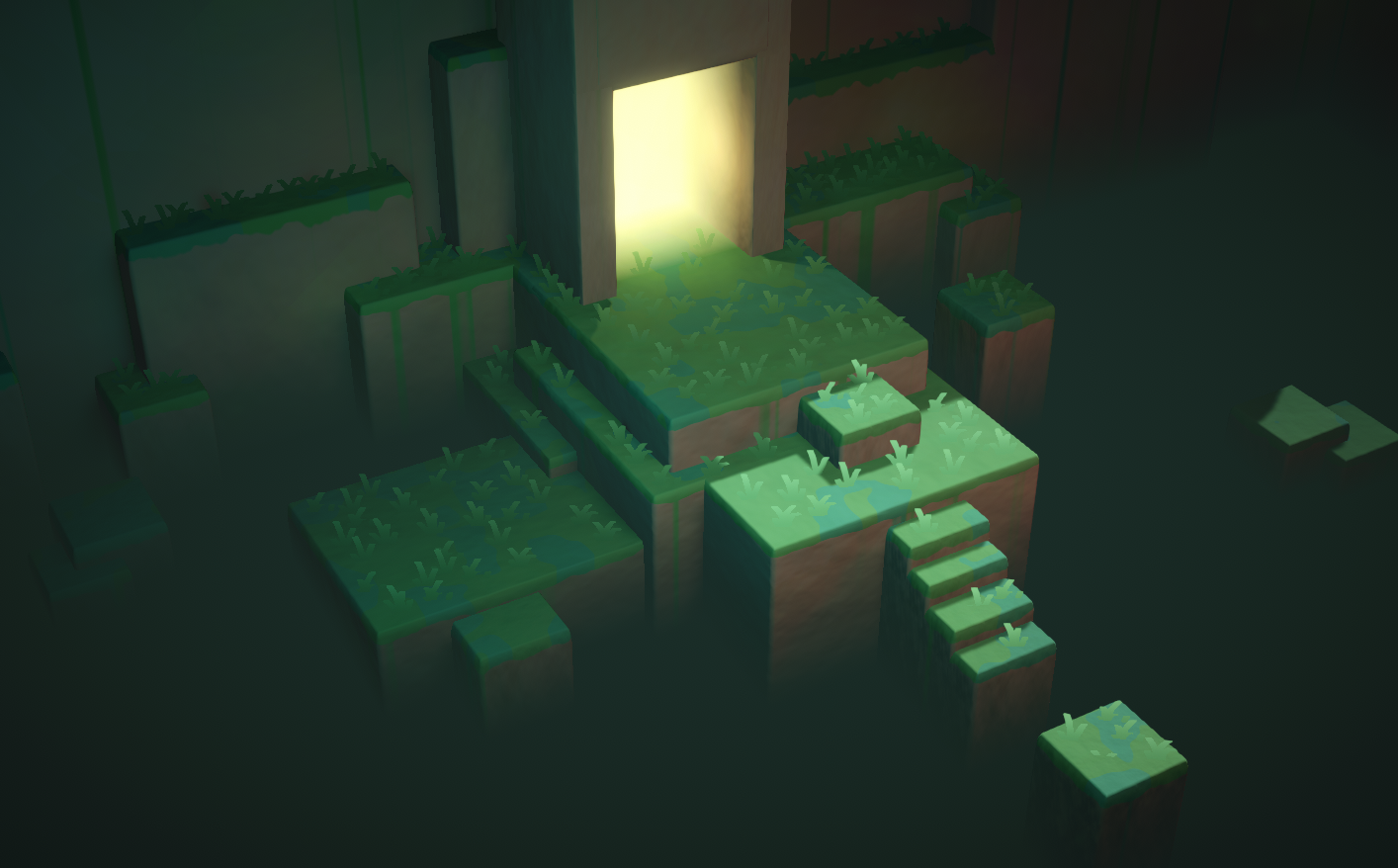
Two examples of vertical fog effects produced using the depth texture (scene depth)
dull obsidian
elder orchid
Do you have any idea if It’s applicable for URP otherwise I’d have to upgrade. T...
Those docs don't currently apply to Universal RP, But good news is when Lego Builder's Journey was ported to from HighDef to Universal for XR / Apple VisionOS it looks like they used a fog effect shader similar to what @burnt coral just shared. (I assumed you're using HighDef at first because that is the version of Builder's Journey your screenshot is from.)
elder orchid
Thanks to the both of you. Just left school but will definitely work on it when I’m back from work.
dull obsidian
elder orchid
Thanks to the both of you. Just left school but will definitely work on it when ...
no problem! all that said, if you keep coming back to ideas for advanced effects for this project or another you may consider Unity HighDef Render Pipeline, as it is more scalable (down to mid-range platforms) than many realize, Lego Builder's Journey Runs great on SteamDeck, and the very popular Lethal Company was built with HighDef as well which also has a lot of moody volumetric fog and lighting effects. A big factor to that performance scaling is HighDef's support for AMD FidelityfxSuperResolution and Nvidia DeepLearningSuperSampling
elder orchid
How well would HDRP be for low-end devices, I'm fairly unknown to the whole RP stuff in general. I'm working on a puzzle game for my exam preparations. I think I'd just have to mess around with the quality settings and give the player an option to choose their quality.
dull obsidian
elder orchid
How well would HDRP be for low-end devices, I'm fairly unknown to the whole RP s...
basically think of any platform that Unreal can scale down to (without unofficial source code mods) ...  which I and many others consider "mid-range". Unreal's Renderer and Unity HighDef share the same basic requirements and goals. That's also why Unreal doesn't target WebGL or older or lower end mobile (without GPU compute support) at all . Epic didn't want to splinter Unreal's Rendering into two Render Pipelines (like Unity did) or try to maintain one giant do-it-all franken Renderer (which Unity avoided) and unlike Unity few developers were already using Unreal to target low-end platforms or for highly stylized Non Physical Rendering
elder orchid
We're only going for Desktop and Console maybe so all should be fine
I'll look into it
dull obsidian
elder orchid
We're only going for Desktop and Console maybe so all should be fine
oh okay yeah definitely feasible for that target range! There's still a lot of negative Sentiment floating around from people that tried HighDefRenderPipe once around 2019 when it was rushed to release, was rather fragile, many things under-documented and didn't support AI upscaling, but it's improved dramatically since then.
 tired summit
Simple question, I am stopping a VFX graph with .Stop(), but I would like one of the effects of that VFX graph to wait a little bit before stopping. How do i do that ? I've tried to override the OnStop event, but it does not work.
 warm torrent
tired summit
Simple question, I am stopping a VFX graph with .Stop(), but I would like one of...
warm torrent
tired summit
Simple question, I am stopping a VFX graph with .Stop(), but I would like one of...
Wait in the script before sending the event?
tired summit
Then it would wait all the various effects of that VFX graph
I want to delay only one of them
Docuumentation says the OnStop event is called when I call the .Stop() function
ashen robin
tired summit
Then it would wait all the various effects of that VFX graph
StopEvent is useful to prevent the spawn context from producing more particles, but those existing will continue until they expire
if you can't do what you want in the graph, then you'd have to toggle it inside of a script, usually by system or through some custom event (exposing Alive property) or via indexing with compute buffers
Depending if you have it set up as one system to one object, or one system to mmany
https://qriva.github.io/posts/how-to-vfx-graph/ some ideas, but not sure if those custom attribute events will work as you seem to want to toggle the specific particle's alive index
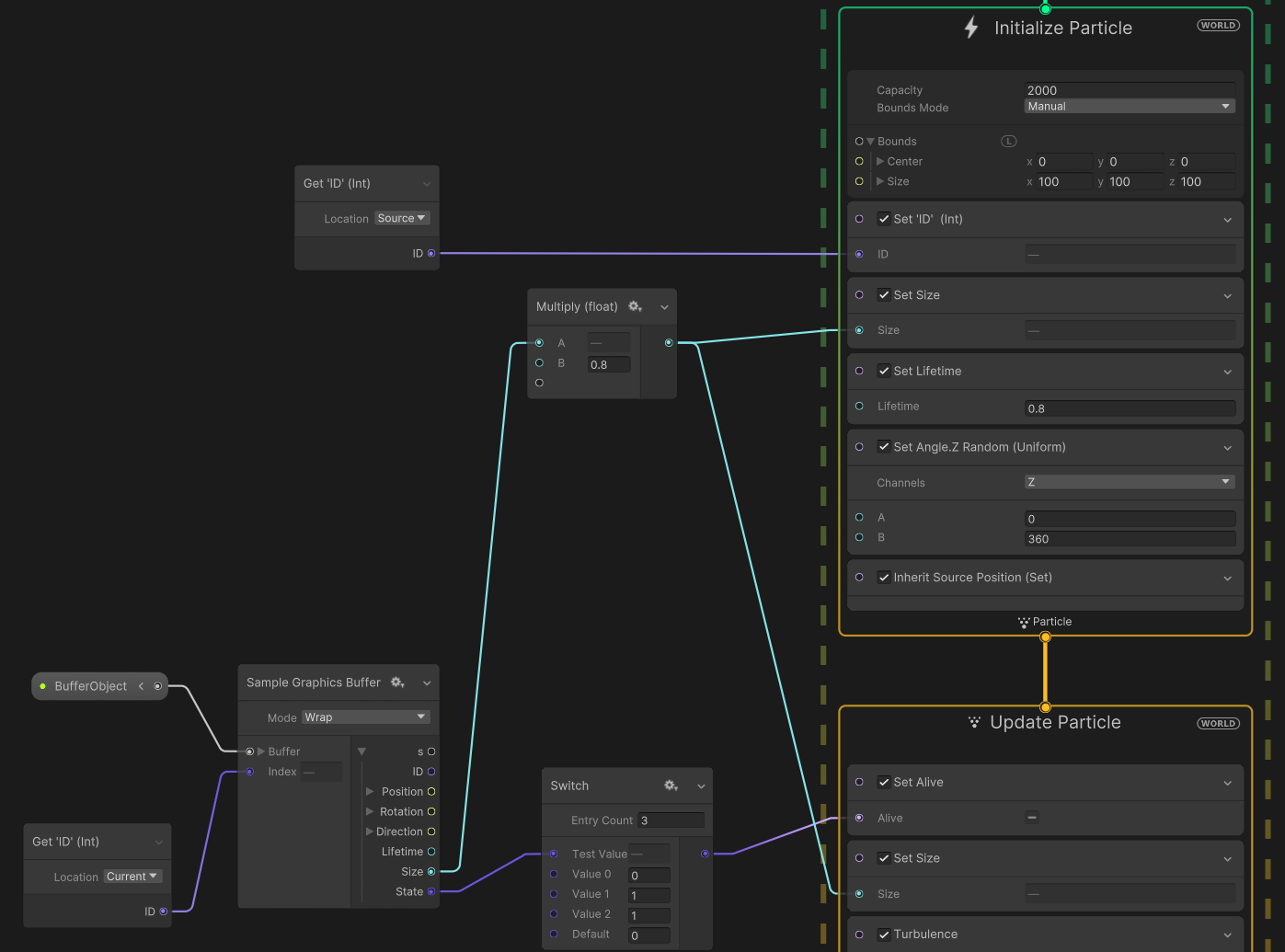
https://i.imgur.com/r4FHXt6.png
Basically my answer to a one system solution
 tired summit
No no no, I think I wasn't clear, sorry
I don't want to kill the particles, I want the system to stop emitting after a delay
The Graph has 5 differents effects. When I call Stop(), I want 4 of them to stop immediately, and 1 to stop after a delay.
As in my picture above, I want to the OnStop event that is automaically fired to be delayed for only one of the five subgraphs
ashen robin
tired summit
No no no, I think I wasn't clear, sorry
OnPlay() and OnStop() are default events provided, but you can always make more so you can call them independently. As for when these events should be called and how often should be done in a script.
 terse crystal
Idk if I can ask here but anybody knows a good particle pack? HQ or any style, I am mostly looking for military related VFX, like explosions gunshots fire smoke missile and etc
 heavy lake
Hello, sorry I’m new here but what’s the difference between particles lifetime and duration?
warm torrent
heavy lake
Hello, sorry I’m new here but what’s the difference between particles lifetime a...
If you mean the Particle System, the lifetime is not affected by duration at all
Duration affects all gradients and curves that are not based on another factor like lifetime or velocity
So, setting "start color" to a gradient will go through that gradient in the duration of the system
Then either repeat or stop, if not looping
Which also means that for a non-looping system it also controls how long non-burst emissions last
 graceful saddle
Spazi is there any chance you can help me out

I have a system to switch through 2 scenes
a day and night switch
however the particles on the night reload each time, this makes it that the animation resets and it looks goofy
if i do dontdestroy on it it ofcours also shows in the day scene which i dont want
 strange sky
hi guys i don't see vfx effect on player camera but i can see it on scene someone can help me pls
warm torrent
graceful saddle
however the particles on the night reload each time, this makes it that the anim...
warm torrent
strange sky
hi guys i don't see vfx effect on player camera but i can see it on scene someon...
Any information at all beyond that? If you're working in 2D it's common that a gameobject can get lost behind the camera in depth axis
strange sky
warm torrent
Any information at all beyond that? If you're working in 2D it's common that a g...
3d and i think its because of the skybox
because when i go high in the sky i can see the vfx
but i don't know how to fix it
warm torrent
strange sky
3d and i think its because of the skybox
Try to see if it works in a blank new scene
Then you'll know if the problem is your main scene's sky
strange sky
warm torrent
Try to see if it works in a blank new scene
Then you'll know if the problem is y...
its same in scene when i go too low the vfx disappears
warm torrent
strange sky
its same in scene when i go too low the vfx disappears
"go too low"?
strange sky
position 0 0 0 can't see, 0 50 0 i can
warm torrent
That doesn't really tell me anything
Can you show a screenshot at the threshold where it disappears
strange sky
warm torrent
That doesn't really tell me anything
Can you show a screenshot at the threshold ...


Look at the position of the camera
warm torrent
strange sky
The issue likely is VFX bounds
Bounds for an invisible box that wraps your effect
If the camera is seeing any part of that box, the vfx is rendered, otherwise it's culled
The VFX does not automatically know where your particles will be for getting the bounds correctly, so you may have to adjust it
strange sky
so how can i increase the range ?
warm torrent
strange sky
so how can i increase the range ?
strange sky
i get it its bounds size in particle graph thx for help
warm torrent
Or so I assume
heavy lake
warm torrent
Which also means that for a non-looping system it also controls how long non-bur...
Sorry for the late reply but thanks for the answer! Ig it means that it depends on which modifier uses which time value
 prime dome
how to make them appear in the game window?
 warm torrent
prime dome
how to make them appear in the game window?
warm torrent
prime dome
how to make them appear in the game window?
There's nothing you need to do to "make" them appear in game window
But if they seem to be missing, the most likely explanation is that the particles are behind the camera on the Z axis
prime dome
oh thanks
 half aurora
Is there a way to destroy individual particles? I'd like for a particle system to collide with the environment and the player, but they should only disappear when colliding with the player.
warm torrent
half aurora
Is there a way to destroy individual particles? I'd like for a particle system t...
You could create a trigger collider parented to the player and assign that trigger to the particle system's trigger module that's set to kill the particles on contact
 nova marlin
when the grenade collides with the ground my particle effect isnt playing... can someone explain? im relatively new to this
Hastebin is a free web-based pastebin service for storing and sharing text and code snippets with anyone. Get started now.
 jagged drum
is the unity particle system as goated as they say
 zealous wing
In vfx graph, what is the difference between Trigger Event Always and Over Time?
ashen robin
zealous wing
In vfx graph, what is the difference between Trigger Event Always and Over Time?
per frame vs delay
ah, actually over time may just be rate
so particles per frame, or define the rate of particles every second
zealous wing
Alright, thanks
 lethal frigate
Hello, is it possible to change render mode to stretched billboard in vfx graph?
ashen robin
there's camera orientation nodes to face accordingly, but I'm not too sure what you mean by stretched
may need to use a custom mesh, or shader if it's something to do with uvs
lethal frigate
in a normal particle system you can use stretched billboard render mode to sort of scale the particles along their direction
I was wondering if there was something similar for vfx graph
ashen robin
ah, not too sure beyond just what I mentioned, but could try playing around with the scaling
lethal frigate
yeah
I've tried but nothing's come up yet
my first guess was inputing the velocity or direction to the scale
adding or multiplying the scale based on current velocity seems to be changing the particles' rotation somehow
inland tusk
Hey so I have a VFX graph that upon init samples a texture at a uv and creates a particle there so that the particle matches the the geometry it's spawned on. This works great. I'd like to use it on an object I have applied a procedural shadergraph to though, let's say for the sake of discussion a gradient in world space. Is there any way to sample the resultant color value of a UV coordinate at that time/frame rather than reading pixels from an image?
ashen robin
inland tusk
Hey so I have a VFX graph that upon init samples a texture at a uv and creates a...
https://docs.unity3d.com/Packages/com.unity.visualeffectgraph@17.0/manual/ComponentAPI.html
You can send in stuff via properties like the shader graph, but if you want to use the same system but with different particle (color) variance you'd use events with custom attributes
https://qriva.github.io/posts/how-to-vfx-graph/#how-to-send-event-with-attributes
changing pre-existing particles is a little more work though, but ideally you'd just want to set it and forget it if possible
 wet jasper
anyone know why my particles turn red when i select them?

 odd hull
hey guys, maybe a bit dumb question, but I'm using HDRP and generally aiming for a realistic feel for high end devices ... with that in mind, should I just be using VFX graph for new particle systems, or does it still make sense to use the old particle system for smaller things? not exactly sure what the overhead of vfx graph is, or if it's relevant on desktop
 cobalt dune
Hello
I have displayed a particle using two cameras on a ui. I'm going to layer the particle in the ui so that the particle is placed between the canvas and the buttons. How can I do this?
ashen robin
odd hull
hey guys, maybe a bit dumb question, but I'm using HDRP and generally aiming for...
Smaller effects (like the wick of a candle) is up to preference, but when it comes to creating large ambient-like particles such as falling leaves or rain, then you could consider doing it in the vfx graph.
ashen robin
well, if you did have a large scene of candles, then VFX graph would be ideal too. It's great at doing large similar operations spread out across the scene.
 twilit lagoon
hi all, is it impossible to have vfx graph particles being emissive and having like a simple box reflecting/reacting to that light information?
I can't get it to work
twilit lagoon
I guess VFX graph particles can't be taken into account in a Reflection probe?
I simply want some particles to light the environment around them, even if in low quality, just some sort of glow from the particles colors
any help is really appreciated
odd hull
hmm I'm curious about that too 👀 tho I haven't tried it, but just earlier today wanted to make some glow-y particles, I'll try in a bit
ashen robin
ive not looked into reflections probes with the vfx but I remember reading something a while ago on the forums about it
there is ray tracing support as of recent though :)
twilit lagoon
I tried using Screen space reflections, reflection probes, all I could think of but the particles "light" coming from the additive blend mode just doesn'ta ffect the meshes around it.
Do you think ray tracing would solve this?
ashen robin
I've not played around with it as of yet, I've seen people using it with the vfx graph though
not sure if it's hdrp specific https://docs.unity3d.com/Packages/com.unity.visualeffectgraph@16.0/manual/whats-new-15.html
(ah, maybe it is)
there's also light baking for particles if you need lighting input, but that's another thing I've not played around with
vfx graph full of neat specific tools when you look around
Does emissive light not work? I thought it did.
If not then I guess using VFXOutputEventPrefabAttributeHandler_Light seems like the most basic idea. I've got some other ideas like creating light components near the particles, but if you're dealing with large amount of particles then maybe not the greatest solution.
twilit lagoon
ashen robin
If not then I guess using VFXOutputEventPrefabAttributeHandler_Light seems like ...
I don't know where to start to test this "VFXOutputEventPrefabAttributeHandler_Light", if you got any pointers that would be great! I need to upgrade to 2023 to test what you linked on that page
ashen robin
Reading on them, they are basically similar to my solution of just make a gameobject with a light source at the position you spawn the particles, but using its own specific pool.
not exactly sure if they can continuously read positional data though
Shuriken System does include light support per particle if these particles are moving around the scene.
Outputting light which affects other scene elements is just hard for the VFXGraph it seems. I'm curious on the raytracing though
odd hull
twilit lagoon
I guess VFX graph particles can't be taken into account in a Reflection probe?
hmm so not sure if this is what you mean, but I just have one reflection probe in the middle of the particle system set to realtime & every frame, and high HDR intensity color on the particles
certainly seems to work
ashen robin
odd hull
hmm so not sure if this is what you mean, but I just have one reflection probe i...
Which pipeline is this?
solar trellis
is there anyway to modified value of float from my shaders but using particle, i know that we can do that in VFX but how about particle system

nvm, found it
ashen robin
odd hull
hmm so not sure if this is what you mean, but I just have one reflection probe i...
https://i.imgur.com/qaZw7fJ.png
Ah, they do work in URP too after fiddling with some settings. Not having luck with finding anything point-light related beyond emissives and some post-processing. I swear I've had it affecting the shadow mapping data too at one point, but maybe I was attaching my own point lights. I've been slacking on testing a lot of this stuff.
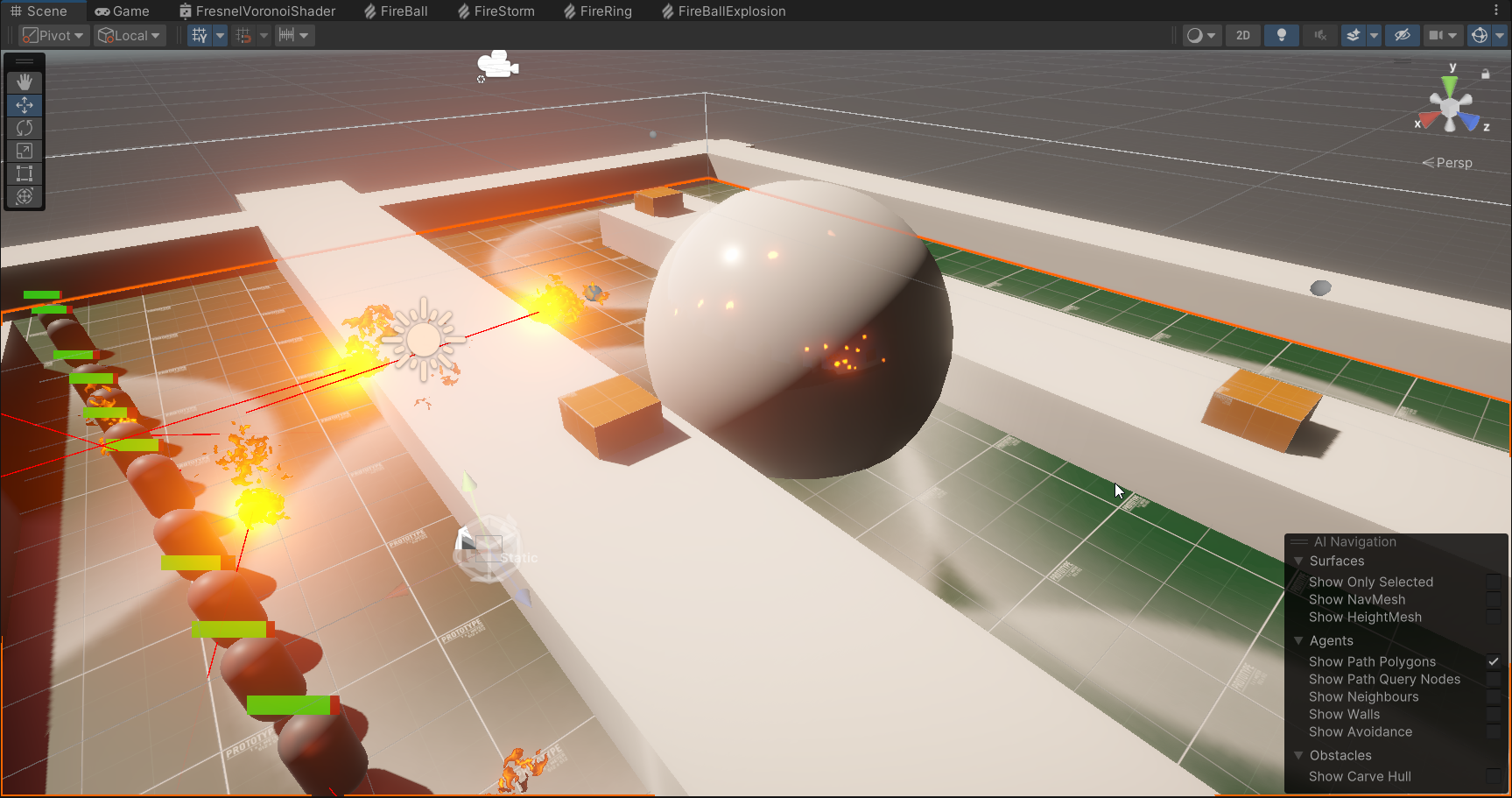 twilit lagoon
odd hull
hmm so not sure if this is what you mean, but I just have one reflection probe i...
twilit lagoon
odd hull
hmm so not sure if this is what you mean, but I just have one reflection probe i...
yeah that's really close to what I'm trying! How is your setup, are you using the VFX graph, or particles? I use the Graph. Which version of unity are you on? I also have my probe to every frame and realtime, but no luck
twilit lagoon
I installed 2023.2, trying some setting but still no luck. Are you using Output Particle Quad in your vfx? Do I need to enable anything specific in the project settings? @odd hull
odd hull
twilit lagoon
yeah that's really close to what I'm trying! How is your setup, are you using th...
I'm using vfx graph and am on 2022.3
odd hull
twilit lagoon
I installed 2023.2, trying some setting but still no luck. Are you using Output ...
I didn't setup anything special, maybe just make sure to have enough particles and high enough intensity, also maybe add multiply alpha or multiply color, I have mine set quite high (these two are from two different particle systems)


can your reflection probe see the particle system?
like, if you look at the probe's texture, do you have the particles in it?
twilit lagoon
I see this on the documentation, I really wonder how you made it work lol
 odd hull
but I'm not using raytracing
twilit lagoon
odd hull
can your reflection probe see the particle system?
No, they dont show up in the reflection probe, do yours?
you're not using ray tracing? Oh okay, I was trying to make it work with RT, then maybe I need to do something different
odd hull
yeah
 twilit lagoon
which Output you have in vfx graph?
odd hull
twilit lagoon
you're not using ray tracing? Oh okay, I was trying to make it work with RT, the...
okay so I noticed when I remove Visual Environment from my volume it stops working, but the whole scene looks weird so I don't think that's really the cause, also doesn't seem the settings matter for this, but here they are
 odd hull
twilit lagoon
which Output you have in vfx graph?
odd hull
twilit lagoon
which Output you have in vfx graph?
output particle quad with additive mode, here's the full graph
twilit lagoon
odd hull
okay so I noticed when I remove `Visual Environment` from my volume it stops wor...
this is where, in your camera?
odd hull
twilit lagoon
this is where, in your camera?
no, the scene's volume
twilit lagoon
odd hull
no, the scene's volume
Like a Global Volume?
odd hull
oh nvm ignore the thing about the visual environment, the reason my scene looks different without it is because I have a bigass skybox as default
the reflection works even if I disable both
twilit lagoon
Oh okay, then it's not it
brought your vfx into my scene, the reflection probe doesn't see it

I'm very confused lol @odd hull
 odd hull
twilit lagoon
brought your vfx into my scene, the reflection probe doesn't see it
odd hull
twilit lagoon
brought your vfx into my scene, the reflection probe doesn't see it
isn't the white thing on the probe the particle system?
twilit lagoon
odd hull
isn't the white thing on the probe the particle system?
No those are my walls
odd hull
here's my HDRP global config + default volume, maybe see if that helps
I only started using HDRP like 3 weeks ago, so I don't have much intuition for what could be causing this sorry 😅
twilit lagoon
replaced mine by yours but still nothing

thanks nonetheless, really appreciate the effort
odd hull
hmm that's so strange it doesn't work, can it see normal particle systems?
twilit lagoon
I don't know never used them, I only use vfx graph. Particle systems aren't also what I need
odd hull
here you can see it updating in realtime
odd hull
twilit lagoon
I don't know never used them, I only use vfx graph. Particle systems aren't also...
sure I just meant that for testing
i gotta run for a few hours, but if you figure it out pls share what was the cause 😅
I can try some more things later otherwise
twilit lagoon
odd hull
sure I just meant that for testing
I also need to be away for a few hours soon, but will later try to debug again, it's driving me nuts lol
twilit lagoon
I've researched this SO much already on the web, you're the only person I see that has it working exactly how I want
everywhere you see tutorials of people placing a light source at the center and call it a day 😄
odd hull
I've played around with raytracing a bunch past few weeks tho, so it's possible I toggled something that makes this work 😅 tho I literally started using vfx graph yesterdy for the first time
still, if it doesn't work for you with my settings then that's hard ot say why ...
I'm on HDRP 14 btw
twilit lagoon
where do I see my HDRP version
odd hull
package manager
twilit lagoon
I'm on 16.0.5
I'll go back to my previous Unity 2021 version that I use, see which HDRP it has
I only upgraded to 2023 because I thought you had it working with Ray Tracing
can you tell me your exact Unity version, @odd hull ? I will try that.. my previous 2021.3 has HDRP 12.1.6
odd hull
2022.3.21f1
twilit lagoon
odd hull
2022.3.21f1
I managed to get this version to test now.. but yeah, your vfx also doesn't show up in the reflection probe.. do you think there could be something else, some other settings asset you could potentially share with me?
Oh wait now I actually see it in the reflection probe, but it's the faintest thing ever, even after craking color multipler by 100
 twilit lagoon
Having a really hard time getting that light to affect the environment
 austere umbra
Hello, I have an issue where my particles clip behind an object depending on the position of camera, can anyone help?


as far as i understood, it's because of "fade" rendering mode and transparency, but i need those bubbles to be transparent
warm torrent
austere umbra
Hello, I have an issue where my particles clip behind an object depending on the...
If they are both transparent, sorting will be done based on origin of the renderer
austere umbra
oh I see
warm torrent
Order independent transparency sorting is difficult to do and expensive to render so most game engines don't support it
austere umbra
ok, tysm ❤️
 soft geode
Hello everyone, I'm having some difficulty getting my particle system to use custom data from my custom shader. Basically all I want to do is increase the intensity of the the emissive texture from 0% to 100% over it's lifetime. However, the problem arises that when all is set up I get this horrible flickering effect during play back. Any ideas of what went wrong? I'm using the shuriken system FYI.
 nova marlin
i dont want my effect to play on awake, nor loop, but when i make a script to play the effect it doesnt play, is there something with the component i have to change?
odd hull
twilit lagoon
I managed to get this version to test now.. but yeah, your vfx also doesn't show...
I don't think I really have any fancy setup that'd affect this tbh, I made the effect from scratch so there shouldn't be anything changing how it behaves
odd hull
twilit lagoon
Oh wait now I actually see it in the reflection probe, but it's the faintest thi...
oh nice that's good! are you maybe missing bloom in the volume? I wonder if that affects things
I'm curious why it's so faint tho hm
 open summit
Would anyone know how to create a flaming ember effect? I don't know what they are called but after like a building burns down you can see like embers(?) fall to the ground?

Like in this video not directly on the fire but in the middle you can see specks of flame.
Would anyone have any clue how to create this for my scene?
ashen robin
open summit
Would anyone know how to create a flaming ember effect? I don't know what they a...
Look up tutorials on how to do falling leaves using your preferred particle system.
and insert your own texture and shader
twilit lagoon
odd hull
I'm curious why it's so faint tho hm
bloom makes no difference it seems. What I ended up doing was having two identical vfx, one for light other for visuals. the light one I set particles to opaque and increased their color intensity by a lot. This only works because I make art and not games, otherwise the vfx could become desynced
Ah yeah and I set the light one into a separate render channel
ashen robin
https://i.imgur.com/XTS07ng.png
Does anyone have any ideas how to recreate this node such that I can plug in my velocity value instead of having my system inheriting a velocity value?
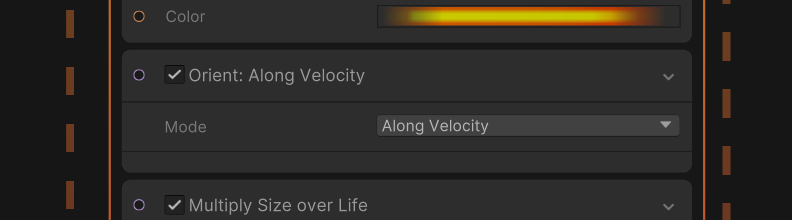
I just want to fixate my quad towards the velocity and still billboard towards the camera. I've tried using the look at method and trying to angle it myself, but there's a bunch of problems related with it.
rotating stuff towards a direction feels like such a pain with the vfx graph
https://forum.unity.com/threads/particles-orient-to-camera-even-though-orient-along-velocity-block-is-used.1427079/#post-8959371
The computed source is there but can't seem to get something working out of it.

Unity Forum
As per title - I add Orient: Along Velocity to my Output Particle Mesh and particles are rotated to some strange cross-product of velocity and camera...
ashen robin
https://i.imgur.com/ImmIyfB.png
Meh, well there's a bandaid of an idea
let velocity move it but reset the position /shrug
ashen robin
unfortunately towards velocity doesnt seem consistent zzz
oh, seems orthographic related. Well, shoot
so particle strips are unoptimized, making quad trails myself seems pretty difficult, I guess ill try some 3D trails
ah, ok. Seems like moving the camera out fixed the issues. Not entirely sure why since stuff was rendering over it fine, but w/e
zealous wing
I also wanted to ask about orientation node and if there is a way to apply the orientation to the actual angle of particles?
ashen robin
zealous wing
I also wanted to ask about orientation node and if there is a way to apply the o...
I'd consider AlongVelocity the LookAt billboard orientation
no freaking clue why it's not just a plugin value and dependent on velocity
or if you can figure out the post above, you could supplement the velocity for a direction using the Advance orientation with some cross product shenanigan's
zealous wing
The problem I have with orientation is that it doesn't contain information on angles. So if for example I will try to use any kind of orientation and then kill the particles and have them spawn new ones using On Trigger Die, I can't really make them inherit this orientation or set them in this particular angle
ashen robin
can you not inherit from OnTriggerDie? I thought you could
zealous wing
ashen robin
can you not inherit from OnTriggerDie? I thought you could
inherit what? There is no block for inherit orientation and angle doesn't work
 ocean wagon
Hello everyone 😄 . Could you please advise me on how to create the pre-path indicator effect for monsters in Unity like in the video? Thank you so much!
warm torrent
ocean wagon
Hello everyone 😄 . Could you please advise me on how to create the pre-path ind...
If you can calculate a path, for example with the help of the Splines package, you could move a Trail Renderer through that path
Otherwise you may have to turn that path into geometry with a scrolling texture
 limber thistle
Does anyone know if it is possible to extract vfx graphs from an assetbundle? I am making a mod for a game and as I am a total newbie when it comes to vfx i would like to be able to take a look at how they are setup so I can modify or reference them for my own vfx.
(The game dev has given explicit permission to modify the game in any way btw)

 hearty flare
limber thistle
Does anyone know if it is possible to extract vfx graphs from an assetbundle? I ...
hearty flare
limber thistle
Does anyone know if it is possible to extract vfx graphs from an assetbundle? I ...
- • Discussing the modding or decompiling of third-party projects.
We don't make exceptions, sorry. There are probably other modding-specific servers out there
limber thistle
got it, i will take a look
ocean wagon
warm torrent
If you can calculate a path, for example with the help of the Splines package, y...
sorry. what splines package do you say? i search in asset store , it show many splines tool. Is Curvy splines or plus splines or what else? Thanks
 lime gyro
ocean wagon
sorry. what splines package do you say? i search in asset store , it show many s...
lime gyro
ocean wagon
sorry. what splines package do you say? i search in asset store , it show many s...
i assume they mean the unity one through the package manager, not the asset store
 silent sierra
what was the last version of VFX with support for BiRP?
inland tusk
Hi, so I have a default particle system, and I have it attached to a prefab that is instantiated into a boids system. The complication is that I want the whole system to be moving relative to itself. I dunno, think boids in a jar or something. For the boids to leave trails as I'm intending, they need to be simulated in world space... however, then of course moving their parent doesn't move their trails, which I need it to.
I've tried a few chatgpt generated scripts that are along the lines of simluating locally and then moving it but none of them have worked
warm torrent
ocean wagon
sorry. what splines package do you say? i search in asset store , it show many s...
https://docs.unity3d.com/Packages/com.unity.splines@2.5/manual/index.html
The official one, but any type works
Doesn't even have to be splines as long as you have some way to represent the path
 deft veldt
can someone tell me why this is greyed out in my particle system inspector?
 inland tusk
because it's a default material, if you careate your own ones and drag it onto the system you'll be able to edit it
deft veldt
sweet thank you
 carmine bone
If I have a vfxgraph that I want to create a mesh as the output but I want it to be animated, is there a method for going about that?
warm torrent
carmine bone
If I have a vfxgraph that I want to create a mesh as the output but I want it to...
"Animated" how exactly?
carmine bone
Like if I have a model of a hawk or something I want to use and want it to use a flying animation while it persists.
 dire fog
hi people, someone knows how to make physics cloth for grabbable objects? any asset or repository?
 minor glen
warm torrent
"Animated" how exactly?
minor glen
warm torrent
"Animated" how exactly?
they mean as if it was a skinned mesh renderer with a animator controller, playing an animation
For each particle
warm torrent
@carmine bone Are the hawks made of particles or does each particle form a hawk
Official particle examples include a butterfly demo at least, which have wings and are animated by the VFX graph to flap
There's also now a way to sample skinned mesh renderer within VFX graph which could help if you want to animate something using bones within the VFX Graph
carmine bone
Ty I'll look into it
 cedar sandal
idk why but in game my particles are hidden, that is in 2d . I also changed the layer orderring from the particle render.
warm torrent
cedar sandal
idk why but in game my particles are hidden, that is in 2d . I also changed the ...
You already have a checklist of things that potentially could be wrong
There's little else we can do for you, unless you can demonstrate the issue including verifying that the listed problems have been ruled out
If nothing seems to produce results, you can always make a brand new scene with a new camera and new particle system and verify that at least works
If it does, try to compare what's different
Note that a 2D scene can be switched to 3D view to better verify that objects aren't behind the camera
inland tusk
Hi how can I test if a particle is within an SDF defined shape? I'd like to set for examplel the size of a particle based on if it's within an SDF defined by the SDF itself and a transform for it's position (VFX graph)
 opal rampart
the default output particle quad has a uv mode option and when i use my own shader graph the option disappears


any way i can still get that option while using a custom shader?
do i have to basically make a shader graph that accounts for the flipbook uv?
inland tusk
inland tusk
Hi how can I test if a particle is within an SDF defined shape? I'd like to set ...
I'm guessing it's something to do with sample texture3d, get particle current position, add in a transform somewhere?
warm torrent
inland tusk
Hi how can I test if a particle is within an SDF defined shape? I'd like to set ...
An SDF doesn't really have an inside or an outside
You sample the SDF using a position (such as the particle's) and get a distance to the shape
Compare that to some threshold value to know how close the particle is to it
Or just remap the sampled distance directly to whichever value you need, like particle size
inland tusk
I would love to see an image of an example graph if you know of any. especially, if you drop a texture3d in you don't get exposed position rotation scale on it... Do you need to apply those in maths to the UV that you're sampling? no wait would I multiply the SDF by a matrix? I don't see matrix as an option in property binder....What I have currently

I'm getting SOME result from this it's just pretty difficult to tell what it is, where the SDF is and how big etc
warm torrent
inland tusk
I would love to see an image of an example graph if you know of any. especially,...
Do you have the Sample Signed Distance Field operator?
It has the Angles property for rotation
inland tusk
I think that my be what I needed
not sure how I missed that
oh yes I do I searched the box for SDF not signed....
thank you!
warm torrent
There's also blocks related to SDFs, like "collide with signed distance field"
Afaik 3D textures nor SDFs have UVs
inland tusk
yeah I found the collide one. strange one is called signed one is sdf
as I found the collision ones I somehow didn't think there was a sample SDF
 vestal rapids
Hi, I'm struggling to make my vfx particles spawn from my transform.
I'm not sure what I'm missing. I looked online and it seems to be the same as what I am doing but it is still not working


 ashen robin
vestal rapids
Hi, I'm struggling to make my vfx particles spawn from my transform.
I'm not su...
ashen robin
vestal rapids
Hi, I'm struggling to make my vfx particles spawn from my transform.
I'm not su...
Seems like the examples do it in the output context if you're not doing that
https://forum.unity.com/threads/skinned-mesh-sampling.1084166/
There's an example project on this post that you can download too
Unity Forum
So it's supposedly released as part of 2021.1, but I can't find any samples or documentation on it.
@VladVNeykov can you assist.
 warm torrent
vestal rapids
Hi, I'm struggling to make my vfx particles spawn from my transform.
I'm not su...
warm torrent
vestal rapids
Hi, I'm struggling to make my vfx particles spawn from my transform.
I'm not su...
Do you want to spawn the particles from the deformed mesh or just the hip bone there?
If just one bone, you don't need to sample the skinned mesh renderer
 bronze cedar
Hi, this is my first venture into using VFX graph, can someone help me with my smoke trail? - It cuts in and out and leaves bits of smoke trail behind.


Might it be something to do with bounds? I've tried capacity that makes no difference, lifetime also seems to make no difference 🤔
The rest of the graph if it helps
 ashen robin
bronze cedar
Hi, this is my first venture into using VFX graph, can someone help me with my s...
ashen robin
bronze cedar
Hi, this is my first venture into using VFX graph, can someone help me with my s...
https://forum.unity.com/threads/how-to-improve-appearance-of-a-moving-system-spawning-behavior.1166027/
Check out vlad's post at the bottom
Unity Forum
I have a beam effect that cuts across the environment:
[ATTACH]
Each frame, it potentially moves, striking a different part of the environment. This...
 bronze cedar
ashen robin
https://forum.unity.com/threads/how-to-improve-appearance-of-a-moving-system-spa...
bronze cedar
ashen robin
https://forum.unity.com/threads/how-to-improve-appearance-of-a-moving-system-spa...
Thanks I'll give that a go, had to run, will try when I get back 👍
vestal rapids
ashen robin
Seems like the examples do it in the output context if you're not doing that
I got it working. seems like I forgot to enable read/write on my mesh. TY
 fringe lion
Hey guys, hello
I'm trying yo make a volumetric light effect in Unity 2D URP, like a scanner vfx, I have been researching but haven't find anything useful, I tried with volumetric light but doesn't react to a shadow caster
I want to achieve something like this https://x.com/JuhanaMyllys/status/1668236706548441088?s=20
This sensor light is heavily inspired by the beginning of the (best film ever) Aliens where a vibrant beam of light from the scanning device locates Ripley's cryo-pod. 👽 #indiegame #aliens #pixelart #IndieDevs #SteamNextFest #madewithunity

 Twitter
·
Twitter
·
How could I make this?
I have researched but couldn't find anything similar
 mental belfry
hi guys! im trying to make an effect for a finishline in my racing game. the finishline is an arch and Id like the particles to not extend beyond the height of the arch
heres a screenshot for reference

how would I cull the particles leaving the arch shape
fringe lion
Volumetric 2D Light
inland tusk
is there a node for getting the current paticle count? (VFX graph)
 harsh halo
does anyone have a good reference on leveling up particles to look better? I get what the various nodes do but im wondering if theres a more efficient way to improve my effects than just guessing and testing fiddling around with various properties
basically im looking for tips/tricks or references that can help me get from like decent to good to great looking particles
 latent musk
Hello does anyone have a guide on the understand of vfx timing, color, impactfullness, etc?
 static shell
Feedback on these effects?
Shine is a shader with some configurable props I've written - duration of the swipe (1 sec), random delay (1-3), glow width (0.215 - percent of the width of the image).
Sparkles in back is a PS
Mostly looking for feedback on the shine part.. have been looking at it long enough to not be able to see it anymore :p
maybe the shine itself is too glossy/white?
 north agate
Thickness of the shine seems a bit much?
north agate
yeah
static shell
it's such a tiny thing but I'm also not tweening the shine alpha in/out at the beginning and end, so in the first one with the thicker shine, you can see it snap on/off
so the narrower shine hides that as a bonus
i wonder if it'll look lame if I just .. keep the shine on all the time? and have it move around the ticket?
ashen robin
harsh halo
does anyone have a good reference on leveling up particles to look better? I get...
think i've seen some specifics for that on youtube, but otherwise I'd go with like item rarity rays and build from that since I find those similar
inland tusk
VFX graph: So I'm doing some VFX stuff with textmeshpro strings. I've got particles generating on the text fine, but I want to be able to do things like offset or animate them on a per word basis. I could do per letter by just taking every 2 triangles, but per word.... How could I go about this? I feel like I'd need an array of word lengths which I could then match to triangle IDs. How could I do this?
ashen robin
inland tusk
VFX graph: So I'm doing some VFX stuff with textmeshpro strings. I've got partic...
#✨┃vfx-and-particles message
Check out their project as you may get some ideas from it
 hardy marsh
i have a problem
the particles system works on editor and in exported game, but no works on Particles Editor

 warm torrent
hardy marsh
the particles system works on editor and in exported game, but no works on Parti...
warm torrent
hardy marsh
the particles system works on editor and in exported game, but no works on Parti...
What are you expecting to see
The empty grid space is for editing curves
hardy marsh
warm torrent
What are you expecting to see
how can i see the particles on that grid?
warm torrent
hardy marsh
how can i see the particles on that grid?
It's not intended to have that functionality
hardy marsh
warm torrent
It's not intended to have that functionality
i see
inland tusk
ashen robin
https://discord.com/channels/489222168727519232/532260045887373352/1136563246564...
thanks but that's a 404
ashen robin
inland tusk
thanks but that's a 404

GitHub
VFX Text Particles. Contribute to nicloay/VFXText development by creating an account on GitHub.
inland tusk
cool sorry I was being dumb I just found it but hadn't posted that i had yet 🙏
inland tusk
so I'm looking at graphicsbuffers, haven't used them before: I have this that I found somewhere, it was set for vector4 but I just want an int (tried int and uint) so I changed it, however, I am reting to reference this list with the triangle. The triangle ID works (i'm highling particles based on the triangle they were spawned on to test), but when I use the tringleID as the index I only ever get back 0. any ideas?

 inland tusk
sigh, I got it, just now after an hour. I should post more often but just delete it faster. I muddled with uints and ints a bit and I think maybe the error was setting the buffer stride to 1 instead of 4. I wasn't thinking 4 bits for an int for some reason
inland tusk
🤦♀️
it's late, I was just thinking "it's one value " 😅 life without debug messages be hard
 deep root
So i cant for the life of me figure out why my VFX quad thats supposed to be displaying the rune circle (shown to the right of the portal on a normal plane) isnt displaying it on the VFX quad (the big outlined currently invisible quad right above the portal). no matter what i do or which image i put in. The ShaderGraph used is a simple Alpha Layermask for the rune circle. This is my first time trying to integrate shadergraph into vfx graph, pls help lol


 ashen robin
deep root
So i cant for the life of me figure out why my VFX quad thats supposed to be dis...
ashen robin
deep root
So i cant for the life of me figure out why my VFX quad thats supposed to be dis...
So it renders on a normal quad but not in the vfx graph quad?
deep root
precisely
ashen robin
There's some extra settings like backface culling on the output node when you click on it that is shown on the inspector side
deep root
its not a HUGE deal per se, since i could just use the normal quad for my intended effect, it would be nice to control it from within the vfx graph tho
ashen robin
my best guesses would be it's being culled, alpha clipped, or angled incorrectly
 ashen robin
right, you may need to override the material options in the shader itself
"Allow Material Override"
also try using another texture without alpha values for the heck of it
deep root
yeah it does

its really messing with my head since both are using the same texture lol
the issue has to lie in the shadergraph somewhere
ashen robin
yeah not too sure. I was thinking maybe some alpha clipping is happening but if solid textures arent rendering then that's odd
I would just expose a variable on your alpha clip anyway in your graph
deep root
alpha clip is unchecked hmm
ashen robin
perhaps try making some basic lit/unlit shaders and try your luck with those and maybe you can come upon the issue
deep root
perhaps, ive been messing around with this for a little too long already, im just gonna go with the quick & dirty solution for now and see if i cant research this later
ashen robin
even something like opaque with alpha clipping
cause that could show it's some sorting issue then
deep root
tried switching the shadergraph to opaque, and its alpha clipped
no workie :(
the normal quad is still working just fine ofc
nevermind lol, it just hadnt updated, ofc it would be opaque if switched to it :)
ashen robin
There's also some sorting modes on the output in the inspector
i'd make sure it's not being rendered behind everything
tons of small things it could be
deep root
yeah it isnt the depth test atleast
tried setting it to "always", so if it was that it would have rendered then
 muted relic
does anyone know why my objects gets shredded when i put it into material
i wanna put that material on particle for clouds

that's the different in size after i have putted it on a material
it look way too bad cus of material

that's the propeties, i have watched a youtube video but seems like the size is cubed
i want it back to the original size

on material and put it afterwards on particle
 tough arch
muted relic
that's the different in size after i have putted it on a material
tough arch
muted relic
that's the different in size after i have putted it on a material
I'd assume that it's getting stretched/shrinked to fit a quad. The texture needs to have width = height.
muted relic
okay how can i do sir
tough arch
Open your texture in an image editor and edit it.
muted relic
tough arch
Open your texture in an image editor and edit it.
but yo is that the only component that i can make a material to put it into particle?
tough arch
muted relic
but yo is that the only component that i can make a material to put it into part...
What component are you talking about?
muted relic
muted relic
Particles/Standard Unlit
muted relic
is that the only way i can make a material and resize my stuff if it's not quad?
tough arch
muted relic
is that the only way i can make a material and resize my stuff if it's not quad?
That's the way to correct your texture. You can also play with the tiling setting on the material, but that might not provide desired results.
muted relic
and yeah i just noticed it's a shader, sorry for my unlimited stupidness , I'm new to engine or to the industry
muted relic
tough arch
That's the way to correct your texture. You can also play with the tiling settin...
i have tried with tiling setting and please don't recom that again XD
muted relic
tough arch
I'd assume that it's getting stretched/shrinked to fit a quad. The texture needs...
what's the max size for the material
tough arch
muted relic
what's the max size for the material
Max size of what?
muted relic
tough arch
Max size of what?
the original picture had no white background? why in windows paint there is?
 tough arch
Because windows paint is not a good enough image editor.
Definitely not something you should be editing your textures in.
muted relic
okay, i will use windows photo which a software that im not used too
so sorry for these questions, i should have fix it already
tough arch
The reason is that what you mentioned so far are not proper image editors and don't have all the required functionality. It's like of you write code in notepad instead of a proper ide.
muted relic
dude its 30x30 and still the same
the guy on the video made the cloud look with particle but i couldn't
 muted relic
tough arch
That's the way to correct your texture. You can also play with the tiling settin...
muted relic
tough arch
That's the way to correct your texture. You can also play with the tiling settin...
30x30 and still the same

please answer me when i wake, i really wanna find a solution :C
tough arch
muted relic
please answer me when i wake, i really wanna find a solution :C
There's not enough info to answer your question. What did you do? What setup do you have? What do the texture import settings look like?
Are the particles scaled? What does the particle mesh look like?
Did you change any tiling settings?
Etc...
warm torrent
muted relic
does anyone know why my objects gets shredded when i put it into material
I would surmise what's happening here is that you want to use a NPOT texture or a sprite as your particle texture
Since you already have a sprite the simplest thing you can do is use the particle system's texture sheet animation module in sprite mode to assign your sprite to it, that'll resize the particles to the sprite proportions
warm torrent
Generally you wouldn't use NPOT textures at all, and with particles avoid non-square textures also for simplicity
But you can set the particle 3D scale to the intended proportions of your texture, even if it's resized to a square on import
odd hull
maybe dumb question but does 6-way lighting work for shuriken too, or is it a vfx graph only thing? or is that independent? having a bit of a hard time finding a good resource on how exactly this works
 gloomy siren
I'm ashamed a little to ask for this (because it's probably something stupid, obvious and easy to solve) but:
- In Project tab I created VFX graph (fireplace)
- I dragged it to Hierarchy to set it in scene - it spawns at 0,0,0 location
- Now I want to move it - but I only move the icon/Alladin's lamp - the vfx effect doesn't change it's position. Why???
How to move VFX - not just the lamp representing it (they should move together, no?)
 ashen robin
gloomy siren
I'm ashamed a little to ask for this (because it's probably something stupid, ob...
ashen robin
gloomy siren
I'm ashamed a little to ask for this (because it's probably something stupid, ob...
system is maybe in world and not local
gloomy siren
ashen robin
system is maybe in world and not local
Can you see it in Unity UI? If yes - where?
gloomy siren
The problem is that I can change its position - values x,y,z are editable - then icon of Alladin's lamp changes according to those values. But vfx stays in 0,0,0 location no matter what I do.

If I change positio of 'vfx_fire' (empty, parent object) the same things happens: lamp icon changes it's position - following the parent - but vfx stays in place...
ashen robin
system is in world, not local
gloomy siren
ok. I would still assume that position of the lamp should be the same as position of the vfx. why for me they are different - why vfx doesn't follow the lamp...
ashen robin
world coordinates = absolute world coordinates (0, 0, 0)
local coordinates = coordinates relative to the gameobject the component is on
so world vector3.zero = center of your game world
and local vector3.zero = center of the gameobject your component is on
gloomy siren
I created another vfx graph for test - when I move it around then both -lamp icon and vfx effect - move aorund together. as expected.
it's not like this for my initial vfx.
bug. or some other setting.
 gloomy siren
ashen robin
so world vector3.zero = center of your game world
and local vector3.zero = cente...
gloomy siren
ashen robin
so world vector3.zero = center of your game world
and local vector3.zero = cente...
should I update something in your opinion?
gloomy siren
I give up. Anyways thanks for your time.
gloomy siren
now I see it - thank you 😄
even if I change it - vfx effect doesn't follow the lamp.
I created new vfx and it works as it should - with vfx effect moving together twith the lamp icon.
thanks for learning me on how to change the local vs world!
ashen robin
may need to see the rest of the graph then. You could be setting coordinates in world in the system too
those small (w) near the values indicate what space those values are in
muted relic
warm torrent
I would surmise what's happening here is that you want to use a NPOT texture or ...
may i ask what is NPOT texture?
muted relic
warm torrent
I would surmise what's happening here is that you want to use a NPOT texture or ...
i have made sprite renderer as a component into a random game object and i have tried particle texture sheet animation module in sprite mode and i have assigned my sprite into it

 muted relic
muted relic
muted relic
that's the particle properties, have I done something wrong?
warm torrent
muted relic
You still need a material with the particle shader
muted relic
warm torrent
You still need a material with the particle shader
oh yeah so the texture just for the re-size
warm torrent
Texture sheet animation module will override the texture so it shouldn't really matter what particle material* it is
Though other shader properties like blending mode will still be used
muted relic
tough arch
There's not enough info to answer your question. What did you do? What setup do ...
and thank you, i will do my best to clarify my questions if i might ask in future. thank you both!
muted relic
warm torrent
Texture sheet animation module will override the texture so it shouldn't really ...
hmmm, thank you for the clarification

 muted relic
muted relic
muted relic
all the objects are on top of the background but only particles
but why?
that's particle layer property

just made Layer for clouds it should have shown the clouds on top of birds/background but it didn't ;c

just made it
two cameras one for all and one for only particles
for more info here https://stackoverflow.com/questions/50254797/particle-system-rendering-behind-another-gameobject

Stack Overflow
First, I want you to understand my English.
I manually change the camera's projection to orthographic using the source code.
Please refer to the code below.
using UnityEngine;
using System.Collec...
i dont know if link is not allowed, but its going to be helpful in future for people in need
warm torrent
muted relic
two cameras one for all and one for only particles
That's not necessary
The particle system with a transparent (or "fade") material will follow 2D sorting priorities the same as sprites
https://docs.unity3d.com/Manual/2DSorting.html
If your particles are opaque (or "cutout") instead of transparent, they are only sorted by depth position, which is also the case if they're on the same layer and order in layer with your background
It's possible that your background is not on the "background" layer, so they might be sorted by depth position only
It's also possible you're mixing canvas components like images with other non-canvas components like sprites which will make the sorting logic very confusing
gloomy siren
ashen robin
may need to see the rest of the graph then. You could be setting coordinates in ...
I just recreated it - really can't spend a day to fix so simple thing.
But again: thank you very much for your support and time on it.
muted relic
warm torrent
If your particles are opaque (or "cutout") instead of transparent, they are only...
I'm pretty sure the background on the background layer which was the one on top of all layers
ima try your sort of things just in case for flexibility and learn new things/techniques
muted relic
warm torrent
The particle system with a transparent (or "fade") material will follow 2D sorti...
Thanks, no need for two cameras 🙂
i start to use ChatGPT, its really helpful too
im using it before asking you guys, because i don't want to waste your time
warm torrent
muted relic
i start to use ChatGPT, its really helpful too
Until it subtly misleads you
Better to drop the question to real people first
Or even better google around if others have also encountered the same issue
muted relic
warm torrent
Until it subtly misleads you
Better to drop the question to real people first
Or...
right, i will keep it in mind 👍
sounds like you had the same experience xd
warm torrent
muted relic
sounds like you had the same experience xd
It used to happen every day here back when it was a fad
Even to someone experienced the chatbot's explanations often looked convincing, yet turned out to be decisively wrong when scrutinizing them step by step
While the generated advice may work, it's a nightmare to track down any issues which might not even manifest immediately
muted relic
warm torrent
It used to happen every day here back when it was a fad
Even to someone experien...
Oh, i thought ChatGPT would be a good resource ;c
i slept happily yesterday after seeing ChatGPT explanation
inland tusk
Hi, is there a node in VFX graph to get a unique ID value for that instance of a particle system? That I can add to a random seed so that I don't get the same result in every system? (I am assigning an int value to each particle based on "things" and using that as a random seed for color, however I want that result to be different per graph (though consistent in that system). Time graph is enabled perhaps? World position without needing to feed it in with a binder....
ashen robin
inland tusk
Hi, is there a node in VFX graph to get a unique ID value for that instance of a...
Buffers/events technically are unique instances to your systems, so by keeping track of them you can probably get the behaviour you're looking for.
inland tusk
hmm, I was assigning ID's to particles born on certain TMP letters and words, and using them to get random colors per character/word... Then I remembered on all of those elements I was anyway feeding in values with a script so I just passed in a random int on enable. But I still can't think of how I could have done it otherwise
tired summit
I'd like to create a VFX graph where particles go through n points in a smooth path.
What would be the best way to implement that ?
ashen robin
tired summit
I'd like to create a VFX graph where particles go through n points in a smooth p...

This time we are going to see how to make particles follow a path in Unity. With the Particle System and with Visual Effect Graph. Bezier curves are a most when it comes to this, so let's see how to use them here!
Realistic Smoke Flipbook Texture: https://www.patreon.com/posts/61632332
Sebastian Lague Path Creator: https://assetstore.unity.com/...
https://www.youtube.com/watch?v=8NWqTKYEIlU
Similar too
In this Unity tutorial let's create an Electric Arc with Visual Effect Graph. It's an awesome technique that opens a few interesting doors. An arc effect can be used in a chain reaction for example. Enjoy!
00:00 Intro
00:39 Particles in a Bezier Curve
04:48 Particle Strip
06:18 Improving Aspect
07:25 Controls for the Bezier Curve
09:06 Electri...
tired summit
Thanks ! It's a nice video when you only want to connect two points. I feel it doesn't scale well when n > 100 points. =/
ashen robin
tired summit
Thanks ! It's a nice video when you only want to connect two points. I feel it d...
Not something I've tried to implement before as I'm usually controlling a lot of my particles via cpu, but I could imagine there's ways such as sending in an array of positions and polling the particle's position in update then doing some state switching.
Or some animation curve logics. Yeah, perhaps the animation curve is the idea... not too sure about creating them dynamically though.
 dim jetty
Does anyone know how to make VFX Graph events fire in a specific direction/rotation passed from code?
I'm able to set the position attribute in code so events play at specific positions in the game world, and it works great. I do that by using an Inherit Source Position (Set) block in the Initialize Particle section of the VFX graph.
For some reason it doesn't work at all for direction/angle/rotation tho. I've tried using direction and angle attributes with the associated Inherit blocks in Initialize (passing the value as either Vector3 dir or eulerAngles), as well as using an Orient block in output passing them in, but it always plays facing the default dir 🤔
ashen robin
dim jetty
Does anyone know how to make VFX Graph events fire in a specific direction/rotat...
probably show the graph/code

 ashen robin
click the initial context and on the editor side you'll see a bunch of variables
these are the standard attributes which you can inherit through these events
custom attributes can only be inherited in the output
dim jetty
oh wow, yeah I don't see direction or angle in there. I thought since there were blocks using those attributes they were built-in
ashen robin
if you want to get custom attributes in the initial context you need to use compute buffers
dim jetty
I see angleX, angleY, angleZ in the standard attributes. Maybe I can use that?
ashen robin
Yeah, probably
There is a direction node, but usually I just use angles and velocity
dim jetty
do you know why are there builtin nodes for direction but no standard attribute for it?
ashen robin
no clue. I'm not even sure how the direction nodes work.
I just use positional data (previous and current position) to derive a direction
dim jetty
😆 no worries, it's Unity after all... maybe they haven't finished that feature yet
this is great tho, I'll give the angleXYZ a shot. Thanks a bunch!
ashen robin
ye
dim jetty
hmm, still isn't working. I'm using an Inherit Source Angle.XYZ (Set) with all channels and
var rotation = Quaternion.LookRotation(dir);
var eulerAngles = rotation.eulerAngles;
_flashAttributes.SetFloat("angleX", eulerAngles.x);
_flashAttributes.SetFloat("angleY", eulerAngles.y);
_flashAttributes.SetFloat("angleZ", eulerAngles.z);
not too sure why the angle wouldn't work
https://qriva.github.io/posts/how-to-vfx-graph/#how-to-send-event-with-attributes
Some more info on them
What's on the inspector I think is what's currently in your system so they all might not be there so check the docs
dim jetty
haha, yeah I've been reading up on that second link for awhile, lots of info there but the section on rotation seems to depend on having a targetPosition to rotate towards, when all I have is a normalized direction
I could convert the direction to a targetPosition actually tho, maybe that's the easier solution
ashen robin

There is angle vector3 so maybe try that one
honestly, I just use buffers to avoid this stuff lol
dim jetty
unfortunately I already tried the Vector3 angle before to no effect 😢
dim jetty
ashen robin
I just use positional data (previous and current position) to derive a direction
how did you implement this?
ashen robin
it's on that same page
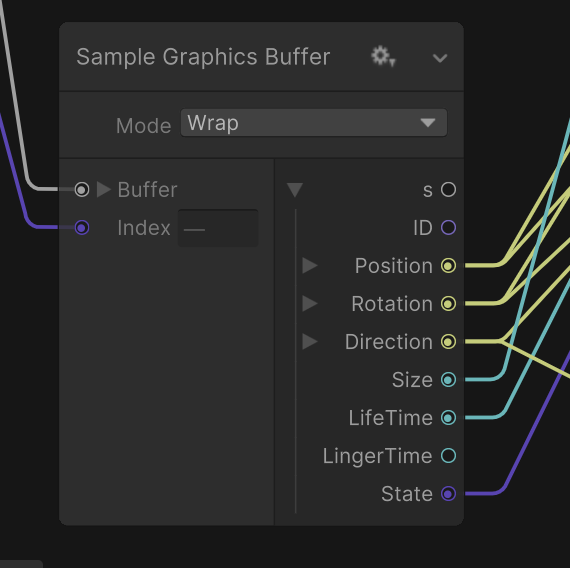
    public VFXAbilityEvent SpawnParticles(AbilityObject abilityObject)
    {

        VFXEventAttribute eventAttribute = visualEffect.CreateVFXEventAttribute();

        VFXAbilityEvent abilityEvent = AddVFXAbilityEvent(abilityObject, eventAttribute);
        int eventIndex = abilityEvent.IndexID;
        Vector3 VFXOffset = abilityObject.AbilitySO.VFXData.VFXPrimary.VFXOffset;

        bufferDataArray[eventIndex].ID = eventIndex;
        bufferDataArray[eventIndex].Position = abilityObject.transform.position + VFXOffset;
        bufferDataArray[eventIndex].Rotation = abilityObject.transform.eulerAngles;
        bufferDataArray[eventIndex].Direction = abilityObject.transform.forward;
        bufferDataArray[eventIndex].Size = abilityObject.CurrentUpdateSize;
        bufferDataArray[eventIndex].LifeTime = abilityObject.AbilitySO.AttributeData.Duration;
        bufferDataArray[eventIndex].LingerTime = lingerTime;
        bufferDataArray[eventIndex].State = 1;

        graphicsBuffer.SetData(bufferDataArray, eventIndex, eventIndex, 1);


        eventAttribute.SetInt("ID", eventIndex);
        visualEffect.SendEvent(playEvent, eventAttribute);

        return abilityEvent;
    }
Then similar to the event stuff (you can still use event attributes too). I basically do the same thing as object pooling here and request a buffer index when i spawn a particle to use.
Mines a little more complex than the page though since I can update values during the update context stage
But if you just want a bunch of custom event data in the initial context then that page should give you the idea
dim jetty
oh, that doesn't look so bad. I'll go in that direction for now then and see if it helps 👍
ashen robin
yeah, it's totally worth it in the long run
ashen robin
Though, the page doesn't give a good example of keeping track of what buffers you're using which is probably something you'd want to do which is why I set the ID here
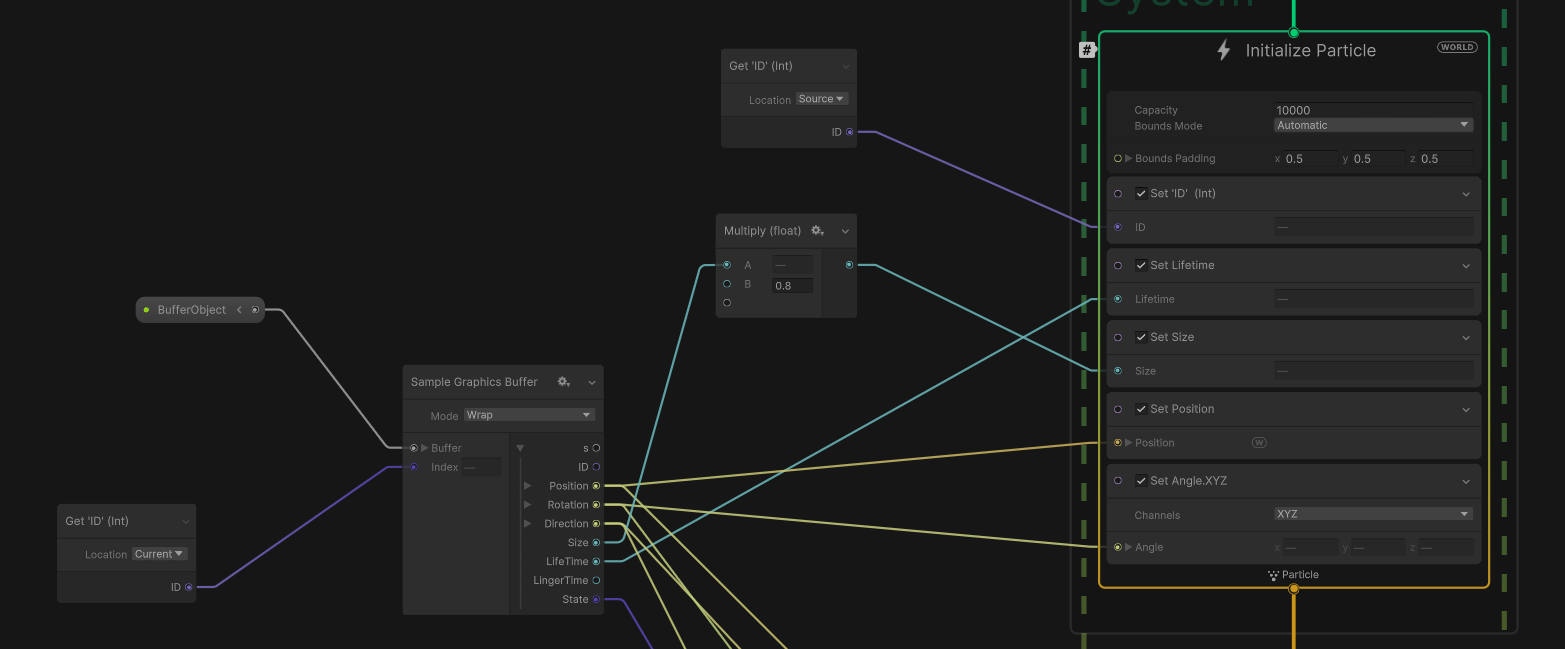
Send the ID via event, bind it to the system, and basically use a buffer relative to that ID
dim jetty
it actually seems like using the angleX etc attributes does work -- I had other particles within the same graph setting their angles manually which was apparently overwriting it for all of them? 🤷♂️
it's still not behaving exactly as I would expect, but the angle is clearly changing, so I'm onto something
I might end up going with the buffers later anyway since this process is so awkward, but I think I'm okay for now. Thanks again for your help! 🙇♂️
 noble osprey
Hi all,
Any chance someone can point out where I'm going wrong please? I'm following Gabriel Aguiars Disintegrate/Dissolve video, just for the spawning of particles from a skinned mesh. As far as I can tell I've done everything right, but I can't seem to get my particles to emit from the mesh, only from a single point (which is nowhere near the actual emitter, which is even more baffling. 😕

 noble osprey
When using the Output Mesh block, is there a way to choose a random Mesh out of a list at all (ie, so each particle is a random mesh)?
silent sierra
self shadowing volumetric particles in BIRP does it exist?
tired summit
noble osprey
Hi all,
Any chance someone can point out where I'm going wrong please? I'm fol...
You did set the mesh as read / write enabled ?
 trim tulip
hi all, i'm just starting out learning the visual effects graph and i was wondering if anyone could explain or point me toward any resources for what a particle strip is? i've looked through the manual and it doesn't explain it very well, and i was hoping someone could give some clarity
for context, i'm making explosion vfx for my game, and i'm trying to make the vfx have these fairly long rays of light that shoot out from the center at the initial burst of the explosion. i was at first using a default particle system with a trail and just setting the particles themselves to not render, but that caused some problems in trying to rotate the rays themselves around the center of the explosion
because of the fact that the trail itself isn't just a line from the center to the end, it caused it to curve and so i figured this was a good enough excuse for me to finally learn the vfx graph
i've read that particle lines are good for that, but there are no texture options and apparently they're forced to always be 1 pixel width
noble osprey
tired summit
You did set the mesh as read / write enabled ?
I did realise this. lol. Thank You though. 🙂
trim tulip
trim tulip
for context, i'm making explosion vfx for my game, and i'm trying to make the vf...
very crude mspaint example of what i'm trying to do with the "rays"
 ashen robin
trim tulip
hi all, i'm just starting out learning the visual effects graph and i was wonder...
ashen robin
trim tulip
hi all, i'm just starting out learning the visual effects graph and i was wonder...
if you used the trail renderer before it's very much similar. It's a particle made up of multiple quads which are segmented and stetch in their direction
trim tulip
ah i see, so i should use some other method for what i'm doing? considering i don't really care about it being a "trail" as much as i just want the entire mesh to stretch from point A (center) to point B (outwards)
ashen robin
You could try trails which increase in size as they age
or through velocity
distance ect, lots of things you could try
trim tulip
the particle line output gives me pretty good results its just missing the ability to apply a texture and have an increased width
 ashen robin
yeah, the strip should work
(even though I dislike them as they are far from optimized)
Could also alpha clip a quad with texture is another idea
Like one of these and using some alpha + scaling

 young night
anyone know any particular reasons why "color over lifetime" wouldn't be working in a particle system? I want particles that fade in and out with opacity. The particles, however, do not seem to care about the input.
 ashen robin
young night
anyone know any particular reasons why "color over lifetime" wouldn't be working...
ashen robin
young night
anyone know any particular reasons why "color over lifetime" wouldn't be working...
Are you using any custom material that isnt transparent
young night
I was using this
 ashen robin
ah, you need to use vertex colors then, but if the shader isn't anything special, just use the Particle Unlit shader unity provides
trim tulip
trim tulip
the particle line output gives me pretty good results its just missing the abili...
ok so i looked further into it, there exists a node called "Connect Target" that gives me pretty much what i want with the caveat of no ability to tile UVs, which is fine
ashen robin
oh that's an interesting node
tired summit
I'm still struggling to find a way to have particles go through n points in a curve (with n not equal to 2)
The only clue I have is hiding an array of points and quaternions inside a texture...
But it sounds like an enormous task for such a simple effect =/
ashen robin
tired summit
I'm still struggling to find a way to have particles go through n points in a cu...
Have you looked into the animation curve? You can expose a variable in the graph and set one there
ashen robin
if you need an array of values you can also use a graphics buffer instead of doing it via texture
tired summit
ashen robin
Have you looked into the animation curve? You can expose a variable in the graph...
So that would be three animation curves, one for each component x, y z, where each curve woule be divided into n cubics...?
That way, almost all the work is done in C# rather than in VFX Graph
I like it, thanks !
gloomy siren
Can someone push me in the right direction - how to make similar effect?
It is 2 things:
- Circle exactly on the ground - rotating all the time
- Hex frame - moving up and down
Can I do this in vfx graph?
warm torrent
gloomy siren
Can someone push me in the right direction - how to make similar effect?
It is 2...
I expect you could do it in Particle System even better since it's just two particles
The ring doesn't seem to be a decal or anything fancy like that, as one part of it disappears through the ground or behind the foliage
minor glen
hey guys, im using setting the position of my particles, based on my skinned mesh renderers, which works fine on some meshes, but dosnt on some others, and just sets the position of the particles to 0,0,0(local space).
why is that? can i fix it?


 warm torrent
minor glen
hey guys, im using setting the position of my particles, based on my skinned mes...
warm torrent
minor glen
hey guys, im using setting the position of my particles, based on my skinned mes...
Mesh read/write enabled? I recall that was a requirement
warm torrent
No weird object scales?
 nocturne crane
Hello everyone. In Unity, my particle effect covers my item as I want, but when running on Android, my particle effect does not cover my item. What could be the reason for this? Does anyone have information?


 torpid harness
Does anyone know how to make a good Proton Beam particle system? (Like the Ghostbusters Proton Pack)
 neat maple
I'm seeing something shady with the VFX graph.
When I first activate an effect, the system starts playing. This works.
Now, when at a specific frame after activation I activate a second effect, the first effect will stop playing. (HasAnySystemAwake becomes false etc)
This is impossible to reproduce when playing only a single effect, but quite easy to reproduce when playing two of them within 1 or 2 frames of each other. This is happening for effects with the same graph, shortly after activating one of them (when none of them were active before)
ashen robin
neat maple
I'm seeing something shady with the VFX graph.
When I first activate an effect,...
capacity problem probably, or something that's taking over the previous index
otherwise just see if the issue persists in build
neat maple
ashen robin
capacity problem probably, or something that's taking over the previous index
it's literally one particle, so I doubt that!
the repro is 100% and quite clear, so I made a bug report
 fast olive
any tips on how to improve this? any feedback at all greatly appreciated, thanks!
 minor glen
fast olive
any tips on how to improve this? any feedback at all greatly appreciated, thanks...
minor glen
fast olive
any tips on how to improve this? any feedback at all greatly appreciated, thanks...
The colors look a bit off imo...
I think they need to turn your color value into a more saturated orange
tired summit
Feels weird that the texture scrolls along the branch, especially scrolls downwards
 inner jolt
tired summit
Feels weird that the texture scrolls along the branch, especially scrolls downwa...
inner jolt
tired summit
Feels weird that the texture scrolls along the branch, especially scrolls downwa...
feels a bit like caustics
maybe another texture scrolling the opposite direction to break things up a little
warm torrent
fast olive
any tips on how to improve this? any feedback at all greatly appreciated, thanks...
It looks fine
There's no right or wrong way to do art so nobody can give you accurate advice how to improve unless you define what "improvement" means for you
Do you want to make it more interesting? Evoke certain feelings? Fit a specific theme? A certain style? Or are you specifically after photorealism?
With photorealism you'd just pick some reference footage and try to break down and match that
With realism too there's many different varieties fire or any thing can look like
Type and shape of fuel, air humidity and wind can totally change the appearance of flames
"How to improve" is such a pointless question unless the goal is clear
tired summit
inner jolt
maybe another texture scrolling the opposite direction to break things up a litt...
Possibly yep ! Usually two textures in opposite / different directions look much better than one
Feels weird that the fire goes up and the texture doesn't
fast olive
Yes, I noticed that right after sending the gif and switched the scrolling to the right direction. It still looks a little weird but definitely much better. I will try adding a second texture to see if it breaks it down a bit. Also agree with the colors, and made it more saturated and yellow in the center. thank you!
fast olive
here's a slightly updated version
 fast olive
or this maybe works better
 inner jolt
fast olive
or this maybe works better
inner jolt
fast olive
or this maybe works better
Looks great!
 still meadow
hey guys I dont know if this is the best place to post this, I think this is using particles, or line renderer if I am mistaken, any ideias how this was made?
https://www.youtube.com/watch?v=Bvzp8kVieWs

With physics! -- Watch live at https://www.twitch.tv/foxyroxiel
#VR #VRChat #vrchatworlds #vrchatstreamer #vrchatlife #vrc #vrchatanime #comfy #wholesome #foxgirl #anime #gaming #twitch #youtubestreamer #twitchstreamer #youtubestreaming #clips #twitchclips #youtubeclips
inner jolt
still meadow
hey guys I dont know if this is the best place to post this, I think this is usi...
Looks like just some yellow particles
still meadow
so you think there are allot ton of particles in the tap stream?
tired summit
fast olive
or this maybe works better
Looks great ! What did you change ? Looks like there is more than just a texture scrolling up 🤔
Some noise on the x coordinate of the texture ?
noble osprey
Hi all, is it possible to have particles follow a path? What I mean is have the actual particles emit and then travel along a path, NOT the actual emitter. Everything that I've found in searching is to do with the actual emitter following a path. 😕
warm torrent
noble osprey
Hi all, is it possible to have particles follow a path? What I mean is have the...
https://youtu.be/8NWqTKYEIlU did you find this?
noble osprey
warm torrent
<https://youtu.be/8NWqTKYEIlU> did you find this?
I'm such an idiot. lol. I love that guy for his VFX Graph stuff, but never watched that one. Thanks.
warm torrent
noble osprey
I'm such an idiot. lol. I love that guy for his VFX Graph stuff, but never watc...
It can be confusing since he has two other very similar looking tutorials about paths which do move the emitter in those cases!
noble osprey
warm torrent
It can be confusing since he has two other very similar looking tutorials about ...
Yeah, tbh I do find the titles of those two to be very misleading personally.
 clear spruce
by quick scan it looks like they don't move the particles along a path in that video either but they do position particles on a bezier curve, the same node could be used to move the particles as well but note that it only works for single bezier curve. You could change the bezier curve on the fly depending on which part of the path the particle is located at. That should definitely be possible now that custom HLSL nodes are introduced but it might be bit tricky. the other solution that I thought could work was to generate force field for the path you are looking for but that most likely wouldn't work for longer paths very well
clear spruce
tweaking the bezier curves in the VFX editor is quite suboptimal so I would consider using the unitys splines tool to create the curves and create script that extracts the curve data into GraphicsBuffer which can then be send to the VFX graph. The graph would then be able to sample the path at given point by first figuring out in which of the bezier curves the point would fall on and sample the the bezier curve accordingly using the buffer. if the point needs to move at consistent speed across the curve (not changing depending on the bezier part length and shape), I would consider just sampling the curve bunch of times and give the points in a buffer to the VFX graph so you could just sample the buffer at given point without having to sample any bezier curves anymore (though linear interpolation between the two closest data points would be helpful). I couldn't find documentation for the splines tool in unity but it should have an option to sample the path at given distance from the start (so you could have consistent increments between the points)
noble osprey
clear spruce
by quick scan it looks like they don't move the particles along a path in that v...
Yeah was looking at that vid and tbh, looks like a massive pain to get right and kinda overkill for want I want. 1 sec and I'll show what I mean.
ashen robin
yeah graphics buffer seems to be like the way to do paths with vfx graph
you can send in animation curves though
clear spruce
that would only work for 2d curves though
ashen robin
send in 3 of em
noble osprey
Here's current gameplay vid, basically it's the inside of a vein/artery and was looking for the best way to do blood cells the like coming towards and passing the player and past the camera. I thought I could use spawn circle, but would need to spawn on the edge of the circle (the tunnel is a large ring (see pic), and give them an offset and then just parent the emitter to the ring with it's own rotation adjustment.

 clear spruce
ashen robin
send in 3 of em
clear spruce
ashen robin
send in 3 of em
at that point I would rather just sample the curve at couple thousand points and send those in a GraphicsBuffer but that could work too
clear spruce
noble osprey
https://streamable.com/yvtewx
Here's current gameplay vid, basically it's the i...
ah so the problem is that you need to make sure the cells don't go through the vein walls while its curving?
noble osprey
clear spruce
ah so the problem is that you need to make sure the cells don't go through the v...
Yeah, tbh I thought I could simply keep the particles in local space and parent the emitter to the Ring/Tunnel. it's more the emission of the particles in that donut shape.
clear spruce
noble osprey
Yeah, tbh I thought I could simply keep the particles in local space and parent ...
btw the rotating camera is great trick making it look like the vain is curving all over the places while the players just goes through the same loop over and over again. Are you planning to change from that donut shape later on or is that how it would always be? if so you could just do some sort of particle effect that goes in circles and that could be enough. Another thing that I was wondering is whether just adding backwards force (towards cameras -z) and using the Collide with Depth Buffer on the particles would do the trick. The depth buffer collisions are nowhere near perfect but they could potentially work well enough
 noble osprey
clear spruce
btw the rotating camera is great trick making it look like the vain is curving a...
noble osprey
clear spruce
btw the rotating camera is great trick making it look like the vain is curving a...
The camera is static, it's the ring that does all the moving (fewer things to worry about moving. lol.). And the ring/donut will always be the same (shapewise at least). And aaaaah, I'd forgotten about that portal tutorial. That could actually do exactly what I need.
clear spruce
noble osprey
The camera is static, it's the ring that does all the moving (fewer things to wo...
that effect doesn't do exactly what you are looking for as the particles in the tutorial just get some initial velocity and keep moving on that direction but it shouldn't be too hard to get them go around the circle (haven't watched the tutorial but seen the effect couple times and even replicated it on my own at some point)
noble osprey
clear spruce
that effect doesn't do exactly what you are looking for as the particles in the ...
Just watching the first part about the actual emitter and I didn't realise there was a torus emitter. So already that's a massive help. I can just spawn the particles in that shape and just parent to the ring (for now at least, cause there's going to be a lot of unnecessary particles as the camera only sees a small area of the tunnel, but for now it'll do. lol.)
clear spruce
noble osprey
Just watching the first part about the actual emitter and I didn't realise there...
spawning the particles on the whole torus at all times could be bit unnecessary so when you get the particles going in circles, you could change the emitter to circle emitter placed bit over "the horizon" of the curve and make them disappear when the player have passed. that way you fix the problem of particles spawning and fading out of existence on the players view
 noble osprey
clear spruce
spawning the particles on the whole torus at all times could be bit unnecessary ...
noble osprey
clear spruce
spawning the particles on the whole torus at all times could be bit unnecessary ...
Yeah that was the original idea, the issue came with getting the particles to match the curvature as they travel if that makes sense?
warm torrent
If the torus will remain a torus, vector fields could also be utilized
clear spruce
noble osprey
Yeah that was the original idea, the issue came with getting the particles to ma...
if you place the particle system (the origin of the gameobject itsef) at the origin of the donut shape and move the emitter accordingly, you could use the particles position to figure out the right moving direction. you could use the cross product between the position of the particle (relative to the origin, the red vector ⬇️ ) and the "normal" of the donut (blue vector ⬇️ ) to get the direction to move. actually just realized the dot product vector (yellow) is in opposite direction as it should. don't know how it's solved in the tutorial but that's how I did approach it when I did my replication
 clear spruce
warm torrent
If the torus will remain a torus, vector fields could also be utilized
clear spruce
warm torrent
If the torus will remain a torus, vector fields could also be utilized
now that I think about it more closely, I think that could be great solution as well in order to not let the particles penetrate the walls making it easier to add some turbulence maybe
noble osprey
clear spruce
if you place the particle system (the origin of the gameobject itsef) at the ori...
🤯 🤣 I think that may have just broken my brain. lol. I'll have a look at that though.
And tbh, I've never even come close to using Vector Fields. lol.
clear spruce
Collide with Depth Buffer node could also help to not let the particles go through the walls in case some turbulence is wanted
warm torrent
SDF also works great for a boundary, but won't help with the flow
clear spruce
warm torrent
SDF also works great for a boundary, but won't help with the flow
by thought regarding force fields was to use kinda like combination between force field and SDF to prevent tunneling and help with the flow though only way to generate the force field like that would probably be to code it yourself (the vector field files seems to be very simple so coding them shouldn't be that big of a problem, just requires some math again)
 clear spruce
noble osprey
🤯 🤣 I think that may have just broken my brain. lol. I'll have a look at th...
clear spruce
noble osprey
🤯 🤣 I think that may have just broken my brain. lol. I'll have a look at th...
anyways I would first start by watching the tutorial and trying to figure out how to keep the particles moving in circles. later on you can change the emitter shape from torus to circle and add turbulence + some collisions if you wish
noble osprey
Would appear I have a lot of reading ahead of me. lol.
For the moment I'm just spawning the particles in a torus and parenting it to the ring. Honestly I had enough maths yesterday and want to concentrate on some visuals today. lol.
But seriously thank you for the input and the ideas. 🙂
For the moment though I have another weird issue.
I have the particles spawned and they show up in the scene view (I've even scaled them way up, to make sure that wasn't the issue), but they don't show up in the game view or when I run the thing. 😕

 warm torrent
It doesn't really take any math knowledge
https://forum.unity.com/threads/orbital-velocity-in-vfx-graph.936335/ two methods of orbital motion you could take directly
SDFs can be generated from meshes with included tools
Vector fields are trickier if you're not used to creating those but they're optional here anyway
noble osprey
Oh that's interesting.
clear spruce
I actually didn't even realize there could be such simple solution, rotating around the center  , my bad
noble osprey
The orbital velocity stuff looks very promising.
warm torrent
clear spruce
I actually didn't even realize there could be such simple solution, rotating aro...
Your big brain is your downfall once again!
noble osprey
lol.
tbh, that is something I've noticed (I do it myself with stuff I know a lot more about), where people who have a lot of knowledge about a subject have a tendency to completely miss the simple solutions.
clear spruce
could also be that I haven't used the VFX graph barely at all so my first thought is usually to throw bunch of math at it rather than trying to utilize the countless nodes provided to us
 silent epoch
how to add jump particles when u jump in unity ?
 cedar storm
silent epoch
how to add jump particles when u jump in unity ?
cedar storm
silent epoch
how to add jump particles when u jump in unity ?
instantiate a particle system when jumping
silent epoch
cedar storm
instantiate a particle system when jumping
how does that work ?
cedar storm
you create a particle system for jumping, then spawn that like you would spawn any other object
 quiet vortex
silent epoch
how to add jump particles when u jump in unity ?
quiet vortex
silent epoch
how to add jump particles when u jump in unity ?
Do you need help with that?
silent epoch
quiet vortex
Do you need help with that?
yep
tired summit
Is it possible to have a strip (with VFX Graph) not scroll along its texture ?
i.e. as the head of the strip moves (and extends the strip), the part already created does not move along the texture.
The goal is to give the feeling that the strip (= the texture) is immobile once spawned, like any other object in the scene.
I know this is a difficult question, I've already tried all the nodes VFX Graph offers and they don't do the trick.
regal oxide
Hi! I'm working on an effect in VFX graph. Does anyone know why my beam isn't centered on the effect below it? I don't even have a set position attribute on any of the effects, it's just offset to the left for some reason

 ashen robin
regal oxide
Hi! I'm working on an effect in VFX graph. Does anyone know why my beam isn't ce...
ashen robin
regal oxide
Hi! I'm working on an effect in VFX graph. Does anyone know why my beam isn't ce...
does seem slightly off. If not position, it's how it's being billboarded via camera orientation
regal oxide
I figured it out, I used an outdated particle texture that I made way before, it must have been offset 🤦
good guess tho!
inland tusk
what is the code to set a particles orientation manually through code ? legacy/shuriken please?
 long moss
Hello. Does anyone know how to set the "Position" Property in a VFX graph via coda?
warm torrent
long moss
Hello. Does anyone know how to set the "Position" Property in a VFX graph via co...
Are you trying to move individual particles, the vfx graph itself, or systems within it?
long moss
I do this. Sorry I am not very familiar with vfx
 warm torrent
long moss
I do this. Sorry I am not very familiar with vfx
warm torrent
long moss
I do this. Sorry I am not very familiar with vfx
Can you describe what "this" is meant to do?
What's your goal exactly
long moss
The VFX graph creates a laser beam. With the position attribute I rotate and set the direction of the laser
So the position property usually comes from a raycast property binder
warm torrent
long moss
So the position property usually comes from a raycast property binder
Exposed properties can be set from scripts
This may be what you're looking for: https://forum.unity.com/threads/vfx-graph-how-do-i-set-a-transform-reference-set-property-binder-by-script.988743/
long moss
Thanks! I will try this
 dusty willow
does anyone know if you can pass an array of transforms/points to vfx graph? can't really find any info on that
I'm trying to create a lightning spell effect and would need to pass the enemies' positions for it to properly travel between them
ashen robin
dusty willow
does anyone know if you can pass an array of transforms/points to vfx graph? can...
graphic buffers
dusty willow
I'll look into that, thanks ❤️
tired summit
How to spawn particles with the same orientation as the transform, ie set their quaternion ? (world space obviously)
 unborn dirge
newb question, what's the name of the "taken damage" vfx, that changes the material to reddish and then back to normal?
And, any good idea to implement it? I'm on 3d
ashen robin
unborn dirge
newb question, what's the name of the "taken damage" vfx, that changes the mater...
Change the material back and like youve suggested or expose a color field and change that value.
Sprites usually have vertex color exposed you can probably just edit
unborn dirge
ashen robin
Change the material back and like youve suggested or expose a color field and ch...
I'm 3d, and this material using an Unlit/Texture

 tepid violet
Hi, have a question. i have a slash effect. and when the player hits its now working fine. but the the enemy hits the direction is backwards. how can i change a direction of the particle?
warm torrent
tepid violet
Hi, have a question. i have a slash effect. and when the player hits its now wor...
Backwards how? It may help to show precisely what's happening
dusty willow
unborn dirge
I'm 3d, and this material using an Unlit/Texture
just tweening (lerping) a value of the material color between e.g. red and white will suffice
set a color to red and then over the course of e.g. 1 second lerp it to white
 hushed wren
I'm trying to make bullet holes in my walls. I have imported this particle pack: https://assetstore.unity.com/packages/vfx/particles/legacy-particle-pack-73777 and the prefab for the bullet holes isn't taking in the texture of my wall, it's just grey. I'm pretty new to this so I have no clue what additional information to put in this post.


Add depth to your next project with Legacy Particle Pack from Unity Technologies. Find this & more VFX Particles on the Unity Asset Store.
fast olive
why is this at the start of my trail? not a texture issue
 hearty flare
fast olive
why is this at the start of my trail? not a texture issue
hearty flare
fast olive
why is this at the start of my trail? not a texture issue
not a texture issue
Presumably you mean it's not an issue with the image, because it looks like a texture issue to me. https://unity.huh.how/textures/wrap-mode-clamp
fast olive
yes thats what i meant, that the file didn't have any weird lines on the side. i wasn't very clear, thanks for the help !
warm torrent
fast olive
yes thats what i meant, that the file didn't have any weird lines on the side. i...
Did you try setting Wrap Mode to Clamp? It looks like a lot like something that could be fixed by that option
 plucky patrol
Hello, just started using particles in Unity. I noticed that the two particles I have (rain and fireflies) have what looks like a black glowing outline around them. I have searched but I only see forum posts of people complaining about it and no solutions. Any ideas? :x

 warm torrent
plucky patrol
Hello, just started using particles in Unity. I noticed that the two particles I...
warm torrent
plucky patrol
Hello, just started using particles in Unity. I noticed that the two particles I...
The default particle texture has a gradient from white to black on all color channels, not just alpha
Therefore when the gradient is 50% transparent near the edge, it's also half black, or grey
plucky patrol
warm torrent
The default particle texture has a gradient from white to black on all color cha...
Oooooo... So just create a basic particle texture and that should get rid of it?
warm torrent
plucky patrol
Oooooo... So just create a basic particle texture and that should get rid of it?
Yes, if your texture's color channels are fully white and only the alpha channel has the gradient
An alternative is to use a material with Additive blending
That ignores alpha and always brightens up the pixels behind it, like light
Additive looks great with fireflies but not so great with rain
plucky patrol
Ty I will work on this
 brisk isle
hey gyus , does shader graph effects work in webgl 2 and also in webgpu ? also do some vfxgraph effects work in webgpu or do they not at all?
tepid violet
trying to modify a particle to only run for 0.15. but seem to run for a whole second. what do i need to do to change that
 ashen robin
brisk isle
hey gyus , does shader graph effects work in webgl 2 and also in webgpu ? also d...
ashen robin
brisk isle
hey gyus , does shader graph effects work in webgl 2 and also in webgpu ? also d...
Webgl does not support compute shaders so no vfx graph.
Shader graph, and most shader code through hlsl does work though.
 rigid linden
Hey there ! I'm looking for a way to get the same idea as shuriken with the "Range between 2 curve" but in VFX graph ! Any idea about that ? Thanks in advance ! :)
plucky patrol
tepid violet
trying to modify a particle to only run for 0.15. but seem to run for a whole se...
start lifetime is 1
plucky patrol
warm torrent
An alternative is to use a material with Additive blending
That ignores alpha an...
It worked 😁 Just spent a bit getting the colors and alpha etc right
zealous wing
Could someone explain me how to use the "modulo" block in VFX graph? The documentation didn't help me understand it and apart from it I couldn't find any infor about it. I used it before with to separate particles into different groups but I never was able to use it exactly how I wanted
ashen robin
zealous wing
Could someone explain me how to use the "modulo" block in VFX graph? The documen...
https://docs.unity3d.com/Packages/com.unity.visualeffectgraph@10.2/manual/Operator-Modulo.html
Looks like it's just modulo operation, a mod b
probably explain what you're trying to do
ashen robin
rigid linden
Hey there ! I'm looking for a way to get the same idea as shuriken with the "Ran...
Not sure of what that is in shuriken, but if this is duration specific, you can evaluate curves with age divided by lifetime attributes then compare against both values
zealous wing
ashen robin
probably explain what you're trying to do
For example. I have 100 particles. Now I want to make it so that every second particle is pulled by Conform to Sphere controlled by Perlin noise and every other particle is pulled by the same Conform to Sphere but controlled by Perlin noise with opposite range
ashen robin
zealous wing
For example. I have 100 particles. Now I want to make it so that every second pa...
particleID mod 2 with some other logical operator perhaps
there's also graphic buffers which allows some more control over attributes and IDs
https://qriva.github.io/posts/how-to-vfx-graph/#how-to-sample-graphics-buffer
but I'm not feeling it's necessary
zealous wing
ashen robin
particleID mod 2 with some other logical operator perhaps
That what I was trying to do before, but I have some issue using it. To give a simpler example. I can't use the modulo like it's on the screen, to add position to every second particle, right?
 ashen robin
this is the output context, right? This operation would only be done once for how it's setup
per particle
You will need to stick it in update for constant updating
Actually, you're adding to it, not setting so it seems like this should work. Let me check it check it out real quick if unity ever opens
NM, I was right about it having to be in update if it needs to constantly update the position each frame
ashen robin

so in output, it only works once per particle. So adding does need to be in update if you want constant updates on that particle.
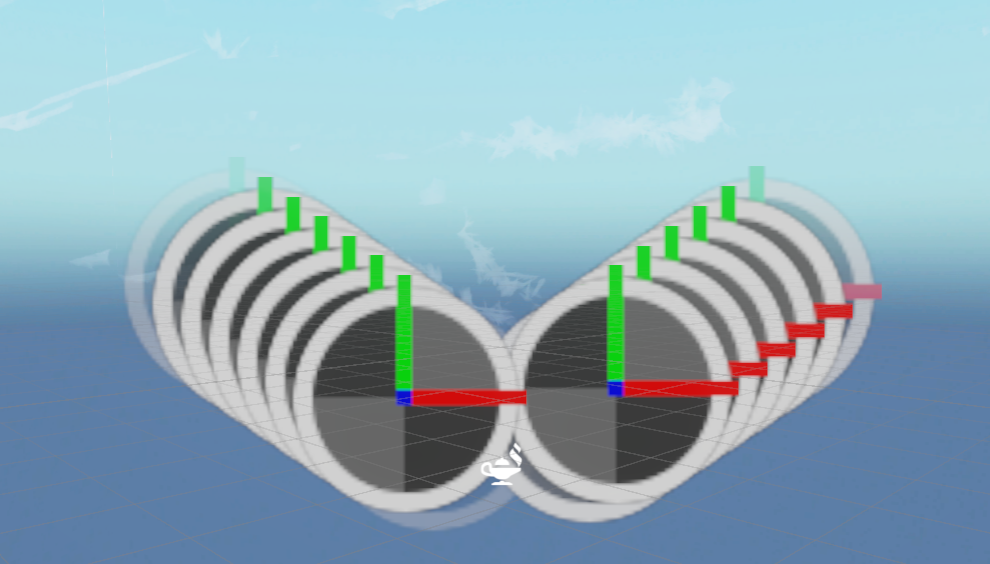
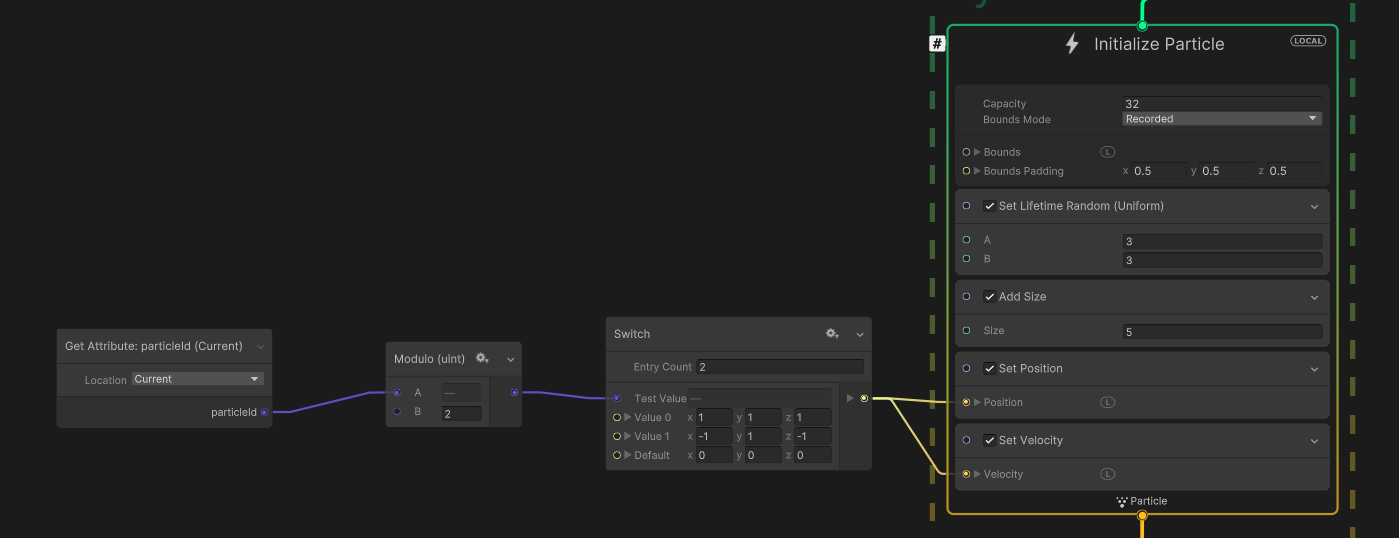
one idea
brisk isle
ashen robin
Webgl does not support compute shaders so no vfx graph.
Do we know if vfxgraph will be supported in 2024/2025?
ashen robin
brisk isle
Do we know if vfxgraph will be supported in 2024/2025?
For what? WebGL?
WebGL doesn't support computer shaders, but Unity seems to be migrating to WebGPU which supports compute shaders so keep a lookout on that
Unity Forum
Greetings from the Unity Graphics team.
We’re excited to announce that starting with Unity 2023.3, the Unity Web Player now provides experimental...

WebGL 2.0’s most notable limitation is lack of support for Compute Shaders, which are crucial for the mass parallelization and acceleration of general computations on the GPU. This shortcoming manifests as lack of support for newer (compute based) Unity features such as GPU Skinning, VFX Graph and more advanced GPU-driven rendering techniques currently in development. In turn, this significantly limits the scope and fidelity of Web-based Unity applications.```Yes i know i was just asking when approx. unity will be migrating to webgpu,
rigid linden
ashen robin
Not sure of what that is in shuriken, but if this is duration specific, you can ...
In vfx graph for exemple, I'd like to have a random life color over lifetime between 2 gradients ! Or a random size over lifetime between 2 curves ! :)
tired summit
Is there a knowk trick to avoid jagged lines when using trails ? I thought about adding a subdivision along the y axis (the short one) but absolutely no option to do that in VFX Graph
ashen robin
rigid linden
In vfx graph for exemple, I'd like to have a random life color over lifetime bet...
https://i.imgur.com/XNK32zC.png
That's my idea for random size over two curves, but for gradients you may need to compare between rbg values if there isn't a more direct way
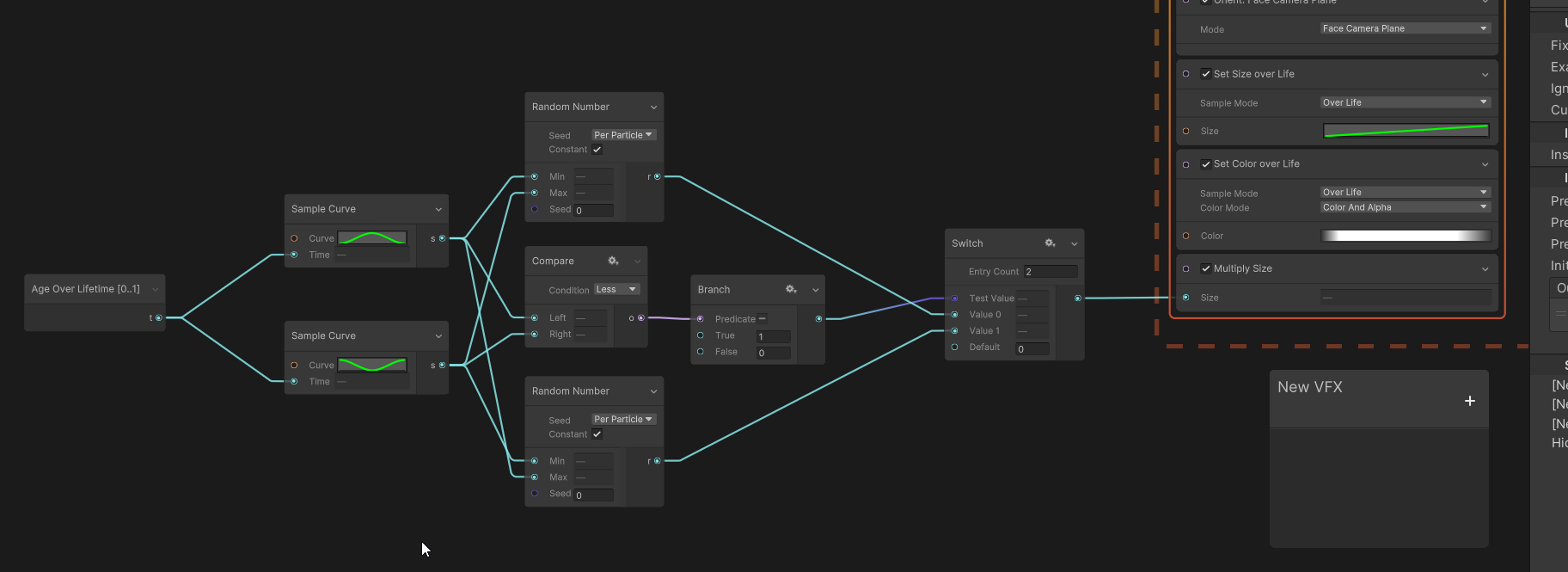


 gloomy siren
Hi Guys,
In turn based strategy game: If I have projectile (arrow --> ) made in VFX Graph - how to make it move following parabola from Unit A to Unit B - where disance between units can change.
Can I do it using Sample Bazier?
Raycasts?
Other?
Just push me in some direction please 🙂
 viscid bridge
yeah, there's Sample Bezier that would work pretty well for that
it depends on what you want to do though.
If you want to predict where the arrow will go, you'd have to do the calculating outside of VFX-graph I'd say
if you want to fire an arrow in a predictable curve, then there's ways of doing that too
you can calculate it using some pretty simple physics formulas.
viscid bridge
gloomy siren
Hi Guys,
In turn based strategy game: If I have projectile (arrow --> ) made in...
so which one do you want to do?
Predict the arrow path?
Create a bezier for the path?
gloomy siren
viscid bridge
so which one do you want to do?
Predict the arrow path?
Create a bezier for the ...
what would be the most elegant one?
🙂
viscid bridge
gloomy siren
what would be the most elegant one?
Well I’m asking you what you want to do…
I’m not sure why you want the VFX graph for whatever you’re doing
fast olive
hi! i made these hit impacts, any feedback at all is appreciated
 modest trellis
very cool 👍
ashen robin
noice, something ive been slacking on
 molten cliff
fast olive
hi! i made these hit impacts, any feedback at all is appreciated
molten cliff
fast olive
hi! i made these hit impacts, any feedback at all is appreciated
very cool particles
fast olive
thank you!!
i made this lightning, also looking for any feedback on how to improve it
ashen robin
fast olive
i made this lightning, also looking for any feedback on how to improve it
Pretty cool. Is this just stylized trails, or is there some noise going on for some variation?
fast olive
it's composed of four lightning beams. 1 is the brightest and longest and if you see it slowly the texture is panning a bit. it also dissolves with a voronoi thingy
2 and 3 are black, and 4 is a faded out blue. these are static and have no dissolve
there are four different variations in texture. i find that in the second burst of the clip, beams 2 3 and 4 use the same texture (coincidence) and it looks better. i don't know how to implement this (since using a constant would always show the same texture, i'd want the three beams to use the same texture but change in each burst)
ashen robin
ah, alright. So if they were farther apart it would be a trail texture that would stretched upon the quad, right
i've tried something similar using particle strips to lessen the stretching, but it turned out looking fugly. I really think Unity's particle strips are pretty awful and wish they fix them up a bit more considering they have them integrated into these systems.
so my next idea is just segment quads myself
ashen robin
rather, it's fine if you just wrap the texture across the quad, but I was trying to make mine bend a bit (like jolting around) so I need a few more quads for that
 acoustic coral
Why calling ParticleSystem.Play() could be differ from pressing Play button on partical overlay? From overlay it always works for me but from script when I call Play() it does nothing(or looks like emit only small amout of particles)
acoustic coral
ParticleSystem.Play should be called from Update(). Seems it has problem when call like... SetActive(true); ParticleSystem.Play();
zealous wing
Any clue on why are my particles glowing only if this setting is set to Emissive? (HDRP project, bloom works on other materials, VFX graph, HDRP lit output with a standard material (tested also with simple lit and 6 way smoke))

 gusty sage
Is there a special way to create such surface? I want to recreate this effect but I want to make it walkable and I'm not sure really how.

 warm torrent
gusty sage
Is there a special way to create such surface? I want to recreate this effect bu...
warm torrent
gusty sage
Is there a special way to create such surface? I want to recreate this effect bu...
To make something "walkable" you only need a collider on it
The pictures don't show much anything so you may want to link a video of the effect if you want more advice
gusty sage

Swimming with Barbara can incite some anxiety in this place.
gusty sage
warm torrent
To make something "walkable" you only need a collider on it
The pictures don't s...
I mostly want to recreate that depth when our character is "above". Wideo for reference
warm torrent
gusty sage
https://www.youtube.com/watch?v=UcnzJWSDx5g
This is most likely a tapered cylinder / funnel shaped mesh with a shader that utilizes scrolling texture, distortion and probably flow mapping too, techniques used for water surfaces commonly
Might also use a type of parallax mapping shader to give extra depth, and maybe some particles being sucked down too
gusty sage
warm torrent
This is most likely a tapered cylinder / funnel shaped mesh with a shader that u...
Thanks you! I was wondering how start this process for a week.
It's hard to research when you don't know professional langaunge 😄
 peak totem
Messing with sub-emitters and for some reason this only takes effect when I set it to be on birth, and doesn't work with any other setting like death, collision. Does anyone know why?

Also getting this

^ Same thing happens if I specify to not copy anything but color / rotation
Yet on death is selected, it displays no particles. If birth is selected, I get a really weird outcome with when they spawn and it shows the amount

 rain isle
Just made a simple VFX, im curious on how to manage the sequence of particles
I made 3 particle systems in an empty object and then use play on awake and emission Delay to control the sequence
How do you guys do that?
prime dome
sometimes these particles are in front of my bird game object, and sometimes its behind it. this happens with the pipe game objects too. how do i fix this? i want them to be behind all of my game objects. i tried moving it around in the hierarchy but nothing changed


 ashen robin
prime dome
sometimes these particles are in front of my bird game object, and sometimes its...
ashen robin
prime dome
sometimes these particles are in front of my bird game object, and sometimes its...
sorting order
prime dome
can you explain? im new sry
ashen robin
should have a sorting order option somewhere in the system, otherwise change the sorting order on the sprites
 fast urchin
prime dome
can you explain? im new sry
fast urchin
prime dome
can you explain? im new sry
in particle system there is render options. change the "Order in layer"
peak totem
Yep I just have no clue why my subemitters refuse to work
 fresh linden
is there any good guides to starting out with unity's vfx? the engine uses a blueprint system for it right?
clear spruce
fresh linden
is there any good guides to starting out with unity's vfx? the engine uses a blu...
what you mean by blueprint system? it is a node based system if that's what you are asking. for guides, check out the pinned resources
fresh linden
ohhh its a graph
clear spruce
fresh linden
ohhh its a graph
ah yes, vfx graph is. the old particle system is called shuriken and is more of a component based system with much less control over the system (it's basically just a buch of variables on the inspector you can tweak and disable/enable some features to get to the desired result)
peak totem
Anyone know why the plane isnt appearing or affecting the vfx
 ashen robin
peak totem
Anyone know why the plane isnt appearing or affecting the vfx
ashen robin
peak totem
Anyone know why the plane isnt appearing or affecting the vfx
Is it appearing at world zero position?
peak totem
Hmm I don't see it
ashen robin
otherwise change the system's locality to local
I don't believe it's something rendered, just something your particles will collide with
peak totem
When I had it working before it was a invisible plane that only appeared when you had the vfx selected
ashen robin
right, perhaps you have to have the node selected for it to show
peak totem
AHAH
You have to have the window pulled up seperately and click on the node
You can't click on the node then switch to scene
ashen robin
ah, yeah. Usually how I work with vfx graph anyway
peak totem
But it doesn't seem to actually be colliding though
Oh nevermind we're good I changed the wrong thing
Lovely got it working, does anyone happen to know how to change the output particles mesh materials instead of texture?


I seen something on a post but it was talking only about the shader aspect of it
Er I got what I wanted working but it's a little janky, I guess I can work with it.
ashen robin
peak totem
Lovely got it working, does anyone happen to know how to change the output parti...
May need to turn on the experimental settings in project preferences
torpid mortar
fringe lake
If the blending is additive, adding black to anything is just adding zero (i.e. ...
yeah that makes sense. Thanks !
rigid linden
Hey there ! Quick question about how to deal with time in vfx graph !
I have a shader that dissolve a particule and i'd like to make it dissolve over time. Why is this configuration not working and how do I make it work ? 🤔 Thanks !

(The curve output is plugged into the dissolve input, i just disconnected it because I'm doing some test and lifetime didn't work on "Current" mode neither)
It's working well if I'm tweeking the time input of my curve so I assume I misunderstanding how Lifetime works :/
 prisma orbit
i just wondering there is any tutorial or guide to how make this Meteor Storm on unity [ or this is might be a unity assets ]?
clear spruce
prisma orbit
i just wondering there is any tutorial or guide to how make this Meteor Storm on...
Spawning meteors and making them move in one direction should be super easy but because the VFX Graph doesn't support any collisions with the environment (apart from collisions with the depth buffer which I suppose won't work in this case), you have to use either the built-in particle system or not use particle system at all (spawn lots of physics bodies for example and add some velocity but that might be suboptimal for performance)
inland tusk
is there anyway to have the capcity of a VFX graph, and therefore memory allocation to be exposed on a per graph editor level rather than baked into the graph itself?
zealous wing
Any idea how in VFX Graph align a grid (set position: sequential 3 dimensional) of hexagons? I need every second row to have slight offset on X axis
 zealous wing
Any idea how in VFX Graph align a grid (set position: sequential 3 dimensional)...
zealous wing
zealous wing
Any idea how in VFX Graph align a grid (set position: sequential 3 dimensional)...
Found a solution

although, it is slightly off
 onyx lake
peak totem
Messing with sub-emitters and for some reason this only takes effect when I set ...
onyx lake
peak totem
Messing with sub-emitters and for some reason this only takes effect when I set ...
The warning means that the subemitter system is referencing the parent system, which would create an infinite loop. That's probably why you get weird outcomes and it's breaking apart. Make sure that when you assign a sub system that it's a fresh one without any other references.
zealous wing
tired summit
What does it look like now
Looks like this before and after scaled up

 clear spruce
zealous wing
Looks like this before and after scaled up
clear spruce
zealous wing
Looks like this before and after scaled up
it's close but looks like your math doesn't quite match up
zealous wing
clear spruce
it's close but looks like your math doesn't quite match up
yeah, but not sure why
This is how my grid looks like, other than that, there isn't much that could potentially break the alignment

I have tried different values on both axises
clear spruce
zealous wing
I have tried different values on both axises
you won't get it right by guessing (it's going to be irrational number, let me tell you that much). Take hexagonal grid like this, draw some lines (triangles essentially) and calculate the right distance X

lemme know if you need more hints
zealous wing
clear spruce
you won't get it right by guessing (it's going to be irrational number, let me t...
isn't X going to be 1?
clear spruce
zealous wing
isn't X going to be 1?
do the math, it won't
it looks like it and it's not too far off but it's not 1
you might find pythagorean theorem useful
zealous wing
clear spruce
you might find pythagorean theorem useful
ok, so that seem to align them correctly, however now the space between each row is too big. I thought I could use the same value with similar setup like above, but that doesn't seem to do the trick
clear spruce
zealous wing
ok, so that seem to align them correctly, however now the space between each row...
wait a second, I almost got it working myself, I'll come back to you when I do
clear spruce
zealous wing
Found a solution
The last thing to fix is to fix this logic because it works nicely when the Z count is even, but when it's odd, it breaks down
clear spruce
@zealous wing It seems I'm too exhausted to do math anymore today so let me just put it in here as it is. So the red section basically just scales the grid so that all the particles are Distance apart from each other and the green section then makes the particles close enough on the Z axis (multiplied by sqrt(0.75) as you may have figured out earlier). Currently it doesn't work for odd Z values but I couldn't get it to work right now. I can update later if I manage to figure it out

 clear spruce
@zealous wing this is the way I finally managed to solve the odd Z value issue. for sure not the cleanest way but works at least. basically it just takes every second particle still but just inverts the selection of particles for every second column when Z is odd
 zealous wing
clear spruce
<@1173650295218245674> this is the way I finally managed to solve the odd `Z` va...
zealous wing
clear spruce
<@1173650295218245674> this is the way I finally managed to solve the odd `Z` va...
damm, thanks for your time investment. What is this exposed Z property?
clear spruce
zealous wing
damm, thanks for your time investment. What is this exposed Z property?
look at the earlier ss. it's the amount of particles on z direction
 loud tartan
Is there a way to fade in/out a hierarchy of particle systems without doing something like using getcomponent and looping through all the materials? Feels a little hacky this way
clear spruce
loud tartan
Is there a way to fade in/out a hierarchy of particle systems without doing some...
what you mean by hierarchy of systems?
loud tartan
Parent particle system with a bunch of child systems
clear spruce
I still might not understand what you mean by that
zealous wing
clear spruce
<@1173650295218245674> It seems I'm too exhausted to do math anymore today so le...
To get this clear, cause I am little bit confused. Does the grid stay aligned if you change the "Distance" value to anything other than 2?
loud tartan
clear spruce
I still might not understand what you mean by that
I want an easy way to adjust the alpha of a bunch of particle systems without needing to manually grab their materials
clear spruce
zealous wing
To get this clear, cause I am little bit confused. Does the grid stay aligned if...
oh, apparently it only works for a Distance of 1, managed to mess it up somehow, lemme check it again
clear spruce
loud tartan
I want an easy way to adjust the alpha of a bunch of particle systems without ne...
why not share the same material between all of them?
loud tartan
Because they're different particles with different textures
zealous wing
clear spruce
<@1173650295218245674> this is the way I finally managed to solve the odd `Z` va...
funny, cause for me it works only if distance is 2 and I remove the last multiplication in this setup
but the most important part is that it is aligned at some point and that is what I needed. So big thanks for your help with that issue
clear spruce
@zealous wing yup, of course I forgot to multiply by the Distance at the end now it should work. You maybe forgot some node if only 2 works, maybe this one ⏬ ?

 clear spruce
loud tartan
Because they're different particles with different textures
clear spruce
loud tartan
Because they're different particles with different textures
Two other solutions that came to my mind:
- use texture or buffer shared between the materials to pass the transparency info to the materials and change that
- use custom shader for the materials you want to group together and use global variable for them
if either of them works for you, I might be out of ideas (I'm sorry, I'm not very experienced with the particle systems)
zealous wing
clear spruce
<@1173650295218245674> yup, of course I forgot to multiply by the `Distance` at ...
yeah, that first distance multiplication was missing. Now it's perfect. Thanks again
loud tartan
clear spruce
Two other solutions that came to my mind:
- use texture or buffer shared between...
I want the solution to be generalizable for different systems so I don't think that will work unfortunately. I guess I'll have to do it manually then 
ashen robin
prisma orbit
i just wondering there is any tutorial or guide to how make this Meteor Storm on...
baking signed distance fields with vfx graph is an idea too assuming you only care about them colliding with the terrain
otherwise particle system does have collision support which is probably easiest in this case
there's also compute buffers for vfx graph where you can render it via compute shaders but controll it via cpu side for the physics callbacks
inland tusk
for some reason sometimes graphs that are linked to a gameobject lose their correct position in a build? In editor it's all working great but on android quest something appears to be going wrong and they'll be in the wrong place
rigid linden
Hello there ! I'm trying to have 3 emitters with a set position shape circle node, spawn mode : random. Every emitters has the same rate/capacity. Every particle spawn are on top of each others like the "random" value had the same seed for all the 3 set position. Is it normal ? Is there a way to avoid taht and to have a real random spawn ? Thanks in advance ! :)
 gray ravine
I have these particle systems. They are all very-low emitting. The problem is, they all emit at the exact same time, not staggered or anything. They are set to pre-warm.

basically, how do I make it not do that. It should be staggered, not come in bursts.
my emission

example:

they all seem to share the same seed even though automatic random seed is selected?
Even when I hit reseed they still emit in bursts
gray ravine
somewhat fixed it by making the rate over time bigger on the high end, but still somewhat of an issue
lyric depot
If I bought a cel shaded shader from unity how can I from now on also make my particles cel shaded?
rigid linden
lyric depot
If I bought a cel shaded shader from unity how can I from now on also make my pa...
You can apply the material created from the shader to the vfx :)
lyric depot
rigid linden
You can apply the material created from the shader to the vfx :)
oh thats nice will try ty xd
 eternal herald
ive made electricity with a vfx graph how do i make the inside color black?

 warm torrent
eternal herald
ive made electricity with a vfx graph how do i make the inside color black?
warm torrent
eternal herald
ive made electricity with a vfx graph how do i make the inside color black?
The "inside" of what?
ashen robin
If you're using intensity you may need to lower those values
eternal herald
warm torrent
The "inside" of what?
like a middle colour
ashen robin
or perhaps a darker particle