#✨┃vfx-and-particles
1 messages · Page 10 of 1
 tame storm
thank you
 carmine bone
Is this roughly one of the better methods to go about creating ground cracks/splats or is there a better way? https://www.youtube.com/watch?v=qiAiVa0HtyE
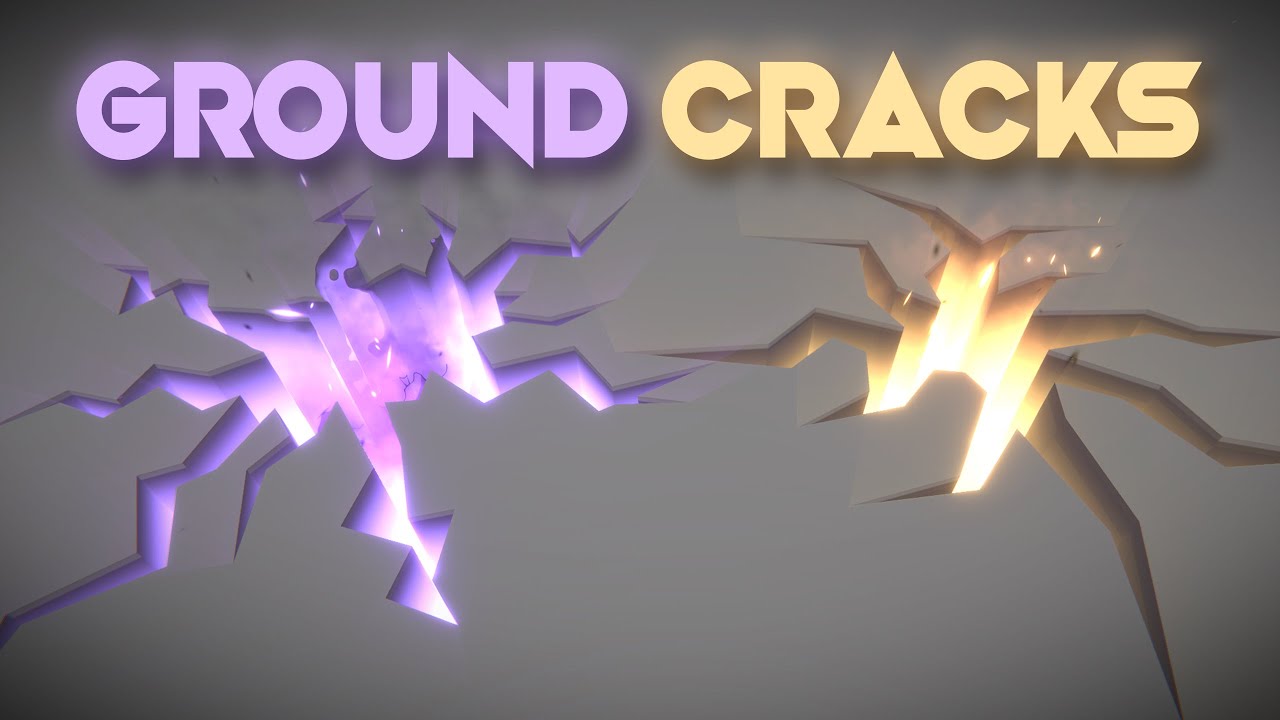
Let's open holes, cracks or fissures on the ground! This is an awesome technique that uses a custom configuration of the stencil buffer to render holes on top of other 3d objects. Love it!
RPG Builder: https://assetstore.unity.com/packages/templates/systems/rpg-builder-177657?aid=1100l3Jhu
RPG Builder YouTube: https://www.youtube.com/channel/UC...
He's basically making a model for it, which seems excessive but I don't have extensive knowledge on the matter.
 ashen robin
carmine bone
Is this roughly one of the better methods to go about creating ground cracks/spl...
ashen robin
carmine bone
Is this roughly one of the better methods to go about creating ground cracks/spl...
models are easier to give depth to effects, but most games will just use decals to render the splats onto other models
decals also have the benefit of rendering onto other nearby geometry (they aren't limited by verticality)
 minor glen
You can use lens flares. Both the built in render pipeline and the Scriptable render pipeline have their own lens flare systems that are easy to work with
 plush fern
minor glen
You can use lens flares. Both the built in render pipeline and the Scriptable re...
plush fern
minor glen
You can use lens flares. Both the built in render pipeline and the Scriptable re...
omg tysm :3
am not at my desk to do anything RN but will keep in mind for later
 jaunty tree
I have a tornado VFX graph and I want to spawn tornados from code. What is an efficient way to do so? Just always instantiate new Prefabs that have said VFX Component attached?
ashen robin
If you care for optimal performance you have a single VFX system that spawns the tornados through events with given parameters
ashen robin
jaunty tree
I have a tornado VFX graph and I want to spawn tornados from code. What is an ef...
Instantiating directly without any pooling can create problems, much like instantiating in general, but if your game is small enough you can probably get away with it.
jaunty tree
Thanks! what is the number of seperate vfx graph instances I should be concerned about? hundreds? thousands?
ashen robin
Concurrent Instances aren't a problem, it's instantiating multiples in a given frame and garbage collection that's the limiter
jaunty tree
Also, to do it all in one VFX graph is manual labor right? There is no nice way to automate this? E.g. collect all vfx assets, make them into one grpah etc
shouldn't nearly all allocations be done on the GPU for VFX graph?
ashen robin
What's the behavior of the tornado
jaunty tree
Or do you mean the GC for the instances themselves
starts somewhere, will hunt down enemies and do damage
but on the cpu its just a cylinder
I don't know if you've played diablo, something like the cyclones there
and there can be like 40-50 tornados at once at the very max I'd say
ashen robin
jaunty tree
shouldn't nearly all allocations be done on the GPU for VFX graph?
Instantiating them requires a gameobject, a vfx component, and then the vfx system will have to pool as well, so that's a lot of extra work needed if you were to instantiate then destroy.
so there's some allocations being done on the CPU, that and the CPU is what populates the GPU buffer
ashen robin
jaunty tree
starts somewhere, will hunt down enemies and do damage
How are you handling the collision
jaunty tree
hmm ok, yeah well maybe I should mention I also am using DOTS/ECS
but I don't think it matters for the discussion
Maybe it matters a bit, since I will have no GOs besides the VFX graph
But yeah, so I ahve an entity (think GO) which has a cylinder as an event collider, it moves around and does damage
ashen robin
I'm not sure how the pooling works with DOTs, but I know that every time you create a VFX asset it will do pooling of its own. It's not prewarmed, but they did recently add some pool sharing functionality (but this is more for if a single system goes over the particle limit)
jaunty tree
do you know what I need to search to understand this on my own?
ashen robin
the forums because the documentation sucks
jaunty tree
haha yes classic unity

Unity Forum
Hi all,
I'm currently developing a pooling system for our VFX objects. Currently we just instantiate the VFX Graphs (Prefabs) whenever they are needed...
ashen robin
one larger problem though is you want collision with your tornado
jaunty tree
keywords are vfx graph and pooling?
ashen robin
so you will have controller for that too, which makes continuous updating the gpu buffer a little more complicated
jaunty tree
Hmm, how do you mean?
Rn on the CPU all I have is moving cylinders for the tornados, which move around and damage other entities. This already works in DOTS/ECS and is quite performant
ashen robin
if you do stick with the idea you have a system for each tornado game object, you will have to pool specifically to those tornados
jaunty tree
all that I basically want to do is remove the rendered cylinder mesh (keep cylinder collider) and replace it with a VFX graph who's position I will always update to be equal to the one of the entity
ashen robin
which is fine, but it's less reusable if you know what I mean. Requires dynamic pooling if you have a lot of abilities
But I don't know your requirements, and 50 tornados doesn't seem too bad if that's the extent of the project
so
Method #1: Instantiate VFX asset onto the GO then Destroy when it's done (Least performant as it discards any reusability, but less setup or constraints)
Method #2: Instantiate a Single System with set parameters, but the known behavior is set once at the start. This is not bound to any GO. (This could be considered the primary behavior to using the VFX Graph)
Method #3: Individual systems, one for each GO, pooled specifically to that VFX asset type (Similar to #1, but some performance is gained by dynamic pooling)
Method #4: Single VFX system with continuous CPU readback (Similar to the behavior of #1 with the benefit of not being bound to any one GO like method #2, and beyond having a single system per asset, you can pool a single type of "ability" prefab object not specific to any VFX asset which would be the primary particle controller. Requires the most setup by updating buffers)
Pooling by single systems not bound by a GO means you'd have a single system for each VFX asset type in the scene. I find this usually the better (and cleaner) option than per object instance. The only real drawback of configuring it this way is that you always need to declare a large amount of capacity as it will be handling all individual instances.
ashen robin
yeah
jaunty tree
By a system you just mean some GO or script of any kind that is managing a list of GOs with VFX and reusing them so I have no GC?
ashen robin
When I say pooling, this also implies that the VFX systems need to pool on their own, but by pooling the GOs with a VFX asset, you effectively pool both
the asset itself if you load it doesn't prewarm, and it only happens when you instantiate it onto a GO
jaunty tree
Hmm ok, I think I am missing some knowledge here to properly understand this. I don't know how I would pool inside the VFX system - the whole thing is automatically compiled to hlsl I thought?
ashen robin
VFX system pools itself once you instatiate it aka particle capacity
this cant be changed at runtime
jaunty tree
Ah ok
Method #2: Instantiate a Single System with set parameters, but the known behavior is set once at the start. This is not bound to any GO. (This could be considered the primary behavior to using the VFX Graph)
How would I run the System without it being a component on a GO?
ashen robin
you give it the parameters at the start
if you know the location it will go on the CPU side, you try to mimick it on the GPU side
not usable if say you update the route somewhere in the middle or stuff like that
jaunty tree
But I mean in code. Normally I'd have a GO, add the component and set the parameters that I need in the Inspector, and then do GetComponent<VisualEffect>. Now what you say is, I could instead do new VisualEffect(visualEffectAsset, all parameters that I need) somewhere, to circumvent the GO?
ashen robin
jaunty tree
But I mean in code. Normally I'd have a GO, add the component and set the parame...
jaunty tree
Ah wait by pooling inside VFX you mean I could make the tornado a subgraph, and then a main graph which instantiates the subgraph and has a ParticleCapacity, and then I instantiate it from there?
jaunty tree
Nice thanks the site looks great
the official vfx graph doc from unity really is a new low haha
ashen robin
jaunty tree
Ah wait by pooling inside VFX you mean I could make the tornado a subgraph, and ...
whatever you set the capacity to in the VFX graph is what will be pooled. That's the extent of pooling inside of it, but that cost is not free which is why I said there's extra cost to instantiating a vfx component, but if you have a subgraph, then that will be added to the overall pool of particles needed.
jaunty tree
ashen robin
so
Method #1: Instantiate VFX asset onto the GO then Destroy when it's done (Le...
Thank you so much for all the help!
ashen robin
yeah np
jaunty tree
Are these two right or am I just not there yet?
Method 1: Have GOs with the System, instantiate/destroy as needed.
Method 2: Have a Mother-VFX System which can spawn tornados with given parameters, can do pooling in VFX
Otherwise I should proably go to sleep, will read the page you sent first thing tomorrow
ashen robin
Method 1 sounds like what you have, but like general pooling, you shouldn't be destroying if it's going to be reused any time soon
jaunty tree
yup
ashen robin
and that instantiating say 100 tornados at once is more work than having prewarmed GOs with a tornado vfx asset pooled somewhere
or however dots works ;p
jaunty tree
dots actually circumvents all the pooling anyways, and I haven't worked with unity enough to have needed pooling before dots, so therefore I think I am missing stuff there
basically all the preallocation etc is done for you, instantiating is very cheap, destroying is ok-ish, there is no GC
ashen robin
Method 2: set buffer once and if you know for sure that the tornado will always run specific path without any updates then it can work, but ideally you use this method for ambient type particles (embers falling from torches, or leaves blowing in the environment you cannot collide with)
jaunty tree
But I think I will need objects of type VisualEffect anyways so I need to understand this, because Dots does not support it yet
and hoping for unity to move fast on implementing new features into dots is not a smart route haha
jaunty tree
ashen robin
Method 2: set buffer once and if you know for sure that the tornado will always ...
ah ok, yeah thats not the right thing here
The website you sent looks like a god-sent thanks very much
will check it tomorrow, and thanks again for all the other help
ashen robin
if you're dealing with collisional events and need continuous readback, then #3 and #4 are ideal but requires more setup
because that itself requires more communication with the CPU
otherwise the Shuriken System is probably similar in performance without the setup, but unfortunately you don't get the neat VFX graph UI with Visual Scripting.
jaunty tree
Ok, thanks for the help!
jaunty tree
ashen robin
otherwise the Shuriken System is probably similar in performance without the set...
Maybe one last question on that: in general the performance of VFX should be much better than shuriken or not? Since it's on the gpu
And all I would do is only write the positions to the gpu each frame which is not to much data
ashen robin
if you're using dots I'd assume by using jobs you can make something similar in performance on the CPU, but I don't know the extent of it all.
Rather, I'm not sure how shuriken is integrated with it, but even if it's not you could probably just write a particle system with jobs.
jaunty tree
Shuriken is not integrated at all
Dots is 1.0 but they really only have a 3d renderer and physics
No 2d, no audio, no animation
All this still has to be done with legacy
Or classic unity
ashen robin
Ah, ok so yeah compute buffer would be another option then if you don't want to write it yourself via jobs
jaunty tree
Yeah no was just thinking about if I understand your statement correct
Since to me gpu is also faster than CPU with jobs for these kind of things
But not an expert
ashen robin
The idea of VFX Graph is to generate thousands of particles without much of a change in performance. It's what GPUs are good at, executing a bunch of similar type jobs in parallel.
Unfortunately a lot of the collisional information is on the CPU side, so there needs to be some communication than just setting it once. So, making an ability system out of it isn't the primary usage of this feature.
But you can always go half-way with it and have buffers proliferate downwards in your systems. If you drive a projectile by the cpu, you'll have to feed new coordinates to the buffer, but if the projectile say leaves a trail of fire in its wake, you've already updated the driver with new information so you know where this trail will initially exist, and so whatever that trail of fire does now in its lifetime can be independent such as generating thousands of particles on the gpu freely.
jaunty tree
Yeah reading your page it seems That if I want to update the particle position after it is spawned, I'll need graphics buffers right?
The VFXEventAttribute only seems to initialize it onStart
ashen robin
Right, that's one-time set parameters
but that also let's you pool to a single vfx system (per asset)
if you like having that singular system and you need to update positional values, then you need to update the buffers
jaunty tree
Ah but alternatively I could hack around this by moving the parent GO right
ashen robin
yes, in that case you dirty the GO and it will update the buffer automatically (assuming that you're using local coordinates for the particles which is driven by the parent)
jaunty tree
So position in some sense is the one thing I can change without doing graphics buffers, for all other properties I'll need them
OK I think I got that now
Actually thought it would. Be easier to change the properties of the VFX while it is running
ashen robin
having the system on the GO will allow you to control it without having to deal with buffers as changing those values will be handled by the system itself
jaunty tree
Maybe I should leave the graph for now and just work with shaders, they are much better supported also in ECS
Hmm sad really liked how easy it was to get nice VFX
ashen robin
it's not free in any sense, but one way to avoid the extra setup if you don't mind them being on individual objects.
jaunty tree
Ah OK
So I can change it there too
Ah OK now I get much more of what you've been saying
ashen robin
The benefit of having a single system is that you don't need to pool individual objects by asset type
instead you pool by one system on the scene
ashen robin
yeah, lot of this information through the forums unfortunately so always dig there if you're stuck lol
that website is basically from some dude that actively posts on the forums
jaunty tree
Yup will do, thanks
 last tartan
I just added this new pick-up effect for the item power ups in my game. How does it look? Any critiques?
 warm torrent
last tartan
I just added this new pick-up effect for the item power ups in my game. How does...
warm torrent
last tartan
I just added this new pick-up effect for the item power ups in my game. How does...
A bit jarring to my eye
It has three parts that all occur simultaneously in different places, so it's a bit hard to visually connect them
I might try pacing them so that the bonus explodes first, the ring expands second and the text appears third
The interval can be very small but I feel it might help
The fireflies from the text are a bit confusing on their own as it's not apparent if they're a non-diegetic UI effect or something happening in the world physically
The blue of the text also clashes with the yellow of the explosions and makes them harder still to connect visually
A rule I follow is to build a hierarchy of visual importance
Anything that stands out should be more important, and usually what stands out is sharper shapes, higher contrasts and saturations
The blue circles read to me as very visually important, but functionally they're not
The yellow stars feel very static and almost disconnected from the initial position of the bonus
Maybe it only looks that way, and the staticness is totally a preferential thing but I'd make them burst out from the very center of the bonus with some velocity
last tartan
warm torrent
The yellow stars feel very static and almost disconnected from the initial posit...
Thank you. This is a lot to digest. I'm gonna write it down. Do you recommend anything specifically to learn more about the theory of VFXs?
warm torrent
last tartan
Thank you. This is a lot to digest. I'm gonna write it down. Do you recommend an...
These come to mind
https://www.youtube.com/playlist?list=PLdiateg_U8PFnlScGDJDQeHUX9qmYvsxv
carmine bone
If I wanted to make a ring of upward moving shadows similar to Brimstone ultimate's effect, what would be the best method? https://youtu.be/-TQJw8aG_mk?si=9rN7rmlh_PXQ6rZp&t=28

This video showcases all of Brimstone's abilities in Valorant.
Full Brimstone Agent guide here:
https://runitback.gg/valorant-agent-guide-how-to-play-as-the-explosive-brimstone/
Cylinder with a shader?
Have some sort of dissolve as it moves upward or something?


 viscid bridge
The latter one looks quite handdrawn, but I believe you can get a pretty similar result using a stack of voronoi-nodes.
if you're using shader-graph that is.
it can get close to flame-looking.
Other than that yeah, as you said - using a cylinder and just slam that shader on it.
Scroll the voronoi up at different speeds to get a similar effect.
A version of this might be good: https://www.youtube.com/watch?v=XyOAk4rlIUY

Join our Discord Community! - https://discord.com/invite/aHjTSBz3jH
Show your Support & Get Exclusive Benefits on Patreon (Including Access to this project's Source Files + Code) - https://www.patreon.com/sasquatchbgames
Wishlist Veil of Maia! - https://store.steampowered.com/app/1948230/Veil_of_Maia/
Wishlist Samurado!
https://store.steampowere...
carmine bone
Ty for the response, I'll see what I can figure out.
viscid bridge
Clamp values if you want sharp edges too.
I've got a pretty basic question - and something is clearly going over my head:
How do I expose a color in VFX-graph that isn't HDR?
I'm stuck trying to normalize a color just to get the same color in the VFX-graph and in my scene.
 minor glen
viscid bridge
or this effect here?
minor glen
viscid bridge
or this effect here?
The tutorial for this is literally on youtube
Theres a guy called gabriel gaprod that makes these vfx graph videos
 prime dome
Does anyone know how I can make the marked particles have a lifetime longer than the ones spawning afterwards?

 viscid bridge
prime dome
Does anyone know how I can make the marked particles have a lifetime longer than...
viscid bridge
prime dome
Does anyone know how I can make the marked particles have a lifetime longer than...
set their lifetime when you initialize the particle?
ashen robin
viscid bridge
I'm stuck trying to normalize a color just to get the same color in the VFX-grap...
Could be an option in the inspector when you have the graph selected, otherwise try just using your own shader without HDR
carmine bone
When working with vfxgraph, what's the best way to have it set up so it changes velocity dramatically at the very end of its life span?
ie - I might have a system that doesn't move at all, but at the very end of its life span I have it fly upwards quickly
last tartan
prime dome
Does anyone know how I can make the marked particles have a lifetime longer than...
Using a modulo is the first thing that comes to mind for me
prime dome
last tartan
Using a modulo is the first thing that comes to mind for me
I was recreating another vfx for learning purposes and it turned out i was looking for a single burst whoops
ashen robin
carmine bone
When working with vfxgraph, what's the best way to have it set up so it changes ...
Velocity over Lifetime node
carmine bone
I did try that but it didn't move, oddly.
Maybe I'll try it again when I get back home later.
ashen robin
you want to maybe use set velocity
carmine bone
I think I tried both add and set?
ashen robin
there's multiply/set/add and similar curves
carmine bone
I'm not at my pc, but definitely used two different versions
viscid bridge
ashen robin
Could be an option in the inspector when you have the graph selected, otherwise ...
I am using my own shader for it. I've created a really simple one in ShaderGraph:
I'm then using it in a VFX-graph, and I can only use HDR colors for it, even if the original shader has a normal color only.

 carmine bone
I'll double check it later, thanks
viscid bridge
didn't find anything here either that mentions HDR.
 ashen robin
oh huh thats interesting, and you have HDR off in the shader graph?
 ashen robin
I usually prefer HDR so I've not really noticed ;p
viscid bridge
Yeah, me too!
I'm doing a full unlit game, so on stuff that I don't want bloom on makes matching colors next to impossible.
There is no good way to translate HDR to the normal colors either.
Just normalizing them doesn't yield the same result >:(
viscid bridge
I'll restate my initial question in case anyone peeks here:
Does Unity VFX-Graph support exposing normal (non-HDR) colors?
Currently I cannot seem to get a single color that isn't HDR in the VFX-graph - even when I'm changing the color of my own shader within. This shader doesn't even have an HDR color, yet the menu only supports HDR. Am I doing something wrong here?
 stark crest
An hdr color is just a color with an additionnal parameter for intensity, so let the intensity to 0 and it is like a normal one
You can even use exposed vector3 to get rgb only
 iron idol
How would you make a particle spawn when another particle spawns in the same position in VFX graph?
ashen robin
iron idol
How would you make a particle spawn when another particle spawns in the same pos...
if you feed your systems the parameters you could just make multiple different systems, but if you've got some randomization going on it's a little more complicated
rather, you can do the randomization outside of the system then send those values in
iron idol
Would be nice if there was something like "Trigger Event On Die" but on spawn instead
ashen robin
but say that you have two different systems and do set position randomization inside of the initialize context then that's not possible at that point
yeah, the amount of triggers is laughable
iron idol
I guess i could try doing the effect backwards 🤔
But yeah it's random and based on a shape
ashen robin
one idea is to start with a particle with 0 lifetime then trigger a bunch of others
iron idol
Basically i want the particles to collect around the spawn point
then the effect to go on from there
yeah
i guess thats viable
Then i'd be able to have everything reference that spawn position
ashen robin
yeah, as long as you don't need to set the lifetime dynamically
ashen robin
ye
 kind hedge
just wanted to check if anyone knows a workaround for this? https://issuetracker.unity3d.com/issues/outputupdate-extra-space-between-slash-and-newline-warning-is-thrown-when-creating-a-new-vfx
How to reproduce: 1. Create a new VFX (I noticed it happening in URP, HDRP hadn't thrown a warning from what I tested) 2. Observe co...
last tartan
Does anyone know a good library of alpha mask for free?
 grizzled orbit
oh i was asking performance wise isn't shuriken better suited and more light weight?
vfx graphs needs higher end hardwares?
warm torrent
grizzled orbit
vfx graphs needs higher end hardwares?
VFX graph requires a more modern graphics API, and it has an overhead performance cost
But per particle it's much, much more efficient and multiple VFX Graphs can be pooled dynamically
More efficient by a factor of about a thousand
Main difference is that PS is on the CPU, VFX on the GPU
 winged bough
hi, so I was trying to dowload the e-book "Creating advanced visual effects in Unity" from the page, and it doesn't work, is there any place where I can get it?
warm torrent
winged bough
hi, so I was trying to dowload the e-book "Creating advanced visual effects in U...
Do you have the link to the page?
winged bough
yup

Unity
The definitive guide to creating advanced visual effects in Unity
when I try to fulfill questions and click the button to send it and gain access, it doesn't do anything
warm torrent
Huh that's a lot of personal information and consents required for a free ebook
winged bough
yup, and it even doesnt work to get the ebook
like you send your information for nothing, because the button doesn't work
 near socket
IM new and getting started on vfx animation. For some reason i keep getting this error and and i don't know what to do with it.
Shader error in '[System 1]Initialize Particle': undeclared identifier 'GetWorldToObjectMatrix' at kernel CSMain at Packages/com.unity.visualeffectgraph/Shaders/VFXCommon.hlsl(78) (on d3d11)
ashen robin
Not using any custom shaders, right?
Actually that looks like the built-in

GitHub
A custom fork of Unity Visual Effect Graph v7.1.6. Contribute to keijiro/com.unity.visualeffectgraph-7.1.6-fix development by creating an account on GitHub.
there's some identical bugs it seems and they're version specific so maybe if you want to update otherwise try just reimporting the packages
carmine bone
Is there a way I can make particles spawn in a circle around the outer rim of my vfx graph and move inward to the center over its life time? Having trouble lining up the spawning in an arc circle with the appropriate angle they should be in depending on their spawn position.
I'd like to be able to spawn them around the outer part of the circle but be a direct line to the center and shrink into the middle, effectively.

For reference, if I spawn them just in the center with a random angle and mess with the size over life time, I can make it look like they are kind of shrinking into the middle

but I would like for them to spawn from the outer edges/ring.
ashen robin
Two systems with two spheres and similar coordinates not working for ya?
or two circles for that matter
ashen robin
carmine bone
Is there a way I can make particles spawn in a circle around the outer rim of my...
Ah, I think I understand what you mean. What you want to do is first spawn them from the random point on the circle on the edges which should be near the top of the spawn context, then you'd Get Attribute: Position and compare it to the center of the circle and angle it accordingly. I believe you can do this all in the spawn context, unless you want to continuously update the angle in update.
carmine bone
Nice, I that should solve it
Knew there had to be some functionality like that
Ty
 carmine drum
i'm trying to use a simple particle system to spawn a bunch of particles when the player dies via Instantiate in a script, but the particles seem to be invisible? if i just have the particle system as a gameobject from the start in the hierarchy, those particles are fine


why might that be?
the particles are set to spawn at the player's location (so at the very least it's not a issue of z coordinates)
okay yeah i'm not sure what's going on. it's clear to me that the particles are in front of the background, but for some reason they are appearing behind the background image under certain camera angles? if i disable the background image, the particles from the instantiated system works fine

 carmine drum
okay yeah i'm not sure what's going on. it's clear to me that the particles are ...
carmine drum
carmine drum
okay yeah i'm not sure what's going on. it's clear to me that the particles are ...
also my background is one image repeated a few times, and the particles are having the issues at the seems between them?
 ashen robin
carmine drum
i'm trying to use a simple particle system to spawn a bunch of particles when th...
ashen robin
carmine drum
i'm trying to use a simple particle system to spawn a bunch of particles when th...
Looks like your background is being rendered last so you've might got some sorting layering values going on, otherwise the material rendering queue for transparent is different values than the particles.
 runic sail
is it possible to send an output event on a GPUEvent or some way to do something in script when a GPUEvent is called, I am trying to play a noise once something happens in the VFX.
(VFX Graph)
ashen robin
runic sail
is it possible to send an output event on a GPUEvent or some way to do something...
cant read back from the vfx graph
 torn jackal
Haii! Am I being dumb here? Just wanting a basic trigger but I can't get it to work... anyone have any ideas?
ashen robin
you can do a GPU event into another particle system
runic sail
ashen robin
cant read back from the vfx graph
Alright, thanks for the help. I'll try to figure out a work around
torn jackal
ashen robin
you can do a GPU event into another particle system
GPU event?
ashen robin
was part of my previous reply to compile
torn jackal
Ahh sorry
ashen robin
runic sail
Alright, thanks for the help. I'll try to figure out a work around
Hey Compile, I actually went digging around and realized that they did implement C# events (I think I've used them for a scenario quite a while ago so it kinda blew over me)
https://docs.unity3d.com/Packages/com.unity.visualeffectgraph@10.3/manual/whats-new-10.html#outputevent-helpers
I think they may have some buffer readback too but its in their prototype builds
runic sail
ashen robin
Hey Compile, I actually went digging around and realized that they did implement...
Thanks, I was just looking into that actually
ashen robin
though for your case it does seem like what you want if it's just to trigger an event
the problem with these events is that you can't really get the positional data back and stuff like that
unless you drive the particle system through the cpu
runic sail
I figured out how to do what I needed without GPUEvents as it seems there is nothing you can do with those other than spawn more particles. That is just a downside of VFX Graph since it is all mostly on the GPU
ashen robin
Yeah, it's a little complicated since a lot of the VFX graph is more about one-time setting data and forgetting
you can modify the buffers the vfx graph does read every update with some work which would allow you to drive more of the particle positional values
ashen robin
torn jackal
Haii! Am I being dumb here? Just wanting a basic trigger but I can't get it to w...
I don't really use shuriken system much but I can only guess it's some lifetime problem as you've got at least one spawning but it's timing out instantly
documentations suck too so can't really get an idea from that
warm torrent
torn jackal
Haii! Am I being dumb here? Just wanting a basic trigger but I can't get it to w...
The sub emitter emits once every second, but the main emitter particles live for only 0.1 seconds so there's not nearly enough time
You could add a burst of 1 particle so it starts by immediately emitting one, but then that's all you get
Could also increase the lifetime of your main particle and emission of the sub emitter
torn jackal
ashen robin
I don't really use shuriken system much but I can only guess it's some lifetime ...
Never heard of it being refferred to like that lmao, but I tried the lifetime thing, set it to 6 but it still won't subemit
 torn jackal
warm torrent
The sub emitter emits once every second, but the main emitter particles live for...
torn jackal
warm torrent
The sub emitter emits once every second, but the main emitter particles live for...
It doesn't work if the sub emmitter has emission on or off
torn jackal
warm torrent
You could add a burst of 1 particle so it starts by immediately emitting one, bu...
Even with a burst it doesn't subemit
warm torrent
torn jackal
It doesn't work if the sub emmitter has emission on or off
Sub emitter module with mode birth simply creates the defined sub emitter particle system at the location of each of the main system's particles, and kills the sub system along with the particles
I'm not spotting any particular issue but that's the idea
Definitely keep Emission module on for both of them when testing, otherwise the particle system will do nothing
torn jackal
The location too? I thought it only did if you told it to inherit the location
warm torrent
torn jackal
The location too? I thought it only did if you told it to inherit the location
There's no such option I believe, as it's implied
Not sure why you wouldn't use the sub emitter directly as the main emitter in this case
torn jackal
warm torrent
Sub emitter module with mode birth simply creates the defined sub emitter partic...
I turned on emission of 1 on the sub and 100 on the main but none of the 100 came through or spawned in, only the 1 that is set on the sub emitter
warm torrent
torn jackal
I turned on emission of 1 on the sub and 100 on the main but none of the 100 cam...
That doesn't quite sound like what I suggested
torn jackal
warm torrent
There's no such option I believe, as it's implied
Not sure why you wouldn't use ...
Reason why I'm doing it this way is because my reason for using Unity is for a specific game which has a lot of restrictions. I basiclly want it to be that when I trigger something based on certain criteria, it plays an animation that makes one particle spawn. I was having issues with it normally. If I'd set the emission over time to 1 temporarily, if it didn't co-inside with the exact time of death per loop it wouldn't spawn. The same would happen for bursts. So I thought if I used a trigger, I can control just 1 to spawn and quickly stop them from spawning more
warm torrent
torn jackal
Reason why I'm doing it this way is because my reason for using Unity is for a s...
It sounds like what you want is a burst of one particle with emission over time at 0, why wouldn't that work
You should be able to keyframe the emission module's enabled status
You speak of triggers but I don't see any type of trigger being used
torn jackal
warm torrent
It sounds like what you want is a burst of one particle with emission over time ...
Omg I am so dumb yeah, just enable and disable the whole "emissiuon" part
torn jackal
warm torrent
You speak of triggers but I don't see any type of trigger being used
I thought if I made a particle system and had a subemitter then the main would act as a trigger
near socket
The effects on my mesh is not show the emissions and the gradients for some reason
carmine drum
trying to use a sprite as a particle. i've made a material, set it to particles/standard unlint, and dragged the sprite into the albedo, but it looks like this. idk where the background and whatever else is coming from. the sprite is just the character body with x eyes


okay so setting it to ui/unlit/transparent seems to work
is it possible to change the particle collision box?
yeah it seems like particle collision is just a circle. is there any way to change this?
warm torrent
carmine drum
trying to use a sprite as a particle. i've made a material, set it to particles/...
You can use sprites with the Flipbook module
No need to put them into materials, just use the particle shaders
warm torrent
carmine drum
yeah it seems like particle collision is just a circle. is there any way to chan...
No, probably not
Particle colliders are (meant to be) incredibly simple and barely simulate a sphere either
carmine drum
warm torrent
You can use sprites with the Flipbook module
No need to put them into materials,...
not sure what setting particle shaders is. i've looked up a few tutorials and all of them say to put the sprite into a material and then put the material here in the particle system
 carmine drum
warm torrent
Particle colliders are (meant to be) incredibly simple and barely simulate a sph...
carmine drum
warm torrent
Particle colliders are (meant to be) incredibly simple and barely simulate a sph...
ig i can understand that. would probably be super resource intensive if they could have weird shapes with a high particle count. i suppose if i want a corpse i'll just instantiate a modified version of the player since i only need one anyway
warm torrent
carmine drum
not sure what setting particle shaders is. i've looked up a few tutorials and al...
If you're making particles, the material used should have a shader meant for particles for particle features to work
carmine drum
warm torrent
If you're making particles, the material used should have a shader meant for par...
is that not what i did initially?

shader: particles/standard unlit
warm torrent
Initially
carmine drum
yes, and that didn't work properly
the particle looked like this and i have no idea why
 warm torrent
carmine drum
the particle looked like this and i have no idea why
warm torrent
carmine drum
the particle looked like this and i have no idea why
Don't rely on the preview alone, it could still work when used in the particle system
You may also need to click the Apply to Systems button when you're using it in a system
carmine drum
 warm torrent
Another thing is that you're not really supposed to use sprites in materials
carmine drum
that's just what (multiple) tutorials showed and it worked fine in those
warm torrent
I wouldn't expect it to cause an issue like that but it could be a relevant factor
@carmine drum Try what I initially suggested
Use the totally default particle material, confirm that transparency works with that, then apply your sprite using the Flipbook module
carmine drum
idk what the flipbook module is
and we can already see the transparency with the particle material doesn't work
warm torrent
You can try my suggestions or reject them without trying
I won't lose sleep over it
carmine drum
bro what??
did i not already try the particle shader????
it has absolutely nothing to do with refusing to try
my screenshots already confirm that the transparency does not work with the particle material
like if what i tried isn't what you're referring to then maybe it'd help if you actually clarified what settings you're talking about
because i have no idea what else you might be referring to
warm torrent
carmine drum
like if what i tried isn't what you're referring to then maybe it'd help if you ...
I see I was less clear than I thought
When I said "use the totally default particle material, confirm that transparency works with that" I did not mean just default particle shader, but a wholly default material that a new particle system uses when created using the gameobject menu
A material is an asset that refers to a shader, and includes settings for its properties like blend mode, color and texture, they're not fundamentally the same thing
Flipbook is one of the many particle system's Modules, it's used among other things to override the particle's texture with a sprite
Materials should only use textures that are not sprites, while sprites should only be used in fields that accept sprite type references
This does not always cause problems, but sprites characteristically include data specific to their correct rendering which cannot be accessed when the asset is being read as a simple texture
A whole lot of tutorials, especially 2D related are rife with mistakes and misleading info as they are often made by beginners also
Use them as guidelines rather than rules
If even the default particle system with the default white glob particle material fails to have transparency, then we know we are looking for the problem in the wrong place
near socket
Should I be concerned with this error text?
'MetaVertexPosition': implicit truncation of vector type
Compiling Fragment program with UNITY_PASS_META
Platform defines: UNITY_ENABLE_REFLECTION_BUFFERS UNITY_USE_DITHER_MASK_FOR_ALPHABLENDED_SHADOWS UNITY_PBS_USE_BRDF1 UNITY_SPECCUBE_BOX_PROJECTION UNITY_SPECCUBE_BLENDING UNITY_ENABLE_DETAIL_NORMALMAP SHADER_API_DESKTOP UNITY_LIGHT_PROBE_PROXY_VOLUME UNITY_LIGHTMAP_RGBM_ENCODING
ashen robin
Custom shader?
ashen robin
near socket
Should I be concerned with this error text?
'MetaVertexPosition': implicit trun...
I think i've ran into this error before but it simply went away for whatever reason
it's pretty standard to truncate vectors in shaders so it's pretty odd
near socket
oodly enough, it's seems the gradients and the other effects doesn't seem to work
well, mainly when i turn it into a material
ashen robin
well, check your shaders and shaders from the shader graph and instead of truncating, make a new Vector
near socket
oh, i was actually using Mesh effect
tame storm
Hey anyone got vfx references?
ashen robin
tame storm
Hey anyone got vfx references?
Gabriel on youtube
tame storm
ashen robin
Gabriel on youtube
Thank you.
 viral marsh
Hi, I have a simple VFX graph shown in the picture.
I made it on windows and it ran flawlessly.
I built it for linux and now it's insanely laggy both in the build and when I open it in the linux editor.
I've been also getting some weird vulkan errors and just dragging it in the scene and having the object active make my unity run at like 5fps.
Why is this and is there anything I can do about it?
Afaik, Unity is supposed to be cross platform and vfx graph isn't exactly a small part of it tbh.
I should also mention that the particle count/graph doesn't ever exceed 5k which shouldn't be an issue(I worked with 20+k before)
Thanks in advance!


 idle steeple
Hey, I want to create this water effect can someone help me. My simple game idea is that we will control a water drop or a patch of water then we will collect water.
 ashen robin
time to learn vertex shaders
actually that looks more like some fluid simulating. Not entirely sure if you can accomplish that with vfx graph (there are signed distance fields but I'm not too sure about creating something that collisional complex with it, but otherwise you can just do it through gpu buffers yourself)
https://www.youtube.com/watch?v=rSKMYc1CQHE
Probably start with that

Let's try to convince a bunch of particles to behave (at least somewhat) like water.
Written in C# and HLSL, and running inside the Unity engine.
Source code:
https://github.com/SebLague/Fluid-Sim
If you'd like to support me in creating more videos like this, you can do so here:
https://www.patreon.com/SebastianLague
https://ko-fi.com/sebastia...
ah, if you're aiming for mobile then you probably do want to do it all on the cpu
viral marsh
viral marsh
Hi, I have a simple VFX graph shown in the picture.
I made it on windows and it ...
bump
 raw torrent
how can i have particles explode out like a smoke bomb?
viral marsh
raw torrent
how can i have particles explode out like a smoke bomb?
Just an idea, add a lot of velocity and dampen the velocity over life if you are using the particle system or use an animation curve for velocity which would start high and lower quickly if you are using the vfx graph.
This is just a random idea and probably far from a good solution.
raw torrent
Ok thanks
how do i have it so a particle cant go above a certain object

It keeps doing that
ashen robin
it keeps doing what
you should still access to the sorting layer so try changing that
viral marsh
raw torrent
how do i have it so a particle cant go above a certain object
I am honestly not sure how you'd do that, if the object is always of the same size maybe play around with the speed/damping but that's the best I can do sadly :/
viral marsh
viral marsh
Hi, I have a simple VFX graph shown in the picture.
I made it on windows and it ...
bump
ashen robin
viral marsh
bump
probably best bet is to dig around the forums or even post there. Have you tried a blank project built on linux with the vfx graph?
viral marsh
ashen robin
probably best bet is to dig around the forums or even post there. Have you tried...
Can do that rn, I will try posting on forums later today but was hoping somebody had an idea of what the warnings mean or what could be causing the fps drops here.
ok, just having the vfx graph imported causes these and just setting the capacity to something high(even if I keep the count low) causes a massive fps drop

this most certainly never happened on windows and is quite odd tbh
viral marsh
ashen robin
try openGLCore in the meanwhile
I thought it was running on openGL by default, odd, let me try that
ig it might not have been vulkan afterall 💀

still just as laggy if not worse
well now I removed openGL and it seems to be working fine 💀 💀 💀
let me test it in an actual project and thanks for the suggestion
Oh wow, yeah, this completely solved the issue o_0
Should I make the forum post so if somebody runs into this in the future can know how to fix it?
And if yes, how can I mention you there since you pretty much solved it for me?
ashen robin
uh lol
all I could think of is the API calls were maybe still using window specifics
 mortal comet
How can I get the particle position on its shader?
I want to get the y value of where the particle is spawned
im on built in, without shader graph
Okay I've managed with a custom data stream and adding center to pass it down
But now Im wondering, why couldn't I use the position field?
warm torrent
mortal comet
But now Im wondering, why couldn't I use the position field?
The types of position you have access to in a shader are generally vertex position, fragment position and renderer position
In the case of particles they all share the same renderer object as they're procedural geometry created by it
So, particle positions are basically arbitrary and need to be stored in some way, in this case in vertex streams
mortal comet
Aaah I see, so the vertex position in the shader, is nothing related to the particle itself, but of the renderer that makes them
warm torrent
mortal comet
Aaah I see, so the vertex position in the shader, is nothing related to the part...
You can get data about vertices of a particle, but that doesn't let give you the particle's origin point
They're basically loosely floating mesh polygons as far as the shader knows
So you can get a position value, but it changes along the particle's surface
mortal comet
i see, thansk!
 shadow scarab
I have a particle system and basically want to make an small burst effect wherever a particle hits. how do i do this? do i need to have another burst particle system that i instantiate wherever a particle hits through code?
basically, in my case, i have a stream of particles acting as a laser. wherever it hits, i want the particle to bounce of into a random angle, but this is not possible simply using bounce, since then my particle stream acts a ray of light reflecting off a surface.
ashen robin
shadow scarab
I have a particle system and basically want to make an small burst effect wherev...
shuriken particle system has collisional trigger events if you just want to do everything in the system, as for the vfx graph you need to develop your own particle controller along side of it to do these type of events
Actually, vfx graph does have these types of trigger binders you can add to gameobjects but I've not used them
shadow scarab
I have a particle system, and it has collisions on. Through OnParticleCollision, can i get the particle that was hit, and destroy it specifically based on whether the object hit has a certain tag or not?
ashen robin
shadow scarab
I have a particle system, and it has collisions on. Through OnParticleCollision,...
not too sure but I know you can grab more info via script instead of relying completely on the interface
 gleaming bramble
hi, i have a particle system that i cant fix

this is the scene view
it has no problem

and this is the game view

i unchecked soft particles
normally it fixes this problem
 deep stone
How do I make a particle system use all of these randomly? I forget exactly how it's done, vector graphics or something. I've done it before, but I can't find any info on it.
 carmine bone
There's not a way to use a particle system that lets you make use of HDR colors as well as let you manipulate the color in the particle system itself (say change color over lifetime), is there?
I'm going to have to make a shader to change the color or something myself, aren't I?

raw torrent
so im using bursts for my particle system and i want them to spawn more often then they do how can i fix that

thats what i got
gleaming bramble
deep stone
How do I make a particle system use all of these randomly? I forget exactly how ...
use vfx graph for this
random node can do it
raw torrent
raw torrent
so im using bursts for my particle system and i want them to spawn more often th...
im trying to make a sort of trail
gleaming bramble
raw torrent
so im using bursts for my particle system and i want them to spawn more often th...
explain more
raw torrent
like they spawn to slowly i want them to spawn faster
raw torrent
the lowest it can go is 0.010
raw torrent
ok thanks
deep stone
gleaming bramble
use vfx graph for this
I don't see VFX Graph, and i don't see Visual Effects in the menu when i look for it
also, I didn't use VFX Graph last time i got htis to work, i told ...something to use a 4x4 grid I think, and then the basic particle system started pulling from that picture, the random images
just can't remember clearly what it was
warm torrent
deep stone
How do I make a particle system use all of these randomly? I forget exactly how ...
Flipbook module of the particle system
With 0 speed and random start frame
No need to swap to VFX Graph just for this
They're different tools for different purposes
 surreal surge

This Video explains the pillars of VFX and goes through the visual effect graph in Unity.
Message me on discord or other socials if you have any questions! or if you have any advice for me while I learn VFX also!
Other VFX videos
Deeper Explanation: https://youtu.be/gPiRUmVFZ1o?si=ckj-9blsIKBTGB9j
Orb: https://youtu.be/7bMOhNUA1bI?si=2T0HvXlL...
carmine bone
Is there a way to use soft particles within a particle system?
warm torrent
carmine bone
Is there a way to use soft particles within a particle system?
Sure
Enable the option in the material
carmine bone
warm torrent
Sure
Enable the option in the material
Do I need to enable an option to do so?

I don't see it on my material.
warm torrent
carmine bone
I don't see it on my material.
Which shader is that, using which render pipeline and on what unity version?
carmine bone
Using URP, a custom shader, 2021.3.23f1
Do I need to add something in my shader in order to utilize it then?
warm torrent
Then your custom shader needs to implement the soft particle calculation
Particle shaders support it by default at least on most newer editor versions
 lost prairie
Does VFX Graph has someting like collide with world?
warm torrent
lost prairie
Does VFX Graph has someting like collide with world?
Not directly
It has collide with depth buffer which for some purposes can be as good, and it has collisions with predefined colliders
You can create predefined colliders to match your scene if the VFX is restricted to a specific area, or potentially use a script to translate colliders near the VFX from the world into VFX colliders
lost prairie
well thats sad. I have a lot of moving objects, handling them will be painfull. I wonder why particle system has this option and VFX ghaph not...
warm torrent
lost prairie
well thats sad. I have a lot of moving objects, handling them will be painfull. ...
Because Particle System is a CPU particle simulation, whereas VFX is a GPU simulation
Physics and gameobject data are on the CPU and delivering data between CPU and GPU is a huge problem for performance efficiency
Being purely GPU focused is what allows VFX graph to be about a thousand times faster than the Particle System at pure simulation power
But it imposes limitations like this
 remote mortar
Hey does the Built in RP support VFX Graph? If so, I put in a default visual effect graph and there are no particles. Is there anything that am missing? (first time using it, sorry)
 warm torrent
remote mortar
Hey does the Built in RP support VFX Graph? If so, I put in a default visual eff...
warm torrent
remote mortar
Hey does the Built in RP support VFX Graph? If so, I put in a default visual eff...
Not as far as I know
remote mortar
oh so I just cant use it in Built in?
Do you just use the particle system to make VFX?
warm torrent
remote mortar
Do you just use the particle system to make VFX?
Yes
remote mortar
It was the RP, as if you switch to URP it works, just for confirmation.
warm torrent
remote mortar
It was the RP, as if you switch to URP it works, just for confirmation.
Sure, some SRP features have been backported to the built-in render pipeline but VFX graph is not one of them
 frigid grail
How can I make it so that my particle system that emits particles through the "rate over distance" parameter only emit particles when the movement is done on the X axis, and not on the Y axis?
 flint cedar
how would I make the scorch impact rotate with the beam that got shot?

It's always rotated like that and I dont want render alignment to be view because it kinda looks weird, something like local but doesnt rotate when around when the origin moves, the only thing that seems to work a little is align direction if I add a shape but then the render alignment doesnt allow velocity or world
carmine bone
Is there a way to set up an animation curve or something to adjust a float slider in a VFXGraph?
I have a shader graph I previously made and it has a slider I'd like to change over a system's lifetime and it'd be easy if there was a simple way to just plug something in.
ashen robin
carmine bone
Is there a way to set up an animation curve or something to adjust a float slide...
Get Attribute : Lifetime -> Animation Curve ?
Ah, may need to normalize using the max lifetime and current
Age / Lifetime
carmine bone
Hrm, not sure that is working.
Ah, I was needing the Sample Curve node. Found it anyway, thanks for the input!
 vagrant sluice
I have a fire effect made with vfx graph that I want to see reflected on the ground, how can I do it?
 keen saffron
vagrant sluice
I have a fire effect made with vfx graph that I want to see reflected on the gro...
keen saffron
vagrant sluice
I have a fire effect made with vfx graph that I want to see reflected on the gro...
I'd use a light
carmine bone
With particle systems, when you make a trail you can adjust a trail material to customize it a little more. Is there an equivalent for being able to adjust trails with VFXGraph?
All I see is the main texture, which seems to not have an impact on the trail.
ashen robin
materials should work similarly with particle strips in vfx graph
make sure the material is vfx graph compatible
warm torrent
vagrant sluice
I have a fire effect made with vfx graph that I want to see reflected on the gro...
I'd try screen space reflections or planar reflection probes, if available in your render pipeline
prime dome
Hey people,
I'm using the built-in particle system with to achieve a specific affect.
My issue is when I'm trying to use trails and the particle system's subemitter module's on death function.
Now if i enable trail death on particle death, it works as it does on the left of the diagram, but that's what I don't want, What I want is on the right where the trails stay after death.
However, if the trails do stay after death the subemitter's on death function no longer works properly and only activates once the trail and the particle is gone, resulting in weird ghost particles
Any ways I can keep the trails while keeping the on death function?

the dotted black lines are trails, the dots are the particles and its sperated into 3 stages
should I even continue to use trails?
ashen robin
Not sure but you can always do a recursive approach using a script and spawn another system where the previous one had timed out
of course that's what these subemitters are probably for but I've not really done much with them
there are also trigger events I recall so perhaps something similar with those
prime dome
ashen robin
Not sure but you can always do a recursive approach using a script and spawn ano...
Do you have any links to the documentation that could help?
I'm not sure where to look for particles
ashen robin
Ah, I've created my own particle controller (with some vfx graph integration) to control the particles more to how I want
but previously I was just doing a lot through the script with the shuriken system similar to what I've mentioned above
jaunty tree
Hello, I have a question about the normal VFX workflow. I recently started and really enjoy doing shaders/particle systems. They look quite bad, I think I am also just still strongly missing on the "creative" part (which colors or textures would look good on this effect etc.)
I have a quite technical background, so I enjoy doing things more from a technical aspect. I'd love nothing more than be able to draw but I'm just not that good
Now I saw this video which looks really really nice to me: https://www.youtube.com/watch?v=TMajNO4CqG0
I have seen many effect tutorials already which I can also follow, and the effects look like what they are, but the ones in the video are just looking leagues better

Contact me : vfxyounghwi@gmail.com
수정 및 재배포 금지
Unreal Unity Game Effect Portfolio
언리얼 유니티 게임 이펙트 포트폴리오
Now after every video they say they've used houdini. Now I wanted to know in which way they use it. I get it, that they sometimes make textures or vector fields in houdini based on physics and then import it into the engine (unreal in their case but doesn't matter I guess) and just use these "prebaked" physics to have nice effects
Is this the normal way to do things? Many of the tutorials I see do everything inside of unity. Basically, do most VFX artists stay inside their engine, or do most vfx artists use some other texture creation/fluid tool and then import stuff?
Somehow most tutorials I have seen do not cover using houdini (or say blender simulation nodes) to prebake physics, I'd be very interested to do that
I want to do stylized not realistic effects but the effects in the video are stylized too
warm torrent
jaunty tree
Now I saw this video which looks really really nice to me: https://www.youtube.c...
I think that video demonstrates really well what Houdini can add to vfx
It's however an expensive software suite that's way overkill for most games
If you want to get hired into triple-A vfx field then I'd assume it's an incredibly useful skill to show off
 tribal bluff
Hi! I made dozens of vfx with Vfx Graph and sent them to someone else. Then they said only a few would appear/render in-game.
I assume it's because they haven't opened the rest of the vfx graph, so it never gets compiled and so never appears.
But manually compiling them would obviously not efficient, how do I batch compile every Vfx Graphs available in the project? Could I probably have a script that I can send them to run themselves?
warm torrent
tribal bluff
Hi! I made dozens of vfx with Vfx Graph and sent them to someone else. Then they...
Are they being displayed on the same unity version they were created on?
Does in-game mean in Play mode or in build specifically
 fresh socket
why i cant find pbr graph in unity 2022?
warm torrent
fresh socket
why i cant find pbr graph in unity 2022?
Can you clarify what you're looking for exactly?
tribal bluff
warm torrent
Are they being displayed on the same unity version they were created on?
2021.3 with probably different minor version.
tribal bluff
warm torrent
Does in-game mean in Play mode or in build specifically
both
warm torrent
tribal bluff
2021.3 with probably different minor version.
Should be no problem there
I guess the project setup or build platform may affect it in some way, but not sure how
I've never encountered the need to "compile" vfx graphs, I'd think that happens automatically in the editor
tribal bluff
Not sure why, either. Our projects are set up for Android build on each PC. Shader Graph assets doesn't behave like this. Sometimes I have to open the asset in its VFX Graph editor which will automatically compile the asset, then it will finally render. Especially Vfx gameobjects which have been disabled in the scene for several sessions never played.
I have no idea how other people collaborate with VFX Graph assets
warm torrent
I've never had such issues when cloning projects or importing packages with VFX in them
warm torrent
tribal bluff
Not sure why, either. Our projects are set up for Android build on each PC. Shad...
Does android support VFX graph effects? I was under the impression there were some technical limitations there
tribal bluff
The 'compile issue' exists when my project was still set for Desktop build. When I reimported to Android, I have to reopen every VFX Graph assets to compile them manually.
But all of the effects I made can be played when I build the demo scene locally for my phone. I don't actually get the full project since this is an outsource work.
warm torrent
I hope somebody here is more familiar with that type of issue
tribal bluff
warm torrent
I hope somebody here is more familiar with that type of issue
Don't worry, thank you for your time!
jaunty tree
warm torrent
I think that video demonstrates really well what Houdini can add to vfx
It's how...
Thanks! I think I was just quite amazed on how good the effects look and wanted to know if this is mainly because they use Houdini or just because its a talented artist
I'm just a hobbyist, so not AAA haha. The education licence is around 80 I think and I wanted to understand if this might be a worthwhile investment
warm torrent
jaunty tree
I'm just a hobbyist, so not AAA haha. The education licence is around 80 I think...
Depends on your goals
If you really like the simulations then it could open up that option
It can also be used for a huge number of types of procedural geometry, for level generation too
jaunty tree
I just started googeling motion vectors and some keywords from the youtube video, it seems that there are just many techniques that are not covered in any of the tutorials I have seen up until now
and its not soooo tied to houdini
so trying to understand that now haha
but houdini looks really really nice, maybe at some point I will try to get into it
ashen robin
jaunty tree
Now I saw this video which looks really really nice to me: https://www.youtube.c...
Can pretty much accomplish all this stuff with the vfx graph + some scripting.
as long as you've the assets (models, and textures) you can whip up all kinds of crazy stuff
also half of that is flipbook sprites which can be done without any particle system
actually probably fine with the shuriken system too. There's nothing too heavy about the particles here
particles + some scripting + unity's animator + some fancy camera work
- some shaders
 craggy axle
Hi team! Q: trying to have persistent blood splatters when blood particles hit the floor. What's the best practice: decals put on when particles collide, forever particles, etc?
I know it's possible in a billion ways, but want to approach it using the more performance/best practice wAy
ashen robin
I think just using the urp decals probably fine enough
can also enable GPU instancing over them but the srp batcher probably does fine too
craggy axle
Likely have 200 agents or so on a scene
Oh gpu instancing. Very true forgot about that
I'm not strong on the visual sides of things
Thank you!
 dreamy matrix
Idk why, but the particle system only appears in Birth, for example if i put it on Collision, Trigger, or Death it dont works. Idk what i should show for info since am new with particle system
 carmine bone
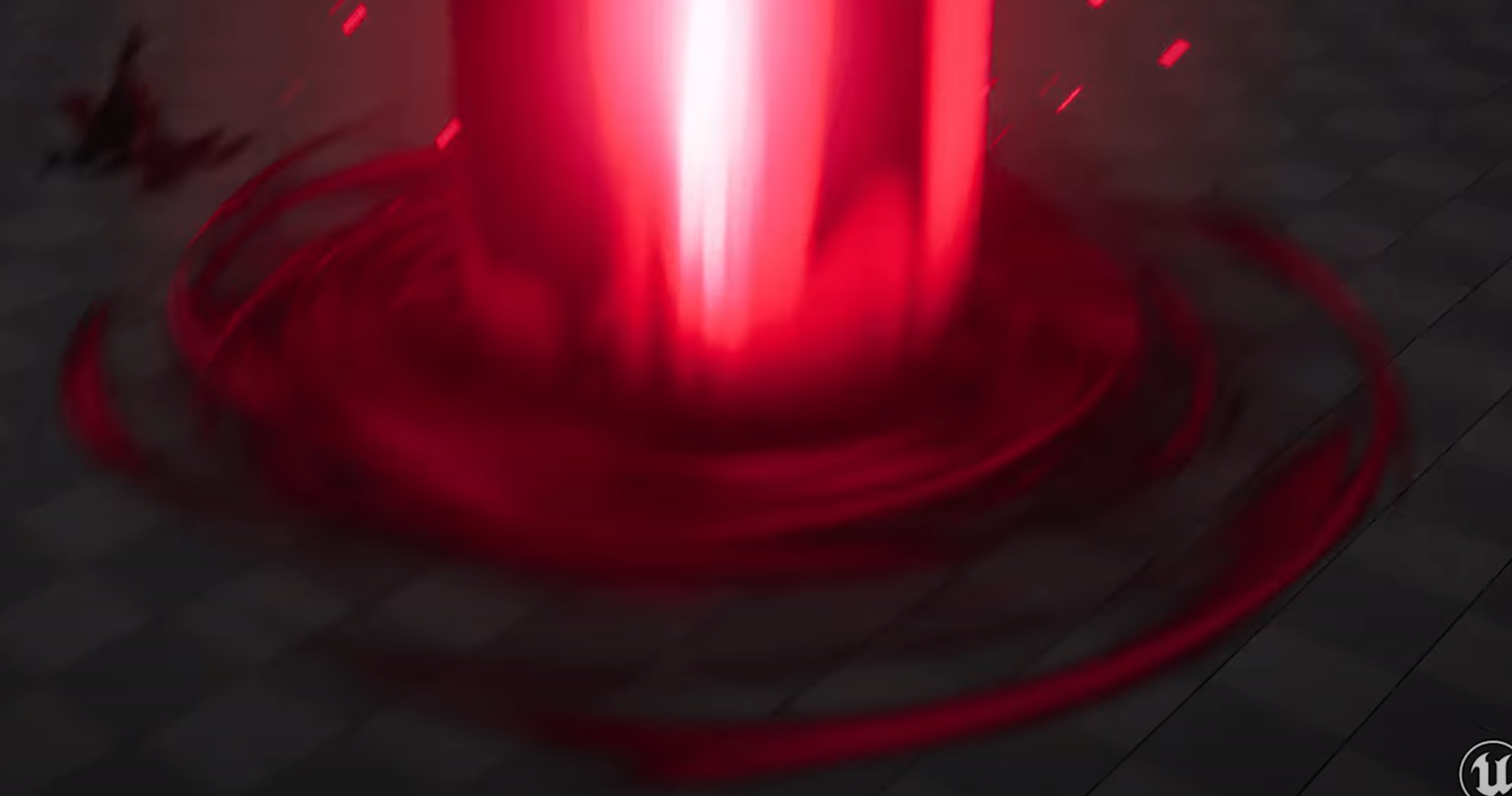
I'm struggling to think how to create this type of effect shown at https://youtu.be/3lhW7Vsdn7g?si=W055G7Em3hpjsSRj&t=47 (the rings on the ground that come out before the pillar that look like rings of red shadows outwardly expanding)

fx 디자이너 진준영입니다. 010 2682 0593 swep7456@gmail.com
ashen robin
carmine bone
I'm struggling to think how to create this type of effect shown at https://youtu...
probably expanding cylinders (given the depth) along with some shader scrolling uv (with some alpha cutout)
https://www.youtube.com/watch?v=Qyh9RPxeKcA
You can probably get an idea from this

Unity Shader Graph - Tornado and Cloud Shader with Physics
In this Shader Graph tutorial we are going to see the steps I took to create an awesome Tornado Shader effect in Unity! We are also going to see the physics of a tornado, to make it move and pull objects. The tornado shader can also be used as a simple Cloud shader.
*NEW FIRE TORNADO V...
 static violet
Hello, is there anyone that knows how to create visuals? Visuals as in like somethinhg that would be projected during concerts? I have some questions and need help with something. Thanks
tribal bluff
carmine bone
I'm struggling to think how to create this type of effect shown at https://youtu...
There's like several objects there. Big circle with the cloud textures that rotates. Then several circles with similar texture that rotates and expands its size in XZ (horizontal) scale.
The circular noise texture of the big circle is not only rotates, but also zooms in. You could probably just rotate the mesh, but the noise texture being the one that zooms in.
warm torrent
static violet
Hello, is there anyone that knows how to create visuals? Visuals as in like some...
Best to ask your questions regardless of that
jaunty tree
ashen robin
Can pretty much accomplish all this stuff with the vfx graph + some scripting.
Yes, but houdini is precisely there for creating the assets right? I looked now into it deeper, and it seems that much of the stuff can be done with blender too though. If I understand correctly, the point is that you can prebake some nice physics (for example a the vectorfield for the particles in a tornado, or just a flipbook animation of fire together with vertex animation textures).
What I am asking myself more is how common it is to do these things yourself maybe? Don't really know what my question is I think
So would people actually normally use these programs (not even houdini, maybe just blender), to prerender some textures and vector fields, or is this is a very advanced technique that I should not care about as a beginner
Or yeah, maybe the question is: Is this just kind of "one of many specializations", which I could go into and could get productive relatively fast that way. Or is it a very advanced technique, and the reason I am not seeing these techniques in most tutorials (talking about gabriel aguirars for example), because they are an overkill time wise (or maybe also just expensive if you want to develop for low end stuff)?
I think the problem is that the field is so broad and there are so many ways to do things, and I do not understand which of these are just alternatives to each other for different kind fo artists, and which of these are more common/less common because of some other reason (advanced, time-consuming, expensive on hardware requirements)
Maybe a kind of overview of the different VFX artists specializations, how the effects look that they do, and how they approximately make them (which tools) is what I am searching, now that I am thinking about it
jaunty tree
ashen robin
probably expanding cylinders (given the depth) along with some shader scrolling ...
why do you say "given the depth" here? What would be the alternative to a cylinder? Just having a plane mesh and rendering the texture on it? And what you are saying is that you see that these are actually cylinders?
ashen robin
jaunty tree
why do you say "given the depth" here? What would be the alternative to a cylind...
yeah it's some wrapped circular mesh
I'd say a lot of that is strictly shader generated too and not stylized drawings
 jaunty tree
Yeah maybe the questions I have is. First of all, is this the right understanding? For Shaders or Particle systems, the main tools of a VFX artist we often need some kind of assets. The main kinds I think of are:
A. Flipbook animations
B. Textures that are used to make a static object look a specific way (normal maps, height maps, just the normal color textures etc)
C. Assets used to fake physical simulations (vertex animation, vector fields, ...)
- Hand-draw stuff -> Photoshop, Adobe
- Use modeling software to prebake assets like normal maps etc -> Blender, Maia
- Use physical simulation software for the textures -> Houdini, Blender, Embergen
- Use noise of all kind and overlay it smartly in different ways/scroll it to make it look like what you want -> Substance Designer
1 is mainly used for A and B
2 is mainly used for A,B (or does one m )
3 is mainly used for A,C
4 is mainly used for B
jaunty tree
ashen robin
https://i.imgur.com/wqgY7DN.png
this is from my video right?
so not mine haha, I wish, but the one I posted
ashen robin
I'd say the main tools is just having the assets
make yourself a folder of hundreds of noise and textures to just mix and match
jaunty tree
Instead of actually making them in the softwares I mentioned?
ashen robin

GitHub
Fast Portable Noise Library - C# C++ C Java HLSL GLSL JavaScript Rust Go - GitHub - Auburn/FastNoiseLite: Fast Portable Noise Library - C# C++ C Java HLSL GLSL JavaScript Rust Go
endless assets
jaunty tree
Oh nice, thank you very much
So you'd say the average VFX artist does not use the tools I mentioned (but are they approximately right), but just buys the assets from people who made them in these tools?
ashen robin
flipbook stuff is nice and all, but frame by frame animation stuff is too time consuming when you can just toss on some noise
jaunty tree
For example yesterday I found this video which I found very interesting: https://www.youtube.com/watch?v=p-Yc2vbC0nI&t=908s

Hello and all that,
Do you like flipbook animations but wish you could make them smoother without rendering a bajillion frames? When then you my friend are in luck, cause that's what this video is all about.
Tutorial uses Amplify Shader Editor but Shadergraph version also freely available.
A large section is dedicated to Blender, and how we ...
ashen robin
Blender for your meshes like you'd need above for 3D particles
jaunty tree
He first simulates the smoke in blender, then renders it out to a flipbook and motion vectors and uses that in unity. Would that be a common approach or is this already highly specific?
ashen robin
Photoshop for trails and flares, but otherwise you can probably grab those textures online
and speaking of textures you got endless resources online for that + AI now spews it out
flipbook stuff usually looks nicer if you want to take your time on it
jaunty tree
So basically: Flipbook looks nicer if you really do some time investment (either by drawing or physical simulation), but it does cost a lot of time. So often its easier to circumvent it?
ashen robin
right, smoke and fire is pretty easy much like doing trails, but you don't want to end up being the 2D artist
better time spent on making shaders
jaunty tree
jaunty tree
For example yesterday I found this video which I found very interesting: https:/...
And how would you for example make such an explosion animation or fire animation like he makes here?
Thank you for all the help btw!
jaunty tree
Thanks! So for fire, you'd just use the flipbook animation from that asset pack for example and use it in a shader?
jaunty tree
I then imagine that you'd not use motion vectors for example (are these a physical-simulation-only concept)?
ah you mean just using official unity assets?
ashen robin
actually didn't know blender could do that too so that's neat
jaunty tree
(which are flipbook animations I guess)?
jaunty tree
but basically fire and smoke will always be flipbook animation or flipbook-animation for many small particles right? All you are saying, I should use the flipbooks from someone else instead of doing my own
In the video they just use blenders "quick smoke" and some here and there to make it look nice
then render it and render the motion vectors
and import that into unity
ashen robin
so they're rendering volumetrics, but because rendering that stuff is pretty resource intensive they instead just chop it into frames and render it via quad
jaunty tree
and it looks much better with motion vectors actually
ashen robin
not a bad idea
ashen robin
if you're going to render it smoke and fire on a quad, then yeah I'd go with flipbook
they're cheap volumetric alternatives, but there's also some support for rendering it completely using HDRP, and I know there's vfx graph tutorials around on it. I'm not sure if it's URP compatible though.
jaunty tree
volumetric alternative means for example rendering particles which are actual small spheres (maybe squished etc)
Then they have actual volume and one might only need noise textures to make them look like fire
so it is more procedual, but also much more expensive
where flipbook is maybe more time consuming to produce (if you do not just buy the flipbook), but you have to make some tricks to maybe make it look good and not to repetitive from all sides etc, and so that it looks like it actually has volume. But if you are able to do so, then its much cheaper at runtime
Would this be a good summary of the alternatives here?
But I think I understood much more now. Thank you for taking the time and explaining it so well!
ashen robin
usually the idea is try to minimize as much as possible while still making it look good
and you can get away with just rendering stuff to quads and aligning it to the camera to gain an illusion of 3D
but if you were designing some fps or something where you're more involved in the world, then quads just aren't enough if you allow your player to walk into this smoke field or fire
and so that's where shaders (both vertex and fragment) come in handy
warm torrent
tame storm
https://gyazo.com/b67a4c8cd0b937576b8fd87f76f9476c.mp4
That one looks to be 90% meshes as particles
But most of the effect is carried by the fancy shaders on the meshes
tame storm
warm torrent
That one looks to be 90% meshes as particles
But most of the effect is carried b...
i thought of beams
warm torrent
tame storm
i thought of beams
Beams?
ashen robin
pretty neat. I like when the floor collapses and they stencil a little city in it
jaunty tree
Are VDBs an expensive technique which is more appropriate for realistic simulations and high end games?
Or is it something used all around?
 nocturne yarrow
Visual Effect Graph: How do you stop a constant particle with no lifetime?
 torn tiger
Hi all -- I'm working on a project right now where I need to instantiate a ton of vfx graphs and I'm having this issue where VFX.ZeroInitializeBuffer hugely stalls out the editor / player when I instantiate certain VFX graphs.
It looks like ZeroInitializeBuffer comes from OpenCL so hopefully I'm not hitting a limit of compute shaders.
Anyway I could use some insight on the best way to load VFX graphs!
Roughly 64 of them at a time.
torn tiger
nocturne yarrow
Visual Effect Graph: How do you stop a constant particle with no lifetime?
do you mean hide it? if you put a SetAlive(false) in the ParticleOutput it should kill it and then also skip rendering it
ashen robin
torn tiger
Hi all -- I'm working on a project right now where I need to instantiate a ton o...
Are you instantiating a graph per GO? In that case you should consider prewarming by creating a shared graph for these particles, and dynamically cleanup/instantiate them when loading the majority of the assets of your scene.
Otherwise object pool the GOs that have the vfx system and asset on them instead of instantiating them in bunches.
torn tiger
64 gameobjects which all share the same vfx graph!
but need to all change to a different vfx graph on command
so I could cache for each effect
will you walk me through prewarming? I think there might be something I'm missing about it
the problem is just enabling them in the first place is preventing me from getting into play mode
i could break it up frame by frame but it would still be really slow
i guess they could all be part of a scene that's additively loaded in?
ashen robin
torn tiger
64 gameobjects which all share the same vfx graph!
so you're making 64 gameobjects which all have a vfx system component? You'd probably do want a way to spread the loading throughout the updates in that case like you've mentioned.
torn tiger
my problem is that i need huge point counts
and the stability of vfx graph seems to decrease significantly w/ huge counts
its a funny balance for me right now
ashen robin
once it's all loaded it's usually fine, but if you've high capacity on these systems yeah it'll take time to create all those buffers
torn tiger
do you think there's anything i could do within the graphs to simplify it?
less custom params?
ashen robin
if it's a loading issue and not runtime it depends on the capacity and particle count usually. I could see larger params being a problem since that just directly increases the buffer size, but this is something you should profile
torn tiger
sounds like breaking up the work in a coroutine / async is the way to go
ashen robin
yeah typical loading, you don't want to stall your program so awaiting the loading process should probably be the first thing to resolve
torn tiger
thank you!!
ashen robin
ye
jaunty tree
Is there a way to get the particle speed?
I am having an Add Position with a Perlin-Noise (Derivative) input to make my sparkles fly in interesting directions
However, I also have a Set Speed node, which sets the speed. Therefore, when the particles are already very slow, the added velocity is still of the same magnitude and can change the direction heavily
Therefore I want to only change the direction slightly if they are slow
 scenic basin
BigElixirExplosion is a VFX effect that has alot of other VFX effects nested under it. Is this the proper way to play all the subemitters ?
    public void playSubEmitters()
    {
        // Check for and play any sub-emitters.
        ParticleSystem[] subEmitters = manaDeathParticles.GetComponentsInChildren<ParticleSystem>();
        // Check if there are any sub-emitters.
        if (subEmitters.Length > 0)
        {
            foreach (ParticleSystem subEmitter in subEmitters)
            {
                // Make sure not to play the main effect again.
                if (subEmitter != manaDeathParticles)
                {
                    subEmitter.Play();
                }
            }
        }
    }
 ashen robin
jaunty tree
Is there a way to get the particle speed?
ashen robin
jaunty tree
Is there a way to get the particle speed?
Get Attribute nodes
jaunty tree
Should I see it when enter get speed? Couldn't find it earlier. Will check tmrw again. Thanks!
ashen robin
you can't see the value but if you need to do some additional logic outside of the context blocks like comparison then you can retrieve the current speed or the source speed (the speed that was sent in through events or sent in through the spawn context or getting previous system data after nesting systems)
 dull obsidian
jaunty tree
Are VDBs an expensive technique which is more appropriate for realistic simulati...
dull obsidian
jaunty tree
Are VDBs an expensive technique which is more appropriate for realistic simulati...
Generally, yes. While it can be used at interactive rates on capable hardware VDB is a storage format for baked volumetric data and sequences that are usually quite large and memory hungry. And Unity doesn't include VDB support currently though there are a few examples of VDB packages / plugins floating around: https://github.com/Pjbomb2/Unofficial-Basic-Embergen-VDB-Loader-for-Unity/
https://github.com/karasusan/OpenVDBForUnity
GitHub
Basic VDB loader to load embergen vdb's into unity, paired with a basic small volume renderer - GitHub - Pjbomb2/Unofficial-Basic-Embergen-VDB-Loader-for-Unity: Basic VDB loader to load emb...

GitHub
Unity plugins for OpenVDB. Contribute to karasusan/OpenVDBForUnity development by creating an account on GitHub.
jaunty tree
Ok, yes I think I understood by now that VDB is mostly not for what I want to do haha! Thanks
dull obsidian
jaunty tree
Ok, yes I think I understood by now that VDB is mostly not for what I want to do...
what do you want to do?
Also, this may be what you are looking for. This is a simple naive / dense volume file format official supported by Unity: https://docs.unity3d.com/Packages/com.unity.visualeffectgraph@17.0/manual/VectorFields.html
When working with smaller more reasonable volumes it's more performant anyway than sparse volume formats like OpenVDB which incur an overhead to traverse the spatial storage structure.
dull obsidian
and some info on Signed Distance Fields and point caches: https://docs.unity3d.com/Packages/com.unity.visualeffectgraph@17.0/manual/representing-complex-shapes.html
dull obsidian
dull obsidian
Also, this may be what you are looking for. This is a simple naive / dense volum...
also actually forget about this .vf volume file format for most use cases, if you can fit the depth slices in a flipbook texture and import it as a Texture3D then this will be the most straightforward and compatible workflow. https://docs.unity3d.com/2023.3/Documentation/Manual/class-Texture3D.html

These Texture3D can also be used in High Def Render Pipe as Density Mask Textures https://docs.unity3d.com/Packages/com.unity.render-pipelines.high-definition@17.0/manual/create-a-local-fog-effect.html

Or you can author a Fog Volume Shader that even doesn't even use a baked Texture3D (like the endlessly randomly generated ground fog shown.) or it apply an effect on top of / post processes the Texture3D / Density Mask Texture like distorting or swirling, etc. https://docs.unity3d.com/Packages/com.unity.render-pipelines.high-definition@17.0/manual/fog-volume-master-stack-reference.html
 torn tiger
OK I'm back with more questions about VFX Graph
Have other folks found good ways to plug your currently rendering camera into VFX Graph?
I tried using the beginCameraRendering event and it worked OK but not great
ashen robin
torn tiger
OK I'm back with more questions about VFX Graph
Not something I've looked into, but you can render VFX on specific layers and cull it on other cameras
you can probably send in the camera transform and deconstruct the matrix inside of it if that's what you're looking for
torn tiger
ashen robin
Not something I've looked into, but you can render VFX on specific layers and cu...
that was the conclusion i came to too
not super satisfying but probably works
appreciate you responding to both of my problems!
prime dome
Is there a parameter to set the number of particles based on the volume of the emission box?
Like X particles every cube unit
 fast cedar
i wanna put my particles infront of everything, ive set the layer to terrain but it doesnt work

im new to particles so idk if thats what im supposed to do
warm torrent
fast cedar
i wanna put my particles infront of everything, ive set the layer to terrain but...
As long as your "ParticlesMaterial" is of type transparent, it'll use 2D sorting priorities like everything else 2D/transparent
https://docs.unity3d.com/Manual/2DSorting.html
If any shader in your scene is opaque instead, they use camera depth for sorting, also against anything transparent
 brazen stirrup
I don't have access to HasAnySystemAwake and I'm not sure which version of unity it comes from, is there another way to check whether a VisualEffect is currently playing? I've tried checking the alive particle count (always 0) and iterating over each ParticleSystemInfo also says 0 for each as well as True for sleeping, even if the particle is playing
ashen robin
brazen stirrup
I don't have access to `HasAnySystemAwake` and I'm not sure which version of uni...
read back from vfx graph is not accurate. You're better off trying to estimate the time on the cpu for when the system would expire.
brazen stirrup
ashen robin
read back from vfx graph is not accurate. You're better off trying to estimate t...
Alrighty, I have a duration float so i'll just read that instead ta
 digital edge
Hi. I'm trying to create a boost effect for a charging enemy. it doesn't work and I don't know why.
any Ideas?
 gloomy geyser
how do I make circle particles? The default is squares and I don't see an option to change it
torn tiger
you'll have to change the material!
circular meshes are really inefficient so usually when you see a circular particle in a game its actually an image of a circle drawn on a quad
if its a must have you could use output octagon (if vfxgraph)
or change the output to mesh (if particle system) and replace it with a circle mesh you make in blender
torn tiger
digital edge
I found out that the mesh doesn't want to move from 0,0,0
you probably need to change it from world space to local space. I can't see your settings very well with the compression.
gloomy geyser
torn tiger
or change the output to mesh (if particle system) and replace it with a circle m...
I am a complete beginner to paritcles so half of that went over my head. My game is in 2D, anyway to have 2D circle particles. I also want them to have lighting
torn tiger
Ah gotcha! do you know how to make materials?
I think the easiest thing you can do would be to make a material and replace the material in the particle system with that.
basically its fine that its a square but you can make it look like a circle with a texture in a material
Here's a tutorial I found that lines up with what you're describing: https://learn.unity.com/tutorial/particle-system-lights

Unity Learn
Adding a light to a Particle System illuminates the environment and objects around the particles and makes the effect more impactful. In this tutorial, you will create a firefly effect that uses a light to illuminate the environment.
Lights are expensive depending on how you're rendering your scene so this might slow down your game a bit.
gloomy geyser
yeah actually I saw online to make a material. I tried that by making a new material, setting its Albedo thing to default Circle sprite, but that didn't work when I tried to use it
torn tiger
oh great! ok cool you probably just need to find the right shader
you can find that at the top of the material
gloomy geyser
The preview of it is a sqaure yeah
 torn tiger
the probllem is that you're using an opaque render mode
try clicking that at the top and setting it to transparent
gloomy geyser
Oh!
gloomy geyser
Actually cutout seems to do it
torn tiger
that works too!
gloomy geyser
Fade works too
torn tiger
sorry fade not transparent haha
gloomy geyser
Not sure what these options do
torn tiger
under the hood those are blend modes
which basically describe how transparency is applied underneath it
additive will add the color of the thing beneath it
fade will blend it using the alpha and hold onto the original color a lot better
opaque cutout will take the alpha value and do something called a discard
digital edge
torn tiger
you probably need to change it from world space to local space. I can't see your...
that fixed %75 of the problem but now the boost aura will just stand in its first spawn position
nvm I just needed to parent it
torn tiger
it will basically delete the fragment that is underneath the alpha cutout value
a fragment is like a pixel
gloomy geyser
I see so it's just doing different things to the transparent parts of the image depending on what you choose
gloomy geyser
That's why Opaque made it a sqaure because the transparent parts were just made opaque which makes it look like a sqaure?
torn tiger
yep!
gloomy geyser
Ok got it, thanks hol
torn tiger
for sure!! good luck!!
gloomy geyser
hey @torn tiger if you are still there, I'm not understanding how the lights work here. The particle system asks for a 3D light, when I apply it, nothing seems to happen. Is it because I'm in a 2D game and it doesn't work? Although that doesn't make sense
torn tiger
ooh actually when i responded to you i didnt think that part through! I haven't worked with 2d lights before.
I'll do some research
seems like particle system does not support 2d lights
are you comfortable with C# scripting?
gloomy geyser
Yeah I was thinking of just programmatically attaching a gameobject with a light to each particle. But I thought there would be a more proper way, it also doesn't seem very performant. Not that performance matters since I'm not spamming particles but still
torn tiger
yeah I think having a light per particle isn't very performant in general
idk how that measures up against the 2D rendering stack though
you can speed up having tons of lights in 3D using deferred rendering
torn tiger
gloomy geyser
Yeah I was thinking of just programmatically attaching a gameobject with a light...
I think that's your best bet if you want to use the 2D light component
there are probably ways to artistically evoke light that are more performant
gloomy geyser
Maybe I could mess with some baked lighting
gloomy geyser
torn tiger
there are probably ways to artistically evoke light that are more performant
yeah
Maybe just include a transparent "light" in the image itself
torn tiger
yes!
that's probably how I would solve it
it doesn't give you specular highlights on your models
if that's how you're lighting them w/ 2d lights
gloomy geyser
alright I'll think more on it. Thanks again
torn tiger
for sure!
gloomy geyser
Any way to keep the particles alive if parent gameobject gets destroyed?
I feel like doing it programatically to just remove it as a child is a way to do it, but not sure how the proper way to go about it is
ashen robin
gloomy geyser
Any way to keep the particles alive if parent gameobject gets destroyed?
I feel ...
design your systems such that you can detach particles from the parent (as if they were a child subsystem) so this way you can destroy the primary system while keeping the now de-attached particles alive. Though it's always better to object pool than outright destroying these particle systems if you're constantly reusing.
fast cedar
warm torrent
As long as your "ParticlesMaterial" is of type transparent, it'll use 2D sorting...
where do i set my material type?
warm torrent
fast cedar
where do i set my material type?
In the material asset, or the shader if it's a custom shader
 warm torrent
fast cedar
huh
warm torrent
fast cedar
huh
"Rendering Mode: Cutout" makes the particle shader "opaque" with "alpha clipping" enabled
That might not make sense to you right now but it's good to keep in mind for future, as the terminology changes between render pipelines
You should have a "Fade" mode option instead that would be transparent
 grave berry
Hey everyone, is it possible to use volumetric effects created in Blender in Unity?
ashen robin
grave berry
Hey everyone, is it possible to use volumetric effects created in Blender in Uni...
highly doubt it but that's something to google
torn tiger
Someone above was posting about openvdb volume rendering with hdrp - you could try that or look into alembic https://docs.unity3d.com/Packages/com.unity.formats.alembic@2.3/manual/index.html
The catch is those are going to be pretty expensive. You could also look into a unity package like alembic to vat to speed it up.
GitHub
Alembic to VAT (Vertex Animation Texture) mini tool - GitHub - Gaxil/Unity-AlembicToVAT: Alembic to VAT (Vertex Animation Texture) mini tool
But that's only gonna show you the meshed surface
torn tiger
dull obsidian
Also, this may be what you are looking for. This is a simple naive / dense volum...
Up here!
 sly grove
Hi guys. I'm pretty new to particles. I try to make a cannon shot, and with the help of Unity's Particle Pack, i created an explosion for the muzzle and some cool smoke, but...i can't figure out how to make a shooting flame coming out of the muzzle. I tried to use the Animated Flame Sheet, but now it looks more like a lighter..can someone help wrap my head around it how this can work?
like this
 ashen robin
sly grove
Hi guys. I'm pretty new to particles. I try to make a cannon shot, and with the ...
ashen robin
sly grove
Hi guys. I'm pretty new to particles. I try to make a cannon shot, and with the ...
Just takes patients with adjusting parameters. I find that throwing more and more particles at stuff eventually starts looking nice.
Should just post what you've got already
 ripe frigate
I'm trying to get this to lerp through the gradient color at a desired speed but this doesn't seem to work, the color just flickers violently regardless of the speed selected....anyone know the correct setup for that?
 ashen robin
may need to normalize the speed by a time
gradient I think runs 0-1 so it would probably go pretty quickly
if you want to do it over the duration of the lifetime then you need to use GetAttribute nodes for Age and for Lifetime then divide for the normalize time
if you want to loop the gradient you'd need to figure your measurement of time (in 0-1 time)
ripe frigate
ill see if i can get it working, cheers
torn tiger
the thing that's causing the flickering is the deltatime node which changes from frame to frame based on the amount of time the last frame took to render.
sly grove
ashen robin
Should just post what you've got already
Thank you, will try that. I see if i can put something together to show where i'm currently at with my cannon.
 scarlet light
My particle show up blurred and with a black outline around them as soon as I set the speed to 0, Anyone had this issue before?
 torn tiger
looks really cool haha -- it might be because a bunch of particles are all clumped up at 0,0,0?
scarlet light
'clump' is definitely the right word for it, but I'm following a tutorial with all the settings exactly like theirs, but the results are not looking the same. I'm restarting just in case I messed something up--will post if I figure it out
torn tiger
you could also try shrinking the point size to see where things are --it doesn't look like they're all in the same place
just very close
 limpid mist
how do you remove this shuriken like sprite? new to the particle system and don't know how

 burnt coral
limpid mist
how do you remove this shuriken like sprite? new to the particle system and don'...
burnt coral
limpid mist
how do you remove this shuriken like sprite? new to the particle system and don'...
It's a gizmo icon (only shown in editor). Should be able to toggle it in the gizmos menu iirc. https://docs.unity3d.com/Manual/GizmosMenu.html
limpid mist
burnt coral
It's a gizmo icon (only shown in editor). Should be able to toggle it in the giz...
ah, thank you man
sly grove
ashen robin
Should just post what you've got already
currently it looks like this. There is also a recoil animation on the cannon, but it's not hooked up right now
 ashen robin
sly grove
ashen robin
sly grove
Few things between the cannon reference and your cannon is that the cannon reference has a very focused fire, while yours has its explosion a bit further back, as if it has some back-blast going on. I think in that situation you'd want to obscure the camera looking side a bit more with some more particles because the quad doesn't give the depth needed to cover it all
How does this flipbook align when facing towards the cannon?
sly grove
ashen robin
Few things between the cannon reference and your cannon is that the cannon refer...
thank you for the feedback. I adjusted the speed of the particles and the smoke and eliminated the back-blast, i think. Still, i need something like a flame stream, a shooting flame, firing strong and dying out in the end. At the moment i only have the ambers doing that kind of thing.

 inner jolt
sly grove
thank you for the feedback. I adjusted the speed of the particles and the smoke ...
inner jolt
sly grove
thank you for the feedback. I adjusted the speed of the particles and the smoke ...
I feel like the embers move too slowly based off of how long they are. The length emulates, or at least gives off the impression of motion blur, but they aren't moving nearly fast enough match how visually stretched they are.
minor glen
sly grove
thank you for the feedback. I adjusted the speed of the particles and the smoke ...
Not sure what ou are going for but your sparks/fire embers move at a weird speed.
 nimble axle
my particles have just gone completely invisible after downloading it from github onto a new pc
they just wont play at all

they are just invisible for some reason, any idea why this might be
ashen robin
check the material/shader and render tab there
nimble axle
ashen robin
check the material/shader and render tab there
the mesh is missing
thanks just realised
 lunar cargo
When you click on the game button, the first thing that happens is the sword should appear, but it doesn't. But when I select all the particles and play particle play, the scene appears in place. How can I fix this? It seems like it would cause problems when recording for the portfolio, and it also doesn't work when I use the code (when I want to press a keypad with all the effects and show it). I need help for this. I use particle system
ashen robin
Could try a custom script and just executing in edit mode
especially if you're going to use the animator with your systems too
lunar cargo
ashen robin
Could try a custom script and just executing in edit mode
how? I'm new to this though
jaunty tree
This is more of a logistic question. When creating the VFX I often need multiple graphs that loop at the same time. I can get that by putting the spawn system on Loop Duration constant and setting the same loop duration for all systems in the VFX
but in reality I then only need a single burst (explosion) which is often also triggered by a specific event
ashen robin
lunar cargo
how? I'm new to this though
Is this all a single system? If so, I'd expect having start delay would be fine too with additional subsystems for your other effects
jaunty tree
Do I always have to go through all of my spawning contexts, set them to loop duration constant/infinite and add an event when switching from dev to prod or is there an easier way?
lunar cargo
ashen robin
Is this all a single system? If so, I'd expect having start delay would be fine ...
That's what I did. Did you mean that?
 ashen robin
Yeah, Shuriken System has a delay variable I believe which you should be syncing everything with
or is it like Start Time or something I forget
lunar cargo
ashen robin
Yeah, Shuriken System has a delay variable I believe which you should be syncing...
What I don't understand is that the main problem is that "sword" does not appear at the beginning, that is, when I directly say play, it appears only when I select it from the hierarchy.
ashen robin
Ah, yeah I know what you're talking about but I've not used it much recently. The custom script idea is useful though if do you want to use the animator because a lot of these portfolios use both.
VFX and animator go hand-in-hand for the most part. Especially for the more cinematic looking stuff.
lunar cargo
ashen robin
VFX and animator go hand-in-hand for the most part. Especially for the more cine...
I didn't use an animator. I made the stroke of the sword in the particle system using "Edge" in the shaper section.
ashen robin
jaunty tree
This is more of a logistic question. When creating the VFX I often need multiple...
I'm not sure what you mean, but why doesn't triggering a particle burst with events not the solution here?
jaunty tree
ashen robin
I'm not sure what you mean, but why doesn't triggering a particle burst with eve...
Thanks. How do I get that to repeat in editor, so that why developing I can see a repeating effect playing?
ashen robin
Ah, right you got to keep pressing the event button/play then haha
jaunty tree
yeah thats the problem haha
ashen robin
custom script ^^^^
ashen robin
[ExecuteInEditMode]
jaunty tree
so ah MB which triggers the event all few seconds?
ashen robin
Yeah, probably the idea here
could probably just loop the burst then connect the event afterwards just for testing but otherwise I think that's what you'd do
jaunty tree
but if its multiple bursts? Then I'd need to loop all of them individually right?
so thats a bit annoying since you always have to change it in the inspector for each of them
 radiant cipher
scarlet light
My particle show up blurred and with a black outline around them as soon as I se...
radiant cipher
scarlet light
My particle show up blurred and with a black outline around them as soon as I se...
The black outline is appearing likely because the particle texture is premultiplied, but blended as if it's not.
sly grove
@inner jolt , @minor glen , thank your very much for you feedback. I threw out the old embers. @weak wraith, the ref is reaally good. I searched a long time for something like this. I removed the blastwave and reworked the embers.
Uploaded it again, it somehow was broken.
 ashen robin
sly grove
Uploaded it again, it somehow was broken.
ashen robin
sly grove
Uploaded it again, it somehow was broken.
Ah, I think the black smoke worked better because now it feels like it fades out too quickly
it could also just be because of gif format not really showing it at its greatest lol
sly grove
ashen robin
Ah, I think the black smoke worked better because now it feels like it fades out...
Thanks, i will keep that in mind. It's a naval cannon, i will be placed alongside 32 others. When all of them are firing... i need to make sure the player can still see something! Will test then how dark i can go with the smoke.
minor glen
I feel the smoke particles you added youself need to be the same color as the ones in the main sprite sheet.and
the sprite sheet doesn't really seem to match the color of your refrance video
The smoke particles you added however do match
Just dosnt look right. Other than that it looks great
 mossy ember
I saw a video and they had it also but on my nodes it doesn't show up ? What could I be missing ?

 dull obsidian
mossy ember
I saw a video and they had it also but on my nodes it doesn't show up ? What cou...
dull obsidian
mossy ember
I saw a video and they had it also but on my nodes it doesn't show up ? What cou...
the Block node names start with Set or Add etc but aside from that they should show up with those search terms just fine. this is VFX graph 17 / the Unity 6 Beta though, the search might have improved?
Make sure you are adding / search for these Blocks inside of an Initialize or Update context or they won't appear. they aren't supported in the Output context (simulation already finished) nor can you place these Block nodes by themselves in the graph outside of a context, that is for Operator nodes only.

 ashen robin
mossy ember
I saw a video and they had it also but on my nodes it doesn't show up ? What cou...
ashen robin
mossy ember
I saw a video and they had it also but on my nodes it doesn't show up ? What cou...
If you're missing nodes try seeing if you've the experimental package enabled via project settings under vfx graph tab
sly grove
minor glen
The smoke particles you added however do match
Thank you. I tried a few things, but... the way the Texture Sheet is working i can't seem to figure out how to get the explosion smoke to a lighter shade. As far as i understand with my beginner knowledge, the Texture Sheet is just a grayscale getting colored dark in Color over Lifetime, the fire colors come from a separate grayscale Sheet that get's colored yellow, that only affects the Emission. When i start lighting up the particles in Color over Lifetime, the Emission also gets effected and it all turns into a blinding glow 😦
I hooked up the recoil animation and the cannonball, added a Smoke Trail (it's not realistic, but for gameplay reasons). That's where i'm at now:
 minor glen
sly grove
I hooked up the recoil animation and the cannonball, added a Smoke Trail (it's n...
minor glen
sly grove
I hooked up the recoil animation and the cannonball, added a Smoke Trail (it's n...
Looking good!
Whats with that random glowy particle at the end flying tp the right?
sly grove
minor glen
Looking good!
Whats with that random glowy particle at the end flying tp the rig...
oh, yeah. I see. That must be from the cannonball's ember trail. I go check why it is there. Could be a perspective thing that it is so big, but, it shouldn't be anywhere behind the cannon. Maybe i need to delay the start of the the embers.
 wicked narwhal
minor glen
Looking good!
Whats with that random glowy particle at the end flying tp the rig...
wicked narwhal
minor glen
Looking good!
Whats with that random glowy particle at the end flying tp the rig...
It's just the soul of whomever took that straight to the chest. Don't worry about it. 
In all seriousness though, might just need to clamp that effects' timing or duration.
jaunty tree
Hello I have a VFX graph with two systems for a projectile.
- Just outputting a single rotating particle (a sphere)
- output a trail (flipbook of flames)
Aside from looking totally horrible, it seems that the whole flipbook is always rendered in front of the sphere (but not in front of other game geometry). Does anyone know why?
This picture visualizes it. All spheres have the trails in front of them. But the character (clown in the middle) is rendered in front of some of the trails, correctly

This is my output node. The trails are initialized with the position of the sphere
 ashen robin
jaunty tree
Hello I have a VFX graph with two systems for a projectile.
1. Just outputting a...
ashen robin
jaunty tree
Hello I have a VFX graph with two systems for a projectile.
1. Just outputting a...
what's using transparent shaders here
if you've subsystems you can only sort by ordering, and if you've multiple systems then you'd sort transparents by the system's pivot
and, you can also sort systems by ordering themselves
jaunty tree
ashen robin
what's using transparent shaders here
so in one big vfx graph, the position does not influence ordering?
ashen robin
one big vfx system if you're using transparents for your particles then you rely on the particle ordering
jaunty tree

This is my vfx graph, to the left it is only a single burst, outputting one particle with infinite lifetime
basically just using vfx graph to animate a shader nicely
on the right I have the trail
you say these two graphs cannot be sorted based on the position of the emitted particles, but will be sorted by the time they are output?
ashen robin
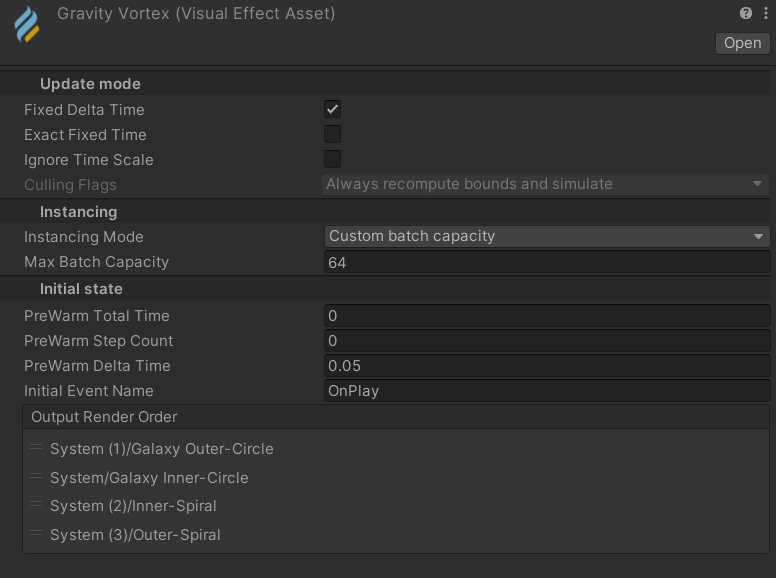
on the asset itself, Output Render Order
I don't believe particles have pivots inside of the system, only the system itself
actually may need to double check on that
but in general when you do transparent sorting, you either sort by pivot or override ordering using a transparent queue (you don't write to depth)
opaque writes to depth and sorts by pixel
jaunty tree
hmm but I think I actually only need alphacuttoff, not realy transparency
could I then have particles in the same graph which sort based on depth?
ashen robin
I've been alpha clipping stuff a bunch because of this, but that's just the nature of transparents
you can try additive blending though as another way to try to "blend", but I've not been able to get some appealing particles from it
ashen robin
jaunty tree
could I then have particles in the same graph which sort based on depth?
Opaque + Alpha cliping sorts depth fine if that's your goal and that if transparent layer sorting is not the solution
ashen robin
you can also sort between opaque and transparents
for depth
but not transparents + transparents
I think, may need to test that again haha
so like if you wanted 1 transparent type of particle blended with some opaque particles it should be fine (ah, right! This is how you'd structure your particles to make those cool shockwave/distorting effects)
Right, it's not sorting but because it's different rendering queues
jaunty tree
haha ok, I'll keep that in mind
I have to read the sorting stuff every time again I use it
mossy ember
dull obsidian
the Block node names start with Set or Add etc but aside from that they should s...
thats weird mine looks different...
 mossy ember
ashen robin
If you're missing nodes try seeing if you've the experimental package enabled vi...
mossy ember
ashen robin
If you're missing nodes try seeing if you've the experimental package enabled vi...
project settings i dont see vfx graph tab
jaunty tree
I think you can activate experimental blocks somewhere
ashen robin
oh it's preferences for some reason
mossy ember
oh wow

wish the docs would mention this was "experimental"
Unity does weird shit sometimes
thanks guys!
ashen robin
"Do you prefer to have 70% more functionality in your graph"
dull obsidian
yeah i had no idea these were experimental, sorry
mossy ember
me niether, video i watched also never mentioned it 🤷♂️
yeah no mentioned of experimental in docs either
 dull obsidian
it is one of those settings i enable so often it's a bit of an autopilot routine now
mossy ember
my first time using vfx graph 😅 Just used particle system since i picked up unity
ashen robin
it's like keeping your game in early access
cant be blamed if your project explodes because it's experimental
dull obsidian
ah visual effects : experimental operators/blocks is also an editor wide setting in "preferences" so i'm only ever setting it once per workstation not per project.
It is a bug at least in the documentation that these "from direction" nodes don't have the experimental banner on them like this node has. but now i see where this likely came from, the mesh sampling / set position mesh feature is experimental and that's where the direction attribute was introduced?
https://docs.unity3d.com/Packages/com.unity.visualeffectgraph@14.0/manual/Block-SetPosition(Mesh).html

though now that it exists, the direction attribute can be used in an arbitrary way and values written to it without using any of these mesh sampling features. (in a similar way to a custom attribute, but with some built in nodes already made for it.)
Advanced Simulation Attributes
directionVector
You can use this attribute in the following ways:
• As a storage helper to store arbitrary direction.
• Use any block that sets a shape position to write to the direction attribute. For example, Set Position (Shape : Circle).
https://docs.unity3d.com/Packages/com.unity.visualeffectgraph@14.0/manual/Reference-Attributes.html
prime dome
has anyone used unity blender export script to export 6 way lighting for smoke volumes?
 coarse orchid
Hi I am pretty new to visual effects. I am trying to create the visual effect similar to the one in this youtube video. Basically I am trying to create a ring for the outer object that does not move and another ring effect for the rotating object and once they intersect in these two rectangles, that part of the ring changes color. Any ideas on where to start?

The changing magnetic field due to the rotation of the rotor in a switched reluctance motor (SRM). This animation was created using MagNet, the electromagnetic simulation software from Infolytica Corp. Read more at http://www.infolytica.com/en/applications/ex0147/.
Here's what I created using a swarm particle system and without swarm particle system

 ashen robin
coarse orchid
Hi I am pretty new to visual effects. I am trying to create the visual effect si...
ashen robin
coarse orchid
Hi I am pretty new to visual effects. I am trying to create the visual effect si...
Seems more like the work of shaders and manipulating UVs
can use like world uvs to keep each of these mesh datas in sync for the texturing
coarse orchid
do you know any videos that can help with such tasks?
ashen robin
coarse orchid
do you know any videos that can help with such tasks?
I'd ask in #archived-shaders for ideas
probably able to whip one up with shader graph
https://cyangamedev.wordpress.com/2020/01/28/worldspace-uvs-triplanar-mapping/
Cyan has some nice guides for this
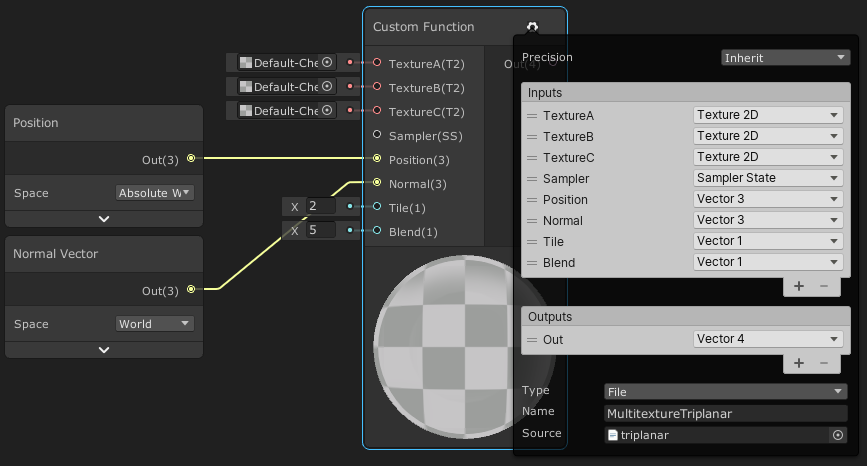
This post includes an introduction to using the Position node to sample textures rather than using mesh UV channels, which is also the basis of Triplanar mapping. It won’t be super in-depth but wil…
but looking at your video again the texturing seems to follow more of an algorithm, so there may be more to how to modify the UVs
ripe frigate
im trying to compare the particle's world space position to position3's world space position, but it wont let me use these in comparison nodes...does anyone know how I would use this as a predicate?

i can drag them in without the Change Space, but i need the positions in world space for the comparison..
ashen robin
is the output on them vector3s?
ripe frigate
x,y,z yeah
ripe frigate
could always try a distance node, just set it to 0
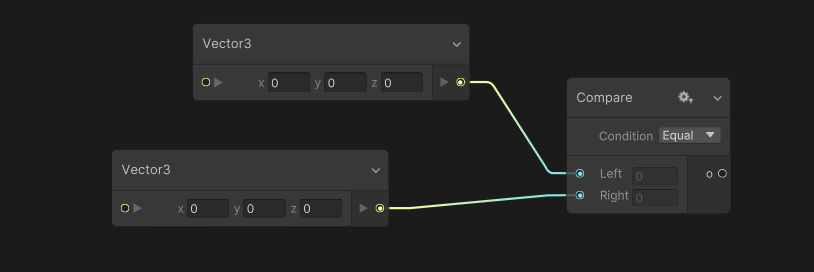
 ripe frigate
well this allows me to hook it up, but doesnt give the desired results..
I have a particle that follows a path, when it reaches the end position i'm trying to set the lifetime to zero so it deletes itself allowing a new one to be spawned, since theres only supposed to be one at a time.
But the particle keeps dying WAY before it reaches Position3, since both positions were in local space i thought i needed to compare them in world space but yields the same results apparently..
 ashen robin
Have you considered this:
https://docs.unity3d.com/Packages/com.unity.visualeffectgraph@10.3/manual/Block-TriggerEventOnDie.html
ripe frigate
yes, but that requires manually setting a lifetime, so you would have to match that exactly with whatever length your path is
i'm trying to automate it
ashen robin
Should this path time be know as soon as you instantiate it
instead of recalculating a time every update
You know the starting position and the end position so whatever time is calculated there would be your defined time
ripe frigate
i have no idea how I would set that up node-wise
so your saying work out how long itll take to reach position3 using age over lifetime multiplied by speed, then set THAT as the particle lifetime..
not entirely sure how i would set that up, since theres multiple positions, so you would need to calculate how much time its going to take to cover all of those distances
ashen robin
I'm just saying if you know the distance and the speed your lifetime would simply be Distance / Speed
and you can either calculate that on the CPU and send it in, or do it in the initialize block
then use a TriggerEventOnDie to spawn the next particle which happens when Age == Lifetime
ripe frigate
so something like this?
do this for every position, then add it all together and use that as the lifetime?
 ashen robin
oh, I see you're changing the speed over the time too
ripe frigate
it shouldnt be changing at runtime so putting this in Initialize should work, assuming it's even correct
so something like this?
 ashen robin
comparing distances seems fine, though I'm not too sure how precise that is so you may need to compare to some values near zero;
since it's just a magnitude/scalar quantity and it can overshoot probably
ripe frigate
nope, no dice
ashen robin
I'd just say if distance <= 0.25 (or some small values) then set Lifetime perhaps
or Age for that matter
Again, probably the best way is to calculate it all beforehand, but you have to also account for the acceleration which can be a pain
I actually don't cap distances on my vfx and just let it all run its duration, but for collisional stuff I do have some CPU logic going
Now that I think about it, Vector3.Distance pretty terrible to use if you ever try to compare projectiles or such against a point. You'd overshoot on higher velocities (or for any speed for that matter)
I guess you can fallback on some extra logic like, if the values have increased from the previous frame, then you have passed the target point
remote mortar
Hey, Im using the particle system. I am getting this strange glitch in the game and simulator view with this billboard particle. It seems to only happen if the material is a Cutout rather than fade
 ashen robin
remote mortar
ashen robin
remote mortar
what do you mean by fade? Could be related to post processing if you've got that enabled on your camera.
remote mortar
in the built in URP in the standard shader, there is an option in rendering mode to make it transparent, fade, or cutout.
ashen robin
Ah, neat didn't know this was a thing
but hover over soft particles and camera fading on the shader
remote mortar
I turned off post processing and it seems to have worked.
ashen robin
has refraction too that's cool
warm torrent
ashen robin
Ah, neat didn't know this was a thing
It's what BiRP calls transparency with alpha blending
"Transparent" is what URP calls "premultiply" type transparency
And cutout is naturally opaque with alpha clipping
remote mortar
ashen robin
but hover over soft particles and camera fading on the shader
Cant excactly find these
ashen robin
Ah, ok makes sense. I should really look into more of the standard shaders but stuff like this naming throws me off lol
ashen robin
remote mortar
Cant excactly find these
same place where you can change from cuttout to fade
I guess premultiply would be the problem with post processing then eh
warm torrent
(though "premultiply" transparency isn't premultiplication at all, it just means alpha is not applied to specularity)
ashen robin
the camera fade from these are actually pretty nice, surprised I've not took the time and played around with them haha
maybe ill go copy paste some of that code into some of mine
coarse orchid
coarse orchid
Here's what I created using a swarm particle system and without swarm particle s...
I think I will see if I can do it using the particle system. Because I am also using it for Augmented Reality and I don't see the visual effects in AR but I see the particles using the particle system
 loud thistle
Guys, why is my trail renderer not showing when I change the alignment to transform Z?

Like it shows just fine when it is set to view

Shouldn't that just change the orientation of the trail?
ashen robin
loud thistle
Guys, why is my trail renderer not showing when I change the alignment to transf...
ok so there's view and z. View seems to billboard towards the camera, and z seems to just be relative to world coordinates, so what's probably happening is that there's backface culling
ashen robin
im not seeing it ;o
loud thistle
Well, I will make it work anyways, thxs ❤️
 woeful yarrow
I'm working on the VFX for the hammer swing of my the character and I wanted to use a trail for the swing. However one issue I was never really able to solve when working with trails is the jagged edges of trails (which are especially easy to see when the width is a bit stronger).
This one is using the "trail" setting from the shuriken particle system but it's pretty much the same issue with the trail renderer.
Would love to understand how I can make it a very smooth trail

 ashen robin
woeful yarrow
I'm working on the VFX for the hammer swing of my the character and I wanted to ...
ashen robin
woeful yarrow
I'm working on the VFX for the hammer swing of my the character and I wanted to ...
More corner verts or use a texture with softer edges
woeful yarrow
ashen robin
More corner verts or use a texture with softer edges
I think in a particle system you can't change the corner verts? Or am I blind xD
And this is my effect texture. But even if I were to use the default unity particle texture, which is pretty smooth, I still get the edges.


it's less but you can see them still
 ashen robin
Ah, this is on the particle system eh
woeful yarrow
ashen robin
Ah, this is on the particle system eh
yep
woeful yarrow
I can't really agree with that haha I can still see the edges
ashen robin
there's also additive blending that may be helpful
woeful yarrow
but that only changes the way the color is applied, the verts are still not that clean
when moving it around a little faster (and the trail is a bit bigger) you can clearly see the issues

 wintry temple
is there a way to position particles based on noise?
like some places have more some have less because of a noise texture that is generated
ashen robin
wintry temple
is there a way to position particles based on noise?
There's a lot of neat features with the VFX graph if you look around, but otherwise I'd just compute this before passing it into a system such as reading the texture data and/or using point caches.
 zealous wing
In VFX graph, does someone has an idea how can I keep increasing the X value while Y value gets closer to 0? To be more specific. I want to make the particle grow more on Y-axis the closer it gets to the spawn position 0 on X-axis
ashen robin
zealous wing
In VFX graph, does someone has an idea how can I keep increasing the X value whi...
Using GetAttribute: position will allow you to grab the current positional values allowing you to compare positions or by sticking them in an animation curve in Update Particle
perhaps also create a private field and cache the starting positions
zealous wing
ashen robin
Using GetAttribute: position will allow you to grab the current positional value...
I didn't think about using animation curve. I will try it out
ashen robin
GetAttribute: position source will give you cache buffer values if you sent them through an event by the position attribute
oh but if you append to them more in initialize then yeah maybe want to make a private field and set it
 native forge
Hi guys, i want to create VFX for my 2D top-down game. Can you help me where i can start to create one?
 grand forum
How do I import from blender to unity with textures?
dull obsidian
grand forum
How do I import from blender to unity with textures?
aside from searching the web for tutorials to get you started, this topic is best suited for #🔀┃art-asset-workflow the channel all about exporting assets from artist software and importing them into unity.
dull obsidian
native forge
Hi guys, i want to create VFX for my 2D top-down game. Can you help me where i c...
here's a great place to start with an overview and links to official tutorials and examples https://unity.com/how-to/2d-special-effects-vfx-graph-shader-graph

Unity
Learn about how the special effects in the Unity sample project Happy Harvest were created with the VFX Graph and Shader Graph in Unity 2022 LTS.
carmine bone
Is there a good resource for ground crack/splat textures for free to practice making vfx with?
I kind of want to focus rn on making effects more than the making textures currently and save that for later.
ashen robin
carmine bone
Is there a good resource for ground crack/splat textures for free to practice ma...
could try your luck at AI and generating a bunch, otherwise grab yourself a pack off the asset store / itch.io if not the web
grand forum
dull obsidian
aside from searching the web for tutorials to get you started, this topic is bes...
from what I found I have to remap textures
Difficult to do with this kind of textures

 grave berry
Hey everyone, all my 'old' vfx graphs no longer work and are displayed as completely empty in the latest LTS of Unity 2022.
Did anyone else have this problem? Is there a fix?
 dull obsidian
grave berry
Hey everyone, all my 'old' vfx graphs no longer work and are displayed as comple...
dull obsidian
grave berry
Hey everyone, all my 'old' vfx graphs no longer work and are displayed as comple...
i have not seen this. are there any messages in the console about it? that's the first place to look for answers
you may also want to try a "reimport all" on your project
grave berry
There are no messages mentioning the graph. I reimported the folder with the graphs and that didn't change anything.
I'll try reimport all.
grave berry
If I had to guess the vfx graphs probably broke when upgrading unity to the latest lts at some point down the line

I just found an error that could be the cause of my troubles
 dull obsidian
ah yeah perhaps
@grave berry also a simple test would be to create an empty project in the same LTS version, installing vfx graph ( or use a template which already has it) and copy one of the "empty" vfx graph files to it to see if it's accessible then
grave berry
good idea 👍
I just found the cause and fixed it. Upgrading from 2022.3.7 to 2022.3.14 'upgraded' all the vfx graphs which broke them.
I simply reverted those changes via VCS and now everything seems to work fine.
 split prism
how do i control particles in timeline? its straight up not showing, tryna make gunshots but :/
 fiery robin
        var particlePositions = new GraphicsBuffer(GraphicsBuffer.Target.Structured, particleCount, Marshal.SizeOf(typeof(Vector3)));
        particlePositions.SetData(particlePositionsArray);

        //set the buffer on the visual effect
        VFX.SetGraphicsBuffer(_bufferProperty, particlePositions);
        VFX.SetInt(_particleCountProperty, particleCount);

        VFX.Play();

        particlePositions.Dispose();
Hey so I'm trying to spawn a bunch of particles at once in vfx graph, but all of them are spawning on position 0,0,0.
The buffer correctly has all the positions, I checked with GetData().
Any clues why this might be happening? Am I reading the buffer incorrectly?

 cloud stream


 ashen robin
fiery robin
```cs
var particlePositions = new GraphicsBuffer(GraphicsBuffer.Target.S...
ashen robin
fiery robin
```cs
var particlePositions = new GraphicsBuffer(GraphicsBuffer.Target.S...
I believe the index must be changed here because how spawnindex works
fiery robin
which index?
ashen robin