#archived-hdrp
1 messages · Page 84 of 1
 hidden seal
I feel if I upgraded to 2022.1 beta my project would break into pieces haha
 toxic glade
So I've installed the HDRP package (10.8.1) for 2020.3.32 and I'm missing the lit shader, any ideas how to fix this?

I removed and added the package again, still no lit shader in the menu
 turbid matrix
it's already selected on your material?
toxic glade
Yeah it selects it by default
turbid matrix
so what's the issue?
toxic glade
But I click play and everything's pink
turbid matrix
that sounds like you haven't setup HDRP itself proper
probably missing HDRP asset reference from your project settings->graphics... but if you miss that, you miss a ton of other things you need to preset. Better just run through HDRP Wizard
toxic glade
Just fixed it by right clicking the HDRP package folder and clicking reimport
super weird bug
Thanks for the help though
 bold mauve
I read something about Vegetation Studio pro, but I haven't tried it.
I'm currently working on a script to instantiate grass and it's better than terrain.
 hidden seal
@bold mauve When you get that finalized through that on the asset store I bet most ppl working with terrains in HDRP would buy it haha
I also read that Veg Studio caused massive memory leaks in large games so trying to find the validity of that as I also own Veg St Pro lol
bold mauve
@hidden seal I was going to upload it to github and leave it open source
hidden seal
Nice thats cool!
 dawn sorrel
bold mauve
I read something about Vegetation Studio pro, but I haven't tried it.
I'm curre...
dawn sorrel
bold mauve
I read something about Vegetation Studio pro, but I haven't tried it.
I'm curre...
2M tris on a flat plane, pain
bold mauve
@dawn sorrel it is for benchmark only, every grass is a custom mesh. Now 3.4k but works at 40-50 fps haha

 neon jolt
this isn't the right place to ask that
 grim pasture
where at then
neon jolt
you're asking about unreal right?
you can make your own material, and put in the texture you have
grim pasture

Unreal Engine Forums
Hello, this may be very confusing I am very new to Unreal so bare with me. But I have a premade tree or grass for example and it has the textures on them and such. But when I want to edit the actual mesh and put the texture on the mesh in BLENDER, it comes out in a grayscale or its just gray. Is there anyway that I could export the material/text...
This
neon jolt
you can use the alpha blend mode for the material in blender
for the grass color tho, i don't know
grim pasture
Gotcha

 hearty peak
hidden seal
<@!180886105309052929> When you get that finalized through that on the asset sto...
hearty peak
hidden seal
<@!180886105309052929> When you get that finalized through that on the asset sto...
Do have a link or more info on how/when that leak occurs? Heard that too but haven’t found any useful Reports what exactly is happening.
 inner parcel
 barren goblet
try this maybe https://forum.unity.com/threads/how-to-use-gpu-profiler-stats.1058645/
i havent tested it out yet and is still bookmarked in my browser for a long time. maybe you can test it out and let me know ;)
hidden seal
@hearty peak No thats why Im wondering if it was just one instance someone ran into that and it got talked about enough maybe? Im testing a 4k x 4k map with it to see if i can recreate any issues.
hearty peak
hidden seal
<@!544260011430248467> No thats why Im wondering if it was just one instance som...
i have a similar test map with loads of spawned objects... haven't noticed any major issues so far either
dawn sorrel
GitHub
RTX Global Illumination (RTXGI). Contribute to NVIDIAGameWorks/RTXGI development by creating an account on GitHub.
why this have no unity support ?
oh in this video they talked about it and its same as apv ?
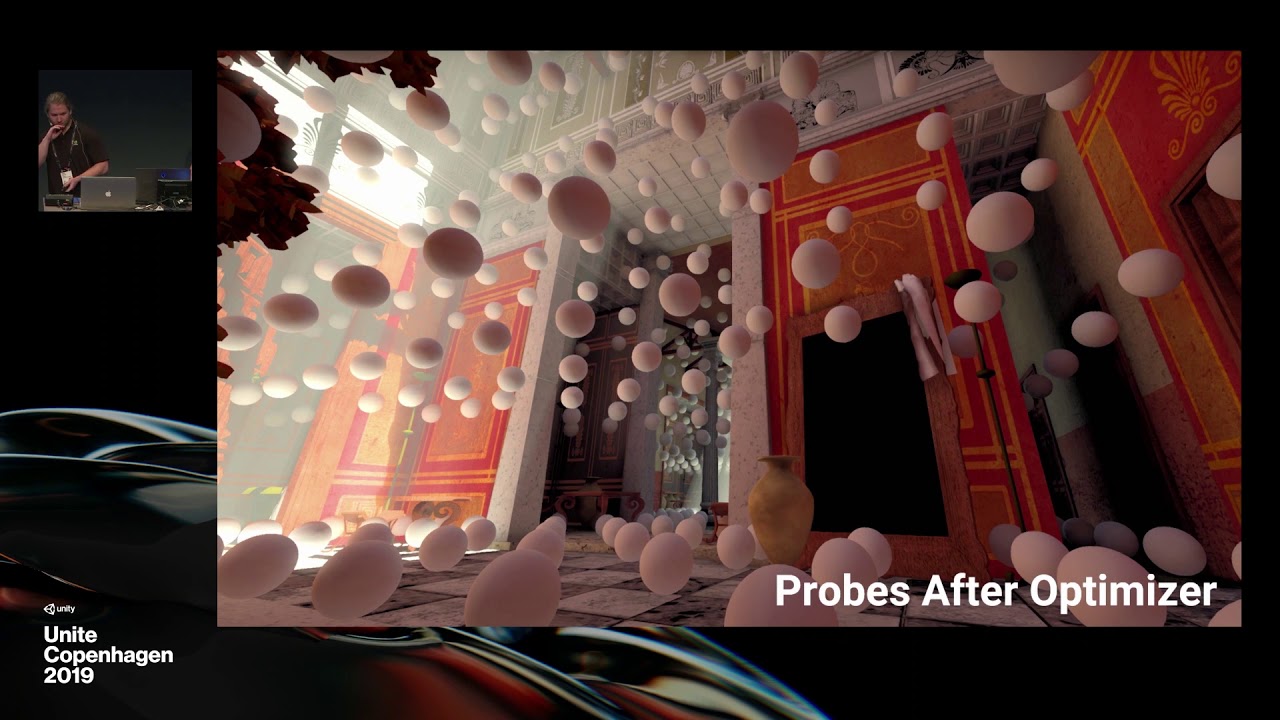
NVIDIA RTXGI was leveraged to create real-time global illumination in Unity. The product-facing integration of this tech combines great artist workflow with stunning real-time ray traced results. In this talk, we review ray tracing, show behind-the-scenes VFX breakdowns for a new Unity demo, and share best practices for lighting and modeling whe...
 scarlet hull
dawn sorrel
why this have no unity support ?
scarlet hull
dawn sorrel
why this have no unity support ?
Unity has it, in HDRP.
 eternal laurel
hey @scarlet hull you got any info on the burst-occlusion system that is in the works ?
scarlet hull
eternal laurel
hey <@!532477925250039820> you got any info on the burst-occlusion system that i...
No, sorry 😅
eternal laurel
Damn 😩
turbid matrix
scarlet hull
Unity has it, in HDRP.
just a small correction: Nvidia's RTXGI is basically relabeled DDGI which Unity doesn't have atm
it's kinda bad name IMHO because many still think RTX = DXR
scarlet hull
Ow, hum, okay, sorry for the confusion
turbid matrix
still waiting for dynamic baking for APV, it would be very similar to DDGI then 🙂
or dynamic capturing, what is the right wording for that
turbid matrix
dawn sorrel
oh in this video they talked about it and its same as apv ?
https://youtu.be/F3...
yeah that was basically DDGI they showed on that talk. APV isn't the same thing but seems like APV probe setup is very much inspired by that prototype they showed at Unite 2019
if you really want to have that specific tech on your hands today, there is UE4 fork that has it
how things go today, basically most of the bleeding edge nvidia techs get UE implementation faster - if Unity even gets one
but this of course is because Unreal actually got source code access so people can make these fully custom branches, it's way more difficult to provide something like that with Unity if you need changes on the closed source side
barren goblet

the scene uses nearly 8ms CPU time to submit drawcalls?

I find the profiler count the editorloop into total CPU time
is it belivable?

 pulsar panther
barren goblet
is it belivable?
pulsar panther
barren goblet
is it belivable?
Never trust profiling if you do it in the editor. The performance difference can be up to 100x different in some cases.
Make a build and profile on that instead.
barren goblet
OK
 final bramble
Is there some kind of baseline or workflow that is proven to be the most easy and stable way to get a clean,uncluttered HDRP project to start with?
 glacial fossil
I'm still wondering why blank urp/hdrp template doesn't exist. It would be really nice to have a template you could just open with all settings (and maybe post processing) adjusted fine but without having to delete all the useless props from the scene and project window. the way it is now, isn't very beginner friendly but rather frusturating (about your question, I don't really know if there's any easy way atleast)
final bramble
That is why i'm asking if there is a way that has been proven the best until we have a blank HDRP project.
glacial fossil
Imho those "showcase" templates should be optional and blank project should be the default one
urp would otherwise be very good choise for beginners making their first project but those useless props makes it bit yuck
turbid matrix
@final bramble@glacial fossil At least 2021.2+ has "blank" HDRP template option on Hub

but you can do the following to get fully minimalistic starting point with HDRP (regardless of the Unity version):
start with 3D template (non-HDRP), install HDRP package from PM, run HDRP Wizard and hit "Fix All" and just answer yes to everything. Once it's all done, create a new scene and pick scene meant for HDRP
final bramble
turbid matrix
<@!300943679080628226><@!689758471003963472> At least 2021.2+ has "blank" HDRP t...
Thank you! Yeah, I just did exactly what you explain now, seems to do the trick too. Thank you for your reply!
turbid matrix
been doing the hdrp wizard trick for years since I found the SRP template's extras completely pointless for real projects (they serve their purpose for quickly testing features and reporting bugs with though)
final bramble
That makes sense. I'm a newbie, and i'd like to start as clean as possible lol. Sometimes hard to differentiate what is custom and what comes with the HDRP workflow.
turbid matrix
if you start fresh, do remember to create that new scene after Wizard is all green.. it'll give you a scene with preconfigured volume and main light which are preset for higher intensity lighting.. HDRP's default exposure setup is what gives the most grief at first for people trying out HDRP
of course if you've already fiddled with these things it's not as big of a deal
final bramble
Woah, see, I already started messing about and i got some stuff to work, but that might give some more insight. Outside or inside scene? Does it matter alot or is that really just changing some of the sky+envi settings?
turbid matrix
HDRP skies have their own exposures but there's also separate exposure component for the volume... and then what kind of lighting intensity you put to your scene lights matters so that all these have to be dialed to work together
first thing people struggle with HDRP when they try to start clean is that they don't get the preset volume settings for the new scene (have blank scene) but don't realize that HDRP has default volume settings that actually force the sky to use higher exposure value + have exposure component set to autoexposure
this has the unfortunate side effect that if you don't actually put high intensity light to the scene then, you'll mainly see the sky colors properly on the new scene and everything else will be washed out because autoexposure tries to compensate to the sky
hope hat helps @final bramble
also the outside template is a good starting point
(for generic purposes)
final bramble
It helps heaps. I really appreciate you for giving some insights into this. I've created a new scene from the outside template and it does give me the starting sky&fog volume, sun and camera now, so that would mean HDRP is at least set up properly now 🙂
turbid matrix
you can of course use old style lighting values with HDRP, you don't have to use more realistic values.. you can then just put sky exposure to 0 and use fixed exposure to 0 on the exposure component (unless you still want auto-exposure) and it'll work like in built-in renderer
final bramble
I'll have a look at the showproject from Unity and the video they put a year ago, some pretty in depth lighting stuff going on there. Thanks again : ) Much appreciated.
But first, backup time of this blank project , lol
glacial fossil
turbid matrix
<@!300943679080628226><@!689758471003963472> At least 2021.2+ has "blank" HDRP t...
that's awesome 🙏
final bramble
To get less black shadows, is it the usual way to adjust the shadow settings with the dimmer slider? Or am I wrong somewhere else
Also another question - If I override something that i would normally bake into the scene, such as AO, does overriding it in a volume make it realtime/post since it's realtime and not baked? so many questions 😄
barren goblet
the HDRP asset in project setting not set correctly when build
 full steeple
hey so ive asked it multiple times in this discord already with no one knowing what is going on but my render texture in hdrp is doing reall with things when having a transparent background
 exotic pumice
full steeple
hey so ive asked it multiple times in this discord already with no one knowing w...
exotic pumice
full steeple
hey so ive asked it multiple times in this discord already with no one knowing w...
like ?
full steeple
having one character in camera sight but showing like 3

or 2 or sometimes 10 each time i adjust something in the inspector it changes
my game is almost finished and this is the current only struggle keeping me from launching it
scarlet hull
HDRP by default doesn't clear the color buffer.
So when you have multiple cameras showing (scene view / game view / selected camera preview) and you're using a transparent background, there is a high risk of having the previous displays showing in the background.
 iron siren
Hi, I've got a problem with HDRP textures which sometimes don't seem to update properly. I have an texture for my character's irises which contains both irises, named Aiden.png

I've created two PNG from this original image to contain only the right or the left iris

The new images are fine on windows
But in Unity, they still show the part which I've deleted.
How can I fix this issue ?
Unity 2021.2.14f1 with Windows 10 and using GIMP 2 to edit the image if that's any help
If I change the PNG to JPG, it's working though...
Ok, I'll answer my own question. Changing the texture alpha source from "Grayscale" to "Input Texture Alpha" seems to fix the problem. I'm guessing deleting stuff in GIMP for PNGs might not completely delete the pixels but might give the pixel a 0 alpha maybe? Anyway, I found a fix so I'll go with that.
full steeple
scarlet hull
HDRP by default doesn't clear the color buffer.
So when you have multiple camera...
Is there a way i can fix this or will it fix automatically when i launch the game?
scarlet hull
full steeple
Is there a way i can fix this or will it fix automatically when i launch the gam...
Force clearing the GBuffers on the camera should fix the issue :

 scarlet hull
barren goblet
scarlet hull
barren goblet
All the HDRP assets assigned to active quality levels + default render pipeline are included in the build.
full steeple
scarlet hull
Force clearing the GBuffers on the camera should fix the issue :
it sadly didn't
 lethal sandal
Is it possible to set the default HDRP volumetric clouds to an absolute altitude instead of relative to camera?
barren goblet
scarlet hull
All the HDRP assets assigned to active quality levels + default render pipeline ...
how to choose the quality level after build?
and I have a new quality setting which is for raytracing
barren goblet
in build mode, the framerate becomes low when I use deep profiler
I have turned off vsync,
the profiler shows it uses much CPU time than I'm in editor mode
eternal laurel
Deep profiling will do that
barren goblet
do what ?
is the profiler goes wrong? in build mode
when I stop the profiler, the framerate goes high.
start it, becomes low again
 shrewd moon
barren goblet
in build mode, the framerate becomes low when I use deep profiler
shrewd moon
barren goblet
in build mode, the framerate becomes low when I use deep profiler
Deep profiling analyzes your code very accurately as it runs, but this is a heavy process in itself
barren goblet
in editor mode, profiler CPU time is correct as the status panel shows, but it profiles editor loop too.
in build mode, without deep profile, framerate is high, equals to how it is in editor.
in build mode, with deep profile, framerate becomes low, it shows use much CPU time than what I guess.

this is how it becomes, when I use deep profiling
shrewd moon
Are you expecting that deep profiling itself will not consume CPU time?
barren goblet
shrewd moon
Are you expecting that deep profiling itself will not consume CPU time?
yes
shrewd moon
how's that ...possible?
 shrewd moon
barren goblet
but the BuildGPULightList use 0.98ms CPU time, it's obviously not normal
shrewd moon
barren goblet
but the BuildGPULightList use 0.98ms CPU time, it's obviously not normal
Ah, so processes that are not the profiler are taking longer when the profiler is in use?
 wise pecan
Does anyone know what could possible be causing this? Only happens after importing HDRP. Converted all the materials as I was told (it's a sprite material). Having some sort of artifacting bug. Only happens when I use scene-based lighting. I've disabled all lights in the scene and I've changed every setting I can find with no luck. Only have this issue with the 2d asset.

 barren goblet
does the HDRP adaptive probe volume can handle light leaking ? such as thick wall and in corner
planning to try this
dawn sorrel
barren goblet
does the HDRP adaptive probe volume can handle light leaking ? such as thick wal...
What are adaptive probe volumes? Is that a new feature?
I am on ver. 2021.1.20
barren goblet
it's GI, ask people here.
dawn sorrel
Oh
it's this

Unity Forum
Hi everyone,
Welcome to the Probe Volume discussion thread. You can use this thread to ask for help, share feedback, and have discussions about this...
No wonder why I don't know about it, it's not in my version 😛
barren goblet
if it does use DDGI-like tech, it would handle light leaking, I guess
not just a simple volume GI
 dreamy fox
No, does not use DDGI style anti-leaking because it is very expensive and we want to keep the range of platforms that can use APV wide (it is planned to be used by URP too).
We have some much cruder and simpler anti-leak reduction that def. do not work as well but do something coming, those are going to have close to 0 impact on the runtime cost.
We don't exclude in the long term plans to have more expensive methods, but it is not in the plans just yet.
barren goblet
dreamy fox
No, does not use DDGI style anti-leaking because it is very expensive and we wan...
wow, so why is it called adaptive? how much difference to the SH probe GI in 3D texture(3D grids) ?
dreamy fox
barren goblet
wow, so why is it called adaptive? how much difference to the SH probe GI in 3D ...
The adaptive part refers to placement.
barren goblet

it says the APV can not be used for entire scene?
I want the static objects can cast GI, and receive
dreamy fox
You can do it if you want, it is just not necessarily suggested due to inherent issues with probe volume systems (e.g. leaking). Especially the 21.2 version misses some other anti-leaking options that were added later.
 next delta
this entirely enclosed tunnel seems to be lit despite there being no lights in the scene

 barren goblet
why nsight says Im d3d11on12
turbid matrix
sounds like you are testing with DX12
turbid matrix
yeah, exactly
barren goblet
does unity use anything like "d3d11on12"
almost no tutorial about NSight for unity
turbid matrix
you need HDRP raytracing?
I mean, do you use it?
if not, you are better of not using DX12 at all since it's still slower than DX11 path with HDRP
turbid matrix
what kind of profiling are you struggling with?

 distant hazel
Unity uses d3d11on12 which is not supported by nsight
barren goblet
the latest Nsight only support DX12 and VUlkan
turbid matrix
distant hazel
Unity uses d3d11on12 which is not supported by nsight
it's not supported officially but it does still work
distant hazel
so you'regonna have to make do with simpler profiler stats
barren goblet
distant hazel
Unity uses d3d11on12 which is not supported by nsight
how to disable it
turbid matrix
at least on my end it does
I can't tell from gpu race feature though but I get like the basic frame timings still
distant hazel
basic frame timings is not what you want I assume
barren goblet
turbid matrix
I can't tell from gpu race feature though but I get like the basic frame timings...
yes, this one is ok
distant hazel
You simply can't do advance profiling because unity is using d3d11on12
barren goblet
but I want to see how many time a pass uses
turbid matrix
ah... I've only used it for this stuff
 distant hazel
Even renderdoc is enough for timings
barren goblet
turbid matrix
ah... I've only used it for this stuff
what is it
turbid matrix
basic gpu timings with Unity's DX12 builds
you can see what the cost is for each item on the frame
barren goblet
is this NSight?
turbid matrix
it's basically the main reason I use nsight myself (Unity's own gpu profiler fails to list most of these items)
yes
barren goblet
 turbid matrix
 barren goblet
how to get this?
turbid matrix
when you open nsight, just hit the quick launch button, then do these
 distant hazel
oh ye
turbid matrix
for you to get meaningful descriptions, you may want to do development build with Unity or you won't see anything but some generic names there
on dev build you get all the right names on the frame timing

you can zoom in and mouse hover each item here, it's really handy on examining the overall cost of individual systems
basically I say this aloud because I suspect @barren goblet is really after something like this and not the more advanced timings?
I wouldn't know, just guessing here
 turbid matrix
hold ctrl and use mouse wheel to zoom
also if you really want to use gpu trace, it does work with DX12 too apparently, just tested it on my end

you do have to allow gpu perf counters from nvidia control panel (under dev settings) for gpu tracing to work
running nsight "as admin" may work too according to instructions
@barren goblet
barren goblet
I have used admin
 barren goblet
yes
turbid matrix
either way, enabling the perf counters from nvidia control panel does work even without that one
 turbid matrix
yeah it does warn about it but it does work
nvidia has docs for nsight graphics but it's bit well... bloated and not so nicely structured
would call it as information overload
probably more handy if you already know what you are looking for 😄
 turbid matrix
for you to get meaningful descriptions, you may want to do development build wit...
turbid matrix
turbid matrix
for you to get meaningful descriptions, you may want to do development build wit...
^
@barren goblet
 distant hazel
Ye that looks like a drv build
barren goblet
yeah, I get same result nearly yours
barren goblet
yes
turbid matrix
colors could be random, I don't know if there's any true meaning for whatever colors it picks
barren goblet
the color
turbid matrix
main thing is that you can separate the items
barren goblet

what is the gaps mean?
I can't deep profile the shaders, all optimization need to guess
distant hazel
Welcome to graphics programming on PC
turbid matrix

Take a deep dive into the tech behind Enemies, the latest real-time cinematic work from Unity’s award-winning demo team, to learn how photorealistic protagonists come to life.
Speaker:
Mark Schoennagel (Manager, Technical Marketing, Unity)
Watch the full cinematic: https://youtu.be/eXYUNrgqWUU
 neon jolt
adaptive probe volume?
 idle compass
Is it possible to have a spotlight in HDRP have an increasing intensity with distance ? I don't want it to be so bright when it hits objects close to it
glacial fossil
idle compass
Is it possible to have a spotlight in HDRP have an increasing intensity with dis...
Im pretty sure that not possible without making custom shaders which is nearly impossible in case of hdrp
 whole fossil
idle compass
Is it possible to have a spotlight in HDRP have an increasing intensity with dis...
whole fossil
idle compass
Is it possible to have a spotlight in HDRP have an increasing intensity with dis...
yeah, well. that's how the lights works, so basically you are asking for something that isn't physically accurate
but you can control the intensity from the c#
turbid matrix
spoofing this from HDRP shaders probably isn't all that hard but it will be PITA to maintain
- that would make it generic to all lights
glacial fossil
Isn’t hdrp using deferred by default? That means it should be the lighting pass shader that renders all the spotlights that way. If you can get the default lighting pass shader somehow, it could be somewhat easy to modify. Not sure where you could get that from tho
shrewd moon
glacial fossil
Isn’t hdrp using deferred by default? That means it should be the lighting pass ...
Not 100% sure but it looks like clustered forward rendering
turbid matrix
HDRP can use either or mixed
if you create a new HDRP project it's going to be deferred by default
 quartz heart
after creating a new hdrp project and importing my old player (non hdrp) to it, all the textures disappeared.
I tried upgrading through the wizard or fixing all problems but nothing works.

the weird thing is that on the prefab, the textures still appear.

 violet ice
does anyone know how to stop HDRP from changing the brightness when you look up and down?
i should've probably looked into this before ludumdare lol
glacial fossil
violet ice
does anyone know how to stop HDRP from changing the brightness when you look up ...
Auto exposure probably
violet ice
glacial fossil
Auto exposure probably
1million thank yous! This saved my ludum dare entry! ;u;
 deft sable
quartz heart
after creating a new hdrp project and importing my old player (non hdrp) to it, ...
deft sable
quartz heart
after creating a new hdrp project and importing my old player (non hdrp) to it, ...
on the material try setting the Metalic to 0.5
quartz heart
deft sable
on the material try setting the Metalic to 0.5
fixed: lightning had an option that was set to 3.02134 I just moved it to 10,000. looks a bit ugly but proof the textures are there, I'm sure with enough playing around I can make it look good again :)
deft sable
nice!
quartz heart
also I'm very new to hdrp, but I noticed a lot of those problems (from the forum at least) come from or the camera or the lighting.
try to create a new scene with different light types and see if it works, or a new scene with different camera rendering settings
I would say its a post processing setting but not sure
deft sable
it's not post processing as they are still there when I disable all volumes.
I think the camera is fine, just looked it over,
I'm trying to find shadow distance, maybe it's too high, do you know where shadow distance is?
it doesn't appear to be on the light itself or in the HDRP settings, or maybe im blind
I kind of fixed it, the problem doesn't seem to happen as frequently now, but it still does, which is weird.
I changed the sample counts, they used to be at like 8, 10, and 16, or something, I put them at 100 and it seemed to work.
But then as I was exploring my level I found one spot that was pixelated still.
idk what to do.
ALso @quartz heart Thanks for your help :)
I think it was contact shadows
 tough spire
I am trying to learn to work with HDRP, and I cant seem to find a solution for this. If in the Editor I turn off the lights its 'ok' just extreamly dark no matter what I do,

but if I turn on Lights in editor, its worse

is there a editor setting to 'brighten it up'
 summer glacier
tough spire
but if I turn on Lights in editor, its worse
summer glacier
tough spire
but if I turn on Lights in editor, its worse

In this video, you'll learn how to create AAA-quality visuals for current and next-gen games. We’ll also show you HDRP’s key rendering features and how to tune settings for anti-aliasing, lights, shadows, exposure, and more.
Speaker:
Pierre Yves Donzallaz (Senior Rendering & Lighting Artist)
Did you find this video useful? Room for improvement...
watch this
basically light intensity is probably too high thus all white.
lighting is a bit different compared to built-in/urp
Go to your global volume, add an exposure, set it to automatic
summer glacier
Strange, try what I suggested see if it makes a difference
add visual env and set it to physical sky
make sure you're on lit view mode in the editor
tough spire
that?

in play mode the lighting is perfect

same position in editor mode with the Lightball turned on to use lighting its pure white

oh i found it a layer looking icon

 shell crystal
Does anyone know what is happening on the camera Preview?
I just changed the camera's Background type to Color and set a color and that happened.
If i run the game i will get that weird light and then it will slowly become normal (as on the scene)
How can i disable that 'fade light effect'?
 deft sable
shell crystal
Does anyone know what is happening on the camera Preview?
I just changed the cam...
deft sable
shell crystal
Does anyone know what is happening on the camera Preview?
I just changed the cam...
my guess is the background intensity is too high and so the shot is over exposed with the default settings, but you have that override on the volume that auto balances the exposure so over time it starts to look normal.
shell crystal
deft sable
my guess is the background intensity is too high and so the shot is over exposed...
Thank you for your answer, so if i set the intensity higher it should be fixed? i mean, if i set it higher i won't have those colors i have right now?
deft sable
I think you need to set it lower
shell crystal
Thank you!
 tardy eagle
Is it possible to have an HDRP camera with a transparent background? I tried setting the background type to color and setting the alpha to zero but the alpha is ignored. None somehow uses the skybox. I want to render a specific layer ontop of the main camera that is rendering the scene
I know it works in default rendering but I upgraded my project recently and just now got to this and cant seem to get it working
 fierce trellis
tardy eagle
Is it possible to have an HDRP camera with a transparent background? I tried set...
fierce trellis
tardy eagle
Is it possible to have an HDRP camera with a transparent background? I tried set...
I think you can set the background to "None", and also try changing the color buffer (or render texture) format. I remember hitting this issue, and resolved it by changing the color format to the 16 or 32 bit ones, can't remember exactly
neon jolt
how do i use the adaptive probe volume?
its on the scene but it doesn't do anything
i already baked the lighting
 candid dragon
hey there!
can anyone help me out with blurring background objects of me level/scene?
I have a window/glass plane as foreground and an interior behind this window/glass plane.
I'd like to have everything in front of the window to be rendered normally, but everything behind the window to be rendered blurry.
I'm on an orthogonal camera.
 inner parcel
candid dragon
hey there!
can anyone help me out with blurring background objects of me level/s...
inner parcel
candid dragon
hey there!
can anyone help me out with blurring background objects of me level/s...
you can write a custom shader for distortion for the glass
candid dragon
inner parcel
you can write a custom shader for distortion for the glass
Would you think it should be possible in shadergraph as well? I think with other possible solutions I tried, the main drawback was it wouldnt work with orthagonal cameras
inner parcel
candid dragon
Would you think it should be possible in shadergraph as well? I think with other...
have you tried unlit refraction? its an option in the hdrp shader
inner parcel
candid dragon
Would you think it should be possible in shadergraph as well? I think with other...

 candid dragon
inner parcel
candid dragon
inner parcel
That solved it, thanks! 🙂
 crude sorrel
Is it possible to have black blooming emission? Basically I want to make some objects black and blurred and shine through windows that have regular emission on them. It's totally possible for normal colours, but I want black 🥲
inner parcel
crude sorrel
Is it possible to have black blooming emission? Basically I want to make some ob...
maybe a transparent plane with black pixels which fakes bloom effect? it might work only when the blooming object is far from camera. otherwise you need lots of plane to cover different angles and still might not look good.
tho i still cant imagine how the result would be/you want it to be
 lunar condor
does anyone know a fix for HDRP lighting increasing a lot when standing in shadows (not near any light source)
 glacial fossil
lunar condor
does anyone know a fix for HDRP lighting increasing a lot when standing in shado...
glacial fossil
lunar condor
does anyone know a fix for HDRP lighting increasing a lot when standing in shado...
I think it’s auto exposure
lunar condor
glacial fossil
I think it’s auto exposure
let me check
if it is, should I just set it to fixed?
glacial fossil
I don’t know. Can you just disable it?
lunar condor
not really, I use it to set the lighting in the scene to the right level
glacial fossil
Doesn’t seem to give correct lihting tho
Have you tried disabling it to see if it’s the reason for the problem?
lunar condor
glacial fossil
Have you tried disabling it to see if it’s the reason for the problem?
I disabled it altogether once it didn't seem to solve the issue
glacial fossil
then the problem is somewhere else and I'm out of clues...
lunar condor
in the general someone mentioned volumetrics.. may that be it?
can anyone give me tips on how to improve the lighting? I can never get it to look right

also maybe improve performance a little, since each light in the scene is a shadow caster and there's like 500 in the scene
shell crystal
deft sable
I think you need to set it lower
i tried to set it lower, but this happens, and the lower i set the worst it gets
if i set it higher the same thing happens.
Is there something wrong on the camera config?
 glacial fossil
shell crystal
i tried to set it lower, but this happens, and the lower i set the worst it gets...
glacial fossil
shell crystal
i tried to set it lower, but this happens, and the lower i set the worst it gets...
Have you tried disabling/decreasing bloom effect?
shell crystal
glacial fossil
Have you tried disabling/decreasing bloom effect?
is this right? everything disabled and intensity to 0.2
 glacial fossil
shell crystal
is this right? everything disabled and intensity to 0.2
glacial fossil
shell crystal
is this right? everything disabled and intensity to 0.2
Threshold of 0 is very low. Usually it’s 0.5 atleast
shell crystal
glacial fossil
Threshold of 0 is very low. Usually it’s 0.5 atleast
i have changed it to 0.5 but the issue is still there, i incremented it and same... that's weird
 vague olive
My Eye adaptation stops working when in game? Anyone has any idea what might be the cause?
for some reason looking for "volume" on the chat sometimes recalculates eye adaptation once based on what the camera sees
dawn sorrel
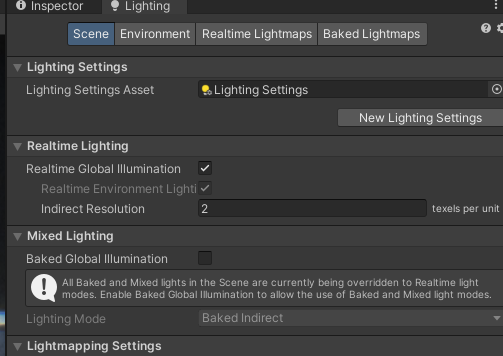
Realtime Global Illumination works but automatically disables itself in play mode
how do I stop that from happening? It's quite annoying
turbid matrix
it disabled realtime GI or just disables the checkbox toggle?
barren goblet
Dx12 is experimental, but Vulkan not
can I use Vulkan for production?
Win10 platform PC game
turbid matrix
I'd say Vulkan isn't really more production ready than DX12 on HDRP
also... there's really no good reason to use Vulkan for windows if you use HDRP
just stick to DX11
(unless you need raytracing)
Vulkan and DX12 both are slower atm with HDRP than just the default DX11
and have extra issues on them
@barren goblet
inner parcel
speaking of dx12 vs dx11 is there a way to handle the switch at runtime? i know a restart is required. and i hope unity implements something like a PlayerPrefs key, to store persistent value into it, which unity will read once before launch, just like theres key for resolution stuffs.
i know theres an option to provide launch argument, i can't imagine that to work perfectly unless theres a gamelauncher which will launch the game
my target audience is pretty wide and I need raytracing for users who prefer dx12 despite it not being stable just for visuals, and at the same time I want people to have the option to switch to dx11 when raytracing isnt required or when not available
turbid matrix
my understanding is that to handle it yourself, you'd have to use custom loader code
there's that stub for it if you build with sln solution I think?
inner parcel
turbid matrix
there's that stub for it if you build with sln solution I think?
you mean visual studio project build?
turbid matrix
ye
inner parcel
last time I tried it (for some other purpose in 2020.2), it generated a development build even if i set target to Release/Master. I read in forums that it was the intended behaviour. i might be wrong too since my memory of it is a bit fuzzy now. i'll try that approach once again. its a very good lead indeed
turbid matrix
inner parcel
last time I tried it (for some other purpose in 2020.2), it generated a developm...
basically if you create the VS solution and find Main.cpp from it (this is c++ solution given to you on the build location, not c# sln you get on the project root folder)
then you can feed in whatever commandline arguments you want from it.. for example just overriding it fully to dx12 would be like: cpp int WINAPI wWinMain(HINSTANCE hInstance, HINSTANCE hPrevInstance, LPWSTR lpCmdLine, int nShowCmd) { lpCmdLine = L"-force-d3d12"; return UnityMain(hInstance, hPrevInstance, lpCmdLine, nShowCmd); }
you'd probably want something more sophisticated that passes the current parameters through and only override the DX version unless user didn't request something else from commandline.. and of course have some way to read currently preferred renderer so you know which one you override on regular startup
but that should give you an idea how you can do this
by creating VS solution, I now mean this

I just tested this on URP, seemed to work fine
(verified the used DX with graphy)
inner parcel
turbid matrix
by creating VS solution, I now mean this
yes yes i'm aware of this method. its similar to UWP store builds but i need to check once if this method is feasible for production or not. i dont exactly remember the issue I had before
inner parcel
turbid matrix
I just tested this on URP, seemed to work fine
do you see the console or the development build watermark in your builds?
turbid matrix
afaik there's no other way of doing this on windows
hmmmm... I do get the dev build watermark on debug and release builds but not if I use master build
it's kinda weird, you'd think release would be final
inner parcel
turbid matrix
you'd probably want something more sophisticated that passes the current paramet...
i dont mind getting hands dirty. i could come up with a system for storing the data at runtime and then reading it here as you mentioned. very helpful indeed and probably the closest i've been to achieve this without the launcher
inner parcel
turbid matrix
hmmmm... I do get the dev build watermark on debug and release builds but not if...
i had the watermark even with master build last time I tried.
even the Microsoft Store UWP builds (for hololens, surface) are required to be made with master else they donot pass the certification.
turbid matrix
yeah I have zero experience on UWP, beyond using some WinRT input lib from it 🙂
there definitely isn't watermark on master on my end. tested with URP 12 + 2021.2
regular win x64 build
tbh, it's weird that you can't find some examples for this on git etc... with quick search I mainly found some display adjusters using this approach
inner parcel
turbid matrix
yeah I have zero experience on UWP, beyond using some WinRT input lib from it 🙂
my bad, that was kinda off topic. but thanks a lot. pretty clean approach. i actually gave up on this.
i tried with a no window launcher which read player prefs, but it didnt work on some testers pc because of false AV flags despite the exe having proper code sign (not the self one) maybe because I was launching the console but without a visible GUI. i didnt want to create a service since that would require admin rights.
turbid matrix
it hasn't really made much sense to make a in-game setting for renderer choice usually, you typically pick the best renderer for the task and that's it.. having raytracing on DX12 does finally give a reason to do this
I've seen people forcing the commandline param just on extra launch options on steam etc
inner parcel
yeah thats why its not a feature because other than raytracing i dont think anyone would need this.
i initially went with dx12 + dx11 first with dx12 having more priority over dx11.
but it made the game very unplayable. occasional long stutters due to Semaphore.WaitForSignal. so i had removed dx12 fully (sacrificing raytracing)
now i just mark raytracing as experimental. my game isnt released fully. but my testers and few other users just wanted raytracing for cinematics and clips.. this approach seems like the best one i could try
turbid matrix
inner parcel
last time I tried it (for some other purpose in 2020.2), it generated a developm...
also I missread this, wouldn't have gone into such detail later 😄 but all good now
 rose patrol

top cube is unity's built-in cube, all the same material
why do textures look worse on all the other cubes I exported from blender? (subdivide & unwrapped)
each cube is a different unwrap, trying to get them to look good but textures look bad compared to unity's cube
it's not a painted texture, just a wood texture I drag and drop
turbid matrix
@rose patrol UV mapping is more suited for #🔀┃art-asset-workflow channel... but in nutshell, it's your UVs
summer glacier
does APV lighting depend on UVs?
neon jolt
how do i do tessellation textures on terrain?
neon jolt
shadows shows plane instead of the texture shape. help?
 glacial fossil
neon jolt
shadows shows plane instead of the texture shape. help?
glacial fossil
neon jolt
shadows shows plane instead of the texture shape. help?
Partially transparent shadows doesn’t exist in unity. What shader/shader graph are you using for the leaves? You have to use shader that clips the shadows too. I think transparent shader graph alpha clips shadows automatically.
glacial fossil
It seems lit shader isn’t correct shader then. Maybe with opaque + alpha clip (cutout rendering mode) could work tho
neon jolt
soo is it possible to have a terrain texture that uses heightmaps?
scarlet hull
neon jolt
soo is it possible to have a terrain texture that uses heightmaps?
Like .... have tessellation displacement on terrain ?
Right now, nothing is provided to easily do it, although you could "hack it" using shadergraph
 bold wadi
Heya !
Anyone knows how can I activate anti aliasing? The lines are too sharp between objects
 glacial fossil
bold wadi
Heya !
Anyone knows how can I activate anti aliasing? The lines are too sharp be...
glacial fossil
bold wadi
Heya !
Anyone knows how can I activate anti aliasing? The lines are too sharp be...
https://docs.unity3d.com/Packages/com.unity.render-pipelines.high-definition@7.1/manual/Anti-Aliasing.html if you’re using deferred render path, msaa isn’t available but you can use either fxaa, taa or smaa
bold wadi
glacial fossil
<https://docs.unity3d.com/Packages/com.unity.render-pipelines.high-definition@7....
Thanks !
summer glacier
Does APV rely on UVs for lighting?
 oblique vapor
Stupid question time, first time playing with HDRP and volumetric fog. Those "white balls" are from light sources (point lights), is there any way to reduce their size / visibility ? I have feeling this is just how volumetric lights/fog works but can't hurt to ask.
 summer glacier
oblique vapor
Stupid question time, first time playing with HDRP and volumetric fog. Those "w...
summer glacier
oblique vapor
Stupid question time, first time playing with HDRP and volumetric fog. Those "w...
yes, that's volumetric light
go to the light game object
and there should be a volumetric light intensity, default is 1, you can just reduce that
or disable it
summer glacier
neon jolt
its laggy with a bunch of palm tree
what's your issue? The terrain itself or the trees?
Make sure trees are placed through the terrain tree option and not as gameobjects
and that you have LODs and billboards set up
check your tree distance as well


 summer glacier
well, I still don't know the issue
profile, what's causing the perf issue and what hardware are you running it on


 summer glacier
neon jolt
im using an rx 570 and a i7 3770
summer glacier
neon jolt
im using an rx 570 and a i7 3770
rx 570 is very old/weak
summer glacier
neon jolt
idc
I'm pointing out your performance issue
neon jolt
hmm
neon jolt
so my setup isn't enough for hdrp?
summer glacier
I'd say so, you also seem to have volumetric clouds on
neon jolt
volumetric clouds doesn't really give a big performance impact
summer glacier
also I can't tell much from your profile pic, at the bottom there's stats for your performance and what's taking what, and you can enable the GPU module for perf metrics
neon jolt
i only got under 10 fps decrease
neon jolt
summer glacier
also I can't tell much from your profile pic, at the bottom there's stats for yo...
thanks!
summer glacier
v clouds are somewhat expensive on the GPU
10 FPS isn't much, but if you count it in ms it's a lot
since 20 to 30 FPS is a big performance difference
you might still be able to use HDRP, but you gotta really lower tree distances/poly count, and terrain poly count. And cut out relatively expensive features for your hardware. For example don't use TAA, stick to FXAA, no volumetric fog and clouds, etc
neon jolt
i don't even use taa
oh nvm
there was another camera at the scene
so that tanks the performance
the trees have 1000 tris each, although i can't tell how much after displacement is applied
"pixel displacement"
ok, i changed from smaa to fxaa and now the game runs around 40fps, thanks!

 summer glacier
also editor has CPU overhead, so if CPU is ever your bottleneck a build will run faster. GPU performance is about the same though in and outside of editor

 native pilot
can I get the HDRP/TerrainLitNM Normal shader somewhere? A Shader.Find function cant find it anywhere
i havent seen anything about it online either?
native pilot
this might be a shader from the package.
 spark wasp
hi! I want the HDRP features without paying for the performance cost, is there a way to downgrade or lower the quality of the HDRP shaders to get performance close to URP?
scarlet hull
spark wasp
hi! I want the HDRP features without paying for the performance cost, is there a...
I'm not sure if you can get to the same level of performances as URP, but you can disable HDRP features and functionalities in the render pipeline asset to save perfs.
Also, depending on your use case, switching to forward only might save performances and memory.
spark wasp
thanks
turbid matrix
@spark wasp also note that there are settings on HDRP frame settings that affect the perf too, at least I don't remember HDRP asset giving you control over things like distortion, refraction etc
to know what can be done, I'd suggest getting some gpu profiling tool that gives you nice overview of the currently costly things. Unity has built-in gpu profiling but it only captures like half of these things so definitely recommend using 3rd party tool for this type of analysis
I use nsight for this, mainly because I like the interface and it has worked fine for me in past
in my experience, going to forward only starts only paying up when you start seriously stripping the features, if you keep everything in place, it can be even tad heavier
but obviously these would depend on your own use cases
also, there's this relatively new addition:

I don't really know the perf impact that has but probably still worth experimenting with that
it's disabled by default
@scarlet hull you have any insight on that dynamic render pass culling?
When you enable this option, HDRP uses the RendererList API to skip drawing passes based on the type of GameObjects visible in the current frame objects. For example, if HDRP doesn't draw an object with distortion, it skips the Render Graph passes that draw the distortion effect and their dependencies, like the color pyramid generation.
I wonder why this isn't enabled by default? does the culling itself have notable overhead?
spark wasp
turbid matrix
<@408957559630725130> also note that there are settings on HDRP frame settings t...
hmm, I'm able to turn off refraction but distortion is greyed out

I disabled everything I could from inside the editor, framerate is better although not quite as good as URP yet
but... URP is using forward rendering, while HDRP is deferred. I have a feeling URP with deferred would get even higher
turbid matrix
it'll never be as good as URP
but you can cut the HDRP cost
also the difference between the two renderers perf depends on your hardware too
on weaker GPU URP gets still big win over HDRP
summer glacier
turbid matrix
<@532477925250039820> you have any insight on that dynamic render pass culling?
it's not on by default to see if there's any regressions that passed testing
If i remember correctly that's what the pull said, but it was quite a while ago so they might've forgot to check back on it
 turbid matrix
well....apparently Hub 3 just hardcodes the HDRP template image 😄

new HDRP sample doesn't exist for 2019.4... if you actually use this template it will load the old workbench scene instead
 marble surge
Any tips on how to convert a URP project to HDRP? I'd rather not recreate a fresh one
turbid matrix
if it's a bigger project, I'd consider writing a conversion tool, bit like the current material upgrade script is for built-in to URP or built-in to HDRP
if you only use shader graphs for your materials, it's going to be way simpler, you just open your SG's and add HDRP target to them and save
(to get HDRP compatible materials)
@marble surge
marble surge
turbid matrix
if it's a bigger project, I'd consider writing a conversion tool, bit like the c...
Makes sense. How about in terms of everything except materials? Like do I just have to install the package, uninstall URP, add some global settings?
turbid matrix
I'd recommend keeping URP package around as long as you have fully ported it, it doesn't mess up things by being there as long as you don't have active URP asset assigned to Graphics settings or in Quality levels SRP overrides
reason I say this is because if you uninstall URP too early, things that haven't been ported will lose all references to URP and it'll be harder to figure out how to handle them
so basically, install HDRP package and as first thing you want to run HDRP Wizard
make sure you hit fix all and that everything shows up green
and obviously... make sure you have version control or at least backup before you start
@marble surge also if you are using older Unity, like 2020.3, make sure you install same version number for HDRP as you have for URP if you keep both there at the same time because both rely on same dependencies and if you mix the versions, the dependencies will have conflicting versions
if you use Unity 2021+, you'll be always using same SRP version between the different SRP packages as Unity just ships one version per engine version from 2021 onwards
 loud leaf
Are you in performance or quality mode?
It looks like artifacts from quality mode
What is your denoiser radius?
And are you using full resolution?
Yeah quality mode is worse. Try using 0.1 denoiser radius and go up from there to see which one fits the best here.
0.25 usually works well for me but has some noise, you should never really go higher than 0.5, I think higher than 0.5 also produces visual artifacts.
Ouch, yeah that is a difficult situation. Is this from a light or an emissive mesh?
No, the problem is that some pixels have difficulties finding the light because of low sample count. So go back to the quality mode and increase the samples per pixel (it will be heavier, but I don't think there's another option here)
Yep, try something like 4 samples per pixel
Not sure why that is, I try to stick to the "correct" setup, do you have a screenshot of the result?
4 bounces is way too heavy for real time in my opinion, I would:
- Use 2 bounces
- Disable half resolution denoiser
- Set clamp value to 1.0 minimum (don't go above that for now)
Was half resolution denoiser on all the time? That might have been your problem in the first place 😄
Nice, you can probably lower the sample count too, to find a nice balance between fps/quality
HDRP is really nice when you get used to it, because everything is physically based. You can use real skies (HDRI captures) and look up specifications of real lights and everything will look like it is supposed to.
marble surge
turbid matrix
make sure you hit fix all and that everything shows up green
appreciate the help! I'm almost through now. I have all the green ticks in the HDRP wizard. I noticed these buttons. Should I convert built-in materials to HDRP at least? I'll handle my own custom materials/shaders separately
 turbid matrix
marble surge
appreciate the help! I'm almost through now. I have all the green ticks in the H...
turbid matrix
marble surge
appreciate the help! I'm almost through now. I have all the green ticks in the H...
you probably don't have any built-in materials if you convert from URP
marble surge
turbid matrix
you probably don't have any built-in materials if you convert from URP
ah, I see, built-in is referring to BRP, gotcha
loud leaf
Looking good 😄
 shell wharf
how would I disable environment or ambient light in a scene so the only light sources are my objects?
 plain mural
how do i control the attenuation of a spotlight? this is driving me nuts
basically what im looking for is a way for my spotlight to have little to no dropoff
barren goblet

hi, HDRP how to use script to tweak this DebugMode?
I want to turn on/off some mode, in a UI more efficiently
turbid matrix
@barren goblet if you do a development build or you play in editor, there is already a built in runtime debug mode
With gamepad, it opens by pressing down both analog sticks down at once
There is a keyboard shortcut too but cant remember the combo out of my head. Docs should have more info about it
barren goblet
OK, I found it
shrewd moon
barren goblet
OK, I found it
Which one was it?


 scarlet hull
barren goblet
much easier to turn on/off
scarlet hull
barren goblet
much easier to turn on/off
Just saying this here : do you know that the rendering debugger has a built-in standalone mode ? 🙂
turbid matrix
yeah I tried to say this earlier.. but I can see value on being able to toggle specific debug views quickly if you are working on something specific
could be nice to have option to hotkey different debug views for example
eternal laurel
Hey, guys I finally got around to playing with the APV in hdrp 14.0.2. Why am I getting this wierd almost dither like look. Also when ever I hit bake I get a Bake wasnt completed for 4270 probes
 loud leaf
@eternal laurel I think I got rid of the dither by setting "sampling noise" to 0

I just tried APV + SSGI (like in Enemies), seems to work pretty well.
scarlet hull
eternal laurel
I still dont understand the bake wasnt completed error
Apparently there is some error in the editor code logged when baking APVs, even if it actually works. We know it and it should be taken care of (maybe even already fixed but not published), so don't really bother 🙂
eternal laurel
scarlet hull
Apparently there is some error in the editor code logged when baking APVs, even ...
Okei dokie 😁
We will soon test it out in a lets call it a production scene, rather a VS of one so I will provide more feedback
 dim yew
(image is slider)
https://imgsli.com/MTAzNjk5
Hi everyone. I'm doing some experiments on specular occlusion. I need to experiment on something to improve it. Can you help me?

What I want to show in the video is that the glossiness increases as the surface gets rougher (in Unreal). Is there way to recreate this in Unity?
 iron flame
eternal laurel
Hey, guys I finally got around to playing with the APV in hdrp 14.0.2. Why am I...
iron flame
eternal laurel
Hey, guys I finally got around to playing with the APV in hdrp 14.0.2. Why am I...
I love APV, but the bake times are too long and there are various errors in large scenes. Especially the GPU lightmapper producing dark areas is very annoying. I hope they fix it soon. Denoise filters have no function when using APV only. This means that the sample numbers must be very high. There is no problem outdoors. but it is very noisy indoors.
eternal laurel
iron flame
I love APV, but the bake times are too long and there are various errors in larg...
well as luck has it it's a outdoor scene 😄
iron flame
0.25m apv

 weary fog
Any light maps or just apv?
 floral oar
Messing around with the new LTS version. Performance for full DXR is awesome. Unitys recorder is capping it at 60 but I'm getting an average of 120 - 144 fps with DLSS enabled.
summer glacier
iron flame
0.25m apv
and SSGI probably right? 😄
without SSGI I struggle to get a clean look and high quality with apv
and then the problem is if you leave the room. And suddenly it's in view, there will be a noticeable light change that looks like an artifact (due to the fact ssgi is screen space). It's not an artifact per say but just to say it's an issue
iron flame
summer glacier
and SSGI probably right? 😄
There is no SSGI. The artifact you mentioned is due to the transition between cascades. I use the nois value very low(0.05).
iron flame
weary fog
Any light maps or just apv?
only apv. Lightmap requires directional mode for normal map effect. I like that the APV doesn't have such a need.
 forest harness
eternal laurel
Hey, guys I finally got around to playing with the APV in hdrp 14.0.2. Why am I...
forest harness
eternal laurel
Hey, guys I finally got around to playing with the APV in hdrp 14.0.2. Why am I...
Yes, the sampling noise parameter is useful to improve performance, if you are using TAA at the same time !
dreamy fox
Regarding the sampling noise, the use is not to save on perf, but to hide seams when a jump between subdivision levels happen. The value should be kept as low as you can afford, a small amount usually is not that noticeable on textured meshes.
But yes, with TAA on and the animate noise option (in advanced settings), the effect is even less noticeable.
barren goblet
turbid matrix
yeah I tried to say this earlier.. but I can see value on being able to toggle s...
yeap, that's where it comes up
barren goblet
eternal laurel
Hey, guys I finally got around to playing with the APV in hdrp 14.0.2. Why am I...
did you try APV in small scene?
use cornell box, it's easier to see the artifacts
dreamy fox
If you know your scenes are always very small you should probably increase the minimum distance between probes 🙂
eternal laurel
barren goblet
did you try APV in small scene?
No we havent set up the scene yet. What is a cornel box ?
turbid matrix
@eternal laurel

there might be some cornel box setup on HDRP test projects on git repo, not 100% sure
eternal laurel
turbid matrix
<@292371456862584833>
omg that's called a Cornell box
 eager spruce
I have a problem with custom passes, I'm rendering the weapon on top through custom passes, I render it before post processing so that TAA is applied to the weapon too, but the problem is that TAA is flickering sort of (don't have this problem with other aliasing pp). Another problem is that ambient occlusion is rendered on the weapon which I don't want obviously. How could I solve this?
I switched everything from two cameras to one camera for performance. would it be better to render the weapon after post processing and then add anti aliasing after it on the weapon (is that even possible?)
Just noticed that the ambient occlusion even occurs after setting the custom pass after post process
the problem is due to screen space ambient occlusion, is there an option to disable ssao on layers?
didn't solve the TAA problem tough
native pilot
How do I get a volumetric fog volume in HDRP 10.8? The Sky volume looks like garbage, but apparently 2019 had a density volume that looked nice?
eternal laurel
So I have this idea on how to do proper gpu instancing in hdrp with drawinstancedindirect. My idea is to perform frustum culling in a job (this works), then dispatch a compute shader to fill a buffer with the objects id(my idea is to tank the overdraw cost here). Then and this is the part Im trully stuck on somehow get that buffer to a modified hdrp shader and have it discard fragments that dont match the object id from above mentione buffer. Ideally this would be done on a per material id but I havr even less of a clue on how to do that.
scarlet hull
eternal laurel
omg that's called a Cornell box
And it exists IRL 🙂 https://twitter.com/creativeapps/status/499909184004308992?lang=fr
THE original 1984 Cornell Box. It’s still at Cornell University (via @walking_teapot + @theowatson)
 Twitter
·
eternal laurel
scarlet hull
And it exists IRL 🙂 https://twitter.com/creativeapps/status/499909184004308992?...
Twitter
·
eternal laurel
scarlet hull
And it exists IRL 🙂 https://twitter.com/creativeapps/status/499909184004308992?...
All that is missing is a Stanford bunny in there 🤣. Btw you got any suggestions on my question ?
scarlet hull
eternal laurel
All that is missing is a Stanford bunny in there 🤣. Btw you got any suggestions...
Not really.
HDRP shaders should work with instancing our of the box, and for Shadergraphs I think there is a hacky way to get the instance id with custom code nodes ?
eternal laurel
scarlet hull
Not really.
HDRP shaders should work with instancing our of the box, and for Sha...
Yeah but I want to do that custom occlusion. I dont have a idea on how to test fragments vs the custom buffer and discard them
scarlet hull
eternal laurel
Yeah but I want to do that custom occlusion. I dont have a idea on how to test f...
Sorry, a bit out of my knowledge
eternal laurel
No probs. I wiol continue researching
 orchid grotto
so i tried to install hdrp
but it just made everything pink

this happened after trying to create a profile i think
fixing editor resources*
exotic pumice
orchid grotto
yes you have to upgrade materials via conversion
exotic pumice
orchid grotto
so i tried to install hdrp
orchid grotto
Upgraded already, was still pink.
turbid matrix
then your material are using some custom shaders
Unity can't port those to HDRP, it can only remap your materials that used old standard shaders to use HDRP Lit etc shaders
I stress that the material upgrade tool isn't shader porting tool so if you have some custom shader for built-in, it won't automatically work with these SRPs
@orchid grotto
orchid grotto
mhm
turbid matrix
the other alternative is that you updated your materials to HDRP but didn't assign HDRP asset in project settings -> graphics
but running HDRP Wizard through with "fix all" would catch that
 harsh forge
any tutorials for stylised tree shader on hdrp ? Even the Urp ones i find uses the amplify shader editor from the asset store.
 serene thistle
harsh forge
any tutorials for stylised tree shader on hdrp ? Even the Urp ones i find uses t...
serene thistle
harsh forge
any tutorials for stylised tree shader on hdrp ? Even the Urp ones i find uses t...
haven't used either, but some of the nodes should carry over, at least conceptually. If you're unable to find anything else, I'd still go through the amplify tutorials to see if I could recreate them in shader graph.
 shrewd marsh
Anyone here do offline rendering with alpha backgrounds?
shrewd marsh
Background is set to black with zero alpha - Final images doesn't render bloom unless its on a opaque background. - Been racking my brain for hours


 frank dock
Need help with draw calls ad batching.
For 3 cubes with 3 different materials that use the same shader, only the first one creates additional draw calls, the other ones are being batched together no matter if they use the same material or a material with different values but the same shader.
Yet on an enemy instance that has 4 game objects with the same material in the skinned mesh renderer, each one is creating a seperate draw call and is not being batched. Meaning the enemy prefab that has these 4 materials creates 4 draw calls, and each additional enemy instance created another 4 additional draw calls. There is no batching being used for some reason. Anyone know why?


 summer glacier
frank dock
Need help with draw calls ad batching.
For 3 cubes with 3 different materials t...
summer glacier
frank dock
Need help with draw calls ad batching.
For 3 cubes with 3 different materials t...
I don't think SRP batcher/batching supports skinned chars
 opaque torrent
Anyone got a grass solution?
eternal laurel
frank dock
Need help with draw calls ad batching.
For 3 cubes with 3 different materials t...
Gpu instancing breaks the srp batcher they are not compatible. So try disabling that on your chars materials.
frank dock
eternal laurel
Gpu instancing breaks the srp batcher they are not compatible. So try disabling ...
Sure but why does the same material with GPU indtancing batch on 3 cubes even across multiple materials using the same shader? Yet it doesn't on the skinned mesh objects
eternal laurel
what sort of batches are you getting in the frame debugger
shrewd marsh
At this point I'll offer a $ reward for help with this. https://forum.unity.com/threads/recording-bloom-transparent-object-on-alpha-background.1268048/

Unity Forum
Using HDRP
My setup is - Cam has background set to black with zero alpha, The recorder is using image sequencing with alpha.
The problem is if there...
barren goblet
why using DebugMode frame rate drops to very low?
 serene thistle
shrewd marsh
At this point I'll offer a $ reward for help with this. https://forum.unity.com/...
serene thistle
shrewd marsh
At this point I'll offer a $ reward for help with this. https://forum.unity.com/...
this is probably a very silly suggestion, but have you thought of applying the bloom in post?
since you're getting rendered images as output
You could generate masks of the areas that need bloom and use them to add it. You'll probably need to automate the process somehow
 random stratus
Does anyone have a tutorial link that can explain making a mask map?
I'm not understanding the process in the API
 dawn sorrel
Substance painter can export them
bold wadi
Hey everyone, I was wondering why the reflection is showing the sky and not.. the ceiling?
 shrewd moon
bold wadi
Hey everyone, I was wondering why the reflection is showing the sky and not.. th...
shrewd moon
bold wadi
Hey everyone, I was wondering why the reflection is showing the sky and not.. th...
Unless you can afford ray tracing or planar reflection probes you'll have to make do with ordinary reflection probes
shrewd marsh
serene thistle
this is probably a very silly suggestion, but have you thought of applying the b...
I thought of that but as these sequences become more complex it won't work. I really just need to know how to include transparent surfaces and FX that won't be hard cut off. Surely there is a way. If Unity intends to push into virtual production we need control of these things sooner than later.
quartz heart
My character has "pixelated" neck after upgrading her materials to HDRP, I suspect this is lighting but can't find anything.
does anyone have any idea why this could be happening?
 neon jolt
probably because the model uses flat shading
glacial fossil
quartz heart
My character has "pixelated" neck after upgrading her materials to HDRP, I suspe...
seems some sort of shadow acne. have you tried this one https://forum.unity.com/threads/high-shadow-filtering-gives-shadow-acne-grainy-noisy.1261580/?
bold wadi
shrewd moon
Unless you can afford ray tracing or planar reflection probes you'll have to mak...
How can I use the reflection probes so it reflects based on where the camera is?
shrewd moon
bold wadi
How can I use the reflection probes so it reflects based on where the camera is?
Usually you can't
You can use "box projection" on the reflection probe to get a camera parallax effect
But it mostly works for box shaped interiors, maybe you can use them for exterior walls if you lay them out cleverly but not sure about that
If you really need accurate reflections you'll want to look into planar reflection probe
It's significantly more expensive, but gets you the effect you want
bold wadi
Alright thank you :p
quartz heart
glacial fossil
seems some sort of shadow acne. have you tried this one <https://forum.unity.com...
Perfect, Thank you!
barren goblet
I can use probe volume in 2022, but it's forced to disable in 2020.3
barren goblet
but I find the probe volume code disappeared in 2022, is it hide in engine source code ?
probe volume in 2020, and APV in 2022, are they the same thing ?
native pilot
um. What is happening here.
 barren goblet
my HDRP is 2020 fork, how to upgrade the project to 2022?
the HDRP package is copy to my 2020 project native package directory
iron flame
native pilot
um. What is happening here.
You need to add shadow to your scene volume profile and adjust the distance. You should also increase the directional light shadow resolution.
turbid matrix
barren goblet
the HDRP package is copy to my 2020 project native package directory
remove all local SRP packages and then just open it on 2022
barren goblet
turbid matrix
remove all local SRP packages and then just open it on 2022
lol, but that I can't use my SRP code
barren goblet
yes
turbid matrix
and by porting it manually, I mean use some version control tool that does this mostly for you
basically, get the graphics repo from github, checkout branch you based your 2020 modifications against. create a new branch for this and add your changed files on top, make commit out of them, then checkout current master and cherry-pick that commit you just made for it
well.. with recent repo restructure, you'll have bit more trouble there but you get the point
unless there's like a ton of changes, you can just look at the diff on what's changed and reimplement them on the new version
barren goblet
of course ton of changes, I want to upgrade to 2022 just for a good looking GUI

the 2020 GUI hierarhcy is ugly
turbid matrix
if that's the only reason to upgrade.. I'd say... don't
 turbid matrix
that also sounds like a bad idea
some of APV probably relies on engine side changes not present on 2020
barren goblet
yeap, I've tried it, it uses the lightmap things
barren goblet
turbid matrix
that also sounds like a bad idea
I can feel what you said, the RP things really use version engine things
and happy to say, I have succeed to upgrade my project to 2022

pack up tested too
it seems everything''s ok for now
takes me one hour to do,
just remove the old probe volume code, and change the code which uses engine API
so I can taste the new APV system, with my old HDRP🤣
quartz heart
is there a way to turn roughness to smoothness in lit graph?
I thought maybe invert color for grey (invert greyscale) but I can't find any way to do it.
turbid matrix
quartz heart
I thought maybe invert color for grey (invert greyscale) but I can't find any wa...
use one minus node
it's basically equivalent of subtracting your input value from value 1.0
turbid matrix
it's handy.. I mean you could just use subtract node too if you wanted to but you often want to invert things and if your value is guaranteed to be in 0-1 range, that one minus does the trick
what I try to tell here that it's actually not "invert" node, it just has that kind of effect when you feed in value that would normally be in 0-1 range
quartz heart
turbid matrix
it's handy.. I mean you could just use subtract node too if you wanted to but yo...
it's really cool, but lets say I would invert the white and black colors manually, would it be the same?
quartz heart
cool!
native pilot
iron flame
You need to add shadow to your scene volume profile and adjust the distance. You...
Where are those settings?
iron flame
native pilot
Where are those settings?

 native pilot
iron flame
native pilot
iron flame
where are you getting those extra settings? I'd also like to be able to use tint....
 iron flame
 iron flame
native pilot
where are you getting those extra settings? I'd also like to be able to use tint...
iron flame
native pilot
where are you getting those extra settings? I'd also like to be able to use tint...
I wonder which Unity engineer came up with the idea to hide additional settings 😄
shrewd moon
Additional, additionaler and additionalest properties
turbid matrix
there's this "has to be artist friendly" mindset with HDRP settings in general, thinking artists don't want full control and will get confused given too many options
and I'm not kidding
at the same time they spread hdrp settings all over the unity editor 😁
I personally think just hiding advanced settings under "advanced" dropdown would work way better - like Unity does for some components
 mellow condor
is there a way to get the pipeline asset's msaa mode so i can pass the correctly antialiasing value to a render texture?
 deep mortar
Hello, is it possible to make render pass (Mateshadow,Alpha,AO...) in unity for compositing in nuke or fusion17 ?
 scenic jay
deep mortar
Hello, is it possible to make render pass (Mateshadow,Alpha,AO...) in unity for ...
deep mortar
scenic jay
Check this out https://docs.unity3d.com/Packages/com.unity.recorder@3.0/manual/R...
scenic jay
deep mortar
Hello, is it possible to make render pass (Mateshadow,Alpha,AO...) in unity for ...
deep mortar
scenic jay
Check this out https://docs.unity3d.com/Packages/com.unity.recorder@3.0/manual/R...
Oh nice, exactly what i need ! Thanks !
deep mortar
scenic jay
Check this out https://docs.unity3d.com/Packages/com.unity.recorder@3.0/manual/R...
That strange i check in unity but no pass for shadow ?
 twilit swift
Hi I would like to know if it is possible to get this kind of graphics on Unity with this same reflections and that

I searched for tutorials but there's nothing
ping me when reply please

 native pilot
Two questions:
-How can I simulate an overcast day?
-how do I make volumetric fog fade away further from the camera, or at least simulate it with some sort of LOD solution? It’s important the player can never see what’s hidden in the fog, even when they aren’t in it.
I thought about just using the level design so that the player can’t see right into it until they are close but then I realized the player can swim and I can’t remove that mechanic
inner parcel
mellow condor
is there a way to get the pipeline asset's msaa mode so i can pass the correctly...
you can read that from the current asset itself
inner parcel
twilit swift
Hi I would like to know if it is possible to get this kind of graphics on Unity ...
there are multiple reflection options in hdrp that i know of
i) reflection probe
ii) planar reflection
iii) screen space reflection
iv) Ray traced reflection
read them up
barren goblet
any show case can tell if the APV can be good for large scene?
mellow condor
inner parcel
you can read that from the current asset itself
it says it's not available from the scripting API, but i don't believe that's true. i couldn't find it
there might be a method / some side effect way of getting it
i guess i can look at the hdrp source
inner parcel
mellow condor
it says it's not available from the scripting API, but i don't believe that's tr...
msaaSampleCount
you can get that from
HDRenderPipelineAsset.currentPlatformRenderPipelineSettings
native pilot
what does AssertionException: The baked texture was imported before, so it must exists in AssetDatabase Assertion failure. Value was Null Expected: Value was not Null mean?
 wraith plume
Hi everyone, I have a question.
How do you separately apply roughness, metallic and ambient occlusion map to a material in HDRP?
scarlet hull
wraith plume
Hi everyone, I have a question.
How do you separately apply roughness, metallic...
Like, how to have 3 maps instead of one ?
you'll need to make a shadergraph for that
It was make like this in the lit shader to optimise the number of texture samples
harsh forge
How can i get rid of the black outline around my leaves ?, the only way i found so far was to put my alpha clip treshold to 0.9. but it makes my leaves dissapear as soon as I start moving a little bit away from the tree.
 harsh forge
Nvm I found it I was feeding my leaves texture to both the alpha and base color and it was overlaping, Just fed the texture to my alpha and removed it from the base color.
 mellow condor
inner parcel
``msaaSampleCount``
you can get that from
`HDRenderPipelineAsset.currentPlatform...
mellow condor
inner parcel
``msaaSampleCount``
you can get that from
`HDRenderPipelineAsset.currentPlatform...
how do i get the current hd render pipeline asset?
HDRenderPipelineAsset.currentPlatformRenderPipelineSettings is an instance field
inner parcel
GraphicSettings.currentRenderPipeline
its some thing similar to this. sorry I'm on mobile. you need to cast to HDRenderPipelineAsset
lunar condor
not sure if I should post this in #archived-hdrp or #archived-lighting but posting it here

I have a issue with the lights creating weird black boxes at the very back that twitch and glitch when you move the character
I can fix them by decreasing the light range of the lights ( for reference there's around 250-500) of them in the scene ( they're also point lights, and all of them are realtime shadow casters ) I have a video if anyone wants to see more
but I don't want that fix because the lighting looks worse that way
any ideas? 🙂
 fresh ember
Are they baked? Something inside me wants to say that maybe baking the lighting would stop the glichiness. I ain't sure tho
My reasoning behind it is that the game keeps recalculating the lighting and thats why you have that glitch.
And by the very back you mean far into the level? Like the edge of it? It might also be a problem if you are very far out from the origin
But I dont think the level is that big
lunar condor
fresh ember
Are they baked? Something inside me wants to say that maybe baking the lighting ...
it's not baked, as mentioned they're all realtime
lunar condor
fresh ember
But I dont think the level is that big
it's procedurally generated, infinite in each direction, right now I don't have a script that resets the point of origin so eventually you'd encounter glitches, but the game starts at 0,0,0 so there should not be anything like so appearing least at the beginning
lunar condor
fresh ember
My reasoning behind it is that the game keeps recalculating the lighting and tha...
do you have an idea of how I can fix it?
fresh ember
Do you have flares/halos on those lights? But it doesn't seem like it
lunar condor
don't have any
fresh ember
No, I have no more ideas, I don't work a lot with hdrp because of my hardware, I hope somone else will find a solution and help you
lunar condor
fresh ember
No, I have no more ideas, I don't work a lot with hdrp because of my hardware, I...
it's fine, thanks for help
 quick birch
lunar condor
I have a issue with the lights creating weird black boxes at the very back that ...
quick birch
lunar condor
I have a issue with the lights creating weird black boxes at the very back that ...
Does this only happen during play mode? And does any error get printed to the console when you experience it
shrewd moon
lunar condor
I can fix them by decreasing the light range of the lights ( for reference there...
Likely problem is too many overlapping light ranges
lunar condor
quick birch
Does this only happen during play mode? And does any error get printed to the co...
no errors, no general performance issues besides this looking bad
lunar condor
shrewd moon
Likely problem is too many overlapping light ranges
how else am I supposed to have lighting in the scene?
quick birch
Are you able to send the video of it and what do the inspector settings look like for the lights?
quick birch
lunar condor
I can fix them by decreasing the light range of the lights ( for reference there...
There is a bit of a sweet spot range where decreasing the size and increasing the intensity or vice versa can produce similar visual results so that might be something worth playing around with. If things like walls are not going to be moving baking the lighting will also help with performance and should help resolve the issue. You can keep the lighting set to mixed imstead of just realtime and i think it will still apply realtime lighting to moving objects and use the baked lighting for static objects
Im not 100% confident on the baked portion of it since its something i still need to play around with myself but from reading the documents and looking at some tutorials it should do whats explained
lunar condor
hmm I see, it does work when I decrease the range from around 10 to 7 but some lighting goes away and increasing the intensity doesn't help the situation
I have a video someone recorded a bit ago, I can send it to you in dms
whole fossil
guys, what is going on with the latest hdrp? When adding cloud layer my entire screen turns black. It is related to the final exposure, because tuning down the opacity or exposure fixes the problem. Also it is not related to the NaN's (toggling stopNaNs on the camera doesn't do anything)
what is even more bizzare that it differs between gpus that I am using. on one pc (with 3080ti) it is fine, but on the other (with titan x) it breaks tremendously as described above
anyone experienced something like this?
 karmic citrus
How I can set these values using visual scripting?

 warm radish
Hey, I have this material which uses a custom shaders. I converted to HDRP, so it's pink. How do I fix this? Usually I just press the convert to hdrp material button, though that doesn't have any effect on this one.
I'm having this problem with multiple materials 😕
Help is really appreciated
I've tried multiple things, but no success. The assets just end up looking really weird


 tawdry birch
Hey guys, dunno if this is the right place, but the last thing I interacted with was something in the HDRP settings (if that means anything).
Now, my stuff looks like this:

It looked like this:

Or even if you know how to make it look better than this, feel free 😅
P.S: I'm using Snaps Prototype and HD Art packages. Also the Asset Swap Tool on Unity 2020.3.
shrewd moon
warm radish
Hey, I have this material which uses a custom shaders. I converted to HDRP, so i...
Converted only works for Unity's own shaders
you need custom shaders which specifically support HDRP
warm radish
😦 Do you know how to do this?
shrewd moon
warm radish
😦 Do you know how to do this?
I believe "Tree Creator" shaders are a precursor to SpeedTree shaders, both of which have a spotty at best support in modern render pipelines
You'll have to research how to get tree creator / speedtree shaders into HDRP
eternal laurel
SpeedTree has proper hdrp support now
turbid matrix
@tawdry birch you have incorrect exposure + lighting intensity combo
I mean.. I swear I had to write this dozens of time here already but Unity really doesn't make it clear for people getting into HDRP
not blaming the users, it was horrible way for Unity to do default values for HDRP if you put it in existing scene
@tawdry birch picked few conversation from past: #archived-hdrp message and #archived-hdrp message
should probably write this down in nicer formatting and ask it to get pinned
tawdry birch
turbid matrix
<@313632047824633856> you have incorrect exposure + lighting intensity combo
Oh thank you. I already rolled back to my previous version though.
Appreciate it big time for the next time though.
warm radish
Hey, I have these rocks with a material that I converted to HDRP. It looks fine, though the texture on the rocks seem to be following the camera... it's really weird


That's the inspector
Fixed it
Apparently I had to change it to vector replacement instead of pixel
deep mortar
Hello, I was wondering if it was possible to make a perspective match in unity as you can do in 3ds max?
warm radish
Hey does the tree creator in unity work with hdrp in some way? Now it's just all purple
I'm guessing it's broken, though has there been an update on it?
shrewd moon
warm radish
Hey does the tree creator in unity work with hdrp in some way? Now it's just all...
Which HDRP version were you using again?
shrewd moon
What editor version then?
 shrewd moon
Seems to be correct
shrewd moon
warm radish
Hey does the tree creator in unity work with hdrp in some way? Now it's just all...
https://portal.productboard.com/unity/1-unity-platform-rendering-visual-effects/c/262-speedtree-8 This is the update, best I can find
Not sure what that means for the tree creator specifically but at least there should be shaders that work with it
shrewd moon
If there's no shaders that work out of the box you might be able to make a shader graph that uses the speedtree subgraphs so the trees can communicate with shaders
warm radish
I think that's a bit out of my league though.
Haven't practiced making shaders yet with hdrp
I really want to do that sometime though
warm radish
Hey again. I'm following this tutorial on making a shader. It's 3 years outdated though, so a few things aren't right. My only question so far is: where is the albedo section of the pbr master? The above pic is from the tutorial, and the one below is my view.


The pbr master doesn't exist anymore. Now it's just the vertex and fragment
deep mortar
In HDRP all trees from anywhere are in Pink because of standard
U need to change in HDRP unlit
And put texture manualy or if u have like Dynamic nature u have support package for Hdrp
warm radish
Alright I'll try that
warm radish
warm radish
Hey again. I'm following this tutorial on making a shader. It's 3 years outdated...
But this one isn't about trees, it's a water shader
Though that's not the point
The question is where's the albedo at?
shrewd moon
warm radish
The question is where's the albedo at?
"Base Color"
warm radish
It's now a lit shader
warm radish
shrewd moon
"Base Color"
👍 Awesome thanks
deep mortar
If you use the 2021 LTS version and in HDRP the shader graph is not very good compared to the built in
It is not yet perfected
warm radish
Alright
shrewd moon
deep mortar
If you use the 2021 LTS version and in HDRP the shader graph is not very good co...
Compared to built in? 🤔
deep mortar
Yay sorry, basic 3D template or URP
@warm radish don't know which version you use but you can try this https://forum.unity.com/threads/hdrp-particle-system-shaders.643840/ it's a little bit old but why not..

Unity Forum
We are releasing some shaders to provide support for Particle Systems (lit and unlit) in HDRP.
This is not for use with the Visual Effect Graph.
The...
shrewd moon
Isn't SG for BiRP new and still pretty experimental
warm radish
shrewd moon
Isn't SG for BiRP new and still pretty experimental
Ok now in english please
shrewd moon
Meaning I wouldn't recommend Shader Graph for built-in render pipeline over Shader Graph for HDRP
Not that you'd be downgrading from HDRP over it anyway
deep mortar
And again if someone knows how to make a perspective match like in 3DS max I'll take it! 😢
shrewd moon
deep mortar
And again if someone knows how to make a perspective match like in 3DS max I'll ...
What do mean by a "perspective match" exactly?
deep mortar
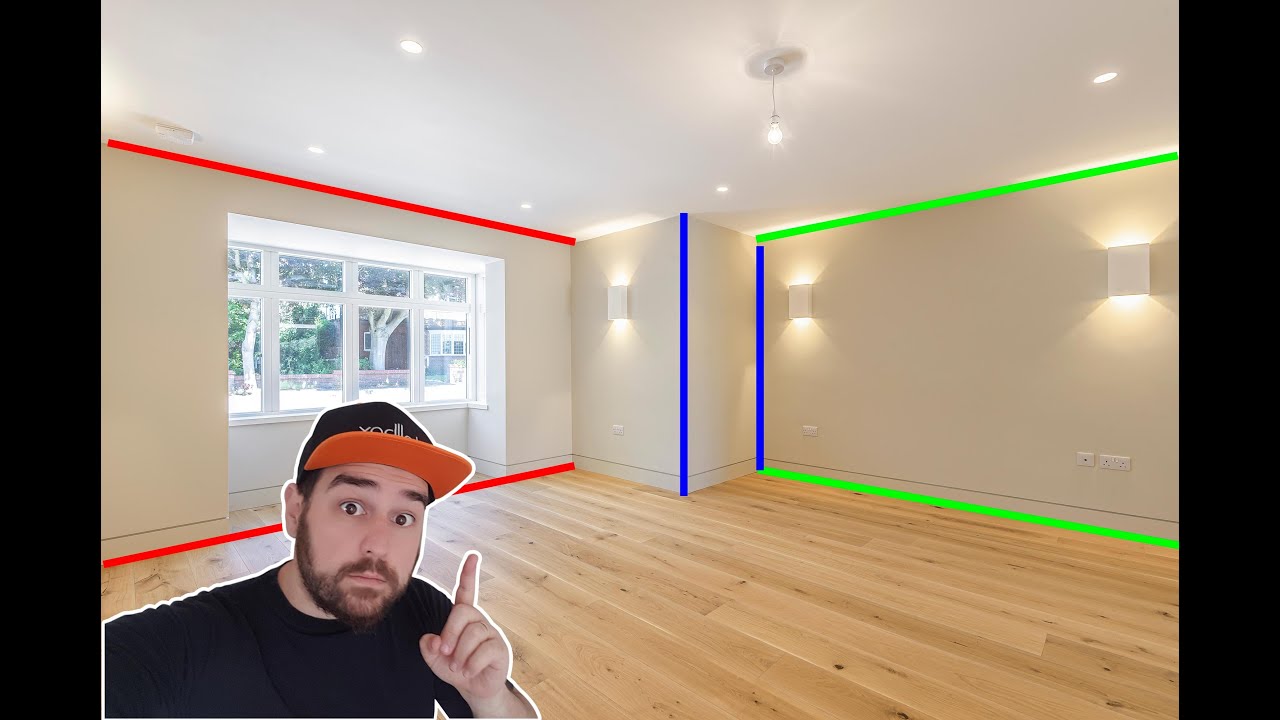
😎 PERSPECTIVE MATCH FOR VIRTUAL STAGING | 3DS MAX | CORONA RENDER
👉 Watch next: VIRTUAL STAGING - 6 RULES TO STAGE A ROOM | 3DS MAX + CORONA RENDERER ➡️ https://youtu.be/YOGIDntcOmY
👉 Watch also: VIRTUAL STAGING 3DS MAX + VRAY 5 | TUTORIAL➡️ https://youtu.be/aRs27wNTFO4
Subscribe to My Channel 👉 ➡️ https://www.youtube.com/channel/UCxU47akunLys...
To recreate a scene from an image or movie to be able to integrate 3D elements make render and put everything in fusion :<
eternal laurel
Unity doesnt have the tools for that
 cold veldt
Hello. Im currently working on modifying some of that shadow logic within HDRP which requires me to make changes on "HDShadowAlgorithms.hlsl", are there any ways for me to modify/override such scripts without needing to fork the entire HDRP package?
deep mortar
eternal laurel
Unity doesnt have the tools for that
ok sad 😦
 quiet quest
Wondering if someone could help me out
When I enter play my whole scene white as in super over exposed and then gradually returns to what I expect over a second or so
What is causing this ?
Can I stop it
inner parcel
quiet quest
When I enter play my whole scene white as in super over exposed and then gradual...
exposure settings in volume
 forest grail
Hi ! 👋
I would like to know how I could go from a transparent color (a bit like a ghost) to an opaque texture in shader graph ? 🤔
 plucky elm
Hey y'all, hope you're having a good day/night.
Was wondering with raytracing in HDRP, when toggling raytracing abilities during play mode, it disables static batching. Does disabling raytracing re-enable it is well?
We want to include raytracing as a QoL option but I don't want to globally disable static batching when turned off 😫
Any insight is appreciated
mellow condor
plucky elm
Hey y'all, hope you're having a good day/night.
Was wondering with raytracing i...
are you sure static batching even benefits you
deep mortar
plucky elm
Hey y'all, hope you're having a good day/night.
Was wondering with raytracing i...
You want to use static batching on some objects and keep raytracing On?
You can't do that, static batching must be disabled for raytracing.
karmic citrus
Why skinned meshes have so big impact on performance? How to optimize it.
glacial fossil
mellow condor
does anyone have MSAA within Deferred for sale?
No, no one in the planet earth have. Deferred shading as a technique is not capable of doing msaa. If that was possible to implement, unity and unreal would have done it but sadly that's one limitation of deferred shading. You have to use post processing anti-aliasing methods with deferred rendering path (afaik msaa is used to train supersampling algorithms so supersampling should give pretty similiar results with msaa)
 crystal dock
Hello everyone, was wondering if someone had some general performance tips for HDRP - on how to lift part of the load from CPU to GPU.
I recently got a 3070ti (2060 before that), and despite the big difference in these cards.... my test scenes runs exactly the same. ~60fps
deep mortar
@crystal dock Is your V-sync enabled?
crystal dock
deep mortar
<@697782066108039248> Is your V-sync enabled?
it is yes
deep mortar
Au passage t'es du finistere ? aha
crystal dock
deep mortar
Au passage t'es du finistere ? aha
non! je suis de la hollande, mais j'ai beaucoup de famille la-bas 😄
mon pere viens de Nantes
deep mortar
Ahh okok, c'est ton pseudo qui ta trahis ^^, sinon pour Unity désactive la V-sync tu devrais avoir plus de fps
crystal dock
deep mortar
Ahh okok, c'est ton pseudo qui ta trahis ^^, sinon pour Unity désactive la V-syn...
merci! je vais essayer ca
deep mortar
crystal dock
mon pere viens de Nantes
J'suis pas trop loin je suis de Brest :<
crystal dock
deep mortar
J'suis pas trop loin je suis de Brest :<
haha oui mon pere est ne a Brest 😄 mais il a demenage aux pays-bas. on est les seuls Penhoat ici haha. t'es le premier person que j'ai rencontre qui sais d'ou le nom viens
deep mortar
crystal dock
haha oui mon pere est ne a Brest 😄 mais il a demenage aux pays-bas. on est les ...
Solidarité Bretonne haha
loud leaf
English?
 warm wagon
Hello, my game camera keeps progressively changing dimness depending on whether I'm look from downwards to upwards or wise-versa. I'm looking for an option to reduce the effect or remove it.
Would oblige some help as I'm unable to find the option for this on the HD pipeline asset, volume profile, camera or the directional light. There's no active post-processing volume in the scene.
The effect looks something like bloom where the intensity of the sky's lightning goes from 1-5 looking upwards -> downwards and 5-1 looking downwards -> upwards with the camera over a course of a second.
It happens on the editor camera as well, though if I untick "Always Refresh" for the editor camera, it stops doing it for the editor camera.
shrewd moon
warm wagon
Hello, my game camera keeps progressively changing dimness depending on whether ...
This is called automatic exposure and is defined in Exposure volume override
warm wagon
yes, just found it 😄
 dense sinew
How can I fix pink trees
plucky elm
deep mortar
You want to use static batching on some objects and keep raytracing On?
You can'...
Okay, thanks much for clarifying!
mellow condor
glacial fossil
No, no one in the planet earth have. Deferred shading as a technique is not capa...
is DXR possible in a forward rendering path?
in terms of technology
glacial fossil
what that even means...
turbid matrix
@mellow condor raytracing works with forward only paths
I mean, with RT stuff Unity gives for HDRP but also with 3rd party tools that let you use DXR on built-in and URP...
don't ask me specifics how, I just know I can use those mainline settings and still have DXR effects shown to me
things that will be no-go would be if you want to couple that stuff with MSAA
this isn't just raytracing, Unity disables things like SSR from HDRP too if you toggle MSAA on
mellow condor
glacial fossil
what that even means...
you can't enable experimental raytracing features while deferred rendering is also enabled in hdrp
and i'm asking if in principle, there is a technological reason for that
the same way there's a technological reason that MSAA doesn't work with deferred rendering
glacial fossil
I don't know about that
mellow condor
turbid matrix
<@247793168056057857> raytracing works with forward only paths
from a technology point of view, or in unity today?
i don't think you'll hit the codepaths that use the raytraced acceleration data structures in the hdrp code if you have forward rendering enabled
plucky elm
deep mortar
You want to use static batching on some objects and keep raytracing On?
You can'...
Yeah, thanks for clarifying!
turbid matrix
mellow condor
i don't think you'll hit the codepaths that use the raytraced acceleration data ...
again I don't know how they do it, but if you conf HDRP to use forward-only from HDRP asset, raytracing effects still work
and I mean all things they offer you there
mellow condor
turbid matrix
again I don't know how they do it, but if you conf HDRP to use forward-only from...
got it.
the UI gives poor feedback I think
turbid matrix
only exception is that MSAA
mellow condor
HDRP doesn't use DXR DirectX12 accelerated raytracing code paths in forward rendering
turbid matrix
well... HDRP is designed to give feature parity between forward and deferred... why would they tell it works on all options?
mellow condor
at least not in 2021's HDRP code
turbid matrix
what?
turbid matrix
no, it has always worked in forward as long as it's been in HDRP - at least on my end
it's possible I've missed something but I see the effects and I'm happy
loud leaf
I used DXR in deferred in 2019-2020 and switched to forward last year
dawn sorrel
when will any of the Ziva / hdrp human package see the light?
turbid matrix
just to be clear, ziva is not related to the new digital human shown on the latest demo
deep mortar
Somone know why, I upgraded my scene from 2020 to 2021 and I don't have anything left in it, isn't that normal? @shrewd moon ?
shrewd moon
deep mortar
Somone know why, I upgraded my scene from 2020 to 2021 and I don't have anythin...
Never had that happen 🤔
I suppose you meant upgraded project, not scene
Either way I hope you kept a back-up
deep mortar
I found it finaly
turbid matrix
if you wiped the library, unity will just not load the previously loaded scene automatically
but...I'd suggest using version control system to avoid the stress of making changes that cause you to lose your project... at very least make backups
crystal dock
any advice on performance related to skinned mesh renderers? I'm a bit surprised by the enormous impact skinned mesh renderers have on performance (we used to play dynasty warriors where you had a 100 characters on screen)
crystal dock
Performance with 1 Skinned Mesh Renderer (Player) = 160fps (thanks to @deep mortar for Vsync tip)
Performance with 7 Skinned Mesh Renderers (Player + 6 enemies) = 80fps
that's an insane difference 😢
eternal laurel
I doubt 6 skinned meshes are causing this. Whats the polly count on the enemies. How many materials ? What shaders. Check the profiller maybe the problen is somewhere else. Maybe the ai is causing the problems.
crystal dock
eternal laurel
I doubt 6 skinned meshes are causing this. Whats the polly count on the enemies....
cool will check that all
whole fossil
I am wondering is it possible to override smoothnes in hdrp, with a volume maybe?
i am making a rainy variant of a scene, and tweaking each material individually seems tedious a bit. any hints?
inner parcel
whole fossil
I am wondering is it possible to override smoothnes in hdrp, with a volume maybe...
custom pass local. you can achieve it with material override
whole fossil
Yeah, but I still would have to override entire each material right? It isnt pissible to override only certain material parameter - or am I missing something?
 sleek parcel
i'm using BufferedRTHandleSystem to manage the render textures. I'd like to alloc shadowmap RTs with the format RenderTextureFormat.Shadowmap. However, it seems that I can only specify texture format using GraphicsFormat in BufferedRTSystem.AllocBuffer(). So how can I map RenderTextureFormat.Shadowmap to GraphicsFormat then?
deep mortar
Hello, Is it possible to go beyond the 250 details distance for grass and trees or do we need a script? @shrewd moon ?
 plain star
How to reproduce: 1. Create new HDRP project 2. In Hierarchy search bar enter "camera" 3. Select the only active object 4. Leave Edi...
I'm experiencing this issue first documented in november last year, is there something i've missed?
i'm on 2021.2.7f1
plain star
think i fixed it
alright so um if anyone's around real quick, how does smoothness remapping work in HDRP?

because i've got here my mask map
the mask map has these areas of pure black and 100% alpha

which is 100% smoothness according to the hdrp docs
but i see on the material that when i move these sliders the texture becomes more smooth than it was before
even though it was already at 100% or so i thought
plain star
alright so
i turned my sky exposure up to very silly values

looking at the sky now blows out the image completely. It is very bright!

observe that shadows cast by my sun are still pitch black, regardless of this
i would have expected some approximation of a hemisphere light or ambient light caused by the sky's exposure. does HDRP not do this?
 rose ferry
I tried the unity particle example assets but they're not really packaged for HDRP, what shader should I use for them?
 mortal moth
Help!
 quick birch
mortal moth
Help!
quick birch
mortal moth
Help!
What is in your scene and what settings do you have enabled for hdrp?
Also opening the profiler will give you a better idea of what is causing most of that
 glad tartan
Does anyone here know if there was any mention on geometric complexity for the Enemies Demo, in the forums or on twitter? Not sure if a lot of people noticed but there was some seriously heavy scenes in geo for it.
I'm trying to figure out what they are doing to render all that complexity. Maybe Better instancing or maybe they are using Hybrid Rendering with the new geo batching feature being worked on?
https://blog-api.unity.com/sites/default/files/2022-03/Enemies_web1.png?imwidth=3840&
 bold wadi
Hey everyone, I was wondering what is this shadow? No it's not the shadow cascade because I tried modifying it and it doesn't change this shadow. I even pressed "show cascades" and this isn't a shadow cascade limit. Any idea? Thanks a lot !

When im close to it it's gone

 worn brook
Hi all. Does anyone have experience with getting a render texture with a transparent background to work? From searching around it sounds like it's expected to in current HDRP (12.x in Unity 2021.3) using a Color Buffer format of R16G16B16A16 in the Pipeline asset, but that isn't working for me and I can't seem to figure out what I'm missing.
For now I'm using a chromakey + shader to fix it, but that feels dumb 🙂
violet ice
ayo! if the wizard doesn't appear under analysis or renderpipeline after reinstalling and restarting, does anyone know where else it might be hiding?

 mighty swift
So we're using HDRP on macOS. I'm noticing that a significant portion of rendering is "GenerateLightAABBs" (~10ms on the M1). As far as I can tell, I just have 1 directional light and a few baked lights. Any tips for optimizing this?
mighty swift
violet ice
ayo! if the wizard doesn't appear under analysis or renderpipeline after reinsta...
HDRP Wizard? That's under Rendering. Also make sure that you don't have any build errors.
sleek parcel
I’m wondering whether there’s a channel dedicated solely for SRP development, instead of urp /hdrp ?
mighty swift
Not that I know of, but I'm not here often.
violet ice
exactly! each forum pointed me towards finding the wizard to solve the errors.
However the wizard doesn't appear under analysis or render or renderpipeline after reinstalling and restarting.


 blissful dust
it only scales correctly when resolution is larger
bold wadi
bold wadi
Hey everyone, I was wondering what is this shadow? No it's not the shadow cascad...
Bump


 mighty swift
violet ice
exactly! each forum pointed me towards finding the wizard to solve the errors.
...
mighty swift
violet ice
exactly! each forum pointed me towards finding the wizard to solve the errors.
...
It looks like you have build errors. Not sure if that would affect you or not, especially because the ones that I can see are shaders, but yeah.
bold wadi
bold wadi
I can't find any solution online for this, and it doesn't seem like anyone had this problem, or maybe Im not describing it properly?
 inland star
that’s your ambient occlusion I think
it’s a screenspace effect, so you can end up with problems like that
bold wadi
oooh thanks !
inland star
I’m not really any help beyond that, hopefully someone here has a fix for you :p
bold wadi
I'll play around with the settings, thanks a lot ^^
bold wadi
inland star
I’m not really any help beyond that, hopefully someone here has a fix for you :p
At least now I know where the problem comes from ^^
inland star
👌
barren goblet
why is the APV result different from path-tracing, in many lights scene?
plain star
hi there, i've noticed that the presence of SSR on a surface object seems to be related to it's amount of smoothness
is there a way i can override this for some objects?
see here:

for this very large terrain it's extremely prominent, and i want the SSR always forced on. How do I do this?
shrewd moon
@plain star I believe SSR itself has an option for a smoothness limit
plain star
oh i found it ty!
 lean cypress
which version of HDRP is reccomended for 2021.3 LTS?
shrewd moon
lean cypress
which version of HDRP is reccomended for 2021.3 LTS?
HDRP version is tied to editor version so you would use whatever is the newest HDRP that the package manager offers you
lean cypress
ty I'll have to check on my online machine
mighty swift
2021.3.1f1 is 12.1.6.
lean cypress
awesome thanks!
I'm getting System.IO.EndOfStreamException errors, for burst jobs in the package. It's failing to compile them
lean cypress
Closed unity, deleted my library folder, then reopened the project and it's now fixed
sleek parcel
bold wadi
Hey everyone, why is there a sort of 'cut' in the shadow around the object?
Did you choose half resolution ssao? That is probably the reason?
sleek parcel
blissful dust
it only scales correctly when resolution is larger
From my understanding this is how RTHandleSystem works. You need to lower the resolution and Reset the Reference size of the rthandlesystem to force it alloc new rts. Otherwise it will crops a viewport inside the large RT to work with lower resolutions
I think you should have RTHandleProperties info somewhere passed into the shader to help you get the adjusted uv
sleek parcel
Is there any easy way to read texture from gpu to memory?
Right now I set the texture as the RenderTexture.active
And use Texture2D.ReadPixels
The problem is that it seems clamping the values from 0-1, but I need to save floats instead of norms
Which i’m not sure why
sleek parcel
fixed with get and set with raw pixel data
 rare gazelle
No more space in the 2D Cookie Texture Atlas. To solve this issue, increase the resolution of the cookie atlas in the HDRP settings.
What does this error mean and if i ignore it what happens ?
quick birch
The texture atlas is too small to hold all the textures in it. If you increase its resolution it will be able to hold more. If you ignore it not all texfures will be stored in the atlas so any textures not in the atlas that need to be used will have extra calls
@rare gazelle
rare gazelle
quick birch
The texture atlas is too small to hold all the textures in it. If you increase i...
could this be why when i press the button to pull up my ui the application crashes?
quick birch
rare gazelle
could this be why when i press the button to pull up my ui the application crash...
That sounds like a coding issue
rare gazelle
quick birch
That sounds like a coding issue
This only happens in this one map tho
And the only error is this 2d cookie atlas
quick birch
If unity crashes due to a bug it wont ever display an error
The best way to debug an application crash is attaching the vs debugger and stepping through each function to find where it breaks and then disecting from there
rare gazelle
quick birch
If unity crashes due to a bug it wont ever display an error
the error displays before i even run the application
rare gazelle
quick birch
The best way to debug an application crash is attaching the vs debugger and step...
but wouldnt this be because of the scene ?
cuz as i said this literally only happens in this one map
perhaps it's hardware issue? because im experiencing very low frame rate and my pc can practically not handle it
If it was a code issue then it wouldnt work for all the other maps tho right