#archived-hdrp
1 messages · Page 75 of 1
 iron flame

RTX 3060 (leptop) 1080P halfres SSGI 160 fps (fixed the denoise issue in the screenshot)
 inner parcel
iron flame
It's not in beta, it's also available on github.
Half rest mode (4x performance)...
inner parcel
iron flame
It's not in beta, it's also available on github.
Half rest mode (4x performance)...
i think he means the editor version which is beta not the ssgi
i havent tested hdrp yet in 2021.2, because i was more interested in urp deferred. but it seems like a regression to me since raytracing gi seems to perform better for you compared to ssgi.
are you on dx12 btw? i personally wouldnt stick to dx12 if im not using raytracing
 north belfry
I've noticed that Terrain doesn't show up in ray traced reflections, I've tried to modify the terrain materials shader but still getting nothing.

 turbid matrix
@north belfry it's because terrain isn't supported by current raytracing implementation
your only option is to use meshes for terrain (or at least for terrain reflections)
you can read more about current limitations here: https://docs.unity3d.com/Packages/com.unity.render-pipelines.high-definition@12.0/manual/Ray-Tracing-Getting-Started.html#limitations
list is long, so it's not just terrain that is missing
 iron flame
I tried 4 SSR shaders. I'm having trouble with the URP's Matrix operation in all of them. SSR works fine when camera angle is 0.0.0. when the camera angle changes...
 ember breach
Yeah there is something wrong in URP with that, was coding my own SSR in URP last few days and it took so much effort to get matrixes right, feels like every other value is just the opposite of what it should be :/
ember breach
my current SSR is well, rough around the edges, need to look as something called binarySearch, which should improve it, gotta use a lot of noise to not show steps, and absolutely look at blurring it out a bit
 ember breach
Got one specific question.. Does overdraw on one object matter? its all one object, but overdraw is quiet obvious, will it hurt or if its one object it just gets the first one it hits?
 iron flame
ember breach
my current SSR is well, rough around the edges, need to look as something called...
iron flame
ember breach
my current SSR is well, rough around the edges, need to look as something called...
I modified KODE 80's shader for urp. all the shaders I tried were hlsl but this one is glsl. I think urp is sending wrong matrix to hlsl

GitHub
An open source screen space reflections implementation for Unity3D 5. - GitHub - kode80/kode80SSR: An open source screen space reflections implementation for Unity3D 5.
inner parcel
what gpu do you have? until you implement vsync or fps limit hdrp will run at the highest possible fps and usually its gpu bound, which leads to 100% gpu usage which is normal for high end devices too
why would there be? you need to limit it yourself as per your choice. vsync will limit fps based on the refresh rate of monitor
vsync doesnt work in editor. you can implement nvidia's vsync from the control panel to make it work in editor, but usually for editors you need to lock fps by using Application.targetFramerate check the casing once
how much fps do you get?
then i guess you have a 90hz monitor. then yes vsync works. for optimizing gpu usage i'd recommend a visit to profiler
how does it look on an empty scene with just a directional light?
tested last in 2020.3.11f1, on empty scene i get frame time of around 0.0013ms to 0.002ms which is somewhere above 500fps without any fps cap. in builds.
i guess you should look more at frame timings rather than gpu usage at first
for ex: when you're limited by the fill rate i've noticed it that your gpu usage% remains less despite gpu being the clear bottleneck here
depends on your level of optimization
in my case thats clearly not normal and my game remains at steady 0.005ms with every quality/effect lowered or disabled
oh btw my results are based on rtx 2070s + i7 9700f
optimization in hdrp is not just 3d geometry rendering on your screen. you also need to remove unwanted ticks from the hdrp asset aswell. there are many more smaller micro optimization which in whole gives you a better performance
theres a json file which initializes some function on load. initializeonload.json something inside the game folder. you can inspect that game to know if its based on hdrp or not
ember breach
iron flame
I modified KODE 80's shader for urp. all the shaders I tried were hlsl but this ...
Yeah, I tried Kode aswell on URP and it was just total mess of a time. So I went to look at openGl tutorial https://www.youtube.com/watch?v=K2rs7K4y_sY which I used about concept of how it should work, and after that I basically went I got everything I need in HLSL tested if it gets me the result it should and then merged everything together, main problem was getting the camera direction as I am using DrawFullscreenPass or how its called, it gives weird data to me

Get the complete source code here: http://imanolfotia.com/blog/update/2017/03/11/ScreenSpaceReflections.html
Schlick's approximation: https://en.wikipedia.org/wiki/Schlick's_approximation
Hash function: https://www.shadertoy.com/view/4djSRW
Music:
Both from Dark Souls 1
Firelink Shrine and Dragon Slayer Ornstein & Executioner Smough boss fi...
ember breach
iron flame
I modified KODE 80's shader for urp. all the shaders I tried were hlsl but this ...
Dunno if you searched for this also before, here are Unity's hlsl helper functions so maybe check if you are actually getting correct matrixes https://docs.unity3d.com/Manual/SL-UnityShaderVariables.html
 turbid matrix
talking of urp and reflections, is there any proven setup that works in URP VR for planar reflections?
all mirror / planar reflections I've tried so far just fail on aligning them for VR (I think HDRP's stock planar reflections work in VR though but can't remember for sure)
I'm not talking even about the SPI issues URP has atm, none of the planar approaches I've seen so far don't align right even with multipass mode
this includes the planar reflection from boat attack too
 queen jewel
Hi, I have this weird issue with shadows using URP on Unity 2019.3.7f1. Any ideas what's causing this?
 turbid matrix
@queen jewel I'd guess faulty mesh normals messing with the shadow rendering (you can make the issue less visible by adjusting the shadow bias settings from light source (I think it's there, not 100% sure) but I'd fix the mesh normals
ember breach
turbid matrix
talking of urp and reflections, is there any proven setup that works in URP VR f...
Don't have VR, but I have seen that shaders right in them have option of something doing with eyes right now, for my SSR I disabled it right now as I don't have VR, but I guess you can enable it in any shader I think. Talking about these:
 turbid matrix
@ember breachthanks for getting back to me on this. and yeah those are the stereo instancing macros you need to have in the shaders for it to work with VR single pass mode. In case of planar reflections it's bit more complicated since you have to actually capture the view with extra camera though and have that align properly with SPI. With multipass, you could just take two captures and route them "per eye" like this approach did: https://github.com/Avdbergnmf/UnityURPMirrorShader

GitHub
A mirror shader that works with VR in URP Unity Latest version (2019.3+), though only with multi-pass - GitHub - Avdbergnmf/UnityURPMirrorShader: A mirror shader that works with VR in URP Unity Lat...
I did manage to find two paid assets that claim to work on URP and VR but they do have mixed user experiences on how well that works so not really looking to spend extra money on stuff that may not work any better (https://assetstore.unity.com/packages/vfx/shaders/fast-mobile-planar-reflection-urp-vr-ar-lwrp-142801, https://assetstore.unity.com/packages/vfx/shaders/urp-lwrp-mirror-shaders-135215)
that latter one looks more promising but apparently current version is still WIP
ember breach
Yeah, no problem, and one of them does look better, I just feel like I would not really use planar reflection in VR for sole reason you gotta render the scene again right? so 2 eyes plus 1 planar camera or even more expensive two camera planar for VR, I feel like, optimized SSR can do pretty "good" result in fraction of the time it takes to capture them. Aswell as SSR does not have to perform ray bounce on pixel where smoothness is so low, just discard it and thats saved performance. dunno
turbid matrix
All realtime reflections can get heavy in VR but I'm still exploring my options. In ideal case one could use planar reflections for select "hero" elements and SSR for rest but I'm really looking to have real raytraced reflections as primary reflections source and then some fallbacks that are cheaper / run on non DXR hardware
I have doubts on SSR being really feasible in VR too perf wise but that's something to test really (if one first gets SSR to work in VR proper)
ember breach
yeah cool, made Raytracer for URP but its just so slow, also tried DDGI but I have no experience using plugins or how would I use CPP in Unity.
ember breach
turbid matrix
I have doubts on SSR being really feasible in VR too perf wise but that's someth...
One day I might get an VR, then I might try to tackle it 😄
turbid matrix
there's one paid DXR asset for built-in that is now getting URP support, dev just got it to work on URP VR using SPI
that's pretty impressive IMHO
VR and expecially SPI is something that is really stupidly complicated in Unity SRPs atm
what's kinda silly here is that I basically want HDRP featureset in URP. only if HDRP ran anywhere as good in VR as URP does all this painful stuff would go away 😄
ember breach
I bet yeah, does Unity already resolution scaler based on where you are looking? saw that used in Alyx I think to get better performance to rendering lower res on the sides of your vision.
turbid matrix
HDRP VR is totally nogo atm
ember breach
HDRP on PC is nogo 😄
turbid matrix
I'm not sure if Alyx actually does foveated rendering atm
in general, I'm fine with HDRP performance altho I wish it would be faster... but having optional VR mode is what has made it pain for me in past.. now evaluating plan b where I could just use URP for everything
I have bunch of prototypes of runtime swapping between URP and HDRP but that's not officially supported and it leads to all kinds of other pain
ember breach
I am targeting 360 fps on 1070, when run in HDRP in empty scene I get around 120-160fps, in URP in empty scene I get above few thousand FPS
turbid matrix
that's pretty ambitious target 🙂
ember breach
turbid matrix
I have bunch of prototypes of runtime swapping between URP and HDRP but that's n...
Yeah, this pipelines even if said they are not experimental anymore are just very tricky.
turbid matrix
what I loved about HDRP the most was that it actually has a ton of features out of the box, only have to mod it a bit for few things but in general you don't have to reinvent the wheel with it as much as you have to with URP or built-in
ember breach
turbid matrix
what I loved about HDRP the most was that it actually has a ton of features out ...
That I agree, like as they released It I used HDRP for most stuff, but got really tired of long iterations, testing times etc.
turbid matrix
also HDPR is where most fancy stuff lands with Unity nowadays... we still don't have virtual texturing on URP for example even though everyone expected it to get it year ago already
URP also used to be super bare bones for years
URP 12 got finally huge boost on features
ember breach
like Probe Volume is kinda cool, tried to recreate it but dont have enough experience so made physics based Occlusion which runs really fast, does not capture colors but for just occlusion is cool.
turbid matrix
bit like occlusion probes in book of the dead then?
pretty sure those can be made to work with URP with relatively little effort btw
ember breach
turbid matrix
also HDPR is where most fancy stuff lands with Unity nowadays... we still don't ...
On Virtual Textures I dont really think I will ever use them, what I would like is TextureArray streaming which I have no clue why they still don't seem to support, as I use it for Terrain textures.
turbid matrix
I ported those occlusion probes into UPM package a long time ago but only did demo with HDRP with them
Unity does support texture mipmap streaming now but that probably doesn't help with texturearrays
 dawn sorrel
@turbid matrixhey man whats up ?
turbid matrix
that itself is something most users don't seem to even know it even exists
@dawn sorrel sky? 🙂
dawn sorrel
u mean sky hdrp ? XD
turbid matrix
they got fancy clouds alright
having different sky setup on hdrp and rest of the renderers is bit silly too
it's one big issue with the crosspipeline goal too
dawn sorrel
i hope u did upgrade ur hdrp repo XD
ember breach
turbid matrix
I ported those occlusion probes into UPM package a long time ago but only did de...
I used that package actually 😄 was really cool but stopped working in newer version of Unity, this is my current solution result, rendering the whole map won't be at the end, but for now I just bake it whole at start of the game, it takes around 5 seconds for 300x60x300 volume.
 turbid matrix
@ember breach oh wow, someone actually tried to use it 😄
what broke on newer unity?
I know it never worked with HDRP's high intensity lighting
ember breach
turbid matrix
<@!261946364340994048> oh wow, someone actually tried to use it 😄
😄 yeah, I liked the idea they got in BOD just no clue why they didnt invest in it :/
ember breach
turbid matrix
I know it never worked with HDRP's high intensity lighting
Not sure what broke, but on HDRP I had to lower light down and not use High intesity lighting, literally put it at 2/3 and then I could see result in it, also lower the exposure etc.
turbid matrix
the high intensity lighting was out of my hands as it seemed to fail on the Unity's own bakers, it just gave out blank white texture
yeah, sounds like what I saw on my end, I tried to ask Unity about it but that didn't really go any further
that being said, since URP doesn't suffer from that, it could still work on URP
altho afaik APV's are supposed to be supported in URP eventually, most of it is in unity srp core (afaik anyway)
ember breach
turbid matrix
that being said, since URP doesn't suffer from that, it could still work on URP
yeah that could be cool stuff, I mainly struggle to hide the seam when my Texture3D gets out of bounds, (clamp) introduces weird infinity lines 😄
ember breach
turbid matrix
altho afaik APV's are supposed to be supported in URP eventually, most of it is ...
I am definitely looking forward to it, but after I tried it in HDRP and it took around 20 minutes to bake 20x10x20 volume I kinda gave up 😦
turbid matrix
didn't it have like option to have local volumes? you still get seams if you have local volume inside of one large main volume on the occlusion probe thing?
pretty sure they fixed some horrible wait times for the bake at some point on APV
I've never tried it myself though
ember breach
turbid matrix
didn't it have like option to have local volumes? you still get seams if you hav...
talking about my solution, which I got no idea how to introduce it, in BOD occlusion it looked fine
turbid matrix
ah my bad 🙂
ember breach
turbid matrix
I've never tried it myself though
yeah, my last test was like month ago, but they got updates almost on daily basis so thats cool.
turbid matrix
ah, this was from this spring: https://github.com/Unity-Technologies/Graphics/pull/4247

GitHub
Purpose of this PR
Fix the suuuper long baking time for probe volumes
Testing status
Baked a scene with APV
so, you were probably not affected
ember breach
turbid matrix
ah my bad 🙂
no problem, I might actually look at how BOD did it, I have no idea what they used for it
yeah might give it a try again
Is BOD occlusion physics based?
turbid matrix
I'd imagine the baked data is correct but how you apply that is where it matters
i just put some naive injection to baked GI in the demo I did I think and some other probably totally messed up stuff there on the built-in's version 😄
BOTD had some stuff around spherical harmonics on that, it's totally out of my expertise
ember breach
In URP I got no clue where to apply it, If I use it to multiply base color I got hard black spots, If I use it in Occlusion I get those spots only in shadows
turbid matrix
also pretty sure BOTD didn't even make it physically correct on the final application as they wanted more dramatic effect etc
ember breach
turbid matrix
BOTD had some stuff around spherical harmonics on that, it's totally out of my e...
Yeah I read one paper on it and my mind is blown 🤯 but it basically use a direction of a normal to sample harmonics which is pretty fast calculation of several values on one probe
This is my volume in top down setup which works pretty well as the size of the volume does not have to be that big. (if player gets over grid based threshold volume gets moved and updated)
turbid matrix
I'm actually going to give those botd probes a go in URP now, will see if it works at all on latest beta
ember breach
turbid matrix
I'm actually going to give those botd probes a go in URP now, will see if it wor...
Cool, looking forward for the result of that.
what I would like to know if you can async await JobHandle, it always gives me errors which is really sad as I cannot await big volume even tho raycast command batch can go longer than one frame
turbid matrix
have you asked on that at #archived-dots, they seem to know more about job system there
my naive approach on such stuff would be to split the task to multiple jobs (across multiple frames) and adjust the task size based on the execution time
ember breach
turbid matrix
have you asked on that at <#497874303463850004>, they seem to know more about jo...
yes several times with no result, will soon go on forum for that.
turbid matrix
people tend to claim that's possible but I've yet to see a single example of it 😄
(yes, I'd love to know if one can do that too)
ember breach
turbid matrix
my naive approach on such stuff would be to split the task to multiple jobs (acr...
Yeah, I feel like I will have to create like a probe junk system, which will be baked independently which could put jobs in good schedule that they go over one frame and that I might be able to await
turbid matrix
I'd also imagine you could also skip the job system, use regular threading and run stuff on threads using burst if it lets you
I know you can at least just burst tag regular static functions to run on main thread now, haven't tested if it works on other threads
ember breach
turbid matrix
(yes, I'd love to know if one can do that too)
yeah, only thing I see is comparison between async and jobs, but why wouldn't they work together hmm
ember breach
turbid matrix
I know you can at least just burst tag regular static functions to run on main t...
that could be thing to look into definitely
turbid matrix
you know the static function tag thing? it's stupidly simple now (no need to use those tedious function pointers anymore)
ember breach
turbid matrix
you know the static function tag thing? it's stupidly simple now (no need to use...
I actually have no clue what that means 😄 but I gladly learn new thing
turbid matrix
I mean the tag is just same [BurstCompile] but what's different now is that you can put it into any static function that doesn't box stuff or do other things that Burst isn't compatible with, you don't have to use job system at all
that is, if you use burst now.. 😄
ember breach
I do use burst, so I can create like static calculate direction between two vector3s and use BurstCompile without jobs??? WTF
turbid matrix
cool thing about that is that it's stupidly simple to optimize stuff that only needs to run on main thread with that, also don't have to pay for job scheduling overhead if you don't really have to split the work across threads
turbid matrix
ember breach
I do use burst, so I can create like static calculate direction between two vect...
yes
just put the tag to your static function and boom
ember breach
Wow, that looks like I can do some optimisations across the whole game
turbid matrix
yeah it's really handy if you do any brute force math
converting things to job structure is kinda pain if you just want to test something
plus most things don't really need to run on extra job threads
ember breach
yeah thats true
then I have one more thing to look at and that is new unity math which looks so fast but no clue if it also already works on main thread etc. or just in jobs
turbid matrix
@ember breachhttps://docs.unity3d.com/Packages/com.unity.burst@1.5/manual/docs/CSharpLanguageSupport_Lang.html#directly-calling-burst-compiled-code
basically the new math lib works everywhere but the main reason to use it is if you use Burst as they can make faster paths with it
for non-burst stuff the new math lib can be even slower that Mathf
with Burst it's practically always fastest option
that example on the docs has everything on static class but I'm pretty sure you can just stuff those direct calls inside regular monobehaviours too
ember breach
So use static function with new math and you got free performance I guess
turbid matrix
yeah
ember breach
turbid matrix
that example on the docs has everything on static class but I'm pretty sure you ...
I guess, and helper class isn't bad to have, but like just easily calling it from mono is WOW, definitely will take advantage of that one
turbid matrix
so basically what I was suggesting earlier would have been to just use .net threading or some other threading setup and use these direct calls to burst within those worker threads... can take all the time you need then
if Unity just lets you do that (I'd assume it would work but haven't tested)
ember breach
Yeah, I just need to test if I can raycast in .net threading aswell
turbid matrix
also just checked my real project, there I def use those static burst functions inside monobehaviours, only place where I put BurstCompile tag is on the static function itself. it def works, I'd measured the perf on these using profiler
ember breach
turbid matrix
also just checked my real project, there I def use those static burst functions ...
Very nice, thanks
turbid matrix
just tested that URP occlusion probes... the old code still works, had to just redo the SG's for URP
here's view from unlit debug shader that just shows occlusion on materials:
 ember breach
turbid matrix
just tested that URP occlusion probes... the old code still works, had to just r...
ember breach
turbid matrix
just tested that URP occlusion probes... the old code still works, had to just r...
Oh wow, very cool
turbid matrix
gpu baker did have some funky stuff, but cpu baking works like it used to
I always thought gpu baker would fallback to cpu version for baking these extra workloads but it def didn't do everything same way for this
ember breach
Hmm yeah
turbid matrix
this is the cpu version (works right):

progressive gpu does this

I have no idea why it clips at that point
results look different elsewhere too where cpu version looks more correct to me
ember breach
yeah, looks kinda like GPU doubles the resolution but does not make big enough array kinda
or probe position is off
turbid matrix
yeah, that's what I thought first but the probe is outside of these objects, there could be some threshold to the volume limits on gpu baker though
I don't adjust the probe volume parameters between these bakes
but yeah, it's possible I need to feed the probe volume data bit differently to the gpu baker
gpu version just arrived when BOTD was released so it never got used for this
also pretty sure the gpu version didn't do anything when I did the package port
ember breach
gotcha
turbid matrix
it's not a huge issue, one could just bake the probes on cpu baker and then swap to gpu baker for rest if you need it. just need some extra hooks in so the OB data doesn't get overwritten
I have no idea on how to get this properly on URP shading though, they don't have baked gi input on lit shader like on HDRP
ember breach
Like this is my current frame rate at sitting around 300 fps, SSR, probe volume dips dips minus 20fps every 1 second as it recalculates, and I need long distance probe volume which I can update in an offset so every .5s I will dipp minus 20fps hmm
 turbid matrix
one can always do naive multiplication on albedo but that's not going to look right
ember breach
turbid matrix
I have no idea on how to get this properly on URP shading though, they don't hav...
Same I tried multiplication and It gives black spots really fast

using it in occlusion output makes it only in shadows which isnt as bad, but still not looking at all correct
 turbid matrix
yeah was about to say the same thing
turbid matrix
black spot issue is more of baking issue though
but like what I meant that pushing the occlusion to albedo doesn't stop the material getting lit, it's just lit black color then 😄
ember breach
well its not as dark in baking
 ember breach
turbid matrix
but like what I meant that pushing the occlusion to albedo doesn't stop the mate...
ember breach
turbid matrix
but like what I meant that pushing the occlusion to albedo doesn't stop the mate...
😄 true
wonder if I could do it in render pass and use kind of a overlay
turbid matrix
yeah that could work
ember breach
because description of lightmap says its overlay on top of geometry
turbid matrix
it's not a bad idea, but I kinda liked the simplicity on just injecting it on the regular shaders 😄
could do like pass using unlit debug shader and then compose it with the color, it's actually quite simple to do
I don't really like the idea of rendering everything twice though
ember breach
turbid matrix
it's not a bad idea, but I kinda liked the simplicity on just injecting it on th...
Yeah, my current setup xD yours looks similar if I recon correctly 😄
 ember breach
turbid matrix
I don't really like the idea of rendering everything twice though
ember breach
turbid matrix
I don't really like the idea of rendering everything twice though
What do you mean twice? hmm
I think of just sampling volume on world pos reconstructed from depth and slapping it on top of MainTex xD one draw call, maybe even downsampling for more performance
turbid matrix
ah I was thinking of most naive approach, basically just rendering OB data using the meshes... but I think you could do this on just using OB texture and depth
yeah, that
that just sounds like a lot of... math 😄
ember breach
😄
f.ex for SSR im using DrawFullscreanFeature from ToonExample, which grabs basic data, computes my shader and then uploads it back

I feel like more you know the harder is to think about which approach to take 😄
turbid matrix
could always just mod the URP shaders themselves (like HDRP did with BOTD): https://github.com/0lento/Graphics/commit/b490531dad6bc16692196ff59daad6dee06e7af3#diff-3390905e8706785f4d4924899cfaea546e4c3faf6d312cea73ffa0d404fffd1e
 ember breach
why does unity do this, my head 🤯
 turbid matrix
some unobfuscation tool could probably sort that into more readable form
ember breach
yeah
ember breach
turbid matrix
could always just mod the URP shaders themselves (like HDRP did with BOTD): http...
hmm that could be one way
actually gonna look how does it look in HLSL when standar shader is trying to apply lightmap
I learned.... nothing
ember breach
@turbid matrix this is just lightmaps as what I found is that it kinda just multiply the base color with lightmaps, so I might just look at using less saturated/contrasted and more lighter textures hmm

dithering removes banding but increasing the darkness even more

dunno if its just monitor but even with dark stabilizer im getting full black spots
turbid matrix
@ember breach there's also Unity's modded built-in shaders for occlusion probes that I've upgraded to 2018.2 at some point here.. I should have done the diff differently though as there's no clean diff between the unmodified and occlusion probes one (there's just new file for OP version now): https://github.com/0lento/OcclusionProbesDemo/commit/86e13ccfce3185d37d29928b4ee43e2397175dcf

if one did better diffs on these changes, it would be easy to see what parts truly need to be changed to get proper results on the urp shading
(easier than looking at BOTD changes because they did some extra stuff there for the different foliage
that's from the old repo btw. in hindsight, I should have just renamed that one and added more branches as it's bit confusing to have two repo's on same thing
(basically did another repo for the upm package version)
what I do wonder though, didn't Unity implement occlusion probes some way in URP's light probes at some point?
ember breach
its cool, I see how some stuff work, I only wish there was like one line saying this is Lightmap value and multiply it with color or something 😄
ember breach
turbid matrix
what I do wonder though, didn't Unity implement occlusion probes some way in URP...
Did not seen anything pointing in that direction
turbid matrix

GitHub
-
Add per-object occlusion probes
-
Remove debug log
-
Add null check for lights when setting occlusion probe channel
-
Add occlusion probes flag to per object configuration
-
Add mixed lightin...
this has been merged since URP 6.6
well, was LWRP back then but same deal
ember breach
oh you mean Probe Proxy Volumes
turbid matrix
I dunno what that uses but changelog added:
- Added support for Baked Indirect mixed lighting.
- You can now use Light Probes for occlusion. This means that baked lights can now occlude dynamic objects.```No clue what it does.. is it occlusion like GI or occlusion like disable object if its not on screen kinda deal
how does this work hmm, proxy volume is injected here, could we inject our own occlusion?

bakery seems to have done it
 turbid matrix
ah, good catch
ember breach
not sure how it works and bakery's download links dont work anymore
turbid matrix
that >Download shaders< link works for me
ember breach
nice, I just got my page refreshed
turbid matrix
ASE itself has some custom lighting input btw, wonder if this uses it
it's meant for custom lighting model
ember breach
yeah I guess its for that
turbid matrix
could try using bakery too I suppose
if you just bake the 3D texture, it's basically similar approach as what those occlusion probes do
also probably a lot faster baking with it :p
ember breach
yeah, but seems static, you bake it before hand for small area, I want to get something working on the fly 😦
what I see in those shaders u sent in that they only seem to change light.distanceAttenuation?
we aint getting those proxy volumes in URP https://forum.unity.com/threads/urp-not-supporting-light-probe-proxy-volume.935369/
Unity Forum
[ATTACH]
when is that coming?
blended probes break instancing in Unity
turbid matrix
ember breach
yeah, but seems static, you bake it before hand for small area, I want to get so...
ah yes, you were talking about your solution 🙂 occlusion probes from unity were static
 loud leaf
ember breach
we aint getting those proxy volumes in URP https://forum.unity.com/threads/urp-n...
loud leaf
ember breach
we aint getting those proxy volumes in URP https://forum.unity.com/threads/urp-n...
What an interesting thread 😄
ember breach
loud leaf
What an interesting thread 😄
😄 amazing, still don't believe production ready tag 😄
turbid matrix
to be fair, we now have most of the items on that last post 🙂
ember breach
turbid matrix
ah yes, you were talking about your solution 🙂 occlusion probes from unity were...
Yeah, I just want to find out how to apply my occlusion data correctly in the shader but I might never know
ember breach
turbid matrix
to be fair, we now have most of the items on that last post 🙂
that is true
turbid matrix
but yeah, URP 12 was kinda exception, they stuffed all long running work into it, a lot of stuff was supposed to land few versions earlier initially
according to Jason, Unity still had URP deferred code in few weeks prior to 2020.3 LTS launch, which they then stripped from URP 10
and as we know now, URP deferred launched on URP 12
point light shadows were hanging on the github for a year or so, it looked like it would have been merged ages earlier
ember breach
yeah, im not sure but it feels like 5 people are working on it and then they delay everything and now feels like they are delaying stuff for the Unite 2022
turbid matrix
there's definitely more than 5 people on URP team 😄
ember breach
not quite sure about that one 😄
where is terrain graph? If I could literally trick the Terrain system and make whole set out of it, how can they not just put it out
turbid matrix
there's a lot of basic stuff like that missing, but that terrain part applies to HDRP too
doesn't seem like it's just any priority
ember breach
also did you try terrain shading? every tangent seems to be opposite, height does not match texture heightmap, they will probably redo whole terrain system pipeline for terrain graph
ember breach
turbid matrix
doesn't seem like it's just any priority
yeah, like its missing in HDRP so much, Raytracing is big part really too on terrain
turbid matrix
they just redid the terrain system on 2020 cycle
ember breach
turbid matrix
they just redid the terrain system on 2020 cycle
and they did not do the best job tbh, atleast from my view
either they are planning something I do not see, but I know about layers, but I made my own layers system already 😄
turbid matrix
I was more of talking of the core framework behind terrain, not about the fancy parts on top or even shaders 🙂
also nobody knows what's happening with the layered terrain editor anymore 😄
Epic just caught up with Unity and released their own version, after that radio silence from Unity
ember breach
yeah, but is it best thing? it seems like they are generating terrain mesh in wrong order 😄
ember breach
turbid matrix
also nobody knows what's happening with the layered terrain editor anymore 😄
yeah like they given one not even look at it and pufff
ember breach
turbid matrix
Epic just caught up with Unity and released their own version, after that radio ...
Epic probably stole all Unity employees 😄
turbid matrix
I actually think that happened with Graphine (makers of Granite VT)
Unreal had granite like VT running way ahead of Unity and they kept improving it. Unity acquired whole company and all development speed went to crawling
ember breach
yea what happened with that, wasnt Unity making some deal ?
turbid matrix
they took one year to give barebones VT for HDRP and there's nothing else out but few bug fixes since
it's been few years now
I really like Granite, but I wish they would actually get that stuff out, procedural VT's would be so handy
ember breach
like you can't tell me otherwise that only one person works on whole Texture stuff... Like 3 years ago or something they told they stopping work on Texture streaming to go VT route, and literally they needed to do one last thing for Texture streaming to be done and thats TexArrays, now no arrays and no VT
turbid matrix
they've had PVT API in Unity 2020 already, but no actual implementation on how to utilize it
ember breach
Uff
turbid matrix
that's from 2020.3 API docs
this would be really handy especially for the terrain work
ubi uses something like this on their games (far cry etc) to texture the terrains
ember breach
what I do not like is how every VT seems to get its own block every time you include it in shader/material, would't that mean that if I had two terrains I would have double the VT's?
But I definitely see potential but woah, there is no usable API if I do not even know how to put it in
turbid matrix
I asked about it last year and got this response:
 ember breach
so I changed to 2021.2 and its same page xD
turbid matrix
PVT scripting API is still identical on 2021.2
ember breach
😄
turbid matrix
if I had to guess, this work has been on hold ever since but that's just me
ember breach
Im going with you on that
also WTF is this warning xD

okay got it, current render pipeline does not support virtual texturing
turbid matrix
 ember breach
guess what enabling it in Player settings did...
turbid matrix
made the error message more visible?
ember breach
even less
aka nada
will see how BigFry's GameJam will go, will have to do 7 days of full time work in this hell of a mess 😄
turbid matrix
ah, so it did it's job
ember breach
oh yeah
 crystal dock
any advice here? when I click "install nvidia package" nothing happens

 summer glacier
crystal dock
any advice here? when I click "install nvidia package" nothing happens
summer glacier
crystal dock
any advice here? when I click "install nvidia package" nothing happens
You can probably download it from the package manager
crystal dock
summer glacier
You can probably download it from the package manager
searched for dlss, deep, nvidia - nada. already have the default nvidia package for the cards of course
edit: nvm, it seemed like nothing happened, restarted, now it's there lol
turbid matrix
oh, Unity actually upgrades these templates mid beta release:

it must have been broken some way, usually they just ship minor changes to next engine release
URP template got upgrade too
 verbal apex
Quick URP question; we're gonna upgrade from standard and I've got a script that modifies the projection matrix of the camera to shift from ortho into perspective (part of a cutscene), however, can I still access the projection matrix in the URP (maybe not the same way, but can we edit it?)
turbid matrix
turbid matrix
talking of urp and reflections, is there any proven setup that works in URP VR f...
I did some testing on this and I can def get the planar reflections render each eye separately when I use
camera.GetStereoProjectionMatrix(eyeIndex), but this still forces me to render the reflections twice (once per eye). what I'm wondering if there's some way to do this on single pass
@verbal apexyou have same access to proj matrix from camera regardless the render pipeline in use afaik
verbal apex
turbid matrix
<@!151502742152544256>you have same access to proj matrix from camera regardless...
Perfect, I figured I'd still have access. I'll double check the docs to make sure it's still there.
turbid matrix
well... it kinda works but it's not perfectly aligned

I currently just alternate the eye captures per frame so it's running reflections half the speed
that small offset is probably some math error as I just hacked existing planar reflection asset for this
it also feels horrible in VR atm, brain can't handle the small error in projection
 mint carbon
Having a weird issue. I am using the Universal Render Pipeline. The material in question shows up fine in the editor, however, when I build in run the apk on my Oculus Quest 2, the material shows up pink. It is only for the one cube. I can confirm that the material's shader is "Universal Render Pipeline/Lit".. Anyone else run into this at all or any advice? Thanks
turbid matrix
meanwhile, tested HDRP planar and I'm seeing this even on single camera...
 inner parcel
mint carbon
Having a weird issue. I am using the Universal Render Pipeline. The material in ...
inner parcel
mint carbon
Having a weird issue. I am using the Universal Render Pipeline. The material in ...
check quality setting once and assign urp asset in there
mint carbon
I did and it is. I am about to test this because apparently I had a cube on there that didn't have a material? So, I removed it. Will report back if that was the issue or not lol
Yep. That seems to be what it was lol. wonder which one of the team put that cube in there.. Thanks tho @inner parcel
inner parcel
mint carbon
Yep. That seems to be what it was lol. wonder which one of the team put that cub...
np. normally when srp asset isnt assigned in quality settings it should use the default asset. im not sure why it doesnt work, pretty sure the migration of project in unity 2018 or probably 2019 didnt require this step
 heady elm
hey, just wanted to make sure but does hdrp work under the linux systems now?
while ago had no luck but idk now
 inner parcel
heady elm
hey, just wanted to make sure but does hdrp work under the linux systems now?
inner parcel
heady elm
hey, just wanted to make sure but does hdrp work under the linux systems now?
it does support linux with vulkan. your device also needs to have computer shader support ofc to even run hdrp
 indigo summit
turbid matrix
meanwhile, tested HDRP planar and I'm seeing this even on single camera...
indigo summit
turbid matrix
meanwhile, tested HDRP planar and I'm seeing this even on single camera...
i think this also happened with SSR
turbid matrix
I dunno, HDRP SSR felt about right to me when I tested it in VR
just expensive to run
I feel like SSR itself could be feasible in VR but HDRP itself has too much overhead for VR resolutions, hence looking at URP
as spotted by @loud leaf, we are getting nice cpu + gpu realtime profiling tool soon: https://github.com/Unity-Technologies/Graphics/pull/5419
GitHub
Purpose of this PR
This PR introduces the Realtime Profiler, which allows users to see cpu/gpu frame timings and bottlenecks detected out of these timings.
Full description of the features with scr...
it requires engine side changes too so chances are that it'll not make it to 2021.2 anymore which is a bummer
one can always hope though
what's interesting is that that new frame timing api this uses appears to work at runtime builds too, would be lovely if we could like report gpu stats in-game with this api
indigo summit
This is the current HDRP SSR

 scarlet hull
indigo summit
This is the current HDRP SSR
scarlet hull
indigo summit
This is the current HDRP SSR
Not SSR I think, maybe an issue with the floor asset/material, look at the reflection on a mirror plane :
 indigo summit
oh i think you are right
scarlet hull
I checked in with the rendering debugger, definitively an issue with the normals from the asset
indigo summit
it work fine here
 scarlet hull
We have automated tests for reflections, I would have been very concerned if it didn't catch that 😅
indigo summit
changing the mesh normal import settings to calculate fixed it though. But it kinda weird why the mesh normal data suddenly changed 🤔
ah well :p
scarlet hull
indigo summit
changing the mesh normal import settings to calculate fixed it though. But it ki...
Well, did it really change, or was it like this and nobody noticed ?
scarlet hull
Maybe dumb to ask, but did you try using a decal material with some textures ?
 zealous widget

Hello, I'm using URP for the shaders, but when I export to Altspace, looks like this, how can i fix this?
scarlet hull
zealous widget
Maybe altspace is not using URP ?
 static jackal
Using HDRP. Everything was going fine. I went into Project Settings, and my lighting randomly broke. Now my scene looks like this, and I have no idea what happened. It is supposed to be very dark, and the hallway has point lights. None of it is working.

And the buildings are textured
scarlet hull
static jackal
Using HDRP. Everything was going fine. I went into Project Settings, and my ligh...
Sky is to bright.
turbid matrix
scarlet hull
I checked in with the rendering debugger, definitively an issue with the normals...
this makes sense, that planar reflection was WAY off
turbid matrix

so.. in other words, FSR is coming to URP after they get the RTHandle and DR ported to URP... and DLSS will not come to URP but it will be available for Built-in RP
DLSS is kinda oddball but if nvidia does it themselves, they dictate where they do it
 trim bone
im not really familiar with it but is fsr a worthwhile feature? ive seen people kind of slag it off vs dlss on other game forums I visit
turbid matrix
people seem to dislike it but it's still perf improvement that isn't limited by new nvidia gpu's
dawn sorrel
Why is occlusion culling still not on any roadmap, not even under consideration 🥲
 livid bay
Hey I saw this thread discussed the render feature in 2D URP, seems it has been done in new beta versions.
Will it come to stable URP soon? I wonder that I can use render feature with 2d light in my game or not.
https://forum.unity.com/threads/urp-2d-renderer-custom-feature.778946/
Unity Forum
Hi!
I am looking for an option to add custom pass (Custom Renderer Feature) to a 2D Renderer.
Currently there are functions like EnqueuePass etc., but...
turbid matrix
@livid bay Unity doesn't typically / almost ever backport features, meaning you have to wait for 2021.2 to stabilize (end of this year) or 2021.3 LTS to release (next spring). Also since it's a new feature, even that doesn't mean it will be stable then
as for being able to use it... there's one way to figure that out 😁
livid bay
I see... maybe I can update to 2021 and wait the LTS then. Or is that 2d urp pipeline open source? Maybe I can try to config that by myself 🥲
scarlet hull
Did you also check if the frame settings for camera have decals enabled ?
inner parcel
scarlet hull
Did you also check if the frame settings for camera have decals enabled ?
adding to this
if you are going to use decals across all cameras, you can just enable it in hdrp default settings and it will work in all cameras (or scenes) seamlessly.
but if you dont want to enable it across all cameras, then you like Remy said you need to enable the camera override setting and enable Decals from there.
to preview decals in scene tab, you need to enable Decals in scene debug window aswell.
scarlet hull
Did you check the default frame settings for camera (not only the HDRP asset setup) ?
Also if you have multiple quality levels with multiple HDRP assets, check that the current used level doesn't have decals disabled

Yeah, I'm on an alpha of 2022, but you found the proper setting.
So, if it's enabled here, and on the hdrp asset itself, it should definitively work
notice the "unity staff" role 🙂
So, the decal is definitively doing something. Now to understand why it's like this.
Do you have any error in the console maybe ?
What does this decal material look like ?
Ha ?
Well, happy that it works now, but it makes it even more difficult to understand why it happened
Unless you start to compare the old & new hdrp settings
turbid matrix
wonder when public 2022 alphas start, we are at a6 or a7 already
Unity has gone later and later for first public ones recently.. altho I do get there's not much new to test on the first ones
 balmy edge
very new to unity, after switching to urp the shadows of my barrel became weird looking, and the side facing away from light almost pitch black, any fixes other than turning up detail settings (and a fix for the very dark backside)
 inner parcel
turbid matrix
wonder when public 2022 alphas start, we are at a6 or a7 already
inner parcel
turbid matrix
wonder when public 2022 alphas start, we are at a6 or a7 already
probably around 2021.2 release when 2021 is moving towards stable LTS release
2021 offered much more than what we expected, and especially surprising releases URP. i cant help myself but have similar expectations from 2022
hopefully .net 5 or 6
 shrewd moon
balmy edge
very new to unity, after switching to urp the shadows of my barrel became weird ...
shrewd moon
balmy edge
very new to unity, after switching to urp the shadows of my barrel became weird ...
Hard to suggest without knowing what it's supposed to look like
The shadow "color" is determined by presence of ambient lighting which can be controlled in the lighting window
https://docs.unity3d.com/Manual/ShadowPerformance.html
Chunky shadows can be fixed by tweaking shadow settings according to these instructions
 marsh marsh
How are magnifying scopes done in HDRP?
For example like weapon scopes?
I tried render textures, but they cause massive FPS drops.
 brave wharf
hey everyone i cant see the particles im in URP does anybody know something?
 brave wharf
fixed it
 long trail
anyone here know anything about shader graph?
 lost saddle
how can I make my camera like this?

Sorry if I asked in wrong place
And yes my project is URP
 analog rock
Im using the version 2020.3.16f1 with HDRP and im getting this error: Assertion failed on expression: 'SUCCEEDED(hr)'
Does someone know how to fix this?
 true zealot
is it causing a problem?
analog rock
the editor seems to be laggy and it's spamming my console
true zealot
Hrm. Have you tried the ol' restart? It looks like one of those internal assertions that Unity throws every now and again that you can ignore. Usually they don't spam you though!
analog rock
Yes i restarted unity, but i found an issue tracked on unity https://issuetracker.unity3d.com/issues/hdrp-succeeded-hr-error-is-thrown-when-the-projects-shadows-filtering-quality-is-set-to-high-or-very-high
How to reproduce: 1. Open the attached project named "Case_1340115" 2. Open the TestScene and enter Play mode 3. Move the Cube aroun...
seems to be fixed in 2022.1.0a6... wow
brave wharf
long trail
anyone here know anything about shader graph?
go to #archived-shaders
inner parcel
lost saddle
how can I make my camera like this?
why do you want to ask about something you've already done?
lost saddle
inner parcel
why do you want to ask about something you've already done?
It's a picture from a youtube video
but i found out
thanks anyways
turbid matrix
from 2021.2.0b9 release notes: Graphics: Fixed flickering events in frame debugger. (1341163) First seen in 2021.2.0a19.
finally.. that really annoyed me 😄
iron flame
turbid matrix
from 2021.2.0b9 release notes: ```Graphics: Fixed flickering events in frame deb...
It gave me a lot of trouble writing SSR.
dawn sorrel
Are there even going to be any updates to URP during the beta?
The last update was like August 10 and forward+ is still messed up.
Light cookies are also messed up. ☹️ They ignore the culling mask layer and also the light creates a global shadow all over the world despite being a small spotlight.
iron flame
dawn sorrel
The last update was like August 10 and forward+ is still messed up.
not working 😦
iron flame

URP reduces shader quality on mobile platforms. but isn't that too much?
Specular is a very large white circle after Smooth 0.8

Shader Quality settings allow you to tweak the quality of shading by enabling or disabling certain shader features. This option is useful for making platform-specific performance adjustments to rendering.
balmy edge
shadow masking turns my objects too dark at a distance
any way to make it less dark? (when further away)
iron flame
iron flame
 iron flame

 whole fossil
guys - do you think it is possible to write depth from... decal shader (hdrp)? I am trying to project for example a circle on a terrain with grass - but I want to make it ignore grass. I am wondering what would be the best aproach here. If I could conform a mesh onto terrain then I could just use material with appropriate z-test and voila, but it doesnt seems like a great idea in the terms of performance and workflow. I am thinking about custom passes but it also doesnt seems right.
 junior monolith
new project 2021.2.0b9 and only added HDRP and followed the window to fix everything, all i see is white
 inner parcel
junior monolith
new project 2021.2.0b9 and only added HDRP and followed the window to fix everyt...
inner parcel
junior monolith
new project 2021.2.0b9 and only added HDRP and followed the window to fix everyt...
if turning off light fixes it, you need an exposure volume
 pulsar panther
does 2k textures get pixelated like this ? substance to unity metalic

specular to 0.8
i think its the normal map
pulsar panther
also the roughness value is inverted
junior monolith
inner parcel
if turning off light fixes it, you need an exposure volume
it didnt
pulsar panther
I figured .. needed to use glossiness2 which is inverted
iron flame
pulsar panther
does 2k textures get pixelated like this ? substance to unity metalic
You have to change the texture compression format in unity. if it is mobile if you choose astc 4x4 it will be fixed.
 opal vapor
Hey, I was wondering if someone had any theories for what's happening here.
My render Pipeline is showing the correct output, and yet the preview shows the incorrect one.

You can see in the pipeline that the outline is much thicker than the sprite
Yet, in-game and in the preview, the outline is only 1 pixel around the sprite

It seems to be acting like my Sprite Mesh is on Tight when I have it set to Full Rect
 long wagon
I remember having a similar problem, it maybe using physics shape as well. Play around with Asset settings. Because it won't extend beyond the shape it restricted to, so it needs some extra space.
 waxen lantern
dawn sorrel
Are there even going to be any updates to URP during the beta?
waxen lantern
dawn sorrel
Are there even going to be any updates to URP during the beta?
fwiw.. these URP updates are from Unity 2021.2.0 Beta 8 Released: 19. August 2021
 long wagon
Beta 9 is out as well. Can't wait for Beta 10, where reportedly post processing with 2d renderer breaking UI was fixed.
opal vapor
Physics Shape is also set to a full box, btw
So I'm not sure what the URP is doing to my sprite to make such a botched outline
long wagon
It could be fixed by adding some additional barely transparent shadow outline. (in the sprite)
opal vapor
I need to dynamically change the colour of the outline, because it's used for Player Visual Feedback
to allow the player to tell who is on their team, and who isn't
long wagon
I meant to say barely having any color, almost transparent
Would give extra edge to work with
opal vapor
Generating a MipMap seems to make the outline bigger, but not a lot
long wagon
Oh yea, having box outline might be the problem here. It might be filtering using strictly alpha on the sprite. So having an outline might give you a space to expand the outline.
opal vapor
how would i go about turning off the strict alpha?
long wagon
(So you have slight outline on the edges where alpha is not at 100% - the area where outline works properly) In this case adding more slightly transparent outline to the sprite itself would help as well, like I said.
long wagon
opal vapor
how would i go about turning off the strict alpha?
Don't know about that, defining your own shape might override it
opal vapor
I did a few things with my shader, and now the outline shows up properly but

Unfortunately, the messy background glitch, and the rest of the sprite, are also coloured yellow
long wagon
Probably because you are adding color on top of it instead of using image as a mask
long wagon
long wagon
(So you have slight outline on the edges where alpha is not at 100% - the area w...
You can definitely solve it adding more space for the mask to work with with this ^^
opal vapor
Alrighty, thanks. I'll look into it
 hidden iron
Any idea why on android Graphics.DrawProcedural would work on vulkan but not GLES3, but CommandBuffer.DrawProcedural works on both? The attached frame debugger doesn't show the draw call at all in GLES3. I'm not using any compute buffers in either case.
 long wagon
Have no idea, probably has something to do with how it processes transparency.
opal vapor
Alright, so i figured out what's going wrong
that glitched background is also being subtracted from it
hence the outline is being removed because it overlaps the background

Clamping the Alpha Channel to 1 gives this result
opal vapor
So, as a temporary work around, I removed the bit of the Pipeline where the sprite and the outline are tried to be added back together
I then created a second child object and made it draw the outline onto that, and then change the sprite colour in the Sprite Renderer instead of the Pipeline

Result
 next terrace
whats the difference between creating a new project with URP vs unity 3d project?
opal vapor
@next terrace you have to import URP if you just make a normal new Unity 3D Project
If you pick New Project with URP, it starts already imported
next terrace
alright thanks
pulsar panther
iron flame
You have to change the texture compression format in unity. if it is mobile if ...
Wer do I change that
dawn sorrel
guys I'm using HDRP and I want to disable receiving shadows for the water shader I created.. but HDRP doesn't have a receive shadow option so how can I stop it from receiving a shadow just for that object/material?
dawn sorrel
I am using Universal Render Pipeline and the trees are pink with it
I want to use the trees material instead of changing it into URP Materials
iron flame
pulsar panther
Wer do I change that

 timber flume
I recently switched from URP to HDRP which was a little messy and probably not such a good idea since I couldnt find much about doing so online. Either way, I just have HDRP now. However, Im getting this error and I cant assign HDRP to any materials

I did assign an HDRP asset in the graphic settings, i even deleted the first one and tried with a new one but it still wont work
Anyone know why? or a fix for this?
inner parcel
timber flume
I recently switched from URP to HDRP which was a little messy and probably not s...
assign in all quality settings too
timber flume
inner parcel
assign in all quality settings too
thanks so much, i thought i really fucked up my project lol
dawn sorrel
Why should I use URP when it don't support deferred 😦
inner parcel
dawn sorrel
Why should I use URP when it don't support deferred 😦
if you're just starting with a new project from start, you can start with the 2021.2 latest beta which supports deferred. and hope that by the time you arw wanting to release your product 2021.3 LTS is already out
dawn sorrel
inner parcel
if you're just starting with a new project from start, you can start with the 20...
I don't want to use beta Unity. I know it will be have bugs.
 outer carbon
Then don't use URP? Seems like an easy answer.
dawn sorrel
outer carbon
Then don't use URP? Seems like an easy answer.
URP is better than using built-in
outer carbon
So then use URP if you think it's better than built in. Seems like an easy answer to that as well.
junior monolith
junior monolith
new project 2021.2.0b9 and only added HDRP and followed the window to fix everyt...
so i had an issue with HDRP on that unity version, decided to make a new project BASED on the HDRP template and it worked fine until i went into the second room

again both that and my first post were all default stuff, so is 2021.2.0b9 HDRP broken? Does anyone have the same issue when creating a new HDRP template project?
feels like exposure is broken
if I get closer to the grass it turns down the brightness
 dawn sorrel
outer carbon
Then don't use URP? Seems like an easy answer.
dawn sorrel
outer carbon
Then don't use URP? Seems like an easy answer.
I like how you non intentionally burned URP 😄
outer carbon
I love URP. They just didn't want a real answer.
They're only here to complain.
(Also because deferred is only in beta URP)
dawn sorrel
And funnily enough, it's the only new rendering thing that works in beta 🤣
@outer carbon
I really don't get how they managed to unintentionally implement a caching system for light cookies where they stick around even if you disable the light or remove the cookie.
And well, forward+ doesn't work at all.
inner parcel
junior monolith
so i had an issue with HDRP on that unity version, decided to make a new project...
its how the automatic exposure works. if youre in a completely dark room and you turn on your mobile screen which with max brightness, you would feel blinded for a short duration until your eyes recover back to normal.
since the screenshot you shared is an image and not a video and also since its been a long time since i've been on that scene i cant comment if thats the correct behaviour or not but the second one looks natural and correct. you should probably do a scene comparison between 2020.3 LTS to see if thats the expected result or not
waxen lantern
@dawn sorrel you are correct about the state of these features. This is also reflected on the URP roadmap. It's not always 100% up to date but in this case it's setting an accurate expectation. https://portal.productboard.com/8ufdwj59ehtmsvxenjumxo82/tabs/3-universal-render-pipeline

Product roadmap and feature requests. Welcome to our product portal.
turbid matrix
main issue with URP deferred is that asset store publishers need to catch up with deferred passes, half of the things are broken with it now
and when some people just want to support LTS, it means some of the fancier 3rd party stuff will be deferred compatible only next spring
inner parcel
turbid matrix
main issue with URP deferred is that asset store publishers need to catch up wit...
I feel that's a problem with the asset store publishers not URP deferred. I've seen some assets already that support URP deferred. It's a new feature, a whole new rendering path. forward renderer still works, it hasn't been removed
junior monolith
inner parcel
its how the automatic exposure works. if youre in a completely dark room and you...
i tried it in 2021.1.18f1 and its 100% broken in 2021.2. b9 then
it behaves completely normal and looks amazing in 2021.1 but in the .2 b9 its as you seen, completely white and looks weird :/
junior monolith
so in 2021.2 the "baking shaders" thing took like over an hour, i got constant critical errors etc, im just gonna stay away from testing hdrp for 2021.2 then xD 100% broken currently
turbid matrix
inner parcel
I feel that's a problem with the asset store publishers not URP deferred. I've s...
of course it's asset store publishers fault in the end (if they don't support new SRPs) 🙂
I really dislike whole UAS situation with SRPs as a) Unity makers it major PITA for 3rd parties to keep up b) 3rd parties give limited and slow support for SRP updates due to first point
also Unity not having mature srp api, not having enough hooks for custom solutions and constantly swapping how things work is Unity's fault
I'd get more 3rd party stuff if the situation weren't what it is... but I'd also prefer Unity to ship with most of the features out of the box too
inner parcel
yeah I do get that. it's just that SRP is too young at this point to cover all that aspects by not providing enough hooks.
Not just that, but also how the existing api constantly changes without enough documentation also makes it challenging for the publisher to maintain even existing features in newer versions and not to mention those poor publishers who support different render pipelines.
I honestly like what unity is doing here, but I wish there was a pipeline you know which is the true alternative to built in, which works seamlessly in mobile and pc and consoles, and also supports every feature out of the box in which your frame time is based on what feature you use from the engine without an overhead. That way most people wouldn't waste time switching and wasting dev time between the render pipelines and most asset publishers would focus more on just one pipeline. Maybe it's too much to ask or maybe that might be impossible but we do have some engines out there which does that
turbid matrix
the fact that we have 3 separate renderers with then different renderers (URP 2D) inside some is problematic
it's just so scattered
 still sierra
hello guys im having an issue with lights

i have 6 lights on this gate, but you can see only 2 of them works, why ?
inner parcel
still sierra
if its urp, you can check for max lights per object limit in the current active SRP asset
still sierra
yes its urp
inner parcel
turbid matrix
the fact that we have 3 separate renderers with then different renderers (URP 2D...
i do hope that by the time the built in renderer is marked as deprecated, unity is at such levels where HDRP doesnt have this performance issue and URP doesn't rely too much on third party and has features that works out of the box. if thats not the goal of SRP the currennt confusion might never be solved
still sierra
ok its worked 😄 i change from the urp asset
dawn sorrel
@turbid matrix doesn't Unreal have separate renderers too?
A mobile one, a VR one.
You are an ex Unreal pro, right?
turbid matrix
I've used Unreal, yes... but that's bit different there... they have forward (VR) and deferred paths on desktop... that's like equivalent of URP forward and deferred
swapping between rendering paths in unreal is also problematic but that's another discussion
also, extending ue rendering is def a complicated task, I'd say it's way more complicated than doing similar things in Unity (srp or no srp)
inner parcel
the confusion in renderers is mostly between URP desktop and HDRP desktop.
for mobiles its a clear choice that URP is the way because HDRP isnt even supported. but that being said, unreal's mobile isnt too much dependent on third party solutions.
i'm not a VR guy but i think VR has the same renderer as mobile.
the confusion in HDRP for desktops is mostly the mid end pcs which are too good for URP and are not good enough for HDRP.
you cant really make a game with HDRP which can scale down to perform better at the cost of visuals
dawn sorrel
Sounds like HDRP should have been using GPU driven rendering from the start then.
turbid matrix
it has
dawn sorrel
Games in 2015 were already using it.
inner parcel
it does
turbid matrix
HDRP has been designed to be compute based from day one
it's URP that has gotten compute based feats recently
dawn sorrel
Oh really, it batches material patches, dumps them into a single buffer, culls it on gpu and then dumps them into indirect draw calls?
turbid matrix
I don't really know the exact specifics on that one or how it should be so can't comment on that 😄
dawn sorrel
Well, it's the setup I see in every single rendering GDC talk since 2015.
From what I know, HDRP doesn't really have much of that. Same CPU frustum culling, optional Umbra CPU culling, no per triangle culling or occlusion culling obviously...
inner parcel
even if different material, if they share the same shader variant, SRP batcher will batch them
turbid matrix
I've read a lot of people complaining about the culling side of things but I wouldn't know anything about it 🙂
but I can imagine that part is really outdated atm
dawn sorrel
inner parcel
even if different material, if they share the same shader variant, SRP batcher w...
Yeh, but does the CPU emit the draw calls or the GPU?
From what I gather, in the modern pipelines most of it is in a fat compute shader.
inner parcel
cpu emits the draw call which is submitted to gpu. srp batcher is a cpu based batching. im not even aware if theres any batcher which fully works just on gpu
dawn sorrel
I heard there are these things called indirect drawing command lists in DX12 or something.
inner parcel
 dawn sorrel
I'm just really curious if we had the same rendering pipeline AAA games have, would we get perfomance by default.
Cause for example Trials Evolution can just not give a shit about batches with every object being 20 separate prefabs cause it all gets assembled on the GPU so it's free draw calls.
inner parcel
dawn sorrel
I'm just really curious if we had the same rendering pipeline AAA games have, wo...
i think thats a highly subjective topic. in the end its a combined result of the level of optimization you're doing as a developer for your game, and the optimization done in the engine by the developers working on it.
optimizing anything for a general solution is really hard and i think thats why unity is going with open source graphics approach because it can allow bigger companies with bigger team sizes to maintain their own fork of hdrp which is stripped on engine level rather than just turning off the features they dont need.
i've seen some really good looking games in unity and unreal engine both. take example of rust and cod mobile
dawn sorrel
Yeah, but AAA games run better on my rust bucket 😛
inner parcel
but yes ofc, theres yet to see some AAA title based on hdrp. performance reasons perhaps
dawn sorrel
Does I am Fish count 😛
Their VFX artist had a big rant posted on writing shaders in HDRP.
inner parcel
dawn sorrel
Their VFX artist had a big rant posted on writing shaders in HDRP.
i wouldnt be surprised. its just a matter of time before srp finally settles down, matures up and focuses on stability. once that happens maybe we see a new change
dawn sorrel
Hopefully some day they will consider putting occlusion culling under In Consideration status on the roadmap 😄
inner parcel
its there out of the box. urp and hdrp both supports occlusion culling
dawn sorrel
Umbra is buggy tho.
I want an inhouse solution. Maybe even one that supports dynamic objects owo.
Unreal style.
Would be very pog.
inner parcel
i;ve been using it in hdrp since hdrp 6 and its never been buggy for me before
dynamic objects occlusion culling?
dawn sorrel
Yeah, without baking.
Completely on the GPU.
The 2 major ways are Hi-Z and occlusion queries.
The trouble with the asset store assets is they all only support shadowcaster aware culling for 1 directional light.
So if you have a spotlight shining on a tall object behind you, well rip, you ain't getting that shadow.
inner parcel
honestly at where hdrp currently stands, i wouldnt want to shove everything to gpu. my game is completely gpu bound by a large margin
dawn sorrel
Hell, Unity themselves turn off occlusion culling when rendering shadows which is like come on 😢
dawn sorrel
inner parcel
honestly at where hdrp currently stands, i wouldnt want to shove everything to g...
Well, AAA and fancy voxel games with raytracing manage it somehow 😅
turbid matrix
getting better culling would mean less things to render though, so it would help on the gpu load
dawn sorrel
Maybe you are noticing a trend of me wanting to play with AAA toys without switching to Unreal.
Yeah, with GPU culling if you go ham you can cull per mesh patch AND also per triangle.
turbid matrix
Unity might actually support that some day through DX12U but that's pretty limited to few targets
dawn sorrel
Does the U at the end stand for Unihigh Definersal Pipeline?
inner parcel
turbid matrix
getting better culling would mean less things to render though, so it would help...
yes that and theres also some additional engine overhead. i've played a AAA game from ue4 which stresses my gpu less compared to a stripped down hdrp on an empty scene with one light, and one plane with default lit shader
dawn sorrel
turbid matrix
maybe in 5+ years
But compute heavy rendering started a console generation ago 
inner parcel
inner parcel
this channel is definitely not where you want to bring code related issues
if cinemachine isnt the main aspect of your problem you can try #archived-code-general aswell
 frank ridge
yes, thanks
waxen lantern
 weary fog
dx 12 ultimate
weary fog
dx 12 ultimate
directx 12 ultimate being a microsoft marketing term around feature extensions to existing feature levels that will eventually become directx 12.2 / feature level 12_2 https://devblogs.microsoft.com/directx/new-in-directx-feature-level-12_2/
What’s a feature level? If you’re a game developer who has spent any amount of time with computer hardware, or perhaps a computer game which simulates working with it, you will know that graphics cards are not all the same. There’s differentiation.
inner parcel
Microsoft is collaborating with Qualcomm to bring the benefits of DirectX feature level 12_2 to Snapdragon platforms.
 lyric gazelle
Salut ! I just wanted to skip by and ask something.
Is the HDRP production ready ?
I want AAA Graphics, which doesn't go by "Lets smash 4 K Textures together and call it a day".
Does it work ?
Are there any known games, using it ?
summer glacier
lyric gazelle
Salut ! I just wanted to skip by and ask something.
Is the HDRP production ready...
games using HDRP:
Car Mechanical simulator 2021 (12k - 20k concurrent players) 93% steam rating
hardspace: Shipbreaker (also uses ECS, impressive gameplay and visuals))
She Will Punish them (indie game by two people, already very successful)
Road 96 (Seriously amazing open world graphics and style)
Natural Insticts(indie)
Buoyancy(indie)
So yes, it's more than production ready
 forest chasm
How difficult would it be to apply a pixelisation post processing effect to only visual elements on a set rendering layer in URP ?
I think this should be possible with a custom render feature, but I'm unsure whether it's worth even trying for someone with little experience with SRP and rendering in general
dawn sorrel
@forest chasm very easy.
Depends on what your objects are tho.
Oh damn, Road 96 looks pog.
inner parcel
forest chasm
How difficult would it be to apply a pixelisation post processing effect to only...
make users of Layers. The objects at Layer X can receive the post process if the volume mask has X layer enabled
dawn sorrel
It's kinda weird how they added new Render Layers so you can use em instead of regular ones, added support for them to the scriptable pass API and then Render Objects feature doesn't support them 😂
 prime nexus
hello,im having i problem were i render my object and a sphere appears, this is because i use blender and there i made the particles but then turned off the rendering of that sphere but when i render it to unity i can see the sphere, is there a way i can fix it?
inner parcel
dawn sorrel
It's kinda weird how they added new Render Layers so you can use em instead of r...
who said Render Objects doesn't?
inner parcel
prime nexus
hello,im having i problem were i render my object and a sphere appears, this is ...
turn off the mesh renderer component of sphere
forest chasm
@inner parcel How can I set a volume mask for a post process volume? I can't seem to find the option anywhere
inner parcel
forest chasm
<@!565060299611439115> How can I set a volume mask for a post process volume? I ...
it should be there on the camera
then to change layer of your volume, you just need to change the layer of its gameobject
forest chasm
@inner parcel So I'd need to run a two camera setup then? Can't I somehow make it a custom render pass instead?
inner parcel
no?
you can have multiple volumes for applying different post process to different layers but why different camera setup?
forest chasm
because I still need post processing effects on all the other visual elements that I am masking out
so I'd inevitably need two cameras, unless I'm missing something
inner parcel
a different post process you mean?
forest chasm
I guess. I'd need a volume for everything-non pixelated
a separate volume for everything pixelated
and then actually even a third volume for all post processing applied on top
inner parcel
is that URP 2d you're working on?
forest chasm
no, URP 3d
inner parcel
what does pixelated mean? ui?
forest chasm
I'm not sure yet, I think post processing effect
not UI, applied to meshes being rendered in a custom render pass
inner parcel
generally in 90% cases in URP you don't need a multi cam setup.
I'm not even able to understand what's your goal and what do you exactly want to do. so I'll pass
dawn sorrel
There is no dropdown for Render Layer in its inspector. That's what I mean.
@inner parcel
inner parcel
Layer Mask is the drop-down you're looking for. image taken from docs
https://encrypted-tbn0.gstatic.com/images?q=tbn:ANd9GcR6pRVNHY1Pfrk2OXy16Sc8qkCQfZp8UhQqiA&usqp=CAU
 dawn sorrel
@inner parcel no, that's a dropdown for regular layers we always had.
inner parcel
what other layer do you need for render objects?
dawn sorrel
I'm telling you, SRPs have a concept of Render Layers that are separate. Every renderer has a dropdown for it on the component.
inner parcel
that's the same as normal layer stuff but for a different purpose. I don't know why you would use that for render objects?
that's for stuffs like light layer where you want a light to affect just one layer. why do you want them to be in render object?
dawn sorrel
Why not 🤷♀️
inner parcel
I'm not sure if decals have layer too in URP cos it's still beta and I haven't explored yet
but there's no purpose of it
it's like saying why does my light not have a box collider attached to it whereas a light doesn't need one
dawn sorrel
Also pretty sure Light Layers are a separate int list as well 🤔
inner parcel
int list?
dawn sorrel
Well idk how else to call Unity's layer sets that you bitshift to get a mask 😄
inner parcel
normal layers are just int
int is made of 32 bits. 32 1s and 0s so basically 32 different flags which you can set as true or false
anyway it's getting offtopic now
dawn sorrel
I know.
Also URP lights don't use light layers or render layers.
They only have a dropdown for regular layers you share with physics and gameobjects.
inner parcel
don't confuse gameobjects layer with the renderers layer. they're different
Renderer layer has a different purpose
dawn sorrel
That's the thing, the only way to use render layers rn is to write a custom pass that calls cmd.DrawRenderers and pass the render layer argument.
inner parcel
not the only way
dawn sorrel
You wanna elaborate on that?
inner parcel
what is it you want to achieve with renderer layer? this conversation is just getting stretched out without any point
dawn sorrel
Well, the popup on the render layer says it's for custom rendering with custom passes but I'm a lazy pos so I don't wanna write a custom pass just to selectively render when render objects already does it for me with regular layers 😄
See?
 inner parcel
so what's the point of it?
dawn sorrel
I think Unity finally realized sharing 32 layers between physics, rendering and gameplay is silly.
Hence the addition of light layers in HDRP as well.
inner parcel
light layers aren't there because unity thought "oh let's add a different layer for lights because we want to increase the number of layers"
light layer comes with a cost. and hence it's optional. so does decal layer. they're different layer than the regular because if light had followed the original 32 layer pattern then it would mean that in each loop cycle in a player loop, lights need to run many more times if there was a layer.
if you don't need light layer, it will just run once for all layer. hence there's no unwanted performance wastage
anyway I'm off
dawn sorrel
I see.
 torpid escarp
dawn sorrel
Well, the popup on the render layer says it's for custom rendering with custom p...
torpid escarp
dawn sorrel
Well, the popup on the render layer says it's for custom rendering with custom p...
@dawn sorrel In case you haven't seen it yet - you might be interested in this forum topic (and other linked topics and PR) The question seems to come up regularly, but response continues to be a little... noncommital. https://forum.unity.com/threads/renderobjects-rendere-feature-is-missing-support-for-rendering-layer-mask.867391/
Unity Forum
Hi there, I was wondering if there was an ETA for this or if this was even on the horizon?
RenderObjects is very convenient! And Rendering Layer's...
dawn sorrel
That's funny. Well, not like it would take very long for me to add it to Render Objects. I already have a custom one anyway.
Bruh, 20 out of 32 layers are reserved for internal usage, wtf.
torpid escarp
dawn sorrel
Bruh, 20 out of 32 layers are reserved for internal usage, wtf.
Yeah, I'm a little confused at this too. It feels like some architectural miscommunication or something. Some developers who saw great value in decoupling it from other layers, some who used it for internal purposes, then another team that made the Render Objects front-end and only ever heard of "layers".
dawn sorrel
Yeah, it's a big oof. Since culling does a big for loop over all objects anyway, I don't see why they can't have a separate InternalRenderLayer and UserRenderLayer.
torpid escarp
dawn sorrel
Yeah, it's a big oof. Since culling does a big for loop over all objects anyway,...
I dunno - that bitwise AND sure sounds complicated. 😛
 knotty thicket
in urp2D
2D lights are super wonky for me
a global light with no targeting sorting layer will light up everything
the same with a point light
 dark dirge
Hi everyone, I have a potential (universal) render pipeline problem. I wanted to upgrade my unity version from 2020.3 to 2021.1, but unfortunately something went wrong, I have no idea what they mean but I did recieve a number of errors in the console, including:
Unloading broken assembly Library/ScriptAssemblies/Unity.RenderPipelines.Core.Editor.dll, this assembly can cause crashes in the runtime
UnityEngine.Rendering.Universal.UniversalRenderPipeline.InitializeCameraData (UnityEngine.Camera camera, UnityEngine.Rendering.Universal.UniversalAdditionalCameraData additionalCameraData, System.Boolean resolveFinalTarget, UnityEngine.Rendering.Universal.CameraData& cameraData) (at Library/PackageCache/com.unity.render-pipelines.universal@11.0.0/Runtime/UniversalRenderPipeline.cs:669)
UnityEngine.Rendering.Universal.UniversalRenderPipeline.RenderSingleCamera (UnityEngine.Rendering.ScriptableRenderContext context, UnityEngine.Camera camera) (at Library/PackageCache/com.unity.render-pipelines.universal@11.0.0/Runtime/UniversalRenderPipeline.cs:296)
UnityEngine.Rendering.Universal.UniversalRenderPipeline.Render (UnityEngine.Rendering.ScriptableRenderContext renderContext, System.Collections.Generic.List`1[T] cameras) (at Library/PackageCache/com.unity.render-pipelines.universal@11.0.0/Runtime/UniversalRenderPipeline.cs:256)
UnityEngine.Rendering.RenderPipeline.InternalRender (UnityEngine.Rendering.ScriptableRenderContext context, System.Collections.Generic.List`1[T] cameras) (at <f7f0a900fdf94a2a9316bb3d4c5aa3e8>:0)
UnityEngine.Rendering.RenderPipelineManager.DoRenderLoop_Internal (UnityEngine.Rendering.RenderPipelineAsset pipe, System.IntPtr loopPtr, System.Collections.Generic.List`1[T] renderRequests, Unity.Collections.LowLevel.Unsafe.AtomicSafetyHandle safety) (at <f7f0a900fdf94a2a9316bb3d4c5aa3e8>:0)
UnityEngine.GUIUtility:ProcessEvent(Int32, IntPtr, Boolean&)```There were 2 versions of the longer one, but I do not want to spam 99% identical errors. the others refer to "RenderCameraStack" instead of "RenderSingleCamera"
the editor and game windows both don't seem to recieve camera input and end up as completely gray and completely black respectively...
would appreciate any insight onto this, as this is unfortunately way beyond my current understanding 😦
turbid matrix
why upgrade to 2021.1 at this point though? URP 12 is so much more featured and 2021.1 support ends in few months when 2021.2 is out
but for the issue you are facing, I'd close the editor and wipe whole library folder from your project and start editor again
@dark dirge
it's unfortunately quite common for things to go sideways when you upgrade and there's some old cached files left behind
not sure if that happen on URP a lot but it's def common on HDRP
dark dirge
turbid matrix
why upgrade to 2021.1 at this point though? URP 12 is so much more featured and ...
honestly i didnt realise 2021.2 was so close to releasing. even more ironic is that i happened upon the roadmap page while i was upgrading
turbid matrix
2021.2 is at beta 9 atm, it might still take several months for the first release but it's definitely happening this year 😄
dark dirge
turbid matrix
it's unfortunately quite common for things to go sideways when you upgrade and t...
Old probuilder files were indeed causing issues initially causing safemode to trigger, and i "fixed" it by deleting the files, allowing the editor to exit safemode. As for the library, ill give it a shot!
turbid matrix
for 2020.2, they went all the way up to b14 before full release
you could also just upgrade the probuilder package to latest supported by your engine version
dark dirge
it was already at the latest version, the remaining files were from an older build, im not sure why it wasnt removed
ive moved the library and starting up the editor again
@turbid matrix my man you are a lifesaver! at a glance everything seems to be working right as rain!
lesson learned, i need to bloody back up every time i upgrade 😅 (and when it doubt delete the library)
turbid matrix
as totally another thing... it's time to rant a bit about URP's new conversion tool again
why they do this?

when they could do this:

well, I'd take those extra boxes fully out when there's clearly no data yet, just have checkboxes for what you want to convert
it's just... current UX of this tool is quite poor the way it works atm
dark dirge
Good thing i just straight up start with URP now 😅
never had the (dis)pleasure of having to switch from builtin to SRP
turbid matrix
I think it's good to have a better conversion tool than the old brute force scripts, just feel like the new tool could use some UX love
I also wish they would have better indicator if this thing does anything or if it's just plain stuck for 12 minutes doing nothing...

this is really stupidly simple scene too, only one custom model, few materials
on my dev rig, it should take few seconds to convert
I'm going to go with "straight up broken"

that log size is quite lovely, it's filled with same repeating messages
dark dirge
am i reading that wrong or is that 675 Mb... im concurring with the "something went wrong" sentiment
but this is a scene conversion? not a conversion of the whole project?
weary fog
turbid matrix
2021.2 is at beta 9 atm, it might still take several months for the first releas...
Do you know which version TAAU should end up in
turbid matrix
weary fog
Do you know which version TAAU should end up in
it isn't in latest beta?
This asset just got URP support https://assetstore.unity.com/packages/vfx/shaders/corgi-raytracing-built-in-rp-forward-deferred-urp-vr-spi-support-184088
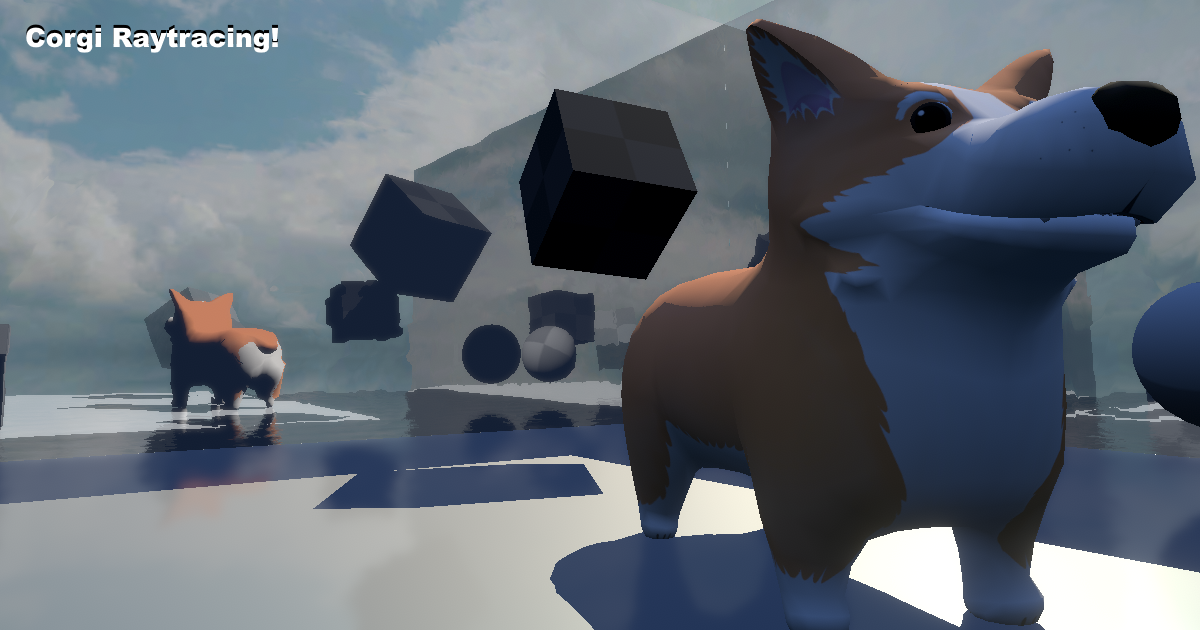
Add depth to your next project with Corgi Raytracing - Built-in RP (Forward + Deferred!) + URP (VR + SPI supported!) from Wandering Corgi. Find this & more VFX Shaders on the Unity Asset Store.
nice to get some raytracing in URP now 🙂
wish Unity would provide that out of the box though
weary fog
I'm on b8 rn and it's not there, haven't checked b9
turbid matrix
@weary fog just to be clear, you are looking at it in dynamic resolution filter list, right?
it should be last item on the upscale filter list under dynamic resolution
weary fog
Yeah I have a very different list
Catmull, Lancoz, CAS, edge adaptive something
When I get home I'll update to b9 and check
turbid matrix
ah yes that's the old setup, they removed some of the unneeded ones to debloat the list
too bad github hasn't been synced for b9 tag, would be easy to check it from that tag (b8 indeed doesn't have it)
doesn't look like b9 has it either
it def works on 2021.2, have tested it from github before
that being said, I have no idea if they will merge it to 2021.2 or if it'll be officially 2022.1 feat
you'd think it would still make it to 2021.2 but who knows
I'm pretty sure 2021.2 is well past feature freeze stage so that's what makes it bit iffy
as for the URP conversion tool... it's just all broken :/ wish they kept the old upgrade scripts around till they get this right
I now tried to only convert the materials, now it doesn't freeze but it doesn't start processing either... button just doesn't start anything 😄
have to manually do this now I guess
(or convert in older Unity version and see if the material upgrader still works
dawn sorrel
How can I adjust the specular intensity (as you would in UE4) with the metal/rough model in HDRP?
I'm well aware that changing it means physically incorrect materials in most (not all, it really should be exposed) cases, but I'm going for a very specific effect.
Alternatively, how can I create a custom shading model so I can add the specular input myself?
inner parcel
dawn sorrel
How can I adjust the specular intensity (as you would in UE4) with the metal/rou...
I'm not aware of a direct method to handle it. but if you're using HDRP, you can enable light layers, duplicate your light affecting mesh, add it some light layer called "specular light"
add the mesh to this rendering layer. in duplicated light in somewhere in advance setting you have an option for "Affect diffuse"
Disable that. Now you have a light which just adds specular light to mesh. Change intensity/multiplier accordingly.
This should be possible using URP too but I'm not fully sure about the specifics there.
Other than that if there's a simpler approach for default lit shader I'll be interested in it too :)
 spiral sail
whats the best way to tweak the built-in shaders in the HDRP package? should i 'fork' the whole package and pull in my own?
i just need to add or tweak some of the built-in shaders, for example a skybox tint
turbid matrix
@dawn sorrel you can't use specular shader mode in the first place? Just swap to specular instead of metallic for your shader. HDRP has this option, Unreal doesn't.
dawn sorrel
That's distinctly different functionality.
What you're referring to is switching entirely from the standard metal/rough shading model to spec/gloss - this loses the metallic input, and exposes a PBR "specular" node that has very different functionality from Unreal's (by design - the two are using the same word to describe very different properties).
What I'm referring to is modifying the reflectance (as Adobe calls it - Unreal calling this "specular" is clearly causing confusion) value of the material. Unity likely limits this because changing that value is physically incorrect in most scenarios - many more primitive engines lock it to the usually correct value of 0.04, but it needs to be changed in certain cases in order to get physically accurate results on materials with unusual IORs.
turbid matrix
you can control the specular occlusion in StackLit shader at least, it lets you input custom dielectric IOR value for example
(probably not what you are after though)
you can also just make a copy of HDRP Lit shader, name it something different and use it instead
you don't have to fork whole HDRP for it
main issue with this is that it's kinda PITA to maintain if you upgrade HDPR often
stock Lit is mostly contained on shader includes, so you'd have to make custom HD Lit shader that had include to some custom lighting shader
or... fork the whole HDRP and modify the files there
it's just incredibly annoying to maintain now that HDRP is a core package, meaning every minor engine version could have some changes for it (which isn't documented nor is HDRP version bumped for it so you have to figure it out yourself)
one alternative would be to use ASE if you have it, it has HDRP shader template which is easier to modify than the stock one and you don't have to go modding the stock HDRP
@dawn sorrel ^
turbid matrix
main issue with ASE is if you use betas etc as it only supports released Unity versions, otherwise they do keep up with Unity releases fairly well
it's not impossibly hard to update their template for beta changes (I've done that in past) but it's extra work for sure
as for unreal's specular hack, I remember faintly that their hack wasn't even that complicated for it (I know what you refer to with that). Could probably check how Unreal did it first since they do allow you to learn from their codebase (just can't copy/paste code directly)
turbid matrix
this PR just got updated https://github.com/Unity-Technologies/Graphics/pull/5395
GitHub
Purpose of this PR
This PR added a doc to guide urp user how to do custom full screen blitting in XR SPI
Fogbugz case https://fogbugz.unity3d.com/f/cases/1335524/
Testing status
ABV
Comments ...
basically it now shows how to do VR SPI compatible blit for color buffer - without extra intermediate texture as URP already has _CameraOpaqueTexture (this does however make the global downscaling option to affect the opaque texture too)
I updated my own saturation sample for this approach too: https://github.com/0lento/URP_RendererFeature_SPI_Example

GitHub
Renderer Feature example for Unity URP that works in VR + SPI by using cmd.DrawMesh API. - GitHub - 0lento/URP_RendererFeature_SPI_Example: Renderer Feature example for Unity URP that works in VR +...
but frankly at this point the official sample is fine already, main reason I put the example out was because there were no public example of this...
 stable mirage
Hey, im having an issue where Draw Mesh Instanced Indirect works perfectly fine for 100.000+ mesh instances when used in a gameobject update loop but fails to render more than 1000 mesh instances when used in a SRP callback context
public class DMII_TEST : MonoBehaviour
{
    public Mesh mesh;

    public Material material;

    public uint count;

    public ComputeBuffer argsBuffer;
    void Start()
    {
        uint[] args = new uint[5];
        args[0] = mesh.GetIndexCount(0);
        args[1] = count;
        args[2] = mesh.GetIndexStart(0);
        args[3] = mesh.GetBaseVertex(0);
        args[4] = 0; //offset

        argsBuffer = new ComputeBuffer(1, 5 * sizeof(uint), ComputeBufferType.IndirectArguments);
        argsBuffer.SetData(args);

        RenderPipelineManager.beginCameraRendering += Draw;
    }

    // Update is called once per frame
    void Draw(ScriptableRenderContext context, Camera cam)
    {
        Graphics.DrawMeshInstancedIndirect(mesh, 0, material, new Bounds(Vector3.zero, Vector3.one * 1000.0f), argsBuffer);
    }
}
this barely gets me 90 frames for 1k meshes
 wild oasis
Anyone has a clue how Camera.SetReplacementShader works in terms of submeshes? It seems to render every submesh with the replacement shader, but is there a way to filter out submeshes that get rendered?
tags don't seem to work. Unless I'm doing something wrong...
turbid matrix
and here we go again 🙂 https://github.com/Unity-Technologies/Graphics/pull/5488

GitHub
Purpose of this PR
Bump version to 13.0.0
Testing status
Describe what manual/automated tests were performed for this PR
Comments to reviewers
Notes for the reviewers you have assigned.
turbid matrix
Schell Games did a custom SRP for their VR title: https://blog.unity.com/games/behind-the-scenes-with-schell-games-and-their-latest-release

it's cool to see people do this in production, most custom RP's seem to be more of prototypes
I still do kinda wonder what they gained with that vs just using tad modified URP for that title
unless that is, their custom SRP is just tad modified URP 😄
 wraith rover
idk if this is the right channel, but global volumes won't work for me. i've tried everything on the forum, but the effects won't show
wraith rover
urp
im using vignette as an example
but it won't show
i've enabled post processing in camera settings
@turbid matrix
 low dirge
Does anybody know what would cause this in URP terrain? Getting weird artifacts. Tried messing with resolutions.
My terrain texture is a solid white image so I can paint flat colors.

 broken lichen
low dirge
Does anybody know what would cause this in URP terrain? Getting weird artifacts....
broken lichen
low dirge
Does anybody know what would cause this in URP terrain? Getting weird artifacts....
Looks a bit like screen-space ambient occlusion to me
low dirge
oh that could be, I do have that on
that's it, thank you @broken lichen
that's unfortunate, because it looks great on everything else
broken lichen
@low dirge Is it any different if you change the ambient occlusion to use depth only instead of depth+normals?
low dirge
not really 
dawn sorrel
What is Resolution? Is this mean higher sky quality?
 low dirge
I may just need to keep my terrain really smooth
dawn sorrel
low dirge
Does anybody know what would cause this in URP terrain? Getting weird artifacts....
How come this happened?
dawn sorrel
dawn sorrel
What is Resolution? Is this mean higher sky quality?
Never mind. Wrong channel.
turbid matrix
@wraith rover you need to have post processing enabled also from the urp asset that is used currently
do note that you might have multiple URP assets in your project and have different one assigned per quality level so make sure you get the right asset to test with
inner parcel
also needs to enable it in camera^
scene view should show it by default if it's enabled in asset tho
turbid matrix
"under consideration": https://portal.productboard.com/unity/1-unity-platform-rendering-visual-effects/c/1052-realtime-upscaling-support-improvement
Summary
Realtime upscaling is the process of reconstructing a rendered frame from a lower resolution to the native resolution of the output screen. Multiple approaches use various software and hardware techniques for spatial and temporal upscaling, produce different output quality, and might have specific hardware/platform requirements or l...
wraith rover
@turbid matrix apparently i had hdrp and urp installed it's all fixed now tho
 drifting widget
How do you make a 2d post processing data? I got the URP converted to the 2d rendered but whenever I tried to implement post processing nothing happens, even if I make a new one. I am wondering if there is a way to switch it to 2d like the rest of URP or if there is something wrong that I am doing preventing it from functioning as intended?
 frosty spear
does light layer work in URP?
opal vapor
does anyone know how to overlay a Point Light 2D onto a 2D Render Pipeline to make a field of view type thing?
turbid matrix
frosty spear
does light layer work in URP?
is that a question if it supports it or if the current implementation works? 🤔
URP 12 has light layers
(so you need 2021.2 beta to use them)
opal vapor
I managed to get a 2D renderer working for a field of view, but for some reason the viewCone only works in some parts of my map

Like, you can see that the cone is being calculated, but the renderer isn't drawing it
opal vapor
also, my player doesn't disappear when not inside the cone
 undone pecan
Got a pretty specific question about Unitys HDRP. Has anyone been using the Compositor Graph? Im trying to get the camera stack working in HDRP, but the documentation about the Compositor makes my head ache. I cant get any wiser the more i read. Can anyone help?
stable mirage
https://forum.unity.com/threads/dmii-in-urp-callbacks-slow.1164259/
still stuck on this problem
Unity Forum
Heya,
Im having a strange issue where using DrawMeshInstancedIndirect inside a URP callback is incredibly slow. For context this is the code I'm using...
frosty spear
turbid matrix
is that a question if it supports it or if the current implementation works? 🤔
If it works. Kind of obvious. Support should mean that the implementation is functional.
unless that was a jab at sorry state of unity affairs in general.
inner parcel
frosty spear
If it works. Kind of obvious. Support should mean that the implementation is fun...
2021.2 is still in beta and yes the light layers do work in URP
turbid matrix
@frosty spear it was an honest question. we see all kinds of vague questions here where people actually are asking something different all the time, hence asking for clarification
and yes, the question was vague
 worldly flame
Any way to debug why this procedural shader provided by the MPUI asset fails to render until I click on the encapsulating object on the hierarchy view?


Or is there a way to reload the shader in the same way you can set layouts and materials to dirty?
worldly flame
It just appears that the shader not working properly and I've taken to the solution of just disabling it
 gusty trellis
Perhaps someone here can help me with this issue? Re cinemachine virtual camera depth of field
#💻┃unity-talk message
 worthy spear
Hi, has anybody tried new motion vectors in URP beta? They are bleeding through the geometry on certain distance..
 wicked token
I'm considering converting my project to HDRP from URP. Anything I should be aware of? I know HDRP takes a while to convert to, but I haven't got a lot of data on how much it increases editor build time, etc. and how much simply converting it might impact performance. Is the performance impact only in what you do with HDRP, or the implementation of HDRP itself?
 lunar cargo
wicked token
I'm considering converting my project to HDRP from URP. Anything I should be awa...
lunar cargo
wicked token
I'm considering converting my project to HDRP from URP. Anything I should be awa...
Hmm, first of all, do you really need to convert to HDRP? There is a specific feature you need? Or it is only about the graphic stuff?
Just take in mind that its creative workflows are totally different, how it uses the Volume framework, how it deal with Physical based Light (using exposure values, HDRI Sky and so on).
I found it very trouble some at first. But if you already have some HDRP experience it might not be a problem.
Now about the transition. I don't know if the HDRP Material Updates converts URP Materials. If not, you will need to convert manually all your materials to use Built-in shaders first before running the HDRP Wizard
wicked token
I may just be inexperienced with the physically based lighting system but there are a lot of things I've had trouble doing in URP like shining a light from inside an object and having the light actually affect the surrounding area. I've tried a lot of solutions, like reversed normals, putting them on different light layers, transparent shaders, other things, and nothing seems to work perfectly. Glow just seems to be very hard to do right. I've tried MK Glow, but that just gives me selective bloom.
Light also doesn't seem to affect a majority of my things in the way I expect.
Even after talking to artists and adjusting the shaders, materials, AO maps, etc. we seem to be unable to get the control we want over the lighting.
lunar cargo
Hmm, I would suggest taking a look at Indirect Lightning through Lightmapping before really deciding to move on to HDRP.
wicked token
I've had some problems with baked indirect as well because our maps are dynamic
We swap out room prefabs for the roguelike aspects
And the baked lights don't seem to behave properly when I'm swapping out huge chunks of maps with instantiated objects
Which is why I think I need a more robust realtime lighting system
But I might have done it wrong
I'm early enough in development where it's either put a lot of effort into getting this system working the way we want it or to go to something that might do what we want more easily
The things I want to glow are MOSTLY just instantiated objects in the rooms that spawn when you complete tasks. I tried Halos and couldn't get those to work either.
Is this kind of effect more easily achieved in HDRP or am I better off just messing with URP?
lunar cargo
Hmm, depending of the instantiated object that needs to glow, you could just try the Post Processing Bloom effect and set it intensity as high as it satisfy your art direction.
But if you need something more complex, like a realtime Global Illumination, you could try Enlighten which is supported on Built-in render pipeline.
If it still doesn't help to achieve what you want. Then you could try moving to HDRP, but it seems a overkill if glow is only what you want.
Anyway, this is one of the best video about its volume framework system:
https://www.youtube.com/watch?v=yqCHiZrgKzs

In this video, you'll learn how to create AAA-quality visuals for current and next-gen games. We’ll also show you HDRP’s key rendering features and how to tune settings for anti-aliasing, lights, shadows, exposure, and more.
Speaker:
Pierre Yves Donzallaz (Senior Rendering & Lighting Artist)
Did you find this video useful? Room for improvement...
wicked token
I will say I didn't really like the high bloom effect... I did get that working via MK Glow and I'd rather have some kind of volumetric glow using simulated particles but I'm not knowedgable enough to do that. I also own a volumetric lights plugin but it didn't come with a point light feature
just spotlights
lunar cargo
Yeah, in the case of volumetric light, it is possible to do on all pipelines, but HDRP is really the only one with a out of the box solution
wicked token
awesome well that helps to know
I might try to see if I can get the Volumetric Lights plugin to do a Point Light perhaps?
lunar cargo
Yeah, it could be a better idea.
I mean, I am not trying to discourage you moving to HDRP, but in my experience it is kind risk to do on an on-going project already with URP. 🙏
Anyway, I dont know if this is already the plugin you're using, but there is a very famous URP volumetric fog (but it is not that cheap on a solo/indie level studio): https://assetstore.unity.com/packages/tools/particles-effects/ethereal-urp-volumetric-lighting-fog-187323

Use the Ethereal URP - Volumetric Lighting & Fog tool for your next project. Find this and more particle & effect tools on the Unity Asset Store.
wicked token
This was the one I bought which I've been enjoying overall https://assetstore.unity.com/packages/vfx/shaders/volumetric-light-beam-99888

Add depth to your next project with Volumetric Light Beam from Tech Salad. Find this & more VFX Shaders on the Unity Asset Store.
lunar cargo
Oh cool, I was afraid it was a free assets which generally is hard to get support. In this case it might be cool to e-mail the developer if he has some idea about the point lights.
wicked token
Thats a good idea
inner parcel
wicked token
And the baked lights don't seem to behave properly when I'm swapping out huge ch...
why not use light probes? light mapping is supposed to work only for static objects. there's realtime GI too in 2021 URP


 smoky orchid
is it possible to have different post processing volumes for different cameras in URP ? Someone asked in the unity forum but was never answered (i need one camera to be blurred and the other not)
 trim ridge
Anyone know why a Windows HDRP build would be running ~15 fps slower than the in-editor version running at the same resolution?
inner parcel
 sweet dock
anyone know why this error happen
sweet dock
anyone know why this error happen
just close unity, delete the Library folder next to Assets in your project and reopen the project freshly
inner parcel
trim ridge
Anyone know why a Windows HDRP build would be running ~15 fps slower than the in...
is your vsync enabled by any chance? if not try to profile it
sweet dock
inner parcel
just close unity, delete the Library folder next to Assets in your project and r...
o h -
trim ridge
inner parcel
is your vsync enabled by any chance? if not try to profile it
Vsync is off. I
I've been profiling it, the slowdown seems to be on the GPU side, but I'm mystified as to why that same slowdown doesn't appear in the editor at the same resolution.
turbid matrix
trim ridge
I've been profiling it, the slowdown seems to be on the GPU side, but I'm mystif...
by same resolution, you mean you actually playtest the game in editor using true fullscreen and not that small editor window?
trim ridge
turbid matrix
by same resolution, you mean you actually playtest the game in editor using true...
Yup, I set the gameview display to downsample to my window area from Full HD 1080p. Although! Just now when I maximized it, still at Full HD, it chopped 10 fps off of it 😩
Er, scratch that, I'd accidentally enabled Vsync in the editor (it's off in the build). With editor vsync off, those 10 fps came back.
turbid matrix
that still doesn't make sense, the impact would be the opposite
(also vsync in editor is bit sketchy)
trim ridge
I know, right?
turbid matrix
I'd still double check the vsync value in actual build
trim ridge
Here's a snapshot of the build profile:
 turbid matrix
that implies there's vsync still enabled
trim ridge
And here's one of the editor profile:

Vsync is off in the Quality settings, any other secret place in Unity where it might be enabled?
turbid matrix
you've set it off from all quality levels you are using in build?
also would double check it's not forced on from your gpu drivers
trim ridge
I'm assuming it's off in builds, HDRP profiles don't appear to have Vsync settings outside of the broader Quality tab. Also, vsync on a build as fast as the editor version would clamp me at 60fps (editor is hitting 70fps), whereas the build is still struggling to reach 55fps
I'll check and see if nVidia is screwing with things in the build
Most of the nvidia control panel settings were set to Global, turned a few off but didn't get any performance increase in the build.
inner parcel
i'd also suggest to double checks scripts for QualitySettings.vSyncCount if you're accidently triggering that in build somewhere
other than vsync and some nvidia settings, everything should be same about editor and builds. i get almost 1.5x - 2x (~2-2.5ms) performance gain from editor to build in hdrp
 jade trail
To match the editor performance with the build you can enable vSync on the game view by enabling here

To fix the other way around, just place this line on any script on the Awake() method
QualitySettings.vSyncCount = 0;
That will uncap the FPS (switching on the Quality Settings dropdown doesn't always work)
Also check if Application.targetFrameRate isn't capping the fps as well
@trim ridge
trim ridge
Thank you @inner parcel and @jade trail, turns out both of you were right! An addon's script was messing with vsync and target framerate from code! Also thank you to @turbid matrix for talking me through it
 slate lantern
I have a weird problem, I'm trying to improve performance by using GPU Instancing but when I instantiate the objects, GPU Instancing enabled or not the number of DrawCalls remains the same, am I missing something?
The prefab is just a default cube and I've tried a default material and one with a ShaderGraph applied, doesn't work either way
Also I don't know if this is the right channel where to ask this so tell me if you think it's more suitable somewhere else
jade trail
slate lantern
I have a weird problem, I'm trying to improve performance by using GPU Instancin...
HDRP or URP?
slate lantern
URP
jade trail
If SRP batcher is enabled, GPU instancing has a lower priority (means that SRP will be acting instead)
It may look like the draw calls number is high, but it is just the wrong values being shown on the stats window
Let me find the Unity helper profiling tool for SRP batcher
But basically it will pack every material/mesh using the same shader variant on a single batch
Therefore GPU instancing isn't needed
inner parcel
use this to profile srp batcher
https://github.com/Unity-Technologies/SRPBatcherBenchmark/blob/master/Assets/Scripts/SRPBatcherProfiler.cs
slate lantern
Ok ok so when there's written 302 batches and -301 saved is the SRP batcher right?
jade trail
slate lantern
Ok ok so when there's written 302 batches and -301 saved is the SRP batcher righ...
Forget about those numbers while SRP is active
jade trail
inner parcel
use this to profile srp batcher
<https://github.com/Unity-Technologies/SRPBatche...
Thanks!
inner parcel
slate lantern
Ok ok so when there's written 302 batches and -301 saved is the SRP batcher righ...
depending on your unity version, it may or may not be true. unity admits about there being an issue with stats window and number of batches. im not sure if thats fixed in 2021
jade trail
And be aware that SRP batcher isn't working on some platforms before URP 10.6
OpenGL for example wasn't working
If you wan't to use the old ways (static batch and gpu instancing), disable the SRP batcher option on the URP asset
Its located at the bottom of the data
slate lantern
Does this have repercussion?
I mean, since I'm planning to use Shaders Graphs provided from URP is this going to be a problem?
jade trail
No, shader graphs are SRP batcher compatible by default
But if you disable it, it's not going to break anything
Then you'll relly on GPU instancing and/or static batching (check the conditions necessary for both of them on the documentation)
slate lantern
Check everything I could on GPU instancing and Batching, the SRP batcher was the only thing I didn't know was acting! Anyway, I tried GPU instancing and there isn't much improvement so I guess I'll just still with the SRP batcher until I find a scenario where the other options might be better
Thank you so much for the info, without it I would have been floating on this for days haha
jade trail
slate lantern
Check everything I could on GPU instancing and Batching, the SRP batcher was the...
You're welcome!
 verbal sandal
Does anyone know how to fix HDRP making everything disappear, Version 2019.4.15?
All the materials are using "Hidden/InternalErrorShader" after using the hdrp wizard and viewing the scene in Albedo allows me to see some outlines

 inner parcel
verbal sandal
Does anyone know how to fix HDRP making everything disappear, Version 2019.4.15?...
inner parcel
verbal sandal
Does anyone know how to fix HDRP making everything disappear, Version 2019.4.15?...
if you just migrated to hdrp, the shaders which arent supported by the wizard wont be converted for you. so you'll need to do it yourself
verbal sandal
inner parcel
if you just migrated to hdrp, the shaders which arent supported by the wizard wo...
i've done it myself but I still can't get them to work
im using unlit but the materials are blank, is there something im doing wrong?
inner parcel
verbal sandal
im using unlit but the materials are blank, is there something im doing wrong?
i'd try upgrading to 2020.3 first
verbal sandal
ok ill try that
from research i saw there were a lot of bugs in 2019 versions for hdrp
verbal sandal
inner parcel
i'd try upgrading to 2020.3 first
THANK YOU! :D
it work now i thought i lost my project lol
inner parcel
A quick question, is there a reason why someone wouldn't use SVT over previous mip map streaming if disk size reduction because of compression wasn't an issue?
does SVT work with default shaders hdrp?
turbid matrix
@inner parcel you need to use VT nodes on SG so you do have to author your own SG's for it. Main reasons to not go for SVT are: it doesnt support asset bundles/addressables (afaik anyways) and it does have it's own overhead (you also have to reserve fixed amount of RAM for it regardless how much you use it at any given time
 scarlet birch
Hello, is it possible to use lit meshes in URP VFX graph ?
turbid matrix
@scarlet birch you could as about that in #✨┃vfx-and-particles . we have limited amount of vfx guys on this channel :) I have a faint memory that they added support for that but it might only be in urp 12 etc
inner parcel
yeah I was aware about shader graphs, but not being supported in default lit shaders is a bummer, cos those used at more than 50% of my materials.
But yes not being addressable supported is a bigger turn down for me
Thanks for the crisp response 👍
turbid matrix
I'd probably try to make SG that maps inputs same way as your regular materials, then it's just shader swap from materials (no need to redo inputs for all materials then)
Unity doesnt support that officially (they reserve some common property names) but it still worked last time I did it
inner parcel
turbid matrix
I'd probably try to make SG that maps inputs same way as your regular materials,...
yeah i planned to do that half way when I was going through your message. but addressable is a must needed for my project ever since I've got used to it.
I dont ever think addressables will be supported maybe because of lack of res files. But until there isnt a way to handle those cases its a big no go for me
turbid matrix
You can like mass select all materials and swap the shader for all selected at once
inner parcel
yepp, i've done that with a custom shader before by writing my own editor script to map between the different inputs. so thats not an issue for me
 void mortar
i upgraded my unity project from Standard pipe line to URP but it is not upgrading the materials
turbid matrix
They've had addressables and urp on their "will do next" roadmap.. For 2 years now.. Wouldnt hold breath waiting
@void mortar you have to manually trigger the upgrade script.
inner parcel
turbid matrix
They've had addressables and urp on their "will do next" roadmap.. For 2 years n...
hope that actually becomes true some day. I prefer addressable over the previous laggy loading experience in unity with Resources and SceneManagement
void mortar
turbid matrix
<@649599420999925762> you have to manually trigger the upgrade script.
how to do that?
turbid matrix
@void mortar and it will only convert stock materials. Anything with custom shaders will not convert (it is material conversion from builtin to urp shaders, it cant convert custom shaders)
void mortar
oh so i have to do my stuff in a new URP project
turbid matrix
@void mortar urp docs should point you in right place. On older urp it is somewhere in edit menu etc. On URP 12 they have different thing on tools menu
void mortar
okay thanks bro
turbid matrix
(not on my computer atm so cant tell the exact path)
void mortar
thanks bro
scarlet hull
@void mortar https://docs.unity3d.com/Packages/com.unity.render-pipelines.universal@7.7/manual/upgrading-your-shaders.html
- Open your Project in Unity, and go to Edit > Render Pipeline > Universal Render Pipeline.
- According to your needs, select either Upgrade Project Materials to URP Materials or Upgrade Selected Materials to URP Materials.
void mortar
scarlet hull
<@!649599420999925762> https://docs.unity3d.com/Packages/com.unity.render-pipel...
this problem is solved....but thanks for replying
 worn hull

what am I missing here?
also unable to edit HDRP materials, it says the pipeline asset isn't assigned, but it is.
turbid matrix
this got closed as "Won't fix" https://issuetracker.unity3d.com/issues/xr-sdk-shader-graph-gameobject-is-rendered-only-for-the-left-eye-when-using-built-in-lit-material-and-single-pass-instanced: ShaderGraph is not supported when using the built-in graphics renderer; only for SRP-based rendering pipelines (e.g., URP, HDRP). While a shader generated by ShaderGraph may work in this scenario, we are not addressing issues in those situations.
what I do wonder though is why did Unity silently land SG functionality for built-in RP on SRP 12 if they don't plan on supporting it?
there hasn't been any official word on this functionality either which makes one wonder if it's some experiment that will get removed before 2021.3 LTS goes live?
having features clearly in the editor that are not supported (nor does the editor communicate the lack of their support in any way) is kinda confusing for users
smoky orchid
is there a way to have different post processing volumes for different cameras in the same scene in URP ?
 keen tulip
worn hull
keen tulip
worn hull
using multiple srp assets?
speaking of srp batcher. is there a way to know if we're using SRP batcher or the good old static batcher?
if my gameobject does have static batching enabled and if SRP batcher is also enabled in asset then which batching will be used?
one thing that has been mentioned clearly is that the SRP batcher has a higher priority over GPU instancing. but this case has never been addressed anywhere
inner parcel
turbid matrix
this got closed as "Won't fix" <https://issuetracker.unity3d.com/issues/xr-sdk-s...
yeah it actually makes sense too. until they officially announce the support of shader graph for built in with a blog post it seems unlikely that they will actually acknowledge this as a bug. maybe its a way of testing things out silently and then just removing it if it seems not feasible and nobody can blame them because they never said they would bring shader graph to built-in in first place.
by seeing this report getting closed instead of being delayed until the decision is made, it seems more likely that they will either remove the shader graph support for built in even in 2021.2 or that the staff who marked your report as "Wont fix" didnt think well of the situation or isnt aware of the fact that shader graph does work with built in for some cases or err, might be well informed.
inner parcel
keen tulip
speaking of srp batcher. is there a way to know if we're using SRP batcher or th...
why not use frame debugger. it will show what type of batching is being used
scarlet birch
Does a game built on HDRP straight away requires better hardware than URP ? Or it depends on what effects you are using
 grizzled flame
pretty much straightaway
inner parcel
scarlet birch
Does a game built on HDRP straight away requires better hardware than URP ? Or i...
you can still tweak hdrp to favor performance by trading some quality. almost everything for that is available in hdrp asset and default hdrp settings
inner parcel
 exotic pumice
yeah but Decal Projector makes it almost worth it
exotic pumice
yeah but Decal Projector makes it almost worth it
its there in URP beta aswell. might release anytime this month or by next
exotic pumice
inner parcel
its there in URP beta aswell. might release anytime this month or by next
good to know! decals are def better than me doing cheap hacks with quads
inner parcel
ofcourse
 sharp hornet
Guys, do you know why I can just see the color material if I'm very very close to the object? I'm using URP
indigo summit
inner parcel
you can still tweak hdrp to favor performance by trading some quality. almost ev...
i'm curious about this though, what is the most lightweight HDRP settings.
turbid matrix
pretty sure the shelved it a long time ago
 slender patrol
Hey guys, any idea why I get this grayed out shader? When I add a TMP text it stays grayed out like that and I can't edit the shader. Old gameobjects with TMP I already had in the scene are fine and I can edit the shader no problem but copying them still gives me the grayed out shader
 inner parcel
indigo summit
i'm curious about this though, what is the most lightweight HDRP settings.
inner parcel
indigo summit
i'm curious about this though, what is the most lightweight HDRP settings.
hdrp by default has almost all the effects enabled maybe to provide more visually appealing fidelity to people new to the pipeline out of the box
just disable them in the hdrp asset.
and during runtime, if you want to provide an option for your user to customize the graphic setting according to their pc, you can make use of multiple quality settings and camera frame setting override.
although im not sure if youre allowed to modify hdrp asset properties at runtime from the build
 severe prawn
Hi, does anyone know where I can make features requests to Unity for URP and HDRP? I want to add a feature, but I don't have the correct RenderPassEvents.
 near barn
uhm i need help with my 2d light
it shows in scene window but not in the game window
already tried many solutions i found on the internet
but non worked
scene window

game window
 inner parcel
severe prawn
Hi, does anyone know where I can make features requests to Unity for URP and HDR...
inner parcel
severe prawn
Hi, does anyone know where I can make features requests to Unity for URP and HDR...
https://portal.productboard.com/unity/1-unity-platform-rendering-visual-effects/tabs/3-universal-render-pipeline
theres a tab for HDRP aswell. scroll to the bottom most, you'll find a "Submit a new idea!" thumbnail
severe prawn
inner parcel
<https://portal.productboard.com/unity/1-unity-platform-rendering-visual-effects...
Thank you, this is exactly what I needed!
dawn sorrel
exotic pumice
good to know! decals are def better than me doing cheap hacks with quads
Actually, mesh decals are nice as well. Mesh decals are used tons in modern pipelines as well from what I know.
Alright, now that I made a building 3d model with a bunch of lights it's time to test the beta URP again.
Beta 9, here we go bby.
dawn sorrel
Compilation error on project start, always a good sign...
Also, HDRP bois up in here, do on-demand shadow updates help significantly lighten the poopy perf on mid to low hardware?
Or does it still do only 60 FPS like an old grandma.
summer glacier
What do you mean? It will improve shadow performance, how much that improves perf for your game depends on how much perf costs come from shadows
I found it to be very helpful, I update it once every half a sec/sec, for all static obj
since it's based on camera frustum, and I increased cache size
inner parcel
cant imagine hdrp running decently on mid end devices even without shadows. baked shadows might help incase of a static scene
summer glacier
what is considered mid end?
I'd say my laptop GTX 1070 is mid-end, after all this time, and it runs many HDRP games with nice graphics at good FPS (+75 avg) with settings at high to ultra, games like road 96, car mechanic 2021
near barn
near barn
uhm i need help with my 2d light
?
summer glacier
onto a new topic, something interesting i found out is
there's a new game (#1 top seller rn) called pathfinder: wrath of the rightous
it uses the SRP, although they made their own render pipeline using it
runs really well, very nice looking. They still use VFXgraph and shadergraph. And obviously the core of unity.
Their old game, pathfinder: kingmaker uses unity builtin
dawn sorrel
summer glacier
what is considered mid end?
Well, I want 100 FPS on a 1050 😛
Unreal can do it.
Why can't HDRP 🤷♀️
I was more or less wondering if anyone here has shipped anything and had actual data.
summer glacier
Because they're very different. HDRP provides you with a ton of c# callbacks, hence it's more single-threaded than unreal. The benefit is clear, con is more single threaded load on the CPU.
But it's improving, 2021.2 will use burst + jobs for decals, and maybe visiblitylights (PrepereLightsForGPU) although the latter might get pushed to 2022.1