
#archived-hdrp
1 messages · Page 69 of 1
 cobalt crater
 scarlet hull
cobalt crater
any idea how i can remove this standard shader (probably a shader from builtin i...
scarlet hull
cobalt crater
any idea how i can remove this standard shader (probably a shader from builtin i...
You can't
cobalt crater
lol damn, ok
cobalt crater
scarlet hull
You can't
Why wouldn't they let us delete them, only way is to start a clean project and copy all assets and prefabs towards it?
 iron flame
I need to setup 2 cameras for FPS game. but this hdrp is also very difficult. I thought I could do it with Composition manager. I couldn't do it or Composition manager is not suitable for this.
https://docs.unity3d.com/Packages/com.unity.render-pipelines.high-definition@10.4/manual/Compositor-Main.html
scarlet hull
cobalt crater
Why wouldn't they let us delete them, only way is to start a clean project and c...
A lot of the shaders like "standard" are just part of the editor. They will be there, even in a Blanc project.
But if you don't use them, they won't be included in the player build.
cobalt crater
scarlet hull
A lot of the shaders like "standard" are just part of the editor. They will be t...
thanks!
 trim bone
It would be nice if there were a way to hide incompatible shaders if you are using a pipeline that cant use em. Would help clear up confusion as well as just streamline the experience
 foggy oracle
I just wanted to create that glowing grid shader
 viscid bronze
why when i create a render pipeline all my prefab look like this ?

 drifting vault
viscid bronze
why when i create a render pipeline all my prefab look like this ?
drifting vault
viscid bronze
why when i create a render pipeline all my prefab look like this ?
select all > RMB > Reimport
viscid bronze
drifting vault
select all > RMB > Reimport
Thanks
And with the render pipeline when a prefab is too far my camera doesn't show me the object ?

but i change the "render distance" can someone explain me ?
 trim bone
@rotund quiver i used 2021.2.a9 and urp straight from the github master branch but other than that nothing special, seeing as qa was able to repro it theres definitely something fishy going on
 rotund quiver
trim bone
<@!135139600673800192> i used 2021.2.a9 and urp straight from the github master ...
rotund quiver
trim bone
<@!135139600673800192> i used 2021.2.a9 and urp straight from the github master ...
Ohhh URP from github... that's worth a consideration,
 turbid matrix
unless you really want to test something new on master branch, you are better off avoiding github for SRPs
current SRPs at core approach does let Unity to upgrade the SRPs for each release separately so they are not horribly much behind bleeding edge if you use engine alphas
looking at some tags on github, in past it's been about two and half week behind master
of course once they branch to next version, backports don't get all the goodies anymore
 sweet delta
How do you turn off soft shadows in HDRP?
 woven gulch
sweet delta
How do you turn off soft shadows in HDRP?
woven gulch
sweet delta
How do you turn off soft shadows in HDRP?
On lights? or into the HDRP profile
Guys are textures compatible switching from HDRP to URP?
sweet delta
woven gulch
On lights? or into the HDRP profile
into the hdrp profile
 frigid nova
So i had this problem for a while now.There is this layers that appear everywhere. i thought its the HDR but cannot find any option for it. Does anyone know how to make this layer light blend together naturally?

 frigid nova

 keen pivot
HDRP 10.4 and upwards seems to have changed or removed the _DoubleSidedConstants variable. where should i be looking to see what's changed to what?
 plucky phoenix
Is this effect (god rays) is possible in URP ?
 keen pivot
anyone else have a massive FPS drop going to unity 2021?
keen pivot
keen pivot
anyone else have a massive FPS drop going to unity 2021?
seems its just the editor performace is really bad in 2021.1, runtime builds are about the same
thats a pain though you cant really tell if what you've done has improved anything
drifting vault
plucky phoenix
Is this effect (god rays) is possible in URP ?
maybe via custom solutions form asset store
plucky phoenix
drifting vault
maybe via custom solutions form asset store
Okay
 fleet comet
Hi! Since i "activated" URP on my project, my light are less... Lets say... "Luminous". Any ideas...?
 twilit jacinth
Hello, I have issue with my team, we are using the High Definition Render pipeline and we use github to work together, my friend just download the project on his computer but it seems like there is no more texture in it everything is grey and although we have upgrade to hdr material it doesn't seems to work. Can anybody help and have a solution for this ?
btw there is this sentence written in the inspector of the materials : editing hdrp materials is only supported when an hdrp asset assigned in the graphic settings
I have already create an hdr assets and set it in the project settings but nothing seems to work.
scarlet hull
twilit jacinth
Hello, I have issue with my team, we are using the High Definition Render pipeli...
Did you properly submit and push the graphic settings file ?
twilit jacinth
scarlet hull
Did you properly submit and push the graphic settings file ?
we just use the git ignore file of github, so I think that they had been pushed with everything normally. Also we are three in the project and one of them have the bug while the other one doesn't have it.
(btw sorry if I made some mistakes but I'm not the best in english ^^*)
scarlet hull
twilit jacinth
we just use the git ignore file of github, so I think that they had been pushed ...
My suggestion would be to reset the project to the latest state of github.
- Push changes if any
- Close Unity
- Delete the Library folder
- In git console :
git reset --hardthengit clean -fd - re-open the project
On the faulty user machine
twilit jacinth
scarlet hull
My suggestion would be to reset the project to the latest state of github.
- Pus...
ok I'll try it and come back.
twilit jacinth
it was not the issue but it was the name of a file that was too long so it was remove by git.
 marsh marsh
How can I edit shadowResolution in HDRP, since it is read only?
 hard timber
Trying to create this effect
https://i.pinimg.com/originals/14/73/96/1473967ccf0017602b7871ad6b5ceab9.jpg
Can anyone tell me if this is possible somehow using only the Built-in pipeline?
If not, what would be the closest approximation? ie at least have some type of glowing orb inside the box.
Thanks!

 ornate aurora
hard timber
Trying to create this effect
https://i.pinimg.com/originals/14/73/96/1473967ccf0...
ornate aurora
hard timber
Trying to create this effect
https://i.pinimg.com/originals/14/73/96/1473967ccf0...
I believe those are Godrays, if that's of any help
turbid matrix
At simplest, that would be two one-sided quads/planes with transparent material bolted on them
 glossy flare
hey guys
how do I make 2D shadows work?
I tried using the shadow casting script for 2d lighting but it doesn't seem to work
example of not working (below)
 scarlet hull
glossy flare
I tried using the shadow casting script for 2d lighting but it doesn't seem to w...
scarlet hull
glossy flare
I tried using the shadow casting script for 2d lighting but it doesn't seem to w...
I think you also need to have shadow projectors ?
glossy flare
scarlet hull
I think you also need to have shadow projectors ?
you mean the shadowcaster2d?
scarlet hull
yes
glossy flare
i already have it attached

 dawn sorrel
OptiX 7.3 brings temporal denoising and improvements to OptiX Curves primitives and new features to the OptiX Demand Loading library.
this is good news for unity
turbid matrix
is there something wrong in my assumption that I should be able to run HDRP wizard through, create a new HDRP scene and bake lights for it on default settings without everything getting blown out? 🤔

I've barely touched baked lights in Unity in general but it's never been even near the same ballpark for lighting values as for realtime lighting.. which is odd on it's own
maybe I'm missing something basic here
also no matter what I do with the exposure values, I can't get the sky to show up again after baking the lights with the default intensity set by HDRP wizard
turbid matrix
well, I can get HDRI sky to show but physically based sky is broken, bug ?
tested this on 2020.3.3f1 and it's own HDRP
 pallid aurora
does the URP camera stack support shadowing across cameras?
 pearl vapor
Also wondering if anyone has any pointers on stacking URP cameras (using 2021.1) , trying to create a wraparound camera for my world where if you go to the top there's a camera behind that draws over where it is not cleared (basically six child cameras)
Very new to Unity by the way - so not sure if I should try "Render Objects" in the GUI or will I need to actually modify the pipeline
 pearl vapor
pallid aurora
does the URP camera stack support shadowing across cameras?
pearl vapor
pallid aurora
does the URP camera stack support shadowing across cameras?
Guessing I’ll come across this issue as well.
 marsh olive
Im tryna do a renderer for this bird, but when i add it, the marker resets to 0, 0, 0 and dissapears from the bird. Should it be so? and if not how can i fix it?
 sweet delta
How can I stop my shadows looking this pixelated in HDRP

 tardy wyvern
Fellows, has there been any recent change in how to add custom features to a pipeline in URP? 
I've used this a lot in the past but today, any change that I'm doing to my custom pipeline doesn't show in game. Been stuck with this for the past 3 hours!
turbid matrix
@sweet delta change shadow filtering, increase the shadow resolution, lower the shadow distance etc
(assuming we are talking about realtime shadows now)
sweet delta
turbid matrix
<@!465526925327204352> change shadow filtering, increase the shadow resolution, ...
Yeah the resolution is at 2048 so I put it at 8192 and it's better but I don't understand how 2048 can be so pixelated
 cobalt idol
it depends on how large a region your shadow map is covering
if the shadowmap is covering a huge region of your scene, and you look at it up close, you'll see these artifacts
(I guess one way to think is that the shadow map is world space, not view space*) _ caveats_
dawn sorrel
Hey, are there any tutorials or alike on this: https://docs.unity3d.com/Packages/com.unity.render-pipelines.high-definition@11.0/manual/Volumes-API.html#changing-volume-profile-properties
its hdrp 11 inside unity 2021 beta
i want the chromatic aberration post processing effect to be inside the screen instead of the edges of the screen so i need to do it via script
but i cant find proper doc on functions or how to use it properly
appreciate any help
 violet sphinx
tardy wyvern
Fellows, has there been any recent change in how to add custom features to a pip...
violet sphinx
tardy wyvern
Fellows, has there been any recent change in how to add custom features to a pip...
Ugh, I've been stuck on this for weeks. GameDevBill? I've asked a question on his forums, but no answer yet. I have come to conclusion that URP doesn't support custom features.
Try this site though. I know very little about renderers or anything of the sort, but this seemed close? https://forum.unity.com/threads/how-to-make-custom-post-processing-effects-with-2d-renderer-data.894868/
Unity Forum
Title says it all. I want to learn how to make my own custom post processing effects for my game which is using the 2D Renderer Data in URP. I've tried...
violet sphinx
tardy wyvern
Fellows, has there been any recent change in how to add custom features to a pip...
I just found the official Unity response re: custom features in URP. https://forum.unity.com/threads/urp-2d-renderer-custom-feature.778946/
TL;DR, it's being worked on as of January 11th 2021.

Unity Forum
Hi!
I am looking for an option to add custom pass (Custom Renderer Feature) to a 2D Renderer.
Currently there are functions like EnqueuePass etc., but...
tardy wyvern
violet sphinx
I just found the official Unity response re: custom features in URP. https://for...
Thanks, I'll look into it as soon as I can. But the thread is about custom feature on a 2D renderer. I would imagine they wouldn't do work on this which would impact custom features on forward renderers
violet sphinx
tardy wyvern
Thanks, I'll look into it as soon as I can. But the thread is about custom featu...
Ah, my mistake. Please disregard!
 grizzled dust
Does anyone know the official way to write custom post processing effects for URP. The scriptable render pipeline post effect system doesnt work https://docs.unity3d.com/Packages/com.unity.postprocessing@2.1/manual/Writing-Custom-Effects.html
 fiery marsh
@grizzled dust URP doesn't use the PPv2 package, it has it's own volume system. It currently doesn't support custom effects though. You can still achieve fullscreen post processing using a blit/fullscreen feature. e.g. https://github.com/Unity-Technologies/UniversalRenderingExamples/tree/master/Assets/Scripts/Runtime/RenderPasses
grizzled dust
@fiery marsh Sooo does it give you anyway to add your own effects to these volumes? And is there an official tutorial for the ScriptableRendererFeatures
fiery marsh
grizzled dust
<@!357936113983291393> Sooo does it give you anyway to add your own effects to t...
Custom effects with the volume system is on the roadmap but not supported yet.
ScriptableRenderFeatures aren't well documented, but the ones I linked are examples provided by Unity. Should be able to copy them to your project then apply a material. The shader should use a _MainTex input to obtain the source texture.
fiery marsh
grizzled dust
How would you access the depth buffer?
If the Depth Texture is enabled on the URP Asset, unity passes it to the _CameraDepthTexture propertyID (so can obtain that and sample it in your shader). As for motion vectors, I'm not sure URP has that.
 onyx sable
I've got bloom working in the Editor, in my URP game, it shows when compiled for PC build, but does NOT show up in android builds. I configured ALL (low/medium/high quality) the UniversalRenderPiplineAssets the project has, to use High Dynamic Range. I DO have a warning though it doesn't actually imply that this wouldn't work at all ("works best on..."). So, SHOULD this in fact be possible (bloom on android)?
 hard timber
@ornate aurora Yes, godrays because you need to be a shader god to create these in Unity 👀
I'm a shader noob however and if I absolutely MUST have volumetric lighting I simply use Unreal instead.
turbid matrix

Unity made real-time ray tracing available to all of their developers in 2019 with the release of 2019LTS. Before the end of 2021, NVIDIA DLSS (Deep Learning Super Sampling) will be natively supported for HDRP in Unity 2021.2. NVIDIA DLSS uses advanced AI rendering to produce image quality that’s comparable to native resolution--and sometimes ev...
it's not in yet, but apparently will be before the end of the year when 2021.2 will be out
grizzled dust
URP Lit particle shader with 'Soft Particles' enabled has this weird bug where the particles are cut off. Any fix? https://cdn.discordapp.com/attachments/497872424281440267/831986952566734918/UJE2DMo0lO.gif

 plain mural
dawn sorrel
its hdrp 11 inside unity 2021 beta
i want the chromatic aberration post process...
plain mural
dawn sorrel
its hdrp 11 inside unity 2021 beta
i want the chromatic aberration post process...
Dm me
Im on my phone but when i get online ill show you how to do it
 eternal laurel
turbid matrix
https://youtu.be/nY20fDmlW7M
eternal laurel
turbid matrix
https://youtu.be/nY20fDmlW7M
M Bison yes meme
turbid matrix
from DLSS 2.0 forum thread 😄

I mean, these people are not wrong
AMD CAS is only for HDRP as well afaik
I wish they would just implement these for both by default
I get why Unity does DLSS for HDRP though as it's what makes realtime raytracing viable and Unity doesn't seem to have plans to implement DXR support on URP at all
being able to use DLSS to boost non-raytraced games is kinda bonus here
eternal laurel
the only bummer is that AMD users do not benefit from this at all
so it's a nice "Free" bonus but will not solve optimization issues
or make it easier
turbid matrix
there are other things AMD users can use to get more performance, like dynamic/fixed but lower resolution with CAS filtering. It's not the same thing visually but it does make the game render at lower resolution without looking as crap as regular scaling would look
also AMD is preparing their own equivalent tech but it's not out yet
well, even that is not the same as there's no dedicated hardware for the upcoming AMD thing
(AMD FidelityFX Super Resolution)
it's supposed to launch this year but we'll see
turbid matrix
this finally landed on master 🙂 https://github.com/Unity-Technologies/Graphics/pull/3386

GitHub
Purpose of this PR
Add Enlighten Realtime GI support to Universal. Makes it easier to upgrade from builtin render pipeline.
Testing status
Tech art validation pass completed. Details here https://j...
meaning, it'll be on 2021.2 in future betas probably as I don't think Unity is doing alphas long enough for this to be there
eternal laurel
is the realtime GI out for HDRP I could not find it on 2021.1
but I think it landed a while back
turbid matrix
it's in current 2021.2 alphas at least
https://github.com/Unity-Technologies/Graphics/pull/3385 was merged Feb 15th
GitHub
Purpose of this PR
Reactivate Enlighten Realtime GI support for HDRP. Makes it easier to upgrade from builtin render pipeline or HDRP 7 and older.
Testing status
Manual testing by the developer usi...
dawn sorrel
Hi all, new here 👋 Working on a project where I am projecting damage (metal warping and holes) onto my game objects in HDRP, I have noticed that when I project a normal map onto an object that already has one in it's material, I get these hard edges from the decal rectangle, anyone here can point me in the right direction as to how I can correct this? Cheers
dawn sorrel
The issue, I'm assuming here, is that the object I am projecting onto already has some normal directions and then I just sticker on top my deformations, in the case that the normals are not aligned I get this hard edge
@turbid matrix Seems like the projector is working fine if I just project downwards on a plane, the normal maps are created in blender using the Normals matcap
dawn sorrel
Example
I think I need to enable this somewhere so it automatically blends the decal and the surface normal, kinda like a multiply operation or something in that direction
New to HDRP 😅
turbid matrix
I haven't really played with normal map operations that much on shaders, there could be a way to do that... but you could also try some alpha mask for your effect so it would fade the "plane" part away from your decal normal map?
if hdrp decals support this that is
basically meaning, you'd just apply the part with deformation and ignore the rest
but there could be nasty artifacts from that too
dawn sorrel
This is a possible solution but as I plan to generate thousands of damage decals in Blender it would be a pain to hand craft the mask, perhaps I could automate this step too 🤔 Alright thanks for the input! Will probably have to learn shaders for this to work properly tho haha
turbid matrix
at least HDRP 11 has normal alpha on decal shader graph
so you could try that first
dawn sorrel
Thanks for the tip!
turbid matrix
if the mask approach works, that mask basically could be just generated mostly from baked height map
can get small fade from it too for the alpha
but yeah, I'd really explore the some shader math approach first because every texture map sampler you can spare the better
you could ask this in #archived-shaders as there's more shader guys there than here
dawn sorrel
Yeah starting to mentally map out the solution here, in the cloth sim to make the decal I have to automate the weight paint for the vertex PIN so I guess I could use that as a mask, will try to figure out the shader code and if all else fails just try this approach
 wide jasper
If multiple objects with different materials (only the texture is different) are drawn at the same draw call with SRP Batcher is there still any benefit of using Texture Atlases?
 tawny crypt
Can the GPU particles from Visual Effect Graph interact with Physics or are they cosmetic only?
 broken lichen
tawny crypt
Can the GPU particles from Visual Effect Graph interact with Physics or are they...
broken lichen
tawny crypt
Can the GPU particles from Visual Effect Graph interact with Physics or are they...
By default, they don't interact with the scene at all. There are blocks to do estimated collisions, either by using the depth texture from the camera or a SDF representation of the scene if you have one.
tawny crypt
broken lichen
By default, they don't interact with the scene at all. There are blocks to do es...
I assume that stuff is baked right? No dynamic collisions of any kind
broken lichen
SDFs are usually baked, but the depth texture is realtime
But it's limited, because it can only see things from the camera's perspective
If you look away from the particles, they won't collide with anything anymore.
tawny crypt
Ahh that's okay
 haughty prairie
Hi guys, I have this error and am not sure how to fix it. Sorry for any ignorance, am new to unity.
ForwardRenderer is missing RendererFeatures
This could be due to missing scripts or compile error.
UnityEngine.Rendering.Universal.ScriptableRendererData:OnValidate () (at Library/PackageCache/com.unity.render-pipelines.universal@7.3.1/Runtime/ScriptableRendererData.cs:55)
turbid matrix
@haughty prairie sounds like there's something broken, either incompatible scripts on your end or wrong package versions for the Unity version you are using
can you give screenshot of the package manager for installed packages?
grizzled dust
How to get this working with scriptable render pipelines like URP https://docs.unity3d.com/Manual/SL-ShaderReplacement.html
Fairly certain it just isn't supported but Unity hasn't documented that anywhere.
Like do you need to create a whole custom render pipeline just to replace shaders? Something that was 1 line of code in Unity 5 is now nearly 100 lines, amazing.
This guys response to the forum post sums it up https://forum.unity.com/threads/replacement-for-camera-render-camera-renderwithshader.845854/
Using Renderer Features seems like using a sledgehammer to crack a nut-kind of solution. Previously I could just call a single function. Unity is seriously taking steps backwards.
Unity Forum
While attempting to make my in-editor AO baker compatible with URP, I've found this page stating that Camera.Render and Camera.RenderWithShader are not...
 glacial lichen
Hey, I'm looking for a good way to do shadow projection in URP. I'm thinking of making a decal in VFX graph maybe, but i'm fairly new to it and having a hard time getting it to render properly. How would you do it??
https://www.youtube.com/watch?v=hQcZA3dYGxg this is the result im looking for

Unity 2017.2 Fake Shadow Tutorial - Blob Shadow Projector. In this video, I will show you how to create a really simple fake shadow for the character. This is a really great way to fake shadows for mobile devices to get much better performance instead of using realtime shadows.
Post on my website: https://www.lmhpoly.com/tutorials/unity-2017-tu...
grizzled dust
URP doesn't have any built in decals you would need to make your own. Requires making a custom shader that gets world position from depth buffer then the length of your shadow position minus world position gives you a fade value for the blob.
glacial lichen
Hmm I wouldn't know where to start with that.
I noticed the VFX graph has a Output Particle Forward Decal, this is the result i currently get. It's just horribly optimized, spewing out tons of decals/s, for some reason it wouldn't show if I just spawned one, with a long lifetime, and updating it's position. https://i.gyazo.com/ae8bc4f4ca28d4740c85ef6adf09de2e.mp4
Here's the vfx graph
 haughty prairie
@turbid matrix It's ok now, not fixed but doesn't causing any issues for me. My only issue rn is when I load in my map ingame, the terrain is invisible. Props and everything are there but the ground itself is invisible. It is still has collision though so i can walk around but see right through it.
turbid matrix
without knowing much about urp, I'd assume you need to assign urp terrain material to your terrain
with built-in rendering, it just used the standard terrain shader out of the box, with SRPs you have to assign material to do so
@haughty prairie ^
also I think current built-in -> URP and built-in -> HDRP material upgrade scripts might do that for you but not 100% sure
 raven leaf
hey everyone !
I'm having some trouble making SRPBatcher work for some shader in a custom SRP. (I'm on 2020.3+)
The compatibility error I'm having is Builtin cbuffer size is not the same for all stages ()
I did not find anything on that on the web yet (fair enough I "might" stress it a bit with a LOT of properties)...
I made sure I had no preproc for my cbuffers (UnityPerDraw / UnityPerMaterial)
Did some of you encountered this issue already ?
 shrewd canopy
hey everyone... I'm deciding to upgrade from standard renderer to hdrp, and now I'm getting all kinds of funny materials and visuals that R not at all what I expected.. which of course means that I'm a noob at this 😄 now, is there anyone who could help me with some lightings/material topics? I won't become a pain , u have my word 😄
haughty prairie
@turbid matrix Thanks for the idea, it didnt work unfortunately.
 drowsy shard
it is possible to change the terrain grass shader with urp?
 oblique nova
Does anyone here know if Compute buffers with ComputeBufferMode.Dynamic/ComputeBufferMode.SubUpdates is unsupported on Direct3D11? I have a situation where I want to use dynamic compute buffers, and the code I have works with dynamic compute buffers on Vulkan, Direct3D12, but not Direct3D11. Note, it works on Direct3D11 if I use ComputeBufferMode.Immutable.
eternal laurel
I have a question about the SRP batcher since my own test give me confusing results. First if the batcher is used there is no use to tick gpu instamcing on the material right? Second since the batcher batches based on shader properties soes this make atlasing useless? Is manually combining geometry to reduces renderer count a bad thing now?
broken lichen
eternal laurel
I have a question about the SRP batcher since my own test give me confusing resu...
- Yes.
- The SRP Batcher batches based on shader variants. The specific properties don't matter, but using some properties can change the variant. Like URP/Lit shader probably has a keyword for the normal map, so there's a variant with no normal map and a variant with a normal map. But the specific normal map you use doesn't matter.
I think textures are a special case though. I think having different textures still breaks batching, so a texture atlas still helps with that.
The SRP Batcher effectively makes draw calls much cheaper, so if the many renderers are using the same shader variant, you're not going to get much gain from combining them to reduce draw calls, since draw calls aren't that costly.
eternal laurel
Thqnks for the info
dawn sorrel
Is LWRP similar too URP I see many blogs talking about LWRP for mobile games?
turbid matrix
LWRP got renamed to UWP at some point along the way, it's essentially the same thing but newer version of it (with more functionality now)
 upbeat badger
URP
 silk mural
@dawn sorrel depends on your needs. hdrp is all about volumetrics, post processing and fancy lights
dawn sorrel
silk mural
<@456226577798135808> depends on your needs. hdrp is all about volumetrics, post...
but i heard hdrp is not stable for mobile
 outer carbon
It's not that it's not stable, it's just not intended for mobile.
dawn sorrel
outer carbon
It's not that it's not stable, it's just not intended for mobile.
thats what I read on blogs
silk mural
@dawn sorrel ah sorry, missed the mobile part
 waxen lantern
oblique nova
Does anyone here know if Compute buffers with ComputeBufferMode.Dynamic/ComputeB...
waxen lantern
oblique nova
Does anyone here know if Compute buffers with ComputeBufferMode.Dynamic/ComputeB...
This may be the case. this blog post mentions that ComputeBuffer SubUpdates with Begin/EndWrite only worked with Vulkan (and likely DX12... I am guessing they are on a platform with OpenGL or Vulkan only.) This is still bug report worthy though as even if it's a known issue or API limitation, it should be documented https://www.sebaslab.com/the-1millioncubes-challenge-how-i-managed-to-animate-a-freakload-of-cubes-on-windows-using-unity/

Seba's Lab
The home of Svelto ECS and advanced Unity C# articles
 oblique canyon
hi, i have an issue with DrawMeshInstancedIndirect and additional lights (urp), the 'per object limit' for light count seems to be applied to the entire batch, is it possible to have it applied on per instance basis?
overall shading on each instance looks correct, its just the light culling part that's not done per instance but instead it uses the same 8 lights for all the instances
is the light culling calculated against the world matrix in the shader? because it is identical for all the instances, as im overwriting it with the compute buffer value in the vert pass
 inner ibex
Hey all... Im having a play with HDRP and raytracing in unity 2021... i've got most of what ive tried so far to work... the only thing i've found is if I enable raytraced GI my emissive textures dont glow... they still cast light (at least the non-skinned ones do) but they arent glowy. Is this a GI raytracing issue or is there a box I need to tick ?

 deep temple
inner ibex
Hey all... Im having a play with HDRP and raytracing in unity 2021... i've got m...
deep temple
inner ibex
Hey all... Im having a play with HDRP and raytracing in unity 2021... i've got m...
Did you try this https://learn.unity.com/tutorial/create-and-calibrate-an-illuminated-object-using-hdrp#5fd66ddaedbc2a7f3892d3a0

Unity Learn
In this tutorial, you will learn how to use the emissive properties of HDRP Materials to contribute to a Scene’s Global Illumination.
inner ibex
@deep temple yeah that's an older tutorial for baked emissive GI without raytracing
deep temple
@inner ibex How about looking for things like this? https://forum.unity.com/threads/raytracing-gi-and-emissive-material.817998/
Unity Forum
as you can see the GI doesn't change when I increase the intensity of the emission.
is there a setting somewhere ?
[ATTACH]
[ATTACH]
inner ibex
@deep temple I did read that thread earlier... but looking over it again made me wonder about some settings....
The answer was to set the Lit Shader Mode to Forward ... I guess there's some conflict with raytrace GI and deferred shaders.... which is definitely beyond my paygrade/technical expertise.
 opaque thorn
My HDRP/Lit Material Surface Type Rendering Pass Raytracing option is Missing
I'm using Unity 2021.1 HDRP 11.0 with NVidia RTX 2060
The Raytracing Option IS available and functional in Unity 2020.1 .. but not in any version thereafter.
The Docs say RTX 2060 is compatible.
My Render Pipeline Wizard "HDRP + DXR" is all Green
My Project Settings Target Direct3D12

I sent a Bug Report, but I wanted to check if anyone else has the issue or any ideas.
 turbid matrix
@opaque thorn I don't think that is a bug, it's just different config now
I think you only needed the raytracing pass in past for recursive rendering . now there's that checkbox for it which you've already checked
if you are not even trying to achieve recursive rendering, you shouldn't use that
see docs
 turbid matrix
what are you trying to do here?
opaque thorn
I just want to enable raytracing 😉
It works in Unity 2020 but not 2021
It did work in Unity 2020 ..
 turbid matrix
you only set that if you need recursive rendering
on 11.0 you do the same with recursive rendering checkbox
just like those docs say
you don't need this if you don't need recursive rendering
regular raytracing works without these
opaque thorn
but why would the Rendering Pass option for Raytracing be absent ?
turbid matrix
it's different config now. refer to HDRP 11 docs please 🙂
opaque thorn
Indeed it seems like setting that Rendering Pass pulldown is no longer a necessary step in HDRP 11
That's where I started chasing the wrong rabbit ..
It turns out my lack of raytracing related more to the default DXR overrides volume.
Thanks for nudging me back on track! 
 outer carbon
All the warnings tell you why. I wonder what that giant Fix All button does? 🤯
 severe jackal
Hi everyone.. Didn't even see this channel 🙂 What is the most photo realistic rendering pipeline fo ruse in webgl... I almost positive hdrp will not work. I am making a simple product viewer but i want it to be as photo realistic as possible.
 wraith blaze
Anyone a guru here with hdrp i need a bit of advice on how to properly optimize my game and by that i mean how to get the framerate as high as possible without recking the quality 🙂
deep temple
wraith blaze
Anyone a guru here with hdrp i need a bit of advice on how to properly optimize ...
Would help if you checked your profiler and then cut down what it says.
wraith blaze
@deep temple I will have look,but when i looked last time it didnt give me a proper indication about what was eating recources
deep temple
Should tell you based on MS
wraith blaze
From what i understand here rendering and scripts are taking the longest here,but what are the others block?
 opaque thorn
severe jackal
Hi everyone.. Didn't even see this channel 🙂 What is the most photo realistic ...
opaque thorn
severe jackal
Hi everyone.. Didn't even see this channel 🙂 What is the most photo realistic ...
LWRP will work in WebGL2.0 (since Unity 2018 I believe)
But realism can be achieved in many ways irrespective of render pipeline I think.
For product viewer I'd recommend studying lightmap baking for global illumination, and if the product moves with respect to lights: PostProcessing (ambient occlusion. bloom, etc) .. and Reflection probes for reflectivity
severe jackal
opaque thorn
LWRP will work in WebGL2.0 (since Unity 2018 I believe)
But realism can be achie...
Thanks yeah im very versed in rendering. ive made several games. Most with our own engine and unreal. Def a ton of tricks to do but was just curious what pipelines max tech was compat with webgl
 drifting bough
Hi guys I need help removing ray tracing from my HDRP project :
Exception: Compute Shader compilation error on platform Vulkan in file Packages/com.unity.render-pipelines.high-definition/Runtime/RenderPipeline/Raytracing/Shaders/ShaderVariablesRaytracing.hlsl:3: failed to open source file: 'Packages/com.unity.render-pipelines.high-definition/Runtime/RenderPipeline/Raytracing/HDRayTracingManager.cs.hlsl' at kernel ReprojectGlobalIllumination
HDRP will not run until the error is fixed.

UnityEngine.Rendering.HighDefinition.HDRenderPipeline.ValidateResources () (at Library/PackageCache/com.unity.render-pipelines.high-definition@9.0.0-preview.54/Runtime/RenderPipeline/HDRenderPipeline.cs:612)
UnityEngine.Rendering.HighDefinition.HDRenderPipeline..ctor (UnityEngine.Rendering.HighDefinition.HDRenderPipelineAsset asset, UnityEngine.Rendering.HighDefinition.HDRenderPipelineAsset defaultAsset) (at Library/PackageCache/com.unity.render-pipelines.high-definition@9.0.0-preview.54/Runtime/RenderPipeline/HDRenderPipeline.cs:391)
UnityEngine.Rendering.HighDefinition.HDRenderPipelineAsset.CreatePipeline () (at Library/PackageCache/com.unity.render-pipelines.high-definition@9.0.0-preview.54/Runtime/RenderPipeline/HDRenderPipelineAsset.cs:35)
UnityEngine.Rendering.RenderPipelineAsset.InternalCreatePipeline () (at /home/bokken/buildslave/unity/build/Runtime/Export/RenderPipeline/RenderPipelineAsset.cs:10)
UnityEngine.GUIUtility:ProcessEvent(Int32, IntPtr, Boolean&) (at /home/bokken/buildslave/unity/build/Modules/IMGUI/GUIUtility.cs:189)
my graphic card is a GTX 760 and I'm on ubuntu and this setup does not support ray tracing.
somebody else in my team mistakenly turned it on. how do I turn it off and delete?
scarlet hull
drifting bough
Hi guys I need help removing ray tracing from my HDRP project :
```
Exception: ...
"undo" all the steps listed here : https://docs.unity3d.com/Packages/com.unity.render-pipelines.high-definition@11.0/manual/Ray-Tracing-Getting-Started.html#ManualSetup
drifting bough
scarlet hull
"undo" all the steps listed here : https://docs.unity3d.com/Packages/com.unity.r...
this guide only applies to windows
there is no directx on linux
it's vulkan on linux
scarlet hull
You can ignore these then.
waxen lantern
opaque thorn
LWRP will work in WebGL2.0 (since Unity 2018 I believe)
But realism can be achie...
@severe jackal heads up, LWRP (Light Weight) is called URP (Universal) now, it was renamed ~2 years ago https://docs.unity3d.com/Manual/render-pipelines-overview.html
waxen lantern
drifting bough
this guide only applies to windows
this is completely beside the point... you said you want to disable raytracing as it was enabled by mistake. so these are still the correct properties to adjust to do so. it doesn't matter that it only currently works with windows / directx when it's enabled if all you need is to disable it.
drifting bough
right

I got to this point
and I can see that ray tracing is ticked in
but the option is greyed out
why?
waxen lantern
drifting bough
but the option is greyed out
ah that was my next question if the properties are able to be edited on linux editor or if they can only be controlled on the windows editor
@drifting bough looks like you need to edit these properties on a windows computer / environment... they are inaccessible (greyed out) on linux completely as to not be misleading in the first place (linux / vulkan raytracing support has not yet been implemented.)
or ideally you would have some source / version control like github set up that could use to revert these project settings changes to a backup before they happened (still accessible from linux.)
version control like git would also let someone else on your team have a branch with raytracing enabled for experiments without affecting the master branch at all that you and others do most of the work on
drifting bough
yeah we're on git
I just hadn't test on my linux in a long while
too late to revert
oblique nova
waxen lantern
This may be the case. this blog post mentions that ComputeBuffer SubUpdates with...
Thanks for the help :), apparently this is already a known issue, so I guess I'll just have to continue to use Immutable buffers when they should have been dynamic. (https://issuetracker.unity3d.com/issues/calling-computebuffer-dot-setdata-with-computebuffermode-dot-dynamic-does-not-become-visible-to-the-gpu-when-using-d3d11-graphics-api?_ga=2.54512232.176256247.1618812082-709872505.1566285381)
How to reproduce: 1. Open the attached project 2. Make sure the Graphics API is set to Direct3D11 3. Click play Expected result: The...
waxen lantern
oblique nova
Thanks for the help :), apparently this is already a known issue, so I guess I'l...
ah interesting so it looks like OpenGL is supported as well. DX11 is the only API without support for once, haha. it's usually the inverse (something in Unity only being supported on DX11 for a while at first.) These new graphics APIs (Vulkan, DX12) are finally starting to change that.
 whole fossil
guys is it possible to have ui rendered in world space, that isn't affected by postprocess and depth of field, but still works with the depth? I've created material for my image (with "after postprocess" pass selected) in ui in shadergraph, enabled Depth Test in After Post-process frame settings section but it seems to be ignoring depth at all
ah crap, it works fine if I am not using TAA on my camera. Isn't there a way to have both temporal AND proper z test with after postprocess pass?
waxen lantern
whole fossil
guys is it possible to have ui rendered in world space, that isn't affected by p...
with what render pipeline?
whole fossil
HDRP
waxen lantern
i mean sounds possible on any RP just a matter of how and with what limitations which will vary of course
waxen lantern
whole fossil
ah crap, it works fine if I am not using TAA on my camera. Isn't there a way to ...
you only need depth for TAA then?
whole fossil
when TAA is enabled on my camera the z-test isnt working with the materials in canvas with after post process pass. When I select any other aliasing it works just as expected - I don't know if it answers your question tho
waxen lantern
@whole fossil the problem may be that TAA uses motion vectors but may not actually need depth texture? so depth buffer is not being automatically created like the other AA methods
meaning my hypothesis is that you may just need to manually enable the depth texture creation from depth buffer.
whole fossil
Woudln't it be a bit weird? I mean hypothetically, because I don't know how overcome this even with your suggestion ;)
waxen lantern
whole fossil
Woudln't it be a bit weird? I mean hypothetically, because I don't know how over...
waxen lantern
whole fossil
Woudln't it be a bit weird? I mean hypothetically, because I don't know how over...
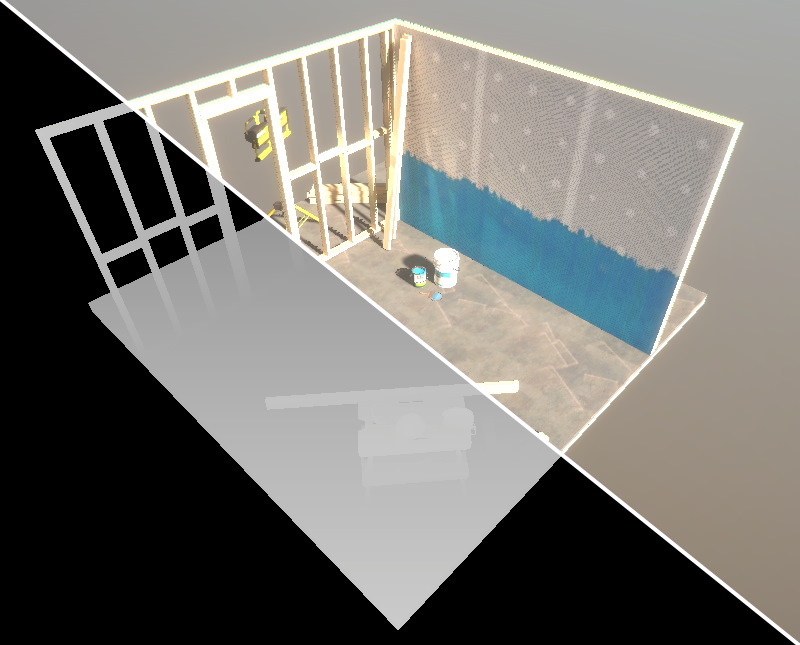
Small guide to setting up a post processing effect to use a depth texture in HDRP.
 strange heath
hey, how can i analyze owerdrawing in URP?
 formal badger
Hey, so I'm not sure if this is the right place to post this but the project I was working on was updated (without my knowledge) from unity 2019 to 2020 now the problem is that I build some shader graph shaders and I was using the** Custom Function** node to get the lightDir after the upgrade was done all my materials were erroring out. Has anyone else encountered this problem or have any solutions? Any help would be greatly appreciated. Thx
dawn sorrel
Hey, Hello.
"New Material material was not upgraded. There's no upgrader to convert GLTF/PbrMetallicRoughness shader to selected pipeline
UnityEditor.Rendering.Universal.UniversalRenderPipelineMaterialUpgrader:UpgradeSelectedMaterials () (at Library/PackageCache/com.unity.render-pipelines.universal@10.2.2/Editor/UniversalRenderPipelineMaterialUpgrader.cs:37)"
Can You Help Me ?
waxen lantern
formal badger
Hey, so I'm not sure if this is the right place to post this but the project I w...
what render pipeline are you using? URP? HDRP? and what is the error message text exactly? this information is essential in troubleshooting
formal badger
waxen lantern
what render pipeline are you using? URP? HDRP? and what is the error message te...
I'm using URP and managed to get it working after some one suggested changing the #if to #ifdef wasn't to familiar with the syntax in that context
waxen lantern
the ability to turn off render graph and revert to the old system has been removed in the latest and future versions (2021+ i believe.) the option was only there during the transition period. https://github.com/Unity-Technologies/Graphics/pull/2739
GitHub
Purpose of this PR
This PR removes all the non-rendergraph code path from HDRP.
Remove toggle in the HDRP default settings
Remove toggle in the debug window
Remove non render graph yamato tests
...
@runic spoke what problem are you currently having? if something really isn't working right / as intended with render graph, a bug report should be filed so it can be fixed.
waxen lantern
ah i see yes sounds like contacting the asset developers is the best course of action.
turbid matrix
it's livenda though, so you're out of luck anyway
that being said, there's no person who can help you if there's issue on CTAA here, asset ships with obfuscated code so nobody outside livenda even can fix it if there's some issue with it
waxen lantern
worst case scenario it's a lesson learned to never purchase assets that don't provide full source code. 
 nocturne nimbus
For some reason 3D text in the build version of my game isnt rendering while it works fine in the editor. Im using URP

 eternal laurel
How would one go about creating a custom scene debug view in URP ?
Like create a custom render feature and swap out the asset when then view is selected ?
@scarlet hull sorry for the ping but I feel that you would just know this.
scarlet hull
eternal laurel
Like create a custom render feature and swap out the asset when then view is sel...
That's how I would do it yes. I never tried it though.
eternal laurel
I will give it a try and post back with results
eternal laurel
Well I did the ScriptableRendererFeature but I feel that I did it very wrongly
also you cant seem to extend the shading mode dropdown. I also found out about SceneView.SetSceneViewShaderReplace but there seems to be no way to pass different properties for different objects
scarlet hull
eternal laurel
also you cant seem to extend the shading mode dropdown. I also found out about ...
I'm not sure this functions works in SRP, like camera.SetReplacementShader doesn't work either
 thorn hollow
why do baked spotlights in urp remove the normal mapping attached to a material?
scarlet hull
thorn hollow
why do baked spotlights in urp remove the normal mapping attached to a material?
If you fully bake a light, you only keed the illumination intensity info, and loose directionality, that is necessary for normal mapping.
If you want to bake it you need to enable directional lightmaps
thorn hollow
scarlet hull
If you fully bake a light, you only keed the illumination intensity info, and lo...
you mean this?
 scarlet hull
yes
 crystal dock
Hello everyone,
hoping someone knows what to do, depending on certain angles, my volumetric fog disappears. (HDRP)
I've got custom render settings turned on, with fog on.

 thorn hollow
well that didn't do as much as needed then
thorn hollow
scarlet hull
yes
directional mode is on, but look at the difference between realtime and baked
 thorn hollow
aww man that sucks if it isn't
scarlet hull
crystal dock
Hello everyone,
hoping someone knows what to do, depending on certain angles, m...
Could it be because you're using a local volume to control the fog ?
crystal dock
scarlet hull
Could it be because you're using a local volume to control the fog ?
yep that's true, but I'm still inside of that local volume
scarlet hull
The player character surely, but is the camera also inside it ?
eternal laurel
wait you can extend the scene draw mode https://docs.unity3d.com/ScriptReference/SceneView.AddCameraMode.html
eternal laurel
@scarlet hull sceneView.SetSceneViewShaderReplace does work with URP at least
scarlet hull
Oh, okay, nice then 🙂
crystal dock
eternal laurel
wait you can extend the scene draw mode https://docs.unity3d.com/ScriptReference...
awesome, will give that a try
eternal laurel
now to figure out how to pass per object info to that shader
eternal laurel
hmm it seems that with sceneView.SetSceneViewShaderReplace you cant use any shader or material properties at all. At leas on URP. I would have to try a different approach
raven leaf
Hey all,
I'm having troubles with instancing some shader,
in the Frame debugger it says that "DisableBatching" tag is set so it cant do that.
But I do not have the problem with another pass (same shader) which has nearly the same configuration.
I tried to manually set it to False in that pass to no avail.
I don't find any property I missed to use with UNITY_ACCESS_INSTANCED_PROP (I'm still looking just in case) so I was wondering something:
Is that flag set automatically in some cases ?
 rich spade
eternal laurel
hmm it seems that with sceneView.SetSceneViewShaderReplace you cant use any sha...
rich spade
eternal laurel
hmm it seems that with sceneView.SetSceneViewShaderReplace you cant use any sha...
I've been wondering about this and will be interested to know if you get anything working, I was considering the render feature render objects and using a custom pass however that means adjusting every shader you want to affect. Assuming it works
eternal laurel
I think I might have a semi working solution based on scriptable render features. I have some more experimenting to do and will share once Im at least a bit happy about the aolution
 sage path
super basic question, but can URP be used for high end games as well? Asking because some of the toon shaders we were looking for are only available for build-in and URP, but not HDRP
 bleak otter
URP is set to replace built-in, while HDRP goes beyond. Don't know what high end means in this case.
eternal laurel
if you are looking for toon shaders you are not targeting AAA photoreal graphics. URP will do the job. Also nothing is stopping you making a toon shader in HDRP but the pipeline would be wasted on that imho.
sage path
Thanks guys!
turbid matrix
this finally got merged to master https://github.com/Unity-Technologies/Graphics/pull/3911
(SpeedTree 8 shadergraph support for URP and HDRP)
 frigid vortex
I'm trying to modify the quality of motion blur with a script tied to a UI element. How can I set it in my code to change the quality of the motion blur? I am using URP. I also already have Motion blur defined, but when I try to do motionblur.quality = High;, it returns, "The name 'High' does not exist in the current context"
fiery marsh
frigid vortex
I'm trying to modify the quality of motion blur with a script tied to a UI eleme...
Try motionblur.quality.Override(MotionBlurQuality.High);
frigid vortex
You are the BOMB thank you!
frigid vortex
Is there a way to access the current URP Render Pipeline in script for UI elements? Because I am trying to have modifyable video parameters in the video settings ui, and I want to make it super featureful
frigid vortex
I ask because I am trying to change MSAA from a UI setting
cobalt idol
Is anyone familiar with what determines the render features/passes used for the preview window in a project using SRPs? In 2019, it seemed to use whatever SRP passes were defined for the RP default renderer in use. From 2020 onwards, it seems to ignore these settings (I'm using URP)
 ember breach
any info about Mesh Shading coming to Unity? would be nice addition to SRPs
 pseudo wren
Does anyone have experience with URP and materials/textures created in code? I have a texture for a mesh that is created at runtime. It's currently set to unlit/texture, and shows up fine. But if I change the shader on the material to use URP/Simple Lit or basically anything else, I get a full white texture or a magenta one. I'm really at a loss
The only shaders I can use that will show the texture at all are unlit/texture and sprites/default. Both of which are unlit
 violet field
i got an asset that i believe originally was done in standard pipeline. i get an odd look in their demo, but in my own scene pieces look good to me. not sure why it looks greyish. first photo is demo. and second is mine. i am using hdrp. there is also missing text on the screen which glows, it works in SRP. i have unity 2020.3.4f1

 broken lichen
violet field
i got an asset that i believe originally was done in standard pipeline. i get an...
broken lichen
violet field
i got an asset that i believe originally was done in standard pipeline. i get an...
It looks like the difference between the two is that the first has no direct light in it, only ambient light, while the second one is lit by a directional light.
turbid matrix
@violet field this is how HDRP looks like if you just took old scene and didn't setup it for HDRP
it's basically lighting and exposure values not matching up
easiest way to patch this is to first run HDPR wizard through, make sure everything is green. Then create a new scene and pick HDRP scene template from the list. make prefab out of "Sun"/directional light and the volume(s) in that skene. ditch the newly made scene as you don't need it anymore. swap the light on your original scene with the prefab you just made and add the volume prefab you just made
or.. just make similar config to your original scene from scratch
if you are new to HDRP, it's just easier to take the already working config
 gray compass
urp is being difficult with shadows. is there a way to get these shadows on different layers so i can prevent them from overlapping my blue gameobject?
i've been google searching for about half an hour and i couldn't find anything to help
 turbid matrix
@gray compass URP just got light layers merged to graphics repo master (https://github.com/Unity-Technologies/Graphics/pull/3677)
but it'll take time for this to propagate to actual releases
considering it's a new feature in URP, I wouldn't expect Unity to backport it so it's probably going to be on 2021.2 URP and newer
HDRP already has this kind of setup (in case you want to check the docs on what it can do)
gray compass
turbid matrix
but it'll take time for this to propagate to actual releases
am I able to use the repo in my game or is it not stable?
turbid matrix
master branch is never considered as stable
but you may be able to use it with latest 2021.2 alpha
gray compass
as long as it works without throwing errors I'm happy to use it
turbid matrix
since the feat is merged now (13h ago), it'll take like 3-4 weeks till you can see it on actual 2021.2 releases (so probably at some point when 2021.2 is on beta)
using things from graphics repo directly is bit involved too, especially if there's been api changes that are not yet in unity editor we have access to
so I definitely wouldn't recommend that route unless you are willing to experiment
gray compass
well it's not like I'm publishing my game online lol
turbid matrix
even using yet unreleased 2021.2 can give you extra grief, depending on what you are doing there
gray compass
welp I'll just work on other stuff while I wait for the next release
turbid matrix
if you want to try it out, install latest 2021.2 alpha from hub, clone graphics repo using git lfs (just using download link from github page is not enough), after it's cloned, either ref in manifest or copy following packages to your packages folder: core, universal and shader graph
I'm not 100% sure about vfx package as I don't use URP myself, you may need it as well
normally Unity can work out dependencies from main package (URP in this case) but if you things from github, you have to provide it all the related packages manually
if you don't, it'll just fetch the stock packages that are mismatching to the github ones
waxen lantern
turbid matrix
since the feat is merged now (13h ago), it'll take like 3-4 weeks till you can s...
missed a14 release by less than half a day ha
turbid matrix
it'll miss a15, b1 or whatever comes next as well
atm they have like 3-4 week window from master to current alpha as these things go through QA and also certain things have to be included on unity editor for things to work if they do c++ side changes
and once we get past alphas, it usually means master starts to target next upcoming alpha (or at very least there will be different branch for current betas meaning master will be always bit more ahead of it)
so how I see it, this current situation where Unity is not yet working towards 2022.1 alpha is like fastest path from master to 2021.2 alpha
once they branch to 2021.2/staging/release/whatever, it means a lot of things go through backporting PRs which always lag behind a bit and especially new things are not even included on these anymore
backporting is mainly for bugfixes / for things that are required to change for things to play nice
waxen lantern
turbid matrix
atm they have like 3-4 week window from master to current alpha as these things ...
ah i see, it seems to be going faster than this for some simple fixes but i suppose that's never guaranteed
waxen lantern
turbid matrix
so how I see it, this current situation where Unity is not yet working towards 2...
and this sounds like it may be why it's unusually fast at the moment
 opal rampart
Hi everyone!
I have a question regarding the concept of rendering/graphics contexts Unity and the implications on native rendering plugins.
Through the native rendering plugin example, it is possible to react to graphics events, as is shown in the official Unity-Github-Repo (https://github.com/Unity-Technologies/NativeRenderingPlugin). This simple example works nicely across all APIs. However, for our graphics plugin development, I am a bit in the dark about how the (as far as I get 3) different views/contexts are handled, i.e. the scene view, the active camera preview and the main "ingame view". My apologies if I am missing the right term for the last view. I think you get what I mean, namely the one that you maintain after building a Unity project.
The examples render seperately created GPU primitives into the main view or manipulate existing Unity-object's vertex or texture buffers. However, this is only the case for the ingame view. As far as I know from a colleague of mine, all native graphics calls of all different views arrive in the plugin and are forwarded to the respective Graphics-API implementation. However, there seemed to be a bit of an inconsistency betweenthe states of the 3 views, which makes it seem like there are separate graphics contexts involved. Now I am not entirely sure how this is handled in detail and was wondering whether someone has some experience with this with respect to whether the different graphics contexts (assuming this is correct at all) are living in general in a single thread or multiple threads, and if there is a safe way to issue graphics plugin events without messing up the states?
From my point of view there does not necessarily need to be a good solution for the OpenGL Core branch, since we are planning to transition to Vulkan and DirectX 11, but I was wondering whether the different VkInstances/VkDevices are exposes and accessible through the native plugin.
Thank you very much for your opinion and time!
turbid matrix
@opal rampart I dunno if there's much expertise on native rendering plugins on this group, I'd definitely make a forum post on Unity forums though in hopes you might get a staff response for it
(of course doesn't hurt to ask here, just not a topic we see normally here 🙂 )
opal rampart
turbid matrix
<@!530143009774501947> I dunno if there's much expertise on native rendering plu...
Thanks for your comment 🙂 I'll consider posting in the offical forums while I get something else done since I am not entirely stuck, but if no one minds I leave the post here to see if someone has an opinion on the topic 🙂
turbid matrix
native rendering plugins is a topic where it seems to be hard to get answers anywhere really, so my best bet would be to try to get someone who knows the engine internals to respond
last time I played with them was several years back when trying to port nvidia's HBAO plugin to newer unity version, API wasn't well documented back then and I doubt it's that great today either
I still don't remember why nvidia even used that for HBAO+ since surely you could hook it up without native access
@opal rampart also your post is "on-topic" here, nothing wrong with it being here at all
opal rampart
turbid matrix
last time I played with them was several years back when trying to port nvidia's...
Mhm, yeah, the native plugin documentation is not extremely extensive, but it is improving at least in terms of comments in the API-files I suppose. Nevertheless, it is interesting to get an opinion of other people who have some experience in native plugin development, since I am trying to grasp step by step what is possible with it. We have a native level-of-detail point-cloud plugin in OpenGL running, but some aspects are a bit unclear to me and I am thankful for every bit of experience that can anyone share which I otherwise would have to figure out myself :). For instance, I found two open source repos for which the authors claim that the plugins work in Unity and probably - probably they both do, it's just a matter of forward compatibility to some extent for me.
Actually, the effekseeker plugin was a nice example https://github.com/effekseer/Effekseer which gave me the impression, that it is at least possible to somehow connect your own native plugins to the inspector and get more than just a simple text field or slider for your values that you expose in your script that triggers the native calls.
Furthermore, this Raytracing-Plugin, which unfortunately I did not get to fully run in the end, seemed to be able to connect to the Unity material system, if I am not mistaken: https://github.com/afuzzyllama/UnityRayTracingPlugin/ There was also a bit of missing clarity from my side whether it is possible to make use of some of Unity's pipeline steps like the depth pass for shadow mapping etc. and in the best case even with some effort to hook into the shader graph or so. In the end, those features are all nice to have and not strict necessities for our custom plugins, but if it is possible to do those things either already with the current state of the native plugin API or at some later point in time, that would be great 🙂
iron flame
HDRP Motion Vector bug!!!
Errors in SSAO temporal mode or TAA history sharpening may be caused by Motion vector. I get an image like this in the debug window. First of all, the weapon object is in to the camera, but the debug also looks moving. when the speed approaches zero. motion vector center shifts and arrows point in different directions.
 ashen laurel
I wonder what's up with the dark shimmering regions that come up when you get closer to wall
Perhaps a clipping plane issue or something?
 mortal forge
That is whacked haha
iron flame
PPV1 debug.
onyx sable
I'm getting the following results in my URP project. Note the android build lacks glow AND is tilling/sizing the texture differently. Any suggestions on how to resolve EITHER?
 iron flame
onyx sable
I'm getting the following results in my URP project. Note the android build lac...
iron flame
onyx sable
I'm getting the following results in my URP project. Note the android build lac...
Different URP Assets may have been set in the quality settings. only if you edited your High Asset. android opens with Medium settings by default.
onyx sable
@iron flame Good thinking- any idea which setting in the URP Pipeline Asset could accaount for UV's getting messed up like that? I know I have set all the options (high,med,low) to use HDR- but still now glow 😦
iron flame
hmm. I hadn't noticed the UV error. Check the Mesh optimization options in the player settings.

I had a similar problem because of these settings.
 midnight glacier
Uhm

I am missing my render pipeline tab
Anybody know what might've happened?
onyx sable
iron flame
hmm. I hadn't noticed the UV error. Check the Mesh optimization options in the p...
will do, thank you!
 fallen escarp
Does anyone have any blind guesses into why the UI is transparent? My panel source image is not transparent, so I don't understand why the Panel is.
My inspector looks like this

And source image is this:

I get this: (water visible from behind)
 rich spade
fallen escarp
My inspector looks like this
rich spade
fallen escarp
My inspector looks like this
the color is semi transparent, as indicated by the part filled bar under the color... perhaps set the alpha channel to max to make sure it's not that
 whole girder
Can any project be turned from URP to HDRP? or is there some compatibility issues? I switched my project from URP to HDRP and everything turned pink, I had to remove HDRP and manually fix the models
I get these errors once i try to setup HDRP

 tawdry venture
when you switch rendering pipelines, you have to do two things: generate shader includes, and convert project materials to the current pipeline - or they'll render out pink, which means no texture, because the shader threw an error and refused to work
about the errors posted, that'll have to go to someone a little more knowledgeable 😛
because i dunno 😛
whole girder
Seems like this was a huge problem, luckily i had backup of the project so I had to create a new one. Just a question, do I have to switch unity project to HDRP for VFX to work? or can I work with it in URP? was watching Brackeys so just wanted to know if URP is fine
 teal ermine
When I use HDRP + Shadow Maps

This shadow circle wont go away. but the other Shadow maps look nice
rich spade
whole girder
Seems like this was a huge problem, luckily i had backup of the project so I had...
URP works with VFX graph, just have to install it if not already
keen pivot
using HDRP, if i have a large piece of metal gantry floor, i could do it two ways, have essentially a flat mesh with a gantry texture using alpha cutoff, or, actually build the mesh with the grates and holes in it, and a standard metal texture. either way HDRP renders the object nicely with the holes in the shadows. my question is, in theory, which way is more expensive to do? or is it just a case of 3+3 vs 4+2 at the end of the day?
 uncut robin
any idea why Post Processing stops working With URP?
 pastel hatch
Good day folks! I have a weird issue that I do not understand: I am trying to use the new Input System with URP... and now my project seems to be broken.
I can't make my player jump or move around anymore. It happens once, then just stops working entirely.
 signal osprey
whole girder
Seems like this was a huge problem, luckily i had backup of the project so I had...
signal osprey
whole girder
Seems like this was a huge problem, luckily i had backup of the project so I had...
Even built in works with vfx
pastel hatch
I have found, https://issuetracker.unity3d.com/issues/urp-errors-are-constantly-thrown-when-active-input-handling-is-set-to-input-system-package?page=1#comments, but I can not use the work-around listed as I can not found out where to set 'Active Input Handling' to 'Both'.
How to reproduce: 1. Create a new URP template project 2. Open Project Settings > Player > Active Input Handling and set it to...
I am asking here, because I have no idea where else to ask. I willl crosspost this to #🖱️┃input-system as well, see if I can find a fix.
signal osprey
Vfx is just particle system running as compute shader, it's decoupled from shading
pastel hatch
Input system was working until I added URP 8.3.1.
whole girder
signal osprey
Even built in works with vfx
Alright so I can work with brackey's video on VFX with URP no need to switch to HDRP, right?
signal osprey
Correct
signal osprey
pastel hatch
Input system was working until I added URP 8.3.1.
Yep, they urp team lives in a fish tank 😅 they fucked up shortcuts. Solution: turn legacy input back on
whole girder
@signal osprey sorry for the mention i have a question
So im doing as explained in the video, unfortunately the texture provided by brackey is not available so I had to go to another source of textures to add smoke
https://unity3d.com/files/labs/downloads/vfx/assets01/DiscSmoke01/DiscSmoke01.gif this is how it looks like and this is how it looks like in unity


 gilded dome
Hey, sorry to bother but I have an issue. I'm using the toon shading in the Unity Open Project discussed in this video: https://www.youtube.com/watch?v=GGTTHOpUQDE
I have it working and all set up and it looks great on prefabs.
But when I do it in scene, I get the untextured purple. I get the following error as well:
invalid subscript 'shadowCoord' at .../ShaderGraph/Includes/Varyings.hlsl(113) (on d3d11)
Would really appreciate some help!

Open Projects are small, open-source games where the community of creators is free to collaborate and contribute actively to the entire game development journey. In this first devlog, we're going to discover the ideas and the process behind the cartoon look we developed in the first Open Project, an action-adventure game titled "Chop Chop".
⭐ ...
Prefab view:

Scene view:
 signal osprey
gilded dome
Hey, sorry to bother but I have an issue. I'm using the toon shading in the Unit...
signal osprey
gilded dome
Hey, sorry to bother but I have an issue. I'm using the toon shading in the Unit...
Maybe you need to drop the urp asset in graphics/pipeline
signal osprey
whole girder
https://unity3d.com/files/labs/downloads/vfx/assets01/DiscSmoke01/DiscSmoke01.gi...
Ensure that your flipbook parameters match the image grid
gilded dome
signal osprey
Maybe you need to drop the urp asset in graphics/pipeline
Unfortunately I've already done that 😓 would there be something else in those settings i should maybe change?

 signal osprey
whole girder
like that, correct?
signal osprey
whole girder
like that, correct?
Seems right
signal osprey
gilded dome
Unfortunately I've already done that 😓 would there be something else in those ...
I missed the error you were quoting, never ran into that so i don't know. Maybe play with shadow params in the urp asset. Recommendation if you're struggling early on is to switch to built in, urp gets worse before it gets better
fiery marsh
gilded dome
Hey, sorry to bother but I have an issue. I'm using the toon shading in the Unit...
The method they are using only works in an Unlit Graph if the URP Asset has shadow cascades 2 or higher. If you want lighting functions / subgraphs that work even with 0/1 cascades I've got some better ones here : https://github.com/Cyanilux/URP_ShaderGraphCustomLighting
gilded dome
signal osprey
I missed the error you were quoting, never ran into that so i don't know. Maybe ...
ive made a little progress, it seems it only works when shadows arent rendered on the camera so will look into that
gilded dome
fiery marsh
The method they are using only works in an Unlit Graph if the URP Asset has shad...
thank you ❤️
signal osprey
Thanks cyan for fixing the usual Unity shoddy job
Did they add reflection probe blending?
pastel hatch
I fixed my problem just now.
I was told to do source control diffs and whatnot. I tried, but reading .meta files isn't my favorite activity so I decided to do a git reset/clean. Added the Universal RP package first this time and no issues now. To verify I did the git reset/clean and tried adding ShaderGraph first - same input issues. So I went back for the last time and this time added Universal RP first.
There is a definite possibility 'something' of note was in the file diffs before git reeset/clean, but I was not able to quickly spot it.
And it's gamejam time, so I don't feel like spending my time on figuring out exactly why. I am happy I have a solution now though.
dawn sorrel
What's the status of the new probe volumes?
dawn sorrel
Hi, someone know an alternative for projector when in URP ? cause i've tried everything but it don't want to work !
turbid matrix
dawn sorrel
hey is there a beta test for dlss ?
Nope
broken lichen
Does that not come with the deferred renderer?
dawn sorrel
dawn sorrel
Hi, someone know an alternative for projector when in URP ? cause i've tried eve...
 dawn sorrel
https://github.com/Kink3d/kDecals
dawn sorrel
dawn sorrel
https://github.com/Kink3d/kDecals
Thx !
 warped path
May I ask a question here?
https://youtu.be/ffr49QKIA7g
This is a problem about rendering mode (The crystals looks really wierd in Fade mode)
 rich spade
warped path
May I ask a question here?
rich spade
warped path
May I ask a question here?
looks like depth / z-fighting. Assuming your crystals are set to transparent, transparent shaders do not by default write to depth and therefore you get problems like this. It's a common problem, solutions vary I suggest researching the problem to find a comfortable solution.
iron flame
dawn sorrel
Hi, someone know an alternative for projector when in URP ? cause i've tried eve...
URP decal is in development. It is great that it is the same component as HDRP and comes with shader graph support.
https://github.com/Unity-Technologies/Graphics/tree/universal/decal

GitHub
Unity Graphics - Including Scriptable Render Pipeline - Unity-Technologies/Graphics
iron flame
eternal laurel
What happened to TAA in URP i swear it was a feature
URP does not have the motion vector support required for TAA to work. last updated 2 months ago.
https://github.com/Unity-Technologies/Graphics/tree/urp/motion-vectors
you can try this for now.
https://github.com/sienaiwun/TAA_Unity_URP
GitHub
Unity Graphics - Including Scriptable Render Pipeline - Unity-Technologies/Graphics

GitHub
Temporal Anti-Aliasing(TAA) for Unity’s Universal Render Pipeline - sienaiwun/TAA_Unity_URP
 nimble oar
hi need some help hope this is the right place. Any idea why this is happening? can't find anything online

reloaded my project and it's sorted 🙂
warped path
rich spade
looks like depth / z-fighting. Assuming your crystals are set to transparent, t...
Thank you very much, the problem becomes easier to understand and solve.
turbid matrix
eternal laurel
The docs even say so
Link? They shouldnt say that
Afaik TAA has ever only been on built-in and HDRP
Also do find it weird movecs take such long time to arrive for urp
eternal laurel
turbid matrix
Link? They shouldnt say that
Nevetmind. It was a list of not supported features. Im getting confused because the project migrated to urp from hdrp. TAA must have been in the hdrp days.
turbid matrix
from day one if I remember right
eternal laurel
I simply got confused. Having a project switch pipelines can do that hah
 glad tartan
Been seeing a lot of branches on Github for Surface Gradient. Is it being integrated directly into Shader Graph now or are the nodes being cleaned up for a better workflow?
 loud pawn
Hi! I'm facing a challenge with the fact that Emissives aren't yet supported into the 2D Render pipeline. I am trying to create an object that needs to be Lit (2D-Sprite-Lit) and has part of it's texture that needs to light in the dark (unlit). I can reach the result with 2 materials on the mesh + each their own shaders, but it costly performance wise.
Anyone found a performant work around for this while we wait on the support? Thanks in advance for any tips!
warped path
@rich spade OK, The problem finally fixed, I set the ground to transparency so it mixed up with crystal, after I compiled the shader of crystal and set ground to opaque, the crystal looks fine in transparency and fade mode.
 amber flower
what would be the reason behind not getting the LocalPackages folder for HDRP?
getting weird errors for not having a package.json file
 low relic
turbid matrix
amber flower
what would be the reason behind not getting the LocalPackages folder for HDRP?
g...
low relic
turbid matrix
amber flower
what would be the reason behind not getting the LocalPackages folder for HDRP?
g...
can you be more specific?
you don't usually need that folder
in addition localpackages is very problematic as you can't easily upgrade SRP packages once it's in use
but like, why do you need localpackages?
I personally think Unity even having that option was a mistake as it requires change in manifest file itself. Had they put local changes just to packages folder, manifest could have stayed as is and all user had to do is wipe the package folder from there and Unity would automatically load the updated counterpart which you could then move there again (and all this could have been automated in HDRP wizard too)
thorn hollow
Switching a project from urp to hdrp, is it as easy as deleting the urp package, installing the hdrp package and converting materials? Is there a better way?
rich spade
@thorn hollow run the HDRP wizzard, it should check and fix anything you forgot to change.
 barren goblet
does unity support SDF shadow ?
thorn hollow
rich spade
<@!297777621129756672> run the HDRP wizzard, it should check and fix anything yo...
So; remove urp packages and run the wizard. That’s all?
rich spade
thorn hollow
So; remove urp packages and run the wizard. That’s all?
it's as you said initially, remove, install and change materials. I'm assuming the HDRP wizard would handle changing lights to correct scale etc. However I've not tried it from URP, Olento probably knows more than I.
Any custom shaders will need to be handled to ensure compatibility, any created with shadergraph will need adjusting to HDRP output etc.
turbid matrix
@thorn hollow you are in for a ride, about everything works bit differently in HDRP atm
and like mentioned, there's no update script that would update your materials from URP to HDRP, they only have built-in -> URP and built-in -> HDRP material upgrade scripts
if you've made shader graphs and you are using SRP versions 10+, you can just add HDRP target to your SG to make it HDRP compatible, you don't have to redo the shader graph itself
amber flower
turbid matrix
can you be more specific?
I think it has to do with Unity Collab. When I installed HDRP on our collabed project it worked just fine, when he installed it AFTER he downloaded the new updates which consist of HDRP things it completely broke, but when he uses HDRP on his own project like HDRP template it works fine, it's only really a problem on our collabed project. Is there a certain series of events that we have to take to both download packages from package manager? How would we both have HDRP on the project if it's just gonna break
 orchid peak
guys, i dont know if here is the right place, but someone know why this is happening? my shadows is casting through the meshes... URP + Unity 2019.4.20f

 pearl epoch
simple question: how do I change the current scene's renderer? I have two renderers, one for 2D and another for 3D, but I want this scene to use the "3D renderer".

 indigo summit
Is HDRP GlobalVolume and Timeline not compatible? it seems i can't control it from timeline
formal badger
Hey, so I ran in to a small issue that I can't figure a way around. While using URP I created a custom blit pass so I can add a simple outline effect (sobel filter), now this effect is based on the scene depth in the shader and this works perfectly in the scene view or in the game view while there is only one camera. Now the problem is that the game I'm working on makes use of multiple cameras and the level geometry is rendered with a camera that is overlaid on top of the main camera image. This in turn clears and scene depth information so the shader has no idea what to do. Now I know that there is a check mark on the actual camera that says "clear depth" but that dose nothing for me apparently. Any help would be greatly appreciated.
raven leaf
hey,
does someone know where to tweak render of default unity tools on a SRP project ?
more specificaly, the "orientation cross" has been weirded and it's bugging me

 quiet quest
Anyone know of shipped games that use URP ?
scarlet hull
indigo summit
Is HDRP GlobalVolume and Timeline not compatible? it seems i can't control it fr...
The volume overrides can't be controlled from timeline (as it would edit a project asset), the best thing you can do is control the volume component weight
indigo summit
scarlet hull
The volume overrides can't be controlled from timeline (as it would edit a proje...
Hmm this might not doable i need to modify fog and sky settings depend on Time Of Day. . . 🤔
scarlet hull
indigo summit
Hmm this might not doable i need to modify fog and sky settings depend on Time O...
Multiple volumes with different settings, and blend from one to the other using the weight. That's how I did in a personal project
indigo summit
scarlet hull
Multiple volumes with different settings, and blend from one to the other using ...
hmmm i'll test it out, i need to change my volumes setup
scarlet hull
indigo summit
hmmm i'll test it out, i need to change my volumes setup
Hah, I've just realized we're also having this conversation on the forums https://forum.unity.com/threads/weather-day-time-in-hdrp.1056473/

Unity Forum
How to achieve different day times and weather conditions in HDRP? Like, what settings and parameters should I tweak? Or if I want some rainy weather...
indigo summit
scarlet hull
Hah, I've just realized we're also having this conversation on the forums https:...
LOL i totally forgot i've replied on the forum
turbid matrix
@scarlet hull @indigo summit couldn't you just use a script to adjust those values from volume directly?
also I have zero experience on timeline, like... it you did a script like mentioned, couldn't you make some middle man approach where your script interfaces with volume overrides and timeline interfaces with your custom script, or is that not possible?
scarlet hull
You could indeed, but that means wiring timeline to any volume settings you want through a dedicated script
turbid matrix
that does sound like lesser problem on HDRP and time of day system though. I'd assume physically based sky updates stalling cpu and different probe bakes being a bigger issue. since the probe bakes are an issue on HDRP at runtime - as are realtime probes - I'd imagine you'd have to prebake a ton of probes you then blend between to make this work
I don't quite understand the PBS update issue either, there's no way to do that work async across multiple frames when you change the settings?
would feel like obvious solution
indigo summit
turbid matrix
<@!532477925250039820> <@!267565685322809345> couldn't you just use a script to ...
this is my plan A, Plan B is using multivolume
turbid matrix
I'm hoping adaptive probe volumes will eventually solve the realtime aspect on probes
indigo summit
turbid matrix
I don't quite understand the PBS update issue either, there's no way to do that ...
at the beginning, legit i thought this setting was for that.
 indigo summit
https://streamable.com/jcxc17
@scarlet hull i guess this should work, also i like that for each daytime i can keep the profile separate. Kinda sad that i can't put multiple volume in one gameobject
 turbid matrix
@indigo summit doesn't that just change the frequency how often it triggers but it still tries to update during single frame?
that's my assumption anyway
indigo summit
turbid matrix
<@!267565685322809345> doesn't that just change the frequency how often it trigg...
yeah apparently that is what it do, not a timeslicing
@scarlet hull wait exposure weighting not working?
i use multiple exposure profile for each volume but it keep using the first one even when the volume weight are 0
scarlet hull
indigo summit
i use multiple exposure profile for each volume but it keep using the first one ...
Couldn't it be the default exposure, from the default volume profile (project settings) ?
indigo summit
but i have multiple exposure override, shouldn't the default exposure profile got overriden by those?
scarlet hull
You said that all weights are 0 ?
Also pay attention to how the exposure mode is overriden.
You can use the debug window for debugging volumes override, that might help
indigo summit
not all of them, there's always one volume that have weights are 1.
@scarlet hull found it, there's a stray volume that i forgot to delete
hoo boy, updating the PBS at realtime really do eating up FPS 😄
dawn sorrel
Are the new probe volumes cool yet 👀
turbid matrix
still wip
indigo summit
dawn sorrel
Are the new probe volumes cool yet 👀
currently it's not cool
indigo summit
@scarlet hull what is the proper settings to blend multi volume sky? i have 4 sky volume blending and it destroy the fps to 13fps
dawn sorrel
From what I understood from their GDC talk they don't have a GI atlas from which each lightmapped object gets a lil uv square. Instead they just store 6 textures per spherical probe.
And I was wondering it that's what the new probes are gonna be.
indigo summit
division use a precomputed 3d irradiance volume baked for each 3 or 4 hours if i'm not mistaken, sampled at runtime with fixed distance into one big 3d volume tex
with additional runtime bake for dynamic light
dawn sorrel
And that'd mean if you add a new light you don't need to bake again right?
Cause they bake how a light should bounce or something?
indigo summit
yeah, for dynamic light they only have one bounce i think, two bounce for baked
scarlet hull
indigo summit
<@!532477925250039820> what is the proper settings to blend multi volume sky? i ...
If they are all PB skies, the number of volumes should change anything, as the values are interpolated to a "final" sky that is computed afterwards.
indigo summit
scarlet hull
If they are all PB skies, the number of volumes should change anything, as the v...
so is it normal that 4 volume tanks the fps?
turbid matrix
if I understood that correctly, having 4 volumes isn't really any different than having one volume, perf wise - if these volumes have all the same components and you just blend between them
you are then technically just doing one override that's using the interpolated values from the volumes you blended it with
I'd just look at the profiler on what specifically tanks the framerate there, but I'm expecting it to just be at least partly that PBS recomputing cost which hasn't been negligible in past
 turbid matrix
even if you don't get further with that, you could try without pbs updates and see the impact
indigo summit
disabling PBS on those volume give me back 100fps
not sure why, it should be only one PBS calculation isn't? those volume just interpolation value.
for some reason it feel like all those volume also doing a separate PBS calculation
which mean i have 5 PBS instance updating?
turbid matrix
@indigo summit what do you see if you check the items under that field in profiler?
it's not the last level of hierarchy there
 turbid matrix
ah, so it's just waiting for something to happen either on native side of things or on the gpu side (I wouldn't know which one)
it does kinda suck because it does suggest it's out of our hands to try to optimize it
indigo summit
yeah, i guess there's nothing i can do here. there's goes dynamic PBS then
turbid matrix
one could check the gpu timings on these with nsight etc so see if it's stuck on some compute shader HDRP uses for this
if it doesn't show up there are big cost, then I'd assume it's something they do at native code side
pix would probably work too if you use dx12
indigo summit
hmm i'll check that part later gonna try something else
dawn sorrel
@indigo summit what I mean is, they store the properties required for calculating 2 bounces for any light possible and then you can add a light anywhere and it will just be able to render using that precomputed data without actually baking the light influence?
indigo summit
@dawn sorrel most of them are precomputed especially the static lights .the dynamic lights part are only muzzle flashes and flashlight .
wait they do have flash light right? it's been a while since the last time i open the game 🤔
indigo summit
yep
dawn sorrel
And the same goes for Horizon Zero Dawn right?
dawn sorrel
I went through GI talks so many times and I still don't get most of it.
indigo summit
actually cyberpunk are pretty much similar with division on GI tech
dawn sorrel
So Unity current GI is like old news right?
indigo summit
umm which Current GI are we talking about? 😅
indigo summit
Huh? Enlighten is added back already
@turbid matrix even using just one PBS volume and the value are updated at runtime using script it's still tanking the performance, welp :/
turbid matrix
that's sadly expected
which is why I said earlier that it's going to be a bigger issue on system like this
indigo summit
make me curious what if i use custom sky 🤔
is there any public repo for good physical base sky? 😅
turbid matrix
I haven't seen any for HDRP, could still find some in github etc
Enviro has HDRP beta that does custom HDRP sky
indigo summit
alright so CustomSky work just fine. . . . . still got 100+fps
i guess it's just PBS are too heavy for realtime update
welp it seem i got another weekend project now 😅
turbid matrix
I'd really look into PBS if it's some compute shader operation that stalls it... in which case you could probably time slice it yourself to run the update in chunks along multiple frames if you have some intermediate buffers where you do the computation
for day / night cycle, you don't usually have to compute the sky again each frame so doing it in smaller chunks could still be viable solution
indigo summit
true, i actually doesn't too change a lot of settings in the profile to blend
turbid matrix
but yeah, that bruneton sky does look nice 🙂
if you ever get to porting it, do tell how it went
indigo summit
i'll let you know how it goes, i'll prepare for massive fail 😅
turbid matrix
the guy who made that actually works for Unity
it's same person who started working on HDRP water if I remember right
cobalt idol
In URP, is there anyway to get _CameraDepthAttachment for an overlay camera? If I try and blit the contents elsewhere using a CopyDepthPass, it just comes up black
dawn sorrel
Why do you guys think nobody has ever implemented fancy GI AAA have to sell it on the asset store?
@cobalt idol for a custom render feature?
With render features you can set the require depth flag from the configuration callback, don't remember what it's called.
turbid matrix
dawn sorrel
<@167003206151438336> for a custom render feature?
some have, some have tried and all have given up eventually
also replied to wrong message but right person 😄
SEGI was paid asset for a while, then deprecated and made open source: https://github.com/sonicether/SEGI
HXGI had plans for asset store release but I dont think it ever got there: https://forum.unity.com/threads/hxgi-realtime-dynamic-gi.472486/
pretty sure there was one more thing at some point
 half ridge
so, the 8 light limit in URP is "per object" does object mean GameObject or does it mean mesh.
or does it mean surface
 elder merlin
MeshRenderer @half ridge
cobalt idol
dawn sorrel
With render features you can set the require depth flag from the configuration c...
as far as I can tell you basically can't for an overlay camera - even trying to hack in an extra render feature. Confusingly, the behaviour changed (undocumented, ofc) between URP 8.2 (where it works, if post processing is true on overlay camera and you have a depth of field in your PP stack) and URP 10.4 (where it does not work at all)
From 10 you can however define two base cameras, give them a priority, and give the second and uninitialized buffer - it then acts for all purposes as an overlay camera (but behaves differently to the Overlay type)
In this way you can get a depth texture for your 'Overlay' camera (really a Base camera drawn over the first Base camera)
🤷
dawn sorrel
I see.
@turbid matrix I didn't mean the failed hype dynamic GI that nobody ever uses. I mean the practical baked GI AAA have.
turbid matrix
wait you mean baked lighting?
well, there's bakery + probes
but yeah, that's about it
waxen lantern
dawn sorrel
<@222536308319322122> I didn't mean the failed hype dynamic GI that nobody ever ...
Many AAA games and engines have had dynamic / real-time global illumination for several years including those from Crytek, EA, Activision / Blizzard and many others. Be it voxel or probe based, and within the past few years, raytracing hardware accelerated GI. And yes, of course these engines also have static global illumination for for static areas and objects and as a baseline for lower quality settings / broader platform compatibility like mobile and less powerful consoles and PCs. Mirror's Edge, Far Cry, Overwatch, have real-time GI to name a few older titles, Control being a newer title. All AAA award winning best sellers. It's not failed hype just because it hasn't lived up to your expectations, or hasn't previously had easy to implement drop in solutions in Unity or Unreal (we do now with Enlighten [partial probe precompute] and RTGI [raytraced hardware accelerated.]) Still none of these methods were ever intended or "hyped" to magically work well with outdated or underpowered platforms (was never a realistic expectation.) you can certainly tune probe GI (partial precompute) for some of these low power use cases but fully real-time + runtime GI was never in the cards or said to be.
whole girder
I'm sorry I'm not quite sure where to ask specifically, so here goes:
The map here consists of 3-4 rooms but for some reason I can see that room's wall only from behind why is that?

from the back
 waxen lantern
@dawn sorrel all that said, since you are more interested in baked GI, this is an interesting asset under development that lets you bake multiple static lightmaps for different times of day and blend between them. BRP support was just released, URP and HDRP coming within the next few months: https://forum.unity.com/threads/magic-lightmap-switcher-storing-switching-and-blending-lightmaps-in-real-time.966461/

Unity Forum
[ATTACH]
Hello everyone!
I want to show you a new asset that is still in development, but is already fulfilling some of its capabilities. Its main...
quiet quest
Wondering is someone could help me
I’m setting emission at run time , flashing kinda stuff
But I’ve notice that it only updates is the editor has the material properties visible
I’m using material.SetColor(“_EmissionColo”, color)
dawn sorrel
@waxen lantern by failed hype I mean true dynamic GI like SEGI. Mirror's Edge, Horizon Zero Dawn etc use baked dynamic GI.
Well, Mirror's Edge 1 was Beast and Catalyst was Enlighten.
Lemme reexplain myself. Probe based precomputed realtime GI gimme 😛
And yeah I've already seen that asset.

 grizzled flame
 lofty folio
I am usuing hdrp and set it up
lofty folio
I am usuing hdrp and set it up
any time you see that color it means the material for that object is not HDRP compatible
Have you followed the "Upgrading materials" steps here? https://docs.unity3d.com/Packages/com.unity.render-pipelines.high-definition@6.7/manual/Upgrading-To-HDRP.html
lofty folio
grizzled flame
Have you followed the "Upgrading materials" steps here? https://docs.unity3d.com...
yea i guess ill figure it out
thx tho
 quiet quest
Ahh ok ty
Why does it only update when the property is open in editor
Without keyword
I have not tried keyword
 true zealot
it should update, the keyword is the toggle

If that's already active, _EmissionColor is the keyword. You can check your shader like I have in debug mode
quiet quest
Debug mode ?
true zealot
Top right of the inspector
 true zealot
Uh, no idea, would have to google it, perhaps there's something you need to call in regards to emission
waxen lantern
dawn sorrel
Lemme reexplain myself. Probe based precomputed realtime GI gimme 😛
okay i get it now, i misunderstood. and yeah there are so many techniques, it gets messy. i think the three main categories are:
- 100% precomputed "baked" GI, usually static unless blending between times of day / weather conditions all baked in advance.
- partially precomputed light path "probe" GI (which may be raytracing hardware accelerated these days / in the near future.)
- 100% "real-time" GI, which includes ScreenSpace GI, Voxel GI, all of which have major drawbacks (the "failed" promises of the holy grail of no compromise real-time GI, that only raytracing hardware accelerated solutions are now finally starting to deliver on, at the cost of requiring cutting edge hardware.)
fallen escarp
In URP, is there a way to make different colored versions of a mesh while still allowing batching. I think creating a new material with different color for each mesh will be bad?
I am thinking basically is there a way to have custom vertex attributes or something like that...
elder merlin
fallen escarp
In URP, is there a way to make different colored versions of a mesh while still ...
If I remember correctly, the SRP batcher batches by material, not material instances. Which means two materials with the only difference being the colour parameter would get batched together
dawn sorrel
In 2021.1 URP has a render feature called Screen Space Shadows, but it doesn't appear to do anything and I can't find any information on it. Why?
 iron flame
dawn sorrel
In 2021.1 URP has a render feature called Screen Space Shadows, but it doesn't a...
iron flame
dawn sorrel
In 2021.1 URP has a render feature called Screen Space Shadows, but it doesn't a...
If you look at frame debugger. It process directional light shadow in a single pass and adds it to all objects as screen space.
dawn sorrel
iron flame
If you look at frame debugger. It process directional light shadow in a single ...
Is it a performance improvement option rather than one that affects anything visually?
iron flame
dawn sorrel
Is it a performance improvement option rather than one that affects anything vis...
yes
dawn sorrel
Ah ok, thanks for solving that mystery for me! 😄
iron flame
Visual discrepancy occurs when MSAA is enabled. depth buffer cannot use MSAA.
 grave orchid
Is there a way to enforce the unity editor to display as if it was a mobile device?, because when I am lighting in the editor it looks different and I prefer to make my adjustments based on what I am actually going to see when I make a build
 forest chasm
Does anyone know what this is trying to tell me? Using URP

 warm escarp
Does anyone know how I can change a materials rendering mode from opaque to diffuse?
 lunar cargo
warm escarp
Does anyone know how I can change a materials rendering mode from opaque to diff...
lunar cargo
warm escarp
Does anyone know how I can change a materials rendering mode from opaque to diff...
Not sure if it is what you're talking about. Generally Diffuse materials can be either opaque/transparent
But, take a loot at the Rendering Mode of your material.
This material is using the Standard shader from Built-in render pipeline if I am not mistaken.
 warm escarp
lunar cargo
Not sure if it is what you're talking about. Generally Diffuse materials can be ...
warm escarp
lunar cargo
Not sure if it is what you're talking about. Generally Diffuse materials can be ...
yeah thanks for the help, I found out how to do it
barren goblet
Hi, is SDF still worthy to develop for raytracing-like rendering these days? we have RTX DXR everywhere
like SDF shadow, SDF DDGI
UE4 has finished SDF shadow in 2015, why unity doesn't follow it ?
turbid matrix
distance field shadows never were a huge hit in unreal so I don't really wonder why
having DF's around is super handy for other things though, like shaders and vfx
can do all kinds of blending with them
also pretty sure upcoming UE5's dynamic GI uses DF data as well as one of the sources for the computation, but it's not proven technique, nor do we even know yet anything how their Lumen will perform
iron flame
SRP flare
 turbid matrix
iron flame
SRP flare
turbid matrix
iron flame
SRP flare
this is the new hdrp lens flare?
I've seen the wip branches but never tried it out
iron flame
turbid matrix
this is the new hdrp lens flare?
yes
I guess it's not only to HDRP 🙂

URP also doesn't work 😦
 gaunt parrot
hey there, when i change my quality settings from medium to low, all the materials are pink again. on medium or higher its working fine. anyone know why the materials are pink on low quality settings?
using URP
 sweet harbor
can I upgrade my materials to LWRP from HDRP the same way I do it from LWRP to HDRP?
turbid matrix
sweet harbor
can I upgrade my materials to LWRP from HDRP the same way I do it from LWRP to ...
you mean LWRP to HDRP like you do from built-in to HDRP?
but in that case, no you can't
there's only material upgrade scripts from built-in to either LWRP/URP or HDRP
there's no material conversion script between LWRP/URP and HDRP
turbid matrix
iron flame
URP also doesn't work 😦
yeah I don't think they've done it for URP yet, but pretty sure it's planned
kinda same deal with adaptive probe volumes
one thing that apparently isn't planned but I'd love to have is DLSS for URP (to be able to use it in VR without HDRP overhead)
 olive tapir
might be asking in the wrong area but anyone know why a cubemap would do this? the whole thing stretches along the Z axis

 next garnet
https://media.discordapp.net/attachments/497873833043296277/838613217059274762/unknown.png
does someone of you know why i cannot change any settings of the material of my 3d model that was automatically generated when the model was imported?

it does not let me change the rendering mode or any other setting
scarlet hull
next garnet
https://media.discordapp.net/attachments/497873833043296277/838613217059274762/u...
Nothing to do with #archived-hdrp , this is just how Unity handles embed materials of 3D models.
You need to make them as actual material assets to be able to edit them.
Look at the "extract materials" button of the import settings : https://docs.unity3d.com/2017.4/Documentation/Manual/FBXImporter-Materials.html
turbid matrix

GitHub
Checklist for PR maker
Have you updated the changelog? Each package has a CHANGELOG.md file.
Have you updated or added the documentation for your PR? When you add a new feature, change a propert...
Does not support custom shaders that modify vertex positions.
Only supports R16G16_SFloat for render target.
Only supports per object motion vectors for objects that are moving.```cool to see it's going forward
iron flame
turbid matrix
https://github.com/Unity-Technologies/Graphics/pull/4408
that's great. Two days ago I was testing with the URP TAA ( https://github.com/sienaiwun/TAA_Unity_URP ).
I added sharpening. There is ghosting as there is no motion vector.

GitHub
Temporal Anti-Aliasing(TAA) for Unity’s Universal Render Pipeline - sienaiwun/TAA_Unity_URP


 next garnet
scarlet hull
Nothing to do with <#517108768933281843> , this is just how Unity handles embed ...
next garnet
scarlet hull
Nothing to do with <#517108768933281843> , this is just how Unity handles embed ...
Thank you very much! I do not know why I didn't realize that option existed right there. I guess I was too sleep deprived. 😅
Literally fixed it in a minute
👍
 fair cave
is there a way to make shadow cast for urp point lights?
iron flame
fair cave
is there a way to make shadow cast for urp point lights?
Unity 2021 URP 11
fair cave
but i need 2019.4.x
cant upgrade
its lts
is there maybe a workaround in shadergraph for custom shaders to fix it?
turbid matrix
yeah I wouldn't even consider TAA without movecs, it's just not a good idea
 teal rune
Uh what.

so i tried doing the install urp thingy
everything turned purple

so then i did that
but not everything fixed

Note - only standard shader materials will be brought across. Lit/specialist shaders will not be converted automatically. You will see warnings in the console about those the cannot be imported.
apparently?
so how do i fix
wait
this might be a shader issue
so wrong channel
iron flame
teal rune
so how do i fix
Click on material and select Universal lit Shader.
 teal rune
iron flame
Click on material and select Universal lit Shader.
teal rune
iron flame
Click on material and select Universal lit Shader.
its not purple anymore


maybe i need the base map
teal rune
iron flame
material of purple objects


after clicking the urp lit
OJ
OH

LOL
 teal rune
okay
teal rune
iron flame
set Universal lit on all materials like this.
the shadows seem to fade in

is that a urp thing?
iron flame
teal rune
the shadows seem to fade in
Yes. You must increase the Shadow distance in the URP Asset you created.
gaunt parrot
sorry to ask again, when i set my quality settings to the lowest one, i get pink textures ingame...but when i set it to another quality setting for example like low,medium,high instead of very low, the textures are all fine. can anyone tell me why?


even when i remove the "very low" from the quality settings, then it happens on the now lowest quality setting "low". its always the lowest, doenst matter whats the lowest is
iron flame
gaunt parrot
sorry to ask again, when i set my quality settings to the lowest one, i get pink...
Try adding the URP asset to each quality setting.

 gaunt parrot
for example when i only have "high" as only option, then its its pink too...when i have medium, high its pink on medium and high is working...wtf
upbeat badger
this is happening
 gaunt parrot
you dont mean my problem dont u? cause when yes, i dont know what you mean 😄
turbid matrix
@upbeat badger

tested that a while ago... it's not functional yet but the sg menus are in place
upbeat badger
i hope there wouldn't be much delay with urp implementation
turbid matrix
I'm really happy it's happening though, had already lost all hope for it ever arriving :p
 little nexus
this may have already been asked before but do we have a date on when Flare Layer will be available in HDRP/URP?
upbeat badger
they are working on lens flare postprocess
that will be replacement for flare layer
no release dates yet, i personally think it will be in 2022.1
@turbid matrix https://github.com/Unity-Technologies/Graphics/pull/4418

GitHub
Purpose of this PR
Why is this PR needed, what hard problem is it solving/fixing?
Testing status
Describe what manual/automated tests were performed for this PR
Comments to reviewers
Notes for th...
turbid matrix
I'm surprised the PR arrived this early for that, considering it's not even done yet
maybe gathering feedback from SG people
upbeat badger
yeah, i think so
dawn sorrel
https://gyazo.com/819d39c7c0d374e2c47b7d7f8a0caabb Why does this happen when I try to use 2d render data

In my renderer list?
 winged acorn
Hi, I'm trying to use a Render Texture in URP to capture objects and make the skybox transparent, but the skybox is always opaque no matter what I do. I'm putting it into a RawImage to put it into my scene.
lunar cargo
dawn sorrel
https://gyazo.com/819d39c7c0d374e2c47b7d7f8a0caabb Why does this happen when I t...
It seems your camera is not Clearing, check if on the Clear Flags it is with Depth Only or Don't Clear

I tried to post earlier, but Discord suddenly got offline

 turbid matrix
@dawn sorrel I'm going to give a wild guess it only does that on Vulkan
I use UI (and graphy too) with HDRP without that kinds of issues but I've only used DX11 and DX12
or.. it's some weird linux issue
 worthy plaza
guys, how to fix this issue?
Having more than one VFXResources in your project is unsupported
UnityEditor.VFX.VFXResources:OnEnable () (at Library/PackageCache/com.unity.visualeffectgraph@10.4.0/Editor/Utils/VFXResources.cs:47)
I'm tired of seeing it pops up on my console

 long wagon
@dawn sorrel They did just tell you they don't know anything about your problem. Don't ping people out of conversation.
dawn sorrel
they?
 outer orbit
me
dawn sorrel
is pinging bothering you?
outer orbit
I'd rather you didn't considering I told you I didn't know anything about it
 charred urchin
can someone give me a brief rundown what render pipelines even are
and what uses does hdrp and urp have
like
intended functionality and why you should use it for which application
i genuinenly dont know what they are and my teammates used it a few times before on some gamejams but idk what its sfor
true zealot
fair cave
in urp how to change rendering order for ui camera that is stacked? since there is no field for rendering oder. my ui text is behind gameobjects
 snow knoll
Hi, not sure if this is the right channel to ask this question, it's a pretty general question but I didn't know where else to ask. Does anybody know what happens in Unity when the GPU is overloaded. Will the frame rate drop to a point so the GPU will finish rendering each frame or will there be faulty target buffers? Or will the GPU discard inputs until a frame is completely finished?
broken lichen
snow knoll
Hi, not sure if this is the right channel to ask this question, it's a pretty ge...
The main thread of the game will always wait for the GPU to finish the previous frame before issuing new commands for the next frame.
So the frame rate drops.
snow knoll
Great, thanks for the quick reply 🤗
 icy knoll
is there any valid way to make transparent objects write to Z buffer in URP? I have a problem with rendering particles properfly with DoF post process. It seems to ignore when I explicitly tell to write to the Z buffer. I've seen a thing called Renderer Features but I'm not sure how to make it work either, overriding depth write and filtering for transparent object seems to change nothing
 exotic plume

Use Cinematic Studio Sample from Unity Technologies to elevate your next project. Find this & more Tutorials and templates on the Unity Asset Store.
Yooooo
This new Cinematic sample looks DOPE!
(not sure if this is correct channel for this- in fact maybe there should be a cinematic/Virtual Production channel?)
 wind fox
I'm in huge trouble, I need help
I've developed an app for Oculus with URP, it was all fine and dandy
I've uploaded a new build today and suddenly it stopped working
I keep getting this error:
NullReferenceException: Object reference not set to an instance of an object.
17:26:12.838
Unity
at UnityEngine.Rendering.Universal.Internal.PostProcessPass.Render (UnityEngine.Rendering.CommandBuffer cmd, UnityEngine.Rendering.Universal.RenderingData& renderingData) [0x00000] in <00000000000000000000000000000000>:0
17:26:12.838
Unity
at UnityEngine.Rendering.Universal.Internal.PostProcessPass.Execute (UnityEngine.Rendering.ScriptableRenderContext context, UnityEngine.Rendering.Universal.RenderingData& renderingData) [0x00000] in <00000000000000000000000000000000>:0
17:26:12.838
Unity
at UnityEngine.Rendering.Universal.ScriptableRenderer.ExecuteRenderPass (UnityEngine.Rendering.ScriptableRenderContext context, UnityEngine.Rendering.Universal.ScriptableRenderPass renderPass, UnityEngine.Rendering.Universal.RenderingData& renderingData) [0x00000] in <00000000000000000000000000000000>:0
17:26:12.838
Unity
at UnityEngine.Rendering.Universal.ScriptableRenderer.ExecuteBlock (System.Int32 blockIndex, UnityEngine.Rendering.Universal.ScriptableRenderer+RenderBlocks& renderBlocks,
I'm on the verge of killing myself, what the fuck might have happened I dunno, I swear it was working 100% yesterday
turbid matrix
regarding DLSS:

meaning, required engine side changes are probably on 2021.2 alphas / betas in 2-4 weeks from now
(probably closer to full month)
DLSS merge on SRP repo is looking closer as well
also from 2021.2.0a16 changelog:
* Graphics: Added: Blitter for the SRPs.``` analog meteor
sorry if this has been asked before, but im currently making a game in urp, and i just realized that im not going to be making mobile builds, so would it be better for me to use hdrp? is hdrp much worse for performance? I saw a lot of effects that were just not yet achievable in urp in hdrp so im tempted to switch
turbid matrix
HDRP has a lot more overhead, especially noticeable on weaker systems or if you do VR
I'd still evaluate it and measure the cost on your min target systems
analog meteor
i see
is it possible to switch easily from urp to hdrp and back?
to test performance
dawn sorrel
does anybody know how to fix this issue?
this is in HDRP
analog meteor
whats the issue?
wind fox
wind fox
I'm in huge trouble, I need help
please, help me, what do I do? It literally broke overnight
analog meteor
wind fox
I keep getting this error:
```
NullReferenceException: Object reference not set...
no clue, sorry
dawn sorrel
@analog meteor the shadows on the walls
analog meteor
isnt that just how Screen Space Reflections work?
analog meteor
dunno i dont use hdrp
but i'd imagine its either a render feature or a post processing effect
 turbid matrix
analog meteor
is it possible to switch easily from urp to hdrp and back?
turbid matrix
analog meteor
is it possible to switch easily from urp to hdrp and back?
not really no
there's no material conversion scripts between URP and HDRP and you need to redo lighting and pp setup
analog meteor
oh damn
honestly the only feature i'd really like to have in urp is volumetric lighting
turbid matrix
if you only use shader graphs then you can set your SG's target both URP and HDRP and these materials will work on both pipelines
analog meteor
im making a horror game so it'd be cool to have that effect
turbid matrix
but for rest, it's manual swap and possible texture repacking
analog meteor
turbid matrix
if you only use shader graphs then you can set your SG's target both URP and HDR...
oh i only use sg
turbid matrix
you can use multiple SG targets if you use SRP 9+
practically this means SRP 10+ since 9 was only ever for previews
analog meteor
oh alright, im using 10
but yeah im not sure if moving to hdrp is a good idea, thanks for the help though!
(do you happen to know any solutions to volumetric fog in urp?)
turbid matrix
HDRP also has it's own camera and light components so while those will automatically get added when you open scene with hdrp asset assigned, it may still mess some things up so do keep version control or backups or whatever you use
no idea on volumetric fog, there could be some assets on asset store
I know there's some fake god rays thing for it but it may not be what you are looking for
analog meteor
ive seen some github repositories but theyre all either tests or for an older version
waxen lantern
analog meteor
(do you happen to know any solutions to volumetric fog in urp?)
found by searching for "urp volumetric lighting" https://assetstore.unity.com/packages/tools/particles-effects/ethereal-urp-volumetric-lighting-fog-187323

Use the Ethereal URP - Volumetric Lighting & Fog tool for your next project. Find this and more particle & effect tools on the Unity Asset Store.
analog meteor
ouch 😬 80 bucks
waxen lantern
¯_(ツ)_/¯
analog meteor
😔
signal osprey
stats batch count in 2020.1 works in URP 8.3?
there was at one point a unity made stats window to get proper batch count because the stats windows wasn't working right
fiery marsh
signal osprey
there was at one point a unity made stats window to get proper batch count becau...
I don't know if the stats has been updated, but for the SRP Batcher it's easiest to see the batches by looking at the Frame Debugger window. Can see each batch and how many draw calls it contains (few batches with higher draw calls is considered better than many batches with low draw calls).
The other stats window you are referring to is probably the SRP Batcher Profiler, as linked on this page : https://docs.unity3d.com/Manual/SRPBatcher.html
signal osprey
analog meteor
ouch 😬 80 bucks
thanks @fiery marsh i just tried that then it crashed 😄
the frame debugger is what i use mostly, just not practical to have to pause the game regularly
analog meteor
signal osprey
thanks <@!357936113983291393> i just tried that then it crashed 😄
why was i replied to
drifting vault
analog meteor
(do you happen to know any solutions to volumetric fog in urp?)
or wait for AURA 3 that will also have volumetric clouds as bonus 😄 https://twitter.com/RaphErnaelsten/status/1387138861416042505

Introducing Volumetric Clouds for "Aura 3" for @unity3d
Aura 3 will be compatible with the Universal Render Pipeline and will be available on the @AssetStore
#unity3d #madewithunity #madeWithAura #gamedev #gamedevelopment #vfx #urp #volumetricClouds #volumetricLighting https://t.co/KU0eYMVSqD
Likes
162
 Twitter
·
forest chasm
Twitter
·
forest chasm
Anyone know if making texture atlases is still necessary in SRP ?
My shader usage is very limited, so I'm hoping I can just let the srp batcher do the heavy lifting and create countless materials without worrying about atlases
rich spade
forest chasm
Anyone know if making texture atlases is still necessary in SRP ?
My shader usag...
it seems good to me, but may vary depending on target platform. best way would be to check on target devices
forest chasm
@rich spade Yeah I just did some testing and it seems that the srp batcher does indeed manage that very well on desktop. Sweet!
elder merlin
Yeah, SRP batcher covers a lot of the traditional use cases for atlasing.
eternal laurel
I still think atlasing will lead to a performance boost no?
elder merlin
I suppose it can help with texture memory usage in some situations. But the main use of atlasing is to reduce batches by limiting the amount of materials
eternal laurel
Im still not sure if different textures dont break batching in some cases
forest chasm
They don't in my case. The batcher works very well if you have many materials that use the same shader. If you have a lot of different shaders drawing materials that will probably cost you draw calls that would otherwise be batched.
iron flame

GitHub
Lens Flare Samples
This Sample provides:
Lens Flare Assets
Lens Flare Textures
A scene to easily preview and author Lens Flare Assets
https://user-images.githubusercontent.com/43151199/117...
 verbal rapids
Hi! I'm working on an AR app, I have a scene with 2 cameras (1 orthographic for webcam) (1 perspective with clear depth only for 3d world). So now I'm trying to add postprocessing (with builtin renderer) but ONLY on the perspective camera. I added bloom but it's affecting the webcam also. Do you have any idea how I could achieve that?
outer carbon
@dawn sorrel Don't cross-post, and this question has nothing to do with render pipelines.
 desert gale
Is this how Occlusion Culling volumes are supposed to be placed? I placed them inside the empty spaces of rooms (volumes don't touch walls, ceils nor floors, only air). It's my first time using them. (BTW, I'm actually using the Legacy Render Pipeline)
 keen pivot
does the GPU usage show properly in profiler in DX12 2021.1 for others or is it globally broken?

i've tried this with a dev build running and in the editor and it does the same thing
 noble timber
Probably not what you wanted to hear 😛
keen pivot
i gives me hope i can fix it so its good
what GPU you got?
i suppose i should have mentioned i'm using HDRP
keen pivot
i'm on a 1070 so we likely using the same driver
hmm, problem seems to happen on the HDRP template project on 2020.3.6 too, as soon as i switch to dx12
 warm oar
Hey guys quick question does anyone know why everyone seems to say that the ScriptableRendererFeature requires a settings object in order to show values in teh inspector?
I been browsing the internet for what feels like a couple hours now and I have no idea why everyone keeps creating this settings object
although it seems to be standard practice
warm oar
I tried to break down my issue a bit more in the the thread here
Unity Forum
I have viewed several examples / tutorials that state that it's necessary to create a field with the name "settings" in order to display...
dawn sorrel
@warm oar it's not necessary.

There is no custom UI for features themselves.
Except this

 zinc mountain
how do I make the scene not look like this with URP lol

 ocean scarab
I'm trying render my UI at 4k and the 3D scene at 2k, a performance technique I've seen in other games. I understand RenderTextures are the way to do this. Regardless of my render texture's filterMode, the downscaled render is filtered/blurry. I want pixelated/nearest neighbor scaling. Can I do this?
void UpdateRenderTexture()
{
    renderTexture = new RenderTexture(Mathf.RoundToInt(DBG_RES.x), Mathf.RoundToInt(DBG_RES.y), 0);
    renderTexture.filterMode = FilterMode.Point;
}

void CameraPreRender(Camera camera)
{
    camera.targetTexture = renderTexture;
}

void CameraPostRender(Camera camera)
{
    camera.targetTexture = null;
    Graphics.DrawTexture(FinalDrawRect, renderTexture);
}
@zinc mountain I belive you need to update your materials 👍
zinc mountain
I fixed it already
noble timber
Does vertex color not work in URP?
warm oar
Just found out that ScriptableRendererFeature has a Dispose you can override for resetting values when exiting play mode.
Not sure if that is 100% what it's for, but it works really well for that
For any other person that might be spending an ungodly amount of time trying to find this out. I hope this message finds you well lol

Really digging the Renderer Features
The API still feels a little rough around the edges but in general feels quite extensible
 kind tartan
I wanted tu use shadergraph, but changing settings at runtime in URP is a mess, the only tutorial only changes the presets T__T
lunar cargo
noble timber
Does vertex color not work in URP?
I guess the standard URP shaders don't do it. You will prob need a custom one.
turbid matrix
Merged now :) https://github.com/Unity-Technologies/Graphics/pull/3484

GitHub
Integrating NVIDIA's Deep Learning Super Sampling into HDRP
Purpose of this PR
Adding new DLSS upscaler into HDRP.
Adding the concept of upscaling before post process.
Post process pipelin...
Still need the editor version to support this but changes are merged on that side too, just have to wait now
 green dove
wich unity version has the most stable HDRP ?
 static horizon
Hello! I'm working on a game which has a custom path tracer using compute shaders.
This doesn't render things that use the standard pipeline, and things which do just render on top at all times.
I was wondering if it was possible to:
- Render things correctly in terms of depth, so things which are occluded by my path tracer rendering don't render
- Use my lighting buffer in order to give the objects rendered in the standard pipeline relatively accurate lighting from the surroundings.
Kind of a #archived-shaders kind of a #archived-hdrp question, but I'll just put it here.
 loud leaf
Need to wait for an editor that includes com.unity.modules.nvidia
turbid matrix
@dawn sorrel we cant test it until we get engine version with nvidia module for this. Meaning we have to wait. It will take about month to arrive +- 2 weeks
So pretty much what m0nsky wrote :)
 ripe quail
Is there a reason batching or instancing wouldn't be working at all, or at least would show up in the profiler as not working? I definitely have objects in my scene set to static, and shared materials set to use GPU Instancing... I'm very puzzled why it is seemingly not working.
 fiery marsh
ripe quail
Is there a reason batching or instancing wouldn't be working at all, or at least...
fiery marsh
ripe quail
Is there a reason batching or instancing wouldn't be working at all, or at least...
They would be batching with the SRP Batcher instead which isn't displayed in that list. You can see the SRP batches with the Frame Debugger window.
They are probably also still being statically batched to reduce the draw call count too, though since it's still in a SRP batch it's apparently not counting it in the profiler.
ripe quail
Interesting, I'm trying to get a sense of how the Frame Debugger works...
 ripe quail
fiery marsh
They would be batching with the SRP Batcher instead which isn't displayed in tha...
ripe quail
fiery marsh
They would be batching with the SRP Batcher instead which isn't displayed in tha...
Does this look somewhat sensible? I'm trying to parse what the numbers mean... I assume they mean draw calls? ahh they are events
Never used this before
Hrmm, I'm starting to understand how this works... apologies for the spam. It seems like some of these static objects are batched in a way that is nonsensical... completely disparate types of objects
fiery marsh
ripe quail
Does this look somewhat sensible? I'm trying to parse what the numbers mean... ~...
Yeah those numbers just count the number of events inside it. If you click on one of the "SRP Batch" events it'll list a Draw Call count (assuming it's not just 1) that has been batched by that event. Generally I think it's better to have as few batches as possible, with higher draw call counts to get the most performance out of it.
The SRP Batcher can batch multiple materials as long as they share the same shader (& shader variant / keywords). Also assuming the shader has the support for it, all Shader Graphs should do though, unless you override property declarations which can break the compatibility.
Also see :
https://docs.unity3d.com/Manual/FrameDebugger.html
https://docs.unity3d.com/Manual/SRPBatcher.html
ripe quail
fiery marsh
Yeah those numbers just count the number of events inside it. If you click on on...
Overall, I'm quite new to Shader Graph. What counts as a keyword? Are these the parameters I am specifying in my shaders?
fiery marsh
ripe quail
Overall, I'm quite new to Shader Graph. What counts as a keyword? Are these the ...
Those are properties, and can be batched with the SRP Batcher fine. Keywords would be the ones listed here. They allow you to create multiple versions of the shader with/without certain features.
I've got a bunch of info here about SG (including properties & keywords), that you might find useful to look/read through : https://www.cyanilux.com/tutorials/intro-to-shader-graph/
 ripe quail
fiery marsh
Those are properties, and can be batched with the SRP Batcher fine. Keywords wou...
ripe quail
fiery marsh
Those are properties, and can be batched with the SRP Batcher fine. Keywords wou...
whaaa... that seems super useful! I'll look into this more.
dawn sorrel
hey
i dont know whats going on but ever since i transfered from regular to HDRP my gun vfx is being weird
rich spade
dawn sorrel
hey
materials need updating to hdrp compatible shader, they maybe custom / just not covered by the migration system. You will have to manually set them up to something relevant for HDRP
dawn sorrel
where
i already upgraded the materials to hrdp in that window but for the vfx idk where to look @rich spade
this is a fps template
rich spade
I'm assuming it's the old style particles, you should be able to find them in the prefab the material is at the bottom of the particles section if memory serves me
 rich spade
looks very suspect, try changing it to HDRP particle unlit variant.. I'm not sure on exact names but should be a similar match
 rich spade
at the bottom it should mention what material is used, which you then need to change the shader on that material to a HDRP compatible one
dawn sorrel
 rich spade
yea I think that should do the trick
dawn sorrel
its doing the same thing now but its grey lol
rich spade
you may need to set alpha clipping to enabled and perhaps adjust the color which will tint it by the color swatch
it's not an exact swap for the particle shader, but "should do™️" there maybe some better ones around but I'm not a good person to ask as I mainly URP 😉
 buoyant marsh
Ok this is really starting to annoy the heck out of me. First I can't find PBR shader graph as an option in unity 2020 so I go with sub shader and now I can't find Vector1 as an option for adding a property? Is there something I'm missing?
Nowhere
 fiery marsh
buoyant marsh
Ok this is really starting to annoy the heck out of me. First I can't find PBR s...
fiery marsh
buoyant marsh
Ok this is really starting to annoy the heck out of me. First I can't find PBR s...
PBR was renamed to Lit Graph, Vector1 was renamed to Float
buoyant marsh
But Float doesn't function the same for me? When following along with Unity's water shader tutorial mine appeared completely black while theirs was a gradient between white and black depending on the surface depth or something
fiery marsh
Then something else is wrong with the shader. If you're using the Scene Depth node it also requires the graph to be set to Transparent surface mode (in the Graph Settings tab of Graph Inspector window). The Depth Texture option also needs to be enabled on the URP Asset.
Your Screen Position node should also be set to Raw mode, not Default.
turbid matrix
buoyant marsh
But Float doesn't function the same for me? When following along with Unity's wa...
vector 1 = float, it's just rename
even without the rename, vector1 meant you have one float, vector2 holds two float values and so on
 fresh vault
Anyone know if, I can have a scene using URP and a Scene using HDRP ?
eternal laurel
Technically yes but why would you want to do that


 iron flame
Volumetric light is affected by probe volume. that's great.
 iron flame
baked light (probe volume)
 fresh vault
eternal laurel
Technically yes but why would you want to do that
fresh vault
eternal laurel
Technically yes but why would you want to do that
because I have app configurations, one for people with high end pcs and the other for people who have middle to low end pcs and mobile devices, I want to take advantage of DXR and Raytracing
turbid matrix
barren goblet
is this HDRP DDGI ?
no
turbid matrix
fresh vault
because I have app configurations, one for people with high end pcs and the othe...
you can but it's going to be tedious if you have more complex project
fresh vault
turbid matrix
you can but it's going to be tedious if you have more complex project
I see yeah okay I guess ill have to ensure that the whole scene is setup in code
turbid matrix
there are ways to reuse the scene data too
there's few things that are tricky though
but basically if you use like shader graphs only, you can have your shaders target both URP and HDRP using same shader graphs and materials
then you can setup the scene itself with models and materials like that on one subscene
and then use additive scenes that host URP and HDRP specific data which you load based on the preference
Unity has plans on making these play ball better but they haven't really updated their public plans on this since last summer
today for each URP and HDRP you basically have to have separate:
- lights / lighting
- volumes / postprocessing, including different sky setup
- cameras
fresh vault
@turbid matrix thanks for the insight
turbid matrix
I've done protos of runtime swapping between LWRP and HDPR and later with URP and HDRP once the SG stack setup arrived on SRP 9+
basically the biggest pain if you want to runtime swap these things is the HDRP exposure / high lighting intensity values but if you keep HDRP at same levels as URP, it's easier
but if you don't have to like runtime swap the already loaded scene, that's not as big of a deal
runtime swapping is mainly a thing you'd want for the editor side when you author the content
but I guess that's still doable if you fully reload all scenes on swap
for the end user, you can even force game restart on SRP swap, that's not really a big issue
barren goblet
@turbid matrix Hi, HDRP uses DDGI, did they release the code ?
turbid matrix
HDRP doesn't use DDGI, they did prototype on it but it was never released
barren goblet
😂