#archived-hdrp
1 messages · Page 58 of 1
 dawn sorrel
 dreamy fox
@frigid nova @upbeat badger Are you looking in game view or scene view? We got report of issues in scene view that will soon be addressed. In general when assessing TAA please look at game view at the resolution you expect to have in your game.
Otherwise, the options to sharpen are still all available as extra settings, please refer to the documentation to check what all the settings do. Balancing TAA is always something that is fairly content dependent, deciding whether to accept more ghosting or more flickering, with the options exposed you can control what you prefer between the two. Namely the anti flickering is the one that does most of the balancing.
Both internal and external feedback was overwhelmingly positive, so if you find something that looks very bad I'd assume there is a bug somewhere, more details are welcome.
 ripe fable
I noticed that if there's a SS or RT effect (even with denoisers enabled) that produces any remaining slight noise, the anti-flicker will turn these into white pixels.
So try turning that off, it's a great feature when it works, I wonder if there's a way around that issue.
I tried to find a balance between good TAA results, and anti flicker by tweaking the value, but it's hard.
dreamy fox
Anti flicker all it does is relaxing what pixels are accepted from history, it doesn't modify the colour of the samples actively, so my guess is that in your case there is a faulty pixel coming from other effects that are otherwise rejected but allowed true with antiflicker. If that doesn't seem to be the case please submit a bug report.
 frigid nova
@frigid nova @upbeat badger Are you looking in game view or scene view? We got report of issues in scene view that will soon be addressed. In general when assessing TAA please look at game view at the resolution you expect to have in your game.
Otherwise, the options to sharpen are still all available as extra settings, please refer to the documentation to check what all the settings do. Balancing TAA is always something that is fairly content dependent, deciding whether to accept more ghosting or more flickering, with the options exposed you can control what you prefer between the two. Namely the anti flickering is the one that does most of the balancing.
Both internal and external feedback was overwhelmingly positive, so if you find something that looks very bad I'd assume there is a bug somewhere, more details are welcome.
@dreamy fox Im looking at both the scene view has the soft txaa and i dont have a problem with that since its a scene view and its for editing purposes,but on the game view the new TXAA that has the 3 options doesnt work as it used to and my projects due to lack of proper sharpening look less realistic BUT i notice that when i move my camera up and down then the proper effect shows on the view.Maybe it is a bug.
dreamy fox
Did you tune the option after changing the preset? As I said sharpening is still there and can be pushed a fair bit
Also are you in play mode? The fact that moving the camera works makes me think accumulation is not happening.
frigid nova
i always tune every option i have
not on play mode
maybe it needs the update fucntion on playmode somehow?
i can get a small video of that i think\
dreamy fox
Oh yes, without playmode the render does not happen and the frames cannot be accumulated to perform antialiasing. Unity doesn't update the game view every frame, if you right click and and over the game view it should force a refresh of rendering, but playmode is the way to check.
frigid nova
il check what u told me right away and if possible make a gif od the effect
dreamy fox
I am on vacation though 🙂 So via phone might not be able to check properly
frigid nova
no worries get some relaxation maybe someone else will help or know what is up. 🙂
 turbid matrix
@dreamy fox @frigid nova not sure what's going since it's totally opposite for me... if TAA sharpen is enabled, it's mainly noticeable when camera is sitting still, things get blurrier in the motion but I've always assumed this is just due to how TAA works...
basically what happens with stock TAA sharpen value is that when the camera stops moving, it feels like image suddenly oversharpens itself
I don't like the sharpen effect so I usually dial it down and it reduces this effect
dreamy fox
Indeed is what happens, while history sharpen field sharpens upon motion
turbid matrix
that being said, that always happened to me, even with the older TAA implementation
frigid nova
i have txaa exadurated and the sharpening only appears in motion of the camera ,if its still it gets blurred/non existant
turbid matrix
oh wow 😄
dreamy fox
Although old style sharpen happens all the time, just that on movement reprojection introduce blurring
Yes old and new worked the same on that regard (old did not have history sharpening)
turbid matrix
@frigid nova you have all sharpen values on max?
frigid nova
yes ,i tried them all low but it seems only one option "shows" the sharpening while in motion only
turbid matrix
history sharpening?
frigid nova
the txaa reprojection thing
turbid matrix
pretty sure I get glitches as well with all maxed
frigid nova
if u disable reporjection or put it on 0 it doesnt sharpen it at all
dreamy fox
That looks way wrong, though again I am on phone and on vacation so cannot tell well
turbid matrix
dreamy fox
So looks like you are tuning the sharpening of the history. Big values lead to bad result most of the time
Note, old TAA was equivalent of having that field to 0
frigid nova
yeah i put everything to 0 except the first one and still everything is blurred
also i tried the low quality preset and its the same
dreamy fox
Low preset doesnt do history sharpening
Try a more sensible value (something in between) for both sharpen fields.
frigid nova
i tried all the combinations and still i dont get the sharpening ,i only get it while moving the camer constantly
okey ill try some stuff
dreamy fox
If you don't get any sharpening difference with the first sharpen field, there is a bug. Cannot check now, will check when back at office
frigid nova
then there is a bug for sure.yeah no worries i need to try some AO debugging too but yeah in any case i ll try to get and older packahe of hdrp and see if i can replicate what i have now and what im trying to achive
dreamy fox
Can you try a simple map, just a cube on a skybox, zoom very close and take a screenshot of an edge with sharpen field to 0 and one with 1 and one with 2
frigid nova
ill try a bunch of stuff and post pics with their txaa info and also some package info
 flat temple
In HDRP : I'm currently using Planar Reflection Probes to setup mirrors, water puddles, etc.
Is there a way to apply antialiasing to those ?
'cause while the reflection is silky smooth in Scene view, those reflections are heavily pixelated when rendered by the actual camera - and the only other options are to either crank up the reflection probe's resolution to GPU-melter values, or give the material very low smoothness, but that one create a very ugly surface-wide blur.
Also tried to activate "Custom Frame Setting" and enable both Post-Process and Anti-aliasing there, but it doesn't do anything. At least not in HDRP 7.4.3 - dunno if that's normal, a bug, or something that will be added later.
frigid nova
So here is a simple comparisonof that i can see that the txaa is sharper on 8.2 for sure
also something seperate for some reason i cannos see detail with ambient lighting on the walls and such XD
dreamy fox
The sharpen parameter is not a direct mapping, so checking same values is not the way to go. Probably max sharpening of old is not achievable on new one, I can try and expose more aggressive sharpening, but that often leads to more artifacts than not.
frigid nova
To me it just dont have the desired effect yet im gonna compare with some other engines but ,for some reason things look blurry all the time.maybe im crazy XD
 mighty swift
So an old question that was never answered -- how efficient is AlphaClipThreshold on tiled renderers in the URP? https://forum.unity.com/threads/urp-best-practices-for-transparency-on-mobile-oculus-quest.915005/
 green panther
hey, i just started using those experimental 2d lights for my game, but i can't make it so the light (sprite light) would ignore some gameobjects and also i cant setup shadow casters, they just dont work
 torpid bluff
Anyone know a way to add togglable outline on specific meshes using HDRP ?
(except using this https://github.com/alelievr/HDRP-Custom-Passes)
 ruby sleet
how can i use an image effect shader with URP?
dawn sorrel
Does anyone know if it is possible to make the plane simply white in HDRP mode, rather than grey?
frigid nova
Does raytracing global illumination works for anyone else?
ripe fable
On what HDRP version?
DXR reflections & global illumination have been broken since May 18, any older version should work fine.
If it's not doing anything at all, check if the option is enabled in your HDRP asset.
 vapid matrix
in URP, the light is completely broken. even in unity lessons, you can't make light.
 dim saddle
If you switched to HDPR, do you need to create custom quality levels or can you still use these
frigid nova
On what HDRP version?
@ripe fable okey ill use the other renderer they have since its pretty realistic until they fix the global illumination
 runic vessel
what is the quickest render pipeline in terms of speed for mobile platforms ?
Unity Build in render or URP ?
 fair quail
How do I get color value of physical sky sunlamp?
 upbeat trail
Unity Build in render or URP ?
@runic vessel I think the idea is that URP should be faster
turbid matrix
you'd have to test that yourself
there's pretty mixed results from people using it
so... probably depends on your context, target devices etc
@dim saddle you can still use those with SRPs
basically you can even put different variant of your SRP asset there per quality level
there's less things to conf on that tab if you use HDRP though, but you can still adjust some things in addition, like vsync
 chilly chasm
Hey guys! anyone know how I can use a .tif map on an HDRP material?
MaskMap doesnt do anything and neither does coat mask
so where can I put the tif map?
Context:
Making a glass material and the .tif map is for imperfections
 fierce drum
Does anyone know why my build fails at the IL2CPP step on a fresh install on a brand new system with the URP in unity 2019.4.6f? And it doesn't fail straight away, I have to wait like 30 minutes for the build to get through forwardlit to even see if what I changed fixes the issue.
fierce drum
In case anyone else has the same issue I'll post a solution here. For whatever reason Unity didn't auto install all the required components. So I went to individual components in the visual studio installer after clicking modify, I downloaded the .NET SDK core, .NET Framework 4.8 SDK, Windows 10 SDK, .NET core 3.1 LTS Runtime, C++ Clang compiler for windows 10.0.0, and IncrediBuild - Build Acceleration. I'm not really sure which component fixed the issue, but there it is!
turbid matrix
IL2CPP requires c++ toolchain
that being said, I thought Unity would install it automatically
(if you install VS through Unity installer)
fierce drum
I actually did install through unity hub, for some reason it didn't grab the needed components even though it did auto select the "Game development with Unity". if I look now Game development with Unity has only "visual studio tools for unity", "C#", and "visual basic" components. But not any of the other required components for URP.
 faint aurora
hey guys 🙂 i'm currently very unshure which render pipeline is the right for my new game (3d twin stick shooter for pc probably with lowpoly models)...i will use lots of bloom and also quite a few particle effects so i assume VFX graph would be nice to have, right? i heard that HDRP is probably not the right decision as a single dev?
game i'm working on aims to be similar to nex machina https://www.youtube.com/watch?v=tM4Iy05h16w&fbclid=IwAR2nrnWWwB3l7fhafmk4QWa5PTvWs3KV4q3GvyZ5yp1_i7cO46ewOLYG2Uw

Nex Machina local co-op and launch date announced.
Nex Machina™ Copyright ©2017 Housemarque Oy All Rights Reserved.
just with lower poly models
 maiden belfry
Guys I read here https://learn.unity.com/tutorial/editing-lighting-in-the-lightweight-render-pipeline#5c7f8528edbc2a002053b3e5 that the max local light count defaults to 1, and that I need to change it. Where? I don't see this setting anywhere
turbid matrix
@maiden belfry I'm guessing that's referring to URP asset's additional lights now, which is default to 4 objects already
must be some left-over from the old tutorial that they forgot to patch for that part
maiden belfry
thanks Olento
 lavish echo
So i just imported the HDRP package to 7.4.3 and used the wizard to fix all issues. but in my scene everything seems washed grey.
turbid matrix
if you make a new scene it should be fine
or add volume and missing components manually
 cobalt idol
Is the source for the universal render pipeline internal shaders available? Specifically, I'm looking for CopyDepth
Oh, just found it! Turns out they are all in packages, my bad
 oak thicket
Is it possible to use HDRP and URP side by side in one project ?
https://youtu.be/NFBr21V0zvU?t=478

In this video, we’re going to show you seven ways to optimize your Unity project to maximize performance in Unity 2020 using the Universal Render Pipeline.
Learn more about URP here:
https://on.unity.com/2Qi7Ntt
The Asset used in this video are from our Angry Bots Demo which...
Setting them in different quality tier ?
 scarlet hull
Technically yes, but difficult.
turbid matrix
@oak thicket it's pretty tedious to do today, simply only swapping SRP asset won't do as you have to deal with all things that are dealt differently between these two pipelines
one of the keypoints of upcoming Unity 2021 dev cycle is making crossplatform authoring easier but right now it's everything but that
I'll copy paste from relevant post I wrote to the forums:```Currently these things differ a lot between these two pipelines:
- Lighting and exposure (where you can use realistic values on HDRP but not on URP)
- HDRP and URP both have additional data components on each light source and camera
- URP just got volume framework but it works with different effects for some part, so you'd have to author URP and HDRP (postprocessing) separately
- Both have a different way to handle sky```
also stock URP and HDRP shaders are not crosscompatible but since SRP 9.x we can use the new shader graph functionality that lets us stack multiple targets on the same shader graph, essentially this means you can author a single shader file with SG that runs on both URP and HDRP so you don't have to actually assign different materials per pipeline
also worth noting that URP is getting sky volume thing but I dunno if it's going to be compatible with HDRP or just something similar first
also additionally, runtime swapping between URP and HDRP totally breaks for me currently if HDRP uses high intensity lighting (mainly because URP doesn't understand the concept of exposure and it somehow leaks into URP now).
so...basically you need some way to author SRP specific components like cameras, lights and volumes separately. How I've done it on my SRP swap prototypes is that I use separate additive scenes that hold SRP specific data and unload and load them based on which SRP is enabled at the time
but yeah... it's tedious
oak thicket
Olento, huge thanks for detailed explanation
cobalt idol
I can't seem to find any documentation on this, but I've noticed that it seems Render Features behave differently in the Scene view and Game view in editor
For instance, using URP, my scene view seems to have the correct depth for transparent materials:
whereas my game view does not:
hard to phrase as a question, but I guess - whats the deal? I can use the frame debugger to see what is going in the Game view, but I can't find a way to use the same frame debugger for the Scene view, so I can't figure it out
cobalt idol
Ok, so I have figured something out. It seems like the Scene view uses the render target _CameraColorTexture, while the Game view uses _MainTex.
If I set the render target to either one of these and write to the depth buffer, it will affect the corresponding view but not the other. I was performing a Blit operation to copy _MainTex to _CameraColorTexture, but it doesn't copy associated depth buffer information, so they would look the same before transparent pass but only one would behave properly.
frigid nova
@turbid matrix do u know what is up with reflection and global illumination in raytracing?it seems to not work for my rtx
frigid nova
i saw some other people had this problesm too on the 9.xx
turbid matrix
GI kinda works on some settings but it glitches a lot since a16
but even if you stick to a15, there's really no compatible HDRP release for it so it's tricky
I have very limited experience on 9.x.. I've been using 10.x
I pretty much skipped 9.x as 2020.1 is pointless release for me
frigid nova
what do u use for the raytracing , i just got my rtx and i wanna make my scene look good af
10.x?
where?
turbid matrix
I use it from github but there's one preview on package manager too
you need latest 2020.2 alpha for it
or very new at least
frigid nova
ill have to get the alpha then
turbid matrix
and you also need to enable package manager preview packages from project settings->package manager or it won't show up
turbid matrix
make sure you run the HDRP wizard through with HDRP + DXR tab
frigid nova
yeah i do the rest on 9.x work like ao and shadows raytraced but only reflections and global illumination are broken
maybe 10.x will be decent
 split parrot
What do I do when I need AO in URP?
Is there some way to get the old post processing stack working again?
Why is URP so clunky and just plain stupid???
Arghh
turbid matrix
@split parrot there is AO in latest URP versions
like, I think 9.x and 10.x, not sure if they've backported it but I wouldn't expect them to
also if you stick to URP 7.x and 2019.4 LTS, you can still use old PPv2 with it
support for the PPv2 is gone on URP 8+
split parrot
Do I just use the version from the package manager or do I need to upgrade the unity version?
turbid matrix
9.x is for 2020.1, 10.x is for 2020.2
also worth noting that 9.x isn't meant for production
it's just there so people can test some 10.x feats on 2020.1
split parrot
Shit...
turbid matrix
such is life
split parrot
Hmm
turbid matrix
nobody forces you to use bleeding edge tho
7.x works with that old PP package if it covers your needs
and LTS has 2 year support
split parrot
Well, the standard stuff is kinda outdated
turbid matrix
I mean, you can use 7.x URP with PPv2
split parrot
I'm trying to port my existing project to urp and I'll just say RIP instead of URP
turbid matrix
you don't have to use old renderer
split parrot
Yeah, thanks
turbid matrix
if you go that route, just make sure you use 7.2+ as the support for PPv2 wasn't in 7.1.8
turbid matrix
anyway, there's a selection on your URP asset where you can select between URP PP and PPv2
split parrot
Okay, I'll try to find it
I don't get why they need different post processors for the different renderers
turbid matrix
do note that PPv2 doesn't have SSAO by default on URP either
split parrot
I thought everything was good with the injection stuff
turbid matrix
but there are 3rd party solutions that do implement it for it
split parrot
Yeah, I saw a couple of assets on the asset store for 20$ or so
turbid matrix
I've heard the SSAO on newest URP is pretty decent though
I don't use URP much myself so I haven't tried it myself in practise
split parrot
I would need 2020.1 for that right?
turbid matrix
@split parrot actually, I just checked the 9.x changelogs and at least it's not listed
so chances are that it's URP 10.x+ feat
10.0.0-preview.26 has it and it's on package manager but it only works on 2020.2 alpha
2020.2 is going to beta any moment now but it's still pre-release tech basically
frigid nova
@turbid matrix well it seems that 10.27 ruin everyhting XD
turbid matrix
these versions are basically preleases so anything could happen
dim saddle
Is there somewhere a HDPR asset available for low quality, medium and high?
turbid matrix
but DXR reflections definitely work for me on 10.x
@dim saddle you'd need to assemble them yourself
dim saddle
i tried to mess with it's settings but i just got some bad results
turbid matrix
I mean, there's been some sample specific presets but they are all outdated now
dim saddle
ait
frigid nova
what version on 10?
turbid matrix
basically for LOW you'd want toggle almost everything off
@frigid nova I mostly use HDRP from github directly, so basically using same version that Unity's HDRP team uses to merge their stuff in, but I wouldn't recommend this if you are having issues on the actual releases already, it's very experimental and things break all the time there
also there's only one 10.x release afaik in PM so you don't really have much of a choise
but most of the DXR stuff should work on that version afaik, it's mainly the GI that's been broken forever
dim saddle
Do those settings with a red line still apply or do they get overriden by the HDPR assetN
?*
dim saddle
oo
split parrot
@turbid matrix do you think it would be viable to switch to hdrp just for the ao? Im making primarily stylized stuff and wouldn't need all the pbr madness
 sweet wagon
Hi guys, quick question. I'm using urp, how do i exclude a character from post processing global volume?
 chilly badge
Hey guys, I have a question about Scriptable Render Features and URP. I'm trying to render some objects inside a rendertarget do some operation and blit it back with some blending to the color buffer. But I can't achieve to output this to the current color buffer.
It overides the current buffer or isn't outputed.
cobalt idol
@chilly badge If you inspect the pass with the Frame Debugger, what does the Blit say for Blend mode?
I think it's normally One/Zero, just a copy that ignores alpha (corrected)
turbid matrix
@split parrotI wouldn't use HDRP for that use case
there's a big initial overhead from it so you lock yourself out of many systems
and frankly if you don't care about even PBR, just stick with stock renderer
chilly badge
Here's what I do in the Setup :
cmd.GetTemporaryRT(myId, myDescriptor, etc.);
ConfigureTarget(myId.Identifier());
Here's what I do inside the Execute
context.DrawRenderers
cmd.Blit(myId.Identifier(), renderer.cameraColorTarget);
In this case, the colorTarget is replaced by my buffer which makes sens.
cobalt idol
I guess you were expecting something like blending based on the alpha of your temporary RT?
chilly badge
Exactly
cobalt idol
you could try copying the Hidden/BlitCopy shader and changing the Blend
instantiate a material based on that shader, then use that for the blit

GitHub
Unity Built in Shaders. Contribute to TwoTailsGames/Unity-Built-in-Shaders development by creating an account on GitHub.
no idea if it works, it sounds like it should
so just add a Blend command to that
chilly badge
Hmm I don't think that this comes from the blit shader
Because the color buffer is overriden
 steady pumice
hi all! I tried upgrading to URP and in the editor I can play fine, but when I build i see a lot of 3d artifacts as soon as the camera is a litte bit far from the objects
Any ideas? I tripled checked all of the settings
 rain hamlet
can u use URP as like a **defult **for 3d
 supple orchid
Hello! Is there anyone here right now that could help me out?
I imported a model/texture from blender, and tried to apply it to my object using Universal Rendering Pipeline. It seems to be making random parts of the texture transparent
This is what it should look like https://cdn.discordapp.com/attachments/497874004401586176/747707234573746216/unknown.png

but instead it looks like this
This is my first time using Universal RP, so I'm just trying to get a hang of it
turbid matrix
Looks like you have inverse normals
Shouldnt be urp thing tho, it should look like that on all other unity renderers then too
You have doublesided face rendering on blender?
supple orchid
Hmm. Strange. How would I change the problem with inverse normals? Is there a setting I could change?
turbid matrix
(I dont use blender)
supple orchid
It worked just fine before I changed the rendering to URP
turbid matrix
That is weird :)
supple orchid
Hmm
How would you go about putting a 2d texture on an object using URP?
Before, the texture was automatically applied to the object without making a material
But I don't think URP supports that
Sorry If this is all confusing. I'm trying my best here
turbid matrix
Well.. You can invert normals/faces in blender. I'd double check you havent accidentally done it there
I know in modo it is hotkeyed to F so it is super easy to press it as same key is focus hotkey in Unity
You can also just enable doublesided rendering on your urp shaders if there is option for it but it's extra cost
supple orchid
Hold on, after some fidgeting, I think I almost got it fixed
The only issue is the tail is missing, but that's not a big deal
Thank you for your help! Sorry if it was really confusing, I'm just new to this whole thing
turbid matrix
np
 desert frost
Really wish I was better at optimizing rendering code. My non render code is object pooled and non allocating across the board but with rendering, I'm just glad it works. Anyone got any general tips on where I could start to get a better understanding of rendering code?
ruby sleet
can i use color arrays in HDRP Post Processing Shaders and if yes, whats the HLSL type for it called?
 broken lichen
@ruby sleet float4 _ColorArray[8] or however many colors you want
ruby sleet
can it be of variable length so that i can iterate through it?
broken lichen
No, the length has to be defined at compile time
But you can define a max, but only iterate a variable amount of it
You'd just have to pass a separate length integer
ruby sleet
ok
i want to make a generalized version of a shader i made for the standard render pipeline with a hardcoded colour palette
thanks
ruby sleet
can i make a volume parameter for a colour array?
broken lichen
@ruby sleet Volume parameter? What does volume have to do with a color array?
ruby sleet
so that i can edit the colour array in the post processing volume inspector
broken lichen
Isn't that just editor scripting?
ruby sleet
and this is the code for the example custom editor:
using UnityEditor.Rendering;

using UnityEngine;

using UnityEngine.Rendering.HighDefinition;

using UnityEditor;

[VolumeComponentEditor(typeof(GrayScale))]

sealed class GrayScaleEditor : VolumeComponentEditor

{

    SerializedDataParameter m_Intensity;

    public override bool hasAdvancedMode => false;

    public override void OnEnable()

    {

        base.OnEnable();

        var o = new PropertyFetcher<GrayScale>(serializedObject);

        m_Intensity = Unpack(o.Find(x => x.intensity));

    }

    public override void OnInspectorGUI()

    {

        PropertyField(m_Intensity);

    }

}
I don't think there is a color array parameter in the volume code, but it's not that hard to make yourself if you need to.
cobalt idol
@ruby sleet if you want to limited the color palette, you could also use a LUT that maps some (r,g,b) value to a color
for instance, I use a LUT texture like this one to remap colors into the game boy color palette
ruby sleet
where can i do that?
i wanted to make a shader to remap colours to any colour palette
as a generalized version of a remap shader that maps colours to the 16 CGA colours i made for a gamejam
 hallow mural
Hi, I'm using SRP Batcher but have low batch sizes due to "SRP: Node material requires device state change" (with HDRP/Lit shader). What could cause this?
 undone zephyr
mismatched materials?
steady pumice
hi all! I'm having issues with my build, it is showing a lof of graphical artifacts. Can someone help me out? (here's on the forum https://forum.unity.com/threads/help-lots-of-graphical-artifacts-in-the-build-only.957716/#post-6241703 )
Unity Forum
I'm scratching my head as this is really strange. I just updated to URP but this may have been going on before and I just did not notice. Basically my...
 waxen root
So I want to create a stylised vr experience today (using 2020.1) what render pipeline should I go for?
URP right?
But as of now there's no simple conversion from URP to HDRP that exists right?
But then I've also read that for quest it might be a good idea to develop using the standard "3D" pipeline
So if in future I want to release an app on quest as well as desktop, it's better to start on "Standard" foundation and then convert to URP for desktop
Is this all generally correct?
 glad tartan
@waxen root Yea, this would be the case for now. Work is being done to unify HDRP and URP Workflow (not make them one render pipeline ) so in the future you will be able to switch between them without or if and, very little work.
waxen root
Nice, good to know, thanks 🙂
cobalt idol
When should and shouldn't we use buffer.SetRenderTarget in a Scriptable Render Feature?
The documentation for ConfigureTarget offers this cryptic clue: Configures render targets for this render pass. Call this instead of CommandBuffer.SetRenderTarget. This method should be called inside Configure.
 rotund quiver
In URP, how can I render something ignoring fog? (I supposed I'd like to turn off a keyword on the standard lit shader, or on any given PBR shadergraph shader)
upbeat trail
made some penumbra shadows for URP - super laggy!!!
glad tartan
 rotund quiver
URP right?
@waxen root Yes I'd say so.
HDRP can do more things though if you need crazy postprocessing. But you need to work around a lot of things that are for non-stylized looks, so URP is definitely the better way unless you have an expert technical artist.
 devout junco
using URP 2019.4, when I visualize occlusion culling none of the visualizations will show. I have the correct camera selected and I have baked the occlusion culling. Also, objects will not actually occlude each other even though they are all marked completely static. Is there something I'm missing? (i was following Unity's latest optimization video)
 inner parcel
does anyone know how to access CustomPass filter and override using script?
 iron flame
I just noticed the com.unity.template-hd project in github. Will new HDRP Projects be like this with the 2020.2.0f1 version?
 drifting vault
or maybe 2020.2b1
scarlet hull
Yep, the plan is to replace the "construction" template with this one.
 shy axle
Hi, has anyone here tried to migrate a project from URP to HDRP without any issues? 😅 For some reason the fix button in HD Render Pipeline Wizard is not working and I'm getting these errors:
UnityEditor.Rendering.HighDefinition.HDWizard.IsSRPBatcherCorrect () (at Library/PackageCache/com.unity.render-pipelines.high-definition@8.2.0/Editor/DefaultScene/HDWizard.Configuration.cs:404)```@shy axle There's no update path for URP to HDRP. You have to update the materials/shaders manually, or write your own upgrader.
Those tools are meant for Built-in to HDRP or Built-in to URP
shy axle
@glad tartan Oh, I see. Thanks for the info! 🙂
 plain mural
im in high definition render pipeline rendering a transparent surface to a rendertexture, and it works in the editor but not in the built game. any ideas here?
glad tartan
@plain mural Did you set the HDRP Color Buffer to a format that can use the alpha channel? From R11 to R16
plain mural
no i did not
ill try that
didnt work
ill just use my red dot sight shadergraph
cause that works
 sage bane
 crystal pilot
Has anyone had a chance to look at the Compositor tool yet for HDRP? Im having some... interesting issues with it atm
My goal was to have 3 "layers" so to speak each with their own pseudo task. Foreground and Background were to have post processing, but Capture Sources should not be post processed. However, things that bloom and such should still bloom in foreground and just layer it ontop of capture.
In short:
Background - VFX Fall back background should the other two sub layers be empty
Captures - A UI canvas or shaded quads to provide external capture devices without post processing
Foreground - Unity Objects that have bloom that should render on top of the Captured sources.
Issues:
- Post processes such as tonemapping is affecting the layer globally regardless of alpha
- The Capture sources sublayer is "flickering" when rendering foreground
- UI Panels in camera space do not render.
The two cubes on the right should be the same appearance, but tonemapping is affecting the background "twice" essentially
I had to turn off the capture sources sub layer as it was starting to give me a headache with the frame flicker
The flicker seems to be which ever camera sublayer is "2nd"
turbid matrix
@crystal pilot I've seen your messages on the forums and some compositor discussions here. Haven't heard any success stories with it so far.
in general for a such niche system, you could try your luck by filing actual bug report now that 10 preview is out in PM
it might be the best way to reach the relevant people in this case
cobalt idol
In URP, is there a way to have a shader where one pass is defined in ShaderGraph and the other in ShaderLab?
or alternatively, a way to define another pass in shadergraph
broken lichen
You'd have to copy the pass from the generated shader code from Shader Graph into a written shader with whatever other passes you want
There's no way to define your own passes in Shader Graph
cobalt idol
yeah I thought so, thanks for clarifying
my usage is essentially for an outlining pass
currently the best I can do is to have two materials on objects
I define the outline pass in a ShaderLab shader, and then only that gets drawn in the outline pass
its a fairly hacky work around
broken lichen
Another alternative is to use a custom renderer feature
cobalt idol
I'm using a custom renderer feature for the moment, but I need per-object material properties (and to my knowledge, the only way to do that is to have a material per object, which comes back to the problem of then having a shader with an outline pass defined)
broken lichen
You can use a material property block on the renderer to override specific properties
cobalt idol
hmm
I suppose its not possible to somehow use properties defined for the ShaderGraph shader and automatically use them in the ShaderLab shader using the custom feature?
(its things like object ID and color basically)
broken lichen
If you set a material property in a block, it will apply on any material that renderers is drawn with
cobalt idol
that sounds cool
I need to look into material property blocks then, beforehand I just had instanced materials
crystal pilot
@turbid matrix sadly I already have
cobalt idol
thanks for the tips @broken lichen
crystal pilot
I have less success with bug reports sadly and it is somewhat sad as this system could bridge the gap between game engine and video compositing
broken lichen
Just know that property blocks don't play well with the SRP Batcher
It breaks batches
cobalt idol
ahh thats sad
@crystal pilot if you look at the Frame Debugger, can you see how the post processor is applied to all your layers?
turbid matrix
@crystal pilot oh :/ well, there's compositor on unreal 😄
I know it's not really helping but there doesn't seem to be much focus on the hdrp compositor atm, wonder if it's something they'll pick up and polish some day
cobalt idol
@broken lichen if I'm not mistaken, if I use the Material Property Blocks I will still need a separate MonoBehaviour added to the objects to set those properties? Which essentially moves the definition of appearance+outline from two materials to one material+one MB
crystal pilot
Unreal's compositor while neat they only support capture cards that are $1.2k+ seemingly
Despite a conversation I had with them
turbid matrix
oh, well that sucks too 😄
would have assumed they would have supported RT approach on that
cobalt idol
It's a shame that in ShaderLab I can do it in one shader so quickly! I'll keep poking around, thanks again
crystal pilot
Render Textures are actually a problem with this
As the whole reason I need the compositor aspect is to "stack" the post processing onto the capture source
otherwise you could just use the "after post process" flag in a shader
The problem is then that material renders ontop of everything if you do that
I need the bloom fx and all the other fx to be on top, and that works ... sort of
Tone mapping seemingly applies irrelevant to alpha
Flickering seems to be so far a one off
turbid matrix
yeah, I can see your issue there, and it's not trivial to mask bloom either as it's not tied to the object dimensions itself
cobalt idol
Can't you apply the post processing onto your capture source away from the main frame buffer? using a custom render feature, and also order it before the color grading
crystal pilot
I already have that working partially, but the ui point and the other post processes need some answers 😦
The capture source should have NO post processing
that is the thing
turbid matrix
was just about to write that
crystal pilot
the capture source is sandwiched inbetween two sub layers that should be post processed
turbid matrix
Remy wrote a while ago that you can actually stack forward camera on top of deferred camera on HDRP atm as long as you don't use MSAA
it's not supported functionality, more like thing that just happens to work
could try that approach I suppose
Apart from this, I made some experiments, and I'm able to stack a forward camera over a deffered one ... only when msaa is disabled.
crystal pilot
It is a rough clip, but the start of this clip is the current result which works well until I want to do another sub layer that has post processing https://clips.twitch.tv/CrepuscularFunnyClipsmomCharlieBitMe

The bloom is "ontop" of the non post processed source
something that, for the longest time, was near impossible to do with just render textures etc
turbid matrix
oh you use it for that 😄
crystal pilot
Yea
turbid matrix
should have known
crystal pilot
Literally use it for broadcast production
turbid matrix
couldn't you just render the effects on RT with alpha and then layer them yourself with simple shader on top of your video RT?
crystal pilot
No matter the operation
As bloom takes the background color and utilizes that
It is silly
And I have complained about it
turbid matrix
you could make your own custom PP pass bloom I guess, if you are adventurous 😄
crystal pilot
But the fact still remains, bloom works. Tone mappign and others have faults here
turbid matrix
or hack the existing one
crystal pilot
All I really need, is to determine the product lead of the Compositor
as, while it is a side venture for HDRP, it is a venture none the less
so SOMEONE is working on it
And having it put in another bin of "Unity's forgotten toys" seems like a bad idea
As Unreal's compositor is one of the leading reasons broadcasting studios are looking at that instead of Unity. But that shouldn't be the case really
turbid matrix
But the fact still remains, bloom works. Tone mappign and others have faults here
@crystal pilot I meant like, if you don't use compositor at all
literally just layer two RT's manually where other has your video feed and other has vfx and PP
where vfx RT is captured by unity camera
I may miss something here
of course it would be nice to be able to use the compositor for purpose it's been designed to work in the first place
crystal pilot
Most post processing actually dont support alpha despite the "use the other format to support alpha"
bloom is a single example of where this breaks down
So if I go the route of render textures, I need to address all the posts that also don't support alpha
As the alpha variable is actually used as a temp variable in most of those processes
turbid matrix
I thought they updated a bunch of PP's to support that recently... like a year ago
turbid matrix
nah, later
crystal pilot
When they shifted to Volumes they did a small pass
turbid matrix
I remember that change breaking something for me
crystal pilot
but any process that used the alpha channel for a temp variable seems to have been untouched
But I'd rather not make the system twice just because the compositor is having issues
 solemn robin
hey not sure if this is the right channel but i have a problem with uv mapping a mesh
i want to rotate the projection direction by 90°. it projects into z direction (forward) i want it to project from the top onto a terrain
crystal pilot
Mmm I am not one to be able to help out unfortunately, but #🔀┃art-asset-workflow may be a more apt place 
solemn robin
will try there 🙂
crystal pilot
good luck!
 hazy yoke
@crystal pilot oh hi 😄 some of your streams on modding got me into programming in games haha
faint aurora
hey guys 🙂 i used the "EnergyExplosion" prefab from the Unity Particle Pack but changed now to URP and it doesn't work anymore. no pink particles just only a part of the particlesystem is shown (the ember part)...can someone help me to get this working in URP or at least guide me to the right direction?
"vertex streams do not math the shader inputs"
 dreamy radish
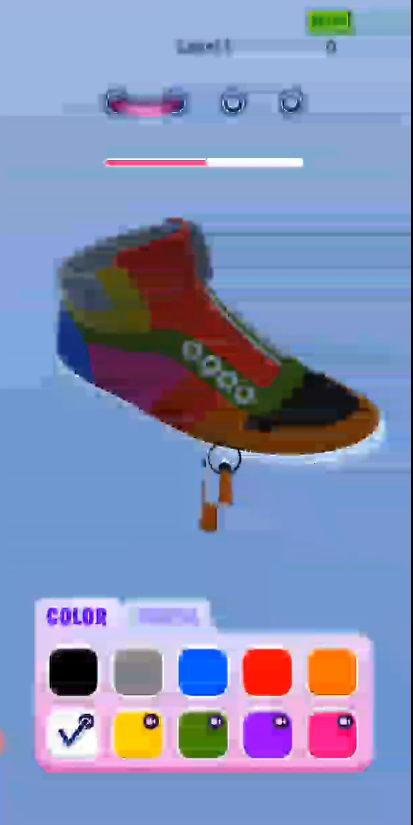
Anyone know why this might happen on a specific android but work fine on editor and MOST androids? https://i.imgur.com/4SN1lms.png
 cobalt idol
@dreamy radish do you mean the streak? it looks like those artefacts you get when importing a texture with a=0 where the rgb values smear
 umbral crystal
Hi guys, I was pointed here to ask a question:
Is there a way, or a plugin, that will only render the shadow map once, rather than each frame? I have a lot of geometry that won't move (same with the light, it doesn't move), but it's placed once procedurally before the player gets there. Either a custom SRP, or a plugin is fine. I'm just experimenting with my performance overhead right now
dreamy radish
@cobalt idol yeah that's what I mean but it also happens on that Level text at the top which is just textmeshpro so if that were th case it wouldnt do it there would it? Also the paintbrush is a 3d model and looks like that
cobalt idol
weird, are you clearing the camera color/depth?
dreamy radish
Yup I am for sure, that was the first thing I checked
cobalt idol
@umbral crystal I guess you want to implement a custom version of the shadow caster pass, with some logic to only run it on certain conditions (https://github.com/Unity-Technologies/Graphics/blob/master/com.unity.render-pipelines.universal/Runtime/Passes/MainLightShadowCasterPass.cs)
Gamit do you have post processing on?
dreamy radish
I do not
umbral crystal
@cobalt idol Fair, so that would entail a custom SRP, correct?
cobalt idol
I'm clutching at straws but its odd the way there are two paintbrushes laid over each other - makes me think something to do with rendering the overlay and mixing it with the scene?
Ben yeah I think so
dreamy radish
somehow unity allowed me to build when android sdk said the version I built with was only "partially" installed so something could have messed up there but I dont think that could really affect rendering? Idk. Do you mean the canvas might be mixing weird with the scene or?
 gilded maple
Anyone have the Default Cloud Layer texture for HDRP 10.0? I don't have it
cobalt idol
@dreamy radish it's really just a guess, I'm afraid I've never worked with android before. Hopefully someone else here has some better ideas
dreamy radish
@cobalt idol Ah alright well thank you anyways!
 waxen lantern
All I really need, is to determine the product lead of the Compositor
@crystal pilot go to the unity graphics repo https://github.com/Unity-Technologies/Graphics
search the pull requests for "compositor" ... that will at least get you an idea of the developer(s) working on it and recent progress.

GitHub
Unity Graphics - Including Scriptable Render Pipeline - Unity-Technologies/Graphics
And having it put in another bin of "Unity's forgotten toys" seems like a bad idea
@crystal pilot it's hardly forgotten --it hasn't even been "born" yet. it's in active development, unfinished, not officially released. having said that, your passion and feedback on, alphas, betas, previews is appreciated. I also want to see the compositor grow into a flexible and powerful tool for these industries.
waxen lantern
@crystal pilot you can provide your feedback on the Graphics Compositor on the roadmap productboard here. click on a "how important is this to you" option and it will open a text field where you can enter additional info. This is reviewed by the product managers that maintain the roadmap: https://portal.productboard.com/unity/1-unity-graphics/c/154-graphics-compositor

The Graphics Compositor allows real-time compositing operations between layers of 3D content, static images, and videos. The tool support three types of compositing techniques:
-
Graph-based compositions, guided from a Shader Graph.
-
Camera stacking compositions, where mult...
 craggy yarrow
anyone know if it's possible to flip / mirror a camera while using urp?
This worked until I switched to urp
waxen lantern
@craggy yarrow here are a few examples of custom camera projection matrices with URP:
https://forum.unity.com/threads/overwriting-the-camera-projection-and-worldtocamera-matrix-in-a-custom-pass.830418/
https://answers.unity.com/questions/1709397/urp-cameras-create-a-custom-projection-matrix-give.html

Unity Forum
i have successfully overwritten both - the camera projection and worldToCamera matrix - in URP using a
ScriptableRendererFeature to render with an...
Unity is the ultimate game development platform. Use Unity to build high-quality 3D and 2D games, deploy them across mobile, desktop, VR/AR, consoles or the Web, and connect with loyal and enthusiastic players and customers.
turbid matrix
Is there a way, or a plugin, that will only render the shadow map once, rather than each frame?
@umbral crystal HDRP has had option to cache shadows since 7.x or something. but if you need this you may want to wait for this to land on 2020.2: https://github.com/Unity-Technologies/Graphics/pull/1559
GitHub
IMPORTANT: Requires this C++ PR https://ono.unity3d.com/unity/unity/pull-request/110280/_/graphics/concept-of-static-shadow-caster-for-SRP . Whenever that lands I will bump minimum required version...
as for the current functionality, see this document: https://docs.unity3d.com/Packages/com.unity.render-pipelines.high-definition@7.4/manual/Shadows-in-HDRP.html#ShadowUpdateMode
 runic fox
How keywords work in Shader Sub-Graphs?
it seem like they don't actually provide an input pin.
runic fox
seems like a shadergraph multiplies the variants from outer graph even if they are identical
runic fox
Filed a bug report https://support.unity3d.com/hc/en-us/requests/891962
solemn robin
if i want two textures to overlay (say as the diffuse of a material) how do i do that?
just looking for some keywords to look up.
is that what the multiple UVs are for?
turbid matrix
@solemn robin you can do it on a shader without multiple UV's (you only need multiple UVs if the texture mapping is in different UV space per texture)
but this is more of a question for #archived-shaders
crystal pilot
So I have found the frame debugger and the compositor do not play well together XD
The flickering issue I am having is an indication. enable debugger. Go through the frame draw calls.
And some of the calls disappear and reappear in a single instruction snapshot
Like the sublayer didn't even exist in the frame. step forward or back then step back into that instruction and the frame is now drawing there.
@waxen lantern none of that, sadly, is helpful as I am fully aware the compositor is new, they have been talking about it since last year, but only since July has it really been publicly available. The feedback providing on the portal has yet to be reciprocated and I had already posted there. And reporting bugs is sadly never responded well. Usually reports I have made regarding visuals is "by design", "can't replicate", or my favorite "I don't understand the problem" 
turbid matrix
in my experience, if you want to get QA pass the thing to devs, you have to:
a) give them easy to use repro project
b) give foolproof step by step instructions
this of course takes time but I've found it to be really effective
I don't file that many bug reports in general though, mainly because it does take time to write a report that makes it trivial to replicate the issue
just throwing some description there is almost guaranteed to have QA just fail with it
crystal pilot
Most of my bug reports are ... "hit play"
And an indepth description of expected vs actual behavior
turbid matrix
I've got pretty great resolve rate on my reports though, there's like one that they could repro but decided not to fix, rest have been fixed
there could be too much information as well
hence you need to keep the report simple
crystal pilot
I can guarantee you the issue is not the reports themselves 😐
I actually had to take a class in my bachelors on both technical writing as well as QA essentially
Most reports I have, walk you through the issue on both in editor as well as in the report itself
I refine it to be barebones requirement to replicate
But the turn around times on bug reports is anywhere between 2weeks to 4 months.
turbid matrix
I've often got first QA response on them being able to repro my issue in one working day, but recently it's been slower
crystal pilot
Even then there are some bugs... that once on the tracker don't get fixed. Example: https://issuetracker.unity3d.com/issues/fixed-gradient-colors-are-blended-when-time-is-interpolated-using-random-number-node
How to reproduce: 1. Open the attached '1212002.zip' project 2. Open 'SampleScene' Scene 3. Select 'ExampleGradient' GameObject 4. S...
turbid matrix
I must have gotten just lucky
crystal pilot
I have had 2 thus far that responded the day of
It is a matter of was the person likely to answer at the computer at the time. Othewise it gets bogged down
turbid matrix
yeah, initial response is one thing, then it can just get stalled at resolving stage forever
like DXR currently
it's been partially broken since 2020.2.0a16
but I bet they just don't care to hurry the fix because there's currently some refactoring going on in the HDRP 10 and 2020.2 is still alpha
umbral crystal
@umbral crystal HDRP has had option to cache shadows since 7.x or something. but if you need this you may want to wait for this to land on 2020.2: https://github.com/Unity-Technologies/Graphics/pull/1559
@turbid matrix awesome find, thank you
I'll see if that can be pulled into URP
GitHub
IMPORTANT: Requires this C++ PR https://ono.unity3d.com/unity/unity/pull-request/110280/_/graphics/concept-of-static-shadow-caster-for-SRP . Whenever that lands I will bump minimum required version...
turbid matrix
URP has totally different structure so I doubt it
umbral crystal
Hmmm
What is the current state of URP, or the underlying framework for making a custom SRP?
It seems like I see a lot of reports that things are still pretty broken. Currently I'm on the built in renderer, but it's always on the edge of my research to switch to a custom SRP when I need to do something that Unity doesn't quite provide
broken lichen
I haven't heard that the underlying SRP framework is broken in some major way. There are still some missing features in URP, but there shouldn't be anything in the framework that is preventing those features from being implemented.
umbral crystal
@broken lichen What's missing in URP? I know the table exists on Unity's site to compare URP to built in, but... I take that table with a grain of salt. Did someone write that up?
broken lichen
Main thing I've heard is there's no realtime shadows for point lights and no screen space ambient occlusion effect
umbral crystal
Hm, that's OK. I have to write my own blob shadow system anyways for mobile, and any post effect is off the table for me in a mobile VR chipset anyways
Thanks for the insight, appreciated
 naive laurel
Does anyone have any examples of how to import OBJ's at runtime using URP?
umbral crystal
I think that's a separate problem than an SRP.... Also, you might consider a different format that is runtime friendly, such as gltf
naive laurel
I have tried several pre-made OBJ importers, but they only seem to use standard shaders etc
umbral crystal
Might be a limitation of those importers
naive laurel
Perhaps, but I was thinking it was just a compatability issue - that I might be able to fix by changing a bit of their code
Such as changing the shader they apply to the imported gameobjects and so on
umbral crystal
@grave mango Also, there's a discussion going on a few lines up in #archived-shaders about gltf that you might find interesting
Perhaps, but I was thinking it was just a compatability issue - that I might be able to fix by changing a bit of their code
@naive laurel Yes, but again... Not an SRP issue, that's "up stream"
naive laurel
Alright, but an OBJ importer would still have to account for using SRP right?
scarlet hull
Nope, it's the same story
naive laurel
Huh. That's strange. I have been using the same OBJ importer in two different projects - only of them work. The only discernable difference I can see is that one is using URP while the other is not.
scarlet hull
iirc, no 3D format (except maybe USD) contains a specific shader, only a materials with very basic surface definitions (albedo color+texture, normal map ....)
naive laurel
That's true, but isn't it the OBJ importers job to assign the correct shaders etc?
scarlet hull
So the importer imports the model, and then it's just to link the read properties to the shader/material properties in unity.
Well, the built-in mesh importer of unity, that supports obj, does it.
Indeed, if it's a custom imported, it need to have the code to detect the active pipeline, and switch to the proper compatible shader when importing.
naive laurel
Yeah. Do you have any experience as to what I would have to change in the OBJ importer in order for it work with URP?
scarlet hull
But if you know the material that is generated after import, it's not a lot of code to rebind it's properties to a material that uses a URP shader.
Technically, you could even just create a shadergraph that has the exact same properties, and just do material.shader = Shader.Find("MyShaderName") and the bindings will be kept.
naive laurel
Pastebin
Pastebin.com is the number one paste tool since 2002. Pastebin is a website where you can store text online for a set period of time.
That's the relevant code, I think.
scarlet hull
Looks like this code is made to support URP and Built-in
naive laurel
I was the one who wrote this line:```cs
string shaderName = "Universal Render Pipeline/Lit";
If that's what you mean by URP support
Doesn't quite function as I'd hoped haha
Basically it meant that the objects were actually getting rendered, however they're all metallic grey
scarlet hull
You'll need to change the line where it sets the properties because built-in and URP don't use the same property names.
naive laurel
Of the material you mean?
scarlet hull
yes
umbral crystal
Silver, on the material, in the OBJ
scarlet hull
Or, like I said, you could also make a very simple shadergraph that has the same property names, and use it as base instead of URP/Lit
naive laurel
But wouldn't that undo any advantages of using URP?
umbral crystal
If they named it DiffuseMap in the OBJ material, and in URP it's BaseMap, then you'll have to do some mapping yourself
Different programs will spit out different things. It's not universal
scarlet hull
If you use the PBR lit master node, it's still using URP. That's not really a big deal.
For reference, the URP/Lit properties are here : https://github.com/Unity-Technologies/Graphics/blob/master/com.unity.render-pipelines.universal/Shaders/Lit.shader
GitHub
Unity Graphics - Including Scriptable Render Pipeline - Unity-Technologies/Graphics
so "_BaseMap" instead of "_MainTex", "_BaseColor" instead of "_Color" ....
naive laurel
I see. And by using it as a base @scarlet hull do you mean using that shader in the code?
scarlet hull
Yep
naive laurel
Is there anywhere I can see the different naming conventions?
I.e. that "_BaseMap" remaps to "_MainTex" etc
umbral crystal
If they named the properties Barb, Bob, Burns, Booboo... You'll have to figure it out Silver
Open the model. Look at the names
 rich spade
@naive laurel I'm assuming your referring to the shader reference names, if you locate the base shader file in Unity it will give you the names to use.
naive laurel
@rich spade So far I've just been looking at the standard shader in the inspector.
Is there any issue with this?
Or do I need to locate the base shader?
rich spade
you need the one relevant to URP in this case
which may coincidentally use the same names
naive laurel
So far I've created a copy of URP Lit shader and simply changed a few variable names to match the naems in the standard shader
rich spade
should be fine then 😉
but why not just change the script to match the existing URP shader, instead of creating a separate shader which will not match when upgrades happen?
or rather you may need to re-create when upgrading
naive laurel
True. I might just do that instead
This is the URP shader variable for color:
_SpecColor("Specular", Color) = (0.2, 0.2, 0.2)
And this is the OBJ importer code setting the color:
newMaterial.SetColor("_SpecColor", md.specularColor);
@rich spade would I have to change anything in this instance?
rich spade
they look identical, a lot will probably match I imagine
naive laurel
Yeah, the only thing that doesn't seem to get imported correctly currently is the colour of the material
rich spade
hmm are you using specular or metallic workflow and is it set / defined in the code which initiates this material?
naive laurel
IT WORKS!
It was another color variable further down I hadn't noticed
Thanks a ton @rich spade @umbral crystal @scarlet hull
 hoary ferry
Hey there! I have a problem with the HDRP. Any light other than directional lights won't show up once added in the scene.
it happens only in HDRP
waxen lantern
@waxen lantern none of that, sadly, is helpful as I am fully aware the compositor is new, they have been talking about it since last year, but only since July has it really been publicly available. The feedback providing on the portal has yet to be reciprocated and I had already posted there.
@crystal pilot Well you said you wanted to know who the product manager is.. the product manager's names are on the roadmap productboard, and the graphics repo on github can even lead you to developer's email addresses if you are really on a mission here. The developers that have opened 10 pull requests for the "forgotten" Graphics Compositor in just the past month. Don't get me wrong, I admire your passion on this. Obviously you really care about the success of this forthcoming product or you wouldn't be frustrated or posting here and submitting feedback through various channels, so thank you for doing that and I will continue to do so as well. But let's also temper our expectations for unfinished software in an alpha state. Though once it's reached a final "production ready" release and something is busted then we can really grill Unity and hold them accountable if they missed the mark. Voice your feedback of course, but getting too upset with them at this stage is just counterproductive.
scarlet hull
@hoary ferry HDRP is meant to work with physical light units, and as such, the direction light and the sky in a new scene have very high intensity.
If you add a point light, even in the shadowed zones of the level, the sky light is still way higher in intensity.
Either boost the point light intensity to a crazy high value to compensate, or tweak you lighting to better match an interior or night scene
crystal pilot
I never said the Compositor was "forgotten", but more so towards I don't want to use a work around that is often performed creating a pile of toys to never be used or developed. The first recommendations towards compositor here was pretty much: "don't use it". As for the Roadmap product board, no? The name on the listing is who added it to the board, that does not imply product team lead. There are far too many companies that have a "product roadmap" that is just some random person in the company that is tasked with adding it there. Further more even if it was the team lead that is hardly contact info. My guess is it is likely Sebastian so I'll ping around.
If you sense frustration, know that it is not for the compositor specifically it is more towards development work flow at the moment as every time I want to do something in the editor be it VFX graph, shader graph, or modify a C# file, the editor hangs with "Hold on I'm busy". That over time creates more and more frustration that likely has added towards my tone.
The flickering issue I am having seems to have been "fixed" 23 days ago according to github. I am unsure if that has been pushed to our version 
And potentially the other post processing applying oddly? Supposedly they are on HDRP 10.1.0+ 🤔
 candid basin
In URP, how can I get a reference to a custom render pass?
Is there like a method to get a list of all the custom render passes on the active renderer?
dawn sorrel
@upbeat trail Honestly man, I think you could make some good money from this volumetric and contact shadows set of solutions. I legit need this for the movie stuff I'm tryna do in Unity. 😃
drifting vault
Hurry up @upbeat trail !
You will got good amount of money until Unity release own official and free solution =D
or someone else will do that...
 heady apex
I'm very new at digging into the render pipelines, but I'm seeing some features in URP that don't seem to be available [yet?] with HDRP like Renderer Features and Camera Stacking -- am I incorrect? are these planned or are there other ways of doing similar things with HDRP?
umbral crystal
Since everyone called you out @upbeat trail .... I'm curious if you're using a SDF solution for those shadows? If so, and you want a partner I'll help out. It looks like I'm going to be forced to make a SDF shadow/AO implementation for Unity anyways at some point
cobalt idol
I'll join the crowd saying @upbeat trail 's shadows look pretty
dawn sorrel
Any way to make a mesh render over unitys UI? Preferably without using canvas components as they're not supported.
umbral crystal
I'm using the built in renderer, and writing a custom vertex lit shader
There is a main light as a directional light
I can't seem to get other vertex lit lights to override the dark side of the directional light
umbral crystal
It's like, Unity is overriding my vertex light settings, rather than the other way around. I'm not sure where to change the order of that
 barren marsh
I have a question about unity DirectX Native plugin API where should I ask it ?
upbeat trail
Since everyone called you out @upbeat trail .... I'm curious if you're using a SDF solution for those shadows? If so, and you want a partner I'll help out. It looks like I'm going to be forced to make a SDF shadow/AO implementation for Unity anyways at some point
@umbral crystal No SDF's. I am raymarching from 3d pos to light and projecting it back to clip space and checking if it hits a surface or not by comparing Z's.
umbral crystal
Fair, thanks
You might be interested how Unreal does it's SDF based soft shadows. It's a cool trick, and seems very performant
In URP, how do I handle GPU instancing with slightly different material properties?
In built-in, I would setup a shader with markup magic, and then send MaterialPropertyBlocks along down the line.
But, the docs/feedback on URP is that you're kind of either stuck with the static batcher, or am I incorrect?
upbeat trail
haha I literally finished this today... inspired by UE4 capsule shadows and MGSV "occlusion volumes"
umbral crystal
Nice, how does that manage the pass?
Or, more accurate... Is it a pass per or can they all be batched?
upbeat trail
I am just using URP render feature to Blit this shader to the framebuffer - its 2 drawcalls
All this stuff I have been doing is being made using a simple render feature that uses 2 Blit calls
except for the penumbra shadows - that is a separate shader of its own
In URP, how do I handle GPU instancing with slightly different material properties?
In built-in, I would setup a shader with markup magic, and then send MaterialPropertyBlocks along down the line.
But, the docs/feedback on URP is that you're kind of either stuck with the static batcher, or am I incorrect?
@umbral crystal About that. I don't know, I am having issues with that too. I created a decal shader and am having trouble to get it batched.
umbral crystal
https://cmwdexint.com/2020/07/13/urp-and-gpu-instancing-mpb/
- well, that explains it. No I can't do GPU instancing, but yes you can if you unroll URP a bit

Tested with: 2020.1.0b16.4138 + URP 9.0.0-preview.38, Windows DX11 Objects with same material & same property values SRP batcher ONmaterial GPU instancing OFFSRP batchedSRP batcher ONmaterial G…
upbeat trail
great, gonna take a look
waxen lantern
I'm very new at digging into the render pipelines, but I'm seeing some features in URP that don't seem to be available [yet?] with HDRP like Renderer Features and Camera Stacking -- am I incorrect? are these planned or are there other ways of doing similar things with HDRP?
@heady apex Take a look at the Unity Graphics Roadmap https://portal.productboard.com/8ufdwj59ehtmsvxenjumxo82/tabs/3-universal-render-pipeline
Product roadmap and feature requests. Welcome to our product portal.
Any way to make a mesh render over unitys UI? Preferably without using canvas components as they're not supported.
@dawn sorrel Sounds like something camera stacking is designed to do? You would need to use a more recent version of Unity 2020.1 and URP 8.2 for this feature to work with 2D and 3D cameras . If you are using Unity 2018 and Built-in RP (you didn't say) I think it will be a similar but more DIY setup by compositing render textures from multiple cameras https://docs.unity3d.com/Packages/com.unity.render-pipelines.universal@8.2/manual/camera-stacking.html
umbral crystal
Welp, digging into URP. Last time I visited it a year ago (along with DOTS), and it was a mess. Hopefully URP is more worked out than DOTS is 😆
 raw oriole
just wondering, what is a render pipeline?
umbral crystal

Unity
Unity SRP is a customizable rendering technology that lets you tailor the rendering process to your target platform so you can optimize performance for specific hardware.
waxen lantern
Welp, digging into URP. Last time I visited it a year ago (along with DOTS), and it was a mess. Hopefully URP is more worked out than DOTS is 😆
@umbral crystal I'd say URP is further along than DOTS but I can't sensibly compare two orthogonal projects either. URP in 2020.1 is huge improvement compared to a year ago though I personally won't be using it on projects until 2020.2 hits final release with deferred render path.
Honesly so many things were a mess with these new features 1-2 years ago and Unity admitted that things were rushed into beta and final release and has slowed down development cycles in favor of considerably because of it and based on community feedback. More info here:
https://forum.unity.com/threads/what-is-next-for-us-at-unity-with-scriptable-render-pipelines.924218/
https://blogs.unity3d.com/2020/08/13/the-road-to-2021/
Unity Forum
From the beginning, we developed the SRP architecture to solve several goals:
Provide the most optimal pathways to take advantage of the fragmented...

Unity Technologies Blog
We are excited to share our plans for 2021. We’ve listened to your feedback and established our plan based on what we’ve heard. Our 2021 product commitment is simple. It’s about giving you production-ready features, workflows, and components based on what you have told us you ...
@umbral crystal Though at least DOTS was never actually being touted as "production ready" though the SRPs were billed as such and very much were not production ready. That's the key difference here, the expectations being set.
umbral crystal
Unity did spend a fair bit of time showing off DOTs and how it's going to change the way we make games... And yah, tried it twice with disillusioned results both times
Starting my second go trying SRPs now
DOTS is a mess. It could be super useful except for all those gaping holes needed to do real world development
... i worry about URP the same, and if I'm ultimately saddled with writing my own SRP
waxen lantern
DOTS is a mess. It could be super useful except for all those gaping holes needed to do real world development
@umbral crystal
- yeah DOTS is mess, as expected in theses stage of development. Nobody at Unity was or is saying DOTS is ready for general / real world / production use yet... so anyone that expects that and gets upset that it isn't ready is misinformed or applying their own unrealistic expectations to the DOTS development cycle. And afaik no other competing / publicly available engines have something like it yet so it's not like Unity is late to the multi-threaded paradigm party either. It not impossible but you're even more on your own writing custom C++ if you try to achieve efficient multi/threading or an ECS with Unreal engine today ¯_(ツ)_/¯.
@umbral crystal
- SRPs and many associated packages are a completely different story however and were being misrepresented as usable and production ready when that was highly dubious and arguable. And the community had very strong reaction / feedback about so Unity said okay you were right we're going to focus on reliability and quality with fewer releases. Though we certainly have reason to be skeptical and hold them accountable to that on release candidates and final releases, etc.
realizing we should probably stay on topic as well, I'm down to chat about DOTS more but let's move that to #archived-dots and keep #archived-hdrp talk here.
umbral crystal
Yeah, I agree that Unity focusing on reliability for late 2020 and into 2021 is what they need. They need to sort out the mess they made the last two years
So... Watched a recent presentation on URP and it claims 4-8 real time pixel lights (without a different draw call)
Is that per object? Also, what's the tiny asterisk not mentioned?
waxen lantern
@umbral crystal the per object light limit for LWRP was 4 lights, now with URP it's 8 lights.. maybe some underpowered mobile platform still only support 4 per object lights? just guessing. What i do know is these limits only apply to the Forward render path. Unity 2020.2 URP will have Deferred render path and the light limit will be an order of magnitude higher. Of course Deferred rendering will have poor performance (or not supported at all) on low end mobile which is the case already with Built-in RP no way around that Unity or otherwise
umbral crystal
Well... The claim they made was that the pixel lights wouldn't incur a draw call penalty
You could set the maximum before to whatever number you wanted. They claimed "8 lights per object. GLES is 4"
https://youtu.be/ZPQdm1T7aRs?t=234 - "it shades the lights in a single pass"
waxen lantern
You could set the maximum before to whatever number you wanted.
Before meaning Built-in RP?
waxen lantern
They claimed "8 lights per object. GLES is 4"
@umbral crystal Okay yeah GLES meaning low end mobile
waxen lantern
@umbral crystal
so you mean hypothetically URP on GLES would render 8 per object lights but it will take 2 draw calls?
let me look at the video
umbral crystal
No no. Before, each pixel light effecting an object was a draw call, per object. He claims "in a single draw call"
waxen lantern
@umbral crystal right, ok, I mean I understand that's what these limits are for, to take advantage of this optimization. What about it?
umbral crystal
Is it 8 lights per object in the same draw call?
Previously (in built in), every pixel light effecting an object was a draw call per pixel light
waxen lantern
Is it 8 lights per object in the same draw call?
@umbral crystal Ah, as I understand, yes. And this is great for mobile and their tiled rendering GPU architecture, etc,
Whereas Built-In RP was never really optimized for that, it was built around old classic forward rendering on Desktop PC and console GPUs
umbral crystal
But if that draw call is 8x more expensive, than... it's a wash. What's the tiny asterisk with that?
waxen lantern
I'm not clear on the asterisk exactly.. I'm guessing maybe a general caveat as I'm sure like many things there are ways to defeat this or nullify the benefits in certain use cases.
what those are exactly my guess is as good as yours
umbral crystal
OK, well I'll have to test then. If they found a way to make pixel lights free, kudos. But, I'm a bit.... jaded, on any claims coming out of Unity lately
waxen lantern
well I personally refrain from saying anything is "free" but cheaper, sure :)
umbral crystal
Especially any from Unite Copenhagen 😆
waxen lantern
actually a sort of inside joke with a fellow graphics programmers when anybody says something like, "it's on the GPU now, so it's like basically FREE" cue giant asterisk and eye roll
umbral crystal
My face lately on Unity claims....
umbral crystal
Yah, I'm definitely curious too, but I'm kind of tired of screwing around and testing everything and nothing works as I expect
waxen lantern
yeah, the past few years have been brutal for SRP. the project i'm working on currently is sticking to Built-in RP for now (still fully supported) and looking at moving to URP only once Unity 2020.2 or 2020.3 LTS hit final release (mainly due to Deferred render) and it'll undergo quite a bit of evaluation before we pull the trigger.
main thing Unity needs to stick to on their 2020/2021 commitment is curb the temptation to rush new features into final releases.
But it's the right thing to do in terms of setting proper expectations of quality for final / production ready releases.
(It won't help the impatient much as they will still load up the latest alpha / preview full of bugs... but that in turn helps get bugs fixed before release so whatever, it's a tradeoff. Just need to make the distinctions more clear... e.g. why Unity has that impossible to miss yellow badge now when preview packages are in use.)
umbral crystal
It's not impossible.... I have a script that removes it 😄
umbral crystal

Unity Forum
My opinions (as I believe this actually signals more than a UI change):
- Anticipate this not improving the situation much assuming issue is more with...
Oh that gif is perfect. GJ Discord
waxen lantern
well, I don't think you are the one they are worried about (that needs to heed the warning of that badge,) then.
@umbral crystal some cheeky replies in that thread that are pretty narrow and very subjective.
the unfortunate reality is there are far more people that need the hand holding than not, which is why those are some of the best decisions they have made recently to increase the signal to noise ratio in the forums and discord here and anywhere with less technical people or people new to unity that were messing up their projects every single day.
umbral crystal
Agreed, but they dug this hole. How they handle digging themselves out can be judged
That decision on the forum thread was pretty.... poor. Ever try to open a project that uses one of those packages? It errors and you have no rectification. That includes Unity's own example projects!
waxen lantern
yeah, it's too late to go back and do it right the first time. but still a fair point
That decision on the forum thread was pretty.... poor. Ever try to open a project that uses one of those packages? It errors and you have no rectification. That includes Unity's own example projects!
@umbral crystal
Toss em in the fire! that never happened lol
umbral crystal
haha, I just bitch about it and sometimes fantasize about going to Unreal 😆
waxen lantern
It's a mixed bag, some things are better other worse really highly subjective on the project and the team members
I'm just glad they serve as competition for eachother more than anything
plain mural
is there a way to modify or copy the default lit shader for hdrp? some idiot i bought an asset from packed the metalic, ao and roughness maps all into one, but not in the right channels
and im not quite sure how to make things like smoothness remapping and metalic sliders work
better yet: is it possible for me to unpack these textures?
when i tried to make my own lit graph, the normal map didnt even look right
waxen lantern
@plain mural what asset exactly?
plain mural

CGTrader
Model available for download in # format Visit CGTrader and browse more than 500K 3D models, including 3D print and real-time assets
waxen lantern
is there a way to modify or copy the default lit shader for hdrp?
@plain mural it's not impossible to customize this but the HDRP Shader API doesn't yet support support custom master nodes ( it will later, it's planned) this and you may be on your own / may not be worth the effort
@plain mural What is supported is to customize what is input to the master lit node via shader graph
plain mural
is it possible for me to split the texture into its rgb components?
waxen lantern
@plain mural yeah with a split node
plain mural
i know that
but with a program somewhere
so i dont need a custom shader just for this model
im also not sure which one is roughness/metallic/ao
they all look so similar
also, how do i turn roughness to smoothness, would just a simple one-minus work?
waxen lantern
i mean i think the main paths you can take are:
- modify the asset with the channels stored in the texture as unity expects
or - remap the channels in a shader graph
also, how do i turn roughness to smoothness, would just a simple one-minus work?
@plain mural yeah i think so
waxen lantern
@plain mural I would personally modify the asset as i feel that's cleaner and not worry about custom shader graphs for a purely static change, but whatever you wanna do
plain mural
trial + error time
thats what i was thinking
im not sure what program to do it in tho
waxen lantern
i mean the textures are image files right? you could use photoshop, gimp, krita, etc
plain mural
if u were to take ur best guess, which is ao, roughness, and metallic
waxen lantern
the files don't have names?
plain mural
they are all from one file
its the messed up mask that im splitting and looking at the data using an "add" node
waxen lantern
ah i mean yeah i'm not sure then, maybe if if was an artist that made a lot of gun textures i'd know ha... might be something to ask the folks in #🔀┃art-asset-workflow
but if i were you i'd contact the author of the asset as well
as they will definitely know
plain mural
idk why the artist wouldnt just include these maps individually
why sell if it isnt ready to use?
waxen lantern
you'll havee to ask them i guess ha. maybe because it was packed for some other software not unity
plain mural
id imagine it isnt too hard to export for more than one platform
waxen lantern
you'd be surprised
plain mural
most models ive bought include files for ue4, unity, and the source files
and an art team i worked with not too long ago had a huge list of different export options for textures lol
waxen lantern
yeah well, i hope you got a good deal at least
plain mural
yea, it wasnt expensive
so i guess its worth the extra work i have to put in lol
ok i think i got it
waxen lantern
@plain mural anyway i don't mean to turn you away but the solution seems ultimately somewhat off topic for render-pipelines. feel free to @ me in #🔀┃art-asset-workflow (for 3d asset workflow/import) or #archived-shaders (for shader graph, custom shaders/materials)
 brave coral
Uh... Does anyone know what the hell happened to the hdrp?
This happened after i updated to hdrp 9.0.0 preview 54
waxen lantern
@brave coral bugs are to be expected on preview releases. It's best to stick to verified / production ready package versions unless you're a developer who wants to influence the development process by submitting bug reports.
turbid matrix
@brave coral have you tried to restart the editor?
also sometimes you need to shutdown the editor, delete library folder and start the editor
(when you upgrade packages)
but just getting errors if you upgrade the SRP package in the editor is common and restart fixes most of the issues
brave coral
@turbid matrix restarted the whole computer, got it working now, running fine except all my post processing volume is gone
@brave coral bugs are to be expected on preview releases. It's best to stick to verified / production ready package versions unless you're a developer who wants to influence the development process by submitting bug reports.
And yes thank you Landon, im aware of that, i'm just curious to try the new ssgi feature
Though i haven't figured it out yet, it always says "the current hdrp asset does not support screen space global illumination"
waxen lantern
And yes thank you Landon, im aware of that, i'm just curious to try the new ssgi feature
@brave coral I see, got it. Often when someone sees console errors after upgrading to a preview package with a surprise/shocked reaction like "what the hell happened," they are often not fully aware of that 😄. So I hope you understand my assumption here. But if you do want to get your hands dirty and help out with preview packages (or Editor alphas, betas,) then welcome to the carnival of console errors / warnings. 🥳
brave coral
Haha, got it.
Does anyone know how to resolve this issue? I didn't understand what assets do i use that doesn't support ssgi
waxen lantern
@brave coral by saying "The current HDRP asset" I'm guessin it means the "The Scriptable Render Pipeline asset" as in the one asset that tells Unity what RP to use for your project, which in this case is probably called HDRenderPipelineAsset
you can find it here in Project settings -> Graphics -> right at the top
Click on it and it will be revealed in the project/asset browser. The SRP / HDRP asset might need to be deleted and recreated or something like that. Worth a shot, and also assuming you already backed up your project or this is a new/test project.
And even so, maybe SSGI just doesn't quite work yet, It's hard to say.
brave coral
Thanks, ssgi seems to be turned off by default via the hdrp asset settings
I can add ssgi now
But it doesn't seems to change anything
turbid matrix
@brave coral I don't think it does anything for static objects if you have baked lighting
like, if you try it on default hdrp template, that's all baked lights by default
you can turn baked lights off if you want tho
umbral crystal
So, URP says it supports vertex lighting, but I can't see how that's setup. Is there a vertex lit material?
umbral crystal
Or, is it the same... I set the Render Mode to "not important"?
 gaunt vessel
Is it possible to have baked lighting in URP and have pbr materials? I baked my environment and the roughness and normal Information is gone on my assets
umbral crystal
I think I saw a "Baked Lit" material... Possibly that does it?
barren marsh
Guys I'm having some issues with unity and same issue never got answers on forums and communities
Is it possible to get in touch with unity devs?
It seems it's not a thing users know about and documentation of unity is very small for this part.
Is it possible to get in touch with them?
umbral crystal
Sure, you pay for support. https://unity.com/success-plans
gaunt vessel
I'll look for the baked lit material @umbral crystal . I'm using amplify shaders to make my materials atm
umbral crystal
I was just quite literally guessing, but it's a better guess than nothing 😄
gaunt vessel
Oh haha. I dont think that's the answer then xD
barren marsh
@umbral crystal It's time to uninstall unity and install unreal engine and stop all the pain in the ass I got from unity
They made a application with parts undocumented and I paid for this app now I have to pay them to tell me how it works?
No thank you sir
Unity is lovely but in the wrong hands what I'm seeking for is a basic thing every game engine has but unity 🙂
Thanks for reply
umbral crystal
What's the part you're having trouble with?
barren marsh
Redirecting unity render to native plugin swapchain in DX11
Unity has some API undocumented
My code is working with 3 other game engines but unity crash
And the worst part of it, It can't be debug
New unity versions even crash with renderDoc
umbral crystal
That, I'm not sure you'll find many people have experience doing it
Are you positive this functionality was intended to be used by developers, rather than Unity internal?
waxen lantern
Guys I'm having some issues with unity and same issue never got answers on forums and communities
Is it possible to get in touch with unity devs?
It seems it's not a thing users know about and documentation of unity is very small for this part.Is it possible to get in touch with them?
@barren marsh Sorry, you sound frustrated. You mention you "paid for this app" --If you mean you paid for a Unity Pro license then you already have more support pathways and resources available to you than the just the bug reporting / QA support team, community forums and discord chat, etc. you can compare those benefits between Unity licenses here: https://store.unity.com/compare-plans
You haven't mentioned using it --so just making sure you know the Bug Reporting system is the best way available to all for getting these issues resolved. the Quality Assurance team serves as the liason between you and the developers in this case but if you follow the process and include details they need to reproduce the issue you will get a response. Sometimes the devs will even give you a response on the ticket themselves: https://unity3d.com/unity/qa/bug-reporting
Unity Store
Need to kickoff your 2D, 3D, VR, or AR project? Take a look at the Unity engine! From hobbyists to professionals, Unity is used for big and small builds. See for yourself!

Unity
Unity is the ultimate game development platform. Use Unity to build high-quality 3D and 2D games, deploy them across mobile, desktop, VR/AR, consoles or the Web, and connect with loyal and enthusiastic players and customers.
barren marsh
@waxen lantern thanks for detailed reply
Yes I have unity pro license and I asked QA team and no response
But it doesn't matter, I fixed it finally.
umbral crystal
@waxen lantern Ok, so I discovered.... On the Quest, even a single real time pixel light tanks URP. So, that either means: A: The main light is not rendering as a pixel light, and no any others aren't "free". B: The main light is rendering as a pixel light, but additional point lights are still just flat out expensive due to draw costs, even if it's not a separate pass
Vertex lights though, seem to work better on URP. I think they finally retooled the shaders to work better with vertex lighting, but I still have a lot of experimenting to do, and hopefully won't have to gut every single shader's lighting like I did with built-in
waxen lantern
On the Oculus Quest, i see. gg. 
umbral crystal
Yah, fill rate is the enemy on that device
waxen lantern
At least there's the Oculus link cable, if all else fails. And glad to hear the Vertex lighting performance with URP is decent at least.
umbral crystal
But, it doesn't look so bad with a bunch of real time vertex lights. I'm honestly surprised. Firstly though, need to crack open the "Simple Lit" shader to add in baked AO
waxen lantern
yeah I mean vertex lighting used to look bad when models were super low poly but it can look really good these days
umbral crystal
Yah, that's the interesting thing...
Back when we only had vertex lights, we could also only have 5k polys on the screen. Now we have a device that chew through 200k polys at once, but can't draw pixel effects for a damn
So, on a GTX card, sure... Make a shader that makes a bevel edge on any hard corners. That's useful, and keep asset pipeline smooth.
On a Quest? Go open Blender and bevel those verts man!
waxen lantern
Firstly though, need to crack open the "Simple Lit" shader to add in baked AO
@umbral crystal If you mean making or editing a HDRP shader directly or trying to make a custom Master Node I would avoid that if at all possible and try to use Shader Graph with the built in Master nodes and custom code nodes if needed , etc.
There will be a fully custom Shader API and custom Master nodes / master stacks API eventually but it's just not here today unfortunately.
umbral crystal
Those are geo based bevels, and look great on Quest
waxen lantern
I mean godspeed if it's the only way but i'd leave it as a last resort because it will almost certainly break later as the actual public shader APIs are being developed right now
umbral crystal
@waxen lantern So, your suggestion is to use Simple Lit, and extend it using shader graph to get baked AO rendering?
waxen lantern
yeah like using a sampletexture2D node in shader graph to pull in the baked AO contribution
because even if you're capable and prefer to write shaders in HLSL, shaderLab, etc the only way to reasonably ensure forwards compatibility ( at the moment) is to use Shader Graph
so I always make an attempt there first
umbral crystal
Fair advice. I'll keep that in mind
waxen lantern
@umbral crystal I feel this gets posted here every other day about lol but this is the most detailed response we've gotten from Unity on the current situation with the very limited URP and HDRP shader APIs, going over the roadmap on how they plan to expand the APIs and smooth out various render pipeline and shader workflows: https://forum.unity.com/threads/what-is-next-for-us-at-unity-with-scriptable-render-pipelines.924218/
Unity Forum
From the beginning, we developed the SRP architecture to solve several goals:
Provide the most optimal pathways to take advantage of the fragmented...
umbral crystal
Haven't seen that yet, thanks
Since I'm starting the look dev today, for something that won't ship for at least half a year... I'm OK with some missing features in URP. So far, it does seem to have speed parity with GPU instancing on the Quest, as well as not having so much hackery with vertex lights
It looks like for my game, I'm going to have to double down on vertex lighting, and the art to make that happen (I need lots of real time lights for a proc gen game)
waxen lantern
@umbral crystal Yeah I predict by the end of this year / beginning of next URP will be viable for many projects
umbral crystal
Like, that URP doesn't have cookie lights doesn't bother me too much.... I can't use pixel lights anyways 😆
waxen lantern
not all of course, but not DOA like LWRP was 😂
upbeat trail
nice we gonna get deferred support for URP soon
waxen lantern
yah
umbral crystal
Deferred will be great for URP on PC/console
waxen lantern
yeah Deferred is essential for URP being scalable into multi console and PC releases
for anything with a lot of real-time lighting anyway ¯_(ツ)_/¯
upbeat trail
once deferred is up, built-in is dead for good
waxen lantern
@upbeat trail Yeah pretty soon after hopefully... need those Shader APIs though too.
umbral crystal
@waxen lantern So, correct me if I'm wrong... I can't select "Simple Lit" as the base shader in Shader Graph. I just have the PBR based graph or Unlit
waxen lantern
@umbral crystal I haven't used Simple Lit myself, hmmm but I wouldn't be surprised if that was the case.
umbral crystal
😛
That's... a very silly oversight, to not allow all URP base shaders to be the basis for a new graph
Honestly, I should be able to select any base shader and use it in Shader Graph. If it only has two base types, what's the point?
waxen lantern
@umbral crystal yeah this is why people got so upset because URP and HDRP were declared production ready ~2 years ago maybe more
Unity Forum
Hello,
It seems that it's not yet possible to create a non PBR graph with the lightweight render pipeline and shadergraph. Is this feature planned or not?
that's a few years old confirming it's a missing feature that will be added at some point... in that thread it also looks like somebody may have created a Custom Master Node for Simple Lit but no guarantee it'll work in any newer versions of URP than the one they made it in
upbeat trail
My tip is: don't use Shader Graph for actually making a shader

Gist
Template shader to use as guide to create Universal Pipeline ready shaders. This shader works with Universal Render Pipeline 7.1.x and above. - UniversalPipelineTemplateShader.shader
umbral crystal
I honestly don't need to use Shader Graph. But, that is my first impression. It doesn't support the most basic of URP materials
waxen lantern
@upbeat trail yeah that may be a fine route since it should be "simpler" than other URP shaders anyway
umbral crystal
I might buy that asset linked in the thread. They likely support it better than Unity supports their own stuff 😆
Honestly, why hasn't anyone made a PR on URP with a Simple Lit master?
waxen lantern
ya heres is what was posted on that thread their asset for $40 with shadergraph simple lit master node. https://assetstore.unity.com/packages/tools/particles-effects/shadergraph-essentials-141671

Use the ShaderGraph Essentials tool for your next project. Find this and more particle & effect tools on the Unity Asset Store.
umbral crystal
Comes with other toys too. But, before I buy that, need to check if Amplify supports URP
waxen lantern
up to you whether you trust the asset dev to keep it updated versus being on your own without an official URP Shader API and docs
umbral crystal
Amplify: "Built-in and HD/URP/Lightweight SRP Shaders"
Cool, I own that (had to buy it for a client project)
waxen lantern
I've been hacking things into VFX graph without an API, but I would never start selling it on the asset store lol what a chore . That's just me
oh yeah Amplify is pretty solid as long as we are talking assets.
umbral crystal
I trust Amplify to keep their tool razer sharp. They're good guys
More assets need a "gut the built-in pipeline stuff" as a part of the "import the URP stuff" haha
Or, Unity actually needs to start letting asset developers have two packages, and letting the person chose
I'd like the SRP version plsthx Package Manager
waxen lantern
Some asset devs just started giving away the source for the Built-in RP.. and you only pay for SRP haha
so it's like a demo.
umbral crystal
Nope, Amplify only Supports PBR and Unlit, along with some 2D as "Experimental"
waxen lantern
ah, no simple Lit
waxen lantern
well that's how that shader graph essentials assets can command 40 bucks i guess lol
ah yeah ask em
waxen lantern
@umbral crystal or maybe you could hire @upbeat trail as an option?? They've been adding lighting features to URP like it's nothing lol.
teasing them here on the discord all the time anyway
umbral crystal
hehe, @upbeat trail is taking a slightly different path than I need for VR, especially on the dog GPU that is the Quest
waxen lantern
ah that's also true i suppose super forward tiled rendering
umbral crystal
I still am nearly 100% that I'll have to make my own SRP at some point, but... Main Light shadows are an order of magnitude faster on URP than built-in, so I can kick that particular ball down road
Like, surprisingly so. If it was just a wee bit faster for that shadow caster, I would have said "meh" and went back. But, between that and finally correct vertex light attenuation..... I'll deal
Also Single Pass Stereo finally works on XR with URP
so, I'm ahead of the game, even if it does negate the last week or so of fiddling with built-in shaders and hackery
You know, you question your life decisions when you have to borrow and modify a vertex function called float3 Shade4PointLightsAlt() just to make something work in a realistic way
brave coral
@brave coral I don't think it does anything for static objects if you have baked lighting
@turbid matrix I don't have any static object, and the baked gi is already turned off
turbid matrix
no ideas then
 fierce viper
any way to change settings in the hdrp asset in realtime? for example toggling between low res volumetrics and high res ones
fierce viper
its not gonna be destructive, right?
turbid matrix
should be easy to test
 knotty stump
Hi !
Does somebody has already tried to modify the built-in Lit Shader in HDRP ? My project need to inject a custom code at the end of the Lighting Model, and i'm currently investigate the update possibility. Is it possible ? If yes, could somebody point me the script I have to looking for? There is so much include in the HDRP's hlsl code...
In deferred mode, where is the final color output? At the end of the Frag in the ShaderPassGBuffer.hlsl file, there is only EncodeIntoGbuffer but it not looks like an output. Any idea?
dawn sorrel
How would I change the rendermode of a particle system/skinned mesh from worldspace to rendermode - overlay?
scarlet hull
@knotty stump I'm not brave enough to dig in HDRP cavern of hlsl includes right now, but what you're asking is probably 100% possible.
If you want to modify the deferred rendering only, I would suggest to look at the deferred lighting calculation, probably starting here : https://github.com/Unity-Technologies/Graphics/blob/master/com.unity.render-pipelines.high-definition/Runtime/Lighting/LightLoop/Deferred.compute
GitHub
Unity Graphics - Including Scriptable Render Pipeline - Unity-Technologies/Graphics
dawn sorrel
its great when you have to buy 3rd party stuff to compensate for incomplete built in (packages, actually) features.
 granite ether
Does anyone know if there's a way to use local postprocessing volumes with 2D colliders or will I need to rig up my own system for that?
knotty stump
@scarlet hull Thank you very much ! I look into it
upbeat trail
Isn't VFX graph gpu-compute based ? if so, why does URP supports it ?
waxen lantern
@upbeat trail It's for compute-capable platforms, URP is meant to scale up to high end mobile and even to console and PC for projects that don't need real-time raytracing and other "state-of-the-art" features only HDRP has
(not to mention in 5 years or so it will be difficult to find platforms that aren't GPU compute capable, so it was bound to get added sooner or later anyway)
@upbeat trail VFX graph roadmap has CPU simulation under consideration as well, then it would support virtually any platform as a fallback or when GPU budget is already spoken for. With lower particle counts than on the GPU of course.
Does anyone know if there's a way to use local postprocessing volumes with 2D colliders or will I need to rig up my own system for that?
@granite ether not sure what you mean? aren't colliders an invisible component for physics attached to a gameobject. not the part you actually render and use with postprocessing, etc
granite ether
The volume component appears to want a 3d collider type to delimit space and won't detect my 2d objects
when I set it's mode to local
it wants to add the 3d types
I was wondering if there was another component or mode I was unfamiliar with or if I just need to rig up my player detection system to turn on and off global volumes for area specific post processing effects
waxen lantern
@granite ether ah i see now, I wasn't aware of that. It's just for setting the bounds of the volume. You may need to have a gameobject with a 3D collider just for that. If it's not static and you need it to move at runtime then i'd just write a simple script that gets the X and Y values from a 2D collider and sets them on the 3D collider.
@granite ether I haven't used 2D in Unity so just guessing, might be missing something
granite ether
I'm tempted to look at the URP repo and see how this done
if it's using the default collision messaging adding 2d support would probably be pretty simple
waxen lantern
@granite ether this is from 2018 and he mentions he could use a collider for bounds but doesn't and just enabled the "Global" checkbox https://youtu.be/yXCSunSDxT4
Download the assets to follow along using Unity 2018.3.1f1: https://ole.unity.com/2dtrainingday18
Learn how to make a 2D platformer game in Unity by following along with recording of a live training from Unite Berlin. The project is tested with Unity 2018.31f1. You’ll explore...
@granite ether err here is the timestamp https://youtu.be/yXCSunSDxT4?t=200
Download the assets to follow along using Unity 2018.3.1f1: https://ole.unity.com/2dtrainingday18
Learn how to make a 2D platformer game in Unity by following along with recording of a live training from Unite Berlin. The project is tested with Unity 2018.31f1. You’ll explore...
waxen lantern
but if Global isn't gonna help you and you need to confine the post process effects then back to where we were
granite ether
I see
waxen lantern
ahh
waxen lantern
ah I see
granite ether
dude thank you so much
waxen lantern
I guess otherwise Unity would need to make 2D versions of all the post FX
so this is to make the 3D post FX work with 2D
granite ether
yeah it makes sense
I'll just copy the collider geo over to a 3d collider at runtime like you said
waxen lantern
dude thank you so much
@granite ether no problem glad it worked out 🎊
 shell vigil
Hey, anyone know what shader to use when using HDRP & Shuriken for lit meshes?
scarlet hull
You can import the "particles shader samples" from HDRP package in the package manager window
shell vigil
Doesn't really seem to be working as I would expect
Complains that vertex streams do not match solved it
shell vigil
Not sure if maybe should be in VFX; but I try to make the same thing in VFX graph now, but I can't seem to get a lit mesh working as an output. I use the "Output Particle Lit Mesh" node, and to set values of emission I can only see the option to supply a Shader Graph, but when I do it asks says "You must use a lit vfx master node with a lit output", but when I change the master node to use lit, it is no longer an option for the field.
scarlet hull
Tried outputing a color in HDR format instead of something in the [0-1] range ?
shell vigil
Yeah, that's what I'm defaulting to on the unlit version. But when I try to use the lit version it complains with the message I mentioned before. The default graph for lit doesn't have a color field, only texture
 leaden axle
is there a way to not get 5ms of hdrp cpu player loop for a camera just dedicated to ui ? :x
like this is really stupid no ? https://i.imgur.com/nAgYkJf.png
 scarlet hull
You can use custom frame settings on the camera to disable features that you don't need.
waxen lantern
Not sure if maybe should be in VFX;
@shell vigil yes, this is much more on topic for #✨┃vfx-and-particles than it is here
 foggy hill
Is there a way to make overlay camera output partially transparent in URP?
candid basin
I want to draw a bunch of objects to a render texture, each in their own color but when I look in the frame debugger I see that they all end up being their own 'draw call' (not sure if that's the right word)
I'm using CommandBuffer.SetGlobalColor to change the color and than I use CommandBuffer.DrawRenderer to draw the object
I'm worried about performance, is there a better way of doing this?
cobalt idol
Is there a specific reason you can't use a material with a color property?
runic fox
A question about HDRP. I'm rendering UI to a separate render texture, but still the main Camera's picture gets distorted by UI's camera processing, at least it seems so. I've turned all of the effects OFF in the UI's camera custom frame settings.
broken lichen
@candid basin If you're drawing the renderers manually with CommandBuffer.DrawRenderer, it won't get batched
If you want to draw the same mesh with the same material but with different properties, you can use instancing and material property blocks
candid basin
Aha yeah, I changed it to context.DrawRenderers using material property blocks
but still batching didn't work
so instancing is the solution?
I'm going to look into that then
broken lichen
The SRP Batcher doesn't work with material property blocks, so it just breaks batching
There's a DrawMeshInstanced method in CommandBuffer
To give it the transforms of each object, you need to create a Matrix4x4 array, each matrix either created with the Matrix4x4.TRS method or if you have transforms, you can use the Transform.localToWorldMatrix property.
candid basin
Hey Mentally I don't want to tag you but just have one more question
I changed it to use instancing but I did this in the shader and then in my script I use material.enableInstancing = true;
This doesn't seem to work together with the SRP batcher but I mean as long as I see the objects batched together in the frame debugger it should be good right?
What's the difference between using this method and cmd.DrawMeshInstanced?
just to be clear, I'm currently doing this stuff
broken lichen
@candid basin I believed that if the SRP Batcher was enabled, it would never attempt to batch something using instancing, opting instead to use the optimized SRP Batcher draw calls. I guess I'm wrong about that.
Maybe if the shader is not compatible with the SRP Batcher, it will resort to the default batching behavior, which includes using instancing when possible.
umbral crystal
@candid basin maybe this will help
https://cmwdexint.com/2020/07/13/urp-and-gpu-instancing-mpb/
Tested with: 2020.1.0b16.4138 + URP 9.0.0-preview.38, Windows DX11 Objects with same material & same property values SRP batcher ONmaterial GPU instancing OFFSRP batchedSRP batcher ONmaterial G…
candid basin
Lovely answers, thanks
dawn sorrel
anyone else have glitchy shadows on spotlights in URP?
ah - I just discovered two sided shadows do not work at all
umbral crystal
You know, I love how the URP shaders and library is so much easier to read and reuse than the built-in shader library which does a ton of naming magic
The built-in shader library feels like a spaghetti mess that I'm always trying to unwind. I feel like I can crack open the internals of URP far easier to make my own systems
umbral crystal
Well, if Unity didn't release their core shaders, I wouldn't use it
I'm at the point of capability where I refuse to deal with black boxes for that
Yah, I'm sold on URP, for all it's gaps, and actually kind of wish Unity had a version of the editor with the built-in renderer totally removed
scarlet hull
This will come one day
umbral crystal
Unity 2021.0. The Hot Pink Release
umbral crystal
So I'm upgrading a project to URP from built in. Some of my custom shaders work fine, but... The properties for some are greyed out. Stuff like a float value
Is there a thing I need to do?
dawn sorrel
I'm new to unity and I'm trying to figure out the "best" way to render multiple viewports. The below image is for example. You can see the game in the background and the vihicle parts 'rotating' in the front. I've read about layers, but it's will be a chaos organizing that. Is there a better way to achieve this? (multiple scenes?)
drifting vault
@turbid matrix beta 2020.2 out
 whole fossil
and it is coming with hdrp 8.1.0 being still the latest verified package :/
drifting vault
eh, unity 2020.2b was released, but no update for HDRP10x
dawn sorrel
@drifting vault omg hype
turbid matrix
@drifting vault yes I know, I've been running it as it arrived 🙂
umbral crystal
@dawn sorrel I feel like there might be a way to do that with camera stacking in the newer URP version. 9.0 adds that in with better support
But, I'm just suggesting a path to research, not though experience
glad tartan
@whole fossil @drifting vault The beta versions of the editor doesn't come with verified updated packages for that version of the editor, or even updated project templates. Only the release versions does. The beta period is when they start verifying the next package for the full release of the new editor.
For 2020.2, HDRP will be integrated into the editor as a Core Feature on release or maybe even later in the beta from what I can remember.
For now you can download a version of HDRP 10 for 2020.2 in the Package Manager so all you need to do is update it. Just enable preview packages and you'll see it.
whole fossil
Makes sense. Thanks for the explaination
gilded maple
I'm trying to add Ray Tracing to my game using HDRP, but the scene is just gray, and I have a bunch of errors. I tried with the sample scene and it worked fine
"NullReferenceException: Object reference not set to an instance of an object
UnityEngine.Experimental.Rendering.HighDefinition.HDTemporalFilter.Init (UnityEngine.Rendering.HighDefinition.HDRenderPipelineRayTracingResources rpRTResources, UnityEngine.Rendering.HighDefinition.SharedRTManager sharedRTManager, UnityEngine.Rendering.HighDefinition.HDRenderPipeline renderPipeline) (at Library/PackageCache/com.unity.render-pipelines.high-definition@8.2.0/Runtime/RenderPipeline/Raytracing/HDTemporalFilter.cs:22)
UnityEngine.Rendering.HighDefinition.HDRenderPipeline.InitRayTracingManager () (at Library/PackageCache/com.unity.render-pipelines.high-definition@8.2.0/Runtime/RenderPipeline/Raytracing/HDRaytracingManager.cs:104)
UnityEngine.Rendering.HighDefinition.HDRenderPipeline..ctor (UnityEngine.Rendering.HighDefinition.HDRenderPipelineAsset asset, UnityEngine.Rendering.HighDefinition.HDRenderPipelineAsset defaultAsset) (at Library/PackageCache/com.unity.render-pipelines.high-definition@8.2.0/Runtime/RenderPipeline/HDRenderPipeline.cs:487)
UnityEngine.Rendering.HighDefinition.HDRenderPipelineAsset.CreatePipeline () (at Library/PackageCache/com.unity.render-pipelines.high-definition@8.2.0/Runtime/RenderPipeline/HDRenderPipelineAsset.cs:35)
UnityEngine.Rendering.RenderPipelineAsset.InternalCreatePipeline () (at <49f4e7e791cc4fffacd88f729e2b1e4c>:0)
UnityEngine.GUIUtility:ProcessEvent(Int32, IntPtr, Boolean&)"
When I create a blank scene in my project its working
If I disable everything the error go away
The terrain seem to be the issue
Ok I finally found the issue
I have a mesh that cause problems
Now I'm wondering if the issue is the geometry or a material
Yep, when I use another mesh it works
umbral crystal
Very likely it needs a sealed mesh, check if there's any holes
dawn sorrel
@dawn sorrel I feel like there might be a way to do that with camera stacking in the newer URP version. 9.0 adds that in with better support
But, I'm just suggesting a path to research, not though experience
@umbral crystal I think It would be some basic functionality. I'll try to figure it out. Two different "worlds" one being rendered to a texture and presented on a quad/raw image in the other one
turbid matrix
For 2020.2, HDRP will be integrated into the editor as a Core Feature on release or maybe even later in the beta from what I can remember.
@glad tartan This hasn't been set in stone yet. Like, they never gave version estimate for what SRP versions would be as part of core. I personally doubt it would happen at all on 2020 cycle if they really go for that approach
 novel burrow
Does anybody have an idea when the Shader Keyword UNITY_ASSUME_UNIFORM_SCALING in UnityInstancing.hlsl is set? (SRP Core Package)
It moves to worldToObject array into a separate constant buffer if it's set but I'm not quite sure when this happens
gilded maple
@umbral crystal probably, I made it a while ago when I wasn't very good with Blender, i'm just gonna make a whole new mesh that has the shape of the old one
gilded maple
Why does Path tracing make the terrain invisible ?
glad tartan
@gilded maple It most likely doesn't support rendering terrain
gilded maple
Ok
 fleet swan
Do all systems support gpu instancing?
umbral crystal
So in URP, my main directional light shadows are flickering on and off depending on the camera angle. Standing in the same spot and looking around. Using 8.2 and 9.x both
Is there some sort of solution for this?
 marsh marsh
are blood decals possible in URP?
If not, would there be a way to make blood splatter in URP?
rich spade
there are a few decal system on GIT for free which work with URP, there maybe more on the asset store
but as of the moment decals are not built in, they are on roadmap I believe and you can vote to get them quicker ^^
marsh marsh
Alrighty then, thanks!
candid basin
I have a custom render pass in URP where I do a context.DrawRenderers
How can I change it so I can choose the name myself? So instead of 'RenderLoop.Draw' I want it to show 'Pass 1'
candid basin
https://forum.unity.com/threads/changing-name-of-custom-pass-in-frame-debugger.964112/ made this thread
Unity Forum
I am using the following code for a custom pass in URP.
CommandBuffer cmd = CommandBufferPool.Get("My Custom Pass");
var sortFlags =...
 bold helm
So I am getting these weird shadows artefacts in HDRP, is this a known issue ? Can I fix it ?
Without contact shadows I get this weird "light leaking"
turbid matrix
There are contact shadow fixes on hdrp 10
But I dont think the fixed version is on package manager yet
@bold helm ^
 jolly rain
so am I crazy or the URP just crashes 1 out of 2 times when entering play mode in VR
it's super infuriating
5 crashes in a row
 upbeat badger
Just make your building modules with thickness. Its a common practice for handling leaking problems
Or place some boxes behind
example of modules from wolfenstein youngblood
bold helm
Well they aren't mine, they are from Quixel Megascans
So I have no control over the,
and they do have thickness
I think
glad tartan
@bold helm What you need to do is create a shadow blocker mesh around your interior set.
- You can use ProBuilder or RealtimeCSG to do it directly in Unity (RealtiemCSG is an external Plugin you will have to get)
- Just add cubes at different sizes (To make space for windows)
- Export the final design and create the shadow blocker in a DCC App
bold helm
enable two sided shadow casting in mesh renderer then
@upbeat badger i have done that, but I still have that "light leaking"
@bold helm What you need to do is create a shadow blocker mesh around your interior set.
- You can use ProBuilder or RealtimeCSG to do it directly in Unity (RealtiemCSG is an external Plugin you will have to get)
- Just add cubes at different sizes (To make space for windows)
- Export the final design and create the shadow blocker in a DCC App
@glad tartan I can try that, however that seems like way to much work for just trying out whether HDRP is still a mess (which it seems to still be), so Ill just stick with my custom rendering tech built ontop of the builtin renderer.
glad tartan
The shadow issue is every render engine (Path tracers included) not just HDRP so if that's what you are basing this on then it would be incorrect.
Yea, it's extra work no doubt. That's why you either have the models setup correctly from the begining or you'll have this work. Since you had no control over the models your only choice is to do this extra work.
 timber depot
Is it possible to read the z-buffer after a transparent object has written to it with an alpha depth prepass in HDRP? In the screenshot I have a vertical plane with a linear transparent gradient, alpha prepass is set at 0.5. As expected, halfway down the plane it occludes everything behind it. However, I can't seem to read it's depth from the depth buffer like I can the opaque cube, as I would have expected. Am I missing something?
 trail flower
Hello, can anyone help with this question: https://forum.unity.com/threads/is-the-order-of-issuing-of-draw-commands-respected.964244/
Unity Forum
Hi,
is the order of execution of GraphicsAPI draw commands the same order of issuing or indeterminate?
in the case of Graphics.DrawMeshInstanced
my question is if the actual draw call order for ALL the instances (and not just one) is rearranged by the pipeline.
so if I do
Graphics.DrawMeshInstanced for 1000 instances of A
Graphics.DrawMeshInstanced for 1000 instances of B
Graphics.DrawMeshInstanced for 1000 instances of C
will be rendered in this order, or the order can change, for example because of the shader queue. If so, what else can change the order?
 trim bone
is simple lit not being srp batcher compatible a new thing?
gilded maple
I have another really weird glitch with Ray Tracing
I have 5 quality levels in my game, and ray tracing is enabled on the 2 highest, but when I switch to the highest quality level unity just crash and it takes a few minutes to close itself
If I switch from minimum to ultra (the second highest quality) there is no problem
I also get this error
 ionic tangle
Is there some GPU benchmarks somewhere with HDRP DXR ?
umbral crystal
Do any of you guys use URP right from GitHub as a local package? Any downsides?
trim bone
yes @umbral crystal not sure if changes are bugs or changes(like simple lit no longer being srp compatible) 😅
umbral crystal
What version does Simple Lit disappear?
URP is making me again and again think about making my own SRP
trim bone
10.1.0-preview.5
but simple lit doesnt disappear, its just not srp batcher(vs old versions that were). i think it would be fine in non dots stuff but for hybridv2 it just wont render if its not compatible
umbral crystal
So, in 10.x Simple Lit will batch, just not when rendering with Hybrid V2?
trim bone
also this is a branch so could be a bug introduced in this vs the main, too lazy to check right now
also no, simple lit wont batch at all, but only in hybridv2 it wont render.
almost sounds too much trouble to make your own srp unless you really need something that neither hdrp or urp do?
umbral crystal
I might need to write my own lighting/shadow and optimized mobile shaders (something between Lit and Simple Lit)
But, going to URP, it does some thing better than built in so am kicking that particular gigantic task down the road
trim bone
i think you could do that with universal if you based it off of either of those two and either added or stripped out things, its more or less what ive done for tweaking lighting and some other minor things
i personally had a lot of difficulty in even getting builtin to see the changes i made when I tried things there first. urp is way more easy to modify
umbral crystal
Yah, so far I'm ahead on URP, built in is a mess to modify
dawn sorrel
Does anybody know why a simple shader blitting a color to the screen outputs lighter color than specified in the inspector? Using a custom renderer feature in URP that blits to camera color target, linear colorspace, no tonemapping or color correction.
candid basin
@dawn sorrel does it also show up lighter in the frame debugger?
 astral void
General question: are there performance considerations with having large meshes (high vert/tri count) vs. multiple medium/small meshes that add up to the same vert/tri count?
 pastel iron


