#archived-hdrp
1 messages · Page 56 of 1
 turbid matrix
for example a TON changed on 9.x and 10.x shader graph stacks change now
if you made a master node for say, 7.4.1, you'd have to redo most of it for 10.x
afaik one of the final goals of the new stacks SG setup is to allow exposing the api also for users but it's realistically several years off atm - if it ever happens
basically for implementing a master node, your best resource is if you find some recently added new master node and it's PR as you can then tell which all files have changed. but I don't think there's any such happened lately so if you find one, it'll be outdated
 granite grotto
@turbid matrix thanks for info. Yep I understand it would be painful to update. I mostly need HDRP for tiled forward's decals. Looks like I should also consider implementing decals for URP
turbid matrix
yes, they have forward decals coming up for URP 🙂
granite grotto
good to know 🙂
turbid matrix
When using decals, you're essentially projecting a drawing onto an object- almost like a sticker. For example, if your image contained a car windshield, you could add a decal to make it appear cracked.
To read more about decals, see:
it's next in line in planned section
I don't think I've seen any wip branch for URP decals on the github though, so my assumption would be that they are not yet working on it
there's few decal solutions for URP tho
one from Unity staff, but it's not an official thing
granite grotto
Do you have a link by a chance?
 granite grotto
thanks
turbid matrix
https://github.com/Kink3d?tab=repositories has kMotion, kNormals, kMirrors and kShading which all are for URP
GitHub
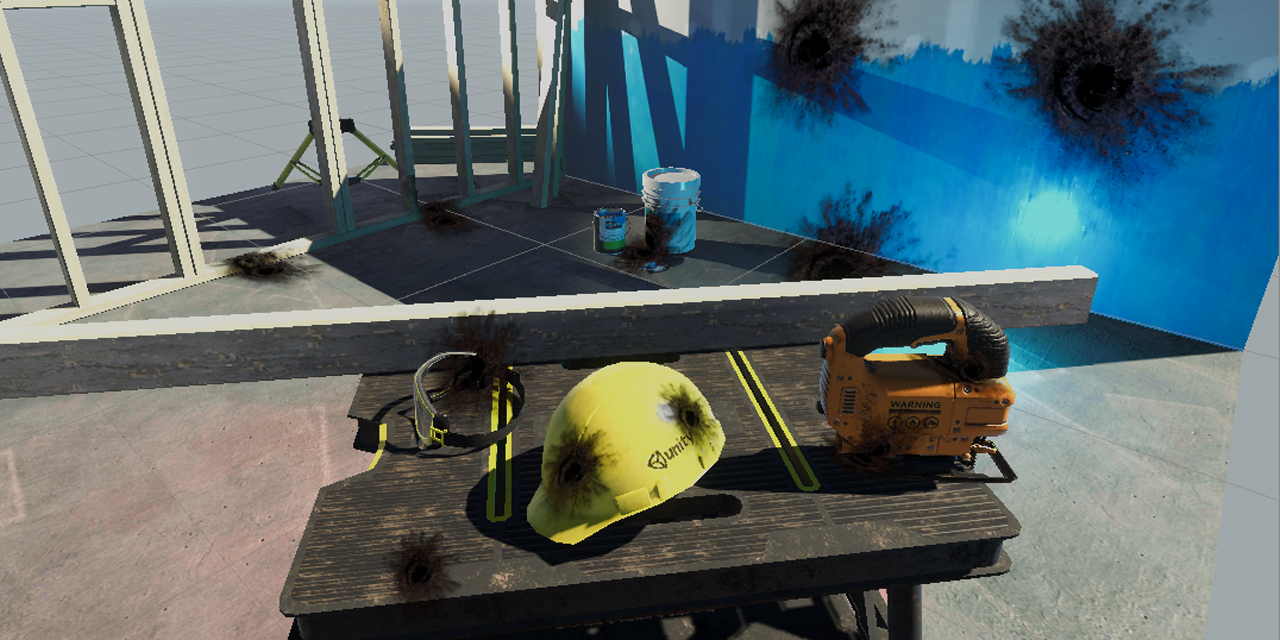
Unity unlit screen space decal shader for URP. Just create a new material using this shader, then assign it to a new unity cube GameObject = DONE, now you have unlit decal working in URP - ColinLeu...
and I could swear there was even one more unlit decal system for URP
I couldn't find a link on quick search tho
granite grotto
I saw the second one, it's a bit of headache to add lighting there
in general I got the direction. thanks a lot!
turbid matrix
np. good luck 🙂
 dawn sorrel
i'm using the dither postprocess from this https://github.com/Kodrin/URP-PSX
but the effect is too strong, the 'strength' float in the script doesnt have any other mentions... how can i reduce the opacity of the effect? or can i set it to overlay style or something like you can in photoshop?
 turbid matrix
if you have to crosspost, at least link to the channel you originally asked the question at: #💥┃post-processing
/ https://discordapp.com/channels/489222168727519232/497873924504420362/730972486258393154
 narrow whale
 scarlet hull
Depends of the needs of your project
 fast pumice
Hi, guys. I have run into an issue with URP and android platform. When I check "Opaque texture", i am not able to see world space UI in build (Still see it in editor). I really need opaque texture enabled. any idea what i can do? is it a bug?
do i need some special material on UI to make it work with opaque texture?
dawn sorrel
Hey there, I need a bit of help to find the best solution.
I want to use shader graph, but I am currently on the default render pipeline. What should I switch to if I don't want to use the new texture system or is there an easy way to use the old textures without modifying them?
 rich spade
@dawn sorrel if you want to use a shader graph with default render pipeline there are some on the asset store you can buy to do that.
If you want to use Unities built in shader graph you need to switch to either URP or HDRP.
Unless you are aiming at high end PC's URP is probably your best bet and simplest to get to grips with.
Otherwise choose HDRP 😉
dawn sorrel
I guess I will stick to HDRP then, however last time I was going with HDRP it was using the other texture format, any easy way to use my old textures?
(at least the materials I got after conversion required those)
rich spade
this is why I generally suggest URP as being nearest to standard pipeline in my opinion. You can if I recall generate the textures for new materials within the editor, but it's probably quicker to alter your workflow to accommodate HDRP directly. If you use things like Substance painter / designer you can generate the textures by just remapping your output etc.
dawn sorrel
I see, well thanks a lot for the advice. I guess I will just make couple backups and try both to see what will do the best.
rich spade
would be best way ^^
dawn sorrel
Cool, thank you
scarlet hull
What do you call "old vs new texture system" ?
 indigo summit
maybe he talking about the packed texture for MRAO?
rich spade
I assumed he meant this too ^^ but it's bad to assume, just makes an ass of u and me
scarlet hull
Well, if it's only that, it's not a big deal to make a HDRP shader with shadergraph that uses the EXACT same texture inputs as built-in
turbid matrix
I don't quite understand the question either
like if it's a simply matter of updating from built-in project that uses unity standard shaders... then that's what the material upgrade script is for
rich spade
🤔 HDRP graph to remap inputs. I never considered that, good idea!
But if I went hdrp I would just adjust my workflow, it's only if your not the asset creator it can become a chore I imagine.
dawn sorrel
Oh, I seem to have caused some chaos here, sorry. Yes "Remapping inputs" would be the thing I would look into. I do not have quite enough experience with all this and so I miss some of the correct names for this stuff
turbid matrix
@dawn sorrel what I tried to tell is that there's a material upgrade script that also takes HDRP texture packing into account: https://docs.unity3d.com/Packages/com.unity.render-pipelines.high-definition@7.4/manual/Upgrading-To-HDRP.html#upgrading-materials
it only works from stock unity shaders to hdrp shaders, so if you had custom shaders setup on built-in, it can't know how to convert the inputs to HDRP shaders
 outer shore
Hello everyone, I'm creating and setting tiles in tilemaps dynamically through code and I have these artifacts in between each tile.

The thing is when using tilemaps normally, these artifacts do not appear
Some of these artifacts went away when pixel snap WAS NOT disabled, but now that it is enabled as it is a need for me, these appear.
dawn sorrel
@turbid matrix which channel is the right one to ask in? cause i haven't received an answer in either
turbid matrix
@dawn sorrel #💥┃post-processing or #archived-shaders
dawn sorrel
alright
 unkempt python
Hey, i need little help! Am creating HDRP game with realistic graphics and i wanna use Unity Standard Assets water... But if i drag "WaterProDaytime", whole scene goes grey and when i hit Game mode i cant see water or it is just black? Can i solve this problem and how? 
rich spade
@unkempt python the Unity Standard Assets water as far as I know is not URP/HDRP compatible and is quite old 😉
I'd advise either finding an alternative community one, write one in shader graph or buy from asset store.
unkempt python
Okay... Can you recommend something? @rich spade
rich spade
@unkempt python one of the most realistic waters I'm aware of is Crest which has released a HDRP version. Although this is currently more aimed at Ocean simulation.
It depends on your requirements, as you were just going to use the Unity Standard water. Following a shader graph tutorial for water will yield similar results and only cost your time. Benefit is you learn a few new skills along the way 😉
unkempt python
Ok, is there any tutorial for beginners? And can you link it. @rich spade 😀
rich spade
@unkempt python this is a fairly solid tutorial https://www.youtube.com/watch?v=FbTAbOnhRcI
If you do a search on net you will find a few simpler ones too.
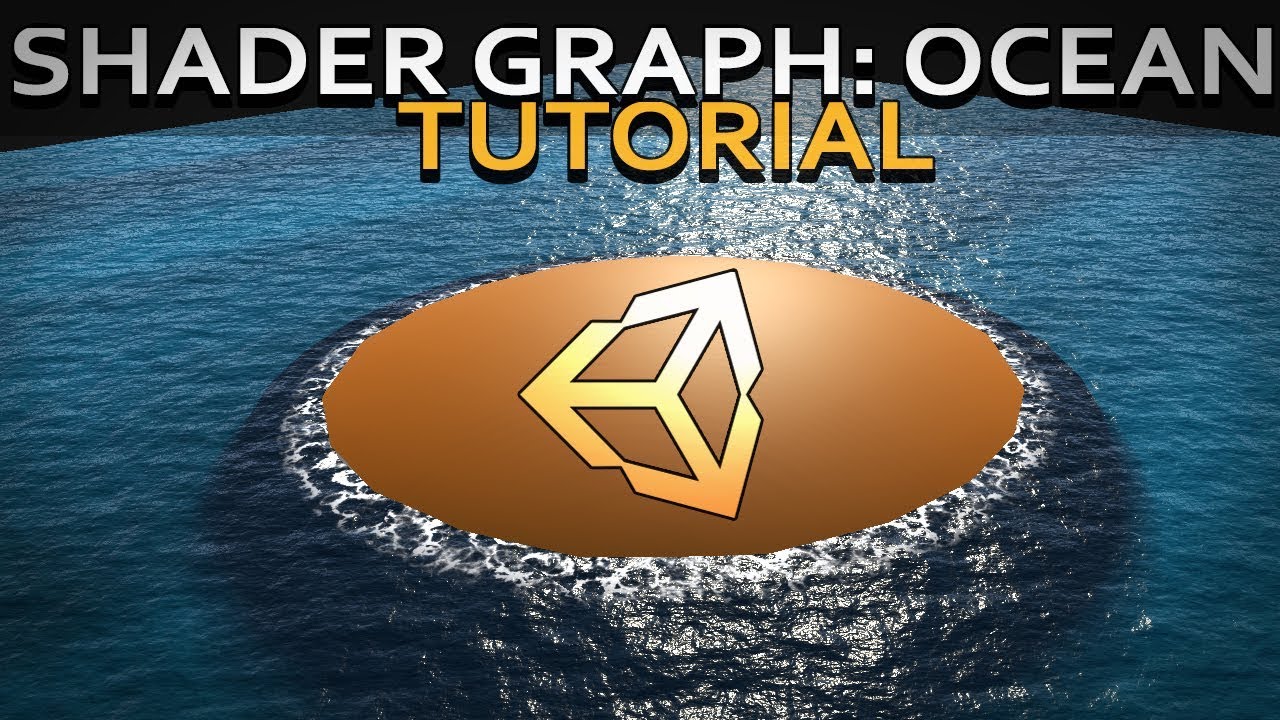
Hello and welcome to, like, the 10 millionth water tutorial I’ve done. In this week’s video we’re looking at some more in-depth Unity Shader Graph features to make water, or an ocean, with shoreline/edge foam, depth, and waves.
Shader is compatible with HDRP., Edit: it used...
unkempt python
Thanks, i try my best!
dawn sorrel
...
 iron quartz
?
 upper swift
So i just installed the universal pipeline, got everythign converted, looked fine in the edtior, then after I hit play.. this happened. lol anyone have an idea?
nvm... i reset the skybox mat and it fixed it
 stable acorn
how do i get volumetric lighting with urp?
 tranquil beacon
i just heard Brackeys say that emission can only be exceded by a value of 1 in HDRP... is this true? because I have conflicting data
 turbid matrix
it's pretty pointless to even start guessing without knowing the context he said it
also, there's a lot of misinformation from Brackeys when it comes to SRPs, I wouldn't just believe it all
 drifting vault
Hey Remy (no pings at weekends), sorry for ping at weekends, but is there a way to make SSGI ignore volumetric lighting and fog?
Im not that volumetric fog cause white AO on objects
SSGI + Volumetric light disabled
And some reason SSGI works at half screen only in camera view ?
Scene view
Camera view
tranquil beacon
@fiery marsh i believe ur correct thanks
scarlet hull
Maybe these are valid bugs to report :/ @drifting vault
drifting vault
will try to examine what cause that bug
turbid matrix
@drifting vault does that happen if you only have game or scene view active at once or does that happen regadless if both are open at once?
there's been x amount of cases on HDRP in past where game and scene views mess each others up
drifting vault
I was had two views enabled.
turbid matrix
I think I last I've reported bug for SSAO doing that
drifting vault
but that happening even if i have only 1 view
dawn sorrel
Hello I want to add URP to a project that i work on, basically to be able to use shader graph
The problem is that I use DrawMEshInstanced to render vast amounts on meshes in the scene dynamically. Is there a way for these two to be combined? and also being built for WebGL
 waxen lantern
@dawn sorrel applicable slides from "Best Practices for Shader Graph" talk https://www.slideshare.net/unity3d/best-practices-for-shader-graph
 dawn sorrel
dawn sorrel
@waxen lantern I think this is about you instancing, like the automating batching that unity does with same materials.
Is it applicable for explicit batching with materialpropertyblocks and per instance attributes?
 gilded maple
Hey, how can I make an object be rendered at an infinite distance ?
I want to create an object that always have the same dimensions no matter where I am in the scene
 sweet wagon
Hi, I have a simple question. I am developing a 3d mobile game, will using Linear color space impact performance for me?
 maiden coral
@sweet wagon yes
 weary fog
Does the SRP Batcher work with skinned meshes, I'm seeing a lot of conflicting information? The slides that landon sent says it works with skinned meshes. However, there's a Unity blog post on the SRP Batcher saying it isn't compatible with skinned meshes. To make it even more confusing, the official documentation says the SRP Batcher both is and isn't compatible with skinned meshes
turbid matrix
I'd guess you've read older blog post that just indicated the state at that moment
weary fog
That's what I thought, but the official documentation says it supports skinned meshes but it also says it doesn't support skinned meshes
waxen lantern
@weary fog I'm sure some of the docs were just never updated so it's a mix of old and new info as @turbid matrix suggested. The documentation is all written incrementally.
 magic crow
Hello! In Unity 2019.4.1f1 I go to build my game and the first two scenes of the menu and loading screen work, but then the game shows a white or black screen.
AsynceResourceUpload failed.
DoDecruncherJob failed.
are the two errors i get in the error log
I am running HDRP 7.3.1 as it's verified for 2019.4
These are the full error lines that appear in the Log File when i build it and the black screen appears before becoming unresponsive

A simple website for pasting text, mainly code snippets.
indigo summit
is 10x and the new hdrp template are released already? 🤔
magic crow
on Unity documentation it looks like theres newer ones, but in engine 7.3.1 is verifified LTS for Unity 2049.4 whereas HDRP 7.4 is not
2019.4 not 2049.4 *
 glad tartan
@indigo summit Not released yet but you can use the new template if you get it from github. Been messing around with it for a few days, the glass case in the middle kills performance though. Didnt look too deep into it but it wasn't necessarily the glass there that's tanking performance. Might be addressed before the final release though
indigo summit
how to use the template from github? just pull it as a new project? or i need to build unity project template?
glad tartan
No, if you already pull the master or staging branch then you should already have it. Just open it as any other project - https://github.com/Unity-Technologies/Graphics/tree/master/com.unity.template-hd

GitHub
Unity Graphics - Including Scriptable Render Pipeline - Unity-Technologies/Graphics
You can see it's just a regular project
glad tartan
You have to do that manually. The auto upgrade is only from Built-in to URP or Built-in to HDRP there's nothing to help with switching between SRPs
glad tartan
SRP Switching
Remove HDRP and Get URP
Setup the URP pipeline asset and Assign it
Asset Tweaks
mainly just changing all the material shaders to URP shader then adjusting the light intensities, shadow settings, etc
that should be it
 stiff marsh
ok thanks dude
indigo summit
anyone ever pack normal map to 3d texture or render texture?
what is the texture format for them?
woops wrong channel my bad, i should've asked in shader
 torpid bluff
I can't find a clear answer on the web, does Unity support hardware HDR ? I mean the thing some modern game let you enable and used by high end screens.
like HDR600/HDR1000 screens
turbid matrix
@torpid bluff yes, but that only works if you use built-in renderer afaik
official docs state this for HDRP and HDR output: No, however this feature is in research for HDRP.
I have no idea about URP as docs just have "HDR" in the feature comparison table, this can mean two different things and usually they don't mean HDR output when they talk about it
only if you want to have specific SRP asset per your quality level @mystic pine
basically what the quality version does is that you can conf separate SRP assets for different quality levels
np
torpid bluff
@turbid matrix thank you for the precision, i'll wait for the HDRP implementation
turbid matrix
@mystic pine not sure I understand the question. Bloom doesn't make your perf any better
I have no idea on specific URP settings but I don't think there's that much to conf in general in URP tho, you could just look around the URP renderer asset and PP effects settings
magic crow
I removed the loading screen that was connected to my project and just tried playing the game by itself but an error log wouldn't populate, it just became unresponsive
AsyncResourceUpload failed.
(Filename: C:\buildslave\unity\build\Runtime/Graphics/AsyncUploadTexture.cpp Line: 632)
was a previous error, i've heard of Async scene loading, but im honestly not sure if thats what this is. Im not sure why the game wont function
i also tried digging through Drive C: while the game was running to look into the backend during "gameplay" but i couldnt find anything
all objects in the scene have been upgraded to HDRP materials and HDRP/Lit , i followed the Unite Copenhagen and other HDRP videos from Unite events and Unity in general
magic crow
Update: I noticed when it builds with only the one scene of the game, its a gray screen its stuck on. dark gray, same shade as the "Made with Unity" splash screen. The game first loads as a black screen but then quickly transitions to the dark gray
im breaking down the game and trying to load 1/3 of it at a time but idk what else to do
 red veldt
figured ou i have to update later one version
but does anyone know how to update without getting errors
 slow bloom
I am using the URP, Is there a video on shadows? How each setting affects shadows? (Shadow quality, cascades, soft shadows..)
What is the difference between shadow cast modes? (I can't see any difference between "On" and "Two Sided")
 kindred kiln
I'm getting dark edges along terrain patches when I bake. any way to avoid this?
terrain is just a mesh I brought in with some splits in it
 celest ice
are those bits together in the lightmap?
kindred kiln
no, they are islands
celest ice
might work better just having lightmap coords be like (0,0)-(1,1) over the whole thing?
kindred kiln
Is there any way to bleed out the edge of islands when baking?
celest ice
not that i know of.. even 2 cubes perfectly aligned tends to be visible on lightmaps from what i've seen
kindred kiln
I would like to have edge dilation.
I can see the lightmap is just blending across a dark border
 celest heath
im very new in pipelanes and i just have no idea where to begin
the question is do I need pipeline in my mobile game?
the game looks terrible at the moment everything is baked
celest ice
depends what you want to do.. the standard pipeline can definitely look better than that
is everything static? i don't see anything that looks baked
celest heath
not everything
but stand and stuff behind that red stand are static
other objects has to be non-static
i got two lights and they are set to baked mode
celest ice
you probably won't really see it on that black stuff
have you actually baked the lighting too?
celest ice
baked lighting doesn't really do much to reflective surfaces
a reflection probe might help
the main part that looks wrong is obviously that black/red thing though
celest heath
i set objects to have their have generated uv maps
it looks better now th
or no XD
celest ice
try baking a reflection probe?
celest ice
looks like the reflection probe has no light on the top half of it
screen space reflections can look good too.. but not sure if that's in URP or suitable for mobile
just using a scriptable render pipeline is unlikely to make it suddenly look significantly better anyway
improving the lighting, reflections and textures is
celest heath
it just stuck
 zenith vortex
hi so i have a thing i can't really fix because i dont know
it's like the sky is super super bright
if i look to the ground
and if i look to the sky
it gets normal but the ground gets super dark
why do i get this
the options are already made from a scene by an asset so it shouldnt be like this i guess🤷♂️
gilded maple
Automatic exposure, you can deactivate it in the post processing options and change the sky intensity
Idk if anyone can help me with this, but when I activated Automatic exposure, if I go in a shadow the exposure raise, but everything is kind of black and white
When the sun rise or set everything is gray except the sky
Ok I got it, dynamic ambient mode was disabled
zenith vortex
ok and what do i choose instead of automatic?
gilded maple
Fixed
zenith vortex
and what would the amount be?
gilded maple
You can change it as you need
Change it until your scene become well exposed
it depends on the intensity of your sun
If you're using real values like 100000 lux 12 should do it
gilded maple
wtf
zenith vortex
on directional light
and -3 on exposer on post process
look
if i go to 10000 lux this happens
zenith vortex
gilded maple
use 12
zenith vortex
it's kind of the same
i dont have the problem with the sky going nuts
anymore
but it's this weird yellow tint everywhere now
and even the sky is weird if you look at it
ok changed the tint of bloom it's a bit better
gilded maple
you can change the intensity of your sky
zenith vortex
yea..
i don't know which is my sky
i drag and drop another one
with clouds to see if it changes
and it's the same
i created a hdri sky in volume
and added there a sky
still doesnt change
and i also get this
night with sun
 hazy yoke
well thats clearly a bright moon
 frigid cypress
technically a "bright moon" is night with sun, since the moon just reflects sunlight 🤓
hazy yoke
@frigid cypress NEEEEEERD
frigid cypress
i'm here to be correct, not helpful
 cinder sundial
Hi, im using 2019.4.1 with the HDRP 7.3.1. Now if i want to upgrade to HDRP 7.4.1 this error occures. Anyone knows why?
NullReferenceException: Object reference not set to an instance of an object
UnityEngine.Rendering.HighDefinition.SkyManager.UpdateEnvironment (UnityEngine.Rendering.HighDefinition.HDCamera hdCamera, UnityEngine.Rendering.ScriptableRenderContext renderContext, UnityEngine.Rendering.HighDefinition.SkyUpdateContext skyContext, UnityEngine.Light sunLight, System.Boolean updateRequired, System.Boolean updateAmbientProbe, System.Boolean staticSky, UnityEngine.Rendering.HighDefinition.SkyAmbientMode ambientMode, System.Int32 frameIndex, UnityEngine.Rendering.CommandBuffer cmd) (at Library/PackageCache/com.unity.render-pipelines.high-definition@7.4.1/Runtime/Sky/SkyManager.cs:705)
magic crow
In build mode this is a small section that pops up in the error log on a dark gray screen
WARNING: Shader Unsupported: 'HDRP/Unlit' - All passes removed
WARNING: Shader Did you use #pragma only_renderers and omit this platform?
Shader 'Light/RGB': fallback shader 'Lightbeam/Lightbeam' not found
magic crow
@cinder sundial it could mayybe be that the other dependencies of HDRP 7.4.1 are not updated to match it; but also 7.4.1 version is not yet verified with that Unity editor version
 green musk
Where is the Renderer Features in the HDRP asset?
turbid matrix
in short, HDRP isn't configured same way as URP
green musk
oh. so it just isn't possible to add custom render features to HDRP
turbid matrix
even that works differently on HDRP
there's custom passes and custom pp passes on HDRP
green musk
No idea how to use those. I guess I can quickly port my game over to URP. There isn't really anything that relies on HDRP yet
I'll check out the link though
turbid matrix
if you want to see the simplest example, check this SG example: https://docs.unity3d.com/Packages/com.unity.render-pipelines.high-definition@7.4/manual/Custom-Pass.html#example-glitch-effect-without-code
no coding required, only SG
but what you can do with SG is really small part, for advanced effects you need to do c# and shader work
green musk
oh. I see. So you used the Volume component istead
turbid matrix
custom passes have their own special volume
custom post processing passes use the regular volume setup
(where other PP effects are)
green musk
I don't actually know any shader labs so I may be a bit stuck
turbid matrix
what kind of effect are you looking to have?
green musk
just CRT and other old monitor effects
turbid matrix
you can do those directly on SG without any custom pass stuff
green musk
yeah but the examples appear to have some shader labs in it
turbid matrix
oh wait, you mean like for whole screen?
turbid matrix
that would be custom PP effect then
green musk
k. I'll just read through the manual
green musk
if I can't get it too work then I will just switch to URP, but this does look like what I ewant
turbid matrix
they have greyscale shader there, but you could just swap it to any image effect you want to implement
turbid matrix
only text based shaders for now
green musk
oof. Might not be what I am looking for then
I could just used the Custom volume effects with a _MainTex
that would work fine
turbid matrix
if you look at the last example I posted, Unity ships with you with prefilled template that does most of that for you already
for most basic effects, you'd only swap this part for your own: ```cs
float4 CustomPostProcess(Varyings input) : SV_Target
{
UNITY_SETUP_STEREO_EYE_INDEX_POST_VERTEX(input);
uint2 positionSS = input.texcoord * _ScreenSize.xy;
float3 outColor = LOAD_TEXTURE2D_X(_InputTexture, positionSS).xyz;
return float4(lerp(outColor, Luminance(outColor).xxx, _Intensity), 1);
}
yes but I can't really use that though because I only know how to make shaders in shader graph and that doesn't work with this
turbid matrix
yeah, HDRP expects you to know a bit more technical stuff if you need to do anything custom
green musk
exactly... maybe I should just switch to URP. it would be easier
turbid matrix
it's not entry level renderer in any sense really. all settings are bit more complicated
turbid matrix
yeah, HDRP is pretty featured out of the box in comparison to URP, or even built-in
for built-in you can always find 3rd party assets to fill the gaps though
green musk
yeah, but I like making stuff in shader graph and that is only supported in URP and HDRP.
thanks for your assistance
turbid matrix
there was an early draft for HDRP and SG based custom passes specifically but I dunno if that's scrapped now or still happening
there's also this on Shader Graph roadmap, marked as next-up: https://portal.productboard.com/8ufdwj59ehtmsvxenjumxo82/c/55-single-pass-post-effects-support
We're going to provide a full-screen Blit Shader that will allow for single-pass post-effects and screen overlays.
but it's very vague and not clear at all if that would apply for URP, HDRP or for both
I'd assume that the goal would be to make it work on both
 upbeat umbra
I dont know where to ask this, so Ill ask it here, when I am trying to use URP's own post processing component, it does not work, I have searched for solution for 2 days
turbid matrix
@upbeat umbra you use the volume setup?
upbeat umbra
yes
turbid matrix
you've enabled PP on camera?
upbeat umbra
yes
turbid matrix
there is a checkbox I think
URP asset is configured to use integrated PP? (only option on 2019.3/2019.4)
upbeat umbra
How should I configure it? there is no checkbox or anything
just Gradient mode and LUT size
it is using the 2d renderer
turbid matrix
@upbeat umbra which URP version?
upbeat umbra
7.1.8
upbeat umbra
It says up to date
turbid matrix
7.1.8 is probably the verified release for that editor version, hence it suggests that
you can still update it via package manager
also have you tried other PP effects ?
turbid matrix
7.1.8 does explain why you don't see the PP type toggle in the URP asset btw
they only added it little after it
but I'd still try 7.4.1 as it has plenty of 2D renderer fixes in general
upbeat umbra
hmm. Somehow it still worked for me in a another project..
Trying to upgrade
Still, nothing..
 frozen dust
Hi. I am trying to make an fps and am using the latest version of urp from the package manager. With the standard render pipeline I could use 2 cameras so that the gun rendered on top always. I cannot however seem to figure it out with urp. How would I go about doing this. Thanks in advance
frozen dust
I do have newer and can camera stack but i don't know where to go from there
turbid matrix
have you followed that doc?
frozen dust
yes
turbid matrix
I bet there are x amount of youtube tutorials on this topic too, in case they help
frozen dust
Im trying to render an fps layer which contains the gun on top of everything else
I bet there are x amount of youtube tutorials on this topic too, in case they help
@turbid matrix I have tried. With HDRP i could do custom render passes which I can't do on urp.
turbid matrix
yeah I really meant like with that stacking setup
there are also other ways to make sure gun doesn't clip
I think this had gun rendering done in renderer feature: https://www.youtube.com/watch?v=5AmI2yOx0Nc

Learn how to create a first person shooter style camera in Unity that will not clip through walls, without using multiple cameras. This FPS camera is created using Unity's Lightweight Render Pipeline or LWRP using scriptable render passes. Download the demo project here: https...
frozen dust
I'll have a look thanks!
frozen dust
@turbid matrix The video shows performance optimisations but doesn't solve the gun cliiping into the walls
upbeat umbra
Maybe make the gun smaller, and closer to camera?
Something like this.
the sprite is what I mean
frozen dust
Possibly but is there currently no way to do it via camera stacking or render passes as it would be helpful later on when there are more fps objects on the layer
turbid matrix
@frozen dust from video description: Learn how to create a first person shooter style camera in Unity that will not clip through walls, without using multiple cameras
I also earlier quickly jumped through that and it did show how
frozen dust
Hmm maybe I am not doing it correctly then. I'll try again and see
turbid matrix
 carmine edge
Hello, can i have two different rendering volumes in unity for example one set of settings for the outside and one set(more detailed) for the inside?
frozen dust
Yeah you would have a box volume if you wanted it to affect only a the area within that box
Global volumes affect the whole scene
carmine edge
what s the object component with that property and how do i bake only a volume with those settings?
turbid matrix
@frozen dust on your renderer features, you can make the override for depth test to always
vs
frozen dust
Ok I'll do that
Ok that fixed it. The event had to be after opaques wheras the video was rendering before opaques
Thanks
carmine edge
@frozen dust can you help me with those different zones of rendering?
frozen dust
Sure
carmine edge
thank you
dawn sorrel
Hey there, i currently do a material override custom pass in urp to render cloud "shadows"over the whole scene based on world space uvs.
the problem i encounter is: those get also drawn in the shadowed areas.
can i use the shadows from a baked directional light as a mask to not draw my the material override in those areas? as written
i use urp and therefore shadergraph.
ps: not entirely sure, if this is the right channel, probably in the shader section this can be right as well?
glad tartan
@turbid matrix Hey, I remembered you used the stencil buffer in HDRP (Don't remember if you did it with custom passes as well after it was properly supported) could you give a quick overview of how to set that up please? Can't find any proper info on that. (Not too advanced or intermediate on the graphical programing side of things)
turbid matrix
there's a short video clip before that message
there's two things to note though
- that stencil write material does overwrite existing stencil bits, so if you've set something on the material manually or Unity has set something, overwriting the value will clear the old bits
- apparently that doesn't work as is on 10.x anymore
I haven't checked what has changed but I suspect there could be some change on custom passes itself that broke that as I don't think the stencil write shader itself is changed that much
glad tartan
Ah alright, was this with the new stencil updates that properly exposes them?
turbid matrix
basically the stencil write shader is from here: https://github.com/Unity-Technologies/Graphics/blob/master/TestProjects/HDRP_Tests/Assets/GraphicTests/Scenes/2x_Lighting/2208_And_2209_Reflection_Stencil/StencilWriteShader.shader
GitHub
Unity Graphics - Including Scriptable Render Pipeline - Unity-Technologies/Graphics
this test project still works so you could take a look at it too
scene 2208 if I remember right
glad tartan
Ah alright, thanks
I wonder if they will make this more simple and properly works with the custom pass system
before I asked you I was trying to do with with custom pass. Regular Draw pass to get the stencil and fullscreen pass to apply it. (Similar setup to the Outline one alelievr has on github examples)
turbid matrix
I'd love to be able to set the user bits from SG and HD stock shaders (like SSR and decal stencil bits currently)
it could easily be on the hdrp template without extra cost
now we have to do extra pass for the stencil pass to set the custom bits
@glad tartan as for the stencil bits, you probably found this already but they are defined here (along with explanations):
https://github.com/Unity-Technologies/Graphics/blob/master/com.unity.render-pipelines.high-definition/Runtime/RenderPipeline/HDStencilUsage.cs.hlsl
https://github.com/Unity-Technologies/Graphics/blob/master/com.unity.render-pipelines.high-definition/Runtime/RenderPipeline/HDStencilUsage.cs
there are also plenty of "free" bits if you don't use specific feats, like TAA or SMAA
glad tartan
Yea, I would have to search for this, thanks.
I just hope it's better integrated with custom pass and Shader Graph
Also this is more of a shader question but I'm not sure anyone the mess with the bleeding edge stuff on github. Have you ever tried making a custom Shader GUI for shader Graph shader? It's been in shader graph since 8.x.x i believe but It never worked and recently I saw a PR and commit that mentioned something about fixing this and making it work.
frigid cypress
what do you mean it never worked?
glad tartan
The properties weren't rendering in the editor. I was using the regular shader GUI docs (for built-in renderer shaders) to do it since I didn't find any docs on it in the Shader Graph Package on it. So maybe that's not the same for Shader graph shaders.
This was a few months ago though. Haven't tried it recently, might be all good now.
frigid cypress
no, they are the same as regular shader gui files
glad tartan
I'll try it again later today and soo how it goes
frigid cypress
if you give it a shot lately and it still doesn't work, double check that your strings are all pointing to the right place and if so file a bug ¯_(ツ)_/¯
i've not seen that happen before except in user error on the script sadly
so if it is broken i'd like to know haha
glad tartan
Yea, I'll check it again today and report back on it.
Also, is the custom foldout drawers accessible to us? Last tiem I tired to use it it said it's protected
frigid cypress
i have no clue on that one
i think that's something that the HD team wrote so i imagine not
glad tartan
Ah alright. Guess it's something I'd have to try and recreate, thanks
kindred kiln
Has anyone used Bakery?
I don't understand how to mark something to use lightprobes in Bakery - it wants to lightmap everything.
 solid patio
Hello!
I have a question
with PPSv2 and URP (7.4 the compatible one)
how do you get a post processing volume with PPSv2 to work with it?
I have a test level
but it's not working
is there anything I need to set up?
 fiery marsh
@solid patio There should be a "Feature Set" option on the URP Asset which should be set to PPv2 if that's what you want to use. Then the PPv2 volume and layer components should work. (see https://cyangamedev.wordpress.com/2020/06/22/urp-post-processing/ for more info)
solid patio
OMG CYAN YOU ARE A LIFE SAVER
 ripe quail
Not really sure, maybe this is a better place to pose my question instead of shaders.
Anyone have a good grasp on the HDRP custom passes? I'm trying to apply a shader to an occluded object, and changing it's depth to be visible through objects:
But I'm not sure how to handle the non-occluded part without resorting to the forward renderer in a second custom pass (and the fog no longer is rendered). Here's what my custom pass looks like:
I think this is a lot easier to accomplish in URP, hopefully it's achievable in HDRP
glad tartan
@ripe quail I would say take a look at the code for this effect here - Seems to be doing the same thing you want for a part of it
https://user-images.githubusercontent.com/6877923/66143724-f02ab100-e607-11e9-9fbf-af639112d17a.gif


It's the Behind Factor part

GitHub
A bunch of custom passes made for HDRP. Contribute to alelievr/HDRP-Custom-Passes development by creating an account on GitHub.
ripe quail
@glad tartan Interesting, yes, that looks right. Thanks for sharing! I'll take a look at this and see if I can solve my issue
glad tartan
No problem, hope it works out for you
indigo summit
@ripe quail https://www.youtube.com/watch?v=vBqSSXjQvCo

When using the High Definition Render Pipeline (HDRP) we can use a custom pass to change materials on scene geometry, change the draw order in which objects being are rendered, and read camera buffers to use in our shaders. In this video, we'll take a look at how we can build ...
dawn sorrel
Guys i found these texture filtering best practices online and i would like to have your opinion/experience on this. Do you agree/disagree and what have you done in the past that worked for you?
- Use bilinear filtering for a balance between performance and visual quality.
- Use trilinear filtering selectively. This is because trilinear filtering requires more memory bandwidth than bilinear filtering.
- Use bilinear and 2x anisotropic filtering instead of trilinear and 1x anisotropic. This is because this combination of filtering techniques can both look and perform better.
- Keep the anisotropic level low. Only use a level higher than two for critical game assets.
turbid matrix
in general, you'd tweak it manually for the assets that suffer from cheapest option (bilinear)
bilinear will look horrible on anything that goes further up in view, like ground materials
as for anisotropic, many games just expose a setting that lets you tweak this, your target platform also plays a huge role on how tightly you need to optimize these to push the limits
dawn sorrel
I am unsure about the performance implications of changing a large amount of textures from bilinear to trilinear
indigo summit
No, if you already pull the master or staging branch then you should already have it. Just open it as any other project - https://github.com/Unity-Technologies/Graphics/tree/master/com.unity.template-hd
@glad tartan what unity version that the template compatible with? i can't get it to work with a18
GitHub
Unity Graphics - Including Scriptable Render Pipeline - Unity-Technologies/Graphics
oh nvm it work now
wow, what's with the glass cube in the middle of room. It eats the whole fps
drifting vault
@indigo summit really? maybe they use real-time 4k reflection probe? 😄
drifting vault
GitHub
Purpose of this PR
This PR is adding shadow computed from the cloud layer.
I tried two method, I think the second one is better
First method: It tries to show the cloud shape on the ground but this...
dawn sorrel
so anyone know what hdrp version is in latest unity beta and alpha ?
scarlet hull
2020.1 : 8.2.0 (or at least, will come soon)
2020.2 : no embeded version for the moment but will be 10.0.0
turbid matrix
8.2.0 seems to be in the registry at least: https://packages.unity.com/com.unity.render-pipelines.high-definition
additionally there's 9.0.0-preview.33
indigo summit
how i can i make HDRP package editable? UPM always reset all my changes
indigo summit
it seems probe volume are not supported anymore in 9xx huh?? 😦
also how do you use SSGI though? it seems i didn't have any effect when i turn it on
glad tartan
It's mentioned that they wanted to focus on visuals at max quality (from what I read in two of the text files with the project - Read Me and another I forgot)
The Glass Case in the middle of the new HDRP Template scene eats performance no matter what you do. (It's not the glass that's the cause)
- Made reflection probes only bake on enable.
- Turned off tessellation on the bamboo trees
- Used the default HDRP Asset and Quality settings instead of Ultra. (Only difference with ultra is higher res shadows , higher precision Color Buffer R16, and Shadow quality high)
- Set all lights to cache shadows on enable
When I checked the profiler with the build I made at the spot with the glass case. It was confusing.
Main Thread saying it's waiting on GPU. Render thread saying it's waiting on CPU
By default the scene is locked to 60 fps I think or maybe even 30. It had Vsync on and I always disable that so didnt pay too much attention to which was on.
So I guess most people might not see the perf dip unless they unlock the framerate and/or have a graphics card that is older and less performant that drops below 60 there.
In the editor it runs horrible but in a build I get a little over 6ms not looking at the center and around 16ms or a little below at times looking at the glass case in the center.
I'm not sure what's up with that part of the scene.
Hopefully it will be sorted out because this might give new users a bad impression on performance for HDRP (since this scene is so simple)
scarlet hull
To edit the packages code/asset, you need to use a local copy of the package.
turbid matrix
easiest way to do this: install HDRP via package manager, after this navigate to your project/Library/PackageCache and move the HDRP package folder into your projects Packages folder
Anything you place in packages folder gets automatically picked up by Unity and you don't have to do any modifications to manifest
PM used to have a button on some beta versions that did this automatically but it got scrapped for whatever reason
indigo summit
ah i see
turbid matrix
I personally just use git clone from separate location and put folder refs to the manifest.json manually
but to get back to the point, anything in library folder can get overwritten, don't mod anything there
this is folder you should always treat as cache which can change any point in time (which is why we don't even put this in version control)
indigo summit
@glad tartan yeah that middle room performance are quite weird though. i hope that's fixed before HDRP template are released
celest heath
I don't have additional light shadows in my build but I do have them in game scene and play mode
what's wrong? I use urp
how do u reduce the resolution?
and how does it look with reduced reso?
if it's playable then it's fine i guess
and you can add settings where player can change their reso
it's for high end mobile users i guess
do you have any additional lights in ur game?
ah
i got these shadows in play mode
so it works fine
but in the build these shadows are gone
build
yes
i just wanna try it lol
how?
u mean this?
sad
ripe quail
https://www.youtube.com/watch?v=vBqSSXjQvCo
@indigo summit I had seen that video, but it doesn't help in the case where I am trying to render an occluded object on top of what's occluding it (with a special shader, of course).
When using the High Definition Render Pipeline (HDRP) we can use a custom pass to change materials on scene geometry, change the draw order in which objects being are rendered, and read camera buffers to use in our shaders. In this video, we'll take a look at how we can build ...
drifting vault
@indigo summit to use SSGI make sure you have volume with SSGI, then make sure you enable it on camera and scene camera frame settings
turbid matrix
@drifting vault You dont have to do it from camera if you just enable it globally from project settings->hdrp default settings->default frame settings
You may need to also enable it from hdrp asset
carmine edge
Does anyone know how to have two lightmap settings in one scene (in my game is a house in the forrest) one for inside the house(very detailed with bounces) and outside which i want medium res
turbid matrix
@carmine edge each mesh in the scene has Lightmapping->Scale In Lightmap value
you can just put higher scale on the indoor meshes
you'd probably need to separate house exterior and interior to separate mesh assets so you can set these separately as well
carmine edge
@turbid matrix thank you i have even found the lightap paramters field where you can add profiles
 timid moat
Has anyone run into issues with the Unity Editor crashing on Linux when exiting play mode? Seems to have something to do with HDRP and Vulkan.
2019.4.0
actually, 2019.3.17+ so far
zenith vortex
do you guys know if aquas works with hdrp?
turbid matrix
@zenith vortex it doesn't
zenith vortex
oooof
turbid matrix
if you need water for HDRP, there's crest for hdrp
also some wip version of integrated water solution but there's like no news if it'll ever get merged
screencapture of the PR on the old SRP repo: https://imgur.com/a/w9L59Mx
zenith vortex
oh ok, thanks
drifting vault
@zenith vortex i use this one water solution for HDRP https://assetstore.unity.com/packages/tools/particles-effects/crest-ocean-system-hdrp-164158

Use the Crest Ocean System HDRP tool for your next project. Find this and more particle & effect tools on the Unity Asset Store.
turbid matrix
that would be the Crest for HDRP I mentioned
I'd love to hear some background on the water thing
if I had to guess, the built-in water is not going anywhere
indigo summit
my guess is until there's a tessellation support for SG?
glad tartan
I would hope they bring in the water system at some point. UE 4.26 will have a default water system with gerstner waves and all.
unkempt python
Can i use Unity Book Of Death models without HDRP?
indigo summit
I would hope they bring in the water system at some point. UE 4.26 will have a default water system with gerstner waves and all.
@glad tartan True, with the new SingleLayer Water Shading
and simple fluid sim :p
glad tartan
Ah yea, that was also in the works for HDRP but haven't seen anything on it in a long while.
drifting vault
not really @unkempt python
Its have some layered materials
with trinapalar mapping
waxen lantern
and simple fluid sim :p
@indigo summit 3d particle fluid simulation (position based) and volume simulation (grid based) are "under consideration" on the vfx graph roadmap, fwiw. you can vote for them and add feedback here (scroll down to bottom) https://portal.productboard.com/unity/1-unity-graphics/tabs/9-visual-effect-graph
Product roadmap and feature requests. Welcome to our product portal.
indigo summit
well what i mean is as simple fluid sim for water interaction. Let's hope they cover that part in the roadmap
waxen lantern
@indigo summit right, you could put that in the feedback field on the roadmap site there i mean.. to request they cover / accommodate that common use case.
there's plenty of need to have two different simple simulations types interact with eachother and be rendered coherently as well. like, rain particles (or larger particles, fluid or otherwise) that fall into the ocean / water surface and the simple 2D surface sim reacts with proper ripples, waves.... VFX graph can ties these things together without having to have a wealth of compute shader and render pipeline knowledge.
 atomic wing
No tessellation support for HDRP shadergraph, Amplify Shader has it. Pretty sad.
waxen lantern
@atomic wing I agree. Tessellation is "under consideration" on the ShaderGraph roadmap anyway, scroll down here see "Tessellation for HDRP" and "Tessellation for Universal Render Pipeline" please vote on these features so we can make sure it happens: https://portal.productboard.com/unity/1-unity-graphics/tabs/7-shader-graph
Product roadmap and feature requests. Welcome to our product portal.
atomic wing
yea its been "Under consideration" for a long while XD
I voted twice lol
I mean its HDRP, shaders should have tessellation capabilities.
Especially terrain
atomic wing
What's your guy's lighting settings for HDRP? Lux, per pixel, mixed, exposure?
glad tartan
@dawn sorrel You get it from GitHub - https://github.com/Unity-Technologies/Graphics
GitHub
Unity Graphics - Including Scriptable Render Pipeline - Unity-Technologies/Graphics
turbid matrix
@atomic wing @waxen lantern you've seen these comments week ago? https://discordapp.com/channels/489222168727519232/497874081329184799/730791561549316166
basically... wouldn't get hopes up with built-in tessellation
I personally don't get how Unity thinks they can afford not supporting that basic functionality
I get that SG staff has a lot on the plate, but this feat has clearly just been sitting at the bottom of backlog for years
waxen lantern
and it’s possible we may not implement tessellation at all but rather newer techniques to achieve similar results etc it’s a bigger ask than it feels like
@turbid matrix ah well actually I have more or less concurred on what sparajoy mentioned here (above)
Because Mesh Shaders are supersede Tessellation and Geometry shaders... that by the time they actually fully implemented Tessellation shaders in ShaderGraph it wouldn't matter anymore lol ¯_(ツ)_/¯
turbid matrix
yes but we can't use mesh shaders on all platforms
if Unity will support them, it's likely to happen on DX12, which is a niche platform on bigger picture
that being said, we wouldn't use tess on mobile anyway
just mainly wanting to still support other windows versions than Win10
I also hope Unity some day gets their DX12 at least as fast as their DX11 is today
there's been improvements on 2020.2 for HDRP's DX12 but it's still slower
waxen lantern
yes but we can't use mesh shaders on all platforms
@turbid matrix Not today but a few years from now.. which is how long it might take Unity if they started working on tessellation support in ShaderGraph today, sadly
turbid matrix
don't get me wrong, I'd love to see mesh shader support but this really feels like major feat we will not see in few years in Unity
when current HDRP tessellation would be like few days - one week work for Unity to add as extra as extra SG template
- QA time but yeah
waxen lantern
there's also compute shader fallback for mesh shaders.
not built into the API implementations i just mean, Unity could do that on an engine level
turbid matrix
oh, I doubt Unity would add tessellation like they do in Unreal... it would likely to be just similar settings they have on actual LitTessellation HDRP shader once you either toggle it on or pick the template
waxen lantern
that's where the idea from mesh shaders came from anyway,.. Indirect draw using compute shaders
turbid matrix
I think first set of DX12 ultimate feats we'll see will be DXR 1.1 support
wouldn't be surprised if we never saw VRS support, and mesh shader support would be nice but Unity isn't exactly forerunner on things like these
waxen lantern
yeah though they weren't far behind Epic / Unreal in DXR development and actually had some features like recursive rendering before UE4 did
turbid matrix
they started like year after Epic for DXR
it's also still a lot behind on many things, Unreal supports majority of their graphics feats on DXR like, can use vertex offsets in shaders etc
I have no idea how they do it but Unity sure doesn't support it
I can't really judge their DXR support in practical level though as I've only briefly tried it
(unreals I mean)
glad tartan
This is actually funny because recently I've been seeing Unity showing and talking about certain features first then Unreal announces it a while after and release it in a production ready state. For example Unity first had a physical sky with HDRP and a talk a few years back showed terrain layers. UE4 announced Physical sky later and got it released production ready, as well as terrain layers (Landscape layers) and this is no where to be seen on Unity side.
Not sure what's happening but this is the trend I'm noticing
turbid matrix
yeah, there's a lot of small things Unity has been doing that Unreal has mirrored
and same way other way around
glad tartan
same with water and fluid sim. Those showed up for HDRP a long time ago but next version of UE4 will have water, and fluid sim is basically already possible with improvements coming next version and for UE5
turbid matrix
Unity did do GTAO first as well
but yeah, Epic has been faster on getting these things into production
like that landscape layer thing
waxen lantern
i'm glad they have each other as friendly competition in any case
glad tartan
Yea, Not sure if it's because their renderer is more mature that the turn around is much faster for all these implementations
turbid matrix
they also have virtually unlimited funding 😄
but yeah, you can't just put more people to work on things, there's practical limits on how many chefs you can have around
glad tartan
haha yea. Fortnite money definitely helped to speed up a lot of these things
waxen lantern
but yeah, you can't just put more people to work on things, there's practical limits on how many chefs you can have around
@turbid matrix Unity is a great example of that sometimes haha
so many offices and employees around the world
It increases the latency and race conditions
of people trying to get work done together
glad tartan
We might have to expect things to go slower since basically the whole engine is being rebuilt
turbid matrix
lol,no
waxen lantern
versus just sitting in the same building somewhere in north carolina lol
turbid matrix
UE5 will be built on top of UE4 for sure
glad tartan
and a lot of tiem things pause for a while for refactoring
waxen lantern
coding C++ in notepad
glad tartan
I'm talking about Unity
turbid matrix
ah sorry, I thought you meant UE5 😄 because that's hardly a full rebuild
tbh I'm getting doubts on Unity's DOTS plans
glad tartan
The engine is basically being rebuilt, ECS, SRP, and all that to replace the current toolset etc
 hazy egret
Sorry *Does anyone know some good baked lights resources for shader graph?
turbid matrix
@hazy egret did you check pinned on #archived-shaders ?
waxen lantern
yeah as far as we know UE4 to UE5 is more incremental... not as much of a whole different engine like UE3 to UE4
waxen lantern
I wouldn't be surprised if the UI/UX and workflow in UE5 is basically identical to UE4
turbid matrix
they probably redo the UI theme to have more modern look but it's likely to work the same
right now they have this windows xp theme thing going on
glad tartan
Yea, they've had UI update on the trello roadmap for years now so. Now is the time
waxen lantern
having all the features in your engine is one thing, I'm just as if not more interested how the usability, extensibility and workflows actually look and work for those features. ... since that is arguably the only reason anyone uses an engine... i mean ... otherwise you'd just be coding from scratch directly with the APIs. if all that mattered was having foundational features.
turbid matrix
this is kinda my biggest painpoint in unreal.. they have tons of nice feats but most of them just don't work the way I'd want or need and modifying their systems is super tedious as you have to recompile half of the engine usually to do so
one thing I'm currently bit let down by Unity is the HDRP clouds
waxen lantern
Yeah, though Unity isn't even close to perfect in usability, extensibility and workflows either .. it's all a mixed bag depending on the use case. All engines are a let down at some point.
one thing I'm currently bit let down by Unity is the HDRP clouds
@turbid matrix that's a new feature?
turbid matrix
new cloud layer yes
afaik they don't support custom shaders there, so I don't think even 3rd party volumetric cloud solutions can hook into it
now it's basically just an image with flow map / panning
unless I'm missing something obvious here, it just feels outdated take on clouds upon feature arrival
unreals cloud setup feels like next gen
they can even composite custom volumetric skies you build with your own shader materials there
glad tartan
It might just be for that and then later we can a volumetric cloud component/override
turbid matrix
I hope they extend it, yes
would be nice to have such plans on the roadmap now, wink wink
glad tartan
Yea the roadmap is still the same as it was
turbid matrix
I'm kinda curious on the flowmap thing on sky in general
I have hard time imagining how that would ever work nicely for distorting the clouds realistically
this was the gif animation attached to the HDRI flowmap PR: https://user-images.githubusercontent.com/61282776/78232620-cbd76080-74d4-11ea-9cf4-28f638524bc6.gif

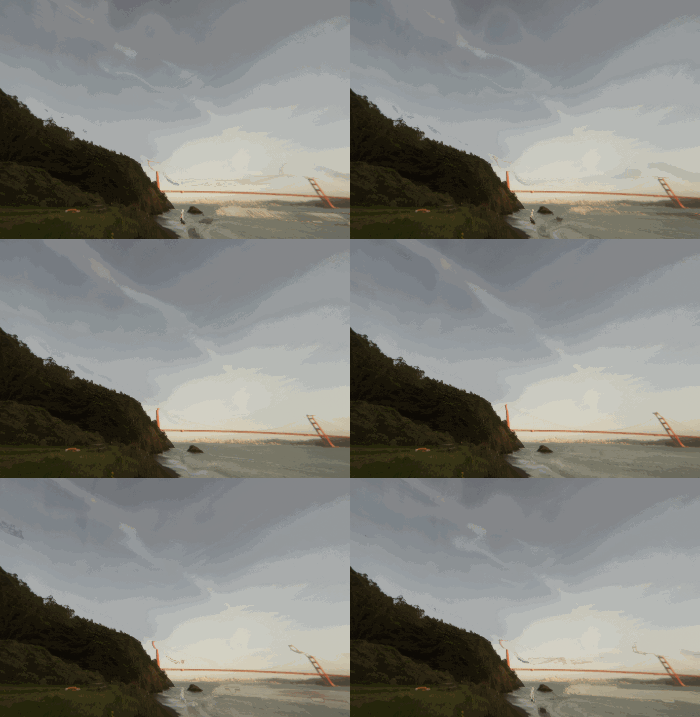
I frankly dont get it 😄
you could do auroras with it I suppose
glad tartan
hmm, when I tried the flowmap things looked weird. Bu the default procedural motion worked fine
turbid matrix
but even then custom shaders would always give nicer results
waxen lantern
yeah Sky / Cloud flowmaps seems like something you'd want to use with URP on Nintendo Switch or something like that
turbid matrix
there's actually two flowmap things here, one for hdri sky and one for cloud layer
both has it now
glad tartan
It's just really low quality. It seems it's showing those thin wispy clouds moving fast
waxen lantern
it's showing the golden gate bridge melting away too lmao
not the best HDRI choice, but it's just a gif on PR so i'll give them the benefit of the doubt
turbid matrix
yeah, it's not really meant for product showcasing
these are always some programmer art
waxen lantern
classic
turbid matrix
I mean these images and anims are not really even targeted at end users but for their team itself, so it makes sense they don't put extra effort on flashy visuals
glad tartan
I still think this is just one part of it and the rest will come later. Just the easiest implementation (and another option for performance)
just like you can use different sky types (Physical, HDRI, Gradient) I think we will haver different cloud types or cloud layer types (Basic, Volumetric, etc)
turbid matrix
I hope so, but they already build on this like... for cloud shadows
if they had some volumetric setup planned, surely that would need to arrive before adding more feats that depend on things
glad tartan
yea, that's still good. If I wanna use physical sky and also have clouds but if there's also volumetric clouds but it's a lot to render I also have this basic cloud layer with good result
turbid matrix
it's just, in that case, you'd need to render the volumetric clouds on top
cloud layer is on top of current sky
so there would be yet another layer
or true 3D clouds
but that would be a bit of a waste for most games
glad tartan
You might be over thinking this.
It could be like how we have the Fog override that has
Exponential and Volumetric
Cloud layer could be the same or it could just be it's own thing and volumetric clouds are another override
you add whichever one you want and nothing is on top of anything else
drifting vault
@turbid matrix look cool, any more hi-res resolution of GIF? 😄
dawn sorrel
🙄
hazy egret
I just finished checking out the shader pins for answers.
Does anyone have any info on how to bake shader information into textures with shader graph or hlsl?
indigo summit
oh it seems they are planning to finally include this? 🤔
turbid matrix
DXR GI is getting funkier release by release 😄
GI has been throwing nasty artifacts ever since 2020.2.0a16 but this got to next level now
oh it seems they are planning to finally include this? 🤔
@indigo summit I doubt it, seeing them porting that to 7.x just suggests some internal test. Unity would not backport a feature like that to 7.x anymore
it would go to 10.x and 9.x only at this point
indigo summit
awww man. . . . 😬
indigo summit
last time i've check it still need a downsampled feature
glad tartan
I think those artifacts are just 2020.2 alpha specific with DX12. I get that as well but less warpy and more of the flash with weird dark overlay like shadow. This only happens on DX12 with 2020.2 for me
turbid matrix
yes
glad tartan
and HDRP. URP is fine with DX12
turbid matrix
the shadow artifact is in all alphas since A16
A15 is safe
I also don't get those anywhere as much if I don't use SSGI / RTGI
it really triggers bunch of issues
only changes on a16 release notes that could somehow be related to this are:
* DX12: Fixed a performance issue when invoking dynamic vertex buffer updates. (1204804)
* Graphics: Added: Added new AddInstance overload to RayTracingAccelerationStructure which accepts a GraphicsBuffer defining a given number of AABBs, and, optionally, an instance transform for those AABBs.```but I'd guess the change is really something else, not marked there
it definitely breaks between a15 and a16, it's not some HDRP change
glad tartan
Wonder how much they are working on supporting the new consoles. This would improve DX12 a lot. I remember seeing a PR a few days ago about fixing something on an upcoming NDA platform for SRPs so I thought that's probably work for one of the new consoles
turbid matrix
it's probably what is pushing the DX12 perf fixes to 2020.2
they've already improved DX12 perf a ton on 2020.2
turbid matrix
yup
glad tartan
yea, DX12 is getting some love for 2020
dawn sorrel
So I wrote a render feature for URP that renders objects on a certain layer to a temporary, then blurs that temporary a bunch and blits it back to camera target. The question I have is is it possible to save the depth of those objects and then run a separate blit with a shader that compares depths of the camera and that layer's depth so the final effect doesn't shine through geometry?
 spiral ginkgo
Is it possible to switch between Forward Renderers during runtime in URP ?
if you have like 2 of them defined for example
or do extra render features in the renderers have any notable performance impact at all if objects from the relevant layers arent currently on the screen ?
fiery marsh
@spiral ginkgo Each render feature has the ability to be enabled/disabled which might be useful. (see ScriptableRendererFeature.SetActive). But having multiple Forward Renderers and switching between them is also possible. Each one should be added to the renderers list on the URP Asset, then I think the index can be set via the UniversalAdditionalCameraData component (which should be on the camera) using SetRenderer. I haven't tested but I believe it works during runtime.
spiral ginkgo
ok cool thanks
turbid matrix
hdrp water makes another appearance https://github.com/Unity-Technologies/Graphics/commit/ce75956c0302b0ca69f4c491b4f2eb73c219c886
 latent trail
so i have a bunch of quads just tossed on the ground. for some reason even if they all have the same material using an unlit shader with no lighting stuff included, unity still refuses to batch them. anyone know what the issue is?
putting them in their own culling mask works but this seems roundabout for the case where a shader that is supposed to be unlit is actually still having a dependency on lights
latent trail
using both tags: "LightMode" = "ForwardBase" and "PassFlags" = "OnlyDirectional" fixed my issue without needing culling masks. odd that both are necessary when i am using purely a single pass custom vert frag shader
latent trail
ah double checked, OnlyDirectional applies only when the pass type is set to forwardbase
 trim bone
anyone by chance using 10.x for Universal? seems that the blit renderpass from the URP rendering examples repo doesnt work anymore
dawn sorrel
@turbid matrix hey :)
when your gonna update your Unity_DXR_Test repo to match with unity 2020.1 /.2 and there hdrp ?
 edgy tree
Hi, I'm using Unity 2019.4.3f1 and when I turn off Anti aliasing in HDRP Settings the game view gets all wiggley. Has anyone else had similar issue and came up with a fix?
glad tartan
@edgy tree Not sure I've ever done that but you want to disable AA on the camera and not the Camera Override
indigo summit
anybody know how to use the new compositor? 🤔
 prisma terrace
when creating a shader in Unity do you use Unlit? If I want my shader to have things like specular, do I need to use Surface Shader?
 restive arch
Use PBR
Whenever I use either the HDRP or the URP, my standard shaders turn pink, and then when I upgrade them to fit the Render Pipeline, the objects that use the shader disappear. Is there anyway I can use the Shader Graph without either render pipeline? Can I configure the URP in some way that will work with the standard shaders?
 severe spear
Anyone here know why in Unity's standard render pipeline, a single object will count as two shadow casters (or even four shadowcasters when using shadowmasking) according to the Game window stats?
glad tartan
Ayy, finally.
Also does anyone else noticed that the stats window in game view now shows more accurate data in 2020.2?
This is for HDRP by the way
fast pumice
Hi, I am using URP for android game (Oculus Quest) and if I have checked the box "Opaque texture" in urp settings, all the UI is invisible in build. It works in the editor, however. Is the any way to overcome this issue? I need Opaque texture for the scene color node. Thank you very much
 bitter stone
Question, how do i make my materials not be pink? I have UniversalRP activated. And i've upgraded my materials already to UniversalRP.
 pearl hinge
Does anybody know how to batch meshes with transparent materials? As soon as I change my URP simple lit material from 'opaque' to 'transparent', my draw calls skyrocket.
drifting vault
@bitter stone show us your material properties fro misnpector
dawn sorrel
HDRP or URP, which is better ??
drifting vault
@dawn sorrel what is your goal in project ? Performance for mobile or AAA Graphic?
pearl hinge
@dawn sorrel URP is better and more flexible. Substitutes HDRP and LWP
dawn sorrel
I would like the game to have ok graphics and support Android. i translated this with google translator @drifting vault
drifting vault
@dawn sorrel then use URP
dawn sorrel
OK thank you @drifting vault
but will this work if i use URP https://youtu.be/L_Bzcw9tqTc

Let's learn how to make realistic grass with Unity Shader Graph!
This video is sponsored by Unity
● Download grass assets: https://ole.unity.com/grasssway
● Art That Moves: https://bit.ly/2VW85He
● More realistic vegetation: https://bit.ly/2EAxC5d
● Mesh Generation: https...
drifting vault
shaders maded by shader graph should be converted to URP without much problems or rewrited
dawn sorrel
ok
 gusty sequoia

scarlet hull
@pearl hinge no
 vernal burrow
No
hazy yoke
URP is meant to be a general "target all the things" pipeline to try and make it easy to develop more particular looks and build for the broadest set of consoles+mobile. HDRP is more for high end graphics aiming usually for high photorealism, and more targeting high end consoles.
thats a very simple/broad description
hazy yoke
dawn sorrel
so
is there any eta on hdrp 10 being inside upm ? or even being virified for alpha ?
 hollow frigate
So I'm using the physically based sky for HDRP and I'm trying to create the moon as the celestial body on my directional light, but I can't figure out how to remove the base sun disk and just keep the moon texture. Is there a way to do that?
 stark elbow
Does anybody know why my stencil override would keep getting wiped when I click off my URP asset? I'm out of play mode, I've tried saving project before clicking off, regardless of what I do my stencil override settings get removed
Crisis averted, I had to save scene and then go on the passes themselves (underneath the URP asset in the project view)
turbid matrix
@dawn sorrel 10.xx will eventually be verified for 2020.2. Dont expect that to happen in the summer. 2020.2 betas start any moment now. First 10.x preview packages probably land on upm once 2020.2 is in beta
dawn sorrel
@restive arch anyway, standard shaders should be upgraded with no errors. Maybe your materials accidentally upgraded to Lit with transparent alpha and alpha = 0?
restive arch
I have no clue
Maybe my potat computer is too much of a “virgin” to handle the “chad” SRPs
...
It sounds like I’m joking, but I really think my computer can’t support the Scriptable Render Pipelines
rich spade
@restive arch have you tried creating a new project with the URP template which includes a demo scene?
You should find your computer can handle URP without issue. I suspect it's just a configuration error in your upgraded project. Assuming the demo scene works you could then compare it's settings to yours to try and find the issue.
restive arch
I tried that multiple times. Both in 2018 and 2019. The issue there was that nothing rendered in the camera at all
I only need the SRP to use Shader Graph anyways, right?
It’s not like it completely stops the functionality of Unity
So that means I’ll just have to learn to code my own shaders
scarlet hull
Or if using the built-in pipeline, use amplify shader
 quick pelican
Is it possible to modify the Shadow Resolution from a script? I want to allow more granular graphics settings than just changing the entire quality setting
Like if someone wants to just disable shadows but not get all the other stuff from low quality
glad tartan
@quick pelican That should be possible. Both hooking into the pipeline asset (Frame Settings) and disabling them from the lights. I think only HDRP has the Frame Settings so for URP it's just the main Pipeline asset
 empty peak
What's a good way of looping in a Visual Effect Graph? I'd like to loop over each pixel of a Texture2D via Load Texture2D but I need a good way of incrementing through the x/y values for each particle.
stark elbow
I'm overriding my stencil buffer to cut a hole out a mesh using a render objects render pass on URP, the cutout works as intended I was just hoping if anyone knew if or how to get this cut out to be smoothed, its currently just set to zwrite off, this is individual pieces that can combine to make bigger pieces as well so altering the actual cut out in terms of a fade would leave edges everywhere I assume?
 trail flower
Hi Graphics.DrawMeshInstancedIndirect accepts a Bound parameter, that it seems to be used for culling, but it's not clear when this culling is done.
is there anyone who knows this? Google doesn't help
quick pelican
Anyone know how to access URP fields in script? GraphicsSettings.currentRenderPipeline has basically no fields or functions I can use to edit any of the asset settings.
Particularly how to access shadow resolution
stark elbow
@quick pelican this helped expose a few for me https://gist.github.com/JimmyCushnie/e998cdec15394d6b68a4dbbf700f66ce

Gist
Exposes some Unity URP graphics settings that are (for some stupid fucking bullshit reason) private. - UnityGraphicsBullshit.cs
stark elbow
me to 😄
spiral ginkgo
Where does a volume data .asset fiel get referenced in URP? I have this SampleSceneProfile.asset that seems to be being used but i litterally cant find out where this is is referenced.
nevermind i found it, its on a game object
trail flower
Hello, another question: is there a way to enable a depth prepass in URP without enabling MSAA?
hazy yoke
@trail flower should be an option on the render pipeline asset
trail flower
no it's not, as far as I get it, but I forced the URP code to enable it and it worked
fiery marsh
I've also seen some cases from others where the Depth Texture doesn't render correctly in game view (even when enabled), unless one of the following is also enabled : MSAA, Opaque Texture, HDR, or the Post Processing option on the camera (probably the better option).
trail flower
yep anyway I tried and it's not worth it
waxen lantern
What's a good way of looping in a Visual Effect Graph? I'd like to loop over each pixel of a Texture2D via
Load Texture2Dbut I need a good way of incrementing through the x/y values for each particle.
@empty peak I recommend asking this in #✨┃vfx-and-particles channel
turbid matrix
dawn sorrel
hi,
any hopes to get 60fps on low and mid glES 3.1 mobile devices with URP?? i got 20fps with lowest settings :[
hazy yoke
dang @turbid matrix how close an eye do you keep on the repo?
scarlet hull
I'm pretty sure he has an AR contact lens that display an notification for each push on the repo
weary fog
does motion blur not already exist in URP?
trim bone
i think per object doesnt?
turbid matrix
been testing this here: https://github.com/Unity-Technologies/Graphics/commits/HDRP/ssr_improvement
they now use blue noise for the non smooth surface sampling
it does give more similar result to how currently raytraced reflections work (with obvious limitations of only being able to handle screen space data) but this also means more noisy result
looking forward to seeing how they will denoise this once they go further with this
weary fog
speaking of HDRP ssr
I can't get it to work on my project for some reason, I have SSR ticked on the HDRP asset, and my volume has an SSR component on it
turbid matrix
frame settings?
also, if you use HDRP's forward-only rendering with MSAA, it disables SSR (there used to be nasty artifacts if you had both these enabled so they've just forced SSR off with this combo)
turbid matrix
here's few comparisons for that upcoming SSR change
my test scene is just HDRP template without any probes and one wall with metallic 1 and smoothness 0.85 set to it's material
current SSR:
wip SSR improvement:
DXR reflection without denoising:
 iron flame
@turbid matrix TAA will prevent noise, albeit a little
weary fog
Yeah I just checked on my end, current SSR doesn't properly blur with higher roughness values
so these changes are pretty exciting
turbid matrix
all these images have TAA enabled
@iron flame
they really need additional denoising for the SSR
DXR reflections have this option already, I just didn't use it on these screens to give it more fair comparison
here's the DXR reflection with denoiser enabled (remember the wall has smoothness of 0.85):
turbid matrix
still, it needs some denoising unless it's mirror reflection
it gets even worse if you do more rough material
iron flame
yes it is quite noisy on low smooth and high metallic objects. but enough for the reflection of water and cars in my scene
turbid matrix
yeah, it totally depends on your application
both water and smooth clearcoat are closer to fully smooth surfaces already
iron flame
Though RT reflection is great, its performance is very bad, and this empty scene runs between 60-90 fps. It works 180 fps with current SSR. I'm looking forward to the new SSR.
turbid matrix
you use RT in perf mode?
also it's not really a new SSR, just tweaks for the old one
it's likely to run slower than current SSR as it does more work
here's a diff from current WIP branch:
the two other files just set the blue noise resource there
iron flame
RT is in performance mode. The models I use are made up of a lot of parts. it's actually normal for fps ray tracing. Still, even for the rtx 2080S, it's still not enough.
ssr + realtime reflection probe is doing my job. With improved SSR, the result will be excellent.
dawn sorrel
HAPPENS IN HDRP... I don't know why this happens with every light source. If i'm rotate light or object with light its just disappears.
Please! Help!
iron flame
Are you using default rp and forward rendering?
The lost lights are usually caused by the limit of light per object.
dawn sorrel
I'm new and im idk what i'm using. I'm just upgraded my 3d project to HDRP.
Sorry for my english...
And how to fix it?
dawn sorrel
Ok. Can i ping you if its didn't work?
iron flame
Lit Shader Mode deferred should not be such a problem. There are also maximum light settings in the light settings. check it too.
kindred kiln
Every time I hit play my lightmap disappears?
I then need to rebake it.
I'm not really bothered by it because lightmaps are known for being easy to rebake.
 cyan delta
... any way to set post processing on individual layers?
URP doesnt support this
or better said, is there a way to do this on URP?
I tried setting volume per layers and cameras but the PP from the top overlay camera still applies to the entire stack below
 royal storm
@cyan delta that’s the nature of post processing. It will always apply to everything already rendered before it. The only way would be a custom render setup where you composite different renders as a final step, but as far as I know there’s no built in way to do that
 civic herald
hey, i have added a custom render pass, configured it to run AfterRendering
the pass executes a command buffer
but currently i get two executions of it:
its the FowBuffer
but i don't understand why its always executing after Transparents, nor do i find any other setting except the one within the pass, which is set to m_ScriptablePass.renderPassEvent = RenderPassEvent.AfterRendering;
does anyone know why this is happening?
scarlet hull
I've read somewhere that there is/was a bug in the frame debugger where individual cameras were not displayed, stacking up all the commands on a single one.
Maybe this is happening ?
Do you have for example game and scene view active at the same time ?
civic herald
had it yes, not anymore tho
same result
intrestingly the second pass is rotating and behaving crazy on mouse movement
scarlet hull
A preview camera ? Some realtime reflection ?
civic herald
i got it,
setitng the material to unlit/transparent
the second pass was the meta pass
turbid matrix
re: SSR, I kinda wonder why Unity doesn't do stochastic sampling for it, like in Frostbite
like is there some patenting/licensing related issue there?
there are few user made stochastic SSR ports for the built-in Unity renderer
I've been tempted to port that to HDRP but it's been those "would be nice to test" things I'll never have time for
considering SSR is not handled at the traditional PP stage on HDRP, I could imagine it could bring additional challenges vs having it as pure PP effect
 rapid bay
Hi I’m new at this but
I installed the HDRP package to see what it is, then it messed up my whole project, everything in the scene turned into that purple placeholder material
I quickly uninstalled the package, now the normal materials are back again but they’re much darker than before. I don’t know if installing the package modified all my materials or changed any settings. How do I revert it 😢 I’ve now learned the lesson to backup first before doing something major the hard way...
scarlet hull
@rapid bay Maybe you just need to rebake lighting ?
HDRP uses other shaders than the standard pipeline, you will need to convert your materials (there is an automatic tool for that) to make the objects render properly again with HDRP.
rapid bay
I’ll keep that in mind, thanks!
civic herald
i have a command buffer on the cam at runtime
but it doesnt show up in the frame debugger
is there a hidden checkbox somehwere?
scarlet hull
HDRP/URP/Standard ?
civic herald
found it
i did go back do standard
the lighting was not executed therefore the BeforeLighting event was not fired
civic herald
can anyone explain to me why the depth map is not rendered on the standard pipeline?
 north sigil
Last time I used URP it seemed incomplete and there was not much reason to use it over the builtin pipeline as it had too many features missing (AO, deferred rendering for example). Is this still the case as of Unity 2020.1.0f1?
My use-case this time around is a 3D game built from 2D pieces, like Paper Mario
turbid matrix
@north sigil URP 10.x (2020.2) has SSAO
I think deferred is also in 10.x but havent tested
hmmm, I guess deferred is still wip as they havent even merged this yet https://github.com/Unity-Technologies/Graphics/pull/716
GitHub
Purpose of this PR
Enable UI menu to create deferred renderer asset.
Testing status
Yamato: (Select your branch):
https://yamato.prd.cds.internal.unity3d.com/jobs/902-Graphics
Comments to reviewe...
north sigil
Ty, I took a look here https://docs.unity3d.com/Packages/com.unity.render-pipelines.universal@9.0/manual/universalrp-builtin-feature-comparison.html and it does seem that SSAO is in but I couldn't find anything about deferred vs forward
I'll probably stick to standard for this one though since it's more stable and I don't need fancy stuff like VFX Graph for this project
 covert fulcrum
I just updated from URP to HRDP and this is my first time using HDRP. My first issue i came across was adding back in my skybox, i dont know where i dragin the material. Normally it is in the Lighting tab. Im using a 6 Sides Skybox. Thanks
turbid matrix
@covert fulcrum HDRP uses different sky setup. You can swap the sky type from visual environment component on Volume: https://docs.unity3d.com/Packages/com.unity.render-pipelines.high-definition@8.2/manual/Override-Visual-Environment.html
and what you'd want in that case is HDRI sky: https://docs.unity3d.com/Packages/com.unity.render-pipelines.high-definition@8.2/manual/Override-HDRI-Sky.html
HDRI sky wants a cubemap texture, I think there are some tools for converting the old style skybox to cubemap but I can't remember this more specifically as I've never done it
hmmm,there's some guide here: https://docs.unity3d.com/Manual/class-Cubemap.html
covert fulcrum
Thanks @turbid matrix, i think ive gotten it figued out!
turbid matrix
actually, HDRI sky is probably current default sky
covert fulcrum
Yep got it, sky nows in
turbid matrix
cool
 fiery swan
Hello, i am using a water shader which amongst other things adds foam at intersecting objects. I was wondering if there is a way i could make the foam not appear near certaing object (player - shark). Oh the shader is made using Shader Graph.
iron flame
URP SSAO has been much better than I expected. Incredible performance when considering PPV2. there is also Direct Lighting, which is Unsupported in Forward Render.
turbid matrix
@iron flame I'm assuming it has no normal map details since no normal gbuffer on forward
it's one of the biggest tradeoffs visually
 late schooner
p sure URP fills depth at the same time as lighting
turbid matrix
I dunno if one could just handle that on texture specific AO map
@fiery swan can you have shark to not write depth on shader/material settings? I have no idea if you can render it properly without
also, you'd probably have more luck on that topic on #archived-shaders
ah you already posted there :p
would be nice to mention that so people wouldn't split the answers on multiple channels
fiery swan
@turbid matrix ok thank you very much, i will look into that. Yes I did. Ok thanks i will do that in the future
iron flame
SSOA does not currently work on Deferred rendering. nevertheless, this performance is Fantastic. 3840x2160 MSAA 8x + MSAA + Full quality AO RTX2080S 200+ FPS.
trim bone
anyone using urp 10.x from github, with a working blit renderfeature/pass? every version I try it doesnt appear to work now
dawn sorrel
good crash while playing an hdrp scene with alembic animation , unity 2020.2 hdrp 10
dawn sorrel
@iron flame sorry for ping but idk how to fix this problem...
HDRP:
MAIN:
SETTINGS:
iron flame
I did not understand your question. warns that indirect multiplier is not realtimeGI. the light does not appear on the ground because there is a black material.
hdrp uses real light units. skybox is very bright so it has to be a much brighter value in the spotlight. try to increase the spot light range
dawn sorrel
I'm talking about this problem. When I turn on the car or turn the light, the light only appears in a certain position. I mean, I can't turn the light.
iron flame
Are the spotlights static?
dawn sorrel
Image like a scheme. Wheres circle black i have light. Where circle empty i have only FOG.
Not static
 full trail
how do i get raytraced shadows to show up on raytraced reflections
torpid bluff
i hope i'm in the right channel, i got a question about the "Texel validity" view
i notice something i think is not normal when looking at my game using this view mode
shaded :
my pillar is made of two parts using the same material, the bottom and the middle
am i right to think it's not okay to see the bottom part transparent while the upper part is not ? (orange lines i drew)
and also (red lines i drew) i can see the sand mesh under the pillar through the bottom part but not the background sans mesh through the upper part of the pillar
i can't make sense of this
and i'm afraid it's killing my game performance if the rendering is processing more than it should by rendering stuff behind
turbid matrix
I'm just using HDRP from github, so 10.x something
haven't tried that feat on it though as I fail to understand the point of it
drifting vault
well its has proceduarl animations
looks cool
Do you have in example files FLowmap texture?
just want to see how to use flowmap texture, but 9x HDRP not include it in examples 😦
iron flame
HDRI Distortion works very well.
full trail
@turbid matrix but why noooot
 hallow sphinx
@iron flame do you have any resources for finding skyboxes like that?
glad tartan
@hallow sphinx https://hdrihaven.com/hdris/

@dawn sorrel There are currently no shaders in HDRP or URP that supports UDIMS. For Built-in there's an experimental one made by Unity Labs a few years ago.
turbid matrix
HDRI Distortion works very well.
@iron flame you had distortion on that gif?
I mean all I saw was panning
usefulness of panning I totally understand as well
turbid matrix
HDRP/staging on github requires 2020.2.0a20 now
had to revert these two commits to make current staging run on a18:
- HDRP: Enable HAVE_DEFAULT_RENDERING_LAYER_MASK (only affects HDRP)
- Add support for GPU instancing of mesh particle systems (#904) (only affects URP)
glad tartan
Ah, we should be getting a20 in a few days as last week we didnt get a19
iron flame
@hallow sphinx I don't know the license status. I downloaded it for testing.
 abstract elbow
hey guys, i've installed the lightweight rp but when i try to create a rp i can only create a urp renderer so it doesn't work for 2d
dawn sorrel
@turbid matrix will you merge that in ur repo? btw
i have preview 16 is it wort updating
rich spade
@abstract elbow lightweight rp got renamed to URP... URP does 2D/3D
drifting vault
hmmm when URP will support shadowmasks . It can be unlocked by hack but better to wait for official unlock
turbid matrix
there's a WIP branch for it at least https://github.com/Unity-Technologies/Graphics/tree/universal/shadow-mask-support
last commit 27 days ago
but it's holiday season so wouldn't be too worried about that
 left igloo
How can I implement an underwater caustics effect in hdrp?
late schooner
you're gonna need to establish a few more technical constraints for a meaningful answer
the simplest solution is doing it yourself with a custom shader and adding animated caustics terms yourself
left igloo
well
late schooner
cookies are another popular choice with some advantages but Unity doesn't support animating light cookies in any way
left igloo
idk they just dont work
I just cant get caustics to work
I need them to show up on my terrain
when I try and use projectors they dont show anything
they just dont work, on the unity website they say hdrp does not support projectors
I was wondering if there was another way to projects/display images onto terrain
left igloo
unity standard assets includes various projectors
is it possible to display mutliple images using a decal projector?
I have a script to cycle through images in an array
turbid matrix
you can assemble custom decal shader graph that animates the caustic effect
left igloo
so similar to shader graph except the decal projector will use it as a projection material?
turbid matrix
it's just a shader graph with decal master node
left igloo
so whatever I put into there the decal projector will project?
turbid matrix
SG supports flipbook so you can animate through it
left igloo
like this
turbid matrix
I'm not going to say whatever as you are super vague all the time
left igloo
if you dont mind me asking how do I use flipbook?
late schooner
I would advise against flipbook caustics, I don't think they look very good vs. procedural noise/scroll solutions
like, it will work
left igloo
I'm not going to say whatever as you are super vague all the time
@turbid matrix yea I understand bro its hard for me to explain, I rlly apprechiate the help tho!
I would advise against flipbook caustics, I don't think they look very good vs. procedural noise/scroll solutions
@late schooner can I do that in the shadergraph also?
turbid matrix
yes
late schooner
sure, it's usually just procedural noises and scrolling UV offsets with time
there's a neat trick in Diablo 3 for making nice, complex particle effects that works well with caustics
turbid matrix
I have no idea of the realtime noise cost but would probably need to evaluate all options to see what's best for your use case
late schooner
essentially scrolling two or more textures with different periods/rotations
left igloo
right
late schooner
it's dirt cheap and generates lots of shape variation
late schooner
In this 2013 GDC session, Blizzard Entertainment's Julian Love discusses the implementation of visual effects in Blizzard's Diablo franchise.
Register for GDC: http://ubm.io/2gk5KTU
Join the GDC mailing list: http://www.gdconf.com/subscribe
Follow GDC on Twitter: https://t...
left igloo
ill try learn how to do that now xD
late schooner
stamped at approx. the right time
late schooner
two textures, as pointed out
left igloo
and then I add a noise node?
late schooner
there's a touch of scaling, etc. Watch the presentation, they break down all the effects in pretty significant detail
left igloo
thanks very much
turbid matrix
one issue with decal projection is that old HDRP versions only have one decal layer, so you pretty much have to omit all decals from objects that would get in the way of projection and can't have that effect
this might not be a real issue but would depend on your project
left igloo
its and underwater game so I think it will be fine
turbid matrix
upcoming HDRP 10.x will have decal layers which gives you more control over it
left igloo
awesoem
late schooner
you will probably also want to throw in a cosine term there
and get a light direction somehow
left igloo
yea I got alot to work on
light refraction, god rays etc...
underwater stuff is hard man
late schooner
it's old, but OG Crysis had a decent implementation and Crytek did make some slides
might be hard to track down on account of age, but I know it exists
I have a copy in my paper archive somewhere
left igloo
how do I assign my shader graph to my decal projector?
 ripe fable
You save the shader made in shader graph, then create a material from the shader you just made, then create a decal projector that uses the material you made. 😄
left igloo
yea I figured it out thanks
ripe fable
np
left igloo
got another issue tho
I cant see my terrain texture under the projector
the projector just covers it
scarlet hull
@late schooner Just to add my word here : You can do animated cookies (at least in HDRP) :
dawn sorrel
Does anybody know what happens to camera target after PostProcessing pass?
When I try to inject a renderer pass that renders AfterRenderingPostProcessing, blitting from the ScriptableRenderer.cameraColorTarget into a temporary and back does nothing.
Meanwhile my effect is applied correctly if I use BeforeRenderingPostProcessing.
This is URP.
Everybody here is on HDRP innit 😭
 whole fossil
@scarlet hull could you elaborate a little bit more? I've tried to animate cookie for directional light in hdrp by simply moving the light source each fream and it caused a terrible performance drop. At least some time ago (iirc around 4.X HDRP).
Also - does anyone know about tiltshift/iris blur for HDRP post processing?
scarlet hull
Moving a light with a cookie assigned shouldn't have a huge impact on performance.
We have some tests with animated cookies : using a custom render texture as cookie, or a movie texture works. With the cost of HDRP needing to update the texture in the cookie atlas.
whole fossil
well, maybe it was some sort of a bug back then. maybe I'll try that on a more recent version. Thanks anyway
 runic bay
With URP - has anyone gotten DrawMeshInstancedIndirect working well with Android? The best way I can describe my issue is that it works well on Windows/DirectX, but once it's on OpenGLES3 for Android - I can't seem to see any meshes drawn 🤔
 eternal chasm
hey guys, please read my post here and let me know if you have a solution. thanks https://www.reddit.com/r/Unity3D/comments/hyvsrq/post_processing_on_builtin_render_pipeline_unity/
reddit
0 votes and 0 comments so far on Reddit
eternal chasm
been there, done that
turbid matrix
then it works
eternal chasm
I have even made a separate version of the project which I upgraded to URP for this, but that doesn't work either