#archived-hdrp
1 messages · Page 54 of 1
 zenith vortex
render scene component?
zenith vortex
i added the Volume component
 drifting vault
now you have to setup settings on it, post effects etc
begin from Visual Environment
and go over each settings that you need for get good gprahics
drifting vault
well, the weird things that you didn't following Unity guides from Youtube.
you have to add:
Exposure , Visual Environment
setup those correctly
zenith vortex
i did but it's the first time seing this volume component
ook
this worked
thank you so much
really really much
but i wonder
where did you find the tutorial?
or were the screenshots yours?
drifting vault
no problem, but if you will go over all unity tutorials and blogs about HDRP, you will learn a lot of stuff and avoid that questions/wasting time next time
 turbid matrix
this got just merged to 9.x.x/release https://github.com/Unity-Technologies/Graphics/pull/571

GitHub
Purpose of this PR
Problem
Currently, the master node definition is too rigid and defined via leaky abstractions. This gives the the following problems:
Large list of individual master nodes. Chan...
 glad tartan
Ah nice, that means it will be in the package for 2020.1 next week or the week after along with VT
turbid matrix
I'm still trying to figure how their SRP specific validation works:
I can't make this be validated and I don't see anything obvious being wrong
stuff like this sucks when you work with internal code
(no docs)
glad tartan
maybe you have to wait for the official release
turbid matrix
it doesn't change anything
they don't document internal code - ever
like, for us that is
glad tartan
The Procedural texture thing got added recently
glad tartan
Before it was just using a VT sampler and I only saw the Procedural sampler added a little while back
 valid dock
I've got a scene where a constantly updated render texture is being used as the light cookie for a bunch of area lights and I've noticed that there is a pretty significant performance cost. anyone have any tips for cutting performance cost? is it the setting of the light cookie (every frame) that is costly? or is just rendering anything using a light cookie costly? or might decreasing the resolution of the render texture help?
turbid matrix
ah, you meant the VT thing
this thing I've ported is for stochastic texturing
it's there to break the tiling
glad tartan
Or i guess they updated the regular VT sampler and renamed it to this?
turbid matrix
nah, this something I ported myself here
don't ask me why that name, it's from the original unity repo

GitHub
Modified Shader Graph package implementing Procedural Stochastic Texturing - UnityLabs/procedural-stochastic-texturing
glad tartan
yea, I remember it was introduced a while back but It didnt officially get added to shader graph
turbid matrix
I've ported that 6.7.1 version to this SG stack setup
but I can't get it validated 😄
glad tartan
ah, would be nice to get official support for it. I'd want to use it for certain textures
turbid matrix
I also don't see any place where they define which SRP the node even belongs to
yeah, it's bummer they didn't merge it
glad tartan
Maybe sometime down the line. Now we have additional procedural nodes (although in the sample packs) they were in a separate GitHub branch before.
would be nice to have it and the surface gradient framework in sample packages as well if not default with Shader Graph
valid dock
Hmm... so digging into the frame debugger, i can see that my area light cookies are costing me big time under "PrepareLightsForGPU". the scene has a few cameras and it seems like whether or not this happens for the camera has to do with the distance the camera is from the area light.
one of these cameras doesn't render the layer where objects effected by these area lights are on! so it'd be great to be able to disable the area lights for that camera, but as far as i can tell, cameras do not have any light layer mask, just culling mask, volume layer mask and probe layer mask
is there any way to force a camera to not use certain lights?
valid dock
Cool well the answer is that lights have a culling mask and that's what you use to make sure a camera doesn't use them. but for some reason, HDRP hides the culling mask property in the inspector so you have to switch it to debug mode to set it (unless you do it with a script of course)
 amber gate
is URP deferred rendering coming in 2020.2? I haven't seen any mention of it recently
glad tartan
@valid dock You can use light layers for that
valid dock
@glad tartan i didn't see anywhere on a Camera where you can specify light layers
turbid matrix
Pretty sure light layers are only between lights and mesh renderers
valid dock
Yup. Strange that light culling masks are hidden in the inspector tho
 whole fossil
I've asked it before but didn't get an answer. The hdrp 9.X.X is showing in the package manager in 2020.1 as a preview. does it mean that 2020.1 won't be bound only to 8.X.X ?
 scarlet hull
yes
turbid matrix
I thought it's just compatible now, just like happens a lot when new version comes but doesn't require c++ api changes
has the bigger changes shifted this now?
like, is 10.x for 2020.2 on final versions or just for the time being?
also wonder if 2020.1 release is near
2019.4 LTS just got out
scarlet hull
Logically, it's near yes :)
10.x is indeed for 2020.2
9.x will never leave the preview stage
turbid matrix
ah, that makes more sense now, thanks
 jovial mulch
Hi,
I was wondering if there was a way to clear unity z-buffer after a certain queue ? Or in a shader pass ? In the stadard pipeline (not URP /HDRP )
 broken lichen
@jovial mulch How specific do you need the queue to be?
Like after Opaque/Transparent?
jovial mulch
just before opaque
broken lichen
Then you can use a CommandBuffer with a clear command
jovial mulch
In the shader ?
broken lichen
No, from script
jovial mulch
Thanks, but I don't know where ? Is there a function like OnPrerender ?
broken lichen
@jovial mulch
var cmd = new CommandBuffer();
cmd.ClearRenderTarget(true, false, Color.black);

yourCamera.AddCommandBuffer(CameraEvent.BeforeForwardOpaque, cmd);
Oh I knew I should be simple, but I didn't know this commandbuffer ! Thanks very much !
broken lichen
This is only possible in the built-in render pipeline
In LWRP/URP/HDRP, you can't add command buffers to cameras or lights anymore
jovial mulch
Thanks for the additional info, as we are working with the built-in render pipeline, this fits perfectly 🙂
jovial mulch
@broken lichen Another precision, I don't fully understand the render queue, which renderqueue is ForwardOpaque ? Is it the default 2000 ?
broken lichen
@jovial mulch It's a range. I think anything <= 2500 is considered opaque.
After that, it goes into transparent.
jovial mulch
So this means the there is no render queue before ForwardOpaque ? 🤔 Cause we try to draw some object before all the other, then clear the depth buffer and then do normal stuff
And I guess as we use render queue 1999 then it is already in ForwardOpaque range
turbid matrix
@gilded maple because it's configured it to be lit by that?
you can go to lighting settings and change it
broken lichen
@jovial mulch No, I don't think any render queue value will draw before the BeforeForwardOpaque event.
jovial mulch
@broken lichen Thanks, we will have to think of another way of doing what we want 🙃
broken lichen
@jovial mulch The other option is to place a quad in front of the camera with a render queue between the early objects and the regular opaque with a custom shader that clears the depth.
jovial mulch
@broken lichen That was my next try ! Thanks for all your advices !
 gilded maple
you can go to lighting settings and change it
@turbid matrix What settings should I set for an interior scene?
I'm trying to create a room like this
brightly lit but not blinding
turbid matrix
@gilded maple I'm by no means an expert on lighting side
there must be some tutorials for that kind of thing
I'd assume you'd want to omit the skybox environment lighting and add a lot of probes to the interior which you'd then bake
but again, I don't do room interiors myself
depending on the renderer, there could be examples you could take a look at
like for example on HDRP, there's https://assetstore.unity.com/packages/3d/environments/unityjapanoffice-152800

Elevate your workflow with the UnityJapanOffice asset from Unity Technologies Japan. Find this & other Environments options on the Unity Asset Store.
valid dock
@gilded maple try baking a reflection probe in your room... it should get used for ambient lighting
drifting vault
@gilded maple use URP for Oculus Quest
gilded maple
oh
drifting vault
its more modern that LWRP and more perfrom
gilded maple
hm arlight
 dawn sorrel
Is it just me or is version dropdown completely gone in the package manager? I had to edit the package config manually to update HDRP.
turbid matrix
@dawn sorrel depends on the version. It only shows compatible packages by default: if there is only one then there is nothing else to show
Also if you wanted 9.x preview, it is hidden on default settings
turbid matrix
This is now on master too: https://github.com/Unity-Technologies/Graphics/pull/797
GitHub
Please read
PR workflow guidelines
SRP ABV will start automatically on Yamato when you open your PR
Changes to docs and md files will not trigger ABV jobs
Consider making use of draft PRs if you a...
dawn sorrel
@turbid matrix that's the thing, 7.4.1 is supported on 2019.3 and it even says an update is available in HDRP wizard.
turbid matrix
ah, they also sometimes don't flag the release to be visible for whatever reason
but are you sure PM didn't show the option?
I'll check this but I only have 2019.4 installed
it does show 7.4.1 for me as option now
maybe they cleared it for release
or you just had outdated cache on PM (there's that refresh arrow on the bottom of PM)
scarlet hull
7.4.1 is marked to require minimum unity version 2019.3.2f1, are you using 2019.3.1 ?
turbid matrix
that's a good point as well
 gritty briar
How do I use lens flare with URP?
dawn sorrel
I'm on 2019.3.13 @scarlet hull
It's cool, like I said, I already updated the package config manually so I got the update.
 carmine orbit
Was unable to get help with this in lighting so trying here, I'm trying to make a LUT. I've done it in older versions of Unity fine but with URP it seems different and documentation/videos are not helping. I get this issue;
Yet my LUT texture settings seems to be correct
broken lichen
@carmine orbit I see you have the max size of the texture set to 256. Does this match what you've set in the URP asset?
It looks to me it has to be in the range of 32-65 pixels wide
Or height, actually
And the width appears to need to be the lutSize squared, so if you've decided on a lut size of 32, you need a texture that is exactly 1024x32
For 64, it would be 4096x64
 nova jacinth
does anyone know how to enable/disable renderer features?
I've implement a version of Blit
but want to turn it on and off in code
broken lichen
@nova jacinth Renderer features are just scriptable objects, so you should be able to reference them in your script. It doesn't appear that the base ScriptableRendererFeature type has any enabled property, so you'd have to implement it yourself
nova jacinth
the joys
thanks 🙂
you think if I just put a feature into my Blit script that takes a variable and just disable all the code in it on that bool it would"work"
cs I'm not sure how to turn it off like the checkbox in teh editor does...
carmine orbit
It looks to me it has to be in the range of 32-65 pixels wide
@broken lichen Oh interesting. Well all I know is that my photoshopped LUT is 256 x 16 pixels, in my URP LUT size is set to 32. I'm working for mobile so wanting to keep my LUT as 256x16.
ah, I changed it to 16 and no longer get the error. Doesn't look like the changes I made in photoshop but one step at a time.
Hmm, I disabled the adjustment layer so that it's the original LUT and it looks less weird but still weird. I was expecting there to be no change at all to the original look with a default LUT?
I do get a message about LDR?
valid dock
has anyone adjusted the Emission Intensity of the HDRP/Lit shader with a Material Property Block before? simply setting "_EmissiveIntensity" doesn't appear to work and it seems like it has something to do with the intermingling of Emission parameters

Unity Forum
Hello!
I've been working with HDRP for the past week and have been loving it so far, but I've run into an oddity I was hoping could be cleared up...
ugh this is a really poor design on Unity's part
it's really unclear how _EmissiveIntensity and _EmissiveColor interact
 royal willow
Is there any advantage to upgrading my 2D project to use URP if I'm using a lot of third-party post-processing effects?
broken lichen
I don't think you'll get much of a performance gain switching to URP on a 2D project since you wouldn't be using any of the improved lighting system.
You might get some boost from the SRP Batcher, but sprites batch pretty well already if you use atlases
So, if you decide to switch to URP, it would be more for the features
royal willow
I am using atlases. I'm also using a custom sprite shader that I wrote, not sure how I'd adapt it to URP
broken lichen
As long as it doesn't use any lighting, it should port over easily
Maybe need to add a single tag to say it supports URP
royal willow
No lighting whatsoever. The game isn't styled like that.
 weary fog
Speaking of SRP batcher, where the hell do you see how many batches you have? The stats menu shows the wrong amount and I can't find the batches in the frame debugger unless I'm blind
broken lichen
There's supposed to be some SRP Batcher debug view, but I had trouble finding it a few months ago
I think it might be a script that you drop into your scene
weary fog
I have that script I think but it's more of a benchmarker than a debugger
I can't see the number of batches, it just shows me the time in ms on the render thread
broken lichen
You mean this one?
https://github.com/Unity-Technologies/SRPBatcherBenchmark/blob/master/Assets/Scripts/SRPBatcherProfiler.cs
GitHub
various benchmark scenes for SRP batcher ( both LWRP & HDRP ) - Unity-Technologies/SRPBatcherBenchmark
I can see some ApplyShader count
Sounds kinda like a batch count to me
weary fog
that seems right
but when I disable SRP Batcher, the ApplyShader count only goes up by like 10 with 1000 sphere meshes on screen
is there some sort of automatic batching going on when SRP Batcher is disabled that I don't know about? GPU Instancing is disabled on the material, so that wouldn't be it
broken lichen
There's dynamic batching, which kicks in if different meshes are using the same material and are low poly enough
weary fog
Just googled it, Unity automatically does dynamic batching on meshes with low vertex counts. So in my case, it's batching the spheres since they're so low poly
So ApplyShader isn't the number of batches at all, with SRP Batcher disabled it says 40 ApplyShaders and the stats menu says 5000 batches
but it also looks like batching is barely affecting my frame times at all, with SRP Batcher on I'm at about 0.8ms and with it off at 5000 batches I'm at about 1.25ms
Maybe I'm thinking about this completely wrong
 magic pulsar
turbid matrix
magic pulsar
turbid matrix

In this video, you'll learn how to create AAA-quality visuals for current and next-gen games. We’ll also show you HDRP’s key rendering features and how to tune settings for anti-aliasing, lights, shadows, exposure, and more.
Speaker:
Pierre Yves Donzallaz (Senior Rendering & ...
valid dock
@turbid matrix i know you have a lot of knowledge of the SRP github repos, wondering if you can help me with something. I'm running into the problem discussed on this thread: https://forum.unity.com/threads/hdrp-vr-rendertexture-not-working.829275/ and someone from Unity posts a pull request that solves it. unfortunately its a broken link... I guess Unity changed the name of the repo? anyway, is it safe to assume that it made it into the master? is it difficult to switch a project from using the package manager version to a version from this repo?
Unity Forum
The RenderTexture will always be override by HMD camera in VR, instead of the camera with target texture setting to the RenderTexture.
FYI,...
turbid matrix
@valid dock unfortunately since the old SRP repo is offline, there's no telling what was on that PR
turbid matrix
I have a local clone of that repo but it doesn't have PR's since they are on github side
no idea tbh
there's been tons of fixes for XR stuff since that forum thread but I don't know if any o them apply to this issue
also current master isn't compatible with even latest 2020.2 alpha
valid dock
i see
turbid matrix
I'm actually running latest HDRP/staging from git atm but it required me to manually revert 5-6 commits
(because the c++ API changes haven't landed on current 2020.2 alpha yet)
valid dock
a friend of mine who was on that thread said that it worked when he modified the code, but every time you re-open unity, the package gets reset
is there a way to disable that?
turbid matrix
well, you shouldn't modify files from library/packagecache
the way to do it is to move the package to some other folder
easiest is to just move the package you modify under packages -folder
same place where you have manifest.json
turbid matrix
Unity picks up all packages placed there automatically, no need to edit the json
you can keep it or remove it, it doesn't make any difference
local package in that folder always overrides the manifest
I prefer doing changes like that on git though
so could have a local git fork/clone where you keep the actual changes and link the modified package folder to your project
valid dock
well i see that i'm actually behind on my HDRP version
so i'm gonna say a little prayer and hope that updating solves all my problems!
turbid matrix
if your friend knows the commits or branch used on that PR, I can look up the changes for you
 patent sun
anyone knows any pro tips to set light probes?
my objects are too bright near light source
can i fix it somehow?
 vernal burrow
Hello!
is there a way to increase URP shadowquality?
the gun shadows seems like pixels
 rugged thicket
is URP deferred rendering coming in 2020.2? I haven't seen any mention of it recently
@amber gate I'd like to join in on this question - sorry if I missed the answer somewhere.
Is there at least a rough schedule for the URP deferred renderer? It's very hard to find anything official on it. ^^
turbid matrix
@rugged thicket @amber gate initial PR was merged a month ago: https://github.com/Unity-Technologies/Graphics/pull/71 but afaik they are still tweaking things and it's not exposed yet. For example this PR that lets you actually create deferred renderer asset hasn't been merged yet: https://github.com/Unity-Technologies/Graphics/pull/716
GitHub
Purpose of this PR
Deferred renderer support.
Testing status
Manual Tests: What did you do?
[ X ] Opened test project + Run graphic tests locally
[ X ] Built a player
Yamato: (Select your branch...
GitHub
Purpose of this PR
Enable UI menu to create deferred renderer asset.
Testing status
Yamato: (Select your branch):
https://yamato.prd.cds.internal.unity3d.com/jobs/902-Graphics
Comments to reviewe...
as for ETA, Unity did target 2020.1 originally (this was the ETA at Unite Copenhagen last fall) but 2020.2 seems to be their current target
rugged thicket
@turbid matrix thanks for the info! Yes I had the 2020.1 in mind but couldn't find anything in there so I was wondering.
It seems like it's not very important for them, what I really don't understand tbh. ^^
turbid matrix
looking at the traffic around it on the github repo, it does seem like big prio atm
rugged thicket
That's excellent to hear! =)
turbid matrix
there's a lot of things happening atm, like the shader graph change, Unity moving URP to configure more like HDRP etc
latter thing along with the volume change is partially reason why URP's SSAO is taking so long
rugged thicket
I switched to URP because of shader graph because it really improved my workflow a lot & I think it's an excellent tool but the missing deferred rendering is slowing down my project's visuals quite a lot haha.
Seems reasonable, I mean, it's a huge change behind the scenes of Unity for them I guess.
turbid matrix
that being said, a lot of deferred support is already "in" at least on URP 10.x which will be the official release for 2020.2 so I'd be really surprised if they didn't expose it fully there
final 2020.2 is probably getting released only at Q4 this year, considering how long it takes for them to even get 2020.1 released on current situation
so there's still plenty of time for these things to evolve
rugged thicket
Alright, thanks for the infos! =)
glad tartan
We still have a couple more weeks for 2020.1 to be released in the timeframe. 6 months each release or it might go a little over and we basically just started on 6
Seems both SRP and Shader Graph going through a lot of work right now for both versions 2020.1 and 2020.2
valid dock
what are the big changes for Shader Graph?
turbid matrix
@valid dock stacked master node which allows multiple targets at the same time (URP, HDRP, VFX)
it's in master and 9.x branch already
it will not be backported to 8.x
more about it here: https://github.com/Unity-Technologies/Graphics/pull/571
GitHub
Purpose of this PR
Problem
Currently, the master node definition is too rigid and defined via leaky abstractions. This gives the the following problems:
Large list of individual master nodes. Chan...
this is pretty game changing for me
glad tartan
yep
 hazy yoke
Boy thats weird to see my name pop up lol
turbid matrix
oh it was your PR 😄
hazy yoke
Whole team did TONS, just my name on the pr is all 😛
hazy yoke
yeahhhhh there was much fun with that
turbid matrix
it's nice it's merged tho, must have been pain to maintain it separately
hazy yoke
oh yeah of course, all the merge conflicts
but its "landed" and in alpha so now we want to fix all the things 😄
turbid matrix
I've spent few hours today trying to simply expose a new property type for SG, I keep wondering if this has to be this complicated 😄
hazy yoke
oh yeah, thats something I want to clean up/refactor
we want to get there tho
just managing peeps time
turbid matrix
this is the things I've touched so far 😄
turbid matrix
trying to expose that proceduraltexture2d (which is Unity Labs stochastic texturing)
ported this earlier to 7.4 and 8.1 but they didn't expose the property for some reason
or probably for THIS reason...
hazy yoke
roadmap is by far the best way yall can tell us what to work on, and is something we pay a lot of attention to
turbid matrix
you mean the productboard?
hazy yoke
lemme grab the link
turbid matrix
I mean, it is kinda value on targets especially
hazy yoke
oh yeah for sure
turbid matrix
Product roadmap and feature requests. Welcome to our product portal.
turbid matrix
it's weird to see third parties getting tessellation in before official support
hazy yoke
another step closer to public API 🤞
turbid matrix
(Amplify added support to ASE for HDRP at least))
hazy yoke
yeah, shadergraph just needs some support from HDRP to officially support it is all
but theyve been busy as well
turbid matrix
I'd have soo many request on SG but it feels like the plate is pretty full already
hazy yoke
yeah we are trying to ramp up the team to get to a lot of the things
turbid matrix
custom movecs is one thing I've asked about in past
hazy yoke
cause (so far) there has not been a single thing mentioned on the board that we didn;t already know we want to get to
turbid matrix
(it was listed on things that could be considered but it was like least voted item)
as a side note, wonder if we'll get some day HDRP on that productboard :p
hazy yoke
that I can't speak to lol, not on that team 🤷
glad tartan
I would like to see one for HDRP as well
 trim bone
i want to see every unity package on productboard or something similar 🙃
 lyric ravine
I don't know @hazy yoke , none of the things I ever submitted to that product board thing is there, is any of the ideas on there from an external customer?
turbid matrix
I've requested those custom movecs in past, also better perf countless time (this is an item on the roadmap), also asked for redirect node for ages, same with Tessellation support
oh wait, you mean the submit idea thing on that board, my bad
these were things I've nagged about for year(s) 😄
lyric ravine
Yeah the ones I nag about are not there, despite nagging for years plus using that "Submit" button there many times 🙂
turbid matrix
what are you missing?
terrain graphs are totally missing from the list and I think they should totally be there (I don't have use for terrain shaders myself but I know it's a huge issue for many)
also while the tessellation is listed, its been at the end of backlog for ages now, I have actually very little hope they ever do it for SG
lyric ravine
For example, injection points in Shader Graph ... that alone would open up so many advanced usecases. For any non-trivial shader I have to copy-paste the master node into a new shader and manually edit from there
same as postprocessing stack allows that, I'd like to specify "before variable declarations", "after", "before fragment", ... etc.
There's some way to do that without modifying core but it's super dark magic and of course the single existing injection point of custom functions is in different places for HDRP and URP
 frigid cypress
a lot of the things currently listed on the product board are things that external people have asked for before the board was available, on places like the forums or here in the discord server. the product board has only been available for so long, and it does take some time to manually process all of the requests being submitted
i can assure you that even if you don't immediately see the public card for your submission doesn't mean it's being ignored, an actual human in the graphics dept is looking at it and bringing it to the team, but we can only do so much at a time c: now that primary push for feature development is ramping down for the cycle we can start to consider new tasks while we stabilize the features we just added
lyric ravine
Hey, I've been around here for a while. I'm submitting bugs and feature requests since the first release of LWRP. This is not about "immediately seeing it" :D
I understand there's a lot of work to do but some requests just never show up, mostly it seems if the team feels current design/architecture decisions make it hard...
frigid cypress
i'm talking specifically about the product board site and the ideas submitted through it, which has only been public for a couple of months now
lyric ravine
Yes me too
frigid cypress
to my knowledge none of the ideas submitted by external users specifically via the product board site have been made public because the team has not been able to process them ourselves, just the product managers who manage the site have
they will be, but we haven't been able to process them in addition to the feature push
it takes a little while
lyric ravine
I think it's just a thing with the wording "Product Board".
If I submit an idea or request, my understanding is that it will not show up until internally there's agreement on how to implement it; it's more of a "upcoming feature board" to the point that the things showing up there are already agreed-upon changes and not actual feature requests up for voting.
frigid cypress
"product board" is just the name of hosting solution /shrug
lyric ravine
Yeah of course I know 🙂
And to some extent what I described above is ok, like a million different "submit an idea" things might culminate in the block "Master Stack" appearing there as a proposed solution. It's just that the board is a black hole with zero feedback for ideas, even compared to the forums 🙂
 atomic jolt
So guessing this has been asked about a billion times by now any news on deferred rendering in URP?
turbid matrix
We're adding the option for deferred rendering to the Universal Render Pipeline, which is currently in development and targeting 2020.2. Deferred rendering allows you to use lots of lights in your scene and maintain a reasonable level of performance.
To learn more about D...
or..just scroll few screen up... https://discordapp.com/channels/489222168727519232/517108768933281843/720570431022563390
atomic jolt
Thanks. Yeah I saw that someplace else. but when I looked at the 2020.2 read me for the beta no mention of it at all.
 analog wedge
I managed to make the unlit vertex color (polybrush compatible) shader that I was after
now i am looking for a way to do edge detection or to create outlines
wondering if it would be more performant to do it as a post-processing buffer style edge detection, or to actually have an outline system in the shader
?
I know next to knowing about shaidng and rendering, so any advice would be much appreciated
turbid matrix
@analog rock you'll have WAY better chance on getting any kind of help here if you actually describe your issue instead of assuming people can guess it from a screenshot
we don't know what you want to show there
I mean I can tell that image looks off, but I don't know what you expect to be there
 fast halo
Is it bad to use a 3D renderer on a 2D project in URP? Or what are the consequences when doing this.
I was wondering if this is possible because I want to use the scene color node in shadergraph. Which doenst seem to be supported in the 2D renderer as it just returns grey.
amber gate
well the big consequences I can think of is that Unity's built in pixel perfect camera probably won't work, and 2D lights also won't if you're not using the 2D renderer as far as I know
but on the flipside, VFX graph would work :o it doesn't work with the 2D renderer
 night light
It just comes down to which features you need.
I think their splitting up of renderers is gonna get worse if they keep this up...
 blissful fable
does 2d render pipleline works with opengl 2?
 sullen iron
Which render pipline best for mobile devices ?
glad tartan
@sullen iron That would be URP
amber gate
someone recently reported some weird performance issues with URP on mobile so probably URP, unless it doesn't run well then legacy until URP is done
turbid matrix
I'd consider first what you need from the renderer
URP has pretty nice 2D renderer out of the box
as for perf, there are reports for both urp and built-in winning other in some cases so you can't really draw any conclusion from that, better make your own tests and see it yourself
you can use these things in so many ways that taking someone elses perf figures doesn't mean it would even remotely apply to your project
 sour vault
I have two projects one with URP and another that was migrated to URP.
I have an emissive shader that was made in the URP project. After importing it the shader from that project, I encountered some problems:
Emissive stuff is too bright on the other project but looked fine in the old one.
In the scene view, If I have an object with the emissive material attatched in the view, it causes the whole sceneview to flicker.
The flicker color depends on the emission color too. Blue ones cause a Blueish tint.
The game view is unaffected.
The originaly URP project I imported stuff from had no such issues at all.
It might be related to bloom as it is less frequent when I increase the threshold for bloom. But it was originally using the same values as my originally URP project so this doesn't make sense.
Okay, light space was set to gamma... mystery solved. I should've just opened a new URP project instead of migrating my old one.
sour vault
Weirdly, this also affected noise textures.
 dapper fractal
@iron lintel no
 burnt grail
Hey guys I changed my render settings to URP and everything is now black! The fog is overpowering the whole lighting! Anyone know what happened?
Ps I deleted the project due to freaking out, so no screenshots :(
If I change the fog, the whole lighting changes
And I wanted fog
 iron lintel
bruh
 blissful aurora
Hello, I'm getting an issue with creating a URP game, can anyone help me?
Here's the exact error I'm getting
 gleaming crest
Can anyone help me out please? I have some errors with URP project 😦
I want to export a package with some models and i receive a bunch of errors like Dependency asset Packages/com.unity.render-pipelines.core/Runtime/Volume/Volume.cs is in package Core RP Library.
Dependency asset Packages/com.unity.render-pipelines.universal/Shaders/Lit.shader is in package Universal RP.
and on import i get this,
NullReferenceException: Object reference not set to an instance of an object
UnityEditor.Rendering.Universal.MaterialPostprocessor.OnPostprocessAllAssets (System.String[] importedAssets, System.String[] deletedAssets, System.String[] movedAssets, System.String[] movedFromAssetPaths) (at Library/PackageCache/com.unity.render-pipelines.universal@7.4.1/Editor/AssetPostProcessors/MaterialPostprocessor.cs:134)
System.Reflection.MonoMethod.Invoke (System.Object obj, System.Reflection.BindingFlags invokeAttr, System.Reflection.Binder binder, System.Object[] parameters, System.Globalization.CultureInfo culture) (at <437ba245d8404784b9fbab9b439ac908>:0)
Rethrow as TargetInvocationException: Exception has been thrown by the target of an invocation.
System.Reflection.MonoMethod.Invoke (System.Object obj, System.Reflection.BindingFlags invokeAttr, System.Reflection.Binder binder, System.Object[] parameters, System.Globalization.CultureInfo culture) (at <437ba245d8404784b9fbab9b439ac908>:0)
System.Reflection.MethodBase.Invoke (System.Object obj, System.Object[] parameters) (at <437ba245d8404784b9fbab9b439ac908>:0)
UnityEditor.AssetPostprocessingInternal.InvokeMethod (System.Reflection.MethodInfo method, System.Object[] args) (at <af78ad00a40d4f61b82afc6cafb0a416>:0)
UnityEditor.AssetPostprocessingInternal.PostprocessAllAssets (System.String[] importedAssets, System.String[] addedAssets, System.String[] deletedAssets, System.String[] movedAssets, System.String[] movedFromPathAssets) (at <af78ad00a40d4f61b82afc6cafb0a416>:0)
UnityEditor.EditorApplication:Internal_CallUpdateFunctions()
but the scene objects and materials looks good and not broken
 silk minnow
hey all, does anyone know how to access a global Texture from a ShaderGraph sub-graph?
(this might be a question for the #archived-shaders channel)
hazy yoke
@silk minnow should be possible with a custom function node
silk minnow
that's what I was thinking too, but I haven't been able to get it working. I was assuming I'd be able to use OutputTexture = _GLOBAL_Texture but it looks like the global texture property still needs to be declared in the shader properties? (I don't even know if what I'm saying is making sense hahaha)
turbid matrix
@silk minnow one sec
I've used this on custom function node: https://github.com/0lento/OcclusionProbes/blob/package.hd/Include/OcclusionProbes.cginc

GitHub
Unofficial Occlusion Probes Package, requires Unity 2019.1+ - 0lento/OcclusionProbes
that is literally the include file for it
oh wait, I used samplers there
well, texture should still work the same way
you DO need a include file for this to work tho
you can't use the textbox
textbox approach just generates the function so you can't declare the variables
that being said
silk minnow
ah I getcha, so I'd need to use a custom cginc, and then call that method using the custom function node?
turbid matrix
I think you can just use regular shader properties for this too
just put the actual variable name there manually
instead of the generated one
like, if you have Vector1, it has that Vector1_32423 thing
just swap that to _YourVariable
turbid matrix
oh you are right
sub graphs pass those differently
I'd try that include file then
silk minnow
okay, I can do that. Thanks! I'm a shader noob, is there a way to automatically include the cginc in all shaders?
turbid matrix
not automatically
unless you actually modify the template code from SG/SRP
we did discuss the property passing with SG devs like what, year ago here
I wished you could expose the properties from sub graphs too
it would make it easier to make more reusable subgraphs
silk minnow
yeah same, that'd be a huge help
turbid matrix
to be frank, I haven't tested this recently
silk minnow
yep. when using other shader graph tools (like amplify) I use sub-graphs to wrap default values (like Global textures and colors) - Shader Graph not supporting this is unfortunate
turbid matrix
but it sure didn't used to work as the subgraph properties go different path
yeah, same
I think that custom function node approach should still work
basically if you need it a lot, you could just put the custom function node into it's own separate sub graph so you can just quickly drag and drop it in
I don't know what you need it for but it needs to be "connected" in some way to be taken into account
silk minnow
so should I create a cginc and link it in the custom function node?
turbid matrix
that would work but you need to have some function there too which is hooked all the way to the master node some way
silk minnow
for the include, I have this:
`texture2D _GLOBAL_AmbientTexture;
void GetGlobalAmbientTexture_texture2D(out texture2D output)
{
output = _GLOBAL_AmbientTexture;
}`
turbid matrix
yeah
silk minnow
and then in the graph..
I'm still getting errors. I'll admit, I don't know much about shader programming, so this is all guesswork
turbid matrix
what does the error say
silk minnow
Shader error in 'hidden/preview/CustomFunction_870C36B1': cannot convert from 'int' to 'struct SurfaceDescription' at line 42 (on d3d11)
Compiling Fragment program
Platform defines: UNITY_ENABLE_REFLECTION_BUFFERS UNITY_USE_DITHER_MASK_FOR_ALPHABLENDED_SHADOWS UNITY_PBS_USE_BRDF1 UNITY_SPECCUBE_BOX_PROJECTION UNITY_SPECCUBE_BLENDING UNITY_ENABLE_DETAIL_NORMALMAP SHADER_API_DESKTOP UNITY_COLORSPACE_GAMMA UNITY_LIGHT_PROBE_PROXY_VOLUME UNITY_LIGHTMAP_FULL_HDR
and this in the graph:
(thanks for the help here, sorry if I'm annoying anyone!)
turbid matrix
well, this is more of a #archived-shaders topic tbh 🙂
silk minnow
I figured hahaha!
frigid cypress
if you want to pop it over to the other channel i can help
frigid cypress
yeah there's a couple things wrong with the function
turbid matrix
anyway, I'll let the expert handle it from now 😄
silk minnow
cool, lets move this to #archived-shaders then 🙂
 light whale
Just thought I'd link this blog post here as it looks super useful for those of us who haven't looked too much into URP yet (and perhaps those that have) https://cyangamedev.wordpress.com/2020/06/05/urp-shader-code/
turbid matrix
describe your issue
pink means incompatible shader or error in shader
@dawn sorrel
dawn sorrel
I just went from a basic project to an hdrp project all the materials went wierd all less the blue and now when I try to create a material it gets that gray
it only gets the brightness of the mat no color if that makes sense
@light gulch
this is the object inspector
 light gulch
@dawn sorrel just of the part that is not getting the material
light gulch
what happens if you drag the red mat you have on to it
dawn sorrel
this is with the red mat
it gets a bit more metalic but no color
I'm stuck
Does anyone has a folder with hdrp materials
If you are intrested 👆

Good news for HDRP lovers. Now quickly achieve photo realism in your render by using free material library provided by Unity.
Material library download link : https://blogs.unity3d.com/2019/02/08/we-have-you-covered-with-the-measured-materials-library/
Car model from https:...
Still looking forward to understand how to create material tho
 wheat geyser
Anyone have a solution for bad performance with 2D Lights on mobile devices?
turbid matrix
that doesn't help if you want/need to deploy on mobile :p
dawn sorrel
just sayin, mobile pretty much always looks bad :P
 west rivet
Question - i bought an asset off the asset store (cubits low poly people pack), my goal is to have many different(500+) variations on the screen at the same time, but maintain high fps. Any recommendations? Looks like I'm getting 60 fps with 500, but would like that fps for 1000. Am I just trying to achieve the impossible?
 warm zephyr
i baked all the lighting and it looks great in the editor when i play but when I build it out it glitches like crazy, any idea what would cause something like this? it almost looks like its another location on the map blocking the view:
glad tartan
Scene Templates will now be used for the HDRP template scenes - https://github.com/Unity-Technologies/Graphics/pull/948
GitHub
Purpose of this PR
Removed the old default scene system from the HDRP wizard and replaced it by scene templates (builtin feature in 2020.2). It comes with 2 scene templates for indoors and outdoor...
trim bone
@warm zephyr honestly that reminds me of when some of my past gpus were dying. have you tried it on more than one system?
warm zephyr
some playtesters experienced the same thing, i think i got around it though I don't know exactly why
west rivet
@valid dock Hate to ask, but do you know of any good tutorials on GPU skinning? can't find anything with reliable information and I'm kind of running blind.
valid dock
you're not gonna find a tutorial on that
more likely looking for a github repo where someone published code to do it
i can't help tho, sorry
west rivet
well that wasn't what i wanted to hear lol. 😄 thanks for pointing me in a direction! i'll do some digging
valid dock
the SkinnedMeshRenderer calculates the skinning stuff on the CPU, so if that work was offloaded to the GPU, it could save you, but yea... you'll have to find a nicely documented example somewhere or figure it all out yourself, which would not be super straightforward
west rivet
yup, i agree... i understand the concept, and there are a few youtube vids on it but was hoping for a more straightforward approach
i am pulling 40 fps with 1k of my lil dudes... with some lod reductions
wonder what 2k lil dudes would do
still getting 22 fps! LOL
valid dock
also if you haven't already, turn the quality down on bone count
default would be 4
you can try 2 or 1
hazy yoke
If its a simple animation/model @west rivet , this may be useful https://torchinsky.me/shader-animation-unity/
In this blog-post I will explain how to animate simple creatures using vertex shader. I will use rat as an example, but the same method can be used to animate fishes, birds, bats and other small creatures that are not the main focus of the player.
turbid matrix
GitHub
Purpose of this PR
This PR is the final PR that allow to remove the requirement of shaderconfig to use DXR.
It move the usage of screen space shadow as a multicompile instead of a define.
#pragma m...
can finally get rid of the custom config package with DXR 🙂
drifting vault
If someone know, how to do similar effect in Unity? Its kinda mix of contact shadows and AO???
Saw similar on Source 2 (Half-Life Alyx)
scarlet hull
Could be a lot a things, but looks like AO to me
drifting vault
But how this AO change direction by light hmmm
 indigo summit
(Spherical/elipsoid/capsule) AO/Analytical AO
last of us popularize that technique
i've been asking something like that to be added on HDRP 😅
@drifting vault what game is that on your video?
drifting vault
RedMatters VR
@indigo summit last of us 1 has that, or you about last of us part 2 ?
indigo summit
first game
drifting vault
oh didnt saw that
drifting vault
thanks
indigo summit
i think shadow of colossus remastered also have it
indigo summit
yeah usually it tied to directional lightmap since they can store light direction, it can be fetch to compute the shadow/AO direction
drifting vault
hmmmm
indigo summit
even shadowgun have it https://blogs.unity3d.com/2011/09/29/shadowgun-talk-at-unite/ 😅

Unity Technologies Blog
Many people were asking for slides from yesterdays
analytic only though, it doesn't have directionality
i think someone manage to create that in URP and shadergraph
https://twitter.com/zazamorga/status/1243637615263453184 this guy @drifting vault


Directional AO, works kind like a point light, also take into account the lightmap direction to get more accurate soft shadows
#madewithunity #shader https://t.co/RwRKNLFtyn
Likes
394
 Twitter
drifting vault
Twitter
drifting vault
yea, i was his shadowmask support for URP

Blending Shadowmaps, SDF soft shadows and indirect Lightmap in URP
Writing shaders for URP has been way easier than I initially thought, given the lack of documentation
#madewithunity #shaders https://t.co/0OuSoZDZsK
Likes
264
Twitter
dawn sorrel
when I import a material to hdrp look like this:
All I did was, create a project and import some hdrp materials
also this error appears on my material
(and now I realized that maybe I should try to solve this on the #archived-shaders chat but not sure)
 candid basin
In the frame debugger
I swear there used to be a depth pass where you could see the depth buffer
is it not there anymore (in URP)
ah nvm I see the depth prepass
hmm the depth buffer is just black?
vernal burrow
@dawn sorrel change the shader to hdrp lit
guys, Is there a way to bake light in HDRP?
everything looks dark when I bake
turbid matrix
yes, even HDRP template uses baked lighting
vernal burrow
Hmmm I have been trying to bake, but everything is just dark. Using albedo bost slider doesnt seem to work
 red crystal
I swapped my project from HDRP to URP. Now, when I go to Graphics and try to select a URP asset, it lists nothing. I have to manually find the asset in my Project panel and drag it to the slot. However, creating a fresh URP asset will list it in the selector. Any ideas?
whole fossil
I fixed it!
@vernal burrow what was the cause of the issue?
vernal burrow
I needed to change the directional light mode to mixed
whole fossil
lol, everybody has done it
vernal burrow
it was that simple lol
red crystal
@candid basin Gotcha, just wanted some reassurance that I didn't mess something up 😅
candid basin
I have to say, I haven't really experienced in the later versions of Unity/SRP?
not sure to be honest, but it's been a while since I experienced it I think
well 'a while', maybe has been 1.5 months
red crystal
Well it only seems to be a UI issue. Dragging the asset in works fine, and it's not as if it gets reset between sessions or anything.
I wonder if it can be affected by what version the asset was made in. For instance, the URP asset from Gaia 2 doesn't show up, but if I drag it in it works perfectly.
 split folio
Why doesn't the URP version 9.0.0 not appear in my package manager? I have 2020.2
split folio
Oh there's an option like that now.. thanks
turbid matrix
Option always was there to show preview packages. It just got moved to another place
Well, not always but previews has been hidden by default for a long time now
And 9.x being preview is also reason why it is different
west rivet
@hazy yoke unfortunately the models are huminoid figures and do several different animations. Great tutorial though!
zenith vortex
hello
i'm in a bit of a problem rn
and i just started using hdrp, i don't really know much about it
but i get this error
UnityEngine.GUIUtility:ProcessEvent(Int32, IntPtr)```well it's not really an error
it has the yellow tag
but it's really laggy
even in scene
i have around 20 point lights in the whole scene
and i can't even move if i look to the room where are like 5 or 6 lights
 elder merlin
Are they all realtime?
zenith vortex
they are mixed
elder merlin
If you have multiple point lights it's very important to set their range as low as you can
Every light that overlaps another with incur additional rendering cost
zenith vortex
ok so i had range 10 to all of them
and changed to 3
and it is better
still a bit laggy
but way better
thanks
oh and also
after playing the scene
i have like a weird framerate
like it doesnt go any higher than 25 or 30 fps
elder merlin
Have you baked the light?
 rich spade
have you baked culling?
 trail flower
Hello! Would someone help me with this question on the forum: https://forum.unity.com/threads/urp-7-3-1-command-buffers.915734/ ofc we can discuss it here too if you prefer
Unity Forum
Hi,
I know that some people complain about how different built-in/URP and HDRP pipelines are, but I don't really understand why Command Buffers do not...
broken lichen
Yes, you can't add command buffers to cameras and lights in URP like you can in the built-in RP
And yes, a renderer feature is a lot more boilerplate code to get even simple effects
trail flower
ok so are you saying that the classic camera add command buffer is supposed to work?
and will all the events work too?
broken lichen
I'm saying the opposite
trail flower
oh sorry
I misread!
all my hopes shattered 🙂
so Render Feature is the only way to go?
broken lichen
You can do everything you could with AddCommandBuffer with Renderer Features and more, it's just more boilerplate that comes with it
trail flower
yes
broken lichen
I think you can also hook into before and after render events to do custom rendering
trail flower
so you are saying that just to set a render target, I should use Render Features, correct?
yes I have see nthat
broken lichen
But if you want something in between, you need to use Renderer Features
trail flower
but I need something like Before Opaque Forward
which it seems too specialised for that
ok cool
you are confirming my suspects then
broken lichen
Actually, you could probably just make one generic pass that keeps a list of command buffers and runs them at their given events, to mimic the AddCommandBuffer functionality
broken lichen
A renderer feature can contain many passes, but usually they just add one
trail flower
ah so I can have multiple events in one render feature?
broken lichen
Yeah
trail flower
cool
however it's VERY weird that I can do this: https://docs.unity3d.com/Packages/com.unity.render-pipelines.universal@7.4/manual/using-begincamerarendering.html
which means I can queue commands
and I cannot choose the event
it really seems a stupid oversight to me
broken lichen
Yeah, I'm not entirely sure of the reasoning
I think renderer features can be better optimized
Because it's not calling your custom code the moment it needs to. It queues commands and runs them later in the native engine
But I'm sure they could have implemented an API similar to AddCommandBuffer if they wanted to
trail flower
well if the render features have the same events, yes of course
they could have done it
but my impression was even that render features themselves are built upon commands
so they are actually using the same underlying system
broken lichen
Much of it is, yes. But there are some specific things, like I think setting render targets and blitting where they want you to use their custom method. Doing it in the command buffer works, but isn't as optimized.
trail flower
ok since you are so knowledgeable, do you know why they don't use MRT for the extra render targets like the depth camera?
at least it was like this last time I checked
broken lichen
I don't know much about MRTs. Is it an arbitrary amount of render targets that you get to choose?
I think the depth buffer rendering is somehow hardware accelerated, especially on mobile
trail flower
hmm maybe not on PC tho
for PC the only way is MRT, so I think the problem is platform compatibiltiy
but I am not sure why they didn't implement it differently according the platform
broken lichen
Can the different render targets use different texture formats?
broken lichen
I can't find any documentation about MRTs for OpenGL
broken lichen
Here's how it's done in DX11
https://docs.microsoft.com/en-us/windows/win32/api/d3d11/nf-d3d11-id3d11devicecontext-omsetrendertargets

Bind one or more render targets atomically and the depth-stencil buffer to the output-merger stage.
There you pass an array of render targets, but also a render target specifically for depth&stencil
broken lichen
But also, if you drew the depth-prepass with the opaque, then the opaque wouldn't have access to that data
broken lichen
Which kinda defeats the purpose
trail flower
I mean HLSL supports it
I mean sorry Unity shaders
whatever it's called
yeah it's explained here
so in reality unity has full support for it, yet they decide to not use it for the camera depth buffer
broken lichen
But like I said, opaque wouldn't have access to the depth-prepass if they are both rendered at the same time
broken lichen
I guess if you're just using the depth for screenspace shadows, that wouldn't matter
Or post processing, yeah
broken lichen
I think URP does shadows in the opaque pass
While built-in forward does it as a post processing pass
trail flower
yes but wait now that I think about it, URP doesn't use the depth texture for shadowing
it's even another pass
so that was my problem, 3 draw calls instead of 2
now I remember
with shadows and depth texture on it was 3 draw calls per object
depth texture is really just for post processing
and that makes sense too as for the varialbe shadows the depth pass is not really the same thing
wait also it's from the light POV not c amer aPOV 😄
yeah
in fact the depth buffer is actually computed AFTER the opaque pass if I remember correctly
yes if I remember correctly it could have been definitively done with MRT
broken lichen
The depth pre-pass is before everything for sure
The nice thing about URP is that most of it is open source and easily edited, so you could probably implement that yourself
Does MRT mess with MSAA?
trail flower
URP doesn't have a depth pre pass
and I am talking about this:
last time I tried, which was last year, URP didn't have a depth pre pass for sure
as I actually wanted it
but then I realised t hat prepass wasn't even useful, as the only real solution is to reduce the res t o help fill rate
when I checked URP did shadow pass, opaque pass, pass for depth texture
3 passes
with mrt would have been 2
soon I will probably end up debugging the pipeline again
since I am doing this
so I will confirm it
(I would expect MSAA be applied per RT, but I have no clue tbh)
broken lichen
Looks like it draws things in this order:
Main Light Shadow Pass
Additional Light Shadow Pass
Depth Pre-Pass
Opaque
Skybox
Transparent
Post Processing
trail flower
ok then the pipeline is defintively changed
broken lichen
But there's also a case where it skips the Depth Pre-pass, only if it can copy the depth texture from the Opaque pass
trail flower
but what if I don't want the pre-pass?
broken lichen
But that requires MSAA to be disabled
trail flower
I see
broken lichen
bool CanCopyDepth(ref CameraData cameraData)
{
    bool msaaEnabledForCamera = cameraData.cameraTargetDescriptor.msaaSamples > 1;
    bool supportsTextureCopy = SystemInfo.copyTextureSupport != CopyTextureSupport.None;
    bool supportsDepthTarget = RenderingUtils.SupportsRenderTextureFormat(RenderTextureFormat.Depth);
    bool supportsDepthCopy = !msaaEnabledForCamera && (supportsDepthTarget || supportsTextureCopy);

    // TODO:  We don't have support to highp Texture2DMS currently and this breaks depth precision.
    // currently disabling it until shader changes kick in.
    //bool msaaDepthResolve = msaaEnabledForCamera && SystemInfo.supportsMultisampledTextures != 0;
    bool msaaDepthResolve = false;
    return supportsDepthCopy || msaaDepthResolve;
}
well I will need to profile/debug again on my min specs (intel 4400) when It will be the time
very likely next week
thanks a lot for the help
broken lichen
No problem, I might have learned more than you in this discussion, so it was helpful for me too
 tidal river
Hi! Does anyone know how to disable the eye adaption PP effect that is by default enabled in the HDRP?
valid dock
you mean auto-exposure?
 urban jacinth
Hey someone has an alternative for detail/grass shader for HDRP ?
whole fossil
Hey someone has an alternative for detail/grass shader for HDRP ?
@urban jacinth Vegetation Studio Pro?
urban jacinth
Why not for next month
But for now i need a free alternative
 thorny epoch
Hi, I have a question... I'm using URP and i set it up so that Red and Blue Players are visible behind a wall.. But the issue is each player can see one another through the wall when it should just be themselves. What's the best way to make it that Red player can only see Red player when behind a wall and only Blue can see Blue... i am using a custom Forward Renderer.. i am completely stuck
 jagged vapor
Im using URP, and as soon as I enable it, theres loads of lag. the only thing i can do to reduce it is reducing the render scale
my PC can handle it, ive played lots of unity games which use HDRP and URP
***its not lag, its frame drops
profiler window:
ping me please!
 crude willow
Hy all im learning how to use urp 2d renderer so i can cast shadow easiliy on enemies but somehow irealize/think its not working on canvas.... So idid try use both camera and overlay all the same, i cant see my canvas in screen
 barren kindle
how far are the render pipelines from grass/vegetation and terrain tessellation? has there been any hints or did they give up when "X RP is out of preview"? i cant find any of these in the roadmap
 nova raft
it feels like URP's anti aliasing is not enough, I'm combining the AA x8 and SMAA (high) and still getting edges
whole fossil
do you think that upgrading hdrp from 8.1 to 9.0.0-preview13 is relatively safe? Im tempted a little bit, but 8.1 seems rather stable
 obtuse cave
My shadows are not working in Game View.
Google says: Edit > Project Settings > Quality.Increase the Shadow Distance.
But there's no such thing there.
URP
 fiery marsh
@obtuse cave The Shadow Distance settings for URP is on the URP asset. Might also want to check the camera has Render Shadows enabled.
obtuse cave
@fiery marsh A legend as always! Thanks
 devout hedge
Hi guys, need a quick help
I used Blender in order to crate simple Grass model, and exported as '.FBX'.
After that I imported into Unity. At first I could not use shader graph. In order to use it, I ended up to install URP and added into Project Settings / Graphics.
After that I went into Edit and Upgrade Project Materials to UniversalRP Materials...
I was able to fix pink color in my Sceen / Game window but when I created GrassShader and want to add CustomMesh in preview, I got pink model even after I changed material...
Please advice on how to fix this...
 full trail
how do i increase shadow resolution on urp
ok i found it out
is there a way to increase it more then 4096
devout hedge
How to fix this pink color on models made in blender ?
 long wagon
@devout hedge You can export only diffuse material from Blender also check if the texture was included.
 lethal pagoda
Is it possible to disable PostProcessing only for some objects in PPv3 (URP build-in)? I have a problem where specular highlights give a really bad flickering when bloom is applied and I would like to turn bloom off for those objects
devout hedge
@long wagon I added material with diffuse BSDF in blender, exported into unity and same pink color. also tried with custom material in unity and added to same model... Here is the img in blender. I am new to blender so advice if it's correct way to add diffuse...
Blender v2.83.0
Unity v2019.3.0f5
 late moth
Anyone know why entities with hybrid renderer v2 and URP are rendering black?
Oh, emissive makes it change colour, I assume it's a lighting issue? How'd I get it to light correctly?
glad tartan
@devout hedge You should use the Principled BSDF default material/shader, that's the one that works. Never had a problem with it.
Most of it's settings also carry over to Unity as well since they are both PBR shaders/materials
 warm eagle
Where is the ambient occlusion Post processing parameter in 2019.4??
Can't find it
It doesn't show up in URP...
drifting vault
@warm eagle URP do not have build-in-box AO support, it will come later
or you can buy solutions of AO for URP from Asset Store
devout hedge
@glad tartan Thx, it helps. After i changed to Principle and exported into unity, in shader graph I can now see models with default color.
 whole swift
Do I have to create a custom shader to make unity bake the lightmap properly on one sided faces, or is there a setting that I can toggle to do so? ( URP )
 kindred kiln
I cant get 4096 lightmap res to bake. Anything I need to check?
 frigid kelp
I just started a new project with HDRP, and none of the lights I add do anything. What might be causing this?

Nevermind, found out that it was related to my light's range/intensity
 toxic dirge
"Generate Lighting" button is disabled in Window/Rendering/Lighting Settings. Checkbox "Auto generate" is disabled too. How to enable it?
 wild oasis
Anyone had any luck with changing the URP Light2D freeform shape from script?
 wicked snow
Hey is there anybody who can help me with 2D light masking ?
amber gate
dlich I have no idea about advanced stuff like that but I'm curious, why do you want to change it? :o
whole swift
I switched manually my project to URP, had to manually convert my materials to URP ,upgrading all project materials didnt work for some reason, but every time I reopen my project,I have to convert the player mesh materials to URP again
is that a bug or is there something that Im missing here?
When I first open:
wicked snow
Hey is there anybody who can help me with 2D light masking ?
trail flower
Hi, I need to set a custom render target in URP before the opaque render pass. I managed to do so and it works, but I have problems with the dept render target. I wrote about it here: https://forum.unity.com/threads/understanding-depth-render-targets.917813/
Unity Forum
Hi,
it's my current understanding that in modern GPU api, render targets must be always set, so I guess URP does that by default too. Knowing that I...
basically if you need to set custom RT, you can't set just the color ones, you need to specify the depth one too. Whatever combination I tried, it ends up with the copy depth pass not copying the right values
 obtuse gorge
Hi, we just hit this weird issue close to a deadline: we're using URP v7.3.1 with Unity 2019.4.1f1 LTS and some models using the URP Lit shader show those weird triangles. I can code a bit, but shaders and rendering is still a bit black magic to me. If anyone got a clue on how to fix or workaround this, or if this is known, that would be very much appreciated. Cheers!
drifting vault
@obtuse gorge there is no model inside model or 2 materials in one model?
obtuse gorge
on some parts of the model, they are indeed multiples materials
but even when there is only one material, the triangles are presents
drifting vault
are triangles moving while you move camera or model?
obtuse gorge
nope
drifting vault
that really strange. try select all meshes and setup using only 1 single material
how it will look
obtuse gorge
the problem remain the same :/ More context maybe ? The model was made using 3DS Max (not by us). Then exported as an .obj, we worked from it using blender (simplifiying some part of it, doing quite simple texturing) then exporting it as .fbx, to unity. The models that aren't affected by the "triangles thing" are the ones we added for "size comparaison" (from internet, .fbx format)
Hands are affected, not the character
drifting vault
that really strange. how much UV space use hands?
like model have only one single UV channel?
drifting vault
or maybe something was happened when you exporitng models from 3DS Max or Maya to Blender.
obtuse gorge
It was our initial guess ... problem is, we haven't done the export by ourself
(and we don't have a licence for any autodesk soft)
obtuse gorge
well, yes, crazy things
drifting vault
yea, they look not crazy
obtuse gorge
with the smart UV projection, the result is
drifting vault
that really strange. Im on same Unity and URP version and never saw that problem
obtuse gorge
"messy"
drifting vault
but if other models look fine, maybe really problem somewhere in model or export settings....
drifting vault
in my experience i had many problems while exporting from maya to blender
obtuse gorge
f**k
the workflow is chaotic anyway : 3DS to .obj to blender file to .fbx to unity. Problem being that we started working on the .obj and not the .3ds file Anyway thx, we will look around and try to maybe rework the U.V or whatever ? Idk, I am not that much into 3D modeling so I will have to rely on my coworker. Thx again
obtuse gorge
we can't, that's the point : we don't own a 3dsMax licence 😢
drifting vault
so you can work only with obj file?
obtuse gorge
as a starting point, yeah even tho we have the .3DS file T-T
and the deadline being very, very close, even if we could somehow open the .3DS file, export to .fbx and then open it inside blender, we would have to redo what we did on the .obj file
drifting vault
seems like you have to try hire somebody who can work in 3DS and Blender for take a look that file and fix that =/
But what we see its in blender its have poligons, but in Unity those polygons split to triangles with broken UV or something like that
YOu can try convert quads to tris in blender and export to unity
and see what happened
i know only ALT+J combination for convert from triangles to quads, but dont know reverse combination
obtuse gorge
alright, we will try that! Thx
drifting vault
ahh, press CNTR+T
obtuse gorge
ok
drifting vault
indigo summit
it looks like the mesh normal are corrupted
obtuse gorge
hum
drifting vault
if that problem withs normals, then need reset normals in blender
obtuse gorge
ok, by looking on internet, I have found that post https://blender.stackexchange.com/questions/24031/mesh-repair-torn-mesh-with-holes-shrinkwrap-modifier which was our initial problem inside unity until we changed the "render face" to "both" on each materials

Blender Stack Exchange
I am currently working on a project that requires me to convert multiple 3D meshes into voxelized models. Clean voxelization requires clean original meshes. However, the meshes I am working with ar...
indigo summit
wait using double sided fix the issue? then it's really mesh normal problem
indigo summit
yeah that mesh normal issue. in blender try to use solid shading view mode and enable backface culling
obtuse gorge
aha the triangles thing happend in blender when we checked the "backface culling"
we are going to try to repair the normals
@indigo summit @drifting vault Oh men, repairing the normals seem to be working
drifting vault
great
 fickle ocean
Hello! When I set my objects to "static", I got this message

So turns out I can use one or another batching technique. Can somebody with exp. on this explain when it's better to use "Instancing" on the material and when to use "static" objects?
broken lichen
Instancing is a feature where if you need to draw the same mesh with the same material multiple times, instead of giving the GPU a separate draw command for every instance of the mesh, you give it one draw instanced call where you tell it how many times you want to draw it.
So it only saves CPU time and only if you have multiple of the same mesh and material
Static batching combines static objects into one or a few meshes and draws them all at the same time as if they were one object
This takes some CPU time to first combine them, but after that you save CPU time by reducing draw calls
Which is better depends on the scene
fickle ocean
@broken lichen 2 moving object, all other 95% static
So it only saves CPU time and only if you have multiple of the same mesh and material
@broken lichen I tough that less Draw calls is good for performance GPU side!? Isn't it?
broken lichen
Well, if you end up with fewer triangles on screen, sure
But batching doesn't necessarily mean reducing triangles, just draw calls. The GPU will still have to compute as many vertices, triangles and pixels.
It might even need to compute more with static batching, because if you combine your whole static scene into one mesh, frustum culling won't be able to cull out meshes out of view.
fickle ocean
But GPU's like less and bigger drawcalls as I heard
@broken lichen so what would u advice i my case? Stage is 95% static stuff, 2 moving objects, camera fallows the player, so only some part is visible (so yeah culling would be and advantage).
broken lichen
Are you currently running into performance issues and are optimizing?
fickle ocean
@broken lichen I try to optimize it to max. And yes it runs poorly on my teammate integrated graphics card. The game is aimed for mobile, but haven't tested it here yet
broken lichen
Well, the very first step of optimization is to figure out if you're CPU or GPU bound. Have you checked that?
fickle ocean
@broken lichen no. How to I do that?
broken lichen
The quickest way is to check the Stats window in the game view if you're in the editor
It will tell you how many milliseconds each frame is taking and also specifically how many milliseconds it took the CPU to finish the frame.
It doesn't tell you the time it took the GPU, but you can infer which one is taking longer by checking if the CPU main thread or render thread frame time is close to equal to the whole app frame time
fickle ocean
Ok I see CPU 1.6ms
broken lichen
The whole app time will be equal to whichever component takes longer, the CPU or the GPU
Because they run separately at the same time
It should show a milliseconds value next to the FPS
If that matches or is very close to the CPU main or render thread frame time, then you're CPU bound
If the CPU time is lower than the app time, then it's the GPU that is taking all that time and you're GPU bound.
fickle ocean
@broken lichen so if my CPU main is 1.6ms, and overall is 1.6ms
broken lichen
Then the main thread is the slowest part and you're CPU bound
fickle ocean
Ok
So I should do whatever is good for optimizing CPU
@broken lichen and speaking of "static" vs "Instancing" in my case?....
broken lichen
But 1.6 is very low. That would be 625 FPS.
fickle ocean
Yeah, but it's on my powerful PC
broken lichen
It could be GPU bound on some other hardware, depending on what GPU and CPU you have
fickle ocean
true
broken lichen
It probably is GPU bound on the integrated graphics
fickle ocean
So I have to test in on the team mate weaker pc
broken lichen
You won't be able to track your progress very well if you try to optimize 625 FPS to anything higher
fickle ocean
@broken lichen 😄
broken lichen
But if you're CPU bound, then it's either gonna be rendering (most likely), physics, scripts or something else (less likely)
fickle ocean
@broken lichen but lets say Im GPU bound on that weaker PC. What do I choose - "static" objects or "instancing"?
broken lichen
Is your scene made up of a lot of the same meshes?
fickle ocean
@broken lichen Yes
broken lichen
That don't move?
fickle ocean
@broken lichen yes, 95%
broken lichen
It's hard to say. I would think that instancing would be better because it allows for more culling opportunities.
fickle ocean
Ok. Thanks for the input. I think it's also best to try both
broken lichen
Also important to note that transparency messes with batching, because transparent objects must be drawn in a specific order
turbid matrix
Yeah, but it's on my powerful PC
@fickle ocean you can't do low end perf testing on that
like, you get totally different results on what is bound on what when you do that
I have separate test rigs here for that reason as it's impossible to get any meaningful data from my dev rig
like, I can make URP and HDRP run almost as fast on lowest settings I dial in on my dev rig but once I run the same thing on low end computer, there can be like 300% difference in perf between the two
whole fossil
is it just me or we are going to have 2020.1 out of beta really soon? It's been over 2 weeks since last update. Or do you think that we will get b13?
 glad current
trying to learn about the HDRP, created a new scene in the template, whenever I look away from an object at the sky or look at certain angles theres an incredibly bright glare, what is this effect called? I'm looking around trying to see how I can change the intensity of this
may have figured it out, I think under the project settings the HDRP defaulted to using automatic Exposure which did not play well with having a scene with no objects and a perfectly black sky
 lost minnow
hey i uploaded a character from fuse-mixamo and he looks different in unity(id assume it has something todo with rendering or shaders) but he looks compressed instead of detailed if that makes sense. also i exported the game to test it and he looks bad. you can see though his back...his face is cut off and such.
turbid matrix
@lost minnow there are settings for texture resolution when you export. For the other thing, there must be some tutorials out there for proper settings on both fuse export and for unity materials. It can def be fixed but it required some tweaking
Dont ask me for more specific things on that, I've done this but it has been several years since so what I wrote is pretty much what I remember now :D
 midnight glacier
Is it possible to make the terrain texture more reflective in any way? I know you can only select textures and not materials but is there another way to do it?
turbid matrix
@midnight glacier #⛰️┃terrain-3d or #archived-shaders would probably suit that question better
that being said, I know HDRP supports PBR textures for terrain by default
I'd assume URP does too but haven't tried terrain on it
midnight glacier
oh sorry, I didn't see the terrain channel
trim bone
@turbid matrix dont suppose you noticed the surfaceshader branch on the graphics repo?
midnight glacier
Is it possible to have different lighting in one area of the same scene than the other without any additional scripts?
Like for example, when the player enters a cave the ambient lighting and fog are different
turbid matrix
@trim bone I see it now but what is this hw prefix?
hw/surface shader but also HDRP/hw20-new-material-variant and hw20/capsule-soft-shadows
trim bone
i was wondering if you knew
turbid matrix
also... how the f you get commits list on new github ui? 😄
trim bone
capsule soft shadows also looked interesting(was wondering if it was similar to unreal engine capsule shadow thingy)
turbid matrix
I know how to get there by typing the URL but I'm totally not seeing the option through UI
trim bone
also theres some hybrid renderer stuff under hw as well
i dont know, was using fork to view it 🙂
whole fossil
Is it possible to have different lighting in one area of the same scene than the other without any additional scripts?
@midnight glacier if you are using hdrp you can achieve this by using local volumes. You can override a lot there.
valid dock
if you didn't want a renderer to pick up reflections from a Planar Reflection Probe, how might you go about preventing it?
 tidal swift
Hey, I'm probably beating a dead horse here... But has anyone read about a timeline to expect Point light shadows in the URP?
midnight glacier
Damn, I'm using URP but since it's such a major feature I might just consider switching
whole fossil
I haven't used urp a lot, but it seems that volumes are present in urp as well. take a look here: https://docs.unity3d.com/Packages/com.unity.render-pipelines.universal@7.1/manual/Volumes.html
but i don't know what you are able to override with those in urp
ah crap, scratch that. it seems to be only post processing related in urp
 bold salmon
I'm trying to create a shader in shader graph. It should behave like an unlit shader but accept shadows.
Where do I go from here? Not a lot online.
scarlet hull
Your best bet is using this tutorial : https://blogs.unity3d.com/2019/07/31/custom-lighting-in-shader-graph-expanding-your-graphs-in-2019/

Unity Technologies Blog
With the release of Unity Editor 2019.1, the Shader Graph package officially came out of preview! Now, in 2019.2, we’re bringing even more features and fun...
You can't do an until, but you could use a lit master, with black color, and output the wanted unlit color in emission.
Implement only the shadowing part of the custum lighting ( shadowing needs a list paster node )
bold salmon
Thanks Remy, i did try that other option. But it seemed to create lines at any hard angles
 sand ridge
I'm new to render pipelines and I'm just wondering what the general benefits are of using LRP/URP for a 2D game
bold salmon
is 2D lights a URP feature only?
elder merlin
Yes
 slim wolf
Hi. in URP, I'd like to render some layers without post-processing (e.g. TextMeshPros). How would I do that in URP? Add additional Post-Process-Data and a second Renderer to the List? How would I assign the Layers to render?
broken lichen
@slim wolf Are these layers always on top of whatever is affected by post processing?
Like on-screen UI?
If so, you can use the camera stacking feature in URP. Use an Overlay camera to draw the UI
slim wolf
@broken lichen If by any chance possible that it is working without that restriction, no
broken lichen
@slim wolf I don't understand what you mean
slim wolf
@broken lichen I meant, no. But if there is only a solution where it is important to have it always on top, would also love to hear about it
But you already answered for this situation thanks.
broken lichen
What specific post processing do you plan on doing?
slim wolf
Pretty standard bloom, Vignetten, ..
broken lichen
You'd want 3D text that potentially intersects and can be behind game geometry to not be affected by vignette?
That would look pretty weird I think
slim wolf
In the old days on post-processing components you could choose which layer to render and have it assigned to the camera
broken lichen
Like the text is in top of the vignette
slim wolf
That is a point.
I was thinking of render the name of an npc on the ground. But when NPC is behind an object, e.g. a bush, that name is not visible. Otherwise it looks not natural
But post-Processing kills text rendering
slim wolf
Actually the thing that is killing text is antialiasing. So I would be able to keep/reuse PP if I can have a second camera w/o AA
@broken lichen I‘ll therefore give camera stacking a shot. Thx
indigo summit
@drifting vault oh hey look at this 😬
indigo summit
i'm really tempted to try that branch now 😅
glad tartan
It's an hackweek project so there's no guarantee it will be in HDRP anytime soon. Most of last years hackweek projects aren't even in the render pipelines or engine yet
drifting vault
well im installed many kind of Gits and still not get how to copy branches 😦
hackweek?
glad tartan
yea, it's basically a week where the Unity devs make prototype features, games, etc with/for the engine
kinda like a game jam but for the engine/tools
drifting vault
hmmm, never heard about that before
indigo summit
ah so that's what hw20 mean
drifting vault
thanks for info again!
glad tartan
yea, Hackweek 2020. At the end of the week theres usually videos posted on some of the hw projects, usually on the devs personal social media/youtube.
There's a lot of cool projects from last years hackweek both on the engine side and render pipelines. A dev added Atmospheric Scattering and physical sky to URP.
indigo summit
what is ProbeVolume debug mode for?
turbid matrix
you know the experimental probe volume thing? @indigo summit
indigo summit
yep
oh for that thing
hmm yeah still not sure what that mode do though 😄
Oh some people are starting to showcase their hackweek projects on twitter
drifting vault
@indigo summit cant find any of that =/
YT and Google only showing Hackweek 2020 about Roblox haha
indigo summit
yeah they didn't use any tag for that though 😄
post them here might be out of topic since some i've seen are not related to SRP
drifting vault
send to me in DM something interesting 
bold salmon
I'm still trying to figure out how to add shadows to an unlit shader
turbid matrix
if you need help on that, you need to be more specific
we have 3 wildly different renderers and different confs for each
(or 4 if you count URP's 2D renderer)
 prime merlin
Does anyone know why the octane path tracer doesn't render the materials?
some unity materials and unity's default pipeline works fine,
even this scene has some material like body work but the head us washed out/ either by ocer brightness or missing something
the body material renderable through views port, but the quality is too low accuracy, ( not because low sampling)
I know octane has it's own material node
But some scenes work with unity's default mats
why 😰😣😵
indigo summit
Whoever did this on hackweek please merge it to master 🤐
 rotund quiver
A Hybrid Renderer V2 batch is using a pass from the shader "Hidden/Internal-Loading", which is not SRP batcher compatible. Only SRP batcher compatible passes are supported with the Hybrid Renderer.
This occasionally crops up. How can I make it not? 😄 It's a tad annoying.
whole fossil
i highly doubt that anyone on #✨┃vfx-and-particles will answer question like this so I am asking here. How the hell am I suppose to reference VFXRenderer in my code if it is inaccessible due its protection level?
rotund quiver
NEW QUESTION 😄 In Hybrid Renderer V2, on Universal Render Pipeline, how can I add a second directional light (can be a vertex light) without manually writing my own Lit shader? (sorry for crosspost but this really overlaps...)
rotund quiver
Ok it's just not supported yet -.- LAME. 😄
 boreal trail
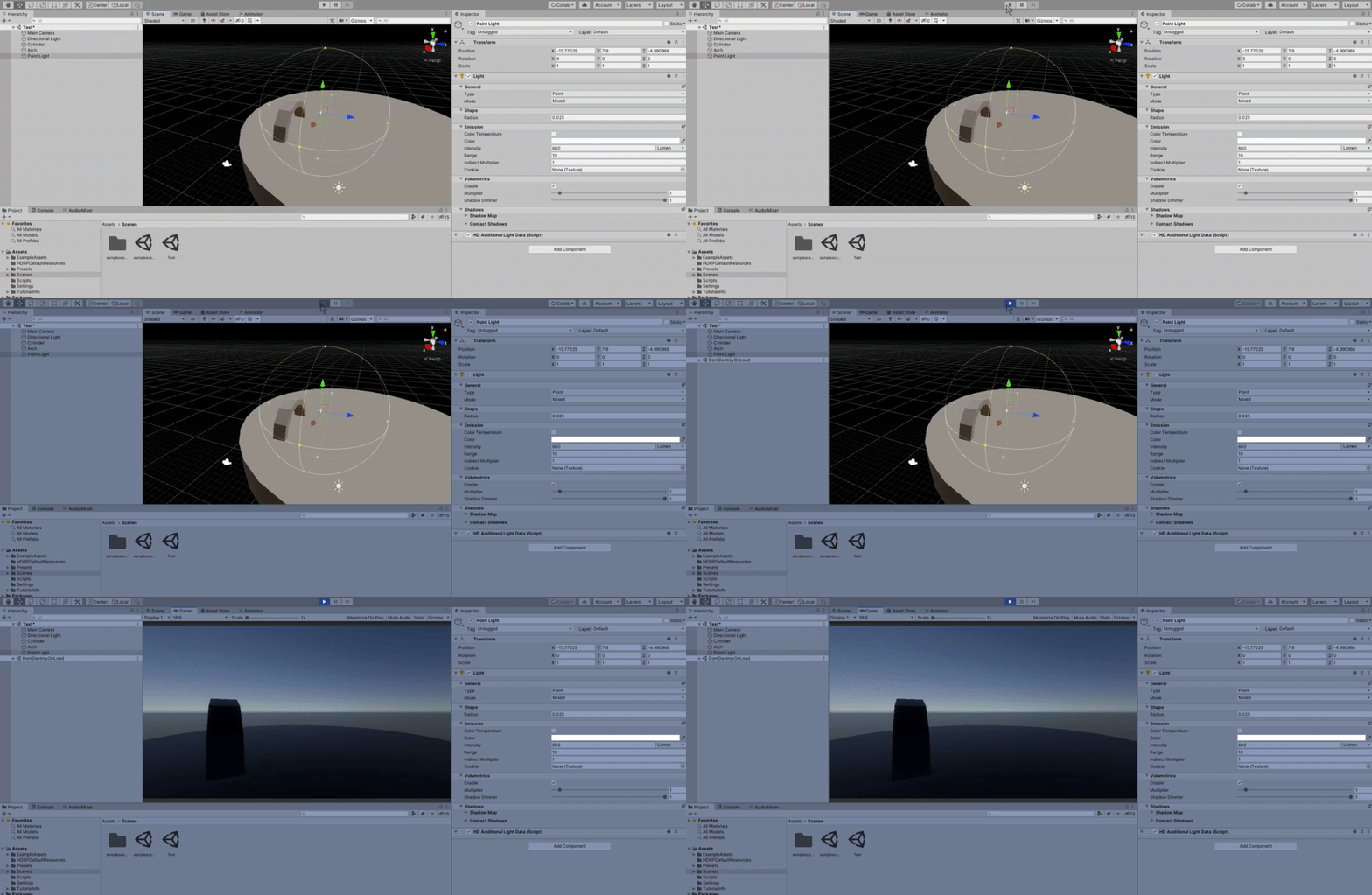

 calm anvil
Hi everyone. I need help. I have an asset imported to existing project that I created from Unity "FPS Microgame". Setup everything and the planet become like in the image. can anyone point me what the issue are? sorry if im in wrong channel
it become flickering or something
 waxen lantern
i highly doubt that anyone on #✨┃vfx-and-particles will answer question like this so I am asking here. How the hell am I suppose to reference VFXRenderer in my code if it is inaccessible due its protection level?
@whole fossil
You're not supposed to. It's meant to be inaccessible. VFXRenderer is not in the Unity Scripting API https://docs.unity3d.com/2019.4/Documentation/ScriptReference/index.html
And you can ask these sort of questions in #✨┃vfx-and-particles. I frequent that channel more than this one
 last cipher
does anyone have an ideas as to what this "ghosting" is in the scene view, and how i can get rid of it? it happens only for objects with an opaque material. using URP 8.1.0 on Unity 2020.1b13
 lost fern
hey, any reason why Universal RP isn't showing up in the package manager? I'm trying to get shader graph for 2D