
#archived-hdrp
1 messages · Page 36 of 1
 empty star
another method could be marking the stencil buffer when the "real" shaded/lit versions of the objects get rendered, and then checking the stencil in your outline blit pass
that would cut down on the additional draw of outline objects
 inland solstice
To answer earlier question... if you’re an AAA studio looking to take advantage of absolutely everything then no, it’s probably not production ready
But just as some jabroni making a game solo I haven’t run into any problems beyond having to convert assets to work with it
(HDRP)
I’m sure like the ambient flux calibration capacitor generator doesn’t work right or something but I’ll never be sophisticated enough to know lol
 fluid adder
Are Sub Graphs bugged in URP 7.0.0 and a11? I'm getting Invalid Sub Graph asset at [...] with GUID [...] in the Graph referencing the Sub Graph.
 turbid matrix
UserBit = (1 << 7), // 0x80 - 1 bit : Reserved for user (application-specific)```they got user settable stencil bit for HDRP coming up 😃
I still don't get why they waste one bit for putting separate bit for TAA and SMAA - you can't enable both at once
oh wait, you might be able to since it's camera specific setting?
nevermind then
 warm garden
Is it possible to only use a custom pass/custom renderer in LWRP for a particular scene or at a particular time only?
I really only need it for 1 of the 12 scenes in my project but the pipeline asset is a global setting
empty star
@warm garden if skipping a pas/feature, a bool that you can modify via script or similar would work, just have it skip the enqueuepasses method
warm garden
yep! thats what i ended up doing. serves its purpose just fine
 glad tartan
DOTS Instancing feature on Shader Graph Master Nodes finally getting some functionality

GitHub
Purpose of this PR
this PR makes shadergraph compatible with custom material instanced data used in dots hybrid renderer.
Testing status
Katana Tests: First off we need to make sure the Katana SRP ...
 lyric ravine
Hm, no Lightprobe support for dots instanced if I read that correctly? Wonder if that's temporary
turbid matrix
a12 is out and HDRP from current github master works as is with it
Graphics: Vastly decreases the time taken when a Ray Tracing shader is executed for the first time or a particular shader code or configuration associated to a Ray Tracing dispatch has changed.
(from a12 release notes)
 ripe fable
Thanks
I haven't seen any DXR fixes in the pull requests lately though 🤔 I wonder if anything has changed.
Hmm a12 isn't showing up in my unity hub.
turbid matrix
@ripe fable hub is always late on listing things
but the link I put above has "install with hub" link
it will work
ripe fable
Thanks man, will give the DXR features a try and report back. 😄
GitHub
Purpose of this PR
Support single-pass instancing with ray tracing code
Testing status
Katana Tests: running
Manual Tests: What did you do?
Opened test project + Run graphic tests locally
Built...
Did you see this? @turbid matrix
ripe fable
I came across this yesterday, not sure if it was posted here too.

How to Pathtrace in VR Before I start, I want to thank David Kuri of the VW Virtual Engineering Lab in Germany for his example project a...
turbid matrix
considering 2080 Ti can't even do 90 fps with raytracing normally 😄
then imagine it with bigger resolution and two outputs...
ripe fable
If you run a small amount of samples with a lot of denoising you can get some great framerates, and raytraced AO isn't even worth it compared to GTAO imho.
turbid matrix
GTAO will always suffer from screenspace artifacts
which may or may not be that bad depending on your application
ripe fable
yep
turbid matrix
but I definitely see them, even more with GTAO than with old Unity SSAO
ripe fable
Hmm I guess this is because it's not officially on the hub yet? My license is setup correctly, nothing has changed.
(and a11 still works)
glad tartan
Getting the same thing
 barren kindle
how do i get universal rendering pipeline 7.1.1? 🤔 what unity version will it be out for?
oh i see i have to use olentos link further up. my hub hasnt added alpha 12 yet
and there's the license error 
 frigid cypress
afaik, licensing is usually handled through the hub, so if you aren't installing through the hub you need to add the install to the hub using Locate and then launch it that way? that usually works for me
ripe fable
Yeah I did, doesn't fix it, I guess we have to wait until it's officially released through the hub.
turbid matrix
shouldn't matter
huh, wonder if it's some issue with the editor itself then
because a12 definitely loads up for me
I do have a paid license tho
so if you guys are on Unity free, it could be the issue here
also, a12 release is official, it was promoted on official beta RSS feed + link is also here: https://unity3d.com/alpha/2019.3 and here https://forum.unity.com/threads/unity-2019-3-0-alpha-12-has-been-released.727286/
hub lagging behind is normal and I almost always use that direct link for hub instead of waiting it to get refreshed
never had the license error myself
(for that reason)
@barren kindle also what do you need 7.1.1 for?
just to be clear, URP doesn't support DXR
ripe fable
Yep, I'm on a free/personal license.
turbid matrix
could be just some straight up bug then
ripe fable
I've reported it through the hub 😄
barren kindle
i need it because it has 256 lights instead of 4
allegedly
and i used "install with hub" link
let me try again running hub as admin
nah hub as admin does not respond to the "install with hub" link
turbid matrix
also do note that the hub updates it's list if you restart it
but if the data isn't in the server yet, it will not change this
by restart I mean, close the whole process
barren kindle
no alpha 12 in hub yet
turbid matrix
and start again
barren kindle
how many days does hub usually take to update? i woke up today and there is still a license problem
 stable vale
I am having an odd issue with HDRP where if i turn on volumetric fog my entire scene just goes background gray, not a single light gizmo or object or anything visible.
There is also this recurring error in the console:
NullReferenceException: Object reference not set to an instance of an object
UnityEngine.Experimental.Rendering.HDPipeline.HDRenderPipeline.UpdateVolumetricLightingPerCameraData (UnityEngine.Experimental.Rendering.HDPipeline.HDCamera hdCamera) (at Library/PackageCache/com.unity.render-pipelines.high-definition@6.9.0-preview/Runtime/Lighting/VolumetricLighting/VolumetricLighting.cs:367)
has anyone expereneced this?
lyric ravine
@barren kindle there have been cases where Unity pulled updates back as they found issues after releasing it - so if it doesn't appear in the Hub it might be they need to fix sth.
for example, 2.0b8 has been skipped due to that
turbid matrix
@barren kindle I very much doubt the issue is about hub not showing the a12
I'd expect it to be some licensing issue with a12 in general that affects some
like mentioned before, it does work for me
barren kindle
the issue is that your license is up to date™ (dismiss) but its not 
turbid matrix
so did countless other versions I installed before hub showed them (using hub link)
ripe fable
a12 is on the hub now, but it's still not starting.
turbid matrix
yeah, I really doubt the hub visibility has anything to do with this
ripe fable
Did you delete your old install and reinstall a12 from the hub?
barren kindle
yes
ripe fable
Thanks, I'm currently doing the same. 😄
barren kindle
and now it does not 
i got it to work by upgrading an old project, but i cant create a new one
but if a project was upgraded, i can start that one
barren kindle
now i cant get it to work at all. i guess this was a one time thing. ah well it was fine while it lasted with a pink project i guess
also why do i need to contact my administrator?
that is such a weird message
i am the administrator
ripe fable
I can confirm it's still not working, too bad.
barren kindle
deleting Unity_lic.ulf from C:\ProgramData\Unity and activating a new one in hub is working. for now
i can even create a new project now  p
p
ripe fable
It's working!
turbid matrix
see
the message was right
you needed some admin skills 😄
I've actually had to do that quite few times myself (wipe the old license for it to work)
just not on recent engine versions
ripe fable
Raytracing still not working for me 😦
barren kindle
i realized that the newest pipeline with 256 lights was unavailable so i dont need any of this
turbid matrix
@ripe fable what gpu you had?
also, RT in general or just not all of it?
AO and reflections should work afaik
ripe fable
RTX 2070. I posted a lot of screenshots in the DXR thread (I'm m0nsky there) so my hardware/software should be fine, but I just can't get it to work in the current build.
There are no errors, but I'm getting 200+ frames and turning the toggles on/off don't change anything visible
barren kindle
wait hdrp has dxr now? 
turbid matrix
so you enabled it with the wizard first?
ripe fable
yep
turbid matrix
and made sure you have DX12 in use and that you have raytracing environment in the scene?
ripe fable
yeah. I'm redoing all of it now.
barren kindle
yeah dxr did not work for me. console is spamming with
Please fix all the compilation errors for Ray Tracing Shader "RaytracingRenderer"! UnityEngine.GUIUtility:ProcessEvent(Int32, IntPtr)
ripe fable
Delete your library folder and reopen your project after running the wizard.
Ok I tested it some more and it's exactly the same as before (a11). AO works, kinda. Reflections only seem to do something in the editor view but still looks really bad (like they're in the wrong place), and does nothing in the game view. All of the other RT effects don't do anything.
So now we wait. 😄
barren kindle
the reflections in the editor scene view are slow
once you hit play the raytracing will be instant
but since you dont have raytracing in the camera you must have forgotten something 🤔
lyric ravine
anyone seen this? on HDRP, but not sure if SRP-related at all or asset import
turbid matrix
I've seen tons of weird asset errors if I upgrade HDRP but don't wipe library
barren kindle
i wiped library. error disappeared but does not work
i assume dxr for hdrp hasnt been finished yet because https://unity.com/ray-tracing hasnt changed in 4 months when the first experimental build got out
turbid matrix
it's definitely not finished
barren kindle
i meant.. for use.. at all
turbid matrix
yeah, nowhere near that
expect "experimental" quality on it when 2019.3 releases
but it's still months away
barren kindle
i feel like all the dxr features that are popping up is stuff that we are not supposed to see yet
turbid matrix
they are still moving things into places
barren kindle
fine by me if it makes it easier for unity :)
turbid matrix
HDRP itself if going so heavy refactoring that it's not even funny
I mean, it's not something you expect from package that is about to leave preview
they've done more changes for 2019.3 now than for than for 2019.2, instead of being able to focus on stabilizing it
glad tartan
Same thing happened when LWRP and Shader Graph was leaving Preview
 wispy juniper
Hello, I upgraded my materials to LWRP materials. using material.SetColor("_BaseColor", Color.green); changes color in inspector but not in game
anyone knows why?
 long wagon
That's not enough information. Make sure you are accessing cloned .material property.
wispy juniper
What do you mean by cloned? It was okay before upgrading to LWRP. I was using Renderer.material.SetColor("_Color", someColor); then i learned it is "_BaseColor" now. i don't see why it doesn't even working properly.
long wagon
You can turn on debug mode in the inspector and look what values the shader has that can be accessed.
(right click inspector tab)
turbid matrix
@wispy juniper my guess would be that you are changing wrong material
wispy juniper
I checked that, all materials are referenced and set to use LWRP/Unlit.
I checked what changes in runtime. And noticed that, in inspector on runtime it says it's freaking blue. but it is not.
turbid matrix
so
if you just manually change the same value to blue
I bet it doesn't do anything either 😃
again, if you do it from the same material ref
turbid matrix
in case anyone wondered if https://github.com/Unity-Technologies/ScriptableRenderPipeline/tree/VirtualTexturing works with 2019.3.0a12...
it doesn't 😄
just tried
but at this point, I'd expect it to be 2020.1 / 8.x HDRP feat anyway
turbid matrix
also about that DXR.. it requires DX12
I assume others get these as well?
it still runs
but it still spams the errors
 stable dune
maybe they're not errors but rather very aggressive warnings?
turbid matrix
well, by error I mean now that console itself classifies them as errors
it's not like halting issue tho, so can think them as aggressive warnings I suppose
but curious if others get these as well
I'll try a new project later on
currently packaging Unity's spaceship demo so this will take a while
ripe fable
Yeah I'm getting those, it was the same when we tested on a11 a while ago
 modern bronze
Hello guys, do you know if textures are customizable or anything ??
turbid matrix
@modern bronze that question is super vague
what you mean by that?
usually you'd create such effects on shaders instead
but if you mean like change the actual texture at runtime, there are few ways to do it in Unity
if you don't need to care about the speed, you can use this API: https://docs.unity3d.com/ScriptReference/Texture2D.html, every pixel is set using CPU and when you finally call apply, it uploads the texture changes to GPU. this is fine for example one time generated things or things you mod at runtime that don't have huge texture resolution
if you just need to copy data directly on gpu, you can use this: https://docs.unity3d.com/ScriptReference/Graphics.CopyTexture.html
alternatively, you could just use substance plugin and use Allegorithmics substance engine to generate the changes to texturemaps at runtime
modern bronze
Thank you
My plans were like this
I will include fewer texture sets with lower res and repeatable textures (something about 512x512) to make that edit much easier
Do you kinda get what I mean ?
If I would make 4K for the whole corridor, it may be much harder, right ?
turbid matrix
no
I don't get what you mean at all, sorry :/
so, you don't talk about actually customizing textures in Unity, but just meshes uv mapping?
modern bronze
I mean it like if I can change the textures at runtime to make editable enviroment
I actually do
But would you recommend to make a lot of texture sets with some kind of editable parameters to make editable enviroment
turbid matrix
well, you talk about assigning different textures to unity's material now, not actually customizing the textures themselves
or I dunno, I'm kinda lost here 😄
I'd recommend using mix of asset specific textures coupled with tiling detail maps
modern bronze
Thanks for helping
turbid matrix
if you just do tiled materials, it's pretty obvious that you did that (it shows)
but of course all depends on the art style and what you are after here
one could also just use tiled materials but put some additional dirt layer on top etc
modern bronze
Wellp
I am lost
I mean, Is it more practical to edit few small texture sets or a big one
I dont know how I would edit a part of a big texture set though
turbid matrix
you mean having texture atlas vs bunch of textures?
modern bronze
Yes
turbid matrix
you get drawcall advantage with atlas but it's not very convenient for tiling materials
it then boils down on the asset usage in general, how far you are willing to optimize things etc
modern bronze
Wellp, you are really right
turbid matrix
if you target mobile or VR, definitely pay attention to atlases
turbid matrix
then do it where it's reasonable 😃
modern bronze
Thanks
turbid matrix
all modern games do still use atlasing afaik
modern bronze
I honestly dont know how I could manipulate only parts of a texture atlas
turbid matrix
the drawcall disadvantage is going away once we get rid of DX11 tho
mesh UV's are for defining which parts of the texture space are used for it
modern bronze
Wellp, I am planning to also use GPU instancing
And there will be like only 6 textures that I will manipulate
probably 512x512
seamless for making tiles
turbid matrix
if it's just few textures, it doesn't matter in any way
modern bronze
If it would be 30, that would really matter lmao
turbid matrix
what I'd recommend for about everything that concerns optimization is to just try things out, make a small proto
if there's no issues on perf, don't worry about it
30 individual materials for a scene is super low still
/ textures
modern bronze
Really ?
Repeatable ones are significant
Using one texture for pipes
on all objects...
That would be really powerful
modern bronze
I did it one week ago
turbid matrix
as on most games you can just reuse many of the textures for many purposes
modern bronze
Instead of making one universal iron material
I did create a individual Uv set with different textures
turbid matrix
but if the scenes are not large, you'll get away with that
modern bronze
I am planning to use a lot of LOD to save performance
turbid matrix
Unity didn't have texture mipmap streaming until recently, so in past you had to load all textures on GPU ram at once
which made the GPU ram the limiting factor for your game assets
modern bronze
Yea
turbid matrix
now the streaming exists so it's not that bad, but it's still good to do trivial optimizations for assets
modern bronze
Unity got really better last days
Honestly, Unity is better for me in all ways against Unreal or CryEngine
turbid matrix
I'm personally waiting for them to get Granite integrated (virtual texturing)
turbid matrix
virtual texturing removes all texture barriers, mainly limited by the texture size limits on the drive then
modern bronze
What is it may I ask ? It sounds really interesting
turbid matrix

Stay ahead with advanced texture streaming
Unity acquired this company recently
basically you can use even 4k texturemaps for your individual props and assets and virtual texturing will just stream automatically parts and resolutions it needs at the moment on the screen there..
turbid matrix
but... this is like the total opposite from the old atlasing workflows
modern bronze
Unity uses DirectX ?
turbid matrix
on windows and xbox, yes
modern bronze
But normally, it does use openGL ?
turbid matrix
like, that's only place that even exists at
normally, it uses whatever is preferred renderer per platform
modern bronze
Omg, I am screwed
turbid matrix
opengl is not preferred on almost any platform nowadays
windows = dx11, dx12, vulkan, opengl
macos = metal, optional opengl
linux = vulkan, opengl
also I don't think HDRP supports opengl at all
and I doubt it ever will
opengl is legacy now
turbid matrix
redo the export
turbid matrix
if you talk about the texture normal map, only difference between opengl and directx setup is the green channel
it's just inverted on other
some shaders could have option to flip the green channel even
and you can easily make a shader graph that flips it if needed
but I'd just fix the texture myself
it could look fine for tiling materials but the normals are inside out basically
things that should move out of the surface, seem like they go inwards
turbid matrix
unity itself could just prefer opengl normal map setup
I can't remember this out of my head but if it looks fine, there's nothing to worry about 😃
turbid matrix
I did read somewhere that Unity's default normal map is using the opengl setup
 uncut hull
hi good night
turbid matrix
so that's probably fine
uncut hull
anyone here is publishing on xbox one?
I have atrouble, seems only one of 7 gpus its working on xbox
anyone know how I can do for the rest of kernells working?
turbid matrix
@uncut hull I don't think people can talk about these on open chat due the NDA
turbid matrix

A non-disclosure agreement (NDA), also known as a confidentiality agreement (CA), confidential disclosure agreement (CDA), proprietary information agreement (PIA) or secrecy agreement (SA), is a legal contract between at least two parties that outlines confidential material, ...
uncut hull
its that unity discord?
or im wrong?, u are judge?
or something? im new here
I just ask about a common trouble whithout solution yet , or almoust i isnt see
nothing about contract ect
turbid matrix
@uncut hull you got your id@xbox without NDA?
uncut hull
no
 zinc jay
Well, the thing is that people who develop for consoles can't talk about it because of NDAs
uncut hull
look, Im developer, I have dev mode on
and before of launch u game u should do metrics
and secure of all its correct right?
turbid matrix
yeah but most here are not under the xbox programme
uncut hull
I only, look, I only wanna know why only use a kernell of gpu
theres a fews of post the people ask same
turbid matrix
and I'm saying, you are not going to get the response here as you are asking others to violate the NDA
uncut hull
what??
turbid matrix
there are places where you can ask about that
ripe fable
It's not allowed
turbid matrix
there isn't any channel on this group that lets you verify users to be xbox devs
turbid matrix
you may not respect the contracts but this is official unity group
don't ask others to break the terms here
uncut hull
point 2 if suposse the directx 12 isnt working ocrrectly I cannot ask for a fix???
thats ridicolous
turbid matrix
also, I have no powers here, just opinions
so, do what you like I guess 😄
but I always warn people when they cross legal lines
uncut hull
Im not going of judging like u guys 😄
theres no legal point
its a build trouble
.
and just wanna know about a fix
just that
😄
its like if I ask ey why the build for android use only a cpu
and u talk this trash
thats ridicolous
😄 sorry but its that way 😄
ripe fable
He's just reminding you that if you're developing for xbox you're probably under NDA 😛
turbid matrix
he doesn't obviously care
uncut hull
lol
turbid matrix
but people who he's asking from probably do, so he's not getting answers here regardless what I say or think
so... it's pointless
there are proper places to ask these things and this channel is not one
uncut hull
oki, pointless alomost im looking for a fix, almoust I tryed
oki, my erroy
but its same big than u
😄
and btw im new
btw, if anyone ask about why on mac build use only a unique cpu too its same?
u will be a dog?
turbid matrix
no
uncut hull
its the same
long wagon
@uncut hull If you have a general Unity question you should use #💻┃unity-talk , what you are asking doesn't seem to be in any way related to this thread.
turbid matrix
well, he really won't get answer on general for xbox specific issues either
 old spoke
modern bronze
old spoke
modern bronze
@turbid matrix Also, I dont want to bother you, but it seems like that normal map OpenGL is fine
So yea, everything is nice
turbid matrix
yup
turbid matrix
np
uncut hull
@long wagon @turbid matrix and Guys I finally optimizated my xbox one project!!! now its working on all kernells of gpu, getting until 120fps!!!
😄 finally it works!!! fluid and whit big charge!
was a bit harder coding! but finally!!
well friends its so late!!
time to sleep take care!
empty star
@uncut hull i assume you're in UWP dev mode, it is not the same as a development kit https://docs.microsoft.com/en-us/windows/uwp/xbox-apps/system-resource-allocation

UWP on Xbox system resources
 half heart
is the SpriteRenderer component still to be used with SRP's or is that part of old rendering system? there's that 2D Renderer offshoot of lwrp that has it's own shaders but it doesn't seem like any kind of replacement for the SpriteRenderer
oh I just realised you can just name a texture property as _MainTex and it becomes compatible with the SpriteRenderer 🤔
 tall gazelle
I just noticed that shadow resolution in 2019.2 is same for "high" and "very high", is this a bug or am I missing something? I'm using rtx2080 and targeting desktop
uncut hull
@empty star hi ty xra, its not but yes its the same, you can do all whit uwp, but it precompiled of another way, btw dev kit its obsolote cause all its sent via shop for uwp, but ty ty so much for link!
lyric ravine
@tall gazelle there was some discussion around that before. iirc, the resolution is the same but the filtering is different / higher quality. @scarlet hull is that correct?
tall gazelle
@lyric ravine it's possible, but I didn't see any difference, not even when i was up close, thanks for responding tho 🙂
lyric ravine
restart didn't help?
lyric ravine
Remove cinemachine package and delete the unity recorder samples folder. Best would be to start with a new project for testing first
 drifting vault
WELL problem was in reflections probe, need just to enable/disable it
 prisma sleet
hello, is there a way for me to print out to my console what keywords all my shaders are using in a scene?
I'm running into an issue where the Frame Debugger reports that an SRP batch is not working because the shader keywords are different, but I can't see any shader keyword difference inside of the Frame Debugger
empty star
@prisma sleet i think if you get all renderers in the scene, then run through their materials (possibly shared materials) you can use material.shaderKeywords to build out that info
maybe do it where the keyword string is a key and track how many uses as the value
turbid matrix
heh, I get 20-30 fps on the DXR experimental thing using 2070 super
gpu is 99%, cpu is on like 30% load
1920x1200
ripe fable
Ah, finally got your card? 😄
turbid matrix
yeah
didn't get the game bundle tho :/
like, most expensive GPU I've ever bought and they cheaped out on the bundle even 😄
(should have checked the fine print, not every seller offers the coupon)
 weary fog
20-30fps on a 2070 super?
Is that because their DXR implementation is super unoptimized right now or do you have everything ticked to the max?
ripe fable
Ah, I didn't get the game bundle either. 😛
turbid matrix
@weary fog that's just the experimental first version from this summer that has way over the top settings
ripe fable
You can get 100+ frames 1080p with full DXR if you tweak it right (on a normal, non-super 2070 that is), but I expect performance to get better in the future.
turbid matrix
it'll be better if you tweak the settings and definitely when they get the final version done
yeah, exactly
weary fog
Is there a non RTX fallback so you can compare performance between RTX and normal compute
turbid matrix
nah
I mean, the DX12 RT fallback layer was a thing before DXR capable gpu's existed
but it's not something you'll see in game engines like Unity or Unreal
it's already discontinued by microsoft as well
and requires special support from the app
ripe fable
@turbid matrix did you try any features in 7.0.1 / master yet?
turbid matrix
I tried master briefly, was bit busy back then so will try again
it was totally broken when I tried it
ripe fable
I wonder if we're just doing something wrong as I've seen DXR unit tests pop up in the pull requests.. they must be testing something lol
turbid matrix
nah, it's just broken on the versions we get
ripe fable
For raytraced shadows and stuff.
turbid matrix
it's super WIP rightnow
ripe fable
yeah
turbid matrix
HDRP itself has been at similar state few times already
just need bit of patience 🙂
it was totally broken on early 5.x
like after 5.2
they didn't even push new versions out in small eternity
prisma sleet
@empty star material.shaderKeywords is described as returning "Additional shader keywords set by this material." I believe it does not include the shader keywords inherit to the shaders themselves.
empty star
what would be an example of keywords inherit to the shaders themselves
teh material shaderKeywords should have everything you need, it is what would break batching as far as keywords go
I would just try it, it will be the same keywords seen when you view a material in debug mode on the inspector
turbid matrix
ok, trying master again
"Please fix all the compilation errors for Ray Tracing Shader "RaytracingShadow"!" 😄
oh wait
I didn't wipe the library
turbid matrix
well, I don't get those errors anymore but this isn't still working
main scene flickers red on play and everything with raytracing just turns black 😄
the experimental thing did work, just slow
turbid matrix
testing new gpu
prisma sleet
@empty star I will give a more detailed shot, but I did once print out keywords from there once and almost all of them were blank. But that was just a quick test by me, so I'll write something more detailed.
 prisma sleet
@empty star It seems to be accurate after all. I've started to modify my RenderQueue to group all identical shaders+keywords together into groups with the same RenderQueue number (as this is the only way I know how to prevent batches from "wandering", if you take my meaning), however I am still running into the occasional batch breaking due to keyword when I don't think it should be. Ran out of time today, but will have to take a closer look later.
I guess I should point out I have thousands and thousands of individual renderers in my scene, so it's a bit tricky
turbid matrix
I'm totally going to work with totally over the top PC once I get the rest of the parts for the new rig (only waiting for Ryzen 3950X to release at this point), new gpu was just one part of the process of upgrading my 7 year old rig :p
of course I keep my old setup as testing platform
and I still have dedicated min spec computer as well, what is just dual core i3 with nvidia gt640 in it
have also gtx670 here and additional celeron cpu which I can move to testing systems if needed (and access to GT610 and Radeon 4650 too)
the whole point of having modern dev computer is to make things faster, I now wait hours just for the computer to compile things, it's just waste of time
empty star
when did GraphicsBuffer get added? I see no mention of it in the release notes
 thorn lodge
@empty star - I think around 2019.1 actually, but all it's supported so far is IndexBuffers.
I assume if they eventually want to replace/have an alternative for Mesh this is possibly the basis for that
empty star
ah i see, thanks! yea just found this thread, sounds like it is still early, maybe thats why no mention of it in release notes, https://forum.unity.com/threads/graphicsbuffer-and-mesh.636631/

Unity Forum
I see that 2019 added new API for GraphicsBuffer and specifically an ability to create index buffer manually. Is it possible to use it with Mesh...
thorn lodge
It's probably one of those "exposed as public because we have to not because we want to" type API changes
 true zealot
I think I saw something along those lines in some recent-ish release notes
Ah no, never mind, that was something else!
 uncut root
Anyone had any success using the GL class in LWRP/URP? Or is it considered obsolete?
 remote forge
@empty star There is a bunch of work happening in graphicsbuffer right now internally to make it actually useable and good. API got shipped a little rough around the edges.
@uncut root GL class is mostly for: Draw this right now. SRP works on deferred execution (you build up command buffers and similar). So GL works still but there just isn't good injection points. Anytime after a SRP Context submit it can be used... but it's not a good idea.
uncut root
@remote forge Thanks for info. I'm looking to do off-screen rendering into a RT that doesn't really have anything to do with runtime rendering. As long as GL still works, I'll just have to find a way to have it execute 😉
remote forge
Yeah. Still works still possible 🙂
 surreal barn
stupid question but should i bake transparent hdrp windows?
 mighty swift
What do you mean bake?
surreal barn
bake into lightmap
 faint fjord
Hello Everyone, I got a Problem with Shader graph. Everytime when a property in the blackboard is connected to a Node, and im trying to rename a property the Shader graph blackboard GUI and the Rest of the GUI hangs and crashes... But when no property is connected I can rename them with no crash... Can someone help me please? Im using unity 2019.2.1 and Shader graph 6.9.1
turbid matrix
 rich spade
before this drives me mad, I've done a search but can't find anything relevant. With respect to LWRP in 2019.2 is there an issue with shader graph and transparency, where shadows get rendered regardless of alpha etc. ?
i.e. shadows are rendered regardless on objects behind
this is the only reference I could find and no one replied to the poor fellow https://answers.unity.com/questions/1615414/lwrp-transparent-shader-graph-has-see-through-shad.html
Unity is the ultimate game development platform. Use Unity to build high-quality 3D and 2D games, deploy them across mobile, desktop, VR/AR, consoles or the Web, and connect with loyal and enthusiastic players and customers.
remote forge
I think there is. will get confirmation from the team on monday
I think it might be fixed already in the git repo
not sure if it's been backported to the 19.2 branch yet
rich spade
thanks @remote forge , look forward to hearing the outcome.
drifting vault
how to enable Screen Space Shadows? How its works?
turbid matrix
@drifting vault I think you enable support for the actual feat somewhere else in that asset first
fluid adder
Is it possible to get a particular render feature from a script? From GraphicsSettings, I have access to the pipeline asset. Then I can get the ScriptableRenderer from the asset. ScriptableRenderer has a property rendererFeatures, a List, but it's protected.
glad tartan
@drifting vault Screen Space Shadows are also DXR only so if you aren't using raytracing it's not going to work. (They also don't work for DXR currently at least not in HDRP 7.1.1)
 modest veldt
or would this question be more suited for #archived-shaders ?
turbid matrix
modest veldt
Alright, I’ll move it there then
 short sapphire
does anyone have idea what might cause this weird "reflection" at such angles? Using standard shader, no LWRP/HDRP
weary fog

Learn how to make reflective surfaces more believable in your artwork. The Fresnel Effect is a tiny tweak with a big impact!
 maiden plume
@short sapphire I think it's your textures / material. It seems to have some metallic reflection in there, which doesn't make sense condiering it's stone. Try adjusting the material.
short sapphire
yep, that's it - thank you!
 whole fossil
hi, does anyone know if its possible to modify volume settings (i.e. - if using volumetric fog) from runtime in hdrp? (unity 2018.3)
i belive it comes from RP Core package, but I am using asmdef so I cannot reference it 😦
surreal barn
Yo im using HDRP, why this stuff bright when in [pitch black 😭 It doesnt do it to any other object, maybe its to do with the glass not sure :/
 warm crescent
Hi everyone, im not sure if this is the right place to post this but im kind of desperate
anybody has any hint of how to solve this?

Unity Forum
Hi,
So, this is an issue that has peeved me for a good while now, I reckon now is as good a time as any to ask about it.
The problem is as follows:...
i tried all the sollutions there and none works
 mossy lynx
I'm having weirdly low framerates on simple simple scenes using the LWRP on the Oculus Quest. Is using one of the render pipelines actually a bad idea?
It's genuinely alarming
mossy lynx
Do I need to just make the leap to the updated/rebranded "Universal Render Pipeline"? What kind of ramifications does that have on a project?
empty star
@mossy lynx profile on device first to see what's causing it, then if you do upgrade later you've got a comparison
mossy lynx
Profile complete. What’s actually involved in transitioning a project from LWRP to URP?
remote forge
There is a few upgrade steps (in the upgrade guide) but it is low difficulty.
turbid matrix
URP = LWRP but with dedicated own post processing
you can twist it how you want
even more so when the deferred changes land
mossy lynx
@remote forge I couldn't find any upgrade guide - where did you locate it?
uncut root
@mossy lynx The changes required are fortunately mostly renaming: https://docs.google.com/document/d/1Xd5bZa8pYZRHri-EnNkyhwrWEzSa15vtnpcg--xUCIs/edit

Google Docs
Upgrading from LWRP -> Universal RP is designed to be relatively simple, this is done in a few ways technically, this guide will help explain how to transition to Universal RP. Generally projects will upgrade nicely, but some user action may be required if you have handwritte...
mossy lynx
Thank you!
mossy lynx
So... does LWRP actually behave yet? Especially on the Oculus Quest?
I’ve just been assuming it’s all true, the talk about it being at least a little lighter than legacy on all platforms
I even waited for it to be out of preview to start developing this serious project on it. But through all the digging I’ve had to do for days to fix these magic unexplainable performance problems, it seems like it’s been pretty much a basket of issues for people?
uncut root
I haven't used LWRP/URP for any projects yet, so I couldn't say.
I did work with the quest last week and found it is very sensitive to shader complexity (+ transparency). You should probably use the Simple Lit shader where possible
mossy lynx
All of my materials (the few I have) are Simple Lit :/
I did cut out transparent objects which helped
But even on the simplest most basic scenes, framerate doesn’t always get hit.
 digital scaffold
Can anyone help - Shadergraph error when building for old android device - https://forum.unity.com/threads/sample_texture2d_lod-cannot-map-expression-to-vs_5_0-instruction-set-on-gles.730979/
Unity Forum
Please Help!
LWRP 6.9.1, ShaderGraph 6.9.1, Core RP Library 6.9.1, Unity 2019.2.0f1
I'm trying to build on the old Android device (GLES 2) and I...
lyric ravine
Any idea what that slider is actually doing? Default is "1" and basically prevents any visible emission from happening
(on HDRP@6.9.1/Lit)
turbid matrix
you use intensity to make it stronger
lyric ravine
Oh, ok, just to get this right:
so the default value 1 means "behave totally nonrealistic by factoring the camera exposure into the emission of this material"?
 scarlet hull
1 is the realistic
The exposure is applied globally to all objects rendered, including emissive objects. This weighting will reduce the amount of exposure applied. This is use to make unrealistic non physically accurate glow effects
turbid matrix
@scarlet hull since you are around, can you tell if HDRP supports HDR displays on Windows?
scarlet hull
iirc, not now, but it's planned.
turbid matrix
I tried searching for the answer but obviously it was close to impossible because HDRP letters consist of HDR 😄
so I just kept getting wrong things
lyric ravine
I get it. The wording could be better though...
"factor the exposure in" sounds like the value would be multiplied by exposure while rendering the material, e.g. the material always has the same glow no matter which exposure
I think a better explanation would be "a value of 1 uses the the physically correct values you set in "Emission Intensity", and you have to turn "Use Emission Intensity" on"
Reason I wasn't seeing anything is the combination of "Use Emission Intensity" being off by default (so max. is 10 Luminance through the HDR color picker) and "Exposure Weight" being 1 by default
So I had to change either of two default values to see any emission happening
turbid matrix
you are not supposed to see much bloom in bright daylight
it's supposed to be more realistic now
lyric ravine
I'd recommend then making "Use Emission Intensity" on by default as that's the realistic option
.
Otherwise there's going to be a lot of questions as to why emission "doesn't work" in the default scene
(answer: you have to enable "Use Emission Intensity AND set a luminance value that can compete with the sun OR
do all the changes necessary to change to a indoor lighting scenario (change exposure, change skylight, change directional light) and THEN it'll work with default emission settings)
@scarlet hull
 candid basin
I have this texture and I'm trying to put it on top of a wall object but the texture seems a bit faded on the wall
I'm using a lerp node and the brick color is pure black and the mid color is the pinkish-red color
but on the wall the lines don't appear as 100% black
why is that? the lines on my texture are pure white so I thougt I'd be getting a pure black with the lerp node
frigid cypress
you're multiplying by something, that might be changing the value to be something other than 1.0
candid basin
yeah you're right
candid basin
with shadergraph, will it ever be possible to add 'headers' to the inspectors?
so you could just add in a header here to break up the properties into sections
turbid matrix
yeah, it would be nice to be able to group those
this is more of a #archived-shaders discussion tho
candid basin
oh wow I didn't see what channel I was in... my post before that about the texture was wrong too
my bad
candid basin
does anybody know where the grain is calculated in URP?
like where in the code, I would like to take a look at it
I found Volume.cs and FilmGrain.cs but those have the actual code that generates the grain I think
ah think I found it in FinalPost.shader
scarlet hull
@lyric ravine "Use Emission Intensity" is a toggle for how you set up the emission. By default it's emission texture * HDR Color, with this toggle enabled, it's emission texture * LDR Color * Emission intensity.
Internally, the behaviour is not much different.
As for the exposure weight, the tooltip is quite correct, as the math behind it is something like : FinalColorValue = lerp( emissionColor, emissionColor * preExposure, exposureWeight)
lyric ravine
With emission texture * HDR color I get max. 10 Luminance. If I want to go all the way to 11 (e.g. for having something emissive in the default scene with 100k lumen sun brightness) I need to toggle this on anyways. As a sideeffect, in the current UI I'm losing the color value I had set (it's a totally different internal color value that just happens to render in the same spot).
I'm only advocating for having defaults that fit together here, aka default scene + default emission setup make sense together 🙂
lyric ravine
Of course even better would be to actually give new users a choice of "default light setup" for "sunny daylight", "cloudy", "indoors" etc. -
I guess right now at least 50% of people new to HDRP (and that's a very conservative guess) will have to google for "why can't I see my spotlights" or "why is emission not working" because the defaults just don't fit together.
turbid matrix
well, with HDRP, the focus is on doing things more realistically
so defaulting to old hacks isn't what you are going to see
new users should adapt 😄
lyric ravine
Erm, I'm asking for the realistic option to be on by default
scarlet hull
That toggle has nothing to do with "realistic or not". It's just a different way to set your emission intensity.
lyric ravine
No, it just uses the HDR Color intensity as a luminance value and prevents me from going higher than 10 - while that gives a value in a realistic range it's not very easy to explain. I like the new emission intensity option, it's much cleaner now.
I'm still merely pointing out that the defaults in different spots don't play well together in a Developer UX sense
.
On a related note, I would really recommend you sit down with the UX team to figure out better namings for this - students are going crazy with having five different things named "Emission". The bottom toggle looks like it would turn it off completely, only after turning it on it becomes clear (to me, not to students) that this means "Use this for GI"
"Emission: on, Global Illumination: none" - is this the same as "Emission: off"?
scarlet hull
hum ... yes I agree that this one is not very explicit.
lyric ravine
if "emission: on GI: none" is the same as "emission: off" couldn't this just be replaced with the dropdown entirely? or is the on/off actually relevant for lightmapping, not only GI?
scarlet hull
I raised this to the devs.
iirc, this is an inheritence from the built-in standard material where the "emission" toggle was toggling all the emission settings. In HDRP we have a function call to display the emission GI settings, and it will display this toggle and the dropdown.
I don't say that we won't change it, but in order to do it we will have to go deeper than just the HDRP package code.
turbid matrix
oh, I totally missed that I had to do this:Find ShaderConfig.hlsl in your local copy of the high-definition-config package, and change #define SHADEROPTIONS_RAYTRACING to (1)
rest of the things I had done already
turbid matrix
didn't change much tho (still can't get rt reflections to do anything)
ripe fable
Yup just saw that, are you on master or 7.0.1/staging? @turbid matrix
turbid matrix
master
staging just got some dithered sampling for DXR
merged 30 minutes ago
that's basically only change to current master for DXR
I guess I could try that staging on new clean project
see how it goes there
ripe fable
I'm on master, seems like that 'fix' didn't make a difference.
I wonder what these guys are testing and if it's actually working for them. 😛
turbid matrix
yeah, I saw no change
also I doubt they actually got it working
someone said it used to crash on play
so maybe that's their definition on working
but it didn't crash / throw error on play without that either
anyway, I think they said it'll arrive this fall
and said at the end of october 😄
so, few months to wait for actually functional one
ripe fable
yeah
ripe fable
Ah I got it to work
Need to turn this on in the HDRP Debug everytime I enter playmode.
turbid matrix
still trying to get this new project to run
got the error about raytracing shaders again
wiping library now
ripe fable
It's not worth it in it's current state though
turbid matrix
it's still nice to play with these things, can be better prepared
oh right, I forgot the hlsl define now that I moved to staging
ripe fable
ah
turbid matrix
maybe that's why the RT shader error appeared
ripe fable
turbid matrix
this takes forever to import things tho
ripe fable
This is all realtime, the shadows somehow look off even though they are definitely raytraced now. (can introduce noise when playing with the settings)
turbid matrix
that Ryzen 3950x can't arrive soon enough 😄
I mainly care about reflections and GI, I'm fine with existing shadow limitations
but SSR has always been a PITA
ripe fable
yep
turbid matrix
oh, the RT reflection actually works now
I got that HDRP debug setting enabled by default on this new project btw
I mean, "works" by it actually reflecting objects behind the camera
it doesn't visually look appealing yet 😄
ripe fable
Reflections is the only thing I can't get to work now, but GI, shadows and AO seem to be working haha
turbid matrix
heh, this crashes now if I try to remove point light from the scene, every time
oh, the reflection exposure is just so tiny
so if you use sane values, reflections just appear black
if you overexpose it, you can actually see the RT reflections
so pretty 😄 😄
this is how it looks with SSR and with more proper exposure value
reflections themselves seem to work pretty fine, too bad you can't see them 😄
that made me think... that if I just go back to old style lighting values, I don't need to play with exposure at all
I get this now
lyric ravine
Anyone knows when all the "legacy" shader properties from LWRP/HDRP will finally go away? (I think right now it's only there to help the auto upgrader?)
(this is from LWRP/Unlit)
Background of my question: right now it's super hard to get "relevant" color texture from a generic Material (through editor scripting). _MainTex and _BaseMap can be totally different things, but the shader "reports" it needs both tex envs
scarlet hull
That's tricky, and we have not found a way to handle it properly : Those properties are serialized when you had a material using a legacy shader, and are saved in the *.mat file.
They are NEVER deleted to allow you to switch back and forth between shader and not loosing your settings.
The only way to clear them currently is to edit the *.mat file manually ...
So, if you take one material and like, cycle through all the shader you have in the project, the *.mat file will contain all the possible material properties in the world 🙂
ripe fable
@turbid matrix that's odd, I can't get the reflections to work at all. Did you change anything specific?
turbid matrix
didn't change anything, just enabled the RT like in those instructions
but do note that if you got default light intensities, all you'll see with RT reflections is black because the exposure is wrong
@ripe fable
ripe fable
yeah exactly. Gonna start over once more, getting it to work is part of the fun 😄 getting everything to look good in the old version seemed impossible at first but worked out in the end.
lyric ravine
@scarlet hull that's something different - materials to save all material properties that were ever assigned to them between different shaders is a good thing.
However, what I'm pointing out in the screenshot above is that the LWRP shaders actually have _MainTex and _Color as property, which they don't use
The _MainTex property is stored on the material already if it's upgraded (the material stores that as you describe above) but what's wondering me is the shader
scarlet hull
So, I asked : it's because those properties are hardcoded to be read by the lightmapper for some GI calculation. And since HDRP/URP is userland code, we had to use it like this
@lyric ravine ^
lyric ravine
I see. But is there any magic internally that makes sure _MainTex is updated whenever _BaseMap is updated?
(I actually remember having to do the same to get custom shaders to behave with lightmapping)
ripe fable
@turbid matrix would you happen to know where those settings are stored/can be changed permanently? I'm talking about the ones I keep having to turn on in the HDRP debug. I think it's breaking because I keep enabling them after entering play mode. (they reset when I hit the play button)
turbid matrix
I dunno, I never touched them
they are all enabled by default
I did enable raytracing from the quality settings separately I think but that's about it
ripe fable
Yeah that was already on, it's a separate thing. I managed to fix it by pressing the "Populate / Reset" button in the HDRP wizard, weird.
Seems like I've finally gotten every feature to work, even in the game view, but pressing play messes it all up (weird offsets, shadows/reflections in incorrect positions), and the editor crashes every time when existing play mode. I'll delete the library folder once more and then just wait a few months. 😜
turbid matrix
@scarlet hull that exposure issue on rt reflections is probably known issue?
scarlet hull
Huhh... to be frank, we are a bit behind on testing DXR.
turbid matrix
ah ok
it works if you don't have to use exposure control, like if you use lighting intensity of 10 etc on the main light
but if you have new light defaults that require exposure, RT reflections appear pitch black as the exposure is not taken into account there
but yeah, I can imagine things being busy there
I don't envy you guys trying to push experimental DXR out of the door at the same time as trying to refactor HDRP and polish it for the release
from outsiders view, I don't know how you make all that happen :p
also can imagine there's some work being done for the next Unite now
can feel the crunch miles away :p
scarlet hull
I just checked with the dev, it seems that RT reflections properly react to the exposure. What version of Unity and HDRP did you use to test ?
turbid matrix
latest staging and 2019.3.0a12
ripe fable
I've had the same reflection exposure problem in the "old" (non-volume system) version
turbid matrix
well, there just was update on staging few minutes ago, but version before it
scarlet hull
Then that's weird. If you can send a repro, that would be nice
turbid matrix
@ripe fable wait, exposure works for you in this version?
ripe fable
No sorry, I just meant to say that it's been there for me since the beginning
ripe fable
yep
turbid matrix
ok, just checking 🙂
wonder what light values they used on the experimental dxr editor
opening that office scene now
I guess I could try to port that to the new setup
it got bunch of 100 lumen point lights
so nothing rad
exposure set to -1.7
there are lots of settings missing
ripe fable
Where?
turbid matrix
actually, I think these settings are just scattered around now
so nevermind
was looking at things like reflections quality
but that's in the quality settings now
ripe fable
Ah, in the office build they're all in the raytracing environment
 heavy ice
@turbid matrix On my side exposure is working as expected with ray traced reflections can you provide a repro scene on fogbugz so that i can look at it?
turbid matrix
@heavy ice just to make sure, is there any way you can manually adjust the reflections exposure?
just asking so that I don't miss anything obvious
you can see my comparison shots here https://forum.unity.com/threads/unity-experimental-hdrp-dxr.656092/page-4#post-4884170

Unity Forum
Apologies for spam, but I had to do a quick & dirty proof of concept about how it looks like in movement. A pinball might be a really good showcase for...
anyway, cleaned that simple scene up, checking it'll gen library now and then put it to fogbugz
I made two scenes, other with default scene prefabs 10k intensity lights and fixed exposure of 10 on both volume and sky, and other with light intensity of 10 and zero exposure adjustments
on the 10k instensity, reflections are just pitch black but you can faintly see them if you dial down the exposure value
on the other scene, it's looking fine
ripe fable
Mind sharing your bug report project? I wonder if my problems are project/setup related.
 upbeat badger
rt shadows still not working?
ripe fable
Yeah, everything seems to be working fine (including rt shadows) in the scene/game view as long as I don't hit the play button.
turbid matrix
oh, that debug thing breaks it then? 😄
for me, play mode has no impact, effects work on both views
ripe fable
Nope I fixed that by using the reset button in the HDRP wizard, my asset must have broke.
It stays enabled now but everything has these weird offsets.
turbid matrix
well, I've only tested this reflection thing now, can't tell for other effects
heavy ice
@turbid matrix there is some subtle things, i'll check the fogbug when you'll post it
What is the problem with rt shadows? @upbeat badger did you set the define SHADEROPTIONS_RAYTRACING to 1 in the shaderconfig.cs.hlsl?
upbeat badger
no, i didn't. will try
turbid matrix
@upbeat badger just in case you have trouble finding that, it's in the new HDRP config package
this fogbugz upload is taking forever
and I didn't even put library folder there (unless this tool somehow caches it)
in zip, it's like 125 megs (as I shipped it with HDRP packages)
@heavy ice ok it should be there now, case 1178622
or alternatively https://www.dropbox.com/s/7at0k4w6iveb3jq/DXR_Test.zip?dl=1
that db link will be gone next time my db is full 😄
I also should have put some better note on the bugreport just to not confuse the QA people reading it :p
ripe fable
@turbid matrix your test project has solved every single one of my DXR issues
turbid matrix

only if it would solve the reflections on high intensity lights tho 😄
oh
since you have it open there
does the editor crash if you open one of the existing scenes and remove point light from it?
frigid cypress
#0lentocares
turbid matrix
on other project, even removing reflection probe crashes the editor when RT is in use
I think it's related to RT at least
ripe fable
In play mode?
turbid matrix
nah, just in editor
heavy ice
@turbid matrix I am looking into the 1178622 fogbugz
ripe fable
Nope it doesn't, that's the first thing I did because I didn't need it 😛
heavy ice
For crashes when removing a light, that would be a new thing. I did not see it before the alpha release
i'll try
ripe fable
So the only issue I have now is that raytraced GI introduces flickering, I'll have a look on github to see if it's a known issue
turbid matrix
ah, I saw that too
I didn't pay much attention to it as that's not what I'm trying to test atm
oh... now I could delete it
and now it crashes again (I didn't save the removal)
heavy ice
@ripe fable GI filtering will be improved quite significantly in a near future
turbid matrix
oh, GI is not like noisy or anything, it just literally flickers the objects (for me at least)
ripe fable
It's basically flashing from bright to dark, every frame.
turbid matrix
I mean, there's obvious noise but that's not the issue
turbid matrix
probaby just enable GI on my test scene
ripe fable
@turbid matrix 's uploaded/submitted test project, happens as soon as you enable GI.
heavy ice
Are you refering to the flickering with you move the mouse over the UI?
turbid matrix
well, not latest anymore, but it's based on this https://github.com/Unity-Technologies/ScriptableRenderPipeline/commit/efdfc2b70c5766d269122e52aab5a39409acb361
that's the last commit in it
hmmmm, it doesn't flick on my test project for me now
ripe fable
Try 2 bounces
turbid matrix
no issues
I did see the flicker earlier when I tried to fix this tho
but this is stable on this project for me
I just added extra cube on scene so I can see the GI better
heavy ice
yes that is filtering
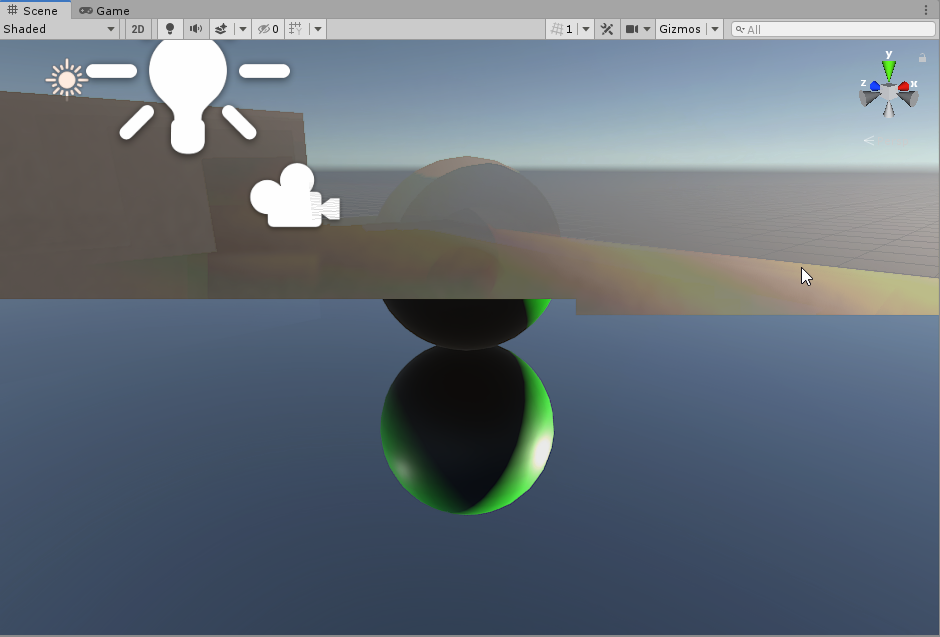 ripe fable
Ok, just making sure because it's still there when I disable filtering.
turbid matrix
@upbeat badger I had something like that on my other project when I first tried DXR on it
it did go away 😄
of course this is just the early days
scarlet hull
@upbeat badger We saw this issue on some machines but are not able to reproduce ... is it still there after entering play mode ?
turbid matrix
it was for me
I think either restarting the editor or wiping the library and then starting editor again fixed it
upbeat badger
i cant go play mode because editor is crashing
upbeat badger
yeah
turbid matrix
yeah, it should be all configured to run with DXR
heavy ice

Google Drive
upbeat badger
and this issue appears only when i select material
heavy ice
This is how GI is now looking
scarlet hull
Yah, ok, we know for that one. I thought it was appearing when doing nothing.
upbeat badger
looks way better than unreal's rtgi
turbid matrix
hmmm, is that artifact thing because there's both game and scene views visible at once?
it goes away when I dock them both on same tab so only one is visible at once
@upbeat badger can you try that?
@ripe fable
upbeat badger
i made both scene and game visible and then only scene visible and bug has gone
even if i click on material
upbeat badger
still wondering why shadows and gi doesnt work for me
ripe fable
@turbid matrix that's weird, clearing the library didn't help. I'll restart from your base project and do nothing except enabling GI to see if it works.
turbid matrix
always fun to try these things early 😄
ripe fable
I like it, especially when there seems to be a way to make it work. 😄
upbeat badger
oh, gi is working
heavy ice
@turbid matrix the pr for the bug you reported is on the way, thanks for the report
turbid matrix
oh you found the cause? nice 🙂
and np
thanks for looking into it
I guess the point light removal crash is harder to fix when it doesn't do it for everyone :p
I get one for removing reflection probe as well (but there's none on that scene)
heavy ice
does it for me too, i'll look into it
heavy ice
@upbeat badger GI and shadows won't work unless you change the define in the shader config file
turbid matrix
I think he's using the test project I shared
upbeat badger
i changed and it doesn't work for me
turbid matrix
it has those setup as it ships with HDRP that has that already
upbeat badger
in test project also
turbid matrix
I'm curious why the shader define tho? is it to reduce shader variants for people who don't need DXR?
and isn't there better ways to do that?
I mean, I thought the existing HDRP asset toggles disable variant compilation already
upbeat badger
i enabled screen space shadows in frame settings and it's working now😌
turbid matrix
lack of support for proc gen geometry is kinda bummer tho
considering that DXR lets you do realtime things
wonder what's the root cause for that being unsupported
ripe fable
Alright so I'm able to reproduce the GI flickering in 0lento's project.
- Remove point light
- Add & enable Global Illumination to the existing Raytracing Volume
- Apply the "Materials/M_Green" material to the floor/ground
Not sure if it's worth uploading a second test project? The only difference is the position of my camera, which I moved to the back of the sphere to get a better look at the GI.
ripe fable
How about disabling it? Could that work? 😛
ripe fable
Yeah I noticed that too.
@turbid matrix can I use your test project as a base for my bug report?
ripe fable
@heavy ice I submitted my GI flickering bug report through fogbugz.
heavy ice
please give me the fogbugz numbere here
ripe fable
1178641
turbid matrix
mine was 1178622 1h 15 minutes ago... they get less than 20 bug reports in one hour
ripe fable
It's the best noticeable if you turn up the GI sample count so the framerate drops below 60 fps.
I'm on a 165hz refresh rate, if that could have anything to do with it.
turbid matrix
I doubt it
I'm on 144Hz monitor as well
I put samples and bounces to max even
it crawls then 😄
but no flicker
GitHub
SSR is not pre-exposed, we apply the inverse exposition from the previous frame. So the output of raytracing should not be pre-exposed. We however do it to be able to clamp before applypling the in...
that's on hdrp/staging now
testing it on my end
yeah, it works now 🙂
heavy ice
@turbid matrix 👍
turbid matrix
latest staging does give me this tho: ```Ray Tracing Shader (RaytracingIndirectDiffuse): Texture (_RankingTileXSPP) is not set. Dispatching ray generation shader (RayGenIntegration) failed!
UnityEngine.GUIUtility:ProcessEvent(Int32, IntPtr)
you probably don't know me but I'm good at breaking things 😄
anyway, thanks for the quick fix again
ripe fable
yeah, and thanks in advance for looking into it!
heavy ice
@turbid matrix if you delete your library do you still have that warning when you reimport?
turbid matrix
I'll check
this will load for a good while tho.. can't wait to get faster computer
oh wait
well, no, the shader define is still there, it's not that
thought I reset it on git checkout
but I didn't actually reset the changes
@heavy ice yeah, I still get it
looking at HDRP docs, haven't noticed this before https://docs.unity3d.com/Packages/com.unity.render-pipelines.high-definition@6.9/manual/Post-Processing-Execution-Order.html
@alpine bluff is there anyone on this server working on HDRP docs?
I was wondering about the volume docs, which now probably apply to URP as well... there's zero examples on the docs on how to actually manipulate the volume overrides from code
which is what many will be looking at when they open those volume docs
I did figure how to use them but you'd expect some docs to tell that as well
 alpine bluff
Hey! I’ll forward that to the hdrp writer. I’m currently doing the PP docs for universal, so will try and ask the dev for some examples when he’s back from his holiday :)
turbid matrix
@alpine bluff thanks, here's totally bad example but should explain what I'm talking about 🙂 ```cs
UnityEngine.Rendering.Volume volume = GetComponent<UnityEngine.Rendering.Volume>();
AmbientOcclusion ambientOcclusionLayer = null;
volume.profile.TryGet(out ambientOcclusionLayer);
ambientOcclusionLayer.enableRaytracing.value = true;
trying to port the office sample scene from the DXR experimental editor to HDRP 7.x so needed to fiddle with this
it's so much nicer looking sample than my cubes and sphere
hmmmm, there's no raytraced shadows on point lights?
ripe fable
No spot & point lights afaik.
turbid matrix
but they only got point lights on the experimental DXR editor and they got toggle for raytraced shadows there?
I never tried if it does anything tho 😄
hmmm, it does work there
ripe fable
Only working light with raytraced shadows was the area light I think, atleast, that's the only one I used.
turbid matrix
directional light also has screenspace shadows with raytracing
ripe fable
My reflections have also started flashing/moving now. (visible in the mirror in the background)
turbid matrix
this is on current staging now
it doesn't render translucent bottles
I got realtime gi there as well
ripe fable
Amazing, not with recursive rendering + shader pass set to rt?
turbid matrix
oh,I need to put those?
ripe fable
I think so yeah
I wonder if it's possible to update my GI bug report, I can now reproduce it without GI, making the reflection flicker in the same way
Are the shadows in your screenshot raytraced? Should be able to find out without filtering. Also, the office scene has baked GI afaik, which makes it harder to spot if the raytraced GI is working.
ripe fable
👍
 ionic remnant
so I have some shaders (custom and terrain) turn black at certain position/angles in LWRP 5.13 is anyone seeing this? Any idea how to debug this?
 dawn sorrel
Can someone help me understand how to get rid of this ugly boxing effect with the HDRP Volumetric lighting when my camera moves around?
 uncut kayak
Hey guys, using LWRP and Unity 2019.1.9f1 , enabling SRP batcher breaks our build in Android somehow. Is this a known issue or something?
lyric ravine
Upgrade to 2019.2 and newest LWRP. SRP batcher on Android was broken most of the time before those.
uncut kayak
Thanks
 tacit slate
For some reason if there are No shadow casters on screen, the shadow receivers are in shadow on Android builds. Any guess why this might happen? On iOS, the shadow receivers are not in shadow as it should be.
heavy ice
@ripe fable Before I open you project, are you using a directional light or a point light?
ripe fable
@heavy ice directional
drifting vault
In editor window i can see shadows in Volumetric Destiny Volume fog
In game view no shadows
lyric ravine
Whoever wrote this (in URP/PaniniProjection) - awesome ASCII documentation!
ripe fable
@heavy ice it may not be directly related to raytraced GI, as I can now manage to reproduce the same effect on my DXR reflections (with GI disabled)

Also note how the reflection on the mirror in the background keeps moving up and down.
heavy ice
@ripe fable is linked to an issue we have we directional light apparently, can you try with a point light see if it is okay in that config
@turbid matrix your warning should be gone after this PR https://github.com/Unity-Technologies/ScriptableRenderPipeline/pull/4394
GitHub
Fixing a warning in the ray tracing sampling shader
Correcting issues in the UX for ray tracing volument components
Changing tool tips for ray tracing
@ripe fable I fixed the issue you reported, a PR will be there soon. thank you for reporting it helps a lot!
heavy ice
We are aware of it, that is something we will spending time on!
turbid matrix
@heavy ice can you tell whats the reason for limitation of no proc gen with dxr on 2019.3?
heavy ice
dxr api implies knowning before shooting a ray what is the geometry that it should be intersecting with. that is hard to make compatible with procedural geometry. There are ways to do it, but we do not have a solution atm
turbid matrix
but like, you could have proc gen level that is generated once on the start of the level
that's not possible now?
(I have a use case like that)
heavy ice
If you create a mesh, feed your geometry assign it to your mesh renderer it should work
if not, then it is just a workflow we have not supported yet
turbid matrix
Ah. Thanks. Will try it once I get further with DXR
curious about the animated stuff, did DICE solve it on battlefield's DXR reflections? or do they just not reflect other players?
also does the animation mean also stuff like vertex animations with shaders or just skeletal meshes?
ripe fable
To prevent DXR crashes, start play mode with 1 DXR feature (let's say reflections) with 1 sample, then once your game is running, start turning on the other features & turn up the sample counts, it shouldn't crash.
But if you start the game with all features turned on and 'high' sample counts, it will likely crash.
I've had that since the first build.. that was my workaround.
@heavy ice thanks for your help!
glad tartan
@turbid matrix There is a talk from Siggraph released a few days ago on the Unreal YouTube channel about raytracing. It had a quick overview of how they implemented animated mesh with raytracing
HDRP Post Processing - Will scopes be integrated with HDRP/Post Processing?
turbid matrix
scopes?
glad tartan
Yea for color grading. They were in Post V1 and V2 but haven't been in HDRP yet. Even when you could use Post V2 with HDRP only a few of them worked

Actually Post V1 had better scopes than V2
upbeat badger
i'm so happy with raytracing. It's a pleasure when you just rotate directional light and everything looks right without any baking or probes.
 buoyant niche
Does anyone have any luck getting ar foundation to work with lwrp?
dawn sorrel
Does anyone know how to get rid of the HDRP volumetric light artifacts around the screen edges when the camera moves?
This is a Point light btw. I've tried all sorts of things, I've seen this once before online but can't seem to find the forum on it now on Unity forums, not sure if it was ever resolved..
It doesn't ever happen when moving directly at it, it only happens when you move Left, Right, Up, Down or Back.
dawn sorrel
@upbeat badger : wow that worked, thanks mate.
upbeat badger
Keep in mind that this also would introduce more noise or jagged edges in the volumetrics
dawn sorrel
Oh okay, so you think reprojection is just bugged or it's designed this way intentionally and this is just a side effect of the reason behind it.
upbeat badger
I'm not sure, i think this is how reprojection works. I didn't see such artefacts in any game with volumetrics though. So maybe its a side effect of particular volumetric implementation in unity.
dawn sorrel
Yeah, perhaps... But perhaps I should file a bug report anyways sense HDRP is still technically in preview, so might be a bug.... Are you using a point light as a stars volume light? Perhaps there's a better way to handle this scenario. Just figured a point light would be correct way to handle it.
upbeat badger
How close you can get to the stars?
dawn sorrel
Really close and really far.... have it spawning in random solar systems and planets/moons and such... haven't gotten further than that yet but my idea is to do something simulation/rts wise
So your camera can move between each solar system, get close to the planets, and suns to study them and such. Such as the Parker Solar probe NASA just sent off (just giving example)
I've also noticed HDRI skyboxes don't like tiny stars in the distance. The exposure controls on it makes them flicker chaotically.
A little flicker I'm fine with (happens in real life), but this is like ever 0.05ms flickers popping stars in an out lol
upbeat badger
Hmm, i think it's better to use density volume fog with spherical mask for stars if you near and emissive spheres with bloom if you far away. HDRP can handle many light sources but i'm not sure if it's practical to use lights since you will get really big amount of stars.
For HDRI sky i would suggest to check the unity fontainebleau demo. They used HDRI without stars and made them separately in vfx graph(just point cloud of tiny quads)
dawn sorrel
Thank you for the tips man, going to look into that now :). You've been a big help, thank you so much!
upbeat badger
You are welcome
 left bluff
I don't know if this is a #archived-hdrp question but this is close, I want to render 2 cameras on screen showing from the same location, but separating what is shown with layers. is that still possible in unity 2019.1 while also using LWRP?
dawn sorrel
I have a question, every time I close out Unity (HDRP), and lets say I load it back up the next day - all my settings are reverted.
Settings such as - "Post Processing Settings" and "Render Settings" - the two game objects on scene that have Volume scripts attached....... For example inside Visual Environment, it always reverts back to Procedural Sky instead of HDRI Sky.
I've tried Save Project and save Scene, but they continuously revert back.
Do I need to make my own Render Settings asset to fix this problem?
To anyone who is wondering - that did fix the problem... Creating my own Render Settings and Post Processing Settings files worked.
Just imported Hybrid Renderer into my project and it gave an error.
Library\PackageCache\com.unity.rendering.hybrid@0.1.1-preview\Unity.Rendering.Hybrid\LightComponent.cs(86,16): error CS0246: The type or namespace name 'ShadowUpdateMode' could not be found (are you missing a using directive or an assembly reference?)
I know what it means, but is there some other package I need installed for HDRP?
I've got jobs, burst, collections and mathematics already in project also
 teal tundra
Someone know why my emissive material didn't work anymore after i installed lightweight RP ? I've already updated all my materials, applied post process volume/layer on my camera and same for the layer post process + i've created a post process profile with bloom effect to make the glow pop out more but nothing happend
If someone have an idea pls msg me ( sorry for my bad english, hope it's understandable)
dawn sorrel
Does HDRP terrain automatically support Parallax Mapping? I see it has "Enable height-based" and Height-Transition. I see it mentions layers and such, and then it opens up the Blue channel for my Mask map for height based stuff. Or does this do something else in the terrain shader?
turbid matrix
@dawn sorrel no
there's only height based blending
no POM or tessellation
that feat only exists so that you get nicer transitions between landscape materials
you can see example here http://untitledgam.es/2017/01/height-blending-shader/

Many of the shaders I find myself writing require some sort of blending between textures. The most common example of this is for terrain shaders, or shaders for terrain type objects. These are usually controller by a splat map, where each color channel dictates the amount of ...
the idea is that you get something like this now: https://i0.wp.com/untitledgam.es/wp-content/uploads/2017/01/Heightlerp.png


 pastel fiber
I tried testing a little bit HDRP to see if I'm willing to port my game, and sadly it runs pretty bad
Tried using the dark city 2 asset empty city to test
HDRP
10 frames on HDRP, 144 on standard (max refresh rate of my monitor). All the materials are HDlit, while on standard there are a lot of more complex shaders, can't really believe the difference, what can I be doing wrong ? (this is unity 2019.2.2 and HDRP 6.9.1)
Standard
This is standard
Both are on built scenes
10 frames is just preposterous, and the editor crawls
stable vale
Can you open up the profiler and see whats costing what with HDRP ? @pastel fiber
pastel fiber
For some reason scripts is taking 396ms
The scene doesn't have scripts more than the scene volume
And a density vollume
true zealot
You're gonna have to drill deeper than 'scripts' to get any meaningful info
pastel fiber
Now it's basically frozen
I'll try with other asset to see what's the problem, maybe there are some leftover shaders
stable vale
open up the scripts tab, and see what is the expencive thing inside of it




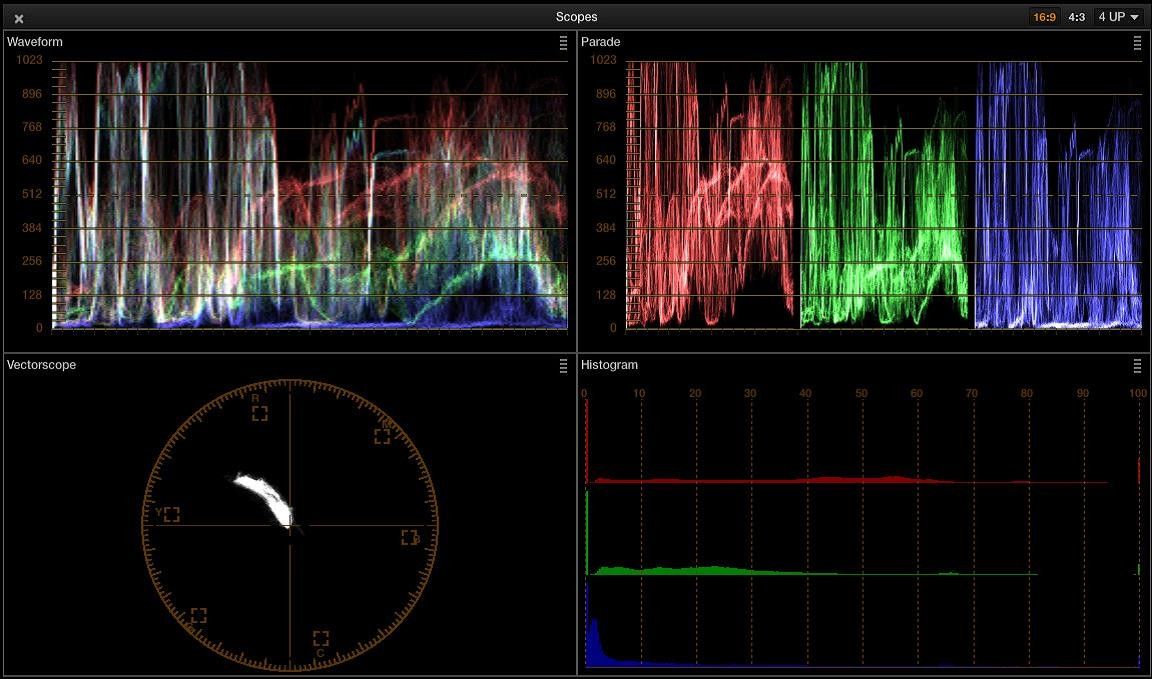


HDRP uses alot of scripts to optomize rendering, but they classify as scripts not rendering
but you need to look in the overview and open up the tabs and see what's actually costing you
turbid matrix
@pastel fiber don't use volumetric lighting if you do comparison
rather, disable everything from HDRP and then compare
as that's what you get from standard
and by that I mean, open your HDRP asset and disable ALL optional feats that you don't get on standard
and...don't do perf comparisons in FPS, that tells only that something is not ok here but nothing about real costs
measure things in ms using profiling tools
stable vale
very true^ i noticed the editor costs more when useing HDRP, but that does not mean "HDRP" has less FPS. becouse the editor cost does not exist in builds
turbid matrix
ah yes, that should go without saying that you profile only on actual build