#archived-hdrp
1 messages · Page 16 of 1
 steel current
 onyx lark
oh right, the other thing is that an exposure of zero is actually quite dark-adapted
This is a pretty gently lit indoor scene's baked lightmap with an exposure offset of zero

I was thinking of what an exposure of zero looks like in the built-in RP
The light is coming from these panels, which are emitting 1000 nits of light
 steel current
the only problem is I have a shader that reads from 0 though and it messes with the shader I'm trying to use
onyx lark
That's a couple times brighter than a decent laptop screen
steel current
onyx lark
I was thinking of what an exposure of zero looks like in the built-in RP
I never realized that
onyx lark
steel current
the only problem is I have a shader that reads from 0 though and it messes with ...
If you're trying to add extra color that doesn't care about exposure at all, there's a node for that
you can ask for the current exposure factor
steel current
onyx lark
If you're trying to add extra color that doesn't care about exposure at all, the...
its a regular coded shader
If it was shader graph I would have a lot less of a problem
onyx lark
mmm, hand-written HDRP shaders. scary.
The exposure is exposed (ha-ha) to shaders by a 1x1 texture, it looks like
steel current
I'll try and recreate it in shader graph for now but it won't be close to what the regualr shader is lol
If only I was smart enough to read shader code to find out where it pulled it from so I could manually change it
 dry turtle
onyx lark
If you're trying to add extra color that doesn't care about exposure at all, the...
dry turtle
onyx lark
If you're trying to add extra color that doesn't care about exposure at all, the...
what node
 prisma sleet
Does anyone else know what could be going on here? Is it possibly a bug I should submit? It happens with the default HDRP/Lit shader after all.
 mossy yacht
Thanks for the confirmation. Will there be any updates later to support this feature? I don't know the best work-around for water and HDRP + RT. I don't want to buy an asset from the store only to find out that it won't work either.
Any recommendations on the best way to tackle this for the utmost highest graphic fidelity?
Thanks!
dry turtle
Does anyone have this problem too? Lighting visualization doesn't work in Unity 6 HDRP. As you can see, I have baked lightmaps, but the debug view is just grey

 eternal laurel
dry turtle
Does anyone have this problem too? Lighting visualization doesn't work in Unity ...
eternal laurel
dry turtle
Does anyone have this problem too? Lighting visualization doesn't work in Unity ...
Disable instanced rendering, I have reported this bug since the early beta but no fix is in sight
dry turtle
eternal laurel
Disable instanced rendering, I have reported this bug since the early beta but n...
where is it?
eternal laurel
In the hdrp asset
The new gpu driven path in u6. I do not think it is on by default so if you have not turned that in you probably have a different problem
dry turtle
eternal laurel
In the hdrp asset
where exactly? There are a lot of options
do you mean GPU Resident Drawer?
dry turtle
didn't help
still grey
oh wait
i switched to lit and then back to baked view
it works
eternal laurel
Your exposure is also at negative 16
dry turtle
 dry turtle
eternal laurel
Disable instanced rendering, I have reported this bug since the early beta but n...
dry turtle
eternal laurel
Disable instanced rendering, I have reported this bug since the early beta but n...
thanks!
eternal laurel
dry turtle
it works<:UnityChanThumbsUp:885169594808029275>
Yep almost all the debug views that are not part of the rendering debugger simply do not work with resident drawer
Physics debugger as well
For some reason
Don’t forget to turn it back on for the perf 🤣
dry turtle
actually it's better to turn it off for the small scenes
I think
and the preview is working too, but it gives a lot of errors
 eternal laurel
Havent encountered those
eternal laurel
dry turtle
actually it's better to turn it off for the small scenes
It really shouldn’t be
 scarlet hull
mossy yacht
Thanks for the confirmation. Will there be any updates later to support this fea...
scarlet hull
mossy yacht
Thanks for the confirmation. Will there be any updates later to support this fea...
It depends on what you plan to use RT for.
For shadows, it should make any difference, for reflections you can probably get around using SSR. For GI 🤔 ... unsure.
 paper prism
Hi! I'm beginner and a have a question. I can't do choose between URP and HDRP. HDRP allows make very beautiful game, but URP is more optimized. I'm going to make game for mobile devises like iphone 13 and higher. Is it possible to optimize HDRP for my request.
p.s. HDRP include some strong feature what i would to use in my unity development. But i'm not sure that i can optimize it enough
 mortal forge
paper prism
Hi! I'm beginner and a have a question. I can't do choose between URP and HDRP. ...
mortal forge
paper prism
Hi! I'm beginner and a have a question. I can't do choose between URP and HDRP. ...
HDRP is not easy to optimize *particularly moreso for mobile, if you're a beginner I'd recommend URP. It's much easier to make a good, optimized game on than HDRP.
 broken lichen
Hey, testing out HDRP and I've noticed that TAA is adding a lot of ghosting on the skybox when I move the camera laterally.
I'm aware TAA always adds a bit of ghosting and can be tuned to reduce it, but I'm a bit surprised TAA is doing anything with the skybox. It's an HDRI. The pixels shouldn't be moving or changing at all when I change the camera's position. And yet, it seems TAA thinks there's movement it needs to correct.
Could it be the motion vectors are setup wrong somehow? Or is this just how TAA works?
This isn't motion blur, btw. I have it disabled, and this goes away when I switch to a different anti aliasing method.
scarlet hull
paper prism
Hi! I'm beginner and a have a question. I can't do choose between URP and HDRP. ...
HDRP doesn't support building for mobile devices.
scarlet hull
broken lichen
Hey, testing out HDRP and I've noticed that TAA is adding a lot of ghosting on t...
Is this during edit or play mode ?
Outside of play mode the game view doesn't always refresh every frame, so maybe there is some missing refresh of history buffers.
broken lichen
scarlet hull
Is this during edit or play mode ?
Outside of play mode the game view doesn't al...
This was recorded in edit mode, but I see the same ghosting in play mode.
I should note, it requires a pretty large translation to see the ghosting. It's minimal at slower speeds. The larger the translation, the larger the smear. It's not a big problem at the speeds I will be moving the camera, but it's just weird to me that this is causing any ghosting at all.
dry turtle
broken lichen
Hey, testing out HDRP and I've noticed that TAA is adding a lot of ghosting on t...
Yes, this is how TAA works
 fallow hearth
hey how can i make it so that the shadows looks good even from afar in hdrp?
shadow from afar :

shadow close :
 broken lichen
fallow hearth
hey how can i make it so that the shadows looks good even from afar in hdrp?
broken lichen
fallow hearth
hey how can i make it so that the shadows looks good even from afar in hdrp?
Good meaning..?
It's intentional for the shadow to become blurrier with distance. It's more realistic.
fallow hearth
broken lichen
Good meaning..?
It's intentional for the shadow to become blurrier with distance...
Okay thanks for the answer but i found a fix inside the directional light to change the intensity of the blur
dry turtle
fallow hearth
Okay thanks for the answer but i found a fix inside the directional light to cha...
you can set Directional Light Filter Quality to Medium in HDRP asset to remove this effect
 smoky sapphire
For some reason my physically based sky has this really weird sun flare

its like stretched
oh nvm, i found the problem why its stretched, but also its like flashing a lot when i move my camera
and i have no idea why
broken lichen
I'm testing out ray traced global illumination and I've run into a problem where it stops working when I zoom in the camera, i.e. reduce its field of view.
Here's what it looks like:
I thought it might have been a shadow caster getting culled in the ray tracing acceleration structure, so I tried changing these settings, but it changed nothing.

Doesn't happen with raymarched screen space global illumination, just ray traced.
 eager spruce
Hi, I'm constantly getting spammed with this warning when draw instanced is enabled on my terrain. I tried using Unity 2022.3.38 and 2022.3.57 with hdrp but still the same.
Would anyone know how I can get this fixed as I can't work further because the warnings are making the editor crash
 onyx lark
as a very goofy workaround: turning on Collapse makes this lag way less
as for the problem, what shaders are you using for your terrain trees and details?
eager spruce
Ah thanks for the tip, collapse should indeed improve it. Found out it was a bug coming from a 3th party asset so notified the developer of it.
onyx lark
I'm unclear what the warning means -- it could be "the terrain didn't provide data" or "the shader didn't read data"
 static fulcrum
I'm having some issues with the lighting being pixelated in a URP project. Everywhere I check says it's just the way URP is, and I've tried all the fixes I could find. Is switching to HDRP worth it, like is there realistically any downsides?
onyx lark
you should show an example of the issue in #archived-urp
the HDRP runs much slower than the URP -- my macbook can easily run a URP game at 3000x2000, but it chokes on an HDRP game at the same size
static fulcrum
So probably best to stick to URP for my low-end PC
I'm incredibly grateful that you're helping me out in two channels simultaneously
smoky sapphire
How do i make Custom Target Color Buffers for Shader Graphs?
Cause im trying to do this pass After Post Process while still getting the Scene Color.
Does anyone know how to do it?
 mortal forge
What does everyone use for an HDRP terrain shader? The builtin one I'm not really in love with, even with the few improvements it has over URP.
 hollow tangle
mortal forge
What does everyone use for an HDRP terrain shader? The builtin one I'm not reall...
hollow tangle
mortal forge
What does everyone use for an HDRP terrain shader? The builtin one I'm not reall...
Microsplat
 unique coyote
@mortal forge Did you ever figure this out, alex? I'm having trouble with updates because APV is broken on 35f1 and 36f1.
mortal forge
unique coyote
<@111104350486564864> Did you ever figure this out, alex? I'm having trouble wi...
Nope :/ Totally broken for me still on 6.1b4
mortal forge
Ah I didn't see that, will have to try
unique coyote
I'll try it in a sec. If it works I'll let you know.
mortal forge
It works! Tyvm
 summer dome
any known bugs related to shadow cascades in HDRP on Unity 6? (36f1)
everything seems perfect in editor, but shadow cascades completely missing in builds
tried an updated shader variant collection, forcing specific shaders to always be included, creating a sort of "Force Include" prefab that is packed into a scene... no luck.
everything is being loaded with addressables though, might be a cause?
the closest shadow cascade does seem to render properly
and everything looks great in the editor
 versed orchid
summer dome
everything is being loaded with addressables though, might be a cause?
versed orchid
summer dome
everything is being loaded with addressables though, might be a cause?
me the same. try to create mini repo but failed
summer dome
also tried disabling border cascades (just setting each to 0) and also limiting the cascade count lower than 4
same outcome in build
versed orchid
im working on an fps game, addressbles renderer shadow broken. Use Existing Mode in addressable can reproduce my bug in Editor
summer dome
i can increase the render distance for closest cascade and that properly shows up in build, with the reduced quality you'd expect stretching the single cascade over the entire render distance
feels like a shader stripping/variant issue with addressable
versed orchid
and lightLayer feature cause other shadow bug. I create a cube with multiple layer in scene resolved the lightLayer issues.
summer dome
for me, using existing build in editor still works properly
only when building final game shadow cascades break
versed orchid
im sure this is shader stripping/variant issue with addressable
summer dome
@versed orchid what version of addressables are you using? we are using 2.3.16, but maybe 2.2.2-2.3.7 might fair better?
and are you also using 6000.0.36f1?
versed orchid
summer dome
<@596580561678499850> what version of addressables are you using? we are using 2...
6000.0.29~6000.0.36 all buggy
2.2.2-2.3.16 buggy
summer dome
@versed orchid using resident drawer?
summer dome
managed to isolate bug in small project
no addressables needed, just Unity 6 with HDRP 17.0.3
shadow cascades are dropped from build with default new project
in contact with Unity with repro project and various examples soon
37f1 should be landing today, fingers crossed for a fix before they even see our report 🙂
summer dome
talked with our Unity contact and updating to 37f1 should fix this issue @versed orchid


and it's mentioned in the changelogs, available now!
dry turtle
<@&502884371011731486>
fallow hearth
hey i imported a part of my world with mineways but i get those weird lines when far away?

up close there arent any lines
any idea why?
without the sun :
 scarlet hull
fallow hearth
scarlet hull
fallow hearth
I'm unsure it is HDRP related.
It probably more has to do with floating points approximations on distant geometry.
I don't know how mineways exports the geometry (single mesh ? multi mesh ? multi objects ? ...), but if you are able to weld the vertices of the different quads/cubes of the map I think it should go away.
What does the hierarchy and importer of the world look like ?
 shrewd moon
Could also be color bleeding due to shared texture atlas and mip maps
scarlet hull
shrewd moon
Could also be color bleeding due to shared texture atlas and mip maps
I first thought of that, but it wouldn't explain the second image 🤔
shrewd moon
Maybe if there's also an emissive texture sheet
scarlet hull
But yeah, to check this @fallow hearth you can try to disable "generate mip maps" on the texture imports.
fallow hearth
Okay
smoky sapphire
Okay so i dont know why but i switched from unity version 2022.3.49f1 to Unity 6 and for some reason the DOF volume effect and Planar reflections lag like 100 times worse
shrewd moon
smoky sapphire
Okay so i dont know why but i switched from unity version 2022.3.49f1 to Unity 6...
Every time I upgrade a project from 2022 to 6, something breaks very mysteriously much like that
You could try to rule out that issue by making a new Unity 6 HDRP project and making a very simple test scenario for DoF and planar reflections to measure their performance
smoky sapphire
shrewd moon
Every time I upgrade a project from 2022 to 6, something breaks very mysteriousl...
thats exactly what i did
like i made a new projects
and then imported the old project files
so there wasnt any errors
its just that its much less performant now even tho i thought unity 6 was suppose to perform better
shrewd moon
smoky sapphire
its just that its much less performant now even tho i thought unity 6 was suppos...
In that case I think that's something you could report as a bug
shrewd moon
smoky sapphire
huh
I think the possible reasons for something like that to happen are:
2. It's a bug that could've been introduced in any particular version and it's worth reporting
- The performance is just worse in Unity 6 for some technical reason, which is not impossible but unless confirmed I'd assume it's not intended
- There's some extra options or relevant settings that were introduced that affect the performance, which maybe someone here might know more about but if not at least bothering the QA team would solve that too
fallow hearth
scarlet hull
But yeah, to check this <@734734843597815818> you can try to disable "generate m...
there isnt?
fallow hearth
scarlet hull
I'm unsure it is HDRP related.
It probably more has to do with floating points a...
i think it is due to the shadows because as soon as the shadows get lower quality it starts happening
very weird things

the water has stripes from far away??
 south burrow
Hey everyone. I hope someone can point me in the right direction for what I'm trying to accomplish.
I'm trying to create a space based environment. What I'm trying to achieve is render a sun texture and several planet assets as part of the environment. Those are supposed to stay in place, i.e. get rendered from 0,0,0, not from the camera position. And they should always be behind everything else, but in front of the skybox/HDRI sky to make them appear distant. I could pre-render them into the skybox but I'd like to be able to move them during gameplay to simulate high speed movement during certain sequences.
I've looked into shaders, custom render passes, camera stacking (which isn't an option in HDRP) and I just need someone to point me in the right direction on what's the best option to achieve this effect. I don't need a finished solution or anything like that, but I've looked into everything and I'm new to the new renderpipelines so I'm just a bit at a loss on where to even look and what would be the right approach to this for this pipeline.
With a custom render pass volume I can't seem to solve this since there is no injection point in between the sky being rendered and everything opaque being rendered. Forward rendering would be fine since these objects will only get affected by one light, the main directional one, not any dynamic ones. But I'm having difficulties figuring this out. After everything opaque is drawn, getting the depth check to work out is ticky. Either they're in front of everything or even behind the sky. The fact that sky and opaque objets are rendered together makes it hard for me to figure out at which point and how to draw these.
Sorry for the long text, I'm hoping someone can give me a few hints on where to look. I can look up documentation myself, I just need a pointer by someone more experienced with these pipelines so I know on how to even approach this. Thank you
onyx lark
south burrow
Hey everyone. I hope someone can point me in the right direction for what I'm t...
Huh, I was under the impression that the skybox rendered after opaques and before transparents. Is that different in the HDRP?
I haven't looked closely at that ordering outside of the BiRP
If you can read the depth buffer during a custom pass, you could reject any pixels whose depth isn't the maximum possible value
and, in the vertex stage, you could move the models so that they always appear to be centered on the camera
south burrow
onyx lark
Huh, I was under the impression that the skybox rendered after opaques and befor...
It is. But there is no injection point in between. So you think this can be done with custom shaders? Hand written i assume . I have a hard time figuring out how to read and for that matter write to the depth buffer in shader graph.
onyx lark
south burrow
It is. But there is no injection point in between. So you think this can be done...
You wouldn't need to write depth, fortunately. You'd just need to be able to read the current depth buffer
south burrow
onyx lark
You wouldn't need to write depth, fortunately. You'd just need to be able to rea...
Yes i was thinking about abother project where i wanted to write to it but couldnt figure out how. Here read would work i guess. However id also have to make sure these objects only receive shadows from objects in their own layer and only get inflzenced by a single light . So im not sure if a shader alone is enough
The documentation of the pipelines is still rather limited. But i think i need a custom forward render pass to override all tthat stuff
A scripted one i guess
Im very unsure how to do this right. Technically these background objects have their own shadows and transparencies that should be completely separate from any normal objects... im not sure that can even be done in a separate pass aline
It kinda requires running the opaque, depth, transparency and shadow passes twice for two separate groups of meshes
Not sure that can be axhieved with just a shader
Maybe i need a second camera after all.. rendering to a fullscreen render texture and then combine that somehow with the main image before preprocessing
Postprocessing i mean
onyx lark
That does sound like a place to use a second camera
Although I'd be concerned about the performance costs
One thing -- you can put these planets on a different rendering layer
(not to be confused with the layers that gameobjects are on)
I use this to render "inside views" in a game (imagine a cutaway view of a tank)
south burrow
hmm. I'll have to look into how that works in the engine
There would be a performance cost yes, but in general there is a small number of objects. Maybe a couple planets and one quad with a sun texture. It's not like these are extremely complex scenes. So the performance impact should still be limited. But I'll have to try it out I guess
but I really don't know how to do this without a second camera
especially with the shadow steps and all that
I'll check out render layers
So far the problem sounds easy but I find it very hard to figure out how to do things like this with the new pipelines and rendergraphs
I'm also thinking about potentially in the future supporting a VR view... and for that I'd also have to make sure the background scene is rendered for both eyes from the same position, not an offset, otherwise the eyes would see that the planets are close and small.
It SEEMS the HDRP pipeline is flexible enough to achieve all of this, I'm just having a hard time finding enough documentation to find out how and what's the optimal way of doing these thiings
All the examples I can find on doing stuff with the pipelines are incredibly simplistic and nothing goes in-depth
 rocky latch
fallow hearth
when starting to bake lights my editor crashes?
rocky latch
fallow hearth
when starting to bake lights my editor crashes?
You should take a look at the editor log. You can open it from the console window.
Those three dots on the top right, I believe.
 rocky latch
south burrow
Hey everyone. I hope someone can point me in the right direction for what I'm t...
rocky latch
south burrow
Hey everyone. I hope someone can point me in the right direction for what I'm t...
As of Unity 6, HDRP has some support for celestial objects as part of the physically based skybox. The default outdoor scene template has a moon setup like this, with its own directional light, but I think with some minor adjustments you should be able to add arbitrary planets without the light.
I was able to decouple the sun from the directional light earlier, at least.
Oh he left the server 🙃
fallow hearth
Hey yall
hum its been like 3 hours
im trying to import an obj file

but it wont budge
The file size is 817 Mo
im gonna leave it overnight and if tommorow its still importing idk what to do
summer dome
summer dome
talked with our Unity contact and updating to 37f1 should fix this issue <@59658...
following up with this in case anyone else stops by to check, v36 and v37 both still have a shadow cascade regression - v35 should at least render them, but with some shadowmask blending issues depending on specific use cases
(only applies to built games, editor is fine in all cases)
hollow tangle
fallow hearth
hum its been like 3 hours
I’ve seen a wall model take 20-30 minutes to import because its mesh was junk. If I recall correctly it was like 15k individual edges - like someone drew the mesh with a series of disconnected parallel lines. In that case, I think unity was trying to recalculate normals and other things. If a mesh is fried it can take a long time.
onyx lark
reminds me of my HELL CUBE
16,384 overlapping faces
vrchat gets very sad when you put your face up to it
mortal forge
Anyone ran into Vulkan being weird with memory before?
Vulkan - Suboptimal memory type used for image because of low memory
(Memory is not low, but this message gets spammed 400 times and game performance drops)
fallow hearth
hollow tangle
I’ve seen a wall model take 20-30 minutes to import because its mesh was junk. I...
Its been 15 hours
I dont think it is gonna import anytime soon :(
onyx lark
sometimes the importer just deadlocks
fallow hearth
Hey how can I make a light source do strong light with a long range without maxing out intensity
Because with max intensity its looks ugly its just cimpletly white on the ground for 50m and then like it is normal for 25m
Because i wanna make it so like the player can explore with a torch at night/in a cave
And also how can I make it so caves arent very bright like i can still see clearly even tho the directional light cant reach the cave
I wanna make the cave dark
Like only bright from the outside but the inside of the cave should be dark
onyx lark
fallow hearth
And also how can I make it so caves arent very bright like i can still see clear...
you'll need to change the ambient light as the player enters the cave
i believe you can use a volume with the Visual Environment component
you'd switch to a black skybox
As for light: that's how light works! If the light can fill up a very large room, it's going to be very bright right next to the light source
fallow hearth
no but like idk why but in my project like they need to be very bright to light up a little bit
fallow hearth
onyx lark
you'll need to change the ambient light as the player enters the cave
but like they will be able to see it bright before entering the cave
 latent fable
who's this haram man,you just need to add a directional light
 umbral minnow
Does anybody know a good 3d blender artist that can make me a good hdrp map for unity ? Dm if you know anybody
rocky latch
fallow hearth
but like they will be able to see it bright before entering the cave
Use the volume system and swap the skybox with a black one. Add a (black) volumetric fog volume at the entrance so you can't see the transition happen
Like this

 south girder
umbral minnow
Does anybody know a good 3d blender artist that can make me a good hdrp map for ...
south girder
umbral minnow
Does anybody know a good 3d blender artist that can make me a good hdrp map for ...
!collab
 hoary starBOT
:loudspeaker: Collaborating and Job Posting
We do not accept job or collab posts on Discord.
Please, use Discussions to promote yourself as job-seeking, advertise commercial job offers, or look for non-commercial projects to participate in:
• Collaboration & Jobs
south girder
I don't think any good artist will make a map for you for free though
fallow hearth
rocky latch
Use the volume system and swap the skybox with a black one. Add a (black) volume...
Yeah but i already have a skybox setup
I want to have a normal map with a dark cave
But i want the inside of the cave to be completely dark
Just like in real life for exemple
Like a staircase to a basement
fallow hearth
rocky latch
Use the volume system and swap the skybox with a black one. Add a (black) volume...
Also wont that make it when inside of the cave not be able to see the outside?
Im surprised that in unity i cant have a completely dark place even tho the directional light cant reach the inside of the place
Plus the whole point of hdrp is to be realistic
rocky latch
You can, either with ray tracing or by baking sky occlusion
The lighting function doesn't know "light can't reach there", so it's still falling back on the skybox
fallow hearth
Baking sky occlusion? How can i do that
So like baking the lights with a dark skybox and already like dark scene?
rocky latch
I think it's a feature of Adaptive Probe Volumes
fallow hearth
Okay ill look into it
rocky latch
Can't help you with that one. Never used it 
rocky latch
fallow hearth
So like baking the lights with a dark skybox and already like dark scene?
What's happening is that shadows aren't 100% black when outdoors. There's always some indirect light. However, indirect light is very heavy to calculate, so by default Unity (and most other engines) will simply add some light from the skybox instead.
You can either use proper indirect lighting (baked or RTGI), but if that is infeasible, you can simply swap the skybox with a black one while in the cave using a local volume.
fallow hearth
rocky latch
What's happening is that shadows aren't 100% black when outdoors. There's always...
Okay
 modest heron
 fallow hearth
hey why am i getting like 200 fps in the editor but only around 60 fps after building the game?
The resolution in the editor is full HD and my monitor res is also full hd so it is the same resolution in game or in editor
south girder
fallow hearth
hey why am i getting like 200 fps in the editor but only around 60 fps after bui...
Do a development build and see if you are getting errors/warnings in the console
 glacial fossil
Also make sure the fps is not capped in any way in build. 60 is the most common monitor refresh rate (vsync)
fallow hearth
south girder
Do a development build and see if you are getting errors/warnings in the console
Okay
 frank plank
Hey everyone,
I'm trying to implement the most lightweight solution for outputting a camera's linear depth texture (as colour into a RenderTexture) I can think of in HDRP.
My first solution was to create a simple CustomPass that blits into the output texture using a shader that writes the depth from _CameraDepthTexture (converted to linear in the shader):
ctx.cmd.Blit(ctx.cameraNormalBuffer, m_outputRenderTexture, m_sceneDepthMaterial, m_depthPass);
This works, but the camera render that happens before the CustomPass executes is still very expensive, doing all sorts of things that aren't necessary for just getting the depth of the scene.
So now, for my second solution/attempt, I was looking into writing a custom render pipeline, by binding a function to the HDAdditionalCameraData.customRender event. This should allow me to only perform the bare minimum. With this, I have succeeded in rendering the depthOnly pass of the opaque objects in the scene:
// 01 - Clear render target
buffer.SetRenderTarget(environmentDepthTexture);
buffer.ClearRenderTarget(clearDepth: true, clearColor: false, Color.clear);
ExecuteBuffer();

// 02 - Draw environment depth
var cullingResults = ctx.Cull(ref cullingParameters);
var sortingSettings = new SortingSettings(camera);
var drawingSettings = new DrawingSettings(HDShaderPassNames.s_DepthOnlyName, sortingSettings);
var filteringSettings = new FilteringSettings(RenderQueueRange.opaque);
ctx.DrawRenderers(cullingResults, ref drawingSettings, ref filteringSettings);

// 03 - Extract linear scene depth
// Call custom pass somehow?
buffer.Blit(environmentDepthTexture, environmentColorTexture, m_sceneDepthMaterial, m_depthPass);
ExecuteBuffer();

ctx.Submit();
The third step here is where I'm currently stuck. Essentially, this is where the same functionality of the CustomPass should be done, but I don't know how to call that from here. Instead, I tried to copy the Blit function from the CustomPass to here. My idea here was that if the opaque objects are rendered, the _CameraDepthTexture should now have the result of that render.
However, instead of that, the _CameraDepthTexture is filled with other data, such as the depth result of the scene view camera or the camera preview pane (see attached image). The depth of this minimum-render seems nowhere to be found, which I find odd considering the right data is there when I did it via the CustomPass approach.
Does anyone know how to get the depth of this render in a custom render pipeline function?
Am I even on the right track for what I'm trying to achieve, or is there a better way?
 scarlet hull
@frank plank I saw the thread also, and am trying to have a quick try to it.
But I don't guaranty any result 😅
frank plank
scarlet hull
<@307645415501856768> I saw the thread also, and am trying to have a quick try ...
Much appreciated either way 👍
scarlet hull
frank plank
Much appreciated either way 👍
Could you maybe post the whole sclass that had the CustomRender function ? I have to try to guess fomr where the different variables are comming from :/
frank plank
sure
The camera is set up with a depth-only RenderTexture as its target texture.
The shader then blits into a colour RenderTexture (which allows me to read the pixel data).
scarlet hull
frank plank
The camera is set up with a depth-only RenderTexture as its target texture.
The ...
So, what I think is happening :
When you blit to "convert" the depth, you assign the render texture, and as such, the shader is trying to read the color value of the texture, even if it a depth only one.
A render texture has a depth and color buffer, and assigning it with SetTexture will always assign the color.
I'm still searching, but the depth of the render texture is RenderTexture.depthBuffer . Now to understand how it can be passed to a shader 🤔
frank plank
scarlet hull
So, what I think is happening :
When you blit to "convert" the depth, you assig...
The way I understood it, is that the (depth-only) RenderTexture that I pass to the blit as the "source" is not actually used by the shader, because the shader reads the depth from the _CameraDepthTexture in a fullscreenpass, rather than reading from the source depth texture.
In other words, the input/source RenderTexture for the blit is irrelevant to the output.
That's why in the CustomPass version, the input is the ctx.cameraNormalBuffer, totally irrelevant, but I must pass something.
scarlet hull
frank plank
The way I understood it, is that the (depth-only) RenderTexture that I pass to t...
I'm trying to understand myself how the custom render works here.
From what I see by analysing the rendering with renderdoc, the camera only draws in the render texture (which is expected), while the shader accesses the HDRP global depth buffer (with the depth pyramids). So you really need to pass that RT to read the depth from it.
frank plank
scarlet hull
I'm trying to understand myself how the custom render works here.
From what I se...
Alright, I'll try reading the depth from the depth RT instead of from the global depth texture.
The weird thing is that reading the global depth texture works fine when doing it in the CustomPass, but does not work when doing it in this CustomRender function. So I'm guessing that at some point in the normal HDRP pipeline, the global depth texture is edited to include the result of the render.
scarlet hull
frank plank
Alright, I'll try reading the depth from the depth RT instead of from the global...
Exactly, a camera rendered with HDRP will always write into the common depth buffer. But with customRender, it seems to be totally out of that loop.
frank plank
scarlet hull
Exactly, a camera rendered with HDRP will always write into the common depth buf...
I'm guessing it wouldn't be trivial to make the CustomRender function do the same?
scarlet hull
frank plank
I'm guessing it wouldn't be trivial to make the CustomRender function do the sam...
Yeah, I wouldn't even try that ^^
frank plank
scarlet hull
Yeah, I wouldn't even try that ^^
So to get the depth from the depth RT instead of the global depth texture, can I just access the red channel of the depth RT to find the depth value?
scarlet hull
frank plank
So to get the depth from the depth RT instead of the global depth texture, can I...
Nope
frank plank
scarlet hull
Nope
Do you have a suggestion for how I could read the depth value from the RT?
Or are you also looking into that?
scarlet hull
frank plank
Do you have a suggestion for how I could read the depth value from the RT?
Or ar...
Yep, I'm looking into this ^^
From what I see, there is a macro SAMPLE_DEPTH_TEXTURE that should work for this.
scarlet hull
@frank plank Maybe I was wrong, or partially, that macro seems to be more of a safegard for certain platforms.
But I did get something working.
By adding a _MainTex property to the shader, it allows to pass the camera target render texture to the blit command, and when reading from this you then have the proper texture showing (an you are already passing it from c#) :
frank plank
scarlet hull
<@307645415501856768> Maybe I was wrong, or partially, that macro seems to be mo...
I'll have a look 👍
scarlet hull
frank plank
I'll have a look 👍
If it works for you, it would be nice to also post the update on Discussions 🙂
frank plank
scarlet hull
If it works for you, it would be nice to also post the update on Discussions 🙂
That indeed seems to work!
Thank you very much 🙏
I'll update the Discussions post with the answer and mark it as resolved 👍
frank plank
scarlet hull
If it works for you, it would be nice to also post the update on Discussions 🙂
Would you like me to tag you in the Discussions post?
scarlet hull
frank plank
Would you like me to tag you in the Discussions post?
As you wish, but it's not necessary
frank plank
scarlet hull
As you wish, but it's not necessary
I'd like to give due credit 🙂
What is your Discussions name?
scarlet hull
frank plank
I'd like to give due credit 🙂
What is your Discussions name?
Remy_Unity
onyx lark
scarlet hull
Yep, I'm looking into this ^^
From what I see, there is a macro `SAMPLE_DEPTH_TE...
I've found all of this stuff to be a bit mysterious.
In the BiRP, you can use UNITY_DECLARE_DEPTH_TEXTURE to create a texture variable, then use the SAMPLE_DEPTH_TEXTURE macro to query it.
That texture contains the results of a depth pre-pass that only happens if a directional light with shadows exists in the scene.
This isn't the current depth buffer, notably
scarlet hull
onyx lark
I've found all of this stuff to be a bit mysterious.
In the BiRP, you can use `...
From what I see here, the macro doesn't do anything particular, it declares a regular texture (or array for stereo).
It is more the name _CameraDepthTexture that is a global shader variable populated with the camera depth by the built-in pipeline.
 brisk axle
Hello guys, I'm trying to use the path tracing !
But I wasn't able to open the samples (even if I found the exact editor version for 2023), files are corrupted.
But anyway, the problem is that when I click play, I have this error :
Compute shader (SkyLUTGenerator): Property (_ShadowmapCascadeAtlas) at kernel index (3) is not set
To be precise, the error only occur when I use the physically based sky
scarlet hull
brisk axle
Hello guys, I'm trying to use the path tracing !
But I wasn't able to open the s...
What samples are you talking about ? An anyway, I would recommand to switch to Unity 6.0 instead of 2023.x
brisk axle
scarlet hull
What samples are you talking about ? An anyway, I would recommand to switch to U...
The official one (hard to find) : https://github.com/Unity-Technologies/HDRPRayTracingScenes/tree/master
But yes the error is on Unity 6. It's just the last samples isn't on Unity 6, so I tried to open with the right version first.
oh wait, am I stupid and just have the corrupted stuff because I was almost sleeping and foirgot about lfs ? Maybe...
(that doesn't change the error on Unity 6 though)
brisk axle
scarlet hull
What samples are you talking about ? An anyway, I would recommand to switch to U...
Nevermind it's the usual Unity 6 bug, it works fine before.
onyx lark
scarlet hull
From what I see[ here](https://github.com/TwoTailsGames/Unity-Built-in-Shaders/b...
Oh! That explains it. The macro is just there to get it correct kind of texture/texture array
Thanks!
 paper sorrel
can anyone tell me why this black thing coming on the 3D models I imported in Unity from Blender, when I slide the normals to 0 this disappears, but when the slider is 1, this is the result

and some places has this
 rocky latch
paper sorrel
can anyone tell me why this black thing coming on the 3D models I imported in Un...
rocky latch
paper sorrel
can anyone tell me why this black thing coming on the 3D models I imported in Un...
Looks like your normals are inverted. Look up how to locate and fix flipped normals in Blender
scarlet hull
brisk axle
Nevermind it's the usual Unity 6 bug, it works fine before.
I did have issues using the released zip file, but once I've cloned the repo and switched to the 2023.1 branch, I am able to open it properly without error with Unity 6.1.0b4
brisk axle
scarlet hull
I did have issues using the released zip file, but once I've cloned the repo and...
did you stay in the scene or play the game ? The error occurs when you play the game
scarlet hull
brisk axle
did you stay in the scene or play the game ? The error occurs when you play the ...
Play mode is also working without errors.
(well, I DO have apparently a missing script, but it doens't seem to be of big issue)
fallow hearth
south girder
Do a development build and see if you are getting errors/warnings in the console
nope im getting nothing
brisk axle
oh right, my bad. The scene doesn't use pathtracing and stuff. It's only GI. I was hoping to see if my settings were the problems, that's why I downloaded the samples.
you can test on it though, simply add pathtracing and make sur to have the physicaly based sky
once you hit play you'll get the error from the compute shader (SkyLUTGenerator)
scarlet hull
Oh, gotcha.
Because the error only occurs once, I'm thinking of some race condition in the order of data assignations / shader executions ...
scarlet hull
brisk axle
you can test on it though, simply add pathtracing and make sur to have the phys...
And you can also reproduce it in an isolated project ?
brisk axle
scarlet hull
And you can also reproduce it in an isolated project ?
Yeap, simply add pathtracing on a new HDRP project... and that's it ^^
Same problem with 6 and 6.1
scarlet hull
brisk axle
Yeap, simply add pathtracing on a new HDRP project... and that's it ^^
I'll forward and dig on this, but it's EOD here ^^
If you could kindly file a bug report it would be nice 🙂
brisk axle
scarlet hull
I'll forward and dig on this, but it's EOD here ^^
If you could kindly file a bu...
Yeah, I wasn't sure if it was a bug when asking ^^
I'll do it this weekend. I could also add the others if I get the time.
 clever wing
Hi, I’m trying to create a localized volumetric nebula for a strategy game in HDRP, but I’m getting a bit confused when it comes to the volumetric fog feature. The game is 2d in the XY plane with the perspective camera positioned at -Z looking towards z=0. To be clear, the camera is generally positioned outside the nebula/cloud and the cloud needs to be confined to a particular space
I’ve tried importing the fog samples from the sample scene, and they render alright in scene view but I can’t seem to understand how to force them to render from a large distance (they seem to be clipped at someone like 70) and I’m not sure if this is even the right tool for the job ultimately.
My hope is to create a point cloud defining a volume of space, enclose it in a hull mesh and then place fog within that mesh with some edge fuzzing. So far I’ve got the hull mesh, but I’m a bit lost after that
rocky latch
clever wing
Hi, I’m trying to create a localized volumetric nebula for a strategy game in HD...
You can increase the render distance of fog on your volume, with a volumetric fog component
This affects the local fog as well
clever wing
rocky latch
You can increase the render distance of fog on your volume, with a volumetric fo...
With the Distance Fade fields right?
The thing that's really confusing me with that is what units it's actually using, because atm I have it set to 999 million and it's still fading out within ~70 unity units
ie: the first is with the fog volume at z = 0 and the camera at z = -57, no tilt. Second is at z = -69


 rocky latch
clever wing
With the Distance Fade fields right?
rocky latch
clever wing
With the Distance Fade fields right?
No, not that.
It's all in meters
On the Volume component, Volumetric Fog Distance
 clever wing
Ah, got it, the 'distance' part of the name was getting blocked by the input
and then what would be the best way of having the discrete volume of fog without fogging the rest of the scene/camera generally?
I can knock the attenuation value up to some stupidly high number, but I'm guessing there's a smarter way
rocky latch
clever wing
and then what would be the best way of having the discrete volume of fog without...
Local volumetric fog shouldn't affect the rest of the scene
Unless you're inside it
clever wing
Enabling the Fog module in a volume seems to apply fog to the camera whenever it's in that volume unrelated to the volumetrics, but disabling it also disables rendering of the volumetric
rocky latch
Yes, there's the global volumetric fog controlled by the volume
I'd just set the attenuation distance really high to somewhat disable it
clever wing
Good enough!
a little bit of it is nice for vibes anyway
So to fit the fog volume to the ingame volume, I'd want to convert my mesh to a 3d texture?
scarlet hull
brisk axle
Yeah, I wasn't sure if it was a bug when asking ^^
I'll do it this weekend. I co...
I did file a quick report, you can follow it here.
You did mention "others", so if you can reproduce other issues in isolation it woudl be nice to report them 🙂
scarlet hull
clever wing
So to fit the fog volume to the ingame volume, I'd want to convert my mesh to a ...
What mesh ??
scarlet hull
clever wing
ie: the first is with the fog volume at z = 0 and the camera at z = -57, no tilt...
If this is the nebula that you want to display, maybe it would be more efficient to do it with particles ?
brisk axle
scarlet hull
I did file a quick report, you can follow it [here](https://issuetracker.unity3d...
There is some that are hard to test though, like running an empty unity 6 app simply "destroy" the sound of a sound amplifier x) But I'll do what I can.
south girder
<@&502884371011731486>
 onyx bane
Okay, so you may all tell me how stupid I am but I did it anyway. I want to convert my URP project to HDRP, so firstly the smaller problem is that Convert All Built-in Materials to HDRP does now work, But that is not a huge problem as I mostly just have URP lit materials which I can convert manually, BUT I have one custom shader made in shader graph, how would I go about recreating/converting that
 stoic sand
what is the proper way to switch between DLSS and STP (And Check for NVIDIA as card Vendor first)
Via scripting these days?

 switch (value)
            {
                case 0:
                    isDynamicResEnabled = false;
                    settings.dynamicResolutionSettings.advancedUpscalersByPriority.Clear();
                    break;
                case 1:
                    isDynamicResEnabled = true;
                    if (SystemInfo.graphicsDeviceVendor.ToUpper().Contains("NVIDIA"))
                    {
                        settings.dynamicResolutionSettings.advancedUpscalersByPriority.Add(AdvancedUpscalers.DLSS);
                        isDLSS = true;
                    }
                    else
                    {
                        //fallback to STP
                        isDynamicResEnabled = true;
                        settings.dynamicResolutionSettings.advancedUpscalersByPriority.Add(AdvancedUpscalers.STP);
                        isDLSS = false;
                    }
                    break;
                case 2:
                    isDynamicResEnabled = true;
                    settings.dynamicResolutionSettings.advancedUpscalersByPriority.Add(AdvancedUpscalers.STP);
                    isDLSS = false;
                    break;
}```It works (have not tested build)
But i feel like it's a bit convoluted?
Writing to a new List<> and setting the internal pipleine list to it was not working but writing directly to it works
hollow tangle
onyx bane
Okay, so you may all tell me how stupid I am but I did it anyway. I want to conv...
It may be as simple as adding HDRP as an Active Target. But often it's not that simple.
 onyx bane
hollow tangle
It may be as simple as adding HDRP as an Active Target. But often it's not that ...
onyx bane
hollow tangle
It may be as simple as adding HDRP as an Active Target. But often it's not that ...
Uh okay, I will try that out
scarlet hull
stoic sand
what is the proper way to switch between DLSS and STP (And Check for NVIDIA as c...
Why do you wand to manually fallback to STP when the "Advanced Upscalers by Priority" already does that for you ?
Put DLSS on top, STP bellow, and if the runtime is not on an NVidia compatible card it will fall back to STP automatically.
stoic sand
scarlet hull
Why do you wand to manually fallback to STP when the "Advanced Upscalers by **Pr...
Yeah this is true. I think it’s because I can’t figure out how to switch to an upscaler directly. I still want people to be able to test out STP in Nvidia cards instead of just DLSS.
It seems whichever is on top is the main so I could probably get rid of the fallback code.
 jagged raven
hey guys i have a main character flying over water and other reflective surfaces, but there seems to be some sort of box around him that ruins the reflections, not sure what that is?
 hollow tangle
jagged raven
hollow tangle
jagged raven
It's very difficult to see what's going on with such a small picture. Suggest you provide a much bigger one and confirm more details. What box are you referring to? Does it appear this way in scene view as well? What materials are on your character? Suggest showing full inspector for the materials
dry turtle
jagged raven
hey guys i have a main character flying over water and other reflective surfaces...
Screen space reflections requires screen information to draw the reflection, meaning that if something overlaps the view, that part will not be reflected
 unborn spear
how do i fix this clear reflective square on my hdrp decal material?
 rocky latch
unborn spear
how do i fix this clear reflective square on my hdrp decal material?
rocky latch
unborn spear
how do i fix this clear reflective square on my hdrp decal material?
I just made this video for someone else 😅
You need to disable "preserve specular lighting".
unborn spear
rocky latch
I *just* made this video for someone else 😅
You need to disable "preserve spec...
oh
thankyou 😄
south girder
unborn spear
how do i fix this clear reflective square on my hdrp decal material?
Decal has a setting for the source of opacity for the metallic-smoothness-AO
unborn spear
oh

 rotund ridge
Is it possible to "get" the informations from the material below the decal ? Like I want the smoothness to be the base value + the value I set in the decal material?
scarlet hull
rotund ridge
Is it possible to "get" the informations from the material below the decal ? Lik...
No, not possible.
rotund ridge
rotund ridge
scarlet hull
No, not possible.
Ok, thx for the answer
onyx lark
scarlet hull
No, not possible.
Even when doing deferred rendering?
it's definitely impossible in forward rendering, since that information is literally never stored
i was briefly experimenting with creating a shader for VRChat that deletes light sources -- basically by calculating how much a surface should be lit up and subtracting that much light
but without access to any information about the surface, that's not doable in general
scarlet hull
onyx lark
Even when doing deferred rendering?
While it could technically be done, the HDRP deferred lighting model only does regular blending with decals, and doesn't have an option to add decal over surface smoothness.
It could also be done in forward if you wanted to, but similarly, not implemented that way in HDRP.
onyx lark
scarlet hull
While it could technically be done, the HDRP deferred lighting model only does r...
Ah, I was thinking more "can you do this at all?"
not whether the built-in decal system can do it
makes sense
It could also be done in forward if you wanted to
How would that be possible?
scarlet hull
onyx lark
> It could also be done in forward if you wanted to
How would that be possible?
In HDRP, forward decals have two possible ways to work :
- For forward opaque objects, the decal are applied by reading from the fullscren decal buffers, that are rendered by projecting the decals information onto the depth buffer (d-buffer decals).
- For forward transparents, the decals (that are set to affect transparent) visible on screen have their maps baked into a dedicated atlas texture, and are clusterd (like for lights). They are then applied to the surface by the shader.
In both cases, once again, the HDRP lit math apply decal by blending smoothness, but if you are brave enough to make you own custom lighting (or alter HDRP source code), you can implement additional decal smoothness.
rocky latch
Ngl though, this would be a lot of work
onyx lark
scarlet hull
In HDRP, forward decals have two possible ways to work :
- For forward opaque o...
The actual projection makes sense. I was just surprised that you could do smoothness blending at all with forward rendering.
or does the Lit shader look for decals?
that'd make some sense
scarlet hull
onyx lark
or does the Lit shader look for decals?
WDYM "look" for decals ?
onyx lark
The only time I can see you being able to blend between the surface's smoothness and the decal's smoothness is while you're rendering the surface
so I'd imagine the Lit shader would sample the decal buffer and mix that smoothness with its own smoothness
is that at all correct?
scarlet hull
onyx lark
The only time I can see you being able to blend between the surface's smoothness...
Yep.
In deferred, the blending is done when writing into the GBuffers, and in forward it is done directly when evaluating the surface before lighting.
onyx lark
cool, that makes sense!
which is why there's that Receive Decals toggle on the Lit shader
unlike with deferred rendering, forward rendering requires the shader to cooperate
scarlet hull
onyx lark
unlike with deferred rendering, forward rendering requires the shader to coopera...
In deferred the material can also ignore decals.
onyx lark
oh, so the decal doesn't get pasted into the G-buffers after opaque rendering is done?
scarlet hull
onyx lark
oh, so the decal doesn't get pasted into the G-buffers after opaque rendering is...
Yes.
In deferred, the shader/material can just ignore the decal buffers when writing into the g-buffers.
The g-buffers contain the surfaces informations, with decals applied, it is not blended with the d-buffer during lighting.
onyx lark
Gotcha. I was imagining something more like:
- Opaque materials write to the G-buffer
- Decals read the G-buffer, blend with it, and write to the G-buffer
scarlet hull
onyx lark
Gotcha. I was imagining something more like:
- Opaque materials write to the G-...
Order is Depth prepass, D-Buffer, then G-Buffer. See the HDRP passes chart.
 shadow escarp
Hey! I was wondering if someone could help me out with this error I get everytime I create a hdrp empty template. I don't know what is causing it, I've already deleted and re-installed the Unity version I'm using and it doesn't seem to go away (I'm using Unity 2022.3.9f1)
Thanks in advance!
 rocky latch
shadow escarp
Hey! I was wondering if someone could help me out with this error I get everytim...
rocky latch
shadow escarp
Hey! I was wondering if someone could help me out with this error I get everytim...
Have you tried updating that package? It’s Unity version control
Also you should probably update to 3.58 at least. No sense starting a new project in an old engine version
shadow escarp
rocky latch
Also you should probably update to 3.58 at least. No sense starting a new projec...
Yeah, I know but I'm actually trying to mod a game that's in this version
shadow escarp
rocky latch
Have you tried updating that package? It’s Unity version control
Not yet! I`ll try that. Thank you
Edit: seems like it worked! Thanks again 🙂
 ruby haven
how do i fix the pixelation in my normal maps? the normal map texture is of high quality, is there a normal map sample that i can edit that would improve this or something like that?

heres another example:
 scarlet hull
ruby haven
how do i fix the pixelation in my normal maps? the normal map texture is of high...
scarlet hull
ruby haven
how do i fix the pixelation in my normal maps? the normal map texture is of high...
Can you show the normal map import settings ?
And the mask map.
rocky latch
Looks like JPEG compression blocks
shrewd moon
DXT compression is visually somewhat similar to jpeg compression, but it's worth it to rule it out that the assets weren't compressed before importing into unity
scarlet hull
rocky latch
Looks like JPEG compression blocks
I forget about those. I'm starting to thing we should have a warning in the texture importer when importing JPEGs ^^
ruby haven
rocky latch
Looks like JPEG compression blocks
oh it could likely be jpeg compression, i'll export my textures in .exr or .png from substance and see if that helps
i always forget about the compression artifacts
ruby haven
scarlet hull
Can you show the normal map import settings ?
And the mask map.
heres with png, i dont think its compession artifacts, because iirc png is lossless

ill try with tiff or exr and see if its gone but i dont think it will change
it looks like exporting as .exr simply fixed it

super weird
scarlet hull
ruby haven
it looks like exporting as .exr simply fixed it
This might result in an other texture format when compressed. It was probably compression artifacts before, not on the original image, but on the unity compressed side. Tweaking the texture import settings should have fixed that.
 magic blade
in HDRP why some object are not getting lit properly? I'm only using directional lighting in the scene
 magic blade
 scarlet hull
magic blade
in HDRP why some object are not getting lit properly? I'm only using directional...
scarlet hull
magic blade
in HDRP why some object are not getting lit properly? I'm only using directional...
Those drawer fronts look like they have the wrong normal.
But more generally speaking, did you bake a reflection probe and lightmap/lightprobes in this scene ? To block the skybox reflection and ambiant light.
magic blade
scarlet hull
Those drawer fronts look like they have the wrong normal.
But more generally spe...
No, is it required to bake lightmap if I'm trying to achieve dynamic lighting?
also the drawer is getting lit properly on urp
scarlet hull
magic blade
No, is it required to bake lightmap if I'm trying to achieve dynamic lighting?
In that case, no, but you still need to block the outdoor ambiant and reflection from inside.
With dynamic lighting, that means using realtime reflection (probes, SSR / raytraced) and global illumination (SSGI / Raytraced)
magic blade
scarlet hull
Those drawer fronts look like they have the wrong normal.
But more generally spe...
drawer has correct normal. also there's no issue when changing the material
 scarlet hull
magic blade
drawer has correct normal. also there's no issue when changing the material
scarlet hull
magic blade
drawer has correct normal. also there's no issue when changing the material
So, you're saying it could be the material ?
magic blade
scarlet hull
So, you're saying it could be the material ?
yes
scarlet hull
magic blade
yes
Can you show the material inspector ?
Maybe also the normal map import settings ?
magic blade
scarlet hull
Can you show the material inspector ?
Maybe also the normal map import settings ...
sure
it has to do with normal map. set it to 0 is fixing the issue

 scarlet hull
magic blade
scarlet hull
magic blade
Change the texture type to "normal map"
magic blade
scarlet hull
Change the texture type to "normal map"
done. fixed the issue. thank you!
is there any option to automatically set it while extracting the texture from fbx model?
scarlet hull
magic blade
is there any option to automatically set it while extracting the texture from fb...
I don't think so.
magic blade
scarlet hull
I don't think so.
okay
eternal laurel
magic blade
is there any option to automatically set it while extracting the texture from fb...
It’s trivial to set up a custom processor for this https://docs.unity3d.com/6000.0/Documentation/ScriptReference/AssetPostprocessor.OnPreprocessTexture.html the example of the api does exactly this

We however use the naming convention of _N or _n for normal maps
Nobody want to type bumpmap into every texture name
smoky sapphire
Does anyone know how to make a Stencil using the Custom Pass Draw Renderers?
So i want an object on a layer that is transparent and objects on a different layer are invisible when looking through it.
 brazen trench
Has anyone seen this issue in HDRP? 17.0.3, trying to use Adaptive Probe Volume...
System.Reflection.RuntimeMethodInfo.ConvertValues (System.Reflection.Binder binder, System.Object[] args, System.Reflection.ParameterInfo[] pinfo, System.Globalization.CultureInfo culture, System.Reflection.BindingFlags invokeAttr) (at <eb0ef51e5908461ca908fdf6b2dbd966>:0)
System.Reflection.RuntimeMethodInfo.Invoke (System.Object obj, System.Reflection.BindingFlags invokeAttr, System.Reflection.Binder binder, System.Object[] parameters, System.Globalization.CultureInfo culture) (at <eb0ef51e5908461ca908fdf6b2dbd966>:0)
System.Reflection.MethodBase.Invoke (System.Object obj, System.Object[] parameters) (at <eb0ef51e5908461ca908fdf6b2dbd966>:0)
UnityEditor.Rendering.ProbeVolumeEditor.FrameSettingDisabledHelpBox () (at ./Library/PackageCache/com.unity.render-pipelines.core@89eb3bdcd743/Editor/Lighting/ProbeVolume/ProbeVolumeEditor.cs:126)
UnityEditor.Rendering.ProbeVolumeEditor.OnInspectorGUI () (at ./Library/PackageCache/com.unity.render-pipelines.core@89eb3bdcd743/Editor/Lighting/ProbeVolume/ProbeVolumeEditor.cs:163)
UnityEditor.UIElements.InspectorElement+<>c__DisplayClass79_0.<CreateInspectorElementUsingIMGUI>b__0 () (at <9e6ebc012b944bf1ac9a620fd8e232d1>:0)
UnityEngine.GUIUtility:ProcessEvent(Int32, IntPtr, Boolean&)```

The component is totally blank because of the error (and light probes are enabled in settings):
Nm, it works, had to remove code in the HDRP RP Library.... its a unity bug they haven't fixed yet (wth?):

 thorny pawn
Hey guys, im trying to make a river from the new water system in HDRP. Visually i figured it out with a custom mesh but when i wanted to enable underwater - it says that only the box collider is required as a component for the river, and its still where the river is. And its impossible to edit box collider? Even if its possible it will still be like a repititive work. Can anyone tell me how to make rivers with collider and underwater properly please?
 ruby haven
scarlet hull
This might result in an other texture format when compressed. It was probably co...
ruby haven
scarlet hull
This might result in an other texture format when compressed. It was probably co...
ooh, so maybe i should try and reimport that png or possibly even the jpg? iirc i didnt change any of the settings when importing that normal map, so thats probably the root cause of the issue
i might as well try that
broken lichen
I'm making a game set in space and sometimes the player's ship will be orbiting a planet with the sun behind it, so the planet casts its shadow on the player's ship. The planet is rendered analytically with a custom sky shader, so it's always infinitely far away. But what's the best way to implement the planet's shadow? It's far too big and far away to try to put it in the shadow maps, so I would normally approach this by customizing the lighting and calculate the shadow analytically as well. But is that doable in HDRP?
I could just turn the directional light off, but I want to be able to have distance objects ahead of you in your orbit catch the light first, while you're still in shadow, which won't be possible if I change the directional light globally.
broken lichen
I'm not against needing to fork the HDRP package and modify lighting shader files there, if that's what's necessary. I just can't find any threads or articles about it.
scarlet hull
broken lichen
I'm not against needing to fork the HDRP package and modify lighting shader file...
Random suggestion idea : Light the ship individually with a box light, and animate it's intensity to fake the planet shadow.
broken lichen
scarlet hull
Random suggestion idea : Light the ship individually with a box light, and anima...
You mean an area light? I can't find anything matching box light.
scarlet hull
broken lichen
You mean an area light? I can't find anything matching box light.
Spot light, shape mode "box"
It's essentially an orthographic spot.
broken lichen
scarlet hull
Spot light, shape mode "box"
Hmm, interesting. That could be an option. The planet's penumbra would be large enough to approximate with a single intensity even for large objects. Though, there can be an arbitrary amount of objects around the player, close and far away, big and small, and so I would need to create a system for managing all these fake lights. Definitely would prefer a shader solution that works dynamically.
scarlet hull
broken lichen
Hmm, interesting. That could be an option. The planet's penumbra would be large ...
Maybe then a cookie on the sun light ?
It shouldn't have to be high resolution, but very big world size.
broken lichen
scarlet hull
Maybe then a cookie on the sun light ?
It shouldn't have to be high resolution, ...
Hmm! Interesting, I hadn't considered that option. Yeah, I should get away with bilinearly filtered low resolution for a penumbra. I'll have to see how large I can make it without introducing issues, but this might be the simplest approach.
fallow hearth
Hey is there a way to make it so that one light can have a high intensity to brighten up a big room but not over expose close objects? Like a way to limit the max brightness amount / exposure a game object can receive
Because in the default render pipeline there was a set limit that prevented an object being brightened so much it was completely white but in hdrp there isnt a limit
Id like to have flexibility over how light behave
scarlet hull
fallow hearth
Hey is there a way to make it so that one light can have a high intensity to bri...
Not with a single light, but you could use light layers and two lights to do so.
fallow hearth
How would i do that ? I dont understand why this would work/how it works
 thorn gull
Hey, does someone maybe have some advice on how to make something like the blue/white preview graphic, as seen in the images (Planet Coaster & Cities: Skylines 2)? I thought about decal projectors, but I'm not sure if that is the proper approach.

 rocky latch
thorn gull
Hey, does someone maybe have some advice on how to make something like the blue/...
rocky latch
thorn gull
Hey, does someone maybe have some advice on how to make something like the blue/...
Just a mesh I'd say. Adjust the transparency sorting so it renders over everything
thorn gull
@rocky latch Oh wow, I hadn't thought about a (procedural) mesh with some transparency and just render it in front. I'll dive into that straight away haha. Thanks!!
hollow tangle
fallow hearth
How would i do that ? I dont understand why this would work/how it works
You could have two lights at the same transform with different intensities on different layers. Eg High intensity on light layer 1 and Low intensity on light layer 2. Set the close objects to light layer 2 only. Then they’ll only be lit by the Low intensity light.
fallow hearth
hollow tangle
You could have two lights at the same transform with different intensities on di...
Okay
fallow hearth
Also I remarked that hdrp lights no longer show a white light ring bubble at their transform
shrewd moon
fallow hearth
Hey is there a way to make it so that one light can have a high intensity to bri...
Another thing you should try is the light size/diameter/angle
 inland palm
Im trying to use CustomPassUtils.RenderFromCamera in a custom pass to render an offscreen character to a render texture but only the eyes of the character are visible... would anyone know why that might be?
inland palm
ok i got that fixed... however now somehow the renders are mildly transparent , like the image of the main scene is passing through
 dawn sorrel
Ive always wondered what to do about scenes where theres both indoors and outdoors, with a directional light and a physical skybox.
Making the ambient lighting be static isnt a solution, as it makes all shades completely black, which is of course bad.
Using volume boxes has its own issues, like a visible transition, plus if you look from indoors to outdoors with a window or something, it will look weird outside.
So have you done anything to solve this?
 smoky sapphire
Does anyone know how to make a Stencil using the Custom Pass Draw Renderers?
So ...
smoky sapphire
smoky sapphire
Does anyone know how to make a Stencil using the Custom Pass Draw Renderers?
So ...
Could anyone help me out with this?
dry turtle
dawn sorrel
Ive always wondered what to do about scenes where theres both indoors and outdoo...
baked lighting
dawn sorrel
dry turtle
baked lighting
Yeah, however for my case, there is a day and night cycle, so that wont work out
dry turtle
dawn sorrel
Yeah, however for my case, there is a day and night cycle, so that wont work out
APV then, you can create different scenarios (day, evening, night) and blend between them
dawn sorrel
dry turtle
APV then, you can create different scenarios (day, evening, night) and blend bet...
Even for a sun thats constantly rotating?
The sun is always slowly rotating for the cycle, its not states
inland palm
@woven sonnet Sorry for the, ping but I found your github of custom samples and it's been very useful (thanks!). Im wondering if you could look at my custom sample that is meant to render some live offscreen characters into the ui. The issue is that the characters seem to be transparent for some reason, like you can see the image of the main camera through them. Do you know if there's an obvious reason for that?
    protected override void Execute(CustomPassContext ctx)
    {
        // Executed every frame for all the camera inside the pass volume.
        // The context contains the command buffer to use to enqueue graphics commands.
        RenderStateBlock overrideDepth = new RenderStateBlock(RenderStateMask.Depth)
        {
            depthState = new DepthState(true, CompareFunction.LessEqual),
        };

        foreach (var render in Renders)
        {
            var camera = render.Camera;
            camera.TryGetCullingParameters(out var cullingParams);
            cullingParams.cullingOptions = CullingOptions.None;
            // Assign the custom culling result to the context
            // so it'll be used for the following operations
            ctx.cullingResults = ctx.renderContext.Cull(ref cullingParams);
            CustomPassUtils.RenderFromCamera(ctx, camera, render.RenderTexture, ClearFlag.All, camera.cullingMask, overrideRenderState: overrideDepth);
        }
    }
I get it, yeah, you can do that
dawn sorrel
Alright good then, thanks
 frozen compass
Hello guys, I'm trying to change the light color (of an area light at this moment, but it's for every type of light). I need to do it by script, but the color I display just befor to do light.color = color.... isn't the same as the one I can see after in the editor. Is it normal ?
scarlet hull
frozen compass
Hello guys, I'm trying to change the light color (of an area light at this momen...
Do you mean, the color siplayed in the inspector, or the actual emitted color of the light ?
frozen compass
scarlet hull
Do you mean, the color siplayed in the inspector, or the actual emitted color of...
The one in the inspector, it supposed to be also the one emitted, but I'll double check
Humm I just tried with the default colors Color.red, and their is no problem here, my bad I guess I have to "normalize" my color
Oh god, yeah I messed up.... x)
scarlet hull
Hum, with a very simple script I have the exact same colors on my light ... could you maybe show your code ?
 woven sonnet
@meadjix Sorry for the, ping but I
 lofty rivet
Adaptive Probe Volumes are not working with realtime Gi - says no support for enlighten in the inspector of APV’s
Does anyone understand whats going on with APV’s and realtime gi?
rocky latch
lofty rivet
Does anyone understand whats going on with APV’s and realtime gi?
“Real time GI” is a misnomer for Enlighten. APV is a different system that has no support for changing light conditions.
Lol
lofty rivet
rocky latch
“Real time GI” is a misnomer for Enlighten. APV is a different system that has n...
I dont know why my message got edited but i meant to reply :/
rocky latch
lofty rivet
Adaptive Probe Volumes are not working with realtime Gi - says no support for en...
If you want precomputed real-time then yeah. But I’ve honestly never managed to get half-decent results with that…
Ray traced GI is a real option now too
lofty rivet
Right thanks alot, ill try my luck with ray traced GI 🙏
It just doesnt make alot of sense to me because APV’s seemed to solve the manual placing of light probes and yet they only apply to mixed lighting…
A shame but I just wanted to try it out.
rocky latch
I believe they talked about adding this but you probably know how it is with Unity these days
Everything takes 3 years then gets abandoned at 80% completion
scarlet hull
lofty rivet
It just doesnt make alot of sense to me because APV’s seemed to solve the manual...
Yes, APV solves the manual placement of light probes, and it also adds per pixel blending of probes (regular light probes are blended over the whole object, unless using LPPV which is CPU intensive).
For a night/day cycle you can use APV scenarios and blend between them, but indeed it won't work for fully dynamic lights, like if the player is holding a torch light.
For that last case you can use SSGI with or without raytracing, or some asset store assets that implement other forms of dynamic GI.
 cyan raptor
whats up with the clouds disappearing when viewing them at eye level?
thorn gull
Hey, I'm currently struggling with a Custom Pass Volume and I'm not sure if I'm approaching this correctly.
Let's say we have two simple planes, both identical and at the same position. I give one of them the layer 'terrain' and the other 'infront'. Now, in my Custom Pass Volume I want to set it up so 'infront' always renders in front of terrain, no matter what. So there wouldn't be Z fighting with them being different materials. Is this the correct approach? Thanks in advance 🙂
scarlet hull
thorn gull
Hey, I'm currently struggling with a Custom Pass Volume and I'm not sure if I'm ...
Yep, should work, just be sure to properly set the ZTest override do "Equal"
scarlet hull
cyan raptor
whats up with the clouds disappearing when viewing them at eye level?
What version of Unity are you using ?
onyx lark
scarlet hull
Yep, should work, just be sure to properly set the ZTest override do "Equal"
Wouldn't you still see Z-fighting here? The defualt is LessEqual, and that produces weird interference patterns
one thing that comes to mind is to use ZTest Always, and to then do your own depth test with a little extra "fudge factor"
I guess that if they're literally the same renderer, it should work out
scarlet hull
onyx lark
Wouldn't you still see Z-fighting here? The defualt is LessEqual, and that produ...
If the planes are exactly the same, Equal should be good
onyx lark
the depth calculation should be deterministic
yeah, that makes sense
i hadn't actually considered that before!
thorn gull
I couldn't quite figure the ZTest out. Is this a solid/performant approach? I'm rendering 'graph' in front of 'terrain', and then 'default' again so graph is always in front of terrain, but not in front of everything.
 scarlet hull
thorn gull
I couldn't quite figure the ZTest out. Is this a solid/performant approach? I'm ...
scarlet hull
thorn gull
I couldn't quite figure the ZTest out. Is this a solid/performant approach? I'm ...
So you are forcing the "graph" to be in front, then re-rendering all objects in the default layer.
Not performant at all ^^
Did you try with only the "InFrontTerrain" pass, but DepthTest set to "Equal" ?
cyan raptor
scarlet hull
What version of Unity are you using ?
unity 6 or 6.1 beta
thorn gull
scarlet hull
So you are forcing the "graph" to be in front, then re-rendering all objects in ...
That makes sense. Hmm, sadly that does not seem to work...
scarlet hull
thorn gull
That makes sense. Hmm, sadly that does not seem to work...
Might be because of the injection point, tried an other one ?
thorn gull
scarlet hull
Might be because of the injection point, tried an other one ?
Yeah tried that, I might have to put this on hold for another time. I'm just not smart enough for this atm 😆
But thanks for the help though!
I also tried this https://docs.unity3d.com/Packages/com.unity.render-pipelines.high-definition@17.2/manual/Renderer-And-Material-Priority.html
With setting the Terrain object to -1 and the graph object to 1, and this also has no effect. So I might have something a bit funky in my project.
dawn sorrel
Ive always wondered what this tab "framework" is called.
Its present in multiple things, like Volumes, Profiles, Scriptable Objects even.
 scarlet hull
dawn sorrel
Ive always wondered what this tab "framework" is called.
Its present in multiple...
scarlet hull
dawn sorrel
Ive always wondered what this tab "framework" is called.
Its present in multiple...
Something like foldable groups.
scarlet hull
cyan raptor
unity 6 or 6.1 beta
We were not able to reproduce the issue you're showing internally, so if you are able to share the project so we could have a quick look, or even send a bug report if you are sure that it is not a setting issue, that would be great !
 meager rivet
Hi everyone 🙂
I am creating a graphic settings tab for our game and I'm working on the shadows resolution atm.
I try to modify
QualitySettings.shadowResolution
But it seems that lights override this parameter by default. Is there a way around this issue ? I want to avoid doing something like
light.SetShadowResolutionOverride(false); on every lights HD additional data (which doesn't seem to work either)
I can see there is a "HDShadowManager" maybe this is what I should go for ?
Basically what I'm trying to achieve is that this should be managed through some global parameter.
 scarlet hull
meager rivet
Hi everyone 🙂
I am creating a graphic settings tab for our game and I'm working...
scarlet hull
meager rivet
Hi everyone 🙂
I am creating a graphic settings tab for our game and I'm working...
The way it has been done is that you need to change the quality level, as each quality level can have a HDRP asset assigned, and it is there where you set the shadows resolutions per Tiers for each light type :
 meager rivet
What about custom quality settings where I want to change only shadows resolution without switching the whole HDRP asset ?
scarlet hull
meager rivet
What about custom quality settings where I want to change only shadows resolutio...
That's not an option yet -_-
I'm unsure, but maybe using reflection or asmrefs you could have full access to the HDRPAsset and HDRenderer classes to edit them.
But that's unsupported behaviour.
meager rivet
Weird, lots of games have been doing graphic settings this way not only using a « ultra,high,medium,low » but also allowing a custom environment where player can customise qualities individually..
I’ll need to dive in it then
 cyan raptor
scarlet hull
We were not able to reproduce the issue you're showing internally, so if you are...
cyan raptor
scarlet hull
We were not able to reproduce the issue you're showing internally, so if you are...
Thanks for looking into it. I re-tested it in a new project with all default settings in Unity 6000.0.27f1 and it looked like this:
I‘ll submit this as a bugreport then
dawn sorrel
scarlet hull
Something like foldable groups.
Thanks
scarlet hull
cyan raptor
Thanks for looking into it. I re-tested it in a new project with all default set...
This could be related the the number of "primary steps" :
- When bellow or above the clouds, you are viewing them with an angle and they ca be easilly resolved with the required amount of steps.
- When inside the clouds range, the raymaching immediatly starts at the camera near plane and might not have enough steps to reach to distant clouds
dawn sorrel
Anyone else has this bug? For me its present in all Unity 6 versions
 scarlet hull
dawn sorrel
Anyone else has this bug? For me its present in all Unity 6 versions
scarlet hull
dawn sorrel
Anyone else has this bug? For me its present in all Unity 6 versions
Option 1 : The full project path is too long for windows file system and it can't be reached.
Option 2 : Try to force reimport the HDRP package from the project window.
dawn sorrel
scarlet hull
Option 1 : The full project path is too long for windows file system and it can'...
Can I just change the project path for this existing project? making a new one takes so long
scarlet hull
dawn sorrel
Can I just change the project path for this existing project? making a new one t...
Yep, close the project and move the whole folder.
dawn sorrel
scarlet hull
Yep, close the project and move the whole folder.
Did both and its still broken, I could try to make a fresh project as a last resort
This line is causing it, a while ago I just removed this line and the errors went away, but the ground tint was still turning black lol
EditorGraphicsSettings.SetRenderPipelineGlobalSettingsAsset<TRenderPipeline>(instance);
scarlet hull
I think I saw something similar in the past that got fixed, did you try with latest releases ?
Like 6.0.40 instead of 6.0.27 ?
dawn sorrel
using 6.0.40 right now
scarlet hull
Project templates come with pre-built libraries, and at some point it has missing shaders. So forcing a reimport fixes it (but it should not happen anymore in recent versions)
dawn sorrel
scarlet hull
Project templates come with pre-built libraries, and at some point it has missin...
Do you mean reimporting the packages folder?
scarlet hull
Just "reimport all"
dawn sorrel
scarlet hull
Just "reimport all"
Did that and its still present
scarlet hull
Ow, that starts to be concerning ...
dawn sorrel
Damn im missing out on those better volumetric clouds
scarlet hull
I don't have the issue myself with 6.0.40 ... I'm wondering if for some reasons de files are missing in the different package manager caches
you could try to empty the project library as well as this folder : C:\Users\[username]\AppData\Local\Unity\cache\npm
dawn sorrel
give me a second it takes like 5 minutes to open lol
dawn sorrel
scarlet hull
you could try to empty the project library as well as this folder : `C:\Users\[u...
Did both of those, and its still shit lol
scarlet hull
I'm out of ideas :/
dawn sorrel
Honestly if it doesnt mess with the build its probably fine
 weak moon
why is my HDRP underwater green?
 paper sorrel
Why does the Game view recording using Cinemachine is breaking like this?
paper sorrel
on second thought I thought I should have asked this in cinemachine chat
dawn sorrel
scarlet hull
I'm out of ideas :/
Thought about it, I can probably just find an empty U6 HDRP project that isn’t broken like mine, copy it for myself, and just duplicate it for when I want a new project
Maybe even put it as a template to make it more official
scarlet hull
cyan raptor
I‘ll submit this as a bugreport then
Hey !
Do you have the case number maybe ?
cyan raptor
scarlet hull
Hey !
Do you have the case number maybe ?
it's IN-96217
 sand helm
Hey! Im not sure if this is the correct place but Im struggiling with my occlusion culling setup and Im using HDRP so maby it is different in hdrp? I dont know.. please redirect me if I should post this somewhere else.
This is how my scene looks like with and without occlusion culling
https://gyazo.com/2f9e567821162c614ab451e3f3d1dca9
https://gyazo.com/f33e146113d254f1df729c95769b4e0a
The player is in the top right corner.
I get really bad fps while facing the camera towards the rest of the level, even tho the occulsion culling visualisation shows me that there is nothing being rendered.
However if I manually go into the hierarchy and disables all the walls/props that is out of view the framerate increases dramatically
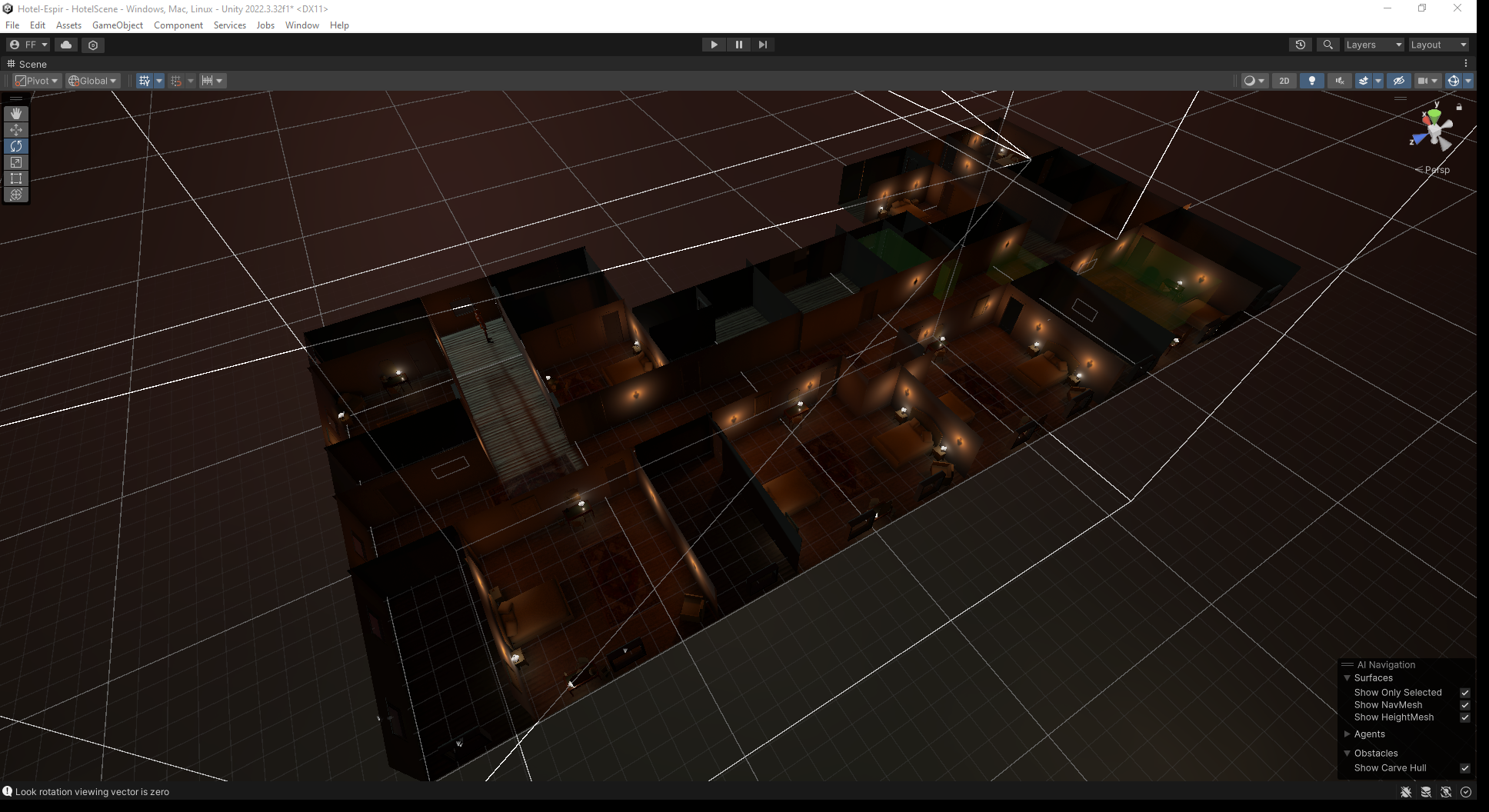

 rain quiver
For packing texture in HDRP Lit shader
GitHub
Texture packing for HDRP Mask Map and Detail Map. Contribute to sanliuk/MaskMap-Generator-Unity-HDRP-Lit-Packer development by creating an account on GitHub.
dawn sorrel
Any good way to prevent high-intensity SSAO from making these artifacts?

At bigger intensity

 sick furnace
hey guys i’m making an hdrp lit shader graph but when i apply it to a material i am not able to change anything in the inspector of the material, why is this? Thanks in advance
sick furnace
 scarlet hull
sick furnace
scarlet hull
sick furnace
Isn't this the inspector of the default material ? (the sub asset of the shadergraph)
 crude marsh
whats going on with my sky?
shrewd moon
crude marsh
whats going on with my sky?
Compared to the ground lit by the sun your sky is very dark
When only the sky is visible automatic exposure brightens it up to compensate
The ground, the sky and other objects you'll have in the scene should have more even brightness
Or alternatively use a different mode of exposure
crude marsh
Bloom doesnt really seem to behave the same way in HDRP than it does in URP
shrewd moon
This would work but kinda prevents you from learning how exposure values and real world light units are meant to be used
dawn sorrel
shrewd moon
This would work but kinda prevents you from learning how exposure values and rea...
That’s true, it’s useful to understand all that
dawn sorrel
crude marsh
Bloom doesnt really seem to behave the same way in HDRP than it does in URP
What problem are you having?
rain quiver

GitHub
Texture packing for HDRP Mask Map and Detail Map. Contribute to sanliuk/MaskMap-Generator-Unity-HDRP-Lit-Packer development by creating an account on GitHub.

for hdrp mask map lit shader
 mortal forge
Don't suppose anyone here might be able to 'decode' what this actually is doing? My HDRP project (U6) runs really really well, except when it doesn't, and when it doesn't, it's always shadows that is the culprit
 dawn sorrel
mortal forge
Don't suppose anyone here might be able to 'decode' what this actually is doing?...
dawn sorrel
mortal forge
Don't suppose anyone here might be able to 'decode' what this actually is doing?...
For me, Shadow Filtering Quality fucks up the performance really bad, don’t know if that’s what’s happening here though
dawn sorrel
Guys i switched to hrdp i think lights are much better?? Though havent tried much yet. The game looks more based. But was it worth to switch? My game is rather low graphics low poly game
magic blade
in hdrp why baking lightmap giving this black result for some surfaces?
 dawn sorrel
Cant fix this shadow map issue (rectangular seams). Its in point light only i think. My guess would be that the thing projects textures in all directions (6 in total) and the seams are made where the textures meet but maybe im wrong.
Disabling 'Shadow Map' or "affect spectacular" gets rid of it, but then lighting is uglier.
I tried lot of settings in light and hdrp profile but it doesnt go away, anyone knows?
meager rivet
Hello, I tried setting Unity Editor to DirectX12 using this arguments at launch.
(to access raytraced GI etc..)
-force-d3d12
Now whenever I enable FSR on a camera the editor crashes.
Anyone already had this issue ?
scarlet hull
dawn sorrel
Cant fix this shadow map issue (rectangular seams). Its in point light only i th...
The lights seems to be in front of the character, and nothing seems to be projecting shadows where the seam is visible ...
Did you try to tweak the lights shadow settings ? (resolution, biases, near plane) to see if it affects it ?
scarlet hull
magic blade
in hdrp why baking lightmap giving this black result for some surfaces?
Are lightmap UVs correct ?
shrewd moon
dawn sorrel
Cant fix this shadow map issue (rectangular seams). Its in point light only i th...
Looks related to this
https://discussions.unity.com/t/high-shadow-filtering-produces-extreme-artifacts-on-point-lights/930066
The only real solution may be to decrease light radius, but tweaking the light's filtering settings may help
scarlet hull
meager rivet
Hello, I tried setting Unity Editor to DirectX12 using this arguments at launch....
Did you try without forcing the editor to dx12 ? (changing the graphics api order in player settings)
dawn sorrel
shrewd moon
Looks related to this
<https://discussions.unity.com/t/high-shadow-filtering-pro...
Lower filtering settings decreases it but it doesnt get rid of it
I was hoping to create a torch
shrewd moon
dawn sorrel
I was hoping to create a torch
Decrease the light radius/size
the radius should make the light component the same size as whatever is visually emitting that light
Your torch flames in this case
meager rivet
@scarlet hull ~~The editor works fine. ~~
It still crashes but this time when I opened the project setting.
I'm wondering if the editor doesn't just struggle with DX12
dawn sorrel
shrewd moon
Decrease the light radius/size
Fixed this with raytraced shadows
Wait that is too slow jfl
You are right that reducing radius helps
meager rivet
meager rivet
<@532477925250039820> ~~The editor works fine. ~~
It still crashes but this tim...
@scarlet hull updated previous message
scarlet hull
meager rivet
<@532477925250039820> updated previous message
I'd suggest to :
- update your graphic drivers if possible
- submit a bug report with the crash log if it still reproduces.
hollow tangle
meager rivet
<@532477925250039820> ~~The editor works fine. ~~
It still crashes but this tim...
I reported a consistent and repeatable crash within first minute or two when DX12 is enabled on my laptop. Unity support said they were aware of the issue but could not or would not disclose the cause to me. The solution I found was to disable DX12. Thankfully that’s not my primary machine. It’s still not working quite some time later. All this to say I’m sure there are several known configurations that are not compatible. You should submit a crash report with project files.
meager rivet
I've tried looking into IPreprocessShaders but it seems you can only choose to strip variants, not force them to be included
meager rivet
@scarlet hull Maybe you have an idea ? 🙂
scarlet hull
meager rivet
Are you changing the filtering quality by "force" on the RP asset in build, or just switching the quality level ?
meager rivet
I'm doing it via code
        HDRenderPipelineAsset asset = GraphicsSettings.currentRenderPipeline as HDRenderPipelineAsset;
        if (asset)
        {
            RenderPipelineSettings settings = asset.currentPlatformRenderPipelineSettings;

            settings.hdShadowInitParams.directionalShadowFilteringQuality = GetHDShadowFiltering(graphicsSettings._ShadowsQuality);
            settings.hdShadowInitParams.punctualShadowFilteringQuality = GetHDShadowFiltering(graphicsSettings._ShadowsQuality);
            settings.hdShadowInitParams.areaShadowFilteringQuality = GetHDAreaShadowFiltering(graphicsSettings._ShadowsQuality);

            asset.currentPlatformRenderPipelineSettings = settings;
        }
Practically it works in editor, I just don't have the required shader variants included in the build :/ Either way, switching the quality levels would also be done by code
Should I create a script referencing all HDRenderPipelineAsset in my scene just to make sure they are referenced in the build and that relevant variants are compiled ?
I guess that's what Unity should already be doing
scarlet hull
meager rivet
I'm doing it via code
```c++
HDRenderPipelineAsset asset = GraphicsSett...
What I'm suspecting is that when you change the shadow filter from code, without changing the quality level, that variant of filter and other settings of the quality level is missing.
Like, the quality level 1 has defines for A B and filtering high, level 2 has C D and filtering medium, but with your change you are requesting C + D and filtering hight.
meager rivet
I see
I will try to switch the quality levels in build and see if the problem also occurs
If not then you are mostlikely right
meager rivet
scarlet hull
What I'm suspecting is that when you change the shadow filter from code, without...
@scarlet hull I added a script switching through quality levels to test in editor pressing a button.
Then in build, I never press that button but it looks like now changing the shadow filtering via my code works.
Variants are included in the build now... super super strange. I wonder if a reference of the HDRenderPipelineAsset was required somewhere in the project's code.
scarlet hull
meager rivet
<@532477925250039820> I added a script switching through quality levels to test ...
I you are able to have a solid repro of the issue it might be worth it to submit a bug report, right now I'm a bit clueless
meager rivet
I can try. Where is the entry point on Unity's website for submitting a bug report ?
scarlet hull
meager rivet
I can try. Where is the entry point on Unity's website for submitting a bug repo...
The entry point is in the unity editor 🙂 Help/Report a Bug
mortal forge
Vulkan - Suboptimal memory type used for buffer because of low memory
^Anyone using HDRP + Vulkan run into this one? It's a constant annoyance, spams every frame even in editor, and has persisted throughout all Unity 6 versions including 6.1betas so far for me. It does sort of correspond to how much graphics memory the game is using, in the sense that if I crank textures down to 1/4 on my machine with 12GB VRAM it does go away, but according to all profiling tools (Graphics driver analytics via Adrenalin, Unity Profiler, Unity Memory Profiler), I still have plenty of VRAM left.
On my current machine, sometimes it spams every frame in editor, sometimes it doesn't, but when it doesn't, it will occur when I do very simple things like spawn a small VFX graph (particle effect), which only takes like 10-20kb of VRAM.
+Not really keen to submit a repro/bug because it's not even reliably reproducible, and extremely hardware-dependent.
 unreal heron
My HDRP build is coming out with lighting and material issues,, it looks flat and unlit, the scne looks just fine in the editor.. I had added a custom for DLLS, I removed it and it's related settings, reinstalled HDRP and this is still happening ...

 eternal laurel
First pic looks like you are missing reflection probes to me
mortal forge
Is that textures loading in/mipmap streaming?
Is that a default/inbuilt Terrain component?
 lusty oyster
yo im mkaing gta-like game with big open world and in night scene the cars reflection is outlined by moon light any way of fixing it?
crude marsh
how can i improve the postprocessing for my horror game?
 crude marsh
I went through a couple of changes but heres what I think I landed. on let me know how it looks!
 vocal rivet
crude marsh
I went through a couple of changes but heres what I think I landed. on let me kn...
vocal rivet
crude marsh
I went through a couple of changes but heres what I think I landed. on let me kn...
I want those light-rays so bad, but I use URP and all the urp rays are paid 😔
Super cool looking though
vocal rivet
crude marsh
how can i improve the postprocessing for my horror game?
Tons and tons of contrast
Contrast is super helpful for scary games
crude marsh
vocal rivet
I want those light-rays so bad, but I use URP and all the urp rays are paid 😔
ugh that sucks if you can i'd just reccomend switinch to HDRP and setting up the basic environment, its really not bad once you get past material conversion
vocal rivet
crude marsh
ugh that sucks if you can i'd just reccomend switinch to HDRP and setting up the...
My game isn't really hdrp style though
mortal forge
Is this normal when looking in the profiler of a standard HDRP frame? Feels like it's not
 hollow tangle
mortal forge
Is this normal when looking in the profiler of a standard HDRP frame? Feels like...
hollow tangle
mortal forge
Is this normal when looking in the profiler of a standard HDRP frame? Feels like...
Outputs are normally directly related to inputs. What is it you’re doing in your scene?
 finite imp
Hey people. I have this weird bug. whenever i close and reopen a hdrp scene, the lighting sort of breaks(?)
Left is after right is before closing and reopening. Any help would be appreciated thanks in advance!

 finite imp
Hey people. I have this weird bug. whenever i close and reopen a hdrp scene, the...
finite imp
finite imp
Hey people. I have this weird bug. whenever i close and reopen a hdrp scene, the...
Unity 2022.3.20f1 btw
 burnt pumice
finite imp
I am going to crash out ts how do i fix this bro 💔
burnt pumice
finite imp
I am going to crash out ts how do i fix this bro 💔
How impatient can you be? Someone will help you if they have the time. No need to start moaning.
 hollow inlet
All i know its unity issue not hdrp. Had similar issue in 2D
 iron siren
Hello everyone. I have a HDRP project and was getting some weird CPU spikes in my scene so I tried in a new empty scene and the spikes are still there... Is this normal? Semaphore.WaitForSignal taking 90% CPU usage every 1 or 2 seconds? In an empty scene?
 hollow tangle
iron siren
Hello everyone. I have a HDRP project and was getting some weird CPU spikes in m...
hollow tangle
iron siren
Hello everyone. I have a HDRP project and was getting some weird CPU spikes in m...
Does this persist after you restart the editor?
Anytime something unusual happens in the editor, like a volume profile stops working or I get longer domain reloads, 90% of the time simply restarting the editor resolves it.
iron siren
hollow tangle
Does this persist after you restart the editor?
Oh you're right. It went away after restarting. Good to know it wasnt an issue with my project. Thanks a lot!
finite imp
burnt pumice
How impatient can you be? Someone will help you if they have the time. No need t...
Myf gang
fallow hearth
hey yall i just realised i remember a while back i asked how to remove the halo (like a white circle) that was in the air when you put a light in hdrp and when i asked for help i was told its made like that you cant remove it because your supposed to make a lamp or something so its not visible
well i just realised that now in unity 6 that white circle halo thingy is gone so thats a win for me
glad they are doing improvements
very nice 👍
eternal laurel
Ok and ?
 gilded warren
eternal laurel
gilded warren
eternal laurel
I’m still not seeing a question a here
gilded warren
I need graphics like this


Do I need to change the global Volume
Or a camera effect
Any plugin for that
eternal laurel
Like what? The grainy murky post processing going on ?
Almost like a bad VHS tape ?
eternal laurel
If you are going for old school style graphics like this why even use HDRP ? You will just pay a perf cost that will not justify the end result. Use URP it will be much easier to extend and modify to fit your creative needs
 rose vault
This. Go for urp first of all
fallow hearth
gilded warren
Any plugin for that or just
You can also use noise, volumetric fog, ambient occlusion, the post process that changes the color and some tonemapping
All of that is included with unity
Inside the global volume
You can also add a bit of bloom for your ambience
Just tweak some settings around im sure youll find something that perfectly fit
Cause thats what makes the difference between a bad game and a good game
I had an ugly game and post process really made it look very good! Like the difference is so big you would think its not even the same game
Also use chromatic aberration
If u want the creepy vibe thing
 smoky obsidian
can anyone help to solve this?

 rustic crow
how can i fix this on my glass?

 pure hornet
Good day everyone, Im a beginner in unity, can you guys help me on how to fix this thing. i tried creating a hdrp asset in asset as a youtube tutorial said but its not working.
 hollow tangle
pure hornet
Good day everyone, Im a beginner in unity, can you guys help me on how to fix th...
hollow tangle
pure hornet
Good day everyone, Im a beginner in unity, can you guys help me on how to fix th...
HDRP is really not beginner friendly. So unless you need cutting edge graphics you may want to consider URP instead.
pure hornet
hollow tangle
HDRP is not for mobile
ahhh thats why it doesnt work on my game. thank you
 mortal yoke
I confirmed that there were issues with the display of Volumetric Clouds in Unity 2022.3.32f1, so I migrated to the latest version, Unity 6000.0.41f1.
The migration went smoothly, and the issue where objects with Emission applied would appear through the clouds was resolved. However, as shown in the image, black flickering occurs.
I have confirmed that Bloom and normals are not the cause.
How can I fix this issue?
 gilded warren
fallow hearth
You can also use noise, volumetric fog, ambient occlusion, the post process that...
gilded warren
fallow hearth
You can also use noise, volumetric fog, ambient occlusion, the post process that...
Thanks
fallow hearth
gilded warren
Thanks
Np
dawn sorrel
Why is VSync so inconsistent in Unity 6 (41f), it fails to keep the game at 60fps, it goes to like 70+ randomly.
HDRP Specifically
NVIDIA settings dont conflict with it either
 pale sigil
In 3D animation one can set a geometry to show only shadows. This is useful to integrate a 3D object into a 2D background using invisible meshes that only catch a shadow.
In Unity 6 HDRP I’ve put a 3D object into a 360 video, and would like to integrate it better by casting a shadow on the video’s ‘floor’.
Are there ‘shadow catcher’ shaders in HDRP?
Another improvement would be using the 360 video as a light source around the added 3D object, although the 360 video isn’t HDRI.
pale sigil
pure hornet
ahhh thats why it doesnt work on my game. thank you
Yes; HDRP is for console and powerful gaming computers. URP is designed for mobile, VR, etc. I’ve gotten really high quality results with URP, and you will too!
meager rivet
Hi again everyone !
We have an issue regarding raytracing for GI, SSR and AO.
On my computer, raytracing seems to behave exactly like raymarching.
On my collegues' computer raytracing works well. (see screenshots)
My computer (RTX 3080 driver 572.7)
His computer (RTX 3080Ti driver 572.7)
We are both running the same build in DX12.

@scarlet hull 👋

Here is the code handling the changes when applying settings
scarlet hull
meager rivet
Did you try to debug the build or log infos to know which of the if blocks is called on the two machines ? (like, is the if condition failing on your machine when it should pass)
I guess that the condition is still true since what seems to be RT reflection is not fully disabled. But would be better to log to be 100% sure.
meager rivet
I'll add some logs and brb
scarlet hull
pale sigil
In 3D animation one can set a geometry to show only shadows. This is useful to i...
You can create a HDRP/Unlit shadergraph and enable "Shadow Matte" option. It also needs to be transparent with a 0 alpha (old discussions answer here).
For the 360 video as light source, you would need to use a custom sky shader, or something like a CustomRenderTexture with a dedicated shader that converts the video to a cubemap that can then be applied to the HDRI Sky.
meager rivet
@scarlet hull
We both passed into the condition.
However, now it seems to work.
What i changed is the default settings of the SSR, GI and AO in the volume profile. Everything is disabled by default and now it seems to work.
mortal forge
pale sigil
Yes; HDRP is for console and powerful gaming computers. URP is designed for mobi...
Just a nitpick: HDRP is for modern desktop hardware, not just "powerful gaming computers", there is a difference. I have my HDRP project running at native 1080p, around 40fps on an iGPU at the moment, with max ingame settings.
pale sigil
scarlet hull
You can create a HDRP/Unlit shadergraph and enable "[Shadow Matte](https://docs....
Thank you Remy. The shader matte is now my first foray into shader graphs.
rustic crow
when i create my glass i get this weird black border around my camera, does anybody know what causes this?

it only happens when I use refraction, and i did set the thickness
south girder
Probably because refraction is in screenspace so it doesnt know what to do at the edges of the screen
@rustic crow
 visual swift
Hi everyone, did anyone from you experience same issue with HDRI skyboxes ? Even i put light blocks for building some objects still recieve lighting from skybox.
Any idea what might be wrong ?

As you can see, the frames, chair, doors recieving light even there are blocks all around.
mortal forge
visual swift
Hi everyone, did anyone from you experience same issue with HDRI skyboxes ? Even...
They're not receiving lighting perse, that's just their unoccluded reflection. So you can either bake more reflection probes in local areas, or bake some APVs/similar to give them the data they need to know they're occluded from the skybox
shrewd moon
visual swift
Hi everyone, did anyone from you experience same issue with HDRI skyboxes ? Even...
These are definitely specular reflections, and as Alex B suggests bake reflection probes
Environmental light has two parts to it, the ambient/diffuse, and reflections/specular
Light probes and APVs are for ambient diffuse light, reflection probes are for the specular part
 torpid elm
how can i make my SSR less "noisy"?

when moving, its super jittery. when stopping, it smooths out and looks nice.
hollow tangle
torpid elm
how can i make my SSR less "noisy"?
May want to show your current volume settings for this override
torpid elm
hollow tangle
May want to show your current volume settings for this override

oh whoops tier max ray steps should be 64
ignore that super high value
hollow tangle
shouldn't the Enable (Opaque) be checked?
torpid elm
surprisingly, nothing changes with it on or off
hollow tangle
do you have any other volumes in your scene?
probably best to get out the rendering debugger and see what's actually going on
torpid elm
hollow tangle
do you have any other volumes in your scene?
nope just this one
hollow tangle
Windows > Analysis > Rendering Debugger > Volume > Main Camera > SSR
that will show what the actual settings being applied are and where they're coming from
torpid elm
hollow tangle
Windows > Analysis > Rendering Debugger > Volume > Main Camera > SSR
sorry where do i go from here?
 hollow tangle
torpid elm
sorry where do i go from here?
hollow tangle
torpid elm
sorry where do i go from here?
Camera drop-down > switch to Main Camera
Then set Component to Lighting > SSR
hollow tangle
Maybe share a pic
torpid elm
 hollow tangle
You want to see where the SSR settings are ultimately coming from
ok so DefaultSettingsVolumeProfile is the Volume you referred to right?
torpid elm
this is the one
 hollow tangle
well something fishy is going on
Search your scene for another volume profile
Hiearchy Search "t: volume"
torpid elm
just one :(
 hollow tangle
ok, well here's mine

As you can see, without a Volume Profile in the scene it defaults to the default profile you set in your project settings
but you have none
which leads me to believe it's not even enabled
torpid elm
hollow tangle
but you have none
i dont have what?
torpid elm
hollow tangle
which leads me to believe it's not even enabled
sorry im a bit confused, whats not enabled?
hollow tangle
SSR enabled in the DefaultSettingsVolumeProfile
From your project view search for DefaultSettingsVolumeProfile
Here's mine
 torpid elm
yeah i just looked through it and i dont see SSR
nvm its here

so what does this mean?
hollow tangle
ok, maybe it's not enabled on this pipeline asset then
even though it ddin't complain
what quality setting is your project on?
torpid elm
 hollow tangle
ok, so go to the High Fidelity pipeline asset
search for SSR and make sure it's enabled there
torpid elm
yup its on
 hollow tangle
Ok, then I'm not sure what's going on
The Rendering Debugger seemed to suggest SSR was on, but it didn't show either your SRP asset or your Default Volume profile having SSR. It also didn't show the volume profile you've put in your scene
This is what the Rendering Debugger should show

It clearly indicates that by default I have SSR enabled. But then i've DISABLED it one of my volumes in my scene, resulting in it being disabled
Yours shows no details, but suggests it's on. I've never seen that before and I use the Rendering Debugger a lot
torpid elm
so why does it show that theres nothing here for me?
 hollow tangle
that's strange too
torpid elm
and how is a different volume being used when i can see the changes i make on the one in my scene?
 hollow tangle
no clue man, that's why I'm out of ideas
I was going to say check your camera to see if you've turned anything weird on or off
but that shouldn't matter
torpid elm
hollow tangle
I was going to say check your camera to see if you've turned anything weird on o...
yeah everything seems to be fine; i dont see anything too weird
torpid elm
volume mask is set to default and idk where to find \custom frame setting
hollow tangle
In the Rendering section of the Camera component
torpid elm
oh, no thats turned off
hollow tangle
ok.. and your volume's game object is on the Default layer?
torpid elm
yup
hollow tangle
what version of Unity are you on?
torpid elm
6000.0.32f1
hollow tangle
i think some changes took place to rendering debugger on .38. But I doubt it's related to whatever is going on for you. Do other volume overrides on that volume work? Like a simple exposure?
torpid elm
yeah everything else seems to work fine
hollow tangle
hopefully someone who knows more than I do can help
torpid elm
i guess I'll admit defeat for now. thanks for all of the attempts, though!
torpid elm
ive tried setting the atlas size to the highest setting but i keep getting the same error. what's causing this and how do i actually fix it?
 scarlet hull
torpid elm
ive tried setting the atlas size to the highest setting but i keep getting the s...
scarlet hull
torpid elm
ive tried setting the atlas size to the highest setting but i keep getting the s...
Well, if it isn't because you have a lot of different cookie textures in your scene, it might be a bug that could be worth a bug report with your project attached.
torpid elm
scarlet hull
Well, if it isn't because you have a lot of different cookie textures in your sc...
The only thing in this project is the imported assets from the official Unity Warehouse asset on the asset store. These are all the default settings and there aren't a ton of cookies either 🤷♂️
magic blade
in hdrp how to include ambient lighting while baking the lightmap? everything appears dark in the lightmap when all the lights are turned off
 magic blade
directional light is present in the scene. although it's not directly reaching the room. I want to achieve diffused lighting from the directional lighting
 hollow tangle
Wrong channel - this is for HDRP. There’s a URP channel
 rain oyster
Sorry, I will delete it. Thank you! 🙂
shrewd moon
magic blade
in hdrp how to include ambient lighting while baking the lightmap? everything ap...
You don't need to "do" anything to include it really
The lights need to contribute to GI, meshes need to receive GI, and the light must not be occluded from reaching the surfaces
And you can't have more general light baking issues that would prevent lightmapping from working
magic blade
shrewd moon
The lights need to contribute to GI, meshes need to receive GI, and the light mu...
In my case lights are constributing to gi, meshes are gi enabled. but light is not directly reaching the surfaces
magic blade
shrewd moon
And you can't have more general light baking issues that would prevent lightmapp...
no issues in baking lightmap except some uv overlap
what's the approach to get diffused light from the environment on lightmap then?
shrewd moon
magic blade
what's the approach to get diffused light from the environment on lightmap then?
You'd have to disable ambient light to not get it
My guess is the window might be treated as a light blocker
But the cause could be anything
I'd rather do simplified tests first to verify light baking works in your scene as expected
First with a baked type light inside the room, then use the lightmap GI visualization to verify it is drawn on the lightmap
scarlet hull
torpid elm
The only thing in this project is the imported assets from the official Unity Wa...
You can try to display the cookie atlas with the rendering debugger window, this might help understand what is happening.
torpid elm
scarlet hull
You can try to display the cookie atlas with the rendering debugger window, this...
how do i enable that, exactly? sorry im not too familiar with rendering stuff in general
hollow tangle
torpid elm
how do i enable that, exactly? sorry im not too familiar with rendering stuff in...
torpid elm
hollow tangle
https://docs.unity3d.com/Packages/com.unity.render-pipelines.high-definition@17....
thanks
torpid elm
scarlet hull
You can try to display the cookie atlas with the rendering debugger window, this...
with this setting enabled, all it does is create a balck square in the top left of my screen. nothing else seems to have changed at all visually. what's weird is that im not getting this error at all anymore after enabling this debugging option. even after disabling it, i dont get the error anymore...
just tried restarting and the error is still completely gone 🤷♂️
torpid elm
what is the HDRP equivalent of these URP properties?
in URP, when texture painting, these settings make it so that the base map is invisible, but you can still see what is being painted on. i cannot seem to replicate this in HDRP though... if i make a HDRP material transparent or reduce the alpha to 0, i cannot see the base map, but i also cannot see the paint.
 scarlet hull
torpid elm
what is the HDRP equivalent of these URP properties?
in URP, when texture paint...
scarlet hull
torpid elm
what is the HDRP equivalent of these URP properties?
in URP, when texture paint...
HDRP doesn't support multiply blending mode.
magic blade
shrewd moon
You'd have to disable ambient light to _not_ get it
My guess is the window might...
okay, thank you
 jolly yacht
hey there, I need some kind of shadow layers, I know light layers exist but I need something like a shadow layer, so specific lights only cast shadows to objects on specific layers etc, because I have a lot of point lights, all must cast shadows on walls etc so it won't tresspass the walls, but then it will cast shadows on the objects/props on the map too, but I don't need 5 point lights casting shadows on 15 objects instead of just 1 or 2 point lights doing it, but all must iluminate everything and SOME specific ones should cast shadows only on walls, floor etc, (so the light layers doesn't seem to help much with this), what can I do as HDRP don't have any shadow layers on lights and rendering meshes etc?
the only solution I could find is duplicate the lights so they will iluminate different things and cast or not lights on it, but my scene already has too many lights making the fps go down, so I need a better solution than just creating more lights
 idle compass
Anyone knows how I could have a mesh affected by windzone in HDRP ? Can't believe this is not working out of the box, I've tried windzone + speedtrees shaders. Apparently it needs very specific mesh data to work
 lucid gate
Hey guys, can anyone help out/point me in the right direction?
Unity 6, last editor version, hdrp
Shader HDRP/Lit, subshader 0, pass 6, stage pixel: variant AREA_SHADOW_MEDIUM DECALS_4RT DIRECTIONAL_SHADOW_MEDIUM PROBE_VOLUMES_L1 PUNCTUAL_SHADOW_MEDIUM SCREEN_SPACE_SHADOWS_OFF USE_CLUSTERED_LIGHTLIST _DISABLE_SSR _DISABLE_SSR_TRANSPARENT _MASKMAP _NORMALMAP _NORMALMAP_TANGENT_SPACE not found. Shader HDRP/Lit, subshader 0, pass 6, stage vertex: variant _DISABLE_SSR_TRANSPARENT _NORMALMAP not found. Shader HDRP/Lit, subshader 0, pass 6, stage pixel: variant AREA_SHADOW_MEDIUM DECALS_4RT DIRECTIONAL_SHADOW_MEDIUM PROBE_VOLUMES_L1 PUNCTUAL_SHADOW_MEDIUM SCREEN_SPACE_SHADOWS_OFF USE_CLUSTERED_LIGHTLIST _DISABLE_SSR_TRANSPARENT _MASKMAP _NORMALMAP _NORMALMAP_TANGENT_SPACE not found.
within the development build log, every second/frame whatever this message.
scarlet hull
idle compass
Anyone knows how I could have a mesh affected by windzone in HDRP ? Can't believ...
IIRC, speedtree shaders indeed use some additional vertex data stored in vertex colors or a UV channel for the wind influence.
scarlet hull
lucid gate
Hey guys, can anyone help out/point me in the right direction?
Unity 6, last ed...
If it only logging the error, or do you also have materials that are wrongly rendering on screen ?
 ripe crown
Is there any way to add glow to a worldspace ui without writing my own shaders?
scarlet hull
ripe crown
Is there any way to add glow to a worldspace ui without writing my own shaders?
Can't you use the regular glow post process ?
The ui color needs to be bright (you probably need to use a custom shader with a HDR color or overshoot the color value higher than 1)
ripe crown
scarlet hull
Can't you use the regular glow post process ?
The ui color needs to be bright (y...
Yeah its the custom shader im having trouble with :/
scarlet hull
ripe crown
Yeah its the custom shader im having trouble with :/
You can look the source code/graph of speedtree shaders to see how it works.
lucid gate
scarlet hull
If it only logging the error, or do you also have materials that are wrongly ren...
oi Remy,
I have still problem with pink materials on my fake second camera via custom pass. You guys recommend checking via development build, but the log gets cluttered by the error/warning. #archived-hdrp message
but no, visually i haven't seen anything wrong.
scarlet hull
lucid gate
oi Remy,
I have still problem with pink materials on my fake second camera via ...
The pink objects could be the one missing the variants mentioned in your previous message.
It doesn't look like you are modifying a material keywords in you custom pass. It would help if you were able to identify the pink objects and check that their materials / shadervariant are properly included in the build.
lucid gate
Thanks for the answer, aye that would make sense, especially coming from you.
It doesn't look like you are modifying a material keywords in you custom pass. It would help if you were able to identify the pink objects and check that their materials / shadervariant are properly included in the build.
Can you hold my hand here? how would i do that?
I'm not a shader guy, the only thing i tried yet is changing that (again the shader is in the always included shader list):
 scarlet hull
It's more like, where the screen is pink what should be displayed at that pixel ?
lucid gate
scarlet hull
It's more like, where the screen is pink what should be displayed at that pixel ...
hehe i'm drowning mate #archived-hdrp message
scarlet hull
IDK if it's discord that is not able to point me to the mentioned message, but I get to something about light intensities, is it related ?
lucid gate
scarlet hull
It's more like, where the screen is pink what should be displayed at that pixel ...
Misunderstanding would like to say, I don't know what I can answer here, thought the screenshot might help. I normally speak German
lucid gate
scarlet hull
IDK if it's discord that is not able to point me to the mentioned message, but I...
ah facts sec
https://cdn.discordapp.com/attachments/1305919079600881744/1333105960725774396/image.png?ex=67de376c&is=67dce5ec&hm=c1632d1b92526c4365c01acdfe407277db8c1183af1a4216fc6820a38ff11f90&
https://cdn.discordapp.com/attachments/1305919079600881744/1333106230750875739/image.png?ex=67de37ad&is=67dce62d&hm=ae8947ad87e4fe93d07324556d5c35822b907c70f013afe06a348b92811224eb&
the post above the light thing
scarlet hull
Hum, random try : what is the lit shader mode set to in your HDRP asset ?
lucid gate
scarlet hull
Hum, random try : what is the lit shader mode set to in your HDRP asset ?
i always let it on the default mode, deferred only 🤔
scarlet hull
lucid gate
i always let it on the default mode, deferred only 🤔
Try to set to both ?
lucid gate
scarlet hull
Try to set to both ?
will do! can only do it in a few minutes, i will let you know if it changed sth. Thanks so much for the support, appreciated 🙏🏽
lucid gate
scarlet hull
Try to set to both ?
❤️
can you tell me a bit more?
 scarlet hull
I didn't check the whole code, but I suspected that the pink render was caused by missing opaque forward passes on the fps objects.
Setting the lit shader mode to "both" will compile deferred AND forward opaque passes.
And for terrain grass ... I'm not sure why you also have warnings :/
lucid gate
scarlet hull
And for terrain grass ... I'm not sure why you also have warnings :/
I was really happy now till your last sentence hehe, thanks again! i guess step by step, otherwise i know who to ask 😛
 plush compass
even unity example have this problem, how am i gonna make a material FULL INVISIBLE?

the sun make it reflective

 scarlet hull
plush compass
even unity example have this problem, how am i gonna make a material FULL INVISI...
scarlet hull
plush compass
even unity example have this problem, how am i gonna make a material FULL INVISI...
Did you disable "Preserve Specular Lighting" ? https://docs.unity3d.com/Packages/com.unity.render-pipelines.high-definition@17.1/manual/lit-material-inspector-reference.html#transparency-inputs
plush compass
oh, dont know have to disable some special settings
i will try it later thanks
lucid gate
scarlet hull
I didn't check the whole code, but I suspected that the pink render was caused b...
Hey Remy, is there a chance you know a "better" solution (one that would work from the get go?).
That's the only problem left with the Foreground custom pass, and my current skill regarding shaders will not allow me to fix that.
It only happens as far i can see with the particles from the particle system and decal projector objects.
Depth...
        // Make sure that objects renders when the depth buffer is empty.
        var overrideDepthState = new RenderStateBlock(RenderStateMask.Depth)
        {
            depthState = new DepthState(true, CompareFunction.LessEqual)
        };

....

        // TODO: check if it's possible to support subsurface scattering in the foreground layer
        // We need to copy the stencil and split lighting from custom buffers for this.

        // Render all the foreground objects into another texture using the custom camera FOV
        // It ensures that no objects from the scene will affect the foreground layer while still maintaining depth test inside the layer
        CoreUtils.SetRenderTarget(ctx.cmd, ctx.customColorBuffer.Value, ctx.customDepthBuffer.Value, ClearFlag.All);
        CustomPassUtils.RenderFromCamera(ctx, foregroundCamera, foregroundMask, overrideRenderState: overrideDepthState);```

 loud perch
Is there someone that can help me? I created Shader Graph that represents my flow map. I want to assign this flow map to Unity Water System - [current field] but I cant make it work. When i assign this custom render texture then Water system is like only interpreting fields under Source section: Color, texture. I need to adjust flowmap in runtime.

 scarlet hull
loud perch
Is there someone that can help me? I created Shader Graph that represents my flo...
scarlet hull
loud perch
Is there someone that can help me? I created Shader Graph that represents my flo...
I don't understand this part :
then Water system is like only interpreting fields under Source section: Color, texture.
scarlet hull
lucid gate
Hey Remy, is there a chance you know a "better" solution (one that would work fr...
Hum, did you try to simply disable support decals on the materials of the foreground objects ? 😅
loud perch
scarlet hull
I don't understand this part :
> then Water system is like only interpreting fi...
When I change the color or manually assign a texture, I can see the changes in the water flow when using the 'Debug: Current' mode — the water follows the flow map correctly. However, I don't want to manually create or update a texture every time something changes. I want to update the flow map at runtime using a Shader Graph. I’ve created a Custom Render Texture and assigned my Shader Graph material, but the water system doesn’t seem to respond — nothing happens.
loud perch
loud perch
When I change the color or manually assign a texture, I can see the changes in t...
Solved it. I made a mistake -> i used unlit material output in shader graph instead of Assets->Create->Shader Graph->Custom Render Texture
lucid gate
scarlet hull
Hum, did you try to simply disable support decals on the materials of the foregr...
damn, can't see the forest for the trees hehe, thanks! 🤗
 lavish hinge
anyone else have any issues with their editor flickering for HDRP in unity 6? (asking here because its the hdrp channel). Seems new since it wasnt happening in 6.0.24. Trying to find a version more recent where it doesnt happen.
 heavy sky
hi, i recently converted to hdrp and it started something where when I make a new prefab and zoom away from a mesh, it glows a glaring bright white, and I haven't been able to figure out why. It doesn't happen in other scenes.. I tried changing the scene used for prefabs with a scene that used the default skybox, but it didn't do anything

 open tree
How do I use LUTs in HDRP, I can't find any color grading or similar post process overrides. Under tone mapper I can see an option to import look up tables but it is not even accepting .cube files that come with HDRP samples.
open tree
nvm, It accepts .cube files with 32 grid points. The sample .cube files were not 32.
 torn locust
I was experimenting with Ray-Tracing on this custom procedurally generated terrain. If I enable "Include (light) for Ray-Tracing" I get these shadows. Setting "Ray Bias" to the maximum of 0.1 doesn't get rid of them totally. Does anyone know why this might be happening?

 restive quail

 floral hound
hello, does anybody know how to render certain objects on top of others in unity? in my case i want the player's hands in a first person camera to be rendered on top of the world, but in HDRP this seems impossible, i've seen camera stacking being used as a solution, but scrolling through forums i've seen people saying that its inefficient and should be avoided. (im using HDRP with unity 6000.0.38f1)
Thanks
mortal forge
floral hound
hello, does anybody know how to render certain objects on top of others in unity...
Render hands separate to a RenderTexture (doable), then edit HDRP's final postpro pass to 'blit' that RT on top of everything else like an overlay image effect
south girder
floral hound
hello, does anybody know how to render certain objects on top of others in unity...
Apart from camera stacking, another common trick is to scale the hands/viewmodel down and bring it closer to the camera. It will look normal but if done correctly it won't clip into anything if you keep the hands inside the player's collider.
floral hound
south girder
Apart from camera stacking, another common trick is to scale the hands/viewmodel...
thats kind of hard though, i feel like its gonna ruin perspective
south girder
Nah it will look the same
You move it closer to the camera to counter the perspective shift
Gotta be careful with the near clip plane though
I tried the dual camera approach in HDRP before and performance was an issue IIRC. Also I couldn't find a way to make the separately rendered hands/items receive shadows, since the shadow casting objects aren't rendered on that camera
floral hound
south girder
I tried the dual camera approach in HDRP before and performance was an issue IIR...
understood, ill try this method 
sucks though that HDRP makes suck "easy" thing a nightmare
hollow tangle
floral hound
sucks though that HDRP makes suck "easy" thing a nightmare
You should strongly consider whether you need HDRP at all. Unless you're going for hyper-realism, URP is perfectly fine.
floral hound
hollow tangle
You should strongly consider whether you need HDRP at all. Unless you're going f...
going for 100% realism
hollow tangle
HDRP is going to make a lot of things more complicated because of the way it works.
floral hound
hollow tangle
HDRP is going to make a lot of things more complicated because of the way it wor...
ik, but unfortunately its needed in my case :/
hollow tangle
floral hound
ik, but unfortunately its needed in my case :/
You may want to check out some videos from Opsive on how they do first person arms in ultimate character controller
the method supports hdrp
floral hound
hollow tangle
You may want to check out some videos from Opsive on how they do first person ar...

YouTube
The Ultimate AI-Driven Animation Solution is here! Sign up for Omni Animation and see how AI will revolutionize animation creation: https://omnianimation.ai.
We help you make games by creating assets with exceptional quality and support.
Opsive is a top rated Unity Asset Store Publisher and software company pushing the boundaries of generative...
hollow tangle
floral hound
https://www.youtube.com/@opsive ?
Hmm.. I actually misremembered how this works. I think they might be doing a custom pass. https://opsive.com/support/documentation/ultimate-character-controller/integrations/high-definition-render-pipeline/

Opsive
When the first person arms and items are drawn to the screen they are drawn using a second camera (called camera stacking). This prevents the . . .
floral hound
hollow tangle
Hmm.. I actually misremembered how this works. I think they might be doing a cus...
ah its an asset made by them?
hollow tangle
Yeah. Ultimate character controller is one of the top character controllers on the asset store. Does 1st and 3rd person.
floral hound
hollow tangle
Yeah. Ultimate character controller is one of the top character controllers on t...
but does that mean i'd have to use replace my current character controller setup?
because in my case i am far ahead with development
hollow tangle
no no.. i'm just saying that I think the way they manage to do the first person arms in HDRP without having to stack cameras (which would cut FPS nearly in half) is to use a custom pass
So it may be worth researching what custom passes can do and if that may be helpful.
floral hound
ohh.. got it, ill try doing some research on it, i appreciate your help 🙏
rose vault
floral hound
hello, does anybody know how to render certain objects on top of others in unity...
You can just use a custom render pass for the hands and weapon
It will never look perfect in regard to lighting and shadows but it will work
 celest magnet
Hi I want to learn how terrain layer blend height maps and use it as a map in unity, I want to use it for shader because terrain mesh is just heavy. I have read some code in unity github and found how it blend but I cant find any parameter input about amplitude and base, can anyone help?
celest magnet
celest magnet
Hi I want to learn how terrain layer blend height maps and use it as a map in un...

GitHub
Unity Graphics - Including Scriptable Render Pipeline - Unity-Technologies/Graphics
scarlet hull
celest magnet
Hi I want to learn how terrain layer blend height maps and use it as a map in un...
The heigh blend logis starts at line 158, but on the terrain shader there is no notions of "amplitude" and "base". The height of each layer texture is in the mask.z channel, and is blended with others based on the splat mask.
celest magnet
scarlet hull
The heigh blend logis starts at [line 158](https://github.com/Unity-Technologies...
Can I ask which variable that contain the splat mask data?
celest magnet
scarlet hull
The heigh blend logis starts at [line 158](https://github.com/Unity-Technologies...
this is the input of it in texture layers, I dont really what they does
my assumption is it modifiying the base height texture because parametriztion also have min max value
 celest magnet
scarlet hull
The heigh blend logis starts at [line 158](https://github.com/Unity-Technologies...
celest magnet
scarlet hull
The heigh blend logis starts at [line 158](https://github.com/Unity-Technologies...
and I already recreate the logic in blender for easier preview but the second heigth map need to above 1 for it to working properly

 scarlet hull
celest magnet
this is the input of it in texture layers, I dont really what they does
my assum...
celest magnet
scarlet hull
If I'm not wrong, this remapping comes from [L95](https://github.com/Unity-Techn...
scarlet hull
celest magnet
this is the input of it in texture layers, I dont really what they does
my assum...
celest magnet
scarlet hull
If I'm not wrong, this remapping comes from [L95](https://github.com/Unity-Techn...
I think that for size and offset
 celest magnet
scarlet hull
[L139](https://github.com/Unity-Technologies/Graphics/blob/274b2c01bdceac862ed35...
celest magnet
scarlet hull
[L139](https://github.com/Unity-Technologies/Graphics/blob/274b2c01bdceac862ed35...
Thank you I will look into it again
scarlet hull
celest magnet
I think that for size and offset
Check line 64, it clearly remaps the sampled maskmap values.
The height parametrization is a more "friendly" UI for channel remapping.
celest magnet
scarlet hull
Check line 64, it clearly remaps the sampled maskmap values.
okay
Im a bit confused of the flow of the code, maybe will look into into a bit more
celest magnet
scarlet hull
Check line 64, it clearly remaps the sampled maskmap values.
Thank you so much
 desert terrace
Im trying out hdrp on unity 6, trying to build a small landscape and add a few assets but whenever I change anything in a material it starts doing this, until eventually one of them just never ends

I had to forcefully close unity before since it was already 10+ minutes long
hollow tangle
desert terrace
Im trying out hdrp on unity 6, trying to build a small landscape and add a few a...
Did you start with a new HDRP project or try to add HDRP to an existing project?
Have you updated your graphics drivers to the latest?
desert terrace
Brand new hdrp project with latest amd drivers
 indigo island
i'm importing a asset pack to test some stuff, but for some reason a lot of the back foilage is blue. does anybody know how to fix this, or make it go into a billboard instead?

first time using hdrp btw, I usually go for urp.
i just see that this is a billboard, but no idea why the texture/material is missing/blue
celest magnet
scarlet hull
Check line 64, it clearly remaps the sampled maskmap values.
can I ask 1 more question?
from what I understand masks.z is height map, control/Blendmask is vertex color, then what is the splat (sampler_Splat0) contain?
restive quail
how can i fix these reflections
 scarlet hull
celest magnet
can I ask 1 more question?
from what I understand masks.z is height map, control...
scarlet hull
celest magnet
can I ask 1 more question?
from what I understand masks.z is height map, control...
sampler_Splat0 is the sampler state of the splat map 0. Because there is a limit of the total number of samplers a shader can use, this same sampler is reused for all splat/mask/normal textures.
celest magnet
scarlet hull
`sampler_Splat0` is the sampler state of the splat map 0. Because there is a lim...
I see
#ifdef _MASKMAP
#define MaskModeMasks(i, blendMask) RemapMasks(SAMPLE_TEXTURE2D_GRAD(_Mask##i, sampler_Splat0, splatuv, splatdxuv, splatdyuv), blendMask, _MaskMapRemapOffset##i, _MaskMapRemapScale##i)
#define SampleMasks(i, blendMask) lerp(DefaultMask(i), MaskModeMasks(i, blendMask), _LayerHasMask##i)
#define NullMask(i) float4(0, 1, _MaskMapRemapOffset##i.z, 0) // only height matters when weight is zero.
there is this code in line 88 that I dont know what it affecting
I have try to make the the line 151 to210 in shader node in blender but it doesnt get the same result here the comparison
the paint value is already 1 but it doesnt cover all the part and still have some black, I need to make the height map over 1 to make more cover the area but it also affecting the lower opacity area
line 151 to 186 (with 2 layer)
 thorn gull
Hey, how I could approach solving these errors on opening my project? I'm pretty clueless about where to start. Am I correct that they are related to the HDRP? I'm also not seeing anything in my game or scene view on opening the project, until I swap from Scene to Game view (or the other way around).
 scarlet hull
celest magnet
line 151 to 186 (with 2 layer)
scarlet hull
celest magnet
line 151 to 186 (with 2 layer)
The logic seems good, but I'm a bit concerned about the two Control0/Vertex Color/blendmask0 here.
I don't know how you are editing them, but in Unity terrain system, the sum of all the active layers of the control maps is equal to 1.
So, if layer0 is 1, layer1 must be 0 in your case, else it can lead to unexpected behaviour.
Also, you are casting colors to float here, I guess blender only uses the X/R component, but be sure to edit it accordingly.
scarlet hull
thorn gull
Hey, how I could approach solving these errors on opening my project? I'm pretty...
It seems to come from HDRP, but the source of the error is unclear ...
Are you use some assets that add features on top of HDRP maybe ?
If not, it could be worth to file a bug report.
celest magnet
scarlet hull
The logic seems good, but I'm a bit concerned about the two `Control0/Vertex Col...
maybe i dont really understand it fully, I tought blendmask0 is the paint (vertex color)?
scarlet hull
celest magnet
maybe i dont really understand it fully, I tought blendmask0 is the paint (verte...
Not on terrain, the mask is a "control map".
L131 you can see that it samples a control texture to populate the blendmask0 value, not vertex colors.
When you paint terrain layers, you are painting that control map. As terrain has some level of detail logic to display the mesh, it would make it complex to have the layering data only on vertex colors.
celest magnet
scarlet hull
It seems to come from HDRP, but the source of the error is unclear ...
Are you u...
I dont think I use anything, its my first time using hdrp and I recently uninstall unity to clean it up
celest magnet
scarlet hull
When you paint terrain layers, you are painting that control map. As terrain ha...
so it not same as vertex color, can I ask what value its use if it not greyscale value
scarlet hull
celest magnet
I dont think I use anything, its my first time using hdrp and I recently uninsta...
I was answering to perdixdev ^^
celest magnet
scarlet hull
I was answering to perdixdev ^^
I see
scarlet hull
celest magnet
so it not same as vertex color, can I ask what value its use if it not greyscale...
The control maps in the case of HDRP are two textures representing the "weight" of each individual terrain layer. 1 layer per texture channel, to have a total of 8.
thorn gull
scarlet hull
It seems to come from HDRP, but the source of the error is unclear ...
Are you u...
Ah alright, so I just tried a newly created HDRP scene (Outdoors HDRP) and when I open my project with that new scene, it doesn't throw those errors. I've recently upgraded my project to 44f1. Could that be the issue?
celest magnet
scarlet hull
When you paint terrain layers, you are painting that control map. As terrain ha...
is there a way to implement it in shader graph as maybe vertex color or image texture
scarlet hull
thorn gull
Ah alright, so I just tried a newly created HDRP scene (Outdoors HDRP) and when ...
Was it a big leap in unity versions ? Maybe creating a new HDRP asset could fix it.
thorn gull
scarlet hull
Was it a big leap in unity versions ? Maybe creating a new HDRP asset could fix ...
No a pretty small one. Came from 40, 42 or 43, not 100% sure sadly. I'm gonna try that!
scarlet hull
celest magnet
is there a way to implement it in shader graph as maybe vertex color or image te...
The control map is already an image texture. You could implement the same logic with vertex color, just be sure that the sum of the channels is equal to 1.
You could also add some safeguard for this in the code like :
float sum = r+g+b+a;
sum = max(epsilon, sum);
r /= sum;
g /= sum;
b /= sum;
a /= sum;
so control map is map that you paint in the scene right, Im a bit confused about how to implement it to shader graph, sorry it my first learning about hlsl
scarlet hull
celest magnet
so control map is map that you paint in the scene right, Im a bit confused about...
Note that terrain is not a supported target for shadergraph.
And to implement the control map ... well, sample it.
celest magnet
scarlet hull
Note that terrain is not a supported target for shadergraph.
And to implement th...
yes because it heavy on my pc that why i want to use just a single plane with shader graph instead of using terrain mesh
I just want to implement the blending height to use it as a mask in the sahder graph
scarlet hull
celest magnet
yes because it heavy on my pc that why i want to use just a single plane with s...
Did you look at the HDRP/LayeredLit material ? 😅
celest magnet
scarlet hull
Did you look at the HDRP/LayeredLit material ? 😅
not I dont think I have, its my first time using hdrp
scarlet hull
It seems like it's the shader you need.
celest magnet
Thank you I will look into it
thorn gull
@scarlet hull I think I narrowed it down a bit. I kept deleting stuff in my scene until I didn't get the errors anymore and I now know it's the Sun object. Especially the Shadows parameter. When I disable that, I won't get the errors on starting my project. Is that also related to the HDRP asset?
scarlet hull
thorn gull
<@532477925250039820> I think I narrowed it down a bit. I kept deleting stuff in...
There are indeed shadow related settings in the HDRP asset.
But if it's related to the sun, maybe deleting it and creating a new directional light to replace it would fix ?
thorn gull
scarlet hull
There are indeed shadow related settings in the HDRP asset.
But if it's related ...
Ah yes, I tried creating a new sun but the issue stays there. Does that mean it must be something with the shadows in my scene? I'm properly confused why it's not happening when I open the project with a fresh/new HDRP sample scene though.
scarlet hull
thorn gull
Ah yes, I tried creating a new sun but the issue stays there. Does that mean it ...
If it is also happening in an other scene of the same project, then it might more be project/settings related.
Of not, it's probably something in the scene.
thorn gull
scarlet hull
If it is also happening in an other scene of the same project, then it might mor...
Alright, it must be something in the scene then, so frustrating lol. Thanks anyway for the help, really appreciate it!
scarlet hull
At least you kind of know where to look at, sorry I can't pin-point it more, the errors don't really dive more hints.
Maybe things like objects that project shadows are involved ? Raytracing ?
thorn gull
scarlet hull
At least you kind of know where to look at, sorry I can't pin-point it more, the...
Solved it by rebuilding my scene in a new clean HDRP scene. Luckily not too much work with a lot of prefabs. Sometimes you gotta take the easy route, right? :p
dry turtle
restive quail
how can i fix these reflections
set the texture as normal map in its import settings
restive quail
dry turtle
set the texture as normal map in its import settings
I do
frozen compass
Hello guys, I tried a bunch of stuff but... How do you setup a callback for when the PathTracing of the image is done ?
scarlet hull
frozen compass
Hello guys, I tried a bunch of stuff but... How do you setup a callback for when...
We don't have a clean callback API for this -_-.
The current way to do it is to "start" the PT rendering, count the number of frames for the iterations, one more frame for denoising, maybe some additional ones for safety, then call your function.
frozen compass
scarlet hull
We don't have a clean callback API for this -_-.
The current way to do it is to ...
And the number of frames should be equal +1 (or more) to the max samples of the pathtracing settings ?
scarlet hull
frozen compass
And the number of frames should be equal +1 (or more) to the max samples of the ...
Yep
frozen compass
scarlet hull
Yep
OK thanks ^^
 hollow gull
Is there a very basic Blinn–Phong specular shader for HDRP? Like mid 2000s style, kinda like F.E.A.R.
scarlet hull
hollow gull
Is there a very basic Blinn–Phong specular shader for HDRP? Like mid 2000s style...
No


 eternal laurel
Why would you waste hdrp with a shader like that ?
plush compass
is there a way to animate material of decal?
 hollow gull
eternal laurel
Why would you waste hdrp with a shader like that ?
hollow gull
eternal laurel
Why would you waste hdrp with a shader like that ?
I need raytraced shadows in order to replicate shadow volumes since I've been trying and failing to replicate them in unity for ages so I'm just resorting to a workaround for similar results. I turned off everything else added by hdrp which can be turned off.
My goal is super sharp pixel perfect shadows like these while also keeping the rest of the general graphical style of this era.

 hollow gull
scarlet hull
No
hollow gull
scarlet hull
No
That wasn't too hard thankfully. That was such a blunt response that I kinda thought it would be a massive pain 
 scarlet hull
hollow gull
That wasn't too hard thankfully. That was such a blunt response that I kinda tho...
scarlet hull
hollow gull
That wasn't too hard thankfully. That was such a blunt response that I kinda tho...
Yeah, the theory isn't that hard, but once you try to implement it, as custom lighting, with all the logic of HDRP (using the per tile/cluster light data) it gets a bit more tricky.
hollow gull
I think I turned off cluster light data I'm not sure about per tiler
frozen compass
Hi everyone, someone know about some global illumination that does support light layers ? (I need to create individual scenes, on top off each other, with occlusion working for meshes and lights) PathTracing could be nice too, but not really important.
 rain hazel
Does anyone know what these stripes of white are on top of the screen?
Unity 6.0.40, HDRP, but I feel like they have been there for ages
fallow hearth
hey in unity 6 hdrp my scene from the editor view looks all grey (empty scene but the skybox still doesnt show) but on the game view its normal


its really annoying when im making a map and stuff
btw i am on the shaded render mode
editor camera settings are set to default
i really dont know whats wrong
scarlet hull
fallow hearth
hey in unity 6 hdrp my scene from the editor view looks all grey (empty scene bu...
Is skybox maybe disabled in the scene view ?
 scarlet hull
frozen compass
Hi everyone, someone know about some global illumination that does support light...
scarlet hull
frozen compass
Hi everyone, someone know about some global illumination that does support light...
I think SS/RT GI does properly take light layers into consideration, but not baked GI.
scarlet hull
rain hazel
Does anyone know what these stripes of white are on top of the screen?
I think it related to the volumetric fog reprojection, but I have never seen that Oo
fallow hearth
scarlet hull
Is skybox maybe disabled in the scene view ?
oh yeah it was
also why do textures disapear when there is no light
its very ugly

i tested by rotating the sun and yeah the textures fades when there is no light
dry turtle
fallow hearth
looks like no skylight
fallow hearth
dry turtle
looks like no skylight
wdym
omg
bro what is it with unity 6 giving me horrible default settings
anyways tysm
restive quail
what is this streak behind the moving fan for?
 dry turtle
restive quail
what is this streak behind the moving fan for?
dry turtle
restive quail
what is this streak behind the moving fan for?
what AA method do you use
restive quail
fxaa
 molten reef
fallow hearth
also why do textures disapear when there is no light
molten reef
fallow hearth
also why do textures disapear when there is no light
I think you can't see anything as there is no direct light. You would need baked bounce lighting.
scarlet hull
restive quail
what is this streak behind the moving fan for?
Do you use other effects that require temporal accumulation maybe ? SSGI, SSR, SSAO ...
fallow hearth
molten reef
I think you can't see anything as there is no direct light. You would need baked...
The problem was that the skylight wasnt automatically set when i set the skybox
So I put it and now it works
restive quail
scarlet hull
Do you use other effects that require temporal accumulation maybe ? SSGI, SSR, S...
No
mortal forge
What does everyone use to do GPU VRAM profiling? Unity memory profiler is a bit useless/way underreports graphics memory
dawn sorrel
fallow hearth
bro what is it with unity 6 giving me horrible default settings
The default profiles in unity were always pretty bad lol
restive quail
how can i fix this
 south girder
restive quail
how can i fix this
south girder
restive quail
how can i fix this
Fix what
restive quail
this light
south girder
Use more words. What is wrong
restive quail
as I walk the light splashes so strangely like a line, you can see in the picture that the ceiling reflects just such a line
fallow hearth
dawn sorrel
The default profiles in unity were always pretty bad lol
Yeah
 safe zinc
Hello people, I am having an issue working in HDRP right now, I have an alpha-based fur that is working great (coming from Fluffy Grooming Tool), but when put in front of whatever Opaque object, i get this outline in Game mode :

It is working perfectly in the Scene mode, only game view is affected. Any idea where this can be coming from ?
scarlet hull
safe zinc
Hello people, I am having an issue working in HDRP right now, I have an alpha-ba...
I this an orthographic camera ?
safe zinc
scarlet hull
I this an orthographic camera ?
No perspective, all normal
just zoomed in
scarlet hull
I'm really unsure of what's happening here.
Is fluffy grooming tool using a special shader to render ?
safe zinc
Well the current shader is the HDRP/Fur, but when using the HDRP sample scene the HDRP/Fur materials are looking nice, so i am a bit confused
scarlet hull
safe zinc
Well the current shader is the HDRP/Fur, but when using the HDRP sample scene th...
So it's something about the scene/volume settings ?
safe zinc
scarlet hull
So it's something about the scene/volume settings ?
Not really, when putting the same character in the HDRP sample scene/volume it create the same effect :
