#archived-hdrp
1 messages · Page 15 of 1
 rocky crest
 dry turtle
it's PCSS
Change Angular Diameter in the Sun light
or set the directional shadows filtering quality on medium
 errant quail
dry turtle
it's PCSS
errant quail
dry turtle
it's PCSS
Thanks
 long scarab
you should also check shadow cascades in your volume override.
 earnest herald
Hey, all. I’ve been having an incredibly annoying issue where whenever I turn around in my scene there’s an immense lag spike.
In the Unity profiler, I found that Gfx.WaitForPresentOnGfxThread would have a very high runtime whenever this’d happen, indicating that my program is GPU bound.
However, when I tried to profile this again with Nsight to see what could specifically be causing the lag, it showed results indicating that the lag is being caused by what looks like seemingly nothing. Nsight Systems was also giving weird results and saying that the lag comes from the CPU rather than the GPU for some unknown reason.
Have any of you encountered anything like this before? Attached are some screenshots from my profiling data


 earnest herald
Another thing of note is that, on the render thread, the “self” time on the render loop itself is incredibly high. Would be lifesaving if any of you guys know why this could happen

 hollow tangle
I'm a performance optimization nerd, but still new to Unity/Game Dev as of July this year. That being said, your 2 best friends here are the Rendering Debugger and the Frame Debugger.
Rendering Debugger, I would try disabling settings on the Main Camera one-by-one and see what the impact is.

When you turn around, is it turning to any specific part of your scene or just turning anywhere?
 eternal laurel
What does the gpu profiler in Unity say?
 south girder
earnest herald
Hey, all. I’ve been having an incredibly annoying issue where whenever I turn ar...
south girder
earnest herald
Hey, all. I’ve been having an incredibly annoying issue where whenever I turn ar...
Do you have VSync enabled?
I mean it shouldn't cause 140ms spikes.. but just checking
earnest herald
Hey all, thanks for the prompt responses. Will give an update shortly
earnest herald
south girder
Do you have VSync enabled?
I mean it shouldn't cause 140ms spikes.. but just che...
Fiddling around with my VSync settings hasn’t resulted in anything, unfortunately.
earnest herald
hollow tangle
Rendering Debugger, I would try disabling settings on the Main Camera one-by-one...
I tried to toggle many of the options here but it hasn’t seemed to have done anything. What’s weird is that disabling all of the object types from the debugger does nothing but disabling the GameObjects does make a difference. I imagine this’d normally suggest that I’m CPU-bound, but what’s weird is that Unity keeps pointing to the GPU
earnest herald
hollow tangle
When you turn around, is it turning to any specific part of your scene or just t...
I have a pretty dense spot on the map I go to in order to recreate this issue and just look in any direction. Relative to other areas that don’t currently lag like this, the triangle count is quite low (approx. 10m) but there are a lot of unique meshes with relatively high vertex counts and a lot of textures used. Not sure if these would be contributing factors, especially since these should all be batched
earnest herald
eternal laurel
What does the gpu profiler in Unity say?
Here are the GPU results. They’re weird, I see no reason why these methods would lag any more than they normally would when I turn around (based on what I currently know about how Unity works)
 eternal laurel
Hmm QuadTree is the terrain rendering
If you turn off the terrain does the lag spike disappear?
earnest herald
That’s true, but I do still get the issue even when I disable the terrain
eternal laurel
What spikes then ?
earnest herald
In the editor it just says that it’s the editor loop itself that’s causing the spike, but I’d have to check what it is during a build. Will get back to you about that in a minute
eternal laurel
Oh I get random spikes in editor all the time I only profile builds at this point. Unless the perf problem is consistent.
That depth prepass is also very interesting I wonder what it’s rendering
earnest herald
What’s also weird is that all of this profiling information doesn’t line up with Nsight, which claimed that all of the processing time during the spikes was spent doing nothing and that the GPU ran all of the rendering code as normal as soon as the spikes were finished
eternal laurel
Profile a build
Or turn off the scene view
Editor needs to render both
Might be that
earnest herald
Profiled the build and got this, would either be the depth prepass or the GBuffer taking up the most time during the spikes
 eternal laurel
Hmmm and it happens just by turning? Not turning towards a specific area ?
earnest herald
It happens when turning in almost any direction in a specific part of the map. The only characteristic thing about the location is that it has a lot of unique, high vertex count meshes. But, the total triangle count isn’t very high.
hollow tangle
My naive approach would be to experiment with disabling a small number of items in this area to see if it’s related to a specific game object or set of game objects.
Is there a separate volume in this area with different overrides?
earnest herald
Tried to disable certain sets of objects already, but none in particular seemed to be causing all of the lag. There are no volumes active either besides a global one, and turning all of the overrides also didn’t help
hollow tangle
So is it just when you're turning in this area? What if you are facing the area and not moving?
 tacit fox
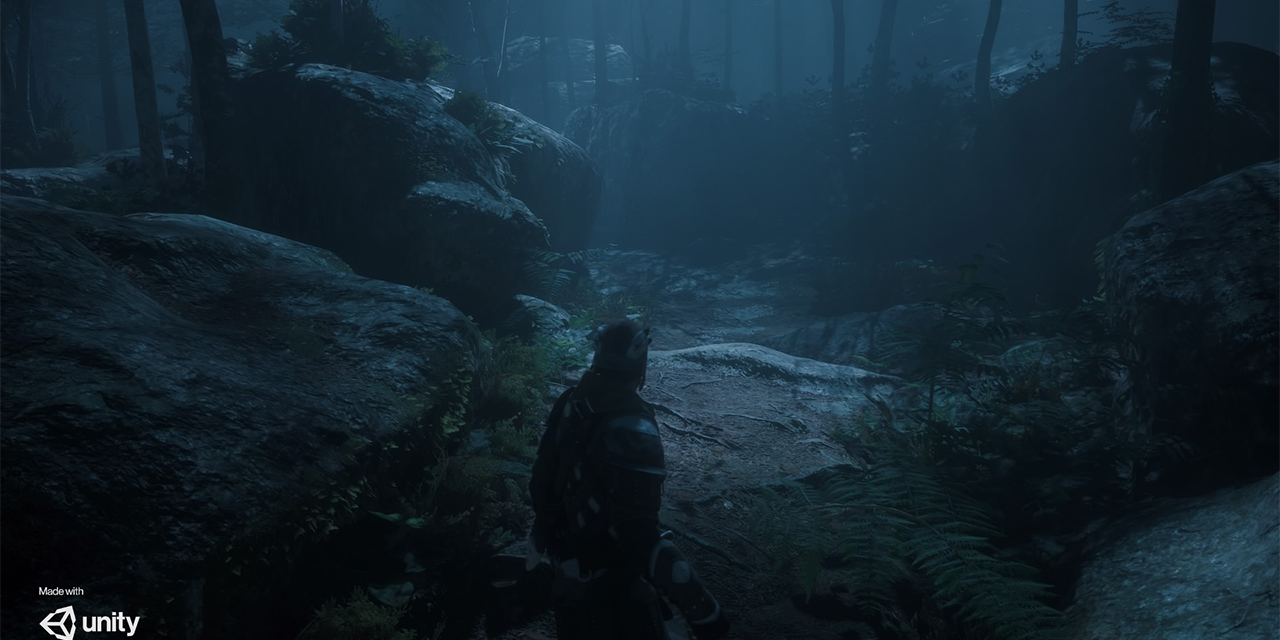
this footage is from #1180330435151147028 all credits to him it looks really good
how can i get my volumetric lights to be this strong
you could taste those light rays
best ive managed is this

you can see them but theyre pretty subtle
dry turtle
tacit fox
this footage is from <#1180330435151147028> all credits to him it looks really g...
Local Fog Volume
earnest herald
@eternal laurel @hollow tangle @south girder Thanks for the help, all 🙏 Turns out it was an issue with having a lot of vertex buffer uploads in one go. If you guys know any way that could be reduced aside from reducing vertex counts, that'd be amazing.
 marble surge
hey, is it possible to add emission to volumetric fog custom shaders used on a Local Volumetric Fog component in HDRP? Their fragment only has Base Color and Alpha but we want to add some subtle illumination to the fog so its always visible, even when you are outside of its bounds and there is no directional light.
 scarlet hull
marble surge
hey, is it possible to add emission to volumetric fog custom shaders used on a L...
scarlet hull
marble surge
hey, is it possible to add emission to volumetric fog custom shaders used on a L...
No, as the fog buffer only contains a color and density (alpha) value.
The "emissiveness" of the fog is made by a light, so if you want to you can add a simple point light with no shadows in your fog volume.
You could also fake the emissive fog with a purely custom shader (on a regular mesh).
marble surge
scarlet hull
No, as the fog buffer only contains a color and density (alpha) value.
The "emis...
Thanks for your reply 🙏
I suppose we can't use light layers for local volumetric fog right? We'd only want the point light to affect it and nothing else.
Using a purely custom shader on a regular mesh is a nice idea but we do have a directional light that moves on a day cycle and adds rays to the fog that we'd want to keep. Also, we use a custom material to add noise and wind to the fog.
scarlet hull
marble surge
Thanks for your reply 🙏
I suppose we can't use light layers for local volumetri...
Yes it should work, with the light in a layer that has no object.
marble surge
scarlet hull
Yes it should work, with the light in a layer that has no object.
I don't see a setting on a Local Volumetric Fog component for rendering layer. I also realised this will probably cause the same issue we were trying to avoid in the first place - having only the fog above ground "emissive" and not underground.
scarlet hull
marble surge
I don't see a setting on a Local Volumetric Fog component for rendering layer. I...
Yes, it doesn't have a rendering layer setting as it writes to the camera fog buffer, like I said, it is not directly affected by lights.
But if you set a light to a layer where no other objects are affected, the lights should only light the fog.
 forest oar
tacit fox
this footage is from <#1180330435151147028> all credits to him it looks really g...
forest oar
tacit fox
this footage is from <#1180330435151147028> all credits to him it looks really g...
Nice! thanks for sharing 😄 But actually that is the demo scene from my package in the Unity asset store named: Mossy Cedrus Forest.
I also have a video in my Youtube channel where you can see all the process: https://www.youtube.com/watch?v=eYHExphd-Wk

Here a resume of process creating this demo scene, more than I expected, here the cinematic and third person videos:
Cinematic: https://www.youtube.com/watch?v=2lhY83QP0mw
Third Person: https://www.youtube.com/watch?v=wpKTD_t7Ci4
Artstation Project: https://www.artstation.com/artwork/EvDQxN
Artstation Marketplace: https://www.artstation.com/a/3...
tacit fox
forest oar
Nice! thanks for sharing 😄 But actually that is the demo scene from my package...
do you make your own vegetation or do you buy/ user other peoples
i want to try make some trees that dont look shit so i can have my volumetric lighting looking absolutely delectable
forest oar
tacit fox
do you make your own vegetation or do you buy/ user other peoples
As a publisher in the Unity asset Store I need to create everything from scratch, Textures, models, etc.
here is a project in Artstation with the objects that I scanned for the package: https://www.artstation.com/artwork/8bdxNm
it took me around 9 months to finish this 

ArtStation
Few images and videos of the vegetation that I've been working on the previous months. Ground objects and woody debris were also scanned for this project: https://www.artstation.com/artwork/EvDQxN
All textures and models were made from scratch, and are available here in the Artstation Marketplace :D
https://www.artstation.com/a/31751458
The wi...
tacit fox
i dont want to be that guy but i dont have the budget to buy assets
do you know any good places i can learn to do this?
forest oar
I need to create everything from scratch because I must have all rights to sell the assets
Artstation just made the Learning site free for all : https://www.artstation.com/learning
Here you can find some nice tutorials about Speedtree. That could be a good start.

ArtStation
Get unlimited access to an ever growing educational library for artists. Learn from leading artists and take your art to the next level.
tacit fox
thanks man i really apreciate it
forest oar
when Artstation was acquired by Epic Games they decided to make all of this information available for free, but also you can be found tutorials about Zbrush, substance and many more.
forest oar
tacit fox
thanks man i really apreciate it
For sure!
 dim arch
I have realized that adding an extra camera shown on a rendertexture is a big performance penalty, and I am now wondering what else I should do. I know that you can disable some custom render passes, but from what I've seen, it still heavily impacts performance to simply have another camera w/ rendertexture to the scene.
I'm using it for some world space UI stuff. Perhaps I should change it all to use World Space Canvas's instead? But I don't see how I'd be able to have effects on those, like flickering scanlines or static noise. (Trying to mimic a static-y CRT screen, for example), since you can only add shaders per UI element. Maybe a transparent UI element layered on top of everything, that adds the shader stuff?
How do games do this in HDRP? I couldn't find any solutions or recommended approaches on google, so i'm pretty frustrated
 shrewd moon
dim arch
I have realized that adding an extra camera shown on a rendertexture is a big p...
shrewd moon
dim arch
I have realized that adding an extra camera shown on a rendertexture is a big p...
An example might help get an idea what you're doing
dim arch
shrewd moon
An example might help get an idea what you're doing
Mostly just UI Canvas's that are viewed with a camera, where the camera is then applied to a rendertexture in order to apply shaders to the whole thing (the rendertexture shaders)
 dry turtle
When I bake lighting I only get baked shadows, but no realtime shadows. I'm using Shadowmask mode and mixed directional light. What could it be?

 smoky sapphire
Hey so i got my HDRP Lit material set up, but the detail map is not showing up no matter what. I tried it with a couple of textures and nothing works.
 stoic sand
smoky sapphire
Hey so i got my HDRP Lit material set up, but the detail map is not showing up n...
stoic sand
smoky sapphire
Hey so i got my HDRP Lit material set up, but the detail map is not showing up n...
Do you happen to also have a Mask map applied to the material?
stoic sand
dim arch
Mostly just UI Canvas's that are viewed with a camera, where the camera is then ...
could always render that camera at a lower FPS
is that camera literall only rendering Canvases? You are certain its not rendering fog or other geometry by accident?
smoky sapphire
stoic sand
Do you happen to also have a Mask map applied to the material?
Yeah
stoic sand
Does it work without the mask?
I think there might be a bug in hdrp where usign a mask cancels out the detail
dim arch
stoic sand
is that camera literall only rendering Canvases? You are certain its not renderi...
Tried lowering the framerate, but its not exactly ideal if it can be replaced with a WorldSpace Canvas (they don't even seem to be impacting FPS at all so far, not sure how they work under the hood though)
And yeah my cameras are only rendering UI layers
 dry turtle
When I bake lighting I only get baked shadows, but no realtime shadows. I'm usin...
dry turtle
dry turtle
When I bake lighting I only get baked shadows, but no realtime shadows. I'm usin...
@shrewd moon sorry, but I think you know what to do
shrewd moon
dry turtle
<@166982635950702592> sorry, but I think you know what to do
I check the lighting channel first ^^
You would need the Distance Shadowmask rather than Shadowmask
dry turtle
shrewd moon
I check the lighting channel first ^^
You would need the Distance Shadowmask rat...
I use Distance Shadowmask
shrewd moon
Then the most likely explanation seems that your shadow distance is too low
The shadows under the character's shoes look like screenspace/contact shadows to me
Not actual shadowcasting visible in the scene at all
dry turtle
shrewd moon
Then the most likely explanation seems that your shadow distance is too low
The...
it's around 300 meters. And yeah, these shadows are contact
but I need shadowmap
shrewd moon
dry turtle
it's around 300 meters. And yeah, these shadows are contact
Well, for whatever reason there are no shadows
dry turtle
any ideas?
shrewd moon
In theory Distance Shadowmask* uses realtime shadows up to shadow distance, and falls back to baked shadows beyond it

 shrewd moon
dry turtle
it was this option
shrewd moon
dry turtle
it was this option
Technically I think that setting shouldn't interfere with shadows in this way at all
And what I'm seeing here looks like shadowmasked shadows, not distance shadowmasked shadows
But if you're happy with it that's what counts
dry turtle
shrewd moon
But if you're happy with it that's what counts
yep, I want baked shadows to blend with real-time shadows
 dawn sorrel
Is it true that hdrp can blend between shadow cascades?
 mortal forge
dawn sorrel
Is it true that hdrp can blend between shadow cascades?
mortal forge
dawn sorrel
Is it true that hdrp can blend between shadow cascades?
What exactly do you mean by blend? It does IIRC perform a basic interpolation between them, but it doesn't guarantee a perfectly smooth transition
dawn sorrel
mortal forge
What exactly do you mean by blend? It does IIRC perform a basic interpolation be...
im targeting pc only and my shadows on urp are awful im wondering if porting to hdrp would help
mortal forge
dawn sorrel
im targeting pc only and my shadows on urp are awful im wondering if porting to ...
Do you have a screenshot? Shadows on URP shouldn't be awful by default
dawn sorrel
mortal forge
Do you have a screenshot? Shadows on URP shouldn't be awful by default
Shadows cost me either 200fps or flicker like mad and have low resolution.
mortal forge
dawn sorrel
Shadows cost me either 200fps or flicker like mad and have low resolution.
Good looking fully realtime shadows will always be expensive. The only 'real' benefit HDRP offers which from memory URP doesn't (but it may do now, worth checking) is to use cached shadow maps, which gives the ability to mark objects as static shadow casters, which makes them render their shadowmap into a cache once, and not every frame.
If you don't already, look into creating shadow-only LODs - they help performance for high poly model shadows by quite a lot.
shrewd moon
dawn sorrel
Is it true that hdrp can blend between shadow cascades?
Yes
Customizable border fade for each cascade that's smoothed temporally
HDRP is unlikely to help with your performance problems though
dawn sorrel
mortal forge
Good looking fully realtime shadows will always be expensive. The only 'real' be...
Shadow only LODS will cost additional drawcalls. Is there any way i can debug if this is going to help me or not
shrewd moon
dawn sorrel
Shadow only LODS will cost additional drawcalls. Is there any way i can debug if...
I don't think it'd be another draw call
The meshes used for shadow casting are only rendered in the shadow pass, whether they use the same renderers or not
URP and HDRP shrug off draw calls anyway thanks to SRP batching
But it doesn't affect shadow rendering one way or another
dawn sorrel
Okay it does help me. I gained lot of FPS after replacing lod shadows with cubes (100+). thanks for pointing me in the right direction @mortal forge, @shrewd moon
Now i have to somehow make shadow lod meshes
eternal laurel
Thats called shadow proxies
 lyric plover
how do i fix this, the lighting is ass in some places, even after i baked the lighting it's still black

 stoic sand
lyric plover
how do i fix this, the lighting is ass in some places, even after i baked the li...
stoic sand
lyric plover
how do i fix this, the lighting is ass in some places, even after i baked the li...
are those supposed to be geometry? looks like they either arent marked static or somehow the UV's got flipped around
shrewd moon
Or they might lack normals
Hard to guess
lyric plover
stoic sand
are those supposed to be geometry? looks like they either arent marked static or...
the bed is one object only and doesn't have any normals flipped, the ceilling is just probuilder cube
 lime hearth
tried to replicate the atmosphere of do androids dream of electric sheep
 lyric plover
stoic sand
are those supposed to be geometry? looks like they either arent marked static or...
lyric plover
stoic sand
are those supposed to be geometry? looks like they either arent marked static or...
found out on the bed it was the normal map problem but idk why, it's happened before where the light wouldn't be visible on normals maps that were 1, and as i'm writing this i realised that none of my normal maps texture types are set to normal map..... it kind of works now but the ceilling is still black
 lime hearth
 nova apex
good or bad ?
nova apex
good or bad ?
Incredible for 30 minutes
nova apex
lime hearth
Incredible for 30 minutes
really ?
nova apex
lime hearth
Incredible for 30 minutes
To be honest, I'm new to this and I'm glad to hear this. 🙂
 pale sigil
I've imported the Unity Manufacturing Plant into Unity 6.0
It looks great except for the workers and robot arms. They glow! I think it's related to the reflection probe.
Is there a recommended solution to fix this, without breaking the rest of the scene's rendering?
 hollow tangle
pale sigil
I've imported the Unity Manufacturing Plant into Unity 6.0
It looks great except...
hollow tangle
pale sigil
I've imported the Unity Manufacturing Plant into Unity 6.0
It looks great except...
Find the Global Volume. Turn off HDRI Sky.
pale sigil
hollow tangle
Find the Global Volume. Turn off HDRI Sky.
That did it! Thank you.
 silk flicker
 pale sigil
I load a remote Mp4 video from a remote URL. This works in 2022 Unity Built-in renderer.
In Unity 6 HDRP, an encoding error is thrown:
Color primaries 0 is unknown or unsupported by WindowsMediaFoundation. Falling back to default may result in color shift.
With a remote video source, is there a way to correct this at runtime in Unity 6.0 HDRP?
Windows 11, Standalone, Unity 6 same result with DX11 and DX12.
Used this ffmpeg command to add a profile to my remote video, but no effect. Audio is heard but no video:
ffmpeg -i input.mp4 -color_primaries bt709 -color_trc bt709 -colorspace bt709 -color_range pc -vcodec libx264 -profile:v baseline output.mp4
errant quail
Hi guys sorry to be a pain, but i have a question. I have a scene, as shown, with 16 lights 8 baked, and 8 realtime, ive had to do this as when i use the player in the game, it doesnt get lit by my baked lighting so i use real time aswell as the baked as baked looks a lot nicer, however this drastically reduces my frame rate, is there any way around this? I would ideally want to keep the baked lighting aswell.
 pale sigil
errant quail
Hi guys sorry to be a pain, but i have a question. I have a scene, as shown, wit...
pale sigil
errant quail
Hi guys sorry to be a pain, but i have a question. I have a scene, as shown, wit...
Hi, are you using light probes? It should be possible to use all baked lights with probes 'painting' your player with light. The non-moving objects should be set to 'static'.
Here's an example of how much light probes can do the work instead of realtime lights. I use light probes throughout, except on the stage lights.
https://youtu.be/JyYSM4XRfHo?si=bsjvQRUsxngvG1ZZ

hundo delivers! #CareerCon22 is a success.
Thank you everone at hundo for letting us customize your own hundo x Ruby Room!
errant quail
pale sigil
Hi, are you using light probes? It should be possible to use all baked lights wi...
Ahh ok I will have a look into them
Makes sense
Thank you
lyric plover
does anyone know how to get the ceilling to receive the light from the area light and not from the outside directional light?

 shrewd moon
lyric plover
does anyone know how to get the ceilling to receive the light from the area ligh...
shrewd moon
lyric plover
does anyone know how to get the ceilling to receive the light from the area ligh...
No kind of light illuminates surfaces that are facing away from it, at least not without some variety of bounce/indirect lighting
Why would you place the light above the ceiling anyway?
Your simplest solution is to use a point light instead, and move the light into the room
lyric plover
wouldn't a point light create a bad looking white points on the ceilling?
shrewd moon
Potentially, but you have to use each type of light in a way that makes sense for that type anyhow
lyric plover
i mean it looks kind of weird now, somewhat like a low budget game made with built in renderer
 shrewd moon
I don't know what kind of lighting you are expecting exactly
It may be better to try to emulate a specific kind of lamp, than to throw stuff at the wall to see what sticks
lyric plover
hmm imma try some things out, thanks
shrewd moon
The lights have a lot of settings to tweak, and HDRP has many different varieties of lighting
But using them with specific intentions and goals is important to get a good result
lyric plover
👍
eternal laurel
lyric plover
i mean it looks kind of weird now, somewhat like a low budget game made with bui...
Welcome to the wonderful world of interior lighting. https://docs.unity3d.com/2019.3/Documentation/uploads/ExpertGuides/Create_High-Quality_Light_Fixtures_in_Unity.pdf
lyric plover
thanks
 wise pawn
So...when do they plan to fix this preview bug? It has been in Unity almost a year...When you have static lighting sky enabled it makes the preview windows unusable...all is white...when you turn it off all is ok. I already reported the bug, they responded that they know about it and after a half a year its still there. This is just embarrassing...

 dry turtle
wise pawn
So...when do they plan to fix this preview bug? It has been in Unity almost a ye...
dry turtle
wise pawn
So...when do they plan to fix this preview bug? It has been in Unity almost a ye...
true
hollow tangle
wise pawn
So...when do they plan to fix this preview bug? It has been in Unity almost a ye...
I haven't seen this myself. How exactly do you reproduce it?
wise pawn
hollow tangle
I haven't seen this myself. How exactly do you reproduce it?
For example creating a new hdrp project on recent versions of unity does this... Or enabling hdrp and enabling static lighting sky and changing it to physically based sky in lighting tab... (which is done by default if you create new hdrp project)
hollow tangle
What preview are you looking at? I don't think I see that in any of my projects and some have physically based sky.
wise pawn
Any preview of any asset... The preview that shows up when you click on one of your prefabs for example
Are you using recently released unity?
2022 or version 6?
wise pawn
 why are some of us affected with this bug
I even tried uninstalling everything, just basic new version of unity, create new project, selected hdrp preset = preview bug...
Currently there are 2 versions of unity 2022 being offered as recommended for some reason, the newer one has this bug and the older doesn't... It seems like they know they broke something so they offer these 2 versions, but that's just my conspiracy theory lol
hollow tangle
So are you saying it only affects 2022 or you see this in 6 as well?
wise pawn
Both are affected
hollow tangle
Ok. Can't say I've seen it so far
wise pawn
Did you enable static lighting sky in lighting tab?
wise pawn
hollow tangle
So what specific preview doesn't work? I click where exactly
You can see this bug even on the default unity material...it happens on every model/material that can show up in the preview window...Its frustrating, because you need to turn off static lighting sky for it to work properly, but there is a chance you will forget to turn it back on when generating lighting and the generated lighting will be incorrect and it will waste your time...Also it only happens when the directional light intensity is set higher. If the directional light intensity is very low, the preview displays objects correctly.
hollow tangle
wise pawn
You can see this bug even on the default unity material...it happens on every mo...
That would be super annoying. Glad I haven’t encountered this yet.
wise pawn
I thought that everyone would have this bug, because I saw some people having it as well, but it seemed really weird to me that almost no one was talking about it...But now it looks like this bug happens only on some hardware...i have RTX3080
 primal stratus
Trying out HDRP for the first time in Unity 6 and the empty example is just crashing to the desktop
whats the requirements to run it? I've ensured my GPU is up to date
scarlet hull
primal stratus
Trying out HDRP for the first time in Unity 6 and the empty example is just cras...
A bit fussy but : https://unity.com/how-to/getting-started-with-hdrp
HRDP is currently compatible with the following target platforms:
Windows and Windows Store, with DirectX 11 or DirectX 12 and Shader Model 5.0
Modern consoles (minimum Sony PlayStation 4 or Microsoft Xbox One)
MacOS (minimum version 10.13) using Metal graphics
Linux and Windows platforms with Vulkan
What are your specs ?
primal stratus
AMD Ryzen 5 3600 6-Core Processor 3.60 GHz
16.0 GB RAM
RTX4060
Windows 10 22H2
scarlet hull
Shoud def work.
Maybe check the logs if there is valuable infos ?
Or, randomly, delete the library folder of the project 🤷♂️
primal stratus
Dont know whats changed but its no longer crashing out
i've lowered the graphics settings to performat and now it seems more stable
i think it might be my CPU
hollow tangle
primal stratus
Dont know whats changed but its no longer crashing out
There are some known issues with DX12 and Unity 6 HDRP and some unknown factor. I experience it on my laptop, but not my dev workstation. Support was unable to specify the root cause, but the solution I found was to disable DX12 as soon as I start a project. Otherwise the editor crashes in the first few minutes. Check your editor log.
primal stratus
hollow tangle
There are some known issues with DX12 and Unity 6 HDRP and some unknown factor. ...
were would i find that setting? Found it
I'm getting expected performance from empty scenes but it crashed again when changing my quality level in the project settings.
re-opening the project and running the scene doesnt result in a crash
it's very odd

i made sure that Unity isnt being limited in the NVIDA control panel
primal stratus
crashed again when just changing the settings
 scarlet hull
primal stratus
crashed again when just changing the settings
scarlet hull
primal stratus
crashed again when just changing the settings
Could you share the crash log, and maybe also the editor log files ?
primal stratus
scarlet hull
Isn't there a xxx.log file ? this json is not easy to read 😅
hollow tangle
primal stratus
~~were would i find that setting?~~ Found it
I'm getting expected performance f...
Project Settings > Player > Graphics APIs for Windows. This may not be your specific issue. Definitely check the editor log first. "C:\Users<yourname>\AppData\Local\Unity\Editor\Editor.log" after a crash.
primal stratus
sorry i dont have a file that has .log

\AppData\Local\Temp\Unity\Editor\Crashes
Would anything frm here be useful?

 jaunty saddle
Hi! I'm working on UI and I have a problem with colors. I create every sprites as a white and apply a color in Unity. But the color in GameMode looks different. To compare that, I was create a image in color #161311 (on the left) and this looks good but when I put the same color on white sprite, looks bad.
Anyone have idea what is wrong?
I'm working in HDRP in version 2022.3.21f1
This is the things what I'm tried:
- change RenderMode in Canvas
- change Space Color to Gamma (default I have Linear)
- turn off every PostProcess and Volumes
- unchecked sRGB (Color Texture) in Import Settings
- change Unity version to 2023
I also upload screenshots of what it looks like

 pale sigil
lyric plover
i mean it looks kind of weird now, somewhat like a low budget game made with bui...
pale sigil
lyric plover
i mean it looks kind of weird now, somewhat like a low budget game made with bui...
I have an idea. Two of them. Depending on the mood, I suggest:
A. A window off-screen that is an area light the size of the window, with window frames in front to cast shadows. Ensure Baked Global Illumination is on and Indirect is selected. The walls and furniture should be set to static.
- Add table lights and maybe colourful 'intelligent' lights around the space, and do a baked GI. Lights should have an offscreen source or onscreen sources to look complete.
 junior grotto
hey in unity 6 i have a problem that when i bake the lighting the blue like fog appears? i dont really know here's the screenshot with baked lighting and without


i dont want that because it makes every texture blue (look at the floor)
dry turtle
junior grotto
hey in unity 6 i have a problem that when i bake the lighting the blue like fog ...
this is the sky reflection
place the reflection probe in the box and bake it
junior grotto
dry turtle
place the reflection probe in the box and bake it
i have a reflection probe in the box
junior grotto
dry turtle
can you show the cubemap preview
yeah gimme a sec
 gentle moat
Hi, im unity beginenr and i have an issue with my details (like grass and flower) in unity hdrp in game it look like this and idk what it is can you help pls!
 primal stratus
hollow tangle
Project Settings > Player > Graphics APIs for Windows. This may not be your spec...
primal stratus
hollow tangle
Project Settings > Player > Graphics APIs for Windows. This may not be your spec...
Just an FYI encase anyone else asks about the same issue.
I pushed all the crash logs and dumps into GPT and asked it to give me trouble shooting steps. Most of it was garbage but it did point out
this ->> HDWizard.Window.cs Attempt to access invalid address
I made a FRESH install of my GPU drivers and the engine nows seems to be pretty stable
i've even stress tested with 4k and tones of lighting
edit - @scarlet hull thanks for the help also
 smoky sapphire
Shouldnt this show me my scene?
 smoky sapphire
nvm fixed it
 long wagon
!warn 1004878391083806751 You've been told multiple times to use #1180170818983051344 to post devlogs.
 hoary starBOT
 b0gd5nch1k has been warned.
 jaunty dune
Hey, I'm struggling a bit to figure out how to properly sort two-sided grass meshes for the terrain in HDRP. This is the same mesh with two different materials on seen from two different sides. A is how I expected it to look, while B is the issue. I assume this has something to do with lighting. I included the material settings


 terse flicker
Hi, I was wondering if there's a way to overlay a reference image onto a camera like in this video?
https://www.youtube.com/watch?v=u1kdFzJRzmo
Essentially all I want to do is to have it so the camera in the scene has an image overlayed over the top with transparency so I can match up perspectives when blocking out things to the concept art I have. If you want an example from Unreal Engine, I can pull up one of my projects from it and show.

In this video I'll show you how to import a reference image, attach it to your camera in Unreal Engine and change the opacity.
This could also be used as a very simple HUD (heads up display).
You can use this for many things, in this example I use a composition guide for IMAX, but you could also use it to try and match the perspective of a p...
 minor depot
terse flicker
Hi, I was wondering if there's a way to overlay a reference image onto a camera ...
minor depot
terse flicker
Hi, I was wondering if there's a way to overlay a reference image onto a camera ...
It's definitely possible to write a simple custom pass to do that, but unfortunately it's not a built in feature.
What render pipeline are you using?
eternal laurel
terse flicker
Hi, I was wondering if there's a way to overlay a reference image onto a camera ...
You can use the storyboard feature of cinemachine for this. Or you know just slap a image on a screen space canvas.
terse flicker
eternal laurel
You can use the storyboard feature of cinemachine for this. Or you know just sla...
Yeh I just chucked a image on a screen space canvas lol. It was the easiest way to do it. Honestly didn't even consider Ui being a way to do it due to UE5 being a postprocess thing for it
terse flicker
minor depot
It's definitely possible to write a simple custom pass to do that, but unfortuna...
All good, I got it working. Thanks for the reply though
 outer geyser
jaunty dune
Hey, I'm struggling a bit to figure out how to properly sort two-sided grass mes...
outer geyser
jaunty dune
Hey, I'm struggling a bit to figure out how to properly sort two-sided grass mes...
You can't use transparency for objects like that and get proper depth testing, set the surface type to Opaque.
jaunty dune
outer geyser
You can't use transparency for objects like that and get proper depth testing, s...
Ah, that makes sense! Thanks a ton 🙏
mortal forge
How does everyone manage changing HDRP settings at runtime? Seems less-than-straightforward
scarlet hull
mortal forge
How does everyone manage changing HDRP settings at runtime? Seems less-than-stra...
For some things you need to change the quality level.
For other, you can do it by enabling/disabling things in the frame settings of the camera.
mortal forge
scarlet hull
For some things you need to change the quality level.
For other, you can do it b...
Thanks, guess that's the route I'll go down. Was hoping to keep everything static and not require any (or, barely any) GO or component refs but not the end of the world
 frail tendon
So I have a custom raytracing renderer that uses mainly compute shaders for the rendering, and it works great in play mode, but in scene view it’s just… weird
The view is constantly skewed and I don’t know why
My best guess was something to do with the cameras projection matrix(since I use that to generate rays), but I still couldn’t figure out a fix
Does anyone know what’s happening and/or how I can fix it?
Image is an example, tbe white shape you see is the plane rendered, and the outline is where it should be
If I make the scene view window tall enough though, it becomes correct which is extra weird
 minor depot
Where do you get the camera matrices? That definitely seems wrong. I have a similar compute based raytracer that works fine in scene view.
lime hearth
dlss ultra performance looks better than native high taa lol
mortal forge
frail tendon
So I have a custom raytracing renderer that uses mainly compute shaders for the ...
Wild guess, something to do with HDRP's camera-relative world transform
frail tendon
minor depot
Where do you get the camera matrices? That definitely seems wrong. I have a simi...
I tried Camera.current, I tried ctx.hdCamera.camera, same thing for both
frail tendon
mortal forge
Wild guess, something to do with HDRP's camera-relative world transform
yeah....
dry turtle
lime hearth
dlss ultra performance looks better than native high taa lol
do you test it in the editor
outer geyser
@frail tendon are you passing the camera matrix from a script? I had a problem with doing camera based things in compute cause no matter what I tried the camera position updated very slowly in the editor. Almost like Unity tried to conserve power and cached the command buffers instead of invoking the update callbacks on the render pipeline and editor scripts every frame.
frail tendon
outer geyser
<@379791982459092993> are you passing the camera matrix from a script? I had a p...
Ahhh yeah
 tight stump
Can someone please explain to me where I input my bump map, displacement map and roughness map in the HDRP/Lit material? Im losing my mind. The diffuse/normal works, but I just cant get the other maps to work properly. I’ve baked all the textures in blender. Im very new to unity, but very comfortable in blender
hollow tangle
tight stump
Can someone please explain to me where I input my bump map, displacement map and...
HDRP Lit uses a channel packed texture called a Mask Map. https://docs.unity3d.com/Packages/com.unity.render-pipelines.high-definition@17.0/manual/Mask-Map-and-Detail-Map.html?q=Mask map

You need to set a Displacement Mode to expose the settings to use a displacement map
tight stump
hollow tangle
HDRP Lit uses a channel packed texture called a Mask Map. https://docs.unity3d.c...
Thank you! But what does a detail mask and smoothness translate to in normal 3D terms? Is that bump and roughness?
hollow tangle
Smoothness is inverse roughness
tight stump
hollow tangle
Smoothness is inverse roughness
So the roughness map needs to inverted?
hollow tangle
Never used detail map/mask before
hollow tangle
tight stump
So the roughness map needs to inverted?
Yeah. I use Simple Bake in blender. They have an HDRP preset for their PBR bakes. This does the channel packing
tight stump
hollow tangle
Yeah. I use Simple Bake in blender. They have an HDRP preset for their PBR bakes...
Gotcha, I use simplebake as well, ill try that
tight stump
hollow tangle
Yeah. I use Simple Bake in blender. They have an HDRP preset for their PBR bakes...
How do I get the simplebake HDRP preset?
hollow tangle
tight stump
How do I get the simplebake HDRP preset?
 tight stump
hollow tangle
tight stump
hollow tangle
Huh. I dont have that
tight stump
hollow tangle
Did you download the preset from somewhere?
hollow tangle
tight stump
Did you download the preset from somewhere?
Nope, it came with it. Are you on teh latest?
tight stump
hollow tangle
Nope, it came with it. Are you on teh latest?
Wierd. Yeah im using 1.7.8
hollow tangle
tight stump
Wierd. Yeah im using 1.7.8
Check: C:\Users**<your user name>**\AppData\Roaming\Blender Foundation\Blender\data\SimpleBake
I know he had some recent issues with conflicting add-ons. He may have blown up the presets as I can see the rest of mine are missing. Regardless, here's what you need to set I believe.


 tight stump
hollow tangle
I know he had some recent issues with conflicting add-ons. He may have blown up ...
tight stump
hollow tangle
I know he had some recent issues with conflicting add-ons. He may have blown up ...
Thank you!
tight stump
If I make a map inside of blender with all kinds of assets and then import the map as an fbx into unity. Do I really have to re-bake all the assets texture maps to work with chanel packing? And then afterwards re-connect all the textures to all the different objects? (Im using HDRP/Lit). This seems insane
 outer carbon
@lime hearth Use #1180170818983051344 to showcase your work.
lime hearth
outer carbon
<@1004878391083806751> Use <#1180170818983051344> to showcase your work.
Thought it was allowed to do this here, I had already did once. Sorry
mortal forge
Any gotchas that might be causing culling in the HDRP render loop to be completely tanking CPU-side performance? 15ms profiling a proper standalone build, and have seen this quite consistently despite trying a bunch of settings tweaks.

 onyx lark
gentle moat
Hi, im unity beginenr and i have an issue with my details (like grass and flower...
onyx lark
gentle moat
Hi, im unity beginenr and i have an issue with my details (like grass and flower...
Try setting your terrain's position to [0,0,0]. Does the blur go away?
I had this problem in an older version of Unity. Motion blur was completely wrong if the terrain was moved away from the origin
I don't believe it happens anymore for me
onyx lark
mortal forge
Any gotchas that might be causing culling in the HDRP render loop to be complete...
Do you have a huge number of objects in the scene? It's spending all of its time on culling.
mortal forge
onyx lark
Do you have a huge number of objects in the scene? It's spending all of its time...
Markedly less objects than I have had in other scenes I built using BIRP and Unity 5 back in the day with very high performance, so my answer to that would be no.
onyx lark
I'm curious about what's going on in OnWillRender

That's a Unity message that gets sent right before an object gets rendered
mortal forge
It's looping through every tree and setting a wind shader value from the looks of it
onyx lark
It's only a fraction of the total time, but overhead could be making up the rest of the time
onyx lark
mortal forge
It's looping through every tree and setting a wind shader value from the looks o...
I thought that you just used a single global property to do tree wind, huh
mortal forge
So did I 😅 but that's what the callstack says
mortal forge
Yeah all of that is 100% Unity-side terrain code so where I am leaning towards is the usual "I'll have to rewrite the terrain system a bit to manually handle trees and grass"
Nope - very standard
gentle moat
onyx lark
Try setting your terrain's position to [0,0,0]. Does the blur go away?
yeah it does thank you so much !!!!
 gilded warren
With night light
Moon light
But it is not working
Is there any link about night scene in hdrp
Tutorial?
eternal laurel
gilded warren
Tutorial?
https://github.com/Unity-Technologies/FontainebleauDemo it’s a older code but it checks out.
GitHub
Fontainebleau demo. Contribute to Unity-Technologies/FontainebleauDemo development by creating an account on GitHub.
frail tendon
In HDRP, is there a way for me to automate switching the current render path to deferred from a script?
shrewd moon
frail tendon
In HDRP, is there a way for me to automate switching the current render path to ...
I expect the same way you'd do it in URP, since you already have a method for that
scarlet hull
frail tendon
In HDRP, is there a way for me to automate switching the current render path to ...
The "base" way is to change the quality level (and so, the current render pipeline asset)
What you can do however, is to set you render pipeline asset to lit shader mode to "both", and in you camera, use a custom frame setting where you can choose forward or deferred.
onyx lark
Yep! That's how I did it at one point
(I was letting a friend test if Forward vs. Deferred had any performance impacts on their machine (it didn't))
this also massively inflated my build size
 unreal heron
Why is my vegetation unlit on a part of the map like this, same tree , when placed on left looks normal, but looks odd and unlit on the right side.

*There is no special area volumes in scene
 crisp spear
Hi. I'm having a bit of a problem with lights and the underwater effect. I have to pretty much put the intensity to float max limit to make it work.

Which is bad as it makes objects closer to the light blinding bright

Is there a way to increase the range to make it work like the first picture without increase the intensity by a lot?
Tried setting up tonemapping to ACES and Neutral, still didn't work.
Not being affected by the volumetric fog also does nothing
scarlet hull
crisp spear
Hi. I'm having a bit of a problem with lights and the underwater effect. I have ...
That's just how light works. If in addition to that spot light you have the sun (directional) light affecting the scene, you indeed need a very high intensity on the spot to make it outshine the sun.
And the lights follow a square attenuation rule : every time the distance doubles, the intensity is divided by 4. That's why when the light seems "ok" at distance, it is very bright when close to the object.
Usually, automatic exposure can take care of this, lowering the overall brightness, so try to tweak auto exposure.
If it is still not enough, you could alway implement a script that casts a ray in front of the light, and changes the intensity based on distance.
crisp spear
scarlet hull
That's just how light works. If in addition to that spot light you have the sun ...
When messing with automatic exposure, it also dims the spot light?
scarlet hull
It dims the whole screen.
crisp spear
Yeah, so it doesn't help much. I think I'll try the script.
Taking out the direction light does improve a bit
Don't need to use the float max limit
But it is still so annoying that there isn't simply an option to increase range without dimming the light
scarlet hull
crisp spear
But it is still so annoying that there isn't simply an option to increase range ...
You can use the "lux at distance" unit.
crisp spear
ty for the suggestions
scarlet hull
But it will still do the same thing : to has the same illumination at double the distance, it needs to quadruple the emitting intensity.
crisp spear
It is better
 rose vault
What's the problem with my custom render pass setup?
No it's not the render mode. I changed my HDRP rendering path to forward and the warnings disappeared but it looks the same.
So my player, which is what the custom render passes are for, is too bright and shiny, like he is not illuminated in the same scene. Also, he is somewhat transparent, so you can see some objects behind him.
I copied these settings from an article giving advice on how to solve clipping in HDRP but it doesn't work fully for me. Hopefully it's just a setting change.
Thanks.
 crisp spear
scarlet hull
But it will still do the same thing : to has the same illumination at double the...
crisp spear
scarlet hull
But it will still do the same thing : to has the same illumination at double the...
Found the perfect IES profile
scarlet hull
rose vault
What's the problem with my custom render pass setup?
No it's not the render mo...
For the error, could it be that the current active render pipeline is not set to forward ?
For the brightnesst, I'm unsure, could you post a screenshot ?
And for the transparency .... is it that you are seen the AO through the objects ?
rose vault
scarlet hull
For the error, could it be that the current active render pipeline is not set to...
well I changed it to forward and there doesn't seem to be a difference
here is a short clip
scarlet hull
rose vault
well I changed it to forward and there doesn't seem to be a difference
But "which one" ? You might have multiple render pipeline assets in your project, as it is possible to assign one to each quality level, that overrides the default one.
rose vault
high quality, as it's the only one I use for now
here is a short clip
you can see:
a) my hand is too bright, it's supposed to be black
b) you can see shadows moving while the hand is rotating
rose vault
scarlet hull
But "which one" ? You might have multiple render pipeline assets in your project...
if it was AO, I would assume it wouldn't happen if I change injection to after post process
it happens at all injection points
the first one that triggers the bright model is before pre refraction
before that, it seems like the color is rendered properly
scarlet hull
rose vault
if it was AO, I would assume it wouldn't happen if I change injection to after p...
No, as AO is not a post process in HDRP.
You can try to disable SSAO to compare.
You could try to :
Split the custom pass in two :
- injection "after depth and normal", would be your current first custom pass that always overwrites depth
- injection "after opaque and sky", would be your second pass that actually draws the object.
The first one would overwrite the depth buffer before AO calculation, so should properly get rid of the AO ghosting.
rose vault
scarlet hull
You could try to :
Split the custom pass in two :
1. injection "after depth an...
Thank you, I will attempt that
Do I need both custom passes for both volumes
For always and less equal?
I do have ssao so it could be that
scarlet hull
rose vault
Do I need both custom passes for both volumes
No, 1st pass in 1st volume, 2nd pass in 2nd volume
Oh, 1rst pass could also probably use the "depth only" shader pass
crisp spear
Eh, I give up. It is either too bright or not enough.
Remy, you mentioned the ray approach, but is it even possible?
Because what about when this happens?

I.e the light hits one object close and another far away
or multiple objects in the light's cone
I think I found a good solution. For a tps, the flashlight can't be too narrow. Make it wide enough and it looks way better.
rose vault
crisp spear
Is there a way to increase the range to make it work like the first picture with...
I am also working on an underwater game with a flashlight and it looks fine on my end
I can check the settings when I get home
Though mine is at nighttime and it's completely dark, maybe that's why I have bo issues
But I can still check
crisp spear
Yeah, I got some things working, but still would love to see your setup.
scarlet hull
crisp spear
Because what about when this happens?
You can maybe cast multiple rays in a cone shape and do some average ?
onyx lark
crisp spear
Eh, I give up. It is either too bright or not enough.
Perhaps you need to adjust your tonemapping
If your light is looking too bright in some contexts and too dark in others, you may need to change what "bright" and "dark" are (:
but yes -- as Remy said, that's just how light works!
I've actually had the opposite problem in a built-in RP context -- my flashlight looks way too bright at a distance compared to how it looks up-close
rose vault
scarlet hull
You could try to :
Split the custom pass in two :
1. injection "after depth an...
Well that got rid of the shadows, but clipping is back, the thing I am doing this to avoid
seems like it's not rendering after the terrain with these settings
wait that shouldn't be the case. ''After opaque and sky'' for drawing IS the right injection point
maybe it's one of my settings
First one is after opaque depth and normal

 sacred veldt
someone knows why on unity 6 when material has type Subsurface Scattering its just black?

hands
upgrading from unity 2021
south girder
sacred veldt
someone knows why on unity 6 when material has type Subsurface Scattering its ju...
Does the material have a "diffusion profile" property and is it assigned?
sacred veldt
yea it is assigned
crisp spear
Ok, but why is no fog giving me a better fog effect than with, well, fog?
This is with fog off:

This is with fog on

Unless I'm going crazy and seeing stuff
south girder
crisp spear
This is with fog off:
Are you sure theres no other volume with fog enabled?
Or if its enabled in the default settings (I think thats a thing)
crisp spear
I ended up using fog
Just used a higher value for the volumetric effect in the spot light
But it's weird nonetheless
crisp spear
south girder
Are you sure theres no other volume with fog enabled?
I am using two boxes, but the underwater box has a higher priority
south girder
If you just disable the fog in the higher priority volume then it will use the fog of the lower priority volume
If it has one
I wish all volume effects had this "Enable" toggle so you can keep the override active but the effect disabled... So that lower prio volumes don't turn it on
 crisp spear
Is there a way to brighten just one object/material?
Got some good ambient going on, but as you can see, the "model" (I know I don't have one yet, but hear me out) gets obscured too

So you can only see the sillouete
(nvm the quality of the screenshot, film grain is causing it)
I could try to brighten up the whole scene
but would like to know if there are options
Nvm, found it by randomly trying different overrides: "indirect light controller"
Also forgot I could use light layers... huh, HDRP is really powerful.
crisp spear
What is the equivalent of setting the environment lighting source to color in HDRP?
onyx lark
crisp spear
What is the equivalent of setting the environment lighting source to color in HD...
use a Gradient Sky where all of the gradient colors are the same
e.g.

I dunno if there's a simpler way than that
 pale sonnet
Hey all, any Idea on how to fix this?
 onyx lark
Are you trying to switch a project to using the HDRP?
It looks like you've installed the package, but haven't configured anything in the project settings yet
pale sonnet
onyx lark
It looks like you've installed the package, but haven't configured anything in t...
Yeah that's exactly what I did
pale sonnet
onyx lark
Are you trying to switch a project to using the HDRP?
I didn't realize you had to switch the entire project over. Is this actually the case?
I'm just trying to enable alpha clipping and the video I'm following uses the HDRP node setup to do it
If there's a simpler way then I'm all ears
onyx lark
You...probably aren't intending to completely switch render pipelines, in that case
Did you originally have this material set to use the "Standard" shader?
onyx lark
If you want alpha clipping, just switch to Cutout

i presume you found a video about how to get an alpha-tested shader while using the HDRP
eternal laurel
Switching to hdrp to enable alpha clip is exactly like shooting a fly with a 120mm anti-tank howitzer
pale sonnet
onyx lark
If you want alpha clipping, just switch to Cutout
I did that earlier and it did nothing I'm afraid
onyx lark
well, you also need to use a texture that has areas of low alpha
pale sonnet
 onyx lark
Cutout will skip any pixels with a low enough alpha value
pale sonnet
I'm trying to cutout the black
and I've set the threshold to min and max and nothing changes
onyx lark
If the texture has an alpha of 1 in every pixel, then nothing will happen
onyx lark
Show me the importer settings for this texture
You can also make sure there's an alpha channel by looking at the preview window with the texture selected

click on the "A" to view the alpha channel
onyx lark
what did you change?
 onyx lark
ah, that'll do it
pale sonnet
Thanks so much again mate
onyx lark
You also might want to turn on "Alpha Is Transparency". This will make Unity fill in the transparent areas with the nearest color
Otherwise, you can get weird artifacts when it samples the texture at a low resolution
the fully-transparent pixels can still have color data in them, and that color data might look weird when it gets blended in
It also makes the preview look correct :p


checked on the left, unchecked on the right
pale sonnet
Thank you
Also while I have you here, if you dont mind me asking, is the process the same for making a semi-transparent glass texture see through?
onyx lark
No, you don't want to use Cutout there.
Cutout means that every pixel either:
- Renders 100% opaquely
- Gets skipped
You will want the Transparent rendering mode.
pale sonnet
I created a transparent material but now its a bit too transparent


Here's the intended grime and murkiness I'm going for
pale sonnet
onyx lark
Cutout means that every pixel either:
- Renders 100% opaquely
- Gets skipped
Thank you for the breakdown btw
extremely helpful for future reference
onyx lark
pale sonnet
I created a transparent material but now its a bit too transparent
That just needs a higher alpha value.
pale sonnet
onyx lark
That just needs a higher alpha value.
Is that in this menu?
 onyx lark
you could increase the alpha on the base color -- it's only about half right now

Beyond that, you'd need to increase the alpha on the texture itself
Also, you probably don't want a smoothness of 1 -- this will make the surface perfectly reflective everywhere
Ideally, you would have the grimy spots have a lower smoothness
onyx lark
no prob (:
if you have other questions, ask them over in...
hm, where would you put general rendering questions for the built-in RP
crisp spear
onyx lark
use a Gradient Sky where all of the gradient colors are the same
It doesn't work the same :/
onyx lark
how so?
 rocky latch
Having an issue where shadow maps will sometimes randomly take 18ms on the GPU. Any ideas?
It’s back to normal the next frame
 echo pine
Is there any way to make Unity wait for all path tracing samples to complete without affecting deltatime
I don't want to show progress of rendering samples to a player

 primal wren
Path Tracing is awesome in CGI environments. I used image sequences in editor (not in runtime) to capture animations of camera and rigged characters frame by frame. Tedious work but end results are awesome.
mortal forge
primal wren
Path Tracing is awesome in CGI environments. I used image sequences in editor (n...
What DoF are you using there?
primal wren
mortal forge
What DoF are you using there?
DoF?
primal wren
mortal forge
What DoF are you using there?
Oh you mean Depth Of Field. The depth of field was just an effect in filmora.
It’s called diamond blur
 vital locust
anyone know whats up with my ssr?
 eternal laurel
Ok I'm stumped. The exposure is set to a fixed 4.5. The lights is at 10k lumens. Yet it is super dark. Anyone got any ideas ?
 hollow tangle
eternal laurel
Ok I'm stumped. The exposure is set to a fixed 4.5. The lights is at 10k lumens....
hollow tangle
eternal laurel
Ok I'm stumped. The exposure is set to a fixed 4.5. The lights is at 10k lumens....
No other volumes?
eternal laurel
Nope the active volume according to the render debug is the correct one
no blending going on either
scarlet hull
eternal laurel
Ok I'm stumped. The exposure is set to a fixed 4.5. The lights is at 10k lumens....
Shadow issue ?
Does it do the same if set to punctual, without shadows ?
eternal laurel
Shadows have nothing to do with it I would say. This particular light is set to render shadows on Demand and the shadow atlast was cleared. I just wanted to get the emission right first.
you are suggesting everything is in a giant shadow somehow ?
There are numerous lights in the scene all ranging from 10k to 30k lumens
scarlet hull
eternal laurel
you are suggesting everything is in a giant shadow somehow ?
I had in mind that the light was somehow blocked, so if it has shadows enabled it isn't actually lighting the scene.
eternal laurel
First one is the scene with -1 exposure second one is with 4.5. I would expect that the lights with the values I mentioned would be enough for 4.5 but they are not. I'm either having a setting messing with me or I do not understand exposure at all.

 scarlet hull
eternal laurel
First one is the scene with -1 exposure second one is with 4.5. I would expect t...
scarlet hull
eternal laurel
First one is the scene with -1 exposure second one is with 4.5. I would expect t...
Can you show the exposure settings ?
eternal laurel
scarlet hull
Can you show the exposure settings ?
 scarlet hull
But it's not only the spotlight, right, the other ones also are not "powerfull" enough ?
To be sure, also override the compensation with 0.
eternal laurel
I already tried that comp was 0 in the volume value in the rendering debugger. None of the light are "powerfull" enugh
this is with the exposure at 4.5 and the intensity to 3000000 lumen

Now correct me if I am wrong but this is about 23 times more powerfull than the Earts sun
scarlet hull
eternal laurel
Now correct me if I am wrong but this is about 23 times more powerfull than the ...
Well, the sun isn't mesured in lumen I think 😄
eternal laurel
lumen lux tomato potato 😄
scarlet hull
(Or, it could technically, but I don't want to do the maths)
But yes, it is a very high value 🤔
eternal laurel
The reflection probe for example looks okey to me
 scarlet hull
Do you think you could share the scene (in pm), because I don't know where to start to look at here, having it on hands would help.
eternal laurel
sure I can
scarlet hull
eternal laurel
The reflection probe for example looks okey to me
That probe has an exposure of 0 displayed here, maybe you should try that ?
eternal laurel
try what setting the fixed exposure to 0 ?
scarlet hull
eternal laurel
try what setting the fixed exposure to 0 ?
yes
eternal laurel
well that obviously brightens things up
if I set it to -1 it starts looking like how I want
scarlet hull
 eternal laurel
the question is why does it have to be that low
I'm confused thats just for the preview on the probe is does not affect baking or anything
scarlet hull
eternal laurel
I'm confused thats just for the preview on the probe is does not affect baking o...
It's the probe preview, yes, but that value is the exposure compensation of the preview.
If you look at an outdoor probe with pbr sky lighting in day it would display full white with that value.
eternal laurel
I still do not understand why my scene requires a 3 million lumen light to shine on it with a exposure of 4.5, a value that would typically be used for indoors/interiors
scarlet hull
eternal laurel
I still do not understand why my scene requires a 3 million lumen light to shine...
Mi neither, that's why I asked if you could send it 😅
eternal laurel
Ah you want me to send the scene over. I thought you wanted me to share the screen or somethign hah. Hmm separating the scene from the whole project would be rather difficult.
onyx lark
eternal laurel
Ok I'm stumped. The exposure is set to a fixed 4.5. The lights is at 10k lumens....
Does this behavior persist in a new scene?
onyx lark
eternal laurel
Nope the active volume according to the render debug is the correct one
It feels like you have a post-processing effect that's doing an exposure adjustment. But you said you don't see any other profiles in the...rendering debugger?
I'd be looking at the Light Explorer
The rendering debugger does let you see the computed values for every volume component, but I don't think it lists all of the active volumes
hollow tangle
onyx lark
The rendering debugger does let you see the computed values for every volume com...
It actually does. Volume > Camera > Component shows the configuration of an override by default, srp asset and volumes with the result
onyx lark
Ah, it does show you every profile that's affecting the volume component
I named mine very boring things like "Scene Style Profile" and "Exposure Volume Profile" and mistook them for something built-in, haha
 river coral
i have no clue if this is the right channel to ask, or even what im asking is the correct name
i want to port this texture painted terrain i did in blender, i used an rgb mask and a shader to display into unity, i cant find anything about doing this on a custom mesh other than using a tool called "polybrush", it feels awfully clunky and would prefer to work in blender and just port it over anyway
if rgb mask is the incorrect term im referring to the same effect unitys terrain texture paint uses


im hoping there is a similar option in unity like what i did in blender by using a mask with rgb values representing different textures and materials
scarlet hull
river coral
i have no clue if this is the right channel to ask, or even what im asking is th...
Polybrush is a tool to paint the mesh vertices color, while the paint tool in blender paints textures.
And in general, the texture has a higher definition than the vertices.
You could just export the mesh from blender, with the "terrain mask" map, and recreate the same node setup in unity with shadergraph to have similar mapping.
If you want to use Unity's terrain tool tough, you still can. You need to export a .raw heightmap, the mask, and load it on a terrain object.
river coral
i will try recreating the shader node, and id like to use unitys terrain but theres a few reasons i cant for my purpose
river coral
does hdrp not support metallic image maps?

 peak finch
river coral
does hdrp not support metallic image maps?
peak finch
river coral
does hdrp not support metallic image maps?
it still does but the format is different

in unity standard the format (BIRP) is
RGB = Metallic
A = Smoothness
in HDRP it still supports it but its mapped in the texture differently
and the name is different to reflect that, mask map
 peak finch
if your trying to map only the metallic sure
eternal laurel
river coral
can i just color grade this image into red? would that work
It’s not color grading. The metallic is packed into the red channel of the mask texture.
 frank gull

anyone have any tips on making the ray traced reflections match the shading of the object? these brighter areas should be darker
dawn sorrel
im extremely new to unity and im trying to learn everything by myself but i dont know how to slow down the time node. how do i do it?
 hollow tangle
dawn sorrel
im extremely new to unity and im trying to learn everything by myself but i dont...
hollow tangle
dawn sorrel
im extremely new to unity and im trying to learn everything by myself but i dont...
Should post in the Shaders channel. My guess would be plug it in to a multiply node and multiply by something like 0.2
dawn sorrel
hollow tangle
Should post in the Shaders channel. My guess would be plug it in to a multiply n...
my bad. also thanks
dry turtle
Hey. How do I modify the camera frame settings through the code? I tried this, but nothing happens
public void SetBloom(int bloomBarValue)
{
    _frameSettings.SetEnabled(FrameSettingsField.Bloom, false);

    data.bloomQuality = bloomBarValue;

    Save();
}
The function itself works
 meager hinge
Got this error when I opened a HDRP project, reinstalled the packages and got the same errors. Is there any way to fix this error? Or will it not affect anything?
 rocky latch
meager hinge
Got this error when I opened a HDRP project, reinstalled the packages and got th...
rocky latch
meager hinge
Got this error when I opened a HDRP project, reinstalled the packages and got th...
I'd assume RTGI is broken but other than that shouldn't cause any issues
 grand ledge
i everyone i got a question, i have a car with a particle system on the wheels that emits smoke when the car is drifting but when the smoke hits the camera, the worlds brightness is going down but if i move the camara away from the smoke, it goes back to normal.
Another thing i noticed is, in scene view, when i look down, the world is much brighter but when i start to look up everything is getting darker
How can i fix this
south girder
grand ledge
i everyone i got a question, i have a car with a particle system on the wheels t...
Sounds like you have the Exposure post processing effect with mode set to Automatic
This is "eye adaptation", it changes the exposure based on the image brightness
So either tweak that or use fixed exposure
For the smoke you could use a shader that fades the alpha out when closer to the camera. This way it's not as distracting
grand ledge
Thanks i will try it out
eternal laurel
Does anyone have any idea on my issue described here ? https://discussions.unity.com/t/confusion-about-how-to-use-hdcachedshadowmanager/1568872
eternal laurel
 hollow umbra
How can make more horrorrrrrr
hollow umbra
How can make more horrorrrrrr
Horror is a feeling, not something that can be quantized and measured. Horror is what I think lies behind the door, not how it sounds or opens.
hollow umbra
oh thx
gilded warren
Hi I am using HDRP. My anti aliases option is not showing. My pixels are not correct any other option to make them correct. Or show my anti aliases button

 eternal laurel
gilded warren
Hi I am using HDRP. My anti aliases option is not showing. My pixels are not cor...
eternal laurel
gilded warren
Hi I am using HDRP. My anti aliases option is not showing. My pixels are not cor...
MSAA option is in the pipeline asset while the other AA’s like temporal are on the camera
gilded warren
eternal laurel
MSAA option is in the pipeline asset while the other AA’s like temporal are on t...
okay I will try this
scarlet hull
eternal laurel
Does anyone have any idea on my issue described here ? https://discussions.unity...
I think you didn't take the best approach here.
Instead of forcing the lights in and out, I would :
- For ach light in the list
- Check if it registered in the cached shadow atlas (so, trust the auto atlasing that prioritizes lights by distance)
- If it is, request shadowmap rendering.
So you will only refresh cached shadows on lights that are affecting the view, and the request rendering should automatically also refresh it in the atlas.
eternal laurel
"Check if it registered in the cached shadow atlas (so, trust the auto atlasing that prioritizes lights by distance)" Wait thats what I am manually doing in my code...
scarlet hull
What I see is that you are force removing all the lights, and fore adding them again.
eternal laurel
Well that is more for editor tooling so artista can refresh their shadows based on where in the scene they are
This is the actual runtime logic of my light manager
        {
            Transform t = lightTransforms[i];
            HDAdditionalLightData d = lightData[i];

            float distance = Vector3.Distance(t.position, cam.position);
            float dot = Vector3.Dot((t.position - cam.position), cam.forward);

            if(distance > d.shadowFadeDistance && dot < 0) // Light becomes a eviction candidate
            {
              //  Debug.Log($"Distance to light:{t.name} is:{distance}");
                if (!_evictionCandidates.Contains(d))
                {
                    _evictionCandidates.Push(d);
                }
            }
            else if(distance <= d.shadowFadeDistance && dot >= 0) //  We want to potentially render this light if it is off.
            {

                if (!_activeLights.Contains(d)) // Light is not in atlast or rendered at least once
                {
                    if (!shadowManager.WouldFitInAtlas(d)) // We do not have spare room so we evict one light
                    {
                        if (_evictionCandidates.Count > 0)
                        {
                            HDAdditionalLightData de = _evictionCandidates.Pop();
                            _activeLights.Remove(de);
                            Debug.Log($"Evicting:{de.gameObject.name}",de.gameObject);
                            shadowManager.ForceEvictLight(de);
                            shadowManager.ForceRegisterLight(d);
                            Debug.Log($"Requesting shadows for:{d.gameObject.name}", d.gameObject);
                            d.RequestShadowMapRendering();
                            _activeLights.Add(d);

                        }
                    }
                }
            }
}```I had the LightHasBeenPlacedInAtlas(HDAdditionalLightData) in mind.
eternal laurel
But if I just call RequestShadowMapRendering() on all lights that would re-render the static shadow maps as well right ?
I want to potentially only render static shadows once, not every frame the light is close
scarlet hull
I'm pretty sure you shouldn't have to wory about forcing the CachedShadowManager yourself, just managing the call to the lights shadow request should be enough 🤔
eternal laurel
does the CachedShadowManager remove far lights by itself ?
scarlet hull
eternal laurel
does the CachedShadowManager remove far lights by itself ?
IIRC, yes. Like the normal shadow manager and atlas, it's just a "secondary" atlas.
eternal laurel
let me try that real quick
scarlet hull
(Hopping I'm not wrong 😅 )
eternal laurel
you mean as simple as this for (int i = 0; i < lightTransforms.Length; i++) { HDAdditionalLightData d = lightData[i]; if (shadowManager.LightHasBeenPlacedInAtlas(d)) { Debug.Log($"Requesting shadows for:{d.gameObject.name}", d.gameObject); d.RequestShadowMapRendering(); } right ? Just making sure we are on the same page
scarlet hull
Yes
eternal laurel
So this does not change the lights that get requested as move trough the level
it just re-renders the first 16 lights that fit into the atlas every frame
RenderShadows also increased so I guess it re-renders the static shadows when you do RequestShadowMapRendering() but that is expected
I do know from my previous debugging that LightHasBeenPlacedInAtlas returns true even if I force evict the light
At this point Im thinking it would be easier to just enable disable the lights and have their shadows set to OnEnable
With perserveShadowAtlasSpot or what ever it was set to false
I think the system was designed more for that
But the question on how to manage the shadows for the artists remains
Changing the type at runtime feels wrong
eternal laurel
Ah you actually need to disable the light data object not just the light 🤣
But this works like I intended in the first place
 unborn forge
I’m getting a lot of flickering on my trees in hdrp and also weird tearing if I move the camera to fast and I don’t know what’s causing it
I don’t usually have this type of issue with trees or screen tearing in urp
 quasi bay
has anyone faced an issue similar to this before? these are assets in HDRP that are downloaded from an addressable bundle. they keep flickering and flashing.
scarlet hull
quasi bay
has anyone faced an issue similar to this before? these are assets in HDRP that ...
Not related to asset bundles but : are you using an orthographic camera here ? It is not supported by HDRP.
quasi bay
scarlet hull
Not related to asset bundles but : are you using an orthographic camera here ? ...
well it still happens with Orthographic and Perspective. and the visual bug doesn't happen when the asset is imported directly , only when its downloaded as an asset bundle
anyway the issue is solved now, i was using Unity 2022.3.13 , i upgraded to Unity 2022.3.54 and it fixed the issue.
 wet bloom
hey im pretty new to unity and i cant seem to get reflections to work does anyone know a fix?
eternal laurel
Would anyone know why the shadow rendering is broken up like this ? What causes the draw procedural to run ? Or is this just per light and there is nothing to be done ?

 keen tulip
hello, im a beginner. can anyone help me to import hdrp asset to my hdrp project? im struggling to implement procedural fire 😃
eternal laurel
So I have this custom pass https://pastebin.com/C7UkfvmJ Problem is that it seems to break the use of CullingGroup that we use to cull our environment vfx. I've narrowed down the culprit to setting the culling params here protected override void AggregateCullingParameters(ref ScriptableCullingParameters cullingParameters, HDCamera hdCamera) => cullingParameters.cullingMask |= (uint)foregroundMask.value; It seems that because of this the static geometry is no longer considered by the culling group.
Pastebin
Pastebin.com is the number one paste tool since 2002. Pastebin is a website where you can store text online for a set period of time.
eternal laurel
So I managed to fix it by doing
ctx.hdCamera.camera.TryGetCullingParameters(out var cullingParams);
cullingParams.cullingMask |= (uint)foregroundMask.value;
ctx.cullingResults = ctx.renderContext.Cull(ref cullingParams);
in the pass execute but now I'm not sure if I'm not re-rendering the whole scene. Looking at the frame debugger seems to say no. but this adds like 1ms to the custom pass in order to do the culling
eternal laurel
Yeah I did not fix it
mortal forge
eternal laurel
So I have this custom pass https://pastebin.com/C7UkfvmJ Problem is that it seem...
Why is your firstperson camera doing any culling at all? Can you not just disable culling completely/shouldn't it only be rendering the first person layer or first person renderers?
eternal laurel
It's not doing any culling
how ever the custom pass performs culling because it targets the main game camera, and when the custom pass renders the culling params of the main camera get fudged
resulting in the CullingGroupSendEvents sending a event that says the objects are visible
mortal forge
eternal laurel
how ever the custom pass performs culling because it targets the main game camer...
I'm a bit out of the loop when it comes to HDRP camera stacking APIs/methods but for instance, why do you need this:
ctx.cullingResults = ctx.renderContext.Cull(ref cullingParams);
eternal laurel
if we dont pass in the cull results nothing gets renderer because the culling mask is essentialy empty
ok so I 'm just fucking around and guessing at this point but doing ``` protected override void AggregateCullingParameters(ref ScriptableCullingParameters cullingParameters, HDCamera hdCamera)
{
hdCamera.camera.TryGetCullingParameters(out cullingParameters);
    cullingParameters.cullingMask |= (uint)foregroundMask.value;
}
    ``` seems to have fixed the CullingGroup issue while not increasing the cost of the custom pass
why do I need to essentially copy over the main cams params when the method was called AggregateCullingParameters is beyong me
errant quail
Should I avoid 'overlapping UV's' and how should i do this if I should - blender
onyx lark
errant quail
Should I avoid 'overlapping UV's' and how should i do this if I should - blender
Are you seeing this warning on a mesh renderer? That's a lightmapping problem.
You can have unity automatically generate valid lightmaps for you, given a minimum scale and a minimum lightmap resolution
errant quail
onyx lark
Are you seeing this warning on a mesh renderer? That's a lightmapping problem.
Thanks, I've tried to let unity generate lightmaps for me but it just loads infinitely, and then crashed so I wasn't sure, but this will help
I must of done something wrong
onyx lark
Note that this isn't lightmap generation
This is a problem with the UV map that's going to be used for lightmapping
The problem happens when there's not enough padding between different parts of the lightmap, causing two different UV islands to use the same pixel
errant quail
Ah ok
onyx lark
onyx lark
<https://docs.unity3d.com/Manual/LightingGiUvs-Reference.html>
I let Unity generate most of my lightmaps; in that case, you just need to configure this stuff properly
errant quail
onyx lark
I let Unity generate *most* of my lightmaps; in that case, you just need to conf...
Ok il give this a go thanks
 torn locust
Hi, I have a question about using HDRP in a scenario like the one in the picture, where I'm trying to "light" planets in a solar system. The idea is that there is a sun that acts as an omnidirectional light source. However, with a point light it just won't work even at moderate distances (like within 100 units), even with range attenuation turned off.
For now, I am using unlit shaders and calculating lighting on my own, and it works fine. The problem is that if you zoom close enough, the game is supposed to bring you in a "planet mode" where a HDRP lit shader "takes over" (so a directional light is activated and far away planets are turned invisible). However, there are some discrepancies between my custom unlit lighting and HDRP's lighting model which are noticeable when the materials are switched through LODs (without considering different volume and exposure profiles).
I was thinking about faking a omni-directional light by having several directional lights each one following one of the planets currently visible. I think that even if one zooms very far out, there would never be more than a dozen planets on screen (moons would only be visible when fully zoomed on a planet).
Alternatively, I would need some way to "cross-dissolve" the two materials in some way. However, the LOD's crossfade is unsuitable for this because the transition happens when one is very close and the dithering is too much noticeable.
Has anyone looked at a situation like this?
 scarlet hull
torn locust
Hi, I have a question about using HDRP in a scenario like the one in the picture...
scarlet hull
torn locust
Hi, I have a question about using HDRP in a scenario like the one in the picture...
The point light approach should work, but you'd need "stupidly" high intensity values if you are doing stuff at a big scale. Note that it might be easier to use the "lux at distance" unit to tweak it.
Or like you said you could use multiple spot lights in box mode (basically, constrained directionals).
Finally, for the transition, maybe doing a custom approach would be enough, like setting the far-away planet material to transparent and lowering the opacity.
frank gull
Hello, does anyone know why I am having trouble with transparent SSR?
I enabled all transparent ssr settings to no avail.
I am testing with a lit shader.
Ray tracing and ssr work on opaque surfaces but after i enabled all the settings for transparent ssr, I still do not receive reflections on transparent surfaces
 worn vault
does anyone know how to fix this, before I change stuff and ruin my project
 frank gull
worn vault
does anyone know how to fix this, before I change stuff and ruin my project
frank gull
worn vault
does anyone know how to fix this, before I change stuff and ruin my project
you need to enable it inthe project settings. search reflection and the checkbox should pop up
frank gull
#archived-hdrp message I figured it out
hollow tangle
frank gull
https://discord.com/channels/489222168727519232/517108768933281843/1319346926235...
Was there a competing setting for SSR Transparency somewhere odd?
frank gull
hollow tangle
Was there a competing setting for SSR Transparency somewhere odd?
Basically
I feel like im in the cockpit in a presidential airforce one airline when tweaking settings in unity
theres a bunch of switches just to get the transparent reflections to work. what a mess, took hours to figure out
frank gull
is there a way to see the rt reflections from reflections on reflections?
dry turtle
frank gull
is there a way to see the rt reflections from reflections on reflections?
Increase the bounce count
frank gull
i set samples and bounce count to max
and that did not change anything other than lower fps
stoic sand
hollow umbra
Can anybody give me some advice?
might i suggest adding more light? Often times horror is about making hte player feel safe at certain points and then taking it away.
Look at the Game Alien:Isolation. It has lots of bounce lighting and soft gradients. Rarely is the game pitch black but its still damn terrifying
hollow tangle
frank gull
is there a way to see the rt reflections from reflections on reflections?
There’s a demo that Unity’s former lead lighting tech artist did that showed this if I recall.
Edit: found it. https://youtu.be/ad9f_nKU0ZA?t=1020&si=dCow1d2HONuK5rmn

In this webinar, you’ll learn how to use Unity’s High Definition Render Pipeline (HDRP) wizard to enable ray-tracing in your Unity project—with just a couple of clicks. We’ll showcase in detail the following ray-traced effects: ambient occlusion, reflection, global illumination, shadows, recursive rendering, and path tracing. We’ll also explain ...
If you haven’t seen it you’re in for a treat
hollow umbra
stoic sand
might i suggest adding more light? Often times horror is about making hte player...
Oh ur really smart
I'll try that thx!
 mortal furnace
One question
Can I create an scene in a project 2D using the package "Render HD" and export the scene in a project HDRP?
hollow umbra
mortal furnace
One question
Can I create an scene in a project 2D using the package "Render HD"...
How about creating HDRP project and make 2D in HDRP
Anyway u can
Just change Render pipeline
mortal furnace
In other words, I have an project HDRP and I want create an game in 2D, but i don't know if is better create an project 2D using the package Render HD or create the game since the project HDRP
frank gull

The documention says there is a lens flare volume overide. But after following the instructions. To no suprise, its not there....

I am just trying to change the flare from bloom... Anyone got any tips?
hollow umbra
That's really strong lol

Learn to create a lens Flare in Unity. This method works on all Render Pipelines in Unity.
You can read it in blog post format at
https://vionixstudio.com/2022/04/03/how-to-create-a-lens-flare-in-unity/
#unity3d #unity3dtutorial #unitytutorial
How about whatch this vid?
frank gull
I'll give it a shot but I am looking to change the flare from bloom, not the directional light
hollow tangle
frank gull
Is it enabled? Project Settings > HDRP > Post-Processing > Lens Flares > Screen Space Lens Flare.
frank gull
hollow tangle
Is it enabled? Project Settings > HDRP > Post-Processing > Lens Flares > Screen ...
 hollow tangle
frank gull
hollow tangle
frank gull
 frank gull
i dont have all those option
hollow tangle
This is my ray tracing profile. Came out of the box like this in a new project.
hollow tangle
Mind you, this is using the 6000.0.31f1 with the sample template
frank gull
i may have to update. does 6 still have problems with ray tracing?
hollow tangle
frank gull
i may have to update. does 6 still have problems with ray tracing?
I'm about to find out. Because of your screenshots and a couple videos I saw yesterday I decided I'm gonna start playing with RT starting this morning.
frank gull
its nice. very performant on a 3080, too
hollow tangle
Strongly suggest you use the latest Unity 6 with the HDRP Sample template. It includes an interactive tutorial mode
In case there's anything you need more details on. Not specific to RT
 frank gull
i see
I been learning as i go
Exteremley impressed with the capabilities of HDRP lately
 timid ibex
Hi everyone. I've been trying to figure out why I can't get the data from a RenderTexture with high precision. It worked well with URP but ever since I've updated the project to HDRP, I'm unable to extract data into a texture with the precision I need. Both the Texture2D and RenderTexture are set to RFloat, but I can't get it to work. Anyone has a clue of what may be happening?
mortal forge
timid ibex
Hi everyone. I've been trying to figure out why I can't get the data from a Rend...
How are you trying to get the data?
timid ibex
mortal forge
How are you trying to get the data?
like so:
` RenderTexture renderTexture = new RenderTexture(textureSize, textureSize, 0, RenderTextureFormat.RFloat)
{
enableRandomWrite = false,
filterMode = FilterMode.Point,
wrapMode = TextureWrapMode.Clamp
};
RenderTexture.active = renderTexture;
renderTexture.Create();
// Force the camera to render with current settings.
cameraRegion.allowHDR = false;
cameraRegion.allowMSAA = false;
cameraRegion.targetTexture = renderTexture;
cameraRegion.Render();
// Read the RenderTexture into a Texture2D.
textureMain = new Texture2D(renderTexture.width, renderTexture.height, TextureFormat.RFloat, false);
textureMain.ReadPixels(new Rect(0, 0, renderTexture.width, renderTexture.height), 0, 0);
textureMain.Apply();
// Collect raw data.
textureLocalData = textureMain.GetRawTextureData<float>();`
I've looked into the shader graph schematics itself, and HDRP's settings but I can't find anything relevant. I honestly don't know where to look at this point.
frank gull
I wouldnt be surprised if it has to do with a conflicting setting. Like my issue earlier I had to toggle a bunch of settings just to get one feature to work


Is there anything I can do to improve the ighting on raytraced reflections? I want them to look more natural in terms of color. Playing with the native settings does not help.... Any ideas?
Some of these bright areas only occur at glancing angles

 frank gull
 narrow cloud
my water is not showing up why?
narrow cloud
my water is not showing up why?

im using hdrp but im sure it applies to other pipelines
narrow cloud
frank gull
done that
 stuck dust
where can you find Common.hlsl?
dry turtle
narrow cloud
my water is not showing up why?
maybe your Water Rendering post process effect is disabled
find it and set the state to Enabled
narrow cloud
nevermind
 dawn sorrel
mortal furnace
In other words, I have an project HDRP and I want create an game in 2D, but i do...
dawn sorrel
mortal furnace
In other words, I have an project HDRP and I want create an game in 2D, but i do...
Doing a fully 2D game in HDRP seems like a massive waste of resources and convenience
frank gull
I couldn't get ray tracing to work when I first updated so I went back to unity 2022. I'm sure it's not issues only for you though.

Realtime hdrp in 2022 can't complain. I've fixed all my artifacts. Don't see a reason to update now
Yeah you should probably wait for an LTS patch
Oh I didn't know they already made it
Well hopefully they fix it all. I don't want to deal with issues I didn't create
Honestly, a lot of things can be fixed with the right combination of settings
It's how I overcame most of my issues with lighting, materials, and post processing.
Well, as far as artifacts go, I fixed them
dawn sorrel
frank gull
It's how I overcame most of my issues with lighting, materials, and post process...
Of course, but there are internal bugs that you cant do much about, and thats my biggest problem with that version currently
frank gull
My only issue now is with TAA where there is motion ghosting
I'd get too annoyed to deal with their own mess, it's their job to fix
dawn sorrel
Yeah, I mean its free after all so I cant complain too much
frank gull
Yeah free is free. For something that has the easiest workflow out of all other engines it's still the best for new comers
In content creation
dawn sorrel
It definitely has the best, most optimised workflow
new comer or not, its still a major flex for an engine to have very good workflows
forest oar
Scene practice made in Unity 6 😄
mortal furnace
Why when I import a sprite (Background), I have this result in my scene?
 shrewd moon
mortal furnace
Why when I import a sprite (Background), I have this result in my scene?
shrewd moon
mortal furnace
Why when I import a sprite (Background), I have this result in my scene?
What "result" is that exactly?
 torpid elm
forest oar
Scene practice made in Unity 6 😄
torpid elm
forest oar
Scene practice made in Unity 6 😄
how long did this take to build 😵💫 i assume those textures are massive
dawn sorrel
mortal furnace
The light
Its probably exposure, you can change exposure to be fixed so that it stays consistent
mortal furnace
How?
 mortal furnace
Ok
shrewd moon
mortal furnace
It's rare
I have no clue what that means
mortal furnace
Te volumen?
shrewd moon
mortal furnace
I don't understand
It'd be easier if you used clear language to explain what you expect
Looks like you should swap to fixed exposure as 0974 showed
You'll probably face more issues if you're trying to use HDRP for sprite graphics though, it's not really designed or intended for it
mortal furnace
shrewd moon
It'd be easier if you used clear language to explain what you expect
Looks like ...
Thanks very much
forest oar
torpid elm
how long did this take to build 😵💫 i assume those textures are massive
this scene, like 2 days. Creating all the assets (Textures, models, scans) like 1 year
onyx lark
mortal furnace
I don't understand
Automatic exposure means that the camera adjusts to the light level of the scene
If you have things in your scene that don't react to light at all (e.g. a SpriteRenderer), this produces very weird behavior
The brightness doesn't change as the exposure is increased
so it keeps going higher and higher
mortal furnace
Thanks
shrewd moon
@bronze hatch I couldn't find any concrete info or numbers in the documentation, but the way it usually works is that you can have a lot of lights and only when too many ranges are bundled up on screen they start getting culled by tile like this

That's almost 500 lights affecting the floor of the room at once
hollow umbra
how can i fix this bug
using System;
using UnityEngine;
using UnityEngine.InputSystem;

public class PlayerMovementSc : MonoBehaviour
{
    public float MoveSpeed;
    private float X;
    private float Y;
    private Vector2 Inputvec;
    private Vector3 MoveVec;
    public float mouseSpeed = 1;
    Rigidbody rigid;

    private void Awake()
    {
        rigid = GetComponent<Rigidbody>();
        Application.targetFrameRate = 60;
    }

    private void FixedUpdate()
    {
        rigid.linearVelocity = MoveVec * MoveSpeed * Time.fixedDeltaTime;
    }

    private void Update()
    {
        Vector2 mouseVec = Mouse.current.delta.ReadValue() * Time.deltaTime * mouseSpeed * 50;
        X = Mathf.Clamp(X - mouseVec.y,-80,80);
        Y += mouseVec.x;
        transform.GetChild(0).transform.localRotation = Quaternion.Euler(X,0,0);
        transform.localRotation = Quaternion.Euler(0,Y,0);

        MoveVec = transform.right * Inputvec.x + transform.forward * Inputvec.y;
    }


    private void OnMove(InputValue value)
    {
        Inputvec = value.Get<Vector2>();
    }
}
my code

and collision
 true zealot
Not sure what this has to do with HDRP
But it looks like you're not applying any gravity?
🤔 Unity, Huh, How?
Don't scale mouse input by Time.deltaTime. Learn why...
hollow umbra
true zealot
Not sure what this has to do with HDRP
HDRP project XD
hollow umbra
true zealot
Also https://unity.huh.how/mouse-input-and-deltatime
thx!
shrewd moon
hollow umbra
HDRP project XD
HDRP is only related to graphics rendering features, so questions about code or physics are better suited for their respective channels
hollow umbra
oh sry
 bronze hatch
shrewd moon
<@240683433901162498> I couldn't find any concrete info or numbers in the docume...
bronze hatch
shrewd moon
<@240683433901162498> I couldn't find any concrete info or numbers in the docume...
That great to know, thank you for the showcase!
 slim totem
Hay, does anyone have any clue how to implement MSAA using the RenderPass/SubPass system in a custom SRP?
 quartz turret
switching a project to HDRP with the instructions on the Unity website but the HDRP Wizard remains greyed out even if I restart Unity and PC with HDRP assets created and applied in the project, any way around this?
would prefer not to set up a whole new project
mortal forge
How do I set HDRP's volumetric fog to not use reprojection by script?
 peak sluice
hello, I tried adding subsurface scattering to candles yesterday to my project, today when I opened it the candles were pink for some reason (there's nothing remotely pink in any of their textures). A unrelated light somewhere in the scene also started flickering both in and out of play mode, and got this warning in the console, the number on the right shows no sign of stopping, but almost all of my lights in the scene are baked. could someone help me out or explain whats happening? 🥲

 shrewd moon
peak sluice
hello, I tried adding subsurface scattering to candles yesterday to my project, ...
shrewd moon
peak sluice
hello, I tried adding subsurface scattering to candles yesterday to my project, ...
The wrong color likely means they're lacking a diffusion profile required for SSS
The warning seems to say you've got too many shadows and should increase the limit if you want more
Realtime/mixed light shadows are rendered as realtime even if lighting is baked, and count up towards the shadow rendering limits
Subsurface scattering cannot really be baked to my knowledge, because it's an effect that changes by camera perspective
If you want to bake them you'd rather give your candles an emission map that approximates the subsurface scattering, disable their shadow casting and instead add light cookies to the lights that emulate the shadow of the candle itself as well as light passing through it
https://pydonzallaz.wordpress.com/wp-content/uploads/2019/02/create-high-quality-light-fixtures-in-unity.pdf
The technique works just as well for realtime, baked and mixed type lights
south girder
mortal forge
How do I set HDRP's volumetric fog to not use reprojection by script?
Seems to be .denoisingMode on the Fog volume component
peak sluice
shrewd moon
The technique works just as well for realtime, baked and mixed type lights
ohh thats a good tip! thank you so much
 naive dawn
How the flip do i convert something like this into hdrp material shaders? https://assetstore.unity.com/packages/3d/environments/urban/ountry-house-125731 When i switch to hdrp/lit all the materials lose their textures and i have to manually assign them again which takes forever.

Elevate your workflow with the Сountry house asset from ALP. Find this & other Urban options on the Unity Asset Store.
hollow tangle
naive dawn
How the flip do i convert something like this into hdrp material shaders? https:...
I’d write a conversion script depending on what kind of textures are available and how many materials there are.
naive dawn
hollow tangle
I’d write a conversion script depending on what kind of textures are available a...
thanks ill give it a try
long scarab
naive dawn
How the flip do i convert something like this into hdrp material shaders? https:...
there is a conversion tool built into HDRP already; just mark the materials and do "Edit/Rendering/Materials/Convert Selected MAterials ...."
assuming it's built-in in the original material
naive dawn
i tried that but it didnt work, just made chatgpt write a conversion script l ol
 indigo pivot
Hi - I didn't know where to ask about this, so as I'm using HDRP I'll ask here.
I've been on a journey creating a mesh deformer to look like thick mud. (using compute shaders and shader-graph).
The issue I'm facing seems to be due to mesh triangulation. then a character moves top left to bottom right (or vis versa) you can see the mesh grid. However, in every other direction it is great.
I've been hunting for a answer to this and it seems move complicated then i first thought. It seems i need to have a script that modifies the mesh at runtime (https://docs.unity3d.com/ScriptReference/Mesh.html).
I'm just hoping there is a better option that I'm not aware of.
Other things I've tried:
increase mesh resolution - drops frame rate.
turning on tessellation on in shader-graph - seems to do nothing.



 open tree
Happy new year
 minor tusk
Hi,
I wanted to render a camera on top of another camera (I wanted to have 1st person weapons to have different fov and not go through objects)
the thing is, doing so with having 2 cameras and the 1st person camera background to none only works for the color and vector buffer and depth buffer does not get masked out.
So my question is how can I mask it out?

Here it is with it using the half bottom of the screen with color and alpha of 0


and here is the same scene with bg type none, as you can see the depth and vector does not goes through so I need a way to mask it out.


 neon hound
Hey, sorry. But I have a problem with my unity project.
for some reason it keeps giving me this error and I'm not sure how to solve it. I would be very glad about every help <3
My issue is the following console error:
error CS2015: 'D:\Users\User\Desktop\VRC Creator\Projects\Backups\Locus\Library/PackageCache/com.unity.render-pipelines.high-definition@14.0.10/Runtime/Material/TerrainLit/TerrainLitAPI.cs' is a binary file instead of a text file error CS2015: 'D:\Users\User\Desktop\VRC Creator\Projects\Backups\Locus\Library/PackageCache/com.unity.render-pipelines.high-definition@14.0.10/Runtime/Material/Unlit/Unlit.cs' is a binary file instead of a text file
I already tried deleteing the Libary folder and restarting Unity. I also tried reinstalling all packages. Nothing seemed to work
onyx lark
What do those files actually look like?
mortal forge
Does anyone know what this job actually is? Been consistently seeing it
 hollow tangle
mortal forge
Does anyone know what this job actually is? Been consistently seeing it
hollow tangle
mortal forge
Does anyone know what this job actually is? Been consistently seeing it
Looks like CPU-based culling. Do you have a lot of objects in your scene?
mortal forge
hollow tangle
Looks like CPU-based culling. Do you have a lot of objects in your scene?
Nope. On build it goes away, but I still want to solve it because it makes play mode in editor basically useless at 8fps.
hoary starBOT

Posting code
📃 Large Code Blocks
Use links to services like:
https://paste.mod.gg/, https://hastebin.skyra.pw/, https://paste.ofcode.org/, https://paste.myst.rs/, https://scriptbin.xyz/
📃 Inline Code
Surround code with three backquotes. Not quotation marks.
To format as C#, add cs to the first line:
```cs
// Your code here
```
Add a comment with a line number if there is an error message.
grand ledge
Hey there, i am not sure what is wrong with my cars wheels. When the cars wheels are spinning fast, there seems to be some flickering happening, i am not sure how to fix this
scarlet hull
grand ledge
Hey there, i am not sure what is wrong with my cars wheels. When the cars wheels...
"Flickering" ?
My wild guess is that it is related to motion blur, and is a common issue with fast spinning objects.
 glacial fossil
The flickering could also be referring to the lack of motion blur which would just make the different wheel rotations quickly flash on the screen. Regardless some sort of motion blur shader might help on that. The default motion blur doesn't work well for fast spinning objects so custom shader like these might be useful https://discussions.unity.com/t/spinning-ball-motion-blur/784611/2 https://discussions.unity.com/t/hdrp-wheel-motion-vector/812408
quartz turret
Error in Graph at Assets/Samples/Core RP Library/Common/Materials/Shaders/SamplesCrossLit.shadergraph on line 1: Parse error: syntax error, unexpected $end, expecting TOK_SHADER (in console after restart)
I don't know a thing about shaders. This is the default shader for my HDRP project. If I delete it, everything goes pink, regardles of what material is applied to it. But probably ten times a day I have to force kill and restart unity because it gets stuck on this asset. I left it overnight once and it was still stuck, it never completes. Is there something I can do about it or is it just some weird bug with the latest editor versions?
 grand ledge
glacial fossil
The flickering could also be referring to the lack of motion blur which would ju...
grand ledge
glacial fossil
The flickering could also be referring to the lack of motion blur which would ju...
Ya this is what I meant, I’ll check it out thanks for the help!
onyx lark
quartz turret
`Error in Graph at Assets/Samples/Core RP Library/Common/Materials/Shaders/Sampl...
That error means that the file is completely empty.
quartz turret
it only shows up sometimes after it fails. if I go open the shader graph now there's lots of stuff in it.
onyx lark
this would be the actual generated shader
i believe it generates shader code, then compiles that
 feral wraith
Hey yall having some issues with the unity normals. I have managed to fix a lot but there are still small artifacts like this behind/ above the ear, is this an issue with the normal maps. Or with my lighting settings. It should not be anything with flipped values because the rest of the face looks alright


 wet gate
hello!
not sure if my project is using urp or hdrp
but my team member added an hdri to the sky (as cubemap) but the buildings in it look huge
any scaling attempts or searches have only led to lowering its resolution, not actually scaling it down.
anyone knows how to scale it?
 long scarab
wet gate
hello!
not sure if my project is using urp or hdrp
but my team member added an h...
long scarab
wet gate
hello!
not sure if my project is using urp or hdrp
but my team member added an h...
scaling won't be possible, as it fills the full view; means, scaling would in that case lead to only parts of the view being filled by the HDRI. So you need to find a better fitting HDRI.
long scarab
feral wraith
Hey yall having some issues with the unity normals. I have managed to fix a lot...
there are some settings in the importer that have effect on normals; so you can choose to not import normals, but let Unity recalculate normals, and you can in that case give a threshold for smoothness of normals
 keen canyon
hello, i'm having some trouble setting up a swimming and diving system in hdrp water
i've tried a few different solutions but haven't found the right one yet
what's the best way to approach this?
i want the player to move with the waves and dive when looking below the water surface
 cold matrix
Made With Unity 6

 lament plaza
I'm a beginner and this may be a dumb question but I used Volume component to make a procedural sky with Sun disk but I'm unable to see any change in the background of the Scene unlike the tutorial I'm following
I'm using Unity 6

Also another thing is I have that warning but Fog > Vlumetrics is enable
 true zealot
lament plaza
I'm a beginner and this may be a dumb question but I used Volume component to ma...
true zealot
lament plaza
I'm a beginner and this may be a dumb question but I used Volume component to ma...
you have the environment disabled
 lament plaza
Thank you very much 
 pure forge
Hello, I'm throwing this bottle into the sea in the hope that someone can help me.
I have a little problem in my scene.
I'm trying to make an environment in HDRP for my exam and I don't know why but my foliage doesn't want to appear in my game view. I tried to change the LOD, disable it, changing it in the project settings but nothing work so I hope someone could help resolve this problem. I also search on the internet if someone had the same problem but I didn't food anything that was working :/
And also, if you have any advice on how I could improve, I will be glad to take it :)
(Hope you have a nice day)

 onyx lark
How is the foliage being rendered? Is it part of a terrain?
Does it appear when you get closer?
pure forge
onyx lark
How is the foliage being rendered? Is it part of a terrain?
No, I paint it using a prefab painter tool
And yes but only in my scene view. My game view don't move because I need to render only one image
onyx lark
Okay, so what does this prefab look like?
(And it'd still be useful to know if the grass does appear when you get close, even if you aren't planning to move)
pure forge
onyx lark
(And it'd still be useful to know if the grass *does* appear when you get close,...
I would like to but I don't even know how to move my game view :/ (I'm new on this software)
 onyx lark
Look for the main camera object in the scene view and move it
pure forge
It's the same for all my foliage
onyx lark
pure forge
the LOD Group component is enabled here, and it's going to turn off the renderer entirely when the foliage is too far away
One quick solution would be to change the LOD bias
pure forge
onyx lark
Look for the main camera object in the scene view and move it
It's appear in my game view when it's close to the camera
onyx lark
LOD works based on how big something is on the screen
The LOD bias is like a multiplier for that size-on-screen
Look at the frame settings on your camera. You can override the "LOD Bias Mode" to "Fixed", then set a bias factor
The names might be different for you -- I see this on my camera

I'm not sure whether a large bias means stuff disappears sooner or later, so try both 10 and 0.1 :p
pure forge
onyx lark
The names might be different for you -- I see this on my camera
I can find this in the project settings?
onyx lark
No. Look at the inspector for your camera.
pure forge
I don't have this settings in my camera
My overdrive are "Projection, Rendering, Environnement, Output"
 pure forge
 onyx lark
hm..what version of unity is this?
that looks like 6
but you have a very different looking inspector
pure forge
Unity 6 (6000.0.7.f1)
onyx lark
ooh, I get it
tick "Custom Frame Settings"
that'll reveal the massive pile of options
 onyx lark
You have to change the LOD Bias Mode
"From Quality Settings" means that it'll just use whatever's in your project settings
we want to override it for this camera
onyx lark
onyx lark
The names might be different for you -- I see this on my camera
Try matching what I have here
pure forge
I changed it like you but it only worked for my trees
onyx lark
You might need an even larger value to make the grass appear
a huge number like a million should make everything show up
pure forge
Okay I thinks it show up but my image is so pixelized that we don't see anything x)

But thanks you for the tips :)
 mortal forge
Anyone run into massive culling calls on Unity 6 related to point lights?
 eternal laurel
mortal forge
Anyone run into massive culling calls on Unity 6 related to point lights?
eternal laurel
mortal forge
Anyone run into massive culling calls on Unity 6 related to point lights?
Yep a few moving point lights caused massive culling spikes for us.
But it was related to shadow culling not this specific profiler marker
mortal forge
Yeah looks like it was shadow culling. Annoying
 lone verge
Just opened up the HDRP sample template and performance is horrendous, can barely move the camera. My hardware shouldnt be an issue, ryzen 7 3700x, 6750xt, 16gb ram, also seems like unity isnt taking up much resources in task manager. any idea whats going wrong?
huh closed unity hub and that helped a lot
 opal mica
Hello! The Highlight effect in the HDRP Fullscreen Samples causes both my scene view and game view to randomly flicker to complete blackness every other second or so. The only way I can fix it (without disabling the custom pass) is to put the injection point to After post-processing, although I need it to be before. Does anyone know what that's about?
eternal laurel
mortal forge
Yeah looks like it was shadow culling. Annoying
In all honesty the range on the point lights was pretty big since our environment is generally oversized. So reducing that helped eliminate the spikes
 jagged raven
anyone used high quality line rendering? cant see what it does
@lone verge i have to keep rebooting for unity6 to run smooth
long scarab
jagged raven
anyone used high quality line rendering? cant see what it does
it's typically used to render hair, as thin strands of hair are producing lots of aliasing artifacts.
It's a bit complicated to set up, has heavy performance impact, and some bugs. But it can look very good.
you need to set it up in HDRP asset, on camera settings, in your volume, and in the used shader graph
jagged raven
great thanks! i dont need it then 🙂
damn unity is running fast finally, this is awesome
reflections seem nice in hdrp witout a reflection probe,
hows that ?
scarlet hull
jagged raven
hows that ?
Probably Screen Space Reflection by default.
jagged raven
yeh! its cool
jagged raven
anyone notice a very obvious "jerk" when you change skybox or add new objects to a scene when using HDRP? i presume it is all the reflections etc setting up but its pretty noticable.
scarlet hull
jagged raven
anyone notice a very obvious "jerk" when you change skybox or add new objects to...
Changing the skybox triggers the skay reflection and ambiant probe recalculation.
And adding object might trigger shader compilations if the new object shader (variant) hasn't been compiled and stored in cache already.
jagged raven
yeh its a shame.. if i turn on the sky once during init, and then off, i guess it doesnt cache anything still?
all my shaders are just hdrp lit etc
scarlet hull
jagged raven
yeh its a shame.. if i turn on the sky once during init, and then off, i guess i...
No, the sky reflection/ambiant probes are cached and static, unless the sky changes.
jagged raven
yeh, i love swapping the sky haha, i think its less obvious in a build
 low thorn
Why its so brightness?
 long scarab
low thorn
Why its so brightness?
long scarab
low thorn
Why its so brightness?
you need to use an exposure component in a local or global volume and set it correctly
 shrewd moon
 heavy nacelle
Light is on the other side of this wall, why i am seeing it from here?
heavy nacelle
Light is on the other side of this wall, why i am seeing it from here?
Only shadow casting can occlude a light component from reflecting beyond walls
indigo pivot
Hey all. I hope some one has had this same issue and found a work around. Currently the MOVING volumetric clouds are only reflected in the material when the clouds are visible in the scene (or camera) view. [As seen in the attached video]
I am making a game with a top down camera and aim to have the reflected clouds appear on the surface.
I've tried:
- playing with lighting settings (switching to realtime/baking/turn on everything on then off)
- playing with camera settings (clipping/culling/occlusion.
- adding probes/disabling probes
- searching forums/ reading the unity docs
So far no luck! Any ideas?
Edit: OK, I found the realtime reflectons were actually managed by SSR (screen space reflections).
Next question is what is the best way to make the volumetric clods reflect on the ground material?
shrewd moon
indigo pivot
Hey all. I hope some one has had this same issue and found a work around. Curren...
You'll want a planar reflection probe if the surface is fully flat
Realtime reflection probe if it's not
indigo pivot
shrewd moon
You'll want a planar reflection probe if the surface is fully flat
Realtime refl...
Unfortunately I can't seem to render the clouds in this, everything else reflects perfectly.
shrewd moon
indigo pivot
Unfortunately I can't seem to render the clouds in this, everything else reflect...
I haven't tried those two together but it sounds unintuitive that it would not be able to do so
It could be a missed setting, or a bug
indigo pivot
shrewd moon
I haven't tried those two together but it sounds unintuitive that it would not b...
from the docs: " By default, volumetric clouds are disabled on Planar Reflection Probes and realtime Reflection Probes because of the performance cost."
I'll find out how to reenable it and test its performance cost. THANKYOU!
indigo pivot
indigo pivot
from the docs: " By default, volumetric clouds are disabled on Planar Reflection...
For anyone trying to find this in the future - on the probe -> right click the 3 dots -> advanced settings -> Custom Frame Settings -> Lighting -> Volumetric clouds.
shrewd moon
I really wonder how those concealed "advanced" settings came to be
indigo pivot
and not every component has them so its really hard to predict where these 'hidden' setting are...
mortal forge
Don't spose anyone else has ever run into this bug where GPU mesh skinning in HDRP (I think it's the GPU mesh skinning doing it) just completely borks out? 😄
 onyx lark
indigo pivot
and not every component has them so its really hard to predict where these 'hidd...
onyx lark
indigo pivot
and not every component has them so its really hard to predict where these 'hidd...
I believe you can turn them all on from the project settings
onyx lark
shrewd moon
I really wonder how those concealed "advanced" settings came to be
it's very weird -- pretty much every instance is just one or two extra options
jagged raven
anyone know when dlss kicks in, is it when thigns go to slow or something?
jagged raven
indigo pivot
Hey all. I hope some one has had this same issue and found a work around. Curren...
looks cool, how did u move clouds?
oh dlss is always on if u turn it on, doesnt seem to do much but it zooms in
indigo pivot
jagged raven
looks cool, how did u move clouds?
In the local volume add volumetric clouds, then add wind speed. If this doesn't work, change the wind speed to custom and it should start working.
 idle compass
is it possible to make dynamic ripples on a HDRP ocean surface ? Like having a ball jumps in the water and make a ripple like effect ? I ve seen some third party ocean asset that could do it but I would like to keep the hdrp built in ocean as I like the look better
 still sandal
eternal laurel
idle compass
is it possible to make dynamic ripples on a HDRP ocean surface ? Like having a b...
still sandal
eternal laurel
idle compass
is it possible to make dynamic ripples on a HDRP ocean surface ? Like having a b...
The water samples have exactly that
eternal laurel
!code
hoary starBOT
Posting code
📃 Large Code Blocks
Use links to services like:
https://paste.mod.gg/, https://hastebin.skyra.pw/, https://paste.ofcode.org/, https://paste.myst.rs/, https://scriptbin.xyz/
📃 Inline Code
Surround code with three backquotes. Not quotation marks.
To format as C#, add cs to the first line:
```cs
// Your code here
```
Add a comment with a line number if there is an error message.
eternal laurel
Does anyone know why my fps weapon custom pass would double up the Color Buffer ? This is the codehttps://paste.mod.gg/tnocifkpqlhu/0 I do not see where and how it creates a dup color buffer

A tool for sharing your source code with the world!
idle compass
eternal laurel
The water samples have exactly that
thank you I'll dig into it 🙂
 lean cypress
For a custom render pass, how can I tell if the Execute method is being called the last time for the frame? For example if there are several cameras, how can I tell if execute is called for the last camera?
 fluid merlin
Got a speedtree shader that was made for unity HDRP 12.1+ but doesn't work in Unity 6, is there a speed tree shader download? Can't seem to find anything
 proven bridge
Does anyone know how to fix this? The lines are above the road, but they disappear when the camera moves away. The same happens in both Scene and Play mode.
fluid merlin
jagged raven
anyone know when dlss kicks in, is it when thigns go to slow or something?
I've never been able to get any kind of answer or help on DLSS. I've tried turning it on/off, changing the resolution to 4k in the editor... nothing. I'll tell you what though, prior to Unity 6, turning it on would zoom the camera at an off aspect ratio for no reason. Somewhere in the forums someone said it was bug. Good luck though, if you find any answers let me know because I've been curious about it myself since it's supposed to be a performance boost for 4k allowing you run at a lower resolution. But yeah, I find it really hard to find any troubleshooting or subject matter expert on it for help. ref: https://discussions.unity.com/t/fixed-2021-2-12f1-viewport-not-scaling-with-dynamic-resolution-12-1-3-2021-2-8f1/868415
hollow tangle
fluid merlin
I've never been able to get any kind of answer or help on DLSS. I've tried turn...
You enable DLSS in your HDRP asset and then on your main camera. As long as you’re not CPU bound you can see close to 4x fps boost with almost no loss of visual quality. I have an indoor scene with thousands of game objects, 10s of millions of tris between 100-200 FPS at 4K.
Depends which DLSS profile you pick.
fluid merlin
hollow tangle
You enable DLSS in your HDRP asset and then on your main camera. As long as you’...
Yup, I've followed the documentation to set it up, no dice. Even using the unity hdrp demo scene. I've tried all the quality settings, etc. It just doesn't seem to do anything.
Will it only work in build or is it supposed to work in the editor?
 gaunt stag
just made my first HDRP project after using mostly URP for a good while. are there any major problems/differences i should know about before getting started?
hollow tangle
fluid merlin
Yup, I've followed the documentation to set it up, no dice. Even using the unity...
Editor. What RTX card do you have
fluid merlin
hollow tangle
Editor. What RTX card do you have
It's a 3080
long scarab
fluid merlin
Yup, I've followed the documentation to set it up, no dice. Even using the unity...
It's working fine in Editor (Play mode only). Needs to be enabled on Asset, and on Camera, and on camera you also need to set the quality level for DLSS.
eternal laurel
How do I change the render queue of a HDRP material ? I swear it was a thing in the material itself but I'm not seeing it in Unity 6
It’s not letting me change it even in debug view
well kinda dumb that I had to write a editor script to set this, but that got my gbuffer batches down from 28 to 5
south girder
I can't see that and I'm on 2021.3
On Lit materials or custom shader graph materials
eternal laurel
regular lit materials
god dammit unity reverts the change when I save the project
well what do I do now ?!
I need to set the render queue to ensure proper batching
I get so frustraded when Unity does not let me do things even when I know what I am doing
south girder
eternal laurel
I need to set the render queue to ensure proper batching
I don't know much about render order related stuff but is it related to this Rendering Pass setting?
 eternal laurel
It is
But I want to custom order a few opaque materials
Since two have emission maps and 1 does not
By default all of them are on 2225
And this breaks srp batching
Putting them in order of 2023 2024 2025 results in like 3 batches
As it should be
But unity won’t let me
fluid merlin
long scarab
It's working fine in Editor (Play mode only). Needs to be enabled on Asset, and ...
Thanks, yeah, I do that, but there’s no change in performance on or off even if using Unity demo scenes on a new install. Unity 2021.3 would do this odd zoom on the camera if it was enabled. Unity 6 doesn’t do that, but whatever it’s supposed to be doing never seems to provide any performance boost for any scene I run.
I sort of gave up on it because Unity doesn’t seem to have anything to troubleshoot it, but now and again I’ll see someone mention it here or on the forums so I’ll ask about it again.
long scarab
fluid merlin
Thanks, yeah, I do that, but there’s no change in performance on or off even if...
maybe you have "force screen percentage" checked on your HDRP asset?
fluid merlin
long scarab
maybe you have "force screen percentage" checked on your HDRP asset?
I was going by this post on % setup:
https://discussions.unity.com/t/dlss-seems-to-be-nonfunctional/847270/10
I’ll check it out again, I’ll admit it’s a little confusing on what the right values should be
eternal laurel
hmm I'm having trouble with STP right now as well
enabling dynamic resolution on the hdrp asset seems to not render motion vectors any mroe
with force screen percentage it works
but not when dynamically adjusting the res
jagged raven
anyone know how to stop that black colour when things are too bright
can see it here on the white light on the building
 south girder
jagged raven
can see it here on the white light on the building
south girder
jagged raven
can see it here on the white light on the building
Are you using a custom fullscreen shader? If yes, show that
Could be related to not clamping a value or using the wrong precision
 steel current
so I switched render pipelines...

turns out none of my shader graphs are compatible because of the custom lighting node I use
luckily I still have the original and this is just a copy
is there another custom lighting node I could use for hdrp or just like a line I could change to get the hlsl code to work with a custom function in hdrp?
onyx lark
what is this "Custom lighting node"?
onyx lark
steel current
turns out none of my shader graphs are compatible because of the custom lighting...
that's very vague
unborn forge
It just grabs the main light direction, color and shadow mask stuff (different account)
eternal laurel
As fr as I can tell the new gpu occlusion does not work on skinned meshes even though they seem to render through the gpu driven path. Or am I doing something wrong ?
eternal laurel
Can someone explain to me why am I getting a 11.42ms wait on swap chain when my gpu time is 8ms and vsync is turned off in the settings anyway
 eternal laurel
Ok so this is getting wierd. Running a dev build does not have vsync on until I alt-tab then it starts to use vsync
The release build seems to have vsync on by default
cold matrix
Hi friends, let me ask you a question, when I navigate the ready-made scene in unity time ghost, the grass is rendered in the whole terrain, but in my own projects, the grass is not rendered in my scene, is there a setting for the grass to be rendered in all of the large plots, just like in Time Ghost?

or a shader
eternal laurel
Welp time ghost does grass in a very specific very optimised way. So if you want dense good looking grass I suggest you look into how time ghost does it
cold matrix
I also asked the AI but he said he didn't know how to do it in time ghost.
true zealot
I don't know why a language model would know
Take an in-depth look at how Unity’s Demo Team approached the environment work in the latest Unity Originals production, Time Ghost [Watch here: https://www.youtube.com/watch?v=o1JIK5W3DRU&t=0s ]. We break down the workflows and tools that made this possible.
Time Ghost is a real-time cinematic created with the Unity 6 engine. This latest versi...
 leaden oar
After porting my project to HDRP my point lights dont work anymore, any ideas?

 lucid gate
leaden oar
After porting my project to HDRP my point lights dont work anymore, any ideas?
lucid gate
leaden oar
After porting my project to HDRP my point lights dont work anymore, any ideas?
Your screen doesn't tell much, maybe check in the inspector if a light data got added

After making a build, the arm is pink and the fov of the fake camera is gone. I use a custom pass that fakes the equipment camera.
Now in the past i learned to add custom shaders to the always load shader list which i did. Otherwise this is a first timer. Any explanation or suggestion?
https://cdn.discordapp.com/attachments/1305919079600881744/1333105960725774396/image.png?ex=6797af2c&is=67965dac&hm=cb8e251f7ce3a5985636c3e4ce4735d4ef01590094d3ddbb789b0658c6190093&
https://cdn.discordapp.com/attachments/1305919079600881744/1333106230750875739/image.png?ex=6797af6d&is=67965ded&hm=5bdafd1274c0d11a18b5e9d4f353152d3ffe9fee41cdc8acf20636bcb5c8a7a3&


 leaden oar
lucid gate
Your screen doesn't tell much, maybe check in the inspector if a light data got ...
leaden oar
lucid gate
Your screen doesn't tell much, maybe check in the inspector if a light data got ...
This is what the light looks like ingame

i have no idea whats wrong, no lights work at all
its just like a floating ghost orb or some shit
fluid merlin
cold matrix
Hi friends, let me ask you a question, when I navigate the ready-made scene in u...
I haven't looked at the TG demo in the editor yet, but in general terrain, there's a Detail Distance setting on the terrain on the last panel of the terrain (gear/mountain icon). I think default is like 80 or something, you have to ratchet up that number to whatever your culling distance is on the camera (ie 5000). However, be preparred for your fps to drop significantly. You can improve the performance quite a bit by using an asset to do GPU indirect instancing to draw the grass. You can tweak it for more performance by doing other things like removing shadows from LOD2+ on the grass, etc.
hollow tangle
leaden oar
After porting my project to HDRP my point lights dont work anymore, any ideas?
What do you mean by port?
scarlet hull
leaden oar
This is what the light looks like ingame
HDRP uses physical light units with by default realistic light intensities for sun and punctual lights, and the sky.
But because the sun and sky (in day light) is so much more bright than any artificial light sources, they are hard to see in plain day. So if you want them to shine, you need to either lower the sun influence (fake reduce the sun intensity, or add clouds), or greatly increase the point light intensity.
leaden oar
hollow tangle
What do you mean by port?
Changing the render pipeline to HDRP and converting all the materials
Also even after removing the directional light completely the lights still dont work
shrewd moon
leaden oar
Also even after removing the directional light completely the lights still dont ...
Lighting in HDRP is dependent on exposure, in volume profile override / default settings
Lighting from the environment is not just from the directional light, but ambient light as well
leaden oar
scarlet hull
HDRP uses physical light units with by default realistic light intensities for s...
I tried everything, setting the point light intensity all the way up does nothing
No matter what i change it does not work
scarlet hull
leaden oar
I tried everything, setting the point light intensity all the way up does nothin...
The maximum value allowed by the range might not be enough in plain sunlight, you can enter a value that overshoots it in the intensity field.
hollow tangle
leaden oar
Changing the render pipeline to HDRP and converting all the materials
Does each light have the HD Additional Light Data script on it
scarlet hull
hollow tangle
Does each light have the HD Additional Light Data script on it
If HDRP is running and rendering, it's practically impossible for the lights to not have the additional data component.
hollow tangle
scarlet hull
If HDRP is running and rendering, it's practically impossible for the lights to ...
Ok. I wasn’t sure as he mentioned he changed the render pipeline to HDRP on an existing project
I’ve never done that before myself
lucid gate
lucid gate
------------
After making a build, the arm is pink and the fov of the fake came...
Any suggestion for my problem?
“After making a build” excludes pretty much everything obvious,
Custom pass, injects the second camera into main render, standard hdrp lit shader.
I used custom pass before, and also made small post processing shaders and tested those in builds.
onyx lark
I would check that you're finding a shader at all (rather than getting null)
You might already be getting errors. I'd make a development build so that it's easy to see them
lucid gate
onyx lark
You might already be getting errors. I'd make a development build so that it's e...
Debugging is one of the things I neglect a lot (never really done since using Unity), I will try that. There were no errors after build compiling. That was my last safety net so far lol.
Thanks for the answer.
 lone fox
HDRP 14 here, how to get rid of the obvious dark point generated by the probe volume bake:

any magic setting to look for?
shrewd moon
lone fox
HDRP 14 here, how to get rid of the obvious dark point generated by the probe vo...
Increasing the probe sample multiplier mainly
And making sure Sampling Noise is at 1
lone fox
Thank you for the quick reply, I will try these recommendations
 mossy yacht
Hey guys I have a bit of a silly question and I'm sure there's a simple solution/answer/workaround to what I have.
Scene details:
- HDRP (with RTX features)
- HDRP Water (Ocean)
- Volume Profile (with Path Tracing)
When I go to enable Path Tracing, the HDRP water disappears completely. I'd understand if the shading was borked or it ignored the shading over the water, but it just vanishes. I've read this is due to MSAA but I can't find anywhere it's enabled. I've attached a .gif of what happens.
Unity version: Unity 6.1 Beta (6000.1.0b3)* <DX12>

As for what content is in the scene, I've literally created the outdoor HDRP scene and deleted the 'Geometry' folder from the scene, then added the HDRP Water asset and changed the volume profile to my own.

I'd appreciate some direction or ideas. I'd love to use this HDRP water asset for really nice visuals but I'm not sure why it vanishes when enabling Path Tracing.
south girder
mossy yacht
I'd appreciate some direction or ideas. I'd love to use this HDRP water asset fo...
Does anything change if you swap to a different rendering path?
Lit shader mode

In HDRP asset
onyx lark
Path Tracing doesn't support quite a few things https://docs.unity3d.com/Packages/com.unity.render-pipelines.high-definition@14.0/manual/Ray-Tracing-Path-Tracing.html#limitations
It doesn't explicitly mention water, though
But it does smell like it wouldn't support water
no per-pixel displacement, derivative functions, or scene color nodes
scarlet hull
mossy yacht
Hey guys I have a bit of a silly question and I'm sure there's a simple solution...
I did ask internally and it is a missing point in the doc, neither raytracing nor pathtracing supports water surfaces.
mortal forge
Anyone else seen this APV editor view error before? TargetParameterCountException: Number of parameters specified does not match the expected number.
U6.1b2
 steel current
does the baked gi node work in shader graph for hdrp
I tried it and the texture was just black
fluid merlin
steel current
does the baked gi node work in shader graph for hdrp
It only works for Lit, not for Unlit.
 prisma sleet
Hello. Has anyone ever had this happen before with cutout shaders and HDRP?
Basically I have two flat planes here rendering sprites that both have a positional Y-axis value of 0, and I am getting visual z-fighting with the area that is supposed to be getting cut out

 onyx lark
Kind of smells like the blend mode is wrong
or that it's not actually discarding pixels
one of the objects is showing colors from the other object's transparent pixels
prisma sleet
ok, so maybe a texture problem?
onyx lark
is this a custom shader?
prisma sleet
the ones in my GIFs are, but I also tested it with the default HDRP Lit shader and it behaves the same way
prisma sleet
Tested in a new HDRP project with default HDRP/Lit shader and it is also behaving this way
in URP it is not and is behaving as I'd expect
HDRP/Unlit seems fine
It's just the Lit shader that is doing it
steel current
why does my lightmap look so bright when its at 0 and it looks like how it is in the scene only when I set it all the way to -7


and how do I fix this exposure issue
onyx lark
That means that there's a lot of light in your scene!
Think about how much brighter it is outside on a sunny day than it is indoors with artificial lighting
There is nothing inherently wrong with this. You adjust the exposure on your camera to match the amount of light around you
steel current
when I go into regular shaded view the light looks normal
onyx lark
Right, because your camera is adjusting for that light level
like how your eyes adapt when you go outside
steel current
oh okay, I just had a shader that needed lower light levels for it to add baked lighting on top