#archived-hdrp
1 messages · Page 11 of 1
 smoky orchid


 jade coral
SSR Only
jade coral
jade coral
SSR Only
the SSR only one reflections are darker at the end, is there a way to tweak some parameters to decrease that "darkness"?
jade coral
jade coral
SSR + Reflection Probes
the thing i don't really love is these peak white small reflections spots on the water

 pulsar skiff
jade coral
How can I achieve this kind of water reflections?
pulsar skiff
jade coral
How can I achieve this kind of water reflections?
Have you tried a planar reflection probe?
 dawn sorrel
Im new on Unity, whats the HDRP?
pulsar skiff
dawn sorrel
Im new on Unity, whats the HDRP?
 it.
it.
dawn sorrel
pulsar skiff
<:google:1068113782599065660> it.
thanks im stupid
jade coral
pulsar skiff
Have you tried a planar reflection probe?
Just looked it up on the internet, I will try it, thanks
 thin dawn
Hi everyone, please tell me how to use HDRP to make decals to be volumetric, that is, that the decal repeats the relief and was not just flat.
Help please : (

 formal crow
thats not a decal you have there
its just a mesh with a texture
use the decal projector to apply decals to surfaces
and to make it volumetric enable emmision on the decal material
thin dawn
May be im really dumb but i cant find it
 formal crow
you are using the wrong shader
and you dont need a mesh renderer for a decal because decals are not meshes
thin dawn
Unfortunately, I guess I'm too stupid to know what to click and where to click. I came here from unreal, and unfortunately now I can't even make a decal.
I read what you wrote and tried to do it again. Thanks for trying to help, but I guess I'm hopeless XD
formal crow
even in unreal you have to use a decal component and use a decal shader
you were using a legacy diffuse shader and a mesh renderer
its very simple
create a decal material
add a decal in the scene, and assign to the decal component the decal material
 peak bear
Sup, why my scene is all glowy like that when most of my materials aren't emissive? And it blast more and more the further i go from the object, and everythings does that, even the new cubes i had in the scene. I use bakery in HDRP idk if it's related.
 smoky orchid
could be a few things, Bloom boosted too much, incorrect exposure, or this could also happen if you look at a extremely dark object and automatic exposure tries to compensate
peak bear
It's a new scene, i dont have post processing as far as i know
peak bear
thanks
peak bear
I found the problem, it's just someone in my team that change the background color

I put it white and now its fine
and i put the exposure on the camera
 true zealot
Background color is a preference, it should be local to your machine—not the project
peak bear
weird, i never touch that before, maybe i did something without realizing,idk.
pulsar skiff
Is there a way to have a skinned mesh renderer, or any renderer at all, only do self shadowing?
Like, make it cast shadows on itself but not other things
Need it for first person view models(weapon models)
formal crow
pulsar skiff
Is there a way to have a skinned mesh renderer, or any renderer at all, only do ...
yes, by using shadow layers
pulsar skiff
formal crow
yes, by using shadow layers
can i also use those to make object x cast shadows on object y, have object y cast shadows on itself, but have object y not cst shadows on object x?
formal crow
yea
 spiral moat
Hello,
When building my transparent shaders have full opacity.
I don't have any issue in editor and in the shader graph
this issue doesnt happen all the time, but around 70%
 elder shard
hello! what do i do here? i'm stuck and a little confused. my scene has weird blue outlines everywhere. never really delved much into hdrp so i'm not really sure what to do.


 loud lily
looks like a navmesh to me!
elder shard
ah, really? didn't expect a demo scene to be setup with navmesh, and i definitely didn't expect the error to not be related. thanks!
loud lily
np!
 buoyant marsh
How does the water surface work?
I've used the built-in water surfaces
They do literally nothing
'Nor do they do anything when applied to a normal GameObject
 open tree
is there any way to add textmesh pro texts as texture in HDRP materials? I want to make a flag or banner and the text need to change.
smoky orchid
buoyant marsh
How does the water surface work?
you need to activeate water rendering in your settings, if you want example scenes there are some in the package manager/HDRP/samples
buoyant marsh
smoky orchid
you need to activeate water rendering in your settings, if you want example scen...
I'm a bit confused. It is enabled

That's the closest thing I can find
smoky orchid
download the samples and see how it is setup
pulsar skiff
buoyant marsh
I'm a bit confused. It is enabled
It also needs to be set up in your post processing vokume
Add the override for water rendering in your global post processing volume and check the enabled checkbox
pulsar skiff
open tree
is there any way to add textmesh pro texts as texture in HDRP materials? I want ...
Maybe try making a UI canvas for it that renders to a specific camera, and have the camera render it to a render texture, then use that for your material?
 fickle bough
i want to try and get something like this where a ligh shines through a hole in the wall

but when i try and get my outside light to be bright
an turn on directional lighting i get this


and get a flash bang
if i turn down the light i get this:


but the light bleeds inside
loud lily
You could try using area lights instead of a directional light https://learn.unity.com/tutorial/hdrp-area-lights#5fc55a65edbc2a021de0bfb6

Unity Learn
Area lights in the High Definition Rendering Pipeline (HDRP) are rendered in real-time unlike the previous pipelines, there is no baking involved. They now benefit from the HDRP unitified lighting, which means that all objects within the scene should receive the same lighting and there is no longer a distinction between opaque, transparent, or v...
fickle bough
thank you!
 clever void
I have a problem in the hdrp, I guess the time is not updating in the editor or something like that and it's so annoying for me
and I never faced this problem in URP of Built-In before
and that is the shader btw

 clever void
loud lily
Afk right now but click this drop down and make sure update always is set
clever void
loud lily
Afk right now but click this drop down and make sure update always is set
well it worked but only in the Scene view not the Game view
I wonder why it's working in URP without enabling that
 clever void
no there is not
pulsar skiff
fickle bough
You can use shadow proxies. Meshes that cast shadows to prevent lights passing through, but are not rendered.
 shrewd moon
fickle bough
i want to try and get something like this where a ligh shines through a hole in ...
shrewd moon
fickle bough
i want to try and get something like this where a ligh shines through a hole in ...
You have not enabled shadow casting on your directional light
You should use a volume with an exposure override to work properly with HDRP, currently your camera has no way to adapt to a realistically bright sunlight
You must bake lighting via lightmaps or APVs to get bounce lighting like in your example (or use ray traced GI)
fickle bough
shrewd moon
You have not enabled shadow casting on your directional light
You should use a v...
i had casting shadows and it didnt do anything (cuz there's no mesh to cast a shadow anyway) i removed exposer too cuz it was acting weird and i CBA to deal with it at that time
shrewd moon
fickle bough
i had casting shadows and it didnt do anything (cuz there's no mesh to cast a sh...
If you CBA to use HDRP the way it's meant to, its features will hinder you rather than help you
fickle bough
shrewd moon
If you CBA to use HDRP the way it's meant to, its features will hinder you rathe...
no i mean i cba to fix it at that time
i just wanted to get the general layout of the map done and then go back to fixing the lighting
cuz with it on i couldnt see
fickle bough
shrewd moon
If you CBA to use HDRP the way it's meant to, its features will hinder you rathe...
i re enabled exposer and double sided my walls, its working much better but i still get the ambient lighitng of the sun and skybox affecting the inside of my map (which has no opening to let light in)
 pulsar skiff
fickle bough
i re enabled exposer and double sided my walls, its working much better but i st...
pulsar skiff
fickle bough
i re enabled exposer and double sided my walls, its working much better but i st...
Create a reflection probe inside of your room and bake it
You can also add a proxy probe component or whatever its called to make the probes look more realistic
fickle bough
pulsar skiff
Create a reflection probe inside of your room and bake it
about reflection probes how many should i use for a room and is there a rule as to where i put them? like round corners
also also does using raytracing remove the need for reflection probes?
pulsar skiff
No not really
pulsar skiff
fickle bough
also also does using raytracing remove the need for reflection probes?
If it has ray traced reflections then yes
Which it probably does
You can also use ssr
fickle bough
pulsar skiff
If it has ray traced reflections then yes
if what has ray traced reflections?
fickle bough
pulsar skiff
You can also use ssr
server side rendering?
pulsar skiff
fickle bough
if what has ray traced reflections?
No, unity raytracing. I haven't used unity's hdrp raytracing implementation so im not sure if it also has ray traced reflections or not
Might be an option you can enable
fickle bough
pulsar skiff
No, unity raytracing. I haven't used unity's hdrp raytracing implementation so i...
well i tried a reflection probe and i did this, im not sure if maybe the light bleed from the corners of the map is causing it?


and thats it with directional light off
fickle bough
pulsar skiff
Id guess thats the reflection of your windows
i dont have any windows in this room
fickle bough
pulsar skiff
Did you try using a probe proxy?
no not yet
fickle bough
pulsar skiff
Id guess thats the reflection of your windows
the reflection probe is set to real time
pulsar skiff
Wait you dont need one, you reflection probe is using its own collider as a proxy volume
So take a look at the preview on the bottom right, does it look correct?
From what i see its not capturing the walls on the sides or tour room
fickle bough
bottom right?
pulsar skiff
So its just showing the sky
pulsar skiff
fickle bough
bottom right?
Select the reflection probe
Are your walls static game objects? That might be causing it
fickle bough
pulsar skiff
Are your walls static game objects? That might be causing it

yeah the whole room is one big object
fickle bough
pulsar skiff
Select the reflection probe
it kind of looks right, i cant tell if the walls look metal in the probe tho, they arent meant to look that metalic and dark, more a while tile colour
 fossil nacelle
I'm trying to make an outline effect and I just yoinked the code from the hdrp sample, but in my project, nothing I try to do can make the effect even show up. I tried using the default hdrp materials. I have custom passes enabled. what setting am I missing?

 shrewd moon
fossil nacelle
I'm trying to make an outline effect and I just yoinked the code from the hdrp s...
shrewd moon
fossil nacelle
I'm trying to make an outline effect and I just yoinked the code from the hdrp s...
Which hdrp sample had an outline specifically?
fossil nacelle
shrewd moon
Which hdrp sample had an outline specifically?
just realised it isn't official

GitHub
A bunch of custom passes made for HDRP. Contribute to alelievr/HDRP-Custom-Passes development by creating an account on GitHub.
however it does definitely work when you open up the project
 fluid merlin
Anyone have a good solution for a puddle/raindrop shader that will work on a terrain in HDRP?

smoky orchid
Unity Forum
So I recently came across this video:
[MEDIA]
Is there a way to create custom shaders for terrain in HDRP currently? I wasn't able to get Lit...


@fluid merlin seems complicated
pulsar skiff
fluid merlin
Anyone have a good solution for a puddle/raindrop shader that will work on a ter...
Can custom passes do the job? You make a trandparent material that has your raindrop shader on it and then use object renderer custom pass on the layer of you terrain so it draws the rain drops on top
smoky orchid
this would probably work indeed
 forest axle
How do I enable agx or aces color space?
 meager holly
forest axle
How do I enable agx or aces color space?
meager holly
forest axle
How do I enable agx or aces color space?
On your volume
Add a tonemapping override to enable ACES
 forest axle
meager holly
Add a tonemapping override to enable ACES
forest axle
meager holly
Add a tonemapping override to enable ACES
Is there no agx?
meager holly
 forest axle
meager holly
forest axle
meager holly
Thanks
forest axle
I’ve been wondering. Can I isolate noise or add noise to dark spots?
And adjust it’s intensity depending on the light of the scene
And overexpose some lights
meager holly
On the film grain volume override there is a response value
The higher the response the less noise there is in brighter areas
If you need more control than that you would have to make something custom
You can set the exposure to slightly over exposed, or use the "compensation" value on the exposure override to give it an artistic nudge
forest axle
Thanks
 buoyant drum
trying to smoothly change the emission of a material during runtime. got a script which changes the emission value but on screen it looks the same, but if i slightly move it in the inspector it changes. Is there not a way to do that?
smoky orchid
that's how it works in inspector, update is called only when the window recives an input
though i don't get why you want your script to work in inspector
buoyant drum
I made a script to smoothly change the emission of a material after a certain amount of time which it does, but on screen it doesnt show any change is what I meant
not sure if im doing it the wrong way or not but im just gonna scrap the idea and change materials
smoky orchid
use yourmaterial.SetFloat("yourVariable", x) to set a value for a material
for the HDRP unlit material i don't know what is the name of the variable, either you find it out or make your own shader
buoyant drum
Using lit, ty for the help
forest axle
How do I add the eye adaptation to exposure effect?
 twilit swift
Hi, I have no idea what's going on but this keeps happening every time I open this scene, I'm using HDRP 2022.3.7f1. I get these errors: Shader error in 'HDRP/Lit': Compilation failed (other error) 'out of memory during compilation
and
TerrainLit failed to compile
How can I fix? It can't be related to memory because the disk has a lot of GBs and I also have 32GB RAM.

 open tree
I am using a grass system that is using compute shader and "draw procedural indirect" to render the grass. But I want to use light and decal layers with it. How do I do that? it is receiving decal from default layer but I want to change the layer. in Draw Procedural indirect we can specify the layer but I dont see any option for rendering layer masks.
 scarlet hull
forest axle
scarlet hull
forest axle
Eye adaptation can be setup using the exposure volume override, with auto exposure mode.
The post exposure here is an additional offset that you can use for color correction
scarlet hull
open tree
I am using a grass system that is using compute shader and "draw procedural indi...
Hum, indeed I don't see any layer setup there. I can only guess that the rendering layer mask should be passed somehow as parameter to the material.
scarlet hull
twilit swift
Hi, I have no idea what's going on but this keeps happening every time I open th...
Maybe try to make a copy of you scene and remove stuffs until you identify the object that is causing the issue ?
open tree
scarlet hull
Hum, indeed I don't see any layer setup there. I can only guess that the renderi...
is there any way to do that? Because it is using shader graph in the end. I can modify stuff in shader graph. But in shader graph I only see option to enable or disable receive Decals
scarlet hull
open tree
is there any way to do that? Because it is using shader graph in the end. I can ...
I don't think so, you'll probably need to use the compute buffer or material property blocks to pass that info
open tree
I see. I am trying to figure it out.
 smoky tide
can someone help me achieve an image
 cold onyx
Hello dear friends, I lightmap baked in HDRP and I had that issue and crashed Gpu. I could not understand why I see these logs.
how can I solve this problem? Thank you! -Unity (2023.2.6f1)
Console:
-Shader warning in 'lightlistbuild': loop only executes for 1 iteration(s), forcing loop to unroll at kernel TileLightListGen at lightlistbuild.compute(439) (on d3d11)
-Shader warning in 'lightlistbuild': loop only executes for 1 iteration(s), forcing loop to unroll at kernel TileLightListGen at lightlistbuild.compute(572) (on d3d11)
Problem started after Unity randomly crashed while baking lights, I thought some files must be corrupted so tried:
-Creating a brand new project
-Reinstalling both Unity Editor and Hub
-Deleted the library file in the project folder
-Deleted caches inside "C:\Users\Rapth\AppData\Roaming\Unity", "C:\Users\teksa\AppData\Local\Unity", "C:\Users\teksa\AppData\LocalLow\Unity"
-Cleared GI cache
-Removing and installing High Definition RP from Package Manager
-Cleared Shader Cache from AMD Software
-Switching to DX12 from Project Settings/Player/Graphic API
I still believe some sort of shader cache file is corrupted but i am not sure if there are any that i didn't delete, i am really new to game dev, and i dont know anything about shaders so i'm not sure what could have caused this.
I attached screen shot and the lightlistbuild.compute file thats causing the errors
 formal crow
its most likely a bug
is see your using 2023.2, the lightbaker in unity 2023 its not that stable yet, file a bug report
smoky orchid
does anyone know how to fix those hard pixels caused by the grass in the background ? SMAA does not do the trick, it's activated on the image here.
 pulsar skiff
guys how do i get my water surface to show up? it is overlaying gizmos and the underwater effects are working but i cant see the surface
smoky orchid
you also have to enable it in the hdrp settings
pulsar skiff
smoky orchid
you also have to enable it in the hdrp settings
if u mean this then its enabled
 smoky orchid
you also need a water plane object in case you don't have it
set it to infinity so that it's a plane like an ocean
pulsar skiff
smoky orchid
you also need a water plane object in case you don't have it
shouldnt the quad option work?
pulsar skiff
smoky orchid
set it to infinity so that it's a plane like an ocean
dosnt work
still the same
 pulsar skiff
smoky orchid
pulsar skiff
smoky orchid
dude i said i set it to infinate and it still didnt work
 smoky orchid
try to right click on the water component and reset to see if it appears, else no idea
pulsar skiff
smoky orchid
try to right click on the water component and reset to see if it appears, else n...
that didnt work but this is wat scene view looks like this with lighting turned off ( the little light bulb on the top right)
it looks like the water is kinda there but also not
smoky orchid
why turn off lighting ? It needs a directionnal ligut to work properly as far as i know
scarlet hull
smoky tide
can someone help me achieve an image
You will need to elaborate.
scarlet hull
pulsar skiff
if u mean this then its enabled
Is it also enable in the HDRP default frame settings ?
pulsar skiff
smoky orchid
why turn off lighting ? It needs a directionnal ligut to work properly as far as...
i was checkeing my lightmaps and saw this
pulsar skiff
scarlet hull
Is it also enable in the HDRP default frame settings ?
yes, i even added an override on my global post processing volume to enable it
scarlet hull
pulsar skiff
yes, i even added an override on my global post processing volume to enable it
That's not the frame settings

 fluid merlin
Do the unity water sample scenes work?
scarlet hull
do you maybe have multiple quality levels and the active one has a HDRP asset with water disabled ?
pulsar skiff
fluid merlin
Do the unity water sample scenes work?
where do i get those?
they are not in the hdrp package samples
in package manager
pulsar skiff
scarlet hull
do you maybe have multiple quality levels and the active one has a HDRP asset wi...
all my quality levels have water enabled
pulsar skiff
fluid merlin
Do the unity water sample scenes work?

GitHub
A collection of scenes showcasing usage of the new HDRP water system - GitHub - Unity-Technologies/WaterScenes: A collection of scenes showcasing usage of the new HDRP water system
fluid merlin
pulsar skiff
this?https://github.com/Unity-Technologies/WaterScenes
Yeah, that's them. I just copied the folders under assets to a test project from the download, so you don't overwrite your project settings, etc.
smoky orchid
they can be downloaded in the package manager in the samples tab of HDRP, but you need i believe hdrp 15.0 or +
fluid merlin
Yeah I think there's 4 scenes in the package manager too.
The ones in github are the 'advanced' scenes
pulsar skiff
smoky orchid
they can be downloaded in the package manager in the samples tab of HDRP, but yo...
im on hdrp 14.0.9
smoky orchid
go for the github repo then
 smoky orchid
at this point something must be wrong with your editor
 smoky tide
scarlet hull
You will need to elaborate.
smoky tide
scarlet hull
You will need to elaborate.
if i send you an image and my game's settings, could you tell me where i am going wrong
scarlet hull
smoky tide
if i send you an image and my game's settings, could you tell me where i am goin...
erm, hard, but I can try
scarlet hull
here


 scarlet hull
Model the required stuffs.
Use post processes : film grain, vignette, and color correction
meager holly
Use and overcast skybox as well
Or download an HDRI from HDRI haven (or other places) that matches the look you're going for
 smoky tide
meager holly
Or download an HDRI from HDRI haven (or other places) that matches the look you'...
smoky tide
meager holly
Or download an HDRI from HDRI haven (or other places) that matches the look you'...
i always used a hdri
from polyhaven
i bet you guys couldnt tell
but it was actually grass
meager holly
That's better, on the first one I could see blue sky through your thicc fog
smoky tide
 meager holly
So that didn't match
smoky tide
no its just that
my directional light lights up the whole world somehow

including the indoors
and i hate this
loud lily
If you make the directional light cast shadows they might still do that but a little less.
smoky tide
 loud lily
Oh gotcha hm.
It doesn't look like anything is casting shadows I your screenshot though. Maybe something is wrong with the shadow mapping?
It's interesting that you've got ultra resolution on it and it's still not showing up.
Usually when I've had issues like that it's because the light is trying to render too many things at once (zoomed way out) with not enough cascades. You could try using the frame debugger to see what it's actually doing.
loud lily
The Unity Manual helps you learn and use the Unity engine. With the Unity engine you can create 2D and 3D games, apps and experiences.
It's a good way to learn too.

 loud lily
smoky tide
loud lily
smoky tide
Did you learn anything stepping through the or does it just look like that uniform gradient ?

 loud lily
Oh sorry I meant unfolding the items beneath render shadow maps
Ah cool! Ok so it is doing something
smoky tide

so when i enter playmode
there is actually a shadow being cast by these guys
these buildings i meanm
loud lily
Oh. But you're still gettinf directional light inside of the buildings?
smoky tide
oh no
so shadows are being casted now
in scene view because camera render distance was way too high

this is what it looks like indoors

but this is outdoors
and its way too dark
but when i increase my directional light
loud lily
Ohhh that makes a lot of sense. That debug view shows you the depth from the directional light that it's testing against to see if the light is blocked. If it's blocked then it becomes a shadow. The multiple views are called cascades and usually overlap one another. If your view distance is too far they will adjust to fit everything you can see.
So the resolution becomes less and less.
*or pixels per world unit.
The resolution of the shadowmap is the same - just not proportional.
It's probably also doing that because you have a huge ground plane.
smoky tide
ok
loud lily
If you set the distance pretty far but had a small ground plane I'm pretty sure it would correct for it but I'm not 100%
smoky tide
so guess what
the slider for a directional light
jumps from like 0.9 to 80

10 worked better
loud lily
Nice that does look closer to the references you linked.
 smoky orchid
you can bump the saturation in post processing
 sacred veldt
someone knows why for some people in editor using x project they will have camera not rendering anything but after disabling + enabling component its rendering why??

 zealous ice
Hey there ! Not quite sure I'm in the right section so i'll move if it's not !
Does anyone know if it's possible to increase the render distance of a local fog ?
scarlet hull
zealous ice
Hey there ! Not quite sure I'm in the right section so i'll move if it's not !
D...
The render distance of the local volumetric fog is the max distance of the volumetric fog, set in the fog volume component override
 opal mica
Hello! I've tried using this approach, but my hands just end up being ghost hands, where they're transparent in a strange way. I'm guessing the shaders and the material included on GitHub are supposed to fix this, but I can't figure out how I'm supposed to use them. Is there any chance you could explain the process?
 eternal laurel
opal mica
Hello! I've tried using this approach, but my hands just end up being ghost hand...
eternal laurel
opal mica
Hello! I've tried using this approach, but my hands just end up being ghost hand...
You need to set up both pases like in the screenshot I showed you. I remember I had the same ghost problem without both of them
opal mica
I have set it up exactly the same:

But it still occurs somehow
I thought I might have the wrong version, but the 2021 branch has roughly the same problem
eternal laurel
opal mica
I thought I might have the wrong version, but the 2021 branch has roughly the sa...
Does it work in the editor but not in a build? If so make sure to include the shaders in the always include list
opal mica
No, I've only tried in the editor so far
I understand, thanks for the help anyway!
If anyone else has any ideas I'd be super grateful. I see that Remy is a contributor to the custom passes on GitHub, is it the same Remy we have here?
eternal laurel
Yes its the same Remy
scarlet hull
Yep 🙂
opal mica
scarlet hull
Yep 🙂
Hi! Do you have any insight into why the custom pass from GitHub isn't working, or if there's some other method I should try?
scarlet hull
I didn't do that one myselft, but according to the current readme, it should just work for latest LTS.
I can have a look though
scarlet hull
opal mica
Hi! Do you have any insight into why the custom pass from GitHub isn't working, ...
I did try the project (not the custom pass in an other project) with the same settings, and it works in editor for me.
Can you make a screenshot of your issues, because until now I only saw the inspectors in this discussion
Note that I found a difference in setup, the custom passes repo has this additional copy depth pass :
 opal mica
Apologies for the slow response! We've been in the process of upgrading the engine version to the latest LTS which has taken some time.
I tried adding the depth pass and changing the injection point of the first custom pass as per your image, but the results are still the same. Here are a couple of pictures:


Strangely enough, I only noticed now that parts of the view model which are very close to the camera seemingly aren't affected:

 opal mica
scarlet hull
I did try the project (not the custom pass in an other project) with the same se...
opal mica
scarlet hull
I did try the project (not the custom pass in an other project) with the same se...
Here's the inspector as of now:
 scarlet hull
opal mica
Here's the inspector as of now:
scarlet hull
opal mica
Here's the inspector as of now:
Hum, I don't have more ideas here.
Maybe inspect the rendering with the frame debugger or renderdoc to find what is happening
opal mica
scarlet hull
Hum, I don't have more ideas here.
Maybe inspect the rendering with the frame de...
All right, thanks for the help anyway! I'll see if I can figure it out.
While I have you on the line I was also just wondering if you know how to get smooth cloud transitions to work like in the first video? We updated to 2022 LTS to make it work, but when I blend between volumes I just get this flickering transition like in the second video.
Sorry about the downloads, was hoping it would just play in Discord
opal mica
Nevermind, when I try it with new volumes the issue isn't there so I probably just need to recreate some stuff in the new version. Sorry to bother you!
forest axle
How do I bring back this lighting?

Mine it's all black
And I have this spotlight, even though it's intense and has a long range. the building is still black
 formal crow
add a directional light
loud lily
I was helping someone in another channel and discovered that the normals buffer isn't cleared by the skybox which means there's an isskybox texture to handle the edgecase. I've spent more time with URP. Does anyone know why the skybox doesn't clear the normals buffer?
twilit swift
How can I fix this?
 shrewd moon
twilit swift
How can I fix this?
shrewd moon
twilit swift
How can I fix this?
What do you want fixed
 shrewd moon
twilit swift
The weird shadows.
shrewd moon
twilit swift
The weird shadows.
HDRP when using high quality shadow filtering uses dithering for shadow softness
This dithering is smoothed over by temporal antialiasing, which by default you don't see through scene window
If you don't see it through game window either, it's not enabled on the camera or in the quality settings
You can also enable TAA in scene window settings
twilit swift
So, how can I disable it or?
shrewd moon
But that won't affect the user
shrewd moon
twilit swift
So, how can I disable it or?
You don't generally need to get rid of high quality shadow filtering, as it won't look like that in the build, but you can decrease shadow filtering quality to disable the dithered soft shadows entirely
Using light sources with smaller size/diameter makes for sharper shadows that need less filtering and smoothing
twilit swift
shrewd moon
You don't generally need to get rid of high quality shadow filtering, as it won'...
I just don't remember this happening to shadows before.
Btw just realised this is happening with directional light only.
It doesn't happens with spot lights.
 shrewd moon
twilit swift
It doesn't happens with spot lights.
shrewd moon
twilit swift
It doesn't happens with spot lights.
I can see the same dithering in this image
twilit swift
shrewd moon
I can see the same dithering in this image
But it's not the same.
In the directional only the whole shadow has the dithering, here with the spotlight it only has that effect in the sides.
shrewd moon
Your directional light's shadow is much blurrier because of the size/diameter
That's all there is to it
 shrewd moon
Anywhere there's a penumbra there's a need for dithering, filtering and TAA smoothing
Bigger light source size or diamater and the bigger the distance from shadow caster, the bigger the penumbra
That happens in real life too
And like I said, the grain you see is smoothed by the camera with TAA
The user won't see it if your settings are correct
And like I said, the scene view doesn't bother doing the smoothing step by default
 rough tide
I have a problem, I cant seem to figure out how to use HDRP lighting without using a directional light, the premise of my game involves an environment that is only lit by enviromental lights like street lamps and lanterns. How can I use HDRP without a directional light. I removed the directional light and the skybox since that was making everything white or black, but now instead of everything being pitch black and only being effected by point lights, it looks like this.

Here is my lighting

The whole premise of my game is centered on darkness so any help is appreciated.
scarlet hull
rough tide
I have a problem, I cant seem to figure out how to use HDRP lighting without usi...
Removing the volume settings of the scene is not enough to remove the skybox.
You either need to override the skybox to "none" in the scene volume settings, or set it in the HDRP global settings
shrewd moon
rough tide
Here is my lighting
These are just the baked and precomputed lightmapping settings, not affecting anything in your scene
The Volume's Exposure override is also vital, without correct camera exposure lights will not appear correctly
fluid merlin
rough tide
I have a problem, I cant seem to figure out how to use HDRP lighting without usi...
Use the indoor template (File -> New Scene -> Basic Indoor), all this really does though is set the sky to Gradient Sky with a Gradient Sky component which has Top/Middle/Bottom set to all black and no directional light.
peak bear
Hi, does someone know if it's possible to create a shader similar to the HDRP triplanar, but with a possibility of rotating the textures? Because right now if my things are in a angle triplanar ain't working well for my need.
shrewd moon
peak bear
Hi, does someone know if it's possible to create a shader similar to the HDRP tr...
Shader Graph has a Triplanar node which you can feed rotated UVs to
Trouble is that HDRP Lit material has so many features that you'd have to re-implement support for them
Unless there's a pre-completed shader graph version of the HDRP Lit as a resource somewhere
peak bear
Thanks for the quick answer 🙂
 atomic flame
Hello! I have an HDRP project (unity 2023.2 HDRP 16) with ray tracing setup (SSR, SSGI, & SSAO) - I'm using a lit transparent object as the ceiling of a test room with alpha set to max so it appears opaque. However that object does not appear to receive any indirect lighting. If I change the material to opaque it then receives indirect light. Anyone know why the transparent doesn't get indirect lighting?
Alternatively if anyone can throw out a way to cut holes in a ceiling via a shader I'm all ears. Tried so many things to no avail except this one transparency hack.
 sand helm
Why am I getting these artifacts ? I tried to play around with the pixel error setting on the terrain and it helped, but as soon as I moved the camera they reappeared
https://gyazo.com/d0d0fe82d07380415f6461ea51b31d31
 open tree
what is shader graph equivalent of vector noise node? I was seeing this tutorial and noticed, just plugging in the position in it, they have a 3 channel noise. But in shader graph we can only input UV and get a black and white noise.

this is in unreal, but I want to achieve similar results in unity. Basically randomize the UV/screen position in voronoi pattern like this.
shrewd moon
open tree
what is shader graph equivalent of vector noise node? I was seeing this tutorial...
The difference between one and three channel noise is quite simple, you should be able to get the same result by offsetting the same noise two extra times in arbitrary direction and combining them
You can make a more accurate recreation if you can figure out exactly the code that Vector Noise here uses
Googling doesn't seem to show any documentation for a node by that name, though
eternal laurel
I found this https://docs.unrealengine.com/4.27/en-US/RenderingAndGraphics/Materials/ExpressionReference/Vector/ it seems to have multiple noise options of the 3D variety. Shadergraph does not provide 3d noise by default but you can easily implement it https://github.com/JimmyCushnie/Noisy-Nodes
It might be sufficient to plug the cell output into the offset of a hue node to get the desired result
open tree
@shrewd moon I did some searching on this, and figured out I don't need 3 channel noise. I am looking for voronoi "position" output from node. So each cell is filled with the position value of the cell.
this is blender's voronoi node

see the position output.
I want that effect, so I can input UV, and get the UV but distorted in voronoi pattern.
shrewd moon
open tree
I want that effect, so I can input UV, and get the UV but distorted in voronoi p...
I'd ask in the #archived-shaders channel
open tree
alright
twilit swift
Hi, I need help, it has been a long time since this error started happearing, for some reason some shaders fail to compile, also terrain mat does weird stuff, it has a lot of render issues making hexagons appear all around the terrain..

 soft crater
when performance starts to stagger, the unity hdrp build freezes permanently
this only happens for hdrp
 vague steppe
where can i find renderer features in hdrp
scarlet hull
vague steppe
where can i find renderer features in hdrp
HDRP equivalent to renderer features is custom passes.
They are added directly in the scenes
 onyx lark
I am struggling to make a good looking night scene with a moon.
If I set the minimum exposure to around 0 or 1, a full moon's light -- 0.3 or 0.5 lux -- provides a modest amount of illumination. But when I set the moon to be reflecting the light from a 100,000 lux sun, it's completely blinding
I can fix this by reducing the effective intensity of the sun to around 1,000 lux
but then I'm deviating from physically accurate lighting
is this just a consequence of the human eye handling wide dynamic ranges better than our screens can?
For context, I'm trying to create a snowy moonlight night scene. The ground has a very bright albedo, so the exposure doesn't need to go that low to make it look decently lit.
I was using Unity's default "Directional Moon Light".
fluid merlin
onyx lark
I am struggling to make a good looking night scene with a moon.
If I set the mi...
Setup a global volume, use a physcially based sky, use an hdri star sky, set emission multiplier to like 1.5, use fog, volumetric clouds, fixed exposure (1 - 2.5).


 supple tundra
is there a way to set up 2d/ui particle effects in hdrp? Everything I am seeing is either in urp or standard. I am not well informed on unity particle system and using different cameras, but it seems that using a second camera as an effects camera can't be done in hdrp.
 digital spire
What's the cause of this flickering shadow map ? I don't understand the debug view. Is it suppose to constantly change like that? what does the number mean(it was tile debug, with punctual shadowmap top left)
scarlet hull
digital spire
What's the cause of this flickering shadow map ? I don't understand the debug vi...
Do you have TAA enabled ? This could explain the numbers flickering as the rendering is slightly offset each frame.
digital spire
scarlet hull
Do you have TAA enabled ? This could explain the numbers flickering as the rende...
Yes, TAA is enabled. I'll test more tmr.
For more context, I have spot light with fairly large angle around 140 or something pointing down for that shadow. I notice that reducing the angle of it help make the flickering less noticeable.
 deft schooner
Has anyone had issues with HDRP shaders during Unity Build Automation, for example Fallback shaders not being found?
 thorn gull
Hey, a question about Volumetric Clouds with the HDRP. It seems impossible to render the clouds below Y: 0. Has anyone got a solid way to handle a cloud deck at, for example -1000, with the Unity clouds? I wanna avoid having all my assets at Y: 3000 or something to have a world that floats above the clouds.
scarlet hull
thorn gull
Hey, a question about Volumetric Clouds with the HDRP. It seems impossible to re...
Did you try shifting the planet center in the Visual Environment ?
 thorn gull
@scarlet hull Thanks for your response! I'm unable to get those Planet parameters, as seen in your provided screenshot. Is that a version-specific feature? I'm running 2022.3.12f1.
scarlet hull
thorn gull
<@532477925250039820> Thanks for your response! I'm unable to get those Planet p...
Hum, I was on 2023.3 ...
thorn gull
@scarlet hull Oh, I guess it's time for me to update... Thanks though!
open tree
thorn gull
<@532477925250039820> Thanks for your response! I'm unable to get those Planet p...
Do you have show additional properties turned on?
Click the 3d dots on the top right corner and you can show more options.
thorn gull
open tree
Click the 3d dots on the top right corner and you can show more options.
Unfortunately it is greyed out. I'm not that familiar with the volumes so I might have some other setting wrong, but I can't find it in the documentation...
 kindred gale
Planet settings are for 23.3 only
Also on 22.3, y below zero are hardcoded to not render so you can't have a full planet (you can on 23.3)
 buoyant vortex
I'm trying to get my HDRP skybox to be just white, but I have no idea how. I'm trying to make a foggy scene, so I need a white sky and I just can't figure out how to do it.
 unique coyote
Has anybody ever tried Unity strand based hair with ragdolls. I apparently can't get it to work with ragdolls or puppet master specifically.
unique coyote
Nevermind I figured it, yesss!
 soft crater
is there any way to use grabpass or an equivalent in hdrp
 sly shore
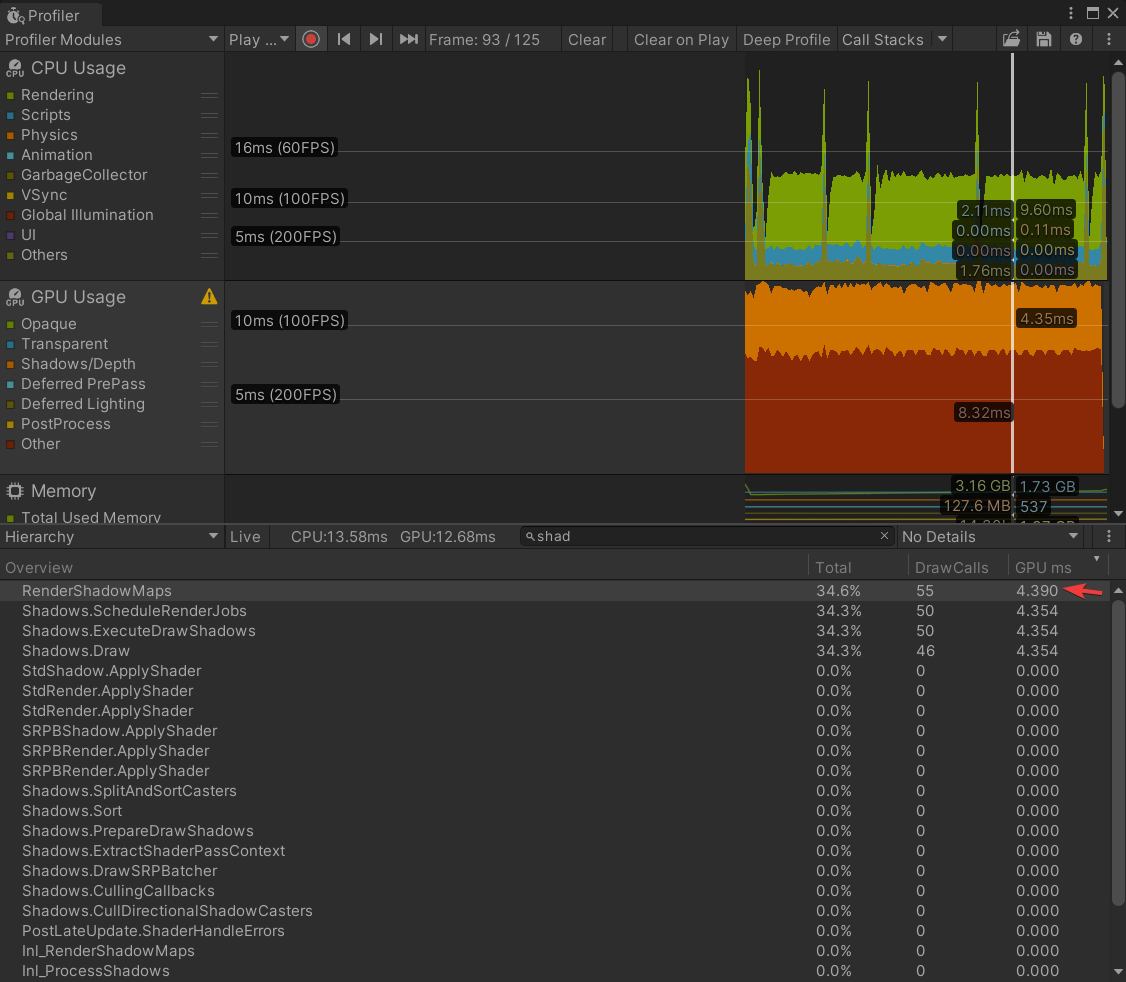
Hello Everyone, we are are working in a game using HDRP , and so far it is very heavy for no reason , these are screen shots for the same scene on URP and HDRP
HDRP

URP

Note that the URP scene has 6 point lights with shadows and 1 directional light, while the HDRP scene has only directional light
I know HDRP is supposed to be heavier, but this is too much , because it is heavy without using any special stuff
eternal laurel
sly shore
Note that the URP scene has 6 point lights with shadows and 1 directional light,...
It takes some effort to get hdrp to perform I suggest you start here https://forum.unity.com/threads/mega-runtime-performance-tips-thread-unity-hdrp-guide-to-better-runtime-unity-performance.1169837/
Unity Forum
This is HDRP focused, with a focus on HDRP specific optimizations. Like shadow caching.
Most tips on here apply to all render pipelines though.
I'll...
 topaz fable
hi, guys we are make our survival game in What's your thoughts about this video?
https://www.youtube.com/watch?v=VIOXFShb36k

Wishlist Soon on STEAM
Developed by Kasit Studio
linktr.ee/kasit
instagram.com/xgun_game
#gaming #Xgun #newtrailer #unity #hdrp #madewithunity
eternal laurel
Well the video itself is too short for a good showcase, I would do a couple of cuts to different locations, the day night cycle itself looks good bit again with such a short video is hard to enjoy it. What I presume are dust particles are distracting at 4x speed and cause visual noise. I would also focus on more tree variation, the wind strength is way too exaggerated, for trees to shake like that we would need hurricane level winds. Focus more on the branch movement and having trees shake differently, right now they all seem to shake uniformly
sly shore
eternal laurel
It takes some effort to get hdrp to perform I suggest you start here https://for...
I checked it, just to explain where i come from, i do mobile games so i am familiar with optimization , and now i am working on PC and Playstation
So using same optimized scene that runs smoothly on URP , runs poorly on HDRP
The Models are 300K tries , multiple materials
It feels that the HDRP is heavy by it self
Running an empty scene on HDRP is heavier than running a full game on URP
Am i Missing something ?
eternal laurel
You are missing the fact that even on a empty scene HDRP does a lot of work. Work that you might not need done for your specific game. That is why it is very important to fine tune your hdrp asset to only do the work you need. But in general HDRP will never be as fast as URP it simply does heavier calculations throughout the graphics pipe.
With the proper fine tuning our game runs at about 160 fps
sly shore
Ill dig deeper and see how it goes, thanks a lot
sly shore
@eternal laurel Can you share anything specific that had big effect on performance ?
 loud leaf
I usually start with an empty HDRP asset and enable things when I need them.
eternal laurel
sly shore
<@292371456862584833> Can you share anything specific that had big effect on per...
Performance is individual. Check your profiler and see what is taking up time. But like I said everything mentioned in the thread I linked is a good catch all. To answer your question one of the biggest things for us usually is shadow casting.
sly shore
I tried everything, turned off everything, still bad performance, what is crazy is that an empty scene with only a camera has 65 Setpass calls !!
eternal laurel
With SRP’s I dont trust the game stats window for anything but the fps. Share some screens of your profiler and maybe we can see what is going on
sly shore
Will do
 night depot
sly shore
Will do
night depot
sly shore
Will do
It usually doubles the framerate once project is built
digital spire
scarlet hull
Do you have TAA enabled ? This could explain the numbers flickering as the rende...
coming back to this, it seems like spot light with very large angle have unstable shadow projection (can just try sliding the shadow angle at around 140-179 angle back and forth and you will see it) this combine with HDRP dynamic rescale cause the shadow to jitter because shadow getting request resize with every little camera movement I assume? I disable the dynamic rescale option of punctual light for now and it fixed the issue.
buoyant vortex
Does global illumination make the game more laggy by a noticeable amount?
shrewd moon
buoyant vortex
Does global illumination make the game more laggy by a noticeable amount?
Performance always depends on many factors
Make test builds and profile them
buoyant vortex
My fps caps at 60 fps for no reason, I've turned off V-Sync too
Also, how would I know if it runs well on low-end devices? I have an rtx 3070 so it might run well for me, but not them.
onyx lark
buoyant vortex
Does global illumination make the game more laggy by a noticeable amount?
Baked global GI is relatively cheap.
onyx lark
buoyant vortex
My fps caps at 60 fps for no reason, I've turned off V-Sync too
have you tried changing Application.targetFrameRate?
buoyant vortex
Ah not yet
onyx lark
certainly compared to things like screen-space GI (that halves my framerate on my M1 macbook)
buoyant vortex
onyx lark
have you tried changing `Application.targetFrameRate`?
Just tried, ramped up to 200 then instantly shot to 60.
onyx lark
perhaps you have a script that's setting the target frame rate, then
buoyant vortex
It's a new project
onyx lark
sanity check by searching for all references to the property in your IDE
but since that's probably not it, I'd next look in the profielr
buoyant vortex
Also you said there was "global illumination" and "screen space global illumination"
where is the "global illumination" option?
onyx lark
"global illumination" is the general concept of light bouncing around and lighting up the scene
baked GI is the classic way of doing it: doing a big light bake in the editor and saving the results to lightmaps
realtime GI also bakes lightmaps, but they're used to figure out how much a light shining on surface A should light up surface B
screen-space GI is a post-processing effect. It estimates how lights should indirectly light the scene by looking at what's on the screen
there's also ray-traced GI, which...well, yeah, it's ray-traced at runtime
The first two are configured in the Lighting window.
The others are post-processing effects controlled with the Volume framework.
soft crater
how do i prevent freexing in hdrp
true zealot
eternal laurel
It takes some effort to get hdrp to perform I suggest you start here https://for...
Go through this resource
soft crater
its not because of performance
i have the project running at 100 FPS consistent
but it still freezing permanently during build
true zealot
soft crater
but it still freezing permanently during build
Then connect a debugger early and pause it when it starts, see what loop you're stuck in. It seems likely that it's a loop of your own making and not HDRP
thorn gull
What can cause this kind of ghosting? It only happens when a mesh gets in front of a place without a mesh (so in this case the empty void with the volumetric clouds).
 scarlet hull
thorn gull
What can cause this kind of ghosting? It only happens when a mesh gets in front ...
scarlet hull
thorn gull
What can cause this kind of ghosting? It only happens when a mesh gets in front ...
Z buffer is not cleared apparently.
thorn gull
Thanks, you're the best. Messed up the Background type parameter of the camera.
twilit swift
Hi, for some reason package manager takes forever to load my assets, sometimes it takes several hours and sometimes it never loads, but this only happen in my HDRP project with Unity version 2022.3.7f1, what can I do?
soft crater
true zealot
Then connect a debugger early and pause it when it starts, see what loop you're ...
the scripts still run for some reason, but the graphics output randomly freezes
i fixed it nvm
i just disabled v-sync
 rain quiver
does anyone know how to make a shader graph distortion shader in hdrp?
i tried to search (ctrl + f) here but no one give a real solution. they all say that in URP is different, ok. But what's the soolution here?
scarlet hull
rain quiver
does anyone know how to make a shader graph distortion shader in hdrp?
You can create a HDRP/Unlit shadergraph and enabled distortion output
rain quiver
done. it does not work
rain quiver
scarlet hull
You can create a HDRP/Unlit shadergraph and enabled distortion output
are you sure it's just about it ? could you show an example of a shader graph
 scarlet hull
rain quiver
scarlet hull
rain quiver
so, because it is HDRP and that it has a dedicated distortion output, you could just plug de distortion vector to the distortion output
rain quiver
this is how it looks now. it is not transparent. and distortion amount its barely useless. It works without that distortion enabled. the problem here is the transparent . it seems he has a reflection/refraction on
you can see texture how should be appear on the right. it's not a square. it should be a def. particle with alpha
scarlet hull


 scarlet hull
rain quiver
this is how it looks now. it is not transparent. and distortion amount its barel...
scarlet hull
rain quiver
this is how it looks now. it is not transparent. and distortion amount its barel...
See my example
The distortion(2) value is how much distortion is applied, in pixels
The distortion blur controls ... well the blur effect of the distortion (0=no blur, 1 = full blur)
rain quiver
ok i did not eneble "distortion only " in graph inspector .
now it works but i would like to see this effect inside the white circle of the texture . now it is applied to all texture
it is a square actually not a circle, is there a way to use it as circle in a plane? I would like to use it as particle emission. And it does not look good if it appears squares particles
scarlet hull
rain quiver
now it works but i would like to see this effect inside the white circle of th...
You could just multiply the distortion value by the white circle : this will set the distortion to 0 for all the black pixels
rain quiver
wow it was so easy! cool. thanks Mr. Remy
digital spire
How does one handle a case where you have to animated light with the VFX in HDRP?
Our artist create a skill VFX that have animated point light as part of the skill effect. But this create problem in Dark Scene (exposure close to 0) because he base the light intensity on high exposure setting. So when player use the skill in darker area, the light flash banged the camera 🤣
But IDK how to multiply the light intensity so it look kinda similar in all exposure.
Our ItemInspectionSystem have been moved to use custom matcap shader just because of the same problem. We used to have an item layer specific point light that only affect the inspected item but this was too unwieldy for us; to manually setting light intensity of the item point light per area.
scarlet hull
digital spire
How does one handle a case where you have to animated light with the VFX in HDRP...
This will be tricky, but not impossible to solve.
Basically, you have to get the current exposure (or the one of the last frame) and use it to change the light intensity.
Exposure in HDRP is done using compute shaders, so unless you use fixed exposure everywhere (in that case, it's easy to read it back from the volume framework), you will have to get it from the GPU.
Have a look here : https://github.com/Unity-Technologies/Graphics/blob/master/Packages/com.unity.render-pipelines.high-definition/Runtime/PostProcessing/Shaders/Exposure.compute and https://github.com/Unity-Technologies/Graphics/blob/master/Packages/com.unity.render-pipelines.high-definition/Runtime/PostProcessing/Shaders/ExposureCommon.hlsl
If I'm not wrong, the _OutputTexture is the one hoding the exposure data. So if you find a way to get it at the end of the rendering, you can store the value to change the light intensity multipler.
digital spire
scarlet hull
This will be tricky, but not impossible to solve.
Basically, you have to get the...
thanks. I will try(and possibly failing XD)
pulsar skiff
do normal maps have a high performance impact?
formal crow
no
shrewd moon
Used to back in 2005
 steady storm
I'm using Unity HDRP and I found if I have a lot of Light Sources, a whole bunch of rapidly moving black squares bounce back and fourth in both Game & Scene view, I have tried reducing the amount of light sources but that did not work I feel like its a simple setting that I have enabled or a setting that should be disabled. Fix?
 true zealot
steady storm
I'm using Unity HDRP and I found if I have a lot of Light Sources, a whole bunch...
true zealot
steady storm
I'm using Unity HDRP and I found if I have a lot of Light Sources, a whole bunch...
https://unity.huh.how/lighting/light-limits/hdrp There is no simple fix, you have a massive amount of lights, you can adjust settings to increase that number, or switch rendering path but you should be adjusting the size and range of the lights to reduce overlaps, or use lightmapping if the situation isn't dynamic
steady storm
Ah so I reached the limitations of the engine
steady storm
true zealot
https://unity.huh.how/lighting/light-limits/hdrp There is no simple fix, you hav...
I did fix it, I do appreciate the help, I didn't realize how poorly I had things setup. Thank you
 sly atlas
missing
spiral moat
when building, i dont have any fog, any ideas ?
Editor / Build


looks like its because of additive scenes
spiral moat
Can i load a scene in additive and still have the lights & fog settings of my main scene ?
shrewd moon
spiral moat
Can i load a scene in additive and still have the lights & fog settings of my ma...
HDRP gets its lighting and fog from Volume components
Volumes override each other based on their priority
spiral moat
shrewd moon
HDRP gets its lighting and fog from Volume components
Volumes override each othe...
i only have one gameobject with a volume component
and its in the main scene
also, this volume isnt affecting fog
my fog comes from the HDRP project setting settings
shrewd moon
"project settings settings"?
spiral moat
didint remember the correct name, im talking about this
 shrewd moon
spiral moat
didint remember the correct name, im talking about this
shrewd moon
spiral moat
didint remember the correct name, im talking about this
That's also a Volume, the default one that will be used if the Volume component has no profile
spiral moat
i just realized that my additive scenes dont have any Lightning environment profile set
idk if this is the root of the issue, but im going to fix that and test
shrewd moon
The settings in the Lighting window come from the "active scene" I believe, which would remain as the first scene when loading more scenes additively
shrewd moon
Nothing, to my knowledge
You'll want to double check that during play mode your volume component with the correct profile exists and has the highest priority
shrewd moon
spiral moat
and with no overrides on fog
You'll likely want to give it the profile with the fog override
spiral moat
the weird is part is this issue is only in build
spiral moat
shrewd moon
You'll likely want to give it the profile with the fog override
okay ill test
spiral moat
shrewd moon
You'll likely want to give it the profile with the fog override
didnt fix
wait, the volume component doesnt have the same asset as my project settings
should my directional be baked, mixed or realtime ?
shrewd moon
spiral moat
should my directional be baked, mixed or realtime ?
Are you using baked lighting? If not, then realtime
spiral moat
how do i know if i am using baked lightning ? my directional light is set to realtime
also, sorry if those questions are dumb, its my first time diving in the lightning system of Unity
shrewd moon
spiral moat
how do i know if i am using baked lightning ? my directional light is set to rea...
If you need to ask, then you likely aren't (and shouldn't) be using baked lighting
Light baking is a process in which all static lighting in the scene is simulated using path tracing and saved into lightmaps and/or light probes
spiral moat
well i did more than 13 build test this morning and i still cant find a fix
looked a ton a forums posts aswell
and i still have this shader issue
spiral moat
spiral moat
when building, i dont have any fog, any ideas ?
Editor / Build
still didnt find a fix
 wraith blaze
spiral moat
still didnt find a fix
wraith blaze
spiral moat
still didnt find a fix
What exactly is wrong,sorry i just got here
spiral moat
spiral moat
when building, i dont have any fog, any ideas ?
Editor / Build
you can see it here
loading scene in additive breaks two things :
- fog disapear
- transparent shaders becomes opque
spiral moat
wraith blaze
What exactly is wrong,sorry i just got here
👆
spiral moat
no volumes
spiral moat
the volumes are overides, i am using the same settings from projec tsettings
so i dont need any volumes in my scene
wraith blaze
Ok so its default
Hvae you tried with volumes to see if it works though to see if thats where the issue lies?
spiral moat
try what with volumes ?
the issue occurs when i load in additive a scene, ven if empty
wraith blaze
having a empty game object with a volume component in your scene be persistent like not be destroyed when it loads another scene

So the volume always will be there
spiral moat
wraith blaze
having a empty game object with a volume component in your scene be persistent l...
im am loading in additive
twilit swift
Hi, I have a simple code to limit fps by using Camera.Render(), but it doesn't works, anyone knows why does this happens? In URP it works just fine.
formal crow
use Application.targetFramerate to limit fps
onyx lark
I'm confused by the output from the Frame Debugger. The first image is the preview when I click on "PostProcessing". The second image is the preview when I click on "Final Blit (Dev Build Only)"


The tonemapping is totally different
I see the first image when I click on this very last step from PostProcessing, too

Final Blit is literally just a Blit shader.

I don't understand why there is a difference.
Is this because the texture format is different? I know that it eventually has to squish the image into 8-bit color channels


 quaint pecan
In RenderGraph, how can I use a MaterialPropertyBlock to modify a material for a Raster Render Pass?
It looks like Blitter class does not have any methods that takes in a MaterialPropertyBlock
 pulsar skiff
Unpopular opinion:
People who do lighting in hdrp specifically deserve more credit.
Like what the fuck is this exposure system?
You control exposure with post processing.
Then you have limited intensity on lights, WHERE THE INSPECTOR SHOWS A DIFFRANT NUMBER THEN DEBUG MODE/THE INTENSITY PROPERTY
And then, there is this Multiplier slider that is HIDDEN AND YOU HAVE TO ACTIVATE IT BY PUTTING THE INSPECTOR INTO ADVANCED MODE OR SOMETHING , and it is seemingly unaccesable through scripts!! What is this bullshit! I took the normal lights from urp and birp for granted....
shrewd moon
pulsar skiff
Unpopular opinion:
People who do lighting in hdrp specifically deserve more cred...
Which multiplier slider do you mean?
pulsar skiff
There is more than one?!?!?
Idk it makes it brighter and only goes up to around 16. Youll have to use debug mode to set it any higher
shrewd moon
In lights or exposure override?
pulsar skiff
The light component
shrewd moon
A lot of the fields in the inspectors are meant to calculate a property, not being properties themselves
An example of this is the Intensity of HDR colors
Despite being a separate slider, it only serves as a multiplier to the final color property
pulsar skiff
When i read velues from the intensity through scripts, on a light with the multiplier set to Y, and intensity set to X, the number i get is not X×Y
And i dont understand it
Its also not X
fluid merlin
Intensity of emission is another super annoying thing to adjust on materials.
pulsar skiff
Yea, it changes the materials color for some reason. Making it darker and less saturated
The effect emission also depends on exposure
You have to change exposure weight
fluid merlin
bloom too, which is like... ugh. I have a bunch of scenes and constant have to adjust it via script for night/day, etc
shrewd moon
HDRP's light intensity and exposure are complicated because the actual units they're stored in are arbitrary
You're only meant to touch them using the inspector's real world light unit conversion
pulsar skiff
And the exposure is just.... man.
You need 100000 damn volumes for one scene to get it to look good. With all the weird inrensity values
One for outside, one for that room, one for that hallway
shrewd moon
pulsar skiff
And the exposure is just.... man.
You need 100000 damn volumes for one scene to ...
Why do you need many volumes?
pulsar skiff
For overriding exposure
Like the min and max values. Just like they did i their own sample scene
shrewd moon
pulsar skiff
For overriding exposure
If you have adaptive exposure and your light units are real world accurate, then that won't be necessary
Iirc the sample scene uses just one exposure override for the exterior and interior
pulsar skiff
If you have adaptive the min set to very low to support the entire scene, and max set to very high there will be rapid changes in exposure which wont look good so you need several volumes with different min/max values
shrewd moon
You may be able to offset the rapidness sufficiently with the exposure speed
But there's a whole lot of directions to go in depending on what the visual intent and gameplay are like
pulsar skiff
Idk man. This just feels weird and im not used to it ig, and i dont see anyone getting used to it either. I just have to constantly be tweaking values to get things looking somewhat presentable.
I had that problem less with urp and birp
shrewd moon
I suppose an alternative is to stick with one fixed exposure and tweak the light intensities instead
That's what you basically do in URP/BiRP
loud leaf
pulsar skiff
And the exposure is just.... man.
You need 100000 damn volumes for one scene to ...
Have you ever used any real cameras or lights? What's so weird about it?
fluid merlin
It would be nice if DoF was close to a real camera. It's awful... it's one of those classic Unity, what were they thinking?
loud leaf
What's wrong with it?
sly shore
Hello guys, i am having problem with HDRP performance
there is an operation that is delaying the process
the scene is empty and has no art yet it is not runnung well, with 300K triangle art the frame rate drops to 70 fps on , my gpu is 1060
and based on the profiler what is delaying is the following process
Semphore.waitforsignal
i know it is the CPU waiting for the GPU, but there is nothing to render

 loud leaf
vsync?
eternal laurel
Look at what the gpu is doing
smoky orchid
by default unity is locked to screen refreshrate so maybe it's that
formal crow
sly shore
Hello guys, i am having problem with HDRP performance
there is an operation that...
its because of your reference screen resolution
it set to 4k
sly shore
loud leaf
vsync?
turned it off, didnt make a change
formal crow
high screen resolution can impact performance because there are more pixels that need calculated
set the reference resolution to 1920x1080 which is what most people use anyway
ofc HDRP is more performance heavy, its targeted towards mid-high range pc's and consoles
also always note that the performance in the editor will always be worse then in the build
its just a matter of knowing how to optimize it
HDRP is more complex cuz it has a lot more graphical features you have to worry about
sly shore
so the idea is i want to build a game for mid range PCs
formal crow
so for now just put your reference screen resolution to 1080p, going into fullscreen can also help
sly shore
and potintialy in the future for console
formal crow
sly shore
so the idea is i want to build a game for mid range PCs
thats entirely possible, you just need to adjust the quality settings appropriately
formal crow
that depends on the graphcial features your game needs
if you want stuff like RTX or screen space reflections or global illumination, etc, use HDRP
sly shore
ok thanks
digital spire
sly shore
so i need to make a choice should between HDRP and
seems like HDRP then. Unless you're making 2d game? or visual novel?
fluid merlin
One of the things I've struggled with is dealing with emissive materials in HDRP. I have scenes that share assets (like a light bulb for example), so the emissive level works in a scene with specific bloom and exposure. However, I might have another asset, say a sign with an emissive material that doesn't work at that level. Then say, in a dark scene, the sign asset works great, but the lightbulb will be too high.
What I'm currently doing is changing the emissive intensity on the material per asset depending on whether it's a light/dark scene with an emissive "manager" to handle it all. It works for me... However, I feel like this can't be right, because it would seem insanely short sighted of Unity to expect devs to manage materials across scenes with different bloom/exposure/light settings. I feel like I've missed something over the years and there's an "oh, duh!" in my future with this... hahah
How are others dealing with multiple materials with varied emissive settings across different scene lighting situations?
digital spire
fluid merlin
One of the things I've struggled with is dealing with emissive materials in HDRP...
Isn't Exposure weight on the material suppose to handle exactly this case?
scarlet hull
⬆️ this
fluid merlin
digital spire
Isn't Exposure weight on the material suppose to handle exactly this case?
Thanks, I'll have to experiment with that and see if it solves my issue

fluid merlin
That does what it's supposed to do for sure, I set up a test using the Unity template for Indoor with 2 spheres, same emissive intensity, one with 1 weight, the other with 0 weight and changed the volumes from Indoor to Outdoor and it worked.
Now, I just need to figure out why it doesn't work in my scene volumes... 
scarlet hull
fluid merlin
That does what it's supposed to do for sure, I set up a test using the Unity tem...
it doesn't work in my scene volumes
wdym ?
fluid merlin
scarlet hull
> it doesn't work in my scene volumes
wdym ?
I used a bloom Override with a Threshold setting on my volumes, so the exposure weight on the emissives wash out because of that. I have to turn off threshold and rebalance the intensity so that it doesn't wash out the glow.
scarlet hull
Yeah, so it works, but it burns your eyes 😄
fluid merlin
Exactly... well, at least I discovered this now... 3 years too late, but at least it's something.

fluid merlin
digital spire
Isn't Exposure weight on the material suppose to handle exactly this case?
This solved a lot of problems for me... ty 
fickle bough
why can’t i see my volumetric clouds in my camera?

 mossy ruin
Has anyone in here played with the hair simulation package? I'm getting good results importing Alembic grooms, and the physics are great, but I really want to use the new hair strand renderer, and can't get them to play nicely together.
The strand renderer shader takes in nearly collapsed triangle strips, and I was hoping that the native strip renderer setting for the hair sim package would output that. Doesn't seem to, though.
mossy ruin
fickle bough
why can’t i see my volumetric clouds in my camera?
Have you accidentally turned off the layer those are on in your camera's culling mask?
fickle bough
mossy ruin
Have you accidentally turned off the layer those are on in your camera's culling...
no i havent touched it and tis on "everything"
fixed it, i get my clipping plane far to "100000"
 hollow gull
Is there a way to make this transparent in a way that doesn't show straight through the entire object?
 twilit swift
Hi, I would like to use SSR in my HDRP VR game, but SSR looks too weird in aproximation mode, is there any way to fix this? Changing max ray steps is not an option, max I could find to work just fine is 32.
scarlet hull
hollow gull
Is there a way to make this transparent in a way that doesn't show straight thro...
Use alpha clip
 fair brook
fickle bough
why can’t i see my volumetric clouds in my camera?
fair brook
fickle bough
why can’t i see my volumetric clouds in my camera?
thats actually pretty simple just jncrease plane of camera
fair brook
fickle bough
fixed it, i get my clipping plane far to "100000"
oh okay nice
formal crow
twilit swift
Hi, I would like to use SSR in my HDRP VR game, but SSR looks too weird in aprox...
use PBR Accumulation mode
twilit swift
formal crow
use PBR Accumulation mode
That looks weird, like if it's rendering in real time and taking it's time, so not a good idea for VR.
 jagged prairie
Ok I'm having a weird problem for some time now..
When I enter playmode for the first time, I get like ~50-60 fps in a scene with a lot of geometry, like 15m tris (using dlss and instancing and all that stuff) rendered with HDRP.
However, after entering the exact same scene the second/third time, I suddenly only get like ~20fps. Everytime this happens, i have to quit unity via the task manager because it's stuck on Application.Shutdown.CleanUpMono forever. Also, the denoisers for the HDRP effects (like the ones for ssr, rgi and fog) don't really work anymore and the DLSS starts flickering around.. (see attached images)
This really looks like there's some kind of ram leak even though only the cpu time increases drastically (in the profiler screenshot almost all resources are eaten up by the RenderLoop and for CollectGpuSamples() ).. anyone have an idea how to fix this??
(The whole time the editor used around 5-6GB RAM)
(My specs: rtx 2060, i7 10th gen, 32gb ram)


 loud leaf
Editor/HDRP version?
fluid merlin
jagged prairie
Ok I'm having a weird problem for some time now..
When I enter playmode for the...
Are you using indirect instancing on your vegetation?
jagged prairie
fluid merlin
Are you using indirect instancing on your vegetation?
I'm using the default unity terrain instacing for all the vegetation and all the materials have GPU instacing enabled
jagged prairie
loud leaf
Editor/HDRP version?
2022.3.8f1 and HDRP 14.0.8
fluid merlin
I see, I asked because early instancers had memory leaks, but had been fixed in later versions.
jagged prairie
I mean the whole scene isnt optimized whatsoever but everything can actually run at 50 frames
And this was printed in the console just now:
Unity Freed preallocated heaps because we are running out of memory. This can slow down future resource allocation
fluid merlin
Is the terrain > 1024² ?
Unity is really bad at large terrains with normal painted vegetation
 topaz ravine
jagged prairie
And this was printed in the console just now:
```Unity Freed preallocated heaps ...
topaz ravine
jagged prairie
And this was printed in the console just now:
```Unity Freed preallocated heaps ...
You have to much Texture that overload the memory
or something that heatup your ram
jagged prairie
fluid merlin
Is the terrain > 1024² ?
resoltuon for all tiles
 fluid merlin
pretty small then
topaz ravine
@jagged prairie do you use Virtual Texturing?
jagged prairie
(Player settings)

First time i enter Playmode: 50 fps stable, then second time 10 fps and the upscaler (DLSS) is completely flickering and blurred
topaz ravine
if your shaders are not setup for it, you can disable it, but I don't think it's the cause of 57ms on GPU ^^
you can try few things :
.make sure the DLSS is default injection point
.Remove camera anti aliasing (dlss have one)
.Try to see if there is no Cullings baked that mess with the SRPbatcher
.disable static batching
@jagged prairie you can even try to update to HDRP 16 (2023.2 cycle) they are improvment and buxfig since the 14
I made a benchmark/template hdrp outdoor project recently that use that cycle, you can take a look : https://github.com/Far-From-Here-studio/FarFromHere-Studio-Template-HDRP-Environment

GitHub
Unity HDRP setup project for futur demo and extension - Far-From-Here-studio/FarFromHere-Studio-Template-HDRP-Environment
it few steps of setup but it can help you
pulsar skiff
When compiling a build of my game, a long time of the process is spent on shader variants, specifically on the HDRP/Lit-forward shader i get 7500 motherfucking "fp"s,which as you might guess... takes QUITE A BIT OF TIME(2hours, still going) to compile!
How can i decrease my shader varient compile times?
topaz ravine
Graphics> ShaderStripping block> InstancingVariant option = StripUnused
pulsar skiff
Is that enabled by default?
topaz ravine
dunno i guess so
another thing you can try is to create a ShaderVariantCollection using graphics menu
jagged prairie
topaz ravine
you can try few things :
.make sure the DLSS is default injection point
.Remove ...
ok i set the default injection point to after post process because i assumed it would also reduce the cost to render Realtime GI (which is also in the volume), setting it to default fixed half of the problem, thank you so much!
topaz ravine
it specify keyword to include in build so it can be in charge of the Instancing collection
jagged prairie
Now i also have items in the game and they use a custom pass, so the player can see them more easily. I actually just noticed that as soon as i threw the item to the ground (which uses that custom pass), all the issues showed up.........
topaz ravine
maybe your custom pass destroy the depth prepass or whatever, it can mess dlss
pulsar skiff
topaz ravine
another thing you can try is to create a ShaderVariantCollection using graphics ...
Do i meed to add/remove any shaders to the varient collection or do i just leave the one thay unity created when i pressed the save to asset button?
topaz ravine
you can have multiple collections, if unity need more than a collection it will still collect that it need, but yes you can customize one
you will be able to spot where most of the variant come from too (which keyword)
jagged prairie
This is the custom pass, it's the one from the default HDRP samples
 pulsar skiff
topaz ravine
you will be able to spot where most of the variant come from too (which keyword)
pulsar skiff
topaz ravine
you will be able to spot where most of the variant come from too (which keyword)
When i create the collection there is like 130 items in the list/array, so why is it that my build has 7000fp's?
topaz ravine
jagged prairie
This is the custom pass, it's the one from the default HDRP samples
you don't redraw the terrain, but I see you have clear flags to clear depth on your buffer
if you put the FullScreenCustomPass (the second pass) to AfterPostProcess does it change?
you can try something likehaving two different injection point

need two volume component but it should work
jagged prairie
topaz ravine
you can try something likehaving two different injection point
i disabled all the CustomPasses and the problem is still there, I guess the problem lies somewhere in the code rather than in the custom pass
At least it now works every time i enter playmode till i throw that item, maybe its because of the instancing I'll take a closer look
Thank you for helping out!
pulsar skiff
pulsar skiff
When compiling a build of my game, a long time of the process is spent on shader...
Can i get a second opinion?
shrewd moon
pulsar skiff
Can i get a second opinion?
The first one seems pretty good to me
pulsar skiff
Well the option they told me to set, is set. I checked. I also
Created a shader varient asset or whatever it was called
I did not get any reduction on the build time. I also had unity log all the shaders it compiled and i dont know what to do with them
pulsar skiff
pulsar skiff
Created a shader varient asset or whatever it was called
I also did not know what shaders to remove from this, since there no way to tell if a shader is used ot not, as far as i know.
@shrewd moon
jagged prairie
pulsar skiff
I also did not know what shaders to remove from this, since there no way to tell...
Did you make a clean build?
I think all the variants are cached somewhere in the Library folder, so next time you build it shouldn‘t take that long.
pulsar skiff
jagged prairie
Did you make a clean build?
Not as far as i know. I knwo what option you are talking about but ive never even touvhed that in my life
Well, yea i guess cuz i messed with the shader barients and stuff in the settings the shader cache was reset. Maybe this time it should take that long
Ill make a build rn
jagged prairie
Yes, make sure to setup and manage all your shaders before you build because it will clear the cache each time, which causes the extreme long build times
You can also delete materials not used in your game or minimize the amount of materials for your models with texture atlas...
shrewd moon
pulsar skiff
I also did not know what shaders to remove from this, since there no way to tell...
pulsar skiff
jagged prairie
You can also delete materials not used in your game or minimize the amount of ma...
The texture atlas thung sounds like a good idea! Ill just have one material for some of my insignificant models like bullet casings and etc.
pulsar skiff
shrewd moon
<https://docs.unity3d.com/Packages/com.unity.render-pipelines.high-definition@17...
Nope, ill do it rn
Also the build time did decrease to 3 minutes on the second build, which is some great improvement!
jagged prairie
pulsar skiff
Also the build time did decrease to 3 minutes on the second build, which is some...
Yes, it probably cached all the stuff, how long did it take on your first build?..
jagged prairie
pulsar skiff
The texture atlas thung sounds like a good idea! Ill just have one material for ...
Yes, but dont forget to make an atlas for your normal, mask, ... maps too
pulsar skiff
jagged prairie
Yes, it probably cached all the stuff, how long did it take on your first build?...
When i posted this message, i had already made a build that took 1h 20 mins. Then i tried compiling a second build after changing some code. It took so long i went to bed after 3h 20mins and let my computer have an all nighter
I did not check the build time when i woke up but it must have been pretty long
jagged prairie
pulsar skiff
I did not check the build time when i woke up but it must have been pretty long
👀
shrewd moon
I'm looking for confirmation that the bent normal map input in Lit shaders does something, anything at all
In case there's a relevant setting I've missed
Would be nice to know if it works for specular occlusion, even if the docs say it affects diffuse only
A bit weird that, considering diffuse occlusion is just a very minor benefit of a bent normal texture
It was indeed a setting I missed
And it does indeed work with specular rather than just diffuse, unlike what the docs claim

 keen pivot
so i was trying to do some outline effect in hdrp, i tried a couple of assets fro, the store that do this, however both are very slow. it seems there is a lot of CPU work to merge mesh groups together etc. and then recently found a great tut online which seems to do it with a DrawRenderersCustomPass and a couple of shaders. http://artstechniques.com/en/shaders-post-processing-en/creating-an-outline-effect-with-unity-hdrp/
problem is, i need to outline different objects in different colors.
now, i can acheive this by copying it x number of times, and applying a new layer and material
formal crow
HDRP has a sample full screen pass shader for screen space outlines
keen pivot
this works, but after 8 custom passes, its gets a bit slow
keen pivot
formal crow
HDRP has a sample full screen pass shader for screen space outlines
in the package?
formal crow
ye
keen pivot
since which version?
formal crow
idk
keen pivot
i ask as i dont see it in mine but it is old
i'll start a new proj on latest lts and take a look
keen pivot
defo in hdrp 14
i see it
not sure if i can make it work with hdrp 10, but it looks like the end result is what i'm looking for, thanks!
keen pivot
the 'customise highlight color' script was the key here. it modifies the propertyblock of the material the custom pass uses, allowing each object to have whatever color that script attached to it says it should have
fluid merlin
There's a outline custom pass on github that works really well
https://github.com/alelievr/HDRP-Custom-Passes
 tawny silo
Can this be changed at run time?

I'm hoping to toggle Transparent Depth Prepass at run time so this transition is a bit nicer
scarlet hull
tawny silo
Can this be changed at run time?
Technically yes, but I would not recommand :
This involves enabling or disabling a shader pass that you need to make sure is included in you build.
It would be safer to just swap the material to one with/without the toggle
If you are concerned about the workflow to maintain multiple materials with various settings, you can use a material variant to only change the depth prepass setting on the child variant.
tawny silo
It's not going in a build, I'm recording a 360 video
it's probably easier to just swap the material anyway, rather than code it.. still gonna be a noticeable pop =/
though if I code it, I can control when that pop is
scarlet hull
If you however want to do it in code :
- here is the /Lit shader source file with the list of all serialized properties
- You want to call
material.SetFloat("_TransparentDepthPrepassEnable", (float) state); - Then you need to update the material keyword and passes with :
HDMaterial.ValidateMaterial(material)doc
tawny silo
awesome, thank you
scarlet hull
tawny silo
though if I code it, I can control _when_ that pop is
Is there a reason to not always use the depth prepass ?
tawny silo
scarlet hull
Is there a reason to not always use the depth prepass ?
Can't see things through it when it's alpha out, and then pops off when the gameobject is disabled
and if it's left off when its transparency is 1, then internal objects can be seen
scarlet hull
tawny silo
Can't see things through it when it's alpha out, and then pops off when the game...
I think you need to also swap other objects materials to opaque
tawny silo
I'm fading them all on/off throughout the vid
scarlet hull
tawny silo
I'm fading them all on/off throughout the vid
What I'm trying to say is that if opaque objects have a material of surface type "opaque", they won't be "cropped" by transparent fading objects
tawny silo
scarlet hull
What I'm trying to say is that if opaque objects have a material of surface type...
I got that. But there are multiple things being faded at the same time and at different times throughout the vid
I think it might be best to just do the fade in premiere
fickle bough

im inside a cube with double sided material but the light is seeping through, how do i fix this?
 lucid gate
ohh damn
Hey Mr. cloverme, was going to ask an question on the Unity Discord, but figured i try to PM you directly. If that's not ok just ignore me, but you were helpful to the point in the past 🙏🏽
I just have problems figuring how i should make the light for an normal fluorescent lamp.
Currently i use a combo between spotlight and area light tube, but it's looking off and washed. Any suggestion? Thanks for your time
https://cdn.discordapp.com/attachments/763208817592762420/1209537809711366204/image.png?ex=65e748dd&is=65d4d3dd&hm=1f8030a9bf7b0b2a0f76b4ee79e4eb5e08089161ed7c0fc8e61974c99f7e18af&
https://cdn.discordapp.com/attachments/763208817592762420/1209538769015803984/image.png?ex=65e749c2&is=65d4d4c2&hm=bd03d643a2eb123028abdef755fce04d59f26c88a546338720a912d30901d632&
https://cdn.discordapp.com/attachments/763208817592762420/1209543533598609408/image.png?ex=65e74e32&is=65d4d932&hm=45664884402e3411c6f1ccfa2cdddf79313ca531f6bec3f7ce682065d789ec63&
Help from anyone appreciated 😄 or I die trying.


@fluid merlin couldn't pm you though ^^
 fluid merlin
lucid gate
<@288769329267474434> couldn't pm you though ^^
fluid merlin
lucid gate
<@288769329267474434> couldn't pm you though ^^
Yeah, sorry I have dm's shut off due to spam.
So, change your light type to Area and then change Shape to Tube.
I see you're using Tube, sorry... so yeah, you have a couple of options, the best probably is Local Volume in that room and increase exposure on an override and have a point light (no shadow or volumetrics) with a larger area
shrewd moon
Those screenshots look pretty much fine to me
Just very underexposed
lucid gate
thanks for the answer guys, currently i use those:
is that the setup you also would use?

 fluid merlin
Gameobject -> Volume -> Box Volume , new profile (name for the room), add Exposure override, lower the number. Edit Collider, make it "fit" the room.
When the active camera in the room, the volume will take effect.
lucid gate
fluid merlin
Gameobject -> Volume -> Box Volume , new profile (name for the room), add Exposu...
Thanks, since the general tone should be dark i used -> screen on the global volume, was planning to fine tune the lighting for the different rooms later on in the dev-process.
 fluid merlin
Lighting is pretty tough... especially in low lighting, you run into all sort of situations. The worst situation, or the one to avoid, is a dark room inside, bright outdoors (like a dark cave entrance). Unity fails hard at this without a bunch of one off solutions and a nightmare of baking lightmap reflection probe and light volume nonsense.
lucid gate
Good to know👍🏽 one more; Do you even bother with real-life light intensity values?
shrewd moon
lucid gate
Thanks, since the general tone should be dark i used -> screen on the global vol...
In my experience fixed exposure rarely works great with how much light units vary
It might be better to use automatic exposure with Compensation instead
And remember to play with color adjustments for a specific visual look rather than relying on exposure alone
fluid merlin
Not so much... I just sort of tinker artistically until it looks "right".
Without a signed distance field lighting system and a light sensor in Unity, trying to replicate real room lighting values is pretty tough.
lucid gate
Thanks you two, as always more then helpful 🤗 My main thing was if spot and area are legit combos for "box" lights/lamps, and if i should go with reallife values, but when we have to mix in point-spot-area and whatever, it's only logical that this may be the wrong way.
fluid merlin
It's a lot of trial and error... I'll find out I've been doing something the wrong way for years until I stumble across a tutorial or ask the community here a Q
shrewd moon
fluid merlin
Without a signed distance field lighting system and a light sensor in Unity, try...
They're a good ballpark reference in my opinion still
Otherwise it can be a lot to be responsible tweaking every light and exposure relative to them
Especially since post processing will come on top of those both
fluid merlin
Unity should make the AI do scene lighting and give us all break
fluid merlin
shrewd moon
They're a good ballpark reference in my opinion still
Otherwise it can be a lot ...
Yeah, I mean, for temps and such it's nice to have.
I just want a little wizard wand to click on  that gives me a perfectly lit room 😄
lucid gate
Why is it that lights shine thru walls?
All real time lights, nothing baked. The walls/ceiling/ground structure/mesh is not connected, if that matters...

 shrewd moon
lucid gate
Why is it that lights shine thru walls?
All real time lights, nothing baked. The...
shrewd moon
lucid gate
Why is it that lights shine thru walls?
All real time lights, nothing baked. The...
Shadowcasting is require for realtime lights to be occluded by walls
lucid gate
shrewd moon
Shadowcasting is require for realtime lights to be occluded by walls
Do you mean like that? The light source we see in the screen casts shadows
 lucid gate
shrewd moon
Shadowcasting is require for realtime lights to be occluded by walls
lucid gate
shrewd moon
Shadowcasting is require for realtime lights to be occluded by walls
I disabled the area light, sry you were ofc right. Then i'm back with my previous question 😄
How do you guys do freakin fluorescent lamps/box lights hehe
I only use area light so the ceiling get lit.
eternal laurel
We almost always use area lights just to enhance bakes. Tube lights we fake with a emissive mesh and a point or spot light
scarlet hull
tawny silo
I think it might be best to just do the fade in premiere
Oh, thinking of it, since you don't care about performances, you could also use the compositor : https://docs.unity3d.com/Packages/com.unity.render-pipelines.high-definition@17.0/manual/understand-the-graphics-compositor.html
soft crater
I fixed performance in my game, it runs at stable 60+ FPS, but in build it runs perfectly fine for some time and then just permanently freezes
at least is there a way to make it so it doesnt freeze, it would at least be better if it crashes instead
 south girder
fickle bough
im inside a cube with double sided material but the light is seeping through, ho...
south girder
fickle bough
im inside a cube with double sided material but the light is seeping through, ho...
https://docs.unity3d.com/ScriptReference/Rendering.ShadowCastingMode.html
Looks like you want TwoSided. You can change it on the MeshRenderer
 vital locust
whats the name of the Color texture in Unlit shaders? i tried _Color/_BaseColor/_BaseColorMap but none work
shrewd moon
vital locust
whats the name of the Color texture in Unlit shaders? i tried _Color/_BaseColor/...
You should be able to find the exact reference for every material using the debug inspector
It helps to have a specific texture or value in the field so you'll know it when you see it
pulsar skiff
is there a way to change specific quality settings like texture resolution, model quality, shadow quality and.... via code for a settings menu?
i know that i can set up a system that will change the quality level, but these quality levels have to be set up before hand in unity itself and are not really that flexable, i want to get something like the video settings menu in source games:
TDLR i want to change model quality and texture resolution during runtime via code
https://images.anandtech.com/reviews/system/hp/dx5150/settings-hl2-low.jpg
 formal crow
pulsar skiff
is there a way to change specific quality settings like texture resolution, mode...
formal crow
pulsar skiff
is there a way to change specific quality settings like texture resolution, mode...
yes, you just need a reference to the render pipeline asset
for textures you need to change this option

and for meshes you just need to limit the LOD level
which is also in the quality settings

the location of these options might depend on the render pipeline, so do some research or look arround for them
 south lynx
why my clouds are orange-ish?

phys based sky has default settings

Ah I see its lack of ground texture/default ground tint
but what would I use to make it look realistic
smoky orchid
by default it's supposed to be rathr realistic, now if you are above sea you can change the tint to be more blueish
topaz ravine
formal crow
the location of these options might depend on the render pipeline, so do some re...
it's because of the "Ground Emission Color" which is bottom up like that, check your sky volume settings
turn it dark grey or dark blue
 mellow field
can someone here tell me about resources regarding hdrp and hyper realism using unity? i scraped the entire yt for 15days now and didnt get anything recent or industry level realism type resources
scarlet hull
mellow field
can someone here tell me about resources regarding hdrp and hyper realism using ...
What kind of resources are you looking for ? That is not common sense like "use realistic texture and shaders, correct lighting ..." ?
 worldly osprey
mellow field
can someone here tell me about resources regarding hdrp and hyper realism using ...
worldly osprey
mellow field
can someone here tell me about resources regarding hdrp and hyper realism using ...
it depends largely on the context, and the materials you intend to portray (skin vs concrete are completely different matters)
but at least for non-organic materials it all starts with using realistic (ultra) high-resolution textures with normal maps, and possibly other maps (diffuse and so on) ... 80% of achieving realistic looks is applying realistic textures, then setting up lighting (shadows)
finally tweak everything that looks off
of course, if you're after skin and hair and other organic materials then that's a science all by itself
 meager mist
Morning all. I'm evaluating water depth for players using FindWaterSurfaceHeight. When running as a server, with no active camera present, it seems this function doesn't work. Does anyone know how you could still return depth at a specific point in a water plane when no camera exists?
scarlet hull
meager mist
Morning all. I'm evaluating water depth for players using FindWaterSurfaceHeight...
This is something we have planned, but hasn't been implemented yet
fluid merlin
mellow field
can someone here tell me about resources regarding hdrp and hyper realism using ...
Search Youtube for Archviz HDRP
It's really difficult to do in unity, mainly due to lighting. There's a dizzying array of complex steps and processes you have to go through to get lighting to work correctly with geometry in the scene. You might get more bang for your buck with raytracing but again, fairly complex to setup. Overall Unity has spent most of its focus on low poly stylized environments which are easy for single devs to put into the engine for a game. After all is said and done, you'll be hardpressed to get high framerates, that's the trade off.
dawn sorrel
can someone help me? when i try making a video player it wont work?

 scarlet hull
dawn sorrel
can someone help me? when i try making a video player it wont work?
scarlet hull
dawn sorrel
can someone help me? when i try making a video player it wont work?
I'd suggest that you use the rendermode "render texture" and bind the RT to the base color map of the hdrp material
 stoic sand
Curious if anyone has anyone has any info on when APV will allow for realtime bounce lighting? On the roadmap it mentions that Dynamic APV are planned and I remember seeing that eventually it would replace the archaic Enlighten system but I saw nothing about this in the Unite videos or anything for Unity6. Curious of this is still in development or still under consideration
formal crow
stoic sand
Curious if anyone has anyone has any info on when APV will allow for realtime bo...
my guess its going to be after unity 6
 trim bone
is this actually a real graph editor/visualizer for rendergraph(this image is from the roadmap rendergraph feature) or just a mockup or something that isnt yet available?
 formal crow
looks real to me
the render graph already is available in HDRP
and is in preview in URP
trim bone
formal crow
the render graph already is available in HDRP
theres a kind of table analysis rendergraph profiling tool(for both) but I dont see this node based tool anywhere
 minor depot
trim bone
is this actually a real graph editor/visualizer for rendergraph(this image is fr...
minor depot
trim bone
is this actually a real graph editor/visualizer for rendergraph(this image is fr...
They added a proper rendergraph viewer in the latest alphas, but I think that graph would have been an early concept.
I feel like it would have been harder to read than what we got, so probably a good thing
dawn sorrel
can I remove the screen space ambient occ off of a layer or object without 2 cameras, i dont want it on my gun
 trim bone
minor depot
I feel like it would have been harder to read than what we got, so probably a go...
trim bone
minor depot
I feel like it would have been harder to read than what we got, so probably a go...
thanks, wasnt sure if the docs were missing something else
 elder harbor
is this bug connected to hdrp? If yes anyone know how to fix it? When it flickers the size of the canvas gets really small (im guessing 1x1)
 potent goblet
hiya!
i'm trying to get the river surface to work right now
i added a hdri and enabled global volume
i've also enabled all the water settings and water rendering
but i still do not see the river surface
can someone please tell me what i'm doing wrong?

i assumed the water surface would simply render on top.
is my hdri interfering with the water?
 night sand
Paid task, well, i need your help PLEASE, to upgrade/recreate/remake some shaders that were made in urp, i want them in hdrp, reply me and lets talk about this and about the price, here is the template that i want to convert from urp to uhdrp. Ultimate horror fps kit
shrewd moon
Don't crosspost
 burnt cedar
 buoyant drum
whats the best way to add grass to your scene without using the terrain since ive made my level in blender?
 muted nest
Is it possible to make the output of an HDRP custom pass visible in the editor scene view
 whole fossil
elder harbor
is this bug connected to hdrp? If yes anyone know how to fix it? When it flicker...
whole fossil
elder harbor
is this bug connected to hdrp? If yes anyone know how to fix it? When it flicker...
I am wondering if that is somehow connected with that: https://forum.unity.com/threads/case-in-69616-overlay-canvas-ui-toolkit-objects-in-the-prefab-preview.1551044/
I noticed this after upgrading from 2022.3.17 to 2022.3.20. I think that there is something messed up real bad with the canvas and ui toolkit there
Unity Forum
After migration from 2022.3.17f1 to 2022.3.20f1 (with HDRP) I noticed that my prefab previews are broken. The preview window contains UI objects that...
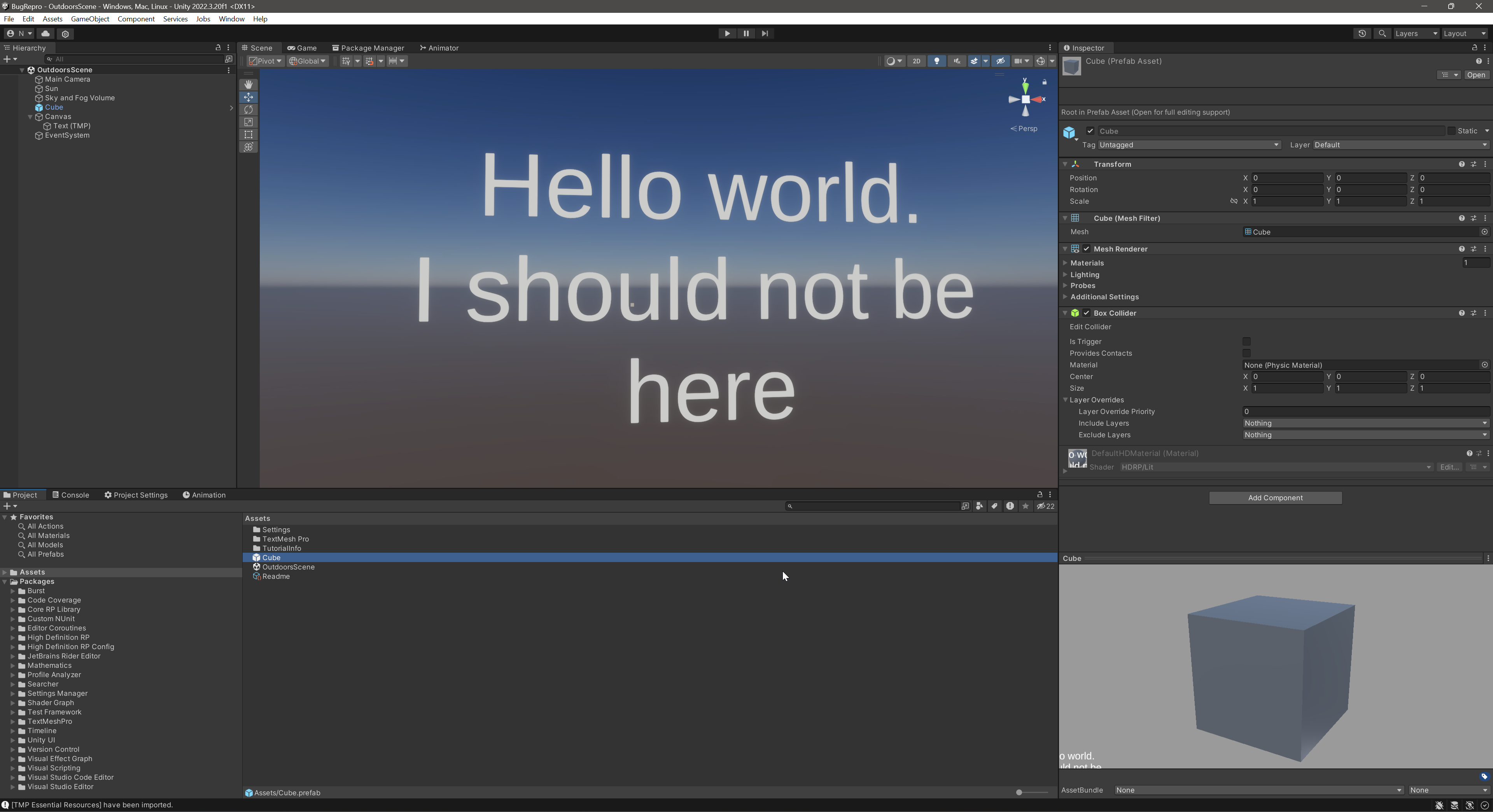
 wary grail
Ok
open tree
2023.2.11f1 , I cant see the HDRP global settings, and whenever I click on it I get this error.
 scarlet hull
open tree
2023.2.11f1 , I cant see the HDRP global settings, and whenever I click on it I ...
scarlet hull
open tree
2023.2.11f1 , I cant see the HDRP global settings, and whenever I click on it I ...
Weird. Did you delete the default global volume settings asset ?
You can try to inspect the HDRP asset assigned in the graphic settings to see if a global volume profile has been set.
open tree
@scarlet hull how do I check it? I do have a global volume in my scene. In fact this is the HDRP sample scene.
 long scarab
open tree
<@532477925250039820> how do I check it? I do have a global volume in my scene. ...
long scarab
open tree
<@532477925250039820> how do I check it? I do have a global volume in my scene. ...
The global settings for HDRP are broken in 2023.2.10 and 2023.2.11, saw a forum post by Unity staff (now deleted, as the original poster was a troll) that stated it will be fixed in 2023.2.12
open tree
@long scarab okk got it
 patent topaz
Hello, I'm currently playing with screen space reflection for my project this time and i get this weird issue where the reflection seems like its twisted (the reflection of the cube is not straight). Do you guys have an idea where it could be from ? Thank you very muchhhh !!

 formal crow
patent topaz
Hello, I'm currently playing with screen space reflection for my project this t...
formal crow
patent topaz
Hello, I'm currently playing with screen space reflection for my project this t...
you screen space reflections are not even on
patent topaz
formal crow
you screen space reflections are not even on
wdym ?
 patent topaz
Well even if i enable that it doesn't change anything...
but i didn't know this needed to be enabled
formal crow
maybe its some kind of weird refraction
patent topaz
formal crow
maybe its some kind of weird refraction
yeah maybe it has to do with my shader
formal crow
turn on screen space refraction see if that does anything
shrewd moon
formal crow
the boxes are disabled
A disabled box means "no override" so it uses the default global volume settings (which the greyed-out field does not necessarily portray)
patent topaz
formal crow
turn on screen space refraction see if that does anything
didn't change anything so yeah its probably because of my shader
shrewd moon
patent topaz
yeah maybe it has to do with my shader
Try with just HDRP lit first
patent topaz
shrewd moon
Try with just HDRP lit first
okay
oh yeah it works with the HDRP lit

so definitily something with my shader
thanks 👍
shrewd moon
patent topaz
so definitily something with my shader
I assume SSR uses normals for the direction of the reflection so there could be an issue there
patent topaz
shrewd moon
I assume SSR uses normals for the direction of the reflection so there could be ...
Wow yeah when i disconnected the normal from my shader it fixed it...
I didn't know it uses normal
Well i don't really need normals for my shader so thats fine
thank youuuu very much
shrewd moon
patent topaz
Wow yeah when i disconnected the normal from my shader it fixed it...
Usually that symptom points to a normal map in wrong color space if a normal map texture is used, or another problem with the values
night sand
night sand
Paid task, well, i need your help PLEASE, to upgrade/recreate/remake some shader...
Up
tawny silo
!collab
 hoary starBOT

📢 Collaborating and Job Posting
We do not accept job or collab posts on discord.
Please use the forums:
• Commercial Job Seeking
• Commercial Job Offering
• Non Commercial Collaboration
lucid gate
shrewd moon
Shadowcasting is require for realtime lights to be occluded by walls
👋🏽 I tested now with only spotlights and shadows enabled, and the light comes still thru, any idea?https://cdn.discordapp.com/attachments/886316442256027668/1212139404366315530/image.png?ex=65f0bfca&is=65de4aca&hm=559b0eb53b9877a2f1a9500a02c7f60a445ba2a4e4c8e5fd69e7908cee39f802&
 shrewd moon
lucid gate
👋🏽 I tested now with only spotlights and shadows enabled, and the light comes...
shrewd moon
lucid gate
👋🏽 I tested now with only spotlights and shadows enabled, and the light comes...
Are you talking about the blue rings or the glare reflected off the floor? It's really hard to tell what we're looking at
Reflections are occluded by shadow casting, so you should produce visual confirmation that shadow casting is on some level working on the lights and the walls, so it can be determined if there's light leaking despite it, or in absence of it
If the blue rings are some kind of sprite or light halo, it would be important to know what component they are originating from
lucid gate
shrewd moon
Are you talking about the blue rings or the glare reflected off the floor? It's ...
Thanks for the answer Spazi, context right?
It has been a few weeks days:
#archived-hdrp message
#archived-hdrp message
-> My question above. In short; only shadow casting light (spot) + shadows in general work well, it's just that they "shine" thru structure
shrewd moon
Clearly not working well if the shadows are not occluding the specular reflections
no shadows

shadows

If specular lighting is not blocked by shadows, there probably isn't a shadow
Or it's some other type of light leak but that requires at least visual confirmation that there are shadows
lucid gate
I'll start it up to show that otherwise, the shadow casting is fine.
 shrewd moon
I can't spot any evidence of shadow casting
The wet floor sign at least should be casting a shadow if that light source were capable of casting shadows
Do not confuse shading with shadow casting
lucid gate
i increased exposure for the screen
 shrewd moon
Looks like SSAO under the trash can, not shadows
The lights on the next room over seem to be casting shadows though as you can see their specular reflections cut off below the orange door
Not that light leaking can happen if your light source size/diamater/radius is too large
Which could be particularly prevalent with area lights since they'rea all about that size
Here's one example of light leaking caused by light source radius
 lucid gate
the wet floor sign is indeed not casting shadows. What can i do?


 shrewd moon
It could be a problem with the light source or the mesh just as well, or both
I'd try bringing it under different lights and scaling it up for the the test
lucid gate
shrewd moon
Not that light leaking can happen if your light source size/diamater/radius is t...
normally this shouldn't happen - that lights shine thru the walls? I mean yes the light spot radius is big enough, that i can see why
Not my expertise 😊


 shrewd moon
lucid gate
normally this shouldn't happen - that lights shine thru the walls? I mean yes th...
shrewd moon
lucid gate
normally this shouldn't happen - that lights shine thru the walls? I mean yes th...
Radius is not too big, which is good
and it is generally working, the wall is not "invisible" to the light
One cause of problems is too high of an outer angle that I can barely see
Anything above 90° will start very quickly crunching up the shadow resolution and distort shadows, especially below the light
shrewd moon
lucid gate
I'll start it up to show that otherwise, the shadow casting is fine.
In this image though it appears that the shadows from those two lights are not working at all, even partially
I'd try to poke more at those in particular, try to see if they cast shadows from any object placed in front of them and tweak their settings
lucid gate
shrewd moon
Radius is not too big, which is good
and it is generally working, the wall is no...
I noticed that, or if i go with an spot angle over 172 shadows are not visible. To get sure i killed all light types except spotlight with -> 172 angle and 80% inner angle
just an uniform setting, so i know it should work
 shrewd moon
In my experience even at 110 you start seeing shadow glitches and it gets exponentially worse from there
The spot light shadow caster pass is a camera, and increasing its angle increases the camera fov, which distorts just the same way high fovs distort a camera's view
All shadow pixels will be bundled at the very edges of the shadow angle and anything near the middle blurred and stretched to hell
lucid gate
this is soooo annoying, thanks for your advice/suggestion.
To be clear: I did nothing wrong per-se ^^ and structure don't need to be connect? i really asked myself after some hours if it would make a difference, when ceiling/ground and walls are on piece/structure. But that wouldn't make much sense.
shrewd moon
lucid gate
this is soooo annoying, thanks for your advice/suggestion.
To be clear: I did no...
Not generally necessary to connect them, but it may improve shadowing in specific cases especially with particular types of light leaks
lucid gate
Honestly, in the meantime, i would kill to see an fluorescent/box lamp light setup of you or Mr. @fluid merlin 😄
fluid merlin
I'll dig one out from a scene 😅
fluid merlin
lucid gate
Honestly, in the meantime, i would kill to see an fluorescent/box lamp light set...
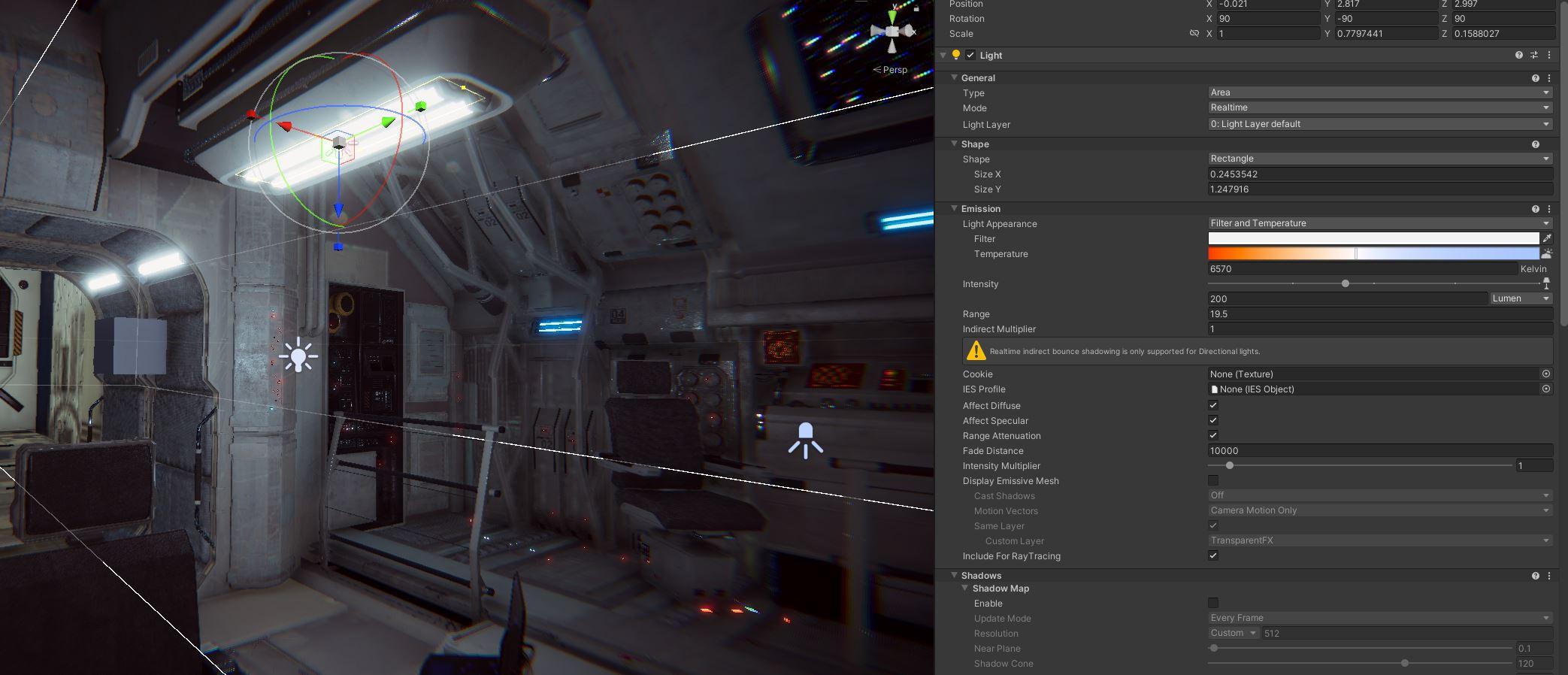
Here's with a volumetric add on for area lights (Kronnect)
https://i.imgur.com/edOSboq.jpg
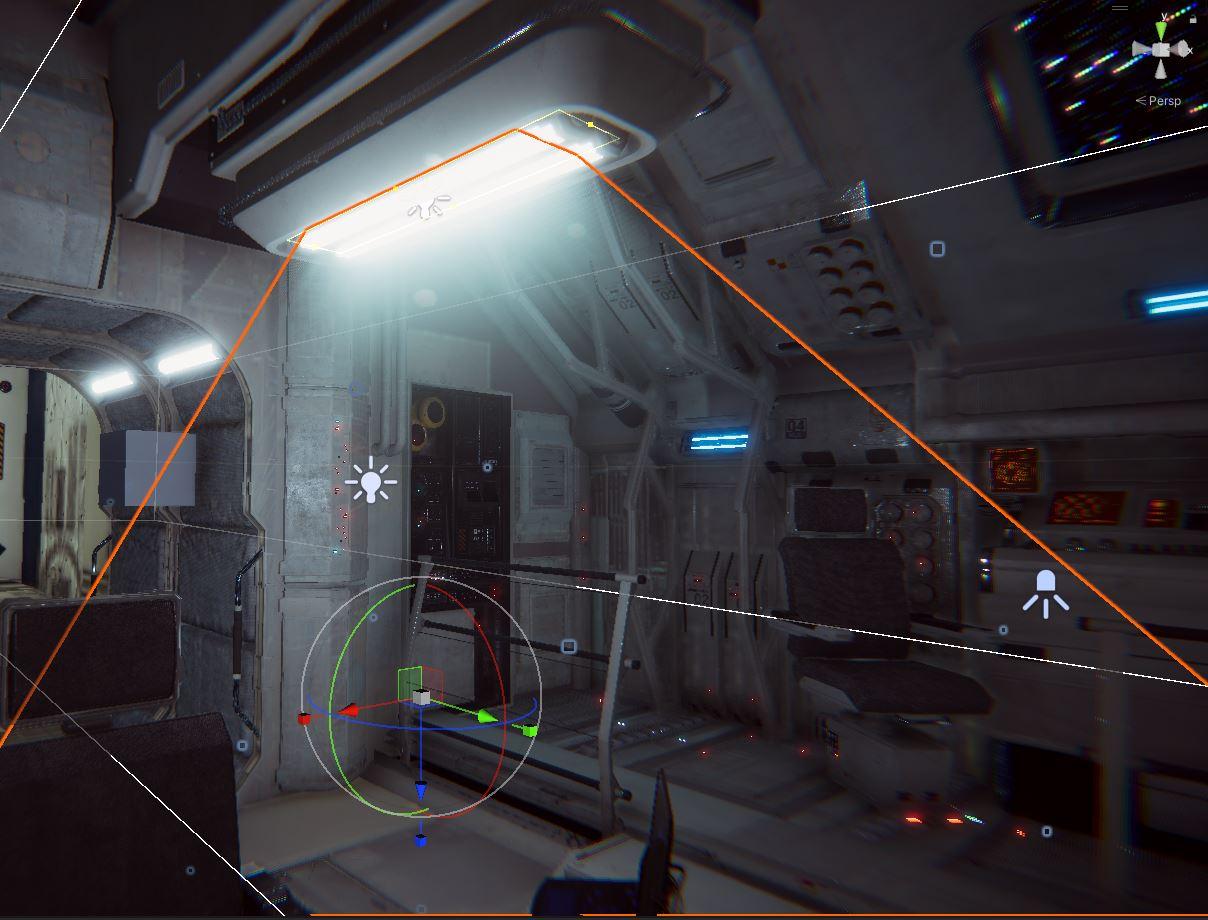
Final prod:
https://i.imgur.com/z1wJfat.jpeg
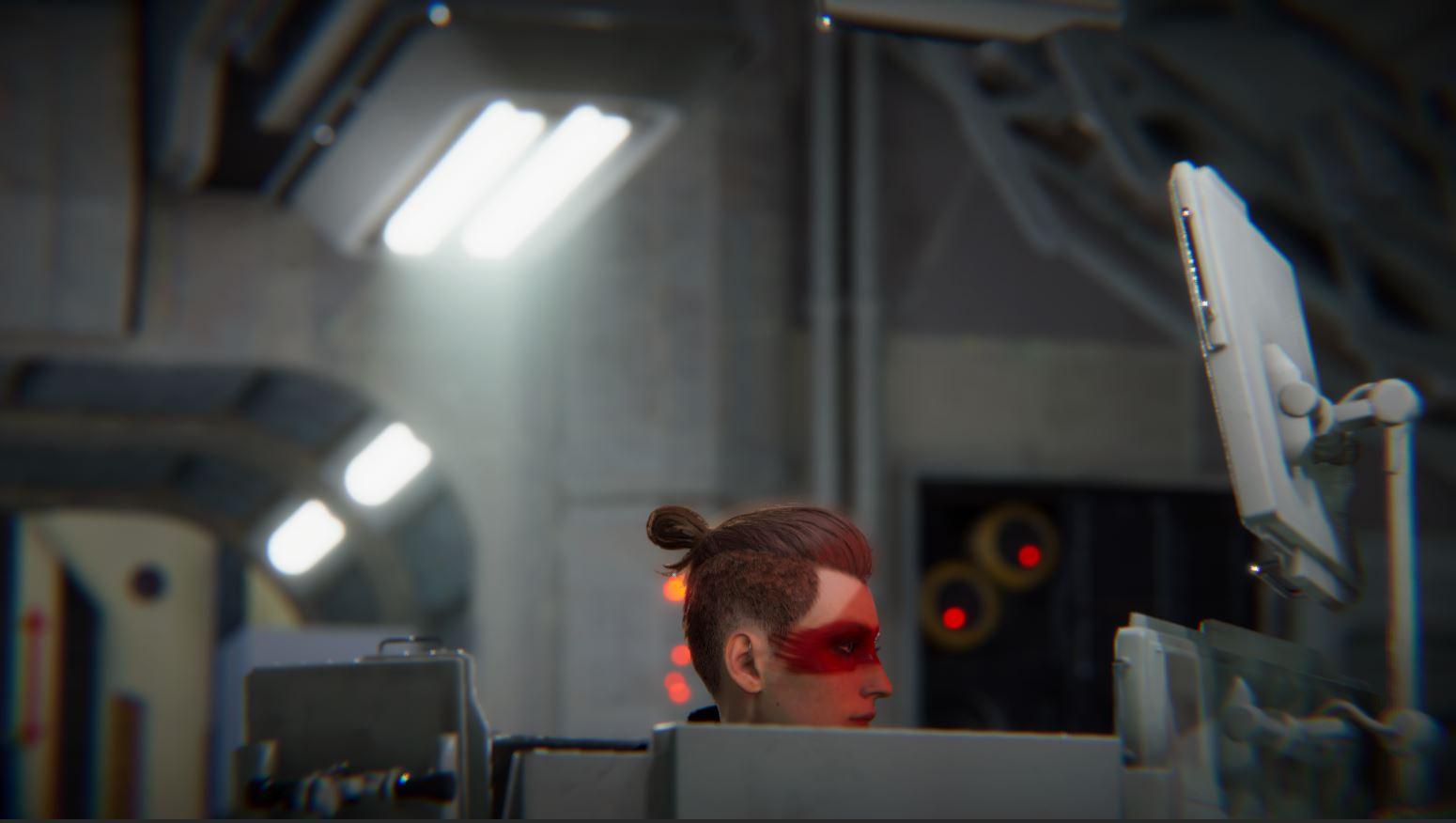 fluid merlin
For shadows, like on important shots for cinematics or highlighting a character, I'll use a 3 point lighting system with Ultra for shadows. The area light for the tube light never has shadows set though. If it's a scene with a player, I typically won't use shadows on "design" lights where it's a prop. I typically use a couple spotlights here or there with shadows and a very tight range like <25f for shadows. Unity punishes you severely performance wise for shadows at every chance it gets like stubbing your toe on a cold day, then does it again just in case you didn't get the message the first time.

shrewd moon
Shadow casters are cameras, and cameras are expensive
Often multiple per light
lucid gate
fluid merlin
For shadows, like on important shots for cinematics or highlighting a character,...
Cheers! That looks really damn good!
I don't want to worry about lighting in cinematics rn ^^ just player scenes.
Since you may have it open, maybe you could do a screen over an example like this:
I typically won't use shadows on "design" lights where it's a prop. I typically use a couple spotlights here or there with shadows and a very tight range like <25f for shadows.
fluid merlin
shrewd moon
Shadow casters are cameras, and cameras are expensive
Often multiple per light
The only thing more expensive is a render texture, god help you if you ever have to use one 
lucid gate
I thought it would be smart to make a kind of GreenScreen room for interactions display and then a rendertexture as background. It's bad ^^
 fluid merlin
lucid gate
Cheers! That looks really damn good!
I don't want to worry about lighting in ci...
fluid merlin
lucid gate
Cheers! That looks really damn good!
I don't want to worry about lighting in ci...
Sure, here's an example. The spotlight here is one of few on the level with a shadow. However, the red light over by the prop door has no shadow.
https://i.imgur.com/xkTbVIy.jpeg
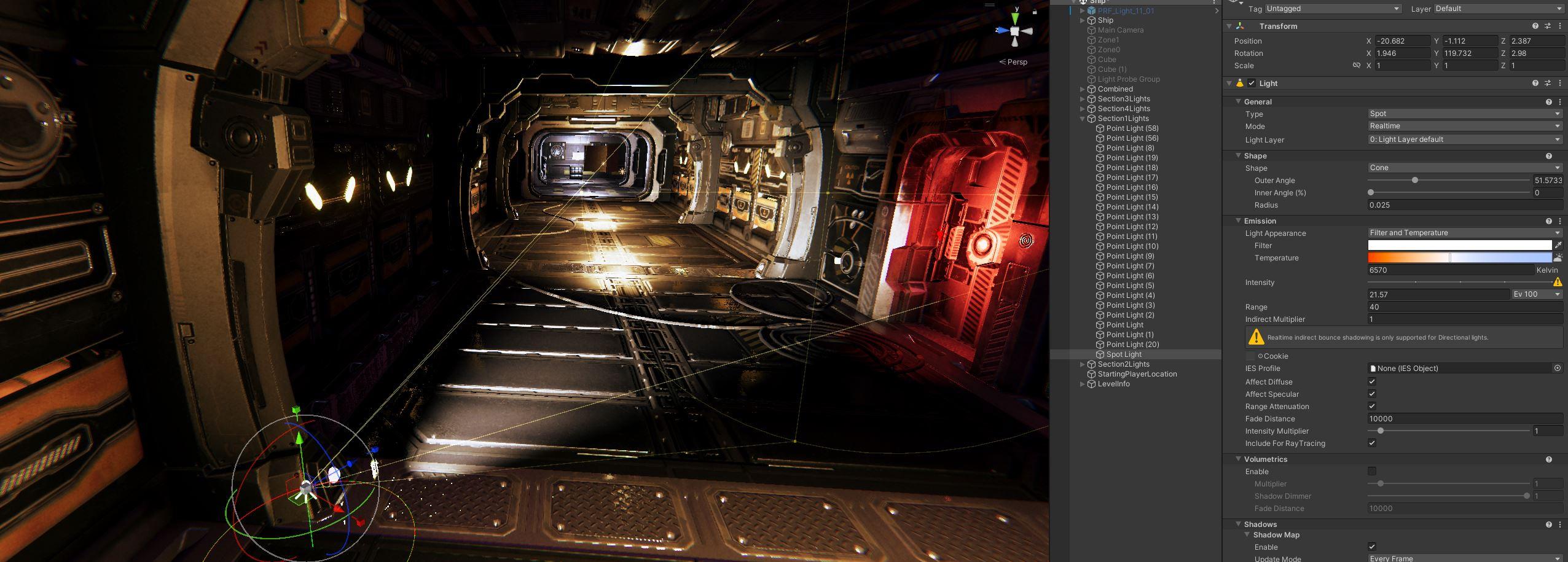 lucid gate
fluid merlin
Sure, here's an example. The spotlight here is one of few on the level with a sh...
lucid gate
fluid merlin
Sure, here's an example. The spotlight here is one of few on the level with a sh...
Perfect thanks, and never ever would you use shadows on a point light, right?
fluid merlin
lucid gate
Perfect thanks, and never ever would you use shadows on a point light, right?
Correct... here's a few other light/shadow specific ones
https://forum.unity.com/threads/point-light-performance-tips.1044508/#post-6759781
Unity Forum
Hello.
I know this topic was discussed multiple times and i dont want this thread to be same as another but i was not able to found any real tips (with...
Also, you can use emissive materials as a backlight too, to save on lights if you use SSGI or baked lighting.
lucid gate
Thanks man, I appreciate it as always. Also thanks to Spazi. Hope I can finally close this topic, other things todo ^^
open tree
-
I am getting colored semi transparent shadows using RT shadows, but tree leaves in RT shadows aren't moving. Is there any way to use RT shadows only for specific objects and shadow map for the rest? or any other way to fake colored shadows?
-
In RT reflections I am not getting any shadows, so the reflections are looking weird. Solution for that?

 scarlet hull
open tree
1. I am getting colored semi transparent shadows using RT shadows, but tree leav...
scarlet hull
open tree
1. I am getting colored semi transparent shadows using RT shadows, but tree leav...
- We don't support vertex deformation in raytracing (for the moment ?), and RT shadows are per light, not per object, so you won't be able to mix them in your case :/
- You should see shadowmap shadows in the reflection (because you can't have a RT effet within a RT effect), so maybe try to disable the RT shadows to check if the shadowmaps render properly to start with ?
open tree
@scarlet hull shadows are rendering in RT reflection, but it is looking like a screen space effect, shadows not rendering when not looking at it.
this is when screen space shadows/rt shadows are off btw
 stark wigeon
So when creating a room with pro builder and inverting the normals, directional lights now go into the walls because of course the outside doesn't have any normals anymore. How can I block that light?
scarlet hull
stark wigeon
So when creating a room with pro builder and inverting the normals, directional ...
Create geometry for outer walls is the best option, as it will add "thickness" and avoir shadow artifacts.
The lazy solution is to set the meshes renderer shader mode to double side.
scarlet hull
open tree
<@532477925250039820> shadows are rendering in RT reflection, but it is looking ...
Hum, maybe shadow distance kicking in (I think the reflected ray does also accumulate the distance for this)
stark wigeon
scarlet hull
Create geometry for outer walls is the best option, as it will add "thickness" a...
I see, is there some sort of "solidify" option or do I have to manually add boxes around the room?
scarlet hull
stark wigeon
I see, is there some sort of "solidify" option or do I have to manually add boxe...
I don't think there is a solidfy in probuilder
 weak sand
hi, does anybody know of a way to scale down the hdrp water system ocean??
i can't scale everything up since i'm working with the leap motion sdk and the colliders glitch when everything is scaled up
scarlet hull
weak sand
hi, does anybody know of a way to scale down the hdrp water system ocean??
I did some tries by tweaking the settings of a water surface, and I think it is not possible as the system has been build up to user 1unit = 1meter.
I guess your only choice is to use or build a custom solution.
Or maybe make a local copy of HDRP and modify the water system :/
scarlet hull
weak sand
hi, does anybody know of a way to scale down the hdrp water system ocean??
Maybe you can get away by using custom passes to render the water from "far away" like if it was scaled down ?
sly shore
I am facing high Memory usage on HDRP , i am running an empty scene with only a light and a volume in 4K


why the graphics is taking 2.83 GB and i have nothing, i think it is releated to shaders stripping, any idea how i can reduce this number ?
 full lotus
I have an alembic animation of a clothes, I imported in Unity HDRP without problem but I have performance issue for that, it kill 50 FPS.
How can I make an .abc file performant on Unity HDRP?
formal crow
sly shore
why the graphics is taking 2.83 GB and i have nothing, i think it is releated t...
when you enable features in the HDRP asset it makes it so it allocates memory for that feature, its my guess
sly shore
thanks, i need something more clear to work with, i tried to disable many features but still no luck
digital spire
Just to make sure, where did you disble it. If it's only on camera it won't work...need to change the setting in hdrp asset.
scarlet hull
sly shore
thanks, i need something more clear to work with, i tried to disable many featur...
Did you try to go more in depth on how the memory is used ? I did a similar capture to check, and as you can see, most of it is taken by RenderTexture and HDRP rendering buffers
 sly shore
Any suggestions how i can reduce the RenderTexture?
@scarlet hull this is the memory profiler ?
scarlet hull
sly shore
<@532477925250039820> this is the memory profiler ?
Yes. I've just double clicked on "graphics" in the total memory. But I tried using 2023.2
scarlet hull
sly shore
Any suggestions how i can reduce the RenderTexture?
Disable features in the HDRP settings. I didn't screenshot the unroll of the RT section, but they are "ok-ish" named to identify what feature uses them.


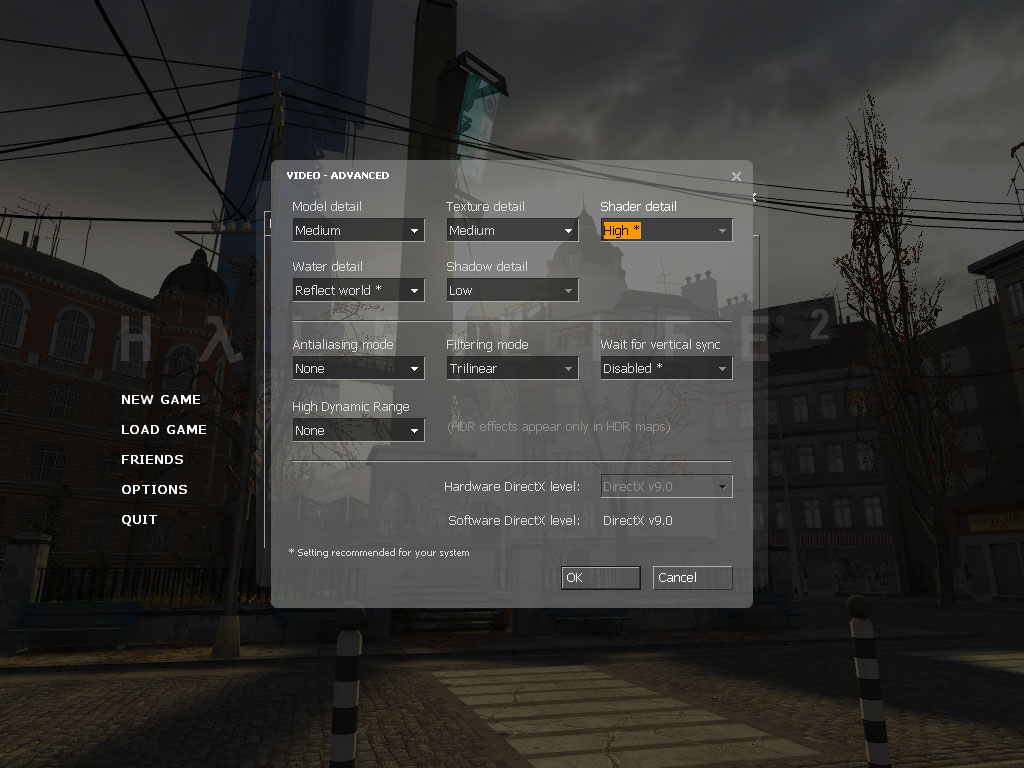


 formal crow
a cool HDRP shot i made in like 3h

 thorn summit
Anyone know how to upload an hdrp scene from asset store to unity?
I have faced many problems in doing that
thorn summit
Like I uploaded the hdrp demo scene and everything was pink
 magic glacier
For whatever reason, in the small window of the material preview my game UI gets overlayed over the top of the material. Could this be a bug? Spotted in Unity 2022.3.20

(that blank img and the 3 buttons are normal ui gameobjects in my canvas)
fluid merlin
thorn summit
Like I uploaded the hdrp demo scene and everything was pink
It depends, usually they list what version of Unity of required, you typically need that version of Unity or higher. This is because there's also a version of HDRP itself, like v10, v12, v14, etc. The reason why that's important is because the materials have shaders which will only work for certain versions of HDRP. It's pink because the shaders on the materials aren't working for HDRP. Also, sometimes in the asset packs there will be a file which is a second package inside the package which will update it to run for hdrp, they're usually titled like HDRP 12 Package, etc. Check the documentation with the asset, there's usually a note about updating to HDRP.
thorn summit
My unity version was 2023
And are you sure there isn’t any problem with the hdrp demo scene?
I have seen many that have said that it has errors due to it being outdated
open tree
@scarlet hull achieved semi transparent shadow without raytracing, it is not colored, but gets the job done. Shadow turned off for the real glass object, and then made another duplicate with shadow only, but that one is using alpha clipping with dithering. So it is a dithered shadow but DLSS smoothing it out.
 whole fossil
magic glacier
For whatever reason, in the small window of the material preview my game UI gets...
whole fossil
magic glacier
For whatever reason, in the small window of the material preview my game UI gets...
yep, I submitted a bug report with that:
https://issuetracker.unity3d.com/issues/canvas-elements-are-rendered-in-the-prefab-preview-window-when-prefab-is-selected
https://forum.unity.com/threads/case-in-69616-overlay-canvas-ui-toolkit-objects-in-the-prefab-preview.1551044/#post-9669182
How to reproduce: 1. Open the user’s attached “BugRepro.zip” project 2. In the Project window, select “Cube” Prefab 3. Observe the P...
Unity Forum
After migration from 2022.3.17f1 to 2022.3.20f1 (with HDRP) I noticed that my prefab previews are broken. The preview window contains UI objects that...
magic glacier
whole fossil
yep, I submitted a bug report with that:
https://issuetracker.unity3d.com/issues...
cheers mate
voted on the issue
full lotus
I have an alembic animation of a clothes, I imported in Unity HDRP without problem but I have performance issue for that, it kill 50 FPS.
How can I make an .abc file performant on Unity HDRP?
Can I convert it in VAT on HDRP project? There are some tool for it?
 ebon kiln
what's up with screenspace reflections

I don't remember them being this awful
nearly unusable tbh
fluid merlin
ebon kiln
nearly unusable tbh
If you change the quality to high, it removes the hatching artifacts. I had a similar situation as well.
formal crow
ebon kiln
what's up with screenspace reflections
set the algorythm to accumulated PBR
ebon kiln
formal crow
set the algorythm to accumulated PBR
that's nice for stills but not great for movement
makes any slightly shiny material all sparkly because there's no denoising
formal crow
thats completly fine, no one is going to notice it while moving
but if you want the highest quality of reflections raytraceing is the only solution
you got to make a trade off performance/quality
fluid merlin
Ah yes, the Unity compromise... turn on 6 things and turn off 10 things so that 1 thing looks good.

formal crow
its not rly a unity specific compromise, its the same in every engine
there is always going to be tradeoffs
its very project dependant
fluid merlin
SSR wasn't like this though a few versions back
formal crow
yeah, i dont know how old SSR was
fluid merlin
I was using it in 2017 but it didn't have the oddness it does now. I suspect it has something to do with GI and the normals g-buffer. It acts a bit strange... I have a similar scene in UE5.2 and it doesn't act like Unity's SSR. For me the quality setting situation started happening in v2021.
formal crow
UE 5 uses lumen which is basically raytraceing with extra steps
on non RTX cards lumen defaults to screen space solutions
and those are accumulated PBR i think
 pliant stag
help: i have decal projectors (HDRP) a custom shader on the object i am projecting it onto, the projector works perfectly fine on hdrp.lit etc.. shaders, but is super weird on the custom one:


 spice nexus
Have anyone faced this issue. I have currently upgraded my project to Unity Version 2022.3.20f1. Whenever I am selecting any Ui object, it is getting disabled in scene view. I am using HDRP template and the platform is Windows.
It would be great if you help me solve this problem.
Thank you
scarlet hull
pliant stag
help: i have decal projectors (HDRP) a custom shader on the object i am projecti...
How does it look if you replace your custom shader by a similar looking HDRP/Lit ?
 lone kite
Hey everyone, does anyone know how to draw lines in world spae using GL in HDRP 14.0.10?
In 14.0.9 this would draw lines in world space but now they are drawn in screen space.
private void OnDrawGizmos()
        {
            RenderLines();
        }

        void RenderLines()
        {
            material.SetPass(0);

            GL.PushMatrix();
            GL.Begin(GL.LINES);

            for (var i = 0; i < lines.Count; i++)
            {
                var line = lines[i];
                GL.Color(line.color);
                GL.Vertex((Vector3) line.start);
                GL.Vertex((Vector3) line.end);
            }

            GL.End();
            GL.PopMatrix();
        }
it works fine with this one, so its definately the material:
 scarlet hull
pliant stag
it works fine with this one, so its definately the material:
scarlet hull
pliant stag
it works fine with this one, so its definately the material:
I was trying to say : if you replace that shadergraph birck shader with a HDRP/Lit that uses the same textures :
- does the HDRP/Lit look similar on that object ?
- does the decal behaviour change ?
pliant stag
scarlet hull
I was trying to say : if you replace that shadergraph birck shader with a HDRP/L...
well i changed the bricks to the trees shader that didnt work, and it does the same thing, so i might have to just use .lit shader for my trees:
super weird, it seems to be rendering things behind the object in the decal...
 pliant stag
well i changed the bricks to the trees shader that didnt work, and it does the s...
pliant stag
pliant stag
well i changed the bricks to the trees shader that didnt work, and it does the s...
the image is the brick changed to the custom shader
pliant stag
pliant stag
the image is the brick changed to the custom shader
better view

changed the decals material... wtf is happening T-T
 scarlet hull
I have no idea :/
pliant stag
<@&502880774467354641> #bug
scarlet hull
pliant stag
<@&502880774467354641> #bug
That's not how you report bugs
pliant stag
lmao idk
scarlet hull
pliant stag
lmao idk
Unity
Symptoms:
I have found a bug in the Editor, and I need to report it.
I am experiencing a problem using the Hub and believe it may be a bug.
Cause:
If Unity is not working as you expect it to, o...
 wispy burrow
is there a way to make the local volumetric fog show even when not lit up by a light? I have a pretty big volume that I kinda want to be visible over the whole map, even in the dark areas with little lighting
seems if I add a directional light it fixes things, but I have an interior scene, so a directional light kinda breaks the whole look of the game
 waxen lantern
wispy burrow
seems if I add a directional light it fixes things, but I have an interior scene...
waxen lantern
wispy burrow
seems if I add a directional light it fixes things, but I have an interior scene...
global illumination would help with letting the outside light into interiors naturally, but the solution depends on what you mean by "it kinda breaks the whole look of the game"... is it because you have some "The Sims" style interiors with no ceilings / rooftops but you want to occlude the directional sun light as if there are roofs in place? because that is possible as well, to have an invisible / transparent shadow caster material / mesh renderer https://docs.unity3d.com/Packages/com.unity.render-pipelines.high-definition@17.0/manual/global-illumination.html
@wispy burrow https://forum.unity.com/threads/cast-shadow-but-not-render-the-mesh.971586/#post-6331914
Unity Forum
Hi -
I'd like to have an invisible enemy that the player can only see via the real-time shadow. Any ideas for how to set that up?
Even a simple...
wispy burrow
waxen lantern
global illumination would help with letting the outside light into interiors nat...
hmm interesting, I'm currently "cheating" by just not having an outside and not having directional lights, because I don't really have windows modelled ... I guess if I had real windows I could use a directional light and ceilings, but then I also have to model the outside 😅
but practically if the outside is not affecting the inside, the directional light also wouldn't affect the fog inside?
fluid merlin
waxen lantern
<@149302430927028225> https://forum.unity.com/threads/cast-shadow-but-not-render...
Now I have to remember why I needed this.... lol
It's too bad there isn't one to contribute to GI without the mesh
waxen lantern
@wispy burrow since you're using HighDefRP it's very physically based and more rigid so i recommend modeling the windows and having some kind of outdoors even if simple planes / rectangles ... UniversalRP lets you do more non-physical rendering/ stylization but you better be sure even in that case you have a darn good reason to be reinventing the wheel. It can get a bit convoluted to have custom rendering on top of custom rendering etc (or hacks upon hacks if you want to look at it that way) at a certain point if it's really that necessary you might as well roll your own SRP scriptable render pipeline
 whole crag
Hi, I'm trying to use Camera Stacking via the compositor but it seems to be riddled with bugs in version 16.0.5
The window only displays the main layer first sublayer, and attempting to view any other sublayers breaks the entire window and spams errors in the console
On top of this, removing cameras from the compositor also destroys those cameras