#archived-hdrp
1 messages · Page 9 of 1
 jade coral
Could the problem be related to the fact that i cloned my old ssd 256gb with a tool into my new 1tb ssd and maybe it corrupted something?
 shrewd moon
A proper reinstallation should fix corruption problems like that
jade coral
shrewd moon
A proper reinstallation should fix corruption problems like that
yeah but thats very odd
cause i've never seen someone on the forum have the same problem as mine
I might think that by cloning my ssd something changed idk
because everything worked fine before
I didn't even upgrade unity version after cloning
 fossil nacelle
Way to remove the 16 water source cap in hdrp?
 meager holly


It's kind of hard to get a screenshot from
I get a lot of this noise/dithering on objects
I've not been able to track it down
shrewd moon
meager holly
I get a lot of this noise/dithering on objects
Those are from soft shadows, they are smoothed by TAA which doesn't by default show up in scene view
They're not a problem unless you have soft shadows where they don't have a rational reason for being
Make sure light source size/diameter isn't larger than it's meant to be , and check shadow bias values if problems persist
meager holly
shrewd moon
Those are from soft shadows, they are smoothed by TAA which doesn't by default s...
That effect seems to occur on shadow filtering set to medium as well though
And that shot is captured on runtime with TAA
I'll make sure check the bias settings though
shrewd moon
meager holly
That effect seems to occur on shadow filtering set to medium as well though
As far as I know only high quality filtering uses that dithering technique, but maybe that's changed
But since you have TAA enabled and switch to medium it sounds like there could be a problem with the settings registering
 misty portal
Do you know to do that?
shrewd moon
misty portal
Do you know to do that?
If it's fine that it's aligned with the camera, you can just take distance to center of the screen in screen space
If it needs to be rotated in some way I might check out the math for a cylinder SDF
misty portal
@shrewd moon maybe that? https://assetstore.unity.com/packages/tools/utilities/procedural-toolkit-16508
Do you mean a 3d sdf?
shrewd moon
misty portal
<@166982635950702592> maybe that? https://assetstore.unity.com/packages/tools/ut...
Really just the math to represent a cylinder
https://iquilezles.org/articles/distfunctions/
Infinite cylinder in this case
misty portal
// arbitrary orientation
float sdCylinder(vec3 p, vec3 a, vec3 b, float r)
{
vec3 pa = p - a;
vec3 ba = b - a;
float baba = dot(ba,ba);
float paba = dot(pa,ba);
float x = length(pa*baba-ba*paba) - r*baba;
float y = abs(paba-baba*0.5)-baba*0.5;
float x2 = x*x;
float y2 = y*y*baba;
float d = (max(x,y)<0.0)?-min(x2,y2):(((x>0.0)?x2:0.0)+((y>0.0)?y2:0.0));
return sign(d)*sqrt(abs(d))/baba;
}
maybe that
 distant hazel
does anyone know if the drawrenderers pass works with ui?
i'm trying to render some ui elements to an rt and it does not show up in the rendering debugger
but it does work for 3d objects
 hardy spear
im trying to get HDRP to run properly, buit after 4 hours of trying i am at my breaking point. Maybe someone in here can help me why my world looks like this.

these are my onscene volume settings

i dont know why i dont get a proper ambient lighting and why my floor is yellow when it should be grey.
shrewd moon
hardy spear
im trying to get HDRP to run properly, buit after 4 hours of trying i am at my b...
Do your assets look right in a new HDRP indoors/outdoors scene or the HDRP sample scene?
hardy spear
shrewd moon
Do your assets look right in a new HDRP indoors/outdoors scene or the HDRP sampl...
Good question. I will take a look.
hardy spear
shrewd moon
Do your assets look right in a new HDRP indoors/outdoors scene or the HDRP sampl...
after unity took forever to load: yup in the hdrp sample outdoor they look nice
shrewd moon
hardy spear
after unity took forever to load: yup in the hdrp sample outdoor they look nice
Then try to copy those volume settings over to your project
Or if your assets look fine in an outdoor or indoor scene template, move them over to that
My guess is the problem is with sky intensity and lack of Exposure
hardy spear
shrewd moon
Then try to copy those volume settings over to your project
Or if your assets lo...
i updated a 2 year old project to HDRP, i dont really want to move everything over. I am trying to copy the setup of the sample scene into my project right now and pray for the best.
shrewd moon
I hope you made a backup before upgrading
hardy spear
okay, taking the settings from the sample scene into my scene improved it a little. I got rid of the yellow tint on the floor. But i still have no ambient light
hardy spear
shrewd moon
I hope you made a backup before upgrading
ofc, its everything on git 😉
the thing i wanted to get rid of is the completly black backside of my objects. But somehow HDRP is a lot bigger than i tought and im completly overwhelemed with the amount of possibilities.

when i disable my directional light, i get a completly black scene again without any ambient light from the volume. Sad.
shrewd moon
hardy spear
when i disable my directional light, i get a completly black scene again without...
Your ambient lighting comes from "ReflectionProbe-0"
Unless you're sure there's viable reflections in it, I'd try the gradient sky instead
And note that the intensity of every light source, including ambient, are relative to exposure
HDRP expects you to have an understanding of industry standard physically based lighting to begin with
 hardy spear
shrewd moon
HDRP expects you to have an understanding of industry standard physically based ...
hardy spear
shrewd moon
HDRP expects you to have an understanding of industry standard physically based ...
its a bit rusty, been a while since i lasttime had to work with prober lighting (spend the last 6 years of my life with mobile stuff, need to get back into "big" graphics)
you helped me a lot figuring out where i was being wrong. Thank you @shrewd moon will read up on the whole rendering thing again to get a proper grasp before continuing
shrewd moon
hardy spear
its a bit rusty, been a while since i lasttime had to work with prober lighting ...
Unity's youtube channel has in recent months released much needed HDRP tutorials, including this one https://youtu.be/DlxuvvYZO4Q
hardy spear
shrewd moon
Unity's youtube channel has in recent months released much needed HDRP tutorials...
thank you, will take a look after break!
misty portal
What is this circular pattern?
 fluid merlin
misty portal
What is this circular pattern?
fluid merlin
misty portal
What is this circular pattern?
Yeah, I've seen that radial pattern as well with local fog. You can reduce it by setting your fog quality to high and adjusting the Slice Distribution in the Fog override in the global volume for the scene.
 sudden magnet
hello
jade coral
is someone there that could help me to fix a few problems that a few shaders are giving me? I'm on HDRP
misty portal
fluid merlin
Yeah, I've seen that radial pattern as well with local fog. You can reduce it by...
no slice distribution value and high quality fix that
Looks like using HDRP fog is not viable
Fog is the worst thing on HDRP
i have a lot of problems with that
Do i need terrain for fog to work?
Maybe custom shaders interact badly that it?
(shader graph)
fluid merlin
Still fighting with fog eh? Sorry to hear that... Yeah I think like, maybe fog for unity was mostly intended to give a scene some light atmosphere with very sparse fog for godrays with volumetric enabled lights. I only see the radials appear when like fog density is set to 1 or lower. But yeah, I mean artifacts with the fog pop up here and there with other things.
As soon as I feel like I'm fighting the game engine to do something, I usually just pick something else as a workaround.
fluid merlin
was that done in Unity?
misty portal
v-rising is using unity hdrp
fluid merlin
Try reaching out to the dev... you might get a response from them on how they did their fog.
misty portal
Buy the game now: https://store.steampowered.com/app/1604030/V_Rising/
Download Unity: https://unity.com/download
Join Live Content Manager, Hasan Al Salman and Director of DOTS and Multiplayer, Laurent Gibert as they co-host an in depth spotlight with two of the developers on the massively popular V Rising.
We cover subjects such as why they...
they have a good and cool
fog
misty portal
fluid merlin
Try reaching out to the dev... you might get a response from them on how they di...
Yeah, i tried that
They won`t help
 unique coyote
Hey does anyone had a scene that was all pink but main menu was fine after you build it?
 grim portal
 loud leaf
What's the problem?
 open tree
I am making a fullscreen material which needs scene depth. I am using HD scene depth node but the problem is transparent objects aren't in the depth texture. I thought "transparent depth postpass" is for that, so I enabled transparent depth postpass in transparent shaders but still they are missing. Any idea?
distant hazel
open tree
I am making a fullscreen material which needs scene depth. I am using HD scene d...
You need to enable the depth postpass in the hdrp settings
And in the quality asset too if it's disabled there
 dire sail
Hi! I am having a weird issue, I am trying to render a cubemap in 360 of an static scene, in a hdrp project, but it renders with a weird artifact:

two of the faces of the cubemap create a weird border and I am not sure how to get rid of it; i had no luck searching online since I couldnt find anyone with the same issue
and I tweked a bit the camera parameters with no luck also. Everywhere I look seems to work fine
 scarlet hull
dire sail
Hi! I am having a weird issue, I am trying to render a cubemap in 360 of an stat...
scarlet hull
dire sail
Hi! I am having a weird issue, I am trying to render a cubemap in 360 of an stat...
The camera does auto-exposure when "rotating" to capute the different faces of the cubemap.
Try to add a volume in you scene with a fixed exposure override.
dire sail
makes sense, i'll try it out
dire sail
scarlet hull
The camera does auto-exposure when "rotating" to capute the different faces of t...
That was the problem! Thanks 🤗
open tree
distant hazel
You need to enable the depth postpass in the hdrp settings
I checked, they are enabled. Still nothing.
distant hazel
open tree
I checked, they are enabled. Still nothing.
Both in the settings and the active quality preset?
open tree
@distant hazel HDRP global settings and quality settings(currently using preset) right?
distant hazel
Yeah
open tree
yes it is on
distant hazel
Hm, you can try checking if the pass is present in the rendering debugger
I meant the frame debugger
Not sure if the rendering debugger would show that
open tree

 distant hazel
Ugh, idk, try enabling it in every asset you can find until it works 👍
Also check custom frame settings on the camera, maybe you disabled it by accident
open tree
this is what I want, I am getting this when I set the water surface to opaque. But when transparent I am getting the 2nd image,


when depth post pass is on for water, I am supposed to get the result as opaque one right? Just using HD scene depth?
open tree
yes
 full steeple
why each time i want to save a shader i get this thingy, its eating my time. 30 minutes shader work 30 minutes of simply waiting. i have a fairly high end pc so i'd guess its not the pc?
 open tree
@distant hazel solved it!! found this on github
 distant hazel
open tree
<@138043662654242816> solved it!! found this on github
distant hazel
open tree
<@138043662654242816> solved it!! found this on github
oh lmfao
What an amazing engine
 zinc spoke
What would be the best way to make ground fog?
 topaz ravine
zinc spoke
What would be the best way to make ground fog?
topaz ravine
zinc spoke
What would be the best way to make ground fog?
personnally I choose to tweak the volumetric fog setting, In the GlobalFog, use volumetric you will be able to find that there is a BaseHeight and a Max height paremeters, so if you want to try and have the fog from 0 as BaseHeights to 10 meter as MaxHeigh, you will have a dense fog on the ground (in all the scene), the second solution, still using volumetric, Is to use a LocalFog (Create>GameObject>LocalFog), you will basically able to do the same everywhere you need by tweaking the Border Blending Y value of the volume, to create a fade in the height (y)axe.
A technique that is making way now, is to use terrain's height texture and localVolumetric as shadermode to create like a dense vapor effect sticking to the ground, adding some wind etc, it is the AAA solution
 topaz sphinx
How do I make Canvas/World Space light up, emit light, or simply unshaded? I'm creating 3D model of smartphone and wanted to import them to unity and make them show things and light up. FYUH, very hard to form that sentence.
this doesn't light up like real phone. (please excuse my obnoxious blur effect)
 topaz ravine
ah for a bright UI, stick using a Unlit shader, you will have to bring some emissive to it, do you ShaderGraph a little?
topaz sphinx
I just learned shader graph using built in pipeline last week, only know a little, mostly only modifying texture on UI/Image file. This project is using HDRP.
where do I put the shader?
topaz ravine
do you use TextMeshPro? in HDRP there HDR color picker that you can drag up for brillance.
making a gif for you
topaz sphinx
Yes I'm using TextMeshPro.
topaz ravine
cool perfect, wait the gif
topaz sphinx
Eh by "using" I mean, the project is using text mesh pro but this phone object doesn't. It's a Canvas and set to World Space. And inside, there are multiple images, with scrolling UI.
topaz ravine
ah yes ok so lets do the text before, then for image you'll need a shader graph unfortunatly, here you find the HDR color for text
ok for your image now, create an Unlit hdrp material in your asset
fom shaderGraph you should be able to create with few node a stuff like this :

adding a multiply in the end (before base color) will allow you to use "hdr" color
the plug it into emission
because this exemple is URP it don't show any emissive, but you will have an emission port on the master node, you may have to enable alphaclipping, once you done create a material and assign as material in the Image component
topaz sphinx
topaz ravine
the plug it into emission
eh I don't understand this past part. Does it mean I create HDRP Unlit material, but how do I "plug in" into emission?
my understanding of applying shader is like this. but this doesn't play well with image that use masking
 topaz ravine
topaz sphinx
eh I don't understand this ~~past~~ part. Does it mean I create HDRP Unlit mater...
topaz ravine
topaz sphinx
eh I don't understand this ~~past~~ part. Does it mean I create HDRP Unlit mater...
first to use the mask, don't forget to enable alpha clipping
use opaque so
then for emmissive it is done like this :
And to add some scrolling it is like this (here i use time, so it scroll always,but ofc you can script to control this instead)
ah yes canvas mask may not work as it, you may need to use one as texture to hide the infinite bottom
to combine two alpha texture, use add node, then plug that into the alpha of the master, you should be fine
I love create river using the Water system now, it is freaking good and fast to setup, look this is in my scene view, I need to work more on wave and flow map but physics working, each physics object are taken by the speed of the flow (even my Ragdoooll system haha)
topaz sphinx
hmm looks like I'm not ready for this yet, very complicated ahaha. I'll try to slowly figure it out today. Thank you for your assistance.
topaz ravine
@topaz sphinx ah, hope this kind of stuff can help you : https://www.youtube.com/watch?v=Nbvqi8cfnrc

Tutorial about using a Shader graph material to render on a UI image and a number of errors and bugs you might have when doing so.
the bugs/errors are:
- The ui image with a material does not render and appear as a black rectangle.
- the second one is about this error: "Material doesn't have texture property '_MainTex'".
00:00 - Intro
00:09 ...
i guess you can start by looking 2-3 video as everyone do his own way regarding UI in hdrp ^^
topaz sphinx
I figured out how to mask with that tutorial, hmm, but I have no idea how to... move my masking texture up and down. found one using tiling and offset. Now I just need to make it emit light.
I saw some tutorial using Panner but it... doesn't exist.

the cut is still wrong but ill fix it later after I found how to make it light up. Like a real phone.
it is done!!

 tepid kite
I am missing the render type 'overlay' on my camera. I'm pretty new to all this rendering stuff. How do go about fixing that so i can do some camera stacking?
 twilit swift
Hi, so I have a 100GB HDRP project, and it takes around 8 days to make a single backup, anyone knows a way to make backups fast and easy? I only have 400GB left on my 4TB backup hard drive.
300GB left now*
fluid merlin
twilit swift
Hi, so I have a 100GB HDRP project, and it takes around 8 days to make a single ...
I live in a rural area with no broadband so I can't use cloud backups, so I feel your pain. I have to make multiple local backups and move one offsite weekly. I do incrementals at night to a local second physical ssd drive. Then weekly, a full backup goes to an external 12tb drive, which gets rotated out with a second that goes offsite. I use macrium reflect, but use whatever works best for you.
If you're just making a copy of your project folder, you can use winrar with compression and splitting. It compresses my projects about 50% of their size on a manual backup copy.
twilit swift
fluid merlin
I live in a rural area with no broadband so I can't use cloud backups, so I feel...
I mean, compressing the files could be an option, but with the frequency that I need to make backups for each project I'm still in the same thing, tough it could work for a few weeks in the meantime.
fluid merlin
twilit swift
I mean, compressing the files could be an option, but with the frequency that I ...
I think when I make a full backup manually it's about 4 hours (760gb). The incremental backup takes maybe 15-20 mins each night.
shrewd moon
fluid merlin
I think when I make a full backup manually it's about 4 hours (760gb). The incre...
Your project is 760GB? What's in it
fluid merlin
shrewd moon
Your project is 760GB? What's in it
Everything

Sadly HDRP only looks good if you use 4k textures... those add up.... especially when you have 20-30 different characters and a dozen different scenes with multiple types... City, Forest, Desert, etc...
shrewd moon
fluid merlin
Sadly HDRP only looks good if you use 4k textures... those add up.... especially...
Sure you're using detail mapping to its full extent as well?
I've seen people often forget how much it can increase detail without having to rely on high resolution textures
Or just aren't familiar with what it can do
fluid merlin
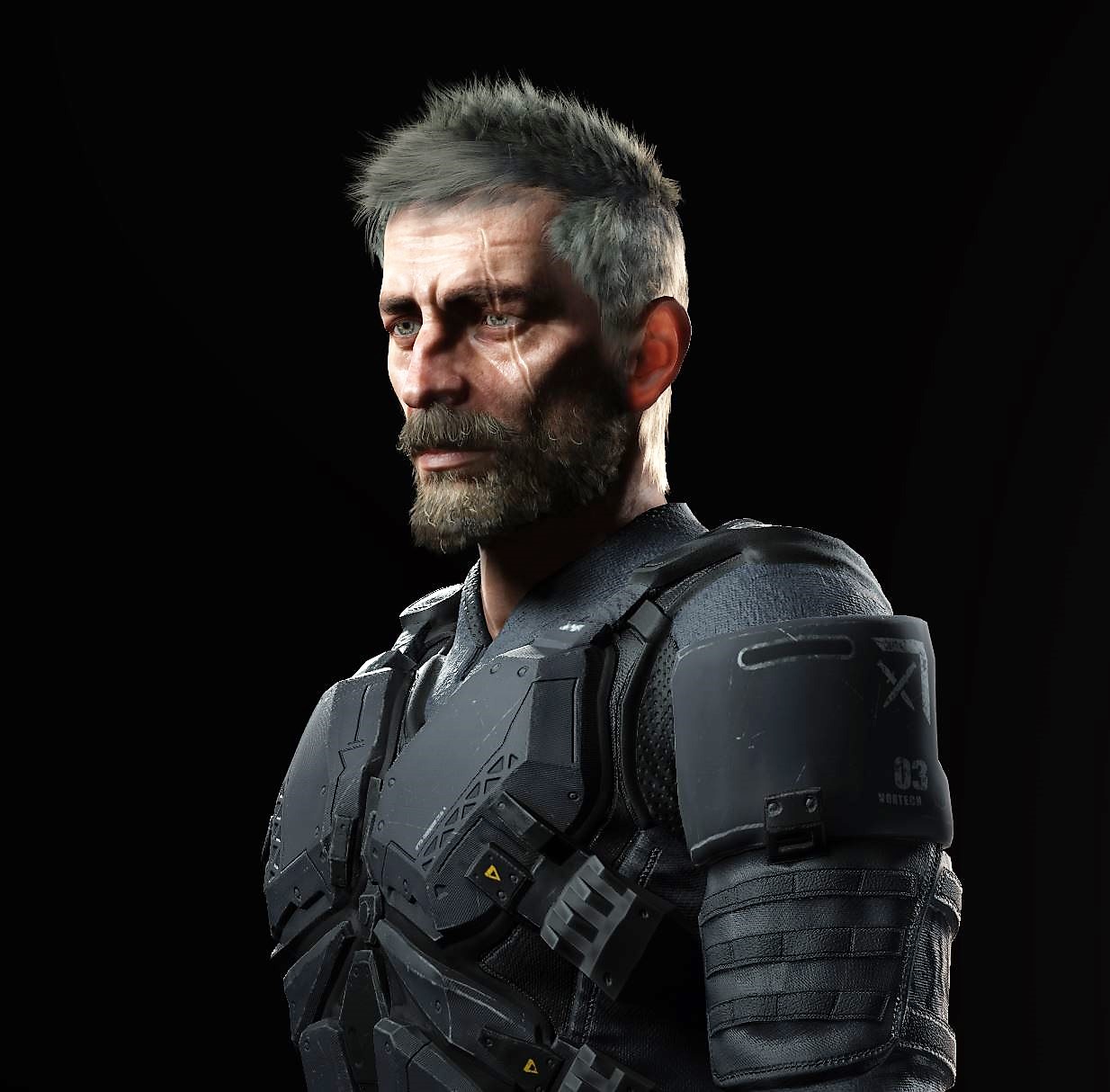
I dunno... maybe not. Like this character has maybe 12 materials with 60 textures... so like the whole character is about 300mb
https://i.imgur.com/SQsulYE.jpg
 twilit swift
fluid merlin
I dunno... maybe not. Like this character has maybe 12 materials with 60 textur...
twilit swift
fluid merlin
I dunno... maybe not. Like this character has maybe 12 materials with 60 textur...
300Mb only?
shrewd moon
Hmm I doubt the player will see the benefit of all those megabytes in the vram
Unless they're snuggling up very close
fluid merlin
Well, if unity had a character workflow pipeline... 
shrewd moon
Detail mapping should be used for any spot on the material that has fine, repeatable detail
You often see it demoed for skin but it works with any material just as well
Basically when looking up close, the material seamlessly blends to reveal the detail mapping according to detail mask, which affects normals as well
Fabrics especially benefit from it since they have a lot of generic repeating patterns
And you can use the mask texture to not draw the detail on seams or other parts where the pattern should not be
fluid merlin
Granted that's a cut scene character... others might be less
https://i.imgur.com/LADJD5d.jpg
This is about 150mb
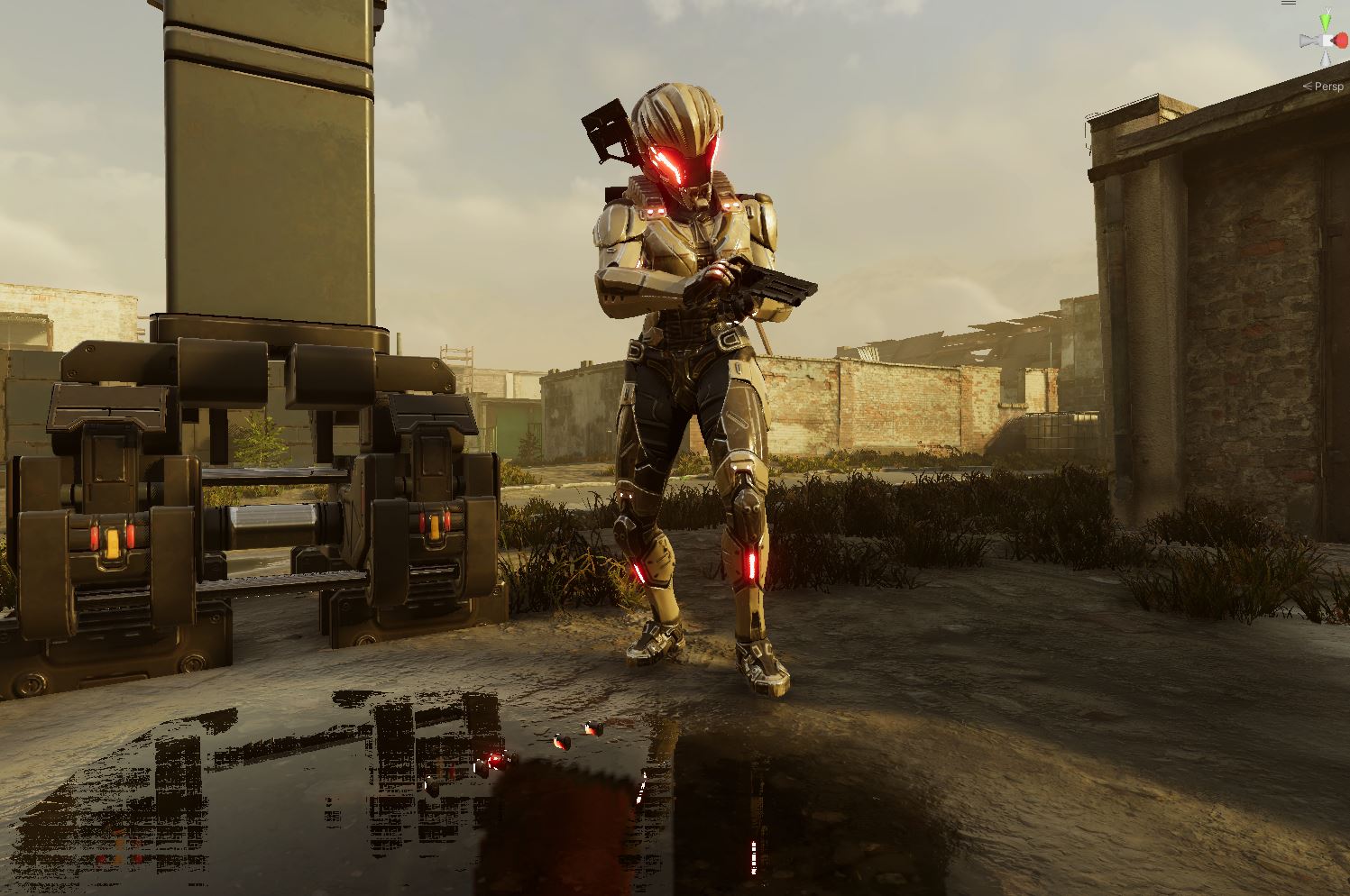
keep in mind these are ondisk numbers, not the crunch compression #'s
shrewd moon
If the material is well suited for it, you can get more visual detail with a 2K main texture + 1K detail texture versus just a 4K main texture
But the drawback is that materials with a lot of variance in the surface patterns can't be detail mapped well
Iirc HDRP Lit doesn't support more than one set of detail maps
Or maybe that was just URP?
shrewd moon
fluid merlin
Granted that's a cut scene character... others might be less
https://i.imgur.com...
If this is the closest we'll see the character, I don't think we need either 4K or detail texturing
fluid merlin
Yeah that's true.... but that's sort of the problem with HDRP through, the more you downsample, you have to keep the camera at distance. Put this girl in a rifle scope and well if you're at 1k she turns into pixel city. Which is then my pet peve with HDRP, why even bother making a game in HDRP if you're constantly having to squash things down so much the efficacy of it is lost. That's what ticks me off the most with low poly and low res.... I should have just stayed in built-in renderer at that point
The game itself ends up being about 70gb build... so 10% of what the project is
Memory, depending on a scene ends up being about 2gb - 4gb ish
Fps is about 120-150ish
Which goes back to tools... sure Unity gives you crunch compression, but do they give you a tool to go through your project and crunch down every compatible texture to 60% with a report at the end? Nope... yeah you get a build report and you can flag the largest textures.
fluid merlin
shrewd moon
If the material is well suited for it, you can get more visual detail with a 2K ...
I don't even think I've ever seen a material with a detail map texture... and I've been using Unity every day for the last 6 years

Same with coat and bent normal...
Which reminds me... is there a faster way to create the Mask Map when importing standard PBR textures. What i've been doing is creating a material, setting it to standard, plug in the textures, then using the HDRP wizard to convert it to HDRP Lit with the wizard, which creates the Mask Map
topaz ravine
since gawain from the heretic came out they teased the detail map extensively for skin (https://github.com/Unity-Technologies/com.unity.demoteam.digital-human.sample) and the character it not that heavy reagarding texture set

GitHub
Character sample featuring the digital human from 'The Heretic'. - GitHub - Unity-Technologies/com.unity.demoteam.digital-human.sample: Character sample featuring the digital human ...
even with with the wrinkle set included
fluid merlin
Interesting… I think for enemies they used the hdrp skin shader but I could be wrong.
shrewd moon
fluid merlin
I don't even think I've ever seen a material with a detail map texture... and I'...
The idea that more K = better is a very pervasive one
shrewd moon
fluid merlin
Which reminds me... is there a faster way to create the Mask Map when importing ...
https://github.com/andydbc/unity-texture-packer I guess this is the best one, though iirc its quirk is that the source textures must be set as sRGB even if they're non-color maps
I make PBR materials in blender, so I have a setup in there with its compositor that I use to assign the textures directly from the bake into a mask map output
fluid merlin
I see, yeah I tend to use models that I don't make and then import them, then convert.
 sour scroll
ive got an issue with my water shader

the intersection foam is supposed to be completely white
i think my blend setup is at fault

my goal is to leave the base intact, and simply place the overlay on top
and if any blend, have the OVERLAY change only, not the base
the shader vars look like this

with blend set to 0 the water looks normal

also LOD issues

ok linearburn seems to give the best results but the LOD is a problem, and the piece of wood has inverted color or soemthing
 twilit swift
@sour scroll Unity 2022 has pretty nice water by default.
Someone knows why does it take so long to copy the .umbrachache files? This is taking up to 5 days, when it's just 2GB of data or less (1,7GB rn).
For some reason the speed is around 2,60-3,73KB/s.
topaz ravine
twilit swift
Someone knows why does it take so long to copy the .umbrachache files? This is t...
.umbracache? where are they stored? i don't have any .umbracache in my own project, but it look like there is a loooooot of tiny files because of the time it take, no?
if it's library stuff, don't copy them, should not break the project
twilit swift
topaz ravine
.umbracache? where are they stored? i don't have any .umbracache in my own proje...
It was like around 1M files.
twilit swift
topaz ravine
.umbracache? where are they stored? i don't have any .umbracache in my own proje...
I don't know where are these files comming from.
topaz ravine
I guess, but it's a long since I havn't bake anything, it is the files that get generating by baking, like temp stuff, that can spare you some time on the next bake
I am not 100% sure of my affirmation btw
twilit swift
topaz ravine
I guess, but it's a long since I havn't bake anything, it is the files that get ...
Damn, and how it can get up to 1M files?
topaz ravine
dunno really
twilit swift
topaz ravine
I am not 100% sure of my affirmation btw
So then should I stop this file transfer? Because I don't want the bakes to get fucked up or something like that.
topaz ravine
it won't matter if you don't copy that yes, as I said, it would help only if do a bake later, it might just take longer to bake the next one is no umbracach
I do not copy my library folder when I clone/move the project, i always delete this and Temp
fluid merlin
twilit swift
I don't know where are these files comming from.
That's the baked occlusion (Occlusion -> Bake)
Using it on an openworld scene isn't recommended, if that's what you have. It's also going to kill your memory footprint if your baked occlusion is large.
Unity hasn't reworked Umbra in like a decade, so it's a massive underperforming mess. There's rumors of a new version in the works that supposed to use ECS, but no idea when that will be.
The current approach is more along the lines of combining meshes to reduce batches along with LODs to reduce CPU/GPU bounds, along with reducing the far clipping plane.
Depends on your game though and what works. Umbra was more less design for lowpoly stylized games before the render pipelines split.
Another possible approach depending on your game, would be to use something that does hi-z culling with instanced indirect rendering. So for example, an asteroid field with 300k asteroids. Umbra would generate like a 2gb cache and slow fps down to like 20... but you could do it with Hi-z/Instanced Indr with no overhead and get like 100fps... etc.
sour scroll
twilit swift
<@345034747329642496> Unity 2022 has pretty nice water by default.
making my own shader for a reason
twilit swift
fluid merlin
Using it on an openworld scene isn't recommended, if that's what you have. It's ...
So does it means that I shouldn't use occlusion culling for my open world/big scenes?
twilit swift
sour scroll
making my own shader for a reason
You tried the default water system?
Maybe you haven't set it up correctly.
sour scroll
twilit swift
You tried the default water system?
i dont want the default water
im making my own
my goal isnt realism or any of that, its for a style
fluid merlin
twilit swift
So does it means that I shouldn't use occlusion culling for my open world/big sc...
Correct, you’ll want to do something else to improve rendering performance. The cpu, storage, and memory using baked occlusion is counterproductive for large scenes.
twilit swift
fluid merlin
Correct, you’ll want to do something else to improve rendering performance. The ...
Damn, do you know any?
sour scroll
sour scroll
my goal isnt realism or any of that, its for a style
ok new issue
well not new
sour scroll
sour scroll
ok linearburn seems to give the best results but the LOD is a problem, and the p...
LOD is problematic
i can see it snap from one quality to another
on the left particularly, it goes thick to thin
 fluid merlin
twilit swift
Damn, do you know any?
fluid merlin
twilit swift
Damn, do you know any?
If you have a lot of the same instances of gameobjects like rocks or bricks, etc try “Gpu instancer” for trees and grass, “nature renderer” for combining meshes like buildings made of 20-30 gameobjects, “mesh combine studio 2”.
These offset baked occlusion by cutting down batches and offsetting CPU bound resources, offloading to the GPU.
LODs can be helpful as well… I often find LODs to be off putting though because of “popping”. Unity has a new LOD handler, but I haven’t tried it, it’s supposed to smooth the transitions.
twilit swift
fluid merlin
If you have a lot of the same instances of gameobjects like rocks or bricks, etc...
I see, will try, thanks.
twilit swift
Unity default water foam is not working.
Do I need to set something extra?
I just enabled it in the simulation tab.
Also how can I change the amplitude of the waves? I can only set it between two values.
 minor depot
twilit swift
Also how can I change the amplitude of the waves? I can only set it between two ...
minor depot
twilit swift
Also how can I change the amplitude of the waves? I can only set it between two ...
I think it's controlled by the distant and local wind speed properties
 thick bane
hello everyone, moved to HDRP recently and i got an issue when a moving object... leaves trace of himself, kinda? i don't know how to put it but character's shoulder can be seen in front of the ground
how can this be fixed?
 shrewd moon
thick bane
hello everyone, moved to HDRP recently and i got an issue when a moving object.....
shrewd moon
thick bane
hello everyone, moved to HDRP recently and i got an issue when a moving object.....
This happens when temporal antialiasing doesn't have proper motion vectors to work with
Or something related to that, not totally sure what the exact fix was
 nova flare
Hi all - has anyone noticed some stuttering when using HDRP in dx12? I never paid attention to it until recent dive into first person character controller running on DOTS and after adding DXR im getting crazy stutters on an insane machine
nova flare
just siwtched from dx12 to dx11 and the stuttering is gone
going to try the latest beta to see if that was the issue
*unfortunately the stutters are back
nova flare
looks like its only in the editor!@
sour scroll
hy hdrp shader has issues iwth textures being a bit blurry

even small ones are super pixellated

 upbeat carbon
Hey guys I have a problem that when ever I create a hdrp sample my unity creates multiple view Windows all black and for a split second the console appears and gives me a shader warning can anybody help with this?
fluid merlin
@upbeat carbon Are you using an LTS version of Unity?
upbeat carbon
fluid merlin
<@371343104533463060> Are you using an LTS version of Unity?
Both version it does it
fluid merlin
upbeat carbon
Both version it does it
I've never seen that before. In earlier versions of the editor I've had it go wonky but resetting the layout would fix it. My guess is that you have some underlying compatibility issue. Have you looked at the Editor log?
 indigo robin
what is the point of the hdrp example terrain? it runs at like 35-50 fps on my 3070
 inner palm
does anybody know a way to tie the water simulation to game time? I can see the time multiplier, but the issue is that when I try to record using the built-in recorder the water simulates ignoring the frame rate of the application. So if I try to record at 60fps and runtime playback is only 2fps the water appears to be skipping like crazy in the video
scarlet hull
inner palm
does anybody know a way to tie the water simulation to game time? I can see the ...
What unity version are you using ? This issue has been fixed with 2022.2.12f1, 2023.1.0b9, 2023.2.0a4 : https://issuetracker.unity3d.com/issues/hdrp-water-simulation-speed-in-dependent-on-framerate-with-the-recorder
Repro steps : - Open attached project - Open scene called "Outside" - Press play and feel the speed of the water - Open recorder and...
 unkempt dove
Hi, im new in the hdrp (and in unity in general) and i was wondering how can i make shadows looks more black, cuz it has like a blue tint
 meager holly
You have to put a reflection probe inside and bake it, make sure all walls and ceilings are set to static

Figured since soft shadows are an HDRP thing I might ask here
When I use any radius higher than 0 I get these artifacts showing up with shadow filtering high
This makes soft shadows unusable
The bigger the radius, the bigger the seams get
Bias settings don't make a difference
I must be missing something, right?
unkempt dove
meager holly
You have to put a reflection probe inside and bake it, make sure all walls and c...
TY SO MUCH
i spent 2 hours trying to fix it + u also fixed me some baking problems
 honest cypress

Unity 2022 LTS, HDRP, probe volumes + SSGI, volumetric fog. 90-100 FPS on an rtx 4080 at 4K in playmode.
minor depot
meager holly
That looks a lot like a bug honestly, but I only ever use PCSS shadows on the directional light, so I'm not sure what to suggest
meager holly
minor depot
That looks a lot like a bug honestly, but I only ever use PCSS shadows on the di...
Yeah I can't figure out how to fix it... it's so annoying 
@shrewd moon you know a lot about this stuff, praying you've seen this before... been googling for days
shrewd moon
meager holly
<@166982635950702592> you know a lot about this stuff, praying you've seen this ...
I don't recognize it
Does it happen with all point lights or only with this lamp mesh? Seem dependent on light or mesh position? Does shadow near plane have any effect?
meager holly
shrewd moon
I don't recognize it
Does it happen with all point lights or only with this lamp...
All point lights yeah, moving the light makes no difference, neither does near plane unfortunately. Just radius. Was thinking it may be my light cookie textures but even a freshly created point light has that issue
shrewd moon
meager holly
All point lights yeah, moving the light makes no difference, neither does near p...
Even in new scenes with new lights?
In that situation I'd create a new project of the same editor version from the HDRP sample scene template, verify that it doesn't suffer from the same problem and then either try porting the HDRP settings assets from there to your project
Or further test by exporting parts of the scene with the lights from one to the other to see if the problem moves with it
Process of elimination
meager holly
Yeah that sounds like a good idea
I'll do that and report back
Thanks for letting me pick your brain
 zealous yarrow
I'm a little bit confused on CottonWool shader and could use some explaining.
This is the material on Lit shader and it looks normal:

But this is that I get with CottonWool

It's a bit too shiny
 hidden heath
hello, is anyone how a problem where HDRP use 99-100% of GPU?
in editor and build
It doesn't matter if the players has GTX1070 or RTX4070 it always used 99-100% of GPU
I even turn texture to 256Kb -.- turn off lighting, post processing
Unity 2021.3.28f1
 long scarab
zealous yarrow
But this is that I get with CottonWool
long scarab
zealous yarrow
But this is that I get with CottonWool
Try changing the specular color to a darker color. Also check if you set a diffusion profile, and if the diffusion profile is active in HDRP
 zealous yarrow
long scarab
Try changing the specular color to a darker color. Also check if you set a diffu...
zealous yarrow
long scarab
Try changing the specular color to a darker color. Also check if you set a diffu...
Where can I find that profile?
long scarab
zealous yarrow
Where can I find that profile?
if you scroll further down, there should be a slot for the profile; i cannot see this in your screenshot
zealous yarrow
long scarab
if you scroll further down, there should be a slot for the profile; i cannot see...
Gimme a bit
Yep I see it
loud leaf
If you're turning off specular contribution then there is no point in using any shader like the cotton wool, try baking lighting + reflection probe
zealous yarrow
loud leaf
If you're turning off specular contribution then there is no point in using any ...
And where can I find that ( sorry I'm new to HDRP, and I'm still learning)
loud leaf
That's fine, it's in Window -> Rendering -> Lighting, but I recommend watching a tutorial to correctly set it up. Basically what the shader does is try to give an approximation (so it works in real time) of the light absorption/reflectance of cotton wool, but that (outgoing light, what you see) is only part of the equation. It also needs to have the incoming light correctly, which you achieve by baking ("offline" ray tracing) the environment.
zealous yarrow
I don't seem to find this one here "specular contribution"
long scarab
The cotton wool shader has some other nice properties; which you could of course build into a shader graph easily (thread map, fuzz map)
inner palm
scarlet hull
What unity version are you using ? This issue has been fixed with 2022.2.12f1, 2...
oh okay dope, i’m on 2022.2.3 but i’ll update
thanks for letting me know
i assumed it wasn’t a glitch
shrewd moon
zealous yarrow
But this is that I get with CottonWool
Are your smoothness settings correct and does the reflection probe have sensible reflections?
I see odwn there is a "thread smoothness" which is much higher than your texture smoothness values
Maybe the shader has even more smoothness variables
If your environment is pure blazing white, then any material with any smoothness at all will reflect that very steeply
zealous yarrow
shrewd moon
If your environment is pure blazing white, then any material with any smoothness...
The environment isn't pure white, and when I move around the thread smoothness nothing happens
Also I don't have a thread material for thih particular one which also isn't the issue because I tried with a thread material and also nothing changed
Don't know where to look cause I don't really have much experiance in HDRP
long scarab
zealous yarrow
Don't know where to look cause I don't really have much experiance in HDRP
what happens if you change the specular color?
zealous yarrow
long scarab
what happens if you change the specular color?
Just changes the color of the material
meager holly
shrewd moon
Even in new scenes with new lights?
In that situation I'd create a new project o...


Even on a new project this is an issue
Am I just not doing it correctly?
I can't imagine this is what unity sees as acceptable artifacts for using soft shadows
shrewd moon
meager holly
I can't imagine this is what unity sees as acceptable artifacts for using soft s...
Noo I've never seen that
Does your project have the HDRP sample scene? I can't imagine that to be suffering from the same issue
meager holly
I just started one without sample scene but let me check the one with sample real quick
meager holly
shrewd moon
Noo I've never seen that
Does your project have the HDRP sample scene? I can't i...

Same issues in a fresh new project with sample scene
shrewd moon
Which editor / HDRP version?
meager holly
I've googled so hard and see no one else complain about it
meager holly
shrewd moon
Which editor / HDRP version?
And unity 2022.3.10f1

I also just checked it on an older editor version and it is also present on 2020.3.48f1 with HDRP 10.10.1
Checked on each with a fresh project with sample scene and without

It's not even a static artifact, it flickers too
meager holly
shrewd moon
Process of elimination
In honor of this I even tried it on a colleagues machine and it is the same there on a fresh project...
minor depot
Nothing left but to report a bug the way I see it
shrewd moon
I don't recall seeing this on any of my projects and I've had many in HDRP new and old, very strange
meager holly
shrewd moon
I don't recall seeing this on any of my projects and I've had many in HDRP new a...
Could you perhaps check it yourself too on a fresh project? I just want to know for sure I'm not crazy haha
Shadow filtering high > point light radius 0.2 with shadows enabled
I've had other hdrp projects in the past and I can't recall this either
shrewd moon
meager holly
Could you perhaps check it yourself too on a fresh project? I just want to know ...
I see it occurs on my end too! I have to assume I never tried to turn up the radius on shadow casting point lights that much before
It's fine until 0.1 but beyond that pretty awful
meager holly
Even on 0.1 you can already start to see it
But thank you ❤️
I'm creating a post on unity forums about it
 meager holly
Yeah the higher you set it the weirder it gets
shrewd moon
Occurs on 2021.3. and 2023.2. just the same
meager holly
The seams on the realtime light map just split hard

But yeah as you can see in my use case that is an issue
I have a light source that would naturally need a higher radius to be realistic
And I'm not even talking very high either
judging by eye that's probably .2
in terms of size in unity units
So frustrating
Unity forums seem pretty dead, but shooting my shot there too
minor depot
meager holly
Unity forums seem pretty dead, but shooting my shot there too
Definitely report a bug with the in engine bug reporter and add the number to your forum post, when devs check the forums they can prioritize certain bugs, and it helps to not have to rely on QA to get it to them
meager holly
minor depot
Definitely report a bug with the in engine bug reporter and add the number to yo...
Will do!
twilit swift
Hi, how can I fix the lights? They started flickering when I opened the project yesterday and I have no idea how to fix it, it's happening with all the lights in all my HDRP 2022 projects, lights and shadows flicker.
I tough It could be the amount of lights in scene but in the other projects I don't have much lights and keeps happening, this scene was working just fine a week ago or so.
scarlet hull
twilit swift
Hi, how can I fix the lights? They started flickering when I opened the project ...
How many lights do you have ? HDRP does have a maximum number of lights visible on screen, as well as a maximum number of lights per screen tile/cluster
- the per tile/cluster does also count reflection probes
twilit swift
scarlet hull
How many lights do you have ? HDRP does have a maximum number of lights visible ...
In that scene around 500 or so.
But I have scenes with only 5 and keeps happening, as said the number of lights wasn't a problem before, this happened after upgrading from 2020 to 2022.
scarlet hull
twilit swift
But I have scenes with only 5 and keeps happening, as said the number of lights ...
This is surprising, to say the least 🤔
Afaik this issue didn't pop in out upgrade testing.
Did you jump direction from 2020 to 2022 or did an intermediary 2021 upgrade ?
Does it also occur in new scenes in the same project ?
twilit swift
scarlet hull
This is surprising, to say the least 🤔
Afaik this issue didn't pop in out upgr...
I did just upgraded from 2020 to 2022, no intermediary version.
twilit swift
scarlet hull
This is surprising, to say the least 🤔
Afaik this issue didn't pop in out upgr...
I'm using 2022.3.7f
twilit swift
Also why does this happen when I select different lights?
 scarlet hull
I really have the feeling that some upgrading step failed.
Does it also occur in new scenes in the same project ?
twilit swift
scarlet hull
> Does it also occur in new scenes in the same project ?
Yes, it occurs in new scenes.
scarlet hull
oh wow.
Hum, might be worth trying a full reimport of the project, either with "reimport all" from the context menu, or close the project and delete the library folder.
twilit swift
scarlet hull
oh wow.
Hum, might be worth trying a full reimport of the project, either with ...
Is it safe to delete the library folder?
scarlet hull
Yes, it is a temporary folder that Unity generates
But do it with the project closed
iirc, doing "reimport all" does the same
twilit swift
scarlet hull
iirc, doing "reimport all" does the same
Yeah I just did that, now I'll have to wait a very long time probably since it's a very big project.
scarlet hull
yep
twilit swift
scarlet hull
yep
Will try with my other project too, I'll let ya know if it worked.
once it's done*
meager holly
twilit swift
Also why does this happen when I select different lights?
This happens when you select multiple lights of different types at the same time (e.g a few points lights and a spot light)
twilit swift
meager holly
This happens when you select multiple lights of different types at the same time...
I don't remember that happening in 2020, is it something from 2022?
meager holly
I think so
I'm working in 2022 currently and notice it all the time when working with the lights
scarlet hull
Did I miss the sentence where it was said that it happens when lights are selected ?
inner palm
scarlet hull
What unity version are you using ? This issue has been fixed with 2022.2.12f1, 2...
actually no i was on 2022.3.2 not 2022.2.3, but ill try using 2022.3.10 and see if it doesnt still happen
 digital spire
I'm currently implementing custom pass effect by using hdrp custom color and depth buffer.
Eg, i render object in specific layer to 'custom color' and use that as a mask for my other full screen effect.
My question is, if some effect or plugin in the future decide to also write to this custom color buffer, this will also affect my full screen effect right?
minor depot
digital spire
I'm currently implementing custom pass effect by using hdrp custom color and dep...
Yep. It shouldn't be too hard to modify any other effects you might use in the future though to be compatible with your effect. You can also consider using the stencil buffer instead of another color buffer if you only need to mark a certain area of the screen. (ie. if you aren't using the color buffer to store actual colors)
Come to think of it, you could also use the different color channels or even some bit magic to store a lot of different effects in the same texture
digital spire
minor depot
Yep. It shouldn't be too hard to modify any other effects you might use in the f...
I use the hdrp draw renderer custom pass to render to the custom color buffer. Which can't assign result to specific channel I think. I then sample that inside shader graph. How would I sample the stencil buffer inside shadergraph?
minor depot
digital spire
I use the hdrp draw renderer custom pass to render to the custom color buffer. W...
After doing a bit more research, it turns out I'm wrong about the stencil buffer, the ability to read from the stencil buffer in a fragment shader directly was only introduced in shader model 5.1, so it's probably just better to use a color buffer lol
 steel roost
I have these 6 massive render textures (VBufferHistory0, VBufferHistory1, VBufferLighting, and VBufferDensity etc) when memory profiling, it's over 2GBs of Render Textures which is really strange. Is this normal for HDRP? Anyone know where to look or what settings to tweak to get these to a lower size?
Image of memory profiler
https://gyazo.com/9b765dac8a2534da2334a0ed79ec3e7a
 inner palm
actually no i was on 2022.3.2 not 2022.2.3, but ill try using 2022.3.10 and see ...
inner palm
inner palm
actually no i was on 2022.3.2 not 2022.2.3, but ill try using 2022.3.10 and see ...
nope, not fixed.
to be more specific
what I'm doing is using the unity recorder
im trying to use unity as a film engine kinda
because its what im most farmiliar with
so im recording in prores format and its extremely slow but it spits out high quality
problem is, the water is still simulating in real time
which i suppose wouild make sense for a real time game but in my application I need it to move with the game time
so does anybody know how I would make the water simulate in game time instead of unscaled time
quick scan through the hdrp manual didnt return any useful information
oh?

i was kinda assuming that the code would be super complicated and difficult to follow or something lmfao
this is in the HDRenderPipeline.WaterSystem.Simulation.cs script
only problem is that it's in the HDRP package itself
is there a way to override it in another script 🤔
if I could just change it from Time.realtimeSinceStartup
if it's really that simple why wouldn't they just give us a dropdown to chose which time the water simulates on then
idk this might be a question I need to move into the code channels
i cant do something like this cos the class is an internal class

the unga bunga caveman solution would be to just copy all of the code and just change the names or the namespace or whatever
man thats so frustrating cos if it was public I would know how to fix this I think
okay im moving to the code channel
digital spire
inner palm
oh?
How about just changing the timeMultiplier?
using reflection if you can't access it.
 swift pawn
Hello. Is Unity's raytracing functional on RDNA 2/3? I've tried using it on 2023.2b10 as well as 2022.3.1f1 with an older project and a fresh/bare one. Every time I add a mesh renderer to the scene when a raytracing volume is enabled, Unity seems to cause a driver crash. Using a fresh Windows 11 and a 7800 XT with the latest drivers. Tried looking up the issue, but Google showed nothing remotely related to this. 🤷♂️
digital spire

GitHub
https://jira.unity3d.com/browse/POI-553
For the last few years Unity has been developing the Batch Render Group for DOTS based rendering. This feature puts entities through a fast rendering path in...
Interesting work has landed
swift pawn
swift pawn
Hello. Is Unity's raytracing functional on RDNA 2/3? I've tried using it on 2023...
After some more tinkering, looks like it's only the pathtracing override that's causing crashes. Other raytracing effects seem to work just fine. Using 2022.3.1f1.
 eternal laurel
digital spire
https://github.com/Unity-Technologies/Graphics/commit/e23606ac43245be74c2607dd1d...
eternal laurel
digital spire
https://github.com/Unity-Technologies/Graphics/commit/e23606ac43245be74c2607dd1d...
Very nice. I've been waiting for this for a while. What version of unity is this for ?Answered my own questions its "unity": "2023.3"
inner palm
digital spire
How about just changing the timeMultiplier?
idk the math for that is a little disorienting and it feels like the kinda thing that might be always a frame behind or something
minor depot
digital spire
https://github.com/Unity-Technologies/Graphics/commit/e23606ac43245be74c2607dd1d...
That's big, very big actually
That alongside the coreCLR runtime could be what finally solves Unity's lingering performance issues (Especially in HDRP)
eternal laurel
minor depot
That alongside the coreCLR runtime could be what finally solves Unity's lingerin...
Very big indeed. I have been coding our own gpu driven renderer based in BRG for some time now and the perf gains are amazing. And this is is better by the looks of it.
Btw any news on when coreCLR is coming?
minor depot
eternal laurel
Btw any news on when coreCLR is coming?
Allegedly there's a blog post being published any day now with updates on how it's going
 pliant cedar
Hello! I'm trying to track down what might be preventing fog volumes from rendering in HDRP. Does anyone know what might be going on here?

 pliant cedar
Got it! I found a global volume in the scene with Volumetric Fog disabled.
swift pawn
swift pawn
After some more tinkering, looks like it's only the pathtracing override that's ...
No one else having this issue (on RDNA 3)?
digital spire
pliant cedar
Got it! I found a global volume in the scene with Volumetric Fog disabled.
Also check camera frame setting as well. IIRC, default frame setting is what affect the sceneview.
And main camera frame setting is what affect game view
eternal laurel
Anyone managed to test the gpu driven stuff from the repo? Latest 2023.3 seems to be missing a GPUDrivenProcessor define, looks like it should come from the engine side
minor depot
eternal laurel
Anyone managed to test the gpu driven stuff from the repo? Latest 2023.3 seems t...
I'm pretty sure the next alpha hasn't been published yet
Might take a bit for changes to land
eternal laurel
minor depot
I'm pretty sure the next alpha hasn't been published yet
The needed c++ changes will land in a8 yes
 signal totem
Hi, ive been wondering
is there any performant way of implementing 2 cameras with one being an overlay with the 3D object in front ot others?
or better said the same thing as camera stacking in URP?
signal totem
Graphics compositor darkens my entire image unless i disable PostFX
scarlet hull
signal totem
Hi, ive been wondering
is there any performant way of implementing 2 cameras wit...
You can somehow do it by setting the background type of the camera to "none".
But post processing will still stack up
signal totem
Yeah im trying to find a way to stop postfx doubling
scarlet hull
The only other way to do it is to render that camera to a texture, and display that texture in a fullscreen UI
That ways postfx won't stack
signal totem
Ill try that and see how it is thank you
signal totem
scarlet hull
But post processing will still stack up
Ill probably do the custom pass solution to render my minigame on top of my game view without bothering with cameras
scarlet hull
signal totem
Ill probably do the custom pass solution to render my minigame on top of my game...
Yes, this is probably also a very good solution
 terse basalt
why do my clouds look like this under them when the sun is low please?

like they look nice from the top, but not the bottom
 scarlet hull
terse basalt
why do my clouds look like this under them when the sun is low please?
scarlet hull
terse basalt
why do my clouds look like this under them when the sun is low please?
Oh wow. Are those HDRP provided volumetric clouds ?
 scarlet hull
I have honestly no clue, I've just tried on my side and it works ... Might be worth sending a bug report with your project and machine specifications
terse basalt
lemme see if I can recreate in a new project
I can't, idk what happened to my project then lol
scarlet hull
Well, at least now you know it is a project setting messing up somewhere
scarlet hull
No pb !
Try to isolate the issue in you project : create a new quality level with a brand new HDRP asset.
If it doesn't fix it, it may be the frame settings
terse basalt
well started disabling some post procesing stuff and ended up being that the ground color in the hysically based sky was too dark
also is there a way to make the clouds look...better...?
like I've seen some games made with unity with clouds like these, but mine look a lot less "sharp" to say it like that
 minor depot
terse basalt
like I've seen some games made with unity with clouds like these, but mine look ...
minor depot
terse basalt
like I've seen some games made with unity with clouds like these, but mine look ...
The cloud system lets you choose a quality or performance mode in the later versions which adds an extra level of noise to detail the clouds further
terse basalt
later versions is later than this one please?

because in this version I see the "micro erosion scale" but doesn't really do much imo
maybe it's just that idk how to use it properly tho

 empty stag
im not smart at all tbh, hdrp project, i have no idea what happened

any1 kno the fix
looks fine in scene, but game is all messed
terse basalt
empty stag
im not smart at all tbh, hdrp project, i have no idea what happened
I had a similar issue once. Check whether the camera component has this set to sky or color
 terse basalt
that's why
terse basalt
np haha
signal totem
empty stag
im not smart at all tbh, hdrp project, i have no idea what happened
looks like when you glitch out of bounds in DOOM
minor depot
signal totem
looks like when you glitch out of bounds in DOOM
Reminds me of source engine games
Like out of bounds in portal
twilit swift
Why do things don't work correctly in Unity 2022.3.7f1? Like for example when I select something components won't show there, or info.
When I select a file in the Project tab things won't show, for any kind of file.
Same for in-game objects (from the hierarchy).
 terse basalt
Hi. Does anyone know if it is even possible to make fog and everything related to it similar to the first picture please? Like, I can't get anywhere near that and I just don't know what am I doing wrong (second pic)


 safe cobalt
oh damn the clouds looks pretty sweet. May need to launch me some hdrp and try them out
 waxen forge
Someone used Compositor in HDRP to make camera stack? I need to my fps game, i need the weapon to be in front of other objects in separated layer
eternal laurel
waxen forge
Someone used Compositor in HDRP to make camera stack? I need to my fps game, i n...
Dont use the compositor it has a high runtime perf cost. Use the Custom Pass API
waxen forge
eternal laurel
Dont use the compositor it has a high runtime perf cost. Use the Custom Pass API
how i use it? Do you have link to documentation or tutorial?
eternal laurel
waxen forge
how i use it? Do you have link to documentation or tutorial?

GitHub
A bunch of custom passes made for HDRP. Contribute to alelievr/HDRP-Custom-Passes development by creating an account on GitHub.
waxen forge
eternal laurel
https://github.com/alelievr/HDRP-Custom-Passes/tree/master/Assets/CustomPasses/F...
Thanks Bro!!!!
loud leaf
eternal laurel
The needed c++ changes will land in a8 yes
a8 just popped up, is anyone trying this? 😄
eternal laurel
loud leaf
a8 just popped up, is anyone trying this? 😄
I am not feeling well I will try it in a couple of days I hope
 harsh sable
what could be causing this significant blurring of my skybox and sprites that are in front of it? I don't have DoF enabled or any full screen shaders.


 scarlet hull
harsh sable
what could be causing this significant blurring of my skybox and sprites that ar...
scarlet hull
harsh sable
what could be causing this significant blurring of my skybox and sprites that ar...
This makes me think of either :
- bad motion vectors in the background causing motion blur
- no clearing of the color buffer and it "accumulates" quand you move the camera.
Because the clouds are visible I'm somewhat thinking it's more the first solution.
Check if you don't have motion blur enabled
 haughty coral
A new HDRP project in Unity 2023.1.5f1. There is some problem with shadows that are casted on character as you can see. The shadow of character on th eground seems fine. Everything was fine in URP as well. ANy idea what might be causing it?

 remote forge

Unity Forum
Hi everyone!
For quite some time we have been working on some deep performance improvements to how we do rendering and batching of draws for Unity....
loud leaf
The renderer is affecting or is affected by real time global illumination
I wonder if this also affects screen space effects, like real time ray tracing. I'm building a real time path tracer and am wondering if this will bring any performance improvements (since I still need a lot of rasterized data). It's a lot of code to port to 2023.3 , currently. 🤔
remote forge
This won't do much / anything for ray tracing unfortunatly 😦 sorry
loud leaf
I'm not always traversal bound so I'll give it a try. Can this give a speedup for real time reflection probes too?
If not, is that something that could be done in the future? Unfortunately time slicing is too slow (as in, it does not update fast enough) for my use case.
twilit swift
How can I get more than 8 terrain layers?
fluid merlin
twilit swift
How can I get more than 8 terrain layers?
Microsplat
"Up to 32 textures on one terrain in a single pass, or 256 with the 256 texture module"
twilit swift
fluid merlin
Microsplat
What will happen to my other terrains?
Can I still use the old terrain tools?
fluid merlin
I didn't have any issues, but YMMV, just experiment in a separate project
One of the things I liked about it is you can also rotate the texture too
twilit swift
fluid merlin
I didn't have any issues, but YMMV, just experiment in a separate project
Will try, thanks.
fluid merlin
looks like its on sale or free right now... 
twilit swift
fluid merlin
looks like its on sale or free right now... <:PES_SadShrug:646092743378206760>
It says that you have to pay for HDRP version to work 💀.

Bruh, $20 for HDRP 2019 support 💀.
fluid merlin
twilit swift
Bruh, $20 for HDRP 2019 support 💀.
I won’t even mention how much I’ve thrown at the store to fill the gaps in Unity gaps
twilit swift
fluid merlin
I won’t even mention how much I’ve thrown at the store to fill the gaps in Unity...
For $20 that's all I used to buy like 3 assets, all of them when they were in sale for $5 or $10 💀.
 dawn sorrel
How can I make these visual glitching pixel blocky things go away? They only appear when I add lots of lights to the scene. New to unity and game dev
Using HDRP
 true zealot
dawn sorrel
How can I make these visual glitching pixel blocky things go away? They only app...
twilit swift
true zealot
dawn sorrel
How can I make these visual glitching pixel blocky things go away? They only app...
twilit swift
I need help, Unity crashes when I try to bake occlusion culling with my terrain active, but if I deactivate the terrain the occlusion bake work. The thing is that if I activate the terrain after the bake is done Unity crashes and occlusion data dissappears. What can I do? I've "reimported all" this project several times for different reasons and errors, but never got this issue, terrains always worked just fine with occlusion culling.
fluid merlin
twilit swift
I need help, Unity crashes when I try to bake occlusion culling with my terrain ...
Check the editor log... One time Unity consumed all the disk space making a 500GB occlusion bake for a terrain. Note that it's buggy hell, Unity is supposed to replace it with an ECS version in the future.
topaz ravine
@twilit swift try to set your terrain as occludee only, occluder is not worth it anyway
haughty coral
Does somebody has an idea which setting is causing my exposure to sky rocket when I look at a bunch of black particles?
 shrewd moon
haughty coral
Does somebody has an idea which setting is causing my exposure to sky rocket whe...
shrewd moon
haughty coral
Does somebody has an idea which setting is causing my exposure to sky rocket whe...
I'd assume because black unlit particles are extremely unrealistically black compared to everything else in a daylight scene, and the exposure is an average of brightness values on screen
haughty coral
shrewd moon
I'd assume because black unlit particles are extremely unrealistically black com...
Is there a way to turn off this automatic adjustment?
shrewd moon
haughty coral
Is there a way to turn off this automatic adjustment?
Sure, in exposure settings of your volume
HDRP scenes don't work very well with fixed exposures though, as it's intended to be used with real world light intensities
I'd first try to use a less dark material
For example there's the option to use exposure independent emission values on HDRP lit material
This might allow you to stop the material from consuming all the light by making it a very dim grey
And/or try different automatic exposure methods and metering modes
haughty coral
Either way I will probably spend a good share of time playing with different hdrp settings, but its good to know that there are few solutions for that, thanks
twilit swift
topaz ravine
<@693849801921527910> try to set your terrain as occludee only, occluder is not...
But then optimization would die basically.
topaz ravine
@twilit swift No! occludee only will produce optimisation for your terrrain a little bit like a frustrum culling effect, so you'll still gain, it's true that this terrain won't discard any geometry behind his vertices because he can't be "occluder" but this not that bad : it is more worth it to have the lightest culling data possible for such large objects, too much big occlusion data will stress your cpu and create bottleneck situation for your gpu too, i just took this short video showing the fustrum effect of an "occludee only" terrain and very large (lightweight) parameters.
in this exemple nothing is tag as occluder in this scene and my culling data are less than 50Kb :), anyway for usual gameobjects (no terrain) you will have to put some trust in the SrpBatcher to load in your Gbuffer, so other object can be occludee only too.
 harsh surge
I created a volume where I added the Visual Environment component and HDRI Sky. How can I disable the indirect light from the skybox?
My game is mostly indoors with some windows to the outside. But since many situations are supposed to be dark, the skybox light is inappropriate.
I saw the intensity mode on the HDRI Sky component. But if you reduce the number, the whole skybox becomes darker. I only want to remove the light.
loud leaf
You can either tweak the settings in the indirect lighting controller volume override, or bake lighting + reflection probes.

 orchid moon
Hey guys, I downloaded a project from git and imported it into unity, but the only thing I got grey view in editor window. All works fine in a local copy, but one I imported project into unity, I cannot find the solution for this. The object and all is in the scene, its just the editor view is grey and game view is black. have you faced this issue alredy?

Also the issue seems to exist only in shaded,wireframe and shaded wireframe modes, as other ones work fine

 sullen sigil

How do I fix this texture issue?
I'm trying to make a radial pattern of bricks but the only way to do that is to get bricks and put it on a sphere, or to have a texture that's radial which I have been unable to find
^ with normals and everything at least
so it gets this weird lighting
shrewd moon
sullen sigil
I'm trying to make a radial pattern of bricks but the only way to do that is to ...
Is that a squashed sphere? Why not make a model of a circle that has the UV's going around it like so
No squashing necessary
 waxen lantern
sullen sigil
How do I fix this texture issue?
waxen lantern
sullen sigil
How do I fix this texture issue?
yeah, similar to what spazi is saying, this is typically something you'd solve upstream by using a simple circle mesh with a regular triangle tessellation topology like a grid, not a mesh that shares a bunch of vertices at the center point.
first of all squashing a sphere into a circle will cause many problems, and even if you wanted a sphere, these mercator projection meshes always cause issues with texture and uv coords at the center / poles aka "the butt holes".
we see these meshes / tex coords often because it's a common projection used on things like 2d maps of the globe so it's easy for beginners to map spheres, but it's actually a very poor choice for 3d graphics with the distortion issues --there's very few reasons to use this mesh topology.
unlike what spazi is saying, making the uv tex coords circular / radial can be very tricky and cause similar problems, i think it's better in this case to have regularly spaced vertices, simple ortho projection uv coords, and just generate or modify the brick textures yourself with something like blender, substance designer, photoshop, houdini, etc.
we generally want the bricks to be the same size, we want a lot of bricks on the outside row but we don't want the same number of bricks on the outside row. we want fewer and fewer bricks on each row towards the center ring.
there is of course some way to do this using only unity with a procedural c# scripts and / or shader graph and render textures that you save/export as a texture asset. but it could be a lot more trouble than using the more common workflows / tools for this.
@sullen sigil here's some examples with substance and blender:
https://youtu.be/M2zJTEqoG8g
https://youtu.be/c2wMa4ZdTCY
https://youtu.be/tW2RoVkHib0

In the sixth part of my full-process series we will be making a procedural, seamless mossy radial cobblestone PBR Material / Texture in Substance Designer for the base of our medieval well.
Video playback speed at 0.25 = realtime.
Get the .SBS file, .SBSAR file and 4k maps at:
https://artstn.co/m/y1X8G
https://gum.co/FcypK
Free 1k resolution...

Full tutorial and all the original scene files on my Patreon page:
https://www.patreon.com/posts/42284281
Or...
You can get it in my Gumroad page:
https://gum.co/aQHNR
In this video I'll show you how to make a Stylized Ground with Circular Pattern material in Substance Designer.
Follow me:
Artstation: https://www.artstation.com/ninashaw
Behan...

How to very quickly make a decent-looking wall/floor made of bricks.
shrewd moon
waxen lantern
yeah, similar to what spazi is saying, this is typically something you'd solve u...
Very good explanation
Best to solve the brick problem with design than to try to somehow have infinitely smaller bricks converge towards the center
full steeple
i have one real issue, ive tried for the past 2 hours straight in shadergraph and i want my texture to rotate 30 degrees every second, but it needs to snap 30 degrees so basically add 30 degrees every second. i just cannot figure it out
scarlet hull
full steeple
i have one real issue, ive tried for the past 2 hours straight in shadergraph an...
More for the #archived-shaders channel. But time node -> floor -> multiply by 30 -> rotate UV
full steeple
scarlet hull
More for the <#497874081329184799> channel. But time node -> floor -> multiply b...
Oh ive overlooked the shader channel, but thanks! Ill try that!
 obsidian halo
Anyone know what is causing this unsettling strobing (maybe not the correct name for it) effect as my sun (a directional light) approaches/sinks below the horizon?
obsidian halo
obsidian halo
Anyone know what is causing this unsettling strobing (maybe not the correct name...
Well, it turns out the issue was due to the volumetric clouds. I guess the lighting is not handled well with them when the light is at the horizon.
And to be even more specific, it is due to the Volumetric Cloud Shadows being enabled.
minor depot
obsidian halo
Well, it turns out the issue was due to the volumetric clouds. I guess the light...
Huh. Never seen that before. Maybe worth checking if it happens on the latest 2023.2 beta, I know they did some cloud shadow updates
If that doesn't help send in a bug report
obsidian halo
minor depot
Huh. Never seen that before. Maybe worth checking if it happens on the latest 20...
I am using 2023.2.0b12, is there a more recent beta?
minor depot
obsidian halo
I am using 2023.2.0b12, is there a more recent beta?
Oh. In that case I'd bet it's a new bug introduced with the cloud shadow updates. Definitely send a bug report
obsidian halo
minor depot
Oh. In that case I'd bet it's a new bug introduced with the cloud shadow updates...
will do, thanks!
 median sandal
Hello. How can I change this values which contains in hdrp asset via c# script?
 scarlet hull
median sandal
Hello. How can I change this values which contains in hdrp asset via c# script?
scarlet hull
median sandal
Hello. How can I change this values which contains in hdrp asset via c# script?
It is not meant to be changed by script (you could still do it in editor using reflection I guess), but to have different HDRP assets with differents settings assigned to different quality levels.
Why do you want to change this here ?
median sandal
Because I do runtime quality settings and I want to change shadows quality and shadow distance
Or shadow quality changes in another place?
Should I use UnityEngine.QualitySettings.shadowResolution with hdrp?
shrewd moon
scarlet hull
It is not meant to be changed by script (you could still do it in editor using r...
Is there a more accepted method to give users the ability to customize the graphics settings?
scarlet hull
shrewd moon
Is there a more accepted method to give users the ability to customize the graph...
No, and we are aware of that lack of flexibility.
But like I said, it should be possible to change some values, I don't remember what is maybe exposed in the API or not. Else you can use reflection, or maybe ASMRef to set things up.
The most tricky part is to distinguish what settings can cause shader keyword changes, as this might simple have no effect in the build if the shader variants were stripped out.
minor depot
scarlet hull
It is not meant to be changed by script (you could still do it in editor using r...
This thread covers how some of it can be done, most settings can be changed, but you need to include an HDRP asset in the project with every shader variant you need
Unity Forum
Hi,
We have been inform recently that we can't change Shadow Filtering Quality at runtime in HDRP (or any other settings).
After investigation and...
I feel like better tooling is needed here for including certain shader variants honestly
eternal laurel
Definitely needs to be reworked. Offering as many customisation options in a game is a good practice.
minor depot
To be honest Unity's handling of shader variants as a whole really isn't ideal
To say nothing of the build times
 small perch
I was messing with the visual environment and somehow cause a bunch of ghosting:

Anyone know what might've cause this?
 west linden
I accidently caused this to appear. Seems HDRP related. Anyone know what this is?

nvm got an answer
 thick bane
Hello everyone. I got some issues with transparent material- this catwalks are made as one solid model and i can see its beam through platform... any idea how to fix it?


 opaque elbow
erm I think this is the right section, im in HDRP using the new water system to create river flow with instanced quads, and i'm copy / pasting river objects and changing their orientation to create the flow...
but apparently they suddenly aren't rendering, i can duplicate the item, but the water doesn't appear, anyone know why?
 topaz ravine
opaque elbow
erm I think this is the right section, im in HDRP using the new water system to ...
topaz ravine
opaque elbow
erm I think this is the right section, im in HDRP using the new water system to ...
You are missing/missinterpreting some stuff @opaque elbow , using the water system, you cannot have so much water area just to get flow direction, my suggestions :
- Just create one Water surface for all this river, having multiple one for a river is not suggested ^^, put the pivot of the water Area at the beginning of the river top point.
- Create some water deformer, using GameObject>Water>Deformer, I guess for your exemple you can go with a bunch of box
- Use the water deformer position and rotation to align the Water surface into the RiverBed (https://docs.unity3d.com/Packages/com.unity.render-pipelines.high-definition@16.0/manual/WaterSystem-waterdeformer.html)
- To get some Flow, you will need a painter/flow generator, here you have the choice of how to create it, there is free way (krita way in Unity doc : https://docs.unity3d.com/Packages/com.unity.render-pipelines.high-definition@16.0/manual/WaterSystem-currentmap.html?q=water flow), just use top view(iso) of your scene and screenshot your river, you will have the shape so it can help you to paint the flow map
- Once you have your flow texture and you slot it in the Water Surface, basically, it work as a top/down projection in world space position, so you just need to select your Water Surface, set debug mode to "Current" and align your texture
opaque elbow
topaz ravine
You are missing/missinterpreting some stuff <@1105877241348501544> , using the w...
thanks for the input, will water deformers allow me to take into account elevation?
The reason i wasnt using a single quad was because the rivers flow down the terrain contours and it's not all flat
topaz ravine
opaque elbow
thanks for the input, will water deformers allow me to take into account elevati...
yes! as is will impact the "height" of the water surface, the elevation of your water should be fine tuned by the Y postion of the deformers, align them as you like, the water sample (river sample) showcase the use of deformer for the waterfall
here are the official samples :https://github.com/Unity-Technologies/WaterScenes

GitHub
A collection of scenes showcasing usage of the new HDRP water system - GitHub - Unity-Technologies/WaterScenes: A collection of scenes showcasing usage of the new HDRP water system
opaque elbow
topaz ravine
yes! as is will impact the "height" of the water surface, the elevation of your ...
nice! thanks for all that, i'll give it a try!
also looking forward to the examples with rain hitting it (it's in the 2023 new samples package i think, so thats exciting)
topaz ravine
I am looking forward to it too 🙂 rain drop look fantastic, and actually, it's even somethings I would like to implement (the raindrop) on other surfaces too, in order to apply it everywhere there is rain dropping
I hope they will put it as a clean shaderfeature, hlsl file, that we could just plug into ShaderGraph
opaque elbow
hopefully, shader graph is very nice
topaz ravine
in the samples, there is exemple that show physics, i guess it's the pool exemple
opaque elbow
yeah, shows you a character deforming water as it moves in the island one too
topaz ravine
it just a deformer this one
sphere one i guess, need to check
coupled with a foam generator
topaz ravine
thick bane
Hello everyone. I got some issues with transparent material- this catwalks are m...
tick "Depth write" or use Opaque mode + alpha clipping
topaz ravine
west linden
nvm got an answer
or even press both of the joystick if you have a controller 🙂
fluid merlin
topaz ravine
here are the official samples :https://github.com/Unity-Technologies/WaterScenes
Someone should pin this

 rugged onyx
Does any raytrace user can shed some light, why after enabling ray traced reflections, they get super blurry, and object reflected seems to not have gi applied, they appear line without shadows.
loud leaf
Blurry is either the denoiser or your material roughness (unless you mean noisy)
rugged onyx
I made a 100% smooth metallic material
loud leaf
Reflective objects don't receive GI because they are reflective, not diffuse. Diffuse objects in your reflections don't receive GI because it's too heavy/complicated for sampling & denoising, but they will receive baked lighting.
So if you want to create a perfect mirror, and want the world in your mirror to have GI, you need to bake it.
rugged onyx
I see... that is a bit of a bummer. That RTXGI probe system is also abandoned? I saw some pretty neat looking demos on youtube
loud leaf
No idea, I've never been interested in any probe solutions
rugged onyx
Alao another thing, what i kind of fixed. Skybox reflections are visible in some occluded spaces, but I guess that was due to ray traced min smoothenss value, cause when I set that to 0, it seems to have fixed that skybox reflection.
meager holly


In case anyone wants to help me bump this bug for visibility 🙂
How to reproduce: 1. Open the attached project "My project.zip" 2. Open Assets/IssueTestScene.unity Expected results: There are no s...
It's been added to the issue tracker 
eternal laurel
topaz ravine
I am looking forward to it too 🙂 rain drop look fantastic, and actually, it's e...
There will be a official rain drop sample?
rugged onyx
Here I have a perfectly smooth metal ball, but raytracfed reflections are super blurry for some reason
 loud leaf
@rugged onyx your denoiser is enabled with a large radius
So you need to enable that denoiser override checkmark, and then disable the denoiser enabled checkmark. (or if you want to use a denoiser, use a radius of 1, for example, so it won't over blur)
minor depot
eternal laurel
There will be a official rain drop sample?
Yep!
eternal laurel
minor depot
Yep!
Can find it in the forums you got the link?
 somber rampart
loud leaf
So you need to enable that denoiser override checkmark, and then disable the den...
somber rampart
loud leaf
So you need to enable that denoiser override checkmark, and then disable the den...
Unity's Volume overrides are so bad, you can't see what's enabled and not untill test each parameter manually.
scarlet hull
somber rampart
Unity's Volume overrides are so bad, you can't see what's enabled and not untill...
You can use the rendering debugger to check how a specific volume component is interpolated for a give camera
obsidian halo
My scene view becomes corrupted when I add a custom Post Process (After Post Process). Is this a bug or am I doing something wrong in the full screen shader?
 obsidian halo
I think I figured it out. When you create a custom Post Process Volume it automatically configures the RTHandle to be passed to the shader via a _MainTex property, so I assumed that is what provided the screen data. But I guess that is wrong (it works, but effects FPS terribly and results in the corrupted scene view).
After investigating the Colorblindness full screen effect in the samples package, it looks like the correct node to use is the HD Sample Buffer with the Source Buffer set to PostProcessInput. I changed that and now everything works as it should.
Anyone know what the RTHandle would be used for? I'm very new to rendering stuff and HDRP so maybe it's obvious; sorry!
obsidian halo
Hi all. I am experimenting with a dynamically loaded open world setup that requires no baking. Currently I am using Shadow Maps updated each frame for a moving directional light (the sun in a Time of Day system).
I have the issue seen in the video below, which I understand is due to minute differences in the shadow map for each cascade when they are updated. My sun rotation is updated every .1 seconds, and while increasing this time does reduce the effect, it's not ideal since the shadow movements become too rough.
Playing around with the shadow cascades can help a little but I am finding it hard to settle on suitable values. I have also seen that increasing the Shadow Map Resolution can help however I'd like to have lower resolutions still look okay and not have this jittery effect.
Are there any other solutions to solving this issue other than adjusting cascades, Shadow Map Resolution, and the directional light update interval? I know Ray Tracing works better but I'd also like to avoid that as well.
Thanks for any assistance or advice you can provide!
scarlet hull
obsidian halo
Hi all. I am experimenting with a dynamically loaded open world setup that requi...
Hello
This is known issue we have with directional light shadow with a slowly rotating light 😦
We do have some plans to fix this in an effort to provide a proper way to do time of day, but it has not been done yet.
obsidian halo
scarlet hull
Hello
This is known issue we have with directional light shadow with a slowly ro...
Awesome! Knowing it's an issue that will likely be fixed in the future is welcome news. Thanks!
 severe spade
Hi all. I am a beginner and I am trying to create FPS shooting game. I planned to add water to use it in the map. I am using HDRP, so I thought HDRP's water will do it but it is very hard to get a underwater effect for the same. So, I request you guys to help me. Thanks for helping in advance.
minor depot
severe spade
Hi all. I am a beginner and I am trying to create FPS shooting game. I planned t...
Don't ask for vague help or ask to ask. What's the exact problem you're having?
Then someone can most likely answer it faster
severe spade
minor depot
Don't ask for vague help or ask to ask. What's the exact problem you're having?
I am not able to create a underwater effect while using HDRPs new water system. Any suggestions??
shrewd moon
severe spade
I am not able to create a underwater effect while using HDRPs new water system. ...
HDRP water does have an underwater effect option, what do you mean "not able to"
severe spade
no when i enable it and my player goes into the water the visibility goes to zero and only one color is seen
shrewd moon
severe spade
no when i enable it and my player goes into the water the visibility goes to zer...
Well that's a much better problem description which someone might even be able to give input to
I don't know what's up though, I haven't used the water system
scarlet hull
severe spade
no when i enable it and my player goes into the water the visibility goes to zer...
Did you assign a proper volume bound to the underwater effect in the water surface settings ?
severe spade
scarlet hull
Did you assign a proper volume bound to the underwater effect in the water surfa...
What do you mean cause i dont know that ??
scarlet hull
 severe spade
I am a beginner
 scarlet hull
Oh, ok, so you're using the ocean type
scarlet hull
IDK, weird, it just works on my side :/
severe spade
ok thanks for help anyways
but even after changing the water type to river the problem is same
i added the volume too
scarlet hull
I've tried with ocean and it also worked
severe spade
can you explain it to me
scarlet hull
I did nothing particual, really, just added the water surface, enabled underwater, and that's it
scarlet hull
Are you using water deformers ?
severe spade
yeah
scarlet hull
Looks like the underwater effect only works for the water surface "base level" and doesn't take in account the offsets caused by deformers
severe spade
how can i disable it like it was enabled by adding the component itself I never found the option itself
scarlet hull
Disable what ?
severe spade
the deformers
scarlet hull
You can simply disable deformers on the water surface component
severe spade
Where is it?? like should i disable simulation effects
scarlet hull
Sorry, looks like I was testing with a more recent version than yours. Do you actually have water deformers objects in your scene ?
severe spade
no I dont hv any
scarlet hull
severe spade
no I dont hv any
Then why did you answer yes here ? .... https://discordapp.com/channels/489222168727519232/517108768933281843/1164212233891483712
severe spade
scarlet hull
Then why did you answer yes here ? .... https://discordapp.com/channels/48922216...
oh sorry
scarlet hull
You're using unity 2022.3 right ?
So, actually the underwater works, but it is basically a blueish fog, and at short depth is does barely anything.
What you require for your case is at proper waterline mask, and this has only been implemented with unity 2023.1 : https://docs.unity3d.com/Packages/com.unity.render-pipelines.high-definition@15.0/manual/whats-new-15.html#water-system
 mellow field
can i add hdrp water sim to my scene for a vr game? read that vr headsets could only render upto 80k polygons
severe spade
scarlet hull
You're using unity 2022.3 right ?
So, actually the underwater works, but it is b...
Thanks @scarlet hull for help. It worked.
eternal laurel
mellow field
can i add hdrp water sim to my scene for a vr game? read that vr headsets could ...
Im not sure what you read. PC VR can render way way more since the rendering is done on well the PC, even for the quest 1 the limit was around 100-120k. HDRP does not run well on mobile vr headsets due to the nature of their tilled gpu’s
scarlet hull
eternal laurel
Im not sure what you read. PC VR can render way way more since the rendering is ...
To add to this, mobile VR headsets are in most cases (if not all) android based, and HDRP blocks build on android 🙂
eternal laurel
It does? I remember building hdrp to the quest just as a test, but that was a few years ago
scarlet hull
I don't remember when we added this safeguard, but indeed at one point it was still possible
eternal laurel
It makes sense to not build hdrp to mobile
inner palm
EDIT: FIXED IT BY DELETING THE LIBRARY, ALL GOOD
i went from HDRP 14 in Unity 2022.3.10 -> HDRP 15 in Unity 2023.1.17 and now water isn't rendering anymore in the scenes that it used to. Anyone know what's going on?
I'm actually struggling to get water to render at all at the moment, even by creating new water gameobjects from the gameobject menu
nothing is missing that should allow it to render to my knowledge, it's in the current active post processing profile and enabled in HDRP settings
the water surface component isn't complaining about anything
yeah like i literally can create a new scene, create a new Surface>Ocean Sea or Lake and create a global volume with a profile that exclusively enables Water Rendering and nothing is appearing
the icon is there

im not getting errors at all
im getting jobtempalloc leak warnings but i was getting those before and they seem unrelated
this is a film application so im not worried about performance very much
ill try creating a stripped down project with this issue for other people who have 2023.1.17 installed to check
hmm yeah removing pretty much everything from a copy of the project did not make the water start rendering, either my settings are wrong or 2023.1.17/HDRP 15 is broken
if its relevant at all, in the process of upgrading Unity did freeze importing a skybox and I had to quit it and reimport
idk if that could be the cause for this though, ill try deleting the library folder and see if taht fixes it
oh
okay
well its rendering now
ill try deleting the library in a copy of my main project then
inner palm
yup deleting the library fixed it, ignore those messages
dawn sorrel
I NEED help
so i am making a school project
and i need to WIN
I am making a small game
but i need some volimetric light(God rays)
scarlet hull
dawn sorrel
but i need some volimetric light(God rays)
So of course you've tried to enable volumetric fog in you scene, with a light and ... what ?
dawn sorrel
Droped the friggin idea
twilit swift
Help please, I just addes this Asset to my project, it's a buildings asset, which includes support for HDRP and URP, but when I open the HDRP support UnityPackage it keeps displaying everything pink and gives this weird effect.
Ping when reply thanks.
fluid merlin
twilit swift
Help please, I just addes this Asset to my project, it's a buildings asset, whic...
That usually happens when the shaders have been made for a different version of HDRP. HDRP (unfortunately) has versions, like HDRP 10, HDRP 12, HDRP 14, and so on... so what is probably happening is there's a custom shader for your building that was made for a specific version of HDRP. You can try changing the shader to HDRP\Lit, then try manually putting the textures into the correct slots. Many of my many hours working in HDRP has been lost to this very same thing.
twilit swift
fluid merlin
That usually happens when the shaders have been made for a different version of ...
Oh, there was only two options, HDRP and HDRP 10.
So then if it's made for 10 it means that it won't be compatible with newer versions like 14?
fluid merlin
twilit swift
So then if it's made for 10 it means that it won't be compatible with newer vers...
Yeah, correct... Rarely are shaders forward or backward compatible.
Sometimes (maybe like 10% of the time) you can open the shader up in Amplify Shader Editor and then save it and it will "update" the shader to work in the latest HDRP version.
twilit swift
fluid merlin
Yeah, correct... Rarely are shaders forward or backward compatible.
But the thing is that there's an HDRP package with no specific version, it should mean that it could work with most of the versions, but it doesn't.
twilit swift
fluid merlin
Sometimes (maybe like 10% of the time) you can open the shader up in Amplify Sha...
Isn't that a paid asset?
fluid merlin
twilit swift
But the thing is that there's an HDRP package with no specific version, it shoul...
That's true yeah... your best bet is to contact the dev and ask which version of HDRP it was made for.
twilit swift
fluid merlin
That's true yeah... your best bet is to contact the dev and ask which version of...
Yeah right.
fluid merlin
twilit swift
Isn't that a paid asset?
Yup... it's not worth buying for that, but in case you had it already it's worth a try.
loud leaf
Check for errors in console, usually these aren't too hard to fix. In the beginning (HDRP <10) when there were a lot of API changes it was a PITA, but lately it's just been some renames / things moving out of experimental here and there.
twilit swift
loud leaf
Check for errors in console, usually these aren't too hard to fix. In the beginn...
Yeah, a lot of stuff suddenly appeared.
But I had no idea what to do at the moment.
loud leaf
Why no idea? Check for errors, fix them one by one, if there are no errors, clear library and reload project.
loud leaf
You mean the reload? I meant, if there are no more errors, but things are still not displaying correctly, try clearing the library and reloading your project.
 loud leaf
fluid merlin
<:x_to_doubt:844153024808484864>
loud leaf
fluid merlin
<:x_to_doubt:844153024808484864>
I've had situations where I solved issues in my own shaders but things were still broken due to cache or whatever, I can easily reproduce this issue in one of my projects
fluid merlin
That's interesting... I never tried that I have to admit...
Whenever I have shader issues, I usually go looking for someone to fix it for me... I can do many things, shaders isn't one of them

 main panther
Hey has anyone had issues with raytracing and using shader graph shaders? For no reason certain meshes will recieve this z-fighting reflective shimmering effect?
It has something to do with the normals cause its not actually transparent, its raytraced reflections but pointed in the direction of the camera to appear transparent. When I mess with the strength of the normals it'll change how visible the effect is but its still there. I'm using triplanar mapping for the UV coordinates.

for some reason it only affects faces on the mesh pointing in the Z axis initially. Even if I rotate the entire room those faces will permanently be affected.
Also the effect only happens if the shader has normal mapping.
main panther
Finally figured it out, despite being triplanar mapped, it doesn't like there being 0 scaled UVs cause I never bothered to make any.
 shell yoke
I've recently gotten back into making games and i'm running into what seems like a newb issue. I have a roughness of solid white, yet - my material has this like gloss over it. Any tips would be appreciated.. I'm in HDRP, mainly cause I want to take advantage of DXR eventually.

I made the light brighter just to amplify what i'm talking about, I realize the light is kind of bright :p lol
 sand helm
I have 2 global volumes, one with dof only and another one with all the other post processing effects.
Im trying to use a custom pass to render evironment -> DoF -> fps arms -> rest of post
Is this possible?
Beacuae i cant find a way to declare with global volume that gets affected by " render after post processing" in the custom pass
I hope that I make any sense
scarlet hull
shell yoke
I've recently gotten back into making games and i'm running into what seems like...
Are you sure this is a glossy reflection ? You're not talking of the bright spot, right, because that just looks like the diffuse.
But note that even with a 1 rough value, specular reflection exists, that's the principle of pbr rendering.
Try to bake a reflection probe in this place to be sure that the reflection matches the environment and doesn't fall back to the sky.
If it is still not enough, you can swith to specular color mode with a full black specular color, this will not be PBR but should kill all reflections.
scarlet hull
sand helm
I have 2 global volumes, one with dof only and another one with all the other po...
You can change the "volume layer mask" on the camera, which controls how volumes influence cameras.
So, have you volumes in different layers, the main camera use the layermask for the DoF, and you will need to use a scripted custom pass to change the volume layer mask for the FPS arms.
Postprocesses are all done in abou tthe same step in the render pipeline, and you can not split it like you mentioned, but you can :
render environment with DoF + rest of post -> fps arms with rest of post
sand helm
@scarlet hull
Does this mean that I would need a second camera or is the "scripted custom pass" allowing me to have it all under the same camera?
Also wouldnt this method render all post twice / double the load?
Thanks btw for reaching out!
scarlet hull
sand helm
<@532477925250039820>
Does this mean that I would need a second camera or is th...
Sorry, I've realized that I problay was misleading you, using a custom pass you will not really render a second camera, but "add" rendering in the current loop, and as such you are still bound to the main camera post processes. what could be done though is to change the depth value of the FPS arms for them to be in focus in the DoF effect
sand helm
@scarlet hull
No worries! Alright, that is a relief. I guess that the last option wouldnt require a scripted custom pass either?
Just a regular custom pass with the right settings?
scarlet hull
sand helm
<@532477925250039820>
No worries! Alright, that is a relief. I guess that the l...
You might get along with a single render objects pass ... but I wouldn't recommend, as you will use the camera depth (to be able to write to it), and might hit the same issues as simply drawing with regular object (intersect with walls).
Maybe with two render object passes then : first drawn in the color buffer but with a custom depth buffer to no intersect the world, then redrawn but only in the camera depth, with a custom shader that "squashed" the depth value of the vertices to have the depth in a shorter range thant it should be
The other option is to draw the arms in a custom buffer and recompose in a dedicated custom post process that would copy it over the camera color after the DoF effect
sand helm
@scarlet hull
I was confident at first that I would make this work but now Im getting cold feet, could you point me towards some good docs about scripted custom pass?
scarlet hull
sand helm
<@532477925250039820>
I was confident at first that I would make this work but ...
Look at this repo for a mix of scripted and non scripted custom pass samples 😄 : https://github.com/alelievr/HDRP-Custom-Passes
GitHub
A bunch of custom passes made for HDRP. Contribute to alelievr/HDRP-Custom-Passes development by creating an account on GitHub.
sand helm
@scarlet hull Thanks! I will defiently take a look at theese 😄
 stable mirage
Hey guys! Anyone able to tell me how to change skybox in HDRP? I know I gotta get to the volume, and this is where I begin struggle lol. I have cube skybox I wanted to use but Unity doesnt accept non-hdri skybox
shrewd moon
stable mirage
Hey guys! Anyone able to tell me how to change skybox in HDRP? I know I gotta ge...
HDRi Sky override accepts cubemap skies, as that's what HDRis are
Even if the name only emphasizes the HDR part of it
stable mirage
shrewd moon
HDRi Sky override accepts cubemap skies, as that's what HDRis are
Even if the na...
So If I understand you correctly I can grab that nightsky image of mine, change it to cube and use it in there? Sorry for asking instead of checking myself, just logged out of my pc moment ago
shrewd moon
stable mirage
So If I understand you correctly I can grab that nightsky image of mine, change ...
I'm pretty sure the override can use any kind of cubemap type texture
 desert rain
Hey, just started my first hdrp project. For some reason i get this weird bloom effect which you can see whenever i look up in the sky. What is the cause of that and how can i fix this?
desert rain
desert rain
Hey, just started my first hdrp project. For some reason i get this weird bloom ...
i am using the HDRI Sky override on the global volume component
 runic trellis
Whenever Play the scene in my First Person Shooter game, the lights blink in and out in the first rooms
For example, here it looks normal for the moment

But then when I look in a certain direction the screen turns black except for the UI
 shrewd moon
desert rain
Hey, just started my first hdrp project. For some reason i get this weird bloom ...
shrewd moon
desert rain
Hey, just started my first hdrp project. For some reason i get this weird bloom ...
Don't crosspost please
desert rain
shrewd moon
Don't crosspost please
oh i am soryy, wont happen again
 onyx lark
I am getting very weird blurring on my world-space text. Interestingly, if I pause the game and repeatedly interact with the game view, the blurring gets better. There's some kind of accumulating effect that's going wrong here.
oh right, i can try toggling custom frame settings
it's some kind of post processing
Ah.
It's TAA
 storm peak
Any ideas what could cause crash on startup on standalone builds when using dx12? On editor it works fine with raytracing and all but build crashes instantly. I tried with fresh project too, which works fine and tried to copy all the settings and packages the best i could from the other project that crashes but it still works fine. So any ideas where to look next? Also tried deleting library folder.
loud leaf
Low framerate maybe?
Low framerate always makes my ray tracing projects crash, even if it's temporarily low. Have experienced it since the very first releases, upgraded to 2023.3 yesterday and it still happens. I think I reported it once or twice too.
eternal laurel
is it worth it writing a script to update shadow maps of lights that are only near the player ?
storm peak
loud leaf
Low framerate always makes my ray tracing projects crash, even if it's temporari...
I tried with raytracing disabled, thanks for the suggestion though
I tried even with completely empty scene
eternal laurel
ok I'm probably being stupid . How do I determine if a light is casting shadows from code. I cant see the property in the HDAdditionalLight Data
there is a internal bool ShadowsEnabled()
and it looks like the data is kept on the Light ?
legacyLight is also internal
I have to get the Light component to check that, bummer.
Another quick question. If raytracing is turned off in the hdrp assets does the include for ray tracing bool on the light have any perf impact ?
eternal laurel
Ok so my thing did not work so I did a quick test and just called https://docs.unity3d.com/Packages/com.unity.render-pipelines.high-definition@17.0/api/UnityEngine.Rendering.HighDefinition.HDAdditionalLightData.RequestShadowMapRendering.html in the Update method on a single point light and the shadows were all messed up. What am I doing wrong?
In my initial manager set up my idea was to call it in LateUpdate when a job had completed but the effect was the same
 jagged prairie
This scene gets around 20 fps when pressing play the first time. After stopping the game and pressing play again, its around 40 fps and after pressing play for the third time its around 50-60 fps. Is there any reason for this?? Obviously when creating a build it starts with just 30 fps and the scene needs to be reloaded multiple times before the game is playable (which takes some time cz the scene is very large)
 fluid merlin
jagged prairie
This scene gets around 20 fps when pressing play the first time. After stopping ...
fluid merlin
jagged prairie
This scene gets around 20 fps when pressing play the first time. After stopping ...
If not already done so, you probably need to switch over to something that uses indirect instancing for vegetation/trees. Faster incremental loads is usually due to caching in some subsystem like storage or memory, etc.
digital spire
fluid merlin
If not already done so, you probably need to switch over to something that uses ...
what asset would u recommend for indirect instancing? assume I don't wanna write my own
digital spire
GPU residency feature in unity 2023 alpha 
eternal laurel
digital spire
GPU residency feature in unity 2023 alpha <:sadok:1068114223621754981>
From this I would say you are pretty much GPU bound. Did you test how it performs in a build?
digital spire
eternal laurel
From this I would say you are pretty much GPU bound. Did you test how it perform...
I was actually cpu bound. Enable the feature improved both cpu and gpu time but only have minimal impact on fps (+4), which is about right looking at the main thread time
eternal laurel
I guess I missed the improvement the numbers seemed the same to me
eternal laurel
eternal laurel
Ok so my thing did not work so I did a quick test and just called https://docs.u...
Gonna self bump my problem. If anyone knows
digital spire
eternal laurel
Gonna self bump my problem. If anyone knows
What are u trying to do though? It is not clear to me reading the above post. Are you trying to create manager to manually update cached shadow map?
eternal laurel
Yes
digital spire
eternal laurel
Yes
Have you checked out HDCachedShadowManager? There are a couple helper function inside
Let me know what stretegy you come up with. I gave up fighting trying to manually control the cached shadow map 
eternal laurel
I dont see anything in there that would help me. My problem is that when I call RequestShadowMapRendering the resulting shadow is wrong and seems to be “camera relative” i.e it actually moves with the camera if that makes sense
digital spire
huh, then IDK. My test was like months ago and it worked fine on 2022.3 LTS

that's what I used.
eternal laurel
Hmm I dont call the force register method. But reading the docs I was under the impression that the system will register the light and render its shadows once even when OnDemand is set
Another things is “Another example is when multiple views are available. The light will be updated only for a single view therefore causing the other views to have incorrect results. To avoid a common scenario in which the described artifact will occur, HDRP won't mark a shadow request as completed when performed from reflection probes with view dependent shadows and waiting until a non-reflection camera triggers a shadow update.” Maybe because the scene view and game view are both active? We dont have realtime reflection probes or anything
digital spire
eternal laurel
Hmm I dont call the force register method. But reading the docs I was under the ...
I remembered the reason I did it like that because if I just shove everything at it the cached shadowmap atlas get fill up pretty quickly and when it's fulled it won't accept any more new shadow unless you 'evict' the one that doesn't need anymore.
So my system was trying to manage this, by automatically removing the light from the atlas when player is outside of shadow fade range or when the light get frustum culled etc.
It work okay with Distance Shadownmask since evicting it from cached shadow map atlas will automatically fallback to shadow mask.
eternal laurel
Hmmm I dont think frustum culling lights is a good idea. The bounding sphere of a light can be outside the frustum but the shadows it casts can still be inside it right?
But I think I might be confused here. Is requestShadowMapRendering only for cached shadows. Im thinking that it should affect the dynamic objects as well? Im testing with only dynamic objects
And my test is with one light yhere is room in the atlas
digital spire
eternal laurel
Hmmm I dont think frustum culling lights is a good idea. The bounding sphere of ...
I check 2 thing
if camera is inside the light fade range AND the dot value from cam to light is > 0
It was not very accurate lol I should have use culling group api.
eternal laurel
digital spire
I check 2 thing
if camera is inside the light fade range AND the dot value from ...
Wont that completly remove shadows from a light just behind you?
digital spire
eternal laurel
But I think I might be confused here. Is requestShadowMapRendering only for cach...
Yes. That function only have effect if
1.your light is on Demand
2.the mesh getting shadowed is set to static shadow caster.
Since cachced shadow map have its own shadow atlas seperate from dynamic shadow atlas
digital spire
eternal laurel
Wont that completly remove shadows from a light just behind you?
No because you're still in the light fade range.
eternal laurel
How do I trigger dynamic shadow rendering manually?
eternal laurel
digital spire
No because you're still in the light fade range.
Oh AND apparently I have poor reading comprehension on Saturday
digital spire
hmm, don't think that is possible. but wait for Remy haha. These are all I find out during my adventure trying out this system
eternal laurel
Yeah if that is the case I dont need this system at all. Most of out level is static and lights dont move.
digital spire
The only reason this exist I think because it's an alternative way to optimize DistanceShadowmask, in an extremely brittle way  Unity's almost there just need to write the manager to manage this for us
eternal laurel
We are using distance shadowmask. How does it optimize that?
digital spire
So DistanceShadowmask mode switch to realtime shadow that render everyframe right when you're near the light. This feature can make it so it render that shadow once.
eternal laurel
Wont it do that by itself if the objects are marked as static shadowcasters?
digital spire
But you'll get the headache of having to manage what light get to render shadow yourself which is very hard(at least for me)
digital spire
eternal laurel
Wont it do that by itself if the objects are marked as static shadowcasters?
Yes. but imagine you have medium size map. You can't fit everything in your scene inside a 2048 or even 4096 cached shadowmap unless you set your light shadow resolution to be extremely low which ofc defeat the purpose of DistanceShadowMask.
So in the end, you'll have to control it.
I experience this myself. I have decent size scene
Part A B C.
The cached shadowmap got filled up by part A, and when I walk to B and C there is no realtime shadow getting rendered, only shadowmask. I'll have to remove all the light from part A from cached shadow map atlas and request all the light in part B to render its shadow
eternal laurel
ok I think I get it now and how I can improve our level as well
fluid merlin
digital spire
what asset would u recommend for indirect instancing? assume I don't wanna write...
For vegetation I use Veg Studio Pro for spawning & indirect instancing, the community has done a takeover on it since the dev left and has been doing updates on it and has a large compatibility reach with shaders. Nature Renderer is pretty good as well, but doesn't have spawning tools. There's also GPU Instancer but more or less geared for non-vegetation and a massive amount of objects. With VSP, I got about a +200% increase in frame rate, similar with NR, with GPU instancer, I got a +400% increase in frame rate with certain scenes (like an asteroid belt, etc).
digital spire
fluid merlin
For vegetation I use Veg Studio Pro for spawning & indirect instancing, the comm...
Huh, does that mean it's free now? I can't find it on asset store or github.
Ahh saw the message in vsp channel. Nvm then. I'll just use what's currently available
fluid merlin
digital spire
Ahh saw the message in vsp channel. Nvm then. I'll just use what's currently ava...
Yeah there's a few... the one from Procedural Worlds (Flora) needs a lot of work, but technically works as well, it's bundled in with Gaia and supports HDRP.
 dense sinew
I updated my project and the hdrp in it completely broke. How can I fix it. It's all pink and I tried removing hdrp and putting it back. Also tried updating materials but the option isn't there
dawn sorrel
Sometimes you need to manually update the shaders
I can't recall 100% but I believe that custom shaders won't update to HDRP for instance, so you need to go into the mats and set the shader at the top. I'm not sure if there is an easier way
jagged prairie
dense sinew
I updated my project and the hdrp in it completely broke. How can I fix it. It's...
Edit > Rendering > Materials > Convert all Buildin Mats to HDRP mats
This usually works like a charm (but not for all shaders like for speedtree and custom shaders i think)
dense sinew
Wasn't there
jagged prairie
did u found it now
 mellow condor
digital spire
GPU residency feature in unity 2023 alpha <:sadok:1068114223621754981>
mellow condor
digital spire
GPU residency feature in unity 2023 alpha <:sadok:1068114223621754981>
did you author the assets in this scene? are you using dx12?
 wicked token
If anyone has built an HDRP project for Mac systems, do you have insight on optimizations and player settings to adjust for performance?
I've made a lot of micro-optimizations and adjustments to my different graphics settings but we're still hitting bottlenecks on even slightly older machines
digital spire
mellow condor
did you author the assets in this scene? are you using dx12?
it's from asset store. I just tweak some volume settings. And it's dx11
mellow condor
wicked token
I've made a lot of micro-optimizations and adjustments to my different graphics ...
what does the profiler say the gpu is doing
eternal laurel
ok this is bullshit. Why does changing the _EmissiveIntensity of a HDRP lit shader still borken from code
I did the _material.EnableKeyword("_EmissiveIntensity");
if I set the color it works but that values isnt in Nits
and I want to work with real life units
scarlet hull
AFAIK, the emission is an HDR color, and all the editor UI is just a wrapper to control it, so you have to use material.SetColor("_EmissiveColor", ...)
If you want to use EV100, the conversion is :
HDRColor = LDRColor * 2^(ev100 - 3)
And for Nits :
HDRColor = LDRColor * Nits
eternal laurel
scarlet hull
If you want to use EV100, the conversion is :
HDRColor = LDRColor * 2^(ev100 - ...
yeah I just went trought the UI code to find the conversion actually heh
may I suggest updating the docs to include this info. It seems to be completly missing on any versionabove 12 and I think this is a rather common task
scarlet hull
_EmissiveIntensity is not used in the shader, only declared as a material property for serialisation.
See the shaderlab code :
[HDR] _EmissiveColor("EmissiveColor", Color) = (0, 0, 0)
// only to serialize the LDR and HDR emissive color in the material UI,
// in the shader only the _EmissiveColor should be used
[HideInInspector] _EmissiveColorLDR("EmissiveColor LDR", Color) = (0, 0, 0)
_EmissiveColorMap("EmissiveColorMap", 2D) = "white" {}
[ToggleUI] _AlbedoAffectEmissive("Albedo Affect Emissive", Float) = 0.0
_EmissiveIntensityUnit("Emissive Mode", Int) = 0
[ToggleUI] _UseEmissiveIntensity("Use Emissive Intensity", Int) = 0
_EmissiveIntensity("Emissive Intensity", Float) = 1
_EmissiveExposureWeight("Emissive Pre Exposure", Range(0.0, 1.0)) = 1.0
so I did cs Color emissiveColorLDRLinear = new Color(Mathf.GammaToLinearSpace(emissiveColorLDR.r), Mathf.GammaToLinearSpace(emissiveColorLDR.g), Mathf.GammaToLinearSpace(emissiveColorLDR.b)); _material.SetColor(k_emissiveIntensityColor, emissiveColorLDRLinear * newMatVal); and it seems to work
scarlet hull
eternal laurel
so I did ```cs
Color emissiveColorLDRLinear = new Color(Mathf.GammaToLinearSpa...
Note that you can do emissiveColorLDR.linear 🙂
eternal laurel
scarlet hull
Note that you can do `emissiveColorLDR.linear` 🙂
Thanks I did not know that haha
Hey @scarlet hull can I ask you another quick question? If raytracing is turned off in the hdrp assets does the include for ray tracing bool on the light have any perf impact ?
scarlet hull
It should not.
eternal laurel
thanks
runic trellis
I'm trying to make a build, but this specific 'Holoraphic' shader is taking up too much time and space. How do I have this shader take up less data and time when creating the build?
 full steeple
is there a way to render my weapon without making it very small and without the use of multiple camera's? because adding a second camera drops my fps from 80 to 30 but i need for my weapon a diffrent fov then for the environment
i've been looking on the internet and i cannot find anything
 pulsar skiff
full steeple
is there a way to render my weapon without making it very small and without the ...
pulsar skiff
full steeple
is there a way to render my weapon without making it very small and without the ...
I tried the cuatom pass thing that people always talk about for hdrp but it tends to bug out the ssao. The solution i eventually got to was to make the weapon small and use a FOV shader. I made the shader using shader graph, it has evreything like mask maps a d normal maps and it uses vertex displacement to give it a camera fov effect. There are fov shader graphs that you can find online just by searching on google
Also other methods like custom passes and multiple cameras dont work well with lens flares. They show up through the weapon viewmodel and in the multiple camera method lens flares are rendered twice causing them to look way more intense, the second lens flare that is drawn by the weapon camera will also always render lens flares through walls beacuse it cant see them
 smoky tide
how do i remove this horrible orange at the bottom of my iron ore
 pulsar skiff
smoky tide
how do i remove this horrible orange at the bottom of my iron ore
pulsar skiff
smoky tide
how do i remove this horrible orange at the bottom of my iron ore
Might have something to do with your reflections. Check your reflection probes,if you dont have any, there, thats the problem. Make one and bake it
full steeple
smoky tide
how do i remove this horrible orange at the bottom of my iron ore
might also be the sky color that reflects if you are using a gradient sky make sure you set the visual environment mode to static instead of dynamic
 full steeple
pulsar skiff
I tried the cuatom pass thing that people always talk about for hdrp but it tend...
full steeple
pulsar skiff
I tried the cuatom pass thing that people always talk about for hdrp but it tend...
weird that an fov shader is the only thing that works rn i know urp has a fix for it but ye this is hdrp not urp
pulsar skiff
Yes, you can do it with custom render objects in urp, i had that too until i ported my project to hdrp and had to come up with this
smoky tide
pulsar skiff
Might have something to do with your reflections. Check your reflection probes,i...
wont a reflection probe not work because the terrain and iron ores and trees and literally every single thing is randomly generated
@full steeple
 pulsar skiff
smoky tide
wont a reflection probe not work because the terrain and iron ores and trees and...
pulsar skiff
smoky tide
wont a reflection probe not work because the terrain and iron ores and trees and...
Is your terrai generated in chunks?
smoky tide
pulsar skiff
Is your terrai generated in chunks?
nope
full steeple
smoky tide
try setting it to static and see if that works
wicked token
So we're having an issue with switching Quality levels on Mac in 2022.3.12f1 LTS.
We can switch them just fine, but switching to Balanced or Performant from High Fidelity makes most of the graphics disappear.
I've look at the settings for each of them, and the only major differences (which I've tested by switching them all to the same settings as high fidelity, to no avail) are in the MSAA level at the moment.
For some reason, when I switch those settings, only High Fidelity actually renders the models. I've looked just about everywhere.
It only happens on Mac standalone builds, and not in engine. No clue why.
Super bizarre.
smoky tide
full steeple
try setting it to static and see if that works
i cant have it static
most things

even the clouds are orange at the bottom

even tho the sun is above them
minor depot
Looks like the ambient probe from the sky
try changing the pbr sky ground tint
you could also change the ambient probe dimmer in the cloud settings
minor depot
smoky tide
you could also try a scattering tint if that still doesn't work
full steeple
smoky tide
i cant have it static
oh thats only the option for gradient sky then i think
wicked token
wicked token
It only happens on Mac standalone builds, and not in engine. No clue why.
Updating the project to 2023 seems to have fixed it. It must be related to their MacOS builder.
hidden heath
Hello, I have a really strange glitch. On the center screen I can see some pixel's bug. Its happening in the whole team project. It's in editor and build also in the game view and scene view.
It's happenede after imported few materials from built in to HDRP
Unity 2022.3.10f1 HDRP
The meshes and materials are fine (we tested it on a fresh empty project)
hidden heath
there are no shaders. I checked lights, post process, volumes, probes - they are ok
fluid merlin
hidden heath
there are no shaders. I checked lights, post process, volumes, probes - they are...
Not sure if this helps, but I would sometimes see that kind of artifact with a reflective glass material and any kind of volumetric light or fog. I also had a water shader that would do it sometimes as well when reflecting light off the surface.
Keep disabling gameobjects/mesh renderers until the artifact vanishes to narrow it down. See if it happens in the Unity demo scene... there might be a bad setting somewhere in your project if it happens with the demo scene.
eternal laurel
Ok, I'm a little bit confused. I'm baking my scene using Baked Indirect mode. I was under the impression that mixed lights would cast shadows for static object, but they do not. The static objects are also marked as Static shadow casters. What am I doing wrong ?
scarlet hull
eternal laurel
Ok, I'm a little bit confused. I'm baking my scene using Baked Indirect mode. I ...
Baked shadows are only when using the Shadowmask lighting mode.
And with this the number of baked shadows is limited to 4
eternal laurel
scarlet hull
Baked shadows are only when using the Shadowmask lighting mode.
And with this th...
I'm reading this from the docs "Static GameObjects lit by Mixed Lights receive:
Real-time direct lighting.
Baked indirect lighting, using lightmaps.
Real-time shadows from static GameObjects, using the shadow map, up to the Shadow Distance.
Real-time shadows from dynamic GameObjects, using the shadow map, up to the Shadow Distance."
I want to make use of the OnDemand shadow rendering and request it only when the player comes near the lights and have most of the level geometry be a static shadow caster
with Shadowmask the shadows dont seem to update for example when a flicker animation on a mixed light triggers
scarlet hull
Sorry, morning brain got your question wrong I guess.
eternal laurel
so why dont they cast shadows when we do a bake with "Baked Indirect" mode ?
scarlet hull
If you've set the light to use OnDemand shadow map, did you also add a script to update it ?
eternal laurel
I havent set it yet. It's set it to Every Frame
scarlet hull
🤔 It should just work then
eternal laurel
I think we are hitting the old bug where the light component itself gets stuck when bake changes happen. I'm doing another bake right now. Give me a few minutes and will try with a brand new light.
eternal laurel
scarlet hull
🤔 It should just work then
https://streamable.com/u2cvbt I feel like this is definetly the bug I mentioned. The white light is a brand new light I created and did a bake. The orange light is a older light that is stuck is some weird setting. This happened when I switched the baked setting from Shadowmask to Baked Inderect.
 scarlet hull
eternal laurel
https://streamable.com/u2cvbt I feel like this is definetly the bug I mentioned....
scarlet hull
eternal laurel
https://streamable.com/u2cvbt I feel like this is definetly the bug I mentioned....
Bu you did a rebake after changing the baking mode ?
eternal laurel
scarlet hull
Bu you did a rebake after changing the baking mode ?
yes
scarlet hull
With the light enabled ?
eternal laurel
Changed the mode -> rebake-> shadows vanish
eternal laurel
scarlet hull
With the light enabled ?
most certanly
scarlet hull
Because if it wasn't the case, the light was probably fully ignored by the baking pipeline and kept it's previous informations like not rendering shadows for the static objects that were already shadowmasked
But it might as well be a legit bug, if you were able to reproduce it in an isolated project, with precise steps in a bug report, that would help
eternal laurel
scarlet hull
But it might as well be a legit bug, if you were able to reproduce it in an isol...
I doubt I will be able to reproduce it. This is the second time it's happened and it always happens when the level is nearing completion, meaning the lights and geometry numbers are rather high
 olive parrot
Sorry for the cross posting, but it's kind've a 'cross discipline' thing....but
eternal laurel
@scarlet hull I actually managed to repro it. IN-59757
scarlet hull
eternal laurel
<@532477925250039820> I actually managed to repro it. IN-59757
Thanks !
scarlet hull
eternal laurel
<@532477925250039820> I actually managed to repro it. IN-59757
Oh, I get it, so the issue is that the light is still trying to do a shadowsmask when the lighting is set to baked indirect.
A legit bug, but to work around it you can just switch the lighting mode back to shadowmask, so the "shadowsmask mode" on the light is not grayed out anymore, set it back to "distance shadowmask", and then lighting back to "baked indirect".
Not great I agree, but at least you have shadows back.
eternal laurel
scarlet hull
Oh, I get it, so the issue is that the light is still trying to do a shadowsmask...
Yes, I figured out the same workaround once I reproduced it. Or rather the repo came from the work around. This bug has been there since at least unity 2019/2020 (hehe glad I finaly cought it)
 dim arch
Does anyone know how to prevent gun clipping, preferably with something that works like camera stacking in HDRP? I can't find a solution anywhere
(I prefer camera stacking since that'll allow me to change main cams FOV without warping the gun model, but still have ingame lighting affect the gun model)
eternal laurel
dim arch
Does anyone know how to prevent gun clipping, preferably with something that wor...
https://github.com/alelievr/HDRP-Custom-Passes/tree/master/Assets/CustomPasses/FPS Foreground This works great
GitHub
A bunch of custom passes made for HDRP. Contribute to alelievr/HDRP-Custom-Passes development by creating an account on GitHub.
dim arch
eternal laurel
https://github.com/alelievr/HDRP-Custom-Passes/tree/master/Assets/CustomPasses/F...
Oh, there's no "official" solution?
as far as I understand it, this solution won't have scene lighting affect the gun, am I correct?
eternal laurel
scene lighting affects it. I think motion vectors are broken
they work too on my end
 dim arch
eternal laurel
they work too on my end
dim arch
eternal laurel
they work too on my end
Alright, thanks mate. Are there any other drawbadcks I should be aware of with this?
Can you elaborate on the motion vector part? As far as I can understand, motion vectors being broken would be a pretty significant drawback since you would use them to implement gun swaying, recoil, screenshake, animations, etc? I feel like I am misunderstanding it
dim arch
Ahh I see, I completely misunderstood what it meant then
eternal laurel
The only thing you need to know is the set up. I use this.

also make sure to remove the Layers from the camera culling mask since you dont want two guns hehe
dim arch
eternal laurel
The only thing you need to know is the set up. I use this.
Thanks homie, I'll try
Bit worried about weird stuff happening since my HDRP version is 14.0.9 though
dim arch
eternal laurel
The only thing you need to know is the set up. I use this.
Which version of HDRP and unity are you using this with, just out of curiosity?
eternal laurel
dim arch
Which version of HDRP and unity are you using this with, just out of curiosity?
2023.3.0a8 HDRP 17
dim arch
eternal laurel
2023.3.0a8 HDRP 17
Oh, you're not experiencing problems? Didn't look like the package "officially" supported 2023 or HDRP 17
eternal laurel
none that I can see right now
dim arch
neat.
pulsar skiff
dim arch
(I prefer camera stacking since that'll allow me to change main cams FOV without...
For the fov thing you can use the shader graph to change your models vertex position making it look like it has a diffrent fov. There are free shader graphs out there you can download or make your own
shrewd moon
I've been using transform scale to shrink / squish the viewmodel by a transform parent that's on the camera
Seems to work quite well
dim arch
shrewd moon
I've been using transform scale to shrink / squish the viewmodel by a transform ...
So you're not using anything, just making the weapon prop sufficiently small and close to the camera so that its almost impossible to clip anything?
shrewd moon
dim arch
So you're not using anything, just making the weapon prop sufficiently small and...
Yes, shrinking on all axes it to prevent clipping with walls, and squishing it on just the depth axis to simulate a lower field of view
I believe a squished model and a model actually rendered at a lower FoV should look exactly the same
dim arch
shrewd moon
Yes, shrinking on all axes it to prevent clipping with walls, and squishing it o...
This seems a bit hacky, but if it looks identical, it seems like the best solution prone to fewest funny bugs
shrewd moon
Could also be done in a vertex shader just as well, not sure which would be better
dim arch
Do you have any algorithm you can share which squishes it while moving it back proportionally to the rate its shrinking?
or do you just do it manually atm
shrewd moon
I've done it manually so far
dim arch
alright, thanks for the suggestion though
I bet there is some simple math that allows me to do it
fluid merlin
I also adjust the transform, I have arms parented on a pivot, then I just pull back the z-axis while dipping the y-axis slightly on a raycast hit. This moves the armature out of the near clip range for the camera. I have the raycast hit on an invokerepeating so the raycast doesn't run everyframe.
dim arch
fluid merlin
I also adjust the transform, I have arms parented on a pivot, then I just pull b...
What have you guys set your camera's Near clipping plane to?
@shrewd moon
And Cloverme, you mean you rotate the weapon upwards, so that it doesn't extend as far forward?
shrewd moon
dim arch
What have you guys set your camera's Near clipping plane to?
Something like 0.1 I think
dim arch
shrewd moon
Something like 0.1 I think
Thanks. I was having some issues downscaling it sufficiently because it was just getting too close to the camera at 0.3
dim arch
shrewd moon
Something like 0.1 I think
Not sure if you already know this, but I have my weapon prefabs attach to a parent GO, which is a child of my camera. When I adjust the scale of the parent GO, it automatically gets moved closer to the camera despite becoming smaller.
in case you find it useful
fluid merlin
dim arch
And Cloverme, you mean you rotate the weapon upwards, so that it doesn't extend ...
https://i.imgur.com/zN6d35Z.mp4
What this is doing is playing an animation on the parent rig, position z goes from 0 to -2, and position y goes from 0 to -0.5. When there's no hit on the raycast, it just reverses the animation.
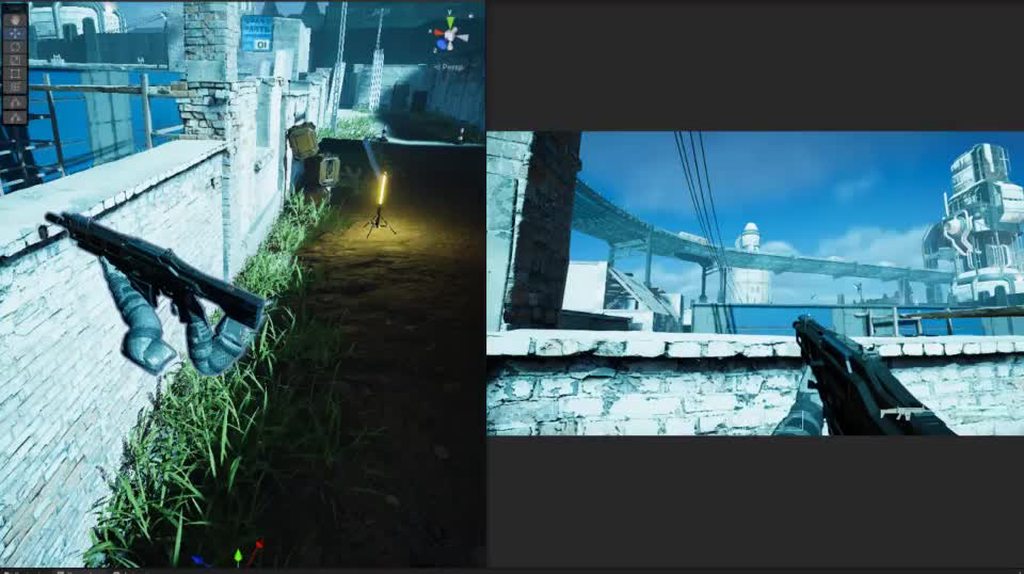 shrewd moon
https://youtu.be/pM2Lr5roSPc?t=277 Metro Exodus uses a similar technique combined with squishing
dim arch
fluid merlin
https://i.imgur.com/zN6d35Z.mp4
What this is doing is playing an animation on th...
That's pretty cool, thanks
twilit swift
Hi, why does this appears? It's like if it were rendering all the time, but this never showed before.

 jagged prairie
digital spire
IS IT MILLIION
jagged prairie
digital spire
IS IT MILLIION
idk but shader variants take ages, would be nice if they fixed that
jagged prairie
digital spire
IS IT MILLIION
but i dont think so, it would take up too much space
runic trellis
I am trying to re-install the HDRP back into my project, however I am getting this error

 round pulsar
Dumb question, but what's are the right material settings for a basic plate glass window? I tried a whiter albedo and non-metallic, but the reflections were almost invisible. This is the best I was able to come up with, but the reflections are still much dimmer than I would expect.


I know the reflection quality will be lower due to probes/screen space, but my concern is how much light they reflect. i can't get anything close to the photo
fluid merlin
round pulsar
Dumb question, but what's are the right material settings for a basic plate glas...
I think one of the hdrp Unity tutorials suggested using a mirror material and making it partially transparent. I haven’t tried it myself but might give a shot as I have a plate glass window as well 
 sleek umbra
round pulsar
Dumb question, but what's are the right material settings for a basic plate glas...
sleek umbra
round pulsar
Dumb question, but what's are the right material settings for a basic plate glas...
Small suggestion for those things: https://physicallybased.info/

A database of physically based values for CG artists
round pulsar
fluid merlin
I think one of the hdrp Unity tutorials suggested using a mirror material and ma...
what do you mean by mirror material?
round pulsar
sleek umbra
Small suggestion for those things: https://physicallybased.info/
thanks but the only thing this has for glass is the index of refraction and refraction doesn't seem to help much with the appearance issues im describing
hidden heath
fluid merlin
Keep disabling gameobjects/mesh renderers until the artifact vanishes to narrow ...
I did that and nothing change ;/
hidden heath
hidden heath
Hello, I have a really strange glitch. On the center screen I can see some pixel...
is someone have any idea what is happening here?
eternal laurel
Can someone shed some light on how the GI dimmer on the volumetric fog works? We have a fully enclosed level and a static hdri sky with its exposure set to 1. After baking the fog becomes completely invisible(dark) as if there is no light. Setting the ambient mode to dynamic and upping the exposure does nothing. Only if the dimmer is set to 1 does the fog appear, but Im under the impression that that setting should completely dim the GI
fluid merlin
round pulsar
what do you mean by mirror material?
It's the material on the Mirror object (Gameobject\3D\Mirror), I'm pretty sure it's just a standard unity material though and you can take a blank material and just kick up the Metal and Smooth. However, you can always just copy it to your assets folder and adjust it from there. Change it to transparent, adjust the alpha, set the transparency output to Box, add a transmittence color (light blue, etc), then add a reflection probe, set the resolution to at least 1024 (check the box for compression). Adjust the material to get what you're looking for... (Raytracing is probably the way to go, but there's a bajillion settings to get glass/reflective to work with even more caveats.)
https://i.imgur.com/fChGxzu.jpg
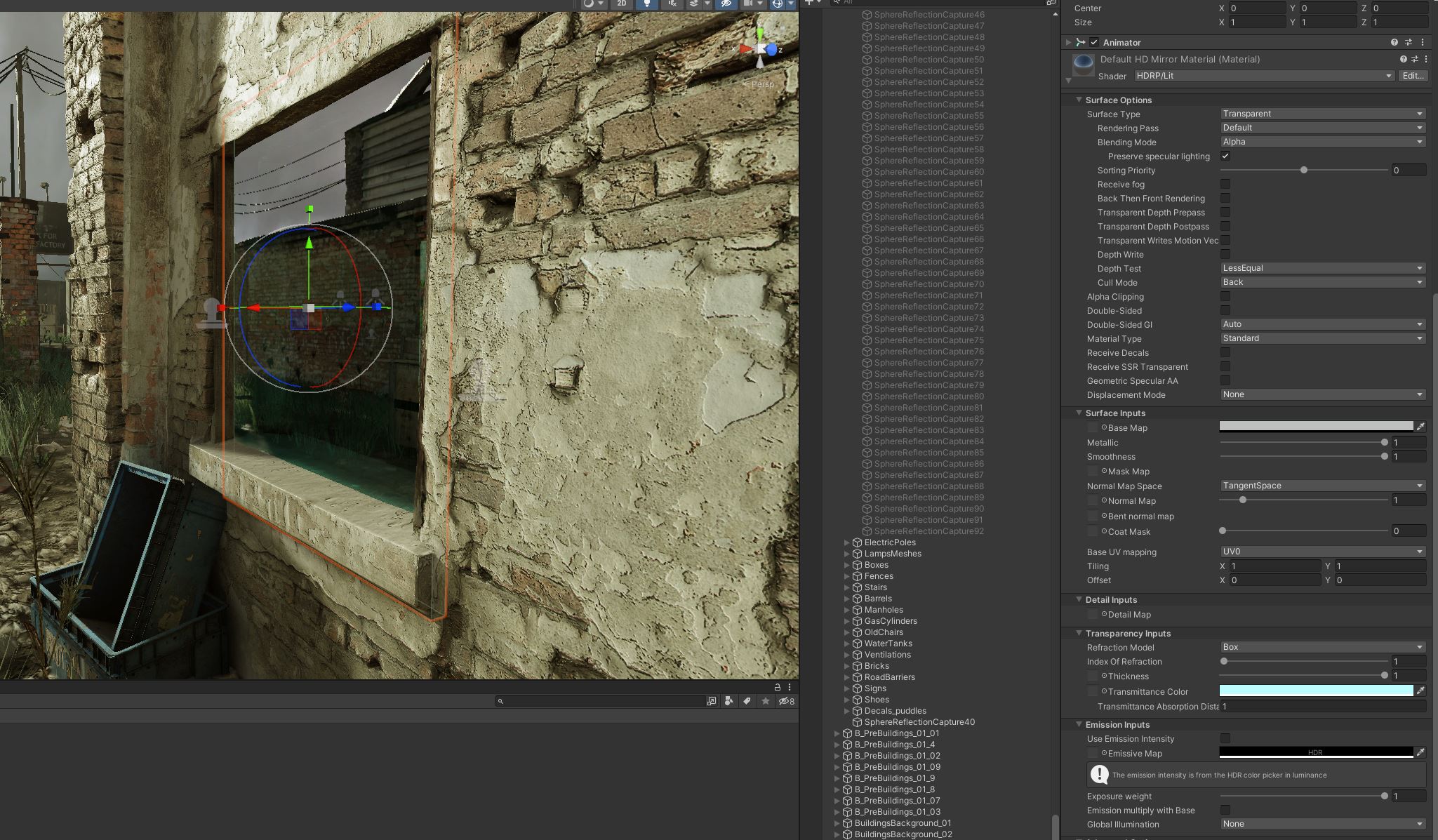 onyx lark
Many games have a brightness + gamma calibration sequence at the start. What kind of volume components should I use to recreate that?
I'm not sure if I should be manipulating a tonemapping curve for gamma
I see that "Color Adjustments" lets me apply an exposure offset before the tonemapping happens
But that feels different from applying a curve to the final image
I guess I'm not sure which is more "normal"
HDR rendering makes things a little more ambiguous!
fluid merlin
onyx lark
Many games have a brightness + gamma calibration sequence at the start. What kin...
So, create your scenes as you normally would, each with it's own volume if your game is going to have different lighting requirements, coloring, etc. These are the settings that you as the developer matches your vision of how the game should look according to you on your system. My recommendation here is to create a volume for player preferences that only do two things... gamma and brightness. The fancier you get above that, you'll start down a path where you sort of lose a lot of the artistic control of what you have versus what players have, "in my game the car is red, I don't know why it looks purple for you", etc... So on the "player volume" you add an override for Exposure (brightness - fixed exposure, increments of +/- 0.1) and an override of Color Adjustments for simple gamma where you let the player adjust the contrast in +/- 1). You might want to keep the range of adjustments fairly small so that they're not going to ruin a scene with too much brightness (an example might be a dark horror game).
onyx lark
that makes sense!
I already have some volumes for other graphical settings, like motion blur and bloom
they're just high-priority volumes with the relevant effect's intensity set to 0
I'm using additive scenes: one main Game scene, plus the relevant additive scenes for individual areas
so it makes sense to throw this into the Game scene
fluid merlin
Yup, good choices... motion blur bugs a lot of players
onyx lark
Adjusting exposure seems like the most natural way to control brightness
and it won't just wash out the image, as curving it would do
fluid merlin
Yeah, the volume overrides are a good way to allow you to lock in what you want players to be able to fiddle with
onyx lark
I'm wondering how you would do a brightness calibration screen with this
maybe display something lit with a fixed brightness and set the camera to have a fixed exposure
fluid merlin
onyx lark
maybe display something lit with a fixed brightness and set the camera to have a...
Yeah... the rage in AAA games seems to be the game art icon in various degrees of light/darkness

onyx lark
with the idea being that, if you can match how the images look on the designer's screen, your game will be at least uh
kind of similar looking
full steeple
am i the only one that constantly needs to wait 2 minutes or longer just to save a shader?
with this message popping up every time
 onyx lark
I've never experienced that.
full steeple
onyx lark
I've never experienced that.
guess its my pc then
dawn sorrel
if I upgrade my project to HDRP, is there a way to "save" my postprocessing
onyx lark
full steeple
guess its my pc then<:sadok:1068114223621754981>
It's probably not that slow
dawn sorrel
since I've read that I can't use that?
onyx lark
dawn sorrel
if I upgrade my project to HDRP, is there a way to "save" my postprocessing
I'm not aware of one.
dawn sorrel
so I'd have to redo the whole thing?
full steeple
onyx lark
It's probably not *that* slow
trust me... its sometimes climbing up to 5 minutes PER shader save
dawn sorrel
dawn sorrel
so I'd have to redo the whole thing?
all I need HDRP for is volumetric lighting
that'd be annoying lol
onyx lark
changing render pipelines is a pretty major thing

 onyx lark
I don't know much about post-processing in the built-in render pipeline


