#archived-hdrp
1 messages · Page 3 of 1
 inner parcel
 leaden light
inner parcel
Anti aliasing is configured?
leaden light
inner parcel
Anti aliasing is configured?
FXAA currently
inner parcel
leaden light
FXAA currently
I see. You can try smaa. Idk how good TAA is for racing games. Most racing games I've played don't have that
You can also contact this guy on discord.
#archived-hdrp message
He has some stunning visuals
leaden light
inner parcel
I see. You can try smaa. Idk how good TAA is for racing games. Most racing games...

 shrewd moon
@leaden light use the game camera for previewing instead of scene camera
High quality shadow filtering and screen space reflections require TAA
leaden light
shrewd moon
<@523572186913570816> use the game camera for previewing instead of scene camera

TAA works good
leaden light
Hows that?
 inner parcel
leaden light
Hows that?
inner parcel
leaden light
Hows that?
Looks really good
Try adding some more details to the environment
 mellow condor
leaden light
mellow condor
leaden light
this is a nice shot. here are some tips
leaden light
inner parcel
Try adding some more details to the environment
They are gonna come later, because I am still working on all roads
mellow condor
- pick better camera angles. generally more telephoto is better. think outside the box. place the camera far from the car, and experiment with it.
- configure reflections correctly. make the glass reflection behave less physically. it should be more like a mirror
- fix the materials on the vehicle. add a lot more metal to the car paint to give it more depth. it is way too dark at the bottom. for now, try making the interior dark. you can also experiment with a realtime reflection probe for the body reflection of the road. you will also adjust its brightness.
- adjust the lighting of your non-vehicle elements. this means if you look at the histogram of the screenshot without the vehicle, it should be a normal curve.there is a lot of white in the road, it is very bright, it should be lower contrast and avoid white paint generally. in the background, it can also be lighter.
- your shadows lack depth. this is tricky to solve in unity. you have to use multiple shadow colors, so that some are dark and some are light. the maps are very soft.
- use fog and haze to soften / lower the contrast of more distant geometry
@leaden light
you might want to pick a different vehicle
leaden light
mellow condor
you might want to pick a different vehicle
Why?
mellow condor
and maybe paint it silver or something
it will help you make things more realistic if that's your goal
leaden light
That is a hyperrealistic model
mellow condor
here's an example scene i did a while ago that used the bonneville salt flats as the reference - https://appmana.com/watch/bonneville
Stream apps and games directly to your browser. Join the waitlist.
leaden light
There is a x
mellow condor
leaden light
There is a x
try now
leaden light
Ah now it is
mellow condor
try changing the camera angles
leaden light
But how do I make the glass more mirror like?
mellow condor
you can experiment with the measured materials library
to learn how the parameters add up to the effects you want
in the long run you can also start replacing the library assets
leaden light
I have already tho
mellow condor
what is the reference you are using?
leaden light
 mellow condor
like some reference art
leaden light
mellow condor
https://appmana.com/watch/virtualtestdrive you can also take a look at this
Stream apps and games directly to your browser. Join the waitlist.
which has more refined UI
the UI makes a big difference (better to just have no UI)
instead of ugly UI
the EV6 is a prettier car
make sure to use a good car lol
if you're going to do A Car
leaden light
I have lots
mellow condor
hmm
leaden light
X again
leaden light
I did
mellow condor
go ahead.
 mellow condor
generally in this sort of daylight
the road would reflect a huge amount of light onto the car
you can also simply make things like exhuaast pipes black
the car should be reflecting a lot more light
and being illuminated by the environment more in the shadows
en you get around to it you can fix the interior
more flakes will also help making the paint seem less flat
leaden light
Okay wait lemme add more flaxes
mellow condor
you should add a license plate
i think it's best to take cars in video games off roads
if possible. you can cut the UI too
you don't need it
leaden light
And then why no UI?
mellow condor
you can try those links on your phone
one thing that should be obvious to you, from those demos, is that you do not need UI
you don't need a speedometer. you especially don't need a racing wheel
just think outside the box
leaden light
Yea
mellow condor
you barely need a road. like unity's terrain is way too bumpy to drive at speed on - you will have to become a Terrain Scientist to sort that one out, like i did
mario kart doesn't have a speedometer either
leaden light
I have terrain solution
mellow condor
so what i'm saying is not that unorthodox
the shadow maps are very low res
i mean lal this stuff is a collection of effects
and your time and budget
i personally respond more to the controls
 mellow condor
yeah this is a good start
and is starting to show you where you need to do a lot of work 🙂
like the road
because these sorts of low angle shots are way more interesting
it' best to do a procedural / shader graph material for stuff like the road
leaden light
but I do need a base material
mellow condor
concrete is pretty easy to do fortunately
"rough"
you can also study substance material graphs
the hardest thing is turning substance style displacement into shader style
using UVs

for performance reasons i do not do reflections of dust in the metal but i should
in this shot there is a lot of post, like lens dirt
that adds a lot
leaden light
Yea
mellow condor
you will use the cinemachine volume overrides to control that
motion blur in unity is quite glitchy
so i just turn it off
the terrain material is procedural in all the scenes
so that they survive closeups
leaden light
mhh
mellow condor
you can also look into microsplat
to do stuff like tire marks, which add a lot
personally i would use a real car, that you like
i wouldn't waste too much time on what is a "racing car," racing tires don't really read at most camera angles 🙂
"nobody cares"
leaden light
True
 leaden light
xD
mellow condor
vfx graph is hard to master too but adds a lot
the graph for the sand dust is complex
because it reacts correctly to the wheels, and when the car is airborne
i didn't have the time to do deforming desert
leaden light
How do you mean that?
mellow condor
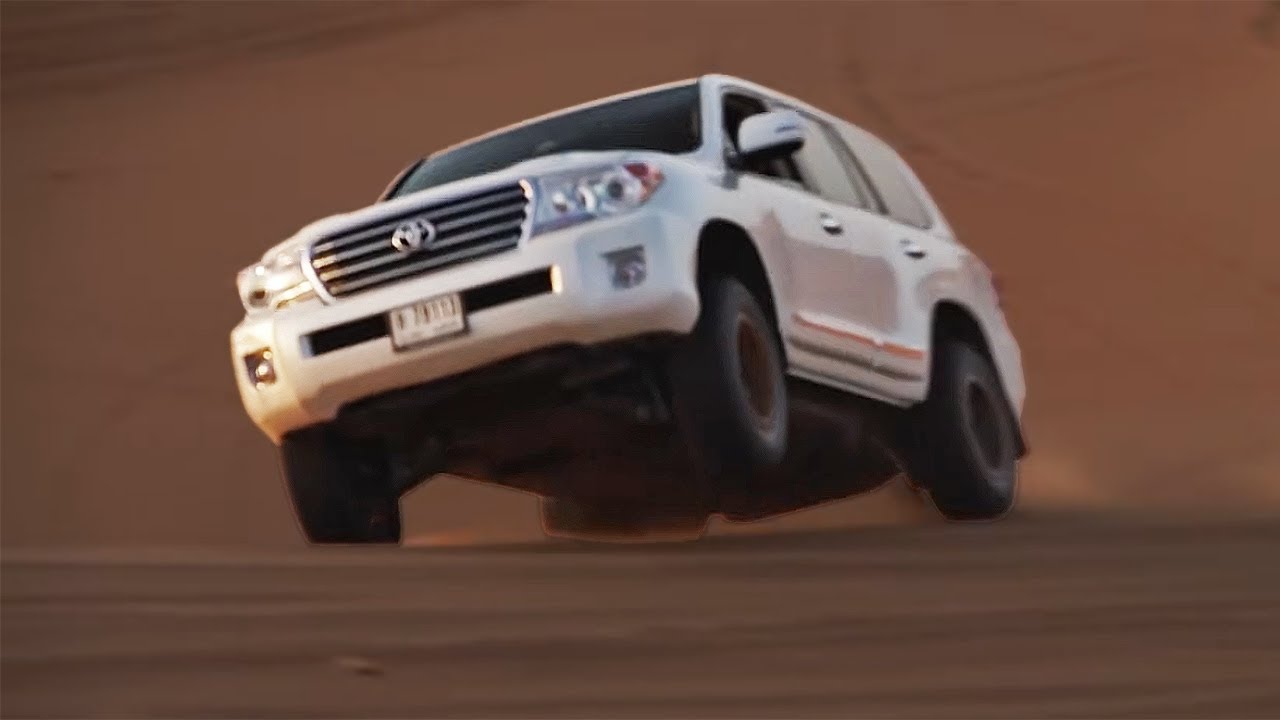
Mike Musto finds out the Toyota Land Cruiser can do a lot more than pick kids up at school.
like to deform the desert terrain under the vehicle
and doing this very fluidy sand is also out of scope for me
but you can approximate it well
these terrains are not hard to make from scratch

i mean to make an accurate terrain from scratch
you would obviously never take an ioniq on the desert, it's more of a "latte ordering" car
but "Nobody cares"
 orchid moon
Hey guys, is it possible to change HDR image, but only color? My issue is that by changing image, everything is affected. So is it possible to just change image with applying values of the old one (to have grey background but retain light and bounces of blue background)?


 rotund frigate
Anyone know how to change the scene view camera settings to use the same volume as the scene?
Bit annoying using the scene cam since it’s always over exposed and not at all representative of the game view
 leaden steppe
anyone?
orchid moon
orchid moon
Hey guys, is it possible to change HDR image, but only color? My issue is that b...
Fixed by creating custom shader
 indigo summit
anyone here familiar with custom pass?
 fair tundra
Hey there
I wanted to use HDRP to achieve an effect but HDRP is very resource heavy and lags my PC quiet a bit.
Any tips to reduce the lag
leaden light
fair tundra
Any tips to reduce the lag
Have you used static batching and occulosion culling?
fair tundra
leaden light
Have you used static batching and occulosion culling?
No, not as of right now but the textures that i am using are HD so they are pretty performance heavy even if I use the methods
But I will try
shrewd moon
fair tundra
I wanted to use HDRP to achieve an effect but HDRP is very resource heavy and la...
You could switch to a lower graphics quality tier from project settings, or create a custom tier that disables more graphical effects but there isn't much you can do
Most of the optimizations you can do are for the build, not the editor
 snow kestrel
hello, I can't see the leaves through the glass, does anyone know how to fix it? Everything is fine when I am not looking out the window.


 pine night
How would you fix geometry breaking with displacement? Im using HDRP/LitTessellation shader with tessellation displacement enabled.

 scarlet hull
snow kestrel
hello, I can't see the leaves through the glass, does anyone know how to fix it?...
scarlet hull
snow kestrel
hello, I can't see the leaves through the glass, does anyone know how to fix it?...
You've enabled transparent depth prepass on your glass, and so from the inside the leaves are not displayed because they fail the depth test
scarlet hull
pine night
How would you fix geometry breaking with displacement? Im using HDRP/LitTessella...
You need to use a model without hard edges
pine night
Ah ok. Does it work if the whole model is on smooth?
scarlet hull
Yes, that's the idea
pine night
okay thanks
snow kestrel
scarlet hull
You've enabled transparent depth prepass on your glass, and so from the inside t...
Ok, thanks
 summer glacier
leaden steppe
anyone?
summer glacier
leaden steppe
anyone?
We need more info, not much to know from a single screenshot.
Are these lightmap artifacts?
leaden steppe
summer glacier
We need more info, not much to know from a single screenshot.
Are these lightma...
i was using realtime lighting
ssgi
summer glacier
leaden steppe
ssgi
Then it's SSGI, was that picture in scene view or game view in-game?
In scene view the window doesn't refresh often, so like 1-2 FPS, unless you have refresh mode enabled.
To test SSGI out go to the in-game window and press play, or enable refresh mode for scene view.
SSGI needs to accumulate quite a few frames to converge, thus it needs high FPS (30 and over).
Check your SSGI settings as well, make sure denoising is enabled, and settings aren't too low.
Finally you can use Probe Volume (APV) which is new probe lighting system for HDRP in 2022.1 & 2022.2 and up, it works as a fallback for SSGI once it's baked so it helps SSGI have a more stable output. Another fallback is reflection probes for SSGI.
leaden steppe
summer glacier
Then it's SSGI, was that picture in scene view or game view in-game?
In scene v...
it was in both, and also im very new to realtime ssgi in unity so bleh
it may be the settings, i kinda got rid of em and instead used baked lighting
but baked lighting isn't very practical for what i'm going for
oohh my godd, thank you so much man, i've been wanting to fix that for so long!
 wheat iron
I'm having issues importing .FBX models from blender
some models import and apply materials just fine
others look like this
 scarlet hull
The unity model importer will try to find textures that are already in the project, and map them to the material slots, if you were using a "regular" material in blender.
If you were using a node based material, unity will not be able to import it at all.
wheat iron
Ah, I had to reimport this model a few times and didn't clean out the old models
could that be the cause?
the old models (and other models made with similar texturing methods) worked flawlessly
 granite marsh
Hello buddies,
I have some difficulties with a customer./client. We are working on a touch application on a 55" 4K screen. The client was complaining about a blurry rendering on the image (nauseous effect - we were in MSAA 4X).
Following his return, we removed the AA and the customer tells me that now it tires the view... .
Is there an alternative to AA that is less blurry than MSAA? TY
scarlet hull
granite marsh
Hello buddies,
I have some difficulties with a customer./client. We are working...
Did you try the other provided AA solutions ? SMAA, FXAA and TAA ?
granite marsh
scarlet hull
Did you try the other provided AA solutions ? SMAA, FXAA and TAA ?
hello. I don't have test with TAA. But from memory, the FXAA isn't blurrier than SMAA ?
scarlet hull
Can be
shrewd moon
Is increased render scale an option for HDRP? I recall dynamic resolution doesn't go above 100%
granite marsh
shrewd moon
Is increased render scale an option for HDRP? I recall dynamic resolution doesn'...
it is a possibility.
I can force it in the application settings of the Nvidia display panel.
 idle girder
HDRP with Raytracing enabled, does anyone know why this one cupboards material completely freaks out while every other asset is fine, my team modeled everything themselves, and i dont think we did anything differently with this one model

it looks perfectly fine when disabling raytracing
 idle girder
 loud leaf
<@383729859223879682>
loud leaf
<@383729859223879682>
unfortunately that didnt work
loud leaf
Hmm that's odd. All I can recommend then is to check out the wireframe of the model to see if there's anything weird going on.
idle girder
wireframe also looks fine to me, i guess i ask her to send me the file for the cupboard, it's odd since every other asset she made also works perfectly fine
leaden light
what do you guys think on the progress on my game?
https://www.youtube.com/watch?v=NnfkUSQdNOw
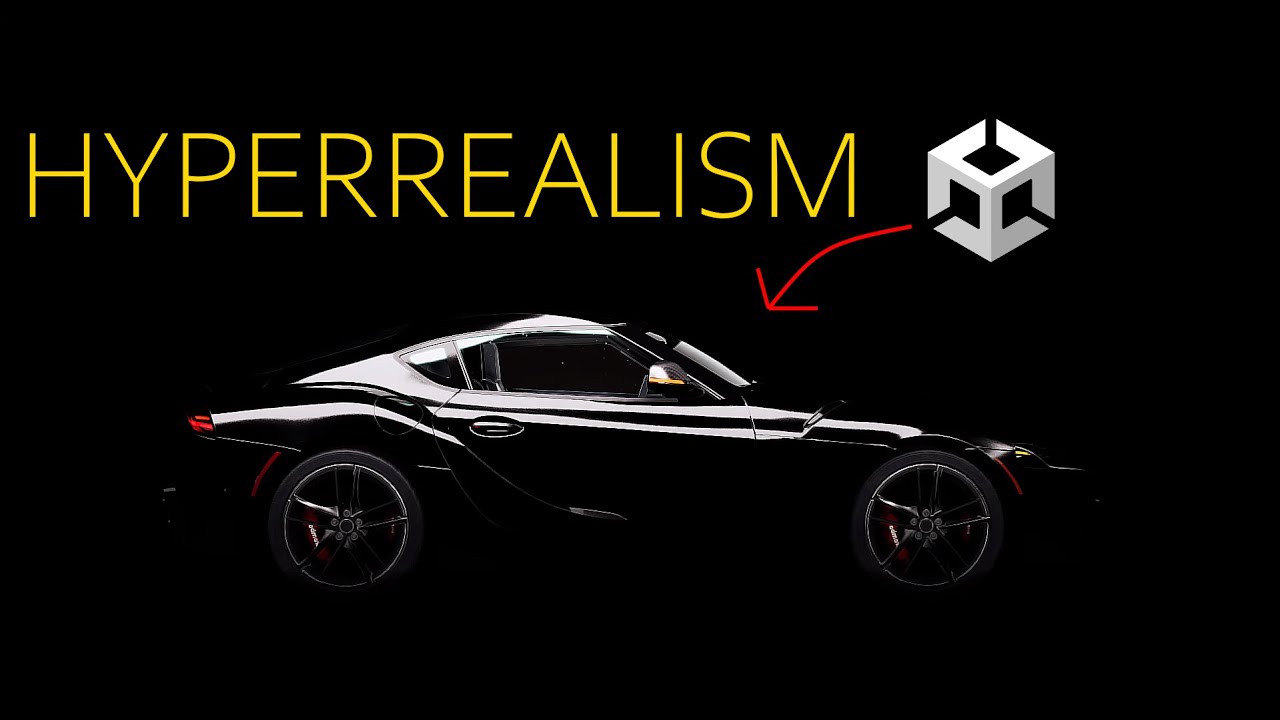
We made our game hyperrealistic, here are the results!
🔔 Subscribe for more GameDev.
https://www.youtube.com/c/MrOverload?sub_confirmation=1
//Recommended videos:
▶️ How I made my game HYPERREALISTIC – https://youtu.be/BzcwxvNtfvQ
👉 Subscribe: https://www.youtube.com/c/MrOverload?sub_confirmation=1
👉 Twitter: https://twitter.com/StudiosOver...
 forest oar

In this video I'm using TVE shaders to render all vegetation, it really improves the wind animation of the vegetation and add many other features, totally recommended for SeedMesh Assets.
TVE: https://assetstore.unity.com/packages/tools/utilities/the-vegetation-engine-159647?aid=1011lfysW
To scatter the Vegetation was used Vegetation Studio: ht...
 sweet gyro
Can someone explain why the Mask map takes Blue as detail mask, which is smoothness, but also has alpha as smoothness?
That seems redundant?
Is there something I'm missing?
 eternal laurel
@sweet gyro Detail mask is not smoothness, its where to apply the detail map. Details are like micro additions to the surface, think of pores on skin or scratches on metal
 waxen lantern
granite marsh
Hello buddies,
I have some difficulties with a customer./client. We are working...
waxen lantern
granite marsh
Hello buddies,
I have some difficulties with a customer./client. We are working...
sounds like either the root of problem is with something other than anti-aliasing, or possibly the client themselves 
@granite marsh that being said, a visual reference of some sort would be extremely helpful.
 keen warren
Hey everyone! I've got a question. We are trying to make something like this in HDRP:

So far we can't get it right. How would you approach this?
- What post-effects would you use?
- How would you set up lighting?
- Fog? Screen Space Reflections?
- Flares? Bloom? Lens dirt?
 keen jay
Personally... Bloom for sure. I would try a bit of fog.
 inland star
- bloom + some lens dirt
- some very light fog
- ambient occlusion
- lens flare
- screenspace reflection
- maybe some chromatic aberration
- possibly a reflection probe or two for when ssr fails
probably some ssgi or raytraced gi as well
but if it doesn’t need to be dynamic then do some baking with enlighten or the new probes
keen warren
inland star
but if it doesn’t need to be dynamic then do some baking with enlighten or the n...
Thank you! It's dynamic and also procedurally generated; we can't play around with a lot of baking, unfortunately.
inland star
if only unity had a half-decent non-performance-annihilating realtime gi solution 😔
Unity as a company seem stuck on baked systems, and everyone on the asset store seems addicted to old voxel-based (but definitely realtime!) systems
mellow condor
 wraith blaze
Im using h-trace which is realtime gi
wraith blaze
Im using h-trace which is realtime gi
would screen space GI be able to create that big bright light reflection off that little greeble portside near the left of the image?
mellow condor
keen warren
Thank you! It's dynamic and also procedurally generated; we can't play around wi...
It's dynamic and also procedurally generated;
are you familiar with dan ritchie's work?
wraith blaze
U mean the emissive correct?
mellow condor
do you think that's an emitting light back there?
wraith blaze
No thats baked gi i think
mellow condor
yeah
it's funny because you'd only see the bounced gi in these shadows on a spaceship if the sun was behind the ship, like it is here
and you can't "see" those illuminated surfaces facing the sun
wraith blaze
Tue
mellow condor
i have no idea what i am talking about though
wraith blaze
True
mellow condor
maybe it Just Works
@keen warren i think you should rig something with an ambient occlusion map. i think you can fake something like this with shadows + illumination based on the AO
wraith blaze
But ye h-trace works alongside unitys screenspace gi so it has limitations at the moment
mellow condor
hmm
wraith blaze

There we go
This is the look i got with htrace
Still need to tweak alot of stuff
keen warren
mellow condor
> It's dynamic and also procedurally generated;
are you familiar with dan ritch...
I don't believe I am. Where can I read about it? Google sends me to some university CEO.
mellow condor
keen warren
I don't believe I am. Where can I read about it? Google sends me to some univers...
lol
uh
well the best reference for this is this guy's notes on one of my talks - https://christianjmills.com/posts/machine-learning-level-generation-notes/index.html
My notes from Ben Berman's 2017 talk on machine learning and level generation.
keen warren
Thank you! I'll look into it.
keen warren
mellow condor
well the best reference for this is this guy's notes on one of my talks - https:...
Woow. That's a lot of smart stuff.
mellow condor
keen warren
Woow. That's a lot of smart stuff.
you can see the talk here - https://www.youtube.com/watch?v=Z6lHExfem6U&themeRefresh=1
Ben Berman talks about level generation using machine learning.
This video is from the 2017 Roguelike Celebration: https://roguelike.club/event2017.html
this predates stable diffusion blah blah
granite marsh
waxen lantern
sounds like either the root of problem is with something other than anti-aliasin...
it would be with pleasure but i'm under NDA.
What i can tell, it is a circular carousel on which a series of bottles of a certain brand of spirits are paraded at a sustained speed.
I suspect that beyond the aliasing it's a problem of too sustained scrolling that causes cinetosis in sensitive people.
The framerate is stable and capped at 60+.
I added a test pattern on the screen and blurred the background via Dof in PP. I'll share the build with the client and see what it says.
keen warren

This is our test scene right now. We are looking for ways to improve it. There will be more stuff on it eventually.
mellow condor
keen warren
https://cdn.discordapp.com/attachments/297803419916435456/1062698161874948116/im...
looks excellent
keen warren
(the game is rogue-like TBS)
mellow condor
are you familiar with Nexus: Jupiter Incident?
keen warren
Yup
mellow condor
is your goal to make something that looks more 2001 space odyssey like that reference?
the biggest difference is the camera angle
in 2001 they were also literally small props
they made those props look huge with supertelephoto lenses
that will have the single biggest impact on improving the sense of scale. then lighting/levels
it might be impractical from a gameplay point of view to change the camera
which is why this is so hard
keen warren
mellow condor
is your goal to make something that looks more 2001 space odyssey like that refe...
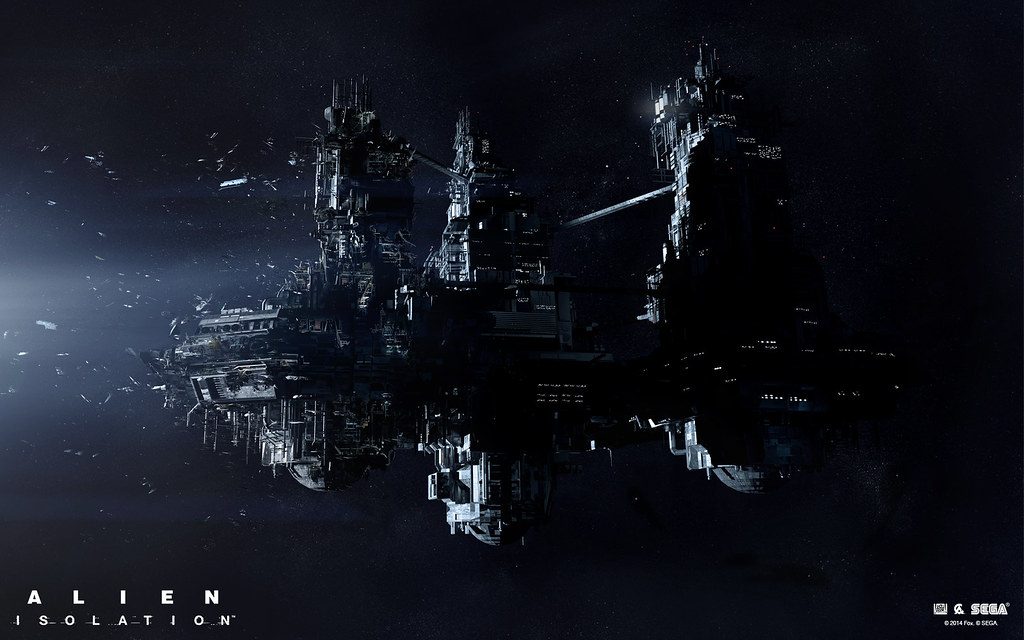
Yup, Space Odyssey is a great reference. Also Alien the first movie and Alien: Isolation, the game.

 keen warren
mellow condor
it might be impractical from a gameplay point of view to change the camera
keen warren
mellow condor
it might be impractical from a gameplay point of view to change the camera
Yeah, it probably would be impractical but we'll try to implement that outside the combat. In some menus or something.
waxen lantern
granite marsh
it would be with pleasure but i'm under NDA.
What i can tell, it is a circular ...
ah, i see. many factors to take into consideration there then. technical and perceptual.
mellow condor
keen warren
Yeah, it probably would be impractical but we'll try to implement that outside t...
yes ultimately the biggest impact is the camera angle and the contrast in those
the ship would look so small with a wide angle
unless there is gameplay significance to the planet in the background, you might as well work in a more naturalistic scale
there are lots of angles where asteroid fields will look good
keen warren
From a gameplay standpoint, the planet is irrelevant, but we are a bit worried that the scene will look empty without it.
But we'll try to experiment with the camera angle, maybe we'll find a good balance.
 dawn sorrel
How to draw grass in HDRP
has anyone figured out?
or we just making space games cuz grass is a big no?
 floral oar
 steel meteor
dawn sorrel
How to draw grass in HDRP
steel meteor
dawn sorrel
How to draw grass in HDRP
What do you mean by "draw" grass? Is this what you want to do?
https://www.youtube.com/watch?v=8VRVWSlVuDQ&ab_channel=Unity

The Unity Terrain - HDRP Demo Scene was created in Unity 2021.2 with High Definition Render Pipeline. Experience the latest improvements to Unity's 2021.2 Terrain authoring workflows, SpeedTree integration, and High Definition Render Pipeline to help you form and populate real-time organic worlds. The included assets from the package are fully c...
 echo willow
Hi there, I am just testing out the HDRP render pipeline and my GPU is always at around 100% in scene view. even when Im not navigating the scene. Is this normal? thanks.
loud leaf
When using OpenXR Mock, I noticed LaunchIndex.z and unity_StereoEyeIndex are always 0. Is this expected? (this is in RayTracingIndirectDiffuse.hlsl)
dawn sorrel
steel meteor
What do you mean by "draw" grass? Is this what you want to do?
https://www.yout...
yeah pretty much
but with billboards , not a mesh
steel meteor
dawn sorrel
but with billboards , not a mesh
You can use grass textures if you want to. Plenty of videos on Youtube on how to do this.
dawn sorrel
the thing is the detail shader is not supported by HDRP and detail shader is used by grass in terrain tools
so im kinda confused
loud leaf
loud leaf
When using OpenXR Mock, I noticed LaunchIndex.z and unity_StereoEyeIndex are alw...
I just fixed this. Setting "Render Mode" to Single Pass Instanced in MockHMD was not enough. I also had to enable Single Pass in Project Settings -> Quality -> HDRP -> XR (I am using a very bare bone / stripped HDRP project), in case anyone runs into this in the future.
summer glacier
echo willow
Hi there, I am just testing out the HDRP render pipeline and my GPU is always at...
what's your GPU? Scene view has an option to enable refresh mode, which increases FPS, thus increasing GPU usage. Still shouldn't be 100% unless you have a weak GPU, since scene view seems to have a max FPS limit
 hollow stream
How do you prevent the HDRI sky from lighting from every direction at once? All cube map settings seem to result in a rim-light effect no matter what the source is.
https://i.gyazo.com/f128a76fc6b60b6dd3d4a94900278cf9.png
 vague canopy
Is there a way to convert an existing skybox to HDRP? Because I had really cool looking skyboxes, but they got messed up when I switched to HDRP. My lighting seems to be messed up as well. How should I go about fixing that? Here's how it used to look, and here's how it looks after HDRP messed it up.


 worthy escarp
Okay. So, I'm trying to make a night sky for my private game, but for some reason, the sky is too much lit and the moon's flare won't go away. How do I fix this?

I have my moon light at 5000 lux, but going down, I can't see the ground anymore. Here's a before and after when decreasing the moonlight's lux.


I set the lux to 2000 in the second picture.
wraith blaze
Did u change the exposurr value?
eternal laurel
Moonlight is around 1-2 lux not 2000
You should adjust your exposure settings
Then again night scenes are actually faked mostly. I think we do about 100 200 lux, fiddle with the exposure and slap on a bluish color correction to make that cinematic night feel
With a aces correct lut ofc
This demo project can be used as a rsther decent starting point for a night scene https://github.com/Unity-Technologies/FontainebleauDemo
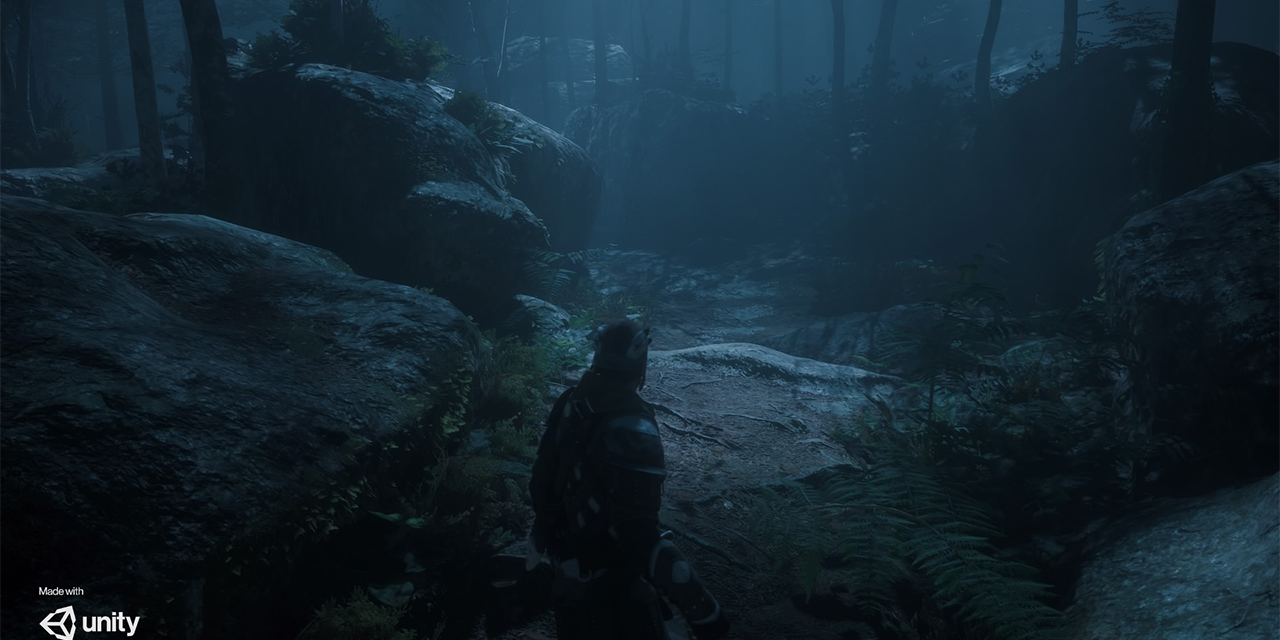
GitHub
Fontainebleau demo. Contribute to Unity-Technologies/FontainebleauDemo development by creating an account on GitHub.
summer glacier
vague canopy
Is there a way to convert an existing skybox to HDRP? Because I had really cool ...
is your skybox a single cube texture?
echo willow
summer glacier
what's your GPU? Scene view has an option to enable refresh mode, which increase...
Hi there, I have a RTX 3060 so would have thought it wouldnt have struggled so much...
eternal laurel
Whats the complexity of the scene ?
But it most certanly should not be at 100%
Is the gpu doing things with unity closed? Are your drivers up to date?
 night depot
Any idea how to enable enlighten lightmapper?
 dawn sorrel
can I disable hdri sky box ambient light?
 summer glacier
night depot
Any idea how to enable enlighten lightmapper?
summer glacier
night depot
Any idea how to enable enlighten lightmapper?
enlighten baked lighting is deprecated (realtime gi enlighten is still there though, but the enlighten lightmapper for baked lighting has been deprecated) forgot which version, possibly starting with 2022.2
It's possible to enable it (in the future though it will be entirely removed), somewhere in the settings I think. There's a blog or post about it on the forums, will tell you how to enable it. Not recommended though.
dawn sorrel
dawn sorrel
can I disable hdri sky box ambient light?
i mean Environment Ligthting of skybox

 harsh basalt
dawn sorrel
can I disable hdri sky box ambient light?
harsh basalt
dawn sorrel
can I disable hdri sky box ambient light?
Why are you going to disable it?
dawn sorrel
harsh basalt
Why are you going to disable it?
becouse dark areas has the same color as skybox
harsh basalt
That's what real world and a high quality render should be
Because of the IBL, there is no way to use the skybox and have a different environment lighting
vague canopy
summer glacier
is your skybox a single cube texture?
Yup, it's a cubemap. Sorry for the late reply.
summer glacier
vague canopy
Yup, it's a cubemap. Sorry for the late reply.
Then it should work fine, HDRP uses HDRI override, just add your cubemap to the HDRI override and change the exposure as needed
for correct lighting make sure the enviroment tab, found in the lighting panel is also assigned to a volume with the same HDRI, and switch it to HDRI
if you want baked lighting, otherwise you can just set your visual env to dynamic
vague canopy
summer glacier
for correct lighting make sure the enviroment tab, found in the lighting panel i...
Ah, ok. Thanks!
 hasty epoch
with a shader graph is it possible to make the time node work out of runtime and in the scene view? thanks
floral oar
 dawn sorrel
Anyone’s game in play mode (in editor)
Lags like hell with Lights or shadows?
At this point it doesn’t matter with VSync, aspect ration nothing
Profiler just shows Scripts and Other
(I don’t have any scripts in the scene)
 dusty maple
Hey folks, anyone having troubles with additive my loading two scenes, each with its set of light probes (merging using tetrahedralize)? This works fine in built in renderer but not in HDRP it seems
 ionic kindle
Having a weird issue where the ambient light probe seems to just be ever present in all my objects in the scene, and is over-riding my light probes causing them to have no effect
causing this kind of effect, where dynamic objects are just receiving skybox lighting

also just realized it was partially affecting even my baked lighting on objects
really bugging me since it's basically destroying the realism of the lighting setup I'm trying to go for

 mystic shale
Hi, can someone assist here.. I am using Unity 2021.3.16f1 and in a HDRF project created the tree from the add gameobect from 3D in hierarchy.. why does the bark still show pink regardless of what I choose in the shader options of HDRP Nature
this has been baffling me and cant figure out... dont the speedtree shader work with hdrp? am I supposed to rely on assets creatd by others?
ionic kindle
I had a tackle with speedtree in hdrp last year, it was the 2020 lts version but back then speedtree wasn't compatible I believe
Don't know if it's compatible now
mystic shale
hmm okay... any videos on yotube ask to download an asset of nature pack and create I am a sucker for downloadign assets and want to ccreate my own trees... stuck here
ionic kindle
So far hdrp has been a rough learning experience for me, due to things just not seeming to work straightforwardly. With very little or conflicting documentation
Like my lighting problems aforementioned
Looking online, their light probes just work. Mine, not so lucky ha
mystic shale
hmm okay.. ill stick to URP , hope the trees and grass work fine in it..
ionic kindle
We used speedstree in URP, worked fine there for us
mystic shale
Alright thanks mate!
summer glacier
ionic kindle
causing this kind of effect, where dynamic objects are just receiving skybox lig...
Sky lighting is global and flat unless baked
go to your lighting tab > environment > make sure it's assigned to a volume with your HDRI sky, or physical sky. Then choose what sky to use from that global volume in your environment.
After that, you have to make sure visual environment override is set to static so you can bake lighting.
Finally bake lighting, after that use reflection probes to cover your environment and bake them to get correct lighting, otherwise specular light leaking will be everywhere and it'll look flat, and not as dark as it should be.
ionic kindle
summer glacier
Sky lighting is global and flat unless baked
still having the same issue
objects ignoring light probes, and getting lit by sky lighting
 ionic kindle
in fact now I have a weird issue where this shadow isn't proper

it's being cast through the red building on the right

looks strange
and now everything feels too bright and over-exposed
weird, it's like the inverse of what should be happening
summer glacier
Do you have a reflection probe? Are your objects marked as static so reflection probes can effect them?
also check your exposure override.
ionic kindle
There is a reflection probe yes
but these are dynamic objects
the buildings are static
the trash can and bags are dynamic
hence why I need light probes
but the light probes are just straight up not working at all
no influence on their lighting
ionic kindle
summer glacier
also check your exposure override.
also where's this?
I only see expose compensation on the physically based sky
is that what I'm looking for
summer glacier
you can add an exposure override to your global volume.
HDRP also has one set by default in global settings.
ionic kindle
yeah I have that already set up

it's pretty free to go wherever it needs to go so I don't see that as being an issue
summer glacier
You can change the exposure to get desired lighting, but HDRP lighting is slightly complex, if you don't understand how exposure and lighting work in HDRP, you should watch this: https://www.youtube.com/watch?v=OXCB-LKCK_Y

Let's take a look at how we can set up Environment Lighting in Unity, using the High Definition Render Pipeline, or HDRP for short!
Learn more about Volumes and Volume Overrides: https://on.unity.com/2L8dHef
Learn more about Environment Lighting in HDRP: https://on.unity.com/35HWYrv
ionic kindle
I remember watching this, been following its principles
summer glacier
It's not that simple, it can under expose or over expose, when it's something you don't want. All based on your lighting intensity, and sky as well.
ionic kindle
it's frustrating that realistic lighting values don't actually produce realistic lighting in hdrp
if I use a real sun temperature value and intensity, things are too orange and over exposed
summer glacier
ionic kindle
objects ignoring light probes, and getting lit by sky lighting
Also, to me this looks like specular leaking, which happens when a reflection probe is missing or not placed correctly, although the materials look a bit weird but maybe that's just how it's supposed to be look.
Light probe also don't have per pixel lighting, they light an object with one flat value, so it doesn't look as detailed as lightmaps for example. HDRP's new probe lighting system has per-pixel lighting, which does a much better job. It's in starting with 2022.2, enabled from settings.
 summer glacier
can you try adding indirect light override, and turning reflection lighting (or something similar) to 0.
Not sure that's the exact name, but it's something similar.
how does it look then?
ionic kindle
remove the specular lighting but also makes all the dynamic objects pitch black

also is common to have to turn lightmap exposure down a lot when viewing baked lightmaps
mine are always blown out
summer glacier
are you sure your sky is set to static and is being baked?
ionic kindle
I had it set to that earlier but reverted just now since it looked off
I'll retry
turning it to static disables my clouds though
which is strange
disabling local clouds fixes that though, interestingly
summer glacier
global volume has to have a visual env override set to static. Add your desired sky.
Then create a volume in your asset browser, don't add it to your hierarchy, and add your desired sky (HDRI, physical, whatever) -- after that go to window > rendering > lighting, switch to Environment, drag the volume in your asset browser to "profile", then set Static Lighting Sky to the sky used in said volume.
ionic kindle
wdym don't add it to hierarchy
summer glacier
With this setup, your hierarchy global volume affects the look of your sky, but the lighting comes from your asset browser volume.
ionic kindle
I thought the point of global volumes was to be in-hierarchy to add overrides
summer glacier
Do the above if you want to baked sky lighting
loud leaf
ionic kindle
it's frustrating that realistic lighting values don't actually produce realistic...
They do
ionic kindle
at the moment I've got a basic over-arching hdrp volume that is the default settings. Then because I'm trying to figure out improvements to that my scene has its own volume, where I'm just over-riding all the stuff I need to
including changing the sky
are you saying I should disable all the sky stuff in my scene volume? and add it to another volume that isn't in the scene but is stored in the lighting environment tab?
summer glacier
You can just disable default global settings post process and only use your global volume.
ionic kindle
summer glacier
You can just disable default global settings post process and only use your glob...
oh? how
summer glacier
just disable the overrides in global settings
ionic kindle
I've had to modify the global one to get it looking more universal
 silk thistle
hey there my pictures is getting crushed color wise on the game view, but i can't figure out why, it's an HDRP scene, looks fine in scene view jsut game view it's like it only gets half the colors
 ionic kindle
didn't know you could just turn it off with a setting somewhere
 weary fog
ionic kindle
objects ignoring light probes, and getting lit by sky lighting
weary fog
ionic kindle
objects ignoring light probes, and getting lit by sky lighting
Do you have any cube maps? Pretty sure light probes are only diffuse lighting and you need a cubemap to fix the specular issue there
ionic kindle
weary fog
Do you have any cube maps? Pretty sure light probes are only diffuse lighting an...
wdym cubemaps?
weary fog
Reflection probes I guess in unity
summer glacier
reflection probes
ionic kindle
also they aren't receiving any light probe data at all
and yes
I have reflection probes
but they don't even seem to be working
it's so strange
summer glacier
Not just light probes, even unity's lightmaps need reflection probes. Unity doesn't bake specular lighting so your forced to cover your world with reflection probes, not a fun process
summer glacier
did you bake it?
ionic kindle
I mean they get baked when I bake the lighting but yes
I have manually baked as well
weary fog
A as in singular? Because you need a ton
ionic kindle
weary fog
A as in singular? Because you need a ton
it's just this square
that I am worried about at the moment
summer glacier
can you show me your reflection probe and it's placement
ionic kindle
tried rebaking the lighting with the indirect reflection thing in the volume turned off

and some other settings changed like static clouds and visual environment
dynamic objects are still completely black
and there's the reflection probe
silk thistle
silk thistle
hey there my pictures is getting crushed color wise on the game view, but i can'...
never mind it's the XR Rendering killing it
ionic kindle
 summer glacier
turn indirect ref back to 1
does disabling and enabling the ref probe affect the trash assets?

 summer glacier
do you have Influence volume enabled in your ref probe?
ionic kindle
nope
summer glacier
try it
ionic kindle
 summer glacier
also if it doesn't help, try placing another reflection probe near the trash assets covering it
ionic kindle
looks much better, turned on distance based roughness too
gah this is driving me insane
just noticed dynamic objects aren't leaving shadows now either

the bins are looking better though

from a distance especially, the no longer have that uncanny glow

but why do my dynamic objects not cast shadows?
for some reason it baked the shadows on this dynamic object too despite not being marked as static or a static shadow caster

oh apparently i had to set shadow map to everyframe, but isn't that expensive?
this pipeline man 🥹
loud leaf
Didn't they introduce something like mixed cached shadowmaps for that? I haven't touched shadows in a long time 😄
weary fog
Well if you want your shadows to be real time they kinda have to be updated every frame
ionic kindle
weary fog
Well if you want your shadows to be real time they kinda have to be updated ever...
well yeah but the way it words it is like a shadow map
weary fog
You can set some stuff to mixed cached, haven't dug too much into that
ionic kindle
instead of it just being a lighting thing
no idea how hdrp works when it comes to the nitty gritty since it's so esoteric and badly documented haha
weary fog
The shadow map is just the technical term
It just means your dynamic shadows in this case
ionic kindle
missing my ability to rip open things and edit them like in URP
like getting the lighting information for a shader
loud leaf
ionic kindle
no idea how hdrp works when it comes to the nitty gritty since it's so esoteric ...
summer glacier
You can cache shadows for all static objects. This will save a lot of performance, especially for shadows from point lights.
With HDRP, you can do cached shadows for static objects, while retaining every-frame shadows but only for dynamic shadows. This way you get accurate shadows for dynamic objects, and better performance since static object shadows will be cached.
Go to your light and set your light shadow update mode to on enabled, or on demand. If you want it to still update dynamic objects every-frame, you can then tick "always draw dynamic".
Notice that caching is mostly meant for lights such as point/spot/area. Directional is a bit more tricky.
ionic kindle
ok but how can I get my light probes to work
I've figured out the shadows I believe
but this white sphere isn't being coloured like the light probes indicate it should be

oh what the hell that's just strange
if I view it from certain angles it goes correct
 ionic kindle
@summer glacier any idea?
mellow condor
ionic kindle
off
this is reflecting sky when the reflection probe is off
mellow condor
ionic kindle
on
this is a poorly-placed reflection probe, possibly. the little test balls are quite bright
mellow condor
ionic kindle
but this white sphere isn't being coloured like the light probes indicate it sho...
this suggests you set up your scene correctly!
mellow condor
ionic kindle
if I view it from certain angles it goes correct
this might be a culling error if it's sensitive to different angles
i experience many probe culling errors
in hdrp
mellow condor
just to confirm you are not using weird materials right?
ionic kindle
wdym weird materials
mellow condor
you are not trying to author the material for the ball yourself
ionic kindle
the ball material is a base material
just a simple white material using base shader
the other materials in the scene are a custom shader mostly though
ionic kindle
but the issue is agnostic of that, affects both
ionic kindle
affects both hdrp/lit and my own shader
yes
but the ball is hdrp/lit
and is affected
mellow condor
ionic kindle
the ball material is a base material
okay this is the patch i made
diff --git a/Packages/com.unity.render-pipelines.high-definition@12.1.7/Runtime/RenderPipeline/HDRenderPipeline.cs b/Packages/com.unity.render-pipelines.high-definition@12.1.7/Runtime/RenderPipeline/HDRenderPipeline.cs
index 34918678..6997fe2e 100644
--- a/Packages/com.unity.render-pipelines.high-definition@12.1.7/Runtime/RenderPipeline/HDRenderPipeline.cs
+++ b/Packages/com.unity.render-pipelines.high-definition@12.1.7/Runtime/RenderPipeline/HDRenderPipeline.cs
@@ -1334,6 +1334,14 @@ namespace UnityEngine.Rendering.HighDefinition

                     hdCamera.RequestDynamicResolution(cameraRequestedDynamicRes, dynResHandler);

+                    // Force add all the HDProbes
+                    var allProbes = GameObject.FindObjectsOfType<HDProbe>();
+                    cullingResults.hdProbeCullingResults.Reset();
+                    foreach (var probe in allProbes)
+                    {
+                        cullingResults.hdProbeCullingResults.AddProbe(probe);
+                    }
+
                     // Add render request
                     var request = new RenderRequest
                     {
in other words, duplicate your hdrp package to make it editable, and then add the following lines to HDRenderPipeline.cs at line 1336:
// Force add all the HDProbes
                     var allProbes = GameObject.FindObjectsOfType<HDProbe>();
                     cullingResults.hdProbeCullingResults.Reset();
                     foreach (var probe in allProbes)
                     {
                         cullingResults.hdProbeCullingResults.AddProbe(probe);
                     }
this will negatively impact performance
you should be using source control too
before you do this
ionic kindle
what is this
mellow condor
hmm
okay let's start with something more basic
does this issue where the appearance depend significantly on the camera view
reproduce in your standalone build
or only in editor?
ionic kindle
not built it yet, but in the editor nothing is being affected by light probes unless I look at them from very specific angles/distances
mellow condor
do you have both your scene and game view visible in the editor at the same time?
ionic kindle
nope
mellow condor
okay
ionic kindle
but I have tried looking at the objects in both
mellow condor
try a build
ionic kindle
not sure if it can really be that simple ha
I'm not the one in charge of builds and I'm not sure what would get messed up if I tried to set up a build
ionic kindle
only in editor?
 spiral igloo
Hello folks!
What is the limit of a realistic VR experience on mobile? Do you have any video or game that you can recommend and say "This is the limit of a mobile vr device can offer for now"
What happens if I created virtual machines in the cloud with our game working on, and calculating everything, sending it back to the goggles simultaneously?
I know it would be costly but any other downsides of doing so?
shrewd moon
spiral igloo
What is the limit of a realistic VR experience on mobile? Do you have any video ...
I imagine this would be really hard to procure, because there's many different kinds of hardware, as far as I know, and each different kind of scene has its own costs and limitations
A cramped indoor scene may have less things to render so you can make them more detailed, as opposed to an outdoors scene with forests and waterfalls for example
Furthermore how much performance you can squeeze out depends on your graphics engineering skills
HDRP is historically not a feasible option for either VR or mobile hardware at all, but those evolve fast and there's a lot of specific optimizations you can do if you know how
shrewd moon
spiral igloo
What happens if I created virtual machines in the cloud with our game working on...
VR experiences are extremely reliant on minimizing latency so that would be your biggest problem
spiral igloo
Thank you so much. It gave me another perspective.
ionic kindle
still having a weird issue with light probes not affecting dynamic objects, except when viewed from certain angles
tried rebaking, changing settings on the mesh renderers, etc
shrewd moon
@ionic kindle Post only to one relevant channel at a time, please
ionic kindle
shrewd moon
<@313130762964828161> Post only to one relevant channel at a time, please
they're both relevant, since it's a lighting in hdrp, just trying to get some help nw :)
shrewd moon
ionic kindle
they're both relevant, since it's a lighting in hdrp, just trying to get some he...
Not to all relevant channels at once, I mean
I recall you had problems with getting the probes to work at all, so it makes me wonder if you've made significant changes or version upgrades to your project
At least those usually seem to be the cause for odd and unique problems
ionic kindle
shrewd moon
Not to all relevant channels at once, I mean
I recall you had problems with gett...
ah ok, mb
but yeah we've been on the same version of unity, always in hdrp
it's just exceedingly frustrating since there is no good documentation of this
shrewd moon
From what I've heard and can find, the angle-dependent probe problem seems to be a pretty unique case
I would try to poke at it and try to reproduce it, or to isolate it into a test scene
If you can force it to happen you could test if upgrading the editor has a positive impact on it
Also, see if it happens in build if you haven't already
ionic kindle
any videos on light probes are from adjacent unity versions, or don't show anything in detail
upgrading the editor?
I've also tried using probe volumes but there's no way to preview them to see if they're working
feels like I'm just in the weird half-complete version of hdrp as opposed to the 2022 version :/
 wooden fractal
Can somebody tell me why the outline of the play and optionsbutton is grey (The Image is white)
 shrewd moon
ionic kindle
feels like I'm just in the weird half-complete version of hdrp as opposed to the...
shrewd moon
ionic kindle
feels like I'm just in the weird half-complete version of hdrp as opposed to the...
Probes were replaced by a fancy new system in 2022
Otherwise they had remained the same for years
And as far as I can tell nobody else had this problem
ionic kindle
there's technically realtime raytracing, but no denoiser and terrible performance, technically probe volumes but no way to preview
in my version
shrewd moon
"preview"?
ionic kindle
everything I've seen of light probe volumes shows a bunch of probes
like normal light probes
but just generated
with all the subdivision levels and such
but in my version that doesn't appear to exist, it just asks if I want to subdivide but there are not gizmos for the probe volume, no previewing of the light probes it generates
it's just strange
ionic kindle
shrewd moon
Probes were replaced by a fancy new system in 2022
Otherwise they had remained t...
I assume you mean probe volumes replaced light probes?
since that's all I've heard of
shrewd moon
ionic kindle
since that's all I've heard of
There's light probe groups and adaptive probe volumes
APV is the brand new system
Which might not be finished yet?
ionic kindle
any inkling of an idea on how I could fix the light probes then? Can't find anything on it online, scoured everywhere
shrewd moon
ionic kindle
any inkling of an idea on how I could fix the light probes then? Can't find anyt...
Assuming you're using adaptive probe volumes in 2021, they are denoted as "experimental" in that version
You could upgrade a copy of the project to 2022.1 or .2 and see if they improve
ionic kindle
Nope, currently using hand placed light probes because the probe volumes aren't working
and the hand placed ones also, aren't working
also upgrading versions is not viable
or possible, really
as the uni is basically forcing us to stay on 2021 LTS
shrewd moon
ionic kindle
Nope, currently using hand placed light probes because the probe volumes aren't ...
Right, then I would go back to trying to reproduce and isolate the problem
ionic kindle
shrewd moon
Right, then I would go back to trying to reproduce and isolate the problem
the issue is always present
shrewd moon
Can you get them working in a copy of the scene? In a fresh scene? In a fresh HDRP project? In a built-in project?
ionic kindle
it's more about reproducing when it DOES work, which is when I view things from certain angles
shrewd moon
The angles aren't the problem
It's not supposed to break at all
ionic kindle
yup
 fierce ridge
summer glacier
fierce ridge
summer glacier
No, not for HDRP unfortunately.
 full lotus
hello, someone know if it's possible use Quest Pro passtrough with HDRP Unity project?
 long scarab
full lotus
hello, someone know if it's possible use Quest Pro passtrough with HDRP Unity pr...
long scarab
full lotus
hello, someone know if it's possible use Quest Pro passtrough with HDRP Unity pr...
Not possible. HDRP does not run on Android devices.
full lotus
long scarab
Not possible. HDRP does not run on Android devices.
Not even connected to the pc or with air link? In this way quest pro can use the power of PC
scarlet hull
If it is possible to send the passthrough over from the quest to the PC, why not, else the link/airlink is for VR only
 fallow owl
hi, im having trouble with the look and quality of the shadows in my scene. They not only appear low quality but also have a flickering effect as seen in the video. I'm really not sure what this is as I'm pre new to HDRP, any suggestions?
summer glacier
fallow owl
hi, im having trouble with the look and quality of the shadows in my scene. They...
is the shadow casting light moving?
also for the banding you can enable Dithering in your camera inspector, then press play and go in-game. Should help with it
fallow owl
nah the light is static, however whenever i move move the camera the shadow flickers, idk if its something to do with the shadow rendering in or not
summer glacier
that's weird, you can check your shadow filtering quality in your active HDRP, try medium/high, although that shouldn't have anything to do with moving shadows, sometimes slight flickering if you're using high shadow filtering with low settings and no TAA, but not this much
fallow owl
looks like I've found a fairly good fix. I upped the light atlas resolution to the max, not sure how it'll affect performance but the flickering has gone down and is mostly unnoticeable.
floral oar
@fallow owl the shadow filtering is a bit bugged. That fix is not going to solve it completely so change it to Med in your HDRP shadow settings.

High

Med
 orchid moon
Hey guys, I downloaded project from gitlab, but all I see upon opening is a grey scene. Any idea what could be the issue ?
 shrewd moon
floral oar
<@450924765553623060> the shadow filtering is a bit bugged. That fix is not goin...
shrewd moon
floral oar
<@450924765553623060> the shadow filtering is a bit bugged. That fix is not goin...
It's not bugged, but requires TAA to smooth out the dithering
Medium filtering does not support different light diamaters, so it avoids errors from lights with incorrectly set diameters
This looks like a different issue from what's being demonstrated though
long scarab
full lotus
Not even connected to the pc or with air link? In this way quest pro can use the...
this might work, but only in Unity Editor. You would not be able to build and run it. Same for hand tracking, also only works in Unity Editor.
full lotus
long scarab
this might work, but only in Unity Editor. You would not be able to build and ru...
I tried and it work also with PC Build and VR tethered
long scarab
full lotus
I tried and it work also with PC Build and VR tethered
Pass through? And also hand tracking? Did you use Oculus Integration?
And are you also able to use the "scene model" aka Room setup?
full lotus
long scarab
Pass through? And also hand tracking? Did you use Oculus Integration?
Yes, oculus integration and hand tracking. I'm using Quest Pro
full lotus
long scarab
And are you also able to use the "scene model" aka Room setup?
Didn't try
long scarab
full lotus
Didn't try
does not look like, just found a reddit thread. it says only 3d pass through is working, no extra data.
full lotus
Try yourself and u will see it will work. HDRP project, Scene with only the OVR Rig Hand Track, enable passtrough on your Quest Pro, tether your device to PC then build and run. It works
dawn sorrel
Anyone here using HDRP for XR have advice or reflections on whether HDRP has been worth it or if they should've stayed with built-in or gone with URP?
Got a research project and been using built-in... but now looking to use VFX graph and so trying to figure out the path forward. Ideally would like to maintain highest fidelity but seems that rules out major platforms like Oculus (but they lack high end headsets anyway)... Otherwise have to run 2 different projects for the same simulation... weird design from unity
 warm radish
dawn sorrel
Anyone here using HDRP for XR have advice or reflections on whether HDRP has bee...
warm radish
dawn sorrel
Anyone here using HDRP for XR have advice or reflections on whether HDRP has bee...
Do you want AAA graphics? HDRP
Do you want nice graphics, though it requires a bit more work, and if you want it to run on any device? URP
Built-in is uhhh just built-in
The hdrp and urp I described here is my experience, not that of an expert
eternal laurel
dawn sorrel
Anyone here using HDRP for XR have advice or reflections on whether HDRP has bee...
HDRP is not exactly VR friendly. It is very difficult to hit VR framerates with it, unless you target the very very high end of pc hardware and even then it's going to take work. URP is our go to pipeline for VR projects.
idle girder
I am using HDRP and i am getting frustrated with unity, i have some SERIOUS performance problems for (as far as i can tell) absolutely no reason, i am getting MASSIVE vsync delays when i build the game (not in play mode) and sometimes, completely randomly and seemingly out of nowhere they go away and i hit normal framerates, i am 100% not GPU bound (even tho taskmanager etc say GPU is at 100%) because 1: i have seen higher framerates appear randomly, 2: GPU is only drawing about 110Watts of power, which isnt even half of what it can draw 3: lowering the resolution doesnt do anything for the framerate
I am also 99% certain Vsync is off and target application of at ~165fps
if someone can help me find out the issue here it'd be greatly appreciated

with Vsync turned on, exact same latency, but WaitForTargetFps appears
 loud leaf
dawn sorrel
Anyone here using HDRP for XR have advice or reflections on whether HDRP has bee...
loud leaf
dawn sorrel
Anyone here using HDRP for XR have advice or reflections on whether HDRP has bee...
Do not touch HDRP for XR lol
I have been "inactive" in that area for about a year, I come back today and absolutely EVERYTHING is broken, nothing gets tested I swear to god.
I spent a lot of time testing and reporting bugs in 2021, here we go again.
I'm almost tempted to just swap everything to a 2021 HDRP fork 
(since getting things through QA -> backlog -> PR -> in engine takes actual months)
Now that they've closed off the repository for us I can't easily see what PR broke it either.
What a shit show
long scarab
loud leaf
What a shit show
We are using HDRP with VR in production (2021.3.9). What issues did you face exactly? Only bigger issue we have are known issues with dynamic resolution.
Have not tested later versions, as 2021.3.10+ instantly crashed due to other bugs introduced (non VR specific)
loud leaf
Yeah, since he was talking about reflections / highest fidelity, I'm also interested in this area, so far I can see that:
- DLSS flickers like crazy
- RTGI/RTR display wrong contrast or something (I can't think of a reason why this is happening, very weird issue)
- Some CameraRelativeXR issue, difference between left/right eye, this is on unmodified HDRP
Also, performance is really bad, this wasn't the case in the 2021
(I also have the 2021 project standalone here)
long scarab
Hm, DLSS is working fine, albeit not really helping performance much, just doing better AA, but no flickering (using openVR / SteamVR)
performance does not seem to have changed much, we are using HDRP since 2020
left / right issues: I see this with SSAO
RTGI looks okay, but is much too slow anyways
loud leaf
I'm on 2023 + OpenXR, but now rolling back to 2022.1, 2021 is fine.
loud leaf
Me too, I spent a year studying ray tracing to hopefully apply that now, was going to check out if everything was still working ok before the release.
long scarab
i tried 2023.1.25a in non VR, had like 5 crashes in the first 10 minutes, just created some material, nothing fancy. So I guess it is not really stable yet
loud leaf
Yeah I experienced the same, both VR and non-VR. I would be fine with sticking to LTS, I don't really need any new features, but Ray Tracing is out of experimental since 2023.1 so it's a hard pick for stability here (LTS with experimental Ray Tracing, or 2023.1 with non-experimental Ray Tracing). These issues could just be temporary, "alpha things", it's fine for things to break in alpha releases, but it is not listed in the "Known Issues" on the 2023.1 release notes so it feels like a bit of a gamble to look the other way and just wait, and possibly observe the same broken state in the upcoming release.
long scarab
I'll give 2022.2 HDRP / VR a try until 2023.1.x becomes more stable.
loud leaf
Yeah, I'm getting things ready right now, it's a bit of hassle to switch editors / report bugs for me since I'm on 20 mbit down / 2 mbit up ADSL. 
ok, 2022.2 is broken, now downloading 2022.1
long scarab
loud leaf
ok, 2022.2 is broken, now downloading 2022.1
you mean completely broken? Or RTGI / DXR?
loud leaf
The same list so DLSS too
loud leaf
The same issues are happening in 2022.1, I will try and narrow it down to the last working version and compare changes to hopefully make this easier for QA. 🫡
Just rebuilt the 2021.2 version I have here to make sure and it's definitely working fine.
long scarab
Tested VR on 2022.2; with TAUU, everything seems to work. RTGI still too slow (HDRP Sample scene on 3080 gives 12fps), the Raytracing quality level with TAUU gives 45 fps.
Did NOT manage to install DLSS. The "fix" button does nothing 😉
loud leaf
Have you also tried DLSS, and are you in single pass instanced mode?
(enable SPI in both the OpenXR settings, and in your HDRP asset)
Multi Pass is fine on every version for me
Hmm that's weird.
long scarab
I have SPI
long scarab
1.6.0
everything default, complete new project
just swithced off fog and stuff like lense flare, which does not work in VR
loud leaf
I'll try TAAU.
long scarab
I mean, it looks kind of bad, though 😉
Seems the XR resolution is low, have not checked this
lots of aliasing
even with TAAU
loud leaf
I can't find TAAU, was it available in 2022.1? 😅
long scarab
2022.2 I tried
loud leaf
The issues don't seem related to OpenXR so far (I kind of assumed this at one point), I swapped OpenXR from the last working version to one version up and it's still broken
Ok, I'll swap to that
long scarab
I was logged out from Unity, DLSS does install now
ok, this is a bit weird. need to do more testing. DLSS seems to run, but it's slow as always in Unity HDRP / VR , but defintitely can see the AA.
But now also TAAU is slow (after installing DLSS)
loud leaf
Well, if you're really in single pass instanced, that's good news, because then there must be some way to make this work. 😄
Wait, have you also tried standalone + on real device?
long scarab
I have SPI on both OpenXR settings and HDRP asset
loud leaf
Everything works in editor and mockhmd for me, it's the real devices that break after 2021.2
Bit of an important detail 😄
long scarab
you mean in build ?
loud leaf
yep
long scarab
Have not done a build yet, will try after I sorted out the performance incosistency with TAAU / DLSS
loud leaf
How are you testing now? MockHMD?
loud leaf
Ah yeah, I think SteamVR performance is broken, there were a lot of reports on it a year ago but I never went into that rabbit hole. I think I created a bug report for some people but I don't know if a fix ever went through
(SteamVR + HDRP that is)
long scarab
I'll also try Oculus to compare
loud leaf
I just tried 2022.2 with TAAU, SPI in editor and that works fine indeed.
Building standalone with the exact same settings now, I'll let you know how that goes
long scarab
restart Unity -> back to 45 fps with TAAU. Found also a bug (OpenXR backend is forgotten after restart of Editor, swithcing back to "system default")
loud leaf
Performance could be ray tracing related, my editors always get unusable after I've entered play mode like 3-4 times, that's when I usually restart. I'm so used to it already, I don't know if I have any report open for it
long scarab
ah, ok, after restart I also get 45fps+ with DLSS
so DLSS seems to work for me (on SteamVR backend)
long scarab
no issues on DLSS. will do a build and test
no RTGI, though
just the standard raytracing profile
loud leaf
Hmm does that not have RTGI? I haven't used those profiles
long scarab
no, there is a separate profile, will test this, too
loud leaf
I'm trying a bunch of different DLSS settings now. I know there used to be a few bugs in those settings so maybe one of them is causing this.
It's funny that Ultra Performance is still broken in 2023.1
I think they made a typo or something
long scarab
yes, one is going to 100% resolution 😉
loud leaf
Everyone has just gotten used to it lol
long scarab
so RTGI also works, but 10-12 fps with DLSS
loud leaf
Hmm
long scarab
maybe your issues are project realted? Saw strange things after major Untiy upgrades, e.g. reflection probes not working correctly, needed to delete them from scene and reinsert in order to make them work with APV
loud leaf
I have it in both older and newer project :/
They are just test projects, the old HDRP example scene, with RTGI, DLSS, and official HDRP (so no sideloading of packages)
Is there any chance you can try this with OpenXR?
(I'm pretty sure SteamVR + HDRP DLSS is broken when it comes to performance, I have seen this before)
long scarab
it's OpenXR with SteamVR backend
long scarab
I get 25fps with RTGI if I swotch DLSS to "after post process"
this is a huge gain, and a new option in 2022.2
I'll try oculus next
all in Editor still
loud leaf
For me
RTGI + DLSS + OpenXR with Oculus backend in single pass instanced, is definitely broken in standalone, but fine in editor
long scarab
and looks beautiful, only the edge of the shadows are jagged in the room with the glass thingie
loud leaf
I don't know if it's related to RTGI, but mentioned it in that list just in case
long scarab
I'll do a build with RTGI and test (SteamVR backend first). Seems that it is by design that Unity forgets the OpenXR backend after restart, found it in docs. Good idea (not).
loud leaf
I'm now going all the way back to 2023 alpha, switching to TAAU and see how many of the issues will disappear. Maybe it's all coming from the same root cause
long scarab
first time I tried raytracing, still buggy in 2022.2. But there it's still experimental. Now it just "forgot" the directional light.
loud leaf
lol
So, the test project runs in 2023 standalone with TAAU (I haven't paid attention to the other issues yet), but the performance is way worse than the exact same project in 2022 standalone with TAAU.
So much for all these recent DX12 improvements and DX12 out of preview
long scarab
lol.
loud leaf
I'll make a big list and see what I can report today, I really hope to get HDRP DXR VR back on par with the state it was in summer 2021 (or better)
long scarab
in 2022.2 it looks okayish
waiting for the build. but 30fps with RTGI on DLSS after another restart (in Editor). I might have turned of SSR, though, need to check once build is done
loud leaf
Yeah that memory leak sucks
long scarab
build does not start in VR 😉
loud leaf
:/
long scarab
afair DX 12 was not supported by SteamVR, not sure if this changed
but in Editor it did run
loud leaf
Ah
long scarab
will try buld with system default backend
test with build using system default: 2x crashed, then it started on Oculus, but a flickering slide show, completely broken
loud leaf
yeah, that
I will do some bug reports today. Thanks for helping me test this and finding out that TAAU works in standalone, now I can at least continue development. 👍
Colors in 2023 standalone are still very different than in 2023 editor for me, but that's another rabbit hole 😄
long scarab
BTW getting 50fps with RTGI on Oculus (no SteamVR). 35-40 fps if I enable SSR.
loud leaf
How did you fix it?
 long scarab
I'll try if I can fiix the builds, if I find out anything, will report here
wow, this looks bad
loud leaf
Colors in editor

Colors in standalone

Not sure why (this is TAAU btw, so not related to the broken DLSS bug)
long scarab
seems some color grading post process not working in build. you shoudl check without post processing
So build issue on 2022.2 is RT related
loud leaf
Yeah I disabled it all now, still the same though, very weird
long scarab
without raytracing, it works ok
long scarab
so DX12 + HDRP + VR works
loud leaf
yep
long scarab
ah, maybe I don't have DLSS on
let me check
yea, no DLSS on that build, will redo.
loud leaf
The color issue doesn't seem related to post processing, color grading space / lens attenuation mode or quality setts (I only have a single hdrp asset)
I've also removed all baked lighting & directional light, maybe it's ray tracing related, I'll check
I do remember a ray tracing issue that incorrectly handled the visual environment in standalone builds.. I just assumed it was an alpha release issue back then and never paid attention to it again.. it was like a year ago.

Well, this doesn't help 😄
Every time you try report a bug you find 10 new bugs
I'm going to take a break from this 👍
long scarab
can confirm that the issue is DLSS
so DLSS / HDRP / VR = completely broken in build, as you mentioned before.
loud leaf
yep
long scarab
The good news is that RT + DX12 works in VR
and would be performant, if DLSS would work too outside Editor 😉
Did you do a bug report on that one ?
loud leaf
So:
- HDRP VR : DLSS is broken in standalone build (screen flicker)
- HDRP VR : standalone colors do not match editor colors (just confirmed this is not related to dynamic resolution)
- Ray tracing projects get slower after every time you enter play mode, requiring an editor restart every few times, this can also be toggled by turning the "path tracing" volume component off and on a few times as far as I am aware
- DLSS Ultra Performance mode either needs to be faster than Maximum Performance, or simply renamed to Ultra Quality mode
- Some kind of camera relative / single pass instanced issue for RT shadows between left/right eye
No bug reports yet, will get to it asap.
long scarab
sounds good! can confirm all issues, have not tested RT in build yet re colors, will do with 2022.2 + TAAU
loud leaf
Thanks a lot 
shrewd moon
You can make a thread if it seems like the topic will take a lot of space
long scarab
guess we are done 😉
long scarab
So


 nova raft
nova raft
nova raft
Changing injection point to "After Post Process" gets rid of the ghosting but the Viewmodel doesn't get any anti-aliasing, also introduces weird shakings instead (probably due to TAA)
I assume the problem is Viewmodel getting drawn way before TAA kicks in?
I also set the "ViewModel" meshRenderers' as this

 untold rapids
loud leaf
Now that they've closed off the repository for us I can't easily see what PR bro...
untold rapids
loud leaf
Now that they've closed off the repository for us I can't easily see what PR bro...
HDRP is still available in the https://github.com/Unity-Technologies/Graphics as usual and you can grab a local copy like how you've always been able to. The PR's are fully mirrored in the public repo.

GitHub
Unity Graphics - Including Scriptable Render Pipeline - GitHub - Unity-Technologies/Graphics: Unity Graphics - Including Scriptable Render Pipeline
loud leaf
Yeah I mean that they're usually like 10 PR's squashed into a single commit with no descriptions & comments
Usually I would just go to the PR tab and search for "DLSS", and read what has been happening, and it would be easy to spot where things could have gone wrong. But the bug reports are sent so hopefully QA can reproduce them so they can get picked up for 2023.x
untold rapids
loud leaf
Yeah I mean that they're usually like 10 PR's squashed into a single commit with...
The mirroring works so that it's exactly the same as how it lands into the closed internal one. Any squashing happens before a PR is made (so bunch of stuff is worked on an internal branch), so if there has been a change it's then a process change. You can give feedback to HDRP team for that. I'm not too well versed in details on that.
loud leaf
Not sure what you mean, but this is what I mean, for example:
https://github.com/Unity-Technologies/Graphics/commit/155158be41a3e3c15653c7215a95d4a16e02a837
Like I said, PR's, descriptions and comments are gone, so there's no way I'm going to scroll through that all.
untold rapids
Yeah. Internal work on a custom branch. That indeed can be a change so you don't necessarily see the development branches anymore which is a shame and indeed can be annoying for bisecting errors etc.
loud leaf
Well, now is the time we'll find out how much this has really improved the time between a bug report and the fix landing on the user side. Before this massive setback, it was about 2-3 weeks between a ray tracing bug report and me being able to grab the updated code from git.
summer glacier
idle girder
I am using HDRP and i am getting frustrated with unity, i have some SERIOUS perf...
Why are you guessing if you are GPU bound or not? Unity's profiler has a GPU module, enable it and see how long it takes. Your frustum view matters, so performance changes based on your camera's location and view.
Do setTargetFrameRate (forgot it's exact syntax, you can find it in docs), set it to a high number (400-500), and place the script in your hierarchy, doesn't matter what it's attached to as long as it loads.
Wait for presentation & wait for signal usually means you're GPU bottlenecked.
Remember, if you're GPU Bottlenecked, the CPU will always be higher as it'll have to wait for the GPU to finish, and that time is added to your CPU, usually you can tell as it's called things like "Wait For Signal, or wait for presentation" Also, don't use timeline mode to view your profiler metrics, use hierarchy, much better. And if your GPU is at 100%, also usually means it's your bottleneck.
GPU profiler performance metrics are accurate in editor and build, it doesn't have editor overhead.
Unlike CPU performance, which will be slower in editor compared to a build. For correct CPU performance, create a build with dev mode enabled and auto connect profiler. GPU profiler will not work in a build unless you disable graphic jobs (in project settings > player)
If you're on DX12, you might want to switch to DX11 for HDRP. Unity's DX12 implementation currently suffers with compute, which is used everywhere by HDRP, so you'll have worse GPU performance with DX12.
 opaque swallow
Hi all, Unity beginner here. I'm working on a project where I need to randomly generate areas that look like they're peeled on a cucumber. To do this I intend to use a shader that takes in a skin texture, a flesh texture, and a randomly generated mask that will blend the two textures making the cucumber look peeled.
However, in addition to this I also need to make a new surface over each peeled section. Do you guys know how to do this at runtime? I think I'm asking how to make a mesh for each continuous peeled section on the cucumber which will have a transparent material. Please let me know if my question doesn't make sense, I'm new and don't know what I don't know including the jargon
Lastly I had no idea where to post this question so please point me in the write direction. I'm using HDRP which is the only reason I'm posting here
untold rapids
idle girder
I am using HDRP and i am getting frustrated with unity, i have some SERIOUS perf...
I had missed this. You can try increasing https://docs.unity3d.com/ScriptReference/QualitySettings-maxQueuedFrames.html to 3. The default 2 can easily lead into situation where the GPU idles from time to time by necessity. What version of Unity you're using?
 idle girder
untold rapids
I had missed this. You can try increasing https://docs.unity3d.com/ScriptReferen...
idle girder
untold rapids
I had missed this. You can try increasing https://docs.unity3d.com/ScriptReferen...
thanks, using 2022.1.18.f1 currently
untold rapids
idle girder
thanks, using 2022.1.18.f1 currently
DX12 came out of experimental in 2022.2. I recommend upgrading to that. The 22.1 version has whatnot weird syncpoints here and there which once removed were a big perf improvement. Especially the interaction of those with graphics jobs were a painpoint. But as you are GPU bound (from engine perspective that's GPU bound as it waits for it) it shouldn't affect that part.
loud leaf
Hey sharpneli, since you're here, do we always need to pass -force-gfx-jobs split for split graphics jobs or is it enabled by default?
Been trying to test it out in 2023.1.0a26 DX12 (Editor), but no luck.

Passing the command line argument seems required, but it does work.
 untold rapids
loud leaf
Hey sharpneli, since you're here, do we always need to pass ` -force-gfx-jobs sp...
untold rapids
loud leaf
Hey sharpneli, since you're here, do we always need to pass ` -force-gfx-jobs sp...
It’s default on DX12 standalone. No need to pass it unless you’re on Editor and are especially brave
loud leaf
Thanks, that makes sense 👍
untold rapids
It will become default in Editor too but that requires us to finish fixing some really hairy edgecases related to shader compilation triggering from worker threads etc. It likely works now but you might encounter some issues
untold rapids
loud leaf
I just realized. The graphicsJobMode is still native there. The enum is not in the GraphicsJobMode enum! Time to file a bug and get that done. Thanks for making us realize :D. Split jobs definitely should appear there.
loud leaf
I was wondering that 😄
nova raft
do custom passes not receive motion vectors at all?
I got a gun model being rendered on top of everything thanks to custom passes
enabling TAA causes crazy ghosting artifacts
this doesn't happen when I don't use custom passes
and render the gun model normally with the camera
 silk thistle
Is there any real documentation on porting custom shaders to hdrp?
Having issues finding stuff thats not been deleted and isnt 4 or more years old
 spark walrus
Hi everyone. I'm having a very strange problem, and I hope you can help. I switched to HDRP a little while ago and then switched back to default after it was causing more of a headache than I wanted to deal with. I've made more progress and wanted to build, but when I do I get that warning that there's no HDRP asset in graphics settings. However in the second picture you can see I'm not using HDRP, so I don't understand why it's looking for one. And then of course HDRP settings are still in the build settings on the left as you can see in that third picture. I was yelling at my computer because this makes no sense. I cannot find anywhere where Unity is told I'm using HDRP, but clearly it thinks I am. Anyone know how to tell it I'm using the default render pipeline?


And FYI they were right, the build took 30 minutes on a relatively small game before I decided to stop it
And the Quality section also shows it's using the default render pipeline

 true zealot
spark walrus
Hi everyone. I'm having a very strange problem, and I hope you can help. I switc...
true zealot
spark walrus
Hi everyone. I'm having a very strange problem, and I hope you can help. I switc...
have you uninstalled HDRP from the package manager?
spark walrus
true zealot
have you uninstalled HDRP from the package manager?
Ah good thinking, sounds like the issue. Reimporting now after removing the package which will take a bit, but I'm sure that'll fix it. Thank you!
spark walrus
true zealot
have you uninstalled HDRP from the package manager?
Just confirmed it was the issue, fixed it. Thanks again and good luck with whatever you have going on
 nova spear
Hello, I am having an issue with HDRP, whenever I toggle "Sky Reflection" to off, the player in my scene start glowing as if emission was set to white
 idle girder
I am using HDRP and i am getting frustrated with unity, i have some SERIOUS perf...
idle girder
idle girder
I am using HDRP and i am getting frustrated with unity, i have some SERIOUS perf...
Hello, i am back again, did a few things that helped, but i have a few issues with extremely weird behavior
this is what my performance looks like when i start the game

however, when i switch between high and ultra a few times, i randomly start to get this:

the second one is miles better and what i want, why does Unity dedicate that many resources to shadows when it obviously doesn't need to
untold rapids
idle girder
the second one is miles better and what i want, why does Unity dedicate that man...
The GPU timeline is not that reliable unfortunately. What does the normal timeline view show?
 left plaza
Does HDRP not support lookup textures??
idle girder
untold rapids
The GPU timeline is not that reliable unfortunately. What does the normal timeli...
sorry for bothering, i discussed this long-standing issue with my team and we have decided to do without real time shadows and use light-baking and light-probes instead
untold rapids
idle girder
sorry for bothering, i discussed this long-standing issue with my team and we ha...
I'm interested as to why it behaves like that as I have vested interest in seeing that there are no bugs or anything unexpected happening there, hence the question. I'm very interested in why it does that so that with luck we could fix it, if it's a bug.
idle girder
Hoped so aswell, but this issue has been going on for too long and it's significantly hindering progress of the project, we can't really afford to spend much more time on solving it, but thanks for the help
steel meteor
left plaza
Does HDRP not support lookup textures??
HDRP supports LUTs. It's usually in the Tone mapping override (since 2019?). You may need to set the mode to external before you can see the texture select widget.
eternal laurel
idle girder
Hoped so aswell, but this issue has been going on for too long and it's signific...
You seem to be confused. Sharpneli is a actual unity employee and can probably give you the best insight about your problem, so I suggest you talk to them and try to provide the info theyn need.
 brazen knoll
hello everyone, i tried updating my game's render pipeline to hdrp and it ended up looking like this. how do i make it look like the sample scene?
 ionic kindle
Anyone got any ideawhy my AO from textures is looking like this?

Oh my god I figured it out
@shrewd moon probe volumes being enabled in the pipeline asset was causing literally every issue
😂
Can finally stop tearing my hair out
shrewd moon
ionic kindle
<@166982635950702592> probe volumes being enabled in the pipeline asset was caus...
Interesting find! What Editor and render pipeline version was it again?
Does seem like something to report as a bug
ionic kindle
shrewd moon
Interesting find! What Editor and render pipeline version was it again?
2021.3 lts
indigo summit
anybody know how to do something similar in HDRP?
https://theslidefactory.com/wp-content/uploads/2020/04/StencilURPTutorial_1400.png

 whole fossil
is it possible to render vertex color in hdrp custom pass?
indigo summit
should be possible with override material, and use material with vertex color
whole fossil
indigo summit
should be possible with override material, and use material with vertex color
thanks! that makes sense
scarlet hull
indigo summit
anybody know how to do something similar in HDRP?
https://theslidefactory.com/wp...
Custom passes and stencil buffer ?
indigo summit
scarlet hull
Custom passes and stencil buffer ?
you mean using built in custom pass or scripted custom pass? because using the built in DrawRenderer doesn't work from my test
scarlet hull
I had the built-in draw renderers in mind indeed
indigo summit
by theory red cube should've cut through white cube
 scarlet hull
I think you also need to override depth for it to work
indigo summit
on the mask?
scarlet hull
at least, or try both

 scarlet hull
A bit hard to decipher, but I think you gray plane is rendered twice ?
Once "normaly" and once with the custom passes ?
So the cube if overriding depth (as seen in the AO effect), but not the color
scarlet hull
The plane at least yes.
There is a way to have a different culling for camera & custom pass, I'm trying to find it again
indigo summit
oh, but the plane are broken though

wait, everything behind the mask become unlit now?

welp i'm confused 😅
scarlet hull
So the mask cube is not visible ?
Then you should not target the color buffer with it, nor write to depth
indigo summit
yeah the stencil mask cube should not visible
only the plane, with cut out
how about the plane then?
basically i'm trying to recreate this effect in HDRP https://theslidefactory.com/see-through-objects-with-stencil-buffers-using-unity-urp/

Learn how to set up a Unity project with the Universal Render Pipeline (URP) and then add stencil buffers to create a see through objects effect.
scarlet hull
idk the injection point you've used, but I recommend "before transparent" and force the plane to draw the "forward" pass
indigo summit
in the same custom pass component or using multiple component?
scarlet hull
Same
 scarlet hull
Try to also override the material
indigo summit
 scarlet hull
Hey, you seem to have inverted the depth writes.
Mask object no write, masked write
indigo summit
 scarlet hull
Oh ?
Ah, I remember there was a bug like the where you need to write depth to also write in the stencil :/
indigo summit
ohh 😅
scarlet hull
Isn't there a pass named "forward opaque" ? for the masked object
indigo summit
hmm nope
 scarlet hull
No, ok, it's the good one then.
In your last screen, masked object has stencil comparison to "always"
scarlet hull
indigo summit
oh right, should've Not Equal
Sorry, took quite some time to understand the issue and how the fix it.
At the end, the trick was to set the plane material to transparent 😅
Here is also my custom pass settings, to compare and double check

The forward pass is different if the material is set to opaque or transparent
scarlet hull
Well, technically, the material is opaque (alpha = 1), and you are rendering directly in the color buffer, not the GBuffers, so you're already after the deferred lighting pass, acting like a transparent material anyway
indigo summit
i see
are the Mask and Masked material in your image using built in Lit Shader? or custom ?
scarlet hull
Both use HDRP/Lit
indigo summit
Gotcha, Thanks for the help. I'll test them out
left plaza
I'm trying to use a custom pass to render an object after a fullscreen custom pass happens. It works, but it only works when queue is set to Opaque or similar.
I have pixels that are alpha clipped on the object, and this just causes them to not be clipped out, is there a way to fix this?

 buoyant igloo
I’m trying to do something like this in my game, where cracks emerge in the ground, it needs to be able to be placed anywhere so I can’t just model it into the floor, is there a way to do it in hdrp?

 dusk terrace
I'm checking out the Unity Terrain - HDRP Demo Scene using 2022.2.4f1, but the trees are a bit wonky.
Any idea what could be causing this?
leaden light
dusk terrace
I'm checking out the `Unity Terrain - HDRP Demo Scene` using 2022.2.4f1, but the...
Shader issues
Had that with my grass
steel meteor
buoyant igloo
I’m trying to do something like this in my game, where cracks emerge in the grou...
Have you tried the tutorial?
https://youtu.be/qiAiVa0HtyE
Let's open holes, cracks or fissures on the ground! This is an awesome technique that uses a custom configuration of the stencil buffer to render holes on top of other 3d objects. Love it!
RPG Builder: https://assetstore.unity.com/packages/templates/systems/rpg-builder-177657?aid=1100l3Jhu
RPG Builder YouTube: https://www.youtube.com/channel/UC...
buoyant igloo
steel meteor
Have you tried the tutorial?
https://youtu.be/qiAiVa0HtyE
That’s not for hdrp, I can’t do most of the steps that tutorial does
steel meteor
buoyant igloo
That’s not for hdrp, I can’t do most of the steps that tutorial does
It uses Shader graph and VFX graph so it should work on HDRP and URP.
buoyant igloo
I couldn’t find the forward renderer file shown in it
steel meteor
buoyant igloo
I couldn’t find the forward renderer file shown in it
Yeah, my bad, it looks like that tutorial is using a specific URP feature that isn't in HDRP. Or maybe HDRP can do it but the setup is going different.
shrewd moon
In HDRP you probably could do the same with a custom pass
 sterile cairn
So...not sure what's going on here, but I'm trying to assemble modular rooms and whatnot in the prefab editor, and they look totally normal in there...but then when I actually bring them into a scene, they're grey and washed-out and the lights don't show at all.
I have no sun or post-processing in my scene. It is completely empty other than the prefab. I am using scene lighting. This is probably some kind of rookie mistake but god damn lmao
in the prefab editor vs in the level itself


nevermind - turns out that disabling everything in the HDRP global settings was the way to go
ionic kindle
shrewd moon
In HDRP you probably could do the same with a custom pass
no idea how to even start on custom passes, there's barely anything on the language needed to code one that I can find
wish we had more to dig in to
shrewd moon
ionic kindle
no idea how to even start on custom passes, there's barely anything on the langu...

When using the High Definition Render Pipeline (HDRP) we can use a custom pass to change materials on scene geometry, change the draw order in which objects being are rendered, and read camera buffers to use in our shaders. In this video, we'll take a look at how we can build a Custom Pass in Unity and use it to manipulate our scene.
👇 Learn mo...
It's a feature that doesn't require coding fortunately
ionic kindle
shrewd moon
https://youtu.be/vBqSSXjQvCo
Yeah I saw this, doesn't tell much
ionic kindle
shrewd moon
It's a feature that doesn't require coding fortunately
Everything I've seen with it involves some heavy coding
left plaza
ionic kindle
Yeah I saw this, doesn't tell much
With what's happening in the video, the custom renderer data part looks a whole of a lot similar to a custom pass drawrenderer
ionic kindle
left plaza
With what's happening in the video, the custom renderer data part looks a whole ...
I just remember seeing somebody make a toon shader for HDRP that involves custom passes to differentiate lit and unlit areas
and applying progressive crosshatching materials overlayed onto everything else depending on the lighting level
with custom light cutoffs too
it was really impressive stuff
same guy did edge detection using vertex colours for HDRP with custom passes and a custom post processing thing
all of which he scripted himself
there's just no documentation of how he learned how to do that, which I can find
left plaza
oh also unity does have a sample scene full of stuff like that
left plaza
Why does a custom pass cause clipped pixels to be rendered? Is there a way to remove those pixels so that they can't be rendered by the pass? The injection point is before post processing on the custom pass

by the looks of all the past messages in this channel, it looks like it's become a custom pass hate channel
left plaza
left plaza
Why does a custom pass cause clipped pixels to be rendered? Is there a way to re...
fixed by changing depth test to Equal
 sterile mesa
HDRP, how to you change color? I hear it has something to do with shaders. I don't understand shaders. Here's my shader: https://pastebin.com/xrEJke1Y
How would I change a ship from cyan to white?
I tried:
  renderMesh.material = GameObject.Instantiate(stats._myMaterial);
        renderMesh.material.SetColor("_Color", Color.white);
        renderMesh.material.SetColor("BaseColor", Color.white);
        renderMesh.material.SetColor("BaseColorMap", Color.white);
        renderMesh.material.SetColor("_BaseColor", Color.white);
        renderMesh.material.SetColor("_BaseColorMap", Color.white);
Pastebin
Pastebin.com is the number one paste tool since 2002. Pastebin is a website where you can store text online for a set period of time.
I'm pretty sure lots of people have my problem in not being able to change colors in hdrp
sterile mesa
ok, I just set the texture. I may draw textures on the fly then
renderMesh.material = GameObject.Instantiate(stats._myMaterial);
renderMesh.material.SetTexture("_BaseMap", StationBoard.gameBoard.GetComponent<LinkedActiveGameObjects>().tex_ThreeBoxRobot);
renderMesh.material.SetTexture("_MainTex", StationBoard.gameBoard.GetComponent<LinkedActiveGameObjects>().tex_ThreeBoxRobot);
renderMesh.material.mainTexture = StationBoard.gameBoard.GetComponent<LinkedActiveGameObjects>().tex_ThreeBoxRobot;
Seems to be a problem with hdrp
scarlet hull
sterile mesa
HDRP, how to you change color? I hear it has something to do with shaders. I do...
As you can see in the shader code, the main color is "_BaseColor", and the main map is "_BaseColorMap".
So in your code you need to do :
material.SetColor("_BaseColor", myColor);
material.SetTexture("_BaseColorMap", myTexture);
And please use code blocks next time
scarlet hull
And I've just checked, you can also use the "shortcuts" api :
material.color = myColor;
material.mainTexture = myTexture;
The default values for color and texture should be white
Cyan color implies that a shader is compiling
mellow condor
nova spear
Hello, I am having an issue with HDRP, whenever I toggle "Sky Reflection" to off...
this might be an exposure issue
mellow condor
left plaza
fixed by changing depth test to Equal
yes i was going to say that you should avoid experimenting with depth test
equal is an unusual choice
a lot of people just mess with that setting randomly, and then you wind up interacting with different nonsensical depth tests everywhere
use the default one
on all your materials
mellow condor
sterile cairn
So...not sure what's going on here, but I'm trying to assemble modular rooms and...
you should be using a post processing volume in your scene to configure it
nova spear
mellow condor
this might be an exposure issue
How would I fix it, I tweaked around with things, removed all light sources and even the default cube is super bright
mellow condor
nova spear
How would I fix it, I tweaked around with things, removed all light sources and ...
add an exposure override to your post processing volume, and try experimenting with fixed exposure. this will illuminate (ha ha) how the lights are working together
sterile cairn
mellow condor
you should be using a post processing volume in your scene to configure it
Yeah, I was trying to use exclusively scene post-processing volumes, which was why I was confused lmao
but yeah it got solved
bit silly that HDRP just sets up this kind-of-awful default project profile
 worldly kraken
buoyant igloo
That’s not for hdrp, I can’t do most of the steps that tutorial does
worldly kraken
buoyant igloo
That’s not for hdrp, I can’t do most of the steps that tutorial does
HDRP or URP, the concept is still the same, using stencil buffer, you need to get stencil buffer to work in hdrp first
This thread should help setting up stencil buffer to work in hdrp.
https://forum.unity.com/threads/finally-got-working-stencil-on-hdrp-lit-with-light-shadows-see-an-objects-through-other-objects.1194103/

Unity Forum
Hello, finally I got working stencil on HDRP Lit with light and shadows but this solution have one strange bug, maybe you can understand why it...
keen warren
Hey everyone. I'm making a space game and want to add an atmospheric scattering effect (it looks good). The standard physically based sky looks good, but the fact that I can't turn off the ground makes it limited for use in a space game. Is there any other way to simulate the effect? Or a package that does it?
buoyant igloo
worldly kraken
HDRP or URP, the concept is still the same, using stencil buffer, you need to ge...
tysm, ill take a look at that
 cobalt glen
Did I hear correctly that unity has a water system now?
 outer carbon
cobalt glen
Did I hear correctly that unity has a water system now?
outer carbon
cobalt glen
Did I hear correctly that unity has a water system now?
Yes, in 2022 they've released an Ocean system
sterile mesa
scarlet hull
As you can see in the shader code, the main color is "_BaseColor", and the main ...
That doesn't work with white tho... It is bugged since it doesn't work in all use cases. I'm just swapping textures now: Ok I see the problem. The problem is that this only partially influences the color a tiny fraction.
Color.white does literally almost nothing at all.
Color.green is significant, but not on all mesh textures.
Video to see it: www.rumble.com/v27qfoa-hdrp-buganomoly-in-unity.html?mref=sbycb&mc=11sm2 I don't recall this being a problem in Unity's default package, I could change colors at will.
Don't bother fixing it for me, Textures are actually superior
cobalt glen
outer carbon
Yes, in 2022 they've released an Ocean system
Is there urp support or is it hdrp only?
scarlet hull
cobalt glen
Is there urp support or is it hdrp only?
HDRP only.
For URP, you can grab the boat attack demo that has a custum water system. Not sure how it upgrades though
scarlet hull
sterile mesa
That doesn't work with white tho... It is bugged since it doesn't work in all us...
I had to connect to a proxy to watch the video, but :
The is totally expected.
The cube has the default HDRP material, that has a light grey color, that you are changing to white. So it only gets a bit brighter.
What your are seeing is a lit object and you are changing it's surface color, but it is still lit.
If you want your object to look full white, you'll need to use an unlit shader, like HDRP/Unlit
cobalt glen
scarlet hull
HDRP only.
For URP, you can grab the boat attack demo that has a custum water sy...
Bruhh noooo
indigo summit
@scarlet hull btw thanks for the help with the Stencil, got this thing works 😬
https://gfycat.com/ripeevenamericancrow

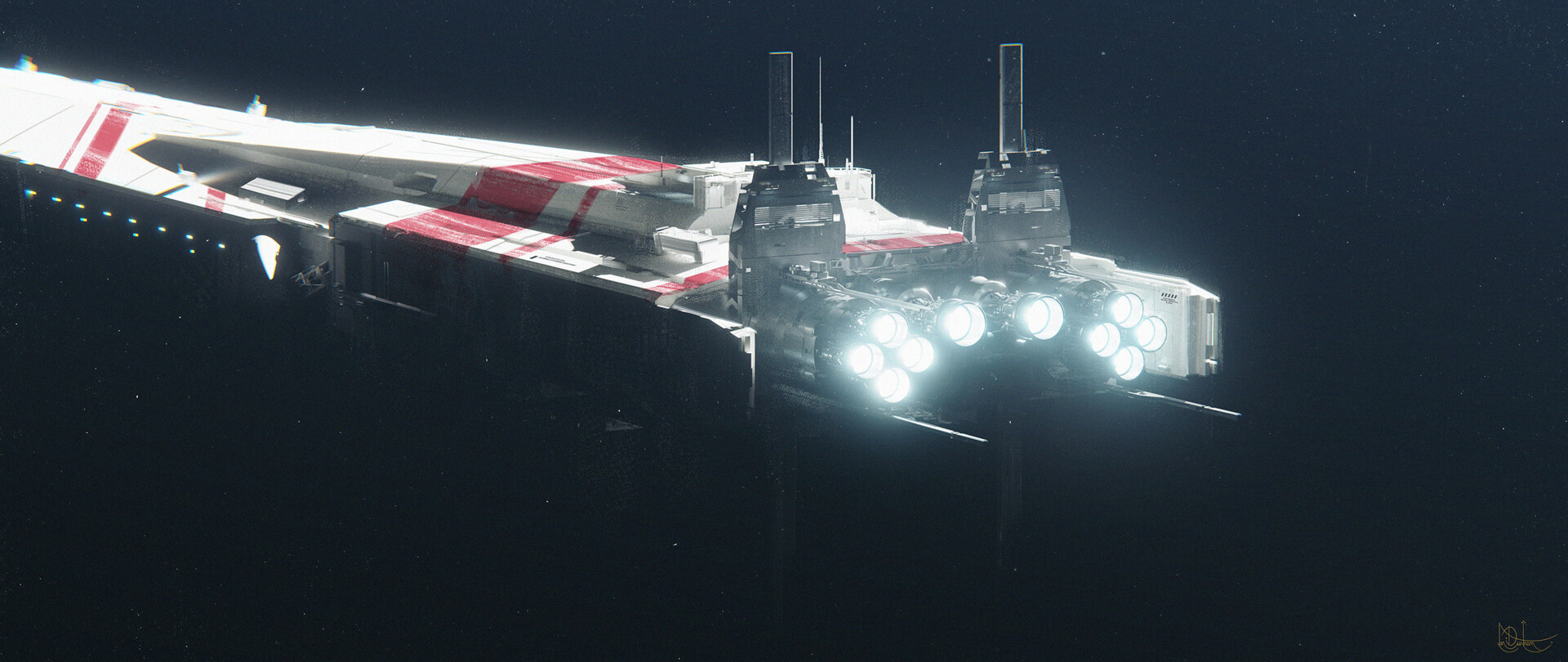


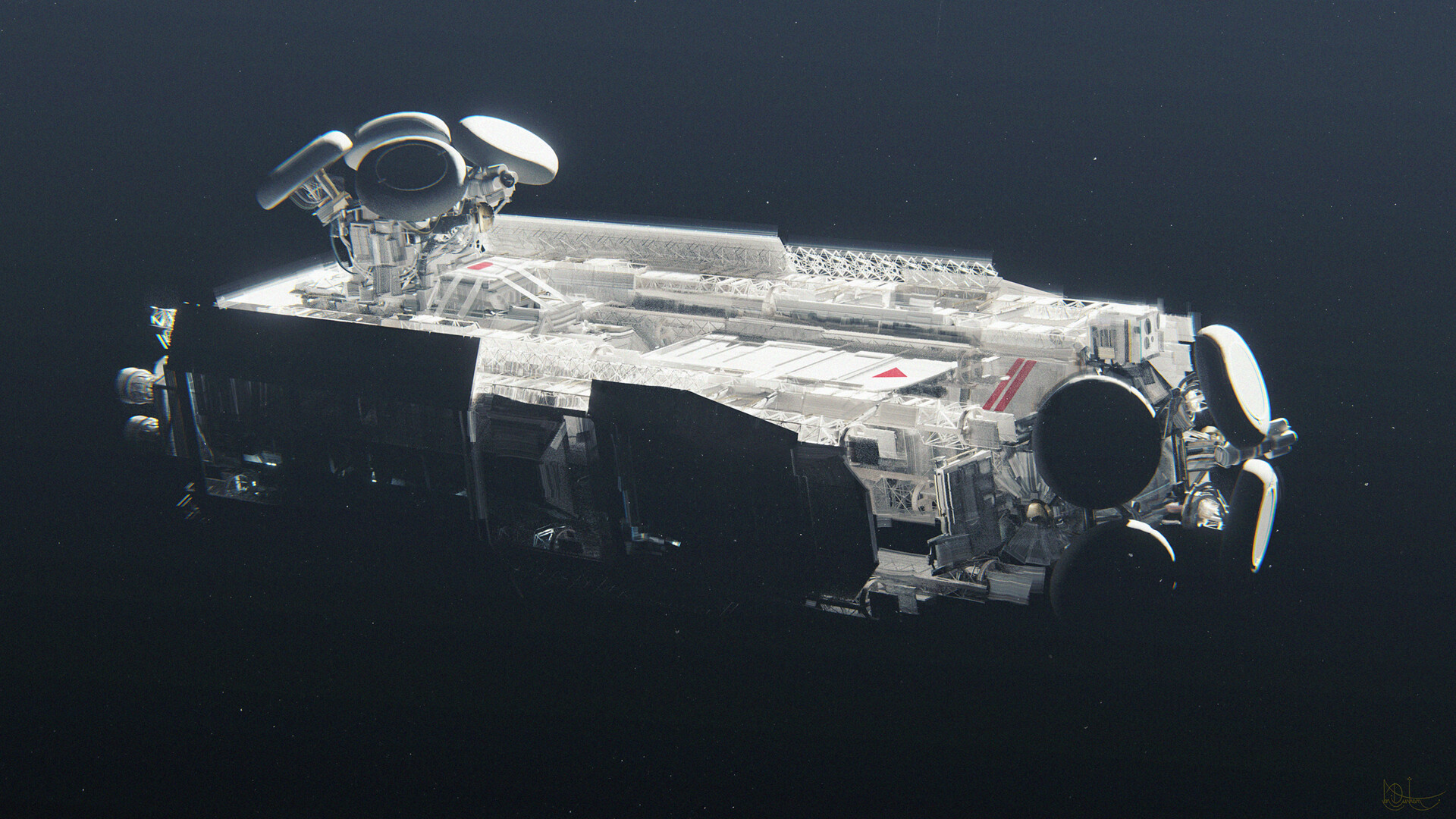
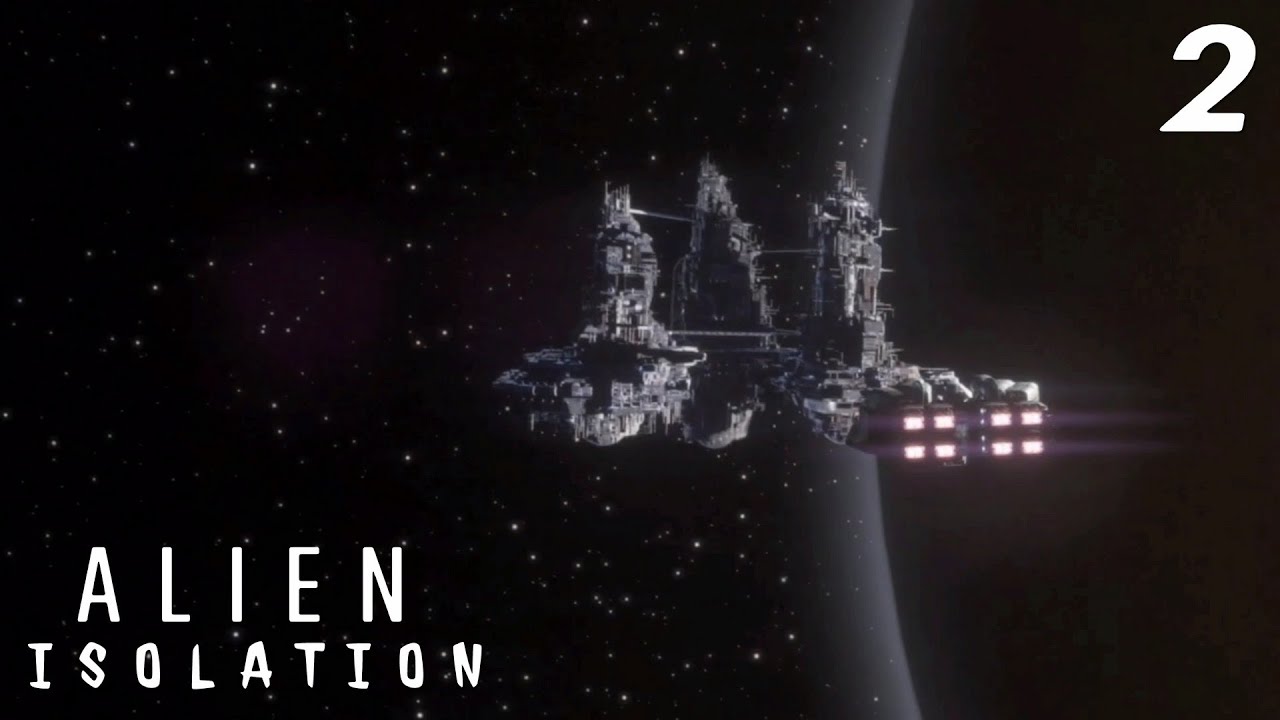
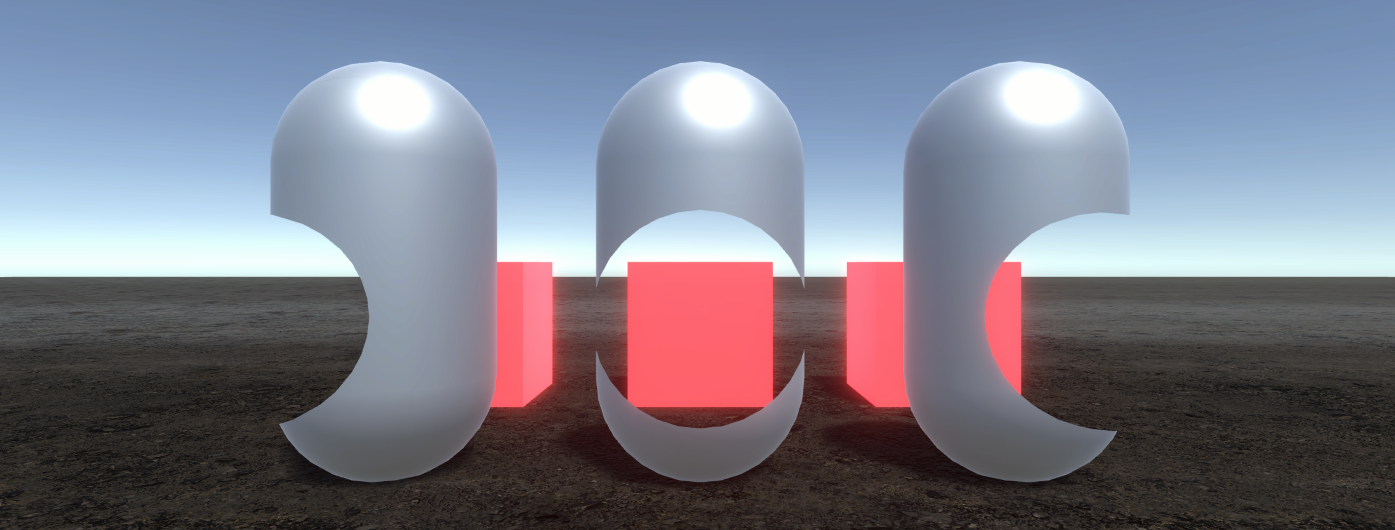 sterile mesa
scarlet hull
I had to connect to a proxy to watch the video, but :
The is totally expected.
...
sterile mesa
scarlet hull
I had to connect to a proxy to watch the video, but :
The is totally expected.
...
Valuable info. TY
ionic kindle
I am curious if there is a way to grab lighting information relatively easily, or somewhere to read up on how to do it in HDRP
for the purpose of say, making a shader/material that interacts uniquely with lighting
or to stylized the lighting e.g. cel shading
because I've seen very basic effects like that in earlier versions of HDRP that have always been quite complicated in execution
scarlet hull
There is not official way to do it currently.
You can pass lights information to your shaders if you want though.
Theorically speaking, if you switch the render pipeline asset to "forward only" shaders, I suppose you can access the lighting data in the shader, but this will require to dig in the lit shader code to find a way to retrieve it in shadergraph, probably with some custom functions
@ionic kindle
 delicate pulsar
Is possible to replace sun with our own vfx( i know we can set texture but can we use somehow shader graph effects etc)?
scarlet hull
The physical sky expects a texture for the sun.
You can however use a custom render texture, and a dedicated shadergraph to write into it
 barren field
Yo, does gltfutility not work with hdrp? I cant seem to get the materials transfered to hdrp
scarlet hull
barren field
Yo, does gltfutility not work with hdrp? I cant seem to get the materials transf...
Doesn't seem to be supported
 barren field
Aaah, damn…
scarlet hull
By "chance", I'm currently working a bit with GLTFast, that does support HDRP 🙂 :
https://github.com/atteneder/glTFast

GitHub
Efficient glTF 3D import / export package for Unity - GitHub - atteneder/glTFast: Efficient glTF 3D import / export package for Unity
 swift stirrup
hi. is the srp batcher source code available for reference?
i cant find it in the core rp package
summer glacier
swift stirrup
hi. is the srp batcher source code available for reference?
i cant find it in th...
No, It's in the C++ side of the engine, not publicly available
 ebon panther
Is there any way to turn the texture of the ground layer into a seamless texture?
 ionic kindle
my first person arms are receiving the directional light regardless of wherever they are in game view, but in the scene view they look fine
scene view

game view

we are doing the arms via camera stacking, and I think that may be the issue as those arms are being rendered on a layer without all the world objects and therefore always receiving the directional light
any way around this?
swift stirrup
summer glacier
No, It's in the C++ side of the engine, not publicly available
thanks for the help
 hearty peak
ebon panther
Is there any way to turn the texture of the ground layer into a seamless texture...
hearty peak
ebon panther
Is there any way to turn the texture of the ground layer into a seamless texture...
It seems to be seamless, do you mean less noticeable tiling? Then maybe this https://medium.com/@jasonbooth_86226/stochastic-texturing-3c2e58d76a14

Medium
Back in 2019, Erik Heitz and Thomas Deliot release a wonderful paper along with a Unity implementation of an anti-tiling technique called…
ebon panther
hearty peak
It seems to be seamless, do you mean less noticeable tiling? Then maybe this htt...
Ty, i will try
eternal laurel
ebon panther
Ty, i will try
You might look into hex tilling https://github.com/keijiro/HexTileTest it gives practically the same result but it’s computationally cheaper than stochastic tilling.
GitHub
Hex tile sampling test (Unity). Contribute to keijiro/HexTileTest development by creating an account on GitHub.
It also works out of the box when you install the package while stochastic will require a bunch of work
 narrow bluff
Hey, is there anyway to turn hdrp graphics to normal such as in normal projects? I just want to use it for the vfx graph
eternal laurel
narrow bluff
Hey, is there anyway to turn hdrp graphics to normal such as in normal projects?...
Vfx graph works with urp as well. You cant turn hdrp all the way down
narrow bluff
So urp is like a normal project
eternal laurel
In terms of performance and platform accessibility yes
narrow bluff
Thanks!!!
keen jay
I am on 2022.2 using HDRP and would like to use ray tracing (for better quality) but I use vertex animation to make trees blow in the wind and release notes for ray tracing says vertex animation is not supported. Is there a good way to combine wind, trees, and ray tracing?
 molten surge
When I load a scene from an asset bundle, I'm getting this odd effect. Anyone know how to fix it?


I had the issue a while back and I'm pretty sure I fixed it by changing the post processing buffer format. But that hasn't worked this time around
long scarab
molten surge
When I load a scene from an asset bundle, I'm getting this odd effect. Anyone kn...
Are you using DLSS or any other sort of dynamic resolution?
molten surge
long scarab
Are you using DLSS or any other sort of dynamic resolution?
Nope
long scarab
Hm, I know this kind of effects only due to bugs in dynamic resolution.
molten surge
It's got to be something to do with the post processing/lighting as it's basically an imprint of the sky box from the previous scene
whole fossil
i don't really know if my question belongs here or in the #archived-shaders channel, but I'll try my luck here. Is there a way to have blendmodes in ui images using canvas overlay with hdrp? Anyone tried that?
scarlet hull
whole fossil
i don't really know if my question belongs here or in the <#497874081329184799> ...
With unlit transparent shaders, it might be possible
whole fossil
I've tried that, but I don't quite understand how to access the underlying data to blend the pixel value from
scarlet hull
Don't do that, just output color + alpha in the shader, and change the blend mode
Now, you'll still be limited to HDRP blending modes
Hum, as it's for overlay UI, maybe the built-in unlit shadergraph might be also a good choice.
Overlay canvas are rendered in a different path than HDRP
whole fossil
oh thanks, I'll check that out. I only need additive which should be easiest to achieve
whole fossil
I think I got it, thanks @scarlet hull!
 unkempt sedge
How do i create a paperdoll in HDRP if i can`t use two cameras? (too slow)
 proper drum
I'm having a major headscratcher with HDRP Planar Reflection Probe, i can't see how this thing is supposed to work in the OnDemand render mode when the thing does not attach an HDAdditionalReflectionData to itself. Manually adding it causes a regular reflection probe to come with it. Or is this thing just unfinished and i'll need to code around it and make my own call to the renderpipe to update the probe on correct cameras?
scarlet hull
proper drum
I'm having a major headscratcher with HDRP Planar Reflection Probe, i can't see ...
I haven't double checked myself, but looking at the API :
The planar reflection probe inherits from HDProbe, where there is the method RequestRenderNextUpdate() that should work
proper drum
scarlet hull
I haven't double checked myself, but looking at the API :
The planar reflection...
It "works" but something is badly broken, it's skipping most transparent passes, low resolution transparent gets wiped out entirely etc
proper drum
scarlet hull
I haven't double checked myself, but looking at the API :
The planar reflection...
For additional context what i'm trying to do is render a probe every other frame
scarlet hull
Check the default frame settings for realtime reflections, by default lowres transparent are disabled for example :
 proper drum
scarlet hull
I haven't double checked myself, but looking at the API :
The planar reflection...
proper drum
scarlet hull
I haven't double checked myself, but looking at the API :
The planar reflection...
The method summaries themselves + docs state this probe should also have that HDAdditionalReflectionData component for it to function correctly, the frame settings are 100% correct already it's the first thing i checked
And the HDRP assets also have correct setups to render those passes, it only breaks when trying to render every other frame
PostPass is also broken and can artifact