#archived-hdrp
1 messages · Page 2 of 1
 scarlet hull
HDRP natively integrates screen space and raytraced (DXR) GI.
It is somewhat a part of lumen
 wraith blaze
Dont have a rtx card unfortunately
scarlet hull
SSGI doesn't require RTX cards
 loud leaf
There's also H-Trace: https://assetstore.unity.com/packages/vfx/shaders/fullscreen-camera-effects/h-trace-gi-occlusion-hdrp-233762

Add depth to your project with H-Trace: GI & Occlusion HDRP asset from Passeridae. Find this & more VFX options on the Unity Asset Store.
 shrewd moon
Quite the marketing heist NVidia pulled off by convincing the general population that realtime ray tracing is specifically RTX exclusive technology
wraith blaze
Which one would u guys reccomend is the best value for what it does
scarlet hull
shrewd moon
Quite the marketing heist NVidia pulled off by convincing the general population...
Haha, indeed.
Now, I haven't looked recently, but I think AMD is not really on par with them right 😅 ?
 shrewd moon
scarlet hull
Haha, indeed.
Now, I haven't looked recently, but I think AMD is not really on p...
shrewd moon
scarlet hull
Haha, indeed.
Now, I haven't looked recently, but I think AMD is not really on p...
RTX cards are definitely leading the hardware race since they went all in on having dedicated components for it, but afaik the raytracing itself is a feature of DX12 and Vulkan, agnostic of hardware
wraith blaze
Price also better than lumina
scarlet hull
shrewd moon
RTX cards are definitely leading the hardware race since they went all in on hav...
Yes, AMD card can definitively also do raytracing (and console), but afaik nvidia is clearly in front in terms of performances, without even speaking of their other advances like DLSS
loud leaf
AMD's current best RT performance is in the ballpark of a 4+ year old 2080 Ti. I think a full AMD stack could work (so also using FSR 2.x instead of DLSS) but I wouldn't risk it for development.
 summer glacier
For me imo nvidia is far ahead by default mainly due to DLSS/DLAA, optix is great as well
 dawn sorrel
Is there anything in the works at Unity similar to Nanite, Remy? Been wondering if I should just wait or take the matters into my own hands 🤣
 ember breach
There is a guy recreating in for Unity, check Unity NanoTech on YouTube, I believe its called like that
dawn sorrel
Ah yes. But for what I heard, that's going to paid. And I don't like paying lmao. So it leaves three options; pirate it, wait and see if unity does something, or do it myself.
Now, I don't like pirating ||except if it is Adobe, because fuck Adobe||, so it actually leaves two options. And I to be honest doubt Unity is doing anything.
So maybe I'll just try to put something together myself. Maybe I could try to make a voxel-type renderer for normal models.
 opal vapor
What's the best way to wrap a heightmap around a sphere to create a 'planet'?
 frail tendon
Hey so in the past I used URP, and I render with a compute shader
To do this I used OnRenderImage to get a texture to write to, whats HDRP's equivilant of this?
it needs to be in a script that can access other scripts attatched to gameobjects and be accessed by an editorwindow
or is there a way to not have to deal with this, while still being able to access the HDRP material properties(not use the materials themselves, but still have them attatched to meshes so I can access their properties and textures from a script)
 eternal laurel
scarlet hull
Haha, indeed.
Now, I haven't looked recently, but I think AMD is not really on p...
eternal laurel
scarlet hull
Haha, indeed.
Now, I haven't looked recently, but I think AMD is not really on p...
Judging from AMD's recent GI1.0 paper raytracing is indeed slower on amd cards but the whole GI solution they propose is on par or better than Lumen and a bit faster too 
 harsh basalt
Is there anyone know how to sample reflection probe in hdrp custom shader?
scarlet hull
harsh basalt
Is there anyone know how to sample reflection probe in hdrp custom shader?
In a custom code or shadergraph shader ?
scarlet hull
harsh basalt
I know it is not possible in shadergraph
It's probably possible, using custom functions :/
harsh basalt
can you show me some example?
scarlet hull
I don't have any handy, and never did it myself, I'm just saying that it should theorically be possible
I'm digging in the source code to maybe find soem clues 😅
@harsh basalt Here seems to be a starting point : https://github.com/Unity-Technologies/Graphics/blob/master/Packages/com.unity.render-pipelines.high-definition/Runtime/Material/Lit/Lit.hlsl#L1973

 loud leaf
Are you trying to pre integrate brdf? HDRP does this by default
You can search for IntegrateGGXAndDisneyDiffuseFGD
But I wouldn't sample incoming light there
harsh basalt
Thanks, I will try that.
loud leaf
It's nice to have parts of the rendering equation decoupled so you can integrate outgoing light at a higher rate (for example n=4096) than incoming light (either SSGI or RTGI, which obviously you can not sample at n=4096 but rather 1 or 2)
Code for sampling reflection probes was changed a few times recently depending on your HDRP version, but if you search for TraceReflectionProbes in ScreenSpaceGlobalIllumination.compute you will get a general idea of how it works.
harsh basalt
I think I have the basic idea now, thanks!
 ivory flint
Anyone know why my point light lit up perfectly in scene view but not in game view ?
the scene is super simple no baked lightning

in game view it only lit the floor not character
dunno why but I enable this and it works now

 warm radish
Please help me out here. Should I use HDRP or URP? I'm making a realistic tropical survival game and currently I'm using URP, though I'm running in quite a few problems such as:
- Lighting sucks ass
- No cool (volumetric) fog/clouds without having to spend 30$
- Everything just looks... mediocre
- No auto exposure
The only thing Im worrying about is the performance, and how hard it is to make realistic assets for the game. Currently I'm mainly buying assets because: - We're a small team and none of us are very experienced in modelling (I know how to use Blender but I suck at optimizing it and baking takes 30 years)
- It's way faster and when it comes to time, cheaper.
Any ideas/opinions/comments/notes/things I should know about? Please let me know what you think I should do
I want the game to be runnable by most people, and not just the guys with quantum computers
warm radish
ivory flint
Anyone know why my point light lit up perfectly in scene view but not in game vi...
Wait. Why are you using HDRP for a stylized game?
summer glacier
warm radish
Please help me out here. Should I use HDRP or URP? I'm making a realistic tropic...
If you're targeting PC/consoles, go for HDRP.
Watch some videos on HDRP lighting, learn the workflow (HDRP assets, volume system, exposure), global settings, per frame settings, and your set. It's quite simple to learn all this in a day.
I say go for HDRP because URP developers are misguiding people, URP is not built-in replacement, they basically said it in the latest QA. URP is mobile focused, mobile first, everything else is secondary. All features consider mobile first, even at the detriment of PC/console games. We can already see this happening. SSAO performance/quality, TAA putting mobile first with hardcoded settings, very slow feature development, many features with the same built-in limitations, no SSR (or plans for it because of mobile), etc.
And you don't have to slap a hundred assets to make up for it's weak graphics feature set.
 keen jay
warm radish
Please help me out here. Should I use HDRP or URP? I'm making a realistic tropic...
keen jay
warm radish
Please help me out here. Should I use HDRP or URP? I'm making a realistic tropic...
You can take a copy of your app (don't do it to the original!) and try upgrading to HDRP. I had lots of store assets, many with custom shaders that then broke. But I was going from built-in (not from URP) so it might be different. HDRP does look better for me, but I am not using real time so I have no advice positive or negative on performance differences.
summer glacier
In terms of performance, learn to use the unity profiler. Very easy to learn, super useful.
There's also a GPU module for it you can easily enable.
CPU profile performance is not accurate in the editor, will have some editor overhead (you can make a build and connect the profiler to it for accurate measurements), GPU profiler data is accurate in editor.
HDRP is alright nowadays when it comes to performance for PC, keep an eye on GPU cost, especially volumetric fog. Can get VERY expensive at high settings. And stick to medium quality shadow filtering.
use shadow caching for punctual lights, keep an eye on quality settings, and you'll be good.
warm radish
summer glacier
I say go for HDRP because URP developers are misguiding people, URP is not built...
Alright thanks for your response! 🙂
warm radish
There seems to be some sort of visible pattern over the leaf's surface
I have no clue what's causing this but it looks weird
shrewd moon
warm radish
There seems to be some sort of visible pattern over the leaf's surface
That's high quality shadow filtering that appears very close to surfaces with large light source size/diameter
Could also be shadow acne creating artefacts together with the filtering
Smaller light sources need to be filtered less so they have less grain, and rarely you'll be looking at surfaces that close anyway
medium quality filtering doesn't have that type of grain either
warm radish
shrewd moon
That's high quality shadow filtering that appears very close to surfaces with la...
So should I turn high quality shadow filtering off?
warm radish
shrewd moon
Smaller light sources need to be filtered less so they have less grain, and rare...
It happens from further away too, but I zoomed in to show it better on video
shrewd moon
warm radish
So should I turn high quality shadow filtering off?
Perhaps
I'd explore the other options too
If it's shadow acne related after all, or if the light source diameter is way too big, it isn't the fault of filtering at all
warm radish
Alright Ill have a look
summer glacier
warm radish
There seems to be some sort of visible pattern over the leaf's surface
that's because you're not using TAA. High shadow filtering requires TAA for a clean image.
If you want TAA to run in the scene window, then enable Refresh mode and switch scene antialiasing to TAA.
Alternatively, switch to medium filtering. Probably for the best unless you know you need it, high shadow filtering can get expensive.
warm radish
summer glacier
that's because you're not using TAA. High shadow filtering requires TAA for a cl...
👍 Thanks, I'll have a look and see if it works
warm radish
summer glacier
that's because you're not using TAA. High shadow filtering requires TAA for a cl...
It works nicely, though when moving around the whole scene feels a bit blurry, but that might just be my shitty eyes.
summer glacier
warm radish
It works nicely, though when moving around the whole scene feels a bit blurry, b...
TAA makes it blurry, increase the sharpening and movement sharpening paramaters (found in camera).
Although that's for game view, for scene view you can't control sharpening paramaters and it runs at low FPS so it won't look as good as in-game
warm radish
summer glacier
TAA makes it blurry, increase the sharpening and movement sharpening paramaters ...
Alright thanks for letting me know! 🙂
shrewd moon
warm radish
It works nicely, though when moving around the whole scene feels a bit blurry, b...
The grain should be present at the edges of shadows, not across entire surfaces
warm radish
shrewd moon
The grain should be present at the edges of shadows, not across entire surfaces
The grain isn't what I mean with bluriness
warm radish
summer glacier
TAA makes it blurry, increase the sharpening and movement sharpening paramaters ...
👆
shrewd moon
There should be no grain for TAA to blur there
keen jay
I got some similar things with shadow resolution set very high (4096 - I want nice crisp shadows normally)

 mortal current
I didn't really get an answer from anybody in the lighting section so I thought I'd post here.
Still relevant.
Is there a way to get baked specular lighting in HDRP?
As soon as we bake lighting, we lose specular/metallic on all of our materials
Which defeats the point of PBR materials, and makes the game look 10 years old
I can't believe HDRP is marketed as a high-end solution and yet can't do specular highlights on materials with baked lighting.
The other end is to use real-time lights which are optimized terribly in HDRP (God forbid you use DX12)
keen jay
Dropping to 2048 removed the lines for me, but there is other shadow flicker going on - so I just turned shadows off for that spotlight.
 keen jay
mortal current
I didn't really get an answer from anybody in the lighting section so I thought ...
keen jay
mortal current
I didn't really get an answer from anybody in the lighting section so I thought ...
I didn't reply as I only use realtime lights - baked lights have a list of "not done yet" things, one of which I wanted (vertex animation), plus baking to see what lighting changes looked like was too painful as I change lighting almost per shot (I am doing animation, not a game - so what a clip looks like is everything)
mortal current
Are you working on lighting for Unity?
shrewd moon
keen jay
I got some similar things with shadow resolution set very high (4096 - I want ni...
This is shadow acne, related to normal bias
mortal current
I'd have thought something like specular reflection within materials can be achieved via a lightmap and some kind of reflection probe
keen jay
shrewd moon
This is shadow acne, related to normal bias
Is there any Clearasil for shadow acne? (Not critical - there were enough other problems that I just turned off shadows, but the overall shots with things on the floor don't look as good as they don't cast shadows for that scene)
keen jay
mortal current
Are you working on lighting for Unity?
Me? I am just an evening hobbyist - learning as I go.
mortal current
Oh, the question wasn't directed at you lol
shrewd moon
keen jay
Is there any Clearasil for shadow acne? (Not critical - there were enough other ...
Tweaking bias settings to find the right balance, basically
Any extreme value will create more shadow problems
shrewd moon
keen jay
I didn't reply as I only use realtime lights - baked lights have a list of "not ...
Baked lightmaps fundamentally cannot and will not react to dynamic or changing geometry such as vertex animation (except indirectly via light probes)
The purpose of baked lighting is to allow simulated bounce lighting in realtime applications (without having to resort to ray tracing) and to trade processing power for disk space
Not relevant to every scene or project
keen jay
shrewd moon
Tweaking bias settings to find the right balance, basically
Any extreme value wi...
I am using HDRP, but still hunting for "bias" settings. (The page above talks about Built-in render pipeline.) I cannot see a bias setting in the Light Explorer window for example...
mortal current
shrewd moon
Baked lightmaps fundamentally cannot and will not react to dynamic or changing g...
How is unreal engine providing metallic/specular to their materials even with baked lighting?
I can do the same thing in Unreal except I keep my specular lighting...
shrewd moon
keen jay
I am using HDRP, but still hunting for "bias" settings. (The page above talks ab...
light biases can be found in light component settings in all render pipelines https://docs.unity3d.com/Packages/com.unity.render-pipelines.high-definition@12.1/manual/Light-Component.html
shrewd moon
mortal current
How is unreal engine providing metallic/specular to their materials even with ba...
I can't speak for Unreal but in Unity you can use reflection probes and lights of Mixed type as well as screen space reflections
wraith blaze
I know that the 3rd party lightmapping tool bakery has what you are looking for
mortal current
Reflection probes do no provide specular whatsoever, merely 'reflection'
That is specular reflection

That is real-time specular reflection off a basic material
This is reflection probe, and high end baked lighting.

When you lose specular to materials, you prevent it being PBR thus you will not get correct lighting on materials
shrewd moon
mortal current
That is specular reflection
There's also "directional mode" which I believe is meant to help with that
In practical scenarios you'll want to use both reflection probes and mixed lights, and optionally directional mode and SSR
Lightmaps alone are just textures with brightness data so you have to supplement them with other technologies
mortal current
It is what makes AA-AAA games actually look good
When you remove specularity from materials, they look very flat and boring.
How on earth does HDRP, a pipeline built to compete with Unreal graphically fall short from this. It's unbelievable.
Directional mode doesn't help with this
I've litterally setup a test scene with one light to see if I can get it to look physically accurate in anyway
It's impossible with Enlighten, which is weird since Unreal also uses that lol
Sorry to sound angry but we're trying to make our game look significantly nicer and baked lighting is currently our only way to keep performance good.
It wouldn't be a problem if it didn't turn our whole map dull and flat looking
shrewd moon
Try the reflection probes and mixed lights together first, and then with the two other features
Unreal fundamentally works with the same limitations but starts with all the features enabled
mortal current
Mixed lighting does work..
But it's real time lighting lol
Just with GI baked in for the static objects around it
It's just a nicer looking real-time light from what I can work out
shrewd moon
Well yes, you literally can't bake a specular reflection because it changes by viewpoint
mortal current
shrewd moon
Well yes, you literally can't bake a specular reflection because it changes by v...
So does reflection probes
It's the same concept surely?
Shouldn't there also be some form of specularity probe that bakes a specular map
shrewd moon
The texture of the reflection probe is baked
The cubemap reflection and specular reflections are both calculated in realtime
mortal current
wraith blaze
I know that the 3rd party lightmapping tool bakery has what you are looking for
Really?
shrewd moon
mortal current
Shouldn't there also be some form of specularity probe that bakes a specular map
It seems "directional mode" used to be that for specular, but the feature was removed in some patch, allegedly because it wasn't any cheaper than rendering the reflections with mixed (aka realtime) lights
mortal current
I'm assuming mixed lighting takes up more performance than realtime
shrewd moon
mortal current
I'm assuming mixed lighting takes up more performance than realtime
Well you could read about this stuff instead of assuming things
But no, they're realtime lights which are also treated as baked lights during baking process
wraith blaze
@mortal current I suggest going to the asset store and checking the features it has,i know for a fact it has some nice advanced tools for directional lighting
I mean directional mode for baked lightmaps
mortal current
Thanks I'll take a look
shrewd moon
The vanilla lightmapper has directional mode, but in addition to that the shaders used on surfaces need to support rendering specular reflections using the directional lightmap
It's not just what the lightmap does
mortal current
Okay, thanks for your help @shrewd moon
shrewd moon
mortal current
Okay, thanks for your help <@166982635950702592>
Good luck! While HDRP doesn't quite sport all the features Unreal does, it does the most, but expects you to know how and when to enable them all
Worst comes to worst you can always read Unreal's source code and port the features to Unity 
mortal current
Yeah we've been using HDRP for a while and we've only come to optimizing parts of our game now
So with baked lighting we're just seeing a huge difference in the quality of our art. It's basically been dropped by a good 50%

You can see around our scene here the ground and everywhere looking very flat
In the case here:

We have 1 mixed light
wraith blaze
Still looks good tho even without it
mortal current
And the whole team have RTX 3080s
We lose FPS so hard using any form of real-time lighting in Unity
If we use DX12, it's unbearable
Our assets are all optimized etc
shrewd moon
mortal current
The very first thing I'd add here are reflection probes, preferably box-projected
If your light sources have a fixture mesh with emissive materials, they'll show up on such a reflection exactly as your old fashioned specular light source would
shrewd moon
That seems odd to me 
mortal current
We obviously get some effect but it doesn't look like anything you'd expect lol
As for specularity, we get none, all of our static objects just turn to flat
which makes the whole scene look toon shaded almost
For example, just to test...

I put reflection probes on every frame, real-time
that's what it looks like
Same scene with RT lighting
 shrewd moon
"Specular reflections" are a combination of the cubemap and reflected light sources, they're applied the exact same way on the shader
mortal current
I don't understand why the reflection probe doesn't apply the same kind of specularity to materials then
Even turning intensity up silly high doesn't showcase the correct spec
I'll give bakery a go
wraith blaze
From what i have used bakery is just superior to unitys default lightmapper in so many ways
 sinful imp
I recently updated to 2021.3.11f1, and now I'm getting a strange build error that's saying that there's no HDRenderPipeline asset found in the graphics settings, which leads to extremely long build times. I've tried removing and re-adding the HDRenderPipelineAsset in the graphics settings, reinstalling hdrp, creating a duplicate HDRenderPipelineAsset, and deleting the library folder.
 summer glacier
mortal current
I'll give bakery a go
summer glacier
mortal current
I'll give bakery a go
Bakery supports specular, but you have to use the shader provided by bakery (HDRP version), or create your own custom shader in shadergraph and add support to it there.
Dominant direction is inferior to what most games use for baked GI when it comes to very high fidelity. Bakery offers RNM and SH, both higher quality than dominant direction.
Thing is, mixed lights should not be that expensive.. HDRP in particular can support a ton of real-time lights fairly well. What is making it so expensive for you? If you're using point light shadows then maybe that's why.
You can still use point light shadows, but they must be cached. HDRP offers shadow caching, set it to onEnable, or onDemand, if the latter, update it as required based on player distance, what's shadowed, etc. You can also tick "support dynamic shadows" or something similar, so static object shadows are cached, while dynamic objects will be a part of the real-time shadow map.
I'd say mixed is the way to go if you can figure out the performance issues.
Seeing your scene, it looks very simple and should run quite well, are you by any chance using high quality shadow filtering? If you are, then that's why.. high quality shadow filtering can't be cached completely, it will add a massive performance cost to "deferred lighting" on the GPU, and as long as shadows are enabled, cached or not, it will be there. And the cost is no joke. It's also hidden in a way since it's added to deferred lighting, so you might not know the cause is shadows. I recommend checking the GPU profiler and seeing what exactly is so expensive, CPU as well while your there.
summer glacier
mortal current
How is unreal engine providing metallic/specular to their materials even with ba...
I wish HDRP did this. Placing reflection probes to hide all the specular reflections is an absolute pain.
UE generates a specular map when you bake lights, you can find it after you finish your bake. It looks quite unique.
mortal current
Thanks Max, I'll check the shadow filtering and we're largely not using many pointlights. A lot of it is spotlights. I'll possibly try out Bakery but also maybe its the volumetric lighting causing performance issues. We've definitely got a GPU bottleneck over CPU.
summer glacier
mortal current
Thanks Max, I'll check the shadow filtering and we're largely not using many poi...
Yeah, volumetric fog can get extremely expensive. There's a metric for it in the GPU profiler
 obtuse plank
it's been a while since i touched unity, so sorry if this is a silly question
i'm trying to add subsurface scattering to my material, but it turns out green for some reason
the material base color is set as purple but as soon as i change the material type to subsurface scattering it turns green
material (nothing has been changed from default except the color and subsurface scattering)

 cold pollen
hi, i want to make my game look more realistic with raytracing, and tutorials on yt said i need reflection probes for reflections. Now i made a reflection probe, placed it in the middle of my world and it's doing weird stuff:
- The reflections arent where they need to be (looks like the reflecting objects capture the reflections from somewhere else
- If i go into the area where the reflection probe takes effect, something really weird and annoying happens as shown in the screen shot below.
Can someone help me?

Also I have a 2080 ti so it has RT cores if that matters
wraith blaze
did u set the bounds of the reflection probe?
wraith blaze
go to the inspector of the reflection probe and set the xyz of bounding box
cold pollen
wraith blaze
go to the inspector of the reflection probe and set the xyz of bounding box
if you mean the box size under influence volume, yeah i've done that
 wraith blaze
did u make it really big?
to cover ur whole scene plus ur enivorment needs to have reflection static ticked for the probe to work just to let u know
cold pollen
wraith blaze
to cover ur whole scene plus ur enivorment needs to have reflection static ticke...
oh thats good to know, ill try that
cold pollen
wraith blaze
did u make it really big?
no, only 10x10 to test it out
cold pollen
wraith blaze
did u make it really big?
and i initially spawn outside of it
wraith blaze
did setting it to static do the trick?
wraith blaze
then i dont know thats so weird
cold pollen
ok... but thanks for trying to help
 tidal flare
I'm assuming submitting a bug report for system crashes on an AMD FX-6300 (2012) isn't worth it. The user wants me to but idk how to break it to him his cpu is just too old at this point.
shrewd moon
tidal flare
I'm assuming submitting a bug report for system crashes on an AMD FX-6300 (2012)...
Might be
But it's also possible that they could fix the crash which could help some users still using old hardware
 serene ingot
Hi I was just wondering if its possible to upgrade a URP project to HDRP and if so how to do it?
cold pollen
cold pollen
hi, i want to make my game look more realistic with raytracing, and tutorials on...
anyone got a solution for this?
scarlet hull
cold pollen
hi, i want to make my game look more realistic with raytracing, and tutorials on...
- If you're using reflection probes, it's not RT.
- Kind of look like that the left area of the image is saturated and causes bloom.
Can you show a more overall look of your scene and where the probe is placed ?
cold pollen
scarlet hull
- If you're using reflection probes, it's not RT.
- Kind of look like that the l...
ill send a picture when i get home, yeah
but how do i do RT reflections then?
scarlet hull
serene ingot
Hi I was just wondering if its possible to upgrade a URP project to HDRP and if ...
It is technically possible.
- Import HDRP
- Run "fix all" in the HDRP wizard
- Convert the materials to HDRP:
- Maybe you can manually set them from URP/Lit to standard, and then use the material upgrade to convert to HDRP
- Or you have to do it manually. URP and HDRP Lit mapping a somewhat close, so maybe switching is enough
- A lot of lighting corrections to do.
scarlet hull
cold pollen
but how do i do RT reflections then?
cold pollen
nope, thanks for telling me abt that!
harsh basalt
I got some problems with my hdrp outline shader. The first image is when I turn on the fog, the second is when I turn it off, and the third one is my code. Is there anyone who can help me to fix this?


 crystal frigate
hi , i have a problem with the standard shader the smg in the customizer of my game works fine but in hdrp it make a black screen i tried so much on this material but don't know what's the problem of it, can someone help me?
scarlet hull
harsh basalt
I got some problems with my hdrp outline shader. The first image is when I turn ...
How HDRP reacts with custom vertex/fragment shader is kind of unpredictable :/
I'm even surprised that it is rendering anything at all.
Have you tried making the same or similar outline with shadergraph, to see how it behaves ?
scarlet hull
crystal frigate
hi , i have a problem with the standard shader the smg in the customizer of my g...
This makes me think of some NaN issue.
Something in the material is causing pixels rendering error, resulting in NaN values, that and "spread" to the whole screen probably by the bloom post process.
Double check your normal and detail import settings, as well as emission values.
crystal frigate
it works thanks
harsh basalt
scarlet hull
How HDRP reacts with custom vertex/fragment shader is kind of unpredictable :/
I...
Since shader graph can not handle custom muti pass shader, it will not be my option for this kind of situation.
The problem right there is render queue.
scarlet hull
harsh basalt
Since shader graph can not handle custom muti pass shader, it will not be my opt...
In HDRP you can use custom passes for this.
 grizzled abyss
serene ingot
Hi I was just wondering if its possible to upgrade a URP project to HDRP and if ...
grizzled abyss
serene ingot
Hi I was just wondering if its possible to upgrade a URP project to HDRP and if ...
What we did to simplify this to use the newmaster stack in shader graph, make a new "master material" that uses the same texture inputs on both hdrp and urp
https://blog.unity.com/technology/introducing-shader-graphs-new-master-stack
However that is just the materials, still need to port lights, volumes, scenes etc separately as they are all different

 stable viper
Any Idea how to setup lighting in HDRP Scene for Space Game?
serene ingot
scarlet hull
It is technically possible.
- Import HDRP
- Run "fix all" in the HDRP wizard
- C...
Thanks heaps for this breakdown! I'll let you know how it goes once my team and I attempt the conversation
serene ingot
grizzled abyss
What we did to simplify this to use the newmaster stack in shader graph, make a ...
This seems really helpful too! Thank you!
scarlet hull
Looks like a bug that you could report
 lofty glacier
i have no clue what happend

I imported hdrp and all my materials arent working
did I just break my game or can I fix it
I have a backup so if I ruined it it wouldnt be the worst
but still a pain
scarlet hull
Is HDRP set up properly with the wizard ?
Are the material compatible with HDRP ?
keen jay
Is the exception error message in the bottom corner related? (Also, I assume you have "shader" view on, not just wireframe - in case the upgrade changed the default view settings etc)
lofty glacier
scarlet hull
Is HDRP set up properly with the wizard ?
Are the material compatible with HDRP ...
nothing wrong with the wizard
and they were pink when I first got it but then I tried reinstalling it cause I'm dumb and this is what I get this time

thats a new screenshot
with errors if that helps anything
keen jay
Pink means shader did not work. I had to manually convert lots of materials to a new shader (e.g. the HDRP Lit shader). Took me ages on my project.
keen jay
I would get more opinions. But if you use a custom shader, the HDRP wizard cannot auto-upgrade it. You have to do it yourself.
I did get there in the end - but it took a long time because I was using a wide range of asset store assets, many with custom shaders that I did not understand.
lofty glacier
I will just uninstall it but is there another way to use decals?
keen jay
Dunno sorry.
lofty glacier
thats okay
okay its pink in my backup lol shall I look up just a video on how to change the materials? would that help is my question

 steel meteor
Yes there are guides on YT on how to try converting standard shaders into hdrp shades.
Unity has an option in the menu bar to try to convert them automatically.
If that doesn't work you'll need to convert the manually by clicking on 'standard' in the material and selecting hdrp > lit. You'll need to then manually reassign the other properties like textures etc.
lofty glacier
thanks! very well put message!
 exotic plume
Heya! Can anyone tell me why Unity's example GroundFog particle sample is rendering out particles as squares here? Because I am upgrading an existing thing from Standard pipeline to HDRP I decided to post it here:
 lofty glacier
Hey! so I followed a tutorial but am still having some trouble getting colour do you know why this may be?
 exotic plume
Or if anyone has a simple fast solution for rolling smoky ground fog in HDRP?
steel meteor
lofty glacier
Hey! so I followed a tutorial but am still having some trouble getting colour do...
You can change the colour of the material by clicking on the white square in the base map option. The empty grey square to the right of it is where you can add a texture too.
lofty glacier
steel meteor
You can change the colour of the material by clicking on the white square in the...
I did that but it still shows as that grey/black colour it shows the same for gridbox textures
steel meteor
exotic plume
Heya! Can anyone tell me why Unity's example GroundFog particle sample is render...
Your vfx is missing a texture in the exposed properties section.
keen jay
exotic plume
Or if anyone has a simple fast solution for rolling smoky ground fog in HDRP?
Two possible options for fog - since you said "rolling fog" could you use particle effects? But HDRP has quite good built in Volumetric Fog support. You can do it as global fog (fog in the distance from the camera) and "local fog" where one area is foggy. I am not an expert in them, sorry, but have used both in HDRP on simple cases.
lofty glacier
steel meteor
You can change the colour of the material by clicking on the white square in the...
in this photo you can slightly still see the gridbox textures but very greyed out would this be a settings thing?
 steel meteor
lofty glacier
I did that but it still shows as that grey/black colour it shows the same for gr...
steel meteor
lofty glacier
I did that but it still shows as that grey/black colour it shows the same for gr...
Can you select the directional light in your hierarchy. Sometimes i find that will activate the light and light the scene properly.
steel meteor
Yeah, that light select thing is kinda weird.
lofty glacier
I feel so dumb like 2 hrs of trying to figure this out and i needed to select my light lol
dont know if this has to do with hdrp but think it most likley is... my directional light has very harsh shadows and I was wondering if there was a way to make everywhere lit up the same without making tons of area lights

(sorry for asking so much I have never touched lighting/pipelines before)
keen jay
Lighting is so complex there is a dedicated channel! Lol! In case any use, I have been writing up what I learn about lighting in HDRP on a blog: https://extra-ordinary.tv/2022/09/25/lighting-tricks-in-unity-hdrp-for-cinematic-effect/
I am creating a simple animated cartoon using Unity and the High Definition Render Pipeline (HDRP). One challenge that comes up is how to control the lighting levels of shots – how to make it…
lofty glacier
awesome! tysm!
crystal frigate
hi , can someone help me to convert this script to hdrp : https://hatebin.com/qqvnvqvgvq
keen jay
Are there any good tutorials on converting terrains to HDRP? Because grass is different, my upgraded terrains lost all the grasses etc I had. Not sure how to upgrade them all. I can find videos on YouTube, but basically it sounds "hard" (create models for your grasses, repaint them?) and was wondering if I was missing something.
 signal osprey
Did you guys see that? https://forum.unity.com/threads/block-shaders-surface-shaders-for-srps-and-more-public-demo-now-available.1350497/page-2#post-8528396

Unity Forum
Any ideas on timelines for when a public beta could be released?
We do have an idea about that, but I don't think we're ready to share this publicly...
 stone sorrel
for some reason my LOD setup will only show the LOD with the least amount of detail no matter where the camera is

unity version 2021.3.7f1
 distant hazel
stone sorrel
for some reason my LOD setup will only show the LOD with the least amount of det...
distant hazel
stone sorrel
for some reason my LOD setup will only show the LOD with the least amount of det...
it kind of looks like your lod 0 bounds are tiny
stone sorrel
distant hazel
it kind of looks like your lod 0 bounds are tiny
What do you mean by that
distant hazel
stone sorrel
What do you mean by that
unity thinks lods 0, 1, 2 are too small on screen so it picks the last one
it might also be because of your lod bias
stone sorrel
ive played around with all of those setting and it doesnt change anything
distant hazel
you mean you changed the lod bias in project settings? what is it now?
make sure the bounds are the same-ish for all your lods
stone sorrel
This is the only LOD I have in the project
I cant find the LOD settings in project settings
distant hazel
lod bias is in the hdrp asset you're currently using
also try increasing the object size, see if it changes anything
although 2.0 seems normal
stone sorrel
That’s what I thought you were talking about earlier
Changing it doesn’t help
Atm it is the perfect size
 buoyant drum
i need help


my shadows are appearing quite noisy
idk if this is something to do with the materials
but out here everything looks fine
 buoyant drum
buoyant drum
buoyant drum
so is this something to do with the textures/materials or could there be something else causing this?
shrewd moon
@buoyant drum I can't tell precisely, but looks like the kind of issues you could get with shadows bias, shadow filtering, screen space ambient occlusion or screen space reflections
I would start by toggling off shadows, SSAO and SSR to see if one (or more) of them is the culprit
buoyant drum
shrewd moon
<@479381281126219778> I can't tell precisely, but looks like the kind of issues ...
aight ty ill go through each one. havent had this problem before so ill post it here since im a noob 1 sec


thats with and without the AO
and its just super grainy/noisy
shrewd moon
I think most effects require TAA to be on to be able to filter out the pixel grain, so that's worth checking out too
Also, even if it's on it won't show up in scene view, so preview using the game window
buoyant drum
 buoyant drum
shrewd moon
Also, even if it's on it won't show up in scene view, so preview using the game ...
buoyant drum
shrewd moon
Also, even if it's on it won't show up in scene view, so preview using the game ...
nah it does do that in scene aswell
buoyant drum
shrewd moon
I think most effects require TAA to be on to be able to filter out the pixel gra...
TAA?
shrewd moon
buoyant drum
TAA?
Temporal anti-aliasing
TAA doesn't show up in scene view so there's more noise there, I mean
buoyant drum
ahhh yeah
i got it on the best one
the subpixel one
at least i thought it looked the best
ahhhhhhhhhh
i still cant get my head round it
shrewd moon
I'm not totally sure if tweaking TAA settings will help here or if you have to just tweak the SSAO settings, but it helps with similar problems in other situations such as with shadow filtering
keen jay
When I add a "color curves" post processing effect to the scene, with nothing adjusted (so I assume no changes being made) but the color looks quite different. Is this expected? Here is a view without Color Curves added.

Here is exactly the same thing, with color curves added as post processing.

I was trying to work out if this is a "bug" or a "feature".
 worthy valley
just checking is there a setting to stop automating global illumination while im working on non graphical related things
oop yep
Window > Rendering > Lighting > [ ] Auto Generate
 dim arch
Anybody know how to go about making a "realistic" screen?
I've made a quad and applied a rendertexture which shows a 2D Canvas - which shows a computer interface that i'm making for my player to interact with.
But its very dark when its not receiving a direct light source, which is uncharacteristic for screens. I read that you could disable "receive shadows", but I couldn't find the setting anywhere.
 glacial fossil
dim arch
Anybody know how to go about making a "realistic" screen?
I've made a quad and a...
glacial fossil
dim arch
Anybody know how to go about making a "realistic" screen?
I've made a quad and a...
You could try use the same render texture for the main texture and emission texture. That way the material would also have some emission
dim arch
glacial fossil
You could try use the same render texture for the main texture and emission text...
I'm worried that it would be unnecessarily computationally expensive
glacial fossil
dim arch
I'm worried that it would be unnecessarily computationally expensive
You use hdrp already, dont worry about performance impact of something so negligible 😁. The impact is going to be very very small, its just one texture sample more for those computer screen pixels
The render texture is not updated again for the emission map if thats what you mean, the render texture is already rendered when the computer screen starts rendering, at that point the render texture is just sampled like any other texture
dim arch
glacial fossil
You use hdrp already, dont worry about performance impact of something so neglig...
alright, it does also sound like what would happen in real life since screens literally work by directly emitting light
glacial fossil
dim arch
alright, it does also sound like what would happen in real life since screens li...
Yeah, sounds worth a try
dim arch
I'm honestly not clear about the cost of using render textures and at what resolution, etc
it sounds like an expensive ordeal to project a camera 24/7 onto a texture, and then do that for every single computer screen with a different canvas
but I don't really know enough about the inner workings of unity or anything about this, I just know C# basically lol
but I probably need to be less anal about performance in early stage
dumb question probably, but how do I actually set it as emission texture? is it under light probes?
glacial fossil
dim arch
dumb question probably, but how do I actually set it as emission texture? is it ...
No, its on the same material that you set for the monitor
dim arch
ah, this thing?
 glacial fossil
dim arch
ah, this thing?
glacial fossil
dim arch
ah, this thing?
Yeah
dim arch
and then multiply with base to make it use the rendertexture ?
seems to need an absurd amount of intensity in order to work though, doesnt seem right..
am I doing it wrong?
glacial fossil
dim arch
That seems quite high but by quick googling I can see that ipad 6 for example gives maximum of 500 nitses, not that much tho. You should use the values that looks good and not care of the actual values. Unticking the Use Emission Intensity could also do the trick
dim arch
Oh yeah, there's an exposure weight slider that seems to go from 0 to 1
If I turn it to 0.1 ish, it barely receives shadows
and I mean, it shouldnt receive shadows so i guess i'll put it to 0
glacial fossil
dim arch
Oh yeah, there's an exposure weight slider that seems to go from 0 to 1
I meant the toggle on top of the Emission Inputs section, if that works too, why not
dim arch
yeah, like this right?
 glacial fossil
Yeah, thats what I meant
glacial fossil
dim arch
it sounds like an expensive ordeal to project a camera 24/7 onto a texture, and ...
Render texture isnt really ideal on most cases, it costs about the same amount as rendering a single camera (like the main camera), the resolution doesnt matter that much, GPUs are crazy at doing things parallel, amount of draw calls tends to be bigger problem on most cases. If possible, it would be better to not use render textures at all and instead use one world space UI canvas for each monitor, that would obviously give bit different visual look tho. That approach would also make it much easier to get the interactions working with the computer screen as using the render texture approach makes you unable to make use of unitys UI interactions like buttons and stuff (event systems)
dim arch
glacial fossil
Render texture isnt really ideal on most cases, it costs about the same amount a...
Yeah, afaik I can't add cool shaders to world space UI canvas's
dim arch
glacial fossil
Render texture isnt really ideal on most cases, it costs about the same amount a...
You reckon i'd be better off drawing 2D meshes dynamically in world space, without any camera involved?
sorry idk why i replied twice
glacial fossil
dim arch
Yeah, afaik I can't add cool shaders to world space UI canvas's
Not easily, thats true
dim arch
right now, my graph works by adding triangles with vertexhelper,using a simple mesh that inherits from the Unity.UI.Graphic class
ah nevermind, I think it requires a canvas renderer
glacial fossil
Youd be better to actually profile the cost of having that monitor work like that if you are worried about the performance cost (compare the performance to the same game without the monitor)
dim arch
glacial fossil
Not easily, thats true
Is there any resources for how to do it, if its possible?
glacial fossil
Well, you could add a shader to each UI element but I dont even know if thats yet possible with hdrp
Shader graph atleast doesnt support UI shaders yet
dim arch
glacial fossil
Youd be better to actually profile the cost of having that monitor work like tha...
you mean the drawing with the graphic class? I don't know what i'd do instead, but I think its very negligible in this case since i'm only drawing a very small amount of tris, and not every frame
glacial fossil
And hdrp shader coding is not documented well enough to really write them by hand
dim arch
fug :--D
but uhh, youd have all UI in the same rendertexture somehow?
how would you have separate screens then?
and different shaders
nvm the shaders is on the material ofc
glacial fossil
dim arch
but uhh, youd have all UI in the same rendertexture somehow?
I mean no render textures, just world space UI on that monitor screen
dim arch
glacial fossil
I mean no render textures, just world space UI on that monitor screen
ahh right. I want to make it look good with shaders so I can't really
well we went over that
glacial fossil
Yeah, so stick with the current solution and profile the performance impact if necessary
dim arch
yeah, I was just wondering if there was an obvious alternative
but it seems like rendertexture is the correct way to do what I need to do
thanks mate, appreciate it
dim arch
kek
 wheat wolf
This might be better here
Can anyone help me convert URP shader code to HDRP? Specifically I want to use TransformWorldToShadowCoord(float3) from URP - which is now EvalShadow_WorldToShadow(HDShadowData, float3, bool) but I'm not sure how I set the HDShadowData
 rotund frigate
I got a quick question regarding the thickness maps used in the HDRP terrain sample, how does one replicate this? I've hear that you can invert AO to get a thickness map; Did unity do this and assign it to the red channel?
 rotund frigate
I ended up achieving something similar by inverting AO, and assigning it to the red channel. The thickness mapping is a tad off, but luckily the terrain shader allows for remapping
 mortal current
Am I doing something wrong in terms of setting up DLSS.
I've gone through the entire documentation and implemented it. Depending on certain settings, my FOV just seems to go to like 20 and almost crop the entire game view.
Furthermore, I see no performance boost whatsoever. Infact, turning it off gains me 10-15 fps lol.

If I set maximum screen percentage to 50%. It just seemingly crops my screen.

Im using latest LTS version of Unity 2021 HDRP
ivory flint
mortal current
If I set maximum screen percentage to 50%. It just seemingly crops my screen.
u haven't checked forced percentage
mortal current
I can check that and it just crops it aswell
 west linden
According to Unity's docs, Enlighten should remain available for HDRP until Unity 2024 LTS, but I cant select the option in the editor.
Am I misunderstanding something?


Oh could it be that it is deprecated in Unity 2020, but "un-deprected" in Unity 2021?
keen jay
west linden
Oh could it be that it is deprecated in Unity 2020, but "un-deprected" in Unity ...
Not sure, but looking at https://docs.unity3d.com/2023.1/Documentation/Manual/render-pipelines-feature-comparison.html and changing the version number drop down, 2023.1 talks about Enlighten again whereas previous versions said "deprecated and will be removed". Funky!
west linden
Yeah thats what I noticed. I guess Ill just try upgrading to Unity 2021 to see if the Enlighten feature has indeed been restored there.
(was kinda looking for a reason to upgrade anyway)
 grizzled flame
west linden
Oh could it be that it is deprecated in Unity 2020, but "un-deprected" in Unity ...
grizzled flame
west linden
Oh could it be that it is deprecated in Unity 2020, but "un-deprected" in Unity ...
Yes this is exactly it
They originally deprecated it due to licensing issues (they didn't want to pay or something), but then everyone got mad because there was no real working replacement
so they undeprecated it temporarily (basically extended its life)
it was kind of a disaster
shrewd moon
west linden
According to Unity's docs, Enlighten should remain available for HDRP until Unit...
You can gauge feature availability per version by setting the documentation to the specific editor version (though a bit cumbersomely because sometimes page names change while features do not, and a lot of the times it redirects you away from the article anyway)
 dark ore
Hello, ive been struggling to get a toon-shader in HDRP up and running. Has anyone experience with custom stylised shaders in HDRP? We use HDRP cause we need specific lighting that is only available in HDRP.
shrewd moon
dark ore
Hello, ive been struggling to get a toon-shader in HDRP up and running. Has anyo...
I only know that it's complicated due to how complex HDRP's light implementation is
What kind of specific lighting is it that makes HDRP necessary?
dark ore
shrewd moon
I only know that it's complicated due to how complex HDRP's light implementation...
We need volumetric lights (we need to have a visible light cone). We use the volumetric fog that is build into HDRP for that. And, we need rectangular spotlights, which cant be backed in (area lights need to be backed) because the player can actively change the lights position and stuff
shrewd moon
dark ore
We need volumetric lights (we need to have a visible light cone). We use the vol...
I don't think I've ever seen a toon shader that works for area/rectangular lights, so it's probably up to you to invent it
I expect you'll need a toon shader that's designed from ground up to work with HDRP's lighting systems
dark ore
Hm okay, thanks anyways 🙂
 fluid wadi
Is HDRP ready for primetime? I've noticed a general preference for URP on game jams
But I'm coming from Unreal and the HDRP features look sweet
keen jay
dark ore
Hello, ive been struggling to get a toon-shader in HDRP up and running. Has anyo...
I was using real toon for a while, but ultimately I was after hdrp for nice looking clouds, fog etc and I could not (with low skill) get it to look good, so I dropped back to lit shaders and standard shader graph so hopefully I can add shader effects for blush, tears, etc later
dark ore
keen jay
I was using real toon for a while, but ultimately I was after hdrp for nice look...
Is real toon a asset pack that works in hdrp, or is it built in? sorry for asking, dudnt come across that even after all the houers of googling
keen jay
dark ore
Is real toon a asset pack that works in hdrp, or is it built in? sorry for askin...

Add depth to your next project with RealToon (An Anime/Toon Shader) from MJQ Studio Works. Find this & more VFX Shaders on the Unity Asset Store.

This video is a test of the new Unity Water (HDRP).
Unity Water (HDRP) is available on the next unity version 2022.2.0,
**This unity version is currently alpha.
Objects/models with RealToon HDRP shader on the water works fine.
Get RealToon Shader:
http://u3d.as/vFY
They were pretty good answer questions in the forums on their RealToon thread.
shrewd moon
fluid wadi
Is HDRP ready for primetime? I've noticed a general preference for URP on game j...
It's perfectly well suited for production
It's obviously more complex though so nobody wants to spend time setting up and tweaking the graphics on a game jam schedule
keen jay
Some statements I read made it sound like HDRP might be a challenge on lower end mobile devices for performance reasons.
That might be the preference for URP - makes it easier to hit performance targets across devices.
shrewd moon
I don't expect HDRP to run at all on low end mobile devices
If the device can run it, you're almost certainly losing all the graphical gains in performance anyway
More resource-efficient to use that performance to get more juice out of URP
fluid wadi
But you can switch pipelines based on device anyways right, supporting both URP and HDRP in a single game?
 autumn ridge
Anyone have a good tutorial for importing Realusion Character Creator4 characters into Unity HDRP? I tried it a couple of times and got green skin, obviously a shader issue but I am fine in a regular 3d workspace.
keen jay
fluid wadi
But you can switch pipelines based on device anyways right, supporting both URP ...
Smart people may achieve this. Not me though. The finer details like lighting etc are different enough, plus are you sure you can load both pipelines at same time? I have never heard that was possible before.
fluid wadi
keen jay
Smart people may achieve this. Not me though. The finer details like lighting et...
Not sure, was going off this from the docs
"You can create multiple Render Pipeline Assets that use the same render pipeline, but with different configurations; for example, you can use different Render Pipeline Assets for different hardware quality levels"
"As soon as you change the active render pipeline in the Unity Editor or at runtime, Unity uses the new active render pipeline to render content. If you are in the Unity Editor, this includes the Game view, the Scene
view, and previews for Materials in the Project panel and the Inspector"
https://docs.unity3d.com/Manual/srp-setting-render-pipeline-asset.html
keen jay
fluid wadi
Not sure, was going off this from the docs
"You can create multiple Render Pipe...
HDRP render pipeline has a "profile" you can change - but its still HDRP pipeline.
shrewd moon
fluid wadi
But you can switch pipelines based on device anyways right, supporting both URP ...
"Scriptable render pipeline coexistence" is a brand new feature in 2022.2. Beta which allows you to have both URP and HDRP configured without needing to split into two projects
Otherwise you'll lose RP-specific settings when you switch between them
keen jay
Cool!
shrewd moon
Still, it requires you to put in the work to set up visuals for all render pipelines, which is more work than just focusing on one
Just because the installation of HDRP into an URP project will be seamless doesn't mean it'll instantly look good with HDRP since you practically will have to manually tweak each HDRP specific graphics feature
 vagrant crystal
wondering how exactly the new water system works, does it render using a mesh that it dynamically alters, or does it use an isosurface in someway? (also is it hdrp only, or is there someway to get it to run on urp?)
 waxen ferry
Is the HDRP template working for other people on unity 2022.2.1.21f1? I'm getting compilation errors - it seems to work in 2022.2.0b13 though. Where do I report bugs like this?
dawn sorrel
vagrant crystal
wondering how exactly the new water system works, does it render using a mesh th...
It's HDRP only, and I think it's basically just a port of the Boat Attack Water, which works with URP too.
vagrant crystal
dawn sorrel
It's HDRP only, and I think it's basically just a port of the Boat Attack Water,...
fascinating, thanks for the info!
keen jay
It would be interesting to know how it works. E.g. I had a built in shader from an old version of Unity that I could not port to HDRP as it relied on a "grab buffer" to do water drop refraction distortions. I was wondering if it was now possible to do it again with shader graph using some new HDRP feature. (I want to do water running down window panes, tears on faces etc - what I have managed to find/do is not as good as the old pipeline)
(Note: I am not an expert - I simply only found references saying "grab buffer is no longer available")
 crude siren
how can i make hdrp run better in the editor? right now all i have is like 2 things and its running very pooly on my laptop. i have a proper computer at home which can run it better but for work on the go, how can i fix this?

 outer carbon
You can't. There's no magic button for "make editor go faster".
HDRP is meant for high end machines. If yours isn't, it's going to struggle.
Also, HDRP for a 2D game seems like the wrong pipeline to be using ... ?
autumn ridge
crude siren
how can i make hdrp run better in the editor? right now all i have is like 2 thi...
My solution was an online rendering computer. It's cloud based and can be logged into by any machine. That way if I'm on my office or laptop I still have access to a beefy system that can render how I need it to.
dawn sorrel
can you tell me when enemies demo is coming to unity project?
 mystic breach
Hello, I recently started a new HDRP demo project with ray tracing for the sake of tinkering with ray tracing itself, however I ran into a little snag it seems. I already managed to get RTX working for realtime reflections on glossy surfaces like the tiles but that's not what I want. Now I installed Unity 2022.2.0b13 that apparently has a in-engine water renderer (and a pretty realistic looking one at that) which I enabled and dragged into the scene, but no matter what settings I current enable/disable to make it have realtime environment reflections, I can't get the water renderer to reflect the surrounding environment in realtime and there's also no source material that has HDRP material options to enable receive realtime reflections... mind you I did the Unity recommended way of setting up a project to be DXR (raytracing ready) any anything else does render raytraced except the water. anyone can help me out?

I also tried reflection probes but they don't create the desired effect.
scarlet hull
mystic breach
Hello, I recently started a new HDRP demo project with ray tracing for the sake ...
Reflections definitively work on the water surface.
Here is some results of my testing, based on a "petrol pool" placed in the template:
1.Reference, using the local cubemap reflections

- Added a planar reflection probe at the surface of the water

- Screen space reflections (need to enable SSR on transparent)

- Raytraced reflections

IDK why there is this sort of offset on the reflection when using SSR/RT
Not an offset, but the result of the reflection of the pool's border on the water surface.
SSR/RT reflections on transparent surface are always considered as 100% smooth and display sharp like this.
mystic breach
scarlet hull
Reflections definitively work on the water surface.
Here is some results of my t...
I tried the planar reflection probe and that kinda works but it still has a not-100%-accurate jittery nature to the reflections on the water
 scarlet hull
mystic breach
I tried the planar reflection probe and that kinda works but it still has a not-...
scarlet hull
mystic breach
I tried the planar reflection probe and that kinda works but it still has a not-...
The jittery issue can be fixed by increasing the planar reflection texture resolution.
mystic breach
not really, it still doesn't match what is being reflected

one wall shows but the other isn't reflected
scarlet hull
This is more unexpected.
You can inspect the planar probe to look at the computed reflection texture, to see if the wall is there or was culled.
Also, I've noticed that there is some sort of offset on the water reflection compared to regular objects, this might be a bug
mystic breach
shouldn't be the case because they're all part of the "StaticEnvironment" layer which are all static objects to tell the culler "only static objects and the sky should be rendered but the rest culled"
would be so much easier if the water shader itself had realtime reflection already included
scarlet hull
mystic breach
would be so much easier if the water shader itself had realtime reflection alrea...
It has it, it just depends on the type of realtime reflection you want. Cubemap / planar / SS / RT
scarlet hull
Like I said higher : it works also
mystic breach
what do you mean "higher"?
mystic breach
the issue is that the water generator has no material where I supposedly can enable these things. this is all that is there. none of these components control raytraced reflections
 scarlet hull
mystic breach
the issue is that the water generator has no material where I supposedly can ena...
scarlet hull
mystic breach
the issue is that the water generator has no material where I supposedly can ena...
RT reflections are controlled in the screen space reflection volume override : https://docs.unity3d.com/Packages/com.unity.render-pipelines.high-definition@15.0/manual/Ray-Traced-Reflections.html
vagrant crystal
saw that hdrp has cloud and fog made using the volume thingy, wondering if fluid rendering could be done in a similar way? (note i may reply slowly, i only get internet for like a few seconds every couple minutes)
scarlet hull
vagrant crystal
saw that hdrp has cloud and fog made using the volume thingy, wondering if fluid...
Technically speaking, yes, you can control the clouds density using a texture and the volumetric fog with 3D textures, but it is up to you to build or implement a fluid simulation that will feed those.
vagrant crystal
scarlet hull
Technically speaking, yes, you can control the clouds density using a texture an...
ooh yay, thanks for the info!
 sleek parcel
For the raytracing in HDRP, how does the shader retrieve the texture data from the hit payload? More specifically, are all the textures marked as virtual textures in order to be used in raytracing? It seems I can’t find related codes on Graphics repo
loud leaf
Search for the ClosestHit shaders in ShaderPassRaytracingForward and ShaderPassRaytracingGBuffer (for direct lighting) and ShaderPassRaytracingIndirect (for your indirect lighting/bounces) where the surface data is built by calling GetSurfaceAndBuiltinData (which gives you a _BaseColor) and then converted to BSDF by passing to ConvertSurfaceDataToBSDFData (transforming this _BaseColor to a diffuseColor), textures are sampled using the _RayTracingLodBias (defined in RaytracingMacros) as lod bias.
sleek parcel
loud leaf
Search for the ClosestHit shaders in ShaderPassRaytracingForward and ShaderPassR...
Ty!
dawn sorrel
Has anyone figured out how to get FindWaterSurfaceHeight() with the new water system? I have been trying to figure it out all day I already have a buoyancy script I just need to find the Water Surface height a certain point
 unique narwhal
I'm trying out hdrp but my scene looks really dark,
anyone experienced similar problems & know what the solution might be?
Turning up the exposure compensation (in hdri sky) sort of fixed the problem, but I'm not sure if that's the way to go
 iron siren
Hi everybody, I'm using HDRP and I'm trying to figure how to use local volumes. I have an outdoor scene and inside this scene, I have a box. I want the inside of the box to be black, no light at all, even when looking from outside. Is it possible ?
From what I understood from local volume, they only work when the camera is inside the collider.
So I'm a bit confused how it's supposed to work.
steel meteor
iron siren
Hi everybody, I'm using HDRP and I'm trying to figure how to use local volumes. ...
Sounds like you want to bake a lightmap for your interior (so it's dark), and then add a reflection probe to remove any sky reflections. Check out this new Unity guide to lighting in HDRP.
The local volume for your inside scene should then increase the exposure so it's brighter when you're in it.
https://www.youtube.com/watch?v=DlxuvvYZO4Q&ab_channel=Unity
west linden
Is it me or is object culling when rendering shadow maps not terribly efficient at the moment? As in, it seems HDRP renders waaay too many objects that are totally behind the camera view/frustum, and of which the cast shadow is also totally not inside the camera view/frustum
iron siren
steel meteor
Sounds like you want to bake a lightmap for your interior (so it's dark), and th...
Got it, I'm indeed not familiar with how lighting works. I'll have to look into their guides, thanks!
shrewd moon
iron siren
Got it, I'm indeed not familiar with how lighting works. I'll have to look into ...
You're in luck, they posted this yesterday https://youtu.be/DlxuvvYZO4Q

Step into the famous Sponza Atrium to see how to beautifully light an environment from scratch using a mix of baked and real-time techniques. Pierre Yves will showcase the GPU Lightmapper, the new Probe Volume system, ray tracing, and path tracing.
00:06 Introduction
01:18 Speaker
01:40 Volume system
02:47 HDRI sky setup
04:16 Direct lighting &...
iron siren
I've started watching it but for a beginner in lighting, it's quite complex to understand. Do they have easier tutorials by any chance?
I see some from 2020 for example, is it still valid to be used in Unity 2022?
shrewd moon
iron siren
I see some from 2020 for example, is it still valid to be used in Unity 2022?
Some things might've moved about, but the most important parts to learn are lighting fundamentals which haven't changed
iron siren
Thanks!
keen jay
As someone learning lighting as well, I found it useful to understand the limitations of the different options, then cross them off the list if you cannot live with the limitations. It helped me reduce how many things to learn. E.g. I have a lot of dynamic stuff (including the position of the sun and lights), so I gave up on baking and went pure realtime lighting. Still no expert, but it helped my brain from exploding...
dawn sorrel
does anyone know how to install HDRP 14.0.3 into unity 2022.1.22f1? Ive been using the 2022.3.0b14 but im having problems with the light settings not being able to change
 blissful lodge
Anyone know why the iridescence material type does this pixelated look (the metal part on the race track)? weird thing is it only happens in one direction. Hdrp manual is not very helpful, just has a short description on iridescence type and that's it.
shrewd moon
blissful lodge
Anyone know why the iridescence material type does this pixelated look (the meta...
In my experience this suggests that too many lights are affecting a screen tile where the blocky tearing happens
blissful lodge
shrewd moon
In my experience this suggests that too many lights are affecting a screen tile ...
that's strange, there's only 3 lights in the entire scene, how many is too much?
shrewd moon
blissful lodge
that's strange, there's only 3 lights in the entire scene, how many is too much?
Even if HDRP makes some extra lights behind the scenes that doesn't sound like too many at all
Probably some other problem I don't know about
glacial fossil
blissful lodge
that's strange, there's only 3 lights in the entire scene, how many is too much?
I may remember totally wrong but I think it was 24 lights per tile or something like that so maybe its not that exactly but still really seems like some issue with the light clusters/tiles but I havent really ever worked with hdrp so cant help more
Actually seems to be 63 on newest unity versions
 honest oriole
I'm using HDRP, and it says to use TerrainLit for my terrain materials, but there's nothing there...

Do I have to make my own shader off of it?
 sterile mesa
How do I render an inverted sphere? A coworker made a solution, but it was not compatible with hdrp
glacial fossil
sterile mesa
How do I render an inverted sphere? A coworker made a solution, but it was not c...
Just flip the normals?
glacial fossil
honest oriole
I'm using HDRP, and it says to use TerrainLit for my terrain materials, but ther...
What should be there then? The textures that you paint on the terrain tool mostly defines the material
sterile mesa
set flip to 1 0 or 2 didn't do anything
glacial fossil
sterile mesa
set flip to 1 0 or 2 didn't do anything
0, 1 or 2? What is this? 🤔 flip?
 dire storm
would hdrp be something i use for a vr game? for some reason i am having alot of issues when it comes to exporting it as a build
keen jay
dire storm
would hdrp be something i use for a vr game? for some reason i am having alot of...
HDRP could be used for a VR game I guess (not sure about the build problems) - but there is also the question of whether you need it (its probably less responsive because of the extra processing required, and there are two lenses so worries me performance-wise there too).
There is a lot of HDRP. The videos often make it look easy, but there are so many options to decide between. I start with questions like do I need realtime (for me, yes), then do I want baking (for me, no, because I move the sun around a lot). But when you say "glow", you certainly don't need HDRP to do glow effects. There is emission that has been there forever, and bloom to soften the edge of lights and great a glow sort of effect. So I suspect you don't need HDRP. I went with it because I like all the sunrise, clouds, etc effects.
shrewd moon
dire storm
would hdrp be something i use for a vr game? for some reason i am having alot of...
In almost all cases no
VR performance requirements are very stringent to begin with, and to my knowledge HDRP is not optimized at all for rendering multiple viewpoints
glacial fossil
Urp is currently your best choise if you want to make vr games
 slender plover
are you using HDRP just to use glow ?
dire storm
performance isnt overly an issue, as it displays perfectly fine though my computer and laptop at a steady 200 fps, however building and trying to run the game is.

i've looked into it and checked if my gpu doesnt actually support hdrp but it does.
 gilded portal
Hiya! I hope you're all doing well.
I need some help: I have a large dome that surrounds my playspace and I'd like to render that before everything else. If possible, I'd like to render this object as a skybox.
The problem: this object must be lit by a light object. I need it to be rendered as a skybox but I also need it to receive light from a light object.
What should I do?
 vital mortar
Hi!
I've having issues with HDRP and raytracing after baking occlusion culling.
It seems once I've baked the occlusion, ray traced lights no longer cast shadows against static gameobjects/meshes, and the same for raytraced reflections, they are no longer reflecting static gameobjects/meshes, does anyone know why this might be? Is there an easy fix for this?
 idle girder
hey, currently having a lot of trouble using LUT files for color grading, i don't even know which file types unity allows and which doesn't work, .cube files dont seem to work, and before i waste another half an hour with try and error i hope one of you can point me in the right direction
vital mortar
idle girder
hey, currently having a lot of trouble using LUT files for color grading, i don'...
http://www.thomashourdel.com/lutify/luts.html
This might help 🙂 from what I can remember, you don't need to use a .cube format. A PNG file will work
If I remember correctly, it's like a 1 dimensional array from left to right, I can't remember how many across it is though
Hihg quality LUT Collection for Unity 3D
 left plaza
Does anyone know if I can access the height of a water surface at a specific point in world space? I can't find much documentation on the new HDRP water
 next garnet
Does somebody know if there are any free (or cheap) trees for HDRP available online that support the unity wind zone or any kind of wind bending? I tried using a directional wind zone on the HDRP Pine Tree asset but it didn't work.
keen jay
next garnet
Does somebody know if there are any free (or cheap) trees for HDRP available onl...
Some notes I wrote down for myself on wind in HDRP. If you learn better, please let me know!! https://extra-ordinary.tv/2022/08/20/hdrp-shader-graph-and-wind-zones/
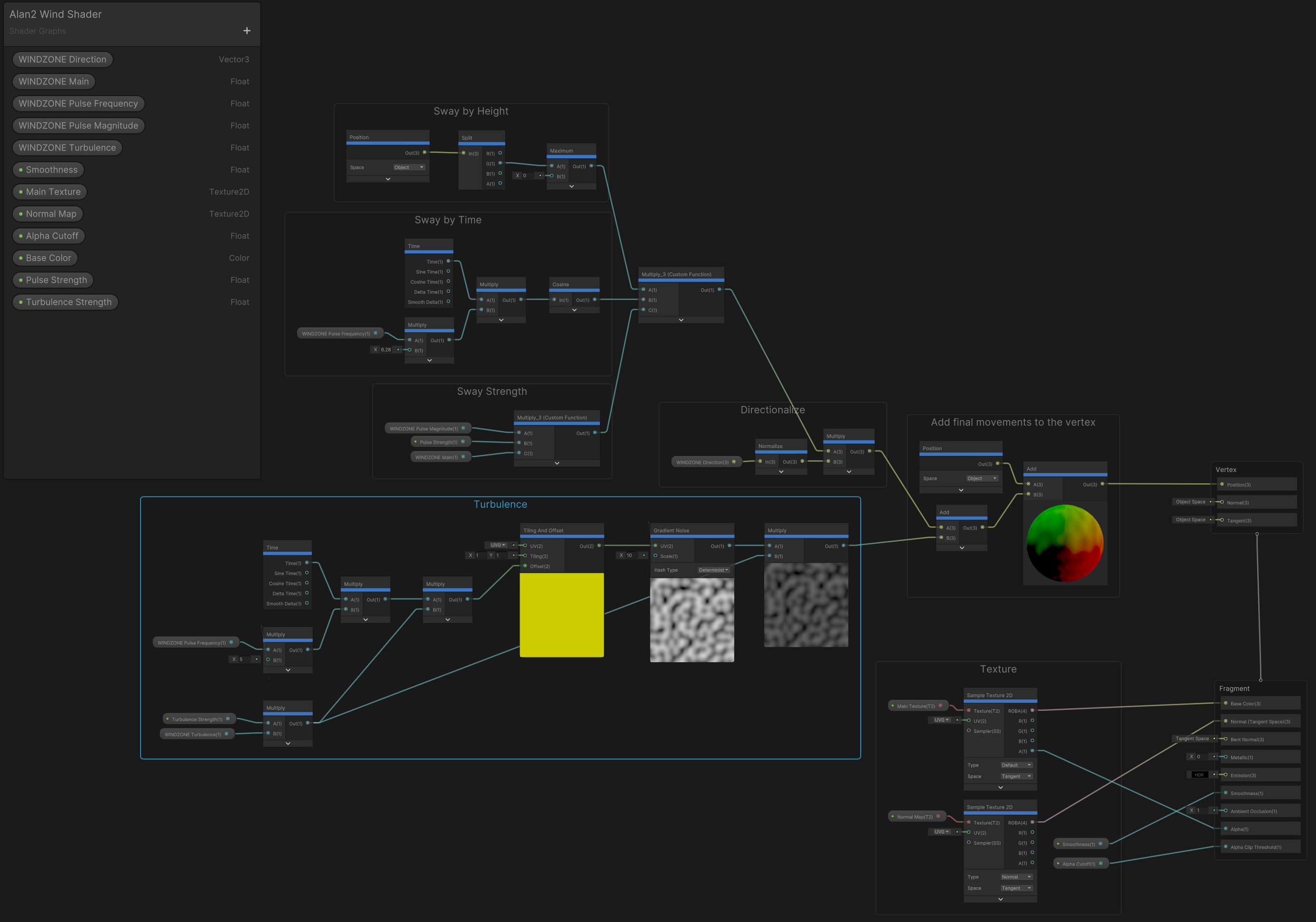
I am (slowly!) working on creating an animated cartoon series using Unity 3D to animate the characters. I am upgrading the project from the older Unity built-in render pipeline to the latest High D…
next garnet
keen jay
Some notes I wrote down for myself on wind in HDRP. If you learn better, please ...
This is a very interesting read, thank you very much!
Would the same principle apply to for example making grass and flowers sway and bend in the wind?
keen jay
next garnet
Would the same principle apply to for example making grass and flowers sway and ...
Ummm. Probably? My hesitancy is terrain in Unity used to have trees (using models) and grass. But if I understand, hdrp no longer supports terrain grass. So I don’t know the “right” way to do grass with hdrp.
next garnet
Didn't some of the new versions support it again? I don't know though, my version (10.4) does not
keen jay
Maybe - need to check again. I think I am on 13.
next garnet
keen jay
Ummm. Probably? My hesitancy is terrain in Unity used to have trees (using model...
Shouldn't it work similar to how it would work on tree trunks?
Bend more the higher the height of the vertex?
I am thinking about getting assets like this one for example and analyze the shader they use for myself
||https://assetstore.unity.com/packages/3d/vegetation/3d-plants-bushes-flowers-216158||
Many assets seem to implement it differently which seems to make importing many into one project quite hard 😅
keen jay
keen jay
Maybe - need to check again. I think I am on 13.
Did some more reading - so grass textures seem to have been dropped, not meshes.
keen jay
next garnet
Many assets seem to implement it differently which seems to make importing many ...
Yes, but that seems to be the direction they went. People do it differently, so Unity lets them do it. And yes, I think the shader approach should work for grass as well. Its just a shader. Maybe a better shader that includes world position as an offset into a noise map to offset the time a bit - so you get a wind ripple effect across a field, instead of it all bending in unison.
next garnet
keen jay
Yes, but that seems to be the direction they went. People do it differently, so ...
I would like to have a cherry blossom tree with moving branches, kind of like in the beginning of this video https://www.youtube.com/watch?v=GMhPSfhd9AI, and also have the trunk be dragged to the left in certain intervals, kind of like in here at 4:21 but even more https://youtu.be/SrnyUUngw1c?t=247. I wouldn't mind paying money for 3d models or assets online as long as it would work. I've been working around in shader graph and 3d models today, but nothing I did really satisfied me so far.
Is this even something you should do with shaders or rather with animations? With animations it might be too expensive on performance though 🤔
keen jay
Great questions. I went with shaders because of the Unity video, but there are definitely limitations. Have you looked at SpeedTree? I hear it mentioned frequently. I have not played with that one myself yet. https://unity.com/products/speedtree
 next garnet
Does it have a life-time license? Because I am not a big fan of subscriptions
keen jay
next garnet
Does it have a life-time license? Because I am not a big fan of subscriptions
That might be why I never got around to trying it myself! 😂
next garnet
Anything else I might be able to use and put together? 🤔
next garnet
I guess this might do the trick but I'd need to contact the devs for Unity support: https://blendermarket.com/products/vegetation-tree-addon-animation
What would be your opinion on this?
 zinc locust
Hello, I am facing this issue where i need to crank up my point light's intensity to 9999999 Lumen to even start seeing any light. Does anyone know why this could be happening ?
glacial fossil
zinc locust
Hello, I am facing this issue where i need to crank up my point light's intensit...
You need really high intensity values with hdrp, its not unusual
shrewd moon
zinc locust
Hello, I am facing this issue where i need to crank up my point light's intensit...
You should use real life references for light intensities and adjust camera's exposure in turn
If lumen values for indoor lights in real life are somewhere in 250-1600 range, I'm pretty sure 10 billion is too much
summer glacier
zinc locust
Hello, I am facing this issue where i need to crank up my point light's intensit...
If you want HDRP light intensities to work similarly to URP/built-in, you can set exposure to fixed at 0 value.
Then your directional light intensity can be 10-25.
Remember that baked lighting will darken some areas, so some lights will become brighter (point lights, etc)
zinc locust
@glacial fossil @shrewd moon @summer glacier ok, thanks for the help.
dawn sorrel
Any way to make the sun not have a disgusting flicker when theres a low flare strenght
 finite aspen
Any known workaround for this? I really don't want to update our production project to 2022.2 beta to fix this but we also really need the depth of field working properly :c
Repro steps : - Open attached project (or any project) - Open scene called "Outside" - Set focus mode of dof in volume to Manual Exp...
loud leaf
DoF has had these bugs for more than 1.5 years, at this point I wouldn't trust any fixes since every fix breaks something else (it doesn't get properly tested, or else this wouldn't keep happening)
See which HDRP version has the least DoF issues and port the DoF code to whatever version you're using.
I've tried submitting the issues through the bug reporter / QA but either QA doesn't understand, can't replicate, or the fix breaks something else.
I know it sounds a little negative, but this never ending DoF situation has caused some frustration on my part too 😅
loud leaf
I was facing the bottom left quarter rendering in early May 2021 and fixed it by cleaning up the C# side (unifying the massive section of TAAU/DLSS bools for a unified DRS one) and converting remaining _ScreenSize in the DoF shaders to _PostProcessScreenSize.
Then there was an official fix, it got rid of the bottom left quarter rendering in the game view, but the issue actually moved to an internal pass resulting in a big performance hit when enabling DoF. (my bug report from May 30 2021 : https://issuetracker.unity3d.com/issues/hdrp-dlss-rendering-performance-drop-when-physically-based-depth-of-field-is-used-and-dlss-enabled)
The internal pass got fixed, but then the issue moved back to the game view. (see Kecho's comment from July 2021 over here : https://github.com/Unity-Technologies/Graphics/pull/5066#issuecomment-875166426)
It broke again when FSR was introduced, which I reported, but I didn't manage to get it through QA. Since then the issue has just been moving around (right now it's in the "manual focus" mode apparently) but it's still there.
finite aspen

Sounds like there's a lot of lore lmao
It can break with the physical camera too, just need to find settings that include "clamped?" far blurred areas
finite aspen
loud leaf
DoF has had these bugs for more than 1.5 years, at this point I wouldn't trust a...
Thank you very much for all the information, it's very much appreciated!
 proper drum
Guys I have a Question
So basically I have a spotlight on my flashlight that turns on every time I give input. In my HDRP/Lit Assets room, the rendering layer mask is set to everything for that room. For the Spotlight Gameobject in the script, the RenderingLayerMask is also set to ("Everything"). But the memory performance of the next room floor has the rendering layer mask for the neighboring room. When I play the game in Unity there is no problem, but in the build it does not reflect on the floor that does not have the rendering layer mask for everything?
hope it is understandable
 ruby valve
quick question - our materials keep popping up in source control with these lines appearing/disappearing even on the same PC. Does anyone know what causes this?
 gilded portal
Hi!
I have a particle that is played whenever I shoot at a wall. It is using a transparent material.
If I get too close to the particles, my framerate drops. It only drops with the transparent material. What am I doing wrong? Is this overdraw?
grizzled flame
ruby valve
quick question - our materials keep popping up in source control with these line...
Is it the material file(s) themselves? Seems like a bug probably.
dawn sorrel
Guys, does multiframe rendering API or Unity recorder support sample accumulation for anything other than pathtracing? Does it support raytracing? Or is it, without pathtracing enabled, the same as temporal AA? I can't seem to find an answer in the documentation, as it only mentions pathtracing.
Or is its mechanism literally taking subframe renders and then averaging them together for the frame render, regardless of what they are?
ruby valve
grizzled flame
Is it the material file(s) themselves? Seems like a bug probably.
Yeah it's the material files. We are using them as decals but not doing anything that should change them afaik
 inland star
gilded portal
Hi!
I have a particle that is played whenever I shoot at a wall. It is using a ...
inland star
gilded portal
Hi!
I have a particle that is played whenever I shoot at a wall. It is using a ...
it’s the overdraw inherent with any kind of transparent surface
play a game like warthunder or battlefield that’s rich in large particle effects (explosions, etc)
from a short distance you’ll find that framerate is fine, but if you’re already gpu bottlenecked, then zooming-in so the particles fill your screen will hurt perf
you can try using the half-resolution transparency, see if that helps performance at all
same thing can be seen in some games when you have windows covering your screen
 digital spire
Folks, how would you approach projecting bullet hole in HDRP? Should I use decal projector or vfx graph decal output? Or decal mesh?
sterile mesa
I tried HDRP for 1.7 years, and it ain't working for me. 33% less FPS, unfriendly interface, but what is FORCING me to URP is that I can't skin a skybox at runtime in HDRP. Why was that feature removed?
It's not possible to skin a HDRP skybox in runtime with a custom image is it?
You can do that in URP though, right?
scarlet hull
sterile mesa
It's not possible to skin a HDRP skybox in runtime with a custom image is it?
What do you mean "skin a skybox" ?
In HDRP you can use an HDRI sky, isn't this what you are looking for ?
scarlet hull
digital spire
Folks, how would you approach projecting bullet hole in HDRP? Should I use decal...
Decal projector and VFX graph decals are both a valid option, depends if you want to implement it with code or VFX-graph for the spawning
 thick bane
Hello everyome, i switched from URP to HDRP and now i have some issues, log says
NullReferenceException: Object reference not set to an instance of an object
UnityEditor.HostView.InvokeOnGUI (UnityEngine.Rect onGUIPosition) (at <36f62d8e760b48f7af5d32916f997ce1>:0)
can anyone help me with that? im really new to rendering and technical part of unity in general so i have no idea how to fix this
 torn sparrow
hello, does someone know why some of my materials are pink ONLY on hdrp? i have used the asset in other project and i didnt have that problem
steel meteor
torn sparrow
hello, does someone know why some of my materials are pink ONLY on hdrp? i have ...
If it's pink then the shader the material is using is not compatible with HDRP. You'll need to either get the specific HDRP shader for that material, for example if you bought it on the asset store, or try to swap out the shader yourself. You can do this at the top of the material by selecting a new HDRP shader, for example 'Lit' which is the commonly used one. But it all depends on what your shader is supposed to do.
grizzled flame
thick bane
Hello everyome, i switched from URP to HDRP and now i have some issues, log says...
just looks like an internal error in unity
probably safe to ignore
thick bane
grizzled flame
just looks like an internal error in unity
there’s like 10 of them… project works but i really don’t want to keep it that way
grizzled flame
thick bane
there’s like 10 of them… project works but i really don’t want to keep it that w...
restart unity
thick bane
okay, i’ll send a screenshot if it won’t help
thick bane
yes, now its fine, but the PluginImporter not working. anyway, it's not critical
idle girder
Is there a way to blend between lut files using C# in the HDRP, lerping the weight parameter of the Volume components doesn't work unfortunately
torn sparrow
steel meteor
If it's pink then the shader the material is using is not compatible with HDRP. ...
just saw this, thank you very much!
 lone kite
Hi, what's a good format to have texture files in?
Is this good?


 minor depot
I would appreciate any help here, I am trying to follow a basic HDRP tutorial from unity with the sponza scene, but when I try to bake lightmaps, all I get is a more or less pure white image for a lightmap. I beileive this has something to do with exposure, but as far as I can tell, there is no way to change the exposure on lightmaps (or reflection probes for that matter), hence why it's all white.

 hearty peak
lone kite
Hi, what's a good format to have texture files in?
Is this good?
hearty peak
lone kite
Hi, what's a good format to have texture files in?
Is this good?
Png, jpg, exr, tiff, tga, hdr, use jpg if you care about project size on disk
summer glacier
minor depot
I would appreciate any help here, I am trying to follow a basic HDRP tutorial fr...
In your picture, bottom right there's a lightmap exposure slider, adjust it to view the lightmap correctly.
For in-game exposure, it's a post process, just add exposure and set it to whatever you want, can be automatic or fixed.
 night depot
Is path tracing works on gtx cards?
scarlet hull
night depot
Is path tracing works on gtx cards?
Only on raytracing capable cards : gtx 1060 6gb (I think this is the right memory amount. The one with the most memory ...), 1070, 1070ti, 1080, 1080ti
night depot
👍
minor depot
summer glacier
In your picture, bottom right there's a lightmap exposure slider, adjust it to v...
The override for exposure is already set up is the thing, and changing that so that would make the rest of the scene way to over or under exposed. In the screenshot it shows that, yes, reducing specifically the lightmap exposure helps somewhat (though it is still a bit all over the place), but the exposure override is already set up.

The scene looks identical in game view with all lighting data cleared too. I feel like I am missing some crucial understanding about something here.
steel meteor
minor depot
The override for exposure is already set up is the thing, and changing that so t...
If you just want to adjust the strength of the lightmap, then it's the indirect diffuse setting in your indirect lighting controller that does it.
summer glacier
minor depot
The override for exposure is already set up is the thing, and changing that so t...
You can enable automatic exposure and set the min and max exposure values, and let it adjust accordingly based on view. HDRP doesn't have local exposure, so going from dark to bright and vice versa will have noticeable exposure changes and underexposure/overexposure when you're in one area or the other.
You can try to hack it with fixed exposure and the right values of indirect lighting etc, or custom tonemapping, most likely you're using aces which makes this harder to do.
About the lightmap view though, it doesn't matter as much, the in-game result is the goal, lightmap exposure just helps you visualize the lightmap.
night depot
I dunno, probably i'm the only one who is getting such behavior with GI. Previously that was with lightmaps, but now even with new volume probes
Probably windows is blocking some kind of GI process?

It feels like GI just skips sun color and treats it as pure white
 summer glacier
night depot
It feels like GI just skips sun color and treats it as pure white
summer glacier
night depot
It feels like GI just skips sun color and treats it as pure white
the light bounces off of your white planes (which are very white, which means they bounce a lot of lighting) -- sun color is only a small part of the equation, diffuse texture color is a big part of it.
If you changed the planes to green, you'll get a lot of green lighting, and so on
 runic bay
wondering if anyone knows this, but since HDRP utilizes more RenderGraph than URP.
If I'm writing my own RenderPipeline utilizing RenderGraph, how can I enable GPU instancing? Typically you would use DrawingSettings to enable it, but I'm not sure where I can do that with RenderGraph since drawing now uses RenderListHandles (which to my knowledge - doesn't accept drawing settings?)
idle girder
idle girder
Is there a way to blend between lut files using C# in the HDRP, lerping the weig...
I still require help with this if someone knows a solution
shrewd moon
summer glacier
the light bounces off of your white planes (which are very white, which means th...
If you point a dim orange light at a pure white surface, you should be getting dim orange bounce lighting, not bright white
Diffuse color is multiplicative so colored surfaces should only darken and tint the bounced light, not make it brighter
shrewd moon
night depot
I dunno, probably i'm the only one who is getting such behavior with GI. Previou...
I recall you had this same problem long ago, but wasn't it related to a specific type of lightmapping when using 2023 alpha?
So, it could just be a bug limited to that specific situation
But do try to isolate the problem by doing test bakes in different versions with entirely fresh projects, fresh scenes and just the default cubes
scarlet hull
idle girder
I still require help with this if someone knows a solution
Looks like the Texture3DParameter in the volume system don't interpolate, so indeed when going from a volume to an other it just "pops".
The only way to blend between lut files would be to interpolate between two texture3D luts yourself, and assign the result (a rendertexture) to a volume.
minor depot
steel meteor
If you just want to adjust the strength of the lightmap, then it's the *indirect...
You would think so, but changing the indirect diffuse setting only seems to affect to the default (Still static) unity cube I placed in the centre of the scene, beginning to think my model is the problem, how would I go about debugging this? It's an imported fbx with unpacked materials using the standard HDRP lit shader, placed in the scene and marked static.
Sorry for the late response by the way, I was away for a few days
steel meteor
minor depot
You would think so, but changing the indirect diffuse setting *only* seems to af...
The indirect diffuse setting should effect the lightmap of both you're own cube and the Sponza model.
Getting the expose settings right is a challenge, but this recent video from Unity helped me understand things a bit better. Have you seen it?
Step into the famous Sponza Atrium to see how to beautifully light an environment from scratch using a mix of baked and real-time techniques. Pierre Yves will showcase the GPU Lightmapper, the new Probe Volume system, ray tracing, and path tracing.
00:06 Introduction
01:18 Speaker
01:40 Volume system
02:47 HDRI sky setup
04:16 Direct lighting &...
 lethal carbon
loud leaf
DoF has had these bugs for more than 1.5 years, at this point I wouldn't trust a...
lethal carbon
loud leaf
DoF has had these bugs for more than 1.5 years, at this point I wouldn't trust a...
What alternative are you using?
I have the same problem.
It was such a clear and critical issue that I thought it would be fixed soon.
I didn't know there was such a history.... : (
minor depot
steel meteor
The indirect diffuse setting should effect the lightmap of both you're own cube ...
I in fact have, that's where I learned most of what I did about HDRP, great video. Unfortunately, the issue seems to be with the model, as lightmaps just don't affect it at all apparently, regardless of exposure or indirect lighting settings, while the cube seems to be acting normally, I am beginning to think the model I'm using is broken somehow, but as for how to fix it, I don't know where to start..
steel meteor
minor depot
I in fact have, that's where I learned most of what I did about HDRP, great vide...
If you select your model in the Project window and look at the model properties, have you enabled the Generate lightmap UV's option? That might help.
 minor depot
Yeah, it is, here are the settings if I messed something up, but while looking at the import settings, I noticed it complaining about warnings on last import. It was entirely about a lack of normals. Does this mean I just need to find a new sponza model? Or that I messed something up?


 frail dune
Hello, I am attempting to figure out how the lighting in this works. I have a large amount of prefabs that are instantiated each one may have around 8 lights. So roughly around 1000 lights spread out through a large distance which I didn't think would be a problem but evidently it is. I consistently hit the max shadows limit and performance tanks. I attempted to figure out baking but that doesn't seem to work with prefabs. What is an effective way to light a scene with a lot of procedurally placed prefabs?

 open tide
Hey, There!
I'm having trouble importing my photo scanned assets in to Unity.
Some how unity is not importing the material.


 shrewd moon
open tide
Hey, There!
I'm having trouble importing my photo scanned assets in to Unity.
S...
shrewd moon
open tide
Hey, There!
I'm having trouble importing my photo scanned assets in to Unity.
S...
You'll probably want to import the textures separately and create the materials by yourself
open tide
shrewd moon
You'll probably want to import the textures separately and create the materials ...
You cannot download textures with polycam
shrewd moon
open tide
You cannot download textures with polycam
So, does the "extract textures" button work in this case? Do you have confirmation that the textures are embedded in the model file?
open tide
shrewd moon
So, does the "extract textures" button work in this case? Do you have confirmati...
The textures should be in the file, because windows 3d viewer finds them
how does the extract textures work? It doesn't show what format the file should be.
sterile mesa
scarlet hull
What do you mean "skin a skybox" ?
In HDRP you can use an HDRI sky, isn't this ...
Thanks,I got it working. Lots of people said it wasn't possible over months. You just set the skybox to material at runtime.
minor depot
steel meteor
If you select your model in the Project window and look at the model properties,...
I also get this warning on importing the model

 mellow condor
why might changing the fixed exposure cause such a big rendering hitch

and why might changing the sky when the sky is set to realtime rendering cause such a big hitch in a reflection probe?

i have a feeling these two are related but i'm not yet sure how
seems very weird that the sky, when it changes despite being realtime rendered, takes this long to update inside a reflection probe
 dawn sorrel
is it just my wacky exposure settings or do HDRP lights need to be ridiculously bright to be seen?
When I say bright, I mean a typed in value higher than the max of the slider.
keen jay
dawn sorrel
is it just my wacky exposure settings or do HDRP lights need to be ridiculously ...
I sometimes go higher than the slider, but with HDRP I find it best to use lumens from real world examples then adjust exposure. As soon as you push one light super bright, you start pushing them all really bright - slippery slope. So better to use 100k - 130k for bright sun, then I do google searches for "street light lumens" etc.
scarlet hull
dawn sorrel
When I say bright, I mean a typed in value higher than the max of the slider.
If you try to have an artifial light visible in direct sunlight, it is not really a surprise, as the intensity slider is for realistic or "regular" lights, not heavy duty industry burners
 lucid kernel
So if I add an effect/override to HDRP global settings volume profiles it covers my entire thing, but can I make it work so that it only goes onto an asset?

Like for example just the santa hat icon
lucid kernel
this is using the Kino package by Keijiro
dawn sorrel
how can i make interior's look darker from the outside?
keen jay
dawn sorrel
how can i make interior's look darker from the outside?
Apart from auto-exposure (make inside look darker by making things outside brighter, so when you go outside the auto-exposure kicks in), there are local volumes that you can use to change things like indirect lighting on volume profiles, which can increase the bounce rate of light when you enter the room (I think - I have never actually tried it, but there are local volumes, and indirect lighting does brighten things up, so I think should work together...)
 buoyant igloo
In certain places its doing this weird flickering thin where these dots show up, I've tried changing a ton of settings and they still show up, even when I press play


Lowering this number is fixing it, what does this setting do?
 glacial fossil
buoyant igloo
Lowering this number is fixing it, what does this setting do?
glacial fossil
buoyant igloo
Lowering this number is fixing it, what does this setting do?
it is the maximum distance you can see the shadows from
I think shadow filtering can affect those dots
buoyant igloo
glacial fossil
I think shadow filtering can affect those dots
Where is that setting?
glacial fossil
Somewhere on the hdrp asset I think, google should know
buoyant igloo
I found shadow filtering quality but it doesn't seem to be doing anything
inland star
if filtering is at high then the renderer will use filtering method that requires TAA to be enabled on your camera to look proper
without TAA you’re just going to end up with a grainy mess
 sweet gyro
Why does HDRP seem to break when I use BOTH a mask map and a detail map?
Are you supposed to only use one or the other?
If so, why does a mask map only contain the blue channel of a detail map, instead of the smoothness itself?
(because blue in detail transfers to smoothness)
keen jay
buoyant igloo
In certain places its doing this weird flickering thin where these dots show up,...
I had some similar dithering pattern when using a directional light. I found adjusting the "angular diameter" of the directional light from 0.5 to say 0.3 got rid of the effect on my character. I don't know why it happens, but its another knob that might be helpful.
summer glacier
buoyant igloo
Most likely shadow filtering quality, are you sure you changed it for the active HDRP asset?
Setting it to medium should sort this out, you can confirm it's set to medium by going to your directional light and scrolling down to shadows, if there's parameters such as 'minimum blur' 'angular diameter' 'blocker samples' it means it's still running high quality shadow filtering, which looks grainy because it relies partly on TAA to denoise, so you'd have to use TAA on your camera. (and in scene view, if you want it to apply there too, although I don't recommend TAA for scene view as the FPS is too low for good results)
buoyant igloo
summer glacier
Most likely shadow filtering quality, are you sure you changed it for the active...
How do I use TAA?
shrewd moon
buoyant igloo
How do I use TAA?
Have you googled it?
buoyant igloo
Yeah, I'm not sure if I'm using the settings right though, there is still a little bit of weird stuff in the shadows

I also set the shadow filtering to mediun
medium*
shrewd moon
buoyant igloo
Yeah, I'm not sure if I'm using the settings right though, there is still a litt...
Note that this has no effect on editor's scene view, so you'll still have the grainy shadows there
buoyant igloo
I know
I'm fine with it looking weird in the editor
There is still a little bit of weird stuff in the shadows in the game view, its better, just not entirely gone
shrewd moon
buoyant igloo
There is still a little bit of weird stuff in the shadows in the game view, its ...
It may help to demonstrate what the weird stuff looks like


 shrewd moon
Downgrading the filtering quality should get rid of the dithered shadows entirely
buoyant igloo
To low?
shrewd moon
Anything below high
SSAO and SSR may have their own grainy filtering that you might be seeing
inland star
keen jay
I had some similar dithering pattern when using a directional light. I found adj...
the high setting uses PCF (percentage-closer filtering), so the closer you get to your object casting the shadow, the sharper the shadow will be.
angular diameter controls the theoretical diameter of the “sun” casting the shadow, and as such increases or decreases the ‘contact-hardening’ of the shadow
this is much more realistic shadow filtering, and can sorta-semi get similar results to UE5 virtual shadow maps
it’s just quite expensive to compute, so engines use dithering and half-resolution sampling to get around it, then use TAA to denoise and/or upscale
that’s also one of the key reasons why the bigger games like bf2042 don’t let you turn antialiasing off completely
wraith blaze
inland star
it’s just quite expensive to compute, so engines use dithering and half-resoluti...
Thats interesting to know actually
scarlet hull
sweet gyro
Why does HDRP seem to break when I use BOTH a mask map and a detail map?
Can you define "HDRP seems to break" ?
The mask map blue channel is to mask where the detail map is applied, it's doesn't contain all the informations of the detail map which has albedo & smoothness variation + normal
sweet gyro
scarlet hull
Can you define "HDRP seems to break" ?
The mask map blue channel is to mask wher...
It doesn’t crash or anything, but the material seems to act super unnaturally. For example, for my ceiling material I applied a detail map AND a mask map, and the ceiling absorbed way less light and was unnaturally dark and less lit. I removed the detail map and it was lit more naturally
scarlet hull
sweet gyro
It doesn’t crash or anything, but the material seems to act super unnaturally. F...
Is the detail map packing correct ?
and imported as linear texture
sweet gyro
scarlet hull
Is the detail map packing correct ?
I channel packed it according to the documentation
sweet gyro
scarlet hull
and imported as linear texture
I’m not sure. I used an open source Unity tool channel packer
Which just exports as PNG
As far as import settings I didn’t look at that
scarlet hull
sweet gyro
As far as import settings I didn’t look at that
The detail map must be in linear colorspace :sRGB unchecked.
sweet gyro
I’ll check that when I get home. But in general I should be able to have both a detail and mask map right?
And also, if my detail map contains normal X and Y, then why do I also have another normal map field on HDRP Lit 🤔
scarlet hull
sweet gyro
And also, if my detail map contains normal X and Y, then why do I also have anot...
You can have both maps, yes.
The detail map is meant to add small scale tilling information "on top" of the regular maps.
The regular normal and the tiling detail normal will combine.
sweet gyro
scarlet hull
You can have both maps, yes.
The detail map is meant to add small scale tilling ...
I need 2 normal maps?
scarlet hull
You don't need both.
The detail map is ... well ... for details when the objects is seen from very close up.
If you don't need it, just don't use it.
sweet gyro
scarlet hull
You don't *need* both.
The detail map is ... well ... for details when the objec...
Is the detail map normal channels used for like super high detail? Such as small indents in a face?
scarlet hull
sweet gyro
Is the detail map normal channels used for like super high detail? Such as small...
Like micro wrinkles and pores on a face, yes.
sweet gyro
scarlet hull
Like micro wrinkles and pores on a face, yes.
So there’s 2 separate normal maps then?
Is the high detail normal only used when it’s close enough to the camera?
 peak finch
yes
 tough spire
in a hdrp project, i created a outdoor scene, this is not a all the time issue but when it shows up it seems perm. I create a terrain, there is a directional light at max, at a distance it shows fine

if i zoom in a little, the screne goes black
 dawn sorrel
Is there an explanation for this?

There is no explanation in the docs for why the setting doesn't work in Deferred Only mode.
Also holy shit, probe volumes finally landed????
dawn sorrel
Where do I get water on hdrp?
scarlet hull
dawn sorrel
Where do I get water on hdrp?
For the new water system, I recommend to use the latest alpha
 terse tangle
I'm getting a crazy CPU spike when enabling/disabling large batches of renderers in HDRP. There's some time spent in the texturestreaming system but most of it is unaccounted for in the profiler. We are using the SRP batcher so I'm curious whether it could be that. Anyone have any ideas?
 hollow frigate
Hey, everyone, I was hoping someone could give me some help with an error I'm running into in 2023.1

This is the relevant part of the shader, but I'm not knowledgeable enough to know where to go from here

 keen pivot
i has a confuse, in this web page on the frame debugger, it says that the HIGHER the number, the more is batched and the more efficient it is https://learn.unity.com/tutorial/working-with-the-srp-batcher#5ff76df1edbc2a6d02b058ea

Unity Learn
The Scriptable Render Pipeline (SRP) Batcher is a rendering loop that speeds up CPU rendering in Scenes with Materials that use the same Shader variant. To use the SRP Batcher, your project must be using either the Lightweight Render Pipeline (LWRP), the High Definition Render Pipeline (HDRP), or a custom SRP.

yet i've been trying to reduce this number
having less draw calls
thinking that this is the amount of calls it makes, and it it batches more, there will be less number here, and less batches shown
so far the reduction in these calls seems consistent with me making the shaders similar
so is this webpage wrong or can someone tell if me i'm going mental or something?
that is to say that page says thats the amount of draw calls, i see it as the number is separate batches
and you'd want less batches, with higher draw calls in each batch

 floral fern
I don't remember the name but there is a setting that specifies at what point the camera should cut of stuff from view
You need to lower that
floral fern
Oh, sorry
floral fern
IDK, I have no experience with HDRP 😦
 sullen sigil
its so
complicated
tbh i have no idea how to do urp either but
this lighting
is
hard

when you put on glasses

something wrong with shadows i think
wraith blaze
new water system is lit
 scarlet hull
Yes, because if it was unlit, it would look weird in the scene rendering.
lone kite
Hi everyone, how can I prevent Unity from compiling shaders I don't use?
For instance it compiles volumetric lighting compute shaders even though I don't use any volumetric lighting.
Compiling compute shader "VolumetricLighting"
    starting stripping...
    finished in 0.00 seconds. 64 of 192 variants left
    64 variants, starting compilation...
    finished in 12.94 seconds. Local cache hits 0, remote cache hits 0, compiled 64 variants
 vernal merlin
Hi guys, any idea how to make outline in HDRP Unity 2021.3 project? We tried some assets from Unity asset store, but they have not been working.
 vagrant bay
scarlet hull
Yes, because if it was unlit, it would look weird in the scene rendering.
vagrant bay
scarlet hull
Yes, because if it was unlit, it would look weird in the scene rendering.
nice
dawn sorrel
fog doesn't seem to work?
left plaza
wraith blaze
new water system is lit
it's very cool, except for the fact that it can bypass the culling mask 😢
steel meteor
dawn sorrel
fog doesn't seem to work?
Fog does work.
dawn sorrel
I mean it doesn't work for me
In my game
Can't find any explanation for why it doesn't work
steel meteor
dawn sorrel
I mean it doesn't work for me
Well can you post more details of your setup, for example, a screenshot of the fog override settings you're using?
dawn sorrel
I've tried just about everything in the Fog settings

Not even the default settings work
steel meteor
dawn sorrel
I've tried just about everything in the Fog settings
Set a base height. At the moment your fog height is 0 units. Try 50 instead.
steel meteor
That will be it too 🙂
 idle jolt
ahhhhhh im gonna cry
ive been trying out the new water system in hdrp
but when i try to use a custom material/shader graph on the water the ocean just goes invisible
(default)

(trying to add custom material)

i think it is a problem with the "water shader graphs", because the preview is pink and even when i apply the material on a cube the cube goes invisible as well

the onyl other person i found that had talked about this is in this thread a few months old

no one replied though so im still stuck
idle jolt
idle jolt
ive been trying for the last 2 hours, no avail
ive found more people talking about this issue
but they are never answered
idle jolt
ive tried everything and the only reason i can come up with is that somethignis wrong in my specific project

im gonna try making a completely new one
idle jolt
still dosen't work
 bronze coyote
Hello, i have problem. After update from beta 2022.2.16b to non beta 2022.2.0f1 all rendering is gone

even after revert project version update and go back to beta version nothink work
is there way to fix it?
 worldly cape
Whenever I enable HDRP + DXR I get a flickering black screen. I can't figure out what's causing this, as there's nothing popping up online. I had this back in 2020 when I first got my 3080 and wanted to test out ray tracing in Unity, as well right now when I'm on 2022.2 tech preview (I did also try 2020 for the heck of it, but same thing there).
worldly cape
Looks like it's actually specifically when I switch to DX12.
scarlet hull
worldly cape
Whenever I enable HDRP + DXR I get a flickering black screen. I can't figure out...
Can you check if your graphic drivers are up to date ?
Does is also happen without HDRP when using DX12 ?
Does it also happen in HDRP without raytracing but with DX12 ?
loud leaf
@worldly cape Can you host your project on github? I can check what it does on my RTX 3080.
I've encountered the same issues when using gsync fullscreen + windowed mode, multi monitor setups and/or igpu/dgpu combo.
 topaz ravine
@idle jolt the water ShaderGraph
topaz ravine
bronze coyote
is there way to fix it?
use the HDRP Wizard to recreate a clean HDRP asset and resources
lone kite
How can I get rid of this shadow artifact?
The shadow makes it look like the rock is hovering above the ground.
 worldly cape
scarlet hull
Can you check if your graphic drivers are up to date ?
Does is also happen witho...
worldly cape
scarlet hull
Can you check if your graphic drivers are up to date ?
Does is also happen witho...
Yes, drivers up to date. Hm, I didn’t realize I could switch to DX12 without being on HDRP, I’ll have to try that later today.
Yes, it happens in HDRP without ray tracing; it seems just to be when switching to DX12.
worldly cape
loud leaf
<@109570263581982720> Can you host your project on github? I can check what it d...
It’s literally just an empty HDRP project. I’ve tried the HDRP test scene on 2020, and HDRP Core on 2022.2, all the same results when using DX12.
I did read about the gsync possibility and disabled it and even restarted to be sure, but no difference.
I’ve got a 4k displayed connected to HDMI 2.1, but that display is turned off when I’m working in Unity; I don’t think it would be a conflict, but of course could try with just my main monitor only plugged into DisplayPort.
worldly cape
scarlet hull
Can you check if your graphic drivers are up to date ?
Does is also happen witho...
I’ll report back later today with details of testing DX12 on URP. I’ll be sure to capture any warning messages as well (if there are any). Thanks.
wraith blaze
For some reason mine is the other way arouns i cant use dx11 on unity 2022.2 game view is just black but when i swap to dx12 it works
shrewd moon
lone kite
How can I get rid of this shadow artifact?
The shadow makes it look like the roc...
I recommend screen space contact shadows
You can get some improvement by increasing shadow resolution, or tweaking shadow bias settings but you usually get more problems that way
lone kite
shrewd moon
I recommend screen space contact shadows
You can get some improvement by increas...
Okay thanks, I'll try those options tomorrow :)
worldly cape
scarlet hull
Can you check if your graphic drivers are up to date ?
Does is also happen witho...
Ok yes, it's just when using DX12, regardless of HDRP.
I've tried 2020.3.26 with URP on DX12, and 2022.2.0 with HDRP on DX12, and the flickering screen occurs.
I'm on an i7-8700k, RTX 3080 (latest drivers), and 16gb ram.
 minor sedge
Trying out the new water system, when I turn on caustics I just get these triangles projected everywhere instead. Does anybody else have the same issue? All HDRP and water surface settings are completely default other than the caustics being enabled.
 scarlet hull
minor sedge
Trying out the new water system, when I turn on caustics I just get these triang...
scarlet hull
minor sedge
Trying out the new water system, when I turn on caustics I just get these triang...
First time I see this. No errors in the console ?
minor sedge
No, nothing. There was something about a memory leak once after I first created the project, but not in response to anything with the water.
scarlet hull
What's you PC configuration ?
minor sedge
AMD 6900 XT / 5950X
I also suspect it has to do with the GPU, probably should have just bought an Nvidia card, I've been having nothing but trouble with the 6900 XT in Unity since I bought it
I don't think the Unity devs even bother testing new features on AMD cards anymore
scarlet hull
To be fair, most of the devs work with nvidia cards indeed, but water has also been tested on console, so I would expect it to work on AMD cards. I'll try to find someone to check this quickly
minor sedge
Thanks, appreciate it
scarlet hull
minor sedge
Thanks, appreciate it
Are you testing with unity 2022.2.0f1 ?
minor sedge
Yes, was going to test it on 2023 alpha later today to see if that makes a difference
minor sedge
Just checked, in 2023.1.0a22 there simply is nothing at all, neither proper caustics nor the weird triangles.
minor sedge
There's also something very wrong with underwater rendering in 2022 and 2023, the surface is completely opaque when viewed from below apart from a refractive hole in the surface straight above the camera

 lilac steeple
Is there a possibility for a UI Blur in HDRP project? Frosted glass look just like this one

I know it's possible to do in URP since every single asset or resource I find is only for it, but I really need it for HDRP project
i found this but none of them seems to be working https://www.turiyaware.com/blog/unity-ui-blur-in-hdrp

even with UI Camera Stack for HDRP there is never any blur
this is the only thing i can achieve

but it's not even working in playmode
scarlet hull
minor sedge
There's also something very wrong with underwater rendering in 2022 and 2023, th...
This is expected.
Under the "line" the rays are bounced back bellow the water surface, and above they escape and refract the sky
And it will only reflect things using screen space reflection
minor sedge
Even if it is expected, is that really desirable? I think it looks pretty horrible and would not want to play a game that looks like that. If only screen space reflections are possible, I'd much rather have no reflections on the surface at all if that means plugging up the hole, just imagine how games like Subnautica would look if they took this approach.
Is the surface being completely opaque expected too? I don't see any technical reason why the surface couldn't be transparent from below if it can be from above.
scarlet hull
minor sedge
Is the surface being completely opaque expected too? I don't see any technical r...
It's not opaque, it is reflecting what is in front. So, the fog.
Here is the physic phenomenon :

And here what it looks in a photograph under sea water :

There is a critical angle at which you don't see the sky through the surface, but beneath the water surface again
minor sedge
Okay I understand what you mean, it's just that the transition is a hard line which looks very unnatural.
I think raising the underwater absorption distance should widen this angle though, right? This just looks wrong to me.

There also is a difference in opacity depending on what is behind the surface, as you can see here the cube still shows through the surface but any gradient and color of the sky, clouds, and even the incredibly bright sun are blocked completely as if the surface was a brick wall
scarlet hull
minor sedge
I think raising the underwater absorption distance should widen this angle thoug...
Like mentioned above, you'll need to enable SSR on transparent, and it would show the checker surface on the water
Sadly, it doesn't support reflection probes for the moment
And on the subject of the caustic issue : I can locally reproduce it, I don't have the triangles, but I don't have caustic displayed at all.
Hat to find an AMD gpu and open my pc case to swap, but finally can see the issue 🙂
minor sedge
Well that's something at least, thank you for digging into it!
Just tried it with transparent SSR, is there anything you can do about the flickering?
Static images don't really show how offensive that is to the eye, looks like it's in dire need of a denoiser
 scarlet hull
Did you try to tweak the SSR settings to see if it would make the flickering disapear ?
Or at least lessen it
scarlet hull
minor sedge
Well that's something at least, thank you for digging into it!
I've entered a bug report internally, I don't have a public facing ID to share for the moment, but we're tracking it now.
The issue also happens on our latest internal code, so it's not related to the 2022.2 release, and probably not a regression.
Now, on the first look, we have no idea why it is happening 😅
idle jolt
topaz ravine
<@729487888961765447> the water ShaderGraph
Oh shit thank you
This is great
idle jolt
On a side note, and I’m not expecting this to be answered, but will a system like this come to unity?
I know about boat attack, but will a built in, customizable system like the water system for hdrp come to urp?
I tried the boat attack water, but it is hard to customize, as certain materials will result in weird dark spots in the ocean
And the boat attack water is generally a little janky
topaz ravine
this one is hard to customize too, because this is from the unity dev and water system is still pretty new to users ,the Water system is now a built in feature for HDRP in 2022+ so it's just HDRP only atm, btw you will have to enable before make it work
minor sedge
Can somebody explain to me how to get raytraced GI to work? I watched the latest video on the Unity YouTube channel about it, which made it look simple but of course it is not simple. Switching to the 'Ray Traced (Realtime GI)' quality preset in the sample scene does add raytraced GI, but it is rendered on top of the baked lighting which makes everything too bright and completely defeats the point of having realtime GI in the first place. In the video it looks as if the baked data is automatically no longer rendered as soon as you enable ray tracing in the SSGI override, but that's not what happens. So I tried clearing the baked data, but that just leaves me with no GI at all. Changing any of the SSGI or ray tracing volume override settings has absolutely no effect either. Tried it with 2022.2 and 2023.1 as shown in the video, made no difference.
dawn sorrel
How do I enable volumetric fog?
dawn sorrel
"Volumetrics" setting doesn't seem to do anything
 idle jolt
topaz ravine
this one is hard to customize too, because this is from the unity dev and water ...
idle jolt
topaz ravine
this one is hard to customize too, because this is from the unity dev and water ...
I agree but it’s way better compared to the urp water system
Because you can use custom shaders for the water
Without the water breaking
topaz ravine
@minor sedge if you plan to use Raytraced GI you will can't have baked data in the same time, it won't work as you can see in your result you will have to stick to realtime lighting, which is.. pretty solid in 2022 because we have adaptative probe volume to help GI lit the scene, it's good especially in indoor, so just delete your lightmap and disable static lighting, in the meantime you will have to put your Sky volume GI to be static too
topaz ravine
you can use the HDRP wizard to help setup HDRP for raytracing automatically, look at the DXR tab
@dawn sorrel you will need to add "fog" in your volume and check enable at least
minor sedge
@topaz ravine Thanks for the help, but like I said I already tried deleting the lightmap, that causes the raytraced GI to disappear too. I know about the HDRP wizard, the DXR tab shows that everything is set up correctly.
 sage shard
Does anyone know how I can disable all post processing effects on a specific camera (HDRP)?
dawn sorrel
You know when you select what depth test mode to use for transparent objects, currently when transparent objects are overlapping each other and the render order changes it just pops in, is there a setting to perhaps fade it in instead?
 earnest mist
Is HDRP worth it now over URP for general purpose?
Last time I checked all it had was volumetrics and bad performance so it wasn't really worth it over URP
Have they improved it?
keen jay
earnest mist
Have they improved it?
Have they improved it? Yes. Is it a replacement for URP? No. Its still slower and probably always will be. If you don't need the fancy HDRP features, then sticking with URP I think will always give better performance (from my understanding - I have not done detailed analysis etc - but HDRP is talked about for high end devices, not mobile phones for example).
wraith blaze
I am using it in my project
Its improved alot
Here is a screenshot of my game with hdrp on max settings,and yes i know i can still make it better
 scarlet hull
sage shard
Does anyone know how I can disable all post processing effects on a specific cam...
scarlet hull
sage shard
Does anyone know how I can disable all post processing effects on a specific cam...
Enable custom frame settings on the camera, and disable post processing in there
summer glacier
If you're creating a PC game, use HDRP.
Using URP for PC/consoles is a mistake. URP developers themselves see URP as mobile-first, unless your project is 2D, or you intend to add support for mobile, switch, or old-gen consoles, HDRP is the way to go.
In empty scenes, URP is faster.
But HDRP scales far better, with full compute capabilities and proper rendering tech & lighting.
For example URP SSAO on PC costs a massive amount, something like 4-5x HDRP's, even though HDRP has better SSAO (GTAO), mostly because URP bases features on mobile, performance and visuals on PCs and consoles isn't a priority.
that said, in HDRP we still don't have capsule shadows, they were in-progress but now canceled and back to under consideration ):
One step forward, two steps back..
but overall, for PC and consoles, HDRP is far ahead.
 tacit kraken
Is there a way to install the water by using "Add package from a GIT URL..." with HDRP LTS (2021.3.15f1)? Or is there another way to install it to test it out? Thanks!
keen jay
tacit kraken
Is there a way to install the water by using "Add package from a GIT URL..." wit...
I don't "know", but my understanding is it depends on other 2022.2 HDRP pipeline changes - so you have to use 2022.2
shrewd moon
summer glacier
In empty scenes, URP is faster.
But HDRP scales far better, with full compute c...
Do you have examples of the kind of scenarios where HDRP is preferable?
By proper rendering and lighting do you mean feature completeness or something else?
I wouldn't think that it's always the best choice even for 3D PC games if the goal is performance on the widest range of hardware and/or web
loud leaf
If you want to support mobile chips, sure.
shrewd moon
loud leaf
If you want to support mobile chips, sure.
I'm thinking more in the area of WebGL and crappy laptops
loud leaf
😄
shrewd moon
loud leaf
😄
I would presume there are niches between phone apps and triple-A photorealism where the choice of render pipeline is not so obvious, right? 🤔
 amber crystal
Hey, Does anyone know how to fix this ?
 loud leaf
shrewd moon
I would presume there are niches between phone apps and triple-A photorealism wh...
loud leaf
shrewd moon
I would presume there are niches between phone apps and triple-A photorealism wh...
Yes, I guess so. But HDRP doesn't require you to use all of these features. You can scale HDRP pretty far down, but how are you ever going to scale URP up?
shrewd moon
loud leaf
Yes, I guess so. But HDRP doesn't require you to use all of these features. You ...
I heard that HDRP doesn't scale down well so I never really tried doing that
Guess I'll have to see for myself what the tradeoffs are either way
sage shard
scarlet hull
Enable custom frame settings on the camera, and disable post processing in there
ty ty
summer glacier
HDRP doesn't support mobile/switch/WebGL
I would say if you need to support some of these platforms, you're better off with built-in/URP, juggling two render pipelines will probably not pan out
Many projects with bad performance in HDRP especially are caused by developers not using the profiler, HDRP features can get very expensive depending on quality settings , volumetric fog on medium, looks innocent, consumes a massive amount of GPU performance
It can scale down, but not as much as built-in or URP, it sort of has a fixed cost
lucid kernel
Does anyone have any tutorial on how to edit HDRP global settings via a script? I'm still sort of new to unity :)
I've got a postprocessing override which's settings I'd like to edit :)
 wintry depot
After running for a while, my standalone build of the HDRP terrain demo segfaulted in libvulkan_radeon.so. Is it most likely a bug in the Vulkan driver, or can it still be a bug in Unity?

Looks like 0x97282 is in vk_icdNegotiateLoaderICDInterfaceVersion@@Base.
I used Unity 2022.2.1f1.
wintry depot
I found a few issues on the Unity issue tracker with vk_icdNegotiateLoaderICDInterfaceVersion in their name but they were either fixed in earlier versions or are a bug in the AMD drivers for Windows from 2018 that only affected the Editor.
worldly cape
I'm toggling Ray Tracing with:
_frameSettings.SetEnabled(FrameSettingsField.RayTracing, !_frameSettings.IsEnabled(FrameSettingsField.RayTracing));
but it looks like lights don't seem to apply to this. Meaning, I still need to uncheck "Ray Traced Shadows" on each light source, even when the global toggle for RT is turned off.
Is there a better way to do this?
Is there a way to access the RT setting on lights? I see light.shadows but nothing for RT shadows.
 thick warren
hello, how can i make Shuriken particles soft in HDRP? i found this https://forum.unity.com/threads/hdrp-particle-system-shaders.643840/ topic, but i cannot understand how to add softness to the unlit shader

Unity Forum
We are releasing some shaders to provide support for Particle Systems (lit and unlit) in HDRP.
This is not for use with the Visual Effect Graph.
The...
scarlet hull
worldly cape
I'm toggling Ray Tracing with:
```cs
_frameSettings.SetEnabled(FrameSettingsFiel...
scarlet hull
worldly cape
Is there a way to access the RT setting on lights? I see `light.shadows` but not...
Similarly to the HDCameraAdditionalData, you need to access the additional component on lights to alter the HDRP settings :
https://docs.unity3d.com/Packages/com.unity.render-pipelines.high-definition@13.1/api/UnityEngine.Rendering.HighDefinition.HDAdditionalLightData.html#properties
 sturdy shadow
Hey guys, I was wondering if raytracing with the scriptable render pipeline is possible? and if it has been done before (any resources on it)? It should be able to be exposed right?
loud leaf
HDRP has ray tracing support, yes.
There is also an asset called "Corgi Raytracing" which adds ray tracing support for built in / URP.
minor sedge
Is there any workaround for the editor crashing every time you try to enable transparent SSR?
scarlet hull
minor sedge
Is there any workaround for the editor crashing every time you try to enable tra...
It shouldn't happen at first 🤔
But sometimes I've found that creating a new empty scene first (so nothing is rendering), enable the setting that causes an issue and then going back to the scene helped.
minor sedge
scarlet hull
It shouldn't happen at first 🤔
But sometimes I've found that creating a new em...
that does indeed prevent the crash from happening immediately, but I'm doing this a step towards enabling raytracing in 2021.3 by following the tutorial video for the HDRP sample scene exactly step by step, and that involves enabling raytracing in the rendering settings which will force an editor restart and then crash if transparent SSR has been enabled before in an empty scene.
in some way that's actually worse because doing it this way will break your project since it's going to crash every time you open it up without a chance to disable transparent SSR again unless you used version control
scarlet hull
Yeah, that's a risk ... you could still disable the setting by text editing the asset though 😅
But it shouldn't crash at all
minor sedge
Can somebody explain to me what I did wrong here? I suppose there is some raytraced GI, but it looks horrible and nothing like what was shown in the demo video. The baked lightmaps keep getting used unless you clear baked data, and if you do clear them the exposure gets screwed up and the GI is very underwhelming even if you bump up the raytracing parameters. https://youtu.be/b0mjAIKKCxk
 worldly cape
scarlet hull
Similarly to the HDCameraAdditionalData, you need to access the additional compo...
worldly cape
scarlet hull
Similarly to the HDCameraAdditionalData, you need to access the additional compo...
Thanks, Remy. I did end up locating that 🙂 then just did a FindObjectsOfType().
worldly cape
scarlet hull
Did you also enable the custom frame settings ? https://docs.unity3d.com/Package...
Yes, I did. Thank you.
 light marlin
Having problems importing the physics based materials library in a project; The (rgb) Maps come in broken (or inverted)/ what is the best way to bring in the materials library in a existing HDRP project?
referring to this one; https://assetstore.unity.com/packages/2d/textures-materials/real-materials-complete-92257

Elevate your workflow with the Real Materials Complete asset from Lex4art. Find this & more Textures & Materials on the Unity Asset Store.
inland star
minor sedge
Can somebody explain to me what I did wrong here? I suppose there is some raytra...
What are your settings in the volume profile
minor sedge
inland star
What are your settings in the volume profile
Found what causes it, you have to completely disable the sky in the visual environment override. It's kind of bad to not have sky and there will be these weird black blocky artifacts everywhere, but that will show the raytraced GI. I suppose for some reason the ambient light is way too bright when SSGI is enabled.
 minor sedge
Also looks like emissive materials don't contribute any raytraced GI unlike what was shown in the demo, no matter whether they're set to realtime or baked
 loud leaf
Are you using quality or performance mode?
 unkempt sedge

Why my Fog don`t have this settings?
on unity 2022
There is no Anitropy

where are the other fields?
loud leaf
Click the 3 dots in the top right, and select "Show Additional Properties"
minor sedge
loud leaf
Are you using quality or performance mode?
i tried both, that setting has no effect on the problem. the screenshots were taken on quality mode.
keen pivot
sorry for being thick but what does part of the unity docs for emission exposure weight actually mean? Exposure Weight The Exposure Weight is a value between 0 and 1 which determines how much the emission color will be exposed (the exposure won't affect this part of the emission).
relates to this thing:
 steel meteor
unkempt sedge
on unity 2022
steel meteor
unkempt sedge
on unity 2022
Which exact version of 2022? 2022.1.0a8+ doesn't have it, but the non-alpha 2022.1+ does, I checked my version.
summer glacier
steel meteor
Which exact version of 2022? 2022.1.0a8+ doesn't have it, but the non-alpha 202...
HDRP has this option for a long time, probably since 2020, you need to enable "show additional properties", many settings in HDRP are hidden under that option since they're considered "advanced" which I disagree with, creates a lot of questions and confuses new users to HDRP
you can enable here:

 slender nexus
exposure changes automatically in HDRP, how do i turn it off?
steel meteor
summer glacier
HDRP has this option for a long time, probably since 2020, you need to enable "s...
It has indeed. My comment was in reply to the question about Anisotropy 😉
summer glacier
slender nexus
exposure changes automatically in HDRP, how do i turn it off?
add an exposure override to your global volume and set it to fixed
slender nexus
summer glacier
add an exposure override to your global volume and set it to fixed
thank you 👍
slender nexus
how do fix the pixel displacement problem that occurs when 2 faces meet at an angle
 glacial fossil
slender nexus
how do fix the pixel displacement problem that occurs when 2 faces meet at an an...
glacial fossil
slender nexus
how do fix the pixel displacement problem that occurs when 2 faces meet at an an...
What you mean by that? If you mean the seams on the texture, thats just because of uv mapping, nothing to do with angles between faces/triangles
slender nexus
glacial fossil
What you mean by that? If you mean the seams on the texture, thats just because ...
how do i fix the uv mapping?
glacial fossil
slender nexus
how do i fix the uv mapping?
By uv mapping the model properly, perfect uv mapping doenst exist tho
sleek parcel
I wonder how Unity handles textures in the raytracing pipeline? In the conventional rasterization pass, Unity binds the textures for each drawcall. I assume this is not the case for raytracing because all the textures have to present in vram to be accessed.
However, from all I can see, the texture sampling seems to be handled in the same way regardless of raytracing (which is good for the production workflow I guess). For example, in LitData.hlsl, there is an early alpha test which samples texture and there's only one code path for raytracing or rasterization. There are further pbr texture sampling via a function call GetSurfaceData() which I can't seem to find its detailed implementation after searching.


I've also checked the function BuildFragInputsFromIntersection where it simply reads the uv from vertex data, so I guess anything special is done earlier.
So does anyone know how Unity implements the texturing in the raytracing pipeline? I don't think Unity supports bindless texture for now, so is it via the virtual texture system where the shader treats it as fetching from one giant texture atlas? Is it possible to port this to any SRP-based pipeline?
 orchid moon
Hello guys, we have been trying to use outlines in our project, but so far we failed. Using HDRP and VR, here I post some link of stuff we tried and didn't work for us:
Free outline shader - https://www.youtube.com/watch?v=hEth0drTuyg&ab_channel=SpeedTutor
Outline via shader graph - https://www.youtube.com/watch?v=XPGpaA-JExA&ab_channel=FeitizoGames
URP shader graph - https://www.youtube.com/watch?v=X-kaX_8bYRc&ab_channel=LukeO’Reilly
HDRP outline - https://assetstore.unity.com/packages/vfx/shaders/fullscreen-camera-effects/hdrp-outline-162150
Finally, easy performant outline for VR - https://assetstore.unity.com/packages/vfx/shaders/fullscreen-camera-effects/easy-performant-outline-2d-3d-urp-hdrp-and-built-in-renderer-157187
At this point nothing is working for us, not even the paid assests. Also I am willing to pay if me manage to get outlines working. So if you got clue, how to get HDRP for VR outlines working, please share this idea with me.
 wooden fractal
Hi If I trag my Skybox Material into the background it didnt change can someone tell me why??
shrewd moon
wooden fractal
Hi If I trag my Skybox Material into the background it didnt change can someone ...
I'd assume it's being overridden by the Visual Environment in the active volume component
wooden fractal
Ok and how can I change that?
wooden fractal
@shrewd moon ?
shrewd moon
wooden fractal
<@166982635950702592> ?
If you want a cubemap sky you'd set Visual Environment' sky type to HDRI sky and add a HDRI Sky override
 torpid jacinth
Is there any way to make materials attached to prefabs from the asset store compatible with HDRP if the "edit>rendering>materials>convert all built in materials to HDRP" method doesn't work?
harsh basalt
write your own shader
steel meteor
torpid jacinth
Is there any way to make materials attached to prefabs from the asset store comp...
It depends on what the shader is meant to do. If the asset has a basic material that uses albedo and normal textures, then I select the material and change the shader at the top to use HDRP > Lit. Then apply the aforementioned textures.
If it's a more complex shader where there isn't an HDRP equivalent, then you'll need to create the shader yourself using ShaderGraph.
 main gull
does anyone know what causes that weird shadow glitch?
 shrewd moon
main gull
does anyone know what causes that weird shadow glitch?
shrewd moon
main gull
does anyone know what causes that weird shadow glitch?
Lack of TAA, mainly
Even if TAA is enabled on the camera it might not appear in the scene window unless enabled for that too
main gull
I have it on high and it still apears in game view
shrewd moon
High quality shadow filtering uses dithering to simulate light sources with a large diameter, and in turn TAA is used to denoise it
main gull
 shrewd moon
You might be able to fix it by decreasing light diameter, or turning shadow filtering quality from high to medium altogether
Other effects like screen space reflections can cause a similar grain but that too should be fixed by TAA
main gull
ok, thanks for the tips
but it's impossible for me to get rid of it completly and have somewhat reasonable shadows quality
it still shows up at medium filtering and reduced light diameter
with taa on
shrewd moon
main gull
it still shows up at medium filtering and reduced light diameter
Medium filtering doesn't use that noisy method at all as far as I know, so it could be caused by something else, or it might not be the active settings asset being modified
main gull
hmm I will look into that
loud leaf
Has anyone ever experimented with sampling reflection probe depth? (Is this a thing HDRP can do out of the box, or has anyone tried adding it?) I wonder if it could be worth it to ray march the depth of a real time reflection probe for cheap visibility testing. (some tunable knob, if the data seems unreliable, use traceray instead)
I'm currently using reflection probes for path guiding / importance sampling (they only capture sky & lights which are not occluded by geometry) but it would be crazy if I could also use a remaining color channel for this.
sleek parcel
main gull
What does the original surface look like without shadow? I’m not too sure what’s the glitch because to me it kinda look like a fabric-textured hat.
But if not, you might want to increase the shadow bias? This pic to me looks like have the classic acne issue?
main gull
sleek parcel
What does the original surface look like without shadow? I’m not too sure what’s...
this is the original texture
 sleek parcel
main gull
this is the original texture
sleek parcel
main gull
this is the original texture
Actually, you could try turn off the normal map and see if this issue still persists, if so then it feels like the high frequency detail is the main problem
But ya I still suggest try increasing shadow bias and maybe that could fix it
dawn sorrel
So are you actually in a 'planet' in HDRP
 wraith blaze
hi after upgrading my project to unity 2022.2 im having a strange issue,everything works in dx12 but dx11 and vulkan doesent work,nothing displays in the game view except UI,any help would be great
 modern bone
Hi, I have this scene I'm working on and in my first proof of concept the lighting worked fine. Now there's this phantom shadow being cast. The only light that gets rid of it from what I can tell is a directional light, which doesn't work for this application. Any ideas why this shadow is appearing? It's a hard line as if this is a rotated spot light but it's not.

even when I use a point light and move the light down it persists at the same position relative to the light source

I moved the light on top of the mesh and even here it's casting a hard edge shadow, which I'm pretty sure a point light isn't supposed to do. I feel like this is something basic that I'm completely missing

okay I solved it and feel slightly silly because I've been trying to figure this out since last night but in case it helps anyone else I (silly me) forgot to assign the normal map the normal map texture type 🤦♂️
 crystal thicket
How do I draw an object on top of everything when using HDRP? For reference, this is for a gun the player is holding.
 inner parcel
crystal thicket
How do I draw an object on top of everything when using HDRP? For reference, thi...
inner parcel
crystal thicket
How do I draw an object on top of everything when using HDRP? For reference, thi...
Custom pass?
Look about it. It's a cool feature
crystal thicket
inner parcel
Look about it. It's a cool feature
I did, but the gun is made of multiple objects and it made the sorting order of those objects all screwy. Also, decals and transparent materials rendered on top of the custom pass.
inner parcel
crystal thicket
I did, but the gun is made of multiple objects and it made the sorting order of ...
You need to make sure that you assign the proper layer to all mesh renderers
Iirc, i was able to fix decals and transparency with custom pass too. It's just a matter of choosing the right settings
crystal thicket
inner parcel
Iirc, i was able to fix decals and transparency with custom pass too. It's just ...
Well, could you point me towards which settings are to be used for that fix?
inner parcel
crystal thicket
Well, could you point me towards which settings are to be used for that fix?
I'll try to dig my old repo and send it to you
 hushed helm
Does anyone know a way to render grass textures with the Terrain System with HDRP without having to purchase a Grass Renderer?
 patent sun
is there an option to update reflection probe smoothly without a lag spike?
crystal thicket
crystal thicket
How do I draw an object on top of everything when using HDRP? For reference, thi...
Does anyone else have an answer to this?
keen jay
crystal thicket
Does anyone else have an answer to this?
What do you mean "in front of everything else"? Do you mean you want it superimposed over the normal camera view? Like a game menu or similar? If a 3D gun the character is holding, you just want that in the right position so it is part of the 3D scene. So not sure exactly what you are after.
In HDRP, in inspector, my character in the preview window at the bottom is pink. The character is fine in the scene, its just the inspector window. Also if I preview an Animation clip and drag the character in it also works correctly (you can see the character). Its just selecting the character model prefab directly that does not work.

 hushed helm
crystal thicket
Does anyone else have an answer to this?
hushed helm
crystal thicket
Does anyone else have an answer to this?
Do you mean how in the default renderer, you would be able to use a second camera to only overlay the gun model?
crystal thicket
keen jay
What do you mean "in front of everything else"? Do you mean you want it superimp...
The gun is a 3D object, so when I walk up to a wall, it clips through the wall. I want the depth of the gun to always be above the rest of the environment.
hushed helm
What I did is I created a Custom Pass layer to my Camera object
You have to add the "Custom Pass Volume" component to your Player's First-Person Camera GameObject
I followed this document: https://www.intetic.com/blogs/unity-hdrp-render-object-on-top-of-everything/
This is what my Custom Pass settings look like
 crystal thicket
hushed helm
This is what my Custom Pass settings look like
crystal thicket
hushed helm
This is what my Custom Pass settings look like
Thank you, I’ll try copying your settings and see if it works.
hushed helm
It's important that the Injection Point is set to "Before Post Process" or "After Post Process" -Either one works, but using "After Post Process" will make the effected objects ignore any Post Processing you have in the scene.
crystal thicket
hushed helm
It's important that the Injection Point is set to "Before Post Process" or "Afte...
Didn't work; the objects on the affected layer aren't messed up by decals or transparent materials (fixing one of my problems), but the gun still clips with the wall. The wall is on Default layer.
hushed helm
Sorry I couldn't help -that's what works for me, but hopefully there's a solution that works for you.
crystal thicket
Well, it only stops working when I add the second layer.
I don't really wanna scrap my entire project over this; do you think we could narrow it down a bit more?
hushed helm
Sure I can try
a screenshot would be helpful, but if you don't want to then that's fine
crystal thicket
Okay, I did some messing around and it works fine without the second layer, there's just some buggy shadows when I clip with an object
One sec, lemme make sure it's all fine
Okay, looks like we're good
Thanks for the help.
 whole fossil
guys do you know a way to render only decals in custom pass?
 exotic pumice
long shot..
how do you fix Pixelation from sunrays edges
 inland star
might help to set volumetric filtering to reprojection
otherwise you’ll just have to up the volumetric resolution in the hdrp asset
wooden fractal
Why is my Outline Glowing in the Scene but not in the Game?

 sterile mesa
I like setSharedComponent in DOTS/ECS it works, but I can't seem to set a texture on Material in HDRP. Any help? This is the last tech thing before my patch in Starfighter General: https://pastebin.com/QVRQtWEA
Pastebin
Pastebin.com is the number one paste tool since 2002. Pastebin is a website where you can store text online for a set period of time.
 scenic jay
wooden fractal
Why is my Outline Glowing in the Scene but not in the Game?
scenic jay
wooden fractal
Why is my Outline Glowing in the Scene but not in the Game?
Assuming that the Glowy outline is bloom you would need to render the UI with a camera to get post processing working on it (Screen space camera or world space)
 leaden light
Does anybody have a idea of what postprocessing settings are the best for hyperrealism?

 leaden steppe


 limber sigil
@leaden light in hdrp, you can set up the sky and fog volume overrides; such as, ambient occlusion, volumetric clouds, bloom effect
wooden fractal
scenic jay
Assuming that the Glowy outline is bloom you would need to render the UI with a ...
Thanks!
inner parcel
leaden light
Does anybody have a idea of what postprocessing settings are the best for hyperr...
You need some good anti aliasing first.
Try to see how reflection looks on your car. Most cars are glossy painted.
Motion blur is also very common in racing games
leaden light
inner parcel
You need some good anti aliasing first.
Try to see how reflection looks on your ...
First one: Morning
Sec one: Evening
Third one: Noon


What U guys think, is that better and what is missing?