#🏃┃animation
1 messages · Page 87 of 1
 gusty flame
 bright parrot
I don't know Unitys systems all that well but in engines that ive written my own animation handlers for 2d, I'd create an array/enum/??? of animation sprite sets, then just set the desired one when needed, and iterate through its states.
gusty flame
Ah I have it set up using individual frames
bright parrot
Yup!
gusty flame
Ok I found something out
If I ever so slightly tap right
then it plays that one frame of the character looking forward
and if I do it quick enough it will actually change the state to the looking forward idle
so somewhere it is playing just 1 frame of the looking forward idle
and if I'm quick enough in pressing right it will show the look forward idle as opposed to the looking right idle
 calm mountain
I having an issue with blend trees. Whenever my MotionSpeedZ is 0 the animation gets stuck and doesn't play. no matter what I set MotionSpeedX. Previewing the animation works but in play mode it doesn't. All other animations play except left and right.
 gusty flame
Okay so I made the tree like this: and I am still having the same issue. That means that the issue is not within the returning back to movement. It just plays one frame of looking down before going to either idle state.

So then it has to be something wrong with this.


Yep it is 100% with the blend tree because moving the player_walk_left animation to the top plays one frame of walking left before transitioning to any of the idle states.
Okay so the issue I'm having is described in this forum post: https://forum.unity.com/threads/blend-tree-always-play-the-wrong-motion-for-one-frame-after-the-transition.939353/. May this be a bug perhaps?

Unity Forum
Here's a quick glance at my setup, it is a 2D game with fbf animations:
[ATTACH]
What i'm doing here is passing to the Animator system a facingDir...
 fluid sage
so id like to make turrets that i can place down wherever i want and that i can aim to target wherever i want. Problem is i cant use scripts since this is for vrc. Basically id like to put down a little orb turret that will emit a particle (bullets) to wherever im pointing at and they will track it. Probelm is im not sure how to make a particle rotate and aim and fire out towards the desired location since the root of the fireing particle will be on my model im not sure if its possible to even do what id like, unless theres a trick im not seeing? or i just have to use scripts to be ablet o do it
 lyric rover
Someone ever worked with sherman animation project???
 charred belfry
lyric rover
Someone ever worked with sherman animation project???
charred belfry
lyric rover
Someone ever worked with sherman animation project???
It'd be best if you just asked the full question. I have, but I don't want to be dragged into a conversation without knowing the context.
lyric rover
I just want to find someone who did... and ask him how to import the downloaded file into my project

This is the file i downloaded from unity site
charred belfry
Did you read either of the ReadMe's?
lyric rover
It says to open with either sherman.client or sherman.walkthrough
I just want to see if my pc can run that scene
With hdrp
charred belfry
I'm pretty sure the readme details what each part of the project folders are and how to use them. The easiest is to just open the full project with 2018.4 though. It will take a while though
lyric rover
Just drag and drop the files.. cuz when i tried to open it coulnd see the folder
Just want to be sure if drag and drop works.. the files have 10 gb
charred belfry
I am not sure what you mean. The folder labelled full project should be openable by 2018.4 Unity
lyric rover

This is the downloaded file
It isnt an unity file.. that can be opened when clicked
charred belfry
Yes, you need to extract what you care about from the zip
 glass pike
I've a blend tree that works with the horizontal input(-1 and 1)
But if it's 0 also the -1 animation is played. How can I make that then noting happen?
lyric rover
charred belfry
Yes, you need to extract what you care about from the zip
Thanks alot
 manic lintel
Hi, I have a problem with Timeline
When I try to record an animation of a gameobject an error occurs(I wanted to set the position of the player)

 patent ocean
Anyone know why rigify in blender dont create a head bone? i cant use it for humanoid unity rig without

 bright parrot
Their weight might be too high/low
 obtuse hound
bright parrot
Their weight might be too high/low
obtuse hound
bright parrot
Their weight might be too high/low
on blender?
bright parrot
Eh, maybe. I don't use blender, but in cinema4d you'd adjust your mesh weight in relation to the bone system
 muted umbra
Hey, so I have an IK script which basically makes the character hand follow a pickaxe (or whatever weapon/tool that i will implement soon).
However imagine i want to make an animation of mining, how would i make that knowing that the objects are a camera children. I tried to animate the pickaxe and it actually look good on the character camera, but outside the player vision seems weird.
 analog void
How do i rotate this the keyframes on this particular frame on an animation to face forward? I tried root T.y but that rotates them in a bizarre direction.


The character is facing forward in all the other frames but this one. Do i have to redo the entire pose?
analog void
Anyone know how to simply rotate a characters keyframes?
 kind lake
i am currently trying to create a run cycle and i dont see any issue with the frames but the animation doesnt look right, could someone point me in the right direction on what is causing this?

he looks like he is just flopping his legs around, i will get a video
 twin musk
It looks mid jump to left foot to right foot to next jump
You need to start the run with walking then go from there
I suggest making an 8-frame animation
@kind lake
twin musk
You're starting on a mid-jump in frame 1
 zinc robin
How do I freeze head position during animation? I have a camera attached to a characters head but when I play animations the screen shakes. I read online you can solve this with IK but even with SetLookPosition it still doesn't stabalize the head. I have tried avatar masks but pretty sure it wont work with head since its a child of the hips.
 feral barn
is it possible to apply an animation clip to a mixamo rigged character? if yes, then how to do it exactly? I have a weapon and a character model and an sniper deploy animation clip. I need to: Apply the animation clip to the character and attach the sniper model to the character
 hybrid tinsel
@charred nova one approach is to use an 'active ragdoll' setup where the limbs have a position they attempt to move to.
@feral barn if both rigs are properly configured humanoids you should just be able to share clips between them.
@zinc robin the usual solution is to have the camera following the head rather than being a child of it. That lets you add a dead zone and some damping to avoid jitter.
zinc robin
@hybrid tinsel and how do you go about doing that? cause what i got rn isn't working
 public Transform head;
    public float deadZone;
    private Vector3 offSet = Vector3.zero;

    private void LateUpdate()
    {
        if(offSet == Vector3.zero)
            offSet = head.transform.position - transform.position;

        var dist = Vector3.Distance(transform.position, head.transform.position);
        if(dist > deadZone)
            transform.position = head.transform.position - offSet;

    }
This is what I use. You'll have to adapt it to 3d since mine is for a 2d game, but it should give a good idea ```using UnityEngine;
using System.Collections;
public class SmoothCamFollow : MonoBehaviour {
public Camera cam;
public Transform[] targets;
public int targetIndex = 0;
public float distance = 10.0f;
public float height = 5.0f;
public float heightDamping = 2.0f;
public float horizontalDamping = .5f;

void Start()
{
    if(cam == null){
        cam = gameObject.GetComponent<Camera>();
    }
}


void LateUpdate () {
    if (targets[0]==null) return;

    float wantedXpos = targets[targetIndex].position.x;
    float wantedHeight = targets[targetIndex].position.y + height;

    float currentXpos = transform.position.x;
    float currentHeight = transform.position.y;

    currentXpos = Mathf.Lerp(currentXpos, wantedXpos, horizontalDamping * Time.deltaTime);
    currentHeight = Mathf.Lerp(currentHeight, wantedHeight, heightDamping * Time.deltaTime);

    transform.position = new Vector3(currentXpos,currentHeight,transform.position.z);
}
}
You can take out the array and just use a transform as the target if you want; I just use that for switching targets during cutscenes and stuff
Or you could just use #🎥┃cinemachine
 gloomy parrot
Hello everyone! I need help.How can I attach weapon to player(use mixamo Shooting animation)/I tried to attach it to prefabs hand.
hybrid tinsel
That's the usual way to do it
twin musk
everytime i setup the model rig with the humanoid option which includes a walk anim i get this error. anyone know the remedy for this?

 timid sage
What animation software you guys use for 2d character animations or any other 2d animations ?
hybrid tinsel
timid sage
What animation software you guys use for 2d character animations or any other 2d...
I mostly animate in Unity
@twin muskThat usually means the rig you are importing has extra bones in it that don't map to the humanoid template, which also have animations that throw off the retargeting.
timid sage
I want to use a separate software for more organic control and something that is really meant for animations like that
 grand sparrow
Hello ,I downloaded a asset that is caracters that i wanted to animate but how do i put them in mixamo if they are .prefab_
bright parrot
grand sparrow
Hello ,I downloaded a asset that is caracters that i wanted to animate but how d...
Open the asset, then export fbx files through the menu's in Unity
grand sparrow
aight ty
 spiral niche
I use this code to play an animation but after i played it once, i cant every play it again until i restart the game. Loop time is off btw. Any ideas?
anim.Play("SniperShoot");
 hard brook
i have these enemy buff choices presented to the player, there's a 50% chance you get the one you selected otherwise it chooses one of the other two randomly. i want to animate this with some kind of positive feedback animation if you got the one you wanted, and some kind of negative feedback animation if it ended up choosing the other ones
but im not really strong with animation stuff and wondering if anyone has any suggestions where to start?
 hard brook
i started playing around with leantween, i like the direction it's heading but still want it to be a bit flashier

 uncut salmon
For scaling things down, don't bounce it. Bouncing is an effect that makes things popping in look juicy.
If you want to make scaling down look a little nice, just scale it up a bit before shrinking it down.
Plus you can do other feedback like having them scale up a bit when you mouse over. Just make generic components and slap that on everything.
hard brook
maybe this isnt an animation question but what if you wanted to add some kind of glow/outline to the item card that was selected? how could i go about doing something like that?
 rustic geode

anyone know why my animation goes like this
when it trries to play
my rig is set to humanoid as well
hybrid tinsel
rustic geode
anyone know why my animation goes like this
It means your humanoid avatar isn't properly set up or that you have no animations assigned to the controller.
hybrid tinsel
hard brook
maybe this isnt an animation question but what if you wanted to add some kind of...
The easiest way would be to add a sprite with the glow in it, though there are various shaders or effects you could do if you prefer not to do that.
hybrid tinsel
timid sage
I want to use a separate software for more organic control and something that is...
Ok. So what sort of features do you need, then, that you can't do in unity? That should narrow things down because then you'll know what to look for
@spiral niche transition to an empty state after it finished to reset it?
 digital pecan
How do I animate a group of children objects?
I have an object that I've added an animator to, and it can correctly perform animation. I then transformed the mesh into a bunch of voxels using a tool. It now has nothing but a transform for the parent object, and a group of child objects, each having their own mesh. However these child objects don't seem to listen to the animator on the top, and not moving
 uncut salmon
As said in the other channel, you would have to remake the animation.
digital pecan
Thanks. How exactly do I do that?
uncut salmon
If the animation targeted bones, you could rename your meshes to match the animation targets.
But hand. As in, literally make a new animation. Animations control properties of objects like position, rotation, etc . If your new model doesn't align with what the old animation was looking for, it'll not do anything.
twin musk
how do i use animation rigging to make my character have a dynamic pose when on uneven terrain?
feral barn
does anybody know how to attach a model and a weapon to this animation?
 hybrid tinsel
twin musk
how do i use animation rigging to make my character have a dynamic pose when on ...
hybrid tinsel
twin musk
how do i use animation rigging to make my character have a dynamic pose when on ...
You'd need to raycast to get the terrain position and set the IK goal of the foot to that point(usually with some offset)
hybrid tinsel
feral barn
does anybody know how to attach a model and a weapon to this animation?
Drag a model into the preview window.
 modern sky
Hello! Does someone know why this model wont animate?
 digital pecan
How do you dynamically add child objects to an animated object?
Say I have a character animated through a skinned mesh renderer. Now I want to add an armorplate to it and have it move with the character. How do I do that?
hybrid tinsel
digital pecan
Say I have a character animated through a skinned mesh renderer. Now I want to a...
Just add the new object as a child of the appropriate bone
digital pecan
hybrid tinsel
Just add the new object as a child of the appropriate bone
I'm conceptually confused. Are these the "bones"?

How and where are they connected to the mesh?


They don't seem to be referenced from the sibling object (which contains a skinned mesh renderer and a material) or from the parent object (which has only a transform and the animator created for it)
So how does this 'bones' object (the hiearchy of transforms in the first image) interact with the rest of the objects if it's not referenced from anywhere?
hybrid tinsel
It is referenced in the skinning data.
And yes, those are the bones.
Those transforms are the parts that actually move, and the skinnedmeshrenderer deforms the mesh based on those movements
digital pecan
hybrid tinsel
It is referenced in the skinning data.
Where can I see them? Are they not visible in the inspector?
hybrid tinsel
I have no idea; I know you can access it through code but otherwise I dunno.
digital pecan
hybrid tinsel
I have no idea; I know you can access it through code but otherwise I dunno.
Thanks
Happy holidays.
 delicate jay
Hey, just opened my first animator in unity, I've noticed that if I'm inspecting the game object with the animator component, my game view with gitter slightly. What could be the cause of this, and otherwise, should I care if it doesn't happen while inspecting other objects?
hybrid tinsel
Well, I've not seen that personally. Maybe see if restarting unity fixes it.
 quaint shoal
I think im having a severe brainfart cause I seem to have forgotten how to drag sprites into an animation file.

I got a sprite sheet split up, i only recently got my head around the controller, and I do remember that I managed to create an animation by dropping a selection of multiple sprites into the scene.
Problem is, that method creates a new animation and a new controller file, so the impression im getting is there's a way to throw those into empty animation files created through the project window, but all I get is the 🚫 cursor no matter where I try to drop the sprites
Ok, this might either be progress or I'm doing something dumb, cause the interface seems to be a bit more receptive now that I've thrown the empty animation file onto an empty dummy object with an animation component
Would anyone please give me a hand here?
Alright, it does seem that in order to edit an animation file, it needs to be attached to something on the scene. The changes do seem to stay on the animation file after I remove the dummy object, but now I can't edit the animation file.
Either i'm doing this right, or horribly horribly wrong.
 vivid barn
Hey, I wanted to learn how I would do an animation with multiple things. For example a character knocks over a bottle and then picks it up. How would I do that? I animate in blender but does that mean I need to have a whole separate scene for the cutscene alone or could I use the original file for the character and just use actions? Does the bottle need to be in the same file as the character or should I animate with a box and replace the mesh in unity? Any other ideas would be appreciated. Thanks
hybrid tinsel
@vivid barn this sort of thing is what the 'Timeline' package is for.
@quaint shoal no matter what they di with adding sprites to it, the animation window really wants to be wirking with hierarchies of game objects. It gets pissy when you try to be abstract =p
vivid barn
hybrid tinsel
<@186234906098139137> this sort of thing is what the 'Timeline' package is for.
Thanks, I will look into it
 mystic idol
has anyone worked with anticancer here?
quaint shoal
hybrid tinsel
<@307972993106182145> no matter what they di with adding sprites to it, the anim...
right, so the way I see it is that crap is workable as long as its attached to an object somewhere
i.e. after im done i can just remove it from the object
bleh
 eager arch
FINALLY
that took a lot of coffee and mental health points
still have a long way to go but for now looking good
 glossy trench
does anyone know how to animate an object in only one axis?
i am trying to make the target float up and down without affecting the x or z axis but i cant figure it out

 toxic dome
Is there a way to save/export a composition of multiple avatar masks/layers into a single animation?
 patent trout
Exported this lip sync from blender, came out pretty cool for a first try - but then, nightmare fuel when it was imported to Unity
Wtf even happened here, any guesses?
feral barn
hybrid tinsel
Drag a model into the preview window.
it doesnt work(

 floral pulsar
hey. any idea why the root transform gets messed up for rotation in Animation?

this is the supposed rotation

supposed to start from -100 on Z axis and towards 0. but in game, I think it starts from 0 and goes to 100, then next time to 200 etc. it's not doing animation on global rotation, it's doing it relative to last frame
bright parrot
does your material have a deformer on it or something? seems like the mesh is being messed with. i doubt a normalmap could do that but its possible I guess
hybrid tinsel
patent trout
Is it bones, blend shapes, or both?
patent trout
The material doesn't even have a normal, its just a base 2d layer. And yeah, an armature was used w/ bones for posing, but the face runs off of values 0-1 that are keyframed in at different values
 peak quiver
Hey everyone. Kinda an odd question, maybe. I have my characters runing their animations off humanoid avatars but things that aren't attached to the humanoid rig don't follow the body parts they're attached to. For example a backpack that doesn't sway with the body in idle, or a hat that doesn't jump with the player. Any ideas how to make these follow along with the players animations?
grand sparrow
hello! hope yall having a nice day , i kinda need some help is there anyway to attach the camera to the players head
 half cave
grand sparrow
hello! hope yall having a nice day , i kinda need some help is there anyway to a...
half cave
grand sparrow
hello! hope yall having a nice day , i kinda need some help is there anyway to a...
make it a child of the player?
 half perch
Hello all, I have a question about Animator tool.
In the attached screenshot, when I click on Any State node, I can see 4 transitions. But in the graph, I only see 3 transitions connect to Any State. The missing transition is Any State -> Cast Spell.
So, my question is. How can I add more transitions connected to Any State but hiding from the graph? Because I don want my graph messy with many simple transition.
Thank you a lot.
 digital pecan
Hi, anywhere I can find a complete guide to animation rigging?
Seems like a pretty new (?) topic and couldn't find a very complete set of youtube video
If there's any blog or book on the topic that'd be great
twin musk
digital pecan
Hi, anywhere I can find a complete guide to animation rigging?
You watched this? https://www.youtube.com/watch?v=Htl7ysv10Qs I'm in similar boat haha
Let's create procedural animations using Animation Rigging!
► This video is sponsored by Unity.
● Learn more about Constraints: https://docs.unity3d.com/Packages/com.unity.animation.rigging@0.3/manual/ConstraintComponents.html
●GDC talk on Animation Rigging: https://youtu.be/XjMKbElVNmg
● Download the Skeleton: https://assetstore.unity.com/pa...
I'm trying to figure out how to play an animation which key frames constraints and reposition the constraints (so ignore the animation key frames)

Unity Learn
Animation and rigging is a specialized craft in the development process. Creating animation rigs is a time consuming process and sometimes it takes several people to create a rig that meets all of the needs of a project. With Unity’s Animation Rigging tools, the amount of time and manpower is reduced because of the flexibility and robustness of ...
 paper violet
twin musk
You watched this? https://www.youtube.com/watch?v=Htl7ysv10Qs I'm in similar boa...
paper violet
twin musk
You watched this? https://www.youtube.com/watch?v=Htl7ysv10Qs I'm in similar boa...
Thats brackeys video isn't it
twin musk
yea
 normal prawn
my unity has been loaded this for over 30m and i dont know why
feral barn
does anybody know why my my hands look like this when i import my animation from unity into blender?


 sturdy topaz
Help, I made an animation with 2 bones, how do I play this animation? Only one bone moves no matter which animation I play
sturdy topaz
Apparently only one animation can be played at a time. How do I fix this?
Animations just don't work. animator.Play() doesn't even seem to do anything anymore
Where does the animator component have to be attached?
All I want is a simple tiny little animation, it looks like that's too much to ask for from Unity.
 celest crag
Most likely you'll need to start playing it first. So hook up to any Start method.
 weak iron
I made it in mixamo
 pearl horizon
whats an easy way to play a pre-rendered cutscene?
celest crag
You can find animation tutorials on Unity Learn. There are pinned links here as well
celest crag
pearl horizon
whats an easy way to play a pre-rendered cutscene?
Timeline and Cinemachine
Quick primer, should lookup proper course on it. https://www.youtube.com/watch?v=G_uBFM3YUF4
Learn how to use the new Timeline Editor in Unity 2017!
♥ Support Brackeys on Patreon: http://patreon.com/brackeys/
Get Unity: https://store.unity.com/?aid=1101lPGj
····················································································
♥ Donate: http://brackeys.com/donate/
♥ Subscribe: http://bit.ly/1kMekJV
● Website: http://br...
Oh pre-rendered...
That's not really relevant to animation. You just play Video clip object
pearl horizon
celest crag
That's not really relevant to animation. You just play Video clip object
i thought so, i just thought i might as well put it here
toxic dome
If it’s a large video you should also consider putting it in StreamingAssets so it doesn’t load the entire thing into memory,
twin musk
In the editor how do I reset my armature back to the rest pose after it was mistakenly modified?
 wide charm
i have A LOT of tiles i want to animate each with 8 frames and its on an image like this:

32x32, any way i can mass animate all of em?
i have the Animated Tile library thingy
anyone?
 quartz juniper
twin musk
In the editor how do I reset my armature back to the rest pose after it was mist...
quartz juniper
twin musk
In the editor how do I reset my armature back to the rest pose after it was mist...
perhaps revert
has anyone has an idea how to bend an arm in unity

 trim hatch
did you import from photoshop?
trim hatch
it's easier if you do
quartz juniper
explain pls
i use procreate cuz i dont have drawing pad for laptop yet
trim hatch
 quartz juniper
wow
trim hatch
use psd importer if you can
quartz juniper
hmm maybe i try another method but ty
 clear orbit
digital pecan
Hi, anywhere I can find a complete guide to animation rigging?
clear orbit
digital pecan
Hi, anywhere I can find a complete guide to animation rigging?

Unity Forum
Hi,
Seeing as these questions come up often in this forum, here is a compilation of resources that are available to help learn about Animation...
clear orbit
quartz juniper
has anyone has an idea how to bend an arm in unity
WHat do you mean, the arm is bent
quartz juniper
clear orbit
WHat do you mean, the arm is bent
i mean bend
clear orbit
apply the bones to the mesh?
quartz juniper
clear orbit
apply the bones to the mesh?
yes
as you can see i allready apply it
however the bones doesnt appear in the scene
clear orbit
maybe turn on gizmos
quartz juniper
clear orbit
maybe turn on gizmos
allready did still doesnt work
 clear orbit
quartz juniper
allready did still doesnt work
clear orbit
quartz juniper
allready did still doesnt work
add sprite skin component then generate bones
I looked through an old project. last time i did it i am sure it was auto-generated
 quartz juniper
clear orbit
I looked through an old project. last time i did it i am sure it was auto-genera...
quartz juniper
clear orbit
I looked through an old project. last time i did it i am sure it was auto-genera...
hmm okay whats next
 clear orbit
quartz juniper
hmm okay whats next
clear orbit
quartz juniper
hmm okay whats next
 quartz juniper
 clear orbit
quartz juniper
clear orbit
quartz juniper
is it working
clear orbit
well its turned off
quartz juniper
i thought u ask to turn off so i can add bones
clear orbit
it has to be on
 clear orbit
ah ok. maybe a different problem
clear orbit
quartz juniper
your gixmos are off
quartz juniper
clear orbit
your gixmos are off
which one exacly
 clear orbit
np
 astral echo
Hey, I was wondering if anyone had any experience with/suggestions for an animation "draw distance" system
Where animations only play (or play at different framerates) depending on the distance from the camera
I've experimented a bit with a system using Animator.Update() and disabling the animator, but I've run into some issues where animators take too long to start, or wait until going into the correct animation, leading to delayed animations. I've also encountered failure to register changes in animator parameters. Does anyone have experience with getting skinned mesh renderers to be performant like this? I often have between 1000-4000 skinned mesh renderers animating and I really need to increase performance, as it takes my FPS down from around 40 to 15-20
The system I've tried does somewhat work, but the visual problems make it quite unviable
twin musk
quartz juniper
perhaps revert
closest option i think, thanks
rustic geode
hybrid tinsel
It means your humanoid avatar isn't properly set up or that you have no animatio...
What exactly could I do then
Because i am a bit confused
rustic geode
Ok nvm i got it but new problem
When I press play my colliders and stuff stay above the ground however my actual avatar goes wayy below the ground and the animation plays on that
idk what the problem is
hybrid tinsel
twin musk
In the editor how do I reset my armature back to the rest pose after it was mist...
There's a button at the top, 'reset pose'
hybrid tinsel
astral echo
I've experimented a bit with a system using Animator.Update() and disabling the ...
You might wanna look into gpu skinning and VATs for something that big
bone skinning is entirely CPU so it doesn't scale up well
astral echo
I have GPU skinning enabled, is there something else to do?
astral echo
hybrid tinsel
bone skinning is entirely CPU so it doesn't scale up well
yeah, I've experienced some slight performance issues lol
twin musk
hybrid tinsel
There's a button at the top, 'reset pose'
You have a screen shot of that?
hybrid tinsel
clear orbit
I looked through an old project. last time i did it i am sure it was auto-genera...
The auto generation is only with psd importer package
hybrid tinsel
twin musk
You have a screen shot of that?
 hybrid tinsel
twin musk
I'm talking about in the scene editor
hybrid tinsel
twin musk
I'm talking about in the scene editor
 twin musk
This only applies to sprites, as on a 3d armature this does not appear
astral echo
hybrid tinsel
You might wanna look into gpu skinning and VATs for something that big
I've looked into VAT but I couldn't get blending between animations to work
hybrid tinsel
twin musk
This only applies to sprites, as on a 3d armature this does not appear
Ah, you'd want to revert the prefab for a 3d rig
twin musk
That's right
hybrid tinsel
But that will also revert other changed you've made
So be careful
You can also drag out another copy of the prefab and copy the pose using animation toolkit(free on the asset store)
twin musk
Need it for animating in Unity, in Blender I could do Alt + R (or S or G)
best option may be to just make a script to reset based on prefab for selected bone/object
hybrid tinsel
 twin musk
YO
that's a good option
didn't think about this lol
still need a hot key for it lol
hybrid tinsel
You can also do it per child to just do the bones
hybrid tinsel
Doing it by script would be easiest if you have a lot of them to do, or as I mentioned using animation toolkit which has a save/load pose tool.
astral echo
It seems like the animation isn't a big bottleneck as long as the animators are disabled when far away (barely even shows in the profiler) , but getting that to work efficiently and without a high impact of visuals is tricky

this way only about a max of 400-500 animators will be playing at once, which is fine if some of them are running at a low framerate
I'll look into maybe integrating it the the LOD groups as they're doing a lot of the calculations already
clear orbit
hybrid tinsel
The auto generation is only with psd importer package
oh right. that makes sense.
astral echo
after all this time the simple solution seems to be to just use renderer.isVisible
 glad shale
so im unsure if im understanding the concept properly, specifically 2d is there a way to, "template" an animation controller? like say I create an animation tree for movement. can i swap out the animations, or do I have to make such a set up for every new character?
astral echo
glad shale
so im unsure if im understanding the concept properly, specifically 2d is there ...
you can simply duplicate the controller, if that's what you're after
glad shale
thank you.
 harsh pike
how do i get animations to be on my model
wide charm
wide charm
32x32, any way i can mass animate all of em?
can i get some help ;-;
twin musk
question, I've always made bone based animations
I wanna try some krita animation fram by frame
how do I import them in unity???
 autumn vine
I have a problem with Blend Tree in Unity. I want to do pick up a weapon and after picking it up the hand animation has to change and just hold the weapon. I made a new layer in my character animator called "HoldingGun". When we raise the weapon, I set the lerp to weight and until then everything works. The next step is to raise both hands up and down in relation to the X rotation of the camera. I have 3 animations where my character looks down, forward and up. The task of the blend tree is to blend between these animations to create one state, however, between the animations there is an error shown in the video below. I dont know why the hands swing sideways and in the end they fold up again. From animation to animation they go like a bow. The problem arose when we changed the animations to Humanoid. Before that, on another model, everything was fine, but without the humanoid. I don't want it to be like that because the goal is for it to rise in only one axis, only in the X rotation. Its looking weird right now. You can also suggest another way to do it, such as Animation Rigging (although I prefer Blend Tree because I have more control over it). I would be very grateful for your help.
 clear orbit
twin musk
question, I've always made bone based animations
clear orbit
twin musk
question, I've always made bone based animations
install 2d animation package. export them from krita as psd format. You may have to change file extension to psb. Then import in unity.
 brisk oar


 split yarrow
help starting making hand drawn assets?
Google lead me to a lot of things that seem to expect I understand what I'm doing...
 alpine moth
I'm trying to follow a brackeys tutorial and the Samples thing isn't there on my side anyone know how i can fix this

 uncut salmon
At the top right of the animation window, click the dropdown.
alpine moth
uncut salmon
At the top right of the animation window, click the dropdown.
now what
 uncut salmon
Nothing, thats not the dropdown.
 uncut salmon
You're trying to show it, are you not? A little test would quickly answer that question though.
alpine moth
how can i fix the animation being offset when it shouldnt be this high up

 alpine moth
is this not the place for this
uncut salmon
Set the pivot for the sprites to be at the bottom center, don't move the position of the sprite in the animation.
alpine moth
uncut salmon
Set the pivot for the sprites to be at the bottom center, don't move the positio...
where is the pivot thing located
uncut salmon
In the sprite editor
alpine moth
thank you
uh
its flickering a lot now
what the heck the first frame is higher than every other frame


figured it out
i only did the slice thing for the first thing
frame
this doesnt feel right
 twin musk
Does anyone have tips for animating/drawing characters because i have a game and the code is all good but the character is looks weird because i suck at animation
twin musk
i just imported a idle animation in unity and the left leg looks a bit odd. How do i fix this?
 quartz juniper
why is the text not centered when i played the scene


 final pasture
quartz juniper
why is the text not centered when i played the scene
final pasture
quartz juniper
why is the text not centered when i played the scene
The image and the text have the same anchor ?
Or one is left and the other one is center ?
quartz juniper
twin musk
Does anyone have tips for animating/drawing characters because i have a game and...
a tip : use sprite skin
(basically animating in unity)
quartz juniper
final pasture
Or one is left and the other one is center ?
i dont know how anchor works but...
i will say i centered both of them
clear orbit
final pasture
The image and the text have the same anchor ?
Maybe it's a 3d camera?
final pasture
quartz juniper
i dont know how anchor works but...
i will say i centered both of them
do you mean this ?
 quartz juniper
final pasture
do you mean this ?
quartz juniper
final pasture
do you mean this ?
ummm yes?
final pasture
quartz juniper
why is the text not centered when i played the scene
Other idea:
I guess the number is incremented by code : is there an unwanted space just after the number?
quartz juniper
final pasture
Other idea:
I guess the number is incremented by code : is there an unwanted spa...
hmm it might be the case
final pasture
quartz juniper
hmm it might be the case
let me know... 🙂
quartz juniper
final pasture
let me know... 🙂
whoa it fixed ty
turns out i used + " " so i dont have to turn numbers by .toString or something like that
 glass nymph
So when i import my character model into unity, for some reason all animations are doubled. Anyone know why this is happening ?


in Blender i only have these two animations but when i export i get 4
 twin musk
need some help

how do i make my animated object go from a to b on a curve instead of straight to it?
 primal latch
hey
im working with animation shi for like second time
i have a brething anim in my fps game(the gun go up and down)
and i have the same for when im aiming
but idk how can i know my curnet position of the gun (cuz im brethin)
and im wondering how can i get the position easily
primal latch
twin musk
you can add an anim in between the like say the whole anim take 1 sec so at 0.5 u just set position to the point on the curve (the top)
 barren sigil
(reposted from beginner scripting because i dont think it fits) I have an animation that is supposed to move some buttons and set them to transparent, along with some other stuff, but when i play it in-game, the other stuff happens but the moving disappearing buttons don't
 obsidian pebble
can someone please tell me why my slicing isn't working? i'm so tired 😅


 night wharf
i'm using a blend tree 1d with a direction between 0-0.875 for direction and 1 for idle, however this method only allows for a single (right pointing) idle animation
how would I allow it to simply idle in the direction it was last facing and have a slower animation speed or something
twin musk
obsidian pebble
can someone please tell me why my slicing isn't working? i'm so tired 😅
do you have a video of it?
obsidian pebble
twin musk
do you have a video of it?
thats not the problem, the sprite sheet is divided unevenly when it shouldnt be.
hybrid tinsel
@obsidian pebbleI'm guessing that you removed padding around the outer edges in the export?
obsidian pebble
hybrid tinsel
<@!496451432157806596>I'm guessing that you removed padding around the outer edg...
what do u mean
hybrid tinsel
Well, just look at it? The middle frame has padding on both sides, but the first and last frame have no padding on the outer sides
obsidian pebble
hybrid tinsel
Well, just look at it? The middle frame has padding on both sides, but the first...
ah, thank you. that was it.
primal latch
primal latch
i have a brething anim in my fps game(the gun go up and down)
hey can somebody help? btw the other things are bellow the mesage im replying
hybrid tinsel
@primal latch I can't even read your posts, much less figure out what your problem is.
clear orbit
primal latch
but idk how can i know my curnet position of the gun (cuz im brethin)
Isn't the position in the inspector?
 brittle raft
Could anyone recommend a good resource for getting better at skeletal animation? I know how use the tools but would like to develop my skills.
YouTube tutorials etc
When I search I'm only finding guides for how actually rig and create keyframes
primal latch
clear orbit
Isn't the position in the inspector?
ok thx
 loud cobalt
I added Animator to my rag-dolled character and the physics are gone. Is there anyway to keep both?
I could disable animator, but i need to use SetBoneLocalRotation :/
primal latch
i have prob with this code: ```cs
using System.Collections;
using System.Collections.Generic;
using UnityEngine;
public class AnimToWeaponController : MonoBehaviour
{
public WeaponController weaponController;
private Animation anim;
public Settings settings;
private void Start()
{

}
public void Scope()
{
    weaponController.Scope();
    Debug.Log("scope1");
}
private void Update()
{
    if (settings.IsGamePaused) PauseAnim();
    if (!settings.IsGamePaused) ResumeAnim();
}

//pause anim
public void PauseAnim()
{
    anim["IdleGun"].speed = 0;
    anim["AimStart"].speed = 0;
    anim["AimBrething"].speed = 0;
    anim["AimEnd"].speed = 0;

}
public void ResumeAnim()
{
    anim["IdleGun"].speed = 1;
    anim["AimStart"].speed = 1;
    anim["AimBrething"].speed = 1;
    anim["AimEnd"].speed = 1;

}
}
 torn thorn
Does anyone know how to fix this idle animation
It snaps back to the original so fast meaning the second part of the idle animation gets no chance to be seen
 vernal nymph
Anyone got any tips on creating dynamically changing animations. I have a small magic game I'm working on and want the players to be able to change their eye and staff color.
vernal nymph
torn thorn
It snaps back to the original so fast meaning the second part of the idle animat...
Add the first frame again a little while after the second frame
twin musk
Hey guys, I'm new to animation in unity. I downloaded animations from Mixamo and want to import it into a custom character, I've been searching on youtube quite a while but still find the same issue. Please DM me if you can help!
hybrid tinsel
twin musk
Hey guys, I'm new to animation in unity. I downloaded animations from Mixamo and...
I'd just set those things via script rather than through animations usually.
@primal latchI have no idea what you're doing with that code. Why not just set the speed of the animator, or alternatively change the global timescale?
hybrid tinsel
loud cobalt
I added Animator to my rag-dolled character and the physics are gone. Is there a...
Look up 'Active ragdoll' setups
 young mulch
Hi team. Question - any performance hit if I have many characters with skinned meshes using an armature scale of 100 and not 1? I read something about it but I forget
And couldn't dig anything up
 iron mist
@primal latch maybe you should say what the code should do first 🙂 and you dont set anim to anything? maybe add this anim = GetComponent<Animation>(); to Start() would help. But yah what @hybrid tinsel said. we have no idea what you are trying to do.
brittle raft
primal latch
i have prob with this code: ```cs
using System.Collections;
using System.Collect...
This code is for the legacy animation system, did you realise?
iron mist
Yah i was wondering why they had Animation and not just grab the Animator instead
 calm galleon
why isnt unity letting me drag and drop my asset to the animator
animator timeline
idk what to call it
primal latch
iron mist
<@!798471103495929867> maybe you should say what the code should do first 🙂 and...
Yeah i tried that but the game object dont have component animation
 modern reef
Please excuse me flipping you all off, it's a genuine question I swear.
I'm learning how to make my character hold a sword via animation rigging and I have a few questions, I was hoping someone might have an answer or be able to point me in the direction of a good learning resource.
I set up an animation rig with a two bone IK constraint to "hold" the sword. I highlighted the points I put as the root, mid, tip with red circles (and the skipped joint between them with a white circle), am I selecting the right joints for this?
As you can also see from the photos, there are individual fingers on the model. Should I be adding an IK constraint for each finger to get the hand to "wrap" around the weapon? Would I also need to add colliders?
Is there a better way to get a character to "hold" a weapon in instances where the weapons gameobject varies? I.e., am I barking up the wrong tree in the first place or going about this the right way?

 primal latch
iron mist
<@!798471103495929867> maybe you should say what the code should do first 🙂 and...
primal latch
iron mist
<@!798471103495929867> maybe you should say what the code should do first 🙂 and...
im like trying to pause the animation
when i pause the game
primal latch
hybrid tinsel
<@!798471103495929867>I have no idea what you're doing with that code. Why not j...
im trying to pause the animations
modern reef
modern reef
Please excuse me flipping you all off, it's a genuine question I swear.
I'm lear...
perhaps I should instead make an animation of a closed hand and add it as an animation layer when a weapon is equipped?
hybrid tinsel
@modern reef Just using an additive animation of a closed hand is probably the best solution unless you need extreme detail in the grasping.
If it is a mecanim humanoid you can also control the finger bending by code without IK.
vernal nymph
Can't drag sprites into animation window. Can someone tell me why
hybrid tinsel
vernal nymph
Can't drag sprites into animation window. Can someone tell me why
Not really enough info to know why. Are they imported correctly as sprites? Are you dragging in the base texture rather than the sprite asset? Is it a read-only animation?
vernal nymph
hybrid tinsel
Not really enough info to know why. Are they imported correctly as sprites? Are ...
I figured it out dw. Unity just made animation WAY worse than the last time i used it so i was kinda confused
torn thorn
Does anyone know how to fix this animation problem
I know I can edit the box collider but why does the whole position shift when the animation changes ?
modern reef
hybrid tinsel
<@173864688520527873> Just using an additive animation of a closed hand is proba...
Thanks, I thought I might be going the wrong direction. I used uMotion to make an animation with a static grasped hand and it works a charm ❤️
 woeful cosmos
guys do u know how can i make cutscenes in a 2d game ?
final pasture
woeful cosmos
guys do u know how can i make cutscenes in a 2d game ?
Cinemachine and Timeline work for 2D games as well.
hybrid tinsel
@torn thorn you probably didn't set the pivot point correctly in each frame
woeful cosmos
final pasture
Cinemachine and Timeline work for 2D games as well.
thanks
 hot sandal
Hey guys, i imported a Mixamo animation and i am trying to use it on the default character from the third person asset pack (from Unity)
but im wondering, why is it holding the 'gun' like this?

and not like this

and yes, i do use a AvatarMask for the upper body to apply the 'aiming' animation
 placid kayak
i want to make an animation that will basically rotate a sprite a certain amount of degrees declared by my script
for that i need to use a variable inside of my dopesheet i think
i can't seem to find how
any help would be appreciated
 supple maple
anyone have idea why the model (right) is see through?
i am at dead end coz the model (left) is what i want but from the inside prefab material

 kind quail
I resized my pixel art spritesheet from 96x96 sprites to 64x64 sprites, now all my animation clips for this spritesheet don't work anymore, is there any way I can restore them ? Or do I need to do them all manually again ?
 pure abyss
guys is it possible to record some animations (for camera) while flying in scene view? I mean - I would like to record a keyframe to animation at selected interval and then just fly camera by wsad + rmb. It feels more natural that way, but I am unable to figure out how such thing could be possible
 rough wadi
Anyone know why my bone renderer doesn't work properly? This is a UMA avatar.
 hybrid tinsel
hot sandal
Hey guys, i imported a Mixamo animation and i am trying to use it on the default...
hybrid tinsel
hot sandal
Hey guys, i imported a Mixamo animation and i am trying to use it on the default...
The model probably was set up with the wrists rotated from what the animation expects.
hybrid tinsel
supple maple
anyone have idea why the model (right) is see through?
i am at dead end coz the ...
The normals are inverted.
 desert galleon
Does anyone know where Unity gets the name of an imported animation from when I'm importing a single animation? Like what field in an fbx file?
 brazen quartz
not entirely sure where, but for what purpose do you need the name?
you can just rename the animation when importing the asset in the editor
desert galleon
brazen quartz
not entirely sure where, but for what purpose do you need the name?
you can just...
I'm writing a blender plugin that handles a lot of advanced / proper rigging (Blender, and any 3d modeling software honestly, was not made for game dev).
My plugin essentially makes my own NLA editor tool that works better for game dev. Animations are being named something weird from the inner parts of my plugin and can't figure out where it draws from
brazen quartz
oh that sounds
complicated lol
i know nothing about this but i'd ask the blender discord
unity seems pretty literal in taking its filenames from the imported file, so i'd hazard a guess that the issue comes from blender rather than unity
take it with a grain of salt ofc 😔
desert galleon
Ah it takes it from the scene name. I'm sure its not actually the scene name but probably some fbx variable that it grabs the scene name for. FBX files are headache inducing
Whats really fun is I import my exported FBX back into Blender it is a total mess and has a bunch of glitches. But when I import it into the game engine it works fine.
In order for FBX files to work, Blender has to export them differently than they import them. FBX file format is just so terrible I can't even explain how many problems it causes.
rough wadi
Is there a way I can remove the animator without removing my rig?
desert galleon
Um you mean the animator component?
Thats just in the prefab of your skeleton package?
Hm I'm not sure. Interestingly enough the Animator is not part of the prefab in the asset window it only gets an animator when you place it in your scene. Then you can remove it.
I would say its not really proper to just throw skeleton prefabs in your scene. You'll need colliders and such so you're going to have to make a prefab with your skeleton and everything else that follows the player (potentially camera)
And if you decide you want to change it later you wont be able to without manually going through your scene and updating
 exotic dragon
whats the basic way that I would have an object with two conditions controlling 2 seperate properties through animation?
what im trying to do is
I have a canvas image
I want its sprite to be based on one condition (play animation when a button is pressed) and its position to be based on another condition (move up and down when a different button is pressed) but they have to be happening AT THE SAME TIME so if I press both buttons it needs to move and change sprite, etc.
 simple chasm
rough wadi
Anyone know why my bone renderer doesn't work properly? This is a UMA avatar.
simple chasm
rough wadi
Anyone know why my bone renderer doesn't work properly? This is a UMA avatar.
he buff
 primal yacht
can someone tell me why this is happening? without the animation it's fine but as you can see on the right with animation it's not.

 mild imp
My models are in "fetus" mode when im not scrubbing through an animation / in play mode, how do i get a normal pose for them?
desert galleon
Unity plays animations at 30fps correct?
desert galleon
primal yacht
can someone tell me why this is happening? without the animation it's fine but a...
Is this an animation made in blender or within Unity via a humanoid avatar?
desert galleon
mild imp
My models are in "fetus" mode when im not scrubbing through an animation / in pl...
I believe the fetus animation is something to do with humanoid avatars and is kinda like their idle pose (I think for testing purposes). Just assign a 1frame animation of an A-Pose or T-Pose if you want that.
 frank anchor
i just finished making a couple animations on my VRChat avatar for clothes toggling on and off, what do i do now?
primal yacht
desert galleon
Is this an animation made in blender or within Unity via a humanoid avatar?
I figured it out thx
twin musk
hello, does someone knows why the dog goes ahead when the scene is started?
https://streamable.com/2kwhwm

 quiet onyx
 wooden granite
Do you guys make animation of guns beforehand or use ik to grab it during runtime?
desert galleon
Is there any reason that most people make scripts attached to gameobjects to update animator controller parameters rather than using a script attached to the animator controller and using the StateMachineBehavior's OnStateUpdate() function? I imagine OnStateUpdate() would be a more proper place to update parameters than the gameobject's update() function, no?
hybrid tinsel
@desert galleon Well, it depends on the context. Most people have the actual game logic and input processing in Update() which makes it a good place to put the animation parameter messages.
Also, Update will still be called even if the animator is NOT updating due to being culled which can occasionally be important.
I use StateMachineBehavior scripts mostly for stuff that doesn't really need much interaction with other systems.
wooden granite
in fps games, do you guys put the hands separate from main body?
 dark hull
wooden granite
in fps games, do you guys put the hands separate from main body?
dark hull
wooden granite
in fps games, do you guys put the hands separate from main body?
EXACTLY!!Do you?
wooden granite
dark hull
EXACTLY!!Do you?
i am using kyle model (made by unity) and its hand model is connected to the whol body
how do i separate it ?
dark hull
wooden granite
i am using kyle model (made by unity) and its hand model is connected to the who...
i did it a dirty way (Which i abandonned later): I did three models , one showing just torso and others repective hands.
then the animations aply tho the hands too...
but it complicated thing later on so much that i decided to go another way...
which im figuring out rn 😄
wooden granite
dark hull
but it complicated thing later on so much that i decided to go another way...
I planned to put body on different layer and hands on different layer and prevent body to be rendered by camera
I thought of using pre-made hands holding guns so whenever player pickups gun, it sets the respective hand model active
I don't know if this is good way to do
Can someone else tell me what method they used to achieve what i am trying to say?
Should I use ik to hold weapon or pre-made hands?
hybrid tinsel
Either is a valid option
wooden granite
hybrid tinsel
Either is a valid option
What method do AAA games company use?
hybrid tinsel
Both.
desert galleon
wooden granite
in fps games, do you guys put the hands separate from main body?
Yes.
Essentially you create an alternate skeleton using the same bone structure but with just the arm bones and mesh.
If you want to add a true first person with the legs showing, often times you can just blend the third person animations onto the legs.
Although if you're making something like mirror's edge, you made need to customize the leg animations to look better in first person, but generally with an FPS I wouldn't even recommend having the legs
wooden granite
desert galleon
Yes.
Essentially you create an alternate skeleton using the same bone structure...
I'll make something like valorant or csgo
I don't want legs to be visible
Just the hand model
i would put the hand model on different cam so it renders on top
desert galleon
Yea I use rigify for all my rigs and I just delete the spine, legs, pelvis, etc. bones on the metarig
wooden granite
And cull the body part
desert galleon
I would keep as much of the arm as possible because you never know when you might need it. You can hide the arm pretty easily by squash/stretch or changing the elbow pivot
wooden granite
So you export hand and entire body separately or in single file with just the arm deattached?
What if I want to add new weapons later?
I'm so confused right now
desert galleon
These are my two rigs in blender.

So I have two skeletons in the engine. One for first person and one for third person. I don't think you can really get around animating them twice, first person animations need to look different than third person or it will look weird.
IE this is what Mirror's Edge looks like in third person (the game looks amazing in first person) https://www.youtube.com/watch?v=yPSCeVSM0Sg
Featuring PlayMadness, MrXebaz, and ZeroCool__
For the sake of the people who don't understand, the only purpose of this video is to show funny animations in third person. We know the animations were designed for first person and that's why they look weird. We know Mirror's Edge is a good game in first person, and would have been a less good gam...
 sleek urchin
i kinda need help creating an animation.. never done it before
hybrid tinsel
sleek urchin
i kinda need help creating an animation.. never done it before
Can you be more specific?
sleek urchin
hybrid tinsel
Can you be more specific?
correction of myself, i need to make buttons that trigger animations
hybrid tinsel
You mean that the button is animated, or that it triggers an animation in a model? Either way, probably more of a#📲┃ui-ux question
 chilly lantern
Hello! I'm very new at this and I am looking at rotating several items around one, to create a sort of fan spinning. How could I approach this?
Ah, yes, I'm working on Unity 2019.1.0f2, for the program I'm working on to use this requires it. I am making an Asset Bundle of some objects.
 snow depot
I've got a super annoying issue
I've learned that unity will create sprite animations if you drag several animation frames into the scene view at once.
but I need to use those animations on an existing gameobject that already has a sprite renderer....
I used to be able to 'reassociate' missing animation properties by triple clicking it and entering the right hierarchy path, but that does not work in this case

 worldly rover
I'm trying to make an player model for a TPS. I'm trying to make the character's arm go front and back without it looking weird. I'm not good with weight painting so can you please help?

 snow depot
I would think that modeling in t-pose would somewhat prevent that spiral pattern you see on the arm
besides that, I would absolutely try to get rigging over with asap and try not to think about it ever again
worldly rover
I got the rig done.
It's just I can't get the weights right
snow depot
I wish someone more experienced would give their opinion
 merry junco
how can ı do this with animation?
 rigid totem
merry junco
how can ı do this with animation?
rigid totem
merry junco
how can ı do this with animation?
are you saying you want to convert this into a keyframe instead?
twin musk
Question: What is the right approach to animate texture of an object? For example, often in games, I see static objects such as computer screens with changing metrics, loading bars and such. How do you effectively achieve this with Unity?
My Example: I'm trying out something simple, I have a trashbin that has a glowing recycle sign, but I want this to change to a glowing X once the bin is full. Am I right to assume that the best, cheapest way to do this is to have the part of the model that has this recycle/X logo as separate object. Then, create a shader with normal and emission textures with 4x sections (only 2/4 will be used, for this particular object) and offset via code from one section to another for both the normal and emission texture.
Is there a better way to achieve this?
merry junco
rigid totem
are you saying you want to convert this into a keyframe instead?
i dont know they said me you can do it with animation so write to animation and ı wrote there
 arctic dome
[Animation Rigging] Hello. Trying to change source weights of multi position constraint and it just ignores, when changing manually in runtime works as intended. Someone knows to change weight via code ?
hybrid tinsel
@twin musk there are lots of ways to do that. For your example, the texture off setting would work perfectly well. You could also use a sprite renderer amd directly animate which sprite is being displayed.
For more elaborate screen animations, you could use a world-space ui canvas or a render texture.
@merry junco What part are you trying to replicate, exactly?
twin musk
hybrid tinsel
<@456226577798135808> there are lots of ways to do that. For your example, the t...
Thanks, I'll review some of these concepts, easier to google. Cheers ❤️
rigid totem
merry junco
i dont know they said me you can do it with animation so write to animation and ...
pardon delay - You would have to keyframe it yourself. Have you don't that before?
 steep linden
What ever happened to Proportional Studios and Props Animations? Was, and still is, a GREAT asset.
 hoary crown
I'm not quite there yet, but I'm the future I'm going to add an enemy navmesh agent, and I'd like him to have root motion animations for entering doors and other spaces, I was thinking of setting it up like this: when he hits an offmesh link, stop updating the agent, play the animation, and add an event to the final frame of the animation that updates the animation script to the root bone position and re-enables the agent,
Am I on the right track?
hybrid tinsel
hoary crown
I'm not quite there yet, but I'm the future I'm going to add an enemy navmesh ag...
That seems roughly correct! Though you might want to use trigger volumes rather than off mesh links, depending on just how precise you need the animations to line up.
hoary crown
hybrid tinsel
That seems roughly correct! Though you might want to use trigger volumes rather ...
That's a good idea, I'm thinking that when enters the offmesh link it'll try and snap position the enemy to the proper starting point
I'm contemplating using root motion animation entirely for movement but it looks like a lot more work
 modest raptor
Lads, I need help from someone who imports from Blender on the regular
Previously have had no issues but lately I can't get the import working properly
The axis is reversed and won't change despite having bake axis conversion on along with changing the export forward and up axis in blender
hoary crown
That rotation is a real pain
My workaround was to just rotate the whole thing in blender and apply the rotation, to whatever offer unity was importing it
Then in unity, erase the corrective rotations it might add
Just be careful with your armatures of course. I recommend saving before fiddling with it just in case you apply a bad rotation
 green wigeon
If i wanted to edit the mesh of a skinned mesh renderer, what tool should i use?
i dont want to modify the bones or armature at all, i only want to modify the mesh
in trying to export said mesh as an FBX and importing it to blender, its imported with the armature but the armature isnt positioned or rotated correctly, and the mesh is also rotated relative to the armature
worldly rover
Should I just give up and do seperated bodyparts for my characters like those PS1 tutorials?
In this video I'll show you how to rig a character in blender for unity. Blender rigging can be very annoying to learn, but once you get it, it's pretty easy. I love old Playstation games and really enjoy making worlds that remind me of those times. If you want to learn how to make retro graphics, or ps1 style games, follow my channel and don't ...
green wigeon
What tools would you recommend if i wanted to sculpt a skinned mesh?
I tried exporting it via FBX into blender and back but the skinned mesh isnt rigged correctly when i import it back
for context im trying to edit a model from a unity game for a mod
hybrid tinsel
green wigeon
in trying to export said mesh as an FBX and importing it to blender, its importe...
So why are you exporting from unity rather than editing the original file? Or was it somehow created in unity?
green wigeon
This is for a mod
i have the unity project for the game, and i can export the unity assets as an FBX using FBX exporter
but i need to be able to import the FBX back into the unity project while still compatible with the same skinned mesh renderer
ive had some success importing the FBX back into unity, but when i do it doesn't fit the same skeleton as the original model and isnt compatible with the same animations
merry junco
rigid totem
pardon delay - You would have to keyframe it yourself. Have you don't that befo...
sorry ı didn't can you explain me how can i ?
 pliant stratus
can anybody tell me about options provided in animation keys?
 leaden aspen
hi, I am a beginner with Unity and I am trying to slice a sprite sheet. I got four sprites but for some reason Unity only slices the first three sprites. Could anyone please help me to solve this issue? (image is 2500x2500, in Unity I set 1000 pixels per Unit). Thank you very much
hybrid tinsel
@pliant stratus can you rephrase that?
@leaden aspen I can't read any of the settings in that video(watching on my phone) but it looks like you might have a texture that is smaller than the numbers you are putting in- it will only slice whole cells when using the automatic slicing.
 shrewd creek
I'm not sure about this, but does trigger parameters get consumed by any layer if I have multiple layers in my animator ? Even the one set to 0 weight ?
twin musk
how can i increase the animation speed?
shrewd creek
twin musk
how can i increase the animation speed?
You mean the speed of the clip ? In the animator there is a "Speed" parameter under the "Motion" field. You can also change it at runtime in scripts I think.
 broken briar
Any of u guys know how to rig a rope and animate it?
I want to make a animation on it somehow
?
?????
 unborn light
Is there a way to freeze an animation in whatever state its in. Imagine someone just got hit but a freeze ray or stun gun
hybrid tinsel
@shrewd creek zero weight layers still get evaluated.
@unborn light you can set the animator speed to zero.
@broken briar a line of bones down the middle of the rope is pretty standard, but it depends on what kind of animation you need.
arctic dome
Anybody using Animation Rigging package for foot ik placement?
 sweet osprey
hey everyone, quick question. Anyone has any tips on animating in blender? I've been trying super hard to get the animations just right and while i work on the walk cycles or the animation in blender it looks good, but once i port it to unity it suddenly turns super goofy or seems off. It feels like i'm lacking a concept or technique and i'm just going by trial and error at this point. Anyone has some tips or knows something that might help me out?
hybrid tinsel
sweet osprey
hey everyone, quick question. Anyone has any tips on animating in blender? I've ...
Can you be more specific about what looks off?
There are some common issues; most common with humanoid characters is creating animations that use bones that the unity mecanim humanoid doesn't use; any animation curves on those bones will be discarded. Also, using scale animation on bones will be discarded in unity when using the mecanim humanoid.
After that, the most common would be people animating with IK but then not baking the IK into keyframes when exporting.
 warm basin
hey everyone, is there place to get rigging animations for a cat, like how you can for a humanoid on mixamo?
twin musk
How do I make my textured ball's animation look like this (even when changing directions)...

Instead of rolling like a Unity ball usually would?
Here's a better example.
 sweet osprey
hybrid tinsel
Can you be more specific about what looks off?
sweet osprey
hybrid tinsel
Can you be more specific about what looks off?
It's not a import issue. Its actually just looking bad. Like it looks normal in blender, like a normal walk cycle but when i put it in unity and it looks like a meme of sorts.
For example, when i was doing the first versions i sent my friends a screenshot and they memes on how it looked like a walk cycle of when "mom calls you 'cause the chicken nuggies are ready"
hybrid tinsel
Well, that can be an import issue.
For instance, if you are missing an extra spine bone with animation on it, it can make the torso swing around wildly
Or if your original skeleton had extra hip bones
sweet osprey
twin musk
How do I make my textured ball's animation look like this (even when changing di...
i dont get exactly what you meant but i think you want to use shaders. Make a shader that will scroll a texture in the vertical axis and layer it on top of the ball
hybrid tinsel
twin musk
How do I make my textured ball's animation look like this (even when changing di...
Can you describe exactly what you're trying to do, and what you're having trouble with?
@sweet ospreyAnd if it looks one way in blender and another way in unity, that is an import issue of SOME sort. 😄
sweet osprey
hybrid tinsel
Well, that can be an import issue.
ok, but i don't think thats the issue. Like, it looks normal in blender because its out of the setting i think, but when i put it in motion it looks odd. The animal still seems to be exactly the same, but once you open it in unity and test it, its like you notice how trash it is...
hybrid tinsel
Oh. Well, I mean, if the animation sucks then Unity won't improve it 😛
sweet osprey
They look the same (or at least, if there are any differences i can't notice) but in blender, while i'm animating it looks natural and when i pass it to unity it looks odd
sweet osprey
hybrid tinsel
Oh. Well, I mean, if the animation sucks then Unity won't improve it 😛
yhea but that's what i'm trying to understand
if i'm missing any step on making it look natural in unity
like if there is any procedure
hybrid tinsel
That could be as simple as camera FOV messing with your sense of scale or something like that
Maybe post some videos so we can see?
sweet osprey
like for example. Many times this has happened to me. I make a walk cycle in blender, import it to unity and then the walk cycle seems to be "lagging" with the movement
hybrid tinsel
Well THAT is usually an issue of timing
twin musk
hybrid tinsel
Can you describe exactly what you're trying to do, and what you're having troubl...

I'm trying to go for something like this, where the ball animation's facing the direction you're moving.
Instead of moving like it is now.
Here, I'll record it now and show you.
hybrid tinsel
twin musk
Instead of moving like it is now.
Have a parent object that rotates with the player movement, with the rotating sphere as a child of it
sweet osprey
Ok, i'mma try to explain it some other way. I do an animation. The animation is bad in blender, but i don't realize until i import it to unity. This can be because of many different issues such as me screwing up the timing, the speed, maybe i give way too much movement to the animation. But while its still in blender i don't seem to capture those flaws, only after i send it to unity.
Is there any strategy to combat those? Is there any "pipeline" i can follow to try and get better results
sweet osprey
hybrid tinsel
Have a parent object that rotates with the player movement, with the rotating sp...
that might be way too intensive for the system no?
hybrid tinsel
Why would it be? It is literally just an extra transform.
twin musk
hybrid tinsel
Have a parent object that rotates with the player movement, with the rotating sp...
I'm booting up Unity right now so I can show you.
sweet osprey
i mean, compared to other possible solutions, it will be basically always calculating the new position of the frames instead of scrolling a texture
twin musk
Because I think you'll understand if I show it instead of telling you.
hybrid tinsel
They're making a character controller, so...
Having the visual elements of a character be a child of the character controller is very normal.
sweet osprey
hybrid tinsel
Having the visual elements of a character be a child of the character controller...
yhea, but forcing the child to rotate every frame might be quite intensive, but it is a option
welp regardless, on my issue, any sugestions? @hybrid tinsel
hybrid tinsel
Well, I don't use Blender
You can post your animation for feedback I guess?
If possible you'll want to set stuff like FOV in blender to match your camera in your game so you can get a good idea of how things look
sweet osprey
give me a sec then
i need to plug the controller

ignore the fact that they dont shift to one another properly, its set up just for testing
@hybrid tinsel
twin musk

Here's what my ball does.

Here's what I want the animation to be.
Ignore the vfx and pay attention to how the ball rolls.
hybrid tinsel
Yes, I understood you.
twin musk
How can I get my ball to do that?
sweet osprey
twin musk
How can I get my ball to do that?
like this?

ignore the crappy vfx but you get the idea
hybrid tinsel
Literally how I said
twin musk
Not the revving animation, but the rolling direction itself.
sweet osprey
here

its just a normal ball
it has a trail
some particles being thrown behind it
twin musk

NOTE: This does not mean it's the only update I'll have for this year.
The day has come! The Sonic fan game known as "Project Hero" is back with a new look and new features!
Q&A:
Q: What happened? Where have you been?
A: The answer's right at the start.
Q: SEGA shou...
sweet osprey
a mesh for the "wind" arround it
twin musk
Don't pay attention to the VFX itself.
Pay attention to how it's rolling, then compare it to mine.
See how it remains vertical?
sweet osprey
its just a texture of sonic scrolling
 twin musk
Is that the right term?
sweet osprey
i'm not sure
OOOH
i think i got it
basically if you had your ball with a texture, when you turn to the sides it rolls to the side?
 twin musk
Now that I can see it visually, yeah, that's making sense now.
sweet osprey
hybrid tinsel
https://i.imgur.com/YBPYZbu.mp4
i think he is rolling the ball on the movement script
twin musk
So what was your solution?
sweet osprey
or the rigid body is spinning itself
hybrid tinsel
The spinning of the ball is entirely cosmetic.
sweet osprey
^
hybrid tinsel
It's just a normal character controller.
But you have a spinning ball as a child of it
twin musk
Ok, I'm confused on that.
I know what you're saying, but I'm confused on how I can do that.
hybrid tinsel
Break it down. Which part aren't you understanding?
twin musk
Implementing that. I know that what you showed me is cosmetic, but I'm confused on how I can implement it into my jump ball when it's already a child.
hybrid tinsel
https://i.imgur.com/wS6K2Vl.mp4 better video
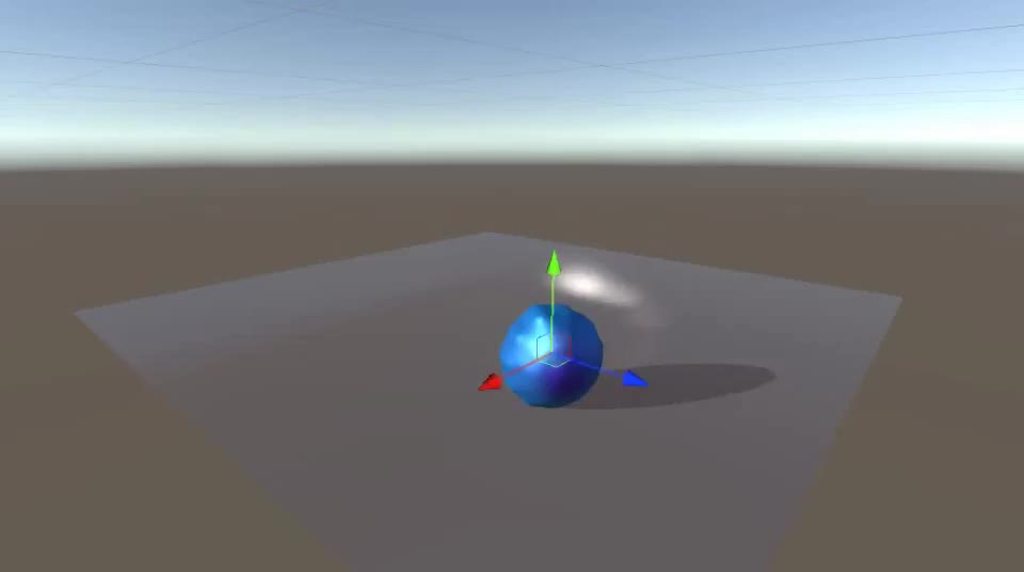 twin musk
I don't care for the squash-n-stretch, I'm going for the smooth turning animation.
hybrid tinsel
Ok. So you have your character controller. It faces the direction you're moving, etc. Then you have a child object to hold the cosmetic stuff.
twin musk
An empty?
hybrid tinsel
You rotate the child object like a wheel, on a single axis.
Yeah
You can have an entire hierarchy of pivots for different effects.
twin musk
I added the child, now how do I use that?
hybrid tinsel
First calculate the angular velocity you want. Then apply it to the pivot object. And then have the ball as a child of that.
twin musk
hybrid tinsel
https://i.imgur.com/YBPYZbu.mp4
What's the angular velocity of this?
sweet osprey
twin musk
Is that the right term?
is this what you want?
 twin musk
Yeah.
hybrid tinsel
First, you get take the radius of the circle and calculate the circumference. circumference = 2 * PI * radius Then to get the speed of the wheel you divide the forward speed of the character by the circumference.
sweet osprey
twin musk
Yeah.
are you using URP?
twin musk
Yes I am.
sweet osprey
Just make the texture like this:
split the ball so both sides have the same texture

then make a lit or unlit shader and build this

It will rotate your texture making it spin
hybrid tinsel
Rotating the texture is fine except that it isn't very extensible if using anything but a sphere. Also you still need to calculate how fast to make it go 😄
sweet osprey
Then have a totally normal character controller and its done
if you'd like to change the speed or the texture you can just add those to the parameters of the shader
twin musk
Where can I get help for inverted normals?
sweet osprey
hybrid tinsel
Rotating the texture is fine except that it isn't very extensible if using anyth...
i mean, if you set the normals properly it is, and even if you didnt, you can always use the object pojetion
sweet osprey
twin musk
Where can I get help for inverted normals?
you got inverted normals?
twin musk
Yeah.
 hybrid tinsel
sweet osprey
i mean, if you set the normals properly it is, and even if you didnt, you can al...
hybrid tinsel
sweet osprey
i mean, if you set the normals properly it is, and even if you didnt, you can al...
That's great for a placeholder object but then when he adds any details it will totally break
sweet osprey
twin musk
Yeah.
you can just re-invert it yourself
twin musk
I tried changing the normals to Calculating and Import, but it didn't work.
hybrid tinsel
The empty transform method will work with anything(including texture animation)
sweet osprey
in blender press CTRL I and i think it will automatically calculate
wait
wrong hotkey, let me check
Shift N

idk what CTRL I is and i'm way too sleepy to think straight
sweet osprey
hybrid tinsel
That's great for a placeholder object but then when he adds any details it will ...
depends on the detail, so far he also only asked for the ball, if he wants to add spikes or anything, he can always put the view to the side and force the uv to match the view. that's what i did.
sweet osprey
twin musk
I tried changing the normals to Calculating and Import, but it didn't work.
then just select every face and press the flip button on top of the recalculate outside
sweet osprey
which one, the flip, or the recalculate outside?
if the recalculate outside doesn't work try recalculate inside >.> usually flips me automatically
twin musk
Both
sweet osprey
hybrid tinsel
<@148564102388776961> so does it look like c3p0 in blender too?
maybe... It doesn't look that different, but looks kinda odd
idk
i guess the best answer would be yes 'cause i think the problem is the animation i've done itself
regardless, any sugestions on how to work with animations for unity tho?
sweet osprey
twin musk
Both
try asking for help on blender's discord.
hybrid tinsel
I mean, step one is to look at existing walk cycles. One thing I noticed in yours was that there wasn't much shifting of weight, just a sort of rigidly upright shuffle.
People usually keep their center of mass between their feet when standing or walking slowly, maybe with just a slight lean into the direction they are moving.
The faster they move, the more the upper body tends to precede the feet.
hybrid tinsel
Of course, you can push things for a more exaggerated look but there will always be the same basic poses involved.
 cold swift
Quick question!! I have a working blendshape in blender, but when opening the fbx in unity the blendshape is there but doesn't show an interactable slider, and inputting any value causes the mesh to vanish. Anybody know why?
example of what I mean by "no interactable slider"

 vital geyser
I want to animate a pixel art character in 2d but use in 3d. I want to know whether I should use pixel art animation and assign it to different eulerAngles for the 3d effect or if I should create a 3d model in Unity and then take shots from angles.
Wanted to know as Im not experienced in Blender but I also thought the detailing would be off if I went for it.
This is the character
 hybrid tinsel
Either method would work.
clear orbit
vital geyser
I want to animate a pixel art character in 2d but use in 3d. I want to know whet...
I'm confused as to what you are trying to do?
vital geyser
clear orbit
I'm confused as to what you are trying to do?
I want to animate the character but instead of hand drawn animation for perspective of all 9 angles, i was asking if it is better to use Blender and just use a model?
 agile solstice
It's better if you don't want to hand animate 9 angles
worse if you don't want to do modeling, rigging and armature animation
What's better often depends on what more do you want or need to do
If you'll have multiple characters, then 3D rigs can be re-used very efficiently
If you want the 3D models to fit in to a pixelated 2D world, that may take some extra work
vital geyser
I don't know blender. tho I'm willing to learn it. Its just that I feel my character won't be detailed
vital geyser
vital geyser
I don't know blender. tho I'm willing to learn it. Its just that I feel my chara...
... if i go with blender
agile solstice
There's a lot to learn with blender, especially with the whole character modeling, rigging, animating and exporting pipeline
If you're not pressed for time, go for it by all means
Otherwise go with what you're familiar with
vital geyser
Guess I will go with Aseprite
 formal urchin
hello, I'm trying to skip to the next animation state with some conditions
hold on I'm trying something
might not need help
clear orbit
vital geyser
I want to animate the character but instead of hand drawn animation for perspect...
When you say "Just use a 3D model" I think it is because you maybe aren't good at animating, or don't want to do so many frames of animation, so you want to use Blender to pixelate the model, and then export them as 2d frames into Unity. There are some youtube videos on it.
vital geyser
clear orbit
When you say "Just use a 3D model" I think it is because you maybe aren't good a...
yeah i was referring to those
clear orbit
unlesss you are already a failry good artist, all those perspectives are hard to draw
maybe theres some pixelator asset for unity
a shader
 glad mango
How to Control Joystick Animation
 versed shard
Been trying to get an animation to work, but for some reason it causes my model to spawn on his back and when i try to make it walk, the animation kind of makes him teleport around? as if he is doing massive steps
i have a secondary model that the animation works fine with
the only big difference between the models is that THE MODEL WHICH THE ANIMATION DOESNT WORK is lying like this in that panel

any help?
 gaunt vortex
i have imported my character from Maya to To Unity and Rigged it Through mixamo and im Facing this issue , the pivot for my character is on abdomen due to which whenever i play a animation play falls down the grid .
Can Anyone Help me it's my first time importing character

 vestal viper
gaunt vortex
i have imported my character from Maya to To Unity and Rigged it Through mixamo ...
vestal viper
gaunt vortex
i have imported my character from Maya to To Unity and Rigged it Through mixamo ...
Which unity version do you use ? There should be an option inside animation settings that says bake into pose. Check that and make it based upon original.
This link should help you :
Unity is the ultimate game development platform. Use Unity to build high-quality 3D and 2D games, deploy them across mobile, desktop, VR/AR, consoles or the Web, and connect with loyal and enthusiastic players and customers.
gaunt vortex
im using Unity 2020.3
vestal viper
gaunt vortex
im using Unity 2020.3
For your animation clip check bake into pose and make it based upon original in both position and rotation sections.


 covert tendon
Hello! Any help with this error? I've spent hours trying to find a solution but anything worked so far. Any clue/tip/solution?
 hybrid tinsel
covert tendon
Hello! Any help with this error? I've spent hours trying to find a solution but ...
hybrid tinsel
covert tendon
Hello! Any help with this error? I've spent hours trying to find a solution but ...
Do you have a receiver for that event?
twin musk
hey guys i got an issue thats been bugging me for days, i have a overriden animation for a basic weapon holding, and an additive for a look up and down blend tree, just the usual but its not working at all, ive gotten rid of masks to remove any confusion but its still not working, can u guys help?


if i make the look overriden it works, but it doesnt have the hand holding
covert tendon
hybrid tinsel
Do you have a receiver for that event?
I have been following a tutorial and apparently it works but not to me. I have this event function where it says it doesn't require a receiver🤷♂️

and that's the event created in the animation

Then this function in the object that is supposed to be hit.

but this last function is never executed.
hybrid tinsel
And the script is attached to the same game object as the animation?
 upper shadow
so I've got 3 animations in one animator.
added the first one, it's a walking anim. triggers when the character moves.
added the 2nd, it's a firing bow animation, it plays when a bool is true
added the 3rd, which is a dance one, and is triggered by clicking a button.
first 2 worked great. 3rd one being in the Animator has since made my character unable to move
RootMotion is off and stuff so idk what might've caused this
 stray shoal
does anyone know why when i use Mixamo models and animations, just the two for now, idle and aiming idle, trying to blend them together with an avatar mask, i get this wierd rotation on my aiming, when the original anim is straight ahead. Any help? https://gyazo.com/657247a21c2d898712b8d75c49dd4f8e


its str8 in the anim
 agile solstice
stray shoal
does anyone know why when i use Mixamo models and animations, just the two for n...
agile solstice
stray shoal
does anyone know why when i use Mixamo models and animations, just the two for n...
It looks like the aiming animation uses hip rotation to orient the upper body forward
stray shoal
agile solstice
It looks like the aiming animation uses hip rotation to orient the upper body fo...
how may i turn the hip off? since im not using generic. im using humanoid and the mask doens't let me use th etransform option?
agile solstice
There's no option to exclude hips? I haven't used avatars before
stray shoal
nah just those options in that picutre
agile solstice
darn
stray shoal
legs and torso
Lol
hips are apart of the legs in this case
i wish it was more seperated out, maybe im missing an option idk
twin musk
Hello everyone, How can i play animation on trigger?
twin musk
because this third person controller is kinda complex

and i dont know where to add the animation
 stable beacon
twin musk
Hello everyone, How can i play animation on trigger?
stable beacon
twin musk
Hello everyone, How can i play animation on trigger?
Create a new state and set the animation
Then create a transition between the states you want to blend from
And set the parameter as a trigger
I recommend watching a video to make it simpler
hybrid tinsel
twin musk
because this third person controller is kinda complex
Generally, for one-off animations that overwrite everything you'd use an anystate transition. Use them sparingly, though.
twin musk
wait wait
are you guys here?
ok nvm
so dont mind strafe locomotion there because i dont need that and i've disabled it
twin musk
stable beacon
Create a new state and set the animation
where
if i click on Free Locomotion it brings up this menu

then if i click Free locomotion again it brings up this menu where i have the walk, idle etc..

where do i need to create the state?
hybrid tinsel
Either on a new override layer, or in the top level of the base layer outside of the locomotion.
twin musk
uhh
twin musk
twin musk
because this third person controller is kinda complex
Like here?
green wigeon
Is there a way to setup a transition which is triggered through code? Right now im swapping between some animations by calling Animator.Play but this ends up making things snap into the start of the animation which doesnt look very good
twin musk
In that image?
twin musk
hybrid tinsel
Either on a new override layer, or in the top level of the base layer outside of...
so i need to make it inside of (Up) Base Layer right?
hybrid tinsel
Assuming that is the base layer, yes
celest crag
@spark tide Don't post off-topic. Read #📖┃code-of-conduct
 spark tide
my bad
 wooden yarrow
Hi !
Programmer here -> I'm trying to edit an animation I got from Mixamo, but my changes keep being overwritten.
- I duplicated the file to make sure it's not read-only
- I use Record / Edit existing keys / Create new keys.
- It seems great until I change frame, then it just goes back to how it was.
The model I use was created withVRoid then imported as fbx to Unity.
Any idea is welcome ! Thanks in advance 🙏

 normal phoenix
Hi guys, does anyone know why my animation is having issues with the y-axis? I'm importing from Maximo

 crimson ocean
I am experimenting with rigging and all of the bones coming out of the center of the object. How do I fix it
 gaunt vortex
@vestal viper I'm not getting the option, Idk why
 twin musk
stable beacon
I recommend watching a video to make it simpler
twin musk
stable beacon
I recommend watching a video to make it simpler
i did but they dont have complex character controller as i have
so i dont know where to put the animation state in my controller
hybrid tinsel
wooden yarrow
Hi !
Programmer here -> I'm trying to edit an animation I got from Mixamo, but m...
Are you using a model set to 'humanoid' in the rig settings? If so, you can't edit the transforms for the humanoid bones directly, and any changes to them won't work properly.
hybrid tinsel
normal phoenix
Hi guys, does anyone know why my animation is having issues with the y-axis? I'm...
You have to properly set up the avatar and the root bone.
normal phoenix
hybrid tinsel
You have to properly set up the avatar and the root bone.
How do I do this?
I tried adjusting it in blender but it screws up everything
hybrid tinsel
twin musk
if i click on base layer it opens this
I'm not seeing the problem?
normal phoenix
all my model, materials and animations are wrong after exporting it from blender
twin musk
i tried to do something

i made another state
where i have the animation

idle is just a empty state
when i enter the trigger it works fine , it plays the anim but then the locomotion states disconnects and my character doesnt play the walk and idle animations
hybrid tinsel
normal phoenix
How do I do this?
You have to set it in the import settings. You need to base the avatar on that model, and also you need to set the root transformation position(Y) based on feet- there is a setting for that. You have it set to the hips so it is putting the hips on the ground.
normal phoenix
hybrid tinsel
You have to set it in the import settings. You need to base the avatar on that m...
yup I've tried that but it doesn't seem to work
Do you happen to have a video tutorial of it?
hybrid tinsel
twin musk
when i enter the trigger it works fine , it plays the anim but then the locomot...
After your animation plays you need a transition back to the normal operation of the layer
twin musk
to the locomotion layer?
its acutally not playing any anim when i start the game
but it plays the right anim when i enter the trigger
twin musk
hybrid tinsel
After your animation plays you need a transition back to the normal operation of...
how do i transition back to the locomotion layer?
because it's a different state
i mean i also have this

it might help me
(Up) Base Layer

but now my character does a odd animation
@hybrid tinsel can you help me
hybrid tinsel
ugh
I really don't know how your controller is set up. It looks way too complicated to just guess.
 kindred ruin
why is my animation only showing the milliseconds?
 uncut salmon
kindred ruin
why is my animation only showing the milliseconds?
uncut salmon
kindred ruin
why is my animation only showing the milliseconds?
You can switch it to frames:
 kindred ruin
uncut salmon
You can switch it to frames:
kindred ruin
uncut salmon
You can switch it to frames:
<3 thank you it worked
kindred ruin
how do i remove this line?
and make the "Entry > None" to have like 3 arrows?

 grim glen
In a turn based rpg I want to give everyone battle animations, so I made an animator for the "battlecharacters" and then I was going to do an override for every type of character, but now IDK what I'd do for if my party members' equipment changes and I want to show that.
 magic robin
Hey, whenever I create an animation using the record function in the animation tab, it automatically creates a curve that eases in and eases out.... is there a way to remove this easing without manually adjusting each key individually?
kind quail
hey there, so I'm making a tactics game and right now I'm kinda stuck as to how I should create animations for the battler's abilities, I've managed to spawn a gameobject on the target of the ability and make it display the ability's animation, but what if I want my animation to be a beam going from the caster to the victim of the spell ? It seems like something that's done in sooo many games but there's surprisingly little info about how to do this, so how is this usually achieved ?
grim glen
Wouldn't that be better to do by scripting it to move towards the victim? Not sure about that tho, I'm still new to this as well
kind quail
Yeah that would work if it was some kind of projectile, but if it's a beam it's a little different since it wouldn't really "move" towards the victim more like ... extend itself? And I really don't know how I would be able to script this... :/
grim glen
scripting the scale, maybe? Not sure
twin musk
Does skeletal animation work for pixel art assets at all?… or is it a big no-no?
Rephrased, are sprite sheets better for pixel art?
I’m aware that sprite sheets can be a damn pain if there are tons of animations and customization to the character, and skeletal animation makes it much easier in terms of customization, but I haven’t seen examples done with pixel art
hybrid tinsel
twin musk
Does skeletal animation work for pixel art assets at all?… or is it a big no-no?
It depends on the aesthetic you want. There's nothing inherently WRONG with bones and pixel art but it definitely looks different from spritesheet animation.
hybrid tinsel
kind quail
hey there, so I'm making a tactics game and right now I'm kinda stuck as to how ...
It depends on how the VFX was made. If it is just a simple animation, you could spawn the effect on the attacker and rotate/scale it to face the enemy, while if it is more complex you could(for instance) spawn the attack on the attacker, the hit on the target, and use a line renderer or something to connect them.
There are lots of options.
kind quail
hybrid tinsel
It depends on how the VFX was made. If it is just a simple animation, you could ...
I'll look into that line renderer suggestion, sounds like exactly what I need, thanks !
 keen owl
Does Somebody know how i can stop the nonstoping reapeating of the run animation
I press Shift and it does that, but i can walk normal
 robust bluff
I downloaded animations from Mixamo, but when the animation transitions to "Push Up" the body slides of centre. Is it something with the pivot? I can't really find any solution to changing this. Please help 😦
twin musk
hybrid tinsel
It depends on the aesthetic you want. There's nothing inherently WRONG with bone...
Which one would you say looks better personally? Also have you got any examples for skeletal animation on pixel art? I haven’t seen any yet…
 frank meteor
hi, having this issue where logic doesn't go past a particular number of states in the animator even though transitions have conditions met

note: condition is the exact same for the previous condition but it's the left gesture which as shown is shown to be have logic flowing to the state but not further than the state itself
combined first and second transition conditions into one and this is what occurs

note. the selected transition is also true.
frank meteor
okay, it actually works by combining the 3rd and 4th transitions together.
is there any way to edit transitions such that i can change the destination state of a transition?
frank meteor
yeah not happening with me XD
would take longer to make and debug a script than it would to just do the transitions traditionally
vestal viper
gaunt vortex
<@!357848504648990720> I'm not getting the option, Idk why
Sorry I had this problem on old versions like 2018 and I could solve that; But I don't know how can we solve it in new unity versions that haven't that option.
hybrid tinsel
frank meteor
would take longer to make and debug a script than it would to just do the transi...
That is why there is none 😄
 cyan pike
Hi Everyone! I need to see a vein moving like a heart beating on an organic object. I did this animation with Blender using a vertex group and a modifier ( wave modifier). I can not import this in Unity as it is an internal thing of Blender.
I wonder if somme of you have some ideas about how I can have the same result in Unity. I don't know well the animations tools in Unity. I'm a bit lost!
 tawdry wharf
Ok I just searched for one hour straight - is there really no simple .blend file of a human character out there that has Rigify IK setup and will import in unity (mecanim) correctly?
Really?
tawdry wharf
I just realized I had this problem before and actually made a rig ... but it's from January 2019 and doesn't work anymore ..
Anyone got a default rigify rig for me and the entire unity communtiy?

 meager hazel
When a parent of a gameobject that it playing an animation is disabled, the gameobject's animation seems to get cancelled/bugged. Is there a way around that?
tawdry wharf
meager hazel
When a parent of a gameobject that it playing an animation is disabled, the game...
meager hazel
Not quite sure how that would help
tawdry wharf
You unparent the object, then use the parent constraint to "fake" a parent relationship.
So you can disable the parent without the child getting affected.
Disabling objects makes them basically dead to unity until re-enabled. Everything will be stopped, particles, animations, update loops, coroutines, rendering, sound and so on.
The scripts are still alive, you can call methods on them but on the unity side, they are almost dead when disabled.
So the only way to avoid this, is to keep the object enabled. If I understand your problem correctly?
 river forge
Hello, I'm a beginner in animation, I would like to make a simple animation of an npc with 2 Mixamo animations, but my npc returns to its initial position after playing the rotation animation. I would simply like to do an idle animation > rotation towards the camera > idle animation.
How do I get my NPC to not turn around after rotation?
Here is an example and my animator controller:
https://gyazo.com/c0a87d871ecf9dd8f40502236585ccc4
https://gyazo.com/edaea41ac678a3b6f454ef210a888cf8
Please help me 😭 this is the last thing missing for my project 😦

 twin musk
can anyone help me with my timeline animation?
 half wolf
don't ask to ask, just ask!
hybrid tinsel
cyan pike
Hi Everyone! I need to see a vein moving like a heart beating on an organic obje...
You can do it in a shader; use vertex color or a texture map to mask the appropriate vertices and apply a vertex displacement.
hybrid tinsel
river forge
Hello, I'm a beginner in animation, I would like to make a simple animation of a...
Enable root motion
river forge
hybrid tinsel
Enable root motion
I have already enable root motion on my npc :
https://gyazo.com/974eee330f9645275fe74bed25dd5819
And this is my animations :
Idle : https://gyazo.com/550e9746ca8033e9db36b8989456c933
Rotation : https://gyazo.com/7722e4510beabe1fff231710c0f5a209


 hybrid tinsel
river forge
I have already enable root motion on my npc :
https://gyazo.com/974eee330f96452...
hybrid tinsel
river forge
I have already enable root motion on my npc :
https://gyazo.com/974eee330f96452...
You are baking the motion into the curves, so it isn't being applied to the root transform
river forge
hybrid tinsel
You are baking the motion into the curves, so it isn't being applied to the root...
Hooooooo, yes, thanks ! I'm stupid, I used to enable this option and I completely forgot it existed XD. Thank you very much !
alpine moth
how do i export blender animations to unity
 ashen snow
can anyone explain why the image is being cut as if the slice is being rotated?


none of the other images are like that
i even resliced it and it still looks like that
alpine moth
ashen snow
can anyone explain why the image is being cut as if the slice is being rotated?
quick question do you want it blurry
hybrid tinsel
ashen snow
can anyone explain why the image is being cut as if the slice is being rotated?
Did you accidentally add a custom mesh to it?
ashen snow
alpine moth
quick question do you want it blurry
No lol
ashen snow
hybrid tinsel
Did you accidentally add a custom mesh to it?
No
 lethal terrace
hello my animation seems to not work in the animator tab i connected my idle animation simply
hybrid tinsel
Can you be more specific?
twin musk
can i prevent animation from looping (and even ending on picture 2 of 4) when loop time is disabled?
 tropic tiger
Uhm so im trying to make my jump animation not so fast and I tried to find where to slow it down but I dont know how?

This is from a brackeys video.

It says "Samples" and then you can choose a number in the box.
 acoustic obsidian
Hi, how do you control the animation speed of a state in animator?
Ex: i press Q and holds it, state1 plays until i release the button and stops. I press W and holds it, state2 plays until i release the button
the anim.speed seems to function only with the whole animator not state
 pearl hemlock
any suggestions on this checkpoint animation. im pretty new to pixel art and animations.

oh dang thats smaller than i thought it would appear


 jagged cypress
I'm having an issue where when I try to rotate a limb that is already keyed, I'm getting kicked out of animation record mode. Anyone know how to solve this?
Anytime I select something that is included in my animation other than the object with the animator it boots me out of animation recording basically.
hybrid tinsel
@tropic tiger upper right corner, there's a thing to enable the samples input. Don't listen to brackeys though; his tutorials sucked even when they weren't out of date.
tropic tiger
hybrid tinsel
<@255007442801262603> upper right corner, there's a thing to enable the samples ...
Ok. What do I press?
hybrid tinsel
@jagged cypress is it a humanoid?
@acoustic obsidian there is a speed variable per state that you can set to an animator float.
jagged cypress
hybrid tinsel
<@340309225232400385> is it a humanoid?
No it's generic
Really strange, I've never had an issue selecting child game objects within an animation and moving them to set their rotation or positions.
hybrid tinsel
Weird question, but you didn't accidentally add an animator to the individual pieces?
You can always lock the animator window to the current object if you need to
jagged cypress
No, no animator added to the individual pieces
But locking the window is a solution!
Thank you! I'm not sure what's happening there but for now locking is good enough to make it work!
hybrid tinsel
Just remember to unlock it when you are done or you will get really confused
unborn light
Do you guys make your animations in Unity or Blender/Other other software? If Unity what tool do you use?
Specifically characters animations, I’m not really concerned about other small animations
 shrewd mountain
I got a bunch of NLA actions in Blender and I want to export them as individual animations for use in Unity, what's the best way to go about this? If I can, I'd like to avoid slicing up a single animation into many manually in Unity
 wintry hollow
for some reason when i added sprite sheet into unity it did this

if should look like this

ok i fixed it by enabling "Generate mipmaps"
 marsh arch
hey, i have an problem, when im playing the walking animation its correct but when i hit play and activate it through code it cuts half of the frames pls help

here is the animation if it helps
twin musk
twin musk
How can i make 2D characters animations?
Sprites*
uncut salmon
twin musk
How can i make 2D characters animations?
Draw sprites for each frame of the animation.
acoustic obsidian
hybrid tinsel
<@501419949886013443> there is a speed variable per state that you can set to an...
I have a simple animation of up and down. So if i press and hold A, it goes down and stops whenever I release it. Vice versa when i press S.
hereis the code: https://pastebin.com/tK4Vgwyw
Pastebin
Pastebin.com is the number one paste tool since 2002. Pastebin is a website where you can store text online for a set period of time.
could you maybe point me to some material so i can read up?
 warm walrus
anyone know whats going on?
the rig is constrained to the model itself and it works if i individually move each armature
 slow elm


This is my first time using animation retargeting
I got this animation of mixamo and Im trying to rig it up to my avatar but Im getting this weird warning
slow elm


Alright I believe this was the actual problem
But it says the transform for root can't be found but its right there?
 upbeat owl
Is there any way to animate just the x axis? I want to be able to move the object up and down and have it just slide to the right, rather than jumping to the original y pos? or should I just try and use code?
 gray ginkgo
hello guys how can i animate idle jump and run for my 3d game
hybrid tinsel
@upbeat owl you can edit the curve for each axis separately.
 molten badge
Hi guys, any good video maybe for animations? I have player with walk but how to set animation in game.
upbeat owl
hybrid tinsel
<@805145760575520789> you can edit the curve for each axis separately.
How do I do that?
 unique knot
is it possible to copy values of object at given time frame in animation and detach it from animation?
I have object with animation, want to select specific frame of that animation and make new object out of it which have the same values but is without an animation
twin musk
Should I split this into 3 animations of 1 frame to work with it easier? (Sprites from Dragon Ball Z: Buyuu Retsuden, just so I can test out animations)
 twin musk
Working on some NPC animation (“Reden” is German and means “talk” ;)
Yikes my pc sounds like a toaster XD
 lone geode
Hey folks whenever my animation my mesh vanishes from the scene? I have apply root motion on because that was a suggested fix but it appears to have done nothing
Okay it's a bit stranger then that? It just renders in and out of existence when I move around

 maiden linden
 cold pecan
you should get that checked out
cold pecan
you should get that checked out
thats just my microphone
hybrid tinsel
unique knot
I have object with animation, want to select specific frame of that animation an...
There's a tool in Animation Toolkit(free on asset store) that does that.
hybrid tinsel
lone geode
Hey folks whenever my animation my mesh vanishes from the scene? I have apply ro...
That usually means the bounding box is messed up so it is getting culled incorrectly.
 pastel ferry
Hello guys, I'm trying to use the Animation rigging tool in unity and make a head constraint
However, after I apply it, my character jumps in the air when playing animations, and barely recieves input from the constraint unless its very very far away


also it's stuck downwards
Fixed, it was the abnormal scale messing with the possible rotation arcs I believe
I downscaled my blender model a lot before exporting it, (antman size difference)
 chrome terrace
so can someone tell me whats going on here?
 rigid raft
chrome terrace
so can someone tell me whats going on here?
rigid raft
chrome terrace
so can someone tell me whats going on here?
Did you figure this out?
chrome terrace
i did not
rigid raft
chrome terrace
i did not
Could it have to do with changing the z-value or layer order in the animation?
chrome terrace
thats what i was thinking aswell spend the last 3 hours on animating this inventorysystem and out of nothing this happened
i have taken a good look and i could't find anything
rigid raft
Or you're probably moving them out of place completely? Because it looks like they appear one by one in the Scene panel
The animation seems right on the Scene panel but they appear there right as they disappear on the Game panel.
chrome terrace
ill try something tomorrow if i cannot find the solution ill let ya know
rigid raft
Yeah you're probably going to stumble upon it tomorrow. Also see if you're changing the values locally, globally or just relative to the wrong parent; that's something I get wrong sometimes.
 placid cipher
Just curious if anyone has experience using Hybrid IK? I have an issue where I need an IK system's aim constrained and I haven't found a solution yet...
 upbeat owl
hybrid tinsel
<@805145760575520789> you can edit the curve for each axis separately.
upbeat owl
hybrid tinsel
<@805145760575520789> you can edit the curve for each axis separately.
Can you explain how I do this? I don't understand. I want to generate this object with script as well. Each one at a new position.
rigid raft
upbeat owl
Can you explain how I do this? I don't understand. I want to generate this objec...
On the Animation panel you can display the curves modify the axis separately like they said.
upbeat owl
rigid raft
On the Animation panel you can display the curves modify the axis separately lik...
Per object? Would I need to make a new animation? How do I do this with code?
rigid raft
You can animate/record a behavior once and set the animation to each object you want to behave that way.
Have you posted an example of what you'd like to do? So I get a better idea
 young oyster
Why does he disappear every few frames
upbeat owl
rigid raft
You can animate/record a behavior once and set the animation to each object you ...
Hmm I don’t really have anything but I have a static image that I want to have slowly slide across the screen horizontally. As the player moves up more are generated to fill the screen above the player and ones that have gone off the screen are removed.
upbeat owl
young oyster
Why does he disappear every few frames
It looks like you have missed adding an image to the player during a specific keyframe. Or have an extra keyframe.
Go through each keyframe and see if you did.
upbeat owl
Glad you fixed it!
rigid raft
upbeat owl
Hmm I don’t really have anything but I have a static image that I want to have s...
If the motion you want is pretty similar throughout all images then you could instantiate each image as a GameObject and have a script that changes the position horizontally over time.
Then the script where they're being instantiated from gets the vertically travelled distance of the player and uses it as a multiplier to instantiate more as the player moves up. You could use AnimationCurve to set in the inspector how many images you want instantiated as the player moves up.
upbeat owl
rigid raft
If the motion you want is pretty similar throughout all images then you could in...
That sounds good. What about if the users frame rate is higher or lower than Normal. Won’t the background speed up and slow down? I don’t want that.
rigid raft
upbeat owl
That sounds good. What about if the users frame rate is higher or lower than Nor...
Look into Object Pooling (I think that's what it's called). Instead of deleting and re instantiating objects you disable an object and re enable it in the position and the state you want it in.
Edit: Wait. Didn't get your question. Thought you were talking about lag.
upbeat owl
rigid raft
Look into Object Pooling (I think that's what it's called). Instead of deleting ...
Yes I was sorry.
rigid raft
upbeat owl
That sounds good. What about if the users frame rate is higher or lower than Nor...
I think that's solved by using Time.deltaTime.