#🏃┃animation
1 messages · Page 73 of 1
 lilac flax
I'll show you the idle animation

Google Drive
don't hesitate to say whatever you think is bad
 hybrid tinsel
I think it looks good. I suggest having the parts that are meant to touch the ground move around less, to make it look less floaty.
lilac flax
I think that he will not touche the ground
or
I'll build a platform for him
it was supposed to floaty but I think that is will be too strange without ground
 ruby plume
Am I right in saying I need an animation controller for every gameObject that has animation right?
I can’t just use 1 to manage multiple objects?
lilac flax
Multiple objects uses same animations?
hybrid tinsel
@ruby plume The animator can control everything under it in the hierarchy. That is, any children can share the parent animator.
If you want to animate multiple objects, you can also use a Timeline
lilac flax
Check if the key is press
Put a trigger on animator on your animation
And setTrigger or something like that
ruby plume
Ah thank you
ruby plume
when should i use animation instead of code? it seems like im using animations for everything... is that alright?
 meager drum
If it's working, yes 🙂
ruby plume
lmao, fair enough
 charred flicker
Hello, i am trying to override animator with new clip, but its always checks for animation clip name not the state name, can I change it somehow to look through animator state name?

 serene trail
Is there a way to inmediately change from one animation to another instead of waiting to the animation to finish
 exotic path
Idle cubeman! After get bones made in unity
exotic path
serene trail
Is there a way to inmediately change from one animation to another instead of wa...
I'm a noob here, but, I use GetComponent<Animator>().Rebind(); and GetComponent<Animator>().Update(0f); a lot for my animation needs. I know this isn't specific to your question, but I know from looking through unity manual on animator that the answer to your question is absolutely in the animation scripting api and hopefully these 2 commands help get ya there. I just don't remember the exact coding
basic idea though outside of remembering that is to do play and stop on specific animation names
serene trail
if i need to specify i'lldo it, i mean that in my game when i change one animation to another, the player needs to compleet that animation to start th other one, and i need somehow to take the waiting
take out*
exotic path
yeah, there should be animation.play and .stop (outside of using masks). So, like, if user enters w input to move, play this animation
exotic path
googling scripting apis can be horrendous with the amount of results that pop up
so let me try and help real fast find the api for it
exotic path
serene trail
i'll search that

based off just quick skim, should be able to check play, stop, and check if a clip is currently playing
among the other things
serene trail
@exotic path Thanks again, this helped me a lot
meager drum
You don't normally need to do scripting to move from one animation to another in the animator. It wouldn't be very useful at all if you had to script every transition
Unless i'm misunderstanding the problem
Are you talking about like, moving from a walk cycle to an idle or a jump, that kind of thing?
YOu should just be able to set a transition
 ancient echo
Sorry I forgot to reply the other night - I tried baking animations from IK to FK in Blender, and got the exact same result, and I checked the generated avatar and everything looks correct, unless I dont understad what you mean by "redo the IK in unity"? I think the shoulder bones dont want to move? But in the Muscles tab with all the sliders, everything seems to move correctly, and the animation would certainly have frames for the shoulder bones since Blender and Unity look different - any leads or resources I could look into? Any additional info or screenshots you might need to help further?
hybrid tinsel
@serene trail turn off exit time from the animation transition
 sly ice
Has anyone experimented with the writing skeletal animation data as a mechanim layer via the Animation Rigging package? Was wondering how feasible it would be
 twin musk
hey all! i got a question, i am pretty new to animation side of things, and by that i mean, i know very very little. I am working on a small project right now and i got some models without any animation. i wanted to download some animation from mixamo and put them on those models but frankly, i dont know how to do that, i need someone to hold my hand and guide me right now.
twin musk
okay i found the fix... im sorry, it was very simple and it just slipped me.. there was an upload fbx thing on mixamo
 urban prism
twin musk
okay i found the fix... im sorry, it was very simple and it just slipped me.. th...
urban prism
twin musk
okay i found the fix... im sorry, it was very simple and it just slipped me.. th...
If you have any other questions let me know
twin musk
thanks a lot
hybrid tinsel
@ancient echo I'm not a blender person, so I dunno about specific workflow, but I meant that unity has its own IK systems but they need to be set up separately from the imported animations.
ancient echo
hybrid tinsel
<@!168578802421727232> I'm not a blender person, so I dunno about specific workf...
Ah I see, so your suggesting I could use that with code and IKPass for the arms/hands and position it myself in Unity through code, rather than use the bone information from the imported Blender/fbx file?
hybrid tinsel
Well, you'd use it to supplement the animation, just like you do in blender.
lilac flax
it works !
I link the video there to show you the result
Google Drive
should be online in 30sec
Each eyes are their proper coliders and can be shoot with death effect, the only problem actually is the second part of the right eye that don't disapear (not the same sprite)
twin musk
Hello, a fast question... I'm overriding animations when switching character, but some animatioms get stuck, dont play after the override, is it possible that the overriding animation needs to have the same amount of frames or lenght?!
I make a new aoc at runtime... it works for all the animation except a couple of animation clips that are shorter (less frames/time)
hybrid tinsel
Very cute @lilac flax though I hope they attack first or I'd feel bad for randomly assaulting the poor thing.
Some sort of flash or particle effect when you kill an eye might be good as feedback for the player
@twin musk If the overriding animations are different lengths you might get transitions missed/skipped, but you can always directly call a state from your script to reset things if needed.
Does it happen with exit time unchecked too?
 twin musk
@hybrid tinsel hi, thanks, I guess I have sorted things out, you are right, it must be related to exit time on the transition ... I'm testing the solution
meager drum
It's looking cool. Something about it gives me the impression that both the eyeball dude and the bird are painted on the wall though. Reminds me of that Zelda game where you could become a mural
lilac flax
this is the goal
this is a game where you play graffiti art
and fight graffitis too
I'll try to make it even more obvious
twin musk
@hybrid tinsel yep solved, thanks, had missed that tick
@hybrid tinsel do you know if there is a different way to search for the clipanimations to override with an Aoc at runtime? (not only by animclip name/index)
meager drum
Oh, well, in that case good job because that's exactly what it looks like 🙂
hybrid tinsel
 twin musk
@hybrid tinsel by referring the state name and not the animation clip name for example...
hybrid tinsel
Well, script references to the animationclip generally return the state and not the animation
twin musk
@hybrid tinsel but then I still need to know the first name assigned to the animation clip, this can be changed by me or someone else
while then Attack state is gonna be called Attack state forever
hybrid tinsel
hm
twin musk
How would I animate the bar gradually filling up using only these two sprites?


The one for when it's empty
And for when its full
lilac flax
hmm
maybe just take the second one, put a dark overlay over it and just move this overlay to empty it or filled it?
this is the best solution I think
@twin musk
By the way if you do this can you share your code ? 😂 I'll probably doing the same in 2 or 3 days for my game
twin musk
Um I guess
lilac flax
(this is also an easy way I think)
 tame canyon
can someone DM me if they think they can help me fix an animation issue?\
 clear current
Hi is the correct place to ask about time line?
hybrid tinsel
@tame canyon no. Ask your question here.
@twin musk if it is in the ui, you can make it a ui image and animate the fill amount
urban prism
For Unity's Animation Rigging package: is there a way to set unparent an IK target? When my character moves, the target moves along with it and I want to avoid that.
 unique halo
I'm currently using Unity's Animation Rigging Package. I have a robot enemy and I'm using the Multi-Aim Constraint component on the guns. I've found that the guns don't actually aim at the player's transform though, there is an offset. I was wondering if anybody else had this issue?
A workaround which I am trying to implement is to calculate the offset of the gun's aim and the player's position, but I'd much rather have the component work normally.
charred flicker
Any idea why Animation Rigging doing this? my Two Bone IK target has some offset to it for some reason.

Ok I figured it out
twin musk
hybrid tinsel
Ayye this is really cute XD
hybrid tinsel
Thanks ❤️
twin musk
hybrid tinsel
<@456226577798135808> if it is in the ui, you can make it a ui image and animate...
Um it's not
hybrid tinsel
I can dig out my hp bar script in a bit
hybrid tinsel
hrm. I remembered, my hp bars didn't use masks so not quite as useful.
Anyway, the main idea is to add a mask sprite to the bar you have on top, and move/scale that to hide the masked sprite.
twin musk
is it good?
 hybrid tinsel
Is that the noid?
 paper cedar
hey, i dont know if this belongs here or at #archived-code-general . Im setting up animation rigging for my enemy prefabs so that they can aim at the player. How can i get the players position and add it to the multi-aim constraint?
hybrid tinsel
I think it fits either place, but you'll probably get more useful answers in there.
 hybrid tinsel
 urban prism
does anyone have an idea of how to have ik bones lerp to their target with animation rigging?
 quasi fable
urban prism
does anyone have an idea of how to have ik bones lerp to their target with anima...
quasi fable
urban prism
does anyone have an idea of how to have ik bones lerp to their target with anima...
you lerp the IK target
 wide peak
the gun doesn't seem to move according to the animation it just stays in it's start position. All the other parts of the animation work as intended

may it be because i'm using an avatar that doesn't include any weapons?
i'm using an avatar for upper/lower body animation layering
i'm really new to animating
 tight rover
AND IM RELLY NEW IN UNITY
meager drum
@wide peak You probably want the gun to be a child of the hand, so that it follows where the hand goes without needing its own animation
wide peak
why haven't i thinked of that
serene trail
does some one know how to move the legs with inverse kinematics to the front instead of sideways
charred flicker
serene trail
Check the roll, axis of pointing and angle on knee
 serene trail
@charred flicker can't find that, and i lower version: 1.79
charred flicker
Fuu I haven't used that version so I don't know how it could work there
serene trail
So how would it be in the newer version?
in case its the same
@charred flicker and wich bone should i change, the one with IK?
charred flicker
In armature edit mode, you select given leg bone and change roll on it.
Also in this version there is Pole Angle you can try changing
 serene trail
<@!261946364340994048> can't find that, and i lower version: 1.79
serene trail
serene trail
<@!261946364340994048> can't find that, and i lower version: 1.79
@charred flicker My apologie it was 2.79 😂
charred flicker
serene trail
<@!261946364340994048> My apologie it was 2.79 😂
Ouu thats different story 😄
charred flicker
Hmm I would try youtube tutorial on IKs, you might be missing something that you might find out that way
serene trail
@charred flicker Found it, the angle needed to be forward, so it notices the right angle to bend, thanks
charred flicker
Nice, no problem
 silver berry
hey guys any Idea why my 3D animation isn't working lol
I connected everything and the iswalking bool is also working lol
the animator tells me that the idle animation is going
but the walking animation won't stop
but yeah it does register that it should play the walking animation.
 uneven silo
why does he do this when I try to apply an animation to him.

i'm using a mixamo animation btw.
unique halo
paper cedar
hey, i dont know if this belongs here or at <#763495187787677697> . Im setting ...
Pretty sure you can do this by either using GameObject.Find("INSERT PLAYER GAMEOBJECT NAME").Transform.position or just dragging the player's transform into the Source Object section of the Multi-Aim Constrain component
 paper cedar
unique halo
Pretty sure you can do this by either using GameObject.Find("INSERT PLAYER GAMEO...
paper cedar
unique halo
Pretty sure you can do this by either using GameObject.Find("INSERT PLAYER GAMEO...
Well I tried both but none worked. When I tried using gameobject.find it gave me an error bc the source object needs a "Weighted transform". Eventually I made a different object for the enemy to aim at and told that object to set its transform to the player's
Also since this was a prefab that I wanted to be able to instantiate I couldn't drag and drop
 teal frigate
Can someone tell me why this character moves up a bit when I start the project? I'm assuming it has something to do with animation..

 unique halo
@paper cedar you could reference to the script on that prefab instantiation and assign that instance there.
As in during the instatiation.
meager drum
uneven silo
why does he do this when I try to apply an animation to him.
That's the "bind" pose that the Humanoid IK rig imposes on a model when it's active, but there's no animation in effect. It's similar to a T-Pose. Simply means you need to define say, an idle pose (and make sure it's set to loop etc)
uneven silo
meager drum
That's the "bind" pose that the Humanoid IK rig imposes on a model when it's act...
Yeah, I forgot to apply a rig to the animations I imported
uneven silo
how do I disable animations from moving my charater in a circle after 50 cycles of it playing?
hybrid tinsel
@uneven silo Bake the root rotation into the pose of the animation.
@teal frigate Might be the skin width of the character controller being too high?
hybrid tinsel
 teal frigate
hybrid tinsel
<@!110687418935476224> Might be the skin width of the character controller being...
teal frigate
hybrid tinsel
<@!110687418935476224> Might be the skin width of the character controller being...
Yes that was it thank you, now character controller's isGrounded keeps flickering between true and false. Imma go back to rigidbody at this point instead of character controller
 daring kelp
Hey guys I'm having a weird error with my Unity animator. I'm setting keyframes by recording the movements but it doesn't playback at all?
https://gyazo.com/17ed4868494d0cc8e7fede3f98e303ea
When I press off the Scene Preview I can see it is doing the movement but it still doesnt show it on the scene
Really not sure why this is happening
I have also tried just playing on the scene with the animator on and the animation on loop and it still didnt play anything
https://gyazo.com/f855ae0f7b1967811f8140dce352e930
 daring kelp
First I start animating and the recorder is working fine
https://gyazo.com/12a2d18a9936364b4c8d44aa032c756d
But as soon as I stop recording or try to play it back it doesnt work
And when I press scene preview off it 'deletes' the keyframes
https://gyazo.com/1818687ab85214530d42bf300e33d7d1
 keen cloud
can someone help me with the animator i have a set of animations i wanna play for a top down game but whenever i move the character the walking and idle animations dont play ive watched multiple tutorials none are helping
 rich slate
are bools in the animator being checked every frame? If that's the case I might not use them for NPC characters
hybrid tinsel
@rich slate Why not?
rich slate
well its checking every frame
hybrid tinsel
And?
That will be the least of your worries in terms of animator overhead
I mean, you don't avoid scripts with an Update() in them.
 hushed ember
Hi. does unity animation have the feature to make 3d character animations?
twin musk
Some animation for my mirco game
 hybrid tinsel
@hushed ember Yes.
 nova arrow
Hi, I want to try to make some generic humanoid animations in Blender but I don't want to go through whole modelling and rigging process for now. I've tried working on a basic humanoid rigged model but it didn't have any IKs and it was hard to animate. I found this very nicely setup rig but I'm having hard time importing it to the Unity (export/import takes 10 mins and it freezes Unity). I think it has too much unnecessary data in it and not directly compatible with Unity. Can anyone help me with making this compatible with Unity; or finding a nice rig (preferably with finger bones) that I can study on creating animations for Unity?
https://cloud.blender.org/p/characters/5f04a68bb5f1a2612f7b29da
rich slate
wierd question is there an actual way to blend in non looping animations? in this case, I want to mix different hurt animations together while another one is playing. I.e shot in the arm would blend with shot in leg while the other one is playing
 winged wyvern
Hello. Just have a question. So i want to blend standard scripted animations using a blend tree to achieve basic animations which I have already done. But, im trying to add parkour in to the game in a physically realistic way. By parkour i mean wall climbing, jumping over objects, etc... I would like to use some sort of hybrid where i keep the blend tree i made with normal scripted animations for the movement,etc... But in certain situations, i want to switch the animations to a physically based animation or root motion where i can let the animation control the player. So for example when the player wants to wallclimb the animations takes care of that.
Any help would be needed as im not sure how to implement that. Thank you
hybrid tinsel
@nova arrow That is definitely not a game engine suitable rigging setup... If you want something that will just work out of the box with Unity, I've heard that mixamo is good for that.
rich slate
@winged wyvern Check out the asset puppetmaster, i was looking at it yesterday and it might be what you need
winged wyvern
Yup, exactly that thanks. But id rather make it my self
rich slate
ahh that seems tough
winged wyvern
im a good programmer etc... i event study Compsci General enginnering. So im safe on that side but i just dont have that much experience with animations
Kind of really need help
rich slate
winged wyvern
im a good programmer etc... i event study Compsci General enginnering. So im saf...
Idk if this helps but you can have different states/switch cases based on what the player is doing and use.
https://docs.unity3d.com/ScriptReference/Animator-applyRootMotion.html
You can toggle that on or off and maybe use differnt layers with different masks. Like climb mask would controll full body, where as move mask controls only leg
winged wyvern
well the thing is ima have to blend that with ik as well. So the plan might be, basic ragdoll first, constrainted ragdolls, animations blending using animation controller, and then ik for parkour,etc...
Oooo true
I can maybe do some avatar masks
And use multi layer systems to weight blend
rich slate
I think thers even an API that switches in and out different masks so you dont need multiple layers, my attemps with it failed though
I just use an extra one and switch the weights
winged wyvern
But root motion would be on the entire character
That would ruin the contrained animations
or? im not sure. any chance we can get in a call tommorow because im in central european timing and have a conversation about this where you can explain it a little bit?
@rich slate
rich slate
i wouldn't be able to help at all trust me im a complete beginner lol
I'm using an asset just to handle LookAts because I can't reliably create my own
winged wyvern
haha aha, thought you sounded pretty solid but alright. Its fine. Il check that link out and just build my own system that handles it i guess.
Thanks a lot though man
apreciate it
rich slate
I would try unity answers,reddit, or unity forums maybe they can help
winged wyvern
Well its more that i know basically what i have to do, but its more that i dont want to start doing this much work if i might do it wrong so im trying to get some insight
rich slate
yea they might be able to point you inthe right direction on what API/commands you should or shouldnt use
winged wyvern
exactly, people with experience doing a physical animations controller would know a lot more than me about what issues might come up and what possible aproaches i can take to speed up development and avoid annoying bugs,etc...
paper cedar
Is there a way to have some animations in unscaled time and some in scaled?
On the same gameobject*
hybrid tinsel
 hybrid tinsel
@lilac flax Rather late but I happened to dig up this progress shot https://i.imgur.com/UQB5sWE.gif
lilac flax
your animations are very beautiful
lilac flax
hybrid tinsel
<@!272106115817275392> Rather late but I happened to dig up this progress shot h...
as your sprites
hybrid tinsel
Thank you! A lot of the design credit goes to my art partner; I mostly do the rigging and animation(though that does involve a lot of drawing it is less flashy 😄 )
hybrid tinsel
Yup. I do some of the drawing as well but I'm not nearly as good as he is.
lilac flax
nice ! Your video game have already a v1 that we can try?
hybrid tinsel
I had a demo of my main game, but it is offline now. I might do another sometime soonish
And this one here is not even close to functional, it is just two characters and some animations
yet 😄
 true crow
I have a problem with a fbx character, maybe can someone help me with this. Everytime im importing the fbx, the headbone is rotated around 90 degrees. if im checking the error on Blender, the armature making no problems...
winged wyvern
@true crow try ctrl+a in object mode
then select rotation
On the headbone
sorry, all bones assuming they're one rig
 valid yacht
How I can animate single child object?
I using Animation Rigging and I want animate target of two bones IK.

I want play it independent, so as complete separate state.
 sharp coral
He R U N
 hybrid tinsel
@valid yacht You could put it on another layer, or give it its own animator.
 subtle echo
Hey guys, i'm trying to make this movement to my character (the upper half moves with the camera and the lower half follows when movement is large enough). i watched a lot of animation tutorials and i still have no idea how to achieve this. If anyone can tell me where to start or the main idea behind it I will greatly appreciate it.

 uneven cave
Hey, I am currently animating a 2d sprite in Unity that has multiple different indicators for attacks/moves. While I understand how the basic animation loop for jumping/running works, I am having trouble with animating when there are several different indicators that need to be animated at the same time. How might I go about the animation loop for if I need the jumping animation as well as the shooting animation at the same time?
hybrid tinsel
@subtle echo You'd want to look into inverse kinematics for that. Mecanim has it built in, but there's also a more elaborate animation rigging system in the package manager if that's not enough.
@uneven cave You can animate using additive layers for different animations that need to be mixed together.
rich slate
Is there a way to setup a blend tree without any blending? I have 5 different walk animations but don't want to create a seperate blend tree for each one..because making transitions to attack animations would be hell. The only blending that is done would be from idle to motion
uneven cave
hybrid tinsel
<@!92731277433663488> You can animate using additive layers for different animat...
thank you!
 silver maple
Considering this isn't a game discussion I'm going to assume this is a scam or phishing link.
Any good example projects where scripting was used to animate gameObjects? I looked through the site and I saw some examples which leaned towards scripting Ethan for example. I'm also digging through the tutorial on animations. I'm just looking to get a better grasp on scripting rudimentary object animation.
 latent orbit
does anyone know how to export a curve animation from blender to unity?
it doesn't seem to export since it doesn't use keyframes
subtle echo
hybrid tinsel
<@!238840047028142083> You'd want to look into inverse kinematics for that. Meca...
thank you

 uncut salmon
 rocky coral
How do I make this?
rocky coral
How do I make this?
As the error says, it has to be inside the projects asset folder. All assets in your game have to go there.
 uncut salmon
Create an animator controller for your object, and drag your animation into it. If this is all brand new to you, then you need to do some tutorials for animation. Otherwise you're just going to keep asking how to do the next step.
 uncut salmon
Again, if this is brand new to you, find a tutorial.
rocky coral
uh
im watching one rn
"how to make a video game"
but Im at the animation part and idk how to add it just this
I get it
but

How I can go back at this?
somebody?
uncut salmon
Stop spamming this channel please. I don't know why you're watching a general video on making a game, and not finding one for how the Animator/Animations work in general.
If you want to create a new clip from the animation window, click the drop down and select Create New Clip:
 uncut salmon
This is is spam, yes.
 uncut salmon
And like I said, if you don't find a tutorial on how the animator works, you're just going to keep asking "and how do I do this, and this and this". Which, you're already proving. This isn't a discord to teach you the basics of how this stuff works, there's official tutorials for all of this:
rocky coral
yea I dosent know about the tutorials thanks
uncut salmon
There are plenty of tutorials pinned in #💻┃unity-talk, you should have a look through them all.
rocky coral
okay
 viral hawk
Hey so I have an animation problem I am trying to solve
I am working on an FPS game. We have two rigs. One for the gun, one for the hands
We play the animations on each at the same time so it syncs up.
The problem is when we play an animation at half strength. The animation interpolation works differently for each rig since they have different bone structures
So I guess the question is if someone knows of an alternate rig setup, or if there is a way to get the rigs interpolating the same despite having different bone structures
hybrid tinsel
How different are we talking? Would you be able to use, say, inverse kinematics or a constraint to lock parts of one rig to the other?
paper cedar
does anyone know why the first part of the animation plays slowly?

story is, i have a glory kill system and it sets Time.timeScale to 0 but i want this animation to be able to play during that time. It plays alright but the first part plays slowly and the rest plays in normal speed
 stuck coral
paper cedar
story is, i have a glory kill system and it sets Time.timeScale to 0 but i want ...
stuck coral
paper cedar
story is, i have a glory kill system and it sets Time.timeScale to 0 but i want ...
maybe the animation working on both timescale like it decreasing to 0 because of time.timescale 0 and in same time it increasing to bc u want to play it while the timescale is 0 ,just maybe.


 stiff thistle
hi
 sand estuary
Hey all, Im trying to reskin a game for a buddy, but a couple of the assets in his project use spine. I've never used it before, How do i change out the images with out breaking them?
 rose glen
I have a model in a standing idle animation. I want to play only the upperbody portion of an animation, but the problem is that the animation starts in a seated position, and then goes to standing. If I apply a mask, and bake into the root transform, it no longer moves up and down which is what I want. However, the model is now halfway into the ground. Is there any solution for this?
 meager drum
Isn't that exactly what you want? You'd need the lower half animation to take care of the rest
If you mean you want the animation's root translation in this half though, I don't think you want to be baking it
rose glen
The problem is I need the hips to be at the same level as the hips of my idle animation.
meager drum
Well, if the idle animation is controlling the lower half here, and it's in "charge" of the hips, then that's what should happen when these are played together no?
rose glen
Do I have to use separate layers or can I put them on the same layer?
I've seen guides for using multiple layers to separate lower and upper body animations
and applying a mask to that layer
I have a single layer, and am transitioning from Idle to this animation currently
meager drum
I think it's typically done with layers/masking, but I've only just started in this area myself so I'll defer to anyone with more experience
rose glen
gotcha, thank you though
rich slate
is there a way to prevent an animation limb to stay above collider level? one of my animations is causing the hand to go thorugh the floor. It would have to be dynamic since there may be slopes
meager drum
You can adjust where it falls via IK. Try looking for tutorials/examples for how to do that with footfalls, it'd be the same idea
rich slate
alright thanks!
would it be expensive to have it track the feet and hands for more than say 10 chars?
meager drum
I cribbed a script to do that with feet so my character doesn't stick her foot through stairs for instance, so I don't recall the specifics of how, just what it works with 🙂
Good question. I wouldn't think it'd be too bad depending on what else you're doing, but you'll have to try it
Might be a good idea to have a way to turn if off if the character is very far away/off camera/obscured if you're going to have a lot of them
rich slate
yep
pretty much it occurs because i have a hurt additive layer and the hurt animations are making a mess of the base layer
 echo summit
Which will be best to control body at runtime, animation rigging package or ragdoll joints?
 sharp stone
hey guys, i'm creating a prototype of medieval game and i need animation for warrior and mage. Any assest bundle or something with animation work for the Polygon assests?
 mild imp
I've got melee weapons and guns,
How do i set up a 3D character animation controller to potentially do top half and bottom half rigging? Or does anyone have any tutorials etc i can watch since i cant really find anything
Or an entirely different approach
uncut salmon
Have you looked into the new Animation Rigging package? It can blend animations and IK in a pretty easy to set up way.
 fleet veldt
so i have this animation where if the player is on the button the door starts opening until its open and if he steps out it closes but if i step out as soon as i stepped in the button it will finish its open animation and then do the closing one, is there a easy way to fix this to make it start from where it was and reach the end of the close animation, or do i need to make it trough script instead of animation?
mild imp
uncut salmon
Have you looked into the new Animation Rigging package? It can blend animations ...
can i get it in 2019.3 ? But also do you have any resources i can look at?
I don't like the sound of preview
 uncut salmon
It was verified in 2020.X (not sure which officially).
Brackey has a decent tutorial on how to set it up:
https://www.youtube.com/watch?v=Htl7ysv10Qs
mild imp
yea i just watched that, But i'm not sure if its what i need
 bright bough
hello, I am trying to create a simple 3d FPS unity game. I am having trouble understanding how to implement Adobe Miximo animations to my character model. I have watched quite a few tutorials on youtube and am still struggling to get the actual animation to work in game. any help would be greatly appreciated. feel free to @ me or dm I am available most hours.
 unreal sparrow
Hello. Blender adds Armature root bone after importing-exporting fbx. Does anyone know how to fix?

 limpid terrace
How do i play two animations that are on the same object?
paper cedar
Does anyone know why the first part of the animation plays slowly and the second plays at normal speed?
 sharp coral
Old man walkin, where will he go?

 manic lintel
Hey when I click "open" to open the box then this animation displays(00000). It shows how much stars(currency) you won from the box. But when I try to open it a second time then the animation no more display.

Here is the code:
 crystal chasm
How do I make animations on mac
manic lintel
 crystal chasm
I am having a lot of trouble

I am not getting a litte arrow on the sprites folder
can anyone help
I have stuff in the folder but it won't drop down
as a list
manic lintel
I'll help
manic lintel
Take all your Idle photos with shift
crystal chasm
ok
manic lintel
uhmm
crystal chasm
manic lintel
Then drag them into the hierarchy
so I put it in the hierarchy
what am I supposed to do next
manic lintel
Normally (windows) your folder opens where you can name your animation
It creates automatically an animationController and animation
crystal chasm
Should I just create an animation window and drag it there?
so this is what it should look like
manic lintel

Medium
Create an animation in Unity3D by using the Animator component.
 manic lintel
I think you didnt dragged them together
crystal chasm
I am making a 2d game tho
meager drum
That's just the zoom slider all the way left
Or just one-column view
Press the dots in the upper-right, and you can switch between 1 and 2 column view
 twin musk
im having trouble trying to make an animation work for multiple objects... help?
So like
I want a spike animation
where it pops out of a wall
and it goes from
x=2.25
to
x=1.75
and then back again
But when I try to apply the same animation to 3 different spike objects
it goes die mode
and doesnt work
charred flicker
Hi, I am exporting looped animation from Blender, one leg goes seamlessly but the other does some weird stop on start of the animation, It is smooth in Graph View in Blender but in Unity its not smooth at all on that one leg.
twin musk
hybrid tinsel
goes die mode?
i resorted to just having a static model instead

 cloud escarp
Hello, any ideas why the animation looks correct in animation preview, but has weird rotations in certain bones in animatorcontroller?
twin musk
I can use blender to animate things and import the animations into unity right?
cloud escarp
twin musk
I can use blender to animate things and import the animations into unity right?
yeah
twin musk
Thanks
hybrid tinsel
@twin musk define 'not working'
@cloud escarp Is the avatar correctly configured? Are you using IK?
twin musk
I'm using Invector 3rd person controller
And i made that animator and when i press play is only playing the idle anim


 hybrid tinsel
Ok? So is isWalking ever being set to true?
twin musk
No
I didin't set it to true
Because if i set it to true my character is going to play only the walking anim
meager drum
Well, yeah, you set it to try when the character is walking and false when not.
twin musk
Then what do i do
meager drum
I don't think we understand what the problem is. This sounds like how it's supposed to work.
twin musk
Wdym you don't understand
When i press W key is playing the idle anim
Not the walking anim
I want to play the walking anim when i press W key
meager drum
So set isWalking to true on the animator when W is pressed
 meager drum
Like, in code. I assume you have code to handle "W" already?

 meager drum
Ah, never heard of it. I guess they'll have documentation on how to integrate animations then
twin musk

I already have created it with my animator controller
I already put the fbx file there
meager drum
Well, something isn't right. But I mean, if you're having trouble with an asset like that you should probably seek help from their forum/discord/support
 acoustic obsidian
does anyone else has trouble importing .fbx animation into unity?
the animation component is there

But it says the animation wasnt imported in the inspector

 civic anvil
https://i.gyazo.com/b6a9d5fbc3233aad3ba1304eb817e5de.mp4
Guy, does anybody know why this is happening
i'm trying to blend 2 animations, and when the sum of weight go more then 1 this weird sh*t happens
this is direct blending
i'm trying to recreate this tutorial
works fine there
https://www.youtube.com/watch?v=ihmPDjiF-zg

Watch this tutorial in context on the official Learn site -
http://unity3d.com/learn/learn/tutorials/modules/intermediate/unity-5/direct-blend-trees
Help us caption & translate this video!
meager drum
That's... pretty f'ing weird!
paper cedar
Hey can someone help me with some TimeScale x Animations problems?
meager drum
@civic anvil Are those actual animations or blendshapes?
civic anvil
Animations
 wraith pond
hey i'm quite new to this i started making myself an animator controller but it's become a bit of a spagetti junction.. am i better off running most things off any state? it's like this

half the animations arent triggering now. not sure if it's just my code or something going on here
any tips would be amazing! 🙂
 pine badge
Hi, so i'm using AnimatorControllerLayer, ChildAnimatorState.state to populate some animator states
But i can't find how to get from those states, to get the clips.
This is different than getting the runtimeAnimatorController.clips, btw
hybrid tinsel
@wraith pond You need to decide how you want the flow to work between animations; use any state if it can be triggered from anywhere, of course, but unfortunately there is only so much you can do.
civic anvil
What? what does this have to do with blendshapes?
paper cedar
Hey can someone help me with some TimeScale x Animations problems?
 terse lava
can someone point me in the right direction for combining 2D running and attacking animations? most 2D spritesheet animation tutorials focus on single animations, but never a combination of them 😕
twin musk
I want to animate some arms for the types of guns in my game, but the arms are a different model from the gun, meaning it would be extremely difficult to match the animations for the arms with the guns. Its probably not a great idea to add the same arm models to every gun and each gun would have their own set of arms because it is possible to get proportions wrong. Is there an easy way I could have arms match the gun animations while they arent the same model. If there is a way to do the Idea I previously said in a way that the proportions would work out, please tell me how.
 mint flare
how do i retarget to partial humanoid lets say missing a limb. because it doesnt recognise it as one
 twin depot
Does unity have zero support for moving animation controllers
i would have thought it would keep references working since that's the whole point of the references system
but everything completely breaks
and on top of that you can't even move keyframes between channels
is there some standard plugin everyone uses rather than unity's, like for other stuff?
twin musk
twin depot
Does unity have zero support for moving animation controllers
im using blender to animate
twin depot
uh
right
this is mostly for property animating
also for your case, can't you just animate the guns and arms at the same time
twin musk
twin depot
also for your case, can't you just animate the guns and arms at the same time
how though is my question
twin depot
what
i mean just
put them in the right place in blender
where they will be
then animate them in blender together
at the same tim
e
 fading horizon
Is there any way of run video in webgl? I need some help with this.
 gentle meadow
Hello, my animation has Loop Time = False but my animator doesn't return to the previous state. Why?
Animator noob here suffering a lot 😛
hybrid tinsel
@mint flare Just use dummy bones for the missing pieces?
@twin musk You could use inverse kinematics for the arms, or you could just make synchronized animations in blender, or you could use a timeline to control both animators.
twin musk
hybrid tinsel
<@456226577798135808> You could use inverse kinematics for the arms, or you coul...
not what i meant but i have a different idea
 static iron
Extreme noob question, I'm really confused about animating in Blender. I have the model imported, and i see the Armature.
However, most of the tutorials I watch seem to have a bunch of other things controlling specific pivots and move points.


^ Girl is an example, they move these colored controllers around and it enables them to control points relative to the character. How would I go about setting this up, learning about it, etc? Or should I just pose with bones and animate between each? Are the pivot points on my current character called bones? Really struggling here. lol
Also - what does weight painting mean? :D
meager drum
Those other controls are a rig.
 gritty frost
@static iron Weight painting is what determines how bones affect the mesh
meager drum
Right
A rig is a fancier layer built over bones/joints to apply more rules to how things deform, more constraints etc
static iron
I see.. so I need to rig my bones from my character then. Off the top of your head do you know if Synty assets come with a rig, or just characters with bones?
meager drum
Rigs like that generally don't transfer between applications as far as I know
static iron
I've seen a lot of people say that I should be using "Mecanim" but I'd really like to learn in blender even if it's the hard way I suppose.
meager drum
Like, you'd build one in Blender or Maya, and use it to animate in the same app. Then when you export your animations built that way, you have to bake the animation down because the rig doesn't get exported in a useful way.
Animating via a rig doens't mean you can't also use Mecanim (which isn't called that anymore I don't think)
For instance, if you get some "gameplay" animations from say, Mixamo, you can retarget them to your character via its Humanoid Avatar definition and use them fine. But you can also do more elaborate cinematic animations with a rig in your 3D app and export those.
static iron
I see, right now myself and my roomate are making a game and I'm doing the animation side. I wanna avoid miximo because I really want to learn on my own.
Your advice is really helpful, and clears a lot up for me. I guess I need to go down the path of learning how to rig a character. 😄
meager drum
I know absolutely nothing about actually DOING that sadly, so I can't help there 🙂 I actually hired a guy to do it for me because it was much more involved than I'd realized to do well
I originally had been thinking "Oh, I think I can make the bones/joints myself, it won't be so bad!" and then learned how much deeper it goes, lol.
static iron
Yeah I've definitely heard entire people's jobs being a Rigger for 3d stuff.. lol
meager drum
The weight painting is also critical to get right to make the model bend/deform just right
One example of a thing my rig does; if I bend my character's knee all the way just by her joints, it kinda deforms. Like, the calf sorta clips into the leg, and the knee stretches weirdly. That kinda thing. If I do it via the rig this guy made, it has built-in shape corrections for things like that
That's also where using the Humanoid Avatar thing (Mecanim) falls down, because it can only use the joints/bones for its animations. So I think it's more suited for simple gameplay animations like walk cycles and jumps, that sorta thing
Now, depending on the sort of game you're making that actually might be enough.
static iron
Just kinda at the beginning right now, trying to figure out setting up a rig :)
meager drum
If you're doing it to learn that's a good reason by itself. But if you already have a ton of things to learn then take the time to consider whether your game will actually need it.
 novel oxide
Hello I need assistance concerning the Animator layers and Animating a Customize able Player character. Basically I have created Child objects like the picture below. They have their own animation states, though the Animator Controller is the same as the Parent Object (Player).

I have setup the Layers like this

The issue I'm having is that the Sword does not Render at all. In fact the others don't render either.
No matter what weight I set them to.
hybrid tinsel
@novel oxide You have sync enabled on the sword layer, so that layer will always play the same state at the layer it is synced to
And if there is no layer set for that it will do nothing
hushed ember
when I set the character model to humanoid and configure. my character go into curl up when i m going to make an animation clip
I spent the whole day trying to figure it out😧
anyone know why?
how to fix thid
novel oxide
hybrid tinsel
And if there is no layer set for that it will do nothing
Yes it is Synced to the Base layer. Is that what you mean?
hybrid tinsel
Yeah.
novel oxide
According a tutorial i was following, the layer Weight is supposed to make it appear tho
static iron
Hi, had a question about IK. I've setup IK for the legs, however I'd like to have some IK for the feet so that they don't go into the ground when my character is posed crouching. I tried to show the issue, and show how i'd like to have it setup. Any guidance would be appreciated!
 slow idol
I have a walk animation and an idle animation. The idle to walk transition works perfectly, but the walk to idle transition changes instantly even though i have set the transition duration to a high value. It looks perfect in the preview though, so the problem is only in the scene. Does anybody know how to solve that?
paper cedar
Can someone help me with some weird TimeScale x Animations problems?
 clear orbit
static iron
Hi, had a question about IK. I've setup IK for the legs, however I'd like to hav...
clear orbit
static iron
Hi, had a question about IK. I've setup IK for the legs, however I'd like to hav...
Hey, I've been learning rigging for a few weeks. Just set up my own rig on a lego figure
I have recently aquired knowledge to share
clear orbit
static iron
Hi, had a question about IK. I've setup IK for the legs, however I'd like to hav...
looks like you are making a rig from scratch?
But you can use rigify
unless you want to learn lower level stuff, which would be great, but won't get you nearer the finished project faster
paper cedar
Hey, im having some trouble with animations changing speed while playing, can someone help me with that?
twin musk
yea im having the same problem
twin musk
there is nothing in the section

i was watching a tutorial for player animation and they have a space there to change the speed of the animation
paper cedar
Oh, i havent heard of that feature, if the animation is not too complex you can move around the keyframes
let me look it up though
twin musk
ok
 paper cedar
you're welcome
 opaque wren
Hey I have it like this but the SneakDown animation is played every time I start the game
 meager drum
There’s no way it can be based on this. Either null isn’t null and accidentally has the sane animation as sneak down or this isn’t the animator controlling your character
When you run the game what state is shown active?
opaque wren
Oh I am stupid xD
I saw that I had applied the change to the Main Camera itself
But why do I get these errors?

Oh nvm
static iron
clear orbit
looks like you are making a rig from scratch?
yeah i've heard of rigify, it doesn't appear in my addons on blender tho
static iron
@clear orbit any idea why my model is being stretched? Used rigify and then used Rigify to Unity

or anyone that can answer this question :)
hybrid tinsel
@twin musk In current versions of unity that setting has been moved to the menu in the top right of the animation window. It doesn't affect the speed, it affects the sampling rate(how many frames it uses per second) so it will affect the smoothness of the animation in addition to the speed. So to adjust the speed you should usually use the speed parameter in the animator, like Rimbo suggested.
static iron
Video of the issue T_T if anyone knows how to fix
gritty frost
Maybe some of the vertices are being weight painted on to your IK targets?
meager drum
@static iron That just looks like how rigs work.
@static iron The limbs look like they're trying to solve via IK the position you're putting the hips in, and when you pull that far you're giving it an impossible task
Usually there's a global node or something around the feet if you want to reposition the entire character in world-space, but all of that depends on how the rig was made
You can also turn off IK and use FK instead if your rig has options like that, then it would stop doing that as well
static iron
meager drum
<@!82993510503944192> That just looks like how rigs work.
Talking about the stretched verts though? They just aren't coming with the rest of the arm etc.
meager drum
Oh, I see. Less clear what that would be. What did you change between the first drag around and the second?
static iron
I used the unity converter thing
plugin :<
I'm also unable to delete these bones for some reason, I see them in the viewport but can't click on them
 meager drum
Kinda looks like there's some verts not weighted to joints? Is there anything at the point other than vert when it's stretched out?
static iron
trying to figure that out now!
paper cedar
Hey, I am having some problems with my animations. I have a character with some animations and i want one of them to be in unscaled time, i have tried changing the animator's update mode to unscaled time right before i call the animation but the animation plays slowly at first and then speeds up to normal speed. Is there a way to fix that or a better way to get the same result?
clear orbit
static iron
<@!456730365672030210> any idea why my model is being stretched? Used rigify and...
Sorry, I didn't even know this add on was a thing. WIll it allow me to build a rig in Blender and use it in Unity?
static iron
clear orbit
Sorry, I didn't even know this add on was a thing. WIll it allow me to build a r...
yeah :)
I ended up getting it working, its pretty cool
clear orbit
Oh right. well last night i was thinking " i have to rebuild the rig in Unity". so this is good news
static iron
its a little tough to get working, but really cool once u do!
clear orbit
Cool.
static iron

GitHub
Converts Rigify rig to Humanoid compatible. Contribute to AlexLemminG/Rigify-To-Unity development by creating an account on GitHub.
When your rig gets converted, make sure you repaint your weights.
or it will be messed up
clear orbit
Thanks . I haven't touched weight painting yet, but will kepp it in mind
guess i got to to start learning it now
 twin musk
hybrid tinsel
<@456226577798135808> In current versions of unity that setting has been moved t...
twin musk
hybrid tinsel
<@456226577798135808> In current versions of unity that setting has been moved t...
Ok thanks and yea I meant the frames per second not the speed of it 😄
 flat bison
https://cdn.discordapp.com/attachments/497874004401586176/828259695327445022/unknown.png
why are my animations not showing up in my animator tab?
I had like a bunch

nvm
keen cloud
i had an animation in a project i dragged it over to a new project and the transition in the animator says this

 twin depot
How do you allow an animation to be interrupted halfway through
right now, even with a transition duration of 0, it waits for the whole animation to finish before the transition starts
huh weird
it was a different transition that had exit time on
woops that hasn't fixed it
is the animation system just like
quite broken
it seems to not quite realise that a transition should be happening for some time
does anyone actually use mecanim
fuck it i'll just use Unreal instead
fleet veldt
xD
kind of need it too
want my door to stop the animation halfway trough and start doing the close one but from the middle of the animation not to actually move all the way into the wall xD
twin musk
Does anybody know how to make big mythical giants but realistic


Like this
If you can i will contact you in few weeks
uncut salmon
@twin musk There are official forums for finding help, they're pinned to the #💻┃unity-talk channel.
pine badge
Is there a way to find the association between animator's state and the clip it has? Whether in runtime or editor? (Preferably runtime)
hybrid tinsel
@twin depot That was a whole saga for like, 5 minutes.
There are all sorts of broken things, but you didn't actually post enough information about your setup to try to debug it.
One likely cause of your problem could be having keyframed values at the start of your animations, which would prevent the sort of blending of states you're talking about.
static iron
Hello, so I have my rig, and I have it unity now.
I have a bunch of character meshes that I want to now use with this rig. However the assets are just meshes, nothing more. Do I need to put the mesh into Blender in order to attach it to the rig, or is there a way to attach just a plain mesh to a rig inside of unity?
meager drum
You'd need to build the joints/bones for the meshes at least, they need to be skinned/weighted to something
static iron
Can you build those in Unity?
meager drum
I don't actually know, I never looked into it
static iron
Hm, what if they already have a different rig?
meager drum
When you say rig in Unity, are you talking about the Humanoid Avatar definition?
static iron
yea!
meager drum
You would build each mesh a skeleton and weight it etc. Then if it's similar enough you can use hte same avatar definition on import. If it's not, you create a new one for that model. Either way, once they both have an Avatar definition you can share animations between them
static iron
i see.. I think I understand
 cerulean pasture
Hey i have a problem with a mixamo animation to run , my animation dosn't work at all my body just froze
pine badge
Ok so i'm doing this, and it works
j.state and j.state.motion is the state and the clip of the state
But i can't access a blend tree's array of motion. Anyone know how to get that?

Also, my substate containing several states, don't get called either
Ok i figured out the BlendTree. If j.state.motion is BlendTree can work
But SubState, what's the class name for this?
Ah got it. Something like this

Or not..
That returns the state machine for the layer. Even if i have a substate in the animator, stateMachine.stateMachines.Length always return 1?
I was hoping there's a ChildAnimatorState.stateMachines and check its Length, to know if it's a substate, but this is not a thing?
 lilac nest
Question, is there some way to prevent my model from getting back to where the animation started from?
when it ends?
(mecanim)
meager drum
A few possibilities. If it's a looped animation, you may have keyframed the starting position into the last frame. If that's the case, you could tell it to not include the last frame of the animation on import, or fix the keyframing.
Another possibility is that you aren't applying the root motion when it plays. Watch it play in Scene mode, does the collider/controller move with the animation or is the mesh wandering away from it just to get sucked back?
lilac nest
the latter
lilac nest
meager drum
Another possibility is that you aren't applying the root motion when it plays. W...
.
 unkempt ice
Hey Guys, I am working on a remake of a project for my school. I'm making a game based on the extinction of the dinosaurs. I really am not an artist so if someone would want to do art for my project please DM me. (pixel art) I cannot pay bcs it's a fun project.
twin depot
hybrid tinsel
One likely cause of your problem could be having keyframed values at the start o...
ah so it doesn't blend animations separately it just uses both sets of keyframes?
doesn't that make most kinds of blending impossible
twin musk
https://i.imgur.com/srKMNyt.gif
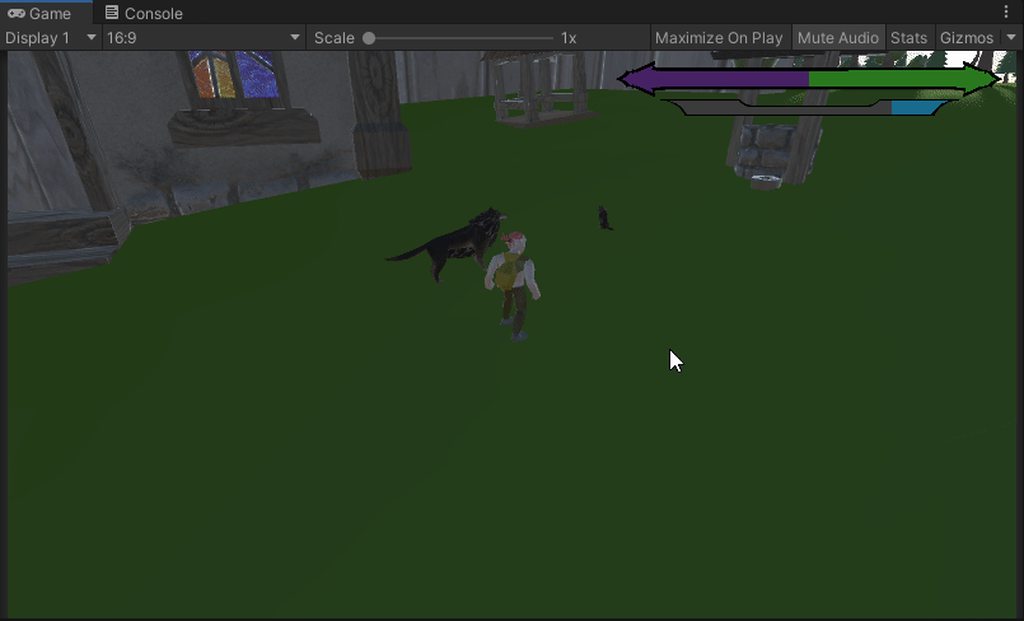
Can anyone pls help me with this? just want the wolf to sit/stand idle...
 heavy olive
hello y' all! we are developing our first game in Unity, things are going well for the most part, but we have run across some issues, most of them related to how we were doing our animations (png sequences at 2000x2000 exported from Dragonbones).
Turns out that was a very inneficient way to go about it, and its a performance issue. We are trying to figure out the best/most efficient way of changing our assets. It seems spritesheet is the way to go (2D). Still, we would like some advice on best practices for things to go smoothly.
As it is right now, each character has around 143 mbs in just animation frames. I come from a photography background so I am used to having high res, but it seems that is not the meta for efficient sprite use.
Anyone who is well experienced down to help as a consultant? Can compensate hourly.
sharp coral
 twin musk
ok so i have an issue with my animation. If i don't tick loop time my character is not playing the animation and if i tick loop time the animation looks weird
how do i fix this
hybrid tinsel
@twin musk define 'weird'
hybrid tinsel
twin depot
doesn't that make most kinds of blending impossible
It weights between the values of each animation at the given time(usually with an offset for the second animation). It works great for, say, transition between a walk and a run for instance. Or from transitioning between complete animations, like door closed > door open > open door > door close > door closed. You are interrupting the opening animation and transitioning to a starting pose in your second animation rather than the finished pose.
twin musk
i found on youtube a guy that has the same problem but he fixed it
look

look at the walking animation at 1:05
i have the same problem
hybrid tinsel
This better not be just tricking me into watching fnaf videos 😛
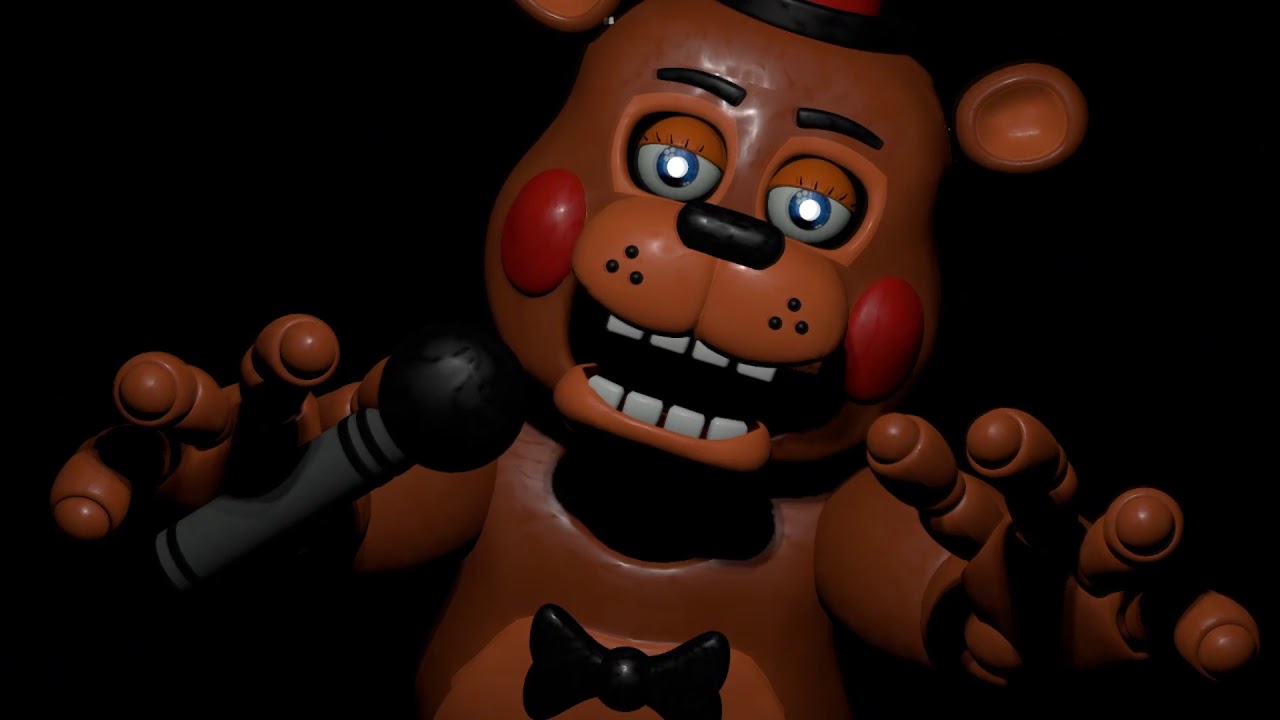 hybrid tinsel
I'm really not sure what I'm looking at, and what is wrong with the first one?
hybrid tinsel
Can you just, like, show me yours? it is really hard trying to pick at details in those videos.
hybrid tinsel
You can't describe it or show it any more clearly than that?
hybrid tinsel
I can't see anything. My phone screen might be too small.
twin musk
bruh
then how can i show you
in the first video the ears are not moving
for example
and in the original animation the ears are moving
hybrid tinsel
You can record a proper video that isn't a black mess. And you're acting as if I should know how it's supposed to wiggle the ears?
You said it was a problem with the walking so I thought it would be the legs or something.
hybrid tinsel
I mean, you just aren't giving enough information about your situation to tell what could be wrong.
twin musk
..
 thorn wind
Yeah i have no clue what you're referring to either.
twin musk
the animation
looks different
when i tick loop time
and if i untick it the animation doesn't play
thorn wind
well it does play, but only once.
if tick it, then it loops it. It's doing what it's supposed to do.
thorn wind
You need to be specific. No one know what "normal" means, or what animation you're referring to even, or what happens, and what doesn't happen, etc.
twin musk
normal - original animation
how it's made in blender
the original animation
and in unity the animation changes
it looks different
thorn wind
Ok, so specifying what looks different would be great. What are you intending it to look like vs what it looks like now.
Take a few minutes to write it out, post some screenshots, don't rush it.
twin musk
just look at both videos
thorn wind
Looks the same to me, idk what im supposed to be looking for, again..
twin musk
bro
thorn wind
Just slow down man. Explain it with your stuff, not with someone else's animations. Let's focus on what you have.
hybrid tinsel
If I told you my dog was acting weird and refused to explain any further, how would you suggest I fix that?
twin musk
i explained everything
twin depot
hybrid tinsel
It weights between the values of each animation at the given time(usually with a...
ah so it's just a fundamental problem with Unity then
animations sometimes just won't be transitioned from halfway through?
hybrid tinsel
@twin depot Not sure what you mean; if the transition isn't happening at all that is a very different issue.
twin depot
i have animations with no exit time
most of the time, a transition will happen the instant the conditions are satisfied
thorn wind
@twin musk Can you just use your own project as an example, and not someone else's? We don't have contact with him, we have no clue what is even happening there or how it's set up. However, we do have contact with you. Show us your project. Take 10 minutes: show us your set up, create a video/screenshot showing what's going wrong specifically even circle it if you need to, and then let's chat.
twin depot
however if it's close to the end of the animation loop, it will wait until it's partway through the next loop before actually switching
hybrid tinsel
@twin depot If the transition duration is long enough it could be that it starts to play the next loop during the transition.
twin depot
zero transition duration
hybrid tinsel
When you play the transition, what happens inside the animator?
twin depot
when i play from preview it works fine
but when actually playing
i can see the bar fill up, then go back to the start
then the transition happens
only if the bar is close to finishing
hybrid tinsel
Weird.
twin depot
tbf it's not that big of a problem for a poc
and i'm probably gonna switch for the actual thing
hybrid tinsel
I usually do doors and similar by having single frame animations and just animate it using the transitions.
twin depot
yeah that makes sense but
this is a run cycle
well run/walk
and it's just weird to have e.g. the arms get to one extreme and then start moving back after the player stopped running
 vagrant glen
hey guys I'm trying some simple procedural animation and I managed to get the IK targets to update properly, but the mesh is not actually moving along with it? Anyone have an idea what I may be missing?
 static iron
anyone familiar with rigify?
having some issues with ORG bones being put in the DEF layer
static iron
ended up fixing it
 tepid warren
I want to make a sword attack animation what type of parameter should I use? I know what every type of variable means but no idea which one should I choose
 tepid warren
nvm figured it out thanks anyways <3333
 brisk pendant
Hi I have a problem with some animations in FBX. In order to using some models with Emeral AI i need the forward animation and the left and right. I have the forward animation so I uses Maya for rotating the animation but when I do that the new FBX file in unity seem to not work at all, the rotation is not applied and the animation do nothing at all. I'm pretty new in Maya but I got help of someone that know the program. (I can share the FBX if help solving the problem)
clear orbit
Hey . anyone know if my non-rigify IK stuff can be transported over to unity....or is it only through rigify that that can happen?
 hidden veldt
Don't ask here, that's not what this server is for.
 radiant storm
With the Animation 2D package:
How could I copy the geometry, aka the vertices from one sprite to another (to animate multiple sprites the same without recreating geometry and bone weight etc. for each)?
There are functions like SetBindPoses and SetIndices (which are the triangles), but no SetVertices (and the vertices variable is read only).
radiant storm
So have sort of found a solution by looking at what PostProcessSpriteMeshData in SpritePostProcess.cs does. Effectively using SetVertexAttribute and SetIndices():
    source.GetBindPoses()
    source.GetBones()
    source.GetVertexAttribute<Vector3>(VertexAttribute.Position)
    source.GetIndices()
    source.GetVertexAttribute<BoneWeight>(VertexAttribute.BlendWeight)
    source.GetVertexAttribute<BoneWeight>(VertexAttribute.Tangent)
Note, you have to convert the "nativeSlices" into regular nativeArrays for the Setters to work.
 dapper sentinel
Hey sorry if this is the wrong chat for this but i'm new to unity and whenever my animation starts it sets the position of the object back to where i animated it
this could be something simple but i wouldn't know, sorry if its a dumb question
 radiant storm
Guess you have tried the ApplyRootMotion function checkbox? Otherwise you might need a parent object for the one which contains the animator. Then everything you animate should be automatically relative to that parent.
dapper sentinel
I'll try the adding a parent object
Oh that worked. sorry i didn't know it was that easy
thank you
radiant storm
No problem, wish you success 🙂
meager drum
I think you'd want to edit the curves on the properties that need to behave that way to look like this:

So that the next stop has 0 effect until it hits'\
Then it shouldn't matter what framerate it's techincally running at
That's still got an ease in, you want it literally veritcal I think
The properties are available to editor scripts believe, so that should be possible.
On the scale property, yeah. Ive never done it, but maybe the folks in #↕️┃editor-extensions could help get you started. Unless you plan to change that in Blender or Maya or something
Ah, gotcha
I would think it's possible at runtime too
But I've never done it so I cant promise
I wonder if it's possible to run a script after the animator... like, lateupdate or something, and apply a floor() function to the scale property(ies)
I just did the one above manually to make sure I could
 hazy arch
Hello, I'm new to Unity and I'm trying to create a FPS game. I'm ok with the environment, gun mechanics etc. My only problem are the gun/hands animations. Does anyone have an asset to suggest? Or something I could do to add hands and their animations. I want hands to interact with the guns, reload animations etc.
 flint stream
why isnt graphicsgale working someone help i need the pixel art for my first project
 languid karma
Does anyone know a way to play a animation without using transitions? Like not needing to use the arrows at all? The way my AI works would really be better without them

 tacit pendant
languid karma
Does anyone know a way to play a animation without using transitions? Like not n...
tacit pendant
languid karma
Does anyone know a way to play a animation without using transitions? Like not n...
Try looking into Animancer - you simply play animations by doing Animancer.play(clip). You can even setup blend trees(mixers) as well
wraith pond
hey i am building a simple streets of rage type game with pixel art.. I've done all the animations in external programs so far but i heard of the nesting technique in unity where the character is made up of nested body parts.. is that a better way to move forward with the project even with pixel art or am i better off sticking to what i know? It does take a long time drawing out each frame 😦
uncut salmon
You really only need to break your character apart if you intend to either rig them, or have swappable body parts (for example, character customization).
If you aren't doing any of that, then traditional sprite sheet animations are perfect.
hybrid tinsel
@inner spear Just select the keyframes, right click and change both tangents to constant and the interpolation to broken.

(Picture is from the graph editor but it is identical in the animation editor)
 finite fog
i make an animation how do i do the animation auto start when the game begin?
 olive rampart
is there away to animate blender models in unity? im bad at animating in blender and i dont get it so i was wondering if there's a way to animate said models in unity instead
 glass gale
how does the flipped x axis work in blender, i have copied the pose and hit paste x flipped pose, but it just pastes the exact same pose?
hybrid tinsel
@finite fog Make sure your object has an animator and that the animation you made is the default state for the animator.
@olive rampart You can animate entirely in unity, yes.
hybrid tinsel
The most important thing to remember is to put the animator on the top object in the hierarchy.
Not on the parts you want to move.
 mellow chasm
so in the script i have movementSpeed (the same name as the parameter in unity) 0.5f
and i set the threshold to 0.5
hybrid tinsel
Ok
mellow chasm
but it doesnt switch to the runcycle
do i have to mangle them in a certain way in the animator base layer?
hybrid tinsel
Usuallly the threshold is exclusive(that is, you need to go higher than that)
You are setting the animator float to match the version in your script?
mellow chasm
uhhh could you rephrase that a little dumber?
the movement speed in the script is
3f
 olive rampart
hybrid tinsel
The most important thing to remember is to put the animator on the top object in...
olive rampart
hybrid tinsel
The most important thing to remember is to put the animator on the top object in...
ok thanks
hybrid tinsel
@mellow chasm Unless you use SetFloat() in the script it won't change the value in your animator
mellow chasm
 hybrid tinsel
And I'm not sure how you have your animator transitions set up. Or is it a linear blend?
mellow chasm
soo this is the blend

and the animator is lame like i didnt touch it

i didnt see indian tutorial man touch it 😔
mellow chasm
mellow chasm
and it has that weird value during playtime but its 0 when im not running the game
hybrid tinsel
Why are you damping the setfloat? Your input should be handling that already
You can probably remove the last two overloads in it
mellow chasm
idk the guy in the tutorial said itll blend smoother so i just followed
overloads
fact about me today is the first day i started touching code sorry i shouldve mentioned that
hybrid tinsel
Overloads are when a function(in this case SetFloat() ) has optional extra stuff you can add. In this case dampening that moves the float over time instead of setting it directly.
hybrid tinsel
It can be useful for when you are feeding it values that aren't already damped.
No.
hybrid tinsel
Unity's input system has smoothing built in.
hybrid tinsel
Yes, you should mention that; it makes a pretty huge difference.
mellow chasm
sorry aha
hybrid tinsel
And I'm guessing a very old tutorial too, then?
hybrid tinsel
Is there any particular reason you're using an old version?
mellow chasm
well i was using unity only to test shaders on models and animations when i worked for a game so i never really needed it
untill today
hybrid tinsel
Not that it should matter too much for this particular issue but it does generally help to be on the same page as everyone when you ask for help 😄
mellow chasm
yeah i figured sorry for that
hybrid tinsel
Anyway, I am unfamiliar with this tutorial, so I'm not sure why he's halving the input either
mellow chasm
mmm i think because he had a walk cycle and a runcycle so like the walkcycle was .5 and run was 1
but i only have run so i did the .5 ordeal
my char plays the idle when moving and he moves fine just doesnt actually switch to the runcycle
olive rampart
hybrid tinsel
Anyway, I am unfamiliar with this tutorial, so I'm not sure why he's halving the...
ok so i looked at the page, but i' still confused. i opened the animation window and stuff, but how to i start animating the blender model?
 hybrid tinsel
@mellow chasm Try animator.SetFloat("MovementSpeed", movementInput.magnitude); maybe. Then you set the thresholds in your blend.
@olive rampart You hit the red circle button and then you can start setting keys on the bones of the object.
mellow chasm
still nothing
olive rampart
ok
hybrid tinsel
@mellow chasm what numbers are you actually getting in the animator? And show me the blend setup?
hybrid tinsel
No, that's the graph. Show me the blend inspector
mellow chasm
o
olive rampart
hybrid tinsel
<@!724896878101004288> You hit the red circle button and then you can start sett...
how do i do that? sorry im new to this whole thing and stuff
hybrid tinsel
The thing like
 mellow chasm
 hybrid tinsel
And show me the code that actually creates the movementInput variable.
@olive rampart I suggest watching a tutorial; me typing it out in painful detail will not be as easy as just watching someone do it.
I won't be able to describe it better than the manual
olive rampart
but when i search for tutorials i cant find any good ones, which is why i went here in the first place
mellow chasm
UhHhHhH this?
 olive rampart
usually i can find good tutorials, but i cant find anything for animating blender models in unity
hybrid tinsel
Ah, I see why he had the deltatime stuff. Because he's using GetAxisRaw instead of GetAxis
@olive rampart Forget the 'blender models' thing
Just look up animation in unity.
olive rampart
ok
hybrid tinsel
Unity doesn't care where the model came from as long as it is properly rigged with bones or subobjects.
mellow chasm
IT WORKS
i would like to thank the academy
and sapling tree games and the 30 forums from which i frankensteined the script and of course
official unity discord server

 finite fog
i want the hat start the animation when the game start
 fallow wagon
How to fix this i want my animation to keep going forward forever without resetting the position every time before the loop
meager drum
Uncheck the Bake into pose setting I think
Though, if you started the animation by copying your first frame to your last, you might also have put the forward translation for the start in your last keyframe. In which case, either fix that key on the last frame or skip importing the last frame
fallow wagon
@meager drum yes unchecking the bake position for XZ worked thanks a lot
 coral geode
Does anyone have experience with full body fps rigs, I'm trying to find a good way to animate fingers and weapon handling when using arm IK. I'm currently having an IK solution for each finger and animate the targets and poles, but this is probably a bad way.
 calm basin
Guys, how do i achieve a smooth animation like this ? This is probably not spritesheet. Is there a way to make a curved limb in unity ?
 coral geode
I believe you can download a package for 2D bones
calm basin
I believe you can download a package for 2D bones
@coral geode can that give me a good looking curved limb ? Like some psrt of the stickman is curved I don't think that unity package can achieve that
hybrid tinsel
@calm basin it certainly can.
coral geode
I think that's exactly what it can do ;p
 crude hollow
how does the base layer transitions to a sub state machine ?
for example i have a transition on the landing part like so

then it would travel into fall

but there wouldn't be any transitions ?


 dusk granite
uhh i don't get how to solve missing transforms in animations
i used to do it once, but i completly forgot how to. i can't drag the game object into the field is so idk what to do
 glossy belfry
Guys I want to play my animation through code, but I have blend trees too, can I play them with code too?
This maybe was a stupid question but I'll leave it here cause someone might need it, the answer is yes you can as a normal animation
coral geode
you can by making some parameters in Mecanim
you can assign these in the blend tree
and do animator.SetFloat
hybrid tinsel
@crude hollow You have two conflicting conditions on there, it looks like?
@dusk granite The anim is a text file you can edit the transform names in.
dusk granite
where is the text file?
one thing i did try was going into the animations thing, press f2 on one of the missing transforms and change the name there (since it works like a "directory")
however doing so, led to some whacky position changing, that might be a faulty animation tho so idk
calm basin
Guys, in the skinning editor, how do i put the bone on exact position with number ? Or maybe is there a mirror like in blender ? Or maybe i can snap it at something ? These things are messy
finite fog
i want the hat start the animation when the game start
why this is not working?

 placid zodiac
how do i know when the animation starts?
i tried GetCurrentAnimatorStateInfo but it returns idle which is not playing -_-
 lethal spindle
Hey Im having issues with my animator code
it works correctly when there is w/s or up/down arrows
its got me stumped
``
using System.Collections;
using System.Collections.Generic;
using UnityEngine;

public class ThirdPersMovement : MonoBehaviour
{

    private Animator animator;

    public CharacterController controller;
    public Transform cam;

    public float speed = 6f;

    public float turnSmoothTime = 0.1f;
    float turnSmoothVelocity;

    private void Start()
    {
        animator = GetComponent<Animator>();
    }

    // Update is called once per frame
    void Update()
    {
        float horizontal = Input.GetAxisRaw("Horizontal");
        float vertical = Input.GetAxisRaw("Vertical");
        Vector3 direction = new Vector3(horizontal, 0f, vertical).normalized;

        if(direction.magnitude >= 0.1f)
        {
            float targetAngle = Mathf.Atan2(direction.x, direction.z) * Mathf.Rad2Deg + cam.eulerAngles.y;
            float angle = Mathf.SmoothDampAngle(transform.eulerAngles.y, targetAngle, ref turnSmoothVelocity, turnSmoothTime);
            transform.rotation = Quaternion.Euler(0f, angle, 0f);

            Vector3 moveDir = Quaternion.Euler(0f, targetAngle, 0f) * Vector3.forward;
            controller.Move(moveDir.normalized * speed * Time.deltaTime);

            //animations

            if (Input.GetAxisRaw("Vertical") != 0)
            {
                animator.SetBool("isRunning", true);
            }

            if (Input.GetAxisRaw("Horizontal") != 0)
            {
                animator.SetBool("isRunning", true);
            }

            else
            {
                animator.SetBool("isRunning", false);
            }

        }

    }
}
@lethal spindle What is the issue?
lethal spindle
the character wont up date when velocity is 0 and the character doest do the animations i want when pressing wsad
the code is abit different now because im troubleshooting
hybrid tinsel
Your entire animation updating is inside the if(direction.magnitude >= 0.1f)
So it will only update while moving.
lethal spindle
hmmm
hybrid tinsel
The whole animations section would need to be outside that if statement.
 teal lion
how could i bake an animation on unity to use it after on blender or other programs?
hybrid tinsel
@teal lion There is an official fbx exporter now but I don't know if it handles animation.
hm, apparently it does The FBX Exporter package provides round-trip workflows between Unity and 3D modeling software. Use this workflow to send geometry, Lights, Cameras, and animation from Unity to Autodesk® Maya®, Autodesk® Maya LT™, or Autodesk® 3ds Max®, and back again, with minimal effort.
Though not sure if you need to have an autodesk software installed
meager drum
@hybrid tinsel You don't, but they provide integrations for Autodesk stuff to enable easy round-tripping
meager drum
I know, I meant that all you miss out on is the easier round-tripping. You can still do it manually
twin musk
i am trying to make a player model hold a rifle. but i am confused on whether i should parent the rifle to the player and then set up a pose for it or do i use ik. im kinda confused and need a little help.
hybrid tinsel
@twin musk You could do either; there is no one right way.
 manic scaffold
Is there a way to have an audio clip play through the Animation tab when scrubbing through it's frames?
I need it for lip syncing
 limber dagger
how to set a speed of a particular animation clip inside animator?
i am not looking for animator.speed, but let say I have animation clip 'left strafe' i want to set it's speed only
fallow wagon
https://www.youtube.com/watch?v=JFtCHvyul-I where can i find a tutorial for making these kind of stuff

Discover the latest developments in tools, workflow and graphics for episodic-quality animation in Unity with Sherman, a light-hearted story made in real-time with Unity.
Download the Sherman project for free here: https://on.unity.com/2K1PZ4O
Jump into the behind the scenes on how Sherman was created: https://on.unity.com/2Keej3M
For more inf...
 tidal verge
._.
teal lion
hybrid tinsel
<@!304908032310247425> There is an official fbx exporter now but I don't know if...
it failed horribly for blender so i could like export it and import it on 3ds and then export it and import it on blender?
twin musk
How would I manage to attach a gun to a player, I’m very confused on this on whether I should parent or use Ik. Does anybody have a tutorial or some info?
I’m very confused and would like some help or maybe a tutorial ?
hybrid tinsel
@limber dagger there is a speed control in the inspector for each state in the aninator.
wraith pond
i'm finding my animation for attack is delayed and i noticed has fixed duration was on, taking it off seems to help but i'm still not getting really responsive hits, i've also got has exit time off, anyo other tips?
- is fixed duration something that people commonly use to help?
 ornate oyster
okay having slight issues with sorting layer, if lets say i make a topdown game and i had a pillar. how would i actually make it so that my player would appear behind the pillar when they are behind the pillar, and infront of it if they are infront of it. currently it clips thru it or looks like the player is floatin
teal lion
teal lion
it failed horribly for blender so i could like export it and import it on 3ds an...
update even on maya it looks horrible
 blazing sandal
kindly help: I am attempting to programatically change animation controllers. i have found many, old, directions online doing so; none functional.
animator.runtimeAnimatorController = (RuntimeAnimatorController)Resources.Load("Basic Motions Pack/AnimationControllers/BasicMotions@Clap01", typeof(RuntimeAnimatorController));```

it could possibly be the string to the animation controller, despite that being the path.
advice?How to do a loop with the animator?
 willow heath
ornate oyster
okay having slight issues with sorting layer, if lets say i make a topdown game ...
willow heath
ornate oyster
okay having slight issues with sorting layer, if lets say i make a topdown game ...
the best method for this is by making a script and calculating the z distance to the camera (or their transform z position in general)
store your initial order value for that sprite in Start
then, you access the layer order of your object/sprite
then you do something like
yourSprite.sortingOrder = initOrderValue + distance;
put this script on every object/npc in your world if you want it to be rendered properly according to the z axis basically
willow heath
finite fog
How to do a loop with the animator?
what do you mean with loop?
you can check loop on your animation clips if you want something to play repeatedly
finite fog
I have a image and the image animated with the thing animator and it doesn’t loop
@willow heath
 hoary saddle
hey can anyone help me setup my animations for my character? i had them set up but i had to change my movement script completely so i lost my animations
blazing sandal
@hoary saddle im inexperienced, but here is the link to the Unity tutorial. There is a very basic script there too. https://learn.unity.com/tutorial/controlling-animation
Unity Learn
This tutorial covers the basics of controlling animation in Unity. You'll gain an understanding of the Animator component, Animator controllers, blend trees, and how to control animations with scripts.
blazing sandal
if you remove the vertical axis stuff or you allow jumping. should still work. yes.
that is, im the scripting. making animations and controller is the same.
hybrid tinsel
@ornate oyster There are a lot of possibilities. A custom sorting axis can be used, or you could use a script to manually adjust the sorting layers based on position.
rich slate
does the Animation Rigging Package still work with new unity projects?
uncut salmon
Yes
finite fog
I have a image and the image animated with the thing animator and it doesn’t loop
 obtuse roost
when i try to animate a box collider to collide with another one, in this case a fighting game character trying to punch another character in the chest, it doesn't register
google isn't helping and i'm scared my professor isn't going to be able to help
and if i can't figure this out the project is toast
i know it's a simple concept people have done it before but it seems impossible to get a box collider to trigger when it's being animated, and this is a 3D project
i tried animate physics as well, using primitive box colliders. steps i've taken to debug this is printing out the name of the game object that collides with the chest. the fist punching and animating never shows up
please please whoever figures this out help
 gentle wind
If this involves collision detection I'm curious how you expect anyone to help without posting a code snippet.
as I've said in your previous post
Nobody here is going to steal your code I promise you
but this does not sound like #🏃┃animation due to being about collision detection, rather #💻┃code-beginner
meager drum
Visual coding?
gentle wind
You have 3D box colliders animated through UI and want a collision detection through UI how?
meager drum
Otherwise... how are you expecting anyting to happen?
gentle wind
Maybe brackey's pulled a fast one and released a video on UI because I dont think that's possible lol


 gentle wind
yeah the collision part
obtuse roost
{
    public Animator characterAnimator;


    void OnCollisionEnter(Collision col)
    {
        Debug.Log(col.gameObject.name);

        if (col.gameObject.tag.Equals("Ryu"))
        {
            Debug.Log("hit");
            characterAnimator.Play("Reptile Torso Hit Back Animation");
        }
    }

}```I'm gonna guess your colliders aren't triggers.
gentle wind
try use comparetag
but if this is a trigger yes
collision no?
OnCollisionEnter
what does the debug.log say
obtuse roost
if lets say the chest collider is the one triggering the code when the fist collider punches it, does the chest collider need to be a trigger
it just prints out the names of the objects moving in the idle animation but even when ryu's fist hits his chest it doesn't trigger the "hit" print-out
meager drum
Ok, so print out the tag name that IS hitting
meager drum
Or stop there in the debugger and examine the object
gentle wind
now I'm wondering what object the script is attached to
how fast the collision happens, what settings the rigidbody has, if the object being collided with has the proper tag assigned
obtuse roost
