#🏃┃animation
1 messages · Page 71 of 1
 mint sandal
 remote harness
Hi, I want my animations to continue from where animation 1 stopped and make animation 2 start from that point. Is this possible? I have rest, walk, and run animation and i dont want them to snap to eachother when switching state. I know i can solve this by adding animations that looks like transitions between this but it become alot of animations to go from each animation to all animations
Thought maybe there is a smart way to solve that
 hybrid tinsel
@hallow plover make an additive layer for each animated part.
 heavy linden
a question...
for general HUMAN ANIMATION I can use mixamo.com
but what about animations for guns?
like reloading / shooting / sprinting
do I have to make them?
or is there a website like mixamo.com for guns animation?
 young mulch
I'm not sure man. they'd have to come with the models as guns are very different than a typical humanoid skeleton
so you'd buy assets that include them or do it yourself
from my understanding
Has anyone encountered this: My multi-mesh SkinRendered enemy doesn't properly transition animation. HOWEVER - if I clone him before he tried to transition, the clone works perfectly. Any advice on what I should look into?
 last mural
Yo can I get some help? I imported one of my 3D models as an FBX into my Unity3D project, and it works fine for the most part, but there is a part in the anim where the characters winks. To do this, I just scaled the eye-object in a way that made it look like it was winking. However, when I import it into Unity, it doesn't animation. It keeps it's position and moves with the model, but it doesn't change its scale.
What I want to do is to just animate it using the unity animation panel, but changing the scale for the object doesnt work, even when I copy all of the key frames into a writable anim. Any ideas?
I think it has something to do with the fact that it is a "Skinned Mesh Renderer"I bet something about that means I can't edit it.
But thats just an idea. Any help would be greatly appreciated.
young mulch
hey
I had a similar problem literally fixed today
look at your armature
esp Root. any rotation on it?
try setting all rotations to 0 just in case
my root was at 90 rotation, so it was messing up some animation. that fixed it. I also have skinned mesh renderers.
ah, damn sorry, I skimmed and just gave answer to a diff problem. Was too excited. My bad.
apologies
last mural
np
 twin musk
hello ! i have a small question can i record my self doing some movement like moving my hand.... and put it in unity and making the charchter do same movement in my video ?
 gilded oak
is anyone specialized in animating and wanna join my discord group for game dev? we stil need an animator
last mural
nah nah like im still learning, Im a student so my work probably wouldn't be valuable to you in the slightest. I could do small things though. Like leaves swayings or something.
gilded oak
we are all learning
we arent pro or something
lol
could you make like characters moving?
last mural
tru tru but I'm also working on my own projects atm so i probably wouldn't be super available
gilded oak
ah okay
if anyonw is good in animations just dm me and ill add you if you want (to my server)
hybrid tinsel
This stuff is great to study to learn https://twitter.com/i/status/1351340389555269632


Bear, Rabbit and Fox. A classic walk cycle scanned from archived cels #animation https://t.co/21waan7d7m
Retweets
129
Likes
1175
 Twitter
·
Twitter
·
 weary hare
Hey! Can anyone explain why my blender rig slightly moves up and down and his feet kinda jiggle in Unity? His transforms are all applied in a T pose and "Apply Transform" is checked before exporting FBX from Blender. Any help would be much appreciated!
hybrid tinsel
@weary hare my phone can't play your video, but it might be due to keyframe reduction.
One of the things IK can do is help minimize the foot jiggle
 balmy scarab
I've got an issue with animating something:
The player has a whip attack, but the IK FABRIK Solver 2D isn't making the whip bend, it's just a straight stick pointing in the direction where the controlling point for the IK Solver is. I could be wrong in assuming it's because it's a child object of a prefab that also uses an IK Solver but I could be wrong.
 graceful lantern
@worthy walrus there should be an example scene included
 vagrant tartan
Hello Guys!
I've quick question, what's the best way to add animation event to pre-existed animation that I downloaded in asset store?
 quasi fable
vagrant tartan
I've quick question, what's the best way to add animation event to pre-existed a...
quasi fable
vagrant tartan
I've quick question, what's the best way to add animation event to pre-existed a...
I would probably duplicate the animation clip from the asset and make my changes to the duplicate
vagrant tartan
quasi fable
I would probably duplicate the animation clip from the asset and make my changes...
Ouh, ctl+d and try to edit it?
I will try it, thanks for the info!
 broken vault
Does anyone have a good resource on scripting IK for quadrupeds?
 uneven granite
Hey, so up until now, my character has been a "Capsule" while I add more important features to my game. I think I'm ready to add a character and work on movement and animations.
I know almost nothing about adding character models and animating them, so where would be the best place to learn more about this, or where should I start? 🙂 Thanks!
hybrid tinsel
@balmy scarab The built in FABRIK will always do a straight line if the target is farther than it can reach. If you want it to bend use the CCD solver and lower the 'velocity.'
The FABRIK solver has no velocity setting so it will always go all the way to pointing at the target and will only bend if the target is too close.
balmy scarab
@hybrid tinsel thanks very much!
 tranquil pulsar
I hope i can word this question correctly but - In Blender, can i create a general skeleton map to create animations with that can then implemented to multiple humanoid models so all those models have the same animations?
hybrid tinsel
@tranquil pulsar No idea, but if you use a humanoid skeletal structure unity recognizes then it can remap animations.
 twilit scarab
why is it transparent ??
i exported it from blender to unity , why its looking weird , i can see through the meshes why?? it was this in blender , its imported on new unity project so no settings were changed in unity
twilit scarab
no worries i fixed it , my normals were flipped , they were facing inside ,
 whole crown
What's the best way to change the animation frame that's shown in the game object? I have an animation that is basically empty first frame and then the object morphs in, but in the scene preview it doesn't appear because it's showing the first frame.
twilit scarab
u can set the start and end frame time in the assets inspector panel , then again drag it to heirarchy and check .make sure to press aplly button after changing the start frame value @whole crown
 hushed tusk
Hi guys! I have a problem with my animation layers. I've set a mask that animates only the right arm of the character, but when i play it looks like the mask is ignored
remote harness
I get game object with animator is inactive even tho it is clearly not
Is this a false positive or does it actually affect my game
I have some strange behaviours
i shoot with my gun, if bullet is empty animation reload plays, then aims again, if i do this process once again, i get a different result and sometimes nothing happens
i find it very weird i have looked through code and cant see why
i guess i neeed to dig deeper but just wondering is there some bug with 'game obj with animator is active'
sry for rambling 😇
twin musk
Hello, I would need someone to make walking animation (sprites) for a game called Aceliths (Miscrits/Pokemon inspired game), currently we aren't able to pay anything, but in the future (if game succeds) yes.
Send me a message if you are interested.
 sharp jolt
Question, im trying out sculpting and animating some dinosaurs with idle animations etc. How does this becoming something I can sell? I'm not sure how the business side works with those. Would i basically just sell the model itself?
I tried googling how it works but didn't get clear answers
 proud stream
i have some issues with my character. every time i try to change the rotation of the bone, the whole body is deforming as hell and i dont know how to fix it.
 fossil igloo
that is in Blender? have you check your weight map?
proud stream
fossil igloo
This is the model I currently use.
you can notice, the head bone only affects the head.
proud stream
alright. but mine is affecting the entire body exepr for the blue parts
fossil igloo
Maybe check all bone. Or re-auto weight again.
proud stream
i already did with different weightings. exactly the same result
fossil igloo
choose all unwanted vertices, delete them from the corresponding bone's vertex group.
Or, weight painting by hand.
proud stream
aight, i found it
thank you so much. you cant believe how much struggle i had with this type of problem
twin musk
I need help with blend trees :C
so I have this one
the script
and this one for when the character is idling
the movement one works right, but the other one doesn't work, the character stops in the same position (namely, left) all the the time.
Anyone has any idea how to make it work as it's supposed to? I mean I could do it using normal transitions but I'd really love to do it with blend tree
(if possitle that is)
 warped hornet
Hey guys when i try to drag a sprite into m animation sequence it dosent work can anyone help me?
twin musk
hey i have a gun animation where the gun Aim Downs the Sights and another where it bolts back the hammer, but using some scripts they play whenever i press the respective buttons dedicated for them, only problem is that when the animation plays i will press the aim button the gun will aim down its sights then immediately return back to its idle position, regardless of whether or not i am holding the button, same with the hammer, only i want it to bolt the hammer back when i press the button but not let it go when i let go(of the button), it does neither of these things, sadly.
could i get some help please?
 spice rapids
is here the right place to ask about sprite sheets
i need some help with mine
hopefully it is so here is my problem
spice rapids
never mined i did it
 upbeat hill
i would like you, the experts answer about this. the game, this is really cut scene based game , like date sims where to follow the story ,user only interact with UI text choices.
how do i tell the artist or animator what kind of requirements i have , like should i do the animations in unity or should i do the animations in somewhere and import into unity , what kind of format should i use etc
 cloud zealot
IK isn't working for some reason.
My rig is set to humanoid and is a valid humanoid rig.
I have the base layer with all the animations on set to have an IK pass
My animator has the right avatar
but when I try to do
        animator.SetIKPositionWeight(AvatarIKGoal.RightHand, 1);
        animator.SetIKRotationWeight(AvatarIKGoal.RightHand, 1);
        animator.SetIKPosition(AvatarIKGoal.RightHand, hand.position);
Inside OnAnimatorIK, nothing happens.
what am I missing?
twin musk
Hello, I would need someone to make walking animation (sprites) for a game called Aceliths (Miscrits/Pokemon inspired game), currently we aren't able to pay anything, but in the future (if game succeds) yes.
Send me a message if you are interested.
 meager drum
Hey all. I've recently gotten models in my project that will need animation, and I'm starting to research what a workflow would look like. My models are in Maya, and have pretty decent rigs there. So, I'm thinking it makes sense to do most animations in Maya and export them. I see that I can do all the animations on a big timeline, and then enter all the time ranges to split it up in Unity's importer - but this seems high maintenance and hard to maintain. The other option seems to be having copies of the model file, with a subset of animations in each. Do I have these right? Are there other thoughts on the pros and cons of each?
Secondarily, how does one generally approach animating multiple characters together in a scene? Would you import them all into a scene in Maya, animate each there, then export everyone's individual animations then try to reassemble them into the scene in Unity? Sorta seems like that kinda thing would be more straight forward to do in Unity to start with, but I'm again unsure if it's better to give up the use of the Maya rig for everyone.
 static verge
Using a humanoid rig, you can share the same animation across many models and avoid re-animating each model to do the same thing
There is no quick and easy way to get all the animations you need, it takes a lot of work and effort, but this lessens the load a bit
Im jelous you have Maya, I am stuck using blender due to cost restrictions
Id start by researching the Unity humanoid rig on learn.unity
meager drum
Well, I have Maya LT 🙂 It's a LOT cheaper and does the job so far 🙂
SUre, I'm aware of retargetting. That makes sense for stuff like generic walk cycles.
But, basically I'm looking for high-level workflow, what do people do? Like, how do you manage your assets efficiently if you have a single character with 20, 30, 40 etc animations unique to them?
One model with all of them and a spreadsheet to keep track of the division? 50 model files each with one animation? A hybrid? Something else entirely?
static verge
Re-importing a model with new animations is a big pain with blender as there isnt a good integration with unity
But you can set Maya and Unity to sync
So you can have one model and animate away, lucky duck
meager drum
Are you referring to when Unity would launch Maya and auto-export from .ma files? That support was removed awhile ago
Maya itself has a file->Send to Unity command, but that's still just an FBX export. I don't THINK there's any magic animation syncing unless I've missed something
static verge
Nah, you can point Unity to a Maya FBX file, and click "re-import" and you can add the new changes without tweaking all the old stuff again
So you can just re-export maya to the same FBX file over and over
For blender we have to import it completely fresh, and tweak everything again from scratch
Its a real pain
meager drum
Oh,ok, yeah, I reexport the FBX all the time, don't have to do anything more
static verge
Lucky
meager drum
That's weird that it doesn't work that way with Blender though; why not? Maya isn't involved in the import operation
meager drum
But, even so, if you have say, 10 animations and you decide you need some more frames in the 5th one, that shifts all the rest no? I supposed you could build each one with padding to try and avoid that..
static verge
Well with Maya you dont need to worry about any of that
Id keep building on the same model, if it was me
meager drum
Why not? I still have to manually tell Unity which animation starts and ends where don't I?
static verge
🤔
Are you asking me why something I dont understand doesnt do what I want it to do?
It just doesnt!
:)
meager drum
I mean, I'm new at animation in Maya so it's VERY possible I've missed something, but I don't think you can define seperate animations in Maya either. So I don't see how it wouldn't still be manual in Unity
static verge
There are some tuturials on making the Maya <-> unity sync on Youtube or learn.unity
Does that help?
meager drum
Yeah, I'll take a look tonight after the kiddo is in bed. Google was just feeding me the generic unity manual which has almost nothing useful to say 🙂 I didn't think to look on learn.unity for that specifically.
static verge
Its in the Art / Animation: Beginners course, I beleive
Or maybe it was the Art / Animation: Intermediate course
meager drum
Thanks! I'll take a look. I want to fully understand what options I have before I pick a workflow. Since I expect to have a lot of animation
 open fog
Hey guys, i'm trying to create an animation for my bloom intensity but i don't get any key frames when changing the values. Is my settings wrong?
 sleek creek
Hello, I am having an issue when changing direction, the animation snaps to the next direction rather than doing any sort of blending/ transition. I am using a 1D blend tree to control the animation. Does anyone have any idea how I can resolve this?
 vagrant atlas
Hello 🙂 I'm creating a humanoid avatar using AvatarBuilder. I was wondering if there are any constraints, like does the model need to be tbone shaped? Mine isn't, just so you know. My avatar creates successfully (avatar.isValid == true) and I assign it to the Animator Component. Then I assign an Animation Controller to it with a generic walking animation from mixamo. When I try to preview the animation, everything goes wrong... Only the hips are animated and everything else is deformed/stretched/weird (but not moving through the animation). Only the hips seem to animate correctly in rotation. Any suggestions as to what I am possibly doing wrong?
 surreal cave
guys i have a problem
iam working on 2d Game and i want to move a ball
i did a animation for it
when i do the Runing animation it shall Rotate the Animation depends on the Direction its going
to
so anyone has an Idea how i can do that?
twin musk
how to have smooth animation transition from any to any animation?
EG i noticed that 'direct' from anim1 to anim2 can be much smoother
than from anim 1 to exit to anystate (anim2)
but i cant obviously connect every animation with every animation it would take ages and be unmanageable
its mainly question about animator
static verge
You can adjust transition blending by clicking on the transition arrow and working on it in the inspector
vagrant atlas
vagrant atlas
Hello 🙂 I'm creating a humanoid avatar using `AvatarBuilder`. I was wondering i...
Anyone ideas?:p
This is what it looks like
twin musk
static verge
You can adjust transition blending by clicking on the transition arrow and worki...
ye it doesnt work if you go ToExit>AnyState
 wide peak
i'm trying to make simple guns animations. I'm trying not to use parameters for transitions. And i tried doing this. But the animation goes back to idle instantly. How can i make it change only when animation is finished
i'm playing the anim from the script
vagrant atlas
Uhm you can click on the transition and toggle something like waitforexit
so it waits for the animation to finish
Does that work??
vagrant atlas
vagrant atlas
Hello 🙂 I'm creating a humanoid avatar using `AvatarBuilder`. I was wondering i...
Im paying up to 25€ on PayPal to the first person with a good clue on it that helps me towards solving the problem :p
 static verge
Incredible!
 noble fiber
ok so if I want the full animation to play, I set it like this? or I stretch the square over the whole animation?
static verge
I highly recommend studying this tutorial
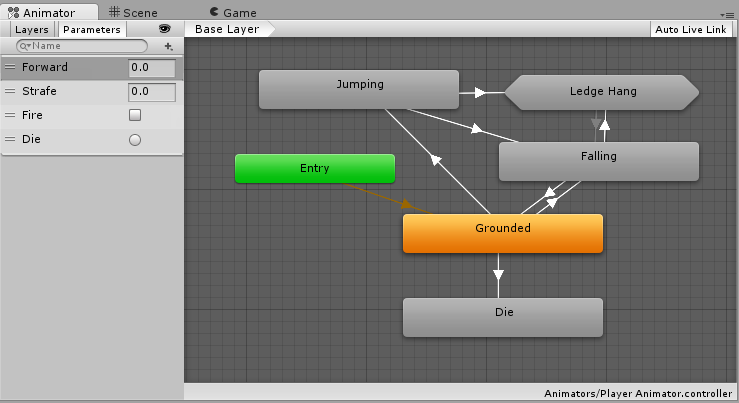
Unity Learn
An Animator Controller is a Unity asset that controls the logic of an animated GameObject. Within the Animator Controller there are States and Sub-State Machines that are linked together via Transitions. States are the representation of animation clips in the Animator. Transitions direct the flow of an animation from one State to another. In thi...
That way you wont have to struggle and rely on responses that are slow
Unity Learn
This tutorial covers the basics of controlling animation in Unity. You'll gain an understanding of the Animator component, Animator controllers, blend trees, and how to control animations with scripts.
This is a good one as well
noble fiber
uhm k... I understand the basics of working with the animator, I was just unsure of how the % slider worked...
and theres nothing in the documentation of the first link that would answer my question
static verge
That particular window controls start and end time of animation blends
If you dont want animation blending, then yes you put one at the very end of the other
noble fiber
will events that happen during "blending" still be called?
static verge
Yes, they are
noble fiber
cool. thanks
static verge
👍
State transitions usually only blend for less than a second unless the two animations overlap a lot
Its typically hardly noticable unless you go in hard on blending
open fog
open fog
Hey guys, i'm trying to create an animation for my bloom intensity but i don't g...
I'm still unsure on how to do this, please i need help
static verge
Can you post a screen capture of the animator configuration you are using for this?
open fog
This animator is linked to my post processing that i posted earlier
Sorry if this isn't what you wanted to see when you asked for my configuration. I'm fairly new to unity
static verge
Ah, you need to set the bloom intensity as a property
And set its property values to what you want on keyframes
open fog
I don't see a bloom option
static verge
Oh dear
open fog
My bloom is a material, so it can't be found in the hierarchy either
static verge
Ive never attempted to set up an animation on a Post Processing effect 🤔
Oh you are working on the Material
Hmm ive never attempted a material animation either 🤔
Unity componants dont always talk to one another, so you can hit walls like this
open fog
What would the alternative be?
static verge
Ah yes I was already cranking my wheels on that, I was thinking you could create a InvokeRepeting method that changes the color via renderer.material.SetColor(~Color stuff~),
And you call that InvokeRepeting when you want the effect to play
Would that work for your use case?
You could also lerp the color change
🙏
I bless this mess, the animator and material doesnt talk acording to the documentation
open fog
Thank you for the empathy. Umm, so i'm trying to create a world for vrchat, so i think i'm limited to as what i can and can't do in order for it to work with the game. I will try doing your method and see if it'll work. As stated before, i'm a complete newbie with unity, so do you mind walking me through on how to do it? Or if there's a video you can link me that shows me?
static verge
'''
private void OnEnable()
{
InvokeRepeating("UpdateMaterial", Mathf.Infinity, 1f);
}
private void UpdateMaterial()
{
    this.transform.GetComponent<Renderer>().material.SetColor("_Color", Random.ColorHSV());
}
'''
This would update the color to a random color once a second for infinite time once an object is loaded
You can take it from there?
static verge
open fog
Thank you for the empathy. Umm, so i'm trying to create a world for vrchat, so i...
Sorry for slow response, had to cook that one up from documentation
 steep kelp
Anybody got 5 minutes?
How do you rig your weapons for games that lets you have more than one type?
For Ex. Swords, Spears, etc.
Do you just have a "Mount Point" parented to the hand or do you have the whole character rig on each weapon?
static verge
I set the weapon as a child of the right hand end and left hand end bones
Then I just need to worry about rotation, and sometimes scale
When you switch weapons, delete the last child, instantiate the new one
Hope that helps
steep kelp
It does.
But what if I need to animate them? For particle effects or special moves? Like in fighting games?
Do you animate them straight on the character animation file or you make a separate one for these?
static verge
I like to keep it in "real life simulation" territory
If the hand rotates, the weapon rotates with it
This doesnt require any code either as the weapon is a child of the hand
I dont really do any "exicters" with twirling weapons in the palm or anything tho or throwing a weapon in the air and catching it
Sometimes I make a weapon have an animation, and this you just tell the weapons animator to go
Do you have a usecase where both the weapon and the hand have seperate animations that have to work together?
Oh yeah, you can make a VFX partical effect, and set its spawning location on top of the weapon by making it a child of the weapon and doing the small ajustments to its position
Hope that helps?
steep kelp
It does. Thanks a lot @static verge
I just wanted to have more or less an idea where to start
static verge
Generally speaking, if you can get away with simple, go simple
steep kelp
Aye lol
static verge
But if you want exciting lively animations with things flying everywhere, you are going to need to hit the textbooks and take some courses online E:
static verge
I think is a misconception that 2d is nessisarily easier than 3d for animation
It all uses the same exact animator system
Your just getting rid of an axis, you still need all the same logic
And honestly, with all the amazing 3d content creation systems in unity, its a shame on missing out on what 3d has to offer
steep kelp
Aye, but at least in 2D you just have to "draw" everything you need
You want a fancy kung-fu punch with earth shattering animation and particles everywhere? Draw it.
static verge
Sculpting a 3D asset in ZBrush is easier for me then painting a sprite book
steep kelp
With 3D I have to set up a rig, then set up the IK, weight the bones on the mesh, make sure it deforms correctly, then start animating. Now I want some fancy effects, like ghost trails or disappearing and reappearing somewhere else, you either have to script it or find a way to animate those.
static verge
I feel like I undersold 3d 🤔
Well, if you run into roadblocks, feel free to ping back here
Speaking of kung fu, I am currently working on a use case that involves martial arts
static verge
Ice and fire and lightning fists are easier to tackle by placing a VFX/Shiraken partical effect directly on the fist
steep kelp
And it's some kind of wushu, magical fights and impossible feats
static verge
Earth shattering I am approaching as instaniating rocks underground and animating them up and down and left and right
steep kelp
What about the motion effects?
Trails on the kicks
multiple hands on the light-speed punches, etc
static verge
🤔 I dont have that in the game design document, but I would approach that as a sprite book in a VFX graph with distorition effects
steep kelp
Right. That's what I was erring to
static verge
The user usually cant tell when you are using a 2d spritesheet in the 3d world once you apply distorition and blur
steep kelp
my main gripe was more or less the weapons. because I can't really animate them while they're not there
If I instantiate them at runtime
static verge
MoCap makes life easier in that aspect, you would MoCap while holding a wooden spoon sometimes
steep kelp
So if I want to make a sword animation, the sword itself won't be found in the animator
static verge
If you have many weapons for one character, they would be seperate animators, right
But if its one weapon = one character, you can do them together
steep kelp
And just disable the mesh renderer when I don't have the weapon equipped
static verge
Thats right
steep kelp
Aye, aye.
static verge
Everyone wants swapable weapons these days, what a pain to do all the extra workflow 😓
static verge
Indeed
steep kelp
thankfully my characters only use one kind of weapon each
static verge
Lucky!
steep kelp
so at least I'm good on that
except for that one character who is totally customizable
but I'm gonna cheat and say it copies styles so I can re-use the animations
one more thing
When you animate the weapon together with the mesh
Do you weigh the weapon itself to a bone?
What if in the future I want to change the model for the weapon? Wait I think for that I can just change the actual mesh in the mesh renderer
static verge
That would work
It will take some fussing with
You add the weapon as a bone in this case
You trade off the humaniod generic-ness, but simplify the animation workflow
steep kelp
right.
Alright
I think I'm good with all this.
Thanks a lot for your time @static verge
steep kelp
Aye, I hope so too lol
 storm gate
I have an event on an animation that plays a sound, the event is triggered and the sound plays fine, but for some reason it's also playing right when I hit play and it's not supposed to. The animation the event is on isn't even running in the animator window at start, but the event fires anyway. Is there a reason for this I might be overlooking?
Nvm I'm dumb, found play on awake set on my audiosource
fossil igloo
which one is better for change animation?
I would connect all animation together in Animator, then using code to change the parameters.
I notice some people just drag all animations into Animator then change is by
animPlayer.Play("female_move_run_jogging"); Or other animation string names, when you want to play it.
So they can jump to any animations they want.
As a beginner, I am a little confused.
I think to connect animations with transitions and change by a parameter is better.
Looks like animPlayer.Play("animation_string_name"); is the quickest and easiest way?
 warm niche
i need a simple walk animation on my 2d pixel character dm me
 radiant isle
Hey everyone,
Anyone knows how animator searches in children to find an object which needs those animations ?
I have 2 models under a parent which has an animator component.
But by changing its sibling order and rebind animator it is not still animated by that animator controller.
Although same approach for 2 other models works.
static verge
warm niche
i need a simple walk animation on my 2d pixel character dm me
Dont DM creators unsolicated might help
Also there are plenty of animators on fiverr
static verge
fossil igloo
which one is better for change animation?
I would connect all animation together...
For walk, run, and idle I use a blend tree, and for emoters I use layers so you can blend them up
Sometimes its better to add transitions to other states from the movement blend tree, other times its easier to handle with Layers
In more time you will learn what style you like more
With Layers
static verge
radiant isle
Hey everyone,
Anyone knows how animator searches in children to find an object w...
It expands the Transform of the parent, and displays the componants that are "supported" to put into keyframes and properties in the Animation tab
So if its not showing up, it means the Unity Animator doesnt know how to "talk" to that componant
static verge
 topaz cairn
i cant select anything on that dropdown menu, its stuck on "select", any idea wh...
topaz cairn
i cant select anything on that dropdown menu, its stuck on "select", any idea wh...
That option is not available for Blend Trees
Only single animations
 blazing quartz
I’m new to unity will .anim files from unity work in Maya
 true thicket
whenever I import a png image with my sprite animations and use the sprite editor to seperate them it makes 3000 copies, why?
fossil igloo
static verge
Sometimes its better to add transitions to other states from the movement blend ...
Thank you so much. Now I understand it.
 verbal mica
how can i change it so that Idle is the default animation my gun is show with?
currently default animation is Draw, which is super irritating because i need to manutally switch to idle when i want to realign some transforms
quasi fable
Pretty sure that dropdown is arranged alphabetically
 bronze gazelle
How can I animate Capsule Collider height? Adding it as a property has locked values in the Animation's keyframe window. Changing the values on the component while recording changes the value for all the keys.
bronze gazelle
bronze gazelle
How can I animate Capsule Collider height? Adding it as a property has locked va...
In case someone else has the same issue. I sort of figured out the problem, it's somehow related to how I have my player character made in the Hierarchy. The object with the issue has one level higher of nested objects, that's the one called player. The one that works perfectly and allows me to animate the properties on the Capsule Collider, is the RPG-Character. Every component on the parent objects are identical, RPG-Character has an exact copy of every component on Player, along with their values. I don't get it, but this has fixed my issue.
 stone nymph
can someone tell me why I cant get my animator to switch from the idle to forward state ? ( the move up and down state works fine)
bronze gazelle
If you watch the animator while the game is running, does W make the isForwarding turn true?
stone nymph
doesnt work
bronze gazelle
In that conditional, both things need to be true before it will run the code block
stone nymph
both of them have the ! in front
bronze gazelle
1 sec
Set it to this and try it just to see if that bool fires
if (Input.GetKeyDown(KeyCode.W))
        {
            animator.SetBool("isForward", true);
        }
I misspelled the string, sorry
stone nymph
still doesn't
i managed to get it to work once by setting the private bool to true and putting a condition on the idle > forward transition as so
but it just fires without me pressing W
bronze gazelle
Ah ok, you have it initialized from the start as true. Initialize it as false
stone nymph
actually the private bool value doesnt have to do with it
either true or false fires it because of the condition
that is set to false
bronze gazelle
I was able to get it to work by switching the ! around, like this:
if (Input.GetKeyDown(KeyCode.W) && isForward)
        {
            animator.SetBool("isForward", false);
            isForward = false;
        }
        else if(Input.GetKeyDown(KeyCode.W) && !isForward)
        {
            animator.SetBool("isForward", true);
            isForward = true;
        }
This toggles the isForward bool in the Animator
Is that what you were wanting to happen?
stone nymph
thats a step more yeah, i was also able to get it to work by switching the two patches of code, weirdly
now when i press w it actually goes forward. Now i am trying to understand how to get it back to an idle state 😄
bronze gazelle
Use your transition, set one to go back to idle on the condition that isForward == false
stone nymph
already tried it, but when i press w again it doesnt want to go idle
bronze gazelle
So, from idle to forward, you would have the transition condition set to isForward == true. Then, to go back from forward to idle, you would have the transition condition set to isForward == false
stone nymph
I have exactly that
bronze gazelle
Then, when you toggle with the W key, it should change. Also, make sure to disable the "Has Exit Time" option on the transition back to idle
bronze gazelle
Are you able to see the isForward bool changing to false?
stone nymph
it stays on true
bronze gazelle
That's the problem then, it's not being set back to false in your code.
This logic will do it for you:
#🏃┃animation message
bronze gazelle
This is a bit shorter and does the same:
        if (Input.GetKeyDown(KeyCode.W))
        {
            animator.SetBool("isForward", !isForward);
            isForward = !isForward;
        }
Yup np
bronze gazelle
Sweet
stone nymph
pushing the thing a little more i came to realize that by placing my two other conditions underneath the isAnimate section, it wont execute. If its above like in the screenshot, it works. Any reason why ?
true thicket
whenever I import a png image with my sprite animations and use the sprite editor to seperate them it makes 3000 copies, why?
 mighty gale
Good evening! I got a pro question:
I got animated tiles for water and they make my game super slow...
Is it possible to only animate something when it's seen by an active camera?
I cant find this option: https://answers.unity.com/questions/48683/animations-animate-only-when-visible.html

Unity is the ultimate game development platform. Use Unity to build high-quality 3D and 2D games, deploy them across mobile, desktop, VR/AR, consoles or the Web, and connect with loyal and enthusiastic players and customers.
 spark dome
Can u get fbx animations to include the visibility, am i trippin, my visibility animations are being ignored 🐍
Squirl bat in the house, hangin with the kewl kids, i animate everything, sometimes i gotta tone it down so people dont get sea sick!
🍀🐢❤🐍🍀
I recently discovered the wonder of animation layers for random blink and happy squil tail animations that seam more random
I'll animate the visibility with code, but i really wanted my visibility animation data for some of the nitty gritty fx
 calm cliff
So i have my legs animation of character under its own layer in Animation panel and rest on another layer, made the weight of legs layer to 1, problem is i got 2 idle in each layer, doest that matter? are they fighting each other to know which one has to be played or only the idle from legs is being used? Do i have to set something off from the other one?
 frigid cargo
ok so in my game i have a script where when it collides with a particle it plays an animation and then waits 5 seconds and then destroys the object but it keeps saying "object with Controller is inactive" when its not
heres is the code and stuff
using System.Collections;
using System.Collections.Generic;
using UnityEngine;

public class BurnableScript : MonoBehaviour
{
    public GameObject player;
    public GameObject flamethrower;

    public Animator burnController;
    public float force;
    // Start is called before the first frame update
    void Start()
    {

    }

    // Update is called once per frame
    void Update()
    {

    }
    void OnParticleCollision(GameObject other)
    {

        if (other.transform.tag == "Flamethrower")
        {
            StartCoroutine(Run());
        }
    }
    IEnumerator Run()
    {
        float seconds = flamethrower.GetComponent<FlameThrower>().burnSpeed;

        gameObject.SetActive(true);
        yield return new WaitForSeconds(seconds);

        Destroy(gameObject);
    }
}
using System.Collections;
using System.Collections.Generic;
using UnityEngine;


public class FlameThrower : MonoBehaviour
{
    public ParticleSystem fire;
    public GameObject enemy;
    public Animator burnController;
    public float burnSpeed;
    public int Damage;

    // Start is called before the first frame update
   [System.ObsoleteAttribute]
    void Start()
    {


        fire.Stop();
        burnController.speed = burnSpeed;
    }

    // Update is called once per frame
    void Update()
    {
        if (Input.GetKeyDown(KeyCode.Mouse0))
        {
            fire.Play();

            RaycastHit hit;
            if (Physics.Raycast(transform.position, transform.TransformDirection(Vector3.forward), out hit, 6))
            {
                Debug.DrawRay(transform.position, transform.TransformDirection(Vector3.forward) * hit.distance, Color.yellow);
                Debug.Log("Did Hit " + hit.transform.name);
                if (hit.transform.tag == "Enemy")
                {
                    hit.transform.GetComponent<EnemyScript>().currentHealth -= Damage;
                    Debug.Log(enemy);

                }

            }

        }
        if (Input.GetKeyUp(KeyCode.Mouse0))
        {

            fire.Stop();

        }
    }

    void OnCollisionEnter(Collision collision)
    {
        if (collision.collider.CompareTag("Enemy"))
        {

        }
    }

}
 crimson geyser
How could I animate 2 separate meshes together...?
frigid cargo
maybe try making a empty gameobject and put the 2 meshes under that gameobject?
then just animate the object holding the 2 meshes
i could be wrong
 indigo sparrow
I was hoping this code would start the animation then end it once you are no longer holding left click, but it doesn't. No errors except it keeps looping. ```Animator animator;
// Start is called before the first frame update
void Start()
{
    animator = GetComponent<Animator>();
}
// Update is called once per frame
void Update()
{
    if (Input.GetMouseButton(0))
    {
        Debug.Log("Swinging");
        animator.SetTrigger("swingSword");
    }
    else
    {
        Debug.Log("Stopped");
        animator.ResetTrigger("swingSword");
    }```
Btw I tried the time loop tick box, that ended up just making it not start the animation again. (basically I want it start playing every time I click and end every time I stop clicking)
quasi fable
indigo sparrow
I was hoping this code would start the animation then end it once you are no lon...
Set triggers are consumed by your Animator immediately when there is an available transition that uses them
It's very unusual to repeatedly set the trigger each frame
I would set the trigger once on Input.GetMouseButtonDown (which only happens the first frame your mouse goes down)
indigo sparrow
mhm
quasi fable
And then do whatever you need to do to transition out of that animation state in Input.GetMouseButtonUp
which happens exactly during the one frame in which you release the mouse button
what you need to do depends on how you set up your animator transitions
SO it might be another trigger
or the same trigger
or some other parameter
The key is to work with your animator state machine
not try to fight against it
indigo sparrow
Lmao, as u probs can tell this is my first time (if u couldn't, this is my first time animating lol) so half that just when over my head... lol
quasi fable
do you know what a state machine is
indigo sparrow
soo I am struggling to think how to implement the Input.GetMouseButtonUp into it, because it needs something like wait untill
no
quasi fable
indigo sparrow
soo I am struggling to think how to implement the Input.GetMouseButtonUp into it...
It doesn't. The animator keeps track of state. You just need to note the mouse down event and the mouse up event
indigo sparrow
is it the entry thing?
quasi fable
we should back up though
what's your goal
this "Swinging" animation
you want it to play once
or repeatedly?
as long as mouse is held
Ok so you probably want to use a boolean property on your animator instead of a trigger
indigo sparrow
Alright
quasi fable
you need two states in your animator: Swinging and Not Swinging
with transitions between the two in both directions
indigo sparrow
omg ok
quasi fable
the swinging state should transition to the not swinging state if the bool is false
the not swinging state should transition to the swinging state if the bool is true
that part you set up in the animator
create the two states
create transitions between them
and use the bool as a condition on the transitions
indigo sparrow
is idle and sword swing okay?
quasi fable
yeah
so start should go straight to idle, and then you have the transitions back and forth
indigo sparrow
okay done?
quasi fable
then in your code you just need like if (Input.GetMouseButtonDown(0)) animator.SetBool("Swinging", true);
and if (Input.GetMouseButtonUp(0)) animator.SetBool("Swinging", false);
(make sure you create the swinging parameter in the animator)
indigo sparrow
ahhh wait is this good?
quasi fable
yeap looks good
so click on the transitions
(the lines)
on each one make sure it is listening for the bool parameter to be the right value
So on the transition from Idle to Sword Swing - that should happen if the parameter is true
and vice versa for the other way
quasi fable
Ok so - if possible, play your game and leave the animator window open
you can watch the State Machine playing while the game is running
you should see it transition between the states when you click and release the mouse
(even if the animation clips aren't hooked up yet)
indigo sparrow
dang, I made it so that the game full(ish) screen how do I undo that?
quasi fable
🙂
So have you gotten it where you can see the state machine running while you play?
I promise you once you see it in action you will understand state machines immediately 😄
indigo sparrow
okay the animation works when I click the box next to the swingSword Parameters, so I will go back and put the code u sent earlier (when I sent the screen shot)
quasi fable
perfect
yeah that's a good way to debug the setup of your state machine
before putting it into code
quasi fable
inside update
quasi fable
logically this is what the code does:
If the current frame is the frame during which the player pressed the mouse button down - start swinging the sword
If the current frame is the frame during which the player released the mouse button - stop swinging
yeah get rid of the other stuff
indigo sparrow
ohh okay
hmm error Parameter 'swingSword' does not exist.
UnityEngine.Animator:SetBool(String, Boolean)
quasi fable
indigo sparrow
hmm error Parameter 'swingSword' does not exist.
UnityEngine.Animator:SetBool(St...
make sure it matches perfectly with what you set up in the animator
capitalization etc
indigo sparrow
I haven't changed a thing since error is this the one??
quasi fable
show the code?
Also is your animator hooked up with the correct Animation Controller?
and is the right animator hooked up to your script
indigo sparrow
I forgot to get rid of things outside of the void update ```Animator animator;
// Start is called before the first frame update
void Start()
{
    animator = GetComponent<Animator>();
}
// Update is called once per frame
void Update()
{
    if (Input.GetMouseButtonDown(0)) animator.SetBool("swingSword", true);
    if (Input.GetMouseButtonUp(0)) animator.SetBool("swingSword", false);
}
```
So it's working now, or no?
indigo sparrow
so is this part needed? animator = GetComponent<Animator>();?
indigo sparrow
ohh then never mind
quasi fable
also that part assumes that this script and the Animator are attached to the very same GameObject. Is that how your object is set up?
indigo sparrow
Also is your animator hooked up with the correct Animation Controller? - how do I check
and is the right animator hooked up to your script - how do I check
also that part assumes that this script and the Animator are attached to the very same GameObject. Is that how your object is set up?
hmmm
on all of the how do I check?
quasi fable
Start with the inspector for your object
how the is Animator configured
which animation controller is it hooked u p to
click ont eh animation controller and make sure it is this correct one
with the correct parameter name
quasi fable
yeah
it does
Assuming that is the state machine for the "Player" animation controller
and it still gives you the error when you run the game?
indigo sparrow
it only pops up when i click
it isn't an error, like the red ones ( idk what they're called)
quasi fable
is it possible there's like an extra space by accident in the name of the parameter in the animator?
indigo sparrow
so is is the animation's name or the parameter's?
quasi fable
it's the parameter name
it looks right to me... I wonder if maybe it's this bug or something https://forum.unity.com/threads/animator-parameter-does-not-exists-bugg.168103/page-2

maybe try restarting Unity?
or perhaps try renaming the parameter or something?
indigo sparrow
ohh maybe there is a space at the end? (is that what u were saying?)
indigo sparrow
WHY would that matter!!?!!? lmao that was the issue, thanks!!!
quasi fable
Oh if there's a space yeah
it matters
because the string is not an exact match
so it's all working now?
indigo sparrow
Like a mofoing charm
quasi fable
great!
You should watch the state machine while it runs too
it will give you a great sense of how it is working
indigo sparrow
yeah, there was a blue line thing lmao sooo cool
quasi fable
👍 cool, any chance I can see a video of it working?
indigo sparrow
yeah sure, probs not as cool/ interesting as u would expect tho lol
can I dm u it?
so do u want me to dm it?
crimson geyser
Hey so I have an animation clip that I need to put on 8 objects...how can I randomize them so they follow the same paths, but do it at different times? make sense..?
 native apex
Help...I have placed many little animated animals in my VR app with no issues until yesterday and it has me so stumped. It is a rat and came with 9 animations. The walking animation is in place so like the others, I animated a parent object that moves the rat at the same pace and time its legs move. Works great and looks legit. BUT, out of all the animals I placed, only this Rat moves backwards when I hit play. Selecting the Rat and hitting play in the animator for the move works as expected so I am unclear as to why Play mode is backwards. I assume the Rat has a root or similar orientation that is backwards from the norm? This is where I am stuck as I am not even sure where to look in this situation. What could cause this?
 limber trail
Im very new to animating, but i have an animation in blender that works, but in Unity it doesnt use the Enable/Disable visibility properly, objects that start invisible stay invisible
in blender im enabling/disabling visuals with Show In Renders and Show in Viewport under the visibility settings, and just keyframing it
limber trail
i have been trying to get something to work for several hours now and nothing seems to work
ive tried using disable/enable visuals in blender, ive tried just having the scale jump from 0 to 1 instantly with a Constant interpolation, but for some reason it has a frame or two where its there at some weird rotation
spice rapids
im trying to do a unique take on a zombie what do you think so far (and yes he has no legs)
hybrid tinsel
Reminds me of the second to last boss of tombraider 1
 trail niche
Hi everyone! Question here: I am creating a TPS game with Mixamo animations whose main character can be empty-handed or with rifle (maybe a sword too in the future). I am using layers to "split" the upper body and the legs so I can use the same walk/run/crouch/etc. animations despite the weapon carried, but I don't get a really smooth result. Has anyone tried to do something similar with Mixamo animations that may help me or give some advice? Sorry for bothering and thank you all!
twin musk
Hey guys anyone here to answer a quick question?
 oblique bobcat
does anyone know an easy way to create walking animations in unity
vagrant atlas
hello guys
i know how to create legacy animations from script. how do i achieve the same with the mecanim animator?
im pushing the limits with the legacy system with my current implementation and i have reached the point where i need animation masks
calm cliff
2d?
@vagrant atlas for 2d you need multiple layer for each body part you want to move, like i got one for legs and rest for upper body
vagrant atlas
youre talking about masks eh?
calm cliff
you set bottom layer additive with weight at 1
in 2d yeah
in 3d its avatar mask
its not really a mask but an additive layer
vagrant atlas
the thing is: im a few steps behind
calm cliff
so you can animate 2 thing at once
vagrant atlas
first i wanna create animations from script
eventually i get to the masks but yet i have to create the animations
the docs show me how to do it manually with the editor, but i wanna do it at runtime (or have my own editor utility that converts from an external format)
there must be source code to import fbx animations, im sure. but i cant find it
that'd help me for creating my own editor utility
vagrant atlas
well, not fbx but a different file format
i got animations working already with legacy animation component
like so
var animationClip = new AnimationClip
{
    legacy = true,
    name = animSequence.Name,
    wrapMode = WrapMode.Loop
};
...
animationClip.SetCurve(treeName, typeof(Transform), "localRotation.x", rotationXCurve);
i can then play those clips on the animation component, but yet.. thats legacy
 clear current
I hope this is the correct place to ask? I want to create an animation clip with dialogue that require a button press after each line. can that be done with timeline?
calm cliff
actually i dont think thats so legacy amazingturtle
thats how you create a animation clip
now you need to push it to the animation controller as override i think
you probably have category of clips you want to play, just predefine them in the animation controller then override them with your dynamic animationclip
vagrant atlas
that looks good
clipOverrides["SingleAttack"] = ...
can i assign new clips like that?
calm cliff
yeah they got an example that do exactly that on the page
vagrant atlas
i created a little dummy script that seems to be a possible solution for me
            var animator = new Animator();
            var controller = (AnimatorController) animator.runtimeAnimatorController;
            controller.AddLayer("Root Layer");
            var layer = controller.layers[0];
            var state = layer.stateMachine.AddState("Root State");
            state.motion = new AnimationClip(); // todo..
if that doesnt work, ill fallback to the override
calm cliff
you probably want both
override for your dynamic animation, and layer for your upper and lower body movement
vagrant atlas
yeah things are going to be complicated
when i finished what im trying to do, ill probably be certified unit expert level 10 or something lol
 shy portal
When picking things up in a 2d Game, should I make an animation for each item in the game?
 rapid kiln
shy portal
When picking things up in a 2d Game, should I make an animation for each item in...
rapid kiln
shy portal
When picking things up in a 2d Game, should I make an animation for each item in...
If you think that's a good use of your time. Often you can get away with a few variations like 'low, medium, high' pickup animations and blend between them if you need to
 lavish nimbus
So I want to have an animation sequence play once when I press down a key. Can anyone help me set this up?
 harsh edge
lavish nimbus
So I want to have an animation sequence play once when I press down a key. Can a...
harsh edge
lavish nimbus
So I want to have an animation sequence play once when I press down a key. Can a...
Which key?
 gritty frost
@abstract sentinel Don't cross post your questions.
hybrid tinsel
@twin musk You can either scale the bone to flip the sprite, or flip the sprite in the sprite renderer(the former is probably better for your case.)
hybrid tinsel
@shy portal If you use inverse kinematics you can probably get away with fewer specific animations.
 hazy escarp
Hi, can anybody tell me if it's possible to trigger an Animation on another animator when in a certain state?
If anybody is wondering why god why? I am using the Animator also as a state machine for my application. And it would be great if it could trigger animations on animators that just control themselves 🙂
vagrant atlas
uhm yeah its possible with the animation behaviour scripts
you'd use OnStateEnter to trigger when your animation starts on A, so that you can start the animation on B regularly
@hazy escarp
hazy escarp
vagrant atlas
<@!752952942746796154>
Hi @vagrant atlas How would I reference the other animator, when I create a public variable for this I can't seem to assign animator instances
and could I also trigger a Timeline Play?
 timid shuttle
I have a question, I have a shader I've made that animates a flipbook by moving between a slider of 0-6. I've then made animation files with keyframes that move through those frames. I have 4 animations (tv turning on effect, idle tv, tv turning off effect and tv black) and they seem to work okay on their own. but when I drag them into a timeline to animate them for a scene it gives me an error that "legacy" animation is not supported
the effect
twin musk
i kinda have animation problem
i set attack anim to true (left side)
then i set it to right (in case i do fast left-right attack sequence0
but right anim doesnt trigger
        if (armAction == 0)
        {
            int animatorValue = GetAnimatorValue(cameraPosition, armSide);
            animator.SetInteger("Attack", animatorValue);
            yield return new WaitForSeconds(0.3f);

            if (animator.GetInteger("Attack") == animatorValue)
                animator.SetInteger("Attack", 0);

            float soundWaiting = animatorValue > 30 ? 0.425f : animatorValue > 10f ? 0.25f : 0.20f;
            yield return new WaitForSeconds(soundWaiting);
            Classes.sounds.Play(SoundType.WeaponWind);
        }
i think problem is with me setting it to 0
maybe i should make something like list of animations
so if theres 2 fast attacks at once you simply add to list, and change anim to that instead to 0
if theres no more atks then to 0
 spiral jasper
anyway to make sprite face the mouse in the animation tabs?
 bronze terrace
Question:
I have several sets of armors, weapons and shields, and I want to superpose them all to make a the player. But I am quite unsure on how to do it. I have tried to create the animations on Runtime, but apparently it cannot be done without some dependencies from UnityEditor, so I am stuck now, and not sure how could I "mount" my player. Anybody has any suggestion that could help me?
I have been trying to mount them like this:
But I cant do it on Runtime, and precompile them is hardly an options, since the combination of all armors * weapons * shields would easily make it to the thousands of animation files...
I am quite lost with this problem
 split berry
That isn't anything that I have done myself but some of the assets on the store do what you are wanting to do. I have this one: https://assetstore.unity.com/packages/2d/characters/2d-customizable-character-female-115939

Elevate your workflow with the 2D Customizable Character - Female asset from Daniel Thomas. Find this & more Characters on the Unity Asset Store.
...and it looks like they create a bunch of nested empties, which have a sprite render at the bottom-most child...
...the sprites can be swapped at runtime, through a means I haven't studied. You might see if you can find a similar free asset and see how they are doing it.
Another thing you might look into is animation layers. They might work better in your situation.
 tidal estuary
question: it is possible to play frame ranges? example: from frame A to frame B, and from frame E to frame F, ---using only one .anim file with Unity?
 elder yoke
How can i mirror some keyframes for a skeletal animation? It's a 2D shooter game, players have this bone structure, i'd like to simplify the process of creating a reload animation for when aiming left and right. For now i'm doing manually each animation ( with aim left and with aim right ), but i'd like to build just one, and mirror it to get the other....is that possible? Thanks in advance for the help!
I'm using just Animation component, no Animator!
twin musk
elder yoke
How can i mirror some keyframes for a skeletal animation? It's a 2D shooter game...
you can select all of the keyframes then change the rotation in the y axix to flip it
twin musk
elder yoke
so i just need to set 180 as the y rotation for every key frame?
select them all at once
elder yoke
Weird things happen when i select them all, and change the y rotation on the left panel
How do i need to set the flip? @twin musk
twin musk
elder yoke
How do i need to set the flip? <@456226577798135808>
what is the "wired thing" that happend ?
elder yoke
arm is in a weird position
wait, it was x axis probably that i need to change
It works!
I had to manually set each frames tho
 warm hill
I have a sword with the bone at the bottom of the handle for the slack part. How can I animate a slack part of the sword handle so it moves freely when sword moves??
warm hill
nvm hinge joint seems the way
 abstract sentinel
gritty frost
<@!125471292022456320> Don't cross post your questions.
abstract sentinel
gritty frost
<@!125471292022456320> Don't cross post your questions.
ok you mean like different channels same question
abstract sentinel
Hi how would I make the physics/animations of the vehicle moving around look cooler and better/more realistic?
 opaque junco
Anyone know a good way to animate weapon switching, i'm working on an fps
 cobalt phoenix
Slight pet peeve of mine, maybe somebody here knows a little workaround.
Say there's an animation controller on a parent object with its own set of animations, and I want to create a new controller with its own animations on one of the children. If I select 'Create new clip' Unity just assumes I want to add an animation under the controller of the parent. The only way I've been able to prevent this is to remove the controller from the parent, create the new one on the child and add back the other one. Surely there's a better way to do this?
 wind pilot
 forest monolith
are there any good resources for creating either skeleton animations or sprite sheets using vector graphics?
plenty of resources for skeletal animations or sprites with pngs
forest monolith
do most games end up exporting the same sprite sheets at multiple resolutions?
twin musk
anyone here knows an asset that gives a free terrain
a terrain that is with mountains and hills
i'll add the grass and the trees
 zenith river
hy all
i am making a weapon kit with multiple weapons parts so for the animation do i need the simple animation only or do i need to make to separate animation one with the simple one and one with reverse for exporting from blender to unity to have 2 animations on a single part weapon?i am new so if someone can help me
pm in privat if someone can help me out
oblique bobcat
does anyone know the best way to implement a little animation after landing a jump
 vale coyote
I have some odd behaviour that I don't quite understand. In an Animator if I make a Transition from Any State -> Rolling (as an example) and set No Exit Time, the animation for Rolling starts but is stuck at the first frame. If I set an Exit Time of 0.01 it works without a problem. Anyone know why that is?
elder yoke
How can i make the Left Arm Skin part, appear on top of the weapon? Like it is holding the weapon on both sides.
I tried to change sorting layers and even z position of the arm bones, but when i do that, all the sprite change z position
 wind bane
I try to do some physic based enemies for my fps. I know that the best way to do this is to use IK but I have no idea how to make an enemy with IK. Could someone give me some tips how to make such enemies? (For example what steps i should do etc.)
 eager mantle
Any idea why this is not playing red?
 deep hazel
Anyone know of an asset that I can use to record an animation that is playing in the scene. I want to create an animation sequence within mecanim, play that animation and then record it to it's own .anim or .fbx file. are there any assets that can do this?
quasi fable
deep hazel
Anyone know of an asset that I can use to record an animation that is playing in...
there's the GameObjectRecorder
maybe that will help
but that just gives you another mecanim animation so maybe that's not what you want at all 😅
deep hazel
@quasi fable I'll look into that, thank you.
hybrid tinsel
@Tokolosh#4317 you can add the animator and animation controllers to the child manually.
@deep hazel the unity recorder can be used for that.
The one on the asset store
crimson geyser

How could I animate both selected things together as one, but different movements ofc
(yes im using unity to animate but i gotta know if they need to be 1 or 2 objects first)
hybrid tinsel
@crimson geyser Either have them be separate objects in the same hierarchy, or rig it with bones.
crimson geyser
I had the animator on the parent object but when I clicked to rotate the chick, it switched animations instead of letting me edit the same one
 fringe lynx
having an issue here. i downloaded some animations from mixamo and combined them all into a single blend file. this is what the animation looks like in blender:
smooth as can be, perfectly alined, everything working as expected
so i save that blend file into my unity folder, and it imports normally. in unity, i made a copy of the animation so i could set it to loop the animation, then dragged that animation into my animation controller.
but the animation does not look the same as it did in blender:
the body and feet are not aligned
can anyone help me figure this out?
with Apply Root Motion unchecked in the animator's inspector, it fixes my script that turns the player smoothly, but the animation is still messed up
crimson geyser
I mean..it looks fine to me?
fringe lynx
it's not
ill show you a better pov
what the fuck
ok
sorry, shadowplay was messing up
this is iso view from front during runtime
her feet are planting way off to her right
@crimson geyser
fringe lynx
ok
so i fixed it
the issue was in blender - when you download an animation from mixamo, the model comes with the first frame of that animation as its resting pose
you have to manually go in and clear all the pose transforms, then apply that as the rest pose
fringe lynx
thanks
twin musk
noob question, but how do I export an animation as .fbx? I have the FBX exporter package installed, but im having trouble figuring out how to export the animation
fringe lynx
export from where?
twin musk
like from unity
fringe lynx
no idea how that works, sorry
thought you meant from blender
someone else may know
twin musk
i want to export the dinosaur and the animation

i figured it out
my caveman brain did it!
hybrid tinsel
@crimson geyser usually that means you have an animator on the child as well.
vagrant atlas
Hello guys!
I have a walking animation and there is an any transition with condition move forward > 0. that works fine, however:
- if hasExitTime is checked, the animation does not start straight away but waits for the time of the walking animation then plays it
- if hasExitTime is NOT checked, the animation replays in the middle, so it looks odd.
Suggestions? Just mention me @vagrant atlas please 🙂
 gleaming vector
hey guys, i have a problem with my character rig and some mixamo animations. they simply don't work together. the animations are straight from mixamo without skin just the animations and the character rig is not directly a mixamo one but i grabbed it from another character that was rigged via mixamo, changed some names due to blender shenanigans so i can copy them. nevermind.
so i thought that now when i throw the animations into unity and the rig into unity and set both to humanoid
and configure them that they both use the same bones they "should" work together
whelp they don't and i am really confused
(if you need any screenshots of anything besides my bank password) feel free to ask because i have no idea what info you may need to solve it because i have no idea what the issue is at all
the animator works fine. since i used them in another project already
Do humanoid rigs need the same bone naming?
twin musk
hey i have a zombie enemy and i am trying to animate him using Unity's Animator because i made him IN unity using blocks and stuff, and i already animated him but now when i try to click on him in the animator it says that the parts which i animated are "missing" even though all the parts are still there

can i please get some help or some reasoning on how this happened, please?
gleaming vector
i wish i could but i never animated directly in unity
twin musk
damn
gleaming vector
i tried some things for my mixamo humanoid problem that where suggested in the unity forum like enforcing t pose and remapping the rig but non seem to work or i do something wrong
unity version i use is 2020.1.17f1 hdrp
twin musk
my creation doesnt have a rig, i just manually animated the blocks that mack ups its arms and legs
gleaming vector
no thats a thing for my problem not yours ^^
twin musk
ah
gleaming vector
guess i will rename my rig to the mixamo standard and see if that fixes anything
twin musk
FOUND THE FIX: i first made teh animation with the Arms, legs, ect in different game objects then the ones they are in now, and by double clicking on them (in the animator panel) i could rename the path of game objects that leads to the Arms, Legs, ect


 gleaming vector
glad that at least one of us managed to find the problem. i am still renaming everything to see if that fixes my problem 🙈
how suprising it didn't work .-.
gleaming vector
problem solved. was an issue with a 2nd animator layer
vagrant atlas
yo my animation controller tells me 'Scene Root' AnimationEvent has no function name specified!
im wondering why because my animation does not have any functions
when the blend tree goes to "L_stand_idle", it is triggered


any suggestions?
also why is the "Import skeleton" button disabled?
 vagrant atlas
also the error is displayed and the idle animation is not played at all
hybrid tinsel
@vagrant atlas there is an animation event in that animation
 vagrant atlas
EXCUSE ME
how did i not see that
oh my god
i've probably seen what i wanted to see...
thank you for the hint, i feel so dumb now
hybrid tinsel
Happens to everyone
wind bane
I've created an active ragdoll. So now I try to put it on an animation. Has someone an idea how to do that?
frigid cargo
I imported this spider rig into unity and it doesnt bend the bones correctly in unity but it does in blender. If the .blend file is needed ill send it.
someone pls help
 late wharf
Hello everyone! I'm beginning in Unity and trying to import animations I made in Maya, as you can see the weapon of the character does some weird thing (anim looks fine in Maya), I am using a world joint parented to the character as a root motion node, while the sword uses a joint unparented to the character (I'd like to keep it that way) Anything I could do to fix that?
 onyx kayak
Sorry, im not here to help you out or anything, but your animation is awesome.
 vague condor
Hi all, I’ve got a Maya-to-unity question:
The unity physics isn’t the best so I need to fake an item crashing into some heavy objects (think bowling ball running into some 10lb pins) - so they fall down and on top of each other but don’t explode outwards.
I was hoping to bake the animation of the crash into keyframes and export it out as a group, but having trouble with the pins still flying away despite having a rigid body, gravity field and weight.
Does anyone know of any resource I could use to help me set this up? Most tutorials I’ve found either show a big explosion or use something like nCloth which isn’t applicable...
twin musk
Can someone help? Completely new to animating with unity, I have a wolf, and he should have a walking, idle and run animation on him. However, he's just running still. How do i make him do the idle/run/walk animations etc?
 wide flicker
Hey, I have an animation for a character but can't add it, anyone know how?
 hollow plinth
is trigger better or boolean for animation?
wide flicker
hollow plinth
is trigger better or boolean for animation?
I got the animation working but the trigger code won't work now
hollow plinth
What are you using trigger for?
wide flicker
hollow plinth
What are you using trigger for?
I'll dm the code
frigid cargo
would anybody know the best way to fix a inverse kinematic leg to the ground
deep hazel
In the Timeline window, I can explicitly add animations and blend/fade between them, can I add a blendtree to the timeline and use this to blend between animations somehow? I'm using a 3d humanoid character & animations.
I want to render a walk to run animation, however explicitly blending between walk and run isn't smooth, however a blendtree does this well and I'd like to use this in the timeline animation.
 gentle lark
hi, im trying to use skinning editor, but the editor shows no sprites and i get a bunch of errors. i tried reinstalling packages. tried on various types of images (including psb). any idea whats wrong? thanks
Edit: downloaded newest stable unity version, upgraded the project and now it works. went from 2020.2.1f1 to 2020.2.5f1

 pine badge
Hi, how come when i do Debug.Log("clips: " + anim.runtimeAnimatorController.animationClips.Length); it returns 0?
I just reimported my chara with newest Blender version, and even tho the animations are imported fine, i'm getting several weird issues like this
 lilac lynx
can someone help me?
im trying to play a gun recoild animation when i click
recoil*
like mouse1 = play animation once
i have most of the stuff setup
i just need to play the animation on click
gentle lark
lilac lynx
i just need to play the animation on click
add a trigger property in your animator to fire up the animation. once you mouseclick, just set the trigger
gentle lark
uhm ok, lemme find a vid
lilac lynx
heres what it looks like, my script

i just want to play the animation thats tied to the script to play
and i dont know how to do it
like Animation.play or something
lilac lynx
ok
lilac lynx
thanks
 hoary galleon
How would you convert an animation to a vertex animation texture?
 vale geyser
Is it possible to make humanoid finger animations additive?
 muted bone
@vale geyser yes
vale geyser
@muted bone Could you tell me how? I tried to just remove them from the avatar mapping, but after that the fingers are in the default pose.
As in, they arent animated at all.
vale geyser
For the fingers? And then should I use them in a separate layer?
muted bone
Do automatique value
vale geyser
Automatic value? Whats that?
calm cliff
Anyone tryed sprite skin in webgl? Any way to make it fast before i dump all my anims?
Or if someone know a tool other than unity manual/bodypart animation to animate stuff easily would be nice
hybrid tinsel
spriteskin seemed to work okay in webgl for me, not sure if the burst compiler speed improvement works in webgl though
 light geyser
Heyoo :D
So I am implementing the player's pull and push mechanic in 3D space, I have made the mechanic to work but I am trying to figure out how to make it work in animation. I have the push and pull animation and added them in the blend tree. I got the push animation to work but can't seem to figure out how to implement the pull animation.
I am setting the blend tree value according to the input pressed from the horizontal and vertical axis.
So I have resorted in asking help here. My first approach was setting the pull animation in the negative value of the blend tree but do let me know if there is a better way, thanks :D
vagrant atlas
So yeah use the blend tree parameters and go from -1 to 1 for blending push and pull (and a „nothing“ state on 0, that’s essentially the composite of push and pull)
I‘d do it like that
vale geyser
My additive bones on my humanoid dont work
How can I make fingers additive?
because I have some animations where the fingers do stuff that are over the humanoid limits
sleek creek
Hello, I have an issue where I am changing from one running animation to another, the animation always starts from the first frame when it swaps to the next animation. Is there a way to make the animation continue from the same frame as the previous animation was at when it ended?
 plucky cargo
what do you call animations that are merged into each other? idk what it's called, but imagine u r moving ur character then it starts talking and you want to play the lips moving as the walking animation is playing, what do you call that?
sleek creek
plucky cargo
what do you call animations that are merged into each other? idk what it's calle...
An animation mask
hybrid tinsel
@twin musk It isn't flickering for me.
 wise drum
Is it normal that when I switch (by replacing Animator.runtimeAnimatorController) to an AnimatorOverrideController it resets all the parameters of my animator ?
 deep frigate
hey, So i am making a game similar to a Moba. So far i haven't been focused a lot on animation and due to a networking issue i have decided to start a new project and slowly make the game again to fix some issues on the way.
The way i was handling animations was more like in the SS
but i remember some people told me there were better ways to handle these.
So before i implement these animations and models to the new project. I have a few question.
1- what kind of issues this would cause in the future ?
2- how should i handle ( a source or even a method name would be helpful so i can research.
3- how hard would it be to implement animations to my game later on? ( well even if it's hard i will need to do so anyway )

 gentle rampart
I wan't to make a simple animation and I have this error. I have everything set up. I don't know what to do.

 bronze grove
When my character starts to run and it plays the running animation, the sprite looks like it is shifted upwards?
the sprites feet no longer touch the ground. Does this have to do with the dimensions of the animations/sprites?
Update: I was able to figure it out, the pivot on the sprites were not the same on the different sprites.
 celest iron
Hello everybody, I want to edit the different panels or "pages" of my cellphone mockup. But it is controlled by animators. Is there a way I can force a "state" so that I can edit a particular "app" within my cellphone mockup?
bronze grove
@celest iron If you have the animator window opened while you are testing, can you not just check the bool you want to check, or click the trigger you want?
celest iron
I tried that, unfortunately I wasn't given the bool checkboxes.
Currently, I'm editing the prefab while in gameplay, then creating a prefab out of the edited part.
meager drum
So, I just got a character back from my rigger and was importing it into Unity. Going well mostly, but in the Humanoid Avatar config, I noticed that the "Muscles" pane where you can test all the joints seems to think her right elbow is backwards for some reason. Neither my rigger nor I can spot what might be causing that, and I was wonder if anybody here might know what to look at.
It stands in "T Pose" fine, and animates fine. I'm just not sure what makes it think that joint is facing backwards. To illustrate:

 knotty nymph
I just want to set a start delay before an animation is played not sure why my delay isn't working:

I attached the script to my game object that has the animator component
 silk plinth
Hello guys I'm quite new to unity I encountered a problem with animating my character, i don't know what exactly caused this but it seems that the animation tab is grayed out and I can't edit or use it.

Can anyone help?
 charred belfry
 hybrid tinsel
@meager drum Are any of the bones twisted 180 degrees around one axis?
That can sometimes happen with, say, mirroring, and be hard to spot
 torn kite
Those who use the Animation Rigging package, is there anything I should know while using it?
meager drum
hybrid tinsel
<@!343556854015590402> Are any of the bones twisted 180 degrees around one axis?
Yes actually, but oddly the one that isn’t broken. And in Maya we zeroed the rotations, hence why we’re stumped
 honest sapphire
So I recently got into animating and I saw someone was using a specific material in the animation pane, how would I use this? (E.g. if I wanted to change the base colour of body.skinnedmeshrenderer.material reference[1])
 rustic surge
Yo. Is it normal to struggle with the Jump animation in unity? For 3d character I mean
 cunning isle


Progress on my first dance animation and 5th blender animation.
#b3d #Blender3d #3Danimation #animation #dance https://t.co/46LrHJzr06
Twitter
·
I'm working on an animation atm
does anyone have feedback
before I move on to the arms
 mystic birch
Hey guys! I'm a new animator in Unity and I would like to set up a start walk and stop walk animation transitions for the walk cycle of my character. As you can see, I have the blend tree set up to achieve this, but the animations are not getting triggered when playing, I was wondering if there's some coding involve to make them work.
 cunning isle
I'm not that experienced with this
But I'm pretty sure you need to link the Idle to the Movement
And Movement to Idle
Oh
Idle - Start - Movement
Movement - Stop - Idle
something like this

@mystic birch
I - Idle
S - Start
M - Movement
S - Stop (Other S)
mystic birch
I believe I already have it set up like that but they're still not showing up - it goes straight to the walk for some reason. I'll double check the states
silk plinth
You will need to connect them together (by right clicking idle or any other and then clicking set transition or make transition)
meager drum
meager drum
Yes actually, but oddly the one that isn’t broken. And in Maya we zeroed the rot...
To follow up/close the loop on this, it appears that the problem was that the Avatar definition was retaining some garbage data or something from an earlier version of the model. When I trashed it and recreated it, the problem disappeared.
 neat jetty
I'm trying to make a button play a pressing animation and then reset back to its default position. Would a setup like this work?
 uneven granite
Hey! This might be a mixamo question, but I'm having trouble working with my animations.
I downloaded a character model, and in the animator, I setup a standing idle, and a walking forward animation, but my crouched animations aren't working.
I didn't download any of my animations with a "skin" because I was under the assumption that I could change the model in the future if I only download the animation. Either way, my crouched animations won't work. I keep getting this error. Any tips?

 acoustic geyser
Hi everyone! I just added a heavy attack animation to a game I'm currently making. I've already light attack animations, which work completely fine, but for some reason, my heavy attack animation snaps back to the animation point after completing the animation (as seen in video below). Assistance would be greatly appreciated. Please DM.
https://imgur.com/a/e5hwLZK
Note: I want the heavy attack to leave the player at the position of where the animation left off, not return it back to the position of the animation starting point.
acoustic geyser
nvm i fixed it
 lean heron
Hello I’m trying to create a small Hack’n’Slash prototype. Since I have a lot of skills and animation, I’d like each skill to hold its own animation. Is it possible to then inject the animation in the player’s animation controller at runtime using code ? I’m thinking of implementing the State pattern for my skills ^^
gritty frost
Afaik you can't change the layout at runtime, but you can change existing animations of states with AnimatorOverrides
If you can't make that work with your situation, Playable API https://docs.unity3d.com/Manual/Playables.html could be the next step.
 gilded shard
Okay so i installed the animation rigging package
and i have no options in the menu to set up bone renderer
there is litterally not an option for it
all i have is the align options and reset bind pose
nothing else
am I doing something wrong oorrr?
these aren't there for me

Can't tell if i am just stupid or if it's unity that's being dumb
either are possible
anyone know?
gilded shard
looked around and couldn't find anyone else who had the issue
gilded shard
Reinstalling the package did not fix it
Yeah I have no idea at all why it doesn't show, anyone got any ideas?
gilded shard
annnnnnny heeeelp?
lean heron
gritty frost
Afaik you can't change the layout at runtime, but you can change existing animat...
Thanks, I think I'll create a mechanim state that'll be fun overwritten by the state anim each time it's invoked, I hope it'll work
remote harness
I have an object that i set to active when i level up, this object has particle glow on it, it happens to now 'animate' the particle glows nor show them at all
In scene mode i can press play to start the particle animation
gilded shard
iiii take that as a no
 lean hedge
Whenever I try to animate my character it just snaps it back to the original pose without recording it, does anyone know what's causing this?
 river heart
Im following along with my class here, im suppose to add in my idle jump and walk animation into my ball mesh in unity but for some reason unity wont allow any animations beyond the ones that come with the software or something. can anyone help me?
 uncut salmon
Give your ball object an animator component, create an AnimatorController asset and drag it into the component.
With that object selected, open the Animator window and drag in your animations to assign it to that animator.
river heart
ty
lean heron
OMG why does animatorOverrideController replace state’s clip based on clip’s name and not state name ???? what the heck
 kindred spade
guys i have a question , i made a 3d running animation , and on the animation preview it loops pretty well , but when it activates in game , it doesnt
it gets stuck at the end , like if the final frame lasts more than the others
 manic glen
check has exist time om the inspector
I just having some problems mapping an animation to other avatars
 fallow shell
so when rigging a character and you have armor pieces, what is the most common process when exporting individual armor pieces?
is it through having the whole skeleton as well as the individual armor piece? or cutting off the bones that aren't needed for the armor piece (just to retain skin weighting ect)
 quaint robin
Hey guys some one can tell me how can i move an animal? Actually i want move crab and idk how
 oblique anchor
@gilded shard could be incompatible with your renderer or something.
 boreal fox
Hi everyone. Can somebody send some tutorials of hand rigging and animation in fps
???
 dry epoch
should animation be handled in unity or blender?
 formal steeple
dry epoch
should animation be handled in unity or blender?
formal steeple
dry epoch
should animation be handled in unity or blender?
depends what you want to do
dry epoch
well movement, reloads and weapon handling, more could come to mind later tho
 zinc spoke
I am working with animation in Unity exported as WebGL. I am trying to find the most efficient way to animate a large amount of objects (generic 2-3 different types) with independent pathing. Right now for every frame I am passing in an object id and new coordinates to update the position of the object. This works but as the amount of objects increases I am dropping frame-rate. I feel like for every object I update it's making a draw call. If I could somehow update the coordinates as one big batch and then just execute one draw call that would help I think.
Anyone have any ideas of how to do that, or if that would be possible?
rapid kiln
zinc spoke
I am working with animation in Unity exported as WebGL. I am trying to find the...
maybe instanced rendering would help you? https://docs.unity3d.com/Manual/GPUInstancing.html
zinc spoke
@rapid kiln , thank you I'll check that out.
 vernal spindle
need a lil help with animation
@quaint robin hi satisfy can you help me?
Ahh god someone help me
quaint robin
vernal spindle
need a lil help with animation
alright good
vernal spindle
quaint robin
alright good
so I have written the script and I have the animations but the script its not detecting the animation on walk can you help?
ah nvm I figured it out
hybrid tinsel
@kindred spade are both looping options checked in the inspector for the .anim file? Do you have the start and end keyframes set to continuous?
 drifting lotus
Hey, someone knows how to "Freeze" the scale of an object?
I have this object and as you can see, the scale is ridiculous large. This happened because I've imported the object from Maya and I want this scale to be the default scale of the object.

Already tried with a big scale in Maya but doesn't work at all
 chilly quartz
How to make the player stay at the target position after the animation completes?
drifting lotus
chilly quartz
How to make the player stay at the target position after the animation completes...
Scripting
Set the player position to X value
And that's all
chilly quartz
wdym?
drifting lotus
Wdym?
chilly quartz
I already did it and the player disappers
chilly quartz
IEnumerator TimeDoge()
{
    yield return new WaitForSeconds(2);
    Player.transform.position = new Vector3(0, 0, 0);
    animator.SetBool("isDoging", false);
}
Is that Right?
drifting lotus
Run your code and double click your character
chilly quartz
drifting lotus
Run your code and double click your character
He's out of map
chilly quartz
yes but he fall down
drifting lotus
chilly quartz
he's out of map again
That's weird
I'm trying it
and everything works
chilly quartz
sad...
 wide flare
I've made a 2D pixel art animated background for my game, and exported it to the game as a spreadsheet PNG, how do I make it be an animation?
split berry

Unity Learn
Sprite Animations are animation clips that are created for 2D assets. There are various ways to create Sprite Animations. One way is to create them from a Sprite Sheet, a collection of Sprites arranged in a grid. The Sprites are then compiled into an Animation Clip that will play each Sprite in order to create the animation, much like a flipbook...
quasi fable
You have an animation event in one of your animation clips without an event handling function name specified
If you are confused about what an animation event is, you probably added it by accident
 vast iron
Hello, everyone! Can you recommend me some courses or youtube videos about 3d animation for begginers? I wanna understand how to work with free assets in unity and how to made them alive))
twin musk
so basically i have 0.5 blending In and Out of animation to make it smooth
but the problem is it (i think) doesnt stop the animation prematurely even if i release key
 zenith river
hy all
can someone pls help me with an info?
if i made a rocket luncher in blender and i want to import it in unity for with the animation do i need the animation from the weapon and from the ammo rocket or just for the weapon and create the rocket animation in unity?
 sudden wedge
i need help with something
im using a demo of my 2d asset pack and it came with a bunch of animations, but i dont know how to make the idle animation loop, it just plays during 2 frames and then stops
 paper scaffold
sudden wedge
im using a demo of my 2d asset pack and it came with a bunch of animations, but ...
paper scaffold
sudden wedge
im using a demo of my 2d asset pack and it came with a bunch of animations, but ...
If you navigate to the animation in your project window, you’ll see the option to “Loop pose”. Tick that and you should be good to go! 👍
twin musk
umm
i wonder
is there way to only change upper part of animation
without legs
?
like when youre swapping anim1 to anim2, but keep legs from anim1
meager drum
Look up animation masks
meager drum
Not really, no
twin musk
i think its hard
meager drum
Well, new things can seem that way at first. Read on it, watch some tutorials and give it a try. You’ll get it
zenith river
hy guys i made a fps arm in blender and a weapon in blender do i need to put the fps arm with the weapon togheter and export them to unity or do i need to export them separately?
to animate them?
twin musk
hmm i have issue with animator layers more specifically
twin musk
like i have this layer Attack, but it fires all the time https://i.imgur.com/NNUZ741.png
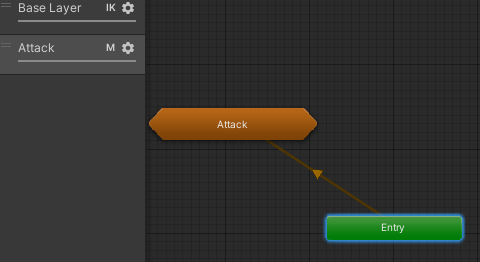
and i cant get rid of entry node
twin musk
oh well i progressed a bit
it works when running
but not when idle
see the animation teleports down when i try to move hand during idle https://i.imgur.com/Uu8u0ge.gif


 zenith river
hey guys why in unity when i export an object with animation from blender it say that a part of my object was discarded because he was intersecting with something?
what can i do?
twin musk
okay i fixed most bugs UwU
something i couldnt fix is shaking when using the mask
its subtle shaking but its visible..
zenith river
Mesh 'teava front 2' has 10 (out of 2149) vertices with no weight and bone assigned (they will be assigned to bone #0 with weight 1). The list of vertices: 2097, 2098, 2099, 2100, 2101, 2102, 2103, 2104, 2105, 2106
wt is this
can someone help me?
why my object is destroyed
when exporting to unity
 viral pollen
what are the reasons why a skinned mesh renderer would not be visible? I know my bones are moving, but the skinned mesh renderer is not
viral pollen
zenith river
when exporting to unity
what does the warning say?
 cedar oracle
Hey guys, so earlier I had this models eyes blinking with blend shapes in the game. I have video footage to prove it. but now all of a sudden they are not working, and I dont know why!! I implemented animations in this project a long time ago... her animations blink in the preview window in the inspector, but she does NOT blink in the scene any more! any ideas?

I added a second animation layer for some extra eye movements a while ago and i dont remember having problems. but her eyes dont close even when I delete that...
zenith river
@viral pollen Mesh 'teava front 2' has 10 (out of 2149) vertices with no weight and bone assigned (they will be assigned to bone #0 with weight 1). The list of vertices: 2097, 2098, 2099, 2100, 2101, 2102, 2103, 2104, 2105, 2106