#🏃┃animation
1 messages · Page 68 of 1
 hybrid tinsel
 nimble shard
2020.1.ob1.3256 its the latest beta i think
are you having any problems with this ? i really wanted to try those 2d lights ,not sure wich version has them
hybrid tinsel
My main work computer is dead, I haven't done any 2d animation on this laptop to test it
I meant what version of 2d animation package
Is it 4.2.6?
mind sending me a unity package with a file to test? I don't have any rigged characters handy.
(and also don't have a mouse)
nimble shard
i only see 4.1.1 and 4.2.2 and i was set 4.1.1 , changing it to 4.2.2 and it gave ma a bunch of errors
very wierd i dont see 4.2.6 at all ,maybe its only on older versions
hybrid tinsel
Might be a beta issue.
nimble shard
maybe , i wonder how far back i have to go , i alao wonder which version the 2d lights came out on
hybrid tinsel
No idea, I've not used 2d lights at all
nimble shard
i really wish unity got all those 2d features finalised , its been feeling like all those new features have been halfway done for the last 2 years
kinda why i was studying unreal all trough confinement
hybrid tinsel
Because they are depreciating them in favor of their garbage rigging package that is worse than the 2d ik for 2d
Make sure you have that enabled in your project settings
anyway, I'm installing 2d animation and 2d ik now
So I'll take a look
nimble shard
ad it enebled already!
hybrid tinsel
using 3.0.2 preview 1 of 2d ik
nimble shard
i think ill redo the project (again) in the latest non beta version real quick
ill hop inthe shower before tough
hybrid tinsel
I tested, it definitely works
hybrid tinsel
2020.1.11f1
nimble shard
did you have to manualy create you solver with an emptu gameobject?
hybrid tinsel
I created it using the IK manager, which I put on the root sprite
though you can put it anywhere
I just do that for convenience
nimble shard
yeah i figured , you can put the objects anywhere and work with references
i got it to work before on other projects not its just wont lol
brb
hybrid tinsel
 fresh raft
why don't I see much information online about LOD the Skeleton where there are less joints in the LOD. Is that just not done very often? Its not really an LOD as much as a lower rez version that uses the same animation.
seems like LOD on rigged meshes is only the geo examples I'm seeing
 tacit badger
Hi, guys. I'm new to unity, and I made my first animation scene, and I need some help.
I’ve made a female superhero animation in which she spins into a tornado, I’ve got all the assets, but I wanted her to spin before the tornado but it started in frame 1 when she was in her idle pose. How can I do that?
hybrid tinsel
@fresh raft Not sure; I believe that lods generally are expected to use the same rig.
@tacit badger What do you mean, specifically, by spinning before the animation?
tacit badger
Hold on...
Starting my project so I can show you...
AS you can see, the tornado started too early.
I'd like to start the tornado at this point.
This is my animation controller.
 tender herald
Hello, here i have a pony with 4 directional movement(rpg movements) basically i have a sprite for left and a sprite for right(no up or down) my problem is when i press up or down the sprite switch to left even if my last move was going right
i'm new to unity btw
hybrid tinsel
@tender herald That could be an issue with your script; what is it sending to the animator?
tender herald
uh my script looks like that
i copy pasted from a tutorial

Welcome! Today we're going to set up a 4 way animation system, similar to the movement found in traditional JRPGs, and top down action RPGs. Enjoy!
Tiled: https://thorbjorn.itch.io/tiled
Tiled2Unity: http://www.seanba.com/tiled2unity
Art Assets: https://opengameart.org/co...
hybrid tinsel
@tacit badger I'm confused about what I'm looking at. The tornado is an animation, or a particle effect, or...?
tacit badger
Animation
hybrid tinsel
@tender herald Not gonna watch an entire tutorial to debug it right now. Can you link the script?
tacit badger
Is there any way to add a particle effect on an existing animation clip?
Nvm, back to the original problem, how can I start the tornado effect in the middle of the spinning animation?
hybrid tinsel
You can set keyframes for the particle system to start and stop emitting. You can also use animation events with a script to do so.
tacit badger
Ok, show me an example please.
hybrid tinsel
@tender herald yikes. I'm guessing that what is happening is that any frame you are setting vertical without setting horizontal, you are also setting horizontal to zero.
Which puts it in the center, where you have no state set so it just sort of guesses and resets it to left state.
tender herald
i added a new motion at 0.0 but i have no animation for it, it is required?
hybrid tinsel
Not sure how well that will work but you can try it.
Personally I prefer to handle left/right by scaling the entire game object.
tender herald
when i was using Godot i had that i should try, but i have no idea how to do it in Unity,i'm also new to programing
hybrid tinsel
I'm not on my main computer so I don't have any finished examples handy.
hybrid tinsel
emission
hybrid tinsel
shift to multiselect
tacit badger
0=disable, 1=enable?
 pine badge
The hell my msg didnt go thru?
Maybe gotta type more politely,
Oh my darnest darn!
Updated to 2019.4 latest and now the import inspector (in Debug mode) doesn't show the anim clips as a list anymore
This truly sux, it was the only way to re-arrange the clips
tacit badger
@hybrid tinsel I have a tornado prefab
nimble shard
dammit i cant get rid of this damn error on a fresh empty project , as soon as i import the ik package
google isnt useful ,im pretty sure all my packages are up to date
 twin musk
I'm just learning how to animate, and I've come across this weird problem with my rig. Does anyone know why there are floating bones? They are essential and are displaced from the character, I have a built rig attached to my character, thanks.
 half quail
What should I do to make "hpb" the same value as "HPP"?
 craggy marsh
Hey all, I'm using dotween but I made a really nice animation using the unity animator, is there anyway to play unity animations in dotween? thanks in advance!
 ebon cargo
Hi! I have a problem with the jump animation in my fbx, in the animation the player jumps forward. I am trying to use root motion, but the player always goes back to its original position at the end of the animation. Any idea why ?
@ember bison
Its when i have the transition between my jump animation (it goes forward in the animation it self) and the idle animation
I'd like to have the player at the last position of the jump animation, when i am playing the idle one
I have been trying to make it works for 4 hours now
😦
@short socket
 ember bison
 celest crag
@ebon cargo Please don't post memes/reaction gifs and other off-topic.
Read #📖┃code-of-conduct
!mute 701988080650944552 60
 dusk valeBOT
 Debug.LogError("mrlolcat");#5297 was muted
pine badge
When i use "preset", not only the setting is applied but also the target of the transition
I ended up having 4 of these pointing to the same state. I want the preset to apply their settings except the target of the transition. Possible?
 bitter hedge
Has anyone messed with animating UMA characters? I would like to apply my own Animator to the character prefabs but it keeps getting over written on runtime.
 bronze geyser
I need help. My animation won't loop. I checked "Loop Time", how can I fix it?
 coarse vale
Anyone on here?
Trying to use unity to Animate... Not working out... got Puppet 3d... no good videos on how to use... Mixamo set up isn't really all that better ether... Need Help... so much money lost... what do i do just throw it out... I can't afford to pay 300 hundred and hour for help because I'm out of work... This Program is lacking in how to vids.. always leave out need to know things to get the job done...
hybrid tinsel
@nimble shard that screenshot is unreadable
@half quail whatis the problem? You seem to have it correct. You never change the variable, so it is at the default 0.
pine badge
My anim doesnt seem to respect transition duration when coming from a certain
The "Any" doesn't seem to shoot out that blue line, so i dont understand where it could be transitioning from..
In the vid, the first few are the offending "no transition duration", and in the end it's from the states where the transition duration works
pine badge
Is there really no way to make Default transition have a lower priority than Any?
I never knew "Default" means "First most important choice and ignore every other options"
pine badge
Like, i dont get how something as simple as this is not working
I'm selecting the transition from Grounded to Stance
The condition there is clearly only 1: Stance bool
And in the parameter u can also see the Stance bool is on
But it does nothing?
Muting a transition still working?
Am i just getting a massive bugged scenario or nothing in Animator is reliable at all?
 balmy scarab
I have a 2D sprite I rigged up and animated in Unity. If I were to use a 3D model instead of a 2D sprite, could I move the animations/skeleton over to the model in any way?
hybrid tinsel
@pine badge I can't test at tge moment but that might be broken.
@balmy scarab you could write a script to convert it, probably. Would definitely have to remember to convert bone direction from x(2d) to z(3d) because unity doesn't like consistency.
But bones are just named transforms, and animations are just text files that use hierarchy and item names. So the data should be transferable to some degree.
twin musk
I am having some animation issues with a door im trying to animate. Please DM me and ill send a video. thanks!
hybrid tinsel
@twin musk or you could explain your problem here.
twin musk
True
Ok, screen recorder is not working, so ill try and explain it here
ok, so i want to animate a door moving from this:
To this:
But when i animate it, and simply turning it on the z via the pivot point, this happens:
@hybrid tinsel
and all the frames leading up to the final one are all messed up like that
hybrid tinsel
Weird.
How did you create the animation? Did you input the values directly or did you animate it in the scene view? What do the curves look like?
hybrid tinsel
If all that happens is the door opening with two keyframes, you could just have an open animation and a closed animation and transition between them with the animatir state machine.
hybrid tinsel
Well, that's clearly wrong. Only one axis should be animated, for one thing.
twin musk
yep
hybrid tinsel
Try deleting the extra curves?
twin musk
nope
Heres something weird, on this object, both the Y and X turn the object like a clock hand.
But thats only the case in the animation window
The inspector rotates properly
@hybrid tinsel
Adjusting either will turn it like this:
hybrid tinsel
Seems like gimbol lock
Try adding a null to the hierarchy to use as a pivot
Not sure of the exact cause in this case but it seems to happen when imported objects don't have their transforms applied
The editor uses quaternions internally so that can hide some fuckiness.
pine badge
There is the get next waypoint position, and u can find the angle, compare ur forward to that pos
Or this
https://forum.unity.com/threads/detecting-if-a-navmeshagent-is-rotating.410197/
@rustic kayak

Unity Forum
Hey,
I am using NavMeshAgents for my AI characters in my game and I am just implementing the animations for them at the moment. I am using the...
balmy scarab
@hybrid tinsel thanks heaps 🙂
 sharp dove
I need some help for my project
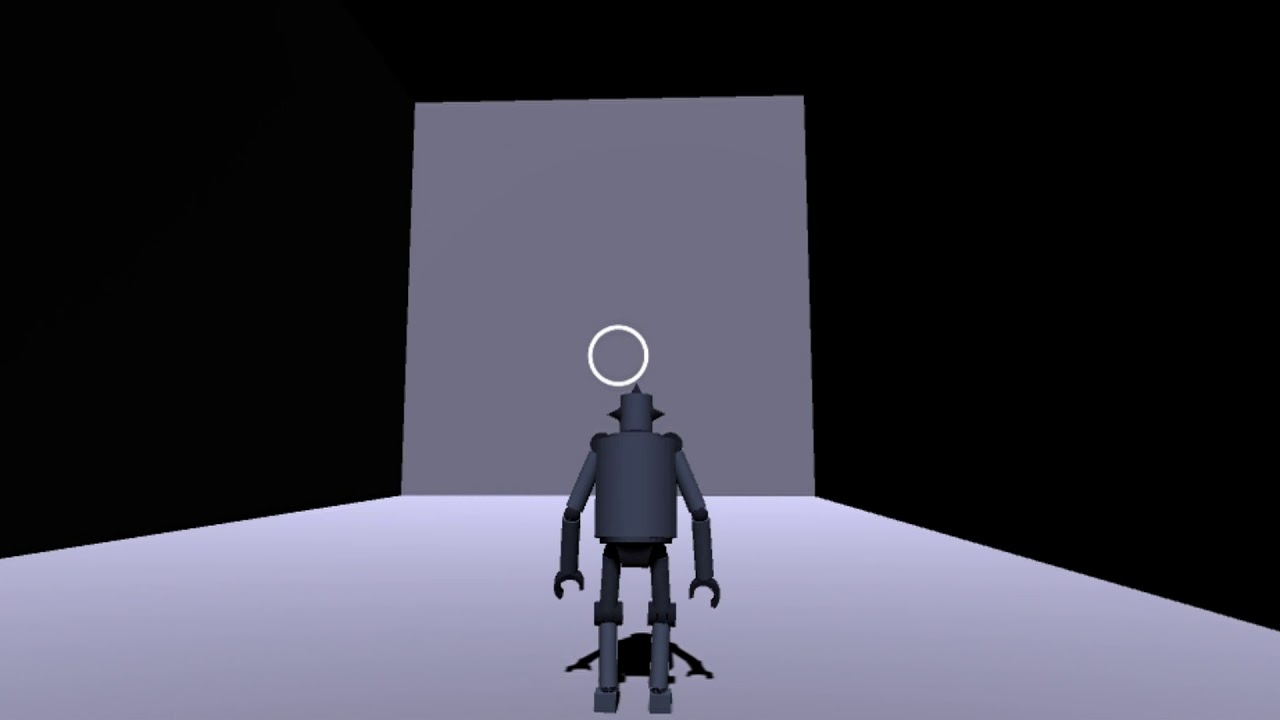
Here. I need shoot animation to affect on all bones except legs
(I'm using generic rig)
I mean when you're shooting legs would be the same as they were
(Btw sorry about my English, not a native speaker)
Would be glad if someone can help me please
If you need more details we can move to DMs
hybrid tinsel
@sharp dove you can use additive layers with generic rigs just fine. Just make sure to setvthe layer properties correctly in the animator.
pine badge
Is the author of Animancer here ? Kybernetik?
Or anyone using it that i can ask around?
hybrid tinsel
They were very responsive on the forums last I saw.
Especially when there is a chance to advertise 😛
pine badge
It seems the free version doesnt let u make a build
My game's multiplayer, so....
Is there a more bare bone, non Animator, that's also free?
hybrid tinsel
The built in animation component?
hybrid tinsel
Should it?
 inland juniper
its called the animation controller im missing
 woven gyro
Make an animation Controller
attach an Animator to the object
throw your animation into the animation controller interface
put the animation controller into the animator
now your animation will run on start
if you don't want that lookup animator parameters
 cloud raven
I have a question. So I have a character controller from the unity standard assets. I added a cutscene animation onto it to play when it hits a trigger. The problem is, for the animator I need another animation or else it will default to that animation on entry. I create an animation with no frames to default on entry. The problem is that while that animation is playing the player can no longer move. Any ideas?
inland juniper
how does 50 levels sound boys?
cloud raven
nvm got it lmao
pine badge
@hybrid tinsel Yeah
How bout still using Animator but completely use Play and Crossfade, instead of leaving ur fate up to its transition system of messy spiderweb?
Anyone else, are doing this?
hybrid tinsel
@pine badge you can do that, yes.
 zealous crow
heyo
what would be the go-to way of fixing an animations' rotation to align it by default with the models' forward?
Is it as simple as editing the animation in the anim editor and applying a rotation to the root bone, or is there "better" ways to go about this?
Ideally I'd like to do this in unity since there is a bunch of anims I have to correct and having to fix them all outside would be quite a chore
 dreamy ginkgo
i got a simple question
how do i reverse my animation
I've seen online you have to just set the speed to -1, but its not doing anything
 torpid lichen
I got a question
Can 2D animation and 2D physics works together like the body animated normally but the hair effected by physics
pine badge
Anyone have tried Mesh Animator?
If i use that, does that mean the anim logic is its own thing? As in, can i use Animancer and MeshAnimator hand in hand?
 calm cargo
Whats the secret workflow to get complex Maya rigs with face controls to export properly to Unity and remappable to Humanoid and still play the face animation?
I feel like this is a fairly common workflow, but is mysteriously obfuscated and complicated.
 strong hatch
Whats a good free animation pack with player model?
balmy scarab
Spent 6 hours rigging up my character, then I was rigging up the enemy and I just found out a way to do it in 5 minutes, and it was just sitting there the whole time eyeballing me: Bone assigning.
I swear bacteria have more brainpower than me
 wispy pollen
Hey does anyone know how to model poly or detailed models in Blender and animate them? if so me and a friend needs help with a long term project we are developing, if your interested or know anyone that might be, shoot me a DM
 outer iris
ight folks im new to animation...got a model from online that is pre rigged...and i got some premade animations... imported the 3d model into unity as an FBX, set it to humanoid and well... i get these 2 stretched out areas....with every animation i test play. they dont stretch and stay either...they move with the model
would apreciate any help. or let me know what other info i need to provide
 charred belfry
I would try to resolve this warning
outer iris
yes when i imported the model the head was not assigned to a bone
so i went in and did it..then just adjusted the bones till it was in a tpose
Ths is the rig
i cleared console restarted unity and that notification didnt come back
hybrid tinsel
@zealous crow in the animation import, there is an offset for root rotation if you're using root motion.
You can bake the root rotation into the animation
@torpid lichen yes, but 2d physics joints don't work terribly well with animators si you will likely need some scripting to finesse things; if possible, I suggest using one of many spring type motion scripts unless you need collision or something.
outer iris
disregard my last..id apreciate if there is an actual fix for this but otherwise ima assume the weight paint is wrong and just pick a new model 🙂
 pearl saffron
can anybody here do basic illustration and animating?
 open ivy
how do i animate the character when jumping
 ancient pawn
Hello who here know Iclone? I would like to polish/clean some animation in it but need to find a good efficient workflow.. thanks!
 valid kernel
Hello who here know Iclone? I would like to polish/clean some animation in it but need to find a good efficient workflow.. thanks!
@ancient pawn
I'm familiar with it. What do you need to know?
 fickle swift
How do I make an animation loop reverse? I remember there was a quick way to do it.
E.g. my animation scale Y goes from 0 to 1. I remember there was a quick button to make it go from 0 to 1, and then slowly back to 0 (by reversing the animation keys). There was a quick checkbox. Where is it again
oh its in Loop Mode Ping POng, I saw it in one of my animations but i can't apply it to the other
Oh I have to set debug mode on
in the inspector hmm
then it worked after that ._.
nvm that didn't work but i'll just manually reverse it in the clip and loop it instead of being able to set Ping Pong on it
 gentle wind
SetTrigger is always active, while ResetTrigger does nothing- any ideas?
strong hatch
Hey my walking animation is not working can anyone kinda walk me threw on what I need to do
I have tried like 5 different tutorials
 young dome
Are you animating With unity
strong hatch
Yeah I'm in animation controler
young dome
then there must be a problem with ur animation and Key framing
send a screen shot
and Ping me
 lapis quarry
local hillbilly, you can print screen and hit ctrl+v to put in screenshots real quickly in discord
strong hatch
Oh
young dome
Or another method is
WIN + SHIFT + S
and then drag
P.S. Only works in win 10
you need to code it to make it transition from Idle to walk
if you wanna do that
@strong hatch
strong hatch
Ok
 brave talon
hopefully someone is able to help me. I am trying to add some animation into my car into unity. the car already has the spinning wheels animation, i just need to make sure that it works in the game
@strong hatch @young dome
pine badge
Hi. A general animation question not related to unity..
How do u animate/rig for a good swinging arc?
I guess parenting the ik to a pivot transform and rotate that
But as i was doing that a long time ago, then the pivot transform doesnt move with the root. Then i had a dilemma and in the end just didnt bother and animated the ik for the arm in a "choppy arc" instead
 ornate bridge
how to add more conditions parameters for play animation ?
And how to change animation parameters ?
 warm lintel
Whi knows a free website that have character asset with animtaion and bone root
hybrid tinsel
@gentle wind that sounds like what happens when a script calls set trigger every frame.
@brave talon I probably would just animate each wheel with a script. I believe it is something like taking the distance traveled, divide it by the circumference of the wheel(2piradius), and multiply it by 360 to get how far it rotates. You can probably find premade scripts for it too.
@pine badge why not parent the pivot to the root?
pine badge
Yeah, was trying to do that, then use the ChildOf constrain but ran to other issues and then cant be bothered. Back to manual keyframing the arc..
Just needed to do fixes to just a few anims so its fine
 glass tapir
Anyone here has any experience with animations on doors opening/closing ? need some help
strong hatch
what would i need to add to add "backwards,
pine badge
Your animation name cant be any more indicative...
But, in the blend tree inspector, there's 4 box right. Motion, threshold, the time icon, and the person icon
The time icon can be -1 and maybe that's good enough for backwards
Is there a way to find all the animation events in an anim clip?
Can be in runtime, or in editor to build a database?
strong hatch
Hey so I added the backwards animation what do I need to put on it settings wise
@pine badge
pine badge
First step is name ur animations better
strong hatch
ok
so what do i need to put for threshold and time?
@pine badge
can anyone help/\
 hallow shoal
hi the animation is not working... can i get help?
hybrid tinsel
@hallow shoal the image is too small and blurry to read anything, and we'd need a description of what the problem is to try and tell why.
hallow shoal
sorry i already solved it but thank you
glass tapir
Anyone here has maybe some time to teach me/help me with something ? I am trying to make a double doors animation where they go to the side (basicly double door opening) and i want to do it with a press of a button and i got into untiy 4 days ago and i havent figured it out yet
 echo shard
does anyone know if animating a frame by frame would be easier than making a video for cutscenes
hybrid tinsel
@glass tapir I'd suggest checking the unity learn tutorials, I think they had one that covered that exact sort of thing.
bitter hedge
How can I allow an animation trigger to interrupt itself?
Say i triggered it the first time and then triggered again during the first times animation.
Cause right now it will just repeat how ever many time it was triggered. Instead of resetting every time.
pine badge
Isn't "repeat" and "resetting" the same thing?
balmy scarab
Would the Animation Rigging package in unity be good for 2D humanoid characters with long bendy arms? Or would it be easier to use keyframe animations?
twin musk
hey guys i have a question no matter what i do in my script this Error keeps popping up. Input Button Fire1 is not set up
 swift temple
make sure you're on the legacy input system and that youve typed the axis name exactly as it appears under project settings
odd, someone had the same problem earlier
twin musk
how do i check and see if im on legacy input
swift temple
if you get that info bubble on the input manager you should be good to go + it's the default
twin musk
just to clarify is fire one left click on the mouse?
swift temple
by default yep
twin musk
alright thanks you have been a great help
swift temple
good luck!
twin musk
sorry to ask again but once i finished all that and i test it my animation just keeps repeating over and over even when i do not click the button on my mouse
swift temple
possible causes:
- transition uses a bool and the bool is never reset
- animation has loop time enabled and never transitions back
hard to tell without seeing the animator window and your code
twin musk
we can call if your cool with that?
swift temple
soz i'm going to sleep soon
twin musk
oh its all good last question i promise when i do the animation it makes me wait like 5 seconds before i can do it again.
swift temple
really don't have enough info to tell but
- get rid of blending within your transitions
- make sure your animations don't have any keyframes that extend them longer than they should last
- if you're using any coroutines, make sure they behave as expected
 river quarry
Why am I getting this error message?
Looks like it might have to do with this:
    private void OnAnimatorMove()
    {
        animator.SetFloat("Forward", movementInput.y, 0.1f, Time.deltaTime);
        animator.SetFloat("Right", movementInput.x, 0.1f, Time.deltaTime);
        animator.SetBool("On Ground", controller.isGrounded);
        if (!controller.isGrounded)
        {
            animator.SetFloat("Jump", moveDirection.y);
        }
    }
@bitter hedge the usual way would be to use an any state transition with 'can transition to self' checked.
You could also do it explicitly through code by calling a crossfade.
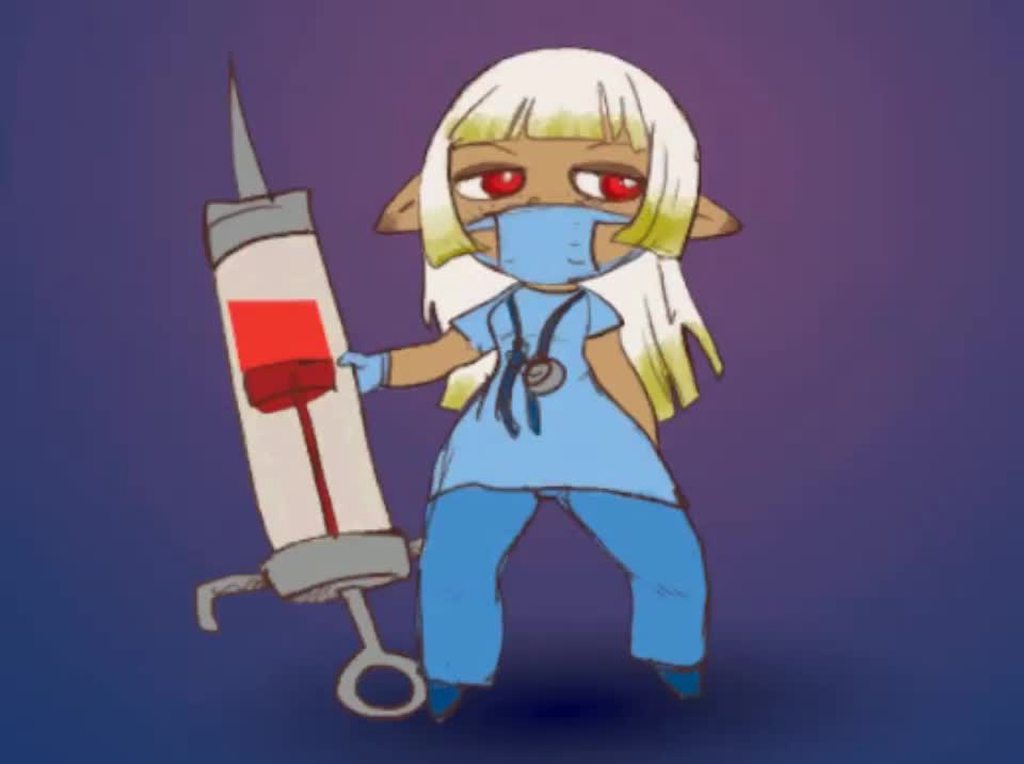
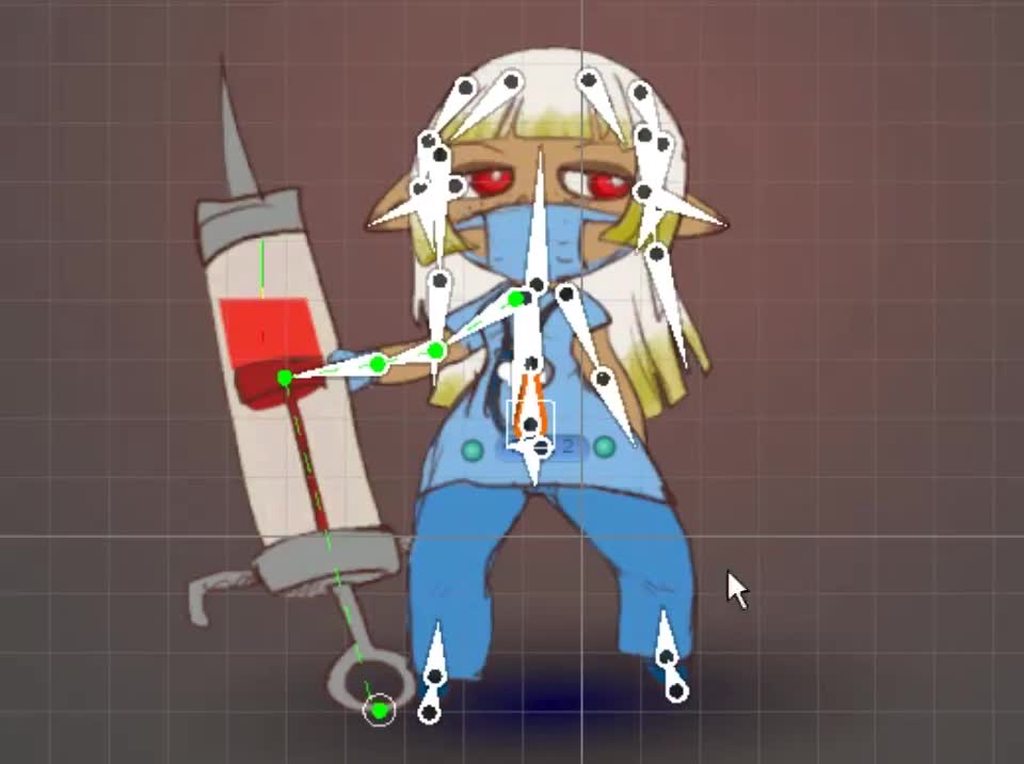
@balmy scarab 2d animation package with 2d ik package can be used for that. You could probably do it just as well with the rigging package but I don't think it would be any easier.
This was done without rigging package: https://i.imgur.com/qyYapjy.mp4
 swift temple
select all the sprites you need from the project window and drag and drop them onto animation window -> dopesheet
twin musk
i dont understand
swift temple
you're doing frame by frame sprite animation, right?
swift temple
drag the new frame in
oooh
click the three dots to your right
select show sample rate
and lower this
twin musk
where do you klick for that
swift temple
np!
twin musk
i have 1 more question
swift temple
shoot
swift temple
oh i dont use record often at all, hopefully someone else can help out
swift temple
during record? that's odd
twin musk
ty tho
swift temple
you have a gameobject selected, right?
twin musk
yes
swift temple
mm good luck
twin musk
ty
balmy scarab
@hybrid tinsel thanks for that!
 uncut crystal
Can anyone tell me why my character sprite doubles in size when I move right? I took the left hand view and flipped it in photoshop, applied the animation to the right input key and he just get super large.
swift temple
- make sure pixels per unit is the same for both exports
- second export might have a larger resolution
bitter hedge
@hybrid tinsel I ended up finding out that you can transition from a state back on to itself.
uncut crystal
@swift temple thank you, ill give that a try tmr after work.
 calm cliff
im playing random idle1-2-3 while the horse is not moving, when i walk with it continues to play that animation until it end then i see the walking animation.
How do i make it exit that idle1 2 or 3 animation as soon as i walk?
worth mentionning those are trigger i think
could always reset trigger every time the movement key is triggered but thats a bit overkill i think, there must be a way to do it in that animation panel?
hybrid tinsel
@calm cliff turn off 'has exit time.'
calm cliff
if i do that all my idle animations stop
it start working again once i walk, then i stop and it run an iteration of HorseIdle then it stop again
plus there is that warning showing up
i think i got it, placed interuption source to next state on those line that come back to HorseIdle
doesnt seem to bug anymore touch wood
calm cliff
still not working
calm cliff
ah now its fixed, made another transition from the idle123 to the walk with no exit time
 haughty gull
Does anyone use MoCap in Unity? If yes, what solution do you use?
 molten comet
Anyone know a good way to work around the flickering that an empty state creates? I need to transition multiple animations into one then out to many again as shown in picture:
https://gyazo.com/6c6371b4948038b8af5a736cbcd726ba
And doing it this way makes a weird flicker in the animation.

 sharp stone
Does anyone have any idea why my animation is not playing? The animator is properly switching states, the animation itself seems to be working when i isolate the model, but for some reason the animation isn't being played when it's in the shoot state. Any ideas?
hybrid tinsel
@sharp stone what does it look like when you open it in the animation panel?
hybrid tinsel
No. The animation window. The one you'd use to make animations.
sharp stone
hybrid tinsel
Right, that one. Does the animation play correctly from there?
sharp stone
The play button is greyed out, won't let me play it
hybrid tinsel
Do you have the object selected in the scene?
sharp stone
ah got it, lets me play it now but no the animation doesn't work
hybrid tinsel
So probably an import problem. I noticed there is animation on the root bone, did you mess withe the root motion settings?
sharp stone
yeah I probably did, but not 100% sure. Is it the "Root Motion Node" in the animation import settings you're talking about? That's currently set to None
Apply root motion in the animator is also turned off rn
here's all the import settings
 iron glade
Ok I ran into a really weird bug with mechanim/the animator component, i'm wondering if any of y'all have ever seen anything like this. It's really tough to explain the specific circumstance though so I'll just talk through an example.
I'm making an FPS, I have a view model with animations for a few different weapons. Animations are done using UMotion, so they export as .anim files.
I have an M4 animation where the shoulders are rotated. This is the only animation set where the shoulders are rotated, so NONE of the other animations have the shoulders rotation even keyed.
If I disable the Animator while the M4 animation is playing, once enabled again, every other animation somehow inherits the M4s animation as a sort of "default" for anything unkeyed. In this case, the shoulders will be rotated in every other animation.
(Using 2019.4.14f1)
This shit has me really scratching my head
 trim hatch
is it better to put code inside animation behavior states?
hybrid tinsel
@trim hatch better than what?
trim hatch
the usual way
hybrid tinsel
I mean, it can be useful. I use it to randomize transitions. Really depends on what you're doing.
 fiery path
I have 2 animation clips for one GameObject. One gets triggered first and the other one is triggered later. How can I keep the property of the GameObject after the first clip being triggered when the second clip is triggered?
 gritty forum
I have the same animations, just different colored people, is there a quick way to remake them? I'm currently just dragging in the pictures for each frame
And I have to remake the animation for each color, i hope there is a quicker way
calm cliff
just use the same animation if the sprite is the same
calm cliff
still, if its a character, the face is at same place
it wont move
what i do to make colored character is i paint the skin white
then color it in code
gritty forum
The character is only being shown by the animation
calm cliff
by changing the tint
calm cliff
if the sprite change that much you gotta redo it
gritty forum
calm cliff
are you using the 2d skinning tool
calm cliff
oh
gritty forum
So I have to remake them all?
calm cliff
dont know sorry
better use the 2d skinning tool, you rigg it by making bone and each sprite part are attached to a bone, then you weight the sprite for each bone you want it to move it
so like the head would be on the head bone
you could just change the sprite then
and keep all the rest the same
gritty forum
Too much work now
I already made the game based off the animations
I just changed the characters
So thats why I have to redo them all
fiery path
I have 2 animation clips for one GameObject. One gets triggered first and the other one is triggered later. How can I keep the property of the GameObject after the first clip being triggered when the second clip is triggered?
@fiery path
 trail shoal
I have a pistol and shotgun idle animation and when I press E i want to play a melee attack animation and then return to the animation that was played before it, anyone know how to do that?
twin musk
any one who can tell me how can i learn making game art i sucks at that

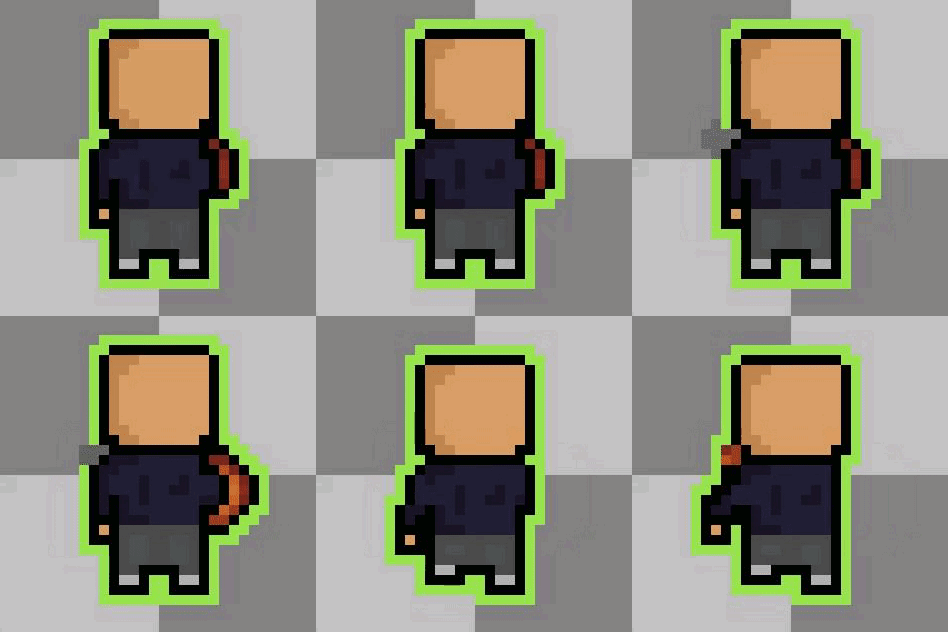
 fervent kettle
I made every pixel, so I think I did good, but there is something I can do better for sure
this is really great
@twin musk Ayy thanks
 quick jungle
so i want to create a walking animation to my character while holding a gun , do i need to animate both the hands and the legs or just the legs and then attach the weapon in the hands?
 dapper flint
I attached my weapon to the hands in my game
but idk if that best practice
*and the hands did all the moving and the gun's transform moved with it
quick jungle
aight thanks for the reply
 fervent ginkgo
How do you use variables/scripts with timeline?
For example, play an animation, but change the color of the animated object based on a certain variable
trim hatch
is it better to put code inside animation behavior states?
hybrid tinsel
@gritty forum duplicate the file from INSIDE UNITY EDITOR(not the file explorer). Rename the duplicate file to the name of your new image(still inside the editor). Then go outside of unity to the file explorer, and replace the duplicated image with your new image.
Alternatively, you can swap the spritesheet via code.
twin musk
What's the best way as a programmer/designer to get the right (and fitting) animation assets for an FPS?
Like where do I start learning how to rig objects to character models, polishing them, etc
 median steppe
youtube or udemy
 proper gate
One noobie question how can i lock the camera if its inside a head bone?
like the camera is rotating and everything whit the bone i want to lock it so its stays steady
calm cliff
either put the camera in that bone so it follow that transform movement or copy the transform position and rotation in a update for the camera to follow it
hybrid tinsel
@proper gate add a script that takes the rotation of the parent and applies the inverse to the child.
bitter hedge
Any tricks to grabbing player velocity from a ridgedbody? it seems to be changing so much that the animator does nothing.
woven gyro
Anyone here used Final Ik, wondering if it can be used in-animator to easier position things
twin musk
hey i have a tricky idea that i need some help with
 bright hare
Hi everyone. Would anyone have any useful links for tutorials that would help me bring my fbx anim files into a working game through the use of state machines? Im quite new to unity and hope to use my own animations in a state machine.
 graceful hamlet
Hi I want to import my character model without any arms but unity gives an error and says there are no arms. What can I do?
Required human bone 'LeftUpperArm' not found```Does that actually mean it cant find the bone? I only removed the vertices corresponding to the arms, i believe the bones are still all intact
hybrid tinsel
@graceful hamlet make sure that both the importer and the exporter are not excluding bones with no vertex weights and no children.
@stephen_h#4272 the unity manual has a pretty good step by step for that, for most popular software.
woven gyro
How should I position my weapon so it can be two handed
I cannot reach it like this
It's very large I feel like I need to scale it down again
fickle swift
it's really hard controlling animation curves, is there an alternative (I'm not using it for animation). When I add points, they interpolate really weirdly
Eh I'll deal with it
 fresh epoch
How should i go about animating a weapon my character is holding?
say he wants to reload it, how should i go about moving parts of the weapon with his hand?
are they like separate animations? If so, how can i export these from blender?
hybrid tinsel
@fickle swift you can right click on nodes to change the interpolation.
Or define them in code
@woven gyro you'd probably want to rotate the torso and bring back the hand holding tge back of the gun to get the other arm into a position to reach.
fickle swift
@hybrid tinsel thanks! Saved me a lot of trouble
hybrid tinsel
@fresh epoch if the gun is a child of the game object with the animator, you can animate it as part of it.
If not, you can animate it separarely and use animation events on the character or a timeline asset to sync them up.
 snow hazel
Hi guys, why animation with rootmootion don't Walk over the Hills? Anyway to do that?
 little monolith
Does some one knows why the loops when walking running stutter like that? Its a Root Motion, should be smooth. Pls help 🙂
Ciao Francesco - I am in the same boat 😄
But you can make it go over hills, you need to add a rigid body and a capsule collider.
 quasi wing
little monolith
Does some one knows why the loops when walking running stutter like that? Its a ...
quasi wing
little monolith
Does some one knows why the loops when walking running stutter like that? Its a ...
this was my first ever game in unity which I made
little monolith
what do you mean?
quasi wing
it's an old memory (that's what I mean)
try disabling the motion based on animation
and used scripts to move character
don't use animation to move a character
IDK the exact name for that but there should be a setting like that in the animation itself
little monolith
for me its like a nightmare more than a memory 😄
quasi wing
xD IK IK that's what I went through for the first time as well
just disable the root motion
don't use it to move your character
it has to be something like this
it's in UE but in unity I forgot the actual name for this just check your animation fbx
little monolith
yeah I can remove it, but the the animal wont translate movement.
quasi wing
that you have to do in script
that way you can customize it's movement and also control it's behavior more freely
you can find code for that easily online long live Google
little monolith
alright, so the lesson learned is to not use root motions for translations...
quasi wing
YES
never use it it's a bad bad boy when working in games
but if you want to render a cinematic then it works like charm
 covert heath
how do I decide on character sprite size for my first game? I'm making a pixel art dungeon crawler
swift temple
covert heath
how do I decide on character sprite size for my first game? I'm making a pixel a...
8x8 or 16x16 is safe since it looks decent while being quick to edit and create, and also remember to set whichever you choose as your pixels per unit under import settings too
covert heath
thanks :D I'll go for 16x16 because I'm not experienced enough to work as small as 8x8 xD
swift temple
good luck!
haughty gull
Looking for rigging Facial ARKit 52x blendshapes solution, is anyone using any services? Something like Polywink.
 elder vault
hey guys I'm importing my 3D character animations through an FBX file created in Blender and when I export it into Unity I get 2 strange things. 1) The animations are all offset from the ground by about 2 units, and 2) the animations (especially in the arms) are extremely jittery and much worse than the animations I made in Blender.
any clue how to fix this?
I used Rigify and Rigify to Unity to make sure things were set up right
hybrid tinsel
@snow hazel are you using physics?
@little monolith root motion is fine for gameplay. Does the animation actually loop, and are 'loop time' and 'loop pose' enabled in the importer?
 loud marsh
i made the animation in blender how do i make it play on click
snow hazel
hybrid tinsel
<@260850856776171521> are you using physics?
Yeah i am using open character controller that use rigid body
little monolith
some one with emerald ai experience?
 severe marsh
mmmm just a question, to do this kind of movements, i have to apply root motion?
 fallen sphinx
@severe marsh I'd say so, yes.
severe marsh
but, how should i use it? i mean, I stand in front of the wall, press space and call the climbAnimation?And the animation will set my player in top of the cube?
@fallen sphinx
fallen sphinx
If the animation is properly scaled, yes.
Because the player moves the precise height in the animation, root animation applied would mean it ends up at that height
severe marsh
ok, I've achieved this, and i thing i have understand the "Bake into Pose"
if i check it, it means that te motion is controlled by the script, but if i dont check it, the te motion is overrided by the animation
is that true? @fallen sphinx
fallen sphinx
I don't know, sorry.
glass tapir
Anyone has any skill with double door animations ?
brave talon
Is there a easy way to drop my rigging with animation into Unity? or do I have to implement some coding?
I am trying to add a tank with rigged wheels
 mossy tangle
Anyone know where I can find some simple attack animations? Like a basic mount-and-blade style horizontal strike
mossy tangle
I'm looking at the animations on mixamo and none of them suit my needs
 hot cosmos
Hello guys, i was wondering if there is any advanced course on animation in Unity. I've made many animators with blend trees, mask and some ik solutions for aiming, but was wondering if there is any course or tutorial that covers that and much more.
hot cosmos
woven gyro
How would I animate shoulders to move like this
You can try with that bones 🙂
hot cosmos
brave talon
Is there a easy way to drop my rigging with animation into Unity? or do I have t...
If you animate the tank outside Unity, you just need to create an Animator Controller and add your animations. The coding part comes if you want to handle it's behavior (wich i'm sure you want) you need some coding for that. Hopefully there are many tutorials everywhere that covers that up.
brave talon
@hot cosmos its a little complicated
fervent ginkgo
My animation isn't triggering
I have a trigger on it called Eject
This isn't doing anything
The eject trigger is set as a condition of this transition
Also I checked during runtime and it's correctly assigning ejectAnimator
So that's not the issue
hot cosmos
fervent ginkgo
So that's not the issue
Have you tried the animation alone? You can preview how the transition would look from the preview screen below the Inspector. Check and discard that issue so you can keep digging.
fervent ginkgo
The preview works fine
I click play and it works perfectly
Oh, I'm a doof
the animator component was disabled on the object....
 dim nexus
Hi is there anyone here who is expert on rigging 3d models
i know what the hell is problem whit animation riggings addon in unity ?
 autumn wind
im confuse why is my model put into different places in unity than in blender
here is picture in unijty
ping me if u know why this is happening
autumn wind
nvm im just gonna make the character a cube with no arms or legs : (
calm cliff
make sure transform position and pivot are set the same on blender and unity
calm cliff
gotta add a animator component to the gameobject
then open animation, make sure you have one, or make one (you need tuto for this)
if you never played with animator component look for that
autumn wind
armature is the animation right
autumn wind
but why when i click the armature it shows the animation
calm cliff
cause tahts what you use to animate
each body part is attached to a bone, which create the armature
when you move a bone from that armature the body part will move
calm cliff
you need a rigged character for that, not only having bone but also weighted with each body part you want the bone to influence
if you didnt do it for your model you should look into that first
autumn wind
yeah i did
calm cliff
kk
 smoky crescent
Anyone know if it is easy to make animated short films with unity and if there are any helpfula asset store tools for that purpose?
glass tapir
Anyone has any experience with doors animations ?
 cedar ruin
@glass tapir most people have.
 thorny hamlet
Indeed
Youtube for mecanim @glass tapir
This 5 part playlist oughta do it:
https://www.youtube.com/playlist?list=PL4CCSwmU04MhZx2rN7Fw7DixdvLhpZuFh

But basically a simple setup i usually get ppl to go for is to have 2 animations on ur door.
Open
Close
These dont move actually, they just sit in their states, not moving...
Use the TRANSITIONS from unity's animation system to travel between the 2 states when u enter or exit a trigger box
glass tapir
so i got animations done and everything
the only issue i am having is that whe n iclick play my Doors open instantly
The trigger box doesnt activate
So i can walk throu the doors and they dont close :I
thorny hamlet
U have your graph setup?
The animator graph lets u decide which animations can transition to which
But u would normally look atthe transitionsand add conditions to them
To say this transition only works if x
 versed valve
Can someone volunteer to make a quick thing for me?
A ringed planet loading
I would do it myself but my pc has issues
 woven nova
is it possible to have 2 timeline in one project?
woven gyro
You can have infinite I believe
They are assets just like animations but myb someone will correct me
woven nova
dude i have 2 timeline the first one plays but the second one didnt
woven gyro
woven nova
dude i have 2 timeline the first one plays but the second one didnt
That's probably something to do with how you set them up
fervent ginkgo
Question:
If I have to trigger an animation
All I have to do is have a transition to that animation state with the trigger as a condition
and do
animator.SetTrigger("nameOfTrigger") right
woven nova
woven gyro
That's probably something to do with how you set them up
nvm solved it
woven gyro
Anyone know if there is a solution for Avatar masks leaving out key parts of an animation that don't exist as bones e.g. a gun
This is happening rn, when the gun is meant to be in the hand
The arm is also off from where it should be
^ how it should look
versed valve
lol, those look funny out of context
 outer kettle
Hello everybody ! I have a little probleme with the Aimation Rigging Package. I want to attach a weapon to my character rig with a multi-parent constraint : here, no problem. BUT. I'm using a script allowing the feet to be well placed on the ground, to avoid them to be standing in the air. This has for consequences to make the rig a little lowered to place the feet correctly. And here is the problem : my weapon doesn't follow the rig when the body is lowered by the script. Is this normal ? Or a bug ? Is it a problem of execution order ? I'm stuck with this for a few days already
You can the see weapon floting in the air
If I disabled the feet placement, the weapon is good but not the feet. The way this script move the body is with the animator.bodyPosition = ..... (up and down)
outer kettle
So i've tried to directly put the weapon in the rig hierarchy, and it's work, but not with the multi-parent constraint : wtf
 arctic kernel
konnichiha!
I'm making on a puzzle game right now, and I made this kind of animation for the game using Unity and Spine!
No English translation yet, but I hope you guys like it!
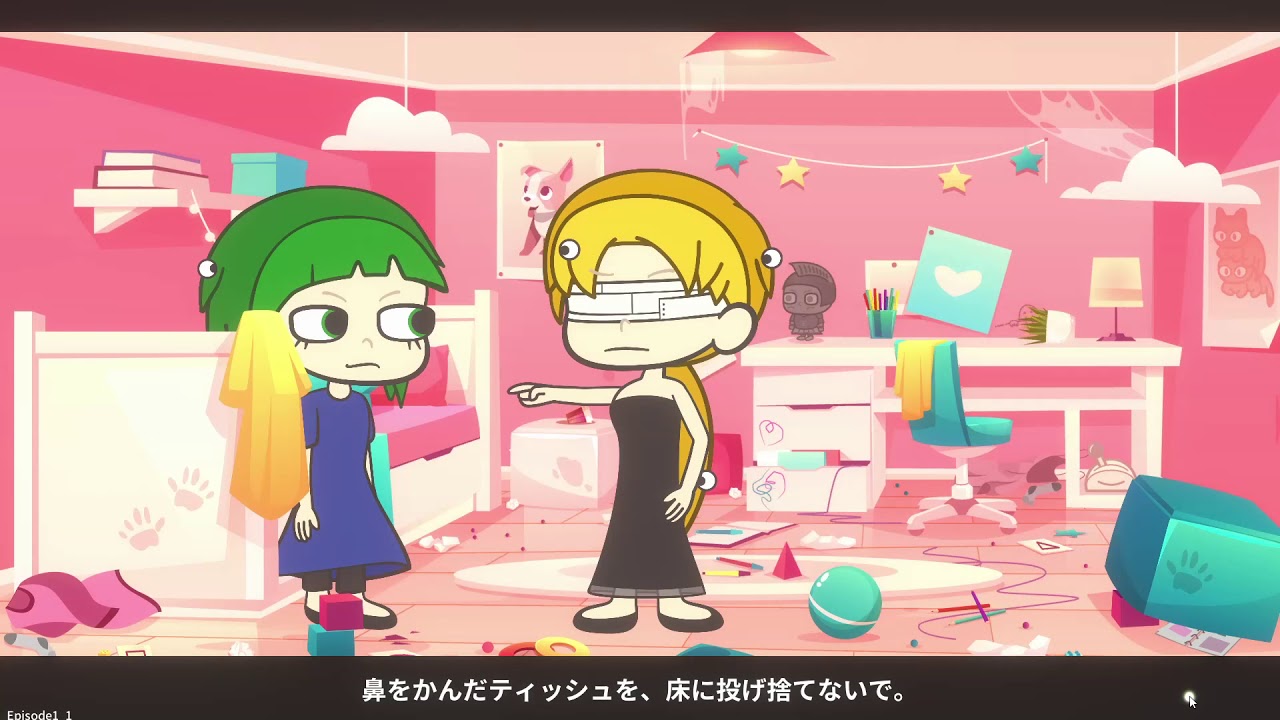 woven gyro
why is there eyeballs in their hair
sharp dove
barrette?
 runic elk
congrats on putting that together! Are you using cinemachine?
hybrid tinsel
@arctic kernel the only thing I really don't love is the slow head nodding movements; they don't really match the snappiness of the rest.
 misty granite
Editing animation curves in the timeline. Is it possible to adjust the length of the curve handles? Seems like you can only rotate the curve handles.
Edit: Weighted is what i wanted.
arctic kernel
@runic elk yes!
@hybrid tinsel Thanks for the feedback!
 restive echo
does anyone know this happens? It looks like the player model is glitching and rotation x starts fluctuating. 😦 EDIT: FIXED.
twin musk
anyone know why this is happening
do i have to start the down sight animation with the idle and let unity transform it correctly
runic elk
There are times I think a hard cut would be better than an animation. Not sure if that's simply setting a transition time to 0. But that's a stylistic thing, that may be the effect you're going for.
twin musk
this aiming down-sight animation is supposed to stay but the code doesn't seem to change the bool in the animator
twin musk
if (Input.GetKey(KeyCode.Mouse1))
        {
            aiming = !aiming;
            anim.SetBool("AimingDown", aiming);
        }
I think i know why it didnt work
it was because aiming was not set to false or true
hybrid tinsel
That would do it
twin musk
but how would i make it so when right click is held down it sets the value and when its let go it makes it false again
 glass frost
If (input....)
{
Anim.bool true
}
Else
{
Anim.bool false
}
If its unclear let me know😂 typing this ln my phone
glass frost
When u use getkey also?
twin musk
 if (Input.GetKeyDown(KeyCode.Mouse1))
        {
            aiming = true;
        } else
        {
            aiming = false;
        }

        anim.SetBool("AimingDown", aiming);
thats the code
nevermind i got it thanks 
glass frost
Instead of down use getkey I think
 warped shore
~~Hello I kinda need help with an Animation Mask issue. I've an asset set and have the animations to use an external avatar (from Mixamo) and would like to have a mask for the arms; however when I apply the layer with the avatar mask, this happens. ~~
Please note the crouching, below's the animation layer, on the inspector there's the avatar mask
Fixed with Avatars.
 scarlet stirrup
So, I've tried searching google for the answer to this question. Found it asked plenty of times, but never answered. Is it possible to make a transition between two layers in mecanim? As it stands I have a default and an attacking layer. Everything works fine until I stop attacking at which point, instead of going to the appropriately facing idle animation in the default layer, it goes into the front facing idle animation. This has a negative appearance when it forces the sprite to face forward for a second before going into the correct facing idle animation.
scarlet stirrup
Actually, I see what is happening. It's not mecanim nor my animations, it's the sprite renderer. For just a split second as the attack animation stops, it shows the original forward facing sprite. So, to figure out how to stop that.
 hallow plover
I've imported my animation from blender to Unity, and for some reason the entire body overrotates and also, the fishing rod doesnt animate with him
The fishing rod is parented to the hand bone of the character, which is animated with just an animation controller
it's parented to the hand bone in blender, not unity
twin musk
im making an animation in FPS Hands but when i select the Guns magazine it thinks i want to make a different animation in the magazine
twin musk
never mind i fixed it
calm cargo
Can anyone explain what in the actual heck these warnings mean or are caused by? This is a Maya Advanced Skeleton rig.
It seems like there's utterly no information on what "inbetween humanoid transforms" means here and I have no idea how to resolve the warnings
 stray nova
@calm cargo It seems that unity doesn't support something about the rig you imported
calm cargo
Figured it out, it is when twist bones are placed between two humanoid bones in the hierarchy, thus "interrupting" what Humanoid considers normal, so it ignores them.
stray nova
ah okay
calm cargo
Not really a Maya problem, but a Humanoid problem. It wants a clean hierarchy path down the chain or it vomits errors.
scarlet stirrup
When leaving an attacking animation, for a split second, unity displays the original front facing sprite from the sprite renderer before moving to the appropriate idle animation. Any clue on how to prevent this?
 heady seal
What is the difference between an exit node and an up node?
Second photo is sub-state machine Idle from the first photo.
Where does the exit node lead me in the second photo?
If I had exit transitioned to the up base layer instead of the exit node ion the second photo, where would it lead me?
 warped cobalt
Hello i'm making an FPS game but there's a small problem when i shoot it goes from idle to shoot and it only shoots once then i can't shoot anymore.
(The animation is only one shot not multiple shots)
twin musk
anyone know how to improve my idle animation, it looks off but idk why
twin musk
warped cobalt
(The animation is only one shot not multiple shots)
you could probably make it so if left click is clicked start a timer for like 4 seconds and set a parameter to true and if left click isnt clicked in the 4 seconds it set it to false
twin musk
how would i attach the hand to the gun tho
woven nova
anyone know why is my mixamo is not working?
 subtle tangle
anyone know how to add source object to multiaim contrain through script? i tried getting reference to multiaim constrain but i dont see anything related to adding source object
Help pls
warped cobalt
Hello, is there a way to stop an animation from playing?
like anim.Stop("AnimationName")
?
scarlet stirrup
Question. I have two characters, player and enemy. Both of them uses the same animations, just different clothing. How can I copy the player animator controller to the enemy and change the animations on it without affecting the animations that are attached to the player's animator controller?
 white frigate
I have a very beginner question probably. But I saw a part of the Unity animator that has a box in a column and the top of the column says Mirror when I hover over it, but it won't let me check it. How do I activate this?
calm cargo
Using Maya and Advanced Skeleton, how do I remove the extra joints that the Fit doesn't have, but the Adv creates for me? They're named "[something]Part1" and I don't understand what they're for. They interrupt the bone chain and cause warnings in Unity because of it.
white frigate
this is what I am talking about. The right most column
hybrid tinsel
@white frigate I believe that is for humanoid animations, not sure.
white frigate
oh okay. Thank you
hybrid tinsel
@dry ocean what problem are you having?
 dry ocean
i couldn't get my blend shapes/ shape keys to work in Unity even with a simple sphere
dry ocean
enspecially when it has an armature attached
 dapper cargo
Second tutorial of Getting Started with Timeline is here:
https://www.youtube.com/watch?v=taIEYXHgW-w
I tried covering everything I could about the Animation Track within 10 mins, from creating new animations and reusing existing ones for both objects and characters all the way to implementing that into creating a simple cutscene.
Hope you guys like it, let me know if you have any questions or you'd like to suggest a tutorial to create.

Animation Track | Getting Started with Timeline (Unity)
This is the second tutorial about Timeline, and it's about the Animation Track.
We'll go through creating an animation, convert it into a reusable clip, animate characters, and more!
Watch the first episode (Activation Track):
https://www.youtube.com/watch?v=7vstIbCYqyA
Join our discord s...
hybrid tinsel
@HeroArt110#2120 you're definitely exporting the blend shapes?
They show up when importing?
warped cobalt
hello is there any way to add an animation to my weapon switching?
This is the weapon switching script. Thanks in advance
dry ocean
@hybrid tinsel i tried Omar's solution and it got better results
hybrid tinsel
@twin musk if you use a new instance of the animator it will not share values with other instances. They are only shared if you use the same instance for multiple objects.
 reef gulch
what do you guys look for in a tablet? I'm about to make my first tablet purchase and Idk what I'm looking for, I'll be working on 3D models and I make a lot of mistakes so eraser would be nice
bright hare
Hi guys. Ive recently put together a trigger for my character to play its animation once entered. I have connected this via transitioning form any state to my anim with a Bool set to True. I have noticed however, that the anim plays as expected when the trigger is entered and exit time is switched on. When exit time is switched off it plays a small portion of the clip repeatedly. It also does not go back to its previous state when any key is pressed and was wondering if anyone would know of a fix for this. The character continues to move around but with the triggered animation on a loop.
My end goal was to get it to break out of this loop when any key is pressed.
 lucid dew
warped cobalt
lucid dew
warped cobalt
Uh why is the bool isSwitching = 0.5f???
hybrid tinsel
@reef gulch my tablet is almost 20 years old and most software doesn't even recognize the eraser.
@lucid dew that should not be possible. The 'f' is for floats only.
hybrid tinsel
@bright hare a few separate issues. So gonna try to go through in order.
If you're transitioning from any state with no exit time, you need to disable transition from self, or it will keep transitioning to itself.
You will need to create an exit transition out of the animation to leave it.
For returning to the previous state, you have a few options. You could put the animation on an override layer(ugly but it works). You could write a script to remember the previous state and then return to it. You could just add transitions to every potential stste you might want to return to. Ok r you could use something like animancer.
lucid dew
hybrid tinsel
<@640922680173920258> that should not be possible. The 'f' is for floats only.
but look at the image - It's um... what i said
 hollow plinth
ok so im trying to add an invulnerability animation to my ball... but when i add new animation it directly starts playing... can i control the conditions that transition to the orange state from entry state?
hollow plinth
ah solved it
 nova grotto
Hi my name is Nik and I just wrestled all day with Unity mecanim.
nova grotto
Does anybody here use Playables API?
hybrid tinsel
Not willingly.
Seriously, though, if you havs a specific question we might be able to help.
twin musk
guys i attached walking animation for my character
but it only works for lets say half second and then its idle animation
any solution
nova grotto
Does anybody here use Animancer?
 wraith robin
twin musk
but it only works for lets say half second and then its idle animation
wraith robin
twin musk
but it only works for lets say half second and then its idle animation
is it looped?
wraith robin
i have a problem with my door animation..
the only way to make the animator controller transitions work is to set an avatar to the door model with root node being the only bone of the rig, and set root motion node of the animations to the same bone
the problem is that doing that, the door rotates around its center, and not around the bone as it should be
i dont know what else to try :c
 quasi crescent
What's a good way to programmatically mirror VR hand poses (Assuming the hand was rigged in a mirrored fashion) ?
twin musk
my character is stuck in T-pose, but the animation states show that it works
twin musk
@wraith robin That may be something to do with your animation. If your door is parented to your bone, and the bone it set on the edge of the door, an animation of the bone rotating should give you that hinge effect that you're looking for. Dm me if you want some 1-on-1 help!
@twin musk Unity doesn't really like it when you slap on animations. I'd suggest creating an animator with a controller that has one entry event which is your idle animation. I know, it's stupid, and I may be stupid for just not knowing how to straight up put animations on things, but it works for me lol
Also, make sure that animation has Loop Time enabled or itll just play once and call it a day
I already have those.
an animator?
Yes
I'm seeing that you have an animation on here, is this an old image?
I'd suggest taking off the animation component. May be intercepting the animator.
Removed it, still no fix
What's in your animator?
the controller, that is

Check to make sure you dont have an avatar mask
because it looks like you do have animation playing, just not on everything
click the gear
look in "Mask"
"none"
Hm, check to see if it's a problem with your animation itself. Click the triangle part of the animation and a little window should pop up on the bottom right corner. Give it a play and see if it's fully animating like you want it to.
Here's an example of mine
They all work
Okay, check to make sure they are set to your player avatar, and that there are no errors there, since the animations are from a different model
This?
Yep, so that means that Unity in confused when you're trying to declare your character as a humanoid. Did you run your model through mixamo, or did you make it yourself?
I grabbed it as a free asset from the unity store
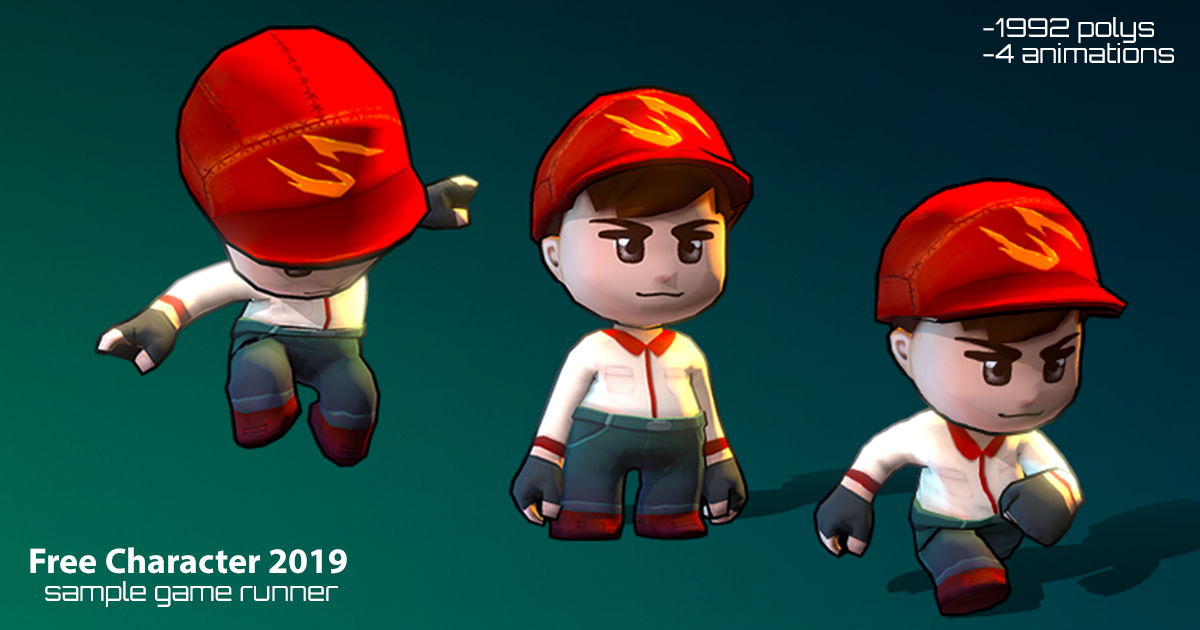
Elevate your workflow with the VIASS Free Character Pack asset from EXTREME VIET NAM. Find this & other Characters options on the Unity Asset Store.
Did you grab the character and the animations from the same asset?
I imported everything
from that store link
Try changing the animation type to "Generic" and putting the animation's avatar as the avatar
I have them as humanoid, nothing changed. How can I find the exact model that is used in my hierarchy?
Did you try setting them to generic? It's shown in your player's animator. In your case, it's VIASS_DmanAvatar
Yep, changing it changed nothing
Change that one's back to humanoid, keep it at "Create From This Model", go through each of your animations and set its type to humanoid and change the "Avatar Definition" as "VIASS_Dman_SkinAvatar". Make sure to press apply.
Do this for all of your animations
ohhh, that fixed it. It was the avatar definition
Thank you!
Yup yup np
The other thing is the animation states though. It takes a while to go into run
So when I suddenly press the forward key, it takes a while for the run animation to kick in
Could it have to do with these settings?
On your arrow from Idle to Run, turn off "Has Exit Time"
You can use this for other transitions. You problem is that the animator is waiting for the previous animation loop to finish before transitioning, even if the cases to transition are true
oh haha. That makes it work perfectly. Thank you and thank you for your time
no problemo
twin musk
Hey all, I'm having a problem related to switching from Animator -> Ragdoll. Here's a link to my forum post: https://forum.unity.com/threads/animator-rigidbody-pulse-on-change.1013335/ I appreciate the support.

Unity Forum
Hi all.
I've recently setup my player to be controlled by ragdoll physics when R is pressed (for testing purposes)
My protocol is as follows:...
 worn isle
hey all, i have a problem with my jump animation https://youtu.be/rhQsp-aX3wo i tried a few things, i tried to move the collider object from the parent player object to different child objects but that didnt make a difference, also i checked the animation settings and tried almost every different combination, baking root transforms checking and unchecking.
 strong hatch
I have a problem.. when I add a bone to my mag and the select the mag then shit select the bone the ctrl p bone it make my mag move to a different position
Been trying to fix it for a hour and a half now so anything helps
hybrid tinsel
@twin musk that sounds like you might have the wrong exit time set?
@strong hatch um... in what software?
strong hatch
Blender
hybrid tinsel
Maybe try asking the folks in #🔀┃art-asset-workflow , @strong hatch ? More blender peeps in there.
strong hatch
Ight
hybrid tinsel
Not that this is the wrong place, just that you might get better answers :D
@twin musk in the inspector for the clip make sure that 'loop time' is checked.
twin musk
wait i have animation attached to my player
@hybrid tinsel so in inspector for player?
oh found it
should i checked loop time for both animations
and what about loop pose
@hybrid tinsel Hey it works thank you so much!
 shy vortex
Hi all, I have a character with no legs and I'm wondering how I should be rigging him. Ideally it uses a humanoid rig, but Unity requires legs.
What's a recommended way of handling this? Should I do leg bones and not assign any vertices?
worn isle
https://youtu.be/js4_LgUTMK4 when i move my rigidbody and my collider from my parent object to the child object which has the animator component: this happens ( does anybody know whats going on ?)

Game Devlog 0.2 Series Beginner Struggle
 azure dune
Morning folks, I'm a huge scrub, so forgive the basic question, please.
I've an animator on an object, that has 2 clips, the one clip plays constantly, that's great, the other I want to trigger on a button press.
I'm unsure of how to go about this, I've tried to link the animation clip to the button 'On Click' but it's not working correctly.
Thanks in advance.
I've figured it out! proud
 sweet saddle
If I'm looking for something that includes lots of standard and variations on easings is dotween pro basically "the tool" for that sort of stuff?
 odd scaffold
I want to add a wave effect on a petal centered on where a user clicks. Would that be implemented in blender or Unity?
What steps do I have to take in blender inorder to make it function?
any help would be much appreciated
hybrid tinsel
@worn isle when you say 'this happens' can you be more specific?
@odd scaffold I don't know about Blender but in unity therr are dozens of potential ways to do it. Could use a vertex shader with a script to feed in a center position for the wave(this is probablyhow I'd do it), could use bones or separate tgevpetals into separate game objects and animate them by script or by premade animation, could animate each petal separately and just trigger the animations in a wave based on where you click. Could animate the mesh vertices directly via script.
 fair plinth
odd scaffold
I want to add a wave effect on a petal centered on where a user clicks. Would th...
fair plinth
odd scaffold
I want to add a wave effect on a petal centered on where a user clicks. Would th...
oh u have to rig it and animate it !
ping or dm me for help

 violet heart
I need help with getting a humanoid model into Unity with a bunch of animations from Blender, so I suppose it's quite a Blender question, but-
I understand about "compatibility" and getting the avatar set up for humanoid but I don't fully understand the Action stash, or the right way to animate through to importing as Unity anims. I think I've rigged it just fine, followed the Rigify tutorial for Unity.
Can anyone give me a quick run through?
Or is it as simple as using the Action Editor? uhh. I get confused being new to Blender
I think I'll be okay.
hybrid tinsel
@brisk flare your weights aren't normalized so weird stuff is gonna happen.
 brisk flare
I will try fixing it thanks
azure dune
Morning folks - I'm hoping someone has some experience with DoTween? .. I've used it before - but I cannot, for the life of me, understand why this is just ignoring my transforms.
hybrid tinsel
@azure dune you'll need to be more specific
azure dune
Happy to be - wanted to be sure I wasn't talking to a room of people who don't know the plugin, I guess. One moment. @hybrid tinsel
public class DOTweenControl : MonoBehaviour
{
    [SerializeField] private Vector3 _targetLocation = Vector3.zero;
    [Range(1.0f, 10.0f), SerializeField] private float _moveDuration = 1.0f;
    [SerializeField] private Ease _moveEase = Ease.Linear;
    [SerializeField] private DOTweenType _doTweenType = DOTweenType.MovementOneWay;
    private enum DOTweenType
    {
        MovementOneWay
    }

    void Start()
    {
        if(_doTweenType == DOTweenType.MovementOneWay)
        {
            if (_targetLocation == Vector3.zero)
            {
                _targetLocation = transform.position;
            }
        }
        transform.DOMove(_targetLocation, _moveDuration);
    }
}```

So.. super basic stuff, so far. When I enter a target location though, the object zooms off to a location, which the transform widget SAYS is the right position during RunTime, but it's certainly not the location I told the object to move to.So, based on this, the object SHOULD just fall along the Y axis.
It does not. It goes up, and along the Z and .. it's just .. inexplicable. I'm entirely at a loss.
My entire project relies on simple transforms and rotations and this has thrown a huge wrench in things lol
azure dune
Please, if anyone has any advice, PM me.
hybrid tinsel
@azure dune have you tried doing a non dotween transform to tbe same coordinates and making sure that doesn't end up in the same place?
That would help narrow down the possible issues - it might have nothing to do with dotwern.
azure dune
Turns out there was a conflict/confusion regarding Global/Local move. If I employ transform.DOLocalMove(); it works the way I was hoping!
 azure onyx
So I'm trying to make an animation system for an airplane. I have poses for it pitching, yawing, and rolling. Is there any way to use a blend tree to make these three states overlap based on three corresponding axis float values without having to make animations for every possible state of pitch/roll/yaw overlap?
pine badge

Dota 2 Wiki
This taunt is awarded to players who leveled The International 2019 Battle Pass to 144.
How do i make a spinning anim that would be "friendly" With the animator transitions? As in the rotation over 360 stuff
azure dune
@steel plover I'm baaaack 🙂 I've got things working! .. I'm trying to work out how to add in a delay until the dotween action happens. IEnumerators and waitforseconds?
public class DOTweenControl : MonoBehaviour
{
[SerializeField] private Vector3 _targetLocation;
[SerializeField] private Vector3 _targetRotation;
[Range(1.0f, 10.0f), SerializeField] private float _moveDuration = 1.0f;
[SerializeField] private Ease _moveEase = Ease.Linear;
[SerializeField] private DOTweenType _doTweenType = DOTweenType.MovementOneWay;
private enum DOTweenType
{
MovementOneWay
}
void Start()
{
if(_doTweenType == DOTweenType.MovementOneWay)
{
if (_targetLocation == Vector3.zero)
{
_targetLocation = transform.position;
}
}
transform.DOLocalMove(_targetLocation, _moveDuration);
transform.DOLocalRotate(_targetRotation, _moveDuration);
}
}```
I've currently got a slider set up for move duration, I'd love to do something similar to set up a delay for each item - I've just always been rubbish with coroutines. steel plover
Personally I like Sequences @azure dune which makes chaining things together easier
so you can do mySequence.AppendInterval(1f);
And then append your regular tween
azure dune
and I can set that float to a slider, I guess, so each item can have a different delay.
steel plover
but if you're looking for a quick fix then an ienumerator does the job
Yeah any number
azure dune
Eh... anything to avoid a coroutine. I always screw the syntax up then spend a day calming chaos.
steel plover
It's pretty simple http://dotween.demigiant.com/documentation.php#creatingSequence
azure dune
@steel plover hmm.. turns out needing to have the rotation and transforms happen, more or less simultaneously, is important to the look of things.. how would I go about bundling those two actions within the sequence? Can I add the call of a function to the sequence or something?
steel plover
You can use Insert instead of Append
azure dune
Ooooooh, I didn't realize it overlapped, I thought it just placed the item at that index and pushed other items down
steel plover
Yeah Append is in order, Insert is manual :)
azure dune
@steel plover ```cs
void Start()
{
Sequence movementSequence = DOTween.Sequence();
    if(_doTweenType == DOTweenType.MovementOneWay)
    {
        if (_targetLocation == Vector3.zero)
        {
            _targetLocation = transform.position;
        }
    }
    movementSequence.AppendInterval(_moveDelay);
    movementSequence.Insert(1, transform.DOLocalMove(_targetLocation, _moveDuration));
    movementSequence.Insert(1, transform.DOLocalRotate(_targetRotation, _moveDuration));
}
}```
So.. the transform and rotate happen at the same time now, but the delay doesn't work at all? I've tried to PrependInterval, but it didn't seem to work either.
steel plover
Guesssss you could try doing move and rotate first and then prependInterval @azure dune?
azure dune
I believe that's the order I had it in.
Or not.. I'm not sure why it worked this time. I'm sure I moved that line up. Hm.... lol
azure dune
@steel plover hey man, lets say I want to apply that movement sequence to a camera, but I want a button to reverse that exact sequence. Could you suggest how I would store that movement then play it in reverse with another function?
Could I just save the transform.position as a variable to use as my target on the zoom out?
steel plover
The easiest solution would be to store the start position. Also when using sequences you can do movementSequence.Kill() to cancel it
azure dune
hmm... what's the syntax I'm looking for? private Vector3 originalPosition = transform.position; is obviously missing something ><
@steel plover ok, ok it works, but I'm having trouble getting the rotation to go back to the way it was.
 public void Zoom()
    {
        originalPosition = transform.position;
        //originalRotation = transform.rotation;

        Sequence movementSequence = DOTween.Sequence();

        if (_doTweenType == DOTweenType.MovementOneWay)
        {
            if (_targetLocation == Vector3.zero)
            {
                _targetLocation = transform.position;
            }
        }


        movementSequence.Insert(1, transform.DOLocalMove(_targetLocation, _moveDuration));
        movementSequence.Insert(1, transform.DOLocalRotate(_targetRotation, _moveDuration));
        movementSequence.PrependInterval(_moveDelay);
    }

    public void ZoomOut()
    {
        Sequence movementSequence = DOTween.Sequence();

        Debug.Log(originalPosition);
        movementSequence.Insert(1, transform.DOLocalMove(originalPosition, _moveDuration));
        //movementSequence.Insert(1, transform.DOLocalRotate(originalRotation, _moveDuration));
        movementSequence.PrependInterval(_moveDelay);
    }
conflict between Quarternions and Vector3s that I'm not sure how to resolve..
steel plover
DoLocalRotateQuaternion @azure dune
azure dune
Pfft, seriously? lol
Does DoLocalFinishMyProject exist? cause that seems to be the answer to everything.
steel plover
DOTween has it all 😄
azure dune
It seems like every time I come to a new project, my code is just missing an adjective or two lol
azure dune
@steel plover Can you tell me why I can't seem to set my move duration to less than 1? .. the delay can go less than 1..
steel plover
Shouldn’t be an issue, what’s happening?
azure dune
@steel plover I did not see your reply. Table that though, bigger fish. Can you tell me why, when I click this button, it seems to jump to the last keyframe of my animation, instead of .. playing the clip? (this isn't DOTWEEN related)
I've got a button, on click > animation clip clip > nextPage. Doesn't work at all. If I choose on click > Animation.enabled > true, then have the animator off by default and set to automatically play .. that's when it jumps to the last keyframe.
little monolith
Hello everybody. I have an unusual question. I would like to hear some tips or plugins that can in Unity help me to do a similar effect.
The idea is to make a video, in this video an object is able to a) deform the terrain and b) suck out materials from that terrain and make them travel in some pipes.
So I wonder what tools or plugins can you recommend me to do this? Particles? Tools to deform the terrain in real time? Thanks a lot for your input!
hybrid tinsel
@little monolith #⛰️┃terrain-3d
little monolith
Oh yes!
 lapis vigil
When I import my character into untiy with an fbx file he has his animations but the player doesnt move, only the clothes do
But when I import the blend file he doesnt have any animations
Whatever I fixed that
But how would I add animations to it
Like if I added an idle animation in blender, how would I import just the animation
Update the existing unity file
hybrid tinsel
@lapis vigil there's a section in the unity docs about the naming convention for importing extra animations to an existing rig
lapis vigil
Ok
 lyric vortex
if i walk up it plays the walking down animation if i walk right t plays walking down if i walk left it plays walking down animation :/
 fading kite
and if u walk down i play 2 walking down animations
 shrewd lantern
hello all, not sure if this is the correct channel for this so apologies in advance if it's not. I'm pretty new to unity and I am at the point of wanting to change my 3D game's avatar/character to being something other than a sphere. looking on the asset store for something, I found a few that come with and without animations. I'm trying to use one that comes with animations but with my lack of experience with Unity I'm not entirely certain as to how I go about "importing" correctly these assets. I played around wit a bit and I managed to get my character to actually show a static model of this asset but none of the animations work so I'm doing something wrong and not sure what

Get the 3 Free Characters package from HONETi and speed up your game development process. Find this & other Characters options on the Unity Asset Store.
thats the asset i'm trying to use
 astral basin
@shrewd lantern this is a bit of self-promotion, but I think that my series covering Unity's animation system might help you out. The first video in the series actually teaches you about Mixamo, which is a free Adobe platform with fantastic free characters and animations. The following videos are deeper explorations of Unity's animation system, including writing code/scripts to animate the downloaded characters. https://www.youtube.com/playlist?list=PLwyUzJb_FNeTQwyGujWRLqnfKpV-cj-eO Hope they help!
Cheers 🍻
-Nicky

YouTube
This playlists consists of all my videos dedicated to learning and understanding Unity's animation system.
shrewd lantern
thanks i will check it out
astral basin
No problem. Hope they are able to help you 👍
 spiral gust
Hey im importing some blend files but they seem to keep coming in different. One second they will look like this (1st image) and then they will look like this (2nd image)
im using blender 2.79 currently and i have the right blender importer .py
spiral gust
I updated unity and my project and it fixed itself
Protip never scale bones in an animation to 0. Unity will not import the animation or will royally hecc up
 vale geyser
Is it possible to remove the limitations of a humanoids rotations and positions totally?
as in the muscle settings, can I remove the limits?
worn isle
hello 🙂 is it possible to change the position values of an existing animation ? and should i do it that way ?
 valid iris
i want to use one walking animation for every direction in my blend tree, but how do i change the prefabs rotation to create one for each direction(forward left right backward) ?
hybrid tinsel
@valid iris if you only have one walk direction, why not just rotate the character via code?
valid iris
because im using a blend tree and idk if it is going to blend this way
 proud stream
hello there. i made this simple character and added an armature to it. does anyone know, how to attach it to the mesh? or do you know any tutorial?
 sick shadow
proud stream
hello there. i made this simple character and added an armature to it. does anyo...
sick shadow
proud stream
hello there. i made this simple character and added an armature to it. does anyo...
In object mode, select your mesh and then shift click your armature, right click, click on parent, and select automatic weights
I actually need some help regarding the Animator in Unity, does anyone know how to make their animations trigger in their correct order? e.g., Idle when not moving, walking when moving, jumping when clicking spacebar.
wraith robin
sick shadow
I actually need some help regarding the Animator in Unity, does anyone know how ...
i do it like this:
animator.SetBool("walking", isWalking);
i set isWalking depending on input
for jumping you should use a trigger afaik
but im not sure how to use triggers correctly... because im trying to use it right now and when i set the trigger (through input) it sometimes works and sometimes doesnt 🤷♂️
if you have many states it's better to use the State pattern to keep it manageable
sick shadow
wraith robin
i do it like this:
```animator.SetBool("walking", isWalking);```
i set `isWalkin...
Thanks!
river quarry
I don't know how many times it's been asked already, but...I'm having trouble making my AI-driven characters animate per their NavMeshAgents. The agents move around perfectly fine, but they only remain in their "idle" position, which means they're just sliding around.
I've tried working off of the "Coupling Navigation and Animation" page in documentation, but I haven't had any positive results so far, be it with a new animator controller or with my player character's animator controller.
cedar ruin
river quarry
I don't know how many times it's been asked already, but...I'm having trouble ma...
What do you have so far? It should be as simple as setting some speed float parameter in the animator and link a blend tree with idle/walk/run animations to it.
river quarry
I'll have to show you later.
worn isle
hello, is it possible to change the y position of an existing animation by adding a keyframe ?
 sage tide
hello
so basically i am new like new new to this and i might need a lot of help
i am interested in animation
so... yea
celest crag
@opaque skiff No reaction gifs, please.
arctic kernel
I have created an animation with Spine and applied it to Unity!
https://twitter.com/yumehik0/status/1335212144766328834



 opaque skiff
celest crag
<@!541414222354186260> No reaction gifs, please.
opaque skiff
celest crag
<@!541414222354186260> No reaction gifs, please.
can we post gifs in general chat? i mean its all off topic stuff instant it?
celest crag
There's no off-topic chat on the server.
opaque skiff
#💻┃unity-talk right?
oh yeah guess not
thats odd, maybe that should be a thing ngl
celest crag
It's already been discussed in #531949462411804679 , it's searchable.
opaque skiff
ok
 sleek basin
Is there anyway to use a shortcut to add a keyframe that stores both rotation and position information at the current point in timeline?
hybrid tinsel
@sleek basin you could write a script to do so.
@arctic kernel definitely improved!
@worn isle depends on whether it was made in unity or imported. Imported animations are read-only, so you would need to duplicate it and edit the duplicate. If it was made in unity you can just add the keyframe.
@sage tide welcome. If you have questions feel free to ask!
 onyx kayak
hi guys
so i got this explosi0n animation from opengameart
but whenever i drag it into unity it becomes this
how do i turn it into an effect?
woven gyro
In the import settings
(click on the sprite)
make your settings this
then go into sprite editor (you might have to import something)
click slice
and set it so that the grid fits your explosions
now go back to your sprite in assets and you'll have an arrow
click that
and you'll have all the sprites
then make an animation that changes the sprite over time
@onyx kayak
woven gyro
np
river quarry
@cedar ruin So, here's what I have on my AI-driven enemy character right now:
using UnityEngine;
using UnityEngine.AI;

public class EnemyAnimation : MonoBehaviour
{

    private NavMeshAgent navMeshAgent;
    private Animator animator;
    private Transform player;               // Position of the player character

    private Vector2 smoothDeltaPosition = Vector2.zero;
    private Vector2 velocity = Vector2.zero;


    void Awake()
    {
        navMeshAgent = GetComponent<NavMeshAgent>();
        animator = GetComponentInChildren<Animator>();

        player = GameObject.FindGameObjectWithTag("Player").transform;

        //navMeshAgent.updateRotation = true;
    }

    // Update is called once per frame
    void Update()
    {
        Vector3 worldDeltaPosition = navMeshAgent.nextPosition - transform.position;

        float dx = Vector3.Dot(transform.right, worldDeltaPosition);
        float dy = Vector3.Dot(transform.forward, worldDeltaPosition);
        Vector2 deltaPosition = new Vector2(dx, dy);

        float smooth = Mathf.Min(1.0f, Time.deltaTime / 0.15f);
        smoothDeltaPosition = Vector2.Lerp(smoothDeltaPosition, deltaPosition, smooth);

        if (Time.deltaTime > 1e-5f)
            velocity = smoothDeltaPosition / Time.deltaTime;

        bool isMoving = velocity.magnitude > 0.5f && navMeshAgent.remainingDistance > navMeshAgent.radius;

        animator.SetBool("IsMoving", isMoving);
        animator.SetFloat("VelocityX", velocity.x);
        animator.SetFloat("VelocityY", velocity.y);

    }

    void OnAnimatorMove()
    {
        this.transform.position = navMeshAgent.nextPosition;
    }
}
@river quarry I've no clue what's that black magic math with velocity that you're doing. Why not use velocity parameter of the nav mesh agent?
river quarry
It's based on this: https://docs.unity3d.com/Manual/nav-CouplingAnimationAndNavigation.html
As for the NavMeshAgent's velocity parameter, I'm...ashamed to say that I don't know how to invoke it.
cedar ruin
I don't know why they provide such a convoluted example... 🤔
river quarry
Oh thank god, it's working.
Thank you!
...
        bool isMoving = navMeshAgent.velocity.magnitude > 0.5f && navMeshAgent.remainingDistance > navMeshAgent.radius;

        animator.SetBool("IsMoving", isMoving);
        animator.SetFloat("VelocityX", navMeshAgent.velocity.x);
        animator.SetFloat("VelocityY", navMeshAgent.velocity.y);
...
As for why the example is needlessly complicated...I could only speculate.
hybrid tinsel
@onyx kayak as an alternative, if you are using it for a particle system you can use the sheet animation setting in that on the spritesheet directly.
 lunar cosmos
quick question, when using an animator to choose different sprites from a spritesheet, if i were to change the original spritesheet, would the animator still choose the correct sprites at the index?
im trying to create a simple enemy animation system where every enemy has a spritemap of the same size (amount of sprites) and each index or indexes represents an animation. i want to be able to just hotswap the spritesheet on an enemy prefab and have the animator sitll function fine
hybrid tinsel
@lunar cosmos yes, though if the animations change sheets also you might get glitches.
sage tide
hybrid tinsel
<@740533124525588531> welcome. If you have questions feel free to ask!
ty and ok
onyx kayak
@hybrid tinsel thank u
vale geyser
Is there a way to remove the muscle limits totally with humanoids?
proud stream
how do i fix the following error?:
the animationclip [...] must be marked as a legacy
fading kite
my animation scales down when shooting but there is no scale modifier
 ancient vale
Hi everyone! If anyone's interested on working on an FPS in Unity, dm me! We are modifying the existing Unity FPS template, so if anyone with 3D art and animation skills is interested in working on it, let me know! We're working on this for a game jam, ProcJam 2020. It's a procedural generation jam, so if you want to incorporate something procedural into the animation / the tools for the animation that'd be awesome too!
 mortal dock
hi, i have a high-level question about skeletal based animation
i have this character i made
i'd like to use skeletal rigging to allow his head, arms, and legs to move programmatically in Unity
the problem is, I don't see how I could break apart those body parts
since the bodyparts "interrupt" the border of the body
this is what I mean — you can see the body parts have their own outlines
is there any way to use skeletal rigging AND keep the effect shown in the first image (where body parts form a continuous outline with the body they're attached to)?
 pliant pelican
Say I made a animstion in blender on a charecter
How would I import the animstion to blender
fading kite
its loading the animation, but not animating it
fading kite
how do i enable animation rigging
 hearty dew
Any ideas how i can manage them?
This is actually working but i want that the wave animation will be stopped if an other animation is played
So i tried to add a "stopEmotes" Trigger which i set everytime an other emote should be played. But this also means, that when i play the wave emote it will directly stop
 still estuary
Hey everyone
I have a situation where I'm 100% certain an animation transition is starting even though the condition for it is not enabled

In here Run to Stop -> Idle only happens if isDashing == false
I made it so in the script that controls the animations, the animation bool is only ever set like this
public bool isDashing;
(...)
isDashing = true;
animator.SetBool("isDashing", isDashing);
this way I could look at how isDashing changed and indeed it was set to true when the transition started
Here it is a video of it happening, it's the last dash when the character stops moving.
https://imgur.com/eU4D4m8

So I guess I don't understand mecanim well enough because what's happening is unexpected to me. The transition starts without conditions for it.
What could be the reason for that?
Here are the settings for the transition
Another interesting thing is that the Run to Stop animation ends with an event call. This call never happened when the illegal transition was performed.
 gray dock
If I want a "perfect" locomotion controller (i.e. being able to walk in any direction, turning, starting/stopping, etc. with feet never sliding around or mismatched transitions between animations), is there any less time consuming way of doing it than to make a ton of different animations and combining them in a massive state machine and blend trees? I was thinking there might be some work with procedural animation that can adjust foot placements that I haven't found
The things I've found so far have only been for spiders and not really usable for a human
Or they have been simple grounders that just adapt the foot to the terrain, and not usable for turning in arbitrary directions
 rapid kiln
@gray dock you can do it with procedural animation. this is the classic talk on it: https://www.youtube.com/watch?v=LNidsMesxSE
with full procedural like that though, it's harder to do real animation kinda tweaks. I think most modern games use a combination of custom animation/blends and IK for stuff like foot placement, look direction, etc

In this 2014 GDC session, indie developer David Rosen explains how to use simple procedural techniques to achieve interactive and fluid animations using very few key frames, with examples from indie games like Overgrowth, Receiver and Black Shades.
GDC talks cover a range of developmental topics including game design, programming, audio, visual...
gray dock
thanks @rapid kiln !