#🏃┃animation
1 messages · Page 51 of 1
 hybrid tinsel
Yeah, but the input system COULD filter invalid inputs
 mystic flicker
I prevent left+right keys being pressed at the same time
But it's the timing
It's hard to explain without going into a ton of detail but as you're transitioning from right to left, if you're fast enough you can press the right key
I fixed it by having a "left" and "right" state separately
 sacred maple
sa
hybrid tinsel
You could also have a left and right state as an additive layer that does nothing but flip it
mystic flicker
@hybrid tinsel I didn't think of that... thanks
 desert terrace
how can i stop this weird cut out
like im repeating the animation
but i dont like how its repeating
i want it to just keep spinning
 twin musk
In the import settings there's something like "use animation root", try using that
twin musk
Also in import settings, in the animation tab on the bottom there are various loop settings
You can try those
desert terrace
you mean these
cause they aint helping
god its annoying
is there really no fix for it
desert terrace
i figured it out it was cuz my pictures were rotating it 180 degress not 360
twin musk
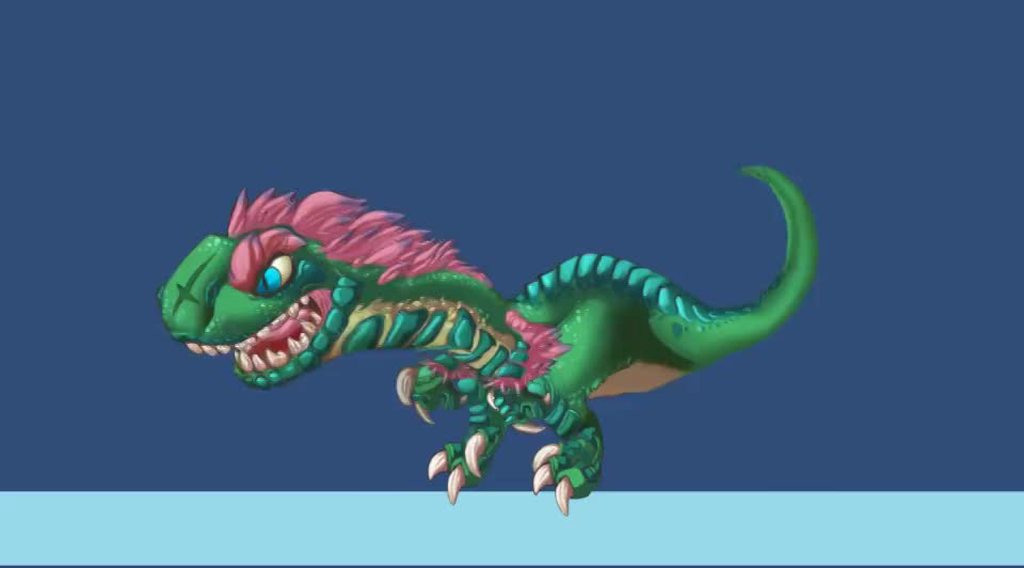
https://gyazo.com/d32eea862dcf11c7ceb8a0869acb432d not my animation, thank Mixamo for that, but I made the models and textures 🙂

 winter elbow
thats a WHOLE LOT OF NOPE from me
twin musk
HAAHAHA
winter elbow
the head shake reminds me of an actual bird or lizard
twin musk
it's a ceremonial bird mask 😛
hybrid tinsel
Creepy! I like it
 lethal imp
give it Kermit's face
 arctic comet
"YOU WANNA PLAY SOME GAMES."
 coarse grove
Now you just need the "sprinting directly towards you at full speed" animation and it will be perfect
hybrid tinsel
And an animation of his hand just sliiiding in over your shoulder from behind.
 thorn scroll


Been practicing Vector art more and did up this animation inside Unity for one of the cutest pokemon, WOOPER! #gameart #madewithunity #animation #gamedev #indiegamedev #Pokemon https://t.co/lvKhCLAUIe
 Twitter
hybrid tinsel
Twitter
hybrid tinsel
 desert terrace
I am trying to rotate this bit around the circle but in the rotation it kinda leaves the circle as you can see
What can I do
It fits perfectly at the start
 tropic kayak
is there a way for me to exclude certain functions from the animation events dropdown?
desert terrace
Anyone?
twin musk
@desert terrace
Set that thing's pivot to exactly circle's middle point
desert terrace
Wait how do i do that exactly @twin musk
twin musk
In Unity?
Create a dummy object, place it in the middle of the circle and make that thing you want to rotate a child of that dumny
And then rotate the dummy object
desert terrace
dummy object is just a regular game object right @twin musk
desert terrace
yeah yeah ill try when i get home
hybrid tinsel
@tropic kayak if you find a way to do that, lemme know please!
 twin musk
You didn't show how it rotates
 twin musk
It seems like when it gets to the bottom it sticks out a bit but when it is on the top it looks fine
I'm also guessing that top's width is the same as bottom's width
I'm not sure why that would happen
desert terrace
yeah its the same width
like the circle and the 1/8 of the circle are from the same picture
So idk why it would do that
And it's really annoying cause its an important part of the animation
Cant just leave it out
Also used preserve aspect on both to make sure
desert terrace
Pretty sure
desert terrace
Idek why this should be that complicated
Like I would've finished the animation by now but I've been stuck up on this the whole day
hybrid tinsel
@desert terrace I just noticed that that is a 3d view
So is the background farther back in the z, making it look offset due to perspective?
hybrid tinsel
Because unity puts things at seemingly random z positions when you drag them into the scene
point is that your view is 3d, so 3d position can cause the problem you're having
hybrid tinsel
Ok, so I'm having a weird problem.
Animation is just... glitching like crazy.
Like, I'll add keyframes, and then preview it and it plays. Then I go into play mode and there is no animation.
So I check the animation, the keys are there but you can't see them previewed or edit them.
That is, edits can be made but they don't seem to change the keyframes, can't even be 'undo'ed
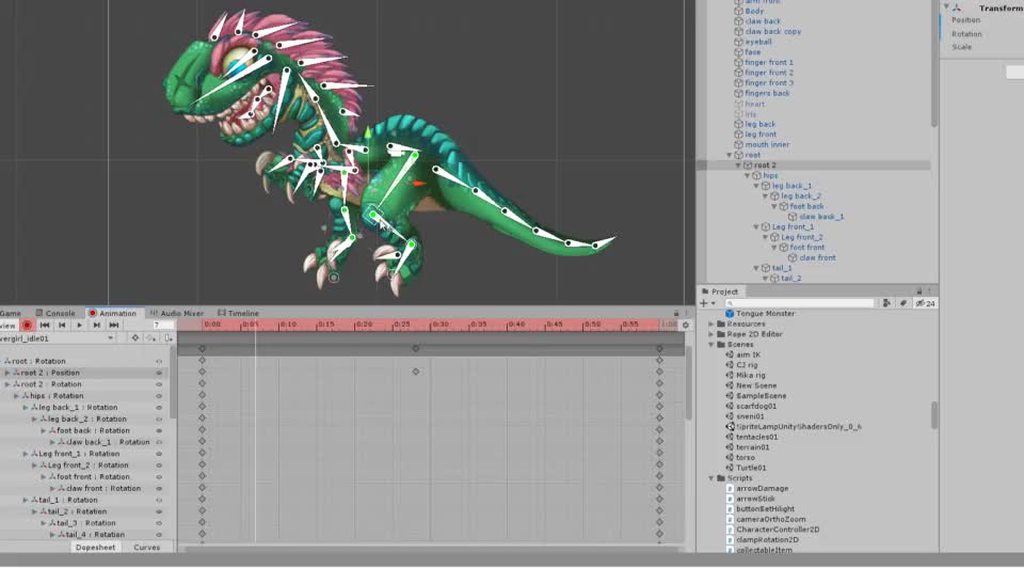
I've restarted, etc
no luck
Also, I noticed that whenever I preview the animation, it disables the animator on the object
Well, not sure I 'fixed' it, but it stopped after some combination or reboots of unity and deleting the animator and animations
hybrid tinsel
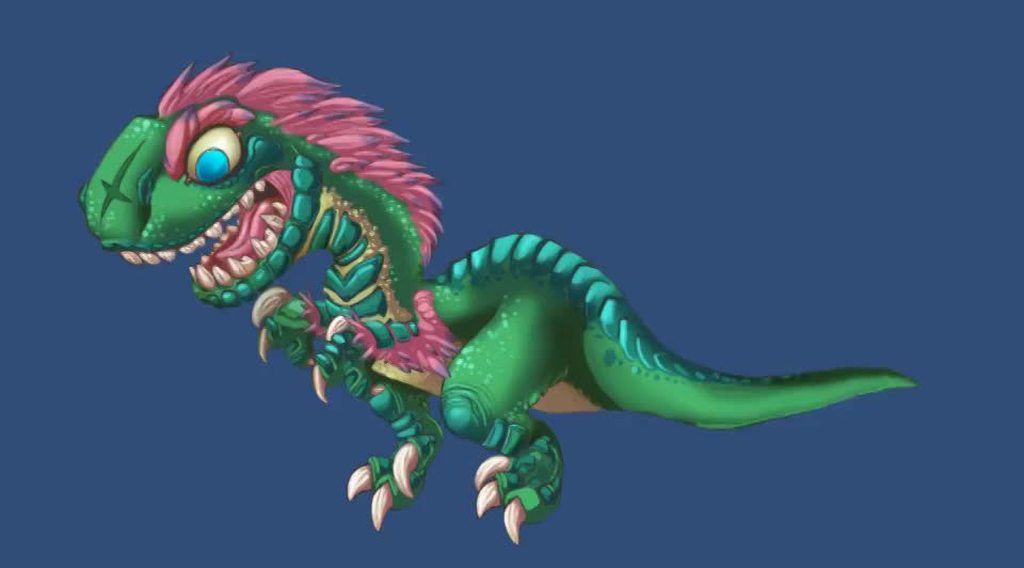 hybrid tinsel
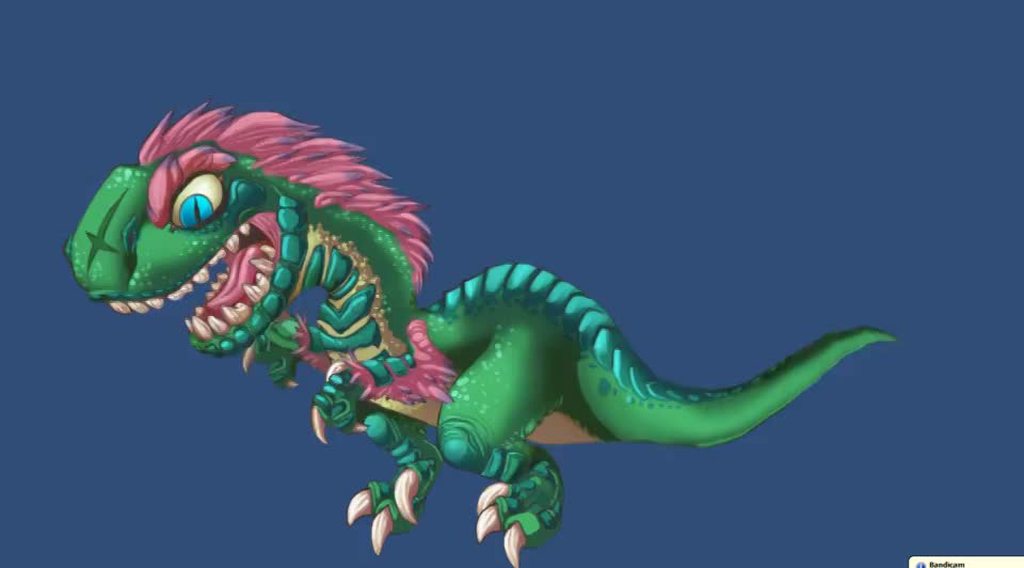
 onyx nest
Anyone here ever have an issue with your animation being upside down once its triggered in game?
hybrid tinsel
triggered how
hybrid tinsel
@worn parrot
The important thing is to use the bone gizmo's rotate instead of the rotate tool(which will rotate all the bones around a common pivot)
hybrid tinsel
I wish they had an IK handle like tool that would just let you define 'rotate all of these together'
 worn parrot
By the way, since it seems that you have some experience with skeletal animation - where would you put the bone root of the snake? Would you set it in the head? Or would you rather put it somewhere else?
onyx nest
@hybrid tinsel I figured that part out, but now I'm stuck on animating a light. When I trigger the light animation, its applied to my character instead of the light
its light from an explosion, so the animation just starts as a small grows and then goes away
 hybrid tinsel
I can't really see the problem?
onyx nest
Well, when its triggered, I get this instead
instead of growing the light, it grows the character
hybrid tinsel
You never seem to give much information about your problems; Like, how are you triggering the animation? Is it an animator or is it just code changing the size? How do you pick what is supposed to animate?
onyx nest
I made the animation with the 2d light, its triggered by my character colliding with another object and dying.
I made a death animation with sprites the same way and its triggered the same way and it works.
worn parrot
@hybrid tinsel sorry to interrupt you, but do you think that I should go for less bones on that snake considering I'm targetting Android Devices?
hybrid tinsel
Um, I have no idea about the technical end of it, but I am guessing that in general you want to optimize as much as you can?
worn parrot
Well, I'll do some tests
But thanks you very much for help, I've been trying different IK positions since weekend and this seems like the most efficient method
hybrid tinsel
@onyx nest you still don't explain how you're triggering it, not showing any code or anything, so it is really hard to guess what the problem might be other than 'something is parented to something else'
onyx nest
The same line of code works for the death animation.
thats all it is.
they are both in the same area, children of the character
hybrid tinsel
Did you change the hierarchy after making the animation you trigger?
animations are based on hierarchy, so moving things around can break them
onyx nest
thats probably what happened then
so I need to remake it, where its at now?
theres a video showing the death animation playing and then I switched to the light animation and it went bonkers
 hybrid tinsel
@worn parrot Glad it helped:D IK is super handy for feet but it seems to be pretty bad for 'curling' type stuff or 'wiggling' type stuff.
onyx nest
Is there anyway to add a light to an animation? I only need the light on the explosion from the death animation.
hybrid tinsel
I've not used 2d lights at all and have no idea about them
but you should be able to animate most parameters
I've only found a couple things unity won't let you animate
onyx nest
I remade it, it animates now, but only if I have it as a visible object in game, so I can't make it a game object and then remove it like other things apparently
but, I'm assuming I cant do this
hybrid tinsel
It is a state machine- each layer can only have one state at a time, by definition
You can add an additive layer if you want to play two states at once
Most of the time, when people spawn an explosion effect, they actually spawn an object that animates and then is removed
hybrid tinsel
Yeah.
So does anyone know a good way to smoothly transition between constrained rotation and unconstrained with the 2D IK solvers?
I have some animations that need it to be constrained, and some that need it to not be
And there's a bit of a pop between them
onyx nest
I still can't figure out how to make only the light grow, I remade it, had different issues, remade it again and now I have this

the growing just applies to what ever sprite I click
hybrid tinsel
Ok, first of all, could you stop using giphy?
onyx nest
I tried making separate animations and I tried making it 1 animation which is whats shown in that gif
hybrid tinsel
It makes it almost impossibly blurry
try, like, imgur or something
so people can actually see what you're showing them 😛
I actually kinda like the 'skeleton flies out of him' animation
onyx nest
lol
hybrid tinsel
But regardless, I can't read anything on your interface, so it is hard to tell what is happening
worn parrot
@hybrid tinsel How do you set your rotation to be constrained?
onyx nest
when I click on the light object, its fine, when I click on the death animation object, it says its missing
actually, it says its missing on both
but it works if I select the light and play it
worn parrot
hmm looks like you can't get rid of that pop since it's a boolean
hybrid tinsel
It looks like you might be scaling the parent of ALL the objects
@worn parrot yeah, sadly. There is a float slider for gradually turning IK on and off entirely, but none for that bool
worn parrot
Have you tried duplicating that IK Solver? I'd try making one constrained and the other one unconstrained, and dynamically changing their weight in the timeline. Maybe animating the weight while having duplicated solvers with constrained rotation turned on and off would work.
onyx nest
@hybrid tinsel Thats only when the light object is selected.
I made it its own animation again
hybrid tinsel
That isn't a bad idea, @worn parrot . What I actually ended up doing was cheating and keyframing the switch while the foot is hidden behind the body 😛
Walk cycle! https://i.imgur.com/KeWC0dC.mp4
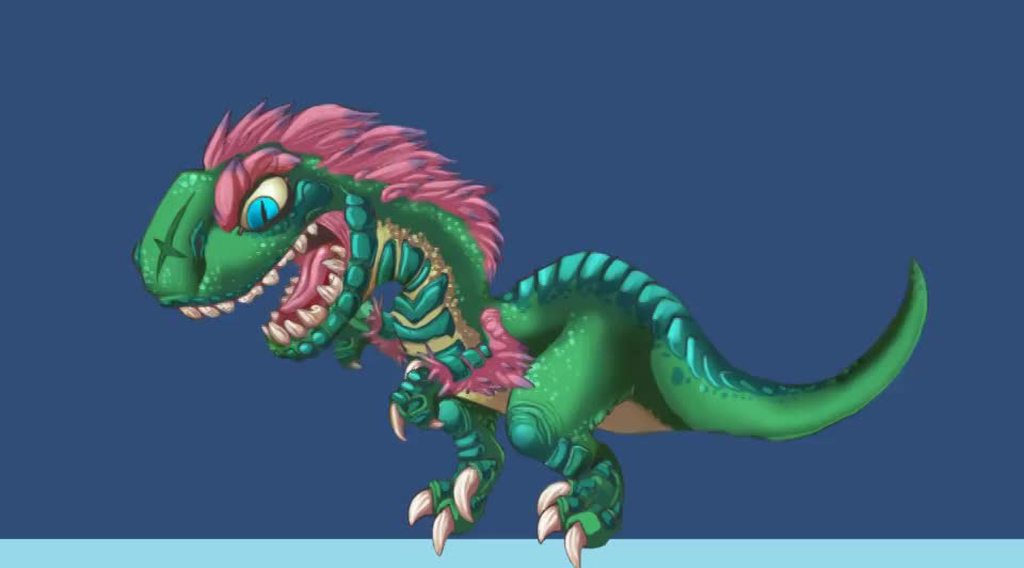 onyx nest
So how to I play the explosionLight and DeathAnim at the same time? I think that will fix it
onyx nest
im gonna be honest, no idea what that means
hybrid tinsel
@onyx nest
For example, you can see here that I put my character's 'talking' animation on its own layer, so her mouth can move independently of her other animation
blending is set to 'additive' so that this layer can play on tp of the other layers without interfering with them
worn parrot
@hybrid tinsel Looks great! By the way, do you have a discord server where I can follow the development of your project?
onyx nest
@hybrid tinsel Niiice, that works. Thanks
hybrid tinsel
I don't think I'm interesting enough for my own server :
worn parrot
Did you do the graphics of that creature?
hybrid tinsel
part of them
The original was by a friend, and colored by someone else. I had to do a lot of repainting to make it animatable.
this was the original https://cdn.discordapp.com/attachments/440803430399737866/446901415554842634/clevergirl_colored.png

So much repainting 😱
 celest crag
Oh that's awesome. It looks like so much work went into repainting!
hybrid tinsel
I am still planning to refine it a lot.
I had to repaint a couple of times even after making the mesh to make the mouth work, and I wanna make the tail look nicer
hybrid tinsel
anyone have a good example of how to use AnimationClip.SampleAnimation properly?
 torn willow
@twin musk this is a late reply, but I would love to know how you've used an animation from mixamo on your custom model! I was trying to figure this out myself a while ago but I felt a bit in over my head.
Also, your monster creation is both horrifying and awesome.
A brief summary of how it's done or a link to a resource would be very appreciated 🙏
twin musk
Sure I’ll explain the best I can. Would you prefer a DM or just say it here?
torn willow
I dont want to spam the chat, but if it's not too long then here is fine! Maybe others would also appreciate the knowledge
Otherwise, feel free to DM me
hybrid tinsel
I'd kinda like to know for the future
since I've not done any 3d character stuff yet
seems like useful knowledge!
twin musk
Ill just explain my knowledge on mixamo here then, for those who could use the tips
torn willow
Sounds good 😄 thank you in advance Marrow
twin musk
What I do is I usually either save my custom model in .OBJ or .FBX format and click the “upload character” button on mixamo. Keep in mind low poly models are obviously way more doable for mixamo. You wait for your model to upload. Then, once it has uploaded, you select where you want the rig’s chin to be, as well as the elbows, wrists, knees and groin to be located.
After you have placed the joints on your model, you finish it up and proceed to the next step which is to allow Mixamo to generate an armature based on the shape of your model.
hybrid tinsel
...kinda similar to the sprite editor, really
twin musk
Then the final step is to pretty much toy around with the animations in store for Mixamo that others have made. Idle, walking, dancing, etc.
torn willow
Oh wow, all this time you mean I could have just uploaded my character? Lmao
twin musk
Yeah @torn willow lol
torn willow
I thought you had to download the animation and like, Frankenstein it onto your character
twin musk
No you didn’t have to do that 😛
torn willow
That is so useful to know. Thanks a million marrow
twin musk
You can also export your newly generated rig’s animations as an FBX for whatever it is you want to use it for.
And anytime @torn willow just DM me if you have questions 🙂
torn willow
None of the videos I found ever mentioned this x_x
twin musk
Well tutorials never helped me so I just went for it to be fair lol
torn willow
I will Marrow, much love. Does this server have anything like helper points lol
Cuz I'd give ya some
twin musk
Helper points?
I joined this server less than a week ago by the way so I haven’t a clue lol
torn willow
Some servers allow you to like, give people a karma point for helping
twin musk
Oh that’s clever :0
torn willow
Its just for clout though I think, you can get on a leaderboard
Shows who is helpful the most
twin musk
Oh I see I see
hybrid tinsel
Thanks, @twin musk
twin musk
Anytime @hybrid tinsel 🙂
I wouldn’t be much help because I can’t even code in unity though lol
All I can really do is model, occasionally animate, texture and light scenes decently well. That’s it for me sadly
torn willow
I'm looking to learn a bit of everything, so I'll probably have more questions eventually ^^
I juat got the unity humblebundle and it has a unity learn pro membership in it
Looking at a course on 3d modeling and all that jazz rn
Very excited to try it, I hope I can stick with it.
hybrid tinsel
I have been thinking of trying to make a boss monster but I have no idea where to even begin
torn willow
Start by putting pen to paper and writing out your thoughts 😄
In order to draw a good character it helps to have a game plan written out for what qualities they should have
hybrid tinsel
oh, I have ideas, I meant I have no idea about 3d stuff:D
thinking something simple like this in 3d
though my first try at that was pretty shitty https://images-ext-2.discordapp.net/external/Ts0gKTV3T-07RrWdjSecafOqY6gUaV1egxxAHrzBFXU/https/i.imgur.com/7YtAy0s.mp4
torn willow
Hey, that's not a bad start! I'm sure you could polish it up a lot
The concept is there, and it looks proper terrifying
Just needs some gameplay elements to back that up
twin musk
That looks nice @hybrid tinsel what is the boss supposed to be? If you don’t mind me asking
hybrid tinsel
Well, I was thinking a mine cart race
With the monster chasing
So you'd have to alternate between shooting it and jumping to keep in the track
Maybe with some sort of arena at the end
tropic kayak
for some reason, when I add a new gameobject (with it's own child objects) to my model, all object above it in the hierarchy get that objects position as the pivot point
tropic kayak
no
btw
the pivots go back to normal if it is removed from the hierarchy
but, I'd rather not have that
 sudden glen
hybrid tinsel
sudden glen
hybrid tinsel
Nice!
hybrid tinsel
Ok, @twin musk I don't have unity open right now so no pictures
but what you want to do is open the animation window with your object selected.
There should be a button to add an animator/create an animation.
Click it and create a new animation file.
It should show a little timeline with nothing much on it. With your object still selected, hit the red circle(record) button. A bunch of stuff should turn pink to show that you're in animation mode.
Now, in the inspector, right click next to the text fields for the position and in the menu that pops up, click to create a keyframe.
That should create a little diamond in the timeline at time 0:00.
On top of the timeline, you can drag to choose different times, and then you can change the transform position to move the object at those times.
When you are finished, hit the red circle button again to stop recording.
hybrid tinsel
You can animate nearly any public field.
 forest snow
Thinking of a tutorial to put together who like to see a tutorial on how to make this https://youtu.be/8tt8Z-KJ-wY
A WIP Modeling, UVing,Texturing, Rigging, Animating and Customising Blueprint Actor in UE4. there's lots of tutorial about all kind of thing nowadays Pipelin...
hybrid tinsel
What'd you make it in?
 shrewd forge
is there a way to change an animation start and end position in code, so like a lift so when i press the call button the animation will start where the lift is and end on the floor in at
so i dont need to program an animation for every case
 hot wharf
Does unity support bone scaling in animations?
(Humanoid rig)
hybrid tinsel
@shrewd forge I wouldn't use an animation for the up/down of the elevator. I'd make an animation for doors open, doors closed, and maybe an 'in use' animation. And then just control the up and down with script.
That way you can change the floors, move the elevator, even reuse the whole thing without redoing the animation
But if you really wanted to you can evaluate a specific time in an animation, I've been told.
shrewd forge
@hybrid tinsel How would i change the rigid body with code. Ive heard you can set velocity but i tried that and it didint work 😕. Thats why i thought animation
hybrid tinsel
Um, does the elevator need to be a rigidbody?
shrewd forge
if its not you kinda bounce as its going up
hybrid tinsel
you can make it a kinematic rigidbody, right?
shrewd forge
i think i got it, ill try the plan i have first
 dry ocean
hi my game has multiple playable characters and i'm trying to get the animator from the active child however i can't seam to do that. any ideas?
hybrid tinsel
How are you defining the active child?
And is there only ever one in an active state?
dry ocean
i switch character in a object as a child to the main object that has the controls
i switch the models through the index depending on how many children there are on the character list
@hybrid tinsel
hybrid tinsel
Ok, so if you have the reference of the object you are enabling, then you can just GetComponent the animator for that object, right?
dry ocean
i tried that but it doesn't seam to grab the animator automatically
give me a sec to send you my script
@hybrid tinsel here's the script https://pastebin.com/m6zNheKi
 hybrid tinsel
You never use the animator at all
You declare it and then every reference to it in the script is commented out
You never set it to anything
dry ocean
i did use them but i then deleted those attempts or comment them out
i tried putting "animate = GetComponent<Animator>();" in the start function and it doesn't work
hybrid tinsel
Because you need to call it on the gameobject that has the animator on it
dry ocean
so are you saying i should make a another script to put on each character? or something else?
hybrid tinsel
You need to say what game object you want to get the animator from when you use GetComponent
 dry ocean
by typing in the Game Object into this <>?
hybrid tinsel
No.
You type Animator in the <>
animate = GameObjectName.GetComponent<Animator>();
dry ocean
my bad i meant this ()?
hybrid tinsel
no, you put nothing in the ()
The () is just because it is a function, there are no parameters.
dry ocean
when you say GameObjectName. you mean type that specifically or use the actual characterlist gameobject?
hybrid tinsel
I mean the reference to the gameobject you are using in your script
I don't actually see how you are enabling anything in this script and PlayerModel is entirely unreferenced for animation
So I'm guessing you'd use that
but I don't know because I am not sure where your animators are
If you have the Animator on PlayerModel you would use animate = PlayerModel.GetCompont<Animator>();
And that would give you an Animator called animate that you can reference.
dry ocean
i'm the only animator working on my game. also the children in the characterList does each have an animator. but it exists within a list and i don't know how to get that from a list
hybrid tinsel
What do you mean 'within a list'
dry ocean
i mean children within a parent gameobject
i'm using multiple playable characters that share the same movement script
dry ocean
yes
hybrid tinsel
So when you pick the character to use, you create a reference to that object in some way, you have to, because you are picking an object to enable.
dry ocean
i use this script. the only reference that i can find is using the Index to tell which gameObject is active. https://pastebin.com/HmMrE9TM
hybrid tinsel
so you never create a reference to the current object? It seems like that would be really helpful
hybrid tinsel
yes
But I'd suggest setting a single animator every time you activate an object
Just, you activate an object, pick its animator
dry ocean
so i'm gonna need the Controller script to recognise which Child is current Active
can i do that through PlayerPrefs.SetInt("CharacterSelected", index); ?
dry ocean
no just gameobjects through a list
check the script under //toggle on the selected charcter maybe there's a way to add its animator to the controller
tried putting humanControls.animate = characterList[index]; under if (characterList[index]). and i got this error.
Assets\Scripts\UI & Menues\MainMenu\CharacterSelection.cs(43,37): error CS0029: Cannot implicitly convert type 'UnityEngine.GameObject' to 'UnityEngine.Animator'
hybrid tinsel
because you left out the GetComponent
dry ocean
tried humanControls.animate = characterList[index].gameObject.GetConponent<Animator>(); and got this error
Assets\Scripts\UI & Menues\MainMenu\CharacterSelection.cs(44,69): error CS1061: 'GameObject' does not contain a definition for 'GetConponent' and no accessible extension method 'GetConponent' accepting a first argument of type 'GameObject' could be found (are you missing a using directive or an assembly reference?)
hang on i goofed. the error's gone
the object wasn#t added to the controller in play mode. and i got this error
NullReferenceException: Object reference not set to an instance of an object
CharacterSelection.Start () (at Assets/Scripts/UI & Menues/MainMenu/CharacterSelection.cs:44)
I THINK I GOT IT
i need to run tests first
IT WE GOT HAHAHA THANK YOU SO MUCH @hybrid tinsel
dry ocean
ok i put animate.SetInteger("kidMovement",2) and got this
UnassignedReferenceException: The variable animate of HumanController has not been assigned.
You probably need to assign the animate variable of the HumanController script in the inspector.
UnityEngine.Animator.SetInteger (System.String name, System.Int32 value) (at C:/buildslave/unity/build/Modules/Animation/ScriptBindings/Animator.bindings.cs:352)
HumanController.Start () (at Assets/Scripts/Player/HumanController.cs:36)
hybrid tinsel
did you assign it in the right script?
https://i.imgur.com/FPWZFrN.mp4 added some face animation
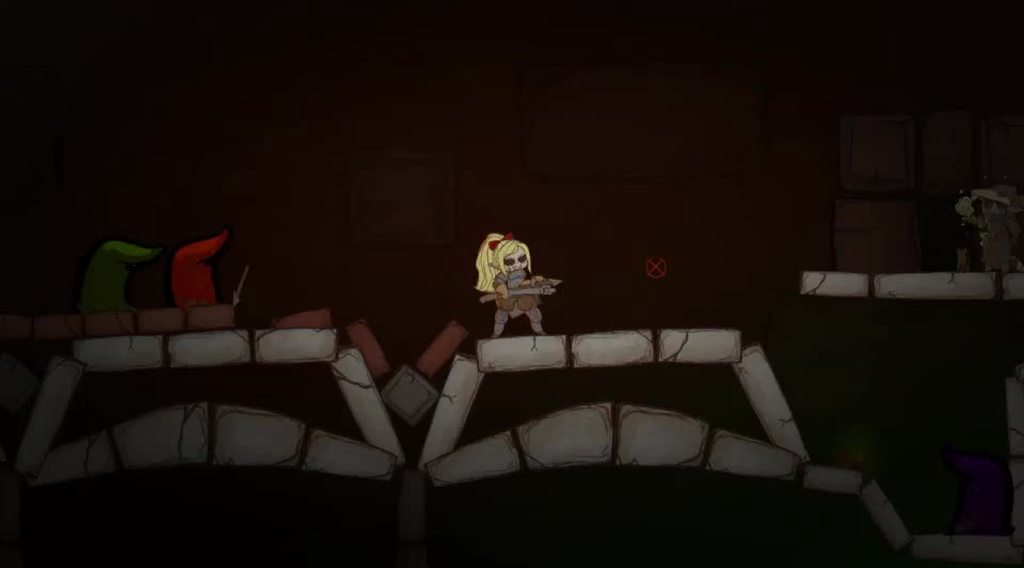
might need to zoom to see
dry ocean
never mind i got the animations up and running aside from a big delay between clip transitions. thank you so much for the help @hybrid tinsel
 crisp wolf
It says "get your project moving" in the channel directory for #🏃┃animation, so I'm guessing this question should be allowed here🤔. I'd like to earn some money, so I'd like to ask you guys what kind of games you would be willing to pay about a buck for. I'm talking, genre, niche, plot, theme, etc. You name it. I'll take any input.
celest crag
@crisp wolf You are looking for #497872469911404564
hybrid tinsel
IS there any way to reliably have two animation tracks for the same object?
it is driving me crazy how it is misbehaving
 gentle wind
Like an override?
hybrid tinsel
NOT an override.
I want to play mouth movements and facial expressions on top of the normal animations.
And while it works SOMETIMES, other times it doesn't, and I don't see any clear logic to what takes precedence.
Like you can see in that video I posted, except that there are actually several other animations in that that just don't play at all.
And annoyingly, they show up when I add them to the timeline, but then not afterwards.
 viscid grove
I've got a problem if anyone's here to help.
Okay, so I made a rather simple circle-transition for my scenes, that activates when I press "S". The thing is that, when I transition to the new scene, it plays the first animation (shrinking the circle to nothing), but then partway through it plays the end animation even though I've reset the trigger in the end. What can I do to fix this?
my code's just four lines right now - setting the trigger, waiting for a second and loading the scene, then resetting the trigger
viscid grove
Nevermind, solved it. turns out one of the animations was set incorrectly
hybrid tinsel
Glad you figured it out:D
 honest fiber
I'm in the process of figuring out animation with blender. I've got a character rigged with IK, and as I understand it I can't import the IK functionality into unity - I understand this much. However, it does appear I can make IK animations in blender and the animation itself will correctly import to unity. I was wondering if it is at all possible to then import the rig as a humanoid rig and preserve those animations? I'm in a very early development phase and I'd like any animations I create be applicable to different humanoid models. Is what I'm after possible, or should I aim to stick with the generic animation type and rig meshes of all my models to the IK rig I've made?
honest fiber
Found the issue, nevermind 😛
hybrid tinsel
From what i understand, any animation on a humanoid skeleton can be converted to humanoid animation?
 drifting prism
Hello all, for the first time I'm using .fbx files instead of .blend files in my unity project. I'm currently running into a problem where my animations are affecting the scale of the model. Am I missing something obvious here?
hybrid tinsel
In your animations, check to see if there are any scale keyframes maybe?
If there are, it might be overriding the scaling in the importer?
drifting prism
Animations only have location and rotation keyframes 😦
hybrid tinsel
In unity or in blender?
drifting prism
in blender
hybrid tinsel
So check in unity, just in case. I haven't done anything with fbx but making sure there are no scale keyframes stuck in there can't hurt at least
drifting prism
I found the issue. While looking over everything again I saw that my export settings were a bit off. Thanks for the help!
hybrid tinsel
No problem!
 woeful hearth
@worn parrot dont forget to hold CTRL while rotating bones
hybrid tinsel
Nice work, @worn parrot
worn parrot
@woeful hearth CTRL? Why? I tried it with CTRL but didn't see any difference - am I doing something wrong?
Hmm, well I see that CTRL does affect the bone - what is it used for actually?
 fluid drift
https://gyazo.com/06a573eb2189c0d3e531cfce21ae0584
How can i make it so it only plays the Shooting animation once when triggered.
 worn parrot
you change the "isShooting" variable to a bool
worn parrot
when do you change the bool? can you screenshot the code?
and can you screenshot also the transition settings of the "isShooting" animation?
fluid drift
i tired just doing this but i didnt work
i havent changed the transition settings
i thought a trigger would be what i needed for shooting as it only needs to be on for a split second
just to trigger the animation once
but it still plays 3-5 times
worn parrot
Oh wait
fluid drift
yeah
worn parrot
So if I understand you correctly:
You want to trigger the "Shooting" animation, and when it ends move back to the default animation?
Make it a trigger again then, that was correct, sorry, don't use a bool there in this case.
It seems to me that there is a problem with the function that's setting the trigger.
Put this in your code when you trigger the shooting:
myAnimationController.SetTrigger("isShooting");
Debug.Log("Shoot");
Now look at the Console.
If you see "Shoot" there more than 3x, there is a problem with the scripting part.
fluid drift
ok ill try thx
it was fine but i think the problem was on the actual animation itself i disabled loop time and i think that was the problem
thx for the help though
worn parrot
oh okay, I forgot about the possibility of not having the loop turned off 😅
fluid drift
yh i completely missed that option
 boreal patio
Biggest Spider Ever! (VFX Animation)
https://www.youtube.com/watch?v=1nI_Zd4gI74&feature=youtu.be
Please subscribe and Like! 😄 it is appreciated 😄

When a giant radioactive spider comes into real life... (and can talk) Subscribe and like this video! :D More spiders to come! And more cool cgi and vfx Comm...
hybrid tinsel
 pseudo olive
Hey people, I'm having an issue with some animation in my project.
When I scrub through the timeline in the animation panel, the electric effect is attached properly to the head, but when I play it in game it moves all over and I'm not sure how to fix it. Anyone have experience in 2D?
hybrid tinsel
Are you using a 3d camera?
@pseudo olive
That looks a lot like the sort of thing you get when things are offset on the z axis
pseudo olive
@hybrid tinsel No, I'm using an orthographic camera. That's what your supposed to use when making 2D right.
I mean... I didn't animate it in 3D?!
hybrid tinsel
Just checking, since that would be the most common cause of stuff like that
And nothing is rotated on axis other than z?
And all the sprites are at the same z position?
worn parrot
@hybrid tinsel that looks hilarious 😄
hybrid tinsel
And that is a sprite animation, so I'm guessing the next most likely problem is that the transform animation is being sampled at a different rate from the sprite animation
Thanks, @worn parrot ! I had lots of fun with it
pseudo olive
@hybrid tinsel Sorry, my Unity is just being a bit slow to open. I'm going to check the Z axis thing just in case
@hybrid tinsel Hmm... if it's the sampling issue, can you give me some tips to deal with that?
worn parrot
@pseudo olive do you have any physics components attached to that specific object?
 charred belfry
Ensure that the animations are authored using the same framerate, and that you're using the same flattened keys in the graph editor
and not interpolated keys
pseudo olive
Well, I can't see any movement on the Z-Axis
@worn parrot I don't have any physics attached to the object itself but it is attached to the player object, which I use physics to move around.
charred belfry
Whatever the framerate is, make it the same, or a comfortable division so the keys are on the same point
and make it so that the tangents are constant so there are no inbetweens
pseudo olive
Oh, right, linear rather than smooth curves!
Thanks people, That seems to have helped a lot. The thing only flashes up for a second so it doesn't have to track perfectly, but it needed to be better than that.
worn parrot
Why constant though? Doesn't linear do the job?
I'm just asking since I don't know as much about the curve types
pseudo olive
I think Linear is what I was looking for. That is how I animated it in the first place.
charred belfry
Linear might work, it depends on the context, a flipbook animation isn't linear, and that's what the video looked like
As long as they match up it's all good 🙂
hybrid tinsel
Yeah.
frame-by-frame sprite animation has no interpolation
Because it is just changing images, there is no real movement to interpolate
hybrid tinsel
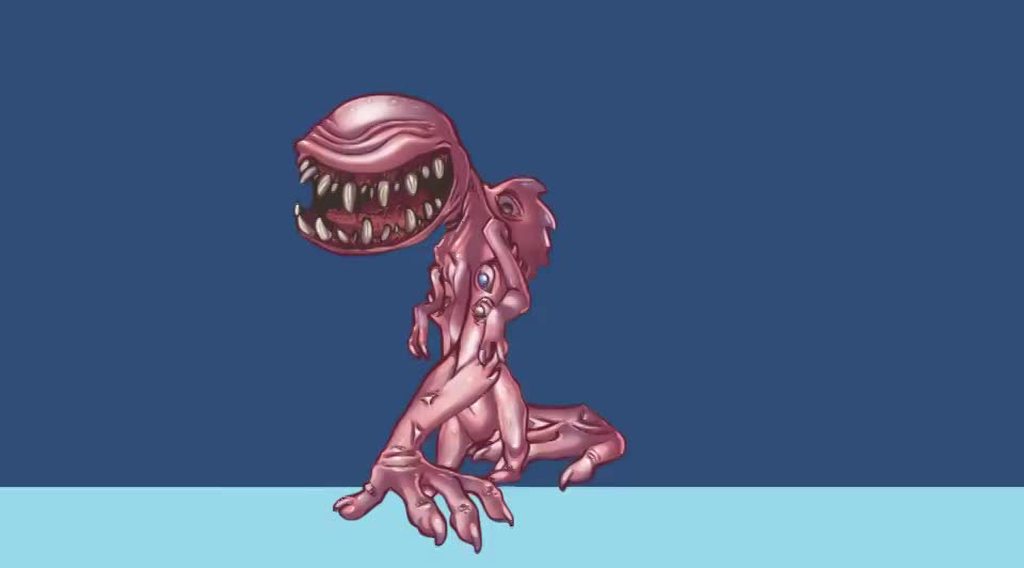 worn parrot
woah what is the "center" part of his body that's just hanging there?
This is the weirdest thing I've seen this year 😄
fluid drift
https://gyazo.com/b31b837420b6fd3d9e7c79a29aa2c7a5
How would i make the animation play even if it the other one hasnt ended yet. e.g. I want it to play the shooting every time i shoot. If you get what i mean.
desert terrace
Hey
I still havent figured out the issue

It fits perfectly at the start and then comes out of the circle
it's been a week and I havent moved since
 cinder lark
I'm getting this error:
"PaintContext pixelRect is too large! It should touch a maximum of 2 Terrains vertically."
What is this? I can't enter play mode until this is solved. Any help?
twin musk
Have you made all of the conditions?
Click all of the arrows that are connected to these animations and send a pic that shows the Conditions part
Also, I think you have to make the transition between DoorClose and DoorOpen
fluid drift
No it isnt even ticking the box on the left in the first place
pseudo olive
@fluid drift I think you should use an else statement there instead of another if.
Because when you check for it being false, you set it to true, you then check if it's true and then set it back to false again.
You probably don't see the bool changing because it's happening so fast
Anyway, I'm still having an issue with my bird animations.
fluid drift
ok ill try
pseudo olive
This is what I want it to do. Play a 2 frame charge animation, then launch a lightning shot.
I can get it to shoot just fine, it's getting the whole set up to work that's the issue
fluid drift
thx @pseudo olive it works 🙂
pseudo olive
That is, I created a method that is called in an event within the animation that instantiates the shot but the 2 frame charge animation dosen't play
@fluid drift No worries man, got to watch out for that kind of thing.
fluid drift
yh
pseudo olive
I created a bool to indicate when the shoot animation is happening and make the method that shoots the projectile turn it off after it's been instantiated, so that the animation can transition back to it's off state but it often shoots multiple times. I've been hacking away at it for a while so it's had a number of different glitches.
Anyone know how I might accomplish this? I'm willing to start from scratch at this point.
pseudo olive
Anyone around?
 old lintel
I need some feedback on my animation https://gyazo.com/c3b59cc52b379ad67aedbbfd1afbcf66
 pseudo olive
What specifically did you want feed back on?
old lintel
is it good, bad or needs work?
pseudo olive
Man... this probably isn't what your looking for but it's looks ok. It's supposed to be a cartoony machine working right?
Maybe if you had the box on the convener belt move it would be a bit better.
So, I'm looking for some good tutorials that cover the 2D animation system... ones that aren't from several years ago. Anyone have any suggestions?
old lintel
ok thanks
hybrid tinsel
hey @desert terrace did you ever try putting it in 2d mode and seeing if it still happens?
@old lintel It looks good, though I'd make a few of the parts move a bit earlier or later
So they don't all look like they're one chunk
old lintel
ok gotcha thanks!
hybrid tinsel
@pseudo olive I haven't really found any, but if you have questions we can try to answer them!
It's been mostly trial and error for me
 primal timber
Where i click "Open" nothing is changing
hybrid tinsel
That button is for opening the file up in another program
Like it would open up your code editor or an image editor
You need to use the animation window in unity
worn parrot
Finally found a way to do a precise slithering animation 🐍
hybrid tinsel
Clever, @worn parrot !
hybrid tinsel
I really want to work out some sort of simple 'jiggle motion' modifier for 2d bones, would make life a lot easier
 tender coral
is there a chance someone could help me with why my animation seems to be freezing on the first frame?
tender coral
        anim = GetComponent<Animator>();
    }

    void Update () {
        Vector2 pos = transform.position;
        if (Input.GetKeyUp("w"))
        {
            anim.SetTrigger("trig_idle_n");
        }

        if (Input.GetKeyUp("a"))
        {
            anim.SetTrigger("trig_idle_w");
        }

        if (Input.GetKeyUp("s"))
        {
            anim.SetTrigger("trig_idle_s");
        }

        if (Input.GetKeyUp("d"))
        {
            anim.SetTrigger("trig_idle_e");
        }

        if (Input.GetKey("w"))
        {
            anim.SetTrigger("trig_walk_n");
            pos.y += default_speed * Time.deltaTime;
        }

        if (Input.GetKey ("s")) {
            anim.SetTrigger("trig_walk_s");
            pos.y -= default_speed * Time.deltaTime;
         }

        if (Input.GetKey ("d")) {
            anim.SetTrigger("trig_walk_e");
            pos.x += default_speed * Time.deltaTime;
        }
        if (Input.GetKey ("a")) {
            anim.SetTrigger("trig_walk_w");
            pos.x -= default_speed * Time.deltaTime;
        }

        transform.position = pos;
}```animation keeps getting stuck on first frame
celest crag
@tender coral You should follow an animation tutorial and compare how it suppose to work. And test your code using Debug.Log to see what's going on.
tender coral
lol. Haven’t done that at all. Thank you.
hybrid tinsel
Triggers are kind of a weird choice for movement
 zenith wedge
is there any way to auto arrange animation state ?
hybrid tinsel
depends on what you mean
you can, for instance, convert a direction to a choice of animation
zenith wedge
i mean sort them like this
gentle wind
yoo the turkey legs 😭 🙏
hybrid tinsel
haha
 fading ocean
Hey guys I am wondering how to move my characters head
 spice lily
Is there a way in unity to preview animations without running the game?
For example, I have a vehicle with a character riding it. The character is just in a T-pose, and uses animation to actually sit on the chair etc. I want to preview this pose in Unity to make sure things look good, but don't want to run the game every time to do something simple like this. Is that possible?
thorn scroll

Literally can not wait for Unity 2019.3, 2D IS GONNA BE SO MUCH EASIER CMON. 2D Rigging and 2D lighting are gifts🙌 #madewithunity #gamedev #indiegamedev https://t.co/ngrzrQDMBf
Twitter
primal timber
or just how to change name is bundle?
worn parrot
@hybrid tinsel I love your animations 😄
tender coral
almost have this working lol...
        {
            isWalking = false;
            anim.SetTrigger("trig_idle_n");
        }

        if (Input.GetKeyDown("w") && !isWalking)
        {
            isWalking = true;
            anim.SetTrigger("trig_walk_n");
            pos.y += default_speed * Time.deltaTime;
        }
For some reason the animation plays, and enters idle state properly...but doesn't physically move anymore
worn parrot
If I were you I'd do the movement animations through booleans
If someone sets the triggers really fast, it gets buggy and you have to reset it
 vernal cave
Hey there! I'm trying make an animation, which I put on an empty "character object". then I square selected the character in scene view and pulled him rightwards (auto keyrecord). my char_body and char _feet got a key, but my char _head (parented to my body) didn't. now, I want to select the head and move it around in the animation, but unity asks me to create a new animation for that. How do I add the char_head into my existing animation on the dope sheat?
btw, I'm using sprites...
tender coral
Thanks @worn parrot I'll give that a shot
 timid wing
I need help with to trying to import an animation from an FBX character onto another FBX character and then exporting the character with the new animation
i basically can preview the new character with the animation
But i have no idea how to import that animation onto the character
i dont want to use the animation in Unity i want to export it basically as an FBX file and use it in C4D
i know i can seperate the animation from the character using ctrl + D
But thats about it
 sinful nexus
ok
fluid drift
https://gyazo.com/b31b837420b6fd3d9e7c79a29aa2c7a5
How would i make the animation play even if it the other one hasnt ended yet. e.g. I want it to play the shooting every time i shoot. If you get what i mean.
 honest fiber
Have you tried to use Play()?
I feel like Play()or Crossfade() should work, I'm pretty sure they've (accidentally) worked like that for me.
hybrid tinsel
@worn parrot thanks!!
@tender coral you only call movement on a single frame- you have !isWalking in the if statement, so after the first frame that entire code block will be skipped until the key is released.
@fluid drift put the shooting on its own layer in the animator, and use a 'any state' to shooting state transition with 'transition to self' allowed.
@vernal cave You need to have the parent selected to open up its animator, and then pick the head object to add keyframes.
 lime venture
is it possible to export only armature animations from Blender ?
made some new animations, dont wanna keep exporting new model with new animations 😦
ah nevermind i think i got it. hmm maybe i can just export the armature instead of both and put a model on it in unity
hybrid tinsel
I know you can with other programs, so probably
lime venture
ya it worked 😉
vernal cave
@hybrid tinsel Thanks! but the problem is, I press the parent to open the it's animation, press autorecord, press the body to record it, but as soon as I press the body, I either get a new animation name, or get promted to start a new animation... I can't put it on the same as the parent
vernal cave
I finally figured it out! my bodyparts had an animation thingy on them in the inspector, I don't know when I managed to give it to them, I'm new at this. Thanks anyway
hybrid tinsel
Aha, yeah, that would do it.
zenith wedge
hi, I'm making a 2d game, the animation is simple, each clip contains ~10 sprite frame, but there is a lot of clips, about 800 .anims files
what should I do to improve the performance of the animation ? my game freeze and drop fps when i play animtion
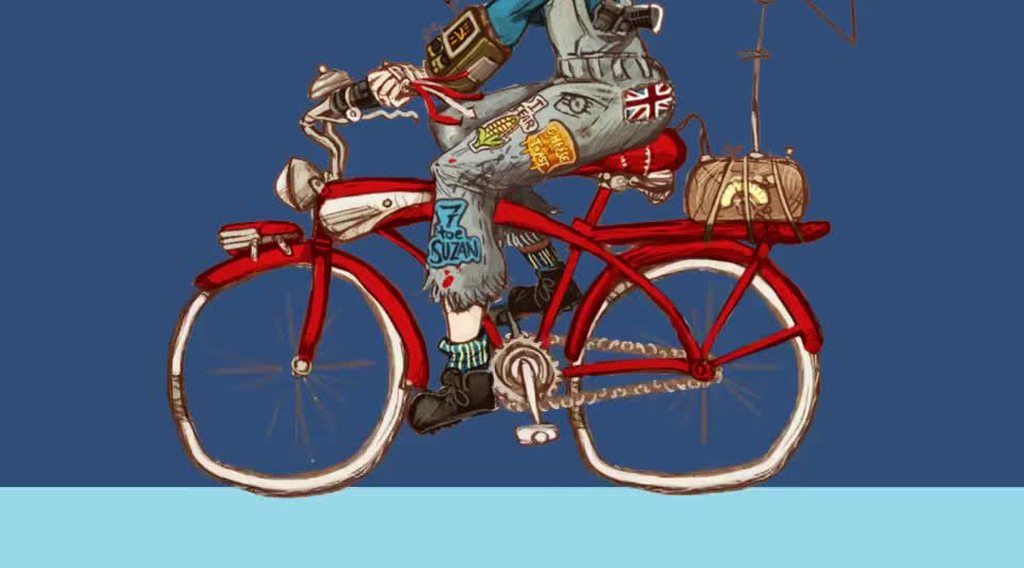 hybrid tinsel
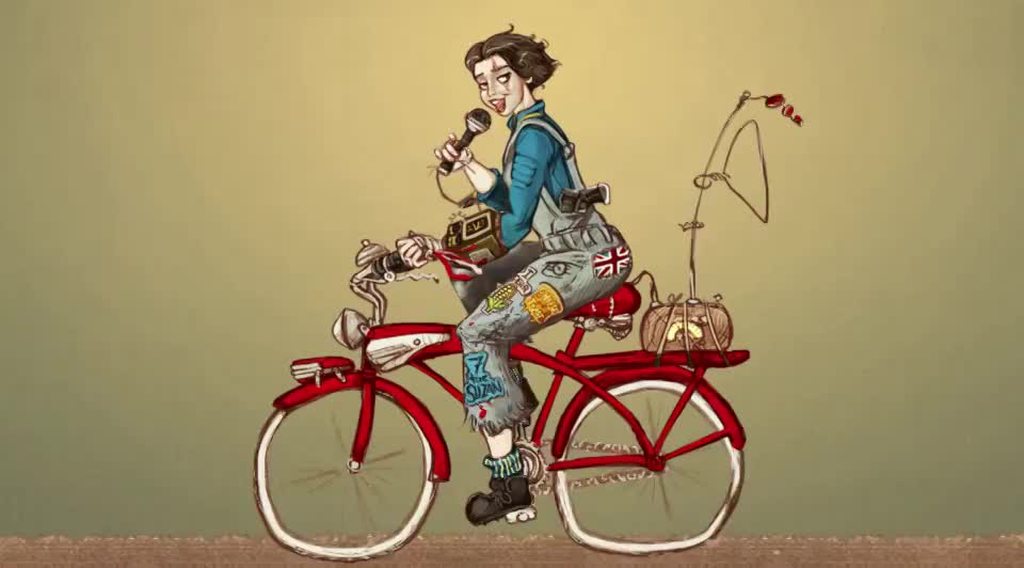 fluid drift
Someone told me to:
put the shooting on its own layer in the animator, and use a 'any state' to shooting state transition with 'transition to self' allowed.
To fix my shooting animation: https://gyazo.com/b31b837420b6fd3d9e7c79a29aa2c7a5
Ive put it on its own layer but dont know what it means with the any state and dont know where the transition to self is. Please help.
fluid drift
i watched a tutorial on it and made this but still not working.
 main lantern
I'm doing a big list of tuts and channels on my blog https://iurimonteiro91.blogspot.com if you guys know more cool animation channel about programming for animation tell me 😄

iceburn iceburn91 iuri monteiro art animação ate animation concept blog
fluid drift
anyone have a good tutorial on how to use any states as i cant find one?
 lime phoenix
Uncheck exit time, the animation will interrupt itself
fluid drift
it is unchecked
lime phoenix
Could you show the entire animation window?
fluid drift
this?
lime phoenix
I believe the issue is that you use a trigger to transition to that state
This is a bit of a jank solution, but you might use a bool. Check every frame or so if the shoot button is being held down, and if the animation is currently playing. If it is, restart the animation, if it's not, set the bool to false
fluid drift
i tried using a bool and trigger it manually but it still didnt work
lime phoenix
Hm, here's some code i just found on unity answers, you might try this?
        {
            animation["animation"].time = 0;
            yield
            GetComponent<Animator>().SetBool("Attack", true);
}```dw it was a problem with the actuall animation
hybrid tinsel
https://i.imgur.com/Vh3F8Q9.mp4 made the secondary animation a lot better(tail, hair)
 lime venture
wow super cool
 abstract moth
Hello everyone
I have a question regarding animation
And I am a beginner so I am sorry
Lets say I have a fbx with spring effect and I want to pull it useing drag on pointer click and I want to give it a force so when it goes upwards the speed with which it goes up should be related to the amount I pulled it down just like angry birds the amount you pull the far it goes
Can anyone tell me how to make this kind of effect?
lime venture
isnt this coding related?
 floral pebble
@raven basin There is an app on steam called Aseprite where you create pixel sprites and it also contains an animation helper for creating spritesheets for animation.
There are probably plenty better though, but that's the one I use.
 raven basin
awesome thx again 🙂
hybrid tinsel
@abstract moth springs and other effectors either won't import in FBX or will be converted to bones or vertex animation.
You'd have to add your own physics/simulation in unity.
lime venture
ye been trying to learn about sprites. N64 uses sprites heavily for round objects but im super noob. i got no idea how to create them
 spring stratus
I am trying to make a growing flower (In Blender).
I've got a base plant, and 3 additional offshoots that grow when the player waters it. I decided the best way to do this would to have a different gameObject per offshoot. The animation works great like this.
However, I've come to the part where I want to animate it acting as a whole. Swaying, being ran into, dying, etc. I can do all of that fairly easily but it comes with the cost of having a separate animation for each object.
Is this a major problem? Would it be better to have a different object altogether that's a single armature and preform the "grouped" animations on that?
Ignore the horrible petal bones, I know i know
hybrid tinsel
@lime venture look into 'billboards.' There are a bunch of ways to do them in unity, depending on what sort of effect you want.
@spring stratus the way I handle that sort of thing is to have a single animator for the base object, and have the 'individual object' animations on a separate layer in the animator.
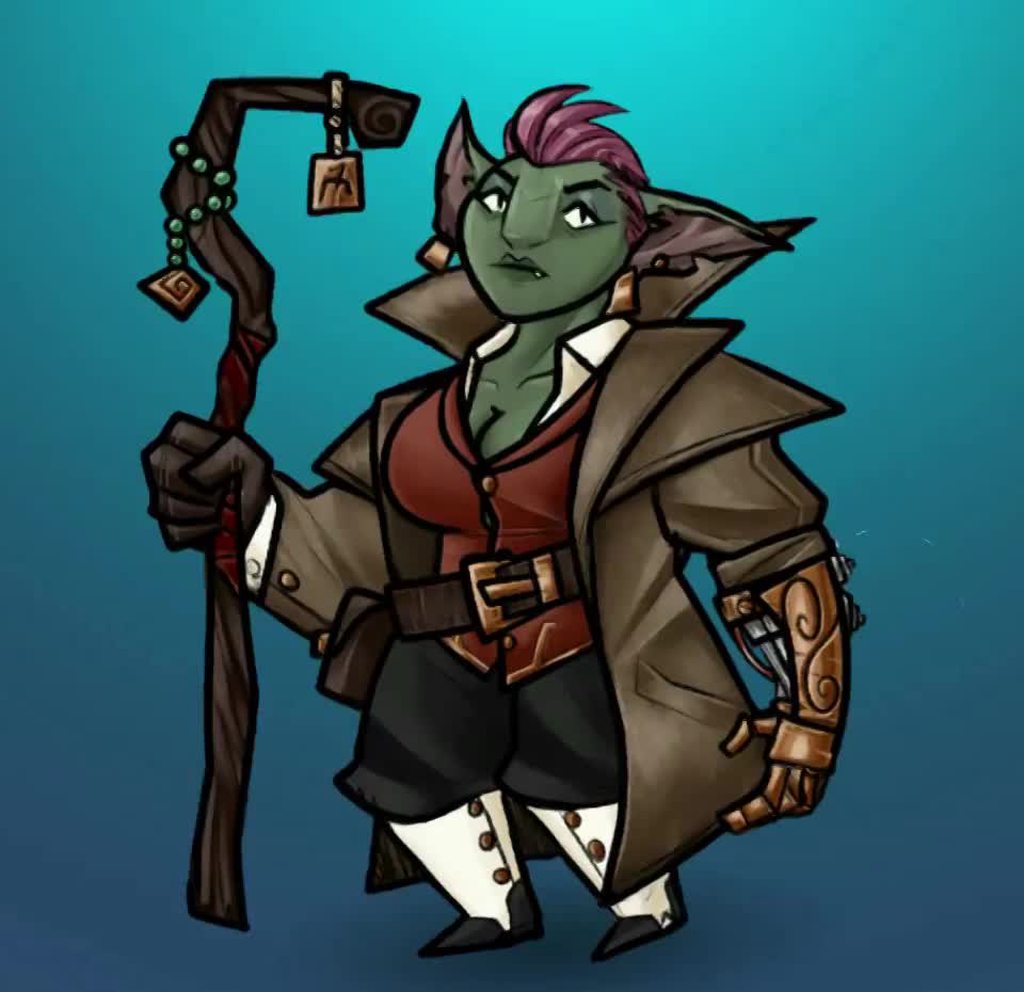 spring stratus
@hybrid tinsel Ah I haven't dipped into layers yet, I'll have a look. Thank you 🙂
hybrid tinsel
For example, on a character I usually put attacks and face animation on their own layers, so they can be played on top of whatever the body is doing.
 gritty inlet
Hey!
I am trying to animate a character, that will have rubber-like limbs ( see picture for reference ). I am modelling and animating in Maya. What type of joints and joint-layout do i use to achieve this effect? I am quite new to animation, and can do basic animations. But i fail to find the correct term when searching for tutorials etc. Does anyone now?
I hope this question belongs here, even though it is not directly related to unity
hybrid tinsel
I have no idea how to do it in maya, but I can tell you to be careful that whatever types of deformer is one that can be imported into unity
You probably want to look into inverse kinematics of some sort, or some sort of spline deformer
gritty inlet
Thanks for the tip, would not have considered any conflicts with unity regarding deformers! 🙂 Still pretty new, so i try to take in every tip i get! Will look into spline deformer!
 mellow lodge
i wonder if / how i can change sprites of offline games (stardew valley)
twin musk
ok guys
is anyone online ?
i need some help
sup
im here
so am working on a game, but got assets somewhere online
the animations are just sprites, and in the animations i made the gem fly up a little bit, then go back to it's default value
but now when i have copied the gem and move it away from the first one, when the animation plays it just goes back to it's first position
@twin musk
did you apply root motion?
how do i

Watch this tutorial in context on the official Learn site - http://unity3d.com/learn/tutorials/modules/beginner/unity-5/root-motion-authoring Help us caption...
im not sure if this is your issue though
omg it works
thanks ma men
👍
spring stratus
How do you:
A. Initiate an object at frame 0/1 of it's animation. (Problem: my object begins at it's default pose during play, then when I start the animation it snaps to it's frame 0/1. Do I need to make an idle animation?)
B. Prevent other animations on the same object from resetting their predecessors. (Problem: I start a second animation on the same object and it sends the other objects to their default state. I tried disabling "Write defaults" and it doesn't seem to do anything. I also tried blending but I don't think that's what I want, not trying to blend, just play in sequence)
spring stratus
Huh, well part of my problem is that somehow I've written every single value in every bone (In the 4 separate armatures) on EACH animation....So each anim is setting everything back to default when it plays. Not remotely sure how that happened
spring stratus
I made a super basic model and rigged it (4 different meshes, each with an armature. No links in ANY way other than being in the same .FBX file). When I open an animation in Unity it's still the same thing, each one has every property of EVERY bone in all the other armatures. Is there a setting I'm missing or something?
In that picture ^^ it should stop there, but the other armature bones are below if you scroll down :/
spring stratus
Ugh, got it. I think it was the "Key All Bones" option inside of Blender while exporting, seems to have fixed all my problems
twin musk
can someone help me with some animation problems, ive got the script set up and the bools working so my player enters the animation when theyre suposed to but the slash effect isnt apearing
and i chekced its on a layer above the player and everything
ive got it rendering in the scene view (when i put scene and game beside eachother) but its not rendering in the game view
abstract moth
I know all the basic shapes in unity but is there a way to make and animate a spring ?
desert terrace
My animation is broke
System.Collections.Generic.Dictionary`2[TKey,TValue].TryInsert (TKey key, TValue value, System.Collections.Generic.InsertionBehavior behavior) (at <a8ed250850854b439cedc18931a314fe>:0)
System.Collections.Generic.Dictionary`2[TKey,TValue].Add (TKey key, TValue value) (at <a8ed250850854b439cedc18931a314fe>:0)
UnityEditor.CurveEditor.set_animationCurves (UnityEditor.CurveWrapper[] value) (at C:/buildslave/unity/build/Editor/Mono/Animation/AnimationWindow/CurveEditor.cs:239)
UnityEditor.AnimEditor.UpdateCurveEditorData () (at C:/buildslave/unity/build/Editor/Mono/Animation/AnimationWindow/AnimEditor.cs:1290)
UnityEditor.AnimEditor.UpdateSelectedKeysToCurveEditor () (at C:/buildslave/unity/build/Editor/Mono/Animation/AnimationWindow/AnimEditor.cs:1220)
UnityEditor.AnimEditor.SaveCurveEditorKeySelection () (at C:/buildslave/unity/build/Editor/Mono/Animation/AnimationWindow/AnimEditor.cs:1239)
UnityEditor.AnimEditor.BeginKeyModification () (at C:/buildslave/unity/build/Editor/Mono/Animation/AnimationWindow/AnimEditor.cs:1246)
UnityEditorInternal.AnimationWindowControl.BeginKeyModification () (at C:/buildslave/unity/build/Editor/Mono/Animation/AnimationWindow/AnimationWindowControl.cs:1087)
UnityEditorInternal.AnimationWindowControl.ProcessAutoKey (UnityEditor.UndoPropertyModification[] modifications) (at C:/buildslave/unity/build/Editor/Mono/Animation/AnimationWindow/AnimationWindowControl.cs:774)
UnityEditorInternal.AnimationWindowControl.PostprocessAnimationRecordingModifications (UnityEditor.UndoPropertyModification[] modifications) (at C:/buildslave/unity/build/Editor/Mono/Animation/AnimationWindow/AnimationWindowControl.cs:761)
UnityEditor.Undo.InvokePostprocessModifications (UnityEditor.UndoPropertyModification[] modifications) (at C:/buildslave/unity/build/Editor/Mono/Undo/Undo.bindings.cs:189)
And idfk what that means
I cant rotate objects no more
Or do anything with them
desert terrace
Really no Help?...
fluid drift
https://i.gyazo.com/42442a314cfda899b23634bd58bc3064.mp4
Why isnt the arms moving as well like they do in the bottom right?
 twin depot
Is there any nice complete guide to how to make animations work properly?
every time i try i have to wade through the helpful but not necessarily tutorial-like Manual pages, and the false hits from the godawful Learn pages to find what i want to do
I've rigged a helicopter in blender, and when i import the fbx into Unity, it looks like this:
and for some reason the entire mesh is parented to one of the bones
like you have an avatar, an animation controller and something else i think
and i have no clue what the hierarchy is or what affects what
Ok so I have:
- Created rigged model
- Imported it into Unity
and the root bone is fucked
the entire thing is weirdly transformed
now this may just be Unity doing a Unity
but I can't remember how I overcame this crippling injury last time
hybrid tinsel
@twin musk is the slash behind the camera in the z axis?
unity for some reason tends to not put stuff you drag into the scene at 0 z even in 2d mode
@twin depot I believe that blender has specific settings for exporting to unity
twin depot
For animations?
Everything else is fine but every time I try to use Unity animations i feel like my internal organs are trying to rip themselves out of me
hybrid tinsel
Also, are you using FBX files for it, or...?
But yes, I've not used blender but I've seen a bunch of people mention it.
worn parrot
There are some youtube videos that cover the importing process from blender
hybrid tinsel
If you need to, you can also create copies of the animations in unity and edit the keyframes there
twin musk
Hello everybody, can someone help me? When I creating new animation clip and dragging animation line to any moment THIS happens. Out of animation she is in standard pose, not this
@latent silo. It is NEW, empty animation. There are NO points
 latent silo
when you delete the new animation it goes back to normal?
latent silo
thats because you aren't previewing it anymore
latent silo
so going off the top of my head... it MIGHT be that your tail segment there in the heirarchy of your character.... isnt at 0,0,0
is it?
its local position i mean
twin musk
Her LEGS are in tail. Their location is blue and aren't at 0,0,0. When i trying set it to 0,0,0, it sets to previous
twin musk
And now... @latent silo, I cant edit positions of legs!
latent silo
because you are driving it with the animation
it will want to snap to that position
that you assigned it in the animation
twin musk
I cant edit them into the animation too
latent silo
are you recording new keyframes (is it red?)
latent silo
if its not in that mode, you can't change keyframes in your animation click the red circle then change your keyframes
blue means its being driven by your animation
red means its recording into your animation's keyframe
latent silo
i dont understand what you mean
if you move the root of the object.. the entire object will move... relative to its root, the legs will move also as long as your characters hierarchy makes sense
twin musk
Okay. Let me explain what i mean
When I enabling preview mode in new animation, its body moves down and its legs broke.
Can I record animation WHITHOUT preview?
And I fixed it right now!
@latent silo
I changed type of avatar to general!
latent silo
so your bones werent mapped right?
twin musk
What you mean?
latent silo
nothin... good stuff! This is why i stay around general-code not animations XD
fluid drift
https://i.gyazo.com/42442a314cfda899b23634bd58bc3064.mp4
Why isnt the arms moving as well like they do in the bottom right?
 winged wyvern
@latent silo yo man. are you good with aniamtion?
latent silo
lols not really.. but ill give it a crack... whats up?
winged wyvern
oh. got anything you can show
latent silo
i can show what?
winged wyvern
any animations you made?
winged wyvern
nice.
its fine then. cause i was looking for a animator that could help with a prob im having.
fluid drift
https://i.gyazo.com/42442a314cfda899b23634bd58bc3064.mp4
Why isnt the arms moving as well like they do in the bottom right?
winged wyvern
@twin musk hi. i know this might be wierd. but are you good with animations. 3d.?
you seemed to know what your talking about in the chat. so i figured i can ask
winged wyvern
well i need some help with 3d character animations. realistic.
are you any good with those?
twin musk
I fear i dont have much time, but i advise you to append this rig in blender, apply it to a mesh and then start animating
its a 100% humanoid mechanim compatible rig, you can download animations from the asset store
twin musk
itll look something like this
hybrid tinsel
what kind of help do you need?
honest fiber
So I’ve run into an issue using the humanoid rig system unity’s got
it appears that unity completely ignores bone transforms for all bones that aren’t part of the humanoid
So for example, I’ve got weapon bones I intended to use to determine weapon placement and rotation
But those bones just get ignored. At best, if they’re parented to the hands, I’ll get the position to follow along but the rotation I animated in blender doesn’t get baked at all
I can get why that’s the case, but I’m wondering if anyone has any workarounds for this issue. Will I just have to import the animations and separately animate the weapon rotations in unity, or is there some way to get it to work how I want?
abstract moth
Does anyone have a reference where we can study about bones in unity
hybrid tinsel
@abstract moth 2d or 3d bones?
@honest fiber are the keyframes missing for those bones in the unity animation editor?
And did you use an existing avatar or make a new one for these animations?
winged wyvern
Well its personal. Kinda need some one really good with 3d animation. Realistic not stylized
honest fiber
The keyframes appear to be missing yes
The avatar was generated from the model
Unity doesnt have any problems with the configuration
@hybrid tinsel for when you’re available ^^
hybrid tinsel
@honest fiber when you imported the animation did you go into the import settings and check on all the extra bones?
honest fiber
No I can't say I knew about that
I'm not at liberty to test if that changes anything but from what I can tell, I'm optimistic
hybrid tinsel
Good luck!
winged wyvern
piballkitty. 3d or 2d animations?
 shell pilot
What I do wrong? I have 3D biker with turn (creating wheel turn) and attack (hit with a baseball batt using right hand and torso movement) if I don't use any masks my left hand refer to the idle position (possibly because it is that way in the hit animation) if I mask right arm only then it stay stuck to the torso like a dead vegetable while right hand and torso look fine, but if I also mask torso, then left hand is fine. But only right shoulder is animated, and the animation looks wrong
Basically - what I need to do in Unity/Maya to be able animate torso+right hand, but leave left hand (with left shoulder) to another animation?
twin musk
You probably want to use animation layers
shell pilot
I did that, at this point main issue I have that when I blend two animations, I need to mask more than required otherwise it looks ugly
shell pilot
yep, tried both
hybrid tinsel
is root motion enabled?
shell pilot
 winged wyvern
@hybrid tinsel do you animate 3d or 2d?
hybrid tinsel
2d
shell pilot
hmm, need to double check, at least I know I did not disable it in the mask
winged wyvern
oh ok
shell pilot
a no, that shadow beneath character in the mask is red
I am not 100% sure actual animation/rig is done correctly and I have no idea how to edit it, I am not an animator/modeler 😦
hybrid tinsel
@shell pilot In the animation import you can choose which bones to import animation keyframes for
Also, you can open the unity animation window even for imported animations, you just can't edit them there
(without making a copy)
shell pilot
keyframe deletion from the left hand made it even worse 😦
worn parrot
Hey @hybrid tinsel, are you changing the scale of the head parts in that animation?
worn parrot
Yeah I've just recently found out that even scaling an object just on one axis makes a huge difference
Animations with scaling really add life to some objects
e.g. UI
hybrid tinsel
Yeah
 cedar ruin
Can someone tell me what that normalized time parameter actually does?
does it set the animation time in seconds?
or is it relative to the normalized time of the animation?
like, a multiplier?
But I guess we have the Speed parameter for that...
hybrid tinsel
normalized time is the time from 0 to 1
So you can use a float value of 0 to 1 to control the time in the animation
At least, that was my understanding of it
shell pilot
this might be weird question, I hope it is not :D
Is there a way to copy transform and rotation from specific bone in humanoid animation and apply it to any other object (I want to make an empty game object move locally same as Right Hand bone in my animation) ?
to be more precise I need to hold hand in specific place, it seems with IK, and I still need to play small animations on that hand. part of the animation plays fine, but other part require small vertical movement and IK kills that, so I was thinking moving actual IK point in the same way as animation does it and that why I wanted to make small clip for my IK GO from actual hand animation.
Maybe there is better way how to do that ?
hybrid tinsel
Yes, @shell pilot
You can copy the keyframes/curves by opening up the animation file in a text editor
Can also use a script to do it I guess
woeful hearth
If someone have problems with record button in Timeline At Unity 2019.2 /2019.3 vote for this bug https://issuetracker.unity3d.com/issues/nullreferenceexception-when-clicking-rec-button
Unable to call StartAnimationRecording. repro with Timeline Window: - open project & test scene - open Timeline & select Cub...
hot wharf
Quick question: Does generic type rigging work with avatar? If yes, why there is no anykind transiotinal to other animation but blank?
(trying use copy from other avatar)
usually that works with humanoid rigs ( I think )
 royal narwhal
Animation question (Maya & Unity):
So I have an animation of a character jumping from the left of a chair onto the chair. It's a humanoid (mecanim) thing so I can retarget it for other humanoid characters. It's set up so that the character will jump exactly one meter to the right to end up in the correct position on the chair.
This works perfectly for the character the animation was made for, but shorter characters jump less than 1 meter to the right and taller characters jump more than 1 meter to the right. Why would that be?
Thanks so much for any advice you can offer!
hybrid tinsel
@royal narwhal , Retargeting takes the character's height into account, because it is designed to make strides and footfalls line up with animation timing.
If you need it to end up in the right place, you can disable root motion and control the position with code
twin musk
Is it 2d ? 3d?
 vivid marten
^^^
For 2D I would do a sprite sheet with all the animations on Photoshop
Or Aseprite
For 3D I would animate walking, running, etc. from Maya
 sinful cypress
So my blend tree is not applying foot IK.
The non-blend tree parts of that animator controller are applying foot IK.
...Never mind, needed to click "Apply Root Motion" on the animator.
hybrid tinsel
@twin musk unity is pretty good for animating certain kinds of things, depends a lot on the type of artwork.
Currently, 3d objects pretty much need external programs to rig and pixel art isn't really easy to make inside unity. But skeletal animation can be, especially if you use a lot of dynamic elements.
twin musk
@hybrid tinsel
I have a 3d sword model
i downloaded it from a place
But it came like a winrar file
And i cant add it to my unity project
anyway i can fix it ?
hybrid tinsel
unpack it from the rar file first I guess?
I haven't done a lot with external 3d stuff
This was animated with no keyframes at all, just scripts https://i.imgur.com/llQbtsf.mp4
 frosty roost
Hey! So I have been searching on this from a while, but I am unable to know, A guy make trailer parodies by unity animation, and the objects and the scene background he uses is completely the same, can you guys tell me, how he converts 3d objects from videos? Is that possible? I'll wait for the answer, one of his videos are given below.

WORLD IS NOT ONLY FOR HUMANS IN SAN ANDREAS TOO! Watch CJs as Chitti Robots and fighting against the aliens and creatures that are against to the world and t...
He started making parodies of Gta San Andreas, and look at that content, its exactly same like the original trailer.
hybrid tinsel
That looks more like deus ex than gta to me
 fathom pine
do you guys remember a while back when unity had some demo of a machine learning thing that had the player parkour-ing relatively naturally without needing all the animation states and transitions? is that a thing now?
torn willow
Hello, has anyone here used Mixamo for their animations? I'm using some animations, and they are playing properly, but I have a slight issue due to the fact that the pivot mass and center do not follow the position of the model. The result is that my character will warp back to its starting position when the animation is finished, among other things. The disjoint is shown in the picture below:
I would like to fix this so that the center of mass/pivot point will follow along with the model. This will allow me to use the OnAnimatorMove() function to move my character in time with its steps. Can anyone be of help?
fathom pine
@torn willow yes, i use mixamo, i noticed similar things in some of their animations, while other animations didn't have that issue, kind of a mixed bag
torn willow
😢
Perhaps I could fix it manually in blender?
I wouldn't know how to do that, though
vivid marten
@hybrid tinsel it's from an Indian movie (which wasn't all that great btw)
torn willow
@fathom pine Found the answer: When you import the FBX into unity, be sure to go to the "Rig" section in the inspector and change the "Animation Type" from Generic to Humanoid
hybrid tinsel
@torn willow you need to enable root motion in the imported animations
torn willow
I did try that, however it was not the solution for me. The Rig change I mentioned just above did fix my problem though, so everything is good now 👍
 gray radish
Would anyone happen to know how to add text pop-ups to an animation? Basically I want to rotate the camera around an object, stop the camera at times and have text popup along the way. I can move the camera just fine, but im having trouble adding the text in the animation too.
 solemn kernel
I am using an UMA avatar in my project, it works fine on windows, but the avatar's clothes appear ripped on android
 dense cipher
hey guys how do you performance a animation on a door that could rotate 90%
the pivot point is in the center of the door
dense cipher
Yeah but it's moves from the center it harder to do an animation that way
 humble vault
Wydm?
twin musk
@dense cipher
Create empty object which will act as a pivot of the door and place the door as a child of that object
coarse grove
^
twin musk
Or just use any 3d software to edit the pivot
dense cipher
I guess the unity way
I will be wonder if there is a scenario where I need to pivot be in the center
But thanks @twin musk
twin musk
wanna add animations to my character
and use it in code any helpful tips?
and thanks ❤
Define "character", is it 3d? 2d? How does it look like, what is it supposed to do?
What does coding have to do with making animations? 🤔
@twin musk you know any place i can get 3d charater rigged with animations?
Define character
Knight
@twin musk
Am looki ng for a knight 😄
Low poly? High poly? 2d? 3d? What is it supposed to do? You aren't specifying anything
Oh sorry
3d rpg game
Fighting
Low poly wo nt be bad
By "charater rigged with animations" did you mean getting entire character with animations or making animations for exisitng model?
cuz my game is low poly
I want it with animations
cuz am still not good with making them
There's a very little chance that you are going to find this kind of thing for free anywhere
solemn kernel
I am using an uma avatar, works fine in windows, clothes appear torn in android
humble vault
@twin musk mixamo
 untold rock
Can someone please give me some advice I'm trying to play a real simple animation and When I try to play the animation with .Play The Console says that the animation could not be found even though its populated in the animation inspector with the exact same name.
 solid trout
Hello, can someone help me out with a problem with the 2Danimation package? I can't find a way to give "depth to bone", ie managing which sprite is on top of which
desert terrace
How can I play a single animation multiple times through script
I have this
so it doesnt loop forever
And it does go through this if multiple times
But only plays for the first one
 vernal coral
in Final IK, how do you set the rotation of the end joint of the hierarchy? I have a mechanical arm that I'm trying to rig... tried both FABRIK and CCDIK. Setting the rotation manually via the rigidbody isn't really helping.
desert terrace
I need some help
https://gyazo.com/f55171c0ca2b11a3fc1619d77200cbdd
In my animation there is this weird buff
And i'm pretty sure it's because how I manipulate the text and input field
it's not really visible there rip
But it's really annoying
https://hastebin.com/xuqekudede.cs

 raven basin
best ios app for pixel art ?
 severe cave
Issue where when I import .fbx animations into blender they are fine but if I export and reimport they become a blob and the joints mess up?
desert terrace
Anyone help?
 novel meadow
@desert terrace the reason might be where you are updating the text holding all the words (the one you monitor on the right) vs. where you are clearing the ticker-text in your code. I am no expert with UI however, so this is just a wild guess
desert terrace
I mean im supposed to be editing the whole part since there's no other way around what I'm trying to accomplish @novel meadow
novel meadow
I've seen only now that the text writing is not an animation but the user inputting text
So when looking at the video again the issue seems to be only happening when interacting with the textinput, not when you copy the textinput into the scrolling text
desert terrace
Yeah user inputs and if it's not the right word the animation plays
novel meadow
Ah
Yeah, I think the problem has to do with the input field only. The animation should be fine
Maybe ask in #📲┃ui-ux ?
And maybe also show the important code and how your text input is set up there
desert terrace
Yeah its in the hastebin
 brittle sentinel
Does anyone know a simple way to fade to black for a scene in VR?
vernal coral
you can't just place a canvas in front of the main camera and use a coroutine to animate the alpha?
twin musk
Does anyone know why my source takes are missing? Im importing a blender file
thorn scroll
Guide for 2D animation for the new tools coming out in 2019.3 but are in preview atm!

Hey Folks! I've released a guide for the new 2D animation in @Unity3D completely for free. Link is below. Learn how to Rig your character and animate it all within Unity! (Uses preview packages but fundamentals are the same with Unity 2019.3)! #gamedev #madewithunity #unit...
Twitter
hybrid tinsel
@thorn scroll I noticed you seem to adjust the speed of the animation by changing the sample rate, that can cause some problems. You can always scale the entire animation by multiselecting keys and dragging the blue bars that appear.
thorn scroll
Yeah for the most part tho I just have that animation sample rate across all the animations then set. I dont pick and choose random sample rates.!
hybrid tinsel
Ah, ok. Though I suppose the point stands that someone learning might see that and get the wrong idea:D
twin musk
how do i make an animation move my gameobject
humble vault
You don't @twin musk
You have your GameObject trigger the animation AFTER it moves.
 grand heron
Hey guys! Quick question, I’m working on a VR project and we are setting up a character that will do a lot of facial acting, so I was wondering if there’s any limit about blendshapes, would it be a performance issue if we have some 50 or 60 for a Face?
vernal coral
how can i get a ConfigurableJoint to actually match a target rotation? even when configured in world space, the rotations they're being driven to have absolutely dick to do with the target rotations. is there a trick?
twin musk
my animation is choppy. the end and start of the animation are the same. i thin kthe code is running it too fast. please help!
 zinc pawn
How would I go about making an animation play when the character is moving forward in relation to their facing direction? Right now, he only seems to play his forward walk animation when positive input in the vertical direction is given.
Which is not great when you are facing negative in the vertical direction, and walking forward plays the walk backward animation, or with any comparable angle horizontally as well.
Nevermind
twin musk
For some reason
When i start the animation the character goes higher than he is orgianily placeed
He gose a littile bit up in the air
why?
 deft heart
Because you recorded the character being that high or sum'
Maybe there's something you can uncheck/check to fix that in the Animator settings or settings of the animation clip
@twin musk
deft heart
Try unchecking something related to root motion, idk
 slender garden
I have an amimation that fades between two colors (I use it for scene transitions) Is there a way to pick what color it fades too because my levels are all different colors and I don't want to create an animation for each one
twin musk
What color are you changing? Material color?
If so then you could maybe do that with scripts
Set the first color, end color and lerp between them
slender garden
its an ui elements, yeah I was thinking about just scripting it myself
just wanted to make sure I wasn't doing it a harder way if i didn't need to
cedar ruin
Not sure, if it's closer to code or animation, but can someone elaborate on
Animator.GetNextAnimatorStateInfo();
Animator.GetAnimatorTransitionInfo();
Let's say an animator is currently updating a certain state and not in transition. What would these methods return?
twin musk
Any good tips on how to make a walk cycle for a spider-like 4-legged robot?
That's how it looks like
coarse grove
Do you mean conceptual tips, or tips for actually making it
twin musk
Tips for how it should look like
For example in what "pattern" should legs move
Not the tips about how to create animations etc but tips how the animation itself should look like
coarse grove
It seems that they typically simply go one leg after the other in a clockwise motion (or counterclockwise), but that this kind of walking isn't very fast. https://gyazo.com/fc3f801f55d2052407372b0d2173501b https://gyazo.com/96d2cb8dfe301d51473e50fdf9b8350b Here are two references I found, but they aren't super helpful @twin musk
Most "spider tank" sort of things I find are 6 legged
@twin musk This is the general motion for a faster one though https://gyazo.com/8af9d111b5abab5b5e7c4b5d679fe55b

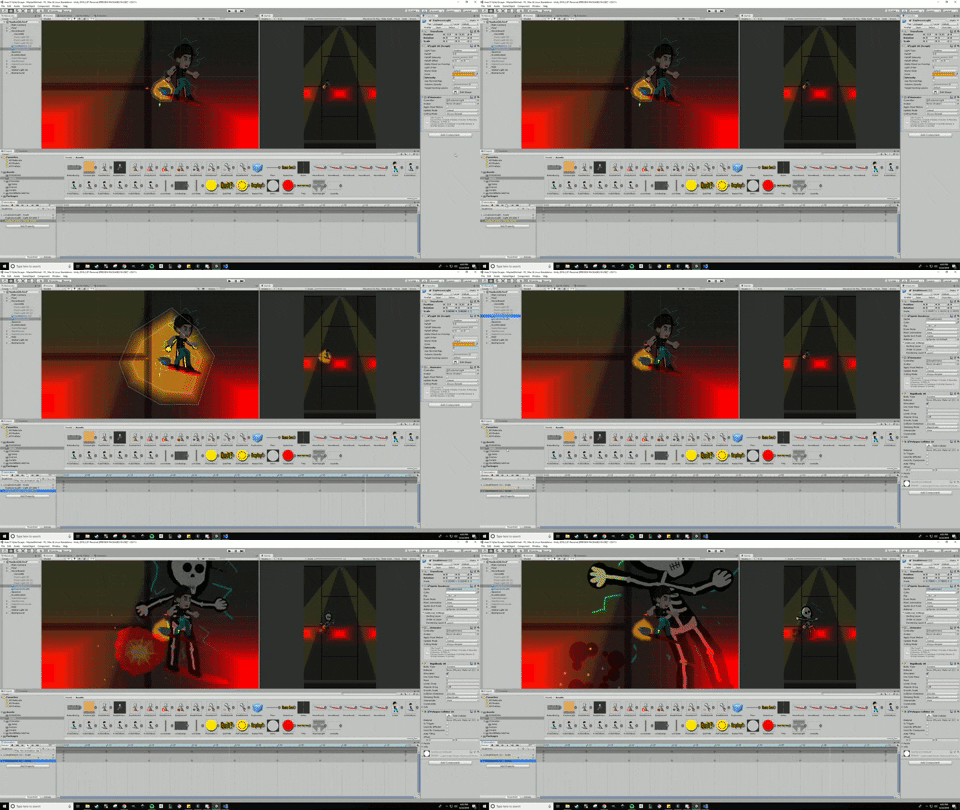
 twin musk
Thanks 👍
twin musk
Well, animating it so that legs "stay" in place while the other one moves is going to be quite hard
coarse grove
indeed
twin musk
I'm using NavMeshAgents for it so I would have to pick an ideal speed so that when in the animation the "idle" leg moves backwards it would appear that the "foot" is stationary
twin musk
Yeah, I'm using IK for it
coarse grove
This would be a complex system... I don't exactly know how I would start
twin musk
Leg is made out of 4 bones, I made it so that IK controls movement of three bones and not the main leg bone
coarse grove
I meant like, an IK in Unity or an IK in Blender
twin musk
coarse grove
or whatever 3d software you use
twin musk
I'm using 3ds max
Each leg is separate object, middle and the head are separate too
Even figuring out where the legs should be in each frame is going to be incredibly hard
Well, maybe I could move forward each of the leg separately while keeping the "middle" part in the same spot, then move the middle one to the correct place and repeat
But........that's hard 😐
Or move two legs at the same time
But that's going to look weird
Well, trying to understand how this would even work is weird in itself
coarse grove
I'm no good at animation, but if you figure it out, I'd love to see the results
 ebon meadow
I have animations made for this AK, I have the animation and animator components on the gun, and several animations made and in the animator, but for some reason it doesn't seem to be applying and in the animation window it says they aren't made
in the animation window it says no animations have been made an to start animating hit creat
 normal grail
Hey guys, this is my first time messaging this channel. I have what seems like a very straightforward question:
I have an animation that deals out 7 cards. I'd like for that animation to finish playing, but the objects remain where the animation left them. Then I'd like to play other animations off of that last position, is that possible?
I have Unity open right now and can give more details as needed
twin musk
You might try to use "apply root motion"
 fickle lance
When I try to play an animation, it isn't playing
            if(!nv.enabled)
            {
                nvAudioSource.Stop();
                nvAudioSource.clip = NVON;
                nvAudioSource.Play();
                StopCoroutine(doTurnOffSound());
                loadout.heldWeapon.gameObject.GetComponent<Animator>().Play("nv_on", 0, 0f);
                StartCoroutine(doTurnOnSound());
            }
            else
            {
                nvAudioSource.Stop();
                nvAudioSource.clip = NVOFF;
                nvAudioSource.Play();
                StopCoroutine(doTurnOnSound());
                loadout.heldWeapon.gameObject.GetComponent<Animator>().Play("nv_off", 0, 0f);
                StartCoroutine(doTurnOffSound());
}```loadout.heldWeapon.gameObject.GetComponent<Animator>().Play("nv_off", 0, 0f);```The held weapon is assigned
And the object assigned to held weapon has an animator
And finally, that animator has the two things I am trying to play
wait
oml
Im stupid nvm lmfao
I was trying to access nv_down by doing nv_on..... ugghghghgh
 rose plaza
I have a 2d top down game with a fixed set of directions (4 for now). I just need 8 states, idle and walk for each direction. I have 2 properties on my Animator: boolean IsMoving and an integer for direction (because I couldn't see a better way - 0 = up, 1 = down, 2 = left, 3 = right)...
So basically my transitions are like:
if (direction == down) and (moving == false) => Idle_Down.
If (direction == down) and (moving == true) => Idle_Down.
etc
Anyway it's a hot mess and it's not even working. What's a better way to do this?
I tried using "sub-state machines", 1 for idle and 1 for moving... but I could not make sense of it. Watched a couple tutorials and tried it 2 or 3 different ways and none of it worked.
cedar ruin
How about using blend trees?
You could make the whole state machine into a blend tree that will have a blend tree for each direction's idle and move states. In other words, primary blend tree will have: up, right, left, down blend trees. Each of these will have move and idle states.
Or even better, have 2 separate blend trees for idle and movement
Or have 1 blend tree for idle that can transit into one of the 4 movement states and back.
BTW, I think you should be careful with the any state state. It's hard to control it, since there are so many combinations that can happen when you use it.
@rose plaza
rose plaza
@cedar ruin I don't see how to customize the value used in a blend tree. It seems like it somehow automatically gets the 'characters speed' based on what I'm reading.
I don't think that will work for me. This is a top down, 2d game - think of old Pokemon games.
Now I'm wondering if I can manually play an animation without using 'animator'. Seems like it's not made with 2d in mind at all.
cedar ruin
why not. It's totally fine to use the animator
the value in the blend tree is a parameter from the animator
you can set any you want
here for example I use it for block animations that can only take one of the 4 values
one parameter is for x axis, and another for y
although it's a 3d game, but that would work completely the same in a 2d
rose plaza
How do you update getHitX?
cedar ruin
I set them from a script on my character
animator.setFloat("parameterName", float)
although it's better to use hashIDs instead of strings
rose plaza
Okay, I thought these were separate, because I already created some custom properties on my Animator and I didn't see them in the blend tree so I thought it was a different piece of code to set it
rose plaza
Yeah, I think this is what I was looking for. Thanks.
cedar ruin
you're welcome
 marsh tundra
Hi i'm very new to Unity animations and I'm stuck in a stupid error
I've got this animator to pass from an animation to another. It's very simple as i'm just beginning it, the first is an animation where the character equips his bow, the second one is one where he draws an arrow on it.
So i made an transition between these two using a boolean called Aware (I called it like this for smth else but anyway the relevance of the name doesn't matter), but my character is repeating the same animation over 5-6 times when clicking on the button, then randomly does the good transition (at the end of the video)
When double clicking on the button the transition work (wtf)
If u know what i'm doing wrong it'd help me a lot, and if my way of doing it is terrible if u can tell me how to do it or link me some tutorial it'd help a lot too (ping me if any answer)
https://cdn.discordapp.com/attachments/517059430295142411/635413350003507219/unknown.png


And the code attached to the character ```cs
using System.Collections;
using System.Collections.Generic;
using UnityEngine;
public class ArcherBehaviourComponent : MonoBehaviour
{
public int speed;
public GameObject obj;

public int shootSpeed;

public Animator anim;
// Start is called before the first frame update
void Start()
{
    anim = GetComponent<Animator>();
    obj.SetActive(true);
}

// Update is called once per frame
void Update()
{
    if (Input.GetKey(KeyCode.Z))
    {
        transform.Translate(Vector3.forward * Time.deltaTime * speed);
    }

    if (Input.GetKey(KeyCode.Tab))
    {
        anim.SetBool("Aware", !anim.GetBool("Aware"));
    }
}
}
If u need more info just ask me, thx by advance