#🏃┃animation
1 messages · Page 46 of 1
 coral skiff
 warped gazelle
i have made a model with 2 actions that are a bone moving but that bone in unity is completly bugged and doesn t get moved. anyone know this pipeline and this bug?
 astral lion
foot sliding, idk how ti fix it, i have tryied everything.
I made a character (custom rig with ik and fk) in blender, made an idle animation (60 frames), baked the animation and putted the right choose in the export (fbx).
In unity, rig as a humanoid, adjusted everything, animation compression off, loop pose, bake on every field.
but i still see some light slide, idk if its the animation or its unity, i searched on internet a solution but i didnt found it, if anyone had the same problem and know how to fix it, please, help me!
Sorry for my english btw.
 pastel yacht
Hey guys I'm sure you have answered this already but ultimately my Mixamo models are not showing up in color in Unity, please let me know what to do
pastel yacht
pastel yacht
Hey guys I'm sure you have answered this already but ultimately my Mixamo models...
nvm I figured it out, the extract textures thing was confusing at first but I get it now
 halcyon nimbus
pastel yacht
Hey guys I'm sure you have answered this already but ultimately my Mixamo models...
halcyon nimbus
pastel yacht
Hey guys I'm sure you have answered this already but ultimately my Mixamo models...
drag the textures into the model
 wanton trellis
astral lion
foot sliding, idk how ti fix it, i have tryied everything.
I made a character (c...
wanton trellis
astral lion
foot sliding, idk how ti fix it, i have tryied everything.
I made a character (c...
did you enable foot ik inside of the animation state in the animator?
 gusty flax
New Animation system for tools :>
 wanton trellis
gusty flax
New Animation system for tools :>
wanton trellis
gusty flax
New Animation system for tools :>
this is a help channel
#🏆┃daily-win or #1180170818983051344 to show off projects
pastel yacht
halcyon nimbus
drag the textures into the model
That isn't how I fixed it and wouldn't work btw
halcyon nimbus
pastel yacht
That isn't how I fixed it and wouldn't work btw
it does if u click on the model first before dragging them
 light badge
TLDR: how can i move 2 separated fbx mesh with one animator? (aka how can i tell the mesh to use the bones of the full body mesh so they are synced? is that the right way or i'm looking at it wrong? )
Also if you have links that explain the process send them my way. i don't just want to make it work i want to understand
Hey yall, i'm a prog who has to implement animation.
I want to have arms in fps and the body casting shadow
but for my other player i want the full mesh to be visible.
Normaly what i'd do is ask my tech art to export the model in 2 mesh so i can toggle the body to be shadow only, etc. (or use shader magic)
but i'm on my own and the asset i'm using are providing a mesh (full body) and another mesh only arms.

 agile solstice
light badge
TLDR: how can i move 2 separated fbx mesh with one animator? (aka how can i te...
agile solstice
light badge
TLDR: how can i move 2 separated fbx mesh with one animator? (aka how can i te...
Why not use two identical animators that you control together
light badge
agile solstice
Why not use two identical animators that you control together
I could but I was under the assumption that having 2 animator for one "system" was a bad fix to my lack of knowledge
is that not the case?
agile solstice
light badge
I could but I was under the assumption that having 2 animator for one "system" w...
Same as having two animators between two different "systems" or transform hierarchies
No worse than that
You could alternatively copy the transform values from and to the corresponding bones in LateUpdate, but I'm not sure if it would make a practical difference
halcyon nimbus
hi im honestly new to animations entirely, i already made walking , idle animation and connected it to entry tho how do i connect the walking animation and make it play whenever the player moves, and when the players stops it goes to idle again
agile solstice
halcyon nimbus
hi im honestly new to animations entirely, i already made walking , idle animati...
Control parameters with code
https://docs.unity3d.com/6000.0/Documentation/Manual/AnimationParameters.html
After making transitions between states that use the parameters as conditions
https://docs.unity3d.com/6000.0/Documentation/Manual/class-Transition.html
halcyon nimbus
thank you so much
agile solstice
I recommend paying extra attention to the transition settings like exit time, delay and transition length
The defaults are not useful for most kinds of transitions
 sacred wind
Hey everyone, I just downloaded the universal animation pack by Quaternius and I was wondering why the character gets sort of mangled in all of the animations when I tick Bake Axis Conversion on even though it says to do so in the import instructions. Does anyone know what is going on? Turning it off fixes it but the character faces the complete wrong direction in the animations
 wanton trellis
sacred wind
Hey everyone, I just downloaded the universal animation pack by Quaternius and I...
wanton trellis
sacred wind
Hey everyone, I just downloaded the universal animation pack by Quaternius and I...
is the pack designed for humanoid or generic characters?
sacred wind
The import instructions also say to set it to humanoid
wanton trellis
does the documentation mention any "known issues"
wanton trellis
sacred wind
For some reason it seems like I'm the first one to experience this
try it on a different humanoid model
sacred wind
If I use the Unity model in the little animator window it looks about the same, however maybe I need to try a different avatar
 gusty garnet
sacred wind
If I use the Unity model in the little animator window it looks about the same, ...
gusty garnet
sacred wind
If I use the Unity model in the little animator window it looks about the same, ...
could it be that your parent gameobject is causing this by any chance
try it on a new empty gameobject with default transform
 crimson cave
Not sure if this is the right channel for this but can anyone help with why my right hand bone on the rig has split into two, been following an online course to get to this point and only just noticed this issue when I added in the red and white gizmos,
It's from mixamo and all the animation is working fine however I think its why the characters aim is not working properly

 wind silo
is it possible to use root motion with an animation clip I create in unity? all tutorials always have imported clips where they match the avatar on the import settings which I cant do cuz I've made the animation itself in unity...
 celest crag
wind silo
is it possible to use root motion with an animation clip I create in unity? all ...
wind silo
celest crag
Some info here <https://discussions.unity.com/t/make-root-motion-in-animation-cl...
celest crag
wind silo
is it possible to use root motion with an animation clip I create in unity? all ...
wind silo
celest crag
Some info here <https://discussions.unity.com/t/make-root-motion-in-animation-cl...
ah yes the unity way. it works but you kinda also have to do it urself. love it
 light arrow
I'm trying to use the cinemachine but everytime I place down any sort of camera from it. The postition of my main camera moves with it. I'm trying to keep the camera from moving but unsure what's causing it
wind silo
light arrow
I'm trying to use the cinemachine but everytime I place down any sort of camera ...
iirc cinemachine cameras arent actual cameras. they pretty much hijack your real camera and transform it. cinemachine itself it basically just a transform that is the parent of a unity camera.
astral lion
wanton trellis
did you enable foot ik inside of the animation state in the animator?
yes i did, somehow i managed to fix my problem but thank you!
 ornate vine
why tis not blending

 long pulsar
anyone here made a combat system before
if so how did u manage to sync frames and frame windows with atks?
did u use animation events or normalized time
 terse gust
ornate vine
why tis not blending
terse gust
ornate vine
why tis not blending
probably your transition time is too les
wanton trellis
long pulsar
did u use animation events or normalized time
altought im not sure if its inefficient, i almost always use animation events for stuff like that
saves you the trouble of doing timing calculations manually, but can be a bit of a bitch to keep track off
 nova dagger
Ahh the woes of object animation and origin points from blender, seizure warning
wanton trellis
nova dagger
Ahh the woes of object animation and origin points from blender, *seizure warnin...
is there anything you need help with here in particular or?
ornate vine
terse gust
probably your transition time is too les
there aint really a transition time option
terse gust
ornate vine
there aint really a transition time option
yah ofc, i mean;t
terse gust
ornate vine
there aint really a transition time option
there is a transition duration field
ornate vine
i think ill just kill mysefl
terse gust
ornate vine
i think ill just kill mysefl
wdym
terse gust
ornate vine
i think ill just kill mysefl
did it work? (i assume it did XD)
docs are always the best
unless badly documented
 mystic yoke
Hey so im having this issue with my animations and it's breaking all my animations legs
 wanton trellis
mystic yoke
Hey so im having this issue with my animations and it's breaking all my animatio...
wanton trellis
mystic yoke
Hey so im having this issue with my animations and it's breaking all my animatio...
are your animations generic or humanoid?
mystic yoke
how do i check?
wanton trellis
you can check with each clip in the rig tab iirc
also when you imported the animations did you set them up correctly in the inspector?
also make sure your states have footik enabled
mystic yoke
yes it's humanoid
mystic yoke
wanton trellis
also make sure your states have footik enabled
where do i go to access that
 mystic yoke
i figured it out
 modest moat
Hey, I was just blocking out a walk animation, I have IK setup for feet but have disabled them temporarily for animating (I plan on blending IK and animation clips later) but for some reason, even though the IK is disabled (using Animation Rigging Package) the legs don't move when I press play to test. Here's a gif:
As you can see, before I press play the legs on the walk animation move. When I press play and it gets to the walking animation, it just doesn't, even though the weight on the IK is turned off. Anyone have any ideas what this could be?
 modest moat
Weird...I kinda fixed it. Even though I had the IK disabled, the constraints were still active and just made them not move at all.
ornate vine
terse gust
did it work? (i assume it did XD)
nu cuz like this isnt with the animator this is with timeline
i just made it override instead
 terse gust
ornate vine
i just made it override instead
terse gust
ornate vine
i just made it override instead
good to see it worked, i have no experience with timeline lol
modest moat
Hey, so I've been encountering a ton of issues with attempting to combine animation clips with ik foot placement for a walk cycle. I'm really struggling because I seem to have done something wrong that changes this seemingly simple task into something extremely difficult. My main issue I'm currently facing is, despite turning IK off via turning weight down to 0, when I click play and test my animation clips out, the joints in the animation rigging package's multi bone ik script basically refuse to move according to the animation clip.
(Clip above is an example, the fix I had previously has both stopped working and didn't fix the main issue in the long run)
Does anyone know of a step by step tutorial, that includes combining walking directional animation clips with inverse kinematic foot placement?
terse gust
modest moat
Hey, so I've been encountering a ton of issues with attempting to combine animat...
firstly, what do you want exactly? from above it seems like you wanted to create clips using animation rigging directly
agile solstice
modest moat
Hey, so I've been encountering a ton of issues with attempting to combine animat...
You should show where each component is in the hierarchy and which bones the clips are controlling
Also don't use gif for video, use video formats like mp4 or webm
Animation Rigging is very particular about where its components are hierarchically so they don't conflict with the animator
modest moat
terse gust
firstly, what do you want exactly? from above it seems like you wanted to create...
I want to blend animation clip based animation with inverse kinematics for feet to align with ground when possible.
modest moat
agile solstice
You should show where each component is in the hierarchy and which bones the cli...
The hierarchy should be fine. I've done lots of animating in the past just never with IK before. The clips are controlling the entire skeleton as the animator component is on the pelvis bone.
The 'IKRigs' include things like the targets and hints for the leg IK.
The Rig component is under 'InverseKinematicLogic' and children of that, 'LeftLegIK and RightLegIK' have the two bone ik constraint components. Idk if this is much help
 agile solstice
modest moat
The hierarchy should be fine. I've done lots of animating in the past just never...
agile solstice
modest moat
The hierarchy should be fine. I've done lots of animating in the past just never...
Documentation says Hints and Targets should be under the Rig component
Not sure how it could be causing the issue but I suppose it's possible
There's also more than one way to turn off the IK constraint so I'd try all of them
modest moat
Oh. okay. Thanks I'll try that. Yeah I realised that I might be overcomplicating the IK logic I planned to apply later so a lot of my setup might have been too meticulous and actually counter productive.
 knotty leaf
What exactly does that mean?

I'Ve created a very simple animation with the unity animator and I'm unable to link that or edit the 'Has Exit time'??
😭
terse gust
knotty leaf
What exactly does that mean?
close and re open the animator window
should be ok
also what version
knotty leaf
terse gust
also what version
6.3.2f1
knotty leaf
terse gust
close and re open the animator window
tried like 5 times. Made a workaround by going over an empty state with an additional trigger
terse gust
knotty leaf
tried like 5 times. Made a workaround by going over an empty state with an addit...
wdym

 terse gust
knotty leaf
this causes my error
terse gust
knotty leaf
this causes my error
does it prevent you from editing?
if it doesn't you can ignore it
terse gust
knotty leaf
Yeah it doesnt allow me to disenable exit time or add constrains
lol, might be a bug,
did you try restarting
unity
knotty leaf
5 times
 sterile vine
have you tried resetting the library?
knotty leaf
That i didnt try
sterile vine
knotty leaf
6.3.2f1
also, have you tried updating to the latest 6.3?
 woeful wyvern
Hi all, This is now driving me absolutely insane. Every single time I've tried Unity's IK/Rig system it's never worked, even following tutorials step by step.
Could somebody please for the love of all that is holy take a quick look at this vid and see if you can see where I'm going wrong please. 😕
 woeful wyvern
uuuh, okay, so after nearly an hour working on something else, it literally just decided to start working. lol.
 robust perch
Is there a way to stop animation rigged bones to not break? Like using constraints.
For example, I know of twist chain constraint or multi rotation constraint but that's supposed to follow a target, not necessarily clamp the angle of rotation
do I have to do all that manually?
agile solstice
robust perch
Is there a way to stop animation rigged bones to not break? Like using constrain...
"Break" in what way? Breaking can happen for many different reasons
Twist chain rotation is interpolated from the rotations of the Targets
robust perch
agile solstice
"Break" in what way? Breaking can happen for many different reasons
Twist chain ...
Break in the way that the child bone rotates where it shouldn't relative to the parent bone.
I just found about twist correction constraint and am testing it
agile solstice
It "should" rotate, as far as twist chain is concerned
Unless you mean some specific unexpected rotation
robust perch
agile solstice
It "should" rotate, as far as twist chain is concerned
Unless you mean some spec...
I might have accidentally solved the problem with twist correction constraint that I hadn't considered solving
@agile solstice the transparent hand is the origin hand that moves via transform and IK and the black hand is the rb puppet hand (made a system similar to puppet master let's say)
turns out a lot of my problems weren't due to the joint or rigidbody settings of the puppet hand, it was due to unnatural rotations of the origin hand
(the puppet hand tries to match the origin hand)
 main quiver
When I try to rotate this parent object along Y, it also modifies position X and Z values. I'm not sure why.
 sterile vine
you aren't rotating from the pivot
 main quiver
sterile vine
you aren't rotating from the pivot
main quiver
sterile vine
you aren't rotating from the pivot
Oh. If I select pivot, it's showing the pivot too far. I basically created the parent by selecting "Leaf" gameobject and "Create Empty Parent". Shouldn't it by default be positioned with leaf?
 agile solstice
~~By default yes ~~
Actually with nested transforms it seems to work so that the empty parent is created at the transform of the parent GO above it
main quiver
I'm confused. So how do I make it work? Do I need to move the pivot? If I select Pivot option and move, it actually moves whole thing including leaf. I basically want to animate the parent, and child should follow the parent.
It works fine for Position, but not for rotation.
I think I found easy solution. Create empty, then drag a fresh Leaf prefab instance on it. Now they're aligned.
I will try more to see if it gives issue.
sterile vine
make sure the objects are where you actually think they are, aka where the pivot is
agile solstice
main quiver
I think I found easy solution. Create empty, *then* drag a fresh Leaf prefab ins...
Or create the empty as a child of the leaf and swap their relationship
Or swap their relationship, reset the empty's transform and swap again
Or unparent the leaf entirely before you create an empty parent
main quiver
sterile vine
make sure the objects are where you actually think they are, aka where the pivot...
Yeah, after doing that I could see pivots are almost at same location as center now.
wanton trellis
if you preview the reload animations inside the inspector with the robot model, do they play correctly?
robust perch
robust perch
<@166982635950702592> the transparent hand is the origin hand that moves via tra...
This is still causing issues for me. You see how the elbow (the ghost white elbow) breaks when I make a small change. I assume it goes back and wraps around from the other side.
Is it really an impossible position? Should I also rotate the hand as I move left to right so it never breaks like this?
 native pewter
Hey, my character has 2D eyes with a spritesheet for expressions. I created a custom material for each eye, with a property that lets me scrub through the spritesheet using an integer value. I just created an animation for my character, and was wondering how I can animate my eyes in-engine using the material/shader I created. Thanks!
 glad cape
no idea if that was even a bug, but those buttons were greyed out for some reason, and they suddenly started working again after like an hour of trying different stuff. does anybody know what that was about? i found other people talking about this online but couldn't find a fix/explanation
 native pewter
Is it possible to edit the animation clip and keyframe in material properties for each eye material (left and right)?
It appears that material properties with the same name show up only once for the animation clip
which is a huge problem
Is scripting the better solution here?
agile solstice
native pewter
Is scripting the better solution here?
Yes
When a material property is modified from a script, it's automatically made into a unique temporary material instance (which can be created manually as well)
Animation clips have to refer to a specific material
A clip can keyframe a custom component that controls the material instance properties however
It might be possible for a clip to modify materials of a specific renderer together with a script that replaces them with runtime instances first, but doing that doesn't seem to have much of an advantage
If you've got a script between the animator and the material properties, you can easily process or override the keyframe data if needed without having to alter the clips or the animator
agile solstice
glad cape
no idea if that was even a bug, but those buttons were greyed out for some reaso...
Iirc this happens when you've selected a clip without also selecting a gameobject that could be used to preview or modify the clips
 steep cairn
glad cape
no idea if that was even a bug, but those buttons were greyed out for some reaso...
steep cairn
glad cape
no idea if that was even a bug, but those buttons were greyed out for some reaso...
you gotta select an object
Big Problem.
Started using Avatars (it worked before, on an enemy) and when I tried it on a player, it just stopped working.
In the editor, the animations play fine, but in-game, even if it shows that it's playing the animation, it doesn't play any.
any further questions welcome


nvm figured it out
native pewter
agile solstice
Yes
When a material property is modified from a script, it's automatically made ...
I ended up getting this to work really well
 cold jungle
Does anyone have any good tools for rig retargeting? I got a custom humanoid model that I'm using to replace my Mixamo YBot, but I can't figure out how to retarget the old animations to the new character model.
wanton trellis
if they are both humanoid then theres not much in terms of retargeting you have to do?
they just both need to be set up properly and thats it
the animations should work universally across both given the animations are made for humanoid characters
wanton trellis
cold jungle
Does anyone have any good tools for rig retargeting? I got a custom humanoid mod...
but also consider that even humanoid animations can look wildly different because they might be animated for different porportions
glad cape
agile solstice
Iirc this happens when you've selected a clip without also selecting a gameobjec...
just tested it and yeah you're right thanks
glad cape
steep cairn
you gotta select an object
yeah thanks for the help🙏
 undone hearth
i dont know if this is the right channel but i would please like someone to help me with animating my enemy if anyone has time to help that would be wonderful 🙏
 barren mortar
cold jungle
Does anyone have any good tools for rig retargeting? I got a custom humanoid mod...
barren mortar
cold jungle
Does anyone have any good tools for rig retargeting? I got a custom humanoid mod...
The "humanoid" rig is Unity's way of retargeting
 last halo
i noticed animated objects dont loud the pngs coreclty on off brand phones but on otheres its fine whys this happen

 jagged patio
the tool handle is not where it is supposed to be on my rigged model. it was working fine moments ago but while animating it just changed out of no where for no reason. it should be at the green circle

nvm
 shell river
I’m importing a character from Blender 5.0.1 into Unity 6000.3.2f1 and running into an issue that I can’t pin down. I don't have problems with any other bones except the fingers. Just a simple wave won't transfer over. i've looked at documentation and youtube, but it just seems like unity isn't picking up these bones and i was wondering if unity expects a certain set up for "humanoid" models, or if this is a possible settings issue?

 tribal crypt
Has anyone played around with this idea before?
The rig automatically balances your pose above your feet.
agile solstice
tribal crypt
Has anyone played around with this idea before?
The rig automatically balances y...
Interesting idea!
As we move as bipedals we do it by shifting the center of mass to be unbalanced in the direction we want to move
That system seems like it could support that
agile solstice
shell river
I’m importing a character from Blender 5.0.1 into Unity 6000.3.2f1 and running i...
If you se a Humanoid Avatar the configuration needs to be correct
Humanoid Avatars aren't necessary unless you want to use Humanoid features like retargeting or foot grounding IK
wanton trellis
shell river
I’m importing a character from Blender 5.0.1 into Unity 6000.3.2f1 and running i...
If your model is humanoid i dont think its set up correctly
Looking at the rig in blender you have multiple broken chains
Youre either going to have to adjust the rig or set your model to be generic
wanton trellis
Also for models set as humanoid you have to explicitly assign the bones in the avatar once you generate one
So it could be failing there too
shell river
@agile solstice @wanton trellis thank you both, setting it to generic ended up working. I also it had moved at some point during the night away from 0,0,0 in blender (oof). @agile solstice i'm going to be making several monsters are you saying foot grounding ik is only for humanoid or just more automated?
 grim tiger
how to fix this? this is a free asset called Survivalist
grim tiger
grim tiger
how to fix this? this is a free asset called Survivalist
the animation looks normal

guys i think i found the issue but cant fix it
the root is rotated by -90 and i cant rotate the root alone to fix it
 shell river
grim tiger
how to fix this? this is a free asset called Survivalist
shell river
grim tiger
how to fix this? this is a free asset called Survivalist
is the character controller clipping the floor causing him to float? that can happen and then if the animation is on something like (IsGrounded) it would never make contact with the floor
grim tiger
shell river
is the character controller clipping the floor causing him to float? that can ha...
i turned off the Grounded bool but i found this weird capsule position

here is full component
 agile solstice
shell river
<@166982635950702592> <@331160185622233089> thank you both, setting it to generi...
agile solstice
shell river
<@166982635950702592> <@331160185622233089> thank you both, setting it to generi...
Foot IK is a Humanoid Avatar feature
To work with the configuration your rigs must more or less match the humanoid skeleton
Specifically it's the kind of IK that prevents foot sliding, not sure if it also does grounding
The kind of foot IK that you can fully control the target of is different, and offered by the Animation Rigging package separately unrelated to Humanoid Avatars
grim tiger
guys wth is that
 shell river
While playing adjust it in the scene to see if that helps lifting the collider up will lower your character to let it have contact with the ground
grim tiger
shell river
While playing adjust it in the scene to see if that helps lifting the collider u...
yep here is the collider up but same issue

the player leaves the capsule and swims in the air
nah unity has impossible issues
can somebody help? im fed up tryna fix this for 2 straight hours
terse gust
grim tiger
can somebody help? im fed up tryna fix this for 2 straight hours
your structure isn't good, your model should be a child of a parent ("Player"), the player object should have character controller, scripts etc everything, Secondly you have apply root motion enabled which should be disabled when using character controller
agile solstice
Root motion works with character controller component, but only if the Avatar is correctly set up for it and the animation clips support it
It's simpler to use clips that don't have root motion, and to place the animator as a child of the character controller, at least before you understand how all those are meant to work together
agile solstice
grim tiger
guys i think i found the issue but cant fix it
the root is rotated by -90 and i...
Root rotation (and transform values of the bones in general) are controlled by the animation clips
Mostly it looks like the default un-animated pose of your rig has different transforms than the animation clips you're playing on it
That's why it's helpful to have the animator as a child gameobject
That what way you can apply a transform offset to the animated character relative to the character controller gameobject in the case that the clips have an undesired offset
If the character wanders away from its transform origin in a locomotion clip, that means the clip is made for root motion but you're not using root motion (nor removing it from the clip)
grim tiger
grim tiger
fixed it when i put the camera outside the Player Parent

how to put the camera without making him go crazy
tribal crypt
agile solstice
Interesting idea!
As we move as bipedals we do it by shifting the center of mass...
It does. The constraint projects the center of mass along a velocity vector. By default the only velocity is gravity (pointing straight down). Simply add to this velocity along the direction you want to move to lean into it.
Another use for this is leaning into headwind. You would lean into a strong gust to compensate
agile solstice
grim tiger
how to put the camera without making him go crazy
That depends on how your character controller processes input, and how you've set up the Cinemachine camera
Because you have one named FreeLook Camera but it's not following the character at all, it seems most likely you've misconfigured it
Not related to animation
grim tiger
agile solstice
That depends on how your character controller processes input, and how you've se...
dang i followed youtube tutorials and failed
What about this bug
terse gust
grim tiger
dang i followed youtube tutorials and failed
What about this bug
bro you need to learn still, maybe ask AI models to check your code
terse gust
agile solstice
Root motion works with character controller component, but only if the Avatar is...

grim tiger
terse gust
bro you need to learn still, maybe ask AI models to check your code
ai sucks
agile solstice
grim tiger
dang i followed youtube tutorials and failed
What about this bug
It's likely related to the movement or animation scripts, or both, but the video only shows the symptom
You should verify that the character controller is actually being moved, that it's not just the animation that's reacting to input
Animation, character controller and cinemachine are all separate parts which need to work together, and each of which you need to understand separately
grim tiger
agile solstice
It's likely related to the movement or animation scripts, or both, but the vide...
hi i fixed this minutes ago but do u know C# enough?
agile solstice
terse gust
bro you need to learn still, maybe ask AI models to check your code
I would especially not recommend AI to beginners, as it cannot be trusted to not give misinformation
agile solstice
grim tiger
hi i fixed this minutes ago but do u know C# enough?
If you have code or character controller issues you should ask in #💻┃code-beginner
terse gust
agile solstice
I would especially not recommend AI to beginners, as it cannot be trusted to not...


cold jungle
barren mortar
The "humanoid" rig is Unity's way of retargeting
I've tried doing many times, and many ways, but I get errors.
My character remains in T-Pose. Here's whats going on.
I'm using Mixamo (humanoid) animations, and my own own custom humanoid avatar/rig to use them.
Rig Error: Copied Avatar Rig Configuration mis-match. Transform hierarchy does not match:
Transform 'CC_Base_Hip' for human bone 'Hips' not found
(Filename: C:\build\output\unity\unity\Modules\AssetPipelineEditor\Public\ModelImporting\ModelImporter.cpp Line: 2693)


 wanton trellis
cold jungle
I've tried doing many times, and many ways, but I get errors.
My character rema...
wanton trellis
cold jungle
I've tried doing many times, and many ways, but I get errors.
My character rema...
Your custom humanoid rig still needs to adhere to the rules unity expects for humanoid rigs
if it isnt properly set up in blender or in whatever software you set the armature up in
it wont work in unity
biggest cause of issues is broken bone chains
tribal crypt
agile solstice
Interesting idea!
As we move as bipedals we do it by shifting the center of mass...
Test with a very simple animation.
The animated properties are:
Foot IK position and rotation (L+R)
Hip (only Y-axis)
Support ratio (0-1 range. 0 = shift center of mass above left foot, 1 = right foot, 0.5 = even weight distribution)
I'm not an animator, and only spent around 30 minutes on this walk cycle. I think you could take this concept quite far once you polish the animations.
agile solstice
tribal crypt
Test with a very simple animation.
The animated properties are:
``Foot IK positi...
Far from natural but even at this stage it could be used in fun ways!
In a natural walk cycle the center of mass and body parts move with inertia
Hips also tend to rotate around the vertical axis and the shoulders would rotate in the opposite direction to match
tribal crypt
agile solstice
Far from natural but even at this stage it could be used in fun ways!
In a natur...
Inertia is represented (barring anticipation) by the derivative of the support animation curve.
When the derivative is <0, the right foot is "applying force" towards the left foot, and inversely so for >0

Side note, I feel like the reason this graph is basically a sine wave is due to us being inverted pendulums when we walk
tribal crypt
Don't pretend he dont got the greatest gyration in the nation
agile solstice
tribal crypt
Don't pretend he dont got the greatest gyration in the nation
Dangerously groovy
 finite finch
Hey, i made a snowman in blender with a rig for its body and a hat, which is not body of a snowman so i didnt make it part of a rig but i parented it directly to one of the bones. Also i have multiple hats which i switch on demand.
I made a simple animation where i want my snowman to take his hat into the hand and wave a bit. Animation is done but i cant grab the hat as its not part of the rig. Can i add animation event on specific frame and de-parent the hat from head bone to hand bone for a few frames and then re-parent it back when he puts his hat back on the head ? i know the exact frames
Or is there a better way?
agile solstice
finite finch
Hey, i made a snowman in blender with a rig for its body and a hat, which is not...
Could have a "hat bone" in the rig that whichever hat stays parented to while the animation moves it as any other bone
finite finch
agile solstice
Could have a "hat bone" in the rig that whichever hat stays parented to while th...
ohh, interesting, is that how people normally do? add bones for the outer clothes like hats ?
agile solstice
finite finch
ohh, interesting, is that how people normally do? add bones for the outer clothe...
Sure if there isn't a compelling reason why not to
finite finch
agile solstice
Sure if there isn't a compelling reason why not to
thx! such idea never even came to my mind!
but no, wait, to what do i parent such hat bone?
agile solstice
finite finch
but no, wait, to what do i parent such hat bone?
Head bone usually
Blender has bone constraints for swapping the effective parent on the fly without altering the hierarchy to quickly attach the hat bone to hand
Upon exporting these constraints will be baked into keyframes
If very high accuracy is needed, this method has the drawback that because the hat bone is actually a child of the head, yet the keyframes are moving it along with the hand, the hand and the hat can become slightly disconnected
Because there's always a little bit of keyframe baking inaccuracy that gets amplified down the bone chain
Because of that it may be slightly better to have the hat bone as a child of the root bone instead, and control its parenting purely with the blender constraints
In addition to that unity also has Multi-Parent constraint in the Animation Rigging package which does the same at runtime
That'll fix the bone into any other bone with perfect accuracy on command
But usually it's a bit overkill
finite finch
agile solstice
Head bone usually
Blender has bone constraints for swapping the effective parent...
so its done in blender? not unity ?
finite finch
finite finch
so its done in blender? not unity ?
actually nvm, i think i should simply learn about constraints, never heard about them, already see that its something powerful that i need exactly for my situation
agile solstice
finite finch
so its done in blender? not unity ?
Yes
Both blender and Unity have constraints for doing technically the same thing
The difference is that blender's constraints resolve into static keyframes upon export, while unity's constraints are dynamic at runtime
Unity's constraints are less advanced, cost runtime processing power to keep running and you have to debug them more to make sure they work in all situations (whilst in blender you can just tweak the clip) so you'd only use the runtime constraints if the motion can't be done with pre-baked constraints
modest moat
Hey, I'm using a 9 animation blend tree for movement. Very typical setup. Annoyingly though, my test animations for walking are jittering when I change walking direction. I looked in the animator and it seems to be flickering between animation clips. Anyone else encountered this issue? This is particularly noticeable for me because the root of my character's armature is their pelvis which rotates during walk animations so it looks like my character is shaking their ahh 😭
agile solstice
modest moat
Hey, I'm using a 9 animation blend tree for movement. Very typical setup. Annoyi...
Are the blend tree's parameters themselves jittering? Or are they smooth but the clips jitter during blending
A video showing these side by side would help
sterile vine
the parameters seem to be jittering quite a bit, how are you calculating them?
modest moat
Probably not the right way! haha. I can switch between the parameters just being based on the moveinput on the movement controller or relative transform of my physics based movement aparatus. but they both have the same issue
And yes the parameters are jittering intensly and idk how to fix.
sterile vine
how are you calculating them?
modest moat
I can switch between the parameters just being based on the moveinput on the movement controller or relative transform of my physics based movement apparatus.
Both of these methods have the same problem so rather than fixing these methods I'm open to moving on to another method.
sterile vine
that doesn't actually give us info about what's going on behind the scenes... show the actual code
using the moveinput or a resulting local velocity are some valid approaches, but it sounds like you're doing something wrong with them
maybe you're using the value with deltaTime multiplied in?
modest moat
I'm not a coder, but this is the script. it's really shit though.
 wanton trellis
!code
 hexed cargoBOT
wanton trellis
!code
hexed cargoBOT
wanton trellis
!code
Posting code
📃 Large Code Blocks
Use links to services like:
https://paste.mod.gg/, https://hastebin.skyra.pw/, https://paste.ofcode.org/, https://paste.myst.rs/
📃 Inline Code
Surround code with three backquotes. Not quotation marks.
To format as C#, add cs to the first line:
```cs
// Your code here
```
Add a comment with a line number if there is an error message.
sterile vine
quite hard to read, but yeah that impulse one is frame-rate dependant
but the moveinput one should be consistent - are you using a controller? if so, have you tried checking for it jittering?
(but yes, for future reference please share it properly so it's easier to read)
modest moat
I'm ditching the entire script 😭 I'm going to try using rigidbody to measure velocity z and x. This would be a lot easier with a character controller component but the plan for this game is for it to be highly procedural and physics based to a physics based character controller is kinda what I made but its causing tons of issues.
sterile vine
that probably wouldn't fix this issue
man i'm trying to help here but i kinda can't if you don't answer any of my questions instead saying you're just going to rewrite it
a rewrite isn't magically going to solve an issue that we don't even know the root cause of yet
modest moat
The cause is the jittering, and the jittering is caused because I've not properly managed the rigidbody, and by extension relative transforms of the player controller's movement based on engine physics. Thanks to your input I've diagnosed the issue and now need to focus on the character controller's shoddy method of managing these things.
sterile vine
the jittering is not related to the rigidbody if you're using the movement input
ah well, you are using the rotation
you haven't given any info as to how that's managed though, so gl if you don't want help i guess
 slow forge
Hi everyone. I know this is a little backwards but ill try to explain as best as i can
I have a collectible in a 2d game. It has a parent class called collectible and a child class called Gem.
    if(collision.gameObject.CompareTag("Player"))
    {
        OnCollect();
    }
I use this to collect the gem and everything works.
Now I need to make the gem pop out of a chest.
            Vector2 force = new Vector2(Random.Range(-1f, 1f), 1.5f).normalized * launchForce;
            gemRb.AddForce(force, ForceMode2D.Impulse);
I used this to make them pop out. Made a parent object for my gem prefab and attached a rigidbody. But now my OnCollect animation goes all over the place when i collect the gem cuz its location is different so it does a rotating movement
TLDR; How can i keep my animator local space coordinates while moving an object
tribal crypt
First pass of procedural walk animations.
Only things animated here are the locations of the nodes (4 yellow spheres on the ground)
As well as the hip height near the end (to be fixed later)
Things I plan on adding:
- Acceleration (leaning into sudden turns)
- Hip height displacement (For when legs stretch too far)
- Secondary motion: Foot, hip and torso rotation.
- Complementary movement script, controlling with WASD.
cold jungle
wanton trellis
if it isnt properly set up in blender or in whatever software you set the armatu...
I hired an artist to make the model and do the rigging for me.
Is there an easy way I can do this myself, or is there something specific I should say to the artist?
I'm trying to use Mixamo animations that I was using on a placeholder model on another model with a humanoid custom rig/avatar.
This model was made by an artist with far more experience than me.
I've tried doing many times, and many ways, but I get errors.
My character remains in T-Pose. Here's whats going on.
I'm using Mixamo (humanoid) animations, and my own own custom humanoid avatar/rig to use them.
Rig Error: Copied Avatar Rig Configuration mis-match. Transform hierarchy does not match:
Transform 'CC_Base_Hip' for human bone 'Hips' not found
(Filename: C:\build\output\unity\unity\Modules\AssetPipelineEditor\Public\ModelImporting\ModelImporter.cpp Line: 2693)
.
I've attached screenshots of the rig in blender and the model.
I've been told the armature has been set up wrong, but I'm a programmer, and have no idea what may be wrong or how to fix it.
Does anyone here see anything that may be suspicious?
I don't know what tool was used to make this.


 cold jungle
Could this bone (pelvis) be breaking things?
 wanton trellis
Your rig isnt properly set up in blender
Thats almost certainly the cause
Youre either going to have to do it manually with the help of some tutorials or have the artist do it for you if they know how it works
Basically the rig needs to follow some specific requirements to work properly as humanoid in unity
https://docs.unity3d.com/540/Documentation/Manual/BlenderAndRigify.html
This is for rigify but the "rules" should apply to your own rig as well
The Unity Manual helps you learn and use the Unity engine. With the Unity engine you can create 2D and 3D games, apps and experiences.
 odd kiln
hello everyone. I'm new to unity and I'm experimenting with animations for the first time. I'm currently experiencing a problem where my character's backward animation freezes as soon I go forward and vise versa. I'm probably making a rookie mistake, but I can't seem to find a solution in the docs.
 arctic remnant
is there a way to add IK to seperated game objects (2d sprites in this case)
 agile solstice
arctic remnant
is there a way to add IK to seperated game objects (2d sprites in this case)
agile solstice
arctic remnant
is there a way to add IK to seperated game objects (2d sprites in this case)
IK tends to require a hierarchical relationship
Physical separation / offset should not matter, but depends on the type of constraint how it handles offsets
agile solstice
odd kiln
hello everyone. I'm new to unity and I'm experimenting with animations for the f...
A mistake in how you've implemented your animator transitions / parameters/ how you're setting them
Should record a video showing the animator and character side by side in action during play mode with parameters tab visible, then also click through transitions with their settings visible
tribal crypt
agile solstice
Far from natural but even at this stage it could be used in fun ways!
In a natur...
Here's an update on the rig, in case you are interested
Hip rotation is next!
 onyx leaf
Hello, I'm a unity dev just getting started; I have a long history in 2D animation, but I'm trying to learn 3D and programming at the same time here.
I'm having an issue figuring out the blend tree and it's hard to say where the issue is, but I assume it's an animation issue.
Basically my character is "vibrating" while they're moving. I'm just using a 1D Blend Tree to start, and currently have only an Idle and Walk (planning on having more movement types of course). My parameter is just called Speed, grabbing the linearVelocity of the rigidbody and it looks like it goes kind of haywire while I'm testing the movement.
Any direction on how I can go about solving this?
 gray bronze
cold jungle
I'm trying to use Mixamo animations that I was using on a placeholder model on a...
gray bronze
cold jungle
I'm trying to use Mixamo animations that I was using on a placeholder model on a...
The new model looks like a character creator 3+ rig. Have you tried simply using the animator controller directly on this new model? So for the animations, don’t pick “copy from other avatar”. Just create from the one the animations shipped with.
arctic remnant
agile solstice
IK tends to require a hierarchical relationship
Physical separation / offset sho...
Does Ik require rigging with bones? my sprites on the sheet are separate.
 halcyon moth
Hello, I'm currently having a problem with the NPC, where they are stuck in the idle animation and won't use the other animation I prepared for them. Do they need a code to make it work? since I'm currently testing my project game for quite some time
 uncut salmon
How are you actually making the animations change?
halcyon moth
transitioning from Idle->Start_Walking->Walking->StopWalking->It will come back to Idle


 uncut salmon
Okay and how are you calling these transitions?
halcyon moth
I dont know, sorry I'm kinda new to animation and Im currently been watching tutorials in youtube on how it works
uncut salmon
Unity can't automatically just know what your intentions are with these. There is IsMoving bools handling your transitions which you need to actually define in code.
However, for movement/blending, you probably want to use a blendtree, not hardcoded transitions like this. Something you can also check out a tutorial for.
agile solstice
arctic remnant
Does Ik require rigging with bones? my sprites on the sheet are separate.
No, IK moves transforms while sprites can be attached to the transforms either individually or via skinned rigging
agile solstice
halcyon moth
Hello, I'm currently having a problem with the NPC, where they are stuck in the ...
Because Has Exit Time is enabled, the transition only occurs at Exit Time (under Settings field there) relative to the source state
That means if your walking animation is 10 seconds long, the transition to walk only occurs if the idle is at the very end as that's where the second clip starts on the transition timeline
If Has Exit Time is not enaled, the exit time will be a delay from the point the transition condition is met
So what you want to do is disable Has Exit Time from the transitions and click and drag this blue rectangle between the arrows all the way to the left to get rid of the delay

If you want a transition to occur automatically, you can remove conditions and leave Has Exit Time on
Then the transition occurs after the specified delay has passed / after Exit Time
I recommend reading this stuff in the docs
 placid anvil
Hi everyone!
Can someone help me? I'm having trouble with the animator (Unity 6) for the enemy in my 2D game. I've checked all the sprints, I've validated it to see if it's correct within the Blend Tree animator, it's reaching the animation, the blue bar appears in the animator box, I've checked the motions, I've checked the controller, but nothing... it doesn't work... what do I do? I've already made another clip for testing, please someone contact me privately to help me?
Problem:
The animations, in this case the sprints, are not waiting. I've already validated the clips, redone the controller, validated if it was pulling the sprints correctly, validated the controller if it's in the correct element field, but it still doesn't work. In Blend Tree, the bar indicating that the animation is playing is working...
 quasi fable
You should show the details of your problem. Show what you mean by "the sprints". Show the state machine, the transitions, etc.
placid anvil
quasi fable
You should show the details of your problem. Show what you mean by "the sprints"...
Actually, I meant sprites. I'll send screenshots of the controller; the motions are also configured.
If you look at the screenshots, you can see that it's correct... I don't understand why it's not creating the frames...


 placid anvil
quasi fable
You should show the details of your problem. Show what you mean by "the sprints"...
placid anvil
quasi fable
You should show the details of your problem. Show what you mean by "the sprints"...
Can I call you without specifying what's in it?
quasi fable
right so what are you expecting to happen here that is going wrong? I'm not sure what you're trying to show exactly
placid anvil
quasi fable
right so what are you expecting to happen here that is going wrong? I'm not sure...
My problem is that even with the animator configured, all the clips and motions aren't playing the animations.
onyx leaf
placid anvil
My problem is that even with the animator configured, all the clips and motions ...
Have you had any success with the animator in the past? Do you have a character that can simply animate when walking? I am also a beginner, but I've definitely gotten the animator to work with sprite animation before.
 fervent canopy
hi, i'm following the "Adventure game tutorial" on unity learn and a bit confused about the animation tool, where the tutorial says
The Flip X property controls whether the sprite is horizontally flipped for a given frame.

6. Select the first frame of the animation in the timeline (Frame 0), then enable Sprite Renderer.Flip X.

7. Select the fourth frame and check that Sprite Renderer.Flip X is enabled for the frame.

This will ensure that the sprite stays flipped for the entire animation. The diamond icons aligned with the Sprite Renderer.Flip X property at frames 0 and 4 indicate that there is a change in the value of the property at that frame.

I'm confused what those diamond icons are on the right for each frame, I guess the 2nd one on frame 0 is supposed to indicate the change of the flip X property? but you only have to apply it for the first frame?
why do they mention to flip it for 4th frame?
 viral hedge
Hey, can anyone tell me how to import the fbx file of a cloth animation from Blender to Unity?
Problem Statement: The Alembic file is working perfectly. In the fbx file, model and animations are getting downloaded, but animations are not working in the scene, they are shown working in the animator, but in scene the cloth is not at all moving.
Can someone please let me know what is happening?
gray bronze
viral hedge
Hey, can anyone tell me how to import the fbx file of a cloth animation from Ble...
Did you install the Unity alembic package
 fallen yew
fervent canopy
why do they mention to flip it for 4th frame?
fallen yew
fervent canopy
why do they mention to flip it for 4th frame?
Its just so from beginning to end, the sprite flip is the same value. Good habit for animation if you want things to loop nicely-- otherwise you may end up with jumps.
Also when you have animation blending, itll try interpolate from the last point iirc, with someting like a sprite flip you want that enable the whole way.
 thorny plinth
hello, so i tried to export 3d animation into unity the first time, and i realized things dont move if they were not initially from the metarig (made extra clothing bones and parented to the rig instead of the skeleton) what would the work around be for this??? do i have to reanimate it or do i have to somewhat add the bones to the metarig???
would it be alright if i just add the added bones onto the metarig?
agile solstice
thorny plinth
would it be alright if i just add the added bones onto the metarig?
Yes
If you animate the Metarig directly it's just a typical rig, no Rigify features included
So if you aren't generating a Rigify rig from the Metarig it doesn't matter how you modify it
thorny plinth
agile solstice
Yes
If you animate the Metarig directly it's just a typical rig, no Rigify featu...
i animated it with the generated rig! i have somehow got my extra bones that r tails and hats working in unity, but my clothing does not :(
here is the breakdown of my extra bones that i parented to the rig, idk but im assuming its bc the cape is a seperate mesh so it doesnt get effected by the rig in unity, but im not sure how i would fix that

oh that wouldnt make sense either since the hats r tails r also seperate.. uggughgg
agile solstice
If extra bones are added to the Metarig, you just need to define a rig type and it'll be generated along with the other bones
https://docs.blender.org/manual/en/latest/addons/rigging/rigify/rig_types/index.html
Basic.super_copy for example, but some are better suited for specific purposes, like the tail ones
Note however that Rigify doesn't technically support exporting out of blender, unless converted using a plugin like Game Rig Tools
Rigify's complicated hierarchy and constraints don't normally carry over on export, so glitching can appear in Unity
 earnest kestrel
I had a placeholder character model + avatar and a quite complicated mecanim graph with a bunch of animations that all worked fine (video 1)
I then changed my model + avatar to something more fitting, and for some reason the character has this enormous gap between his legs.
How can I fix this?
wanton trellis
Well its either because of the characters rest pose in the humanoid avatar or the footik is not turned on
 sullen wyvern
Anyone got an idea why the animations dont match?


Right leg deviates from the blender keyframes and strethces like that in unity
only happens in the late part of the animation
wanton trellis
sullen wyvern
Anyone got an idea why the animations dont match?
You have import warnings in unity
are you sure they might not be related to your issue
sullen wyvern
Didnt notice that, let me have a look
U dibt think so, since the other animations work well
wanton trellis
what do the warnings say
sullen wyvern
Self itersection polygon x2
and it has been disgarded
wait I found it now finally Xd
No import issues now, but issue persist
wanton trellis
sullen wyvern
No import issues now, but issue persist
did you apply all transforms to your armature and model in blender?
is the bone influence set to 4 per vertex in blender?
sullen wyvern
All transforms are applied
And I couldnt tell you about the second, I dont know what that is even 🙂
The foot ik for the foot, is at the correct position
 wanton trellis
sullen wyvern
The foot ik for the foot, is at the correct position
wanton trellis
sullen wyvern
The foot ik for the foot, is at the correct position
Is that something you added in unity or did you export that with the rig?
sullen wyvern
Its directly from blender with rigify
It's only that "foot" for the last 15-20 frames that it doesnt follow correct, and all other animations work in unity apart from this one, and all work in blender
wanton trellis
sullen wyvern
Its directly from blender with rigify
Did you follow the rigify to unity set up guide?
Because im pretty sure even for generics you cant just import it directly without some tweeks inside of blender
not saying its the definitive cause of your issues, but it could be
wanton trellis
sullen wyvern
It's only that "foot" for the last 15-20 frames that it doesnt follow correct, a...
have you tried rexporting that animation as a skinless fbx again? Maybe tweek the value of the last keyframe for what foot slightly
sullen wyvern
wanton trellis
Because im pretty sure even for generics you cant just import it directly withou...
From my experience its fine, ive done unity ik on rigs with no "unity" rig. I've done it on humanoids atleast
sullen wyvern
wanton trellis
have you tried rexporting that animation as a skinless fbx again? Maybe tweek th...
I could see if that make a difference, but looking in unity
Let me show you
both on last keyframe now


seems like the issue is or atleast the first point the def-foot
wanton trellis
Hmmm i would suggest you try it, it could be a very rare exporting issue
If that doesnt solve it then its most likely something to do with the rig
sullen wyvern
wanton trellis
have you tried rexporting that animation as a skinless fbx again? Maybe tweek th...
So just export rig with no mesh?
wanton trellis
sullen wyvern
So just export rig with no mesh?
just that particular animation yeah with an adjusted last keyframe
sullen wyvern
I will try
I solved it
Kind of atleast Xd
I make sure to reset everything at key 0, and then I removed some keyframes from some "internal" bones and redide some of the foot movement
now both legs work, I think the movment on the thigh bone in xyz space cause the issue
 onyx leaf
https://youtu.be/FDsuBoWpGd0
I'm having an issue keeping my speed constant, which is causing some really annoying jittering to the animation and a "lurching" to the movement.
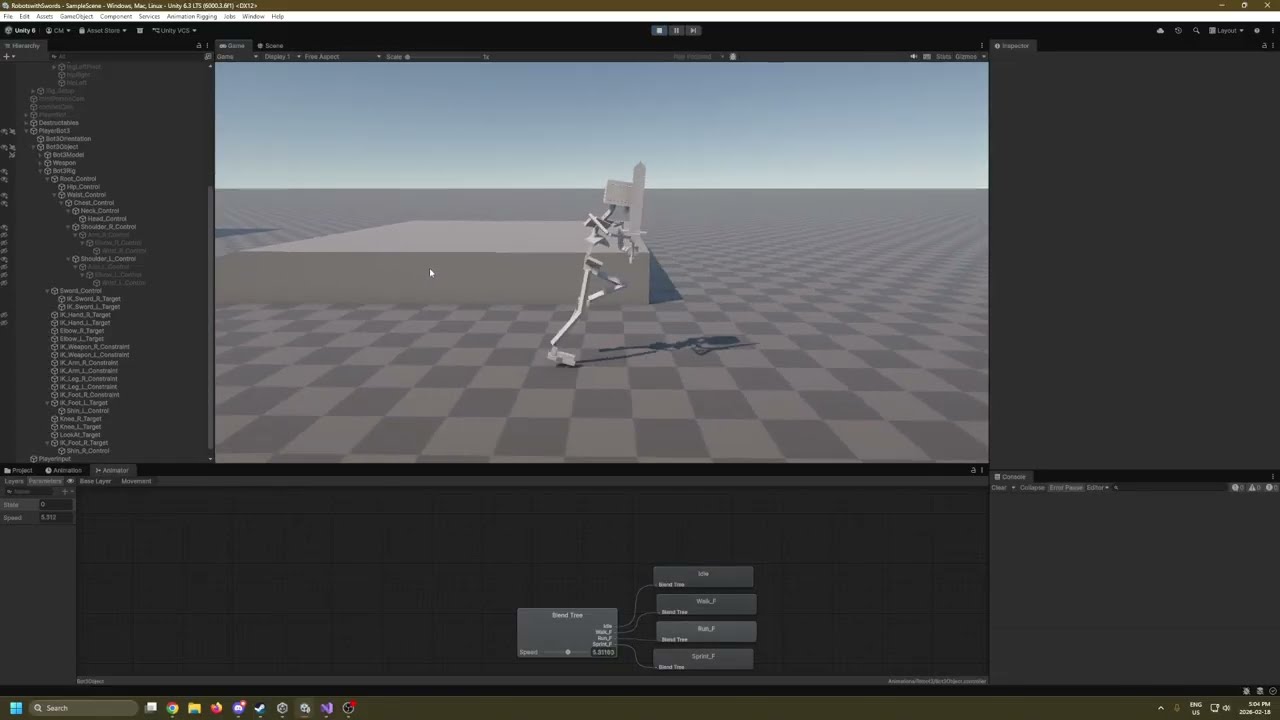
Making a video to check to see what's going wrong here.
I've been trying to diagnose this problem for a week, revising large sections of my character controller and I'm pretty frustrated with how movement feels right now.
wanton trellis
I think the issue might be how youre getting the speed as a parameter for your animator
can you show us that code
onyx leaf
Sure! Gimme a sec.
wanton trellis
Ideally you would use "gaits" for this rather than a floating speed value
So a gait basically sets your animators speed parameter to a fixed amount, but the gaits change between velocity values of your character
onyx leaf
It already sounds like you might know what I need to learn.
wanton trellis
so small changes in your characters speed wont change the entire gait causing the blend tree to shift
onyx leaf
Basically my code says _animator.SetFloat("Speed", rb.linearVelocity.magnitude);
which immediately sounds like what you're telling me not to do
onyx leaf
Alright, so basically I need to decouple it.
wanton trellis
to test it out you can use like 3 if statements
onyx leaf

I already have a state engine ready to go
so I should probably just send an Int to the animator rather than the speed
onyx leaf
Oh sure! I still have questions.
wanton trellis
float SpeedParam = 0f;
switch(currentState)
{
    case MovementState.still:
        SpeedParam = 0f;
        break;
    case MovementState.walking:
        SpeedParam = 1f;
        break;
    case MovementState.running:
        SpeedParam = 2f;
        break;
    case MovementState.sprinting:
        SpeedParam = 3f;
        break;
}
animator.SetFloat("Speed", SpeedParam);
Oooh
That makes a lot of sense. Thanks! I'll try this right away.
I have some weirdness with my state handling as well. I'm not sure where in my Input System I need to change the state to my default speed (running).
onyx leaf
wanton trellis
```cs
float SpeedParam = 0f;
switch(currentState)
{
case MovementState.still...
This feels like brute forcing it but I got it to look right
 onyx leaf
wanton trellis
```cs
float SpeedParam = 0f;
switch(currentState)
{
case MovementState.still...
onyx leaf
wanton trellis
```cs
float SpeedParam = 0f;
switch(currentState)
{
case MovementState.still...

A sequel to "Movement Problems" a kind person on the Unity Discord helped me get this to look the way I wanted.
 neon wing
Please who can be of help
My gocoloco is not working in vrchat even though all the set up is complete and okay in Unity
hexed cargoBOT
sterile vine
!vrchat
Join the growing VRChat community as you explore, play, and create the future of social VR! https://discord.com/invite/vrchat
 gray talon
So I have a question, I've been working on an avatar model for a game that requires complex avatar customization but also complex animation system... and I noticed that blender exports 'combine' NLA strips as part of the animations that have the name of that NLA strip, but they're combined with the underlying base NLA strips that are set as 'replace' for that armature. I have two armatures, one for facial expression and overall blendshape manipulation, relying on drivers, and another one that's heavily bone constrain based. They both work together to allow me to combine two separate level of animation into multiple animation combinations. But that export issue is having me stumped.
Is there a way to have the fbx export each animation as a unique animation, regardless of its state in blender, so that I can actually easily preview the animation in blender, without worrying how it's going to export for the use in unity?
I also don't want to export ALL animations that are in the .blend file, just the ones selected in the NLA strip, but without combining
it's heavily annoying me
agile solstice
gray talon
So I have a question, I've been working on an avatar model for a game that requi...
Use action editor instead of NLA editor, and only one Armature if possible
That makes it so each action simply maps to one exported clip
But in this case multiple armatures / objects get a duplicate of the clip on export
(Unless the way newer Blender versions allow linked action data skip this duplication, haven't tried it)
I've always avoided the NLA editor entirely, so I can't say if there's a better method found within it, or if it could be used to your advantage together with action editor
I wouldn't worry about excess clips, as they can be stripped out in Unity when importing
(Or deleted from Blender in file view before export, then undo that deletion after, which is probably also not the best way but didn't have the need to find a better one
Action editor supposedly exports only actions marked as fake user or which were pushed to NLA editor but those details seemed also a bit too tedious to learn so not sure)
Combining the actions in blender the right way before exporting seems like a simple solution to the first problem
Differentiating them with naming convention may skip the need to pick only them for exporting
gray talon
agile solstice
Use action editor instead of NLA editor, and only one Armature if possible
That...
I'm developing a somewhat dynamic animation system so I'd rather combine them in unity, which is why I have to keep them separate
agile solstice
Ah, then I seem to misunderstand the first issue
You want to output them as separate but preserve their timing relative to each other in some way?
Or is the trouble exporting them as separate at all
gray talon
blender NLA is good for preview of how I want the anims to look in unity, I can easily set multiple animations to base and overlay/blend
So I want to export only the animations from selected NLA strips, but each animation separate, without having to get rid of the excess every single time 😐
I guess I'll just have to have separate blender files for only animation export
agile solstice
gray talon
blender NLA is good for preview of how I want the anims to look in unity, I can ...
The animations themselves are Actions, which afaik use the fake user flag both for being exported and saved which certainly isn't convenient in your case or in general
I recommend naming conventions
There should be no harm in exporting all, as long as you have an easy way to ignore the unneeded ones
Builds will strip unused assets, including animation clips
gray talon
I am using a naming convention luckily so I know what is a facial animation, what's a walkstyle, what's an idle etc etc
Thank you, I'll live with this minor inconvenience
Untill blender maybe fixes it, then I'd be happy and sated
 glad oasis
Is there any resources for network animations? Im making a game with NPCs but the animations arent being sent to the clients of the game that arent the owner
 remote frigate
trying to figure out how to extract this to edit on since it's read only
 steep cairn
remote frigate
trying to figure out how to extract this to edit on since it's read only
steep cairn
remote frigate
trying to figure out how to extract this to edit on since it's read only
open the model file (little arrow next to it) and select the animations, then copy - paste them
remote frigate
steep cairn
open the model file (little arrow next to it) and select the animations, then co...
Thank I just left clicked it and ctrl D and that worked you just saved me a headache
remote frigate
when I add the event I dont see where it is saved and when I go back to the same frame its not there anymore
 agile solstice
remote frigate
when I add the event I dont see where it is saved and when I go back to the same...
agile solstice
remote frigate
when I add the event I dont see where it is saved and when I go back to the same...
Hard to see the frames at all when your animation window is not wide enough
 ivory star
Hey, guys! You know I have a question. There is a keypad puzzle that I have made for my game, and I was wondering how I am supposed to make my keypad buttons to animate like being pressed and released.
What I have created right now is an animator controller component on all of my buttons and attach a single keypad button animator controller to each component.
The problem is that when I am trying to animate a button and then another button because they have the same animator the one overwrites the transform position of the other one.
Is there a way somehow to prevent this from happening? I know there are override controllers but the logic is the same I dont have to create different animation clips to my buttons, they will have the same animation.
I am thinking basically to add an empty object on each buttons so that I will be able to animate the child not the parent/root object
I think that will fix it
agile solstice
ivory star
I am thinking basically to add an empty object on each buttons so that I will be...
Yes
This is the same as giving the animated button an empty parent transform
When an animator overrides its own transform position, that override will be relative to its parent transform, or the scene if there's no parent
ivory star
basically I did something like this. My buttons which have mesh renderer component, script components etc I put them under a root empty object in which empty object I have the animator component

and now it fixed I dont see them both overwrite each other when pressing play mode
 true glen
Hey Im an absolute animation noob, how can I fix this issue that my transitions look wrong? I dont want them to be instant, that looks weird as well, but my player could for example be running forward, stopping, and running backward. With my current settings that will keep running forward for .25s, then idle for .25s, and then run backwards, even though the idle time might just be .1s before pressing another direction, this feels so weird and IDK where to even begin fixing this
 sterile vine
do you have exit time set on the transitions
it sounds like you're describing the effect of exit time
 true glen
As I said I dont want the transition to be instant because that looks off as well
sterile vine
hm, might be able to use the interruption source setting
i'm not super familiar with these transition settings though, so this is about the limit of my knowledge
 small sentinel
How would i go about disabling the animating process for arms? Everything seems setup, but the arms are still being animated from the base layer animation.
 wanton trellis
small sentinel
How would i go about disabling the animating process for arms? Everything seems ...
wanton trellis
small sentinel
How would i go about disabling the animating process for arms? Everything seems ...
Does the base layer include arm animations?
small sentinel
yes
wanton trellis
And the Arms avatar is set up correctly?
small sentinel
Seems so, the base layer animations seems to work fine
ok, it wasnt set lol
let me try haha
small sentinel
ok, still the same, even if i import the avatar and toggle on all the transforms for the mask
agile solstice
true glen
Pretty much how they all look
It is the Exit Time that causes there to be a delay
It is greyed out when Has Exit Time is off (and it should be off) but you can also click and drag the blue rectangular area at the top of the transition timeline all the way to the left so it is timed to occur without waiting
small sentinel
so apparently if theres no keyframes in the clip, unity wont animate the layer
not exactly what i need, but i guess ok
 brazen mural
I want to have dust pop up from feet if running on sand, none if running on tile, etc. Is this something where I would need to make another empty child with it's own animator connected and just like enable it when on sand, or is this something I can do all in one animator? Does one animator correspond to only one spriterenderer?
wanton trellis
brazen mural
I want to have dust pop up from feet if running on sand, none if running on tile...
I dont think you would use animators for anything here
brazen mural
Why not?
wanton trellis
Sounds like you just need to instantiate some particle effects and check for surface materials
Check if your character is moving, then check what material they are moving on, then use particle effects to create the effect of kicking up dust
brazen mural
Ah, okay. What about for things like footsteps?
brazen mural
How do I make it line up with the correct foot in that case, though?
I feel like I'd have better control with an animator
brazen mural
this is for 2d also
brazen mural
yes
Particle effects may work better for the cloud effects that I want, but I'm not sure
I want to have more control with what is outputted
wanton trellis
for a top down 2d game i woul say that the level of precision matters even less
Honestly if i were you i would start with the particles first
figure that out then see what you want to do for the footprints
brazen mural
It's less about precision per se than like having it be pretty
I feel like that may be harder with particle system but I haven't looked into it a super ton
wanton trellis
There are few resources online
Look up "Unity 2d particles" im sure some official unity guides will pop up
brazen mural
Thank you, that's a good place to start
odd kiln
Hello everyone.
I have a little problem. I'm working with a character using root motion and a 2d freeform blend tree. Most directions are working fine, but at around -.91 -.41 (other side also) creates a really awkward movement. The character is bouncing, speed is low, and the legs are crossing strangely. I'm happy share a clip and pics with the relevant info.
 agile solstice
brazen mural
I feel like I'd have better control with an animator
agile solstice
brazen mural
I feel like I'd have better control with an animator
Animators can override any component in the gameobject hierarchy, not just one sprite renderer
If you use a child gameobject for these, they would remain attached to the parent gameobject in motion
So it wouldn't be very useful to keep the effects attached by parenting
You can animate a child transform position along with your sprite animation clips, then instantiate independent dust or footprint gameobjects at the child transform positions
Animation events can be used to time them to motion
 little path
I have an animation from Mixamo that is supposed to put the character on the floor, but when I use the animation in Unity, they're hovering above the ground. The start position is correct, the feet are on the ground, at the pivot, but when they fall forward, they just kind of twist in midair and bring their feet up to the new resting position.
I uploaded the model to Mixamo to get the animation from. The model has a Humanoid Avatar, and the animation clip is set to use that avatar (Generating its own humanoid avatar seems to have no effect, same result). The animator is not using root motion. I've tried out all sorts of combinations of the "Based Upon" dropdowns for the Root Transform settings in the animation.

 wanton trellis
little path
I have an animation from Mixamo that is supposed to put the character on the flo...
wanton trellis
little path
I have an animation from Mixamo that is supposed to put the character on the flo...
Iirc this is an increasingly common issue
ive seen like 10 different people with this exact issue here
and i dont even remember if anyone found a fix
little path

little path
It is without the skin
Only the main idle pose the avatar was generated from has the skin, all of the other animations were downloaded without.
wanton trellis
how outré
wanton trellis
little path
I have an animation from Mixamo that is supposed to put the character on the flo...
do you have any colliders or anything set up on the gameobject?
little path
Yes, but they're on a sibling object of the model, the animations have no effect on the colliders
And the displacement is on the model specifically, it happens even when viewing it in isolation in prefab view, playing it from the Animation tab
brazen mural
agile solstice
Animators can override any component in the gameobject hierarchy, not just one s...
Oh this is really helpful, thank you
gray talon
gray talon
blender NLA is good for preview of how I want the anims to look in unity, I can ...
For people who want to export separate multiple animations, just keep the naming convention of the NLA strips different (if two or more NLA strips have the same name, they'll export as the same animation, often bugged).
And then if it's still bugging out, just star the animations that you want to export. Export with "All Actions" unchecked, since this will export unwanted animations.
If you want to combine the animations, as in combine multiple selected NLA strips into one exported animation, still make sure to star the NLA strips, but in FBX exporter, unselect both "All Actions" and "NLA strips" and the FBX exporter will export all active/playing animations in the scene as one animation. This is also very useful if you have a hybrid or multiple armatures.
agile solstice
gray talon
For people who want to export separate multiple animations, just keep the naming...
Good to know
With multiple armatures I assume they can share a clip in blender, but still will get separate instances of the clips when imported to unity?
Meaning they will have to run on separate animators
 summer basin
Hello, I have a problem with importing the shape keys the eyes from my charachter to unity, i tryed everything out in youtube and gbt, could someone helping me out?
gray talon
agile solstice
Good to know
With multiple armatures I assume they can share a clip in blender, ...
No. The other way around actually
By default, the animations with same name in NLA editor or the ones exported as the 'scene' animation (both 'NLA Strips and 'All Actions' options off) will be combined into one animation, even with separate armatures.
You can keep them separate, by not naming them the same in the NLA editor and exporting without 'All Actions' option. But you can still combine them in the animator. The success depends on how 'separate' your armatures are. My secondary armature is for blendshape animation (facial and morphs) powered by drivers. And my primary is for deformation animation. So they never touch so I can easily use them in the same animator without much issue.
gray talon
Exporting as 'All Actions' is buggy with multiple armatures. It will often export clips that are completely botched.
When I had both it and NLA strips on it would export the animations I want from the NLA strip + a few other botched animations... And NLA strip animation exports are also buggy with multiple armatures, so you need to 'star' the nla strip animations you wanna export instead.
I doubt some of these would be issues if I'd have only one armature. But I need to keep my armatures separate, since if they were packed into a one armature, the blendshape driver one ends up affected by the deformation one and vice versa, and I get artefacts in movement of both.
It's probably a rigging issue but I spent too much time trying to resolve it without success so it's just not worth it.
 patent mountain
brazen mural
How do I make it line up with the correct foot in that case, though?
patent mountain
brazen mural
How do I make it line up with the correct foot in that case, though?
Have transforms on the character feet and a Event on the animation that calls code to spawn a decal
brazen mural
patent mountain
Have transforms on the character feet and a Event on the animation that calls co...
This is a dumb question but everyone is mentioning decal, is this any different from like a sprite and if not, what is the difference
wanton trellis
brazen mural
This is a dumb question but everyone is mentioning decal, is this any different ...
a Sprite is a kind of 2D graphic object
think of it as just an image really
But a decal is material that you project onto your 3d enviroment
 brazen mural
Is it the same if I;m in 2d
wanton trellis
<@&502884371011731486> scam
 charred belfry
?softban 1225244829152444507 scam
 dusk valeBOT
 vr0844 was softbanned.
agile solstice
brazen mural
Is it the same if I;m in 2d
No
2D doesn't have 3D environments to project anything onto
Technically they have nothing in common
Sprites and decals that is
 midnight adder
Where do you put controllers for your bones for arms IK. Is it better to have a controller for a hand bone created on the previous bone in the chain (& put the constraint on the hand) or extrude the controller from the hand, and keep the constraint on the hand?
 agile solstice
midnight adder
Where do you put controllers for your bones for arms IK. Is it better to have a ...
agile solstice
midnight adder
Where do you put controllers for your bones for arms IK. Is it better to have a ...
That's something to ask in a blender discord
midnight adder
Yes yet the setup would be the same in 3ds as well, Im asking here if anyone understands the correct workflow
agile solstice
midnight adder
Yes yet the setup would be the same in 3ds as well, Im asking here if anyone und...
3ds is not Unity either
midnight adder
What?
I have played around with rig builders and IK constraints in Unity before, you are saying there are no univeral similarities in the workflow?
 ripe valve
soooo I am not really good with animation but i desighned this little character, but each time when i make a animation it just looks very chopy and nothing like i want, kinda in hollow knight style
 wanton trellis
This doesnt sound much like a unity question
and more like a question regarding animation itself
ripe valve
Oh woops
fallen yew
choppy because of wonky animation or something wrong with your spritesheets?
also as an animation tip, animate the character without the cloak first, make that look good, and then figure out how the cloak should move afterwards. break up you animation problems into managable pieces
gray talon
Same goes with sword swinging animation. Your character has a cerain weight you want to display in their animation when they move or jump. But with a sword that big, the movement should be slower when the character is hitting something. The animation should feel heavier.
I suggest looking into 12 principles of animation. They're the best starting point for this kind of thing.
viral hedge
gray bronze
Did you install the Unity alembic package
Yes. Alembic is working, but I want it in FBX
agile solstice
viral hedge
Yes. Alembic is working, but I want it in FBX
Alembic is required for exporting simulations
FBX only supports armature deformation and blend shapes
odd kiln
Hello everyone. I could use some advice on blend trees and 8 directional movement. My character seems to be playing jump rope at certain coordinates.
Any advice would be appreciated. This is a root motion setup, where the character's speed and direction are driven by the animation. My character seems to be playing jump rope between the back run and diagonal back run. on both sides I managed to somewhat solve the problem at certain coordinates previously by just duplicating animations in the coordinates in question, but I'm not sure if it's an acceptable solution since I'm new. I've made all of the animations start when the left foot hits the ground using offset. IK is on, and the layer has IK passing. if I turn either of them off, it all goes haywire.

 nimble apex
Hello all, I have:
a game object image
i added an animator to it
I then have five animator controllers, i swap them at runtime with code logic.
However, it only shows the first frame of the animation and doesn't play until i go into the animation window and selct play.
I have the code like thiss:
// Wait one frame for the animator controller to initialize
yield return new WaitForFixedUpdate();
    if (anim != null)
    {
        anim.speed = 1f;
      //  anim.Play("Banter");
    }
This is after i assign the controller with runtimeanimator controller
Anyone messed with switching them at runtime before?
agile solstice
odd kiln
Any advice would be appreciated. This is a root motion setup, where the characte...
It would help to show the two animations separately
It looks like they might have the opposite offset
But also seems likely that those two motions can't be blended because you cannot make a perfect "circle" of strafing animations that would all blend with the adjacent motion, best I can tell
agile solstice
nimble apex
Anyone messed with switching them at runtime before?
Yes, but I haven't had this kind of issue
Using the Animation window always overrides the animator component behavior so using that isn't indicative of much
You'd rather check out what's happening on the Animator window side
It seems you're doing a few more things than just swapping the controller though, so maybe you should simplify your setup for the test
 astral raven
I dont know where to ask this so I'll ask here. Im making a game in unity and rn and Im making a door in blender, will it be possible in unity to move the door handle alone without the door or do I have to make the handle a separate model?
gusty garnet
astral raven
I dont know where to ask this so I'll ask here. Im making a game in unity and rn...
in blender you seperate these meshes so that they are 2 objects, then in unity you can do whatever
you dont need two different models, to say
astral raven
gusty garnet
in blender you seperate these meshes so that they are 2 objects, then in unity y...
so if the door or the handle has more then 1 object to it then I need to join those?
so that they're the same object?
astral raven
gusty garnet
if you join the meshes unity will handle it as a single mesh
yeah I meant for example here, I didnt mean to join the door and the handle, I meant that if the handle was made with more than 1 object then I would join those

so that the handle is a single object
I of course still need to make it but
gusty garnet
yeah you can join the meshes inside of your objects of course
but keep handle and door seperately
astral raven
alright thanks
gusty garnet
best thing is just to test things out
astral raven
gusty garnet
best thing is just to test things out
does moving the objects in unity have to be done through code or through animation?
or can it be done with both?
gusty garnet
it is up to you but for something simple like that definetely animation
astral raven
alright
 eternal lantern
Hello dear unity animator !
i just realised that i've made all my animation on the DragonBoss instead of the GameObject. Everytime i tried to move everything it basically destroyed all i did so... How can i solve this issue please ? Thanks !

*i tried renamming "DragonBoss" in "GameObject" but... Let's say unity told me "no."
agile solstice
eternal lantern
Hello dear unity animator !
i just realised that i've made all my animation on ...
What do you mean by "tried to move everything", and why specifically do you want to make the animations on the GameObject
Usually you'd want animations to be lower in the hierarchy, not higher
eternal lantern
Just for organisation, i've put some animation in DragonBoss and some other in GameObject so everything is a mess and is hard to make functionnal.. (like the particle not rotating with the dragon so i have to put them in a very unpleasant spot)
So i need every animation frame to be on GameObject which is made for animation but i don't know how 👍
agile solstice
eternal lantern
Just for organisation, i've put some animation in `DragonBoss` and some other in...
So do you have two animators with different animations in the hierarchy?
eternal lantern
Wait no you're right i meant putting everything on DragonBoss not GameObject* !!!
I dont have animator 😅 because i use a custom made syste but yeah, in my animation (keyframe), some are in GameOBject, some are in DragonBoss !
agile solstice
eternal lantern
I dont have animator 😅 because i use a custom made syste but yeah, in my animat...
What kind of system? That seems like a relevant detail for the question
eternal lantern
Right, a animationSystem !
But i do have a Animator, sorry ! 😅

 agile solstice
eternal lantern
Right, a animationSystem !
*But i do have a Animator, sorry ! 😅*
agile solstice
eternal lantern
Right, a animationSystem !
*But i do have a Animator, sorry ! 😅*
I know you can change keyframed property paths by editing the file in an external text/code editor, but never heard of combining keyframed properties from two entirely separate clips
May be better option to just re-do them
eternal lantern
:'( it took mes ages to do it, im afraid of losing them..
wanton trellis
This is why you should never animate inside of unity
Always use something like blender and simply export your animations
eternal lantern
Oh, i understand now..
thorny plinth
hello, does anyone know why the head is jiggly and behaves different when imported into unity?
agile solstice
thorny plinth
hello, does anyone know why the head is jiggly and behaves different when import...
Could be due to curve resampling, or keyframe compression
If it's normal Rigify rather than GameRig or similar that can also change how the deformation looks, but shouldn't affect keyframe timing or interpolation
thorny plinth
agile solstice
Could be due to curve resampling, or keyframe compression
If it's normal Rigify ...
im using rigify, ill try to key every single head bone, do u think that will help?
eternal lantern
wanton trellis
Always use something like blender and simply export your animations
Is the Unity animator so bad ?
wanton trellis
yes
its not designed to actually create animations, at most its used to tweak certain things and add animation events
agile solstice
thorny plinth
im using rigify, ill try to key every single head bone, do u think that will hel...
Doesn't hurt to try
thorny plinth
agile solstice
Doesn't hurt to try
ok! thank u 🫡
eternal lantern
wanton trellis
its not designed to actually create animations, at most its used to tweak certai...
Oooh okay didnt knew that... Thanks
fallen yew
eternal lantern
Hello dear unity animator !
i just realised that i've made all my animation on ...
when you say 'Destroyed' do you mean all the keyframes just go yellow? if so, that is fixable. double click the names in the animator, and fix the paths to be correct.
I made a little tool for this but its not ready to be released just yet, but I can DM it to you if you were interested
eternal lantern
fallen yew
when you say 'Destroyed' do you mean all the keyframes just go yellow? if so, th...
Yes that's the issue ! Nice.
I'd love to test your tools but im not allowed to import plugins on my project because it is an evaluation ☝️
 lunar bane
Hey everyone,
Currently trying to solve an issue with an animator variable not updating from an animation. Each of the ear twitch animations "P - Ear Twitch x" are supposed to update their version of "Proxy/Twitch/x" on so it can trigger an animation in another layer. However, when the proxy animation is triggered it is not updating the correct variable. As an experiment, I put the animations in a loop with the reset animation "P - Ear Twitch None" in the base layer of this animator controller under the same transition parameters. For some reason, it is working correctly there, but not in the Twitch Setup layer. Does anyone know why this may be happening?

Nevermind, for some reason, the weighting for the layer had gotten set to zero. I figured it out.
agile solstice
eternal lantern
Yes that's the issue ! Nice.
I'd love to test your tools but im not allowed to i...
That missing/yellow issue is what I was referring to when talking about editing the keyframed property paths directly
Notepad++ / any competent IDE works for it
Unlike them Unity editor doesn't support multi-editing the properties, and was clunky otherwise too
 silver scroll
Good day chat, I'm trying to setup a walking anim for a player model, as well as a idle anim, but it seems like the anim isn't playing for whatever reason. Thanks!


 thorny plinth
agile solstice
Doesn't hurt to try
thorny plinth
agile solstice
Doesn't hurt to try
i tried to key every frame, and also turned off curve resampl/key compression, still the same result :(
 deep comet
silver scroll
Good day chat, I'm trying to setup a walking anim for a player model, as well as...
deep comet
silver scroll
Good day chat, I'm trying to setup a walking anim for a player model, as well as...
Wait wthhhh is that voice from that one epic

lowk having fun with my new rig
and yes its for roblox and unity 🙏🏻
lowk deciding if i make a game in unity or roblox
 atomic ginkgo
Help Maya Users!
My Soda Monster uses blendshapes driven my a set driven key system on a nurb circle. I keep trying to export my key range with animations baked from frame 30-135.
It exports with no failures, but Unity has import issues and imports an fbx with all of the project frames with no blendshape data.
So I tried baking it directly to the mesh before export and deleting the nurb. Well it woks in Maya, but once again breaks in Unity.
Any help with this nonsense? I feel like I'm missing an export step or something ridiculous.
Note I was able to export one of my animations that directly manipulated the blendshape notes rather than a driver nurb.
I'm exhausted and can privide more context and any console messages tomorrow. thanks.
agile solstice
thorny plinth
i tried to key every frame, and also turned off curve resampl/key compression, s...
I would use Unity's Animation window to look at the clip frame by frame in the Curves tab to see how the distortion seems to occur over time, and how the animation curves have changed from what they were in Blender
silver scroll
deep comet
Wait wthhhh is that voice from that one epic
Idk
eternal lantern
Hello ! My animations used to be on "GameObject" but i want to move them on "Body" now. I've renammed them but now i i have the "missing !" error that i don't know how to fix despite looking online. Can you help me please ? Thanks !
 terse gust
eternal lantern
Hello ! My animations used to be on "GameObject" but i want to move them on "Bod...
terse gust
eternal lantern
Hello ! My animations used to be on "GameObject" but i want to move them on "Bod...
this is expected
terse gust
eternal lantern
Hello ! My animations used to be on "GameObject" but i want to move them on "Bod...
it is possible to change the key paths
so you need to double click on the key for example, the Body : Position (Missing!) (double click it)
it will show the path
update the path to match the new names etc
and it will work
eternal lantern
terse gust
it is possible to change the key paths
Thank for the help. Im trying to do it but it only allow me to change the name, not the path, so im kind of... lost 😅
sterile vine
you cropped out all the relevant details there
fallen yew
mmm would it not be BlueDragon/GameObject/Body
agile solstice
I don't think the root gameobject is named in the path
eternal lantern
You guys are heroes
silver scroll
silver scroll
Good day chat, I'm trying to setup a walking anim for a player model, as well as...
Could someone help me with this?
terse gust
eternal lantern
You guys are heroes

lunar bane
Currently working on an asset that has an in depth blend tree setup. Noticed that the controller itself has blend tree references as children. I think this is really useful and would like to use it in my own work. Does anyone know how to create this kind of structure?
 agile solstice
lunar bane
Currently working on an asset that has an in depth blend tree setup. Noticed tha...
agile solstice
lunar bane
Currently working on an asset that has an in depth blend tree setup. Noticed tha...
I believe they are sub assets, managed with methods such as:
https://docs.unity3d.com/ScriptReference/AssetDatabase.IsSubAsset.html
https://docs.unity3d.com/ScriptReference/AssetDatabase.AddObjectToAsset.html
atomic ginkgo
atomic ginkgo
Help Maya Users!
My Soda Monster uses blendshapes driven my a set driven key sys...
So follow up to this issue.
I was able to successfully bake the animations to my monster shake character using a python script that looped through each blend node.
That successfully allowed me to get these exported to Unity with animation data intact. I can see it in the preview window and it looks great!
However, I'm onto another road block. The animator doesn't seem to want to do anything on my character mesh. I made a generic avatar for the Shake despite him having no bones, and then added the shake animator to the animator component.
I'm a bit lost now with what Unity isn't liking. This enemy character uses blendshapes with the no bones. The vertex information is identical, and the hierarchy should be the same. ShakeRoot->ShakeBodyMain->ShakeStraw
Anyone here ever have a blendshape only animator and character?
Also attaching short animation capture for context of what the character looks like and the animations I'm trying to implement.
wanton trellis
atomic ginkgo
so are the animations showing up in the unity animation preview window in the inspector?
I dont think you need an avatar for this at all if it has no bones
just set the rig type to generic and keep avatar definition as none
atomic ginkgo
wanton trellis
so are the animations showing up in the unity animation preview window in the in...
Yeah! That's the frustrating part. They are showing up in the preview window fine with no issues aside from facing the wrong direction.
Let me try generic with no avatar on my object when I get home and see how it behaves.
 chrome cape
Hi, does anyone know how to activate an aimation after an specific action? (example: I shoot my enemy with diferent guns and they do diferent anymations)
atomic ginkgo
chrome cape
Hi, does anyone know how to activate an aimation after an specific action? (exam...
Sooo many ways to do something like that. On my scripts for my weapons they each get the enemy object on hit and I tell them what I want them to do.
That's typically what a lot of devs do to transfer damage, hit forces, hit type etc.
Say you shoot your enemy with incendiary rounds. On hit of your ray, you can then get the enemy game object and pass whatever variables you want. You call EnemyHealth.TakeHit(damage, force, ammotype)
Then in your TakeHit function you talk to your enemy animator to do whatever you want. In this case play your bullet hit animation and then maybe a burning animation.
 covert yarrow
What do people use to do pixel art for a 2-d game? i am very new to this if anyone could answer
sterile vine
there's a ton of apps for pixelart, typically the choice is just preference
piskel is a free online one
atomic ginkgo

After a lot of research and headaches I managed to get the Monster Shake into the Unity engine.
It was missing a "Skinned Mesh" component that allowed the blendshapes to manipulate the mesh. The solution was to simply skin the mesh to a few bones in Maya and reimport. It took me 3 days and a lot of troubleshooting, but I did it.
astral raven
idk where to ask so Im asking here, why does it give those warnings and what do they mean?
 fallen yew
what dose the 'cube' mesh look like?
my guess that the model has some self intersecting geometry + ngons that unity isnt able to process so its just discarding it
astral raven
fallen yew
what dose the 'cube' mesh look like?
its the actual door without the handle
it also gave me similar warnings with the house but I discarded them before cuz I thought they werent a problem
wanton trellis
means you got non manifold geometry
astral raven
wanton trellis
means you got non manifold geometry
what does that mean
wanton trellis
"Non-manifold geometry refers to 3D mesh structures that cannot exist in the real world because they do not form a closed, consistent volume"
Sometimes it can be tolerated, but intersecting geometry is a big no no
astral raven
wanton trellis
"Non-manifold geometry refers to 3D mesh structures that cannot exist in the rea...
ohh makes sense
so its something I shouldnt really worry about since unity took care of it right?
wanton trellis
no you should worry about it
read what the error is telling you
you cant control how unity cleans the mesh up
its good practice that your mesh is functional before you export it from whatever 3d software you used
astral raven
well I looked around and I saw no issues so
wanton trellis
astral raven
well I looked around and I saw no issues so
use blenders select by trait feature
 astral raven
wanton trellis
astral raven
wanton trellis
What does it do
wanton trellis
Lets you select any non manifold geometry
astral raven
Oh alr thanks
agile solstice
wanton trellis
Because not all non-manifold geometry is self-intersecting, and not all manifold geometry is guaranteed to not become self intersecting upon exporting, this isn't a surefire way to look for issues
The issue most commonly occurs when a mesh with a weird shaped n-gon is exported, which Unity cannot interpet as triangles correctly
N-gon of such shape could be L-shaped, or otherwise convex in its edges
A quad could also be self-intersecting if any of its edges are crossing through each other, but that usually looks screwed up in blender already
I think the most effective way to work around the issue is to see which polygons were removed and go back to cut them into quads or triangles
Or to triangulate the whole mesh before exporting, which reveals the problematic polygons, or avoids the problem as blender has a variety of smarter triangulation operations than fbx exporter or importer do @astral raven
astral raven
agile solstice
Because not all non-manifold geometry is self-intersecting, and not all manifold...
Oh alright thanks
 heavy badger
yo, anyone know how to make an animation non-descript in unity? Like just a generic transform animation thatll work on both game objects A1 and A2?
agile solstice
heavy badger
yo, anyone know how to make an animation non-descript in unity? Like just a gene...
Animation clips store component property overrides by gameobject name and hierarchy path
So as long as the names, paths and components expected by the clip match, they can be used on gameobjects that are different in other ways
Such as having components or child gameobjects in addition to the ones the clip is concerned with
The root gameobject name doesn't matter, also
wind silo
can someone help me understand the override transform constraint? what I am doing is first having a transform look at smth via multi-aim. then I want to offset this a little so I use override transform in pivot space. from reading the docs I am guessing what should be happening is it the transform starts at its default pose, gets rotated by multi-aim to face the target and then some more rotation gets added by override. what is actually happening is that override seems to just consistently add more and more rotation to the transform. it basically persists over multiple frames. if I set the weight of override to 0 while in the middle of it breaking it also just stays broken. like shouldnt it instantly reset to default -> multi-aim -> thats it, instead of keeping the override rotation that has 0 weight rn? I am confused.
heavy badger
agile solstice
Animation clips store component property overrides by gameobject name and hierar...
ooh okay thank you
 frozen bison
Hey all. I have an armature imported with another armature (an animated object) parented to it. For some reason Unity isn't able to find the animation state for the child armature. Any ideas?
The clip for it exists so it should be fine but there's probably something I'm missing
nevermind for some reason upon reimporting it just removed the reference to the animation clip. I guess if anyone has a similar issue that might help. Be sure to check the clips again
 royal olive
Heya so I'm helping my friend with their project in Unity and he's decided to use animancer but ran into this issue, any ideas?
We think it might be an issue exclusive to animancer, and while we would use the animator in Unity we felt that could come with technical debt due to it duplicating variables, unlike animancer.

 limber dagger
Just a question, probably to generic (apologies, don't be judgemental), but how much can it potentially cost to animate characters (3D, third person, something like World of Warcraft style) to have smooth movement (run, walk; rotate and strafe; casting, attacking)?
wanton trellis
limber dagger
Just a question, probably to generic (apologies, don't be judgemental), but how ...
cost as in to pay someone to do it?
youre better of just looking up people offering those exact services online and seeing for yourself
 thin grove
hello, beginner q: what's the best way for two different animations, which override different properties, to play independently from each other? In my case the properties are color and sprite: the color animation has to play regardless of whether the sprite animation is active. The way I understand it only one animator state can be active at a time so how would it work?
terse gust
royal olive
Heya so I'm helping my friend with their project in Unity and he's decided to us...
its probably a simple issue
will need more info
such as how things are setup etc
animancer is just using what the animator uses as well but low level in order to have better control over everything
so this problem would be same on both
terse gust
thin grove
hello, beginner q: what's the best way for two different animations, which overr...
you can use 2 animators XD, or have one animation which has both combined
you can't play multiple clips at the same time on a single animator
you can blend clips etc but not both working at the same time
agile solstice
thin grove
hello, beginner q: what's the best way for two different animations, which overr...
Animation layers in the animator
Animators can be nested, being responsible of separate gameobjects, but not sure if different animators can control the same gameobjects even with separate component properties
Sounds like it'd be prone to conflicts
royal olive
terse gust
its probably a simple issue
Alright sick, I'll ask him
terse gust
royal olive
Alright sick, I'll ask him
haha he should ask directly here
royal olive
He's not in the cord, I'll just chuck him an invite
 silver temple
Man Google is not being helpful anymore. So I'm trying to export a character from Blender to Unity in fbx format. In the past, I have done this by doing one FBX file for the character and all animations. Instead, I would like to export one character file and several animation files. I have seen this done for other assets and I'm betting it will be less taxing for my git repository.
But I am not seeing a batch export process and trying to google it is coming up with nothing but answers to questions I am not even asking. Is there a way to batch export fbx animations into seperate files or is doing them manually, one by one, my only option, because that seems really stupid.
wanton trellis
silver temple
Man Google is not being helpful anymore. So I'm trying to export a character fr...
theres no built in way to do this in blender no
you would have to use some kind of custom python script for this
silver temple
That's dumb. But thank you for the answer.
silver temple
They are, what do you mean?
wanton trellis
look up nla strips
silver temple
Just NLA strips? No other context like how to batch export them into separate fbx files?
wanton trellis
nla strips will let you export them into 1 fbx, but you can "extract" the individual clips out of them inside of unity
so its as close as you can get with built in tools
silver temple
I'm not trying to put all my animations in one FBX file though.
The whole point is I only want to update my animation files if that particualr animation changes, rather than updating the entire fbx
wanton trellis
"but you can "extract" the individual clips out of them inside of unity"
at the end of it all in unity you will have your fbx for the model, and several animation clips which are just skinless fbx models
if you need to update a singular animation, just do that and replace it individually
silver temple
Is that a different process from duplicating the clips, because I see no option to 'extract' my animations.
wanton trellis
you just grab them and copy paste them outside of the fbx
silver temple
Ok, so no, its not a seperate file then. Its one file with all the animations that I would still need to update on git and then several copies of the individual animations which I would break references to any time I wanted to update them because they are copies and not references to the original animations and they too would also be pushed to git increasing my repository size which is the exact opposite of what I want.
wanton trellis
okay then... use a custom python script if the workaround bothers you so much
silver temple
I just don't understand why such a useful feature wouldn't be built in.
Or certainly someone should have made a package by now.
wanton trellis
silver temple
I just don't understand why such a useful feature wouldn't be built in.
blender is open source
be the change you want to see in the world
silver temple
Its been open source for like twenty years, I can't be the first person who thinks this is a good idea.
wanton trellis
silver temple
"just learn python bro" does not help me in my immediate situation.
But thanks for playing.
wanton trellis
yeah sorry for all my help 
wanton trellis
silver temple
"just learn python bro" does not help me in my immediate situation.
https://github.com/sivert-io/fbx-action-exporter does this perhaps work for you?

GitHub
Export all animation actions in Blender as separate FBX files. Built for Roblox, Unreal Engine, Unity, and more 🎮 - sivert-io/fbx-action-exporter
silver temple
That appears to be more or less what I am looking for. Thank you. I will give it a shot.
wanton trellis
1 google search btw
silver temple
I did like 5 google searches and it just came up with all the wrong answers
wanton trellis
¯_(ツ)_/¯
silver temple
Well that half worked. Now I have several different files each with all of the animations in them. Sigh.
 woven spire
Hello team,
An animator will only run, one animation layer at a time?
silver temple
How is it after 13 years Unity still doesn't have an option to import animations with constant curves? I just want stop motion animation and people have been asking about it on the forums since 2013. There still doesn't seem to be a good solution for this.
 brave storm
woven spire
Hello team,
An animator will only run, one animation layer at a time?
brave storm
woven spire
Hello team,
An animator will only run, one animation layer at a time?
No it can run multiple at the same time. For example you can have a base layer that affects all bodyparts, and then another layer that only affects the upper body
agile solstice
woven spire
Hello team,
An animator will only run, one animation layer at a time?
All layers will always be running, whether synced or independent
Layer weight, masking and if it's additive will determine if the motion from it will be applied
agile solstice
silver temple
How is it after 13 years Unity still doesn't have an option to import animations...
I believe you can import constant curves, as long as you disable the resampling and or compression, not sure which were required
Potentially useful workarounds are to change the curve to constant only after importing together with exporting with such a low sample rate that baking and resampling cannot create new kind of motion between keyframes
What we really are missing is a good way to snap the whole animator time
Even with correctly constant curve clips, any blending will ruin the snapped effect
silver temple
agile solstice
I believe you can import constant curves, as long as you disable the resampling ...
Apparently that option is not available for humanoid rigs.
silver temple
silver temple
Man Google is not being helpful anymore. So I'm trying to export a character fr...
Apparently this is what my co-workers use. https://superhivemarket.com/products/better-fbx-importer--exporter?ref=2
native pewter
What do you guys typically recommend for controlling your animations in game, the default animator, controlling it through code, something like animancer, or another option?
wanton trellis
native pewter
What do you guys typically recommend for controlling your animations in game, th...
It massively depends on many factors
like the first and most important question is, animation for what?
the player? the enemy?
is it a 3d game? 2d? first person? third person?
theres a lot of factors here
native pewter
3D game, platformer, starting out with the main character, third person.
There's going to be a lot of animations
wanton trellis
Depends on how much effort you want to put into it
i would say the regular animator works
but a part of me also wants to say that if you can find 50 something animation clips
you might want to do motion matching
native pewter
I'm worried about it getting cluttered and difficult to debug when a lot of animations are introduced
native pewter
I was just doing some light digging and a lot of people recommend Animancer. I am just not sure how good it is, or how much it's worth - the price isn't an issue at all.
wanton trellis
its really a choice
i used animancer before
and its honestly whatever, just a custom playables api
agile solstice
native pewter
I'm worried about it getting cluttered and difficult to debug when a lot of anim...
Making effective and efficient animator state machines is a skill
The more you use animator's features like layers, blend trees, sub-state machines, start/end nodes and animator state behaviours in a strategic way, the more you can cut down clutter and automate the motion
Animator's particular advantage is in blending states, and motion that flows naturally from state to state
native pewter
Alright, so as a beginner you would probably recommend me using that
agile solstice
I mostly just see animancer's author recommend animancer so I'm not sure how much better it practically would be
The main pitfall of animator is that playing its states directly, which could be intuitive, doesn't give you any benefit from using it at all and in fact hinders you
In similar vein a common mistake is to make a parameter for every state, and transitions between every state or with Any State, in an attempt to let you call any animation at will
But that effectively leads you to code a parallel finite state machine just to manage which state the animator is meant to be playing
native pewter
Wait, can you not just call the animator to play an animation on it?
agile solstice
While the actual power of parameters in animator is that setting one parameter can play different animations depending on context, or transition through multiple states to naturally reach the desired state
Both of which would be cumbersome tasks to do manually from code each time
agile solstice
native pewter
Wait, can you not just call the animator to play an animation on it?
You can, and that can be a useful tool, but it's important to note it interrupts the state machine's transition logic to skip to the manually called state
Which is likely to contradict the proper workflow
native pewter
I'll have to use it to get a feel for it
I haven't really touched it too much yet
Like if I am running, and get hurt into a knockback animation - I am able to call in code to change my state right? cleanly?
native pewter
agile solstice
In similar vein a common mistake is to make a parameter for every state, and tra...
So what's the workaround here
agile solstice
native pewter
Like if I am running, and get hurt into a knockback animation - I am able to cal...
The situation could be more like that you have a running knockback animation and a mid-air knockback animation (and maybe more)
So in that case you need animator parameters for running, knockback and vertical motion, your code naively sets thise parameters based on what's happening, and the animator then chooses the animation to play depending on if it's first playing running state or mid-air state, or if it's on grounded layer or mid-air layer for example
Instead of you having to code every one of these conditions if it's using the animator for nothing but playing the state directly
native pewter
Can you not directly call what animation should play, from code based on conditions?
agile solstice
Then your character may land during the mid-air knockback animation
Blending to grounded knockback animation from the mid-air knockback animation seamlessly without altering the time of the animation would be trivial with animator, but a bunch of work in code
native pewter
Or do you have to set those parameters in the animator and have it transition on its own
oh this would probably be bloated in code
with all these different situations
agile solstice
native pewter
Can you not directly call what animation should play, from code based on conditi...
You can, but do you want to
People who dislike the animator tend to be using it like that and getting none of its benefits
That said playing / blending to a state directly is a valid tool
As is using a specific parameter and Any State to jump to a state on command
But trying to work the animator with those alone is a hurdle indeed
Mostly because you do end up having to code systems for transition conditions, which the animator has already
native pewter
I feel like I need to use this first, run into pitfalls, and come back here once I am more experienced. I don't fully grasp the pros and cons of the system yet, and I think simply using it would make it easier
I also don't want to fall into mistakes and bad habits though

Learn how to properly export characters and animations from Adobe's free Mixamo platform and import them to Unity 3D. You'll also learn some beginner-friendly animation knowledge!
ACCESS PROJECT FILES & SUPPORT THE CHANNEL:
💛 https://www.patreon.com/iHeartGameDev
iHeartGameDev Merch:
💛 https://www.iheartgamedev.com
CHECK OUT THE NEXT VID...
This guy has a series of tutorials I am going to check out before starting
agile solstice
I agree
I recommend reading the documentation carefully, especially about the features it has
Because the efficiency lies in those features, and working around them instead leads to inefficiency
native pewter
I've already made a couple of animations in Maya to get started
native pewter
agile solstice
I agree
I recommend reading the documentation carefully, especially about the fe...
What specific documentation?
https://docs.unity3d.com/Manual/class-Animator.html Not this, right?
 agile solstice
native pewter
What specific documentation?
agile solstice
native pewter
What specific documentation?
https://docs.unity3d.com/6000.0/Documentation/Manual/AnimationStateMachines.html
Everything here basically
That youtuber has videos covering some of these topics on a basic level, but I'm not sure if he really gets into the efficient animator controller strategy
native pewter
agile solstice
<https://docs.unity3d.com/6000.0/Documentation/Manual/AnimationStateMachines.htm...
Do you have a video or series of videos that covers this?
agile solstice
native pewter
Do you have a video or series of videos that covers this?
None that I'd have found
I'd make one myself if I wasn't doing something else all the time
It's a bit difficult topic to instruct too because the ideal controller varies a lot on what it needs to do and what'd be practical in the unique situation, kind of like how optimization is different for every game
Fortunately there are no big secrets there either, just first learning what the tools are and then figuring out how to use them in a way that works the best for you
native pewter
Im going through the docs right now, a lot of this makes sense to me
If you do it properly, you can make this clean right?
agile solstice
I can give feedback and advice once you are building an animator state machine to suit your character's particular needs
native pewter
With sub states, blend trees, etc. it seems like you can cut a lot of clutter
And also Any State seems very useful
agile solstice
native pewter
If you do it properly, you can make this clean right?
Yes, ideally code is very hands-off, just sending parameters as directives of what the character is doing, with the animator fully automating the actual playing of the animations
native pewter
Okay this actually makes sense
No matter what though it feels like I'd have to expose and update a lot of parameters for the animator
agile solstice
native pewter
And also Any State seems very useful
It can be, but it is very treacherous
Any State transitions interrupt all other transitions and the whole state machine, as kind of an "emergency override"
It feels like it gives you, meaning your code, precise control over the state that plays, but doing that takes the responsibility of managing state transitions away from the animator
Then you end up writing conditions in code to prevent the Any State transitions from taking over
native pewter
Ah
If you rely on it too much, it can hijack animation transitions - leading to unexpected results
and it turns into this complex balancing act
It's a crutch basically?
agile solstice
Indeed
I'd rather prevent beginners from using it entirely, to not learn bad habits
But it has its uses
native pewter
Well let's use the knockback as a hypothetical, let's say I can be knocked back from literally any state: walking, running, jumping, wall climbing, etc.
how would you approach that?
having a transition from every single one of those, to the knockback state, that would be silly right?
agile solstice
Any State is okay for transitions to states that are totally one-way, or supposed to interrupt everything, something like a death animations
And instead of calling a state directly, Any State transitions can have more conditions, like different death animations along with other parameters, or on other layers
native pewter
Okay noted
As a side question, I have a bunch of different idle animations - i want them to play randomly after X duration, can that primarily be done in the animator?
I dont know if it has a way to pick a random animation
agile solstice
native pewter
Well let's use the knockback as a hypothetical, let's say I can be knocked back ...
Idle, walk and run together often can be a blend tree controlled by just one "horizontal velocity" parameter
Jumping and falling can both be controlled by just one "vertical velocity"
Or there can be separate layers, potentially synced, for grounded, climbing and mid-air states
These kind of strategies already cut down the number of required transitions and parameters down a lot
agile solstice
native pewter
I dont know if it has a way to pick a random animation
I wish there was a feature for a state containing a selection of animations, but it can be done with a sub-state machine and a random value parameter, which you can re-use for any randomization in the controller
Blend trees can also be used to conveniently contain a selection of animations, if you snap the weight variable to increments, but it's a bit hacky
native pewter
Oh wait the blend tree idea is really good
native pewter
If that's a lot for you, how are you going to get anything beyond that done?
wanton trellis
!collab
hexed cargoBOT
wanton trellis
!collab
:loudspeaker: Collaborating and Job Posting
We do not accept job or collab posts on Discord.
Please, use Discussions to promote yourself as job-seeking, advertise commercial job offers, or look for non-commercial projects to participate in:
• ** Collaboration & Jobs**
 vapid scaffold
how do i fix my animations not working
i have my animation set up to entry in the animator tab and nothing happens when i press play
wanton trellis
we need some more info
did you verify the animation clip works
how are you playing the animation?
what do your states look like
vapid scaffold
wanton trellis
what do your states look like

i press play with a camera in hiearchy to test
it was working yesterday on a different object
vapid scaffold
ye
im exporting a blender animation to unity
it has a bunch of different animators

so i just do the first one
wanton trellis
vapid scaffold
it has a bunch of different animators
those are animation clips
not animators
im asking if your game object has the animator component on it
 green spear
native pewter
If that's a lot for you, how are you going to get anything beyond that done?
green spear
native pewter
If that's a lot for you, how are you going to get anything beyond that done?
Eventually im gonna hire someone
vapid scaffold
wanton trellis
im asking if your game object has the animator component on it
yes
green spear
green spear
Eventually im gonna hire someone
Just rn i cant afford it
wanton trellis
green spear
Eventually im gonna hire someone
well youre going to have to do that sooner than later im afraid, also we do not accept collaboration or hiring posts here
wanton trellis
vapid scaffold
yes
does any other clip play?
vapid scaffold
no
green spear
wanton trellis
well youre going to have to do that sooner than later im afraid, also we do not ...
I understand now hiring posts but why no collaboration
That sucks
wanton trellis
green spear
I understand now hiring posts but why no collaboration
same reason
hard to moderate
leads to bot spam
green spear
Do I need to delete that message or anything?
wanton trellis
green spear
Do I need to delete that message or anything?
You probably should
wanton trellis
green spear
I still think its stupid
theres always #1161868835423526933 if you want to complain
wanton trellis
green spear
Time to try to find somewhere else
but let me be blunt here
chances are nobody, and i mean nobody will do this for you, not for free
green spear
wanton trellis
theres always <#1161868835423526933> if you want to complain
Id rather not because it makes sense why that rule is there
wanton trellis
youre better off spending your time learning to do it on your own,
than asking random people in public discord servers to do it for you
vapid scaffold
yo question @wanton trellis
i have 5 coasters
i got the anims working for 1
how do i do the other 4
 agile badge
I am having a huge problem with the IK of the arms in my game. I have an item that is animated to be held by the player, and I want the arm to move with it, so I made a TwoBoneIKConstraint and made a RightHandTarget transform that gets moved to the item everyUpdate(). But this causes the IK to be delayed, and it's very visible on lower fps.
Here is a clip showing the problem, the selected Transform is the RightHandTarget. I believe it's behind by 1 frame, which makes me think that the transform gets before the animation is updated.
terse gust
agile badge
I am having a huge problem with the IK of the arms in my game. I have an item th...
try lateupdate
agile badge
terse gust
try lateupdate
I already tried this, doesn't seem to make a difference
terse gust
basically
its an ordering issue
you need the item to move before you set the position and you need to set the position before the animation rigging thing is updated
agile badge
Yeah, my guess is that I have to update between the animator updating and the animation rigging update.
I just don't really know how to do that
terse gust
you can take full control of the entire thing using playables or maybe manually update the animators(tho idk whats the best way to do that)
agile badge
I tried making a custom constraint for the animation rigging, but that requires me to Rebuild the rig every time I equip an item
terse gust
agile badge
I tried making a custom constraint for the animation rigging, but that requires ...
why would it require that
why do you need to rebuild the rig?
agile badge
terse gust
why do you need to rebuild the rig?
Since I am changing the target and hint
terse gust
does this issue go away using the custom constraint btw?
as you can make it right before the ik constraint ?
agile badge
I believe it did, but it was a bit problematic to work with
terse gust
agile badge
I believe it did, but it was a bit problematic to work with
ik but for this i think it's not that bad
about rebuilding the rig
agile badge
the character seems to flicker for other players when I rebuild the rig
terse gust
you can make a parent object which isn't supposed to be re set
yes don't rebuild the rig
avoid that
agile badge
terse gust
you can make a parent object which isn't supposed to be re set
if I understand you correctly, this is already what I am doing, I have a RightHandTarget and a RightHandHint that's always set on the IK, and then I have two other transforms in my item that they get moved to every Update
terse gust
agile badge
if I understand you correctly, this is already what I am doing, I have a RightHa...
so why do you need to rebuild if you aren't changing the constraint setting?
agile badge
well, I am changing the constraint setting because I need to tell the constraint which transforms to follow
But I removed my custom constraint, because it was basically the same as setting the target and hint on the IK directly
terse gust
agile badge
well, I am changing the constraint setting because I need to tell the constraint...
so you change the target transform?, you have a RightHandTarget and a hint, you are setting those to different transforms at runtime
thats why i am saying instead of modifying the target transform on the constraint, set the parent of the already set target (transforms) to your target you want and reset there local position
agile badge
terse gust
so you change the target transform?, you have a RightHandTarget and a hint, you ...
Yes, in my character I have RightHandTarget and hint (which are applied on the IK), then in my Items I also have RightHandTarget and hint, which the ones in the character follow, so I don't have to rebuild the rig
agile badge
terse gust
thats why i am saying instead of modifying the target transform on the constrain...
I tried, but this doesn't seem to work
terse gust
agile badge
I tried, but this doesn't seem to work
like what didn't work
did your transforms not react\
agile badge
The hands don't follow
terse gust
to the parent or smt
terse gust
agile badge
The hands don't follow
ah
agile badge
Maybe I did something wrong, because I did it at runtime using the hierarchy, but still should work
terse gust
then parenting won't work, you need to manually do everything lol, i remember how horrible it was, so i just used unity's humanoid mecanim
terse gust
agile badge
Does my character have to be a humanoid
if you want to use mecanims built in ik then yes
agile badge
I couldn't get my character's animations to work with humanoid, so I used generic instead
terse gust
there are ways to manually update rig builder also, so like you set the positions of the 2 transforms you want to match and then update the rig builder which ensures
agile badge
seems like a performance pitfall, but I could try
terse gust
agile badge
seems like a performance pitfall, but I could try
don't update animator manually only the rig builder
agile badge
do you know the method of the top of your head? I used some SyncLayers() or something in the past
terse gust
agile badge
do you know the method of the top of your head? I used some `SyncLayers()` or so...
wait a bit , i have to check my code lol
ok so, my animator is fully custom using playables, however it should work with animator also, basically have a ref to the rig builder, call Build() on it, set it's graph to manual time update mode, all in start, then in late update call sync layers on rig builder and maybe evaluate on the graph
this may not work tho, hopefully will also https://discussions.unity.com/t/rigbuilder-manual-update/827763/2
check this btw
it seems like it should work
@agile badge the discussion
i gtg now
agile badge
alright, thanks for the help! I appreciate it
This seems to have fixed it. Although, my character's arms are in T-pose, but the rest of the body is animated
terse gust
agile badge
This seems to have fixed it. Although, my character's arms are in T-pose, but th...
not sure what that means character arms in tpose? i mean that is anyways controlled by the IK,
agile badge
terse gust
not sure what that means character arms in tpose? i mean that is anyways control...
well the weight on the IK is 0, so it shouldn't care about the arms
when I disable the manual evaluation, it works normally
terse gust
so it works when IK is 1
agile badge
yes, the IK itself works perfectly now, but the arms are in T-pose
terse gust
agile badge
yes, the IK itself works perfectly now, but the arms are in T-pose
thats really odd XD
try setting overall rig weight to 0
agile badge
I'm so close to buying FinalIK, I've been having problems with my IK for months now
terse gust
agile badge
I'm so close to buying FinalIK, I've been having problems with my IK for months ...
haha lol
agile badge
terse gust
try setting overall rig weight to 0
I already tried this :/
terse gust
agile badge
I already tried this :/
does your animation even have hands animated?
agile badge
Yes, but I also have a Locomotion layer in my mecanim animation controller
so it should default to the idle animation or whatever
terse gust
so you have 2 layers orsmt
maybe try not calling build on the rig builder tho that shouldn't make difference
agile badge
This is my script, when I disable it in the hierarchy (at runtime), the t-posing stops
using UnityEngine;
using UnityEngine.Animations.Rigging;
using UnityEngine.Playables;

[RequireComponent(typeof(Animator))]
[RequireComponent(typeof(RigBuilder))]
public class ManualRigTick : MonoBehaviour {
    private RigBuilder rigBuilder;

    void OnEnable() {
        rigBuilder = GetComponent<RigBuilder>();
        rigBuilder.enabled = false;
        if (rigBuilder.Build()) {
            rigBuilder.graph.SetTimeUpdateMode(DirectorUpdateMode.Manual);
        }
    }

    void LateUpdate() {
        rigBuilder.Evaluate(Time.deltaTime);
    }
}
It says to do that in Unity's documentation 🤷♂️
it's to disable the automatic SyncLayers() updating
happens in rigBuilder.Evaluate already
terse gust
hm, comment that out and see
also try it without calling build at all
just setting the update mode
agile badge
commenting out enabled = false didn't change anything
trying not to build
still doesn't work
terse gust
hm lol it usually doesn't do this weird things, try rigBuilder.graph.Evaluate( instead of the direct evaluate
like in the discussion i linked earlier
agile badge
terse gust
hm lol it usually doesn't do this weird things, try rigBuilder.graph.Evaluate( i...
I used that earlier with the same problem, all Evalute does is;

SyncLayers has to be called before Evaluate
terse gust
welp im out of ideas lol
agile badge
yes
terse gust
ok one last try, do graph evaluate then call sync layers
agile badge
what If I sync again after evaluate
so two times
I saw someone doing that on unity forums
nope, that didn't work
terse gust
someone else had the same issue on the discussion i linked
agile badge
yeah, I realized after I implemented it
Honestly, I'm just gonna buy FinalIK, it will save me some headaches
terse gust
agile badge
Honestly, I'm just gonna buy FinalIK, it will save me some headaches
mhmhmh, tho i won't lol
 modest magnet
i have imported an alembic animation to unity and its not playing. it has an alembic stream player script attached to it which scrubs through animation when i change a variable called time in it. but i cant find a way to change it in the script, i cant find that variable in script at all. how do i play the alembic animation?
 ripe shadow
Hello, im having a huge problem with inverse kinematics in my project, no matter what i do, it seems the hands of my charecter always lag behind the gun. i was considering the purchase of FINAL IK as a solution but i dont actually know if it would fix this issue and because of the price of the addon, i dont want to risk it. Any ideas?
agile badge
ripe shadow
Hello, im having a huge problem with inverse kinematics in my project, no matter...
If you scroll up a tiny bit, you will se that I had the exact same problem. There is also a solution that kind of works. I ended up buying Final IK and it works very good, but right now, I am struggling to get good results with Final IK since their Arm IK is has limited configuration.
The solution to your problem may be the same as mine, but it depends on your implementation. But I fixed it by updating the RigBuilder manually. Though it left me with another problem which is that layers in the animator don't seem to work correctly.
ripe shadow
agile badge
The solution to your problem may be the same as mine, but it depends on your imp...
idk what layers are, so i probably dont use them, but i think at some point i tried manually updating rigBuilder manually and it broke the entire charecter, maybe i did it wrong but ill try again for sure.
Also wdym by limited config for final IK?
did final IK actually fix the issue of lagging behind?
agile badge
ripe shadow
did final IK actually fix the issue of lagging behind?
Yes Final IK fixed the problem for me, but to me, it feels like the Animation Rigging package works better when only rigging arms, but I may have set it up incorrectly. I haven't used Final IK enough to get comfortable with it, so I can probably make my IK better. Some positive things about Final IK is that you can change the target and hint at runtime without having to rebuild the rig (like in Animation Rigging package), you can also make custom IK constraints since you have all the code for their constraints, so it's a lot more customizable.
ripe shadow
agile badge
Yes Final IK fixed the problem for me, but to me, it feels like the Animation Ri...
Oh damn!
So you can have IK targets directly on the gun and you can switch the IK targets to those, without having to manually update them?
agile badge
ripe shadow
Oh damn!
So you can have IK targets directly on the gun and you can switch the I...
Yes! This was one of my pain points eith the built in IKs
ripe shadow
Im doing a full body animation with tilting the body towards where its going and peeking and stuff like that, mostly using IKs but with some underlying animations too. i feel like from what you describe this would be a good purchase, even if i dont know how to set it up properly yet
agile badge
ripe shadow
Im doing a full body animation with tilting the body towards where its going and...
Have a look at their documentation and make the call yourself, it seems to shine at full body iks but my game doesn’t use those so I cant give my opinion on them
ripe shadow
Okay thank you! i will look into this, im very happy that there is a solution at all :)
 oblique shell
can anyone help me? Im very new to animation and I want to export the model with its idle animation to unity but I have 3 seperate animations because there are 3 different objects. how do I safe it as one animation? Is that even the right approach what Im doing?
what is the best way to make an animation like that without having the trouble of splitting it into 3 pieces. I now have 3 different objects in unity as well
ripe shadow
oblique shell
what is the best way to make an animation like that without having the trouble o...
Its fine to have multiple objects, if you exported as fbx putting an animation on top of the parent object (the one that has all the 3 objects under it) you should be seeing this animation in the editor
oblique shell
ripe shadow
Its fine to have multiple objects, if you exported as fbx putting an animation o...
Im super confused right now. Do I have to give BeeBody, BeeWingL and BeeWingR a player tag, rigidbody, mesh collider? how do I animate that correctly?

Dont mind the second bee that is the not animated one
ripe shadow
Wait nvm, i think itd just be easier if you set up a simple rig, or for an animation that simple you could write a simple script to rotate the wings up and down.
I lied initially because i forgot you could do animations without rigs (sorry) 🥲
oblique shell
I dont know how to set up a rig for that 😅 never done it before
ripe shadow
Or if you dont really ever want to change the animations and its something that will always play, you can add the animations seperately to each part, it doesnt matter much
oblique shell
ripe shadow
Or if you dont really ever want to change the animations and its something that ...
This project is for learning only and I do want to have multiple animations later even tho a bee cant do much :D. Got any good youtube tutorials explaing it? I cant find a suiting video
and why do I got 9 animations?!
 ripe shadow
oblique shell
This project is for learning only and I do want to have multiple animations late...
ripe shadow
oblique shell
This project is for learning only and I do want to have multiple animations late...
https://youtu.be/DDeB4tDVCGY?si=Hzd-xOg4cjsHh5EG
This tutorial is good, especially since you dont have a humanoid.
If the project is for learning, i strongly suggest to get into rigging, it will save you headaches (and give you different ones) later.
This way youll be able to store the animation in a single file
Learn to rig NOW. I show how to set up an armature, how to parent things to bones, weight painting and how to solve common issues, and basic inverse kinematics.
Patreon, Gumroad Shop, Discord, and other stuff:
https://linktr.ee/Joeycarlino
Parent to nearest bone addon: https://github.com/g3ntile/parentToNearestBone
Rigging playlist: https://y...
ripe shadow
oblique shell
and why do I got 9 animations?!
this is just a blender quirk i stg, the charecter FBX file in my game has a duplicate of each animation and i have no idea why, but its not a super big problem
oblique shell
ripe shadow
this is just a blender quirk i stg, the charecter FBX file in my game has a dupl...
so i can just use any of them?
ripe shadow
oblique shell
so i can just use any of them?
im p sure yes
 marsh quail
how do you sync the walk/run animation from blender to unity? forward, backwards, etc animations are 2 sec at 30 fps. but i am noticing a lot of sliding
marsh quail
ye
like the character is sliding forward as they are stepping forward
should i be matching the speed in blender before moving to unity or something else
wanton trellis
Well yeah you animated around the desired speed approximately
a human moving at 2.5m/s for one moving 4m/s looks widly different in practice
marsh quail
in case of the enemy, im using navmesh, any particular way to measure the distance travelled
and is the distance in blender the same as in unity?
like 1m in X axis in blender is 1 in unity X axis?
wanton trellis
marsh quail
in case of the enemy, im using navmesh, any particular way to measure the distan...
you decide the speed of the navmesh agent in the inspector

if you set it to move 3.5 then you animate around that assumption
if it changes, you create multiple "gaits"
marsh quail
So pick all the enemy stats for movement and decide animation speeds?
marsh quail
Welp, trial and error, here i come
marsh quail
wanton trellis
decide how fast the enemy moves
Thank you