#🏃┃animation
1 messages · Page 44 of 1
 nimble vine
 agile solstice
What I'm seeing here is that Atk1 and Atk3 parameters are set to false before the clip is finished, and I think specifically before reacing the Exit Time threshold
Atk2 on the other hand is set to false after it
When you have a condition and Exit Time enabled together, the transition must occur at the time of the Exit Time in the clip
So I believe what happens is that because the transition misses the Exit Time, it probably invisibly loops the clip time until it comes around to the Exit Time again and only then does the transition
Without Has Exit Time enabled the Exit Time variable will still be used but as a delay from the point when the conditions are met
(Or so I use it, not sure why it's greyed out in that case)
nimble vine
im confused because if i double click one for the first atk it also freezes the frame
 mellow goblet
Hi, is there some easy way of setting 2d animated sprites to the opposite direction? We gotta do quiet a few monsters and thought it would be way easier if we could just somehow mirror jumping and idling automatically into the other direction. Its a simple 2D game. I tried transforming it 180° but that has a weird flip effect for the sprite
agile solstice
mellow goblet
Hi, is there some easy way of setting 2d animated sprites to the opposite direct...
Sprite Renderer has a "flip X" property for that purpose
mellow goblet
agile solstice
Sprite Renderer has a "flip X" property for that purpose
Wouldn't that have the same effect if I change that through the animation? I'll try cheers!
agile solstice
mellow goblet
Wouldn't that have the same effect if I change that through the animation? I'll ...
If by "through the animation" you mean a keyframe that changes the flip X property then yes, it doesn't matter for appearance what it is changed by
But it's useful to be able to change it separately from animations so you don't need different clips for different look directions
mellow goblet
agile solstice
But it's useful to be able to change it separately from animations so you don't ...
So I would need to add a bunch of different sprite renderers to the player basically
At this point can just add normal images, thx for the help thought I missed something 😂
agile solstice
mellow goblet
So I would need to add a bunch of different sprite renderers to the player basic...
Different? Don't you have a sprite renderer to begin with
What do you mean by "normal image" exactly
mellow goblet
agile solstice
Different? Don't you have a sprite renderer to begin with
I do have one but the animation renders the sprite so if I try to set the flip x on the sprite renderer via script or something I assume it has the same effect as with the transform
agile solstice
mellow goblet
I do have one but the animation renders the sprite so if I try to set the flip x...
"Animation renders the sprite" meaning?
Flip X is not the same as modifying the transform
mellow goblet
agile solstice
"Animation renders the sprite" meaning?
Okay nvm i'll try that out later then
May just actually fix the issue
Thanks!
agile solstice
mellow goblet
Okay nvm i'll try that out later then
Try what? I think I'm officially lost
mellow goblet
agile solstice
Try what? I think I'm officially lost
You said above if I set flip x during the animation on the sprite renderer it does have the same effect as if I set the transform during a key frame so I figured it wouldn't matter which way I change the X value it would have the same effect during the animation but then you said no that's not the case, so I'm kinda confused as well xd
Especially cuz I can't try at the moment just had an issue with it today so I'll just try it out when I'm back
agile solstice
mellow goblet
You said above if I set flip x during the animation on the sprite renderer it do...
Not exactly
I said that changing Flip X property through animation is the same as changing Flip X through other means
Changing the Transform is different from changing Flip X in either case
mellow goblet
agile solstice
Not exactly
I said that changing Flip X property through animation is the same a...
Oh okay that makes sense then I misunderstood this
agile solstice
I don't know how you got from that that you need to "add a bunch of different sprite renderers"
Unless I'm missing important context, you should only have and only need one sprite renderer
Not multiple, nor an "image"
mellow goblet
agile solstice
I don't know how you got from that that you need to "add a bunch of different sp...
Well that was my conclusion after you said that changing it through key frames has the same effect. Thanks I'll try out the flip stuff later!
agile solstice
mellow goblet
Well that was my conclusion after you said that changing it through key frames h...
Still curious how you arrived to that conclusion
Feels like you skipped a few steps in the logic
Reading between the lines it seems your setup is unusual in some way, or you're considering doing something unusual
mellow goblet
It's pretty default 😂 it was the only thing I could come up with flipping them without making graphics for the rest of them just adding a bunch of child sprite renderers and exchanging them with the flipping. But that's not needed anyway due to the misunderstanding so all good
 rotund valve


 sterile vine
rotund valve
sterile vine
rotund valve
if you'd like to share work, you can use #🏆┃daily-win or #1180170818983051344
 coarse solar
GUYS i really need help
i have a blend tree for walking and idle that is working but for any reason the game only play my falling animation non stop
 round garnet
coarse solar
GUYS i really need help
i have a blend tree for walking and idle that is working...
round garnet
coarse solar
GUYS i really need help
i have a blend tree for walking and idle that is working...
Presumably your Animator Controller's state switches to Falling, because the parameter controlling grounded is false (?).
(You can open the Animator Controller from your gameobject at Runtime to see it in action)
My very very spontaneous guess here is that your grounded check is failing, maybe because you forgot to tag the ground with whatever tag you're checking for? Or perhaps it's not in the correct layer for your raycast?
coarse solar
round garnet
Presumably your Animator Controller's state switches to Falling, because the par...
but i alr tested and it is grounded but the blend tree never starts so even if isgrounded is true the animation doesnt change and keep jumping/falling animation
 uncut salmon
The only way you can debug this is verifying which properties drive your blend tree and what properties switch to your blend tree state. Then debugging these values in your code to see what's happening.
It's impossible for anyone to give you a solution otherwise.
 west spruce
Hey, so I have this small issue with a model that I got off of a website, it's got to do with the Auto Key-Frame button, before I press it, my model is in a t-pose and is standing above ground, but when I press auto keyframe, the character goes halfway into the ground, no longer in a t-pose, and I don't know how to fix it, could anyone help me?
nimble vine
dude i cant figure this out and idk what keeps happening https://www.youtube.com/watch?v=gHaJUNiItmQ i copied this guy to the dot and ive added my animations but it keeps getting stuck after the last frame of the first atk animation and i have no clue why ive asked chatgpt what could be wrong but it just doesnt help
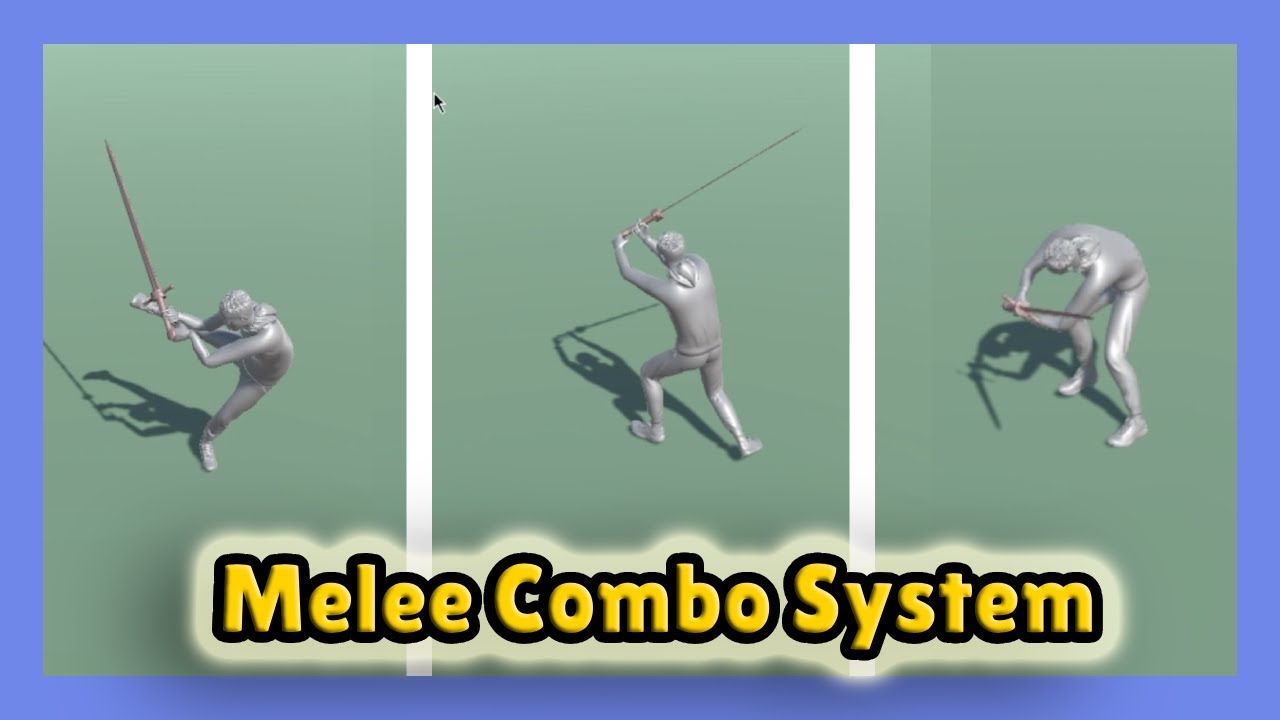
In this tutorial i will show you how can you add a melee combo system in your game, easy and fast. Enjoy and Subscribe!
Join the Patreon for special access →→ https://www.patreon.com/danncs
Join the discord server →→ https://discord.gg/TKdjmhedRA
Mixamo animations video: https://www.youtube.com/watch?v=cvD7TEe0Kgs
Script: https://past...
 pallid grail
did you add a transition from the end of the attack back to the idl or the walk animation
 foggy niche
Does anyone who understands how a climbing system works in 3D help me out?
I'm following a tutorial by
Sahani Studio. My character is 2.5 units tall, and everything seems to work except the braced hop up animation, it either glitches me through the ground and ledge/wall, or it just doesn't hop up at all. I believe this to be an offset issue with my animations in correlation to my "Hop up" ray variables. Can someone please help, I have to finish this for a school project.
The script is the same as his from github
 silk cobalt
My guess would be maybe the rays? Not sure what it is using but it looks like multiple rays to detect that edge? can you offset it manually and see what they are hitting or "Not hitting"
I got a question as well, Never had this issue before but I wanted to see if anyone else had it and found a fix. Is there a way to Increase the amount of bones your avatar (recognizes). I'm running into a issue of my animations not using my hair animation because when setting up the rig its not highlighting or ignoring my child hair bones. Not sure why? I tried a couple of fixes which said increase skin mesh thing to be above 4 bones but that did not work. Video shows the HAIR animation works in blender / preview but not in play mode. Weird! https://www.youtube.com/watch?v=7TAmkURD9qY


 foggy niche
silk cobalt
My guess would be maybe the rays? Not sure what it is using but it looks like mu...
foggy niche
silk cobalt
My guess would be maybe the rays? Not sure what it is using but it looks like mu...
There are two sets of rays, ones for checking above the player for a platform, and the other for checking the bottom platform.
The hop up height setting is where my player’s hands are, and the gap is the distance between the top and bottom rays.
 pine badge
Hi all. I'm not sure if my problem is related to the Sprite Resolver
But so i have SpriteRenderer, SpriteResolver, SpriteLibrary component on my chara's graphics object
I use animator. In my anim clip i'm only animating the value of SpriteResolver, and have made sure that there's no animated value for SpriteRenderer.sprite
But it seems no matter what state i'm in, my SpriteRenderer.sprite seems to twitch back to the 1st sprite it was set to, on random frames
If i disable the animator, then manually change SpriteRenderer.sprite to some other sprite, i can no problem. But i turn on animator, then now this newly set sprite on SpriteRenderer is now the sprite that it gets randomly set to
I've tried disabling Write Defaults in all of my animator's state, but still doesn't change anything
I guess i'll post a vid
nimble vine
pallid grail
did you add a transition from the end of the attack back to the idl or the walk ...
yeah you can see in the video that all my animations have transitions to idle. the "walking" box is a blend tree with back walking, idle and forward walking animation
agile solstice
nimble vine
dude i cant figure this out and idk what keeps happening https://www.youtube.com...
The condition to transition back to Walking is "Atk1 == false" but in the video it always remains true
agile solstice
pine badge
Hi all. I'm not sure if my problem is related to the Sprite Resolver
But so i ha...
Is there any clip at all in the Animator which touches the sprite renderer sprite field? Should not be
 pale harness
Hello! I'm having some issues with changing animation rigging values through code.
I'm trying to change two properties of a couple of constraint components like this:
public void OverrideIKRotation()
{
var twoBoneData = GetComponent<TwoBoneIKConstraint>().data;
twoBoneData.targetRotationWeight = 0f;
GetComponent<TwoBoneIKConstraint>().data = twoBoneData;
        GetComponent<MultiRotationConstraint>().weight = 0f;
}
As far as I can tell, this is how you're supposed to do it. Problem is, the values simply don't change in the inspector or scene. Changing these values manually in the inspector at runtime works perfectly, but nothing happens when I do the exact same thing through code.
I have confirmed through debugging, beyond a shadow of a doubt, that:
I am looking at the correct gameObjects and components.
Nothing in my code is overwriting these values (and again, changing in the inspector manually works fine and the values stay where they're supposed to)
The values are actually changing - printing them to the log after changing them shows that they've been changed - but the inspector and scene behaviour doesn't reflect this.
I'm starting to think it's a Unity bug or a problem with my installation. Does anybody have any insight into how you're supposed to change these values through code, and if I'm doing it wrong? Thanks in advance!
 halcyon schooner
im trying tu make layers for some animations and characters that i made, but when i try to use the avatar, this happend, the character is upside down
 silk cobalt
foggy niche
There are two sets of rays, ones for checking above the player for a platform, a...
silk cobalt
foggy niche
There are two sets of rays, ones for checking above the player for a platform, a...
Can you do a debug for the rays and try to see what position/ object its hitting? My guess is its hitting the hit point behind the wall which would be the clipping / unable to hop up. Is it only in that spot? Try removing the walls and just the grp points see what happens.
 wanton trellis
halcyon schooner
im trying tu make layers for some animations and characters that i made, but whe...
wanton trellis
halcyon schooner
im trying tu make layers for some animations and characters that i made, but whe...
gonna need a lot more context if we are to help you
halcyon schooner
wanton trellis
gonna need a lot more context if we are to help you
I made 2 voxel art characters in voxel magic, I exported them to voxeledit to make the animations, and from there I exported it to unity, now in unity, I want to make layered animations, so that I can put attack or defense animations on the enemies without having They have to stay still, and they can walk while doing something else, so I created an avatar for the character, but when I put it in the animator, and run the game, the characters appear upside down, like the image I sent, I don't know why it happens, but it also seems that the animation of the legs is backwards
 wanton trellis
yeah not that kind of context
what layers do you have
what are they doing
etc.
 silk cobalt
Import setting, is usually the issue. Try with no animation is the character upside down? Whats the rotation transform, is it 0? Any errors in animation import setting.
halcyon schooner
silk cobalt
Import setting, is usually the issue. Try with no animation is the character ups...
the animation works, the problem is when I add the avatar
silk cobalt
Now I'm lost? You creating the avatar on import correct? Configuration or you using a different avatar from another model. Are you talking about the avatar mask.
You say the animation works what does it look like in the preview? There's many things it could be just trying to narrow down the cause.
halcyon schooner
silk cobalt
Now I'm lost? You creating the avatar on import correct? Configuration or you us...
i create the avatar from the model of the player
 halcyon schooner
silk cobalt
You say the animation works what does it look like in the preview? There's many ...
halcyon schooner
silk cobalt
You say the animation works what does it look like in the preview? There's many ...
in the game? or the preview?
before:

playing:
 silk cobalt
Okay cool no rotational errors can you click that animation tab at the top and look to the bottom there should be a window(preview).q (Click the animation first). Does it look like play mode or oriented correctedly. My guess is the export you used rotation is off as different editors use different orientation.


 silk cobalt
Okay cool so the player is in the floor you can correct that by baking the Y into the animation with a offset usually that means something off. That's a pretty big difference usually it's slight.
I would find the root cause and try different exporting setting from your engine OR import it into blender and oriented correctly and export correctly should solve your issue.
halcyon schooner
silk cobalt
I would find the root cause and try different exporting setting from your engine...
ill try it
silk cobalt
Good luck! Also just reposting this as I have a animator waiting and I can't move on till I figure this out ^.^
Never had this issue before but I wanted to see if anyone else had it and found a fix. Is there a way to Increase the amount of bones your avatar (recognizes). I'm running into a issue of my animations not using my hair animation because when setting up the rig its not highlighting or ignoring my child hair bones. Not sure why? I tried a couple of fixes which said increase skin mesh thing to be above 4 bones but that did not work. Video shows the HAIR animation works in blender / preview but not in play mode. Weird!

 nimble vine
agile solstice
The condition to transition back to Walking is "Atk1 == false" but in the video ...
nimble vine
agile solstice
The condition to transition back to Walking is "Atk1 == false" but in the video ...
yeah but the in the guys code it turns it false and i did that on my end too
nimble vine
idk what im doing wrong man .-. whats irritating is i just need this to work so i can start working on some gameplay
silk cobalt
This sucks, I really don't want to have runtime dynamic hair as I was trying to save on performance.
pine badge
agile solstice
Is there any clip at all in the Animator which touches the sprite renderer sprit...
Nope
And this is fixed. Apparently there was a state in the anim that has a corrupted anim clip file or reference or something. I changed the anim clip to something else, and everything works fine
 swift sundial
what I created
vs what I got in Unity 😭
I was editing a mixamo animation in blender, but missed a few things I guess
any guide or video on how to edit Mixamo animation on Blender and export for Unity?
foggy niche
silk cobalt
Can you do a debug for the rays and try to see what position/ object its hitting...
So I did some debugging, What it looks like is that the 11th ray out of my 13 rays has to hit the ledge in order to properly jump up. I'm going to continue repositioning the ledges to count for that.
Also those errors and warnings aren't related to the climb system, its just an unused state machine.
Gotta love Unity 
Edit: The last ray (the top one) must hit the top surface of the ledge while the ray below it hits the front
Thank you btw
silk cobalt
foggy niche
Thank you btw
Welcome! I believe thats why I use ray spere cast. Bigger hit box.
swift sundial
anyone got an addon link for Blender to Unity fbx export?
I tried a few but they did not work
agile solstice
swift sundial
I tried a few but they did not work
Which ones did not?
What are you trying to export
Did the failure occur during exporting, only upon importing?
swift sundial
agile solstice
Which ones did not?

GitHub
A better FBX exporter for Blender. Contribute to Am0rphous/Better-FBX-Exporter development by creating an account on GitHub.

GitHub
Contribute to A-Ribeiro/CustomBlenderFBXExporter development by creating an account on GitHub.
swift sundial
agile solstice
What are you trying to export
So I downloaded animation clips from mixamo and used them, then took mixamo's Ybot and made custom animations on blender, exported it for unity but I get funky results
Got armature doesn't match error
Left mixamo, right blender with the same model
 agile solstice
As far as I know importing and exporting an FBX through Blender, especially with armatures is a lossy operation that always changes something about it, regardless of plugin used to export
And because the changes are different for each mesh depending on how it was originally exported/generated and then imported, I don't think plugins can be smart enough to correct for this
swift sundial
The second link says it fixes it, but I couldn't install it (I'm a blender regular)
Might be because I'm using an older version or something idk
agile solstice
swift sundial
The second link says it fixes it, but I couldn't install it (I'm a blender regul...
It's your best bet, though I wouldn't fully count on it
It's usually pretty crucial to use the correct version of Blender with addons
I don't know enough about Mixamo or Humanoids to advise beyond that
swift sundial
agile solstice
It's your best bet, though I wouldn't fully count on it
It's usually pretty cruc...
Yeeee
agile solstice
Re-exporting rigged meshes through Blender in my experience is a total no-go in any sane workflow
You always want to export form the source file
From what I hear Maya is much better in this regard in not rearranging FBX data
swift sundial
agile solstice
Re-exporting rigged meshes through Blender in my experience is a total no-go in ...
Oooof this was gonna be my plan if everything fails 💀
I'll see my options
Thank you very much for your time 🙏 ✨
 vestal iris
Hey, 2 issues: I want to "pose" some of my npc's intially, I can do it manually manipulating the bones, but only if I have an empty animation controller and rely on ik and animation rigging (I guess I could make a controller or avatar masking the posed bones?) but regardless: in scene view all my np'c (that have animator controllers starting at an idle state) show up in t poses. is there some setting to make them appear at the first frame of the animation in their initial state, so my scenes could closer resemble the game in play state?
 golden inlet
i wanted to make animtions and they all work but crouching i mean i can crouch just fine but when i stand up is doing the crouch animation here is the movement code https://paste.mod.gg/qzyfrncsvmgq/0


A tool for sharing your source code with the world!
2d btw
wanton trellis
golden inlet
i wanted to make animtions and they all work but crouching i mean i can crouch ...
and youre positive that the crouching parameter IS changing inside of the animator when you crouch and uncrouch?
golden inlet
wanton trellis
and youre positive that the crouching parameter *IS* changing inside of the anim...
yes i am its just the animation
wanton trellis
screenshot the full transition settings between crouch and idle
golden inlet

 golden inlet
wanton trellis
screenshot the full transition settings between crouch and idle
golden inlet
wanton trellis
screenshot the full transition settings between crouch and idle
you know how to fix?
vestal iris
what you mean when you standup is doing the crouch animation? continously? Remember the nodes in the graph are animations, so your player crouch is not a state where the player is crouched. the state is the animation going from idle to crouched. for comparison here's my graph:
(where "standingup" is just crouch played in reverse)

(transition into a crouching animation when "crouch" is true, transition to standingup animation if "crouch" is false, the transition from standing up to idle has no conditions, but "has exit time" is ticked.
golden inlet
vestal iris
what you mean when you standup is doing the crouch animation? continously? Remem...
yes i did meant it and i have no standup thing i need to add it?
vestal iris
Keep you animator window open next to your game window, and after you hit play, select your character with the animator. then when you play you'll see the states highlight in realtime. When you standup in your game, does the graph move to your idle state? Or does it stay on the crouching state? (you will also see your animator variables ("iscrouching") observe if it's getting deselected like you expect it to?
golden inlet
i dont know what happend but now there is no crouching animtion at all
 ionic depot
hello all, I'm very beginner at unity and I've ran into something that I've been stuck on for more than a full day now, I hope this is the right place for this
so I have a blender model exported to fbx into unity that I want to use for VRC, however I can't get a pose animation to work, the character is supposed to have a halo constantly rotating over its head as part of its idle animation
it's my first time trying anything with animations and I just cannot figure out how to get the animation to work in unity at all
I'm having issues understanding why it's not working, mainly in blender's bake action settings, export settings or whether to bake the action at all
so far I've only been able to reimport the fbx into blender to confirm the bone rotates and the mesh is affected, and the animation clip plays correctly in the controller, but produces no visual changes
I've tried many settings combinations in bake action, exporting fbx, importing the animation in the prefab tab, settings for the animation clip and animation controller, and finally putting the controller in every object it could possibly work on but nothing's worked so far and I'm running out of ideas as to what could be causing it not to work... I'd be happy to provide more info to anyone who could help me, hopefully it's a simple oversight I wouldn't have found on my own, thank you


 ionic depot
hello all, I'm very beginner at unity and I've ran into something that I've been...
ionic depot
ionic depot
hello all, I'm very beginner at unity and I've ran into something that I've been...
update: I can get the animation to function in unity by setting the rig as generic but not humanoid like I need it to be
ionic depot
ionic depot
update: I can get the animation to function in unity by setting the rig as gener...
update: I didn't know about masking the animation in the animation import, it's SOLVED
 empty jasper
Stuck at trying to configure animations and making it so that the animation sets change after a condition is met.


 light arrow
Could someone take to a video to help me make a animation with mutiple different object? I want them to all work at the same time but I am unsure if I should use the one that is attached to the player or make another object that would just go into the animation
 lament talon
HELP
whenever i transition from one state to another in my animator the animation that plays scales UP to 100x instantaneoulsy then it scales down to the right scale
this problem has been bugging me for WEEKS and i'm done , i'm tired of it
is there any way to fix it
i am importing my animations from blender and its having this problem inconsistently
note
the animation when played by themselves in the editor DO NOT PRESENT this behaviour
the scale stay consistent
I WAS RIGHTING DEFAULTS THE WHOLE TIME????
i'm a dumbass
i fixed it
 manic moon
How can i make it so the animation slowly comes to a stop instead of abruptly ending and then going to what i think was its initial state? video of current beehavior, also im using a layer for each axis since they both have a rotate animation and they are both independent of each other, is this dumb? im very new
and also avoid having to wait till the animation fullfills
 bitter heart
im pretty new to this but im learning how to dev a game but running into a issue rigging a model so it works (not sure if this is the right discord or not but at this point im trying anything haha) basically I made a model on blender and gave up on rigging it so using mixamo to auto rig and animate. I got it to work in unity with the animations but it messed up my camera so it wasn't 1st person and after some googling i realized its because it changed my pivot points in blender, now the real issue is if i fix the pivot point the mixamo animations in unity think I altered the bones and if i try to put the animations through blender and export thoses it fixes the error but extremely disforms my player character, anyone have any ideas because after watching a million videos and googling everything ive tried fails
 terse gust
manic moon
How can i make it so the animation slowly comes to a stop instead of abruptly en...
terse gust
manic moon
How can i make it so the animation slowly comes to a stop instead of abruptly en...
what exactly are you trying to achieve?, if you can tell me that i can tell you how to do it etc, also rotating like this might be possible using just code but anyways
terse gust
bitter heart
im pretty new to this but im learning how to dev a game but running into a issue...
what do you mean by messed up your camera?, the camera should never be a child of an animation bone directly, it's possible to do it but i prefer keeping the camera somewhere else , and then use something to follow the target with correct offsets,
animation bones for other characters have different pivots which cause this problem, you shouldn't try to change the pivots i think, if the animations work perfectly with the default pivots etc then everythings good, the rest is up to you to do correctly etc, also it would be better to share your setup between the camera and player so i can give relevant answers and recommendations.
manic moon
terse gust
what exactly are you trying to achieve?, if you can tell me that i can tell you ...
i was trying to make it slowly come to a stop and then start again instead of abrutly stopping, i made it like this cuz i already made it in blender a thought it would be more plug and play than that, but i was able to figure it out using a parameter as the multiplier for the speed of the animation
bitter heart
terse gust
animation bones for other characters have different pivots which cause this prob...
Ill take some screenshots when I get home tonight but what I mean by camera messed up is with the model it makes my camera view in third person pointed at my character but it’s suppose to be in first person, when I disable the model its reverts to 1st person and same as if I change the pivot point in blender to the models feet then the camera goes back to 1st person. My player prefab heiarchy is “player” then camera as a child and then my model separate as a child of the player too but not the camera if that makes sense, ill send screen shots when home tonight, thanks for responding 🙂
bitter heart


first pic is with the model enabled, 2nd pic is if i disable it and what im trying to get it to look like
 tough orchid
I am trying to geta sprite animation to appear in my overlay canvas, but it seems like the sprite animation won't appear on my overlay cavnas. Any solutions to this?
bitter heart
omg i figured it out, i didnt realize it was because the mixamo character came with it's own camera, once I got rid of it everything worked
terse gust
bitter heart
omg i figured it out, i didnt realize it was because the mixamo character came w...
lol, in your model import settings i think there is an option to import cameras/lights etc, you should disable those
 shell mauve
hello i have some mixamo animations but they all reset back to their starting point on completed cycle
how would i happen to make them go on indefenetly
sterile vine
that should happen, yes. is your run animation not the run cycle
shell mauve
sterile vine
that should happen, yes. is your run animation not the run cycle
i have it set on loop time
what exactly is the run cycle?
sterile vine
you were asking about your run animation right
do you have that as a run cycle
where it can loop seamlessly into the next step of running
shell mauve
no i need to do that in the animator?
sterile vine
no, you need that in your animations.
shell mauve
sterile vine
no, you need that in your animations.
so i have to open it in blender and tick a box?
sterile vine
you can't easily get stuff to loop cleanly if they weren't made to loop
sterile vine
shell mauve
so i have to open it in blender and tick a box?
no
do you know what a run cycle is
sterile vine
or what a looping animation is
shell mauve
sterile vine
or what a looping animation is
i know that
shell mauve
sterile vine
do you know what a run cycle is
it repeats runs
sterile vine
no
shell mauve
what does it do
sterile vine
go google "animation run cycle" and look at the images
this is about the content of your animation
shell mauve
oh it does have that yes
sterile vine
your animation needs to be able to loop back on itself and appear continuous, that's when you get a run cycle
shell mauve
sterile vine
your animation needs to be able to loop back on itself and appear continuous, th...
yes it can i get it now
sterile vine
then it should just work. are you transitioning to any other states for some reason
show your animator setup
shell mauve
sterile vine
show your animator setup
i will show it but i have to change some things
can i @ you when i do
whenever it is
sterile vine
no
 lavish frost
shell mauve
i got it from mixamo
lavish frost
shell mauve
i got it from mixamo
If you got the animation from mixamo make sure you correctly install it for unity (watch a tutorial video). After that it should just be looping already I got no problems with it. Also is loop time enabled in your animation?
 sterile vine
no
maybe there should always be one for 3d stuff? but definitely not as a rule.
i wouldn't know 3d stuff
agile solstice
Only needed if you use any Avatar features
Afaik for Generic Avatars that only means transform masks
Never used one myself
 barren mortar
The avatar is for Unity's "humanoid" retargeting system. So you can reuse animations for different skeletons and the avatar controls how these are mapped.
barren mortar
shell mauve
yes right?
So, no. If your animations are not humanoid, or you don't wish to use retargeting / generic animations (Mixamo, asset store) then you don't need an avatar.
shell mauve


hello

i have this problem
it happens whenever PerformChase begins
i think it has to do something with how the walking bool is somehow =0
i have the idle state conditioned so when isWalking is true it does Patrol
sterile vine
shell mauve
check the stacktrace, this is probably an internal error
what version of unity are you on
shell mauve
sterile vine
check the stacktrace, this is probably an internal error
the newest i think
6.0
sterile vine
that isn't the newest
shell mauve
 sterile vine
what's the patch number
sterile vine
that isn't 6.0 lmao
shell mauve
 sterile vine
that's the hub version, unrelated
shell mauve
it says im on unity 6.2
sterile vine
you're 2 patches behind, but i thought that issue was resolved by 6.2.12
can you show the stacktrace
shell mauve
 shell mauve
sterile vine
can you show the stacktrace
shell mauve
sterile vine
can you show the stacktrace
how
sterile vine
open the console window and click the error log, and see what shows up at the bottom
shell mauve
in the project
sterile vine
in the editor, yes
shell mauve
sterile vine
in the editor, yes
i need to click on the error
sterile vine
that's what i said, yes.
shell mauve
the error is no longer appearing but is still happening
 sterile vine
do you have errors hidden
shell mauve
when i replicate it
sterile vine
right, because it most likely wasn't related to whatever you said before
shell mauve
i'm lost
on the screen the error still happens but it does not appear in logs anymore

no errors hidden
shell mauve
sterile vine
right, because it most likely wasn't related to whatever you said before
i have no idea
sterile vine
shell mauve
on the screen the error still happens but it does not appear in logs anymore
on what screen
shell mauve
sterile vine
well, you have error pause enabled.
so the error still happens but i cant see it in the console
sterile vine
you aren't giving much info to work with here
show what you're seeing here
in any case, it's clearly transient, and that error message alone kinda shows it's not in your code (unless you're doing something really weird)
so you can just ignore it
or i guess update to the latest patch version as well
shell mauve
sterile vine
so you can just ignore it
my little guy stops when he sees the playercamera, the big yellow circle is his field of vision

i gues this means there is no error anymore? and its just my problem
agile solstice
shell mauve
my little guy stops when he sees the playercamera, the big yellow circle is his ...
This is not paused, so there isn't an "invisible" error in this instance
shell mauve
agile solstice
This is not paused, so there isn't an "invisible" error in this instance
there used to be an error when the same thing happened
i reloaded the project
and now its not there anymore but the guy still stops
 sterile vine
they are unrelated
sterile vine
like i said from the start...
agile solstice
Your animation transition uses such a long Exit Time that it might not be possible to see the transition occur even if the parameters were right
But I'd debug the parameters themselves first
From what snippet we see of your code, there is nothing that would necessarily prevent your methods being called in the same frame and conflicting
shell mauve
agile solstice
Your animation transition uses such a long Exit Time that it might not be possib...
well the animation itself doesnt even happen but i want to get the logic working atleast
i am looking through what the animator is doing rn when i play the game
and it is stuck on chasing it seems
repeats that the whole time and doesnt move
figured it out
agile solstice
I would debug.log the points where you set the animator parameters
That confirms if they're being overridden at the same time
shell mauve
the ai works as it should and the logic behind animator too. now to fix the animation
shell mauve
agile solstice
I would debug.log the points where you set the animator parameters
That confirms...
will try
agile solstice
But ultimately with these kinds of systems you want to implement some kind of finite state machine, or a behavior tree, or at least only set the animator's parameters only after your code has figured out what the character AI is actually doing after all the checks
 mint shoal
How do you handle animating weapons/tools and applying them? Never really done this before. The weapon is not apart of the character model, it's a seperate object

 agile solstice
mint shoal
How do you handle animating weapons/tools and applying them? Never really done t...
agile solstice
mint shoal
How do you handle animating weapons/tools and applying them? Never really done t...
Create the animations with item placeholders, then attach the items in-engine separately whenever the gameplay calls for it
By either parenting or with parent-like constraining methods
That means you would animate bones or other attachment points for items, not the items specifically
Blender for example attempts to export separate unnecessary clips for each clip of each object animated together, if they're keyframed separately rather than attached with parenting or constraining likewise
Even if the items have different transforms after exporting, this allows you to re-orient the item transform in its gameobject hierarchy as needed before attaching it to the item bone
mint shoal
i see, thanks
 strange atlas
So I imported a first person viewmodel to Unity and I want to see how it works. However the model animations such as the reloading, idle, shoot, and equiping are all in one animation. How do I make it so only one of those play during a certain input? Or do I take the one animator controller and paste it and make each different parts of the animation?
agile solstice
strange atlas
So I imported a first person viewmodel to Unity and I want to see how it works. ...
Animation tab in mesh import settings lets you split the source animation into multiple clips which can then be used individually inside an animator controller
strange atlas
agile solstice
Animation tab in mesh import settings lets you split the source animation into m...
How do I do that?
Where could I access the mesh import settings?
agile solstice
strange atlas
Where could I access the mesh import settings?
It will show up in the Inspector window when you click on the imported mesh asset through the Project window
strange atlas
agile solstice
It will show up in the Inspector window when you click on the imported mesh asse...
This?

Yep i got it. Thanks
agile solstice
strange atlas
This?
Yes
 feral locust
Hello 👋
 umbral ocean
any clue why the playhead on this state isnt moving while in play mode?
 umbral ocean
any clue why the playhead on this state isnt moving while in play mode?
umbral ocean
umbral ocean
any clue why the playhead on this state isnt moving while in play mode?
Nevermind-resolved
sterile vine
this isn't really a place for off-topic
 vivid magnet
I'm trying to animate a door opening, old school resident evil style, but it seems to drag the mesh and distort it. This doesn't happen when rotating the door in the editor, just when I press play. Any ideas on how to fix this?
 uncut salmon
vivid magnet
I'm trying to animate a door opening, old school resident evil style, but it see...
uncut salmon
vivid magnet
I'm trying to animate a door opening, old school resident evil style, but it see...
Is the object you're rotating uniform (all the same) scale values? If not, it will skew when being rotated.
agile solstice
Or any of its parent transforms non-uniform
It seems likely you're not rotating the same transform as the animation is, if the result is different, unless something changes the hierarchy's transform scales during play mode
sterile vine
agile solstice
 deep comet
Not really game development related
deep comet
Not really game development related
The server is only for unity game development, and these channels are not for showcasing
feral locust
Hello everyone
I'm an expert vrchat avatar creator if you don't mind I can create any type of avatar you are looking for
 echo badge
Hiya, I am trying to retarget my animations that I made ages ago onto Unity rig and I am in process of making a Blender addon for that (yes I know that something like that exists but for me it never worked with my proprietary models) and when I searched for some base skeleton that would have fingers and all necessary bones, something Unity universal, I was not able to find anything. I was told that Mixamo rigs with animations work but for me, that was unfortunately not the case and my mixamo animations just dont work so rigging mine to that skeleton is out of the question BUT animations from unity store always work well. So my question is, where can I find some standard Unity skeleton that I can shove into blender and make my animations on it? Before you say "just rig it to your model" then yes that is also an option but I will be making multiple models, some with more bones for specific features that are going to have unique animations and some for tasks that will be universal so having all animations on a universal Unity skeleton is important for me, atleast for the start when making iddle, walk and run animations.
 shrewd pebble
 terse valve
It seems like you are not "recording" the animation.
Select the game object that contains the animator component and press recording button (red dot icon).
terse valve
Do you have a detailed video tutorial?
this zombie is the model I downloaded with animation
shrewd pebble
terse valve
Do you have a detailed video tutorial?
You can check this tutorial out: https://www.youtube.com/watch?v=s5lRq6-BVcw
Working with humanoid animations in Unity
Animation is a crucial part in games and Unity’s Animation system has been supporting projects for several years. In this video we will show you how to use the Animations systems in Unity to import existing characters and animations into your project. We’re going to look at key tips and techniques f...
terse valve
bro how to copy paste animation clip
shrewd pebble
terse valve
bro how to copy paste animation clip
What do you mean by copying animation clip?
sterile vine
feral locust
I'm an expert vrchat avatar creator if you don't mind I can create any type of a...
this isn't a place to solicit work
shell mauve
hello. anyone willing to help me figure out why my animations are not playing even though the animator is working as intended
its constantly t posing

the animations work while they're seperate
and also should i have my animations generic or humanoid i genuienly cant figure out what both are supposed to be
shrewd pebble
shell mauve
the animations work while they're seperate
Are the animations contained in one model or separated?
shell mauve
shrewd pebble
Are the animations contained in one model or separated?
contained
should they be seperated*
shrewd pebble
It depends, but yes.
Have you tried create the humanoid avatar from the model?
shell mauve
shrewd pebble
It depends, but yes.
Have you tried create the humanoid avatar from the model?
i'l try that after i seperate the animation. for one more question, what is the difference between generic and humanoid. ive searched for many answers and they vary wildly
some say its minor, major, then some say the humanoid is being phased out
some say you should use humanoid
shrewd pebble
For simplicity, the humanoid is used for human-like animations. And the generic is for the others.
shrewd pebble
shell mauve
i'l try that after i seperate the animation. for one more question, what is the ...
It's a good practice to have a T-pose rigged humanoid model with no animation and each animation is exported with just the "skeleton".
shell mauve
this is so complicated to me making an ai was easier then this
shrewd pebble
But like I said, It depends on your usage. You don't have to do it though.
shell mauve
shrewd pebble
But like I said, It depends on your usage. You don't have to do it though.
is it easier if i go the humanoid route?
and it wont cause more problems in the future? the game im making focuses heavily on ai
enemy ai
and for that i'l also need to do alot of human animating
shrewd pebble
There will be problems one way or another, you can't run away from it!
What "enemy AI" are you mentioning? Nagivation AI or Model-generated AI?
shell mauve
shrewd pebble
There will be problems one way or another, you can't run away from it!
What "ene...
nav ai
sorry
shell mauve
shrewd pebble
There will be problems one way or another, you can't run away from it!
What "ene...
i wan't to minimise the probability of them in the future
shrewd pebble
shell mauve
nav ai
It's only related if you are trying to make physics or procedure animations. If it's not, you can ignore the AI related stuffs when working with animation.
shell mauve
shrewd pebble
It's only related if you are trying to make physics or procedure animations. If ...
i am looking ot make procedural and physics animation
shrewd pebble
Back to the question, you can try set up the humanoid avatar and the animation should work by now.
shell mauve
shrewd pebble
Back to the question, you can try set up the humanoid avatar and the animation s...
yes with the rig builder and everything
will do and make a follow up when it works
shrewd pebble
shell mauve
i am looking ot make procedural and physics animation
It seems like you are expecting to do a lot of things here. Slow down bro.
Making physics and procedure animation will introduce you a lot of works too, and you can't minimize the problems if you are not skillful enough.
shell mauve
shrewd pebble
It seems like you are expecting to do a lot of things here. Slow down bro.
Makin...
i have more then enough time to figure it out
i'm just trying to be practical here
shell mauve
shrewd pebble
It seems like you are expecting to do a lot of things here. Slow down bro.
Makin...
i've been following a unity tutorial
but nothing so far
ive got something working now
its working !
yay
thanks forsigmaaar
barren mortar
Loves creativity so much he needs a bot to write a Discord message 
<@&502884371011731486> got a spammer
silk cobalt
Holy what did I come back too.
 twin musk
gonna try the new 6.3 2d animation today
 devout ember
I think I've misunderstood how the avatar system works, I made a generic avatar from my base character armature, and applied it to my other ones. but for armatures that are a little bit stretched to be taller and stuff, it looks like they get a bit squashed to fit the original avatar's proportions. is there a way to avoid this? i would like for the other armatures to have their proportions remain the same while still using the avatar
barren mortar
devout ember
I think I've misunderstood how the avatar system works, I made a generic avatar ...
Every skeleton needs its own avatar. The avatar is what maps the skeleton to the generic "humanoid" animation format.
devout ember
barren mortar
Every skeleton needs its own avatar. The avatar is what maps the skeleton to the...
Right. what I did is I copied from other avatar in the FBX importer, is that wrong?
barren mortar
Yep
devout ember
barren mortar
Yep
but then what if I want to use agnostic animations from the other base model? won't it look off / not work?
barren mortar
No, this is how they work
The avatar is the skeleton's configuration that tells it how the skeleton maps to the common format
devout ember
barren mortar
The avatar is the skeleton's configuration that tells it how the skeleton maps t...
I see, I clearly misunderstood then. Does this mean I'll have to reimport all my animations with a new avatar?
barren mortar
Just need to assign the correct avatar to them
Which is whatever skeleton you made the animations for
devout ember
barren mortar
Which is whatever skeleton you made the animations for
I see. basically I have everyone with their own animations. but there are some agnostic ones animated with the base armature
 viral aspen
I think this is the right place to ask
I have 0 experience with unity and have no idea where to start or look up when it comes to my specific project
I have a project someone made that has all the assets from a game, including the animations. I want to take models of the characters and use the animations to pose them -> export to blender -> 3D print them.
So far I've been able to place down the model and apply the textures to them, but I can't figure out how to apply animation outside of viewing them in the Inspector. If I drag and drop them they don't do anything.
wanton trellis
viral aspen
I think this is the right place to ask
I have 0 experience with unity and have n...
this sounds more like a blender question no?
viral aspen
The animations are in Unity. At least I think they do. Let me try
wanton trellis
if the animations are in unity, then there is nothing stopping you from opening up the project files and just copy pasting the .fbx with the animations
viral aspen
That is so much easier. thx
 noble dirge
Not exactly unity related but it is for unity so im trying to export a readyplayerme avatar through blender to upload to mixamo but it keeps appearing with no colour after various combinations any fixes? I am new to blender and I have been using unity for about 1.5months
 dull flare
Hi, I need help with setting up 2D character (top down) movement animations, I've watched a couple of tutorials, but some are very very primitive and some are a speedrun that explain almost nothing.
I've got myself a nice big set of animations for my character (left, right, up, down, attack all directions, lunge and more), I can't seem to figure out how to set it up. Would be nice to get a visual showcase on how to do this with some explanations
It seems I have found a way
 silver venture
I have a problem: I don’t know why the system waits for the animation to finish before switching to the next one.
But I want the animation to change immediately when I press the button.
How can I fix this?

 agile solstice
silver venture
I have a problem: I don’t know why the system waits for the animation to finish ...
agile solstice
silver venture
I have a problem: I don’t know why the system waits for the animation to finish ...
Probably you have a delay and/or exit time in your transition
Unclear what the red and blue arrows are meant to convey
If you want a transition from Empty to Exit, you can set up one
But you probably don't need the Empty state there at all
silver venture
agile solstice
Probably you have a delay and/or exit time in your transition
I have a problem: I don’t know why the animation has to finish before switching to the next one. I want the animation to change immediately when I press a button.
The issue is that a red arrow appears showing the transition time, and that makes the animation take too long (about 5 seconds) to switch the bool. The animation gets stuck for a moment.
What I want is that, for example, when I press a button, the animation changes quickly and cancels the previous animation without waiting.
sterile vine
well, have you checked the thing spazi mentioned? exit or delay time in your transitions
 graceful stream
how do i completely disable an IK setup from affecting a rig?
the component can’t be disabled, and i don’t want to just set the weight to 0
i want to go from fully rigged to complete ragdoll
terse valve
what's wrong with my animation
why it does not work consecutively in order
i dont understand this part of animation
I wrote the code so that when the mouse clicks on the zombie, it will have a flip effect, but why does it sometimes work and sometimes not?
agile solstice
terse valve
what's wrong with my animation
Select a character with the animator component during play mode so we can see in the animator window what the animator controller is exactly doing
Show the relevant code
terse valve
using System.Collections;
using System.Collections.Generic;
using UnityEngine;
public class zombiehealth : MonoBehaviour
{
// Start is called before the first frame update
public int zombieHealth = 5;
private Animator anim;
public float shootTime = 1f;
private bool isShooten;
public bool IsShooten
{
get { return isShooten; }
set {
isShooten = value;
ShootenAnim(isShooten);
UpdateShootenTime();
}
}
private float lastshootenTime = 0f;
void Start()
{
anim=gameObject.GetComponent<Animator>();
IsShooten = false;
}
void UpdateShootenTime()
{
            lastshootenTime = Time.time;
}
void ShootenAnim(bool isShooten){
            anim.SetBool("isShooten",isShooten);
}
public void GetHit(int damge) {
        IsShooten = true;
        zombieHealth -= damge;
    if (zombieHealth <= 0) {
        Dead();
    }
}
// Update is called once per frame
void Dead() {
    Destroy(gameObject);
}
void Update()
{
    if (IsShooten && Time.time>=lastshootenTime+shootTime)
    {
        IsShooten = false;
    }
}
}
here is it
sterile vine
terse valve
using System.Collections;
using System.Collections.Generic;
using UnityEngine;
...
!code
 hexed cargoBOT
sterile vine
!code
hexed cargoBOT
sterile vine
!code
Posting code
📃 Large Code Blocks
Use links to services like:
https://paste.mod.gg/, https://hastebin.skyra.pw/, https://paste.ofcode.org/, https://paste.myst.rs/
📃 Inline Code
Surround code with three backquotes. Not quotation marks.
To format as C#, add cs to the first line:
```cs
// Your code here
```
Add a comment with a line number if there is an error message.
 quiet flower
Any guys to discuss about override animator?
sterile vine
!ask
hexed cargoBOT
sterile vine
!ask
:thinking: Asking Questions
:mag: Search the internet for your question!
:book: Use the API Scripting Reference and User Manual and this troubleshooting site for commonly posted issues.
:wrench: Attempt to debug your issue.
:thought_balloon: Find an appropriate channel by reading the name and description in #🔎┃find-a-channel
:grey_question: And don't ask to ask, ask a full question illustrating with screenshots if needed.
-# For more posting guidelines, go to #🌱┃start-here
 steel mortar
having a big problem and dont understand if it's the fbx itself, added a waving animation on the pond surface, it does this wierd flickering. I already checked the normal and set them to calculate, removed the shadows and disabled every other component that could create a z-axe interpolation problem. Even leaving only the surface active it still keeping flickering like that only when animated. Materials are set to opaque and not transparent
agile solstice
steel mortar
having a big problem and dont understand if it's the fbx itself, added a waving ...
What exactly are we looking at
steel mortar
agile solstice
What exactly are we looking at
it's a prefab (a space pond we could call it), it has 3 main parts, the space_Pond that has the skinned mesh renderer, the animator with an animator controller of the surface waves and a material. Then there are the rocks around the pond that are static meshes with a material and the bubbles (the white ones without texture) that have the same components of the space_pond (animation works like it should be)
agile solstice
So, the surface is a skinned mesh renderer being deformed by various bones?
steel mortar
agile solstice
So, the surface is a skinned mesh renderer being deformed by various bones?
exactly, the joint_GRP that you see in the video contains all the joints to deform the surface
if this can help here the view in blender
 agile solstice
The ripple effect looks like vertex normals being inverted at those points
That could happen if the bone inverts its transform individually as part of the animation or flips in some way
Or I speculate if the normals for deformed vertices are recalculated wrong, or not recalculated when they should be
Why use bones and skinned deformation for this? Seems like a bit of an unusual solution
steel mortar
agile solstice
Why use bones and skinned deformation for this? Seems like a bit of an unusual s...
that's could be a good question I have to ask to the 3d department, they give me an already done work and I tried to make it works
agile solstice
When you set normals to "calculate" that only applies at the moment of importing
Afaik no such recalculation happens as a result of the skinned deformation at runtime
steel mortar
agile solstice
When you set normals to "calculate" that only applies at the moment of importing...
undestood, so I should reimport the fbx and tick that variable, if it doesnt work I'll ask for an animation that doesnt use skinned mesh then
agile solstice
steel mortar
undestood, so I should reimport the fbx and tick that variable, if it doesnt wor...
Not exactly
You mentioned ticking that variable already, so I pointed out that it wouldn't affect this
If you don't know the reasons why this has been made the way it is, it's harder to offer ideas
steel mortar
agile solstice
Not exactly
You mentioned ticking that variable already, so I pointed out that i...
unfortunatly I dont know the exact reason, only thing I know is that is for a xr application and that the pond have to collide
agile solstice
And if you were to ask for one that doesn't use a skinned mesh renderer, they probably wouldn't know what you want instead
agile solstice
steel mortar
unfortunatly I dont know the exact reason, only thing I know is that is for a xr...
That makes more sense
steel mortar
the wierd thing is that the bubbles work similar to the pond, they use a skinned mesh renderer but having no problem in the animation
agile solstice
The bubbles appear to be only moved and scaled, not much deformed in practice
@steel mortar did you check how the bone transforms actually change during the animation clips
Just checked my assumptions and it seems to be as I described
Normals are never automatically recalculated, just interpolated when deforming same as vertex position and rotation
So a similar ripple appears whenever the bone's scale is inverted or rotation is flipped drastically enough that the normals turn around also
Once that is fixed, you probably also will need a shader to recalculate normals after skinned deformation because it won't look much like fluid otherwise
Even if a bone moves to create a bump or a dent in the surface, the normals will face the same way and shading would be unchanged
steel mortar
agile solstice
<@169445144255397888> did you check how the bone transforms actually change duri...
actually that what I was doing right now, seems like the rotation sometiems goes negative on the x axe, when the value goes very big like -100, the joint becomes black pitched
and thats seems what is happening
agile solstice
Indeed
From the wavy motion in the video it doesn't look like they're intended to rotate drastically
steel mortar
agile solstice
From the wavy motion in the video it doesn't look like they're intended to rotat...
cool, at least I got at the root of the problem, thanks for your time, I'll give an update if anything else is wrong! Im manually deleting all the rotations of the joints, it will takes some times
agile solstice
Could be important to figure out how the rotations got there to prevent it later
It can occur if a clip is exported with different export settings than the rig was
steel mortar
agile solstice
Could be important to figure out how the rotations got there to prevent it later...
Right, I'll have to point this out
 half quiver
Is it possible to have the framerate of an animation update without changing the animation speed?
I want to import a smoothly interpolated animation from Blender, but be able to choose the rate that it actually updates the animation independantly from everything else.
The same animation could run at 15fps or 30, or 60, but should always take the same amount of time to finish.
agile solstice
half quiver
Is it possible to have the framerate of an animation update without changing the...
What do you mean by "framerate" or "actually updates" specifically
half quiver
Even if the game is running at 60fps, I'd like to be able to have a model's animation run at 30fps, or 15fps, or any other arbitary number.
Something akin to a stop motion effect. I don't want to slow the animation down. Effectively I want to remove frames from the animation.
When I say "actually update", I mean the visual change from the current frame to the next.
Heres an example. https://youtube.com/shorts/ZH6he7EWDHU

We wanna see how would the 48 Framerate would look like for 2d animation so we try to animate one and the result is very interesting. Our favourite pick would still be 12 Fps and 24 Fps. Which one do you think work the best?
Follow us on our social media
• IG : https://www.instagram.com/plastiekk/
• Twitter: https://twit...
Id like to be able to import an animation that has smooth interpolation like the bottom walk cycle, but have it play at 24, or 12, or 4, whatever I set it to. You can see that whenever you pause it, the animation is still in sync between all versions, so the speed isn't changing, only the playback framerate.
I just want to know if I can do this on a per-object basis basically.
agile solstice
half quiver
Id like to be able to import an animation that has smooth interpolation like the...
There is no one straightforward solution to do this, or not one that I'd have found
I think the options are:
- Export/import the clips with constant curves, or convert them to constant in Unity
Downside is the stepping is per-clip so blending and speed control don't respect it - Check the Animate Physics box to update them with your physics timestep instead
Downside is you're restricted to the physics timestep, and if you want to change it it'll affect your physics too (if any) - Update manually with Animator.Update
Downside is it may be complex to do, and may make transitions, events and state behaviours act in odd ways
Also, it forces the Animator to be single-threaded which reduces performance, but there's a workaround to that in the thread - Use the Playables API to play clips exactly as you intend
Downside is that replacing the Animator with your own system generates a lot of work - Use Animancer which has this feature out of the box
Downside is that it's expensive, and I can't vouch for it as I haven't used it
 winter wharf
Are there any tips on how to fix an animation rig? I’m trying to change the hint position and rotation, but when I jump and run, the arms look weird.
 terse gust
winter wharf
Are there any tips on how to fix an animation rig? I’m trying to change the hint...
terse gust
winter wharf
Are there any tips on how to fix an animation rig? I’m trying to change the hint...
just delete the hint so that it auto does
agile solstice
winter wharf
Are there any tips on how to fix an animation rig? I’m trying to change the hint...
That depends on what "looks weird" means
For all we know the issue isn't directly related to hints
Hints shouldn't be in the armature hierarchy, same as all Rig components
 livid crest
Hello, i have a shool projetc and have a problem that hurt my head since yesterday plz someone help me !
I'm exporting a Blender animation to Unity at 12 fps, constant curves, etc.
It's choppy, and in Unity, it behaves erratically with constant curves.
It's not a problem with the rig/animation because I managed to get it working, but I've forgotten how (like a checkbox to uncheck during export or something in Axis).
For your information, the animation works when the curves aren't constant, but there's interpolation, which means it doesn't look as desired. With constant curves, it's all over the place.
 scarlet breach
Is anyone very experienced in 2D rigging in Unity? I'm having some issues with a few of my sprites. I use the same bone workflow and only on a few of the sprites does it tell me the bone weights are invalid. But it doesn't say in what way and the unity forums don't seem to have a lot of results for Sprite Skin bone weights invalid.
 green urchin
I get this error when I ctrl+S to save when focused on my animator controller in the animator window. Any way to fix this?

there doesnt appear to be any missing animation clip references in any states or substates
green urchin
the missing id is the m_DstState id of a transition according to the info in the animator controller when i view it in notepad
 true glen
Hey Im new to IK I was trying to sit a character down but the knees refuse to bend properly. I have a point on the hip which I move into the chair, and then I tried both a point on the knees and one on the feet but it just wont ever work properly. I think Im probably going at this completely wrong
 agile solstice
livid crest
Hello, i have a shool projetc and have a problem that hurt my head since yesterd...
agile solstice
livid crest
Hello, i have a shool projetc and have a problem that hurt my head since yesterd...
You can get constant animation clips if you disable Resample Curves and change the curve type of all keyframes to constant in Unity's animation editor after importing
This requires duplicating the clips so they're not read-only
It actually helps to export the clips as linear because they get converted to constant anyway, and importing constant type keyframes has issues like the rotation wonkiness due to resampling
livid crest
agile solstice
You can get constant animation clips if you disable Resample Curves and change t...
Already did all that in the video :/
agile solstice
livid crest
Already did all that in the video :/
The video doesn't show Unity's animation curve editor for that clip so did you actually?
livid crest
agile solstice
The video doesn't show Unity's animation curve editor for that clip so did you a...
Yeah
I crtl D ( idk if its the same shortcut for u, im french ) the animation, put the loop mod
Go on the model and disabled resample curve then double clic the animation, select all put constant then play
I have a vidéo wait
Do u see something bad in what i did ?
I did that dir 12 hour straight so i tried to get help everywhere i can
agile solstice
livid crest
Do u see something bad in what i did ?
You have to disable resampling and apply changes before you duplicate, as duplicating copies the generated clip the way it exists at that moment
(Or import a linearly interpolated clip so the step would be unnecessary)
And I'd also like to see you open the curves editor and play the clip so we can see both the actual curves and the clip in motion
livid crest
Gonna try that after my shower thanks !
livid crest
agile solstice
You have to disable resampling and apply changes before you duplicate, as duplic...
OMG IT WORK THX YOU SO MUCH OMG
I TRY SO MANY THING FOR 11 HOUR STRAIGH
THANKS YOU !!!!!!!!!!!!!!!
agile solstice
livid crest
OMG IT WORK THX YOU SO MUCH OMG
 great
great
Earlier in the day there was another question about constant interpolation
The answer may later be useful to you also
#🏃┃animation message
winter wharf
agile solstice
Hints shouldn't be in the armature hierarchy, same as all Rig components
ok i will try to move the components
 frosty grotto
is there, like, a callback for when an animation state started to transit away?
I guess I will have to use it OnEnter on a second state
frosty grotto
 swift trench
https://docs.unity3d.com/ScriptReference/StateMachineBehaviour.OnStateExit.html ...
swift trench
https://docs.unity3d.com/ScriptReference/StateMachineBehaviour.OnStateExit.html ...
if I get it right, that's being called after transition happened
either way, dammit, both of them don't work
I can't 100% guarantee that it's not caused by something else, I checked all code related but might have miss something, anyway, here is an oversimplification
first case where blend_tree_param is a parameter of Move state blend tree:
override public void OnStateExit(Animator animator, AnimatorStateInfo stateInfo, int layerIndex)
    {
        animator.SetFloat(blend_tree_param, 0);
    }
same result if I make param setting in OnStateEnter for Move btw
transition time is zero
on the last frame? something weird happening

however when I use
public override void OnStateUpdate(Animator animator, AnimatorStateInfo stateInfo, int layerIndex)
    {
        if (stateInfo.normalizedTime >= 0.9f)
        {
            animator.SetFloat(blend_tree_param, 0);
        }
    }
instead, it's fine, however, this means that for such cases I would have to assign a variable of normalized time somewhere
manually, after transition in a script every time
on second thought just sticking with 0.9 might work all the time
but it still feels like there should be a better way to do this or something
 true glen
Hey Im new to IK I was trying to sit a character down but the knees refuse to be...
true glen
true glen
Hey Im new to IK I was trying to sit a character down but the knees refuse to be...
I still havent gotten this to work :(
swift trench
frosty grotto
however when I use
```cs
public override void OnStateUpdate(Animator animator, ...
Could you just fire an AnimationEvent in your clips?
Can you explain here again, what the main issue is? Like in your short gif, I am not sure, whats running wrong
frosty grotto
swift trench
Could you just fire an AnimationEvent in your clips?
that's even worse
frosty grotto
swift trench
Can you explain here again, what the main issue is? Like in your short gif, I am...
mob twitches for a frame
swift trench
frosty grotto
mob twitches for a frame
Hm, cant really see it as I dont know, what the expected behaviour would look like.
frosty grotto
ye
swift trench
frosty grotto
ye
Thats whats your issue. If you dont give them time to crossfade, it will just start the Move clip from start no matter what the previous clip was.
frosty grotto
swift trench
Thats whats your issue. If you dont give them time to crossfade, it will just st...
why does it work flawlessly on a second gif then?
it works flawlessly because that state machine blends idle with walking
and first frame of idle is identical to the last frame of being stunned
swift trench
But the only thing you changed was that blend_tree_param part?
frosty grotto
the issue is that blandtree don't update it's animation if I change the parameter the frame I go to it
frosty grotto
swift trench
But the only thing you changed was that blend_tree_param part?
the only thing I changed was I replaced setting it from OnStateExit to OnStateUpdate
swift trench
So you are basically redoing the transitiontime by script. As you said, you are doing it with idle, why not go to idle from stun and from there to move? What was the reason to not have the transitiontime from stun to move?
frosty grotto
how am I redoing transitiontime by script?
the reason behind no transitiontime is because all animations are synced in a way that first/last frame are identical so I don't need any blending
by all I mean all in the project
there is some blending when it's needed of course but stun>idle is expected to look the same all the time
swift trench
That sounds to me, like you are on purpose disabling the purpose of the animator to transition between clips. Because, if you want every last and first frame to be identical, you can never have multiple exit points for one clip or multiple entry points for one clip.
frosty grotto
as I said there are some transitions which take time
like stun to move is 0 while move to stun is 0.25
it feels like you don't have a grasp on what exact issue I am facing still
or was facing, anyway
I ve just figured out that since OnStateExit callses at the end rather than on beginning of a transition I can just set blend_tree_param as 0 from inside the blend tree state
and it won't break since it's getting called.... on a frame after the transition
apparently
and my issue stems from me expecting it being called on a frame where transition ends or at least starts
"Invoked on the last update frame when a state machine evaluates this state" haven't tested but feels like it envokes not on the last but on a frame after the last update by this annoying case
that or blend tree only change how animation looks after the frame the parameter of it got changed
swift trench
frosty grotto
it feels like you don't have a grasp on what exact issue I am facing still
OnStateExit calls when it leaves the state (the animation). but yes, I still dont know, what your CURRENT issue is, as you did change things and said, now its working flawlessly, but still we are here typing. You dont like your current workaround or you think, there is a better way?
frosty grotto
swift trench
So you are basically redoing the transitiontime by script. As you said, you are ...
so trying to explain more what and why I did what I did including things I did not mention
mob walk
mob getting shot, speed of walking animation is zero now so it's paused
(highlighting what I specifically set speed of walking animation parameter as zero)
it transitions to stun
stun plays
gif 1 with jitter
on stun exit the blend tree parameter goes to zero
it snaps to the walking frame and (then frame later?) the proper blend tree state activates so it looks more like idle
it's a transition with one weird jitter thingie
gif 2 without
or on stun >0.9f normalized time the blend tree parameter goes to zero
so it now in an idle state (because moving is a blend between idle and moving) and stun>move goes flawlessly
frosty grotto
swift trench
OnStateExit calls when it leaves the state (the animation). but yes, I still don...
seems like I figured out a proper enough solution but it still boggles me a bit that original attempt didn't work and I don't think there is a reason it shouldn'tve
 rustic axle
Hello, I need some help with an animation. Basically I have a player who does attacks, and I animate hitboxes with it. When the player jumps right, I make x size of the empty Game object that the Hitboxes are in to 1, and when the player jumps left i make the size of it -1. As you can see in the video, the hitboxes are not flipping, even though the hitbox holder is flipping. I would like to make it so when you attack to the left, the hitboxes flip instead of staying in the position they're supposed to be for an attack to the right. Any help is appreciated!
 sudden kestrel
Hi, so I wanted to test out the Animation transition on a Button component and play around it and something weird is going on with the highlighted trigger, I clicked on the Auto Generate Animation button and all I did is animate the scale of the transform to go from 1 to 1.5 , but I would have expected that once the animation is finished, it kinda stays there and when the button is no longer highligthed, it animates back to scale of 1. I havent done much work on animation myself and wanted to come here to see if anyone knows if there is a way of doing that :]
wanton trellis
you need a seperate state to tell it its "enlarged" so it can keep that as the base animation
right now youre just looping your highlight animation
actually you will need 3 clips, one for the highlight, a highlight idle and a reverse of the highlight once you stop hovering over the button
agile solstice
rustic axle
Hello, I need some help with an animation. Basically I have a player who does at...
Iirc colliders straight up don't allow negative scaling
And if you want to move a collider through animation and get correct collision detection, the collider should be on a kinematic rigidbody, and the animator probably should also be in "animate physics" mode
So generally it's better to explore other options
Such as having just one collider for the attack that you enable during the clip but do not transform in any way, or use a collision check directly from code
graceful stream
IK seems to be messing up my animations

notice how his limbs are bent weirdly? that's not supposed to be happening
it seems like all his limbs have a tendency to lean slightly towards 0, 0, 0?
really weird

GameObject setup
rig, rig builder, and animator are all on Armature_Human
two bone IK constraints are on all the things ending with _RIG
sudden kestrel
wanton trellis
actually you will need 3 clips, one for the highlight, a highlight idle and a re...
aaaah I see, huh I would have expected Unity to automatically setup all of that when I press the Auto Generate button since I dont have to "care" about this logic when I choose the color tint option for example. But thanks for the help!
agile solstice
graceful stream
rig, rig builder, and animator are all on Armature_Human
According to documentation Rig component should be below Rig Builder in hierarchy
So, on "RIG_Human" in your case
graceful stream
agile solstice
According to documentation Rig component should be below Rig Builder in hierarch...
ok, thank you
the only thing is that i want this rig to be applicable to many different models, so i can reuse certain animations
and it feels like restructuring in that way often causes problems
agile solstice
graceful stream
and it feels like restructuring in that way often causes problems
What kind of problems?
graceful stream
agile solstice
What kind of problems?
well, this enemy is very dismemberable. when i destroy / deparent some of the limbs, the rig freaks out. i take EVERY precaution to make the rig behave, and i barely have it under control now, but i would often just run into problems with the rig trying to access things that are no longer involved with the rig
here's the code that runs when a limb is destroyed
wanton trellis
sudden kestrel
aaaah I see, huh I would have expected Unity to automatically setup all of that ...
i think theres also better ways of doing this
possibly with tweening
rather than through animations
agile solstice
graceful stream
here's the code that runs when a limb is destroyed
Well with limb destruction that's no wonder
"Phantom limbs" are a challenge with those systems to begin with, so IK adds another layer to the problem
graceful stream
agile solstice
Well with limb destruction that's no wonder
"Phantom limbs" are a challenge with...
yeah...
i mean, my current setup works
agile solstice
Every solution tends to look different with those systems too
graceful stream
damn
agile solstice
Like, if a forearm is lost, how is the upper arm supposed to move? That depends on your intent and design entirely
Having the IK still be there but parts of the limb made invisible could still be helpful if you still can keep moving the limb using the system in place that controls the IK
Or it could be a hindrance, if you instead want the limb to be controlled by physics simulation or some other system entirely in the case of destruction
rustic axle
agile solstice
Iirc colliders straight up don't allow negative scaling
And if you want to move ...
but if i just had one collider for the attack and enabled it without changing its transform, wouldn't it still not flip when you play it to the left?
agile solstice
rustic axle
but if i just had one collider for the attack and enabled it without changing it...
If you flip the whole gameobject hierarchy, then yes
But preferably you would not do that
Instead have the sprites and animations in a child gameobject so you can freely scale and otherwise transform that, with the gameplay and physics related components in the root gameobject, and additional colliders in different child gameobjects
rustic axle
agile solstice
If you flip the whole gameobject hierarchy, then yes
But preferably you would no...
ohh ok i get it thank you
agile solstice
Isolating visuals into a child gameobject has many other advantages too, such as making it easily swappable
rustic axle
yea that makes sense
agile solstice
Either while you develop, so you don't need to pick apart the components, or at runtime if you want visual variants of characters without having to change the root gameobject at all
graceful stream
agile solstice
Like, if a forearm is lost, how is the upper arm supposed to move? That depends ...
i'm assuming this question is rhetorical
rustic axle
agile solstice
If you flip the whole gameobject hierarchy, then yes
But preferably you would no...
it worked tysm
agile solstice
graceful stream
i'm assuming this question is rhetorical
Yes, unless it's an answer that's needed right now
But I assume you've already thought about it from that angle
Since your limb sections seem to be based on rigidbodies, conflicts with IK seem inevitable, and conflicts with animator components in general
So maybe it makes sense to destroy the IK components of a limb wholly when the associated limb is taken over by physics
Can't spot if you're already doing that
graceful stream
hm, what do you mean
the associated limb's upper part should remain animated as if the limb which is being destroyed was still there
only the children of the destroyed limb should be physics
i can't destroy the IK constraint for a destroyed limb, because i want the upper parts of it to still be animated
agile solstice
I see!
And you also don't have the "phantom limb" transforms anymore after the process of letting them loose?
graceful stream
if you're asking if i get errors, i don't
if you're asking if i completely rid the rig of any transforms associated with the destroyed limb, yes, i do
agile solstice
Creating the detached parts as duplicated and hiding the originals while keeping the hierarchy intact could help not to cause conflicts with the IK chains
Not sure if there'd be drawbacks to that
I usually steer away from limb loss questions because it's hard to get the full picture of how the system works and what the goals and requirements are
But it's interesting nonetheless, and hopefully helpful in some way
graceful stream
hmm... i'm running a line where i rebuild the RigBuilder, and that causes problems with the alignment of the IK
damnit bruh i had this working
if i get rig of the Build() for the rigbuilder, then it doesn't mess up the rig, but the children of the destroyed object get sent to 0, 0, 0 and still get animated...
is there a way to store all data from the animator, set the animator to the default state, rebuild the rig, then reapply all the stored data?
graceful stream
it feels like Animator.Rebind is what i want here, but it gives me the "transform streamhandle cannot be resolved" thing
 hybrid tinsel
In 6.3, has anyone else seen a problem where blend trees simply don't work in the animator?

That is, it creates the state but don't allow any editing of the blend
No blend inspector, etc.
terse gust
hybrid tinsel
No blend inspector, etc.
just double click on the state node it should open it up
 halcyon storm
I have this mapping and it all seems to be working fine, and all of it runs correctly with the script, but the "BossJump" animation never actually does anything for some reason


Boss:

idk why it wouldnt be working
is it because I don't have an actual idle animation and it is just an empty state
wanton trellis
are you sure the "jump" parameter is being called properly?
is it that the animation isnt playing or that the boss never jumps
halcyon storm
the boss doesnt actually move, the animation (in the animation map thing) shows that it is playing just fine

the entire map is moving properly
it just... isnt doing anything
wanton trellis
what does your animation clip for the bossjump look like

 wanton trellis
and when you preview the animation it works fine?
also is the scale here in seconds or minutes?
 halcyon storm
whenever I click onto the boss the animation goes away
thats frames
I think
idk actually
its short though
wanton trellis
halcyon storm
whenever I click onto the boss the animation goes away

when you click on the clip
halcyon storm
 wanton trellis
in the inspector you can see a little preview box in the bottom right
when you click on the clip inside of the project folders
halcyon storm
oh yeah the preview works fine
wanton trellis
wait you said you didnt have an idle clip?
halcyon storm
I didnt know how to see that mb
yeah its just an empty state
idk if that does anything
wanton trellis
im pretty sure it cant transition between idle to jump if it has nothing to transition from
halcyon storm
oh ok
halcyon storm
like this? or dif

I dont want it as my default right>
tbf even if it is the default it still does nothing
so Idk what is happening
wanton trellis
youre just doing it to test if the bossjump state is playing when it jumps
you can even have entry go into bossjump as the default state
wanton trellis
try creating a basic idle clip, litterally just 1 frame of nothing
set it to loop and see if i transitions then
halcyon storm
ok I made the idle clip and for some reason it does an animation, but its just a very small wiggle thing
is it because it is a navmesh agent
that is all I can think of
that was why
now I just need to figure out how to make it not move to 0, 0
because it does that when jumping
because idk how to make it only change on the y
fixed it

 wanton trellis
 lean hearth
IK system for tentacles
lean hearth
IK system for tentacles
do you have a question?
this is a help channel, if you wanna show off achievements you have #🏆┃daily-win
lean hearth
Well it mostly works, but it slides across the wall surface, instead of like taking full steps, how would you go about fixing that?
wanton trellis
lean hearth
oops lmao i fixed it, just didnt call the step function
show it off in #🏆┃daily-win i wanna see how it looks in a video
lean hearth
alr gimme a sec
 queen yoke
so my character wont play the sprinting animation, everything from the console to the animator says that im sprinting but it wont let go of the dash, dash itself has a transition event, so i dont know what im missing

 royal notch
queen yoke
so my character wont play the sprinting animation, everything from the console t...
royal notch
queen yoke
so my character wont play the sprinting animation, everything from the console t...
It looks like it is playing for one time, but then not looping. Did you remember to turn on looping?
queen yoke
royal notch
It looks like it is playing for one time, but then not looping. Did you remember...
do you mean sprinting? yes its set to loop
 trail wedge
i spent 3 hours making this
agile solstice
trail wedge
i spent 3 hours making this
This channel is not for showcasing, and this server is for Unity development only
wanton trellis
queen yoke
do you mean sprinting? yes its set to loop
so is the dash just a transitional clip between walking and sprinting?
how are you transitioning from the dash to a sprint
 gloomy trench
@wanton trellis
wanton trellis
i think tweening is your best option here
gloomy trench
what is that....
wanton trellis
gloomy trench
what is that....
tweening in unity is the process of smoothly interpolating values like position, rotation, scale or color over time and can be done directly through code
youre going to need to use some kind of tween library for it
imo leantween is the best option rn
gloomy trench
💔
wanton trellis
gloomy trench
💔
this is a good thing...
it means you can handle it all procedurally through code and dont have to deal with the animator
gloomy trench
nah it just im new to animating
wanton trellis
well i mean youre going to have to animate it in some capacity lol
you cant magically have it do what you want
thankfully tweening is going to make it easier

Use the LeanTween tool from Dented Pixel on your next project. Find this & more animation tools on the Unity Asset Store.
queen yoke
wanton trellis
so is the dash just a transitional clip between walking and sprinting?
-# i just gave up and copied the scene from the tutorial repo, i appreciate your help though
sterile vine
hi, this is an primarily english server, sorry
terse valve
Nah you can use gg translate bro
I’m too lazy to think in English and write it correctly
My grammar is not good
sterile vine
terse valve
Nah you can use gg translate bro
or you could do that
it's your job to make it easy for us to help you
• Provide an English translation if you choose to post in another language. This is a primarily English-speaking community.
#📖┃code-of-conduct
terse valve
Ok
 mighty lake
Hi is there a way to change the interpolation on the keyframes of imported animations, I had it set to different version of interpolation in my 3d modeling software and unity wont allow me to set it to its correct version
mighty lake
nvm i just duplicated the animation clip lol
 lean cairn
is it possible to make the lower arms do the same action as the upper arms?
 sterile vine
like you were informed before, do not solicit work here.
oh to hell with it, you've already been warned
<@&502884371011731486> soliciting work, already told off: #💻┃code-beginner message
silk cobalt
Hello again, I am back I finally figured out why my hair was not animating in game even though it was animated in preview mode. When you go to animation tab on your model, you have to go to the mask, Scroll though your model rig and have to select the bones that will be included into the animation. I have many animation so doing this is time consuming, might see if there's a way to apply it to EVERY animation or might have to create a unity editor script. Maybe other option I can try as I see "Only human curves will be selected" maybe there's a way to apply them in blender. Well see.
 graceful stream
how do i prevent the animator from automatically updating at the beginning of a frame? it seems to be running something before Update, because it starts yelling about a transformstreamhandle when i modify the rig
silk cobalt
Not sure what you mean? What do you mean modify rig you mean avatar selecting your bones? Or in play mode the Animator running your animation?
agile solstice
Modifying it at runtime I presume, as that's what we discussed earlier
#🏃┃animation message
graceful stream
 agile solstice
graceful stream
how do i prevent the animator from automatically updating at the beginning of a ...
agile solstice
graceful stream
how do i prevent the animator from automatically updating at the beginning of a ...
That's likely happening due to the Playables API which animator uses which updates them separately from the main thread
This may be a long shot but it's apparently possible to more or less manage the Playables part of the animators to control their order of operations, or so is talked about here:
https://discussions.unity.com/t/prevent-animator-from-auto-updating/633734/6
graceful stream
this is the code i'm running now, which isn't working
graceful stream
graceful stream
i feel like this should work, no? set everything to the position and rotation it's at when originally bound, rebind the rig, then reset to where it was before rebinding
this is running in LateUpdate, is that the issue?
graceful stream
agile solstice
That's likely happening due to the Playables API which animator uses which updat...
this solution is evil
thank you, i really do appreciate it, it's just evil
agile solstice
My knowledge is fuzzy on multi-threading but if you modify the bone setup on one thread when it's worked on by another thread, there will be errors if it doesn't happen in exactly the right way
Maybe due to memory management if nothing else
I'd look for instructions what that correct kind of runtime rig hierarchy modification is
Or more preferably avoid permanently modifying the rig or the transform hierarchy at all
Instead utilizing hiding and more constraints to create the desired functionality
For example multi-parent constraint to force the IK targets to conform to the motion of some upper joint of the limb
graceful stream
agile solstice
I'd look for instructions what that correct kind of runtime rig hierarchy modifi...
i guess... does an animator still freak out if i replace the bones with new gameobjects with the same name?
will it need the hierarchy to be EXACTLY the same, or could i deparent the limbs and just add blank objects where it's expecting bones to be?
agile solstice
graceful stream
will it need the hierarchy to be EXACTLY the same, or could i deparent the limbs...
How is a "blank object" different from an empty transform?
graceful stream
same thing
agile solstice
I'd assume the efficiency of Playables relies on references to specific transform hierarchies so you can't really swap them
But I'm not sure why you would
You can add or remove components to make a gameobject form anything into anything
And maybe just disable the IK constraints that are in the way?
Or as mentioned override them with another constraint like multi-parent
graceful stream
agile solstice
And maybe just disable the IK constraints that are in the way?
Or as mentioned o...
if i shoot the enemy's foot off, i still want the rest of their leg to be able to move...
disabling the constraint would prevent that
graceful stream
ok i'm not even modifying anything anymore: the limbs just slowly get offset from their targets more and more

notice how his right foot is practically in the center? no clue why it's doing that
all that's happened is moving around and a walking animation
graceful stream
i have multiple other animation layers which are all additive, but none of them are running
graceful stream
this is driving me fucking insane
i'm not modifying anything, this is supposed to just be normal animation

it just leans slightly
graceful stream
i don't fucking know what to do
 warm basalt
trying to make an 8-directional animation, is there a better way to do this?
- create prefabs of each .psd sprite, one for each direction.
- have a list of directions that map to each aforementioned prefab
- for each of those prefabs, check if the current direction is equal to its designated direction
- if not, instantiate a new prefab that matches, and destroy itself
TestMoveAnim script:
    PlayerMovement playerMovement;
    Animator animator;

    public Direction direction;

    // Start is called once before the first execution of Update after the MonoBehaviour is created
    void Start()
    {
        playerMovement = GetComponentInParent<PlayerMovement>();
        animator = GetComponent<Animator>();
    }

    // Update is called once per frame
    void Update()
    {
        // idle/walk animation transition
        animator.SetBool("IsMoving", playerMovement.isMoving);

        // check direction
        Direction newDirection = CATools.vectorToDir(playerMovement.directionVector);

        if (newDirection != direction)
        {
            GameObject newSprite = Instantiate(PlayerAnimationsData.instance.directionalSpritesRenko[(int)newDirection], transform.parent.transform, false);
            Destroy(gameObject);
        }
}```i wanted to reuse a lot more of the original sprites, because all of them share the same layers, bone structure and the "TestMoveAnim" script
also this uses GetComponent every time the player changes direction, so I wonder if that could potentially be an issue
warm basalt
yeah
sterile vine
without getting into the animator, you could just change the animator controller instead of creating new objects
but you can much more easily just use a blend tree within the animator
did you research the topic?
warm basalt
i tried looking up things like 'how to change prefabs at runtime' and '8 directional animation' but none of them gave me an answer
sterile vine
i googled "unity 8 direction animation" and over half the results were blend trees
warm basalt
oh hm
sterile vine
"how to change prefabs at runtime" is not what you should be looking up
https://xyproblem.info
i don't mean this as an insult to you, but having separate prefabs that you continuously instantiate is probably the worst way to implement this that ive seen lmao
warm basalt
yeah i can tell
sterile vine
there's a lot of choices there where if you chose differently it'd be better
but eh, you'll get better with experience
hopefully this helps inform your future choices:
- you have a set of known states, you could have them all extant and just enable/disable (or active/inactive) as necessary, rather than instantiating and destroying
- only one part of the prefabs are different (presumably), the animator controller - you could just replace that instead of the entire object
- in this case with animations, you could have separate animation states (maybe with submachine states) instead of entirely separate controllers
- in this case specifically of choosing between animations, you can use a blend tree rather than transitioning between separate states
i realize that this exchange does inevitably come across as insulting, but i hope the takeaway is that there's a lot of space to improve 🫠
 burnt garnet
Hello can anyone help me with this issue regarding bones and reparenting in unity/blender I have no idea what i am doing or if what i am doing is right or wrong
I am very new to blender and unity so I dont have any idea of what to do now ive already tried googling the problem but it didnt bring up any promising solutions
warm basalt
sterile vine
hopefully this helps inform your future choices:
- you have a set of known state...
no worries, but regarding the first option, would it affect performance due to the multiple invisible sprites and bones in the scene, or is that negligible?
sterile vine
they use memory, but they wouldn't be doing anything if they're inactive/disabled
warm basalt
alright, thanks!
sterile vine
also to be clear, those aren't separate options, but rather a list of suggestions
warm basalt
for the second point though, i don't know how i could map all the layer orders, sprites and bone positions between states
sterile vine
the overall solution would probably just be a single object with a single animator controller with a blend tree (and this could be a prefab as well if you plan to reuse it)
you could check out some tutorials for more in-depth/step-by-step explanations
warm basalt
sterile vine
the overall solution would probably just be a single object with a single animat...
yeah, i'll probably look into that later
sterile vine
warm basalt
for the second point though, i don't know how i could map all the layer orders, ...
oh is it animated by position? im more used to a workflow with separate sprites for each frame so that didn't occur to me
warm basalt
sterile vine
oh is it animated by position? im more used to a workflow with separate sprites ...
yeah
sterile vine
i'm not too familiar with that, sorry. points 2 to 4 still apply in general but maybe not in this case. 1 should still apply fully though
warm basalt
So apparently the transitions don't properly work; the idle animation inherits certain unwanted traits from the walk animation, for some reason
(Write Defaults are on)
apparently the issue is that deactivating and reactivating an animated GameObject rewrites the 'default values' of the object
(demonstration image)

left is default, right is bugged; the left leg is extruded
is there a simple enough workaround for this (other than manually setting all the defaults), or should i just switch to sprite animations
agile solstice
warm basalt
So apparently the transitions don't properly work; the idle animation inherits c...
How are you doing it right now?
Is there one or more animators
warm basalt
you have a set of known states, you could have them all extant and just enable/disable (or active/inactive) as necessary, rather than instantiating and destroying
trying this,
so each object (corresponding to each direction) has its own animator
agile solstice
I would disable/enable their visibility, not the entire gameobject
And worry about performance if you have a hundred of them
warm basalt
isn't the only way to do that through the Renderers?
i think that would be a problem since i'd have to iterate through each object, and then through each of their children as well
(or i could also have the checks on the objects themselves, but i still have to interate through each of their children and then disable those renderers)
agile solstice
warm basalt
i think that would be a problem since i'd have to iterate through each object, a...
Right, skinned sprites had a whole bunch of them
Disabling a gameobject that contains them would be fine but rather not disable the animator to keep it running
warm basalt
so, essentially put the entire sprite in an empty game object, and then disable/enable that one?
agile solstice
warm basalt
so, essentially put the entire sprite in an empty game object, and then disable/...
That's what you'd normally do but I don't recall if the skinned sprite hierarchy really allows that
 latent oar
anyone knows why my collider is not synced to my avatar
terse gust
latent oar
anyone knows why my collider is not synced to my avatar
your collider is on your player, the animation is probably moving the hip bone a little which causes this mismatch
 fiery dagger
latent oar
im new to unity and animations
fiery dagger
latent oar
im new to unity and animations
I’m new completely
graceful stream
my IK rig has maintain target offset enabled, but the tip transform just starts slowly drifting away from the target transform as the root rotates
 warm jetty
would yall recommend any resources to learn the animation system?
 celest crag
!learn has courses and tutorials on animation
hexed cargoBOT
celest crag
!learn has courses and tutorials on animation
:teacher: Unity Learn ↗
Over 750 hours of free live and on-demand learning content for all levels of experience!
warm jetty
sure ok
I have a bit of ui stuttering happening as you can see here. The scene is infinitely going, reusing the same backgrounds over and over again. The speed of the bike is the rate at which it cycles through the background patches and its variable based on inputs to the scene
celest crag
That's not UI stuttering, that's the entire app. Make sure you are not running out of memory and use Profiler to find the bottleneck
 warm jetty
how can you telll?
the rest of the app is just static pages and i don't see the same behavior there
celest crag
Unless it's just the recording that is stuttering
anyway, if there's performance issues - profile it
warm jetty
ok so i was on the wrong branch
i'll send another one
i have just profiled it but i'll send it again just in case
 untold nova
know any companies hiring Viewmodel Animators?
 still grove
How do I link a animation that is already made to a differnet game object, I am gonna redo my player character and if I replace it, then I won't be able to edit the animation again because it will just say "click here to create an animation"
still grove
And how do I add back properties if I rename something in the structure?
twin musk
still grove
How do I link a animation that is already made to a differnet game object, I am ...
if its the same model for the animation, you could make it a prefab
wanton trellis
untold nova
know any companies hiring Viewmodel Animators?
i dont think any major game development studio has a specific "viewmodel animator" position
i think most studios are just looking for 3d animators in general
still grove
Also how do I rename the structure of bones without breaking animation and having to remake it?
 bright oxide
hey guys, hope you can help me. basically i want to create an animation where the action menu that are in the pic rotate on its bottom-left angle, basically like a car that brake sharply (the action menu should come from left). i can make the second animation but i dont know hot to make the first, since every time i try to rotate the menu its center its, of course, in the center. im not so good in in animation but basically, if the ogbject rotates on a circonferenze, what i want to do its letting its "center" the bottom left corner. any tips on how to do it?
 warm basalt
I have a simple fade animation setup
for some reason, using Unscaled Time completely cuts out the fade out animation, which works as intended when using the Normal update mode
What causes this and how can I fix it?
Note: there is no time scale manipulation occurring during the animation
it also seems to work on certain scenes but not others even with unscaled time
 thorny hamlet
I keep running into annoying issues like this

It reaches normalizedTime of 1, and iBase IS 2.... why no transition???
Is Animator graph just buggy?
Looking at just managing my states in code instead cos I am hitting too many instances where transitions don't work as they should.
Is there just something I'm doing wrong?
It actually does transition if i wait 3 or 4 seconds
which is not ideal
sterile vine
thorny hamlet
It actually does transition if i wait 3 or 4 seconds
well, seems like that's the length of that state's animation clip?
that's what the exit time is im pretty sure
if you want it to transition immediately, set exit time to 0, or just disable exit time altogether
thorny hamlet
@sterile vine
No it cant be zero. That would allow it to exit at the start of the clip.
It has to wait until the clip has finished playing, hence the exit time
Doesnt it make sense that exit time should be 1 in order to exit at the end of the clip (if the condition is met)
sterile vine
isn't it doing what you want it to then? it waits til it reaches the end to transition
thorny hamlet
sterile vine
well, seems like that's the length of that state's animation clip?
But the 3 or 4 seconds i mentioned is additional to the clip itself
sterile vine
oh, like the clip has stopped and you have to wait some more time before it actually transitions?
thorny hamlet
sterile vine
isn't it doing what you want it to then? it waits til it reaches the end to tran...
No, currently its playing the 3 sec clip, then waiting another 3 sec
thorny hamlet
sterile vine
oh, like the clip has stopped and you have to wait some more time before it actu...
Yeah
sterile vine
gotcha, i misunderstood
thorny hamlet
Its like it is playing it invisibly again in the background or something
Its coming across to me as a bug
sterile vine
hmm, the documentation is kinda weird.
https://docs.unity3d.com/ScriptReference/Animations.AnimatorStateTransition-exitTime.html
it doesn't say what happens when the exit time is exactly 1.
what about if you set it to like, 0.99?
thorny hamlet
I cant unfortunately. The client frame-by-frames the demo vid i send to them, they're very particular
(I already tried that)
I ended up coding the statemachine myself
Stopped using animator graph altogether lol
Works perfectly now
Still... id like to know if the issue is avoidable
sterile vine
thorny hamlet
I cant unfortunately. The client frame-by-frames the demo vid i send to them, th...
did it work?
sterile vine
so it did work, it's just not satisfactory
sterile vine
might be that 1 is considered as the latter case then (in the docs)
thorny hamlet
Im guessing we just cant use 0 or 1 as exit times
Its not totally true, ive seen 0 work, ive also seen 1 work, i guess just not reliably
sterile vine
seems so, that's unfortunate
thorny hamlet
Heck, ive seen 5 work
sterile vine
oh yeah actually, would 0 work
thorny hamlet
In that case it loops 5 times then exits
sterile vine
yeah, that's what the docs say
thorny hamlet
I just dont get the "sometimes" aspect of it
sterile vine
what if the transition condition is met before it completes its first loop with exitTime 1
if that works, maybe that could explain that it's the latter case as i suspect
thorny hamlet
Well, yeah, its meant to animate, then stop, and then a user interaction can make it proceed whenever the user wants, provided that clip has reached its end
So another way 8s to provide an additional hold state after that state
sterile vine
oh that state isn't looping?
thorny hamlet
Correct
sterile vine
ah, that explains a lot, i was getting confused myself because i thought it was lol
thorny hamlet
But it just seems like using hammers and glue where the system should be able to handle this
sterile vine
i guess 0 just wouldn't work then
thorny hamlet
Yeh, s'ok. I mean animator graph is ok for me most of the time, just code workarounds when its not... i feel like unity almost never update this thing?
agile solstice
thorny hamlet
Yeh, s'ok. I mean animator graph is ok for me most of the time, just code workar...
They do update any features when new bugs appear, but Animator wholly will be replaced by a new animation system in near future
Animator's features haven't changed for a very long time
thorny hamlet
oh, wasn't aware of upcoming system, I'll look into that
queen yoke
anyone have an idea why my character shoots off while stopping instead of stopping on the spot? (animations from mixamo)
wanton trellis
queen yoke
anyone have an idea why my character shoots off while stopping instead of stoppi...
looks like a root motion issue
agile solstice
Or the particular clip has a wrong pivot offset
queen yoke
i just saw in the preview, the root is miles off, what fixes can i undertake?
 queen yoke
nvm i found it out
 lusty remnant
has anyone experienced an issue where a humanoid limb does a full rotation on transition? i never had this issue when this rig was generic but ever since i changed my rig to humanoid, these rotation issues started popping up. i tried searching up this issue but i haven't had luck with the results i get from google or even AI
i thought it would be a quaternion issue or something and flipping it would fix stuff but this still occurs. i'm wondering if it's an issue with the way i'm animating or something more fundamental?
the screenshot is the curves showing the right hand IK if that helps and i'm using Blender, Rigify and Game Rig Tools to create a deform rig
 agile solstice
lusty remnant
has anyone experienced an issue where a humanoid limb does a full rotation on tr...
agile solstice
lusty remnant
has anyone experienced an issue where a humanoid limb does a full rotation on tr...
This would be related to whether the keyframes represent rotations as euler angles or quaternions
https://docs.unity3d.com/6000.0/Documentation/Manual/AnimationEulerCurveImport.html
And if the importer resamples them to be the other type
It's also possible that the two clips don't have a matching rotation interpolation, but maybe not likely
The difference between eulers and quaternions is that quaternion interpolation goes through the least necessary motion, while eulers intepolate the angle numerically
With quaternion interpolation the shortest path from 10° to 350° goes through 0°
With euler the only path between them goes through 180°
lusty remnant
ohh okay. thank you for the info. i copied the pose from the idle into the other animation so that they would have the same angle but it doesn't seem to make a difference?
agile solstice
lusty remnant
ohh okay. thank you for the info. i copied the pose from the idle into the oth...
Because the arm at the shoulder turns almost a full circle and then interpolates back the same way, that indicates there is euler interpolation
I think this most typically happens if "resample curves" is disabled on import, and the animation was stored as eulers on export
The screenshot from blender shows the animated properties of the IK target, so it doesn't tell us anything about the shoulder rotation
Which will be keyframed only at the time of exporting when the constraints are baked into keyframes of the bones themselves
lusty remnant
ohh okay. thank you so much for the info! i'll look into it
i'll check what's up with the shoulder rotation
agile solstice
lusty remnant
ohh okay. thank you so much for the info! i'll look into it
i'll check what's...
I think blender typically stores and bakes keyframes as quaternion, and Unity by default resamples them into quaternions anyway
So not sure where the swap occurs, especially if you have not disabled keyframe resampling
But it's not a situation I know inside out
Usually it's relevant when making clips within Unity, in which case you need to manually pick between the two interpolations in the Animation editor per the type of animation you're making
It's also possible to duplicate the imported clips to make it editable and manually swap keyframe interpolation to quaternion
But that shouldn't be necessary to do, and has a change of causing mismatches between clips or between the original and imported clips
lusty remnant
agile solstice
I think blender typically stores and bakes keyframes as quaternion, and Unity by...
ahh okay. thanks!
 crystal rose
Hi! I'm having a persistent rotation issue with a layered animation setup.
I'm using an Avatar Mask to layer a weapon pose (upper body) over a walk/run animation (lower body). The upper body is twisted to the left.
All animations are set to Humanoid.
I enabled 'Bake into Pose' for Rotation and used 'Body Orientation'.
I excluded the Hips in the Avatar Mask (Transform tab).
I tried a Multi-Rotation Constraint via Animation Rigging to straighten the spine, but it's ignored.
Who's have the solution please

 crystal rose
Yes my upper body is rotated to the left and he dont want to turn
crystal rose
wanton trellis
the upper body is rotated to the left?
Basically, it's supposed to be straight
wanton trellis
and is it straight in your weapon pose clip?
sounds like a root rotation issue
if your upperbody layer doesnt affect the root and the lower body rotates the root
crystal rose
That help you to see the problem ? or no ?
 wanton trellis
crystal rose
That help you to see the problem ? or no ?
wanton trellis
crystal rose
That help you to see the problem ? or no ?
cant you just change the body rotation offset in the clip tab?
set it to like -30 or something
crystal rose
That's exactly what I've already done; it leaves the same rotation in my scene, but it does change the rotation in the file itself
terse gust
crystal rose
That's exactly what I've already done; it leaves the same rotation in my scene, ...
use animation rigging's rotation constraint to force the rotation as you need it
otherwise you could try changing the spine hierarchy bones rotation in the clip using the muscle values, although i wouldn't recommend that
it looks like you are trying to get full body fps, so a rotation constraint fits
 true terrace
https://discussions.unity.com/t/unable-to-build-animationclip-at-runtime/614725/32 ...I can't believe it
terse gust
true terrace
https://discussions.unity.com/t/unable-to-build-animationclip-at-runtime/614725/...
lol
true terrace
What's worse: the API has existed at least as far back as Unity 2019, I didn't look further
I've been waiting for this feature to be added since like 2016...
wanton trellis
true terrace
https://discussions.unity.com/t/unable-to-build-animationclip-at-runtime/614725/...
you could probably make an asset out of this
🤔
true terrace
Possibly
 night obsidian
How do i do proper 8 way animations without them looking awful? do i need to open up unitys procedural animation?
 sterile vine
do you even need 8-way animations in 3d
night obsidian
sterile vine
do you even need 8-way animations in 3d
? Doesn't every shooter do that
sterile vine
definitely not every shooter
shooter is.. a very broad term
fps or even in third person, a lot of 3d games don't use 8-way afaik
it's just a single animation that you rotate, so you get full coverage instead of only 8 directions
night obsidian
sterile vine
it's just a single animation that you rotate, so you get full coverage instead o...
How can you rotate a walking animations? Our bodys are not on a 180 degree swivel like a robot
sterile vine
you rotate the entire animation, not part of the body
imagine walking in a circle, you turn your entire body as you walk, right
night obsidian
well the main issue is walking backward
sterile vine
do you need to walk backwards while facing forwards?
night obsidian
Yes
sterile vine
ah, gotcha, i misunderstood what this was for
wanton trellis
night obsidian
Yes
couldnt you just have a seperate clip for walking backwards
night obsidian
The problem is swapping between them
wanton trellis
it shouldnt be a problem if you match the phase at 0% for all of them
that way any clip becomes compatible with each other
wanton trellis
im sorry but what do you think animation is except snapping between poses
just with a bit more of a transition
sterile vine
night obsidian
The problem is swapping between them
isn't that what blend trees are for
night obsidian
wanton trellis
im sorry but what do you think animation is except snapping between poses
Blending?
wanton trellis
yes snapping between poses with a transition
night obsidian
The blending isn't working tho as you can see
night obsidian
wanton trellis
yes snapping between poses with a transition
What
sterile vine
wanton trellis
yes snapping between poses with a transition
i mean, that's not really snapping if there's a transition
wanton trellis
night obsidian
The blending isn't working tho as you can see
i honestly have no clue what your clip is even showing, its hard to tell, what exactly isnt working
between the forward walk and the backwards walk
night obsidian
Its walking right and then walking back right, and the hip swivel doesn't look very good
Wonder if i need procedural animations or more part based
wanton trellis
you will need seperate clips for each and then you can use a blend tree to blend between them
you need a clip just walking back, a clip for strafing left back , for strafing right back
you also need to match their phase to be 0% so they properly transition between them
i had to do something similliar in my project recently and at the end of the day all it is, is ensuring you have enough clips to represent all possible locomotive states to enable good transitions between poses
night obsidian
How do you match phases without onion skin or something
wanton trellis
night obsidian
How do you match phases without onion skin or something
youre basically ensuring that all animation clips always start and end when the left foot makes contact with the ground
basically when the foot is flat against the ground and the right foot is in the air thats 0%
so lets say you have a start animation, where the character is idle and they start moving, when that animation clip ends you need it to end just when the left foot phase is at 0% so when your loop animation starts which is also going to be at 0% phase at the start, they match up
night obsidian
wanton trellis
youre basically ensuring that all animation clips always start and end when the ...
But like, each animation is more complex than that
its a range of motion
Due to ease in and out
Maybe ill use interpolation and avoid hard keyframing as much as possible
wanton trellis
well are you animating like directly on ones or using pose to pose?
night obsidian
wanton trellis
well are you animating like directly on ones or using pose to pose?
I don't often use breakdowns or extremes, i have some poses like the start but i don't pose stuff like the middle.
so yea basically on ones
wanton trellis
well then it should be easy to ensure your first pose and last pose always start with the phase at 0%
night obsidian
i guess
warm basalt
assume i have two animations, one where the scale goes from 0 to 1, and another where it goes from 1 to 0
if i hold down Shift, the first one plays, and if i release it, the second one plays
now, how should i make it so that when i release Shift before the first animation has finished (let's say, when the scale is 0.5 for example), the second animation instead goes from 0.5 to 0 and not 1 to 0?
agile solstice
night obsidian
Maybe ill use interpolation and avoid hard keyframing as much as possible
It's not about interpolation, but about where in time the corresponding poses are
With locomotion blend trees each step should occur at the same time relative to the length of the clip
But your strafe issue is not exactly a technical one, because there is no type of blending that would create a valid mix between those to types of motion
If you try to do the same change in motion in real life, it becomes apparent
There are many types of strafing motion, some more susceptible to this issue that others, but for each one it's at least partially unavoidable
One solution is to have more than one type of strafing animation, like "walk right with hips to the right" and "walk right with hips to the left" so you can rotate the hips separately, as you would to eliminate the need for a 180° hip turn with only a <45° change in movement as is the issue there
 ivory star
Hey, guys! I have one problem. I have many doors on my project and I want to animate all of them differently, so the first one to open, close and be idle and the other ones to have different animation. I know I have to use Animator Override Controller but the issue is that I dont know how exactly to use it properly?
First of all, I have to add animator components to all of my doors right
and I will have one base door that will have the base door animator asset
and the other doors will have the animator override controller if I am not mistaken?
Just got confused with it
terse gust
ivory star
Just got confused with it
Create a prefab for the doors, this prefab should be the door base, it should have everything that every door must have, then you create prefab variants and simply set the animator components controller to the override controller, should work
night obsidian
agile solstice
One solution is to have more than one type of strafing animation, like "walk rig...
Hmm, but wouldn't blending between the two still be weird?
It could possibly work tho
ivory star
terse gust
Create a prefab for the doors, this prefab should be the door base, it should ha...
Can I do it without prefabs because I dont need the same animations for all of the doors
sterile vine
that doesn't mean you can't use prefabs
ivory star
There will be the same logic, like Idle, Open and Close
I cannot understand how to use the Animator Override basically
I have the base animator which is the DoorAnimator
This works fine for the first doo, like the door opens, closes and stays on Idle when I am interacting with it
but if I want to interact with other doors and they have to have different animation clips because they will be animating differently I have to use the Animator Override Controller probably but its confusing
help me understand how it works and how to use it
sterile vine
i mean you could also just have different animators
ivory star
Yes I know
sterile vine
(idk how overrides work myself)
just saying that being a prefab isn't really an issue
ivory star
Its not the best practice though to use many animators
lets say I have 8 doors
its horrible
https://youtu.be/wip2kzaF728?si=69idMYbzNOWfQoph
I am watching right now this tutorial maybe I can figure it out

Be sure to check out my Unity for Complete Beginners course on Udemy here: https://www.udemy.com/course/learning-unity-and-c-for-complete-beginners/?referralCode=23B51187C8A97B78D1CF
Learn how to use a very powerful Unity feature called Animator Override Controllers. This will allow you to create one Animator that can be used on several differe...
agile solstice
night obsidian
Hmm, but wouldn't blending between the two still be weird?
The point is to avoid having to blend between poorly blendable motions, hence the alternatives
You'd rather choose whether to rotate hips, or to blend to backwards walking given the hip rotation
deep comet
agile solstice
The point is to avoid having to blend between poorly blendable motions, hence th...
holla
can i ask
hexed cargoBOT
sterile vine
!ask
:thinking: Asking Questions
:mag: Search the internet for your question!
:book: Use the API Scripting Reference and User Manual and this troubleshooting site for commonly posted issues.
:wrench: Attempt to debug your issue.
:thought_balloon: Find an appropriate channel by reading the name and description in #🔎┃find-a-channel
:grey_question: And don't ask to ask, ask a full question illustrating with screenshots if needed.
-# For more posting guidelines, go to #🌱┃start-here
sterile vine
 deep comet
!ask how to export a animation as a fbx
hexed cargoBOT
deep comet
!ask how to export a animation as a fbx
:thinking: Asking Questions
:mag: Search the internet for your question!
:book: Use the API Scripting Reference and User Manual and this troubleshooting site for commonly posted issues.
:wrench: Attempt to debug your issue.
:thought_balloon: Find an appropriate channel by reading the name and description in #🔎┃find-a-channel
:grey_question: And don't ask to ask, ask a full question illustrating with screenshots if needed.
-# For more posting guidelines, go to #🌱┃start-here
sterile vine
deep comet
!ask how to export a animation as a fbx
again, do not crosspost, you have already asked in the right place
and this is, again, something you can google
deep comet
i thought it was a bot who answers questions my bad
wanton trellis
why not read the bot message next time and come to a correct conclusion
 atomic ore
hello, why am I getting weird replacements with timeline? each time I'm animating a GameObject and moving it at a certain position, when I go to another seconds timeline, the GameObject isn't at the same position anymore, and it's really annoying and almost impossible to edit with that.
sterile vine
is that second timeline also controlling the object's position?
atomic ore
sterile vine
is that second timeline also controlling the object's position?
yes, let's say I'm trying to make the Gameobject's position from 10 to 15 x, between 2 and 3 seconds, I'll set the 10 x at 2 seconds then when I go to the 3 seconds timeline, the position will be another one than 10
it's my fourth time using timeline and that's the first time I'm having this and it's really annoying, even the y of the GameObject changes
 devout wraith
does anyone know what can cause the model to be slightly offset downwards on Y axis when no animation is playing, but offset upwards when animation is playing? location in blender set to 0 across the entire mesh so im really unsure
bruh it fixed itself after reimport
atomic ore
atomic ore
yes, let's say I'm trying to make the Gameobject's position from 10 to 15 x, bet...
I’m not sure if you answered my message but anyway
uncut salmon
Make sure that no other animation is also controlling that object. Otherwise, check if there's a future key frame on the timeline that isn't moving it elsewhere and causing it to tween between the two points.
If you want it to stay in one spot before another key frame, then you need to add a key frame before the movement that keeps it in the same position.
atomic ore
uncut salmon
Make sure that no other animation is also controlling that object. Otherwise, ch...
There are no other animations, It’s timeline itself who added the animator on it. And there were no other keyframes in the future too . I’m sure about that by the way
atomic ore
uncut salmon
If you want it to stay in one spot before another key frame, then you need to ad...
Yes otherwise it lerps between the frames
 lean obsidian
So I made some basic animation for my game, and I wanna know how to I would activate it if the player does somethin.
atomic ore
lean obsidian
So I made some basic animation for my game, and I wanna know how to I would acti...
If you made an animation clip, make an animator controller and use triggers or bool depending on the animation by code using the animator component
What animation did you make and how and when do you want to activate it?
lean obsidian
atomic ore
If you made an animation clip, make an animator controller and use triggers or b...
I just made an object appear and dissapear if a certain action is made. In my case pressing a button
lean obsidian
atomic ore
If you made an animation clip, make an animator controller and use triggers or b...
but u told me everything i need!
lean obsidian
atomic ore
If you made an animation clip, make an animator controller and use triggers or b...
so thxs
atomic ore
lean obsidian
I just made an object appear and dissapear if a certain action is made. In my ca...
No need an animation for that, just make a reference to the game object u want to make appear or disappear and use the gameObject.SetActive(); function, just call it when the player presses the button
lean obsidian
atomic ore
No need an animation for that, just make a reference to the game object u want t...
I know thats easier, but I added some easing, squash and stretch and the other stuff to it.
atomic ore
But if you wanted to use animations, make 3 states, empty state which would be the initial state and 2 others for active inactive and use 2 triggers
To active or inactive
lean obsidian
atomic ore
But if you wanted to use animations, make 3 states, empty state which would be t...
oh
lean obsidian
atomic ore
But if you wanted to use animations, make 3 states, empty state which would be t...
i gotta go
lean obsidian
atomic ore
But if you wanted to use animations, make 3 states, empty state which would be t...
thxs
 modern oak
what necessary steps do u take to animate a weapon in blender and have it be exactly the same in unity
 terse gust
modern oak
what necessary steps do u take to animate a weapon in blender and have it be exa...
terse gust
modern oak
what necessary steps do u take to animate a weapon in blender and have it be exa...
export the entire model with it's animations as fbx, unity imports it and will detect the animations as well, if you exported those
agile solstice
modern oak
what necessary steps do u take to animate a weapon in blender and have it be exa...
Parent the weapon to a bone, then it will behave the exact same way when parented to the bone in unity with the same transforms
Or Join it into the mesh and weight the weapon to the bone
But don't export animations for a separate object, as that creates a separate clip