#🏃┃animation
1 messages · Page 37 of 1
 sharp oriole
 agile solstice
sharp oriole
My game already uses the Animator Component, so I don't think switching to Anima...
agile solstice
sharp oriole
My game already uses the Animator Component, so I don't think switching to Anima...
Animation Rigging is an extension of Animator
 distant cobalt
Hey all, I have a .anim file in Unity and want to export it to other formats for use in other programs like Blender, is there an easy way of going about this?
 brave storm
distant cobalt
Hey all, I have a .anim file in Unity and want to export it to other formats for...
brave storm
distant cobalt
Hey all, I have a .anim file in Unity and want to export it to other formats for...
Check out the FBX exporter package
distant cobalt
brave storm
Check out the FBX exporter package
I had a look at that, I'm not sure if I did something wrong as importing the FBX into Blender creates an empty object with the animation seemingly attached, trying to transfer or link the animation to another mesh object or armature wasn't working
 uneven nexus
Hey everyone, hope you're all okay. Im kind of new to unity and am trying to use the animation system, I was just wondering why my idle animations aren't playing when standing still
the blend tree is working as I have tested that and it updates with the players direction
it just doesn't play the animation, the inspector says the character is on the 2nd animation frame and then stops
any help is appreciated, cheers
uneven nexus
nvm I got it
 pulsar ice
is there any easy way to make 2d player sprite facing left or right, the moving just doesnt look good/right
agile solstice
pulsar ice
is there any easy way to make 2d player sprite facing left or right, the moving ...
Sprite renderers have the FlipX property
Negative horizontal scale can also be used but it flips the whole hierachy
pulsar ice
no because its hard to get legs and arms right
agile solstice
pulsar ice
no because its hard to get legs and arms right
Ah, you're asking how to make the animation look better?
There is no easy way
Art is hard
pulsar ice
agile solstice
Ah, you're asking how to make the animation look better?
There is no easy way
Ar...
but going up and down looks fine
i hate the side lmao
 hearty phoenix
What is the best way to rig/animate FPS hands that switch objects from hand to hand?
For example, lets say I want to animate a gun that normally is held by the right hand, however when I want to reload, the gun has to be held by the left hand while the right hand inserts the bullets. What is the best way I can do this?
 uncut salmon
Make the animation in Blender (or some modeling program), and import it with your FBX.
hearty phoenix
uncut salmon
Make the animation in Blender (or some modeling program), and import it with you...
I know but I am mainly asking about the rigging part of things. Is there a way to have it attached to one bone and then re-attach it to another?
uncut salmon
That's not at all what you asked.
In your animations, have an empty target object which is the container for your weapon. You can move that as part of the key framing.
Or if it's easier, use the actual gun and turn it on and off during the animations ( temporarily hiding the one the player is holding)
hearty phoenix
uncut salmon
That's not at all what you asked.
In your animations, have an empty target obj...
Could you please elaborate on your first point?
 lilac stone
can anyone please send me tutorial how to make jump animation for 3rd person game
 torpid edge
I'm having some serious trouble with animation. It seems like my animations are overlapping and interrupting each other.
 devout ember
How can i get the length of an animation in frames?
 sterile vine
wouldn't it be the code you showed earlier in #archived-code-general
just sounds like it's an off-by-one error
devout ember
sterile vine
wouldn't it be the code you showed earlier in <#763495187787677697>
I was just wondering if any animation folks knew any other way to calculate it
if i was missing any steps in my calculation
but you're probably right
sterile vine
@devout ember considering the animation window, perhaps the last frame isn't counted for time
devout ember
sterile vine
<@370542912024346626> considering the animation window, perhaps the last frame i...
i thought it might be something like that. maybe frame 0 isnt considered
sterile vine
i think it would be the last frame
because the length would be to the time of the last keyframe
agile solstice
hearty phoenix
Could you please elaborate on your first point?
Gun bone
 mortal bridge
I’m using Unity 2019 and was working on an animation with Timeline. I’m not sure if it’s my mistake or a bug, but sometimes it glitches. For example, if I leave the timeline playhead near the end and then deactivate the object with the Timeline component, the parameters set in that specific frame seem to "stick." To explain better: imagine a transition that fades the screen to black and then back to opacity 0. The issue is that, occasionally, it stays stuck at whatever point I left the timeline playhead. This happens sometimes but not always.
 stable skiff
Seeking Tips: Am I Approaching Animation Reuse in Unity Incorrectly?
I'm seeking help on Animation Best Practices in Unity, especially considering that I want to be able to make a simulation where I can try out various HUDs for a smart glasses based experience.
My challenge so far is: Reusing Animations and Animation Controllers seems surprisingly clunky. Is that "just the way it is" with Unity's animation systems or can anyone out there help me to think more correctly about the approach?
Example:
- I have HUD_A and HUD_B. Each will also have child HUD elements, some of which will be in both HUDs and others only one HUD.
- Most of the HUD elements will only have fade in and fade out animations, but I might want different curves for fading.
- I want to prioritize being able to: add new HUDs, add new HUD elements, reuse animations.
stable skiff
stable skiff
**Seeking Tips: Am I Approaching Animation Reuse in Unity Incorrectly?**
I'm see...
Some Approaches I've Tried
-
Parent HUD Animation Controllers: I thought the best approach would be to have something like HUD_A as the parent to many HUD elements. HUD_A would then also have an animation controller to call animations on the child components. That worked for HUD_A, but then seemed basically unusable for unique elements on HUD_B. It seems that animations are based on relative paths, so HUD_A and HUD_B could only share animations for the elements that had the exact same names and hierarchy structures.
-
Animators and Animations on HUD Elements: Now I just tried to push each element to have its own Controller and Animations. That actually does work, but doesn't feel very scalable because it feels like I'll need to create controllers for every HUD element.
-
Alternatives: I don't really like either of the above, so I'm starting to consider alternatives such as using DOTween or just running animations via scripting.
agile solstice
stable skiff
**Some Approaches I've Tried**
- Parent HUD Animation Controllers: I thought the...
Animator is mostly designed for character animations
For UI DOTween is probably better, since you have much more power to make the animations adaptable between different kinds of UI objects
Or the Animation component, which is much lighter than Animator at least
Animator is intended to be best with static hierarchies and complex animations with blending and masking
 sleek mango
Hi guys do you know a software that takes 3d animations and makes a sprite sheet with it?
agile solstice
sleek mango
Hi guys do you know a software that takes 3d animations and makes a sprite sheet...
I don't know of one that specifically does that but Blender can bake anything into an image sequence
sleek mango
agile solstice
I don't know of one that specifically does that but Blender can bake anything in...
I will try it thank you for your help
stable skiff
agile solstice
Animator is mostly designed for character animations
For UI DOTween is probably ...
Follow Up: Am I Approaching Animation Reuse in Unity Incorrectly? (Link: #🏃┃animation message)
👏 Thanks @agile solstice - my recent learning aligns with that too. It seems like the Unity default animation system is pretty tightly coupled with the hierarchy and that's sensible for characters and some simulations as you mentioned.
🧐 Learning: I did some chatting with Claude to quickly explore other animation systems on Unity and across web platforms too. It seems that other web animation systems (Native CSS or JS, GSAP, Motion One, etc) are less coupled than Unity's default (which is more like After Effects in terms of tight coupling). That's not immediately relevant to Unity, but helped me to understand Unity animations more via comparison.
🛠️ Unity Solutions: In terms of Unity solutions, I'm now going to investigate DOTween with CanvasGroups since I mostly want to be able to tweak UI elements such as on a HUD. It's still not clear to me how Unity would handle reuse even for character animations BUT I can save that for another time. For now, I'm focused on seeing if and how I can use DOTween with CanvasGroups for my goals.
agile solstice
stable skiff
**Follow Up: Am I Approaching Animation Reuse in Unity Incorrectly? (Link: https...
With characters animations can be "retargeted" from one rig to another if they're compatible in a particular way, and Animators can be shared with different clips by Animator Override Controller
But that's probably not relevant here
DOTween can do basically any kind of motion so how you work that into a consistent and modular UI animation workflow is up to you
Well, Animators / Animation can also do anything but with less freedom
stable skiff
I've got a follow up to your previous set of comments too.
You said: "Or the Animation component, which is much lighter than Animator at least"
agile solstice
You could for example have your script detect a canvas object's children and animate them all in a particular way at a specific moment, regardless of the exact hierarchy
stable skiff
stable skiff
You said: "Or the Animation component, which is much lighter than Animator at le...
In that solution, do you mean just setting up AnimationClips and then scripting to attach and run them on objects?
agile solstice
stable skiff
In that solution, do you mean just setting up AnimationClips and then scripting ...
The workflow of using the Animation component would be very similar to using the Animator component, with all the same limitations I believe
The parent of the animated hierarchy would have the Animation component and you'd call (legacy) animation clips to play on it from your script
It's similarly also best suited for predetermined fixed hierarchy characters or mechanisms, but with less features dragging the performance down
stable skiff
Ugh, the hierarchy coupling is feeling tough to decipher to me. BUT thank you for such thorough engagement and help.
I think the root cause of my confusion is: I've never fully understood how Animation Clips, Animators, and Animator Controllers should or MUST play together; I think I often want to use them in situations (such as this HUD) where they're not actually ideal.
It might be naive, but I feel like the ideal system is: I want an Animation Clip to represent a transformation on something and I want to be able to arbitrarily apply those.
But I think the world of character animation and motion design are different: They're often creating component-specific animations. And it seems Unity takes that default approach too.
agile solstice
Animation clips contain explicit paths to override component properties of specific gameobjects in the Animator's hierarchy, it does nothing else
Animator Controller is the finite state machine that selects between animation clips to play
Animator component enacts the changes on the gameobjects and runs the Controller
stable skiff
^ This description should be the front page of all Unity animation docs haha
agile solstice
The biggest limitation regarding UI is that the data of the animation clips is fixed, both the path to the component and the values to override
And that the animation can't happen progressively
By that I mean you can't transform something a certain amount in a unit of time, the clip is all you have to work with
So MoveTowards type of motion is not possible for animation clips
stable skiff
Got it and thanks for the help!
Now I'm off to see what I can figure out with DOTween and CanvasGroups.
agile solstice
Also if you want two images or frames to "blow up" into different aspect ratios, it'd not be possible with just one clip as the clip can't have two different end values contextually
It'd require doing a generic blow up scaling on a parent transform and that can get tedious to manage
stable skiff
Yes, I think I've gotten stuck on something like that before.
agile solstice
Technically it works and you can use it, the more advanced Animator features too, but I think you've intuited right that it's really a limiting framework in that environment
stable skiff
Thanks Spazi!
 unkempt ruin
My animations are snappy, they aren’t smooth as desired, i’m using all mixamo animations. I don’t make PC projects often so I kinda have no clue how to fix these issues
 earnest blade
im in playmode but there isnt the blue bar under the idle animation

but the animation is running
brave storm
unkempt ruin
My animations are snappy, they aren’t smooth as desired, i’m using all mixamo an...
You need to adjust the transitions between those states. Give the transition a duration
brave storm
earnest blade
im in playmode but there isnt the blue bar under the idle animation
You need to have the animator object or one of its children selected
So it knows which animator you want to visualize
(Also your gameview is at a weird scale)
 earnest blade
brave storm
You need to have the animator object or one of its children selected
earnest blade
brave storm
You need to have the animator object or one of its children selected
oh im stupid 😭
earnest blade
brave storm
(Also your gameview is at a weird scale)
its too zoomed at 1x
 grave cosmos
whats the difference between generic and humanoid animations because when i import my model it says i cant make it humanoid because there is no left foot is there a list of bones i need for humanoid charachter
and can I use a generic charachter for animating or do i need humanoid
agile solstice
grave cosmos
and can I use a generic charachter for animating or do i need humanoid
You don't "need" Humanoid
Humanoids have extra features, mainly retargeting and inbuilt IK
grave cosmos
agile solstice
You don't "need" Humanoid
Humanoids have extra features, mainly retargeting and ...
can i use inverse kinematics for holding a gun with arms that are generic
agile solstice
grave cosmos
can i use inverse kinematics for holding a gun with arms that are generic
Yes, but instead of Humanoid IK you'd use IK of Animation Rigging package, or similar
grave cosmos
agile solstice
Yes, but instead of Humanoid IK you'd use IK of Animation Rigging package, or si...
allright thanks!
unkempt ruin
brave storm
You need to adjust the transitions between those states. Give the transition a d...
okay thank you
 muted palm
Does anyone know how to save a blendtree and connect it to a player?
I have my blendtree setup, but its not connected to my player, my player has a diffrent animator component and i dont know how to change it
this pic might be a little confusing, but the inspector tab on the right is my setup blendtree, and the animator tab on the left is the one my player is connected to

https://www.youtube.com/watch?v=gKauseRHFRg&list=PLLtCXwcEVtulmgxqM_cA8hjIWkSNMWuie&index=4 im watching this tutorial and its a little old so im kinda confused
Check out my latest video! : "Topdown 2D RPG In Unity - 22 Player Stats"
https://www.youtube.com/watch?v=9eh41WPlD_g --~--
In this video, we will be creating some walk animations for our player, and hooking up those animations using the animator and a C# script.
 twin musk
hey
what transition i need to do to make my character isRunning set to true if it both click W and CTRL?
 sterile vine
you would do the detection in code and then from code tell the animator what's going on
twin musk
sterile vine
you would do the detection in code and then from code tell the animator what's g...
ah i see
thanks
twin musk
sterile vine
you would do the detection in code and then from code tell the animator what's g...
so transition from walking > running?
sterile vine
what if you press ctrl then w?
sterile vine
look at your conditions, see if they're right
the parameters on the left of the animator tab
 twin musk
sterile vine
the parameters on the left of the animator tab
twin musk
sterile vine
the parameters on the left of the animator tab
thanks i managed to fix it lol its walking > running > idle and uh some fixing so, thanks!
 calm ingot
Hi, I am trying to implement animations that I made in blender into unity with my character and everything was going fine until I reached the jumping animation. I just want the animation to play whenever SPACE is pressed, however, something is not going all right. I have attached the animation original and how it plays in unity. I have tried troubleshooting with chatGTP for days now and I can't make it work. I will be very thankful if anyone manages to help me
sterile vine
calm ingot
Hi, I am trying to implement animations that I made in blender into unity with m...
seems like the animation is being played fine, just that you aren't jumping nearly high enough
calm ingot
sterile vine
seems like the animation is being played fine, just that you aren't jumping near...
If you look at the legs you can see that they begin to levitate before the actual jump. And also as a whole the character is not moving up or down
sterile vine
do you have any jump code? any physics attached to this object?
 honest rose
for an strange reason the animations of my 2D player are wrong
like, the animations doesnt play, its just glitchting between idle and walking i think, idk, looks like is glitched
it has something to do with the scripts or?...
this is what i mean
it should display idle, walking, shooting, jumping, hurt
 vale patrol
help, my die and hurt animation wotn play
The trigger wont, well, trigger for some reason
 public void TakeDamage(float _damage)
 {
     currentHealth = Mathf.Clamp(currentHealth - _damage, 0, startingHealth);


     if (currentHealth > 0)
     {
         anim.SetTrigger("hurted");
         Debug.Log($"Damaging anim running");
     }
     else
     {
         if (!dead)
         {
             anim.SetTrigger("died");
             GetComponent<PlayerMove>().enabled = false;
             dead = true;
         }
     }
 }
this is the method im using, the if statement works but it wont trigger the parameters
grave cosmos
anyone has some tutorials on how to use inverse kinematics to hold guns i cant find any
brave storm
grave cosmos
anyone has some tutorials on how to use inverse kinematics to hold guns i cant f...
"unity fps arms ik tutorial" yields many results
devout ember
does root motion get applied on a per clip basis?
or is that an animator wide thing
 spark snow
hi, i have an issue with the animation rigging package. for context, im using two bone ik constraints for a spider's legs, this works really well for moving them forward for me. now, i also want to move the root bone whenever the legs move so the rest of the body doesnt drag behind, but im struggling with this. i have tried just adjusting the bone's transform via script, but this doesnt seem to work, i think it might be because the animator controls the bone's transform. i have also tried to use a multi position constraint, but this just moves the whole body with legs, rather than just a single bone. any suggestions here?
 velvet forum
can someone tell me how to add movement animations to this guy so like when i press w it animates a walking forward animation?

i need some kind of tutorial tho
spark snow
velvet forum
can someone tell me how to add movement animations to this guy so like when i pr...
since it looks like you got your model from mixamo, this should work https://www.youtube.com/watch?v=Vsj_UpnLFF8
Mixamo Animations: https://www.mixamo.com/
Banana Man: https://assetstore.unity.com/packages/3d/characters/humanoids/banana-man-196830
3D in general can be really overwhelming for new developers which is why most end up starting with 2d games. 3D Animation can be its own deep skillset that many people steer clear from.
Fortunately there are r...
velvet forum
thanks
devout ember
my root motion appears to be on the XZ axis when i imported it from blender. How can I make it so its XY and rotated properly?
 calm ingot
sterile vine
do you have any jump code? any physics attached to this object?
calm ingot
sterile vine
do you have any jump code? any physics attached to this object?
Nope, just the aniamtion. i tried to do the junmp with code but it did not work
sterile vine
so do you have jump code or not
devout ember
is there a way to cast this root motion to X and Y?


applying root motion vs not applying seems to have different results for some reason
 gray bronze
spark snow
hi, i have an issue with the animation rigging package. for context, im using tw...
gray bronze
spark snow
hi, i have an issue with the animation rigging package. for context, im using tw...
I know it doesn’t really address your question but thought you should know Unity’s $1 Quick Start Bundle includes this package.
https://assetstore.unity.com/packages/tools/animation/procedural-walk-animation-244662
the main demo is a procedurally animated spider.
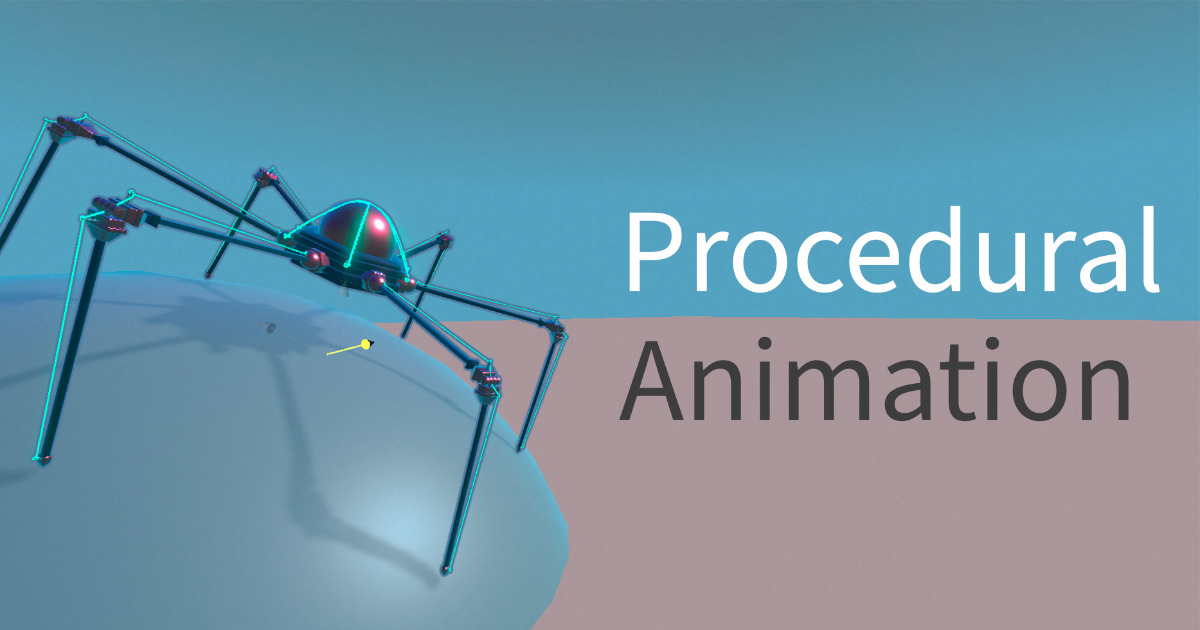
Use the Procedural Walk Animation tool from Lolopupka Games on your next project. Find this & more animation tools on the Unity Asset Store.
grave cosmos
when using inverse kinematics for your gun holding is it best to also create an animator controller?
 grave cosmos
is it possible to make an avatar of just the arms of a generic model
 bronze rampart
when using an animator... it locks everything else down. in this video i have an idle animation that overrides the code that rotates the players arm. is there any way to fix this???
 late lotus
So i created a text getting written in animation in aftereffects, exported it as a PNG sequence, and it seems to play fine when im testing the animation, but then when trying to display it in-game it seems to just flicker in and out like shown in the second gif. Any ideas why this is occurring?


 fallow needle
the controller attached to both of them is from another asset
 tranquil quail
there should be no controller attached to them. that will cause that. i thought you said there was no controller.. Ok, remove the controller from the odd posed one, and see if it goes to normal t-pose
fallow needle
tranquil quail
there should be no controller attached to them. that will cause that. i though...

itll stay like that no matter what i just put the controllers on both to see if i could replicate it somehoww
tranquil quail
Ok, there should be one fbx dude in a t-pose that you use all the time.
Then, there should be other models that have animations that you want to use, from any source.
You set all of these to Humanoid Avatar. have you done this?
I am trying to figure out why you even Have a second bananaman
fallow needle
tranquil quail
Ok, there should be one fbx dude in a t-pose that you use all the time.
Then, th...
this makes sense i was going to try and have 2 models one with just arms and legs to render for my fps camera, and was going to try and use the same animations which is when i saw the prefab i use had permanently changed to have that pose
if i had known of this when i was making the game i would have realized this sooner but im still learning lol
so if its really a bug i can just make new animations properly
 tranquil quail
Ok, those are two separate things. the Second 'arms only' model should start in t-pose too.
The issue seems to stem from thinking that you are supposed to Use the FBX with an animation on it. you don't.. that Animation, gets 'automagically' retargeted to your main character, through the Humanoid System.
So, if you have an FBX, with an Animation attached to it, it may very well Always use the first frame as its pose. this is fine, since that is not how you use it anyways.
There is a !learning site. i think Creative Core Pathway covers some animation stuff, and there is also an official E-Book
https://unity.com/resources/definitive-guide-animation-unity-2022-lts-ebook
@fallow needle

Unity
Learn how to use the dedicated animation tools, methods, and techniques available in Unity. This e-book is suitable for both new and experienced animators.
 dusk valeBOT
:teacher: Unity Learn ↗
Over 750 hours of free live and on-demand learning content for all levels of experience!
 late canyon
I was able to fix the first two and then couldn't fix the other ones
tranquil quail
late canyon
I was able to fix the first two and then couldn't fix the other ones
are you in the middle of continuing a previous conversation? if not, know that those screenshots are nowhere near enough information for anyone to help. actually state the issues
late canyon
tranquil quail
are you in the middle of continuing a previous conversation? if not, know that ...
The armature was a child of "Pigeon26", and then I moved it out on its own. After doing that, my transform links are missing and I wasn't able to fix the other ones, only the first two.
tranquil quail
late canyon
The armature was a child of "Pigeon26", and then I moved it out on its own. Afte...
Oh,. the only way i found around that issue was to not include, in your case, 'Pigeon26'. i am using a paid asset to get from Blender to Unity, while excluding Empty Armature.
There Might be a little help coming from blender to Unity, with the built in FBX Exporter, by naming your Armature differently
I think if you name it Root-Armature-"first bone here" it will help
fallow needle
tranquil quail
Ok, those are two separate things. the Second 'arms only' model should start i...
ah, i see so its just a bug from misuse of the humanoid system?
this would be the correct structure then? animator on 'ourGuy'

instead of banana man
tranquil quail
@late canyon
 late canyon
tranquil quail
<@183035252661288960>
late canyon
tranquil quail
<@183035252661288960>
This is done in blender?
tranquil quail
fallow needle
ah, i see so its just a bug from misuse of the humanoid system?
I think so, yes. checking on second half
late canyon
Thanks for the help
tranquil quail
fallow needle
this would be the correct structure then? animator on 'ourGuy'
Yes, Animator on ourGuy
fallow needle
thats a relief i was probably going to try and fix it by doing the exact same structure and chalk it up to a random bug 😂
thanks tho idk what i would have done without u
tranquil quail
fallow needle
thats a relief i was probably going to try and fix it by doing the exact same st...
Yw, still lots to know though,. well, make sure you check out that ebook, and perhaps the Creative Core Pathway on the linked learning site. Animation is one of the most difficult systems to understand in Unity(generally). Good luck! 🙂
twin musk
Hello everyone. I need help. my characters use an animation and when it plays because it is an idle animation they should be standing still but their legs are flying
tranquil quail
videos are helpful so people can see for themselves
 fiery axle
Hi, I recorded the animatin of lipsynch as transformation, but it doesn't much the speed of the original. Does someone know the reason?
twin musk
Hello guys, I imported a rigged model but the animations I put on my model doesen't work I'm new to all this so could I have help please.
fiery axle
fiery axle
Hi, I recorded the animatin of lipsynch as transformation, but it doesn't much t...
Does anyone know?
 barren yarrow
I have 4 animation states of a UI window, closed->open->opened->close->closed. I have 2 triggers named "Open" and "Close" to change states. The triggers are set by some buttons.
The issue is when i click the close button (which sets the trigger to close) multiple times, somehow the triggers get queued up and when I open the Ui, it closes automatically due to previous multiple clicks.
How can I prevent it.
 red bramble
Perhaps you should just have an "Open" bool parameter.
Rapidly clicking the close button causes the trigger to be set again (set -> consume -> set)
it will sit there until a transition can consume it
 west estuary
why is my greyed out the play button

 sullen bear
Im trying to make a shooting animation for a gun. do I make the animation a trigger or a bool in the animator?
twin musk
Hello everyone. I need help. my characters use an animation and when it plays because it is an idle animation they should be standing still but their legs are flying
Like this


 humble hemlock
hi that maybe a dumb question but did i need to made an running charging shuriken annimation or can i make smth for "merge" the both annimation ? https://medal.tv/games/requested/clips/jzclNEe0osXrqloKX?invite=cr-MSxJa1MsMjUxMjMyMDQ3LA

Watch Requested and millions of other Requested videos captured using Medal.
 flint olive
for 3D rigs/animations, it is possible to merge animations together
but for 2D, also having experience with this problem, you'd have to create separate anims. *(if you want a single animator; if not, see below)
that being said, you could implement a system of "lowerBody" and "upperBody" masks, to congeal together making a full body, that's similar to what i did
also a life-changing tip: stray away from Unity's transition system and just create your own animator system paired w/ a state machine
sterile vine
flint olive
for 3D rigs/animations, it is possible to merge animations together
sounds like you want blend trees?
devout ember
is there no way to add root motion after an animation clip has been imported?
flint olive
sterile vine
sounds like you want blend trees?
does it work in 2D with his case?
sterile vine
flint olive
does it work in 2D with his case?
im not sure, never tried it. i haven't had to do separate upper body/lower body animation
devout ember
is the only way to get root motion in imported animations?
flint olive
flint olive
that being said, you could implement a system of "lowerBody" and "upperBody" mas...
building of what Chris said, i dont think you would even have to make different anims.
just layer them on top of one another, and sprite mask the lower or upper body depending on ur needs
grave cosmos
why cant i use mixamo animations with generic model
spark snow
gray bronze
I know it doesn’t really address your question but thought you should know Unity...
aaah thank you, while this is not excatly what i wanted to do, ill definitely be able to learn a thing or two :)
gray bronze
spark snow
aaah thank you, while this is not excatly what i wanted to do, ill definitely be...
I figured the learning opportunity was worth at least $1 to me as well
 frank grove
Can anybody make any reccomendations for free video motion capture software that will work well with Unity?
I would like to be able to record footage and then make an animation from that. I see several options but any that are known to work nicely with Unity?
Thank you!
 undone bronze
I keep getting these errors when I import basic motion’s free package. If I remove the script it breaks any other script that handles animation, anyone know what I can do?
 agile solstice
frank grove
Can anybody make any reccomendations for *free* video motion capture software th...
agile solstice
frank grove
Can anybody make any reccomendations for *free* video motion capture software th...
Unity Recorder is designed for that
Otherwise the screen recorders you get with Nvidia and AMD drivers and OBS work just as well with Unity
 stiff verge
Hi guys got a problem with my door animation. I created 2 door animations (one for open and one for close). when turning the loop off, the door is constantly open and i cant interact with the door. If the loop is on, the door is constantly opening and closing. If possible, could i lend a hand from someone?
tranquil quail
there should not be a loop for that. you play the open, based on a condition, then you can play the close based on a condition
if you cannot interact with the door when in Open state, then that is a code issue, most likely
stiff verge
okay, thanks for the help
going to have a play around for 20 mins, see if i can figure it out for myself, if not ill jump in https://discord.com/channels/489222168727519232/497874004401586176
agile solstice
stiff verge
Hi guys got a problem with my door animation. I created 2 door animations (one f...
The best way to showcase animator issues is to record a video of everything you can basically
Show the problem occurring in play mode with the gameobject selected with Animator window open so it can be seen in operation
Then click through the states and transitions and show the parameters as well as code
stiff verge
agile solstice
The best way to showcase animator issues is to record a video of everything you ...
okay brill
ill send a video over, because I think im now at a worse state than i was previous
created a small video to showcase the problems, only around 50 seconds long. again if anyone could lend a hand it would be much appreciated (:
agile solstice
stiff verge
It's not quite what I asked for
"Show the problem occurring in play mode with the gameobject selected with Animator window open so it can be seen in operation" means you have the Animator side by side with scene or game window during play mode so when the animator attempts to change state it visually shows what it's doing
You did not click through the states and transitions so we cannot see if there's problems there
The video has about 1 fps so I anticipate it might not be practically possible to spot problems or see what's going on at all even if you showed the correct things
But nonetheless the process I'm describing helps you as well as us to see what's exactly occurring
 ornate jasper
grave cosmos
ornate jasper
grave cosmos
hey guys i have a question so i am using IK and want to add an animation to that IK. I just have the arms that are connected to the gun and would like to at start just equip the gun and then use IK to hold the gun anyone who can tell me how this works currently my game looks like this. currenttly i am applying rootmotion on the gun model but i dont know if this is the right solution.
 uncut salmon
ornate jasper
uncut salmon
ornate jasper
Please stop crossposting this across this server, thanks.
 sudden locust
Hi everyone! I always have this problem when I use the animation rigging package: when I move the hint of an object with a Two Bone IK Constraint, the constrained object doesn't move with it.
I have a pretty simple scene, with only two models imported: a gun and an arm.
I've made them both a child of the camera.
I clicked on Rig Setup and Bone Renderer Setup for the arm, added Two Bone IK Constraints for the left and right arm, wich was auto generated from the Tip.
The gun has two children wich are supossed to be the target for the right and left hand.
I'm then using a script to fetch it.
When I press play, everything setup is working, with the exception of the left hint.
 thorn mango
Hey, so I have a simple animator controller, with one 2D blend tree with animations for my 3d human.
I want to "task" animations (like sawing, throwing, fishing) etc to that, and I want to either play them by name or by id or something else. How can this be done? After the task is finished I want to go back to original blend tree
I have a bunch of tasks so I would like to avoid setting it all up manually, if possible
ornate jasper
uncut salmon
Please stop crossposting this across this server, thanks.
coding server told me its not related to coding so i posted here
because I cant think of any other category it would fit in if not coding or animation
uncut salmon
It is animation related, you posted it in 4 other channels. Just keep it to one, thanks.
lilac stone
 rough pilot
Hello my animtion is looping how can i resolve it
rough pilot
Hello my animtion is looping how can i resolve it
on the right side, there's Loop Time option
disable it
lilac stone
rough pilot
This is what happens
sorry, wait for someone else, i don't know how to help
rough pilot
lilac stone
sorry, wait for someone else, i don't know how to help
KK thanks
 unique forge
Why in game it's so high, but in blender it's normal

 agile solstice
unique forge
Why in game it's so high, but in blender it's normal
agile solstice
unique forge
Why in game it's so high, but in blender it's normal
What is "high"
unique forge
agile solstice
What is "high"
y pos
agile solstice
unique forge
y pos
You've placed it to that position in your scene, I'd have to assume
unique forge
agile solstice
You've placed it to that position in your scene, I'd have to assume
no, pos set to 0
agile solstice
unique forge
no, pos set to 0
When you drag something into the scene it goes whenever you drag it to, and if you drag it to the hierarchy it goes whenever your scene view is focused on
Reset the transform component and see if it's still "high"
 dusk lodge
in unity how do I transition after a animation is finish back to a idle animation?
uncut salmon
Assuming you're using an Animator, create a transition linke from the animation to the idle animation with no conditions, and it'll transition to it.
dusk lodge
perfect thanks
that works but it constantly plays the animation repeatedly because the condition to get to the animation is true
agile solstice
dusk lodge
that works but it constantly plays the animation repeatedly because the conditio...
It would seem logical to change it to false
dusk lodge
yeah i figured it out
I was just wonmdering hhow
becuase I cant just wait(animationLenght)
dusk lodge
agile solstice
It would seem logical to change it to false
Good point tho
 sand fern
what is a good procedural animation for human characters tutorial for Unity for beginners?
 near rivet
hey i recently created a system for my characters to use rootmotion for all of their animations. works pretty good but all the run animations i've tried seem to do this wierd zigzag. I'm assuming its because the motion driving the animation is not perfectly straight (it sways since the animation is a fast run) and the navmesh agent overcorrects for the sway. Here is a video. Maybe someone has had a similar problem.
 patent frigate
hey everyone. i'm making Aiming with Inverse Kinematics (IK) and Animation Rigging in my game. i have issue like this when my character change idle state to locomotion state. Could anyone can tell me what happen and how to fix this little bug ? thanks.
 sage yarrow
Hey yall, kind of a vague question but I'm not exactly sure where to start. Made a model and got the bones set up in Blender -> Works when I apply animations to it on the Mixamo website, but when I load the same model into Unity, no animations are working on it. Is there some obvious step that I can look into that I may be missing? Sorry, it's an awful question, but hoping maybe there's a simple starting point to try figure it out.
 languid wolf
guys help. I am new in unity why this is happen. When i put animation or animation rigging the model is start to "Bike pose" like in the video. Any solution? I use unity 6000.0.33f1 HDRP. 100% I'm follow the tutorial for rigging and animation they're not like this.
 rustic trail
languid wolf
guys help. I am new in unity why this is happen. When i put animation or animati...
rustic trail
languid wolf
guys help. I am new in unity why this is happen. When i put animation or animati...
if you preview the animation in the inspector, does it play as you expect?
languid wolf
rustic trail
if you preview the animation in the inspector, does it play as you expect?
nope, it is same. Not only animation, put the rigging on make the model pose like that also.
rustic trail
languid wolf
nope, it is same. Not only animation, put the rigging on make the model pose lik...
I was hoping to see the preview get played but I can only guess the animation is bad.
Enable humanoid in the inspector for the model if not already and configure the anim clips there too as it may help.
gray bronze
patent frigate
hey everyone. i'm making Aiming with Inverse Kinematics (IK) and Animation Riggi...
What’s the bug? Not clear to me from watching the video. Suggest you include more details on what the bug is specifically, what should happen, screenshots of any configurations (ik, rigs, constraints), how it’s being controlled, etc
patent frigate
gray bronze
What’s the bug? Not clear to me from watching the video. Suggest you include mor...
I cant do that rn. Do you have free time in 2 hour later ?
gray bronze
languid wolf
guys help. I am new in unity why this is happen. When i put animation or animati...
I think that’s what happens when you play a humanoid clip on a generic avatar. They’re not compatible. If your character is set to generic you could try setting to humanoid if it’s compatible
gray bronze
patent frigate
I cant do that rn. Do you have free time in 2 hour later ?
No. I’m not offering to provide one on one support. Like others here, I’ll do my best to make suggestions if I think I know what might be wrong or what you should try. The more context you can provide, the better chance someone will spot what’s going wrong or give you good follow-up steps.
 shrewd marsh
Hello there, need some help! For some reason my idle animation isn't playing when I run the game, it only shows when I play the animation in the animation window. I've got the animation attached to the character and everything, not sure what I'm doing wrong. Any help would be greatly appreciated :)


Also the animation does seem to play, but there's no changes to the sprite (they remain stuck on the first frame)

 edgy edge
shrewd marsh
Hello there, need some help! For some reason my idle animation isn't playing whe...
edgy edge
shrewd marsh
Hello there, need some help! For some reason my idle animation isn't playing whe...
Why do you have both Animation and Animator
shrewd marsh
Ohh are you not supposed to
edgy edge
shrewd marsh
Ohh are you not supposed to
If you are using Mecanim (the animation state machine thing) you should only have Animator
edgy edge
shrewd marsh
Deleting Animation doesn't seem to do anything though
Your idle_anim clip is not set
shrewd marsh
How do I set it?
 shrewd marsh
holy shit I was about to go insane it works thank you so SO much 🙏🙏😭
 spare agate
Hey, I am working on a game with a system that requires inputs from the player in order to do an attack (Left arrow, right arrow, up arrow, down arrow like Friday Night Funkin or Dance Dance Revolution) and I am working implementing attack animations to each arrow input. Any idea on how I would set the animation to only play the last input pressed?
I am using animator in Unity for the animations
 oblique linden
Heey! I have made a mesh for my project in Unity. I am using the Rigify rig for this, it even has face animations.
I am just wondering if it is compatible with Unity. On the internet I see mixed reviews. There are some tutorials but they show the human rig without face animations so I am growing very concerned.
Is it compatible or not? If not, which rig should I use and would you recommend I just use shapekeys for different face animations instead??
 vagrant turtle
hello I followed a tutorial on the movement of the player so that he advances and as a result he advances on the spot as in the mixamo.com demo how to solve this problem?
agile solstice
oblique linden
Heey! I have made a mesh for my project in Unity. I am using the Rigify rig for ...
Rigify is only kind of compatible, in the sense that it might not always break when exported
Definitely not designed for use outside Blender
Because it uses multiple parallel skeletons that have their positions tweaked by constraints, which are lost when exporting
oblique linden
agile solstice
Rigify is only kind of compatible, in the sense that it might not always break w...
Oo, alright. Makes sense. Do you have any recommendations? Should I simply get a rig from within unity or the asset store and arrange face anims through shape keys?
agile solstice
oblique linden
Oo, alright. Makes sense. Do you have any recommendations? Should I simply get a...
There are some alternatives/extensions for Rigify that let it make game friendly rigs
I used GameRig but last I checked it was outdated months ago
There were others but some of them were proprietary
I don't know about different rig generators
Simpler rigs won't have those potential issues
Rigify's metarig for example can be used just fine, though it has no IK or controls of any kind
oblique linden
agile solstice
There are some alternatives/extensions for Rigify that let it make game friendly...
Makes sense. I think I will just get a simple rig and do face anims through shapekeys. And make the body modular for bodytypes and headtypes instead of morph bones. Thank you for the answer!
agile solstice
You can add any IK and bone controls you want of course, but the important part is that constraints cannot be exported
oblique linden
agile solstice
You can add any IK and bone controls you want of course, but the important part ...
Cool, thanks! I might use the mixamo rig then. Then I can also get some animations
agile solstice
oblique linden
Cool, thanks! I might use the mixamo rig then. Then I can also get some animatio...
Mixamo rigs and animations are Humanoid avatar compatible, so they can also be retargeted to any other rig that's Humanoid
oblique linden
Awesome! Thanks!! Much appreciated! 😊🙏
 valid reef
guys, I'm trying to slice a sprite sheet to animate it, but it's not showing the subassets from it, and it seems the problem is this, but when I click in Unlock, it auto-blocks again, idk what to do

 hybrid tinsel
near rivet
hey i recently created a system for my characters to use rootmotion for all of t...
hybrid tinsel
near rivet
hey i recently created a system for my characters to use rootmotion for all of t...
In the import settings for the animation, you can bake that rotation axis so it doesn't affect the root motion.
hybrid tinsel
valid reef
guys, I'm trying to slice a sprite sheet to animate it, but it's not showing the...
If you remove that, you won't be able to slice sprites at all. It it s also a required package for a bunch of other stuff.
hybrid tinsel
spare agate
Hey, I am working on a game with a system that requires inputs from the player i...
You'd really want to be careful setting up what your code sends to the animator. Would you freely move to the most recently pressed command or would there be a delay to let the current animation finish?
 fresh crescent
How would I set up all these animations to my player?
 honest rose
Hi, is possible to Animate 3D models using multiples?. I mean, that we have different models with different poses, we can use that for "sprite animating" 3D objects, or is a bad idea?
near rivet
hybrid tinsel
In the import settings for the animation, you can bake that rotation axis so it ...
Tysm
red bramble
honest rose
Hi, is possible to Animate 3D models using multiples?. I mean, that we have diff...
There's no reason you can't swap out the mesh with an animation (unless the animation recorder refuses to let you record that, of course)
I do believe this is a thing that's done seriously, too
notably, baking skinned meshes into a bunch of models and then just swapping out models
now you can display 1,000 actors without doing 1,000 sets of skinning calculations
much like showing a series of sprites instead of doing 2D skeleton animation
honest rose
red bramble
There's no reason you can't swap out the mesh with an animation (unless the anim...
oh wow, well thanks :3
 bitter ether
how come my animation works in the import window when i play the clip but when i select it inside the prefab or export it it doesnt do anything
 outer scroll
hi guys, Why can't I edit animations? I'm using override

 hazy urchin
Trying to do a full body IK but the camera keeps going to the legs and the fingers are getting messed up. Anyone know a fix?

 gray bronze
bitter ether
how come my animation works in the import window when i play the clip but when i...
gray bronze
bitter ether
how come my animation works in the import window when i play the clip but when i...
Have you added an Animator component with a controller, and placed the animation clip inside the controller?
bitter ether
gray bronze
Have you added an Animator component with a controller, and placed the animation...
figured out it was not part of the humanoid skeleton, it was an extra bone so i had to add it to the mask
 slender aspen
having some trouble figuring out why my air actions are retriggering once i land. any major pitfalls where this could happen that i should check?
 frail ravine
Hey guys, why is it when I jump while running/walking it has a jump animation, but if I'm not moving and jump, there's no jump animation
 calm geyser
Hello everyone, I am making a game, and I'm making an AI for it, I have mixamo animations, but I'm trying to make it so the animations are in place and don't actually move while the AI moves, does anyone know how to resolve this issue?


 amber rock
 fallen arch
Hi everyone
I wanted to ask how VRchat does their walk cycle.
I found this animation controller has the vector X and Vector Z but one thing bothers me,


Where is the rest of the walk cycle frames?
agile solstice
fallen arch
Hi everyone
I wanted to ask how VRchat does their walk cycle.
I found this anim...
It would be more effective to ask in !vrchat
dusk valeBOT
Join the growing VRChat community as you explore, play, and create the future of social VR! https://discord.com/invite/vrchat
fallen arch
agile solstice
It would be more effective to ask in !vrchat
i asked. didnt get an anwer there Saddly
oblique linden
Anybody here got experience with rendering 2D sprite sheets from Blender / other 3D software? I would love to have some advice.
Or 2D animation in general.
agile solstice
oblique linden
Anybody here got experience with rendering 2D sprite sheets from Blender / other...
It's hard to give generic advice but you at least want to be familiar with Blender's render passes and color management, so you don't apply tonemapping or other post processing unnecessarily
You'll likely want the image sequence as a sprite sheet, which you'd need an plugin to do in Blender
I tend to use Unity's VFX Toolbox for the "assemble flipbook" feature
oblique linden
agile solstice
It's hard to give generic advice but you at least want to be familiar with Blend...
Thanks! I'll investigate that and check that. I was more keen on asking advice for characters for that method.
I've got two stylized low poly body shapes for both male and female I have the intention to make my body template. They both will have shapekeys too for body shape, so male and female can change body shape. I am just wondering about face details at this point.. how much will you see of facial details after rendering it as a sprite sheet? Is it better to leave the face blank and paint it on with photoshop/clip studio / aseprite?
These are them for reference.
 agile solstice
oblique linden
Thanks! I'll investigate that and check that. I was more keen on asking advice f...
agile solstice
oblique linden
Thanks! I'll investigate that and check that. I was more keen on asking advice f...
You have to decide what resolution you want the sprites to be to know that
The camera's angle will affect that as well
Much the same if they were 3D characters in the game with a fixed camera, only a limited amount of detail is possible to see
oblique linden
agile solstice
You have to decide what resolution you want the sprites to be to know that
The c...
Fair enough! I'll figure that out first, thanks. I'm leaning towards a higher resolution, as I want to be able to offer detail / customization. I'll look up some low poly face examples to compare, too.
agile solstice
oblique linden
Fair enough! I'll figure that out first, thanks. I'm leaning towards a higher re...
You should have some specific reason to be rendering 3D to 2D to begin with
If it's a fixed perspective camera game, there might be virtually no difference between 3D and 2D in the end
oblique linden
agile solstice
You should have some specific reason to be rendering 3D to 2D to begin with
If i...
Isometric, and while I know how to do 2D art in actual 2D, isometric will be a step up and I would be more comfortable rendering the humanoid sprites like that I think
But perhaps I'll make the characters 3D in the end. It isn't set in stone. But my initial go-to was to go 2D route, because it is easier to give a cozy vibe.
A pixelated shader in unity might also solve that though
agile solstice
Baking to 2D is a complicated extra process, so you should do it only if it provides a specific advantage
oblique linden
I will give it some thought, then. Thanks!
 arctic umbra
Hello everyone, im trying to make animation for the vr controller but the animations are blending in.. im pretty new to unity and i cant find any answers online.
Right now when i press trigger and grip together both animation play half way but i want them to play independently so if im holding trigger and grip together both buttons should go all the way in.
this is the blend tree i made for it

im not sure what wrong am i doing so any help would be nice
 harsh patrol
Are there any issues I should be worried about when using Generic rigs for my human characters? Besides the loss of retargeting? I always have a ton of inaccuracies when I try to import as Humanoid.
agile solstice
harsh patrol
Are there any issues I should be worried about when using Generic rigs for my hu...
Loss of Humanoid features like retargeting, inbuilt IK and avatar masks
Not sure what else
harsh patrol
Hmm, does avatar masks not work with Generics? I assumed it would since Generics also need to create avatars.
agile solstice
harsh patrol
Hmm, does avatar masks not work with Generics? I assumed it would since Generics...
https://docs.unity3d.com/Manual/GenericAnimations.html
Avatars for generics are only used to specify the root bone, which I believe is important if you want to base root motion on a very specific bone in the hierarchy
I have not needed generic avatars before
Generic avatars can be used for transform masks though the documentation refers to them as avatar masks
So you can have masks with specific bones, rather than generic limbs
harsh patrol
agile solstice
So you can have masks with specific bones, rather than generic limbs
Right, so functionality it should work similarly to humanoid avatar masks, yeah?
agile solstice
harsh patrol
Right, so functionality it should work similarly to humanoid avatar masks, yeah?
I expect so
harsh patrol
Awesome, thank you. I just want to cross out all the edge cases I might run into before I go too far down this route.
 finite finch
I tried mixamo character with animations but they doesnt look good, how can i fix them? in unity there are always many options, is it "animation rigging" that i need? which learning materials should i look for?
agile solstice
finite finch
I tried mixamo character with animations but they doesnt look good, how can i fi...
I'm not at all an expert on mixamo animations but I can say this is a very common issue
So it's probably a matter of missing some step in the export or import process
finite finch
can someone share a proper instruction how to import mixamo character with animations into unity? i know theres like over 20 of them out there on youtube and 99% of them are outdated
red bramble
the gist is that you need to import the model with a Humanoid rig
That will produce humanoid animation clips
red bramble
finite finch
I tried mixamo character with animations but they doesnt look good, how can i fi...
Does it look correct if you use the exact same model that was used on Mixamo?
rather than retargeting the animation onto your own model
finite finch
red bramble
the gist is that you need to import the model with a Humanoid rig
i dont know what that is
red bramble
I doubt that any of the tutorials are "outdated"
humanoid animations have been around since...at least Unity 5.2
finite finch
i tried ~ 6-7, none of them work, until like ~ 8'th did finally work, but as we can see, its broken
red bramble
finite finch
I tried mixamo character with animations but they doesnt look good, how can i fi...
what mixamo animation are you using here?
finite finch
red bramble
what mixamo animation are you using here?
- Character - Kate.
- First animation is "Walking" (working correctly)
- Second animation is “Fast Run” (not working correctly)


 red bramble
How are you playing these animations? a blend tree?
finite finch
red bramble
How are you playing these animations? a blend tree?
again dont know what does that mean, just by using this function
    void changeAnimation(string animation, float crossfade = 0.2f)
    {
        if (currentAnimation != animation)
        {
            currentAnimation = animation;
            playerAnimator.CrossFadeInFixedTime(animation, crossfade);
        }
    }
okay, so that's just going to play one animation at a time
also, what exactly is wrong with the animation in-game? It does look a bit "floppy", but the animation on the Mixamo site seems pretty similar to me
finite finch
I also thought that the animated character looks maaaaybe the same as on the website, but its definitely different from the mannequin. Feets are moving way too much on the sides and also elbows. Mannequin moves much better - just straight.
 swift shale
how would I be able to rig this for unity? I've been trying to do this for a few days. 🙏
 sudden locust
When using the animation rigging to atach objects to the hand of the players, where should you parent the objects?
On the official unity tutorials I saw the objects were attached underneath the rig, however in non oficial tutorials, people usually attach it underneath the hands of the player.
I'm asking because I have a setup where there are guns underneath the player rig, those guns have targets and hints as child game objects, for a two bone ik constraint.
I also have multi aim Constraints for the hips, shoulders and arms.
However, when the hands move to follow the target of the aim constraints, the guns don't follow. It only works the other way around, with the hands following the targets underneath the guns.
So, I decided to add a multi parent constraint to the guns, wich did not work at all, since now both the weapons and hand keep infinetly following each other.
How is this usually approached?
 kind aspen
using IK constraints, how can I fix the shoulder of a humanoid? it seems to be independent of the humanoid during rotation. for example, when I point a gun forward, if I rotate 180 degrees, the gun is pointed behind the humanoid...
kind aspen
nevermind, I got it fixed using targetTransform.position = target.position
 obsidian hornet
I am looking to have a 30 2D characters, with idle/attack.
I am thinking to have Animation Override Controller so I can reuse the animation states.
Also SpriteResolver/SpriteLibrary so I can reuse the animation frames.
But this means I need create an Animation Override Controller and SpriteLibrary for each character.
Is there a better way of doing this? It would be great if I can create 30 folders each with idle/attack sprites and a script take care the rest.
agile solstice
sudden locust
When using the animation rigging to atach objects to the hand of the players, wh...
You want to keep it clear in your head who's following who to not create recursive relationships between constraints
Rig constraints are evaluated in a hierarchy order (a bit unusually) which is important to note
If the gun's transform is not controlled by constraints, it would have to be parented under the hand or whichever part you attach it to
If it is controlled by transforms, parenting is ignored and for clarity and to avoid problems it's best to keep it (and other items) above or next to limb bones in hierarchy
Sounds like you want the gun and hands to be parent constrained to the same target rather than to each other
 low axle
guys i have a question,why the bool Run doesnt become true,like sometimes works sometimes doesn't,even tho the pm.running is true that bool wont become true.
i tried with fixed update, and i tried with normal update same result


and it enters in the if
 tranquil quail
don't forget to remove from the other room, or you might get Mod-Smacked
low axle
oh sorry
sudden locust
agile solstice
If the gun's transform is not controlled by constraints, it would have to be par...
When you say controlled by transform do you mean something like the multi parent constraint?
You mentioned pareting above or next to limbs, and underneath a body part. Is there no case where it should be underneath the rig?
sudden locust
agile solstice
Sounds like you want the gun and hands to be parent constrained to the same _tar...
So, if I understood correctly, I should have two multi parent constraints, one for the gun and other for the hand, and they would follow a new game object?
Thanks for taking the time to answer btw
 low axle
guys how is that when its idling its still uses the run animation


animations are hard
too hard
red bramble
well, what animation clip is actually being played by the "Idle" state?
 teal python
alright so i got an animation from mixamo, but it seems like in unity it keeps trying to keep the root of the character stationary, making them look awkward like this, what should i do?


 stable storm
So I downloaded some animations for my model in mixamo and they worked well on the site but now that I send it into unity I'm having trouble setting my model , he won't do any code or play any animations , can some help?
 chrome canyon
teal python
alright so i got an animation from mixamo, but it seems like in unity it keeps t...
chrome canyon
teal python
alright so i got an animation from mixamo, but it seems like in unity it keeps t...
root motion checkbox, have that enabled, it will apply motion to transform, otherwise it tps back to where it started after the animation plays. No one will even see the transform during play, so dw about it looking wierd, just whether you want the animation to actually move the person or not
 fervent osprey
hey , can someone help me with the animation problem i have
 winter folio
Hey I imported a Fbx file with animations from blender into unity. most of the animations work but the walking and running animation ingame look weird. like walking isN't looping corectly and running twists one leg. if I look at them in the Inspector/ how they transition they look just right. anyone knows what might be the issue here. the rig is custom and not homanoid.
tranquil quail
fervent osprey
hey , can someone help me with the animation problem i have
you have to actually ask a question. follow the guide below.
dusk valeBOT
:thinking: Asking Questions
:mag: Search the internet for your question!
:book: Use the API Scripting Reference and User Manual and this troubleshooting site for commonly posted issues.
:wrench: Attempt to debug your issue.
:thought_balloon: Find an appropriate channel by reading the name and description in #🔎┃find-a-channel
:grey_question: And don't ask to ask, ask a full question illustrating with screenshots if needed.
-# For more posting guidelines, go to #854851968446365696
teal python
chrome canyon
root motion checkbox, have that enabled, it will apply motion to transform, othe...
this? it's already set
 chrome canyon
teal python
this? it's already set
chrome canyon
teal python
this? it's already set
is the editor set to pivot or center
the origin for the object i mean
 teal python
chrome canyon
the origin for the object i mean
teal python
chrome canyon
the origin for the object i mean
uh what exactly do you mean by that?
chrome canyon
yeah thats pivot, ok, what is the issue with your previous statement, is it that the character tps back after finishing the animation? whats going wrong besides showing where you move the object at
teal python
chrome canyon
yeah thats pivot, ok, what is the issue with your previous statement, is it that...
oh nono, the object doesnt tp anywhere, it's just that the animation appears to be tilted, im assuming its because the root of the object stays at the same place even tho the animation moves/rotates it
teal python
chrome canyon
up/down*
no moving/rotating the root helped
this is the model im using

 teal python
chrome canyon
i mean it is, but it isnt set as one on import
teal python
chrome canyon
i mean it is, but it isnt set as one on import
yeah thats how the model came from the asset store, changing it to humanoid messes up the built-in animations it seems
and im not sure if it fixes the issue im having
teal python
it seems so, the transform is just fixed in place at the root
fervent osprey
dusk vale
### :thinking: Asking Questions
:mag: Search the internet for your question!
:b...
Couldn't get any help from the site
teal python
and it seems like it only happens for the animation i got from Mixamo
its not my settings on mixamo is it?

or the animation

 teal python
alright so i got an animation from mixamo, but it seems like in unity it keeps t...
teal python
teal python
alright so i got an animation from mixamo, but it seems like in unity it keeps t...
@tranquil quail is this what you mean?
tranquil quail
teal python
<@740532794089930802> is this what you mean?
sorry, wrong reply :/
teal python
oh lmao
tranquil quail
fervent osprey
Couldn't get any help from the site
 tranquil quail
teal python
its not my settings on mixamo is it?
tranquil quail
teal python
its not my settings on mixamo is it?
according to that screenshot, that animation does not appear to have root motion.. the skeleton/zombie attack, so it will stay in the same place. unless i misunderstood the question
teal python
tranquil quail
according to that screenshot, that animation does not appear to have root motion...
the animation in mixamo does have root motion it appears, im confused why would it disappear in unity
tranquil quail
teal python
the animation in mixamo does have root motion it appears, im confused why would ...
usually, if there is root motion in Mixamo, it gives the option to switch between Root motion, and In Place animation. i do not see that option in the screenshot, b iirc, sometimes, they omit that switch. root motion is a complex subject. are you experienced with it?
teal python
tranquil quail
usually, if there is root motion in Mixamo, it gives the option to switch betwee...
not entirely experienced with root motion, i just wanna add an animation to my character lmao
and no i dont see a root motion/in place switch in mixamo, no other animation or character seems to have it either
tranquil quail
When using mixamo animations, unless you are using the same mixamo character too, most often the animation will not match the skeleton of your custom character. in this case, Unity offers the Humanoid system, but if you are trying to mix Humanoid and Generic, there will be issues
teal python
tranquil quail
When using mixamo animations, unless you are using the same mixamo character too...
i did upload the model into mixamo, i suppose it does not pick up the rig?

i feel the best way to fix this is to choose a different skeleton model :(
tranquil quail
i think that is supposed to work, as generic. first, upload your character, (skeleton) and download it With skin. then come back and download, from the same skeleton, animations Without skin, and that should work
so, the skeleton you upload, and then download becomes the one you use in Unity
teal python
oh one second lemme try that
tranquil quail
for reference, this is what i meant about In Place

that is a root motion animation
none of the Zombie Attack animations i see on Mixamo are root motion
oh wait, 'not so scary zombie pack' is
teal python
tranquil quail
i think that is supposed to work, as generic. first, upload your character, (s...
yup doesnt work
i have no clue why
i think ill just use a different model lmao
winter folio
fervent osprey
Couldn't get any help from the site
the point is- we don't know your question
fervent osprey
winter folio
the point is- we don't know your question
I can show you
With pictures or a short video
fervent osprey
tranquil quail
Ok I'll do that
fervent osprey


 chrome canyon
fervent osprey
chrome canyon
fervent osprey
please use screenshots or screen recording
on windows its "snipping" tool
 rocky turtle
So I've been pulling my hair about this for a couple of hours now... My mixamo animation I imported to my Synty character has the wrong forward rotation (see image).
I've tried to change the root transform rotation of the animation with an offset, does not work. What happens is that the red arrow is the direction that I am walking, and if I rotate the aniumation root transform position, then I also rotate that direction. (see image)


In both cases, the result of the animation in the game is the same. What the blue arrow is I have no clue, but yeah.. I would appreciate any help
Solved: Duplicating the mixamo animation out of the imported FBX, and then applying the root transform position offset worked.
 maiden linden
is there a way to delete edges in 2dRigging, without deleting the vertex points?
cause chatgpt says no but i cant believe that
maiden linden
someone please clear me in on this there is no way they didnt add that
you cant even disable the vetice-auto connect
me rebuilding 8 vertice points cause i clicked one wrong connection: 
 open stratus
Hey can someone help im haviong an animation problem in my game where i wanted to change the animation to a more spiderverse/choppy animation style i changed the one animation to a sprite sheet animation now it jumps forward and back anyone know how to fix???
tranquil quail
Things like that go in a personal #1180170818983051344
 raw vessel
tranquil quail
Things like that go in a personal <#1180170818983051344>
raw vessel
tranquil quail
Things like that go in a personal <#1180170818983051344>
OK Thank you!
obsidian hornet
Anyone got a guide on 2D rigging? I would like to moving away from sprites and use skeletal animation. How to have the swing effect just like the penguin?

 undone frost
for unity animations, how to rotate object based on center instead of pivot?
obsidian hornet
undone frost
for unity animations, how to rotate object based on center instead of pivot?
transform rotate around pivot?
agile solstice
undone frost
for unity animations, how to rotate object based on center instead of pivot?
You could keyframe the rotation by hand by rotating the object with the rotation gizmo in "center" mode
But it's likely that causes some incorrect interpolation
So it's usually better to parent it under an empty and use the empty as an arbitrary pivot, with the bonus that you can change the offset also
 loud bramble
does anyone know why this happens ??
agile solstice
loud bramble
does anyone know why this happens ??
Likely your sprites have an inconsistent pivot points
A result of trying to slice a sprite sheet with automatic slicing, most commonly
loud bramble
it worked ! ty so much
 torpid shuttle
When you create animations in a 3rd party program like Blender to be imported into Unity. Should all animations be in 1 clip that you split up in engine?
Or as different clips?
agile solstice
torpid shuttle
Or as different clips?
Both are acceptable workflows
Making separate clips in Blender can be a bit of a hassle due to action editor and NLA editor both being clunky
Making just one continuous clip of actions may be simpler in some cases due to that, but requires you to cut it back up in Unity after importing
torpid shuttle
agile solstice
Both are acceptable workflows
Making separate clips in Blender can be a bit of a...
If I need to do so modifications of the animations in Blender, don't I need to make sure it's cut correctly?
Wouldn't making multiple clips remove that extra work?
agile solstice
torpid shuttle
If I need to do so modifications of the animations in Blender, don't I need to m...
Replacing a mesh asset doesn't reset the clips or other import settings in the meta file
So if you don't change the length when editing the animation, you can just hot swap it
torpid shuttle
agile solstice
Replacing a mesh asset doesn't reset the clips or other import settings in the m...
Even if an animation takes a different amount of time after an edit?
If it's all on one clip?
agile solstice
Then you'll need to adjust the cuts
Conversely if your animations are actions and you add more, you'll need to define the new actions manually
torpid shuttle
agile solstice
Conversely if your animations are actions and you add more, you'll need to defin...
And if they're different clips in blender, no adjustment required?
It sounds like multiple clips is a more efficient workflow.
Or am I misunderstanding something?
agile solstice
torpid shuttle
It sounds like multiple clips is a more efficient workflow.
I prefer it
Even if the action editor and NLA editor kind of suck
fervent osprey
i need help with this please@everyone
fervent osprey
 simple siren
I've made some animations that cycle sprites on a UI image component. It appears to play correctly in preview, but I can't get the animations to loop at runtime. Both Loop and Loop Pose are checked on the asset.
I've tried both an Animation and an Animator component, and have confirmed that it's entering the desired states correctly, but the states aren't progressing at all. Here's what the asset looks like. What could I be missing?
 twin musk
Some animations in Blender point to the right direction but after importing to Unity it points to the wrong direction but only when I apply the avatar.
I don't know why I tried rotating the charater in blender, applying the transforms, baking animation, trying different export settings by changing the axis values, alway the same result.
And only 1 animation while the others work normally
 soft zealot
ive never ever encountered this issue but my animation seems to be stuttering despite my curves showing it should be smooth and it being on over 700fps and the start and end being the same. here a video of issue
i think its its an issue with the looping despite the first and last frame being identical
figuered it out
 vale lance
hey guys, so I am importing a fbx file from Blockbench, and in the fbx import inspector, it shows the extra end frames, however, after dragging the model into the scene, the animation applied to it has these duplicate frames completely deleted resulting in keyframe loss, any way to fix this?
 fringe plaza
I'm kinda new to handling animations in Unity and I'm wondering what's the best way of making a character move forward during an attack animation (in a hack n slash game).
Using root motion seems finicky since it ignores obstacles and fixing it manually usually causes some jittering.
Using code however seems very limiting and tedious to find the right speed and duration of each movement.
Is there a guide somewhere about this?
 zealous root
So, how do I give my animations greater priority in my animators? Like when multiple bools are true
 inner flint
Hi, I'm new to Unity and using the Animator. I'm trying to make a menu button which changes frame when it's selected, but it doesn't seem to work, this is what I have in the editor: "Begin" is the animation containing 2 frames for selected/unselected (it didn't work so I just set the speed to 0f so it stays on the single frame), BeginSelected is an animation with 1 frame (selected) which it should transition to after I met the correct parameters

The only issue is, despite the menuSelection variable actually changing (I checked with debug log) it doesn't seem to do anything with the transition Begin -> BeginSelected

 inner flint
UPDATE: It works, no idea how but I just made new animations and redid everything which made it work
 random zenith
Been struggling to find concrete info on this and can't get it to work effectively myself. I am trying to set up an animator where I am using Sub-State Machines to have related things be in their own section, so currently I have on my layer at the base an empty state (Called Main Transition) with Sub-State Machines (like for idle vs movement vs jumping and whatnot), of which either they do a similar patten (like my idle Sub-State Machine has its own empty Idle Transition state which determines what idle gets played OR for something like jumping/falling (air) they just play the respective animations in order once the conditions are met to progress. Problem is, with this most of my transition are either to or from an empty state, and I have not been able to figure out a good general strategy to make it so
1: It blends (like it would if it was a transition from non-empty to non-empty)
2: It doesn't sometimes have a frame of no animation running
At most I think I have state w/ animation -> state w/out animation -> state w/out animation -> state w/out animation -> state w/ animation (example would be a idle -> idle transition state -> main transition state -> movement (really just walking variants) transition state -> walk), so at it's core how can I make it so that the above situation basically gets treated identically to how the idle -> movement would have been without me needing to make a transition for every possible situation. Or is the way I am going about it (first time trying to make an actually good animator, usually just brute force it since I wasn't trying to learn more about it then) just inherently flawed
 ocean wing
I have a player controller setup to do some nice animations based on input, these are animations from mixamo. And for some reason it gets off-center quite easily even though the animations begin at 1. Does anyone perhaps know what's going on?


And here's the animation controller

Idk if maybe it has something to do with me not having a legitimate like.. t pose animation?
im so confusd
ocean wing
TLDR my rig is drifting between animations?
 alpine dew
When importing a rigged and animated model in blender into unity is it supposed to take every single bone in the armature and create a game object for it?
And second to that if that’s expected: is that something to be concerned about if I’ve got potentially 20 of those prefabs being thrown into a scene at once?
Like this little projectile model has a very simple shape change animation to it, but after import it’s got at least 30 game objects per instance where the bones were defined in blender, I’m concerned about that
 fossil hill
Hey, I lost the reference to the child if I change the name after the animation clip. How can I recover it and change the name?
ocean wing
ocean wing
I have a player controller setup to do some nice animations based on input, thes...
please ping if anyone has any idea, im heading to bed
 mint pebble
Anyone know the best way to get around the animator overriding any sprite change I wanna do through script?
tranquil quail
How can i move a Bone, without affecting the Mesh?
The situation is, Blendshapes move a part of the Mesh, and i want to move the Bone to better match.
 stray epoch
hi, how does this multiplier works? i tried to set the value of movement to 0 and 1 but the animation speed doesn't change

 kindred crater
Hi guys in the two videos i have the same animation, left is in blender right is in unity.
The problem is ofc in the tail which has a damped track but it doesnt export wellin unity.
My only way of solving this is to triplicate the number of frames and get the frames in the middle (so if the animation is 8 frames i make it a loop of 24 and get the frame from 9 to 16). Any way to fix it by other means?
near rivet
fringe plaza
I'm kinda new to handling animations in Unity and I'm wondering what's the best ...
It really depends on the game and the look you are trying to get. If you want to eliminate foot sliding then definitely use rm. There is a great tutorial by Lliam academy or something like that. I can't Exactly remember the name. But look up how to use root motion animation with nav mesh agent.
fringe plaza
near rivet
It really depends on the game and the look you are trying to get. If you want to...
Thanks for the recommendation!
As for the type of game I want, I've said it's for a hack n slash game. My goal is to make the gameplay feel the best it can, foot sliding is only a minor issue (though it'd be best if there were none ofc)
I'm using Zenless Zone Zero's animations as a reference point for my own game, I'm not entierely sure which method they use, maybe you can tell?
red bramble
fringe plaza
I'm kinda new to handling animations in Unity and I'm wondering what's the best ...
Root motion doesn't have to go through walls (:
It's true that, if you let the Animator apply root motion, it'll just move its own transform around with zero regard for physics
You have handle root motion in your own component instead.
I use it to move a CharacterController around
fringe plaza
Seems interesting, not sure how to implement that though
Can you show an example?
red bramble
it's a Unity message, so the method doesn't have to be public
it's like OnTriggerEnter or Update
the example on that page is awful. what.
one minute, let me grab a script from my game
 vestal iris
hey, I have npc's setup with animations and simple behaviour trees, I can make them look for items, press buttons. But I'd like to be able to setup specific np'c to for example just sit in a chair, look at the player, point at something, or lie down, etc. Essentially I'd like to pose them in the scene without trying to find a humanoid animation for them. Is there a way to pose a character in unity? (I remember that you can't manually animate humanoid characters, but maybe this changed in unity6?) (I'm sorry just writing this I realized I can copy a model and have a specific instance of it configures as non-humanoid (I'm clicking around unity now and can't even find what is it exactly that's configured as humanoid/generic, I don't see it neither on the animator or the skinnedmeshrenderer)
red bramble
vestal iris
hey, I have npc's setup with animations and simple behaviour trees, I can make t...
If you import the model as a "Generic" rig instead of a "Humanoid" rig, you can make generic animations for them
Wait, you said that, oops
and can't even find what is it exactly that's configured as humanoid/generic
This is baked in during the import.
Although...
Try importing a copy of the model as Generic, and then plugging its Avatar into an animator that's normally used for humanoid animations
That should allow the animator to start playing generic animations instead
you also may be able to just remove the avatar from the animator
not sure about that one
for a humanoid model, the Avatar tells Unity about things like "what's the left leg bone?"
But there is nothing special about the model or its bones. If you throw out the humanoid avatar, you should be able to play generic animations
vestal iris
red bramble
> and can't even find what is it exactly that's configured as humanoid/generic
...
I think the "humanoidness" is set on the animation import, not the model? model is just a set of bones and a skinnedmesh renderer?
red bramble
vestal iris
I think the "humanoidness" is set on the animation import, not the model? model ...
Yeah.
red bramble
fringe plaza
Seems interesting, not sure how to implement that though
Can you show an example...
a powerful website for storing and sharing text and code snippets. completely free and open source.
vestal iris
ok, so throwing out the avatar out of the animator should do the trick, I'll experiment, thanks
red bramble
The first script is what receives the message. It has to be on the same object as the Animator.
The second script actualy uses root motion
You can ignore a lot of the second method. It has some logic for things like scaling entities up and down
(and a mechanic that I scrapped where running into a wall makes you stumble)
fringe plaza
thanks a ton! I'll see if I can work it out with this
red bramble
controller.Move(animator.deltaPosition);
that's all you'd really need
fringe plaza
I'm guessing deltaPosition is the delta of the root motion?
red bramble
It's how much the animator wants to move in world-space, yeah
There is also a rotation property. I think I ignore that right now..
If Unity sees as component with an OnAnimatorMove message, the animator stops applying root motion on its own
you should see a bit of text on the Animator about it being controlled by a script
fringe plaza
red bramble
If Unity sees as component with an `OnAnimatorMove` message, the animator *stops...
ooh I was about to ask
that's a game changer
thanks
near rivet
fringe plaza
Thanks for the recommendation!
As for the type of game I want, I've said it's fo...
Ya it looks like they use rm
 proud dune
Hey guys im new into Animations, my question is if writing a code for Animation good or should I use normal the Animator?
https://youtu.be/Db88Bo8sZpA?si=C5JZ5DY6euoUCHfn

Tutorial of how to manage animations entirely through script in the Unity game engine!
Tired of struggling with the Unity Animator? In this tutorial, I'll show you how to create smooth and efficient animations entirely through scripting, eliminating the need for the Unity Animator once and for all! Say goodbye to clunky animations and hello to ...
I want like that the Character is moving and attacking with the sword together when I press walking(w) and attacking(left mouseclick)
proud dune
proud dune
I want like that the Character is moving and attacking with the sword together w...
Or does someone have a better tutorial for the things I asked?
fervent osprey
fringe plaza
Thanks for the recommendation!
As for the type of game I want, I've said it's fo...
That looks Amazing I hope I can make something like that In the future, for now I have issues with CPU rendering And how to even Animate all the way Do you have any YouTube channel recommendations ?
fringe plaza
fervent osprey
That looks Amazing I hope I can make something like that In the future, for now ...
Not sure what you mean by that, what issues are you having?
I recommend these 2 tutorials. They're a bit outdated but they're the best at teaching the workflow imo
https://www.youtube.com/watch?v=z3cdbYTl3Ms
https://www.youtube.com/watch?v=c84j-A7bZ8s
Take your Blender Rigging to the next level with my advanced Courses
https://academy.cgdive.com/courses
LINKS FROM THE VIDEO
Rigify series
https://www.youtube.com/playlist?list=PLdcL5aF8ZcJv68SSdwxip33M7snakl6Dx
Game Rig Tools
https://toshicg.gumroad.com/l/game_rig_tools?a=477128051
Game Rig Tools intro video
https://www.youtube.com/watch?v...
❖Get all CGDive courses for just $5.99 per month!❖
https://academy.cgdive.com/courses
Note: This is like Patreon but much better :)
In this video, we'll set up 3 different ch...
fervent osprey
thank you so much I will watch all of them, i can show you with ss
ocean wing
Could someone please help me with this, I'm using mixamo animations. And my character.. Drifts, over time from the animations.
Omg i wanna die
It's root motion
 idle horizon
How would you go about making an object animated with dynamic bones line up with a part of a model that only moves via blendshape?
near rivet
Can someone point me in the right direction for using active ragdolls. I've spent tens of hours on trying to make one and I have nothing to show for it. The tutorials I've followed all end up like crap or are bloated with extra code that doesn't actually focus on just applying forces and rotations to a ragdoll. I've tried importing a few examples from github and they seem to work fine but I can't extract anything from them (cause they are bloated with bs). Seems like the best way is to have an animated body and a physical one that attempts to copy the first using configurable joints. Please help I can't sleep at this point.
brave storm
near rivet
Can someone point me in the right direction for using active ragdolls. I've spen...
Yes, having a ragdoll follow another animated skeleton's bones is the common way
I haven't seen any good active ragdoll tutorials though. Pretty much just need to experiment yourself
 dreamy snow
hey. A little new to unity, i've gotten a problem i dont know how to get past.
In animator there's a base layer for body movement, walking jumping idle and so on.
And then a second layer for item animations. most animations are one handed, like holding a hammer or object. then there's a few 2 handed items. And most 1 handed items, also have an animation for pushing away where both hands are used
I've set the propper mask for every single animation. But despite that, the item animation layer overridess the entire body
here is the main layer with an idle animation. And then the item layer, has a 2 handed animation (the animation is using a mask for just the arms)
despite that the entire body gets overridden

if i put a mask on the layer itself for just the arms. Then the 1 handed animations, still override both hands even when only 1 hand is animated

do i have to make a layer for every single body part for this to work?
sudden locust
dreamy snow
if i put a mask on the layer itself for just the arms. Then the 1 handed animati...
is the mask controlling both arms?
What if instead of having one layer for every body part you have two? one with a mask for both arms and the other for one.
You could also try combining having a layer mask, and a mask on the animations that only need one arm.
dreamy snow
sudden locust
is the mask controlling both arms?
What if instead of having one layer for ever...
right now every animation has masks for the important body parts. But even so, when they're playing the entire body gets affected.
Like the masked body part is animated, and everything else gets set to the avatar bindpose
sudden locust
dreamy snow
right now every animation has masks for the important body parts. But even so, w...
I don't know that much about animation to help then.
All i can think of is using the layers masks : /
dreamy snow
i can maybe have a layer for 2 arm animations and one for 1 arm animations but it really complicates how they're set up /:
idk, waiting to see if there's other ideas
fervent osprey
Can somebody help me out with this please or provide me with a link that can help me out
 ocean basalt
what website/service do people use for their unity 2d animations? i just want to be able to drag around /change parts of a preexisting sprite and have it maintain the same relative size, but the only sources ive found make the animation like blurry or with weird colors
brave storm
fervent osprey
Can somebody help me out with this please or provide me with a link that can hel...
Probably need to apply the scale of your bones and/or the object. This has nothing to do with unity though !blender
dusk valeBOT
A supportive community for Blender artists of all levels. Share your work, ask for help, and learn from others! https://discord.com/invite/blender
 glass kiln
Hey, this is a weird question but I was wondering if you as an Indie dev, would consider renting an affordable mocap studio for like an hour or two to make some custom animations, rather then doing it all by hand? Let's say for like 100-200 bucks per hour. Like does this make sense for you?
 wise kindle
hi
do you guys know of any resource on how to rig humanoid hands so they work well with humanoid in unity?
i struggule a bit, close hand bends fingers thru the hand ect
 weary oyster
glass kiln
Hey, this is a weird question but I was wondering if you as an Indie dev, would ...
weary oyster
glass kiln
Hey, this is a weird question but I was wondering if you as an Indie dev, would ...
!collab
dusk valeBOT
:loudspeaker: Collaborating and Job Posting
We do not accept job or collab posts on Discord.
Please, use Discussions to promote yourself as job-seeking, advertise commercial job offers, or look for non-commercial projects to participate in:
• Collaboration & Jobs
glass kiln
weary oyster
!collab
I'm not promoting anything... I'm just asking if other devs would consider using it. That's all
fringe plaza
Does anyone have an idea why the root motion only applies to part of the model?
Also, the root motion in unity moves far less than the one in blender, the limbs seem to follow more closely to the original animation
I'm using an avatar generated from the model, and I set the root node to rig/root of my rigify rig.
stable storm
so i programed a zombie character to follow the player and attack him , the problem is the animations wont work
 river warren
Okay, getting a weird problem trying to use a sprite library/resolver with animation. It seems to be failing to resolve a sprite when the animator gets a parameter changed, flickering for a frame with the default sprite. The animation plays fine when idle. When I move the object, I have it track its direction with animator.SetFloat("moveX", dx); (and Y) and a blend tree chooses the correct animation, N/S/E/W. That was fine with just animating sprites, but all I did was start using a Sprite Resolver. Worse yet, it doesn't have a problem when I step frame-by-frame. I don't even know how to debug this sort of thing.
 amber bolt
stable storm
so i programed a zombie character to follow the player and attack him , the prob...
amber bolt
stable storm
so i programed a zombie character to follow the player and attack him , the prob...
isWalking does not exist. Can you show the parameters you have in the animator?
And how you’re trying to turn on the animation.
river warren
Solved mine: TL;DR I think all tutorials on this are outdated, with clips having SpriteResolver Category/Label/Key properties. I followed along but Unity recorded Sprite Hash values in the clip instead. So I just set my clip to have only the Sprite Hash, and it all works. It seems the the "Category" and "label" were not actually set and were sporadically resetting the resolver to "no category"
 earnest kestrel
hello, how do i solve the following issue i have:
i have root motion enabled on my player animator.
i am creating a mecanim animation for jumping / falling. after each jump animation, the player enters a fall animation.
the problem is that my jump animation has RM and propells the player in the air, and the fall animation has the feet at ground level, so when it transitions, it snaps down 0.5 meters.
how do i solve this issue? (the animations are an asset, editing them would be my last resort)
undone frost
what does animator's avatar do?
 reef sierra
river warren
Okay, getting a weird problem trying to use a sprite library/resolver with anima...
reef sierra
river warren
Okay, getting a weird problem trying to use a sprite library/resolver with anima...
Does your Animator contain both Sprite Resolver animation clips and SpriteRenderer.sprite animation clips? If so, that will cause the Animator to fight over the values, causing flickering. (Link to documentation: https://docs.unity3d.com/Packages/com.unity.2d.animation@10.1/manual/SpriteSwapIntro.html#animator-limitations)
reef sierra
undone frost
what does animator's avatar do?
It maps custom bones into a skeleton structure Unity understands and can work with.
 frail seal
Got a little bit of a problem, got some code that lets me switch between objects (gun, dagger etc), but when i switch (disable the object) mid animation, when i then switch back, it stays in the position and rotation that the animation left off at.
 rigid kraken
Why is this animation so confusing? Am I doing wrong?
stable storm
guys im trying to add this animation from mixamo to a zombie enemy in unity , but he wont play them at all , unity says i cant set it to humanoid because he is missing bones , so all the zombie does is Tpose , has anyone ever got into this issue ?
 lunar bronze
Ugh there's an experimental package I'd really like to know if it's going to be an LTS package or dumped https://docs.unity3d.com/Packages/com.unity.ui@1.0/api/UnityEngine.UIElements.Experimental.Easing.html
Unity bein unity even they don't know what the long term goals are
 void sigil
frail seal
Got a little bit of a problem, got some code that lets me switch between objects...
void sigil
frail seal
Got a little bit of a problem, got some code that lets me switch between objects...
Can you show with record
frail seal
bruh, oh well you can see there.
brave storm
Send mp4 so it embeds in discord
frail seal
void sigil
Can you show with record
here it is
void sigil
frail seal
add key of X rotation in idle animation
frail seal
void sigil
add key of X rotation in idle animation
What exactly, do you mean by this? Sorry, still new to this, do you mean adding a change in the x rotation in the idle animation? So that it defaults?
void sigil
frail seal
What exactly, do you mean by this? Sorry, still new to this, do you mean adding ...
do you mean adding a change in the x rotation in the idle animation? Yes
frail seal
void sigil
*do you mean adding a change in the x rotation in the idle animation?* Yes
I made it so for 1 frame, it changes the x rotation by 0.1 and then for the next frame it changes back, seems to have fixed it.
Is there an easier way? or is that the way to do it?
brave storm
rigid kraken
Why is this animation so confusing? Am I doing wrong?
Right click the rotation track label and change interpolation mode
 frail seal
void sigil
*do you mean adding a change in the x rotation in the idle animation?* Yes
frail seal
void sigil
*do you mean adding a change in the x rotation in the idle animation?* Yes
thanks a whole ton, this took me too long to figure out xd
Now, i know for the future.
 celest totem
hey! would anyone know how to start two animations that are always running at different times? i have this really great fish from the asset store and its animation is amazing, but i want multiple fish to have out of sync animations, so how would i do that?
rigid kraken
brave storm
Right click the rotation track label and change interpolation mode
my hero. thanks
brave storm
celest totem
hey! would anyone know how to start two animations that are always running at di...
You could use a script that sets the animation's time to a random value once
Or control the time/speed manually from the script
celest totem
ok gotcha! Thanks
stable storm
ok guys i think the models i made for my project arent compatible with animations in unity , what do i do ?

 supple oracle
I made this animation in blender that uses root motion, when importing to unity, the player works fine, but the enemy animation plays with an offset (you can see it jumps and turns around). Is there a way to fix this without manually adjusting in code?
supple oracle
ok so player also doenst work properly
LOOK AT THIS
in preview it rotates fine, but in play mode it doesnt rotate
there are no scripts on it
wtf is going on ?
supple oracle
@brave storm HELP ME
 thorny valley
Does anyone have experience with a character customization set up, and know typically how this is done considering animations? can you use the same rig, swap parts, Do the parts need to be made in a specific way (Like Head, Torso, Legs) or can i get more freedom to make Full body outfits/coats?
tranquil quail
supple oracle
<@136926228341850112> HELP ME
Read the #📖┃code-of-conduct .
supple oracle
sorry its just this thing is driving me insane
tranquil quail
So, i have a female walk cycle that i would like to use for multiple characters. some characters have larger hips, so the hands/arms swing through them. what is the normal method for offsetting arms like that?
that literally changes nothing about the expectations to follow the rules. @ shooting star
supple oracle
tranquil quail
that literally changes nothing about the expectations to follow the rules. @ sho...
Ok but I feel people are ignoring me on purpose
its not right
tranquil quail
people have every right to ignore anyone they want.
tranquil quail
stable storm
ok guys i think the models i made for my project arent compatible with animation...
I assume you mean Humanoid System Animations. examine the minimum required bones/which bones that are required for Humanoid Remapping, and add the required bones to your models
supple oracle
tranquil quail
people have every right to ignore anyone they want.
Haha yes I know they are all laughing at me.
You may think my condition to be shameful, but i can assure you, if you had expressed the same stresses that i have experienced, you would have developed the same condition
tranquil quail
supple oracle
Haha yes I know they are all laughing at me.
seriously, find a therapist. this is not the place for this.
sterile vine
this space has rules; gotta follow them
just because noone's answering doesn't give you the right to pester random people
supple oracle
okay
 little path
Pretty sure expecting 22,000 people to each individually reply to your question with "idk man" would probably be less conducive to your mental state
river warren
reef sierra
Does your Animator contain both Sprite Resolver animation clips and SpriteRender...
It wasn't .sprite directly, so I didn't think that applied since I had some combo of hash,key,label,category,enabled. Plus, those were in the same clip, unlike described there. But yea, tutorials say to add all spriteresolver parameters, but don't show sprite hash, when that's all I needed.
 spice pilot
How do i export an animation from blender and import into unity without the bezier curve breaking?

Im using Better FBX addon.
I tried the default Blender FBX exporter but it just exports with linear interpolation
 cosmic vortex
i have this simple setup for animating player but when i just tap a movement key it sometimes goes back and forth between move and idle for a while. and when i change directions itll go to the idle animation which makes an ugly jitter from switching animations. what is the best way to fix this? should i put a timer for if the player has been idle for multiple frames only then trigger idle? or is there something better
        Vector2 acceleration = Vector2.zero;
        if (Input.GetKey("w"))
        {
            acceleration += Vector2.up * speed;
        }
        if (Input.GetKey("s"))
        {
            acceleration += Vector2.down * speed;
        }
        if (Input.GetKey("a"))
        {
            acceleration += Vector2.left * speed;
        }
        if (Input.GetKey("d"))
        {
            acceleration += Vector2.right * speed;
        }
        if(acceleration.x != 0 && acceleration.y != 0)
        {
            acceleration *= .707106f;
        }
        gameObject.GetComponent<Rigidbody2D>().velocity = acceleration;
        if (acceleration != Vector2.zero)
        {
            animator.SetTrigger("Walk");
        }
        else
        {
            animator.SetTrigger("Idle");
        }```
 tame yew
How do I get Unity to set the Root Bone correctly on import? (I already tried naming my "Body" bone to "Root")
"None" kind of works but ideally the bounds would follow the main car Body (the body will rock when braking for example)
My skeleton is a bit unconventional because I use skinning to turn the wheels of a car
 fringe plaza
Does anyone have an idea why the root motion only applies to part of the model?
...
fringe plaza
fringe plaza
Does anyone have an idea why the root motion only applies to part of the model?
...
I'm still looking for help
fallow needle
When I move my character with a simple KCC its not moving the target of my IK chain, no matter what the heiarchy is ive tried putting the target everywhere no matter what the target just stays in place while the rest of the character moves
sudden locust
cosmic vortex
i have this simple setup for animating player but when i just tap a movement key...
I think it's best not to use a trigger to switch between the idle and walk animation
cosmic vortex
sudden locust
I think it's best not to use a trigger to switch between the idle and walk anima...
What would be better?
sudden locust
in you case i'd use a bool
what i do is a blend tree, but if you never used one before maybe stick with the bool
cosmic vortex
sudden locust
in you case i'd use a bool
Oh yeah that might work, although wouldn't the issue of switching to idle persist if I switch direction?
sudden locust
cosmic vortex
Oh yeah that might work, although wouldn't the issue of switching to idle persis...
Instead of making it transition to idle when the acceleration is 0, i'd also add a check if the input is 0 as well
cosmic vortex
sudden locust
Instead of making it transition to idle when the acceleration is 0, i'd also add...
What is the difference?
Isn't acceleration zero when input is zero
sudden locust
if you switch direction you'll always be pressing a button, so the input won't be 0
sudden locust
cosmic vortex
Isn't acceleration zero when input is zero
In your case yes, but not in all games, some let the player slowly deccelerate
cosmic vortex
Alright, thanks for the help
 weak sand
Is there someone here who can help/guide me in doing a smooth animation using root motion and crossfade animation?
I'm willing to pay for your service, thank you!
sudden locust
Hi everyone! Can someone help me setup reload animations when using the animation rigging package?
I'm making an FPS with full body visuals, the gun is already attached to the character through Two Bone IK Constraints. The body also follows the camera through a Multi aim constraint.
Because of that, the multi-aim constraint, the reload animations from mixamo aren't working properly, as the position of the gun changes depending on the direction the player is looking.
So I added a some rigs to set targets for the reload animation.
This is working fine when on the prefab view, however it stops working entirelly when playing the game.
Does anyone knows what is wrong, or a better way to approach this?
Here is a showcase of the IK
The reload when i don't set the targets
The reload "working" when on prefab view, although is still pretty ugly
and how it is when playing.
sterile vine
cosmic vortex
i have this simple setup for animating player but when i just tap a movement key...
hey that if check to normalize could be made more readable by using the built-in Normalize method, and then multiplying the speed in afterwards
cosmic vortex
:0 I didn't know that existed ty
sterile vine
cosmic vortex
:0 I didn't know that existed ty
yeah you can avoid the conditional that way
 rare latch
A blank/empty animation clip is overriding transform.
I have 2 animators for 2 fighters. Both have an "Idle" animation. In playtime, they play exactly the same way (loopinng continously until animation is changed) and yet, for 1 of the fighter, which I coded earlier, I can change transform.rotation and it stays changed, but for the newer fighter, if I change transform.rotation, it clips back to the default
Disabling animator component makes the rotation changes work perfectly, so it's something in animator and not in my code
I've tried so many things for the past few days and it's driving me crazy
sterile vine
rare latch
Disabling animator component makes the rotation changes work perfectly, so it's ...
check the "root transform" option in the animator component (i don't remember what exactly it's called)
rare latch
root motion?
sterile vine
yeah
rare latch
but my first fighter doesn't need root transform
sterile vine
yeah i mean check if that option is different in your 2 objects
rare latch
and I'd like to avoid is because sometimes root transform changes resting position
rare latch
sterile vine
yeah i mean check if that option is different in your 2 objects
nope, disabled on both
 next patrol
Is there a way to create animations that only affect Visuals and not in World Transform? I have this problem that the Parentobject of a character had an Animation Controller where i controlled the limbs (child objects). But since it was wierdly offset i had to move it into the center but now all animations are broken, because the Transform changes. How can i avoid this?
red bramble
spice pilot
How do i export an animation from blender and import into unity without the bezi...
Blender "bakes" animations by emitting a ton of keyframes. The result will not exactly match the original curves in Blender.
I wonder if you could get Blender to emit more frames?
basically, a 240 FPS animation instead of a 60 FPS animation
 lime moon
Can i somehow connect an object to a humanoid bone joint so it would sync with it during animation?
chrome canyon
does anyone have sources for why retargeting two handed animations is so hard to do? i understand the stature of the person does impact the animation, but if the animation just tells the arms to move in a pattern, regardless of what happens to the other hand, it shouldnt be a problem no? just choose where the second hand's target is based on where the tool parented to the other hand is
zealous root
So I've set my animations for falling and jumping to not loop and they still do. I'm wondering if it has to do with how I'm calling them in my PlayerController
chrome canyon
zealous root
So I've set my animations for falling and jumping to not loop and they still do....
if you use a trigger, triggers can be triggered again, and queue up immediatly right after an animation starts


 elfin pine
Hey, so, sort of new to unity, and this is happening to my armature when going from blender to unity. the arms, legs and feet are all backwards. how do i fix this?


heres what the correct way around should look like

also i guess the hands are messed up too?
 elfin pine
Okay, i fixed all of that, but now this is what unity will accept for a t pose. this ruins my fingers, and i need a way to fix them


 tidal lance
So, I’m using the control track to play a nested timeline.
But in the new timeline, I want a character in the nested timeline to play an extra animation like in an override track.
Buuuut, if there are ANY animation clips in the new track, it entirely negates the track in the nested timeline. WHY?!
alpine dew
Using an animator controller for say, up to 100+ enemy units on screen at a time. What’s the ideal way to go about that? Would having like 6-7 common animation slots that every enemy model can have those clips called on be the way? Like every enemy model in blender is rigged up to have an “idle”, “attack”, “flinch” etc and just have the animator call on those clips if they’re all ID’d the same?
elfin pine
How can i re-create this in unity?

 vestal iris
does anyone know who decides how my animated models look in the scene view out of playmode? they used to all be in t pose, but I fiddled with something, and how all my characters seem to be in the first frame of their falling animation?
 boreal jungle
why when I set it to anything other than one for frames does it reset to one?

(for the end frame)
 frail grove
 daring relic
is there any way to make humanoid avatars compatible with two handed weapons?

this is the setup

my issue is that the scythe also requires bones
and I usually move the scythe by itself
sudden locust
daring relic
is there any way to make humanoid avatars compatible with two handed weapons?
can you make them different models?
daring relic
sudden locust
can you make them different models?
not without breaking the animaitons

This video shows you how to rig a 2-handed gun to an already-rigged character inside Blender 3.0.
Link to this Free Character: | https://blendswap.com/blend/30362 |
"Sci-fi Commander"
00:00 Inro
00:13 Resetting Origin
00:45 Setting up Hand Controllers
02:15 Right Hand Parenting
03:39 Right Hand Posing
05:08 Left Hand Parenting
06:12 Left Hand...
would this tutorial work?
sudden locust
daring relic
would this tutorial work?
i don't know that much about rigging sorry : /
daring relic
I love how it's called "2 handed tutorial" meanwhile its just one handed but the other hand copies the weapon's pos
fucking hell why is it so goddamn difficult
 flint rampart
hello! I am trying to use the FBX exporter to simply have a model doing a .anim dance be an fbx so I can convert it in blender to bvh, As you can see here the model (when played in unity) does the dance. That part is fine!! The issue comes after I export
when I export it as an FBX, the model is just tposing??
and if I shove it in blender, it's a very weird distorted mess
My assumption is something must be going wrong in the exporting process, but I am very confused as to what that issue may be
tidal lance
I'm trying to make the issue I'm running into as clear and concise as possible. I'm trying to nest timelines with overlapping animators to be used as override tracks
tidal lance
Anyone around?
tidal lance
Pls...?
boreal jungle
my swordsman (red one) keeps falling over. these are my animations

(only falls over when the move script is enabled, but stays idle without falling when disabled)
boreal jungle
boreal jungle
https://discord.com/channels/489222168727519232/497872424281440267/1341047915665...
nvm, my ingenious brain forgot to add a condition for it to die
vagrant turtle
Can anyone help me make my character move? because even though I watch 20 tutorials, nothing happens, it doesn't move
 azure adder
hey everyone, when I have an animation and I play it, if the frame rate of the GAME view is a bit slower, the animation timeline stills plays at a fixed rate.. how can I make it so that it obeys the game fps?
 quasi fable
azure adder
hey everyone, when I have an animation and I play it, if the frame rate of the G...
quasi fable
azure adder
hey everyone, when I have an animation and I play it, if the frame rate of the G...

 feral owl
Anyone knows how can I make a transition between canvas instead of a sharp cut? I want the image ( it's pixel art ) to be mixed before and than unmix it to the become the actual screen
tidal lance
Wow. All of us asked for help on different topics and nobody came
sterile vine
vagrant turtle
Can anyone help me make my character move? because even though I watch 20 tutori...
this is far too little info to help with
- do you mean "move" as in animate, or "move" in the world?
- consider using a single tutorial and sticking with it. there are many ways to do any given task, different tutorials might use different methods.
- have you tried going through unity !learn? 👇
dusk valeBOT
:teacher: Unity Learn ↗
Over 750 hours of free live and on-demand learning content for all levels of experience!
tidal lance
tidal lance
I'm trying to make the issue I'm running into as clear and concise as possible. ...
[Note: The first depiction of the timeline after the "How I want it" video is a non-nested scene, which is not how I want it]
 stuck timber
tidal lance
[Note: The first depiction of the timeline after the "How I want it" video is a ...
stuck timber
tidal lance
[Note: The first depiction of the timeline after the "How I want it" video is a ...
is there a way to solve your issue without nesting ?
tidal lance
The only thing I can think of is just duplicating the timeline over and over, which is what is shown in the first clip, which is not how I want it to be.
It makes syncing them all very cumbersome
tidal lance
stuck timber
is there a way to solve your issue without nesting ?
So, yeah, that's a no go
tidal lance
Hello?
 elder niche
I need help, im new to the animations and idk how add one, I placed a mixamo animation, I watched a couple of tutorials but still can't find whats wrong


 jade stone
I would love someones suggestion on the type of parameter to use for an attack blend tree? My blend tree consistents of 3 animations, my enemy disappears, reappears and then attacks. Any advice would be appreciated, i dont really know if this is the best way to do this or just seperate animations with each their own triggers. (I was thinking distance or direction but im not sure)
 jade stone
sterile vine
why is this a blend tree?
jade stone
sterile vine
why is this a blend tree?
Well because its a sequence of movements, he disappears, reappaears and then attacks.
i thought it would be the same as like jumping
but it is true it would be simpler to do it by themselves each with their own trigger
sterile vine
a blend tree isn't for a sequence
jade stone
what is it used for specifically then?
i mainly used it for transition from jump-jumptofall-fall
sterile vine
i haven't used them much, but afaik, basically the 2 cases i mentioned above
for example, in the unity learn tutorial on blend trees, they're used for transitioning from walking to limping, literally blending the animations together
another usecase ive seen is for directional movement in 2d games; the entire tree is a single state, "walking", but the parameters dictate what animation to use for each direction
but what you have there (or with the jump case) aren't really separate states, generally that would just be a chain of states linked together with transitions
agile solstice
jade stone
what is it used for specifically then?
In essence blending freely between clips that play in sync as one animation state
 unborn cobalt
How (/is it possible?) to add animations that weren't baked into the character before i exported it from blender to Unity?
I already built my character controller with the basic animation but now I need to add certain things that I didn't have animated before I sent it to Unity, is there a way to make the animation and just send that to Unity and add it to the model without having to remake my character controller?
I’m kinda new to animation sorry if that’s a basic question
gray bronze
tidal lance
I'm trying to make the issue I'm running into as clear and concise as possible. ...
Maybe I’m slow, but I have no clue what this video is trying to show. Could you describe what you’re trying to accomplish? Suggest trying to do so without pre-supposing the “how” to accomplish it and just focus on outcome.
agile solstice
unborn cobalt
How (/is it possible?) to add animations that weren't baked into the character b...
https://docs.unity3d.com/Manual/Splittinganimations.html "Importing animations using multiple model files" has a feature to do it
If you add animations in to the same model file and replace the original when re-exporting, you can add the animations without involving separate files
In that case the mesh import animation tab's clip list lets you add new motions with the plus button
tidal lance
gray bronze
Maybe I’m slow, but I have no clue what this video is trying to show. Could you ...
Hold on, lemme try to find a concise way to describe it
tidal lance
gray bronze
Maybe I’m slow, but I have no clue what this video is trying to show. Could you ...
I'm trying to use nested timelines so I can make overrides to a base cutscene. But for some reason, the animator tracks aren't behaving like Override tracks.
Some tracks are straight up being negated with no rhyme or reason.
The characters are supposed to be doing emotes in the override [lower] timeline, and the camera is supposed to start easing to a new position as dictated by the camera track in the lower timeline

I hope this helps
unborn cobalt
agile solstice
<https://docs.unity3d.com/Manual/Splittinganimations.html> "Importing animations...
Thank you!
tidal lance
Also, a big problem with exporting FBX files with animations from blender is that it always generates a ludicrous amount of keyframes on every bone even if there’s no keyframes.
gray bronze
tidal lance
I'm trying to use nested timelines so I can make overrides to a base cutscene. B...
I have no idea to be honest. All I can think of is that perhaps there’s some kind of conflict with the timelines both controlling the same animator simultaneously
boreal jungle
they both have the same script, and both start with walking, but then one of them starts floating
tidal lance
gray bronze
I have no idea to be honest. All I can think of is that perhaps there’s some kin...
Do Override tracks not work the same way?
gray bronze
tidal lance
Do Override tracks not work the same way?
Like I said, I'm not really sure. Perhaps try adding another animator that's only in the sub-timeline to confirm it works.
tidal lance
gray bronze
Like I said, I'm not really sure. Perhaps try adding another animator that's **o...
Okay, breaking the override tracks off of the main animator tracks does the same undesired effects as shown. I hope it's just a bug with Timeline
 vale harness
grave cosmos
vale harness
grave cosmos
i have seen a lot of Final IK lately can anyone tell me what it exactly does or helps you with?
gray bronze
tidal lance
Okay, breaking the override tracks off of the main animator tracks does the same...
Did you try confirming that a different animator that's not in the main track works in the sub-timeline?
tidal lance
gray bronze
Did you try confirming that a different animator that's not in the main track wo...
Wdym by that?
gray bronze
tidal lance
Wdym by that?
Just to confirm ANY animation is working in the sub-timeline. Just to rule out issues there as well.
tidal lance
gray bronze
Just to confirm ANY animation is working in the sub-timeline. Just to rule out i...
Upon muting the animator tracks in the master timeline, the animations in the sub timeline work
gray bronze
tidal lance
Upon muting the animator tracks in the master timeline, the animations in the su...
Ok. I didn't understand that from your previous message
tidal lance
Is now a good time to mention that I'm in Unity 2021.3.39? Therefore I'm stuck with Timeline 1.6.5?
My only theory as to what could be happening is that it's playing the sub track last.
 ruby flame
tidal lance
My only theory as to what could be happening is that it's playing the sub track ...
ruby flame
tidal lance
My only theory as to what could be happening is that it's playing the sub track ...
Timeline tracks are indeed processed Top to Bottom.
tidal lance
ruby flame
Timeline tracks are indeed processed Top to Bottom.
How can I prevent animator tracks from negating another?
(Or was that a bug fixed in newer versions already?)
ruby flame
How can I prevent animator tracks from
honest rose
hi, well, im pretty overwhelmed trying to make my enemy's animation work.
My issue is, how i can make that the script stop until my animation ends
i mean cuz i have two scenarios with this.
When the enemy finds the player, first needs to make a kind of "realizing" expression for less than a sec, and then start shooting, and when the bullets get dry, it needs to make a reloading anim
how i can archieve that?
 plain sentinel
what I do is control the length of the animation thru script (set the "realize" time in the inspector, where it probably should be set anyway) and then scale the animation speed using a parameter so that its the correct length
then just wait x time in the script using a state machine or whatever
the janky way is to just manually make sure the animation length is synced with the time the enemy takes to do the action
honest rose
oooh. so i just make the script wait the same amount of time the anim lasts, got it
for the wait coroutines might also work right?
im getting it right or im going missing?
plain sentinel
for enemy AI you probably want to make a state machine
honest rose
how i can make animations "keep replacing each other"
cuz for example, i made that when the enemy finds the player, it developes an animation of realizing, and then goes to the shooting state...but it doesnt display...why?
plain sentinel
show ur animator graph
 idle lagoon
Does anyone know why the running animation looks so odd? I'm not sure what's wrong
honest rose
plain sentinel
show ur animator graph
oke

originally i used just straight up calling the animations, wich didnt worked
Now i tried to use an interger, each state changes it value, didnt worked either idk why
plain sentinel
honest rose
oke
look at the transition conditions (parameter does not exist)
a few tips:
- use triggers
- transition from "any state" unless you need to do otherwise
honest rose
plain sentinel
a few tips:
- use triggers
- transition from "any state" unless you need to do ...
triggers?
holup, how parameters doesnt exisr?
plain sentinel
its a type of parameter
honest rose
i just made them...
plain sentinel
you probably deleted it or changed the name or something
 plain sentinel
triggers are basically bools that automatically get turned off when the transition is played, so when you set a trigger itll do one transition and then deactivate it
I would add a transition from any state to each of them, activitated by a trigger for each animation
then in ur script u can just trigger each animation
honest rose
but its 2d, it shouldn't have transitions, or atleast thats what i been seing
honest rose
plain sentinel
I would add a transition from any state to each of them, activitated by a trigge...
oooh, sounds good
But how do i trigger them in the script?
plain sentinel
honest rose
but its 2d, it shouldn't have transitions, or atleast thats what i been seing
that just means the transitions take 0 time
honest rose
plain sentinel
that just means the transitions take 0 time
yep
plain sentinel
but theres still transitions
honest rose
i mean, i was talking about the time on them
plain sentinel
honest rose
oooh, sounds good
But how do i trigger them in the script?
animator.SetTrigger("trigger")
replace with what you have
honest rose
plain sentinel
`animator.SetTrigger("trigger")`
so, this fires instantaneously the animation?
plain sentinel
it will set the trigger to "on"
honest rose
but...wouldnt that anule it?
plain sentinel
if theres a transition condition from anystate -> an animation with that trigger then it will do the transition and turn the trigger "off"
if ur still confused id maybe look up a basic animator tutorial
this kinda stuff should be covered
honest rose
i mean, the tutorials i see doesn't work for my thing, cuz most of them works for players.
I mean, they use the value like movement or stuff, but the enemy is more..."simple?"...i dont know how to explain it
plain sentinel
the concepts should be able to be generalized
you would at least know what a trigger is and how to use it
honest rose
oh nice, thanks!
btw, this is very necessary if the game is in 2D, right? cuz i saw some vids use the transitions for 3D animation wich obv looks well and usefull...but my thing are just straight up simple 2d animations
honest rose
honest rose
oh nice, thanks!
(it was supossed to be an exclamation symbol, not an interrogatory one)
plain sentinel
honest rose
btw, this is very necessary if the game is in 2D, right? cuz i saw some vids use...
it basically just depends on if u want the animations to interpolate between each other or not
if its sprite based frame-by-frame animation then no, but if ur animating rotations and scaled and such and u want those things to blend between each other then yes
but either way its the same animator and such
just depends on whether the transitions are instant or not
honest rose
plain sentinel
it basically just depends on if u want the animations to interpolate between eac...
well...i dont :/
i still have to do the transitions?
or i just do them anyways but setting them to be zero?
 eager garnet
Hello, I need help, I don't know why when I transfer my blender model to Unity and add the humanoid rig, the fingers move away from the rig of the original blender rig and it makes a smaller armature. Does anyone know what I could do?


 lime helm
idle lagoon
Does anyone know why the running animation looks so odd? I'm not sure what's wro...
lime helm
idle lagoon
Does anyone know why the running animation looks so odd? I'm not sure what's wro...
Is this in a Blend Tree?
It looks like you're blending two locomotion animation assets that are out of phase. Such as one animation is trying to step forward with the left leg and one animation is trying to step forward with the right leg so in the blend the animation assets are fighting against each other.
next patrol
{
    InputCheck();
    Animation();

    if (canMove)
    {
        rb.linearVelocity = moveInput * speed;
    }
    else
    {
        rb.linearVelocity = Vector2.zero;
    }
}

private void InputCheck()
{
    moveInput = Vector2.zero;

    if (Input.GetKey(KeyCode.W))
    {
        moveInput.y = 1;
    }
    if (Input.GetKey(KeyCode.S))
    {
        moveInput.y = -1;
    }
    if (Input.GetKey(KeyCode.A))
    {
        moveInput.x = -1;
    }
    if (Input.GetKey(KeyCode.D))
    {
        moveInput.x = 1;
    }

    if (Input.GetKeyDown(KeyCode.Space) && canDash )
    {
        rb.AddForce(moveInput * 100f);
    }

    moveInput.Normalize();

    rb.AddForce(moveInput);
    doesInput = moveInput != Vector2.zero;
}

void Animation()
{


    if (doesInput)
    {

        animator.Play("move character anim");
    }
    else
    {

        animator.Play("idle character");

    }

}```

Why isnt my move character Animation playing? They all have the same transitions

 robust perch
so how do I keep hand rotation static? I have an ik target which my character grabs, but when I rotate my character, the hand also rotates with him. I can't figure out what to do to prevent this and I tried various things
Oops, I was clamping rotation of my hand via code...solved immediately lol
 elder yarrow
when idleRight is below idleLeft it only plays the left anim and vice versa in my 2d top down game
im new to using unity

also when he moves up it plays idle right
dreamy snow
fingers don't rotate all the way when importing animation. The thumb here doesn't go any further back on import. Why??


 tender tusk
Anyone play around with Unity's Animation Rigging? I'm trying to use that instead of Final IK, but I can't figure out how to create a rig that will allow me to move the hips and have my characters fee stay planted.
I'm using a Two Bone IK Constraint for each leg, which allows me to move the feet with a target. Same for the arms. I just cant figure out how to do the spine.
Any thoughts would be appreciated!
plain sentinel
honest rose
or i just do them anyways but setting them to be zero?
yes, u want them to not take any time. There is still a "transition" in terms of switching from on animation to another
even if its instant
lime helm
tender tusk
Anyone play around with Unity's Animation Rigging? I'm trying to use that instea...
in my experience with animation rigging the order of operations and general hierarchy is very important.
so either you will want your leg controls to be independent of the hip hierarchy, or you will need to do something like solve the hips first and then the legs which comes down to the order of the components in your rig
tender tusk
lime helm
in my experience with animation rigging the order of operations and general hier...
Thanks for your thoughts. Do you have a high-level idea on how to set this up that I can try playing around with?
lime helm
tender tusk
Thanks for your thoughts. Do you have a high-level idea on how to set this up th...
it's been a hot minute since I've worked with it. but iirc I had independent game objects which copied the animated position of the foot and that was solved first so it knew where the foot is "supposed" to be. I then had controls to drive the hips and foot controls to follow the initial foot controls i mentioned. under those foot controls I had an offset control that I could then pose.
I should mention this was done so the pose was adjustable at runtime for character variety, without the need to create new animation sets. the intention was that variety could be achieved with static poses in the rig
 waxen gull
how do i fix this error?
[Worker0] The Animator Controller (shop) you have used is not valid. Animations will not play
UnityEngine.GUIUtility:ProcessEvent (int,intptr,bool&)
 echo dragon
In the Unity animator, if I move a text up it then makes that the texts position. But Im trying to spawn text on the mouses position. Is there a way to animate it so it adds to the height instead of replacing it? Or is this a method I need to script the animation for?
 umbral eagle
is this channel only allowed to talk about unity animation or can i ask how i go about making my first animation in asprite for unity?
alpine dew
What would be the best way to approach this design? I’ve got a common grunt enemy that has these short tentacles all over its body (sparsely, about 15 or so in all). I want them to animate very simply - like just sort of wave a bit like a squid might look swimming but more subtle.
Do I need an armature and bones in every tentacle or is there a more optimized way to do this? There can be up to 100 enemy models on screen. It’s already low poly and using baked texture but I’m just new to animation
sterile vine
umbral eagle
is this channel only allowed to talk about unity animation or can i ask how i go...
this channel is about animation related to unity, not just about the animation system within unity
feel free to ask
(though if it's about art there may be better places to ask)
umbral eagle
Yeah ok thanks for letting me know
honest rose
its a bad idea to redirect to animation clips instead of using states?
with that i mean this
animator.Play("Base Layer.enemy_run");
lime helm
honest rose
with that i mean this
`animator.Play("Base Layer.enemy_run");`
IMO just "playing an animation" is pretty valid for performing one off actions. For example you want to be able to perform a wave animation on some input that the user can input at any time. It would be much less maintenance in the animator controller to simply call the animation as needed.
I've worked with systems which did just that, and had some other features like dictating the blend time as well. From what i understand you will still need these clips in the controller and just call them as needed, but you dont need to manage a bunch of transitions or build complex state machines. I also prefer it over using AnyState. I avoided AnyState so i could keep my state machines clean and tidy using a lot of nested state machines to handle the flow of the Animator Controller.
I would perhaps suggest, anything you're going to play in this way, consider whether it would be better as a state for your anim controller such as locomotion and jumping and these kinds of behaviours. Or if you're performing a one off action which you would fire and forget on some input. With that in mind i would also recommend organising your actions like this into an Override animation layer that can override most if not all of your other animation functionality in the Animator Controller, that way it overrides, plays, then stops and returns to the state machine.
I come from a primarily Unreal background and this is exactly how the Animation Montage system works. You fire off one animation which gets injected at some point in your animation graph, and when it completes it blends back to the previous state. This is pretty close to what I have been referring to, but in my experience our setup was a little more generic and data driven: https://www.youtube.com/watch?v=nBkiSJ5z-hE

► Easily make Platformers using my Unity Asset - http://u3d.as/2eYe
➤ Ultimate 2D CarGame Kit [ON SALE] - http://u3d.as/1HFX
➤ Wishlist my game - https://store.steampowered.com/app/1081830/Blood_And_Mead/
➤ Join the community - https://discord.gg/yeTuU53
➤ Support on Patreon - https://www.patreon.com/lostrelicgames
0:00 Escape Unity Animator ...
robust perch
Is there a way to have an IK chain that you can manually rotate with code? As in, the IK chain does its thing but you can still make your own adjustments.
It can work with or without animator. Better without. Do I just need to make my own ik system?
gray bronze
robust perch
Is there a way to have an IK chain that you can manually rotate with code? As in...
Wouldn't you rotate the targets with code?
robust perch
gray bronze
Wouldn't you rotate the targets with code?
Unfortunately that doesn't work fully as I can't control the parent bones at all.
For example, if my target was a little bit in front of my hand such that the hand must be bent to reach it, I'd want the elbows to bend sideways to reach that point instead of downward
Someone told me the hint option in two bone ik constraint serves that purpose, but I need the shoulder in the equation as well
Hmmm maybe if I actually rotate the target inward, the elbows might rotate outward instead of downward...that would make sense
gray bronze
robust perch
Someone told me the hint option in two bone ik constraint serves that purpose, b...
That is indeed the point of the hint.
robust perch
gray bronze
That is indeed the point of the hint.
OK so can I combine the chain IK with the two bone IK somehow? I would love to be able to use the hint
gray bronze
robust perch
OK so can I combine the chain IK with the two bone IK somehow? I would love to b...
I'm not sure exactly what you're trying to do, but why don't you try the two bone ik and controlling the hint/target via code first.
robust perch
gray bronze
I'm not sure exactly what you're trying to do, but why don't you try the two bon...
I need to be able to move my shoulders, as well as forearm and hand
gray bronze
robust perch
I need to be able to move my shoulders, as well as forearm and hand
in what way should it move? shouldn't it follow the hand and arm?
robust perch
"For example, if my target was a little bit in front of my hand such that the hand must be bent to reach it, I'd want the elbows to bend sideways to reach that point instead of downward"
gray bronze
i'm no unity animation rigging expert, but i don't see why you'd need anything more than the two-bone ik for that
with adjustments to the hint of course
robust perch
gray bronze
i'm no unity animation rigging expert, but i don't see why you'd need anything m...
because my arms won't get extended if the target is further away
I will just be in t-rex pose trying to reach the target
imagine your arms are by your side and you can only reach somethign by moving the forearm and up hierarchy
it might work in some cases but overall, I actually need to be able to move the arm
gray bronze
robust perch
because my arms won't get extended if the target is further away
Do you have a video showing this not working?
because i'm having a hard time understanding
robust perch
gray bronze
Do you have a video showing this not working?
I don't understand you 😄
gray bronze
my point: have you tried yet, or are you speculating it won't work
robust perch
So when I have a two bone ik, forearm is the root and hand is the tip
You can't extend the hand if you don't include the shouldee in the ik
gray bronze
what have you actually setup so far?
robust perch
I did try two bone ik before but I don't need to try it to understand the problem
robust perch
gray bronze
what have you actually setup so far?
What do you mean
I set up the chain ik
Previously had two bone ik
Forearm -- hand
supple oracle
In timeline, is there a way to change all the clips offset?
robust perch
It worked only to control the elbow, not the entire arm
supple oracle
Like change the position of the whole timeline?
gray bronze
robust perch
What do you mean
I've got it working
Two Bone IK constraint + Chain IK


Hip is probably too far. Could you probably get away with further down depending on your character

Also need to apply very little weight on the chain. like less than .1
Chain weight: 0

Chain weight. 0.25
 robust perch
gray bronze
I've got it working
robust perch
gray bronze
I've got it working
there we go
btw
all this time, I thought you were talking about just two bone ik
and asking me why I don't think it would work
ofc it wouldn't
now I realize you were talking about the combination
that's great to hear
gray bronze
robust perch
all this time, I thought you were talking about just two bone ik
No, I was talking about just two bone ik. I was just ignorant of the fact this wouldn't pull them forward without another solver.
This was helpful for me becuase i've got a lot of interactions planned that require procedural animation. So this is perfect.
robust perch
aha ok so we both benefit 😄
so I don't want the hips and all
I have 4 points in the chain ik
3 are possible in 2 bone ik
how do I set that up? Do I just use shoulder to arm and then arm - foream - hand for two bone? Bit confused on that
gray bronze
experiment > thats what i did
robust perch
true, I guess
gray bronze
the order of the rigs will matter
if you put two bone last, it will lock the hand where you place it.. which sounds good, but may not give the right effect on the chain.
robust perch
well I want to lock the hand...the point is the player is grabbing onto something
robust perch
yea I figured
thanks, I will experiemnt
maybe I manage to implement this after all
after like 1000 attempts at different methods
btw I notice your target offset is none...for me it only works when offset is rotation
gray bronze
i later changed mine to rotation. i tried several different things
robust perch
gray bronze
i later changed mine to rotation. i tried several different things
I will let you know in 10 years if I manage to fully implement my system 😄
gray bronze
robust perch
I will let you know in 10 years if I manage to fully implement my system 😄
What’s your overall goal?
robust perch
gray bronze
What’s your overall goal?
Crawling is very tight caves with hands grabbing onto the cave meshes without clipping
A nightmare
gray bronze
i would love some no clip as well. I hate it.
 lavish frost
I am making a active ragdoll and I have this issue where the player does not play the animation correctly. Any ideas?
script: https://paste.ofcode.org/mSGwb56ZZHpsMATMdENc8s
Video: https://streamable.com/xatj9w
Streamable

Watch "Active RagDoll - SampleScene - Windows, Mac, Linux - Unity 2022.3.26f1_ DX11 2025-02-21 19-07-12" on Streamable.
honest rose
lime helm
IMO just "playing an animation" is pretty valid for performing one off actions. ...
oh waos, thx :3
 marsh gate
i download the block animation from mixamo but why he blocking like this?
 robust perch
gray bronze
i would love some no clip as well. I hate it.
robust perch
gray bronze
i would love some no clip as well. I hate it.
I experimented with it and the hint seems to work only some of the time. My best results were simply by doing all the raycast and placing the original target point on raycast hits, but then I actually placed an offset empty object (which is offset in Y local space) as the actual IK target in the IK chain constraint
that seems to make the hands not clip
 terse gust


the first one shows the desired result, 2 the result when i use animation rigging with IK foot placement and the third is without rotation
the issue that happens is when i have the body 0,0,0 then the horse looks unrealistic as you can see in the third image
but if i rotate it to align with the surface using whatever method to get the normal then it looks like the second image
cosmic vortex
never used animation, how do i make an animation not ease in and out? and just move linearly?
i have this rotation animation
 terse gust
cosmic vortex
i have this rotation animation
terse gust
cosmic vortex
i have this rotation animation
select all keyframes, right click > both tangents > linear, try this out
cosmic vortex
ooo thanks!
terse gust
cosmic vortex
ooo thanks!
😎 , yep i got quite a lot of experience with animations in unity/blender, that menu has a few more options, make sure to check them out!
also if you want it to go back to the easing mode just use that menu again but choose "Free".
 slow acorn
hello everyone, i'm newbie in unity. i have a problem with transforming object
why does the cylinder deform when i rotate it? what did i clicked wrong?
void sigil
slow acorn
hello everyone, i'm newbie in unity. i have a problem with transforming object
w...
ur cylinder parent`s tranform scale is bad
 indigo fog
Does anyone have experience or recommendation making goop tedrils similar to this?
I was gong to do a tendril mesh then use shaders to animate it.
However, the tendril mesh is way to hi poly, 50k tri, and I think it is too complex a mesh to get the affect I want, of it swirling stretching and oozing
This is what I've done so far
(edit - guess I forgot to actually ask a question)
Does anyone have recommendations for a better way to approach this it seems to be getting unwieldy
as well as the concept art

 gray bronze
indigo fog
Does anyone have experience or recommendation making goop tedrils similar to thi...
gray bronze
indigo fog
Does anyone have experience or recommendation making goop tedrils similar to thi...
Too high poly for what platform? 50k tris is nothing on PC.
 dusk folio
is it possible to interrupt an animation with exit time? like for example i want my double jump animation to play fully except when I shoot a fireball I want it to change to the shooting state immediately
 dull star
@dusk folio I do believe you can try adding a transition from that double jump animation without an exit time from the various locations that you want to interrupt those animations and then have it on call with a trigger that's already in place so you just add that parameter inside of that animation call to the fireball so you would basically link the double jump to the fireball without an exit time
 drowsy tiger
I'm trying to repurpose the keyframes of an animation and I changed the root of the object to enemy instead of player (player/body to enemy/body), and it still says that it's missing, even though the one parent of the object is called enemy?

 proud dune
Hey does someone know why my Animation looks like this when I import them?
 honest beacon
does Animator have any kind of built in support for toggling between sprite sheets (so I can have one for north, one for east, etc,) or should I swap animators instead
honest beacon
sterile vine
kinda sounds like you want blendtrees
sorry, is that to me?
sterile vine
yes
honest beacon
oh. i'm not sure i'm in the right place. i'm trying to use 2d sprites
some pixel art i bought in store
sterile vine
yeah blendtrees can work for that
honest beacon
oh. okay. then i believe you but i don't entirely understand yet
is there a tutorial that would show it being used that way somewhere? i don't want to waste too much of your time
sterile vine
i vaguely remember seeing one but im not sure where it'd be...
 worldly sand
https://youtu.be/whzomFgjT50?si=qsV48OSKKc2tdIe0
this one i follow when i use it
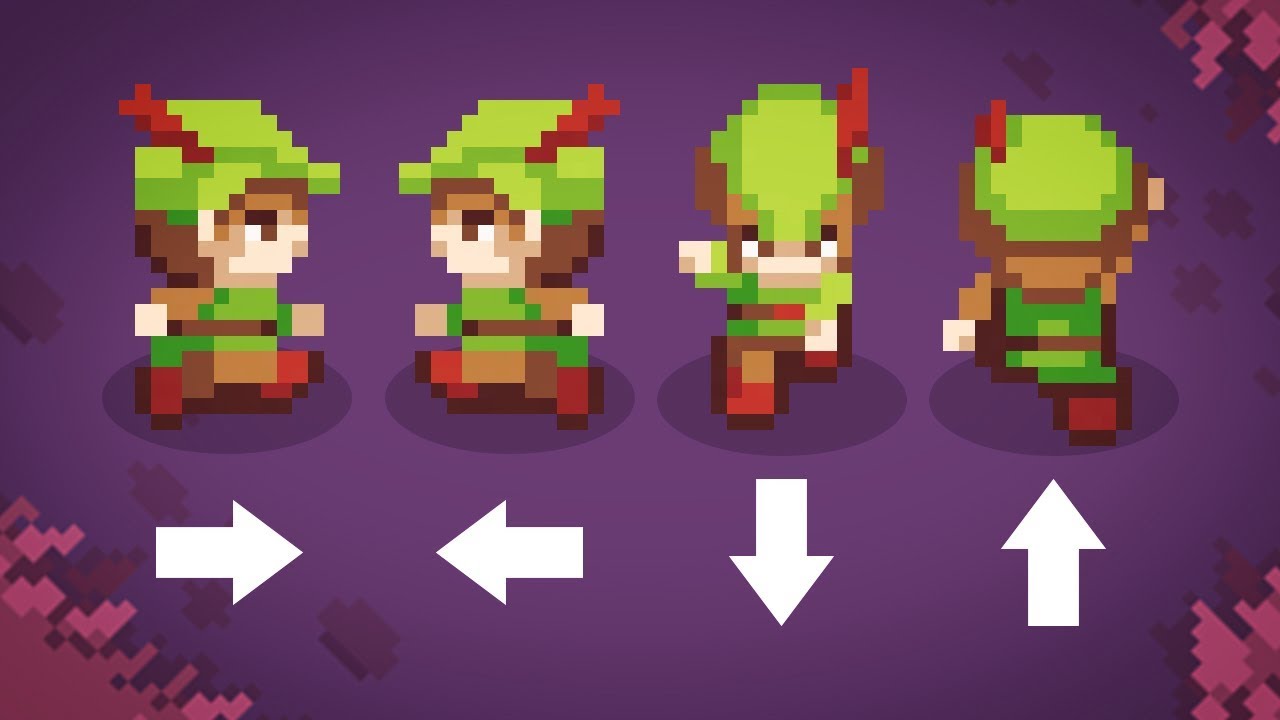
Let's have a look at the easiest and best way to make top-down movement in Unity!
Get costumized art for your game with Outstandly! https://www.outstandly.com/art_for_games/?Brackeys=love
👾 JOIN THE GAME JAM!! https://itch.io/jam/cgj
Thanks to everyone participating in the planning of the jam:
BlackThornProd: https://bit.ly/2GqgkqO
Dani: ht...
honest beacon
watching, thank you
sterile vine
here's a brief explanation (see the "directional" modes)
https://docs.unity3d.com/Manual/BlendTree-2DBlending.html

searching "blendtree unity directional" yields quite a few tutorials
honest beacon
i'll do this if i have to but it looks very complicated. i'd be done, right now, if i had the ability to do something like animator.spritesheet = foo;
 floral hill
vfv
 crisp oak
Hi guys i got an issue with animation rigging damped transform, when i set the damp position to 0, instead of what it said in the API: " If set to 0, the Constrained Object follows the Source object's position with no damping." it still stretches the entire model out when im moving the model, found a similiar thread on the unity forum but unfortunately no solutions: https://discussions.unity.com/t/damped-transform-stretching-issues/888511
drowsy tiger
I'm trying to repurpose the keyframes of an animation and I changed the root of the object to enemy instead of player (player/body to enemy/body), and it still says that it's missing, even though the one parent of the object is called enemy?


 woven spire
hello people
can you change textures on animations? without calling events
I'm trying to make my multiplayer game~ characters
change their face textures on some animations
however would be a lot easier and less prone to errors I like to believe, if I didn't have to call an RPC function for that
but rather have that happening inside my animations
woven spire
it's 3d
quasi fable
Or a texture in a material


 quasi fable
Have you checked in the animation window whether that's available?
 slow marsh
anyone know how to get the animator animate root motion for the first frame? For this circle only the x position changes during the animation (using root motion). If I add a frame before y = 5 where y = 4 then the y changes only one unit every loop
 woven spire
quasi fable
Have you checked in the animation window whether that's available?
woven spire
quasi fable
Have you checked in the animation window whether that's available?
to be honest, I haven't tried... xD
I can switch the materials, I don't think the textures, I'm trying tho
oh yeah, it seems that offset would work

so putting all needed face textures in one image is the solution, it seems
if anyone has a better approach please share c; ⭐
 woven spire
quasi fable
Have you checked in the animation window whether that's available?
woven spire
quasi fable
Have you checked in the animation window whether that's available?
thank you for giving me confidence, I didn't even try it thinking it wouldn't work... xD not happening again
agile solstice
I think animating a material property modifies the asset, which wouldn't work for multiple characters
But I'm not exactly sure
woven spire
woven spire
it worked here
it instantiates the material so it only affects my player
but it is seen on everyone
agile solstice
With a material instance I expect it could work
woven spire
yup, and it does it automatically when I offset the texture on the animation
so I like the solution
woven spire
is there any way, or free asset to help me have a better view of my animation events?

cause this is terrible lol
lavish frost
How can I stop this weird screen shake?
 woven spire
pause the game or close unity