#🏃┃animation
1 messages · Page 34 of 1
 hybrid tinsel
 dusk folio
how can I make a blend tree and still create To Jump Jumping To Fall Falling animation?
 agile solstice
dusk folio
how can I make a blend tree and still create To Jump Jumping To Fall Falling ani...
agile solstice
dusk folio
how can I make a blend tree and still create To Jump Jumping To Fall Falling ani...
What's stopping you?
dusk folio
agile solstice
What's stopping you?
The logic of the blend tree, like how can I make the To walk Animation before the Walking animation without making the animation loop to itself over and over
agile solstice
dusk folio
The logic of the blend tree, like how can I make the To walk Animation before t...
Blend trees are for blending between multiple synchronized animations, whether looping or not
Because it doesn't make much sense to sync looping and non-looping animations, you wouldn't try to put them in the same blend tree
"To walk" would logically be a separate state that transitions into your looping state or blend tree
 sterile vine
I have 3 "states" that would be used to select sprites
- action: idle, run, jump, dash, etc
- turned: picking between 2 sets of sprites
- facing: picking between facing left vs right (asymmetric character, can't just flip a sprite)
are animator layers the right tool to manage this? or is there a better approach for this kind of scenario?
trying with layers, ive found a weird issue with trying to set weights correctly
it kinda blinks between layers even though one has 0 weight
sterile vine
ive settled on using 2d blend trees to handle the last 2, and using the animator controller at its top level to manage to the overall state
sterile vine
sterile vine
trying with layers, ive found a weird issue with trying to set weights correctly...
...the blinks were because of my sprites lmao
dusk folio
how can I let the break walk animation play fully if not interrupted by jump state?

(note: I have exit time on BreakWalk animaiton)
 floral canopy
for an animation controller, can it only work with one rig?

I want to do smth like this where the rig is different based on the direction the player is facing
hybrid tinsel
floral canopy
I want to do smth like this where the rig is different based on the direction th...
It would all be one rig, just with different parts active. As long as they are all in the same hierarchy one animator can handle that just fine.
floral canopy
how is it all set up? should I put all of the different orientations in a single sprite sheet?
I can't quite picture how it all gets put together
hybrid tinsel
That is really up to you; uf they don't share elements, it really comes down to what is more useful for you.
floral canopy
hybrid tinsel
That is really up to you; uf they don't share elements, it really comes down to ...
to be a single rig, they all must be in one single sprite sheet?
hybrid tinsel
No.
floral canopy
I'm not sure still how to achieve what I'm trying to do. I've got my guy in the different angles in separate .png files, and one of the angles has the bones set up
 primal flume
does anyone know why my the animation clip in my animator does have the add event option at the botton of this editor anymore?
 primal flume
figured it out! Turns out the inpsector was in Debug mode
floral canopy
floral canopy
So for this, is sprite swapping the best way to approach this?
I’ve been trying to get something together but things keep happening like the editor is crashing
When I try to auto generate the weights
I think it’s because the individual bits aren’t aligned and because there’s asymmetry
Actually fuck this shit lol I’m going to make separate prefabs for each direction
What a headache
hybrid tinsel
floral canopy
I'm not sure still how to achieve what I'm trying to do. I've got my guy in the ...
So you do that for each one, and have them all animated under a single object
You could even use the same animation clips for each, and enable/disable the relevant objects via script
floral canopy

is this some kind of bug?
there's an extra set of IK effectors that affect the character in the game view!
hm okay, it looks like in the prefab editor, the IK effectors for the scene that you have loaded will still be there...
this feels like a bug to me
 unreal oyster
i took a Mixamo Rig and scrapped it into an Arm Rig and everything worked perfectly until i modified the mesh to fix clipping issues now no Animation plays anymore it just stays in T pose

here's a video of the idle pistol animation playing before i had that issue
i'm not sure what the problem could be so if anyone has clues that would be great
 unreal prism
Yeah. So, we actually changed our approach and are using bones & exporting it as an FBX (instead of an alembic) from Blender to Untiy but the result is the same. After we export the model, it jerks periodically when the animation is playing in Unity.
floral canopy
quick question about world positions: is there a reason why the local origin is below my sprite?

and is there a way to fix this or do I need to manually offset the transform of my object
 clever pumice
unreal oyster
i took a Mixamo Rig and scrapped it into an Arm Rig and everything worked perfec...
clever pumice
unreal oyster
i took a Mixamo Rig and scrapped it into an Arm Rig and everything worked perfec...
might wanna check your meshweights
unreal oyster
clever pumice
might wanna check your meshweights
This ?

 dense magnet
Animation help needed please!
The structure of this door :
Frame - parent - script onTrigerEnter, Animator, Trigger collider
Door left - child
Door right - child


Now I am not entirely sure why the whole door moves. I guess the question is.. WTF😅
In Maya the animations works perfect.
I fixed it... I applied root motion
Honestly ... No idea why this fixed the issue
floral canopy
hybrid tinsel
You could even use the same animation clips for each, and enable/disable the rel...
how to reuse the clip? is it by using the same names for the bones? what happens if one of my angles has a slightly different rig (for example the back facing one doesn't have eyes)
hybrid tinsel
Not reuse.
You can jsut animate all the directions in one clip
And only show the direction you need
 thorny basalt
Hello. I'm trying to make a small animation for a flower (just having it bob up and down), but for some reason, the animation doesn't work and the preview is extremely laggy for some reason. It works fine for other animations I have
Has anyone else had this issue?
 molten bramble
hey guys i wanted to create a new animation clip for this humanoid but it should be the same movement as this hands animation and target it to the hands of the character., probubly a new animation clip that has charecter joints as well as new movements from the arms
 subtle tide
hello, im having an issue with my animations, where they play in the preview but they arent affected by the blend tree?
 west chasm
Hey I'm working with timelines and trying to get my game built on webGL, in my 2022.3.21 build of my game the audioclips in webgl would mostly play but it would randomly choose only one audioclip to not play during the duration of the game for some reason, to fix this i switched my build to 2022.3.51 in hopes that it was just a bug with that version, but now not a single audioclip will play in timeline when i build the game in webgl, anyone know whats up?
 ornate pier
I'm having an issue with transitions between animations: I have a jump animation that's activated and deactivated by a bool, but there's a delay between the previous animation and the jump animation, despite it not having exit time.
 grim kindle
hello, when i add a new animation and move the timeline even without any keys, the model curls up into the motorcycle pose
and when i test it in game the legs are all messed up
hybrid tinsel
grim kindle
hello, when i add a new animation and move the timeline even without any keys, t...
That is the default pose for humanoids with no valid humanoid animation clip
 dark belfry
Anybody got an idea how you can replay the currently played animation? Many people point to using animator.Play(), but it just breaks the animator, with it getting stuck between 0.0 and 0.1 time "part" of the animation the Play was called on, glitching between them
        anim.SetBool(Anim_HitBool,true);
        anim.Play("Patrick_Hit",0,0.0f);

it's just stuck there after calling the Play. And yes, the bool is what transitions from any state to this, but without exit time
And my patricks become just white splashes (first frame of the hit anim)
 agile solstice
dark belfry
it's just stuck there after calling the Play. And yes, the bool is what transiti...
agile solstice
dark belfry
it's just stuck there after calling the Play. And yes, the bool is what transiti...
You're calling animator.Play() and starting an Any State transition into that state at the same time?
dark belfry
it's from all other states (except death), so technically from any during it's life, but not from the "Any State" Node
but each of them has no exit time set
Also, commenting out the bool setting does nothing! It plays the first frame and explodes again in white paint
agile solstice
dark belfry
it's from all other states (except death), so technically from any during it's l...
If you want to provide all the necessary information, I recommend making a video where you click through all the transitions and show all parameters and layers (if any)
And show your script as well since you're also using the methods directly
dark belfry
yeah good call, give me a sec
agile solstice
Also what's often helpful is to show the Animator in action in Play mode with the gameobject selected
Generally I'd avoid mixing Play methods with transitions but I don't think there's any technical reason why not to
dark belfry
oh man, I just found the culprit, and it's an L on my part haha
I had a custom FSM implementation to make some more complex enemy behaviors via code, i added this convinience function, that functions similarly to the "Any State" Node in the animator. What I didn't realise, is that I also link a transition from the same state to the same state, so I called the Play() each frame

Crazy how much a Debug.Log can give you lol, I'll just get out of here now 😆
agile solstice
Even easier to get confused with multiple FSMs
The real victory is that you spotted it quickly ^^
Before we all trawled through each involved system
unreal prism
I'm still looking for some assistance with .fbx animations 'jerking' weirdly in Unity, but not in Blender.
 dry fossil
unreal prism
I'm still looking for some assistance with .fbx animations 'jerking' weirdly in ...
dry fossil
unreal prism
I'm still looking for some assistance with .fbx animations 'jerking' weirdly in ...
Have you tried to bake out at a high framerate ?
I'm not sure if it's any help, it's a suggestion to narrow down where the issue might lie. This would only be in case that unity is interpolating incorrectly inbetween the baked frames
 north sandal
hi, guys, making an ik animation and have a question. How can i rise this joint? What constrain should i use? For the arm and forearm i use 2bone constr
 unreal prism
dry fossil
Have you tried to bake out at a high framerate ?
unreal prism
dry fossil
Have you tried to bake out at a high framerate ?
So, I did end up determining what the issue ended up being and it was a Unity defect. So, I was aiming for a particular speed for the animation and made it go as fast as I needed it to in Blender, before exporting the .fbx and re-importing it back into Unity. Turns out that, if your animation is going too fast and/or the keyframes are too close together (or even some combination), Unity's compression does some nonsense where it'll try to 'fill in the gaps' by teleporting the mesh between where it is and where Unity 'thinks' it should be.
The solution for my issue was just to slow down the animation in Blender, so Unity didn't get the opportunity to just 'make up' what/where it thinks the animation should be. That said, thank you for following up wth me. 🙂
subtle tide
do additive animation layers work with generic rig models?
molten bramble
how can i convert a animation clip to support humaniod ?
 shy compass
Someone of here know 3d animation?
 fast swan
shy compass
Someone of here know 3d animation?
fast swan
shy compass
Someone of here know 3d animation?
Might be the reason this channel exists. Don't ask for help, just ask the question
 robust perch
If you had to make animations for crawling through really tight tunnels, how would you handle it?
I'm thinking making the animation and upon entering those spaces, the regular pmayer controller and rotation gets disabled, and instead the player moves on rails when holding forward
And making animations for sharp turns but that will all be tough to do without clipping
hybrid tinsel
subtle tide
do additive animation layers work with generic rig models?
Yes.
hybrid tinsel
robust perch
And making animations for sharp turns but that will all be tough to do without c...
A classic technique for that exact situation is to use a quick fade to black and back when teleporting to the cross tunnel
 thorny ibex
robust perch
hybrid tinsel
A classic technique for that exact situation is to use a quick fade to black and...
thorny ibex
robust perch
hybrid tinsel
A classic technique for that exact situation is to use a quick fade to black and...
But this is gameplay
hybrid tinsel
robust perch
But this is gameplay
Well, if it is on rails then that makes it relatively simple code wise to trigger a turn animation at the right spot; the only tricky bit is making the animations
robust perch
hybrid tinsel
Well, if it is on rails then that makes it relatively simple code wise to trigge...
Yeah I was thinking...do Ivwant animation rigging? I probably do
And I would need to build a path forward because it won't be straight all the way
It will really need to be like an invisible rail
hybrid tinsel
Probably no need for realtime animation rigging; this is a very constrained setup.
 zealous saddle
the animations arent working at all. the character stays in the tpose seen in one of the images.


 gray bronze
Animator controller doesn’t have an Avatar
zealous saddle
what do i put for the avatar?
gray bronze
Did one come with your character? Usually setup when you import your character and animations in the fbx
zealous saddle
i put the avatar as the standing idle animation because thats the default animation and there wasnt just a regular option for the character
but now how do i get it to switch between animations at their due time cus now its just staying in the standing idle animation no matter what
gray bronze
zealous saddle
but now how do i get it to switch between animations at their due time cus now i...
Not sure what you’re talking about. An animation isn’t an avatar. Follow the docs here: https://docs.unity3d.com/6000.0/Documentation/Manual/ConfiguringtheAvatar.html

 acoustic canyon
I am wondering why root motion isn't working? I have a root bone that is moving in the animations I have made. My animator is "Using root motion". And in the import settings I have the root motion node set to the root.


I think the issue is with the import settings because it is not moving in the import preview, but since I set the node to the root bone idk.
I think I figured out the issue, in the rig import settings I hadn't created the model as an avatar and assigned the avatars root.
Now the only issue is that the root motion is upward instead of forward 😓
gray bronze
acoustic canyon
Now the only issue is that the root motion is upward instead of forward 😓
Check the root transform settings in your import per https://docs.unity3d.com/6000.0/Documentation/Manual/class-AnimationClip.html
acoustic canyon
gray bronze
Check the root transform settings in your import per https://docs.unity3d.com/60...
Root Transform Rotation is supposed to be between Loop time and Curves, but it isn't for me.

 trim tangle
any way to make this more visible? The previews are so small i have no idea which sprite is in each keyframe. it's literally just 6 frames but i can't see what it is im editing

zooming in just makes more width between each frame, does not increase the preview size
 fair musk
QUESTION ❓: can the animation on a skeletal rig from a 3D character be exported from unity to Blender?
 charred belfry
fair musk
QUESTION ❓: can the animation on a skeletal rig from a 3D character be exported ...
charred belfry
fair musk
QUESTION ❓: can the animation on a skeletal rig from a 3D character be exported ...
Try the FBX exporter pinned to #🔀┃art-asset-workflow
it's pinned here too looks like
fair musk
charred belfry
Try the FBX exporter pinned to <#497873833043296277>
thanks! do you know if it can export Inverse Kinematics as well?
charred belfry
Doubt it
 tardy goblet
fair musk
thanks! do you know if it can export Inverse Kinematics as well?
tardy goblet
fair musk
thanks! do you know if it can export Inverse Kinematics as well?
Couldnt work
IK is realtime
Adjusting the bones via code
You would need to bake the animations somehow
But ik is dynamic. Soo that wouldnt really work
 wintry hollow
What’s the best way to make a state a -> state b -> state a in one click
Using delay?
subtle tide
in this video that nav agent moves in a weird way thats a lot less linear + robotic how did they achieve that?

root motion?
hybrid tinsel
wintry hollow
What’s the best way to make a state a -> state b -> state a in one click
You just give an exit time to each state.
wintry hollow
Aaaah okay, thankyou!
 little fulcrum
Any thoughts why the animations don't match in Unity to the one in Blender? There's some odd flickering and the pocket pouches do weird stuff. I'm using a Humanoid on it. If I change it to Generic, the problem disappears. But I'd like to use Humanoid to retarget animations (as seen on the other guy)
Here's in slo-mo what happens
Apparently they "swivel" around themselves for some unknown reason
little fulcrum
Ticked off ”strip bones” and it started working
 rough whale
Question for all! Are these animation tools seen in this Unity Roadmap video released? Timestamp 38:05
https://youtu.be/pq3QokizOTQ?si=49cLqREauLzdoFT5&t=2285

Eager to learn more about upcoming Unity tech and features? In this video, Andrew Bowell and Will Goldstone will guide you through all the exciting updates coming to the Unity Editor and Engine. They'll also share valuable insights on where we’re headed beyond the Unity 6 generation.
Join us on Unity Discussions as mentioned to share your feedb...
gray bronze
subtle tide
in this video that nav agent moves in a weird way thats a lot less linear + robo...
Looks like it’s leaning into turns and kind of swaying a little side to side on straight paths. How exactly, not sure but it’s a cool effect.
gray bronze
rough whale
Question for all! Are these animation tools seen in this Unity Roadmap video rel...
No and I wouldn’t expect them anytime soon, unfortunately. https://discussions.unity.com/t/animation-status-update-q3-2024-unite-announcement/1519289
 twin musk
hi
how to make 4 leg moving animal?
like what do i have to set up?
i have an fbx wiht anims in it, a wolf
little fulcrum
I would reeeeaally like to understand what causes this type of jittering on the animations in Unity, when in Blender everything works fine. I'm using a Humanoid in Unity and the configuration seems to be fine.

Euhm apparently enabling Foot IK solves most of it...


 dusk valeBOT

💡 IDE Configuration
If your IDE is not autocompleting code
or underlining errors, please configure it.
Select one:
•  Visual Studio (Installed via Unity Hub)
• Visual Studio (Installed manually)
•  VS Code
•  JetBrains Rider
• :question: Other/None
charred belfry
dusk vale
Follow the instructions linked above 👆
when configured, your error will be underlined in red and it'll be obvious
charred belfry
the relevant one
twin musk
good
 warm prawn
Hey, question
Why is it that when I use rigid body multiaim constraint on my character then even when the weight of both the rig and the constraints are set to zero there is still a noticable ofset to the animation played on the body parts that has a multi aim constraint referencing them. it messes with my animations making them not to feel right
Here is the order of my constraints from the player object
Player: animator (with only animator controller attacthed no avatar), Rig builder
-model: animator (with both animator controller and avatar attached)
-Rig: has a rig component with weight set to 1
--Left hand
---Spine: multiaim constraint
---Arm: multiaim constraint
----Wrist: multiaim constraint
---Neck: multiaim constraint
----Head: multiaim constraint
 twin musk
charred belfry
the relevant one
twin musk
charred belfry
the relevant one
i clicked modiofyu and selected unity package
yet it looks the same
charred belfry
And you assigned VS in Unity's External Tools preferences?
charred belfry
the instructions tell you everything
there are multiple steps, you need to make sure they're all done
twin musk
u mean this?
 charred belfry
Yes
twin musk

dunno what the issue is, it offers multiople solutiosn
ok found it
i think
simmicolon
or whta is that called
i added it
what does it do>?
close an argument?
charred belfry
It's the end of a statement in C#
twin musk
end of a statement
isee
dont fully understnad this code tbh

what is animator animator?
charred belfry
!learn
dusk valeBOT
:teacher: Unity Learn ↗
Over 750 hours of free live and on-demand learning content for all levels of experience!
tardy goblet
You dont just make something
You need to know how to
Also this is not vrchat help !
!vrchat
dusk valeBOT
Join the growing VRChat community as you explore, play, and create the future of social VR! https://discord.com/invite/vrchat
 molten bramble
what is this animation clip called ? it only supports one charecter
little fulcrum
Any thoughts why the head is tilted wrong when using animation layers to blend the upper body animation which should control everything in the upper bones? In the video I'm changing the base layer idle animation between idle and aim rifle, and when I set it to aim rifle, the upper body is in correct orientation, and when idle, it's wrong
little fulcrum
I don't see anything wrong anywhere

 lavish frost
how can I make my jump animation sync when pressing the jump button? https://streamable.com/lg7k1f

Watch "Game Idea - SampleScene - Windows, Mac, Linux - Unity 2022.3.26f1_ DX11 2024-10-29 14-50-47" on Streamable.
lavish frost
lavish frost
how can I make my jump animation sync when pressing the jump button? https://str...

 agile solstice
lavish frost
agile solstice
lavish frost
All this space is delay before the next animation plays

The length of the blend (blue space) is also a delay before the next state is playing at full weight
lavish frost
agile solstice
All this space is delay before the next animation plays
how do I reduce that space?
agile solstice
lavish frost
how do I reduce that space?
Click and drag the blue area in the top bar and move it to the left, as much as it goes
The blue arrow lets you change the blend's length
lavish frost
thanks that worked but theres a delay when I jump tho should I add a small delay when jumping?
@agile solstice https://streamable.com/hz6184

Watch "Game Idea - SampleScene - Windows, Mac, Linux - Unity 2022.3.26f1_ DX11 2024-10-29 15-17-40" on Streamable.
agile solstice
lavish frost
thanks that worked but theres a delay when I jump tho should I add a small delay...
If you want to get rid of the delay, adding a delay definitely will not help
agile solstice
lavish frost
<@166982635950702592> https://streamable.com/hz6184
Your jumping animation isn't only simply jumping, it spends significant time first crouching to wind up the jump
lavish frost
what shall I do then?
agile solstice
You could build that wind up into your character controller so the jump force doesn't occur until the animated character also jumps
I suppose that's what you meant by "adding a delay"
But that style of non-instant jumping was basically phased out long ago because nobody liked it
Another option is to have a more instant jumping animation
You should be able to use the Transition Offset property to offset the start time of the jumping animation to skip the wind-up
lavish frost
what If I add a jump delay to my jump function and wait till the animation is about to jump?
agile solstice
lavish frost
what If I add a jump delay to my jump function and wait till the animation is ab...
That is the first option I described, but it would not be my first choice
lavish frost
agile solstice
That is the first option I described, but it would not be my first choice
bro I fix it lol I changed the transition offset and it looks way better now
thanks for the help!
grim kindle
Hello, my vrchat avatar fingers close when im not pressing any buttons
agile solstice
grim kindle
Hello, my vrchat avatar fingers close when im not pressing any buttons
!vrchat
dusk valeBOT
Join the growing VRChat community as you explore, play, and create the future of social VR! https://discord.com/invite/vrchat
 young kernel
Re-posting here since it seemed the more relevant channel... maybe:
I'm trying to figure out how to set up Animation Events with Aseprite importer. https://docs.unity3d.com/Packages/com.unity.2d.aseprite@1.0/manual/ImporterFAQ.html
I get the Animation Event in Unity, but it's read-only, so I can't edit any of the values. How can I reference/use it in-engine??? What can you do with just an AnimationEvent that has no content?
 candid siren
hi
i have a proble with animation mask
its supossed that arms have to follow the same animation as the character normaly do
but i replace the original layer mask with other that have the same avatar
and same specs
like weight etc...
candid siren
hi fixed the trouble by re upload the fbx file
and i fixed some weights in blender
but this happend
 twin musk
why do models look like crap when i import them?
twin musk
how do i make my own walk animations?
 viral tangle
candid siren
its supossed that arms have to follow the same animation as the character normal...
viral tangle
candid siren
its supossed that arms have to follow the same animation as the character normal...
Animation tree jump-scare.
viral tangle
twin musk
how do i import psa files ?
I don’t remember if PSA is supported. If not, you can open it in another software and export it to another format.
 vast stag
Got a question, what is the best rig to use for something non-humanoid/trying to go for humanoid but doesn't have enough bones?
agile solstice
vast stag
Got a question, what is the best rig to use for something non-humanoid/trying to...
If your rigs are incompatible with the humanoid configuration, they'll have to be generic
There isn't really any choice about it
Nor any "best rig"
vast stag
agile solstice
If your rigs are incompatible with the humanoid configuration, they'll have to b...
Is Generic bad to use? I heard that after they play the clips they just snap back into their original position
agile solstice
vast stag
Is Generic bad to use? I heard that after they play the clips they just snap bac...
That is entirely incorrect
Humanoid rigs have some special features, mainly retargeting and built-in IK
Generics simply lack those features, but are more performant because of it
vast stag
Does Generic allow any bone structure?
agile solstice
vast stag
Does Generic allow any bone structure?
Yes
Non-bone animations are something completely different so I wonder where you've been getting your information from so far
A Humanoid model is a specific structure, containing at least 15 bones organized in a way that loosely conforms to an actual human skeleton.
A Generic model is everything else. This might be anything from a teakettle to a dragon. This page contains guidance on importing this type of model.
vast stag
agile solstice
> A Humanoid model is a specific structure, containing at least 15 bones organiz...
Okay, thanks for the information.
agile solstice
I should add that generics can have scaled bones, whereas humanoids do not, so that's one feature advantage they have
hybrid tinsel
Also, you can edit generic clips inside unity without stupid hacks
candid siren
hi my mesh disapear when i change skined mesh render any idea of a posible soultion?
 restive shoal
i want prefabs that have the same animation but change like their x values but it wont let me cause the animation sets its x to a specific point
agile solstice
restive shoal
i want prefabs that have the same animation but change like their x values but i...
The only thing animations really do is override component property values
Transform properties are relative to parent transforms
Knowing this, you can have the animator on a child inside the prefab, or your objects on a child under the animator
In both cases you'll have a separate transform for any offsets you need
If you want the offsets in the animator itself, you can use animation layers (either additive or override mode) with the offsets on an animation clip
 cobalt halo
Does anyone have the issue of Unity 6 animation timeline does not call events anymore? We upgraded to Unity 6 and none of the events from animation timeline are called.
agile solstice
cobalt halo
Does anyone have the issue of Unity 6 animation timeline does not call events an...
Not familiar with that one, but in general upgrading existing projects to Unity 6 has broken stuff in mysterious ways
Couldn't fix it until making a new project on the same version and importing assets as back in as a .unitypackage
gray bronze
cobalt halo
Does anyone have the issue of Unity 6 animation timeline does not call events an...
Just for clarity, you're referring to Animation Events in the animation clips themselves right? I've upgraded several projects from 2022.3 LTS to 6 LTS, including at least two that have animation events, without issue.
cobalt halo
Yes, talking about this part. Thank you for the answers, it is just odd that we lost that functionality completely. The events and names are still there but nothing happens, no errors also.
 gray bronze
cobalt halo
Yes, talking about this part. Thank you for the answers, it is just odd that we ...
gray bronze
cobalt halo
Yes, talking about this part. Thank you for the answers, it is just odd that we ...
Which value do you intend to pass to Footstep function?
cobalt halo
I copied this image from the docs, but our use case is similar except that we don't pass any value. This is to have perfect sync between visuals and audio.
By the way I'm very much open to your ideas about footstep and audio sync. We had other issues with timelines anyways, blending triggered the same event multiple times for example. it is also very cumbersome to edit. Very outdated editor with tiny little buttons, one has to run the game to hear it. It is super shitty to be honest.
 maiden prairie
has anyone used Animation riggin? am i suppose to put it on the bone end or just the last bone as the tip for ik?
 candid siren
hi im stuck in a problem
i dont know why some meshes dissapear later of change root bone
and i dont wanna do the holy character again because have a lots of specifications in the armatrue configuration
candid siren
candid siren
i dont know why some meshes dissapear later of change root bone
(in skined mesh renderer)
 plucky viper
someone know how to fix it? where have the shapekey the mesh desapear
 candid siren
and i dont wanna do the holy character again because have a lots of specificatio...
candid siren
candid siren
and i dont wanna do the holy character again because have a lots of specificatio...
i apressiate any help
vast stag
plucky viper
someone know how to fix it? where have the shapekey the mesh desapear
Set the defaumt material to opaque
plucky viper
vast stag
Set the defaumt material to opaque
I removed the shape key 😥
vast stag
Is it worth it to animate in Unity or Blender?
candid siren
hi
i transfer my mesh and
this happen

mesh goes to random position
i used skined mesh transferer
 gritty sorrel
trying to drag frames into the animation window to create a new clip but I get these context options pop up

I have the component added
 agile solstice
gritty sorrel
trying to drag frames into the animation window to create a new clip but I get t...
agile solstice
gritty sorrel
trying to drag frames into the animation window to create a new clip but I get t...
Dragging sprites into the animation timeline is a shorthand for overriding a component property field that uses Sprites
So, it seems to suggest you have two components that both have a Sprite field, and you need to choose which one of them you want to animate
gritty sorrel
ah okay, my PlayerMovement script has a sprite field

but I don't want to animate that, they're single images that I'm picking based on direction
I deleted the object and started again and it worked
agile solstice
gritty sorrel
ah okay, my PlayerMovement script has a sprite field
If you have an animator in addition to a movement script that's concerned with the player sprite, rather than having both scripts try to control the sprite renderer it's often better to have the movement script call methods of the animator for controlling the sprites
gritty sorrel
Thank you
candid siren
candid siren
I discover that mesh deforms and follows the point 0,0,0 of the scene theres anh solution to that?
hybrid tinsel
candid siren
I discover that mesh deforms and follows the point 0,0,0 of the scene theres anh...
Are you getting import messages about missing or non-normalized weights?
 prisma bobcat
if anyones available to take a look at this video, im wondering why my idle pose isnt going onto my player model. no code was implemented for the animation btw. Thanks! https://imgur.com/U5ayl9a
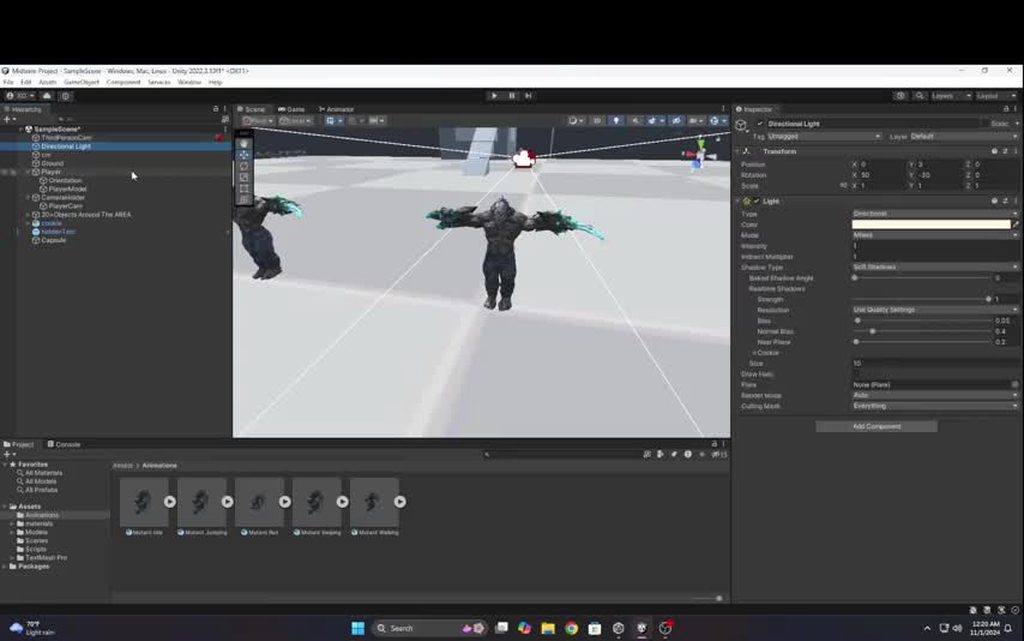 hybrid tinsel
prisma bobcat
if anyones available to take a look at this video, im wondering why my idle pose...
hybrid tinsel
prisma bobcat
if anyones available to take a look at this video, im wondering why my idle pose...
Can't see much on that since I'm on my phone but hve you actually added an animator and clip to the correct object in the hierarchy?
candid siren
hybrid tinsel
Are you getting import messages about missing or non-normalized weights?
non-normalazided weights
sorry for respond later
hybrid tinsel
candid siren
non-normalazided weights
So you'll want to correct that; any vertex with non normalized weights will have some similar issues, especially if their weights are at zero.
viral tangle
vast stag
Is it worth it to animate in Unity or Blender?
You should animate in an external software, such as blender or maya, unless you’re using Unity’s IK.
Animation softwares will allow much more tools
candid siren
hybrid tinsel
So you'll want to correct that; any vertex with non normalized weights will have...
yes theres a way to fix that?
hybrid tinsel
In your 3d software, sure.
candid siren
well i check it and
model dont seems like the problem
when i check weights
and bones
all are right
and when i reimport into unity problem persists
hybrid tinsel
"And yet it moves..."
Many 3d softwares don't need normalized weights, so it looking fine there doesn't mean much.
candid siren
if i import normaly the model seem good
if i put prefab in scene
look good
but when i try to import it into old player model
deforms
candid siren
hybrid tinsel
Many 3d softwares don't need normalized weights, so it looking fine there doesn'...
soo i dont really think that is 3d software because other models of the game are copys that i am actually using to player and they dont get bug
hybrid tinsel
candid siren
but when i try to import it into old player model
When you do what?
candid siren
hybrid tinsel
When you do what?
well
candid siren
candid siren
its supossed that arms have to follow the same animation as the character normal...
i have this bug before
so my solution was reimport the model
but later that i used skined mesh renderer transfer mesh
i get that result
candid siren
candid siren
so my solution was reimport the model
(and fix the weights and bones)
hybrid tinsel
candid siren
but later that i used skined mesh renderer transfer mesh
Used what?
candid siren
hybrid tinsel
Used what?
A package from asset store
That transfer skined mesh renderer to models
hybrid tinsel
It feels like I'm digging through an endless cold turducken to get at the pigeon of your problem. Constantly running into new layers.
prisma bobcat
hybrid tinsel
Can't see much on that since I'm on my phone but hve you actually added an anima...
i think i did because i 1.tested it on my player parent object and 2.tested it on the player model itself and im getting nothin
hybrid tinsel
If you just drag the model's prefab in and add the animation controller to it, what happens?
hybrid tinsel
candid siren
I always feel that is a bug of unity engingr but im no sure
Not a bug with the addons you used?
I mean, you've introduced a bunch of variables.
 tacit hazel
hello guys, does anyone have experience with procedural animation? I was wondering how to handle leg positioning while rotating (I currently have some solution but it is twitching sometimes), and was wondering is it still considered procedural animation if I use prerecorded idle animation (I don't want to use some logic for positioning legs while player is idle, even though I have possibly found a solution but it requires projecting 2D circle onto a plane in 3D space, which contains target position - I was able to make that, but it seems like unnecessary usage of computing power)
candid siren
hybrid tinsel
I mean, you've introduced a bunch of variables.
first sorry for respond later,and i dont think so because when i import the model that happen first
i later erase the meshes
and use skined mesh transferer to re trasnfer the meshes
and bug repeat again
 carmine comet
hello, I need some help on an issue that's I'm stuck with, I made an animation in Maya 3D software with a looping animation, however in Unity it breaks at every start of the loop, I was using the Alembic .abc file to export my animation , I don;t understand what breaks it
 thorn mason
hey, i cant seem to mask the upperbody and lowerbody properly with animator avatar blending. the legs morphs weird. in blender, you can see how its supposed to look.
any ideas?


(sorry Ken for posting right after you 😅 )
hybrid tinsel
thorn mason
hey, i cant seem to mask the upperbody and lowerbody properly with animator avat...
Annoyingly, you can't separate the hips using the humanoid avatar mask. I'd had to get around that by reversing the layer order so that the hips weren't masked out by the upper body.
hybrid tinsel
carmine comet
hello, I need some help on an issue that's I'm stuck with, I made an animation i...
Has the animation clip been set to looping?
carmine comet
there is no loop option which is weird

is it because its an Alembic file? the FBX one has the loop option but I need the Alembic file because it keeps the deformation data of the model
here's the FBX one
 hybrid tinsel
carmine comet
there is no loop option which is weird
hybrid tinsel
carmine comet
there is no loop option which is weird
From what I recall, alembic importer just creates clips under the prefab and you might need to make a duplicate of that generated clip to edit the properties?
west chasm
anyone know why animation is doing this? my friend is exporting everything perfectly from blender so is it on my end (unity)
 green urchin
So I'm just starting to learn animation rigging for my FPS game. I have rigs for each arm with two bone IK constraints to attach the hands to the gun. My idle animation for the arms is playing correctly for the shoulders and elbows but the hands and gun are frozen in place. How can I make the weapon move along with the idle animation?
thorn mason
hybrid tinsel
Annoyingly, you can't separate the hips using the humanoid avatar mask. I'd had ...
my rig is called Human Armature, but its actually a generic avatar :P i'm using the Transform options, not the humanoid ones
i seemd to get better results parenting the leg_r.002 to 001 from the IK, but still unable to get desired effect. also feels not good to re-design rig like this, makes animating the legs more tricky

 dull hatch
how do i animate a weapon like this
agile solstice
dull hatch
how do i animate a weapon like this
Not fundamentally differently from anything else
That's a very vague question
dull hatch
i mean, i wanna make a weapon that has animation like this, priority for the chain animation
dull hatch
agile solstice
Not fundamentally differently from anything else
That's a very vague question
how to animate a chain like this without using the simulation
agile solstice
dull hatch
how to animate a chain like this without using the simulation
The chain is likely a just a chain of (disconnected/offset) bones that the mesh is weighted to
While it's possible to keyframe the curving of the chain by hand, a curve could also be used for quicker control of the in-between bones
In blender curves can be attached to bones via the hook modifier, and bones can be constrained to follow curves
I guess it also could be a line renderer attached to a runtime generated curve that follows a couple of control points that the keyframed bones function as, but doing it that way doesn't seem to have many advantages in this case
dull hatch
agile solstice
In blender curves can be attached to bones via the hook modifier, and bones can ...
i found it easy using curve in blender...but i couldn't use it in unity...is there any way to do so?
another thing...you see how the mesh elongates and compress at the same time...how to do this,? i mean i can't move the bones in pose mode in blender, how can all the bones be at same position when the chain is compressed?
agile solstice
dull hatch
i found it easy using curve in blender...but i couldn't use it in unity...is the...
Couldn't "use it"?
If you mean couldn't export it, that's because your animation must be only in the form of keyframed bones
That's why you need constraints to attach bones to the curve
agile solstice
dull hatch
another thing...you see how the mesh elongates and compress at the same time...h...
Bones can be parented with an "offset" meaning they can also move, not just rotate
Bones also can be scaled, which is how you get the squash
(More specifically squash comes from scaling up and moving them closer together
Stretch from moving them further apart and scaling down
This emulates conservation of mass)
dull hatch
agile solstice
Couldn't "use it"?
If you mean couldn't export it, that's because your animation...
the curve modifier doesn't support in unity...in blender, i took a long cube and created some loop cuts....then i used a curve modifier in the cube to deform along the curve...then i animated the curve points using a hook modifier on the curve point...but now how do i export the result to unity? if i apply the curve modifier on the cube, cube doesn't animate anymore, just the curve animates
agile solstice
dull hatch
the curve modifier doesn't support in unity...in blender, i took a long cube and...
Like I said, only keyframed bones of an armature can be exported, so your modifiers and constraints must move the bones, not meshes
dull hatch
agile solstice
Like I said, only keyframed bones of an armature can be exported, so your modifi...
i understand now...but still gonna find in difficult to put everything together...maybe i will have to ask you few things later..if you don't mind though
agile solstice
dull hatch
i understand now...but still gonna find in difficult to put everything together....
Moving bones via constraints and curves may help, IK may help
But note that they are complex to set up compared to just parenting the chain to offset bones and animating the curved motion by hand, which also gets the job done
 short olive
hey guys i need some help, so in blender the animation looks just as it's supposed to be (nomal) but in unity, it looks deformed like this, i tried using different export options from blender but none of them worked, any help is appreciated!


 frail knoll
Is there any possible set-backs to making an animation that needs precise frame-timings?
For example:

btw it's pixel art animations if that changes anything
Like, I used some frames with 60ms instead of 100ms to give the stars more speed.

I'm just asking because I often don't see games exploring the use of good frame-timing
agile solstice
frail knoll
Is there any possible set-backs to making an animation that needs precise frame...
Not many
Unity doesn't conceptually have a framerate for animation, but a sample rate for how often the animation clip is sampled per second
Your keyframes can be spaced anywhere in time relative to each other, but not in steps smaller than your sample rate allows
With 60 sample rate your smallest keyframe interval would be one 60th of a second
Your gif does not utilize that, however
Each of its frame is 100ms
frail knoll
agile solstice
Your gif does not utilize that, however
Each of its frame is 100ms
Oh yeah this specific version of it didn't sorry xd
ornate pier
How would one animate tank treads, but without making it behave like actual tank treads?
frail knoll
So 16 MS is the theoretical limit for how fast animations can run?
And anything made on the controller (like making certain frames have different speeds) has no set-back?
agile solstice
frail knoll
So 16 MS is the theoretical limit for how fast animations can run?
It's the highest sample rate that can be chosen, but I think it may be possible to speed it up even more by increasing the animation speed
Or by other means
agile solstice
frail knoll
And anything made on the controller (like making certain frames have different s...
This is the natural way of using the animator so not technical setbacks anyway
Just something to keep in mind
agile solstice
frail knoll
Oh yeah this specific version of it didn't sorry xd
Assuming the flames and stars are a part of the same sprite, you couldn't speed up the stars without also speeding up the flames
Or, to not speed up they would have to change their timing entirely which may make it seem choppy
frail knoll
agile solstice
It's the highest sample rate that can be chosen, but I think it may be possible ...
Anything bellow 40ms is already an overshoot so it's fine.
frail knoll
agile solstice
Assuming the flames and stars are a part of the same sprite, you couldn't speed ...
Don't worry I did a lot of testing my actual animation software to be sure it doesn't look weird
If it looks the same in my software than on unity we're good
To time the flame particles like that actually improves the consistent inconsistency of fire and makes it better
agile solstice
I didn't think of it that way before
Curious to see it action
frail knoll
I'll put it to better use later on when I make actual combat sprites for another game I'm working on.
But it isn't that complicated. It's just the same concept as off-setting equal sides of an animation to make it look more unique, like a running cycle.
This was just used as a example, thanks for the answer
agile solstice
frail knoll
But it isn't that complicated. It's just the same concept as off-setting equal s...
Bottom line is that Unity expects this type of workflow
You'd have more difficulty by thinking in the realm of frames and framerates, rather than keyframes spread over time sampled at arbitrary intervals
 gray pebble
Is this normal?
 hybrid tinsel
gray pebble
Is this normal?
hybrid tinsel
gray pebble
Is this normal?
Extremely normal, since you told it to use an existing avatar but didn't provide the avatar to use.
hybrid tinsel
frail knoll
Is there any possible set-backs to making an animation that needs precise frame...
Only that unity won't guarantee playback on a particular frame, since the animator doesn't really have a concept of frames.
gray pebble
hybrid tinsel
Extremely normal, since you told it to use an existing avatar but didn't provide...
Ahh
How do I fix it? @hybrid tinsel Mostly as I'm unsure if its an export problem when it comes with exporting it as a package.
 ornate dirge
seeking for a 2d flying ball animated asset
 void spindle
hello
hello
i opened sprite editor to edit my pic and after click apply
it show me nothing like the pic below
 agile solstice
void spindle
hello
i opened sprite editor to edit my pic and after click apply
it show me no...
agile solstice
void spindle
hello
i opened sprite editor to edit my pic and after click apply
it show me no...
I think there are three things to try
Right click "Inspector" and uncheck "maximize" if it is checked
Restart editor
Choose Window>Layouts>Reset All Layouts
void spindle
the first method workd with me thank you very much
 storm glade
Hi all, not long ago started my journey with unity, now got some questions about animations, what is good practice to work with animations in projects where gameplay heavily depends on animations like souls games and what will be different in multiplayer development?
gray pebble
gray pebble
Is this normal?
Anyone know how do I provide the 'avatar' for them to use?
hybrid tinsel
gray pebble
Anyone know how do I provide the 'avatar' for them to use?
You choose to create the avatar from the model under 'avatar definition.'
gray pebble
hybrid tinsel
You choose to create the avatar from the model under 'avatar definition.'
Should I do it before exporting the project as a package?
This one if I'm correct.
 hybrid tinsel
gray pebble
Should I do it before exporting the project as a package?
hybrid tinsel
gray pebble
Should I do it before exporting the project as a package?
I don't know what exporting as a package has to do with it.
gray pebble
hybrid tinsel
I don't know what exporting as a package has to do with it.
Me neither
Could be a 2022.3.51f ver issue?
hybrid tinsel
What the fuck are you talking about?
The only issue I see is that you chose the wrong option on that dropdown.
You told unity to base the avatar on a nonexistent file instead of creating one.
When you fix that, there may be other issues - but one thing at a time.
 austere ice
Hey guys can I get some assistance with a project?
I am the senior technical designer for the game "Railroader" and recently started using Final IK to experiment with advance animations. I have a project where I am trying to connect two animations together with an attachment point. The wheels on the locomotive spin in one rotation from 0-60 and is controlled by a mechanism known as a "Reverser"
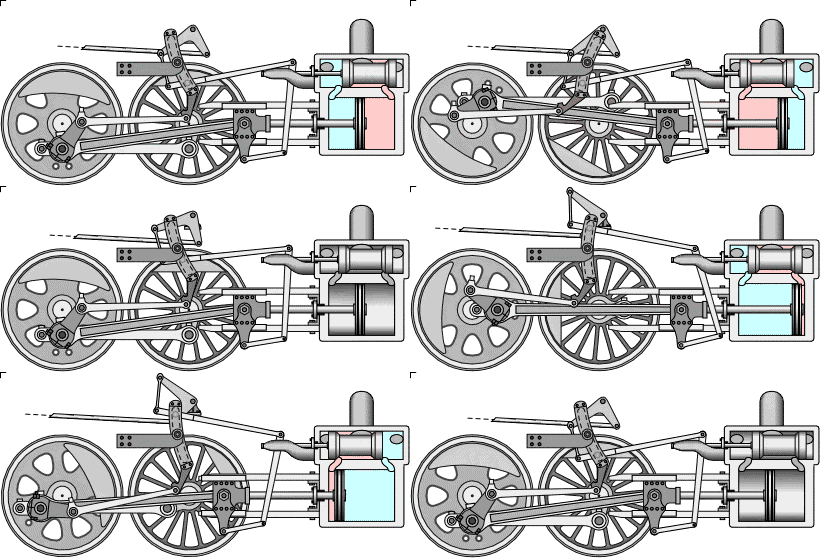
In game, im quite unsure of where to start to make this mechanism work.

Here is the mechanism I am trying to connect within game
agile solstice
austere ice
I am the senior technical designer for the game "Railroader" and recently starte...
May have to be more specific
There would be a lot of different constraints there
Although IK principles are the same across the board, I've only used Unity's own Animation Rigging so I can't guarantee advice about Final IK
austere ice
Well im wondering if it can be done with simple constraints
let me explain a bit
So I have two types of animations
The First is a reverse to forward animation for the reversing lever
and the second animation is a continuous loop of the running gear
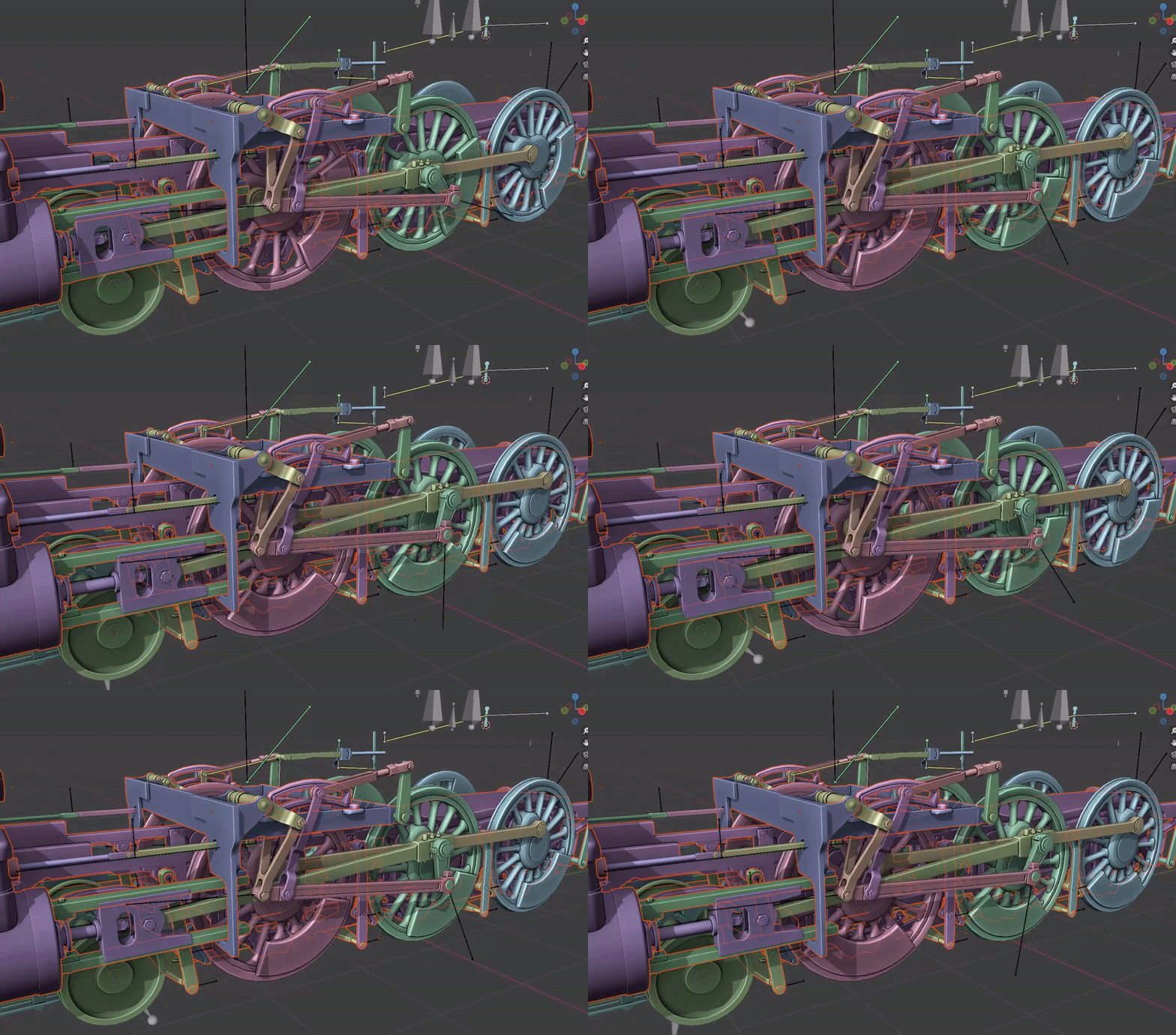
Blender I believe understands how to properly make this work
austere ice
austere ice
https://i.gyazo.com/b9e09e32b97707b76fd9fd3d4caedd7e.gif
This would be the running gear animation loop

This would be the Reverser animation
What im trying to do is combine both animations or do some type of animation blending
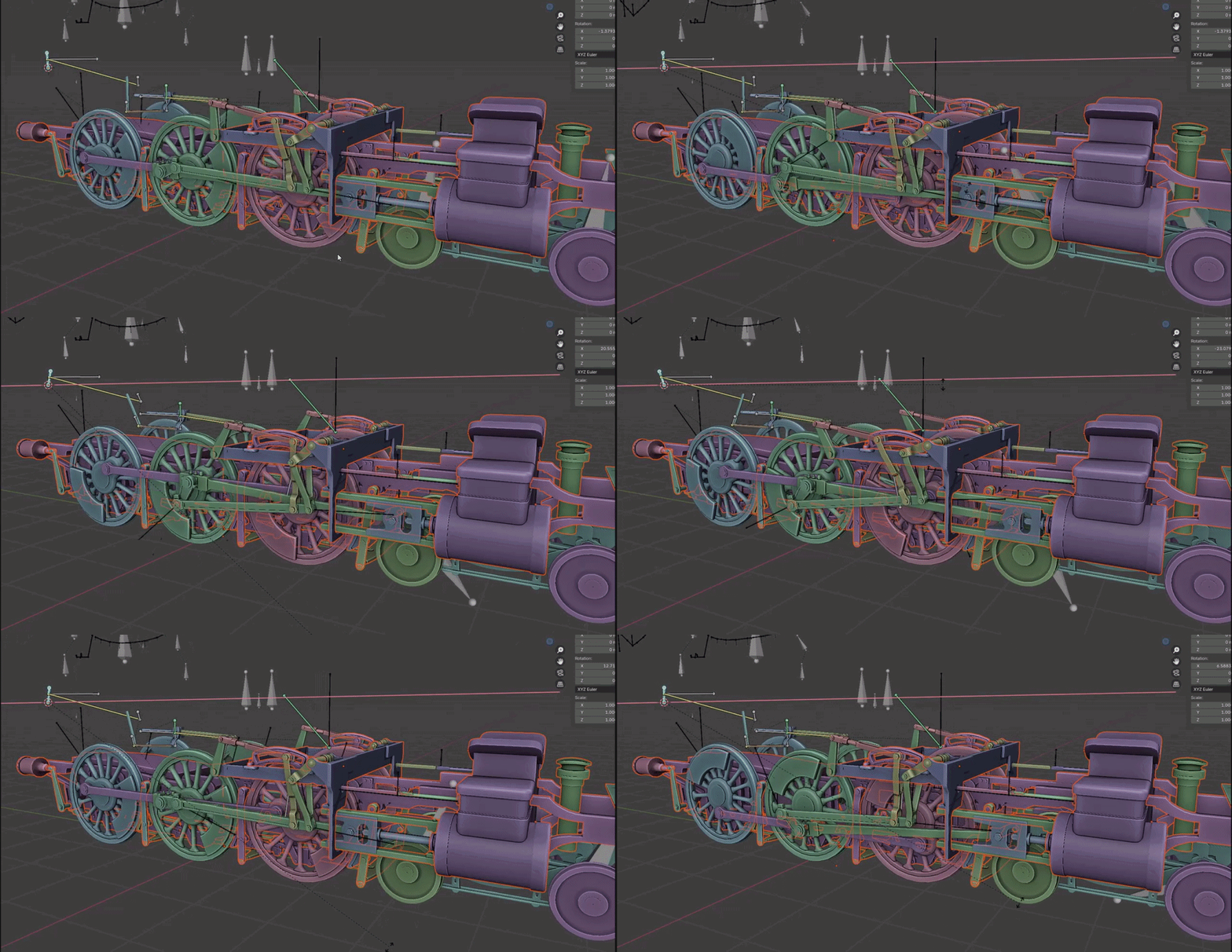
Which blender fully understands
Unfortuantly, unity doesn't understand this concept and allows both animations to fight over each other

Which in terms breaks the animation
agile solstice
Probably because your blender rig has IK constraints, while your Unity rig does not
IK is programmatic motion that is lost when you export an animation
austere ice
agile solstice
Probably because your blender rig has IK constraints, while your Unity rig does ...
My work flow has been Blender -> Unity
agile solstice
Exported animations only store object transforms, not constraints
austere ice
Ohhhhhhhh
agile solstice
Constraints must run in code
agile solstice
While animations are just "recordings", although they can be blended
Animation Rigging and I suppose Final IK probably support all the same constraints as Blender does, so you'll have to recreate all the ones that are necessary after exporting
austere ice
Okay! I got another thing to show you then
So the "Reverser" Animation and the "Running Gear" Animation are actually exported separately

So usually within the game this is what we have
The Two highlighted components are actually bones that I parrent together to make the entire contraption work
Is it possible to constraint those two bones together to get that result im looking for?
agile solstice
austere ice
Is it possible to constraint those two bones together to get that result im look...
You can parent and otherwise attach or constrain the bones any way you wish
Though I don't see how doing just that would make the contraption "work"
You probably have to reproduce the whole rig with Unity's components
agile solstice
It looks quite complex
And you may have to control the wheel rotation entirely programmatically anyway
hybrid tinsel
Unity can import constraints from maya, though not IK as far as I know.
I can't recall the name but I know there was a git repository specifically for this kind of mechanical rig that worked really well
agile solstice
hybrid tinsel
I can't recall the name but I know there was a git repository specifically for t...
A Maya rig, or something else?
hybrid tinsel
No, just for mechanical constraints. Pistons, gears, etc.
austere ice
So someone was telling me that it is possible to have pre-exported bones from other programs influence each other on an animation
I tested this out by trying to insert a constraint from one animation to another and to my suprise was able to get some sort of slight influence but not what I expected
agile solstice
"Influence" seems like a vague term
Either there is a constraint after it's brought to Unity, or all you're seeing is the keyframed baked motion and transform hierarchies
austere ice
Meaning that there is no way you could use IK to do this method unless you had some sort of rig fully created within unity itself
hybrid tinsel
Or write code to import what you need, I suppose.
 lilac stone
guys help me please with my animation controller
can somebody open it and find how can i improve it so it won't get stuck on some stages
here is its code: https://paste.ofcode.org/ePMWnxW3e5DtDBRtv2kziZ
(let me know if it's impossible to open it just with its code)
 sterile garnet
Hey everyone,
I have a few raw animations in iClone 8 recorded with mocap tech. When exporting from iClone 8, there’s an option to set different frame rates (fps) like 60, 30, 25, 24, and 12. Lowering the frame rate usually changes the animation’s duration; for example, exporting a 60 fps animation at 30 fps will halve its length when viewed in Blender.
However, here’s the issue: after exporting with a lower fps from iClone 8 and importing into Unity, the animation length remains unchanged. So, a 5-minute animation at 60 fps will still be 5 minutes in Unity, even if it’s exported at 30 fps. This can be beneficial for saving storage, as exporting at a lower fps reduces file size without altering playback speed in Unity.
But in Blender, the animation actually shortens when imported with a reduced fps, affecting its speed and making it challenging to polish or tweak.
My questions are:
- Is this behavior expected?
- What’s causing the difference in animation length between Blender and Unity?
- Is there a way to reduce fps for file size optimization while maintaining workable animation length in Blender?
My goal is to save storage space without affecting the animation’s usability in both Blender and Unity. Could this approach lead to issues down the line, especially with polish and adjustments in Blender?
Any insights are much appreciated!
(Unity 2021.3.3f1 - Blender 4.1 - iClone 8)
agile solstice
lilac stone
guys help me please with my animation controller
can somebody open it and find h...
It is practically impossible to troubleshoot the file itself
If you want to provide good info, record a video of the problem occurring in Play mode with your gameobject selected and its Animator visible so the states can be seen in action
Then click through each transition and layer (if any) and show the script that controls the animator
In other words show everything because the problem could be anywhere
hybrid tinsel
Are you sure it is the animation and not your player movement script that is stopping the main body from rotating?
gray pebble
Is there a reason why this happens even if you have the exact skeleton/model on your Project?

Like the exact same bone structure and such.
For now, I'll have to uncheck the Import Anim setting first...
 gray pebble
I just don't even know what's up with the model anymore.
 hybrid tinsel
gray pebble
I just don't even know what's up with the model anymore.
hybrid tinsel
gray pebble
I just don't even know what's up with the model anymore.
It literally describes what is up with it. You have keyframes that are discarded because humanoid rigs only support rotation.
gray pebble
hybrid tinsel
It literally describes what is up with it. You have keyframes that are discarded...
How did the imported animations ended up with discardable transition anim?
I found mine the tutorial reccomended to me from: https://assetstore.unity.com/packages/3d/characters/humanoids/fantasy/free-low-poly-human-rpg-character-219979

Get the FREE Low Poly Human - RPG Character package from Blink and speed up your game development process. Find this & other Characters options on the Unity Asset Store.
When I started using it, I never encountered this issue while working with the model for animation.
It only happened when I decided to export it as a package to use it for another project of mine.
gray pebble
I heard it may be a resampling issue.
hybrid tinsel
Does it affect the quality of the animation?
Because those are warnings, not errors.
So if there is no visual issue, you can ignore it.
lilac stone
agile solstice
It is practically impossible to troubleshoot the file itself
If you want to prov...
Ok, it's actually hard to send everything related to animator. I thought someone could open it and check conditions
hybrid tinsel
lilac stone
Ok, it's actually hard to send everything related to animator. I thought someone...
Or do like Spazi suggested and just show us everything. Animators need to be seen in context to debug, especially since you haven't even told us what's going wrong with it.
 gleaming sequoia
if anyone can help with with a two bone ik constraint using animation rigging

pretty simple i just wanna do some basic arm movement
hybrid tinsel
Ok... is there a problem though?
lilac stone
hybrid tinsel
Or do like Spazi suggested and just *show* us everything. Animators need to be s...
I found a possible cause of the problem, if it won't work i gonna go back here
 tough holly
heya, I had a question more about animation integration than anything else- say I have an animation where a character "tosses" a magic spell up in the air, or forwards, or wherever, and I'd like to have some sort of precursor to the actual spell. f.ex, they should be "holding" a ball of fire in their hand before the fireball is actually cast.
what's the proper way to "decouple" the spell from the hand when the moment hits in the animation? do you just trigger some function to spawn the projectile at their hand using animation events?
 gilded basin

Anyone able to help me with any state?
in Update (C#) Setting parameter of "attack" based on space key being up/down
regardless its looping and I have no idea how to make sure it returns to whatever original state was
upon letting go
well
upon animation finishing or so
 earnest kestrel
I'm building a 3rd person survival game. Need to have some IK so that player can hold 2 handed weapons, perhaps even place feet on slopes etc. Should I go for FinalIK or AnimationRigging (or both) ?
agile solstice
gilded basin
regardless its looping and I have no idea how to make sure it returns to whateve...
Not the best use case for Any State
I recommend an overlay animation layer instead
gilded basin
I'll google that. school project and I don't typically use unity
hybrid tinsel
earnest kestrel
I'm building a 3rd person survival game. Need to have some IK so that player can...
I have done both of those use cases using built in humanoid IK, but I'm sure either package would do the job.
hybrid tinsel
tough holly
heya, I had a question more about animation integration than anything else- say ...
That is what I do, usually. If there is a lot of motion in the hand/spawnpoint, you might want to wait for the end of the frame to spawn it, to avoid a visual disconnection between the spawned object and the hand.
 brittle hedge
Does anyone know how to set up root motion for a non human blender model to unity?
hybrid tinsel
brittle hedge
Does anyone know how to set up root motion for a non human blender model to unit...
If the clip actually animates the root node, all you should need is to enable root motion on the animator.
brittle hedge
Root node, is that just a bone in blender?
hybrid tinsel
Yes, usually either the hips or an additional root bone the hips are a child of.
hybrid tinsel
It can be tricky since the manual only mentions generic root motion at the very bottom.
gray pebble
hybrid tinsel
So if there is no visual issue, you can ignore it.
No. In fact, I'm using this character as my placeholder for ongoing development down the line.
My worry is that the visual issues happen when I port the new characters in plus their animations, to replace the placeholder character.
Also it's classified as an error somehow:

So yeah I'm just not wanting future errors to hinder my progress, be it programming or otherwise.
I also want to solve this so that I know what to do down the line.
Plus the errors are driving me nuts.
gray pebble
Was able to solve most of my issues. Just not this:
 gray pebble
Should I retarget or nah?
hybrid tinsel
gray pebble
Plus the errors are driving me nuts.
First of all, knowing the difference between warnings and errors is important.
The warnings are there to help you troubleshoot if something doesn't look right.
gray pebble
hybrid tinsel
The warnings are there to help you troubleshoot if something doesn't look right.
Noted. Was able to eventually solve everything.
Thanks for your help.
earnest kestrel
what is the best way to handle animations in a suvival game, where the player can weild 1h weapons, 2h weapons, bows etc, and have normal / injured locomotion. atm i'm using mechanim, but it's getting a bit crowded. I also don't love blendtrees, and layers and find them super limiting.
earnest kestrel
is there a mecanim example of a complex animation system for a 3rd person game that includes override layers, additive layers, weapon types etc? (I've watched the firewatch gdc talk and it helps, but since it is 1st person it's a bit different)
gray bronze
earnest kestrel
is there a mecanim example of a complex animation system for a 3rd person game t...
Opsive Ultimate Character Controller's demo animator has 1200+ animations in it, 10+ layers, blends on blends. It looks like complete chaos, but it works. https://www.youtube.com/watch?v=J5KClzxpCzE&t=45s&ab_channel=opsive
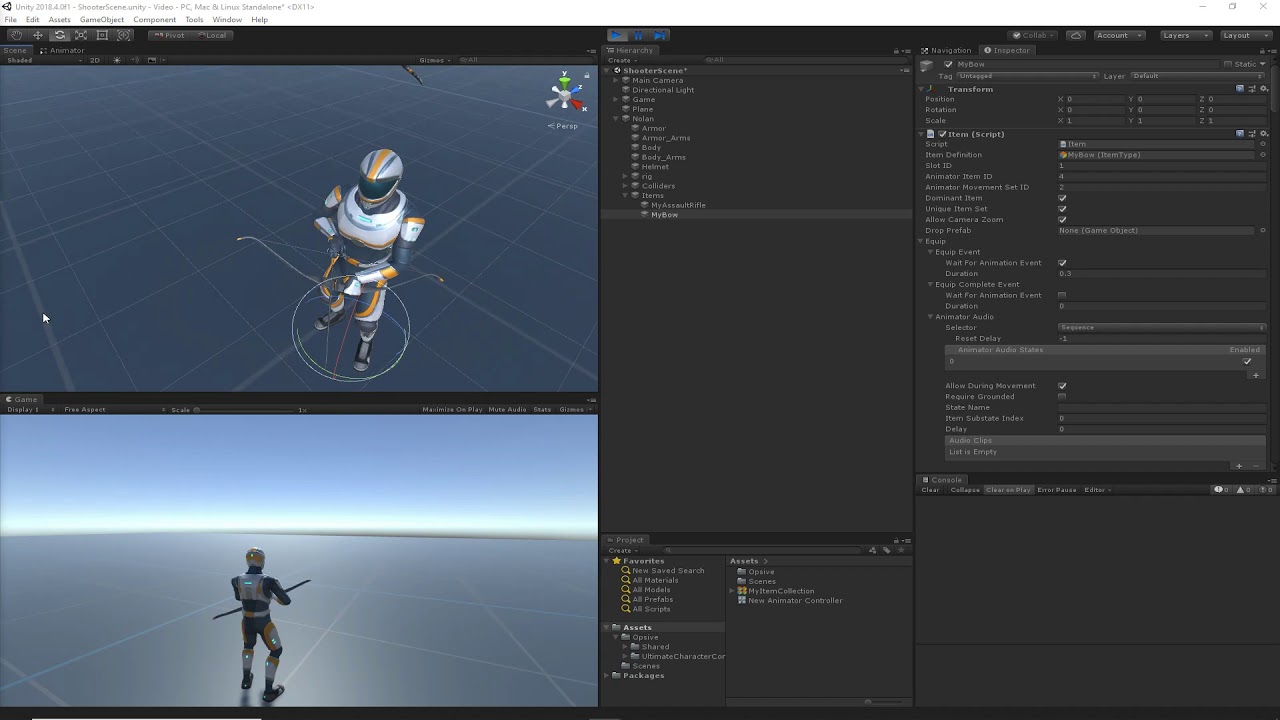
Ultimate Character Controller: https://opsive.com/solutions/character-solution/
Documentation: https://opsive.com/support/documentation/ultimate-character-controller/
earnest kestrel
gray bronze
Opsive Ultimate Character Controller's demo animator has 1200+ animations in it...
thank you very much, exactly what I needed.
 atomic pilot
does anyone know how to make the player smoother in the transition from right walk to left walk
agile solstice
atomic pilot
does anyone know how to make the player smoother in the transition from right wa...
I don't think your character is using the blend tree state at all, or at least not in that clip
Blend trees run even if the animator is not in that state
At least that seems like the most obvious explanation why your character jumps to 100% walking right animation when the parameters is just shy of 0.15
atomic pilot
agile solstice
At least that seems like the most obvious explanation why your character jumps t...
hmm, is there any solution for that?
agile solstice
atomic pilot
hmm, is there any solution for that?
The controller must transition into your blend tree state to actually play it
If you've got other states or another layer with different movement animations that are active, the blend tree will not play
Even if the parameters are changing visibly
I can only guess since we can't see the full animator or the layers
atomic pilot
Can I ask questions in dm?
agile solstice
No, I prefer you show the information that's important here
atomic pilot
alright wait
atomic pilot
agile solstice
I can only guess since we can't see the full animator or the layers

I only use 1 layer and 1 layer includes idle, blend movement, blend crounch, blend walking
agile solstice
atomic pilot
does anyone know how to make the player smoother in the transition from right wa...
I believe you'll need an idle state at 0,0 in the blend tree
You'll also want to change how your code is still able to make the parameters jump a significant amount instantly, which will prevent some blending
But that's not the cause of this exact issue
atomic pilot
agile solstice
I believe you'll need an idle state at 0,0 in the blend tree
So I should add idle to the blend?
agile solstice
atomic pilot
So I should add idle to the blend?
That is what I said, yes
atomic pilot
agile solstice
That is what I said, yes
I've tried it but it's still the same, even though I add idle blend 0.0 it's still the same as normal idle
agile solstice
atomic pilot
I've tried it but it's still the same, even though I add idle blend 0.0 it's sti...
That is expected, the point is to have an idle animation that your walking animations have the ability to blend to/from
My guess is your walking animations are always 100% because there's no neutral state in the blend tree to blend to
You don't actually need separate idle / walking / running states since all of those can exist on the same blend tree
brittle hedge
How to keep root motion movement amount constant in game?
hybrid tinsel
brittle hedge
How to keep root motion movement amount constant in game?
The whole point of root motion is that it uses whatever motion is in the animation. So... make animations with constant motion, I suppose
brittle hedge
In the inspected its correct but in the game the movement starts slow
I think it has to do with some code interfering with the root motion
brittle hedge
After some testing turns out the navmesh is interfering with it
 wicked shell
Hi, I'm new here.
I want to ask how to export FBX animations from Blender to Unity without errors for game animations
agile solstice
wicked shell
Hi, I'm new here.
I want to ask how to export FBX animations from Blender to Uni...
What kind of errors and what kind of game animations
Exporting a generic rig is a different process with different errors from exporting a humanoid rig, for example
wicked shell
agile solstice
What kind of errors and what kind of game animations
Exporting a generic rig is ...
The error is that the body part of the character is too elongated, and I'm making an animation for a VR game
then what is the correct way to export generic rigs, if it is different from exporting humanoid rigs
agile solstice
wicked shell
then what is the correct way to export generic rigs, if it is different from exp...
Well, are you meant to be using generic or humanoid animations
wicked shell
i use a generic
agile solstice
wicked shell
i use a generic
Still going to need more information
What kind of animations and what does the problem look like
Is it your own VR game?
 devout ember
are transitions checked in this order?

 steady fulcrum
how to make my rig's hands move, it's a vr game and i'm working on it
 stuck sable
Does anyone use Blendshapes to animate guns? Would it be performant, or nah?
fast swan
stuck sable
Does anyone use Blendshapes to animate guns? Would it be performant, or nah?
Likely performant enough but also likely not as performant as some other way. Is there some reason not to just animate the gun parts separately?
stuck sable
fast swan
Likely performant enough but also likely not as performant as some other way. Is...
Skinned Animations are expensive, and I'm not sure how hard-object stuff is animated to get around that.
fast swan
stuck sable
Skinned Animations are expensive, and I'm not sure how hard-object stuff is anim...
My guess would be skinned animations and blendshapes would be comparable in performance. Are there some elastic parts on the gun or is it all rigid parts moving?
stuck sable
fast swan
My guess would be skinned animations and blendshapes would be comparable in perf...
I was planning on using some cartoony distortions, yeah.
fast swan
stuck sable
I was planning on using some cartoony distortions, yeah.
what kind?
If you could achieve the effect with vertex shader for example, it would likely be better performance wise
stuck sable
This is what I originally had in mind, when I was doing a test case.

I would just use a blendshape between the normal and "Mid-firing" positions
fast swan
stuck sable
This is what I originally had in mind, when I was doing a test case.
Ah yeah that looks like blendshapes might be the best solution. If you are worried about the performance, the best way to figure out is to try it in practise really. Could make a test scene with like hundred of these and see how it performs. With that low poly model I would be surprised if you run into problems
wicked shell
agile solstice
Still going to need more information
What kind of animations and what does the p...
yes, this is my own game, the type of animation is cartoon animation
 rugged mango
HI THERE
Need help!
Can I combine procedural animation with sprite sheet animation
Very new to Unity and in a jam atm
I want the characters cape to be procedurally animated while the rest of the animation is on a sprite sheet
agile solstice
rugged mango
I want the characters cape to be procedurally animated while the rest of the ani...
You'd make them different objects then
rugged mango
Ooooooooo
Apologies, can you explain it to me like I'm five. Then I... Make them part of the same parent object right?
agile solstice
Sure
rugged mango
🙏🏽 appreciate it
rugged mango
rugged mango
Apologies, can you explain it to me like I'm five. Then I... Make them part of t...
Or is there some other way I should be linking those two objects
If you know the exact documentation or a similar thread on this I can read that'd also be great
I just need to know what to search and I'm still trying to navigate jargon
agile solstice
rugged mango
🙏🏽 appreciate it
I mean sure, you can parent them
It doesn't really matter how they're connected
That issue is trivial next to the procedural animation and the animator
gray bronze
Do Timeline signal emitters/receivers work in Editor mode?
Timeline documentation could use some TLC. They skip concepts altogether and jump right into how to implement "x" without explaining what "x" is, why it's useful, typical application, limitations, etc.
gray bronze
After some testing it looks like the answer to my question is yes, emitters/receivers do work in Editor mode. Now my real question.
I have a Timeline that incorporates cinematic elements into gameplay. It contains an animated light that follows a spline and the Timeline coordinates some Cinemachine camera work. I use a signal emitter to call Spline Animate.Play on the light. The signal receiver for the spline is configured for editor and runtime.
Everything works fine at runtime, but the spline animate component doesn't respond when playing the Timeline in editor. If I click play on Spline Animate manually in the editor it animates without issue.
Any ideas what may be going wrong here?
gray bronze
I just went on quite the wild goose chase (fitting considering the time of year) only to figure out the issue was at least partly user error. Though there's some strange behavior I don't understand going on.
First, some observations. Spline Animate appears to only work in Editor if it's visible in an Inspector window. It doesn't have to be the currently selected GameObject in the hierarchy though. You need to manually reset the SplineAnimate location each time you play the Timeline. I understand why, but it would be great if there were a simple solution such as events you could call when you click to go to the beginning of the Timeline.
Second, for some reason I had Emit Once set on the Signal Emitter that plays the Spline. This is supposed to "Emit the signal once during loops.". But instead, it means that it will play the first time you play your timeline. But if you click to start the Timeline over again in Editor, it will not emit again - not until you do a domain reload. If this is the intended behaviour, then I think they should provide more clarity about the implication of this setting.
 wet jetty
I got the error " Object reference not set to an instance of an object" And i see its because my blocks in the animator dissapered. this happed to both of my controllers. im new and dont know why this happened.
it also wont let me put any blocks 'in the space
i closed the game now there back
 ornate rapids
Hi, i made this idle animation to pair with my walking one. It uses this code to determine whether it should start or not.
            {
                camAnim.ResetTrigger("Idle");
                camAnim.SetTrigger("Walk");
            }
            else
            {
                camAnim.ResetTrigger("Walk");
                camAnim.SetTrigger("Idle");
            }```

although you can see in the game, it seems to have a pretty obvious delay before playing the idle. I've attatched what my animation tree looks like as well. Does anyone happen to have a solid solution for this?
 brittle hedge
So when root motion is applied it ignores physics, how to fix that?
 drifting wave
I have my character set up so they'll look around with their eyes using the Unity Animation component, and I thought I had it all set up perfectly but it just doesn't even work

This is driving me mad
brittle hedge
drifting wave
This is driving me mad
Don’t give up
drifting wave
The eyes are deadpan, when they should be looking around slightly
brittle hedge
But looking at the video you seem to be using the animation component you can try to make an Animator
drifting wave
I thought maybe the idle animation is overwriting it, but I couldn't find any eye property interfering with the thing the animation is supposed to effect
ah
I'll try that
brittle hedge
You also have to make a animator controller
drifting wave
didn't work
brittle hedge
How did you do it?
drifting wave
So first I put the eye looking around animation into a Animator, then made a non-legacy animation clip and copied and pasted the old one into it and put it in the animator, and now I'm making an entirely new animation clip to try again
brittle hedge
I think you have to make an animator controller drag your eye animation, and the eye animation should be on a loop. Then drag the animator controller into the animator component on the eyes
 brittle hedge
Hmm thats usually in 3d is your game 2d?
drifting wave
it's all 3D
brittle hedge
I dont think you need that if its just for your eyes
drifting wave
woah just found something

I went to my character's animator
I don't even know what this means
brittle hedge
Do you have other animations other than the eyes
brittle hedge
Hmm you can try adding a separate animator to the eyes
drifting wave
That's what I've done
theres one for the whole armature and one for each her eyes
it's so weird this isn't working
brittle hedge
Do you have an animation clip for the eye animation
 drifting wave
nope
drifting wave
LOL if I turn off her normal animator her eyes work!
so for some reason, the main one is interfering as I thought
brittle hedge
Yeah I tried it too you cant have two animators at the same time
Maybe making a new layer in the animator?
drifting wave
i've never done so before, I don't know how to record eye movement because when I just tried it wouldn't even let me move them
drifting wave
Yes you can move them around
brittle hedge
Interesting
drifting wave

This is weird because her right eye is using Animation component, while the Left is using Animator with the clip
so they both work

 drifting wave
damn so now it's rotating her instead of her eyes
brittle hedge
Lol
drifting wave
so at least somethings working
brittle hedge
Yup
drifting wave
but how do I get it to know that the thing that should be rotating is the eyes?
brittle hedge
Let me try with the layers
So i think you need an empty state that will transition to the animation
drifting wave
it doesn't know that it's animating the eyes
But the issue is, I don't know how to record eye animations that are directed at the Eyes
in the animation window
brittle hedge
I think you click on the eyes then window animation, animation, which pulls a tab where you can make them
drifting wave
It's not saving that this is Eye_L that's animating, just that it's "rotation"
Oh wait
I think I found out how to do it
drifting wave
Thanks you too!
 marble mist
When I use a rig on my character (animation rigging) he does this weird thing

spawns in the ground and like scrunches up
marble mist
he also sinks 1/2 through the ground?
and if I disable the rig component he dosnt sink or shrivel
 viscid spindle
anyone able to help me with animation states?
gray bronze
viscid spindle
anyone able to help me with animation states?
Usually you just ask the question and if people know, they'll reply.
viscid spindle
Appreciate it, Im having a general issue with Layers, im trying to add a "Holding out infront " animation, but I cant seem to get the transitions right
gray bronze
marble mist
When I use a rig on my character (animation rigging) he does this weird thing
I'm pretty sure this is posed at least monthly, and someone always has the exact answer, but I can't remember what it was and haven't found it via search. I think it was either something to do with root motion or something to do with setting a generic as humanoid. I think it's maybe that you have root motion checked in the Animator Controller, but there's no root motion data.
gray bronze
viscid spindle
Appreciate it, Im having a general issue with Layers, im trying to add a "Holdin...
Not sure what that means. Like in first-person? Do you have an example of what you're trying to do?
viscid spindle
So basically, I want the base layer to be weighted when I start the game, I have it in the code, but I believe my "Handout" layer being in the top layer slot overpowers it, however the IteminHand animation will only work with it in the priority slot, if that makes sense


I start the game and the Iteminhand animation plays rather than the idle animation, the walk animation is replaced by the iteminhand animation etc, ive tried changing the weights dynamically in code but it doesnt seem to be working, im sure theres an easier way im missing
viscid spindle
viscid spindle
I start the game and the Iteminhand animation plays rather than the idle animati...
and yes First person 3D
gray bronze
Base Layer should be your full body motion like walk and idle. Lower layers can blend in or replace some or all of that using avatar masks
You could create an Avatar Mask that includes one or both arms and then animate those. Need to make sure you set this "Arms" layer appropriately with the mask
gray bronze
Like this.

 viscid spindle
I have no clue how that works man baha how would I go about setting that up?
gray bronze
You can turn off the other green bits I have on the ground there. That was a little error.
Well I showed you what layer you need to add with its setting
Then you need to create an Avatar mask for your character. Click in your Project window, Create > Animation > Avatar Mask. Set it up like I have. For the skeleton, pick the Avatar Mask that's on your Animator Controller.


Then drag your holding out in front animation into the new Arms layer.
The base layer full animation will play, but the arms will be overridden by the animation in the Arms layer.
Make sense?
viscid spindle
By god i think it makes sense, let me try ❤️
viscid spindle
right I got to where you say drag your holding out in front animation into the new Arms layer
gray bronze
And?
viscid spindle
unfortunately no luck, I have the mask applied to the second layer with just the arms selected, just cant get it to priorities the "Handout" animation
I have base layer set with run, walk, idle, then second layer with mask on just arms, with handout and idle, weights set to 1 for base and 95 for handout
gray bronze
Show pics of your Arms layer config, avatar mask and animation controller
 restive bronze
what is the default animation speed in unity (as in frames per second)
gray bronze
restive bronze
what is the default animation speed in unity (as in frames per second)
It's always been 60 for me, but I don't know if that's a strict rule.
 ocean wing
I want to make an animation where it will start wherever the gameobject is currently at, and do this kind of movement. Regardless of its current position it should raise up by BLAH amount, and move over by BLAH amount. Is there a way to make local animations like that?


Essentially regardless of current rotation I want it to do some kind of bezier to the end location I guess??
Maybe I would use something different than animation..

 tough breach
How many total frames is a walking animation for a 2d character typically?
gray bronze
ocean wing
Essentially regardless of current rotation I want it to do some kind of bezier t...
Open the Animation window.
Click on your object that you want to animate in the hierarchy.
In the animation window it will say "To begin animating <your object>, create an Animator and an Animation Clip." Click on the Create button
Create a controller
In the animation window, click the red button.
You can now move your object and will auto-keyframe.
Move the timeline ahead by a bunch of frames, Make another movement.
Open the Curves mode to change to bezier.
candid siren
hi i have a question theres other option to mix animations with no using layer mask
 rapid rivet
Its been nearly a month since I had this problem but
whenever I change or add new animations in blender and update my .fbx all of my animations are gone and rather in this weird scrunched pose
here's all of my animations before the change:


and after:


any reason why?
 tribal tapir
how to animate different body parts?, like a pubg, or csgo
 heady venture
 carmine flare
I believe I'm looking for a way to extract a animation from a fbx file. What should I be using?

 left swift
carmine flare
I believe I'm looking for a way to extract a animation from a fbx file. What sho...
left swift
carmine flare
I believe I'm looking for a way to extract a animation from a fbx file. What sho...
Select animation clip in the Project window and copy-paste (Ctrl+C then Ctrl+V)
 carmine elk
Hey, I'd like this slashing animation to repeat everytime I slash clicking so I used triggers (resettrigger and settrigger) every time I click. But when I spam click it doesn't constantly reset and play the animation - it just plays at random times. I have used this in a different layer to my movement animations (walking, jumping etc.) anyone knows how this can be fixed? Thanks

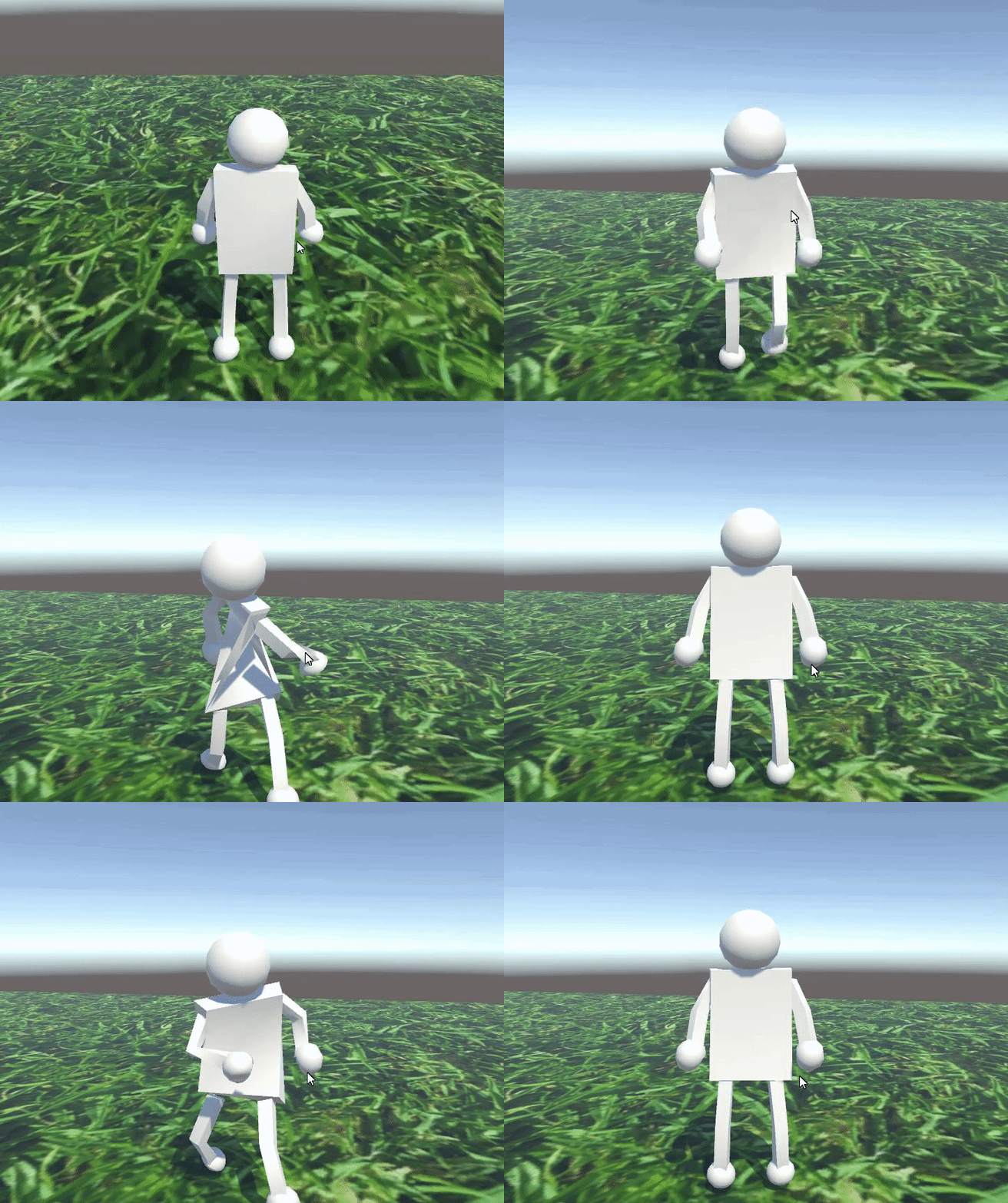
i was spamming click in the duration of the gif
agile solstice
carmine elk
Hey, I'd like this slashing animation to repeat everytime I slash clicking so I ...
Ensure the transition has no delay, and that Can Transition to Self is enabled
carmine flare
If I have a animation programming question should I ask here in #🏃┃animation or #💻┃code-beginner ?
 silent marsh
Hi I want to add this idle animation to my chracter in unity. The animation itself is just my character bobbing up and down. However when I import it into unity and make an animation with 2 frames (seperate pngs) instead of his feet being grounded and his legs and head moving down. His legs move upwards instead anyone know how i can fix this? And I check the pngs which i made, his legs are in the same position in both so it isnt that. The gif below is what it should look like and the video is what is currently looks like in unity.

i messed up the framerate so its a bit fast
agile solstice
silent marsh
Hi I want to add this idle animation to my chracter in unity. The animation itse...
That happens if you let unity guess automatically where each sprite's pivot should be
You can adjust the pivot manually, or import the frames on a sprite sheet as a grid so each gets the same pivot
silent marsh
agile solstice
You can adjust the pivot manually, or import the frames on a sprite sheet as a g...
tysm ill research about that and get back to you once im done
twin musk
I'm wondering what i'm doing wong, in this case? What i want to do is pretty simple: I want to have 2 animations, the first one is a idel(single Sprite) and the secound one - Run (has two sprites) In the preview, it (run)loops. But in the Game not(it frezes at the first sprite) You can see my animator, it has 2 transtions, either the OnGround Parameter is true or false. It switches the animation if the player leaves the ground with teh code below.


    public void ChangeAnimation() {
        if(OnGrounded()){
            animator.SetBool("OnGround", true);
        }else {
            animator.SetBool("OnGround", false);
        }
    }
This funtion runs in update
 vernal kiln
is there still no way to simply play an animation backwards (negatíve speed has been removed wtf)
 oak oracle
Hey can someone help me as to why the animation of the slashing isnt flipping as intended on the left side when the player faces left.
private void Attack() {
myAnimator.SetTrigger("Attack");
weaponCollider.gameObject.SetActive(true);
    slashAnim = Instantiate(slashAnimPrefab, slashAnimSpawnPoint.position, Quaternion.identity);
    slashAnim.transform.parent = this.transform.parent;
}
public void SwingUpFlipAnimEvent() {
slashAnim.gameObject.transform.rotation = Quaternion.Euler(-180, 0, 0);
    if (playerController.FacingLeft) {
        slashAnim.GetComponent<SpriteRenderer>().flipX = true;
    }
}

public void SwingDownFlipAnimEvent() {
    slashAnim.gameObject.transform.rotation = Quaternion.Euler(0, 0, 0);

    if (playerController.FacingLeft)
    {
        slashAnim.GetComponent<SpriteRenderer>().flipX = true;
    }
}
is there something wrong with my code? I cant seem to see a reason as to why it isnt working
 sterile garnet
Hey guys got a complex question, posting here and thanking u in advance! ❤️
atomic pilot
oak oracle
Hey can someone help me as to why the animation of the slashing isnt flipping as...
Have you put the sword into the player?
oak oracle
atomic pilot
Have you put the sword into the player?
It's fixed now sorry! The issue was I had it set to play when the player is facing Left but forgot to set FacingLeft = True into my if statement
atomic pilot
oak oracle
It's fixed now sorry! The issue was I had it set to play when the player is faci...
owh
 eager salmon
Hey folks, me and a friend are working on a personal project. We thought it might be better to use bones for the pixel art instead of hand pixeling everything. This is it in the camera
And this is it in the regular preview,
 low dust
What's the best way to import animation from blender to unity? I've seen people say that you should export as an fbx then import that to unity and other say that you should just directly import the .blend file
When I do it the first way, it seems to create a lot of extraneous animation files that don't actually contain the animation data I want
but I tried just doing it the second way and it made the model scale up so high it was past the render distance
candid siren
hi i trying to use two bone ik but when i hit play unity ignores two bone ik and play animation like two bone ik never existed
robust perch
So if I wanna make animations where my player is crawling through a tight tunnel, what's the best workflow to make sure he isn't clipping through the terrain or grabbing nothing?
Just blender animations + animation rigging or ik or something?
 warm bough
i have a small issue with exit times with transitions and negative speeds to rewind the animation. whats the best way to fix this? having another state that has negative speed in the state instead of setting the speed multiplier to -1?
i guess i could copy the animation but mirror it? but id rather not since then if i wanna add more things to it later it doubles the work which isnt great
in the video the animation is set to loop which is why its looping, but if i put it to not loop, the rewind doesnt play at all
adding a new state with the speed set to -1 and playing that instead of setting the multiplier to -1 in code fixed the issue 
earnest kestrel
~~I have an animation with root motion.
How can I disable root motion, as well as keep the humanoid in the center?
What I've tried:
Remove the root node from the motion tab.
Check "Bake into pose" on Y and XZ axes. I tried playing around with "Center of Mass", "Feet", "Original" settings to no avail.
The camera stays in the middle, but the humanoid still moves to the side.~~
Edit: Found the solution.
 spring dome
Is there a way to animate character taken from assets with mixamo animations? and if bones are different?
vernal kiln
quick question, in my game every gun has it's own animations but including the hands of the player. if i change the model with slightly differen hirarchy (for example a finger missing) can i make the animations still play with missing errors / ignore the missing fingers in the animation or replace them? (also i dont really understand what a animation override controller does, if it is that)
agile solstice
spring dome
Is there a way to animate character taken from assets with mixamo animations? an...
I believe mixamo comes in Humanoid format so the animations can be used for any Humanoid rig
devout ember
I thought updating values that have been set by the animator in code would work in late update? hasn't worked for me
agile solstice
vernal kiln
quick question, in my game every gun has it's own animations but including the h...
If your hand animations are Generic, the animation clip looks for transforms to animate by name and explicit hierarchy path
So the hierarchy must be exact aside from missing parts
If the hands are Humanoid then it'll work for any other Humanoid rigged mesh regardless of differences, as long as the relevant bones are there
Usually a hand with a missing finger still has the bones, just the mesh of the finger missing there to avoid such conflicts
Animator Override Controller takes one Animator state machine and lets you assign new animation clips to each of its states while keeping all the Animator logic
devout ember
public class RotatingSphere : MonoBehaviour
{
    public Vector3 rotation; // Rotation in degrees per second

    void LateUpdate()
    {
        // Create a quaternion representing the local rotation for this frame
        Quaternion deltaRotation = Quaternion.Euler(rotation * Time.deltaTime);
        // Apply the local rotation
        transform.localRotation *= deltaRotation;
    }
}
this rotatingsphere is on an object where the rotation is changed in an animator
i thought lateupdate would let the rotation change?
 digital viper
So i was trying to have my attack play from any state but when i connect it and isAttacking is true it gets stuck on being true and doesnt go back to idel or false..
Any idea why?
 wide rapids
I have a weird issue where my animated mesh is culled complety when I raise the camera to a certain height.
For the camera I put the Near Plane culling to 0.01. I also enabled Always Animation in the Animator component for those legs/pants.
Both did not work as expected. Still the same behaviour that can be seen in the clip.
EDIT: It seems that as soon as my camera leaves the last fragment of the "pants mesh" the animation/legs aren't visible anymore. I disabled "Occlussion Culling" without any positive outcome tho.
 spring dome
Have enemy model from assets and how can I import it into mixamo with textures? When I upload zip file it shows only model which has no textures.
Youtube tutorials shows that I have to put it into a zip file, and then upload to mixamo
Or I have to open fbx file and somehow asign those textures?
gray bronze
wide rapids
https://youtu.be/-oQ8QqrIkLo
I have a weird issue where my animated mesh is _cu...
What I see in that video is that the pants are only rendered on one side. So when they get to the right angle, you can't see them anymore. Are you setting the material to render both sides?
 true zodiac
does anyone have experience importing alembic files into unity? i have an animation caused by a deform modifier in blender and trying to get it to work in unity but finding it confusing
true zodiac
true zodiac
does anyone have experience importing alembic files into unity? i have an animat...
i can get the alembic file into unity, but it spawns with no materials, and i can't find any way to apply the correct materials to the object
google is a dead end
vernal kiln
i just want to change the mesh of a skinned mesh renderer without changing the rig/bone setup.. HOW... the bones of the new mesh are the same, only with different names but it doesn't work raaaah (i can't do this anymore pls end my suffering why is this shit so complicated in 2024 wtf)
 torpid shuttle
Let's say I wanted something to play 2 animations at the same time.
What's the standard for that?
Multiplayer layers in the animator with both having weights of 1?
agile solstice
torpid shuttle
Let's say I wanted something to play 2 animations at the same time.
What's the s...
If they don't have Write Defaults and don't try to override the same properties, that might work
Layer masking can also be used, if one layer is meant to override the animations partially, even when the layers are writing defaults
Additive animation layers can always play at the same time, but properties they write to compound additively as one would expect
torpid shuttle
agile solstice
If they don't have Write Defaults and don't try to override the same properties,...
Hmm, alright. When it comes to setting up animations, I assume a standard is to make sure the animator is placed on some gameobject high up in the hierarchy, and never animate this object directly?
I'm specifically interested in techniques that would allow me to more effectively reuse animations.
agile solstice
torpid shuttle
I'm specifically interested in techniques that would allow me to more effectivel...
Reuse in what way exactly?
Animator should be only as high up in the hierarchy as it needs to be
torpid shuttle
agile solstice
Animator should be only as high up in the hierarchy as it needs to be
Is it typical to have multiple animators across a hierarchy?
I'd assume so.
agile solstice
torpid shuttle
Is it typical to have multiple animators across a hierarchy?
If it "makes sense", yes
So basically that they don't interfere in each others' animated hierarchies
torpid shuttle
One second let me get an example.
torpid shuttle
agile solstice
If it "makes sense", yes
So basically that they don't interfere in each others' ...
So I have an animation here of a Pokemon hovering up and down, rotating slightly as it does, and its wings flapping.
I have an animator at the top of the hierarchy, which includes the "model" and the drop shadow as children. I have 3 layers, each playing a single animation.

One animation moves it up and down, one rotates it, and the last modifies the scale of the shadow.
The wings are controlled by an animator on the model itself, with 2 layers, one for each set of wing.

I split them like this because I wanted the bottom set of wings to have a slight offset in their loop.
I then made this animation for a different Pokemon, and wanted to reuse the same Hover/Rotate animation.
So I just copied the layers over to this guy's animator.

And I guess the main question here is, am I doing it right >_>
Is there some cleaner way to do it that I am missing?
@agile solstice
agile solstice
torpid shuttle
And I guess the main question here is, am I doing it right >_>
Is there some cl...
I would look into setting up a hierarchy that lets you simply use the same controller again without copying anything
 slow marten
Why does my attack animation queue up and play once im grounded. How can I make it just not play when I land if its triggred while in the air?
- attack > jump
- jump > attack


 blazing saddle
hey so i have an animation where it goes from the height being 32px to 33px, and i wanna import it into my game. is the whole thing being > 32 px gonna cause me trouble?


 left plume
marble mist
left plume
marble mist
Im using animation rigging and im trying to figure out how to link the two game objects so there isnt a hole


 untold nova

 celest crag
@onyx musk There's no decompiling discussions here
little fulcrum
What's a good/proper way to variate animations within state machine? E.g. have 3 different idle animations that should be play randomly
 coarse iris
I'd assume you could write a script, in the script set up an array, load your animations into the array, and use Range.Random() to randomly select which of your animations to play from the array. Then if you want, you can set a variable for how often you want the idles to change. I'm just a beginner though and I've only managed so far to do random spawns and random color changes. I haven't actually done this with an animation before. There'll certainly be someone more experienced with a better answer.
 sleek halo
How can i stop Unity fucking with the animation loops? I have an looping idle, in Unity preview it is flawless, in Blender it is flawless, but in a scene there is a tiny tick when the loop happens, and it is driving me insane
It's hard to see from still images but basically what happens is that the hand moves ever so slightly to the right, making this jerky move and i have found it impossible to get rid of


It's as if the whole armature would slowly rotate during the animation and then snap back abruptly, this should not be happening
What i have tried:
- adding buffer frames to ensure there is no interference from frames outside the loop
- Made sure that transitions are not affecting it
- Ensure that the animation is set as a looping one, and also to loop the pose
I've gone through all the options i can think of, and nothing fixes it
gray bronze
sleek halo
What i have tried:
- adding buffer frames to ensure there is no interference fro...
If it’s flawless in preview in Unity but glitchy during game play that points to physics. Suggest looking at scripts or any other animation layers if you have them.
 undone bronze
im having a problem where an animation for my character is playing but I want a different animation to play though another is already in progress, is there a way to cancel an animation while its playing?
 vast kiln
Could anyone help me with animation state transitions?
I have an animator controller that controls animation states for an object using an integer parameter called Phase. Whenever a UI button is pressed, Phase is incremented by + or - 1. When I print the value of Phase and the current state that the animation is in, they all appear how I want them to be, but the animation itself is not changing for some reason. The default animation plays fine, and when I change the default value for Phase, the other animation states also play fine, so all the other animation states work fine independently. It's just that when implemented in a transition, it doesn't work. I've included the script for changing states, along with screenshots of components related to the animator.
I'd appreciate any help!


 delicate elm
He dosent move after I added animations
 candid siren
marble mist
Im using animation rigging and im trying to figure out how to link the two game ...
candid siren
marble mist
Im using animation rigging and im trying to figure out how to link the two game ...
well show me a photo of jerarchy
marble mist
I fixed it 👍
candid siren
okay :D
 jade carbon
Hi,
I have a problem with importing animations. I'll describe the process because maybe I'm doing something wrong.
I want to test my animations in the Unity engine. To do this, I import the Mannequin model, familiar to Unreal users, because I create my animations on it.
Importing skeletal mesh
I click on the Rig tab and set it to Humanoid with the default settings.
Then, I import my animations, which were previously exported from MotionBuilder. And then, I get a series of import errors that sound something like this:
Can someone help me understand what these errors mean? How can I fix them?
 molten bramble
thats the animation exported into unity, it should be using in the humaniod charecter and when i convert it into humaniod the animation doesnt look the same

 undone bronze
what is a blend tree in the animator?
sterile vine
undone bronze
what is a blend tree in the animator?
to start, have you googled it?
undone bronze
I'd assume that people that are more experienced in animation could explain to me what it is
sterile vine
undone bronze
I'd assume that people that are more experienced in animation could explain to m...
people have already explained it online, and it's been vetted for years by thousands of other experienced people. online resources are much better for general questions.
undone bronze
ok
 white snow
Having trouble finding a solution here. If anyone knows I would be endebted. Essentially the tongue is working as intended in blender, when imported to unity- it is not. I can ONLY assume it has something to do with scale? As the only other parts ive animated that use scale are the eye planes and they ALSO do some funky stuff!
Best, thanks for any info!


 half oar
How do you come up with these bubbly animations that games like candy crush or any other big juicy games have? everything seems to be living/breathing or playing some sort of a continues animation that catches your eye
I mean i get you do it with tweens or the unity animator, but do you like make them look good. lmao
 tender tusk
Hey everyone. I have a script that changes my avatars clothing with arrows on a UI, along with a toggle to turn them on/off. It works fine, but the problem is that the animation doesn't sync since the clothing are separate meshes from avatar body. They all share the same Avatar skeleton and Animation Controller.
I probably could restart the animation every time the clothing swaps, but I rather have the animation continue playing so it seamless. Anyone have any thoughts? Thanks!
 weary oyster
changing the timescale/fixed timescale doesnt work with the animation rigging damped transform for some reason
is there any way to fix it or should i just program it myself?
 eager arch
Why is the rest pose set to idle?, i have applied Tpose as rest pose in blender and also tried placing tpose as first clip in unity animation import thingy, but it stays in the idle pose


 agile solstice
eager arch
Why is the rest pose set to idle?, i have applied Tpose as rest pose in blender ...
agile solstice
eager arch
Why is the rest pose set to idle?, i have applied Tpose as rest pose in blender ...
iirc Unity or the export formats in general don't know anything about a "rest pose", it's a blender only thing
But I could be wrong
Why's it important to have t-pose as the default?
eager arch
agile solstice
Why's it important to have t-pose as the default?
general stuff, like viewing and placing colliders
im trying to export animations with nla, to change order of actions
it happens not only with player model but arm model as well


 spice yarrow
does anyone know how I can play two animations simultaneously on a character without using Avatar or Avatar Masks? In my case, under the Root bone, I have Hips and Spine1 bones. I need a logic setup where, for example, if the character attacks while running, the running animation plays on the bones under Hips, and the attack animation plays on the bones under Spine1, all happening at the same time.

i've tried everything with animations using Avatar/Avatar Masks, but I still couldn't make it work since the animations are generic clips. Another issue is creating the Avatar properly, as the character is in .gltf/.bin format. Using UniVRM, I made some progress, but now I've run into this problem, which seems to make everything more complex and further away from my goal. Maybe there's a simpler alternative.
agile solstice
spice yarrow
does anyone know how I can play two animations simultaneously on a character wit...
Additive animation layering works regardless of type, but it can't replace motion
Instead it relies on the animation below to be at or near the additive reference pose
Transform masks (created similarly to avatar masks) should work with generic rigs
No idea if UniVRM can do those or not
spice yarrow
would it be possible just using .dae or .fbx? I tried to convert .gltf to .fbx in blender in several ways, but it always breaks the animations, the bones undergo sudden rotations xD
agile solstice
spice yarrow
would it be possible just using .dae or .fbx? I tried to convert .gltf to .fbx i...
Animation layers are an unity only thing, if that's what you mean
You can't export animator logic out of it
At least not into just a mesh format
spice yarrow
agile solstice
Animation layers are an unity only thing, if that's what you mean
You can't expo...
yea, i was referring to using fbx to create a Generic (non-Humanoid) avatar or even a Humanoid and after that try to use the animation layers
agile solstice
spice yarrow
yea, i was referring to using fbx to create a Generic (non-Humanoid) avatar or e...
Sure, Unity doesn't really care where the mesh data comes from, after that it's just the optional humanoid setup and then creating animators and whatever features needed
But mesh formats have many ambiguities so if you export meshes and animations in different ways or even just different settings they might not be compatible with each other anymore
For example if the unit or axis conversion are different
So find one way that works and stick to it for that character
I or likely anyone else here cannot offer any help with UniVRM though, or know if the process is different there
spice yarrow
i believe UniVRM only creates Humanoid Avatars, do you think using the FBX format would be a better alternative for creating a Generic Avatar or even a Humanoid one?
I got the same result using GLTFast and UnityGLTF
 vague bay
Hello there guys!
I have a bit of a wierd question. I'm used to animate in Blender and the export my animations to Unity.
However, this time I was asked to do them to be compatible with a Humanoid rig in Unity.
The problem is, that when I change the rig type to Humanoid from Generic, my whole animation shifts a bit in space, making it not centered to where it would need to be. How so?
molten bramble
thats the animation exported into unity, it should be using in the humaniod charecter and when i convert it into humaniod the animation doesnt look the same

 low dust
I have an issue where the blender file I'm importing to unity has all the rotation + translation data except for one mesh which has the translation data, but not rotation data. It shows up on the animation preview in the inspector, but not in the actual scene when I toggle the animation controller on.
robust perch
I have a massive problem in my project
My character needs to crawl through very tight tunnels
getting the animations to not clip through the terrain is a giant nightmare
regular animation won't do here
what should I do here? Animation rigging and set the endpoints at the nearest collider point a certain distance from the body? What about the rotation then?
or should I just scrap animation alltogether and use IK for grabbing the tunnel walls?
agile solstice
robust perch
My character needs to crawl through very tight tunnels
It can be quite a challenge
But really depends on what your character needs to be able to do in the tunnels and what the tunnel shape needs to be like
I think your game was in first person, was it not
So the character would only be a pair of arms attached to the camera I assume
robust perch
agile solstice
So the character would only be a pair of arms attached to the camera I assume
Right now it's humanoid because I'm testing some animations from mixamo but I will likely just make it animated hands
But what are you getting at here?
robust perch
The tunnel shapes aren't square if that's what you're hitning at...it's just irregular all around
robust perch
agile solstice
Or body
I don't have a colider for those anyway
They won't be a factor whether I stick to humanoid and edit some existing humanoid animations or I just make my own for hands from scratch
The reason I originally kept the entire body is because in some animations the shoulders lean a bit far forward so I couldn't have showed just hands cause you could see the end of them
 rigid patrol
Hi,
I am building an application which has a component where there is an animated overlay playing ontop of a video feed.
Think augmented mirror kind of deal.
Now the overlays i have are png sequences currently.
I have imported them and set the the alpha as transpacency option in the texture import for all the png's
and set them to 2048 max res with medium compression.
and mipmaps on
(settings attatched)
we are running this on a 1920x1080 portrait monitor with a windows machine.
after hitting apply for that, each image is saying its like 5mb.
What settings would is be able to remove from the texture imports to assist with reducing these?
I think i might be able to turn off mipmap gen because they will only be used at one scale size.
main reason for asking is i have like 45 different of these sequences, and each one has just over 300 frames.
so there are alot.
would it be better if i just stitched them together into a video instead and used those? My only concern with that ofc if what format that has the transparency which will work for windows fine.
thanks
 delicate elm
He dosent move after I added animations
 icy torrent
Why does the camera suddenly move forward when switching from one animation to another?
oak oracle
anyone know why nothing is displaying in my animator window?

 cosmic bridge
There's a prefab model I wanna edit it's rig but I can't
 brittle breach
Hey so I'm not an animator by trade, so maybe this has an obvious answer lol. I'm leading a team of 4 for one of my classes in uni. We have 4 differnt enemy rigs. They're all the same models and rigs, but are just using a different UV image. The person I tasked with making the animations made them in two separate Blender files. A slash and a walk. So I went in Unity and got the .anim file from the models and duplicated them so it gets the animation file itself that's not linked under a mesh. My problem is that now I do not know how to implement them into the rigs. Like I said, they're all the same models, they're just using different materials.
 cosmic vortex
i have this tooltip button which opens and closes with an animation, i would like to have the closed state not loop trough a non existing animation which creates a non necessary delay. does anyone know how i make the closed state have a 0 animation time or just not go trough an "animation"? or if there is a better way to do this?
 oak oracle
brittle breach
Hey so I'm not an animator by trade, so maybe this has an obvious answer lol. I'...
oak oracle
brittle breach
Hey so I'm not an animator by trade, so maybe this has an obvious answer lol. I'...
Have you got a animator controller for the .anim files
 floral lake
When I try to log in to Mixamo.com on my Computer, it throws an Error (something about no connection to auth.services.adobe.com). But when I try to do it on my phone, everything works fine. Does anyone know why and how to fix this? Please tag me if you do! Thanks :)
Ive tried using Edge, Firefox and Chrome. And I also reset the cookies for Mixamo and Adobe. Still no connection on PC.
 willow juniper
For some reason when I export this mesh with armature the faces of the screens dont show up, what can cause this (it has nothing to do with flipped faces)
 agile solstice
willow juniper
For some reason when I export this mesh with armature the faces of the screens d...
agile solstice
willow juniper
For some reason when I export this mesh with armature the faces of the screens d...
Might be an issue with bone scales, if the screens are weighted to them
willow juniper
agile solstice
Might be an issue with bone scales, if the screens are weighted to them
The bones are indeed 0 in scale, would that maybe be an issue? I figured since the scale is set in pose mode that this should not be an issue.
willow juniper
agile solstice
Might be an issue with bone scales, if the screens are weighted to them
You were right, setting the bone scale to be 0.001 instead of 0 does make Unity render the faces.
agile solstice
willow juniper
You were right, setting the bone scale to be 0.001 instead of 0 does make Unity ...
Usually you'd only scale a bone so small if you do want it to disappear
 past dragon
In Animator Controller, setting Exit Time to 0 is the same as unchecking "Has Exit Time"?
agile solstice
past dragon
In Animator Controller, setting Exit Time to 0 is the same as unchecking "Has Ex...
Not at all
https://docs.unity3d.com/Manual/class-Transition.html
Best to look up what both those things mean
 scarlet umbra
I've set up a simple animation like this and it seems to be working in terms of the states changing, but no animation is ever playing. Any ideas?

It just looks like this, and is for some reason sunk into the ground (without animations he is above ground).
 agile solstice
scarlet umbra
It just looks like this, and is for some reason sunk into the ground (without an...
agile solstice
scarlet umbra
It just looks like this, and is for some reason sunk into the ground (without an...
That's the default Humanoid pose when there's no animation or no humanoid compatible animation playing
 marble stump
Luffy flipbook in blockbench
agile solstice
marble stump
Luffy flipbook in blockbench
This server is meant for Unity game development, not unrelated showcasing
scarlet umbra
agile solstice
That's the default Humanoid pose when there's no animation or no humanoid compat...
putting mixamo animations into unity is so confusing i need to practice it more
i ended up getting it working in the end though
molten bramble
robust perch
ok so I set up my character's hand to touch the wall when near using IK constraints
it works and all the logic is fine
but how would I rotate the palm and fingers?
right now, IK chain tip (hand bone) just goes to the wall target, without regard to rotation
is there an easy way to make sure the palm is facing the wall
or do I get angles, rotate this way if angle less than etc etc
dusk folio
how to interrupt an animation in unity
like if the character is in a state and i want it to dash, how can I interrupt the animation and play the dash animation?
 shrewd parcel
im doing a 2d platformer and i got the basic mechanics and enemies and now its time to animate the character andd idk what to do. how do i make him run and attack at the same time? that would need like so many more animations, should i do legs and body separatly? like legs are: idle, run, jump, fall, dash and body is all that + attacks, i think it will be the better way. there is a 2nd problem how do i mix the antimations together? like how would i go from jumping to falling or stop the run animation and go straight to jump so they dont mix, and what if there are 2 animations going on at the same time how does that work, can anyone help?
dusk folio
shrewd parcel
im doing a 2d platformer and i got the basic mechanics and enemies and now its t...
Are you woking on a state machine?
shrewd parcel
dusk folio
Are you woking on a state machine?
what is that?
dusk folio
nvm you're probably not
what is your problem exactly is it that you can't attack while running at all or the animation is not playing or the animtion looks dumb?
if the animation is looking dumb then yeah I suggest to seperate the legs than the body
if the character is not moving while attacking then you probably set rb.velocity to zero when the character is in the attacking state
shrewd parcel
dusk folio
what is your problem exactly is it that you can't attack while running at all or...
i dont have a problem yet, the thing is if my character is running and decides to attack it does the attack animation but still moves so it slides, and i want him to be able to move while attacking so i gotta have 2 diff anims
shrewd parcel
dusk folio
if the character is not moving while attacking then you probably set rb.velocity...
wouldnt make sense imo, i alr did that for the bow but thats the bow, if he attacks with sword he should move
dusk folio
shrewd parcel
i dont have a problem yet, the thing is if my character is running and decides ...
yup, check the video i'll send you on dm
 open venture
Hey Everyone, I imported the mixamo axe pack, and it seems to just come with a ton of .anim files and no parent .fbx. Is there anyway to add these to an existing fbx? I want to add some animation curves and edit the motions.
What I have vs what I want


 honest surge
everything worked until i tried to put in gravity, jump and falling animations. just wondering what the proper way to do isgrounded transition? now the only animation that plays is jump and fall... i know isgrounded is triggering in the code because its not doing velocity down
 honest surge
nevermind i just needed transitions from jump and falling that checked isgrounded is true i thought i would need more than that for some reason. Transitions take a bit to get your head around
honest surge
open venture
Hey Everyone, I imported the mixamo axe pack, and it seems to just come with a t...
you should be able to retarget to a different humanoid model given it is configured correctly which mixamo is already configured. you just have to go to the asset and set it as humanoid then you will be able to use that animation on other humanoids
also if you're wondering, the with and without skin option when you download from mixamo would be why you don't have a character
open venture
honest surge
you should be able to retarget to a different humanoid model given it is configu...
Thank you! I actually ended up going and downloading it from mixamo instead of the Unity asset store and that worked!
 urban falcon
hey i want to ask
why does my animation end up looking like this when playing?
it looks completely fine in the import preview
i seriously dont get it
 half pebble
can I make animation in Unity?
or do I make animation on somewhere else then import it to Unity?
 uncut salmon
You could do it in Unity, but the main workflow is usually doing animations in a third party program where the model is being created and importing it.
 marble jay
Hi Team, Can anyone tell why is one of sprite is blurry and other is not even when they were made with same & correct scale

both sprites have same settings as well like no compression etc
agile solstice
marble jay
Hi Team, Can anyone tell why is one of sprite is blurry and other is not even wh...
It's likely very big and being scaled down by the import max size
marble jay
ooh yes i just imported small scale one it was not blurry
at all
can this be fixed for very big images or will I have to replace all images in the game that are blurry
agile solstice
marble jay
can this be fixed for very big images or will I have to replace all images in th...
You can change the import max size
marble jay
how to change it? from settings or through scripts?
agile solstice
marble jay
how to change it? from settings or through scripts?
From the texture's import settings
agile solstice
marble jay
blurry sprite is like 5600x720
Logically the max size needs to be bigger than your texture size
Otherwise it'll resize it down
floral canopy
not sure if this is the right place to ask but - I'm trying to render what my camera sees to a texture
but I'm having trouble reconciling what the camera sees and what gets rendered:

this is what I see when i align the view to the camera, and this is what the texture ends up looking like

it's much more zoomed in than I expected - is there a way to make sure what I see in the editor is what will be put in the texture
floral canopy
i think i figured it out - i needed to switch to orthographic view in the scene
vernal kiln
i am using inverse kinematics / procedural animations for the legs, but i want to play an animation for some abilities, how do i transition to the first keyframe of the animation and don't abruptly play the animation if yk what i mean
agile solstice
floral canopy
but I'm having trouble reconciling what the camera sees and what gets rendered:
This is not what the "camera" sees
Your scene view is aligned with the camera
Game window shows what the camera sees
candid siren
hi have a problem with animation that makes when i hit play the characters legs puts in werid positions but when i hit preview looks totally normal for example when i use jump animation legs goes -90 in z axis and when i use crounch animation make the same thing in adittion when crounch animation ends and goes to idle in way to put the legs normaly the character stays in correct position so is a real werid problem
 void matrix
I need help with creating animations in Unity. I must create a custom one and would probably need to use animation and animator in order to do so. Does anyone have a youtube video or guide that goes over this?
I need to make an animation like this. Would I just need to get the coords on the keyframes?
 robust perch
why does my ik chain control the bones beyond the tip in the constraint? I can't control them while animation rigging is active

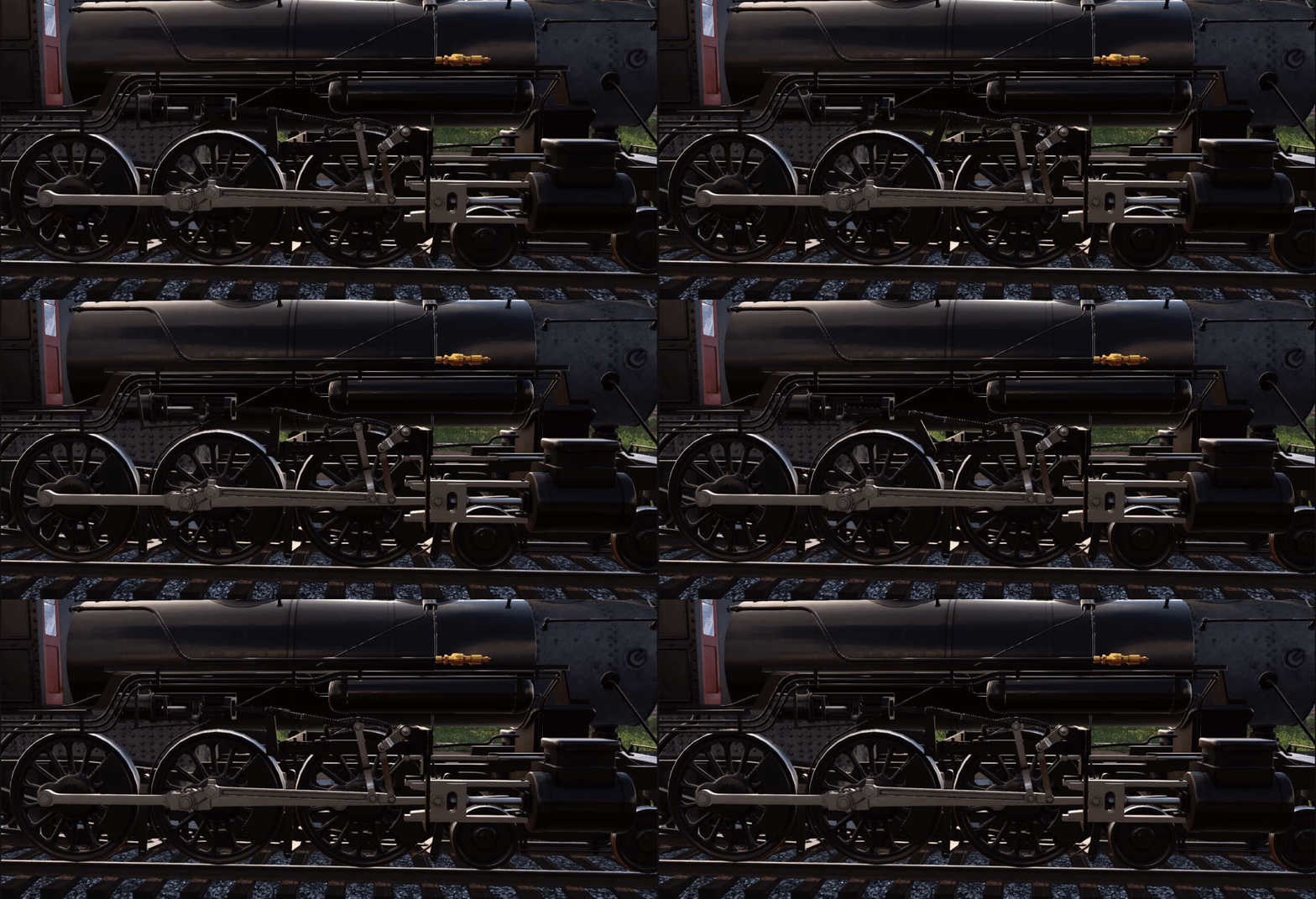
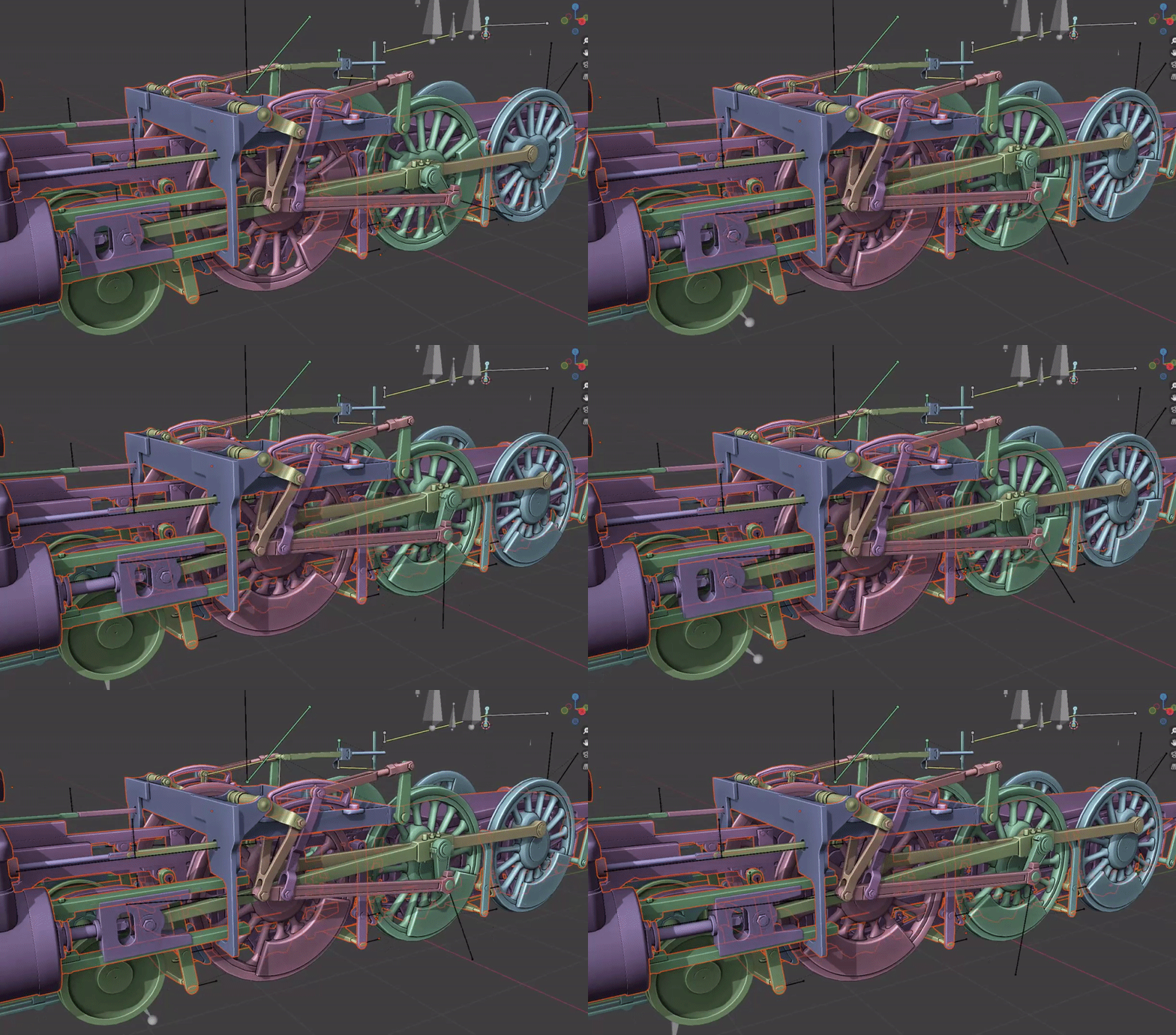
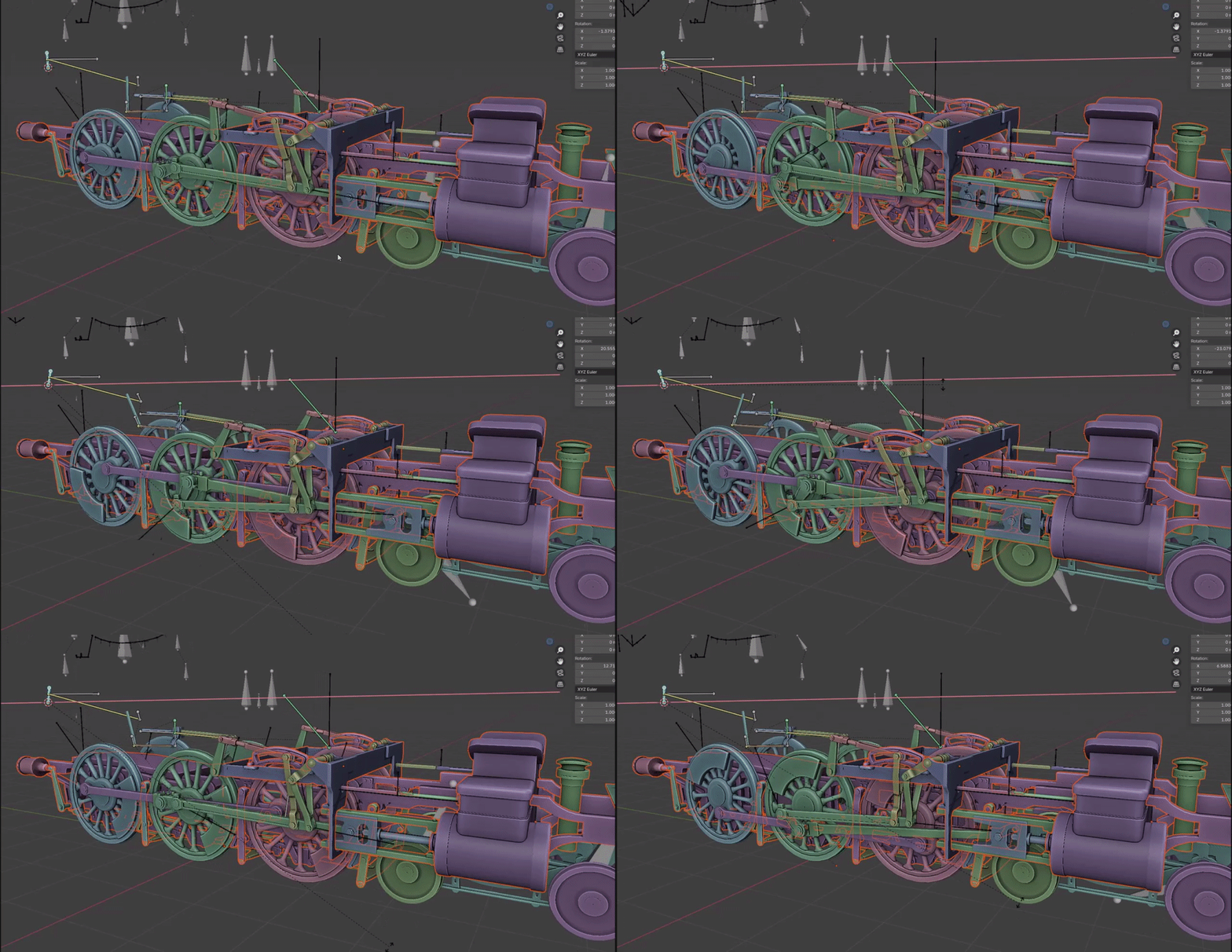
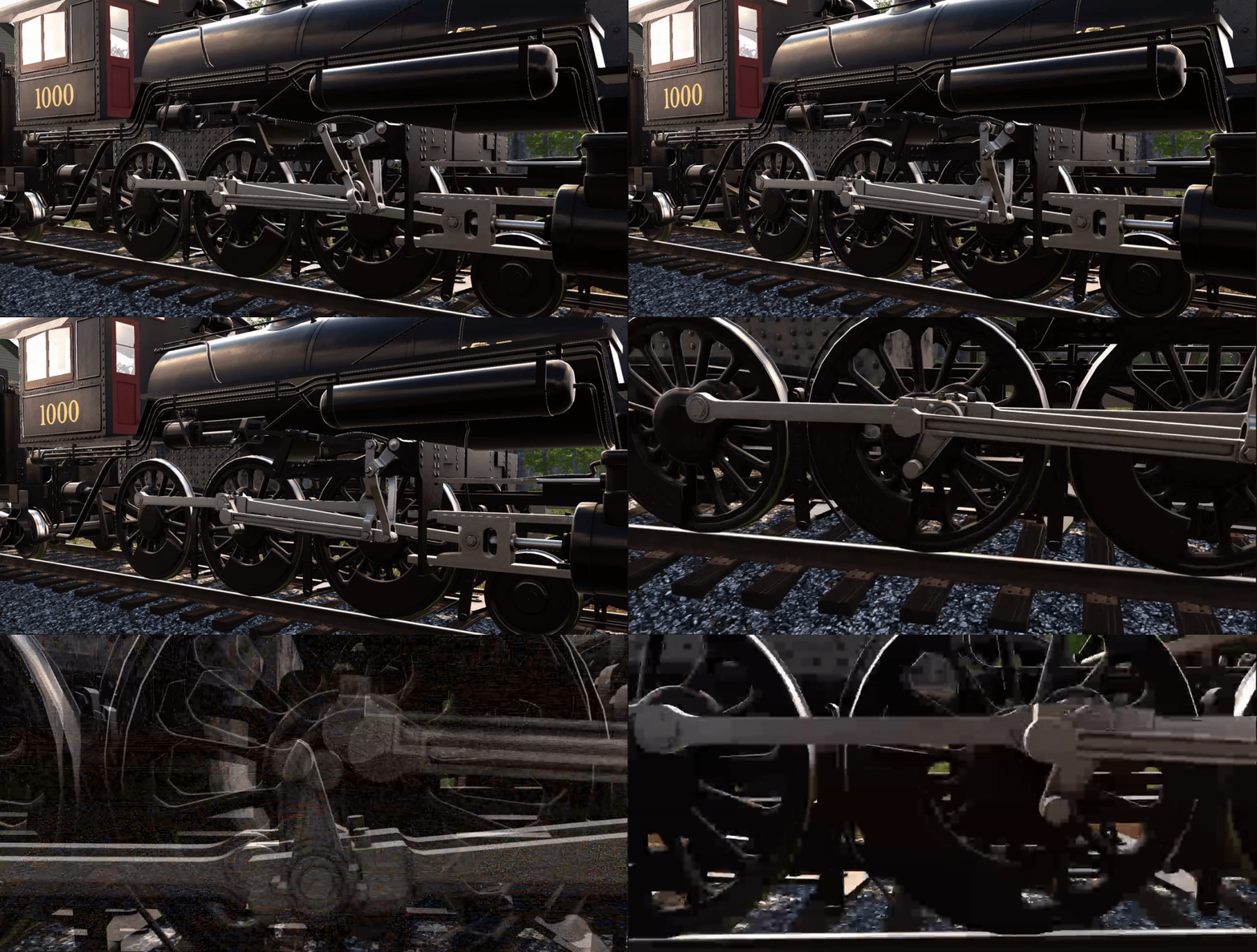
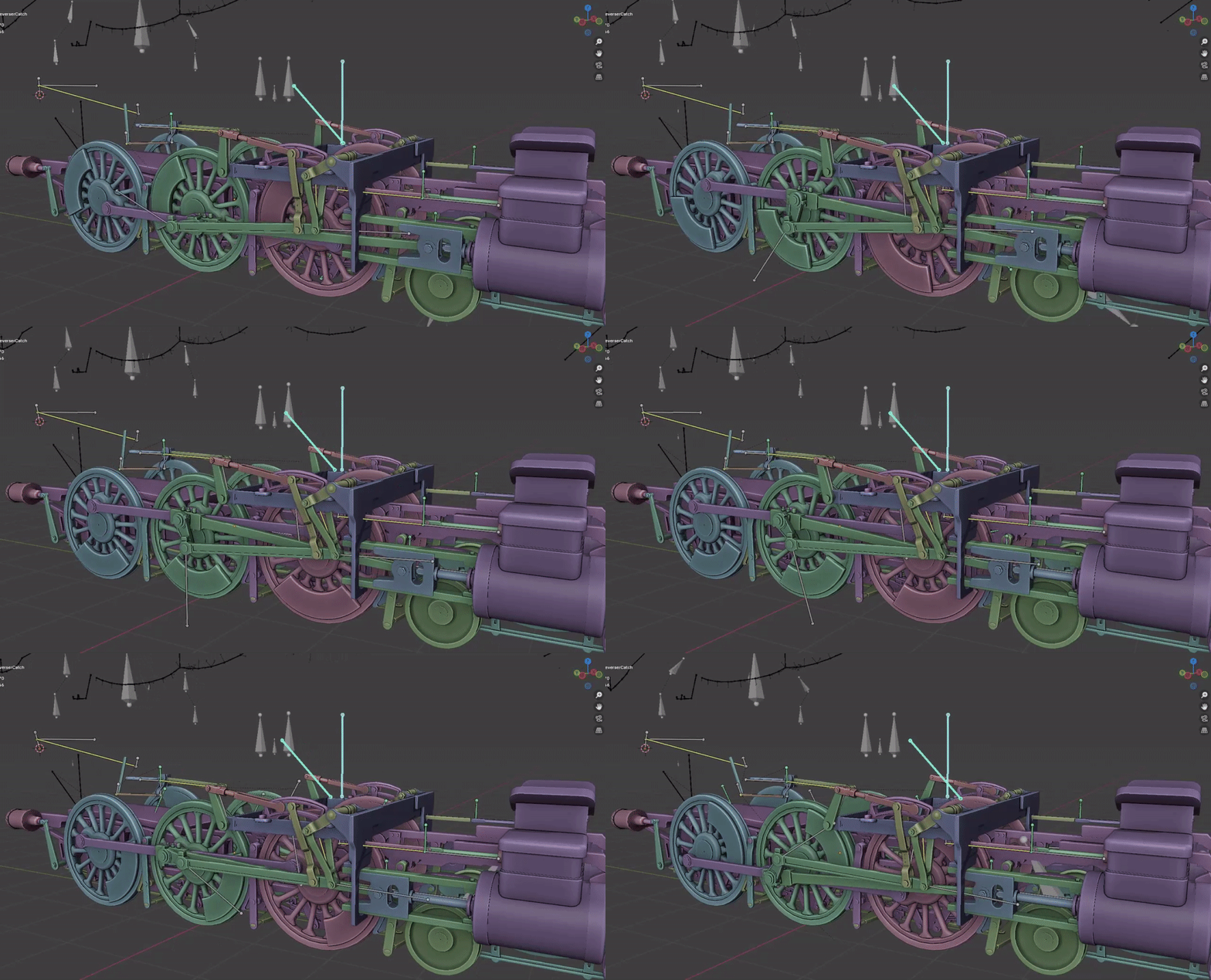
 charred belfry
twin musk
Equals condition when?
charred belfry
twin musk
Equals condition when?
If that's a float, then you shouldn't be using equality anyway
tacit hazel
Hello guys, does anyone know how to blend standard keyframe animation with 2 bone ik constraints (configured by using animation rigging package) in a way that foot follows it's animation movement with only it's height being adjusted according to terrain it is moving on? What I wan't is for foot's forward and side position to always follow anymation as it is recorded in keyframe, and just it's height to be adjusted to step over obstacles or position itself over them. When I set weight to 1 for IK so I could modify height, I lose information of where should my foot be positioned next frame (in x and z directions) since it snaps to my target position. I would like my target to follow animation and only interfere when necessary (when obstacle is detected) to adjust height. I can't accomplish this blend and was wondering if this is even the way to combine standard animation with IK because IK just overrides it?
https://www.youtube.com/watch?v=VXEk-TjsThI&t=98s&ab_channel=HoaxGames
Just in case I wasn't able to explain it clear, this is the blending that I was talking about (I ofc don't expect to be able to make something this good, just want to know how does this person's animation work together with IK and is not being overriden)

Get iStep - the next generation foot placement solution for Unity on the Unity Asset Store: https://assetstore.unity.com/packages/slug/215843
 stray pewter
of what Type is an individual sprite with a mesh from an imported .psb? can i swap that out using code by setting references and such?
 mint forum
Hello
 past dock
I have an animator, and I have 2 parameters (and int direction and boolean walking). When i change the parameters, the animation that plays repeatedly plays, causing it to just play the first frame over and over. Does anyone know hoe to fix this?
sterile vine
disable transition to self on the transition
twin musk
I dont get whats the difference between Animator's Update Mode: Fixed and boolean Update Physics
fast swan
twin musk
I dont get whats the difference between Animator's **Update Mode: Fixed** and bo...
I don't get what you don't get
robust perch
so anybody know what's the best way to control bones beyond the tip of an IK chain? Another IK chain or what?
 amber seal
Hello, I have a problem, I have a mouse character and Im trying to import it into Third Person Controller Package as the character, but I cant make it animate, I think the problem is this error, how I can fix it?

 low dust
why is it doing this
for some reason when the animation on the right gets put into the animator it does that in the scene
also there's no tweening going from the run to the idle anims
twin musk
My animation is not "showing" even though all the logic works, you can see the transitions on the right when I jump, walk but the animation itself is not running on my player, anybody know a solution?

 outer glacier
Anyone here down to help me learn some blend space animation transitions? I have trouble with the transition times and the order when putting the animations in. Any help would be appreciated.
amber seal
I have a problem when walking animation starts character stretchs
outer glacier
Crazy I posted at 3:55pm and all the other posts in here are unanswered problems as well lol. Great discord!
celest crag
outer glacier
Crazy I posted at 3:55pm and all the other posts in here are unanswered problems...
This is not a place to find tutors. If you have an actual question that can be answered then !ask it.
dusk valeBOT
:thinking: Asking Questions
:mag: Search the internet for your question!
:book: Use the API Scripting Reference and User Manual and this troubleshooting site for commonly posted issues.
:wrench: Attempt to debug your issue.
:thought_balloon: Find an appropriate channel by reading the name and description in #🔎┃find-a-channel
:grey_question: And don't ask to ask, ask a full question illustrating with screenshots if needed.
-# For more posting guidelines, go to #854851968446365696
celest crag
For learning materials check pinned messages.
 hidden badge
hey so i want to build a simple setup for my character and every time i try to record a pose it just uses this default crouch pose, but in edit mode its a T pose, how do i work from the T pose directly, because i cant see how or why this default foetal pose is useful, its just adding extra work
celest crag
You should illustrate the problem showing all the steps, so someone will be able to spot what's happening.
hidden badge
am i going to have to manually copy the values one by one to get a keyframe matching the imported asset transforms?

sure
this is how the model was imported
this is unity's default pose for a non animated model

pressing record switches to the default pose rather than maintaining the T pose, so i cant record the T pose

i just want to animate from the T pose directly, rather than having unity load up some foetal position to "help" me
not sure what else i can offer to make this clearer honestly
theres no steps taken, its just how unity seems to behave and i would like to know if theres a path i can take that doesnt include me manually pasting every single rotation value into the animation tab
reason is, i want to build my character around animation rigging, so its helpful to have the T pose as reference for camera positions and such, but play mode moves him down really far which makes no sense to me
agile solstice
hidden badge
this is unity's default pose for a non animated model
Not precisely
It's the default pose for a Humanoid character that has none or incompatible animation
Unity doesn't allow you to make Humanoid animations in the editor