#🏃┃animation
1 messages · Page 29 of 1
 elder vault
 runic fractal
Hey everyone, I have this animator property that's overriding the x position of the respective object. How can I prevent that from happening?

Or at least, how can I make it use Local Position vs global
Cuz that's essentially what the 0 is doing
 proud ember
Could there be a mask that excludes those bones?
runic fractal
How do you get the default value here?

 dire elm
hey, I made a dash ability for my character. But I'm facing a problem... its that the dash happens so fast that the animation can't keep up. Basically the dash finishes before the animation even starts.
I set it up from any state to the dash animation and the animation starts when two conditions are true isDashing and isMoving, with transition time set to zero.
Any ideas on how I can sync up the animation better with the dash?
 agile solstice
dire elm
hey, I made a dash ability for my character. But I'm facing a problem... its tha...
agile solstice
dire elm
hey, I made a dash ability for my character. But I'm facing a problem... its tha...
Even if transition time is zero, you may have a blend that adds visual delay
But if your dash animation includes a "wind up" part, even starting the animation instantly won't be fast enough
The animation would have to start from the character already mid-dash, which you switch to instantly
 mint verge
hello is anyone know how to fix this?
did i export it wrong?
in blender, the animation is fine
agile solstice
mint verge
hello is anyone know how to fix this?
did i export it wrong?
in blender, the ani...
It's not apparent what the problem is
mint verge
I imported it with a gun animation, but the gun is not moving in Unity.
dire elm
agile solstice
But if your dash animation includes a "wind up" part, even starting the animatio...
Sorry, but what do you mean by "The animation would have to start from the character already mid-dash" ?
agile solstice
dire elm
Sorry, but what do you mean by "The animation would have to start from the chara...
I'm not sure how to explain it better
If your dash is instant, the animation needs to switch as quickly or nearly as quickly to the dashing pose
Which is instantly
agile solstice
mint verge
I imported it with a gun animation, but the gun is not moving in Unity.
If the gun is a separate object, it'd have to be parented to the character's hand
@dire elm It may help if you can show the dash, the dash animation as well as the current transition to the dash animation
Otherwise I'm just guesstimating how it might be set up
dire elm
agile solstice
I'm not sure how to explain it better
If your dash is instant, the animation nee...
Alright I'll do that, brb.
Thank you.
mint verge
agile solstice
If the gun is a separate object, it'd have to be parented to the character's han...
so do i need to fix it in unity or blender?
agile solstice
mint verge
so do i need to fix it in unity or blender?
Probably in Unity but I have no idea what kind of object it is or how it was attached in Blender
If it was simply parented, it only needs to be parented again after importing
If it was rigged and weighted as a separate skinned mesh ...it should not have been
 elfin tiger
Hey, so is there any way to rebind these? I animated them when they werent in a parent and now i need them to be in a parent, but i dont want to redo the whole animation.
 agile solstice
elfin tiger
Hey, so is there any way to rebind these? I animated them when they werent in a ...
agile solstice
elfin tiger
Hey, so is there any way to rebind these? I animated them when they werent in a ...
You can rename them directly from the Animation window
As you would rename a file
With a slow double click, or click to select and F2
elfin tiger
ah thanks
elfin tiger
agile solstice
With a slow double click, or click to select and F2
oh wait, but i didin't rename them, i put them in a parent
that they werent in before
agile solstice
elfin tiger
oh wait, but i didin't rename them, i put them in a parent
"put" them in a parent?
 agile solstice
The name of the animated property is a direct path to a gameobject of that name with properties of that name, gameobject path and all
 elfin tiger
agile solstice
The name of the animated property is a direct path to a gameobject of that name ...
elfin tiger
agile solstice
The name of the animated property is a direct path to a gameobject of that name ...
ah alr then
ill see what i can do
it worked, thanks
elder vault
proud ember
Could there be a mask that excludes those bones?
I don't have any masks set up
runic fractal
Hey guys, any ideas on how the default value is set in the animator here?

 arctic sentinel
Anyone know why my Animation text is not showing up? The script works it the text just wont show up
 arctic sentinel
Nvm fixed it
 stuck sable
I'm not quite sure what's happening here. I have three animations I created in unity's animation clip creator, bobbing, spinning, and shrink/growing, but they're reacting inconsistently when switching between them. How do I make the image snap back to its original transforms when switching between them? Just add a key at the start of each animation that defines all transforms on its start?

Nevermind, I fixed it.
 dense magnet
Question: what are the tutorials or guid you all follow for skin weights ? (I use maya)
Also, I'm struggling to get a mixamo animation working with an Accurig rig.
Or a characters creator character. I'd love to know how you all are re-targeting your animations to different rigs.
 hybrid tinsel
Did you set the animator to Humanoid type in unity without explicitly including the hair bones maybe?
elder vault
hybrid tinsel
Did you set the animator to Humanoid type in unity without explicitly including ...
I set it to humanoid. How do I include the hair bones?
 primal moon
All my animation stopped working in my scene. However they are working in my other scene. I can't find out why.
I found out why my time scale got set to 0 randomly. Random Unity Editor bug.
hybrid tinsel
elder vault
I set it to humanoid. How do I include the hair bones?
You need to open the mask in the importer and explicitly include any extra bones
 elder vault
Thanks!
 storm galleon
I lost my animator states in the animator window lol
I am searching around for them left and right but it keeps infinitely going
agile solstice
storm galleon
I am searching around for them left and right but it keeps infinitely going
Press A over the Animator window to bring all states to view
(F to frame selected)
If they're totally gone, the UI is borked and you might need to restart the editor
storm galleon
ty ya i just reset my layout and it came back
 wild pagoda
Hi there! I have a character with a character controller and an Animator attached. There is just a single animation in the animator. Idle. The idle animation has all transforms baked in to pose. There is no script attached. The animator has apply root motion checked. I dont know why but it seems that if i combine a character controller with a apply root motion enabled, gravity comes from somewhere. I repeat, there is single animation and it has all transforms baked in to pose. Also changing based upon inside root transform position Y doesn't solve the problem. If I disable the character controller this doesnt happend, or if i disable apply root motion this doesnt happend. What is going on? Edit: also disabling bake into pose in root transform position Y seems to solve the problem. But if i dont want root motion to apply shouldnt i check this?
hybrid tinsel
wild pagoda
Hi there! I have a character with a character controller and an Animator attache...
is loop pose set for that animation?
 echo schooner
hello, I am new to unity and I cant find a way to use the animator, the Animator component is on the Player parent, I am using Avatar form the fbx file I created and the animation in it, when I test it ingame the animation is not showing but it shows the animation runtime in the Animator window


 sharp jetty
hey iam new to unity. i have .anim files and i need to export them to blender to edit. is there a way to do it?

 royal cradle
Hi everyone, I have a problem with the animation of my character, the "Player_Hurt" state works with all the other animations, except with "Player_Jump" because when I jump, from the beginning of the jump to the end, even if it gets hit and the animation starts and you can't see it because it seems to be overwritten by the jump animation. How can I solve this problem?

 agile solstice
royal cradle
Hi everyone, I have a problem with the animation of my character, the "Player_Hu...
agile solstice
royal cradle
Hi everyone, I have a problem with the animation of my character, the "Player_Hu...
Because Any State restarts the jumping immediately
Any State and Animator.Play() are both top priority overrides that interrupt the state machine to take precedence
You should ideally not use either
They will mislead you
royal cradle
mmm...ok
agile solstice
royal cradle
mmm...ok
If you want a bandaid solution, you'd have to make sure the condition from AnyState->Player_Jump meaning likely IsJumping will not stay true after the jump has been started
royal cradle
agile solstice
If you want a bandaid solution, you'd have to make sure the condition from `AnyS...
ok
royal cradle
agile solstice
If you want a bandaid solution, you'd have to make sure the condition from `AnyS...
I tried like this, I eliminated the transition from "Any State" and just added a transition from Idle to Jump with the condition IsJumping = true, it seems to work
 wild pagoda
hybrid tinsel
is loop pose set for that animation?
wild pagoda
hybrid tinsel
is loop pose set for that animation?
Yes
 dark tiger
hello
my problem is that it goes into the idle animation whe nchangin directions
how wuld u guys fix that
agile solstice
dark tiger
Your transition has a delay in the beginning
You can grab and move the blue ramp to the left so the blend begins immediately
You can also shorten it to reduce the duration of the blend
royal cradle
royal cradle
I tried like this, I eliminated the transition from "Any State" and just added a...
Can this be okay?
 neat quest
Is it kind of bug? i trought value cant be bigger than 1
 agile solstice
neat quest
Is it kind of bug? i trought value cant be bigger than 1
agile solstice
neat quest
Is it kind of bug? i trought value cant be bigger than 1
Looks like it can be
It can be a good thing to not be artificially limited to only the normalized range
agile solstice
royal cradle
Can this be okay?
Yes
If you want more effective and efficient animator state machines, I recommend to also utilize blend trees and animation layers in the future
idle and run or even idle, crouch and run can be combined within a blend tree
Hurt, jump or both could be on a separate animation layer
Those are just tools and how you use them comes down to preference and strategy, there are no singular correct answers
neat quest
agile solstice
Looks like it can be
It can be a good thing to not be artificially limited to o...
Well, the knob on slider is gone now
Or its bcs of animator.. idk, forgor
agile solstice
neat quest
Or its bcs of animator.. idk, forgor
I would imagine that sliders or other movable UI objects can't work right if the Animator is overriding their position
Whichever the case make sure to also test animations in Play mode
neat quest
agile solstice
I would imagine that sliders or other movable UI objects can't work right if the...
I did, it worked normaly, but i dont like using bugs cuz... they may get worse or patched on new unity versions
agile solstice
neat quest
I did, it worked normaly, but i dont like using bugs cuz... they may get worse o...
What unity version are you using?
neat quest
agile solstice
What unity version are you using?
2022.3.20f1
LTS if im not wrong
I planned to move to unity 6 when LTS will out
 charred wraith
can anyone tell me where can i find any in depth detailed full course video of 3d character controller?? you know how to make a character move and how to apply the animations and other movements and stuff in unity...
i want to learn really complex movements and animations too
agile solstice
charred wraith
i want to learn really complex movements and animations too
What do you mean by complex movements, precisely?
charred wraith
agile solstice
What do you mean by complex movements, precisely?
you know animating to the finest details
i dont know how to say it lol
you know almost like MoCap
doing stunts and stuff
agile solstice
charred wraith
you know animating to the finest details
I'm not sure what that could refer to
Do you have more examples?
charred wraith
agile solstice
I'm not sure what that could refer to
Do you have more examples?
like i said motion capture like animation and stunts animations
agile solstice
There are a few different animation techniques, but they can all be used for rough and fine animations both, depending how much effort you want to put in
charred wraith
from basic walking to parkour kinda stuff
agile solstice
MoCap is one such technique
I think you might need an industrial-grade recording setup to be able to mocap parkour
Or some very creative application of hobbyist devices
The fidelity of mocap animations is mostly restricted to the capability of your recording equipment
Cheap motion capture devices can easily lose your position with fast or unpredictable movements, and are usually restricted to a small space which makes running and leaping difficult
It's possible that phone cameras and video to animation apps might be good enough that you could record yourself doing parkour outside and get something useful out of it, but I can't say how feasible that is
charred wraith
but after that u know
the coding and stuff
im looking for that
i want to make smooth transition and for that i dont know how to do it
agile solstice
charred wraith
the coding and stuff
Every game has different needs for both movement and animation code so it's pretty hard to make any comprehensive guides about it
charred wraith
ooh
agile solstice
Smooth transitions can be done by using the Animator, with transitions that have blending, blend trees and/or animation layers
charred wraith
but is there any video made for that?
agile solstice
charred wraith
but is there any video made for that?
Introduction to Animator:
https://youtu.be/vApG8aYD5aI
Animation Transitions:
https://youtu.be/FF6kezDQZ7s
charred wraith
agile solstice
Introduction to Animator:
<https://youtu.be/vApG8aYD5aI>
Animation Transitions:
...
Thank youuuu
 dreamy quiver
The above model I downloaded from grab cad hence I want to write the script for conveyor movement in unity.
Can any one help?
 agile solstice
dreamy quiver
The above model I downloaded from grab cad hence I want to write the script for ...
agile solstice
dreamy quiver
The above model I downloaded from grab cad hence I want to write the script for ...
What should the script exactly do
Prefer to share screenshots instead of photos
dreamy quiver
That conveyor should rotate along the path
agile solstice
dreamy quiver
That conveyor should rotate along the path
It looks like a solid mesh with no rigging
If so, it can't be animated with Animation tools
It might have to use a scrolling texture instead
echo schooner
can I use a variable for walking speed for a transition condition?
agile solstice
echo schooner
can I use a variable for walking speed for a transition condition?
Yes
royal cradle
agile solstice
Yes
If you want more effective and efficient animator state machines, I recommen...
thanks for the reply and advice, I didn't want to do anything complicated for my first game
 gilded shard
Hi all, I'm trying to make a shooting gallery where you shoot targets and each target causes things to move. In this case, the wheel is supposed to spin whenever the target is hit. I'm new to unity, and I'm stuck at a dead end trrying to figure out how to get the controller to work. Can someone help me figure out what I'm supposed to do?
 agile solstice
gilded shard
Hi all, I'm trying to make a shooting gallery where you shoot targets and each t...
agile solstice
gilded shard
Hi all, I'm trying to make a shooting gallery where you shoot targets and each t...
Are you setting the Hit trigger on that specific Animator in code?
Console bar is cropped out so it's not visible if you have any errors
If you ever need to change the rotational velocity of a spinning thing, such as re-spinning it when it's spinning, it's much better to use coded rotation instead of animations in that situation in my opinion
But if rotations aren't allowed to stack it doesn't matter
gilded shard
agile solstice
Are you setting the Hit trigger on that specific Animator in code?
yes, I'm trying to set it up to where I can duplicate targets and assign an animation of any model to the target I have it detecting the target but not really doing anything with the animation
I have this down to try to trigger an animation
 agile solstice
gilded shard
yes, I'm trying to set it up to where I can duplicate targets and assign an anim...
agile solstice
gilded shard
yes, I'm trying to set it up to where I can duplicate targets and assign an anim...
I can't comprehend what this means
"but not really doing anything with the animation"? Why access an animator if you don't want it to do anything?
agile solstice
gilded shard
Based on the components shown, you don't have an Animator on that gameobject so the SetTrigger is not called
gilded shard
agile solstice
I can't comprehend what this means
"but not really doing anything with the anima...
I mean as in, its not doing anything.
gilded shard
agile solstice
Based on the components shown, you don't have an Animator on that gameobject so ...
Should I set the animator to the target that has the script instead of for the model?
agile solstice
gilded shard
Should I set the animator to the target that has the script instead of for the m...
If it doesn't change the animation setup at all, why not
I would instead give the script a reference to the Animator with the inspector rather than use GetComponent
gilded shard
alright, how would I go about that? I was following a tutorial, and I'm still learning
like what would I change getcomponent to?
echo schooner
agile solstice
Yes
i cant find the options it only lets me choose the type
agile solstice
gilded shard
like what would I change getcomponent to?
Remove it entirely
If your targetAnimator is public or has [SerializeField] you can drag&drop the gameobject with the Animator to the targetAnimator field in the inspector
agile solstice
echo schooner
i cant find the options it only lets me choose the type
Only lets you choose the type where? What precisely are you trying to do
You can use any parameter as a condition for any transition
echo schooner
agile solstice
Only lets you choose the type where? What precisely are you trying to do
to have a variable as the condition

 agile solstice
echo schooner
to have a variable as the condition
agile solstice
echo schooner
to have a variable as the condition
You already have it, do you not?
All four of those are variable types
Your speed is a float variable, and a condition for the transition
echo schooner
if I name it as my variable for movement speed would it work?
agile solstice
echo schooner
if I name it as my variable for movement speed would it work?
I'm a bit confused but I would figure that you either have a misunderstanding of what "variable" means, or you're actually looking for the information how to set that Parameter to match your speed variable that you have in a script
echo schooner
agile solstice
I'm a bit confused but I would figure that you either have a misunderstanding of...
This speed variable that is already set as a condition doesnt change when i move around, I am looking for a way to track my speed so the transitions will work when I move around
agile solstice
echo schooner
This speed variable that is already set as a condition doesnt change when i move...
Are you setting your animator "Speed" parameter in your script?
Since it's a float you'd need the Animator.SetFloat() method
gilded shard
agile solstice
Remove it entirely
If your `targetAnimator` is public or has `[SerializeField]` ...
oml it worked thank you so much!!
 faint adder
Hey everyone, I've got an issue when tryna switch from an idle to move animation. Whenever I try to move it swaps animations perfectly but doesnt actually let me move. I hit the "apply root motion" box which fixes the movement issue but makes it so that it doesnt properly switch to the move animation. Now it just stops playing any animation for the move animation. Any ideas? Thanks


 hybrid tinsel
faint adder
Hey everyone, I've got an issue when tryna switch from an idle to move animation...
hybrid tinsel
faint adder
Hey everyone, I've got an issue when tryna switch from an idle to move animation...
Not quite sure what you mean; can you try rephrasing?
faint adder
hybrid tinsel
Not quite sure what you mean; can you try rephrasing?
Yeah, sorry for being unclear. The new issue is that whenever I don’t move, the idle animation plays. But whenever I DO move it stops playing the idle animation and doesn’t play any at all.
hybrid tinsel
faint adder
Yeah, sorry for being unclear. The new issue is that whenever I don’t move, the ...
As a test, if you have just the move state on its own, does it play properly?
 open kraken
In need of some of some advice in regards to setting up an animation controller
I'm having issues getting my kick animations to properly play, it plays the first frame of the animation before just defaulting to another animation, I'm guessing it's due to them all being connected to the any state state allowing other animations to play while the kicking animation plays
I tried fixing this by adding a bool in the script which determines which animation triggers to activate and only having it turn off after it exits the state with the kick animation attached but that didn't seem to fix it either
Any suggestions on how I could fix it?


 agile solstice
open kraken
In need of some of some advice in regards to setting up an animation controller
...
agile solstice
open kraken
In need of some of some advice in regards to setting up an animation controller
...
There are some issues here
I don't know where to begin
open kraken
Well what's the biggest one to start?
agile solstice
open kraken
Well what's the biggest one to start?
Don't use Any State, prefarably at all
You've basically tried to hack together a very sloppy state machine of your own with all those if statements because Any State prevents your animator from being a proper state machine
open kraken
👍 Alright then
agile solstice
Your custom StateMachineBehaviour is also a bandaid solution to using Parameters wrong, and again because Any State attempts to constantly to take precedence over every other state
You shouldn't control parameters from states themselves either
At least not until you know how the animator is meant to be used
Any State should be used very sparsely because it's basically an "emergency override" to the state machine's state flow
So, it's fine for a state that should take absolute interruption priority, like a death state
But not many else
open kraken
👍 K
agile solstice
open kraken
👍 K
Are your animations bone animations or sprite animations?
open kraken
agile solstice
Are your animations bone animations or sprite animations?
sprite animations
faint adder
hybrid tinsel
As a test, if you have just the move state on its own, does it play properly?
I’ve played the move animation in the animation window, if that’s what you mean.
agile solstice
open kraken
sprite animations
Then you do not practically benefit from Animator's features like blending or layers, so you might not need the Animator states at all
What you're doing here is calling specific animations from code while jumping through a lot of hoops doing so
It'd be simpler to just call the specific animations to play directly
open kraken
agile solstice
Then you do not practically benefit from Animator's features like blending or la...
I'll look into that thanks
agile solstice
open kraken
I'll look into that thanks
There are some clickbaity tutorials like "avoid animator hell" which walk you through creating your own finite state machine to play animator animations directly from code
Which is kind of silly because the Animator is a state machine to begin with, but it might be what you're looking to do anyway
The Animator funnels you into using parameters instead because that workflow helps in creating complex and natural animation blending, but can feel like a hindrance when you just want to play an animation no bells or whistles
 crimson wing
hey guys i need some help. i dont find the "play on awake" button so it does not play on awake. Im trying to make an elevator-ish. So when you touch a button it makes a ontriggerenter, compare tag, animator.play but neither the animation plays when touching the button and i dont find the play on awake

 agile solstice
crimson wing
hey guys i need some help. i dont find the "play on awake" button so it does not...
agile solstice
crimson wing
hey guys i need some help. i dont find the "play on awake" button so it does not...
"Play on awake" is a thing for audio, not animation
Make an empty state to be the entry state
crimson wing
agile solstice
"Play on awake" is a thing for audio, not animation
Make an empty state to be th...
you 100% sure? i swear i saw it once.
agile solstice
crimson wing
you 100% sure? i swear i saw it once.
I do believe so
crimson wing
btw by new state you mean like this?
 agile solstice
crimson wing
btw by new state you mean like this?
agile solstice
crimson wing
btw by new state you mean like this?
Yes, you can right click it and set it as entry state
crimson wing
can i ask why we do that?
agile solstice
crimson wing
can i ask why we do that?
The Animator must always be playing a state, so to not play a state is to be playing an empty state
hybrid tinsel
crimson wing
you 100% sure? i swear i saw it once.
You are thinking of legacy animation, probably
hybrid tinsel
faint adder
I’ve played the move animation in the animation window, if that’s what you mean.
No, I mean if you have that state and manually set it to be the one playing with no transitions does it work
faint adder
hybrid tinsel
No, I mean if you have that state and manually set it to be the one playing with...
Ill check
faint adder
hybrid tinsel
No, I mean if you have that state and manually set it to be the one playing with...
Tried it, it doesnt play any animation. Did I set something up wrong?
agile solstice
hybrid tinsel
You are thinking of legacy animation, probably
That one does have "Play Automatically"
hybrid tinsel
faint adder
Tried it, it doesnt play any animation. Did I set something up wrong?
Sounds like something isn't right, but we're narrowing it down!
If you recreate that state by dragging the animation into the animator window, see if that works?
And uust to confirm, same type of animation in all animations? (Humanoid/generic/legacy)
faint adder
hybrid tinsel
If you recreate that state by dragging the animation into the animator window, ...
Sorry for slow response. It doesnt change anything and yes they should be the same kind
hybrid tinsel
They definitely should be, yes, but ARE they?
Could you try making a fresh animator with nothing but that animation in it and see if THAT works as expected?
faint adder
hybrid tinsel
Could you try making a fresh animator with nothing but that animation in it and ...
lol it randomly start working again. So yeah. Thanks for the help!
 fossil hill
There is no way of like from the same animator layer to play two animations at the same time right?
Like let's say I want the same exact logic to apply up to that point; that would need to be done on a different layer right?
hybrid tinsel
fossil hill
Like let's say I want the same exact logic to apply up to that point; that would...
You can use a synced layer with different animations?
fossil hill
hybrid tinsel
You can use a synced layer with different animations?
What? How?
hybrid tinsel
You create a sync layer, and change the animations. Sync only controls the states, not the animations.
fossil hill
How do I make a sync layer? What is that?
hybrid tinsel
Like this
 fossil hill
Oh, and that is just telling me the state but not playing any animation on its own?
fossil hill
hybrid tinsel
But synced to the ither later
But like... wouldn't that play the animations twice?
hybrid tinsel
Maybe you should quickly read over that section of the manual, 'cause I don't wanna paste the whole page
fossil hill
hybrid tinsel
Maybe you should quickly read over that section of the manual, 'cause I don't w...
I am an active learner, reading 10 pages of the manual is not gonna do shit for me if I don't apply it immediately in a practical case. Like how many pages is that? Do you expect me to remember once I get to it?
hybrid tinsel
So you will 'actively learn' better from my copypasting the text to you in a fucking discord channel? You are in the process of asking me, piece by piece, every line of that page of the manual.
 fossil hill
hybrid tinsel
So you will 'actively learn' better from my copypasting the text to you in a fuc...
fossil hill
hybrid tinsel
So you will 'actively learn' better from my copypasting the text to you in a fuc...
Or you could just have answered with https://docs.unity3d.com/540/Documentation/Manual/AnimationLayers.html and I would know exactly what you are referring to on single line. After all pretty sure most questions here could be answered with: "search for a obscure part on the manual you didn't even know existed".
The Unity Manual helps you learn and use the Unity engine. With the Unity engine you can create 2D and 3D games, apps and experiences.
But thanks anyway, I appreciate the help nontheless
On another note. I am trying to sync an animation with a Particle System; activating it on a given frame to see how they look together, but is kinda messy cause when the particle system gets activated on the editor instead of playing automatically, it just pops up the particle system gizmo and I have to play it manually from there. Is there a way to tell it to play automatically when active or I have to go all trial and error on play mode?

 rapid summit
Hello! Do you know any good guide about pixel art animation? I've got many 64x64 characters but I really struggle to even make an idle animation...
 mellow zealot
Hi, friends!
having this awkward-to-describe issue with the Animation Rigging Package, version 1.2.1, on Unity 2022.3.4f1
Moving the player and then moving the mouse to look around causes the entire rig to "jump" about, for lack of a better term. I've not been able to find anything at all about this issue online, but if anyone knows how to prevent this from happening, i'd be very appreciative
It seems to be when certain transforms are stationary for a while in a Rig hierarchy, they jump like this when they start moving again
mellow zealot
This is for a university project so I'd appreciate the help a lot if someone has faced this before and fixed it ^^,
mellow zealot
I thought I should also mention, this issue has been persistent for a really long time
currently going to figure out if this issue persists in newer versions of the package
 twin musk
guys idk how to fix it i've been trying for like 1 hour after my animation ends it makes the head tilt left and right if i look left and right, but if the animations dont play it doesnt do that
hybrid tinsel
mellow zealot
I thought I should also mention, this issue has been persistent for a *really* l...
Are you able to replicate it in a simpler scene? Are you using cinemachine?
hybrid tinsel
twin musk
guys idk how to fix it i've been trying for like 1 hour after my animation ends ...
Is that not what looking left and right is supposed to do...? Can you rephrase, or at least explain just what is supposed to be happening?
mellow zealot
hybrid tinsel
Are you able to replicate it in a simpler scene? Are you using cinemachine?
I'm using cinemachine, yeah
and the issue is present in every scene, in every project I use Animation Rigging for
I might have a bit of time tomorrow to get some more clips of it
 delicate spindle
Hi,
I'm having an issue with Animation Rigging. When I try to use it with a multi-aim constraint, I'm getting these errors:
Could not resolve 'Root/TargetTracking/HeadTracking' because it is not a child Transform in the Animator hierarchy.
UnityEditor.AnimationMode:SamplePlayableGraph (UnityEngine.Playables.PlayableGraph,int,single)
UnityEditorInternal.AnimationWindowControl:ResampleAnimation (UnityEditorInternal.AnimationWindowControl/ResampleFlags)
UnityEditorInternal.AnimationWindowControl:PostprocessAnimationRecordingModifications (UnityEditor.UndoPropertyModification[])
UnityEditor.Undo:InvokePostprocessModifications (UnityEditor.UndoPropertyModification[])
Could not resolve 'Customer1/LookTarget' because it is not a child Transform in the Animator hierarchy.
UnityEngine.GUIUtility:ProcessEvent (int,intptr,bool&)
hybrid tinsel
delicate spindle
Hi,
I'm having an issue with Animation Rigging. When I try to use it with a mul...
ARE those transforms children of the animator hierarchy?
hybrid tinsel
mellow zealot
and the issue is present in every scene, in every project I use Animation Riggin...
Does it still happen when not using cinemachine? Just trying to narrow down the possible interactions. And what kind of movement script is it? Using physics, or...?
delicate spindle
It's bug in unity, when use nested prefab.
 frail mist
Can I make Unity's Animation Controller stop scrolling the window to top when updating the layer settings?
I didn't found solution online, maybe my keyword is wrong...
frail mist
frail mist
### Can I make Unity's `Animation Controller` stop scrolling the window to top w...
So, someone did recommend me some of them!
I will try RATS first since it's free, other two i will consider
RATS |Free [And it works, Nice!]
MACS |10$~20$
Controller Editor |20$
But Feel free to provide more tool!
frail mist
frail mist
So, someone did recommend me some of them!
---
I will try RATS first since it's ...
And remember, before clicking into any Link in discord
consider hover your mouse on link for a bit, for it's real URL
Because we can fake the Text and real URL in Discord and in webpage.
 mellow zealot
hybrid tinsel
Does it still happen when not using cinemachine? Just trying to narrow down the ...
mellow zealot
hybrid tinsel
Does it still happen when not using cinemachine? Just trying to narrow down the ...
moving via rigidbody forces.
I'll try without cinemachine shortly
twin musk
hybrid tinsel
Is that not what looking left and right is supposed to do...? Can you rephrase, ...
i solved it
 blazing narwhal
Hello, I would like to make an animated sequence: character moves from A to B on a path and then presses a button, everything using Timeline.
I am not sure how to do walk on path part - are there any extensions (track extensions) that would allow me to do it? I need something flexible
mellow zealot
okay yeah @hybrid tinsel its a cinemachine issue, thank you for the assistance (questioning cinemachine)
hybrid tinsel
blazing narwhal
Hello, I would like to make an animated sequence: character moves from A to B on...
The CinemachineDollyCart script should do it
 ivory badge
https://fxtwitter.com/Rest4ck/status/1786032907758506222
I made some character animations for a project i've been working on. I have no problem exporting them from maya and importing them into unity, the big issue for me is that only data taken from the rig (bones and joints) themselves are carried over into unity. This means that all the planes with swapping textures (done via UV offsets) like the eyes, claws, etc are stuck on their default textures. Does anyone know a relatively easy/convenient way to manually add the UV offset animations into unity? This has been a big headache for me for the past month

Enemy Rig and Idle Animations Showcase
ivory badge
The entire character uses one sprite sheet. Its possible i could have went with separating the textures into different individual materials, apparently swapping materials for texture animations is easier, but from what i understand that uses more performance relative to uv offsets/texture offsets. Also the fact the textures are pretty high res and there could be multiple different characters on screen at one time doesn't make that the most viable option...

 solar tangle
Would someone mind helping me with adding my animations to my player model, I have a prefab that i want to follow but with my own models and animations
 burnt cove
hi im pretty new to animations but im trying to set up a simple idle, walk, jump and fall animation for my player character.
everything was done but then when i land after a jump, the jumping animation breifly plays then its back to idle animation. its just supposed to go straight to the idle animation after landing. anyone know a fix?
 lofty tree
lofty tree
lofty tree
nvm fixed it
solar tangle
Im looking for animators for hire, Not nig projects like that but send a PM if interested
 spare quarry
why does this happen when I apply an animation to my character?

nvm I forgot to set the rig type to humanoid
 elder remnant
Heyo im not sure if anyone else has had this issue (I am very much a beginner): I’m making a 2D game and for whatever reason, there is a weird vertical offset between 2 of my character animations. It’s like the collider is acting REAAAAALLY differently for each animation. I’ve tried manually editing the collider for each animation but it’s still really weird, I have no idea how to approach this. The gravity is working fine otherwise and I haven’t set it in the code or anything as of yet
 jovial shell
does your character seem to lift off the ground when changing animations?
elder remnant
They’re lifted off the ground when idle but are on the ground when running
jovial shell
this might be an issue with your sprite not the collider, so the sprite is rendering higher up
try checking the anchor point for your sprites in the sprite editor and comparing both animations
the anchor point is the blue dot in the centre of each image in the sprite editor
elder remnant
jovial shell
the anchor point is the blue dot in the centre of each image in the sprite edito...
OMG….. you were right holy crap thank you so so much 😭😭😭 the sprites sliced differently which caused the different anchor points, I def could not have figured that out on my own
jovial shell
ive had the same issues in the past 😭 glad i could help
hybrid tinsel
ivory badge
https://fxtwitter.com/Rest4ck/status/1786032907758506222
I made some character a...
First off, super cute character!
So this is using a meshrenderer rather than a spriterenderer, correct? If that's the case, unity's sprite swapping tools won't work. There are a few options, though.
You could, instead of using offset textures, use different textured planes for each frame and switch between them.
You could copy the uv offsets to a hidden bone and then use that bone to drive the uv offset via script.
You could write script to convert the uv animation data to unity keyframes directly.
You could also create sprites for just the flipbooks and attach them to the bones, if they don't need to deform
ivory badge
hybrid tinsel
First off, super cute character!
So this is using a meshrenderer rather than a ...
i've dabbled in trying to implement your first suggestion, but having so many planes on a single character becomes messy and cumbersome fast, especially with how much i'm going to be animating my characters
i've tried doing the second option and it seems good, i'm just not the best at programming in unity and was unable to get it working, i'm more of the 3d/2d artist on my project
the third option would be ideal but i have no idea how i'd figure that out on my own lol
 devout rock
Where would I do that?
hybrid tinsel
devout rock
Where would I do that?
 twin musk
rapid summit
Hello! Do you know any good guide about pixel art animation? I've got many 64x64...
twin musk
rapid summit
Hello! Do you know any good guide about pixel art animation? I've got many 64x64...

In this video I share with you how to animate pixel art characters and take you step by step on my pixel art animation process in Aseprite. Hopefully this pixel art animation tutorial will help you bring your own ideas to life! :o)
#pixelart #animation #pixelartanimation #tutorial #aseprite
SOCIAL LINKS --------
Support Me On Patreon - https://...
maybe this could help
 thorn gate
hi, how can I have my progress in an animation be controlled by a parameter? I have a meleecharge float parameter in my animation controller that is a value between 0 and 1. And I want the animation to be 50% done when that charge parameter is 0.5. Even if it means stopping the animation half way through I want the progress to be controlled by this parameter. How can I achieve this? I'm really struggling
burnt cove
is there a difference between 2d and topdown 2d animation? if i had a pack ready for 2d movment animation and i wanted to use it in a topdown 2d game, would it work or not?
(is the player walking up or down new animation sets or is it just the same as left and right, just rotated?)
 rugged canopy
any idea why player always tilting to the left when ADS?
 wide vapor
Is it possible to change bools in the animator inside of an animation
These

in here

 zealous onyx

 wide vapor
These
wide vapor
wide vapor
These
ok new question is there any way to change Animator bools anywhere else besides scripts
 sterile olive
Hey I'm having some troubles Combining animations through Layers. Is there anyone who could help me?
Right now I'm trying to create the classic blend between Run and Shooting animations, but for some reason I'm not noticing yet, the character animations star doing strange things like this


 lean kindle
I'm trying to make the transition between these instant, but I cannot manage to do that. (I'm dumb) can anyone see what I'm doing wrong?
Taking the clothes off takes about 2.5 seconds after the animation starts, and putting them back on takes like .8 seconds


The animations are 1 frame active toggles
So theres something wrong with this animator setup
lean kindle
^^^ fixed by the lovely people of vrchat
hybrid tinsel
sterile olive
Hey I'm having some troubles Combining animations through Layers. Is there anyon...
Because it should probably be override instead of additive?
sterile olive
hybrid tinsel
Because it should probably be override instead of additive?
I already try it, basically it doesn't work if I make it override
hybrid tinsel
That isn't very descriptive
sterile olive
my mistake. I mean that the blending between animations doesn't work at all if I change the blending mode to override and with weight in 1.
at this time, the only thing that has worked is by setting the blending mode to override with 0.5 of weight value. The thing with this solution is that mess the other animations from the character
 rapid summit
twin musk
https://www.youtube.com/watch?v=iWvfaiiVuDI
rapid summit
twin musk
https://www.youtube.com/watch?v=iWvfaiiVuDI
Thanks, I already watched this one, but I still struggle to achieve as my sprites are more detailed than the simple examples given in the video. I was also wondering if there are actual examples somewhere of a 64x64 animated character
hybrid tinsel
sterile olive
my mistake. I mean that the blending between animations doesn't work at all if I...
humanoid bones not letting you mask the spine can be a real pain in the ass.
 remote condor
How can I revert back to the iddle state after using a trigger?
here is the code (very simple, I'm just testing the shoot animation)
https://gdl.space/uhupegikom.cpp
and here is the animator (the circle one is the animation that I trigger when I press Q

I guess I could use a bool that goes back to false afte 0.5 secs, but I'm sure there are easier ways
hybrid tinsel
remote condor
I guess I could use a bool that goes back to false afte 0.5 secs, but I'm sure t...
Just add a return transition with no conditions, that has an appropriate exit time?
 still wind
any good drawing tablet recommendations under 250 usd?
remote condor
hybrid tinsel
Just add a return transition with no conditions, that has an appropriate exit ti...
That was it, thanks!
 swift tide
So I have a bipedal character that when shot should play an additive flinch animation by rotating the torso through an animation clip. When I rotate the torso from the flinch it moves the legs, so I want to use Animation Rigging IK to make the legs stick, however the IK will always be applied after the animation pose is done. In Unreal I could apply the cache the pose before the additive flinch, then use that pose to apply the IK. How would I do it with Animation Rigging?
dark tiger
guys whats the best way to add animations for multiple weapon classes
dense magnet
Hey! So, I am using a mixamo rig and I am trying to add actorcore animations and use the mixamo avatar rig. But I am getting the following:
Rig Error: Copied Avatar Rig Configuration mis-match. Transform hierarchy does not match:
Transform 'mixamorig:Hips' for human bone 'Hips' not found
Now I understand why I am getting the issu7e, however I am wondering what are the workflows to get ANY animations bought or made working with mixamo rig.
hybrid tinsel
dense magnet
Now I understand why I am getting the issu7e, however I am wondering what are th...
You need to set up the humanoid avatar for each hierarchy, then unity can remap between them
dense magnet
hybrid tinsel
You need to set up the humanoid avatar for each hierarchy, then unity can remap ...
So have an avatar for mixamo, avatar for ActorCore , and say one for anythingWorld.
each avatar being unique to the rig ?
hybrid tinsel
Yes.
dense magnet
ah. okay. Can I read up about his somwhere? I was trying to keep my avatars to one per character .
hybrid tinsel
Different rig(even if it is only different names) means you need a different avatar.
Has nothing to do with the character. The avatar is how unity figures out hiw the data converts to and frim the humanoid format
So you can reuse avatars only when the inoming data formatting matches
dense magnet
so all anims coming from a certain point needs it's own avatar. Cool.
alright
thanks a bunch!!
dense magnet
hybrid tinsel
Different rig(even if it is only different names) means you need a different ava...
last question, how do you group your avatars? I have my character mesh with the mixamo avatar in it, and the new avatar from actorcore was just an animation without a skin. DO you just leave it with the animations or do you group your actors ? also, naming . WOuld it be Mixamo_Avatar , ActorCore-Avatar and so on?
hybrid tinsel
dense magnet
last question, how do you group your avatars? I have my character mesh with the ...
I generally leave them with the source file. Since you pretty much never need to reference them except when setting up your import options.
dense magnet
hybrid tinsel
I generally leave them with the source file. Since you pretty much never need to...
by source file I assume you just leave them with the first animations you import that is a different rig
hybrid tinsel
Either that or in the root of the directory where all the animation files that share the same avatar are.
Since the avatar files don't actually get exported into the built game, it doesn't really matter other than for convenience.
dense magnet
hybrid tinsel
Since the avatar files don't actually get exported into the built game, it doesn...
You are pretty cool! Thanks for your help!!
 clear garnet
Hey! I´m trying to animate my character to make it jump, but when i try to select the avatar as the source it says "none" even though I have my Mixamo model in my assets file, I dont know why its not showing up... any help greatly appreciated💛
 hybrid tinsel
clear garnet
Hey! I´m trying to animate my character to make it jump, but when i try to selec...
hybrid tinsel
clear garnet
Hey! I´m trying to animate my character to make it jump, but when i try to selec...
Why are you trying to use 'copy from another avatar'?
clear garnet
Because I was following a youtube tutorial and that´s what it said to do hahaha
I think it means like copy from the avatar that mixamo made
clear garnet
Nevermind, I figured it out!👏
burnt cove
Hi, im setting up an attack animation for my character. so i've conntected from the Any State to an AttackBlendTree. Even though ive added a trigger condition and also checked exit time, i cant make the transition from AttackBlendTree back to Any State. any help?
hybrid tinsel
burnt cove
Hi, im setting up an attack animation for my character. so i've conntected from ...
Any state isn't a state, so you can't transition to it.
 burnt cove
hybrid tinsel
Any state isn't a state, so you can't transition to it.
burnt cove
hybrid tinsel
Any state isn't a state, so you can't transition to it.
thanks lmao how didn't i think of that
 wintry sonnet
what does this mean?
wintry sonnet
wintry sonnet
what does this mean?
also what the heck is an "Avatar"? It doesn't seem to be something I can add as a component, so I'm not sure what it is.

Also online videos seem to just have avatars already in their project, can't really find one that goes over WHAT an avatar is
 devout mural
i have quick question so i have an empty object with arms and gun under it but so there are two different animators how do i make them work at the same time i have made my gun and my arms a different animation but they work togheter
and i would like to add in my code that when you draw for example the gun and the draw anim go off i am using also override animator controller
i am a bit new to animators
hybrid tinsel
wintry sonnet
also what the heck is an "Avatar"? It doesn't seem to be something I can add as ...
The avatar is a list of transforms that are part of a rig, and optionally how they map to a humanoid definition.
lofty tree
theres nothing in my animation controller

how can i fix this
i cant even make empty states
hybrid tinsel
lofty tree
how can i fix this
Hit f, and if that doesn't work restart editor
wintry sonnet
hybrid tinsel
The avatar is a list of transforms that are part of a rig, and optionally how th...
where do I make an avatar though?
hybrid tinsel
wintry sonnet
where do I make an avatar though?
Either in the importer for an asset, or by code.
wintry sonnet
hybrid tinsel
Either in the importer for an asset, or by code.
thank you oml I was trying to search the manual (i kinda suck at manual, API I can do but i wanted not through code). And every tutorial was like oh we just have one already and I was like ???
hybrid tinsel
wintry sonnet
thank you oml I was trying to search the manual (i kinda suck at manual, API I c...
By default, every animated object you import will have one generated, so for most purposes you should have one unless you explicitly tell it to use a pre existing one.
wintry sonnet
hybrid tinsel
By default, every animated object you import will have one generated, so for mos...
why did ours not?
I'm not the one that added it to the project, but I doubt they would turn it off
hybrid tinsel
Did you expand the object file in the project panel?
wintry sonnet
unless the "default" generation of an avatar was changed in Unity 6
wintry sonnet
hybrid tinsel
Did you expand the object file in the project panel?
yea
hybrid tinsel
Did you check the import settings for your rigged object?
wintry sonnet
ok
Sorry, animation is probably the last "common" area of unity I don't have much experience in lol
hybrid tinsel
Hey, that is very normal.
It is one of the few areas of unity I would say I know really well and I still constantly encounter weird stuff I don't get. =p
devout mural
i have quick question so i have an empty object with arms and gun under it but so there are two different animators how do i make them work at the same time i have made my gun and my arms a different animation but they work togheter
and i would like to add in my code that when you draw for example the gun and the draw anim go off i am using also override animator controller
i am a bit new to animators
jovial shell
does anyone know if I create animations for one of my vr hands but both hands have a similar rig will they work with both? or will I have to do both hand animations twice?
for left and right
jovial shell
devout mural
i have quick question so i have an empty object with arms and gun under it but s...
what you can try do is parent your gun to the hand of your arms and only animate the arms
if you parent the gun, it will move with them
devout mural
but there is an animation for the hands and for the gun
so i will need to go back in blender and make it one ?
jovial shell
I recommend either doing the animation as one with both objects or the method i said above
because animating movement can be finnicky to get them to match perfectly
 pseudo drift
hi anyone know how to work with timeline to record animation?
I do recorder track setup like this, with a 71 frame animation, but the end result is a bloated anim with 117 frames.

 lofty tree
Basically, I want my player to go from from idle to combat idle to idle again but i have no idea how to do that any ideas?
hybrid tinsel
lofty tree
Basically, I want my player to go from from idle to combat idle to idle again bu...
Just have transitions from one to the other with high exit times?
lofty tree
hybrid tinsel
Just have transitions from one to the other with high exit times?
I want to be able to click and it would transition back to idle
hybrid tinsel
lofty tree
I want to be able to click and it would transition back to idle
So add a script that triggers a transition.
lofty tree
hybrid tinsel
So add a script that triggers a transition.
alright thanks
lofty tree
hybrid tinsel
So add a script that triggers a transition.
How can i make it so that the trigger animation doesnt try and activate when the sprite is running
hybrid tinsel
lofty tree
How can i make it so that the trigger animation doesnt try and activate when the...
If you don't want to transition from the running animation, don't add a transition usung that trigger to the running state.
Alternatively, add an exit time if you just want it to wait till the end of the run animation.
 exotic spire
So question, idk if it belongs here, if not some direction would be appreciated! But im having issues playing my Jump animation and then falling animation. the code is written to play them but to no avail, the run and idle and crouch animations are working but cant get the jumping and falling to work on my 2d character.
 strong coyote
Guys.... can i get away with animating Ik animation rigging parameters change and play them into a blend state? (I'm working on different shooting poses that will change while the camera rotates around a character)
hybrid tinsel
exotic spire
So question, idk if it belongs here, if not some direction would be appreciated!...
You don't show any info about your animator or your code so it is impossible to debug.
lofty tree
The idle animation activates a second after it starts to fall, how can i make it so the jump animation is activated throughout the fall but as it hits the ground it switches to idle
lofty tree
lofty tree
The idle animation activates a second after it starts to fall, how can i make it...
fixed
 brittle seal
Hi there! I'm very new to Unity and Animator editing in general. I'm trying to create a linear idle-to-fidget sequence for a custom character in Super Monkey Ball Banana Mania. The ideal way I'm trying to do this is by separating each step of the sequence into individual animation states that transition into each other.
Idle (usually the only Idle state a character has in-game. The other states are made from scratch.)
IdleToFidgetA
FidgetA
FidgetAToB
FidgetB
FidgetBToC
FidgetC (loops until player performs any other action)
Previously, the way I handled this was by having the whole sequence be one long Idle animation that was 36,000 frames long. It was an impractical solution, but it gave me the results I wanted. Only problem is that it brought upon some complications when transitioning to other anim states, causing the character to almost freeze up in really long transitions proportional to the extreme length of the idle. I don't want to use this method anymore as a result.
My current plan is to chop of the large Idle into separate animations and create individual states for each of them. The sequence seems to work perfectly within Unity's game window, but when bringing the character into the game, it appears that there's something in the game that prevents the character from breaking out of the Idle state. You can see in the in-game footage that the character appears to start its transition from Idle to IdleToFidgetA, but as soon as the Idle state ends, it immediately loops back around, preventing the state from being changed.
This surprised me because I was able to add a transition to another base game state, Timeover. This state was supposed to connect to TimeoverIdle in the base game, but wasn't connected properly, rendering the latter state unused. I was able to fix it by simply applying a transition between the two states, and it works perfectly. It seems like the game's Idle state specifically has something in place to prevent it from transitioning into additional states, unless there's something I'm missing.
If there's an in-Animator solution or workaround for this without having to modify the game's code, that would be much appreciated!
My character's animator for reference. This uses a modified version of a character animator from the base game. Points of interest highlighted.

I've tried connecting the Idle to other existing states, as well as renaming my states to existing state names that I figure the game would recognize, but it gives the exact same result, so I feel like it has something to do with the initial Idle state.
exotic spire
@hybrid tinsel my apologise i have this video https://drive.google.com/file/d/1zvlWSv79p9wpRljk7vwtX8MmUXJcn0Ln/view?usp=sharing idk if it will embed but if you have a better idea on how to post it im all ears
Google Docs
im trying to post the code and idk how.
``
wooot!
i think ive narrowed it down to issues with the parameter isJumping. cuz ive put in the debug.log and its not showing in the console at all that im jumping, but i am indeed jumping.
dense magnet
anyone willing to give me a mini crash course in advance blend trees 🥹 , or show me a video or 2 that does more advanced blending other than just walking forwared and backward. Trying to get a really nice 3rd person controller going , and I am struggeling to blend horizontal and vertical movement based on if the player is aiming or not. 🥺
hybrid tinsel
exotic spire
<@172484507788771328> my apologise i have this video https://drive.google.com/f...
Can't view that on my phone (without an embed)
hybrid tinsel
brittle seal
I've tried connecting the Idle to other existing states, as well as renaming my ...
The states aren't connected to each other, so that probably means a script is controlling your state machine directly.
brittle seal
hybrid tinsel
The states aren't connected to each other, so that probably means a script is co...
Yeah, I figured as much. I'll do some digging and see if I can find what's controlling it. Thanks!
 amber ermine
I don't see the problem, why does the rigging points get messed up when I start the game, everything seems in the correct place. (the only problem that I see that is that when the scale when I imported from Mixamo was really small, so I needed to 100x it in th model part of the fbx)?


 hybrid tinsel
amber ermine
I don't see the problem, why does the rigging points get messed up when I start ...
hybrid tinsel
amber ermine
I don't see the problem, why does the rigging points get messed up when I start ...
That is the default humanoid pose when it has no valid animation.
dark tiger
hello guys whats the best way to add animations to the player for different weapons
2d
dense magnet
Can someone please help, Maya to Unity animations just WON'T work for me. (Note I am using a mixamo rig in maya to hand animate)
First red flag is that when I try and use a mixamo avatar the avatars do not match.
Things I have tried:
- Creating avatar
- Copy from existing Avatar
- Configure new maya avatar in unity and fix some of the bones
Each time I do anything in maya and export The animations look messed up.
amber ermine
hybrid tinsel
That is the default humanoid pose when it has no valid animation.
hmm intresting, I was kinda confused about the red circles, since it normally shows the possible position of the feet
thanks for the answer 🙂
 coarse epoch
I have a question about a 3D model on play mode issue and was wondering if anyone could help me, looked online but all of the problems were different from mine.
So it's simple but annoying, My 3D humanoid model is fine before applying an animator to it, but after I apply an animator it just... floats? with his knees and hands tucked in instead of playing the default animation.
I'm using the Asset from the store "Anime Idle Animations"
I was told to set the animation to legacy, but I'm having a hard time doing that, I go into "debug" but it doesn't bring me to the area I want, instead I'm given this:
 coarse epoch
So apparently from what I gather, my errors are stating that it cannot find the animation
Okay so animations that look like these work

But the animations I want played look like this:

How would I fix this?
agile solstice
coarse epoch
But the animations I want played look like this:
These are not animations, they are imported meshes
They might contain animations however, which you can see by expanding them from the arrow button
coarse epoch
I copied and pasted the animations outside of the mesh, how do I shift the animator to detect the animation instead of the mesh?
Ah wait I got it working, it was the animator that had problems.
Thank you for helping me btw ❤️
hybrid tinsel
amber ermine
hmm intresting, I was kinda confused about the red circles, since it normally sh...
That'll be ik targets.
 covert ravine
Hi! I'm new in Unity. I'm trying to create a idle to walk sequence with animator, and every time I save (ctrl+s) the animator resets, how should I save the changes in the animator? Thank you so much c:

 cedar ruin
covert ravine
Hi! I'm new in Unity. I'm trying to create a idle to walk sequence with animator...
cedar ruin
covert ravine
Hi! I'm new in Unity. I'm trying to create a idle to walk sequence with animator...
They shouldn't reset normally. Are you doing it at runtime perhaps?
 sinful pagoda
i think the animations are not humanoid
cedar ruin
sinful pagoda
i think the animations are not humanoid
If it's from mixamo, they should be.
Assuming you're creating a humanoid avatar.
covert ravine
cedar ruin
They shouldn't reset normally. Are you doing it at runtime perhaps?
no, and I don't know if it's important but the animations are 2D and I use aseprite importer to import them
cedar ruin
covert ravine
no, and I don't know if it's important but the animations are 2D and I use asepr...
Is the animator controller part of the imported asset as well?
sinful pagoda
@cedar ruin if i choose "create from this model" can i use the avatar mask
already have an avatar
cedar ruin
sinful pagoda
<@209684227720085505> if i choose "create from this model" can i use the avatar ...
If it creates a humanoid avatar, then yes.
sinful pagoda
the animations are already working but i thought the avatar mask wouldn't work
so i was selecting "copy from another avatar" option 😭
cedar ruin
The avatar mask would work with a humanoid avatar. It basically maps any humanoid rig to a universal humanoid rig representation.
sinful pagoda
thank you very much ☺️
covert ravine
cedar ruin
Is the animator controller part of the imported asset as well?
i think so, thats what i have. The controller is the third, behind the idle_clip?
 cedar ruin
covert ravine
i think so, thats what i have. The controller is the third, behind the idle_clip...
cedar ruin
covert ravine
i think so, thats what i have. The controller is the third, behind the idle_clip...
Well, you can't modify imported assets, that's why it resets.
If you want to modify it, you need to create a copy of it that is not part of the imported asset
covert ravine
cedar ruin
If you want to modify it, you need to create a copy of it that is not part of th...
how do I make a copy?
cedar ruin
covert ravine
how do I make a copy?
ctrl + c, ctrl + v🤷♂️
covert ravine
oh okay xd
covert ravine
cedar ruin
ctrl + c, ctrl + v🤷♂️
i will try it, thank you so much c:
covert ravine
it doesnt work F
 eternal nova
if I get a jump animation and landing animation can I use avatar mask to remove the animations above the legs? So when jump I want the player to be holding the gun and I want the animations of the legs only if you know what I mean
 acoustic sun
Hi, I'm animating my player's movement. But when the player is moving and the animation is playing at the same time it looks like this. Has anyone here experienced this issues before or know what may be causing it?
sort of all jaggedy and odd
it didn't come through on the video for some reason, but behind the player its all blurry in the direction he's moving away from
wait i sorted it! np guys
eternal nova
Are there any good tutorials on how to add inputs to animations? eg. When I press WASD I want the animations to play etc
 olive garden
@cedar ruin there is some answer which I want to know from you. Let me say I made my own custom rig. With t pose. And I made a mixamo animation for that model so it has mixamo rig. Now I have two rigs for the same model humanoid only. One is my rig and the other is mixamo rig. Now I want that mixamo animation for my rig. Is that possible.?
acoustic sun
eternal nova
Are there any good tutorials on how to add inputs to animations? eg. When I pres...

Guide on many of the first steps building up a top down 2d pixel art RPG from scratch in Unity 2022 version. The goal of this crash course is to cover as many relevant beginners topics as we can but linked together in actually building out some prototype mechanics for a potential game.
For the video, I'm using this mystic woods pack for this tu...
this one covers it, look at the timestamps throughout the video and you can find the part about animations and inputs and stuff
eternal nova
acoustic sun
https://www.youtube.com/watch?v=7iYWpzL9GkM
i need an fps one as i am making an fps game
acoustic sun
oh ok
 ionic spear
How can I make this animation loop similar to the idle loop coming out of entry
eternal nova
Does anyone know good tutorials on how to rig guns in hands in blender?
ionic spear
ionic spear
How can I make this animation loop similar to the idle loop coming out of entry
☝️
cedar ruin
olive garden
<@209684227720085505> there is some answer which I want to know from you. Let me...
Yes. That's what animation retargeting is for.
olive garden
cedar ruin
Yes. That's what animation retargeting is for.
So you mean if I have chest bones in my rig I can play mixamo animation on it too because mixamo rig don't have chest bones. So you are saying it's possible.
cedar ruin
olive garden
So you mean if I have chest bones in my rig I can play mixamo animation on it to...
No. Only the bones that are mapped to the humanoid avatar are affected. The rest would just follow the parent bone as normal gameobjects.
 sour belfry
Somebody know how resolve the bone problem


 eternal nova
does anyone know how I can fix this? the player jumps again when I didn't press the jump button.
agile solstice
eternal nova
does anyone know how I can fix this? the player jumps again when I didn't press ...
There's not enough information shown here
Show the jump happening with Parameters tab visible, then also click through to show all transitions with their Settings visible
eternal nova
agile solstice
There's not enough information shown here
Show the jump happening with Parameter...
sorry if its short I dont have nitro
agile solstice
eternal nova
It looks like your Jump trigger gets stuck on (or is repeatedly triggered) just in time to Jump transition conditions to be met the second time around
eternal nova
agile solstice
It looks like your Jump trigger gets stuck on (or is repeatedly triggered) just ...
how can I fix it? my code: https://pastebin.com/DH0Ga0gW
Pastebin
Pastebin.com is the number one paste tool since 2002. Pastebin is a website where you can store text online for a set period of time.
agile solstice
eternal nova
how can I fix it? my code: https://pastebin.com/DH0Ga0gW
You could Debug.Log the SetTrigger to figure out if it's triggering constantly or again when it shouldn't
Could also Log the ResetTrigger to confirm it's resetting when you expect it to, and then compare if the Parameter actually becomes reset at that time
hybrid tinsel
sour belfry
Somebody know how resolve the bone problem
You could try assigning the correct bones to the slots for a start
sour belfry
hybrid tinsel
You could try assigning the correct bones to the slots for a start
I already test. the animation don't work. Maybe what it becaus of the armature in blender
hybrid tinsel
Well, it isn't really a humanoid either
sour belfry
How can i do for use part i have need
 rare quartz
Animation Rigging noob here but I'm just wondering, is there any easy way to reset the position of an IK target to it's original position (i.e. when it was first created by the IK component), similar to how you use Alt+G in blender when posing IK bones?
 agile solstice
rare quartz
Animation Rigging noob here but I'm just wondering, is there any easy way to res...
agile solstice
rare quartz
Animation Rigging noob here but I'm just wondering, is there any easy way to res...
Not that I know of, unless it has a parent transform at the original position
Or you use the Position or Parent Constraint component to position the target
 nocturne kestrel
why is the animation not blending why are the 2 completely seperate animations?
hybrid tinsel
nocturne kestrel
why is the animation not blending why are the 2 completely seperate animations?
Why do you even have a layer mask on the base layer?
nocturne kestrel
hybrid tinsel
Why do you even have a layer mask on the base layer?
idk i just trired wtv i could does that affect anything
hybrid tinsel
Hard to say; your video is so fast and zoomed out that I was barely able to see anything on my tiny phone. That detail jumped out at me, though.
 lime socket
https://i.imgur.com/pBi3zKH.png
Can someone give me some ideas how to make it so when I do a chop and toggle on walk that it would end chop instantly. I've tried removing exit time, but that doesn't seem to work.

Chop is a trigger, walk is a boolean toggle.
honestly, I feel like the whole animation controller is quite overkill for 2D stuff, but it feels so mandatory to use lol
I assume there's more advance blending you can do with sprites, but I really just need it to change to a different frame on the whim
 signal junco
ok
so im working in unity timeline with an animation thats 8 FPS. i native 8 FPS animation and unity's timeline only goin as low as 24 fps, it just addes extra frames to said animation which i dont want
is there a fix for this?
lime socket
lime socket
https://i.imgur.com/pBi3zKH.png
Can someone give me some ideas how to make it so...
Think I figured it out
eternal nova
I want to add a Jump animation but don't know how. does anyone know how to do it? code for the animations: https://pastebin.com/xfGq8A1K

Pastebin
Pastebin.com is the number one paste tool since 2002. Pastebin is a website where you can store text online for a set period of time.
lime socket
lime socket
Think I figured it out
nm still stuck with this junk. All I want is the override controllers zzz
agile solstice
lime socket
https://i.imgur.com/pBi3zKH.png
Can someone give me some ideas how to make it so...
The blue notches in your transition field determine where the transition happens
Currently it happens at the very end of the Chop animation
Exit Time means this is a specific time in the animation, rather than a specific delay, so you want it disabled
And to move the notches to the beginning of the Chop
lime socket
agile solstice
The blue notches in your transition field determine where the transition happens
I tried that, but I get some strange desync sometimes where my chop will continue to loop as shown in the animator. I'm not too sure of the right setup, if the animation clip itself should be loop or not loop if it's a trigger animation.
this is awfully convoluted considering my logic side is flawless
I don't really understand this whole blend tree for 2D. Why would anyone want exit lag in their sprites anyway?
I tried changing everything to triggers such that I could just do the logic fully in code, but it still desyncs hard
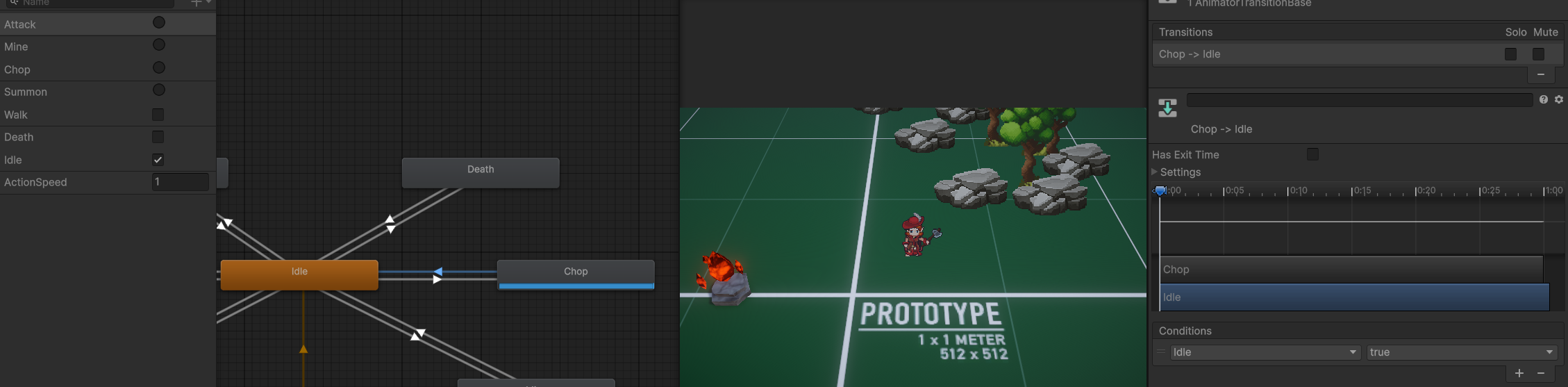
stuck in chop, idle is true
chop is made to loop via clip, but if I don't I can't return to idle normally
agile solstice
lime socket
https://i.imgur.com/TmfZ3SP.png
Can you show the Settings as well?
lime socket
agile solstice
Can you show the Settings as well?
Which setting specifically? If there's some animator setting in this tool I'm not see it and now unity crashed again
agile solstice
lime socket
Which setting specifically? If there's some animator setting in this tool I'm no...
The Settings field is expandable from the arrow ▸
Still based on what I'm seeing here it shouldn't be possible to Chop state to be looping
lime socket
well the crash removed my idle state. I added a boolean for it just for the heck of it, but I feel like I shouldnt need one
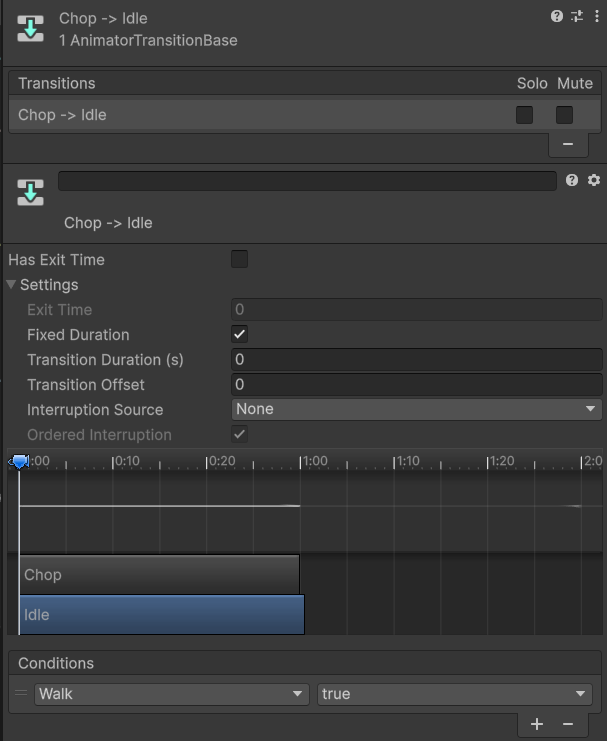
I have the condition to undo from walk though, but maybe I should keep the boolean for idle?
also, should i have these trigger animations as loop or not from the clipp settings as that seems to influnce it
agile solstice
lime socket
I don't really understand this whole blend tree for 2D. Why would anyone want ex...
Blend trees will not give you blending for properties that can't be blended, naturally, so it's not geared for sprites
You can use blend trees to sync and group up animations even without blending, but then you'll want to round the weight into steps that match your distribution of motions in the blend tree
lime socket
I would honestly be fine without, but the override controllers seemed like a good idea, but the alternative to that is just set the SO data per clip instead of per controller
agile solstice
lime socket
I have the condition to undo from walk though, but maybe I should keep the boole...
I'm maybe a bit confused
If you want to be able to transition from Chop to Walk, shouldn't you have a transition to do just that instead?
What SO data?
lime socket
agile solstice
I'm maybe a bit confused
If you want to be able to transition from Chop to Walk,...
I mean, ideally I can make my thing into a huge spiderweb if that's the idea because all these states can jump into each other state
maybe triggers isn't the idea here and maybe I should be sticking with booleans otherwise
agile solstice
lime socket
maybe triggers isn't the idea here and maybe I should be sticking with booleans ...
Well, triggers are just booleans that automatically get set to false most of the time
lime socket
that's the only thing i've not really tried is making that spiderweb. Maybe some other variations too I can try
hybrid tinsel
lime socket
I don't really understand this whole blend tree for 2D. Why would anyone want ex...
It is actually more important for sprite flipbooks than it is for bone animation!
Since there is no interpolation, if you need poses to line up between animations you need to set the enter and exit times properly.
lime socket
maybe I'll find its usage, but in the future I think I'll stick with just invoking the clips myself
agile solstice
lime socket
that's the only thing i've not really tried is making that spiderweb. Maybe some...
I believe that if you don't really need and can't leverage the features of the animator, you probably should be calling the animation states from code
The "spiderweb" is just a lot of work to no benefit
But if you can benefit from layers, blend trees or blend, it quickly becomes more convenient to utilize the animator's parameters and conditions
hybrid tinsel
lime socket
this is awfully convoluted considering my logic side is flawless
It is difficult to enumerate how often I've heard that assertion.
lime socket
The code itself isn't anything technical. All states can go into each other state so it's simply flipping the enum
hybrid tinsel
Not saying that you are wrong, mind you. Just saying that people will say that whether or not it is accurate =p
Just like both guilty and innocent will say they did nothing wrong, you know?
lime socket
I understand, but really it's a single field exposed that shows me at editor time flipping to other states, and when the editor is showing me move state and the animator is chopping away it's hard to say it's something on my end
 limber aspen
I have a question about exporting from blender into unity. I have this animation, mesh, and rig that's in blender and it loops well, uses root motion, and doesn't have any obvious errors while it's in blender. I store the animation in a NLA editor strip. However, when I export the thing into unity, the root motion seems to change and instead of working like it should, the animation moves the character back every 22 frames, which I know doesn't exist in the original blender animation. Does anyone know why this could be happening?
lime socket
agile solstice
I believe that if you don't really need and can't leverage the features of the a...
https://i.imgur.com/0nM6Bd5.png
Think I maybe managed it, but still some testing. I actually forgot about this node and it didn't help that it was near the edge of the graph out of view
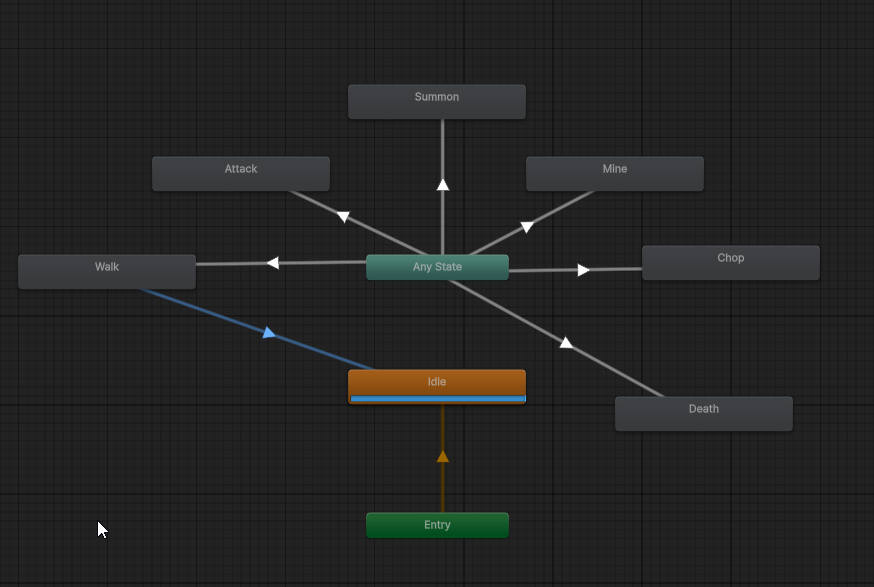
or some variation of plugging any state into everything
oh I would need exit too here I think
also unity likes to crash using this thing
https://i.imgur.com/Ymv9Tzn.png
Version 8.0
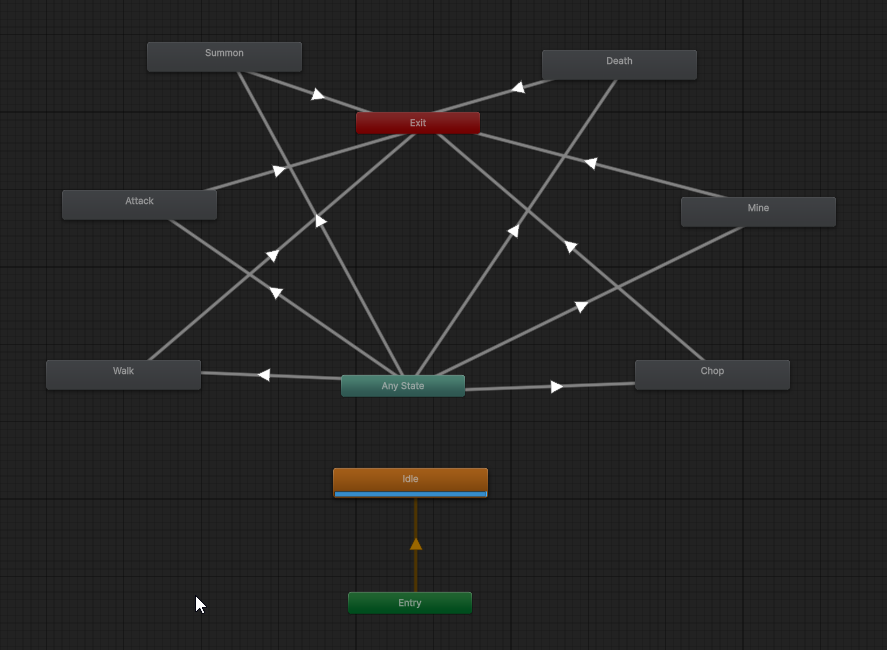 lime socket
Think that's the idea. Really more work than needed when all I need is to swap states quickly.
 mild tree
i have a card fliping animation thats powered by itween and megafier , currently i have a project that has this animation in two different version of unity editor
2019.4.32f1 / 2022.3.30f1
when i upgrade the project from 2019 to 2022 , the animation starts to jitter to an extent where u cant even ignore it
excluding all problems below
- floating point error
- code difference
- version of plugins not match
- plugins version are not latest
- scene setups
- mono/il2cpp build settings
can you guys think of other possible reasons?
u can treat codes are 99% same and scene setup is 100% the same
both version is using identical plugin
hybrid tinsel
limber aspen
I have a question about exporting from blender into unity. I have this animation...
Do you have root motion enabled on the unity animator?
agile solstice
mild tree
i have a card fliping animation thats powered by itween and megafier , currently...
I'm not familiar with either of those assets but that kind of jitter sounds like it could be because of script execution order
If the the execution order is unspecified it may change unexpectedly so all the animation systems you use may end up struggling against each other
Also it seems MegaFiers was updated for multi-threading with Jobs which 2019 did not support so there's the possibility that it causes additional conflicts or a race condition with the other systems
mild tree
agile solstice
I'm not familiar with either of those assets but that kind of jitter sounds like...
            iTween.MoveTo(cardSelf, iTween.Hash(
                "x", transform.InverseTransformPoint(cardSelf.GetComponent<SqeezeCard>().thisCardOriginPositon).x,
                "y", transform.InverseTransformPoint(cardSelf.GetComponent<SqeezeCard>().thisCardOriginPositon).y + value_y,
                "z", transform.InverseTransformPoint(cardSelf.GetComponent<SqeezeCard>().thisCardOriginPositon).z, //cardSelf.transform.localPosition.y + value_y,
                "islocal", true,
                "time", 1.2f,
                "oncomplete", "SqueezeFinishedAction",
                "oncompletetarget", gameObject,
                "oncompleteparams", cardSelf
));```at least i found out the function that moves the card
agile solstice
mild tree
```cs
iTween.MoveTo(cardSelf, iTween.Hash(
"x", tran...
Script execution order refers to the order in which your script components run
If many of them try to move the same object at the same time, like the itween and megafiers, they might make the wrong assumption where the object is at that frame
That kind of problem might have appeared if their order has changed relative to each other in the version upgrade
mild tree
agile solstice
Script execution order refers to the order in which your script components run
I...
honestly i dont even know what else is working on the card when this function executes tho
agile solstice
I know less than you about your setup
In this case you're sure you're only moving it with itween, not also with megafiers, the animator, constraints or other components?
mild tree
agile solstice
I know less than you about your setup
In this case you're sure you're only movin...
to be very simple, we are actually using an extremely primitive way to move the card
we have NUMEROUS empty objects act as anchors on the scene, like 100+ of them
and then we will do a very similar approach thats close to lerping
so we dont have animations, or animators
like <current pos> -> <one of the anchor pos>
we also didnt have constraints on the rb or set on code
as for megafier, nope it wont interfere on that particular animation
agile solstice
mild tree
as for megafier, nope it wont interfere on that particular animation
How can you be sure? You probably should work to isolate the issue by process of elimination at this point
hybrid tinsel
Not even sure this is an animation issue in the traditional sense. Really sounds like you should be disabling things until it stops happening.
And then work from there
As for megafiers, if it is changing the world space positions of the vertices, or changing the local position based on world space information, either of those could have execution order issues if it is getting information from before an object moves and applying it after in the frame.
mild tree
@agile solstice @hybrid tinsel
ok so i finally found out all the animation that works on the card at that moment
            iTween.MoveTo(warpObject, iTween.Hash(
                //"z", 2.5f,
                "islocal", true,
                "time", 0.87f
                ));


            iTween.RotateTo(cardSelf.transform.GetChild(1).gameObject, iTween.Hash(
                "x", cardObject.transform.position.x - cardObject.transform.position.x + 5.0f,//+5 degrees for sqz warp -5 degrees
                "y", cardObject.transform.position.y - cardObject.transform.position.y,
                "z", cardObject.transform.position.z - cardObject.transform.position.z,
                "islocal", true,
                "time", 0.487f,
                "looptype", iTween.LoopType.none
                ));

            float originScale = 1.0f;

            iTween.ScaleTo(cardSelf, iTween.Hash(
                "x", originScale,
                "y", originScale,
                "z", originScale,
                "islocal", true,
                "time", 0.87f,
                "looptype", iTween.LoopType.none
            ));```
            iTween.MoveTo(cardSelf, iTween.Hash(
                "x", transform.InverseTransformPoint(cardSelf.GetComponent<SqeezeCard>().thisCardOriginPositon).x,
                "y", transform.InverseTransformPoint(cardSelf.GetComponent<SqeezeCard>().thisCardOriginPositon).y + value_y,
                "z", transform.InverseTransformPoint(cardSelf.GetComponent<SqeezeCard>().thisCardOriginPositon).z, //cardSelf.transform.localPosition.y + value_y,
                "islocal", true,
                "time", 1.2f,
                "oncomplete", "SqueezeFinishedAction",
                "oncompletetarget", gameObject,
                "oncompleteparams", cardSelf
));```seems like the "card fliping" animation is a kind of composite animation
hybrid tinsel
Neither of us has used either of those assets, so there's only so much info to be gained from that code.
mild tree
which is the result of all of these animation work simultaneously
hybrid tinsel
And like I said, not really an animation problem in the traditional sense. (not really a matter of 'is it appropriate?' so much as 'will you get anyone capable of actually debugging your code here?')
Asking whoever wrote the code how it works might be a good start.
Or doing tests where you remove things or switch the order to see what happens
mild tree
hybrid tinsel
Asking whoever wrote the code how it works might be a good start.
u cant, because the code base was written 4 yrs ago, and that person left 3yrs ago
mild tree
hybrid tinsel
And like I said, not really an animation problem in the traditional sense. (not ...
and believe it or not, after i disable all of these animation, the card stay still
like nothing made it move again
agile solstice
mild tree
and believe it or not, after i disable all of these animation, the card stay sti...
The point is to find just the one system or method that's causing the issue
Or any that conflict when used together
The only clue we seem to have to go on is that it worked with 2019 but not 2022
So I still believe it's most likely that the packages were updated in that version to work different in the backend (like to use Jobs or something similar) or the script execution order got swapped in the change
mild tree
agile solstice
So I still believe it's most likely that the packages were updated in that versi...
i disabled jobs related stuffs on the card, as for execution order, i cant get the whole picture
the codebase is huge
agile solstice
Maybe you have animator and itween both moving it and their order should be swapped
mild tree
this wont happen, all cards are not moved by animation/animator
none of them nor their parents have animator
all cards are using a lerping approach which is like the code above
hybrid tinsel
mild tree
the codebase is huge
Then ask whoever wrote it, or make a smaller test scene and try to replicate the behavior. Or both.
mild tree
mild tree
this wont happen, all cards are not moved by animation/animator
only this thing im 100% certain
hybrid tinsel
If you don't even know the logic of how the system works and also are not willing to find out, then debugging it will be somewhat difficult for you and essentially impossible for us.
agile solstice
Replicating the error in isolation verifies it's where you suspect it is, and gives you the position to test fixes without getting tangled up in surrounding systems
 lost marsh
How do you add root motion on an animation asset created in-engine?
 boreal mason
hey guys can anyone help me with transitions between scenes and animations? I'm trying to fade between scenes but I'm not succeeding. I use the 2022 LTS version
eternal nova
can someone help me. How can I add the inputs for the animations? I don't know where to start.

 hybrid tinsel
lost marsh
How do you add root motion on an animation asset created in-engine?
hybrid tinsel
lost marsh
How do you add root motion on an animation asset created in-engine?
you animate the root object of the animation
eternal nova
I followed a tutorial on how to make a full body fps but i didnt like the fall and landing animation so I change them and now its doing this how can I fix it?
olive garden
How can we change animation during runtime with generic and not using animator.setany?
 brave storm
olive garden
How can we change animation during runtime with generic and not using animator.s...
brave storm
olive garden
How can we change animation during runtime with generic and not using animator.s...
What does this mean? Change animation? What is setany, like SetInt SetFloat etc?
With generic = generic avatar?
olive garden
brave storm
What does this mean? Change animation? What is setany, like SetInt SetFloat etc?
Yes.
I want to change more than one animations like 4 during runtime. Like using animator controller in script for runtime.
brave storm
With 'change animation' do you mean like swapping an animation clip to another clip?
eternal nova
how do I make my animations look more fluid?
eternal nova
 prisma plank
https://docs.unity3d.com/Manual/class-BlendTree.html
prisma plank
https://docs.unity3d.com/Manual/class-BlendTree.html
Im using a blend tree tho?
 prisma plank
What parameters are you passing in to power it?
eternal nova
 shadow obsidian
eternal nova
shadow obsidian
eternal nova
Why did you not share the code like you did in the other channel
Oh, there we go
eternal nova
hehe
prisma plank
Are you controlling using WASD? If you are, passing in the raw input is just going to be 0 and 1.
Meaning there's no blending
prisma plank
You don't want to pass in raw input values. You should make a speed variable that gradually increases as your input is being used
https://docs.unity3d.com/ScriptReference/Mathf.Lerp.html
is usually the best way to do this
 brave storm
Mathf.MoveTowards is one way to interpolate a value
Or Mathf.SmoothDamp
eternal nova
are there any tutorials on how to do it?
shadow obsidian
eternal nova
are there any tutorials on how to do it?
The answer to that is always gonna be yes
eternal nova
shadow obsidian
The answer to that is always gonna be yes
idk if im blind but I cant find tutorials
shadow obsidian
eternal nova
idk if im blind but I cant find tutorials
For how to use movetowards?
This should honestly be everything you need
https://docs.unity3d.com/ScriptReference/Vector3.MoveTowards.html
Also, have you done the pathways in learn.unity.com yet????
eternal nova
@shadow obsidian I added MathF.Lerp and it looks good just want to know if I used it correctly your thoughts? Im still a beginner btw. https://paste.ofcode.org/uzq5cqNVsPLMMZFsf6Nb37
shadow obsidian
That is not how you use lerp. It is colloquially called "wrong lerp" and will work poorly at different frame rates. I recommend movetowards instead, or look into how lerp works.
Basically, the third parameter should NOT be a constant mutliplied by deltaTime.
eternal nova
whats movetowards? is it similar/better than lerp?
shadow obsidian
eternal nova
whats movetowards? is it similar/better than lerp?
eternal nova
shadow obsidian
https://discord.com/channels/489222168727519232/502171313201479681/1245074954937...
do you know any good tutorials covering this? I'd rather watch a tutorial to understand it better
shadow obsidian
eternal nova
do you know any good tutorials covering this? I'd rather watch a tutorial to und...
I recommend learn.unity.com
eternal nova
shadow obsidian
I recommend learn.unity.com
bro im still a beginner at coding me reading what you sent has gained me literally nothing cause again im a noobie.
shadow obsidian
eternal nova
bro im still a beginner at coding me reading what you sent has gained me literal...
So watch the videos in learn.unity.com
eternal nova
they have videos on it?
shadow obsidian
Of course!!
sour belfry
Who can explain me, how work a animation with a player


 agile solstice
Your bones don't really look right to begin with
sour belfry
agile solstice
Your bones don't really look right to begin with
It do again the armature ?
 uncut salmon
@worldly stream There is no off topic here
 worldly stream
🥹
 mild charm
how do i change the state of an animation if it collied with red block but return to is original state when it collide with a blue block
uncut salmon
Beginner way would be to create two trigger parameters (red and blue) and call them when you collide with the block:
https://docs.unity3d.com/ScriptReference/Animator.SetTrigger.html
 little tulip
Hi I have a silly question.
Is there a way to affect dynamic bones from blendshapes/visemes animation?
I have an animation clip that changes visemes (talking), but it doesn't affect dynamicbones on the face, whiskers, etc.
is there a way to do this, without having to animated the bones instead?
 sour sedge
Do you all prefer doing the animations in a program like Asesprite or in the Unity editor?
elder vault
can someone tell me why animations imported into Unity are always so weird? I've been using Unity for a while and it always seems like it messes up importing animations. Is there an import setting I'm not using or something?
as you can see, the feet are completely wrong, sinking into the ground, not being at the right angle, etc. The legs are also wrong
hybrid tinsel
little tulip
Hi I have a silly question.
Is there a way to affect dynamic bones from blendsh...
Not a built in way, no.
But you of course can read the vertex displacement and feed that into stuff
 wild snow
Hello,
I have had a problem in Unity where i want to change a material slot in an animation to another material reference
In the animation with the time line at 0.0 i made a keyframe with one material and another at 0.1
When i changed the timeline back to 0.0 without even the recording button on, it switches the materials and it does this every time on the animation when i want to make a keyframe with two different material references
Can anyone help me?
 runic spade
Hello there, anyone familiar with the rigging skinning editor cursor selection bug and if there is a fix for it?
hybrid tinsel
Which one of the bugs?
little tulip
hybrid tinsel
But you of course can read the vertex displacement and feed that into stuff
Thanks. I wasn't sure if there was some simple check I was missing within DynamicBones. Is there a plugin you're aware of that could read and ingest the vertex displacement?
I wanted to do as much as I could within Unity...but dynamicbones (or Physbones from vrchat's SDK) not applying from viseme transforms kills it at step one.
hybrid tinsel
Not that I know of.
 quartz field
elder vault
can someone tell me why animations imported into Unity are always so weird? I've...
quartz field
elder vault
can someone tell me why animations imported into Unity are always so weird? I've...
@elder vault I encountered a similar problem, this worked for me: un-check the Resample Curves in the animation import settings, and try different Anim. Compressison methods as well.

Can't promise that it'll work but it's worth trying


 eternal nova
My player has some animations. When I move or run or crouch the animations affect the camera as well. How can I make it so the camera still follows the player but isn't affected by the animations? My game is a FPS btw some one please help.
hybrid tinsel
eternal nova
My player has some animations. When I move or run or crouch the animations affec...
Don't parent the camera to the gameobject, use a script to have it follow the player instead
eternal nova
hybrid tinsel
Don't parent the camera to the gameobject, use a script to have it follow the pl...
my camera isn't parented to the camera if you look at the pic. I tried a different approach and the animations don't affect the player but now when im walking or running or crouching the camera doesn't follow the play how do I fix this? thanks!

 vocal hearth
Would me setting up IK in blender make it good to go in Unity?
hybrid tinsel
vocal hearth
Would me setting up IK in blender make it good to go in Unity?
No.
vocal hearth
Alright, thanks
hybrid tinsel
eternal nova
my camera isn't parented to the camera if you look at the pic. I tried a differe...
How ARE you doing it?
eternal nova
hybrid tinsel
How ARE you doing it?
Abit late but it's all fixed 👍
shadow obsidian
eternal nova
Abit late but it's all fixed 👍
This is why cross-posting is not allowed
 radiant isle
Hey guys,
I'm implementing fishing system. I have characters animations for fishing and rod animations separately.
Does it make sense to use separate animators on each with same states and transitions and just set triggers or bools for transiting between them ? Will they be in synced ? (Animations length are same in both the rod and the character for the each kind of animation)
 fading osprey
Anyone know if it's possible / how challenging it would be to draw a rigged .fbx without a gameobject in the scene?
 sullen bear
Im trying to do a jump animation for a 2d platformer but when ever the animation plays it only plays the first frame of it, how can I fix this?
hybrid tinsel
sullen bear
Im trying to do a jump animation for a 2d platformer but when ever the animation...
don't use any state transition
 atomic bolt
Weird animation, don't know what happens. The animation decreases the color alpha of the object, but it went back visible last frame, which is not the same as the keyframes i put in animation tab. Sometimes it happens, sometime doesn't
hybrid tinsel
atomic bolt
Weird animation, don't know what happens. The animation decreases the color alph...
It is looping, I suppose
 sharp summit
does animator have a built-in capability to freeze previous animation state on transition or should it be done manually?
agile solstice
sharp summit
does animator have a built-in capability to freeze previous animation state on t...
What exactly do you mean "freeze state on transition"?
sharp summit
agile solstice
What exactly do you mean "freeze state on transition"?
basically, i want, when transitioning from a state, to set the speed of the previous state to 0... to basically prevent any leftover motion
agile solstice
Interesting, what kind of animation do you need it for I'm curious
I think there is not quite any direct way to pause a state on transition, but each state has a multiplier for speed can be tied to any parameter
But you'd have to change that parameter in your script when a specific transition starts and ends, and it could only be used for states that don't need to transition to each other
sharp summit
agile solstice
Interesting, what kind of animation do you need it for I'm curious
I think there...
> Interesting, what kind of animation do you need it for I'm curious
heh, it's just to prevent any leftover leg movement after abruptly stopping walking (and you can stop at any point of animation, so... you know) :)
if there's any better option, let me know ;)
agile solstice
sharp summit
\> Interesting, what kind of animation do you need it for I'm curious
heh, it's ...
In my experience that's usually a huge problem
But if you're interested in alternatives I guess you could also shorten the transition (and make sure it has no delay)
Or use a Blend Tree which are great for character movement
If your blend tree uses character movement vector as its parameter, the walking animation will stop as fast as the player's movement
sharp summit
agile solstice
If your blend tree uses character movement vector as its parameter, the walking ...
there's a little problem. we intentionally have quite rigid movement (it just feels right for our style), as in... movement vector immediately goes to zero after you release a movement key
hm... hold up, it means i can just send walking speed to walking state speed parameter, and it will do exactly what i want (and also make it more responsive to speed changes related to character's status effects etc)
why didn't i think about it before?
wah, just tested it - that works great
 topaz stag
how can i only export these?

like i dont want the model i just need the rig and animation
since im using multiple skins etc so i just need the raw animation with no model
twin musk
Yo.
I have a small problem with code for animation character
This code and Tab "Animator" looks serviceable, but Unity give any errors, and character can move, but without animation "Walk".


 agile solstice
twin musk
Yo.
I have a small problem with code for animation character
This code and Tab "...
agile solstice
twin musk
Yo.
I have a small problem with code for animation character
This code and Tab "...
The error says exactly what the problem seems to be
I could just repeat it but that seems unnecessary
sharp summit
topaz stag
how can i only export these?
select one and press Ctrl+D
 tough orchid
I can't find where the states are located in my animator window, no matter how much I zoom in and out or pan across the creen. Is the a convient way to locate where the states are?
 agile solstice
tough orchid
I can't find where the states are located in my animator window, no matter how m...
agile solstice
tough orchid
I can't find where the states are located in my animator window, no matter how m...
Make sure you've got a controller selected, press F to bring states to view, and if that fails restart the editor
 robust perch
Ok, if I download animations from mixamo or elsewhere but I want to use them for my fps, what is a good reason I should spend time and keep just the arms, deleting the rest of the body and making it a generic animation instead of humanoid?
cause I know it's the other way round when you make animations yourself, you actively need to spend time for the rest of your body
so is there a good reason to delete it?
agile solstice
robust perch
Ok, if I download animations from mixamo or elsewhere but I want to use them for...
Humanoid avatars give you a bunch of features to use that generics don't have
Generics don't have any advantage over Humanoids
robust perch
So, in other words, I should not delete the model and keep it humanoid?
 tribal tide
somehow my animations do not play wenn i go into the play mode? it switches positions slightly when i first click it but it seems to be stuck at the first frame. i also added a sphere with a rigidbody to see if it would move but it doesnt either only a tiny bit at the beginning, any ideas what im missing?
 robust perch
agile solstice
Humanoid avatars give you a bunch of features to use that generics don't have
Ge...
robust perch
agile solstice
Humanoid avatars give you a bunch of features to use that generics don't have
Ge...
after testing humanoid, the ones I want to use will get in the way of the camera, so I guess I'll keep just the arms
 snow hedge
this server makes me feel dumb
tribal tide
robust perch
assign the avatar under animator
im not sure where i would get the avatar from?
also this wouldnt affect the sphere right?
robust perch
did you download the animation from mixamo? If so, you'll see the little green dude icon from the animation
assign his avatar
agile solstice
robust perch
So, in other words, I should not delete the model and keep it humanoid?
If it doesn't seem to cause any issue I don't see why not
tribal tide
robust perch
did you download the animation from mixamo? If so, you'll see the little green d...
no i just finished animating it myself, also its a 2d character 😬
no such green dude exists for me i'm afraid
also the animation plays fine in just the game view, just when i press play to try the character controller or physics nothing happens
agile solstice
You probably shouldn't use Avatars for 2D characters anyway
agile solstice
tribal tide
also the animation plays fine in just the game view, just when i press play to t...
That means the issue could be with Parameters, the State itself or the code
Probably code but it could be important to show those first two
tribal tide
i have no parameters or code yet...
i was about to get started on player movement but was already failing at like the first steps of just adding colliders and rigidbodys
like when i pressed play to see if those where working i noticed this problem
agile solstice
tribal tide
i have no parameters or code yet...
I'd like to see the Parameters tab, the character_idle state via the Inspector as well as the two transitions out of it
You also have errors in your console so anything could be breaking, potentially
tribal tide
 tribal tide
agile solstice
You also have errors in your console so anything could be breaking, potentially
tribal tide
agile solstice
You also have errors in your console so anything could be breaking, potentially
omg it was this 🤠
thanks!
agile solstice
tribal tide
omg it was this 🤠
never rest when there's red text!
tribal tide
so true 😔 ✊
robust perch
Alright, one question. Is it possible to make an avatar mask for generic animation only for arms? Idea being using only one arm
agile solstice
robust perch
Alright, one question. Is it possible to make an avatar mask for generic animati...
It'd have to be a humanoid compatible animation I believe
robust perch
nevermind, I solved that issue and managed to rig the character using mixamo
fkn blender, I hate it
ok so since I haven't done generic animations before, I'm a little confused and I have a question
so I uploaded and managed to rig my custom mesh on mixamo
great
but I don't see a way to download the base rigged character, only the animation. Don't know if it's important but anyway, if I download the animations from mixamo or wherever and delete the arms every time
does unity know it's the same mesh? Can I have player hands and do different animations with it
I'm a little confused as to how it works
with humanoids I understand with rigs and avatars
cause I don't know if unity will understand a different animation is cut from the same mesh
I might have to have several sets of arms and disable/enable them for each animation but that's a little stupid
does what I'm asking make any sense?
also, if I exit mixamo and return later, will my character stay there? Cause I don't see ''my characters'' or some such
agile solstice
robust perch
but I don't see a way to download the base rigged character, only the animation....
I don't use Mixamo but generic animations work on basis on transforms' explicit names and paths
sharp summit
agile solstice
Humanoid avatars give you a bunch of features to use that generics don't have
Ge...
> Generics don't have any advantage over Humanoids
except... quadruped characters and stuff like that? :)
 lyric prawn
Anyone have any ideas why my run animation is being cut short? It was working yesterday, i made some changes and now they are doing this half run. See the bottom right corner for the proper animation
They run like this even if there isnt a wall in front of them
hybrid tinsel
agile solstice
Humanoid avatars give you a bunch of features to use that generics don't have
Ge...
Generics take fewer resources if you have a ton of them 😄
hybrid tinsel
lyric prawn
Anyone have any ideas why my run animation is being cut short? It was working ye...
Show animator?
hybrid tinsel
robust perch
Alright, one question. Is it possible to make an avatar mask for generic animati...
Yes. You have to do it by script, though.
Technically it won't be an avatar mask
But a transform mask
hybrid tinsel
robust perch
but I don't see a way to download the base rigged character, only the animation....
mixamo has an option for skeleton only, or at least it used to
 wanton siren
first time animating anything, very satisfied with the results
lyric prawn
hybrid tinsel
Show animator?
One sec
agile solstice
sharp summit
\> Generics don't have any advantage over Humanoids
except... quadruped characte...
I wouldn't call that an advantage, more of a different situation as you don't really have the option to use Humanoid Avatars if your character is not humanoid shaped at all
If it is humanoid shaped, there's nothing that I know of that you can do with a Generic but can't do with a Humanoid
agile solstice
hybrid tinsel
Generics take fewer resources if you have a ton of them 😄
Good to know, makes sense with all the extra features
hybrid tinsel
agile solstice
I wouldn't call that an advantage, more of a different situation as you don't re...
You can have scale/translate keyframes in a generic but not humanoid.
agile solstice
hybrid tinsel
You can have scale/translate keyframes in a generic but not humanoid.
Anything else that comes to mind?
hybrid tinsel
Hm... I suppose that the generic animation will be more accurate in some cases, if you need an absolute match to the source animation. And I suppose if your character is human shaped but has extra spine bones, explicit twist bones, digitigrade feet, etc. that have keyframes on them the humanoid system won't be compatible.
All humanoid animations are going to be slightly different from their source files just by nature of the conversion. So if you need the skin deformation to exactly match(for instance, if you need the character skin to interact precisely with an imported cloth or particle simulation in a cutscene) then it might be easier to just use generic than to mess with the humanoid muscle settings to match it.
And of course, for human shaped 2d characters. 😄
These are pretty esoteric scenarios, though.
agile solstice
hybrid tinsel
Hm... I suppose that the generic animation will be more accurate in some cases, ...

dense magnet
Hey! I got a animator 'Structure' questions.
I would like to know if my approach is feasible.
I currently have 2 layers with more to come. Layer one would be basic locomotion. Layer 2 will be all the pistol animations
Layer 3 would be Rifle or (2 handed) animations.
So far it's been working great for me but I am afraid that this might get out of hand or just stop working when the project gets more complex.
I use override to switch from layer 1 to layer 2 based on the weapon equipped.
Also, bespoke animations but A potential issue I see is when I need additive animations like taking damage , healing or other animations where the player movement needs to be taken into account while the upper body does it's thing
hybrid tinsel
You can always add an additive layer on top of everything.
agile solstice
How well it works visually depends on the exact style of animations being layered
agile solstice
Depends in what way
You can copy a range of keyframes and scale them negatively
 agile solstice
 ripe shore
is twobone ik usable at all?
ripe shore
is twobone ik usable at all?
It is
Animation Rigging package has importable examples of all the constraints
ripe shore
agile solstice
Animation Rigging package has importable examples of all the constraints
could be the interaction with the parent constraint.

is axis freeze in the constrained'd parent referential? target ? no mention in documentation
agile solstice
ripe shore
could be the interaction with the parent constraint.
Use the Multi Parent Constraint of the package, that'll work within the same framework
Parent Constraint is the old vanilla variety constraint
Also important to note that AR package's constraints are evaluated in hierarchy order
ripe shore
agile solstice
Use the Multi Parent Constraint of the package, that'll work within the same fra...
right on! thanks @agile solstice
vanila doesn't work at all with ik
agile solstice
No wonder, new Constraints work in conjunction and on top of the Animator
Old Constraints as far as I can tell utilize Animation internally, which is the deprecated form of Animator
ripe shore
agile solstice
Also important to note that AR package's constraints are evaluated in hierarchy ...
that makes sense. do you know a way to get soft IK? meaning if the IK can't reach of has conflicting solutions it'll smooth in between positions instead of jittering
ripe shore
agile solstice
No wonder, new Constraints work in conjunction and on top of the Animator
Old Co...
same icon, confusing af
nope not same icon
so the new animation rig constraints use playables? what's performance like in your experience?
agile solstice
ripe shore
that makes sense. do you know a way to get soft IK? meaning if the IK can't rea...
I don't know of such
Usually jitters occur because of an order conflict
Some constraints must act before others, or they end up fighting
Usually also you move the target softly when the limb needs to move softly, if the target can't be reached then something's considerably wrong
agile solstice
ripe shore
so the new animation rig constraints use playables? what's performance like in y...
Fine, at least, haven't really put it under a stress test
They do use Playables and also Burst, so you can enable Burst compilation to get an instant burst of performance
ripe shore
ragdoll physics is probably a better choice for VR
ik will go through walls
also ik root at the hand makes more sense given limited view of shoulder area
yeah ik armature for 1st pass solution and active ragdoll for visual so you can push your elbos against walls
agile solstice
ripe shore
ragdoll physics is probably a better choice for VR
Afaik the whole premise for programming IK that also responds to environment is kind of different, whether you're using forces or torque to get there
It's still an option in that situation to use the non-physical IK as the target for the physical limbs
ripe shore
bloody hell vr physics is hard
 leaden wigeon
I can't seem to add a transition from Any State to my sub state machine, does anyone know why this is?
sharp summit
leaden wigeon
open the sub-state machine and add a transition inside of it from any state (it refers to any state in general, not any state in the SSM) to whatever starting state you have
 scarlet breach
is it possible to disable hierarchical culling for specific objects?
I have some objects which animate movements, and when their parent animator goes outside the camera frustum, the object disappears in the camera movement
 compact pecan
Hello. I download animations from mixamo but there's this problem with that. You have to choose humanoid in the rig options on animation import settings. Then you drag the avatar into animator. Problem is there's a different avatar for each animation and for example if i drag walkinhg animation's avatar into animator, other animations' posing looks wrong. I can drag only one avatar into animator, how can i fix this issue?
 limber pulsar
Hello there, I have a problem with the animation rigging package and I can't find a solution so I hope someone can help me. I am trying to animate an humanoid avatar. I have set a two bones IK constraint on the left leg and created a target. My avatar has an animator controller using just one idle animation. It works exactly as expected when I play animation preview. However, when I try running the game, it does not work. The knee and hips move but the foot stays on the ground. Moreover, I have set the target position where the foot is at the beginning of the animation using animation preview, but when running the game, the foot is not exactly at the position it is supposed to be (not at the same position as in animation preview). Does anyone know how to fix that ?
Remarks : it is my second attempt doing so, In my first attempt, I noticed it works fine with the arms, only the legs have this issue. I was also able to make the feet move in game mode by changing the avatar animation type from humanoid to legacy, but the knee would then bend backward, which is not what I want.
hybrid tinsel
timeline as in an animation timeline, or a Timeline asset, or a timeline track?
Animation timelines, you can select and reverse the frames, or for the entire animation can use https://gist.github.com/yanniboi/41f4dcf492c0b2c32e2a90cd5d0cd785

Gist
Reverse a keyframe animation in Unity. GitHub Gist: instantly share code, notes, and snippets.
swift tide
Hello, so I have a blend tree with an array of animations (just idle animations for upper body which lies above a layer for the right shoulder, the blend value is the Item type). I have some blendtree entries that are None (Motion) which means they should be empty, as if you had a state with no animation which does that it will display whatever is beneath that layer.
However when I do this with a Blendtree, and it is blending to an animation that is empty, it displays the last viable animation instead of blending to the layer below
Is this just another mecanim quirk or can I fix this, since I am following a pattern that depends on this
 cinder sequoia
Should I try to use Final IK for holding rifles, pistols, and melee weapons or create some custom animation states using UMotion or a mixture of both?
What would the best method be? I'd like my character to hold different weapons and also turn a little from the waist up to look at it's target with some constraints.
(1st time setting up a 3rd person/top-down game. I did it once with UMotion for a FPS game but that was easy, just had to make hand animations for reloading and pop the gun up when shooting. Never used Final IK.)
 keen zephyr
ingame my sprite animation loses quality, aren't these the recommended settings for pixel art?

 nimble compass
anybody know why this hand is importing strangely while converting the rig to humanoid, it still looks strange loading an animation no matter if i tweaked it too look normal within the rig coniguration or not


within blender the hand looks normal and all the axies are too
nimble compass
nvm i fixed it
 bright bronze
Can anyone recommend a simple 4 way walking animation asset? The ones on mixamo are honestly kinda shitty, thanks 
Shitty as in they seem to not like actually just walking left and right, but they strafe diagonally
hybrid tinsel
swift tide
Hello, so I have a blend tree with an array of animations (just idle animations ...
Blendtrees aren't really meant for using empty states so you'll see a lot of unexpected behavior if you are expecting it to blend to a null state.
swift tide
hybrid tinsel
Blendtrees aren't really meant for using empty states so you'll see a lot of une...
Thats a shame. I were thinking of using blendtrees to get around having a lot of in and out of transitions. I remedied it by having it go in and out of an Empty state if any of the item indexes are not upper body
hybrid tinsel
keen zephyr
ingame my sprite animation loses quality, aren't these the recommended settings ...
Is the max size large enough for the entire sprite sheet?
limber pulsar
limber pulsar
Hello there, I have a problem with the animation rigging package and I can't fin...
hello again, I take the liberty of adding videos to illustrate my problem better
stuck sable
Does anyone here use Animancer? I am having a major problem.
I have a Mixer Transition Asset here, it has a Clip in it, the clip does indeed have an animation in it, but when I call the Animancer Component to play this Transition asset, it locks the character into a weird pose, and does not play the animation.
 keen zephyr
hybrid tinsel
Is the max size large enough for the entire sprite sheet?
keen zephyr
hybrid tinsel
Is the max size large enough for the entire sprite sheet?
my sprite sheet is 64 by 64
each individual slice i mean
even changing the max size ingame it still looks weird
hybrid tinsel
keen zephyr
even changing the max size ingame it still looks weird
weird is not a useful description.

 hybrid tinsel
Still looks like scaling artifacts to me.
How large is the entire sprite sheet texture
keen zephyr
hybrid tinsel
How large is the entire sprite sheet texture
it's 15 different slices by 64
if that is what you mean
 main portal
Hello guys, is it possible to animate stuff thats not as child in the hierarchy of the animator?
i have a UI button that should change its image when clicked and activate a particle system thats lying somewhere else, but im not sure if this is possible with a simple animation clip or do i have to do this by code?
hybrid tinsel
keen zephyr
if that is what you mean
I mean how many pixels are the dimensions of the entire texture?
keen zephyr
hybrid tinsel
I mean how many pixels are the dimensions of the entire texture?
sorry if i am being stupid, but what does that mean 💀
the entire sprite sheet is 960x64
for idle
if that is what you meant
agile solstice
main portal
Hello guys, is it possible to animate stuff thats not as child in the hierarchy ...
I'd make a custom component in the animated hierarchy that controls the displaced gameobjects
main portal
agile solstice
I'd make a custom component in the animated hierarchy that controls the displace...
a script you mean?
agile solstice
main portal
a script you mean?
Yes
hybrid tinsel
keen zephyr
the entire sprite sheet is 960x64
So a non power of two
keen zephyr
hybrid tinsel
So a non power of two
the idle only is 960x64 the walk is 320x64
 jaunty oasis
where am i allowed to ask for help in this discord i just got here
hybrid tinsel
jaunty oasis
where am i allowed to ask for help in this discord i just got here
You can ask questions in channels relevant to the question you are asking.
sour sedge
I'm making a Pokemon clone and I want to re-create the door animations. What's the best way to go about doing that? So I would need to of course delay the previous scene then flash it green and purple hues? Then a screen wipe?

 spice ore
Hello,
I'm attempting to add a particle animation to my Spine animation in Unity, but I'm struggling with it. Since this is urgent, I need assistance from someone experienced in VFX particles. I'm hoping someone who can reach out to me privately can help.
Thank you!
agile solstice
spice ore
Hello,
I'm attempting to add a particle animation to my Spine animation in Unit...
If it's urgent, you'd want to start with the question so we don't have to ask for it and wait for you to get back
As far as I know there should be no trick to a particle system to any animated hierarchy, though if you have inherited bone scales you may need to specify a scaling mode for the particle system is, or attach it using a parent or position constraint instead
Then again I can only assume the "particle animation" refers to a particle system
spice ore
I want to add Particle System Animation to an animation I have prepared in Spine, but I cannot set the timing of the animation in unity
agile solstice
spice ore
I want to add Particle System Animation to an animation I have prepared in Spine...
Why does it seem you can't?
 clear current
Hi i have an animation that works amazing in maya but when i add it to unity and add lopping it has a jidder when it loops, what is this issue please
agile solstice
@spice ore You can start a particle system at a specific time in the animation with animation events, or simply by keying the particle system gameobject to become active from inactive, I believe
 plain rune
so quick question about the animator thing, i have an enemy that walks to a point then stops, then after 3 seconds it walks again. how do i stop the first animation then start the other one? i have bools set up for walking and idle but it doesnt stop the animation just waits for it to finish then changes
agile solstice
plain rune
so quick question about the animator thing, i have an enemy that walks to a poin...
Stop in what context? The animator is not meant to control where a character moves, just how it moves
plain rune
agile solstice
Stop in what context? The animator is not meant to control where a character mov...
i want the animation to stop and then start the other one, the animations dont move the enemy, i just want smooth transitions between the two
i have patrol points set up, so when the enemy gets there he stops, waits for 3 seconds, then continues to the next point. i want the walking animation to stop there and the idle to start
i never use animation so i hve no idea how it works
agile solstice
plain rune
i never use animation so i hve no idea how it works
Transitions give you blending between states
Conditions start transitions using parameters
plain rune
ok so i need to set up a condition and transition then?
nvm i already have that set up,
plain rune
agile solstice
Transitions give you blending between states
Conditions start transitions using ...
nvm my question im just dumb asf
i just had to turn exit time off
 kind summit
hey everyone, question for you - does anyone use the unity IK system for animation or does anyone use the new Rig animation system and what have you found pro/cons in difference... I am experiementing with the 2. Originally i setup for IK system and it was working nice, then i have tried the new rig animation system and i feel its directly incompatible with the old system... what are peoples thoughts on this ?
 frigid pendant
So I'm completely new to unity and just wanted to know, does unity have an actual built in animator
I've been trying to find out how to animate characters but almost everywhere I've checked has shown people just grabbing animations online and dropping them in
 golden roost
frigid pendant
So I'm completely new to unity and just wanted to know, does unity have an actua...
golden roost
frigid pendant
So I'm completely new to unity and just wanted to know, does unity have an actua...
You can actually create animations in unity yes. You have to open the animation window and select the object you want to animate
frigid pendant
Is it straight forward like moving joints then hitting key frame until you're done?
golden roost
Something like that. Im really new to umity myself. You press record and then move joints then go to new time like 1 second for example and move the joints again etc
hybrid tinsel
kind summit
hey everyone, question for you - does anyone use the unity IK system for animati...
The new one is indeed a totally separate system. It is more flexible but a lot more complicated to use. I personally use all three ik systems (humanoid, 2d, and rigging package) depending on the features I need for a specific setup
hybrid tinsel
frigid pendant
I've been trying to find out how to animate characters but almost everywhere I'v...
As shado said, yes. With one important detail. If you want to use the animations you create with the humanoid rig, you'll need to use the recorder to save the animation you make and reimport it as humanoid.
frigid pendant
Okk
 gray raven
is anyone well versed in timeline? if so would you be willing to hop on a call sometime
shadow obsidian
gray raven
is anyone well versed in timeline? if so would you be willing to hop on a call s...
If you ask your question here, many people are well versed in the timeline and could help
Very unlikely someone will go on call, especially without knowing the exact issue.
 cursive mauve
why isnt my animation starting when i go in playmode
 near trench
when making a rotational animation for a parent containing children, is it normal for the anchor where the rotation is centred around to be at the very end of the group of objects u have in the one parent>
because my rotations aren't happenign around where my gizmo of pivot whatever its called instead it just randomly at the last object
cursive mauve
Can someone help me with my animation
lofty tree
how can i fix my death animation being not on the ground

 dim zodiac
Hey there beautiful people, there is a way to rig objects and animate them on unity or I have to use another software?
frigid pendant
golden roost
You can actually create animations in unity yes. You have to open the animation ...
I think they said it but I haven't checked yet
 pale cypress
dim zodiac
Hey there beautiful people, there is a way to rig objects and animate them on un...
pale cypress
dim zodiac
Hey there beautiful people, there is a way to rig objects and animate them on un...
I think there is
spice ore
Hi guys, I added a particle system in Unity to an animation I made in Spine 2D. But I can't adjust the timing of the particle system according to my animation, I tried Start Delay and other components but it doesn't work. How can I make these adjustments? Do I need to link the spine file to the particle system or write any code for this?
pale cypress
dim zodiac
Hey there beautiful people, there is a way to rig objects and animate them on un...
Never mind I belive your best beat is using blender
I working on an animation where a bullet is shot and when it reaches its end position there's an explosion but I have no idea how to have the explosion animation to play at that time since it isn't a trigger.
hybrid tinsel
dim zodiac
Hey there beautiful people, there is a way to rig objects and animate them on un...
You can, yes.
dim zodiac
pale cypress
I working on an animation where a bullet is shot and when it reaches its end pos...
Put the trigger collider on the target and trigger the animation through script on the tatget
dim zodiac
hybrid tinsel
You can, yes.
It is through animation rigging package?
hybrid tinsel
dim zodiac
It is through animation rigging package?
Thst is an additional tool for ik, but unity's built in animation tools can do a lot.
 south ice
Anyone know how to get around mixamo animation rotating ur player position when u press the play button
shadow obsidian
south ice
Anyone know how to get around mixamo animation rotating ur player position when ...
So, hopefully this doesn't set you off again, but do you have root motion enabled?
south ice
shadow obsidian
So, hopefully this doesn't set you off again, but do you have root motion enable...
I don’t think so?
How do I enable that
shadow obsidian
Well in this case you do not want it enabled. So that isn't the issue.
It would be on the Animator component though
Was just a guess
south ice
What should I do. The model grows bigger and spins at a 90 degree angle and reverts back when I turn off play
This has never happened before
Nvm I fixed it
For Anyone wondering apparently mixamo animations add a scale and rotation property to some idle animations
Delete them and I think u should be alright
 long kraken
trying to add animation but the moment i press play the model snaps from the intended position on the left to some weird default pose on the right


anyone know how to prevent this
 tribal breach
Anyone here know how to animate UV Tile Discard in Unity with poiyomi shaders? I cannot for the life of me remember how I animated the UV tile discard before. : ( When I hit record and try to animate it like how I did for the hat no properties show up at all.
 golden roost
Does anyone know how to fix this? Earlier today this was working fine. I used the model from mixamo
I use animation rigging
dim zodiac
I was tweaking some animations with curves on animator record and now my char doenst respond to the movements, jump or sprint, all animations work, but the char doesnt move, anyone have any clue on that?
dim zodiac
It was one particular animation that was with some unknown issue, fixed already
 sturdy fulcrum
Hello gamers! I am hopefully going to not ask a stupid question, but I fear I must. Context, This is the very first time I've used Unity. I commissioned someone to make me a 3d v-tuber model, and it has bones, but I have to actually be the one to rig it, and make it compatible, and ive come into some issues with Unity and they wont respond to help me so its whatever, I thought id come here for some help.
The model has a tv head which I believe is causing the humanoid animation rig to not merge. ive tried to google things myself, but I dont even know what to google


Also is this the proper chat for this? I know its in the ballpark of animation but im not too sure
hybrid tinsel
long kraken
anyone know how to prevent this
that's what happens when you use a generic clip on a humanoid avatar
long kraken
so do i need to use a not generic clip
hybrid tinsel
sturdy fulcrum
Hello gamers! I am hopefully going to not ask a stupid question, but I fear I mu...
That error is because you have two objects with the same name, when they need to be unique. Also, the eye bones are optional so if your model has no eyes you shouldn't be applying bones to those slots.
Since it sounds like your rigger didn't have unity in mind, you might need to do a good bit of assigning of bones to the proper slots and/or editing the model;s bone heirarchy.
sturdy fulcrum
hybrid tinsel
That error is because you have two objects with the same name, when they need to...
makes sense !
I know my model technically does have eyes, they are just not in the normal areas, should I remove them?
And yeahh, I'm not sure all the tutorials they gave me had unity and then they said it was all me now
But makes sense, hopefully I'll be able to figure that put
But that points me in the right direction thank you so much!
hybrid tinsel
sturdy fulcrum
makes sense !
I know my model technically does have eyes, they are just not in ...
Remove them from the avatar if you do not want them to be controlled by the animator. Leave them if you do. But you'll need to assign the correct bones(assuming that the bones are placed in such a way that the animator won't have them doing crazy shit)
sturdy fulcrum
I think? I want them to be controlled by the animator because it's intended use is for a V-Tuber avatar
But makes sense makes sense
Hopefully 🤞
hybrid tinsel
humanoid animator eyes are IK for looking at stuff. If your characters eyes don't rotate around their center, probably will look weird.
That is, if tey aren't designed to
rugged canopy
I have 4 different animations for a 3D melee combo, all these animations are part of the same combo however all of these have different duration and each of them ends with the idle state. So it's been hell trying to make it all feel seemless, what's a reliable practice to tackle a problem like this?
agile solstice
rugged canopy
I have 4 different animations for a 3D melee combo, all these animations are par...
I would try to pinpoint where the feeling of seam-ness comes from first
Things can feel choppy if the player cannot change character state rapidly enough which is a separate thing
"Seams" between animations technically are just from insufficient blending, but too much blending and they start feeling floaty
rugged canopy
agile solstice
I would try to pinpoint where the feeling of seam-ness comes from first
well the problem is at this point im just trying to pin point where for example: animation 2 starts & animation 1 ends and sort of give each of them a "attack duration" so i transition from animation 1 to animation 2 at that point, but at the moment am doing all of this by eye so it never ends up looking right
agile solstice
rugged canopy
well the problem is at this point im just trying to pin point where for example:...
Can you record a clip of how it looks like in motion with your Animator also visible so we can see the parameters in action, and show the transitions as well
rugged canopy
i think it's worth mentioning that i'm using animator override controller so it's not really a "traditional" transition
kind summit
hybrid tinsel
As shado said, yes. With one important detail. If you want to use the animations...
thanks mate, when do you decide what one to use? It has taken me a fair bit of time to change from one system to the other for my humanoid animation. btw recorder do you use ?
agile solstice
rugged canopy
i think it's worth mentioning that i'm using animator override controller so it'...
Using it how? Override controllers have traditional transitions
Just not for enabling/disabling the override controller
agile solstice
 fierce jewel
I want to add event
fierce jewel
I want to add event
Your animations are likely read only because they are imported from a file
You can add events in import settings
Or separate them from the file
 sick dragon
Does weight painting in Blender not work on a mirrored side of a mesh
Cause most of the mirrored side of my mesh is not being manually weight painted when I try to do so
But the original/non-mirrored side of the mesh works perfectly for being weight painted
robust perch
are 60 fps animations needed? Afaik, unity fills in the empty keyframes anyway, so is there a difference with the same number of keyframes or not?
hybrid tinsel
kind summit
thanks mate, when do you decide what one to use? It has taken me a fair bit of t...
Unity has their recorver package, which lets you record an animation file, and then it had the fbx exporter which lets you convert it to a format you can re-import. And I usually use humanoid when I a) have a humanoid compliant model and b) don't need any features unsupported by humanoids.
clear current
I completely suck at animation, Is any one on here that uses maya and could give me some tips please
 pale harness
Hi! I've run into a strange issue when tryng to animate a rig in Unity, and I was wondering if anyone has any insight into what could be the problem.
I have an arms rig and a weapon rig, and when trying to play some animations I've recently imported from Blender, the weapon simply won't animate. Even though the weapon's animations play just fine in the preview window of the import settings, they don't in play in the scene. The animator plays the correct state, and the weapon rig has never had this issue before. Here's a video to show what I mean:
One strange thing which happened before this is that the new animations I'm importing weren't working in the preview window of the import settings before either, until I created a new avatar for the weapon rig. The weapon rig already had an avatar which is used for all of its other animations, but for some reason the old one just didn't work for these new animations, and creatng a new one allowed them to work in the preview window, but again, not in play mode. I've used the exact same workflow for over a year, and as far as I can remember I haven't changed anything at all with the weapon rig in Blender or in Unity. There's nothing different about these animations compared to older weapon animations, which still work just fine. It feels like this just popped up out of nowhere.
Does anyone know what this could be about? Thanks in advance!
pale harness
I'll add that when looking at the animation clips in the animation window, every keyframe shows all the transforms as missing.
exotic spire
Hello, i got a small problem with my animation. the aniation runs fine useing a simple open door script, but when i use this script i found on youtube. it causes the door to go from open and closed so freaking fast it hurts lol
ffffff
uncut salmon
Be less vague
 azure adder
I feel like I'm going mad.. I made an animation clip for a VFX asset of mine. I deleted it from the scene, then I brought it back again.. now I can't for the life of me figure out a way to ASSIGN the clip again to the same object. I only see the option to Create a new clip?
 uncut salmon
Are you using the Animator?
azure adder
uncut salmon
Are you using the Animator?
Not really
uncut salmon
If so, you'll have to open that up, select the animation state and you can reassign an animation in the inspector window
Not really or not at all?
azure adder
What I did was, I instanced my vfx asset, created a clip directly from the Animation panel as seen above.. It worked, I was able to change the transform on the asset, etc. Then after deleting it and bringing it back, I see the Animation Clip in my files, but I don't know how to assign it to the asset again
azure adder
uncut salmon
If so, you'll have to open that up, select the animation state and you can reass...
is this what you mean? I found the animation state in the animator window (never used this really)
 agile solstice
azure adder
is this what you mean? I found the animation state in the animator window (never...
agile solstice
azure adder
is this what you mean? I found the animation state in the animator window (never...
You will need to know the basics of Animator to utilize it
uncut salmon
But yes the motion is the animation asset file
azure adder
it doesn't let me add it, that's weird
The legacy Animation Clip "aura_01" cannot be used in the State "aura_01". Legacy AnimationClips are not allowed in Animator Controllers.
UnityEngine.GUIUtility:ProcessEvent (int,intptr,bool&)
azure adder
uncut salmon
But yes the motion is the animation asset file
It doesn't let me use the clip I created, that Motion parameter
azure adder
agile solstice
You will need to know the basics of Animator to utilize it
I understand the basics, but I didn't know this was needed for simple animation clips
uncut salmon
If you're using a legacy animation, then it won't work with an animator. Maybe you were using the old Animation component on your object? What components do you have on it right now?
 uncut salmon
Nicee
hybrid tinsel
exotic spire
Hello, i got a small problem with my animation. the aniation runs fine useing a ...
Is that an animation issue at all?
agile solstice
I have also used 'the script found on youtube' and didn't experience the same issue
 maiden prairie
Does anyobdy know how to transfer the animation from blender to unity without it turning in to 70 clips?
This channel dry fr
agile solstice
maiden prairie
Does anyobdy know how to transfer the animation from blender to unity without it...
Because you're exporting animation for multiple objects
Each object will get its own animation
maiden prairie
agile solstice
Because you're exporting animation for multiple objects
Each object will get its...
OH. is there an way to get around it?
agile solstice
You would have to combine them into "meta strips" before exporting, though that doesn't delete the individual object actions
Or what I'd much rather do animate an Armature instead of objects, with the objects attached to the armature bones using bone parenting
agile solstice
Armatures are always animated as one hierarchy
You may need to weight something to the armature so it doesn't get stripped in the export/import process
In this case none of the separate objects should have their own keyframes, only moving via parenting


 agile solstice
Not correct, an Armature is a collection of bones
You should only have one armature with multiple bones
agile solstice
You can join armatures with ctrl + j
But you will have to merge the bones in correct order
It'd probably be quicker to make the armature again
Creating bones in edit mode instead of making wholly new armatures is quicker anyway
maiden prairie
Correct order of placement or what is connected to what?
agile solstice
Connections
Bones should be parented hierarchically in most situations
Should be at least a few character rig creation tutorials that talk more about that
maiden prairie
Thanks!
agile solstice
I think bone parent relationships are kept when importing to Unity, but I had mixed results
Worst case you'll just re-parent each object to its own bone within Unity after importing
maiden prairie
agile solstice
I think bone parent relationships are kept when importing to Unity, but I had mi...
One last question. Do i really ned bones for this simple creation?
 agile solstice
maiden prairie
One last question. Do i really ned bones for this simple creation?
agile solstice
maiden prairie
One last question. Do i really ned bones for this simple creation?
Not necessarily, but doing it with bones is likely easier than not
Animation exporting in blender sucks, and animation importing in Unity sucks even more
Working with an armature makes the process a bit smoother
Because that's the most optimized workflow for importing multi-bodypart animations
More importantly it makes animating the thing a whole lot easier and enables the power of blender's animations features
maiden prairie
agile solstice
More importantly it makes animating the thing a whole lot easier and enables the...
I made another animation without bones. How do i export without it turning into 70clips?
agile solstice
maiden prairie
I made another animation without bones. How do i export without it turning into ...
I believe it always will
But you can make a "meta strip" to combine them
agile solstice
maiden prairie
How?
You can then delete the extra ones after importing
Or perhaps before exporting if that was an option
maiden prairie
Thanks
maiden prairie
Got any ideas?
maiden prairie
If i dont click all actions the animation dosent show up at all, but if i press it i get all the actions...
Does any one have an clue?
 maiden prairie
I got The animation in but in only moves the rigth leg?
exotic spire
hybrid tinsel
Is that an animation issue at all?
It was but I remade the animation and it works great now
agile solstice
maiden prairie
If i dont click all actions the animation dosent show up at all, but if i press ...
You would have to delete the actions from the blender file entirely to prevent them from being exported, but that might break the meta strip if it relies on individual actions existing
So, the other option is to export everything and from import settings remove all clips except the combined action meta strip
Which is kinda why I'd prefer to export an armature
 hearty shore
Hi everyone. I have a question.
I'm trying to get a transparent movie file to work with Linux. It works perfectly on Windows / Mac export, but seems to be slamming into a problem right now for a Linux export.
This movie file is a webm VP9, needs to be transparent (see through). When I try to transcode it for linux, it breaks the entire file and makes it impossible to build new script in the addressables group section for any export, including Windows / Mac.
agile solstice
hearty shore
Hi everyone. I have a question.
I'm trying to get a transparent movie file t...
What do you mean by "export"
Are you exporting the video, or the project as a build
You should probably ask in #💻┃unity-talk as this doesn't seem related to animation
I'd also ask if you can try some other formats instead, or if you can get around the need for a video entirely
hearty shore
Alright, I'll post there.
 faint mason
for some reason the animation stops in one state when I press my left click too much
public class ShootingAnimationScript : MonoBehaviour
{
    public Animator playerAnimator;

    void Update()
    {

        if (Input.GetMouseButtonDown(0))
        {
            Shoot();
        }
    }

    void Shoot()
    {
        playerAnimator.SetBool("isShooting", true);
    }

    public void ResetShooting()
    {
        playerAnimator.SetBool("isShooting", false);
    }


} ``` this is the scriptall the other stuff like transition settings are all default
 fervent current
How can i create a group of images like shown in the picture?

 void oasis
Trying to make a 2D ghost effect (like Castlevania/Street Fighter/Metroid) following my character like a shadow. Since I want it to fade out after a short time, I'm trying to do this through animation. The sprite has a sprite renderer (obviously) and an animator component. When I open the Animation window and after creating an Animation Clip though, everything is greyed out. Why is that?
(I have an error notification "ArgumentException: Illegal characters in path" but the animation clip is just called "ghost fade out" so not sure that's even related)
brave storm
fervent current
How can i create a group of images like shown in the picture?
It's called a sprite sheet. You can split it into separate sprites in the import settings->Sprite editor