#🏃┃animation
1 messages · Page 19 of 1
 grand ruin
 twin musk
try resetting the normals but im not sure it will work
twin musk
try resetting the normals but im not sure it will work
reset as in recalculate?
twin musk
grand ruin
reset as in recalculate?
yeah mb
grand ruin
twin musk
yeah mb
no your good, thanks, ill try that
twin musk
grand ruin
no your good, thanks, ill try that
ok
grand ruin
twin musk
ok
Doesn't seem to be the issue
Do I need to put the sphere thing of the armature further up on the arm?
twin musk
grand ruin
Do I need to put the sphere thing of the armature further up on the arm?
alright, you can try that but i gtg rn so i cant respond further, gl
 hybrid tinsel
Looks like a combination of factors. Too few vertices, bad weights, and a poorly placed joint.
grand ruin
hybrid tinsel
Looks like a combination of factors. Too few vertices, bad weights, and a poorly...
ok, would you mind elaborating on how i could fix some of these, sorry
like is the joint too far out or not far enough, where should the additional verticies be, and why are the weights bad
I take it I need more verticies around the elbow?
hybrid tinsel
 grand ruin
Okay, i added vertcies to the elbow and the bend is definetely better now
grand ruin
hybrid tinsel
oh wow, this is so cool, i'll try to make it lik ethat
grand ruin
hybrid tinsel
Looks like a combination of factors. Too few vertices, bad weights, and a poorly...
thank you btw, i forgot my manners
hybrid tinsel
It isn't a hard rule, more of a guideline. And good weights can compensate for too little geometry to some extent.
 timid prism
How do I add an already animated (animator with keyframe property animation) item into the timeline, without resetting the item's values?
It adds it to the timeline, with animation from track option, but it sets transforms as 0/0/0
 warm prawn
Sorry. It's cool though I already fixed it
Another problem though but this is definitely animation problem
Basically I put an object mask on a second layer called aim layer and I made it only on the hand then made it play an empty state
I also increased the weight of the aim layer so that's definitely not the problem but it's still playing the one underneath
Thought that I probably just need to add an animation instead of leaving it empty but now the full body is playing the animation not just the hand
 plucky river
I'm having a problem with dynamically-generated AnimationClip.
It work perfectly inside the editor, but once built nothing move and Unity doesn't raise any error.
I'm not relying on anything that's Editor-dependent (it wouldn't build otherwise), so not sure what's wrong exactly.
Tried both with an animator component and the old "animation" one, since there some warnings about non-legacy animation not being allowed to use SetCurve at runtime.
 proper grove
im having some trouble with my animations
i think my animations are interfereing with my player rotation
how do I fix that
hybrid tinsel
warm prawn
Thought that I probably just need to add an animation instead of leaving it empt...
Are you sure that the mask is the correct type(humanoid/generic) and the layers are in the correct order?
warm prawn
yes
I can
I can't even test again all my animations after I switched to generic basically make the player enter the ground and all the body part brought really close to each other
warm prawn
figure out all of the problem
tnks. they were just stupid things I didn't know would create problems
 wet idol
do you all include leaf bones or NLR strips in your fbx settings when exporting them?
 wary sundial
accidentally animated an object when it wasnt in a parent so now when the animation starts it starts off in a random position, is there any way to fix this other than recreating all the animations
nvm sorted it
 marble jolt
I have a problem that my animation curves (exported as fbx from maya) is not keeping the step tangent type on keys. It looks like it's resampling the animation even though resampling is turned off. I'm trying to animate scale on objects to turn off/on. Anyone got a clue?
 frozen cloak
Dont worry I figure it out, I was on the wrong axis!
I simply changed movement from y to z lol
 novel robin
OK so I have a basic animation done and im wondering how I would do it with other wepons. I found a pack on the asset store for free and it has some animations and everything I would need for now but I would like to add more wepons to my game. How would I reuse those animations but replace the gun?
 soft cloak
guys so I have a tree in my animator that I will have to use for every enemy I have with different anims
anyway I can do it in the same one?
or do I have to keep creating new ones?
 twin surge
hello guys! i need some help with these animations i set up in blender. basicly i made some animations in blender for my weapon model to use in unity, and im using a "childof" constrainet in blender to attach the left hand to the magezine and it looks totaly fine in blender. but in unity? nah, it just jitters and moves around and isn't stabily connected to the magezine. is there anything i can do to fix this?
 twin surge
Can anyone help me?
 balmy rampart
Hello everyone!
For some reason, I can't play the animation on the object after switching enable
I dont know why
I playing animation using method animator.Play()
twin surge
balmy rampart
Hello everyone!
For some reason, I can't play the animation on the object after ...
can i see the code?
balmy rampart
twin surge
can i see the code?
What exactly?
twin surge
the part of code where you play the animation
twin surge
balmy rampart
Hello everyone!
For some reason, I can't play the animation on the object after ...
is the animator component still enabled after you enable the object?
balmy rampart
twin surge
is the animator component still enabled after you enable the object?
yeah
balmy rampart
twin surge
the part of code where you play the animation
        public void OnWeaponTaked()
        {
            animator.Play(anim, 0, 0f);
        }
It's literally all the code)
I subscribing this method on event
twin surge
so this works before disabling and enabling the object?
balmy rampart
twin surge
so this works before disabling and enabling the object?
yeah...
If i dont disable the object animation is playing.
twin surge
is the OnWeaponTaked() function being called? did you debug it?
balmy rampart
twin surge
is the `OnWeaponTaked()` function being called? did you debug it?
I subscribing this method on event
yeah, the method is called
grand ruin
Is there a way to swap weight paints from one vertex group to another in blender?
 lethal river
If I have multiple animations in one blender armature and I import it to unity, how can I separate all the animations?
 red bramble
I could use some advice w.r.t. how to do blend trees for human locomotion.
I need walking and crouching stances. For each stance, I need sneaking, walking, and running animations. I'm planning to have eight animations -- one for each 45 degree angle.
Right now, I have a linear blend tree to pick between walking and crouching. I only have a single walk animation, so I have a linear blendtree to pick between idle and walk.
I see a few choices in two places. First, stances:
- Stance is a linear blend tree.
- Each stance is separate. I transition from one to another when the player changes stance, such as by hitting the crouch button.
Second, the animations:
- The sneak, walk, and run animations are all in a big 2D blend tree.
- Each movement speed is a separate 2D blend tree. I transition from one to another when the player changes move speeds, such as by holding the sprint key.
Any thoughts on that? I'm a little worried about just making one enormous blend tree -- that's a lot of animations playing simulaneously.
red bramble
lethal river
If I have multiple animations in one blender armature and I import it to unity, ...
Select the .fbx in the Project browser. You should see a list of the animations in the "Animations" tab
lethal river
Only ones showing up because they’re on different nla tracks
red bramble
AFAIK Blender will export all of the actions that apply to the armature
I'm a little fuzzy on the internals
hybrid tinsel
red bramble
I could use some advice w.r.t. how to do blend trees for human locomotion.
I ne...
Unless you plan to have partial stances, like 'halfway between crouch and stand' then there's little reason to have a blend instead of separate states.
Unless you need them all tightly synchronized.
red bramble
I’ll see if synchronization is important
 tranquil stream
Don't know if this is the right channel. However I brought these animations and plan to edit them in blender, hwoever I cant seem to export them all as am fbx likeI brought them as. tl:dr does anyone know how to export animation clips with the model as an fbx?

 dry ledge
Hi, I have a really good animation for my character but when I run it, it will look like this in the video - looks like a wide step and arch leg shaped on the front. Can anyone confirm that it has to do with a poorly rigging setup or maybe a bad weight map? Or what do you think is an issue? Please let me know and thank you so much.
 finite mango
I'm not an animator, but aren't those legs a bit far apart for comfort? And those arms uncharacteristically bent sideways rather than forward?
 manic glen
Hello
Is there a way to unparent an object for animation
I need to do that for a reload animation
figured it out.
dry ledge
finite mango
I'm not an animator, but aren't those legs a bit far apart for comfort? And thos...
It is what I am trying to find out, it definitely isn't looking normal haha. So if I knew the culprit, then I will be gladly fix that problem through Blender. Lol.
hybrid tinsel
tranquil stream
Don't know if this is the right channel. However I brought these animations and ...
Use the fbx exporter package?
hybrid tinsel
dry ledge
Hi, I have a really good animation for my character but when I run it, it will l...
Looks like you might be using the avatar from another model with different proportions for either your walk animation or your character.
dry ledge
@hybrid tinsel Thank you for the reply. It is using the avatar from its own FBX in the inspector.
 hybrid tinsel
dry ledge
<@172484507788771328> Thank you for the reply. It is using the avatar from its o...
hybrid tinsel
dry ledge
<@172484507788771328> Thank you for the reply. It is using the avatar from its o...
Does the imported walk look like that in its own model or just on your character model?
dry ledge
@hybrid tinsel Just my character model. I also test it on the other animation (different developer) and it still have that weird walk.
hybrid tinsel
And you made sure the avatar on the imported animation is correct too?
You might need to adjust your character's avatar muscle settings
dry ledge
Hmm, do you mean the avatar from the animation FBX and drop it on my 3D character model?
hybrid tinsel
No. You want the avatar from each model on itself.
dry ledge
@hybrid tinsel Okay. I am going to try rigging that character model and see if that fixes it.
 toxic robin
So I have an open book for the pause menu for a game I'm working on. Different book tabs will be different things inv, settings, etc. I'm new to animation and am trying to get the book tabs when hovered over they extend outward and then back in if not hovered on. And if clicked the clicked tab comes outward and the previous one goes inward. I've tried looking at several different tutorials but I can't seem to find one that fits my needs. Any help on what to do would be greatly appreciated!
red bramble
red bramble
I could use some advice w.r.t. how to do blend trees for human locomotion.
I ne...
I did a sanity check by making a ridiculous blend tree with like 100 stances
(i'm using Animancer, so it's pretty easy to do that)
then I spawned a bunch of copies of the player
time spent on animation was still very low
so I think I'm just doing One Giant Blend Tree for the moment
 faint nova
How can i fix my animation so it dont loop?
 agile solstice
faint nova
How can i fix my animation so it dont loop?
agile solstice
faint nova
How can i fix my animation so it dont loop?
You want to fix it looping or not looping?
faint nova
agile solstice
You want to fix it looping or not looping?
Remove the looping
agile solstice
faint nova
Remove the looping
When you double click a state in the animator it selects the animation clip asset, then in the inspector you can disable loop
If it's from an imported mesh, you need to do that in the mesh's import settings
agile solstice
red bramble
so I think I'm just doing One Giant Blend Tree for the moment
Doing that cuts out the need for making many transitions but also means you can't have transitions between animations, or blend between them unless they are adjacent in the blend tree
There's also animation layers which are often used for movement modes or stances
red bramble
i was reading a blog post about making good strafing motions that don't wind up with weird leg-crossing problems
you wind up doing several smaller blends that you transition between at the right moment
seems like a lot :p
agile solstice
red bramble
you wind up doing several smaller blends that you transition between at the righ...
If you need it to be perfect with full 360° range of motion then you'll have to do something "extra" inevitably
Sometimes you may want moving animations that use pelvis rotation than simple strafing instead, or in addition to strafe movement
 drifting hearth
how can i make my animations starting position play at where the sword is currently facing?
toxic robin
So I have an open book for the pause menu for a game I'm working on. Different book tabs will be different things inv, settings, etc. I'm new to animation and am trying to get the book tabs when hovered over they extend outward and then back in if not hovered on. And if clicked the clicked tab comes outward and the previous one goes inward. I've tried looking at several different tutorials but I can't seem to find one that fits my needs. Any help on what to do would be greatly appreciated!
 hexed niche
how can i run all 4 together?
 agile solstice
hexed niche
how can i run all 4 together?
agile solstice
hexed niche
how can i run all 4 together?
If you want to add multiple animations together you'll need to place them on additive animation layers
hexed niche
agile solstice
If you want to add multiple animations together you'll need to place them on add...
i have added them in separate layers but only first one runs,
 agile solstice
hexed niche
i have added them in separate layers but only first one runs,
agile solstice
hexed niche
i have added them in separate layers but only first one runs,
Did you make the layers additive
hexed niche
agile solstice
Did you make the layers additive
idk how to do that
agile solstice
hexed niche
idk how to do that
If you see a gear icon it often implies a button for settings
hexed niche
agile solstice
If you see a gear icon it often implies a button for settings
thanks
agile solstice
hexed niche
thanks
If your animations are imported along with a mesh, you may need to also define an additive reference pose in import settings
 old fractal
https://hastebin.com/share/ibevoqanig.csharp I am having an issue where the animation freezes position and rotation when swapping back to that weapon, I tried switching off write default however that didn't completely fix the issue, and I also tried using a trigger in the animator.
Hastebin is a free web-based pastebin service for storing and sharing text and code snippets with anyone. Get started now.
old fractal
Maybe this is something to do with the rotation?
I've tried everything, researched and no luck, I will get back to this another time been doing this for hours.
 silk viper
is there a way to make blend trees blend a bit more when using float values on a 2d directional? If im just constantly strafing left and right is there a way to make the animations transition a bit smoother?
dry ledge
I am not sure if I answer your question right but maybe this will do if you adjust it here?

 short ginkgo
if anyone here knows DOTween, is there a way to kill DOVirtual.Float?
hybrid tinsel
toxic robin
So I have an open book for the pause menu for a game I'm working on. Different b...
For that I'd look at ui button tutorials; ui buttons have built in animation controls that make that sort of setup easier.
toxic robin
hybrid tinsel
For that I'd look at ui button tutorials; ui buttons have built in animation con...
I thought I built the thing when I tried a couple days ago but when I went to test it it just didn't work as intended and then didn't work at all. I was trying to have different animations under the same controller but like I guess that doesn't work? My skills are more technical with math and world design not animation so this is a bunch of new ground for me 😅
hybrid tinsel
silk viper
is there a way to make blend trees blend a bit more when using float values on a...
You can adjust the positions of the blend and add intermediate poses, but otherwise not really.
 cerulean ore
Hey do you know why this happens?
I use Generic Character animations from Mixaxmo and it works on the YBot but when I use another character downloaded from mixamo it looks like this xD (Neck, Streatched etc.)

 merry tide
https://www.youtube.com/watch?embeds_referring_euri=https%3A%2F%2Fforum.unity.com%2F&embeds_referring_origin=https%3A%2F%2Fforum.unity.com&source_ve_path=Mjg2NjQsMTY0NTAz&feature=emb_share&v=1oOtjaGaRpM does anyone know why this is happening, im moving the gun to the fave with a lerp and when i play the animation it does this.
 agile solstice
merry tide
https://www.youtube.com/watch?embeds_referring_euri=https%3A%2F%2Fforum.unity.co...
agile solstice
merry tide
https://www.youtube.com/watch?embeds_referring_euri=https%3A%2F%2Fforum.unity.co...
Animations override transform positions as well as other component properties, so there's conflicts when trying to change them from multiple sources at once
merry tide
agile solstice
Animations override transform positions as well as other component properties, s...
so do you know a way i can fix it
agile solstice
merry tide
so do you know a way i can fix it
You could move a parent transform of the gameobject that has the animator so the animation inherits the position change heirarchically
Or use additive animation layers to overlay the two kinds of motion within the animator
merry tide
agile solstice
You could move a parent transform of the gameobject that has the animator so the...
my gun has arms as a parent, the arms have IK witch means when i make a animation for the gun it autmatticly make it for the arms animator, do you know how to override this so i can use an animator on the gun itself
agile solstice
merry tide
my gun has arms as a parent, the arms have IK witch means when i make a animatio...
IK from the Animation Riggin package?
agile solstice
Doesn't really matter where the Animator component is, if you move its parent gameobject transform then the whole animator hierarchy will be moved in space without issue
With Animation Rigging you may be able to use Multi-Parent Constraint to move the arms transform in a way that complies with animator hierarchy, worth trying
I don't know the correct workflow for using nested animators aka animators within another animator's hierarchy, but at least if your gun is a prefab you should be able to create animations for it normally when editing the prefab in isolation mode
merry tide
ok ill see what i can do
merry tide
agile solstice
Doesn't really matter where the Animator component is, if you move its parent ga...
but im trying to move the gun that a child of the arms with the animator so that the arms follow the gun up to the player.
merry tide
@agile solstice hi, thanks for the help, temporarily disabled the animator for the ik on the arms and it automatticly made one on the gun it self and that fixed the issue
 tardy cedar
I am looking at mixamo character and animations, specifically Maria jj ong. when i try to import walking or running animation, both legs are runed backward
Is it a problem with the character or a setting ?
red bramble
Which animation are you using?
tardy cedar
red bramble
Which animation are you using?
In the running animation its even worse both lets are bent backward
Hmm.. i've just use a different model on the same animation and knee is also bent backward
red bramble
yes, but there are many walking animations on mixamo
tardy cedar
Its called "Walking"
@red bramble I searched walking then used the one that says "walking" didnt change anything
exported with the most basic settings
When i configure the rig and remove the knee and down save and then re add the joins . It get fixed partially
the toes are still curled up
But i have a error saying, character is not in T pose
 dire tangle
@quartz halo ?
 quartz halo
@dire tangle Hey there. Thought this was for external tools more than within Unity haha.
So you said ExitTime is the key here?
dire tangle
I'm no animation expert, but yeah fiddle around with the exit time
quartz halo
Where is that indicated?
I don't see it in the inspector when selecting my animations.
red bramble
This would be in the animator window
when editing an animator controller
each transition has an Exit Time, which is the point at which the transition is allowed to fire
quartz halo
Oh I see, its a checkbox that is HasExitTime on it.
And its on the transition not the animation itself.
I appreciate you pointing this out to me!
And yes, that fixed it. 🙂
tardy cedar
Man... can seem to fix.
Its something with force t-Pose issue
When i reset pose, the issue is almost gone, except the toes
tardy cedar
So its something with the rotation of the leg it seems for somereason in in t-pose its messed up
 little thicket
Hello! I'm working with a 2D paper doll-style sprite system (Mana Seed) and it has animations on multiple layers. All of the sprites I have used up to this point have just been single layered.
What is the prefered method for accomplishing animation or even rendering with multiple layers?
On first glance, it seems like I need to have multiple children under the player prefab which will each have a sprite renderer and an animator. Then maybe in a player controller script or maybe even a dedicated animation controller to call each animator and syncronize the animations? This seems tedious and maybe not the right approach. I'd love any advice or maybe even video guides on how to accomplish this sort of thing.
Thanks!
twin musk
ive been want to take a preview of theese 2 animation transitioning to each other but dont know how to see it

apparently it was ctrl+p
i have played the animations but like
the transitions of it going up > down is just not what i want
after it goes down it goes right back up and slowly back down again
agile solstice
twin musk
i have played the animations but like
the transitions of it going up > down is ...
Try removing the smooth blending entirely
You're letting the Down animation loop once while the blend is happening slowly
twin musk
agile solstice
Try removing the smooth blending entirely
how do i do that?
agile solstice
twin musk
how do i do that?
The simplest way is to drag the blue arrows together, then drag them together exactly to the point where the Down animation ends
By that I mean shorten the gap between them to nothing, then move their position
You can also unfold the Settings to see exactly what your blend settings are
twin musk
oh wow cheers it works 👍
also the animations is going a bit too fast, is there a way to like add some sort of 5 second delay
agile solstice
twin musk
also the animations is going a bit too fast, is there a way to like add some sor...
You can add delays to transitions by dragging the blue part around like you did
I think in this case you can drag it past the end of the first clip if you disable looping from the clips themselves
You can get to clip settings by double clicking an animation state
twin musk
 agile solstice
But it may be clearer to make new animation states for when the elevator is at the top or at the bottom
So you can rely on transition conditions rather than blend settings for the delay, but it's up to you
twin musk
so itll be a looping animation but much cursed then
twin musk
agile solstice
But it may be clearer to make new animation states for when the elevator is at t...
ohh i just get it now damn
i see i see
its abit cursed but works very well 👍

considering i have to do it in the first place to connect the doors opening and closing for it
i have made both have different offsets (accidently) and im ok with it
hopefully no one with OCD notices it :trollface:
agile solstice
twin musk
its abit cursed but works very well 👍
Looks fine to me!
 faint lava
ello here
why does root motion animation after perform resets its position from beggining?
red bramble
does your animation have a frame at the end that pulls it back to the start?
also, do you have "Bake Into Pose" checked on the animation?

if so, it won't actually do any root motion
faint lava
so baking for root motion is not used?
and yeah, after animation is finished, it starts from beggining, as reset i think, in animation view
if i dont bake anything, it does animation but cannot fulfill movement because of collider, i did various heights and its colliding with it
red bramble
the "Bake" checkbox gets rid of all root motion
rotation, Y axis, and XZ axes
so the animator will not move its own transform; it just moves the animated objects around under itself
red bramble
faint lava
if i dont bake anything, it does animation but cannot fulfill movement because o...
By default, root motion will push the animator's transform around
You may want to redirect it into, say, a CharacterController
so, for example, here's a little class I use
using UnityEngine;

namespace Pursuit.Entities
{
    public class RootMotionRedirect : MonoBehaviour
    {
        private Entity entity;
        private Animator animator;

        void Awake()
        {
            entity = GetComponentInParent<Entity>();
            animator = GetComponent<Animator>();
        }

        void OnAnimatorMove()
        {
            entity.locomotion.AnimatorIKTick(animator);
        }
    }
}
it tells the entity's locomotion system to apply the latest tick of root motion
which is basically just
    public override void AnimatorIKTick(Animator animator)
    {
        if (isActiveAndEnabled)
            controller.Move(animator.deltaPosition);
    }
in my case
where controller is a CharacterController
my code currently ignores root rotation
i may or may not change that
faint lava
so, charactercontroller by default doesnt support root motion?
i mean, i have charactercontroller, not rigidbody
and i did roll forward root motion and it transforms, but its just on plane, this one is over obstacle
red bramble
I forget if the CharacterController will automatically receive the root motion.
faint lava
guess i need to dive deeper into animator and root motions
is there any specific stuff i need to do to enable/disable messing with root motion?
red bramble
If you have a component next to the Animator with OnAnimatorMove defined, then the Animator will send a message to it
instead of applying root motion normally
e.g.

noticed how it says "Handled by Script"
I don't see a similar popup when I slap a CharacterController on the same object, so I do think you have to do that yourself
faint lava
yeah, already handling it through script, having two functions, to play animation with and withour root motion
 weak tangle
How do i get only 1 character?
 hybrid tinsel
red bramble
I forget if the CharacterController will automatically receive the root motion.
hybrid tinsel
red bramble
I forget if the CharacterController will automatically receive the root motion.
It will, by default.
red bramble
I did swear I’d read that somewhere
agile solstice
weak tangle
How do i get only 1 character?
Sprite type multiple and then slice them with the sprite editor
weak tangle
agile solstice
Sprite type multiple and then slice them with the sprite editor
Alr, thanks
warm prawn
any idea why my blender exports will not play any animation in unity
this has nv happened before
It's just t-posing in that mini animation window
agile solstice
warm prawn
any idea why my blender exports will not play any animation in unity
Maybe you have not enabled "bake animation" in the FBX export
Maybe "force start/end keying" is enabled, or maybe your blender is set to preview animations at less than 50fps at the moment of export which causes them to not export
warm prawn
I promise u I did
I just noticed this warnings tho
Can't calculate tangents, because mesh 'cs_foot_01' doesn't contain normals.
26 of them
nv seen that
agile solstice
warm prawn
Can't calculate tangents, because mesh 'cs_foot_01' doesn't contain normals.
If something causes normals to be missing, other kind of mesh or fbx data could be gone as well 
warm prawn
I guess but I don't know what that is. Especially since I've been exporting with the default settings for months now with no problem. suddenly this started
warm prawn
Have another question
just answering this is ok for me
when I reduce the weight of my multi-aim constraint to zero, my model arm stay in T-pose while the rest of the body play their repective animation
I was thinking it'll just transition to the normal animation once I make the multi aim constraint zero.
And disabling it till usage doesn't work since it need to be enabled from the begining for some unearthly reason
I'll read up some more docs I guess
need sleep
warm prawn
does anyone know a more active unity discord
?
I have a list and browsing isn't helping much. I just get stuck for a while before either solving it myself or getting lucky with the research
hybrid tinsel
I mean, you're asking obscure questions in the middle of the night.
 cosmic oyster
i have a chain ik and i want some bones to only move a certain ammount, how can i limit them, i tried writing a script that clamps the rotation but it doesnt work
 cosmic oyster
Difrent question, if i have a chain ik and i want to have something like a hint from the 2 bone ik how can i set that up ?
twin musk
Hello I am making an animation where every frame the player rotates 45° to the right.
The issue is that the movement is smooth, while I don't want it to be like that.
Can anyone help me to fix this?
agile solstice
twin musk
Hello I am making an animation where every frame the player rotates 45° to the r...
If you're using animation keyframes you can right click them and set interpolation type to constant
warm prawn
hybrid tinsel
I mean, you're asking obscure questions in the middle of the night.
It's morning here but I get. I just don't know how to express them
agile solstice
warm prawn
It's morning here but I get. I just don't know how to express them
Maybe, or the problems might be unusual
Typing them out here is not wasted though, the next time someone comes up with the same or similar issue it may prove invaluableto have other reports to refer to
twin musk
agile solstice
If you're using animation keyframes you can right click them and set interpolati...
For the animations I just recorded each frame, and in each one I changed the player Z rotation.
I want the animation to just jump to each frame, and not do any changes between the frames.
I did some research and I found out that I need to change something in the curves part, but I still don't know what to do.
Guys why even if my animation has the frames like this.
It still does changes in between the frames
agile solstice
twin musk
Guys why even if my animation has the frames like this.
It still does changes in...
You need "constant" interpolation as I described
Right click the keyframes, both tangents>constant
agile solstice
Would've wanted to see the whole state machine during playmode, not just the blend tree
 hybrid tinsel
 rain obsidian
what do i do here
rain obsidian
what do i do here
Assign the correct bones to each body part?
rain obsidian
hybrid tinsel
Assign the correct bones to each body part?
there are no legs
on my model
i couldn't use empty gameobjects as legs
it doesn't let me dont have legs too
hybrid tinsel
What do you mean, it doesn't let you?
old fractal
https://hastebin.com/share/ibevoqanig.csharp I am having an issue where the animation freezes position and rotation when swapping back to that weapon, I tried switching off write default however that didn't completely fix the issue, and I also tried using a trigger in the animator.
Hastebin is a free web-based pastebin service for storing and sharing text and code snippets with anyone. Get started now.
faint lava
im back with root motion questions, anyone here using root motion transition movement with charactercontroller? not moving but actions, climbing, vaulting over etc?
cause my root motion, vault over can do it properly only from ONE side, onder specific direction, no matter how much i try normally or from other side, no sucess
as for CC, im not sure if i have to configure something more to handle root motion, cause "climb up" animation stays in ground level and plays it, so it doesnt go in height up etc
faint lava
do we need actually disable CC/rigidbody component when player is performing root motion animation?
warm prawn
it's best to handle both climb and vaulting with script even using rootmotion
keep your character at the center in the climb and vault animation so it doesn't perform any movement during the climb and vault animation. Then slerp your character to the top of the object for vaulting. for climbing u could add force
u could also just zero your velocity once u detect a ledge then play the grab ledge animation that would automatically help with run up wall or when u are falluing and ur character clips through an edge it'll automatically grab it
regardless script is always best for this things even if u are using rootmotion
agile solstice
faint lava
do we need actually disable CC/rigidbody component when player is performing roo...
I think you would have to disable the CharacterController / set RB to kinematic if you have an animator overriding transform position and physics, but that's not usually what root motion is used for
faint lava
well im still learning, trying to figure out, i saw root motion can handle transform, without complicating much so tryina figure out. my player actually does height movement, but its stuck in place, it doesnt actually transforms forward as shown in animation itself, like object is preventing it to actually transform
warm prawn
can i just post a send a video of what im having problem with?
faint lava
can anyone at least point me to right way to handle climb up and vault over? i dont need whole parkour system, except handling those mvoements, because player is not even jumping, always on ground, but ground is elevated on parts
warm prawn
agile solstice
I think you would have to disable the CharacterController / set RB to kinematic ...
oh yh this should work as well
it would, do it. enable isKenematic after the animation
faint lava
so because it isnt kinematic, it cant handle that root motion properly?
warm prawn
no becaus eit isn't kinematic it ignores physics
so it no gravity or drag to hold ur player
agile solstice
If isKinematic is enabled, Forces, collisions or joints will not affect the rigidbody anymore. The rigidbody will be under full control of animation or script control by changing transform.position.
to be precise
warm prawn
yh
faint lava
hmm, havent tweaked this yet, let me playtest this
agile solstice
I haven't had time to really experiment and learn unity's root motion but my understanding is that:
The Humanoid avatars, maybe Generic ones too have separate settings for vertical (Y) and horizontal (XZ) root motion
By default the root motion simply changes the transform position, which is not a proper way to move a CC or RB since they have their own physics-complying movement functions
You should be able to read the root motion in script and apply it to whatever component needed in a more flexible way
agile solstice
warm prawn
can i just post a send a video of what im having problem with?
It's better to ask than to ask to ask
warm prawn
almost got punished for posting video last time they said unless im permitted to
agile solstice
warm prawn
almost got punished for posting video last time they said unless im permitted to
No idea what that's referring to
You could start by describing the problem, as is the custom
warm prawn
See. it plays the animations normally. Once I enable the IK then it points like I want it to. Problem is if I reduce the weight, it just dangels at the side instead of transitioning back to the animation it should be playing
that's the only problem I haven't been able to solve
thought it might be heirachy related but I cloned theirs to no avail
agile solstice
warm prawn
See. it plays the animations normally. Once I enable the IK then it points like ...
I don't recall having a similar issue, unfortunately
warm prawn
I don't even know how to feel about that. Could it have something to do with the fact it doesn't work if I put an animator controller in the 'RigTest' object ( the parent game objeect to represent the player)? Let me send a video one sec
sorry I meant avarter
and aparently, with the controller there, I can't drop weight
I need to sleep
agile solstice
warm prawn
I don't even know how to feel about that. Could it have something to do with the...
In this case you should not have more than one Animator component in the whole hierarchy
If you have more than one that sounds like a big suspect to me
agile solstice
Animation Rigs are designed to work within an Animator hierarchy in a way that doesn't cause conflicts
This is important because Animators have full control of the transforms / other properties that they control at any point
Even overriding other Animators, if they're nested it would seem
warm prawn
if I put it on the on the rig test object only since it had the animation builder. It now plays the animation but it doesn't aim at all. This gave me an idea though
agile solstice
The one and only Animator Controller you should have is the one responsible for the character animations
Rig Layers should be driven by that
 rough scaffold
I'm having trouble with a character with both script controlled and animation controlled movements here, the head by default would look at wherever you're pointing, however death animations among others would override that, however I figured that an animator would still have the rotation locked even when it's not in a state where it's used, is there a proper workaround for this please?
agile solstice
rough scaffold
I'm having trouble with a character with both script controlled and animation co...
Do you have any imagery of footage to give a better view of what kind of motion and character setups you're working on? 3D or 2D and how exactly your script controls the character
rough scaffold
This one should do?
And here's the code that controls the head movement
    public void HeadControl()
    {
        Ray ray = thirdPersonalCamera.camera.ScreenPointToRay(Input.mousePosition);
        if (Physics.Raycast(ray, out RaycastHit hit))
        {
            head.rotation = Quaternion.Euler(head.rotation.eulerAngles.x, EulerUtil.ClampEuler(head.rotation.eulerAngles.y, body.rotation.eulerAngles.y, 90), head.rotation.eulerAngles.z);
            Vector3 targetRotation = Quaternion.LookRotation(hit.point - head.position).eulerAngles;
            targetRotation = new Vector3(targetRotation.x, EulerUtil.ClampEuler(targetRotation.y, body.rotation.eulerAngles.y, 90), targetRotation.z);
            head.rotation = Quaternion.Slerp(head.rotation, Quaternion.Euler(targetRotation), 6 * Time.deltaTime);
        }
        else
        {
            head.transform.LookAt(head.position + transform.forward);
        }
    }
Sounds like the same thing I talked about here
Animation Rigging would be the "proper" way to control animated limbs through code
It's not the only way but you'll run into issues with script and Animator conflicting trying to change the same transforms
A brute force fix would be to call your limb movement in LateUpdate and set it as the last in script execution order, but that's not reliable in all situations
Another option could be to create a distinction in the hierarchy between transforms controlled by script and those controlled by animation
The head transform controlled by animator could have another head transform as its child that's controlled by code, with the head mesh parented to that secondary head transform
Or they could exist in parallel in the hierarchy, with the scripted head transform copying its rotation and adding to it from the primary head transform
It can easily get hacky though
Animation Rigging package has a bit of learning curve but it's worth it in my opinion
rough scaffold
Okay I'll attempt animation rig first, thx
warm prawn
agile solstice
The one and only Animator Controller you should have is the one responsible for ...
by that u mean I would put it on the object with the rig builder?
also I got it to work a bit with script. now it at least toggles between pointing at the object and when I toggle, he keeps running. Problem with that one is anytime I enable the rig builder for him to point again, there is aq random rotation in the hand which makes him nv realy point well after the first on
agile solstice
warm prawn
by that u mean I would put it on the object with the rig builder?
The Rig Builder should be on the same gameobject as the Animator
Since you have character animations you should not even be able to move or reassign the Animator without breaking the animations
warm prawn
agile solstice
The Rig Builder should be on the same gameobject as the Animator
Since you have ...
what about my avatar, where do I keep it? because if I select an avatar on that gameobject the Rig Builder is on, it won't play any inverse linematics for some reason
agile solstice
Avatar is a property of the Animator, is it not
warm prawn
yh
agile solstice
Not even a separate component
warm prawn
wait
agile solstice
So you can't have extra Animators in addition to the Animator with the avatar
Only one Animator like I've been hammering for a while
warm prawn
yh
tardy cedar
In animator how can i control different params to different axies ?
So right now i got forward and backward cover by using creating a new state from new blend tree
in that blend tree i've used the vertical params
but i also have other animations like jump or strafe
agile solstice
tardy cedar
but i also have other animations like jump or strafe
Blend trees are states
You can transition in and out of them as with any state
tardy cedar
I tried to make another state with a transition but then the vertical animations are just ignored
@agile solstice so basically only the jump animations plays
 edgy olive
Hey, I'm making a 2D RTS where I have ~10ish different units types which will share the same animations, just with a different spritesheet. (e.g. frames 1-5 are idle, 6-10 walk left, etc...) But it seems like I need to make separate animations and animation controllers for each unit? Seems super tedious and like there should be an easier way to do this which I'm missing. Anyone have any tips?
agile solstice
tardy cedar
I tried to make another state with a transition but then the vertical animations...
What are the "vertical animations" exactly
I may not be understanding the full picture
tardy cedar
Basically in locamotion stated, i use "Vertical" Param to control the animation

So

That will make the character walk forward and backward
Now the same way i want the Horrizontal param to control strafe
agile solstice
tardy cedar
So
You have Vertical twice here, change the other one to Horizontal
Also your Running Backward is missing a minus so it overlaps with Run
agile solstice
tardy cedar
I tried to make another state with a transition but then the vertical animations...
Also, isn't this what you want
When you jump the jumping animation should be playing, not idle/walk/run etc?
tardy cedar
Hmm so wait when i add animation with the + how can i tell the animation to use the horizontal param ?
yea
agile solstice
Should be horizontal and vertical
 tardy cedar
When jumping there's an animation for that, same with strafing
agile solstice
edgy olive
Hey, I'm making a 2D RTS where I have ~10ish different units types which will sh...
There should be an easier way but by default there isn't
In some engine the animations would contain sprite sheet indices, so you could swap the sprite sheet to another
Unity instead tracks individual sprites by ID separate from their sheets, and animations are references to those sprite IDs
You would have to make your own component that maintains an array of sprites as a "sheet", and assigns those to the Sprite Renderer via a "current index" variable
Then you'd animate that component's current index variable instead of the sprite renderer's sprite reference
And swap the sprites in the array out to another to change the "sprite sheet"
edgy olive
agile solstice
There should be an easier way but by default there isn't
In some engine the anim...
So I basically can't use the built-in animation/controller system?
agile solstice
edgy olive
So I basically can't use the built-in animation/controller system?
You would
But this component would act as a layer between the Animator and Sprite Renderer to make it modular in the way we want
edgy olive
agile solstice
You would
But this component would act as a layer between the Animator and Sprit...
Ah okay I think I understand. Thanks!
tardy cedar
agile solstice
Should be horizontal and vertical
Thanks, that works. now i understand how it works
So basically i have 2 params and they they are represented in the motion table as Pos X and Pos Y
I would assume that it will only have those 2 params so adding an jump would have to be on a transition ?
agile solstice
tardy cedar
So basically i have 2 params and they they are represented in the motion table a...
Yes ^^
tardy cedar
I dont see any way to handle a boolean
agile solstice
I recall you could have even 3D blend trees but you probably want the jump to be its own state or blend tree
tardy cedar
Like i guess i could do the jump hight as the driver of the animation with clamped values
agile solstice
Since blend trees are for 1. blending between motions 2. syncing them
Jump would not benefit from syncing and it's even be detrimental
tardy cedar
I think i need to play more with animations 🙂
agile solstice
tardy cedar
I dont see any way to handle a boolean
Booleans wouldn't be very useful for blending since blend trees expect a float between 1 and -1
tardy cedar
Hmm i will play with it a little to see
I think i'll just have to check the hight from the ground and set that as the float
red bramble
I'm still bikeshedding over root motion based locomotion
The player has four possible speeds: sneaking, walking, running, and sometimes sprinting
Which layout seems more sane?
Blend Tree
Sneak Blend Tree
Walk Blend Tree
Run Blend Tree
Sprint Blend Tree
OR
One Huge Blend Tree
the latter would be four concentric circles of states
i'm also a little unsure what I should use for thresholds
the obvious choice is to just compute them from velocity
the other would be to make sneaking movement have a radius of 1, walking movement have a radius of 2, etc.
The former means that whatever X and Y values I plug in are literally the speed I get. So if I put in [2,3] and the animations can go that fast, the player moves exactly that fast.
The latter means that it's easy to snap between the different animations. So if I put in [2, 0], I walk sideways, and I'm not left blending between two different animations
agile solstice
red bramble
the latter would be four concentric circles of states
It's useful if you want to blend between them
But if you have sneak between walk and idle that means you can't start walking without going through sneaking
red bramble
oh yeah, that's a good point
agile solstice
Unless you snap the values and ignore blending
red bramble
i haven't had to deal with this until now because my animation system has literally been
idle
walking
sneaking just played the animation slower lol
Hm, yeah, so I think I'll do the former.
I might go with direct blending
so that I can skip from any kind of movement to any other kind of movement directly
I'm using Animancer, so this will all be done in code, but it's very similar to how Mecanim works
tardy cedar
Hmm so i've create i have made the jump param boolean and linked it to character distance from ground and updating the animator correctly
however i am not sure how to add it withint the graph

this again will only play the jumping animation and ignore the others
red bramble
that ain't a boolean parameter
that's an integer or a float
change that to be a bool, then add a condition to the transition into the "Jumping" state
tardy cedar
Sorry i mean i made the jump into a float
red bramble
click on the arrow between the two states to select the transition
If there are no conditions, the transition is automatically taken when the exit time is reached
If there are conditions, the transition is taken either instantly (if there is no exit time) or when the exit time is reached
agile solstice
red bramble
I might go with direct blending
Yea I think that'd avoid having to go through sneaking while also being able to have all in the same tree and synced
red bramble
agile solstice
Yea I think that'd avoid having to go through sneaking while also being able to ...
Sync is another issue, yeah.
 mystic willow
I have multiple instances of the same model, all with the same animation controller, so their animations are in sync.
What's the best way to get the animations out of sync? Individual anim controllers with a slightly diff cycle offset(?) ... or is there a way to use the same anim controller and have them out of sync?
tardy cedar
red bramble
click on the arrow between the two states to select the transition
I see, i dont know how to handle exit time yet but i understand the condition now, thanks
red bramble
I've been learning a bit of Unreal on the side and there's some crazy stuff you can do to make animations blend nicely without just forcing them all to have the same normalized time
red bramble
tardy cedar
I see, i dont know how to handle exit time yet but i understand the condition no...
Exit time is just when the transition is allowed to happen. It's when you "exit" the old state.
agile solstice
tardy cedar
this again will only play the jumping animation and ignore the others
What exactly do you mean when you say "ignore the others"
How precisely would you play a jump animation while not "ignoring" your idle, walk and run animations
tardy cedar
Chemicalcrux gave the solution to the ignore other animations
my transition happened instantly and therefore the other state got ignored
I've added a transition to the jump tree and that got fixed i think. only the value for some reason stays at 1 which is code issue i will fix
agile solstice
mystic willow
I have multiple instances of the same model, all with the same animation control...
I don't think having the same Controller will inherently make them synced, unless they're under the same Animator or by instances you mean GPU instancing
mystic willow
agile solstice
I don't think having the same Controller will inherently make them synced, unles...
They're all in the scene at the same time, from the start.
They're already enabled.
They are synced every time!
agile solstice
mystic willow
They're all in the scene at the same time, from the start.
They're already enab...
I don't think the Animator itself has any way to implement randomness, so I think you must use a script to randomize them
I used this before:
Which skips to a random time of the first animation
Other stuff to do could be to add random multiplier to their animation speed, or a parameter that's randomized so when used as a condition it isn't guaranteed to trigger immediately
mystic willow
I'll use that script, cheers
tardy cedar
Hmm now the animation wont go back to the main state
agile solstice
tardy cedar
Hmm now the animation wont go back to the main state
Do you have anything that makes it go back to the main state
tardy cedar
yea i linked it back

@agile solstice do you think its something to dow ith Has exit ?
agile solstice
tardy cedar
<@166982635950702592> do you think its something to dow ith Has exit ?
Maybe
I recommend you read the docs related to it and other transition settings so you'll know what you're doing
 thin ginkgo
i dont know if im right here, but when i us playable graph. my animator controller is empty in editor and assigned on runtime. so what if i need to have a reference to animator controller in editor?
tardy cedar
agile solstice
I recommend you read the docs related to it and other transition settings so you...
I'll search i dont really know which part to start with. but i'll check
agile solstice
tardy cedar
I'll search i dont really know which part to start with. but i'll check
https://docs.unity3d.com/Manual/class-Transition.html This explains what Exit Time does as well as other transition settings which you have minimized
It will likely help you troubleshoot
tardy cedar
agile solstice
<https://docs.unity3d.com/Manual/class-Transition.html> This explains what Exit ...
Thanks very much
cosmic oyster
why doesnt my twist chain constraint align with the target object ? The normal chain ik worked fine now i removed it to try out this one to have some rotation aswell but it doesnt work at all, the RightShoulderIK is at the same position as the shoulder bone if thats a problem

 red bramble
I'm still bikeshedding over root motion based locomotion
red bramble
red bramble
I'm still bikeshedding over root motion based locomotion
okay, so unsurprisingly, switching from one stance to another without synchronization leads to really weird shuffling
perhaps I should do completely separate states and just set the normalized time of the incoming state to match that of the outgoing state
I will never be parked between two stances or between two movement types -- so maybe blend trees are completely inappropriate here
oh, that's promising!
that works really well
it perfectly switches from fast and slow versions of the same animation
 silk kernel
I have a bit of a weird question that I'm not sure would go in here or with code, but it has to do with animation. I have a game that's going for an Ed Edd n Eddy art style with the lines squiggling for pretty much all interactable objects. Would there be anything wrong with writing a script that has an array of sprites that it goes through at a set speed instead of making an animator and animation for each object? I mostly just mean for ones that won't have different animations and will have only one animation (that being the outline moving a bit)
red bramble
That is pretty much what the animator is doing
That sounds reasonable to me. No reason to use the entire animator system
I do prefer doing things in code instead of in an animation if it's practical.
spinning objects, sliding doors...
silk kernel
Thank you, I figure I could use it for any objects that do require different animations when necessary
I just didn't know if there was anything wrong with how I'm doing it
I guess another question I have though is if there's a way to have one animation made but reuse it across different objects
Basically the only thing in the animation I would want to use is the timing for when the sprites change, but not have to make a different animation for every sprite if that makes sense?
I'm actually not sure how to word my question
Maybe I could draw what I'm talking about if that's not clear
red bramble
The animation contains the specific sprites to use
So I'm not sure you could get around that
silk kernel
Yeah I figured not
Unless I'm doing what I'm doing now, but that can be handled in code at that point
Anyway, thank you for your help, animation is something I'm struggling with a bit so I appreciate it
red bramble
Someone else might have more insight there. I do very little 2D animation
you could make an animation that sets an int field on a component, I think
then the component could pick a sprite based on that
silk kernel
I'll ask around then, most of my animation experience in game dev was in other game engines and they all felt pretty different from how unity handles animation
agile solstice
agile solstice
There should be an easier way but by default there isn't
In some engine the anim...
@red bramble @silk kernel Sounds similar to the solution I described here
silk kernel
Yeah it definitely does sound pretty similar
I need to avoid overthinking it in my case I suppose, this is just meant to be for finishing a game jam game I couldn't finish in time due to unforeseen circumstances. I'll let you guys know if I have any other questions as they pop up though, thanks for your help
 obtuse mulch
how do i reset the animator to show me the animations and not the entire f0cking grid?

fixed lmao
 rich halo
how can i make the animator component turn on when it walk through a trigger
 lost creek
I'm using a free asset from asset store (I forgot it's name now) and in it's animations idle animation (1st image) stand 1 block higher than, for example, attack animation (2nd image) and it looks ridiculous in the game. Can I move idle animation lower? If I can how?


 uncut salmon
!mute 933134994568773633 3d You can come back and try your question again without the insults.
 dusk valeBOT
 gta67#0 was muted.
agile solstice
lost creek
I'm using a free asset from asset store (I forgot it's name now) and in it's ani...
The position of the sprite is defined in sprite editor by the pivot point / the blue ring
Preferably you'd have all the sprites on a sprite sheet in a grid layout so each slice has their pivot automatically in the same spot when you slice by cell count or cell size
If you use automatic mode then the pivots will be placed a bit wherever
lost creek
I was working with pivot points before asking here but it didn't change the result tbh
maybe I did it wrong but I checked, every slice has the same height/width as well as their pivots are in the same side/place
agile solstice
lost creek
maybe I did it wrong but I checked, every slice has the same height/width as wel...
I'd like to see those two sprites through the sprite editor with pivots visible to rule that out


 agile solstice
lost creek
idk if this was what you asked but here you go <:sarueiSweat:1101698620065075270...
agile solstice
lost creek
idk if this was what you asked but here you go <:sarueiSweat:1101698620065075270...
Yeah it seems right to me
And the offset happens in game with the Sprite Renderer component too, not just in the preview window?
agile solstice
lost creek
when character starts moving or attacking it looks like it's changing it's size
Do both the textures have the same PPU?
lost creek
pixels per unit? yes
red bramble
is there an easy way to set an animation's rotation offset so that its root motion moves in a specific direction?
for example
I mocapped a walk cycle that goes a biiiiit to the right
very slightly
it needs a tiny rotation correction
but I'm --
oh nevermind I just realized: I can just do basic trig to compute the angle I need
 drifting timber
yo so i want to add a single frame inbetween a idle and running animation, how do i make an animation file with only 1 frame?
red bramble
i don't know what that would entail
do you have two animator states for "idle" and "running" here?
and you want to stick a third state between them to give you a little transition when you start running?
 peak sigil
small thing: does anybody know why when exporting animations from blender to unity, a whole bunch of keyframes are added for bones that aren't supposed to have them as well as having properties for every blendshape? the animation is supposed to only affect the fingers and is single frame (i've tried changing frame length as well as several export settings, didn't fix the problem)
(also have googled extensively for a solution to no avail)
 red bramble
did you adjust these?
 peak sigil
yea i've tried various permutations but none of them seem to rid of the problem: i'll try again just to make sure
red bramble
i'm not too familiar with how blender decides what gets keyframed
especially if there are several actions
peak sigil
i'm exporting like 16 different animations too, all affecting the fingers: i'm not very familiar with blender animation (first time attempting something like this) so i might have missed something crucial in the workflow
lost creek
agile solstice
Do both the textures have the same PPU?
if you mean pixels per unit, yes they have the same
agile solstice
lost creek
if you mean pixels per unit, yes they have the same
Oh that definitely could've been it, since Sprite Renderer adjusts its size to match the PPU
Totally sure there's no keyframes for transform scale in the animation? Turning out to be quite a mystery
lost creek
agile solstice
Oh that definitely could've been it, since Sprite Renderer adjusts its size to m...
excuse my inexperience but can I ask you to explain it or tell me how can I check it?
agile solstice
lost creek
excuse my inexperience but can I ask you to explain it or tell me how can I chec...
The animation window, when you've selected your gameobject with the animator, should show you all component properties that are controlled in the animation clip
I'd go through the clips using the dropdown menu and make sure there's no Scale property keyframed
 lost creek
agile solstice
The animation window, when you've selected your gameobject with the animator, sh...
lost creek
agile solstice
The animation window, when you've selected your gameobject with the animator, sh...
it's empty
 agile solstice
lost creek
it's empty
agile solstice
lost creek
it's empty
There is the sprite reference override, as we expect, but no scale
I'd check that the other clips are the same way
lost creek
yes
agile solstice
lost creek
yes
Then I'm out of ideas
lost creek
lol, thanks anyway
agile solstice
This issue pops up often but the cause has each time been wrong pivot point or inconsistent PPU
If this happened to me I'd triple-check those two and even make the animations again just to be sure
lost creek
thanks again, I'll leave it like that for now and hope it won't look bad when there's so much going on 
 smoky furnace
On an example where I have a character moving on a hill, is it possible to have the animation rigging package's IK override the animation to place the feet on the hill?
Looking at a couple of videos where people did this while the animation was running and they did it with Unity's Mechanim, but I wanted to know if it's possible to do it with the latter.
agile solstice
smoky furnace
On an example where I have a character moving on a hill, is it possible to have ...
A pretty detailed thread about it here
https://forum.unity.com/threads/ik-foot-placement-setup.1286234/
smoky furnace
agile solstice
A pretty detailed thread about it here
<https://forum.unity.com/threads/ik-foot-...
🙏 Thank you!!
hybrid tinsel
red bramble
is there an easy way to set an animation's rotation offset so that its root moti...
You can offset the root motion in the importer inspector.
hybrid tinsel
smoky furnace
On an example where I have a character moving on a hill, is it possible to have ...
Yes.
It just requires that you properly set up the leg ik yourself first.
 outer galleon
hellow, i'm with a strange issue: i updated the animation path to match the hierarchy, however, even though the path is the same as the hierarchy it still displays "The game object or component is missing". Any idea how to circumvent this?
agile solstice
outer galleon
hellow, i'm with a strange issue: i updated the animation path to match the hier...
One potential issue is that the gameobject names don't match exactly
The Animator paths are explicit string references
outer galleon
agile solstice
One potential issue is that the gameobject names don't match exactly
The Animato...
The thing is that they do, at least from what I see and the path is:


*there's "armature/hips/spine/chest" before the root, first letter capitalized as well - not sure if its caps sensitive
agile solstice
outer galleon
*there's "armature/hips/spine/chest" before the root, first letter capitalized a...
I think it is case sensitive
Very finicky thing though
Always takes me a few tries to get it right
outer galleon
yeah, i renamed by opening the .anim file, not sure if that can result in a bug or something
perhaps it takes into accout the relative path you put the .anim file in unity?
agile solstice
Relative?
outer galleon
mean if i put the .anim inside /x/y. it will start the path from there
agile solstice
Ah, could be
outer galleon
agile solstice
Ah, could be
if i change the path inside unity the property disappears

smoky furnace
Is there a way to set a custom execution order for the animation rigging package?
agile solstice
smoky furnace
Is there a way to set a custom execution order for the animation rigging package...
I think it shares its execution order with the Animator, if that's what you're asking
https://docs.unity3d.com/Packages/com.unity.animation.rigging@1.2/manual/RiggingWorkflow.html#rig-component
Furthermore Rig Components have their own evaluation order as demonstrated here
rough scaffold
I'm not sure what's happening, but if I have both the Animator and the rig builder enabled the physics becomes weirdly bugged, as if the velocity is constantly reset or something. When I test it with a stack of cubes it seems to work fine though, weirdly I see no variable difference.
The issue doesn't come from my player script either, a moment ago I tried dragging the player prefab into a separate scene, it drops normal, then I apply the used player prefab's modifications and now all of it falls slowly. (Stupidly I didn't keep the previous player prefab)

 twin musk
Unity player parent transform not moving with nested animated bones.
Only when I press the pivot it happen to be same position.
Ideas why ?

 rough scaffold
- The Constrained Object doesn't matter, as long as it's a child of the root Transform the issue persists
- The weight of the Rig and the Override Transform doesn't matter
- Whether or not the Head (Rig) is enabled in the Rig Builder doesn't matter
smoky furnace
agile solstice
I think it shares its execution order with the Animator, if that's what you're a...
Well I'm trying to sync up my animation rigging constraint with another asset that adds physics to the rig, but the asset's execution order is at -6 and doesn't line up with the constraint. The constraint is a parent constraint. Does this ring any bells? For context this asset is called Bones-Stimulator
agile solstice
smoky furnace
Well I'm trying to sync up my animation rigging constraint with another asset th...
Are you using it to control the bone transforms directly, or Rig target transforms?
I expect they might conflict regardless of execution order if both Rig and bones simulator try to control the same transforms
smoky furnace
agile solstice
Are you using it to control the bone transforms directly, or Rig target transfor...
Here's what's exactly happening.
The gun doesn't follow the child, even though the child actually moves with the hand. I put both the position and the parent constraint and it still doesn't work. It doesn't work with both stand alone as well.
To add, the weapon follows the arm perfectly if it's attached in the hierarchy, but not through the animation rigging package. I'm on the assumption it has something to do with the execution order.
agile solstice
smoky furnace
Here's what's exactly happening.
Did you try decreasing the bone simulator's execution order?
Parenting seems to always work because it doesn't appear to rely on any execution order
smoky furnace
agile solstice
Did you try decreasing the bone simulator's execution order?
Yeah I decreased it to like -100 and it doesn't work. Moving the constraint source by itself works though. But it doesn't work with bones stimulator, even though it's really working in the hierarchy as you can see in the video.
agile solstice
smoky furnace
Yeah I decreased it to like -100 and it doesn't work. Moving the constraint sour...
Hmm tricky
I'd try to reach the author of the asset
They've got a discord link on their site
agile solstice
rough scaffold
I'm not sure what's happening, but if I have both the Animator and the rig build...
It seems likely both your Rigidbody and Animator are trying to wrestle control of your gameobject's transform
In that situation you would always either set Rigidbody as "is Kinematic" or disable the Animator to not have them conflict
Or more likely you'd want the Animator to be a child to the gameobject that has the Rigidbody / whatever component that moves it
smoky furnace
agile solstice
Hmm tricky
I'd try to reach the author of the asset
**But it seems that Animation Rigging is not giving possibility to adapt to it's execution order which makes working with custom procedural animation problematic. I would suggest leaving animation rigging for other arm IK plugin. **
It seems like it's not possible 🥲
rough scaffold
Hmm then issue is likely root motion, but I don't understand why the previous player prefab didn't have that issue
But I didn't intend to give the rig builder any influence over the root transform, why does it fight over control then?
What I need :
A animated character with gravity-affected rigidbody
The character must also support root motion (Or anything else that moves the character transform according to animation)
The character's head, at certain animation states, would look at where you're pointing at, while in other states the animation gains control
agile solstice
smoky furnace
> **But it seems that Animation Rigging is not giving possibility to adapt to it...
I would assume there's a way to work them together as long as you don't try to pass transform information back and forth between the simulation and the Rig
In the case of the gun it looks like simple parenting could solve that specific issue
smoky furnace
agile solstice
In the case of the gun it looks like simple parenting could solve that specific ...
True, but the problem is there would be cases where it won't be parented to the hand 🥲
agile solstice
rough scaffold
What I need :
A animated character with gravity-affected rigidbody
The character...
It seems most likely just a conflict with root motion and the rigidbody
The rigidbody shouldn't really care what the child transforms do
agile solstice
smoky furnace
True, but the problem is there would be cases where it won't be parented to the ...
You can swap the parent at runtime if need be
smoky furnace
agile solstice
You can swap the parent at runtime if need be
But the gun has bones attached to the character armature, so I wouldn't be able to animate the gun anymore
If I swapped parents and stuff
I think I set it up in a way where I made this complicated for myself, I can probably figure out a work around, but thanks for the help! Appreciate it!
agile solstice
smoky furnace
If I swapped parents and stuff
If this is for holstering the weapon you could have another non-animated holstered weapon and simply swap their visibility
It doesn't have to be any more modular system than it needs to be! But as always these problems are hard to predict in the past
rough scaffold
agile solstice
It seems most likely just a conflict with root motion and the rigidbody
The rigi...
Not exactly, there must be more to it since the project originally also had rigidbody + rootmotion, the bug only started since I added Animation rigging to the mix, and disabling the rig builder/setting the length of rig layers to 0 would remove the bug.
With my current setup, only adding the rig builder (Enabled with 1+ length of Rig Layers) is needed to cause the bug, no actual rigs nor constraints needed
agile solstice
rough scaffold
With my current setup, only adding the rig builder (Enabled with 1+ length of Ri...
does that also happen if the Animator is a child of the Rigidbody
Maybe it's not related to the rigidbody after all
rough scaffold
Wellll... I don't do that because I need to use root motion as well
Uhhh... I had 1 successful creation before, one that fell normal with rigidbody, had animation and a rig builder, it worked constantly until just a moment ago, I go back to Unity, press play and it starts slowly floating up instead of falling, I didn't even change any setting!
agile solstice
rough scaffold
Wellll... I don't do that because I need to use root motion as well
To my understanding root motion is not limited to controlling just the Animator's transform, but it's simply the default behaviour
Rigidbody doesn't want its transform position to be overwritten from any source, so you'd want to take the root motion vector and apply it yourself to the rigidbody as force, velocity or MovePosition()
rough scaffold
Alright... One question then, how could I read the root motion vector correctly?
twin musk
Is there a course I can take to become better at animating in Unity?
agile solstice
rough scaffold
Alright... One question then, how could I read the root motion vector correctly?
I haven't had time to properly figure out the process but it should be done with OnAnimatorMove() and animator.deltaPosition
However, it looks like the default behaviour might be to apply force to a rigidbody (and Move() on CharacterControllers) instead of simply moving the transform so now I'm not at all sure if there is a conflict with the rigidbody as I suspected
agile solstice
twin musk
Is there a course I can take to become better at animating in Unity?
You don't normally author animations in Unity unless it's something extremely simple
If you're interested how the animation tools and Animator work I'd watch this https://youtu.be/sgHicuJAu3g
rough scaffold
agile solstice
I haven't had time to properly figure out the process but it should be done wit...
Deym, that turned the situation from object floating upwards to:
I applied the script, object sinks slowly downwards instead of upwards
I removed the script, tested it, added a line then commented it, and then added the script back before testing again, and now it teleports to {0, 0, 0} before sinking down slowly with glitchy teleports due to a ever building up velocity
Idk how it's possible but I often have inconsistent test results, for some reason it seems like I simply do a modification, revert back, and then the results changed.
However, if I use Transform.Translate() instead of Rigidbody.Move().... Guess what? It falls quickly instead, looks by far less bugged. Gosh this is just weird as hell
This is the script
 smoky furnace
agile solstice
If this is for holstering the weapon you could have another non-animated holster...
smoky furnace
agile solstice
If this is for holstering the weapon you could have another non-animated holster...
Yeah that's exactly what I was gonna go for as an alternative! I did this in the past, I thought I could make it more modular, but I guess doing that also brings far more problems. Thanks!
twin musk
twin musk
Unity player parent transform not moving with nested animated bones.
Only when ...
So I found out thet one of nested children gameObject mesh was setted to static.
twin musk
agile solstice
You don't normally author animations in Unity unless it's something extremely si...
thanks I will watch it in a moment and I'll tell you how it goes
faint lava
about mixamo, i NEED to upload my character for animations for work? it can work if i download even generic like any other object? can it cause issues later or?
hybrid tinsel
faint lava
about mixamo, i NEED to upload my character for animations for work? it can work...
You don't need to upload anything from mixamo to get a usable animation.
faint lava
okay, when creating humanoid animation, if i choose existing avatar it throws errors, so i can use create from this model?
it wouldnt cause issues?
hybrid tinsel
faint lava
okay, when creating humanoid animation, if i choose existing avatar it throws er...
Use existing model is only for if you have an identical rig already set up. Otherwise use create from model.
faint lava
okay, thank you
hybrid tinsel
Just make sure that you choose the unity compatible rig when exporting from mixamo.
faint lava
yeah, taking care of that, trying to retrack issue im having so checking from ground up for possible animation issues, now i can say its the code
 unborn pilot
Sometimes the animation gets stuck ?? why ?

even though in code i have it clear that when it detects collision with "ground" which is the floor it checks if im not moving or jumping or anything and plays the "idle" animation
yet it gets stuck on player jump like that
unborn pilot
please
hybrid tinsel
unborn pilot
even though in code i have it clear that when it detects collision with "ground"...
You don't show any code and you don't seem to be using state transitions so there's not much to go on.
 plush bridge
unborn pilot
yet it gets stuck on player jump like that
plush bridge
unborn pilot
yet it gets stuck on player jump like that
Use debug log to check if your ground check is working as intended
unborn pilot
hybrid tinsel
You don't show any code and you don't seem to be using state transitions so ther...
here is the player script
agile solstice
unborn pilot
So do as AleMarcati suggested and debug your methods, we can't practically do it for you
I wonder what's the point using those extra methods to play animations
unborn pilot
to make sure its not trying to play the same animation over and over
 tame scarab
It's not much but I just made my first animated sprite ever and I can't wait to use it somehow
 hybrid tinsel
tame scarab
hybrid tinsel
tame scarab
That is adorable!
hybrid tinsel
unborn pilot
It looks like if you have a jump requested but are not actually jumping it will never enter the idle state.
And yes, that method of changing animations seems like it could have just been done using the state machine.
 novel portal
anyone know what triggers your model to permanently change pose in edit mode when editing animations in the editor?
unborn pilot
hybrid tinsel
It looks like if you have a jump requested but are not actually jumping it will ...
what state machine ?
unborn pilot
hybrid tinsel
It looks like if you have a jump requested but are not actually jumping it will ...
"It looks like if you have a jump requested but are not actually jumping it will never enter the idle state." how can i have a jump requested without pressing the space bar?
hybrid tinsel
Most likelt from jumping while already jumping and not clearing the jump request
twin musk
@unborn pilot try using OnCollisionStay for idle and ground check also
 livid raft
Is there anyway to animate status bar on top left to make it move like water?
 faint lava
why does my character clips when does rootmotion climbup?
i can put short clip to see whats the issue, have no idea what should cause issue
 dawn marlin
I have two different FBX files, one for the hands and one for the gun. These come with animations, for example:
AKM_Arm_Reload and AKM_Reload, how do I play both together within a single animation controller?


 errant shard
@keen wasp why do u not want to use sprite sheets?
btw.. if u select all of those sprites and drag them into the Hierachy it will automatically make an animation clip out of em
 rugged loom
The models I work on what do you think
Also taking commission

 agile solstice
rugged loom
The models I work on what do you think
Also taking commission
agile solstice
rugged loom
The models I work on what do you think
Also taking commission
This is not a channel for showcasing or advertising
rugged loom
My bad
unborn pilot
twin musk
<@210302916374822913> try using OnCollisionStay for idle and ground check also
oh sorry i saw that late. why ?
even though booleans are false its stuck on the animation ??

ohh bc i made it solo
can someone tell me what does "solo" mean in transitions ?
i thought it means one way
 reef egret
why does my rig fall through the ground when animator is turned on?


ground components:

the animation does work and plays problem is the rig just doesnt collide with anything
faint lava
reef egret
ground components:
why do you have rigidbody on ground?
does your rig have rigidbody + capsule collider / charactercontroller?
reef egret
faint lava
why do you have rigidbody on ground?
thought that would work
reef egret
faint lava
does your rig have rigidbody + capsule collider / charactercontroller?
it doesnt have a character controller
its not a player
faint lava
box collider is enough, rigidbody is for "players"
faint lava
so you want another object not to fall through ground?
reef egret
the rig
faint lava
try attaching rigidbody to the rig
reef egret
it already has a rigidbody
it collides with the ground if i turn off animation
but if i enable animation it just falls through
faint lava
dumb question, but did you make sure RB and colliders are not disabled when animation is enabled?
reef egret
faint lava
dumb question, but did you make sure RB and colliders are not disabled when anim...
they are enabled
faint lava
hmm, rootmotion animation?
it can cause to ignore physics and colliders while playing
faint lava
reef egret
but if i enable animation it just falls through
gravity if it just falls down? try disabling gravity when enabling animation
reef egret
faint lava
gravity if it just falls down? try disabling gravity when enabling animation
it wont collide with the floor then
faint lava
havent used rb long for now, but try to check collision mode to continuous, check interpolation settings -> "Interpolate" or "Extrapolate" and see if anything works
 clever vector
I'm looking for free, redistributable humanoid animations. Where could I find some? I just need the basics like idle, walk, run, attack, die. (Mixamo and the other sites I know do not allow redistributing the source files)
 stoic depot
When importing a rig and starting to animate it, do I need to select the transform manually for each of the rig bones?
 summer bridge
Ambiguous Transform 'Head' and 'Armature/Hip/Spine/Neck/Head' found in hierarchy for human bone 'Head'. Transform name mapped to a human bone must be unique. Does anyone know how to solve this?
 static prism
guys how can we achieve the same animation in unity , i am think to diagonally move a black image
 past grail
when you animate, how do you make it so the animation extends after the last key frame when using the animator? I wanna hold the last frame for a longer time but i dont know how to extend the animation duration without moving or adding keyframes
ive never animated in unity soooo i dont know how to do that
agile solstice
unborn pilot
i thought it means one way
All transitions are one way
Solo and mute are for previewing transitions
Mute means "disable this" and solo means "disable all except this", taking terminology from audio mixing
agile solstice
past grail
when you animate, how do you make it so the animation extends after the last key...
Animation clip's start is its first keyframe and its end is the last keyframe
You can duplicate the last keyframes to extend it, or make sure the animation is not looping and transition out of it only after a specific delay
unborn pilot
agile solstice
All transitions are one way
Solo and mute are for previewing transitions
Mute me...
Ohh I see
agile solstice
static prism
guys how can we achieve the same animation in unity , i am think to diagonally m...
As you described you can move a black image diagonally
If it has a transparent gradient edge then the fade will seem gradual
agile solstice
faint lava
havent used rb long for now, but try to check collision mode to continuous, chec...
Side note "interpolate" and "extrapolate" don't affect colliders or collision
 sturdy stump
hi guys, i need some help, my animations for some reason are lagged
it's like, seconds delayed that fucks the flow of the game
anyone have any idea of what is happening?
btw, is there a way that i can override the animation instantly?
the next animation just plays when the previous one ends
and it's messing the things too
uncut salmon
You have to modify the transition in your animator. You can set the exit time and transition time to make it instant.
uncut salmon
You can use an AnimatorOverrideController which lets you target an animator and then resassign animations for each of the states. Something to look up a tutorial on that can quickly cover its functionality.
 ruby geyser
so i started out w/ the unity starter assets 3rd person controller package and added some functionality, where i currently stand is i have a character who's holding a gun but since i'm using the base animation from the starter asset she only holds it in one hand but it's a rifle i'd prefer she'd hold in both hands, so i already have an idle rifle animation, but i just need to get the upper body to follow that animation as the walking/running/jumping functionality is perfectly fine.
can someone tell me how i'd do this?
hybrid tinsel
summer bridge
Ambiguous Transform 'Head' and 'Armature/Hip/Spine/Neck/Head' found in hierarchy...
Only have one bone named 'Head'
hybrid tinsel
https://unitysoftware.co1.qualtrics.com/jfe/form/SV_237hktCeqgpWUK2 Animators, this is probably worth filling out.
The most powerful, simple and trusted way to gather experience data. Start your journey to experience management and try a free account today.
From https://www.reddit.com/r/Unity3D/comments/15qu63l/survey_how_do_you_use_unitys_animation_tools/
 agile solstice
Thanks for the heads up!
hybrid tinsel
It ends sept 1, so I almost missed it
 deep cedar
does anyone know if theres a way to save the hierachy in the avatar configuration
 hybrid tinsel
deep cedar
does anyone know if theres a way to save the hierachy in the avatar configuratio...
hybrid tinsel
deep cedar
does anyone know if theres a way to save the hierachy in the avatar configuratio...
Hit 'apply' ?
deep cedar
doesnt save the hierachy tho, only the settings
hybrid tinsel
I'm not quite sure what you're trying to do, then? The avatar is just those settings. It doesn't contain the model.
deep cedar
its alright i fixed it, thx for the help!
 eager nacelle
Not positive if this is the best place to ask, so please redirect me if I'm wrong
I'm trying to record a specific texture and audio while in the production game, not in the editor, but I can't find a great tool for the job.
Right now I'm using Spout2 with OBS for the texture along with a window recorder also in OBS for the audio, but it has quality and desync issues that I'm trying to avoid, plus it's just an overall complex way of doing things.
Does anyone have any recommendations?
 candid salmon
Hey all! I'm working on a model of a bookcase with cabinets at the bottom, I'm going to the key the cab doors in open and closed positions but I'm unsure how to make unity recognize them as animation clips. Do I need to export the doors and bookcase separately and reassemble in unity/animation? Or can I put the animations on like negative keyframes in my 3d software and tag it so unity recognizes it?
hybrid tinsel
eager nacelle
*Not positive if this is the best place to ask, so please redirect me if I'm wro...
Unity recorder from the package manager? You can also save screenshots using code.
eager nacelle
hybrid tinsel
Unity recorder from the package manager? You can also save screenshots using cod...
This only works in editor, though, no?
hybrid tinsel
Ah, hm. Well, you can still take screenshots in builds.
static prism
agile solstice
As you described you can move a black image diagonally
If it has a transparent g...
yes i did the same thanks for help
guys how can i make progress bar like this , but its not showing any progress at all
 agile solstice
 long terrace
how do i use keyframes??
long terrace
agile solstice
<https://youtu.be/sgHicuJAu3g>
long terrace
how do i use keyframes??
long terrace
agile solstice
<https://youtu.be/sgHicuJAu3g>
Hey. So I just started watching the video and I started following the directions, by going into Window, and then Animation. I clicked Animation but the "To begin animating Cube, create an Animator and Animation Clip" didn't show up. What am I doing wrong?
nvm i figured it out
 devout laurel
How can I export multiple animations from blender into unity? My model in unity just says "Scene", although what "Scene" is does change depending on the action I have selected in blender
 trim night
 misty glacier
Who work Spine?

 rough seal
hey yall

i have this animation that supposed to play on awkae
when i instantiate new objects they skip a couple frames
does anyone know why?
thx
agile solstice
rough seal
i have this animation that supposed to play on awkae
Is it the Animator's Entry state?
static prism
guys why i can't record textMeshPro Text
static prism
static prism
guys how can i make progress bar like this , but its not showing any progress at...
i did it
cosmic oyster
i have an ik rig and a funktion that disables the ik rig and enables ragdoll physics, how can i reset the rig so its an ik rig again without ragdoll ?
rough seal
agile solstice
Is it the Animator's Entry state?
turns out the animations were being lazy because i unfocused the game window.
thanks
agile solstice
rough seal
turns out the animations were being lazy because i unfocused the game window.
Good to know that has that kind of effect
Still I'm curious if that specifically happened with Animator and Entry state
Instead of like, Animation component or Play() method
rough seal
no all of that was set up correctly
misty glacier
misty glacier
Who work Spine?
Help guys
agile solstice
misty glacier
Help guys
Don't seem like we work Spine 🤷
misty glacier
agile solstice
Don't seem like we work Spine 🤷
?
 sour perch
Workflow question....I have an animation where two other objects are referenced on the armature (a sword & sheath) but for a specific model. The animation is listing those as missing on the new model because they don't exist. If I add them, it still comes up as missing. Is there any workflow that anyone is aware of to make it so that the references are put back? I tried to create new references and copy the keys over but it's not quite right because the alignments are off, so it's like I'd have to record the animations for those pieces over again manually, which doesn't seem like a decent solution since there's like 100 different animation files with these two objects referenced.
 agile solstice
sour perch
Workflow question....I have an animation where two other objects are referenced ...
agile solstice
sour perch
Workflow question....I have an animation where two other objects are referenced ...
Animation clips use explicit string references to find gameobjects by the exact hierarchy location and name
Slow double click or F2 (I don't recall exactly which) should be able to let you change the name of the reference, or you can rename the objects in the gameobject hierarchy
If that doesn't seem to work, it might work to edit the animation clip asset externally in a program like notepad++ or any IDE
 toxic raft
Hey guys, anyone happen to know where I can find a door knocking or doorbell ringing animation file? I need one to animate an NPC. Have been looking around the asset store but can't seem to find any packs that contain the animation I'm looking for (or something that gets close).
sour perch
agile solstice
Animation clips use explicit string references to find gameobjects by the exact ...
Thanks, I didn't even realize that existed... That helped quite a bit.

smoky furnace
How do AAA games make cutscenes along with the gameplay? What I mean is how do they override on top of the gameplay animation and let the cutscene animation take over smoothly? Is this done through the timeline?
 gray bough
Helloo
i'm pretty new to Unity when it comes to animation, Idk if this is the right channel for help
when it comes to troubleshooting animations within my timeline.
But if so,
I need help with animating simple rotations within the timeline
idk why, but when i record a simple 90 degree rotation within the scene,
Unity's timeline seemingly doesn't know what to do with that and so the player rig goes way off the map
until the latest point where i last recorded that keyframe.
I hope someone has the knowledge and will to help me out haha
But yeah in the video, its not supposed to do that. My animation goes completely wonky when i record rotations.
Have no clue why it doesn't follow the path that i assigned it from the beginnning and behave from there.
Lemme knowwww
 rancid sparrow
engine crashes on opening state

 rigid stream
Hello, is there a way to make my cursor in timeline/dopesheet to snap to every 1s or 0.5s or 0.1s? At the moment it doesn't seem to snap at all and is quite difficult to put keyframe in correct position, creating a lot of accidental keyframe close to one another.
 lilac grail
i want to animate a wepon in unity are there any good tutorials or should i make the animations in blender?
agile solstice
lilac grail
i want to animate a wepon in unity are there any good tutorials or should i make...
Unity is not really an animation tool, even if it has a rudimentary capability for it
lilac grail
so i should go with blender are ther any tutorials to animate in blender for unity to make the size and movemenet fit?
static prism
gray bough
your timeline is recording the "playerRig " Gameobject Position and Rotation , And you animation is only recording the position , and can you explain what is your need
 astral horizon
Hey!

Does anyone know why I cant add more frames to this animation?
When I want to drag any frame, my crusour is literally " 🚫 "
astral horizon
okey dokey
 wispy cloak
I litterally downloaded unity today 💀
ive done animation before
but not with unity
astral horizon
hahaa, chill
 fluid orchid
I'm having an issues with my animations, that I can't get anything other than the default animation to play. I have tried bools, triggers, and .play and none have made a difference
 wheat zinc
hello! I'm trying to create a 2D animation for my 2D game but I can't drag and drop my images into animations. I could really use some help! Ty!
astral horizon
wheat zinc
same <:sadok:1068114223621754981>
i got it already
wheat zinc
astral horizon
i got it already
How do you do ?
astral horizon
wheat zinc
How do you do ?
I just delete the "animation" file on the clip i want to edit, and made an animation again on the same clip
astral horizon
My animation was short so that wasnt a problem for me, but If u got something already big there it is not the best solution
astral horizon
wheat zinc
i don't really understand
voice chat?
wheat zinc
astral horizon
voice chat?
i can't sorry
wheat zinc
thank you !
 wheat zinc
all i need is just to delete the animation and recreate it ?
astral horizon
not exactly recreate it
wheat zinc
oh ok !!!! Tysm !!!!
 astral horizon
astral horizon
astral horizon
u will still have these clips
astral horizon
astral horizon
those are clips
wheat zinc
astral horizon
u will still have these clips
no i didn't it remove everything
 gusty bay
I need help!
I’m trying to make a door system without code but I’m stoped in my process, to continue i need a playmaker plugin so I would like to know if can have another way to continue with state without Playmaker plug-in ?
Hi
wheat zinc
astral horizon
I just delete the "animation" file on the clip i want to edit, and made an anima...
But if I delete the animation it also delete the clip :/
I really need help please guys
please guys :!!!!!!!

please I beg you !!!!!!
@astral horizon it still don't work when I delete the animation it delete the clip
<@&502884371011731486> do you have an answer ?
 proud idol
Don't ping moderators for engine support
wheat zinc
ok ok so who does I need to ping ?
proud idol
wheat zinc
ok ok so who does I need to ping ?
You can't ping directly for support, you're welcome to post questions, but please be respectful to others and wait patiently if someone can help
this isn't an official support system, it's kind community members offering their time
wheat zinc
proud idol
this isn't an official support system, it's kind community members offering thei...
so why is it called "Official Unity Discord" ?
wheat zinc
proud idol
You can't ping directly for support, you're welcome to post questions, but pleas...
oh ok sorry
proud idol
wheat zinc
so why is it called "Official Unity Discord" ?
It is the official discord community, not a direct support system 🙂
 mystic elbow
Does anyone know if the animation window is faster in newer Unity builds? I'm on 2021.1.10 rn and loading anims or clicking nigh anything leads to "Hold On : AnimationWindow.OnGUI.Layout" for a good while
 rare nimbus
can someone help me with animating in 2d with bones?
 sage plover
I'm using unity animation rigging for my IK and in the build it seems to lag behind. It works fine in the editor.
agile solstice
sage plover
I'm using unity animation rigging for my IK and in the build it seems to lag beh...
Build is likely to have different script execution order from the editor, so that's the most likely explanation
sage plover
ok, i'll look into that
Animation Rigging isn't part of the script execution order.
or, not part of the script execution order prefrences
ok, fixed it by moving the targets into the same parent as the weapon
rain obsidian
i have 3 different rigs on a character
in blender i can make all 3 animations play at the same time
how can i do the same in unity
it would be better if i could just make them be a single animation
hybrid tinsel
rain obsidian
it would be better if i could just make them be a single animation
So combine them in blender?
lethal river
How could I make the arm of my 3D character move with my camera during a specific animation?
rain obsidian
hybrid tinsel
So combine them in blender?
i ended up combining the rigs
but if i could combine animations it would be better
do you mean combining animations or rigs?
hybrid tinsel
Both, probably
hybrid tinsel
lethal river
How could I make the arm of my 3D character move with my camera during a specifi...
Inverse kinematics, probably.
 magic cargo
hybrid tinsel
Inverse kinematics, probably.
magic cargo
hybrid tinsel
Inverse kinematics, probably.
Speaking of, Do you or anyone here know how to set up IK for a rigged arm? I’ve tried so many tutorials and they all don’t make sense. I don’t know what poles and homes are or how to set them up. I have a rigged model all ready so if anyone can help, I’d be greatly appreciated.
novel robin
I just made a simple animation for something using the animator but when I use it to open the door it loops but it wont loop on open. Anybody know why its doing this? Ping me if u can help
 gritty walrus
Hi everyone! I'm relatively new to Unity/animation. I have a character who's entry animation is a tpose, yet the character is forced into my gun position. I've tried going to the animation manager or w/e and changing the pose to tpose, but it reverts as soon as I close out of the window or play the game! 😦
 cedar ruin
novel robin
I just made a simple animation for something using the animator but when I use i...
cedar ruin
novel robin
I just made a simple animation for something using the animator but when I use i...
It's not entirely clear what you mean by "it loops but it won't loop on open". If you can't express the issue with words, record a video or something.
novel robin
Alright so when i activate the button to open the door it starts looping the animation but when i close the door it wont loop the close
I have been looking and cant find anything that would make it loop
cedar ruin
gritty walrus
Hi everyone! I'm relatively new to Unity/animation. I have a character who's ent...
Same for you. Explain what you mean better. Is the problem that your idle animation is t-pose? Or that it's not t-pose?
novel robin
Its a simple sliding door that opens and when i turn it on it starts to open then it goes back to the closed state
cedar ruin
novel robin
I have been looking and cant find anything that would make it loop
What do you see in the animator? Does it transition to a different state?
gritty walrus
cedar ruin
Same for you. Explain what you mean better. Is the problem that your idle animat...
Not tpose. the animation its stuck in is a rifle walking pose, at least according to the Animation tab.
cedar ruin
gritty walrus
Not tpose. the animation its stuck in is a rifle walking pose, at least accordin...
And what state do you want it to be in?
Maybe share a video or some screenshots.
novel robin
cedar ruin
What do you see in the animator? Does it transition to a different state?
Ok in the animater it is looping the Open Door
cedar ruin
novel robin
Ok in the animater it is looping the Open Door
And you want it to loop close door?
cedar ruin
Is there a transition out of open door?
novel robin
I goes back to the Closed state when you click the button again
cedar ruin
But it actually doesn't?
novel robin
It does. Let me get a short video of it
Ok why is it a file not video?
Again sry for background music
novel robin
cedar ruin
But it actually doesn't?
Video above showing what happens
cedar ruin
novel robin
Ok so the issue is that it is looping?
novel robin
yeah
cedar ruin
Make the animation non looping and make sure there is a proper transition out of the state.
novel robin
THATS THE THING
IM A RETARD AND DONT KNOW HOWWWW
lol
I dont know how to unloop it
I i dont do anything with animations so i didnt know how to do any of this
cedar ruin
novel robin
THATS THE THING
IM A RETARD AND DONT KNOW HOWWWW
It's not a rocket science. You could've googled it and solved it a long time ago.
Select the animation clip. There should be a setting related to looping.
novel robin
cedar ruin
It's not a rocket science. You could've googled it and solved it a long time ago...
I honestly didnt think about that....
im dumb thanks for the help tho
cedar ruin
Besides, if it's your first time working with a system, you would do a tutorial/course on it or read the manual.
novel robin
I am doing a tutorial thats why i had to animate for once
 ancient echo
Is there a function to restart a Animator component? I tried waiting several seconds with a coroutine and toggling the component, and playing different states, but for some reason it wont play my idle animation (in the Animator window it IS playing though, just not in the scene, and this is not a prefab preview), unless I manually disable and re-enable the component from the inspector, how can I find what the enabled property actually is doing to reset the animator? And why is only doing it through the inspector working? Is there any specific info, screenshots, etc that would be helpful to provide?
 compact plover
hello! when I add my psb to the game, instead of each skin of each body part, the game object should have the category with a Sprite Resolver associted, to choose between skins, right?
 formal schooner
Hi! Is there a way to "mirror" an animation? I have an animation that has the character running forward. My Player can however also walk backwards. I saw a "Mirror" checkbox in the Animator inspector, but that's not it (I think). Here's a video. Can someone help? Thank you!
agile solstice
formal schooner
Hi! Is there a way to "mirror" an animation? I have an animation that has the ch...
"Mirror" refers to mirroring the pose sideways
Maybe you're looking for a way to reverse it?
A negative speed might do it, but if it works it definitely won't look like running backwards
formal schooner
agile solstice
"Mirror" refers to mirroring the pose sideways
Maybe you're looking for a way to...
Ah yes, reverse is a much better term! Let me see if I can figure out a negative animation speed. I won't mind if it's a bit funky, gotta start somewhere.
formal schooner
agile solstice
"Mirror" refers to mirroring the pose sideways
Maybe you're looking for a way to...
Doesn't look to bad to be honest!
agile solstice
formal schooner
Doesn't look to bad to be honest!
Not as bad as I expected!
The less realistic the motion is the less chance there's for it to look weird when animation curves are reversed
 glossy furnace
Guys, my existing animations are working, but I cant create any new ones because whenever i open any animator it starts spamming these errors

Even if i open a previously made animation it starts sending errors
all animations are totally spazzing out
Nvm fixed, i just had to reopen the editor for some reason
kind of poopy
 cyan igloo
i have 2 animations, idle and walking. when the condition for walking stops, the walking animation plays one more time before returning to the idle animation. Im pretty sure its not a problem in the code and something in the editor instead.


is there something wrong here?
astral horizon
Is there possible in code to set the animation to any frame?
agile solstice
astral horizon
Is there possible in code to set the animation to any frame?
Not to a "frame" since animation doesn't really work by frames, but you can set it to a specific normalized time and by extension to a specific absolute time if you multiply by the clip's length
agile solstice
cyan igloo
i have 2 animations, idle and walking. when the condition for walking stops, the...
As we can see in the second image your Idle is set to begin only once Walking has played once fully
agile solstice
cyan igloo
how do i fix that
Move the start of the Idle to the beginning, as you have the transition in the first image
And disable Has Exit Time
And read in the docs what the transition settings actually do
cyan igloo
ok thanks but it has to have exit time, otherwise its ignored
 west tulip
hey guys ^^
I'm wondering about in game cinematic, and it looks like the way to go for moving the camera freely is to create and play an animation in Timeline.
Sounds a bit overkill, is it really how people do ?
Thanks 🙂
 rigid totem
west tulip
hey guys ^^
I'm wondering about in game cinematic, and it looks like the way to ...
rigid totem
west tulip
hey guys ^^
I'm wondering about in game cinematic, and it looks like the way to ...
it's how I've done it before.
Or i'll use a cinemachine virtual camera to jump to a shot
and I'll use-preanimated assets for the cutscene, which I turn off once it reaches the end
west tulip
Just curious, did you have some stuff that you wanted in your timeline but that you instanced while in game?
Like I'm wondering if that doesn't just broke everything
But thanks for the feedback !
rigid totem
west tulip
Just curious, did you have some stuff that you wanted in your timeline but that ...
no I usually had a gameobject that I then packed with all the things I wanted for that cinematic break. And I'd enable/disable all the children
west tulip
rigid totem
no I usually had a gameobject that I then packed with all the things I wanted fo...
Like a prefab with the timeline stuff?
rigid totem
west tulip
Like a prefab with the timeline stuff?
yeah
 violet jay
Can someone explain to me how to use OnAnimatorMove() when it comes to keeping a root motion'ed humanoid character facing the direction of Animation 1 (laying down), as opposed to him trying to rotate to the forward direction of Animation 2 (standing)? Unchecking bake into root for rotation does not solve this but I don't know how OnAnimatorMove works well enough to just keep his forward locked one direction during transition.
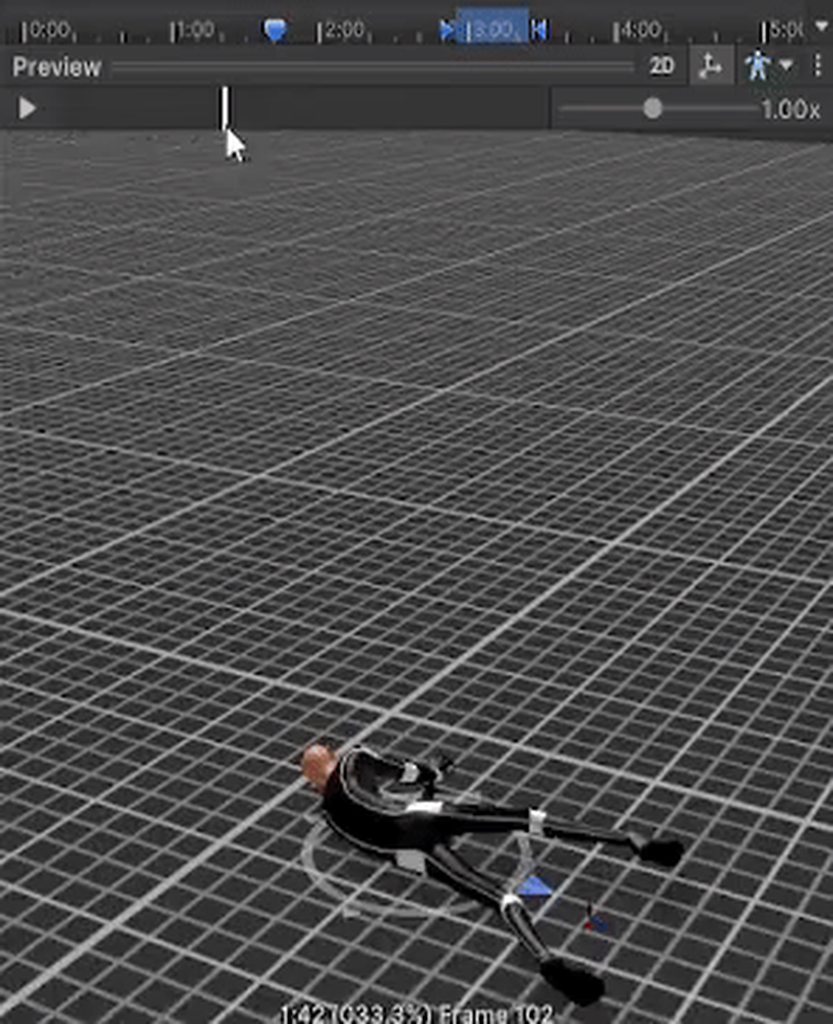 hybrid tinsel
violet jay
Can someone explain to me how to use OnAnimatorMove() when it comes to keeping a...
hybrid tinsel
violet jay
Can someone explain to me how to use OnAnimatorMove() when it comes to keeping a...
Can you just change the offset of root rotation?
astral horizon
Can i trigger a trigger from script in diffrent object?
agile solstice
astral horizon
Can i trigger a trigger from script in diffrent object?
Sure if you get the reference to the Animator or to the script that controls it
astral horizon
can u give me example?
 echo charm
This problem started to happen after I made the character humanoid. As the character moves and animations run, the character's model begins to shift more. I couldn't find the solution. Any help?

 echo charm

 frail comet
Hello in here, I am having some trouble with my animation controller. I have a fairly simple controller for a humanoid character split into four layers. The first layer handles movement animation, the second handles aiming the upper body, the third handles recoil animations, and the fourth handles weapon poses / firing animation. The last two layers set to Additive blending mode, but they don't seem to be applied at all. I have set all animation clips used to have an additive reference pose, but that doesn't seem to change anything. I do make use of blend trees for both second and third layer, could this be the cause of the issue?
I have spent more hours than I care to admit Googling, trying to solve the issue, but without luck. It is worth mentioning that I am inexperienced with Unity's animation system, though I feel I have somewhat of a grasp of the basics.
echo charm
frail comet
Hello in here, I am having some trouble with my animation controller. I have a f...
have you tried to use Avatar Masks?
frail comet
I have. The best result I've been able to produce so far has been just having each layer handle different sections of the body, using masks.
But it looks stiff, thus I would like to add some animations on top of each other.
here's how it looks when using masks, it's functional, but stiff.
diregard the slight jiggling, I believe that's just the target prediction being a bit overzealous
 limber saffron
I have an issue where my animation is playing but it is insanely quick and doesnt really show up. it says it is playing in the animator but its not visible | one sec ill bring up the video
the code for it is here void Update() { if (Input.GetKeyDown(KeyCode.LeftShift) && canDash) { anim.Play("dashanim"); }
ik i shouldnt post code here buts its very small
gritty walrus
Exit time?
limber saffron
there is no exit time, do i need to add it?
gritty walrus
yes
set it to like 1s to show its working, then adjust it to what you need from there
make sure theres a blend below the exit time showing the animation transition
limber saffron
i though 2d animations work better without it tho
gritty walrus
ah
limber saffron
alr ill try it tho
gritty walrus
tbh ive worked little with 2d, so mb if thats wrong
figured it may be the same but maybe not, my bad
limber saffron
nah ur good man, ill try it out tho
it didnt seem to work, but i think 3d is way better for this kinda issue
frail comet
echo charm
have you tried to use Avatar Masks?
Any ideas?
red bramble
I'm using root motion for locomotion. I want to prevent a walk cycle from playing if the player is walking straight into a wall.
But if I stop the player from walking into a wall, I'm also going to stop the player from moving at all, since you have to be playing the walk cycle to move!
I'm thinking about testing if the player should be able to move by doing a capsulecast, then reducing the speed parameter on the animator if something is in the way. However, I'm worried this'll cause the player to get stuck. It'll also be way too aggressive, since you can often just climb up slopes and slight bumps.
I guess I can compare how far I moved vs. how far I intended to move
hey, that kinda works!
hybrid tinsel
red bramble
I'm using root motion for locomotion. I want to prevent a walk cycle from playin...
I'd just use a blend between walk and idle anyway, so I'd detect whether you can move before sending the speed parameter to the animator.
red bramble
hmm, i'm not sure how to reliably test for that
say the player is walking into a slope
i guess i could have an extra character controller that I just use to test if a move is possible?
hybrid tinsel
Raycast at whatever height usually works.
grand ruin
Anyone know any good alternatives to Mixamo? I couldnt quite find what I was looking for there
 vast spire
Hey guys, I exported the starter 3d character asset made by Unity which uses the Unity Humaniod rig. I animated a sitting pose for it in blender then exported back the animation into Unity. however, the animation is not exactly the same once converted to Unity Humaniod rig, anyone know what i am doing wrong?

okay its fixed now but the issue is weird. because i export only the animation from blender this bug happens, but if i include the model, then the bug doesn't happen even when converted to humaniod rig
 limber veldt
I have a question srry if this is the wrong Channel
I have two sprites i wanna animated but how do i play both at the same time? and combine them to one in the end? I cant send more screens right now cause i have to work now


I am completly new to this 😅
hybrid tinsel
limber veldt
I have a question srry if this is the wrong Channel
I have two sprites i wanna ...
Have them on separate layers
agile solstice
limber veldt
I have a question srry if this is the wrong Channel
I have two sprites i wanna ...
To have two sprites coexist in an animation there needs to be a different sprite renderer for each
limber veldt
Okay thx a lot
agile solstice
Bone weights too smooth probably
As part of the weight painting process in modeling software
Not in any practical way
Maybe, but it doesn't look related at a glance
Avatar configuration shouldn't affect weights at all but I wouldn't be surprised if it turns out that it does
 cerulean ore
Hey I'm trying to do a basic animation on a prefab asset that I've placed in my Scene. If I try to change the anchoredPosition on one keyframe, it changes it in all of them. I don't understand why?
oh i figured out to move between keyframes with the UI button, odd that clicking on the keyframes themselves did not work
agile solstice
Find weight painting guides
It's a whole process
astral horizon
How to set animation to any frame in code?
agile solstice
More concentrated on them so they deform less area around them
There isn't any very simple answer to how to weight paint "better" in this very particular situation
agile solstice
astral horizon
How to set animation to any frame in code?
You don't set it to "frames" since they don't conceptually exist in unity
https://docs.unity3d.com/ScriptReference/AnimationState.html
You can use normalizedTime and time to set the clip to a specific time, though
astral horizon
agile solstice
You don't set it to "frames" since they don't conceptually exist in unity
<https...
So how i can know the time of my anaimation?
I mean fx, the time of any frame
agile solstice
astral horizon
I mean fx, the time of any frame
What for do you need to know the time of a frame
astral horizon
again
i want to set animation with fx raising a hand
to the moment when it is in a middle of character body
So how can I know the time of animation, where the character got his hand on the middle of his body
?
or eseaier. I got cube that change color RED GREEN BLUE, thats the animation
i want to set the animation to GREEN then sth will happend in code
how do i do that?
agile solstice
astral horizon
So how can I know the time of animation, where the character got his hand on the...
Knowing the time seems to be the opposite problem of setting it
You can use animation events to call a method, for example to trigger a vfx or sfx at a specific point in the animation
But you can also set the animation to a specific time using the methods I just gave
astral horizon
astral horizon
or eseaier. I got cube that change color RED GREEN BLUE, thats the animation
How can i know, what time is for "Green"
agile solstice
Fundamentally you don't, keyframes aren't individually readable from the AnimationClip class
But like I said you can use an animation event to call a method at that specific time that tells you it's green time
Or note down at what time exactly does that happen and compare to AnimationState.time

 sacred maple
Greetings Y'all
I brought in these animations from mixamo, if you notice the 2 on the left have their feet clipping through the floor plane, how can i avoid this?
I have tried checking on "apply root motion" I though that was the fix, but it did not help.
is there something else I am missing?
agile solstice
astral horizon
The numbers in the blue bar are seconds by default
Divided by 1/60ths of a second apparently
 agile solstice
"fx"?
astral horizon
can u send me a simple code
astral horizon
agile solstice
"fx"?
for example
astral horizon
astral horizon
can u send me a simple code
for this frame, How it should look
agile solstice
You already have an event there, why not use that event to call a method that does what you want
astral horizon
agile solstice
You already have an event there, why not use that event to call a method that do...
i will delete it
astral horizon
agile solstice
Or note down at what time exactly does that happen and compare to `AnimationStat...
But how the code should look using this now
cerulean ore
I have an animation starting from 0,0,0 and then i put the assets in a parent component to try and make them animate from their localPositions but they are still all starting from 0,0,0 within the parent, instead of at their pre-defined locations I set on startup
The assets are instantiated at start time with a script, which may be part of the issue?
hybrid tinsel
sacred maple
Greetings Y'all
I brought in these animations from mixamo, if you notice the 2 o...
Assuming that the animation error isn't too high, enabling foot IK in the animator state
 wheat flint
How are the animations of levers, buttons, etc made?
lethal river
Is there a way to disable/enable inverse kinematics? I’m using the animation rigging addon
sacred maple
hybrid tinsel
Assuming that the animation error isn't too high, enabling foot IK in the animat...
I’ll look into that. Thanks
hybrid tinsel
lethal river
Is there a way to disable/enable inverse kinematics? I’m using the animation rig...
You should be able to individually disable any separate rig part
hybrid tinsel
wheat flint
How are the animations of levers, buttons, etc made?
Can you be more specific?
wheat flint
hybrid tinsel
Can you be more specific?
Well,i want to do an animation that if the player interact with a flush lever of a toilet it make that animation
 north shale
Hey, I'm new to Unity and making a 2D platformer game. Can someone tell me what is the issue that my Player character disappeared in scene view yet still shows in game?
It also bugged after I tried to animate it – it moved correctly before adding an animation, now it moves correctly to the right, to the left it's rotated by 90 degrees. 
It also doesn't show anymore in animation preview.


Sorry if I put it in wrong topic, thought #🏃┃animation might be appropiate though.