#🏃┃animation
1 messages · Page 17 of 1
 edgy quail
edgy quail
edgy quail
It don't make no sense!
 agile solstice
Does your Animator have parameters?
edgy quail
agile solstice
Does your Animator have parameters?
idk what those are
agile solstice
edgy quail
idk what those are
You won't get far without learning the basics
https://youtu.be/sgHicuJAu3g?t=1104
 merry sluice
Bump
edgy quail
How could I make the body invisable and just see the arm? But when other people join they can see my body.

nvm
 rugged meteor
I'm trying to create pixel art guns for a 2D side scrolling game, should the guns firing animation (including things like recoil and muzzle flash) be all done through the sprite, or is it better to add muzzle flash through something like the particle system?
 hushed plover
It's there any issue if I have the character like this for the animations from mixamo? My character is not performing the idle animation

 blissful edge
This is the sketch an artist made for my character for my 2d game. Do you think it is possible to rig the character when he’s done?

Should be possible right?
 hybrid tinsel
blissful edge
This is the sketch an artist made for my character for my 2d game. Do you think ...
hybrid tinsel
blissful edge
This is the sketch an artist made for my character for my 2d game. Do you think ...
Depends on what you want to rig him to do.
You can do typical stuff, idle and walk, easily enough with something like that though the angle is perhaps not ideal.
edgy quail
The animations are not working. When I play the machines it just stays on the idle.
edgy quail
How do i do it
 versed fog
soooooooooooooooom how now days we export blender rigify animations to unity? still need manually to delete bones? as it seems changed quite a lot on blender side. or there is more humane method?
edgy quail
versed fog
soooooooooooooooom how now days we export blender rigify animations to unity? st...
Export it fbx. When in the project click the triangle on the side of the model. Find a cyan triangle, and thats your animation.
 versed fog
For me when I export as humanoid unity dont get correct bones and importing gives error.
edgy quail
idk then
versed fog
so I assume rigify BASIC HUMAN rig and unity humanoid rig does not convert nicely.
and I can only find data from 4 years ago about these things, weird
 feral scaffold
yooo does anybody now why i cant have a thirth parameter called speed
 hybrid tinsel
feral scaffold
yooo does anybody now why i cant have a thirth parameter called speed
hybrid tinsel
feral scaffold
yooo does anybody now why i cant have a thirth parameter called speed
Can't you?
Have you tried adding it while not in play mode too?
feral scaffold
i fixed it already i was in gamemode
versed fog
Maybe anyone have idea why bool fly changes to true automaticly after first rotation of idle animation? There is no code that turns it to true, I triple checked
 versed fog
Solved by manually on start set this fly bool into false. But still dont understand why it sets it self to true by it self otherwise.
 lyric owl
how do i make it so my object moves slower at the start of the animation and faster at the esnd
 ocean sage
How do I add a sprite sheet animation on top of another?
 frail osprey
edgy quail
How could I make the body invisable and just see the arm? But when other people ...
frail osprey
edgy quail
How could I make the body invisable and just see the arm? But when other people ...
Get the player object in a different layer, then untick player object in render layers
Should work
Besides of that i am pretty much sure that there is more basic ways, but cant remember
Oh and you want to show arms only, no idea then
 near sierra
very nooby question but for animation layer, does the ordering matter for the layers when it comes to animation override? If so is it bottom most has highest priority over the animations played from the higher up or is it top-most that has the highest priority?
hybrid tinsel
near sierra
very nooby question but for animation layer, does the ordering matter for the la...
Bottom most
near sierra
gotcha thanks
 twin musk
Skinning editor is buggy in LTS 2022.3.4f1
Does unity have checklist of items to check before sending off to production?
I Cant move/rotate the bones in preview mode.

Skinning editor is not working. what is going on here?
i can click on a bone, and i can rotate it on the side where a box pops up, but that doesnt move the polygons
 trim hatch
is this your first time using it?
idk what you've done yet, but I'm assuming you've weighted the vertexes, right?
also the process is similar to most 3d animation weights but I've never done that
twin musk
trim hatch
is this your first time using it?
I used it with 2020 editor. it was fine. I dont know what is added, but i cant click a bone and move it, or paint in weights
trim hatch
weird, idk then
twin musk
im dragging and dropping the .psd file into the editor. but it doesnt automatically see it as a .psd.
in 2022 lts i can change it to import with psd imported, but it is broken. in 2021 i doesnt notice it at all
agile solstice
twin musk
Skinning editor is buggy in LTS 2022.3.4f1
2022.3.4 seems to have broken a lot of basic stuff so I'd be quick to report a bug if something that worked previously doesn't seem to work anymore
 crystal turret
Hello, I am working on a 2D top down game. The current setup I have is a parent object that houses multiple sprites as child objects. The player script is attached to the parent object. I am wanting to attach the Animator to the parent object as well. However, when I do that, I can't see to reference the child object sprites for animation. Does know how to solve this?
twin musk
agile solstice
2022.3.4 seems to have broken a lot of basic stuff so I'd be quick to report a b...
Can you teach me how to report the bug? And yes, it is broken because it worked on my older version.
agile solstice
twin musk
Can you teach me how to report the bug? And yes, it is broken because it worked ...
The editor has a bug reporter under Help
They wish you to use it in a blank project save for a reproduction of the error
 leaden pebble
So I have an animation for a character, and I had to shrink the sprites down since they were too big. Then I needed to replace one of the frames, but it kept its original size and I don't know how to shrink it down to match the others. I tried changing the size with keyframes in the animation, but nothing changed. Does anyone know what's going on and how to fix it?
 thorn skiff
Peeps, I am using Visual Scripting to start an animation I created with an audio visualizer, that has 13 separate audio files, which is a multitrack. They need to be separate, because each of them is in a different location and using spatial sound. They sync perfectly in unity when I set to play on awake, but I needed to create this script graph, so I could have a 'start' button in the VR world I am creating in Spatial. When I upload into spatial.io the audio files start to play approximately 500ms before the animation. Is there anything I can add into the VS to sync the audio and animation? Spatial only allows for Visual Scripting. Also note that there are only 2 audio files in this example, as it is only a test and I have not added the other 11

 sweet glacier
why can I only put keyframes every second and not ms

 bleak cypress
Aight so, Im trying to get some 2d sprite animations working and I have gotta say, the "default" workflow of doing it in unity of:
- Slice sprite sheet (even automatically)
- Manually find the start -> end sprites and select them
- Drag and drop em to make an animation out of em
Is a nightmare, especially if your sheet is packed up so your start to end sprites of the animation dont get consecutively numbered by unity correctly via the automatic slicing...
Is there any saner way to do this, ideally via some way I can just pick the sprites from the sprite editor?
or better yet an automatic way where if I have a sprite sheet with all the frames already organized horizontally, it just assembles all of the animations for me by assuming Left->Right horizontal "row" of sprites = 1 complete animation?
 plucky kayak
Hi all! I'm struggling with creating animations for my project. I have create a skeleton rig for my Sprite character. Whenever I try to record animations if in the first frame I do not move a bone from its original position but I move it in the second frame the bone gets also moved in the first frame. Is there a work around that?
 old crypt
does somebody know why changing the animation speed to -1 doesnt reverse my animation?
animator.speed = -1;
the animation just stops
agile solstice
old crypt
does somebody know why changing the animation speed to -1 doesnt reverse my anim...
It can't be negative
https://docs.unity3d.com/ScriptReference/Animator-speed.html
Negative playback speed is only supported when the recorder is enabled.
which apparently is for recording animations at runtime
Animator States themselves however can have negative speeds
 tulip talon
i jsut wanna ask, im not too sure myself. but the animation doesnt always plays when an input is taken even if when the animation is over

that all my code
so i dont really understand why
and it somtime does the animation like 2 in a row

 haughty fulcrum
If you’re switching from an idle state to your swing state as part of a character controller or something, I recommend using a blend tree, if you just right click on empty space you should be able to make a blend tree the inside there you can add your idle and swing animation’s in and have the swing animation activated by a change of a one to a zero, I recommend looking up on YouTube how blend trees work and then going from there
hybrid tinsel
leaden pebble
So I have an animation for a character, and I had to shrink the sprites down sin...
Probably need to edit that frame in the sprite editor.
hybrid tinsel
tulip talon
that all my code
Animator.Play() doesn't restart an animator state it is already in. If you want to be sure it will trigger, use a trigger to transition into the state instead of playing it directly.
tulip talon
hybrid tinsel
Animator.Play() doesn't restart an animator state it is already in. If you want ...
ok calm
ill try change it
old crypt
agile solstice
It can't be negative
<https://docs.unity3d.com/ScriptReference/Animator-speed.h...
oh thank you for the info. was hoping to find a easy reverse animation method..
versed fog
Once another question I am struggling to warp around. I created New Rig for character with simple animations. On Animation preview, animations works for that character. But when I Run it in game, I get stuck in T pose. Animator switches states correctly.
If animator is on Parent object 1, it is stuck at T pose, if it is on FBX prefab, it actually switches to animations. I am using same avatar and same animations controller. (yes I disable or enable one by one, both of them is not running.)
This is not the first time I had similar problems, so I want to learn why this can happen?
Rigs are humanoid, muscles works correctly in rig preview. In animation preview if I drag this model also it shows that animations works on this rig. So I am super confused why this does not work in runtime.
And also I need to have animator on parent, as it is networked project and it is one of requirements. Before I somehow were able to work around it, but now this problem appeared again I cant find a way.

This what i mean by preview

but if I put animator on spot 2, animations are registered. Do I need to create somekind of custom avatar?
versed fog
Okay I found how to workaround:
Get FBX -> Avatar Definition set to : Create From This Model -> select avatar, ctrl +D to duplicate it outside the FBX. then go to FBX again -> Copy from another avatar -> select the avatar you duplicated -> reasign that duplicated Avatar on animator where it is. And it is working............................... Well it works, but WHY? Anyone can explain me?
As this forces me to have all bones game objects on, and I cannot use "optimize bones" feature.
hybrid tinsel
versed fog
As this forces me to have all bones game objects on, and I cannot use "optimize ...
No reason to use that feature in this case; in the build unity will be saving the animation in a different format anyway so any premature optimization at that level will be lost.
hybrid tinsel
versed fog
but if I put animator on spot 2, animations are registered. Do I need to create ...
The avatar registers where in the hierarchy the bones are. If the hierarchy doesn't match, the avatar breaks.
The hierarchy is counted from the root transform, so if you put the animator on a transform that doesn't line up with where the avatar says it will be, it will break. Your workaround is basically creating an avatar that includes your extra transforms.
agile solstice
old crypt
oh thank you for the info. was hoping to find a easy reverse animation method..
Negating state speed is the easy method
 hollow torrent
is it possible to retarget an animation to a model with a different rig
both are humanoid but the rigs are different
agile solstice
hollow torrent
both are humanoid but the rigs are different
If they're both humanoid avatar configured then I expect so yes
 feral fiber
how do i slow down an animation
 charred wraith
How do i fix the lagging animation of the zombie... also when it approaches me it doesn't play the Attack animation that i gave him...
 crimson mica
Is it possible to change duration of transition from script? Animator
And if yes then how?
 nova dawn
I’ve never done animation - I’ve basically got this box as a player and I want it to fall apart if it hits something is there a way to do that?
 faint jay
One week animating!
agile solstice
charred wraith
How do i fix the lagging animation of the zombie... also when it approaches me i...
Looks like both the code and animations have problems
I'd guess the animation is made for root motion but the character is not utlizing it, so it's not actually moving at all despite appearing to do so
agile solstice
feral fiber
how do i slow down an animation
States within the animator controller can have decreased on increased speeds
If you're authoring the animation within Unity, you can move keyframes further apart from each other in time
feral fiber
agile solstice
States within the animator controller can have decreased on increased speeds
i fixed it like 4 hours ago i figured it out myself

 gritty otter
hi guys! im following a tutorial to get my character climbing in to a box, all is working, but when i hve to move the character controller to the end where the animation is doing the climb is not working fine, maybe i hve to set an offset or how can i do the best approach for this?
 lunar jacinth
so I got my character going but after holding in for more than a second, he freezes? Animator or the script? I'm super new so please bare with me

 neon sun
make sure the animations have Loop Time enabled
lunar jacinth
neon sun
make sure the animations have Loop Time enabled
can u help me again
im sorry but id rather not map the whole thing out again. is there a way to turn on loop with those animations that are mapped already?
i got it
lunar jacinth
how do i fix this goofy running cut
agile solstice
lunar jacinth
how do i fix this goofy running cut
The animation is made for root motion but your character is not utilizing it
lunar jacinth
how do i do that?
lunar jacinth
can someone explain how i would have the turning animation ONLY be able to be performed when "D" is clicked while not moving (if its a script thing please tell me)
 placid void
I suppose you can have a bool monitoring if d is pressed and put that bool in at a transition parameter? For the not moving part you can have a bool checking if there are any movement inputs and put that in as a transition parameter
hollow torrent
i blended these two animations together using the inspector and I would like to make them into one animation. is that possible?

 gritty otter
how can i improve this effect when finish climbing and move my character controller up and play idle animation ?
charred wraith
agile solstice
Looks like both the code and animations have problems
I'd guess the animation is...
Ok but why isn't the attack anim not working
gritty otter
i finally fixed using state machine exit
agile solstice
charred wraith
Ok but why isn't the attack anim not working
Impossible to guess without any info about the code or the animator
agile solstice
hollow torrent
i blended these two animations together using the inspector and I would like to ...
You can treat them as one state (or even make them a sub-state machine) where the transition between them happens automatically thanks to Exit Time
But you cannot by default make one new animation out of two within the editor
Blend trees are also an option for playing more than one animation at a time in a blended fashion
charred wraith
using System.Collections;
using System.Collections.Generic;
using UnityEngine;

public class ZombieAI : MonoBehaviour
{

    public GameObject ThePlayer;
    public GameObject TheEnemy;
    public float EnemySpeed = 0.01f;
    public bool AttackTrigger = false;
    public bool IsAttacking = false;
    public AudioSource HurtSound1;
    public AudioSource HurtSound2;
    public AudioSource HurtSound3;
    public int HurtGen;
    public GameObject TheFlash;


    void Update()
    {
        transform.LookAt(ThePlayer.transform);
        if (AttackTrigger == false)
        {
            EnemySpeed = 0.01f;
            TheEnemy.GetComponent<Animation>().Play ("Z_Walk");
            transform.position = Vector3.MoveTowards(transform.position, ThePlayer.transform.position, EnemySpeed);
        }
        if (AttackTrigger == true && IsAttacking == false)
        {
            EnemySpeed = 0;
            TheEnemy.GetComponent<Animation>().Play("Z_Attack");
            StartCoroutine(InflictDamage());
        }
    }

    void OnTriggerEnter()
    {
        AttackTrigger = true;
    }
    void OnTriggerExit()
    {
        AttackTrigger = false;
    }


        IEnumerator InflictDamage()
    {
        IsAttacking = true;
        HurtGen = Random.Range(1, 4);
        if (HurtGen == 1)
        {
            HurtSound1.Play();

        }
        if (HurtGen == 2)
        {
            HurtSound2.Play();

        }
        if (HurtGen == 3)
        {
            HurtSound3.Play();

        }
        TheFlash.SetActive(true);
        yield return new WaitForSeconds(0.1f);
        TheFlash.SetActive(false);
        yield return new WaitForSeconds(1.1f);
        GlobalHealth.CurrentHealth -= 5;
        yield return new WaitForSeconds(0.9f);
        IsAttacking = false;
    }
}
@agile solstice im not using the animator but animation tab instead
 agile solstice
charred wraith
<@166982635950702592> im not using the animator but animation tab instead
agile solstice
charred wraith
<@166982635950702592> im not using the animator but animation tab instead
Don't use it
It's deprecated and unsupported
charred wraith
oh ok
agile solstice
charred wraith
oh ok
https://youtu.be/sgHicuJAu3g?t=1104 here's a good tutorial for the animator
The part that's most relevant to you is how to handle multiple animation clips within the animator and how to create parameters and transitions and how to trigger them in code
charred wraith
agile solstice
<https://youtu.be/sgHicuJAu3g?t=1104> here's a good tutorial for the animator
Th...
ok thank you
 exotic garden
Hello boys, girls etc !
An animation pipeline question.
My coworker has the following character animation workflow :
A fbx character with a set of animations from an Unity plugin/package.
All these animations are in .ANIM.
I would like to know if there is a way to export the FBX character with these animations inside any DCC software (blender, Maya...) ?
The aim of operation is to import the character with these anim, in order to to retarget it to another rig/mesh.
blissful edge
I have a problem, I am using a sprite where the two upper legs are „combined“ and now these weird stretching occurs when I want to rig my character
Does anyone have a solution for this problem?
hybrid tinsel
blissful edge
Does anyone have a solution for this problem?
There's no perfect solution other than to cut the back leg out like it should have been in the first place, though you can minimize the errors through creative manual placement of the mesh points and weight painting.
hybrid tinsel
blissful edge
I have a problem, I am using a sprite where the two upper legs are „combined“ an...
Not a perfect example but basically the same here; I don't have a better example because if it was more extreme like yours I'd have just cut the leg out. https://i.imgur.com/zQOiKlC.mp4
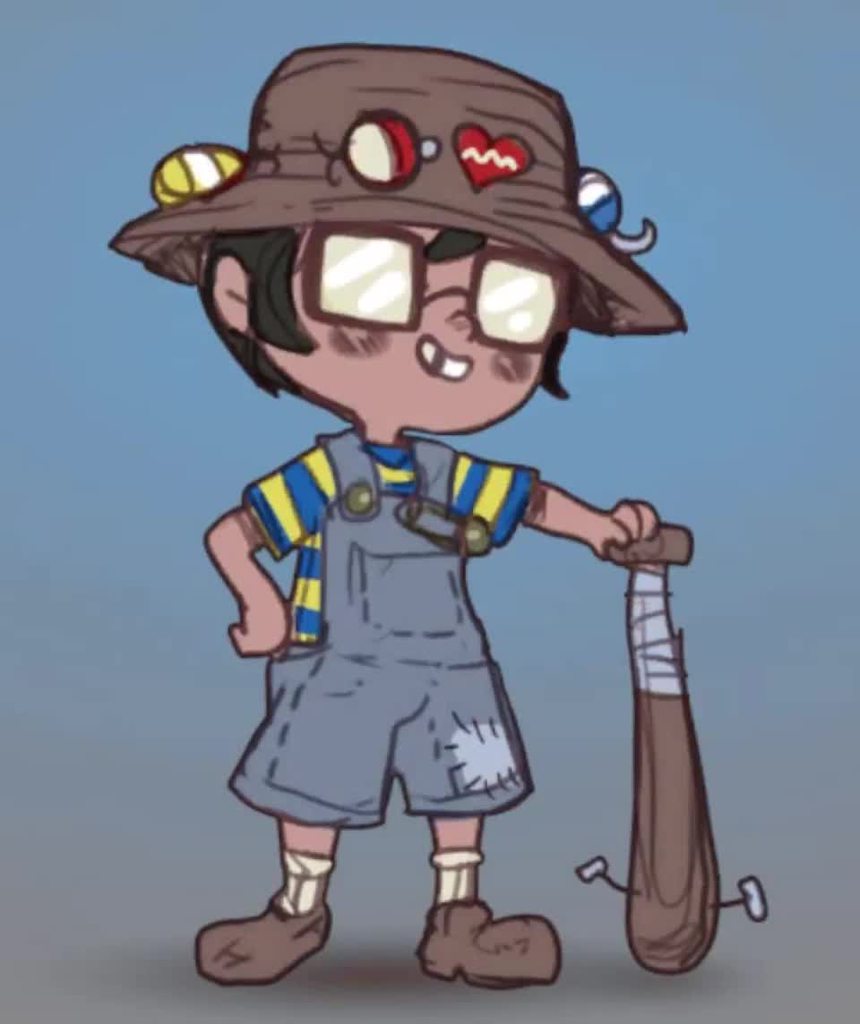
Main things are to minimize the influence of each leg on the other, so you'll definiutely have some distortions in the back leg since that is the least destructive place to stick the stretching. You ant the front leg to have its entire outline firmly weighted to its bone.
blissful edge
So you mean to make a cut between the two legs like here?

I don’t really understand what you mean
hybrid tinsel
Well, ideally you'd make two separate pieces, one for the front leg and one for the back. But if you can't, then you just have to minimize the distortion
blissful edge
Do you think it is possible to tell the graphic designer of the character that he should seperate the legs?
So that they aren’t connected anymore
Or you think that would ruin the character
hybrid tinsel
Well, I'd say it'd be the best option, though you could probably get away without doing it it will be a lot of work.
I'd probably split them something like this
 blissful edge
So they’re overlapping?
 vestal iris
What can I check if my model isn't animating? I got a model with animations, added a simple animation controller with one state, but the animation isn't playing. If I "apply root motion" the model bounces, so I know the animator found the skeleton. If I preview the animations they animate in the preview, so I know they're good, just can't seem to connect them up. Animations are humanoid and a unity avatar came with the asset pack
hybrid tinsel
blissful edge
So they’re overlapping?
Well, no, the artist would separate them.
They are overlapping NOW
vestal iris
What are my options for callbacks from the animator? I know I can add animation events to my animations, but is there something for states?
blissful edge
hybrid tinsel
They are overlapping NOW
Could I also just delete the space between them
So delete this section

Then he could just move his legs just his hip won’t rotate with them
hybrid tinsel
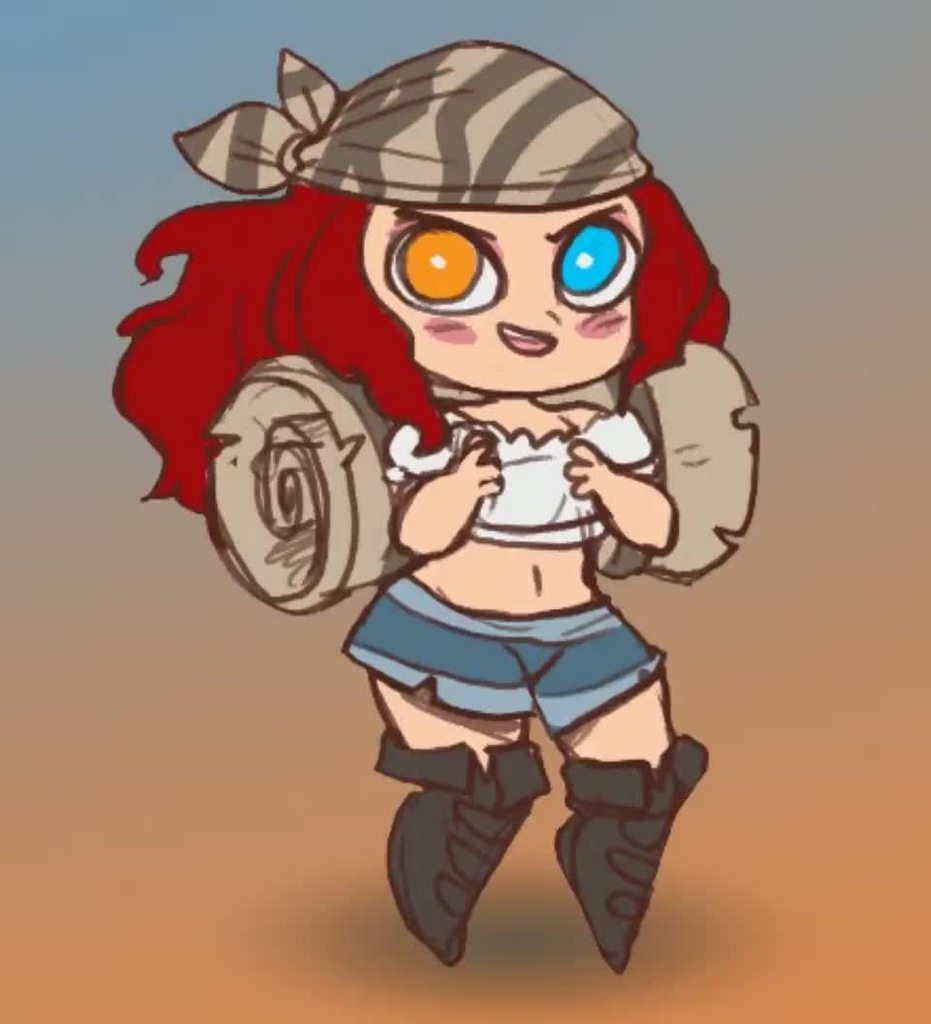
That's how I did this one
Though I also had a separate bone for the hips there
I mean, that is an artistic decision really.
lunar jacinth
placid void
I suppose you can have a bool monitoring if d is pressed and put that bool in at...
how would i do that? can anyone help
placid void
Maybe something along the lines of:
If (input.getkey(keycode.d))
{
Animator.setbool("d", true);
}
I think thats how you could do it
lunar jacinth
can i share u my code and u can see if its right
now i neevr used c# because ive done java in schooling but i just started 3 days ago
do i have to make a variable for the boolean or smth
 snow depot
lunar jacinth
do i have to make a variable for the boolean or smth
snow depot
lunar jacinth
do i have to make a variable for the boolean or smth
"d" in the above code would be an animator variable
lunar jacinth
and also how would i make a boolean for if there is any other key pressed?
lunar jacinth
snow depot
"d" in the above code would be an _animator_ variable
oh ok
placid void
snow depot
"d" in the above code would be an _animator_ variable
This
snow depot
I'm going to be honest, it looks like the way you set up your animations could have been done easier with an animator blend tree
placid void
Relatable
lunar jacinth
ive been following misc. tutorials
 snow depot
lunar jacinth
man i started like 3 days ago i dont know what im doing 😢
snow depot
lunar jacinth
man i started like 3 days ago i dont know what im doing 😢
from experience, it's going to stay like that for a looong time.
sorry
lunar jacinth
what does the blend tree have to do with a standing still motion tho?
like running and turning that would be useful
snow depot
I meant the following tutorials part. I have been using unity on and off since like 2016 and I constantly watch tutorials
lunar jacinth
snow depot
I meant the following tutorials part. I have been using unity on and off since l...
im ready 🫡
snow depot
lunar jacinth
like running and turning that would be useful
Is your animation controlling the camera rotation or something?
snow depot
lunar jacinth
what does the blend tree have to do with a standing still motion tho?
blend trees for 3rd person movement usually have 2 variables: speed along and x, and a y axis.
snow depot
you can simply insert an idle animation that plays when both x and y speed are 0.
lunar jacinth
i want my guy to only use this turning animation when standing still. but if you double click the key while running it does it.
idk how but do u see what i mean in that video?
does that better explain what im trying to fix?
snow depot
I think I understand what you're saying. I haven't done that before, though.
lunar jacinth
aw man
placid void
If you want to do that you can get the horizontal and vertical input. Then check if both are 0. If they are set the bool to true and otherwise set it on false. Wouldnt that just fix it?
snow depot
I would try creating 2 blend trees. one for running/idle animations, and the other for turning animations.
you could ease into the turning blend tree if the player's velocity approaches 0.
that blend tree itself could have a variable for the camera rotation rate
lunar jacinth
placid void
If you want to do that you can get the horizontal and vertical input. Then check...
i think i understand kinda
but how do i code that
snow depot
so when moving, the movement bleend tree is in effect, not the other.
lunar jacinth
snow depot
I would try creating 2 blend trees. one for running/idle animations, and the oth...
this makes sense to
snow depot
placid void
If you want to do that you can get the horizontal and vertical input. Then check...
Not preferrable imo.
lunar jacinth
this blend tree stuff is so hard tho
 prime tree
i wonder why is my model disappearing in the middle of my animation
 snow depot
lunar jacinth
this blend tree stuff is so hard tho
snow depot
lunar jacinth
this blend tree stuff is so hard tho
experiment with it first. Do not try to implement it on your first go.
placid void
snow depot
Not preferrable imo.
Understandable, i am by no means an expert so i would just take your method
lunar jacinth
snow depot
experiment with it first. Do not try to implement it on your first go.
how do i experment with smth i dont know like u mean make a new unity prodject or smth
snow depot
create a new animator, and a new skeleton in the hierarchy with that new animator. watch tutorials on how to set up your blend tree.
the goal is to not 'break' your previous setup if you have trouble with the new implementation.
lunar jacinth
ok i guess
snow depot
@lunar jacinth https://youtu.be/DnqcxhOV-xQ
Here we go!!! In order to create smooth transitions for between your walking/running animations, you'll need to create a blend tree. Learn exactly how in the next 3 minutes! Hope it helps- !!!
Free Female Base Rig Download:
https://www.youtube.com/watch?v=_XfvLpLyulI
Animation Speed Tutorials:
https://www.youtube.com/watch?v=6Km2COZGYA0&list=P...
I love this guy. very good, condensed tutorials
lunar jacinth
ok
ill check out
thanks
i did it
im sorry but the blend tree was to much for me to handle atm
the movment tutorial i did i realized made a variable for if he is moving so i put that if he is not moving and the key is pressed then do the animation
blend tree looks a lot more veritile but too confusing for me rn
vestal iris
ok actual animation question: I have a getting up animation: if I don't bake xz root transform - I get sliding at the end of my animation, as it tries to keep the root at my transform's center. If I do bake the xz root transform, the animation plays correctly, and I'd love to have a chance to realign my transform center to the model, but before I do at the end of the animation the model slides to the transform's center.
 blissful quiver
Weird Sprite sheet artefacts
 untold plank
does anyone mess with AnimatorState.timeParameter?
hybrid tinsel
untold plank
does anyone mess with AnimatorState.timeParameter?
What do you mean by messing with it?
untold plank
just used it at all
I'm trying to change the timeParameter at runtime and it seems busted
it works, i can see it change in the inspector, but I'm interpolating the value of the newly set parameter from 0-1 and its not advancing the state
 autumn river
Hi I have an animation question: Whenever i click on any of my transitions in the animator, the transition properties in the inspector in the are all grayed out and unclickable. Does anyone know why this is/how to fix this?
hybrid tinsel
untold plank
it works, i can see it change in the inspector, but I'm interpolating the value ...
Did you set timeParameterActive to true?
Also you might need to disable root motion, I don't recall whether it will do that for you or not
hybrid tinsel
autumn river
Hi I have an animation question: Whenever i click on any of my transitions in th...
Can you show a screenshot?
autumn river
hybrid tinsel
Can you show a screenshot?
I actually figured it out but thank you so much for responding! 🙂
 shrewd spoke
Why in the hell is multi-parent constraint moving my character's head to the middle of the chest rather than the camera? Its a parent of the rig


 onyx bloom
hi folks, i have a potential use case for timelines and would like to know whether or not this is possible:
i have a moment in the game where i need to play some animations, but the animations need to vary slightly depending on certain game state conditions. the number of possible permutations is very high (scales exponentially with number of players) so making individual animation or timeline assets for each one isnt possible. the animation variations are not physics-related so i cant just rely on physics to take care of it.
is this kind of thing possible with timelines? the timelines would have to involve some cinemachine camera movement, particle effects, and 3d model anims.
agile solstice
onyx bloom
hi folks, i have a potential use case for timelines and would like to know wheth...
What exactly are the potentially infinite animations the characters need to act out?
onyx bloom
agile solstice
What exactly are the potentially infinite animations the characters need to act ...
thanks for asking, here are some examples
scenario 1: a tie between 2 teams occurs. the characters from both teams should walk to random positions in their team's area in the scene and randomly do an unhappy animation.
scenario 2: one team barely wins. the winning team characters walk to the winners' area, losing team goes to losers' area, and characters do some happy/unhappy animations
scenario 3: one team wins by a landslide. similar to scenario 2 but more VFX and just dialed up versions of the animations.
i would imagine this would be at least 3 separate timelines (1 for each scenario) and maybe a timeline-within-timeline thing to handle some of the lower order things. but i need the timelines to figure out some stuff at runtime, like figuring out the walk destinations because that depends on the number of players.
in other words i need this stuff to work with runtime variables to avoid ballooning the number of different timeline assets needed
at the same time, i would really like to be able to preview things in the scene view, so i'd like to avoid constructing the timeline purely from code
 mint wedge
Hey wasn't TOO sure where I should ask this but since it has to deal with animation I figured here would be okay.
Having trouble with a pooled object and it's animation trail currently. Because when I re-activate the pooled object, the animation from it's previous "life" is still going so it creates lines from where it was before, to where it is now. Is there any good fix to this besides just shorten how long the animation trail lives?
agile solstice
onyx bloom
thanks for asking, here are some examples
scenario 1: a tie between 2 teams occ...
I would have AI (such as navmesh agent) take over the characters as if they were NPCs for the cutscene's duration, that way their actions can be fully dynamic and quite infinite
All the timeline would do is give their AI signals to make choices
onyx bloom
agile solstice
I would have AI (such as navmesh agent) take over the characters as if they were...
that works for the characters but there are other things i need to animate in the timeline, just some 3d props and such
agile solstice
onyx bloom
that works for the characters but there are other things i need to animate in th...
Hmm do you? They could be clips in individual animators, triggered when prompted by a character that interacts with it
onyx bloom
agile solstice
Hmm do you? They could be clips in individual animators, triggered when prompted...
they're mostly independent of the characters
i guess i want a timeline to manage a large sequence of things going on, and maybe that isnt the right approach
agile solstice
A Timeline isn't necessary for cutscenes at all, it's just a tool to temporarily override gameobjects' individual animation with a greater synchronized animation
If what you're doing doesn't naturally fit into one big set of keyframes, I'd explore other options first
It's just sometimes the most convenient way to do it, if that's what has to be done
onyx bloom
yeah, i do want to synchronize timing on this stuff. like the cinemachine camera should sync with one teams' characters moving, then swap over to the other teams' characters, and some vfx / prop animations should happen only while the cameras are looking appropriately
agile solstice
onyx bloom
yeah, i do want to synchronize timing on this stuff. like the cinemachine camera...
I mean synchronizing keyframed animations specifically
Otherwise there's no difference to using a timeline vs a timer counting up, aside from how they're created and stored
A Timeline is probably useful as a skeleton for the cutscene, but in this case I'd use scripts for the meat
onyx bloom
that makes sense. i think the main thing pushing me towards a timeline based solution is the fact that we are trying to do a bunch of cinemachine stuff, which is easiest to do in a timeline context
agile solstice
onyx bloom
that makes sense. i think the main thing pushing me towards a timeline based sol...
Don't get me wrong I suggest you use timelines in this case for tasks that work with it, in tandem with scripts that don't
The timeline could call a method to have AI components take over the characters and start figuring out where they should move
lunar jacinth
Does anyone have any ideas why my character doesn't do his animations and only stays in this pose


it says hes doing it in the little screen on the bottom right corner but he is staying in that crouched position
i will send a ss of whatever u think u want to see
agile solstice
lunar jacinth
Does anyone have any ideas why my character doesn't do his animations and only s...
That's the default pose when it has no motion, for whichever reason
Even if the preview successfully previews individual states, you need to confirm at runtime that the gameobject with the animator is playing the correct states
 stray fulcrum
One short question: I want to create an Idle Animation for a machine in Unity. It should just look like this and move not at all. I try to do it with the animation window in Unity, but it does not set any keyframes, I assume it is because I don´t move parts

Will it still work, even though there are no keyframes? Or is it not possible to create such an idle state in Unity
 rapid rivet
Hi. What 3rd party 2D animation tools (not the one included in Unity) do you guys use? Any alternatives to Spine?
agile solstice
stray fulcrum
Will it still work, even though there are no keyframes? Or is it not possible to...
You can just make a new empty state in its animator
If for some reason you need to set unmoving keyframes you can enable the recording mode and then right click and "add key" on any component properties of gameobjects in the hierarchy
hybrid tinsel
onyx bloom
i guess i want a timeline to manage a large sequence of things going on, and may...
You can have procedural elements in a timeline, and like spazi says just having it send signals to the character control scripts is probably easiest.
hybrid tinsel
lunar jacinth
it says hes doing it in the little screen on the bottom right corner but he is ...
Most likely that is a humanoid attempting to play a generic or missing clip.
hybrid tinsel
stray fulcrum
Will it still work, even though there are no keyframes? Or is it not possible to...
In most cases I'd recommend adding at least one keyframe just to avoid weird errors.
You don't need to move anything to create a keyframe, you can just manually create keys.
stray fulcrum
hybrid tinsel
In most cases I'd recommend adding at least one keyframe just to avoid weird err...
I try, but it is greyed out

I can´t add any keyframe manually
hybrid tinsel
What is grayed out?
stray fulcrum
the "Add Keyframe" Button
hybrid tinsel
You need to add a property to key.
stray fulcrum
do I have to add every movable part as property?
because I think that I can only add them one by one
and I have quite many
nvm, I found a way, I can right click it when selecting
before I simply used double click to add it
 main wadi
For adding keframes you can also use the record mode:
*) enable record mode (redi circle button)
*) go to frame
*) make the changes within scene
That should automatically add all the modified properties and keyframes for them.
When done exit record mode.
stray fulcrum
That is the way I did it before
but my Idle animation does not make any movements
so there was no change which would have automatically set keyframes
stray fulcrum
One more thing, I tried to create a turning animation for the conveyorbelt now, but it seems like I have to constrain some rotation directions

it can be seen in this video
is there a way to fix the tiles from rotating towards the screen, so it moves like a normal conveyorbelt?
I think in blender there was such a thing as locking certain coordinates and rotations of an object
but I don´t really see it in Unity, only the "Enable constrained proportions" button
agile solstice
stray fulcrum
is there a way to fix the tiles from rotating towards the screen, so it moves li...
I'd try using interpolation type quaternion instead of euler angles for those keyframes
stray fulcrum
agile solstice
I'd try using interpolation type quaternion instead of euler angles for those ke...
Where do I find that? I can only find Free, Linear, Constant, Weighted and Auto
agile solstice
stray fulcrum
Where do I find that? I can only find Free, Linear, Constant, Weighted and Auto
try these options here
 stray fulcrum
agile solstice
try these options here
stray fulcrum
agile solstice
try these options here
Oh, it is working now, thank you! 😄
nvm, I changed the curves to linear so the Conveyor belt moves fluent instead of having a little stop after moving 1 tile, and now I have the same problem
even though I changed the Interpolation of every Rotation Property to Quaternion ;_;
 minor hornet
I'm trying to do a basic animation for a Sprite I imported via .psd, however in the "Animation" tab it's showing as "Name: Sprite (Missing!)" and nothing is rendering
However, when I use a SpriteRenderer it renders fine
frail osprey
How can I fix this bending issue? As you can see, the mesh gets in chaos whenever I change arm position, but I want the arm to bend correctly to outer sides without touching the body. I haven't found many sources about this problem and Two Bone IK Constraint's Hint feature, which I think it is the solution but I have no idea how to use it
agile solstice
frail osprey
How can I fix this bending issue? As you can see, the mesh gets in chaos wheneve...
Use the Hint
https://docs.unity3d.com/Packages/com.unity.animation.rigging@1.3/manual/constraints/TwoBoneIKConstraint.html
As explained here it marks the bend direction
 void zealot
Does anyone know if there's anything like "Spline IK" from 3ds max and blender available in unity? What I want to be able to do is take a cyclinder with say 10 bones along its length, and have it move along a spline. (And I'd like to do it to many things, so efficiency would be nice, and flexibility so realtime not baked)
 late bane
I can not drag and drop pictures into my animation window
does someone know what could be the problem
hybrid tinsel
minor hornet
I'm trying to do a basic animation for a Sprite I imported via .psd, however in ...
Are you applying the animation to the right object?
hybrid tinsel
late bane
I can not drag and drop pictures into my animation window
By 'pictures' you mean what? Sprites?
late bane
hybrid tinsel
By 'pictures' you mean what? Sprites?
yes
hybrid tinsel
And you're dragging the spriterects in, not the sprite file?
 kind nova
Anyone tried out the Nodachi Animset from the last Unity Bundle ?
https://assetstore.unity.com/packages/3d/animations/nodachi-animset-212073
I tried redirecting a character but it seems like the thumbs are going crazy with other humanoid meshes.
Would love a hint on what could cause that, maybe fixing it with IK? I dunno.
Thanks guys

Elevate your workflow with the Nodachi AnimSet asset from wemakethegame. Find this & other Animations options on the Unity Asset Store.
edgy quail
Why does it do this when I play my animations? I have an avatar selected for the model.

 lunar jacinth
hybrid tinsel
Most likely that is a humanoid attempting to play a generic or missing clip.
lunar jacinth
hybrid tinsel
Most likely that is a humanoid attempting to play a generic or missing clip.
where would i find free humanoid animations
cause the tutorial i followed uses some and they work but i cant find any other ones
hybrid tinsel
edgy quail
Why does it do this when I play my animations? I have an avatar selected for the...
Same issue as blitz- you are using a generic animation on a humanoid avatar.
hybrid tinsel
lunar jacinth
cause the tutorial i followed uses some and they work but i cant find any other ...
If they are compatible you can convert them by choosing humanoid in the importer.
edgy quail
hybrid tinsel
Same issue as blitz- you are using a generic animation on a humanoid avatar.
How do I make a humanoid animation?
 white crag
yo i tried animating a mario rig and it doesn't work and i followed like 3 tutorials can someone help
edgy quail
white crag
yo i tried animating a mario rig and it doesn't work and i followed like 3 tutor...
Send a screenshot

 edgy quail
white crag
edgy quail
white crag
do you have parameters?
white crag
edgy quail
do you have parameters?
i dont think so
edgy quail
white crag
i dont think so

 edgy quail
Create one
white crag
4 options
edgy quail
bool
edgy quail
Name it something like: isIdle
edgy quail
Click the arrow leading to the idle animation
white crag
 edgy quail
oh shoot, sorry i thought it would go to a different place
edgy quail
I can link you to a tutorial
white crag
ok
edgy quail
white crag
ok
Learn the fundamentals of animating characters with Unity's animation system, and understand how & why it all works!
This beginner-friendly tutorial is a thorough break down of the Animator component in Unity 3D and explains how to use the component's five properties: controller, avatar, root motion, update mode and culling mode. By the end o...
white crag
wait so now if i play will it play idle?
edgy quail
Yep, what was your idle animation?
edgy quail
nvm, to see if it works. do this layout. click play when done

Sorry i didn't see that it doesn't work
edgy quail
What was your idle animation. was it moving or just a still thing?
white crag
moving
white crag
can i share my screen
edgy quail
oh okay
white crag
edgy quail
at least watch the tutorial
oh k
white crag
edgy quail
oh okay
can i vc you
 remote ibex
https://hatebin.com/maectjkwyf anyone know how to add animations to this?I already made walking, idle, Jumping animationsbutThe last code looked like thise
 sullen geode
!learn
 dusk valeBOT
🧑🏫 Unity Learn can offer you over 750 hours of free live and on-demand learning content for all levels of experience! Make sure to check it out at https://learn.unity.com/
remote ibex
DUUUDE
 near breach
This is probably a common problem but i'd really appreciate some advice: I've got this character rigged in Blender. when I import it into Unity, the nose an mouth deform at different rates to everything else. All the objects are parented to the rig with automatic weights. I've tried: parenting the objects with different settings, merging everything into on object, reseting the origins, parenting the objects to different bones, applying the transformations of the objects.

 agile solstice
near breach
This is probably a common problem but i'd really appreciate some advice: I've go...
agile solstice
near breach
This is probably a common problem but i'd really appreciate some advice: I've go...
Automatic weighting cannot be relied on to produce finished results, but it can be useful as a starting point before manual weighting
In cases like with loose parts this it fails because it determines bone influence by connected geometry, so using Envelope weighting could be a better approach
It depends how many bones your character's head has though
If it's just one you won't even need automatic weighting, you can simply weight paint the whole head to the head bone
near breach
Looks like thats pretty much fixed it. Really helpful, thanks!
(head only has one bone so the weight painting thing worked)
 violet python
I want to layer animation without screwing up the spine. What's the best way to go for? In Unreal Engine you could make spine being effected or not but in Unity there is no such option and no control on this without coding it up. What should I do in this case?
agile solstice
violet python
I want to layer animation without screwing up the spine. What's the best way to ...
What do you mean by "screwing up the spine"?
The Avatar system has a Masking feature to exclude bones on layered animations, but I've been layering animations just fine without it
violet python
agile solstice
What do you mean by "screwing up the spine"?
The Avatar system has a Masking fea...
why it looks on somewhere instead of forward?
when trying to play on upper portion ofcourse
 royal portal
when ur in the configure window for avatar whats the red highlighted bones mean?
 agile solstice
violet python
when trying to play on upper portion ofcourse
agile solstice
violet python
when trying to play on upper portion ofcourse
Depends on the animation and how you're playing it? That is not a common issue I'd have heard of before
Does the overlay animation have the same issue if you play it as a base layer animation
violet python
I got normal movements
Then I want to play lets say reload or aim
Now facing trouble doing that and facing somewhere else even with all direction animated @agile solstice
agile solstice
violet python
Now facing trouble doing that and facing somewhere else even with all direction ...
Hard to guess since I don't know how you're doing the overlaying (additive or override?), what the animations look like in isolation and what the problem looks like
violet python
agile solstice
Hard to guess since I don't know how you're doing the overlaying (additive or ov...
Override
At best I can do is update spine at lateupdate but that doesnt look too healthy since animator updates transform in parallel

 obsidian laurel
hey, i wanna ask, if you have like a third person shooter game with like 10 different guns, do you have to make crouch, run, walk, reload, side walk etc... animations for every gun? This would mean like 100 animations for all the guns. Do you have to make like animations for reloading while running, while walking etc..?
agile solstice
obsidian laurel
hey, i wanna ask, if you have like a third person shooter game with like 10 diff...
A common technique is to use layered animations so that gun specific animations can be overlayed with generic movement animations, and to re-use poses for different guns
obsidian laurel
agile solstice
A common technique is to use layered animations so that gun specific animations ...
So you mean like 2 animations combined together?
agile solstice
obsidian laurel
So you mean like 2 animations combined together?
Yes
obsidian laurel
agile solstice
Yes
And also i wanna ask, can you use animation rigging and normal animations together?
agile solstice
obsidian laurel
And also i wanna ask, can you use animation rigging and normal animations togeth...
Yes
They can be used similarly to animation layers, and are often used together with them
https://blog.unity.com/technology/introducing-the-animation-rigging-preview-package-for-unity-2019-1
edgy quail
bruh
 agile solstice
edgy quail
bruh
agile solstice
edgy quail
bruh
You're going to have to provide more detailed problem description than "bruh"
edgy quail
agile solstice
You're going to have to provide more detailed problem description than "bruh"
ok my bad
agile solstice
It doesn't seem possible to tell if this is even related to animation
 normal oxide
Question Unity 3D URP:
I have a mouse controlled character 3rd person that is supposed to cut down a tree. The animation can be always the same angle and so on. Is it possible that the character grabs a gameobject axe and chops gameobject tree with it? What would I need to animate? (Tree animation and Character?) How does the chopping and tree shaking get synchronized?
I would be happy about all sources
edgy quail
For some reason when I play the animation and stop it, it pushes my character back a little bit.

 violet python
agile solstice
A common technique is to use layered animations so that gun specific animations ...
violet python
agile solstice
A common technique is to use layered animations so that gun specific animations ...
How to do that without screwing up spine? In Unreal Engine you could do Mesh(Global) Space layering and Local Space(Current Unity one). What’s the alternative in Unity?
twin musk
im a beginner in animation, i tried using my animationos that i made in blender beforehhand. the blend tree doesn't really work for me. I already haev a script for detecting whether the player is moving or sprinting, and the number in the blend tree changes accordingly, but the only animation that plays is the idle animation. The preview window thing in the bottom right hand corner also doesn't play any animations when i press play. Can someone help me?

(don't mind my cylinder)
 twin musk
thihs issue is so annoying theres prob a simple fix 😭
agile solstice
twin musk
im a beginner in animation, i tried using my animationos that i made in blender ...
The blend tree is a state that the animator needs to transition to (or start from) to display it
If you have a blend tree of blend trees, I'd first test with just a simple blend tree of animations instead to make sure it works
agile solstice
violet python
How to do that without screwing up spine? In Unreal Engine you could do Mesh(Glo...
I can't find any info about global or local spaces in context of animations, so you may have to link some resources about them
Anyway, that shouldn't be necessary for animation layering
You still haven't demonstrated the issue or explained your workflow so I'm stuck guessing
twin musk
agile solstice
The blend tree is a state that the animator needs to transition to (or start fro...
Sorry wdym
I’m a dumb beginner 
violet python
agile solstice
I can't find any info about global or local spaces in context of animations, so ...

Hey everyone! Today we're looking at the Layer Blend Per Bone function inside the Anim Graph. This cool little thing allows us to play animations only on certain parts of the body whilst leaving other parts unchanged. This is extremely useful for separating animations between the top and bottom half of your characters so they can do things while...
TLDR; what's the equivalent of Unity for this?
agile solstice
violet python
TLDR; what's the equivalent of Unity for this?
Avatar Masking which is the first thing I suggested
violet python
agile solstice
Avatar Masking which is the first thing I suggested
but that makes my animation rotate somewhere else i dont want
no way to control
lemme show you image
agile solstice
violet python
but that makes my animation rotate somewhere else i dont want
Masks alone don't do that
They're simply a way to mask animation layer's influence per bone
agile solstice
twin musk
Sorry wdym
Which part seems to be confusing
twin musk
agile solstice
Which part seems to be confusing
Sry I’ll just mess around w it tmr
hybrid tinsel
normal oxide
Question Unity 3D URP:
I have a mouse controlled character 3rd person that is s...
The simplest way would be to use a timeline to sync both objects' animation. You could also use events in one animation to trigger a response in the other object.
violet python
agile solstice
Masks alone don't do that
They're simply a way to mask animation layer's influen...
so what's the solution? If mask wont do it?
hybrid tinsel
My guess is that your mask might be incorrect; the 'masked animation rotates the character ' thing often happens when the root is accidentally included in the upper body mask.
agile solstice
violet python
so what's the solution? If mask wont do it?
It probably will, if you use it correctly
hybrid tinsel
But like Spazi said, you haven't shown us enough info to really debug.
violet python
found it from quick google. What's the solution for that?
 agile solstice
I often prefer additive animation layers that only move the bones that need to be moved, and also inherit idle motion from the base layer
If you specifically need it to override base layer motion then override layers could also work in a similar way if you have "write defaults" disabled, so bones untouched by it would not be overridden
But I haven't tried the second way yet
violet python
why looking that way?
hybrid tinsel
What should it look like?
agile solstice
How does a random image from google help at all
violet python
damn it lemme set it up hold on
violet python
by default it is like this

moment i apply to upperbody to walk animation, it becomes like this
 agile solstice
violet python
moment i apply to upperbody to walk animation, it becomes like this
agile solstice
violet python
moment i apply to upperbody to walk animation, it becomes like this
How do you apply it?


 agile solstice
The problem looks to be not that the spine is getting twisted, but that your aiming animation expects it to be twisted but it's not
Which implies your mask is excluding the aim's spine pose, or it doesn't have a pose for those spine bones to begin with
violet python
this is the avatar mask
 agile solstice
If the animation didn't move the spine even before you were excluding bones using masking, then that suggests the motion isn't there at all
Masking can't create motion where there is none
violet python
violet python
should be like this
having motion is a different worry. What I want is to spine to look that way
idle is somewhat fine
but problem causes when walking
unreal engine solves it by providing more options
when unity got only one which applies locally instead of globally
agile solstice
violet python
having motion is a different worry. What I want is to spine to look that way
By motion I mean any new values from keyframes to transform components, whether it actually "moves" or not
 misty echo
Can someboyd help me

When I try to create another animation
It goes to my aiming animation
is it possible to have more than 1 animation per object
agile solstice
violet python
when unity got only one which applies locally instead of globally
The video didn't solve the mystery of what local and global mean in animation context so I can't really help with that
All animated motion applies locally to parent bone, that much seems true in all game engines
That is, unless the motion is controlled by an IK resolver or some secondary calculation
agile solstice
misty echo
is it possible to have more than 1 animation per object
https://youtu.be/sgHicuJAu3g this tutorial at 17:37 goes through multiple animations in one animator
violet python
toggling this one makes the animation applied at global
 agile solstice
I can't even tell what that says
"Space" in Unreal context is same as "blend tree" in Unity, apparently
violet python
agile solstice
"Space" in Unreal context is same as "blend tree" in Unity, apparently
not that. Anyway used Unreal Engine?
There is another equivalent of Blend Tree in UE4
damn it now i need to open Unreal Engine to explain?
agile solstice
violet python
not that. Anyway used Unreal Engine?
No but I've been reading the docs in an effort to decrypt what you're saying
The docs have many pages for "blend spaces" but no mention of blend trees or animation trees of any kind
The "space" referring to the same kind of weight field unity's blend trees use to determine animation blends
Like I said earlier the problem appears to be that your gun pose does not include necessary keyframes for the spine
Twist is not a problem, but lack of it
violet python
In Mesh Space it looks like this

The pose I want
Toggling off makes it looks like this

@agile solstice
Now how do I do that in unity?
violet python
violet python
Toggling off makes it looks like this
this is how it works in Unity
agile solstice
violet python
Now how do I do that in unity?
It looks like that system uses some variety of inverse kinematics under the hood, so you'd have to use IK as well
I believe Humanoid Avatars have IK aiming (as well as some other IK features) but I've only been using the Animation Rigging package's IK
violet python
agile solstice
I believe Humanoid Avatars have IK aiming (as well as some other IK features) bu...
isnt that just adding extra calculation? Also didnt saw options which allows you to keep track of spine animation from animation tracks
like as image i want spine rotation of how it is in upperbody
but lowerbody does its own thing
agile solstice
violet python
isnt that just adding extra calculation? Also didnt saw options which allows you...
Unreal also has to do extra calculations to solve the non-local rotation of bones in the armature hierarchy
violet python
i do know LateUpdate trick/Rigging Tools to solve those problem however you are stuck with spine animation you provide through code
didnt saw anyway to extract from animator
agile solstice
IK from both Avatar IK and Animation Rigging IK work together with the animator and don't require any code
violet python
agile solstice
IK from both Avatar IK and Animation Rigging IK work together with the animator ...
worried about calculation. Does it calculate unnecessarily?
like calculating in single thread or something
which screws up performance
agile solstice
violet python
worried about calculation. Does it calculate unnecessarily?
It's not unnecessary if you need it, is it
It's a bit early to worry about optimization in this stage of the development
Most of Unity is single threaded but the Animator is one of the few parts that's natively multi threaded (unless you control it with your own single threaded scripts)
violet python
agile solstice
It's not unnecessary if you need it, is it
It's a bit early to worry about optim...
in our case we need to think about optimization 2000+ animations we are animating
we took steps like making custom transitions, disabling animator and predicting states from future, etc.
violet python
did it already it slowly falls off just around 500-1000+
we solved it by disabling animator altogether
and using predictions and relying on few booleans to check when and when not to enable/disable animator
agile solstice
Most likely a Humanoid Avatar attempting to play a Generic or a missing animation clip
Remove what?
You can see all the animation clips in the Controller with the Animator window
But the problem is that the Avatar has no motion
So it resets to that default pose
Or no valid motion anyhow
If New Animation has no valid motion, then it assumes the default pose you are seeing
You need a Humanoid animation clip of that pose
I don't know, I don't work with Humanoids
You cannot keyframe a humanoid rig in Unity. It's disabled by design because our keyframing workflow is not powerful enough for humanoid rig. You should use an authoring tools like blender, max or maya to keyframe your character, they have better workflow and their tools are made to create asset.
Mecanim-Dev in 2016, but who knows if that's changed
 low atlas
how can i make animations shorter
i downloaded a weapon and all animations are in one animation
agile solstice
low atlas
i downloaded a weapon and all animations are in one animation
Mesh import settings animation tab has a field for defining animation clips from imported frame ranges
low atlas
agile solstice
Mesh import settings animation tab has a field for defining animation clips from...
thanks
 willow idol
How can I record a new infinite clip in an animation track after a normal one

 hardy falcon
How do i fix this problem:
My character has forwardrun, forward right run, right run etc. When he transitions betweens right to forward right sometimes its like the legs swing extra fast and it looks strange. Is this a common problem? I turned of transition speed in unity
lunar jacinth
why does my character float for 1 second or so after he lands?
agile solstice
hardy falcon
How do i fix this problem:
My character has forwardrun, forward right run, righ...
It is a common problem if you use transitions or otherwise start again the new animation
You may want to use blend trees instead
They're not only easier to setup but also synchronize animations within them so running stays in rhythm
agile solstice
lunar jacinth
why does my character float for 1 second or so after he lands?
Does the floating happen even when animator is disabled? Looks like this could have something to do with your movement code instead of animations
lunar jacinth
agile solstice
Does the floating happen even when animator is disabled? Looks like this could h...
so not sure how to do that but i watched and it seems that the capsule stops like a bit above the ground then slowly sinks
maybe the script or can u help me with the animator thing
 ancient echo
Im not sure if this is a code or animation question, but what might be the best way to get different AI to use different sets of animations? I have a "melee" and "ranged" AI, that both execute an "Attack" state periodically, but everything else like movement, falling, taking damage, etc are all the exact same, does it make sense to have 1 Animator Controller that has every possible attack and assign them with a int param, or use a naming convention to call the state directly per-AI (or maybe use layers per AI?), or give each AI a different controller with the "Attack" state being the specific animation for them? If the latter then how could I centralize the common animations like movement, falling, taking damage, etc?
 twin musk
why tf is my preview just stuck in a t pose
twin musk
twin musk
why tf is my preview just stuck in a t pose
when testing with another gun animation, this window works but with arm animations specifically it just doesnt work
bleak cypress
Is there an easy way to set up such that, in an animator, a param must be a value for a period of time before you actually transition into the animation? For example here, I have Down_Run when State = Running, and then Down_RunStop when State != Running, but I want it to be like that for at least 0.1~0.2 seconds or so before it actually will switch over (so if I quickly swap back to Running, it doesnt hiccup into RunStop)
 hybrid tinsel
lunar jacinth
so not sure how to do that but i watched and it seems that the capsule stops lik...
hybrid tinsel
lunar jacinth
so not sure how to do that but i watched and it seems that the capsule stops lik...
Is the capsule sinking into the ground, or is it changing position relative to the character?
hybrid tinsel
twin musk
when testing with another gun animation, this window works but with arm animatio...
Are you mixing humanoid rig and generic animation or vice versa?
twin musk
hybrid tinsel
Are you mixing humanoid rig and generic animation or vice versa?
I finally got it working at the cost of my mental health 💀💀idk man I just started unity like 2 weeks ago just learning everything
 opaque urchin
What do transitions with three arrows mean?
 hybrid tinsel
opaque urchin
What do transitions with three arrows mean?
hybrid tinsel
opaque urchin
What do transitions with three arrows mean?
That means you have more than one transition between those states
 novel quest
Hi! In 2D: what's the best practice when it comes to switching between two different "landing"-animations; one for when landing from a higher jump/fall, and one for when landing from a shorter one.
I am relatively new (on and off two years) with gamedev, but I suspect that a raycast (which I don't fully understand yet) could be implemented with some sort of Yvelocity check, but not sure exactly how. Any suggestions would be greatly appreciated 🙂
agile solstice
novel quest
Hi! In 2D: what's the best practice when it comes to switching between two diffe...
Have you got the first kind of landing implemented already?
novel quest
agile solstice
Have you got the first kind of landing implemented already?
Hello! Yes, I have an animation playing when "IsGrounded"
transitioning from jump/fall, ofc
agile solstice
novel quest
Hello! Yes, I have an animation playing when "IsGrounded"
You can additionally measure fall duration / velocity and have another parameter like "hardLanding", then branch the transition paths to go both landings with no transition in between them
If you need to be able to transition from many animations into both, they could be a sub state machine
novel quest
agile solstice
You can additionally measure fall duration / velocity and have another parameter...
Thanks! I'll have to think about it a little
agile solstice
novel quest
Thanks! I'll have to think about it a little
Many ways to go about it, depending on stuff like how often a landing can be triggered and whatnot
The parameter HardLanding could also be a trigger or a float (for multiple velocities) and the different landings could even exist within a blend tree
novel quest
agile solstice
The parameter HardLanding could also be a trigger or a float (for multiple veloc...
I was thinking something along these lines. A blendtree with two landing animations. I kinda get it; measure distance with raycast to ground layer when falling, play animation according to -y velocity. But am stuck about exactly how to execute it, as the code would be called when falling but animation executed when landing..
agile solstice
novel quest
I was thinking something along these lines. A blendtree with two landing animati...
At any moment that your code sets grounded to true you also check for duration or speed of falling when that happens and set animator conditions accordingly
dusk valeBOT

Posting code
📃 Large Code Blocks
Large code blocks should be posted as links to services like:
https://gdl.space/, https://paste.ofcode.org/, https://hatebin.com/
https://paste.myst.rs/, https://hastebin.com/
📃 Inline Code
Surround code with three backquotes. Not quotation marks.
To get C# formatting the first line should only contain cs or csharp.
Add a comment with a line number if there is an error message.
```cs
// Your code here
```
Do not share screenshots of code unless requested.
novel quest
agile solstice
At any moment that your code sets grounded to true you also check for duration o...
Slowly inching forwards, reading about raycasts. Does this look like I'm on the right path? Not sure what to put in the final parameter, the lines were given to me as an example from 3d raycast.
anim.SetFloat("DistanceFromGround", hit.point.y);``` keen violet
sorry if this has been answered before. I'm trying to do a shotgun shell reload, and want to have an expandable ammo size. In the animator window however I can't set a condition to fire when currentAmmo = clipSize. I can only set a hard value (currentAmmo = 8 in this case). How would I go about setting the right value to another parameter?
 jagged ruin
keen violet
sorry if this has been answered before. I'm trying to do a shotgun shell reload,...
jagged ruin
keen violet
sorry if this has been answered before. I'm trying to do a shotgun shell reload,...
you dont (afaik) put 'conditionals' into the animator parameter fields...
and that is not a conditional, that is you setting your variable (you have one equals sign) -- ' == ' is conditional.
You would put that in a script that would on that 'condition' trigger the animator.SetFloat or SetInteger, or Trigger.. whatever.
 vernal yoke
hi there, I'm wondering if anyone has any advice for this issue I'm having with a blend tree and my locomotion animations.
Overall they work as expected, but whenever the tree tries to blend between the left and right strafe and the left and right diagonal forward animations it does this really dumb looking blend of the two and I'm not sure what I should do to fix it.
I know it's because the strafe animations have the character running to the respective sides with their back sort of turned in the direction it is going, and the diagonal forward animations have the character facing forward, so I guess it's doing this weird like, combination of trying to blend those together. I'll attach a clip of what i'm experiencing.
If anyone has a suggestion as to what i should do to make this not look terrible i would be super grateful. Thanks!
agile solstice
novel quest
Slowly inching forwards, reading about raycasts. Does this look like I'm on the ...
Do you need to know the distance from ground in this situation though?
The landing animation would be determined either falling duration or falling speed (up to your game design)
distance to ground will always be zero or close to it at the moment of impact no matter how long the fall was
novel quest
agile solstice
distance to ground will always be zero or close to it at the moment of impact no...
Yesss! I was thinking I could check for yVelocity within the last 0.5 seconds, whether it was over a given value would determine the landing animation. But I havent tried it yet.
 hot quest
hello there im having a smal issue where when i create the animation my Magazine moves a little to early i cant seem to find the solution
 ember crest
Hey ! I've just created one of my first character for my game (before I just downloaded sprites online). But now I need to animate it. That's seems very hard but I'm ready to learn. The Idle Animation isn't complicated but others are... But before starting, I wanted to know : Is the character I've designed good for animation ? If you have tips for me please don't hesitate.
Have a nice day !
 novel quest
ember crest
Hey ! I've just created one of my first character for my game (before I just dow...
novel quest
ember crest
Hey ! I've just created one of my first character for my game (before I just dow...
I think it looks like a good place to start. Smart choice going for less details, making animation easier for you. shape and shading makes it interesting to look at. Good work! You could start off very simply by lowering/raising the chest area one pixel, and have the head follow in the next frame.
If you do this up/down over the course of four frames you have a simple idle-animation going. I take it you have layered the different parts of the body? Maybe it's actually faster and easier not to layer them, and just copy/paste and then cut/move. Good luck!
hybrid tinsel
vernal yoke
hi there, I'm wondering if anyone has any advice for this issue I'm having with ...
That sort of thing is most often an issue with the animation timing; the blended animation should have the foot falls and rises somewhat synced up or blending will give you an incorrect result
vernal yoke
hybrid tinsel
That sort of thing is most often an issue with the animation timing; the blended...
thank you so much for responding! so all of the movement directions were taken from the same animation asset pack, is there something I can do to maybe help them sync up better? or should i just maybe remove the strafe ones or something?
hybrid tinsel
vernal yoke
thank you so much for responding! so all of the movement directions were taken f...
It is hard to say without being familiar with the asset; if the animations loop you might be able to use the animation's 'cycle offset' to adjust the foot timings- one thing I've noticed is that strafe animations are often mirrored, which means that the foot placements are wrong for the mirrored ones because they're being blended with unmirrored ones. (So for intance blending a right foot raised in the walk with a left foot raised in the mirrored strafe.)
vernal yoke
interesting, okay.
do you think there's a way i can set maybe the parameters so that it's a little more snappy between the strafes and the forward diagonals? i feel like if it wasn't trying so hard to blend those it would look better.
I don't expect you to take the time to look at this, but if you wanted to, this is the asset i got, they have a video on there that showcases all the movement animations.
https://assetstore.unity.com/packages/3d/animations/free-32-rpg-animations-215058

Elevate your workflow with the FREE - 32 RPG Animations asset from Blink. Find this & other Animations options on the Unity Asset Store.
lunar jacinth
hybrid tinsel
Is the capsule sinking into the ground, or is it changing position relative to t...
it seems to be sinking
want me to record and show u
so via further inspection its not sinking in the ground its sinking to the ground\
i jump then it reaches this point above an object where it lands and sinks till it hits the object
prime tree
my Spider-like turret is running at me with the wrong side of the animation

what is hapenning
happening
happenning
idk
its in the wrong orientation
vernal yoke
prime tree
its in the wrong orientation
are you sure you have the spider facing forward in whatever container it's in?
twin musk
can anyone help i am trying to do an animation loop in unity but it just keeps like slowing down at the end wich makes it look bad
 wary robin
if I want to animate a projectile, is the only way to add a animator to it?
ping me if someone replies
wary robin
let's say like a bullet spinning
then do I add a seperate animator for that bullet?
or is there an easier way to achieve that
vernal yoke
you could make the bullet a child of a parent object that is the "projectile" and put a script on the bullet itself (not the parent) that just does rotates it
wary robin
ok I'm sry idk why I was giving an example but what I'm actually to do is making fire breath
so I want the fire to come out and go back in
but for bullet that was prob a better idea
the fire is gonna expand out and then extinguish smaller over tmie
prime tree
vernal yoke
are you sure you have the spider facing forward in whatever container it's in?
wdym
 vernal yoke
yeah no for sure, so pulse turret is the parent?
prime tree
yess
vernal yoke
when you click on it in scene view and switch to world space is the spider facing the blue arrow?
prime tree
i think it is
 vernal yoke
is the animation moving backwards? or does it look like its walking forward but moving backwards?
vernal yoke
like does the way his feet move look like hes walking forwards but hes just facing backwards and coming towards ytou?
prime tree
the animation plays fine, when it starts following me it turns sideways
vernal yoke
huh, your script have it follow you by doing transform.LookAt(you) or something?
prime tree
nuh uh
vernal yoke
how's it following you in the script?
vernal yoke
also you could try adding transform.LookAt(player.transform.position) to the script on him
vernal yoke
in update
prime tree
ok
vernal yoke
you could do it here
        {
            anim.SetBool("walking", true);
            engine.SetDestination(Player.position);
            if (distance < engine.stoppingDistance)
            {
                anim.SetBool("walking", false);
                anim.SetBool("idle", true);
            }
            else
            {
                anim.SetBool("walking", true);
                anim.SetBool("idle", false);
            }
transform.LookAt(player.tranform.position);
        }
wtf is happening
 vernal yoke
well i mean i don't know if your player object is called "player" you would need to get a reference to the playher
vernal yoke
i dont see in this script where you're setting the object, i see you declaring the variable Player but I don't see where youre setting the player object to it
prime tree
still doesnt work


 prime tree
of course i am
 vernal yoke
well the null reference error means that one of the variables youre using doesnt have a value
prime tree
vernal yoke
well the null reference error means that one of the variables youre using doesnt...
what null reference
vernal yoke
the error you took a screen shot of
prime tree
this?
 vernal yoke
yes
prime tree
oh this is just an unity bug
vernal yoke
oh so it was happening before?>
prime tree
no
vernal yoke
ok
vernal yoke
disappears lmao
vernal yoke
one of them was right!
prime tree
still there
 vernal yoke
idk it might be breaking your spider
so it does follow you right?
just doesnt face you?
prime tree
yes, it does follow me, just doesnt face me.
vernal yoke
\so the engine.SetDestination is working then
prime tree
yes, it is
vernal yoke
and that error isn't related to the code
prime tree
no, its related to the editor, probably if i restart it, it will disappear
vernal yoke
the transform.LookAt should make it face you, if it isn't facing you then probably it isn't facing forward in it's object in the hierarchy
you could just try player.position
since Player ios a transform
prime tree
ok
vernal yoke
i don't know if it isn't working beyond that then i would say go into the object that has the turret thing and make sure it is facing forward, as in in the direction of the z-axis arrow
prime tree
ok
vernal yoke
actually it would be with Local world space, not global
prime tree
yep, didnt work
vernal yoke
yeah then it's an issue with the object itself
just make sure where you want it's forward to be facing is the forward spot in it's object
lunar jacinth
do any of u know anything to do with my problem?
low atlas
When i import my model + animations the anims are completly broken
hybrid tinsel
vernal yoke
interesting, okay.
do you think there's a way i can set maybe the parameters s...
You can either change the parameter your script is sending the animator(such as with some sort of curve) or you can adjust the position of the nodes in the blend(Making them closer together makes the transition area smaller for instance)
 cinder light
hello i need help making voxel animation with unity. most tutorials i've seen involve rigging the voxel models but i want it to be more like 3d sprites. i want to be able to take the different voxel models i've made and turn them into an animation but i havent seen any good ways of doing it
 slate python
how do I give one sprite two different box colliders that each trigger their own unique animation?
wary robin
how do I make differnet hitboxes/colliders based on the frame the animation is on? I found a tutorial where he just click on the collider during the frame but it doesn't seem to work for me

from vid,
it just suddenly appears when he clicks edit collider
for me it changes the collide for all the frames and doesn't create a new diamond on the left
wary robin
also pls ping me if someone replies. Thx in advance
normal oxide
I am pulling my hair about this one.
Made an updated character and wanted to import it fresh for clean up but now none of the animations are shown as usual in the right lower corner??
I am not able to make this stupid thing work and it worked flawlessly before...

Made the character and animation in blender and exported to fbx
Opening in 3D Viewer all the animations are working 😦
agile solstice
normal oxide
I am pulling my hair about this one.
Made an updated character and wanted to imp...
Are you saying the preview window is missing, or that the animations do not display in the preview window?
normal oxide
agile solstice
Are you saying the preview window is missing, or that the animations do not disp...
The preview window is missing...
agile solstice
normal oxide
The preview window is missing...
Is the image uncropped?
There should be a bar with the mesh's name on it at the bottom of the inspector

Clicking it will open the preview window
normal oxide
agile solstice
Clicking it will open the preview window
This saved me! Thank you so much.
 jovial parcel
Hello I have a problem I have a gameobject Player that contains other gameobjects that take care of things related to the player but I have two characters male1 and male2 ignore male2 because it is simply the same character but changed clothes my problem is that my animations with root motion are They are applying to the Male1 object and the male1 is moving without affecting the Player object, which is the one that encompasses everything, right now it works fine but I want the position and rotation of the male1, which would be the root, to be changed to the Player object so that it moves the entire player object with its respective children.

 rigid salmon
I have creating bones on this charachter for the animation. The legs and one arm are moving fine. But the head and torso are not moving, What could be the potential issue? I have checkred the bones and sprite influences and they seem to be correct
 celest remnant
Hey, I'm making an animation for my 2D character
but each two frames my characters disappears
here he has disappeared

and here is visible :

please mention me
prime tree
Help guys, i have an AI that follows me and plays some animations.. When its on the walk animation, it goes after me sideways?? Its pretty weird, I tried the Root Transform thing in the Animation tab in the model, i tried rotating it 90 degrees in the actual animation, it worked actually, but when it switches to the idle animation it goes quickly sideways again the idle animation. Idk whats going on

Im having this problem since yesterday (you can check the messages)
hybrid tinsel
rigid salmon
I have creating bones on this charachter for the animation. The legs and one arm...
show the weights?
rigid salmon
hybrid tinsel
show the weights?
Sure, Can you guide me where can I access the weights? There is an auto weight option which I generated but I am not able to see the specific weights for each bones
hybrid tinsel
rigid salmon
Sure, Can you guide me where can I access the weights? There is an auto weight o...
If you select any of the weight options and have no geometry selected it should show the weights
 rigid salmon
hybrid tinsel
If you select any of the weight options and have no geometry selected it should ...
rigid salmon
hybrid tinsel
If you select any of the weight options and have no geometry selected it should ...
Here is the bone influences of the right arm, that part seems to be ok. The both bone influences and sprite influences are seems to be alright
 hybrid tinsel
rigid salmon
Here is the bone influences of the right arm, that part seems to be ok. The both...
hybrid tinsel
rigid salmon
Here is the bone influences of the right arm, that part seems to be ok. The both...
They don't really look correct to me. Normally you'd expect the colors to match up with the bones better.
Though you have so much overlapping crap that it is hard to tell
I don't use auto weights for stuff like that generally.
rigid salmon
hybrid tinsel
I don't use auto weights for stuff like that generally.
I understand, I usually created the rigs for humanoid charachters so not very experienced in generic charachters, fairly new in it. Can you guide to do it in a better way?
I mean what should I use instead of auto weights in that scenario
hybrid tinsel
Well, the auto weights suck, is the problem. Especially with overlapping bones and stuff. Generally you'll want to do some weight painting using the brush and slider tools.
rigid salmon
hybrid tinsel
Well, the auto weights suck, is the problem. Especially with overlapping bones a...
Thanks for the info, I'll try this.
hybrid tinsel
I also usually hide the bones and sprites that overlap the parts I'm working on, makes it a lot easier to weight things.
rigid salmon
hybrid tinsel
I also usually hide the bones and sprites that overlap the parts I'm working on,...
I tried to do what you are saying, and now the face become yellow that seems to be working. But whenever I drag the amount towards 1 it comes back to zero 🤔
 hybrid tinsel
rigid salmon
I tried to do what you are saying, and now the face become yellow that seems to ...
hybrid tinsel
rigid salmon
I tried to do what you are saying, and now the face become yellow that seems to ...
The slider is centered on the current value.
So zero is 'no change'
You can also dragselect vertices to only change their values
rigid salmon
hybrid tinsel
The slider is centered on the current value.
When I drag this slider to 1 than it provides the bone the intended colour and it starts to work but slider move back to zero, that's interesting and strange at the same time
both face and right arm are now started to working
hybrid tinsel
rigid salmon
When I drag this slider to 1 than it provides the bone the intended colour and i...
Yeah, the slider always resets to zero. Zero means 'no change.' It is a badly designed control.
rigid salmon
hybrid tinsel
Yeah, the slider always resets to zero. Zero means 'no change.' It is a badly de...
oh interesting, Thanks for the help, I was badly stuck in it 👍 😁
twin musk
does anyone know how to make a material that changes color like rgn effect ?
agile solstice
twin musk
does anyone know how to make a material that changes color like rgn effect ?
You can keyframe material properties just like any other property
twin musk
ye i did it that's it
 meager smelt
Hey why is the animator only animates the collider and not the object itself?
 lunar jacinth
why do mixamo animations make my character go into a sitting position? does it have to do with something not matching in my script?
agile solstice
lunar jacinth
why do mixamo animations make my character go into a sitting position? does it h...
It's the default position when there's no valid motion
No animation clip/state is assigned or there's something wrong with the clip, such as trying to play a generic clip on a humanoid avatar
lunar jacinth
agile solstice
It's the default position when there's no valid motion
No animation clip/state i...
so where should i look
cause i cant find any root motion anims for free besides on mix andi really need it to work
agile solstice
lunar jacinth
cause i cant find any root motion anims for free besides on mix andi really need...
I believe Mixamo animations are configurable as humanoid compatible, but I'm not familiar with either system
lunar jacinth
so i fixed it to play but here is another issue
 frank anchor
i just finished adding bones to the pc power cable game asset i'm making, is there more stuff i need to do to make it move and bend like a cord when picked up?
lunar jacinth
how do i know if an animation is root motion cause i think i coded root motion right but the animation just plays and he stays still
can i send my root motion code maybe?
or whatever u want me to do
agile solstice
lunar jacinth
how do i know if an animation is root motion cause i think i coded root motion r...
When previewing them in the preview window the character will run away from the origin, or they stay at the origin and the floor moves underneath them
Root motion isn't something I've practiced so far either so my knowledge about it is spotty
wary robin
How do I change collider shape/size on individual animation frame?
I’ve seen other people done it and the diamond shape on the left appear when they click edit collider but for me it just change the collider for the entire animation, not just one frame, and the diamond shape didn’t appear
lunar jacinth
agile solstice
When previewing them in the preview window the character will run away from the ...
so which one is which
agile solstice
lunar jacinth
so which one is which
Both are root motion
lunar jacinth
agile solstice
Both are root motion
thx
 golden sonnet
Hello,
I have a problem with my Skinned Mesh Renderer
I try to equip de new part on my player
I copy properties to another object as model
My problem is : the part remains invisible despite the Skinned Mesh Renderer properties being identical to the original model
But, if i copy/paste manually the values of the Skinned Mesh Renderer component, the part appears !
Maybe some properties are hide on the inspector ?

 hybrid tinsel
golden sonnet
Hello,
I have a problem with my Skinned Mesh Renderer
I try to equip de new pa...
hybrid tinsel
golden sonnet
Hello,
I have a problem with my Skinned Mesh Renderer
I try to equip de new pa...
Try enabling debug view?
golden sonnet
Yes, it looks similar

 twin musk
if i made a pistol shooting animation in blender but it's just the slide moving back and forth would recoil look really bad in unity or would there be a way to add gun movement
 night lake
is there anything that lets you modifiy the positions of keyframe tangents?

 frank anchor
i just finished adding bones to the pc power cable game asset i'm making, is the...
frank anchor
frank anchor
i just finished adding bones to the pc power cable game asset i'm making, is the...
any help?
 worn chasm
Did anyone else have problems when importing animations from blender to unity?
I made a simple idle animation, with 3 frames, where first and last are the same. Something like down-up-down. But when importing the animation to unity, I wanted to copy the animation in order to be able to modify it later without having to open blender. The thing is, instead of 3 keys, I have about 7. But the unity doesn't even seem to use them, the animation looks like I made it, but with the keyframes Unity has, it should be broken, because it misses a key at the "up" point. Did I make any mistake? I imported the animation directly from an obj btw
I added an image with how the keyframes are in Unity, and marked with green where they should be (the way it is in Blender)
Btw, by "animation should be broken" I mean, the keyframes at 0:24 and 1:10, are both lower than "up" (1:00) so the animation should not go up all the way, but it strangely does.
I am new to animations so it might be something that seems simple for others, sorry if that's the case
 agile solstice
frank anchor
any help?
agile solstice
frank anchor
any help?
It really depends on what "pick up" means in your game's context, but I'd assume you want physics so you'd give colliders and constraints to the bones
frank anchor
agile solstice
It really depends on what "pick up" means in your game's context, but I'd assume...
anything i need to do in blender first?
agile solstice
frank anchor
anything i need to do in blender first?
Yes you do need to do something in blender, including everything to get a rigged mesh from it into unity
Is there some particular part you're getting stuck on, and do you have an example of what kind of cable movement is your goal?
agile solstice
night lake
is there anything that lets you modifiy the positions of keyframe tangents?
Curve editor lets you select keyframes and then grab and move their tangents, and change their type in the right click menu (though that feature in particular was broken in 2022.3.4f1)
agile solstice
worn chasm
Did anyone else have problems when importing animations from blender to unity?
I...
Mesh import settings' Animation tab has options for Resample Curves and Anim. Compression both of which modify the keyframes in an effort to make them more performant
Blender's FBX export settings likewise have settings for animation baking and compression that can alter them
worn chasm
agile solstice
Mesh import settings' Animation tab has options for Resample Curves and Anim. Co...
Hmm, I looked at this, and you might be right.
But I don't seem to find any way to make them just like in blender. I tried Unchecking "Resample Curves" and setting "Anim. compression" to Off.
Anyway, I feel like I am getting closer, thanks a lot!
agile solstice
worn chasm
Hmm, I looked at this, and you might be right.
But I don't seem to find any way ...
I'm not sure if it was possible to import unchanged keyframes
I'd imagine so but it at least wasn't easy the last time I tried
worn chasm
In that case, my best bet would be just to try to recreate the animation in unity if I really want to have full control outside of blender? Like I said, Is not something very complicated, but blender had a bit more tools to help me
agile solstice
worn chasm
In that case, my best bet would be just to try to recreate the animation in unit...
Depends what kind of "full control" you need
Maybe importing animations with unchanged keyframes is simple if you find the correct settings for it
Animations in Unity can be overlayed with different animations to modify them at runtime, and there's also all the tools of Animation Rigging package to modify them in specific procedural ways
worn chasm
Yeah, I will try more
Thanks a lot!
low atlas
is there a way to import child of contrains into unity
 wide rapids
When exporting my FBX with animations into Unity the armature's scale is always at 100 which screws with the Ragdoll Mapper. Any idea why this does happen? I applied all transforms (scales in particular) in Blender
 ocean wedge
Hi everyone, first time posting here. I've been trying to learn from the Happy Harvest demo about 2D animation and rigging, but I don't seem to be able to "Edit Bone" in the Skinning Editor. I'm trying to click on the bone from pre existing assets from the demo.
When I try to click on a bone nothing happen, but when I try to drag the mouse a little near the bone, a big blue selection happen (even tho I barely moved a couple pixels).
Wondering if you guys had any idea what is the problem here 😅 (Also let me know if there's a better channel for this)
 agile solstice
ocean wedge
Hi everyone, first time posting here. I've been trying to learn from the Happy H...
agile solstice
ocean wedge
Hi everyone, first time posting here. I've been trying to learn from the Happy H...
Sprite editor is broken in 2022.3.4f1 and .5f1
ocean wedge
agile solstice
Sprite editor is broken in 2022.3.4f1 and .5f1
Oh okay, thanks for the info 😄
frank anchor
agile solstice
Is there some particular part you're getting stuck on, and do you have an exampl...
anything after adding the chain of bones? that's all i've done for rigging so far
agile solstice
frank anchor
anything after adding the chain of bones? that's all i've done for rigging so fa...
The mesh needs to be parented and weighted to the armature and its bones
Find a rigging tutorial
frank anchor
agile solstice
The mesh needs to be parented and weighted to the armature and its bones
Find a ...
is there a tutorial specifically for cables? i can't find one that covers how to give it physics
agile solstice
frank anchor
is there a tutorial specifically for cables? i can't find one that covers how to...
Cables use more or less the same physics as ragdolls do, in unity
 devout rock
I'm having this weird problem where my animation is flipped. Can anyone help me with it?

Unity Discussions
My animation looked fine in blender but then I put it in Unity and then this happened. What happened and how should I fix it?
frank anchor
agile solstice
Cables use more or less the same physics as ragdolls do, in unity
what about self-collision?
agile solstice
frank anchor
what about self-collision?
Ragdolls are colliders and constraints
Colliders can collide with each other as needed and constraints can have angle limits to emulate much the same effect
I'm sure there are tutorials for it
frank anchor
agile solstice
Ragdolls are colliders and constraints
Colliders can collide with each other as ...
i already parented the armature to the mesh but are Blender's default envelope weights fine?
agile solstice
frank anchor
i already parented the armature to the mesh but are Blender's default envelope w...
That's totally up to you
frank anchor
agile solstice
That's totally up to you
i literally don't know that's why i'm asking someone
agile solstice
frank anchor
i literally don't know that's why i'm asking someone
So you try posing the armature to see how the weighting turned out
It depends on the mesh what kind of weighting is needed
Most of your questions would be answered just by following the steps from relevant tutorials
I can point you towards the workflows you need but I can't list every step required by those workflows
 misty anvil
Is there a way to stop the animation resetting to the default position if there are no keyframes? I have a door on a power box and a swich. To keep things "clean" I gave the animator to the parent. Player opens the box np. It plays that animation. Interact again and it plays the switch animation plays AND the door slams shut, even though there are no keyframes for the door in that dopesheet. Silly me thought that "no keyframes means it stays where it is" not "go back to default." It'll be kinda lame if this is the only way this behaves.
agile solstice
misty anvil
Is there a way to stop the animation resetting to the default position if there ...
"Write defaults" is a setting that should determine if lack of keyframes is treated as keyframed default values
misty anvil
Thanks. I knew it had to be somewhere because that would be really dumb otherwise.
agile solstice
You can also have the switch and door animations on different animation layers
(and may need to have them to not interfere, I don't precisely remember what it took to disable Write Defaults and make sure clips of different properties don't interfere with each other)
The Animator was in many cases a bit eager to override properties that are at any point driven by an animation state
misty anvil
I forgot about layers, tho that would have been overkill for a three state animation. Write defaults worked just grand.
 balmy rampart
Hello! How to disable the return to the original values of the transform when i switch animations
I have an animation with switching a weapon, and when i play another animation, weapon transform returns to origin values.
Ping me pls, if someone can help me
 graceful stream
I've made an animation clip but I've heard it's better just to use animations. How do I do that
Btw if this message makes 0 sense, it's my first time making animations at all, so
hybrid tinsel
graceful stream
I've made an animation clip but I've heard it's better just to use animations. H...
You're right, it doesn't make sense.
agile solstice
balmy rampart
Hello! How to disable the return to the original values of the transform when i ...
Well, you could also try disabling Write Defaults but it's a bit hard to picture in what situation that kind of problem happens
Normally each animation would have a valid position for the weapon's transform
graceful stream
hybrid tinsel
You're right, it doesn't make sense.
Well the Animation and AnimationClip classes are apparently different
I can do Animation.Play but not AnimationClip.Play
agile solstice
graceful stream
I can do Animation.Play but not AnimationClip.Play
Can we go back to square one
What are you trying to do in the first place
https://youtu.be/sgHicuJAu3g
Here's a pretty comprehensive tutorial to the Animator
agile solstice
graceful stream
I can do Animation.Play but not AnimationClip.Play
You shouldn't use the Animation class and won't really need to touch AnimationClip class normally
balmy rampart
agile solstice
Well, you could also try disabling Write Defaults but it's a bit hard to picture...
No, its won't solve problem
agile solstice
balmy rampart
No, its won't solve problem
Then I hope for more info about how your weapon animations are meant to work and how they break
balmy rampart
agile solstice
Then I hope for more info about how your weapon animations are meant to work and...
Currently I have 1 animation with changing weapon position. I play this animation when player switch current weapon.
And when i play another animation after first animation, weapon position returns to origin values
agile solstice
balmy rampart
Currently I have 1 animation with changing weapon position. I play this animatio...
Are we talking about first person perspective weapon animations, or third person
When the weapon is "switched" where is it meant to end up in
balmy rampart
agile solstice
Are we talking about first person perspective weapon animations, or third person...
third person, but my game is fps
agile solstice
So I take it your animation has your character holstering a gun, but the gun won't stay in the holster because the next animation places the weapon bone/transforms elsewhere
balmy rampart
agile solstice
So I take it your animation has your character holstering a gun, but the gun won...
something like this, but next animation do nothing (i mean that animation doesnt change position). maybe I'm doing something wrong.
I can describe the whole problem, but it might be weird.
agile solstice
balmy rampart
something like this, but next animation do nothing (i mean that animation doesnt...
Usually in those cases you don't expect the weapon bone to stay in the holster, you'd use it for any weapon or item that needs to be held at the time
At the moment when the weapon is holstered, you would swap it from sticking to the bone to sticking to the holster (or one of the spine bones in this example)
What "sticking" means can be many things
One option is to change the parent through code
Another is to use a multi-parent constraint if using Animation Rigging package
Another still is to have multiple guns both held and holstered, and enable/disable them as needed
balmy rampart
balmy rampart
I can describe the whole problem, but it might be weird.
is it necessary? Maybe I initially did something wrong
agile solstice
https://docs.unity3d.com/Packages/com.unity.animation.rigging@1.3/manual/constraints/MultiParentConstraint.html
Here's an example how Animation Rigging would do it, though it's a whole workflow by itself that might not be easy to fit into existing animation setups
agile solstice
balmy rampart
is it necessary? Maybe I initially did something wrong
Sure it's good to describe the whole problem
balmy rampart
agile solstice
<https://docs.unity3d.com/Packages/com.unity.animation.rigging@1.3/manual/constr...
I use animation rigging
to attach players hands to weapons grips
balmy rampart
agile solstice
Sure it's good to describe the whole problem
a little bit later. I have to go now. ok?
graceful stream
@agile solstice Basically, I made an animation. It is the type AnimationClip. How do I play that using code
If I can’t or shouldn’t, what should I be doing instead?
agile solstice
graceful stream
<@166982635950702592> Basically, I made an animation. It is the type AnimationCl...
The Animator is used to play animation clips
When you create a clip, it should automatically create an Animator component and attach it to a animation controller asset
The video tutorial goes over this
After that you can force animations to play directly using Animator.Play() or perhaps more preferably call the Animator's parameters to trigger animation state transitions
 manic sand
Hey, can someone help clarify one thing. For example, the appearance and hiding of frames around the button when hovering and dragging the cursor, respectively. For example, I have the corresponding animations and their values are from 0 to 1 and from 1 to 0, respectively, but the problem is that if the previous animation did not have time to finish until the end (the button frames did not have time to appear) when I decided to move the cursor earlier, the hide animation still starts from 1 to 0, and not from the value that the object currently has. I don't understand why I have to strictly set animation values, why can't I set a key based on the current state of the object values, what should I do with it, how can I solve it? Thanks
balmy rampart
agile solstice
Sure it's good to describe the whole problem
So, i wrote a script for weapon recoil. This script change weapon position and rotation. Also, i create an animation, changing weapon position and rotation when player PickUp/Switch weapon, and i got a problem. I cant use weapon recoil script (change weapon position and rotation) or change the position in any way, cause of animation.
At first i thought that i can just change current animation to another
ang then change the weapon position
but if i switch current animation, weapon transform will returns to origin values
agile solstice
balmy rampart
At first i thought that i can just change current animation to another
This is still a bit hard to wrap my head around
You can usually have recoils as animation without interfering with any weapon switching if you use the persistent weapon switching I described earlier
balmy rampart
agile solstice
This is still a bit hard to wrap my head around
You can usually have recoils as ...
I create recoils by script
and scriptableObjects
agile solstice
If you use Animation Rigging then you'd prefer to do procedural recoil using constraints, since they give you more tools and work better with animator hierarchies
If you have scripts directly modifying transform positions I would only do that on gameobjects that the animator does not touch, such as a parent gameobject on the gun between the gun and the hand in hierarchy, for example
But those are difficult to include later as they change the hierarchy
AR Constraints can be perfectly well controlled with scripts without any of those issues
balmy rampart
agile solstice
Usually in those cases you don't expect the weapon bone to stay in the holster, ...
if i understood coreclty, you offer me use Multi Parent Constraint and control weapon position by hands
But I control the position of the hands with the help of weapons
agile solstice
balmy rampart
if i understood coreclty, you offer me use Multi Parent Constraint and control w...
I can only point you to potential options since I have no understanding how your rig and code are set up
https://blog.unity.com/technology/advanced-animation-rigging-character-and-props-interaction
There are a lot of examples here for gun pointing and recoil and such
balmy rampart
agile solstice
<https://blog.unity.com/technology/advanced-animation-rigging-character-and-prop...
thanks a lot, but I still want to know if it's possible to fix the animation problem
 errant raptor
I copied a few pictures whole and threw them into the scene and an animation was created for me in the hierarchy(GameObject -> Sprite Renderer and Animator Components). It appears in the editor and when I play game, but when I get the build, this animation does not appear. What is the problem?? Camera backgroud is solid color. I want to make loading screen with this animation actually(3d game). There are no scripts to affect this animation.


 agile solstice
balmy rampart
thanks a lot, but I still want to know if it's possible to fix the animation pro...
agile solstice
balmy rampart
thanks a lot, but I still want to know if it's possible to fix the animation pro...
I don't have enough info to give more precise advice
balmy rampart
agile solstice
I don't have enough info to give more precise advice
oh... Ok, now i'll try to do something with the help of this blog. If this does not help, I will try to describe everything in more detail and with screenshots. Thanks you for your help!
 sinful briar
Hello i wanted to create a simple chest opening animation but why is the add Keyframe and add Property grey out?

even when importing other peoples project the add property is always grey
ok nevermind solved it, you need to Select Object -> window -> Animation -> Animation then create Animation From There
 frosty zealot
ok i have 2 animations with the parameters "talking" they are both different animation controllers tho but when i trigger one of the animator to switch the "talking" to true for some reason the other one switchs too
agile solstice
frosty zealot
ok i have 2 animations with the parameters "talking" they are both different ani...
You should have only one Animator/Controller if the animations are meant to animate the same object
frosty zealot
they are not animating the same object i just have a script using the parameter and i want the animator to be interchangeble
agile solstice
frosty zealot
they are not animating the same object i just have a script using the parameter ...
What's the benefit of having interchangeable animators?
frosty zealot
so i can use it for different characters talking in th future
misty echo
yo
I exported a fbx file with rigged arms
but the mesh isnt rotating with the bones
is there a component that I need to put on the arms to make it work
 quartz lynx
Hi, I'm trying to get data from a custom timeline track into the Mixer. It's just bool to set if I want to keep the changes once the timeline is finished. How can I do this?
Nvermind, got it ^.^
 long otter
Hey everyone, I'm trying to apply some very simple animations to a predownloaded rig but every time I begin recording any animations or movement this happens. I've tried looking up the Unity Learn tutorials and YouTube tutorials for animating 3D characters and can't find any answers. What's going wrong here? Thanks
long otter
long otter
Hey everyone, I'm trying to apply some very simple animations to a predownloaded...
Just incase anyone needs more context, as soon as I try to use the animation tools the model moves to a different location and pose
agile solstice
long otter
Hey everyone, I'm trying to apply some very simple animations to a predownloaded...
This is the humanoid default pose
It appears when the rig has no valid animation to display
Making animations for a humanoid avatar within unity is not supported, as far as I know
long otter
agile solstice
Making animations for a humanoid avatar within unity is not supported, as far as...
First of all, just wanted to say I see you in a ton of the channels here offering help and support - Thanks for all you do.
So basically I should try to use Blender for my animating? I have a couple of poses that are pretty specific to some objects in my game so no being able to animate them in Unity specifically would be a big challenge getting them to line up in-game after I reimport them. Can you pinpoint any resources for newbies who need to work with bespoke animation in their game? Pretty much everything I've been able to find is about using imported animations which will only get me so far
long otter
long otter
First of all, just wanted to say I see you in a ton of the channels here offerin...
Just as another example, here I am trying to get a model to rest its hands on this divider and look up at the player camera. Super simple stuff, don't need to animate the whole body even but yeah, it keeps defaulting back to that stance and I'm running low on inspiration.
Do you think it might benefit me to not import my rigs as humanoids? I could see if that give me any luck
 agile solstice
long otter
First of all, just wanted to say I see you in a ton of the channels here offerin...
agile solstice
long otter
First of all, just wanted to say I see you in a ton of the channels here offerin...

The animation system's developer wrote in 2016 that
You cannot keyframe a humanoid rig in Unity. It's disabled by design because our keyframing workflow is not powerful enough for humanoid rig. You should use an authoring tools like blender, max or maya to keyframe your character, they have better workflow and their tools are made to create asset.
Maybe that's changed since but I expect not
If you need keyframing within unity you could import them with no avatar at all, or assuming it's a Humanoid limitation, as Generic avatar instead
long otter
agile solstice
<:UnityChanCheer:885169594837389332>
The animation system's developer wrote in ...
It certainly feels that this is still the case, yeah. I have managed to prevent the default post from happening by setting the rigs as generic but man, what a bummer
agile solstice
Unity's animation tools are barely passable compared to dedicated programs
What kind of animations did you need?
If you need entire poses or animations then I recommend a tool like Blender instead, but if you only need to modify existing poses then you may be able to make use of IK, either Avatar's IK or the Animation Rigging package's IK
long otter
It's basically a very simple time-based thing I'm doing - A character is spawned and the player needs to act of them within a certain time frame. There's an "idle" pose, a "danger" pose and a "Player has reacted" pose. The poses for the most part were intended to be pretty static already so just using three static poses using Animation Machine States with "Generic" rigs and calling it a day will work for now. I'll just need to try to figure out a new program for if I start feeling a little spicy and want to have the characters actually move around and interacting with things
I will take a look into IK in the meantime too, thanks 🙂
 hollow spade
FBX Exporter is installed however I do not get the option to export with fbx.
https://cdn.discordapp.com/attachments/1042237387255853068/1132096463397208166/image.png
I'm on the supported version.
https://cdn.discordapp.com/attachments/1042237387255853068/1132096670683910225/image.png
I've checked project settings and it doesnt show up.
https://cdn.discordapp.com/attachments/1042237387255853068/1132096986577899591/image.png
I did get this error at the bottom but i don't think it should affect it right?
https://cdn.discordapp.com/attachments/1042237387255853068/1132097157101531186/image.png


 charred belfry
hollow spade
FBX Exporter is installed however I do not get the option to export with fbx.
ht...
charred belfry
hollow spade
FBX Exporter is installed however I do not get the option to export with fbx.
ht...
Yes, errors in your project will cause things to not compile. Why do you have Timeline in your Assets/Scripts folder?
hollow spade
charred belfry
Yes, errors in your project will cause things to not compile. Why do you have Ti...
Well right it will prevent it to compile but does it mean it will affect the fbx exporter?
charred belfry
If the FBX exporter cannot compile, then yes
charred belfry
hollow spade
Well right it will prevent it to compile but does it mean it will affect the fbx...
I really want to know why Timeline is in your scripts folder. Someone the other day kept having random packages in their scripts file and they never explained why it was like that
hollow spade
charred belfry
I really want to know why Timeline is in your scripts folder. Someone the other ...
if i tell you i think ima get banned from here
charred belfry
You don't get banned for modding, we just don't allow discussion of it. If you're modding that's all I wanted to know
hollow spade
charred belfry
You don't get banned for modding, we just don't allow discussion of it. If you'r...
thank you otherwise for helping
long otter
agile solstice
If you need entire poses or animations then I recommend a tool like Blender inst...
Hey! It took me all night but I've got a pretty reliable setup now using Unity's Rigging tools 😎 Thanks again for your help
agile solstice
long otter
Hey! It took me all night but I've got a pretty reliable setup now using Unity's...
awesome!
If you decide to learn some dedicated tool for animation (and modeling too) you'll find it's super worth the trouble when working with unity ^^
errant raptor
errant raptor
I copied a few pictures whole and threw them into the scene and an animation was...
Can anyone help me?
agile solstice
errant raptor
Can anyone help me?
There isn't really a common cause for animations to not work in builds so it sounds more likely that it's something to do with your loading screen implementation
For example if the application lags due to loading it may not update the animator, but that's just a guess
I'd start by trying to isolate the problem to know where exactly should you be trying to apply fixes to
Since at this point we don't know if it's the sprites, the animator, the loading screen, or something else
For example by including that animation in other scenes besides the loading screen and confirming that it works there
errant raptor
agile solstice
There isn't really a common cause for animations to not work in builds so it sou...
In fact, text was visible on the canvas, but the animation was not. When I played with the camera, fov and canvas, animation started to appear. Animation is visible in the editor, but when I build, it is not visible on the phone.
agile solstice
errant raptor
In fact, text was visible on the canvas, but the animation was not. When I playe...
That points to a UI scaling/anchoring issue
Set your game window to the resolution which your target device will use, and adjust the UI elements to be visible then
errant raptor
agile solstice
Set your game window to the resolution which your target device will use, and ad...
I set cavas size to scale with screen size.
agile solstice
That may not be enough if the aspect ratio changes
Or if the animation is a non-UI gameobject
errant raptor
agile solstice
That points to a UI scaling/anchoring issue
I made empty game object and attach animator and sprite renderer components. But in scene view its visible but in game scene its not.
agile solstice
Sprite renderers don't work right within a Canvas, and cannot use the anchoring or UI scaling
errant raptor
agile solstice
Sprite renderers don't work right within a Canvas, and cannot use the anchoring ...
What do u advice? its 2d animation and I made it with sprites.
agile solstice
Anyway, match your game window resolution with your phone's resolution then tweak everything to look right on game window
Only UI gameobjects should go within a canvas, so you'd make the animation on a canvas with UI images instead
errant raptor
agile solstice
<#502171135350407168>
Okeyy I got it. Thanks
 pliant marten
How would one go about playing different 'Getting Hit' animation clips depending on the attacking units type?
There are different types of Units in the game, they may have different 'Attack' animations and also different 'Getting Hit' animations that the target unit is supposed to play.
Currently, I'm creating an AnimatorOverrideController for each unit type at the start of the game and using that to change the 'Attack' animation clips. But I'm struggling to figure out the 'Getting Hit' clips, for e.g. If there are 10 units, each unit would potentially have to play 9 other 'Getting Hit' anims. Which means those clips would have to be changed on the fly depending on which unit is attacking.
How can I tackle this?
Creating an AnimatorOverrideController each time an attack happens does not seem like a very performant solution 😕
agile solstice
pliant marten
How would one go about playing different 'Getting Hit' animation clips depending...
Attack and get hit animation variants can all be in a sub state machine
Attack and get hit parameters enter their respective sub state machine, and then you'd have another attack type parameter that determines the animation state variant within the sub state machine
pliant marten
agile solstice
Attack and get hit animation variants can all be in a sub state machine
Attack a...
Wouldn't that require all the variants animation clips to be added in the animator in Editor?
I am trying to create a system where each unit type has a Scriptable Object data that contains references to their required animation clips, then I load those animation clips and create an animatoroverridecontroller for that unit type
This way, If another unit were to be added later in the game, I wouldn't have to add new states in the animator
Also helps with making the game more modding friendly
agile solstice
pliant marten
Wouldn't that require all the variants animation clips to be added in the animat...
So every unit needs to get new animations into its state machine for each new unit added in the game? 
pliant marten
agile solstice
So every unit needs to get new animations into its state machine for each new un...
Yes, specifically the 'Getting Hit' animation
Each unit has its own 'Attack' animation
and a 'Getting Hit' animation for how other units should react when this unit performs its attack
Other units need to get this Hit animation into their state machine
agile solstice
pliant marten
Each unit has its own 'Attack' animation
and a 'Getting Hit' animation for how o...
Doesn't this also mean that every modder who makes a unit needs to make new animations for each pre-existing unit
If there's two new units from separate mods they possibly can't have animations for each other, can they?
I don't think I've seen any game solve that kind of problem
They'd just use generic animations to make sure everything is backwards- and forwards compatible
As for modifying state machines at runtime that seems to be somewhere between difficult and miserable
If you're sure you need it I'd look into these
https://forum.unity.com/threads/to-make-an-animator-100-from-script-to-add-states-etc.615277/
https://stackoverflow.com/questions/54502259/add-state-at-runtime
pliant marten
agile solstice
Doesn't this also mean that every modder who makes a unit needs to make new anim...
Each unit contains its required animations
Lets say we have a Doctor and an Engineer unit
The Doctor's data contains the attack animation and its corresponding Hit animation
So, when Doctor attacks Engineer,
Then the doctor would play its attack animation
And the 'Hit' animation from Doctor's data would be transferred into the Engineers state machine, then the Engineer would play the Hit animation
So, If a modder makes a new unit, they would need to make an anim for Attack and another anim for how other units react to that Attack
pliant marten
agile solstice
As for modifying state machines at runtime that seems to be somewhere between di...
I've heard about Playables API and it seems it's possible to do this in it
But the documentation is very scarce, and it seems a bit too much work for such a simple task
The legacy animation system could do this easily
But I'm afraid to use it since its not recommended anymore
agile solstice
pliant marten
I've heard about Playables API and it seems it's possible to do this in it
But t...
You can also play animation clips directly on the Animator with blending using
https://docs.unity3d.com/ScriptReference/Animator.CrossFade.html
https://docs.unity3d.com/ScriptReference/Animator.CrossFadeInFixedTime.html
I assume you could do that after adding new states and clips using the method in the second link
pliant marten
agile solstice
You can also play animation clips directly on the Animator with blending using
<...
Unfortunately, it seems the 'AddState' method in the second link is Editor Only? 😕
It requires importing UnityEditor.Animations
For now, I'll just look into Playables
 mild sleet
If you're using skeletal animation for 2d sprites, but they won't deform at all (just rotate and reposition, etc.), do you actually NEED the mesh that gets created in Geometry in the mesh editor? Can you just have the sprite parts connected to a skeleton and avoid using a mesh at all? I would think this would help performance.
agile solstice
mild sleet
If you're using skeletal animation for 2d sprites, but they won't deform at all ...
No, you don't need a skinned sprite renderer unless you want skinned sprite deformation
You can simply parent the sprites to bones hierarchically
mild sleet
agile solstice
No, you don't need a skinned sprite renderer unless you want skinned sprite defo...
Thanks for the reply! "You can simply parent the sprites to bones hierarchically" can you explain what that means? Do I do this in the sprite editor? (And avoid the skinning edtior entirely?)
agile solstice
mild sleet
Thanks for the reply! "You can simply parent the sprites to bones hierarchicall...
You drag&drop the sprite renderer gameobject under the bone gameobject in scene hierarchy
mild sleet
agile solstice
You drag&drop the sprite renderer gameobject under the bone gameobject in scene ...
Thanks! Running into some rotation issues. These are the steps I took:
- imported psb file into assets folder
- opened the skinning editor, created a skeleton but didn't use autogeometry or autoweights (this created a sprite skeleton)
- dragged the entire sprite from the project folder to a game object in the scene
- when i tried to move a sprite body part to the matching bone, it said "children of a prefab instance cannot be deleted or moved" and suggested i unpack the prefab instance
- so i unpacked the gameobject in scene
- then i was able to move all the body parts under each bone
The problem occurs when I try rotating a bone. The sprite object rotates around its center, and not where the bone attaches to the skeleton (the joint), where I was hoping it would. Do you know how to get the rotation to occur at the joint instead of the center?
 plush gust
I'm new to animations. is there a way to let "entry" stop playing? it keeps executing and resets my position for some reason
 agile solstice
plush gust
I'm new to animations. is there a way to let "entry" stop playing? it keeps exec...
agile solstice
plush gust
I'm new to animations. is there a way to let "entry" stop playing? it keeps exec...
No
What do you mean by "resets position"
 rain kernel
plush gust
I'm new to animations. is there a way to let "entry" stop playing? it keeps exec...
rain kernel
plush gust
I'm new to animations. is there a way to let "entry" stop playing? it keeps exec...
"Can transition to itself" option or something like that
I believe
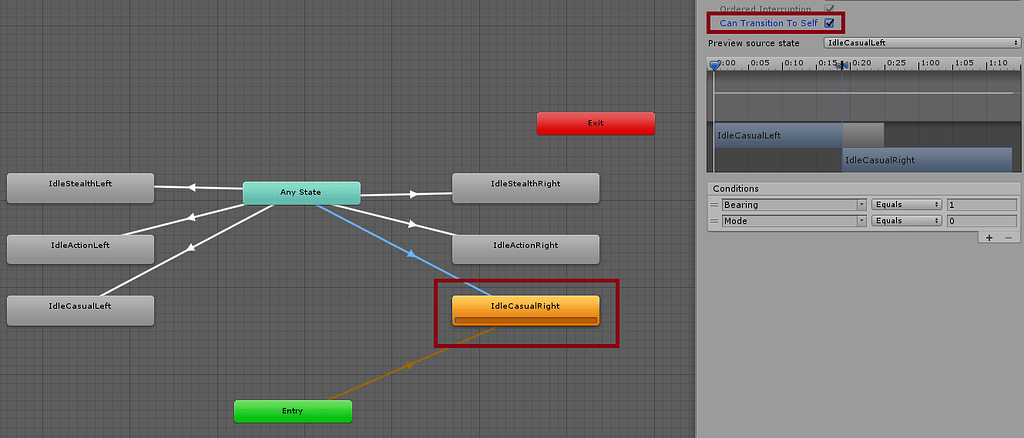
Unity Discussions
Could anyone please fill me in on what does the “Can transition to self” checkbox in animator state transitions actually do? Because my situation is like this: I have an animator with a few states, each of them has a short animation. The thing is, when the checkbox for self-transition is checked, the animation does not play (stays frozen in the...
plush gust
agile solstice
No
What do you mean by "resets position"
Simpely said with a fake example am I moving a block to the left when tapping the left button and moving it back to it's starting position (so right) when tapped the right button.
If I tap the left button, "MiniMenuButtonPopdown" plays, then it goes to exit. I see that entry plays again and teleports my block back to the starting position.
rain kernel
Is my advice not working out?
Oh wait yeah my thing is for any state transitions i misread your question
plush gust
rain kernel
Is my advice not working out?
Hmm. Idk if that will help. My situation is kinda weard. I don't have a basic or idle animation to play.
I basicly want all entries to stop and leave the object of the animation of the spot where it currently is.
rain kernel
Yeah im sorry i misunderstood
plush gust
Ah
plush gust
Hmm. Maybe I have to disconnect it from "Exit". Then it stays at the last animation played (which will stop the entry from playing). If I trigger another path in it, should it force the new animation to play?
agile solstice
plush gust
Hmm. Maybe I have to disconnect it from "Exit". Then it stays at the last animat...
Yes
 coral frigate
need a quick help with this
idk how to make it look good like as u can see the animation puts my sprites weird instead of them being in the air
agile solstice
coral frigate
idk how to make it look good like as u can see the animation puts my sprites wei...
The sprites' pivot points should stay in one place relative to the character
It's the blue circle that can be moved in the sprite editor
frank anchor
i was told this cable i'm rigging needs 3 more loops at each joint to prevent this shrinking at the joints, does anyone know where specifically though?
 coral frigate
agile solstice
The sprites' pivot points should stay in one place relative to the character
It'...
coral frigate
agile solstice
The sprites' pivot points should stay in one place relative to the character
It'...
thx


 charred belfry
graceful stream
how do i hide this blurry thing that shows up when i use a constraint
graceful stream
charred belfry
graceful stream
how do i hide this blurry thing that shows up when i use a constraint
graceful stream
thank you
frank anchor
frank anchor
i was told this cable i'm rigging needs 3 more loops at each joint to prevent th...
any help?
agile solstice
frank anchor
any help?
Did you try adding more loops at each joint?
frank anchor
agile solstice
Did you try adding more loops at each joint?
where specifically though?
agile solstice
frank anchor
where specifically though?
Along the length around the cable
You don't have many places to put them
frank anchor
agile solstice
Along the length around the cable
You don't have many places to put them
i mean like so that the loop cuts are spaced evenly or some other way?
agile solstice
frank anchor
i mean like so that the loop cuts are spaced evenly or some other way?
You could start with that
manic sand
Hey, can someone help clarify one thing. For example, the appearance and hiding of frames around the button when hovering and dragging the cursor, respectively. For example, I have the corresponding animations and their values are from 0 to 1 and from 1 to 0, respectively, but the problem is that if the previous animation did not have time to finish until the end (the button frames did not have time to appear) when I decided to move the cursor earlier, the hide animation still starts from 1 to 0, and not from the value that the object currently has. I don't understand why I have to strictly set animation values, why can't I set a key based on the current state of the object values, what should I do with it, how can I solve it? Thanks
agile solstice
 heavy walrus
how do i fix this
heavy walrus
how do i fix this
Better weight mapping
 grizzled eagle
Would moving the transforms of a skinned mesh's skeleton be faster than using Animator Controllers? I'm thinking about building my own animation system around parallel transform jobs.
 peak sequoia
I made an animation for a prefab gameobject, that animates when the gameobject dies. This gameobject is being spawned every second.
When the animation plays, it only plays for the first gamobject that was spawned and the rest don't have this animation. How do I fix that issue?
agile solstice
grizzled eagle
Would moving the transforms of a skinned mesh's skeleton be faster than using An...
The Animator is already jobs-optimized
grizzled eagle
agile solstice
The Animator is already jobs-optimized
Can I add animation layers to an animation controller at runtime?
agile solstice
grizzled eagle
Can I add animation layers to an animation controller at runtime?
Not as far as I know, though using the playables api that might be possible
I believe it also uses jobs
grizzled eagle
agile solstice
Not as far as I know, though using the playables api that might be possible
I be...
Yes I think that's the solution I've settled on, unfortunately the animation rig constraints only work with mechanim so I will have to come up with something for that.
peak sequoia
Do I need to create a new game object solely for animating a death animation?
peak sequoia
peak sequoia
I made an animation for a prefab gameobject, that animates when the gameobject d...
I'm asking about this thing
because it's only animating for the first gameobject that dies, the rest don't get this animation, so every prefab is sharing the animator component?
 little depot
Would anyone know what’s going on with my blend tree? For some reason my animation won’t transition to any others and just freezes midway through
It doesn’t even play in game
little depot
Anyone?
little depot
Nevermind I swapped out the animation and got a slightly better result
 umbral hare
Model from unity have animation, but when i imported to blender only retain the model not the animation. Can anyone help me why the animation won't transfer along with the model?

 balmy spoke
is there a way I can make an exception to anystate? like any state can transition to this one, EXCEPT this one
frank anchor
agile solstice
You could start with that
spaced evenly across the whole mesh? essentially like subdividing?
 gleaming timber
how to makes the default transition from one state to another in animator has the transition duration = 0 and no exit time?
twin musk
if I have a 2D frame by frame animation, is there a way to apply changing sprite mask using the animator component or must i use a script.. if I can't use the animator, is there a third way
 summer bridge
Can anyone help me i have a model rigged and i have used the animations from the unity started assets but my charater is still sliding? I know this is simple but i can't find out why?
 waxen harness
I am making a 2d game and my character when i make him use the run animation he swifts into the ground, the box collider stays where the idle model is. Has anybody else has this problem or a solution?
 bronze orbit
Every time I import character animation from blender I need to recut and tweak the animation, if I want to add some new animation every time that's too much trouble, is there any way to solve this problem?
I thought about exporting each animation as a separate fbx file, but that would result in having a lot of duplicate bones and wasted capacity
 gleaming vector
Hey guys. Quick question:
How would you guys create constrained moving objects?
Example: A door that open sideways like escalator doors or a lever you pull up and down.
Would you rig it with a single bone, use blendshapes, move it entirely via code or use a complete different approach?
sinful briar
hello my animator is empty but it was not yesterday. i think it got "scrolled" somewhere how do i focus on my existing one? XD

i can close and open my animator window again it solved the problem but is there any other way? like a shortcut?
agile solstice
sinful briar
hello my animator is empty but it was not yesterday. i think it got "scrolled" s...
F key with cursor over the animator
 sharp orbit
why is the transform positions of one of my animated objects in a different position in build than it is in editor? It is a shovel that is digging into the ground and in editor it is in the correct position but in the build it is in a higher position.
hybrid tinsel
balmy spoke
is there a way I can make an exception to anystate? like any state can transitio...
No.
hybrid tinsel
waxen harness
I am making a 2d game and my character when i make him use the run animation he ...
You need to set the pivots for both animations to be in the same part of the sprite, most likely.
hybrid tinsel
sharp orbit
why is the transform positions of one of my animated objects in a different posi...
That sounds like a bug... what build target?
And just the one object?
sharp orbit
Its on windows and I believe that is the only object
 zealous moss
hello! I've been struggling to have my character going ragdoll and falling to the ground, but have that as an animation, does anyone think they could help me?
hybrid tinsel
gleaming vector
Hey guys. Quick question:
How would you guys create constrained moving objects?...
It depends on the specific scenario. For example, blendshapes are good for linear changes from 0-100% but are bad for nonlinear stuff, especially rotation.
hybrid tinsel
bronze orbit
I thought about exporting each animation as a separate fbx file, but that would ...
No it won't. The original fbx files aren't exported with the game anyway after unity converts them to its internal format.
You will probably want to use the @ naming convention to organize things though; where the additional animations use the name of the object, then @, then the animation name.
hybrid tinsel
frank anchor
spaced evenly across the whole mesh? essentially like subdividing?
It depends on what you want, really. If you only want low distortion sharp bends at the joints, you can place the cuts close to the joint. If you want more of a rope simulation in general, then more spaced out.
hybrid tinsel
zealous moss
hello! I've been struggling to have my character going ragdoll and falling to th...
Can you describe what you are having trouble with?
zealous moss
so Ive been wanted to have an animation of my Character collapsing to the ground like a video game death if that makes sense. I know a little of how to make a ragdoll but I have no clue on how to have a animation of it falling to the floor.
hybrid tinsel
Well, if you have a ragdoll you can just use the unity recorder to make an animation clip of it
zealous moss
I tried but the ragdoll went stiff when i tried to record
unless your talking about a different recorder?
I was using the one in the unity animation tab
sorry, what I meant is that when I try that it wont move or fall how it normally would because when I record it it doesn't play it sits in the default animator pose
zealous moss
\

thats what it looks like when I try to animate it and i dont know how to have it record it falling
agile solstice
zealous moss
thats what it looks like when I try to animate it and i dont know how to have it...
Is it a Humanoid? I believe recording in-editor is disabled for them
zealous moss
it is, and i never knew
I am really sorry if my explanations of what I'm going for are not good or clear
zealous moss
I just got The model to fall the way needed but I don't know how to record the fall and put in in an animation
waxen harness
hybrid tinsel
You need to set the pivots for both animations to be in the same part of the spr...
Thank you very much 🙏
hybrid tinsel
zealous moss
unless your talking about a different recorder?
I'm talking the unity recorder package
 zinc robin
I am trying to save the state of an animator to a data structure then set the animator back to that exact state later.
Is it possible?
I am able to store the state, but how do I set the animator to a specific time?
zealous moss
hybrid tinsel
I'm talking the unity recorder package
I just tried that and it worked perfectly Thank you so much!! it didnt even come to mind!
zealous moss
sorry, but it wasn't humanoid when I did the animation, so when I swap the controller back to the model needed (which is humanoid, I didn't have a model rig in the controller before I swapped back) wont do the animation and goes the the humanoid pose. Is there a way I can have that animation play while its humanoid?
hybrid tinsel
zealous moss
sorry, but it wasn't humanoid when I did the animation, so when I swap the contr...
Export it to fbx and reimport it as humanoid.
Kinda stupid workaround because unity won't just let you convert native anim files to humanoid in editor.
frank anchor
hybrid tinsel
It depends on what you want, really. If you only want low distortion sharp bends...
i want more of a rope simulation with as little distortion as possible
gleaming vector
hybrid tinsel
It depends on the specific scenario. For example, blendshapes are good for line...
So blendshapes would work well in the escalator door scenario but badly for the lever? That fits to my short adventure into animations I had yesterday .
So in your opinion one should use different approaches depending on the kind of animation?
When I think about it it feels a bit clunky. Wouldnt that mean I have to write 2 different system to use this animations? (In my head I'd need an invoke repeat to slowly change the excalator door Key from 0-100%, while I would need an Animator with lets say a trigger to start the lever rotate animation?
Or am I missing something here?
hybrid tinsel
gleaming vector
So blendshapes would work well in the escalator door scenario but badly for the ...
You can animate blend shapes in animation clips.
gleaming vector
Oooh so I can use them in animators as well?
gleaming vector
Ah didnt know that. The tutorials I watched so far havent mentioned that (Granted I just looked at the shorter ones :x)
ok that helps. Now I just see one problem: Colliders. By default they wouldnt move with the blendshapes correct? So I would also have to move them inside the clip? Or would they work if I use Mesh Colliders and not Box Colliders?
If I blendshape not only the door but also a rough low poly version of the overall shape of the door and use that as the target for a mesh collider, would that collider change depending on the blendshape state or is that locked in place?
I never had to deform a collider so far so thats completely new to me.
hybrid tinsel
gleaming vector
ok that helps. Now I just see one problem: Colliders. By default they wouldnt mo...
I'm not actually sure; I've never tried using a mesh collider with blendshapes. You are probably better off using a box collider. Depending on your gameplay, you might not even need to move it- for most games it is enough to just disable the door's collision when it is passable.
gleaming timber
How to create transition with settings has exit time=false and transition duration = 0?
hybrid tinsel
gleaming timber
How to create transition with settings has exit time=false and transition durati...
You set has exit time to false and the transition to fixed time, zero.
gleaming timber
hybrid tinsel
You set has exit time to false and the transition to fixed time, zero.
yeah, but I wont to do it in every transaction that i have to create. I would use that values as default
hybrid tinsel
That wasn't what you asked.
I'm not sure if you can set it as a default, though you could write a script to automate setting those settings for multiple transitions.
frank anchor
how do i fix this shrinking at the joint when i bend it?

preserve volume helped a little but not entirely
also @hybrid tinsel adding more loops at the joints didn't help
frank anchor
just found out apparently both unity and unreal don't support preserve volume......
 limpid pebble
How do I make bone3 ALWAYS be on top of bone5?