#🏃┃animation
1 messages · Page 16 of 1
 red bramble
you can create an avatar from one of the animations, then copy it for the rest of the animations.
you can also make the animations Generic. this means that they will only work for the exact armature used by the animation
If all of your animations are for a humanoid-shaped armature, then it makes sense to make them Humanoid.
 plush elk
red bramble
you can create an avatar from one of the animations, then copy it for the rest o...
plush elk
red bramble
you can create an avatar from one of the animations, then copy it for the rest o...
so
cant make one from a model
red bramble
The software used to export the animation isn't relevant here.
We're choosing how Unity interprets the animation data.
red bramble
plush elk
cant make one from a model
i should say "create an avatar from a model asset"
the asset doesn't have to contain any animations
However, if you're importing mixamo animations, then you probably have a big pile of .fbx files
You will need to create an avatar from one of them, then copy it for the rest.
plush elk
ive got the raw data without the skin
because I'm planning on working with Mixamo's Y Bot model for the time being
red bramble
the meshes are irrelevant. all that matters is the armature.
All of the mixamo animations will have identical armatures, so they can all copy the avatar from a single imported mixamo model.
plush elk
... alright
red bramble
The Avatar system is how Unity identifies that a particular animated model is humanoid in layout, and which parts of the model correspond to the legs, arms, head and body.
You will probably have two avatars, then
One avatar for the model you want to use
One avatar for the Mixamo animations
plush elk
can't i just use the avatar from the model for the mixamos?
red bramble
No. The avatar must match EXACTLY
Unity understands how to "retarget" animations from one avatar to another avatar
that's the whole point of the Humanoid animation system.
red bramble
plush elk
can't i just use the avatar from the model for the mixamos?
Create a new avatar from one of the Mixamo model assets. You can then re-use it for all of the other mixamo assets.
plush elk
red bramble
Create a new avatar from one of the Mixamo model assets. You can then re-use it ...
alright
so i have done it before
red bramble
You will wind up with a set of animation clips that are all Humanoid. They will be compatible with the animator on your character.
plush elk
I just didnt know wtf i was doing at the time because tutorials haven;t exactly be been helpful
red bramble
what tutorials have you been following
plush elk

Unity FPS Tutorial #5 - Character Walk Animation in Unity
facebook page : https://www.facebook.com/Code-Prof-110511874050372/
red bramble
in this tutorial, the character model is from mixamo
so it probably has an identical rig already
If the rig on your character model is identical to the one mixamo uses, then you could just have one avatar that everyone uses.
plush elk
im still lost on how to turn a model into an avatar
 plush elk
... OH FOR FU-
red bramble
around 5:16 in https://www.youtube.com/watch?v=EorQuvUDZqQ
which is #2 in that series
 plush elk
better than nothing
still the matter of getting these to work in the game
But alright
Everything's set up
plush elk
well, now I have the idle animation set up
but the transition between animations are fucked
 warm prawn
oh it works
apparently even if u use a different rig as long as they have the same bones and names then it would still run the animation
 frail osprey
How am I supposed to handle the case of multiple weapons? For example I have a player character with fully working animator, and it has support for the main weapon of the game. But I will be adding more weapons, which means there will be new unique animations. In that case, am I supposed to add these animations to player animator and dump them by weapon ids?
How does Battlefield serie handle the unique weapon animations for example, what can I follow?
 mystic elbow
My animations won't play on my rig if I export them with only the rig and none of the meshes, I can see the keyframes are still there in unity but no animation plays, if I export the meshes with the rig too though it plays fine, any idea what's causing this?
 obsidian laurel
hey, i want to change child of a gameobject in middle of an animation but i dont know how to do it. I tried splitting it into 2 animations and having a script change the child but now i dont know the ending position of the 1st animation. Can anyone help?
 sand coyote
I'm absolutely new to 8-bit top down animations (and animation in general). Im inspired by the mobile game "World flipper", cuz i like the minimalistic design so decided to make some basic animations in that style. If someone can critique so that i can improve them, it would be a huge help. ty
(the screen recorder lagged a bit so it looks like the walking frames are uneven, they are not)
 boreal canopy
sand coyote
I'm absolutely new to 8-bit top down animations (and animation in general). Im i...
boreal canopy
sand coyote
I'm absolutely new to 8-bit top down animations (and animation in general). Im i...
It looks like Isabelle from animal crossing but rogue
 ripe shore
Recording a play session in Unity timeline, like Unreal, possible how?
sand coyote
boreal canopy
It looks like Isabelle from animal crossing but rogue
Ahaha now that you say that, I also see the resemblance
here's the actual character i took reference from
 boreal canopy
sand coyote
here's the actual character i took reference from
boreal canopy
sand coyote
here's the actual character i took reference from
Wow
well yours has some similarities
to your refrence image
 magic gorge
my animator gets stuck at an animation after running it

i want it to go to default state once done executing
magic gorge
magic gorge
my animator gets stuck at an animation after running it
through code im getting the currentanimatorstateinfo and it keeps saying that that animation is still running even tho its done running and it says that the current length left is 0.125
magic gorge
magic gorge
i want it to go to default state once done executing
it works most of the time but randomly it just gets stuck there
 hybrid tinsel
If they are already in segments, they can just be animated. You only need bones to rig them if you want deformation. I'd probably arrange the sprites into a hierarchal structure though, to make it easier.
It only cares about the name and place in the hierarchy.
It is really a matter of judgement where to cut them out, though I tend to try to use natural divisions in the object and to separate things where there would be overlaps.
I'd probably do something like this

Depends on the sort of animations you wanted to do
I might separate out all the 'meaty' bits for additional vertex animation or something too, so that is an option
 wise patrol
Hi everyone, I'm working on making some mechanical escape armour for the player character in my game. My background is mainly programming though I'm self taught 3D moddler. My question is, should animation for machines be done with bones and animators or would it be just as efficient to do things through scripts and custom logic.
I'm more leaning toward the later as I'm both pretty new to rigging and animating properly, while having decent enough skills with maths and programming for this sort of thing. That said, I'd rather do this properly then just do what I know.
Is using the animator worth it? And for machines / mechanical devices should that all be done by animator or is using scripts and custom logic better.
 viral egret
hybrid tinsel
I'd probably do something like this
viral egret
hybrid tinsel
I'd probably do something like this
shouldnt I do the small arms seperately
viral egret
hybrid tinsel
If they are already in segments, they can just be animated. You only need bones ...
for hierachal structure do you mean their layer order
hybrid tinsel
viral egret
for hierachal structure do you mean their layer order
Yes, and which ones are parented to which
For instance, for a chain or tail you'll usually have each segment as a child of the segment before it. That isn't required, but it is often easier.
hybrid tinsel
viral egret
shouldnt I do the small arms seperately
I dunno. Are they actually separating from the character?
hybrid tinsel
Pretty much you only need to cut something out if there are overlapping bits that need to be filled in
frail osprey
magic gorge
i want it to go to default state once done executing
you have to make an exit point
so the animation exits after it gets completed
there is supposed to be something named "EXIT" in the animator
you don't create it, it's a fixed thing
just check a little you will see
so connect the animation that you want to finish it's function after it gets completed
and it will return back to the Start state
magic gorge
frail osprey
so connect the animation that you want to finish it's function after it gets com...
ohhhhhhhhhhhhhhhhhhhhh
that makes sense
tysm
frail osprey
👍
viral egret
hybrid tinsel
I dunno. Are they actually separating from the character?
not really but if i dont seperate them i can still animate them individually?
frail osprey
viral egret
shouldnt I do the small arms seperately
as far as I know only moving hands is not a good idea if the game is not an fps game
since some parts may look odd
hybrid tinsel
I mean, if you are going for some more exotic animation effects you might cut stuff out specifically for those but overall it is a fairly simple sprite in a head-on view
 tribal notch
Hi, how do I stop my character from teleporting down a little bit when exiting a walking animation?
My character will teleport up when I start to move (Then continue moving that direction) and when I stop moving, my character will teleport down.
hybrid tinsel
tribal notch
My character will teleport up when I start to move (Then continue moving that di...
Make sure that the pivots/root are in the same place for both animations?
 prisma flint
Hey guys i have a problem that, when i want to separate character upper body from lower body using avatar. And everything is good except that when i want to edit the character by adding parent to any limb, the animation is not playing on this limb
You know i want to make parent for arms the arms just dont animate
but without the parent they do
 agile solstice
prisma flint
You know i want to make parent for arms the arms just dont animate
agile solstice
prisma flint
You know i want to make parent for arms the arms just dont animate
Animations are normally based on explicit transform hierarchies so that doesn't sound very possible via normal means
In what context would you "separate" the body parts
prisma flint
agile solstice
In what context would you "separate" the body parts
I am using layers in animator for upper body and lower body
prisma flint
agile solstice
In what context would you "separate" the body parts
And i am defining what lower body and upper body is by using avatar masks
And it works
but i cant make parent of any object
agile solstice
I don't see why you'd need to add extra parents (gameobjects I'm assuming) to limbs
prisma flint
Becuase i need arms to rotate where camera is looking
and i cant do it by assigning arms, bc the rotation will be locked
so the animation wont work as well
agile solstice
prisma flint
Becuase i need arms to rotate where camera is looking
You'd do that with layered (additive or override) rotation to those limbs, or runtime IK that works on top of the animation clips
prisma flint
agile solstice
You'd do that with layered (additive or override) rotation to those limbs, or ru...
how excatly can i do it?
agile solstice
Humanoid avatar system iirc have some feature precisely for pointing body parts at targets for aiming purposes, but I'm not familiar with it
Animation Rigging package is another option
prisma flint
okay ill try to move without parent for now
but there is not a way to add parent to a limb?
tribal notch
hybrid tinsel
Make sure that the pivots/root are in the same place for both animations?
How would I check this again?
agile solstice
prisma flint
but there is not a way to add parent to a limb?
Not without breaking the animation clips
Parent Constraint could work, but that's basically what Animation Rigging package's tools are for
 stuck estuary
i'm having issues exporting animations to FBX so that i may work on them in blender, the best i could manage while in blender is the rotation being aplied to only the root bone instead of the whole armature causeing the model to just flail around while on a heavily distorted A pose, what am i missing here?
 twin musk
Hello, I have a problem with my animation where the crouch animation is getting played lower than it should, so the player sinks into the ground (Does not apply to the walking animation as you can see in the screenshots). Does someone know how to fix this? | More information on how I made the animations*: I rigged the character with mixamo and used their animations, then exported the animations and now I am using them in the animator controller. I don't use root motion so these animations are controlled by code (in place). | I tried: The only things I found were https://forum.unity.com/threads/feet-sinking-into-ground-when-animation-is-played.244226/ and https://gamedev.stackexchange.com/questions/186425/character-sinks-into-ground-when-switching-animations but the answers didn't really help since I am not using root motion.


Unity Forum
My character's feet sink into ground when some animations are being played and I don't know how to fix it.
I have the same settings for the capsule...

Game Development Stack Exchange
I originally posted this question on the unity forums, but no one answered my question.
Here it is:
Hello, I have been game developing since May and today I finally figured out how animations work in
frail osprey
twin musk
Hello, I have a problem with my animation where the crouch animation is getting ...
I solve that problem by editing animation positions
You should remove all animation points for position change EXCEPT the first one
For example during the animation, position changes may be amount of 20
You remove 19 of them so the position will be fixed
Then drag the Y position of animation to up
Try again
It will perform your animation upper as position
Which will solve the position problem
If you didn't understand what I said, just dm me i will respond with pictures when im at home
sand coyote
I made some attack animations with the slash effects, please tell me how they look, or how can i improve? Also are the colors for the swipe attacks alright? ty
 robust perch
I am facing some issues with blender. I am exporting a ballista model with a rig and animations but I can't get blender to export all of the objects (either that or unity can't import all of them)
I select everything but I get only two things from the hierarchy in unity, even when I select everything. Why would that be?
warm prawn
How do i make one bone follow another. for example i have a chainsaw and i have a character and i want the chainsaw hand bone to follow the character hand bone
 junior zinc
warm prawn
How do i make one bone follow another. for example i have a chainsaw and i have ...
junior zinc
warm prawn
How do i make one bone follow another. for example i have a chainsaw and i have ...
those are two separate objects, yes?
my first instinct would be to put kinematic rigidbodies on both, and use a fixed joint to keep them together
 compact wolf
What do these grey and blue arrow symbols on the left of each property mean?

Also, why can't I edit their heirarchy paths with F2?
Not even modifying the text file directly works
 mellow zealot
junior zinc
those are two separate objects, yes?
my first instinct would be to put kinematic...
mellow zealot
junior zinc
those are two separate objects, yes?
my first instinct would be to put kinematic...
kinematic rigidbodies don't move, even when affected by joints, unless you directly modify the velocity or position.
mellow zealot
warm prawn
How do i make one bone follow another. for example i have a chainsaw and i have ...
You can either use a Parent Constraint, or you can directly parent the chainsaw to the hand
mellow zealot
compact wolf
What do these grey and blue arrow symbols on the left of each property mean?
I believe they're just the humanoid animation parameter things. They don't mean all that much - its just telling you what kind of thing is being animated
And you likely can't rename or repath them because its a humanoid avatar
or rather - they're for a humanoid avatar, but if they're missing you could either be using the wrong avatar, or not a humanoid one
hybrid tinsel
compact wolf
Also, why can't I edit their heirarchy paths with F2?
Because those are humanoid properties and not transforms, it looks like.
 floral canyon
i know i'm missing something extremely basic but...
changing the Z rotation value for one keyframe changes it for all of them.
what am i doing wrong?

nevermind. turns out i'm supposed to click the "timeline" point (white bar across the whole thing) instead of clicking the keyframe diamond icon
problem solved
obsidian laurel
hey, i have a problem that i want to animate a prefab character i downloaded from the asset store but when i just click the record button in the animation, the position changes, how do i fix this?
 slate cove
obsidian laurel
hey, i have a problem that i want to animate a prefab character i downloaded fro...
slate cove
obsidian laurel
hey, i have a problem that i want to animate a prefab character i downloaded fro...
The game object u r animating is probably under the ground and not aligned with the model, align it and u should be alr
obsidian laurel
slate cove
The game object u r animating is probably under the ground and not aligned with ...
so should i animate the character or the root? because im animating the character prefab
obsidian laurel
slate cove
The game object u r animating is probably under the ground and not aligned with ...
So i just realized that if i remove the avatar from animator it works fine, and i took a look at the avatar and looks like i can make animations in it? It looks much better than making animations by manually setting transform of each part of body.
obsidian laurel
slate cove
The game object u r animating is probably under the ground and not aligned with ...
I also tried using some animations from the internet but it still does the same thing. I saw that it does this in the muscles tab
warm prawn
junior zinc
those are two separate objects, yes?
my first instinct would be to put kinematic...
Don't know why but if I use the fixed joint on other objects it works but ones I put it on the bones it refuse to work
I've been on it for a while and it still wouldn't work
Ok I think I know the problem
It's more like, if I enable is kinematics on them they both don't follow each other
If I disable it then they start getting this weird distortion
 spice sparrow
i changed the name of my scene and now my enemy ai stopped worked wtf
turns out the script just dissapeared of unity, solved
slate cove
obsidian laurel
so should i animate the character or the root? because im animating the characte...
Root
obsidian laurel
slate cove
Root
yeah but still im having a problem with it doing the same thing
slate cove
obsidian laurel
yeah but still im having a problem with it doing the same thing
Have u made a scrupt
obsidian laurel
slate cove
Have u made a scrupt
no
slate cove
obsidian laurel
So i just realized that if i remove the avatar from animator it works fine, and ...
Then use that
obsidian laurel
slate cove
Then use that
how and why? its just an animation
slate cove
obsidian laurel
how and why? its just an animation
How: see brackeya tutorial, he has one. Why: cuz it will work and look better than the previous method.
obsidian laurel
slate cove
How: see brackeya tutorial, he has one. Why: cuz it will work and look better th...
whats it called?
slate cove
Let's create procedural animations using Animation Rigging!
► This video is sponsored by Unity.
● Learn more about Constraints: https://docs.unity3d.com/Packages/com.unity.animation.rigging@0.3/manual/ConstraintComponents.html
●GDC talk on Animation Rigging: https://youtu.be/XjMKbElVNmg
● Download the Skeleton: https://assetstore.unity.com/pa...
hybrid tinsel
obsidian laurel
So i just realized that if i remove the avatar from animator it works fine, and ...
Avatars are there for humanoid animations, mostly.
obsidian laurel
slate cove
https://youtu.be/Htl7ysv10Qs
yeah but i dont really need that, i just want the character to have simple walking running etc... animations. Its just that im new to animations and want to have a character have a specific animation
hybrid tinsel
slate cove
How: see brackeya tutorial, he has one. Why: cuz it will work and look better th...
Every time someone links a Brackeys video, a puppy goes hungry.
obsidian laurel
hybrid tinsel
Avatars are there for humanoid animations, mostly.
and what are humanoid animations? Animations for humans?
slate cove
obsidian laurel
and what are humanoid animations? Animations for humans?
Bruhhhhh
Well np
We have all been at that stage where we did not know what r humanoid
obsidian laurel
slate cove
Bruhhhhh
just googled it, yeah im stupid
warm prawn
U sure your character is not on generic with the animation on humanoid. Both of them being different usually cause that to happen
hybrid tinsel
obsidian laurel
hey, i have a problem that i want to animate a prefab character i downloaded fro...
Ok, what is going on there is that the model was set up as a humanoid but with either no animations or with an incorrect avatar; the 'curled up in the ground' pose is the 'no animations' pose for a humanoid.
warm prawn
If u play he goes below
hybrid tinsel
obsidian laurel
and what are humanoid animations? Animations for humans?
Basically, unity has two main types of animation; humanoid(technically a mecanim humanoid) and generic. The mecanim humanoid uses muscles to animate instead of transforms, and has some limitations, but also lets you share animations between human characters easily.
obsidian laurel
warm prawn
U sure your character is not on generic with the animation on humanoid. Both of ...
i have the animation and the avatar set to humanoid
and also as the character, should i use the prefab or the model?
warm prawn
Either
warm prawn
Ur copy from other model is blank
obsidian laurel
warm prawn
Ur copy from other model is blank
what do you mean?
the source avatar? I already tried setting it but still doesnt work
warm prawn
Then sorry man no idea why that is happening
I've had that problem but can't remember how I fixed it
slate cove
Select the capsule and show it in game scene
obsidian laurel
slate cove
Select the capsule and show it in game scene
hey, so i kinda fixed the problem, i set the character and the animation from humanoid to generic and pasted my character into the site i downloaded the animation from so i would make the animations working for the character and it works
compact wolf
Do you guys know how I can convert humanoid animation clips to work on a generic rig?
I would think that would be reasonably possible
hybrid tinsel
Unity makes it needlessly complicated
It has a built in converter but won't let you access it.
The easiest way is to use the fbx exporter
slate cove
obsidian laurel
hey, so i kinda fixed the problem, i set the character and the animation from hu...
Hmmmm nice approach
If u have any more problems ping me
obsidian laurel
slate cove
If u have any more problems ping me
okay, thanks7411042
 daring relic
I have a 1s animation in Blender
I export it to Unity
then, I change that animation, and it becomes a 1.5s animation in Blender
but for some fucking reason, if I export it to Unity again, it does not update it
it just stays with the 1s animation
even though that data is literally gone from the fbx
unity just for some reason refuses to import the new animation
so I end up having to export the file with a different file name because that for some reason works
its so annoying
does anyone know how to fix this issue?
tl:dr unity doesn't import fbx files properly, i need to create a separate file and re-edit everything
red bramble
are you sure you haven't created a new action in blender
unity can import several animation clips from a singler .fbx
you should look at the asset's import settings in unity
the Animation tab has a whole list of animations that Unity found
there may be several
daring relic
red bramble
unity can import several animation clips from a singler .fbx
I realized that
red bramble
you won't see multiple files appear in the project viewer
well, I guess if you unfold the asset, you will
daring relic
just look at this
 red bramble
you've got six clips in there
 daring relic
yes
bugged
this animation has a 1.1s duration

while this animation (ignore the loop enabled) has a 2.5s duration

what's noteworthy, is that both of them are from the same .blend file
the only difference is the name of the file
one of them if ClyneWalking1 and the other one is ClyneWalking2
everything else is exactly the same
so it makes no fucking sense
@red bramble it feels like the fbx can't be updated in any way
and im so tired of exporting new files every time
red bramble
Then you’re doing something wrong. Overwriting existing fbx files works fine.
daring relic
because then I look into my animation list and I see this
 daring relic
red bramble
Then you’re doing something wrong. Overwriting existing fbx files works fine.
daring relic
red bramble
Then you’re doing something wrong. Overwriting existing fbx files works fine.
not for me appareantly
red bramble
Again, check the import settings for the model asset. Don’t look at the individual clips
daring relic
 daring relic
red bramble
Again, check the import settings for the model asset. Don’t look at the individu...
daring relic
red bramble
Again, check the import settings for the model asset. Don’t look at the individu...
what else can I check
Import Animations is on
god this is painful
@red bramble also started getting these.

 sharp ingot
how do I hide all of the circle thingy in the avatar config?
 red bramble
daring relic
what else can I check
red bramble
daring relic
what else can I check
i'd suggest doing a "sanity check" by making a simple .blend that just has one armature with a simple animation on it
export it, import it into unity, then modify and export it again
plush elk
well, i have a blend tree for my animations set up
and an animator and animation controller all hooked up
and it works fine in the game
EXCEPT for when it hits 1 second of moving
then i just freezes
red bramble
sounds like Loop Time is unchecked
plush elk
red bramble
sounds like Loop Time is unchecked
thanks
obsidian laurel
hey, i making an fps game and i downloaded some animations from mixamo, but the animations tilt the head to the side so the camera view doesnt really work, and i wanna ask if i should use these animations (because i think they are made for third person shooters) or should i make my own animations? Also i would want to have animations for reloading specific guns so i would need to make them. And also, should i use a whole character for a fps game or just use the hands?
@slate cove
obsidian laurel
if i would use the animations from mixamo i would have to somehow lock the rotation of the camera so it doesnt rotate with the head parent object
I have a quiet a few questions like this, so i think it wouldve been better if i could go on a discord call with someone and screenshare it. So if anyone would want to help then please dm me. Or i could just buy a unity fiverr teacher for 20 euros but i dont really want to do that.
mellow zealot
Having some issues with reparenting transforms in animations
Reparenting an object via code seems to prevent anything that's a child object from moving
It seems like, when changing the parent of an object controlled by an animator, the transform is no longer bound by that animator
red bramble
the animator follows a path to get to the object that needs animating
if you reparent an object, it will no longer be at that path
hybrid tinsel
sharp ingot
how do I hide all of the circle thingy in the avatar config?
Dunno, what are they?
hybrid tinsel
obsidian laurel
hey, i making an fps game and i downloaded some animations from mixamo, but the ...
Most games don't attach the camera to the character's head, for that exact reason.
obsidian laurel
hybrid tinsel
Most games don't attach the camera to the character's head, for that exact reaso...
So where do i attach thr camera?
sharp ingot
hybrid tinsel
Dunno, what are they?
They are the thingy that help rotate the joints I think but since there were too many joints it looks like that
hybrid tinsel
Usually to the character transform.
hybrid tinsel
sharp ingot
They are the thingy that help rotate the joints I think but since there were too...
Can you just scale them down in the gizmos settings?
sharp ingot
hybrid tinsel
Can you just scale them down in the gizmos settings?
Hmm I didnt think of that. Thanks, I will try it when I get home
slate cove
obsidian laurel
hey, i making an fps game and i downloaded some animations from mixamo, but the ...
If u wanna make a multiplayer then use the body too bit if u wanna make single player then use only hands
slate cove
obsidian laurel
So where do i attach thr camera?
U saw a yt video?
obsidian laurel
slate cove
If u wanna make a multiplayer then use the body too bit if u wanna make single p...
I wanna make single player but i dont have a prefab for only the hands so i think it would be easier for me to use the whole model so thr player could also see its legs etc..
obsidian laurel
slate cove
U saw a yt video?
I didnt but will watch it
 mellow dove
Hello,
We're having quite an issue with animations & blendshapes.
We have some animations controlling blendshapes of our character, they work perfectly fine.
BUT, when we play an animation WITHOUT BLENDSHAPES from the animator of our character, then the blendshape are froze and we can't modify them via script etc.
Any idea? We tried exporting the FBX with many different tools but this seems to be an issue from Unity.
Having a character with an animator that has just one animation using some blenshapes seems to freeze the blendshapes when the animator is on. Anybody knwos what can be done about this?
Linked to this Unity topic: https://forum.unity.com/threads/blendshapes-not-working-with-animator-controller-existing.704009/#post-5799244
agile solstice
mellow dove
Hello,
We're having quite an issue with animations & blendshapes.
We have some a...
At a glance this sounds like a "write defaults" thing which to my understanding adds empty keyframes to properties even when the clip doesn't write to them
mellow dove
agile solstice
At a glance this sounds like a "write defaults" thing which to my understanding ...
Thanks for the help, but that wasn't it, I unchecked "Write defaults" in the animator states and I still have it
Just to clarify a bit more, I have this animator with two animations:
- CEO_IwantToStart with face blendshapes
- T-pose without face blendshapes
When the state is on "T-pose" I would except to be able to modify the blendshapes, but I can't. I can only modify the blendshapes that are not used in the animation "CEO_IwantToStart"

And when I delete, "CEO_IwantToStart" from the animator, then again I can modify all blendshapes freely
agile solstice
mellow dove
And when I delete, "CEO_IwantToStart" from the animator, then again I can modify...
That's sounds consistent with how the animator overrides any properties
If I have states with keyframes for position and rotation, and one state with just a position keyframe, the animator still overrides rotation
You might be able to modify the blend shapes in addition to the animator if you do it in LateUpdate and set your script's execution order after the Animator
mellow dove
Ok thanks, if there's nothing that can be done to solve that I'll go for the solution you propose. Thanks a lot for the help 🙏
red bramble
agile solstice
That's sounds consistent with how the animator overrides any properties
If I hav...
Ahh, so even though it's not resetting the properties to defaults, it's still controlling them
That makes sense.
red bramble
is that documented somewhere, or did you just figure that out through experience?
 echo perch
Greetings. I have a question regarding pairing 3D animation alongside character textures, such as 2D facial expression changes during specific animations, using a single sheet/file of face expressions.
I understand that it can't be done through mesh renderer, as animation clips can't reach there, as far as I know. Would it be alright if I asked for help for this?
If possible, I'd rather not resort to code lines for this, as easier as that would be.
slate cove
obsidian laurel
I wanna make single player but i dont have a prefab for only the hands so i thin...
Hmmmm
Then put the camera a child of the model and make the camera the head
Easy
agile solstice
red bramble
is that documented somewhere, or did you just figure that out through experience...
Hmm no idea if it's documented, I just tested it 
obsidian laurel
slate cove
Then put the camera a child of the model and make the camera the head
What do you mean make the camera the head? Like delete the head and put the camera instead of it?
obsidian laurel
hybrid tinsel
Usually to the character transform.
i tried that but then the camera is unalligned to the head
hybrid tinsel
red bramble
is that documented somewhere, or did you just figure that out through experience...
It was documented at some point in the manual, though with how many revisions that has had I couldn't guarantee that it still does.
 fiery smelt
I need some Blender help if anyone knows about it
When animating, how do I make sure the mesh/rig of what I'm animating doesn't cross a certain plane?
For example, if I wanted to animate a walking animation, how do I make sure that while I'm working, the character's feet (and the mesh in general) can't cross a plane I designate to simulate the 'ground'?
 modest briar
Does anyone know of a technique to have 1 Master animator component and then have the rest follow that master.
For example I have a modular character with a Head, Arms, Legs & Torso and they all essentially will animate using the same animations but I have to have an animator on each part. Which mean 4 animator components ticking when its playing the same exact animation just for a separate section of the mesh. With 20 characters in a match this could get hectic for performance.
In unreal I used something called a lead pose component. Was looking for something similar or guidance on how to create it on my own
modest briar
fiery smelt
I need some Blender help if anyone knows about it
When animating, how do I make...
This would need some kind of physics sim or you need to come up with a clever driver that offsets the foot ik control above the ground plane. Definitely some coding involved I believe
fiery smelt
modest briar
This would need some kind of physics sim or you need to come up with a clever dr...
Someone told me I just need to use a floor constraint
This is for blender btw, not unity
modest briar
Yea I know. thats why I said you need to sim physics (floor collision) or a clever driver which you can set up in the control
fiery smelt
Damn wow that seems very complex for something so simple
Couldn't I just make a floor constraint where it pretty much says "this mesh can't breach this z coordinate?" (I.e. a plane floor)
Does everyone have to do this when they work in blender to animate walking?
modest briar
Most people just manually tweak the animation so it doesn't. What you want is for the controls to do it automatically thats going to take some clever thinking.
For instance I animate in houdini. You can procedurally fire a ray at the ground and automatically adjust the location of the foot ik control to follow the grounds collision.
Idk if theres a built in tool like that for blender so you will probably have to make it or get clever.
I can see a ground contraint working but which constraint would you use?
fiery smelt
I just want this

Mesh A can't pass through Mesh B
Actually I think I found it
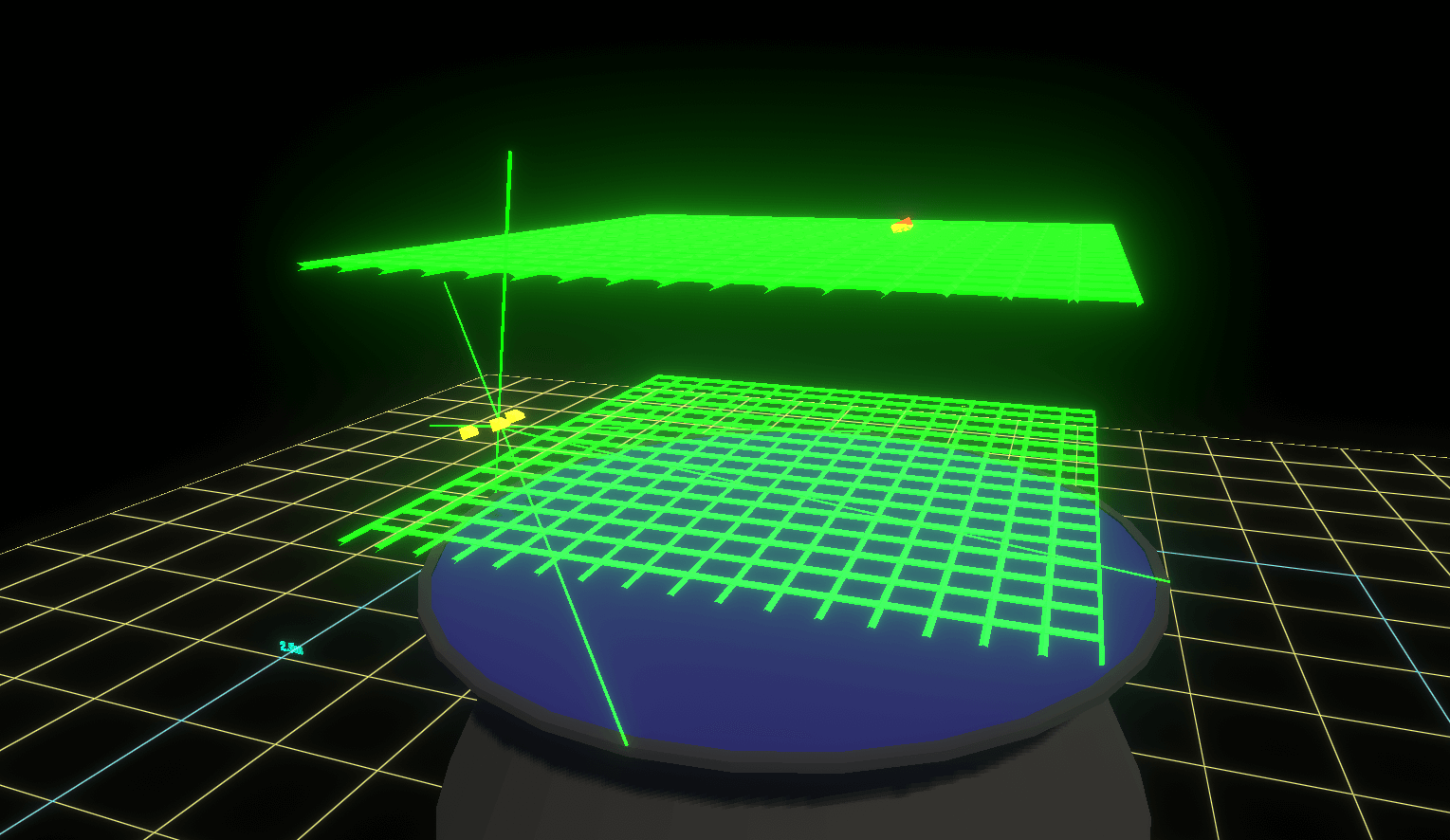
Blender, like much three-dimensional computer graphics (3DCG) production software, offers a constraining feature. Using the constraining feature, you can save time when animating objects and adding dynamic motion. Thus, in this article, we show you how to use Blender’s constraint function.
It's just a constraint
I'd be FURIOUS if blender couldn't do this like, out of the box. That's like day 1 stuff for a 3d modeler. Luckily this is exactly what I was looking for
Thank you for your help of course!
slate cove
obsidian laurel
What do you mean make the camera the head? Like delete the head and put the came...
Yes, kinda like that
obsidian laurel
when i try to import fbx character from unity to blender this happens
 agile solstice
obsidian laurel
when i try to import fbx character from unity to blender this happens
agile solstice
obsidian laurel
when i try to import fbx character from unity to blender this happens
Always work on source files, especially when armatures are involved
red bramble
yes, you shouldn't be making round-trips
obsidian laurel
agile solstice
Always work on source files, especially when armatures are involved
what do you mean by that? how do i do it?
agile solstice
obsidian laurel
what do you mean by that? how do i do it?
If you're modifying assets, you should have the source files for that
Where is the mesh/rig from?
obsidian laurel
agile solstice
If you're modifying assets, you should have the source files for that
Where is t...
where do i find the source files?
agile solstice
obsidian laurel
where do i find the source files?
Where is the mesh/rig from?
obsidian laurel
agile solstice
Where is the mesh/rig from?
from the fbx file i guess
agile solstice
obsidian laurel
from the fbx file i guess
Where is the fbx file from? 🤔
obsidian laurel
agile solstice
Where is the fbx file from? 🤔
from unity asset store
agile solstice
obsidian laurel
from unity asset store
Then unless the asset provides source files, you don't have them
obsidian laurel
and how do i check if it has them?
agile solstice
Go through all the importable files of the asset and the description
If there are none then you're probably out of luck
Reverse engineering already once exported rigs is a huge waste of development effort
Or wasteful, rather
obsidian laurel
agile solstice
If there are none then you're probably out of luck
Reverse engineering already o...
yeah but what i need to do is to just delete everything except the hands of the character because i need it for a first person shooter character
agile solstice
obsidian laurel
yeah but what i need to do is to just delete everything except the hands of the ...
It's not impossible to do but expect weird issues like the one you saw
You'd have to figure out how to preserve the transforms and vertex groups exactly as they were when importing and exporting the mesh
obsidian laurel
the weird thing also is that when i only delete the armature i can normally see the character
agile solstice
Perhaps you can edit the mesh without the armature and export the edited version while preserving the vertex groups that connect verts to the bones that would be there
I haven't had luck doing so
plush elk

when i hit plau, it goes on idle. then once I hit w, it's not until the sprint key is hit that the walking animations start
and then to make matters worse, after the fact, it then replaces idle with walking
so that once I let go of any of the motion keys, its still walking
any ideas?
also, it accounts for the fact that I jumped while walking, despite there not being a designated motion for that, and then plays the running jump animations AFTER i started to run
agile solstice
plush elk
any ideas?
Showing the transition settings of idle to walking and walking to idle may provide some clues t o us
plush elk

 agile solstice
plush elk
agile solstice
plush elk
You missed that transition condition for walking to idle requires speed greater than 2.5, rather than less
agile solstice
The transition for idle to walking has appears to have such a big transition offset that you'd have to be walking almost a whole 9 seconds before the transition occurs visually
plush elk
hm...

im thinking about running with just purely triggers
but might be something else
agile solstice
plush elk
im thinking about running with just purely triggers
That will not help
Because the issue is that the transitions have all kinds of wonky settings
plush elk
exit times, perhaps?
agile solstice
That too
It makes transitions happen in normalized time even without meeting the conditions
agile solstice
plush elk
doesnt explain why it keeps sticking with walking despite the chatacter not movi...
You can have Game window and Animator side by side with the gameobject selected so you can confirm during Play mode that the speed parameter is being changed as it should
and it shows you what in what state or transition the state machine is at that point
plush elk
... remind mow to do that?
something about clicking and dragging, i remember
nvm found it


fuck
so once i let go of sprint, and then w
it stays on walking
any other solutions?
agile solstice
plush elk
The speed appears stuck at 2.5
That's something your code is responsible for
plush elk
... wait, shit
    {
        if (IsSprinting == true)
        {
            movingSpeed = sprintingSpeed;
        } else
        {
            movingSpeed = walkingSpeed;
        }
}```think I found the issue
one sec
hybrid tinsel
echo perch
Greetings. I have a question regarding pairing 3D animation alongside character ...
A script would be best, but you can animate material properties with an animation.
hybrid tinsel
modest briar
Does anyone know of a technique to have 1 Master animator component and then hav...
The usual method would be to have a single animated skeleton and to bind all the modular parts to it.
Thats how(for instance) UMA does it.
plush elk
agile solstice
The `speed` appears stuck at 2.5
That's something your code is responsible for
well im trying to write code that, once it reads that none of the motion keys are pressed, the moving speed is forcibly set to 0
HOWEVER
it keeps overwriting it and still sets it to 2.5
 timber terrace
Hi, i want to change some animation rigging components values from a script but the namepsace "using UnityEngine.Animations.Rigging;" is not being understood even though it is the right name. Did somebody else have this problem before and maybe a fix?
 tulip talon
how would i remove this
 agile solstice
plush elk
it keeps overwriting it and still sets it to 2.5
agile solstice
plush elk
it keeps overwriting it and still sets it to 2.5
That does still sound like a code problem somewhere in there
If you disable the movement script from writing to the parameter, you can type in any value for it in the Animator during Play mode to test the conditions alone
agile solstice
tulip talon
how would i remove this
Either remove the event or assing a function
Events can only find public methods from components one the same gameobject as the Animator
tulip talon
agile solstice
Either remove the event or assing a function
Events can only find public methods...
ok
plush elk
agile solstice
That does still sound like a code problem somewhere in there
If you disable the ...
that apparently is impossible
agile solstice
plush elk
that apparently is impossible
It's certainly not impossible
But as long as you have a script overwriting the parameter, you won't be able to change it through the editor
plush elk
im trying
also, still struggling to understand the part where the game needs the sprinting input to get the character moving at all
hybrid tinsel
Because all your movement is inside the sprint function in your code?
agile solstice
Or if it's not, we don't know that
hybrid tinsel
Well, all they showed us so far was a function called sprinting()
 jovial parcel
Hello, I've animation for walking forward, backward, right and left. For each animation I've the same but the player injured how is the best option to mix these animations so if the player is injured play the same animations but injured using as few blend trees as possible
hybrid tinsel
jovial parcel
Hello, I've animation for walking forward, backward, right and left. For each an...
An animator override controller
jovial parcel
thank you
agile solstice
jovial parcel
Hello, I've animation for walking forward, backward, right and left. For each an...
A synced override animation layer could also work, giving you the option to blend it by a weight variable
jovial parcel
agile solstice
A synced override animation layer could also work, giving you the option to blen...
I don't know about that, but I think is for mix specific parts of the body, my injured animations changes all the parts of the body
 tame wadi
Hello, I want to use "Multi-Aim Constraint" in Unity to automatically move/rotate towards a point. I've been trying for 5 hours now but I haven't been able to get it right; it always rotates in the wrong direction. I have brought along some pictures, and I would appreciate any help! (It might be because of the axes; I don't know which two to use.)
Z & -X are placeholder

 agile solstice
tame wadi
Hello, I want to use "Multi-Aim Constraint" in Unity to automatically move/rotat...
agile solstice
tame wadi
Hello, I want to use "Multi-Aim Constraint" in Unity to automatically move/rotat...
Aim negative X and up positive Z?
tame wadi
agile solstice
Aim negative X and up positive Z?
I have tried all combinations, which is why it is currently written like that, but it's not working.
agile solstice
tame wadi
I have tried all combinations, which is why it is currently written like that, b...
I mean did you try negative X with positive Z
Instead of the other way around as it is now
tame wadi
It doesn't work; his hand should point towards the purple dot, but somehow his hand looks broken xD.

 agile solstice
tame wadi
It doesn't work; his hand should point towards the purple dot, but somehow his h...
agile solstice
tame wadi
It doesn't work; his hand should point towards the purple dot, but somehow his h...
Hmm what's under Settings here?
The settings within should be the defaults as shown here
https://docs.unity3d.com/Packages/com.unity.animation.rigging@1.3/manual/constraints/MultiAimConstraint.html
 haughty girder
Ok I am really confused.
I have a question on how this can happen:
A button in my menu is animated, the "knob" pulses and changes color and the button itself changes color to darker when selected.
After abruptly switching menu mode, the button stays discolored but the knob doesnt pulse anymore.
Its almost as if the animation got stuck half way. I am really clueless how this can happen and how to fix it?
I have the suspicion that it is happening because of the drastic inventory mode change and that there is no time between it and the Update to change the animation. But prior it worked properly... no idea what changed
haughty girder
I cant find a solution... I am using the exact same setup in a different menu and it works fine there. I am really at my wits end
First everything is fine. Upon entering the inventory for the first time.


then I leave and go to the main menu.

After re-entering the inventory, this happens. The last marked option in the prior inventory screen stays colored in this dark blue.
I use the same system for the main menu and it works fine there... Really no clue what is the issue.

 keen jolt
Is it controlled by C#? Could you debug any variables there?
If not you can try to have the animator for an offending button open at the same time as you run your game. You can watch if it gets stuck in a particular state, or if the problem is in transitioning out of that state.
 cedar moon
i updated my project from 2020.3.25f1 to 2022.1.23f1 and now i have an issue:
in my locomotion blend tree, when im running backwards my animation teleporting forwards
here is video of my problem
https://youtu.be/E60b7NE5vOg
what do i do?

 candid radish
anyone know how to create a Enumerator that cycles once, for an example when something is unlocked there's a small animation (Once)
if (RebirthUnlocked == false)
            {
                StartCoroutine(RebirthUnlockEFFECT());
            } else if(RebirthUnlocked)
            {
                StopCoroutine(RebirthUnlockEFFECT());
            }
this shit doesn't work
Coroutine does NOT stop
idk why
private IEnumerator RebirthUnlockEFFECT()
    {
        RebirthUnlocked = true;

        for (byte i = 0; i<=255; i+=5)
               {
                    IconRed.GetComponent<Image>().color = new Color32(255, 255, 255, i);
                    yield return new WaitForSeconds(0.02f);
               }

    }
Here's the enumerator
 faint elbow
I am trying to animate a car's suspension. Currently I have a setup in blender that uses IK constraints to accomplish it pretty well, however unity's IK tools are not complex enough to allow for the same setup, I was wondering if I should consider making an animation for each wheel and selecting a frame based on the simulated suspension position. Though I am aware this will make it so I will need a TON of frames to make it look smooth, it would also be complicated to correctly standardize the frame count so I can have multiple cars. I am considering writing a catered IK solver but I dunno if the performance sink that will create would be worth the effort to write it. Are one of these two solutions the better choice or is it really just up to preference?
 blazing rain
Hi I made an animation on my GameObject, and I am having it tween a value. I have a problem though that inorder for the object to update visually a method needs to be called. I was doing this through a property, but the animation system doesn't seem to work with properties(just public variables). I could call the method through events, but I would have to have an event every frame? What would y'all suggest?
 wary robin
newbie question: I don't really get transititon offset. I think I sorta do for transition duration which is the time for animation to go to another one. But what does offset do? For reference, I have two animation rn, player_walk and player_run but when I try changing the offset value, nothing happens
I thought there would be a delay from walk to run animation since it's called offset
but I don't quite get this
feel free to ping me
blazing rain
wary robin
newbie question: I don't really get transititon offset. I think I sorta do for t...
I would love to know this also. But currently I have an animation, and I have loop time off for the clip, but it is just constantly repeating.
wary robin
From what I’m reading the offset is where the second animation(the one you moved to) started playing from
But I don’t really get it so meh
blazing rain
I think if you have a rig it will blend the two animations?
Or blend into the new one
wary robin
I think that’s more similar transition duration
There is also a separate blender but I haven’t gotten into it yet
So like if you have 0.5 for offset the second animation(say a sword swing) will begin playing from middle of the animation rather than the start
But don’t count my word for it
 worn ruin
Yep, that's it - it's so that you can have a transition from, say, starting to run with the right foot forward to a looping animation which starts with the left foot passing - using offset of 0.5 means it will transition in at the halfway point, when the right foot is passing.
 opal dawn
Hi, I have two blend trees, one for the boxer class and one for the warrior class. However, regardless of the bools on the transitions, only the boxer animations are being played. Can you help me fix this issue?
 agile solstice
opal dawn
Hi, I have two blend trees, one for the boxer class and one for the warrior clas...
agile solstice
opal dawn
Hi, I have two blend trees, one for the boxer class and one for the warrior clas...
Is there a reason why different classes should share the same animator state machine?
opal dawn
I have different races and classes, that's why I decide to do this this way
this animations is for humanoid race

I can decompose it, I did it this way because I didn't want to create an animator spaghetti.
 green hazel
why is this happening?
when i click play and the animation starts, this parent object scales to 100?

why?
 tough orchid
Is the following information from chatGPT true? I would need someone to verify this info.
When importing a humanoid figure from Blender into Unity, Unity uses a process called "Auto-Mapping" to determine the mapping between the bones in the Blender armature and the corresponding body parts of a Humanoid avatar in Unity.

Head: The bone with "head" in its name or the bone closest to the top of the armature hierarchy.
Left Arm: The bone with "upperarm" or "arm" in its name on the left side of the armature.
Right Arm: The bone with "upperarm" or "arm" in its name on the right side of the armature.
Left Hand: The bone with "hand" in its name on the left side of the armature.
Right Hand: The bone with "hand" in its name on the right side of the armature.
Left Leg: The bone with "thigh" or "leg" in its name on the left side of the armature.
Right Leg: The bone with "thigh" or "leg" in its name on the right side of the armature.
Root: Unity will automatically determine the root bone based on the bone that has no parent in the armature hierarchy or the bone closest to the bottom of the hierarchy.
 polar spruce
Hey guys, I'm new to Unity and wanted to make animations for a cat. Does anyone have free resources such as pre-baked animations for cats or something like a documentation or a video that explains how to create animations for cats/other animals?
agile solstice
opal dawn
Seems a bit difficult and pointless
Use Animator Override Controllers instead
agile solstice
tough orchid
Is the following information from chatGPT true? I would need someone to verify t...
Nobody has the time or patience to verify someone chatbot solutions
So try it or find real instructions
agile solstice
green hazel
when i click play and the animation starts, this parent object scales to 100?
Most likely because your animation has keyframes for root scale
 olive hawk
I have a question about animation override controllers. Is there a way to override a whole substate of animations? Like i need different logic changing between animations for different override controllers?
agile solstice
olive hawk
I have a question about animation override controllers. Is there a way to overri...
Override Controllers swap animation clips
They cannot alter any state logic as far as I know
 sage prairie
does anybody have any good techniques/tutorials on how to alter a button (maybe enhance its size, color, make a noise etc) in order to draw the player's eye to it at a specific time?
As in: the button was just disabled and I want to make sure players are drawn to it when I enable
 near sierra
unsure if this goes here but for FBX files. If an FBX file gets reuploaded with additional new animations, what will happen to the old animations in unity even if they're still present in the reupload?
 sturdy ledge
guys any ide how to match the midi bars with the camera? adjusting just the main camera is not working

I think I need to strech the midi bars but I don't know how
when I modify just the midi bars from the manager section "where the midi bars are located" and not main camera, it is not working somehow, they keep going back to theyr old positions
wary robin
Need some clarification, does the exit node in animator returns to the statemachine or the very beginning entry?
 magic gorge
how can i make it so that an animator doesnt play the default state on start?
agile solstice
wary robin
Need some clarification, does the exit node in animator returns to the statemach...
Exit goes to Entry if not in a sub-state machine, or Entry of parent state machine if within a sub-state machine, I believe
agile solstice
magic gorge
how can i make it so that an animator doesnt play the default state on start?
Make an empty state as the Entry state
 last slate
candid radish
```
if (RebirthUnlocked == false)
{
StartCoroutine(R...
last slate
candid radish
```
if (RebirthUnlocked == false)
{
StartCoroutine(R...
You have to pass a coroutine object to StopCoroutine. Is it returned by StartCoroutine:
// Store coroutine with a field
Coroutine _coroutine;

if (!RebirthUnlocked)
{
  _coroutine = StartCoroutine(RebirthUnlockEFFECT());
} else if (_coroutine != null) // check if it is currently running
{
  StopCoroutine(_coroutine);
}
so i just had to start the coroutine with a field?
thanks fam
last slate
candid radish
so i just had to start the coroutine with a field?
You have to store the result of StartCoroutine in a field
and use that value to stop it
candid radish
last slate
You have to store the result of StartCoroutine in a field
ohhhh
i tried to use stopCoroutine function before
didn't work
candid radish
last slate
You have to pass a coroutine object to StopCoroutine. Is it returned by StartCor...
Also all of this is going in the void Update() correct?
last slate
candid radish
Also all of this is going in the void Update() correct?
Not the first line
green hazel
why does a single animation play randomly for no reason?
agile solstice
green hazel
why does a single animation play randomly for no reason?
I would guess it happens because of some reason
Could start by looking at the Animator window during playmode for that animator and seeing which transition is the one that occurs "randomly"
Then look at that transitions settings for wrong conditions or exit time

 crystal holly
Hi guys i'm very new to unity. In my script I apply force to my character for movement with default force mode. For some reason though when I use animations my character velocity is much slower and instant even though I use default force mode. What may be the reason?
 manic wagon
crystal holly
manic wagon
crystal holly
Root motion allows animator to control movement. If you aren't' using it (doesn't seem like you are) untick the root motion box.
crystal holly
manic wagon
Root motion allows animator to control movement. If you aren't' using it (doesn'...
By my understanding if I will disable root motion I will need to control movement with transform or something else than applyForce. Like right now if I disable root motion my character will move to the direction and then go back.
so it will stay in the same place
crystal holly
I may be wrong tho cause im very new
manic wagon
crystal holly
By my understanding if I will disable root motion I will need to control movemen...
Well you said default force mode, so I assume you mean Rigidbody.AddForce()? Which uses rigidbody, not animator for movement.
crystal holly
Yup, so if I use root motion then animator controls movement okay. But then why disabling root motion makes my addForce not work correctly
Why he goes back into same place?
lmk if you need video
manic wagon
crystal holly
lmk if you need video
I don't know too much about root motion, but it's typically used for things like... say you have a 3D zombie and you have an animation where it stumbles around left and right.
You can use root motion to allow the animator to move the zombie's root, so that the animation moves it around a bit.
crystal holly
I see
 jagged cypress
Can anyone help me understand why my character's skinned renderer would be behaving this way? (The flickering arms). Driving me nuts! I'm using the animation rigging package for IK controls btw.

I have the bone renderer on, the weird thing is it doesn't appear that the bones are moving at all in a way that would create this behavior
spice sparrow
my Player falls halfway into the ground when i start keyframing my animation. can anyone help?
manic wagon
Weird... animations shouldn't be tied to ground collision normally.
Maybe your animation is moving the transform for some reason?
spice sparrow
manic wagon
Weird... animations shouldn't be tied to ground collision normally.
Maybe your a...
i want to move the Weapon, do i just record and move it or do something else?
 manic wagon
spice sparrow
i want to move the Weapon, do i just record and move it or do something else?
manic wagon
spice sparrow
i want to move the Weapon, do i just record and move it or do something else?
If you are gonna animate it in Unity then yeah. I think you need to just keyframe it ye.
But if your whole character sinks to the ground when you do that stuff then my guess is that something is moving the transform all the bones are parented to.
If you are not using root motion, you might wanna check that you don't have it enabled.
Otherwise (like the name implies) animation clips can move the root around.
spice sparrow
manic wagon
If you are gonna animate it in Unity then yeah. I think you need to just keyfram...
i do not have root motion enabled
manic wagon
Also it might be that the animations set the spine at Vector3 0.0.0 so if you have moved stuff from that it might reset it back to where it was.
spice sparrow
the weapon is connected to a Two Bone IK constraint to make the arms go to where the pistol is
manic wagon
Oh yeah, I've also heard that import settings allow you bake root transform position, might also be worth checking out.
And double check that Rigidbody (gravity etc.) or Character Controller aren't the ones messing with it by just disabling them temporarily.
Aside from some bugchecking (for the sinking into the ground-issue) I dunno all that much about the actual workflow here.
I more often animate my 3D stuff in Blender and my models are usually relatively simple.
Maybe someone else would know more about the constraints etc.
spice sparrow
manic wagon
Oh yeah, I've also heard that import settings allow you bake root transform posi...
while clicking preview on and off i discovered this error
 viral egret
should i cut out the mouth if i want to like animate it to close
 hybrid tinsel
jagged cypress
Can anyone help me understand why my character's skinned renderer would be behav...
hybrid tinsel
jagged cypress
Can anyone help me understand why my character's skinned renderer would be behav...
Looks like you have bones rotating 180 degrees and back maybe. Probably incorrectly set up IK.
hybrid tinsel
viral egret
should i cut out the mouth if i want to like animate it to close
You don't have to but it would ptobably make it easier to look good.
Since it'd allow you to animate the mouth separately from the insides
hybrid tinsel
spice sparrow
while clicking preview on and off i discovered this error
That is usually caused by mixing generic and humanoid clips in a single animator instead of using one or the other..
spice sparrow
hybrid tinsel
That is usually caused by mixing generic and humanoid clips in a single animator...
how do i make it so im only using humanoid
hybrid tinsel
spice sparrow
how do i make it so im only using humanoid
You can look at each clip you are using and see what type it is.
In some rare cases you can have a clip with both generic and humanoid curves on it, but you pretty much have to do that deliberately.

 hybrid tinsel
 hybrid ibex
Why when I import a PSB archive some colors are wrong?
hybrid ibex
Why when I import a PSB archive some colors are wrong?
Probably compression settings.
hybrid tinsel
By changing your compression settings.
Looks like you might also need to adjust your sprite outlines; you are clipping a couple spots due to the low resolution.
jagged cypress
hybrid tinsel
Looks like you have bones rotating 180 degrees and back maybe. Probably incorrec...
Yep that's exactly what I determined after some more scrutinizing. How would the IK be improperly set to cause this?
hybrid tinsel
Not having a pole object, or the pole being in the wrong place?
jagged cypress
hybrid tinsel
Not having a pole object, or the pole being in the wrong place?
Anything stand out to you?

 misty glacier
Hi guys, how do I make an animation of turning the tower behind the enemy? I have 8 sprites of different sides
 autumn moon
how do you presicly animate an object with root motion on
 rugged willow
Whenever I set my transition duration to zero, it doesn't animate my character when it transitions to another state
Idle_East doesn't animate

Oh nvm. just had to uncheck, "can transition to self"
hybrid tinsel
jagged cypress
Anything stand out to you?
You are using one of the bones as the hint object?
 high depot
added another animation to my bird asset and it can no longer move
the animation is not linked to the others so i dont see why its affecting it
agile solstice
high depot
added another animation to my bird asset and it can no longer move
Probably because your animation is overriding its position
Place the animated gameobject under a parent gameobject
high depot
parent gameobject? im sorry this is my first year of coding
2d btw
its the one in the middle, if its not attached is it still overriding the position @agile solstice
 daring relic
high depot
its the one in the middle, if its not attached is it still overriding the positi...
daring relic
high depot
its the one in the middle, if its not attached is it still overriding the positi...
what's the problem again?
also, you should probably use "Any state" for dying
so you go "Any State >> DeathAnim"
I think the way that works is no matter what animation is being ran, if it can play an animation that it has a transition to, it will
that way you don't need to have a transition for each animation that just goes into deathAnim
high depot
its not a long term project so im not worried about that rn tbh, i just want this one error fixed unless theyre directly related
agile solstice
high depot
its the one in the middle, if its not attached is it still overriding the positi...
If one of your states overrides your gameobject transform position, then the Animator will have full control over it and it cannot be moved by other means
As transforms are hierarchically relative, the gameobject can still be moved by moving its parent
high depot
so empty gameobject, chuck the phoenix in its bracket, then attach movement and animiation scripts to empty gameobject?
agile solstice
high depot
so empty gameobject, chuck the phoenix in its bracket, then attach movement and ...
Usually you have a gameobject with the movement scripts, then under that as a child gameobject you have the mesh/sprite with the animator
high depot
yea only got phoenix gameobject with scenecontroller and sprite controller scripts on it
sorry i dont understand and i dont expect you to explain, would creating a condition that never runs fix it? say if i created one where it collided with something tagged "something" that it cannot actually collide with
 nocturne forge
@high depot whats going on?
high depot
I created a new animation for my bird becoming invicible by adding a bubble around it in 2d
now that animation is overriding the movement code i have written for my bird
high depot
very new to this discord can i just copy and paste
nocturne forge
high depot
very new to this discord can i just copy and paste
yeah?
put it in code beginner tho
viral egret
if i add a collider to any of the children of T2_Normal they don't rotate or move when you animate the arms but if they're in the bones they do however it creates some jankiess any suggestions?


 agile solstice
viral egret
if i add a collider to any of the children of T2_Normal they don't rotate or mo...
agile solstice
viral egret
if i add a collider to any of the children of T2_Normal they don't rotate or mo...
What do you mean by jankiness
viral egret
agile solstice
What do you mean by jankiness
the sprite transforms into like a ball
nocturne forge
for some reason, when i preview the animation in the editor its fine but when it plays in the game the movements are very minor. instead of the arms waving all over the place, the very slightly wobble
 agile solstice
viral egret
the sprite transforms into like a ball
agile solstice
viral egret
the sprite transforms into like a ball
What does that mean exactly?
Attaching a collider to a bone is the correct way to do it and should have absolutely no effect on the skinned sprite renderer
agile solstice
nocturne forge
ah, thats not a good file type
Prefer mp4 and webm
nocturne forge
yeah hold on
here
WHY IS IT AN MP3?
here
that was way too complicated
idk why it just barely moves ingame
agile solstice
nocturne forge
idk why it just barely moves ingame
It looks like the animation could be restarting repeatedly
Could show the animator as well
Looking at the Animator side by side with the Game window during Play mode with the animated gameobject selected often gives a clear picture of what the animator state machine is doing
nocturne forge
yeah i think it is cdoing that
viral egret
agile solstice
What does that mean exactly?
Attaching a collider to a bone is the correct way t...
idk it just deforms
agile solstice
nocturne forge
so how do i fix that...
Depends why the animation keeps restarting
Try to figure out the cause first
agile solstice
viral egret
idk it just deforms
Does it only "deform" when the collider is attached?
jagged cypress
hybrid tinsel
You are using one of the bones as the hint object?
No, the hint is just named "Elbow" since that's what it represents on my player. There aren't any elbow bones in the rig.
 haughty fulcrum
I have a motion tree for my animation, but sometimes the animations pick up halfway through, for example I have a boat and the fishing line swings when the boat is idle and flaps when the boat moves, however it looks really weird when the idle animation picks up where it left of
How do I make it so it always starts at the start of the animation
hybrid tinsel
jagged cypress
No, the hint is just named "Elbow" since that's what it represents on my player....
Does changing where you put the hint help? Is the hint a child of the bones being controlled?
twin musk
hey people, i wanna know what is the problem here about the red ball, it seems that its not in the right way and i don't know how to make it in the right way
 misty glacier
Who will help make the animation? I've scattered the sprites into degrees, how can I do it all in the code now? so that the tower turns behind the enemy

help
 stiff moss
misty glacier
Who will help make the animation? I've scattered the sprites into degrees, how c...
stiff moss
misty glacier
Who will help make the animation? I've scattered the sprites into degrees, how c...
You've just gotta calculate the angle for where you want it to aim, and then use
animator.SetFloat("DirectionX", calculatedAngle);```
 lunar geode
Humanoid vs Generic Avatar: I'm trying to find good information about the differences, and they seem small to me. The greatest benefits of humanoid seems to be easier IK setup and retargeting, which the latter is not relevant to me.
Humanoid causes issues with extra bones though, and my googling says that it would be less of an issue with generic. Are there other pros/cons that are not directly apparent?
misty glacier
stiff moss
You've just gotta calculate the angle for where you want it to aim, and then use...
my aim
 viral egret
so i have all these psb files and some of them are the same sprite but with just a different color and every time i import them in unity i need to add the bones for each one
is there a more efficient way
 stiff moss
misty glacier
my aim
stiff moss
misty glacier
my aim
You need to update the parameter in your animator using animator.SetFloat(...)
hybrid tinsel
lunar geode
Humanoid vs Generic Avatar: I'm trying to find good information about the differ...
As you stated the main functional differences are retargeting and built in IK. Also, the avatar masking system is a bit more convenient for humanoids.
 edgy quail
How do I make the transitions smoother?
lunar geode
hybrid tinsel
As you stated the main functional differences are retargeting and built in IK. A...
Hm, I see. I'll have to do some rounds of testing then, see how annoying it is to make my rig work.
Thank you so much for the answer :)
stiff moss
edgy quail
How do I make the transitions smoother?
You need to mess with the interpolation by right clicking on one of the key frames
agile solstice
edgy quail
How do I make the transitions smoother?
There is no transition here, exactly
And nothing's wrong with the interpolation
What you need is to get familiar with animation fundamentals, and a real tool for animation
Unity is woefully inadequate for animating something complex like a humanoid from scratch
The reason it seems stiff to you because the thigh and knee movements happen separately, and to a full stop
In natural movement there's always simultaneous movement with nearby joints, and momentum or "follow through" for limbs in motion

 agile solstice
 noble tinsel
where do i change the fps?
noble tinsel
where do i change the fps?
Fundamentally there's no "fps" but you can expose sample rate from here which acts similarly

I'm not sure what you mean by "reduce amount of frames"
near sierra
so i made a humanoid character on blender with some animations and tried to use the humanoid rig in unity which caused my animations to stop working. Is it possible to use the humanoid rig while keeping my blender animations or no?
hybrid tinsel
near sierra
so i made a humanoid character on blender with some animations and tried to use ...
If all the animations are properly converted to humanoid then it doesn't matter what software they came from.
noble tinsel
agile solstice
I'm not sure what you mean by "reduce amount of frames"
sorry for late response but i basiclly mean theres 3 frames but i only need 2. also will the sample rate slow down the animation cos i meant more of slow down instead of lowered fps, mb (https://outplayed.tv/media/zzRoZ3)
Outplayed.tv
To capture and share your gaming highlights, download the Outplayed app on Overwolf
agile solstice
noble tinsel
sorry for late response but i basiclly mean theres 3 frames but i only need 2. a...
You have only two frames
agile solstice
That doesn't practically matter
Usually when you want a clip to take longer to play, you simply place the keyframes further away from each other
Having keyframes packed as close as they physically can go might cause unpredictable results
If you want to swap between two frames, you normally duplicate the second and place it further away in time still, to indicate how long to hold the second frame for before end/loop
noble tinsel
agile solstice
Usually when you want a clip to take longer to play, you simply place the keyfra...
fair enough but i just want them next to each other for simplicity and just slow down the animation
misty glacier
stiff moss
You need to update the parameter in your animator using animator.SetFloat(...)
yes, update
 stiff moss
misty glacier
yes, update
stiff moss
misty glacier
yes, update
Nowhere in that code are you using animator.SetFloat
misty glacier
I do not know where to register it in this method;*(
stiff moss
misty glacier
I do not know where to register it in this method;*(
You need to store a reference to the Animator in the class you're writing
public Animator animator;
In the inspector you can set the animator to the one you're using
Then inside Aim(), instead of rotating the model, you can pass the angle you calculated into the animator using animator.SetFloat
misty glacier
stiff moss
You need to store a reference to the Animator in the class you're writing
```cs...
yes, i add
 misty glacier
stiff moss
Then inside Aim(), instead of rotating the model, you can pass the angle you cal...
misty glacier
stiff moss
Then inside Aim(), instead of rotating the model, you can pass the angle you cal...
model?
I have a 2d game on sprites
misty glacier
why can't I throw the controller here?
stiff moss
?


 stiff moss
misty glacier
stiff moss
misty glacier
You'll need to set it here
 stiff moss
misty glacier
stiff moss
misty glacier
You need to reference it here
drag the animator onto the spot that says None (Animator)
 stiff moss
If you want, we can do a private call and you can share your screen
misty glacier
sorry, I don't speak English, I think I'm attached to the turn of the tower for 3d, I need where the bullet flies, and it follows the enemy
stiff moss
Select the turret and show the animator
stiff moss
https://i.imgur.com/1R3PXNM.png click this


then click this at the top
and show me
misty glacier

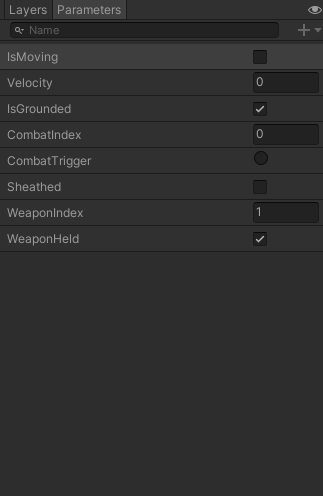

 stiff moss
When you are playing the game, does DirectionX change at all? like this
 stiff moss
misty glacier
stiff moss
misty glacier
can you add
Debug.Log(calculatedAngle);
to the end? and tell me what it shows in the console
misty glacier
nice
 stiff moss
Try it again
stiff moss
You can just use math to calculate it instead
Trigonometry
What matters is that you get a number from 0-360 and put it into your animator
 stiff moss
Yes, but you need the code to change this value

animator.SetFloat will let you change that value in code
You need to calculate the angle in your code and put it into animator.SetFloat
misty glacier

Pastebin
Pastebin.com is the number one paste tool since 2002. Pastebin is a website where you can store text online for a set period of time.
through what can I make this calculation here?
target correctly? as done through a shot
stiff moss
Try this ```cs
var originPos = new Vector2(transform.position.x, transform.position.y);
var targetPos = new Vector2(tgtPoint.x, tgtPoint.y);
var calculatedAngle = Vector2.Angle(originPos, targetPos);```
misty glacier
where should I write this in which method?
misty glacier
 stiff moss
OK, now use calculatedAngle in the animator
animator.SetFloat("DirectionX", calculatedAngle);
misty glacier
 misty glacier
no work
stiff moss
Can I call you
misty glacier
yes
 bronze island
I have loop time enabled on all of these animations. Is there any reason why they dont loop? Here is the code
 viral egret
bronze island
I have loop time enabled on all of these animations. Is there any reason why the...
viral egret
bronze island
I have loop time enabled on all of these animations. Is there any reason why the...
its because they are being played constantly I believe
 vestal iris
I downloaded a model asset with animations and running into 2 issues: 1) I want to scale it down, it defaults to scale 100 and is to big for me. Tried setting the armature/skeleton scale to 50, but as soon as I go in play mode it scales back up. (I'm 99% this means the animations themselves scale the skeleton transform?) - I actually split the jump animation into new clips to match the startes assets and now when I jump the scale animates between 100 and 50...
the second issue is I thought I can fix it by parenting an empty scale gameobject above the skeleton, but inserting an empty object between the skeleton and the armature with the animator seems to break my animations (they no longer play).
(this is odd to me because when I try to parent the skeleton of the starter 3rd person controller example everything works there)
vestal iris
Also my animator doesn't seem to reference the armature/bones, I don't understand how the animations "know" which bones on the scene they should animate
agile solstice
vestal iris
I downloaded a model asset with animations and running into 2 issues: 1) I want ...
That suggests the animations were made and exported with unapplied transforms which is a bit sloppy
You may be able to fix it by specifying a scale of 0.01 or 0.02 in mesh import settings, though I'm not totally sure how that will affect the animation clips
If it doesn't help, you should always be able to place the character under an empty parent and scale the empty parent down instead
agile solstice
vestal iris
Also my animator doesn't seem to reference the armature/bones, I don't understan...
They find gameobjects and properties to animate by looking for their literal names and paths in the gameobject hierarchy below the animator
vestal iris
agile solstice
They find gameobjects and properties to animate by looking for their literal nam...
Thanks, I think I'll leave the scaled animations, for now I "solved" this by scaling my entire player object (the one with the character controller, animator, player input etc). I don't like this because my character controller/collider is now in a weird scale.. but what I would really like to understand is why my model stops animating if I insert a middle parent between the player controller/animator object and the skeleton. According to what you're saying it should still work?
agile solstice
vestal iris
Thanks, I think I'll leave the scaled animations, for now I "solved" this by sca...
How it works depends on where the Animator component is, and if it modifies its own scale
Since it seems to do so in your case, the gameobject with the Animator should be below your actual character controller in the hierarchy
The path between the Animator and the animated mesh/sprite should stay intact
vestal iris
I took the layout from the starterassets 3rd person, where the animator is on the toplevel "player armature", but I can move it down and clean up my scaling, thanks!
agile solstice
vestal iris
I took the layout from the starterassets 3rd person, where the animator is on th...
Usually it's good practice to have the Animator (and visual components in general) as a child completely separate from the character gameobject that runs the code
That way Animator can't accidentally override the character's transform and it becomes very easy to plug in/out different character visuals
vestal iris
That makes a lot of sense, thanks!
agile solstice
 spice kraken
That pose is the Humanoid default pose
Seems to imply that the state you're blending to is empty
 ancient pumice
hey, having a strange isssue with an animator where if it's not constantly doing anything, the avatar will sink into the floor. I am attempting IK for the avatar's legs and the feet meet the floor fine, but the legs go beneath the floor, with their target points below as well. I have no idea what's causing this, I just added a change that makes the walking animation the IK is based on only activate when the character is under motion, but I have no idea why it would cause this.https://i.imgur.com/2KRN2tk.png
{ animator = GetComponent<Animator>(); newPos = GetComponent<Transform>(); animator.SetTrigger("Moving"); animator.ResetTrigger("Moving"); } private void Update() { if (animator!= null) { if (newPos != oldPos) { animator.SetTrigger("Moving"); } else { animator.ResetTrigger("Moving"); } oldPos = newPos; } }
this is the new code that seems to have caused the issue
let me know if you know what's going on or how to help. Thanks!
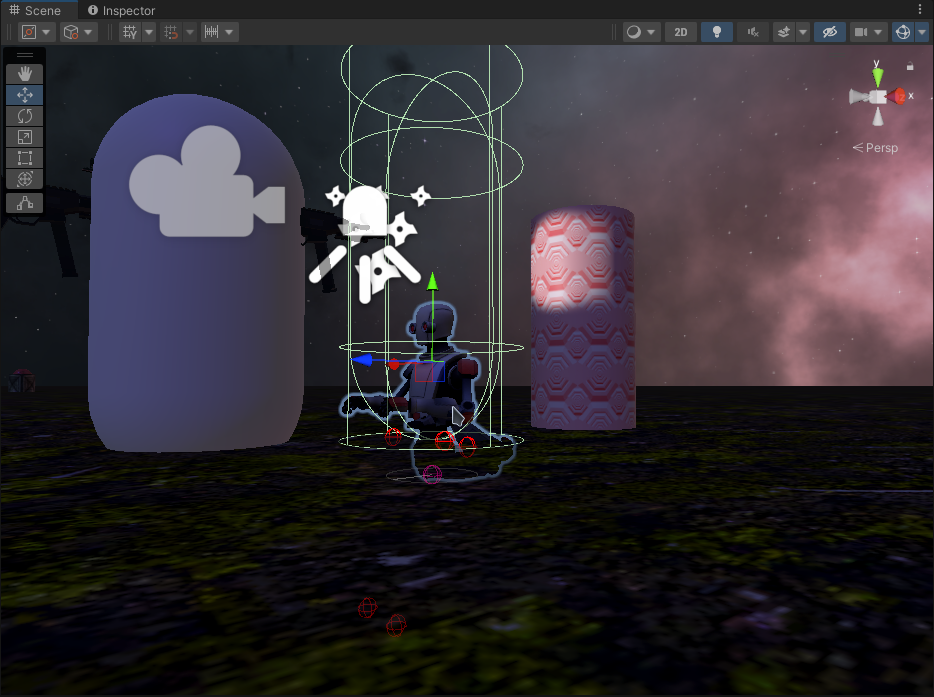 agile solstice
ancient pumice
hey, having a strange isssue with an animator where if it's not constantly doing...
agile solstice
ancient pumice
hey, having a strange isssue with an animator where if it's not constantly doing...
Looks somewhat similar to the issue above
Make sure the animation state you're swapping to has a valid working animation clip in it
ancient pumice
so the walking animation does, but the "Idle State" has no animation associated with it. would the Idle state need an animation associated as well?
 vestal iris
I've set up animation rigging and multi aim constraint to look at a specified transform. I can move the target in the editor and it works fine. But I want to move the target on an arc, and decided to keep it simple so it has a local offset and I'm rotating the parent. But if I do that my constraint no longer works. only seem to follow a target I move directly.
ancient pumice
ancient pumice
so the walking animation does, but the "Idle State" has no animation associated ...
@agile solstice
agile solstice
ancient pumice
so the walking animation does, but the "Idle State" has no animation associated ...
I think so if you don't want your character to snap into the odd humanoid default pose
ancient pumice
agile solstice
I think so if you don't want your character to snap into the odd humanoid defaul...
well, i don't mind that for now, but he will snap to the in the ground pose i sent previously for some reason now
that's my current issue
it also happens regardless of the trigger being set immediately on start or not at all
ancient pumice
found the issue (sort of) The idle state is set to move the character into the ground for some reason, but this told me that the trigger was not being set properly. So, I changed the trigger to a bool and used vector 3 from the transform.position of the character instead of the transform directly, and now it works! I also did have to change the idle animation to be something and the robot kyle default animations seem to cause this same pitfall, even with the changes.
 plush gust
I saw that an animation isn't working on 2 UI elements. It also has a yellow color. Does this mean that the elements can't find the animator or smt?
 plush gust
I have a problem with my animations. It looks like it gets stuck at the end of the part "Highlighted" each time you click it. It's both the same animation, but acts different. Does anyone know what the problem might be?
 plain marten
If I have a 2D sprite and want to animate it using 3D objects so the lights can affect it, I have to break it in to parts and apply a material to planes? Or is there a better way?
This is what I ended up with so far.
 toxic viper
Hi, how can I prevent animations from slowing down before reaching the next key?
 glad herald
how do i import a rig into blender
 vestal arrow
Hi, Im pretty new to game design. I recently started on a little topdown 2d game but how do you keep a character facing the last direction you were walking in?
Just ideas or anything that could help. You dont need to go too far with explanation
 limber saffron
vestal arrow
Hi, Im pretty new to game design. I recently started on a little topdown 2d game...
limber saffron
vestal arrow
Hi, Im pretty new to game design. I recently started on a little topdown 2d game...
do you mean like making the character face the direction its moving?

 magic heron
Hey people, I had a question. If I add an animator to a gameobject, and then record the animations on one of its child components, does this mean that when the parent component moves (not by the animation, but instead on being picked / grabbed / something else), the child component (+ it's animation) moves along with it as well? Let's say I have a controller animated, to moving towards a cube up and down, when the cube was originally placed on a table. Now, the animation on controller moving up and down the cube is playing. But, when the cube is picked, will the animation also move along with it?
Hierarchy of Objects :
EmptyParent-CubeWithPickAnimation (Has XR Grab Interactable attached as it's component)
=> Controller Prefab (Is the object, that's animated, from the Empty Parent's animator)
=> Cube Object
manic wagon
magic heron
Hey people, I had a question. If I add an animator to a gameobject, and then rec...
I would have thought that detatched parts would stop moving due to being separated from the parent with the animator, but after Googling around I found a post where somebody was complaining about how they made an animated spider enemy and it's legs keep animating even after being detatched. lol
Anyhow normally child objects follow their parent. Animation or not.
That's why a player can be moved around with rigidbody.Addforce and the animated limbs keep following, still attached to the player.
If you attached an animated floating cube to a hand as a child object, the cube would probably keep floating up and down in the hand, but the hand would NOT follow the cube.
Instead the cube would follow the hand.
On the other hand if the floating cube was the parent and the hand was a child, then the hand would keep moving along with the cube.
The opposite (make parent follow child) is called inverted kinematics and isn't something that normally happens.
I don't know if XR stuff affects this somehow, though.
magic heron
manic wagon
I would have thought that detatched parts would stop moving due to being separat...
Oh, got it. So, it is bound to work, from what I've understood from your answer.
Your answer Really helped me. Loved the detailed explanation. Thanks a lot for the detailed answer. I'll look around and see if there's some difference with regards to the behavior when used with XR.
manic wagon
magic heron
Oh, got it. So, it is bound to work, from what I've understood from your answer....
Oh yeah, I forgot to mention. In case something weird happens with picking up the cube due to it moving, there's a simple little trick:
The floating cube could have an empty parent that doesn't move. That way it'd be easy to use this invisible parent as a point to attach it to something.
magic heron
No no.. What I'm trying to achieve is;
Cube stays as is, without moving, a Hand prefab (mildly transparent, to indicate that it's just an animation) will keep moving up and down the cube, indicating that the cube should be picked. Now, when the user does grab the Cube (essentially the cube, and the transparent Hand Object are all part of a single Empty GameObject, with a Grabbable Property, a Collider, and a Rigid body), I want to know if the hand will still be animated, but relative to the position of the cube, or would it still be animating over the same place it earlier was? I actually want it to follow along, and continue animating wherever the cube is moved.
But, after reading your answer, I was able to understand that I would be able to achieve this dynamic when I have the parent object, as the cube itself, because then, the child component (the hand object, that is being animated) will be following the parent game object (the cube) when it's picked / thrown away?
Am I correct?
manic wagon
Oh that sounds way more complicated than I thought.
Well if the hand is floating and not parented to anything, then I suppose you could try making the cube a parent.
But then if the cube say spins or falls or w/e the hand would go along with it...
I'm not really sure how to handle this stuff, to be honest. Hopefully someone with more animation experience knows.
vestal arrow
limber saffron
do you mean like making the character face the direction its moving?
Oh sorry for the very very late response. I mean after the character is done moving. The last direction that they were moving in their animation faces the direction is was last moving.
 gusty lava
i've created 2 animation rigs one so that i can hold my weapon in idle state which is holstered and other when i aim with my weapon i want to transition between the two what should i do
magic heron
manic wagon
Oh that sounds way more complicated than I thought.
Well if the hand is floating...
Oh, okay. Got it. Thanks for the help though. Much appreciated! ❤️
Will explore more, and get to understand it all better.
hybrid tinsel
plush gust
I saw that an animation isn't working on 2 UI elements. It also has a yellow col...
Yellow means that it can't find that game object
hybrid tinsel
plain marten
If I have a 2D sprite and want to animate it using 3D objects so the lights can ...
Sprites are already 3d objects, so adding any material with a lit shader will allow it to receive 3d lighting. It is best to use a lit shader designed for sr sprites, though, since sprite meshes don't have proper tangents so you need a shader that can handle that.
hybrid tinsel
toxic viper
Hi, how can I prevent animations from slowing down before reaching the next key?
Set the interpolation to linear.
hybrid tinsel
vestal arrow
Hi, Im pretty new to game design. I recently started on a little topdown 2d game...
The general methodology is to only update the direction when receiving input.
plain marten
@hybrid tinsel Ahh, got ya. I was doing it the hard way it looks like. It looks nice though. 😄
 proven tartan
 brisk acorn
why is the animations stuck like this?:
brisk acorn
why is the animations stuck like this?:
Show code
 hybrid tinsel
plain marten
<@172484507788771328> Ahh, got ya. I was doing it the hard way it looks like. It...
hybrid tinsel
plain marten
<@172484507788771328> Ahh, got ya. I was doing it the hard way it looks like. It...
It does look very pretty!
hybrid tinsel
 flint estuary
How do i fix this error
flint estuary
How do i fix this error
That isn't an error, it is just a warning. It means that you added events to your animation without assigning them to anything.
flint estuary
yeah, I fixed it now tho
 rain river
Does cycle offsets work with 2D Sprite Animations?
i'm asking because well, i cant seem to get it to work...?
at least from the preview it isnt working
gusty lava
i've created 2 animation rigs one so that i can hold my weapon in idle state which is holstered and other when i aim with my weapon i want to transition between the two what should i do
 golden sonnet
Hello, I bought an asset on the asset-store containing several animated characters.
There are 6 different postures (one-handed weapon, two-handed weapon, bow, magic weapon, bare hand, etc.) and specific animations for each posture (walking, running, dodging, multiple attacks, jumping, etc.)
So I'm going to encounter a problem because I can't put all these animations in the same animator.
Has anyone ever made a game in which the character can have several animations for the same action depending on his equipment, and could give me a little advice before I start?
Thanks in advance
agile solstice
golden sonnet
Hello, I bought an asset on the asset-store containing several animated characte...
The most practical solution is likely to use Animator Override Controller component
It allows you to use the animator state machine but swap out animation clips for different ones
Remember to use animation layers and sub-state machines also to minimize the need for repeated states and excess transitions
agile solstice
gusty lava
i've created 2 animation rigs one so that i can hold my weapon in idle state whi...
You should create the poses/motions as different animation clips, not as rigs
agile solstice
rain river
https://i.gyazo.com/3ae0f19487ee072e7a37600d537fd906.mp4
What kind of result are you expecting?
Loop Pose has no effect on sprites and no relation to Cycle Offset
Cycle Offset offsets the entire cycle so it begins and ends at a different point
But it does have an effect on sprites
gusty lava
agile solstice
You should create the poses/motions as different animation clips, not as rigs
Wdym should I stop using animation rigging?
agile solstice
gusty lava
Wdym should I stop using animation rigging?
So, it's an "Animation Rigging" rig (as per the package), not just any animation rig (in terms of rigging a mesh in modeling software)
Important distinction because the terms are ambiguous
gusty lava
Ok
gusty lava
agile solstice
So, it's an "Animation Rigging" rig (as per the package), not just any animation...
I just want to the player to hold the gun properly in the different animations any other way?
agile solstice
gusty lava
I just want to the player to hold the gun properly in the different animations a...
Yes, but I don't fully understand what you're working with
Are they animation Constraints?
gusty lava
agile solstice
Yes, but I don't fully understand what you're working with
Are they animation Co...
I am fairly new to unity I was trying to make an fps controller with hands so I learned the best way to do it is to use the animation rigging package so I used it on the hands of the player so that it would hold the gun properly
agile solstice
gusty lava
I am fairly new to unity I was trying to make an fps controller with hands so I ...
To control the influence of animation Constraints you change their Weight, blending it between 0 and 1 as needed
Or you can disable the entire Rig Layer
gusty lava
what does multi parent constraint do?
golden sonnet
agile solstice
The most practical solution is likely to use Animator Override Controller compon...
Okay thanks 😊
agile solstice
gusty lava
what does multi parent constraint do?
 golden tangle
how do i delete the transition from the entry to "flash" i do not want my animation to play constantly i want to activate it in script

nvm homie i got it
fix was right click "set as default state" on another block
The legacy Animation Clip "Flash" cannot be used in the State "Flash". Legacy AnimationClips are not allowed in Animator Controllers.
well how do i make a non-legacy one?
i am baffled every tutorial uses this method but i get this error
agile solstice
golden tangle
i am baffled every tutorial uses this method but i get this error
https://youtu.be/sgHicuJAu3g This is the best, most up to date tutorial I know of
I'm a bit puzzled how does a legacy animation clip asset manifest by accident
Make sure to never use the Animation component, and never set Rig import type as "legacy" in mesh import settings
 echo rune
Hey folks, I'm trying to use triggers to switch from a blend tree to a different state and back but despite the animator editor highlighting the other state, the animations are still played from the blend tree. Any hints?
If you need to see a screenshot of anything, please let me know
This is the graph, I have two Triggers "Grabbed" and "Released" to go to the "Grabbed" state
 agile solstice
echo rune
Hey folks, I'm trying to use triggers to switch from a blend tree to a different...
agile solstice
echo rune
Hey folks, I'm trying to use triggers to switch from a blend tree to a different...
Blend trees act the same way as any other state
When previewing the Animator during Play mode look for the blue progress bar which denotes the active state or transition
It might be more reliable to use a boolean as the condition for transition to and from grab, since triggers can get stuck on until reset in some circumstances
 gleaming root
What's the best tool to use for 2D frame-by-frame animation?
I've been trying to use the Legacy animations, but can't get them to work so i was wondering if there was anything i should use instead (ps: i have very little idea of what i'm doing/talking about)
agile solstice
gleaming root
What's the best tool to use for 2D frame-by-frame animation?
I've been trying to...
"Best" is always subjective varying by the type of task, preference and budget
Don't use legacy animations
echo rune
Thats weird.. I see the progress bar switch correctly but the animation doesn't change. When I set it as default state it is active though
gleaming root
agile solstice
"Best" is always subjective varying by the type of task, preference and budget
D...
For now, i'm looking for something free that just allows me to make frame-by-frame animations from a sprite sheet, either built in or something external.
What's wrong with legacy animations?
agile solstice
gleaming root
For now, i'm looking for something free that just allows me to make frame-by-fra...
Krita, Gimp, LibreSprite, depending on style
Legacy animations are unsupported and long-outdated, only included for backwards compatibility
gleaming root
agile solstice
Krita, Gimp, LibreSprite, depending on style
Legacy animations are unsupported a...
My bad, i misspoke. I meant a replacement for Legacy animations; i already have a spritesheet and a program to make them in.
The reason i used Legacy was https://docs.unity3d.com/ScriptReference/Animation.Play.html. The last line says, "
Animations must be marked as ‘Legacy’ in the Inspector for the animations to be found by this method. This option appears after switching the Inspector Window to ‘Debug’."
agile solstice
gleaming root
My bad, i misspoke. I meant a replacement for Legacy animations; i already have ...
The Animation component is the deprecated legacy component
Animator is the correct one
gleaming root
Ohhhh alright, thanks, i'll check it out!
So far i've just been using the Unity docs so i think i just clicked on the first animation-related thing i saw lol
 modern oak
someone please help me

is the 1:00 a second
why does it only go up to 0:55

it cant be in seconds if it only goes up to 0:55 milliseconds or whatever thats measured in
 lean sage
It's seconds:frames
modern oak
so when it says 0:30 that means its 0.5 calm
agile solstice
modern oak
so when it says 0:30 that means its 0.5 calm
At 60 sample rate (or frame rate in some contexts) there are 60 samples or frames per second, which is why 0:30 equals half a second
modern oak
I changed it to 100
 gleaming stump
Hey all, so I've been dealing with this issue a few days now, I'm still not sure where to post it, since it's kind of a basic graphical issue. These turret gameobjects are children under the rigidbody ship, and I cannot get them to move smoothly together. I think I need something to get teh sprites to blend between pixels better, but I don't know what that would be.
I've tried:
Setting rigidbody to interpolate/exterpolate.
made sure my pivot s are set to center.
Changing from point filter to bilinear and back again on the sprites.
Going back to default materials.
Playing around with resolutions and the pixel perfect camera.
Using the SmoothPixel material from the asset store.
 gleaming stump
I'm leaning towards the idea that the pixel perfect camera is an issue
sigh...
that's what it was
@quasi fable My issue from yesterday, sorted it out, I shouldn't have been using the pixel perfect camera... which in hindsight, is rather obvious.
 versed fog
Maybe someone could recommend on asset or location where I could get or buy decent fly character animation set? Asset store search results were a bit weird. While unreal asset store had it more simple, but... who uses unreal am I right 😄 jokes aside, any recommendationsare welcomed.
twin musk
For some reason this doesn't work, I have a bunch of triggers I trigger whenever the player holds the respective button but for some reason it constantly switches the animation when you press the buttons too much and just looks very weird, does anyone know how I can make it look more smooth?

 pearl hedge
so for this, (for every animation, it goes back to the idle animation with the bool false and goes to the other with bool true) but for some reason without me setting anything like this from code, when i finish the combo 1, SOMETIMES if i wait for my cooldown between combos to go about half or lower, it switches back to the idle animation and i dk why
 agile solstice
twin musk
For some reason this doesn't work, I have a bunch of triggers I trigger whenever...
agile solstice
twin musk
For some reason this doesn't work, I have a bunch of triggers I trigger whenever...
From your description it sounds like the problem is that the user is allowed to give new movement commands without any delay
From the animator you could make sure the transitions have blending and/or prevent the transitions before animations are finished, but that won't prevent the user from "pressing buttons too much"
Also, you'll likely want to use booleans instead of triggers to match the user's input, that avoids problems, simplifies code and usually just feels better
agile solstice
pearl hedge
so for this, (for every animation, it goes back to the idle animation with the b...
Make sure your transitions to idle don't have "use exit time" which could make them occur automatically
pearl hedge
agile solstice
Make sure your transitions to idle don't have "use exit time" which could make t...
rlly
agile solstice
pearl hedge
rlly
Clarify?
pearl hedge
well i got exit time only when coming back to idle
because they have to go back there in case the attack doesn't end
attack*
combo
whatever
agile solstice
If I understood correctly the problem was that the transition to idle was happening automatically
You could disable exit time for the to idle transitions to verify if it stops happening
pearl hedge
agile solstice
If I understood correctly the problem was that the transition to idle was happen...
it didn't
agile solstice
If it doesn't stop happening that suggests something in your code is causing the transition to be called prematurely
pearl hedge
agile solstice
If it doesn't stop happening that suggests something in your code is causing the...
i tested the code
the animations are ended and started when they are supposed to
it's just that on the animator it shows going back up to idle after a little little while
agile solstice
It's either something in your to idle transition conditions, or the code's animation parameters
I can see neither in action so I can only guess what in there could be doing that
pearl hedge
could that be from the animation itself?
agile solstice
I can't think of how it would be
Animation states or clips cannot decide the time they play
It's all handled by Animator, whether by parameters and conditions or by code calling states to play directly
pearl hedge
because if i do the same thing for 2 and 3 it works fine
agile solstice
Anyway, the problem is somewhere either in conditions or code
 eternal garden
i have these animations i imported from an fbx, they are for different objects and i want to play some of them at the same time, how can i do that?

i found that i can make separate layers for each object and trigger each one of them
pearl hedge
agile solstice
Anyway, the problem is somewhere either in conditions or code
found the problem
but it's bigger than i thought
ye i wasn't going in a state but i see for the first it's not even going into the animation
and i have tried a few animations and it is not doing them either
someone i work with told me it's because i got the animations in a ,,aditive"
but what is that, why is it happening and how to solve it @agile solstice
sorry for asking to many questions but you were the only one interested to help me in this topic
agile solstice
pearl hedge
someone i work with told me it's because i got the animations in a ,,aditive"
Are the states on an additive animation layer? Can't think of what other kind of additive it could be
Additive layers look different but the states within them follow the same state machine logic as other parts of the Animator
pearl hedge
agile solstice
Are the states on an additive animation layer? Can't think of what other kind of...
yes
are on the upper body
agile solstice
pearl hedge
are on the upper body
To my knowledge that doesn't really change how the animations and states play, just how they look
pearl hedge
agile solstice
To my knowledge that doesn't really change how the animations and states play, j...
EXACTLY
the states are playing
but the look is either broken
like limbs flying or just barely moving like not moving
you understood completly
is there any fix?
or alternative for animation?
i have 0 experience with animation
agile solstice
pearl hedge
but the look is either broken
That doesn't sound like the same problem as originally described about idle state playing prematurely
You can always confirm which states are playing by viewing the Animator window side by side with Game window during Play mode with the gameobject selected
pearl hedge
agile solstice
That doesn't sound like the same problem as originally described about idle stat...
A ye
i said i had a state problem if you see
and solved it
how i determined the new problem was more or less bad
yes , now the states are playing good
it's just the animations that are weird
either barely moving resulting in almost nothing or distorted
agile solstice
pearl hedge
and solved it
Ah, good 
You can swap an additive animation layer to override to only play that layer's animation, which may help you verify that the motion is correct in isolation
Additive animation is as the name implies added to base layer's animation, so ideally the base layer's limbs that you add another animation onto should be in the reference pose
Otherwise you get two animations at the same time which likely will look completely unexpected
pearl hedge
agile solstice
Ah, good <:UnityChanCheer:885169594837389332>
You can swap an additive animatio...
Ok, where do i change that setting to my adetive
agile solstice
pearl hedge
Ok, where do i change that setting to my adetive
Animator's Layers tab
Gear icon button on the animation layer itself
pearl hedge
K, thx
 upper elbow

Can anyone help me solve this kind of problem? After playing the animation, the character moves at high speed
robust perch
Any clever ways to disguise the back of the head going through the collar? I've been trying and trying
agile solstice
upper elbow
The animation is made for root motion but you're not using root motion, or not using it correctly
 rigid salmon
I am assuming that "Any state' will run the crouch animation from whichever state the player is in as the name suggest, and documentation says the same about it. Is this correct? Because crouch is not runing when I am trying to run it from "Any state"
 agile solstice
rigid salmon
I am assuming that "Any state' will run the crouch animation from whichever stat...
agile solstice
rigid salmon
I am assuming that "Any state' will run the crouch animation from whichever stat...
The conditions will be checked and transition triggered, as the name implies, in and from any state
Do not use it unless you know for a fact that you should
rigid salmon
agile solstice
The conditions will be checked and transition triggered, as the name implies, in...
actually the transition is working and crouch animation running perfectly fine If I run it from Idle. But the condition is not trigger when I am doing it from "Any state" which is strange to me.
agile solstice
rigid salmon
actually the transition is working and crouch animation running perfectly fine I...
There is no visible clue why it wouldn't work
Most likely the transition condition isn't right or the paramater isn't being set
rigid salmon
agile solstice
Most likely the transition condition isn't right or the paramater isn't being se...
Looks fine though


 violet python
back from what i was saying
i am doing culling stuffs
culling can do that
where it keeps record of transition and states only
but gets back on track after turned on
in my case i dont want animations to be played at far distance
at the same time i want to this sort of culling whenever i want
anyone?
rugged willow
Any way to add a custom enum as a paramater?

 novel nacelle
Im trying to set the speed/length of a specific animation in my animator window to be based on a variable
so if i change the variable in code, i want the animation to speed up or slow down
novel nacelle
how can i get access to the animation speed?
agile solstice
rigid salmon
Looks fine though
Since it's a boolean condition I expect the animation keeps restarting every frame as Any State checks for the condition every frame
I have to resort to guessing though as half of the transition settings are cropped away in this picture
You could disable "can transition to self" but I still recommend against using Any State at all because of pitfalls like this
 uncut vortex
rugged willow
Any way to add a custom enum as a paramater?
uncut vortex
rugged willow
Any way to add a custom enum as a paramater?
No
pearl hedge
agile solstice
Animator's Layers tab
yes the animations work completly fine, but the ones on the lower body do not work when using override, and they used to work when on the uppser i used aditive and on the lower override
do you know how to solve this too?
agile solstice
pearl hedge
yes the animations work completly fine, but the ones on the lower body do not wo...
Hard to say for sure
Setting it to override was just for the purpose of checking that the the upper body animation looks good in isolation, it's expected that all other motion stops in that case
The important thing is to make sure the upper body doesn't have any kind of significant animation (or any animation at all) when you're introducing upper body motion to it from an additive layer
If you've also got an override layer that needs to work together with other animations I believe you may need to place the additive layer below it in layer order, and/or disable "write defaults" to stop the override layer from resetting non-moving limbs to zero on any layers that come before it
If you're using the Avatar system it's possible that the animations require avatar masking to be able to work together
pearl hedge
i saw the option for avatar masking
can i use it to select the parts effected by my animations?
i tried, doesn't work
sucks
dk why it doesn't work with the mask
agile solstice
pearl hedge
dk why it doesn't work with the mask
It requires an Avatar configuration for the rig (possibly Humanoid Avatar?), which I don't know if you're using
pearl hedge
agile solstice
It requires an Avatar configuration for the rig (possibly Humanoid Avatar?), whi...
i used both human and transform
but idk if i am doing it correctly
i have watched countless tutorials on this thing
agile solstice
It's a very specific kind of configuration process which I'm not familiar with
agile solstice
pearl hedge
so if i ss you my config you won't be abel to get much info from it?
I haven't used Avatars at all, but perhaps someone else here has
pearl hedge
sadly you are the most helpful and active source from this channel so the hopes of finding someone who knows in time are brim
Maybe there is another way to do it without using a mask perhaps?
agile solstice
pearl hedge
Maybe there is another way to do it without using a mask perhaps?
I get by without any Masking by using additive and override layers very carefully, which I spoke of earlier
Currently I'm guessing your additive animation looks weird because it's being added to different upper body motion on another layer when there shouldn't be any, and/or the "additive reference pose" is not correct
pearl hedge
yup you are 100% right
but somehow the mask doesn't work at all and i do not know why
agile solstice
pearl hedge
but somehow the mask doesn't work at all and i do not know why
https://docs.unity3d.com/Manual/AnimationMaskOnImportedClips.html I can send you here but beyond that I don't have more ideas regarding that
pearl hedge
agile solstice
<https://docs.unity3d.com/Manual/AnimationMaskOnImportedClips.html> I can send y...
thank you!
pearl hedge
agile solstice
<https://docs.unity3d.com/Manual/AnimationMaskOnImportedClips.html> I can send y...
where do i exactly have the ,,Mask" option, i have created a mask and it only has 2 defs not 3 as said 😅
agile solstice
pearl hedge
where do i exactly have the ,,Mask" option, i have created a mask and it only ha...
That I do not know
Again, these Masks must be used with a valid Avatar configuration:
https://docs.unity3d.com/Manual/ConfiguringtheAvatar.html
It's not a workflow that I use
 jolly dragon
Hello! I have a bit of an issue and since I can't find an answer online I feel like the answer is something simple I'm overlooking.
I'm trying to edit tangents but when I right click a key the only option I'm given is to add another key.
Actually feels more like I can't click the keys at all to begin with, just the curve...
jolly dragon
OK so I can click the keyframes in the dopesheet and edit tangents there but not in the curves window. I'm gonna go even balder from this lol.
agile solstice
jolly dragon
I'm trying to edit tangents but when I right click a key the only option I'm giv...
I get "add key" when right clicking anywhere not on a key
On the key it should be like this


 agile solstice
Shouldn't really be any extra steps to it
I'd restart the editor just in case
jolly dragon
I'll give it a go. Been like this since the start though.
Tried creating a new project and importing the old one too. Same issue. At least I can work around it for animations, less of an issue for particle curves.
agile solstice
jolly dragon
Tried creating a new project and importing the old one too. Same issue. At least...
Really quite bizarre!
jolly dragon
For sure. :D It's all coming together though.
 obtuse moth
Hello everyone
So rn I'm working on reallusion software, specifically Character Creator 4 and I have a little problem that is (I hope so) on unity problem.
Okay, so what I need to do is create crowd scene with min. 18 avatars with highquality version with Animation and Blendshape animation as facial expression is important for my project.
Firstly I just created Avatar and simply exported it to Unity. I did everything as tutorial said and everything with animations and blendshapes works perfectly.
Secondly, what I came up with, is that I will just create avatar and export it with using InstaLOD BUT I will keep original Avatar. I did this and exported to Unity. As expected everything worked perfectly until i checked facial blend shape animation. They simply don't work. I would understand that, however the problem is, that bodymesh of original avatar contain blendshape keys under Skinned Mesh Renderer.
So right now I stay in the corned trying and googling solutions however nothing works
 merry sluice
Noob question: I downloaded two animations from Mixamo to (1) turn my character 90 deg and to (2) have my character walk forwards. The walking forwards animation works great but when I do the turn right 90 deg animation, it just turns the model to the right and doesn't change the forward facing direction. Because of this, when I go back to the walk forwards animation, my character snaps back to the original direction and starts walking forwards. I understand why this happens but is there any way to change it to what I want where the turn right animation changes the forwards-facing direction of my character and so they can walk forwards in that new direction?
 stone estuary
Hey guys, I'm using something from Mixamo to try and animate a simple Walk animation, and I can see the little red orbs Debug move properly in scene view, but the mesh itself does not move at all. Can't find anything useful on the internet, and I'm sure it's a simple problem but I'm very very new to animation in Unity. Can anyone point me in the right direction please? Thx
stone estuary
merry sluice
Noob question: I downloaded two animations from Mixamo to (1) turn my character ...
https://docs.unity3d.com/Manual/ScriptingRootMotion.html
This might be your solution? Do you have Root Motion setup?
twin musk
is there a way with unity ik to make it so a character always grabs a point even if it means stretching
for example a character always holds the railing even if he is 100m away from it
 royal junco
Please help, how do I create conditions for a transition in the Unity animator?
All the tutorials I found have different things than what is shown to me.
Tutorial:

My interface:
 edgy quail
How could I export animations from blender to unity?
agile solstice
royal junco
My interface:
You have switched your Inspector into debug mode
royal junco
Thanks, it fixed it. How do I link the variable in the condition to one of the scripts?
agile solstice
royal junco
Thanks, it fixed it. How do I link the variable in the condition to one of the s...
The variables are "parameters", which you can set using the Animator class's methods
royal junco
What does that mean?
agile solstice
royal junco
What does that mean?
royal junco
How do I connect it to an existing script? In my case, I want to make an animation of the bird pointing downwards if it is falling (velocity < 0), and upwards if it is flying.
agile solstice
royal junco
How do I connect it to an existing script? In my case, I want to make an animati...
You call those methods for setting animator parameters when appropriate, such as in a method that checks for velocity as you describe
 earnest pollen
@twin musk you can set the end point of the hand gameobject to the destination and it should strech accordingly
twin musk
earnest pollen
<@456226577798135808> you can set the end point of the hand gameobject to the de...
what do you mean?
earnest pollen
The model, inside the game object, there should be the armature, having a tree like structure of each of the bones
twin musk
yeah
earnest pollen
the bone of the hand, if you move it, it should stretch the mesh
twin musk
yeah but i want it only to stretch if an item it wants to grab is out of reach

for example the red box is the target, since it cant reach it naturally it should stretch for it
twin musk
does final ik do this?
earnest pollen
I'm not sure if final IK does it since I've never used it, but it probably does. At least the first part. It's not that hard to code your own inverse-kinematics, but yeah, the way to would be to do some inverse kinematics if it's in reach, otherwise stretch
earnest pollen
Np
If you are using a humanoid, ik is provided by unity (at least some helpers)
 twin musk
yep gonna look into that now
twin musk
do you know how thats
diffrent from their animation rigging package?
like whats the difference between them?
earnest pollen
I would say this is the default/legacy way of doing it
The rigging package is more advanced i think
but haven't had the need to compare them yet
The rigging package, correct me if im wrong, is mainly setup on the editor, while this one is by code
twin musk
yeah i think thats pretty much it
merry sluice
When configuring my avatar rig, if I reset the post, I get a message saying "Character is not in T pose" but if I click "Enforce T-Pose" it messes up the fingers on the model. How do I fix this with a proper pose?

(When I click enforce t-pose)
 edgy quail
How do I make the grey square play when I am just moving, and the idle plays, when I'm not moving?

Also how do I rename the grey square?
 mossy crane
Can you use one animator controller for two objects or does every object needs his own animator controller?
pearl hedge
@agile solstice after 6 hours i got it to work, but my problem now is that i need the upper body with a thing from the lower body and it breaks everything 😅
thanks a lot again
agile solstice
pearl hedge
<@166982635950702592> after 6 hours i got it to work, but my problem now is that...
You can do it!
agile solstice
mossy crane
Can you use one animator controller for two objects or does every object needs h...
An Animator component can control its own gameobject and the gameobjects below it in hierarchy, excluding ones with additional nested Animators
Nested Animators are useful in some situations but avoid them if they're not totally necessary, as it's easy to create problems or overcomplicate things with them
agile solstice
pearl hedge
i never had such problems with unity, well maybe because i only code ..
Animation and Animators are complex topics that require a lot of knowledge to learn
mossy crane
agile solstice
An Animator component can control its own gameobject and the gameobjects below i...
Ok
pearl hedge
agile solstice
Animation and Animators are complex topics that require a lot of knowledge to le...
ye agreed
edgy quail
"Parameter does not exist in Controller"
