#🏃┃animation
1 messages · Page 12 of 1
 lapis sluice
oh
ur so right
let me try it
that worked
thanks a lot
i never looked at thqt
 robust perch
🙂
 hybrid tinsel
Not a stupid question at all. Generally, I use foot IK most of the time for retargeted animations because it compensates for characters having different proportions from the character the animation was made for.
 ebon holly
https://gyazo.com/377d0dc9d84f00fbc9c626b64a859ba4.mp4 does anyone know whats up with my animations? seems to work fine in scene view, but not in game view.
My other animations seem to work fine, by the way. It's just these guys.
ebon holly
I've even got this controller on my main character, the exact same animation, and it plays fine
 twin musk
Can anyone now how to animate the material asset directly?
I want a cube to fade on a trigger.
 fathom crest
Hello Guys! I have a character, I've used mixamo to rig it and have used mixamo animations in my game, i imported a mixamo animation of the same model and made some edits using the mixamo rig, after exporting back to unity while trying to define avatar there is an error message saying misconfiguration or something, I'm guessing the blender exporter is adding an extra transform called Armature as parent. I tried removing it and changing the hierarchy in cinema 4d but that didnt work as well, I am at my wits end, what can I do?
hybrid tinsel
fathom crest
Hello Guys! I have a character, I've used mixamo to rig it and have used mixamo ...
First of all, see what the actual error message is. 'misconfiguration or something' doesn't help much.
If these are humanoid avatars, then as long as both are correctly configured it should be fine even if the hierarchy is changed.
fathom crest
My question is what does "correctly configured" mean, cos this is the error it gives , i check the hierarchy in cinema4d once and it looked alright

is it blender fuckin up while exporting or something?
robust perch
twin musk
Can anyone now how to animate the material asset directly?
I want a cube to fade...
You can make a shader for that to increase transparency over time or a dissolve shader if you want it to look more fancy
robust perch
ebon holly
https://gyazo.com/377d0dc9d84f00fbc9c626b64a859ba4.mp4 does anyone know whats up...
We're gonna need more info and screenshots
robust perch
fathom crest
My question is what does "correctly configured" mean, cos this is the error it g...
Oh the problems I had with this issue. What avatar are you using? I ended up using the mixamo x bot avatar and the animations work
fathom crest
im using the same one too
twin musk
robust perch
You can make a shader for that to increase transparency over time or a dissolve ...
I have used a cube and placed a video on it.. Im using a trigger to bring it in my scene... But when the trigger triggers it appears suddenly and it doesnt look good. so im trying for a fade in it.
but the video plays only if the shader is URP/Unlit.
robust perch
WHen you say video, you mean the cube is literally some kind of screen/projection?
with a video playing on it?
hybrid tinsel
fathom crest
My question is what does "correctly configured" mean, cos this is the error it g...
Are you trying to reuse the avatar from the other model?
fathom crest
yeah
 robust perch
you can make the material of the sube transparent instead of opaque and then gradually increase transparency with code
I see the material is made of the video so you could also make the vid gradually transparent in your video editor
hybrid tinsel
fathom crest
yeah
That's gonna be a problem when the hierarchies are different. If you just create a new avatar based on the actual model then you can just have unity remap the animation for you.
fathom crest
I checked the heirarchies in blender as well as cinema4d, the blender export had an extra parent transform called "Armature", removed the extra parent in c4d but that didnt work either. All this stuff is for me to make bvh animations work with mixamo rig
hybrid tinsel
Well, I am not a c4d OR blender user
So I can't tell you how to fix things on that end.
But whatever is causing the mismatch, there is one and therefore you want to create a new avatar instead of reusing the old one.
robust perch
hybrid tinsel
But *whatever* is causing the mismatch, there is one and therefore you want to c...
Yes, I had problems with this and couldn't solve them whatever I tried. Just use another avatar, as long as it's humanoid
twin musk
robust perch
I see the material is made of the video so you could also make the vid gradually...
Any idea how that works?
robust perch
twin musk
Any idea how that works?
Do you edit videos?
fathom crest
robust perch
Yes, I had problems with this and couldn't solve them whatever I tried. Just us...
aah kinda painful ngl
hybrid tinsel
fathom crest
aah kinda painful ngl
How is it painful to literally just choose one option on a dropdown instead of another option on that same dropdown?
I mean, it is annoying that that's how blender works but someone on the blender discord would probably have a better solution on that side of things and unity does give a pretty easy workaround.
robust perch
Yeah it's LITERALLY the easiest possible solution
twin musk
robust perch
Do you edit videos?
no, but i can ask someone to...
robust perch
Just increase transparency via code then

3 ways to change the alpha value of your materials in all versions of Unity including: SRP, URP and HDRP. We'll look at changing the values:
🎁 Get OVER 160+ Scripts, Projects and premium content on my PATREON HERE:
➡️http://bit.ly/SpeedTutorPatreon
·························································································
...
I didn't watch this but it should cover that
twin musk
robust perch
https://www.youtube.com/watch?v=IpdgeNbXN5o&ab_channel=SpeedTutor
So i use this script to make the cube transparent and use animation to record it?
robust perch
sure, that would work
robust perch
Guys, I'm lost
yesterday I had a working animations made in blender. Today I just edited some keyframes and it doesn't work at all
unity gives me this error when trying to make it humanoid:
'File 'Zombie spit anim' copied Avatar Rig Configuration mis-match. Transform hierarchy does not match:
Transform 'Armature' not found in HumanDescription.'
How? I changed literally nothing and I have the armature. I also exported and imported in 30 different times between blender and unity with different export settings
I hate blender so much
OK fixed immediately when I posed this...
ebon holly
Upon further inspection, it looks like the sprite pivot point changes my animations in my game view. How can I prevent this from happening? I want the animation to be 1:1 with the scene view no matter where the pivot is.
Knight + Yellow King = same pivot (bottom), Blue King = center pivot
The animations are all messed up though, even when they "work". They are supposed to look like this https://gyazo.com/7aa2a5f12e289a6b34e4113d26f0ab6f
Even the sprite with the changed pivot point (Yellow King) looks great in scene view, but screws up in the game view: https://gyazo.com/003f64bf41ceea2f14d95585b33f089e
@robust perch is there any more info which would help diagnose this issue?
 agile solstice
@ebon holly What do the animations look like when you decrease your camera orthogrpahic size, or "zoom in" in that way
agile solstice
ebon holly
https://gyazo.com/377d0dc9d84f00fbc9c626b64a859ba4.mp4 does anyone know whats up...
Here you have 3x zoom in the game window which can cause distorted appearances for sprites
ebon holly
I'm just zooming to give you guys a clearer picture, unfortunately. It's all the same at different perspectives.
Is this possibly due to my pixel perfect camera settings?
Oh hang on! You're on the right track Spazi. I decreased the Ortho size in my Cinemachine and it seems to reflect the animation properly when zoomed in like this.
https://gyazo.com/3ee9437cf9054b14c6aa1e9300c2f4b3 So what is this relationship then, between animations and camera size?
agile solstice
ebon holly
https://gyazo.com/3ee9437cf9054b14c6aa1e9300c2f4b3 So what is this relationship ...
I assume the problem is that your sprites are displayed at such small resolution that their motion cannot be rendered
With pixel perfect rendering you don't want any sprite moving less than the length of one reference resolution pixel
The wiggle there is much less than one pixel, so it really can't be made pixel perfect
ebon holly
Ah okay. Do you have any suggestions as to how I might start fixing this? I've tried changing my pixel perfect camera's reference size so far to no avail.
I definitely get the feeling that I messed something up along the line during the making of my cameras.
agile solstice
ebon holly
Ah okay. Do you have any suggestions as to how I might start fixing this? I've t...
Changed reference resolution to what?
What's the specific reason you're using pixel perfect rendering
ebon holly
I was using pixel perfect rendering so that my sprites wouldn't become distorted on the screen -- some of the kings eyes were becoming 1.5 pixels, etc., without it.
Specifically, I am using a reference resolution of 216×386, and I changed it to webGL 540x960, which made no difference, possibly because the pixel ratio stays the same.
Most of the stuff I found online suggested to use a pixel perfect camera for 2d projects with a small resolution, somewhere around 384x216 (landscape, my project is portrait).
agile solstice
ebon holly
I was using pixel perfect rendering so that my sprites wouldn't become distorted...
I would suggest you set the reference resolution close as possible to the full intended display resolution and disable "upscale render texture"
This should let you make very fine motion animations without running into pixel grid problems
Sub-pixel motion is always problematic when you're trying to keep things pixel perfect
ebon holly
Thank you Spazi! I am going to go try this right away and play around with the values.
agile solstice
ebon holly
Thank you Spazi! I am going to go try this right away and play around with the v...
When deciding reference resolution you'd be either emulating a lower-resolution screen, or setting a convention for yourself how large your screen space will be measured in sprite pixels
That usually corresponds to your PPU and thus how large your screen space will be in units, but not always
ebon holly
Well that makes a ton more sense actually. Just so I'm understanding this right, for a phone game like this I'd want to literally choose a reference resolution that is displayed on a mobile device? So something closer to say, 720x1280?
And if i wanted to make a Gameboy style game, meant for that resolution, that's where I'm using something like 384x216?
agile solstice
ebon holly
And if i wanted to make a Gameboy style game, meant for that resolution, that's ...
This is the intended purpose!
agile solstice
ebon holly
Well that makes a ton more sense actually. Just so I'm understanding this right,...
Using pixel perfect camera with 1:1 reference resolution to display resolution might not be quite so intended since it creates no pixelation, but it's still an useful technique for getting the other benefits of pixel perfectness
You'll also be deciding how many sprite pixels per screen pixels you'll want to display, and need to adjust PPU accordingly if you're using 1:1 reference resolution
It's a bit of a science
There's also "Smooth Pixel" asset which anti-aliases sprite textures to eliminate the shifting and distortion problems that Pixel Perfect Camera component is usually used for, but it doesn't provide the other benefits and won't work on very small sprite sizes
ebon holly
Such awesome information here Spazi. Thank you so much. Definitely some finagling here, but I'm already seeing some changes with this new workflow in the right direction! Appreciate your help this morning so, so much.
agile solstice
@ebon holly Oh and by "other benefits" I mean that Pixel Perfect Camera also fixes seam glitches of tilemaps, forces sprites onto a grid and allows to pixelate non-sprite graphics like particles or meshes
 unique shuttle
I'm using the Animation Rigging package. I noticed that when I add a constraint to a bone, it completely overrides the animation. For example, If I have an animation that makes my character move up and down, it won't move at all when the constraint is applied. I'd like the character to follow my constraint while still moving up and down (basically to layer the constraint with the animation). Does anyone know how to do this?
I'm assuming I'll need to code my own constraints but I wanted to know if this is already possible with the tools the package comes with
agile solstice
unique shuttle
I'm using the Animation Rigging package. I noticed that when I add a constraint ...
https://blog.unity.com/technology/advanced-animation-rigging-character-and-props-interaction
If you look at the examples here the IK targets do not override motion completely

 misty glacier
How can I make the closing animation be triggered when clicking again?and my Openscroll starts again

 reef barn
https://youtube.com/shorts/vxjKmWC3et4 Any ideas why my animation says its missing the transform?

You either need a different trigger parameter that comes off your 'OpenScroll', or you need to make it to where it can't transition from 'any state'. Becasue every time that trigger hits, its gonna come from the 'Any State' box
misty glacier
reef barn
You either need a different trigger parameter that comes off your 'OpenScroll', ...
I don't understand how to do this, could you throw off some kind of tutorial video or show in the screenshots how to do it?
reef barn
sure one sec
reef barn
misty glacier
I don't understand how to do this, could you throw off some kind of tutorial vid...
 void pelican
Is there a way to make the animations in my Blendtree play randomly with using any coding? Is there a built in function in Unity. Tried searching on youtube, all require some coding
agile solstice
void pelican
Is there a way to make the animations in my Blendtree play randomly with using a...
I think all parameter setting requires code, as well as producing random values
There's extremely little you can do in Unity without scripts
If you don't want to learn coding there's the visual scripting system as well
 winged tinsel
Does anyone know what is happening? I have my animations set up in the animator and it plays only a single frame of the animation and then instantly finishes (animations dont have any transition time and exit time so that they can be cancelled immediatelly). The animation is not actually finishing since the event that I put at the end of the animation is not called... I've been stuck at this problem for the past 2-3 hours, any help is appreciated.
 hybrid copper
Does it have "can transition to self" checked?
that can cause it to loop the first frame if theres a transition from any state to the animation
winged tinsel
I am not using the "Any State" node since it did not behave correctly with some other states
so no, it does not have it checked
hybrid copper
Can you send a screenshot of the animation tree/settings
winged tinsel
this occurs when trying to move from "Idle" to "LightAttack1"


i really dont get it, other animations play normally
hybrid copper
yeah thats odd
the only thing I can think is that somehow the any state -> idle transition is stopping the light attack on the first frame?
winged tinsel
nope, same thing happens if I add a transition from LightAttack1 back to Idle
and remove the Any State
hybrid copper
the light attack won't be able to be interrupted right? In that case giving it an exit time might help
it could be that it's going to the next attack immediately too, which an exit time could help fix
winged tinsel
I was kind of basing the combat system on Dead Cells, and the dodge and attacks can be interrupted
hybrid copper
yeah I figured that wouldn't work
winged tinsel
this was working fine until i decided to fiddle with it because the Jump state was not actually set properly
hybrid copper
that's super weird
winged tinsel
yeah
hybrid copper
it really does look like it should work though, I'm not sure what else you can do to fix it
 strange wedge
any ppl that have experience with spine animator from fimpossible?
agile solstice
winged tinsel
nope, same thing happens if I add a transition from LightAttack1 back to Idle
The transition will occur as soon as the conditions are met
Either I'm missing something or there's nothing weird about this
Especially if your transition to attack is from a trigger
It'll reset immediately and nothing is stopping the transition back to idle
 remote hare
Hey, i have an animator, with an animator state, which moves the transform of my gameObject. However, this animator state is never called, by transition with triggers, or something like that, but, my gameobject has his positions completely frozen, i cannot move it, can someone help me? :/
the animator is the following :
The state "SwitchPhase" is the one that modify the transform, but the transition is never called, and when i delete the motion for the switchphase, i can move the gameobject..

 fallen summit
My model won't rotate proporly with my animations with root motion disabled, but when it's enabled they just roll off screen and wont stick to the middle! How do I fix this? (using mixamo animations)
winged tinsel
agile solstice
Especially if your transition to attack is from a trigger
It'll reset immediatel...
Is it then possible to set up animator to transition after the trigger animation is done? Or am i out of luck?
agile solstice
winged tinsel
Is it then possible to set up animator to transition after the trigger animation...
I would make the "attacking" condition a boolean and set it to false in code when the animation is meant to be interrupted
winged tinsel
Ah, gotcha. Thanks
 merry compass
Hello everyone, i am making a mega man fan game in unity and i have a question. As you can see in the screenshot i have 2 animations run and run-shoot each with 10 frames. My question is how can i transation from one frame in run to the same frame in run-shoot because i do it the normal way the animation starts from the beginning giving a feeling that the animation is cutting

The way i am doing this now is getting the normalized time for running and plugging it in the run-shoot. But it is still bugging me.
Is there a better way
agile solstice
merry compass
Hello everyone, i am making a mega man fan game in unity and i have a question. ...
Blend trees or synced animation layers can let you swap between two different animations within the same state
merry compass
When i viewed blend trees i think it needed a direction value, the behavior i want it when i press shoot and the running animation is playing it goes to the run-shoot in the same frame so the legs do not feel weird
 fresh kestrel
Hello Guys,
Hello, I'm a newbie trying to understand unity, and I have an issue with my animation. when I move my character, the animations kick in, but when it stops moving the animations too
my graph looks like this, and I'm quite lost at where this could come from


I'd appreciate some help here
Ok so I've been unlucky here...
For anyone having the same issue, I had this line of code : animator.speed = agent.velocity.magnitude / agent.speed; thinking that it would change my animator parameter speed, but it changes the animator timer instead, so I've first renamed speed to velocity to avoid confusion and switched the buggy line to animator.SetFloat("velocity", agent.velocity.magnitude / agent.speed); and now everything works 🙂
 waxen escarp
So I am got my animation to start in the animator but nothing comes out. Anyone know why?


 waxen escarp
I dunno tbh I am mostly a programmer / blender user
 slate steeple
I think you might need an avatar, try to add one
waxen escarp
oh shoot
any idea on how to make one?
actually goooogle should be a good friend to use
slate steeple
I have no idea but some prefabs can have avatars imported in the rig section so there might be something with that
waxen escarp
Got it to work thanks!
void pelican
agile solstice
I think all parameter setting requires code, as well as producing random values
do you have any good tutorials that explain how to do this?
 glad umbra
Working on attack combo animations. Each are triggered through programming. However, the third light attack will transition to the fourth after having been done once, (the first time working fine) despite it not being triggered in code (with debug.log saying as much)
Is there anything wrong with this setup, or the transition? This is the third attack that immediately transitions to fourth the second time around.


It should only transition upon the condition 'Light Attack 4' being met.
 stuck trout
the animation works correctly in the inspector, but when playing the game it's like if all body parts are at the same position.
the controller is a basic anystate -> animation.
what could be causing this?
 stuck trout
I am scaling the original character by 10 in the import settings. the animation is probably not getting scaled, what should I do?
 sturdy shell
Does anyone know how to fix this?
 stuck trout
the animation works correctly in the inspector, but when playing the game it's l...
stuck trout
stuck trout
the animation works correctly in the inspector, but when playing the game it's l...
Fixed by scaling the rest of the animations I imported 🙃
agile solstice
merry compass
When i viewed blend trees i think it needed a direction value, the behavior i wa...
Not a "direction", though it's often used for that
A blend tree plays multiple animations at the same time and blends between them based on weight values for each dimension
With just two animations to blend you don't need more than one dimension
A synced animation layer will do the same thing in this case
agile solstice
void pelican
do you have any good tutorials that explain how to do this?
https://youtu.be/sgHicuJAu3g?t=1173 here's how to create parameters and set them in code
https://gamedevbeginner.com/how-to-use-random-values-in-unity-with-examples/ here's how to produce random values in script
Then you just need to combine the knowledge from the two to to set a parameter to a random value
 trim hatch
Is it a good idea to change the players animator controller to an animator overide controller for using different weapons
Since im noticing that all my weapons use the same animation structure
Idle -> attack -> reload
agile solstice
trim hatch
Is it a good idea to change the players animator controller to an animator overi...
I think that's one task the override controller is good at so, probably
Synced animation layers are also an option
trim hatch
Ah, ill have to look into the sync option
 jolly plover
i have a door i animated in Blender (moves and rotates the door). I've set up an animation controller without an avatar, and put the animation in the controller. The controller shows the animation is playing. the animation displays properly in the import settings. i enabled apply root motion. however, all i can see when i click play is a strange circle on the door
agile solstice
jolly plover
i have a door i animated in Blender (moves and rotates the door). I've set up an...
You could show the "strange circle"
You probably don't want to use root motion for a door, since it doesn't need to move from place to place like a character, at least most doors don't
 frail portal
Hi, so im back with the same yet different problem as before. I manage to fix the characters head from going up by fixing the hierarchy of the characters bones (my bad :p) and the upper body animation now plays correctly, my problem now is the gun of my character that separates from the hands when shooting and walking. In blender the gun is parented to the rig and not directly to the hand because I have a few animations that require the gun to be dropped. I've set up the avatar mask with all the upper body bones and the bones that control the gun but when playing the animation the gun does the right movement just not at the right position. Any idea on how to fix these or is there a better workflow when it comes to gun animation?
here is an image of my avatar mask

 gray rune
Is there a reason why a looping animation would cut itself short every time it loops? My walking animation has turned into a limp.

Frame count is correct on the imported fbx
Loops perfectly fine in the animation preview
But as soon as I make a transition to it, the animation just... breaks
And yes my animation starts and ends on the same foot so that isn't it
The transition is set by a bool
And I know its not something funky with that, cause it was working before I changed character models and reimported it
gray rune
Isn't that what I want?
trim hatch
No
 fallow turret
I imported the armature model from the third person template to blender to see if I could start making animations with it but the bones look absolutely fucked

is there any way to fix this or do I have to start rigging it from scratch?
 vagrant hawk
hello im trying to animate something and ive made it to were the animation starts when i click a button but it goes in a loop, how would i make it to where the animation only plays one when pressed
vagrant hawk
i found it out
agile solstice
@sand shale Remember when I told you that only skeletal animations can be exported? Well, that wasn't correct and I don't know how I arrived to that conclusion after testing it
Per-object animation is perfectly doable, but best I can tell hierarchical animation is not without armature, so every keyframed object will get its own action
But I'm not even completely sure about that at this point
 coral frigate
hi
my door animation is starting whenever the game is started and I have the animation.play line in a method that should open the doors only if the enter method was correct
 uncut salmon
Are you using the animator? Is it the default animation?
 sand coyote
hello is there someone well-versed in DOTween API that can help me?
In the video if you notice, when i attack the enemy mid-air, it gets knocked back, but then snaps to the player's position as if it wasn't hit
how do i make it so that my ongoing tween is deleted and the new one is set, and the final position is where it gets knocked back?
I have tried Sequence.Kill() but it does not work at all and only gives warnings, please help and thanks
This is where jump attack is happening
public async void JumpAttack(SlimeStateManager slime)
{
await Task.Delay(2000);
preparingAttack = false;
Vector3 playerStartPosition = slime.playerGroundCheck.transform.position;
if (isAttacking)
{
slime.attackSequence.Append(slime.enemy.DOJump(
endValue: playerStartPosition,
jumpPower: jumpHeight,
numJumps: 1,
duration: 1f).SetEase(Ease.InOutSine));
await Task.Yield();
isAttacking = false;
}
await Task.Delay(2000);
slime.SwitchState(slime.attackState);
}```
And this is where i want the "hit" to completely override the jump attack
```cs
public void GetHit(SlimeStateManager slime)
{
Vector3 hitDirection = slime.player.transform.position - slime.transform.position;
hitDirection = hitDirection.normalized;
hitDirection = hitDirection * 2f;
if (!slime.attributes.knockbackImmune)
{
slime.attackSequence.Kill(); //<<== Tries but gives only warnings
Vector3 knockbackPosition = slime.player.transform.position - hitDirection;
knockbackPosition.y = slime.player.transform.position.y + 0.35f;
slime.transform.DOJump(
endValue: knockbackPosition,
jumpPower: 0.05f,
numJumps: 1,
duration: 0.3f).SetEase(Ease.InOutSine).OnComplete(() => slime.SwitchState(slime.roamState));
}
slime.attributes.TakeDamage(slime.player.GetComponent<AttributesManager>().attack);
}``` floral pulsar
hey. is there any method in Maya to bake just the selected bones' pose to the model? so what I want is, I want to delete these bones but have the pose as is. and obviously the vertex influences to be passed down to the parent bone

 steel plover
sand coyote
I have tried Sequence.Kill() but it does not work at all and only gives warnings...
steel plover
sand coyote
I have tried Sequence.Kill() but it does not work at all and only gives warnings...
When you kill a sequence, it is discarded, which means you can't append to it before creating a new one
You can for example before appending to it check if it IsActive() and if it isn't, get a new one
sand coyote
steel plover
When you kill a sequence, it is discarded, which means you can't append to it be...
i see, but how do i make it so that the animation is halted/overridden by the GetHit() animation? so that the enemy does not snap to player after getting knocked back?
 mystic willow
.SetId("TweenName")
DoTween.Kill("TweenName", false)
the false means don't complete the tween being killed
steel plover
🤔 interesting. Haven't used IDs before
But by default Kill shouldn't complete the tween, should it?
mystic willow
I don't think it does
sand coyote
mystic willow
`.SetId("TweenName")`
`DoTween.Kill("TweenName", false)`
where exactly do i set id?
mystic willow
on the tween..
sand coyote
mystic willow
on the tween..
ookkk
mystic willow
image.DoFade().SetEast().SetId();
 brittle raft
sand coyote
This is where jump attack is happening
```cs
public async void JumpAttack(Slime...
brittle raft
sand coyote
This is where jump attack is happening
```cs
public async void JumpAttack(Slime...
What is the warning that is given?
sand coyote
brittle raft
What is the warning that is given?
in the video clip above, it is shown
brittle raft
sand coyote
in the video clip above, it is shown
You'll need to make a new sequence after its killed
And also pass false to the Kill command to stop it from completing the tween
Also I would recommend against using await there because you can't cancel that
sand coyote
ok one sec ill apply the fixes and update on the result
brittle raft
actually you can use the await I guess, if you've got some handling like isAttacking
But it's a bit of a mess
Maybe we should move this into #archived-code-general, it's not really an animation topic
sand coyote
oh my bad, i was assuming it was animation related since it revolves around DOTween
brittle raft
I expect people generally discuss the animation system in here.
Actually just DM me
 soft birch
Could someone help me figure this out
 devout island
soft birch
Could someone help me figure this out
devout island
soft birch
Could someone help me figure this out
🤔 maybe you can see the broblem here
 soft birch
It's fine now, I fixed it
 sharp junco
hey so i came across a problem im making a 2d sidescroller combat game and im doing animations, currently i have all basic movement down the animations are running but the running animation continues to run after i stop moving it takes sometime a second to go to idle or more heres the code https://hatebin.com/ilqbyinzje if you need any screenshots lmk, i also have all animations on loop no exit time to fixed to 0, the pathways are set up right i tjink, jumping and falling to idle is fine just running to idle
also i am not slinding so my x value isnt changing when i release say d for going right to pos x my x vaulse stops moving
trim hatch
Post a screenshot of the transition properties
 trim hatch
Ok cool
sharp junco
anything wrong?
trim hatch
U fixed it?
trim hatch
Weird
sharp junco
my guy is just running on a flat platform too
it wack
ive restared re animated, checked code, and checked the ground
and re transitioned
im just hella confused lol
trim hatch
Ok well its probably bcus your using rigid body's velocity
trim hatch
Try changing it just for a sanity check
trim hatch
Check for input direction instead
sharp junco
k
fresh kestrel
any idea why my preview button is greyed out ?

 smoky dirge
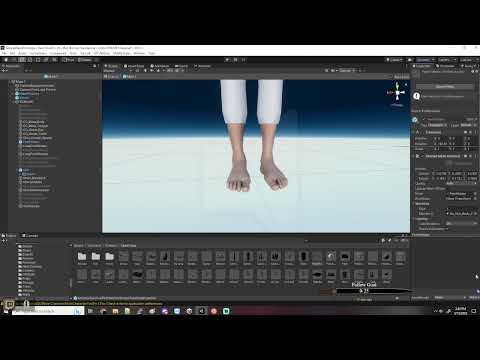
Anyone ever have a issue about trying to make cloths attachable from a rigged model that has the clothes rigged to the skeleton
I made a video of what I am running into too, to explain it better. https://youtu.be/PBI2EqEyePk
 surreal lark
Hey, is anyone around? I'm having an annoying issue with a blend tree where a child object I need to put in a specific location in each direction is being lerped with the blend instead of staying in place.
trim hatch
Thats what it does
surreal lark
I know, but is there a way to make it not?
trim hatch
You can just givevthe animator clamped values to avoid lerping
surreal lark
The problem is that I have a player character who's holding a torch, and there's a light/particle engine attached to the player gameobject for that. But obviously she's holding the torch in different positions in the left/right/up/down animations, and it moves slightly when walking, so I need to position it accordingly. Right now when using diagonal movement the light ends up floating in space.
How would one give the animator clamped values to avoid lerping?
trim hatch
I guess i should say rounded values to be more precise
You just have to discard the "in between" values before you do anim.setfloat()
So if right is 1,0 and up is 0,1 and youre facing/moving top right which is 0.5, 0.5 then you would make a method to check which one of the axis is greater and chose that axis
surreal lark
I'm using GetAxisRaw and -1/1 for the thresholds, it still lerps.
Oh wait, I missed a bit of what you said. Hm.
Okay, so I'd just set one of them and not both.
trim hatch
Yeah gotta tell it which one to discard
surreal lark
If I'm using normalised values whereby there is no "greater" in the axes, should I just pick one arbitrarily?
trim hatch
Yup
surreal lark
I'll give that a try, thanks!
slate steeple
I'm using the Animation Rigging package, and when I run the game the character crouches like this. Not sure if this is something normal or if it's something with the model. It happens when I add the rig builder to the model.


 tribal ermine
what kind of script would i write for my animations to swap when I press a specific button?
surreal lark
tribal ermine
what kind of script would i write for my animations to swap when I press a speci...
When you say swap do you mean permanently or as a one-off?
surreal lark
Your apology is appreciated but entirely unnecessary. XD
tribal ermine
lol
hybrid tinsel
fresh kestrel
any idea why my preview button is greyed out ?
Do you not have the object selected in the scene?
hybrid tinsel
slate steeple
I'm using the Animation Rigging package, and when I run the game the character c...
That is normal- that pose is the default pose for mecanim humanoids with no animation clips.
slate steeple
ok thank you
hybrid tinsel
(Basically all muscles at 50%)
 obtuse crest
Yo! Newbie Unity user here, I'm trying to animate a 2d figure with multiple parts, one animating via spritesheet (the body) and one moving via position transforming (the eyes).
For the latter, I was wondering if there was a way to animate it so that they instantly go to their position on the next frame instead of sliding over in between frames (or get rid of the sliding all together) so that it looks nicer against the spritesheet-animated body. Is this possible to do without using a spritesheet for the eyes as well or simply stretching out the animation itself really long?
trim hatch
Yeah go into curves and chsnge the ease to constant or somethinģ
In the keyframe editor
twin musk
Hi, I'm making a character but I can't write a Character Controller HELP write a character with animations 3d

and it is necessary to write code for the movement of the character
agile solstice
twin musk
and it is necessary to write code for the movement of the character
Yes
Or use visual scripting
surreal lark
twin musk
Hi, I'm making a character but I can't write a Character Controller HELP write a...
When you say you can't write a character controller, which part of it are you struggling with?
 tulip oasis
hey, is there any way to add a delay to an aim constraint so that when the object it is aiming at moves the the constrained object lags behind slightly
surreal lark
Going back to my question from before about child object lerping in blend trees (my player character holds a torch that needs to be in specific positions in each animation direction, but that's causing its position to be eased between blends and the light/particles end up floating in midair especially when moving diagonally) would a blend tree even be the best thing for me to be using for player animations here or is there a better way to do it?
sharp junco
Hey so im having a problem with animation running to idle is all messed up, sometimes it runs continuously, or it goes running to idle to running to idle, or it stops just fine, jumping falling to idle are fine one sec not done, https://hatebin.com/dfplrclmrt heres the code, at the anim area is what i think is causeing the problem, else make the animationstate go to idle im just confused lol, i dont even think its the code cause that code works in my other game ok
agile solstice
tulip oasis
hey, is there any way to add a delay to an aim constraint so that when the objec...
You can always make it point to another gameobject that has its own script that follows the position of the first on a delay, smoothing or damping
If there is a way to do the delay in code directly for the constraint component, I don't know of it
 keen scarab
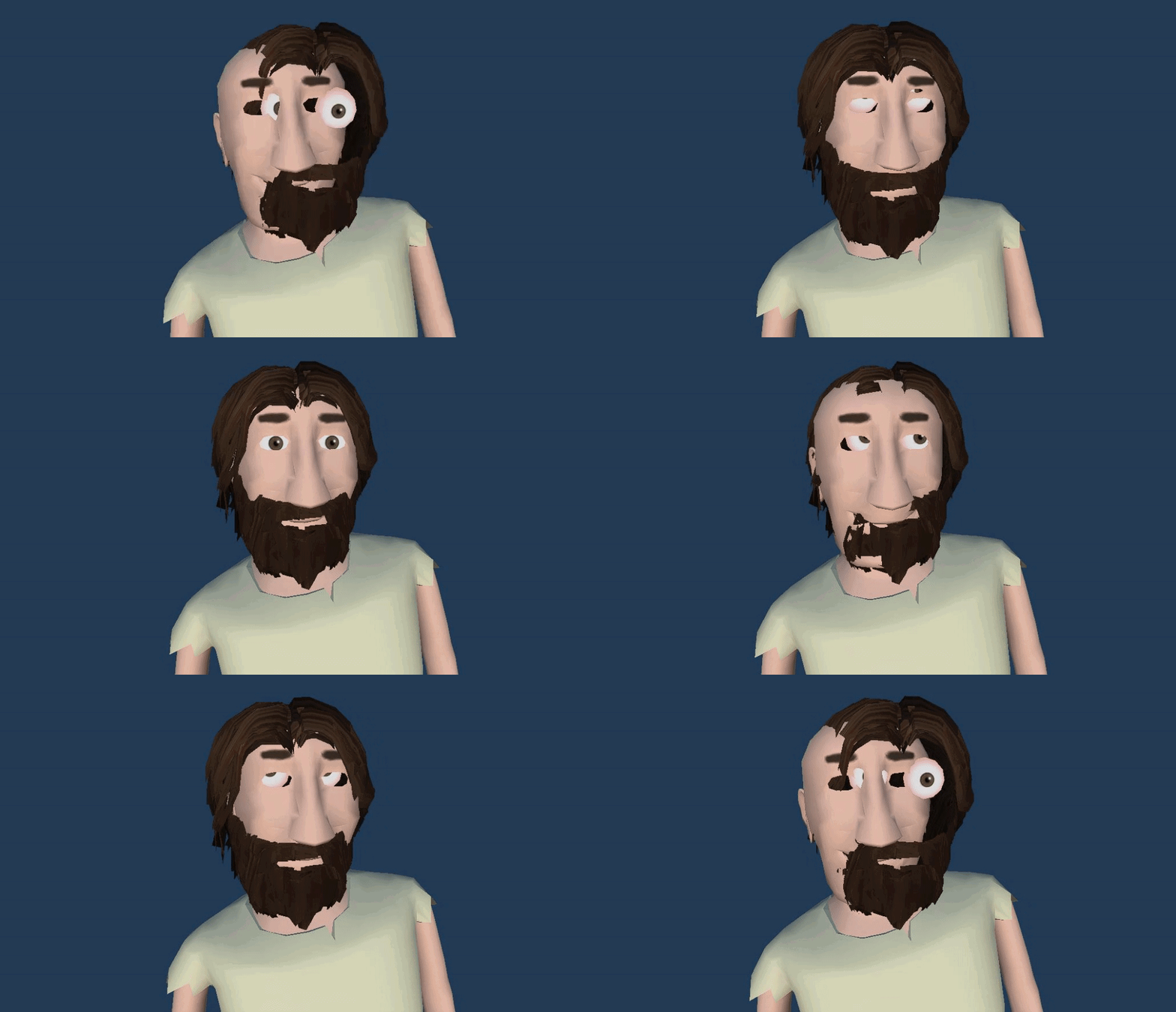 surreal lark
Absolutely zero issues.
 crystal wedge
When I have an animation with animation events, those events can only trigger functions from the object the animation is playing on. My actual logic for an enemy is on the parent of that object though. Do I have to create a hard reference to the parent to trigger logic in response to animation events? That seems kind of dirty. For example I have a weapon object, which has a scripts that controls weapon logic. I have an animation event on the reload animation, which is supposed to trigger the reload. This script needs to reference the parent, where the actual reload logic sits, to call that function. Is that they way to go?
twin musk
hello yall how do i fix this
 surreal lark
twin musk
hello yall how do i fix this
surreal lark
twin musk
hello yall how do i fix this
Did you reorder the components after creating the animation?
Delete the properties and re-add them, then redo their key frames.
twin musk
surreal lark
Did you reorder the components after creating the animation?
let me try.
thank you it fixed it!
@surreal lark
❤️
agile solstice
crystal wedge
When I have an animation with animation events, those events can only trigger fu...
No, you can use an extra script just for receiving the animation events, and then sending them where they need to go
You could get the reference to the weapon script from the event script via by getting parent, searching the local hierarchy or via some other relation, which is what I usually would do
Could also use events and listeners for it I suppose
crystal wedge
agile solstice
No, you can use an extra script just for receiving the animation events, and the...
Yeah okay, that is kind of what I thought I have to do, but it feels weird. But if that's the way to do it, then ok. Thanks.
agile solstice
crystal wedge
Yeah okay, that is kind of what I thought I have to do, but it feels weird. But ...
It does seem kinda roundabout, but in the long run I believe it would help make systems more modular and scripts more single-purpose
Like, eventually you may end up reusing the animations with the animation events with different scripts
 vital folio
Hello everybody
we are currently looking for a 3D motion designer with my team.
we are in alpha test phase 1.
alpha test 2 in a few days.
we plan to launch a Kickstarter for the project.
If anyone is interested, don't hesitate.
agile solstice
vital folio
Hello everybody
we are currently looking for a 3D motion designer with my team....
!collab
 dusk valeBOT

📢 Collaborating and Job Posting
We do not accept job or collab posts on discord.
Please use the forums:
• Commercial Job Seeking
• Commercial Job Offering
• Non Commercial Collaboration
vital folio
Oh nice thx
agile solstice
 high robin
anyway to preview an animation on a model?
high robin
anyway to preview an animation on a model?
The inspector also has a little preview window when you have an animation selected
You can drag rigged meshes into the window to preview the animations
Or something like that, I'm not super familiar with that one
high robin
cool
agile solstice
You also don't need to be in playmode if you've selected a mesh with an Animator and play the animations through the Animation window
A mesh in the scene, I mean
 blazing rain
Does anyone know how to install the playable graphs visualizer? The unity documentation says to get the git repo, and the git repo says to install it through the package manager, but there is no playable visualizer in the package manager...
blazing rain
Ah just another known issue unity still hasn't fixed. https://forum.unity.com/threads/how-to-install-playablegraph-visualizer.1306854/

Unity Forum
I look in Package Manager and it's not there (and yes I have experimental package enabled).
I also see it in github, so I tried using "Add package...
 knotty finch
Hey guys I was working on a animation that hovers when you are hovering over a button. I used a event trigger pointer enter and pointer exit but it's not working what do I do now?
 cursive hollow
I have basic movement on BasicMovement Layer - its idle, walk, run

Made Avatar with torso only

Add 3 new layer with different weapon types

how to set these layers - Rifle, Bow, Pistol - to work with this Basic Movement layer?
i have different animation idle, walk, run for each weapon
 misty badger
Having an issue with my Animator not wanting to affect the armature of a character.
I can see the animation playing in the animator. Bones are set up properly and the animation works in the preview.
I can see the red IK orbs, but there's no changes to the armature

Further troubleshooting.. FBX animates fine, but the prefab I made previously doesn't animate.
Makes no sense. The animator is on the parent of the mesh and armature, and there's the Skinned Mesh Renderer on the mesh, and that's it in both cases
[Disregard] Accidentally deleted a bone, looks like.
blazing rain
With the unity animator in curve view. Is there any way to scale the y value of the graph without scaling the x value? I want a finer control of a values curve, but it only goes from 0-1 and it is near impossible to see the change, or I have to stretch out x so much that then I can't see enough of y to see the change.
I mean my ti-89 has this option so I am hoping unity does as well...
 inland vale
Hi, Unity newbie here - I want to ask if anyone knows might this happen? When I enter the elevator, the character transforms into a tiny version of itself (which results in it not getting attached to the elevator properly and it bounces). The reason I am writing in this channel is that it happened after adding the idling and running (floating) animation and I think it might also be the reason - because disabling the Animator component makes standing and using the elevator work properly again.
Thanks in advance
I made another video to clarify what I mean (sorry, I don't have the luxury to capture in a better quality/settings atm)
 fickle cove
For some reason my animation looks differente when I'm playing it ingame
It looks like the loop is failing or something
Ok I fixed it, I just had to disconnect everything in the Animator part
 graceful girder
I'm wondering when it comes to Animators, should I be creating a single Animator at a Manager object, or have all the objects I want to animate have their own Animator instead?
I already have the Animation Clips prepared in an Animator Controller, including transitions etc
 keen fjord
i can't make transition idle to jump. i'll be glad if somebody helps, thanks.

 trim hatch
why cant you
keen fjord
trim hatch
why cant you
i'll let you know the time somebody answers
cursive hollow
there is no transition between Idle and jump
how u run jump animation?
your only have jump -> idle
make idle -> jump
keen fjord
cursive hollow
make idle -> jump
this is what i can not(i am not able to do that, the unity does not allow me to make transition idle -> jump) so thats why i am asking. i am also confused
keen fjord
no, when i right click on it, there is no transition button. there are others like crate ....
keen fjord
keen fjord
no, when i right click on it, there is no transition button. there are others li...
*create
cursive hollow
you uncheck Has Exit Time?
keen fjord
yes, with clicking arrows i unchecked it
cursive hollow
You must right click on Idle
keen fjord
this is what happens when i right click on it
 cursive hollow
what is inside Idle?
keen fjord
there are anims and this is the idle

 cursive hollow
show me inspector of Idle state
keen fjord
what do you mean with ''inspector'' ?


 keen fjord
yeah, but same again :/
cursive hollow
U can make Jump form Any State
AnyState -> (when tigger jump) -> Jump Animation -> Idle
keen fjord
cursive hollow
AnyState -> (when tigger jump) -> Jump Animation -> Idle
can you please explain the steps more detailed?
cursive hollow
remove

make transition form AnyState to Jump
and from Jump to Idle
What kind of parameter you use to mark Jump state? In script?
keen fjord
so i delete idle and make ''any state'' new idle basicly, right?
keen fjord
cursive hollow
What kind of parameter you use to mark Jump state? In script?
yes in script
float
cursive hollow
show me this code 🙂
keen fjord
i haven't codded inside yet, i know i'll need bool in parameters

 cursive hollow
U need setup this with trigger
Add new parametr like Jump and trigger
when u press spacebar write in script animator.SetTrigger("Jump"):
keen fjord
is trigger should be in float formation?
cursive hollow
and when you release spacebar add animator.ResetTrigger("Jump")
no as Trigger
bool
sorry 😉
its late
In Animator add new parametr as Trigger and name it Jump
 keen fjord
thank you for time and helping, i'll try. have a good sleep
cursive hollow
i have 10-15 min so go on
keen fjord
by the way this is how it looks like in animator and here is the inside of my script. i've write your codes in update

 cursive hollow
take this animator from Update
keen fjord
by the way, im doing a udemy project and the tutor succesfully does transition without these. its my second time doing this animator stage and i had the same problem in first attemption, too. it just fixed without doing anything idk how.
keen fjord
cursive hollow
take this animator from Update
what do you mean
outside to update
okay i'll
cursive hollow
        {
            aniamtor.SetTrigger("Jump");
        }
        if (Input.GetKeyUp(KeyCode.Space))
        {
            aniamtor.ResetTrigger("Jump");
}```where should i write these, i know inside of the playerscript(that i send you ss) but which part should i?
cursive hollow
but this just for animator
inside Update()
u must add rb.AddForce to make just character goes up
but this must find yourself
keen fjord
The name 'animator' does not exist in the current context, it says. I'm so happy with your good intention but i also don't want to steal your time more because it seems its more complicated than we thought.
cursive hollow
U must add on top
public Animator animator;
and in inspector drag Animator component to this field
keen fjord
this is the codes
 keen fjord
cursive hollow
and in inspector drag Animator component to this field
keen fjord
cursive hollow
and in inspector drag Animator component to this field
couldn't understand this well, sorry
 keen fjord
actually learning how to 🙂
keen fjord
keen fjord
actually learning how to 🙂
from an udemy course, and the tutor is not having the same problem in this stage.. interesting. this always happens in coding
keen fjord
cursive hollow
U set bool as Jump i said Trigger 🙂
oh, it was said in course and inside the codes, for jump i used bool
cursive hollow

Let’s give our player some moves!
● Check out Skillshare: https://skl.sh/brackeys7
● Character Controller: https://bit.ly/2MQAkmu
● Download the Project: https://bit.ly/2KPx7pX
● Get the Assets: https://bit.ly/2KOkwjt
♥ Support Brackeys on Patreon: http://patreon.com/brackeys/
·································································...
Watch this
 tidal lance
Hey, how would I go about something like this?
A main character model has a rig.

And a shirt model has a bone family that's identical to the main character's rig, but only for the bones it uses, but would also have special bones which are probably dynamic bones.
Main Character

Origin
  Waist
    Spine
      Neck
        Head
      LArm
        LHand
      RArm
        RHand
    Hips
      LLeg
      RLeg

Shirt Model

Origin
  Waist
    Spine
      Neck
      LArm
      RArm
      FeelerA
      FeelerB
No, don't watch that. Avoid that guy's tutorials.
hybrid tinsel
tidal lance
Hey, how would I go about something like this?
```
A main character model has a ...
Not actually a question... Are you trying to use an animator for both using the same animations, or just trying to attach the shirt to the player?
Or something else?
tidal lance
hybrid tinsel
Not actually a *question...* Are you trying to use an animator for both using th...
Attaching the shirt to the player.
hybrid tinsel
So you could use the bones from the character directly as the bones of the second, though that might cause issues with the extra bones. You could copy the animations from one to the other, though the details of that vary depending on whether you're using a mecanim humanoid rig. Or you could just have the bones of the shirt copy the movements of their matching bones.
tidal lance
hybrid tinsel
So you could use the bones from the character directly as the bones of the secon...
Would I need a script to copy the pose and positions?
hybrid tinsel
Yes.
 restive bluff
No idea where to ask a video player question, but I guess this is a good place to start?
When I run my game/animation on my artists computer the video player doesn't seem to play at all in one scene, and returning to a main menu causes the video in that scene to stop working as well. Both are displaying to the camera directly. It only happens on his computer as I've tested on mine and one other.
The video named "intro background" works, but the "video player" just plays nothing on the computer in question.


 marble notch
Good evening guys -
first of: I'm new to unity
I'm trying to build a modular character where I can switch out limbs that use a completely different anatomy- eg. switching human vs arachnoid legs.
if anyone could give me some pointers on how to achieve this, or knows some related tutorials, id be much obliged.
tidal lance
hybrid tinsel
Yes.
There's gotta be a more efficient way than to iterate through all the bones.
hybrid tinsel
tidal lance
There's gotta be a more efficient way than to iterate through all the bones.
Why has there gotta be one?
tidal lance
Well, if there are too many characters using that system, it's gonna tank the framerate in no time.
hybrid tinsel
I mean, that is what you get with bone based implementations.
 pulsar minnow
how do i make it so that animations are immediately interrupted by triggers instead of having to wait for the animation to finish
sharp junco
Hey so i need some help. I have 2 projects going currently and im using both to learn how to code and do some game design. so in my second project i am currently doing is running into a problem its not a error problem its a animation problem, so here's my code for the player https://hatebin.com/elszqrmaqt. so the problem.
The player when stopping the running animation stops half the time after around half a second, and the other times its does not stop. When the player goes to jumping animation or falling animation everything is fine, going from idle to running is fine. its only when going from idle to running, i ran this by 7 people they all could not figure out whats wrong with this. a weird thing is in my other project i use the exact same code for animation. i use the same sprite for the player and use the same frames, in the animation tab the settings are set up correctly, i'm just so confused someone mind helping. thanks. note: i believe that it might be the code but i'm not sure

 candid vessel
hi. im having some issues with a shader im working at can someone help me with this?
agile solstice
candid vessel
hi. im having some issues with a shader im working at can someone help me with t...
Sprites are meshes
To skew a sprite, you'd skew the vertices in vertex stage of the shader
 open ivy
Idea: 3rd person character controller animator should be able to go to a correct idle animation based on where the last foot position was
Problem: I have a 2d blend tree so i can have animations in all directions, there is no way in the history of a blend tree that the idle animation can be changed during runtime, another solution would be to duplicate the blend tree and replace the animation with the second foot in front animation and then rewire ALL transitions from ALL other animations to that one too and check whether a float is 0 or 1 for the foot placement that would be set during runtime. Fucking. Bullshit.
 versed merlin
can I have multiple animations with the same name but for different doors?
i.e. 2 DoorOpen's
versed merlin
or actually, I have the same door twice but in 2 different places, do I need to make seperate animation controllers and animations for this
or can they just share? I tried it wiht the same and it opened the one door even when I went to the other
open ivy
no, the animator controllers are assets so they are shared and then split on play
you just duplicate the door and access the right animator controller when triggering the animation
versed merlin
so I need to redo the animation controller + animations?
 nimble hare
hey guys uhh

when i set a condition in the animator
it does change to the other animation thing but it doesnt play
it just stays like this
its connected to any state
if that matters

 spice dune
Hello guys. I'm using blend trees to animate a 2D character but I'm unsure what would be the best approach to do it so two animations play at the same time. Let's say that I want to have a walking and attacking animation to be played at the same time, how would I do this using blend trees?
I just kind of need an idea, I don't seem to find anything that points me towards a good solution.
This 2D character is supposed to be top down, so it has top, down, left, right animations for both walking and attacking animations.
agile solstice
spice dune
Hello guys. I'm using blend trees to animate a 2D character but I'm unsure what...
Assuming walking is with legs and attacking is with arms, are the legs and arms separate sprites or bones?
If they aren't, what you're asking is not possible
Blend trees are used from blending between two animations that play in sync
If you want to layer animations on top of each other, you'd use animation layers
spice dune
agile solstice
Blend trees are used from blending _between_ two animations that play in sync
If...
So this would only be possible using animation layers? I don't have separate sprites
agile solstice
spice dune
So this would only be possible using animation layers? I don't have separate spr...
It won't be possible at all if you're doing flipbook animation on a single sprite
Other than making a new animation that's both of the motions combined
spice dune
Ok, thanks
 winter shuttle
Why are these values missing? they are within the character.
 trim hatch
Double click on the yellow text and make sure it matches the hirearchy
The animator looks for game object names on its children
winter shuttle
nothing happens when I double click
trim hatch
Keep trying its finniky
winter shuttle
actually the animations just started working when I changed few settings, but these are still showing messing
trim hatch
Weird

 leaden pebble
Just realized this is probably a better place to ask this question
I'm trying my hand at animating in unity (I'm following the GMTK unity tutorial and I'm trying to animate the wings on the bird) but I have 2 problems. First off I'm trying to have the wing states have different positions, so when they're up and down they have different Y values
The problem is whenever I change the Y value on one they both move
Is there a way to have them be in independent locations in the same animation?
 stark salmon
I'm modding a game currently and am trying to use this component to activate an animation/animation trigger. im not sure if this event system is unique to the game or not but thought if anybody would know it would be you guys
 pulsar minnow
if i have an animation play on the animator of an object that is being animated by another animation, will the animation of the object that is being animated override the animation of the object that is animating the object that is being animated
okay it does not
so how do i make an animation of an object being animated override parts of the animation thats animating the object thats being animated
also why can't i rename keys now
agile solstice
#archived-art-asset-showcase unless you have a topic to discuss
 pliant oar
agile solstice
<#497873819898478596> unless you have a topic to discuss
pliant oar
agile solstice
<#497873819898478596> unless you have a topic to discuss
Since I can't post gifs, I'll settle for the regular, plain "Sure"
 digital canopy
Has anyone encountered this before? I exported from Blender as an FBX.
In-game and in the Scene View all the surface normals and the animations are working fine.
It's just the animatino preview window for the mesh that's weird.
The same thing seen while working on transitions on a mecanim controller.
It is also happening to another model I exported, which is a completely separate blender file.

 old bronze
Does anyone have any information on LODs for skinned meshes? Can I drive multiple lod levels with the same animation controller? Even if they have simpler skeletons as they go down the lod chain?
hybrid tinsel
digital canopy
Has anyone encountered this before? I exported from Blender as an FBX.
In-game ...
My guess is that one or more bones have a negative scale applied to them?
fallen summit
Is there a way to get trees to blow in the wind without painting them as terrain? In my roject, trees are interactable and can be moved around and placed at run time.
 potent peak
Is there a way to control the weight of a mask in an animation?

or is my only option to mask it completly?
 low tide
Hey I have this animation but I need to bake it into it's post so it doesn't move.

Problem is that this happens then. Can anyone help me fix his orientation there? I don't want him to swing like this.

It's for a character controller.
digital canopy
hybrid tinsel
My guess is that one or more bones have a negative scale applied to them?
i've tried a new project, a new blender file with just the default cube and the default 1 bone armature.
this still happens. it might be a unity 2022 issue then... on 2021 it looks fine.
 hybrid tinsel
fallen summit
Is there a way to get trees to blow in the wind without painting them as terrain...
hybrid tinsel
fallen summit
Is there a way to get trees to blow in the wind without painting them as terrain...
Not to have then react to the built in wind, but if they are regular gameobjects you can animate them in any of the normal ways.
hybrid tinsel
digital canopy
i've tried a new project, a new blender file with just the default cube and the ...
Ah, maybe; I'd suggest reporting it as a bug then.
fallen summit
hybrid tinsel
Not to have then react to the built in wind, but if they are regular gameobjects...
I wouldn't want to do animation because it wouldn't look very good. It would probably be obvious when the animation repeats
hybrid tinsel
fallen summit
I wouldn't want to do animation because it wouldn't look very good. It would pro...
Animation covers more than 'animation clips.'
Shader based procedural animation is pretty popular for trees.
fallen summit
hybrid tinsel
Shader based procedural animation is pretty popular for trees.
That’s originally what I was thinking, like a displacement shader or something. Do you know any good tutorials?
hybrid tinsel
Not off the top of my head, though I'd just google 'unity vegetation shader' to get started.
 open wind
I have a character at the side of my game who has an idle state, when a point is scored he jumps up with a SetTrigger("PointScored") and after some Exit Time he moves back into idle.
The problem I've come across is if another point is scored right after the first as the point scored animation will still be in progress before playing the next Point Scored animation which results in a delay.
I've tried to do a ResetTrigger("PointScored") at the start of my function but that appears to have no affect on the delay. Is there a way to instantly transition back to the beginning of the point scored animation?
 dry heron
Hi guys, I have a rocket animation with particle effect but when I shoot it at an angle, the angle doesn't apply to the rocket img...pls help
 agile solstice
dry heron
Hi guys, I have a rocket animation with particle effect but when I shoot it at a...
agile solstice
dry heron
Hi guys, I have a rocket animation with particle effect but when I shoot it at a...
What do you mean "angle doesn't apply"
Is the rocket a sprite or a particle? How are you rotating the rocket?
dry heron
agile solstice
What do you mean "angle doesn't apply"
Is the rocket a sprite or a particle? How...
The rocket image is a sprite, I want it to align with the shooting angle, but it just stays upright...
agile solstice
dry heron
The rocket image is a sprite, I want it to align with the shooting angle, but it...
How are you trying to rotate the rocket precisely?
dry heron
agile solstice
How are you trying to rotate the rocket precisely?
I didn't rotate the prefab, it's an upright rocket shooting prefab
agile solstice
dry heron
I didn't rotate the prefab, it's an upright rocket shooting prefab
Well, shouldn't you rotate the rocket in some way?
Either in the animation or by whatever method you're "shooting" it with
I feel like there's some information missing
dry heron
agile solstice
Well, shouldn't you rotate the rocket in some way?
Either in the animation or by...
Oh I think I solved the problem, I added a rotation to the prefab, thx!
potent peak
How can I weight a single arm in layered animations? I see there are animation masks, but I don't want to completely eliminate the animation for the arm, I just want it to have less influence
agile solstice
potent peak
How can I weight a single arm in layered animations? I see there are animation ...
Using Humanoid rig or no?
potent peak
agile solstice
Using Humanoid rig or no?
yea
agile solstice
potent peak
yea
Then I don't know of precise advice to give
I use layers without Humanoids, in which case I'd determine the weight per layer, either additive or override to get "partially" layered animations
But in that situation I can't use the masking that Humanoid rigs offer
potent peak
makes sense
agile solstice
potent peak
makes sense
I assume you mean you're layering an animation on top of another, and hoping to control the layer weight on a per-limb basis?
potent peak
agile solstice
I assume you mean you're layering an animation on top of another, and hoping to ...
yea that was correct, looking for more control over individual limbs as you say
agile solstice
potent peak
yea that was correct, looking for more control over individual limbs as you say
The Masks I believe are a toggle without any weight, so that probably leaves you with just layer weights or blend trees for smoothly blending masked motion
But maybe someone with more Humanoid/Avatar experience can give more directions
 worn pond
Howdy animators! I'm trying to bring an animation from After Effects into Unity. The animation is ~200 frames and I'm able to get it into Unity as a PNG sprite sequence but the file is HUGE. Furthermore, despite being 200 frames, there's only four distinct keyframes. (For context, it's a mouth open/mouth close dialogue animation.) Is there a better way to do this? Would like to avoid re-animating inside Unity if I can but as of now that seems like the only solution.
potent peak
worn pond
Howdy animators! I'm trying to bring an animation from After Effects into Unity....
Any reason to not use video files?
worn pond
potent peak
Any reason to not use video files?
Main issues there would still be size. Would also have to overhaul some of the code since everything is based on swapping out sprites currently. Is there a way to drive animation or generate keyframes via code?
worn pond
potent peak
Any reason to not use video files?
I know a little scripting in After Effects. Maybe I can write something to spit out relevant keyframe data and bring that into Unity via a keyframe constructor script?
ebon holly
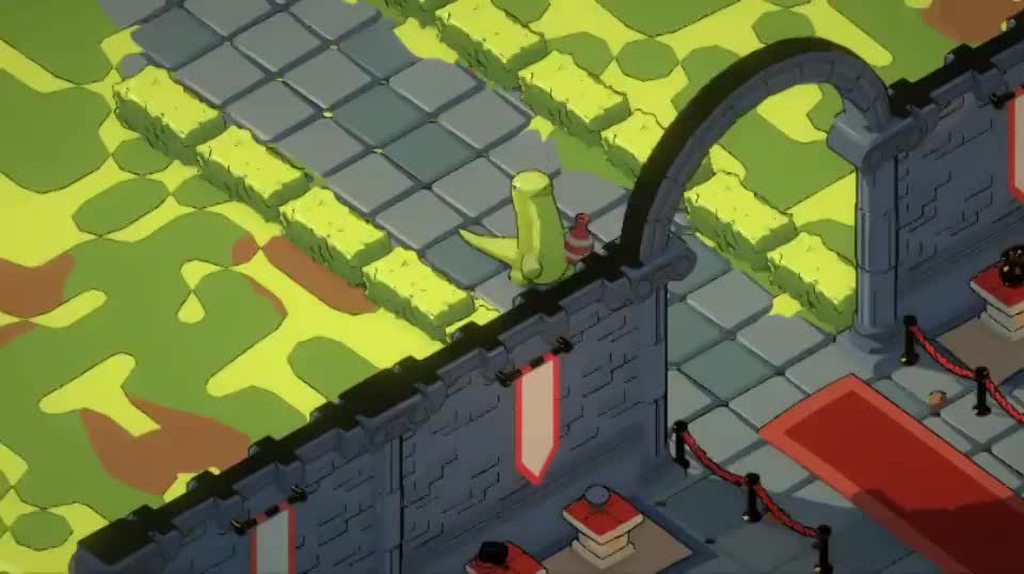
You guys see how the neck of this model is bending and wobbling around, while the body follows a distinct animation pattern? What is this called exactly? I'd like to start making some fun little games with this feature but I'm having trouble finding the start of the path https://preview.redd.it/w40ycve3igoa1.gif?format=mp4&v=enabled&s=381d4203ce391e8ff991524b5f48974f71b96e5a
 glad lynx
animator.Play("Idle Blend Tree", 0, Random.Range(0, 1));
for some reason putting this in the Start() is not setting the idle animation to a random position, even after using a coroutine to ensure the tree has been started.
glad lynx
ebon holly
You guys see how the neck of this model is bending and wobbling around, while th...
can you post a link ending in .gif or just drag the file right into the chat
ebon holly
Oops, maybe an imgur post will be better https://imgur.com/a/8ZJ1EJy
 glad lynx
ebon holly
Oops, maybe an imgur post will be better https://imgur.com/a/8ZJ1EJy
glad lynx
ebon holly
Oops, maybe an imgur post will be better https://imgur.com/a/8ZJ1EJy
basically you make a model in Blender, setup its bones(rigify is an easy way), setup those animations with the head wobble or whatever you want, and then you create a sprite sheet by taking renders(pictures) of the model in different views during its animation. then in unity you setup a blend tree that blends between the sprite-sheet animations based on the player input
ebon holly
It looks more like a physics object to me than a pre rendered spritesheet with blending. Perhaps I need to see the workflow in motion. Do you have a name for this so I can search some stuff up? I keep trying to find like, 'jiggle physics' but we both know what that brings up and I'm not sure if the workflow is the same lol
glad lynx
ebon holly
It looks more like a physics object to me than a pre rendered spritesheet with b...
maybe the unity joints like hinge joints would possibly make it work. but it wouldn't be too hard to just work out the math and have a script enact the movements on the neck or head bone of the model
trim hatch
look up active ragdoll
 ornate bridge
Why when the zombie start moving we have like a small teleport ?
hybrid tinsel
ebon holly
You guys see how the neck of this model is bending and wobbling around, while th...
'Secondary Motion.'
Though yes, jiggle physics falls under that
 lost marsh
Can you change a gameobject's layer in an animation?
 fallen thicket
Could someone point me in the direction to make it so my wolfs head always trys to look towards the sphere attached to my camera?

IE there would of course be constraints of a maxiumum look distance
trim hatch
Unity made a vid abt in the animation rigging section
fallen thicket
trim hatch
Unity made a vid abt in the animation rigging section
Thanks, where might I find this? 🙂
trim hatch
In this video, we're going to take a 'look at' (pun absolutely intended) how to create procedural character animations in Unity! This will be done using the Animation Rigging Package.
Watch this video to learn the basics of Animation Rigging!
https://on.unity.com/2DczAZi
Download the project here!
https://on.unity.com/3hJWeaq
fallen thicket
Thanks, much appreciated 🙂
fallen thicket

Well. its a start
it DOES move with the camera, but its got a lot of work to do 😛
On a side note, my model rig didnt import correctly from blender to unity
In unity, its created two bones here which are the head now

But in blender it was like so. I had one large bone to control IK physics in blender, and the smaller one was the actual head bone. the smaller bone appears to have vanished or morphed into what it is now

Oooh I actually might have found a workaround by changing the aim and up axis parameters. Ill see if I can fine tune it a little
agile solstice
fallen thicket
But in blender it was like so. I had one large bone to control IK physics in ble...
Usually the IK control from Blender are different from the IK bones in Unity, so while you can choose to export non-deforming bones you may get a lot of unnecessary extra
 burnt lodge
Hey
So I'm making a multiplayer FPS, how do I procedurally animate the people who enter the lobby.
the player is handled through a code-based state machine so i understand that implementing animations might be easier but I really want to know how procedural would work in cases like these
agile solstice
burnt lodge
Hey
So I'm making a multiplayer FPS, how do I procedurally animate the people wh...
What kind of animation do you speak of? Why have you decided it must be procedural?
burnt lodge
agile solstice
What kind of animation do you speak of? Why have you decided it must be procedur...
Its nothing special, just a bunch of jumping, sprinting, walking, crouch and a few extra shooting animations that I can make using Animation rigging
burnt lodge
agile solstice
What kind of animation do you speak of? Why have you decided it must be procedur...
I saw this one demo for an asset called Final IK and I saw this VR IK thing. It looked pretty neat, cuz it handles walking and sprinting for me
but obviously its impractical
But just to confirm
agile solstice
burnt lodge
I saw this one demo for an asset called Final IK and I saw this VR IK thing. It ...
Is yours a VR game? When you say "people who enter the lobby" do you mean animations for the lobby or just animations for other players in general?
fallen thicket
agile solstice
Usually the IK control from Blender are different from the IK bones in Unity, so...
Ohh so I can stop it happening. Thank you
hybrid tinsel
The thing about vr is that you have a lot more data. You get head and hand positions for free in addition to the roit, which is a good basis for building procedural motion.
hybrid tinsel
fallen thicket
But in blender it was like so. I had one large bone to control IK physics in ble...
Bones don't actually have a 'shape' in unity, they are just transforms. The bone renderer is just connecting those transforms as a visualization.
fallen thicket
Ahh I see
hybrid tinsel
That's why you get the connections between the head and the ears; all it sees is the hierarchy.
Whereas in blender the bone visual is based on the individual bones.
 frozen mantle
Are there any free downloadable animations for the 2D skeletal system?
 exotic garden
Hello guys,
I would appreciate some feedbacks on a rigging process.
I have a digital twins 3d printer to create with 2 parts which are connected by cables.
My client would like to these cables move/follow the movements (XYZ) of the IRL printer head motor (in realtime) via a proprietary API.
I don't know how to process. What would be your approach ?
The IK rigging proceed (from blender to unity) seems quite complicated perhaps broken.
Thanks for your feedbacks.
 burnt lodge
Yo How do I copy animations from one model to another. They both are humanoids but the hierarchy is a bit different
agile solstice
exotic garden
Hello guys,
I would appreciate some feedbacks on a rigging process.
I have a di...
IK is procedural motion which has to be handled by code, so the constraints can't be exported
Animation Rigging package has a chain IK and twist chain IK which may work for your purposes
 burnt lodge
ight another question
how do you handle different animations for different parts of the body
like I want waist and above to play an animation while the legs should play movement based animations
 modest fjord
when importing my fbx model to unity the animations rotate im pretty sure because the spine bone rotates and its trying to keep it straight but idk how to stop this
 fallen thicket
Hey all, I was hoping to get some ideas on the best way to go about with quadruped slope alignment. Im not sure IK feet would do absolutely everything in this scenario. Any ideas?
modest fjord
modest fjord
when importing my fbx model to unity the animations rotate im pretty sure becaus...
the animation seems to be rotating 20 degrees when importing to unity and "fixes" if i rotate the blender animation by 20 but idk why this is happening
 fallen thicket
Perhaps some of your frames arent saved
modest fjord
fallen thicket
Perhaps some of your frames arent saved
i went back to make sure but every frame is saved and every bone has keyframes
exotic garden
agile solstice
IK is procedural motion which has to be handled by code, so the constraints can'...
Thanks for your answer.
Ok, so from what I understand, everything is done on UNITY side ? For cable Mesh-rigg- animation/interaction.
agile solstice
exotic garden
Thanks for your answer.
Ok, so from what I understand, everything is done on UNI...
Yes
IK and Constraints run on the engine, whether it be Blender or Unity, and they aren't compatible so this information is lost on export
exotic garden
agile solstice
IK and Constraints run on the engine, whether it be Blender or Unity, and they a...
Thank you for these precisions 🙂
 pale lynx
hi, so, this goes against the rules of the server 🙂
 tropic walrus
Right, got it, my bad, sorry
 oak ember
not sure if this is the right place to ask this, but timeline doesn't let me record, or at least, it's very weird when it comes to it.
I'm basically trying to animate a video in Unity that I will record using OBS later (don't ask lul) and at the start I tried to see if I can record simple transformations.
A lot of videos covering the timeline say it's possible, but they are old and mine behaves much much different.
I have everything set up, but when I press the record button and start moving my character around no keyframes are created (see 1st picture), at least none that I can see without expanding the graph. (2nd pic)
Even the graph looks inaccurate to me, since the blue line should be moving up all the time (since I'm moving the character from left to right with each keyframe), instead there is just a singular bump at the first keyframe.
Hitting play on the timeline (to see what I created) does nothing either except play the other animation (which consists of premade clips).
Some forums said I should be able to add keyframes manually and then modify them, but I can't seem to find anything about that either.
(edit: made it a bit more readable)

 trim hatch
so, you click the red button, move the player head, and move the characters transform and it doesn't add a keyframe?
oak ember
yes, red button -> move the character so it adds the first keyframe -> move the timeline head ahead (funni words) -> move the character to the left -> repeat -> when done I press the red button again
also, yes the red button flashes during the process of recording so I know it's recording (also it does say it's recording in the timeline)
trim hatch
and nothing moves when you press play on the timeline?
oak ember
nope, only the other animation track that is under the player one. specifically the Y Bot (Animator) which consists of premade clips downloaded from mixamo
which tells me that the timeline works, but the first track just doesn't, idk why
trim hatch
does your player have an animator componenet, if it does, it may conflict with timeline, unless the player has no animator controller on it
oak ember

it has both the director and the animator
plus, it does appear that it moves very very slightly during the blue bump
by like 0.0xxxxf
trim hatch
what's inside player controller
oak ember
I copied the testController that comes when downloading Cinemachine because that one works (the same one thats in the track below the player)
but wait i'll send pic
trim hatch
you may have to remove it and leave the controller field empty
 oak ember
trim hatch
you may have to remove it and leave the controller field empty
oak ember
trim hatch
you may have to remove it and leave the controller field empty
thanks hamboy, that one worked
trim hatch
cool
oak ember
is there any way to achieve a slow motion effect in the timeline?
or even better, I want there to be a time slow down effect before a full stop (because there will be text and stuff on the screen at the moment) and then a gradual speed up to normal speed again
I tried using this script
using UnityEngine;
using UnityEngine.Playables;

[ExecuteInEditMode]
[RequireComponent(typeof(PlayableDirector))]
public class TimelineTimeControl : MonoBehaviour
{
    public float timeScale = 1.0f;

    void Awake()
    {
        var director = GetComponent<PlayableDirector>();
        if (director != null)
        {
            director.played += SetSpeed;
            SetSpeed(director); // in case play on awake is set
        }
    }

    void SetSpeed(PlayableDirector director)
    {
        if (director != null && director.playableGraph.IsValid())
        {
            director.playableGraph.GetRootPlayable(0).SetSpeed(timeScale);
        }
    }

    void OnValidate()
    {
        SetSpeed(GetComponent<PlayableDirector>());
    }
}
but the timeScale value doesn't like being animated
 woeful wyvern
Hi all, I'm trying to get some Procedural Animation going for a little spider creature, but I can't seem to get the IK system to work when using the Chain Constraint.
Can anyone see anything I'm doing wrong in this setup please? It's kinda driving me nuts, and all the tutorials etc. that I've found only seem to deal with the 2 bone constraint. 😕

 pliant rampart
Does anyone have any recommended resources on how to learn better character animation with blender? I want to learn how to make animations on par with the animation you find on Mixamo but can't seem to find a good resource to help with the small details of animation for games specifically
 lime helm
pliant rampart
Does anyone have any recommended resources on how to learn better character ani...
lime helm
pliant rampart
Does anyone have any recommended resources on how to learn better character ani...
Pierrick has some great videos and courses on blender animation which have a lot of application to games. His work is a bit more stylised. I would highly recommend the information on space switching: https://youtube.com/@PierrickPicaut_P2DESIGN

YouTube
🔥Check out my Blender courses : https://www.p2design-academy.com/ 🔥
My name is Pierrick, I'm a blender foundation certified trainer and Art director at Atypique Studio, a french Indie game studio.
Here you will find Blender tutorials video, focussed on intermediate and high technical level.
While I work on a lot of different things, I generaly ...
 spring pond
Hello everyone. How do I switch between two characters animators?
Like if I add a second character to the scene
Nvm I figured it out. I was supposed to make a animator controller and the. Attach to the animator component
 unique patrol
I have a character on which I've put a script to make the head and eyes follow the player by adjusting the head and eye parts of the armature. This works fine when the character is T-Posing.
However, there's an animation controller playing an animation clip this overrides the changes my script is doing. I see some slight stutter as the head is pulled in two directions at once. This happens even if the animation clip doesn't have any properties or keyframes for those bodyparts. Any idea how to fix this? Ideally I'd like some way for the animation controller to relinquish control of the relevant bodyparts so the script can do its thing on them.
 fervent stirrup
how can i animate multiple sprites? I have all of the separate frames for the player character, but ican't figure out how to put them in an animation
 spare wasp
I'm looking in to Aim constraint but later found Multi-aim constraint in Animation rigging package which seems to do the same things
so I'm assuming Multi-aim constraint is the better thing to use?
 unborn wave
Does anyone know how I can deattach this zombies head? When I kill the zombie, I want it's head to fall off, but so far it's leaving it's neck like a spaghetti

 unborn wave
trim hatch
or use something like ezyslice
unborn wave
trim hatch
or use something like ezyslice
How do I use ezyslice?
trim hatch
By calling the slice function on a mesh and passing in the correct parameters
gray rune
When I am ready to export my character, with animations. Do I need to also export the ik bones? Or is there a way to only export the deform bones so I don't see the IK's in unity's hierarchy?
Nevver mind. I realized I never specified which application I was using for animating but I found my answer.
There is literally an option in the export setting to export only deform bones.
 lofty shale
is there a way to optimise this or is it normal for it to be so many bones like this? there's no way to group them all into one object to save a bit of performance is there?
 oak ember
woeful wyvern
Hi all, I'm trying to get some Procedural Animation going for a little spider cr...
oak ember
woeful wyvern
Hi all, I'm trying to get some Procedural Animation going for a little spider cr...
chain constraint is finicky
like very finicky
I think I forgot exactly what the problem is, but adding another bone to the chain fixes the problem temporarily
it's like it'll only work with n+1 bones where n is the amount of bones you actually need/have
woeful wyvern
@oak ember huh, yeah, finicky. lol. I managed to get it working, turns out I had something attached to the wrong bit. lol.
lime helm
lofty shale
is there a way to optimise this or is it normal for it to be so many bones like ...
It looks as if you may have exported too many elements of the rig from Blender. The metarig for example is only used for generating the rig in Blender and isn't necessary for the engine.
The parts you will want to export are the Deform Bones and Character Mesh. You can do this by selecting the deform bones, these are easily isolated on one of the bone layers (I have highlighted the default layer) and character mesh and choosing Limit to Selected Objects on export:

 oak ember
is there a way to achieve a slow motion effect in the timeline?
or even better, I want there to be a time slow down effect before a full stop (because there will be text and stuff on the screen at the moment) and then a gradual speed up to normal speed again
trim hatch
make a timeline signal call a script that lowers timescale
oak ember
so i can only use timescale?
but what if i set the timescale to 0
wouldn't that "break" the timeline?
cuz i need there to be a full stop too
oak ember
ohh
trim hatch
if its set to gametime
oak ember
i though it'd break, cuz if time is frozen, so is the timeline, but yea that makes sense
thanks again
 blazing narwhal
hello, is there a way to turn off the muscles? I would like to use animation rigging to add some simple animations INSIDE unity using IK, but it seems muscle system stand in the way
ornate bridge
 oak ember
ornate bridge
Hi,
Why when the zombie start moving we have like a small teleport ?
https://s...
oak ember
ornate bridge
Hi,
Why when the zombie start moving we have like a small teleport ?
https://s...
well it could be two things:
- the animations are too different (which they are) which causes it too look way too abrupt
- there is an actual small teleportation happening somewhere within the code
the fix for the first is easy and since it could be just that it's best to focus on it at the moment
just make sure that the two animations transition well in the animator
ornate bridge
oak ember
the fix for the first is easy and since it could be just that it's best to focus...
how i do that
oak ember

go to the animator
and click on the idle animation
you should see the transitions tab
this one right here

yours should be empty (unless you already added a transition, but didn't set it up)
ornate bridge
 oak ember
i've never used blend trees 
let me just scavange the docs real quick
okay after some research I have concluded that i don't have any idea, why even use blend trees?
I don't see you actually need them
because you are moving between states, not blending motions
but alas
I think I figured it out:
in the script for the zombie movement, make sure that the velocity of the zombie lerps from 0 to whatever the max speed is, and not just to be set
if you can understand what I mean
because your blend tree is blending based on speed, and if you set the speed in one frame, there is no blending happening
you have to gradually increase the speed for the blend to occur and therefore get rid of the abrupt transitioning
@ornate bridge
ornate bridge
you mean go smooth between 0 and 4 ?
ornate bridge
oak ember
because you are moving between states, not blending motions
wdym?
oak ember
ornate bridge
you mean go smooth between 0 and 4 ?
yes
ornate bridge
OnSpeedChanged?.Invoke(this, new OnSpeedChangedEventArgs
        {
            Speed = _navMeshAgent.velocity.magnitude
        });
I have this.
oak ember
ornate bridge
wdym?
you can still use blend trees, but they are a bit unnecessary here
your zombies are always either idle or walking or running; or in different states
oak ember
ornate bridge
```cs
OnSpeedChanged?.Invoke(this, new OnSpeedChangedEventArgs
{
...
that changes the blend tree speed though
you need to smoothly change the zombies speed
where do you set the zombies speed
ornate bridge
but that change automatic with the nav mesh agent component
oak ember
oh
hmm let me research that too
i'm sure there is a catch up to speed variable in navmesh
i'd just suggest changing the acceleration to a smaller number
ornate bridge
he will be slow 😦
ornate bridge
 fallen thicket
Hiya, fairly new to unity animating, I wanted to get some input on what the best to deal with slope animations?? Of course feet IK will solve a part of it, but I suspect that wont entirely solve steep angles like this for a quadruped?
 ornate bridge
very slow they are but the issue is the same
oak ember
basically to put it in simple terms
if the acceleration is 1 and the speed is 4, it will take 2 seconds for the zombie to speed up
really?
ornate bridge
yeah still the teleport
oak ember
fallen thicket
Hiya, fairly new to unity animating, I wanted to get some input on what the best...
what collider are you using for the wolf?
oak ember
ornate bridge
yeah still the teleport
can u record the video so I can visually debug it for myself? I need to see how it behaves exactly
fallen thicket
oak ember
what collider are you using for the wolf?
capsule collider currently
oak ember
excellent
fallen thicket
😄
oak ember
you can use the collider.normal to get the normal of the ground and then rotate the wolf to match
i'll send a code snippet
fallen thicket
Thank you 🙂
Im currently using characterController. My old charactert cxontroler was done via a rigidbody, and I did do something similar but my god it was buggy kek
ornate bridge
oak ember
private void OnCollisionStay(Collision collision)
    {
        Vector3 groundNormal = collision.contacts[0];
    }
this will give you the the ground normal of the first collision, which is great for flat surfaces, but if you encounter a smooth slope or a bump it won't look as nice
though it can be fixed by adding a loop and then calculating the average normal
if you don't know how to do that I can write a code snippet but a bit later
oak ember
ornate bridge
huh, that's so strange
ornate bridge
😢
fallen thicket
public bool GroundCheck()
    {
        if (Physics.SphereCast(transform.position, cc.radius, Vector3.down, out RaycastHit hit, cc.height / 2 - cc.radius + 0.01f))
        {
            isGround = true;
            groundAngle = Vector3.Angle(Vector3.up, hit.normal);
            groundNormal = hit.normal;

            if (hit.transform.tag == "Platform")
                platformVelocity = hit.collider.attachedRigidbody == null | !platformAction ?
                 Vector3.zero : hit.collider.attachedRigidbody.velocity;

            if (Physics.BoxCast(transform.position, new Vector3(cc.radius / 2.5f, cc.radius / 3f, cc.radius / 2.5f),
                        Vector3.down, out RaycastHit helpHit, transform.rotation, cc.height / 2 - cc.radius / 2))
            {
                groundAngle = Vector3.Angle(Vector3.up, helpHit.normal);
            }
            return true;
        }
        else
        {
            platformVelocity = Vector3.zero;
            isGround = false;
            return false;
        }
    }
I am getting the ground angle from here
oak ember
i'd have to replicate it myself, but at the moment I'm working on a project so I can't, though someone else could know how to fix it, also I think it's a NavMesh thing
fallen thicket
but perhaps I could do that also as an extra kek
oak ember
oh that's great actually
interesting how you are using a physics.sphere cast for that
actually
oak ember
you can move that entire code to the OnCollisionStay void because it will handle alot of it on it's own
fallen thicket
like small holes
oak ember
private void OnCollisionStay(Collision collision)
    {
        ContactPoint[] contactPoints = collision.contacts;
        foreach (ContactPoint cp in contactPoints)
        {
            Vector3 contactNormal = cp.normal;
            if ((Mathf.Round(Vector3.Angle(Vector3.up, contactNormal) * 100.0f)/100.0f) <= allowedGroundAngle)
            {
                groundNormal = contactNormal;
                previousWalkablePosition = cp.point;
                isGrounded = true;
                return;
            }
        }
    }
here would be the entire snippet for something i'm working on aswell
it allows to set a certain ground angle that can't be passed
fallen thicket
Yup the same for mine
oak ember
true, but this gets called naturally by Unity whenever the collider is colliding with something
fallen thicket
Ah I see
oak ember
downside is (not really a downside, but I don't like how it looks) that you also need this to reset the grounded bool
private void OnCollisionExit(Collision collision)
    {
        isGrounded = false;
    }
for example if you're touching a wall, but not grounded
oak ember
if ((Mathf.Round(Vector3.Angle(Vector3.up, contactNormal) * 100.0f)/100.0f) <= allowedGroundAngle)
            {
                groundNormal = contactNormal;
                previousWalkablePosition = cp.point;
                isGrounded = true;
                return;
            }
this part handles that
fallen thicket
Ahh I see
oak ember
it only checks if the collision happened "under the feet" (not really, but essentially yes)
fallen thicket
Anyways, so im assuming Ill want to use a combination of feet IK and model rotation via ground normals?
fallen thicket
probably best to get the ground angle part done first
How would I go about rotating the ground currently?
I did do this before but it became glitchy and laggy xD
fallen thicket
Oh for reference, I think my landscape will be low poly in the future game
oak ember
transform.rotation = Vector3.Cross(groundNormal, transform.forward);
i forgot what's the best way to set the rotation in unity
but something like this
and play around with the transform.forward
it could be transform.up for all i know kek
fallen thicket
I guess I could smoothdamp/lerp between angles
fallen thicket
yup
in case of transform, I wanna tranform the model
not the controller
right?
fallen thicket
(my model is child to the controller)
oak ember
you want to transform the body only (without the feet) because I'm assuming the IK will handle the feet
but yes
the model
oak ember
now that i think about it, you can do both the parent or the model, it shouldn't matter
i think just rotating the hips would work
fallen thicket
Hmm
oak ember
oh wait it has 4 legs
oak ember
yea i dont know 
fallen thicket
but in unity its... less than great
oak ember
yea unity is great when you understand exactly every part of the animation system (which only like the top 0.1% does)
fallen thicket
I think I should make a rig of anythinh above the legs
everything*
and then rotate that
oak ember
avatar mask*
fallen thicket
animation rigging i think
oak ember
isn't the avatar mask a part of that
oak ember
amazing
fallen thicket
I just used it to make the head move towards the camera
oak ember
just two braincells communicating at this point
fallen thicket
KEK
oak ember
The Unity Manual helps you learn and use the Unity engine. With the Unity engine you can create 2D and 3D games, apps and experiences.
looks promising honestly
i have no idea
fallen thicket
My concern with rotating just the body
is how the animations will react
xD
ONE WAY TO FIND OUT
gonna make a rig of the spine and head and tail
oak ember
i'm sure they'll love it 
fallen thicket
then give it a controller
and adjust the controller accordingly
ill do feet ik later
oak ember
yes
wait maybe
hmm
i feel like we are overthinking it though
i think you can just rotate the entire model
and then the ik will like move in world space anyways
right?
fallen thicket
oh perhaps
I havent set up the ik yet
im scared of it KEK
ill do the rotation first
oak ember
smart thing to do honestly
fallen thicket
now where tf do I do this
I have two scripts, one for the controllers gravity and groundchecks etc
another for input
Perhaps Ill just do a new angle check for this
oak ember
why do you have two scripts for that 
fallen thicket
NGL i got tired
and did ctrl c
ctrl v
and then just read the code and tried to understand it all
oak ember
understandable tbh
fallen thicket
(I understand 90% of it)
Because all of my knowledge up until this pint was in rigidbody
and that...
slopes...
PAIN
oak ember
well the code i sent should be pretty cool for the angle checks, though I didn't comment anything that's in it
so good luck
fallen thicket
private void OnCollisionStay(Collision collision)
    {
        Vector3 groundNormal = collision.contacts[0];
    }
I just used this one
kek
Ill look at lerping later
Gah
Assets\PlayerController\Scripts\PlayerInput.cs(70,32): error CS0029: Cannot implicitly convert type 'UnityEngine.ContactPoint' to 'UnityEngine.Vector3'
my bad
private void OnCollisionStay(Collision collision)
    {
        Vector3 groundNormal = collision.contacts[0].normal;
    }
just add the uh
.normal
fallen thicket
ohhh
Cannot implicitly convert type 'UnityEngine.Vector3' to 'UnityEngine.Quaternion'
hmm
lemme look at the uh... documention for cross, ive never seen it before
oh
im dumb
nvm same issue still
fallen thicket
Ah right
oak ember
how are you rotating it rn
fallen thicket
im very tired kek
oak ember
is oke
fallen thicket
playerModel.transform.rotation = Vector3.Cross(groundNormal, transform.forward);
playerModel.transform.rotation = Quaternion.EulerAngle(Vector3.Cross(groundNormal, transform.forward));
or something like that
I think it's just Euler tho, not EulerAngle
3:25am
oak ember
what is say
fallen thicket
nothing
fallen thicket
so now my model not only doesnt rotate to the angle of the slope
but the entire player controller doesnt rotate anymore
KEK


oak ember
oh ye it doesn't rotate cuz u r probably setting the rotation every frame
damn
that's tough
uhh
basically, my wisdom is gonna be, that you need ?add? or something the Vector3.Cross that is up there to where you normally rotate the playermodel
fallen thicket
What on earht is cross
oak ember
math
fallen thicket
PAIN
oak ember

but basically
where do u rotate the boi
normally
i'm not even sure if this is #🏃┃animation anymore 
fallen thicket
private void Rotation()
    {
        float horizontalInput = Input.GetAxisRaw("Horizontal");
        float verticalInput = Input.GetAxisRaw("Vertical");

        if (physicalCC.isGround && (horizontalInput != 0 || verticalInput != 0))
        {
            float targetAngle = Mathf.Atan2(horizontalInput,verticalInput) * Mathf.Rad2Deg + cameraTransform.eulerAngles.y;
            turnAngle = Mathf.SmoothDampAngle(turnAngle, targetAngle, ref rotationVelocity, rotationSpeed, 400);
            playerController.rotation = Quaternion.Euler(0f, turnAngle, 0f);

        }
    }
not really KEK
oak ember
we can move it to scripting or dms to make it clearer here
fallen thicket
Sure thing
ornate bridge
Hi,
Why when the zombie start moving we have like a small teleport ?
Issue is with nav mesh agent obstacle how to fixe ?

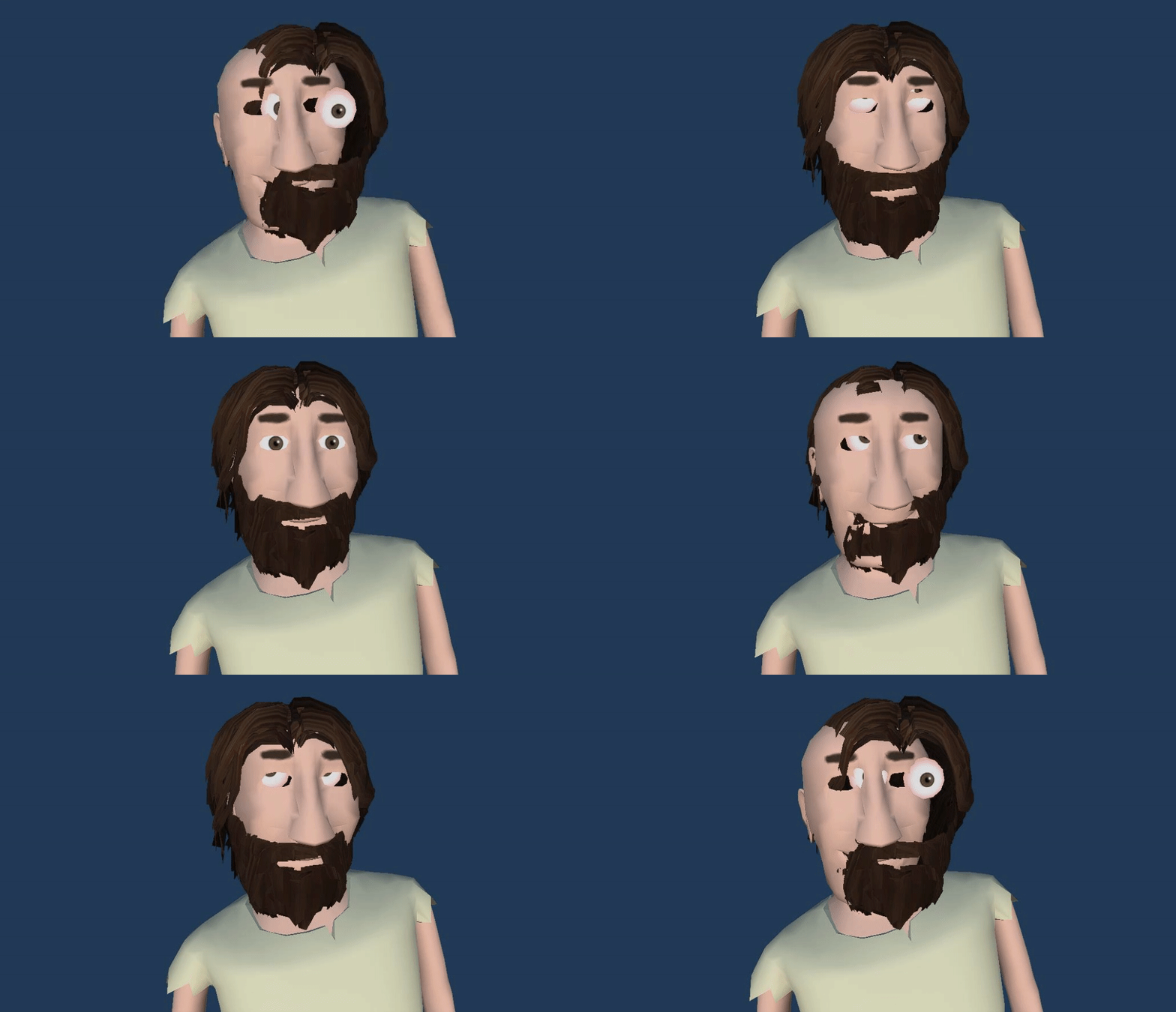

 strange fiber
Hello... Can anyone help me why these white lines are showing while I play the game......

How ever when I zoomed in then they disappear.....

the geometry is fine and vertices are also merged each other but still this issue is there anyone knows about this problem?? Please help mee....
agile solstice
strange fiber
Hello... Can anyone help me why these white lines are showing while I play the g...
Looks like UV color bleed
Not related to animation
strange fiber
agile solstice
Looks like UV color bleed
Not related to animation
where should I post this type of problem???? kindly tell me....
 rocky jay
I'm really new when it comes to Animation in Unity, was wondering if anybody could help me with an issue I'm having with it. The animator is on a child object on a prefab but I can't manage to get the animation to play using a trigger, not sure what I'm doing wrong as the error message Unity gives is awfully unhelpful

This also keeps appearing when I try and add animations to objects, I have no idea how to fix it
 trim hatch
what's in your animator controller
idk what the issue is but it says theres something wrong with your controller so maybe theres something wrong there
rocky jay


The transition from any state to PistolShoot is just a trigger called "Shoot"
But when I try to Set that trigger through script it doesn't wanna play
trim hatch
well I can't really tell
I'd suggest creating a brand new anim controller for debugging to see if it still gives an error
and then keep trying to recreate that controller until you see whats causing it
rocky jay
I'm now trying it with Animator.Play() instead and it seems to think the game object with the animator is inactive
I'm so lost
It can find the Animator and the GameObject with the animator is active but it doesn't want to play the animation 


Okay I fixed it, turns out since I'm using ScriptableObjects, I was getting the actual prefab instance and not the instatiated one in the scene, which is why it thought the gameobject was disabled ig

 upbeat hamlet
Sorry since this is a dumb question, but I don’t really animate but I now have to for class. Is it similar to animate in unity as stuff like photoshop where it’s just telling when this happens go through these drawn frames? Sorry if this is poorly worded lol
agile solstice
upbeat hamlet
Sorry since this is a dumb question, but I don’t really animate but I now have t...
More or less I suppose
Whereas in PS you have drawn frames, in Unity you would have sprite references for a sprite renderer, or any other type of override for a component's property
upbeat hamlet
agile solstice
More or less I suppose
Whereas in PS you have drawn frames, in Unity you would h...
Ok I’m sorry that I’m dumb but wdym sprite render
agile solstice
upbeat hamlet
Ok I’m sorry that I’m dumb but wdym sprite render
The component for rendering sprites, in case that's what you intend to do
upbeat hamlet
agile solstice
The component for rendering sprites, in case that's what you intend to do
I mean yes but I am kinda confused how that’s much different from photoshop then just the fact that you can add programming to it
agile solstice
upbeat hamlet
I mean yes but I am kinda confused how that’s much different from photoshop then...
Animation keyframes represent some property change over time
That's pretty much where the similarities end
upbeat hamlet
agile solstice
Animation keyframes represent some property change over time
That's pretty much ...
When adding the animation to unity is it pretty much just importing the keyframes and editing how long stuff lasts?
agile solstice
upbeat hamlet
When adding the animation to unity is it pretty much just importing the keyframe...
Yes, pretty much how all animation everywhere works
upbeat hamlet
agile solstice
Yes, _pretty much_ how all animation everywhere works
Yeah sorry lol he didn’t really explain much to us and just told us good luck
agile solstice
upbeat hamlet
Yeah sorry lol he didn’t really explain much to us and just told us good luck
One would think a school would teach you, but looks like you're off to hunt some tutorials on your own
!learn probably has something useful
dusk valeBOT
🧑🏫 Unity Learn can offer you over 750 hours of free live and on-demand learning content for all levels of experience! Make sure to check it out at https://learn.unity.com/
upbeat hamlet
Yeah I was trying to figure out how to do pixel art in general with tutorials in class
open ivy
I'm making a 3rd person swordfighting game and recently I started tackling on small cutscenes for story-oriented sections. I did all the workflow stuff, learnt the Playables and all that, can make pretty cutscenes and custom scripts now.
The only problem is the workflow of making animations for the humanoid character.
My workflow to this day was:
Rigify rig - Animate what I need with IK and all that in Blender.

Generate a game rig with some addon that does that and also bakes animations (?) so that they can be used in unity because without it didn't even see them.

Manually reasign all objects of the model to use the generated rig so that they deform with it and not the old Rigfy rig.

Make sure everything is setup good, export - I get the anims in Unity from the fbx.
This is a nightmare. Fortunately to this point I only needed 3 additional animations from what I had from different sources. This takes way to much time just to even try out an animation in Unity to make sure its good. Is there ANY other alternatives?
One thing I tried is to use this addon that has a button to generate the rig, but the problem is that it removes some bones which breaks the weight painting I spent countless hours on to make it work. I do not want to re-do all of it. Even then, I actually tried just to see how long it would take and holy shit literally nothing deforms like it should, its all broken.
So please, for the love of god tell me if there is a different way or I'm ditching cutscenes all together and never even touch animating ever again.
lofty shale
lime helm
It looks as if you may have exported too many elements of the rig from Blender. ...
thanks for your reply but i'm a bit confused, ive tried only selecting the Model and Cube and I have the dot selected in Layers but it doesn't export all the animations if I do it this way, am I selecting the wrong thing?

 vocal spade
heya!!! i have a super weird issue with animations and its been a big problem for a long time, with this i basically cant use anything i animate at all
its a simple problem with animations not being compatible
if i take the full model the animation isnt compatible with the grouped model
but if i take just the bones its compatible
when the said animations are added to the controller they dont work just like its on the grouped model
does this make any sense? im terrible at explaining


this is a huge issue since the controller i guess focuses on the parented object? but at the same time mixamo anims work just fine, i dont get any of this at all
 sour dust
anyone know why my meshes are warping when putting them on an actor? this is supposed to look like a shirt but the bottom looks warped

i took it out of the game files from sons of the forest
lime helm
lofty shale
thanks for your reply but i'm a bit confused, ive tried only selecting the Model...
You'll want to be selecting things in the outliner yes, so here I select the rig bones first, and the cube second. And i have my export settings, so here you can isolate what is selected to your active selection and only export armature and mesh type objects, you will also notice i have selected only deform bones because those are the only bones which are needed to deform the mesh.
Btw, it looks as if you havent generated your rigify rig from the metarig, are you familiar with that process?


 wanton burrow
when i put my idle animation into unity it looks choppy and weird. It shouldnt be like this, out of unity it is not choppy. The second is outside of unity. Anyway to fix this? (The one out of unity is a bit blurry)
fallen thicket
Honestly, at this time im not sure if this should come under coding or animation as its likely a mixture of both. I want to get some opinions and thoughts on the best way to do this.
I've got a new characterController, works pretty smoothly now. However I would like some input on the best way to align the player to the floor correctly when going up and down slopes. I suspect itll be a mixture of code and Feet IK?
 wanton burrow
fixed it
 maiden pendant
Hey all, I am about to freak out at unitys animation controllers. When I play an animation, it rotates my object by way less than I specified in the animation. The screenshots show an animation with a 90 degree rotation. When I play this in the animation controller, it only rotates by like.... 5-10 degrees? also, it definatly finishes the animation! like it resets. Its just playing the animation with all rotation changes nerfed. Any ideas?

 lime helm
fallen thicket
Honestly, at this time im not sure if this should come under coding or animation...
lime helm
fallen thicket
Honestly, at this time im not sure if this should come under coding or animation...
A way to address this is to create variations of your locomotion and idle animations that respect the maximum slope you can walk on going up, down and across a slope. For instance if your max walkable angle is 45 degrees then you would create a blend space of animation assets for walking up a slope, walking down a slope, and walking across a slope left and right, as well as your neutral flat version. So a total of five animation assets per state or speed. This will get you 90% of your slope alignment and you can author the poses as you see fit. You can then use ik to align the feet reliably to account for any variance.
You could align the mesh to the slope through code, which can be appropriate for quadrupeds, but will likely look strange when oriented walking across a slope, unless you ignore that particular case
fallen thicket
lime helm
A way to address this is to create variations of your locomotion and idle animat...
What i ended up doing is
 if(physicalCC.isGround)
        {
            Vector3 rotateToQ = new Vector3(physicalCC.groundNormal.x,physicalCC.groundNormal.y,physicalCC.groundNormal.z);
            Vector3 newRotateToQ = Vector3.SmoothDamp(playerModel.transform.up, rotateToQ, ref velocity, alignSpeed);
            playerModel.rotation = Quaternion.FromToRotation(transform.up, newRotateToQ) * transform.rotation;
        }
I think I will ventually make some animations for steep slopes to make it look a little better
alongside the slowed movement, shows signs of struggling then
lime helm
fallen thicket
What i ended up doing is
```c
if(physicalCC.isGround)
{
Vec...
I'm pretty code illiterate, this aligns the model to the slope, is that right?
 quartz nest
Anyone know a basic animation guide for characters doing sword attacks?
fallen thicket
lime helm
I'm pretty code illiterate, this aligns the model to the slope, is that right?
Okay it works FOR THE MOST PART kek
 candid vessel
how do you extend a sprite's mesh?