Note that I don't actually know how I messed this up. The original animations aren't also too low like that, its something I did on my end. For the animations that change their x,y position instead of be stationary, I make them stationary in blender using the timeline editor. This isn't the first time I've made a weird undesirable thing happen after using the timeline editor. Maybe I accidentally deleted the wrong keyframe or dragged something without realizing it. Not sure why or how that would effect all the new animations, but here we are.
#🏃┃animation
1 messages · Page 6 of 1
 bold mountain
no wait, hold on. Reimporting the animations doesn't make them "too low" but re-importing the original animations and then "attaching" them to the rest of the other animations in the nonlinear animation tab makes them become too low like that. Huh. I guess I'll have to put them in Unity and manually use code to to fix this if the problem isn't magically fixed once I put them in Unity
bold mountain
i think maybe I fixed my own problem. If I edit the keyframes after attaching it to the "main" armature in the nonlinear animation window, it doesn't have this problem. It's a lot more finicky and doesn't work every time without causing weird issues that don't happen if I restore a backup and do the same thing the same way again. I really need to watch like 2 hours of blender animating just to hopefully learn enough I don't have to restore a backup every time I do one wrong thing that ctrl+z cant fix. Animations are hard to understand if you've never worked with it before.
 summer citrus
Heyo
uh
so
I'm new to 2d unity rigging
and I have an unorthodox character that is very much not humanoid.
I can build a bone structure just find
*fine
but the IK manager and the built-in structure stuff is throwing me off
I don't really want my character to be yanked when I rotate my highest bone (being the hip)
and I don't like that my character melts like paper mâché when I try to rotate it
not to mention that Ik literally gives my character a seizure and completely breaks it.
Any potential explanation as to why it is being odd would be very appreciated
 reef sand
I have to say I loved the potential of the Unite 2022 presentation on animation and AI (research project only, no public code). https://unity.virtualeventsite.com/agenda-unite-2022/ai-and-physics-assisted-character-pose-authoring/ - AI powered animation - move an IK, and the rest uses machine learning to predict where elbows etc should be more accurately. Did not 100% solve the animation effort, but definitely sped up the workflow.
 crisp jungle
Ah thanks, that helps. I'm glad you said something because I was preparing to do some other nonsense solution. I don't know anything about shaders - any tutorials you'd recommend specific to this kind of use case?
 scenic mirage
I am using Magica Cloth and the model's forearm goes through the clothing. I am using the exact same setting for skirt and forearm clothing, but the skirt doesn't go through the legs. I have collider on the arms.
How should I fix this problem?

 hybrid tinsel
scenic mirage
I am using Magica Cloth and the model's forearm goes through the clothing. I am ...
hybrid tinsel
scenic mirage
I am using Magica Cloth and the model's forearm goes through the clothing. I am ...
By asking the magica cloth devs, probably
hybrid tinsel
crisp jungle
Ah thanks, that helps. I'm glad you said something because I was preparing to do...
Not specifically, especially since it will depend on the rendering path you're using, but for the masking you can check the docs on 'secondary sprite textures.'
 plain spade
Okay I've been scouring the net and I can't find how to do this :
How do I make sure an animation finishes before being interrupted by an Any State node**
I can't for the life of me find out how
I've been trying things like this even but to no avail

I just want to make sure my pressed animation completes before transitioning
 rancid folio
plain spade
I just want to make sure my pressed animation completes before transitioning
rancid folio
plain spade
I just want to make sure my pressed animation completes before transitioning
make sure that in the transition arrow is marked/checked the checkbox 'has exit time'
plain spade
Yeah I did, at least towards the Exit node
Because for it to have an exit time, it needs to transition to something.
plain spade
rancid folio
make sure that in the transition arrow is marked/checked the checkbox 'has exit ...
But... As far as I can see, Any State doesn't care about the Exit Time
Correction : I don't want to give all other states exit time so that it waits for pressed
 turbid flume
Heya!
When I Animate my "attack" animation in Unity, I use two different animations, left swing, and right swing.
When my character swings his arm to the left, it goes as expected, but when the swing right animation triggers, It's almost like the hand first snaps back into original position (straight to the right of my character) and animates the arm behind and to the left
If that makes sense

I've setup my animator with a bool and trigger, when I hold LMB an "isAttacking" bool is set to true, and my animator jumps into a set of nodes. The trigger is fired every 2 seconds or so, playing the new animation (left or right swing)
 karmic socket
I'm a beginner in blender and rigging, and I'm trying to figure out how to make the player hold items/weapons without having to make a different animation for every single item. Like say I have a rifle, I've been told I can just make an empty GameObject as a child of the hand bone to use as a placeholder, and then make the pistol a child of this placeholder. Then I can animate the player hands to move to the right positions on the rifle for fire/reload animations. However, now say I have a slightly larger rifle. How would I use the same animation but with different points that the players fingers should rest? And then would I need to make a new animation for every kind of item?
hybrid tinsel
plain spade
I've been trying things like this even but to no avail
Don't use any state for that.
 agile solstice
Indeed
Any state transitions will always interrupt everything, so you'd have to make your parameters themselves wait for animations to finish
Or just make a state machine with proper flow without any state
plain spade
hybrid tinsel
Don't use any state for that.
Meaning I have to do explicit transitions every time, it's kind of a pain
agile solstice
plain spade
Meaning I have to do explicit transitions every time, it's kind of a pain
Explicit?
bold mountain
I am a very noobish noob when it comes to animations and Unity. Is there a way to make my walking animations loop other than manually clicking on the animations, clicking on edit and checking the loop time box for every single one every time after I import them from an fbx file?
I have a lot of animations in my fbx file. I have to change a lot of them to "loop time" all over again when I import the fbx file even to make small changes
wow I didn't think it was going to let me post that
anyway
I'm having a problem where only my crouch backwards animation causes my character's left arm to rotate stupidly. I've tried adding -360 degree rotation keyframes for that arm on the affected local axis and have seen absolutely nothing change, that didn't even make it worse. Any other ideas?
 verbal fulcrum
Please let me know if this belongs somewhere else. Say I want an object to move between points A, B, and C but not in a linear fashion. So instead of just going from point to point, I want the object to sorta mimic a butterflies movement. So it would take more of a winding curve to the path instead of straight path. I tried using a sin wave and a animation curve for each axis but it didn't do it at all.
hybrid tinsel
plain spade
Meaning I have to do explicit transitions every time, it's kind of a pain
No. Don't think about it that way. You explicitly set the transitions you actually need. You NEVER want the button to go directly from any state except when disabling it, because there is a logical flow to button hilighting and interaction.

Any State will trample all over other considerations.
plain spade
hybrid tinsel
No. Don't think about it that way. You explicitly set the transitions you actual...
In theory I agree but, especially when adding Menu Logic, a button may become selected from any state for example
plain spade
hybrid tinsel
Any State will trample all over other considerations.
Just wish I could have it so Any State cared about Interruption conditions
I did end up doing this, it's just unfortunate that Any State ignores the Interruption Source setting
 hybrid tinsel
It does; but Any State is highest priority in the interruption queue
plain spade
Mhmh, it's fine for animation usually, but with UI stuff it gets tricky
bold mountain
adding keyframes to counteract the stupid rotation bug I keep having just makes more animations pick up that same bug.. damn. The only thing left I can really think of is to start completely over on my fbx file and try to group similar animations together. Hopefully this will keep that rotation bug from forming
hybrid tinsel
bold mountain
adding keyframes to counteract the stupid rotation bug I keep having just makes ...
What stupid rotation bug?
bold mountain
the left arm on my character rotates whenever I trigger the crouch backwards animation. I posted a 9 second video further up
I tried adding a keyframe where I rotate it in the opposite direction which did make the crouch backwards animation not do that but then all my non crouching animations except for standing idle gained that same bug.
I tried adding keyframes for whatever the current rotation for that arm was at the beginning and end of a standing animation in an attempt to counteract this behavior and saw no effect
I'm kind of out of ideas so im starting over and making a whole new fbx file.. hopefully this was a result of something I did wrong
hybrid tinsel
bold mountain
I am a very noobish noob when it comes to animations and Unity. Is there a way t...
You can write an asset processer to automatically do it on import.
hybrid tinsel
bold mountain
the left arm on my character rotates whenever I trigger the crouch backwards ani...
Hrm, weird. Looks like an euler-quaterion conversion issue
bold mountain
I did mix and match rifle running animations from the pro shooter pack and the basic shooter pack on maximo. Maybe the basic shooter pack and pro shooter pack use different rotation values
im trying it again with only animations from pro shooter pack
 solemn egret
Idk if this is the right place to ask but i made a 2d platformer where i have a player with some animations. I want to create multiple skins with the same animations for my player which would be selected before start playing and i cant find how to achieve this
hybrid tinsel
#🖼️┃2d-tools , ask about sprite libraries
agile solstice
plain spade
Mhmh, it's fine for animation usually, but with UI stuff it gets tricky
Usually you wouldn't animate a UI with animator components
As you've noticed UI motion doesn't always fit into rigid system of clips and transitions, and additionally the performance is terrible unless you optimize it
It's recommended to use a tweening library instead
Read more here https://unity.com/how-to/unity-ui-optimization-tips
bold mountain
Where's the checkbox in Unity to disable the the ability for animations to change the transform position of their parent object? I swear I remember asking this and it's as simple as clicking a single checkbox but I can't find the checkbox and I also can't find where I asked this question before
agile solstice
bold mountain
Where's the checkbox in Unity to disable the the ability for animations to chang...
Root motion?
bold mountain
OH that's it! Thanks.
agile solstice
Though changing the parent object's position isn't fundamentally possible
hybrid tinsel
Sure it is.
You just tell it to move the parent instead of the transform in OnAnimatorMove()
That'll override the default root motion behavior
agile solstice
I guess there's no limit to what you can do by scripts
I didn't know that was standard practice though
hybrid tinsel
Well, most bigger games don't have the animated object at the root of a character so there needs to be some way for a child to drive things.
bold mountain
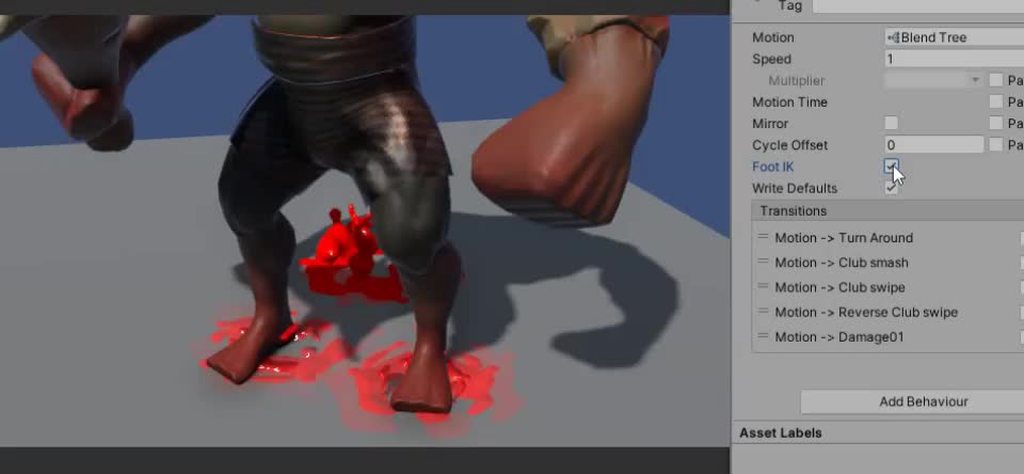
on my idle animation, I'm having a problem where my character's feet move instead of staying stationary on the ground. In blender, the feet stay stationary but when I import it to unity, the feet are no longer stationary.
What are some troubleshooting steps I can try?
crisp jungle
hybrid tinsel
Not specifically, especially since it will depend on the rendering path you're u...
Thanks, I made some secondary texture spritesheets and it works super well. It animates and everything, without any extra work. Only problem is - I can't figure out how to change the secondary texture during runtime. For example, when someone builds a unit, it should get the secondary texture for that unit and change the color to match their team color. It doesn't seem like spriterenderer has any way of getting the secondary texture though, or doing anything with it.
 elder helm
is there a way to wait in a animation untill something happens?
hybrid tinsel
bold mountain
on my idle animation, I'm having a problem where my character's feet move instea...
If it is a humanoid, enable mecanim foot IK.
 plain spade
agile solstice
Usually you wouldn't animate a UI with animator components
As you've noticed UI ...
plain spade
agile solstice
Usually you wouldn't animate a UI with animator components
As you've noticed UI ...
Yeah I've read that page before. I only use it in control ways, here for the main menu with a special breathing cycle for the buttons. I use tweening the rest of the time, just when I need a specific motion and the canvas isn't present during computer intensive parts (ie the main menu) I may use it for specific motions.
An animator component only refreshes up to the canvas or canvas group I believe, and this "Title screen" fades out whenever you select an option. So I do agree with you, usually I wouldn't, but in this scenario I do prefer using animations instead of tweening.
Hopefully that all makes sense
So for that one specific canvas, I don't mind that it refreshes constantly because of the animator. It would refresh constantly because of the constant motions in it anyway.
agile solstice
plain spade
Yeah I've read that page before. I only use it in control ways, here for the mai...
It's all fine as long as you're aware of this stuff ^^
plain spade
agile solstice
It's all fine as long as you're aware of this stuff ^^
Yes! Been working with UI for a while now, but Unity has such a specific workflow and so many interactions that it's hard to ever have a full grasp on everything
Maybe we'll get a "only refresh as needed" animator parameter for UI one day
agile solstice
plain spade
Maybe we'll get a "only refresh as needed" animator parameter for UI one day
There's a wholly new UI system on the way so maybe we'll see some improvement in that department
plain spade
agile solstice
There's a wholly new UI system on the way so maybe we'll see some improvement in...
Just found this. I'm hoping they integrate the timeline tool somehow
 agile solstice
plain spade
Just found this. I'm hoping they integrate the timeline tool somehow
agile solstice
plain spade
Just found this. I'm hoping they integrate the timeline tool somehow
An editor tool to create tweenings would be great!
turbid flume
Blender: What is your favorite way to organize animations for import to Unity?
agile solstice
turbid flume
Blender: What is your favorite way to organize animations for import to Unity?
Organize?
turbid flume
agile solstice
Organize?
As in, when you create the run animation, how do you store that animation when importing into blender? Everything in one animation then seperate in Unity? Action Mapping?
Might be a dumb question x)
agile solstice
turbid flume
Might be a dumb question x)
It's a good question
I hate each way individually
Actions are kind of nice because it's easier to swap between them in blender (though you must still go through a rest pose because un-keyed limbs do not reset), but if you get any setting wrong they randomly disappear at export, and good luck managing them if you need to delete them or move them about
Having everything as one track is more reliable but having to change start and end times and having to keep track of different clips on the track is a pain
turbid flume
Oh god, the deleting part, been having issues with that
But yea, so there's not a "Best way" to do it
Thank you for the answer!
agile solstice
turbid flume
Oh god, the deleting part, been having issues with that
Most likely "start/end keying" checkbox or whatever in export settings
 covert tendon
Hello, I am currently following a Code Monkey Tutorial on Youtube about Animation Rigging and followed step by step in order to make my idle animation dynamic that follows a target point. But when it comes to testing, my character stays in the Tpose and does not even play the idle animation anymore. Did anyone have a similar issue or have any clue about why it is happening? Thank you!
hybrid tinsel
covert tendon
Hello, I am currently following a Code Monkey Tutorial on Youtube about Animatio...
You really need to give more info than that; there are so many ways it could be going wrong.
crisp jungle
Anyone know how to get a reference to a sprite's secondary texture?
 vagrant wedge
Is there any way to completely disable an animation layer? Because even with a weight of 0, they're still executing transitions and state behaviours
hybrid tinsel
crisp jungle
Anyone know how to get a reference to a sprite's secondary texture?
In a shader, or...?
crisp jungle
hybrid tinsel
In a shader, or...?
Just in a spriterenderer, if possible.
 brisk raven
Hello, I am learning how to animate a humanoid in Unity, I am trying to make my own animation. Currently I am using animations and models from mixamo as place holders. My problem is when I try to start a new animation file, the character moves to below where it is in every other animation and where it is by default in the scene. Does anyone know how to fix this issue?


 devout ember
how do i make it so it doesnt complete a lap of the animation before reverting back to idle?
 brisk raven
devout ember
how do i make it so it doesnt complete a lap of the animation before reverting b...
brisk raven
devout ember
how do i make it so it doesnt complete a lap of the animation before reverting b...
turn off exit time
devout ember
thats done it thanks
covert tendon
hybrid tinsel
You really need to give more info than that; there are *so many* ways it could b...
Okay, I have a 3d model on my scene and set some basic animations to move forward, backwards, left and right. The issue was i needed the player (right hand) to aim toward a specific target. I followed this tutorial about animation rigging (from min 22) https://www.youtube.com/watch?v=LEwYmFT3xDk&t=1447s&ab_channel=CodeMonkey as it seemed a good solution. My problem is that I set all the parameters correctly (apparently) but the result is a big F.
- the Y axis of the hand should point forward and the X up
- so it's set in the multiAim Constraint component
- target is set in front of the player
- the hand of the player points to Australia


✅ Get the FULL course here at 80% OFF!! 🌍 https://unitycodemonkey.com/courseultimateoverview.php
👍 Learn how to make BETTER games FASTER by using all the Unity Tools and Features at your disposal!
👇
🌍 Get my Complete Courses! ✅ https://unitycodemonkey.com/courses
👍 Learn to make awesome games step-by-step from start to finish.
🎮 Get my Steam Gam...
here we got some lols

Does anyone have a solution for that?
brisk raven
brisk raven
Hello, I am learning how to animate a humanoid in Unity, I am trying to make my ...
Still Looking For Help With this!
hybrid tinsel
brisk raven
Hello, I am learning how to animate a humanoid in Unity, I am trying to make my ...
Set the root position to feet instead of hips
brisk raven
hybrid tinsel
Set the root position to feet instead of hips
where can I find that option?

my animation does not have it
 velvet geyser
So I have a very simple animator controlled by an enum. Setting the enum value will activate the animation trigger with the equivalent name, switching to the appropriate state. But when I try to switch to the 'StylisedPose' state, it stays there for one frame and immediately transitions to the 'APose' state. Thoughts on what might be happening?

 steep crescent
there a way to transfer blender animation to unity?
scenic mirage
brisk raven
where can I find that option?
- In your assets or wherever you placed your animation, select the animation package.
- On the right side you see Model, Rig, Animation, Materials. Select Animation.
- Scroll down to root transform position (Y) and change it to feet
 twin musk
is there a way to only show armature bones?
hybrid tinsel
velvet geyser
So I have a very simple animator controlled by an enum. Setting the enum value w...
If you're explicitely picking states with an enum, you can just skip the Any State transitions; just play the state directly from your code
velvet geyser
hybrid tinsel
If you're explicitely picking states with an enum, you can just skip the Any Sta...
https://docs.unity3d.com/ScriptReference/Animator.Play.html
just found it, neato thanks

 ripe shore
who is using animation rigging to make snakes and centipedes? i'm wondering if it's possible to have dampened constrained objects offset above ground to avoid collision?
hybrid tinsel
ripe shore
who is using animation rigging to make snakes and centipedes? i'm wondering if i...
Not using animation rigging, but this is an excellent 'snake' system that works in full 3d if you wanna pick it apart.
Snagged it off Empty on AGDG
brisk raven
scenic mirage
1) In your assets or wherever you placed your animation, select the animation pa...
I dont have an animation package
Its a animation clip made in unity
 remote harness
Hey people, how do you tackle holding say a gun with hands around it? I dont have the pricey Inverse Kinematics (IK) tools from the asset store. But, i have my hands that i made that is supposed to hold my gun/rifle, i want the hands to grip around it, ofcourse i guess i can just animate it around the gun or so. Whats the best solution?
brisk raven
remote harness
Hey people, **how do you tackle holding say a gun with hands around it?** I dont...
Animate the hands around the where the gun should be?
agile solstice
remote harness
Hey people, **how do you tackle holding say a gun with hands around it?** I dont...
There are free tools on the store, as well as Unity's own two inbuilt IK tools in the form of Animation Rigging package and Mecanim's Avatar system
remote harness
brisk raven
Animate the hands around the where the gun should be?
Right, if i happen to have multiple guns, is there a faster way than doing this for each unique gun proportion?
remote harness
agile solstice
There are free tools on the store, as well as Unity's own two inbuilt IK tools i...
Alright! Im totally new to hands being on camera like this
agile solstice
remote harness
Alright! Im totally new to hands being on camera like this
Only you know what's "best" for your project, but Animation Rigging is designed for placing hands on variable locations on held objects such as guns, and adjusting to aiming with them
https://blog.unity.com/technology/introducing-the-animation-rigging-preview-package-for-unity-2019-1
brisk raven
also good for viewing bones
remote harness
agile solstice
Only you know what's "best" for your project, but Animation Rigging is designed ...
Will check out, now it has an armature from blender, so i have bones all the way including the fingers:) is this unity rigging different? I mean since i have a rig already
agile solstice
remote harness
Will check out, now it has an armature from blender, so i have bones all the way...
A rig connects mesh vertices to bones and is necessary for skinned mesh animation
An IK rig moves bones according to the IK solver's calculations
They work similarly in Blender and Unity but are not compatible
In Blender IK is used to make it easier to create animations
In Unity IK is used to move and adjust limbs at runtime
remote harness
agile solstice
Only you know what's "best" for your project, but Animation Rigging is designed ...
Will check out, now it has an armature from blender, so i have bones all the way including the fingers:) is this unity rigging different? I mean since i have a rig already
ripe shore
hybrid tinsel
Not using animation rigging, but this is an excellent 'snake' system that works ...
thanks, I figured the node but the parameters, how do you use it? and what's AGDG
remote harness
agile solstice
A rig connects mesh vertices to bones and is necessary for skinned mesh animatio...
Oh yeah, i gotcha, so in unity its not used to make animations easier? I dont think i need to move things in runtime cause ill have the set animations for aiming / reloading, then i probaby just move the torso or so to move my arms
devout ember
how can i make a plane change colors with the animator component? i plan on making a player object on a plane, which works like a sprite
remote harness
But in a game where players/characters are seen aiming or so, then i assume IK is the way to go cause moving a torso too much or the whole mesh is not ideal there
@agile solstice
agile solstice
devout ember
how can i make a plane change colors with the animator component? i plan on maki...
You would animate an exposed property of a material (or a material instance), such as base color
(A quad will likely work just as well as a plane but has less polygons)
devout ember
agile solstice
You would animate an exposed property of a material (or a material instance), su...
can i set base color to a frame like this or something?

how would i change the base color?
do i need a material or
because i cant see how to do it
agile solstice
devout ember
because i cant see how to do it
The sprite shader and lit shader multiply the texture by the base color (or tint color it might've been called in the sprite shader)
If you use a custom shader you need to make your own property and blend for color
devout ember
agile solstice
The sprite shader and lit shader multiply the texture by the base color (or tint...
this is what the shader looks like

so multiplying by white makes it white?
 craggy hound
when I change the animation type to humanoid in unity, the animations bug out and go crazy. Cant really explain it but the model is no were near center and is spazzing out
hybrid tinsel
devout ember
can i set base color to a frame like this or something?
If you are using a sprite renderer, you change the tint color in the renderer.
 devout ember
hybrid tinsel
If you are using a sprite renderer, you change the tint color in the renderer.
devout ember
hybrid tinsel
If you are using a sprite renderer, you change the tint color in the renderer.
using a sprite renderer causes it to go black
 agile solstice
@devout ember You can animate any exposed property of a material asset
The shader can use the property for anything
agile solstice
brisk raven
should I animate in or out of unity?
It's preferable to do animation in dedicated animation software if it's not extremely simple
Root motion has no bearing on that
devout ember
okay for some reason
hybrid tinsel
devout ember
using a sprite renderer causes it to go black
All the sprite renderer does is pass the texture and vertex color to the shader.
devout ember
hybrid tinsel
All the sprite renderer does is pass the texture and vertex color to the shader.
i cant talk about it in here anymore, if u could look at my post in shaders you'll see my problem
 keen adder
Does the name of my Canvas matter when animating?
Like for example would it be bad to have repeating names.
devout ember
im tring to make a system and i dont think im doing it right

its like
if a gun is equipped
then it switches from idleblank to idle
and from runblank to run

 wraith jackal
Im having a problem. I disabled Apply Root Motion on my Camera Animator but I can only move Horizontally, not Vertically. To fix this I enabled it and I can move both ways however everytime I Run/Sprint and Jump at the same time my Camera never comes back down, slowly incrementing its position upwards until I am very tall. How do I fix this issue?

 shy parrot
wraith jackal
Im having a problem. I disabled Apply Root Motion on my Camera Animator but I ca...
shy parrot
wraith jackal
Im having a problem. I disabled Apply Root Motion on my Camera Animator but I ca...
Did you fix ur camera to the character?
shy parrot
Could you please send a screen record here
shy parrot
wraith jackal
Im having a problem. I disabled Apply Root Motion on my Camera Animator but I ca...
How are you able to move Horizontally when you disabled Root motion completely? Disabling root motion should put you static isn't? Did you check ur script for any errors?
hybrid tinsel
keen adder
Like for example would it be bad to have repeating names.
Within a single level of a hierarchy, you want unique names.
keen adder
Okay thanks, they were for different scenes but I went ahead and gave them Unique names just to be safe.
hybrid tinsel
Well, basically, animators take name into account; so if you want to reuse an animation, you'll want reused names
wraith jackal
shy parrot
How are you able to move Horizontally when you disabled Root motion completely? ...
Super sorry for late reply. Had to goto shops. Umm not sure why its allowing me to only move Horizontally.
I have idle, walking, sprinting and jumping animations. Maybe those animations are interfering with the cameras horizontal movement?
Heres a video of it.
@shy parrot As you can see I am able to move horizontally AND vertically, but then I get an issue with my Camera slowing increasing upwards and never coming down.
shy parrot
wraith jackal
<@899661437587320842> As you can see I am able to move horizontally AND vertical...
Ok! You meant rotating?
wraith jackal
Oh yes, my bad, rotating.
shy parrot
wraith jackal
<@899661437587320842> As you can see I am able to move horizontally AND vertical...
I dont see any issue in this! Seems working perfect mate
Yeah yeah! There is a small error
In the position
wraith jackal
Hmm so how can I fix my Camera not moving upwards with Root motion enabled
shy parrot
Or maybe my illusion lol
I feel like there is an error at one moment and playing it again make me feel like there is no error
wraith jackal
The rotation is fine with Root Motion enabled but when I jump while walking, my Cameras position slowly moves upwards. After 20ish seconds of repeating this my camera is very high up in air. @shy parrot This problem is fixed when I disable root motion, but then I cant rotate vertically again.
wraith jackal
shy parrot
Or maybe my illusion lol
Fixed it, just change Normal to Animate Physics in Update Mode
shy parrot
Finally! Cheers 🥂
wraith jackal
How do i fix this? My mecanim animation doesnt finish??
 trim hatch
wraith jackal
How do i fix this? My mecanim animation doesnt finish??
trim hatch
wraith jackal
How do i fix this? My mecanim animation doesnt finish??
it's always trying to transition to reload
becuase you're using any state and you aren't supposed to
 ancient niche
When I apply root motion my object moves but the animation doesnt rotate. When I turn off root motion it doesnt move but the rotation works.
So how do I make it where both work?
trim hatch
dont think you can have both
ancient niche
well... how am I supposed to add an animation?
trim hatch
?
ancient niche
so I just cant have it rotate?
trim hatch
if you have an animation that rotates, it will make the object rotate
look up what root motion does
ancient niche
i have a basic sense of what root motion does but it doesnt really help
wraith jackal
ancient niche
so I just cant have it rotate?
in the animator, make sure the Update mode is set to Animate Physics
wraith jackal
trim hatch
becuase you're using any state and you aren't supposed to
My jumping state is very similar (just a different animation and key pressed) and it works fine
ancient niche
still doesnt work
 wraith jackal
ancient niche
still doesnt work
wraith jackal
ancient niche
still doesnt work
video of problem?
wraith jackal
unfortunately i dont do 2d game design so im not sure if i'd be able to help you, but there is a chance you might have to animate the moving and rotating part separately (if u havent already)
trim hatch
yeah root motion is only used for 3d mocap stuff
ancient niche
well the moving part is done by .MoveTowards
all thats in the animation is a rotation
wraith jackal
Hmm, maybe the enemy is still moving but because the animation is playing it might be staying in that position visually
when its in reality moving towards you
ancient niche
yeah thats my theory oto
too
well I guess ill have to make some walking sprites then :/
thank you sm tho
wraith jackal
no problem sorry i couldnt 100% help you but yes moving sprites might have to be done unfortunately
or you could do this... make the enemy gameobject invisible. then attach another gameobject as a child with the image of the enemy in its properties. from there. animate the rotation but then move the parent gameobject. that way, it gives the illusion that the enemy is moving. not sure if that'll work or if you have already tried that but it might save you some time making walking sprites @ancient niche
ancient niche
thats a very smart way of thinking, Im definitly going to do that for my main game but im doing a game jam so especially doing it for the first time and im kind of a beginer i guess so
it might take a lil time
wraith jackal
ancient niche
thats a very smart way of thinking, Im definitly going to do that for my main ga...
no problem good luck with the jam
 bold totem
Why does enabling my Animator prevent the object from being rotated (by script)? The animator shouldn't overwrite it since the animation that's playing doesn't set the local rotation to any value, right?
Here "Dash" and "DashFlipped" do set the local rotation to something specific, I assume it has something to do with that. But these animations aren't playing
 shut plover
guys
why my animation delayed?
i unchecked has exit time
 whole bone
how do I go about elbow/knee deform correction for humanoid rig?
Can I just add additional deforming bones while maintaining humanoid hierarchy blueprint?
I'd rather not do shapekeys for those
but at the same time I have no idea if it's more standard to do deforming bones or shapekeys or something else at all
sorry for such a basic question
I'm just not sure what to type in in search bars to receive the answer to what Im looking for
Some tutorials are for animation rigging overall, not taking under consideration game engine restriction, and on top of that unity likes things done differently than unreal
any kind of tutorial/documentation would be sufficient for me
agile solstice
I'd assume the "standard" is to have such precise topology and weight mapping that you get by without either extra bones or shape keys
When that's not enough then you'd probably resort to one of those two
whole bone
should I be able to go from the left to right [pic] with only topology?

I want to achieve somehow realistic deformation
But I'm not sure as for how far I should go with it for the gamedev
 agile solstice
whole bone
should I be able to go from the left to right [pic] with only topology?
agile solstice
whole bone
should I be able to go from the left to right [pic] with only topology?
Maybe, but it's an extremely tough rigging challenge
An unclothed joint with muscles and other anatomy visible is kind of the worst case scenario
whole bone
the cloted joint would be easier?
agile solstice
whole bone
the cloted joint would be easier?
People won't notice the imperfections as much, and there's no muscles that visibly bend the wrong way
Still, you'll probably need the extra bones or shape keys if you want to get it right so that it holds up under close inspection
It's a topic that I'd like to know more about too but there aren't that many resources out in the open
whole bone
Yeah, it came under my notice as well
In normal animation I'd just go with double joints and call it a day
But for game engine it's a different story
It's weird how there's tons of videos on rigging even tho there are few of rigging addons while there's such an shortage on joint matter
 viscid moat
Is there a way to import bone animated objects from blender without skinned mesh? For example some mechanical animation with separate objects parented to bones and after importing they would appear as bone parented gameobjects. I can do the process manually, but it’s pretty tedious.
I was trying to be clever and created minimalist animated enemies without deforming meshes to be able to save tons of drawcalls
viscid moat
Trying to archieve lots of bone animated mech-esque wich wouldn’t need skinned mesh, so that I could keep drawcalls low.
agile solstice
whole bone
Yeah, it came under my notice as well
In normal animation I'd just go with doubl...
I don't know if there are specific reasons to not use extra joints other than the extra cost, let me know if you find some
You'll probably want to pay extra attention to Skin Weights setting so you know how many much bone influence you have available per vertex for each quality setting
 quick flare
hey, using the animation rigging package and having some trouble with multi-parent constraints. it appears that, during the internal animation update, the positions of constraints are modified by the animator attached to my avatar. this is causing some extremely strange looking behaviour, and i don't know how to fix it.
what should be happening is that, in Update() i update the positions of my constraints, and then the animation rigging rig aligns the avatar to these constraints.
this is not what is happening. the constraints are altered seemingly before being used by the rig
adding a Debug.Break() after the constraints are updated to the desired positions, they are definitely moved by something else afterwards
 tame jasper
HOW DO I USE VISUAL SCRIPTING TO WHERE IT ANIMATES WHEN I MOVE
FFS
PLEASE
HELP ME
IDK WHAT CHANNEL THIS IS FOR BUT I DONT REALLY CARE
PLEASE
I AM EXTREMELY UPSET
quick flare
quick flare
adding a `Debug.Break()` after the constraints are updated to the desired positi...
solved, different issue
agile solstice
tame jasper
HOW DO I USE VISUAL SCRIPTING TO WHERE IT ANIMATES WHEN I MOVE
Assuming you have an Animator with animation states and a parameter to trigger a transition (that stuff is not related to visual scripting, but the Animator) all you need is to set/trigger that parameter from script
https://youtu.be/FhvTzPhnMKo this could be useful
 drifting lantern
I'm not sure if this is the right channel for this. I'm having trouble getting videos to import into Unity and play without them losing a lot of quality and showing off small artifacts and overall looking pretty bad. I'm not using transcoding on the videos and just trying to play them in the VideoPlayer. I've tried different formats such as webm, mp4, etc. They look bad in both the editor and standalone player.
The videos even look bad in Unity's inspector, in the attached image you can see a video in the inspector without pressing play, where it looks reasonable and what it looks like while playing using other programs. In the second image you can see what it looks like when playing using Unity.
Can anybody help me understand why it looks so bad and if there's anything that can be done to make videos play with quality comparable to other programs?


 hearty shore
I have layers that are animated in the unity animator, and they look completely fine animating. Printer Tray and paper are on different layers.

As soon as I preview the game, this is what I see -

The other layers are all blown up. I'm not sure how.
 plucky nova
anyone have any idea if i can use kinect 360 for motion capture?
hearty shore
Yup.
Good news? After a restart, it now previews like this at the right size?
Sorting order is messed up somehow. Everything looks perfectly fine in the animator, but preview just is weird like this -
 hybrid tinsel
hearty shore
Good news? After a restart, it now previews like this at the right size?
Sorti...
hybrid tinsel
hearty shore
Good news? After a restart, it now previews like this at the right size?
Sorti...
Are you using an explicit sorting order, or sorting by position?
hearty shore
hybrid tinsel
Are you using an explicit sorting order, or sorting by position?
I'm using the sorting order via the sprite renderer
hybrid tinsel
hm, weird
 tight condor
hey so in my 2d platformer I have a script so that the weapon my character will point towards the mouse, but whenever I try to add an attack animation, in which the character swings the weapon, it causes the weapon to freeze, and not point towards the mouse, even in idle state

however once i delete the attack animation from the animator, it works perfectly again
(it freezes the weapon even if there isnt a transition to the attack animation)
devout ember
is there a way for me to check the current frame playing with the animator tool?
agile solstice
devout ember
is there a way for me to check the current frame playing with the animator tool?
Unity animations are based on time, not frames so not really
devout ember
damn
cause the way i had it set up was that if a certain frame was playing it would make a footstep sound
im working on 2D animations, and it uses sprite frames
so i thought it would be
agile solstice
devout ember
cause the way i had it set up was that if a certain frame was playing it would m...
You can use animation events for that
devout ember
agile solstice
You can use animation events for that
is that part of the animator tool?
agile solstice
devout ember
is that part of the animator tool?
 dense phoenix
Don't have access to Unity atm, but was just thinking - what happens to animation copy (duplicated in Unity) if and when that original animation (in the .fbx) is changed or deleted?
 fast kelp
does anybody know how to setup a blend tree for Input.GetAxis("Mouse X") and Input.GetAxis("Mouse Y"); attacks?

this is what i had before for arrow key input
 thick arch
I have a general animation question since I'm new to blender and not sure what the correct workflow is for unity, I'd really appreciate if someone could help.
So I have a humanoid character that has extra bones for a tail and some animations that also affect the tail. Problem is if I mark the rig as humanoid in the unity import settings, all animations that move the tail work for the body but not the tail, but if I keep it as generic, the imported animations work correctly but animations from other assets don't work on that character.
That is the behavior I expected but would like to know if there's some way to have both kind of animations work on the character. (Also if it's marked as humanoid, animations from other places force the character's mouth open at all time, is there some way to stop that?).
hybrid tinsel
dense phoenix
Don't have access to Unity atm, but was just thinking - what happens to animati...
Nothing happens to it, as long as you keep the copy intact. You might break object references by editing the source object though, of course.
hybrid tinsel
thick arch
I have a general animation question since I'm new to blender and not sure what t...
In the importer you need to tell it to import non-humanoid bones and select the tailbones(and maybe the jaw)
 trail perch
How can i replace a sprite in the Animation tab
hybrid tinsel
trail perch
How can i replace a sprite in the Animation tab
Drag the replacement sprite in
trail perch
hybrid tinsel
Drag the replacement sprite in
It doesn't let me
My cursor just is an x and nothing happens when i drop the sprite on it (I do have a custom cusour)
Nvm i got it. I just had to place down the prefab
 serene wraith
does anyone have an idea on how to animate the tracks of this tank to move in an animation? what ive tried all looked clunky and bad
 dense phoenix
hybrid tinsel
Nothing happens to it, as long as you keep the copy intact. You might break obje...
dense phoenix
hybrid tinsel
Nothing happens to it, as long as you keep the copy intact. You might break obje...
Gotcha, but the duplicated animation clip persists as a standalone file containing the animation data, to double-check? I was always afraid of building on that data...!
hybrid tinsel
Yes, you can even copy the new animation to another project without the original file.
hybrid tinsel
serene wraith
does anyone have an idea on how to animate the tracks of this tank to move in an...
Given the size you probably don't need much. Maybe a slight wobble of the wheels or something, some dust particles.
 teal elbow
tight condor
teal elbow
tight condor
Sounds like you need to reinitiate the follow mouse weapon script after the animation. The animation overrides it, and now after the animation the script is no longer active. So, add in an on animation exit type command to reinitialize the follow script. Or just reload the script when the animation returns to normal.
dense phoenix
@hybrid tinsel Thaaaaat's fantastic, thank you. =)
hybrid tinsel
@dense phoenixOne thing to remember- make sure the asset is saved to disk before removing the original file.
That should happen automatically if you create the file by duplication but not necessarily if you do it by script or something.
devout ember
how do animation evenr works?
dense phoenix
hybrid tinsel
<@270290394066059264>One thing to remember- make sure the asset is saved to disk...
I appreciate you warning about that potential 'gotcha'. Cheers. =D
hybrid tinsel
devout ember
how do animation evenr works?
Animation is a method by which still figures are manipulated to appear as moving images. In traditional animation, images are drawn or painted by hand on transparent celluloid sheets to be photographed and exhibited on film. Today, most animations are made with computer-generated imagery (CGI). Computer animation can be very detailed 3D animatio...
devout ember
hybrid tinsel
https://en.wikipedia.org/wiki/Animation
i dont remember asking this question wtf
i meant animation events
dense phoenix
(laughs uproariously, falls off chair)
hybrid tinsel
devout ember
i meant animation events
 weary panther
Hey peeps, I have a strange question: how do you smoothly animate out of a jumping animation state? Right now I have my character in jump mode then I swap back to the walk animation when landing, but it either feels weird (animating back while already grounded) or too snappy based on transition time. I have landing animations but I'm not sure how to incorporate that with my character controller... Any tips?
(I have a similar question about starting the jump but I think it looks fine for now if a bit sluggish)
tight condor
teal elbow
Sounds like you need to reinitiate the follow mouse weapon script after the anim...
ah, so how could I re initiate the script?
teal elbow
tight condor
ah, so how could I re initiate the script?
I would just call the script again and see if that works.
tight condor
tight condor
ah, so how could I re initiate the script?
oh, also I tried it, and it seems to be that the script still runs, I put in a debug.log into the script, and it prints in the console, so I'm not sure why it freezes
teal elbow
tight condor
oh, also I tried it, and it seems to be that the script still runs, I put in a d...
Sorry man, neither do I. It was a blind stab in the dark, I'd still try calling the script again on exit and see if it fixes it. Can't hurt
tight condor
its alright, how could I call the script again?
teal elbow
tight condor
its alright, how could I call the script again?
I'd add an animation event to the end of the attack animation. Just search animation event in the Unity manual if you're lost.
tight condor
teal elbow
I'd add an animation event to the end of the attack animation. Just search anim...
ooh, thank you, it didnt fix the problem but it will definitely be useful to know that later
devout ember

i dont get how this works, does it call the method on that frame?

this doesnt do anything
fast kelp
fast kelp
does anybody know how to setup a blend tree for Input.GetAxis("Mouse X") and Inp...
still struggling with mouse input blend tree animatino
twin musk
Has anyone worked with mask maps for animation before?
In our project we have a character in idle animation with a maskmap to always keep his legs in idle, because when a player talks to him he can say a few lines a move his upper body along with it. The problem I'm facing is that most voicelines seem fine except a few.
When those lines/animations get triggered his arms randomly cross clip through his body.
Those animations do look fine in the preview. Maskmap seems the same as previous characters we had.
Where could the problem lay?
Is it some sort of weird animation values override thing?
Thanks in advance
 urban root
as a general rule, for 3d animation, are FX (like sword slashes) done in-animation software, or in-engine as particle fx?
 quaint crane
can anyone help me with my code?

im trying to create a run and idle animation, and im following a tutorial but idk how to fix ity
 uncut salmon
Those brackets are wrong
quaint crane
yeah.. but how do i fix it?
uncut salmon
Not use square brackets? You use curly braces for one thing.
You need to configure your IDE so it tells you these errors.
uncut salmon
#854851968446365696 has the guides for VS and VScode.
quaint crane
alr
uncut salmon
But do yourself a favour and get VS.
quaint crane
im confused.. i already have visual studio code
ok ok
i got the thing working
but now it is still giving me an error
} expected [OmniSharpMiscellaneousFiles.csproj]csharp(CS1513)
 charred belfry
quaint crane
im confused.. i already have visual studio code
charred belfry
quaint crane
im confused.. i already have visual studio code
If it was configured it would be underlining errors in red and giving you advanced autocomplete
quaint crane
Yeah i figured it out, it showed me the errors in red
But thanks lol, didn't know about the bracket issue sorry for wasting your time on such a dumb error
quaint crane
how do you add multiple animation sprites to an animation
velvet geyser
So I'm running into a strange issue where I'm trying to update a SkinnedMeshRenderer's material array.
If I set a bool to true, it should set the materials array to be several different materials at once using a different array (e.g. meshRenderer.materials = activeMaterials;), but if it's false, the entire mesh will be rendered using a single specified material. E.g.
for (int i = 0; i < meshRenderer.materials.Length; i++)
{
    meshRenderer.materials[i] = inactiveMaterial;
}
But when I run my function, it runs properly when set to true, but won't set the single material when set to false.
Thoughts on what's happening?
 lean sage
Put Debug.Log($"Setting {meshRenderer.materials.Length} materials to {meshRenderer.name}") before that and see if it shows and what it says
 dense magnet
Hey, I am using mixamo anims and the anims are playing just fine in the preview windows, however when using the animations in the editor, I am getting unwanted results.
eg skewing , character learning to far forward or to far back, arms skewing etc.
Things I have tried :
Setting the Rig to humanoid
Setting the loop where needed
Changing different rigs
Uploading my character to mixamo and downloading with and without skin
Downloading as FBX for Unity
 graceful mulch
When having an animated 3D character, which can run, walk and stuff, how can I apply weapon holding and equip animations when you can use different weapons which arent in the player object?
 fallow tusk
Hello! I have a 2D character with bones and meshes. I want to make items attached to the bones and meshes, but I couldn't find any good way to do that.
For example: A shirt's sleeve would move with the character's hand and the mesh (So there'll be no need to split the sleeve into a forearm and upper arm piece).
What I did try is a normal attachment to the hand, which works fine,
But as you can see in the attached gif, when the forearm is moving it doesn't get affected:
https://i.gyazo.com/2512491659eb2c98f334ec5507732f49.gif
I found a tutorial by TwoTen (https://forum.unity.com/threads/tutorial-how-to-make-clothes-animate-along-with-character.475253/) on how to do exactly what I'm searching for but it's only working with 3D objects and I wonder how can I accomplish the same with 2D.
Does someone have any thoughts about what to do?


Unity Forum
Hello!
Many want to have different clothes for their game that you can swap with the character. There are a few approchaes to this. One is to have...
twin musk
anyone use Mixamo?
why the heck is root called mixamo:Hips and how do i easily fix this?
i'm getting the error when trying to connect the animation 'Transform hierarchy does not match'
if anyone knows anything about this @ me pls
hybrid tinsel
You can write a script to directly match the bone transforms of one object to those of the other- if they use the same names and hierarchy it should be pretty straightforward.
Make sure the code runs in LateUpdate() so it goes after the animator.
hybrid tinsel
twin musk
why the heck is root called mixamo:Hips and how do i easily fix this?
It is called that because it represents the hips of the character. If you are using a humanoid rig, the avatar is all that matters. If not, you'll have to make sure the naming and hierarchy match between the animation and the object.
hybrid tinsel
graceful mulch
When having an animated 3D character, which can run, walk and stuff, how can I a...
Have the various weapons as children and swap them as needed.
hybrid tinsel
dense magnet
Hey, I am using mixamo anims and the anims are playing just fine in the preview ...
It is hard to be sure, but a few more things to try... make sure the avatar is correctly configured for both animation and the character, make sure you have the right avatar on your animator, make sure there are no import errors in the animation.
It looks like the sort of error you get from having extra non humanoid bones in a humanoid rig(for instance an extra spine bone or an arm twist bone) yhat are beingbignored, causing everything below them in the hierarchy to be messed up.
hybrid tinsel
fallow tusk
Hello! I have a 2D character with bones and meshes. I want to make items attache...
If the clothes are in the same file, you can just rig them to the same bones. If they are completely separate you'll need to rig them with the same skeleton and use a script like the one in that tutorial to match them.
Alternatively, you can probably rig them using identical skeletons and then use the bones from the character in the sprite skin definition of the clothes.
That tutorial mango just posted actually explains how https://forum.unity.com/threads/tutorial-how-to-make-clothes-animate-along-with-character.475253/
Unity Forum
Hello!
Many want to have different clothes for their game that you can swap with the character. There are a few approchaes to this. One is to have...
What is straightforward to you is not straightforward to other people. Every game is different.
And it isn't that there is no solution, it is that there are a dozen solutions.
 patent warren
Can anyone tell me why my walk animation is not playing

it is always playing the default. If i make the walk default. Then it will play that but never idle
I have simple bool to choose between them but it just doesnt make a difference. Only the blue line will start moving but the animation aint playing
And when i take exit times off then the animations will play but i need them in a loop
velvet geyser
lean sage
Put `Debug.Log($"Setting {meshRenderer.materials.Length} materials to {meshRende...
okay I figured it out, I made a new array where every entry was the same material, and set the renderer's material array to that. I also set it up to save said array so it can be re-applied instead of remade, to save memory.
 boreal tiger
Bit of a silly question, but
Do entities need sprite renderers if they also have animators?
Or, do the two work in hand in hand (the latter determines which sprite is displayed, the former is responsible for displaying it)
 empty hemlock
game asset finished
 wild sleet
So I'm looking to use mixamo to add animations to rigged third person characters. Mainly players that will be holding weapons.
In modern games, the third person character will actually take out the magazine, rack the slide etc when reloading. Is this going to require actual custom animations rather than the generic ones inside mixamo?
I know unity has support for IK, so I'm wondering if there's some magic that can happen there
hybrid tinsel
empty hemlock
game asset finished
Very cute!
hybrid tinsel
wild sleet
I know unity has support for IK, so I'm wondering if there's some magic that can...
I suppose it depends on how much detail you need, probably; it can certainly be done but at the end of the day an animation that is designed for a specific weapon will work better for such fine manipulations. If your animation is close, then IK can definitely fill the gap.
hybrid tinsel
boreal tiger
Or, do the two work in hand in hand (the latter determines which sprite is displ...
The latter. The animator doesn't directly display sprites, it just changes the sprite property in the renderer. (or any other properties you animate)
 cedar edge
Hello and thank you in advance. I’m curious if anyone in here has experienced an issue with .Blend to Unity of animated models where position transforms are being read by Unity as rotation transforms.
For some reason Unity is omitting an axis of position transform and replacing it with a rotation transform, and I can’t figure out why. Obviously very difficult to manually correct. Are there Unity settings somewhere that are causing this?
I’m just starting out with Unity and can’t seem to find a mention of this specific issue (vs overall scale and orientation) anywhere
 bright ridge
Hello guys, I have some simple problem: I create animation to move object down (-0.2Y) but if I try to use same animation on other object, he is moving to X,Z from first object. How to create animation so that change only the height of the object does not change its location?
agile solstice
bright ridge
Hello guys, I have some simple problem: I create animation to move object down (...
Animation clips that alter transform values always do so relative to parent gameobject
Or scene, if none
bright ridge
So, If i have 5 object and I want each one of them to move -0.2Y then I have to create 5 different animations?
agile solstice
bright ridge
So, If i have 5 object and I want each one of them to move -0.2Y then I have to ...
If it's okay that they move relative to a parent gameobject, then no
devout ember
this is how i have my statemachine run, but for some reason when im standing still, it doesnt switch between idle and idleblank?

these are the conditions im using

 agile solstice
devout ember
these are the conditions im using
agile solstice
devout ember
these are the conditions im using
Transition settings in the inspector are minimized so that makes it harder to guess what might be going on
devout ember
agile solstice
Transition settings in the inspector are minimized so that makes it harder to gu...
should i just do all my animations from any state?
idk what the problem is with my conditions
agile solstice
devout ember
should i just do all my animations from any state?
...no
agile solstice
There might be a clue in the transition settings, which are minimized in the picture
devout ember
agile solstice
There might be a clue in the transition settings, which are minimized in the pic...
i fixed it: the animation speed is 0 on the idle animation and it had exit time so i had to turn them off
 kind sigil
dense magnet
Hey, I am using mixamo anims and the anims are playing just fine in the preview ...
kind sigil
dense magnet
Hey, I am using mixamo anims and the anims are playing just fine in the preview ...
maybe go to the animation and delete the part that controls the transform rotation from the animation tab
devout ember
can i have a string as a parameter?
agile solstice
devout ember
can i have a string as a parameter?
You can easily check if that's an option
If not, you can probably use enums
devout ember
agile solstice
You can easily check if that's an option
If not, you can probably use enums
whats an enum?
also i couldnt find it so im guessing now
 smoky cobalt

why isnt idle looping?

I think I probably clicked something but it wont loop
@ me on reply 😄
cedar edge
cedar edge
Hello and thank you in advance. I’m curious if anyone in here has experienced an...
Anyone have a clue here?
reef sand
cedar edge
Anyone have a clue here?
My only experience with blender to Unity is to export as FBX files and load them into Unity. You can then examine the animation clip to prove what is and is not included. Then there is the fun and games of "what is up" being different for different platforms. (But no experience with your actual problem of position transforms being read as rotations transforms!)
twin musk
the legs are curling up even with these mask settings

shouldn't "idle" override this animation due to the mask?
cedar edge
reef sand
My only experience with blender to Unity is to export as FBX files and load them...
Thanks. Yes this seems to be an odd one I can't find anywhere.
reef sand
twin musk
shouldn't "idle" override this animation due to the mask?
I don't have much practical experience with the animation state machine and how overrides work there, but certainly adding Override tracks on the top of an idle track works for me. I notice you left the foot IK on however - was that on purpose? (The two green IK dots.) But the leg positions look more like it is the defaults for muscle positions. Are all the clips humanoid clips?
reef sand
I would guess it is not the foot IK, but good to eliminate. I guess that the layer with the above mask is working, but the underlying idle layer is not being picked up (I assume it does not have an avatar mask? or the idle layer has a "legs only" avatar mask etc?)
E.g. If me, I would check I did not accidentally put that same avatar mask on the idle animation! 😉
twin musk
IK doesn't change anything
twin musk
reef sand
E.g. If me, I would check I did not accidentally put that same avatar mask on th...
with the masking, the Idle animation can be all green in avatar mask settings right?
reef sand
twin musk
with the masking, the Idle animation can be all green in avatar mask settings ri...
Yes, that is what I do
(in Timeline)
graceful mulch
Should I use Inverse Kinematics for the foots in a FPS game, or are conventional animations better?
reef sand
If using timeline, you have an animation track with two subtracks - the idle animation, and the other animation with a mask? (Can you share a screenshot?)
You cannot mix the animator (statemachine stuff) and timelines - they don't play together for example.
 twin musk
got it working with animation layers

In this tutorial I will demonstrate how animation layers and avatar masks can be employed to blend animations to play a different animation on the top of a character to the animation being played on the bottom.
old video but explains it well
for anyone with similar issues, keep in mind to use Additive blending in animator layer settings
@reef sand also thx for helping
reef sand
NP - you solved it yourself!
cedar edge
cedar edge
Thanks. Yes this seems to be an odd one I can't find anywhere.
Resolved! I just found the animation import settings in the inspector that include "Anim. Compression" and "resample curves" that is turned on by default. Disabling those seems to be importing animation keyframes just fine now
 heady garden
hello, im using the new input system + blend tree
i want to save the float parameters after i've clicked on them, so if the player is standing and moveX is 1, he'll do the idle_right animation
but whenever i stop pressing the keys, my float parameters go back to 0
how can i save this information even when i stop pressing any key?

void UpdateAnimation()
    {
        if (movement == Vector2.zero)
        {
            animator.Play("Idle_Tree");
        } else
        {
            animator.Play("Movement_Tree");
        }
    }
// using System.Collections;
using System.Collections.Generic;
using System.Diagnostics;
using UnityEngine;

public class PlayerMovement : MonoBehaviour
{
  private Rigidbody2D rb;
 private Animator anim;
 private SpriteRenderer sprite;

private float dirX = 0f;

    //  Start is called before the first frame update
   private void Start()

    {
      rb = GetComponent<Rigidbody2D>();
      sprite = GetComponent<SpriteRenderer>();
      anim = GetComponent<Animator>();
    }

    // Update is called once per frame
     private void Update()
   // Player Movement (left and right)
    {
      float dirX = Input.GetAxisRaw("Horizontal");
      rb.velocity = new Vector2(dirX * 7f,rb.velocity.y);

      if (Input.GetButtonDown("Jump"))
      {
        rb.velocity = new Vector2(rb.velocity.x,14f);
      }

     UpdateAnimationUpdate();

    }

      private void UpdateAnimationUpdate()
     {
      if (dirX > 0f)
      {
        anim.SetBool("running", true);
        sprite.flipX = false;
      }
      else if (dirX < 0f)
      {
        anim.SetBool("running", true);
        sprite.flipX = true;
      }
      else
      {
        anim.SetBool("running", false);
      }


    }


}
can anyone tell me why my animation is not switching from the idle animation to a running animation?
i don't know what im doing wrong, so im just sending all my code lol
 serene igloo
Is the transition from idle to running set up based on he "running" boolean?
quaint crane
believe so
what i want the code to do is that when the player is idle it plays the idle animation which works but when it moves I want it to switch to the running
its 2D animation so yeah
quaint crane
quaint crane
```
// using System.Collections;
using System.Collections.Generic;
using ...
lol found my error, I had to remove the float from the "float dirX = Input.GetAxisRaw("Horizontal");
 nova sable
So i added a gun to my FPC,
(unity gun asset)
I wanna know if u like the animations / position ? or if i should change smt
 tawdry spindle
i need to arrange my sprites for animation, i have 3 sprites that need to be placed at certain frames according to guide from sprite artist. how do I reuse a sprite ?.
i need to use 2nd sprite again after 3rd, but no option to copy

there is add key if I right click but it doesnt mention which one I will add
quaint crane
I believe you can manually add a sprite, just delete a key and click and click and hold the sprite back to the position you want
tawdry spindle
well, one way is to edit the image source and copy my second sprite so I have 4 sprites. but surely there is a way to reuse my second sprite. I can add new key but

which sprite is it that im adding ?

 snow vine
Tried tampering with exit time and duration time to no luck
tawdry spindle
are you already adjust your pivot
tawdry spindle
you made this from set of sprites right ?
snow vine
all of the pivot are set to center
yes
from a set of sprite
all the pivot are set to "center"
tawdry spindle
the drawing isnt symetrical, you have to adjust the slice and pivot so it has same center of mass
try setting it at bottom
tawdry spindle
yes all, just try it first. I never worked on isometric game 😄
tawdry spindle
well try and error it is, i assume you dont make the sprite ?
yea thats the general idea, allign it yourself with proper pivoting.
actually now that i look at it, perhaps you start with another frame to make the transition smooth ?
snow vine
tawdry spindle
actually now that i look at it, perhaps you start with another frame to make the...
what do you mean? 😮
new to this thing so im not too sure
oh i think i know what youre talking about
is it because the starting frame for my walkng animation
tawdry spindle
just my guess
tawdry spindle
i think i got it, in walking animation move your pivot up a little from the center.
through sprite editor
snow vine
ok lemme try
tawdry spindle
you can estimate the position from the video. If you put your pointer on character waist, you can see it moved up when it switched from idle to walk
tawdry spindle
try only y
snow vine
@tawdry spindle
i think its better?
i cant really tell
i think it is better though. my eyes are too strained from staring at it for the past hour
tawdry spindle
its better for me, i have no idea how to make it smoother in its transition tho.
 lofty mica
How do you make attack animations? should the first and last frame be the idle position?
 green wigeon
Depends
If you want it to transition into the idle animation you can just use the animation controller for that though
 sinful swan
Hey, I'm having some problems with root motion, when it is closed root bone acts fine but when i enable root motion, root bone doesn't move all the way and ends up round halfway. So character starts new motion at root bone which creates a back leap glitch.. Anyone experienced something like this before?

it looks something like this, when baked into pose or not used it looks alright but when i try to use it, it doesn't move all the way like it should be..
remote harness
I have an ai run by navMeshAgent, whats the common practice for animations? Would i start rest/idle animation when velocity is 0?
remote harness
green wigeon
If you want it to transition into the idle animation you can just use the animat...
Curious, how you mean here, transition as in Attack -> idle, or Attack -> "something" -> idle
green wigeon
remote harness
Think @lofty mica mean the position of the armature / pose being the same (seamless)? Or does unity transitions make this for us?
Found this! A good showcase https://youtu.be/2_Hn5ZsUIXM
In this Unity game development tutorial we’re going look at how we can easily control when to transition from one animation to another from our scripts.
We’ll see how we can use animation transitions to make a character transition from an idle animation to a running animation when it starts moving.
The project is available here:
► https://www....
Genuinly interested cause im about to set up animations very sooon
 marble epoch
Hello! Is there any tutorial on how to handle a complex character animation status clean?
I'm creating my player's animation controller, and it's getting really messy
For example, apart from all the basic animations (walking, idle etc) I've added 5 animations for a sword attack, and I'll need to add about 5-7 animations per weapon, so it will quickly grow up to 40 animations more
I fear that the animation controller complexity and readability will go crazy... Any advice/tutorials?
agile solstice
marble epoch
I fear that the animation controller complexity and readability will go crazy......
My advice is to use animation layers, blend trees and sub-state machines to their full power, as well as to not use Any State transitions
marble epoch
Is there any tutorial on how to correctly use them?
Last time I used an animation layer to handle the "upper" part body
it would overwrite the normal animation layer, for example if the player had a sword the animation layer would have a "holding sword" animation clip that would be placed on top of the normal animation layer, blending the walking animation with the holding sword animation
hybrid tinsel
marble epoch
Hello! Is there any tutorial on how to handle a complex character animation stat...
There was a talk from the Firewatch dev at Unite, it is on youtube
marble epoch

Using real-world examples from Firewatch and Recore, this talk goes through what it takes to make shipping quality animation controllers in Mecanim. It explains how to set up a First-Person character with full body awareness and how the team at Armature set up their AI to work with a variety of body types. It also shows the use of Animation Even...
this?
hybrid tinsel
I believe so
hybrid tinsel
People keep asking the same questions, so probably.
I'd also look into override controllers for the 'same controller setup, different weapon animations' issue.
 vernal yoke
Hey there. So I'm doing a quick rail shooter and I'm having an issue with the animation of the player object. The camera / player object are part of an animation (track) Parent object that goes through the level, but the player object is something that has wings that I would like to flap while it's going. It's a prefab I bought on the asset store, so it did come with some animations, but if I turn any of them on then the player object just stops in its tracks and doesn't stay with the Parent object it is a part of. Is there a way that a child object with an animator on it can play an animation while the parent object that also has an animator on it is animated?
Never mind, I figured it out. Just had to uncheck "Apply Root Motion"
graceful mulch
How can I set a humanoid rig in a scene to T-Pose?
hybrid tinsel
graceful mulch
How can I set a humanoid rig in a scene to T-Pose?
Make a single frame animation clip of the t-pose
graceful mulch
hybrid tinsel
Make a single frame animation clip of the t-pose
Seems convenient, thanks!
 twin aurora
Hey, so I'm having an issue with 3D animations for my game. When I press the shoot key (which triggers the shoot animation) it plays once and then when I press it again, it doesn't play the animation. Any fixes you guys know of?
cedar edge
Anyone know how to import a keyframe animated object from Blender to Unity via .Blend without missing frames in the animation? Even with all downscale import settings turns off, the key frames shown in Unity are less than came from Blender and transform animations are somehow occurring between frames in Unity.
cedar edge
My Blender animation is 12600 frames, for 7 minutes of animation at 30fps. Unity seems to be only showing the 420 "seconds" even when set to show frames. Does anyone know how to see the other 29 frames/keyframes in each second? I'm trying to see all "frames" of animations. E.g. all 30 keyframes in each second. But the imported animation timeline in Unity is only showing me 420 frames instead of 12600 (but despite this it still seems to animate with all 12600 of the keyframed transforms)
 uneven pagoda
hi guuys

this thing died
im trying to do first person arms

Learn how to add animations to your characters via Mixamo (free characters and animations) and the Animator component. We will learn how to add pre-existing animations and also add dynamic and procedural animations using Unity's Animation Rigging Package.
First, we'll choose a model and animation in Mixamo, import it into Unity and set up a Hum...
following this tutorial
uneven pagoda
cedar edge
My Blender animation is 12600 frames, for 7 minutes of animation at 30fps. Unit...
does the animation play correctly in the little preview window?
it has a really strange conversion
I just deal with it since it works
if its 0 seconds it breaks
you then have to manually adjust the time to like 0.6 or whatever to get it to work
 tribal patrol
Ive been trying to make a transition between an idle animation and a walking animation and it wont work. There are no errors in the code, everything is configured properly. I dont know why its not working. Ive tested the animations and theyre fine.
Ive followed a yt tutorial exactly, triple checked everything, and it still wont work
 shrewd spoke
Let's say I've set up a rig with animation rigging right, would there possibly be a way for me to somehow play an animation but have IK on-going?
So play the normal animation but have the foot still try to position itself correctly instead of clipping into things
If you get what I mean
uneven pagoda
yes thats the whole point
shrewd spoke
uneven pagoda
yes thats the whole point
Is there a way I could layer the Ik then? The only way I know how to do IK would be to make a procedural cycle for the IK Targets
uneven pagoda
shrewd spoke
Is there a way I could layer the Ik then? The only way I know how to do IK would...

Let's create procedural animations using Animation Rigging!
► This video is sponsored by Unity.
● Learn more about Constraints: https://docs.unity3d.com/Packages/com.unity.animation.rigging@0.3/manual/ConstraintComponents.html
●GDC talk on Animation Rigging: https://youtu.be/XjMKbElVNmg
● Download the Skeleton: https://assetstore.unity.com/pa...
shrewd spoke
uneven pagoda
https://www.youtube.com/watch?v=Htl7ysv10Qs
I've seen that. That's how I learnt it basically. I mean like playing a normal animation and having the animation actually have IK instead of calculating IK target positions in a script. What Brackeys shows their is having IK follow a target not layer it over animations
uneven pagoda
shrewd spoke
I've seen that. That's how I learnt it basically. I mean like playing a normal a...
how layered it is depends on what bone the ik starts at
cedar edge
uneven pagoda
does the animation play correctly in the little preview window?
The animation plays correctly. It’s just importing with a frame rate of 1 and showing only keyframes for the seconds (not the full 30 frames per second)
uneven pagoda
cedar edge
The animation plays correctly. It’s just importing with a frame rate of 1 and sh...
i have the exact problem
why is it important
hybrid tinsel
twin aurora
Hey, so I'm having an issue with 3D animations for my game. When I press the sho...
Can't really help without seeing code or your animator
twin aurora
hybrid tinsel
Can't really help without seeing code or your animator
I got it fixed, thanks for the reply though
hybrid tinsel
shrewd spoke
I've seen that. That's how I learnt it basically. I mean like playing a normal a...
You can animate the position of ik goal objects like anything else.
 jade niche
Hello, how do I use animation layers? I followed a tutorial but it doesn't seem to work.
I'm trying to make an enemy play the attack animation on its upper body with the running animation playing on its lower body.
I setup the Avatar Mask and the second Layer then for testing I made the Attack animation play when ever the enemy is running but the Attack animation plays once (the running animation doesn't play at all), then it just does this

This is how my Attack layer is setup
 cedar edge
uneven pagoda
why is it important
cedar edge
uneven pagoda
why is it important
I need to edit those missing keyframes within unity (using properties that do not exist in Blender) and make corresponding animations within Unity that track to those same missing keyframes. For example, I would like a material transition that corresponds to those movements. If there is no frame/keyframe at that juncture, I have no means of doing that. Seems like it is potentially a .Blend import bug?
hybrid tinsel
tribal patrol
Ive been trying to make a transition between an idle animation and a walking ani...
There are no errors in the code, everything is configured properly. How do you know? You don't show your code or your configuration, and it isn't working.
uneven pagoda
cedar edge
I need to edit those missing keyframes within unity (using properties that do no...
bollocks
tribal patrol
Because I already figured it out and instead of you guys assuming the same thing every time i ask the same question yall could actually do something to help :)
hybrid tinsel
tribal patrol
Because I already figured it out and instead of you guys assuming the same thing...
It is hard to 'help' when you give no information at all. It is like walking into an auditorium and shouting "HEY GUYS I HAVE A PROBLEM." And then walking out without explaining what your problem is, muttering how nobody helped you.
tribal patrol
I dont need this. Ive already figured it out and the other times when i did show my configuration you guys were no help
see ya
hybrid tinsel
jade niche
Hello, how do I use animation layers? I followed a tutorial but it doesn't seem ...
You have the layer set to 'sync' which means it actually modifies the synched layer(in this case the base layer)
jade niche
hybrid tinsel
You have the layer set to 'sync' which means it actually modifies the synched la...
Yep, I want it synced
hybrid tinsel
Which is not what you want, right? You want the base layer to be doing its own thing.
jade niche
hybrid tinsel
Which is not what you want, right? You want the base layer to be doing its own t...
Syncing is just syncing the structure, I have a different animation in the "Run" state
hybrid tinsel
the Synced layer does not have its own state machine definition at all - instead, it is an instance of the source of the synced layer. Any changes you make to the layout or structure of the state machine in the synced layer view (eg, adding/deleting states or transitions) is done to the source of the synced layer. The only changes that are unique to the synced layer are the selected animations used within each state.
You can't trigger states separately on synced layers.
jade niche
I am aware, I'm not doing that
I moved it to the Attack1 state so this is how each layer looks


The Attacking layer animation is working fine, but the Base Layer animation plays for half a second then stops
The Attacking layer is also playing the animation for the entire enemy (I assume this is the issue) even though I just have the legs and feet selected on my Avatar Mask
@hybrid tinsel
hybrid tinsel
I'll have to look closer when I get to a computer
jade niche
Alright
hybrid tinsel
I'm still very confused by what you're TRYING to do, and why the layers need to be synced.
jade niche
hybrid tinsel
I'm still very confused by what you're TRYING to do, and why the layers need to ...
I thought Animation Layers were just to play multiple animations simultaneously... But that is what I am trying to do
And I guess I don't need them to be synced but that doesn't have anything to do with my issue
hybrid tinsel
What happens when you disable the attack layer?
jade niche
hybrid tinsel
What happens when you disable the attack layer?
Well something happened and now the animation in the Base Layer is playing but the one in Attack layer doesn't
hybrid tinsel
Sounds like you might be having a problem with the layer masking then
twin musk
As you can see the Pivot for the Upper Torso bone is NOT where It should be
what caused this to happen?

Other information includes the fact that I exported the Rig and The Chibi Unity-Chan model as a Unity Package
jade niche
hybrid tinsel
Sounds like you might be having a problem with the layer masking then
So how do I fix that?
hybrid tinsel
twin musk
As you can see the Pivot for the Upper Torso bone is NOT where It should be
what...
You have 'center' instead of 'pivot' selected for the transform gizmo
hybrid tinsel
jade niche
So how do I fix that?
Not sure; just trying to narrow things down.
 latent linden
h-hey i am pretty sure this is a dumb question and i was not sure where to put it, so please LMK if this is not the right place. (this is my first unity project btw...) i was following this tutorial and at one point the guy prefab'ed a sprite to add more states to it.
see how he has 'to begin animating marco, create an animation and an animation clip'? yep, that doesnt show up anywhere in my unity animation-related windows. please help, i already feel kind of dumb. thank you in advance!
 trim hatch
If you have the object selected it should show up
boreal tiger
I've encountered a bit of a problem
I bought an asset pack, and it has a walk animation and a walk-with-shield animation
Sliced up using the sprite editor, the sprites from the walk animation are about 16x20 ish
But the walk-with-shield sprites are all 32x32
Naturally, it isn't a pretty sight transitioning from one to the other. Is there a way to, within Unity and without having to manually edit the image, add padding to normalize the sprite size?
jade niche
How do I change the properties of this maximo character in Animation? When ever I move it, it just goes back. I never had any issues changing the arms properties.
 hybrid tinsel
jade niche
How do I change the properties of this maximo character in Animation? When ever ...
hybrid tinsel
jade niche
How do I change the properties of this maximo character in Animation? When ever ...
If that is a humanoid rig, you can't directly animate the transforms of humanoid bones. You need to animate the humanoid muscles.
jade niche
Oh, okay
jade niche
@hybrid tinsel If I do not animate one of the spine objects, am I able to edit the rotation of it with code?
I am trying to make it so the hands move with the players camera if they look up and down
Or am I able to edit the shoulders rotation in code with the animation still playing on them?
hybrid tinsel
jade niche
<@172484507788771328> If I do not animate one of the spine objects, am I able to...
Yes. You can set transforms in LateUpdate() which happens after the animator.
jade niche
hybrid tinsel
Yes. You can set transforms in LateUpdate() which happens after the animator.
If I change the rotations of the transform in LateUpdate(), that wouldn't break the animation, it will still play as normal?
hybrid tinsel
Yes.
hybrid tinsel
Can you be more specific?
jade niche
I wonder if constraints in UMotion is what I need, it looks like I can set body parts as a child object of another object
hybrid tinsel
I've not used Umotion
jade niche
hybrid tinsel
Can you be more specific?
The arms moved onto the player's head.. lol

private void LateUpdate()
{
leftShoulder.transform.rotation = Quaternion.Euler(leftShoulder.transform.rotation.x, yCurrRot, leftShoulder.transform.rotation.z);
rightShoulder.transform.rotation = Quaternion.Euler(rightShoulder.transform.rotation.x, yCurrRot, rightShoulder.transform.rotation.z);
}``` spark dove
Hey guys, after blender animation is exported to unity, the motion of the animation doesn't match up very well. The amplitude is much smaller
hybrid tinsel
jade niche
The arms moved onto the player's head.. lol
It looks like you're using tools/assets I'm totally unfamiliar with that might be interfering, so it is hard to make suggestions.
 ancient kernel
So I'm doing 2d 16x16 pixel art animation and make character is 16x16, so I'm trying to do a slash animation for attacking and sword, so I'm wondering how I should implement it correctly as it can not fit with the character sprite because it is too small to fit in with the player slash/slash trail sprite, so my best guess is to make a seperate slash sprite that shows up and animates when a animator bool is set to true and a regular bool is set to true but I don't know if I'm doing it correctly and I don't know how to pull it off
jade niche
hybrid tinsel
It looks like you're using tools/assets I'm totally unfamiliar with that might b...
I'm using assets from Mixamo and I'm using Unity's built in tools other than UMotion but that just converts the animations to an Animation Clip
 frank stream

anyone know why none is showing for avatar, and when i drag and drop my avatar nothing happens
? :)
reef sand
frank stream
anyone know why none is showing for avatar, and when i drag and drop my avatar n...
Did you create an avatar? That's a Unity concept. Not at a computer to try, but when you input the FBX I think had to tell it to create an Avatar for the character by making the character "Humanoid", which also adjusted the animation clips to humanoid... Something like that (sorry, a while ago since I did it!)
frank stream
reef sand
Did you create an avatar? That's a Unity concept. Not at a computer to try, but ...
Yeah I solved it, I tried humanoid but the texture was buggy, but generic was fine and got all the animations working 👍 thanks for the help :)
ancient kernel
How do I make a animation play once? I'm trying to use wrap mode but I can't find it and do not know where it is, I'm trying to play a animation once whilst using animator.play() and it would be helpful if some can tell me how to make animations have "priority" over each other without using transitions as I'm using animator.play(). Thanks! 😁
 radiant trench
really basic question, how do I get rid of this

so my animation does not play as soon as the game starts
agile solstice
radiant trench
really basic question, how do I get rid of this
There has to be some start to start in, or transitions cannot happen
Use a state with functionally no animation as an empty state
hybrid tinsel
radiant trench
really basic question, how do I get rid of this
That's the fun part; you don't. 😄
Just use an empty state, like Spazi said.
hybrid tinsel
ancient kernel
How do I make a animation play once? I'm trying to use wrap mode but I can't fin...
In the inspector for the animation clip in the project pane.
 sage fiber
i have a sprite that changes its scale to a random value when it is created, but i would like to make an animation for it that alters its scale. right now, the animation undoes my random value scaling as soon as it begins to play. is there a way to get around that or make the animation different depending on the scale of the sprite?
nevermind, i fixed it by adding a parent object to the sprite and scaling the parent separately from the random scaling of the child sprite
 magic zephyr
My animation runs based off a trigger, but never seems to ever run a second time
how do i fix that
hybrid tinsel
magic zephyr
My animation runs based off a trigger, but never seems to ever run a second time
Do you trigger it a second time?
magic zephyr
Repeatedly
it just doesnt go
At very least, I think I do
but there is no visual way that i know of to tell
hybrid tinsel
Sure there is. Keep the animator open while doing it and see what happens.
hybrid tinsel
You can see whether the trigger is being triggered
magic zephyr
I dont
It doesnt show me anything
It must not be working in code
Is there any way to completely not use the animator component
This visual thing hurts my brain
It shows the animation going off but there is no visual ;-;
hybrid tinsel
I mean, nobody is forcing you to use it
You can also post your code and pictures of your animator and we can try debugging it.
frank stream
any animation pros around? for some reason a bool variable that i have made in the animator isnt setting to false when it should :)
magic zephyr
Hastebin is a free web-based pastebin service for storing and sharing text and code snippets with anyone. Get started now.

If someone could save me from the nothing ive become
Id greatly appreciate it

Sorry its not to clean, im very tired
basically its never transitioning
 stone cradle
so im using a blend tree to blend between different variants of running animations- some for different stages of speed and some for leaning the character in the direction its turning.
the run animation is kind of exaggerated so when it interpolates between one of the leaning animations and the base run animation for the current speed it sometimes bends the wrong way. is there anything i could do about this?
hybrid tinsel
stone cradle
so im using a blend tree to blend between different variants of running animatio...
Assuming you've already made sure that all the animations are synchronized as to foot timing, etc, there is only so much you can do other than by adding intermediate stages. You can also break off more extreme animations into different states.
If nothing else works, you can attempt to use Kinematica- it is functional if buggy and not well polished(and mostly undocumented.)
Using inverse kinematics to control parts of the body can also avoid 'broken' poses, though that is also a pretty complicated option.
hybrid tinsel
magic zephyr
https://hastebin.com/ajuburofet.csharp
What's with for(;;) at line 38?
hybrid tinsel
frank stream
any animation pros around? for some reason a bool variable that i have made in t...
Are you gonna post any more details? Code, screenshots, stories about your pet turtle?
charred belfry
hybrid tinsel
What's with `for(;;)` at line 38?
it's the same as while(true), just bizzaro formatting that some people like
 mint pelican
could any one tell me why his right calf thing goes that far?
 hybrid tinsel
I meant 'whyyyyyy' more than 'whaaaaat'
hybrid tinsel
mint pelican
could any one tell me why his right calf thing goes that far?
Because something's broken?
mint pelican
ima just try to reload it
 sharp blaze
guys what does this error mean
 hybrid tinsel
sharp blaze
guys what does this error mean
hybrid tinsel
sharp blaze
guys what does this error mean
There are a few possible causes. Most common is with a clip with zero length(you can't divide a length of zero to get a transition duration) or when one clip is massively long and the other really short.
sharp blaze
hybrid tinsel
There are a few possible causes. Most common is with a clip with zero length(you...
yeah it was the latter, i increased the speed of one animation and it was solved
magic zephyr
hybrid tinsel
What's with `for(;;)` at line 38?
It’s just an infinite loop
As it stands every other thing about it works
frank stream
hybrid tinsel
Are you gonna post any more details? Code, screenshots, stories about your pet t...
Sorry yes will send some now

 frank stream
hybrid tinsel
Are you gonna post any more details? Code, screenshots, stories about your pet t...
frank stream
hybrid tinsel
Are you gonna post any more details? Code, screenshots, stories about your pet t...
I feel as though the issue is with the if statements that access noOfClicks, as for some reason my noOfClicks always gets reset to 1
Meaning that the only code that actually executed is the first if statement in OnClick
Sorry I replied late but if you can help whenever it will be appreciated :)
hybrid tinsel
frank stream
Sorry I replied late but if you can help whenever it will be appreciated :)
There's a lot there, and I'm kinda confused about the logic behind what you're doing. It might be that .7 is too late and a transition is already taking place and/or the state has been left by the time it would register? I'd personally just use a state machine behavior on these states, or even better use triggers which automatically disable themselves after being used.
 little sluice
If I want to just play a single animation clip, should I use the Animation component? From what I hear, using the Animator component for playing a single clip is overkill and has more overhead than is necessary, however, when I try playing an animation clip via the Animation component, the object just teleports to 0,0,0 in World Space and doesn't actually play the animation.
The animation clips are marked as Legacy.
hybrid tinsel
little sluice
If I want to just play a single animation clip, should I use the Animation compo...
Unity recommends using the Animator or the SimpleAnimation component(which itself isn't being upodated anymore) over Animation, but it really is your choice.
The Animation component is somewhat limited in what it can play, but the teleporting to origin thing is probably due to having keyframes on the root of the animated hierarchy.
little sluice
hybrid tinsel
Unity recommends using the Animator or the SimpleAnimation component(which itsel...
But if I use an Animator component, I'd have to create Animator Controllers for the object. I'm just trying to play a single animation on a treasure chest, but if the Animator is the recommended way to do so, then I suppose I'll have to use it. Still, it seems to be a more complicated component than what I need
hybrid tinsel
little sluice
But if I use an Animator component, I'd have to create Animator Controllers for ...
Just because they recommend it doesn't mean it is correct for every situation.
little sluice
hybrid tinsel
Just because they recommend it doesn't mean it is correct for every situation.
I'll need to figure out why the animations aren't playing when using the Legacy Animation component. I just feel that Animator with an Animator Controller and Override Controllers would be too complicated
frank stream
hybrid tinsel
There's a lot there, and I'm kinda confused about the logic behind what you're d...
Ah ok, do you know of any god tutorials on state machines on yt? :)
uncut salmon
@twin musk Don't crosspost please
twin musk
uncut salmon
<@456226577798135808> Don't crosspost please
alr solved the problem
graceful mulch
Is there any way to apply the changes from an animation clip as dafault values?
twin musk
Hello, I'm trying to read the docs about the animation system and there is something I'm not really sure I understand
As far as I'm aware, animations may move the object's Transform by applying root animation motion. Does this mean that I should either use Physics with Rigidbody or animations, but not both on the same GameObject? Because if I try to use both then they will fight over the control over Transform?
 restive scaffold
how can I reset the orientation of bones to default?
I found out that some of my procedural animations aren't working because my bones are directed as Z up and Y forward
I've explicitly done the settings in the FBX blender output, but it stills comes out as is

 tulip wharf
I havent touched animation in unity yet. What should i start with if i want to animate this tree? i want it to sway and move. I can also take it apart as this is made of puzzle pieces and is not a solid image

How can i avoid performance issues if many trees are animated?
 silver nest
Hello, anybody knows why activation tracks are being ignored when skipping to a specific frame in the timeline?
hybrid tinsel
tulip wharf
How can i avoid performance issues if many trees are animated?
How many trees are we talking? The most important thing with 2d skinned animation is to make sure you have mathematics and burst packages fully upgraded. The second is probably making sure not to break batching.
hybrid tinsel
tulip wharf
I havent touched animation in unity yet. What should i start with if i want to a...
If you want skinned animation (flexible sprites controlled by bones) you can set up a full rig from a layered file with the psd import package. If you just want to animate the separate pieces, you can do that too without any special tools besides the basic sprite package.
tulip wharf
hybrid tinsel
How many trees are we talking? The most important thing with 2d skinned animatio...
I dont know any of these terms :/ 100s of trees. im going to make the game in chunks so probably only 20-30 loaded at a time.
hybrid tinsel
Root motion is compatible with physics but it depends on the specifics of what you're trying to do.
hybrid tinsel
frank stream
Ah ok, do you know of any god tutorials on state machines on yt? :)
Um, the firewatch unite talk is pretty good but that's about how to organize state machines. I think reading through the manual is honestly the best start, because that'll give you a better idea of what questions to ask.
hybrid tinsel
tulip wharf
I dont know any of these terms :/ 100s of trees. im going to make the game in ch...
With mathematics and burst installed, 20-30 is probably entirely reasonable.
tulip wharf
Is burst a plugin?
hybrid tinsel
It is a package in the package manager that the 2d animation system uses to GREATLY improve performance.
trim hatch
lmao
magic zephyr
Immediately realized what I did wrong
 faint arch
If I want to offset a bone's rotation constantly by say 10 degrees in one axis (post animation), do I have to create a script for it or is there some built in function that accomplishes that?
hybrid tinsel
faint arch
If I want to offset a bone's rotation constantly by say 10 degrees in one axis (...
You could probably use one of the built in constraints for that, but writing your own script might be simpler
 novel skiff
I want to animate this beast into my 2d game and I know how to do it with procreate and with the layers etc etc. I have a question tho.
Because this is the first time I use a tail for a beast and I want it to have bones as well. Should I have a different starting pose for the bones to be applied better?
This is a 2048x2048 image and the game is mobile. Should I make the whole character smaller inside the 2048x2048 and let the tail have some more space?
 agile solstice
novel skiff
I want to animate this beast into my 2d game and I know how to do it with procre...
agile solstice
novel skiff
I want to animate this beast into my 2d game and I know how to do it with procre...
Usually tails, tentacles etc are drawn out straight and then curved in animation
But what you want is the most "neutral" posture in relation to motion there will be, which in some cases may include curving
It's a tradeoff
novel skiff
I was thinking of making something like the image, maybe a little more straight like maximum 2 curves and work with that . The beast will be kinda hairy so when I make the nodes of the bones it wont have a problem when it bents. I hope I was clear with the explanation haha
Because for instance the straight arms of my main character made pointy elbows when bent
twin musk
IDK if I asked this already
but how do I make an Inverse Kinematic Rig for a Model?
 indigo laurel
Is there a way to automate setting up basic things like sample rate of an animation when you create new animations?
reef sand
twin musk
IDK if I asked this already
but how do I make an Inverse Kinematic Rig for a Mod...
Unity provides the Animation Rigging package that provides a set of components, but I am sure the asset store has things too.
Also there is better humanoid support than octopus with 8 legs. They made common stuff easier, advanced cases possible
 mossy stirrup
Does anyone know how to edit the speed of a 3D animation? I tried clicking on the animation itself and editing the samples value, but unfortunately it's Read-Only, so I can't do that. Is there any other way to adjust the speed?
Edit: I figured it out. You need to do it in the animator. There's a speed setting for each animation state.


 civic kiln
Hello everyone, i was wondering how i could export my blender model with rig to unity and animate it like this: (7:26) https://www.youtube.com/watch?v=rb0EhmyQ0aM&t=446s&ab_channel=Dani
Hah take that flat earthers!
PART 2 - https://youtu.be/nYIbDAW950s
➤FREE DOWNLOAD - https://danidev.itch.io/karlson
➤ whack MERCH - https://represent.com/store/dani
➤Discord - https://discord.gg/dani
➤Reddit - https://www.reddit.com/r/DaniDev/
➤Facebook - https://www.facebook.com/DaniMilkman/
➤Twitter - https://twitter.com/DaniDevYT
➤Music by E...
because somehow i cant rotate the bones in the rig like in blender or i cant move them in general like i do in pose mode in blender
reef sand
civic kiln
Hello everyone, i was wondering how i could export my blender model with rig to ...
Are you exporting it as a FBX file? Can you import the character into Unity at all? If you adjust bone rotations etc manually in Unity, does it move? Or is it only when you do animation clips it does not move? You have not provided much information about which steps you have taken, and there are multiple paths with multiple things that can go wrong. (Certainly lots of people export characters from Blender and load into Unity.)
graceful mulch
I am using the 2BoneIkConstraint for aligning arms to a weapon, but sometimes the arms cant reach the weapon since the arm is to short. Is there any way to force the arms reaching the 2BoneIkConstraint target?
civic kiln
reef sand
Are you exporting it as a FBX file? Can you import the character into Unity at a...
Hey @reef sand , sorry for the lack of info. So i exported the model as fbx with the armature into unity. As you can see in Blender.PNG, i can move the body parts with the rig. but in unity (Unity1.PNG) i can only rotate them like this, and the armature is not even visible(if thats normal). In unity2.png you can see how the fbx was exported and in unity3.png you can see the rig configuration. As i already mentioned, id like to move the rig with the body parts in unity, like i do in blender


 reef sand
civic kiln
Hey <@476556722018844688> , sorry for the lack of info. So i exported the model ...
reef sand
civic kiln
Hey <@476556722018844688> , sorry for the lack of info. So i exported the model ...
Unity does not show the bones by default. You can add a component from the Animation Rigging package to show bones if you want to. But if you have an Avatar, then you imported your character using Humanoid animation rather than Generic (which is probably what you want). Generic does everything through rotating bones - but an animation clip has to use the exact names, so its hard to reuse the clip on other models. Humanoid uses a "muscle" system instead, which controls the bones, via the Animator component (I may have some details wrong, so buyer beware! ;-). So instead, find a humanoid animation clip (e.g. free assets from the Unity asset store) and preview it. Then select the model to override the default for previewing, and you should see the model move. Or, create a Timeline with an animation track, drop the character into it, and drop the animation clip into the timeline. (And yes, that last sentence is too terse - I would look for a YouTube video or similar.) Or you can set up a Animation State machine (normal for games). Again, lots of videos. But the idea of "muscles" is they abstract the names away from the actual bone names. The "Avatar Description" maps the muscle names to bones for a specific character, allowing a humanoid animation clip to be applied to different characters more easily. (Its not perfect, but it generally works well.) So I think you are on the right track - just get a humanoid animation clip and try that.
(In the Animation window, if you "open" an animation clip, you will see humanoid animation clips manipulate properties of the Animator component on the model. A Generic animation clip lists the bone names in the model directly, with nested hierarchy like the bone structure.)
civic kiln
I will definitely give it a try thanks for taking the time ^^
 subtle turret
How does one make sure an animation hits a target? For instance, using root motion that takes a step forward and then stabs with a sword 🤷♂️
 reef sand
subtle turret
How does one make sure an animation hits a target? For instance, using root moti...
reef sand
subtle turret
How does one make sure an animation hits a target? For instance, using root moti...
If a game, I assume you have to code it up - rotate the character so its facing the target, adjust the distance from the target object to line up with the other character so the final position is correct (e.g. push red character back based on distance from white character to hide that you had to sneakily adjust distances). Or... there is the Animation Rigging package that can override some things, but you probably don't need to go that path. I find it useful to make a hand grab a door knob for example (and follow the door as it swings).
 lean anchor
Any1 here able to help me?
I do not know why
but my animations wont play
and i think i dont understand what im doing wrong
hybrid tinsel
Need more info.
hybrid tinsel
subtle turret
How does one make sure an animation hits a target? For instance, using root moti...
That's what Animator.MatchTarget is for.
You let it know where the character needs to be at the moment of impact.
empty hemlock
got my little villager to move around with animated limbs randomly
it's not perfect but it's a start for sure
can't wait to finish so i can add good looking graphics
hybrid tinsel
novel skiff
I want to animate this beast into my 2d game and I know how to do it with procre...
Since you're using layers, the individual sprites will be laid out in a sprite sheet atlas anyway. The position within the actual document don't really matter.
novel skiff
hybrid tinsel
Since you're using layers, the individual sprites will be laid out in a sprite s...
yes but the curves will be there in the sprites so I may need to make it straight
twin musk
i've got my sword and scabbard attached to my character's rig and it works fine but whenever i blend 2 animations together using blend trees the sword clips through the scabbard. what would be the best way to fix this?

 hybrid tinsel
novel skiff
yes but the curves will be there in the sprites so I may need to make it straigh...
hybrid tinsel
novel skiff
yes but the curves will be there in the sprites so I may need to make it straigh...
Yes, I was just responding to that specific point. I think that whether you straighten it or not really depends on what kind of animation you plan to do.
If I was rigging it, I might even separate the tail entirely and rig it with a curve rather than a sprite, depending on what I needed to do with it.
hybrid tinsel
twin musk
i've got my sword and scabbard attached to my character's rig and it works fine ...
Instead of separately attaching them to the body, attach the sword to the scabbard so it always moves with it?
twin musk
i thought of that much , but i'm not sure how
novel skiff
hybrid tinsel
Yes, I was just responding to that specific point. I think that whether you stra...
you mean to create several sprites for the tail?
As I am thiinking of it . I think I am going to remove the tail. Because it is a gorrilla/Werewolf beast and I need t focus on the arms for the fight.
trim hatch
how to make it so timeline plays after everything is loaded
when I check the play on awake property timeline jumps from frame 0 to around frame 50 after unity stutters from loading the scene
twin musk
does ANYONE Know If I can use Inverse Kinematic Rigs with the Animation Timeline?
reef sand
twin musk
does ANYONE Know If I can use Inverse Kinematic Rigs with the Animation Timeline...
Sure. I use the Unity Animation Rigging package with IK all the time in Timeline. I often add an override track to the animation track with an avatar mask to control a single arm or similar
twin musk
reef sand
Sure. I use the Unity Animation Rigging package with IK all the time in Timeline...
so you mean add a Avatar mask to the animations that IK alters?
reef sand
twin musk
so you mean add a Avatar mask to the animations that IK alters?
No. An animation track supports multiple sub tracks. You can have a base animation with override (sub)tracks. For humanoid, you need to add an avatar mask to the override to limit what it overrides.
It’s the little man icon in the left side bar near the track mute button
twin musk
reef sand
It’s the little man icon in the left side bar near the track mute button
I see the avatar option I think I know what you mean/what I have to do
reef sand
twin musk
I see the avatar option I think I know what you mean/what I have to do
Cheap and Nasty video I created some time ago if helpful https://youtu.be/NutXINkYL9M

By creating multiple levels of override tracks in Unity, with avatar masks to limit what he overrides affect, you can build up more complex scenes with simple drag and drop of animation clips, making scene creation more expressive and faster to do.
fallow tusk
hybrid tinsel
If the clothes are in the same file, you can just rig them to the same bones. If...
Thanks! Sorry for the late reply. Didn't notice you answered.
 nimble stream
Hello all, new to unity and the discord, needing some help with a problem. Doing a test project where I create a character using gameobjects + sprite renderers for all the different body parts, in preparation for character customization so that all styles can share a set of animations. I was planning on adding bones to the newly created character gameobject in order to later animate them, but I'm unable to do so. Is this something that is even possible - can I add bones to a gameobject via rigging? Or am I limited to modifying position/scale/rotation on the gameobjects themselves in the animations? I can’t figure out how to open the skinning editor for to accomplish this for the gameobject rather than the psb
hybrid tinsel
nimble stream
Hello all, new to unity and the discord, needing some help with a problem. Doin...
Generally you add bones and skinning data in the Sprite editor, not to the gameobject in the scene.
shrewd spoke
Is there a way to have IK active even when animations are playing when it comes to animation rigging? Say when this dude stops he kind of uses his feet to stop him from moving forwards then takes a step back to get to the right position which is all default animation. But they're running IK with the animation too so when he's taking a step back the IK puts his foot over the pipe and back onto the ground instead of making it go straight through

It might be easier if I record a video hold on
 still moss
Hi all, I've gotta go to sleep now, but this question's been bugging me today -
Is there a way to allow modders to create animations outside of Unity's editor tools?
I've been looking up how to work with modding and I don't really want the modders to have download the Editor and learn it just to create assets for my game
Are there any solutions to (or examples of) modding-suitable animation that I could look into?
I've gtg but would be grateful for any responses :)
reef sand
shrewd spoke
Is there a way to have IK active even when animations are playing when it comes ...
I do that often in Timeline (no experience in animation state machine). There is a rigging weight so you can blend smoothly between animation rigging and underlying animation clip.
reef sand
still moss
Hi all, I've gotta go to sleep now, but this question's been bugging me today -
...
Most people create animation clips in other tools. Maya, blender, etc. Common format is to export a fbx file with the animation clip in it which Unity can then import
shrewd spoke
reef sand
I do that often in Timeline (no experience in animation state machine). There is...
Oh crap that's true. I might try something like normal animations then temporarily switching to IK when a footstep is happening to kind of simulate it. Cheers
hybrid tinsel
shrewd spoke
Is there a way to have IK active even when animations are playing when it comes ...
You can use IK to adjust the foot position in LateUpdate() after animation plays. You can also blend between IK and animation using an animation curve(to allow the foot to follow the ground when 'grounded' but still lift their foot up when needed.)
 oak mantle
i need help my 2d jump animation
none of the videos are working
all of them have differnt code than mine and it dosent work
@hybrid tinsel
@shrewd spoke @reef sand
pls
hybrid tinsel
Do you need a tutorial video about how to ask for help, too?
oak mantle
yes
reef sand
I have no 2d or game development experience sorry. I only really do cut scenes (kinda - I use Unity for animated cartoons, not game development)
oak mantle
oh ok
 toxic geode
Hi, there's any way to export an .anim file back to FBX? I tried to use the FBX exporter selecting the model and the .anim but it only exports the model without the animation :\
subtle turret
I'm using strafing root motion animation. The preview strafes in the correct direction, but the game strafes in some weird almost 45 degree angle.
Any ideas? 🤷♂️
 vocal spade
how does stop run animation work? as of now our project used mixamo's pause movement and it goes far to slide back in where it was placed... its problematic and not dynamic, what is the trick behind pause walk/ stop movement?
or just strafe as its also called i guess!
hybrid tinsel
vocal spade
or just strafe as its also called i guess!
It can be done in a few ways- having a specific transition animation to play when transitioning from run to idle would do it, or using motion matching.
hybrid tinsel
subtle turret
I'm using strafing root motion animation. The preview strafes in the correct dir...
Can you show details of your animator and your setup?
vocal spade
hybrid tinsel
It can be done in a few ways- having a specific transition animation to play whe...
though the dislocation became a bit of a problem... maybe the animation would play in-place to avoid displacement?
hybrid tinsel
Well, that depends on your specific needs.
 royal brook
So I currently am trying to animate a gate and it has parent of the frame with 2 children being the right and left gate but trying to have an animation where if the player interacts and press's "F" the door will open and then it will then close but I am having trouble trying to figure it all out.
hybrid tinsel
royal brook
So I currently am trying to animate a gate and it has parent of the frame with 2...
Well, break it down into the different elements of what you are trying to do- what, specifically, are you having trouble with?
royal brook
Basically just linking it all up since I have animations for each specific door just not too sure how to make them both open and close when pressing F
Should this be more under scripting?
hybrid tinsel
This is a reasonable place for it.
When you mean 'each specific door' you mean the separate pieces of the same door object?
If you have a specific separate opening and closing animation, I'd just set it up with an open and closed state, along with the opening and closing animation and just have the triggered transitions on the open and closed states.
Then you'd just need a single trigger to toggle to either end state
royal brook
ye so it has a parent object for the door frame with the child objects as the separate doors but I am also not too sure on how to trigger it either
hybrid tinsel
Use a SetTrigger() in whatever script you're controlling it with
And have that trigger used for the transition from open to closing and closed to opening.
Have the rest of the transitions just be exit time.
royal brook
so for the object you would have a new layer in the animator which it has entry>open>close? and the setTrigger will just do the transitions?
 steady wolf
Excuse me
em
can someone tell me how
i make a collider, follow an object that is animated?
i have an atticc staircaise with it´s animations that i exported from blender
but if i add a collider, the collider stays on the initial position of the stairs
instead of moving with them
how can i make the collider follow them?
trim hatch
should work then
steady wolf
yes but, it doesn´t
and i don´t know why
the stairs also kinda, don´t render properly i´ve noticed
unlike the rest of the objects, unless i am looking directly at them, they fadde
fade*
trim hatch
doesn't even seem like something that needs blender animation but idk
steady wolf
it does, because it builds itself
and it seemed, easier to just build that animation in blender
 nova fulcrum
Hello i used an animation that make my elavator going up whenever i press the button. The problem is whenever my character is in the elavator, the elevator model will be shaken.How do i fix it
trim hatch
probably has to do with physics
frank stream
hey guys anyone know about animator showing empty even though there is stuff in it
?
it happened when i duplicated a animator_controller

as you can see to the left when i click the blend tree and other stuff is still there i just cannot see it
animations all still work properly just cant view them
i also get this error message which is due to this animator bug

if anyone knows any info on this it would be appreciated :)
 honest rover
Hello, I was wondering how you would be able to match mesh colliders to animations? Micro Jackson gave me a kick in the right direction but I'm not sure that I fully understood what he meant as I am very new to unity...
this is what it looks like at the moment
I would rather not go through 300+ frames manually while fixing colliders, that seems horrible, there has to be a better way
 patent rover
Saw some people asking about mo-cap in editor using Vive Trackers, I may be able to help with that!

 pastel vale
hi, i want to import an animation and a model from maya but, when i do the fbx export, the model becomes a flat disc. i used bake skin and ik handle. when i delet the history of the bake skin, i have the model but no animation. does anyone know why it does that?
pastel vale
i have found a way to import the animation, but now unity doesn't play it in game and scene view, the animation does work in the preview on the prefab
frank stream
frank stream
if anyone knows any info on this it would be appreciated :)
anyone have a fix? really stuck :(
nvm, i restart and it all just appeared... so weird when i restarted earlier it didnt...
 sand meadow
Hello everyone! We are looking for the best approach to integrate customizations for our characters (3D). The problem is that our characters are constantly deforming their bodies, so we are struggling with things like adding necklaces, bow ties... Do you know how can we achieve this? We have been thinking about incorporating shape keys to these objects in order to synchronize them with the animations of the characters within Unity and Blender. Thanks in advance ❤️
Is there a way to transfer bone weight within the same object? Another idea could be transferring weights at some points of the animation. (Just ideas)
reef sand
sand meadow
Hello everyone! We are looking for the best approach to integrate customizations...
Do you know all the additions when you design the characters? (Can you include meshes immediately then hide them /change texture)?
sand meadow
reef sand
Do you know all the additions when you design the characters? (Can you include m...
Yes, we decided all of the additions some time ago! But I don't understand what you mean in the ()
 onyx plinth
anyone know what the problem is, first day in unity


i turned off has exit time and transition duration
reef sand
sand meadow
Yes, we decided all of the additions some time ago! But I don't understand what ...
I use 3D characters created with VRoid Studio (free software!). What you can do to make the neck tie disappear is you design it into the original character (so the mesh of little triangles exists for it), but you erase the bitmap texture for that part of the character. So you can change the clothes by replacing the materials assigned to the character. Because it was all designed as part of the original character, all the bone weights are in place. Necessary for say a jacket which has to exactly move with the arms.
(There may be better ways - this is just what I saw one product do. Its for creating avatars for VR Chat etc.)
Adding other things, like handbags, which were not a part of the original mesh is a completely different problem (needs a different solution).
sand meadow
reef sand
Adding other things, like handbags, which were not a part of the original mesh i...
And how do you think this can be achieved?
reef sand
sand meadow
And how do you think this can be achieved?
I might not be the best person for that. If the object has to warp with the bones of the character, its really hard. E.g. do you create a second bone structure and animate them both? I have no idea how to do this for something like Jackets. Designing it into the original character sounds so much easier. What I did for a bag, which is carried (does not deform with the character) is I added it as a child of the hand bone so the bag moved with the hand. I added a cheap little script so it always fell down with gravity - but there must be better approaches that take collisions etc into account (I have not got that far in learning stuff yet myself!)
That is, I would like to know good solutions for this as well! 😉
Here are some notes on how a did a backpack if any interest. It does not need to bend for my needs, just follow the back of the character. https://extra-ordinary.tv/2021/07/03/prefabs-vs-prefab-variants-in-unity/
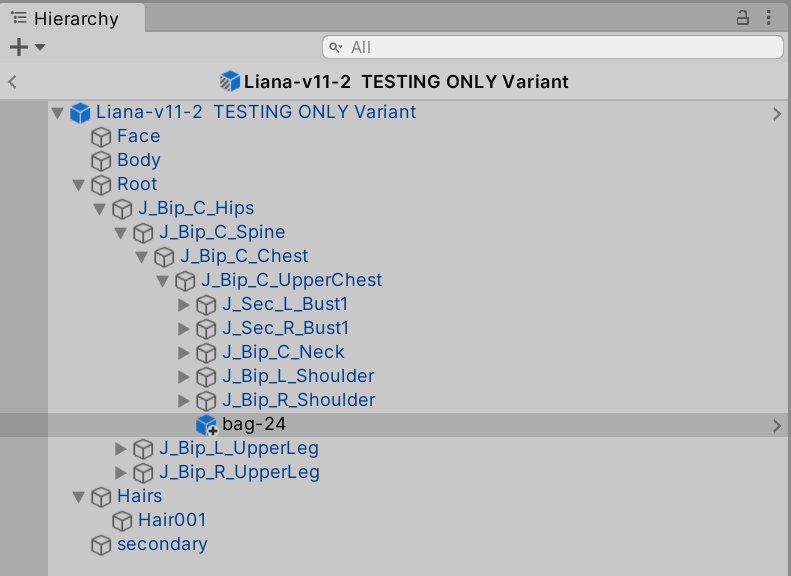
I have been exploring the new Sequences package beta for Unity for animation and one of the things it makes heavy use of was Prefab Variants. I had heard of Prefab Variants, but never really quite …
onyx plinth
onyx plinth
anyone know what the problem is, first day in unity
kinda need this to move on idk what i did wrong
followed a code flow tutorial
hybrid tinsel
honest rover
Hello, I was wondering how you would be able to match mesh colliders to animatio...
Instead of mesh colliders, use primirive colliders attached to the bones?
hybrid tinsel
onyx plinth
i turned off has exit time and transition duration
That is the problem.
You need either a condition or an exit time.
onyx plinth
hybrid tinsel
You need either a condition or an exit time.
it has a condition

no clue what this warning means
 hybrid tinsel
onyx plinth
no clue what this warning means
hybrid tinsel
onyx plinth
no clue what this warning means
It means you misspelled SetInteger
hybrid tinsel
onyx plinth
in the script?
On line 67 of PlayerMovement.cs
hybrid tinsel
onyx plinth
it has a condition
Are you sure that that warning(not error, warning) wasn't from before you added the condition?
onyx plinth

yeah it worked before
the tutorial was adding fall and jump animation

In this part, we will add more animations to our animation state machine and toggle between them using an enum.
Github repository:
https://github.com/codinginflow/2DPlatformerBeginner
🎓 Learn how to build a 2D game in Unity (beginner): https://www.youtube.com/playlist?list=PLrnPJCHvNZuCVTz6lvhR81nnaf1a-b67U
🎓 Learn how to ...
 honest rover
hybrid tinsel
Instead of mesh colliders, use primirive colliders attached to the bones?
honest rover
hybrid tinsel
Instead of mesh colliders, use primirive colliders attached to the bones?
ill give that a shot, thank you
hybrid tinsel
honest rover
ill give that a shot, thank you
honest rover
hybrid tinsel
https://docs.unity3d.com/Manual/wizard-RagdollWizard.html
that will come in handy 👌
 manic garden
Hello, does anyone know why these are greyed out? It's only letting me move them around in the animation window instead of the timeline window. This started to happen after I pressed the button to the left of the record button.
 boreal tiger
My objects are getting blurry when animations occur. They look fine otherwise
Any ideas?
charred belfry
manic garden
Hello, does anyone know why these are greyed out? It's only letting me move them...
Have you selected the object you're looking to animate?
manic garden
Yes.
reef sand
boreal tiger
My objects are getting blurry when animations occur. They look fine otherwise
Motion blur?
 balmy crow
Guys got a question. I use rigify on Blender and it works well with unity humanoid. Everything detected and assigned instantly on Unity but that's only for basic humanoid body alone.
What if I want to add more secondary rigs on to it, like hair or cloth bones, what would be the best approach for it?
Since humanoid won't be able to use them. Should I separate the animation for the secondaries?
hybrid tinsel
boreal tiger
My objects are getting blurry when animations occur. They look fine otherwise
can you be more specific?
graceful mulch
Is there any way to apply a humanoid avatar to a skeleton which only has arms?
sand meadow
reef sand
I might not be the best person for that. If the object has to warp with the bone...
That approach for the bag is great, and for some objects may work well for us... But not for clothes at all
reef sand
sand meadow
That approach for the bag is great, and for some objects may work well for us......
Yes, exactly. Only things I have heard of for clothes that needs to warp with main body is design extra meshes for the clothes in the first place (but say have a transparent texture when you don't want it visible), have a second bone setup and try to keep the two in sync (sounds like a pain!), or maybe use colliders to keep a dangling tie or necklace from going through the body. Hopefully someone knows of a better solution!
reef sand
balmy crow
Guys got a question. I use rigify on Blender and it works well with unity humano...
I used characters created by VRoid Studio (free software!). It has the main body and hair and cloth bones (all done for me - I am not a blender expert!). I use humanoid clips for the main bones, then generic clips for anything else I want to animate (e.g. facial expressions). I mainly use Timeline - I put them all on the same animation track, with avatar masks for humanoid clips I am layering (e.g. I might start with a walk clip, then add a hand wave clip with an avatar mask of upper body), and extra override tracks for the generic facial expressions clips. I found it more reliable putting them all in the one animation track as overrides as they all control the same Animator component on the character. I don't use animation state machines, but I assume the same is true there as well. They all share the one Animator component.
balmy crow
reef sand
I used characters created by VRoid Studio (free software!). It has the main body...
Thanks. So main body still use humanoid on unity yeah? 🤔
And the secondaries (cloth, hair, etc) need to use second track on timeline, no other way around seems.
Dunno much about the programming side of it since I'm the exact opposite of you; I do 3D.
But the unity engineer I work with seems to complain to have multiple animation files for one animation, for one character. Probably just lazy mf lol.
Also thanks for mentioning VRoid Studio 
this look cool af 
most likely would be very useful for making game animation portfolio or something 
 quick crypt
I was trying to use a Mixamo Rig with animations from MocapOnline.....inside the Br200 template
Idk why its not working with any other rig apart from the existing rig in that template
 balmy crow
quick crypt
I was trying to use a Mixamo Rig with animations from MocapOnline.....inside the...
balmy crow
quick crypt
I was trying to use a Mixamo Rig with animations from MocapOnline.....inside the...
bone structure need to be exact same
mixamo is bad.... baaaaadddd
quick crypt
I used a different mesh with same rig 😦 still its giving me the T pose
balmy crow
have a look at rigify on blender instead 
more work than mixamo but at least it's consistent
or autorig pro; paid plugin, works like mixamo and it got unity export
quick crypt
yeah with rigify....also idk how they get to export the Rig without the Armature parent from blender
reef sand
balmy crow
Also thanks for mentioning VRoid Studio <:what:600350095401156609>
this look c...
VRoid characters all look pretty similar, but are different enough at the same time. I am creating a cartoon, so similar is fine for me. Quite fun to use as well, if you can live with the limitations.
 quick crypt
Can I manage to make the animation to work with Humanoid idk?
reef sand
 reef sand
balmy crow
Thanks. So main body still use humanoid on unity yeah? 🤔
And the secondaries ...
reef sand
balmy crow
Thanks. So main body still use humanoid on unity yeah? 🤔
And the secondaries ...
VRoid charactesrs are exported as VRM files (gltb based), not FBX. So I use the UniVRM package to import them which sets them all up as Humanoid characters automatically.
The above screenshot is from a Timeline where I have a few humanoid clips and a generic one added.
balmy crow
reef sand
VRoid charactesrs are exported as VRM files (gltb based), not FBX. So I use the ...
hmmm so can it work with blender tho 🤔
reef sand
There is a blender extension to load them up as well.
balmy crow
cool
reef sand
LazyCat or something like that. Blender scares me! 😉
balmy crow
nah once you get used to the workflow it's not that hard
I even preferred pre blender 3x workflow
faster than autodesk IMO
reef sand
quick crypt
I was trying to use a Mixamo Rig with animations from MocapOnline.....inside the...
Are you using humanoid animation clips or trying to use generic? Generic you need identically named bone structures. Humanoid exists to solve that problem.
reef sand
balmy crow
faster than autodesk IMO
Okay! Okay! So I am lazy! 😉
balmy crow
everyone have their own specialization
I know a bit of unity here and there
but not that deep 
the engineer I work with sounds very stupid when talking about 3D characters
reef sand
quick crypt
Can I manage to make the animation to work with Humanoid idk?
Ah, just saw this one sorry. When you import the FBX file into Unity, you can change the FBX to Humanoid which will update the animation clip to be humanoid as well. Then you can apply to other humanoid characters.
balmy crow
but he's really good in unity programming
reef sand
Yes, I don't build games. I am just trying to create an animated cartoon. Not very good, but lots of fun learning how!
So lots I don't touch in Unity.
balmy crow
have you heard of this tho
https://www.unrealengine.com/en-US/metahuman

Unreal Engine
Create photorealistic digital humans, fully rigged and complete with hair and clothing, in minutes.
hybrid tinsel
graceful mulch
Is there any way to apply a humanoid avatar to a skeleton which only has arms?
have the whole skeleton(or root, spine, and arms at least) and just hide the parts you don't need
You'll need at least the heirachy leading back from the lowest piece in your structure(probably the fingertips in this case) to the root.
Ideally, you'd use a full skeleton. No reason not to since it will still be calculating the full thing.
So you can avoid any weird behaviors that way
graceful mulch
hybrid tinsel
have the whole skeleton(or root, spine, and arms at least) and just hide the par...
Thanks for the answer, I went with to skeletons now, one for the whole body and one for the arms. Work too, the only thing that bothers me, is that I have one skeleton now, where only the arms are really used while the rest is just there, but it works so yeah.
hybrid tinsel
graceful mulch
Thanks for the answer, I went with to skeletons now, one for the whole body and ...
Well, if you really didn't want the rest you can use generic rigs- but generally the arm position is relative to the spine, which is relative to the hips, etc. No humanoid motion file has arm positions for every frame.
Just rotation.
reef sand
balmy crow
have you heard of this tho
https://www.unrealengine.com/en-US/metahuman
Some of the Unreal stuff looks really good. But I have lots of Unity assets and some knowledge now, so just not willing to take the hit to explore what they are doing. Most things I hear is some areas better, some worse. There are other avatar creation tools like Ready Play Me, iClone, etc. I was after an anime feel (not realistic), so VRoid Studio suits me fine.
reef sand
graceful mulch
Thanks for the answer, I went with to skeletons now, one for the whole body and ...
Just curious - do you know about avatar masks? You can apply a mask to an animation clip so it only controls part of the body. I was confused by part of the thread, whether sometimes you want full body animation and sometimes parts of the body - that is when avatar masks are useful. But I might have misunderstood.
graceful mulch
reef sand
Just curious - do you know about avatar masks? You can apply a mask to an animat...
For explanation, I am making a multiplayer fps and I am using one whole animated body which anyone can see and only the arms which only the player can see. I am using 2 bone iks for arm and hand placement, but noticed that such stuff only works properly with an applied avatar. I dont think that avatar masks can help here, but thanks for the suggestion!
balmy crow
reef sand
Some of the Unreal stuff looks really good. But I have lots of Unity assets and ...
Not to mention unreal have weird standards and workflow. And yet it's the heaviest software I've ever use by far
But metahuman definitely something to look at if you're planning to make some sort of movie/story kind of project. All the asset are pre-set, easy to animate, etc. I didn't get the beta, some of my friends did.
 main portal
Hello.
I have a Layer in my animation controller for an humanoid Character i made.
It moves the Character into the ground when it dies.
Now i bought a nice asset with 60 Characters and all of them have a own Animation controller.
Is there a way to copy a layer and paste it into other Animation controllers?
Or do i have to copy&paste the clips one by one?


 frozen shuttle
Can I animate tilemap tiles like I can with a normal sprite?
I have a background with an ocean that shimmers, I have four "reflection" tiles with four sprites of animation each. Is there a way to tackle this without having to make a gameobject with a sprite animation and try to layer it in there 'manually'?
 midnight gyro
In my script I need position of left arm in a specific time of an animation. I was able to achieve that with Animation Events. But I have problem. Even though animations are played properly transform of left arm bone stays same for the whole time. And I don't know why, but assume that could be some beginners mistake with how I set up animation. (I'm using Mixamo animations over Synthy models) Do You know how to reflect proper position of bones during animations?
hybrid tinsel
midnight gyro
In my script I need position of left arm in a specific time of an animation. I w...
Get the position in lateUpdate so it is after the animation is evaluated for that frame?
 young oyster
its not letting apply what would otherwise be a perfectly functional animation, because "no human bone found"


but the human bones are literally there
im a bit new to 3d so
if anyone can help that would be great
sand meadow
reef sand
Yes, exactly. Only things I have heard of for clothes that needs to warp with ma...
If someone has another way to integrate what we are looking for, we’ll appreciate it a lot!
 hearty yacht
young oyster
its not letting apply what would otherwise be a perfectly functional animation, ...
hearty yacht
young oyster
its not letting apply what would otherwise be a perfectly functional animation, ...
what does the armature of the animation look like?
is it humanoid compatible?
you don't want like a complex rig, it needs to be a pretty simple bare bones armature

kinda like this
 weary forum
Is there a way to lock the layer view of the animator so that way it doesn't keep scrolling all the way to the top after each change I make in the graph?
 brisk shadow
- Any alternative to the current animator? It doesn't let me set behaviours i want, instead narrows it down to "play this, then play this", and also does blending which is uh, unnecessary for sprite animation? It's just, i have 5 overall states and 2 of them are actually animated, so maybe by the chance i can play clips without sticking into the animator?
young oyster
hearty yacht
what does the armature of the animation look like?
its a vroid model


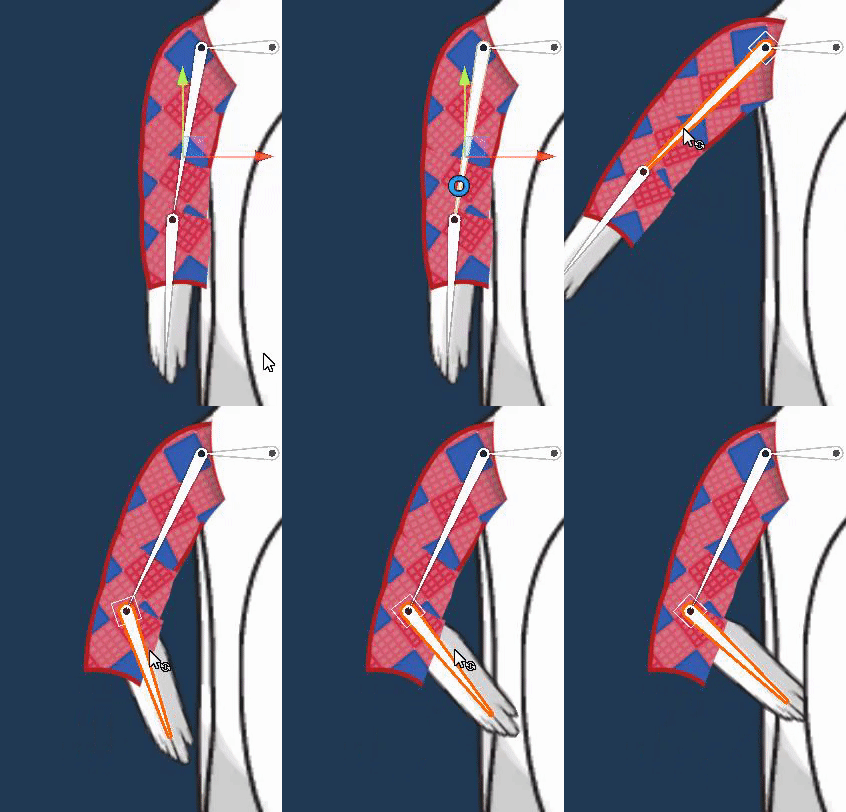
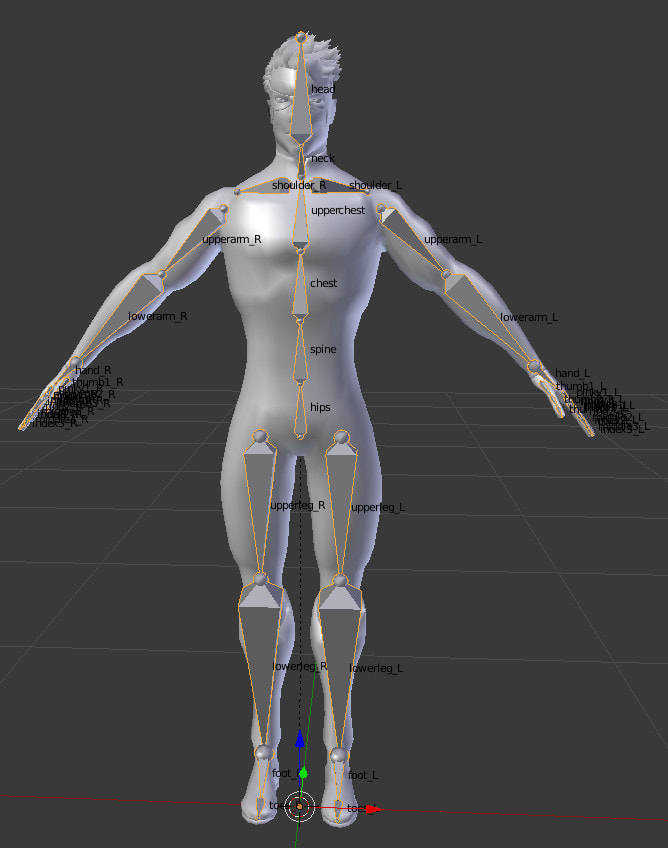
 loud nexus
 heavy mural
hi im new to animation, does anybody know why the animation doesnt play?
heavy mural
hi im new to animation, does anybody know why the animation doesnt play?
There are many reasons an animation wont play. Have you checked an animation matches the rig? i.e humanoid or generic? Thats the one that I come across often
heavy mural
I managed to get the animation working with some help
hearty yacht
young oyster
its a vroid model
not familiar with what armature they have
young oyster
its basically human with some extra bones
hearty yacht
can you screenshot the armature?
i get that its human, but it has to be setup in the right way to work with humanoid in unity
hybrid tinsel
young oyster
its not letting apply what would otherwise be a perfectly functional animation, ...
Are both rigs set to humanoid in the importer?
 covert hull
if i wanted to animate multiple objects on a character and have the ability to mix and blend them or trigger individual animations on a char while another one is running, what should I research? I am also using procedural IK on a spider robot and would like to mix in additional animations on top (radar spinning, or certain weapons opening and closing etc). I am already using finalIK and i own puppetmaster, but is there anything else I should look at or built in unity stuff I should research? Unity 2021
 stray shoal
is there any way to get the current animator controller states name? from all@the research i have done , i cant find a way to get the current controllers state name that it is in at runtime.
 steel sun
Anyone have advice for how to handle a cloaked character? A guide or just a general set of recommendations? I'm modeling/rigging/animating in blender and importing into unity. Tried wiggle bones but they seem a little odd. I also havent imported anything into unity yet nor have I ever imported a cloaked character into unity. Any tips lol?
hybrid tinsel
stray shoal
is there any way to get the current animator controller states name? from all@th...
Because there is no single state- it is an array of states(because of transitions, etc, you can have more than one clip playing). You can get the names of each state in the array with GetCurrentAnimatorClipInfo()
hybrid tinsel
covert hull
if i wanted to animate multiple objects on a character and have the ability to m...
I am unfamiliar with those assets, but if they are applied after animation there shouldn't be any problem using both.
And I'd research how animator layers work.
 dull hollow
I'm in need of some help. I have this particle that grows and once its done growing it dissolves, and i just want the particle to just grow then stay the way it is, lol sorry if it doesn’t make sense, anyone know how to stop the dissolve at the end, (doesnt have an animation and the loop is on)
stray shoal
hybrid tinsel
Because there is no single state- it is an array of states(because of transition...
but there isn’t a way to see what current animator state is playing on that layer?
and extract the name
hybrid tinsel
Well, you can get the name of the animator clip from that
 amber swallow
Hi I'm looking for some guidance. I need to make finger curling animations for a humanoid avatar (I am using the animator muscles) but when i try and use it it overrides my walking animation with the muscle test post
hybrid tinsel
amber swallow
Hi I'm looking for some guidance. I need to make finger curling animations for a...
Add it on a second layer
amber swallow
hybrid tinsel
Add it on a second layer
I did and its set to a weight of one and its putting the avatar into the test pose
hybrid tinsel
Make it additive
reef sand
amber swallow
Hi I'm looking for some guidance. I need to make finger curling animations for a...
When I do that on timeline, I use avatar masks to limit what an animation can affect - I assume its also available on state machines (I don't use them, so not 100% sure). E.g. you can have the main animation, then add an extra layer with an avatar mask of "hand only". That way it only overrides the hand.
The reason for the "test pose" is all the muscles are set to zero by your override animation. I think the only way you can update some muscles is using avatar masks.
amber swallow
K ill look into that
amber swallow
hybrid tinsel
Make it additive
Setting the layer to addative in its blending options made it not apply at all
 glad anchor
does anyone know the reason why it is just stuck in that animation that contains nothing

im clicking this to activate the thing. i am doing it right, right?

 digital pecan
How do I access and change these values in code? I'm trying to create a variant of an existing .anim, and it's not feasible to edit all the numbers manually since there are too many of them. I'd like to write a simple script to change the values according to some logic and save the result as a new .anim
 amber swallow
glad anchor
does anyone know the reason why it is just stuck in that animation that contains...
amber swallow
glad anchor
does anyone know the reason why it is just stuck in that animation that contains...
You need to add a transition back to your idle state