#🏃┃animation
1 messages · Page 4 of 1
 true osprey
 elder helm
im trying to do procedural animation and i feel like my spider looks weird, if anyone has any idea how i can make it more spider-like please tell me

 lean sage
Spiders have 8 legs
elder helm
i am aware of that
lean sage
It's pretty hard to make something with 4 legs walk like something that has 8 legs
elder helm
i have a refference soon its just loading
im following this tutorial its from codeer if anyone wondering. im trying to figure out what makes his "spider" look good but mine like a windup toy

 little sluice
elder helm
im trying to do procedural animation and i feel like my spider looks weird, if a...
little sluice
elder helm
im trying to do procedural animation and i feel like my spider looks weird, if a...
Spiders generally move really quickly and their legs arc upward much more, so maybe play around with those height settings
I'm looking to add slight staggers to existing animations for an enemy. So I want them to play their normal animations but then add some wobble to some limbs when attacked. What would be a good way of going about this?
 ebon olive
how can i create animation files like this?, lets say i wanna add a crouch animation to the starter assets controller, do i just create a regular animation or?
 elder helm
little sluice
Spiders generally move really quickly and their legs arc upward much more, so ma...
elder helm
little sluice
Spiders generally move really quickly and their legs arc upward much more, so ma...
ill try that thank you
little sluice
ebon olive
how can i create animation files like this?, lets say i wanna add a crouch anima...
Yeah those are just "Animation Clips"
ebon olive
little sluice
Yeah those are just "Animation Clips"
how can i get all the options and functionality of these clips?, a regular .anim file doesn't have the same properties?
little sluice
ebon olive
how can i get all the options and functionality of these clips?, a regular .anim...
I'm not sure if you can using the built-in Unity animation system. You may have to animate in Blender and then export as FBX to Unity
ebon olive
little sluice
I'm not sure if you can using the built-in Unity animation system. You may have ...
ty
 cinder gale
https://imgur.com/a/uuX3c5r
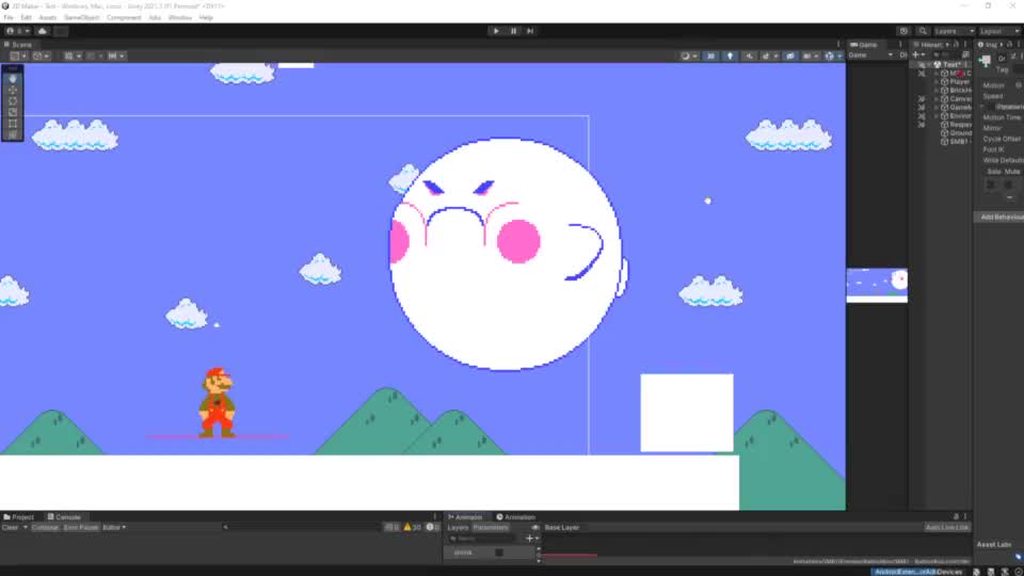
Hey there. I'm making an enemy which shrinks and grows depending on if the player looks at it. The growing and shrinking is done with animations instead of code.
The problem is that if the player switches direction before an animation is done, the enemy will immediately grow/shrink to the biggest/smallest size. Is there a way to fix it so the animation continues from the right point?
 agile solstice
cinder gale
https://imgur.com/a/uuX3c5r
Hey there. I'm making an enemy which shrinks and gro...
agile solstice
cinder gale
https://imgur.com/a/uuX3c5r
Hey there. I'm making an enemy which shrinks and gro...
You could read the normalized time of the clip right before the animation transition, and set it to one minus that value when the transition has happened
https://docs.unity3d.com/ScriptReference/AnimationState-normalizedTime.html
cinder gale
Thx!
 twin musk
elder helm
im following this tutorial its from codeer if anyone wondering. im trying to fig...
twin musk
elder helm
im following this tutorial its from codeer if anyone wondering. im trying to fig...
His model looks a lot different, taller legs
And he’s moving it faster I think
 ebon holly
This water is probably a plane with a shader, right?

given that the waveforms look so different i would have to assume so?
100% plane with a shader nvm
 hybrid tinsel
Or tiles with a shader
 dense phoenix
Folks, I think I'm misunderstanding how the Animator layers system works. I have a base layer with a bunch of running and jumping animations. Now I want to override that layer with a blocking animation on a second layer, currently set to override, with an Avatar Mask. However, when I set the blocking animation to true, the Avatar Mask doesn't seem to affect the animation (it shouldn't animate the legs, allowing the character to walk while blocking). Any ideas?


Ah, got it working, ignore me.
 strange terrace
how to make animation?
 uncut salmon
strange terrace
how to make animation?
uncut salmon
strange terrace
how to make animation?
Learning Unity isn't done by posting random questions in every channel. Take the time to actually learn before trying to make something. Do the Unity Learn tutorials pinned in#💻┃unity-talk.
strange terrace
uncut salmon
Learning Unity isn't done by posting random questions in every channel. Take the...
im sorry
 neat leaf
I need help with something
 smoky dirge
When making clothing for characters, do you have a prefab that fits all the cloths for skinned prefabs?
 glass cloak
Alright I can't be having the same problem with Animation Layers: So I have my Run/Walk/Idle/Jump animations on one layer and they all work perfectly fine. Now I'm adding another layer for upper body stuff and when that gets activated the character loses contact with the ground, as if he is not moving with his hips but moving his feet up and down. I am not using root motion with this and I have tested the collider but that doesn't seem to be the problem. Any ideas?
 jade pollen
i am making an enemy fall when it loses its health i have the code for it getting destroyed but idk how to get the animation to play before it gets destroyed i have everything for the code except for the code that plays it
 agile solstice
jade pollen
i am making an enemy fall when it loses its health i have the code for it gettin...
agile solstice
jade pollen
i am making an enemy fall when it loses its health i have the code for it gettin...
Delay the Destroy() by the animation's duration, call it from an animation event at the end of the death animation, or instantiate a "corpse" of the character in the Die() method which does nothing but play the death animation
jade pollen
ok but question whats the code to play an animation cause for partical system it is just blank.Play();
agile solstice
jade pollen
ok but question whats the code to play an animation cause for partical system it...
Animator also has a Play() method, but it skips the animator's state machine
The intended way to "set" a parameter which triggers an animation transition
That's super beginner animator stuff though, so I'm not going to walk through the process
 surreal sedge
Does anyone know what the usecases are for PrepareData and PrepareFrame? https://docs.unity3d.com/ScriptReference/Playables.PlayableBehaviour.html

 marble jolt
could an animation with lots of missing properties cause a slowdown?
they have keys if it makes any difference. Noticed our QA saw a slowdown on device for a certain animation and I'm trying to figure out why it behaves differently from our other animations
 pale cliff
hey,
what is the correct way to attach an object to a humanoid character ?
I wanna give the player a backpack , if i'm to align it correctly I would make it a child to one of his back bones , that way it would always be stuck with him.
but on the other hand, I know that unity changes all bones into gameobjects and Im worried about the consequence of adding an extra gameobject to the bones that are suppose to animate within the game a lot.
is there is a better way to do this? is parent Constraint safer ?
 wheat kraken
I have an issue where all my avatars suddenly decided to go into bicycle pose.
I could manually go into each one and reset the transform overrides on every single bone, but this is time consuming as I can't simply select the entire hierarchy because I have stuff in there I don't want to reset and for some reason there is no way to delect something after you have selected it in that menu, so I can't select all and then delselect just the few things I want to keep.
I found this code to reset to a t-pose on the forum, but it uses a method I can't find any documentation for, called Traverse().
using System.Collections.Generic;
using UnityEngine;
using UnityEditor;
using System.Linq;
public class ForceTPose
{
[MenuItem("Tools/Character/ForceT-Pose")]
static void TPose()
{
var selected = Selection.activeGameObject;
if (!selected)
return;
if (!selected.TryGetComponent<Animator>(out var animator))
return;
var skeletons=animator.avatar?.humanDescription.skeleton;
var root = animator.transform;
var tfs = root.Traverse();
var dir = new Dictionary<string, Transform>(tfs.Count());
foreach (var tf in tfs)
{
if (!dir.ContainsKey(tf.name))
dir.Add(tf.name, tf);
}
foreach (var skeleton in skeletons)
{
if (!dir.TryGetValue(skeleton.name, out var bone))
continue;
bone.localPosition = skeleton.position;
bone.localRotation = skeleton.rotation;
bone.localScale = skeleton.scale;
}
}
}```
I just need to reset all the transforms on the humanoid armature (but not any bones that are not part of the usual humanoid armature). digital lantern
did the latest update break PlayableDirector.time assignment? For like scrubbing timeline
nm, i am super dumb -_-
hybrid tinsel
pale cliff
hey,
what is the correct way to attach an object to a humanoid character ?
I wa...
As long as it is a child object that isn't itself animated there should be no problem with making it a child of an existing bone, as long as it is one of the bones in the humanoid definition.
 umbral tinsel
Rig builder doesn't seem to work well with animator.crossfade . The animations still have the same pause, but they're not blending. It just waits out the time and snaps to the next animation pose. Anyone experience this and maybe have a workaround?
umbral tinsel
I guess I don't use crossfade 😦
 simple siren
I've got a skinned mesh with some blend shapes, but timelines and animators override their values. I've tried turning off write defaults and I don't think masks are working correctly. Does anyone know what I might be doing wrong?
hybrid tinsel
simple siren
I've got a skinned mesh with some blend shapes, but timelines and animators over...
Where are you setting them? If you set them in LateUpdate that should overwrite anything the playables do. If you do it in Update then the opposite.
 narrow plank
does anybody know why my animation might work in the preview but break in-game?
theres no fancy systems its quite literally just this

but when i hit play his head like rotates 180 degrees
even though its fine in the preview
layer blending is set to override and theres no mask
the avatar doesnt change
i messed with all the animator component settings and nothing changed anything
 prime tree
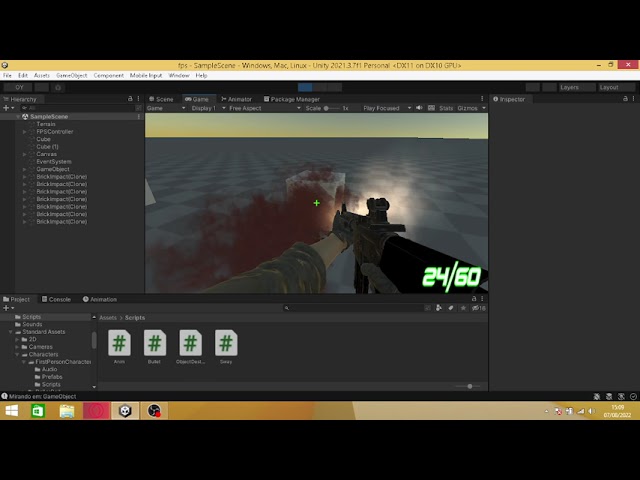
is there a way i can make my animations more "clean" ?
https://www.youtube.com/watch?v=vy1TG9yLIOo
srry for the lag, obs is crazy with me
prototype of a fps game
agile solstice
prime tree
is there a way i can make my animations more "clean" ?
https://www.youtube.com/w...
"Clean" in what sense?
 spiral pond
I need some guidance with Layer mask and blending two layer together. Short explaination :
- I have a movement layer that handle character movement for the whole body
- I have another layer to handle the character punch attack also for the whole body
=> I just want to use the punch atk layer on the upperbody and the walking on the lowerbody.
I created an Avatar Mask like the screenshot below and used it in my layer Mask. Now, the two animation are blending, but for some reason the punch attack animation is not right.

This is how the punch should look like
This is how it looks like with the upperbody mask on it
As you can see, the punch is now going sideway instead of straight ahead and I can't understand why...
This is my Layer settings for the punch attack
 spiral pond
The punch looks good when my upperbody avatar mask looks like this, but it makes the entire body follow the rotation of the punch animation..
 hybrid tinsel
That is pretty hilarious. You have both avatars correctly configured?
prime tree
agile solstice
"Clean" in what sense?
15 fps --> 60 fps
agile solstice
prime tree
15 fps --> 60 fps
Keyframed animation will always play at whatever FPS your game is running (unless Animate Physics is checked in which case they'll update with the physics cycle)
 still moss
I don't mean to seem rude but what does that have to do with #🏃┃animation?
prime tree
i think textures makes the animation look better
you're not gonna make a animation without a texture right
dang i dont get one right
where is the channel then
agile solstice
Closer than you might think
prime tree
guys can i animate 2 or more gameobjects in just 1 animator?
hybrid tinsel
prime tree
guys can i animate 2 or more gameobjects in just 1 animator?
Yes.
As long as they are all children of the same object that holds the animator.
 rugged shell
Hey, I haven't animated anything before but need to make an animation. There is this white virtual box coming out of the real box in this clip, and I'm trying to do something similar with a UI panel. https://www.youtube.com/watch?v=G0YO3mByDQE
Can someone tell me what the name of such an animation/effect would be?

Our recent R&D work brought us to a CGI graphic made by Eijun Kimura (@kuro_40) which shows AR layers building around and inside a box of Oreos. We took that inspiration to challenge ourselves to create something similar in Spark AR for Instagram. This is the full video demo of that filter which can also be found on our Instagram page for those ...
 lofty mica
Uhm, how do you animate two different actions and combine it properly
Example : Walking and Melee Attack(Spear Stab)
Do I have to make the walking animation only move using the lowerbody only and Melee Animation only move the top body?
 pulsar tundra
Hey i think Unity is getting my FBX framerates wrong

this never was a problem before when exporting from blender
it completely messes up the frame range and speed of my animations
pulsar tundra
hm this might be a blender bug
agile solstice
lofty mica
Do I have to make the walking animation only move using the lowerbody only and M...
That's one option
If the melee animations are on an override animation layer, they can replace upper body motion of the walking animation, even if the walking animation is full-body
The humanoid avatar system has some kind of animation masking feature to give more control over this process, I believe
lofty mica
agile solstice
That's one option
If the melee animations are on an override animation layer, th...
This one right?

But sometimes the mesh gets stretch in weird place
Like this HAHAHAHA
 agile solstice
lofty mica
This one right?
agile solstice
lofty mica
This one right?
Yea
I've never used the avatar system though so my knowledge is limited nonspecifically to what features there are
lofty mica
agile solstice
Yea
I've never used the avatar system though so my knowledge is limited nonspeci...
Anyways, thank you for helping out
agile solstice
lofty mica
I would assume that in this case the foot IK is nailing the feet to the floor, but shins or thighs aren't a part of that IK chain
lofty mica
agile solstice
I would assume that in this case the foot IK is nailing the feet to the floor, b...
Like in the humanoid avatar mask or the mesh rig?(i feel like its the avatar mask)
agile solstice
lofty mica
Like in the humanoid avatar mask or the mesh rig?(i feel like its the avatar mas...
Avatar system implements foot IK so I assume it's that conflicting with the layered animation somehow
lofty mica
agile solstice
Avatar system implements foot IK so I assume it's that conflicting with the laye...
What's the proper term for this so I can read/watch some tutorials
Is it Unity Avatar Mask animation or some sort
agile solstice
lofty mica
Is it Unity Avatar Mask animation or some sort
That sounds like a good thing to search for
Also I'd start by reading everything the docs have on the topic of Avatars
https://docs.unity3d.com/Manual/ConfiguringtheAvatar.html
lofty mica
agile solstice
That sounds like a good thing to search for
Also I'd start by reading everything...
Thank you for helping again, I needed this for our thesis project.
Tried to start from scratch

 crisp wagon
hey guys, i was just making a game and suddenly when i was importing animations from mixamo the animations kinda became like in the picture
I really need help asap thanks
 crisp wagon
hey guys, i was just making a game and suddenly when i was importing animations ...
crisp wagon
crisp wagon
hey guys, i was just making a game and suddenly when i was importing animations ...
it has the problem with unity or smthing because its working in 3d viewer
little sluice
rugged shell
Hey, I haven't animated anything before but need to make an animation. There is ...
I'm thinking either a shader or (the easier way) just a transparent texture mapped to a cube
little sluice
crisp wagon
hey guys, i was just making a game and suddenly when i was importing animations ...
Looks like an avatar issue. Make sure the animations are set to a humanoid avatar
crisp wagon
little sluice
Looks like an avatar issue. Make sure the animations are set to a humanoid avata...
It is
I have more animations also, like idle, walking but only walking back and sprinting has a issue
little sluice
crisp wagon
I have more animations also, like idle, walking but only walking back and sprint...
I've had this issue before when the bones in the animation doesn't line up with the bones in the avatar
crisp wagon
little sluice
I've had this issue before when the bones in the animation doesn't line up with ...
Alright bro I'll try
prime tree
hybrid tinsel
As long as they are all children of the same object that holds the animator.
k
hybrid tinsel
rugged shell
Hey, I haven't animated anything before but need to make an animation. There is ...
Cal you be more specific about exactly what you want to do with the ui panel?
rugged shell
hybrid tinsel
Cal you be more specific about exactly what you want to do with the ui panel?
So this is what I plan to do for my current AR project right now:
-
Vuforia recognizes the target
-
Vuforia starts showing the virtual cube inside the real cube
-
An animations plays of the UI panel sliding out of the virtual cube to the side of the real&virtual cube
-
Once the animation is over, the UI panel stays where it is (meaning it's not supposed to loop the animation)
-
If Vuforia loses tracking and starts tracking again, it should show the animation again as well
I haven't animated anything before, and I don't know what code to refer to so the code picks up when the target is recognized.
Completely based on this: https://www.youtube.com/watch?v=rCDEHh0eMZM
I've got everything set up already except for the animations
This image is a bit older, but that's pretty much the base right now
 hybrid tinsel
I've not messed with vuforia but as long as it has a method called when the object is recognized that should be very simple.
You probably wouldn't even need an 'animator' component for that.
Though you could of course use one.
I can't view the videos on mobile, so I can't be much more specific
 half kite
Can someone please explain to me how animator.IsInTransition(0) is TRUE while animator.GetNextAnimatorClipInfoCount(0) equals 0 ?
 reef sand
Who wants this in Unity? Type "A person walks forwards and picks up something" and voila! Animation clip! https://twitter.com/_akhaliq/status/1575650671927377920?s=58&t=8LfJh1BVrKBlOLf7gs-tNA

MDM: Human Motion Diffusion Model
abs: https://t.co/RLzq7XRr42
project page: https://t.co/k9IzPNpRFP
Likes
1689
Retweets
396
 Twitter
·
Twitter
·
 jade tendon
Hey All,
My blender animation I exported and then imported into Unity has the animation and it works, but the gun is not there?

Why is this, and what can I do to fix it?
spiral pond
I have a weird problem with my animator, I have setup a basic combo system, I have set 3 trigger (punch1, punch2, punch3) which I trigger depending of the number of click the player is making.
The transition between punch1 and punch2 is the trigger punch2, same deal for punch2 to punch3.
There are no condition from any punch toward the Fist idle.
The punch1 trigger works fine, but when the player is triggering punch2, it's the transition between punch1 and Fist idle that is being fire. I can see the trigger for punch2 happening but it never goes to punch2...
Can this be a timing issue ?

I should mention that the trigger for punch2 and punch3 are a method called in an animation frame
This is the code that triggers it :
private void Update()
{
    if (Input.GetMouseButton(1) && (playerState.playerWeaponState == PlayerWeaponState.Aiming || playerState.playerWeaponState == PlayerWeaponState.Attacking))//playerState.playerMovingState == PlayerMovingState.Idle)
    {
        if (Time.time - lastClickTime > comboDelay)
        {
            numClicks = 0;
        }
        IdleActive();
        if (Input.GetMouseButtonDown(0))
        {
            lastClickTime = Time.time;
            numClicks += 1;
            if (numClicks == 1)
            {
                networkAnimator.animator.ResetTrigger("punch1");
                networkAnimator.animator.ResetTrigger("punch2");
                networkAnimator.animator.ResetTrigger("punch3");
                networkAnimator.SetTrigger("punch1");
            }
            numClicks = Mathf.Clamp(numClicks, 0, 3);
        }
    }
    else
    {
        networkAnimator.animator.SetBool("MeleeFistIdle", false);
        IdleInactive();
    }
}


public void ComboPunchTransition1()
{
    if (numClicks >= 2)
    {
        networkAnimator.animator.ResetTrigger("punch1");
        networkAnimator.SetTrigger("punch2");
    }
}

public void ComboPunchTransition2()
{
    if (numClicks >= 3)
    {
        networkAnimator.animator.ResetTrigger("punch2");
        networkAnimator.SetTrigger("punch3");
    }
}
Did you make this scene? It looks nice
lofty mica
What do you call this type of animation? like the animation in the fps camera is you only the see your hands and weapon but the other player's perspective is that they can see the whole 3d model? Like the animation in the fps camera is different from the other's perspective


I want to try to implement in our game if it's doable
 charred belfry
lofty mica
What do you call this type of animation? like the animation in the fps camera is...
charred belfry
lofty mica
What do you call this type of animation? like the animation in the fps camera is...
"view model animation" comes into my mind. Often they're animated separately.
narrow plank
hey guys, up until now my understanding of the animation system within unity has been very rudimentary but now I'm trying to build a more complex third person game and wish to try and understand what blend trees and state machines are and how they are meant to be used. I've been going through the documentation, though it doesn't really put it in specific terms of how I'm meant to apply this in the kinda game I'm trying to make, and I wanted to ask you guys if you knew of a good resource that would be able to do that. I tend to learn better by doing, I've never really been one to watch videos to learn how to do things but i should probably try to change that here.
The specific thing that prompted this was when I realised that when aiming, I want to be able to have the legs move independantly of the body, when the camera has rotated far enough for the torso to not be able to twist any further. At the moment, I have a script that I'm using to twist the player's body to look at something, i'm just not sure how to animate the legs independently if the torso twists enough.
if the best solution really is to just read the documentation then i can power through it
this is kinda the extent of my understanding of the animation system

and then ive just been lerping the character's rotation to face the direction they move
which may suffice outside of aiming, but when the camera then goes over-the-shoulder the cracks start to show
also does anybody know why mixamo animation consistantly look wrong
i've tried messing with like every parameter and it always looks wrong
especially the left leg every time
it seems it always tries to keep the torso upright
cinder gale
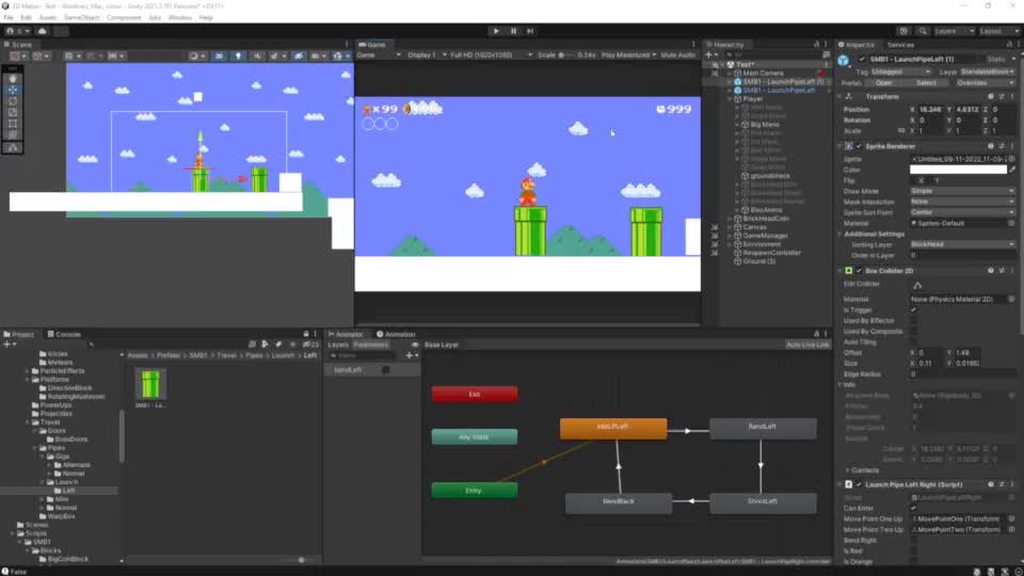
Hello. I'm making a fanmade Mario game. I remade Launch Pipes which launch the player when entered. It does all work, but whenever make a copy of it and try to use that one, the player animation does not seem to play. But whenever I then delete the original, it does work. In the attached video you can see it in action.
I also attached a picture of the transition from entering the pipe to the 'player launch animation'. The transition does not seem to work for the copied pipe on which a bool is attached. However, a Debug.Log() says it IS true.
Could anyone tell me what might be going on? Feel free to ping on reply 🙂

 rustic pebble
 twin musk
someone know how I can rotate my animation so he is looking straight?
jade tendon
twin musk
someone know how I can rotate my animation so he is looking straight?
Hey there. Are you using an Avatar Mask?
jade tendon
lofty mica
What do you call this type of animation? like the animation in the fps camera is...
Hi DaBonky - I am on the same journey. I want to create a MP game in FPS but I want an entire model to be there. Let me know what you find if you ever get an answer
jade tendon
twin musk
Did you make this scene? It looks nice
I didn't. I got this of the Asset store just as a test env. It's really well done though.
twin musk
Ah alright
 mellow zealot
Hi all
I'm wondering if its possible with the animation rigging package, to restrict the rotation of bones on certain axes using any of the constraints there?
I have a robot character with a complicated joint setup, and won't be able to animate it without limiting/locking some axes
 empty wing
hello i have a pull back animation and a cast animation for my fishing rod and im trying to make the cast animation start from where the pullback animation is. does anyone know how im supposed to do this
 agile kernel
mellow zealot
Hi all
I'm wondering if its possible with the animation rigging package, to rest...
agile kernel
mellow zealot
Hi all
I'm wondering if its possible with the animation rigging package, to rest...
I noticed animation rigging was not bending the elbow backwards so maybe it uses the restrictions of character joints.
hybrid tinsel
jade tendon
Hey All,
My blender animation I exported and then imported into Unity has the ...
The animation is just pose information, it doesn't add models if you apply it to a different character. You need to add a gun to whatever character you are using.
hybrid tinsel
twin musk
someone know how I can rotate my animation so he is looking straight?
Change the rotation offset in the animation, or use inverse kinematics.
hybrid tinsel
lofty mica
What do you call this type of animation? like the animation in the fps camera is...
Literally just use different animations and model for the character the client is controlling. It depends on the multiplayer setup you are using but all of them have a way to tell if an object is 'yours' or 'someone else's.'
hybrid tinsel
mellow zealot
Hi all
I'm wondering if its possible with the animation rigging package, to rest...
The constraints it comes with don't support that but you can write your own constraints.
jade tendon
hybrid tinsel
The animation is just pose information, it doesn't add models if you apply it to...
Can you elaborate just so I understand?
I think you're saying because my character is just a walking model with no gun in hand when I apply the animation he does not recognize that my modeled blender FBX file has a gun in hand?
But it's modeled as part of the fbx file, no? so shouldn't it show up with no mesh on it?
mellow zealot
hybrid tinsel
The constraints it comes with don't support that but you can write your own cons...
i might take a look at that, thank you
hybrid tinsel
jade tendon
Can you elaborate just so I understand?
I think you're saying because my charac...
You can enable import of non-humanoid transforms but they will have no model attached to them and won't be retargeted.
jade tendon
hybrid tinsel
You can enable import of non-humanoid transforms but they will have no model att...
So because I changed rig from generic (had my rifle) and to humanoid and try to apply the animation to my humanoid player mesh with no gun - There is no mapping for "gun" am I understanding this?
 uneven laurel
I'm having trouble with my jump animation
so, its a 2d platformer
and when I jump, the bool IsJumping gets set to true, then immediatly back to false
what is going on?
jade tendon
@uneven laurel Do you have a duration set on the animation it self?
I have found this was my issue when I had a similar problem
uneven laurel
How do I see the duration? you mean the sample time?


the bool is whats broken
if I press space again after im in the air, it gets set to IsJUmping and stays
is it something to do with a collider still being in it when it gets set to true?
if so, I can't find it
hello?
bruh
hybrid tinsel
jade tendon
So because I changed rig from generic (had my rifle) and to humanoid and try to ...
Humanoid animation only includes humanoid transforms unless you set it to import additional transforms in the importer
hybrid tinsel
uneven laurel
bruh
Saying 'bruh' never has ever fucking helped someone get help.
hybrid tinsel
uneven laurel
I'm having trouble with my jump animation
No you aren't. You are having trouble with your code.
You haven't shown us your code, so we can't tell you how to fix it.
uneven laurel
    {
        animator.SetBool("IsJumping", false);
    }``````        if (Input.GetButtonDown("Jump"))
        {
            jump = true;
            animator.SetBool("IsJumping", true);
}``` hybrid tinsel
Well, you don't show how it determines that it is landing, which is where the problem is. You also are just setting true any time they push the button without testing whether you CAN jump.
uneven laurel
hybrid tinsel
Well, you don't show how it determines that it is landing, which is where the pr...
wdym ik whether I can jump or not
it checks if im on something with the tag ground
i mean layer
not tag
hybrid tinsel
uneven laurel
wdym ik whether I can jump or not
I mean that it just sets jumping to true when you hit the jump button, whether it is in the air already or not.
And your OnLanding() is useless to show because that isn't where the bug is.
The bug is that it thinks you're on the ground when you shouldn't be. So the code that checks for that is what you need to look at.
jade tendon
@uneven laurel I agree with @hybrid tinsel . Your issue is that you have not seemed to declare what "OnLanding". Furthermore you are using OnButtonDown so if it's not down the next frame and you are reassigning it to false somewhere we can't see like in the update function then that would be why
uneven laurel
could I maybe make it so that IsJumping can't be unset for a few ticks, making it so whatever is happening won't happen
jade tendon
@hybrid tinsel may have more experience in Unity than myself - however I would suggest 2 options.
- Write your own custom cool down timer
- Set a fix duration on jumping along side with your physics so when you hit the ground it's perfectly timed with your gravity to then let you jump again and it look natrually
uneven laurel
well, im not making it so you can hold jump to jump right when you land
so that shouldn't be a problem
jade tendon
@uneven laurel That's okay. Either option could still work. My explanation for my second example was just giving an instance oh how you could make it work
uneven laurel
ok
I see
so im gonna make a coroutine so that I can set a bool canStopJumping to true after some amount of time
probably a second
or half
I don't think I need a coroutine
actually
nvm
how do I make an animation not repeat?
yay it work nw
hybrid tinsel
uneven laurel
public UnityEvent OnLandEvent;
That has to be defined somewhere. Unity doesn't have a concept of 'landing.'
uneven laurel
yes
here

I added something to it
ignore the && playermovement.canStopJumping
ok
I back at the beginning
why do I feel like there is a much more simple way of doing this
hybrid tinsel
because you're doing everything backwards.
You'll want to change wasGrounded after you do your checks
 dire tartan
Hello guys! I need some help!
So crouching animation has been added to the character (Its rough and needs some work, but thats the easy one)
However camera doesnt transform position with crouching, and when i tried doing it the first time, the character would fall through the world, as the collider would shrink and go below the floor.
3D animation and character controller is difficult lmao
 umbral herald
Hello, I would like some advice from you guys since you have more seniority :D. I'm currently doing a main menu, and I'm stuck at transitioning (animations). I'm trying to do an animated menu but whenever I try to leave MainMenu to enter OptionsMenu for example, I'm not sure how to do it, and using Animation Event is unusable (at least I think so) because of the uncertainty (to which menu should it jump)... any ideas how I should workoround this?
 iron kettle
Question: when I do automatic weight paint in blender it looks like this how can I make it smoother?
 iron kettle
Question: when I do automatic weight paint in blender it looks like this how can...
iron kettle
iron kettle
Question: when I do automatic weight paint in blender it looks like this how can...
Fixed it, had to delete inside faces of the tracks and merge the whole mesh by distance :D
 bright chasm
Can anybody tell me what setting is necessary to immediately trigger the transition to this animation? With the default settings it will finish the previous animation first. Playing around with the settings it only resulted in the new animation not playing at all
 agile solstice
bright chasm
Can anybody tell me what setting is necessary to immediately trigger the transit...
agile solstice
bright chasm
Can anybody tell me what setting is necessary to immediately trigger the transit...
"Has Exit Time" means transition will happen automatically
bright chasm
agile solstice
"Has Exit Time" means transition will happen automatically
what I tried to achieve by that is that the left hand dismembered animation is played completely before the animator returns to the running animation
agile solstice
bright chasm
what I tried to achieve by that is that the left hand dismembered animation is p...
Any State won't work with that
You'll have to chain those states if you want them to play in order
bright chasm
agile solstice
Any State won't work with that
You'll have to chain those states if you want the...
Thank you, that solved it
hybrid tinsel
iron kettle
Question: when I do automatic weight paint in blender it looks like this how can...
It feels like making it smoother might not look as good if they are supposed to be solid pieces
iron kettle
hybrid tinsel
It feels like making it smoother might not look as good if they are supposed to ...
I want to make them with textures that move so it should be one full mesh
umbral herald
I'm having problems with animating in the menu. I have a hierarchy like this. MainMenu has an animator that moves all the children (title, and the buttons) but then, I have another animator just for the buttons but it seems like they aren't working anymore when they are specified in the mainMenu animator, any ideas how to get around this? I tried somehow combine the animators, didn't help
 spiral pond
I still have a problem with this issue #🏃┃animation message
Anyone know why two animation blended using avatar mask can interfer with one another when they shouldn't ?
I have discovered that if I enable or disable the root in the humanoid avatar mask for the upper body, it either fix the punch animation + weird walking animation or fix the walking animation + weird punch animation..
umbral herald
Idk if I have the same problem as you, both of my animations access SCALE of the same object and only one of them works (tested that by changing the GO name)
spiral pond
umbral herald
Idk if I have the same problem as you, both of my animations access SCALE of the...
What do you mean by scale ? like the scale of the object where the animation is being used ?
Or the scale factor ?
umbral herald
yep, like in the above picture with the hierarchy, I acces the "PlayButton" transform scale, (animating menu) and after the animation is done, I have an animation for the buttons (they vibrate n stuff) and they access the same scale... so it doesn't work
funnily enough, changing Image Color and Text Color work tho

only the scale doesn't
spiral pond
Hmm yeah, I don't think I have the same issue then yes
umbral herald
that's a bummer :/
spiral pond
Yeah but that's okay 🙂 it happen, I think my issue is probably related to the animation itself. When I am not setting the root in the humanoid avatar, it mess up the animation
spiral pond
I found my issue but I haven't figure how to solve it, I am using a Mixamo animation (punching) and it seems that the root is set inside the Hip bone... this is messing with my avatar mask.
I tried to use the transform instead but it seems to be ignored ? for example I have unchecked bone in the transform and left the humanoid par all green, it still play the animation.
Does the humanoid override the transform in the avatar mask ?
half kite
Is it possible to set the animator to a state partially blended into the second state using the api? I'm trying to switch an entity rendered using DrawMeshInstancedIndirect and animated with a special shader with a standard GameObject+Animator character at runtime. It works flawlessly when NOT in a transition but I'm having hard time restoring the animator state when the switch happens in a transition. I need to precisely recreate a particular crossfaded state between two animations. I tried messing with CrossFade and the normalizedTransitionTime parameter but it's not giving me the expected results.
spiral pond
So my question now is this one : Did anyone used Mixamo animation here and managed to change the root bone from the hip to be at the feet instead ?
hybrid tinsel
spiral pond
So my question now is this one : Did anyone used Mixamo animation here and manag...
The root bone of mixamo rigs IS the hips. You can't change that in unity, and you shouldn't have to usually- the root transform is still projected on the ground.

For your avatar mask problem, that's trickier.
do you NEEd the hip animation in the avatar mask?
spiral pond
I don't think I do need it, right now it's the one messing with the mask
hybrid tinsel
Show your avatar mask?
spiral pond


I tried to use the transform and just set the bone I want to be used for my punch animation but the transform seems to be ignored
hybrid tinsel
That green circle is the root
It should be disabled for animations that you want to mask the root mmotion off of
(the 'shadow' under the feet)
spiral pond
When I disable it, it alter my punch animation, it's the only part of the humanoid in avatar mask that actually interfer with it
I am not 100% sure how to explain it
hybrid tinsel
Honestly, you'll probably want to edit the animation externally.
spiral pond
You can see the difference in those two video actually
spiral pond
hybrid tinsel
Honestly, you'll probably want to edit the animation externally.
Like outside unity ?
hybrid tinsel
Yes.
spiral pond
Yeah well, there is a reason why I am using Mixamo animations 😅
Is it something that happen a lot with different animation or this is really something located with Mixamo ?
Here is a better view of it
 merry abyss
Hi, so until now i have been using a still image for my character, i have imported a sprite sheet, sliced it up and used it instead but for some reason it gets offset to the bottom right. The animation is playing just fine. Does anyone know how to fix this?

 hybrid tinsel
I haven't used mixamo much and usually use ground root, personally.
hybrid tinsel
merry abyss
Hi, so until now i have been using a still image for my character, i have import...
Is the entire object being offset or just the sprite? Is the collider in the correct spot?
Is your pivot in the right place on all the sprite frames?
spiral pond
hybrid tinsel
I haven't used mixamo much and usually use ground root, personally.
So it would possibly be a thing to move the root to the feet for a mixamo animation in blender ?
merry abyss
hybrid tinsel
Is your pivot in the right place on all the sprite frames?
Where do i check the pivot?
hybrid tinsel
In the sprite editor
hybrid tinsel
spiral pond
So it would possibly be a thing to move the root to the feet for a mixamo animat...
I don't use blender but presumably
 round flicker
I'm trying to animate a Button being pressed in Unity.
I want the button to be able to be pressed Partially as well, meaning I need to set it to an In-between frame somehow when i need it. Basically my question is,
Is it better to use 2 animations with 1 keyframe each. 1 for unpressed pose and other for pressed pose, and then add them into a blend tree
OR
Should i add both keyframes (pressed and unpressed) in the same animation and use animation["MyAnimation"].time = desired_play_time; to interpolate to my wanted partial press
for context:
I am animating / setting up an Quest 2 controller rig / animator in unity
hybrid tinsel
round flicker
*for context:
I am animating / setting up an Quest 2 controller rig / animator i...
For your purposes I'm guessing that the partial press is some sort of xr physics interaction? Normally I'd suggest lerping it based on the input, but you that you might want to just use a physics joint.
round flicker
hybrid tinsel
For your purposes I'm guessing that the partial press is some sort of xr physics...
ah no no
I basically want the controller models to be attached to players hands
and I want to make sure the controller is animated so that it mirrors whatever button the player presses irl
im setting up my controller models for that purpose
hybrid tinsel
I'd personally use the blend tree option then.
Assuming you want a linear mapping between the real button and the animated one
round flicker
I was also inclined towards that, just wanted to make sure if its a sensible thing to have 2 animations both with only a single keyframe in them
round flicker
hybrid tinsel
Assuming you want a linear mapping between the real button and the animated one
Yup!
hybrid tinsel
The only real reason to use the time remapping option would be if you wanted some sort of nonlinear mapping.
round flicker
I see. Understood
So blend trees aren't capable of any other sort of mapping?
like a custom curve or something?
just asking for curiousity sake
hybrid tinsel
They are, but less intuitively.
round flicker
understood
hybrid tinsel
You can feed whatever input you want into a blend, but it wouldn't be part of the blend.
round flicker
Thanks a bunch!
hybrid tinsel
So you'd basically be going through all the steps for the time remap anyway.
round flicker
ah
think i understand >.<
today is my first day working with the unity animator component
watched a whole but load of tutorials trying to gather understanding, trying to apply now
I'm assuming Each button on the controller would be on its own animation layer
hybrid tinsel
Basically, the main benefit of the blend tree approach is that is is incredibly simple. If you are going to be adding the complexity of nonlinear curves then you might as well just do it as an animation.
round flicker
and each animation layer would have its own blend tree to blend between the pressed and unpressed state
hybrid tinsel
Yeah, set to additive
hybrid tinsel
There is no single 'correct way, in this case.'
Just various ways with different pros and cons.
The blend tree method will also help in this case if you implement the joystick.
round flicker
That's what makes it difficult to choose a method for me :P
hybrid tinsel
Since you can just natively use a 2d blend tree.
round flicker
hybrid tinsel
The blend tree method will also help in this case if you implement the joystick.
Oh yeah
hybrid tinsel
That's part of why I suggested it.
round flicker
makes sense!
thank you :-)
Probably a very noob question but..
I made an animation for the unpressed state

Simply added a keyframe for rotation in the default position
I then created a new animation for the Pressed state
But I can't add a property there without selecting an object..
and as soon as I select the object I want to animate, it automatically switches back to the unpressed state animation
:<
agile solstice
round flicker
and as soon as I select the object I want to animate, it automatically switches ...
Select the object, choose pressed animation clip from the dropdown menu of animation window
If it's not there, the clip is not included in the gameobject's animator and you can add it by drag&dropping the "pressed" animation clip asset into the animator or onto the gameobject
round flicker
Yup! got it working, i did something different though,
In the timeline, i opened the dropdown where it says "Q2 Left Trigger Unpressed" and selected "Create new Clip"
I think it effectively did the same thing as you said though
Whilst on this topic.. I am currently animating the left controller, would it in theory be possible for Unity to just automatically mirror this onto the right controller
or am i going to have to do it manually
agile solstice
round flicker
I think it effectively did the same thing as you said though
Yes
agile solstice
round flicker
Whilst on this topic.. I am currently animating the left controller, would it in...
Iirc if you click on an animation state there's an option to mirror it, but I don't think I've ever used it
https://docs.unity3d.com/ScriptReference/Animations.AnimatorState-mirror.html
It might only mirror armatures with a perfectly symmetrical layout, but worth a try
Another option could be to negatively scale gameobject containing mesh renderer and animator, as long as they're separated from colliders and other scale-dependent components
round flicker
In play mode, the model won't update when adjusting the values in the upper tab?
 mellow zealot
round flicker
Whilst on this topic.. I am currently animating the left controller, would it in...
mellow zealot
round flicker
Whilst on this topic.. I am currently animating the left controller, would it in...
iirc, only humanoid animators can be mirrored properly. not sure if other animators can
round flicker
hybrid tinsel
Yeah, set to additive
Oddly enough...
It seems to be working on Override
Instead of Additive
I have no idea why
hybrid tinsel
agile solstice
Iirc if you click on an animation state there's an option to mirror it, but I do...
Mirror is for mecanim humanoid only.
round flicker
Some research leads me to this post, though im not sure if I should bother with the solution since Override is working fine for now
https://forum.unity.com/threads/additive-animations-not-working.419382/
Unity Forum
Hey Guys,
I'm currently trying to add additive animations to my character. I've two animations:
- Idle (Base Layer)
- Hold weapon (Additive layer)...
hybrid tinsel
round flicker
Some research leads me to this post, though im not sure if I should bother with ...
You can use override, though you might need to set avatar masks for it to work with more than one button at once.
round flicker
okay, will look into it
spiral pond
Welp I tried another unity asset of punch but still that same root issue...
cinder gale
Hey guys! I'm using a trigger to go from one animation to another. The trigger only gets called once, but it stays 'checked' instead of getting unchecked after the animation is over
Any way this can be fixed?
hybrid tinsel
cinder gale
Hey guys! I'm using a trigger to go from one animation to another. The trigger o...
It shouldn't be affected by animation ending- triggers are consumed by transitions.
 high apex
hello! I'm following a tutorial, and on their animations menu theres a small arrow plus that lets them add a variable. Mine doesn't have this, am I using an outdated version? The one i'm currently using is the recommended 2021 version. Thanks!
 spiral pond
high apex
hello! I'm following a tutorial, and on their animations menu theres a small arr...
spiral pond
high apex
hello! I'm following a tutorial, and on their animations menu theres a small arr...
Is your screenshot from your tutorial or your editor ?
 rose spire
If im animating a child of a prefab, and im transforming POS. Its making my character stay in place, Should I only anim the Arms and Item? Or the whole model
spiral pond
cinder gale
Hey guys! I'm using a trigger to go from one animation to another. The trigger o...
This usually happen when your state is not being fired
I am guessing you have :
[state1] -> [state2]
   V
[state3]
In which state1 -> state2 is your trigger and state1 -> state3 is another condition (or none) with a has exit time ?
rose spire
I fixed it, turns out locking ur pos in animator is not smart.
Is there an easier way to learn animation/scripting
than rigging bones in unity
just not sure which direction to go in
spiral pond
rose spire
Is there an easier way to learn animation/scripting
How do you mean ?
rose spire
i wish i knew
spiral pond
I don't know how to make animations, I mean I have just done it a little bit in unity for super small things but in general I am downloading them and using script to play them
 tulip fjord
So when Unity crashes, it not only discards unsaved scenes but also discards recently created animations?
I can deal with a scene crashing and being discarded but a literal hour of animations I just made were all fucking deleted on crash

agile solstice
tulip fjord
So when Unity crashes, it not only discards unsaved scenes but also discards rec...
Changes to assets like prefabs, animation clips and animators are passed from memory to disk only when saving a scene or using "save project" option in file menu, and additionally when the asset is created
 random lichen
Can anyone help me out with this?
I have an animation set in a blendstate for this AI character. For some reason it seems to be having some kind of rubberbanding going on. My guess is that its the animation resetting back a little bit which is causing that rubberbanding. How could I go about fixing this?
 swift monolith
How can I let the animation finish playing before starting again because the condition is still true
 agile solstice
swift monolith
How can I let the animation finish playing before starting again because the con...
agile solstice
swift monolith
How can I let the animation finish playing before starting again because the con...
Disable "can transition to self" I would assume
 calm oasis
Asking for a way to get better in animating bones.
-
If been trying to animate characters using bones but the animations arent coming out smooth.
-
If tried searching it on youtube but i cant find much about actually getting my animation smooth.
-
So i am asking for tips or advise when animating with bones in unity 2d, even links to videos should do.
We are mostly talking about walk cycles and edge grab animations.
half kite
Does anyone know if its possible, using the API, to put the animator at a specific time in the middle of a transition between two states?
cinder gale
Is it possible to set a trigger to 'unchecked' manually?
half kite
triggers uncheck themselves automatically
cinder gale
Yes but is it possible to do it by code somehow? Just curious
half kite
I'm not sure. I seem to remember something vaguely about triggers actually being bools but I think my mind is playing tricks on me.
you could always replace your trigger with a bool
and use a StateMachineBehavior to make it work like a trigger
cinder gale
Thx
Also to answer your question. This might help.
I had that question earlier but Spazi send me this
You could read the normalized time of the clip right before the animation transition, and set it to one minus that value when the transition has happened
https://docs.unity3d.com/ScriptReference/AnimationState-normalizedTime.html
IDK if that can help, but thanks for your help 🙂
 hollow willow
So I got a 3d multiplayer fps project with animations... I was wondering if it was possible to force animations to change mid play, my model waits till the walking anim is done before switching to running or attacking but I want it to do it right away
 hexed nimbus
So, my humanoid rig is not animating. Every time I add an animation to my humanoid rig, it doesn't do anything at all. The only way it works is to set the rig to "generic".
I made the animation and exported it using Blender.
Any way to fix this?
tulip fjord
agile solstice
Changes to assets like prefabs, animation clips and animators are passed from me...
sheeeeeeeeeit okay, thanks (again) Spazi for the clarification lol
Thank you for clarifying. I thought 'assets' were saved to the asset database on changes; I thought the only manual saving required was for scenes
Noted for the future
hexed nimbus
Um, I still need help.
tulip fjord
hexed nimbus
Any way to fix this?
Sounds like the fix is to set it to "generic"
hexed nimbus
I don't want it set to generic, though.
tulip fjord
I'm just saying - if setting it to generic causes your animations to work, then what is the need for it to be Humanoid?
hexed nimbus
Testing out importing animations for potential humanoid rigs that may come in the future.
(And also creating VRChat avatars.)
tulip fjord
Then likely your humanoid rig isn't properly set up
hexed nimbus
I've set it up with everything I could. No errors.
When I imported the .FBX animation file from Blender, the first thing I did was set the fbx file to Humanoid. It worked for that specific rig, but as soon as I extracted the animation clip from the prefab and used a different rig in the preview, my character was stuck in a T-Pose.
Not even the Unity model works.
...Still there?
tulip fjord
Sorry eatin dinner gimme a sec
fair note Im not the most familiar with rigs these are just educated guesses lol
I dont work with Humanoid rigs, only generic
It could possibly be because the other rig isn't configured correctly or the avatar settings are wrong... but like I said I'm not the most familiar. If you put the model in a scene, attach an animator, and try to play the animation with that animator you might find your issue
hexed nimbus
Nevermind, I got it. Thanks anyway.
half kite
@cinder gale How would that recreate a transition in progress? I'm trying to switch entities (rendered with DrawMeshInstancedIndirect and an animation shader, so they have no game objects) with a gameobject based ragdoll when I need physics interactions. Matching the animation in progress works fine but when a transition is in progress I don't know how to recreate that state where two animations states are "blended". I tried calling Animator.Play() to set the source animation and then the target animation with Animator.CrossFadeInFixedTime hoping the NormalizedTransitionTime parameter would allow setting the transition to a specific time but its not working as I had hoped
 hybrid dome
anyone know if it's possible to assign an avatar mask directly to an animation clip instead of the .FBX that it came in?
If I assign an avatar mask to the FBX, it applies the mask to all animations inside the FBX
and I don't want to use the Animator since I'm using Animancer
hybrid dome
nvm i was wrong, each animation within the FBX gets assigned a different avatar mask
 nova hedge
why doesn't my animation loop in game/play mode? help
 hybrid tinsel
swift monolith
How can I let the animation finish playing before starting again because the con...
hybrid tinsel
swift monolith
How can I let the animation finish playing before starting again because the con...
That animator is kinda a nightmare- why does everything pass through any state?
hybrid tinsel
nova hedge
why doesn't my animation loop in game/play mode? help
The start and end frames you have selected don't match each other, so you can set the time to loop but it won't be smooth.
hybrid tinsel
hollow willow
So I got a 3d multiplayer fps project with animations... I was wondering if it w...
If you have 'has exit time' checked on the transition it will wait. If you don't, then it won't.
hybrid tinsel
calm oasis
Asking for a way to get better in animating bones.
- If been trying to animate ...
Can you give any examples of animations where you're having trouble? 'Smooth' is unfortunately not very descriptive here. You mean that you're getting a low framerate? That the curves aren't smooth? That you're getting pauses/speedups?
hybrid tinsel
cinder gale
Is it possible to set a trigger to 'unchecked' manually?
Yes. Just set it to 'false'.
calm oasis
hybrid tinsel
Can you give any examples of animations where you're having trouble? 'Smooth' is...
Animation feels more like loose hinges then an Animation.
hybrid tinsel
calm oasis
Animation feels more like loose hinges then an Animation.
Can you show an example? It is really hard to critique your animation from a text description 😛
calm oasis
hybrid tinsel
Can you show an example? It is really hard to critique your animation from a tex...
Sorry i am on phone currently.
I have this tho.
calm oasis
hybrid tinsel
Can you show an example? It is really hard to critique your animation from a tex...
hybrid tinsel
You probably need some body motion, at the very least. You probably want to adjust the curves for the keys so that the tangents are smoothed between the beginning at the end
Probably should add smaller movements to the body parts like the legs, so that everything isn't fully synced up
calm oasis
More time between the frames too?
hybrid tinsel
Not necessarily.
But right now it looks like the legs, the wings, the head are all exactly in sync
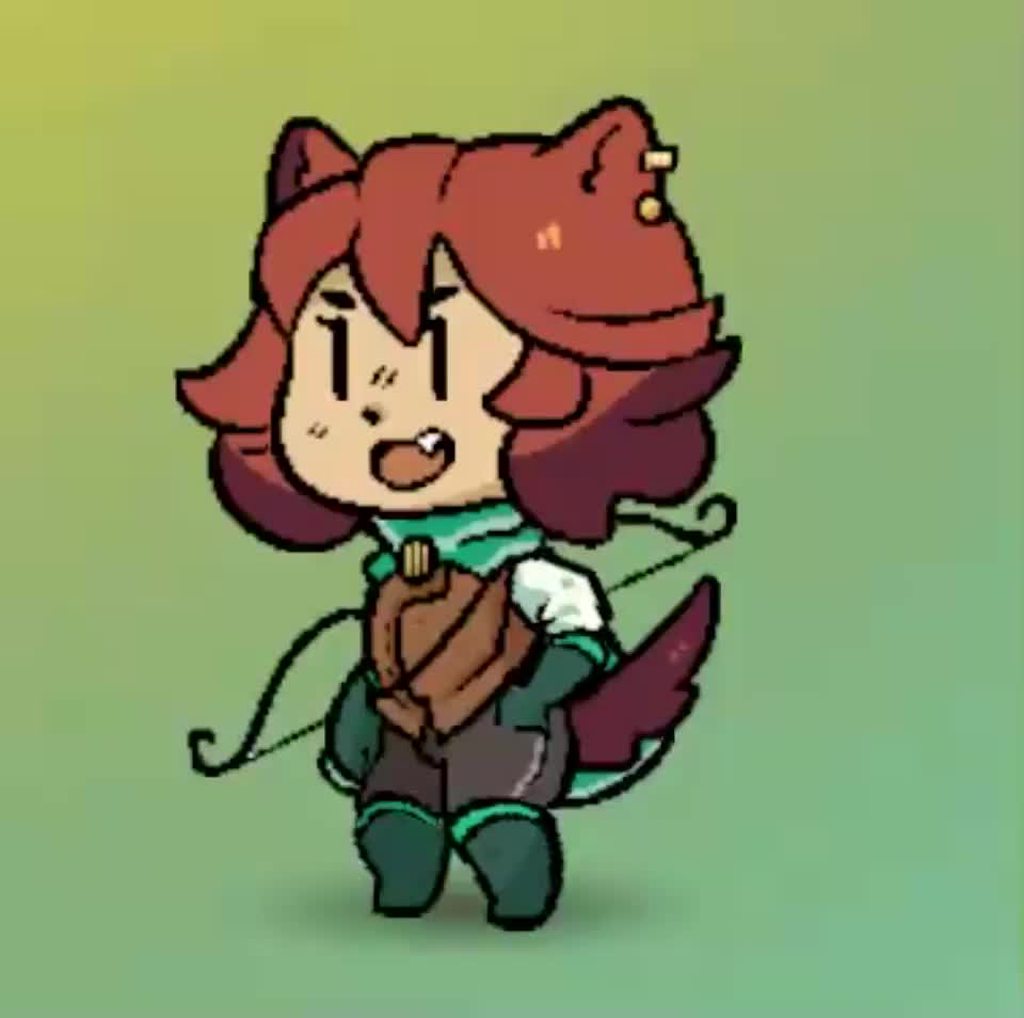
You can see here, how for instance the tail, ears, and face are on a different timing than the body
calm oasis
Ah. Alright then!
hollow willow
hybrid tinsel
If you have 'has exit time' checked on the transition it will wait. If you don't...
Thank you very much, you're a whole life saver. I hate working on animations/graphics as it's not my strong suit so I wasn't accustomed to the default settings.
hollow willow
Sorry for the messages, cat was walking on keyboard
twin musk
Someone know why he isnt animated? the avatar is assigned into the Player and the model is also on the player
 flat root
twin musk
Someone know why he isnt animated? the avatar is assigned into the Player and th...
flat root
twin musk
Someone know why he isnt animated? the avatar is assigned into the Player and th...
disable the second animator maybe
twin musk
flat root
disable the second animator maybe
doesnt work
flat root
twin musk
doesnt work
did you setup the avatar properly, verify all of the bones are properly setup
twin musk
flat root
did you setup the avatar properly, verify all of the bones are properly setup
I got it
flat root
twin musk
I got it
wat was issue
twin musk
flat root
wat was issue
It wasnt part of the animation rigging
 twilit swift
if im making a 2d rigged animation should the player sprite be set on single, multiple or polygon setting?
 static fossil
IDK where to put this but I am having a problem with my inspector tab. I want to get into the rigging tab for my model but It just doesn't show. is it a bug? or am I doing something wrong?
 hybrid tinsel
twilit swift
if im making a 2d rigged animation should the player sprite be set on single, mu...
hybrid tinsel
twilit swift
if im making a 2d rigged animation should the player sprite be set on single, mu...
Usually multiple. But that isn't universal, just most common.
hybrid tinsel
static fossil
IDK where to put this but I am having a problem with my inspector tab. I want to...
The rigging tab is in the importer, which is visible in the inspector for the file. Not the in-scene game object.
static fossil
ok I got it now thank you
 vague mauve
does Unity's AnimationCurve have anything like this where you can set the curve to keep going in the same direction instead of flatting out
 hybrid tinsel
vague mauve
does Unity's AnimationCurve have anything like this where you can set the curve ...
hybrid tinsel
vague mauve
does Unity's AnimationCurve have anything like this where you can set the curve ...
Not exactly
vague mauve
oh too bad, looks like I'll have to settle for defining the line with two floats instead
hybrid tinsel
Well, you can evaluate a curve any way you want
You just can't set pre/post extrapolation in the curve editor
 fathom sandal
https://gyazo.com/6b016d669c9ebe5dfe5c0e7f5410cda4
why are my attachement not following my char ?

 clear current
Hi im not sure where this question belongs maybe here or particles? But i want to create some sort of effect like pokemon when you do an attack it shows a custom effect? Like a bite animtion over the person its attacking how do i do that, i dont no where to start
agile solstice
clear current
Hi im not sure where this question belongs maybe here or particles? But i want t...
Particle systems can be "instantiated" as gameobjects to make them appear where needed
 languid cypress
hi guys, i have an issue in my animation..
when i release the movement key, the player character stops walking (which is good) but the walking animation doesn't interrupt and stills running until it ends.. (like 0.40 sec) and it's pretty annoying..
any idea?
hybrid tinsel
languid cypress
hi guys, i have an issue in my animation..
when i release the movement key, the ...
You probably have an exit time on the run>idle transition.
hybrid tinsel
fathom sandal
https://gyazo.com/6b016d669c9ebe5dfe5c0e7f5410cda4
why are my attachement not ...
are the attachments children of the bone transforms?
 fathom sandal
@hybrid tinselaye solved it 👍
hybrid tinsel
 snow wadi
https://www.youtube.com/watch?v=xQrACMILDVQ
snow wadi
https://www.youtube.com/watch?v=xQrACMILDVQ
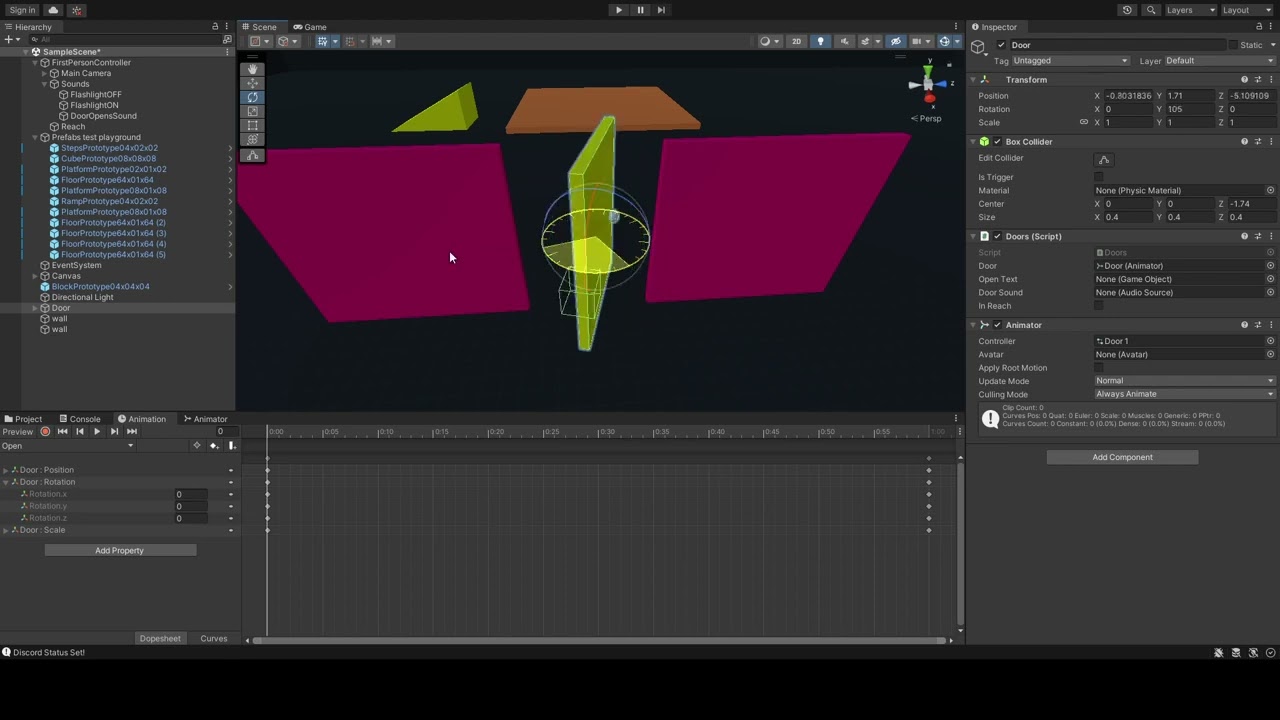
Create a parent object at the pivot point you want, or use probuilder to change the pivot of the mesh.
snow wadi
my door is not closing now 😦
hybrid dome
i have a humanoid animation and rig, but the model has too many bones in it.
the animation wont play correctly because there is no bone inside the rig that quite matches the bone that should be animated. is there a way to treat multiple bones as one?
hybrid dome
does anyone know why my humanoid character (blue guy) is crossing his hands in this animation? the animation and rigs are all humanoid. the sample rig that came with the .fbx animation applies the animation correctly.
even Unity's auto character exhibits the same issue.
https://imgur.com/a/1V9Li0V
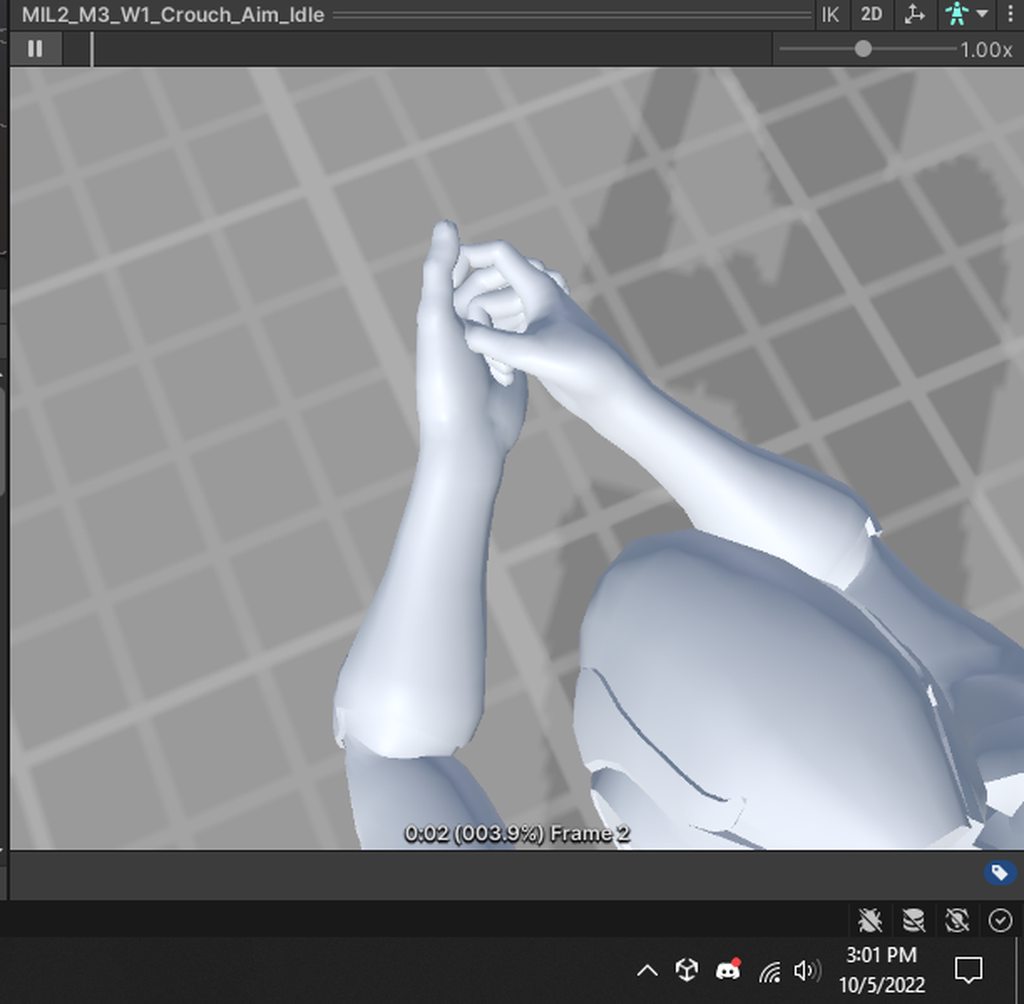
it's not IK because disabling IK in the avatar mask still shows the same issue
ebon holly
What is the style of animation called when an object is squished and stretched around rather than changing the art?
https://gyazo.com/2f14e4f15c190efcfc5ef7af50499601.mp4 This is an example of what I am talking about. So the idle animation is literally changing the pixels of the sprite, but the jump doesn't look like anything more than a single frame + squishing / stretching.
Is there like a term for this I can google to find tutorials?
It looks like a really easy way for indie devs to add more animation without having to worry about adding frames.
hybrid tinsel
hybrid dome
the animation wont play correctly because there is no bone inside the rig that q...
Combine them in your animation software?
hybrid dome
i bought them from a pack since i dont know how to use anim software :). but it's ok, turns out that wasn't the issue
 keen citrus
heyo, I'm doing some animation in Maya, I baked the animation but there are some interframe blending which causes sharp movement in between the frames, is there any solution to this? When I import it into unity this is the result i get


the fishing rod in certain frames leaves the hand, i have been informed that it might be because of the amount of bones i have in the character, if there is any other explanations or further explanation on the bones solution please feel free to explain more! Thanks (please @ me if you reply to this thanks!)
 mighty lake
hybrid tinsel
Not necessarily.
mighty lake
hybrid tinsel
Not necessarily.
what did u use to animate this, im trying to get into pixel art and animations
hybrid tinsel
keen citrus
the fishing rod in certain frames leaves the hand, i have been informed that it ...
Are you animating the rod independently, or is it a child of the hand bone?
hybrid tinsel
mighty lake
what did u use to animate this, im trying to get into pixel art and animations
That was just normal unity animation
mighty lake
splendid
keen citrus
hybrid tinsel
Are you animating the rod independently, or is it a child of the hand bone?
The fishing rod has a parent constraint to a a nurb curve. I keyframed the nurb curves, yes it is animated independently, its not a child of the hand 👍
hybrid tinsel
keen citrus
The fishing rod has a parent constraint to a a nurb curve. I keyframed the nurb ...
Well there is your problem.
keen citrus
hybrid tinsel
Well there is your problem.
can you explain?
hybrid tinsel
Well, at least, that is why it isn't following the hand properly. Not sure about your keyframe import problem; I've not used Maya files.
keen citrus
hybrid tinsel
Well, at least, that is why it isn't following the hand properly. Not sure about...
the fishing rod in maya is following the hand when the animation is played

it just has frame issues when exported to an FBX and imported into Unity, but thanks for putting out some probable solutions 👍
hybrid tinsel
Yeah, but they aren't actually connected in any way; you're probably getting keyframe reduction errors that end up with the body animating differently from the prop. And if you are using a humanoid rig, you might be having issues with extra bones.
keen citrus
im not using a humanoid rig, if the animation is baked onto the bones, will it still have keyframe reduction errors? because i do bake the animation before i export it
do you suggest that i should probably connect the fishing rod bones to the main skeleton? or just connect it with a parent?
hybrid tinsel
I'd just have it be the child of the hand bone. That way, no matter what ways the animation gets mangled the rod will be attached to it
narrow plank
Hey guys so I've got this really strange approach to having my characters look at people, essentially I'm doing it programmatically with a script that's using the jobs system to do a bunch of smoothing and such, the script is here: https://gdl.space/lihuhexawi.cs
The only problem is, these are humanoid avatars, and i want to use things such as idle animations at the same time. I tried going through and removing the animation properties that seemed to correlate with the parts of the rig that I wanted to control programmatically, and now they all say that they're at 0 rotation, yet I still can't use the code to alter those parts. As soon as I turn off the animator, the script works as expected.
How would you guys suggest I approach this? I get that my method is fairly unconventional, I assumed it would be okay as long as I used the jobs system to help it run smoother. I tried setting the animators to additive, and that totally ruined them. They go into this weird floating position and the animation curves get added onto them, instead of what I would expect it to do.
this is what the transforms list looks like in the inspector

sorry to interrupt
hybrid tinsel
mighty lake
splendid
Thanks 😄 It isn't pixel animation, of course, though I did use a shader to preserve the pixel-y look a little better.
mighty lake
Im tryna capture the same style as soul knight
keen citrus
hybrid tinsel
I'd just have it be the child of the hand bone. That way, no matter what ways th...
i see, ill check it out after i do that thanks 👍
hybrid tinsel
narrow plank
Hey guys so I've got this really strange approach to having my characters look a...
Er... if you're using mecanim humanoids, why not just use the built-in look IK mecanim has?
narrow plank
honestly, not sure
i felt like I'd know the system better if I made it myself
this is with VRMs so I did see the script i just didnt know if it was what I needed
hybrid tinsel
narrow plank
i felt like I'd know the system better if I made it myself
Are you going to reinvent the wheel next time you need to drive to work? 😛
narrow plank
fair fair, i just saw that it was called "Look At Head" and assume it only handled head movement
still kinda wish there was an easy way to add onto animators instead of having them overwrite everything
ill experiment with the included scripts
hybrid tinsel
narrow plank
fair fair, i just saw that it was called "Look At Head" and assume it only handl...
You can set weights for the head, body, and eyes
narrow plank
mmm
hybrid tinsel
narrow plank
still kinda wish there was an easy way to add onto animators instead of having t...
Use LateUpdate
narrow plank
oh good point
forgot it existed
although
actually nevermind not although
the thing is this script I wrote also controls the spine and chest and such
so while it may look a bit jankier i think itll make my life a tiny easier
uh lateupdate is not working lmao
they just twitchin now
hybrid tinsel
I've not done anything with jobs
narrow plank
i suppose its because of the lerping
and every time the position gets reset so ill have to cache it
hybrid tinsel
But it really feels like you are going insanely far to avoid using the built in system, OR the official unity generic IK system
narrow plank
actually yeah nah this kinda falls apart
narrow plank
hybrid tinsel
But it really feels like you are going insanely far to avoid using the built in ...
tbh i tried looking up the generic IK system and did not understand it at all
like the documentation made me think that unity didn't have a generic IK system at all besides the foot IK stuff
and that you had to go buy one from the asset store
hybrid tinsel
...did you look at the manual?
hybrid tinsel
...it's like two lines of code. You literally plumbed deep into the experimental depths of the jobs system
to avoid that
narrow plank
well i'd used that before and also wanted to know how to use it in terms of transforms
is it 2 lines of code?
looking at the manual it really feels like its a lot more
and you need to have a good understanding of what does what
hybrid tinsel
animator.SetLookAtWeight(1);
animator.SetLookAtPosition(position);
narrow plank
what does the weight do
hybrid tinsel
It sets the weight of the IK from no effect to full effect.
narrow plank
so is an IK like a thing rather than a system
hybrid tinsel
Humanoid IK is part of mecanim for humanoid avatars.
narrow plank
i dont think i know what IK in unity even does
hybrid tinsel
public void SetLookAtWeight(float weight, float bodyWeight = 0.0f, float headWeight = 1.0f, float eyesWeight = 0.0f, float clampWeight = 0.5f); is the full thing; it allows you to set weights for the head, eyes, and torso.
hybrid tinsel
narrow plank
i dont think i know what IK in unity even does
That seems like a bigger problem
narrow plank
i know generally what IK means
or rather what you use it for
like the animation system in general honestly is really confusing to me
hybrid tinsel
narrow plank
yeah im on that page
keen citrus
hybrid tinsel
I'd just have it be the child of the hand bone. That way, no matter what ways th...
thanks for your help! it worked 👍
narrow plank
hybrid tinsel
animator.SetLookAtWeight(1);
animator.SetLookAtPosition(position);
oh so this first line you only need to call once right
oh SetLookAtWeight
okay it doesnt seem to do anything
oh wrong function
hmmmmmmmmm
its creepier than what my code was doing
cos its mostly the head moving and like locked onto the position of the player but I can just lerp the vector3 I feed it
thank you for bringing it to my attention
hybrid tinsel
narrow plank
cos its mostly the head moving and like locked onto the position of the player b...
Typically, you'd set the weights of head and body to get a more natural result.
narrow plank
yeah i may try giving that a shot
 serene wraith
im starting to animate my 32x32 tank but ive never animated before. i was wondering what the best way is to make an animation of the tracks moving forward

 wraith jackal
how do i lock the transform of something in an animation?
wraith jackal
nevermind i got it
narrow plank
hybrid tinsel
Typically, you'd set the weights of head and body to get a more natural result.
hang on sorry, but i can't do this with SetLookAt because it doesn't give me the ability to alter the body parts
SetIKPosition and SetIKRotation do
so am I expected to manually calculate the rotation needed for everything
i guess ill adjust my old code to work with SetIKRotation then
nevermind 
guess theres literally no way
narrow plank
serene wraith
im starting to animate my 32x32 tank but ive never animated before. i was wonder...
im not an animator but surely you can do some kinda alternating colours pattern for the treads that move around in a way that communicates movement
narrow plank
okay my code got 1000x more complicated but it now layers on top of the animator
the only thing is now the main thread has to do a lot of variable setting with quaternion lists
i hope that doesnt have huge performance ramifications
narrow plank
nevermind its not actually adding the position on top of the animator rather overwriting it entirely
 green oriole
mbz offtopic but i have clicked on something and i dont see whole naimation onlz a timeframe

i only see the lenght
i should see model with my animation
but i clicked on something in the i nspector and i dont see it anynmore
 meager cargo
Hi everyone! I had a question about some graphics/animations for a new 2D game I am working on and I hope this is the right channel to ask in! I am working on a 2d game that is similar in gameplay to something like Darkest Dungeon except I want my characters to have an inventory screen where they can swap out gear with new items and equipment and I would need the character models to represent that. For example there will be a few different gun options and I need to set it up so that when you equip a character with a different gun, the character would start holding that new gun and all of the animations would update to be with that gun. I had a hard time doing something like this for a few reasons and it sort of relates to how I was using assets I guess? So I downloaded this asset (https://assetstore.unity.com/packages/2d/characters/futuristic-urban-mercenary-135996) and I saw it was made in Spriter and the animations were all different sprites. In order to update the armor or weapons I would have to modify the sprites in spriter and then make a new prefab and this would require a new prefab for every possible combo which wouldn't be feasible. I saw tutorials where there was pixel arts where they overlaid a different set of pixel colors on top of the existing art, but idk if that would work with what I am trying to do since I didn't want a pixel art style. I saw other assets where the characters were setup with different slots ona skeleton mesh I guess(?) and in the code they'd just overwrite that slot with a different equipment but I wasn't sure how to set that up with some asset I would be creating or downloading.
In regards to actually finding / making assets - I am a programmer not an artist so I was trying to find assets I could use, unfortunately I wasn't able to find anything that I liked. I found these guns which I LOVE (https://assetstore.unity.com/packages/2d/textures-materials/2d-guns-sci-fi-63853), but I can't find any good models that would fit them.

Elevate your workflow with the Futuristic Urban Mercenary asset from overcrafted. Find this & more Characters on the Unity Asset Store.
I investigated different ways to make assets like using Mixamo and then a 3d -> 2d conversion tool. And investigated taking some other skeleton and applying different stuff over top. Either way, I am kind of getting stuck on how to do this and after researching for a while I haven't been able to make any progress and would appreciate all the help I can get. Thank You!!
 gray rune
So I'm not sure if I am asking this in the right section I just need to be pointed in the right direction.
I'm trying to setup a system where my AI, go to a location (Vector3) on a NavMesh, use/interact an object, and then move on to whatever else it needs to do.
My question is, I need the AI to play an animation interacting with said object, like sitting on a chair, or using an atm.
Where do I start?
I was thinking that the actual game object store the avaliable animations that can be used on it, and all the ai would have to do would be to walk over to it.
umbral herald
Hey, running into a problem with animation, at the start of the animation (menu whooshes from the side to the main camera to be visible) and scales from 0.35 to 1... but after the animation finishes, somehow the menu position stays intact but the scale goes back to 0.35... I tried tagging them, then via stateMachine changing the scale manually
foreach (Transform button in animator.transform) {
            if (button.tag == "MenuButtons") {
                button.localScale = new Vector3(1f, 1f, 1f);
            }
        }
but when I added a debug log, it siad the scale already is 1, even though the inspector shows the scale to be 0.35, any ideas on how to solve this please?
hybrid tinsel
narrow plank
hang on sorry, but i can't do this with SetLookAt because it doesn't give me the...
What do you mean by 'alter the body parts' here? And the stream of conciousness shit is getting old.
hybrid tinsel
gray rune
So I'm not sure if I am asking this in the right section I just need to be point...
Thete are a few options. Unity pit out a video about how that exact sort of thing was done in the game ghost of a tale, using timelines for each interaction, which is basically the method you suggested.
hybrid tinsel
narrow plank
guess theres literally no way
What the fuck do you need to do that is so fancy that Mecanim can't handle it?
@narrow plank https://i.imgur.com/7PvNdAH.mp4
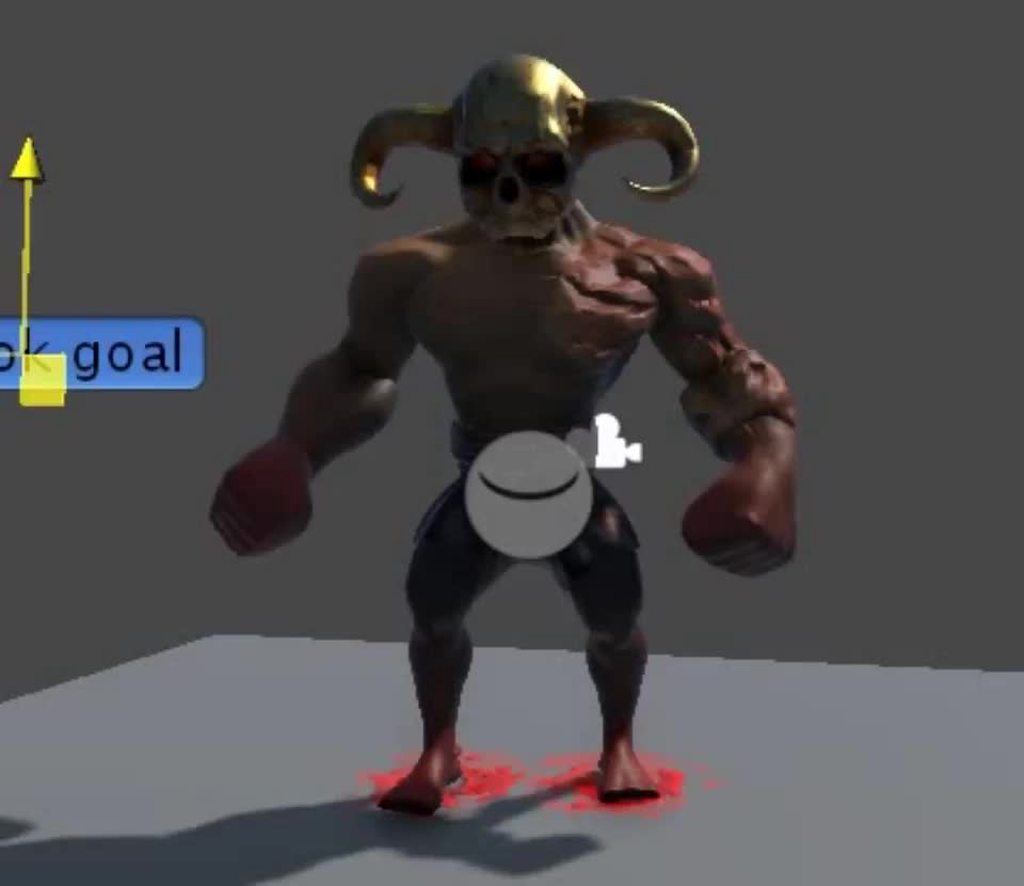
That is those two lines of code at work. I slightly exaggerated the body motion; usually I'd keep it lower and the head higher.
gray rune
hybrid tinsel
Thete are a few options. Unity pit out a video about how that exact sort of thin...
Do you have a link by chance?
reef sand
gray rune
I was thinking that the actual game object store the avaliable animations that c...
You can define a state machine to link animation clips up … is that what you are after? https://docs.unity3d.com/Manual/AnimationStateMachines.html
meager cargo
meager cargo
Hi everyone! I had a question about some graphics/animations for a new 2D game I...
I'd appreciate it if anyone could give me any guidance on my question above, thank you!
hybrid tinsel
gray rune
Do you have a link by chance?
I don't, and am on my phone right now so can't hunt for it, but I believe it was on either the unity youtube or the unity blog.
Might've been GDC
hybrid tinsel
meager cargo
I'd appreciate it if anyone could give me any guidance on my question above, tha...
Instead of just 'bumping' that word vomit of a post, try breaking it down into individual questions that can actually be answered?
There are a bunch of possible options for swappable equipment, but it depends on the game. I'm on mobile at the moment so can't look at the asset links but generally you don't want spritesheet animation for that sort of thing- you want puppet or skeletal animation based assets.
My usual approach, if there are a limited number of variations, is just to include all weapons in the rig and disable the ones I'm not using. You can do it dynamically at runtime if you have some large number of arbitrary equipment pieces. You can also use a sprite resolver, but I kinda think the sprite resolver is garbage.
gray rune
How do I handle clothign for animation?
I want my AI to have different clothing. But I'm not sure how to go about it
Ad with that said, I'm assuming I should also cop0 up my mesh into parts so I can hide certain parts of the body so flesh isn't clipping through clothing
 slow hearth
uhmm hello im trying to export the animation that i made in blender into unity and the animation in the unity is not the same in the blender how do i fix it?
hybrid tinsel
<@&502884371011731486>
hybrid tinsel
slow hearth
uhmm hello im trying to export the animation that i made in blender into unity a...
LEarning to take proper screencaptures might be a good start.
 proud idol
!warn @full mesa Don't post promotional links
 dusk valeBOT
 Dr.Carvalho#2557 has been warned.
hybrid tinsel
We can't really see much of what is going on, but a few common things are to ensure that all transforms and modifiers are baked before export
clear current
I need help any idea's why in my preview the image is correct but when i press play on the animator its red and has some sort of background

I dont understand

 limpid shard
Can someone please explain to me what the bake into pose for the root motion does exactly? And what actually is root motion? Just keyframes on the root bone right ? Why does a animation with its motion node set to None still moves the root, even if the root node on the avatar is selected as none as well.
agile solstice
limpid shard
Can someone please explain to me what the bake into pose for the root motion doe...
Root motion essentially means converting root bone's keyframe motion into the whole gameobject's motion
The specific settings I don't know about
reef sand
clear current
I need help any idea's why in my preview the image is correct but when i press p...
I don't understand how the inspector renders things, but I often have inspector not working but scene working since moving to HDRP. Inspector preview and scene window seem to use different rendering pipeline or something? My guess is the material "alpha cutoff" or similar is not right for the rendering pipeline you are using.
reef sand
limpid shard
Can someone please explain to me what the bake into pose for the root motion doe...
I think... animations effectively move bones etc around, then when the clip stops it can go back to the default. Root motion is where the overall animated character position is moved (it stays at new location after the clip). This is useful when chaining animation clips, having a character run around etc. Many animation clips for walk etc move all the bones, but its like walking on the spot (the character root position does not change by default due to all the bone animations) - a separate animated property moves the character at a speed consistent with the animation of bones (e.g. so foot hits the ground and does not skate). Baking the root animation into the animation moves all the points in the animation clip (all the bones) so the root position of the character game object does not change - all the bones are being moved forwards inside the animation clip instead. If you do that with a walk animation the character will move forwards one cycle then jump back to the start point at the end of the cycle. I have not found that useful myself. Hopefully that kinda makes sense...
limpid shard
I was hoping for more in depth answers. Like how is root motion transformed when baked? In what space? Whats the point if the Animator.root.T and Q keyframes that unity adds. Why is there difference between humanoid and generic root .otion interpolation? Why cant we query root motion from a humanoid animation? Stuff like that
 forest delta
Hello friends, there is a problem in all of my animations.
https://gyazo.com/8a317730761ed23d293d96b157de77ff
This is a hang at the end of the animation, but a problem I had when I exported it to unity as fbx. Animations don't get stuck in Granny viewer and it's no problem.
 gray rune
Should I be exporting my AI human mesh as one fbx, or export all the submeshes for clothing, body parts, etc as their own thing and "rebuild" the mesh in unity via scripts and what not?
This is what I have going on right now
 reef sand
gray rune
Should I be exporting my AI human mesh as one fbx, or export all the submeshes f...
reef sand
gray rune
Should I be exporting my AI human mesh as one fbx, or export all the submeshes f...
Are you going to use weight painting etc to attach skin and clothes to the bones? If so I would export it all together as getting clothes and skin to follow bones consistently sounds hard if they are separated too much…
gray rune
I have
So I exported the entire thing with all the clothing
My new issue is trying to change to color of the clothing in game via script
Or more accurately, changing the color of a material in a skinned mesh renderer without affecting other AI using the same material
reef sand
Smarter people than I might know how to reliably change material textures at runtime. I personally just export multiple versions of same character and flip the whole character.
gray rune
See I would do that
But I need like... 1000s at a time
Crowd simulation and all that
reef sand
Oh, the last bit, materials are shared assets on disk. You might need a custom shader then change the shader settings per character.
Hmmm. No. Shader values will be in material
I think you might need multiple materials and plug in different ones into skinned mesh renderer
Hopefully someone smarter has a better idea
gray rune
I'll try #💻┃code-beginner since it fits better i suppose
 pliant epoch
|UNITY| i'm using avatar mask to get 2 animations working, a running animation and an animation where my character has his hands behind his back holding a sword but when i try to run it displays only the animation where the hands are behind his back and his legs aren't moving even though i made a different Layer in the animation for the animation where the hands are behind his back and it's the only one playing the legs aren't moving. the avatar mask i used for the animation with his hands behind his back is like this : head, arms and torso are checked and also ik of the arms anyone got a clue?
also the running animation plays in the animator
but it's not showing in the game
only the one where the character's hands are behind his back


 hybrid tinsel
limpid shard
Can someone please explain to me what the bake into pose for the root motion doe...
hybrid tinsel
limpid shard
Can someone please explain to me what the bake into pose for the root motion doe...
Ok, that's a lot and I'm on mobile so gonna deal with one thing at a time. (Also I'm cooking)
Bake into pose takes the motion of the selected axis of the root node and removes it, converting the animation to be 'in place.' It saves the removed motion to root motion channels that scripts can use to get the correct velocity of the animation.
Root motion in general is the concept of just animating the object with correct motion rather than(for instance) creating a walk cycle at the origin that you then use a script to move.
hybrid tinsel
limpid shard
Can someone please explain to me what the bake into pose for the root motion doe...
You have it kind of backwards with the 'why does the root still move;' the root will move however it is animated to, UNLESS you bake the motion.
Technically speaking root motion doesn't need bones at all. You could also just animate the actual root transform of the animator and root motion will work(common for projectiles and other simple objects)
hybrid tinsel
limpid shard
I was hoping for more in depth answers. Like how is root motion transformed when...
What sort of query do you mean?
By default, when baking a humanoid the actual motion of the root is projected onto the xz plane to get the 'root transform.' You can bake y axis as well if you want.
snow wadi
I can someone help me
my doors are broken
if i let the animation end and then close it
it is ok
but if click to open and then click in middle of animation it breaks like this
https://www.youtube.com/watch?v=qj7EuAXwmpE

 oblique jacinth
What unit is used for the Animator properties in an animation curve. Radians? They definitely dont seem to be degrees

And im not quite sure they are radians either
 gritty bloom
why does my character default to this position?
 limpid shard
hybrid tinsel
What sort of query do you mean?
limpid shard
hybrid tinsel
What sort of query do you mean?
So just to confirm. The baking options will convert the root motion animation into a "in place one" and store the motion in the special animator keyframes that have the little icons right? Cause we are doing that and the whole character is still being offset by the motion. We are building a motion matching system and if the animation does not have root motion we dont get correct trajectory and velocity data, but after we extrapolate that data we drive our character kinematically and handle root motion by script, but for some reason the Animator keeps applying the original root keyframes to the generic rig no mather what we do.
reef sand
gritty bloom
why does my character default to this position?
That weird hunched position is the default for humanoid animation (aka "muscles"). Muscles go from -1 to +1, and that position is all muscles at value 0. (No idea why there is the separate T-position rig.)
hybrid tinsel
snow wadi
I can someone help me
my doors are broken
if i let the animation end and then cl...
You give no information about how your doors are set up, so for all we know it is gremlins breaking it.
hybrid tinsel
oblique jacinth
What unit is used for the Animator properties in an animation curve. Radians? Th...
It depends on the type of curve. Humanoid muscle rotations are -1 to +1.
 viral dragon
does anyone know how I can see what animation is currently playing in a blend tree?
hybrid tinsel
limpid shard
So just to confirm. The baking options will convert the root motion animation in...
Do you have the right root node selected?
And did you turn 'use root motion' on?
Because that will use the curves OR the actual root motion.
(and you can add root motion curves to an object directly that way)
limpid shard
hybrid tinsel
Do you have the right root node selected?
I think so. The animation has keyframes on a object called reference that holds all the other bones. So it goes reference->hips etc.
hybrid tinsel
You want the item that actually has the movement keyframes on it.
Usually the hips
limpid shard
That "reference" bone does have xz movement keyframes on it. So we should consider that the root motion correct? The hips bone does not seem to displace much in the xz
 graceful mulch
Is there any way to make animations, which for example switch a sprite renderer to a specific sprite than can be changed in code?
snow wadi
hybrid tinsel
You give no information about how your doors are set up, so for all we know it i...
I have this script
using System.Collections;
using System.Collections.Generic;
using UnityEngine;

public class AdvancedDoors : MonoBehaviour
{

    public Animator door;

    private bool inReach;
    private bool doorisOpen;
    private bool doorisClosed;
    public bool locked;
    public bool unlocked;


    void OnTriggerEnter(Collider other)
    {
        if (other.gameObject.tag == "Reach" && doorisClosed)
        {
            inReach = true; ;
        }

        if (other.gameObject.tag == "Reach" && doorisOpen)
        {
            inReach = true;
        }
    }

    void OnTriggerExit(Collider other)
    {
        if (other.gameObject.tag == "Reach")
        {
            inReach = false;
        }
    }

    void Start()
    {
        inReach = false;
        doorisClosed = true;
        doorisOpen = false;
    }


    void Update()
    {
        if (doorisClosed)
        {
            Debug.Log("Hello");
        }

        if (inReach && Input.GetButtonDown("Interact"))
        {
            locked = false;
            StartCoroutine(unlockDoor());
        }

        if (inReach && doorisClosed && unlocked && Input.GetButtonDown("Interact"))
        {
            door.SetBool("Open", true);
            door.SetBool("Closed", false);
            doorisOpen = true;
            doorisClosed = false;
        }

        else if (inReach && doorisOpen && unlocked && Input.GetButtonDown("Interact"))
        {
            door.SetBool("Open", false);
            door.SetBool("Closed", true);
            doorisClosed = true;
            doorisOpen = false;
        }

    }

    IEnumerator unlockDoor()
    {
        yield return new WaitForSeconds(.05f);
        {
            unlocked = true;
        }
    }
}
And then animated the door object

there it has door idle
door open
and door closed

and used a animator
created two bools
"Open"
"Closed"
In transitions ticked off "Has Exit Time" and "Fixed Duration"
And applied root motion
and i also took off loop time
gritty bloom
reef sand
That weird hunched position is the default for humanoid animation (aka "muscles"...
Huh. Interesting. Ty
 austere scaffold
hi sorry
i made a bunch of animations and don't really know how to link 'em up
i tryed the trigger||(thing)|| but have no idea
for instance i'm trying to make an animation for sprite1 to run and after done imediatly start animation for sprite2
if could someone be kind to help me
 silk jasper
gritty bloom
Huh. Interesting. Ty
silk jasper
gritty bloom
Huh. Interesting. Ty
If you move around the sliders to check how the muscles are going, you'll get to see how the entire body deforms. The first one makes the body look like it's free falling all the way to very tightly curled up in a ball, the next one bends the body sideways on either side (head towards shoulder), and the other one does what people call trunk twists (think of looking backwards without moving your feet). There's more than just this but these are just a few examples of the different muscle tests.
hybrid tinsel
snow wadi
"Open"
First of all, can you not do the 'post a million one word posts' thing? It makes it fucking DIFFICULT to reply to, and makes a mess of the channel.
hybrid tinsel
snow wadi
created two bools
Second, everything you did is wrong, so that's the problem.
Except turning off loop time- that was correct.
Just use one bool for whether the door is open, enable exit time, and definitely don't use root motion.
merry abyss
Hello, for some reason my jump animation only plays the first frame. The idle and run animations work just fine, but the jump animation just gets stuck at the first frame. In animator, i tried replacing running animation with jumping, and when i moved left and right full animation played. Would really appreciate some help 🙏


ok i figured out that it has to do with transition from Any State to Player_Jump, does anyone know how to fix while keeping the anystate transition? 💀
reef sand
I am using the Sequences package with Timelines to create little animation clips. One problem I have is hair bouncing around at the start of a shot. So I have to start recording 1 or 2 seconds into the Timeline to avoid the hair flop. Is there a solution to this? See around 1:10 onwards for examples of hair flops at starts of shots https://youtu.be/gW3wvSIFVgk?t=71

I should add these are VRoid Studio characters - so the problem may be in the UniVRM implementation of hair bone physics.
reef sand
(My theory is it is the character moving at the start of the timeline from the default pose to an animation clip pose, so its reacting to super speed movement at start of timeline)
 narrow prawn
anyone know how to make the animation not clip at the end and just keep spinning?
hybrid tinsel
merry abyss
ok i figured out that it has to do with transition from Any State to Player_Jump...
You shouldn't be using anystate for that.
However, what you are looking for is disabling 'can transition to self'
hybrid tinsel
reef sand
I am using the Sequences package with Timelines to create little animation clips...
Edit the physics bone script to ignore massive 'teleport' jumps, or disable the script until they are in position.
hybrid tinsel
reef sand
I am using the Sequences package with Timelines to create little animation clips...
Also, you spelled 'learn' wrong in your dialogue.
hybrid tinsel
narrow prawn
anyone know how to make the animation not clip at the end and just keep spinning...
What do you mean by 'clip'?
reef sand
hybrid tinsel
Also, you spelled 'learn' wrong in your dialogue.
At least I spelt "anotha" right! 😉
hybrid tinsel
pfft
reef sand
hybrid tinsel
Edit the physics bone script to ignore massive 'teleport' jumps, or disable the ...
I have been trying this (detect sudden jump) but it is hard. For example, a character is riding a scooter, so they are moving horizontally on purpose - I don't want that ignored. So its proving hard to ignore the "unwanted" movements. Hmmmm.
hybrid tinsel
reef sand
I have been trying this (detect sudden jump) but it is hard. For example, a char...
Well, you can detect when a timeline is playing. Not sure if there's a way to detect teleports that are specifically due to timeline, but there probably is. But the other option is probably easier, of just turning the simulations off entirely until it is in place.
 lunar geode
I'm using Rigify and Game Rig Tools to rip a Deform rig from it. Baking the animations from the control rig to the deform works perfectly fine in Blender.
But exporting to Unity is a mess. Especially hands and feet aren't getting the correct positions from the animation, and chest is not rotating properly. The run animation is just stuck in place, doing a dumble little wiggle motion.
I've tried both exporting NLA strips or Actions. No real difference between them. Keyed every single frame in case there was some issue there, but nope.
Anyone who can point me in the right direction of fixing this?
 pallid plover
So I have a bunch of animation files right, and I have fbx files, when I use fbx exporter to be able to put the fbx into another program like roblox or blender, is there a way to export the animation into the fbx the same way? So far after a long time I haven't found a working solution
it'll be way faster than having to recreate the entire animation on blender
clear current
How can you check when an animation has finished?
hybrid tinsel
clear current
How can you check when an animation has finished?
Can you be more specific?
Depends on what you are trying to test; probably just a timed series of inputs to make sure the transitions all work?
 jade niche
What might be causing this animation/pose? I do not have this animation anywhere and every animation I run just does this.
The animations work fine in Mixamo for my character so I'm not sure what's going on.

When I go to the Avatar and click "Muscles & Settings" it is also doing it

 formal glen
Is it possible with animation to reposition and resize the UI element?
hybrid tinsel
formal glen
Is it possible with animation to reposition and resize the UI element?
Yes.
hybrid tinsel
jade niche
What might be causing this animation/pose? I do not have this animation anywhere...
That is the default pose for mecanim humanoids(all muscles at 50%) usually means that the avatar of the animation you are applying is incorrect or that there is some other error with it.
formal glen
Do you maybe have a link or video about something like this? I don't know all the terminology, so Googling is a bit rough ^^'
hybrid tinsel
formal glen
Do you maybe have a link or video about something like this? I don't know all th...
I do not.
I pretty much figured it out through trial and error.
jade niche
hybrid tinsel
That is the default pose for mecanim humanoids(all muscles at 50%) usually means...
The animations are correct, what else could be the problem?
hybrid tinsel
What do you mean by 'correct?' Have you checked for import errors?
jade niche
Yep, there are no errors.
formal glen
hybrid tinsel
I pretty much figured it out through trial and error.
I looked at Rect Transform but that just changes all of them for me, could you tell me where to look / if I need to code it myself
reef sand
hybrid tinsel
Well, you can detect when a timeline is playing. Not sure if there's a way to de...
I am using the sequences package from Unity. I have a character standing at the starting point. I use an animation track with scene offsets to make the character walk forward. The problem is the character flips to the default muscle position hunch for a moment (you can see it on screen sometimes) then back to those pose. This flicker makes the hair bounce. The recorded video does not show the hunch position. Somehow the bones picks it up from before the timeline plays properly.
I think my next step is to create a small project and see if I can repeat it there. Then submit as bug. It might be a sequences “behavior” relating to activating and deactivating objects per scene
languid cypress
hey guys, is there any way to smooth this ? i mean, the collider on the ground. which is not good

 brave storm
languid cypress
hey guys, is there any way to smooth this ? i mean, the collider on the ground. ...
brave storm
languid cypress
hey guys, is there any way to smooth this ? i mean, the collider on the ground. ...
not sure how thats animation related, but try a box collider
 proud osprey
languid cypress
hey guys, is there any way to smooth this ? i mean, the collider on the ground. ...
proud osprey
languid cypress
hey guys, is there any way to smooth this ? i mean, the collider on the ground. ...
try an edge collider
agile solstice
languid cypress
hey guys, is there any way to smooth this ? i mean, the collider on the ground. ...
Edit the tilemap sprite's physics shape in sprite editor and manually correct the slope's collision
Or fiddle with the settings of automatic generation until it does it right
Though I assume it won't
hybrid tinsel
Well, you could theoretically set it to conform to each pixel if you needed absolute accuracy but most games prefer smooth colliders.
In most cases best to draw your own collision shape
 unkempt harbor
hey guys is there any way to "cancel" a prefab or something? I cant see tabs like rig animation etc. I need it back. what should I do?
 hybrid tinsel
unkempt harbor
hey guys is there any way to "cancel" a prefab or something? I cant see tabs lik...
hybrid tinsel
unkempt harbor
hey guys is there any way to "cancel" a prefab or something? I cant see tabs lik...
'cancel'?
charred belfry
Look at the model prefab instead of the prefab you created from it
 autumn silo
Does anyone knows why (using animator) the animation dont play and stuck the model?
 sage prairie
I bought some assets in the fantasy store of fantasy creatures. The default animator just cycles through all animations, but does so fine.
I am in the process of contracting with someone on fiverr to make a controller. They have done so to my specifications, except after the unit finishes it's idle animation, it freezes before starting up any animations. Then it returns to idle fine.
He is telling me that this is a matter of configuration in the animations and out of his control. Is this correct? Is this an easy fix? I just want it to continue looping through the idle animation until another animation is decided
sage prairie
2nd question: He added a mouse click animation to my dude, and it kinda works but only when I click the area to the bottom right of my creature? Did I incorrectly set his raycast range somehow?
 minor glade
sage prairie
I bought some assets in the fantasy store of fantasy creatures. The default anim...
minor glade
sage prairie
I bought some assets in the fantasy store of fantasy creatures. The default anim...
The animation freeze is his fault. My idle animation was made with care and it loops perfectly
 rotund furnace
hello i need help for my avatar menu but at the end my avatar i don't know why is floating can someone help me please thanks

This is when i put an dance animation

Here there’s only the original face expression can someone help me please i asked at too many servers for help but nobody want to help me so please help
sage prairie
@minor glade the thing is he never even saw the animations? he just sent me an animator with a blend tree where i put the animations in myself
and functionally does what i want it to do except for the freeze at the end of the animation
minor glade
I don't use blend trees so idk
hybrid tinsel
sage prairie
and functionally does what i want it to do except for the freeze at the end of t...
Is the idle animation not set to loop? Without seeing the script/graph it is hard to guess what else would be wrong
gray rune
So should I animate my character in unity or blender?
And if the answer is unity, is there anything I need to do beside have an armature and model?
 lime osprey
Anyone to help me? I've been trying to put an animation of walking with the rifle in hand for almost 2 hours
I put the ANIMATOR inside the AK-47's object and configured it so that when I pull the gun, it plays the animation, but the animation doesn't go


 unreal oyster
lime osprey
unreal oyster
lime osprey
In the animation itself set the y root to feet
reef sand
gray rune
So should I animate my character in unity or blender?
When you say "animate", do you mean create animation clips? Unity has some extensions, but its not really its strength. If you mean render an animation, I do it in Unity because I want all the Unity scripts and special effects. But Blender is getting better and better as well.
gray rune
reef sand
When you say "animate", do you mean create animation clips? Unity has some exten...
I really want to be able to have the animated object interact with other game objects, like sitting in a chair, using a vending machine. So whatever makes that easier ig
I should also mention those intractable objects will be dynamically placed
limpid shard
What exactly is cycle offset param on the animation? Is it normalized time? Seconds?
agile solstice
limpid shard
What exactly is cycle offset param on the animation? Is it normalized time? Seco...
Units is normalized time.
limpid shard
Why is this not on the manual page as well we shall never know
 swift tide
Is there a similar equivalent to Unreal engines montages in Unitys animator?
reef sand
gray rune
I really want to be able to have the animated object interact with other game ob...
As soon as you say game objects, that implies in Unity - but there are multiple overall strategies. I assume you would set up an animator controller and state machine to control and combine animation clips.
rotund furnace
lime osprey
It’s my same problem after putting an dance animation he remain like this
 rotund furnace
lime osprey
rotund furnace
lime osprey
When he need to be this
rotund furnace
rotund furnace
When he need to be this
 gray rune
I feel like I have had to imprt, notice a mistake, fix an armature, reimport, and repeat like 10 times over just to get my humanoid charactr's bones right lol
If I export a shirt, or other clothing by itself from blednder, and attach it to my gameobject that the shirt fits around, when I animate the character, will the shirt also animate with the character?
lime osprey
rotund furnace
yes
rotund furnace
You know some things for fix this problem?
reef sand
gray rune
If I export a shirt, or other clothing by itself from blednder, and attach it to...
If you mean bend with arms and legs etc, no (with exceptions). It will follow the parent position, but not flex with arm bends etc by default. One approach is to add the clothes into blender etc as layers and turn them off. Then blender can put weight painting etc into the model including clothes. Basically there is special information to make the mesh follow the bones as they move. You could do a dr strange cloak where the clothes has their own bones so you animate both the character and clothes, but sounds like a pain to get right!
gray rune
Are layers different than being a child or am object?
Cause I also need to be able to reference them via code I'm unity to turn them on/off
 marble epoch
Hi! I've got a bit of experience with Unity. During animation I need to move the player forward (it's a sword attack animation and the player slowly walks forward while slashing aroung). In the past I moved objects via script, and I'm currently doing it now, with an event inside the animator I move the player forward him slowly, but this really sucks since steps follow an irregular rythm. The first step is good, then the player clearly slides in the terrain while walking.
gray rune
marble epoch
Hi! I've got a bit of experience with Unity. During animation I need to move the...
Could the issue be the automatic ease in and out the unity does?
marble epoch
I was wondering, is there a way to move the player via animation and make him stay in the place where it ended? If I modify position during animation, the player actually moves, but then gets back to the center when another animation triggers
gray rune
OH, IIRC you can put the object you want to animate inside of an empty object and then move the empty object as needed
marble epoch
gray rune
Could the issue be the automatic ease in and out the unity does?
No, the animation (body movement) actually works
gray rune
I could be wrong
marble epoch
gray rune
OH, IIRC you can put the object you want to animate inside of an empty object an...
Yeah, that makes the player move instead of teleporting it back to the world position, but it doesn't stop the new animation to move the player again in its previous position
It's how I've got my player now by the way
gray rune
Oh i see
marble epoch
This basically fixes only world to local movement (an animator inside an object without parents animate the world position, so if the animation moves the player from, say, x 0 to x 5, every time the animation plays the player teleports to x = 0 and moves slowly to x = 5, and with an animator inside a child object the movement is actually local and moves by 5 x units)
I'll record the player movement rn so you've got a better idea of what a constant velocity does to my animation
gray rune
I don't know if this is the best practice, but you might be able to (via script) have the animation play, once the animation ends trigger an event to get the world position (not local) of the object you want to move, and then simutaniously set the local position to 0,0,0 and the world position of the empty object parent to whatever the world position of the animated object was?
But I'm sure there is most likely a way better solution then what I could suggest
marble epoch
Managing speed via script each time a player changes a step pattern in this or any other animation would be possible but a complete pain to do
gray rune
Id wait for an answer from someone who's not me cause this is definately out of my range of knowledge
marble epoch
Thanks anyway ❤️
gray rune
Np, sorry I'm not much help
marble epoch
No worries
hybrid tinsel
marble epoch
Hi! I've got a bit of experience with Unity. During animation I need to move the...
Matching movement to irregular animation is exactly what Root Motion is for. It lets the animation drive the object motion.
reef sand
gray rune
Cause I also need to be able to reference them via code I'm unity to turn them o...
Sorry, at the end of my knowledge. I use brood studio for character creation. It has separate objects for head, body, and hair meshes. But the head object skinned mesh renderer has multiple meshes. I can turn off objects and those meshes disappear. So I know it is possible, but I don’t understand how to set it up.
reef sand
marble epoch
I was wondering, is there a way to move the player via animation and make him st...
I think this is what “root motion” is. It’s when the animation clip changes the position of the root of your character.
You can get animation clips that move the character (change the position of the character root) and other clips that do not (you have to move the character yourself)
gray rune
reef sand
Sorry, at the end of my knowledge. I use brood studio for character creation. It...
It seems that most of the solutions are pretty stiched togethe that I can find anyways
The simplest solution seems to be my original one, where I just have the one model with every peice of clothing attached to it and enable/disable them when needed.
Only problem is that the disabled meshes sit in memory, which in my senario doesn't work. I need 1000s of these meshes at a time.
Also found UMA on the asset store for free. But I really want to use my own models
twin musk
I dunno what I'm doing wrong now, but this animation is looping without me pressing any buttons now.

(Also, how do I get rid of this?)
 hybrid tinsel
twin musk
I dunno what I'm doing wrong now, but this animation is looping without me press...
hybrid tinsel
twin musk
I dunno what I'm doing wrong now, but this animation is looping without me press...
I can't even tell what the hell I'm looking at there.
 boreal tiger
I'm in search a pixel artist to make a few tweaks to my game's main character
Let me know, by the way, if its against the rules to ask such a thing. Not trying to rustle and feathers here
twin musk
hybrid tinsel
I can't even tell what the hell I'm looking at there.
🤔
Ok, so I have a New State which is entered upon playing (this is an idle state), and I have transitions from New State to the firing animation (contained in Scene). I also have a transition from Any State to the firing animation (also in Scene).
Here's my code to trigger it:
    void RepulsorBlast()
    {
        if (canAltFire)
        {
            if (anim != null)
            {
                anim.SetTrigger("Shoot");
            }
        }
    }
For some reason, this animation is looping all on its own with no input from me.
Is there something more I should provide?
bright chasm
Hey guys, I have an animation (in Blender) that turns my character upside down. The issue is that as soon as I set up the rigs root bone in Unitys import settings, the animation will no longer rotate the body as expected in Unity. The arms still move a bit but eventually the body stays in the same position. Does anyone have an idea whats the cause of this?
same position=same rotation, so not upside down as expected
bright chasm
hybrid tinsel
bright chasm
Hey guys, I have an animation (in Blender) that turns my character upside down. ...
Are you baking the root rotation in the importer?
bright chasm
hybrid tinsel
Are you baking the root rotation in the importer?
I tried both baking and not baking, but the result is the same
marble epoch
hybrid tinsel
Matching movement to irregular animation is exactly what Root Motion is for. It ...
It kinda.. works? The player moves and stays in the place, but the amount and direction of movement are completely wrong and exaggerated, different from the animation
hybrid tinsel
marble epoch
It kinda.. works? The player moves and stays in the place, but the amount and di...
Do you have the correct root object set, etc?
marble epoch
I am not sure I'm understanding what you mean

Does the root motion move the highest parent?
hybrid tinsel
Yes, but you have to tell it which node in the hierarchy to get the motion from.
If you're applying, say, one of the leg or spine bones instead of the hips you'll get really bad root motion 😛
marble epoch
hybrid tinsel
Is it a humanoid or generic rig?
It was a generic, it's a humanoid now
Isn't that page outdated?
I can't find that anywhere

Not in the animation inspector

And not in the animation status inside the animator inspector

I'm using unity 2022
Nevermind, found it in the animation package
marble epoch
Ok... It kinda works, I had a scale problem, movements were exaggerated since the player was scaled 100x (idk why the model turned so small out of blender, and it had never been a problem)
 timber ibex
when I select a state in the Animator window it's not showing up in the Inspector anymore, any ideas?
marble epoch
Now the problem is that the animator is inside two child objects (objects hierarchy: player -> body -> armature, the armature has the animator), while the playerController script that moves the player is at the root object, the player itself. That's a real problem because the animator moves the armature and doesn't move anything attacked to the rest of the player, for example the camera, that is outside the armature. Now, I have two solutions: 1) find a way to move parent objects from the animation (This should not be possible, iirc). 2) Move the animator in the parent object and modify by hand every single animation to re-route the animations.
Second options seems the best, but it would literally take hours of heavy "ctrl-c - ctrl - v", so if you guys have ANY other solution it would be really, really appreciated T.T
agile solstice
marble epoch
Ok... It kinda works, I had a scale problem, movements were exaggerated since th...
I believe the "Apply Scalings" setting in FBX exporter influences this
hybrid tinsel
marble epoch
Now the problem is that the animator is inside two child objects (objects hierar...
1) find a way to move parent objects from the animation (This should not be possible, iirc) This is possible. You can use the Animator.deltaPosition to move your parent in OnAnimatorMove().
Basically, OnAnimatorMove() is the function called when the animator has root motion- by default it moves the animated object but you can have it move anything you want.
(You also may or may not want to apply the root animation to the parent as well)
 safe shard
I need to remove the read only from animation so I can create an animation event. I've tried duplicating the animation I need but still Read Only
I've duplicated the animation I want to edit, but dont know where the duplicate must go in order for the animator window to reference it
marble epoch
hybrid tinsel
Basically, OnAnimatorMove() is the function called when the animator has root mo...
Wonderful! I'll look online if I can find any tutorial/docs about that
Seems exactly what I need
safe shard
Can I get some help making these animations readable
I'm using Unity 3D Game Kit "The Explorer" and don't know how to make them editable.
marble epoch
safe shard
I need to remove the read only from animation so I can create an animation event...
You need to duplicate the animation inside the clip
So you have to duplicate only the triangle-icon object

Then assign it to a state inside the animator
or drag and drop it inside the animator
to manually assign it to an already existing state (maybe you don't want to recreate all transitions so drag and drop is not an option), click a state and go to the inspector, you'll see a box where you can select or drop an animation
 marble epoch
You need to duplicate the animation inside the clip
marble epoch
marble epoch
You need to duplicate the animation inside the clip
Ctrl+d is a nice shortcut
safe shard
Okay. Duplicated the triangle icon object I want to edit. How do I assign it in the animator?
marble epoch
I've written it
marble epoch
marble epoch
Then assign it to a state inside the animator
.
safe shard
Okay- so how do I know which state I need to assign it to
marble epoch
Well, you know it
marble epoch
What do you mean by "the original"?
safe shard
I'm sorry, I've literally just started using unity for an assignment
Like, the original read only animation I duplicated
Surely, its assigned to one of the states already
marble epoch
Ok, then my advice is to google any small animator tutorial
safe shard
If I can assign the dupe to the same state then I'm in business
marble epoch
in some minutes you'll understand how it works
safe shard
I've looked at so many "duplicate the animation"
marble epoch
Not "duplicate"
just basic
you need to know what a state is, and which state you want to touch
short answer, you must use the state that correspond to your animation, or duplicate it, or create a new one
safe shard
And I'm asking, is it possible to find said state using the initial "read only" animation
So I can just send the duplicate animation to that state
marble epoch
Then why would you need to find a state?
you've either created it, or downloaded it
safe shard
mate
Ive got 3D Game Kit
And i'm trying to dupe the anims
So I can edit them
I don't know
Where it is I need to go from "duplicating the triangle thing"
marble epoch
safe shard
Ive got 3D Game Kit
You've got a folder full of animations
safe shard
Correct
 safe shard
There's boxes, I can't drag any of the dupes into them though
marble epoch
"into them", where do you mean?
safe shard
 marble epoch
you want to duplicate an animation inside an animation?
safe shard
no

i just want to be able to edit my animations in my project, whether that means duplicating and replacing the "read only ones" or whatever
I'm not trying to do anything complicated
I just don't know how to do it because I'm only now doing practical work within unity
After working in wwise 101, wwise 301
marble epoch
What is your real goal?
safe shard
???
marble epoch
Have two slightly different animations for your player/object?
safe shard
no
marble epoch
Just having multiple animations inside that fbx?
safe shard
I'm trying
To
Add an animation event
Which will reference a wwise event
e.g
footstep
i just want editable animations
not this read only bs
marble epoch
You can't edit an animation inside an fbx (or any other similar file)
You have to extract it and use it
That is the only way to edit it
OR, use a 3d editor like Blender
But I still don't get why you want to duplicate an animation INSIDE a 3d file
Your goal should be to use those animations inside an animator controller to animate a character, right?
Have you already animated the character?
safe shard
the game is just like this- i didnt WANT to duplicate an animation in a 3d file, the character CAME animated
marble epoch
Then you have to find its animator controller
safe shard
where
 marble epoch
Open the animator controller
Look in the animator tab
You'll have all the states that I quoted above
Like that

 marble epoch
Here we go
marble epoch
marble epoch
Then assign it to a state inside the animator
Now read from there
You can't edit those animations while they are inside the 3d file
ctrl+D them out of the file
drag and drop them in their state, substituting the old and un-readable clip
and you're done, sbam, now you can edit them
safe shard
i dont get it
marble epoch
Man... Look at a basic animator tutorial
I can't explain basic things that a video would explain 10x better and faster
twilit swift
i'm making a character which is a sprite with bones, would it be possible to insted of creating the whole animation just create a few static states and use Animator.CrossFade() to change between them to create a illusion of for example running?
agile solstice
twilit swift
i'm making a character which is a sprite with bones, would it be possible to ins...
That would be the same as making an animation just by transitioning between two or more states
I don't see why not, but I don't see much of a point to doing it that way either
twilit swift
agile solstice
That would be the same as making an animation just by transitioning between two ...
ok i started making an animation to see how it would look like but it seems i can't add keyframes to this specific animation, is this a common issue?
and keyframe recording works just fine
hybrid tinsel
safe shard
I need to remove the read only from animation so I can create an animation event...
You can add animation events to read only animations in the importer for the file.
hybrid tinsel
marble epoch
You can't edit an animation inside an fbx (or any other similar file)
You can add events and curves to the read only imported animations just fine from the importer inspector.
hybrid tinsel
twilit swift
ok i started making an animation to see how it would look like but it seems i ca...
Not sure what you mean. Is it a read only file? Do you have the right object selected when trying to edit it?(the object with the animator, mot the animation file)
twilit swift
hybrid tinsel
Not sure what you mean. Is it a read only file? Do you have the right object sel...
i dont know the add keyframe button is inactive
 safe shard
hybrid tinsel
You can add animation events to read only animations in the importer for the fil...
safe shard
hybrid tinsel
You can add animation events to read only animations in the importer for the fil...
OK. Where would I locate the importer
The first thing is importer settings, right?

Its letting me add them in the inspector just fine, what the hell lol
I would prefer to be able to use the animator editor though, I feel kinda shafted because the process of doing it through importer feels slow and bad.
safe shard
Now edit does nothing when I click it
hybrid tinsel
safe shard
I would prefer to be able to use the animator editor though, I feel kinda shafte...
People have been saying that to unity for years.
hybrid tinsel
twilit swift
i dont know the add keyframe button is inactive
You know, all the animations I've done I don't think I've ever used that button.
safe shard
hybrid tinsel
People have been saying that to unity for years.
The editor button won't even work anymore
hybrid tinsel
safe shard
The editor button won't even work anymore
Can you be more descriptive?
safe shard
I am clicking the edit button in the inspector after clicking an animation I would like to add an event to
And the edit function does not allow me to open the event drawer and add anything
...Suddenly it is working.
If this is how I have to do it, fine
twilit swift
hybrid tinsel
You know, all the animations I've done I don't think I've ever used that button.
i get that it is completely optional but i sometimes get confused with keyframe recording
hybrid tinsel
I just thought that was a funny thing to think about
safe shard
Okay, so I added an event which was my post wwise event, and I haven't put any sound in it yet, but is there a reason why every time I attempt to make a move now, the game is pausing itself
marble epoch
Maybe there's an error in your code and the game is set to "pause on error" (you can check that in the console, both errors and the option to disable/enable "pause on errors")
Guys why do I need to have an fbx to use some root motion settings?
I can access those settings, with the animator controller, only in an fbx

with the animations that I've done in Unity, I can't do that
I need this to disable root motion with the rotation, I need only the movement
 dense creek
https://www.youtube.com/watch?v=acMK93A-FSY&ab_channel=Unity Im trying to use this tutorial to rig my own model and rig, but its not working. for some reason, when I try to make a rig, it spawns he new empty at world center, and not the center of the characters skeleton. then if I try to follow and make iks for the right foot, it spawns the hint and target at world 0 and they don't work. is there a common cause for this?
dense creek
nvm it works, I just had to press play
 cosmic sage
Why isn't my animator working if one of its parents has an animator?
Armature (has animaotr)
    Bones and shit
    Camera
        Hands (also has animator but isnt playing)
Basically this is the hiearchy and shit
the Idle animation is supposed to play but it isnt
if i reparent it to something else it works, but otherwise it wont play
 cosmic sage
i found that the issue was with the right and left hand and they have something along the lines of this

 harsh patrol
So I have an animation that I purchased from asset store, but the hands should be on the hips here.

What's the best way to go about fixing this?
hybrid tinsel
IK, probably.
harsh patrol
hybrid tinsel
IK, probably.
Could you give me more detail on that?
agile solstice
harsh patrol
What's the best way to go about fixing this?
If you can reach the seller of the asset, they might have a direct answer of what causes that in their particular system
harsh patrol
agile solstice
If you can reach the seller of the asset, they might have a direct answer of wha...
It doesn't happen on the models that was provided, just my own.
agile solstice
harsh patrol
It doesn't happen on the models that was provided, just my own.
Right, in that case I'd look into Avatar system's animation rigging or the Animation Rigging package's animation rigging
That would merely give you the tools to fix the motion in the clips without breaking everything, expect still to have to manually fix every issue like that
Normally animations are created specifically for a given mesh (or sometimes vice versa)
Combining two entirely unrelated meshes and armatures is very rarely going to be easy
harsh patrol
I did install the Animation Rigging package, but I'm a bit unsure of the steps required to fix something like this.
agile solstice
harsh patrol
I did install the Animation Rigging package, but I'm a bit unsure of the steps r...
You'll basically have to animate the arms again within unity to not go inside the waist
Having an IK chain to help makes the process less awful
 raven coral
Hey, I'm doing some UI animation and I'm trying to make a button grow, spin and then shrink back down after a random amount of time. Is there a way to loop only a part of an UI animation, or do I need 3 Animations for this?
 tribal geyser
Hi guys, I am trying to get some basic animations from Maya to unity. I exported the selection as an fbx with all the keyframes and ticked to 'bake animation' in the settings yet I still don't see it working in the preview on Unity. Is there anything that's missing?
 void turret
Hi, i Started working whit animations, but when my player start moving the animations dont transform to other animation P.s. did like in tutorial
reef sand
harsh patrol
I did install the Animation Rigging package, but I'm a bit unsure of the steps r...
With Animation Rigging what you can do is animate the target position you want the hand to be and that will override what is in the animation clip. So you are not fixing the animation clip, but instead are overriding it. You can smoothly blend using weights between the animation clip and the animation rigging override. Makes it possible to reach for a door handle (blend weight from zero to 1) then swing with the door accurately. It does Inverse Kinematics (IK) to work out arms bends for you based on hand position and rotation. There is a bit to set up, and I had lots of problems with it with timelines, but more recent versions of unity has got better.
harsh patrol
reef sand
With Animation Rigging what you can do is animate the target position you want t...
Ahhh, so Timelines + Animation Rigging is what I want
reef sand
There may be other ways - that is how I use them
harsh patrol
I will look into that for the next animation I do. For the one I posted earlier, I copied the animation clip and just appended the hand IK to the animation itself.
reef sand
Eg you could put a child object in the bone hierarchy near the hips positioned where you want the hands. Then there are constraint classes you could use to make your IK target move with the body. I have used it to lock a hand to in scene objects like leaning against shelves, or holding a door handle while swinging
If it works, it’s good! I will have to try appending the hand IK… never tried it that way!
harsh patrol
 agile solstice
harsh patrol
Ahhh, so Timelines + Animation Rigging is what I want
agile solstice
harsh patrol
Ahhh, so Timelines + Animation Rigging is what I want
I would keep the animation fixes within the same Animator instead of using Timelines
As far as I understand Timelines are best used for cutscene-type animations where several separate gameobjects need to have their animations overridden in sync
reef sand
Yes. That is how I use them. Don’t over engineer the solution
harsh patrol
It's not the best, but it does work
 dawn condor
i put box collider on mixamo characters sword, when it is in t pose it's on it but when game starts collider not following sword, any advice ??
 reef sand
(I only do cutscenes effectively- so I have no advice on game design coding!)
harsh patrol
reef sand
(I only do cutscenes effectively- so I have no advice on game design coding!)
Ahh fair. These are for generic game animations.
harsh patrol
agile solstice
I would keep the animation fixes within the same Animator instead of using Timel...
Would you say cloning the animation and doing it this way is the proper workflow?
The animations are Read-Only otherwise.
reef sand
One trick you can do with timelines to keep in back of mind, you can “record” a timeline as an animation clip. So you can merge and blend existing clips, then make your own final clip. Overkill usually, but does work.