#📲┃ui-ux
1 messages · Page 65 of 1
 shadow yew
shadow yew
shadow yew
Here is another bug I am encountering. Sometimes when I move my mouse rapidly over buttons they lose their ability to track the mouse position. I know it isn't a product of my own code because this is the default button hover behavior. I have checked and there is no other ui elements that could be blocking them and it only seems to happen intermittently. Any ideas what this is?
 hexed harness
I have this UI, and you can select a term on the left. I want to create a button to select all terms, is it clear that the button on the left serves that purpose? Or how can I make it visually clearer that that button is special?

 rapid ferry
Anyone know how to remove these blue bars?

 sterile wedge
rapid ferry
Anyone know how to remove these blue bars?
sterile wedge
rapid ferry
Anyone know how to remove these blue bars?
Yeah, increase the size of your background
rapid ferry
alr
 digital kayak
<@&502884371011731486> scam
 mild kernel
It's probably a 9-sliced sprite. On the image component, if its set to Sliced, you can adjust the multiplier value to move the corners.
Ah, question is gone. 🤷♂️

 azure flame
You have to be more clear with your questions.
First of all hit playmode and see if it fixes whatever is wrong here. Sometimes UI doesn't refresh on load properly.
 slender anvil
azure flame
You have to be more clear with your questions.
First of all hit playmode and see...
slender anvil
azure flame
You have to be more clear with your questions.
First of all hit playmode and see...
that is what actually happend, I opened the project and all my ui elements were a mess. When I hit playmode, is also wrong
azure flame
So examine them and fix them? Some general tips: Don't scale UI transforms use their size properties instead. Setup canvas scaler properly. You can find tutorials on UI on Unity Learn site.
 onyx fjord
onyx fjord
onyx fjord
so, anyone mind helping out?

 mortal robin
You can set all the colors on the button component
 deep scaffold
Yeah I tried changing the alpha value to 0 when the button is pressed
But it's still white
mortal robin
Show the colors you picked
deep scaffold
It's just white but with 0 alpha

 wild pebble
onyx fjord
so, anyone mind helping out?
wild pebble
onyx fjord
so, anyone mind helping out?
Maybe your issue isnt described well enough
mortal robin
deep scaffold
What's the Image's color itself
onyx fjord
wild pebble
Maybe your issue isnt described well enough
Basically the buttons don't scale / stay in place
When windows is being expended
mortal robin
deep scaffold
It's just the normal color of the button
The colors get multiplied together
It's like a tint
If you want to fully control it from the Button, it should be pure white in the Image
deep scaffold
Oh you meant in the image component
Yeah it is pure white
But the issue is only fixed when pressed color = normal color
Even though I set pressed color to 0 alpha it still shows as white
mortal robin
deep scaffold
Even though I set pressed color to 0 alpha it still shows as white
What's underneath this thing?
A white object?
deep scaffold
mortal robin
What's underneath this thing?
Nothing is underneath it?
mortal robin
deep scaffold
Nothing is underneath it?
Sure? What does it look like when you disable one of the objects
deep scaffold
mortal robin
Sure? What does it look like when you disable one of the objects
Yeah, it's just a grid with those elements
When I disable an object the grid just decreases by 1
 dense iron
Hey everyone , Im currenlty developing a platformer/endlessrunner. At this point the game is beyond the middle state of development but a major issue haunts me 😛
The game will be for ios and Android but I cant manage to scale teh ui according to each screen. And not only the ui but the game it self. any suggestions?
 low pike
1- Use the Device Simulator package
2- Set the 'Canvas Scalar' component to scale by width or height
3- Set the 'Canvas Scalar' to use a defined resolution (resolution in attached screenshot works for us.. it's an example, not something you must use)

 inner dagger
Has anyone been able to get TextMeshPro vertexColors to support HDR colors? AFAICT, they use Color32 which is clamped and doesnt support HDR. I am trying to set characters to have increased HDR intensity as they are drawn on screen.
dense iron
low pike
1- Use the Device Simulator package
2- Set the 'Canvas Scalar' component to scal...

These are my settings, do you see anything weird?
low pike
nope
dense iron
What resolution should by button sprites be for a mobile game
low pike
whatever fits for the size you want on a 1080p canvas
ALL UI RecTransform scale should be 1,1,1
dense iron
low pike
nope
I mean they are small and on the down right corner
low pike
Use the height/width to change the size
dense iron
will do But is 256^2 small?
low pike
¯_(ツ)_/¯
If you think it's small, make them bigger
You haven't really shown what's happening, and the description is open to interpretation ... I'd guess your anchors/ alignments aren't setup in a way to change properly with the screen size
dense iron
Here you go. As of right now all the latest I phones and samsung devices seem to be ok. But with older iphoens and I pad ( I pad is a whole different store I suppose) , they are messed up.
low pike
Yeah, everything is probably anchored to the center.. which doesn't move with different screen sizes
You should be anchoring to the edges/ corners
and like I said, use this.. it really is a must for mobile development
https://docs.unity3d.com/Packages/com.unity.device-simulator@3.0/manual/index.html
dense iron
I have a panel that take whole screen and it has as its children all the buttons etc.
low pike
dense iron
I have a panel that take whole screen and it has as its children all the buttons...
this doesn't change what I've said
dense iron
ok. Will check that package . Thanks a lot
 rotund void
My UI its not working, when I try to press any button or slider its just not working at all. Any idea why this can be? First time happening
dense iron
rotund void
My UI its not working, when I try to press any button or slider its just not wor...
be more specific. What does "not working "mean
low pike
make sure there's an event system loaded and active
rapid ferry
if i have multiple panels to make up a kind of tab ui for instance

why does the buttons on the inventory not work anymore?
like 5 mins ago i was fidelling around with it i removed a graphics raycaster and then it worked
but then it wouldnt scale correctly
then i revererted then tried removing it again and nothing happened
sorted just added graphics raycaster to every button
mortal robin
You just need one Graphic Raycaster on the Canvas
rapid ferry
on the main canvas?
mortal robin
on the canvas that contains the buttons
one graphic raycaster on every canvas that contains interactable elements
rapid ferry
thing is when i switch to the armour slot will i still be able to click on the buttons through armour?
mortal robin
I have no idea what an armour slot is
 mortal robin
Don't see why that would happen
the background of the tab should be one big raycast target so nothing goes through
rapid ferry
the inventory system is from brackeys

but there are alot of graphics raycasters and now im just confused
mortal robin
I don't see why would have more than one raycaster
rapid ferry
mortal robin
I don't see why would have more than one raycaster
idk whole thing is fucked
should i remove every graphics raycaster from every object then just add 1 raycaster to tab_ui_canvas?
mortal robin
that's what I would do..
https://docs.unity3d.com/Packages/com.unity.ugui@1.0/manual/script-GraphicRaycaster.html
The Graphic Raycaster is used to raycast against a Canvas. The Raycaster looks at all Graphics on the canvas and determines if any of them have been hit.
You only need one on the canvas
rapid ferry
i have nested canvas
for differnt UI's
will this apply to the children aswell?
it just doesnt work
nothing becomes clickable when i remove all the graphics raycasters and add it to tab_ui_canvas
mortal robin
You need one raycaster for each canvas
that's all
if you have nested canvases, each canvas needs one
it's that simple
you don't need one on every object
rapid ferry
ok ill try that rn
nope
nothing
the top buttons always been clickable but the ones on the actual button
wow this is annoying
rapid ferry
rapid ferry
@mortal robin got no clue why its not working ngl ive tried the graphics raycasters everything
slender anvil
hello there! I need help with a grid, I want an element of it to fill (the "forks" title) an entire row of the grid

 alpine cypress
Hello, how can I use a mask so that when the height of the gray bar changes, the button images are hidden?

 median lotus
Hey Guys, I just started messing with UI today, I currently have a UIControl script to hold reference of all components, then make it a singleton so I can access and change the UI in runtime if needed. I know this structure Im using is definitely not good. What tutorial, or ways to go about setting up UI would you guys recommend?
 low pike
I've never seen a tutorial like what you're after. Just learnt what worked as I went.
When you find yourself doing this, it should be a list/ array.
[SerializeField] private List<Sprite> indicaters;

@median lotus
 kindred stag
Is there a way, without having to code it, to make the text size of one TextMeshPro - Text (UI) element, match the text size of another, automatically?
low pike
nope
 flint salmon
@low pike But I want them to have the same size. Or you mean resize the scroll?
low pike
I didn't say resize the scroll
I said resize the content rect
Content is what gets moved, if this is not the size of the children.. then it will now scroll to view all the children
 flint salmon
low pike
I said resize the content rect
flint salmon
low pike
I said resize the content rect
I ll try it
 bronze marlin
im trying to throw together a quick imgui debug button but it is almost entirely unclickable. I have to put my mouse on the very edge of the screen for my clicks to register, but hovering works fine. am i forgetting how to use imgui haha!?
private void OnGUI()
{
    if (_app.Client.CurrentUser != null)
    {
        if (GUILayout.Button("Logout"))
            _app.Client.Logout();
    }
}

There's ugui UI behind the imgui button, but I tried disabling all the canvases and it still didn't work so I don't think it's being blocked
median lotus
low pike
When you find yourself doing this, it should be a list/ array.
`[SerializeField...
true true, and is this generally how you would approach UIs that are controlled by script? (referencing component in one script and access them from other scripts)
 silk cove
i'm trying to use this sprite for my menu but the edges are way bigger than in the sprite

im using the sliced image type to display it
nvm i figured it out, the render was just too big
low pike
median lotus
true true, and is this generally how you would approach UIs that are controlled ...
Nope. It's too static.
I usually have a manager that doesn't know anything about "screens" (main menu, settings, etc). Each screen has it's own "MenuScreen" class. A button click will do something like MenuManager.SetScreen(menuScreenReference); .. the menu manager has events and will be called now OnChangeScreenTo?.Invoke(newScreen); and the MenuScreen class will check
- if it's currently the active screen && we're changing to a different screen -> if so do hide
- if it's not the current active screen && we're changing to this screen -> if so, show
 copper meadow
Hi. ive made a main menu for my game in my phone's resolution. it was all good until i tested on other smartphone which made things way out of bound and stuff. ive used anchoring to put things in their respective positions but things will look way too big on other phone.
I want to like make the ui in 1 resolution and when i play it on other resolution, it auto sets its sides or atleast dont go out of bounds and stay where ive put them. Is there any specific resolution i should be working on and if so what is it?
Any kind of suggestions would be helpful.
Thanks!
low pike
low pike
1- Use the Device Simulator package
2- Set the 'Canvas Scalar' component to scal...
@copper meadow
copper meadow
low pike
<@318211165907845120>
so i can pick any resolution to work with and when i play on any device it sets auto according to the resolution?
or do i search for the lowest resolution smartphone have and work with it so if theres big resolution, it stays on position but size varies?
low pike
You can pick any resolution yes.
It will scale accordingly with the screen size
Normally, I'd set the canvas scalar to 1080p
But the designer at work doesn't know how to work with mobile, so just used whatever he wanted (a specific iPhone res I believe).
copper meadow
oh ok
i think it fixed the issue. normally i do set canvas size but this time i forgot to do it. silly mistake :|
what about this match?
 low pike
play with it and see which one works for you
copper meadow
what effect it has on the ui?
low pike
play with it and see what it does ... and/or read the docs
copper meadow
ok. thanks<#
deep scaffold
Hey, so I am not entirely sure that this is the right channel to ask, but as this mostly has to do with the UI Elements, I figured this would be the best channel for it.
So basically, I am recreating the Google Minesweeper as homework for school and I ran into some troubles with the UI System. I have 2 different Canvases. One is used for the menu where you can select the difficulty of the game, and see the time it took to finish the game. The match value is 1 because I don't want the menu to be changed by height, but only by width.
Current Settings:
https://gyazo.com/a4548b15ec87dca6588c1a14b0fff91b
The second one is used for creating the actual fields of the game itself and placing them inside a Grid. The dimensions of each field is 50x50 pixels. And the width and the height of the grid is updated based on the rows and columns of the game. So basically if there is 8 rows and 8 columns, the dimension will be 400x400.
Current Settings:
https://gyazo.com/6364db045f690bfcde3201a05c56f614
Basically what I want to accomplish is that I want to have a script which will configure the resolution of the game, according to the grid object and it's dimensions, while the whole grid fits inside the screen, which is not what I'm getting right now. **The default resolution is 750x600 in Windowed mode. **
The issue:
https://gyazo.com/2ba79689c5ddb857b652327b013520bc


 deep scaffold
If anyone has any idea how I can fix this, I'd appreciate the help. This is the only issue I haven't fixed since the start of making this minesweeper
rapid ferry
I’m building the frame work for a small fighting game I’m making and the next thing I want to add is that when a button is pressed a corresponding icon shows on the side of the screen like in training mode for games like Street Fighter V and Dragon ball FighterZ. Something like this would be much better and easier for me to track inputs, instead of everything going through Debug.Log. How would I be able to implement something like this? Something similar to how it works here (On the left hand side): http://www.youtube.com/watch?feature=player_embedded&v=HHRY8DZ0cP4

Input Logger for Fighting Games (for streaming)
Download & Info = https://obsproject.com/forum/resources/fginputlogger.418/
Source Code = https://github.com/lucasteles/FGInputLogger
deep scaffold
Anyone that can help? Still haven't figured it out
low pike
The grid layout doesn't auto resize, you set the cell size and it'll stay at that. There's no built in away (afaik) to get the grid to auto resize.
You'd either need to write a class to get the screen size and do some math with it, and then set the new cell size/ etc... oooorrrr... use horizontal and vertical layouts nested.... oooorrrrr... find a grid layout solution online
This MIGHT have something useful.. it's a load of UI extensions. I've never used, but know the dev.. take a look through
https://github.com/Unity-UI-Extensions/com.unity.uiextensions
GitHub
Contribute to Unity-UI-Extensions/com.unity.uiextensions development by creating an account on GitHub.
deep scaffold
low pike
The grid layout doesn't auto resize, you set the cell size and it'll stay at tha...
I have a script which resizes the grid
But I think the main problem is that even though it resizes, the problem is how it is connected to the screen resolution
What would the best way to calculate the cell size tho
The height should always be equal to the width

And height of this is always 100 pixels
But like the Google Minesweeper, the resolution of the game could expand if the number of cells is high

 tough wind
Is there a way to change the Raycast Padding on perfectly match a sprite instead of having it be a box? (Green line is the raycast padding)

 azure stirrup
is there a way i can insert a material? i have a material with friction 0 and i wanted on this walls ;-;
 low pike
this is a UI channel, your question isn't UI related
 wooden wagon
low pike
this is a UI channel, your question isn't UI related
wooden wagon
low pike
this is a UI channel, your question isn't UI related
Oops, sorry ^^', what would be the correct channel for these questions ?
low pike
#🔎┃find-a-channel .. if nothing fits, then #💻┃unity-talk
wooden wagon
low pike
<#531961806646935564> .. if nothing fits, then <#497872424281440267>
Ok, thanks 👍 !
tough wind
My scrollbar value keeps resetting to 4.999 when I default it to 1
happens after I stop playing my game
anyone know what the problem might be?
tough wind
Thank you so much for writing out what the problem was instead of "Oh, got it" lol, I just ran into the same problem as you. Legend!
 drowsy marsh

low pike
deep scaffold
But like the Google Minesweeper, the resolution of the game could expand if the ...
That's setting the difficulty. Easy/ Med/ Hard I'm guessing.
The math to get the cell size is fairly easy, no?
Screen width / cell count -> round down to nearest full number
Maybe compare screen height and width, see which is smaller and divide that one by the cell count
 unreal plover
does anyone know how to make a panel non transparent in unity
i want a solid panel
deep scaffold
low pike
That's setting the difficulty. Easy/ Med/ Hard I'm guessing.
The math to get th...
I've fixed it
I have another issue tho.
I'm trying to add borders like this to fields that are revealed

What I'm getting is this

What would the best way be to solve this issue
    {
        foreach (var image in images)
        {
            image.gameObject.SetActive(false);
        }

        // Get the field
        var currentField = controller.GetField();

        // Check if this field is a flagged
        // Or hidden
        if (currentField.GetState() == Field.FieldState.Flagged || currentField.GetState() == Field.FieldState.Hidden)
        {
            return;
        }

        // Check for adjacent fields
        var fields = Game.GetInstance().GetAdjacentFields(currentField);

        // Loop through each field
        foreach (var field in fields)
        {

            // If the field is revealed already
            // We do not want the border
            if (field.GetState() == Field.FieldState.Revealed)
                continue;

            // Get the position of the field
            var position = field.GetPosition();

            // Apply the text from the position
            this.ApplyFromPosition(currentField.GetPosition(), position);
        }
    }

    private void ApplyFromPosition(Vector2Int currentPosition, Vector2Int position)
    {
        if (position.x - currentPosition.x == 1)
        {
            bottomBorder.gameObject.SetActive(true);
            return;
        }

        if (position.x - currentPosition.x == -1)
        {
            topBorder.gameObject.SetActive(true);
            return;
        }

        if (position.y - currentPosition.y == 1)
        {
            rightBorder.gameObject.SetActive(true);
            return;
        }

        leftBorder.gameObject.SetActive(true);
}```I'm using this script for handling the borders
low pike
if all you're doing is toggling GameObjects for the borders... just... make them the correct size..?
low pike
unreal plover
does anyone know how to make a panel non transparent in unity
set the alpha to 1...
 eager sphinx
For Scroll Rect.. is there a way to make it only scrollable via the scrollbar? I don't want to be able to drag it down with any of the images
sterile wedge
eager sphinx
For Scroll Rect.. is there a way to make it only scrollable via the scrollbar? I...
set raycast target to false for those images
or, use a canvasgroup component on the parent and set block raycast false there
then use a canvas group on the scrollbar and set it to ignore parent
eager sphinx
sterile wedge
set raycast target to false for those images
ooooh, ok 🙂
I was focusing more on the scroll rect than the actual images
thanks c:
sterile wedge
hope that makes sense to you
eager sphinx
sterile wedge
hope that makes sense to you
yea, im assuming the scroll rect uses raycasts to identify the objects to use for the scrolling
sterile wedge
sort of yeah. graphic raycasts. it's from the raycaster on your Canvas
it's how buttons are detected as well. basically anything on the canvas that blocks raycast can be detected
 limber plover
Hello, I'm new here and hope I'm posting in the correct channel but looking for recommendations on how I can simplify my menu. Currently I have an animation for every step (Idle and each button has open, close, idle, switch to 1 of the other buttons) am I doing this the most efficient way or is there a more simplistic way? I'm very new to this so any dumbed down advice would be appreciated if possible.
 deep scaffold
low pike
if all you're doing is toggling GameObjects for the borders... just... make them...
deep scaffold
low pike
if all you're doing is toggling GameObjects for the borders... just... make them...
That's not exactly how I can do it
I need to do it within a script aswell
Because some cells will have good aligned borders

And some will not
Some cells also just mask the other cells
 deep scaffold
@low pike if I can figure out why they are being masked, I might just solve the issue
deep scaffold
Look at this @low pike
It's not being masked when the image is white
But when the color is something else
It does
 azure stirrup
Im new to this but maybe try if(!PauseMenu.activeSelf)
deep scaffold
No you dont need to use == false or == true
You can just use PauseMenu.activeSelf or !PauseMenu.activeSelf
But that will not magically make your code work
deep scaffold
No,
What I meant is that checking the value of a boolean with == true or == false is unnecessary. You can use !PauseMenu.activeSelf to check if the boolean returns false or PauseMenu.activeSelf to check if it returns true.
But that isn't the issue. The issue is that most likely another gameObject is masking your other object
So it's not seen
low pike
deep scaffold
It's not being masked when the image is white
What you're changing in this video is the alpha. When you've got it at 0, the image isn't white, it is invisible.. whatever is behind this image is white.
The problem you're having with the borders, is a draw order issue - the border extends beyond the rect, so goes behind any cells that are around it and draw after
low pike
azure stirrup
Im new to this but maybe try if(!PauseMenu.activeSelf)
PauseMenu.activeSelf == false and !PauseMenu.activeSelf are exactly the same thing.. changing between the two doesn't make a difference.
deep scaffold
low pike
What you're changing in this video is the alpha. When you've got it at 0, the im...
I understand that, but the border needs to go out of its cell if I want the lines to connect
azure stirrup
whats wrong iwth my buttons?
 tough wind
is there a way to only allow a scroll rect to move with the scroll bar and not through dragging? I have some button elements inside the scroll rect that don't work properly because it tries to scroll instead of clicking on the button which is very annoying
sterile wedge
tough wind
is there a way to only allow a scroll rect to move with the scroll bar and not t...
Put the buttons lower in the hierarchy of the scroll rect, and make sure they have block raycast on
And that they don't have a parent that has a canvas group with block raycast off
 random dagger
can i come here with errors?
rapid ferry
question, about the canvas, is it ok if I have one canvas and keep ONLY one game object active and its child game objects or is that going to take lots of calls too.. is having multiple canvas the best option
 sterile wedge
rapid ferry
question, about the canvas, is it ok if I have one canvas and keep ONLY one gam...
sterile wedge
rapid ferry
question, about the canvas, is it ok if I have one canvas and keep ONLY one gam...
Multiple canvas is good. Even recommended
Can have a canvas for each panel/menu too
Just don't forget to add graphic raycasters to them too
rapid ferry
sterile wedge
Multiple canvas is good. Even recommended
thank you but can I know how is it better, when I have only one menu active, the batches are low (10-20)
sterile wedge
rapid ferry
thank you but can I know how is it better, when I have only one menu active, the...
Basically when one object is modified under a canvas, it's marked as dirty and everything under the canvas is redrawn
If you put a sub canvas, only the children of that canvas would cause that canvas to be marked as dirty, and only renderers under that canvas will be redrawn
rapid ferry
sterile wedge
Basically when one object is modified under a canvas, it's marked as dirty and e...
you mean if an image on the canvas changes its sprite everything will be modified again??? EVEN inactive objects?
sterile wedge
rapid ferry
you mean if an image on the canvas changes its sprite everything will be modifie...
I'm not sure about inactive tbh
Not really modified. Just redrawn. I'm giving a rather layman's version. It's what I was told
There's a unity talk that covers this, but idk it by heart
rapid ferry
sterile wedge
There's a unity talk that covers this, but idk it by heart
can you give me the link?
sterile wedge
I don't know what's it called
But you might find some info if you Google "using multiple canvases unity"
 azure flame
Don't scale UI manually, use canvas scaler in an appropriate mode. Use dynamic anchors to fix things in place. Unity Learn has UI tutorials.
low pike
I assume you've anchored the Ui at the bottom.. to the center.. so it doesn't move when the screen resizes
and use this package when working with mobile https://docs.unity3d.com/Packages/com.unity.device-simulator@3.0/manual/index.html
 obtuse hemlock
low pike
I assume you've anchored the Ui at the bottom.. to the center.. so it doesn't mo...
obtuse hemlock
low pike
I assume you've anchored the Ui at the bottom.. to the center.. so it doesn't mo...
Actually I just.. moved it, I'm having trouble understanding anchors and graphical stuff
obtuse hemlock
azure flame
Don't scale UI manually, use canvas scaler in an appropriate mode. Use dynamic a...
I guess I'll go check this out then thanks
 lapis talon
Does anyone know where I can post a job listing for UI work in Unity? I have a need right now and I want to make sure I promote it in the right place. Thanks!
mild kernel
lapis talon
Does anyone know where I can post a job listing for UI work in Unity? I have a n...
You can use the forums #📖┃code-of-conduct has links
 warm moth
Hey, So I really want to make a inventory system like Metal Gear solid. Holding a button opens a weapon carrousel
any ideas where to start looking ?
 gray wharf
I have a slider handle that goes over the slider bar, how can I limit the handle within the constraints of the graphic?

 uncut folio
Is there a way to fix this sort of error when using browser unicodes?
 low pike
it's a warning, not an error
the fix is to not use the unicodes that cause it .. or have a fallback
 cyan light
how can i get a ui image to ignore a object in a 3d game
can i just change the blocking mask layer
uncut folio
low pike
the fix is to not use the unicodes that cause it .. or have a fallback
yeah how would you get a fallback that have all the possible symbols in a browser?
rapid ferry

is this z fighting?

its ment to show like this
the helmet slot has a image that is black (the box) and the icon is in the middle of that box

 violet terrace
how do I add a dropshadow to my text
low pike
rapid ferry
is this z fighting?
UI doesn't Z fight.. usually
rapid ferry
low pike
UI doesn't Z fight.. usually
i see would you happen to know why this would be happening?
low pike
not from the provided information, no
rapid ferry
what information would you need?
low pike
let's start with the inspector for both helmet slot and icon
rapid ferry
wait i got it

i set the color of the icon gameobject to red
to see how it would react and the sprite turned red
 warm lotus
I am playing my game on web and when the resolution of the game is small, the game be like this. (first picture). What settings should i place on the canvas to be like second picture?
 low pike
probably scale with screen height?
 pliant hound
I updated my standalone input module to the input system UI module. But now when I try to move left, right, up, or down between all of my buttons. I get a pretty big delay and most of the time it never switches to selecting the button it should have, it just stays at the same selected button. When I was using the older UI module everything was smoother than butter. Any help is appreciated.
 manic atlas
warm lotus
I am playing my game on web and when the resolution of the game is small, the ga...
manic atlas
warm lotus
I am playing my game on web and when the resolution of the game is small, the ga...

you may try this
 low pike
lerp/tween between two positions (start pos, end pos) and lerp the alpha 0 -> 1 at the same time
 kindred gyro
Just spawn that text element, via Instantiate, move it up and destroy it
Or pool it
rapid ferry
REKT tool is really useful when u use ui
rapid ferry
Does anyone know how to get ui scaled to different phone screens?
 hard abyss
guys, how i do a button scale when i mouse enter and go back when i mouse out using Dotween Pro?
i did both animations, and added a event trigger, but it dont work

 sterile wedge
hard abyss
guys, how i do a button scale when i mouse enter and go back when i mouse out us...
sterile wedge
hard abyss
guys, how i do a button scale when i mouse enter and go back when i mouse out us...
Did you write a tween
If not, go look at DoTween's documentation
hard abyss
sterile wedge
Did you write a tween
no, i used the editor from dotween pro
sterile wedge
Ah. I've never used the editor. Oh well
 torpid loom
Quick question, I'm using TMP, why is there two boxes in scene view? Transform effects them both but the yellow box position is what's displayed in game. I'm just worried about my text position being bugged out, especially if I get into multiple text objects.
 sterile wedge
torpid loom
Quick question, I'm using TMP, why is there two boxes in scene view? Transform e...
sterile wedge
torpid loom
Quick question, I'm using TMP, why is there two boxes in scene view? Transform e...
Yellow is the margin. You can adjust it in "extra settings"
rapid ferry
ok
low pike
text or tmp?
rapid ferry
TMP text
low pike
'extra settings'
low pike
yep
rapid ferry
it's not working
low pike
I'm aware
rapid ferry
let me try to delete the text
still not working
and btw i can press some buttons from far away
low pike
no
rapid ferry
alright
rapid ferry
nvm i fixed it thanks
 sonic totem
found a way
sonic totem
Help pls.. my canvas is visable.. the outline of it.. on my game i can see the line of the canvas
ah found it
 arctic pike
hello

My scroll don't show all my content so i will need your support
i put content size but still can't scroll ?
 pliant hound
Is there a way I can use a 2d spline for UI and make it scale?
And also is it possible to make UI components follow said spline as an animation?
sterile wedge
arctic pike
i put content size but still can't scroll ?
Put a vertical layout group too
arctic pike
sterile wedge
Put a vertical layout group too
ok with default value.
 brisk stirrup
Which is better?
 pliant hound
brisk stirrup
Which is better?
pliant hound
brisk stirrup
Which is better?
I like both. 🙂
sterile wedge
brisk stirrup
Which is better?
I like the one on the right. Brings more focus to the text.
 broken sedge
guys how i can increase the gap spacing between option
 sterile wedge
broken sedge
guys how i can increase the gap spacing between option
sterile wedge
broken sedge
guys how i can increase the gap spacing between option
Are you using a drop down
broken sedge
yes @sterile wedge
sterile wedge
broken sedge
yes <@244756049637146625>
Are you using a vertical layout group
What does the template of your drop down look like. How are you setting up those items
Use a vertical layout group, change the spacing
The next time you ping someone for their attention, pay the same amount of attention you expect. I'm out
broken sedge
ok
 hexed glade
Anyone know why my crosshair is getting squished? the top and bottom portions are skinnier than the left and right ones. It's a 16x16 image on a canvas with Constant Pixel Size scale mode
 low pike
onyx fjord
low pike
onyx fjord
because you have the default colour of the image as black. Black + any colour is gonna be black
onyx fjord
low pike
because you have the default colour of the image as black. Black + any colour is...
No like point is I cant hover on it
I tried changing the colors
nothing
low pike
Yes, because the IMAGE component is black
The colours on the button component don't REPLACE the colour of the image, they're mutliplied by. Black * any colour = black
 pseudo grove
Hi i have a problem i have a button with an image "A" which inside have a child gameObject with an image "B", so "A" image is a container and "B" image is my sprite, im not able to click in the child and execute the parent event since it is a button.
Clicking in the red area work, click in the orange area is not working.

I already try to disable the Raycast Target on the child object
 plush wigeon
i have this image over a button how do i make it where i click the button and not the image
 sterile wedge
plush wigeon
i have this image over a button how do i make it where i click the button and no...
sterile wedge
plush wigeon
i have this image over a button how do i make it where i click the button and no...
A transparent image with raycast target on, make it a child of the button. Everything else turn off Raycast target
plush wigeon
thanks
low pike
@rapid ferry you want the reverse of what I've shown you..?
rapid ferry
low pike
<@456226577798135808> you want the reverse of what I've shown you..?
pretty much, was wondering if there was a way to do it in the inspector without a custom script
remember, the toggle is a 'mute' button, so when it's enabled the slider is disabled, vise versa. so the opposite of that gif
low pike
You're just gonna have to link it up to the mute code
rapid ferry
out of the question, that script shouldn't interact with UI like that
best i've got is to make a new separate script
onyx fjord
low pike
Yes, because the IMAGE component is black
no bruh
Like what I mean
is that I can hover on it and it changes color, sure
but only in close proximity to the button
not on the button itself
you can see it on the first button in the video I sent
nevermind
onyx fjord
ok, another issue
if you look closely the animated UI elements do not stay within the white box. Aka when they go down they pass through other elements. How do I make it so that the elements would not be visible when they passed through this white box?
or rather a panel
So when it is on black outline it already isn't visible
low pike
onyx fjord
is that I can hover on it and it changes color, sure
turn raycasting off on the text
onyx fjord
alright
onyx fjord
low pike
turn raycasting off on the text
I mean the issue's already solved on this one
low pike
You need the mask to be on the white box, not black
if that's an outline on the whitebox, then you need a separate rect for the mask
 next hazel
brisk stirrup
Which is better?
next hazel
brisk stirrup
Which is better?
The one on the right looks nicer imo
 undone oyster
hi, what would be the best way to anchor the bigger ui element (image) to the right side of the smaller ones (they are a group of items using a grid layout group)
 low pike
- parent with horizontal layout group and content size fitter
-- child 1 - parent for small squares. Grid layout on this
-- child 2 - large square
undone oyster
I think I tried that and the large one ended up being aligned in the middle rather than to the side as I wanted, will give it another go thanks
yeah pretty much
 low pike
you haven't done the content size fitter(s) correctly
probably
this is 100% the correct way to do it..
 graceful quartz
hi, can anyone help me. I made a prototype pause menu but my buttons ain't working even while following the brackeys tutorial. Does anyone knows what the problem is?
mortal robin
Make sure you have an event system in the scene
 modest veldt
How can I make a canvas item appear on the same ratio height of the screen in case of any screen size ?
 mortal robin
modest veldt
How can I make a canvas item appear on the same ratio height of the screen in ca...
mortal robin
modest veldt
How can I make a canvas item appear on the same ratio height of the screen in ca...
VerticalLayoutGroup and LayoutElements with flexible height set to 1 and 3 respectively
sterile wedge
 hollow eagle
set the canvas scaler to scale with screen size
 zinc pond
hi idk if im in the good channel for that but can someone help me ?
i made a goodimage for my cursor but in game its pixelizated...


and pls ping me
 plush hill
Is there a way to instead enlarge the background image rather than being stretched when displayed in different monitors? Like in CSS background: cover. when in different dimensions, the image zooms in until it covers
 rigid oriole
my camera is seriously jacked. it's very near the cube and it's barely rendering the tip of it, even though the view distance is at 40K when the normal is supposed to be 1 - 2 k.
 sterile wedge
zinc pond
hi idk if im in the good channel for that but can someone help me ?
i made a goo...
sterile wedge
zinc pond
hi idk if im in the good channel for that but can someone help me ?
i made a goo...
Try changing the filter mode of the texture in the inspector. Idk which one will fit what you're looking for
zinc pond
sterile wedge
Try changing the filter mode of the texture in the inspector. Idk which one will...
how to change it?
sterile wedge
Select the texture in the Assets folder, and look at the inspector
sterile wedge
Did you press apply
zinc pond
yes
sterile wedge
Then idk
rigid oriole
ok nvm , my cube was just humongous
zinc pond
why
rigid oriole
lmao
zinc pond
rigid oriole
ok nvm , my cube was just humongous
but the normal fov is not 60?
rigid oriole
i made a normal one right now and it looks fine with 2k
 lunar briar
can someone help me with this. Pause menu doesn't work. as in buttons dont get highlighted. i have a character controller that also uses raycasts and when i disable that the pause menu works. are the raycasts interferring with eachother or something? how do i make both work like normal
 hollow topaz
Hey guys, am setting up a tile based game, and I am spawning in GameObjects through script. Most of my objects are sized to take only 1 cell of the grid, however I have some objects that are 2x2 to 4x4 tiles large. The issue I am running into is how to I have the game register these game objects as being larger than 1 cell?
pseudo grove
Hi i have a problem i have a button with an image "A" which inside have a child gameObject with an image "B", so "A" image is a container and "B" image is my sprite, im not able to click in the child and execute the parent event since it is a button.
Clicking in the red area work, click in the orange area is not working.

I already try to disable the Raycast Target on the orange image, but have not luck so far..
 neon bane
Hi everyone. We've encountered an issue with our scroll views on mobile devices. It happens from time to time, that the scroll view disappears while scrolling. We found out, that the scroll content view rect values are set to NaN but we actually don't have any clue why this is happening or what we can do to prevent this from happening.
We are currently using Unity 2021.1.28f1.
Does someone here maybe have an idea what we could do about this?
 low pike
neon bane
Hi everyone. We've encountered an issue with our scroll views on mobile devices....
low pike
neon bane
Hi everyone. We've encountered an issue with our scroll views on mobile devices....
Do you have a content size fitter on the content view rect?
low pike
Tried rebuilding the layout after populating it?
neon bane
Not yet. I will try this and let you know if the issue still occurs. Thank you.
 empty juniper
Why is my sprite renderer rendering under my panel? the z value of the sprite is bigger and also the order in layer is higher on the sprite
 severe moss
You could check if your gameobject is under another wich in case could mask it
For me, idk if its a problem with the new input system or not but as you can see in the console, i pressed the options buttons 5 times and could open it 2 times.
I'm using the Player Input by using his behaviour set on "send messages" by code.
How is it even possible ? I tried with the Event Trigger but also the Button On Click () method and nothing worked correctly
BUT its working when i use the Pointer Click or my mouse

 restive steeple
Hi guys, is there a way to detect input in an editor script outside of OnSceneGUI? Basicly i can detect input in OnSceneGUI but it requires the scene to be focused, which is not the behaviour i'm looking for
low pike
empty juniper
Why is my sprite renderer rendering under my panel? the z value of the sprite is...
sprite renderers aren't for UI
 proper thicket
is there a free library for html
 prime jolt
Hi, I want to create a ui-mask around an Image without moving the image itself.
I only want to mask a specific part of the image, so I need to adjust the position of the Mask. However, because the mask needs to be the parent, I need to apply the reverse to the Image I want to display. That's why my hierarchy looks like this
- Mask (x 42, y 0, width 185)
- Image (x -42, y 0, width -185)
Is this the way to go? Seems hacky.. especially when resizing the Image, I always need to adjust these values.
onyx fjord
@low pike (Sorry for the ping) Thanks for all the help you gave me. Would you mind if I added your name to the "Credits" section in my project?
low pike
Thanks - but, there's no need
 thick blaze
Hi all, Is it possible to mouse over text and make it selectable? What i'm trying to achieve is playing audio from a play list. I can get that playlist from a local folder on my hard drive and then show as a UI text. All that works well, but ultimately i want to be able to mouse click on each entry ( song ) and then play it in unity. I have no problems playing audio etc. That all works fine. It's the above mentioned where im stuck at. Any help or tips would be appreciated thanks!
 merry estuary
I've created a mask for this image with a circle shape using a UI panel and it works good, the only problem is that the edges are very pixelated. How do I fix that? Could it be because I use the default "knob" circle shape?
 sterile wedge
thick blaze
Hi all, Is it possible to mouse over text and make it selectable? What i'm tryi...
sterile wedge
thick blaze
Hi all, Is it possible to mouse over text and make it selectable? What i'm tryi...
You can look into the event trigger component
 gloomy zephyr
Hey, is it possible to Cut / Reshape the Button?

Please ping me if you got an idea.
gloomy zephyr
Thats not what I am trying to do. I am trying to cut it to make it fit correctly
gloomy zephyr
Also, is it possible to have a ChildGroup with multiple Audio Sources connect to a Slider. For a example, I want to just the Songs CHildGroup there, but still want to be able to control the volume.
 pliant hound
Is there any good way to make curvy UI, like a bendable spline for UI?

 shadow bay
gloomy zephyr
Please ping me if you got an idea.
shadow bay
gloomy zephyr
Please ping me if you got an idea.
rotate?
gloomy zephyr
Yeah. I just ended up doing that.
wild pebble
shadow bay
how do i get the text higher quality
what's that? is that text inside canvas or TextMesh?
shadow bay
text inside a canvas
wild pebble
is it blurry in game view too?
wild pebble
shadow bay
text inside a canvas
text resolution in scene view is taken from game view resolution so if you use free aspect and your game window is small, you'll get blurry text on scene view. you can either increase the game window size or set the game view resolution to fixed full hd resolution or something like that. text mesh pro is crisp regardless of game view resolution in scene view too so it would be more ideal way to make text (tmpro is better in general on most areas)
 vivid pendant
When you click on a TMP Dropdown List, I assume the "OnSubmit" method gets called? If that's the case, what's the best way to access the eventData which I presume is the output.
For example, the dropdown list contains 3 strings which is dynamically generated from an Enum. By clicking on one of them, how do I retrieve that text to use in a statements?
 low pike
shadow bay
how do i get the text higher quality
low pike
shadow bay
how do i get the text higher quality
use TextMeshPro, not Text
 drowsy cairn
Hey, how do I get a borderless window with rounded corners
I have a borderless window script that sets that up, but idk how to make it have rounded corners
 static sedge
how do i fix this


the version text gets up when i full screen
nvm it fixed when i set resolution to 1080
 thorn zinc
You need to change the way the ui elements are anchored to prevent that. When you build you'll still have those problems.
 bold bone
How to restrict a ui element's expansion towards a sibling ui element?
 trim epoch
i want to duplicate a prefab of an enemy but changing his animation is there a way to do that?
when i try to edit it, it applies to all prefabs on the scene
tried prefab variant but it didn't work
mortal robin
trim epoch
tried prefab variant but it didn't work
prefab variant is a good way
what went wrong when you tried it
trim epoch
mortal robin
what went wrong when you tried it
the changes were applied to the other prefabs
but i actually made another enemy without it, i was trying a short way anyway
mortal robin
trim epoch
the changes were applied to the other prefabs
If you only change the variant, it won't affect the other instances of the original prefab
trim epoch
mortal robin
If you only change the variant, it won't affect the other instances of the origi...
yeah i did it but changed the other prefab
i am not using unity last version, maybe is that?
mortal robin
I'm thinking you just made a mistake
 stray breach
Is there a way for UI to keep the same size regardless of screensize?
trim epoch
mortal robin
I'm thinking you just made a mistake
maybe...
mortal robin
stray breach
Is there a way for UI to keep the same size regardless of screensize?
explore the canvas scaler scaling modes
stray breach
mortal robin
explore the canvas scaler scaling modes
Well my main problem is that my font becomes odd at specific sizes, so having "Best fit" on to compensate for quality changes can break my text.
I guess a little fuzziness won't hurt, it just bothers me a little even though nobody will probably even notice it.
 velvet dome
anyone know why my textmeshpro is purple
 mortal robin
velvet dome
anyone know why my textmeshpro is purple
mortal robin
velvet dome
anyone know why my textmeshpro is purple
magenta means its material is using a shader that is either broken somehow or not supported in the current render pipeline
velvet dome
yeye i know what purple means but my question is more of how. i just started this project without deleting anything
wild pebble
velvet dome
anyone know why my textmeshpro is purple
The render pipeline youre using may be relevant to this problem. Atleast I couldnt get the surface shader option to work with urp at all (there may be a workaround to that but when I tried it some time ago it didnt seem to work right away)
velvet dome
@mortal robin @wild pebble the issue was that when i imported TMP it did not ask me to import the essentials bruh but thanks guys
 signal ibex
Does anyone know a way of making "Excel"-style graphs in Unity, WITHOUT making each cell an individual GameObject (my current solution)? See image for insight..

 sleek remnant
Hello, whenever i try to set a custom mouse cursor, the left click mouse is not working strangely, any ideas ?
neon bane
low pike
Tried rebuilding the layout after populating it?
We tested this now but the issue still occurs. The scrollview still disappears sometimes - and it seems that this only happens on some devices. Could it be that this is somehow related to the resolution of the device?
 floral crow
low pike
neon bane
We tested this now but the issue still occurs. The scrollview still disappears s...
floral crow
low pike
neon bane
We tested this now but the issue still occurs. The scrollview still disappears s...
Doubt it. More likely some setup issue.. or weird Unity bug. Perhaps share more information/ details/ screenshots/ videos
neon bane
low pike
Doubt it. More likely some setup issue.. or weird Unity bug. Perhaps share more ...
Here is a screen of the hierarchy of one of the affected scroll views. The content of the scrollview is generated and added to the ui once the window with the scroll view is opened.
The content element of contains a grid layout group and a content size fitter.
The scroll view works totally fine most of the time (and thus far all the time on 4 of 5 test devices). But very randomly as described, the RectTransform of the content element is set to NaN (same goes for the scroll position of the scroll view btw.)
We were not able to reproduce this in the editor - it only happens on mobile devices.

 low pike
We were not able to reproduce this in the editor - it only happens on mobile devices.
Even using the device simulator ?
neon bane
Even using device simulator, yes
low pike
I don't have a project open to test with.. but I'm pretty sure I don't use stretch to all corners for the content. This is to stretch this rect to the parent rect.. but you want it to resize with the children. Use the one to stretch by width, along the top
 neon bane
low pike
I don't have a project open to test with.. but I'm pretty sure I don't use stret...
neon bane
low pike
I don't have a project open to test with.. but I'm pretty sure I don't use stret...
Ok. Will try this.
neon bane
low pike
I don't have a project open to test with.. but I'm pretty sure I don't use stret...
Tested it. But I was able to reproduce the issue. Oh I forgot to mention one thing - in the beginning I had the assumption that the content size fitter was somehow causing this. So I also tested a version where I don't use the content size fitter but set a predefined size for the content element - but the result was the same.
neon bane
Unity Version is 2021.1.28f1
Set to NaN are (at least what we have found out so far)
- scroll view -> normalizedposition x & y
- content -> recttransform.sizeDelta x & y
We also tried to update to another Unity version - but unfortunately we are running into other issues then so that we decided to stick to this version.
low pike
you're on a really old tech stream version
low pike
It hasn't been ruled out
neon bane
Hmm... I guess we can give it another try to update to a newer version. But the last time we tried it, we were not able to fix all the build issues that came up then.
low pike
2021.3 is out now, which is LTS
Android (Gradle) is a pain in the arse when changing versions =/
neon bane
Exactly XD
But I will give it a try again. Thank you very much for your help & time. I will let you know how things went 🙂
thorn zinc
Hey wasn't there a UI thing that automatically spaced and ordered childed ui elements uniformly? like you'd put in the total in each row and the x and y offset and it would position them automatically?
unless maybe that was a plugin one of my employers bought from the asset store...
sterile wedge
thorn zinc
Hey wasn't there a UI thing that automatically spaced and ordered childed ui ele...
Layout group
thorn zinc
yesss thank you
i probably should've used that before I was halfway though making this ui huh
bold bone
What is the difference between preferred height and flexible height?
azure flame
They are values from the layout element component, when it is absent preferred uses its current size
bold bone
azure flame
They are values from the layout element component, when it is absent preferred u...
But what's the difference between the two?
bold bone
azure flame
<https://docs.unity3d.com/Packages/com.unity.ugui@1.0/manual/script-LayoutElemen...
I've read it but I still can't understand the difference between
The preferred height this layout element should have before additional available height is allocated.
and
The relative amount of additional available height this layout element should fill out relative to its siblings.
azure flame
Best way to understand is to use them in the example and see how they work
 vale silo
Hello, so I have a TextMeshProUGUI variable into my code
and I want to change the text of TextMeshProUGUI via script
but when I do so
- the code after that line stops working
- the value changes but it doesnt render the change
Any ideas why or have you ever encountered something similar?
azure flame
You need to post the code and the error
vale silo
Yea let me post the code but no error appears
    [SerializeField] private TextMeshProUGUI roomname;
    public void run(){
    setRoomInformation(data);
    }
public void setRoomInformation(Root information)
    {
        Debug.Log("before roomname");
        Debug.Log("before text change");
        information.room.servername = information.room.servername.Replace("?", "");
        Debug.Log("mid");
        roomname.text = information.room.servername;
        Debug.Log("after text change");
}```
as you can see the value is room name
and I have written into the input field rwqrwrwqrwq
and when I click confirm it calls the run function
this happens

I got all the debug.logs printed except the last one
and I cant see the change on the game but only in the inspector
azure flame
You are not debugging actual value you are trying to assign
vale silo
what do you mean?
azure flame
Debug the thing you are processing with replace first
output the value to log not random messages
vale silo
Debug.Log("Before replace value is " + information.room.servername);
        //Set Server name
        information.room.servername = information.room.servername.Replace("?", "");
        Debug.Log("After replace value is " + information.room.servername);
        Debug.Log("Before text change the value is " + roomname.text);
        roomname.text = information.room.servername;
Debug.Log("After text change the value is " + roomname.text);```changed it to something like that
let me run it
 azure flame
You can see it working. To clear up the mix up use second parameter in Debug.Log(text, object) to set the current object there with its reference And you'll know which object actually is being assigned to instead
(When you click on the debug message it will focus on that object)
vale silo
azure flame
You can see it working. To clear up the mix up use second parameter in Debug.Log...
I did what you said and then clicked on the debug message but it prompted me to the code not the object
azure flame
single click
azure flame
The object in the scene hierarchy will flash
 azure flame
when you click on the log message, once it selects the object in the hierarchy
 azure flame
click away on another message and click again
vale silo
thats the code
Debug.Log(information.room.servername, roomname);```I tried it not working
azure flame
If it's not working than the object is deactivated perhaps
vale silo
wait I am activating them all
I activated all objects in my scene
and clicked on it and nothing flashed
azure flame
Did you do it at runtime?
 azure flame
Do it again and, restart playmode and click on the object message...
vale silo
but I couldnt access the button to call the function if I have all objects activated
I wouldnt be able to access the button*
azure flame
Put debug message pointing to any existing object. See how it should work when it is working. Then figure out why you are referencing the object that is not active in your original test.
vale silo
I will try it be right back in half an hour
azure flame
Btw, just tested even deactivated object is being highlighted on click. So you are missing the highlighting entirely.
So it's possible unassigned entirely somehow if it doesn't highlight at all.
check if reference is null
Debug highlighting itself doesn't throw nullref error
vale silo
but the thing is that I assign it

and as a value it changes
but the code after that line doesnt work
and the text mesh isnt updating

 vale silo
azure flame
So it's possible unassigned entirely somehow if it doesn't highlight at all.
vale silo
azure flame
So it's possible unassigned entirely somehow if it doesn't highlight at all.
so its probably not null(I was answering to the next message)
azure flame
vale silo
so its probably not null(I was answering to the next message)
You don't know that this is it there, that's the point of testing what it highlights.
vale silo
yea but in my case it doesnt highlight anything
and when I try to do Debug.Log(roomname) it prints nothing
not null just nothing
azure flame
vale silo
and when I try to do Debug.Log(roomname) it prints nothing
At this point you should ask yourself, if it doesn't print that this is a unity object, then what is it?
vale silo
azure flame
At this point you should ask yourself, if it doesn't print that this is a unity ...
the debug logs says this UnityEngine.Debug:Log (object,UnityEngine.Object)
so it is a unityengine.object
but for some reason the code is broken
azure flame
Continue debugging then. If you can't highlight it (which you should be if it is on the scene at all) Find out where it is, what it's name and actual location. Other possibility you are pointing on the prefab asset at all.
vale silo
prefab asset of textmeshpro?
even if I create new text element and assign that to the it still doesnt change until I deactivate and activate the text element
azure flame
Btw, it will highlight prefab as well if you point to prefab.
vale silo
but I cant do it from the same code as the same code stops working after the line of code where I change the value of the text element
vale silo
azure flame
Btw, it will highlight prefab as well if you point to prefab.
if thats the case then why it doesnt highlight anything
azure flame
That's what you should find out. That's what debugging is. Finding causes why something does or does not work
vale silo
How though?
azure flame
vale silo
but I cant do it from the same code as the same code stops working after the lin...
How is that happening at all
vale silo
azure flame
How is that happening at all
I have no idea thats the problem
azure flame
why something stops working
vale silo
I dont know
        Debug.Log("Before replace value is " + information.room.servername);
        //Set Server name
        information.room.servername = information.room.servername.Replace("?", "");
        Debug.Log("After replace value is " + information.room.servername);
        Debug.Log(information.room.servername, roomname);
        roomname.text = information.room.servername.ToString();
        Debug.Log("After text change the value is " + roomname.text);
        //Set Players
        Debug.Log(information.userinfos.Count);
        foreach (Transform paidi in playerlistgo.transform)
        {
            Debug.Log("hey");
            Destroy(paidi.gameObject);
}```thats a part of the code
and after the line ``` roomname.text = information.room.servername.ToString();
nothing else happens
azure flame
Did you test on a random object like I told you to to check if highlighting works at all?
vale silo
azure flame
Did you test on a random object like I told you to to check if highlighting work...
it must be a textmeshproUGUI? or any object
azure flame
It automatically expands hierarchy to show it, but still make sure you are looking at it
any object in hierarchy you can see, reference it as gameobject and highlight
vale silo
yea
it works fine
on another element
but not in the same function
let me try in the same function
yea in the same function it doesnt work
its like the function is broken
actually the function it self
its called not by run but by ws.OnMessage
ws = websocket
and actually in the ws.OnMessage function the text element still doesnt get highlighted but in all the other functions it get highlighted pretty well
azure flame
doesn't get highlighted or it doesn't run at all?
azure flame
So then it doesn't exist what you trying to highlight, test that
vale silo
test what?
azure flame
what you trying to highlight, test that
vale silo
you mean the text element?
if yes then how should I highlight it?
by GameObject.Find(name) ?
azure flame
You've established already if something exists on the scene you can highlight it. So test at that moment if object exists at all
under that reference
vale silo
how?
vale silo
like Debug.Log(roomname); ?
azure flame
yes
vale silo
nothing happens
azure flame
vale silo
nothing happens
This answer is meaningless
vale silo
I mean debug log isnt printing
azure flame
So what does it tell you?
azure flame
Previously you said the log was printing out
vale silo
yea exactly thats the issue
I write Debug.Log(roomname); on top of the other lines
and the other lines dont get printed as well
azure flame
Test one thing at a time don't create noise that confuses you
vale silo
and as I can see that happens inside the ws.OnMessage function
azure flame
This is tiresome. Test everything. Learn to use debug. Draw conclusions from results.
vale silo
Yea okay but in the case something is wrong with a package probably
and in my conclusion right now its the ws.OnMessage
    {
        Debug.Log(roomname);
        ws = new WebSocket(address);
        ws.OnMessage += (sender, e) =>
        {
            Debug.Log(roomname);
            Debug.Log(roomname.text, roomname);
            data = System.Text.Encoding.ASCII.GetString(e.RawData);
            Root message = JsonConvert.DeserializeObject<Root>(data);
            switch (message.type)
            {
                case "information":
                        setRoomInformation(message);
                    break;
            }
        };
        ws.Connect();

}```in this example of code
I get as a result only the outcome of the first Debug.Log
from the second Debug.Log the code just stops working
so I suppose this aint no more a ui problem more like a networking one
azure flame
Test existence of the element first properly. Test doesn't have to be inside the delayed action
And if anything inside the message fires, then the message itself fires, you don't have to test that
vale silo
the message it self fires
azure flame
If the message itself is malformed then you test the message
vale silo
I cant debug.log(roomname) inside of the message
vale silo
azure flame
If the message itself is malformed then you test the message
how?
this is from a library not from something I have created
vale silo
azure flame
Test existence of the element first properly. Test doesn't have to be inside the...
yea it exists
I can debug log it thats what I said previously
but only outside of the ws.OnMessage function
vale silo
azure flame
I mean the message itself, the result you receiving
but I am not using the data from the message
I know the function is called
I know some data pass through the function but to debug log the roomname textmeshprougui it doesnt need any of the data just the function to be called right?
azure flame
Why are you testing that inside the message then if you neet to test the method that executes after
setRoomInformation() test inside this method what's happening
vale silo
setRoomInformation is called by ws.OnMessage
vale silo
vale silo
```public void init()
{
Debug.Log(roomname);
ws = new WebSoc...
here.
the problem starts appearing after the ws.OnMessage function so probably thats something I should investigate
azure flame
You are failing on the basic value assignment. Your message is triggering. You need to test that object you assign to exists and that you assign the correct thing. Can't be simpler...
vale silo
azure flame
You are failing on the basic value assignment. Your message is triggering. You n...
by value assignment you mean that there is an error on the message/data that passes by in the function
the arguments of ws.OnMessage?
azure flame
Already told you that's irrelevant. You said it fires
vale silo
so what should I do?
azure flame
You need to test that object you assign to exists and that you assign the correct thing.
vale silo
but I did already
and when I try to Debug.Log(roomname) the code bugs out and I see nothing no error no debug log
    {
        Debug.Log(roomname.text, roomname);
        Debug.Log("Before replace value is " + information.room.servername);
        //Set Server name
        information.room.servername = information.room.servername.Replace("?", "");
        Debug.Log("After replace value is " + information.room.servername);
        Debug.Log(information.room.servername, roomname);
        roomname.text = information.room.servername.ToString();
        Debug.Log("After text change the value is " + roomname.text);
        //Set Players
        Debug.Log(information.userinfos.Count);
        foreach (Transform paidi in playerlistgo.transform)
        {
            Debug.Log("hey");
            Destroy(paidi.gameObject);
        }
        for (int i = 0; i < information.userinfos.Count; i++)
        {
            Debug.Log("gamw" + i);
            GameObject newplayercard = Instantiate(playercardprefab) as GameObject;
            newplayercard.SetActive(true);
            SamplePlayerCard playercard = newplayercard.GetComponent<SamplePlayerCard>();
            information.userinfos[i].username = information.userinfos[i].username.Replace("?", "");
            newplayercard.name = "playercard#" + information.userinfos[i].username;
            playercard.userName.text = information.userinfos[i].username;
            newplayercard.transform.SetParent(playerlistgo.transform, false);
        }


}```thats the code
azure flame
vale silo
and when I try to Debug.Log(roomname) the code bugs out and I see nothing no err...
which line exactly?
vale silo
azure flame
which line exactly?
in the code I just send it stops working from the line roomname.text = information.room.servername.ToString();
azure flame
ffs
vale silo
?
azure flame
the code bugs out
is not a description of the problem
Do you get an error, what error
vale silo
no I dont get any error
azure flame
so it doesn't run at all?
azure flame
the rest of the code stops executing past that line?
vale silo
yea
azure flame
Then you have an error.
azure flame
Make sure there are no error in the log. Again test everything read the errors. I'm done. This is getting pointless with constant misinformation.
vale silo
I know its getting pointless but I am not sure if its misinformation or bad communication between us
I am 100% sure no error is getting printed on my console

as you can see its enabled
so I really dont know whats going on and as I can see you neither
thanks for you time whatsoever
I fixed it

Stack Overflow
I'm using Websocket-Sharp to do this.
This code works when I use it but I can't because I need it to happen once a WebSocket message is received
static void NewPlayer(String name)
{
azure flame
Yes, I had no idea you would be using non-thread safe implementation. There are Unity specific ones and they are supported properly.
vale silo
azure flame
Yes, I had no idea you would be using non-thread safe implementation. There are ...
Yea I wasnt aware either it was non-thread safe
glad it was resolved though
 compact mortar
Hi, I use a Canvas/RawImage to display a video using videoplayer, but I want to have it displayed on 3 screens at once.
I already have a script and working game that allows this.
so I thought if I set it to display 1, 2 and 3 in Canvas settings, it should work. But it forces them all to overlay on the main monitor 😦
How can i get 3 video's to play at 3 monitors?
 velvet dome
is there a way to smooth UI? i have curved UI and it looks really rough in-game.
 mortal robin
velvet dome
is there a way to smooth UI? i have curved UI and it looks really rough in-game.
mortal robin
velvet dome
is there a way to smooth UI? i have curved UI and it looks really rough in-game.
anti aliasing
velvet dome
mortal robin
anti aliasing
yes but the anti alliasing does not work on UI
i have TAA active but its not influencing it
 alpine needle
Hello, i made an animation for my button using the default button animator :
When the button is Disabled, the button's sprite "Button" is changed to the sprite "disabledButton"
but it flashes to the original sprite every second
low pike
What you've said doesn't make sense, you've said "when the button is disabled" twice
alpine needle
low pike
What you've said doesn't make sense, you've said "when the button is disabled" t...
is it better like this ?
 frail rock
is there some quirk to this????? Even if I disable it, my button still sends events :S

it does tint my button graphics, but seems to have no effect on whether or not the button is interactable
it seems like the only real way to make a button non-interactable is to apply a CanvasGroup to it and disable Interactable and Raycast on that?
I even tried this way, and still my button remains interactable
 low pike
setting the button interactable false on the button component is enough
frail rock
it's not though, my button still responds even when Interactable is false
I'm suspecting it only works if your button clicks are from .onClick.AddListener() whereas I am using EventSystem interfaces
ended up having to apply CanvasGroup and set Interactable and Blocks Raycasts both to false.
and even then, the Interactable property only helps trigger the 'disabled' animation/tint, so basically the only way to really stop the button working is to use Blocks Raycasts
low pike
frail rock
it's not though, my button still responds even when Interactable is false
I don't have enough information. But disabling the interactable flag is all you need to do to stop the button working. It's not in your case .. for reasons unknown, possibly something interefering with it, toggling it back on/off.
The flag works whether you're using the onClick listener or not
mortal robin
frail rock
I'm suspecting it only works if your button clicks are from `.onClick.AddListene...
if you're using EventSystem interfaces directly there's no reason to use a Button component in the first place
You can just use an Image
low pike
right, yeah, I misunderstood what was said.
IPointerClick /et al don't use the button component, so your click isn't coming from the button at all
https://docs.unity3d.com/Packages/com.unity.ugui@1.0/api/UnityEngine.EventSystems.IPointerClickHandler.html
rapid ferry
if i have units with UI elements like a health bar and such attached to them, each with a world space canvas, how would i go about making that scale with screen size? would it be easier to just make it all world space instead of putting it on the UI?

or since it's a 2D game where relative distance is irrelevant, making the unit position themselves scale with screen size
 glass bobcat
hey guys, anyone can point me out on how to partially change text color?

something like this
sterile wedge
glass bobcat
a hack can be 2 different texts that overlap each other, one of them in a mask that you "wipe out"
I dont know any other way
glass bobcat
thats one way to do it

should be sufficient atm
I know there is a way to do it with shaders, but I yet to touch them properly
sterile wedge
There probably is, but I have never worked with shaders before, so I work with what I know 🙂
 frail rock
mortal robin
You can just use an Image
frail rock
mortal robin
You can just use an Image
I was using Button as the state-behaviour (active, disabled, hovered, clicked) is handy, otherwise I have to code it in myself, not hard, but Button already does this by default.
frail rock
low pike
right, yeah, I misunderstood what was said.
IPointerClick /et al don't use the ...
thought it must be that, ah well, i got there in the end through use of CanvasGroup
mortal robin
frail rock
I was using Button as the state-behaviour (active, disabled, hovered, clicked) i...
Selectable does that
Don't need Button
frail rock
I see, ty, still need 2 components either way though lol, though it is a smidgin lighter if I just use Selectable.
 indigo bough
I have a 1.) Vertical layout Group that needs 2 2.) Vertical Layout Groups inside it. Now when I try doing this it wont move the 2 1.) Vertical Layout Groups down if I add items to the 2.) Vertical Layout Groups.
Image for clarification:
Official Routes and Unofficial Routes are inside a vertical layout group, the red button is inside the Official Routes vertical layout group.
The problem here is that the Unofficial routes doesn't move down. How can I do this?
 low pike
Make sure the child layout groups are resizing to fit their children
You've added something to Official Routes but the rect is still the same size as it was before
indigo bough
Ooh right, thank you!
merry estuary
I've made a scroll view in the UI and added a 3D object to replace the default slider handle. Once anything from the UI that is a child of the scroll view goes outside of the view, it isn't rendered / becomes invisible. The 3D object (the sphere in the picture) doesn't turn invisible.
Anyone knows how can I make it turn invisible just like all of the normal UI objects? I tried adding a canvas renderer but it didn't work
 merry estuary
I've tried to find a way to do that but still cound't find anything, is this only achievable by scripting?
 timber lantern
why do ui buttons remain selected after the mouse is not over them? (to unselect u need to click outside of them)
 mortal robin
timber lantern
why do ui buttons remain selected after the mouse is not over them? (to unselect...
mortal robin
timber lantern
why do ui buttons remain selected after the mouse is not over them? (to unselect...
Because that's how selection works. You select by clicking or navigating to a selectable element
timber lantern
but it doesnt transition to highlighted color in this case
if u hover over it when its selected
 outer heath
does anyone know why this bitmap font looks so strange

 gusty gulch
if I have a system where I have empty game objects that contain different UI pages, should I put a canvas group on those empty game objects?
sterile wedge
gusty gulch
if I have a system where I have empty game objects that contain different UI pag...
You could make each of those empty game objects a Canvas
Just don't forget to add Graphics Raycasters component on them
wild pebble
timber lantern
why do ui buttons remain selected after the mouse is not over them? (to unselect...
When you click a button, it is then marked as a navigation target. I think if you disable navigation for the button (assuming you dont need it), that behaviour shouldnt happen
timber lantern
wild pebble
When you click a button, it is then marked as a navigation target. I think if yo...
what does navigation do ?
wild pebble
timber lantern
what does navigation do ?
It allows you to navigate in the menus with arrow keys
And then click enter to interact with the selected menu item
timber lantern
didnt know this was a thing
wild pebble
So if you click a button with a mouse, that button becomes the navigation target (no idea whats the correct word for that) meaning when you use your arrow keys (or wasd? or console controller? idk) that button is where the navigation starts
 proper prawn
Guys, I was doing masking for an Image component as follows, actually the mask I'm using for the magentha image is same as the white image behind that, but I guess mask is using a different king of texture filter or something , I'm getting this wierd effect, instead of smoothing it out anybody know how to fix that?


 indigo stump
Anyone knows a way to enclose a TMP in an area? (overflow) (on a gameobject not in canvas)

 sterile wedge
indigo stump
Anyone knows a way to enclose a TMP in an area? (overflow) (on a gameobject not ...
sterile wedge
indigo stump
Anyone knows a way to enclose a TMP in an area? (overflow) (on a gameobject not ...
Set wrapping to enabled
 glass kernel
how to add a text that i can see on game camera?
 hot cape
There is a lesson about UI in the Junior Programmer pathway, haven't gotten to it yet but I'd be ready to bet it's included.
Or just watch a video on youtube.
If you have added text and it's visible in the scene but not the game view, I would GUESS that there is something in front of it.
glass kernel
I have seen something like that but all the UI thing that I add I can not see them in game camera
hot cape
Most likely something in front of it, that is my guess. Try to move it so it's in front of everything else.
(That is to see if that is the problem, very poor solution)
glass kernel
I hope, I will try and I will say to you if it work


 mortal robin
 silk coral
camera, canvas, images, button
silk coral
camera, canvas, images, button
what's the camera position
silk coral
0,1,-10
mortal robin
you don't need to change the z position of the button
and what's the position of your sprite
silk coral
all 0,0,0
bold bone
How to make an action similar to collider bounds change of Collider3D to appear when I press a button in a Custom Inspector?
Should I store the launched function inside the MonoBehaviour class or inside the Editor class?
For now that's my editor script and I'd like to change it so that there appears a handle to change Vector3 variable of the inspected type (AnimatedPortraitAgent):
using UnityEditor;
using UnityEngine;

[CustomEditor(typeof(AnimatedPortraitAgent), true)]
public class PortraitAgentCameraPlacementButton : Editor
{
    [SerializeField] private Texture2D buttonTexture;

    private Resolution _currentResolution;
    private Resolution _fullHdRes = new Resolution() { width = 1920, height = 1080 };
    private int _widthResolutionRatio;
    private int _heightResolutionRatio;
    private GUILayoutOption[] _buttonOptions;

    public override void OnInspectorGUI()
    {
        _widthResolutionRatio = _currentResolution.width / _fullHdRes.width;
        _heightResolutionRatio = _currentResolution.height / _fullHdRes.height;
        EditorGUILayout.BeginHorizontal();
        {
            //adjust camera offset group
            EditorGUILayout.PrefixLabel("Adjust camera placement position"); //make label

            {
                //button

                //make button layout options
                _buttonOptions = new[]
                {
                    GUILayout.MaxWidth(buttonTexture.width * 2 * _widthResolutionRatio),
                    GUILayout.MaxHeight(buttonTexture.height * 1.5f * _heightResolutionRatio)
                };

                //make button
                if (GUILayout.Button(buttonTexture, _buttonOptions))
                {
                    Debug.Log("The first Button ever has been pressed!");
                }
            }
        }
        EditorGUILayout.EndHorizontal();
        base.OnInspectorGUI();
    }

    private void OnEnable()
    {
        _currentResolution = Screen.currentResolution;
    }
}```how to make this image a background?
 hot cape
So, you can either drag it in the hierarchy as already suggested, or use different canvases and canvas sorting orders.
I'm not sure what the "good" way to do it is.
glass kernel
this?
 hot cape
yes, but that also means you have to create different layers
rapid ferry
Just drag the image object to the top of the canvas
That’s way better
Well for this case
hot cape
what if you have a bunch of different background etc?
rapid ferry
Sure, but one image, no need for a more canvases
glass kernel
like this?
 hot cape
rapid ferry
Sure, but one image, no need for a more canvases
hot cape
rapid ferry
Sure, but one image, no need for a more canvases
true enough.
glass kernel
SL is the background
rapid ferry
No, still in the canvas object but on top
glass kernel
like this?
 rapid ferry
Yeah
glass kernel
dosent work

 rapid ferry
Alright
rapid ferry
My Text mesh pro looks fine in scene view, but once I start the game it stops using the font I entered. I am changing the text in the text mesh pro from script. I have already tried changing the font from script too. Does anyone know how to fix this it's really bugging me

 sterile wedge
rapid ferry
My Text mesh pro looks fine in scene view, but once I start the game it stops us...
sterile wedge
rapid ferry
My Text mesh pro looks fine in scene view, but once I start the game it stops us...
what font? what are you talking about?
rapid ferry
sterile wedge
what font? what are you talking about?
I have a custom font loaded into the text mesh pro game objects. For some reason when I actually play the game it stops using the font I entered
 sterile wedge
rapid ferry
I have a custom font loaded into the text mesh pro game objects. For some reason...
sterile wedge
rapid ferry
I have a custom font loaded into the text mesh pro game objects. For some reason...
is it reverting back to the default font
rapid ferry
sterile wedge
is it reverting back to the default font
yeah
rapid ferry
This is the script that updates the text to show the pieces stats
 rapid ferry
sterile wedge
do you get any warnings/errors
rapid ferry
sterile wedge
do you get any warnings/errors
I don't get any errors
sterile wedge
rapid ferry
I don't get any errors
I'm wondering if it's because of the fallback font feature
https://docs.unity3d.com/Packages/com.unity.textmeshpro@3.2/manual/FontAssetsFallback.html
rapid ferry
sterile wedge
I'm wondering if it's because of the fallback font feature
https://docs.unity3d....
How do I make it so it doesn't have to fallback?
sterile wedge
rapid ferry
How do I make it so it doesn't have to fallback?
i dont know why it's falling back in the first place, but maybe remove the fallback font from the textmeshpro component and see what happens?
rapid ferry
sterile wedge
i dont know why it's falling back in the first place, but maybe remove the fallb...
Thanks for your help. I'm just gonna give up and use the default font. Thankyou a lot though 👍🏼
 unborn cloud
Why is it that I can only change the position of a rect transform once in the code, and it won't change again?
Like the values update in the inspector
But the UI image won't move in the scene and game view
dense iron
Hey, I have a Dropdown that gets generated in code like this:
        // Populate dropdown
        List<TMP_Dropdown.OptionData> spriteLabels = new List<TMP_Dropdown.OptionData>();
        foreach (string label in labels)
        {
            TMP_Dropdown.OptionData data = new TMP_Dropdown.OptionData(label);
            spriteLabels.Add(data);
        }
        dropdown.options = spriteLabels;
Instead of that I'd like a Dropdown like element that is exaclty like JetpackJoyride PlayerInventory
As soon as you tap on the Dropdown, it opens and stays like that and from there each element when tapped shows a Buy or Equip button. How can i make that UI?


 mortal robin
glass kernel
why when i click nothing appen
mortal robin
glass kernel
why when i click nothing appen
you haven't assigned a function in the inspector
glass kernel
mortal robin
you haven't assigned a function in the inspector
what i need to change
mortal robin
Well two things
- It looks like you dragged the script itself into the slot
that's not correct
you need to drag a GameObject from the scene that has the script attached to it
Then in the dropdown where it says "No Function" you need to select "BottoneStart"
 mortal robin
glass kernel
mortal robin
glass kernel
You need to attach your script to that object
MenuDiStart needs to be attached to the Bottone... whatever object
Are you Italian?
glass kernel
yeah
 devout nimbus
- Can canvas be directly rendered to the camera, without overlapping with objects in the actual game? I noticed that canvas physically exists in the world and it can overlap with other objects. So is there any way to avoid it?
mortal robin
devout nimbus
- Can canvas be directly rendered to the camera, without overlapping with object...
Use Screen Space Overlay render mode on the canvas
no overlapping can occur
(don't worry about scene view)
glass kernel
how to make an ui raimbow text?
azure flame
glass kernel
how to make an ui raimbow text?
There are a lot of tutorials for TextMesh Pro on YouTube. Doing gradient version of this would be simpler though. https://www.youtube.com/watch?v=IjdRj2WHsBA
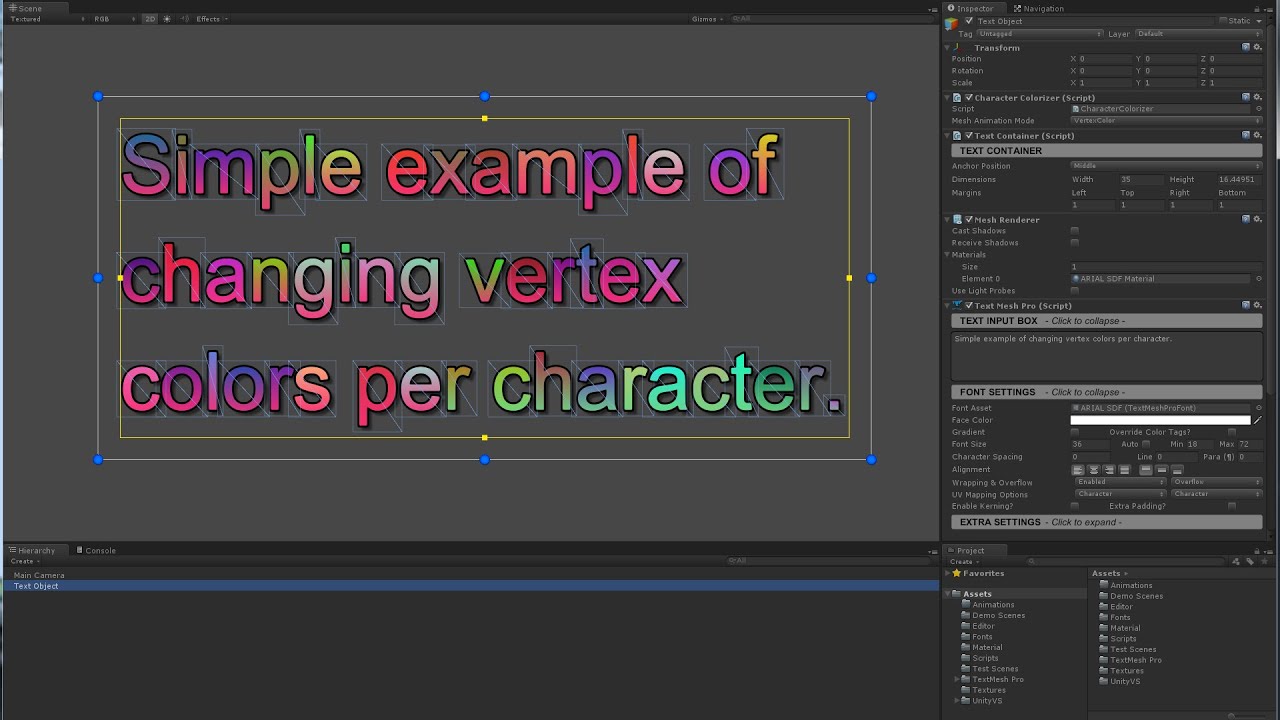
Per user request, here is an example of how to animate the colors of individual characters in TextMesh Pro.
TextMesh Pro is currently available on the Unity Asset Store : https:_www.assetstore.unity3d.com_en#!_content_17662

 mortal robin
The error is pretty clear
You're trying to use something called "Color.Slep" which doesn't exist
You can see all the available methods in the Color struct here (note the absence of anything called "Slep"):
https://docs.unity3d.com/ScriptReference/Color.html
glass kernel
mortal robin
You're trying to use something called "Color.Slep" which doesn't exist
oh, the tutorial that im following put them
mortal robin
doubtful
azure flame
glass kernel
where is the error
You should setup your IDE as well. It will point out obvious errors. #854851968446365696
 knotty pewter
I have a Worldspace UI with a button in it that I can't click/interact with for no good reason
any suggestions of ways to fix it?
azure flame
It must be inside canvas and have active event system on the scene
 azure flame
@knotty pewter And don't cross-post
knotty pewter
thats my hireacy for it
knotty pewter
azure flame
<@368885902870577175> And don't cross-post
didnt know where to put it soz
i just dont know why it isnt working ;<
azure flame
use event system at runtime to debug, you can extend it and see info
knotty pewter
hmm ok
i've added another button
it also doesnt work
however there is a button that does work
which makes no sense
azure flame
Hover above the button and see in the event system what's blocking the raycast
knotty pewter
where would I see that sorry
ah I see
nothing is blocking it
but it says that it's has the text
rather than the button
oki well thats the test button's problem solved (was some text from behind it
but the original button that I was having issues with, just says 'None' when I hover over it
could it be because I switched to a different camera?
ty for the idea with EventSystem- no idea that existed
How would I make the EventSystem ignore a certain object (to interact with objects behind it)
And it still says 'None'' when I hover over my button
still isn't working at all
azure flame
knotty pewter
How would I make the EventSystem ignore a certain object (to interact with objec...
UI objects have block raycasting properties on them. If you turn it off it is ignored. Also there canvas group component that can ignore and manage entire groups
Also if you create subcanvas without graphic raycaster, everything will be ignored under it
knotty pewter
azure flame
UI objects have block raycasting properties on them. If you turn it off it is ig...
ah right ty
knotty pewter
knotty pewter
And it still says 'None'' when I hover over my button
any thoughts on this?
when I hover over my button it just says None, can't interact with it otr anything
azure flame
I've listed all the things that cause ignoring raycasting
switch to 3d view and examine gizmos visually
knotty pewter
already in 3D, is a worldspace canvas
azure flame
in worldspace colliders would be blocking raycasting as well not sure if camera has physics raycasting component causes it to block or just report blocked events.
knotty pewter
:o its possible that the camera doesnt have a component/setting it needs to interact with ui
unless thats not a thing and im dumb
azure flame
camera only needs physics raycaster for colliders, graphic raycaster on canvas handles it for UI
knotty pewter
ah right
azure flame
Simplify the scene and figure out what's blocking it
Recreate in a clean new scene if you need to
knotty pewter
ive disabled everything except the UI & EventSystem
still not working... bruh
okay
it's something to do with the camera
Main camera works
another camera, given the exact same settings doesnt
even tried calling the other camera Main Camera, still doesnt work
welp
 fallow tartan
How do I make UI appear when the user clicks on an object?

Something like that
Both the green circle and the buttons
glass kernel
how to change color from a text of the botton
hot cape
fallow tartan
How do I make UI appear when the user clicks on an object?
There are tutorials for most things.
fallow tartan
Well this tutorial covers the very basics of UI on elements that are either always visible or hidden in a predefined spot on the screen
I tried googling but i didn't find what i was looking for
hot cape
Ah, yes. But what is the difference between hidden on a predefined spot, and on a not predefined spot?
fallow tartan
The main challenge is having the UI for every object
hot cape
To be fair, I haven't tried it yet as I'm a noob myself but can't you just either instantiate a UI element or move it to that spot before making it visible again?
fallow tartan
but if I add the UI as a child of that object, it won't be visible since it's not on the canvas
hot cape
fallow tartan
The main challenge is having the UI for every object
I'm certain you don't want to ad that UI for every object. Again, I'm new to unity but that sounds terrible 😅
There must be a better way to do this, I'm sure.
fallow tartan
hot cape
To be fair, I haven't tried it yet as I'm a noob myself but can't you just eith...
actually that makes sense
a lot better than my idea
hot cape
Since you can only have that UI element once at a time on screen, it should be possible to just hide it and move it around. Although I'm not sure that is the best way to do it.
fallow tartan
hot cape
Since you can only have that UI element once at a time on screen, it should be p...
maybe not
but I like it
thanks!
hot cape
np 🙂
glass kernel
how to change text color?
glass kernel
glass kernel
how to change text color?
the text on the button (i mean with a code)
 dense iron
How do I make a scroll rect containing dropdown-like objects with the difference that whenever one is clicked a list of items is displayed below it but inside the scroll rect?
dense iron
Guys why this happens when i scroll downwards. I keeps throing me to the default state
rapid ferry
Hey, so I'm trying to make a mobile game and on my phone the sprites don't look the best. On PC it looks slightly better but still not decent enough. Is there any suggestions you guys have on making UI art that doesn't look bad?
 fallow tartan
glass kernel
the text on the button (i mean with a code)
fallow tartan
glass kernel
the text on the button (i mean with a code)
is your text TextMeshPro ?
glass kernel
No, is a button
fallow tartan

Is it like this?
public class ButtonColorChanger : MonoBehaviour
{
    public Button button;
    void Start()
    {
        button.transform.Find("Text").GetComponent<Text>().color = Color.red;
    }
}
@glass kernel make sure to verify the name of the Text object and put that in the Find()
fallow tartan
so you want to change the color when the user clicks?
glass kernel
yeah
 barren osprey
Hey I want to ask is it possible I want to put a search bar in my project, so for example when I type something it will pop up only the thing and only the thing nothing else
Something like netflix, where when you type what show you want to watch, it will pop up only the show you typed and nothing else, im trying to build something like netflix just for testing
hot cape
Is is possible for sure, but I haven't used that yet.
Usually asking Google or YouTube questions already provides answers.
glass kernel
can i make a video ui that, when it ends; it's change scene
dense iron
Guys 🆘
I currently have a Dropdown that gets populated on runtime.
Whenever I choose an element the skin of my character changes and everything works well.
The thing is that i want to change the Dropdown into a list of items in a Scroll view where only one item is selected each time. Also Tapping of the title of that Scroll view or whichever UI I use I want the list of idems to become hidden. What do you propose?
glass kernel
why when i start i dont see the video?

 small grove
Hi, is there a way to move a function above the other one in the button inspector?

 feral onyx
Hey, how can I do so an element resize properly with the rest of the UI? I managed to do something with a AspectRatioFitter but now the object collider is all weird
 dense iron
I have a list of Big buttons with each button containing another smaller button.
Whenever I select a smaller button it is highlighted. And I want it to get deselected/unhighlighted only if another small button is pressed. But as of right now it gets deselected if a Big button is selected as well. Any Suggestions?
🆘
 weak garden
Is there an option in unity where I am able to clip another UI layer on top of another one to get the outcome posted below?
 sterile wedge
weak garden
Is there an option in unity where I am able to clip another UI layer on top of a...
sterile wedge
weak garden
Is there an option in unity where I am able to clip another UI layer on top of a...
UI Mask
 wild cipher
Hello! I need my clock fully shown in both landscape and portrait orientation? How can i do that? I Should somehow catch mode and move camera far away? Or there is a way to set up some camera zone as "always shown"? Also i want to my buttons be bigger, are there any way to make there size resolution-dependent?

 hot cape
wild cipher
hot cape
wild cipher
Not sure, try "match width" in the canvas scaler.
low pike
Is that clock even UI?