#📲┃ui-ux
1 messages · Page 64 of 1
 mossy orchid
 cobalt gull
It's okay I got told off for being in here anyway. So my opportunity to ask again has been removed.
mossy orchid
Like your important ones to remember will be your character controller scripts
Make sure you understand what's going on with whatever input system your using
And how to collect data in update and use it somewhere else
And then ai scripts, study the first one your able to make
 uncut folio
@azure flame it stil acts as before
 mossy orchid
Then figure out how to make 3 more that work differently and study thosr
Then combine what you learned and make your own
That's how you learn unity
Courses and long tutorials are hard, I don't retain much from them.
 low pike
This is old, see if it's still relevant for current TMP?
https://youtu.be/pLBBKFfhFrU

In the video, I provide a preview of support for Unity's new 2D RectMask which will be introduced in Unity 5.2.
Unlike Unity's UI.Text component and shaders, TextMesh Pro will support both Hard and Soft masking using this new 2D RectMask component.
TextMesh Pro is currently available in the Unity AssetStore: https://www.assetstore.unity3d....
uncut folio
low pike
This is old, see if it's still relevant for current TMP?
https://youtu.be/pLBBKF...
oh interesting; that looks like a debug thing though, wonder if its actually allowed on builds
yeah theres no such setting here
oh here it is!
 azure flame
Yea, tested with gradient, it works just fine, just have to invert the gradient to be transparent on sides instead of center

Mask on text must have toggled of show mask graphic
 uncut folio
azure flame
Yea, tested with gradient, it works just fine, just have to invert the gradient ...
uncut folio
azure flame
Yea, tested with gradient, it works just fine, just have to invert the gradient ...
 azure flame
Yes, mask uses transparent part to apply transparency
uncut folio
mhm
azure flame
center part must be opaque


 azure flame
Gradient is correct, now must apply it correctly

Make sure mask component is on the text.
uncut folio
 azure flame
And gradient Image is parented under it. covering relevant part
yes
and toggle off Show Mask Graphic
 azure flame
no
Mask is on the text
And gradient Image is parented under it. covering relevant part
uncut folio
 azure flame
And yes, this means your every text element will have a mask and own panel parented to work
uncut folio
wait hmm
azure flame
You still have mask in the image object
uncut folio
what do u mean mask the image object?
azure flame
Last image you posted in the inspector
uncut folio
yes....
azure flame
remove it there
 azure flame
Mask is on the text
uncut folio
do u mean remove the mask component?
azure flame
And gradient Image is parented under it. covering relevant part
parent the image to the text
Mask works with children of the text
uncut folio
so the image is a child of the text
azure flame
i.e. the gradient
yes
So do this for every text element
Now the tricky part is to reference all of the gradient panels. And reset their global world positions as you move your text.
So they will be static and maintain position
uncut folio
im so confused lmao
 azure flame
Test with working one
 uncut folio
seems the same
azure flame
Set white color to the font, no transparency
uncut folio
hm?
azure flame
Although that shouldn't matter it uses gradient
Are you sure you setup mask correctly on it? #📲┃ui-ux message
 azure flame
Don't blackout tint on the mask image
Set it to white
And your panel doesn't cover the text evenly
You can additionally play around with transparency on the image
uncut folio
hold up
azure flame
will make text fade more
 azure flame
They all must have the same setup
Make sure text doesn't overlap
Now move the parent and reset child panels positions to make you dial work.
uncut folio
oh never mind, that fading was because of the text mesh pro part
this stupid thing isnt working
i think ill just keep it as is...
azure flame
What is not working?
uncut folio
its ridiculous how ugui hasnt improved since it came out
uncut folio
azure flame
What is not working?
the soft mask?
azure flame
It's working on the picture
 azure flame
You don't need to touch the font. Only font effects that will work that define the shape of it.
Mask uses gradient to paint it entirely
uncut folio
mhm
let me do a bloody recording of what ive done
because it sure as hell doesnt seem to do anything
azure flame
If you want to have more control over effects the way I described initialy would be proper way to do that
 azure flame
It is on on your video
 azure flame
🤦♂️ It is on on the image gradient where mask should not be at all
uncut folio
so reversed
uncut folio
i kept reading it to turn on on the text and turn off on the mask...
azure flame
uncut folio
now the only problem is that the bloody thing moves with the text
unity really needs a ugui update
azure flame
uncut folio
azure flame
Now move the parent and reset child panels positions to make you dial work.
i have no idea what ur trying to say here
azure flame
Think about what you need to move and what has to stay in place.
uncut folio
i need to move the text.
so i need to constantly move the mask in order to stay in the original place
uncut folio
hmm
still annoying
private Vector3 globalPos;
    private void Awake()
    {
        globalPos = transform.position;
    }

    private void LateUpdate()
    {
        if(transform.hasChanged)
            transform.position = globalPos;
}```this should work i assume
azure flame
You can make it event based. Call reset whenever relevant wheel updated position.
The wheel would call the reset
 frail jewel
Images set to fill are normalised.
You can't -10
Oh. I'm 4 hours late
Bloody discord.
 cinder burrow
Hi
How can I add some blured shading to my UI ?
On the image, the elements have a slight black shadow
the shadow element in unity UI isn't a match for me
 low pike
A shader, or you have two images. One as you have already, then a second one behind it, with the shadow.
OR you use an asset like this https://assetstore.unity.com/packages/tools/gui/procedural-ui-193375 and do the two image thing, but using 'dynamic fall-off' (as seen in the 4th piece of media)
cinder burrow
I tried to put 2 images but I struggled a bit
what u sent is really interesting but I'm afraid the company won't pay lmao
I'll try to make them buy it if it's really more interesting to use
omg this asset looks amazing
it'd save me sm time
low pike
For UI simple shapes, an asset like this is a must
 bold bone
I want my Tooltip to be rendered above other UI elements (slots in the example). Can I do it if Tooltip is a child of one of them?

 low pike
UI is drawn from top to bottom, so anything at the bottom in the hierarchy will be on top of everything else
low pike
Tool tip needs to be at the bottom, and you match the RectTransform position of the slot it's for
bold bone
Going to be trooublesome
So
Perhaps going to make it child of canvas trough GetComponentInParent<Canvas>
low pike
You'll still have to position it where you want it to be
 shadow holly
Does anyone here have a system for canvases in their project?
let's say you decided on a reference resolution for your canvas (screen space), and you have menus in multiple scenes.
Do you just make a separate canvas with the same settings,
or do you use a prefab for the main canvas object and prefab variants for contents,
or do you have a single scene holding the canvas and set elements active/inactive based on what menu is required?
low pike
It's better to use more than one canvas
but all of those a valid ways to do it, whatever works for you. Only use a single canvas if it's a small amount of UI
shadow holly
thanks! I love that talk.
so using multiple canvases based on how many times objects in some context get dirty, that's a great idea.
I was more curious if people had an abstraction for canvas settings that wouldn't change.
for example, your reference resolution and some other settings on the main canvas.
something like making a prefab with the canvas and common settings, and use an instance of that for every actual menu.
Or if people just make separate parent objects for each menu.
It just seems like an abstraction can be useful but I'm not sure how to approach it, but a prefab parent might make the most sense right now in my head
if a same menu is reused in multiple scenes, I could also put the menu into a separately scene and load it additively,
but I don't have the use case in my current project
low pike
Using a prefab for that is exactly what prefabs are for, and then the variants. So yeah, totally use that if it makes sense for you
In my current project I haven't done that, I just copy/paste the canvas scalar values - but it would have helped a little if I had.
bold bone
Trying to create a cool font asset for TMPro
But quality drops so drastically with padding at 10%
😭
shadow holly
low pike
Using a prefab for that is exactly what prefabs are for, and then the variants. ...
Thanks! yeah prefabs and prefab variants do sound good for that use case, I'll try that
bold bone
Can I get my quality back somehow? Why is it so low?! Even when I double the count of characters it isn't so low!
cobalt gull
I have nav mesh questions lol
bold bone
Cool
azure flame
bold bone
But quality drops so drastically with padding at 10%
Bump up atlas resolution when creating font asset.
bold bone
azure flame
Bump up atlas resolution when creating font asset.
It is already at 8k
low pike
cobalt gull
I have nav mesh questions lol
not for this channel. #🔎┃find-a-channel
cobalt gull
Oh sorry right thanks
Btw thanks Carwash for helping me with UI health bar
I felt relieved last night that it's now working so thanks
Did wanna carry on the chat about what all the code meant but no worries I know you're busy
bold bone
Look how imprecise it is
 azure flame
cobalt gull
Did wanna carry on the chat about what all the code meant but no worries I know ...
azure flame
cobalt gull
Did wanna carry on the chat about what all the code meant but no worries I know ...
Playing around with finished code to understand how it works is a big part of the learning process. There are also debugging tools that can help you do that. Pinned in #💻┃code-beginner
bold bone
bold bone
Look how imprecise it is
I guess it is so imprecise only in this window and not in the game itself...
azure flame
bold bone
Look how imprecise it is
This seems good enough. I rarely go above 512x512. Make sure you are not scaling text somewhere.
bold bone
azure flame
This seems good enough. I rarely go above 512x512. Make sure you are not scaling...
But look what I've got from 8k and 0.3% padding. It's whole another level...
 azure flame
Also why do you have 2 copies of letters?
bold bone
I don't know
cobalt gull
azure flame
Playing around with finished code to understand how it works is a big part of th...
Don't know why you warned me Fogsight jargon spamming. I mean I wasn't spamming and I was only trying to understand code . Apologies if I came across as rude .
bold bone
azure flame
Also why do you have 2 copies of letters?
The one you are talking about is ASCII
So there shouldn't be any excessive symbols
Perhaps the font itself has only capital letters...
 sterile wedge
Do you not see the things you pasted here? That's spam
cobalt gull
I didn't post that
I put the number, the person who was helping me posted the code in
bold bone
🤦♂️
sterile wedge
How oblivious can you get. You copied your entire calculator with all the text in it. And pasted without noticing
cobalt gull
What I did that ?
azure flame
bold bone
But look what I've got from 8k and 0.3% padding. It's whole another level...
That doesn't seem right. Some letters have 3 or even 4 copies.
cobalt gull
Ok I genuinely didn't know I did that I thought it has been posted by the guy helping me . That was why I put I don't understand the jargon.
It was all miscommunication .
bold bone
azure flame
That doesn't seem right. Some letters have 3 or even 4 copies.
It is because there are 2 languages with sometimes same letters. But I was talking about quality, this picture looks way better for some reason when padding is very low
cobalt gull
I didn't realise I done it
Ok I'm an idiot alright. But all the same I'm glad I got help on here
azure flame
bold bone
It is because there are 2 languages with sometimes same letters. But I was talki...
It does not reflect the quality. SDF font handling uses that gradient on letters for effects. The first one will be just as sharp.
bold bone
Oh
azure flame
Look at the end result not at the atlas
bold bone
Okay
low pike
cobalt gull
Ok I genuinely didn't know I did that I thought it has been posted by the guy he...
It's why I told you to edit the post and delete all the crap..
cobalt gull
low pike
It's why I told you to edit the post and delete all the crap..
Literally thought when I calculated the current health divided by Max health and posted that number I thought you came back with all that calculator jargon, as in it was a script to aid with math definitions. I didn't realise it was all part of what I sent you .
So sorry about that
I wasn't trying to spam in anyway. You said what was the calculation and I was just answering your question.
Anyway I'd like to think I can ask for help again with my project if I need it. Appreciate all your guys support .
low pike
I understood what happened
cobalt gull
Okay
azure flame
@cobalt gull I'll remove the warning. Please go through tutorials like Create with Code, pinned in the #💻┃code-beginner . Then you'll be able to understand that jargon and be equipped with absorbilg the help you get much better.
cobalt gull
azure flame
<@850862829930283039> I'll remove the warning. Please go through tutorials like ...
I appreciate it, but like I said I wasn't calling Carwash' response as jargon. I mistook what was pasted with the calculator amount as what I thought Carwash had replied back with. I actually didn't consider anything he said as jargon he explained it very well.
But thanks for removing the warning.
cobalt gull
Have an issue with Enemy HP bar now. It won't appear in game scene when I press play.
 timid heath
Guys how can I make my UI change depending on the screen mode
When in in full screen the UI is almost in the center and it's small
When I'm in small screen I cant even see the UI
cinder burrow
hmmm
is your UI in a canvas ?
timid heath
cinder burrow
hmmm
is your UI in a canvas ?
Yes
Shouldn't it change depending on the canvas size?
cinder burrow
you can ask your canvas to adapt to screen size
 timid heath
cinder burrow
you can ask your canvas to adapt to screen size
timid heath
cinder burrow
you can ask your canvas to adapt to screen size
?
How can I do it exactly
And what it does
cinder burrow
the refence resolution being the prefered size of your UI
timid heath
Oh
cinder burrow
click on your canvas
you have a canvas scaler by default*
there, you can ask it to scale
timid heath
cinder burrow
click on your canvas
Wait I have to wait my brother is playing my game
cinder burrow
aha that's cute
timid heath
I wait him to lose and then I'll fix the UI
timid heath
cinder burrow
aha that's cute
Ok I can now
Ok I understood what you meant
I fixed it
cinder burrow
timid heath
Ok I can now
clic on the canvas in the hierarchy
go to canvas scaler component
then ask it to Scale with screen size
timid heath
cinder burrow
clic on the canvas in the hierarchy
go to canvas scaler component
then ask it t...
Yes and then match 0.5 that's what I did
Thanks!

 low pike
you're using a screenspace canvas, but positioning the UI as though it's world space
 cobalt gull
Also any idea why when I double click on certain objects, the camera does the complete opposite of focusing in and zooms right out instead?

oh yea thanks Carwash (idiot moment) forgot to change canvas view to world space
cheers
what about rectifying the zooming out issue, its frustrating when I want to focus in on player or enemy, but interestingly it will zoom in if I double click the health bars.
i have to manually zoom in and thats so fiddly
 mortal robin
cobalt gull
what about rectifying the zooming out issue, its frustrating when I want to focu...
mortal robin
cobalt gull
what about rectifying the zooming out issue, its frustrating when I want to focu...
It's because of your canvases
Double clicking will show enough to capture all the bounds of the object and all its children
Including the canvases
 storm ivy
guys my game looks decent on my pc but terrible on my phone
the whole graphic and the sizes messed up how to fix
low pike
This is a UI channel, is the issue with UI? the entire game? What? why aren't you showing anything?!
storm ivy
the entire game
low pike
probably quality settings need changing. ask in #💻┃unity-talk and actually show screenshots so people can troubleshoot it properly.. instead of just poking around in the dark
cobalt gull
mortal robin
Double clicking will show enough to capture all the bounds of the object and all...
Is there a work around then ?
low pike
select an object with smaller bounds, press F
you're changing your UI to worldspace and resizing it anyway.. so that should bring the bounds into an acceptable range.. assuming you resize the UI correctly
cobalt gull
F never seems to do anything when I press it, only double clicking.
azure flame
f works when mouse is over the scene window
cobalt gull
But I'll still have focus issues
mortal robin
Fix your hierarchy. Don't make the mesh Renderer the parent of the canvas
cobalt gull
mortal robin
Fix your hierarchy. Don't make the mesh Renderer the parent of the canvas
Okay thanks I'll try that
 calm karma
idk if this is the right place to ask this but for some reason the UI deosnt get triggered or the script can find the UI, but inside the game manager its already attached


the prefab works fine in the first level
mortal robin
calm karma
the prefab works fine in the first level
In the first level?
So there's a scene load involved?
calm karma
even if i open the second level directly and play it, it still cant find it
mortal robin
calm karma
even if i open the second level directly and play it, it still cant find it
Show the script inspector on the second level
You've got another copy there
cobalt gull
Is there just an easy way to have a child health bar of enemy parent stay on a fixed orientation as the enemy moves. Don't want it to rotate with enemy. ???
 regal flicker
Is there a way to use SVG with filled image type for a radial progress bar ?
 narrow meteor
How do i fix blurry text in textmeshpro? as you can see the legacy text component at the bottom is sharp but the textmeshpro on the top is blurry
 low pike
The top one looks a lot better than the bottom
narrow meteor
low pike
The top one looks a lot better than the bottom
yes it does. but its blurry
low pike
Doesn't look blurry to me
narrow meteor
low pike
Doesn't look blurry to me
hmm, maybe im just spoiled with the crispiness of the legacy text
low pike
the legacy text aint crispy though.. it's all aliased and horrible
 wild pebble
narrow meteor
How do i fix blurry text in textmeshpro? as you can see the legacy text componen...
wild pebble
narrow meteor
How do i fix blurry text in textmeshpro? as you can see the legacy text componen...
have to agree that for me that tmp one looks way smoother (and better) than the legacy text. tmp actually have this sharpness slider under debug settings (which is bit odd naming. it's totally fine to use it but my suggestion is not to touch it in this case, your text looks great already)

 copper patio
Does it matter if i a) use original scale of an image but set the size to /2 on w and h. or b) set the original size but scale .5 is there any difference? like there is no difference in the actual size / physical size, but does it matter at a UI / UX level when it comes to resize / DPI / breakpoints / any other hidden under the hood features etc?
like 200px w 200px h scale 1. or 400 x 400 scale .5
im asking because I am making stuff on a mac book pro bringing it in at 2X res so its like 4096 UI textures and i am trying to figure out if it matters to .5 scale them or if i need to /2 on the w and h
 rapid ferry
I'm having an issue where the "Health: " HUD element goes to a random place on HUD instead of in the top left when I choose the "maximize on play" option. This doesn't happen on the regular play


 cobalt gull
How can I lock orientation of UI health bar above object so it doesnt rotate around?
cobalt gull
nvm
 frail rock
in ui-elements... how does one make a multi-line text-field scrollable?
I've applied wrapping and made the height support 2 lines... beyond that I'd like a scrollbar to appear, but no matter how many lines it has, no scrollbar appears
 onyx fjord
Anyone mind helping out a little bit?
Discord
Discord is the easiest way to communicate over voice, video, and text. Chat, hang out, and stay close with your friends and communities.
 dark marsh

 low pike
So this isn't true
 low pike
TMP in 3d doesn't use a canvas
 low pike
3d Object..
low pike
low pike
A shader, or you have two images. One as you have already, then a second one beh...
@rapid ferry ^
 stark coral
hi guys, i'm trying to make a hud to display player informations (health, mana ...) but, the hud pass below the level (highlight is where is the camera)
it's vr


can u help me pls
 high ruin
Hey! the Canvas Scaler is not working right, I set the Scale with screen size option, but when i do bigger the Game window it changes. could someone help me?
 cobalt gull
sorry if this is wrong chat feed but you guys reply a lot quicker on here.
I have 3 doors, eastern (e) , western (w), central (c). (e) + (w) are opened when a game object that corresponds to those doors are destroyed. The (c) door opens upon both the (e) + (w) doors opening. The (e) + (w) doors can only be opened one by one, but doesn't matter which way round. How do I set a boolean so the (c) door will open regardless of if (e) door is opened first followed by (w) door OR (w) door is opened first followed by (e) door?
This is my current script attached to to the eastern and western gate seperately
onyx fjord
Okay so, for some all UI elements in a popup are moving depending on their position. Any ideas why?

 golden isle
Excuse me, I'm really confused now
I can't create UI without textmeshPro

Button , Drop down , inputField
but I can find them in the "Add Component"
sterile wedge
cobalt gull
sorry if this is wrong chat feed but you guys reply a lot quicker on here.
Not the way to pick channels. Pick the one related to your issue
sterile wedge
golden isle
Excuse me, I'm really confused now
I can't create UI without textmeshPro
Under Legacy
golden isle
sterile wedge
Under Legacy
Thanks A LOT!
👍

 desert bane
how do i get the joystick on the right to appear when the game is playing?

it disappears when the game starts
 tidal pelican


 icy star
https://i.gyazo.com/d5f19da5251b0151859dbb69b85270ed.mp4
what exactly the layering system works ??
as we see the Chat-UI
was below the Send button
low pike
UI is drawn from top to bottom in the hierarchy. It's kind of obvious from what you've got there.. the button is on top in the hierarchy, but it's behind the chat box. Swap them round in the hierarchy.
high ruin
Hey! the Canvas Scaler is not working right, I set the Scale with screen size option, but when i do bigger the Game window it changes. could someone help me?
 low pike
Your question isn't making sense. Record a video of what's happening
It most likely is working correctly, but not how you expect it to work.
cobalt gull
Dont understand why this is suddenly happening, the hp bar of the right object won't go down like the left one and it used to. The attached code used to work. Everythings been assigned correctly in inspector.
i used the script for both objects and assign correspondingly in inspector
mortal robin
cobalt gull
i used the script for both objects and assign correspondingly in inspector
show the inspectors
cobalt gull
mortal robin
show the inspectors


some sort of weird time stamp error has come up dont know if that has anything to do with it....
in the console window
 mild sparrow
Is there a way to force a UI button to deselect when the mouse has moved off of it?
Currently if I click and hold a button, it will remain pressed even if I move the mouse off of the button.
 rustic fog
I have a question, how can it be that my preview looks like this

But my Build like this

It's for some reason empty when it gets build
Is it something that I forgot in Unity, or is it the code?
 safe barn
hello I'm trying to practice a bit with UI and was curious if using multiple scenes is good or bad? or does it depend on what you're trying to do?
 real arch
rustic fog
Is it something that I forgot in Unity, or is it the code?
real arch
rustic fog
Is it something that I forgot in Unity, or is it the code?
check the log of the build to see if there are any errors
real arch
safe barn
hello I'm trying to practice a bit with UI and was curious if using multiple sce...
doing ui in a separate scene can be useful for reuse, but makes it harder if you want to have links to the game content.
safe barn
real arch
doing ui in a separate scene can be useful for reuse, but makes it harder if you...
What do you mean by links to the game content? Also do you mean doing all of the UI in a separate scene can be useful?
real arch
safe barn
What do you mean by links to the game content? Also do you mean doing all of the...
by link to game content i mean if you have a button that does something on your player you would need a reference to the player
if you are in a different scene that can make some extra work.
Its possible to have all then ui in a extra scene but for most cases its probably not worth doing. (UI scene loaded additive)
rapid ferry
How is UI layouting performed for the Unity Editor itself? Does it use UIElements?
 frosty pewter
rapid ferry
How is UI layouting performed for the Unity Editor itself? Does it use UIElement...
frosty pewter
rapid ferry
How is UI layouting performed for the Unity Editor itself? Does it use UIElement...
Some of it does, some of it is immediate mode layout.
rapid ferry
Good to know
rustic fog
real arch
check the log of the build to see if there are any errors
Should there be a log txt in the Build folder? I can't find it
 cobalt gull
Anyone know why particle systems suddenly don't show when I make my canvas (main menu) have a source image as the background? I have done various things like doing sorting layers for particles and menu, and moving particle systems on / off the canvas. ?
 low pike
because the particles are drawn first, then the UI
cobalt gull
low pike
because the particles are drawn first, then the UI
so what does that mean exactly, if particles are drawn first then UI shouldnt they still play?
Or you mean they cant be seen because UI covers them ?\
low pike
cobalt gull
Or you mean they cant be seen because UI covers them ?\
this obviously
low pike
the first google search to do is "unity how to play particles on UI" or/and then "unity how to play particles infront of UI"
cobalt gull
ok
 supple vale
Hello. I want to stretch this image

to get this

I tried 9 slices but didnt work well

The result is like that. How to Make it look as it should? Thank you

Solved. NVM
 frigid vapor
I'm having an issue when setting the content of a text mesh pro text object and the mesh info not being populated. This is after calling TextMeshProUGUI.ForceMeshUpdate().
I'm intending to modify the geometry generated so it not having properly updated that is a problem (and is strange)
 signal ravine
supple vale
signal ravine
supple vale
move the green lines a bit into the blue area
Hey all, I want to make fighter jet style UI to my game, it will have some dynamic elements to it like a height meter and compass. I was wondering how I should do it, the UI components don't seem to have what I need (I think)
low pike
What do you think you need that's missing ?
 weak dew
Is there a way to locate bthe pivot point of an image? I would like to place an image at the location of the pivot point
frigid vapor
Anyone done anything with text modification with text mesh pro?
sterile wedge
frigid vapor
Anyone done anything with text modification with text mesh pro?
what do you mean by text modification
low pike
weak dew
Is there a way to locate bthe pivot point of an image? I would like to place an ...
 surreal kiln
Why's a 16x16 sprite blured on a 16x16 img?
azure flame
check import settings for compression and filtering
 runic venture
How can you make an input field stay selected after you submit?
Figured it out. You can call ActivateInputField on deselect and on end edit
weak dew
low pike
https://www.google.com/search?q=unity+ui+pivot+script&oq=unity+ui+pivot&aqs=chro...
ty!
 clever prairie
Pressing 'Page Up' or 'Page Down' in a TMP_InputField moves the Rect on the object that the TMP_Text is also attached to
Is this expected behaviour? I can't see it in the documentation anywhere. Same thing happens in a standalone build.
Might related to this https://forum.unity.com/threads/textmeshpro-multiline-inputfield-scroll-issues-with-pageup-pagedown-keys.662104/ ... I'll just reset the Rect coords when those buttons are press, I guess
 ripe mountain
Any solutions to how to get around this?
real arch
ripe mountain
Any solutions to how to get around this?
the order of the UI is determined by the order in the Hirachy
if you want to drag an item its a good idea to parent it somewhere where its gone be later then all the stuff in your inventory
 stark swan
I get this stupid line stutter or something when I build my game, in the Unity Editor seems fine

Never mind, turns out it was not in 0, 0 position
My bad
 wanton ivy
anybody know why this is happening?
first photo is my artists computer, also in unity, where certain letters appear offset for some reason
second photo is my computer.
Using text mesh pro with the settings below, pixel perfect rendering to a render texture that gets upscaled


 mortal robin
wanton ivy
anybody know why this is happening?
first photo is my artists computer, also in ...
mortal robin
wanton ivy
anybody know why this is happening?
first photo is my artists computer, also in ...
could be some kind of... locale thing?
wanton ivy
what does that mean?
mortal robin
is your artist located in a different country?


 ancient wave
low pike
you're trying to sort this out?
ancient wave
low pike
you're trying to sort this out?
yeah i wanna move those 4 slots down when i add rig slots
yeah layout group fuck is so it can be unly under each other
 high ruin
Hey! the Canvas Scaler is not working right, I set the Scale with screen size option, but when i do bigger the Game window it changes. could someone help me?

 jagged monolith
Did you anchor the objects to the corner?
 cloud lintel
Is there anyway to deselect items in a uGUI dropdown?
 tight spruce
hey ppl, im new to unity but experienced with c# , i wanted to know how i can make a 4*4 grid that takes text input from each box
low pike
grid layout , with TMP inputfield in each cell
rustic fog
Does anyone know a tutorial or anything, which tells about making a scrollable UI?
I have a shop which goes full screen, but I want lots of items therefor the player should be able to scroll down.
I can only find scroll tutorials on small windows with text. I want to scroll with pictures to
low pike
what's inside a scrollview isn't relevant to how to make it working
rustic fog
Hmm... that's good to know 
I can't find any tutorial on how to make a scrollable window.
Like I want to somehow merge 4 UI planes, and then the player should be able to scroll (1 plane fills the entire screen)
Is there a build in scroll menu like that, or do I have to program it?
 wise shadow
I’m looking to improve user feedback in my game. I know sound and animation are good ways to do this, are there any other ways?
rustic fog
Ahhh... I see. i'll try. Thanks 👍
low pike
wise shadow
I’m looking to improve user feedback in my game. I know sound and animation are ...
if on mobile, or console, haptics
reasonable haptics, not over the top crazy ones 😄
rustic fog
It's acting quite werid tho. It says shop two times and that's fine it's just because of the test. but it instantly resets
I read something about I need to use Content Size Fitter It dosen't work tho
cloud lintel
Is there a way to get a pointer down event when mouse isn't over the object? Or do I have to check it in update?
mortal robin
cloud lintel
Is there a way to get a pointer down event when mouse isn't over the object? Or ...
You just want to know if the mouse is clicked in general? Input.GetMouseButtonDown(0)
cloud lintel
mortal robin
You just want to know if the mouse is clicked in general? `Input.GetMouseButtonD...
Yeah, but was wondering if there is a general event for that. Rather not have an update loop just for that. I guess it'll work though
mortal robin
cloud lintel
Yeah, but was wondering if there is a general event for that. Rather not have an...
YOu can also make a big fullscreen UI element (invisible if you want) that captures all clicks behind any other UI
cloud lintel
mortal robin
YOu can also make a big fullscreen UI element (invisible if you want) that captu...
Interesting, won't other objects in front block the events though?
rustic fog
Okay I found out
mortal robin
cloud lintel
Interesting, won't other objects in front block the events though?
Yes so it's not suitable of you want any click at all
cloud lintel
Yeah just went with the update loop, it works fine. I suppose that is why the new input system was made
mortal robin
cloud lintel
Yeah, but was wondering if there is a general event for that. Rather not have an...
You can do it in an event based way in the new input system
Yeah exactly
 vapid bramble
Why do my buttons sometimes get not highlighted
 prisma ore
How do i modify the navigation of my UI buttons? I would like to be able to navigate straight from the back button to the reset all button but i'm not sure how to change it

Moving the buttons closer fixes it, but when I move them away again it goes back to the way it was
cloud lintel
prisma ore
How do i modify the navigation of my UI buttons? I would like to be able to navi...
Change the navigation to explicit
vapid bramble
How can i make panel still be highlighted if the mouse is on the text (child of the panel)
sterile wedge
vapid bramble
How can i make panel still be highlighted if the mouse is on the text (child of ...
Turn off block raycast on the child text
vapid bramble
sterile wedge
Turn off block raycast on the child text
Cant find that
Oh its a TMPro Text
Thats probably important
vapid bramble
sterile wedge
Turn off block raycast on the child text
Raycast Target is the same thing but for TMPro so problem solved Thanks 🙂
sterile wedge
Ah yes. I forgot that detail. Glad you found it
vapid bramble
Can i somehow check for a UI Button being rightclicked?
low pike
vapid bramble
Wow Bing literally didnt show any of those results
 wintry sinew
If I added, say, an Image to a GameObject, thereby automatically also adding a CanvasRenderer, then later remove the Image, do people think there is a cost associated with a leftover and unused CanvasRenderer component? I'm assuming so, I'm just not sure how negligible it would be.
sterile wedge
wintry sinew
If I added, say, an `Image` to a GameObject, thereby automatically also adding a...
have you tried it? wait nvm, I think you can have a CanvasRenderer on its own,but not an Image. I mixed up
wintry sinew
sterile wedge
~~have you tried it?~~ wait nvm, I think you can have a CanvasRenderer on its ow...
Yeah. I've taken a look at the profiler and there's no discernible change to having just a Canvas Renderer attached to the object or not in the UI section. But it's gotta make some kind of difference, no matter how small
low pike
a tiny amount of memory allocation, perhaps
mortal robin
It's a component in memory, which has to be skipped over for GetComponent calls on that object, and skipped through for FindObjectOfType calls etc
it's not much but it's... a thing... sitting there
wanton ivy
does anybody know whats going on? On my computer the text looks totally normal, but on my team members computers (who live in different countries than me) the text is all messed up. It doesn't matter if its in the unity editor or in the exact same build. Somebody said this was a locale thing, does anybody know anything about that?

 surreal kiln
I got a fkin mental breakdown
How the hell is it so hard to find a good font
That's free, my style and has at least underscores
Got any good websitess
mortal robin
surreal kiln
I got a fkin mental breakdown
How the hell is it so hard to find a good font
Tha...
dunno what your style is though
surreal kiln
Literally all of google fonts look like the default one or barely lookable crap
surreal kiln
In the first place something that would not be a default font with one pixel change or a font that wouldn't fit any game xD
mortal robin
That's not very descriptive. Nor do I really know what "default font" is
Arial i guess?
There's all kinds of pretty stylized fonts on there like https://fonts.google.com/specimen/Yuji+Mai
surreal kiln
Well we have a completly different taste then
mortal robin
when I say "pretty stylized" I mean that it is relatively stylized, not that it is attractive
and yes it is very possible we have different taste
 prime geyser
surreal kiln
I got a fkin mental breakdown
How the hell is it so hard to find a good font
Tha...
prime geyser
surreal kiln
I got a fkin mental breakdown
How the hell is it so hard to find a good font
Tha...
https://fontlibrary.org/en
Check the license of specific fonts just to be sure. There are free ones on here but not all are under the same license
Font Library is all fonts. Free Downloads and Quality Support.

 stiff spade
How i can make auto-resolution for android? First photo my phone, second photo second phone, smaller

 low pike
Are you using the Device Simulator package in the editor ?
You shouldn't really have been sent to this chan tbh, it's not a UI issue.. it's a camera one, but nm. Still use the Device Simulator package
stiff spade
low pike
You shouldn't really have been sent to this chan tbh, it's not a UI issue.. it's...
nooo, this is app on smartphone
low pike
... well duh
The Device Simulator package is an editor tool that simulates different smartphones, allowing you to test all of this stuff in editor
When doing mobile dev it really is a must to use this tool
surreal kiln
Can u limit an Input Field to numbers and minuses?
low pike
Lots of people will ... just ask your question -> https://dontasktoask.com/
prime geyser
surreal kiln
Why's this spamming even tho I don't even have an underline in the text
Its a general error/warning letting you know that the font type you are using does not have the ability to be underlined. If you dont plan on underlining anything you can just ignore it but if you plan on using them youll have to find a font set that supports underlines
frail rock
anyone able to explain the bindingpath property in UIElements?
I want to bind the index of this dropdownfield to an integer

so i assumed this would work... i was wrong
prime geyser
 unreal plover
how would I make my UI's feel filled up
unreal plover
how would I make my UI's feel filled up
would all depend on what information needs to be shown, layout/deadspace, and visual heirarchy
if you have things like health bars, minimaps, status effects, money counts, waypoints/compases and quest objectives per say youd probably want to size them in terms of importance, then group similar things together and lay it all out in a way that would frame the center of the screen unless you want something a bit more stylistic
 winged dust
My meter's fill goes from rounded to rectangular when it gets to the lowest values. Any idea what's causing this?
mortal robin
winged dust
My meter's fill goes from rounded to rectangular when it gets to the lowest valu...
looks like you're scaling the thing
instead of just using a filled image
real arch
winged dust
My meter's fill goes from rounded to rectangular when it gets to the lowest valu...
the filler should be proably a (9) slized sprite else if you scale / change the size the corners get scaled too
mortal robin
just using filled image will fix it too
unreal plover
prime geyser
would all depend on what information needs to be shown, layout/deadspace, and vi...
ok.
winged dust
Oh I hadn't even realized. Fixed! Thanks, everybody 👍
unreal plover
prime geyser
would all depend on what information needs to be shown, layout/deadspace, and vi...
what do u think of the UI for my pong game im making

i feel like its missing something here. Idk what it is tbh
this is the start menu btw
prime geyser
quit button would be helpful for ending the program, gimme a moment to take a look at the rest of it
unreal plover
Ok.
prime geyser
2 center buttons are missaligned, skins button could probably be put in between start and shop buttons so that the entire menu has a centralized and symetrical theme with key stuff in the middle and small pieces of text in each bottom corner. aligning the version number in the bottom right to the right of the screen can also help with the symmetry. the title text im torn on, the letter spacing (green spaces) should be even between all leters for sure. the G sitting below the other letters isnt terrible stylistically but feels a little out of place imo.

no major issues with it. it serves its purpose and the information is easily digestible but theres just a few minor inconsistencies
green spaces and the thick red line are the only major things id say change for sure. the rest you could get away with in a project like this
unreal plover
ok thabnk you
prime geyser
np
frail rock
is there a better way to use a dropdown to navigate list items than how I've done it here?

I was really hoping i could bind the dropdown directly somehow, right now I am updating it sortof crudely
 ancient wave
Hi all, Problem iam having is hard to explain properly, but we have gifs. So iam adding Rig to my EQ Items but i cant manage to move other slots down 😦

 north mist
What changes do I need to make to have ScrollRect work with TMPro? It works fine with regular text, but when I do it with TMPro text it won't scroll, just bounces like I reached the end of it.
ancient wave
low pike
Lots of people will ... just ask your question -> <https://dontasktoask.com/>
Like this? 😄
 tender berry
I'm rendering the camera output to a render texture and resizing it to get a pixelated screen effect. The problem is that when I try to add a UI element that uses WorldToScreenPoint, it doesn't appear on screen properly. Is there a way to fix this?
Without Render Texture

With Render Texture

The white dot isn't in the right spot with the Render Texture
low pike
ancient wave
Hi all, Problem iam having is hard to explain properly, but we have gifs. So iam...
You will need multiple layoutgroups, so things move/ resize correctly
low pike
north mist
What changes do I need to make to have ScrollRect work with TMPro? It works fine...
This has nothing to do with text/ TMP.. the scroll rect bounces like that when it's not bigger than the viewable area
ancient wave
low pike
You will need multiple layoutgroups, so things move/ resize correctly
i coded so when i add any new UI ement its Parent will scale but Vertical Layour group is dormant and do not update itself automaticaly
low pike
You don't need to do any code here to change the size of things
(don't change the scale of UI anyway... use width/height)
prime geyser
surreal kiln
Can u limit an Input Field to numbers and minuses?
Unity is the ultimate game development platform. Use Unity to build high-quality 3D and 2D games, deploy them across mobile, desktop, VR/AR, consoles or the Web, and connect with loyal and enthusiastic players and customers.
this is the closest i could find to what sounds like your problem
text = Regex.Replace(text, @"[^a-zA-Z0-9 ]", "");
if im understanding it correctly you should be able to remove the "^" from the brackets and just change the contents within the brackets to the characters you are wanting (numbers and minus in your case)
north mist
low pike
This has nothing to do with text/ TMP.. the scroll rect bounces like that when i...
By viewable area are you referring to the viewport? Or something else?
prime geyser
Nice, no problem
surreal kiln
One more thing
Why's this spamming even tho I don't even have an underline in the text

Twice for every text
prime geyser
its just informing you the font asset doesnt have support for underlines
low pike
north mist
By viewable area are you referring to the viewport? Or something else?
the viewable/scrollable area of the scroll rect
north mist
low pike
the viewable/scrollable area of the scroll rect
Okay don't know how or why I didn't see before but now I see what to change, thanks.
surreal kiln
prime geyser
its just informing you the font asset doesnt have support for underlines
Oke
I understood that much
Tho having 270 useless warnings isn't very helpful for checking the console
So how do I make it not show that
prime geyser
if those are showing in unity itself you can toggle messages, warnings and errors in the console via the top right. im not sure beyond that how to though
surreal kiln
I still wanna see other warnings tho
 elder charm
anyone know of any good UI architecture resources /tutorials?
frail rock
for IMGUI, UGUI or UIElements?
elder charm
frail rock
for IMGUI, UGUI or UIElements?
for UGUI
frail rock
when you say architecture, do you mean you wanna learn UGUI? Or do you mean you already know UGUI, but are looking for expert tips to structure it nicely in your project?
elder charm
frail rock
when you say architecture, do you mean you wanna learn UGUI? Or do you mean you ...
that I already know it and am looking for expert structure tips
frail rock
ah, damn, sorry, plenty out there for the former, i dont know any good tutorials for the latter
i have 'opinions' but i wouldn't dare throw those at you haha
for starters, i practically never use the inspector for assigning button functionality. You can ctrl+shift+f for button-related text in VS, but finding where functionality is executed in hierarchy/inspector can be a nightmare.
I like to break everything into feature-panels:
- help-screen
- pause-menu
- end-game-score
and any buttons/labels/slider/etc. are referenced in a monobehaviour on those panels, which assign logic for every child element
well... i just dared to share an opinion, broke my vow already
elder charm
me and you have something in common! I hande things in a very similar way lol
I have just been struggling with finding a good way to manage reusable ui elements such as texts and images, also how to have UI in separate scene make sense and a other architectural things. Its the logic of things that I feel that I am lacking in these areas
frail rock
ahyeah, hm, no, don't know any good tutorials for that stuff tho, im running on guesswork as it is... hopefully someone else has solid advice
elder charm
yeah, I will keep looking and hopefully stumble across something that helps
Thanks 🙂
frail rock
anyone know a way to force dark theme in UXML? I have a single editor with 15 tabs of information, don't really wanna redesign a whole new set of CSS for light-mode (at this time)
frosty pewter
#🧰┃ui-toolkit is the right channel for this
frail rock
ah that explains why none of my uielements questions have had much draw here, thankx, didn't see that channel
 sleek cipher
so i'm having a white square appear over my UI element, how do I get rid of it?

so i deleted the gameobject and recreated it and it resolved the issue but i fear that might just be a temporary fix
cinder burrow
Hi
what Asset / asset package... (free or not) would you recommend to do UI ?
I'd like something that'll make rounded corners, shades and shaping my UI easier
low pike
sleek cipher
probably had an image component on it
low pike
cinder burrow
Hi
what Asset / asset package... (free or not) would you recommend to do UI ?
I...
cinder burrow
low pike
<https://assetstore.unity.com/packages/tools/gui/procedural-ui-193375>
can I ask you a few questions about it (in mp or here ?)
https://docs.unity3d.com/2020.2/Documentation/Manual/built-in-rendering-order.html
maybe using this ?

dunno
sterile wedge
Put it in a different canvas with a dif sorting order
low pike
cinder burrow
can I ask you a few questions about it (in mp or here ?)
I don't know what mp is in this context. Just ask your questions here.. maybe create a thread
cinder burrow
low pike
I don't know what mp is in this context. Just ask your questions here.. maybe cr...
mp is French for Private message sry aha
cinder burrow
low pike
I don't know what mp is in this context. Just ask your questions here.. maybe cr...
ill ask u some question as soon as i can
sleek cipher
is there a way to the UI image to be blank rather than a white square?
rapid ferry
sleek cipher
is there a way to the UI image to be blank rather than a white square?
Set the image component alpha channel to 0 ? Not sure if it can just be 'blank' tbh
low pike
If you have an image component, but don't want to see it .. then set the alpha to 0.
If you want the image to not be there... remove the image component......
cobalt gull
Anyone know why the UI healthbar isnt increasing, this piece of code worked before and now it is not. https://gdl.space/cipuguyiba.cpp
 frosty pewter
cobalt gull
Anyone know why the UI healthbar isnt increasing, this piece of code worked befo...
frosty pewter
cobalt gull
Anyone know why the UI healthbar isnt increasing, this piece of code worked befo...
OnCollision is not a thing https://help.vertx.xyz/programming/physics-messages/2-collision-messages-3d
cobalt gull
frosty pewter
`OnCollision` is not a thing <https://help.vertx.xyz/programming/physics-message...
Thanks so much I wondered what I did wrong, it was driving me mad! Cheers.
low pike
not enough context.. show the entire screen.. as a gif, with it animating on/off for each one
prisma ore
is it possible to play animation on select and swap back to normal sprite on deselect?
 surreal kiln
Anyone know why when I put some buttons in a scroll content(which also has a layout group and content size filter) the buttons doesn't work? I click it and nothing happens, tint nor script
 bronze marlin
i feel like i always get hung up on this. there's no way to center align a grid layout is there?
 low pike
@flint salmon are the images gonna be scrollable?
 flint salmon
I will keep my little problem here
flint salmon
low pike
<@169374685094477824> are the images gonna be scrollable?
Yes, at some point I want to horizontal scroll the images
But not for now
low pike
if not for now, you'll have to have the images auto resize (shrink) when you add more
flint salmon
low pike
if not for now, you'll have to have the images auto resize (shrink) when you add...
You mean this?
 low pike
why is spacing a huge minus number!
flint salmon
I will tell you how I thought I would do the scroll (I've never done any)
flint salmon
I have a huge horizontal layout group. It's very wide. Then I wanted to create a scroll that makes the layout move left and right
In my game the layout might have up to 50 objects. However in the beggining you start with one and you keep adding more and more.
Therefore I need to change the spacing dinamically, if there isn't any kind of unity tool built in to fix my problem
low pike
You're not doing anything special
Use a scroll view, and put the horizontal layout group on the 'content' game object... and a content size fitter, set to preferred for horizontal
done
flint salmon
low pike
Use a scroll view, and put the horizontal layout group on the 'content' game obj...
Gonna check it, thanks in advance
bronze marlin
Beans5715
 runic tide
For anyone out there looking for a database of game UI's https://www.gameuidatabase.com/index.php

Game UI Database
The ultimate screen reference Tool for game interface designers. Explore over 500 games and 19,000 individual images, and filter by screen type, material, layout, texture, shapes, patterns, genre and more!
 thorny cosmos
Is it possible to set an Inputfield's character limit to the size of the box? If I set a normal character limit, spamming m's goes past the box while i's are too short if that makes sense.
low pike
You need to use a font which has the same size of each char
a character limit goes off how many you have, not the size of them. So your limit would have to be to how many W's you can fit
thorny cosmos
Yeah I know I can't use a character limit I was hoping there was an alternative similar to that which checked for the size of the box. The reason I didn't want to just base it off of W's is because if I use something else like i's it doesn't fit well. I'll probably try to find a same size font for each character though, thanks!
surreal kiln
surreal kiln
Anyone know why when I put some buttons in a scroll content(which also has a lay...
Pleaseee
flint salmon
surreal kiln
Pleaseee
Is the button in the correct hierarchy order? It might have something (even if it's invisible) covering it
surreal kiln
O. M. G.
The selection image was on it
sleek cipher
is there a way on unity for a healthbar to be hiding parts of the image rather than squish it?
i just say this cause my health bar has a gradient so if i use slider ,it just squishes the HP bar which will make it awkward for the gradient
 floral crow
u might have to make a custom shader
sterile wedge
sleek cipher
i just say this cause my health bar has a gradient so if i use slider ,it just s...
Use a filled image type, not a slider
sleek cipher
Thanks Wytea
 silk forge
Question for mobile: If I want an accurate representation of what a UI (UI Toolkit, especially text) will look like on an iPhone, or iPad; will aspect ratio suffice?
because I'm noticing if I put aspect ratio, the text looks different than if I put the actual resolution...
(in the editor game screen)
low pike
silk forge
Question for mobile: If I want an accurate representation of what a UI (UI Toolk...
Use the 'Device Simulator' package
 daring sky
Hi there
if I'd want to make a small UI in world space for each unit (like a health bar) and want to add it to the units prefab, is it a good way to have a whole canvas object inside the prefab?
low pike
that's one way to do it yeah
daring sky
is that a wise decision for performance?
low pike
Depends how many units you're gonna have
frosty pewter
Generally if you can avoid UGUI, I would
 hexed harness
What is the proper way to make an input field scrollable using a scroll view?
surreal kiln
Anyone got expanding to content scroll field, but a one that doesn't screw all the child sizes
sterile wedge
surreal kiln
Anyone got expanding to content scroll field, but a one that doesn't screw all t...
the thing that would mess with the child size is if you set it to do that in the vertical layout group..
surreal kiln
Well I did not
sterile wedge
how about setting up one again, and showing your settings?
surreal kiln
And it messes button hitboxes, images, sizes ect.
surreal kiln
sterile wedge
how about setting up one again, and showing your settings?
Wait a min
This time it worked a bit better for some reason, but still broken
This is normal tho
And this with it
And tutorial told me to set it like that
 sterile wedge
surreal kiln
And this with it
sterile wedge
surreal kiln
And this with it
why do the buttons shift down when you click? why do you think it's the child size that's getting screwed?
show the hierarchy difference before and after you click
surreal kiln
Only thing that happens is that a selection image is enabled, tho which also is an issue I can't see it
sterile wedge
where does the selection image go in the hierarchy?
surreal kiln
Where it was
sterile wedge
Show the hierarchy..
surreal kiln
 sterile wedge
surreal kiln
sterile wedge
surreal kiln
which object has Vertical Layout Group
surreal kiln
Content
sterile wedge
Selection gameobject just pushed all the other children down, that's why
you can either put a Layout Element component on Selection and mark it to ignore layout group, or make it a child of one of the buttons
all this would've been so much harder to figure out if I just followed your assumption of "it's screwing with the child sizes"
surreal kiln
It used to make em higher, the background of a world object wasn't there for some reason ect.
Idk what did I do but it really used to be worse xD
But yea it works thx
Or no
It doesn't expand xD
I think it's cuz the worlds aren't just under the content, so I made them directly in the content and this happened

Now this does screw size and background
surreal kiln
Okay I did it with a script
hexed harness
Can someone help me with some UI scaling and layout group issues?
azure flame
Not unless you post an actual question.
hexed harness
azure flame
Not unless you post an actual question.
The problem is that it is a bit difficult to explain
So the best thing is probably that I just explain the problems in vc or smth, with a stream
but okay I'll try
azure flame
Don't ping people out of conversation. Illustrate your problem properly and someone will answer.
hexed harness
How does preferred height work? I've set the preferred height of one UI element very high, and the others low, but if there is a lot of height the height is still somewhat evenly distributed between the children, while in principle all the rest height should all be given to the one with the high preferred height?
hexed harness
azure flame
Don't ping people out of conversation. Illustrate your problem properly and some...
what do you mean?


 bold bone
I have an image and a TMP_Text as its child. The child has only 1 small symbol but preferred size for it is very big. How to make the preferred size fit the actual size of my TextMeshPro - UI Component?
low pike
hexed harness
Can you show how you want this to actually look?
bold bone
low pike
Press 'T' and use the UI tools for UI
Um? The Text's size is controlled by Horizontal Layout Group
low pike
Layout groups change the width/ height.. not the scale
low pike

T isn't for the size... I didn't mention anything to do with the size in the msg with T...
low pike
The rect for the Q isn't the size of the Q.
The TMP object needs a content size fitter on it.
The parent needs a layout group + content size fitter.
bold bone
Are you serious?
 bold bone
low pike
Why wouldn't I be serious? 🤔
bold bone
low pike
Why wouldn't I be serious? 🤔
Because of this

And because even after adding content size fitter to TMP the background size didn't change
low pike
bold bone
And because even after adding content size fitter to TMP the background size did...
just means you haven't got it setup correctly yet
cobalt gull
if i have 2 cameras in my scene, how do i make one the scene focus, because the new one is now the main camera when i press play
bold bone
bold bone
Gonna delete all layout stuff and act according to your commands
Waiting for the commands btw

 low pike
cobalt gull
if i have 2 cameras in my scene, how do i make one the scene focus, because the ...
low pike
cobalt gull
if i have 2 cameras in my scene, how do i make one the scene focus, because the ...
This isn't a UI question. Ask in the correct channel.
cobalt gull
yea i looked long and hard there isnt a camera channel
low pike
so then use #💻┃unity-talk ...
bold bone
The video appears to be too big
bold bone
low pike
it's a warning.. ignore it
Can I send it to your e-mail?
Can try acting faster tho...
bold bone
low pike
it's a warning.. ignore it
bold bone
low pike
it's a warning.. ignore it
Please tell me if you give up on my issue
low pike
I’ve gone out, because my life is mort important 😁
I set it up in less than a minute with the screenshots I showed you
Toggle it off/on when it doesn’t resize
And you’ll want to set vertical to preferred too on the text content size fitter
bold bone
Well, I set it up in 1:30, not bad, right? And got the same result as before
Actually, I already have a few other layout groups on other objects
And only this one works incorrectly
rapid ferry
i'm not an expert in scroll rects but how do I make a scrollable that works for a varying number of elements?
right now I have this one with content size fitter min size and it works pretty good when i have more then the minimum elements to fill the scroll space

but when i hav eonly one pannel it stands in the middle all alone instead of being properly placed on top
 hexed harness
low pike
Can you show how you want this to actually look?
hexed harness
low pike
Can you show how you want this to actually look?
like this with the biggest inputfield as big as the space is
 low pike
rapid ferry
low pike
rapid ferry
your layout group controls where it is aligned. It's probably set to center, when you want upper middle
rapid ferry
low pike
your layout group controls where it is aligned. It's probably set to center, whe...
nope it's upper center 😢
i'm going craaaazy
low pike
then the content recttransform isn't aligned to the top
rapid ferry
low pike
then the content recttransform isn't aligned to the top
it is ...
low pike
well, I'm done guessing blindly for you
rapid ferry
low pike
well, I'm done guessing blindly for you
XD what
am i missing something?
what do you need from me?


 rapid ferry
what's your problem? xD i'm not getting
low pike
it needs to be 0
low pike
It's not greyed out
rapid ferry
i can put whatever number i want there it changes automatically
want me to gif? ahaha
i'm not lying
low pike
no, you just need to show everything fully.. you've got loads cutt off .. so I still don't have the full picture...
What is on 'CraftingOptions' that setting the pos of content?
rapid ferry
i have nothing there besides the mask and scroll rect and an image
i think i sent everything needed for this bro
not trying to be disrespectull but the project his kinda big ahaha if you want the full picture I can send the git hub xD
low pike
I'm not gonna download your project ;p
rapid ferry
ikr ahah it was memes like it's impossible for me to show everything in a chat i'm trying to focus on ehat can possibly be affecting this specific thing we're targeting
low pike
You need to find out why Content is being moved by -650
rapid ferry
isn't that obvious?
it's the scroll rect ofc
but like i don't want my stuff centered
I think I needed a way of setting a minim size for my content size fitter of the scroll rect height but i'm not allowed to
low pike
did you create this with right mouse -> UI -> scroll rect?
rapid ferry
nono, it was manual
low pike
do it with the menu..
 hexed harness
like this with the biggest inputfield as big as the space is
hexed harness
hexed harness
like this with the biggest inputfield as big as the space is
@low pike ?
low pike
Their sizes are gonna be set? And not depending on content?
On the vertical layout group, untick the control child size bools
hexed harness
low pike
On the vertical layout group, untick the control child size bools
unticking the control child size bools doesn't help
but there are different problems
lets first focus on the fact that it is way too small
it is meant for mobile and for desktop
this is desktop, this is how it is meant

and this is mobile

How can I adjust the scaling?
the whole scaling just doesn't work
bold bone
So I've created a Layout group which contains a text mesh pro as one of its elements but how do I make the text grow only in certain direction when written?
 ivory valve
anyone knows why my select is blurry like this?

 serene sparrow
How do I use a content size fitter to make an image expand as its child text object gets more text added?
Eventually figured it out. Vertical Layout Group onto the image, with only Control Child Size Height set to true, and the content size fitter set to preferred size for its vertical fit
ivory valve
ivory valve
anyone knows why my select is blurry like this?
still looking for help here, thank you
serene sparrow
Though for some reason it can't shrink below a certain size. Even though the text might be just one line, it's still allocating a minimum of 2 lines
serene sparrow
ivory valve
still looking for help here, thank you
Is it text or an image that is blurry?
 gilded path
Probably using button instead of textmeshpro button.
hexed harness
gilded path
Probably using button instead of textmeshpro button.
dropbown
gilded path
hexed harness
dropbown
Probably using dropdown instead of textmeshpro dropdown.
hexed harness
yeah
gilded path
So do the opposite of that.
sterile wedge
serene sparrow
Though for some reason it can't shrink below a certain size. Even though the tex...
Try adding a layout element component and changing either the min height or preferred height to 0
serene sparrow
sterile wedge
Try adding a layout element component and changing either the min height or pref...
Tried min height 0, no change
Tried preferred height 0, it then ignores the size of the text and cuts it off
sterile wedge
serene sparrow
Tried min height 0, no change
Tried preferred height 0, it then ignores the size...
Try this. Set the height of the text to be pretty small, then expand its margin under the extra settings
Or.. the other way round, I forget. Feels like I ran into this problem before
serene sparrow
Can't change the text height, it's controlled by the vertical layout group in the parent image
sterile wedge
Ahh..
I'd be interested to figure this out though, but only free in about 11 hours haha
serene sparrow
It's weird that I'm stuck with the minimum 2 line size, it must be coming from something
sterile wedge
Try playing around with the margins of the text
Or, it's the size of your parent texture
serene sparrow
It's a nine sliced image, with 8px borders, so I want 24x24 to be min size, which is enough for one line of text at min size as it's an 8px pixel font
serene sparrow
I'll poke at it some more tomorrow 🙂
sterile wedge
If you don't mind, you could show me the setup so I can try to replicate and test it out?
Either here or the other server
serene sparrow
Sure
low pike
Please delete that from here, #archived-works-in-progress or #archived-game-design for that sort of request
 quaint fiber
ok
 bitter maple
Anyone know how to move ui components to the front
text keeps defaulting to the back in 2d
 mild kernel
bitter maple
Anyone know how to move ui components to the front
mild kernel
bitter maple
Anyone know how to move ui components to the front
The order of the objects in the hierarchy are the order they sort in the UI.
bitter maple
mild kernel
The order of the objects in the hierarchy are the order they sort in the UI.
That didnt seem to fix it no matter how I ordered it, changing the shader seemed to do it though
 eternal wolf
Hey Folks, has anyone an idea, why my y- axis is flipped ? Made a new canvas with an image. As you can see the the anchor appears at the bottom left instead of the top left corner

 neon iris
Hey everyone, I have a semi-specific issue that I was hoping someone could help me with. I've made a basic inventory system using aspects of a few different tutorials that I'm semi-happy with to store objects that are randomly generated from multiple sprites, and now I need to figure out how to display them.
In every single example I've seen, they use a Sprite or Texture file as an Icon. However, because I have a gameobject with multiple sprites, that isn't possible. I also cannot manually create sprites as, theoretically, each item series could have millions of combinations. So instead, I believe I need a way to either fit a full GameObject into the content object or somehow automatically create a sprite/texture after generating my item.
TLDR: I need to display a GameObject while resizing it to fit my inventory
 green arch
for some reason my text is invisible after I put it under the "content" object (of the scroll view)
I am trying to make a chat-like window.
why could this be happening?


(The text is visible if I put it outside of the "Content" area)
Solved: Viewport transperancy was set to 0.
 inland latch
with using sliders and buttons with keyboard navigation and controller navigation, how can I make it so that the keyboard and controller can actually use the slider because currently it can just highlight them and doesnt do anything else, like i cant press anything to select the slider to slide it or anything and im just wondering how i can get that to be a thing
 glass bobcat
hey guys, I hope anyone can point me out to correct direction regarding UI

how can I make overlapping UI part invisible/not rendered?
simplest solution would be to just use background image with no alpha but I wonder if there any other options

(2nd image for clarification)

prime geyser
Put the 2 canvas' straight side by side so they arent overlapping and as long as the solid white boxes dont need to be interacted with i think they can go outside of the canvas and be aligned with each other how you wany
Unless im missunderstanding
hexed harness
@azure flame What do you mean?
But I am running into weird issues. I have tried multiple approaches
- Placing a content size fitter on the InputField, and then copying the height of the inputfield onto the "Term 1"
- Using content size fitters all the way up the hierarchy, it doesn't work because there is horizontal layout group (I think?)
azure flame
hexed harness
<@306009802096771072> What do you mean?
That was a prompt for you to lookup how canvas works in reference resolution mode, not to ping me.
hexed harness
 hexed harness
azure flame
That was a prompt for you to lookup how canvas works in reference resolution mod...
hexed harness
azure flame
That was a prompt for you to lookup how canvas works in reference resolution mod...
pinging is the only way to respond in a different channel as far as I know
But like how would that cause the problem? A canvas scaler is just a scaler, you would think
azure flame
@hexed harness Read the #📖┃code-of-conduct Don't ping people into your question not in conversation with you. I just directed you to this channel and pointed what you should to look up.
hexed harness
Also what part of the problem do you think is caused by the canvas scaler?
hexed harness
azure flame
<@409632286624186368> Read the <#497867528488484864> Don't ping people into your...
But you were in the conversation?
I thought you were trying to help me
azure flame
Stop bickering and finally do the research you were pointed to
hexed harness
azure flame
Stop bickering and finally do the research you were pointed to
but like I am almost 100% sure the canvas scaler isn't the problem, can you specify why you thought that is the problem and what the canvas scaler is causing?
azure flame
Because you didn't describe your problem properly, I making a wild guess about the only thing that might happen where canvas space values work differently at runtime. If you have canvas using reference resolution, then your code can't use your current resolution, it needs to convert into reference one. You can do that by detecting difference and multiplying on its proportion, if that's the case. Anyway. Use debug tools, use gizmos and find the problem.
hexed harness
azure flame
Because you didn't describe your problem properly, I making a wild guess about t...
I don't think this is the problem
hexed harness
azure flame
Because you didn't describe your problem properly, I making a wild guess about t...
but like I have been trying to solve this problem for the better part of this day now, and I can't find a solution
so that is why I am asking for help
 regal wraith
what can i do to move the green square (bar 1) so it shows in front of the brown rectangle

oh nvm it was a sprite not an image
 fickle heron
Nugget dum like that
 marsh flint
How would I make this type of selector in the UI menu?
 sterile wedge
marsh flint
How would I make this type of selector in the UI menu?
sterile wedge
marsh flint
How would I make this type of selector in the UI menu?
Seems to just be 2 buttons that change a value that affects the text shown in between
marsh flint
Ooooh, thats a very interesting way to do it! Thank you!
 young salmon
Hey, is this the correct channel for TMP questions?
low pike
yes
young salmon
perfect - thanks you
Currently I have some issues with the dynamic fonts

This is Cyrillic for a children book in multiple languages - ukraine, russia, polish...
Unfortunately the tilde of the и is shifted
and this is not correct
In the inspector of Unity it is displayed correct -

The font is called NotoSants Regular from Google Fonts
for another text - it is working correct -

Im so confussed 😦
young salmon
Okay, this is strange
There are different variants writing й:
(working):
Антон наблюдает за стройкой
(not working):
в кухню взял свой
Copy this text to word and delete й. In the working version the complete letter will be deleted in the not working version only the tiled
 ionic beacon
There are two ways of writing the й character. The other is the actual character, and the other is taking и and adding a diacritical mark above it with a second character. So the non-working one is actually two characters on top of each other.
Apparently TMP doesn't handle diacritics correctly
young salmon
Okay, Thank you
 sharp oracle
Is there a way to make a scrollview scroll to keep the currently selected object in view? When navigating with a gamepad, it can be annoying to have to page over to the scrollbar to scroll manually. Is there a built in way to scroll to the selected element? Or would I need to manually poll the current selected object of the Event System, check if it's inside this scrollview, then check if it's outside the viewport?
 molten mantle
I cannot seem to put a Text inside of a ScrollRect?
Err rather, the Text will not expand
Even if I try giving the Content a contentsizefitter
The text has 0 height 🤔
It's set to stretch both h/w
As is the content
sterile wedge
molten mantle
I cannot seem to put a Text inside of a ScrollRect?
You need a vertical layout group, and set to preferred height
molten mantle
🤔 It's just one text though
But I will try

There is no such option for VLG? 🤔
Preferred size I Only see in Content Size Fitter
sterile wedge
molten mantle
Preferred size I Only see in Content Size Fitter
That
molten mantle
Using VLG seems to make it have no width AND no height
sterile wedge
Tick control child size
Also put a preferred height content size fitter on the text if that doesn't work
molten mantle
Okay so
It's not playing nicely with the text scale
Is the problem
But Google/unity forums taught me the only way to make the text not look blurry and crummy
Is to do high font low scale
When I do normal scale small font it looks blurry
Is there another solution to that? 🤔
It fits/scrolls correctly with normal scale tho

But is quite blurry as you can see
Use Child Scale on the VLG does nothing apparently
It does need both VLH and CSF
 signal tinsel
I seem to be having problems using a font with textmeshpro in ugui , I have got the font file (ttf) ran it through the font asset generator tool and its generated the font atlas + material, (SDF.asset file) but for some reason it wont let me use it on any textmeshpro text ui elements.
Are there any more steps required to get it working?
 vapid lagoon
Im not even sure if its question allowed to ask here, but im making inventory system for my school project (deadline is kinda close) and i cannot figure this out by myself. https://youtu.be/AoD_F1fSFFg?t=506 In this tutorial the guy calls the method /inventory manager) on click button. So after the inventory appeares, it works. But in my game the inventory is visible the whole time, i dont use any inventory button, so how can i make the method call without using the button? If anyone could tell and you know what i mean.


Inventory system is used in most of the games. If you need an inventory system in your game, this video is for you. In this video, I will teach you how to make an inventory system from scratch. Enjoy watching.
💙Subscribe to My Channel: http://www.youtube.com/c/SoloGameDev?sub_confirmation=1
●For How to Make a Multiplayer Game in Unity | Easy ...
 restive hound
Hi guys, I am still new to Unity UI, and I have read that UI toolkit is available for runtime, should I learn classic UI or I can get deep with toolkit. I am more familiar with how XML and CSS work so I am interested in toolkit
sharp oracle
 remote echo
<@153950686088921088> https://docs.unity3d.com/ScriptReference/UIElements.Scroll...
remote echo
<@153950686088921088> https://docs.unity3d.com/ScriptReference/UIElements.Scroll...
ScrollRect doesn't seem to have that function
 deep scaffold
I'm trying to create my own version of the minesweeper that looks like the one google created
But for some reason my tiles seem to be blurry

I've tried with different fonts and also the circle is very pixelated
It doesn't look like a perfect circle from the game view
sterile wedge
deep scaffold
I've tried with different fonts and also the circle is very pixelated
Show the inspector for your circle texture
deep scaffold
 sterile wedge
I don't really get what you mean by the circle doesn't look perfect
Do you want it to be less blurry?
@deep scaffold
sterile wedge
Change the filter mode to point
 deep scaffold
I mean it is less blurry but like the numbers are still kind of blurry

I am displaying these using a Tilemap
sterile wedge
Are they images or text
deep scaffold
sterile wedge
Are they images or text
Images
wild pebble
You should use either the legacy text or text mesh pro
Images are not good for text (and there’s no point to use images if you can use existing text components)
wild pebble
deep scaffold
If you just want to fix the issue for now, you probably want to set filter mode to Point and compression to none
deep scaffold
wild pebble
Images are not good for text (and there’s no point to use images if you can use ...
Yeah I haven't found a way to do that yet
Within a Tilemap
wild pebble
deep scaffold
Within a Tilemap
Why are you using tilemap then?
low pike
wild pebble
You should use either the legacy text or text mesh pro
never legacy text
wild pebble
I mean I kinda like it still…
Imo tmpro is just bad when doing lot of variations of the same font (I have to make multiple material variants to make it work. im quite new to tmp, let me know if theres something im missing)
It would be much nicer if outline thickness etc. were part of the tmpro component and not the material
low pike
it's legacy for a reason ;p
It'll be going away eventually
You've got valid reasons to prefer legacy text
I assume TMP is even going to go away eventually, as UIToolkit becomes the default UI
wild pebble
I haven’t toutched UIToolkit yet (well once I tried it without watching any tutorials and it seemed just odd and bad. I should probably try to learn it seriously)
I can’t stop wondering why unity keeps creating new systems on top of existing ones instead of fixing/improving and maintaining the old ones. Sometimes I feel like when working with unity you have countless options to choose between bad and buggy systems
low pike
New technologies come around, new ways of doing things.. UGUI (current one) was released wittthhh... I wanna say Unity 4 (10 years ago)? Mebbe 4.6 (8 year ago).
 lavish thorn
Hello! What is the best way to have a 3d object rendered in front of the UGUI? For a character selector ^^
mortal robin
lavish thorn
Hello! What is the best way to have a 3d object rendered in front of the UGUI? F...
Use a screen space camera canvas and just put the 3d object in front of the UI plane
 ionic wharf
Someone know how to put side black bars on the mobile game?
deep scaffold
wild pebble
Why are you using tilemap then?
It just seems easier for me to display the cells for the game
low pike
deep scaffold
what are the dimensions of the png for the circle?
 obtuse beacon
low pike
I assume TMP is even going to go away eventually, as UIToolkit becomes the defau...
obtuse beacon
low pike
I assume TMP is even going to go away eventually, as UIToolkit becomes the defau...
I hope they migrate to slug library instead. Working with localization on non English text is, frankly, a nightmare. The development of TMP got delay again and again and again and it is using a very old tech like MSDF too.
low pike
If it's not in UIToolkit, I doubt they'll change to slug library instead
obtuse beacon
Ui toolkit internally use the same algo as TMP(text core) so I would'nt bet my money on it
Meanwhile the industry move on to the new state of art technology and Unity still stuck trying to implement opentype font features. 😩
sterile wedge
Change the text alignment. Look in the text component
mortal robin
pick a monospaced font, or alternatively I think TMP might have a way to force the font to lay out like it's monospaced? But right now your issue is that some digits are wider than others.
 shadow yew
I'm having an issue with a scrolling text box. When I add text to it, the text shows up incorrectly but after a short delay, resorts itself to what I expect.


 private void ProcessMessages(string value)
    {
        var newText = Instantiate(textPrefab, gameObject.transform);
        var tmp = newText.GetComponent<TMP_Text>();
        tmp.text = value;


        Data.messageLog.Enqueue(value);

        if (Data.messageLog.Count > maxMessages)
        {
            Data.messageLog.Dequeue();
            Destroy(transform.GetChild(0));
        }
}```I tried parenting after creation and setting new text but no change.
mortal robin
shadow yew
I tried parenting after creation and setting new text but no change.
Does this do anything for you?
https://docs.unity3d.com/ScriptReference/Canvas.ForceUpdateCanvases.html
shadow yew
mortal robin
Does this do anything for you?
https://docs.unity3d.com/ScriptReference/Canvas.F...
that seems to have done the trick. Thank you very much.
ionic wharf
Is possible to add side borders to a mobile game?
In pc is possible set the aspect ratio, but in mobile i cant find some otion to do it
mortal robin
I think you need to do it with black UI elements basically
It would be a nice feature to have
ionic wharf
This image is the game in RenPy version, with black borders at side

This is the actual game, but are in fullscreen

But if the game runs in fullscreen, the background arts will not fit the screen
Because it I need the black borders on mobile
But I don't understand how to do it
low pike
@ionic wharf
Change the camera to use a background colour, instead of a skybox.
Change the background to keep aspect ratio.
Set the camera background to be black.
 devout nimbus
- Kinda weird question, as it should be for a newcomer. I have several bars that go from the left edge of the screen to the right one. Whenever screen size changes, my bars stretch and art on them looks rather bad. Any way that i could make texture "repeat" in some way instead of stretching?
low pike
 orchid sage
why the scroll bar not scrolling properly
orchid sage
why the scroll bar not scrolling properly
Your content rect is too small. It needs to resize (use a content size fitter) so that it stays the correct size to encompass all the children
 honest belfry
This video is quite old but shows TextMesh Pro (an asset? but is now included in engine by default?) TMP_TextUtilities which has the functionalities i'm looking for (word highlighting) but does not appear to be active in my project. Is this still a separate asset? Anyone know how to achieve similar function with the modern TextMesh Pro?
https://www.youtube.com/watch?v=xm6rVhFqTVU&t=63s
The link to the asset from this video doesn't lead anywhere
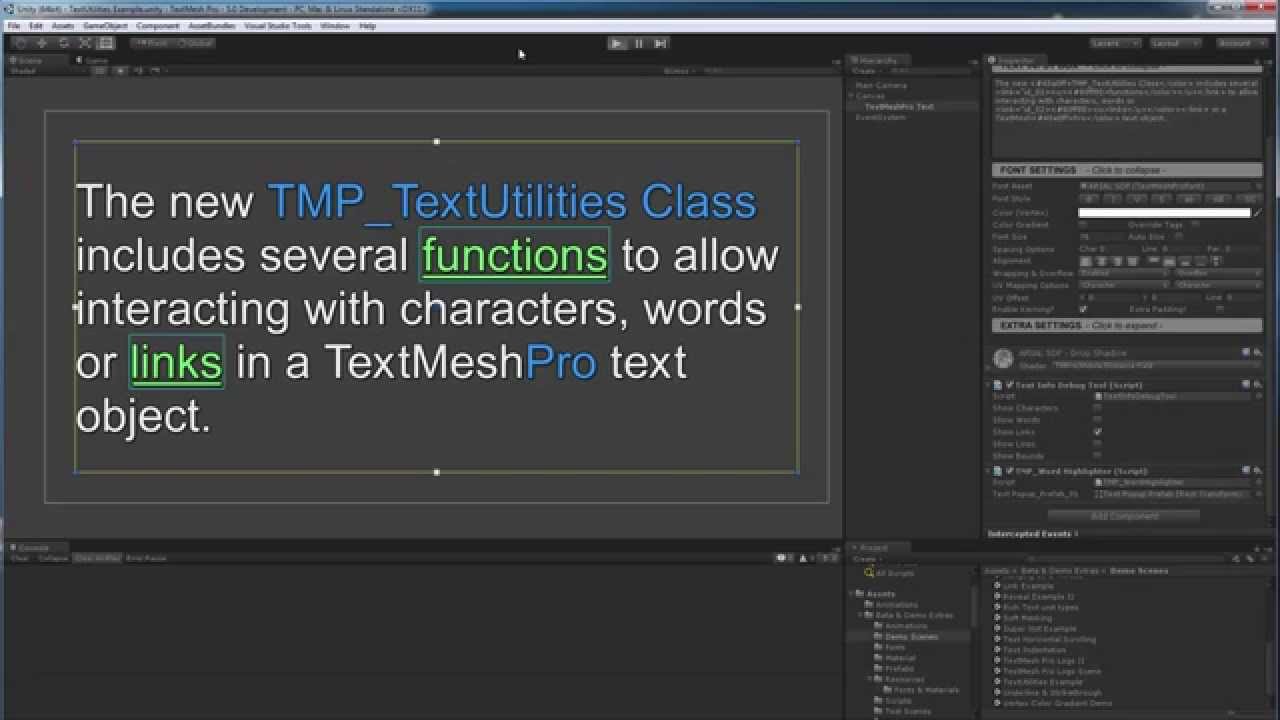
This video provides an overview of the new TextMesh Pro TMP_TextUtilities class which will make it possible to track and interact with characters, words, links and lines contained in a text object.
TextMesh Pro is currently available on the Unity Asset Store https://www.assetstore.unity3d.com/en/#!/content/17662
sharp oracle
Is there a way to get automatic navigation, but only within a specific panel? I have a complex popup window and I would love to just let Unity handle the navigation but I don't want the user to be able to tab out of it and select things behind the panel
mortal robin
sharp oracle
Is there a way to get automatic navigation, but only within a specific panel? I ...
I think it works perfectly as long as you only those objects to be interactable
using CanvasGroups is the best for that
and totally separate menus should be on different canvases
Which I don't believe you can navigate between? 🤔
sharp oracle
Putting them in a canvas group doesn't seem to help. They can still navigate to things outside of it
mortal robin
sharp oracle
Putting them in a canvas group doesn't seem to help. They can still navigate to ...
But did you set the other things to not be interactable?
Canvas groups are just to make it easy to set groups of objects as interactable/not interactable
sharp oracle
I still want them to be clickable, just not navigable with gamepad. It's a pop out menu, someone should be able to click the button to close it, but I only want the gamepad to be able to navigate within the panel while it's open, until they close it with a cancel button press
mortal robin
sharp oracle
I still want them to be clickable, just not navigable with gamepad. It's a pop o...
Right then make those other menus separate canvases - does that work?
sharp oracle
Maybe, I'll have to do a decent bit of reengineering. I'll see how it shakes out and if it's less effort than programmatically setting explicit navigation
sharp oracle
mortal robin
Right then make those other menus separate canvases - does that work?
Just ran a quick test, they still navigate to things on other canvases
mortal robin
sharp oracle
Just ran a quick test, they still navigate to things on other canvases
damn
Yeah Unity really screwed up with automatic navigation
Time to set up explicit navigation on everything 😛
sharp oracle
Yeah, I've been doing that, but I have a very complex dnyamically created set of interactibles and I can't even fathom how I'm going to cleanly set all the navigation in code
mortal robin
This thread seems to be similarly noting that limitation https://forum.unity.com/threads/ui-navigation-between-panels.418859/
sharp oracle
Yeah, I saw that, but the interactible thing didn't quite end up working for me. Guess I'll just have to put some more thought into it
 teal knot
Hello. When you create UI elements, at what size are you creating them? For example an inventory, the slots, the background etc. What sizes should I do them in so that they don't look pixelated?
ionic wharf
low pike
<@326128459166515201>
Change the camera to use a background colour, instead of ...
I'm trying to do it, but I not understand how to do the second step
sterile wedge
teal knot
Hello. When you create UI elements, at what size are you creating them? For exam...
The image size should match close enough to the texture size. But then there's also sliced images
wild pebble
teal knot
Hello. When you create UI elements, at what size are you creating them? For exam...
Recently i tried creating mipmaps for the ui elements and using trilinear filtering which actually worked pretty well on any size. May be worth trying
ripe mountain
Easy way to have the image being dragged always on top? It's falling behind other UI related images.
sterile wedge
ripe mountain
Easy way to have the image being dragged always on top? It's falling behind othe...
Put it at the bottom of the hierarchy
 silk coral

how do i fix this with my sliders?
i want to remove the handle to make a health bar
but when i do, for some reason the max value is this
 strong grail
for a game with many rather basic gamemodes, should I use one scene with many panels?
