#📲┃ui-ux
1 messages · Page 56 of 1
 rapid ferry
i have a semi transparent image over the whole canvas, i don't want it to show over the whole screen though, only parts of the canvas where there is a UI element
 mortal robin
rapid ferry
i have a semi transparent image over the whole canvas, i don't want it to show o...
mortal robin
rapid ferry
i have a semi transparent image over the whole canvas, i don't want it to show o...
Look into masks maybe?
https://www.youtube.com/watch?v=g3gpXmo8zRo
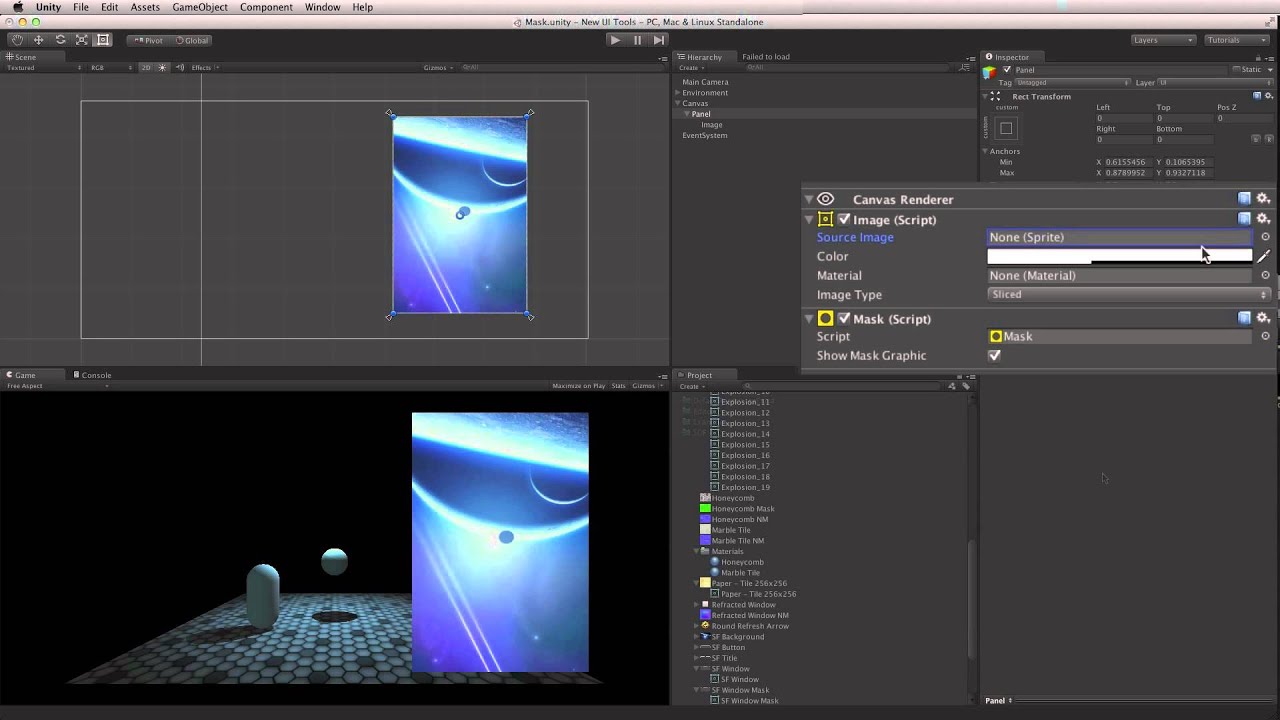
Watch this in context on the Unity Learn pages here -
Masks are used to hide part of a UI Image element. They can be used to define an area to animate images into, or in conjunction with the Scroll Rect component to achieve a scrollable space.
Help us caption & translate this video!
rapid ferry
i saw that but i'm not quite getting it. the whole scanline image still displays over the screen whether i add the mask to the scanlines image or the health indicator's background image. and in either method all the options in the stencil thing it adds are greyed out

the scanline is meant to only display over the health indicator
not sure what i'm doing wrong

...the element containing the image has to have the mask. i'm gonna have to have an instance of this image for every single ui element i want this to display over
if anyone knows of a better way to achieve this effect please do tell me

 native cairn
Yeah, so weird
 glacial sandal
I've created a video player component with time scrubber but when I change the canvas to World space it doesn't work. Where did I go wrong?
 verbal sand
well you did the thing that made it not work 😛
if you provide more details on your problem we might be able to figure out what that thing is
 limpid shale
what is a good way to position a popup canvas accurately through code?
I have a canvas that acts as a popup to tell the user if they're entered in something wrong, and i need it to line up with the input field.
 dusky stream
this is a weird glitch

no matter what i do, i can not select the panel
also good evening/morning
mortal robin
The panel is selected
dusky stream
but its not showing anything on right side
mortal robin
What are you expecting it to show?
dusky stream
background, etc
mortal robin
right side of what
mortal robin
THere's a RawImage component
dusky stream


 true plaza
Olla, iam making an AR app and i have world space buttons but they dont work? anyone know why?
 torn python
anyone know any potential causes for this issue?
the flicker sometimes goes away when i click out of the screen and return
which is pretty odd
also sometimes goes away after a few seconds like shown here
 smoky tendon
I want to have a turns remaining displayed but I suck at UI. where the heck would I put this and how would I display it? I don't think a bunch of text is the way to go... any ideas would help, thx
ooh maybe I could do energy cells or something. That might be cool in the context of my game
 surreal oxide
any clues on how i could completely remove the highlight on double click functionality of inputfield?
i want all types of clicks to just keep the caretPosition at whatever the cursor position is
mortal robin
surreal oxide
any clues on how i could completely remove the highlight on double click functio...
TextMeshPro Input field has this

not sure if that's exactly the functionality you're looking at
surreal oxide
that removes the highlight on the initial click (which is great) but its the double click when the field is already focused that is my issue
 dusty fable
is there a way to put ui in front of other objects not based on the hierarchy
mortal robin
dusty fable
and its parent UI object
Based on hierarchy it will always be drawn on top of its parent
otherwise you would need to do separate canvases and use Sort Order on the canvases
 teal bramble
hey there everyone, i have a canvas world space that i want to compare its size to a size of an object in the scene but the canvas becomes too huge. how to solve that what is the formula?
dusty fable
mortal robin
otherwise you would need to do separate canvases and use Sort Order on the canva...
is there any other way because i have 28 objects
mortal robin
dusty fable
is there any other way because i have 28 objects
?
teal bramble
sometime it is 0.005 sometimes 0.0001 from the scale of the object
mortal robin
dusty fable
is there any other way because i have 28 objects
what are you trying to do
dusty fable
inventory ui except for the object next to it overlaps it and a button on it doesnt ork
i want to stop the overlapping from affecting the button
mortal robin
Why can't you use the hierarchy?
dusty fable
because the heirarchy is like
1
1.1
2
2.1
3
3.1
...
where each one overlaps the two next to it
 dusty fable
I coul put the button on the slots or teh child but both are blocked
 timber elbow
What button?
dusty fable
a button that i want to add that will show the player has selected that slot
when clicked
each slot will be a button
timber elbow
Then put it on the slot itself or child to the slot
dusty fable
thats what i have been trying but the slot next to it overlaps it and when clicked teh slots next to it is clicked instea
timber elbow
Why is the slot rect so huge?
dusty fable
because i didnt think about it
timber elbow
Well, if you have group component on the parent, you can make it control the slots size.
dusty fable
in what way, the scale or the size of the rect
timber elbow
The delta size of the rect.
I'd use a grid layout group and just throw all the slots underneath it
Then adjust the spacings and offsets to match the current look.
dusty fable
i searched it up but im still not sure what deltasize / this means
The size of this RectTransform relative to the distances between the anchors
timber elbow
It's basically what you set manually when dragging the rect gizmo box. The one you can see on your screenshot.
dusty fable
so the size of the rect but not the image?
like the size of what you have to press in order to activate a button?
timber elbow
In the normal situation the image would get scaled with the rect size
And what you need to press depends on the rect size afaik.
That's why now you have slots blocking each other.
dusty fable
ok
timber elbow
You don't really need to worry about delta size. Just use a grid component and play with it's settings - see how they affect the elements under it.
dusty fable
just tested it, wouldnt grid layout just mean i can have less slots on one row. it seems to be easier way to rearrnge thngs
timber elbow
Yeah, you just put all your slots under the grid group, as I mentioned earlier.

 timber elbow
Try reducing the cell size and setting the spacing to positive
Expand the object with the grid to fill the parent transform.
 timber elbow
Well, it needs to be more than 0. But I've no clue what you're doing there.
Why is the left slot different? Is it no parented to the grid?
dusty fable
its not part of the inventory, its whats currently equipped
timber elbow
Okay
dusty fable
all i changed was cell x, y to 150 an spacing x to 0
timber elbow
Switch to rect tool, take a bigger screenshot
Take a screenshot of the hierarchy, the grid component(the whole inspect), and one of it's children
dusty fable
do u want me to select the obj with grid component or its child
dusty fable
child
 timber elbow
Also take a screenshot of your slot sprite in a sprite editor(opened from the texture import settings of the sprite).
dusty fable
parent
 timber elbow
dusty fable
child
timber elbow
dusty fable
child
I want to see the whole inspector, including the image component.
timber elbow
dusty fable
parent
Expand your parent rect to fill the size of the parent rect.
dusty fable
uh wat
dusty fable
timber elbow
Expand your parent rect to fill the size of the parent rect.
fill rect to fill rect?
this starte becausre i was lazy and used a old version of the bg sprite but just resized it. when i made the sprite i had the entire img the size of screen then adjusted the non transparent part of the img to fit in
dusty fable
timber elbow
I want to see the whole inspector, including the image component.
sorry didnt see that

 timber elbow
dusty fable
timber elbow
dusty fable
You want to set border to match you sprite.
timber elbow
dusty fable
nothing seems to chnge
set the image image type to sliced:
 timber elbow
dusty fable
fill rect to fill rect?
timber elbow
dusty fable
fill rect to fill rect?
hold alt + shift and click the "expand" option on the rect anchors:
 timber elbow
For your sprite to work properly in sliced mode, you want it setup something like this: the borders are supposed to be outside the green borders.

 timber elbow
push the green borders a bit more, so that the edges are outside.
dusty fable
inwards or outwards? i just done it outwards
timber elbow
inwards
then you can control the scale of the sprite on the image with "pixel per unit multiplier"


The other ones are set to 1
dusty fable
 timber elbow
dusty fable
timber elbow
dusty fable
try increasing it to something like 2 or higher
the main problem is really with your sprite.
It shouldn't have that much empty space around it
dusty fable
i did it just became smaller
 dusty fable
this starte becausre i was lazy and used a old version of the bg sprite but just...
dusty fable
dusty fable
this starte becausre i was lazy and used a old version of the bg sprite but just...
this is why
timber elbow
I'd just open the sprite in some image editor and crop it to content


Now it fits perfectly in unity:

And you can control spacing with the grid component:
 timber elbow
then you can slap on a content size fitter and the panel would adjust to it's contents. And add some padding for the panel edges to be visible:
 dusty fable
cool thanks for sticking aroun so long just have to adjust some sizes

just tested the button its working perfectly ty
 broken cliff
can i have a different canvas for different cameras?
teal bramble
why the canvases in world space are so huge...i dont understand the formula to make them be in a normal size
 mild kernel
teal bramble
why the canvases in world space are so huge...i dont understand the formula to m...
mild kernel
teal bramble
why the canvases in world space are so huge...i dont understand the formula to m...
Don't crosspost
Change the size of the UI on the transform component to be more in line with world space values.
mild kernel
Change the width/height values on the RectTransform component of the canvas.
 fluid plover
I want to make a tabs menu system where when one of the tabs is pressed, the other pages are disabled and the selected page is enabled
how could I do this?
i'm failing to understand UI ngl
mortal robin
fluid plover
how could I do this?
There are many tutorials around for such a thing. Search for "Unity tabbed UI"
 azure flame
!ban 715807931131494461 Scam
 onyx flowerBOT
 Dolentec#9580 was banned
 coral cape
Does anyone here uses MaterialUI library?
 vital summit
OK, I have to be having a brain glitch on this. I have a TextMeshProUGUI object.
I can set it's color field like this:
text.color = defaultColor;
With no problem, provided it's in the Start or Awake functions.
But after those functions, the color properties do nothing.
Is there any way to change the color of a TextMeshProUGUI outside of Start or Awake?
 obsidian crag
vital summit
Is there any way to change the color of a TextMeshProUGUI outside of Start or Aw...
obsidian crag
vital summit
Is there any way to change the color of a TextMeshProUGUI outside of Start or Aw...
This is strange, I usually just change the color on animation clips and it work anytime.
By the way, the "defaultColor" is an object from Color class or Color32 class? Here is an issue I found similar that might be the case
https://forum.unity.com/threads/changing-color-of-textmeshpro-in-code.949434/

Unity Forum
Hi there.
I've got a TextMeshPro gameobject that I'm trying to change the color of in the code (hence the title). I'm refering to it using...
vital summit
They are Color32's.
Is the problem the fact that they're "TextMeshProUGUI"?
The one that can use Tags.
And not just a TestMeshPro?
obsidian crag
Depends of the component, TextMeshProUGUI is the one to be used on the Canvas UI system. TextMeshPro is another component meant to be used with a Mesh Renderer
The only problem with it is if your component on the GameObject and the component you are working on the code aren the same
vital summit
OK, it's inside a Canvas, so that's not it then.
vital summit
obsidian crag
The only problem with it is if your component on the GameObject and the componen...
That only makes sense if the object is different in Start and not Start functions.
obsidian crag
By the way, I would suggesting trying on an empty scene, set a new canvas with only the textMeshProUGUI
Create a new script and try updating it on Update function
Just to check if it is an issue with TextMeshProUGUi itself or it might be something on the scene who is making it not behave as expected
vital summit
Hmm
mortal robin
vital summit
OK, I have to be having a brain glitch on this. I have a TextMeshProUGUI object....
show your code?
vital summit
So this is in a prefab, and what's odd is, if I do this, when I call 'SetText' it says that tui isn't set, despite finding the component in the Start function (as confirmed by the debugger):
using System.Collections.Generic;
using UnityEngine;
using TMPro;

public class MainTextTextEntry : MonoBehaviour
{
    private TextMeshProUGUI tui;

    void Start()
    {
        tui = gameObject.GetComponent<TextMeshProUGUI>();
    }

    private void Update()
    {
        tui.color = new Color32(64, 128, 192, 255);
    }

    public void SetText(string in_text)
    {
        tui.text = in_text;
    }
}
where are you calling SetText from?
vital summit
Another component on another object.
mortal robin
yes in what function
mortal robin
vital summit
The one that instantiates those.
You should move cs tui = gameObject.GetComponent<TextMeshProUGUI>(); to Awake()
Start won't run for up to a full frame after instantiation
Awake will have run by the time Instantiate returns
vital summit
Aha!
OK, that's working.
OK, yeah. I think the issue was with using Start and not Awake.
Thanks @obsidian crag and @mortal robin . : )
 sonic rover
Hey, anyone know how I can make these square buttons rounded rectangles?
 sonic rover
Quick question

The rectangle to the left of the cube is a child of the cube button
And the cube button is above the planet button in the hierarchy
how do I make the rectangle go above the orange button?
 carmine cliff
Hi... in the new ui toolkit (runtime) how do you add an audio sfx to the buttons ? i'm hoping there's an easier way than to manually fetch each button as a separate variable and add a callback for each button. This would become a nightmare on large/complicated/dynamic UIs. Any Ideas? thanks
teal bramble
has somebody here implemented an infinite scroll with firebase?
 fervent pilot
I don't think this is working properly. What am I missing?
    List<AsyncOperation> scenesLoading = new List<AsyncOperation>();

    public void LoadScene(int nextScene, int previousScene)
    {
        loadingScreen.gameObject.SetActive(true);                                              // This and the Animator line only kick in *after* the next scene is already loaded
        loadingScreen.gameObject.GetComponent<Animator>().SetTrigger("StartLoad");
        StartCoroutine(WaitForLoadingScreen(2.0f)); // Not working?
        scenesLoading.Add(SceneManager.UnloadSceneAsync(previousScene));                       // These seem to start first
        scenesLoading.Add(SceneManager.LoadSceneAsync(nextScene, LoadSceneMode.Additive));

        //...
    }

    public IEnumerator WaitForLoadingScreen(float seconds) // Not working?
    {
        yield return new WaitForSeconds(seconds);
    }
that's not how coroutines work
they can only delay themselves not the code that started them
(unless you started them from another corouotine)
you have to do the code that is after the StartCoroutine inside the coroutine after the yield statement if you want them to happen after the delay
fervent pilot
mortal robin
you have to do the code that is after the StartCoroutine _inside the coroutine a...
Just a moment
Well that works, sort of. It does activate the UI on Scene A as intended, but then the UI deactivates on Scene A, then moves to Scene B.
 rich wing
fervent pilot
I don't think this is working properly. What am I missing?
```csharp
List<As...
rich wing
fervent pilot
I don't think this is working properly. What am I missing?
```csharp
List<As...

 fervent pilot
I think I got it:
    public void LoadScene(int nextScene, int previousScene)
    {
        loadingScreen.gameObject.SetActive(true);
        loadingScreen.gameObject.GetComponent<Animator>().SetTrigger("StartLoad");
        StartCoroutine(WaitForLoadingScreen(2.0f, nextScene, previousScene));

        StartCoroutine(GetSceneProgress());
    }

    public IEnumerator WaitForLoadingScreen(float seconds, int nextScene, int previousScene)
    {
        scenesLoading.Add(SceneManager.UnloadSceneAsync(previousScene));
        scenesLoading.Add(SceneManager.LoadSceneAsync(nextScene, LoadSceneMode.Additive));
        yield return new WaitForSeconds(seconds);
    }
Thank you @mortal robin and @rich wing
rich wing
fervent pilot
I think I got it:
```cs
public void LoadScene(int nextScene, int previousSce...
@fervent pilot you are trying to load scene before the wait it should be like the old code
fervent pilot
rich wing
<@!194340042301374464> you are trying to load scene before the wait it should be...
That's actually what I needed
It's not actually showing this part: loadingScreen.gameObject.GetComponent<Animator>().SetTrigger("StartLoad");
 steep pivot
I’m trying to use uhh, LeanTween. Is it possible to use this to create something like a drag-out menu?
 low pike
@cobalt lark reset the recttransform for the text
 cobalt lark
low pike
<@!478949604151263233> reset the recttransform for the text
cobalt lark
low pike
<@!478949604151263233> reset the recttransform for the text
is this channel ment for UI stuff?
low pike
... what's the channel name? 🤔
low pike
3 dots on the component -> reset
cobalt lark
 low pike
you show a problem, but not any useful information
cobalt lark
i see this
 low pike
like you've cut off all the inspector
cobalt lark
this is my screen also i have to go so either reply to this message or ping me
 low pike
just delete the disclaimer text.. delete the next button
and create a new tmp button
OH
click this.

TMP doesn't work until you do
READING things that appear helps
 night herald
Could someone tell me which is the uv map, please? I don't know what the file type should be, and I can't seem to open any of these in the proBuilder uv editor. I want to cut the road material half in length, and feel the best way would be to just shorten the uv map?
 mortal robin
night herald
Could someone tell me which is the uv map, please? I don't know what the file ty...
mortal robin
night herald
Could someone tell me which is the uv map, please? I don't know what the file ty...
the UV map is not a file. It's a property of the mesh
specifically it's a property of the vertices
cobalt lark
how to make the button NOT transparant?
 azure flame
button has an image component, look at its alpha
 mild pilot
Is it possible to ContentSizeFitter text to a circle shape?
azure flame
It just reads children's rectangle size AFAIK.
mild pilot
Hi all. How can i rotate the "tail" of the chat bubble to the center of the parent hud rect?
Hierarchy wise, it's Hud -> ChatBubble -> Tail
The chat bubble is always anchored to the corner of the hud, set in code
Now rotating the tail is left. In the pic the tail is rotated manually

I tried tail.localRotation = Quaternion.LookRotation(tail.localPosition, tail.forward); and some variations, but this still rotates in world space ish. In the inspector, only the Z euler needs to be rotated
I'm just not sure what's the logic of finding the center of the parent, after the anchoring and all that
Ah since this is world space, i just did another WorldToViewport and did tail.right = hudViewportPoint - tailViewportPoint
 warm wolf
Hey guys, any idea why I get this grayed out shader? When I add a TMP text it stays grayed out like that and I can't edit the shader. Old gameobjects with TMP I already had in the scene are fine and I can edit the shader no problem but copying them still gives me the grayed out shader

My TMP material

 steady kraken
why is my scroll view not working properly


 chrome kettle
 calm birch
why is it black?
calm birch
why is it black?
Surely because the Color is black
calm birch
no I mean what do I do so that my sprite image I used in the first picture becomes the background instead of the color black?
@chrome kettle
chrome kettle
calm birch
no I mean what do I do so that my sprite image I used in the first picture becom...
Color it white instead of black
calm birch
thx works now

 steady kraken
I'm making an application that chooses randomly from strings and I want to make it customisable by changing the capacity now how can I instantiate bars below the other bar for the amount of the capacity
 chrome kettle
@rapid ferry try shift + space while overing the viewport
warm wolf
Guys, after a recent downgrade form 2021 -> 2020, any new TMP (or any) objects added to the scene has this grayed out shader. All the old objects are still correct and can be edited, and they can be copied and pasted with no issues, but any new objects have this uneditable shader I can't seem to change? Any idea why - a uninstall and re-install of TMP and URP didn't help.

Solved!: One parent object had a fucked-up shader, made all the children have the same issue, removing the parent object solved it.
mild kernel
@warm wolf In the future, you don't need to crosspost. Pick one channel.
warm wolf
mild kernel
<@!158503324738387968> In the future, you don't need to crosspost. Pick one cha...
Alright will do
 gray zodiac
Does anyone know of a way to use layout groups to get 4 panels on each corner of the screen? I have 4 different orientations for these panels in my game(Top, Top left, Bottom, Corners) and the way I switch between them is by just re-parenting these panels to the specified orientation. I tried using a grid layout for the corner orientation but it doesn't look good with different screen sizes.
 sturdy narwhal
I have this blur effect in my main menu, It's suppposed to show behind the buttons just like shown here in the editor. This looks correct however when i launch the game it looks like


first, what would it to cause flip something upside down
second, why isnt the blur following along the UI elements when the camera is rotating
thirdly why is there a weird edge
this is the wierdest thing i have encountered in a while
the blur is a simple image with a blurry material


this is all there is to it
i have been sitting here for hours trying to figure out whats wrong
help would be appreciated

it looks correct in the editor, but when i launch some black magic is happening lmao
 delicate nacelle
Hello, is there anyone experienced in using UI Toolkit/Builder, willing to clarify some things for me? There is basically a vacuum of relevant info about this on the web (am I even in the correct channel to ask that?)
 devout wave
maybe a odd question but is there a setting to stop scaling to monitor size? atm im working on a project from my pc and laptop but everytime i do something on my laptop the second i open it on my pc everything is out of place and really annoying to deal with tbh
low pike
delicate nacelle
Hello, is there anyone experienced in using UI Toolkit/Builder, willing to clari...
Yes, UI questions go in this channel.. the UI channel. Also -> https://dontasktoask.com/
 delicate nacelle
low pike
Yes, UI questions go in this channel.. the UI channel. Also -> https://dontaskto...
delicate nacelle
low pike
Yes, UI questions go in this channel.. the UI channel. Also -> https://dontaskto...
my bad, thank you
so what I should have asked:
- how bad is it to use UI toolkit/builder for production? The package is in preview (and that should answer my question), of course, but I just cannot handle legacy Unity UI system, it's way too clunky and horrendously non-universal. for context: I'm working on a simple mobile 2d game and I want Ui to to be drawn on the fly (almost no prepared UI sprites) and scale.
- how to deal with insane amounts of seemingly random warnings/errors the UI builder produces? They are in 99% cases ungooglable, and I can't seem to find any actual documentation on the package, too. They don't seem to break anything, but ignoring them feels wrong. Is it Builder-specific and I should stick to working with uss and uxml without visual tools?
 bright dagger
what kind of collider or component does a sprite with only a Transform and Sprite Renderer so far need to be able to trigger mouse over events once placed in a 3d scene (not as a child of a canvas)?
will any collider do?
chrome kettle
bright dagger
will any collider do?
Yes
bright dagger
Weird, I tried with a Box 2D earlier and it didn't work, maybe the position/scaling was off
Is there a straightforward way to generate a collider that matches the sprite shape?
Outlines is good enough ofc
chrome kettle
bright dagger
Is there a straightforward way to generate a collider that matches the sprite sh...
All colliders try to match the object's shape
For sprites that is the polygon collider
Though I don't know how it behaves with sprite animation
bright dagger
I don't think the sprite renderer itself has a shape actually
It's only the origin and the dimensions are determined by the referenced sprite I think? I'll have to check
okay it seems to be working out if I use a easy to hit box collider for testing purposes now I just gotta fix the size, ty
chrome kettle
bright dagger
I don't think the sprite renderer itself has a shape actually
If I put a polygon collider component on a sprite gameobject, it'll be automatically configured to the sprite's outline

Though it'll only show up visually when I click the "edit collider" button
coral cape

This is quite odd... I am trying to make a health bar here, but it turns out to be weird and broken. Here's a short clip... Both texture on the left and right do have transparent background, as can be seen below:
 coral cape
Does anyone have a recommendation on how I could have both sprite retain it's transparent background, while also adjusting the opacity of the sprites?
Using HDRP
coral cape
Does anyone have any recommendations to the issue I'm having? 😦
 normal temple
Hello so im trying to setup a ui in unity hdrp, however for some reason my buttons do not work nor do they highlight when i mouse over them, does anyone know what is going on? https://gyazo.com/26bdc562021aa809d8ab8c73579d671a

 native cobalt
Hi, I'm trying to learn the UI Builder. I know it's still a preview :)
I'm using it to create the Main Menu of my game, so I'd like to have button with responsive text. Is it possible to do it with uxml and uss without C# ?
Responsive in general doesn't seems to work well with %, i'm probably not doing it in the right way. so if anyone has any tips, i'd be thankfull :)
Have a good daay !
 clear ether
delicate nacelle
so what I should have asked:
1) how bad is it to use UI toolkit/builder for pro...
clear ether
delicate nacelle
so what I should have asked:
1) how bad is it to use UI toolkit/builder for pro...
This is my opinion btw
- It is pretty much usable and yes I dislike the legacy system completely. For textureless UI components, it’s really good and fun. You don’t have world space ui yet and masking options (there might be but so far nothing on my end - I am using 2021.2 where the ui builder and toolkit is built in)
- You can ignore the errors as long as it’s working (the yellow warnings I suppose?) However, I make my own visualelements and loading styles via Resources. So, it’s pretty much uss and uxml + C# for me but I sometimes go to builder to see the important layouts the default foundation basically for my use case.
delicate nacelle
clear ether
This is my opinion btw
1. It is pretty much usable and yes I dislike the legacy ...
thank you 👍
 worn pagoda
Im trying to make a health bar with two sprites, one is the empty bar and one full. Is there a way to like move a mask over it with code so that is looks like its emptying?

I have them both on a canvas one on top of the other and i wanted to use a slider like you would with a simple health bar but i dont know how to do it with a complex sprite.
 vestal nest
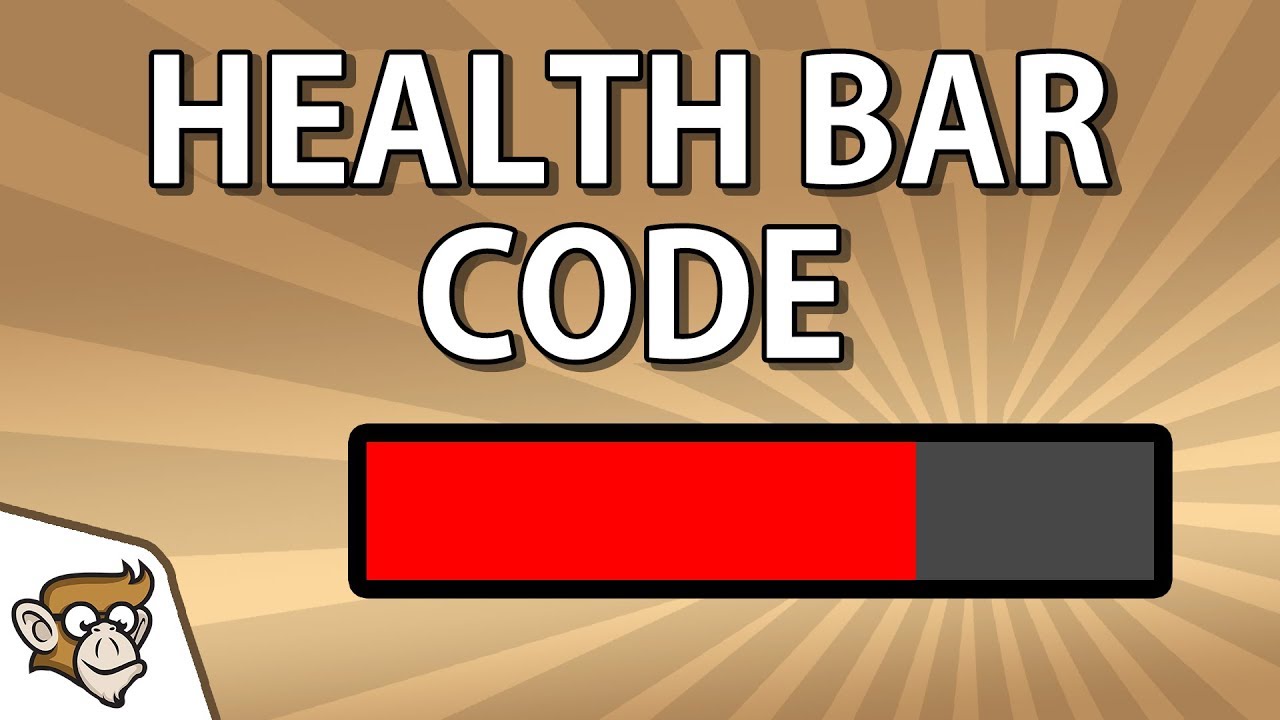
✅ Get the Project files and Utilities at https://unitycodemonkey.com/video.php?v=D7TvU-NHBm4
In this video we're going to create a health bar from code and control it.
If you have any questions post them in the comments and I'll do my best to answer them.
🔔 Subscribe for more Unity Tutorials https://www.youtube.com/channel/UCFK6NCbuCIVzA6Yj1G_...
worn pagoda
vestal nest
https://www.youtube.com/watch?v=D7TvU-NHBm4
I dont think that will work as that is a simple bar like i was saying. Mine is 2 sprites that are not rectangular so if you scale them it doesnt look right. You cant just scale them. Thats why i was wondering if there is a way to maybe scale a mask over it that culls whatever the mask is over?
If you try to scale it, it just does this
 vestal nest
I believe it can be done with the Mask, then you can just scale the green Image inside it
 rose dock
How come my text gets this faint gray box around it? Is it because I'm using a Text Mesh Pro Text component instead of a Text Mesh Pro Text (UI) one?

closeup

oh lemme just
it shows poorly there but if i up the contrast you can see it

okay apparently it might be due to the ratio of the sampling point size to the padding
 lime field
Heya, I have a toggle group with 2 toggles. But when one is selected and that I click anywhere, it's gonna stay as Is On = true but be visually deselect.
Any ways to solve this ?
 magic walrus
whatre some tips for getting icons to look clear at different resolutions? the top is 2560x1440 and looks alright, bottom is a lower 1360x768 and can barely make it out
 mortal robin
magic walrus
whatre some tips for getting icons to look clear at different resolutions? the t...
mortal robin
magic walrus
whatre some tips for getting icons to look clear at different resolutions? the t...
does enabling "Pixel Perfect" on your canvas help?
magic walrus
mortal robin
does enabling "Pixel Perfect" on your canvas help?
i dont see any noticeable difference
low pike
vestal nest
I believe it can be done with the Mask, then you can just scale the green Image ...
don't use scale for this at all
@worn pagoda change the image type to "Fill" -> fill method to horizontal -> update the fill amount at runtime

 ivory mulch
Hey guys, is this the channel I go to, to receive some help for the UI "event system"?
mortal robin
yes
ivory mulch
Hey guys, I am in need of dire help, as I can not for the life of me figure out how to solve this issue. So take a look at this gif:
https://gyazo.com/31c677560dbf1f5a56106c861dba515b
Look at around the 18 second mark. The first selected game object is the "fight button", but the button isnt highlighted. This only happens when I disable, and reenable the canvas. It usually highlights the object the first time around.
 coral cape
worn pagoda
Im trying to make a health bar with two sprites, one is the empty bar and one fu...
coral cape
worn pagoda
Im trying to make a health bar with two sprites, one is the empty bar and one fu...
Have a look at what I did here. #💻┃unity-talk message
 fair crescent
This might be seen as a bit of a dumb / newbie question, but I'm a little confused about something. How could I get my UI panel size to stay the same no matter what the window resolution is?
For example, here's the proper version.

And then here's what happens when I maximize the game window.
 mortal robin
fair crescent
This might be seen as a bit of a dumb / newbie question, but I'm a little confus...
mortal robin
fair crescent
This might be seen as a bit of a dumb / newbie question, but I'm a little confus...
Familiarize yourself with:
- The Canvas Scaler component
- This article: https://docs.unity3d.com/Packages/com.unity.ugui@1.0/manual/UIBasicLayout.html
fair crescent
mortal robin
Familiarize yourself with:
- The Canvas Scaler component
- This article: https:/...
Will look into these. Thank you :)
 modest olive
What's the best way to troubleshoot the UI/UX not functioning properly out of the blue? I'm an extreme beginner making a 2D game and you can pause/unpause the game with 'Esc'. The UI button to resume and exit was working earlier, but it stopped for some reason.
I'm not sure what information I'll need to troubleshoot the UI, so I'll post my code and a screenshot of the settings for one of the buttons

 low pike
ivory mulch
Hey guys, I am in need of dire help, as I can not for the life of me figure out ...
low pike
ivory mulch
Hey guys, I am in need of dire help, as I can not for the life of me figure out ...
Make sure the event system component doesn’t have a “first selected” (or whatever it’s called) assigned.
And on the button components turn off navigation (set to none)
low pike
modest olive
I can’t remember if update() still runs when timescale is 0.. as a test comment out both time scale changes
It’s one msg ..
modest olive
low pike
I can’t remember if update() still runs when timescale is 0.. as a test comment ...
It's not the timescale that's causing the problem
Commented it out and the same problem occurs
low pike
The gameobject that this component on doesn’t get disabled, does it?
modest olive
The component that has the pausemenu script on it? No. The actual pause menu itself, yes.
low pike
Oh, you don’t have curly brackets around your if
Always put {}
Makes no sense not to and just leads to problems when they’re not there
modest olive
Alright
modest olive
low pike
Always put {}
Took care of them and the issue's still there, however. No ability to hover over or select the buttons once the pause menu is enabled.
low pike
At this point I’d put 3 debug logs in the update
One to confirm esc is being pressed.
One in the pause bit.
One in the resume bit.
modest olive
What would the debug.log look like for each?
There's no way to activate the pause function with a button, as it's all handled through Escape.
So that might leave only confirming esc is pressed and somehow checking the buttons to see if it detects input through the debug (which I don't know how to do)
mortal robin
low pike
I can’t remember if update() still runs when timescale is 0.. as a test comment ...
Update runs once per frame no matter what
it doesn't care about timescale
as long as the object is active and the script is enabled
modest olive
 low pike
Esc has been pressed goes above the isPause
And then had “paused” in there instead
modest olive
It all prints as specified.
mortal robin
Also make double sure that you don't have Collapse turned on in your console window
mortal robin
modest olive
It all prints as specified.
so what exactly is not working?
modest olive
It's off
The buttons. I can't press them, as nothing registers. They were working earlier, but stopped.
mortal robin
modest olive
The buttons. I can't press them, as nothing registers. They were working earli...
Do you have an Event System in your scene?
modest olive
I believe so
mortal robin
check
and make sure it has two components on it:
Event System
Standalone Input Module
modest olive
 low pike
Doesn’t look like it
mortal robin
modest olive
that is not an event system
modest olive
Oh

 low pike
When you create a canvas , it auto creates a gameobject called event system with the require components
modest olive
Oh yeah
low pike
Which is why it used to work, but now doesn’t
modest olive
I had some issues with the character controller earlier and deleted it because I assumed it might have been the cause
(It wasn't)
mortal robin
Ok well now you know it's important for UI to work 🙂
modest olive
How do I set it up properly?
mortal robin
you shouldn't have to do anything really
the defaults should be fine
test it out
yours won't match my screenshot perfectly - you'll have a StandaloneInputModule instead of the input module I have
modest olive
Alright, it highlights, but the commands aren't working so when the button is clicked on it doesn't resume
mortal robin
Does the Debug.Log for ResumeGame print when you click the button?
modest olive
No
mortal robin
YOu have this set to "off"

make sure you turn it on
it should be set to "Runtime Only"
Right here i mean
 modest olive
Thanks!
It works again!
This is actually starting to resemble a proper game at this point.
I've given up too early on most of my projects, but I've been on a winning streak here and I'm happy about it!
worn pagoda
low pike
<@!462544584686305291> change the image type to "Fill" -> fill method to horizo...
Thanks mate, thats exactly what i want!
mild kernel
Don't crosspost, you have this going in #archived-game-design.
vital summit
Hey, so I'd like a Text object in a Layout to have it's width controlled by the Layout, but it's height controlled by it's own content.
Is there an easy way to do this?
I basically want to use a 'Content Fitter' for height, and a Layout for width.
But using a Content Fitter takes control of both width and height.
And it advises me against it.
 sterile wedge
Hi, I have this set up at the moment. How can I make it so that BG(the red one) expands automatically as GridLayout(grey one) expands as more white squares are added? BG is just a plain Image at the moment, and GridLayout is its child.

 balmy harness
Im not sure if I should post this here or in gamedesign, I currently can´t decide if I should keep the progressbar on growing plants or If I should remove/change them?
low pike
@sterile wedge like this
 sterile wedge
low pike
<@!244756049637146625> like this
sterile wedge
low pike
<@!244756049637146625> like this
Put this on BG?
low pike
yep
on the layout element, I've got the width/height at 500 there.. obvs change that to whatever suits you
sterile wedge
low pike
on the layout element, I've got the width/height at 500 there.. obvs change that...
thank you. this worked brilliantly. Also appreciate the layout element on it so I can set the minimum width and height 🙂
what is the difference between min and preferred?
I'm looking at this doc https://docs.unity3d.com/Packages/com.unity.ugui@1.0/manual/script-LayoutElement.html
min's description is understandable but I dont quite understand preferred. For example, they said here
"The preferred height this layout element should have before additional available height is allocated."
low pike
I'm not sure
could probably swap to using min h/w on the layout element instead of preferred
sterile wedge
low pike
could probably swap to using min h/w on the layout element instead of preferred
yep, it seems for my use case, they do the same. I haven't quite run into a scenario where it'd make a difference. Maybe someone will see this and know
low pike
Can't read that description of preferred height without it sounding just the same as what minimum does
 dawn rain
Hey everyone, this happens when I scroll with the mouse inside a TextMeshPro Input field, does anyone know how to disable this? Thanks

The caret goes outside of the bounds of the input field
and so does the text, it moves upwards too
like so
 dawn rain
Well I kind of fixed it doing this: "inputField.scrollSensitivity = 0f;"
 karmic spindle
how i add crosshair
dawn rain
karmic spindle
how i add crosshair
Make a canvas with a PNG that is a cross centered in the canvas
 bold umbra
Hello
i am having issues with displaying the path of a character in my project. i was wondering if you guys have any idea why this could be happening. attached are 2 images demonstrating the issue. in one image the path is drawn behind one of the characters and in the other image it is drawn in front... the only thing i am changing is the position of my mouse (moving it forward)

 steep pivot
Oof, I’m trying to rig a button to drop down along with like
A little tab or slider drop down
But whenever I actually click on the tab it triggers the button because it’s childed to it
Is there a way to do this without like, triggering the button by clicking on the tab?
mild pilot
Hi i have a hiccup in my chat system
I have a check like this in AnyInputActive
foreach(Selectable sel in Selectable.allSelectablesArray)
       if(sel is InputField inputField && inputField.isFocused)
           return true;
I have my chat input field to be selected when there's no input active, and upon pressing Enter
The problem is if there's another inputField i'm dealing with (from shop enter amount or whatever else), and press enter on that, the order is so:
- Press enter on shop inputField
- Shop inputField deselected
- AnyInputActive in this frame is false
- The same "Enter" input is detected in the Chat's Update
- Chat's inputField gets selected
I tried moving things around to LateUpdate but.. i guess what i want to know is when exactly the onEndEdit (and the auto deselect) happens, and if it's possible to move it?
 sage hollow
this is the rect transform of the "find the headset" text


its just 2 keyframes, one is out of view and the second is the final position
i did have free aspect enabled, let me try it now without it enabled
@low pike yes I think that was it, i had free aspect on, now it isnt janky anymore
low pike
It's good practice to never use free aspect when working with UI
I'd also change the recttransform
sage hollow
to what?
low pike

anchor to the top left
with the pivot bottom left
NEVER have the default scale on UI as anything other than 1,1,1
only change the scale with an animation (for fanciness)
sage hollow
gotcha, thank you
warm wolf
In my Mac build the alpha around the cursor is dark and a single color (not as it is meant to be) any idea why?
 mighty oar
Might someone be able to help me? I believe I've come across this issue before and never managed to solve it... The text I put in my game is in a completely different place and size in the game and scene view than it is when the actual thing is running...


 hexed bay
mighty oar
Might someone be able to help me? I believe I've come across this issue before a...
hexed bay
mighty oar
Might someone be able to help me? I believe I've come across this issue before a...
facing the same problem here, the text becomes more centralized when i build the game
 sour orchid
heya, I've been trying to get more detailed text, but fonts only allow for 1 color, so how would i use letters like these if fonts aren't an option?

 median iris
You could do letters like these by using an outline on your text, also I recommend using TextMeshPro if you're not already doing
sour orchid
ah, i do sadly mean using pictures and this is just an example, dunno how much textmeshpro would help for sprite sheets to fonts, but im currently using it
sterile wedge
sour orchid
ah, i do sadly mean using pictures and this is just an example, dunno how much t...
TextMeshPro has this
https://learn.unity.com/tutorial/textmesh-pro-sprite-assets#5f5f1078edbc2a0020aa64d5

Unity Learn
In this tutorial, we’ll learn about the Sprite Asset, a direct analog to the Font Asset.
inline sprites 🙂
sour orchid
oh nice! but isn't that for specific characters only, and if so how would i use them through code with variables involved (most notably a timeStep)?
sterile wedge
I’m not sure what you mean.. with inline sprites you can add sprites as part of your text
Honestly not sure what they’re called now..
sour orchid
yeah i get that, but i mean like having them as if they were a real font, so having
Time (as a float) += Time.deltaTime;
textMeshText.text = Time;
and it using the sprites for them x)
sterile wedge
I dont know if you went through that tutorial i linked. I personally skimmed too
But basically you add some sort of sprite atlas, do some set up, then you can write them using <sprite=0> right in your string
Sprite sheets to fonts. This is pretty much what you’re looking for
In this case it’s putting in sprites as part of your text
sour orchid
this is the part that's mainly making me confused, as i had hoped for more of a font than something like emoji's or reaction or something
 sterile wedge
Dude. You use your own assets
sour orchid
sterile wedge
Sprite sheets to fonts. This is pretty much what you’re looking for
yeah that, sorry about last message being a bit late :/
sour orchid
yeah i know, but more as an example from the actual docu. i was kinda confused on how its not a literal font
sterile wedge
Just go through the tutorial, seriously
sour orchid
i have though and i'll try :/
sterile wedge
You could probably modify the text material to have outline and fill btw.. textmeshpro can do that
But if you want to use sprites, there’s that
sour orchid
ah okay, thanks
 molten saffron
damn it. How do I localize my game.
Every font I downloaded is displayed in English letters when I try to preview the font and in the UI fonts are displayed as empty squares. WTF
I downloaded this font
https://arabicfonts.net/fonts/a-arslan-wessam-a-a-arslan-wessam-a
and this is what i see in the preview All letters are in English. It supposed to be Arabic font.
https://i.ibb.co/7WnZZYk/img.png
https://i.ibb.co/WnNDzp0/ars.png
and in the editor instead of letters I see empty brackets

(A) Arslan Wessam A (A) Arslan Wessam A : Download for free at ArabicFonts


What am I doing wrong
can somebody help me
 coral forum
how do you assign a background image to a template instance? been searching for a long time and can't find it. since background image is a style and you can't change styles.. does that mean that you can't set different images for template instances? seems like a pretty big shortcoming if there's no way to do it
 tardy agate
anybody know why my UI elements aren't aligning correctly with 16:10 despite using anchors?
sterile wedge
tardy agate
anybody know why my UI elements aren't aligning correctly with 16:10 despite usi...
show some pictures of the anchors, or what you mean by "aren't aligning correctly"?
tardy agate

16:10

16:9
you can see there is a gap between the black area and the edge of the screen (its harder to see coz colours) in the 16:10
sterile wedge
where? on the right?

 sterile wedge
okay so.. it's supposed to look like the first one, but it looks like the second one at the moment
how do you have the red panel anchored?
tardy agate
its supposed to look like the second (16:9
but in 16:10, there is a gap
i want the little picture in the top left to stay in the top left corner (move up the amount of extra pixels, basically)

if i scale the window, it correctly moves around
but if I change aspect ratio, it doesn't
sterile wedge
okay, so the problem is just the little picture in the top left..?
you know i've been asking you exactly what the problem is for a while now
is that it?
tardy agate
The Darker background on the main profile tab should also scale to fill the extra space above and below
But yes, that is the problem
none of it moves with aspect ratio, as i've said for a while now
sterile wedge
tardy agate
this is wrong
sterile wedge
tardy agate
this is right?
tardy agate
yes, as i've said
tardy agate
tardy agate
anybody know why my UI elements aren't aligning correctly with 16:10 despite usi...
once
tardy agate
tardy agate
you can see there is a gap between the black area and the edge of the screen (it...
twice
tardy agate
tardy agate
its supposed to look like the second (16:9
third
sterile wedge
tardy agate
once
vague as hell. can you please just provide the info I ask for?
tardy agate
tardy agate
but in 16:10, there is a gap
fourth
sterile wedge
i'm done with you
tardy agate
tardy agate
but if I change aspect ratio, it doesn't
fifth
There's only so many times I can answer your question before I start to think you also don't know the answer 
how much more information do you want other than the anchor, and the fact that it doesn't align correctly to the top left corner?
For anyone that reads this later on and is having the same issue, I figured out the issue. Switch your game window to Free Aspect and position the elements based on that; they should scale correctly with all the other aspects now
 crisp radish
BadImageFormatException: Expected reference type but got type kind 17 Im getting this error when using the UI toolkit? I have no idea how to debug
tardy agate
https://docs.microsoft.com/en-us/dotnet/api/system.badimageformatexception?view=net-5.0 @crisp radish

The exception that is thrown when the file image of a dynamic link library (DLL) or an executable program is invalid.
One of your libraries is either corrupt or 32bit instead of 64
 tropic whale
Hi, im not sure if this is the right spot for this question but I am looking for some help with the UI Toolkit and having the mouse events ignore transparency when hovering over visual elements with background images
 proud sandal
molten saffron
can somebody help me
proud sandal
molten saffron
can somebody help me
In the font asset creator, you have ASCII selected. ASCII doesn't contain non-english characters. You have to manually specify which characters you need or provide a sample text that contains the characters before generating the font asset.
 soft sail
Is there a more accessible way to force dragged elements via handler onto the top-most layer instead of having to go through the loops of sending it to the lowest of the low hierarchy?
Rather I guess I would want the lowest layer?
 rugged rover
How can I make an image the same size as the original image's size?
sterile wedge
rugged rover
How can I make an image the same size as the original image's size?
resize the recttransform width and height to match the image size
crisp radish
tardy agate
https://docs.microsoft.com/en-us/dotnet/api/system.badimageformatexception?view=...
how do I remedy this, I have tried reimporting all libraries
low pike
tardy agate
For anyone that reads this later on and is having the same issue, I figured out ...
Placing UI under free aspect leads to many more problems. It's best not to do this.
 willow hawk
ok this is the ui section..
Can i use tilemaps to make buttons in unity cause im not great with art and want to make a ui that matches the assets i have
Maybe somebody will see this and know the answer..
if you do and i do not reply in 3 mins please dm me the answer
thnx
 tired birch
How can i make it so the text fits on the entire screen
 low pike
don't use "Free aspect"
tired birch
Where is free aspect?
low pike
 rugged rover
How come the sprites on my book pages aren't sized properly?

Here is my code to create them:
Texture2D left = (Texture2D)AssetDatabase.LoadAssetAtPath(dir + "\\" + files[i + 1].Name, typeof(Texture2D));
pair[0] = Sprite.Create(left, new Rect(-216.09f, 0.0f, 432.17f, 961.2087f), new Vector2(0.0f, 0.0f), 100.0f, 0, SpriteMeshType.FullRect);
Texture2D right = (Texture2D)AssetDatabase.LoadAssetAtPath(dir + "\\" + files[i].Name, typeof(Texture2D));
pair[1] = Sprite.Create(right, new Rect(216.09f, 0.0f, 432.17f, 961.2087f), new Vector2(0.0f, 0.0f), 100.0f, 0, SpriteMeshType.FullRect);
Is this the right channel?
The rect transforms are the same size as the page jpgs
760x1200
rugged rover
For reference, here's how the pages are supposed to look
 magic walrus
how do you go about making icons look decent at lower resolutions? the top is 2560x1440 and looks alright, 1080p is still okay but degraded, and 1600x900 or lower looks pretty bad. ive tried checking Pixel Perfect but it doesnt seem to do much for me

 sturdy night
Is there anyone here with experience making dialogue boxes with moving animated text? I'm stuck on an assignment and I'm missing something simple
worn pagoda
sturdy night
Is there anyone here with experience making dialogue boxes with moving animated ...
Just make a coroutine with a delay float and print the first letter, wait for the delay, print next letter and so on
It will give the illusion of typing
private void IEnumerator textAnimate(float delayInSeconds, string text)
{
  foreach(char c in text)
  {
    Debug.Log(c);
    yield return new WaitForSeconds(delayInSeconds);
  }
}
You will have to change Debug.Log to wherever you want to print the each letter
 little hazel
rugged rover
Here is my code to create them:
```
Texture2D left = (Texture2D)AssetDatabase.Lo...
little hazel
rugged rover
Here is my code to create them:
```
Texture2D left = (Texture2D)AssetDatabase.Lo...
What does the source image look like?
Why don't you import them as sprites and position them manually in the page? Writing all those numbers is in awful
rugged rover
little hazel
What does the source image look like?
 rugged rover
little hazel
Why don't you import them as sprites and position them manually in the page? Wri...
rugged rover
little hazel
Why don't you import them as sprites and position them manually in the page? Wri...
I have a file browser for the user to open their own comics
little hazel
rugged rover
https://media.discordapp.net/attachments/502171135350407168/887068360758685746/u...
Then you don't need all that crazy code
If that's the image, you just import it wholesale
what's this all about? new Rect(216.09f, 0.0f, 432.17f, 961.2087f)?
rugged rover
public static Sprite Create(Texture2D texture, Rect rect, Vector2 pivot, float pixelsPerUnit, uint extrude, SpriteMeshType meshType);
little hazel
I know the function well
rugged rover
The RectTransform I believe
little hazel
I mean, why are you putting those number in?
It should be this:
image.sprite = Sprite.Create(
  texture: texture,
  rect: new Rect(0, 0, texture.width, texture.height),
  pivot: Vector2.zero,
  pixelsPerUnit: 100,
  extrude: 0,
  meshType: SpriteMeshType.FullRect
);
I positioned it in the editor and those made it fit
little hazel
(from my code)
rugged rover
Oh
rugged rover
I’ll try that now
little hazel
Also make sure you use FullRect or else unity generates a collision mesh for you
Actually you know what? You can probably use my exact code
using UnityEngine;
using UnityEngine.UI;

namespace Feed {
  public static class UiImageUtility {
    public static void ReplaceSprite(Image image, Texture2D texture) {
      ClearSprite(image);

      if (texture == null) {
        Debug.LogError("No texture provided");
      } else {
        image.sprite = Sprite.Create(
          texture: texture,
          rect: new Rect(0, 0, texture.width, texture.height),
          pivot: Vector2.zero,
          pixelsPerUnit: 100,
          extrude: 0,
          meshType: SpriteMeshType.FullRect
        );
        image.sprite.name = texture.name;

        if (image.TryGetComponent(out AspectRatioFitter fitter)) {
          fitter.aspectRatio = (float) texture.width / texture.height;
        } else {
          Debug.LogError($"Expcted to find {nameof(AspectRatioFitter)} on {image.name}", image);
        }
      }
    }

    public static void ClearSprite(Image image) {
      if (image.sprite != null) {
        Object.DestroyImmediate(image.sprite);
        image.sprite = null;
      }
    }
  }
}
What do I put for ppi?
rugged rover
Okay
little hazel
You could use this entire class I think
rugged rover
I’ll give it a go, thanks
little hazel
Assumign you're putting the sprites into images?
This will take a Texture2D, put it in a UI.Image, then and update an AspectRatioFitter component so that it fits properly
rugged rover
little hazel
Assumign you're putting the sprites into images?
public void FlipPage(int index)
    {
        leftPage.sprite = pages[index][0];
        rightPage.sprite = pages[index][1];
    }
Yeah I'm assigning them here
little hazel
rugged rover
```
public void FlipPage(int index)
{
leftPage.sprite = pages[index]...
Ah, in that case you won't want to use my code directly
Because it actually deletes the sprite when you change it
You're keeping all the sprites saved
rugged rover
Yeah I'm setting the sprite on command
rugged rover
little hazel
Just check out how I do it anyway
It fixed it, awesome 🙂
Thanks
It's weird how manually setting the rect to 760x1200 didn't do it but texture.width x texture.height did
little hazel
rugged rover
It's weird how manually setting the rect to 760x1200 didn't do it but texture.wi...
The rect is the pixels within the image you're loading
not where you want it to be on the screen
Because a Sprite doesn't have to be the whole image (for sprite sheets etc)
rugged rover
Makes sense
tardy agate
Hey guys, when I run my game in the editor, the UI elements appear fine but when I run the game as an application in fullscreen, the elements are misaligned


each element is Instantiated as a child of the main killfeed UI Empty Object
and then everytime a new one is spawned, they all move up a set amount; but I think that there is probably an easier way to do it right?
mortal robin
tardy agate
and then everytime a new one is spawned, they all move up a set amount; but I th...
Familiarize yourself with https://docs.unity3d.com/Packages/com.unity.ugui@1.0/manual/UIBasicLayout.html and Canvas Scaler
and play with the resultion settings in the Game View in the editor to make sure various resolutions look good
tardy agate
if i place the elements on the canvas myself, it all works fine
but when they're instantiated, the distance they move up seems to change with the scale of the canvas
 coral echo
Hello. Dont you know, how to make this script: "when i hit somewhere else then the panel-> the panel close"?
mortal robin
coral echo
Hello. Dont you know, how to make this script: "when i hit somewhere else then t...
one way is to make an invisible button behind your panel filling up the whole screen
mild kernel
We use that method at work all the time. Great hack.
coral echo
oki ty 😄 i tried method OnMouseOver() or something like that but it didnt detect my mouse at all :/ so i will try your hack! ty :3
tropic whale
how can I get my child visual elements to scale by the same amount the parent is scaled. For example if I have a image that is 2560x1440 and it gets scaled down to fit the window, how can I make sure the images I want to overlay also get scaled down? I am using the UI Toolkit
 earnest kettle
Hello, i have a 2d ui problem. And im certain it is just lack of knowledge from me. I've been trying to google the solution but have had hard time understaind what terms to use and how to find the solution.
Simply put: I would like the panel at the bottom to not overlap when changing resolution on the phone, but i still want it to stretch to the new bigger size. Would love it to still be anchored to the edge of the blurred out panel.
On a samsung Galaxy 8:

On a Galaxy Z Fold2 (phone):

What am i missing here? 😅
I can paste the transforms if needed, just say and i'll do it.
Desperate to solve this, since it's been bugging my head for a few hours now
earnest kettle
Solved it with script
 stable parrot
Hey UI Masters, How would I make a resizable speech cloud based on text length and with a notch at lower center position ?

I tried to accomplish that with content size fitted text , parented to rounded image. That works, but what about the notch. How would I position it centered. Tried to content fit one layer more so that i can have a common parent which i would then pivot, but as i understand I can't content fit multiple levels of hierarchy
 fluid sinew
Hey everyone, I'm trying to make a button with different text fields on it that are supposed to scale up and down depending on the size of the button, I've set everything up for the regular sized version but as you can see, once I increase the width and height of the button things start to fall apart, any suggestion on how to solve that problem?
Also, currently each button has it's own Canvas, previously I only ever had one single canvas for every menu but due to the way I'm creating the buttons I have favoured this approach this time, will I run into any problems with that?

 jagged monolith
stable parrot
Hey UI Masters, How would I make a resizable speech cloud based on text length a...
jagged monolith
stable parrot
Hey UI Masters, How would I make a resizable speech cloud based on text length a...
You can slice it like this
 stable parrot
That works, but your notch is positioned in the corner and I need it strictly in the middle
Perhaps i'll try to write a desperate script which will set position of notch gameobject based on cloud object size
fluid sinew
fluid sinew
Hey everyone, I'm trying to make a button with different text fields on it that ...
🙈 I just had to use scale instead of messing with the button width and height and it's working now
 maiden igloo


Scene view vs game view
Is it just me or is it ofsetted in game view
wait nvm fixed it but that triggered me
 bronze marlin
I've got some worldspace ui that needs to be draggable. I'm using eventData.pointerCurrentRaycast.worldPosition to get the position of the mouse in worldspace but whenever my mouse moves over some screenspace UI the property reports (0,0) as the worldspace position of the mouse which totally throws off the code. I'm not sure what the point of the worldPosition field is if it is unreliable :/ Should I be calculating the worldspace position differently
nothin special goin on here, but this is the code if it helps provide context
public virtual void OnDrag(PointerEventData eventData)
{
    if (!eventData.pointerCurrentRaycast.isValid)
        return;

    Vector2 currentWorldPosition = eventData.pointerCurrentRaycast.worldPosition;

    var delta = (currentWorldPosition - lastWorldPosition) / canvas.scaleFactor;

    ResizeTargetFromPivot(delta, pivot);

    lastWorldPosition = currentWorldPosition;
}
 rugged rover
How can I use arrow keys to move this scrollview left/right?

 sweet lily
Hey I'm not sure if this should go in here but does anyone know if it's possible to extract a TTF or OTF from a .fontsettings / .mat or such? I got a font bundle from the asset store and wanna be able to use it in aseprite
 ember geyser
Heyo, anyone has a good URP-compatible UI blur effect to suggest? Paid assets from the store are obviously welcome
*UGUI, obviously
balmy harness
Why is my HUD fine when I pick any resolution option before starting, but when I switch resolution while playing its offset?
 marsh vine
ember geyser
Heyo, anyone has a good URP-compatible UI blur effect to suggest? Paid assets fr...
marsh vine
ember geyser
Heyo, anyone has a good URP-compatible UI blur effect to suggest? Paid assets fr...
This might work for you? https://assetstore.unity.com/packages/2d/gui/ugui-matte-193950#description

Elevate your workflow with the UGUI Matte asset from AppsTools Studio. Find this & more GUI on the Unity Asset Store.
marsh vine
Hey there, I'm trying to play some videos in my game on HTML5. It wasn't working with the pure video files, so I had to switch to putting them into StreamingAssets (seen here https://stackoverflow.com/questions/54856356/webgl-unity-build-wont-play-video) but now the video is playing at an extremely low bitrate. I've searched far and wide, asked on forums but I cannot find an answer. I have tried changing the file type from H264 to WebM, AVI, OGV and literally any file type possible, disabled, enabled and changed the transcoding settings, and other options, but the video still has a low as hell bitrate. Does anyone know a fix? If you do, I would appreciate it an incredible amount because as far as I can tell, for weeks I have not been able to find a single solution. Thank you so very much 🙂
ember geyser
marsh vine
This might work for you? https://assetstore.unity.com/packages/2d/gui/ugui-matte...
My question was more like "does anyone have first-hand experience with any of this and can recommend one", I can clearly look up the asset store myself ^^"
 obtuse tangle
Is there a way to stop Text Mesh Pro texts from overflowing? Like make it stop at the end of the box?
ember geyser
obtuse tangle
Is there a way to stop Text Mesh Pro texts from overflowing? Like make it stop a...
Are you talking about hyphenation or text wrapping?
obtuse tangle
Is text wrapping when the text goes "one line under" if it exceeds the width of the box?
 low pike
obtuse tangle
Is there a way to stop Text Mesh Pro texts from overflowing? Like make it stop a...
low pike
obtuse tangle
Is there a way to stop Text Mesh Pro texts from overflowing? Like make it stop a...

 scarlet perch
My issue: the panel doesnt appear in game view, i've tried changing the z-axis, sort layer, tried changing the z-axis of the camera etc
the only thing that resolves my issue is changing canvas to screen space overlay
but i do not want screen space overlay because i have post processing
why isnt the panel appearing in screen space camera
 frail jewel
Show me the camera bounds.
low pike
don't use "Free aspect" in your game view when setting up UI
scarlet perch
 scarlet perch
low pike
change it to an actual aspect ratio
scarlet perch
low pike
change it to an actual aspect ratio
ok i have tried this
 austere burrow
0.01 is supposed to be the actual minimum
frail jewel
preferably your monitors actual resolution / aspect
low pike
the near plane value wont fix it , it's a separate issue
frail jewel
the game view
frail jewel
and the canvas
austere burrow
oh
Ortho cams can have a negative near plane. Makes sense, but still feels cursed 
scarlet perch
i just cant understand why the panel only appears in screen space overlay
frail jewel
because its screenspace, its overlayed onto your screen
scarlet perch
it cant be normal because tutorials ive seen they have their canvas set to screen space camera, and the panel is visible
scarlet perch
idk how though
frail jewel
need to see camera bounds
scarlet perch
where do i show camera bounds
low pike
UI doesnt get post processed..?
it doesn't need to be on your no post layer
frail jewel
he wants it pp'd
scarlet perch
 frail jewel
thats why hes using screenspace
scarlet perch
yea i want the grain
obtuse tangle
low pike
I want the text to stop at the final "A" character that's in the box, not go underneath (also pls ignore the weird positioning of the characters it's the font that's a bit weird).
 low pike
Screenspace/ overlay Canvas can't be positioned offscreen - and we can see the panel is stretching to the canvas
low pike
obtuse tangle
I want the text to stop at the final "A" character that's in the box, not go und...
Ok? I gave you the two options to do it
scarlet perch
low pike
Screenspace/ overlay Canvas can't be positioned offscreen - and we can see the p...
im using screenspace camera
obtuse tangle
low pike
Ok? I gave you the two options to do it
Those are the options I am using
low pike
obtuse tangle
Those are the options I am using
obviously you need to change their values..
low pike
scarlet perch
do you have 2 cameras?
scarlet perch
yes
low pike
is one of them drawing on top of the other, hiding the UI?
scarlet perch
theyre both the same z axis
scarlet perch
okay
obtuse tangle
low pike
_obviously_ you need to change their values..
Well by changing their values it either stays the same, overflows out of the box by just going out of it and not underneath it or it disappears.
low pike
scarlet perch
you mean the depth?
they have tooltips for you to read
 low pike
Just disable the second camera and test it with the one for the UI
scarlet perch
changing the depth doesnt work
alright
thank you
that has resolved the issue
turns out
my canvas layer
was a different layer to the child panel
low pike
obtuse tangle
Well by changing their values it either stays the same, overflows out of the box...
You've tried EVERY option under overflow, have you?
scarlet perch
thank you so much
obtuse tangle
low pike
You've tried EVERY option under `overflow`, have you?
Turns out it's the font's fault in the end (smh..).
low pike
🤔
obtuse tangle
Changed to one of the default unity fonts and the options worked properly.
I was either way going to change the font so glad it turned out to be weird
I am now wondering if there's a way to detect when there's an overflow via script.
obtuse tangle
So I can, for example, put a dot in the end
 ionic beacon
That's what Ellipsis overflow does
obtuse tangle
Is it? Lemme see omg I am so dumb if I didn't notice
ionic beacon
Also almost certainly the text disappeared with the original font because the text box isn't high enough. The height needs to be enough to fully contain at least one row of text, and the font seems to have a lot of empty space.
obtuse tangle
ionic beacon
Also almost certainly the text disappeared with the original font because the te...
Just realised.
Thank you so much!
scarlet perch
the canvas setting to UI didnt actually fix the error
because now the panel is reacting to post processing
when its set to not allow post processing
im so done with this
im gonna uninstall unity
its obviously not made for 2d games
why isnt sorting layers on images
and buttons
i dont understand why
frail jewel
scarlet perch
why isnt sorting layers on images
it depends on the position in the heirarchy. further down objects are rendered below the higher up ones.
 wanton plaza
Hi, I have a question, and hopefully that's the right place to ask (couldn't find it on google)
TLDR: Is there a correct way to combine Horizontal/Vertical Layout Group with Aspect Ratio Fitter on the children correctly?
I'm working on a game and it's the second time I need to face this problem where I have a horizontal layout group of images and I want the images to scale and fit the height of the horizontal layout group, but have the width fit the image ratio (based on the height). When I use Aspect ratio fitter it gives the follwing warning and doesn't seem to work very well:

So my question is basically what is the right way to do it
wanton plaza
Currently when I use it, it works well while editing but when I start the game they just overlap each other (for no apparent reason) and when I leave the game it returns to the appropriate look:
When not playing (the panel with horizontal layout group is selected)

then when pressing play: (unwanted behaviour)

 rough pelican
 low pike
update or remove TMP and then re-add it
fluid sinew
I have a super weird problem that I can't wrap my head around... I have a TMP text that I want to enable via script, but it does not work, however disabling it via script works. I just created this object, nobody except that single script is accessing it. mytext.enabled = false; works but mytext.enabled = true; does not 🤔
fluid sinew
I have now changed my script to change the text to either be empty or contain the text instead of enabling/disabling but that is just a ugly hack that I'd like to get rid of
vestal nest
First thought - maybe you're disabling the script that is responsible for this too?
fluid sinew
mmmhm good idea but that wasn't it
vestal nest
Well show us your code, maybe that would help
I just tested and everything works on my end
void Update() {
    if (Keyboard.current.rKey.wasPressedThisFrame) { // new Input System
        mytext.enabled = !mytext.enabled;
    }
}
Disabled component can’t enable itself. Other component needs to enable the disabled one.
Judging by your example, that seems to be the issue.
fluid sinew
I just double checked but they are not in the same component/gameobject
I have a script attached to a gameobject (my Settings) and it should enable/disable a text object depending on the settings
clear ether
Then post your code. Something seems to be off.
fluid sinew

the commented out line is how I am now doing it and how it works
The script is attached to "Settings", the text is "SettingForNewGame" nested in MainMenuUI

It's attached to the Settings script via a SerializedField
vestal nest
What happens to the TMP Component after .enabled = true is called?
fluid sinew
it starts the game disabled and .enabled = true does not enable it ...
it is the stupidest weirdest thing 😂
I would say it is a weird random bug but probably I did something dumb somewhere 😅
vestal nest
Well, I don't see anything wrong in your code in the screenshot, but maybe we need to see more 😄
fluid sinew
if only I knew what part of the code to show you that could be related 😅
I'm going to restart Unity, maybe that will change anything
nope
I know that the object is properly linked, because I can change it's text with the same reference or even set enabled = false... wtf could this be?
vestal nest
This is really strange, if your hacky code works: text = "" / text = "some text", then enabled = false / enabled = true should work too
wanton plaza
wanton plaza
Currently when I use it, it works well while editing but when I start the game t...
anyone? 😦
fluid sinew
uuuuuuuuugh I figured it out
As expected, I did something dumb 😂
I had the gameobject disabled but the component linked 🤦♂️
azure flame
@fluid sinew No gif reaction, please.
fluid sinew
acts this stupid require gifs 😅
thanks for thinking through the problem with me @vestal nest
low pike
wanton plaza
When not playing (the panel with horizontal layout group is selected)
Don't have your recttransforms so big. Keep them the size of the image, and align them to the parent rect that way
and perhaps use a horizontal layout group for those bottom three
wanton plaza
Which rect transform? the one of the image is the image size

the bottom three are in a horizontal layout group
scarlet perch
im having trouble understanding sorting layers
i have ui elements such as text and images
i have them arranged in the heirarchy in a way that should allow what i want, but it isnt happening
i have an animation that slowly scales the entire screen, but it covers the ui bar at the top which shouldnt be happening
i wish text and images just had a sorting layer itd make this so much easier
i've also tried override sorting via the canvas component, which ALMOST fixes my issue except child elements completely disappear
well, creating a second canvas for 'top' elements works i guess.
thats done the trick#
 lyric saddle
im having a lot of issues with a single text mesh pro being behind my background UI image can anyone help me?
 supple kettle
I just had a friend install my mobile game on their Samsung S21 standard model, and none of the UI button click events are working at all. I've tried multiple apks to troubleshoot, but not getting anywhere at all. The buttons are showing perfectly scaled, but the click is just not triggering for him on the S21. I've had over 100 downloads and no one has complained about any other model too, and this also works great on the phones I've personally tested. My app is built in Unity Version 2019.2.18f1 (prior to LWRP) and I've been using the new input system for over a year now (which I've been using version 1.0.0 but today I tried updating to 1.0.3 to see if that would help on the S21 but it's still having issues). I'm really stumped on what could be the issue here, and was wondering if anyone has faced a similar issue at all, or has any thoughts on what I could try to do to fix this? I was thinking it was a scaling issue perhaps, but it doesn't seem like this is the case as everything looks aligned correctly on the menu. If it helps too, I'm just using the straight up OnClick() events and my event system seems set up right as it works fine for other Android devices.
azure flame
It could be caused by an error halting the critical script. You would want to get a log file from the device.
You might want to recheck if you have a potential racing conditions with any of the scripts. On specific device it could possibly manifest changing execution order.
low pike
lyric saddle
im having a lot of issues with a single text mesh pro being behind my background...
Order of UI in the hierarchy sets the order that it is drawn to the screen in. Top is drawn first, buttom is drawn last.
low pike
supple kettle
I just had a friend install my mobile game on their Samsung S21 standard model, ...
I don't use the new input system, but it seems like a common issue that the new input system breaks UI input and people fix it by changing the input handling to both in player settings

 jade cliff
How can I set the styling for my ui elements that I have made via C# (using ui toolkit)
 zenith hamlet
hi, i moved tmp to be above the background but it still renders behind the background
 low pike
zenith hamlet
hi, i moved tmp to be above the background but it still renders behind the backg...
low pike
zenith hamlet
hi, i moved tmp to be above the background but it still renders behind the backg...
what is the grey bit? The skybox or that background game object?
UI is drawn from top to bottom.. so you want the background above the TMP in the hierarchy
zenith hamlet
low pike
what is the grey bit? The skybox or that background game object?
the grey thing is the background
zenith hamlet
low pike
UI is drawn from top to bottom.. so you want the background above the TMP in the...
that still results in the same result
 low pike
and if you toggle the background object off?
 low pike
I don't think it matters.. but what's the Z pos on the TMP?
zenith hamlet
0
same to background
changing it to 1 or -1 makes no difference either for both of them
low pike
yeah, I don't think it should
with the background on.. how does it look in the game view ?
zenith hamlet
for some reason tmp doesn't show
low pike
O_o
zenith hamlet
low pike
O_o
indeed
 low pike
what version of Unity?
Also.. restart it
low pike
which 2021?
zenith hamlet
2021.1.17f1
low pike
ok, just confirming it's not the beta
zenith hamlet
restarting sadly makes no difference
wtf
i just removed it and readded
and it worked
wow
low pike
¯_(ツ)_/¯
zenith hamlet
thanks for the help carwash
vestal nest
jade cliff
How can I set the styling for my ui elements that I have made via C# (using ui t...
You can do it, for example, through style getter, e.g.: element.style.color = Color.red;
Or if you have styles in USS, you can add these USS classes to your elements, e.g.: element.AddToClassList("redColor");
jade cliff
vestal nest
You can do it, for example, through style getter, e.g.: `element.style.color = C...
Thanks!
jade cliff
how can I call an event when my objectfield has had a new item put into it? using the ChangeEvent in registerscallback does not have it fire
zenith hamlet
my tmp shows this error and then goes missing :(

 silver summit
Hey! I'm having an issue with TMP input field, where if I make a selection, it will be visible where the mobile input is as well (mobile input is disabled in inspector!)

is there a way to fix this? I could even go with disabling selection at all
low pike
That looks like a bug.. post on the forum https://forum.unity.com/forums/ugui-textmesh-pro.60/
Unity Forum
Unity UI system introduced in 4.6 & TextMesh Pro.
Learn UI | UI Docs | TextMesh Pro Docs
silver summit
thx
supple kettle
Thanks a ton for your help here @azure flame @low pike. I first had him try my build with the input system handling to take both the old and new input system, but no luck. I then found a really cool free asset that prints out any errors and warnings to the screen, which I tested on my end with a null variable in one of my scripts. He is not seeing any errors at all, so I don't think there's anything with script execution order either. He also noted that he cannot adjust the volume of the app with the buttons on the side of his S21 either, which I find very strange as Unity handles that behind the scenes I'm assuming. Any other thoughts of things I can do? I'm currently waiting for him to take his lunch break so he can test a brand new scene with only a canvas, button, and a simple script incrementing a number on click but I find it strange that he can't adjust the volume when in the app from the buttons on the side of his phone.
low pike
I thought the volume buttons were an o/s level thing and nothing that Unity needs to deal with tbh
supple kettle
You might be right. I'm honestly not sure. I'm also wondering if it has to do with the Android version maybe? However I'm using 11 on my Pixel 3a and it works fine.
supple kettle
He is also using Android 11. So it can't be anything with the SDK. And also in a fresh scene with input handling as both, and a simple script that is triggered on a click event of the buttons does nothing for him too.
 sinful prairie
i built this app as windowed but at the side it shows me this grey area at the left, i have no idea what it is, there is supposed to be nothing in there and the camera is framed as it should be
 supple kettle
@low pike @azure flame unbelievable. It's the Unity version. I updated it to the 2019.4.3f1 Unity version and everything works perfectly for him now.
supple kettle
Guess I better just bite the bullet and go with 2019.4....I just am really hoping my assets I bought carry over
supple kettle
But still, why would one model not work in comparison to all others?
low pike
(supported) assets don't break between versions
supple kettle
What is distinguishing the UI from not working on older versions?
low pike
because Unity ¯_(ツ)_/¯
supple kettle
So, if you are working on a game, and are halfway done (2 years in the making), would best practice be to continually upgrade your Unity version in your opinion?
mild kernel
No, not unless there's something you need from a newer version.
low pike
You don't, you start it on an LTS version and stick with it unless you need something in a newer version
bug fix/ new feature that is required
supple kettle
Got it. So best to stick with the newest version of 2019 in my case?
And I also wonder that for a final release game that was created on something like 2019.*. *, in a decade or so, does the app need to eventually be migrated to a newer version for compatibility of new mobile devices?
low pike
tbh, I'd go to 2020.3 - or at least try it, see how much work it's going to take (if any)
if you're still supporting the game in a decade.. you will have already updated it before then
supple kettle
low pike
tbh, I'd go to 2020.3 - or at least try it, see how much work it's going to take...
Going for it. Makes sense since I'll have to migrate my assets anyway. Might as well go with the newest LTS version.
 merry breach
Hey guys, I have a horizontal layout, however when I try to initialize the text through code, no text appears and I'm not sure why

 merry breach
Hey guys, I have a horizontal layout, however when I try to initialize the text ...
merry breach
merry breach
Hey guys, I have a horizontal layout, however when I try to initialize the text ...
I am instantiating this UI object
 mortal robin
 sinful badge
Are you using a Canvas Group?
sinful badge
mortal robin
Are you using a Canvas Group?
what are those?
mortal robin
it's a component
sinful badge
wait
sinful badge
mortal robin
it's a component
nope i didn't find any canvas group components
mortal robin
then what is the alpha you are using for the various images and text components?
sinful badge
mortal robin
then what is the alpha you are using for the various images and text components?

100% Full
sinful prairie
#📲┃ui-ux message
i'm still having this problem
low pike
merry breach
Hey guys, I have a horizontal layout, however when I try to initialize the text ...
Is your text white?
is your text big enough?
Is your text aligned correctly?
Is your text actually being set?
Is your text actually being set to a non-empty string?
You haven't shown anything about your text..
low pike
sinful prairie
i built this app as windowed but at the side it shows me this grey area at the l...
that looks like the skybox and that your background doesn't scale depending on the resolution of the game window
low pike
sinful badge
It won't be an individual component that is alpha'd.. everything in that screen shot is alpha'd. Did you check all parent game objects in the UI for a canvas group?
 modern crown
Hi! What package do I need to have images in the ui builder for the ui toolkit? I'm using ui builder 1.0.0-preview.17 and ui toolkit of the same version with unity 2021.1.18f1
sinful prairie
low pike
that looks like the skybox and that your background doesn't scale depending on t...
maybe it's because i'm using world space?
sinful badge
low pike
It won't be an individual component that is alpha'd.. everything in that screen ...
I fixed it already 😉 i just reloaded Unity
low pike
don't see what that matters?
modern crown
modern crown
Hi! What package do I need to have images in the ui builder for the ui toolkit? ...
I've been looking at the properties and found an answer: a generic VisualElement with property background->Image set to the image does the trick. I thought there was a specific element for this like the html img elelement.
clear ether
modern crown
I've been looking at the properties and found an answer: a generic VisualElement...
Alternatively if you are generating UI via C# code, you can use Image class to generate one for UI Toolkit. It’s the same as visual element though with one field to directly set textures.
modern crown
clear ether
Alternatively if you are generating UI via C# code, you can use Image class to g...
I'm currently trying to do that, because I try to add new VisualElements to a life gauge container (when the player picks up health) and remove them, when he gets hit by an enemy. Is there a way to debug this properly? The Visual Tree Asset itself is just an asset living in the asset directory, right? So I can't inspect it while running the game (for example to see if I'm drawing images on top of each other). Where is it possible to inspect the currently instanced UI Document? 🤔
modern crown
modern crown
I'm currently trying to do that, because I try to add new VisualElements to a li...
Sorry, I'm stupid: Window->UI Toolkit->Debugger
clear ether
modern crown
I'm currently trying to do that, because I try to add new VisualElements to a li...
Oh definitely you can while playing, just give me a second so I can see the name of the option.
Ah you got it
modern crown
And now I see that the texture isn't applied, but the position and size is right, nice.
clear ether
Don’t be sorry, all good man! 🙂 I use that heavily, pretty handy debugger.
modern crown
clear ether
Don’t be sorry, all good man! 🙂 I use that heavily, pretty handy debugger.
I'm a web developer, so yeah, ui-debugging without an interactive tree would be pretty horrible 😄
clear ether
modern crown
I'm a web developer, so yeah, ui-debugging without an interactive tree would be ...
Same haha, glad you got it working.
modern crown
clear ether
Same haha, glad you got it working.
Okay, but somehow the background image doesn't load...
        private void Start()
        {
            lifePoint =
                Resources.Load<Texture2D>("gauge_life.png");
        }
        public void AddLife()
        {
            var lifeElement = new VisualElement();

            lifeElement.style.width =
                new StyleLength(new Length(4, LengthUnit.Percent));
            lifeElement.style.height =
                new StyleLength(new Length(100, LengthUnit.Percent));
            lifeElement.style.backgroundImage = new StyleBackground(lifePoint);


            lifeContainer.Add(lifeElement);
            lifeContainer.MarkDirtyRepaint();
        }
Inspector shows "Texture none"
clear ether
@modern crown can you see if lifePoint actually got a texture? You can import it as a sprite to be sure.
modern crown
clear ether
<@528308551714603019> can you see if lifePoint actually got a texture? You can i...
I tried that before and it had the same result
clear ether
That’s odd. I am actually assigning textures via declared sprite variable rather than resources. Are you sure lifePoint is not null? @modern crown
modern crown
clear ether
That’s odd. I am actually assigning textures via declared sprite variable rather...
Now I'm doing the same. Weird that it didn't work fully programmatically. 😕
clear ether
modern crown
Now I'm doing the same. Weird that it didn't work fully programmatically. 😕
I am doing it programmatically but via declared variables than resources. Its still weird to know that happens, I can try your example when I reach home and let you know about this - if that’s okay?
modern crown
clear ether
I am doing it programmatically but via declared variables than resources. Its st...
Declared Variables = [Serialize Field] private / public properties, right? At least that's how I'm doing it now. It's not too important, just a throwaway project, so don't waste your time on it. The current solution is good enough for now.
modern crown
modern crown
Declared Variables = [Serialize Field] private / public properties, right? At le...
😄
 clear ether
modern crown
Declared Variables = [Serialize Field] private / public properties, right? At le...
clear ether
modern crown
Declared Variables = [Serialize Field] private / public properties, right? At le...
Yep yep. I think it has something to do with resources, it’s not finding the sprite or texture. Ah don’t worry about wasting time part, least I can do (also I am curious to know the reason behind this problem haha)
 ripe osprey
hi. how can a shader (glass shader) cut holes in my ui buttons? isnt the UI above all else?
low pike
I reckon a shader can have a dpeth/draw/whatever it's called that is after UI
If that's the case then ->#archived-shaders
ripe osprey
hmpf im gonna investigate i guess, thx
mild pilot
Hi all. Using UGUI, is there a way to do a dropdown that has multi value? Like representing bitmask/flags
low pike
I reckon not out of the box, and would be better off finding an asset on the store
mild pilot
I guess best practice is not use dropdown to store value, but to choose a value instead. The representation of the flags can be stored elsewhere, and the dropdown can at least still display them (by activating image in the option or whatnot) to show the flag value's bits
 dire elm
anyone else here having issues with Scroll Views not being able to drag down to the bottom in Unity 2021.1.20?
Even adding a whole new one wont let me scroll to the bottom lol, the scroll bar doesnt even go down
its stuck

in the gif you see that scrolling works, but using the handle / dragging doesnt
seems like a bug
rapid ferry
Hi all how to create OTP input box with unity input field
 kindred bane
Is there a way, in the inspector, to ensure that the size of the gameobject for a UI Image will be equal to the resolution of the sprite used?

I have a 32x32 sprite on a UI.Image
So, I've set Width and Height of the Rect Transform as such. The result seems OK, but I wonder if this is the right approach.
Scale is set to 1
kindred bane
Let me rephrase the question: How do I get a UI.Image to have the exact size of the sprite it should represent? I want the image of the sprite to be consistent with all sprites of the same size elsewhere in the scene, regardless of which camera is rendering them.
low pike
always keep scale at 1
set width/ height to their value
change the canvas scalar component (on the canvas) to use a resolution instead of constent pixel size
sturdy night
Does anyone know how to set the state of a UI scrollbar handle to selected/focused on Scene Load WITHOUT having to click on it with the mouse?
I want to be able to immediately start scrolling with up/down arrow as soon as the scene loads
sturdy night
 frosty pewter
Drag the handle into the Event System's `First Selected` field
frosty pewter
Drag the handle into the Event System's `First Selected` field
hmm, that didn't seem to work. for whatever reason the handle has to be clicked before the arrow keys can manipulate it up or down
but the scroll-wheel works on load no problem, lol weird
oh nvm, figured it out. I had to drag the whole scollbar into Event System First Selected, thanks @frosty pewter
 cloud lintel
Is it possible to remove a Canvas (Enviornment) from a prefab?
My prefab is already a canvas
So I don't understand why its adding a Canvas (Enviornment) with Shader Channels set to Nothing when opening the prefab in edit mode.
cloud lintel
cloud lintel
So I don't understand why its adding a `Canvas (Enviornment)` with Shader Chann...
Drag the prefab into an empty scene, Right-Click then unpack prefab (don't unpack completely). Drag the root object to project window to create new prefab. Close unity, then open file explorer and delete old prefab but leave it's meta. Delete the newly created prefab's meta file and rename the prefab file to the same name as the original prefab. Open Unity back up 🙂
low pike
that GameObject is only there for when you edit a prefab in the prefab editor window.. it is not there otherwise
cloud lintel
low pike
that GameObject is only there for when you edit a prefab in the prefab editor wi...
I know but it was causing my canvas not to render in prefab edit mode. My actual root prefab gameobject is already a canvas
So it shouldn't have added a canvas enviornment. I think I may know what caused it
I think what happened is that the canvas components (Canvas, Canvas Scalar, Graphic Raycaster) were added individually to an already made UI image prefab. Which is why the Canvas( Enviornment) object was lingering
Long story short, don't make a Canvas prefab by adding the components to an already created UI prefab.
rapid ferry
How to animate a UI panel using anchors and pivot?
low pike
I use DOTween to manipulate the UI
rapid ferry
low pike
I use DOTween to manipulate the UI
any other possiblity to animate them using anchors and pivot? I saw some tutorial someone animating the panels using anchors forgot them
 hollow ruin
Ugh im trying to do some ui stuf now, but i cant figure out how to do it. I cant find any good explanation
So now i have screen space overlay, and I thouge it would go directly on the game view, but it doesnt. Any suggestions?

 indigo goblet
hi how i can bind some value to ui if im using UIBuilder?
obtuse tangle
Does the Reference Resolution in the Canvas matter when it comes to the quality of the UI in the build?
mortal robin
obtuse tangle
Does the Reference Resolution in the Canvas matter when it comes to the quality ...
No, but the resolution of the textures does
rugged rover
Hello is there an option to get rid of these TMPro and Image icons?
 frosty pewter
rugged rover
Hello is there an option to get rid of these TMPro and Image icons?
frosty pewter
rugged rover
Hello is there an option to get rid of these TMPro and Image icons?
Find the component in the gizmos dropdown and click on the icon
clear ether
indigo goblet
hi how i can bind some value to ui if im using UIBuilder?
Runtime? It doesn’t have binds working, you can just do it manually like the normal ui system.
 stable falcon
Hi everybode Unity version 2021 doesnt work with ui builder ?
i cant create a ui document in hierarchy, why ?
 magic current
Can someone help me FIX this? https://youtu.be/Lts13VeKdBo
 low pike
magic current
Can someone help me FIX this? https://youtu.be/Lts13VeKdBo
low pike
magic current
Can someone help me FIX this? https://youtu.be/Lts13VeKdBo
It's probably because the anchor stuff is changing. When you press play it goes to stretched on the vertical. And before you press play the Y isn't 0.
Setup a new default slider, and see what the settings are on that. I'd probably first try changing the anchor stuff at run time so it's correct, then copy them and paste in edit mode.
magic current
low pike
It's probably because the anchor stuff is changing. When you press play it goes ...
Can you show me how I do that?
magic current
Can someone help me FIX this? https://youtu.be/Lts13VeKdBo
sturdy night
Does anyone here know how to deal with Text over Image backgrounds and changing aspect ratios?
I'm trying to make a search bar effect(the image) with moving text and when the aspect ratio changes from 16:10 to 16:9 the text shifts a bit
 gilded citrus
i have this background that I want to have it so itll just fade between images in a list
how could i do that?
rugged rover
How can I change the layer order of these tiles so that they don't overlap each other? (I believe the bottom left one needs to be on the top?)
rugged rover
 sterile wedge
rugged rover
sterile wedge
rugged rover
change their hierarchy
rugged rover
sterile wedge
change their hierarchy
Alright so I could Instantiate them in reverse, definitely more confusing but I’ll manage
Actually I found this
I could just do another for loop and reverse the hierarchy
clear ether
stable falcon
i cant create a ui document in hierarchy, why ?
Ui document is different from ui builder. UI document is for runtime, ui builder is basically for building UI for both editor and runtime. Did you install UI Toolkit too? That’s for runtime (that will give you option for UI document)
If you are on 2021.2 beta then its all built in.
 uneven delta

Hi, why i cant change image when i add it to the ui? I have this but i cant upload Source Image. In Raw Image everytjing works fine but my photo is so blurry
 pastel root
I do not really know where to put this so... here... I guess? I am trying to enable the ability to see the faces of my Text Mesh Pro component so I have an easier time looking at the vertexes I move around. Does anyone know how I turn that on?
 warped moss


