#📲┃ui-ux
1 messages · Page 53 of 1
 low pike
 rapid ferry
Which asset?
low pike
I posted a gif in #archived-works-in-progress I'll see if I can find it
It's a script template editor. I get fed up having to put my new classes how I want them every time
#archived-works-in-progress message
rapid ferry
I'm on mobile and I think this link acts weird on mobile
But I get what you mean, I also wanted to something similar myself, I just modified the base template of the unity
low pike
I stopped doing that years ago, because I updated Unity far too often and had to keep doing it
This will let you do it in editor, not mess with the default one, and have as many as you want
rapid ferry
You seem to be experienced with creating packages, I am quite new to this, can I get some pointers when you got some free time?
low pike
I wrote a blog about hosting
the creation of a package is easy, just put a package.json in the folder - google for the required contents

Unity's Package Manager is so useful for distributing plugins/ code/ toolkits that you use a lot, and it's possible to have your own packages hosted on GitHub. This guide shows you how.
rapid ferry
Yea ı did that but I want it to do some custom things when I import it, like create some files, setup some settings etc
low pike
hmmm.. I've done that with an asset from the Asset Store.. not sure if the same method would work with a package
rapid ferry
Okay hmm, if you got some time, can I ask you some questions on this subject, like, which one would be more beneficial to create to use on my repeating projects, package or asset
low pike
package
rapid ferry
Oh alright, maybe I can just make separate the things I need, create a package with the things I need, and create an asset for the setup
low pike
You can be the first person I'll let DM me.. we've kind of gone off UI topic in here.. and I need to be off to bed
rapid ferry
Oh thanks
 devout sphinx
How can I get this small rect to match the height of another in the inspector?
The black area to the right is a vertical layout group

Nevermind i just made a editor script to do it
rapid ferry
I'm trying to take a screenshoft of ui elements using a custom camera but it isn't rendering the UI, how can I achieve this?
 mortal robin
rapid ferry
I'm trying to take a screenshoft of ui elements using a custom camera but it isn...
mortal robin
rapid ferry
I'm trying to take a screenshoft of ui elements using a custom camera but it isn...
A canvas will only render to a perticular camera if it's a world space UI or it's a screen space - camera canvas with that particular cmaera set as the target camera
low pike
World space has 'event camera' , overlay has 'render camera' - won't worldspace render to all cameras?
 bitter sapphire
I have no other canvas but still this button isn't working??
 low pike
that's not enough to go off
 low pike
explain your issue better first - "isn't working" is very broad
bitter sapphire
The button isn't interacting, its not changing the colour to show that it has the mouse hovering over it neither does the function i assign to it get called
low pike
- check the button has interactable ticked
- check anything to do with the button has 'raycast target' ticked (the text doesn't need it)
- check there's nothing infront of the button
- change the colours to very different colours so it's obvious when they do change
bitter sapphire


I have no other canvas objects in the scene
and weird enough the background sorting layer is infornt
low pike
another canvas isn't required to block something
if you have nothing selected.. then try and click the button in the scene view, the first thing to get selected is on top
if it's not the button, then that thing is blocking the button
bitter sapphire
The button is being selected
low pike
event system added correctly and enabled at runtime?
bitter sapphire
How do i know if its enabled at runtime
low pike
do you know how to enable/disable a game object in the hierarchy?
bitter sapphire
yes
oh alright I understand know
I thought it was something else
yeah and its enabled at runtime
low pike
any canvas groups on a parent of the button?
if so, make sure they have interactable/block raycasts ticked
bitter sapphire
wdym whats that background?
And the button doesn't work in a completely new scene
low pike
this

but if it's not working in a new scene, that doesn't matter
Create a new button.. don't make any changes to it (just change the colours on it) .. and see if that works
 bitter sapphire
When its on everything the button still doesn't work
low pike
I'm out of ideas, without having the project
 jagged monolith
If you select the EventSystem while running, it should tell you what object is hovered @bitter sapphire
 jagged monolith
In the inspector


 open hearth
Is this a place to ask a question about UI Extensions?
I'm using the Line Renderer with Line List set to true, so that it skips every other line, but it only draws the first 2 lines (skipping the one in between) and then it skips every line after that. Am I doing something wrong?

in the Scene view it draws it all correctly:

If I set it to Line List is false, it draws it correctly too:

 hollow reef
Hi im basically finished with a university project. I build something like a museum with different video players inside the rooms that are interactable with buttons. In Unity everything works fine but when i build the project only the first video i play does play. Has anybody an easy solution to fix it?
I mean the build in webgl
hollow reef
thanks
 ancient wave
Hello, how to disable Psychic ray caster when over UI? I wanna lick UI but it register as click on map and deselect my building then hiding that building UI panel.
 mortal robin
ancient wave
Hello, how to disable Psychic ray caster when over UI? I wanna lick UI but it re...
mortal robin
ancient wave
Hello, how to disable Psychic ray caster when over UI? I wanna lick UI but it re...
You could look into using the EventSystem to detect mouseover of your world space gameObjects instead of using Physics.Raycast (see IPointerEnterHandler etc..)
then you will get UI blocking automatically
Otherwise you need to use something like EventSystem.IsPointerOverGameObject or do your own raycast with a GraphicRaycaster
 fierce oak
Is there some sort of system built into unity’s UI, that allows you to define a list of UI elements that will automatically loop from the bottom to the top if you scroll through them?
I’ve been designing a very complex VR UI for the last few months and I’m thinking it’s finally time to convert it to using Unity’s UI system, but there are a few big questions I’d like to get answers to first
The first is the above where I’d like to have a list of, say 5 buttons, and if I select any that aren’t the topmost button, they will scroll up to the slot of the top button while each button that was above the selected one will loop to the bottom and continue scrolling up
The other question I have is whether or not I could tell my UI to project to a curved Canvas so while the actual sprites I’m providing are obviously flat, the buttons and overall UI itself will be curved around the player, so instead of moving your entire body to interact with expanding elements, you need only rotate your head toward the new set of buttons or what have you
fierce oak
Google is saying a curved UI may actually be quite complex, so maybe I’ll skip that after all 🥴
low pike
fierce oak
Is there some sort of system built into unity’s UI, that allows you to define a ...
nope, gotta make that yourself or use one from the asset store
Curved UI to display.. is pretty simple. To interact with, not done/looked into it so not sure
 bright dagger
is there an easy way to link a button's OnClick function to opening and closing another UI element?
this setup lets me always open the other element on click, but only open and not open and close and I was wondering if there's a solution that doesn't require writing a few lines of simple code every time I need that functionality

basically I want the bool to be the inverse of the other elements isactive bool
open if its closed, close if its open
 mild kernel
I rarely used the inspector events, so I curiously looked it up. You can use a toggle:
https://forum.unity.com/threads/button-onclick-as-toggle.264234/

Unity Forum
Is there a inbuilt method for having the OnClick event from a button to toggle the SetActive state for a GameObject? Using the Inspector I can select...
bright dagger
oooh that makes total sense but somehow I never thought about it!! thank you I'll check it out
works like a charm, thank you!! just gotta tinker with the apperance a bit
 stuck crescent
guys, how can I set the minimum and max value of a fill image? for instance I have a leveling system where your experience points get carried over, so lets say level 0: 0/10 xp - level 1: 10/20 xp.
By simply assigning fill = currentXP / requiredXP would already display the experience bar half full when you get to level 1, so something would else would have to be done to set the fill, but I have no idea what would that be
mortal robin
stuck crescent
guys, how can I set the minimum and max value of a fill image? for instance I ha...
can you explain a bit better how you want it to work
it sounds like you maybe just want fill = currentXP / TotalPossibleGameXP or something?
stuck crescent
mortal robin
can you explain a bit better how you want it to work
if my level 1 starts at 10 and ends at 20 then you would imagine that if currentXP = 10 would have the bar empty, right? because level 1 starts at 10, but with fill = currentXP / TotalPossibleGameXP the bar would already be halfway filled in this case.
Which is not what you would want since by having 10xp means you just leveled up and no progress towards level2 has been made. What you would want instead is to have the bar empty at 10 and full at 20, because those are the starting and ending values of level1 respectively, but I cant find the mathematical formula for that
mortal robin
stuck crescent
if my level 1 starts at 10 and ends at 20 then you would imagine that if current...
Oh I see what you're saying
Then you want:
int currentXp = 15;
int levelStartsAt = 10;
int levelEndsAt = 20;
int thisLevelSize = levelEndsAt - levelStartsAt // 10
int thisLevelProgress = currentXp - levelStartsAt // 5
float fill = (float)thisLevelProgress / thisLevelSize; // .5
ohh yeah thats exactly what I needed :) thank you!!
 restive silo
Hello, wondering if anyone has recommendations for tools that help support Arabic/RTL rendering in Unity. I'm exploring a couple of packages I've found, thought I'd reach out here also.
 opaque wharf
What's a good way to make "dynamic" things like popup boxes, speech bubbles that scale to text, etc (with borders/frames)? So far I've just been making the textures by hand and scaling them manually. Would sprite slicing be a start?
 mild kernel
You can 9 slice the sprite in unity, and use it on an Image component set to slice.
opaque wharf
Would it work for something like that ^ ? I wasn't sure about the corners
Oh wait yea it seems to work nicely
Thanks 🙂
mild kernel
I would probably straighten it and then do the funky rotations on the object itself. That way you could even animate it swinging back and forth for quirky effects.
opaque wharf
It's tilted and wavy cus I finally worked out how to use Render Textures in a way that lets me still be able to interact with pointer raycasts
Now that it's functional I have to put some effort into making it look nice
 uneven prawn
what is this kind of layout called and are there tutorials to create a dynamic one like it? maybe using layout groups?
edit: always the same, you look for help and a couple minutes later you figured it out. I will not delete it though, in case someone is wondering the same in the future. It's a radial layout and there are good tutorials to find

 native tiger
Is it possible to make a font where some emojis are replaced with key/controller symbols and if so how do i do it?
 earnest ruin
@tranquil quail there's a few apps for making and editing fonts, just replace the unicode char you want. Take a look at FontForge
This is hard to explain, so I drew some janky art to help...
Let's say in the left panel, button 2 is highlighted. Up/down input works like you would think, changing focus to button 1 or 3. But if I press left/right I want to switch to the other panel. But here's the trick -- I don't want to just go straight across. I want to go to the button in that panel that was highlighted last (button1 in this example). I'm pretty sure I'd have to code this myself, I just want to make sure the UI system doesn't already have this capability so I don't have to reinvent the wheel.
 mortal robin
earnest ruin
This is hard to explain, so I drew some janky art to help...
Let's say in the le...
mortal robin
earnest ruin
This is hard to explain, so I drew some janky art to help...
Let's say in the le...
You will have to code it yourself but you could optionally work with Unity's system in a way
You could programmatically set the selectOnLeft/selectOnRight of every element in the panel to be the button that was highlighted last https://docs.unity3d.com/2017.4/Documentation/ScriptReference/UI.Navigation.html
you'd have to use explicit navigation in the UI
it's probably easier to just code it yourself more or less from scratch
earnest ruin
That's fine, I just hate making something from scratch when I could just as easily check a box in the editor and save myself an hour
mortal robin
if you wanted directly right and left it would work basically automatically
with auto navigation
But the way you want - you'd have to be manually updating the navigation references every time the selection changed
 tawdry aurora
do you guys know a thing on github to grunge up fonts or in fact any uGUI image at runtime?
to give text the look of something typed on paper
i'd use an image mask where the image alpha is full of holes but maybe there is a better way
mortal robin
tawdry aurora
to give text the look of something typed on paper
You can do almost anythign with ImageMagick https://github.com/ImageMagick/ImageMagick

GitHub
🧙♂️ ImageMagick 7. Contribute to ImageMagick/ImageMagick development by creating an account on GitHub.
 empty juniper
how can I make and image (which is a child of a canvas) always appear where my game object is? As if I set the image to have the same transform as the player, then the image would be outside of the canvas and thus not appear at all
 sudden sundial
Guys! Menu navigation is pretty jenky when navigating through a dynamic and scrollable list with a controller or keyboard. Does anyone know a easy solution for navigation on these types of list??
tawdry aurora
mortal robin
You can do almost anythign with ImageMagick https://github.com/ImageMagick/Image...
I use good old text component because of support for Han character so I'd have to grungify the text at runtime... Mask with noise alpha worked
 brittle marsh
I don't know what channel to ask this in. But I want to create an effect in VR that makes it look like you're wearing some sort of helmet. Basically what I imagine iron man sees.
Any pointers?
mortal robin
brittle marsh
I don't know what channel to ask this in. But I want to create an effect in VR t...
this might sounds stupid but what happens if you just attach a helmet-shaped 3d model to the VR camera rig
and make sure your culling distances are set properly
 keen cove
how do i make a image resize without changing aspect ratio so that it complety fills the screen
brittle marsh
mortal robin
and make sure your culling distances are set properly
I can try it. I just figured that it'd have to be 4k for it being that close to the face
rapid ferry
hey im locking cursor but i wanna display a cursor with UI image or something
i got so far that i can move it (using inputsystem vector2 mouse delta) but i want it to not be able to move out
like right now it can move out from the sides, how do i calculate/set it correctly?
// Code that moves the cursor:
cursorPosition += delta.normalized * mouseSpeed;
Vector2 newPosition = new Vector2(cursorPosition.x * scaler.referenceResolution.x / Screen.width, cursorPosition.y * scaler.referenceResolution.y / Screen.height);```This seems to work kind of cs if (cursorPosition.x > Screen.width) { cursorPosition.x = Screen.width; } else if (cursorPosition.x < 0) { cursorPosition.x = 0; } if (cursorPosition.y > Screen.height) { cursorPosition.y = Screen.height; } else if (cursorPosition.y < 0) { cursorPosition.y = 0; }
but it doesnt account the mouse height so it can move one height above the screen or to the right, and also cant move low enough
left side seems about fine though
rapid ferry
mortal robin
Then you want:
```cs
int currentXp = 15;
int levelStartsAt = 10;
int levelEndsAt...
that can be simplified with a helper too (in a static class) (returns 0.0 to 1.0 between min and max):
// unclamped override:
static float LinearInRangeUnclamped(float value, float min, float max) => (value - min) / (max - min);

// clamped   override:
static float LinearInRange(float value, float min, float max) => Mathf.Clamp01((value - min) / (max - min));

// Usage:
var fill = LinearInRange(currentXp , levelStartsAt , levelEndsAt);
@stuck crescent
 acoustic olive
I have 100 levels in a puzzle game... I need to set a check-mark next to each level in the Level selection menu, for when the level has already been completed by the player.
I have an array of Bool values, that correspond to whether each level has been completed.
The "easiest" thing is to create a check-mark, set to inactive... And then when opening the menu, check whether the level has been completed, and then activate the check-mark.
Is there a more intelligent way of doing this?
mortal robin
acoustic olive
I have 100 levels in a puzzle game... I need to set a check-mark next to each l...
Seems pretty dead-simple to me. Not sure how you could improve it any more than that
basically:
for (int i = 0; i < levelCount; i++) {
checkboxes[i].checked = saveData.completedLevels[i];
}``` analog trail
is it possible to use svg in canvas?
mortal robin
analog trail
is it possible to use svg in canvas?
yes with Unity's preview SVG importer
analog trail
could you please explain some more
mortal robin
analog trail
could you please explain some more
Unity has a "vector graphics" package
that includes an SVG importer
it creates sprite assets from .svg files
basically the same way sprite assets are created from .png, .pjg, etc.. files
mortal robin
Then if you have a .svg file in your project, check its import settings
make sure it's being imported as a Sprite
analog trail
 mortal robin
ok it should work then. It should show up in your list of sprites wehen you click on the little circle on the right end of the sprite field on the UI Image component
analog trail
it does, but it doesnt show anything
if i select it
normal sprite (the cape) works
mortal robin
Looks like your Done button is an svg file and it's working
not sure why the Left Arrow wouldn't work
maybe compare the import settigns for the two?
analog trail
nono, i can select both if i click on the little circle, but there is no image shown on UI, neither the arrow or done button
mortal robin
analog trail
nono, i can select both if i click on the little circle, but there is no image s...
probably just an ordering/layering issue

 wispy mantle
 crystal gyro
i want to put startmenu as image
crystal gyro
i want to put startmenu as image
click on the startmenu and change the import settings
wispy mantle
change the width and height to have the same size or same aspect ratio
analog trail
is there a large advantage in using svgs instead of sprites? target platform is mobile phone. Performance or sth else?
 old cape
File size
 wet apex
i want to add simple outline to UI elemnt that i will fade out, but for some reason when i add 2 outlines only one can be anymated wtf?
stuck crescent
rapid ferry
that can be simplified with a helper too (in a static class) (returns 0.0 to 1.0...
nice, thank you 😁
earnest ruin
I'm about to write a novel so bear with me. I included pictures to keep the reader's attention...
The player can modify a certain object in a menu. They can select several options for this object. In this example size, shape, and color. A quick mockup would be like this:

The selection groups move up/down until what the player wants is lined up. But that's the easy part.
When something changes I need to let the parent object know. That's easy enough as well.
The problem I have is making all of this work without coding each selection group individually.
Normally generics would make it pretty easy, but since monobehaviours can't be generic I'm not sure how to handle it
mortal robin
I'm confused about how generics come into play here
wouldn't you have an event on the object that looks something like:
public class ShapeData {
  public Color color;
  public Shape shape;
  public Size size;
}

public delegate void ShapeChangedHandler(object source, ShapeData newShape);
public event ShapeChangedHandler OnShapeChanged;
 warped nimbus
Anyone know which USS class changes the style of UI Toolkit's <DropdownField> dropdown items? I can't shake the default white background and blue hover colors.
 low pike
warped nimbus
Anyone know which USS class changes the style of UI Toolkit's <DropdownField> dr...
low pike
warped nimbus
Anyone know which USS class changes the style of UI Toolkit's <DropdownField> dr...
I don't know .. but when I get stuck with something like this, I've been using the UIBuilder to figure it out
 autumn kernel
Hello, everyone,
I want to ask why the highlighting doesn't work if I have the sprite (image) black, but with white it works and yet it is exactly the same as the black one.
Thanks
https://ctrlv.tv/W7oi

Fastest screen record online
Fastest screen record online in browser only without addons.
 azure flame
autumn kernel
Hello, everyone,
I want to ask why the highlighting doesn't work if I have the s...
azure flame
autumn kernel
Hello, everyone,
I want to ask why the highlighting doesn't work if I have the s...
Tint adds color to the sprite. If it's black it can't add anything. Have some white non-transparent space on all sprites so it will be tinted.
autumn kernel
azure flame
Tint adds color to the sprite. If it's black it can't add anything. Have some wh...
Thank you for the clarification
warped nimbus
low pike
I don't know .. but when I get stuck with something like this, I've been using t...
I've tried all the tags that appear when adding a Dropdown to the UI Builder, but none of them seem to correspond to the actual dropdown items
 warped nimbus
low pike
I don't know .. but when I get stuck with something like this, I've been using t...
warped nimbus
low pike
I don't know .. but when I get stuck with something like this, I've been using t...
Ahahaaaaa. Just tried to figure it out manually, turns out the tag is .unity-base-dropdown__item
low pike
warped nimbus
Ahahaaaaa. Just tried to figure it out manually, turns out the tag is `.unity-ba...
if only the documentation was actually good!
 tardy iris
For some reason when i try to use the unity pixel perfect on the camera it distorts all my UI. Does anyone know how to fix this, or even better how to turn off pixel perfect from UI?
warped nimbus
low pike
if only the documentation was actually good!
Yes, because I quickly realized that adding :hover to that tag doesn't do anything ahhhhhhhh
 desert mango
Weird thing. I have a horizontal layout group, and when there's no text in the text area on the left (note the gray panel on the right) the "control child dimensions" setting sizes them equally. When I type text that should fit in that area, it biases the size toward the text area over the panel, as ill paste in the next pic

here's the problem:

ideally it'd stay constant width, as it can easily fit "Test" inside of it, but it doesn't. am I doing something wrong?
 sage blaze
I've just created a new scene, and when I create a canvas the rect transform variables are all locked and I can't edit them. It says Some values are driven by Canvas. I looked at Reddit and someone said it's because "the canvas's canvas component has it's render mode set to Screen space - overlay." Apparently this "forces it [Canvas] to be the size of the screen". I'm trying to create a mobile game, and I'm wondering if I need to change the render mode, or if I should leave it. I'm still super new to this lol (not a unique trait as I have seen 😂).
mortal robin
sage blaze
I've just created a new scene, and when I create a canvas the rect transform var...
you can't modify the size of the canvas itself
make an empty object as a child of the canvas
and set the size of that
sage blaze
Is that the best way to set it up? If the canvas will fit the screen then do I have to specify the position? Or are there better ways to make sure your game fits a variety of screens?
Oh, I see
I think I understand
mortal robin
sage blaze
Is that the best way to set it up? If the canvas will fit the screen then do I h...
A screen space canvas will always be the size of the entire screen
to position elements inside the canvas and inside other elements, I recommend giving this short page a read through
If you learn that and the Canvas Scaler, you'll be 95% good on using Unity's UI
sage blaze
Awesome, thank you for your time and help!
 primal hedge
Hello guys! I have a really simple question to ask, regarding UI UX


I cannot under any circumstance make this alignment on tablets also
I have to mention that the cubes are in the preserve aspect
vertical layout group of 3 ( top buttons, middle buttons, bot buttons) and the middle and bottom buttons have horizontal layout
I just kinda need your help for this one
Thanks!
 jaunty hatch
Hello, I have a problem with my listview, my "content" gameobject is in the center of the list view and I can't change its Y position, I don't know why. It seems that it is the fault of the content size filter but it is a bit obligatory and I do not understand why it influences the position


I ended up finding
mortal robin
jaunty hatch
Hello, I have a problem with my listview, my "content" gameobject is in the cent...
I'd guess it was due to a vertical layout group?
jaunty hatch
I already fix the problem :) thanks you
 gilded chasm
TFW your Create menu is in dire need of organization and arrangment and you can't

 carmine cliff
How stable is the new ui system in terms of using it into a project that doesn't have a ui yet?
Is it worth using or should I stick to the old one?
gilded chasm
@carmine cliff the new UI system is... impressive yet incomplete
some things like scrolling container windows do not properly autocalculate their scrollbar heights depending on how much stuff you chuck into them
and gamepad support for them is PARTIAL
and while it's super duper powerful you can make things very hard for yourself by accident
it's meant to be used in a particular way, and if you stray even SLIGHTLY off the beaten path, you will be beaten until you manage to stagger back onto it
despite the fact that it has saved me a great deal of time in some areas, it has cost me time in others.
it is NOT a well-known quantity, and there be tygers amongst the tall grass.
carmine cliff
Hmmmm
The feature incomplete worries me. Is it usable along side UGUI?
@gilded chasm The scrolling container is a deal-breaker for inventories then :/
gilded chasm
the scrolly container's bug makes it so if you try to use the mousewheel to scroll, it'll scroll by 1/5th of a pixel with each tic of the scrollwheel
carmine cliff
Even the gamepad bit...both features are required
gilded chasm
if you want full gamepad support then yeah, don't use the new UI system
but you could use both side by side
like, you could use it for a HUD
carmine cliff
Yeah i guess I'll stick to ugui even though that thing pisses me off to no end. You spend 75% doing hacks, workarounds and fighting it hehe
gilded chasm
or any non-pokey interactivey stuff
well, the new system requires different hacks to make it work
you are trading ONE set of problems for another!
'tis probably better to deal with the devil you know, than the devil you don't
carmine cliff
The "css" is very alluring for someone with web dev experience...which is what got me interested in it
Agreed
gilded chasm
some people enjoy a lifetime of learning. Unity's new UIElements has seen to it that I will be an old man by the time I combobulate enough workarounds to make it work according to my whims.
the CSS stuff IS fantastic
carmine cliff
Yeah I don't want to waste time only to have to redo the ui in ugui anyway.
gilded chasm
the performance IS fantastic
carmine cliff
Pity
gilded chasm
the abllity to make shizz out a zillion little items and render them quickly is awe-inspiring
carmine cliff
Hmmm
gilded chasm
I have no doubt that at some point it'll be the way to do it
carmine cliff
Maybe it can be used for game menus
gilded chasm
but y'know. the marketing team is always trying to get us to switch to the new hotness
carmine cliff
And other "advanced ui systems" like an inventory could be with ugui
gilded chasm
they roll out the red carpet only for us to find later on that the floor is unfinished when we put our full weight on it
I would say: If you decide to use it, it is a gamble
carmine cliff
Yeah well marketing don't build games...which has always been unity's biggest drawback vs unreal engine
gilded chasm
so if you're gonna gamble, you must decide your wager
that means, you decide how much BST (blood, sweat and tears) you are willing to RISK on an endeavour
carmine cliff
Indeed...i'm gonna have to weigh it pretty soon. I'll play around with it on a blank project and take it from there
gilded chasm
you decide to make something of small and manageable scope and, set that wager
If you run into a snag, then fight with it only as long as your wager has not been depleted
and if you exceed your BST wager, STOP. Do things the old, sucky yet tried tested and true way
carmine cliff
At the very least with ugui there are years of forum topics to get support from
This thing is a closed box
Thank you very much for your input :) appreciate it
gilded chasm
if there's one thing I've learned about Unity, it's that the marketing team will deprecate everything you're used to using
and the manuals will always say USE THIS NEW HOT THING
it's nothing personal, it's just something to watch out for
carmine cliff
No wonder many are switching to unreal...especially with this new 1mil royalty system they released (not to mention lumen and nanite)
If only it used c# lol i hate visual scripting
gilded chasm
well, if you just stick with what you know you should be fine
carmine cliff
Indeed
gilded chasm
but in my case I am hopelessly bumbling around in the realm of edgecases
and switching to Unreal would really just be trading one set of edge cases for another
gilded chasm
plus, Unity for me is also all about its wonderful asset store
I'll get there by standing on the shoulders of giants
carmine cliff
Yeah the assetstore is unmatched
gilded chasm
well, not actually just standing there, but rather trying to get the giants to stop engaging in fisticuffs long enough to put a game together
carmine cliff
I guess I'm just ranting at this point. I've seen AAA games get finished faster than this damn ui system haha
gilded chasm
well, to be fair, AAA games don't often try to do a whole lotta new stuff
carmine cliff
You know what I meant though haha
gilded chasm
once you have your pipeline together and let's say you're all about first-person shooters, then the major work is in asset creation
you plow a zillion motion capture performers, voice actors, texture artists, 3d modellers at the thing and it gets done fast
everyone loves chopping wood. in this activity one immediately sees results
-Albert Einstein
the AAA games industry is to games as the forestry industry is to forests.
carmine cliff
Yeah but for a company who's main and biggest business is the engine itself, you'd think they would throw a ton of devs to finish something which is essential to basically every game, like the ui
Doesn't make sense
2 years for a glorified asset is too much for a game engine which is one of two top engines
I'm ranting coz I actually care and love unity but it's becomer harder and harder to defend it hehe
gilded chasm
they have divisions
they have a division that deals with UI
they have a division that deals with making cool cinematics and putting the HDRP through its paces
some divisions have shared responsibilities
and I wager that the ones who are supposed to work on the UI are putting out fires somewhere else
it's just not the kind of thing they can throw additional manpower on
if it were motion capture, sure. If it were 3D modelling, sure.
those are straightforward, woodchopping jobs
but troubleshooting is always a gamble. you never know how much BST it's going to take
subsystems programmers are a rare breed
annoyingly hard to find and hire
and their work is annoyingly difficult to schedule around because their work requires a lot of troubleshooting until it works great
whenever I do subsystems programming it is less about magical mathematical formulae clicking into place and more like trying to find the goddamned keys
trying to figure out where the damned thing is going wrong because one thing is interlinked with another thing that is interlinked with another thing that is interlinked with another and you go in circles trying to find the damned bug
there is no knowing how much of the house you have to tear apart before you find the keys
sometimes you find it under the couch cushions
sometimes you find it only after tearing up the drywall, tearing out the plumbing and the floor boards until you see a goddamned glint in the doggie door
 supple coral
Help my unity crashes when i put a mask on an image
 iron grove
Sorry if this is not the right text channel for this, but I made a blank unity project in version 2020.3.10f1 Personal, and whenever I create a UI object which is interactable (toggle, button, dropdown), it constantly swaps between active and not active until I click anywhere else, in which case it stops flicking between the two, and lands on whatever it randomly happened to be at the time. There are no scripts being used, and using TMPro doesn't seem to change anything. The canvas is a "Screen Space - Overlay" default canvas.
Please help, no one on the internet seems to have run into this before.
 quaint hazel
I would like this textmeshpro dropdown list to be lined up with the initial label but can't get better than that

managed that by setting the text alignment to right
 iron grove
Sorry if this is not the right text channel for this, but I made a blank unity p...
iron grove
iron grove
Sorry if this is not the right text channel for this, but I made a blank unity p...
*This only seems to happen on my PC, when I built the project and put it on someone else's laptop, it worked perfectly, but when building on my PC, it exhibited the same behavior.
**It also doesn't change anything when using a fresh install of 2020.3.11f1 Personal
mortal robin
iron grove
Sorry if this is not the right text channel for this, but I made a blank unity p...
do you have a controller plugged into your computer or something
iron grove
actually yeah I do
if that was the problem I will scream
let me check without the controller
that was the problem
mortal robin
😄
iron grove
mortal robin
do you have a controller plugged into your computer or something
thank you so much, I can't believe I was stuck on that for so long
 fathom pecan
Hey guys, I have a textmesh pro UGUI with content size fitter.
RectTransfrom of textmesh works fine and stretch as intended if modify text in inspector window.
But, if I assign any text in script, such as
TextMeshProUGUI tmp;
tmp.text = "b\na\nb\ny\ns\nh\na\n\nr\nk";
``` RectTransfrom of textmesh will not update, text updates though.
A quick workaround is to disable textmesh before assignment and enable it after assignment. But, any other advise?
This image indicates how anchors align. https://forum.unity.com/attachments/content-png.867679/ acoustic olive
When setting up the main menu,,
do you have it in a separate scene, or just make a canvas and turn it on and off? is there a preferred way of doing things?
 frail jewel
i have never seen or used this, What is it? O.o

 regal coyote
With UIToolkit, is it possible to load a different shader to override how an element is rendered? E.g. let's say I wanted to provide a CRT effect to a specific element.
 hidden beacon
Why does the canvas element hate me so much?
Every time I try to do something, anything at all, crap disappears
Why is this so?
mild kernel
Nobody knows what you're dragging in there.

 hearty helm
Does anyone have a single clue how to import figma in unity?
mortal robin
 quasi phoenix
a button
quasi phoenix
a button
You trying to drag an object from a scene into a prefab or something?
quasi phoenix
mortal robin
You trying to drag an object from a scene into a prefab or something?
i worked around it, i was dragging a button in the scene into a public button variable in a script
like you would any other object into a script
you can see the text set fine
mortal robin
quasi phoenix
i worked around it, i was dragging a button in the scene into a public button va...
there's no reason that shouldn't have worked unless the script is on a prefab
Or if it's not UnityEngine.UI.Button but some other Button class
fathom pecan
frail jewel
i have never seen or used this, What is it? O.o
I doesn't use it ever. But I suppose this is about emoji/sprites rendered by textmesh pro
http://digitalnativestudios.com/textmeshpro/docs/sprites/
Sprites documentation for TextMesh Pro
 merry carbon
Is there a way to set the camera’s target texture to a sprite? I need it to see my image of the minimap.
mortal robin
merry carbon
Is there a way to set the camera’s target texture to a sprite? I need it to see ...
It won't be a sprite
but use a RenderTexture and a RawImage component
RawImage can use a normal Texture instead of a sprite, so it can be used with RenderTexture
hearty helm
Does anyone have a single clue how to import figma in unity?
low pike
hidden beacon
probably not the reason why that happened... but your scale for UI should always be 1,1,1
 old moss
Does anyone know how to use sprite sheet as custom font in Unity? I have this sprite sheet and I want a text object in Unity to use this sprite sheet as the font.
 jagged monolith
old moss
Does anyone know how to use sprite sheet as custom font in Unity? I have this sp...
jagged monolith
old moss
Does anyone know how to use sprite sheet as custom font in Unity? I have this sp...
Seems like you'd have to work around it with something like this https://forum.unity.com/threads/writing-text-with-sprites.281885/
acoustic olive
has anybody run into issues when creating text mesh pro assets? where the resulting fonts look "strange"
Like this... y , d, e look like they are supposed to, but o , u and i look strange
 merry carbon
How can I make a UI icon I designed move around my circular minimap to face north as I turn, like in many other games?
 red fiber
Does new Unity UI toolkit improves draw calls? How exactly does it work with complicated UI - e.g. vertical/horizontal groups, subUI, world canvas UI???
 rancid bough
Im just not sure what to make the buttons other then red on red
but thats harder to read and defeats the purpose

 worldly wagon
in the bottom right corner of this image theres this bar

my script that takes the input of the input field
doesn't work
i have an identical input field that works perfectly but doesnt have that bar
whats wrong?
worldly wagon
 frosty pewter
https://help.vertx.xyz/?page=Interface/Unity%20Events/Dynamic%20Values
frosty pewter
https://help.vertx.xyz/?page=Interface/Unity%20Events/Dynamic%20Values
tysm
 red apex
Im running 2020.3 with the UI builder package, why is it asking i should install the toolkit bpackage even though its builtin now? https://i.imgur.com/OYlVXFi.png

oh wait now i get it
the UI toolkoit built in is for unity extension dev
while the package is for game dev
ah\
red apex
in UI Toolkit how can I make sure a user cannot force toggle a toggle?
basically stop any user interaction with a toggle
 proven prairie

is this method still up to date for scaling your image in code?
or is there a simpler method?
i found this method as well

what is best practice?
mortal robin
proven prairie
This code isn't about scaling it's just for accessing the RectTransform
And yes you can do RectTransform rt = (RectTransorm)transform;
 fleet hazel
 red apex
How can you use a render texture with an image in UI Toolkit?
<ui:Image name="minimap-image" style="width: 100px; height: 100px; background-image: resource('MiniMap');" />
``` doesnt workThe render texture does exist

and is shown in the builder

the texture just looks like that warning icon
 red apex
no one existent/can help? If anyone can please ping me. Thx
red apex
ok so after some messing around in code ive figured it out
you need to get access to the image and render texture in the code
and manually assign the image in code
    public class MapUIHandler : MonoBehaviour
    {
        [SerializeField] private Camera miniMapCamera;
        private Image _miniMapImage;

        private void Start()
        {
            var rootVisualAsset = GetComponent<UIDocument>().rootVisualElement;
            _miniMapImage = rootVisualAsset.Q<Image>("minimap-image");

            var renderTexture = new RenderTexture(256, 256, 24, RenderTextureFormat.ARGB32);
            _miniMapImage.image = renderTexture;
            miniMapCamera.targetTexture = renderTexture;
        }
    }
works perfectly

 spare sleet
I'm having issues with a project where we mix 2D sprites with canvases (for overlays that follow the movement of the sprites). But the canvases doesn't seem to have an option to set the sorting point by pivot (based on experimentation it seems to take the center position for all assets making up the canvas)
soo.., anyone got experience with that? I'd preferably want to have a sorting point / pivot I can move around to dictate the render order of the canvas
 cyan sluice
Hey Im taking camera view to a render texture to display it in the raw image in ui.
But I cant make it so only the object I want is displayed, cuz there is also a background from camera view
Id like it to be transparent
rancid bough
This is my first design for my UI on my player, In your opinions what should I change add/remove? I am open to anything since this is my first time

 safe trellis
... not sure where this is supposed to go. last time i checked this channel was for ui in the making, but my question here is about the unity ui, and customisation...
can I, easily, create a "meta tab" or multiple windows inside of a single tab?
 feral condor
This is a horizontal layout group how do i make it so the child go down a row if it reached the right edge

this is what i want to achive how do i do dat
 mild kernel
Use a GridLayout component instead.
feral condor
oh ok thanks 😄
rapid ferry
Canvas scaler what size should I use 1600x900 or 1920x1080
 quiet monolith
im experiencing an issue with updating the rect transform of an input field for a player health bar. for some reason, in the build, the rect transform does not decrease when the player is receiving damage, but does when in the editor/play mode. why might this be?
rapid ferry
Any warnings or error?
quiet monolith
no warnings or errors
i should also mention that the player mana bar does not have this issue
mortal robin
quiet monolith
im experiencing an issue with updating the rect transform of an input field for ...
How are you getting a reference to the health bar or whatever
Are you using GameObject.Find or something like that
quiet monolith
Yes
mortal robin
You probably have multiple objects with that same name
and you're getting lucky in the editor
there's no guaranteed ordering for Find
quiet monolith
Im using GameObject.FindWithTag()
mortal robin
well it's just one theory
rapid ferry
just like he said check hierarchy if you have same object name
quiet monolith
rapid ferry
just like he said check hierarchy if you have same object name
I’ll get back to you on this
quiet monolith
rapid ferry
Canvas scaler what size should I use 1600x900 or 1920x1080
Also, if these resolutions have the same ratio, I’m sure they would scale at the same rate
quiet monolith
I’m having no issues updating my other rect transform for player mama bar, it’s just with the player health bar for some reason…
rapid ferry
wait, let me check my code and I will come back to you.
mortal robin
well look, it's not going to be some fundamental problem with Unity. It's a bug in your code or your scene setup
rapid ferry
What I did in my game is, decrease bar when the player gets hit.
healthBarImg.offsetMin = new Vector2(left, healthBarImg.offsetMin.y); I use this code
quiet monolith
rapid ferry
What I did in my game is, decrease bar when the player gets hit.
i dont think there is anything wrong with my code, as it works, but only in the editor and not in the build
rapid ferry
Did you restart Unity? if not please restart then check again.
@quiet monolith that could be the problem
quiet monolith
rapid ferry
Did you restart Unity? if not please restart then check again.
this didnt resolve the issue
rapid ferry
Can you send screenshot of Inspector.
quiet monolith
to see what?
rapid ferry
Tag

 quiet monolith
ive just assigned the references in inspector instead of using GameObject.FindWithTag()
ill test this first
rapid ferry
Is using gameObject posible?
quiet monolith
sure
rapid ferry

This


Code:
public RectTransform healthImg; In update: healthImg.offsetMin = new Vector2(left, healthImg.offsetMin.y);
This is all I did.
 outer verge
the background of my font is clear and the camera background is black
is there a way to make the inside of my font white so it becomes visible
rapid ferry
@outer verge I don't understand your question.
outer verge

Okay here is the font i'm using
the white ones
when I try to use it in unity the white background gets cleared
and it becomes invisible because my background is also black
I want the white background to stay white when I try to use it
rapid ferry
Why not change text color?
outer verge
I tried but it only changes the black part
rapid ferry
You mean only black font changes color?
outer verge
the black part of the white font
rapid ferry
Ok
outer verge
it makes it like this
 rapid ferry
outer verge
I tried but it only changes the black part
rapid ferry
outer verge
I tried but it only changes the black part
It looks like it's font problem
rapid ferry
try to use font asset creator
outer verge
got it
 waxen coral

 terse owl
Hello, is this the right channel to ask about this?
My game, even in full screen, doesn't reach the borders.
I am using a pixel perfect camera.

Those are my settings

even if I check stretch fill, it doesn't go all the way

 rigid copper
im not sure why this is happening but i think its not seeing the "public Dropdown" thing as actually talking about a dropdown, because ClearOptions() is a thing that dropdowns can do
 mortal robin
rigid copper
im not sure why this is happening but i think its not seeing the "public Dropdow...
mortal robin
rigid copper
im not sure why this is happening but i think its not seeing the "public Dropdow...
Did you make your own class called Dropdown?
rigid copper
mortal robin
Did you make your own class called Dropdown?
no, i dont think so.
frosty pewter
rigid copper
no, i dont think so.
Select the word Dropdown and press F12 to go to definition
it'll take you to the class it thinks you're trying to use
rigid copper
aha! i did
mortal robin
rigid copper
aha! i did
One major hint was that UnityEngine.UI was grayed out. That means it's not in use.
rigid copper
yeah that part was really confusing to me. thanks for the help!
 warm wolf
Hey guys, whats the solution for a mask where a child has ansubcanvas with override sorting? Is there any way to get the mask to cover even sub-canvases irrelevant of the sorting order or do I have to like add images around the mask on a higher sorting order XD?
 mild pilot
If i want a square box on the bottom left, with side that's equal to 1/3 of the screen height
I can set the size.y with anchor 1/3
But how can i set the size.x based on the size.y?
Without code and only with the inspector's rect transform?
azure flame
When canvas scaler is not in the constant pixel size mode, you can setup size using reference resolution. And proportions will be kept on any actual resolution.
mortal robin
https://docs.unity3d.com/Packages/com.unity.ugui@1.0/manual/script-AspectRatioFitter.html < this may also be useful to you
 dawn grove
Is it possible to scale a UI Button which contains a TextMeshPro label, using a pixel font (ttf), and NOT have the text blurry? I'm starting to think the only way to do this is to create a font as sprites
rapid ferry
how does making multiple 2d UI menus like home and levels and settings work in a 3d project, like do you make a new 3d scene for each menu or do you like put all those menus on the same scene and have the camera move to the settings UI panel when when they click the settings button/
 viscid halo
So, huh, does anyone know how to use any Unity addon/plugin to make a curved UI? I tried using AnyUI (https://assetstore.unity.com/packages/tools/gui/anyui-map-your-ui-on-any-3d-surface-91811) so I could do this effect right here (with the menu being curved towards you), but I don't know how to choose the menus I've already made.

My menu is like this, for instance.

And yes, I've searched other free assets for this or tutorials. Didn't figure out.
mild kernel
There's a manual on the asset page, it seems pretty straight forward.
You could probably even use the mesh that are in any of the demo scenes that come with the asset.
viscid halo
I've already checked the manual too.
I indeed plan to use the mesh that is in the demo scene
viscid halo
mild kernel
There's a manual on the asset page, it seems pretty straight forward.
I might be dumb, but I still don't get how I'm supposed to "create" this material which for some odd reason has all the menu components that are in the flat object at the scene. The object is a bunch of menus, it's not a singular flat surface.
 mild kernel
Read the manual, it explains how to set it up and what each of those fields mean.
This is the first time I've seen this asset and can understand how to set it up just be skimming it. You can find the PDF manual on the asset store page. Though no doubt it also comes with the asset as well.
viscid halo
I swear I've already read the PDF manual more than once and slowly at that too, I didn't skimmed it. 
I'll try again, maybe this time it will make more sense...
mild kernel
The explanation of the material is at the bottom. Its the type of material you want to apply to the mesh. Leave it empty for a standard material. In your screenshot, they're using an unlit so that UI mesh is unaffected by light.
viscid halo
Thanks for the reply, though I still don't see the connection.
Yes, it is unlit material so as to not be affected by light, that makes sense. But that's not the issue, the issue is that the material somehow replicates exactly what is on the menu they made
 little forge
My fonts look like shit. Can I make text ignore parent scale?
low pike
UI scale should be kept at 1,1,1
use height/width to change sizes of things
and don't use Text use TextMeshProUGUI
little forge
I couldn't figure out how to change font with TextMeshPro lol
 chrome kettle
little forge
I couldn't figure out how to change font with TextMeshPro lol
chrome kettle
little forge
I couldn't figure out how to change font with TextMeshPro lol
Did you look at documentation? Fonts need to be generated into TMP-usable form first
chrome kettle
But looks like shit, as you said 😄
There's a few prompt windows you need to hop through to use TMP, but it's worth it for all the quality and features
little forge
ye the parent object was scaled way up. all good now
rapid ferry
how can i put the text in front of the image?
 chrome kettle
rapid ferry
how can i put the text in front of the image?
chrome kettle
rapid ferry
how can i put the text in front of the image?
Sorting of canvas items is defined by their order in the gameobject hierarchy
viscid halo
It's me again, manage to solve partially the AnyUI issue I had a few days ago.
Now, on to the next one:

Does anyone knows why can't I just rotate this simple TextMeshPro object?
There's only one Canvas just above it.
 rugged coral
viscid halo
Does anyone knows why can't I just rotate this simple TextMeshPro object?
rugged coral
viscid halo
Does anyone knows why can't I just rotate this simple TextMeshPro object?
How's the Canvas setup? Is it screenspace or world-space? I would guess screenspace might not rotate quite that intuitively.
viscid halo
rugged coral
How's the Canvas setup? Is it screenspace or world-space? I would guess screensp...
It's like this.

(world-space)
rugged coral
I'm sorry, that was my only guess - I haven't enough experience with world space UI myself. 😞
viscid halo
rugged coral
I'm sorry, that was my only guess - I haven't enough experience with world space...
No problem! Thanks for the feedback anyway. :')
 elfin holly
just a quick question, I have a prefab for my menu buttons, I want to use them also for my pause Menu but I need to edit some stuff in that prefab
so do I create an original prefab or variant?
 near locust
Ello, currently trying to make UI for a 2D pixel art game; how would I make canvas UI elements (also pixel art) the same pixel scale as game object elements?
near locust
See I was making a radial menu then realized it needed to be in a canvas for buttons, but when I make a game object the menu appears this small:

the original menu is to the right, the one in the canvas is between the camera circle and the original menu and is tiny
exactly the same sprite
 gloomy dragon
my ui appears very small when i build my game. not sure how to fix.
for reference

here is what it looks like
and here it is in unity
 brittle marsh
gloomy dragon
for reference
brittle marsh
gloomy dragon
for reference
CanvasScaler?
 frank goblet
custom font, textmesh pro, default settings for the font, autosized, vertically centered, and sized to fill the image with the padding of 5 for the left
why does it look corrupted
its kinda inconsistent, invisible normally, corrupted looking when the game view is maximized and invisible when playing (doesnt matter if the game view is maximized or not)

and it doesnt update when i change the text
the only fix is to delete it and remake the gameobject but it just leads to that once again
 ashen flint
i forget, what option u have to change to stop the text disapearing when above font size 30
 narrow ruin
frank goblet
custom font, textmesh pro, default settings for the font, autosized, vertically ...
narrow ruin
frank goblet
custom font, textmesh pro, default settings for the font, autosized, vertically ...
Try to forceupdate it's mesh
may not resolve your problem but worth a try
near locust
so I made these textures for a radial menu. This is a black circle with each slice being an individual texture. They are the same size [64x64) as the circle but are transparent outside of the slice (this was to get them in the right place. My question is this: how do I make the slices into buttons without the transparent parts of the slices also becoming buttons? The result at the moment is that the last button in the list is the only one that can be clicked as it appears last and the transparent parts are able to be clicked. So I need to make the button pixel perfect but how?


 wicked cairn
At the moment, I'm trying to create a system which is using a set of toggles and a toggle group. One of the options has its Is On turned on by default, it doesn't look like it's visually enabled until I click on it wants. (It isn't getting turned off when I start the scene, either)
Is there something obvious I might be missing?
 normal forge
when I create a new UI canvas, the default is in a horizontal format/landscape but I want it to be vertical, so how do i change that
mortal robin
normal forge
when I create a new UI canvas, the default is in a horizontal format/landscape b...
The size of the canvas is always the same as the game view resolution
(assuming it's a screen space canvas, which it is by default)
 leaden tundra
Text looking blury tried everything on google and none of them worked can somebody please help (i am new)

 dark crag
Text is font or sprite sheet?
leaden tundra
font
mild kernel
Are you using textmesh pro?
leaden tundra
normal text
mild kernel
Don't use the old text, it should be removed. You need to replace it with textmesh pro instead.
rapid ferry
I am working on a mobile portrait game on Unity and I am a beginner to this and my biggest problem so far is the canvas and the resolution. I saw on youtube that after putting my game on android I should select 16:9 portrait mode but nothing on the canvas really. I mostly refer to scale with screen size toggle on the Unity and then putting off base values. Does somebody know what values are the best for the scale with screen size input?
frank goblet
mild kernel
Don't use the old text, it should be removed. You need to replace it with textme...
removing it is probably a bad idea
probably will break many unity games
at most it should be deprecated
 runic venture
Is it possible to display TMP text at a lower resolution than the rest of the window?
So you can have pixelated UI in an HD game, like Minecraft
 tawny bough
hi all, sorry if this is the wrong room, Does anyone know of a way i can make this button interactive without unlocking my mouse cursor? i've done some research and unity removed the feature to be able todo this?
running 2020 and hdrp
mortal robin
runic venture
So you can have pixelated UI in an HD game, like Minecraft
use a pixelated font, or maybe do postprocessing on the camera that shows the text/
runic venture
mortal robin
use a pixelated font, or maybe do postprocessing on the camera that shows the te...
What if I want to use a font that isn't already pixelated
But yeah, maybe postprocessing can do it
 potent sentinel
This is a button, which should change the colours, if i hover over it /klick on it. But it doesn't and i cant find out why

 little dust
how would i get a ui component that is in world space to orientate itself with the bottom of the screen no matter the angle?
maybe assigning the x axis to be the same as the camera's x axis?
z actually
low pike
potent sentinel
This is a button, which should change the colours, if i hover over it /klick on ...
Got an active/enabled EventSystem in the scene?
also, your image is black.. black + any colour = black.
Change your image colour to white
low pike
little dust
how would i get a ui component that is in world space to orientate itself with t...
get it to look at the camera https://docs.unity3d.com/ScriptReference/Transform.LookAt.html

 blissful spruce
Help!
Anyone know how to work with UI?
I want to create a UI panel with 2 parts that can be filled with children:
An Orange one that sits at the bottom and resizes to fit all it's (very few) children, and a top Blue one that fills up the rest of the space and has a Scroll Rect for it's children.
 mortal robin
blissful spruce
Help!
Anyone know how to work with UI?
I want to create a UI panel with 2 parts ...
mortal robin
blissful spruce
Help!
Anyone know how to work with UI?
I want to create a UI panel with 2 parts ...
You'll want to look into Unity's "auto layout" features, especially the layout groups and the Layout Element component:
https://docs.unity3d.com/Packages/com.unity.ugui@1.0/manual/comp-UIAutoLayout.html
blissful spruce
Yeah I know all those components, but I'm not getting the result I want
elfin holly
hey uhm I have a question, I'm trying to make a slider for adjusting my volume, now I want to be able to make the text change whenever I'm changing the slider volume. I was following a couple of tutorials and the only one I've found is adding a Listener to my slider but it looks weird because my min and max values are 0.0001 for min and max of 1
is there a way to display it as if it's 0-100?
blissful spruce
elfin holly
is there a way to display it as if it's 0-100?
use:
Mathf.Round(slider.value * 100f)
elfin holly
I'm adjusting the value of the slider or the text?
blissful spruce
Mathf.Round(slider.value * 100f).ToString()
elfin holly
amazing, thank you so much
just one more thing tho
on start, my volume is at 100 but my handle looks like it's at 0

is there a way to adjust that?
blissful spruce
what exactly?
elfin holly
the circle UI
the volume seems at 100 but the circle of the slider seems to start at 0
not sure why's that happening
oh nvm i think the value by default starts at the min value
potent sentinel
low pike
Got an active/enabled EventSystem in the scene?
what do you mean exactly? an funktion on the button?
low pike

if you don't have one of those loaded, you can't interact with UI. I suggest you do the basic UI tutorials on http://learn.unity.com
blissful spruce
blissful spruce
Help!
Anyone know how to work with UI?
I want to create a UI panel with 2 parts ...
Since the content-size-fitter does not react on getting additional children or changes in children (in play-mode), i am using this ugly hack:
public class UpdateUI : MonoBehaviour
{
    private LayoutElement layoutElement;

    void Awake()
    {
        layoutElement = GetComponent<LayoutElement>();
    }

    void LateUpdate()
    {
        layoutElement.layoutPriority++;
        layoutElement.layoutPriority--;
    }
}
there's a rebuild /forcerebuild method
just trying to find it
I assume it's still the same for the latest Unity versions too
https://docs.unity3d.com/2017.4/Documentation/ScriptReference/UI.LayoutRebuilder.html
blissful spruce
yeah i found that too
still searching for a callback to put it into. But none of the ones I tried seem to work.
refined it to this```
public class UpdateUI : MonoBehaviour
{
private RectTransform rectTransform;
void OnRectTransformDimensionsChange()
{
    Do();
    print("OnRectTransformDimensionsChange");
}

private void Do()
{
    if (rectTransform == null)
    {
        rectTransform = GetComponent<RectTransform>();
    }
    LayoutRebuilder.ForceRebuildLayoutImmediate(rectTransform);
}
}
if I have a checkbox to toggle Fullscreen, how can I save that preference for players?
little dust
low pike
get it to look at the camera https://docs.unity3d.com/ScriptReference/Transform....
I'm currently using LookAt for now since it works fine but the problem is that the ui elements don't align with the screen Horizontal. I'm sure I'm overlooking something but im trying to achieve something like Overwatch's hp bar and nametag.

the floating healthbar is facing the camera, but doesn't stay horizontal
low pike
Hmm.. id say just change the Y axis to look at the camera
But that’s probably not good for from above
No, that still would either, would it
little dust
i tried that before, doesn't work
it just needs to be a flat image. but follow the enemy pos
low pike
You probably don’t want to use worldspace for this.. use overlay and world to screen for the position
little dust
hmm
i attempted something like that for another project and couldnt get the results i wanted then
i might try redoing it and see if i can get it working
low pike
That presents another problem though, occulusion
little dust
damn. didnt think about that
if it should be flat, so it's facing the front of the camera at all times, the rotation should never change should it?
since it'll be a 2d element in world space, i dont need it to always look at camera, since there arent 3 dimensions
ugh trying to rubber ducky this shit
well thanks for the help anyways @low pike <3
WAIT. couldnt i use world to screen for my enemy and apply the x,y to the ui element with the enemy's z pos?
that way im able to use world space and not worry about occlusion

 tawdry spindle
With UI, order matters
Reorder the line to be first, this is how unity orders ui elements
 uncut folio
Should filter mode be set to point or trilinier for UI?
low pike
rapid ferry
how can make my text to be in front of the image
this text will be on top of SortingLine but SortingLine (1) and SortingLine (2) will be on top of everything
cyan sluice
Hey, Ive heard that it is possible to display 3D object in UI using Custom Pass, but couldnt find a way to do it. Does anyone know how to do that?
low pike
I'd use a camera, a render texture and a raw image
cyan sluice
I tried this approach, but no matter what I couldnt make texture background transparent
 low pike
they changed the name in 2020 - background type
cyan sluice
I tried all the options here, but couldnt make it work
Sky
Color
None
I also played with the Background Color
low pike
URP?
cyan sluice
HDRP
low pike
might need some other settings.. haven't used HDRP much, best google it
cyan sluice
Tried that.. Thanx for help tho
 old bane
Has anyone ever had the TMP.inputfield scroll when the mouse wheel is over it for a single line input? Is there a way to disable or prevent this from happening?
 tacit holly
how can i make my text ui stay still and like not move at all with the camera
its so annoying cause this texts needs to be still in the same place but move with the camera
mild kernel
Your first sentence says "not move at all with the camera." Your second sentence says "needs to ... move with the camera."
Seems like you're not sure which you want?
tacit holly
like this texts need to stay still
not move with the camera like stay in the position i put them
mild kernel
Use a screen space canvas then.
Or if you mean in the world, put it in the word like any object. Just don't child it to the camera, of course.
 mild kernel
Screenspace will stick to the screen.
If you want it to be in world space, use a world space canvas instead and treat it like any normal object.
cyan sluice
How can I make 3D object visible in UI in HDRP?
Like it is in some games when there is an item preview and you can rotate it, etc
I tried with Render Texture, but couldnt get rid of background
mortal robin
Probably easiest with an overlay camera set to only render that particular object (via layers)
 teal panther
If i just want to change a part of the screen ui for different purposes, should i just have different UI components/panels with what i need and activate/deactivate them depending on the need or just have different scenes having that same repeating ui part? Which one should be a better approach🤔
mortal robin
scenes are probably overkill but it depends on how complicated your UI is
I know a guy who swears on using scenes for all his UI bits
¯_(ツ)_/¯
I usually just activate/deactivate as needed
 tacit verge
I'm trying to make it so that this trail thing(which is a video-player/raw image) show up above the pyramid.

i tried playing around with Z values but nothing changed
the video player/raw image are in a world-space canvas
anyone has any idea?
little dust
is it common for world to screen to display elements on your screen that are directly behind you?
for some reason shadowplay is fucking me i can't show an example rn
but p much its like the ui elements are being rendered twice, once where it's supposed to, and again if i rotate my camera 180
Vector3 screenSpot = playerCam.WorldToScreenPoint(hoverEnemy.transform.position);

        uiElement.position = screenSpot + offset;
windows+g and use the game bar to record. Or get something like ShareX
 low pike
Looks like the Canvas rect square. You've got Gizmos enabled in the game view
 little dust
It still appears after disabling it from both scene and game view
low pike
The gizmo button for sceneview is just for there, it won't make a difference to the gameview
little dust
I disabled it on both
low pike
I'm saying you just needed to disable it in gameview
low pike
Just the gameview and no where else
it's that button
but the issue you meant was the enemy health bars still being there when you turn around, I missed it on first view
little dust
Yeah... What did you think my issue was
But at least you helped me with those annoying canvases
low pike
little dust
```
Vector3 screenSpot = playerCam.WorldToScreenPoint(hoverEnemy.transform.posit...
I think you might need to check if the UI is behind the player/camera
low pike
I don't know
low pike
have fun
 bronze marlin
I'm trying to get pointer enter/exit events triggering for a specific game object not including children. is this possible?
right now if you have an IPointerEnter/ExitHandler component on a parent and child object, moving the mouse from the parent to the child does not call OnPointerExit on the parent, and moving the pointer from the child to the parent does not call OnPointerEnter called on the parent. This is because Unity has decided that if you're hovering over a child, you're also hovering over its parent(s). This is fine most of the time, but I'm working on a tooltip system and I have a few edge cases where I need to know if the mouse is literally directly on top of a single graphic because both the parent and child graphic have tooltips.
To reiterate the problem within the context of a tooltip system: With how the current callbacks work, if I move my mouse from a child to a parent (both of which should have their own tooltip), the parent does not get the OnPointerEnter call and does not know that it should start showing its tooltip again.
I'm sure there's some hacky one-off solutions for this, but I'd love to handle this hover detection correctly™️ if possible. In an ideal world there would be an OnPointerEnterSelf and OnPointerExitSelf interface that I could implement to handle the scenario. Does that seem possible?
azure flame
@bronze marlin Simplest thing I can think of is using a script on a child that is derived from Selectable class. Just implementing interface IPointerEnterHandler will capture event as well but will not prevent it from sending it as well to the parent. But if you derive from Selectable it will be blocked from going further.
bronze marlin
ok I'll give that a shot, thanks!
azure flame
public class MyExtendedSelectable : Selectable{
    public override void OnPointerEnter(PointerEventData eventData) {
        //base.OnPointerEnter(eventData);
        ShowTooltip();
    }
    private void ShowTooltip() {
    }
}```
Placed under a button will redirect to tooltip instead.
 remote palm
I asked this in animation and I think that was the wrong place
but um
does anyone know how to implement or have a resource of like the no man sky cursor that you have to hold for a second or so before it actually does an interaction in the menu
not sure if this is a good place to ask or another channel
im trying to implement something like this in ar so if anyone has any ideas, please and thank you
azure flame
remote palm
does anyone know how to implement or have a resource of like the no man sky curs...
Similar to previous solution. Extent the Button and override click event, only delay it.
@remote palm Actually you'll have to do the exact thing I described for previous question, including blocking the original button so you won't click it right away. Then send click event on it after the delay with this. (second answer) https://answers.unity.com/questions/945299/how-to-trigger-a-button-click-from-script.html
This with trigger click animation
azure flame
Similarly using Selectable class object to block the button and then pass events to it through code
remote palm
hmm okay
ill look into that, thank you
this is for an ar project and I think we might be going to implement interactions this way
still not sure, its sort of a work in progress
azure flame
Yea, I was curious how to implement it properly. So this works.
public class MyButtonBlocker : Selectable {
    public Button button;
    public override void OnPointerDown(PointerEventData eventData) {
        StartCoroutine(DelayedMethod(eventData));
        IEnumerator DelayedMethod(PointerEventData eventData) {
            yield return new WaitForSeconds(1f);
            print("Executed");
            ExecuteEvents.Execute(button.gameObject, new BaseEventData(EventSystem.current), ExecuteEvents.submitHandler);
        }
    }
}```
Image is just to block raycast to the button and redirect events. Set it to transparent.
rapid ferry
How can i fix that?What i want is that the image to act like the green button and the black one.
This is my hierachy

And the scroll gameobject has a image and a mask component
Nvm i fixed it.All i needed to do is to remove the sprite renderer component from that example and add a image component.
old bane
Has anyone ever had the TMP.inputfield scroll when the mouse wheel is over it for a single line input? Is there a way to disable or prevent this from happening? just asking again, anyone?
I started by clicking into the input field, but then after i use the scroll wheel on top of the field and it scrolled up, which i then selected afterwards to show you.
azure flame
@old bane Your text element perhaps itself has overflow in scroll mode
Does this happen with default newly created input component?
old bane
This is the settings for the Text component. It also happens with some other inputfields that I am using too.
It is part of a scoll rect child, because i'm loading them from a prefab.
When i create one outside of the scroll rect it does not scroll. So I'm wondering if its how I have the structure of the parent child relationship.
azure flame
That's content shifting, not connected to input. Reduce it's size, lock scrolling or put content fitter on it to resize to children.
old bane
When i use auto size on the default inputfield it started to scroll, or shift as you have just said.
I think that's the issue, when i enable autosize, if you use the scroll wheel on top of the input field, it shifts up.
Ok, cool, cool. I'll try that. It was because of different resolutions why I wanted it to resize to fit. I'll give the content fitter a try many thanks @azure flame.
 gilded quest
Does anybody know why a layout of UI elements would look different in the Scene View from the Game View?
low pike
let's see an example?
old bane
@azure flame Thanks again for your help. I was struggling to get the content size fitter to work. But i've managed to use the aspect ratio filter to fix the issue using fit in parent. Many thanks.
old bane
Lool, it started playing up again, so i just created a simple script that just checks if the localposition is not 0, then set it to 0 if its not.
little dust
@low pike if you wanna know, using the screentoviewport to check if object is in view works for my problem yesterday https://streamable.com/i0zx68
 elfin holly
is there a way to display characters on a UI ?
whenever I put my character model at the UI, nothing appears in the Game view
mortal robin
elfin holly
whenever I put my character model at the UI, nothing appears in the Game view
If it's not a canvas renderer, it won't appear on a canvas.
one way to do it is with:
- A separate camera, pointed at the character
- That separate camera renders to a RenderTexture
- Display the RenderTexture on the UI with the RawImage component
 sage charm
im trying to add a picked up item (in 2d ) to the ui (like a key) is there any good vids on that?
mortal robin
sage charm
thanks!!
elfin holly
mortal robin
If it's not a canvas renderer, it won't appear on a canvas.
worked perfectly, thank you
I've got another problem, I'm not familiar with importing images and stuff, but I'm trying to apply an image on top of a character. If I try adding raw/image on a character adding a sprite picture (PNG originally) the white background does not go away
I can still see the white background for some reason
 placid kiln
how to rotate an UI image on key press
 dense terrace
Does anyone here know why unity UI elements might not all be interaclable for some reason?

Here's an image of me trying a button. The onClick() event doesn't work, it doesn't even change color on hover or press or anything.
This only happens with buttons/sliders/and other interactable ui of the such
Images and text seem to be working just fine.
If it's any help, I previously updated my unity version, and had to reload my library in order to have UI elements show up in my "Create" menu
frosty pewter
dense terrace
frosty pewter
<https://help.vertx.xyz/?page=UI/Input%20Issues>
adding an eventsystem fixed the problem, thanks again.
 woeful stratus
How can I make this line renderer smooth the straight corner?

and fade in/out the ends
uncut folio
How to get a canvas sprite to be in the position and size proportionally with a 3d object? As in take as much screen size as a 1x1x1 cube a meter from the camera, for example
 blazing coral
can you use world space canvas?
uncut folio
blazing coral
can you use world space canvas?
I made it work with screen space overlay; now i just need to fix the sizing issue ive got ```cs
public void CrosshairUpdateSize(float spread, float aimNormalizer, float distance)//spread = angle
{
float size = distance / 100 * Mathf.Rad2Deg * Mathf.Atan(spread);//100 = uiScale
    crossSize.Set(size * aimNormalizer, size * aimNormalizer, 1);
    _Crosshair.localScale = crossSize;
}

public void CrosshairUpdatePosition(Vector3 newPos)
{
    Vector3 screenPos = MainCamera.WorldToScreenPoint(newPos);
    _Crosshair.position = screenPos;
}```
bah i need sleep
blazing coral
good job and good night 🙂
low pike
@thin mesa
oh yeah, that worked....but now to resize its looks, i need to change the draw mode.size to make its still looks good, if i change transform x and y, its still bad.....so is that work like that?
UI should have it's scale at 1,1,1
Use the width/height to change its size
 thin mesa
low pike
<@!821987200882180116>
> oh yeah, that worked....but now to resize its looks, i...
thin mesa
low pike
<@!821987200882180116>
> oh yeah, that worked....but now to resize its looks, i...
so currently what i found is need to change spriteRenderer.size instead of scale, but the default value is 9 by 9....so what is that value is??? why 9 by 9, if i want to modify its from code later, any i idea how i can find the value?? since those 9 by 9 i dont know what that mean
thin mesa
no, its for sprite renderer game object
low pike
Then I don't know, and i've brought the conversation into the wrong channel.
#archived-art-asset-showcase I guess
thin mesa
okay thanks, i more closer from what i want
uncut folio
whats this maskable in uGUI elements? its not in the docs https://cdn.discordapp.com/attachments/497872424281440267/860548749969719346/unknown.png

 vestal nest
This field is for Mask component
uncut folio
vestal nest
This field is for Mask component
this tells me nothing...
vestal nest
uncut folio
so i technically dont need it unless i need to mask the object?
vestal nest
Yeap, you can ignore it
uncut folio
 it being on by default
uncut folio
need help with dynamic crosshair resizing based on weapon spread and distance to target ```cs
float size = distance / 100 * Mathf.Rad2Deg * Mathf.Atan(spread);//100 = uiScale
    crossSize.Set(size * aimNormalizer, size * aimNormalizer, 1);
    _Crosshair.localScale = crossSize;```
this is the current one; doesnt seem to work well
uncut folio
yep, still got no clue how to set this up 
vestal nest
How to make a Tiled Image in UI Toolkit for Runtime?

 icy flame
Does anyone here know how to scale buttons properly.
Whenever I scale my buttons their button "hitbox" is left incorrect
I cant seem to find any information about this issue other than a few forum posts and the only solutions I can find is resetting them and not scaling them.

Fixed it, aparently buttons inherit their hitbox from child objects. In my case from a text mesh pro text set to a child of the button.
 opal plover
Greetings. I'm making a simple ui-based game and faced a problem. I need to make a panel that will be lift when user press a button. But I can't find a any way to lift the panel other from tweening anchor points.
What is the best way to do such mechanics?
 icy flame
opal plover
Greetings. I'm making a simple ui-based game and faced a problem. I need to make...
icy flame
opal plover
Greetings. I'm making a simple ui-based game and faced a problem. I need to make...
Probably Lerp the PosY of a Rect transform that is a parent to the rest of the Lift UI
uncut folio
Good design of a crosshair?

the outer edges size depending on the weapon's spread, with this being the minimum
 uncut folio
Does TextMeshPro need these additional channels? They keep getting turned back on
 elfin holly
I want to add just an image (picture of a lock) on a characters, but when I go to add UI > raw image > turn my .png to sprite and add it on my canvas, the image has white background
and I'm not sure how to remove that white background
and the white background is not from my picture but from the white color that comes with the raw image component
chrome kettle
@elfin holly Confirm that your image is of type "Sprite (2D and UI)" and has these settings

Correction actually, it doesn't have to be of type Sprite
But it does need those two settings for transparency
mortal robin
elfin holly
I want to add just an image (picture of a lock) on a characters, but when I go t...
Use Image instead of RawImage if you have a sprite
and make sure alpha is transparency is set in import settings
mortal robin
chrome kettle
<@!349302053157470210> Confirm that your image is of type "Sprite (2D and UI)" a...
wow im blind
elfin holly
still background is white im not sure why
elfin holly
chrome kettle
<@!349302053157470210> Confirm that your image is of type "Sprite (2D and UI)" a...

tried another png

it's transparent but the transparent background is visible?
mild kernel
Did you actually export the image with a transparent background?
mild kernel
Okay well, then it doesn't have a transparent background.
mild kernel
No, it has a background that is checkered.
elfin holly
hmm how do I gurantee that the pic im downloading is actually transparent
or do I have to trial and error?
mild kernel
Trial and error, or if it's from a stock photo website, there's probably an option.
Or you take it into Photoshop and crop it out. There's copyright to consider if course, but that's another issue.
mild kernel
I'm not going to explain how to use a visual art program via text. Look up a tutorial.
elfin holly
is it complicated?
mild kernel
That's relative to your skill level.
But everything can be learned. So go find a tutorial.
elfin holly
I see, alright thanks for clarifying it I thought it was something I'm missing not the pic itself
uhm does my image have to be inside a canvas?
chrome kettle
elfin holly
uhm does my image have to be inside a canvas?
"Images" do have to be
mild kernel
If you're using UI, yes.
elfin holly
oh alright thx
elfin holly
what is the best way to make it appear as if a character is Locked
I tried going into character's shaders and set all colors to black
but I think this will effect the actual character shaders right? it's being instantiated
chrome kettle
elfin holly
but I think this will effect the actual character shaders right? it's being inst...
I'm not entirely sure what you mean but you can control an object's material color by script or animation without changing shaders or creating new materials
https://docs.unity3d.com/ScriptReference/Material-color.html
elfin holly
awesome, exactly what I was looking for thank you
elfin holly
im running into a trouble, I'm instantiating clones of characters, how do I go about changing their shader colors?
tried material color but

I think I need to access the child of the model instantiated ?

 spring basalt
I'm interested in making a mobile app with Unity and have found the UI work to be fairly tedious. Is there any recommended addons that folks use to help with this? I've been playing with the new UI Toolkit and it does seem to improve the process, its just still in preview.
mortal robin
elfin holly
im running into a trouble, I'm instantiating clones of characters, how do I go a...
YOu're calling GetCOmponent on the parent object of the one you have highlighted rigth now in your screenshot
notice the name it says of the object in the editor
GetComponent only works on the exact GameObject you call it on
elfin holly
mortal robin
YOu're calling GetCOmponent on the parent object of the one you have highlighted...
Nono I’ve called it on the parent (the clone) but it’s just a model that doesn’t have any renderers or anything just the transform, the child however contains everything including textures
jagged monolith
That's exactly what they're saying
Call GetComponent on the child, not the parent
elfin holly
I've tried but again the component "Renderer" is not there
the only thing I've seen was Skinned Mesh Renderer
jagged monolith
A skinned mesh renderer is a renderer
rapid ferry
i'm working on ui right now and it's not my strongest suit
any good tuts on understanding scaling before I dive in?
is the ui builder/toolkit handy?
vestal nest
It's handy if you come from web development (front-end)
mortal robin
elfin holly
I've tried but again the component "Renderer" is not there
SkinnedMeshRenderer is a renderer - you need to call GetComponent<Renderer>() on the GameObject that has the Skinned Mesh Renderer
 lilac rapids
Is there a way to make UI prioritize Z position over creation order?
mortal robin
lilac rapids
Is there a way to make UI prioritize Z position over creation order?
it's not creation order that matters - it's the order in the hierarchy
 bleak lark
elfin holly
hmm how do I gurantee that the pic im downloading is actually transparent
bleak lark
elfin holly
hmm how do I gurantee that the pic im downloading is actually transparent
okay if you’re using google images, search your image, go to tools at the top, change color to transparent, and you can also filter by license
low pike
rapid ferry
any good tuts on understanding scaling before I dive in?
All UI scale should remain at 1,1,1 -> only change these when doing fancy animations. Use width/height to size things correctly.
I've only used the UIBuilder to debug an editor window I'm making in UIToolkit, I'm staying away from it for in-game atm
low pike
mortal robin
SkinnedMeshRenderer is a renderer - you need to call GetComponent<Renderer>() on...
I've not been following.. is he in a situation where he could use GetComponentInChildren<T> ?
vestal nest
Does someone use or have played with UI Toolkit for Runtime combined with Unity UI? We'd like to convert to it gradually, so that all the new UI would use UITK and gradually convert old Unity UI to it. But we need to make sure that they both can work at the same time.
So far I didn't notice that they can work together, but maybe structure needs to be changed or something
low pike
Having both in a scene at the same time? I imagine so.
Having a single UI hierarchy that is using both together? I doubt it.
Having them talk to each other? Probably - sort of anyway. Using a class to link the two.
vestal nest
Before UITK we were having separate prefab UIs - for different game states
- Gameplay UI that is shown most of the time
- Quest UI
- MainMenu UI
These prefabs were located in root of the scene and were enabled/disabled when needed
Now I'm adding new UIDocument to the root and I don't understand how to make it render under or on top of existing UIs
elfin holly
bleak lark
okay if you’re using google images, search your image, go to tools at the top, c...
Thanks for the tip, will do !
 clear ether
vestal nest
Before UITK we were having separate prefab UIs - for different game states
- Gam...
clear ether
vestal nest
Before UITK we were having separate prefab UIs - for different game states
- Gam...
Rendering on top or below of existing uGui or UIToolkit is done via sort order. It’s there on UIDocument component.
vestal nest
Hm, okay, will try it one more time, somehow it didn't work for me yet
rapid ferry
Can anybody tell me how do I use new transition/animation system announced in the blogpost?
 warm jasper
How can I apply a mesh Collider to my Blender Model? Like I got a big one and I don't want to apply it one by one
 west oyster
I made a canvas in 1 scene and the canvas in my main scene now is inivisble, even after deleting the new scene
I don't know how to make it visible, but the tick box is on and layer is set to ui
rapid ferry
i need help with a work flow problem
so i'm working on some ui elements. character profiles today
this isn't even really a ui issue more of a technical hiccup
i was to take export one of my characters as an obj but the closest i can get so far is an fbx
the fbx will open the character in 3d viewer in t pose but thats not what i need
i'm trying to upload the characters to mixamo
try out and download some static animation poses
bring it over to photoshop, export as a png then over to illustrator to do a 3 color scan
the poses work fine in 3d viewer
but won't open in photoshop so i gotta then save it through 3d viewer
to then open up in photoshop :<
anybody run into something similar before? Ideally to cut everything down I just need to be able to get my character model/mesh as a waveform obj that mixamo won't have troubles reading and be find a format to save as that photoshop will like
warm jasper
That's a lot of text
rapid ferry
i think i just needed to vent, thanks 🙂
vestal nest
clear ether
Rendering on top or below of existing uGui or UIToolkit is done via sort order. ...
Yeah, I know about sortOrder. Here's how I'm trying to use them both, changing sortOrders behaves strangely, not as expected (when used only with uGUIs).
 vestal nest
rapid ferry
Can anybody tell me how do I use new transition/animation system announced in th...
vestal nest
rapid ferry
Can anybody tell me how do I use new transition/animation system announced in th...
Here's an example
.box {
    width: 500px; height: 500px;
}
.box:hover {
    scale: 1.2 1.2;
}
#box-transition {
    transition: scale 200ms;
}
 rapid ferry
vestal nest
Here's an example
```css
.box {
width: 500px; height: 500px;
}
.box:hover {
...
rapid ferry
vestal nest
Here's an example
```css
.box {
width: 500px; height: 500px;
}
.box:hover {
...
How do I control when the transition happens?
I found the transition section in UI builder but have no clue how to trigger it
vestal nest
In my example it happens on transition between .box and .box:hover
 silk coral
can anyone tell me why my image isnt transparent in unity?

btw im using it as a material, so maybe thats why?

a material on a quad
jagged monolith
Set the material to masked @silk coral
jagged monolith
Depends on your render pipeline. It's a dropdown at the top of your material
silk coral
woah that made it completely transparent
the whole texture
not just the transparent part
why cant i drag in new textures for the empty stuff?

its just 100% transparent rn
jagged monolith
Just make it a standard material
jagged monolith
That's it
silk coral
thank you for the help!
 glass wren
TextMeshPro is ignoring all my attempts to feed it right-aligned trailing spaces with non-breaking spaces and I can't find a workaround. \u00A0, , , all show up as those characters, <nobr>text </nobr> shows up as " text", pasting an OS-level non-break space (Debian/Gnome compose key + space space which shows as <0xa0>) is just a regular space and gets tossed at runtime. What can I do?
If I add \u00A0 or \u2007 by script to TextMeshProGUI.text, it shows up as a space instead of the literal characters, but still get linebroken as they're at the end of the right-aligned text.
glass wren
Okay, I found a workaround, it's <color=#00000000>888</color>
rapid ferry
Can anybody help me with dynamic COntent and Layout Groups. I want to accomplish this, but it is hard for me to get it working:

 vast fern
 vestal nest
@trim bear It works for me
 leaden tundra
So I cant click to buttons whic is under a invisable frame ,is it possible to fix without scaling the frame
uncut folio
Button events dont support methods with enums? public void MenuOpen(Submenu menu)
 teal panther
leaden tundra
So I cant click to buttons whic is under a invisable frame ,is it possible to f...
teal panther
leaden tundra
So I cant click to buttons whic is under a invisable frame ,is it possible to f...
go to the frame that's overlaying and remove the Raycast
i struggled with that bullshit for so long until I just unchecked the image Raycast like a MonkE and VOILA! - MAGIK
 pale verge
Hi o/ How do I have HDA parameter controls that are available in Unity inspector using Houdini engine, and I want to convert them into a HUD, how would I do that?
Basically I have a simple HDA, and I want to compile my scene with that HDA into a portable exe file. Also the file should be comparable with win 32bit
pale verge
for the most part I only need one text field, to define a text file path. For now..
warm wolf
Hey guys quick Q on how does CanvasRenderer.EnableRectClipping work exactly? Can't find any info on it anywhere.
My issue is I am trying to use a scrollview on children with their own canvases (and override sorting) but still want to clip them. Googling this just leaves me with a tone of unanswered forum posts
uncut folio
Anyone know why the navigation on buttons isnt working well? And how to have it automatically find the nearest one when trying to navigate
Im using multiple canvases that get disabled if not active, and buttons with generated animation

 trim bear
hey ive changed the fov of the camera and now if want a button to be on the top corner for example i have to place it outside the canvas
cancel that
i made it
vestal nest
Did you know that you can delete your messages
bleak lark
what
 summer kelp
vestal nest
Did you know that you can delete your messages
summer kelp
vestal nest
Did you know that you can delete your messages
doesn't everyone?
warm wolf
Guys can anyone help me with this? there is no information on how to do this anywhere: I need a rect mask 2D (from a scroll view) to work on objects with their own canvas
and override sorting
how can I do that?
or alternatively, how can I have objects in a grid layout within a scrollview change their sort order without re-ordering the layout group and allowing me to mask them all still?
red fiber
Are there any good packages/libraries to better manage the UI/MVC ??
warm wolf
Better UI
 safe hull
I am instantiating a UI component and parenting it to the main canvas. If I pause my game, I can see the frame. If I unpause it, the frame becomes invisible. What could be causing that ? Its ordered in the UI layer and the element is active.
 mild kernel
You sure that when you pause, it's not switching to the scene tab? 😋
safe hull
Yes, it is 😛
@mild kernel How come the square is where I want it to be though ,but I can't see it in the game ?
mild kernel
That UI element is using screen space. You're placing it at the bottom left of your screen. The white box outline is your screen.
You'll need to learn how UI works in general. Alternatively, you could use a world space canvas or even use a sprite.
But if you want this selection box to sit above everything, screen is the easiest and cleanest.
safe hull
Just changed it to world space, and it worked. And you are absolutely correct that I need to learn how UI works 😛


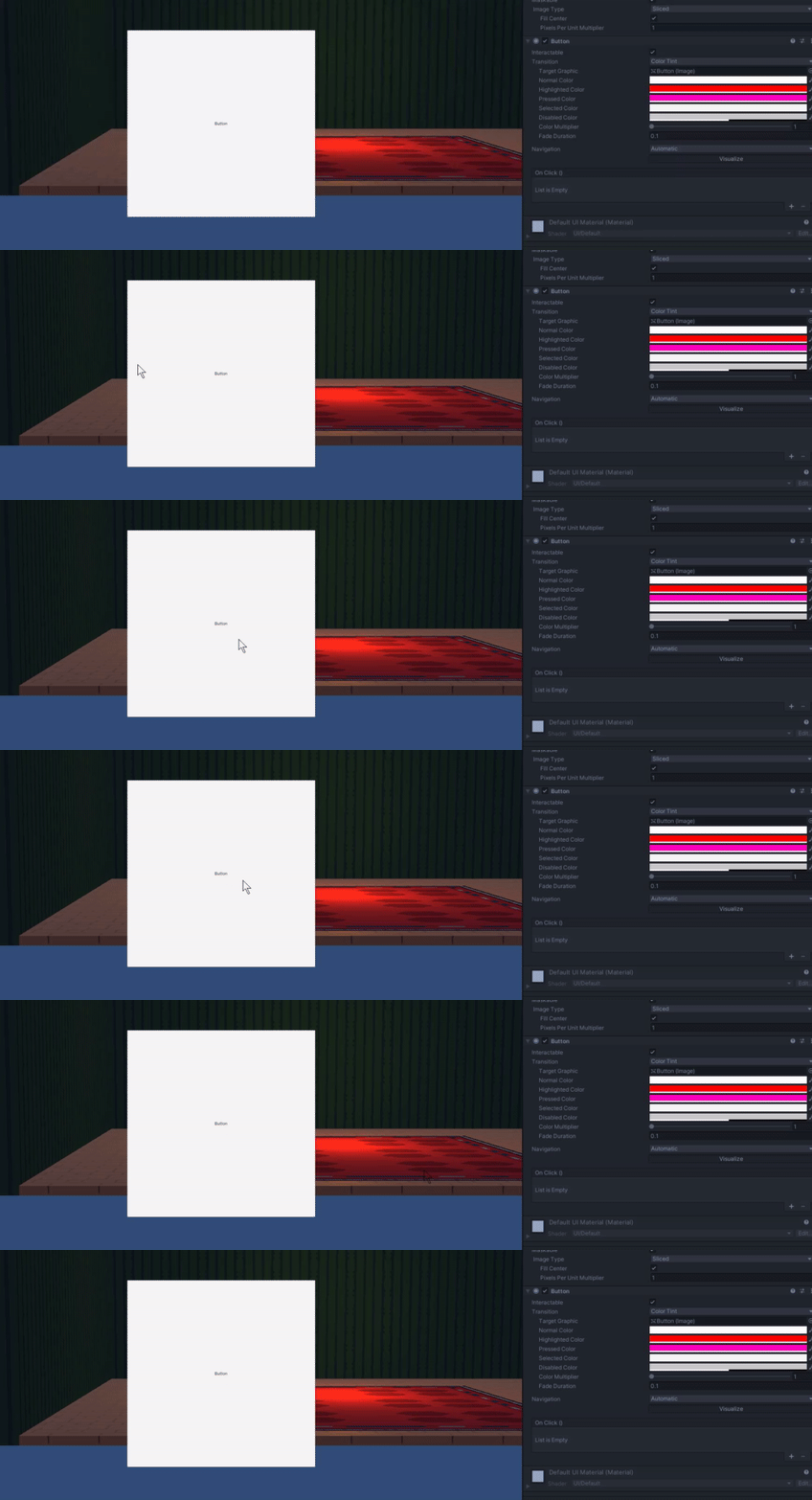
 west oyster
thats clean, but mine has so many more buttons for things you place i've not even finished adding them all
uncut folio
well i mean ive got my pause menu in the works
 west oyster
that looks good
I have an idea to do it where you click say buildings, then it opens a menu with all the buildings , but just not really sure how to do th at yet
uncut folio
actualyl his is how it looks

i kind of want to add that selection outline but im a bit lazy xD
makes it look better for sure though
west oyster
xD it looks good though
uncut folio
mhm
Any way to have my sliced window background always have one pixel of border with this UI scale mode?

its pretty much inconsistent across the border
 safe hull
Which is more tolling on the system - a UI element or a sprite ?
uncut folio
safe hull
Which is more tolling on the system - a UI element or a sprite ?
isnt UI Element for the editor only?
safe hull
@uncut folio Seems to be working as an ingame item here
uncut folio
well considering a sprite is a sprite, it should technically be the single fastest visual element in game
mortal robin
SpriteRenderers and Images both display Sprite assets
one in the game, one in the UI
I doubt there is a significant difference in their performance
Maybe Images are slightly worse because of the UI layout overhead?
¯_(ツ)_/¯
 lament venture
when creating a new font asset into textmeshpro i get this background color on my glyphs, anyone know why that is?
 uncut folio
Do sliders really not have anything other than onValueChanged.AddListener ?
You would think it would also have onFinishedEditing or something that gets called once
uncut folio
lament venture
when creating a new font asset into textmeshpro i get this background color on m...
Maybe its the alpha color bugging out? Is it set correctly?
 radiant oracle
This might be a bit exotic of a problem...but figured I'd ask. After doing something to my Vertical layout....all buttons (in-editor created or dynamically generated) are spawning with a seemingly invisible background. Technically I can see the button's background as an INSANELY thin white line in the middle...but I have absolutely no idea how to fix this....any thoughts?

Nevermind. I am seemingly an idiot. The width was set to 0. Nice.