#📲┃ui-ux
1 messages · Page 41 of 1
 chrome kettle
But with Screen space - Overlay canvas specifically
If it's a Screen space - Camera canvas then you can instead select the camera and GameObject>Align View to Selected or same with alt + shift + F

 steep warren
were already given...?
regarding the issue #📲┃ui-ux message
regarding the tooling #📲┃ui-ux message
 delicate mauve
wait isn't it anchored to the bottom left?
delicate mauve
I have it now centered

but it still moves
when the width of the screen changes
and i don't know how to augment that
 prime panther
I’m currently developing a mobile puzzle game in Unity and I’m searching for illustrators/artists for game assets and UI.
There are some good illustrators, but most of them haven’t worked on actual game assets before. Do you think this is still fine if I provide detailed prototypes/references, or should I specifically look for artists with mobile game asset experience?
Also, what are the most important things I should ask them before hiring?
chrome kettle
delicate mauve
but it still moves
Afaik anchors are inherited all the way down from Canvas along with the rect transforms
chrome kettle
prime panther
I’m currently developing a mobile puzzle game in Unity and I’m searching for ill...
These channels are for development only
 jaunty tiger
Any suggestions on getting better font outlines? Or more acurratly - more in line with figma outlines? the way unity has us do it with fiddling with the padding + dilating the face + the outline eating inwards is pretty bad imo - like in figma you just do '3point(pixel) outline stroke' boom done
steep warren
delicate mauve
wait isn't it anchored to the bottom left?
yeah. it needs to be anchored to the top and stretched horizontally. i think ive said this 3 times now
steep warren
chrome kettle
Afaik anchors are inherited all the way down from Canvas along with the rect tra...
they aren't really inherited, no? they're relative to the parent's rect
chrome kettle
steep warren
they aren't really inherited, no? they're relative to the parent's rect
In the sense that the parent's rect is scaled by its anchor points, and so on up the chain?
steep warren
ah, fair
i would say that the effects of the anchor scaling get inherited/propagate rather than the anchors themselves though
chrome kettle
Good clarification
 tribal turtle
Does anyone know how to make a UI canvas have a slight curve while still being interactable? I've only been able to find stuff which is for creating curved UI on VR interfaces.
 jaunty tiger
tribal turtle
Does anyone know how to make a UI canvas have a slight curve while still being i...
jaunty tiger
tribal turtle
Does anyone know how to make a UI canvas have a slight curve while still being i...
What do you mean slight curve? like so the edges are rounded or curve so it looks like a hud
tribal turtle
jaunty tiger
What do you mean slight curve? like so the edges are rounded or curve so it look...
The curve so it looks like a hud. I'd like the whole canvas to bend rather than just each assets being drawn to look curved so it can be adjusted to player preference.
jaunty tiger
it might be a pain, but you could set the canvas to world space and add a cylinder to the canvas
I found swapping canvas to world space was more of a net negative than a positive - but from some cursory reading it doesn't seem easy to curve the canvas outside of using art assets directly in the overlay
 hollow sleet
i dont know the specifics but you can do a different route to the same result by outputting to a render texture and getting that applied to a mesh as well
incase you want to avoid having to have a world space canvas for whatever reasons
tribal turtle
hollow sleet
i dont know the specifics but you can do a different route to the same result by...
Hmm actually this worked pretty well, thanks!
jaunty tiger
jaunty tiger
Any suggestions on getting better font outlines? Or more acurratly - more in lin...
I made a shader to solve this pog
delicate mauve
when you have a canvas
where is it supposed to be located in space?
like relative to the stuff you're putting on it?
i have a canvas in 2d vs 3d
and in 3d there's a bunch of behavior that's weird
because i think the canvas origin is weird
chrome kettle
delicate mauve
i have a canvas in 2d vs 3d
What do you mean by this? "In 2d vs 3d" doesn't really make sense on the face of it
What type of canvases are you using; screen space - overlay, screen space - camera or world space?
delicate mauve
i'm not sure honestly
steep warren
delicate mauve
i'm not sure honestly
there's a dropdown on the canvas component that will show which mode is selected
delicate mauve
The VR canvas is a world space canvas @chrome kettle @steep warren
The 2d canvas is a Screen space overlay
Sorry for multiple ping but Chris as you suggested I changed the dropdown to be anchored to the top and stretched horizontally but it still behaves weirdly when the width is changed or height is cahnged
 delicate mauve
is this the origin of the object?
 chrome kettle
delicate mauve
is this the origin of the object?
chrome kettle
delicate mauve
is this the origin of the object?
With how cropped it is that could be anything
Move gizmo is located at the origin only if it's in Pivot mode
I think the Rect transform tool always shows the pivot, and other useful things specifically with UI objects
delicate mauve
These settings are as such
 chrome kettle
delicate mauve
These settings are as such
chrome kettle
delicate mauve
These settings are as such
"Center" is not "Pivot", and you still want to use the rect transform tool
If these are not familiar, you need to follow tutorials for the editor basics so you know how you should be navigating the scene and manipulating gameobjects
delicate mauve
i guess
i'm trying to google my way through a changeset
the UI part of unity i'm really bad at
 marble pawnBOT
chrome kettle
!learn
marble pawnBOT
chrome kettle
!learn
:teacher: Unity Learn ↗
Over 750 hours of free live and on-demand learning content for all levels of experience!
delicate mauve
chrome kettle
A changeset?
the list of things i've been assigned to fix
steep warren
delicate mauve
Sorry for multiple ping but Chris as you suggested I changed the dropdown to be ...
elaborate on "weirdly". if you want it to stretch fully you'll need to set left/right to 0, if you only want it to be, say, 50% of the parent width (but centered) the anchors need to be at 0.25 and 0.75 (and left/right 0)
delicate mauve
steep warren
elaborate on "weirdly". if you want it to stretch fully you'll need to set left/...
the vertical position changes when the width changes

when it gets smaller, it goes up
steep warren
sounds like canvas scaling, and perhaps the parents aren't anchored correctly.
chrome kettle
delicate mauve
the vertical position changes when the width changes
The proper solution seems to learn how anchors and scaling are inherited
Visual examples in the docs: https://docs.unity3d.com/Packages/com.unity.ugui@2.5/manual/UIBasicLayout.html
And consider that canvas scaler affects anchor scaling too
delicate mauve
how might i address the scaling?
delicate mauve
if there's a discrepency between where the interactable area for a thing is
vs where it renders
why might hat be?
 lost relic
Unity 6.4 and still in 6.6... working as intended xD URP issues i guess, but i've looked about something without good results yet

If i turn gizmos off i can't select anything at all in Scene window
the inspector doesn't open up on the object
It seems like LOD system is now baked in and can't be turned off even for simple 2D UI game, some posts hint that may be the reason although nobody knows for sure
I had Depth priming mode Auto (in Universal Render Data)
 jaunty tiger
delicate mauve
vs where it renders
jaunty tiger
delicate mauve
vs where it renders
can you show what your canvas setting are in inspector
and are you swapping between different sized monitors and thats whats fricking up?
or is this just occuring on your default sized monitor
delicate mauve
jaunty tiger
or is this just occuring on your default sized monitor
Default
jaunty tiger
delicate mauve
Default
link inspector of canvas, and of ui element
sounds similar to issues I had a while back so could be same reason, easy to tell from looking at that - but tldr is you might have the canvas anchor in a non full screen space or canvas might not be set right - like typically what you want to do is.. something like this
gime a second - booting up unity
so big thing is I have a lot of my things nested in a empty that makes ulltrawide and super ultrawide work - but if you are doing something like that or have any ui element that isn't nested in something thats stretching to screen size, it'll behave wonky when you hit play and wont show in scene view


but then inside that im anchoring to sides of screen specifically - instead of a space with EVERY single container, stuff inside those containers its ok to anchor in dif spots as long as you understand that might make it wierd on different monitor sizes
so in this screenshoit your specifically looking at patient dropdown but what is content, session review window and windows in terms of how they are anchoreed

the parent object is the one that has final say
jaunty tiger
delicate mauve
the vertical position changes when the width changes
are you using a layout group for this? could explain the shift
delicate mauve
jaunty tiger
link inspector of canvas, and of ui element
One seccc
 leaden crown
I was wondering for advice to make this look better
Is this a channel for aesthetics at all or just actual functionality?
If so
All that is essential here is a grid for selectable abilities
a row for equipping abilities (like a hotbar)
And a visual of the planet with details about it

For context:
The position of the planet is adjustable via cinemachine camera
i have this zoom effect when selecting a location
delicate mauve
i'm restarting the whole layout
are prefabs useful for menu layouts?
like if you have a menu in vr vs 2d
steep warren
yeah
delicate mauve
ok
Ok so i'm seeing a weird thing


The container has a VerticalLayoutGroup
And the patient dropdown is anchored to the top center
why is this floating in the middle?
steep warren
what's the container's bounding box?
and what are the vertical layout group settings
delicate mauve

what's the bounding box?

soemthing that is interesting is that the anchoring of the dropdown keeps resetting
keeps resetting to this

even after
i set this

when i save, it goes back
steep warren
delicate mauve
child alignment middle center
steep warren
delicate mauve
soemthing that is interesting is that the anchoring of the dropdown keeps reset...
it's being controlled by the vertical layout group, as it says
delicate mauve
wdym?
ok i see
just setting that back to upper left fixed taht
a small thing

What is this little line in the middle of the control?

in the scene view
steep warren
not sure, i don't recognize it. probably a gizmo for something
 tame shell
Inside a layout group anchors do nothing
If I understand the current layout which I hardly do
Inside a layout group make use of flexible size if you want items to use up empty space
Preferred size + flexible size should get you there.
Layout element component.is your friend
@delicate mauve ⬆️
delicate mauve
tame shell
Inside a layout group make use of flexible size if you want items to use up empt...
flexible size?
tame shell
delicate mauve
flexible size?
It's like flex grow, flexible size on elements allows them to fill remaining space in a layout group
delicate mauve
gotcha ok
ok now i'm adding another element
and it renders ontop of the first one. hmm
tame shell
delicate mauve
and it renders ontop of the first one. hmm
What does that mean? It's overlapping? Miss use of content size fitter perhaps?
Ugui is not like flex in web/UITK, you have to have layout groups on things you want to "pass up" layout info
delicate mauve
This is the layout so far


the bottom one renders ontop of the first
how doi specfiy margins?
tame shell
So Container holds these both?
delicate mauve
in between layout elements?
tame shell
You mean spacing?
tame shell
delicate mauve
This is the layout so far
I'm going to presume the drop-down currently has height of 0 and it's children have bad anchors fooling you
delicate mauve
the spacing property on the vertical layout doesn't seem to work here as i intend
delicate mauve
tame shell
I'm going to presume the drop-down currently has height of 0 and it's children h...
yes dropdown height of 0
unclear on the children
tame shell
Add a layout element to it, set it's preferred height and THEN fix the children anchors so it can ALL resize properly
delicate mauve
to the dropdown?
tame shell
Yes
delicate mauve
ok one secc
tame shell
As you change it's height via layout element you will observe how incorrect setting of anchors means the children fail to resize with their parent (which is dropdown)
Basically you looked at the visual result only and failed to analyse the layout properly
tame shell
Is container tall enough? Does it have control child height enabled?
delicate mauve
based on the scene view def tall enough

no controlling height enabled on verticallayout
delicate mauve
it changed automatically
tame shell
Change it back unity does that sometimes
delicate mauve
1,1,1 ya?
ok that leaves me with that ( i removed the other element for now)

i gotta fix the padding one sec
tame shell
For good layout here you want:
Container (vertical layout with control height on, force expand height off):
-- drop-down (preferred height, flexible height 0)
-- list (flexible height 1)
 steep warren
set alignment to upper middle and let it control child width, probably
tame shell
delicate mauve
why did the right padding not take effect here?
Control size is off for everything... You want height control on and width control on.
Force width is probably desired here too
delicate mauve
hold upp
tame shell
Layout group will CONTROL it's childrens size if that's on
Making it do the cool layout things
delicate mauve
ok one sec i'm ack
back
All i've done is add a textfield

and manually set the width for the thing
ok now i think i'm going to add back in the other one
oh one thign
how do i add an element to a prefab that wasn't previously there?
nvm i got it
alright now to do the main part which is the adding in of the other window
so the widnow when i drop it in looks like this. its everything under list

i'm going to remove the session review object from the list and make it a sibling of patientdropdown, and remove the list because i don't see the point of it
now i see this
 delicate mauve
session review is a parent containing an object containing the scrollrect
i want to make this view, the session review view
to be in line with the dropdown
why does the session review object
overlap with the others?
tame shell
ANCHORS
Unless anchors are set OR the direct parent has a layout group to control it's size it won't resize
delicate mauve
which direct parent in this case?
container?
or session review?
another thing, related
in the scene view, if i select the parent session review
then it won't show the bounds
but in the immediate child object, if i select it, it will
i see so force expand on the vert layout is when you wanna evenly space out everything along one axis
for some reason going force expand width fixes the one thing
 delicate mauve
i think i got the majority of the issues resolved
tame shell
delicate mauve
i see so force expand on the vert layout is when you wanna evenly space out ever...
This setting ignores what child elements want and makes them all take up equal space.
Flexible/preferred size is the alternative and flexible size can do what force expand does too.
delicate mauve
ahh ok
i have another ui question
i have this layout where SettingContent has a scrollrect, and List is a container for all the setting controls


But the scroll bar cuts off before the end of the list

 delicate mauve
nvm i got it
 mellow granite
How do i make my text mesh pro a plain white not emmiting?
jaunty tiger
change the color to like 240, 240, 240
will help quite a lot, you can turn lighting on as well but i suggest not doing that
 wind flicker
any hints why the buttons there are not visible? they'r clickable but not visible. they'r prefabs while the prefab itself is fine


they get loaded in
 steep warren
for UI stuff, use the rect transform tool so you can see the rect transform bounds
perhaps show the inspector for that button
wind flicker
does this help? also it looks like its there just invisible
 steep warren
you don't seem to have set a sprite for the button
wind flicker
it has a background also it looks good as the prefab itself

i might found the issue
 hollow heron
I have 2 lines and 2 buttons in a horizontal layout group
How can I get the white lines to fill the empty space to the edges?
 steep warren
hollow heron
How can I get the white lines to fill the empty space to the edges?
steep warren
hollow heron
How can I get the white lines to fill the empty space to the edges?
seems like you would want to have them have flex widths with a sliced sprite/image, but i'm not sure where you would put the flex width. i would say just as layout elements on the lines but i'm not sure if that's valid as a child of another layout group
hollow heron
steep warren
seems like you would want to have them have flex widths with a sliced sprite/ima...
Just managed to get it with LayoutElement: Flex width on the lines, and LayoutElement: Preferred width 680 on the buttons.. even though the buttons width is only 100 🤷♂️
Edit: **MinWidth **works properly
wind flicker
my problem is that whenever i put something in the availableitemsContent its not displaying in the game, when i drag it out of it its showing just fine, what should i check to have it working?
 wind flicker
ok got it fixed i just made a new scrollview
 jaunty tiger
Would using SDF-16 with padding 30 add a lot of load to the game or something as compared to SDF-AA? for font importing?
 golden stump
Hi I need a panel with a scroll view to expand vertically until it runs out of space and then just allow the scrollview to handle additional scrollable space. But I think there is no easy way to do this without adding code to size the base panel based on number of children and then apply a hard limit.
steep warren
add a layout element to the scrollview to have its height flex?
wait no
if you want it to fill the vertical space, just anchor it to stretch in its container?
golden stump
I will anchor scrollview to stretch in containing panel but I think I have to manually decide on containing panel's height because I want it to grow in size and hit a maximum depending on screen height. This stuff is too tricky in ugui! contstraints within constraints are too much of a headache
steep warren
golden stump
I will anchor scrollview to stretch in containing panel but I think I have to ma...
you want it to grow in size to just fill the screen height or according to elements inside?
if you want it to just fill the screen height, just anchor it properly.
golden stump
no both - that is what makes it tricky. Of course anchor to screen height is easy
steep warren
you aren't clearly stating what you're trying to do
golden stump
I need a panel to expand vertically to contain all contents until it hits a max height - then the scroll view will come into play
tame shell
golden stump
I need a panel to expand vertically to contain all contents until it hits a max ...
Scroll view is shit and doesn't do this automatically so you have to do it yourself with code
I've done it many times. Grab the preferred height of content and set the scroll rect height (clamped into a range)
No idea if uitk is better for this
wind flicker
what do people usually use nowadays to make UI's? like if they wanna implement buttons from files made outside of unity
main menu n stuff
tame shell
wind flicker
what do people usually use nowadays to make UI's? like if they wanna implement b...
both ugui and uitk can do this with ease
9 slice sprites make this easy
wind flicker
can it create buttons like this?

 proud sandal
wind flicker
what do people usually use nowadays to make UI's? like if they wanna implement b...
proud sandal
wind flicker
what do people usually use nowadays to make UI's? like if they wanna implement b...
people use whatever workflow they prefer, web-people gravitate to UIToolkit, traditional design people gravitate to CanvasUI
wind flicker
i come from a time where we did design everything in another software and then imported the single things
tame shell
wind flicker
can it create buttons like this?
UITK can do borders on elements but not much else yet
so just do whatever you want rn
tame shell
usually yes
wind flicker
what software do we use for this?
proud sandal
wind flicker
and then import the sprites
that is one workflow
tame shell
image makey ones (see google)
wind flicker
many years ago i used to use photoshop
proud sandal
this is by no means the only correct workflow
the "modern" approach is to make UI resolution independent and use sprites only when absolutely necessary/demanded by the style.
9-sliced sprites are a compromise between those worlds
tame shell
well till more cool web features exist in uitk without having to pay others then its the best option for greater artistic control
UGUI has shadow/outline but they are badly implemented
proud sandal
the powerful way today to use UGUI is to make custom shaders to draw this kind of button
although you can just make a sprite that looks like this
in UITK you will be writing a few 100 lines of CSS to get that look in a usable fashion
tame shell
I use some procedural image thing from the asset store for UGUI which makes outlines with softness easy
Often use this to do ui design similar to that
proud sandal
tame shell
I use some procedural image thing from the asset store for UGUI which makes outl...
yes, that works too, but ultimately those are also just shaders
tame shell
They are, purpose made to fill these roles and already working 🙂
wind flicker
hmm i never rly tried UGUI tbh
proud sandal
i meant to say, the styling of UGUI is now easily accessible via ShaderGraph, which is a change from years past.
wind flicker
so its not recommended to make the graphics outside?
proud sandal
wind flicker
so its not recommended to make the graphics outside?
whatever makes you productive is recommended
tame shell
Over the 4/5 years I did mobile game UI ALL our ui buttons were 9 slice
Lots of mobile game UI kinda needs it
proud sandal
you can go far with it
wind flicker
https://assetstore.unity.com/packages/2d/gui/heat-complete-modern-ui-264857 like how do people create stuff like that?

Elevate your workflow with the Heat - Complete Modern UI asset from Michsky. Find this & more GUI on the Unity Asset Store.
thats not in editor made
is it?
proud sandal
wind flicker
https://assetstore.unity.com/packages/2d/gui/heat-complete-modern-ui-264857 like...
thats uGUI + sprites
barely any sprites though
if you look closely, the "style" is mostly in the backround images, colors, icons and fonts
tame shell
Maybe a 9 slice for the border and a masked fill image in the middle
wind flicker
hmmm.. i wanna do cool UI for my game but im a little bit overwhelmed by how at these times, gameplay wise im super far now
proud sandal
if you like that Heat style as an example, that can be done almost entirely in-editor
i would say its most valuable texture is just a 1 pixel frame sprite, 9-sliced.
something like this
 wind flicker
a friend generated me this in ai, i rly like how these look i would like to recreate it, just this with an background image of the game would do. the yellow one with an mouse-hover but not sure whats the best way to approach so
 proud sandal
wind flicker
a friend generated me this in ai, i rly like how these look i would like to recr...
proud sandal
wind flicker
a friend generated me this in ai, i rly like how these look i would like to recr...
you can do this with 9-slicing too
tame shell
easy mode: remove text and all buttons are this size in this context
medium mode: remove text and make it it tileable in the middle for 9 slice
wind flicker
but remove text like how? its an picture, im so confused rn :D
proud sandal
photoshop
tame shell
Ask the AI to try again
or use skill
Ill be real, if you can ask the AI to gen something surely you can ask it to remove stuff you dont want?
Otherwise a human fixes it/makes something
wind flicker
hmm yeah i guess ill just recreate it as a single button without text
chrome kettle
If the original question was if you can compose the UI itself outside of Unity, I don't think you can or I'm not aware of any such tool
wind flicker
no the question was whats the modern tool nowadays to create game art like menu design
because earlier in the days i did everything with photoshop and then exported it and made it a sprite and chosed it as the button
tame shell
On web you dont need to because css can do soo much
uitk is yet to get there but we have some bits there

 tame shell
wind flicker
im doing a standalone game, not a web version
tame shell
wind flicker
im doing a standalone game, not a web version
unity web export is not what i meant
 limpid raven
why not just ask AI again to remove the text?
wind flicker
i mean yeah could do but its not super high quality
tame shell
wind flicker
i mean yeah could do but its not super high quality

Download this package (130 assets) for free, CC0 licensed!
wind flicker
oh this could work by recoloring, im downloading dragon crashers ui toolkit sample now to see what this can do
jaunty tiger
wind flicker
no the question was whats the modern tool nowadays to create game art like menu ...
we use Figma, if you know how vectors work you can just make whatever you want in there
depends on your game though, like if pixel art you could do it all in aseprite pretty easily, photoshop good too
wind flicker
not pixelart no
i got pyxel edit, idk why but i was in "pyxel edit or asperite" and i chosed pyxel edit over asperite, idk why
delicate mauve
i have another layout question


this is the layout in sceneview
how should i fix this?
tame shell
delicate mauve
What's wrong with this?
 tame shell
delicate mauve
See how it overlaps?
tame shell
delicate mauve
See how it overlaps?
Is the text and scroll bar in a horizontal layout group?
delicate mauve
everything in the box is currently in 1 giant hori layout group
the tip, hte "neuro...", "easier", textbox, etc
tame shell
delicate mauve
everything in the box is currently in 1 giant hori layout group
I would have the 3 pieces of text use preferred width (auto from tmp text) and the scroll bar to use flexible layout width
delicate mauve
the "harder" label is the problematic one
the others seem ok
i mean relative to "easier" and "neurofeedback"
tame shell
If the text is inside another gameobject then that won't provide the texts width anymore
And use of layout element overrides what tmp text provides
delicate mauve
 tame shell
Well there ya go
 tame shell
Ah then the scroll bar is badly done
E.g. inside another gameobject with fucky anchors
Click the things and stare at the gizmos and it should be clear...
delicate mauve
i'm a litle confused by it since it has multiple parts to it (i didn't write this code it came to me)


 tame shell
You can see the parent of the scroll bar is sized properly and the inner shit is bad
tame shell
Well only the thing holding that got it's size set, what's inside is gonna do whatever so anchors or another layout grouo
delicate mauve
this is the top level object that ocntains everythign


and itself its smaller then the stuff inside

ok i think my plan is make occupy the whole width first
make the parent occupy the whole width
lowkey i don't get why everything is in a horizontal layout group
tame shell
I'll be real is hard to follow this but please look at the gizmos showing the object sizes and dig down to see why visuals don't do as you want
delicate mauve
ok
tame shell
You can always test with a simple image and layout element and check flexible size/preferred size
@delicate mauve Lil demo of how I may set up something like this
delicate mauve
tame shell
<@155932443323400192> Lil demo of how I may set up something like this
thank you for this!!!
in trying to modify the existing layout the part that's a bit confusing is how the entire contents of the box is in a horizontal layout
so that you have 2 rows
but everything is in a horizontal layout
tame shell
delicate mauve
in trying to modify the existing layout the part that's a bit confusing is how t...
Note when i make a new empty container and move the scroll bar inside it
In there that container does not have a layout group so inside that I can change anchors cus its "do whatever" mode
only immediate children of a layout group get "controlled"
golden stump
tame shell
Scroll view is shit and doesn't do this automatically so you have to do it yours...
A custom component allowed me to manage the scrollview size based on screen height as well as content. Generally UGUI is fine for me but applying sizing restrictions is poor. At least customizing UGUI is even easier now with AI giving pointers (but usually failing to do best code)!
 pine lake
steep warren
pine lake
steep warren
As you can see from the video, the results can go up and down way farther than it should.
they look pretty normal to me. i'm not sure what you're expecting?
the behaviour you described sounds like you want it to not scroll
pine lake
I would like the list to stop right here, so that it won't go any higher

This is behavior i want to avoid
 steep warren
ah, gotcha.
your scroll rect seems to be set up kinda weird, there's usually more elements there. did you just add the Scroll Rect component?
pine lake
yes, there's where I thought the issue was as well
steep warren
try doing Create > UI > Scroll rect (something along those lines) and see how it's set up
i think the part that's important here would be a Content element that's dynamically sized, with i think a vertical layout group
pine lake
pine lake
Okay, so, few things
I changed my hierarchy by a fair bit, following the Create > UI > Scroll View steps
I also checked out this page that detailed how to configure a scroll rect https://docs.unity3d.com/Packages/com.unity.ugui@2.6/manual/script-ScrollRect.html
But as you can see in the video, the list is stuck in the starting position. (Same thing happens if there are more Result objects than visible in the viewport). I'm not entirely sure how to fix that without setting Movement Type to Unrestricted (which causes unintended behavior)
Here's each object's relevant components:
Scroll View:
- Scroll Rect
Viewport: - Image
- Mask
Content: - Vertical Layout Group

Oh i found the solution, turns out I was missing a Content Size Fitter inside my Content object. I set Vertical Fit as Preferred Size and now everything seems to be working fine
 austere heath
hello, could someone help me? i’m trying to make a simple ui that so far only has a textmeshpro, but whenever i activate the gameobject of this ui in the game, especially the first time, the game freezes for a moment
tame shell
austere heath
hello, could someone help me? i’m trying to make a simple ui that so far only ha...
When it first becomes active it will generate the mesh for the text. If it needs to use many fallback fonts it can be slow (especially if it needs to populate dynamic font textures)
austere heath
tame shell
When it first becomes active it will generate the mesh for the text. If it needs...
but i only changed the text size, and set the font style to bold, nothing else
and it’s a very noticeable freeze
tame shell
If the text starts off as disabled then im 95% sure its the initial mesh gen + other bits
use the profiler to confirm the cause
austere heath
tame shell
If the text starts off as disabled then im 95% sure its the initial mesh gen + o...
the parent object starts disabled
tame shell
austere heath
the parent object starts disabled
Yea that then counts. Use the profiler to check what causes the lag spike
austere heath
tame shell
Yea that then counts. Use the profiler to check what causes the lag spike
this?

the white line was at the moment of the freeze
tame shell
austere heath
this?
Yea now check the timeline/hierachy to see what took ages to execute
You may want to go learn how to use the profiler if its your first time
austere heath
the last things
 tame shell
austere heath
the last things
tame shell
austere heath
the last things
Yea 50ms to render the canvas is bad but is probably due to lots of setup/mesh generation
austere heath
and what can i do to fix it?
tame shell
austere heath
and what can i do to fix it?
can you share what this ui that you enable looks like?
 tame shell
austere heath
tame shell
austere heath
oh shit thats very bad 😆
you need to show the rests of whats under CanvasUpdate.PreRender
Hierachy mode is easier to read
I mean "Hierarchy view" here
https://docs.unity3d.com/Manual/profiler-cpu-introduction.html
 austere heath
 tame shell
austere heath
tame shell
austere heath
You cant do much about mono jit, this may be gone in a build
layout does seem to be high for just some text...
 austere heath
tame shell
You cant do much about mono jit, this may be gone in a build
layout does seem to...
austere heath
tame shell
You cant do much about mono jit, this may be gone in a build
layout does seem to...
all my canvas:

the buttons have an image
tame shell
austere heath
all my canvas:
yea this is very simple so either something is bugged, you have miss used some layout components like content size fitter or your computer is slow
austere heath
there’s a content size fitter on the text

it’s a bit slow, but not that much, i’ve had other small projects with way more texts being activated/deactivated that didn’t have this problem
i’m gonna try recreating my project the way i made the others, normally i created the 3d build-in render project and then implemented URP, but in this one i created it directly with the URP option
tame shell
austere heath
there’s a content size fitter on the text
The important thing to learn is that you do NOT need or want to use content size fitters within a layout group
usually unity warns you about this though on the component as its soo common
austere heath
tame shell
The important thing to learn is that you do NOT need or want to use content size...
it’s not inside a layout group
tame shell
yea no idea then. you can try remaking this to test what happens but i cant see how such simple ui is doing this
austere heath
tame shell
yea no idea then. you can try remaking this to test what happens but i cant see ...
i just recreated my project and it didn’t work, the freezing still happens
jaunty tiger
austere heath
i just recreated my project and it didn’t work, the freezing still happens
are there any scripts attached to the canvas, crosshair, interactionUI or objectname?
 celest garden
Hi! Im making a stylized pixel game.
Im currently using textmeshpro (bitmap) for text, and id like to add outline and 3D effect like this to the font, would that be possible? Or do i need to make my own shader or? Id really want to make it pixel perfect, but from my experience, it seems like im better off making custom solution if i wanted pre-made characters
 tame shell
celest garden
Hi! Im making a stylized pixel game.
Im currently using textmeshpro (bitmap) fo...
tame shell
celest garden
Hi! Im making a stylized pixel game.
Im currently using textmeshpro (bitmap) fo...
The TMP outline effect uses SDF (sdf is not good for bitmap fonts) so for a bitmap font you would need to do it in shader via edge detection
easy option is to just have two versions and swap between
celest garden
Doesnt work for me.
I think ill end up making a custom solution
Before i used legacy text (3 of them) + custom outline script which.. might have not be the greatest idea
id like to be able to pre-paint the characters and import them as sprites i think
this way id be able to use sprite editor to offset them and etc
TextMeshPro just doesnt work for me imo
In all of my projects, in span of 5 years i always had to put up with tmpro just acting up
I still dont get who trought its gonna be a great idea to merge it with UGUI
There is just too much unnecessary stuff in it and etc
All i need is text i can display...
tame shell
celest garden
Doesnt work for me.
I think ill end up making a custom solution
Before i used le...
legacy text and tmp both are made to use fonts. TMP is just better in every way. The UGUI outline component actually just renders the mesh extra times with offsets so its pretty shit.
You can do your own version but you should be able to generate your own font and use tmp with a bitmap shader (included with TMP)
celest garden
I saw a tutorial saying i should paint my own atlas and then use a website or a tool to generate a font file from
but i see this as pointles..
like, i tmpro is just too bloated with unnecesary files and with features that dont even work with my text or cause issues when i do use them
i feel like making my own would just make everything easier
tame shell
Goodluck doing all the complex layout logic for the text from scratch 😐
If you make a font then you can use UITK or TMP with ease
https://docs.unity3d.com/Packages/com.unity.textmeshpro@4.0/manual/ShadersBitmap.html
Use a free font like this to test how it handles bitmap fonts
https://kenney.nl/assets/kenney-fonts
celest garden
i already have a project with bitmap fonts
i already use tmpro
its the effects i need that cause me trouble
tame shell
As i said, outline just doesn't work without SDF being the generation mode and thats a poor fit for bitmap styled fonts
so custom shader to draw the font yes, custom logic to generate the text mesh? no.
celest garden
i still want to edit the font texture tho
and editing the generated one just doent feel right
the other way i can do the effect is to have 3 copies of the text everywhere which isnt the greatest idea
This has been done in NGUI with having 3 texts layered
The way i wanted to do it is to have a custom texture with 3 colors, and then just swap them trough shader

Recreating this in TMPro was pain and i wasnt able to nail the effect
tame shell
well its up to you what you do goodluck
celest garden
Thanks
celest garden
I got an idea.
Now that i mapped out the font right here. (see img)
Its in a 32x32 grid
Meaning, i can now make a custom parser that will create me a font asset from this image.
Alongside it i can include a config file for offsetting characters and other properties. (Ill use Toml cuz i already use it for localization)
After that i should be able to create a TMPro asset from it
If not, ill use the classic legacy text, because i wont need any effects anyway
 tame shell
celest garden
I got an idea.
Now that i mapped out the font right here. (see img)
Its in a 32...
tame shell
celest garden
I got an idea.
Now that i mapped out the font right here. (see img)
Its in a 32...
Use tmp as that still uses normal font assets so there is no downside
celest garden
Yeah that was my plan
celest garden
I got the thing working
Now i can just make atlases manualy without using some janky font generators and etc
The only issue is that the atlases arent compact anymore since they are human made.
But this can be technically fixed by generating one manualy or just lowering the space between characters
 austere heath
jaunty tiger
are there any scripts attached to the canvas, crosshair, interactionUI or object...
austere heath
jaunty tiger
are there any scripts attached to the canvas, crosshair, interactionUI or object...
Nop
jaunty tiger
And this freeze is happening as you load the text? whats occuring in your game manager / stuff that happens on load?
jaunty tiger
austere heath
Nop
Like how i'd test this is make a new scene with NOTHING but the text attached and see if its there, if its there somethings occuring when you like are loading text in general / in your game manager on awake
austere heath
jaunty tiger
And this freeze is happening as you load the text? whats occuring in your game m...
So, it’s an interaction UI that shows the object’s name when the mouse hovers over it. Then I noticed this freeze when hovering over the first object during gameplay. To test it, I added a script so that pressing a key enables/disables this UI that contains the text. I also tried using only the text, and the first time it gets activated, it causes a freeze
jaunty tiger
austere heath
So, it’s an interaction UI that shows the object’s name when the mouse hovers ov...
What uhm
austere heath
jaunty tiger
Like how i'd test this is make a new scene with NOTHING but the text attached an...
i tested it and the freezing still happens
jaunty tiger
import settings did you use for font?
austere heath
jaunty tiger
import settings did you use for font?
i didn’t even touch that, just the default ones it came with
jaunty tiger
Oh your using a default unity font?
austere heath
yes
jaunty tiger
Can you show the inspector for the parent canvas, text, and interaction UI
austere heath


 sterile fox
Can someone tell me if trying to read UV1 from shadergraph canvas is somehow broken?
I have my channels properly setup, am using PositionToUV1, but it's still returning black for the UV1s.
 jaunty tiger
austere heath
jaunty tiger
austere heath
does it lag with the constant size filter off
austere heath
jaunty tiger
does it lag with the constant size filter off
i tested it and the freezing still happens
jaunty tiger
austere heath
i tested it and the freezing still happens
i looked at liberation, its SDFAA-Hinted which is pretty lightweight and shouldn't be causing this, honestly my only guess is like something happening in your game when it runs could be lagging it, that or something in your render pipeline might be messed up i guess? but your rendering on screen-space overlay
could check and see if your somehow rendering screen-space overlay with URP or something, the overlay is supposed to not be associated with the render pipeline
austere heath
jaunty tiger
could check and see if your somehow rendering screen-space overlay with URP or s...
how could i check that?
jaunty tiger
easiest way is to just make a new project, recreate steps and see if lags there - would mean that fresh no settings changed project is fine
are you using URP?
austere heath
jaunty tiger
are you using URP?
yes
jaunty tiger
if you dont think you adjusted any settings of your renderer though you it most likely isn't that at all though, its a pain to go adjust them - but if you look up urp you can see the settings
austere heath
jaunty tiger
if you dont think you adjusted any settings of your renderer though you it most ...
i created the project using the option that already comes with URP and i'm using the balanced preset, with a few minor changes (basically just the shadows)
jaunty tiger
yeah shouldnt effect it then
austere heath
jaunty tiger
if you dont think you adjusted any settings of your renderer though you it most ...
i'm creating another project here to test then
jaunty tiger
im thinking, rereading problem - have you tried this in like a build as well? when you say your activating the game object in scene how exactly are you activating it
like you click on something and text appears?
if you don't prepackage fonts they can cause lag - ive never experienced it but when i was looking into like how to do english -> chinese translations that was a pretty big thing
if unity is having to generate the font it's bad i think
ill look at the alphabet i got for chinese characters when i get home see what settings i flicked on
austere heath
jaunty tiger
im thinking, rereading problem - have you tried this in like a build as well? wh...
void update()
{
  if (Input.getkeydown(Keycode.U)
  {
    interactionUI.SetActive(true);
  }
}
i'm using the default TextMeshPro font, so if something needs to be changed, i have no idea.
i also haven't tested it in a build.
jaunty tiger
Oh uhm
Try this script
void Update()
{
if (Input.GetKey(KeyCode.U) && !interactionUI.activeSelf)
interactionUI.SetActive(true);
}
Just a theory but your script might just be calling itself a lot since it doesn’t check if it’s active or not so when you press u if you hold down for a while might be stacking calls I doubt it but yolo
austere heath
jaunty tiger
easiest way is to just make a new project, recreate steps and see if lags there ...
it’s still freezing
austere heath
austere heath
i also haven't tested it in a build.
freezing...
 sinful bear
Hi everyone, I would like to make a button when hoverd over with mouse/pointer, it glows. To do this, do i need a script? what would be the best method
I am using my own PNG
 flat sapphire
Hi all, I'm struggling with the input system's split screen feature.
Every player has a base camera, with post processing enabled, along with an overlay camera (in the base camera's stack), without post processing, for UI and such (both are Screen Space - Camera). When split screen is enabled, the UI gets squished together, rather than scaling down properly. Having fiddled around with it, I've found a few ways for it to not get squished down, but it also doesn't scale properly, and most importantly, the buttons in the UI don't work as intended - it is like their "hit boxes" are still half size, or something similar.
My idea was to instead put each player UI in Screen Space - Overlay mode, and manually scale and crop a panel containing all of the elements with a script, but I am wondering if there is not a better way to handle this with the UI's scaling options.
 fossil shale
I have buttons in a vertical layout group. Is there a way to override the height of one of these buttons to make it shorter? I thought preferred height in LayoutElement might do it, but it doesn't

 strange island
When I import UI assets and theyre too big or too small, should I be adjusting their PPU to scale them correctly and then adjusting their applied-to components to adjust for the new size or is there something else I should be doing?
chrome kettle
strange island
When I import UI assets and theyre too big or too small, should I be adjusting t...
You can adjust either PPU or component scale to get a specific size
But PPU is there so you can enforce a specific size relative to resolution, or resolution relative to size, and don't have to keep changing component scale to conform to different images
strange island
chrome kettle
You can adjust either PPU or component scale to get a specific size
But PPU is t...
Thanks. I'm still early into the project and am using some placeholder UI assets anyhow I wanna completely swap out later (sounds like another fun adventure whenever that happens lol) so I will try out the PPU method and play around with this stuff as I learn. Thanks
tame shell
fossil shale
I have buttons in a vertical layout group. Is there a way to override the height...
Preferred height on layout element will be used unless "force expand" is on and "control child size" is off
If control size is off then just change size on the rect transform
celest garden
Can anyone help?
I added TMPro input field but when i tested on my phone, the text field on soft keyboard did not appear
I have no idea whats wrong
 flat sapphire
Is it possible to have several active UI elements using the input system, for example for using the input system's split screen system, with multiple menus?
tame shell
celest garden
Can anyone help?
I added TMPro input field but when i tested on my phone, the te...
Android or ios? unity remote wont work to test this. You did not disable the keyboard showing so this should be working
celest garden
tame shell
Android or ios? unity remote wont work to test this. You did not disable the key...
android build
tried switching from Game Activity to Activity but it didnt change anything
tame shell
celest garden
android build
tried switching from Game Activity to Activity but it didnt change...
Are you sure you were able to select the input field? Also was this a freshly made input field?
celest garden
tame shell
Are you sure you were able to select the input field? Also was this a freshly ma...
I was able to type in the field
also yes, i just added TMP input field component to the prefab and manualy asigned text and viewport
tame shell
celest garden
I was able to type in the field
also yes, i just added TMP input field component...
Ideally you try with one created via the gameobject creation menu
anyway this is not enabled for you so something else must be wrong
https://docs.unity3d.com/Packages/com.unity.textmeshpro@4.0/api/TMPro.TMP_InputField.html#TMPro_TMP_InputField_shouldHideMobileInput
celest garden
wait a bit let me boot up and try, gotta wait for build tho
celest garden
tame shell
Ideally you try with one created via the gameobject creation menu
anyway this is...
actually, whats the chance that its because im using beta version of engine
tame shell
celest garden
actually, whats the chance that its because im using beta version of engine
Always possible but ugui doesnt get new features anymore really
old or new input system?
celest garden
tame shell
Always possible but ugui doesnt get new features anymore really
a bit out of the topic but
UGUI got a small update recently
pretty sure they are picking it up as said in Unite
celest garden
tame shell
old or new input system?
new
tame shell
well yea some ugui things change but nothing major i expect compared to uitk
id expect tmp to work fine in any recent version
celest garden
tame shell
Ideally you try with one created via the gameobject creation menu
anyway this is...
Creating it with the on from GameObject menu worked??????
Thanks!
Now the question is.. why?
tame shell
celest garden
Creating it with the on from GameObject menu worked??????
Thanks!
Now the questi...
Probably some miss configuration when you tried to make it by hand
celest garden
the only difference i could see is the object structure and missing placeholder
celest garden
celest garden
Can anyone help?
I added TMPro input field but when i tested on my phone, the te...
I just checked both mine and created one and appearently hide mobile input was enabled?????????????
I literally took the screenshot after brainstoriming the issue thats actually so dumb on my end.
Im actually pissed off how dumb i am.
Thank you for help!!!!
 scenic geode
hello, i need help, i manage to take my spritesheet nd convert them into spritesheets sprites. how do i 9-Slice this?

thanks. (in case i dont respond, i fell asleep)
 mortal robin
scenic geode
hello, i need help, i manage to take my spritesheet nd convert them into sprites...
scenic geode
mortal robin
https://docs.unity3d.com/6000.4/Documentation/Manual/sprite/9-slice/set-sprite-9...
mortal robin
scenic geode
hello, i need help, i manage to take my spritesheet nd convert them into sprites...
scenic geode
mortal robin
https://docs.unity3d.com/6000.4/Documentation/Manual/sprite/9-slice/set-sprite-9...
Hey, thank you again but this isnt available for my case. You see i used multiple meshtype. To separate my sprute sheet into individual mesh types.
Is it possible to 9slice those?
mortal robin
scenic geode
Hey, thank you again<:UnityChanwow:885169594879320064> but this isnt available f...
The process is exactly the same
"multiple" is not a mesh type, it's a sprite mode
 karmic oriole
how a indiviual tmp text's shader can be set i cant find it
 supple wharf
User interface best interface
 zinc moth
Is this where we ask for dark theme in free version ? @faint torrent
 faint torrent
🤔
 versed mauve

 lyric goblet
For dark theme in free version, get some mostly-transparent dark plastic, cut out your editor window layout, and tape to your monitor.
 blissful epoch
 desert marsh
get AMOLED monitor and bask in the fully dark black pixels
fully immersive advanced dark mode
 upbeat relic
ohhhhhhhhh that sounds too good to be free, make it the paid feature and put the current dark theme in the free version
faint torrent
I actually know a guy who uses light editor theme on Unity Pro
like, who would do that willingly
 weary lynx
Me
faint torrent
Even Unity expects everyone to use dark theme on paid because there used to be this bug that kept reverting the theme to dark one even if you changed it on Unity Pro 😄
 crimson relic
that's not a bug its a feature
 autumn spire
Is native emoji support on the roadmap for TMP?
faint torrent
I'd actually want direct SVG support (or does it support this?
having to convert svg's to font chars is tedious
basically supporting any kind of shapes would be trivial then (as long as you are fine with SDF tech limits)
autumn spire
are source fonts in SVG a common thing? I feel like I've never encountered that
faint torrent
oh, I'm not really talking about text but all kind of icons and symbols now
autumn spire
got it
faint torrent
like, you can use SDF tech for that just fine and TextMesh Pro relies on the same idea, would be nice to be able to utilize it directly for UI stuff
but as for TTF fonts, they are in vector form
so you can convert SVG paths to TTF fonts characters
for example fontforge (free) lets you do that
it's just extra step if you actually make UI art, you'd just want to import the SVG changes to Unity directly
Unity does have vector graphics plugin that lets you import SVG, but they actually convert the SVG into mesh there
so it's not really that useful for UI purposes
SDFs are
 upper wagon
It's way expensive to render vectors as far as the tradeoff goes between SDF
Just while I'm shilling on the new server, to make a comparison, I'm working on a UGUI replacement library which I implemented MSDF for;
MSDF on top vs unity's native hinted on the bottom, if you view fullscreen you can really see the difference
With sdf you get corner rounding issues since it can only display sharp deltas as gradients, MSDF uses three channels to map it into separate shapes so you don't end up with soft corners
 late remnant
Hey folks! I have a mesh that I want to render in a canvas. The mesh is entirely planar, and I’d ideally like to to be maskable (or, even better, a rectangle mask.) Does anyone know of any example out there that does something like this?
 mighty elbow
The unity UI extensions library has a polygon component
that might be a decent base point
just be really careful - vertex count limits in the UI system are fierce.
https://bitbucket.org/UnityUIExtensions/unity-ui-extensions <-- that one there. @late remnant

A set of scripts built up from many examples for the Unity UI system.
Can be used either on their own or in collaboration with the new Unity UI system's source.
https://bitbucket.org/Unity-Technologies/ui
Look at the UIPolygon component in there.
autumn spire
setup a camera where you render the mesh, set the camera's target to a render texture, add a RawImage to the appropriate place in your UI hiearchy, set the raw image's texture to the render texture
will play nicely with everything
late remnant
Thanks! Do you roughly know what the vertex count limit is?
@autumn spire that’s a cool idea, but I imagine it’d be trickier to avoid filtering artefacts
If I can’t get the actual mesh into the canvas then I’ll try it
autumn spire
I think its a pretty common approach - and you can turn on things like AA on the render texture itself
late remnant
@mighty elbow @autumn spire thanks for the advice, both - I got it working fine!
upper wagon
reddit
6 votes and 3 comments so far on Reddit
Apologies if we aren't supposed to advertise here, just wanted to link this early announcement for the UI library I'm building and see if I can get any thoughts/suggestions, wondering what UI devs think of the general workflow
 true basin
TextMeshProUGUI.maxHeight;
TextMeshProUGUI.minHeight;
TextMeshProUGUI.preferredHeight;
TextMeshProUGUI.renderedHeight;
TextMeshProUGUI.flexibleHeight;
Which one is the height of the text ? Whats the difference ? WHY ARE THERE NO COMMENTS !?!?!?!?
 frosty pewter
@upper wagon how does it compare to UIElement? They're planning for runtime in the future I think
Looks really promising either way, I love the closeness the code is to IMGUI, I imagine an easier transition than the one I've had to UIElement
upper wagon
Apparently it's planned somewhere in 2020 for UIE to be usable for game UI, honestly though, not to be overconfident or anything, I just don't see how they'd match the performance
Everything works on unmanaged memory, you're basically just making calls which affect pointers, it's all raw math and can be totally threaded if necessary
frosty pewter
(That's good the yoga stuff didn't thread when I tried for UIElement)
upper wagon
The only real overhead involved right now is with setting the mesh data, because there are issues with Mesh::GetNativeVertexBufferPtr, so once I get that worked out it'll should get it down to next to nothing
It also has shallow updates currently, so if you dirty the canvas, it only updates from the lowest possible node, and for things like scrollrects there is no rebuild- it just offsets all child vertices
frosty pewter
What kind of release are you planning?
upper wagon
Also, it's guaranteed 2 drawcalls maximum, ever- one for all geometry (including upto 5 levels of nested 8-bit alpha masks), one for all text
Eh, not too sure, I initially did this because I needed a production UI lib, it's just turned into an asset, hopefully I'll have it pretty much finished by the end of the month though
Thanks for the interest btw, these questions really help, I'm trying to get an idea of use cases
I'm not reall a fan of UI programming but I loved the IMGUI workflow for editor UI, so that's where you see the closeness to IMGUI as far as the workflow goes
frosty pewter
I'm mostly an editor programmer so I used to use it a ton and it's very familiar. Now I'm learning CSS and Flex quirks 😔 ... Web-like was never my dream, but there's some amazing stuff I could never do before
Something I'm finding I'm doing often, which is likely more an editor-related task is querying and modifying the UI
Though the only example I can give off the top of my head is a rich text bug where it parses the tags for layout but keeps the text the same so the labels are broken. I ended up recalculating the sizes after creating the UI
upper wagon
Well I can definitely say there are no nasty gotchas like that, it's as direct as possible, you just tell it what you want and it takes care of everything, more or less
Also as for querying, it's mostly callback based, so for example you can directly bind an event when you create a button and it'll be fired whenver it's clicked, that sort of thing
I'll also be doing the same in reverse for things like sliders, so you can have a property notify the slider when it's dirty and have it adjust it's level
frosty pewter
well, it sounds awesome - I may throw use cases your way when I get time to think about it more
 zinc kraken
@late remnant Sorry just joined the discord chat. You can also create a simple "UIMesh" class that derives from MaskableGraphic that takes the mesh. In the populate you just call the canvasRenderer.SetMesh() with your mesh and it should just work.
autumn spire
thats interesting
zinc kraken
its what we have done for a quick particle demo we have internally. it might need to have some shader changes to play nicely as we set so clipping bounds that way but those you can copy from the UI itself
 faint cargo
hello I couldn't find an example, I want to make a carousel swipe menu, like in iPhone Clock menu
does anyone has such example like this?
I scroll down (or left) the scroll list and the middle item is selected and highlighted (or zoomed in)
autumn spire
oh man, I miss iOS6
I would probably implement that as three scroll rects. Listen for an OnPointerDown to understand which of them is "selected" and highlight it appropriately
autumn spire
am I mistaken, or is the highlight in above statically positioned?
on later versions of iOS, I do see the font of the underlying contents scale a little bit as they enter the center
which is a nice touch
a few different ways I could see accomplishing this
1.) Add a MonoBehaviour to each item that looks for a Y range and scales/tweaks the contents appropriately
2.) Run a render texture over the entire carousel and draw the middle row twice
 twin geyser
you could use an asset like Curved UI to map your UI to a cylinder, then just rotate it?
autumn spire
oo thats fun
tbh I'm surprised to see the cylinders still in later iOS versions
I thought they didn't mess around with that skeuomorphism nonsense
 thick sundial
k guys I need some help
my UI is shit
and I want to take some aspects from this
how do you go about importing a font like this
autumn spire
grab your favorite - http://blambot.com/
Comic Book Fonts and Custom Design by Blambot.com
import into text mesh pro
put an outline on it
profit
😄
autumn spire
what format is your font currently in?
thick sundial
Aw darn. It requires money. God dammit life and people wanting compensation for their work.
thick sundial
so I'm trying to instantiate some UI elements in
when in a small viewport it looks like this
in fullscreen it looks like this
100% im messing up some UI settings
 wind epoch
use a canvas scaler with a fixed resolution (of your native output, like 1920*1080) if you don't mind not having pixel perfect UI
thick sundial
uuuh where exactly do I set... that?
thick sundial
I'm ordering these elements by directly setting their transforms in script
is that bad?
I just want them to maintain a distance
wind epoch
if you want to keep that, use rectTransform.anchoredPosition
or you can use an horizontal layout
it will do this for you, only add children item with your code
 magic briar
Somehow, I've made my UI sliders follow the mouse without clicking the slider and it's very annoying. Anyone else encountered this or have an idea what might cause this?
 rancid breach
what code are you using for the sliders?
 unborn hull
right now im pretty much copying another game's HUD layout/animations and i'd like to make it different but i can't seem to think of anything. any ideas on how i could change up this UI/animation?
 sage viper
Hello, I have a very difficult issue to profile and I'm hoping someone has some insight on it.
I have a VERY UI-heavy game (that should have been a mobile native app, but nevermind that for now). I have several "Screens", which are each a Canvas inside a single scene.
This allows me to quickly move through "Screens" by enabling/disabling canvases and have all the info loaded, so the games moves fast after the initial load. However, due to the 7-8 canvases with hundreds of elements on the screen, battery usage is pretty high.
To improve this, I'm considering having each "Screen" in a separate scene, and load scenes instead of enabling/disabling canvases.
This would mean a lot more data can be "hardcoded" (so I can just fix some images from editor instead of load them at runtime), and also have a lot fewer elements loaded on screen at a time. However, I would change scenes more often, causing me to re-load lots of assets several times.
My question is, would this separation in multiple scenes help in any way, or is my perfromance better the way it is now? (lots of canvases at the same time, enabled/disabled by usage).
Sorry for the long scenario.
zinc kraken
Personally i dont see how having 7-8 canvases and hundreds of elements on the screen when most will be disabled will have much effect on the battery life compared to multiple scenes.
 lucid lotus
Have in mind that whole Canvas is recreated every time something is moved or changed. So making one canvas for static elements would be useful
zinc kraken
Yes though if they are disabled it shouldn't matter
 stable latch
Hi @sage viper , nice seeing you here
Well, I would say that separate each "scene"/canvas into separate Scenes, if: they are heavy individually, you won't be switching between them many time very frequently, and/or they do not share any thing among them )i.e. there aren't any overlapping UI elements with little communication between them and and logically different part/object of the game)
while, if the above are not true, keeping them in a single scene would be better
The best option imo, which I use personally is a mix of them. If there are some very tightly coupled canvases, I use the same scene, while I use different scene if the canvas if heavy, or has no logical connection to others.
Also, in case there are some UI-Scenes which are light, and share some UI, I prefer adding them to a single canvas, and use Panel, and turn the panels on/off
As you might know, my current project uses a lot of UI. Or I should say it uses only UI, no other visual element. So this is what I am using.
Though, my reasoning is not solely based on performance, but also ease of logical separation of different aspects of the game.
upper wagon
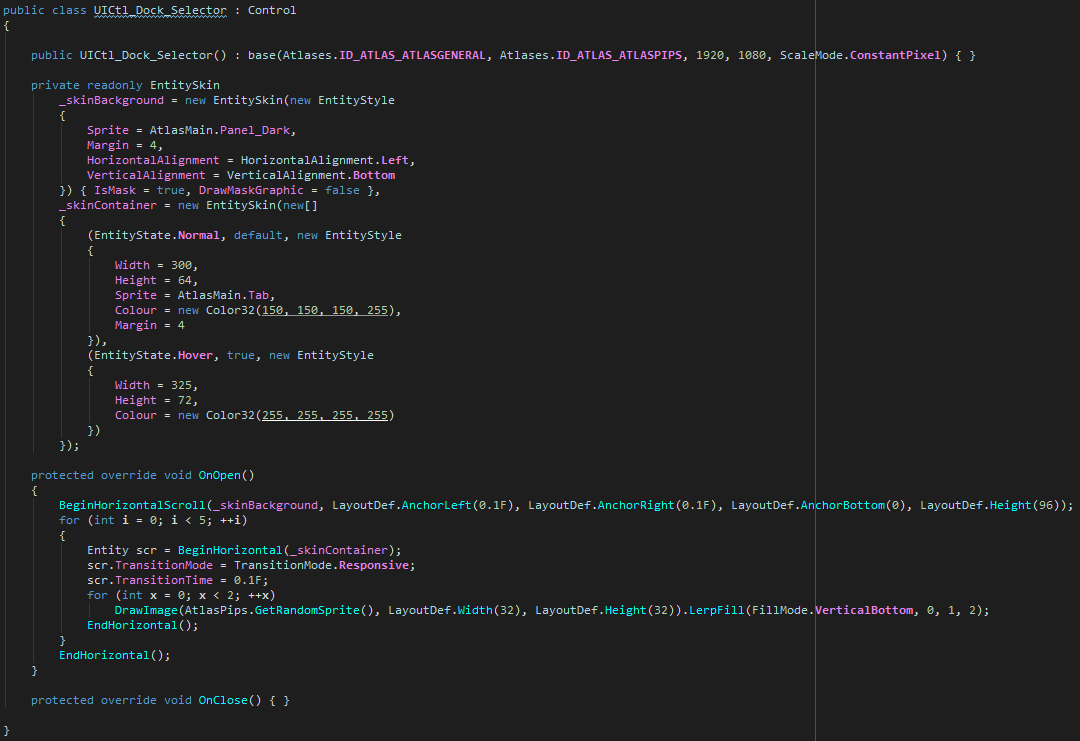
Unity Forum
For a couple of months now, I've been working on a UI library for Unity (also still working on my networking library, I was building a test project...
Just wanted to post back here now this is further along in development
frosty pewter
Still really cool and impressive. I do worry how much I've come to rely on visual editors though. At least in UGUI it's super important. Maybe your IMGUI-likeness makes that a non issue
Still, I'm using UIElement a lot now and even the UIElementDebugger is something I couldn't live without
 dreamy plank
imgui-ness is awesome for dynamic data such as lists/buttons with unknown number of elements ( you'd go prefab route with ugui which is uncomparable pain in this case )
this has presumably also retained state, so it should be faster than current imgui even
but it looks too good to be true so far tbh - no standard components yet, just demos of fillmodes and a nicely animated toolbar (?)
but color me slightly impressed, will be keeping an eye on it
upper wagon
Thanks for the feedback, guys
I definitely understand this from what I've posted so far as far as components go ^^ I had to move from doing everything within Unity to writing a native crossplatform rendering plugin to handle some engine limitations and I haven't extended this to the text rendering engine yet ( will only take an hour or so but I've been focusing on other core aspects) so I don't have any controls to demo right now
But just to be clear, you can currently write labels, handle text input (textfield/textarea, wordwrapping options), create buttons, bind data to them, etc.
I'll add that to the list today so I can demo some of the controls sooner rather than later
dreamy plank
no worries ! - can't you reuse at least some TextMeshPro meshes/shaders for example ( have no idea now how practical this might be ) for text rendering ? - supporting all platforms might be a lot of work !
but don't get discouraged - even few of them would be probably awesome :)
good luck !
upper wagon
Oh no worries, it's all done
I built a custom MSDF text engine for it
I just need to port it to the native plugin, just gotta restructure my string classes to use the same format
The only thing is, there's no mobile support for now because of API limitations, I go over this in the forum post a little but basically there are so many technicques which aren't possible on any mobile GPU so it'd just end up watering the system down
It's really geared towards gaming platforms, PC, Mac, Linux and consoles
dreamy plank
I primarily do stuff for standalones so I'll definitely survive - although mobiles would be welcome addition -
I'll be sure to have a test drive when something usable is out ]
dreamy plank
does anybody know about any non Editor IMGUI dropdown/combobox implementation ?
dreamy plank
found this - https://assetstore.unity.com/packages/tools/gui/combobox-gui-22790 -
it will need some changes, but base does, surprisingly, seem to work
 hazy meteor
TMPro font doesnt seem to work for me
Font asset creator seems to have generated the atlas properly so im bit lost now
hazy meteor
Not sure what i did but seems to work now
frosty pewter
sometimes TMP freaks out and just needs a little bit of time to reset
you'll find you run into that a fair amount
lucid lotus
TMPro has this wierd problems, but in editor only
 rare dune
Ship it 😁
zinc kraken
Anyone file a bug report on that behavior or know how to repo it?
frosty pewter
I haven't, and also have no idea how to get it to happen. Next time it does I'll keep it in mind
zinc kraken
That would be great thanks
Does it mainly happen inside a canvas or is it also in a TextMeshPro component (not the ugui one)
frosty pewter
I only use it inside the canvas, so I cannot say, sorry
 slow swift
Hi all, I'm thinking of implementing in my game some dynamic buttons placed under a World Canvas that would avoid overlapping other game elements so they are always visible: how would you implement it?
I'm currently thinking of using 2D colliders placed on the buttons and have a script that would test for overlap: on success, I'd reposition the button elsewhere and try again. I however don't know if that approach would work...
Any insight or previous experience on the matter would be very appreciated. Thanks.
unborn hull
you could have the world canvas render on top by using a second camera with a higher depth buffer (iirc)
slow swift
It seems that my question wasn't clear. I'll give another try :)
What I want to achieve is to actually have the UI on world visually mixed with the 3d world: See it as a 3d view on a strategy map for instance where the actual UI would appear in context of the 3d environement.
For instance, let's say you're looking at a terrain on which you can see an enemy Unit: clicking on it would make appear a menu that would be rendered on the XZ plane slightly above the terrain as if it was rendered in Augmented Reality.
So far, there are not much of an issue. But as soon as you introduce multiple units next to each other, you want to make sure that the actual UI surrounding one of these units won't be overlapped by another.
Therefore, I'd like to have this overlapping UI element to move away dynamically from the overlapped 3d element.
The following image should illustrate my words better. If you look at the point of interest that says "MINING COLONY" or "ESA POST", in this pic, they are not overlapping with the planets but if they would, I'd like these texts to change their position on the 3d space so they are kept visible:
https://mir-s3-cdn-cf.behance.net/project_modules/fs/216a5f44376523.581f48485eaf7.png

 earnest shale
Rotate the UI around the "described object" based on the position of the player reported to the "described object"
 oak forge
@slow swift The Division does that really well. They have a lot of UI overlays that overlay in 3D space. I love how they bring in the map
I've a bunch of screen grabs here

Maybe starting with something like this https://www.youtube.com/watch?v=CA2snUe7ARM
Health bars are important in many game types. Luckily, they're easy to add to your Unity game! I'll show you how to get them hooked up with a clean simple so...
Just to learn how to connect UI elements to objects
 zealous atlas
Hi all, I'm implementing UI and I want a simple enough popup with text using Text Mesh Pro (in Unity 2018.3.5). I want my popup to be able to automatically adjust vertically to the content (text), and since I have a Title Gameobject and a Content Gameobject I can simply put a vertical layout on my popup parent and add a content size fitter. No problem yet. Where I'm stuck is, if I want my Text mesh pro gameobject to adjust their Rect transform to the amount of text I also need to put a layout and content size fitter on it. But then, Unity pops a warning saying the parent already has a layout and I'm not supposed to proceed this way.
So, how am I supposed to proceed to have a Parent vertical layout that adjust to the content, AND children that also adapt their size to their own content?
 slim radish
you probably need to decouple whatever it is in the parent that requires a layout group.
as in make that layout group and your popup layout group siblings, at the same level, not parent/child
zealous atlas
I'm not sure I understand your solution 🤔.
This is what I want to achieve, which is pretty easy with basic Text element, but gets all the more complex with Text Mesh Pro! Because, if I understand correctly, the only way to have the Text Mesh Pro Rect Transform fit to the actual quantity of text displayed is to use a layout + content fitter combo on the Text Mesh Pro Gameobject, hence the warning.
slim radish
i'm just saying don't nest the two layout groups
give them a common parent
separate but equal ;p
zealous atlas
Which two layout? I have one on the popup gameobject (parent), and one on each of the children (title and content)
slim radish
right. why does the popup have to be a child? UI can be at any level
zealous atlas
(sorry if I'm being thick, it's late over here)
slim radish
it's possible i'm completely misunderstanding as well. it's hard to know without knowing the full scope of the project.
zealous atlas
The popup gameobject is not a child, it's directly inside the Canvas gameobject
slim radish
but i'd just put each on their own sibling
right all UI is inside a canvas
but it must be inside an element that already has a layout group
or you wouldn't be getting the warning
zealous atlas
I have the warning on the Title gameobject and on the Content gameobject, which both have Text Mesh Pro component and their own layout and content fitter so that their rect transform actually fit to the amount of text. This is my hierarchy basically
slim radish
can you show me the inspector for all 3?
zealous atlas
guh this is frustrating :/ because it's kind of working but also there's this warning ...
slim radish
because i'm flying blind a bit hehe
zealous atlas
The Popup gameobject (parent)
The title gameobject (child)
the Content gameobject (basically the same as Title)
slim radish
ok my bad, the problem isn't the layout groups, it's the nested content size fitter. the one on the parent should handle expanding for all the children
(keyword should)
have you tried removing the child fitters and see what happens?
zealous atlas
Yep, that was what I had at the beginning, but I need the fitter for Text Mesh Pro to actually fit its Rect transform to the amount of text displayed, unless you know of any other way to make the Rect Transform of a gameobject using TMPro fit the amount of text?
slim radish
is it working with the fitter?
zealous atlas
yes
slim radish
ok, then i'd just ignore the warning.
zealous atlas
without I just have this (text overflowing and no fitting)
slim radish
there's a lot of talk about this here:
Unity is the ultimate game development platform. Use Unity to build high-quality 3D and 2D games, deploy them across mobile, desktop, VR/AR, consoles or the Web, and connect with loyal and enthusiastic players and customers.
and seems the consensus is, if it works, roll with it
it is just a warning after all
zealous atlas
yes, that's what I've done since I've encountered this issue before but I was wondering if anyone knew of a proper way to do this :/ because the warning is not really nice, and I don't want to discover new issues later because of an ignored warning. But I guess I have no choice, this issue has thread on many forum since 2015 ....
anyway, thanks a lot for your time and your help 👍
slim radish
ideally, you'd have the parent fitter resize the children. but it sounds like, as you say, textmeshpro is using the fitter in a different way, so you really have no choice.
I doubt it will cause any issues, but wouldn't hurt to test it at various resolutions to be sure
zealous atlas
hopefully. thanks again 😃
slow swift
@oak forge thanks mate. This is close to what I'm looking for and thanks for the tutorial video: Even if I'm more than aware of how I can achieve much of Unity UI stuff, it's always good to have a small refresh ;)
I believe I'll just have to test with these 2D colliders and see if I can code some dynamic spacing algorithm depending on colliders close to the UI elements. Thanks.
oak forge
@slow swift let us know how it goes. I'd love to mess about with that also
 worn ravine
does anyone have any good examples showing how to make wireframes / flow map for a desktop game UI?
 remote nest
Hello is there a way to make 2 sided bars. I have a variable that has negative and positive values. I want to show it as a scale bar. if positive fills right side and vice versa?
 cloud vault


We've started to solidify our battle UI for @KorRPG ! My god UI is extremely difficult to get right but it was a good learning process. #pixelart #gamedev #IndieGameDev #indiegame #madewithunity
As always RT's appreciated! https://t.co/WAGhbZ1fJM
 Twitter
 jolly rover
so cool
 rapid bay
@remote nest either use two bars as if it were one with opposite fill directions, or a custom fill shader.
 tired pier
This is my article about UX/UI & game design analysis on a game that I worked on last summer: https://medium.com/toge-productions/brewing-a-meaningful-experience-in-coffee-talk-c492a24f2c3b Hope you find it interesting & resourceful! 😃

Medium
A Design Analysis & Internship Experience
 ocean forge
I'm just starting to use unity and I'm trying to figure out how to get my UI to fit within a panel I have. This is how I want the UI to look regardless of the screen you're on
However what's happening is this:
Does anyone have any suggestions on how I can make the content within that center square panel always stay in the same relative location with the same relative size?
Or am I completely doing this wrong
The center panel has an aspect ratio fitter on it
 real arch
Just use the anchors to size the elements like the buttons and text and keep the pixel offset to 0
 flat trout
can anyone refer me to a usage guide for the UI default shader so i can make use of it's stencil/masking?
i've read the docs on the shaderlab stencil settings and theres a lot of overlap there but they say to set certain values to things like LEQUAL etc but the target paramaters are stored as float, and when i try to use INT's as index into list of options, i get no results
the three tint regions inside the code in the white square there and merge them, so the two gray areas become one solid region of color with no visible overlap, and the yellow stripe is over it in a way that is not blended with the gray it masks it out
i'm testing now with versions that use 100% alpha and that does achieve the desired look but ideally this would be done in a way that could still be alpha blended
maybe this image better shows the goal:
 tardy apex
Is this script the generally accepted solution to have a scrollview scroll follow your selection with controllers or keyboard input? https://bitbucket.org/UnityUIExtensions/unity-ui-extensions/src/master/Scripts/Utilities/UIScrollToSelection.cs?at=master It seemed like it. Just wanted to see what other's have done. Thanks!
slim radish
I've tried a lot of 'scroll to selection' scripts and honestly I've yet to find one i like. they do it about the same way though. I'm still hoping i find the holy grail which keeps the selection centered as best it can. All the ones i try tend to just move it to the very top or bottom edge of the selection area which bugs me.
but it's been about a year since i messed with that particular UI issue myself. I decided i was wasting too much time on it and moved on for the time being
i'm not sure i tried that particular one, i'll have to put it in my 'to try' list
tardy apex
Ok. Thank you! Yeah, I tried that script and it's not... great. But functional.
It turns out I don't actually need a scroll view, I added one in case this screen I'm designing needs more room. But for now I can avoid it. 😃
I may just end up writing my own scroll to script if I need, and I'd be more than happy to share it as open source.
Thanks again!
slim radish
no problem 😃
flat trout
the scroll view i'm making now is another 'up to the edge' variant i guess
although mine also tracks if mouse button is still down and if user dragged out of the view into a 'scroll the window' zone (anywhere outside of view) it continuously smooth scrolls until they release then it gradually stops
ceebee can you describe a little more the ideal behavior you'd like
faint cargo
I'm trying to move a object to a position of an another object (they are all UI) and the thing is the location I want to go is under another object. I'm basically trying to get the exact position of a child. but when I try to move onto the child object, I come to the middle of the parent object. I use child.transform.position to get its global location
am I missing something?
slim radish
@flat trout https://imgur.com/PdjBn8z
the problem is as you scroll through, where your selection is drifts toward the end you're nearing
i'd like the selected item to be in the center, until you're near the top/bottom and can't scroll any farther, and then it can move to the end. but it constantly drifing with each scroll is just flaky behavior IMHO.
slim radish
especially when using a mouse, having the selected constantly moving means you tend to get mis-scrolls a lot
because you might move your mouse to a line to select it, but then it jumps to a different position than you expect
having it mostly always in the center is just more consistent
flat trout
yeah should be easy enough, just record the offset from the top and make sure that is maintained as it scrolls
 distant otter
How to get my toggle to play and stop? Pressing the button starts the audio, but pressing it again triggers the audio for the second time. Instead I want a basic start (first press) / stop (second press).
distant otter
anyone? 🤔
frosty pewter
Either make two buttons that toggle between each other, make a new button class that is a toggle, or implement a function that acts as a toggle and call that
distant otter
@frosty pewter I'm not a programmer, can you point me to a yt vid?
frosty pewter
Do the two button trick then. Others may be able to help with code if needed in #💻┃code-beginner
If you just make two buttons that disable+enable each other and have opposite functions you can avoid coding
distant otter
I'm making an app with around 30 buttons, that would mean the need of another 30 to stop each of them. Instead, I'm hoping to have 30+1 with the 1 being a stop button for whichever soundbite is playing
like a "kill" switch 😄
Hmm maybe a dirty workaround is possible, how about a button that 'resets' the entire app, is that possible?
@frosty pewter nevermind, found a restartgame script and thus my killswitch, instantly killed the audio so it works, most likely not the proper way to do it, but yeah, thanks
 elfin tree
Anyone have any recommendations for twitter accounts or games that do 8 or 16 bit UI/UX well?
I'm starting to get into pixel art and I'm really falling apart thinking of how to design a good looking menu system.
remote nest
hello, i have a canvas (in world space) under a character. it is in 3D. I'm trying to handle how to transfer that canvas in normal overlay canvas and follow characters accordingly. because in world space it's not working well, there are camera functions that rotates around.
i want to move it to normal UI canvas
slim radish
so you want to take the world space Canvas and at some point turn it into a screen space Canvas at runtime?
so it's no longer in the world?
flat trout
any chance someone knows how to prevent an inspector TextArea from always selecting all the text every time you click in it?
it's so annoying
i dunno whats up with unity and text fields but it's like they went out of their way to make them as absolutely terrible as possible
really hope they do something about how unusable all the text fields/text areas are soon
I have a textArea with a list of 'spawnEnemy()' type commands in it that happen sequentially over the progress of my level, which is all working fine but if i ever want to add a new line or something in there, i click, it selects all, not where i clicked, i click again, it maybe selects where i clicked, it maybe flashes and selects all text again, and after 5-15 tries at this i'm eventually able to place my cursor somehwere i can type
 warm crane
I've never really had an issue with it, but just looking now it seems like it's too sensitive to movement. Move the cursor 1 pixel while clicking and it
it will select all the text again
Are you using a trackpad? I mostly use keyboard shortcuts for as much as possible, so i hadn't noticed any issues after >7 years in unity lol
flat trout
does it not do it if you hold the mouse completely still? maybe i could get better at that
warm crane
Yeah. So first click it selects all, then second click with no movement will put the uhhmm.. blinking cursor bit where your mouse cursor is
flat trout
i think maybe a custom inspector i have grafted onto this one is monkeying around with something somewhere
warm crane
Yeah 😆 that's right
flat trout
i'll check when it's done building
warm crane
👍
Also if it's hard for your to click with a still mouse maybe you could adjust your mouse sensitivity
flat trout
i have a marginally better scrollable multiline textfield control i eventually struggled through creating maybe i can make an editor window for it that i can have popped up with a specified string source/target as a custom attribute or something
maybe, it's not abnormally sensitive it's a g502 gaming mouse thats generally doing fine for me
nah even with the custom editor commented out and all default everything it still does it
maybe just a little less? kinda hard to tell.
for multiline it should not do that 'select all on click' behavior, that's only helpful for single line textfields and even then... debatably
 harsh cradle
Hey guys, so we have a team of Unity devs and none of us know how to make good, animated UI inside of Unity.
How would you guys even go about making something simple like this quest tracker animation seen on the right hand side of Diablo when they complete a quest?
https://www.youtube.com/watch?v=slW-ige8_Cc&t=2799s

See main story fast instead: https://www.youtube.com/watch?v=E_idy5EQr5g Season 10, ver 2.5 on PTR with achievements, tutorials and subtitles, journal entrie...
warm crane
Should be able to do that with a few sprites, a text item (text mesh pro is generally recommended over unity text) and a tweening library. Can happily recommend DOTween for tweening
flat trout
@harsh cradle kind of a lot of ways to approach that
if you like the way i'm using to bring up the communications window in this WIP here i can walk you through that
its not as nice as diablos tho
you could probably build it up from this tho, wouldn't be hard
while you're at it try my game out a little and see if you think it's too easy to shoot the air-based enemies, thanks 😄
harsh cradle
Will give it a shot in the morning 👍🏼😄
flat trout
ping me if you want and i'll outline the code involved
its a mix of code and animations
thick sundial
for some reason particles are not appearing in the game view
scene view
game view
also if I have a image texture go over them in the game view
I cant seem to get it to render on top no matter what I do
slim radish
I think that's normal. you can't have UI elements over particles
thick sundial
you mean I can't have particles over UI elements?
slim radish
if you mean particles on the UI itself, then yeah that's not possible

A little trick we use at King when prototyping in Unity game engine to get particles to display on top of a canvas set to render as an overlay.
there is a workaround that can be tried in certain circumstances
 opaque nest
If anyone didn't know, because I didn't. Adobe's XD, designing and prototyping software is actually free.
warm crane
Ooooh, cooool
 twin nymph
Link?
unborn hull
not that hard to google but here
https://www.adobe.com/products/xd.html
 polar rain
Adobe is being Adobe, I've followed the link, it prompted to change the region, which I did. The local site doesn't have any mention of a free product. So for those outside US - dismiss the region prompt and continue to download.
opaque nest
distant otter
new problem, this is my view, yet when I build the scene, stuff is all over the place, the majority of which seems to moved to the topright corner, what do I need to do to have my build exactly as what I'm seeing in the camera?
this is how the build looks
distant otter
anyone?
slim radish
really difficult to say
is the screen resolution of the game pane the same as the resolution you're running the build at?
is there anything on the camera that might move it or change it's FOV?
otherwise I don't see why it wouldn't appear exactly how you see it in editor
also might be helpful to state if the canvas is worldspace or screenspace
distant otter
@slim radish well first of all, if I'm correct, the canvas resolution adapts to the resolution I have of my screen, correct? And the dimensions of it cannot be changed. I have it on screenspace overlay as unity's tutorial advised me to, and I tried both perspective and ortho, no difference there
my main image is 1600x900, which is the panel you see in the pic, plus the darker background, it's not 3D but a 2D png
ideally my build will be completely filled with that png image, so without unity's blue background in it, and I don't mind losing a little bit of my image, it's the reason I added that background
my problem is, I have no clue how unity translates what I am seeing in my editor, to the final builds
so I have no clue where to look and what I need to adjust
what I want at the end is simple: a windowed built around 1600x900, with my entire panel on it, and everything in the correct position and working 😄
slim radish
that's why i'm asking questions, because I have no earthly idea why this is happening.
never happened in any build I've done
distant otter
oke let's reverse engineer this
if I want a final built around 1600x900, what are the settings that I definitely need to have and where to set them?
is this correct?
 distant otter
I tried that as well, didn't solve it
distant otter
for some weird reason, my editor camera is seeing the entire canvas, but my build camera is only seeing the bottomleft corner, so I searched in the hierarchy for maybe a ghost cam, and I really only have one
slim radish
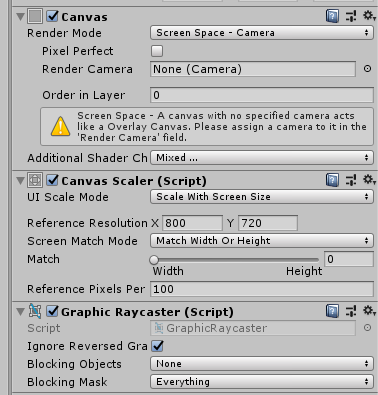
this is pretty much the standard config I use for all canvases
(camera is filled in at runtime)
distant otter
so this means that my editor cam is completely screwed up, assuming that the build part of unity is prob fine
slim radish
you do have a canvas scaler I hope?
i use 800x720 because it's an average lowest resolution i want to support
distant otter
well no, I kept everything at default lool
slim radish
so i make my UI to that lowest denominator, and on higher resolutions is scaled up to match screen res
distant otter
oke let me try exactly that, see what happens
slim radish
it's not perfect, but works decently well
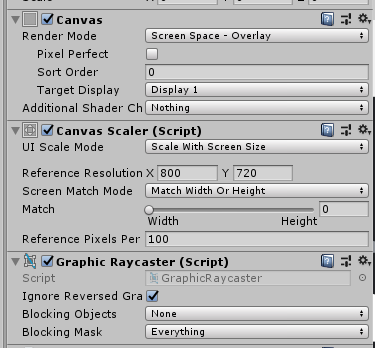
some cavnases I do use Overlay instead of camera
but config is still basically the same
distant otter
nope didn't work, I put the player settings on fullscreen window, and have the exact same settings as your screenshot, and still got the bottomleft corner
I really don't get this
slim radish
yeah i don't know, what do your camera settings look like?
distant otter
like this
slim radish
i'm not sure orthographic is what you want. not for the UI camera
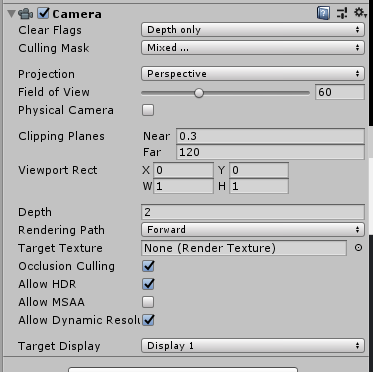
this is my UI camera
try disabling that camera temporarily and adding a new one
try setting it up as perspective
and see if that changes things
ignore the stuff i have about 'depth only' and 'depth'
that's for overlaying multiple cameras like I do
i use a separate camera for UI and main scene
but if this works, and you do need Orthgraphic for your game, you may have to do likewise
distant otter
ok I disabled the problematic camera and added a fresh new
the only way I get everything into camera view, is to crank up the field of view, maybe that isn't the correct way to do it?
distant otter
I now have it on overlay
let's start with the basics because this is bugging me a lot
my screen at home is 1920x1080
distant otter
my image is 1600x900
slim radish
that's what the canvas scaler does
distant otter
all I want is that my build is a nice 1600x900 window floating on my screen 😄
slim radish
yeah i don't know, it shouldn't be this hard lol
distant otter
this is literally the only thing left and then my app is finished loool
slim radish
only thing i guess i can suggest is to get something like Unity's UI project and see how they do it
they show examples of all the types of UI

In this example project we show various aspects of the new UI system in Unity 4.6.
Examples include:
UI aligned in 3D with perspective.
UI lit by light sources.
Scripts for handling drag-and-drop and for moving and resizing a window.
Placing a RenderTexture in the UI.
A...
maybe you can spot what you have different
distant otter
let me re-watch the tuts again
this is insane
ok I'm done for today, this is just insane, something simple as this and even google can't find it
if anyone else who happens to be a master related to camera's etc, please stand up, because I cannot to cancel my project based on this stupid problem
distant otter
I changed the sprite image to show it more clear, but why does it appear on a different location in the live view?
slim radish
can't help but notice you have the game view set to 0.42 scale it looks ilke
what happens when you set it to 1.0 scale
 distant otter
then I need to change it to 16:9
slim radish
yes
distant otter
which then looks like this
slim radish
😬
distant otter
I tried to moving the cam forward/backward, and that 'solved' the issue that my view was not entirely filled
but I'm guessing it comes with other new issues which is the overlay buttons are completely misaligned
my theory is: when you have an image, in my case the panel with buttons, and you add UI buttons on top of that, the UI buttons should appear on the exact same spot that I laid out for each of them, regardless of the angle or FOV of the camera; it only changes when the distance between my image and those UI buttons are huge
so what I did is moving my image 0.1 to the back, just to be 100% sure the UI buttons are in front of it
slim radish
they should
which is why i have no idea why that's not happening here
you looked at the examples to see if anything is different?
distant otter
yes but I can't compare it with my situation, in the example the background image are actually exactly that, so there is space between it and the UI
slim radish
well that's not the important part
distant otter
in my situation, that background image is actually a static part of the UI, and the only thing dynamic are UI buttons that I place in front of it
slim radish
or wait, are you saying your UI background isn't part of the canvas?
slim radish
ok then they should all stay the relative size and position, no matter the camera size
unless you have some components that would interfere with that
like horizontal/vertical scalers etc
distant otter
unless those scalers are made automatically, I don't have them
distant otter
2018.3.6.f1
the hard part is that I can't seem to analyze this, I do photography as a hobby so my awareness of space and objects in space is fine, I just don't understand how Unity works with this
and after googling I found so many people asking the same questions as me for something that should be a no brainer, as in, 2D scenes should be easy to create 1:1 compared to 3D scenes
lool it's like unity is forcing me to create a full 3D scene
slim radish
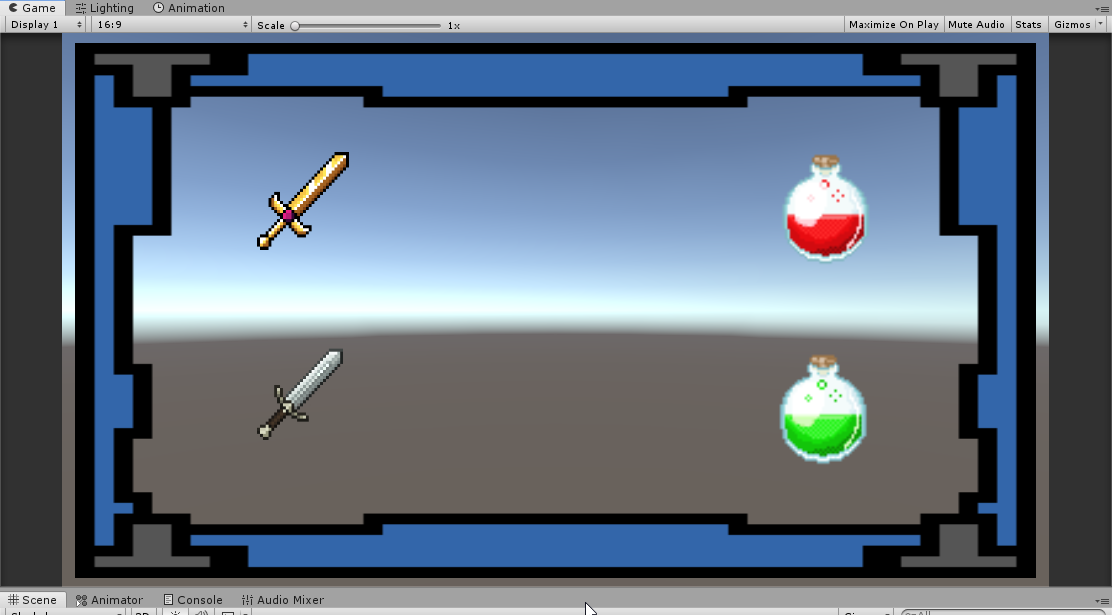
i made a quick project using my settings. as you can see it stays proportional no matter the aspect ratio or resolution
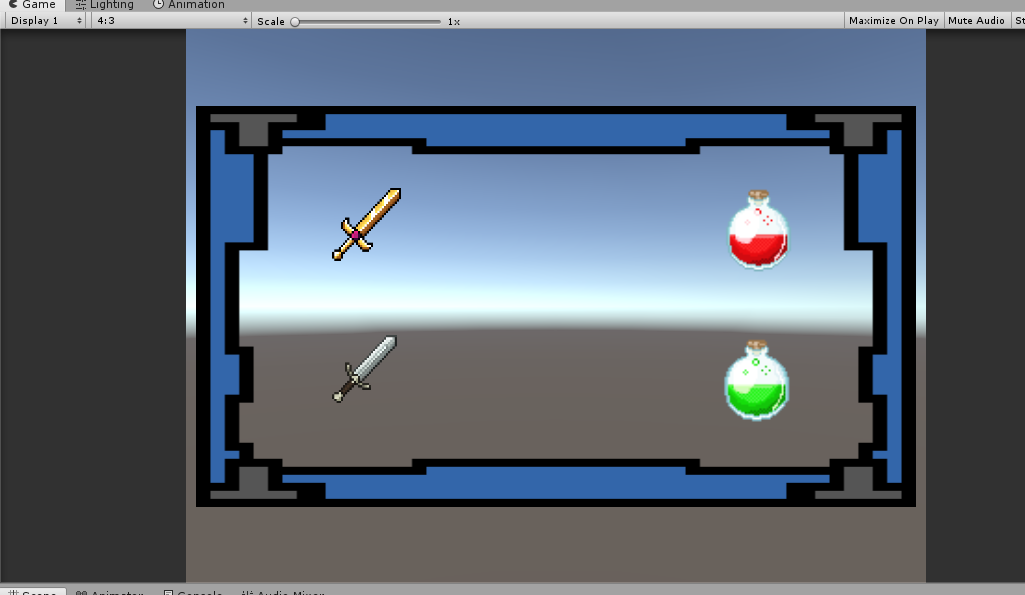
i will put it for download give me a min to rar it and put it on my google drive
distant otter
out of desperation, I've started to relocate those buttons by aligning them using the live view window haha ... while in the ditor window they fall outside my panel
oke, will download your test
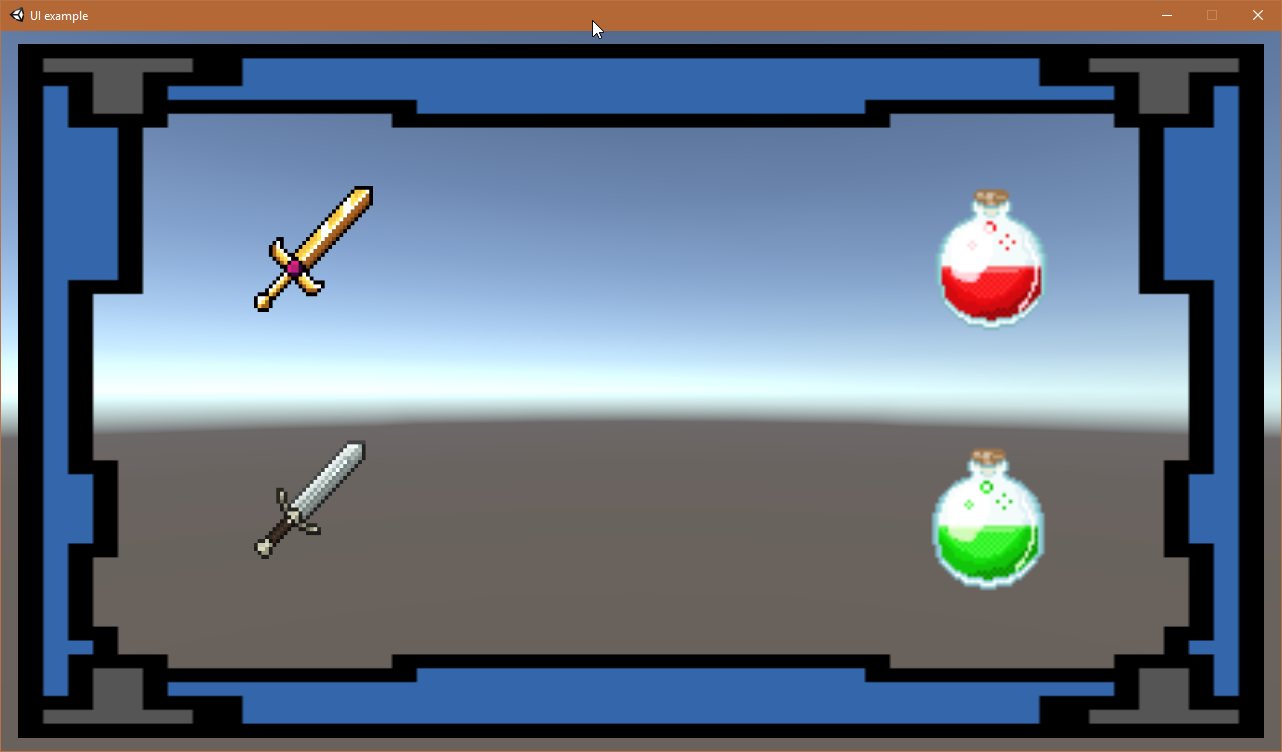
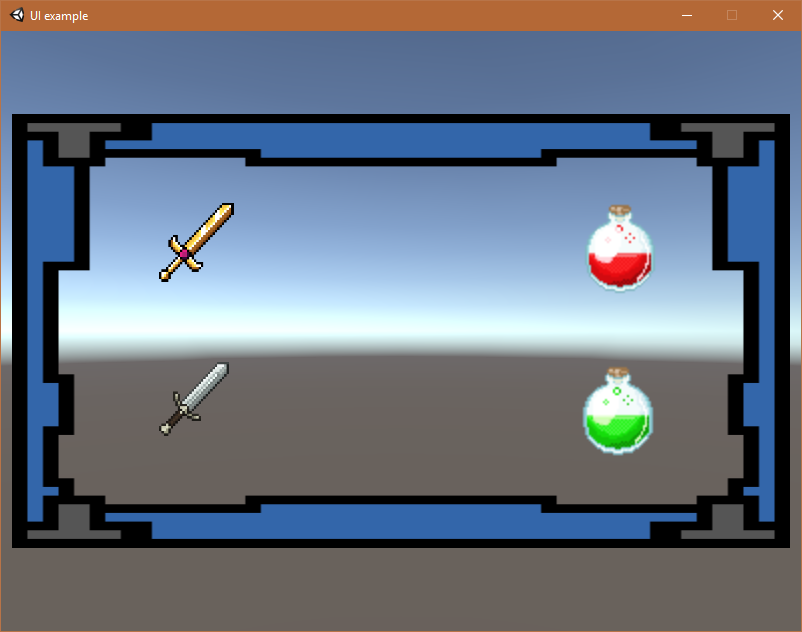 distant otter
oke give me a minute
slim radish
yeah just wanted to show how it behaves with different aspect ratios
i did it as screen space-overlay as that's what i think you said you were using.
also the two right icons are siblings of the background
and the two left are children of the background, just to show it shouldn't matter
canvas scaler should scale everything equally
distant otter
hmm yeah this is weird, so my panel image would be your game border image, and my UI buttons would be your ingame artifact images
slim radish
yes
distant otter
so the swords move and resize according to the border, and the elixirs according to the view resolution
your cam is positioned bottom left corner, yet has everything in view, how is that possible
slim radish
well, in a sense, the border gets scaled by resolution
so it's change in scale directly affect the children
which is how normal scaling works even ouside the UI
if a parent scales, the children do too
distant otter
yes that I get
let me open my project again and see what is different
what I did is move the camera position so it has everything in view
slim radish
one thin you'll notice I don't do, is force a particular resolution in the settings
i'm kind of concerned if you're doing that, it's the source of your problems
or possibly related
i guess i should try forcind and see what I get
no, still works
so must be something else
distant otter
well I'm not sure if I need to force it, I just know that my panel image is 1600x900, so if it autoscales up, it would show less quality
so I need to force it to maintain the quality of the image, as it's part of the UI from the user perspective
slim radish
yeah that's fine
distant otter
thanks for helping me out, maybe someday in the future this will be a lot easier 😄
it would be so nice if tools follow human logic
distant otter
if that is true, humans wouldn't be capable of programming and thus creating a tool like Unity 😉
so some humans are illogical, just so happens some of them work at unity lol
slim radish
lol
distant otter
repositioning 40+ buttons ...
slim radish
 distant otter
@slim radish app is done, seems to work fine lol
bit scared to release it, just sent the download link to the people who contributed their voice
slim radish
if it works for you it should work for everyone 😃
distant otter
haha isn't that one of the worst assumptions a dev can make?! 😄
slim radish
shhhhhh stop with the secrets :p
distant otter
haha
slim radish
yeah the truth is no matter how much you test, someone, somewhere, will find a way to do something you never, ever thought of.
distant otter
yeah
 simple musk
Is there a way to stop a vertical layout group resetting the horizontal position of its children when I add a new object to it.
I’m trying to use it to create a timeline allowing you to move objects left and right but snapped to a row. when I add a new child all the other child’s positions are reset.
 tiny copper
@simple musk try unchecking "child force expand width" and check "child controls width"
also, anyone here know how to work with Scrollbar.OnPointerDown? it's not an event but a public method?
 unique pier
how do i make a ui image same size as a 2d sprite object?
slim radish
There is a "set native size" button in the inspector for the UI image. clicking that should do it.
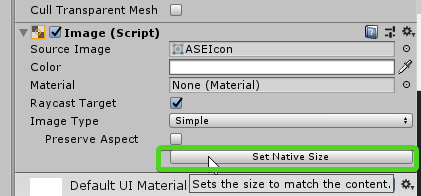


 lyric talon
Heya, I've struggled with this for 2 hours now, so figured I might wanna ask the experts: Is there a way to use ContentSizeFitters or LayoutGroups to handle my use case:
I want an Image behind a TMPUGUI text (which also works as a button). The text is unpredictable: It's length varies (localization), and font size depends on screen resolution (min 18, max 128).
Without either a CSF or LG I can set the RectTrans to anchor, say, x0.1-0.9, y0.4-0.6, and the text fills the available space until it hits either max width or height, leaving the rest blank.
Adding a CSF, the text either collapses to minimum (Minimum), or expands to maximum (Preferred) font size. Neither of those helps, as maximum can be too large for some screens, and minimum is... tiny.
LGs don't have the problem of font going all wonky, but won't adjust the text's RectTrans to "trim" the dead space. The background image always ends up going from 0.1 to 0.9, even if the text fits in 0.4-0.6, for instance.
Is there a way to have an Image fit an unpredictable TMPUGUI? Or do I need to step in and programmatically set the text's font size at run-time, negating some of TMPro's advantages?
unique pier
hi i have some sprites that i am tryin to sclae them for all aaspect ratios
it looks fine in 1080 1920
but for this resolution it shows like this
how can i stretch the image n such a way that it fills the width and also keep its aspect ratio?
btw its a 2d sprite object not ui element
 sinful gull
@unique pier stretching somthing without distorting it is intrically impossible. I would use two seperate images if you need both aspect ratios without any margin or stretching. If you don't mind distortion, I use Screen.width/height( which return the width and heigh in pixels for screen size) for relative positional data of ui elements. As per option 1, I've used PS to intellegently stretch an image without too much noticeable distortion
unique pier
i see thank you @sinful gull