#📲┃ui-ux
1 messages · Page 40 of 1
 grim ermine
 solid mirage
Umm my game is breaking at different Aspect Ratios. How can I fixed this error? :3


 mortal robin
solid mirage
Umm my game is breaking at different Aspect Ratios. How can I fixed this error? ...
mortal robin
solid mirage
Umm my game is breaking at different Aspect Ratios. How can I fixed this error? ...
Either make your UI responsive or enforce a single aspect ratio (or range of aspect ratios that work)
grim ermine
solid mirage
Umm my game is breaking at different Aspect Ratios. How can I fixed this error? ...
Anchor points
solid mirage
I finally looked up and set up a resolutions setting system for the game instead of the free resizing
Thanks
 celest lodge
im using virtual mice for a character select screen, and i wanted to try and do these rhombus shapes, but i worry that the ui squares will overlap each other and cause problems.. How can I fix this?
 mortal robin
celest lodge
im using virtual mice for a character select screen, and i wanted to try and do ...
mortal robin
celest lodge
im using virtual mice for a character select screen, and i wanted to try and do ...
Set the sprite import mode to tight mesh
Should be fine
celest lodge
mortal robin
Set the sprite import mode to tight mesh
so it uses the sprites shape as the selectable "hitbox" of sorts?
celest lodge
is there a way to rotate a rect as if it was in perspective, but without using a screen space / world space canvas?
mortal robin
celest lodge
is there a way to rotate a rect as if it was in perspective, but without using a...
maybe... share a picture explaining what you mean?
celest lodge
mortal robin
maybe... share a picture explaining what you mean?
I'm not at my pc right now unfortunately, but basically on an overlay canvas if you rotate an image on the x and Y axis, its like an orthographic view so it just becomes shorter. I want to have a perspective view
so I can do like a door opening, for example
mortal robin
with a 2d image those things are identical
Unless you mean it should skew
TBH is there a good reason this thing needs to be a UI element?
celest lodge
mortal robin
Unless you mean it should skew
I see why a picture might be useful now
celest lodge
mortal robin
TBH is there a good reason this thing needs to be a UI element?
it's part of my character select screen
 agile mountain
so is ui tool kit like the way to go now?
 proud sandal
agile mountain
so is ui tool kit like the way to go now?
proud sandal
agile mountain
so is ui tool kit like the way to go now?
You pick whatever suits your needs best. Neither is going away.
solid mirage
How can I fix the problem of UI buttons not highlighting on hover until after I have clicked the mouse somewhere
 edgy plaza
solid mirage
How can I fix the problem of UI buttons not highlighting on hover until after I ...
edgy plaza
solid mirage
How can I fix the problem of UI buttons not highlighting on hover until after I ...
Are you sure its not cause of unfocused window?
solid mirage
edgy plaza
Are you sure its not cause of unfocused window?
this is happening in Standalone build
not just in Engine
and not even with all the Buttons
edgy plaza
solid mirage
and not even with all the Buttons
So some specific buttons highlight works without tapping anything?
edgy plaza
solid mirage
i have tested and it stops hightlightning because it gets selected
I solved by setting navigation none
In button component
solid mirage
but won't that stop Keyboard selection for menus??
edgy plaza
solid mirage
but won't that stop Keyboard selection for menus??
It will
solid mirage
edgy plaza
It will
hmm thats a bummer
edgy plaza
solid mirage
hmm thats a bummer
I think its useless to have navigation if your game requires mouse
- if it doesnt support controllers too
solid mirage
yeah that's fair
 celest hazel
when i try to import this font with text mesh pro its broken and wont work, it just errors like this when saving and is unselectable, and this also ahppened to and broke a previously working font, im just using the space mono ttf font off google fonts
celest hazel
wait this is the wrong channel probably
wellllll close enough i cant tell if it belongs here or ui toolkit
6000.3.10f1 btw
celest hazel
i even downloaded just plain arial off the web and it did that, i cant pick it as a reference for a tmp
getting this when i try to asign it even though i did manage to get arial to pick properly it would seem? i can only pick one font i imported way earlier and not have it not work
celest hazel
i updated to 11f1
same thing
im desperate here especially because now i have a bunch of null font references
 tender plinth
Hi, working on a 2d game (not sure if this is relevant). Does anyone know a good way for me keep my aspect ratio the same whenever the player wants to change the size of the screen?
they'd be changing the size by grabbing the edges of the screen and stuff and as mentioned before i'd like for the aspect ratio to stay the same
any help is greatly appreciated
 ionic beacon
Google for "unity force aspect ratio"
Usually a more player friendly option is to have the game adapt to whatever aspect ratio they want to use
celest hazel
celest hazel
im desperate here especially because now i have a bunch of null font references
its fucked up like my entrire project im kinda panicking here
 supple basalt
celest hazel
getting this when i try to asign it even though i did manage to get arial to pic...
supple basalt
celest hazel
getting this when i try to asign it even though i did manage to get arial to pic...
show us what, exactly, you are doing in the editor
celest hazel
supple basalt
show us what, exactly, you are doing in the editor
sure, sequential screenshots grey dot on what i click, ive also tried reimporting the font and used an arial ttf to the same result even with it missing 0 characters


 celest hazel
im really banging my hea against a wall here, i looked up the error and get nothing or unrelated things
celest hazel
am i wrong for saying this is an engine problem because it sure as hell seems to be an engine problem, the error points to TMP not any of my stuff
 deep dagger
Im trying to make a UI like a few clickable buttons on the main menu but i have tried getting buttons to put text on infront of the camera whats the easiest way to find or get buttons i can put Text on
i know probably simple but its wrecking my brain and eyes trying
 lusty sigil
does anyone know how to make a overlay in unity 2d urp to make it look glitchy, like the five nights at freddys 1 main menu static effect
 tribal latch
celest hazel
sure, sequential screenshots grey dot on what i click, ive also tried reimportin...
tribal latch
celest hazel
sure, sequential screenshots grey dot on what i click, ive also tried reimportin...
your font imports fine for me. You might need to trace the error down yourself. It seems to have something to do with an atlas. If that first layout error is involved, you might be in a bad gui state. I would suggest resetting your window layout and restarting Unity as a first step
celest hazel
tribal latch
your font imports fine for me. You might need to trace the error down yourself. ...
i have restarted unity, i have updated unity from 10f1 to 11f1 like i said, i have scoured for any solution to this to no avail and it irks me, forgive my frustration
tribal latch
did you reset your window layouts?
celest hazel
yes
ive never changed them anyways
is there a way i can do like a validate files on my textmeshpro package or whatever, i cant find what its under either
tribal latch
you change it every time you open the font creator window, so that doesn't matter. Time to trace down the problem code
you can delete it and re-import
celest hazel
cool do tell on how i go about that
okay package is ugui it would seem right

if i delete the package and reinstall it does that fuck up all my references
celest hazel
tribal latch
you can delete it and re-import
^ ?
i also tried clicking customize which made it reload all the packages it would seem still to no avail
new error too, or at least spam of it more than it was before
i am so lost
 tribal latch
no, if you're trying to re-import TMP, use Window -> TextMeshPro -> Import TMP Essentials
ugui probably isn't the problem based on your error
celest hazel
tribal latch
no, if you're trying to re-import TMP, use Window -> TextMeshPro -> Import TMP E...
same issue keeps happening, imported the essentials and extras and im already getting a bunch of NullRefs from when it screwed up another font i as already using
tribal latch
which atlas is it actually throwing on? Find that method and debug it
maybe some other font has been corrupted and if you can figure out which one and delete it + recreate it, you can get things back on track
celest hazel
it only points me to the line in the package code, not the actual object that has one
but i know its like all my TMPS
and the issue is i cant make new fonts because of this issue
tribal latch
set a breakpoint in that method and trace what it's doing, working backwards
celest hazel
i cant recreate it
celest hazel
tribal latch
set a breakpoint in that method and trace what it's doing, working backwards
im sorry im not that advanced can i get slightly more instruction here
tribal latch
learn to use your IDE's debugger so you can actually observe the values in the code leading up until when it throws an exception
celest hazel
i mean i know how that works im using vscode but like
i dont see how that helps me
here we go

these are all in editor btw im not even hitting play
did literally nothing
tribal latch
you don't need to be in play mode to debug
celest hazel
well it worked neither in or out of it
tribal latch
why did you set the breakpoint there? are you sure you're hitting it? it would probably make more sense to set it at line 1734 of TMPro_FontAssetCreatorWindow
celest hazel
because thats a line mentioned in the error
i just deleted the two objects in my scene causing it, no error spam its just these two when i save only

i reset all layouts again and the error spam returned now for this


at this point i may just fucking reinstall ugui but i dont want to fuckign redo all of my ui this is stupid i literally only use lts versions
tribal latch
the signs are pointing to something having been corrupted in one or more of your font asset files. Reinstalling ugui is not likely to help
celest hazel
how does that affect saving a new font though
tribal latch
this error spam you see is related to TMP meshes not being built or uv array not being set
celest hazel
that seems silly
tribal latch
your main exception is being thrown by Texture2D tex = fontAsset.atlasTextures[0];. Why would thinking this is unrelated to ugui be silly?
celest hazel
no, i think its silly that the errors that come about from saving a new font are related to fonts already saved/created
anyways im deleteing all but one single font asset that still works
tribal latch
are they? that's why you need to look and find out what's happening. I don't know what cascade of errors is causing this but you start at the root and unpeel the onion until you find the cause
celest hazel
what the fuck
what in the
fucking whatever apparently deleting the asset the first 5 times didnt do anything but six times is the charm
my head hurts
thank you for your help by the way
 mossy tendon
Confused why the dropdown text here is blurrier than the other text
When I change resolution to a smaller one the dropdown text looks noticable blurrier than the other text, confused as to why as they all use the same font and material preset

 tame shell
mossy tendon
Confused why the dropdown text here is blurrier than the other text
When I chang...
tame shell
mossy tendon
Confused why the dropdown text here is blurrier than the other text
When I chang...
Is this TMP text or legacy text?
mossy tendon
TMP for both the text and dropdown
supple basalt
Is it actually blurry, or is the border just thicker?
The dropdown is grayed out, so it's going to look different
 hexed wagon
should I bake my text into the buttons or use text overlay?
 ripe pelican
Hey, guys! I was wondering when we need Canvas Group exactly?
What is the Canvas Group?
tame shell
ripe pelican
Hey, guys! I was wondering when we need Canvas Group exactly?
Want to fade an image and some text all together? Canvas group!
 misty magnet
Hey, got a kinda long question, sorry. So, I can't use buttons in my pause menu. Time is set to 0 and I'm troubleshooting with my visual studio copilot and it keeps telling me about "Update Mode" being set to "Unscaled Time" or something like that. I don't have either of those. Help please? If more details are needed, I'll try to provide.
 steep warren
Time is set to 0
do you mean timescale?
misty magnet
If by that you mean the passage of time when the game is paused, yes.
steep warren
by that i mean timescale
you can't set time to 0
timescale affects the passage of time, yes
anyways, if it's just that the buttons aren't changing on hover visually, it could be because the animation is running on scaled time, hence it mentioning to use unscaled time
if the buttons are wholly unusable, it could be other things
make sure you have an eventsystem in your scene, appropriate to the input handler you're using, and make sure nothing is blocking the buttons
misty magnet
Okay thanks I'll double check everything with my eventsystem and timescale.
I'm not a programmer by any means so I'm doing this all as I go.
steep warren
this isn't programmer stuff
hexed wagon
Unity is the ultimate game development platform. Use Unity to build high-quality 3D and 2D games, deploy them across mobile, desktop, VR/AR, consoles or the Web, and connect with loyal and enthusiastic players and customers.
steep warren
hexed wagon
https://docs.unity3d.com/2017.1/Documentation/ScriptReference/Time-unscaledTime....
not particularly relevant, also that's 9 year old docs
hexed wagon
steep warren
anyways, if it's just that the buttons aren't changing on hover visually, it cou...
"it could be because the animation is running on scaled time, hence it mentioning to use unscaled time"
but sure
steep warren
yeah, i don't think linking docs is particularly conducive
hexed wagon

there's the current one
don't know why google shows the one from 9 years ago but whatever
if you already know everything in the docs, then I suppose you'll be just fine then
steep warren
i think the only relevant bit of info there is that "unscaled time" as a concept isn't affected by time scale. the rest of docs are extraneous to this specific convo
misty magnet
Is the eventsystem supposed to contain a variable of any sort for unscaled time or update mode?
steep warren
misty magnet
Is the eventsystem supposed to contain a variable of any sort for unscaled time ...
no, this would be on the button, specifically just for the animation on hover
mm i may have misremembered
yeah this is a setting on animators and timelines actually, so this shouldn't have an effect on buttons afaict
even if it's a factor it'd just be visuals anyways
steep warren
steep warren
make sure you have an eventsystem in your scene, appropriate to the input handle...
look into this stuff, for stuff that would affect the button being usable
misty magnet
I got it and that helped. It really was stupid cause I was using the wrong Input Map. For some reason it was tied automatically to my Player Map and I had to redownload the sample. Thank you.
 stark cape
hey does anyone know how to like make a main menu screen for my ctf game (server list, create server, blue background.)
i'm using 6000.3.1f1
 proud elk
anyone know why my button is invisible? im stumped

 rich sparrow
proud elk
anyone know why my button is invisible? im stumped
rich sparrow
proud elk
anyone know why my button is invisible? im stumped
Object order in hierarchy
proud elk
That wasn’t the issue, I realised I was still in play mode so I stopped it and added it again and it worked
 frosty pewter
Don't cross-post. The issue looked like the button just being 0.05px wide.
 slender viper
Is it normal for Unity to randomly move UI elements around? I cleared this prefab of all overrides just minutes ago. I look back, bam, random overrides again.
 mortal robin
slender viper
Is it normal for Unity to randomly move UI elements around? I cleared this prefa...
mortal robin
slender viper
Is it normal for Unity to randomly move UI elements around? I cleared this prefa...
If it's a pixel perfect canvas then yeah this is a well known longtime issue
unless you mean something more than just tiny floating point errors - like if it's drastically changing size
slender viper
Not pixel perfect, and the discrepancies were noticeable
slender viper
slender viper
Is it normal for Unity to randomly move UI elements around? I cleared this prefa...
About 20 pixels in this case
 quartz whale
Does anyone know if there is a way to auto-size TMP text to the maximum size allowed by its rect transform size? Surely there is no way that's not a thing
So without setting a max cap
mortal robin
quartz whale
Does anyone know if there is a way to auto-size TMP text to the maximum size all...
It has an auto font size checkbox in the inspector
quartz whale
mortal robin
It has an auto font size checkbox in the inspector
but thats with a hard cap
mortal robin
quartz whale
but thats with a hard cap
just set the cap to something very large?
quartz whale
mortal robin
just set the cap to something very large?
that's a fair point
what would be "very large" though, for every resolution?
it just seems really error prone
I think 4K is like 700 font size
mortal robin
quartz whale
I think 4K is like 700 font size
then put 2000 and call it a day?
Hell put a million
ripe pelican
Hey, guys! Is it fine that I don't use Grid Layout Group for my UI elements?
I was just wondering, because what I usually do is to move etc my UI elements without the lauout group
misty magnet
Can someone please help me make the text box itself longer so the overflow doesn't happen that far to the left?

nevermind I figured it out I didn't have the width high enough
 timid needle
how do i get rid off showing the big line from the canva without turning the canva off? is there a way?
 mortal robin
timid needle
how do i get rid off showing the big line from the canva without turning the can...
mortal robin
timid needle
how do i get rid off showing the big line from the canva without turning the can...
hide it in scene view with the scene view visibility in the hierarchy
or just turn off gizmos
 torpid roost
where can I find good images to create a HUD? Is for a space ship sci fi game
tame shell
misty magnet
Can someone please help me make the text box itself longer so the overflow doesn...
If the text is in a layout group, try using flexible width to make it expand fully
 reef gorge
Is there any unity tool that will guid me to align ui elements? Like in photoshop. Does anyone also faces problem like me, aligning ui?
rich sparrow
reef gorge
Is there any unity tool that will guid me to align ui elements? Like in photosho...
Use anchors, pivots
reef gorge
rich sparrow
Use anchors, pivots
I was actually asking about a visual grid/alignment tool. Anchors are for responsiveness, but I’m looking for something to help with spacing and layout design. Kinda like figmas grid guides
steep warren
you could use layout groups to handle that for you, kinda like figma's auto layout
reef gorge
steep warren
you could use layout groups to handle that for you, kinda like figma's auto layo...
Yeah, Layout Groups are useful for structured UI like lists or menus, but Im thinking more about freeform visual alignment across the canvas—like guide lines or grid overlays during design time. That’s a bit different from auto-layout behavior.
steep warren
i see
i'd probably just use anchors and make sure the offsets are the same
i don't know of any built-in tool for that, but there could be extensions/plugins/assets that add those
reef gorge
steep warren
i'd probably just use anchors and make sure the offsets are the same
I searched all over and found nothing on internet
reef gorge
If anyone knows pls tell me
rich sparrow
Clipping in unity doesn't work for UI? I don't want to have free roaming UI, because then it makes harder to work for multiple resolutions. Even in websites everything is aligned by something
 wild pebble
rich sparrow
Clipping in unity doesn't work for UI? I don't want to have free roaming UI, bec...
wild pebble
rich sparrow
Clipping in unity doesn't work for UI? I don't want to have free roaming UI, bec...
What you mean by clipping? Anchors?
rich sparrow
I mean snapping
wild pebble
rich sparrow
I mean snapping
Snapping to what? "Free roaming" sounds like you haven't set up the anchors properly
 unreal python
hi
steep warren
this is not a social space, https://nohello.net

please don't say just hello in chat
lusty sigil
steep warren
this is not a social space, https://nohello.net
ts is frying me😭
 chrome kettle
Is there a way from scripts or otherwise to make UI graphics do masking without requiring the typical workflow of a parent canvas renderer with the Mask and a graphic component?
Trying to get meshes below an UI overlay camera to render on top by masking them out from the UI using Render Objects and stencil shaders
Because this is a hierarchy of nested canvases, modified by scripts and animators, wedging in a parent mask gameobject for every image under a unique canvas would be a lot of work and would require reworking the animations enough to be a bit of a nightmare
Enabling the stencil masking from a script would be feasible, but I don't know what the method for that is or if Canvases allow that
Wouldn't be an issue with opaque objects only as then could use depth from base camera with screen space camera UI, but transparents are a no go with that
 quiet copper
Hi everyone, I’m having an issue with UI circles appearing jagged/rough in Unity.
In both the Scene view and Game view they don’t look perfectly smooth, and when the circle gets smaller on screen it becomes noticeably more pixelated and rough. It’s not as bad as in the screenshot, but it still represents the issue I’m experiencing.
I’ve already tried the following:
Increased texture resolution (up to 1024)
Disabled compression (set to None)
Disabled mipmaps
Set Filter Mode to Bilinear
Made sure width/height and positions are integers (no fractional values)
Tested different Canvas Scaler settings
What’s the correct way to ensure perfectly smooth circles in Unity UI regardless of scale?
Is there something I’m missing in the rendering or UI pipeline?
Thanks in advance 🙏
 chrome kettle
quiet copper
Hi everyone, I’m having an issue with UI circles appearing jagged/rough in Unity...
chrome kettle
quiet copper
Hi everyone, I’m having an issue with UI circles appearing jagged/rough in Unity...
You need mipmaps
They might not be "perfect" because mipmaps have limitations
But they're basically the only type of texture downsampling that images can use, afaik
 azure flame
When scaling is involved it would be very hard to keep appropriate resolution for pixelated sprite. I usually upscale sprites and have built-in smoothing in them, so scaling doesn't break readability.
quiet copper
azure flame
When scaling is involved it would be very hard to keep appropriate resolution fo...
Do professional UI designers usually prefer using vector graphics (like SVG) to avoid this kind of issue?
quiet copper
chrome kettle
They might not be "perfect" because mipmaps have limitations
But they're basical...
it doesnt work
azure flame
quiet copper
Do professional UI designers usually prefer using vector graphics (like SVG) to ...
Very likely. I'm not sure if Unity support SVG right now properly though.
chrome kettle
quiet copper
it doesnt work
You have to be more specific
Does it not produce the desired result, or no result whatsoever?
If no change at all, that indicates the mipmaps aren't being rendered for some reason
quiet copper
chrome kettle
You have to be more specific
Does it not produce the desired result, or no resul...
Oh, sorry — I checked again and there is actually some improvement; the edges do get smoother, but I still can’t achieve the perfectly smooth look I’m aiming for.
chrome kettle
quiet copper
Oh, sorry — I checked again and there is actually some improvement; the edges do...
Do you have an example of the current appearance and the perfectly smooth intended appearance
The example images of both should be in 1:1 resolution that they will be displayed as on screen
quiet copper
Is it necessary for it to be 1:1?
chrome kettle
The idea is to know how it actually is being rendered your game window must be set to the target device's screen resolution, and viewed at 1x or no zooming in or out
And that's what you want to take the picture of
Otherwise we won't know the actual appearance because it'll be rescaled for the game window first, then the game window may be rescaled on top of that
Neither of which would reflect what the user will ultimately see
quiet copper
I want my screen to look as smooth as it does in this image.But my screen looks like this, almost as if there’s no anti-aliasing at all.


Do I need to build it on my phone and take a screenshot?
wild pebble
One small note regarding mipmaps. You might want to use trilinear filtering with mipmaps to get smooth transitions between the mipmap levels
chrome kettle
The image on the left has been upscaled in post, so it's blurry
The image on the right has been downscaled in post, so we can't see if the aliasing or antialiasing would exists in native resolution
chrome kettle
quiet copper
Do I need to build it on my phone and take a screenshot?
No, just set game window to the resolution the device will have and set zoom to 1x
quiet copper
chrome kettle
The image on the left has been upscaled in post, so it's blurry
The image on the...
Okay, would it be alright if I take screenshots of both on my phone and share them?
chrome kettle
That's probably the most certain way to get a native resolution screenshot
Assuming phones don't upscale screenshots now too
Step 2 is to show how the image should ideally look like, in the same resolution and size
quiet copper
chrome kettle
No, just set game window to the resolution the device will have and set zoom to ...
Since I’ll be taking both screenshots from my own phone, I think even if there’s any resolution scaling, it will be applied equally. I’ll try it that way.
But I also want to mention this: 1x only applies in Game view, and when I set it to 1x it doesn’t fit the screen. So I used “Fit to Screen” in the simulator mode and took the screenshot. As you said, I’m not able to set it to 1x.
chrome kettle
quiet copper
Since I’ll be taking both screenshots from my own phone, I think even if there’s...
Fitting to screen isn't important in this case as long as we can see one or more of the icons
The palette icons have the most detail so they're the most effective for testing
When the editor fits the window to screen it has to downsample it, which is bad for us because we're troubleshooting downsampling that occurs before that
quiet copper
I understand, but it ends up looking like this, and I can’t scroll down to show the palette on the screen.
 chrome kettle
quiet copper
I understand, but it ends up looking like this, and I can’t scroll down to show ...
chrome kettle
quiet copper
I understand, but it ends up looking like this, and I can’t scroll down to show ...
When play mode is paused, or stopped, you can hold middle click and drag the game window view
quiet copper
oo thanks ı try it
quiet copper
chrome kettle
When play mode is paused, or stopped, you can hold middle click and drag the gam...
Yes, when I did what you suggested, it seems to look smoother — at least with mipmaps enabled.
I think the issue is solved, if this screenshot accurately reflects the actual result
 chrome kettle
quiet copper
Yes, when I did what you suggested, it seems to look smoother — at least with mi...
chrome kettle
quiet copper
Yes, when I did what you suggested, it seems to look smoother — at least with mi...
Yes, this is what it'll look like on a 1920x1080 device, with each pixel that we see corresponding to a pixel on the device's screen
quiet copper
But will this give the same accurate result on all devices?
chrome kettle
If the resolution is different, then possibly no
I'm not sure what other phone or tablet resolutions are common but you can change the game window resolution to one of those and likewise keep zoom at 1x
But I don't expect a big difference
Mipmaps are necessary for texture smoothing, but when using them the typical enemy is blur
quiet copper
Thank you very, very much but if But if I run into this kind of issue with animations, what should I do? For example, in this image the checkmark comes as a Lottie animation. It looks fine right now, but if it also starts to appear pixelated, how can I fix it? Does mipmapping work for those as well?
 chrome kettle
Mipmapping should pretty much always be enabled
Otherwise the renderer has no method to downsample any image in a smooth way and harsh pixelation will ensue
In fact it doesn't do downsampling at all, as mipmaps are pre-baked downscaled versions of the image that the renderer blends to when they're viewed at smaller scales
They are created in 50% zoom increments down, so at half, quarter, eighth and so on display scales it uses just one mip level without crossfading to another or having to stretch either, so the appearance is also the best
azure flame
quiet copper
But will this give the same accurate result on all devices?
You can check that on Device Simulator, it's built-in in the editor.
chrome kettle
Trilinear filtering as mentioned helps with this crossfade, but it's never perfect
Likely good enough as long as you don't have thin lines or noisy details
To get "perfect" quality the image has to be displayed at native resolution with no scaling or rotation and with position snapped to pixels, then the result is the same even without any mipmaps or filtering at all
But that's unlikely to be the case in reality with different resolutions in play
The pixel perfect setting in a Canvas also helps with the precision, by snapping out sub-pixel positions it ensures texture pixels match the screen pixels better
But it can make incremental motion jaggier
wild pebble
As mentioned, SVGs would be the obvious solution and the one many developers would probably prefer but unfortunately the SVG support in unity seems very lacking. The last time I tried with UI Toolkit, it did not have any AA at all which makes it pretty useless. Don't know if it has changed very recently or is planned to be implemented, I think I tried in unity 6.3
chrome kettle
In theory anyway geometry is better
But it's easy to get into worm can zone with geometry AA as well because it has its quirks
tame shell
Hate to post a paid thing but this is a great solution for procedural circles/curved rectangles for UI https://assetstore.unity.com/packages/tools/gui/procedural-ui-image-52200
Use the Procedural UI Image from Josh H on your next project. Find this GUI tool & more on the Unity Asset Store.
wild pebble
Actually this indicates that AA for SVG should already exist in 6.3: https://discussions.unity.com/t/vector-graphics-in-ui-toolkit/1683117/10. Maybe I should try it again
chrome kettle
SVGs aren't the only option as a format
The icons could be exported as meshes
Though I don't know if Canvas or UITK either let you use meshes
wild pebble
I think Canvas did support that but UITK I don't know
chrome kettle
wild pebble
I think Canvas did support that but UITK I don't know
If you recall anything about meshes on Canvases, that might be very useful in my current issue
quiet copper
Thank you for taking the time to help me.
tame shell
It would need to be your own graphic I think to do that
as graphics produce their geometry
quiet copper
If I wanted to create more professional animations with these UI elements—for example, having the palette disappear with a shatter effect when it’s completed—how could I do that?
If I try to do this in After Effects, I can’t really integrate the exact UI elements we’re using in Unity. Is there a flexible solution for this kind of workflow?
Particle systems seem to help a bit, but they don’t feel like they can fully achieve what I want.
Also, would it be better to ask these kinds of questions in an animation-focused channel?
wild pebble
chrome kettle
If you recall anything about meshes on Canvases, that might be very useful in my...
CanvasRenderer is what I remembered: https://docs.unity3d.com/Packages/com.unity.ugui@1.0/manual/class-CanvasRenderer.html. Seems only be accessible via Script but CanvasRenderer.SetMesh seems to do that
chrome kettle
wild pebble
CanvasRenderer is what I remembered: <https://docs.unity3d.com/Packages/com.unit...
Is this the right version of the docs for finding that method? The scripting API side doesn't seem to have it
Oh there's a link to the non-UI docs which do have it
3.0 package docs is somehow older version than 2.5, I keep tripping up over that one
wild pebble
Whoever though versioning things in order 1, 2, 3, 2.5 must be a genius
steep warren
i thought 3.0 was basically unreleased (..de-released?), so this is just normal semver?
wild pebble
Oh yeah the 3.0 docs just says it's deprecated
steep warren
major version 1  o-o-x
    major version 2  o---o---o---o---o
        major version 3  o-x
```i imagine it's just something like thisi guess that brings up the question, what's next lol
are they just gonna stay on major version 2, or are they gonna revive 3, or are they gonna skip to 4
wild pebble
quiet copper
If I wanted to create more professional animations with these UI elements—for ex...
That sounds something a shader could do. The best channel we have for those creatures is #1390346776804069396. For images it is quite easy to modify them in shaders but for stuff like text it might get complicated
chrome kettle
Is there some logical division between UI components which can be found in the scripting API of package docs and ones in the general docs
wild pebble
No idea. According to the API page at least most UI stuff seems to be inside UnityEngine.UI. Canvas, Canvas Group and Canvas Renderer on the other hand are inside UnityEngine, why that would be I don't know
 patent gale
hello i want to ask, i want to add a text to my gameobject ( example a shop object, and when the player are in range the text appear), i added an empty object in the shop object and added a text component, is that a good way to do it or is there a better way?
steep warren
generally it's recommended to use tmp text rather than the normal "text" component nowadays
chrome kettle
patent gale
hello i want to ask, i want to add a text to my gameobject ( example a shop obj...
If your game is 3D you could use individual world space canvases, or 3D text mesh components
Screen/camera space canvases also can be used if you have a script that positions the text or its canvas in screen coordinates converted from world coordinates
 lusty halo
#1487808173875396649 Hello guys! Any help?
azure flame
@lusty halo Don't cross-post. And should've moved question here in the first place.
lusty halo
azure flame
<@516479564566888468> Don't cross-post. And should've moved question here in the...
Im sorry. I firstly noticed a forum with questions.
 craggy zenith
Im not entirely sure if I should ask in this or the other UI channel but I'm struggling to get my buttons to work the way I want. I can't add the nice visual stuff until i can get this one thing to work but it just doesnt want to.
Basically I have a dialogue system with choices and all that but the button text doesnt lengthen out to the right, it stops early and just goes to the next line. Lemme screenshot
I just cant seem to fix it. It looks better than before but it's still not what i want
 mortal robin
craggy zenith
Basically I have a dialogue system with choices and all that but the button text...
mortal robin
craggy zenith
Basically I have a dialogue system with choices and all that but the button text...
It's based on your text's wrapping settings and the size of the RectTransform.
craggy zenith
The size of the actual tmp or the actual button?
When i just lengthen the tmp it does this. I have a button container that helps spawn the buttons up vertically depending on how mny choices i have in the dialogue tree. Not sure if there's a constraint I have somewhere that's preventing the words from typing out farther to the left. I've left the actual button background on so I can see what's happening better but i do want to turn off the background eventually.
 craggy zenith
This is the set up I have if this helps


 mortal robin
craggy zenith
The size of the actual tmp or the actual button?
mortal robin
craggy zenith
The size of the actual tmp or the actual button?
The size of the text object's RectTransform
note that this may very well be constrained by its containers, such as the button itself, etc.
craggy zenith
mortal robin
The size of the text object's RectTransform
I figured it out. Change the width in the button container, not the button itself. I do need to figure out how to keep the text from spilling over vertically though.
mortal robin
craggy zenith
I figured it out. Change the width in the button container, not the button itsel...
again that's just in the "wrap" settings on the TMP_UGUI component
craggy zenith
mortal robin
again that's just in the "wrap" settings on the TMP_UGUI component
I see the text wrap settings but idk what to do with that TOT. This is my first class in unity. Last time I touched unity was years ago.
I'll just switch it until it does wut i want ig. I sometimes gotta be taught things like im genuinely stoopid lol
tame shell
craggy zenith
I figured it out. Change the width in the button container, not the button itsel...
You probably want "child force expand" width off. You can also add a layout element to the text and enable flexable width to ensure it fills the full width (without child force expand)
But you have not shown enough for me to see whats wrong. a layout group controlling both sizes with content size fitter to set height will work
craggy zenith
tame shell
But you have not shown enough for me to see whats wrong. a layout group controll...
Hopefully this helps? Just showing how I've got them all connected.


 tame shell
craggy zenith
Hopefully this helps? Just showing how I've got them all connected.
tame shell
craggy zenith
Hopefully this helps? Just showing how I've got them all connected.
Now show what the text is doing that you dont like in the scene view with the text selected WITH gizmos on
Is the text inside the button with its anchors fully expanded?
craggy zenith
tame shell
Now show what the text is doing that you dont like in the scene view with the te...
How can i get it to show up in the scene? The prefab isn't actually in the scene rn Or should i drop it in so it can be seen better. Rn im going into game mode to test
tame shell
craggy zenith
How can i get it to show up in the scene? The prefab isn't actually in the scene...
you can go back to the scene tab and inspect things in play mode...
Btw if your text is inside your button then unless the button also has a layout group it wont expand itself to contain the text.
craggy zenith
tame shell
Now show what the text is doing that you dont like in the scene view with the te...
Do you think the pivot might just be wrong?
 tame shell
Read what i said above, if "Choice Button" does not also have a layout group controlling width + height then it wont resize
craggy zenith
Oh i forgot to show the layout element I do have on the choice button
craggy zenith
Naw. lemme put one on
tame shell
layout element would only let you set a fixed preffered width/height
Layout groups provide dynamic preferred sizes based on their children
craggy zenith
Oh okay thx. I went ahead and put a vertical layout
tame shell
layouts all use the min, preferred and flexable sizes the rect transform wants based on its components
craggy zenith
What do the child control checkboxes each do. I was watching a vid on it and it was hard to process ngl
tame shell
craggy zenith
What do the child control checkboxes each do. I was watching a vid on it and it ...
When control child width/height is enabled, the layout group sizes each child based on its preferred sizing.
We usually want this for stuff like text (which provides preferred size based on the text its showing)
If off you will see that you can change child sizes manually again in a layout group
craggy zenith
Omg it finally works TOT
tysm
Im not sure if any of the setting i have are unnessary but i dont want to shut anything off just in case...
tame shell
craggy zenith
Im not sure if any of the setting i have are unnessary but i dont want to shut a...
"control child size" is the most important and should be on most of the time
"child force expand" should usually be OFF too as that fucks use of preferred sizing (unless you want elements to fill all space without flexable sizing)
craggy zenith
tame shell
"control child size" is the most important and should be on most of the time
"ch...
Ah okay. I did have child force expand width on. Looks fine rn
I could test to see if it's actually necessary
tame shell
unless you added a layout element and enable flexible width (with a value > 0) then yes its needed
tame shell
craggy zenith
but I do have it on a value of 1
Last thing, flexible sizes are all relative to other children. Meaning flexible sizes of (1,1,2) would result in sides of (0.25, 0.25, 0.5)
craggy zenith
tame shell
Last thing, flexible sizes are all relative to other children. Meaning flexible ...
So the flixible being set to one just means it's equal to the size of the tmp? Or To other children on the same level of the choice button, making all choices the same length?
Seems to do fine without the flexible width.
tame shell
craggy zenith
So the flixible being set to one just means it's equal to the size of the tmp? O...
It's relative to the other children. The doc page I sent above should explain this.
craggy zenith
ty! i’ll check it out
 lime quarry
I'm trying to move between inputs when pressing TAB but it does not work whatsoever, no errors. Just does nothing.
I am using the standard URP template and arrows are visible and navigation is set to automatic.
I have tried to call EventSystem.current.SetSelectedGameObject(_firstSelected.gameObject); but it does not help whatsoever.
For code that handles selection
_authCanvasGroup.gameObject.SetActive(true);
EventSystem.current.SetSelectedGameObject(_firstSelected.gameObject);
LMotion.Create(0f, 1f, 0.5f)
    .WithEase(Ease.OutQuad)
    .BindToAlpha(_authCanvasGroup);
Input actions mapping is attached to the message, unmodified.
if important I am using Unity 6000.3.8f1

Input actions does not seem to have TAB mapped, but I'm fairly certain default mapping used to have support for TAB navigation, right?
mortal robin
lime quarry
I'm trying to move between inputs when pressing TAB but it does not work whatsoe...
does navigation with arrow keys or WASD work?
lime quarry
It does not seem to work, no.
Since it's an input field, it simply moves the text "cursor"
and EventSystem does detect manually selected input to be selected

To be specific I am using TextMeshPro's InputFields
tame shell
event system debug info is broken on new input system 🙁
 analog hound
I'm trying to make my button hitboxes more accurate to the actual shape of the button. They use sliced images for the shape. Each button has a script attached that simply sets the alpha hit test minimum threshold to 0.5f. However, the hitbox is inaccurate for some reason relating to the text, I believe
The red dots are where my cursor is in the screenshot. On the Characters button, the text is a raycast target. On the Play button, the text is not a raycast target. The Play button also behaves like that if the text is a raycast target but has its width reduced
The final photo has the Play button highlighted in the scene


 analog hound
please ping if you have any ideas ^^
tame shell
analog hound
I'm trying to make my button hitboxes more accurate to the actual shape of the b...
Just using alpha threshold on the button Image should work fine. Select your event system and in the inspector expand the bottom area to view the debug information to see what it thinks you are really hovering over. If its broken swap back to old input in player settings.
quiet copper
I’m having a hard time finding a course that can help me with professional UI design. I did find one course, but I’m not allowed to share it here. If anyone knows similar courses, could you please message me privately? I’d like to share the content of the course I found and ask whether there are any similar courses out there.
ionic beacon
What kind of super secret course makes you sign an NDA to not tell anyone that it even exists?
quiet copper
ionic beacon
What kind of super secret course makes you sign an NDA to not tell anyone that i...
I wasn’t able to get permission to share it since it’s a paid course.
This course hasn’t actually been released yet, but I’m trying to find similar courses. However, I was told that sharing it here is not allowed.
ionic beacon
Surely you can tell on a higher level what topics it covers
quiet copper
ok
quiet copper
ionic beacon
Surely you can tell on a higher level what topics it covers
It covers topics like UGUI, animation, DOTween Pro, particle systems, and shader graph.
But that’s not really the important part—these topics are explained everywhere. What matters is seeing professional examples built using them. If you message me privately, you’ll better understand what I mean.
analog hound
tame shell
Just using alpha threshold on the button Image should work fine. Select your eve...
ive looked up some stuff about checking the event system and i seem to be missing a lot of it? not really sure whats going on there

ill swap to old input and see how that works tho ty
tame shell
analog hound
ive looked up some stuff about checking the event system and i seem to be missin...
Yea somehow unity broke it with new input and it's still that way
analog hound
damn rip
mortal robin
Wait they still haven't fixed the event system preview window? That's a shame
 grim grotto
Hey! I'm dealing with some weirdness with TextMeshPro bitmaps rendering at pixel-perfect resolution.
I have everything in this game recursively perfectly aligned to the grid of a very specific resolution, I've quadruple-checked, yet there's a height discrepancy on characters inside of Buttons I can't seem to handle.


Some specific glyphs (capital S) are just rendering 1 pixel elevated for seemingly no reason whenever, in Game View, I render at exactly the reference resolution. Looks fine in-editor. Problem shows up in builds too.
I don't think I'm doing anything too wild here


I'm doing a whole ridiculous hack where everything's 1 unit per pixel, so snapping and ensuring perfection has been easy. This is only a problem TMP
Removing the text from the Button doesn't help at all
Moving the TMP around doesn't help at all, it's extremely consistently rendering these specific glyphs 1px elevated. No aliasing weirdness hoing on.
 untold aurora
So Im about to start working on my player hud for my fixed-camera topdown game and I learned about the loved and hated UITK. Ive been mostly a web dev until now so I feel like it hits right at home but Im seeing people encountering troubles with shaders and animations a year or two ago. From my very short trials with this system I also noticed managing elements in documents is not very straightforward with instantiating and the lack of ability to freely attach scripts (ie a component is visually but not functionally reusable)
So my questions are:
- Is UITK production-ready?
- Are the problems with it resolved
- How does scripting work - triggering animations, adding components to lists, getting data to display from other scripts
deep dagger
Is there any way to make a game just in Canvas borders for all phones cause i make a game but to fit on my phone it needs to be out side canvas a bit for it to fit for me
 drifting bobcat
deep dagger
Is there any way to make a game just in Canvas borders for all phones cause i ma...
drifting bobcat
deep dagger
Is there any way to make a game just in Canvas borders for all phones cause i ma...
You shouldnt design based on a fixed screen size. Make your ui responsive(supports all screen) instead of fixed.
deep dagger
drifting bobcat
You shouldnt design based on a fixed screen size. Make your ui responsive(suppor...
Yeah but that's what I thought I was doing but then when I fit everything in canvas for my game it loaded like a big space in between so you could see the back panel when on my Unity project it was all covered etc but I think I found out the fix I just ain't it up the top and then re-adjusted and it seamed to work
drifting bobcat
deep dagger
Yeah but that's what I thought I was doing but then when I fit everything in can...
Yeah, that happens when anchors dont match how the element should stretch. Make ui elements anchor to the edges they should stick to, so they expand or shrink with the screen instead of leaving gaps.
deep dagger
drifting bobcat
Yeah, that happens when anchors dont match how the element should stretch. Make ...
Ok yep so is that okay what I've done I alt shift and click the center top in the middle like the middle top one and then it went over my whole screen and then because I've got a top bar I want to start just underneath that top bar so when I anchored my scroll view to the top Centre it covered my top area so I re-adjusted it so its just under my top bar image and then it seemed to work is that okay that should be okay right for every other device when I release
If that made sense
drifting bobcat
deep dagger
Ok yep so is that okay what I've done I alt shift and click the center top in th...
Yeah, that’s totally fine.
Small improvement that instead of manually positioning under the top bar, you can set the Scroll Views anchors to stretch (left–right, top)
Then just adjust the top offset to match the height of the top bar.
deep dagger
drifting bobcat
Yeah, that’s totally fine.
Small improvement that instead of manually positionin...
Ok cool thanks alot for the help
 warped osprey
just redid the ui for my game, any feedback? 😄

 timid pollen
warped osprey
just redid the ui for my game, any feedback? 😄
timid pollen
warped osprey
just redid the ui for my game, any feedback? 😄
noice
celest lodge
Why is the selectable box of the circle offset like that?
the inspector is on the circle
proud sandal
celest lodge
Why is the selectable box of the circle offset like that?
did you change the image's raycast padding?
celest lodge
proud sandal
did you change the image's raycast padding?
raycast padding is untouched

im guessing the anchor is a problem>?
 chrome linden
Hello, do you guys know why the transform tool is not centered on this text box?

my transform settings seem fine? also theres that light gray box behind it which i assume is the "real" size of the ui element. how do I make the text are align with the "real" size of the box
 chrome linden
nevermind it was under extra settings > margins
 grizzled fable
Is it normal for UI elements to still move outside the screen when you change aspect ratio even though the elements are fixed with archors?
I'll take it's not?
Maybe this happens because I'm nesting several GameObjects inside the Canvas?
steep warren
grizzled fable
Is it normal for UI elements to still move outside the screen when you change as...
depends on how exactly they're moving, i guess? it may be that you haven't set the anchors correctly
grizzled fable
Hmm, yeah I think the anchors are all fixed to a small box on the center of the screen
Stuff looks like this on 16.9 and 16.10
You can see stuff getting out of the screen


There's this square at the center constricting the movement of the anchors I think
 steep warren
grizzled fable
Hmm, yeah I think the anchors are all fixed to a small box on the center of the ...
steep warren
grizzled fable
Hmm, yeah I think the anchors are all fixed to a small box on the center of the ...
those are definitely anchored wrong then
grizzled fable
I thought I just had to click on the square under the Rect Transform component lol
steep warren
eg, the tab at the top should be anchored to the top left/right corners
the left/right buttons should be anchored to the left/right center
steep warren
grizzled fable
I thought I just had to click on the square under the Rect Transform component l...
that's one way to assign anchors yes, but if they're all anchored to the center of the screen then you just haven't set anchors correctly
steep warren
grizzled fable
There's this square at the center constricting the movement of the anchors I thi...
you're using that recttransform as a grouping for the controls?
that one seems to be anchored incorrectly
it implies all the buttons are in the center of the screen
seems like you'd want to have it stretch on both axes (anchored to corners)
grizzled fable
steep warren
you're using that recttransform as a grouping for the controls?
Hmm, I'm not sure what you mean, I have next to 0 experience with UI, if you mean I thought that thing was the only thing I had to use to set up anchors then yes, I just selected the UI stuff and clicked there
Have you noticed the square at the center?
It seems the anchors are being set based on the square rather than the actual canvas screen
steep warren
yes, because that's the parent
that square is not anchored properly
it's not just a logical container, it's a physical container, just like how parenting a gameobject makes it inherit the position/rotation/scale
grizzled fable
Hmm, I made "Spell Builder Stuff" and "General Buttons" stretch on both axis, now it seems to be working but the weird box is still there and the anchors still look like they're still being constricted, but it is working, somehow
So thanks, but I'm still a little bit confused
steep warren
grizzled fable
Hmm, I made "Spell Builder Stuff" and "General Buttons" stretch on both axis, no...
the weird box is probably something else then?
oh those are the 2 layers
also, use the rect transform tool
grizzled fable
steep warren
the weird box is probably something else then?
It's the parent object called "General Buttons"
It is stretched but the box is still there
Again, the anchors are working fine now, but they still look visually at the wrong place inside the box for some reason
steep warren
grizzled fable
It is stretched but the box is still there
did you not reset the position of the box?
it sounds like it's not stretched, just the anchors are stretched
if "general buttons" encompasses the entire canvas, then the General Buttons object should encompass the entire canvas as well
so it should be anchored stretch both axes, and top/left/bottom/right all 0 (or some small number if you want to give it some padding)
grizzled fable
 grizzled fable
steep warren
if "general buttons" encompasses the entire canvas, then the `General Buttons` o...
grizzled fable
steep warren
if "general buttons" encompasses the entire canvas, then the `General Buttons` o...
It's just supposed to be a container though
See? It's stretched, at least according to the RectTransform thing
steep warren
grizzled fable
It's just supposed to be a container though
exactly, which is why it needs to enclose the entire area it "contains"
steep warren
grizzled fable
what about "spell builder stuff"?
grizzled fable
Yeah it's stretched too
steep warren
show it
steep warren
and use the rect transform tool please
steep warren
(why do you have the Spell Builder Stuff layer anyways, it seems to encompass the entire canvas?)
grizzled fable
When I created this menu I thought it would be a good idea to create all this stuff inside a dummy GameObject, I know I should just unpack them under the Canvas really I was just a little bit lazy and hadn't done it yet cause I could break something lol
grizzled fable
Yeah, this thing is still fighint me lol, but at least now I have some clue what's going on, thanks, I think I can handle this from here, I hope so
 upbeat snow
Hi, I have Canvas in the main menu and I have the canvas scaler set up like that but the canvas doesn't scale. Can someone help?

 golden escarp
try match 0.5
upbeat snow
golden escarp
try match 0.5
doesn't work
proud sandal
upbeat snow
Hi, I have Canvas in the main menu and I have the canvas scaler set up like that...
what is your current screen size? how do you check whether it "scales"?
upbeat snow
I have this one under canvas
 upbeat snow
proud sandal
what is your current screen size? how do you check whether it "scales"?
upbeat snow
proud sandal
what is your current screen size? how do you check whether it "scales"?
1920x1080
proud sandal
upbeat snow
1920x1080
why do you expect it to scale if you're at the reference resolution? You also didn't answer the second part of the question.
upbeat snow
proud sandal
why do you expect it to scale if you're at the reference resolution? You also di...
I have something like this and how do I fix it?
 chrome kettle
upbeat snow
I have something like this and how do I fix it?
chrome kettle
upbeat snow
I have something like this and how do I fix it?
What do you need fixed about it
It's still unclear how you're concluding why you have an issue with Canvas Scaler
tame shell
If not sized properly at the reference resolution first then it wont scale as you expect
 fair quartz
Need suggestions to improve this UI
 tame shell
fair quartz
Need suggestions to improve this UI
tame shell
fair quartz
Need suggestions to improve this UI
I'll bite. Buttons and text need to be large to be readable and easy to press. Your UI also needs to respect safe area. You can turn on the visualisation here BUT you need to make your UI dynamically adjust as its different per device (pre made solutions exist for UGUI online)
fair quartz
tame shell
I'll bite. Buttons and text need to be large to be readable and easy to press. Y...
Thanks
 strange island
Whats the deal with the editor looking blurry/lowres vs in the game its actually fine and sharp as I would expect? It's kind of throwing me off
 proud sandal
strange island
Whats the deal with the editor looking blurry/lowres vs in the game its actually...
proud sandal
strange island
Whats the deal with the editor looking blurry/lowres vs in the game its actually...
might be a scaling issue. you're running your game at QHD, downsampling 3x in that screenshot
 surreal pebble
is this where I can get help on a unity project?
azure flame
For Unity UI, yes. Make sure you've checkout out pinned resources and tutorials first as well.
surreal pebble
ah ok im guessing if its programing help id go #💻┃code-beginner
strange island
proud sandal
might be a scaling issue. you're running your game at QHD, downsampling 3x in th...
I do have the canvas scaler set to reference resolution 640x360 with match width/height at 0.5 since that is the internal resolution and was recommended to set it to that for parity even for the UI
proud sandal
strange island
I do have the canvas scaler set to reference resolution 640x360 with match width...
then that explains it. 640x360 is tiny and your font is naturally more blurry at that resolution, the textmeshpro shader + canvas simulate that in the editor, showing you the UI at the reference resolution. Any particular reason you've set it to a resolution no device today would use? most projects would set the resolution to 1920x1080 since thats the most common resolution people will be using. this still scales down to 640x360 but wouldn't look as low-res. if you truly want to ensure your text is legible at 640x360 by setting the scaler to that resolution the editor preview is working as intended and your game-view is actually lying.
strange island
It's common practice for pixel art games to use a small resolution such as that then have it scale up by clean integers to 1080p and beyond to maintain pixel art aesthetics
Because of the pixel per unit objects taking up roughly 10 or so unit spaces when set to the small resolution
There's more that goes into and I'm just a beginner explaining it but that's why. So for my UI I'll have to handle the resolution separately. Thanks!
strange island
Well I set the ref res to my native out of curiousity and some odd behavior noted: At first it weas still looking very blocky/lowres and I just hit Play to see wwhat would happen and suddenly the editor preview updated to crisp visuals. So some odd cache issue is happening with the engine but whatever at least I'm aware of this quirk now
 grizzled inlet
hey guys need help

How do I create a horizontal menu correctly? I want it to expand based on the length of the text.
tame shell
grizzled inlet
hey guys need help
add a content size fitter and set width mode to "preferred size"
You may also want to enable control width on the layout group too if you want each button to be auto sized
 dusk tartan
Hey guys i need a hand with shader graph, im trying to make a material that uses a triplanar texture system, but the issue is that i need to shift a bit the texture and i cant do it with unity's triplanar node. I wanna create my own system to create triplanar textures but i literally cant find anything online, can anyone help?
chrome kettle
dusk tartan
Hey guys i need a hand with shader graph, im trying to make a material that uses...
#1390346776804069396 is a better place to ask
https://github.com/RemyUnity/sg-node-library/tree/master/Runtime/Nodes
There's this node library that has triplanar projection as nodes
Probably the shader graph's importable node samples also include it
 weary dust
Hey guys, anyone know good YouTube channels/tutorials for learning game UI design?
I want to start making UI for my own game instead of relying on GUI assets, but I’m not sure about the workflow for creating GUI/game UI art—especially how people design the art/assets for actual games.
Any recommendations would be appreciated 🙏
steep warren
https://www.gameuidatabase.com/ is a useful resource for seeing live/existing examples

Game UI Database
The ultimate tool for Game UI and Interface designers. Explore over 1,300 games and 55,000 UI screenshots. Browse and filter by category, animation, colour, material, layout, game genre, and more.
grizzled inlet
tame shell
add a content size fitter and set width mode to "preferred size"
You may also wa...
I did all that, and it doesn't work
tribal latch
grizzled inlet
I did all that, and it doesn't work
define "doesn't work"? It looks like your buttons have a bad size and whatever they're reporting to the layout isn't right. What does the inspector say the dimensions of your Play button are for example?
 smoky pollen
Hello, all the text in the TextMeshPro objects I'm using to create an inventory in Unity is blurry. How can I fix this?
 ionic beacon
Is the font size just tiny and the game view zoomed in? The text's pixel size seem to be the same as everything else
smoky pollen
I set the font size to 72 and selected it automatically, but for some reason it looks blurry. I checked online and didn’t see anyone else experiencing this issue.
ionic beacon
I'm pretty sure text looking blurry is one of the most common questions about TMP. What does selected it automatically mean? Show a full screenshot of the editor window and the text inspector.
smoky pollen

 ionic beacon
Right so the game window scale is at 2.4x. Drop it back to 1. It's blurry because there's not enough space for it
smoky pollen
ionic beacon
Right so the game window scale is at 2.4x. Drop it back to 1. It's blurry becaus...
Is that really why I’ve been staring at the screen for two hours? Thank you so much.
 crystal kettle
Hey I'm trying to put this to text on an image for a button prefab but I can't put them on top of each other?
 smoky pollen
crystal kettle
Hey I'm trying to put this to text on an image for a button prefab but I can't p...
smoky pollen
crystal kettle
Hey I'm trying to put this to text on an image for a button prefab but I can't p...
Have you tried increasing your z-index?
crystal kettle
the z-axis (blue arrow) does not move them on top of each other
the image and text are next to each other (different by x-axis) and I can't move either
smoky pollen
crystal kettle
the z-axis (blue arrow) does not move them on top of each other
the image and te...
Try resetting the text using the gear icon above the Rect Transform
Then set the following values:
Pos X: 0
Pos Y: 0
Width: 160
Height: 30
steep warren
crystal kettle
Hey I'm trying to put this to text on an image for a button prefab but I can't p...
UI drawing order is according to hierarchy, top to bottom. the text is behind the image here, move it under the image to have it draw after (or put it as a child, which it seems that it should be)
though, if you made a ui Button object, shouldn't it already have an Image component in the root of the button
crystal kettle
steep warren
UI drawing order is according to hierarchy, top to bottom. the text is behind th...
this is what happens when I use the image in the root
 chrome kettle
crystal kettle
this is what happens when I use the image in the root
chrome kettle
crystal kettle
this is what happens when I use the image in the root
The rect and anchors of the text rext are likely wrong that could be causing it to get mispositioned, and there may be an extra newline in the beginning of the text itself
It could be simpler to just create a new button with default settings and tweak that
quartz whale
any idea why my transition canvas is appearing behind the playerinfocanvas but in front of the healthcanvas that inherits from the playerinfocanvas? despite having a higher sort order than both of them in the same layer?

 mortal robin
quartz whale
any idea why my transition canvas is appearing behind the playerinfocanvas but i...
mortal robin
quartz whale
any idea why my transition canvas is appearing behind the playerinfocanvas but i...
wdym by "inherits from". You mean it's a child?
quartz whale
yes child canvas
mortal robin
quartz whale
any idea why my transition canvas is appearing behind the playerinfocanvas but i...
I'm not seeing TransitionCanvas in the hierarchy here
Maybe I'm blind
quartz whale
you can roughly see the set-up in the second screenshot, which is: PlayerHUDCanvas as main parent, then PlayerInfoCanvas inherits, and HealthCanvas inherits from that
transition canvas is a separate object from left screenshot
I probably should have been a bit clearer tbf cuz this is a weird setup in hindsight
mortal robin
Yeah I'm having a hard time wrapping my head around what I'm looking at
I don't have the mental context here
grizzled fable
Hmm, I have some UI prefabs, when I open them they have a size relative to the canvas but when I instantiate them they are sized for ants, this is not normal behaviour, is it?
mortal robin
grizzled fable
Hmm, I have some UI prefabs, when I open them they have a size relative to the c...
How are you instantiating them?
Which form of instantiate are you using?
And what, if anything, are you doing immediately after?
grizzled fable
mortal robin
Which form of instantiate are you using?
VisualCardAbstract newInstantiatedCard = Instantiate(newVisualCard, currentStepBuilder.SpellActionsHolder).GetComponent<VisualCardAbstract>();
Hmm, I guess I'm resizing some stuff but not everything
mortal robin
grizzled fable
`VisualCardAbstract newInstantiatedCard = Instantiate(newVisualCard, currentStep...
This is the good way to do it, FYI, so my theory that you weren't using the verion that takes a parent is out the window.
I will say that you can simplify this a little bit (not related to your problem). If you make newVisualCard be of type VisualCardAbstract instead of GameObject` then you don't need the GetComponent call here
grizzled fable
I'm checking their size in the Prefab and in the runtime Scene, they're the same but they get resized for ants during runtime
grizzled fable
mortal robin
This is the good way to do it, FYI, so my theory that you weren't using the veri...
newVisualCard is a Prefab so it has to be a GameObject...right?
mortal robin
grizzled fable
newVisualCard is a Prefab so it has to be a GameObject...right?
no
It can directly be of type VisualCardAbstract - which simplifies things in several ways
- makes code cleaner
- ensures you can only assign GameObjects that have the correct component attached
grizzled fable
Oh
New knowledge unlocked
These are the prefabs and lastly the game view during runtime


Some stuff is misaligned but the point is the size that's wrong
mortal robin
What doe sthe prefab's RectTransform inspector look like?
BTW the first image looks different but the last two look the same
grizzled fable
mortal robin
BTW the first image looks different but the last two look the same
What do you mean? The first two prefabs have a different size relative to the canvas of the third image
grizzled fable
mortal robin
What doe sthe prefab's RectTransform inspector look like?
Well each prefab is a bunch of objects
The card on the second image looks like it has a vertical size half the canvas, meanwhile when I instantiate it it gets down to 1/3? 1/4?
mortal robin
ah - that part will be due to your canvas scaler settings
grizzled fable
mortal robin
ah - that part will be due to your canvas scaler settings
Hmm? What's that? I notice I can't change my UI scale too
It gets set to some 0.4845678256947564235987346823473489523648576234587234965... or something
The preference sething? Mine is set to default 100%
mortal robin
grizzled fable
Hmm? What's that? I notice I can't change my UI scale too
The canvas scaler? It's a component on the canvas
grizzled fable
mortal robin
The canvas scaler? It's a component on the canvas
Ah, right, I see the component, I just messed around but nothing changed, and I can't change it on the Prefab's canvas, how do I fix it?
mortal robin
grizzled fable
Ah, right, I see the component, I just messed around but nothing changed, and I ...
Can you explain what you're actually trying to achieve here?
If your goal is "always have this thing take up x% of the screen width or height" you need to use https://docs.unity3d.com/Packages/com.unity.ugui@1.0/manual/UIAutoLayout.html - I.E. Layout Groups, the LayoutElement component, and invisible spacer objects.
 covert flint
is there a way to hide a ui element in the Game panel? I click the eye in the Hierarchy but that only hides it from the Scene panel.
covert flint
I did this in update and it still doesn't work as expected. It works for one frame and then it just resets. I want for when the currentlyvisible is set to off then it hides it from the Game preview.

 still igloo
Hello, I have been designing UIs for a while now and I recently decided to switch to unity to make them functional however, it is a little complicated to begin with it. Do you have any suggestions of videos/documentations/courses to check out in order to understand how to "make" UI correctly on unity (mostly asking for hierarchy of the elements/elements to use in different cases) ? Thank you.
 austere nest
covert flint
I did this in update and it still doesn't work as expected. It works for one fra...
austere nest
covert flint
I did this in update and it still doesn't work as expected. It works for one fra...
Just disable the game object
tame shell
covert flint
I did this in update and it still doesn't work as expected. It works for one fra...
Because this is happening in edit mode then unless the object/scene/prefab is marked as dirty this wont get saved
but changing image colour or canvas group alpha works fine unless something else is changing it later
covert flint
it works until i click on Unity to view the window, and then it just reverts.
there has to be a way to do this
if i disable th egame object, i'll have to enable it via code. I guess if i need to do it that way I can, but it seems hacky
 quick walrus
fellas, wth UI toolkit textfield, is it possible to prevent getting focused with keyboard inputs? I want textfield get focused only with mouse click
 humble gale
still igloo
Hello, I have been designing UIs for a while now and I recently decided to switc...
humble gale
still igloo
Hello, I have been designing UIs for a while now and I recently decided to switc...
coco code has a good tutorial on UI
still igloo
humble gale
coco code has a good tutorial on UI
Hello, are you talking about his 1 hour tutorial on UI on unity? I watched it a little, it seemed to be like the view grinding tutorial videos.
covert flint
tame shell
but changing image colour or canvas group alpha works fine unless something else...
idk what could be changing it later. It works for a bit and then it undoes it
humble gale
still igloo
Hello, are you talking about his 1 hour tutorial on UI on unity? I watched it a ...
hi, yeah that's the one it's actually a good tutorial i learned a lot from it but there's definitely much more tutorials in yt such as "Hj" that one is PERFECT
still igloo
humble gale
hi, yeah that's the one it's actually a good tutorial i learned a lot from it bu...
Thank you for the information!
tame shell
covert flint
idk what could be changing it later. It works for a bit and then it undoes it
Either some other component (yours or perhaps a Button) or an animation because it won't change otherwise.
covert flint
EditorUtility.SetDirty(gameObject); didn't work either
grizzled fable
mortal robin
If your goal is "always have this thing take up x% of the screen width or height...
Sounds so convoluted
Why can't I just change the Canvas Scale on the Prefab view?
mortal robin
grizzled fable
Sounds so convoluted
Why can't I just change the Canvas Scale on the Prefab view...
because the prefab doesn't own the canvas
It's all very awkward because UGUI is not well designed
if you want more modern and intuitive control over UI layout - use #🧰┃ui-toolkit
tame shell
covert flint
EditorUtility.SetDirty(gameObject); didn't work either
If this is a prefab instance then you also need to use this:
https://docs.unity3d.com/6000.3/Documentation/ScriptReference/PrefabUtility.RecordPrefabInstancePropertyModifications.html
grizzled fable
mortal robin
It's all very awkward because UGUI is not well designed
Hmm not well designed you say?
Aham, yeah I'll see about learning Toolit later
I threw "Layout Element" on a bunch of stuff on the Prefab and still nothing happened even after I changed some values
mortal robin
grizzled fable
Hmm not well designed you say?
Aham, yeah I'll see about learning Toolit later
I...
it needs to be part of an auto layout group (e.g. VerticalLayoutGroup) for that to do anything
Like I said above:
Layout Groups, the LayoutElement component, and invisible spacer objects.
tame shell
layout elements just let you manually define settings for layout groups to use
wild pebble
Discussing modding is explicitly prohibitet in #📖┃code-of-conduct
 austere ibex
Oh I'm sorry
 sharp pasture
I created a "title" prefab. When I bring it into my scene, it is assigned crazy transform values. I'd like to have it run off the prefab position values so, if I decide to make a change, it can happen on all scenes that use it. Is this possible?


First screenshot shows prefab, next shows when it is added to scene, last shows canvas in the scene
mortal robin
sharp pasture
I created a "title" prefab. When I bring it into my scene, it is assigned crazy ...
add a layer of abstraction - have the root object of the prefab be an empty object set to full stretch to its parents' size.
Then have the part you care about be a child of that
then you will have no problem with positioning
sharp pasture
@mortal robin : Hello. Thank you for your help. This is currently what I have. The root object of title is just an empty object. The anchor and stretch was maintained when copied over but all the other position data was lost. I basically want 0 everything but I think I have to set a height (240) seems to be right. I'm guessing I can't have that data controlled by the prefab..which kinda stinks. If I want to change the height I'm going to have to do it in a dozen places but if thats what it is, obviously I will deal with it. I just find it really strange that when I move the prefab into the scene it just gets assigned insane tranform values. I assume this is just a bug in Unity
mortal robin
sharp pasture
<@179367739574583296> : Hello. Thank you for your help. This is currently what I...
Yeah what I'm saying is change your prefab so the position data is encoded in a child object not in the root of the prefab
prefab root transform data generally doesn't get replicated when you instantiate
sharp pasture
I think thats what I did. I have 0 for everything but I think I need a hieight since this for UI canvas. I'm guessing it doesn't get any better than what I have but it feels pretty weak.
 hollow heron
sharp pasture
I think thats what I did. I have 0 for everything but I think I need a hieight s...
hollow heron
sharp pasture
I think thats what I did. I have 0 for everything but I think I need a hieight s...
What he means is:
Parent Object stretched to full screen 0,0,0,0
-> Your title at position 250,200 or whatever.
Anytime you drag in that parent object, stretch it back to full screen 0,0,0,0
or at least align it the same way every time, so your title inside it will always be where you left it last
 slate ferry
Hi, does someone know how to make a gradient on a text, I’ve tried to make a script but I can’t figure out why but the text stay white, maybe there is something tricky to activate ?
steep warren
what have you tried?
have you gone through this? https://docs.unity3d.com/Packages/com.unity.textmeshpro@4.0/manual/ColorGradients.html
im confused how you'd need a script for this, unless you need to make it dynamically i guess
slate ferry
steep warren
have you gone through this? https://docs.unity3d.com/Packages/com.unity.textmesh...
I need to make a gradient depending on a data
With a method, so I inject the 2 color data in the method and then it use it to make the gradient
slate ferry
steep warren
have you gone through this? https://docs.unity3d.com/Packages/com.unity.textmesh...
I’ll look into this but I don’t think it fit my needs
steep warren
are you going for a gradient over the entire text, rather than each character?
slate ferry
steep warren
are you going for a gradient over the entire text, rather than each character?
For the entire text that’s my issue
steep warren
i'm not too familiar with that but i think that would be done with materials/shaders, that realm of things
take that with a pinch of salt though 😅
 frigid bone
I'm creating these dropdowns in code, how do I reach in and make the option items taller so the text can fit?

 minor ocean
frigid bone
I'm creating these dropdowns in code, how do I reach in and make the option item...
minor ocean
frigid bone
I'm creating these dropdowns in code, how do I reach in and make the option item...
As you create each object, just grab it's RectTransform and adjust the height. You'll also need to adjust the "Content" container size in the scrollview.
tame shell
frigid bone
I'm creating these dropdowns in code, how do I reach in and make the option item...
To make each dropdown item grow you need to add a layout group to it and enable control width + height.
Then the text inside will be resized and the dropdown item can be too (but I am not 100% sure what the tmp dropdown does)
Normally doing that + a layout group and content size fitter on scroll content is whats needed to complete this
 plucky lion
I am trying to make this panel structure. But I'm having a hard time with managing the aspect ratio while retaining a horizontal layout with filling the panel with content. What is the typical approach to problems such as this? I have done some searching and the closest I have found is the following https://discussions.unity.com/t/fill-empty-space-in-parent-in-ui-layout/652956
The main difference is the aspect ratio, and it seems to be problematic as I feel like I should use an 'aspect ratio fitter', but that conflicts with the idea of having horizontal layouts. What system is good as a replacement for a horizontal layout? I'm kinda new, and I latched onto horizontal layouts because they made intuitive sense as I have two panels beside eachother.
 tame shell
plucky lion
I am trying to make this panel structure. But I'm having a hard time with managi...
tame shell
plucky lion
I am trying to make this panel structure. But I'm having a hard time with managi...
If you want the green and blue elements to maintain this "relative size" then you can make use of flexible width
Add a layout element to each and set flexible width to something such as 6 for green and 4 for blue. (If these elements ALSO have a layout group or other component then you MUST override preferred width to 0.)
Using flexible width lets them take up remaining space but its relative to other flexible elements
Oh and incase it was not clear, this works with a horizontal or vertical layout group with "control width/height" enabled
force expand breaks this
plucky lion
tame shell
If you want the green and blue elements to maintain this "relative size" then yo...
Thanks! 😄
tame shell
plucky lion
Thanks! 😄
I have done lots in UGUI so i know it well 😐
In UITK flex grow value should do the same
 tribal lava
what are these grey boxes that surround each letter?

they only appear when font size is roughly below 8, and they gradually fade away as font size is increased
tribal lava
Fixed by changing to TextMeshPro/Bitmap
tame shell
tribal lava
Fixed by changing to TextMeshPro/Bitmap
For pixel fonts yes you want to not use SDF shaders so thats the solution!
 turbid plume
Why can't I change the font of TMP? It just reverts back as soon as I try to select mine
tame shell
turbid plume
Why can't I change the font of TMP? It just reverts back as soon as I try to sel...
You need to make new font materials if you want new font presets to show up on TMP texts
They should have the font name at the front
turbid plume
tame shell
You need to make new font materials if you want new font presets to show up on T...
I changed the material it had to use the other font and I tried the texture, it didn't work
so I need to create a new mat?
tame shell
turbid plume
I changed the material it had to use the other font and I tried the texture, it ...
expand your other TMP font (in asset window), select default material inside it, CTRL + D to duplicate it, modify new material, WIN!
turbid plume
tame shell
expand your other TMP font (in asset window), select default material inside it,...
Yea I know....I didn't know I couldn't change it. Normally with default materials, they are greyed out
And you can't change them...this one isn't but it rejects changes
tame shell
Yea but we can duplicate and it makes a copy that you can modify!
meaning you can make your own presets such as MyCoolFont Outline, MyCoolFont Red, MyCoolFont BlueGradient
turbid plume
I understand
turbid plume
My point being, I would have realized if it had been greyed out
Me being able to change stuff in it implied that I can't change stuff
But I can't
tame shell
Yea its sometimes weird but you know now the workflow
turbid plume
Unity is just cock teasing me
 errant crystal
hi guys ! asking in the right channel now LOL
I'm trying to follow a tutorial in which my sprite has to be a child of my text; unfortunatly in doing so, my text disappears (my sprite gets rendered before my text as following the hierarchy.). Unfortunately, the Canvas Renderer is useless because all I can do is click the Cull Transparent Mesh button. Is there any way to fix this issue ?
To add to the problem, im working with a prefab so I cant directly edit my canvas
azure flame
You should illustrate and explain what you are trying to do. You can edit prefab as well.
And like I mentioned before, Sprites are not scaled properly to be used with canvas, there's Image component for that
errant crystal
Alright apologies! I'm trying to follow a tutorial which has my text have a content size fitter so that I can make a message box that expands with my text. To do that, the tutorial makes me put my image as a child of my text. Unfortunately, the tutorial uses an outline image while I use a fully colored in one.
And I did use an image component which I assigned my sprite to!
azure flame
You need to illustrate your question if you want an answer, because you are seemingly trying to use components that are not designed to be used that way.
errant crystal
I'm not sure how to illustrate it well
tribal lava
could anyone please tell me or guide me to a tutorial on blurring UI?
or even better a way to blur both at the same time
 primal lion
moving here from the other channel, sorry again 
@mortal robin to answer your request

they're all configured the same, only difference is what it triggers on click
mortal robin
primal lion
<@179367739574583296> to answer your request
how's the animator state machine set up?
Do you have appropriate transitions for Selected/Normal?
primal lion
 mortal robin
With a gamepad you'll be getting selection not Highlighted
primal lion
yes
mortal robin
primal lion
yes
ok just to test things - Can you temporarily switch your button transition mode to use Tint and test that?
(use obvious colors)
If the tinting doesn't work then it's probably just that you haven't initially selected any object so the controller navigation isn't working
primal lion
okay yeah it won't switch to highlighted, it's considered selected
mortal robin
primal lion
okay yeah it won't switch to highlighted, it's considered selected
ok so was the problem just that you have the animation set up for "highlighted" and not "selected"?
primal lion
yeah i think i got it
 velvet summit
Idk where to ask but can anyone explain what the gray outline is for the boxes? Lately whenever I create a text mesh pro another box will appear behind the yellow one but it doesn't move. What is this? What is it for? please help I can't find any answers
steep warren
velvet summit
Idk where to ask but can anyone explain what the gray outline is for the boxes? ...
seems like it's just the recttransform?
try switching to the rect transform tool
the handles on the edge you see there are for the tmp text
velvet summit
steep warren
try switching to the rect transform tool
Yes that worked thank you!
covert flint
After I updated Unity to the most recent version, my entries on the right are collapsed and when i change a setting to try to fix it, it fixes, but hen i set that same value in the editor after the game is closed, when I run the game, it's collapsed again.

When I disable the object and reenable it at run time, it fixes. But not when it's originally set up.
somehow at runtime it has 2 content size fitters
covert flint
solved it with:
LayoutRebuilder.ForceRebuildLayoutImmediate(handbookContainer.GetComponent<RectTransform>());
mossy tendon
Is it possible to have a single rect 2d mask/any mask affect multiple layers?
I have rect 2d mask on my main canvas of my menus layer (Layer 2 - Menus) but the issue is that I use two additional layer canvases that are on layers 3 & 5 which aren't affected by the rect mask on layer 2

 wind walrus
Hi i have a pretty dumb question haha
So aparently when i am doing UI stuff it looks perfect in the Editor but as soon as i change resolution it looks off and not how it placed it i know it is because of the Canvas Scale mode but it doesnt work any ideas? 
I would be happy if anyone could help me 
chrome kettle
wind walrus
Hi i have a pretty dumb question haha
So aparently when i am doing UI stuff it ...
If the UI object size and placement changes unexpectedly, that's due to their anchors as well as inherited rect transforms and their anchors
https://docs.unity3d.com/Packages/com.unity.ugui@2.6/manual/UIBasicLayout.html
Canvas Scaler can alter the screen size and ratio information that each element under it uses to calculate their own size and placement
https://docs.unity3d.com/Packages/com.unity.ugui@2.6/manual/script-CanvasScaler.html
 wind otter
Hey guys i want genshin similar look like ui where i canfindit in unity store?
tame shell
covert flint
solved it with:
```LayoutRebuilder.ForceRebuildLayoutImmediate(handbookContainer...
If it needs this then you probably missuse content size fitters. Things inside a layout group do not require them as the layout group can set child size
covert flint
for some reason in my use case, it doesn't work, it requires a content size fitter, if i remove it, it doesn't work. I can try again when i work on my project more
tame shell
covert flint
for some reason in my use case, it doesn't work, it requires a content size fitt...
Unless control child width and or height is ENABLED and force expand is disabled layout groups won't set child size correctly.
This is what should be used instead of a content size fitter.
Layout element should be used to override settings for a rect transform
 twilit heath
Anyone know how to get a .psb working in UI canvas? I need it to be .psb, as it is animated, i cannot convert the sprites to images. I need it to work on on Screen Space Overlay to work with the existing UI system -- unless that is impossible.
I found a forum post, that says to use a render texture.... except I can't get that to work either -- it renders black. So I'm back at square one.
How else are people doing animated splash main menus?
covert flint
tame shell
Unless control child width and or height is ENABLED and force expand is disabled...
Ok so i disabled force expand and the content size fitter, and enabled child scale and size. It halfway worked
 tame shell
covert flint
Ok so i disabled force expand and the content size fitter, and enabled child sca...
tame shell
covert flint
Ok so i disabled force expand and the content size fitter, and enabled child sca...
How is the text in this hierarchy? Is it inside an empty object?
If so that would be why its looking like the screenshot
covert flint
 tame shell
covert flint
tame shell
covert flint
Ah, does "Scrollable" have a content size fitter? Usually the content of a scroll rect does need this (because nothing else will resize it)
Content Size Fitter is for when the parent cannot auto size ourselves
covert flint
Scrollable's ContentSizeFitter has been disabled. It used to have it but not anymore
tame shell
It will be needed to make the scroll rect content large enough to fit everything
Currently its not (which is why the text has preferred height but its height is 0)
covert flint
yeah but didn't you say contentsizefitter shouldn't be used that way?
tame shell
Scroll rect
- viewport
-
- Content (vertical layout group, content size fitter)
-
-
- TMP Text
-
-
-
- Horizontal layout group
-
-
-
-
- RectTransform (Layout Element)
-
-
An example of where content size fitter is needed
A layout group functions as a layout controller that controls the sizes and positions of its child layout elements.
covert flint
 tame shell
what should i look at ?
covert flint
it's not sizing correctly
 covert flint
the only thing that's different is that the TMP is not in content thing
it's only nested twice, not three times
tame shell
If you have:
- layout
-
- Text
That works as tmp text provides preferred size
- Layout
-
- Empty
-
-
- Text
-
Will not work as Empty by default provides no sizing
This can be fixed by adding a horizontal/vertical layout to "Empty"
or use layout element
Use this in the inspector to see what is providing size for a gameobject
 covert flint
you said contentsizefitter and verticallayoutgroup are in the same ui node.
tame shell
when did i
using content size fitters when the direct parent is a layout group is wrong
because the layout group should should set its direct childrens size
covert flint
so contentsizefitter should not be used as a child of a layout group? Does this mess up if there's multiple nested layout groups?
tame shell
so contentsizefitter should not be used as a child of a layout group?
Yes!
covert flint
Does the error always show up?
 tame shell
Only ignore this if this is Scroll Rect content
otherwise its 99% right
Example of correct use
covert flint
the LayoutRebuilder.ForceRebuildLayoutImmediate(handbookContainer.GetComponent<RectTransform>()); was only needed in Unity 6.4, apparently it's fine in Unity 6.3.14
tame shell
You should only need to force layout if you are doing something weird such as using content size fitters on layout group children (direct children)(
i tried
covert flint
somehow it doesn't appear to be the case so idk
tame shell
check my video to see good layout
see how BG also has a layout group so sizing works down the whole chain
covert flint
i don't have an empty between scrollrect and vlayout/sizefitter
tame shell
no problem, thats just the default setup for a scroll rect from unity
Content is the important root here
covert flint
covert flint
Does the error always show up?
ok there are no more contentsizefitters as parents, so why am I getting the error popup?
no layout groups either
tame shell
unless you send a video like i did showing all the objects i cant help anymore
tame shell
maybe you miss understood what I meant but at this point best to read the docs on how to do layout in ugui properly
covert flint
yeah
thanks for the help though
i'll send a video in a bit
i also want to see if i can get rid of some of these ui elements from the editor pause menu. I tried something but it only worked until i clicked on it and then it reset.
Editor pause menu, the game window when it is paused
tame shell
covert flint
This all looks good to me, is there anything not working as you want?
rich sparrow
Ui toolkit provides big benefits to use it? I read documentation and don't know, if I should start using it.
wild pebble
rich sparrow
Ui toolkit provides big benefits to use it? I read documentation and don't know,...
Don't know what those benefits would be. It's a totally different worflow more familiar to web developers. There are probably many others too but the only thing I can think of now is how it supports vector graphics like rounded rectangles out of the box (and custom SVGs). They mostly have very similar features with different workflows
 hollow sleet
wild pebble
Don't know what those benefits would be. It's a totally different worflow more f...
hollow sleet
wild pebble
Don't know what those benefits would be. It's a totally different worflow more f...
doing ui stuff that's free from needing gameobjects and monobehaviours is really nice and a big reason i started to look into it
tame shell
Flex layout is better and having actual styles is even better
wild pebble
Agreed, the UI Builder honestly wasn’t something that I enjoyed working with though. Was very buggy, modifying the default elements seemed pain (probably lack of skill), navigating the list of property sections in the inspector was bit cumbersome and no editing multiple elements at once
Will continue using it though (over the old UI), likely gets better once I get used to it but the experience hasn’t been great thus far
 cold glacier
my button is clickable very far away even tho it is unreachable. How do i fix this stuff?
mortal robin
cold glacier
my button is clickable very far away even tho it is unreachable. How do i fix th...
show how you have it set up.
screenshots, video, etc. Especially your canvas settings
cold glacier
give me a sec to send everything. It is reachable here where nothing is but its location is on different spot.

 mortal robin
cold glacier
mortal robin
cold glacier
what is this "camera generator buttons" camera?
do you have multiple cameras?
cold glacier
yes
mortal robin
The canvas is set up to use that camera for events - so even if you are displaying a different camera at the time, it will use the screen positions of the buttons as if you were looking at that camera
What's the intention here? DO you just want them not to be clickable at all when you aren't looking through that camera?
cold glacier
i see then that is the issue. It was on the same spot i've checked. Now the real problem here is i dont know how to fix that. I want multiple cameras on different locations to be enabled and disabled at some point in time in game but now what i do want is them not being reachable with a third or second camera away from that location
is there a way to fix it?
because then i see no point of event camera
multiple events?
mortal robin
cold glacier
i see then that is the issue. It was on the same spot i've checked. Now the real...
Again what's the intention exactly? If you just want to completley disable the interactions when not using that special camera one way would be to disable the GraphicRaycaster when not showing that camera.
If you want to always have them clickable but to change which camera view it's using to calculate the events - you need to change the "Event Camera" when you switch cameras
Another option is to use Cinemachine so you don't actually have multiple Unity cameras in the first place
cold glacier
mortal robin
Again what's the intention exactly? If you just want to completley disable the i...
so by having multiple cameras and all events properly assigned to each camera, what happens with buttons? Because i do have event cameras set up like that. The intention is to have multiple cameras for different locations to switch instead of walk there
yeah it is the multiple cameras
looks like i got to find another way
thanks for help
silly. On the same spot always
tame shell
cold glacier
so by having multiple cameras and all events properly assigned to each camera, w...
Use cinemachine to do the camera switching so you can avoid messing with more than one camera for event system configuration
 soft crag
Hi everyone, I’m making my first game and ran into a problem. When my character collects 5 objects, the text “YOU HELPED ME” should appear, but it doesn’t. I should mention right away that I’ve been working with the help of AI, and it feels like I might have messed something up.
Mostly, the AI wrote scripts for me and sometimes helped with the interface (where to move things, what goes where). In the first screenshot, you can see a dialogue window - it works fine. I also attached a screenshot of the “CollectManager” script - this script counts the number of collected items and, when the required amount is reached, it should display text across the whole screen. There’s also a screenshot of the “CollectManager” object, which is an empty object for this script. And the last screenshot is the Canvas inspector.
You might also notice that the resolution of my text isn’t very good I’d like to fix that too.
If you need additional screenshots, I can send them just let me know. I’d really appreciate any help 🙁


I used a translator, just in case
Game in 2D top down format
mortal robin
soft crag
Hi everyone, I’m making my first game and ran into a problem. When my character ...
- You're using legacy text instead of TextMeshPro. TMP should be the default - I assume your AI added the legacy component (and used the legacy one in the script). This is why it's blurry
- As for what's going wrong - you haven't provided enough information here to help you. I see there's an AddCollect method, but it's not clear to me whether that's actually being called anywhere. You also don't have your console window showing so we can't see any logs and we can't see if there's any errors, etc.
soft crag
mortal robin
1. You're using legacy text instead of TextMeshPro. TMP should be the default - ...
I can say that no errors are being thrown in the console. I'm at school right now, so I'll reply to you in a few hours and send you additional screenshots.
The AddCollect method is called, the character walks and collects items by stepping on it. Collected changes from 0 to 5. The object is then deleted.
mortal robin
soft crag
The AddCollect method is called, the character walks and collects items by stepp...
why does your win text object have a CollectManager component on it?
Honestly I think try to just LLM your way through this isn't going to get you that far if you're already struggling here. You're better off at least learning some of the basics so you have some idea as to what's going on
soft crag
mortal robin
why does your win text object have a CollectManager component on it?
Oh, I don't even know, I just noticed...
soft crag
mortal robin
Honestly I think try to just LLM your way through this isn't going to get you th...
Yes, you're right.. I shouldn't rely on that.
turbid plume
tame shell
Yea but we can duplicate and it makes a copy that you can modify!
lo and behold, it wasn't this
so, I can't change the tmp font, no matter what I do
chancing mat doesn't work either
dragging the new font into the slot changes it back immediately
there is nothing online that indicates this ever happened to anyone else
chrome kettle
turbid plume
dragging the new font into the slot changes it back immediately
What are you dragging into which slot exactly?
turbid plume
chrome kettle
What are you dragging into which slot exactly?
the newly created font asset into the font slot
I looked at yt tutorials, they are doing exactly the same thing
but their sticks. Mine just rejects the font, instantly reverts it to what it was
chrome kettle
Font slot where and what font
Does it visually update even for a moment, or refuse to go into the slot?
The issue might be something obvious but you haven't shown anything so we don't have a chance to spot it
turbid plume
chrome kettle
Font slot where and what font
Does it visually update even for a moment, or refu...
into the font asset

I created my font asset with the font creator
it doesn't update visually. It either reverts back in a split second or never updates
but it's not greyed out, the ui behaves as though I'm doing something normal
chrome kettle
Meaning "Inter-Regular" is your font, it stays in the field when assigned, but visually the text keeps the previous font?
turbid plume
chrome kettle
Meaning "Inter-Regular" is your font, it stays in the field when assigned, but v...
nope, my font is orbitron
when I drag it into here, it does like a flicker and instantly reverts back to inter regular
I've looked at tuts and I'm doing nothing wrong. That's how it's supposed to be done
I even tried keeping this font and using the atlas of my new font (maybe should achieve the same thing) but it doesn't work
chrome kettle
Does the component have parent components, or is this gameobject in a prefab
hollow sleet
easy debugging check, make a new empty scene, add a new canvasd w/ a textmeshpro text component and see if it happens on that one
turbid plume
chrome kettle
Does the component have parent components, or is this gameobject in a prefab
it's parented to the UI canvas and it isn't prefabbed
the canvas is in world space, idk if that affects anything
chrome kettle
hollow sleet
easy debugging check, make a new empty scene, add a new canvasd w/ a textmeshpro...
I'd try this as well
turbid plume
hollow sleet
easy debugging check, make a new empty scene, add a new canvasd w/ a textmeshpro...
Here's a new scene
I'ev tried changing the shader and material but it doesn't work
I'm shit at and hate UI but it should be straightforward, no?
chrome kettle
turbid plume
Here's a new scene
Did you check the console errors?
turbid plume
I haven't
 chrome kettle
turbid plume
I haven't
chrome kettle
turbid plume
I haven't
The error is implying that the font asset is incomplete in some way
That could be the root causee, or it could be a false alarm if the editor is glitching out on its own
Either way it looks directly related to the field not working
turbid plume
chrome kettle
The error is implying that the font asset is incomplete in some way
That could b...
Damn, I'll try to rebuild the font asset somehow
It's from google fonts, that's ok?
chrome kettle
turbid plume
It's from google fonts, that's ok?
No idea if the source makes a difference, but good practice to try another
tame shell
turbid plume
Damn, I'll try to rebuild the font asset somehow
Ive used many from there and not seen this issue. I presume you already tried making a new tmp font asset for the font?
And if all else fails you can learn UITK to not use tmp 😆
turbid plume
tame shell
And if all else fails you can learn UITK to not use tmp 😆
Fuck that
turbid plume
tame shell
Ive used many from there and not seen this issue. I presume you already tried ma...
Yeah I have but I will try some more options
tame shell
It's decent now but it's strange the don't assets you make are borked
turbid plume
The weird thing is if I change the atlas for the default font, it doesn't change it. I would expect something to happen
tame shell
You have to re gen with the new settings and save it after
It's not enough to just generate especially if it's not dynamic
chrome kettle
I'd also test it in a new project, as that takes only a few minutes and determines whether the error is somewhere in your project, or in your workflow
(or very rarely the editor installation)
Could be solved by Library deletion if it really is just the specific project messing up with no mistake on your part
turbid plume
I'm at work, will try all of this later
I don't have the mental fortidude to learn ui toolkit now
turbid plume
I forgot to mention, the text in the text field also sometimes reverts back or refuses to update
It's been a while since I last used tmp but I don't remember this being normal
tame shell
turbid plume
I forgot to mention, the text in the text field also sometimes reverts back or r...
Sounds like some rogue other component or poorly done editor automation
 steady kraken
I' m working on a space roguelike game with a slay the spire/inscryption inspired navigation menu. I want to have connections from planets and also then be able to display the duration of flight, the map changes dynamically how can I make a display for connections between planets? I tried a line renderer but it doesn't show up on UI

I basically want to spawn the red arrows
 steep warren
line renderer is for worldspace, for canvas stuff you won't be using the XRenderer components
you could probably just have an Image using a sliced/tiled sprite that you rotate and change the size of dynamically
steady kraken
and then I'll have to just do a bunch of math stuff? Sure I'll look into it
steep warren
steady kraken
and then I'll have to just do a bunch of math stuff? Sure I'll look into it
well you'd have to either way, no?
steady kraken
yeah that's true. Don't know why I complained. It's a fun 'challenge'
and its a scroll rect I'd just have to put it in the view port section right
steep warren
if you set the pivot of the line sprite to one of the ends, you could have each line be set up like this
(spoilered since you mentioned challenge lol)
||```
let current position ("from" planet) be A, let target position ("to" planet) be B
input radius (from planet center)
dir = (B - A).normalized (direction vector)
image pos = A + dir * dist (starting point)
image height = (constant, whatever the line width is)
image width = (B - A).magnitude - radius*2 (length of line)
image right = -dir (dir = left -> rot = 0)
yeah
steady kraken
I'll save it if I give up thx
steep warren
to be clear you should have the pivot of the line sprite at one of the ends, it'll make it easier
the left end, probably
steady kraken
and in code there's a .setPivot? and you set a gameobject
steep warren
no this is about how the sprite is imported, you can set the pivot in the sprite editor
steady kraken
cause the way I have it setup which proved to then give a bit of weird position data was to have the content be a grid, which parents tiers of planets
steady kraken
steep warren
no this is about how the sprite is imported, you can set the pivot in the sprite...
oh right so that pivot not the UI pivot thing
steep warren
oh right, i forgot that was a thing lol 😅
i wouldve been clearer if i remembered that
but yeah i mean the sprite's pivot there
 stable flower
how do you see the extended debug information on the EventSystem component?
apparently when you select the EventSystem GO during play mode, it will show debug information:
(https://discussions.unity.com/t/how-to-debug-what-i-clicked-on-ui/814196)
but for me, all I can see is the Selected UI element, and nothing else.
 turbid plume
chrome kettle
I'd also test it in a new project, as that takes only a few minutes and determin...
turbid plume
chrome kettle
I'd also test it in a new project, as that takes only a few minutes and determin...
I tried literally everything and I tried a separate unrelated project. Doesn't work; just doesn't change the font.
I then remembered to try adding legacy text instead. Immediately worked.
So TMP can suck my dick
chrome kettle
turbid plume
I tried literally everything and I tried a separate unrelated project. Doesn't w...
Unrelated means same editor version or different? Some even very basic functionality can break between updates
Like iirc 2022.3. had about 15 patch releases where you couldn't select slices in sprite editor
And sometimes these breaking regressions are pushed at once to all the major editor versions
But in that case they would normally be reproducible by others
If it's just you and the problem occurs between significantly different versions, that strongly indicates it's an error with the process, with just the slim chance that there's something broken technically
turbid plume
chrome kettle
If it's just you and the problem occurs between significantly different versions...
well, the font itself works, because legacy text works with it
the process is dragging the font in the builder, maybe clicking a few options and building
I notice that the font style component behaves weirldy. It changes after I've changed it
sometimes it says orbitron, sometimes it says (default font)
but it always looks like the default font
furthermore, I've tried changing the atlas of the default font and editor crashed every time
regardless, I will use legacy for this as I don't think I'll need any tmp features
chrome kettle
turbid plume
furthermore, I've tried changing the atlas of the default font and editor crashe...
That is a bit concerning isn't it
If TMP really is unexplainably broken, what else could be?
turbid plume
chrome kettle
That is a bit concerning isn't it
If TMP really is unexplainably broken, what e...
Nah, I'm not really concerned cause nothing else has been broken
I need to update the project anyway. Maybe that magically fixes my problems. Main project is 6 preview (so should be unstable).
The other test one is a later version, though I can't recall if it's lts or not
 golden stump
I have an issue - I need to detect if any UGUI input is currently focused. But not sure it is easy, at least not via EventSystem.current.currentSelectedGameObject and a component check
stable flower
golden stump
I have an issue - I need to detect if any UGUI input is currently focused. But n...
if you select the EventSystem in the scene it will show the currently selected game object in the inspector
golden stump
stable flower
if you select the EventSystem in the scene it will show the currently selected g...
Yeah I mean via code though at runtime
looks like GetComponent type of EventSystem.current.currentSelectedGameObject is only way
tame shell
golden stump
I have an issue - I need to detect if any UGUI input is currently focused. But n...
its a bit shit, you either use pointer over game object, the selected gameobject property or using the raycaster best fitting your scenario use:
https://docs.unity3d.com/Packages/com.unity.ugui@1.0/api/UnityEngine.EventSystems.BaseRaycaster.html#UnityEngine_EventSystems_BaseRaycaster_Raycast_UnityEngine_EventSystems_PointerEventData_System_Collections_Generic_List_UnityEngine_EventSystems_RaycastResult__
golden stump
tame shell
its a bit shit, you either use pointer over game object, the selected gameobject...
Yes I ended up using EventSystem.current.currentSelectedGameObject and GetComponent to store current selection, but I cache the status so I am not just constantly checking for a component when no changes of selection occur each frame. I think ideally there would be some static or global state of what is active...
celest lodge
How can I make this text flash white? like on top of the outline. I want it to flash white when you take damage
 grizzled inlet
Localization of your game is essential to reach global audiences. Unity’s Localization package provides powerful tools to streamline the process.
This tutorial is an excerpt of a Unity Live webinar. It showcases how to set up Localization, localize strings, assets, and data binding in UI Builder.
While the tutorial emphasizes the new UI Too...
how can I also assign fonts for each language and have them used when the language changes without code?

I created assets with the font

How do I use it here now?
 glad coyote
I'm working on this desktop pet/helper app but right now I'm having trouble with the UI for the to do list. When I add a task that's long enough the content overlaps. I created my own content window rather than using the default UI scroll window and have a vertical layout group on my content window and messed around with child force expand but that didn't help. My thought is that this is due to the fact the prefab I am instantiating when I create my to do list item is the check button with the text parented as a child. Not sure how to fix this however, would maybe parenting the button to the text help?
 frail rock
I'm so confused, here we have an Image and TextMeshPro - Text component, with identical color set, but they look to be a completely different colour. What's going on here?

 chrome kettle
frail rock
I'm so confused, here we have an **Image** and **TextMeshPro - Text** component,...
chrome kettle
frail rock
I'm so confused, here we have an **Image** and **TextMeshPro - Text** component,...
Most likely the component materials or texture has a color tint in it, or properties differ in some other way
But hard to guess so you should show them
frail rock
texture was full white, and the text's material face color was too.
It ended up being this:
https://discussions.unity.com/t/textmesh-pro-and-linear-gamma-color-space-rendering-issue/724823/3
Basically our prj is set to linear colourspace and apparently TMP's shaders by default are not geared for it
the guy in this forum added correction to TMP shaders which i've downloaded and tried, now the text matches the sprite
i should have clarified, in the above images, the sprite on the right wasn't really the problem. Issue was that the text was bright/washed-out.
Which was impossible to have been a tinting issue cos you can't achieve "brighter" than a multiplier of 1.
 sly notch
I want to make the UI images blur effect I have followed this tutorial and it didn't work for me I have turned on opaque texture on and canvas is also in the screen space overlay. Do I have to change any other settings for it to work?
Unity version I am working on is 6000.0.67f1
➡️UGUI Shader Graph Samples Tutorial: https://youtu.be/PamYkinRX0w
·························································································
🎁 Get OVER 225+ scripts & projects on my PATREON:
➡️Main Link: http://bit.ly/SpeedT...
steep warren
grizzled inlet
you could use localize object, but couldn't you just order your font priority in a way that would give the more specific fonts lower priority? wouldn't you want to use the same font for all the latin script languages, etc
frail rock
sly notch
I want to make the UI images blur effect I have followed this tutorial and it di...
There are some packages on git for this
frail rock
tame shell
glad coyote
I'm working on this desktop pet/helper app but right now I'm having trouble with...
Looks like it needs to scroll anyway but unless the container can grow then elements will get squashed or simply overflow out the container.
on your layout group is control content height enabled but force expand disabled?
@glad coyote example vid of a list that can expand properly in a scroll rect to hold its contents #📲┃ui-ux message
glad coyote
tame shell
Looks like it needs to scroll anyway but unless the container can grow then elem...
The container can grow, I have control child size enabled for both width and height and force expand disabled
tame shell
glad coyote
The container can grow, I have control child size enabled for both width and hei...
This also needs a layout group so it can:
- auto size the text child
- provide preferred size to the content layout group

make sure control width + height is enabled
glad coyote
tame shell
This also needs a layout group so it can:
- auto size the text child
- provide p...
Alrighty, with control width+height enabled I'm having the issue of the button expanding to fit that area\
tame shell
glad coyote
Alrighty, with control width+height enabled I'm having the issue of the button e...
Turn off force expand. If it still fully expands add a Layout Element and override preferred width. You may also need to set flexible width to 0 on layout element too.
glad coyote
tame shell
Turn off force expand. If it still fully expands add a Layout Element and overri...
force expand is also off, with the layout element I overrided preferred with but now the text overlaps with the button, if i override preferred height that helps but it expands the y scale of the button sprite. thanks for helping btw
tame shell
glad coyote
force expand is also off, with the layout element I overrided preferred with but...
how is it overlapping? screenshot the scene view showing the gizmos
glad coyote
tame shell
how is it overlapping? screenshot the scene view showing the gizmos

I also have a vertical layout group on my task object
tame shell
glad coyote
I can't tell what gameobject is selected in the video but do not use content size fitter if the parent is a layout group
As this messes up that changing size correctly
ripe pelican
Hello, guys! I want to understand what is the Layout Element component and what it does? I am aware what Horizontal and Vertical Groups do, and I was thinking, maybe Layout Element is there if you want to change a UI element size, position or whatever even though the element is inside the container that has the Vertical Layout Group or even Horizontal Layout Group. So, to actually be able to change its position, size or whatever even though its under a layout group.
azure flame
You've checked the detailed description of what it does in the manual, right? https://docs.unity3d.com/Packages/com.unity.ugui@2.6/manual/script-LayoutElement.html
ripe pelican
Yes, I read it. I have tried experimenting but nothing works, I mean the slider doesn't move at all.
azure flame
And you've read the https://docs.unity3d.com/Packages/com.unity.ugui@2.6/manual/UIAutoLayout.html page it references where it describes how it works with other components?
Layout Element doesn't do anything by itself, it only creates rules that other components read and apply.
If you want to override the minimum, preferred, or flexible size of a layout element, you can do that by adding a Layout Element component to the GameObject.
ripe pelican
Yes, thanks! I will have to check some tutorials and then experiment.
grizzled inlet
steep warren
you could use localize object, but couldn't you just order your font priority in...
I have Asian fonts—Japanese and so on—and they have their own fonts
steep warren
grizzled inlet
I have Asian fonts—Japanese and so on—and they have their own fonts
yeah, couldn't you have them as lower priority such that latin text would all use one font and then asian scripts would use the "fallback" that also supports those?
grizzled inlet
steep warren
yeah, couldn't you have them as lower priority such that latin text would all us...
I created an asset table and added some fonts to it. Why can't I just use this in the regular UI without writing any code?


Localization of your game is essential to reach global audiences. Unity’s Localization package provides powerful tools to streamline the process.
This tutorial is an excerpt of a Unity Live webinar. It showcases how to set up Localization, localize strings, assets, and data binding in UI Builder.
While the tutorial emphasizes the new UI Too...
Why do I have to use the new UI? Show me a video on how to do it in the old UI.
steep warren
i feel like you aren't reading what i said at all
grizzled inlet
steep warren
i feel like you aren't reading what i said at all
I read it, but is that really how it's done? Is that how the assets table is used?
steep warren
grizzled inlet
I read it, but is that really how it's done? Is that how the assets table is use...
i mentioned using fallback fonts, you seem to have ignored that
also my message with an attachment is not going through. discord is still dying apparently
steep warren
steep warren
yeah, couldn't you have them as lower priority such that latin text would all us...
you can do this without writing any code, by setting fallback font assets in textmesh pro settings, like i mentioned
was the message i had written, ill upload the image separately or something i guess

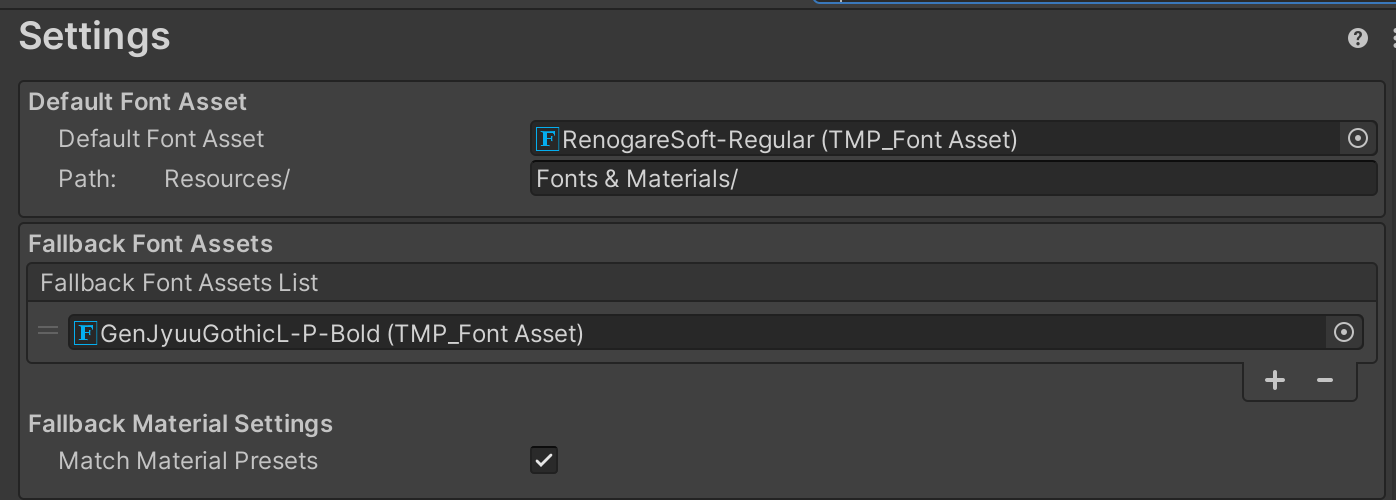
Easy and free screenshot and image sharing - upload images online with print screen and paste, or drag and drop.
grizzled inlet
steep warren
https://snipboard.io/1v0acu.jpg
okay, ty
 gloomy verge
Ask questions and discuss anything related to beginner coding concepts in Unity

 karmic trench
how to turn on the toggle for my canvas boundary?
 steep warren
karmic trench
how to turn on the toggle for my canvas boundary?
steep warren
karmic trench
how to turn on the toggle for my canvas boundary?
use the rect transform tool, and try pressing F or double clicking the canvas in the hierarchy to focus it
karmic trench
steep warren
use the rect transform tool, and try pressing F or double clicking the canvas in...
thanks will give this a shot later
chrome kettle
karmic trench
how to turn on the toggle for my canvas boundary?
You may be missing the toggle for gizmo visibility
You can right click Scene tab, select "Overlay Menu", make sure View Options is enabled, which should reveal the gizmo toggle that looks like this:
 karmic trench
yeah that too
 unreal python
Any way to hide these canvas's in the editor?
 steep warren
unreal python
Any way to hide these canvas's in the editor?
steep warren
unreal python
Any way to hide these canvas's in the editor?
you can hide them from scene view via the eye icons in the hierarchy
unreal python
steep warren
you can hide them from scene view via the eye icons in the hierarchy
Oh thanks!
 empty hazel
Helooo! I've tried to utilize the Input System a little bit more and all I've managed is break the existing UI and confuse myself =v=
I've had an issue of buttons losing their behavior completely (not responding to hover, selection, click, just static image) once before and my best solution was to revert to a working version and redo. It happened again after at best not touching anything and I'd love to know if there's a way to fix it without redo's

One and only difference between before & after i've found is that in the working version there weren't duplicate actions in the Player Input Input Debug window, but I couldn't manage to figure out why that happens :/ Any. any input. or feedback would be greatly appreciated ! :>
mortal robin
empty hazel
Helooo! I've tried to utilize the Input System a little bit more and all I've ma...
Your question is honestly way too vague
Basically it's not really clear to me why you're showing an input actions asset here if your problem is UI related
The symptoms you describe are typical of not having a properly configured event system on the scene
Or having a UI element blocking the others
empty hazel
oh. uh yeah yep that would. explain it yes
first time making UI oki so that's a goof >v> but yeah what i've changed is making a separate menu screen covering up everything so far... in my defense it's transparent ¦p
oki lesson learned thank you 🙂↕️
added a canvas group and set block raycasts to off, it works -v- yay
ripe pelican
Hey, guys! I did something with my slider handle and I am not sure why I cant drag it XD
I mean I can but when it is at the maximum value I cant something is happening with the rect of the slider I assume
yes I figure it out
I did some shit with my rect of the slider.
 fickle walrus
Hi all , can anyone tell me what is problem ???? my screen : 1280 by 720 but even I reach the edge it say 802

Debug.Log($"H: {Screen.height} , W: {Screen.width} , POS:{new Vector2(evt.position.x , Screen.height-evt.position.y)}");
 honest saffron
fickle walrus
Debug.Log($"H: {Screen.height} , W: {Screen.width} , POS:{new Vector2(evt.positi...
honest saffron
fickle walrus
Debug.Log($"H: {Screen.height} , W: {Screen.width} , POS:{new Vector2(evt.positi...
i'm not a ui expert but maybe try using localposition or anchoredposition instead? also is the pivot in the middle of the circle?
fickle walrus
I don't know what is anchoredposition but seem like you talk about GUI right I use UI-Tookit
fickle walrus
honest saffron
i'm not a ui expert but maybe try using localposition or anchoredposition instea...
I don't know what is anchoredposition but seem like you talk about GUI right I use UI-Tookit
honest saffron
fickle walrus
I don't know what is `anchoredposition` but seem like you talk about GUI right I...
in that case, go to #🧰┃ui-toolkit
fickle walrus
got it thanks
steep warren
honest saffron
i'm not a ui expert but maybe try using localposition or anchoredposition instea...
this is from a PointerMoveEvent (@fickle walrus that's kinda crucial info, you shouldve provided that) so i don't think that matters?
tame shell
fickle walrus
There is no guarantee the canvas scaler is the same resolution as your screen thus this check may be useless
Show the canvas scaler options in a screenshot
Btw UITK also has a reference resolution option so it applies there too
fickle walrus
tame shell
Btw UITK also has a reference resolution option so it applies there too
Thanks I fixed , the problem come from panel setting I change constant physical size to constant pixel size
tame shell
fickle walrus
Thanks I fixed , the problem come from panel setting I change `constant physica...
yea the default scaling settings are bad for both ui systems
 jaunty tiger
is there a good way to like get better resolution on 2d ui, my game is pixel art but my ui is high res : encountering issues where it looks kinda jagged and stuff when im looking at it in 1920x1080 - it looks GREAT in 4k resolution, but thats because 2x2 pixels are shoved into every 'pixel' the ui element is. so question is how do i do that in 1920x1080? i wanna shove more pixels into the ui so it looks as close to 4k resolution as possible
wild pebble
jaunty tiger
is there a good way to like get better resolution on 2d ui, my game is pixel art...
I don’t understand the problem. Can you show an image of the issue? If the UI is rendering at native resolution, Full HD will have less pixels than 4K, there is no way around that, that’s what resolution means.
jaunty tiger
wild pebble
I don’t understand the problem. Can you show an image of the issue? If the UI is...
I guess it's more of a like, how do I up the resolution of imported assets to get them as close to as i see in scene view as possible..?
top left is in 4k (i understand it will look crisper)
top right is build in 1920x1080
bottom left is game view at 1920x1080(zoomed in so will look bad)
and bottom right is scene view 1920x1080 - like how do i get it as close to scene view as possible. on some engines you can literally increase the dpi but that might be more of a mobile thing

the big comparison to me is the top right and bottom right, with the goal of getting top right to be crisp like top left whilst understanding 4k will always just be flat better
It's sorta morphed into an amalgous search for 'how do I make sure my ui images are being imported/rendered well, because icons are pretty blah' and this seems like an issue a lot of people have
(from googling it for past 2 days )
wild pebble
jaunty tiger
I guess it's more of a like, how do I up the resolution of imported assets to ge...
I'm still not quite sure if I understand your question properly. Do you want the Full HD UI to have larger size on screen to have the same amount of pixels on each UI element?
jaunty tiger
I guess a better way of explaining is showing these images
This is 5 stars from figma at varying rates (im currently seeing if export size effects what i see in game(it does))

and these are in scene view, here are the same ones in game view

see, artifacted, blurry, overall not crisp ykno
how do i get it to be closer to scene view?
like i feel im just missing some sorta export or import setting, or just not understanding something fundamentally or have some like render thing messed up
wild pebble
For one, you should enable mipmaps and trilinear filtering
jaunty tiger
that sorta blurs it out though?

is there a way to reduce the blur?
like it def looks crisper better, well the last 3 do - but 2nd one is kinda just the same imo
wild pebble
jaunty tiger
Looks anti-aliased (which is the whole point of mipmaps for UI) more than blurry. You can change the textures mipmap bias to change how the mipmap level is selected (how blurry or crispy). If I remember correctly, that can only be set via code though
You should always view the UI at native resolution. It is hard to judge how blurry something appears from that pixelated mess
jaunty tiger
here ill take a pic at 1920x1080
wild pebble
What does that mean? Setting the resolution of the game view window?
jaunty tiger
doing a build and taking a screenshot
oh wait wrong monitor

honestly the mipmaps make it look a lot better
wild pebble
Mipmaps should also make the import resolution have minimal to no effect, the higher usually the better
jaunty tiger
i guess another image to show it in like action is the one i saw that like made me pursue making this better which were these
first image is 1920x1080, second image is 4k (my normal monitor) i didnt really realize how like.. deprecated the ui was on 1920 because it looked fine in scene mode all the time


that and the fonts
(click images, look at top left it's best example of the ui deprecation)
just a snip from top left though

 jaunty tiger
Another question in here I guess - if im using urp, should i change my shaders on my tmp materials to tmp_sdf-urp unlit - i did this in a test branch and the font is red? dont really understand why and googling hasn't helped a lot
using 6.3 unity
wondering if using default shaders is what is causing the like degredation of font as seen in picture above 😛
tame shell
jaunty tiger
Another question in here I guess - if im using urp, should i change my shaders ...
Those should be for non UI text only. In UGUI stick to the normal sdf/bitmap or mobile shaders.
warped osprey
any feedback on the dialogue UI for my game?
Indicator with an exclamation mark and hearts = the personality, each personality has a different icon.
Question mark = open/close Info panel seen at the top
 turbid plume
Is it true that I need to scale my world space canvas with scale and leave the width and height values as "normal" for click registering?
 jagged monolith
turbid plume
Is it true that I need to scale my world space canvas with scale and leave the w...
jagged monolith
turbid plume
Is it true that I need to scale my world space canvas with scale and leave the w...
No, you can use both
turbid plume
jagged monolith
No, you can use both
My click isn't registering so I thought it's because my scale is 1 and my height/width is below 1
jagged monolith
Yes that won't work, I usually scale my WS UI to like 0.001 which lets me use regular dimensions like 1080 width
 slow imp
Hey so i got some issues with my UI. It's on a game i did a while ago and im trying to improve a few things.
Im familiar with most concepts of anchoring and pivots but i must be missing something that doesnt let my buttons to be anchored properly in the appropriate corners.
My canvas is screen space overlay, scale with screen size, and match mode: expand (that helps my UI not go off screen in extreme resolutions)
is the problem in my canvas? or some setting im missing in the actual rect transform of the objects themselves? I did try all possible combinations of pivot stretch and anchor but none worked and i keep scouring to find the issue, even AI couldnt help me find it.
ping me if reply
steep warren
slow imp
Hey so i got some issues with my UI. It's on a game i did a while ago and im try...
what's your current setup regarding anchoring your buttons?
slow imp
steep warren
what's your current setup regarding anchoring your buttons?
That's a while ago and slightly changed, but the same issue persists. I suspect my parent objects not being neutral to the anchoring, or the canvas options being an issue. These are parented to eachother. Top to bottom.

should they just be stretched?
eh... i had to ask a human for me to find the solution 😅 for the parent objects to be neutral it has to be stretched
it seems to work this way i guess
steep warren
slow imp
That's a while ago and slightly changed, but the same issue persists. I suspect ...
the ones anchored at the corner are correct. the ones that aren't need to be stretched to actually reach the corner
the second needs to be stretched on both axes, the third needs to be stretched on the horizontal axis
steep warren
steep warren
the ones anchored at the corner are correct. the ones that aren't need to be str...
(stretch really just means anchored at both edges)
 flat sapphire
What's the best approach to implement different pages of UI? Right now, I have a system where it shows a Canvas, and when a button is pressed, that Canvas is disabled and another Canvas is enabled, but I'm unsure if this is a bad way to do it.
wild pebble
flat sapphire
What's the best approach to implement different pages of UI? Right now, I have a...
I would also consider having a single canvas and elements within it which I would enable and disable accordingly. I suppose multiple canvas would work the same. As far as I know, there is no built-in support for such switching so enabling and disabling stuff would be very sensible thing to do.
chrome kettle
I think using more canvases rather than fewer is generally recommended for performance reasons, as they can be updated and managed in memory separately
tame shell
But using too many is worse as you break batching so ideally you only use them to separate things by job/category
 gusty willow
hey, does anyone have an idea why my text darkens when i have a panel image behind it? i am using textmeshpro and the text and panel are on the same z-axis value. even when i bring the text up on z-axis to the front, it changes nothing


 chrome kettle
gusty willow
hey, does anyone have an idea why my text darkens when i have a panel image behi...
chrome kettle
gusty willow
hey, does anyone have an idea why my text darkens when i have a panel image behi...
Canvas uses hierarchy order, not z-axis for sorting
I don't recall how child objects sort relative to parent but that seems to be the likely cause
gusty willow
nope, that wasnt the issue

 chrome kettle
gusty willow
nope, that wasnt the issue
chrome kettle
gusty willow
nope, that wasnt the issue
Sure there are no duplicate panels in the same position?
gusty willow
chrome kettle
Sure there are no duplicate panels in the same position?
yes
weird... somethings they darken, sometimes not, depending on camera position
chrome kettle
gusty willow
weird... somethings they darken, sometimes not, depending on camera position
Is it a world space UI? And since we see the issue in scene view here, does it also occur in Game?
gusty willow
world space ui, and yes it also occurs in game view
does it have to do something with the textmeshpro itself maybe? material? renderer?

 chrome kettle
I was under the impression that world space UI components would also use pivot distance from camera for sorting, the same as other transparent geometry
But now trying it I can't recreate the issue, they seem to sort by hierarchy order no matter what
Well, at least the issue in your video looks like sorting by pivot distance, that could be confirmed by moving the individual components in depth
gusty willow
hmmmm weird
same issue here, even tho the image and the text have same rotation and position
when i try the (UI) component instead of the normal one, then it works fine lol
 chrome kettle
Oh, obvious in retrospect
gusty willow
well whats even the difference between those two components
i see one has meshrenderer and the other (UI one) doesnt
chrome kettle
The mesh renderer one is rendered like any 3D mesh
UI components are different because a Canvas is a single procedural mesh generated from its components
chrome kettle
Also why sprite renderers can't go under a Canvas, even if they both use sprites/images
gusty willow
mhmm
 solemn pivot


How do I get all these child elements to position and scale perfectly relative to their parent?
I've tried every possible combination of anchor points and stretch modes and stuff yet they never just stay perfectly affixed to their starting positions in the parent AND scale with it
What's the trick to make it work the way I want? Which is that they should always just fill each square perfectly and not ever escape their squares
I figured it out, I have to set the anchors to match the frame of the box its in, not the WHOLE image 
 steep warren
yeah, anchors are, well, anchors
if you set the anchor to the parent's edge (aka stretch) then that edge will stay a fixed distance from the parent's edge
 delicate mauve
@steep warren


 steep warren
delicate mauve
<@628241756235890708>
steep warren
delicate mauve
<@628241756235890708>
so you seem to have not configured the dropdown's anchoring at all
it would be set to stretch horizontally and anchored to the top
why aren't you just showing the scene view to actually show what each of these objects are
we aren't in your project, we don't know which object corresponds to what in the scene
delicate mauve
sorry one sec
steep warren
you need to get better at actually showing adequate info
steep warren
steep warren
so you seem to have not configured the dropdown's anchoring at all
it would be s...
this is probably the answer for this case, i say probably because you've forced me to guess a lot lmao
delicate mauve
one moment
steep warren
it's kinda been a recurring thing. sharing info properly is a skill too, you gotta put some thought into practicing it