#📲┃ui-ux
1 messages · Page 36 of 1
 molten hill
 plain plank
Hey guys! please give me some feedback on this basic UI!
 mortal robin
plain plank
Hey guys! please give me some feedback on this basic UI!
mortal robin
plain plank
Hey guys! please give me some feedback on this basic UI!
I feel like I gave you this exact feedback before but "Please diffuse the incendiary" - it should be "defuse"
 low pike
#🧰┃ui-toolkit is where you want to be asking
 cinder inlet
low pike
<#892762498464374796> is where you want to be asking
cinder inlet
low pike
<#892762498464374796> is where you want to be asking
mb I must have been too tired to see it's just below that channel haha
 white stag
Don't know if there's another channel for this type of question but I'm not sure what the issue here is.
Basically, I'm importing a .PSB from photoshop to Unity for some backgrounds, But I have to turn them from Sprite Renderer to Image as they are used in the UI. No real problem right? Well except that the order in layer on the Sprite (Which is taking into account the order that they were in on the photoshop file) is not something you can do with an Image component, and they are being sorted alphabetically rather than by layer order, so when i replace the Sprite Renderer with an Image Component, the order they are in is all wack.
TL;DR
Is there a way I can import PSB files in a way that doesn't sort them alphabetically into Unity? Or alternatively, sort a bunch of game objects in the inspector by the Order Layer they have?
low pike
UI is sorted by hierarchy order. From top (first) to bottom (last).
How this is affected by a PSB file, I dunno, never used one.
 slender viper
white stag
Don't know if there's another channel for this type of question but I'm not sure...
slender viper
white stag
Don't know if there's another channel for this type of question but I'm not sure...
You can sort independent of the hierarchy order by adding a Canvas component
white stag
what im trying to ask is can I sort the order of a group of objects by the order in layer they already have? Because PSB files retain the order they had in photoshop, but sort it alphabetically, so when i add an image and remove the sprite (which holds the order in layer) they are no longer in order
slender viper
I'm unsure. Maybe it's in the import settings? I know FBX files have a setting to disable the alphabetical sorting.
But it wouldn't surprise me if this were simply a missing feature
white stag
where would |i find import settings?
slender viper
In the inspector, with the asset selected
white stag
Hmm, I can keep the layer folders I may have made in photoshop but the order is still alphabetical afterwards
ah well, time to manually rearrange them all
 vapid wolf
hello everyone, I am looking for ways to curve my UI to give a concave glass effect to my camera. I am currently using screen space UI and TMP for my text, any ideas on how to implement this?
 quartz whale
any idea why the text is wrongfully showing on top of the stats canvas in scene view, whereas in game view it works as it should?
 quartz whale
(the play, stats, settings, quit text)
 steep warren
are they perhaps going through separate cameras (whose layering may not be represented in scene view)
mortal robin
quartz whale
any idea why the text is wrongfully showing on top of the stats canvas in scene ...
Is one of the canvases screen space overlay and the other is either screen space camera or world space?
quartz whale
steep warren
are they perhaps going through separate cameras (whose layering may not be repre...
no only one camera in my menu scene
quartz whale
mortal robin
Is one of the canvases screen space overlay and the other is either screen space...
they are on the same canvas
I'll give it a quick restart maybe it's just Unity bugging again
quartz whale
quartz whale
I'll give it a quick restart maybe it's just Unity bugging again
didn't fix unfortunately
low pike
quartz whale
didn't fix unfortunately
show more, like the actual setup.. so we don't need to guess and ask loads of "is.." questions
quartz whale
low pike
show more, like the actual setup.. so we don't need to guess and ask loads of "...
game view side by side at the same time


 soft sail
It's been a minute since I messed with Unity UI and I'm having trouble figuring out how to specify a percentage of area a layout group (Horizontal) element can take up. I would assume that expanding out all elements then using layout elements and specifying their flexible height/width would be the idea, but I swear half these properties use some arbitrary values to determine the space these elements occupy.
Ideally I'd just use anchors to specify the space, but there's one large problem using them as is and it's that when these elements are resized. Using 9-spliced images for the boarders will resize themselves along with the ratio, so there needs to be some pixel offset that these layout groups do seem to resolve.
soft sail
Minimum and preferred sizes are defined in regular units, while the flexible sizes are defined in relative units. If any layout element has flexible size greater than zero, it means that all the available space will be filled out. The relative flexible size values of the siblings determines how big a proportion of the available space each sibling fills out. Most commonly, flexible width and height is set to just 0 or 1.
Bullcrap
soft sail
Ok, figured it out the secret combination. Layout group needs to control the child, but if you expand out the area it seems to ignore/break if you do use flexi properties. However, preferred w/h also seems to cause problems with it so having a inner child text-mesh seems to break it further so I'm not too sure about that.
Ok, next question:
https://i.imgur.com/ndSOa01.png
https://i.imgur.com/5zbRkEN.png
When aspect ratio changes from a landscape to portrait, how do I prevent the bottom elements there from extending downwards? The anchors do follow the logic of keeping that 30% of w/e space, but I guess that's probably not what I want? I just want that absolute area and expand the elements above
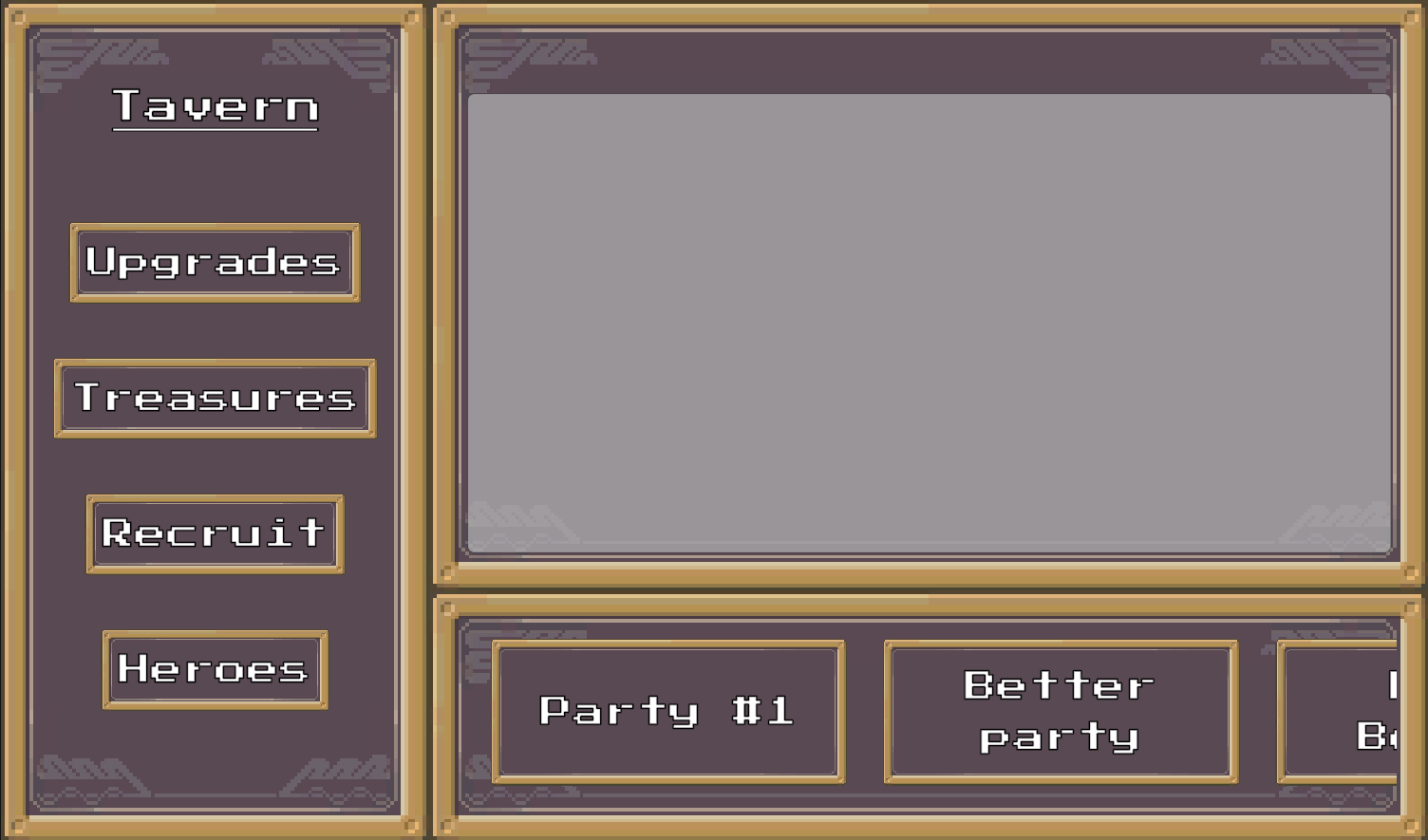
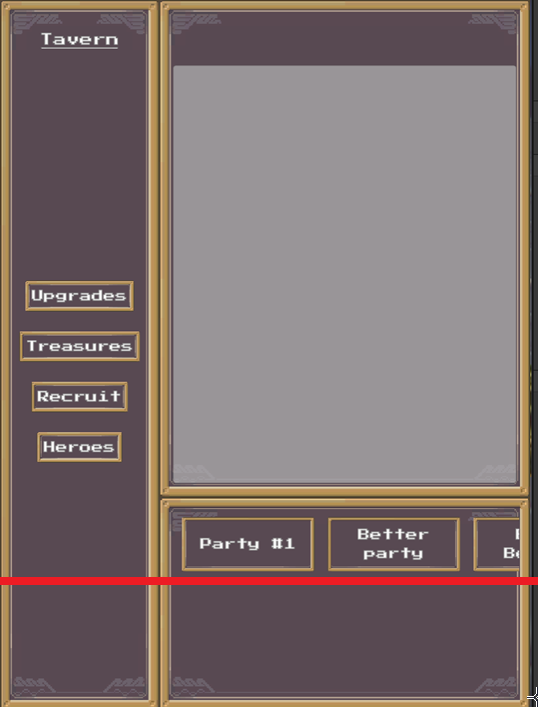 soft sail
Alright, so I guess the idea is I actually don't always want the 30%, so again the flexi stuff would be useful here
 urban aurora
cant put my healthset into my fill rect for some reason
everything else can fit into it for some reason, but not my health set
health set inspector is there to see, its all ive messed with so far
realized i accidentally put the component on the healthset and not the bar
im a dumbass
 brittle radish
Whats the name for the thing circled in red?
 low pike
anchors
 dusty grove
Hey guys, I bound a TextField's Value to a Scriptable object's field using To Source On Source Change but the ScriptableObject does not change values when I type in the TextField. I tried googling it but havent found anything so far
mortal robin
dusty grove
Hey guys, I bound a TextField's Value to a Scriptable object's field using To So...
wdym by "To Source On Source Change"?
mortal robin
dusty grove
To Source == Binding Mode
https://docs.unity3d.com/6000.2/Documentation/ScriptReference/UIElements.BindingMode.ToTarget.html
Changes will only be replicated from the source to the UI for this binding.
Isn't this exactly the opposite of what you want?
Perhaps look at the other modes: https://docs.unity3d.com/6000.2/Documentation/ScriptReference/UIElements.BindingMode.html
oh sorry you said To Source
my bad
mortal robin
But you said "onSourceChanges"
dusty grove
mortal robin
my bad
no worries 
dusty grove
mortal robin
don't you want "OnTargetChanged"?
yea
mortal robin
but On Source Changed implies that it would happen when the SO data changes.
You want when the UI changes
dusty grove
but theres no such option
- When dirty
- On Source Changed
- On Update
I tried when dirty but it didnt seem to work either
ill try again
mortal robin
dusty grove
- When dirty
- On Source Changed
- On Update
Well first off try On Update - does that work?
dusty grove
mortal robin
Well first off try On Update - does that work?
Good point lets try
Nope
not even on update works
mortal robin
Otherwise I think for efficiency what you actally need to do is use "on dirty" and then hook up a call to MarkDirty. e.g. in the TextField's OnChange or OnSubmit or whatever?
I'm basing this off https://docs.unity3d.com/6000.2/Documentation/Manual/UIE-runtime-binding-mode-update.html
dusty grove
mightve configured something wrong
dusty grove
mortal robin
Otherwise I think for efficiency what you actally need to do is use "on dirty" a...
the visual editor should be sufficient for something basic like this though, no?
public class UIDataHandler : ScriptableObject {
    public string levelGoalText = "Ipsum";
    public string name;
}
name is the one that gets set
mortal robin
dusty grove
name is the one that gets set
Well you'll want to be careful here because name is also the name of an existing property on ScriptableObject
so maybe the property your variable is hiding is the one getting set and your variable isn't?
dusty grove
(name is a placeholder name I changed it to here)
mortal robin
see what happens if you change name to something else perhaps
dusty grove
(actual var name is distinct)
mortal robin
Not sure then
 storm yarrow
I'm working on a Canvas UI shader dissolve effect (in the rendering channel, see https://discord.com/channels/489222168727519232/1409826186695278602) and came across an issue I didn't understand.
When applying the shader material to the relevant UI elements and adjust the _DissolveAmount over time - some images change with modifying image.materialForRendering, but others change with image.material. Why is this? Is there some underlying issue needing to be fixed? Is it fine just to change them both?
 buoyant cliff
Hello.
I am using a vertical layout group and a horizontal layout group to create a terminal-like game in Unity Editor.
I have it so the tmp text element width expands to hold content.
Whether I use ContentSizeFitter or Horizontal Layout group for this, when I enter text in the box, the text box behaves like this:
[Hello]
[Helloooo ]
[Helloooooooo ]
This behaviour shows that the space between the text and the right-side textbox boundary increases in whitespace the longer it becomes.
I am not understanding it.
I have been trying to have it so that it only ever remains the same size as the text inside it.
Could this be because of the default font liberation sans?
Edit: Fixed - the issue was the default font LiberationSans padding 🙂

 viral blaze
The Image has a width of 100 and the Input Text has a width of 100... Why are they not aligned at the end?


 low pike
viral blaze
low pike
viral blaze
The yellow box on TMP is the margins. These are visible when you expand the 'advance settings'
You do not want to change those, usually.
When working with UI you should use the UI tools... press T to swap to them
viral blaze
low pike
The yellow box on TMP is the margins. These are visible when you expand the 'adv...
No, sure I fully understand. Why would the yellow box not align with the margin of the image if both widths are 100?
viral blaze
Ops, no... but, now its even more puzzling:

Red image has width of 100. Ok, maybe the second dot is 100.
Let me play with it now... Thanks
buoyant cliff
The TMP Text issue with the box expanding wider than it's content has been fixed.
The InputField is challenging, as it does not play well with the TMPText when it comes to layout groups.
The TMPText behaves perfectly, and it even pushes the InputText (InputField) further horizontally depending on the content that it contains - which is what I need.
This InputText, I need it to take up the remaining width comparing the size of the DirectoryText + InputText.
Am I missing out anything? Not understanding full the issue here <.<
Just need InputField to see the remaining width of the parent container and stretch to it. Using horizontal stretch doesn't work with the layout group strangely.
low pike
when you create an inputfield, it has a tmptext as a child.. changing the inputfield size changes the tmptext child automatically
show a video/ screenshot of your problem, because it's difficult to follow written
steep warren
those aren't screenshots

Learn how to take screenshots on many major platforms.
screenshots are fine, those aren't
buoyant cliff
steep warren
those aren't screenshots
Apologies. I shall do from PC.
Sorry I was being lazy capturing from mobile phone camera previously.


InputField scaling horizontally across the rest of the line would be perfect. Which would also work for instance, if one were to maximize the terminal window to scale with it
buoyant cliff
low pike
on the 'commandcontainer'
Cheers. It splits DirectoryText and InputField half each horizontal size. This is good.
I would like so that they only take up the size of their contents 🙂
Sorry I mean the directory text does, and the input text takes the rest of it even with no content. Or similar to how a terminal works realistically in this way
low pike
my tea is ready now, and then off out.. try unticking 'control child size -width'
buoyant cliff
Appreciate your help. Like these examples:
user@user-computer:~$ testinggggggggggggggggggggggggg
bruce@bruce-enterprise-systems:~$ testing
Trying to make it like a terminal behaves
Even if InputField doesn't have to take up the rest of the horizontal width, it would be perfect with it expanding depending on content like the tmp text DirectoryText does hehe. Cheers! 🙂
Then can work on the vertical part of it.
Or any better suggestions please recommend.
dusty grove
mortal robin
Not sure then
IT F****** WORKS
I HAD TO REMOVE THE BINDING AND REDO IT FOR SOME REASON
for anyone else with issues on bindings not working when they should from the UI Builder, reference this post:
https://discussions.unity.com/t/ui-toolkit-runtime-data-binding-to-label/1663045
this doesnt only help with labels
buoyant cliff
dusty grove
I HAD TO REMOVE THE BINDING AND REDO IT FOR SOME REASON
Nice!! Best feeling when it works hehe!! 💪
Mine will be fixed too. My cousin is having a look at it for me.
It's definitely something quite simple. Something small that I'm missing.
 zenith stream
Hey folks, I've got a question that i can't find a good solution to. What is the proper way of implementing expand menu's in unity ui?
I've tested a lot with layoutgroups & content size fitter, but i have the problem that the layout won't update correctly after its content size changes (i do it by setting the content gameobject active / inactive). I found a workaround by calling LayoutRebuilder.ForceRebuildLayoutImmediate(rectTransform); on every rect transform & parent transform that gets affected by the layout change (not really optimal because i either have to statically define those rects or search the them dynamically in the scene many times. However, i now have a situation where i have multiple expand menus layer in eachother that are generated dynamically. This makes it a pain in the *** to update everything correctly when working with prefabs. Is there another (more elegant) solution to implement such a thing?
 tribal latch
usually layout groups + content size fitter don't go together. Your content size fitter should show a warning if you're doing it wrong, do you see any of those in the inspector?
zenith stream
Actually, you're right, there is a warning that i somehow managed to ignore until now, i will lookup how its actually meant to be used, thanks a lot
 daring zinc
low pike
daring zinc
low pike
!learn 👇 do UI tutorials
 onyx flowerBOT
:teacher: Unity Learn ↗
Over 750 hours of free live and on-demand learning content for all levels of experience!
buoyant cliff
If I set InputFields line type to multi line and give it a ContentSizeFitter with vertical preferred size, the text jumps up a little when I click enter for a new line.
It is set to top left anchor.
The parent of TMP Text and this InputField has a vertical layout group.
How do I make the InputField text go to next line smoothly, like the TMP Text?
 safe glen
Hey all, having a bit of bother with making text not overlap one another, seems to only be a problem with exceptionally long messages like this one, any tips?

btw this is like a pseudo console log so that error isn't real :0)
 ionic beacon
You have to decide what you want to happen when there's not enough room for all the text. For example increased area, smaller font size, scroll bars, paging, cut and show full text on mouse click/hover, etc etc
safe glen
Well I have a layout that allows for enough text before it cuts off the screen and then I just remove that object, I think I'm really just trying to wrap my head around how I could make the separate text boundaries recognise one another and fit appropriately
 manic spruce
Hello, I'm having an issue with my card's display panel.
It's performing erratic behavior, such as having a card jump from the third slot to the 4th for no reason.
See below.
I've already checked to see if it's a coding issue and it is not. the final screenshot is my current set up for the panel


 manic spruce
I found a fix, setting this to fixed makes it work. I guess the UI system is finding that the preferred size is better/different after the 5th edition? I dunno

 vapid edge
In my code, I'm using this little trick to scroll the material on my image, however, when I attach a mask to the parent object, it stops scrolling
Directly modifying image.materialForRendering simply makes the whole object disappear...
Any ideas how to make masking work in this situation?

and yea I'm aware I'm making plenty of material copies in my scene with this code. It wasn't written by me, it's up for optimisation later on, or never cuz it's a gamejam
mortal robin
vapid edge
In my code, I'm using this little trick to scroll the material on my image, howe...
Yeah with the mask it makes another copy with materialForRendering.
Try something like this?
var block = new MaterialPropertyBlock();
image.canvasRenderer.GetPropertyBlock(block);
block.SetVector("_MainTex_ST", new Vector4(1, 1, offsetX, offsetY));
image.canvasRenderer.SetPropertyBlock(block);```(can be optimized by reusing the MPB, but as you said it's a game jam so...)
vapid edge
mortal robin
Yeah with the mask it makes another copy with materialForRendering.
Try somethi...
this is really weird. Despite supposedly being in UnityEngine namespace, my vscode AND my unity editor seem to not recognise Get/SetPropertyBlock as a valid keyword. Unity 6.2
Any ideas?
tried a few namespaces, nothing is suggested by vscode either
MaterialPropertyBlock IS recognised, just not the get/set
doesn't seem to be a typo either
or at least nothing proper seems to be autofilled, plus I copied from the documentation
mortal robin
vapid edge
this is really weird. Despite supposedly being in UnityEngine namespace, my vsco...
Are you calling it on the Renderer?
https://docs.unity3d.com/6000.2/Documentation/ScriptReference/Renderer.GetPropertyBlock.html
vapid edge
mortal robin
Are you calling it on the Renderer?
https://docs.unity3d.com/6000.2/Documentatio...
I just copied your code tbh
but yeah Image.CanvasRenderer seems to be a renderer, according to vscode
so I'd hope so?
or perhaps not, huh, I must be being silly
 vapid edge
mortal robin
Are you calling it on the Renderer?
https://docs.unity3d.com/6000.2/Documentatio...
vapid edge
mortal robin
Are you calling it on the Renderer?
https://docs.unity3d.com/6000.2/Documentatio...
I'm not the first one with this problem... it seems like it's not possible to get a renderer of a canvas object? And the workaround... is exactly the code I first sent
mortal robin
vapid edge
I'm not the first one with this problem... it seems like it's not possible to ge...
Ah - of course CanvasRenderer is not a Renderer 🥹 Unity moment
vapid edge
mortal robin
Ah - of course CanvasRenderer is not a Renderer 🥹 Unity moment
so am I out of luck, or is there a different approach perhaps?
mortal robin
probably with a custom shader
 soft wedge
Does anyone know why I cant press my button after I switch between panels in game
 hot jolt
When I enable background my letter prefab which is W in the first screenshot becomes invisible. What is causing that?


My canvas settings

Also my letter prefab if its any help
 ionic beacon
Screen space canvas is always drawn on top of non-UI elements. The background can't be in the canvas if you want it behind normal gameobjects
Game elements like the background and the clouds shouldn't be UI anyway
ionic beacon
The same way you display the W letter
Actually no, now that I look at it the W is also a UI element
If you want everything to be UI then put the W in the same canvas as everything else. But it's not a good idea to use a canvas in the first place
hot jolt
So I just create the objects with sprite renderer and place it where my camera sees?
Sorry I havent done much UI work to understand it
ionic beacon
Right. (The point being that they shouldn't be UI at all.)
hot jolt
All right so Ill just make them game objects with sprite renderer and sort their orders.
 alpine glade
for some reason toggles are blurry
 ionic beacon
Show the inspector of the text element
alpine glade
 low pike
For some reason, Toggle still uses 'text' instead of TMP. Delete the text component from the 'Label' game obejct and replace it with a TMP_text

 orchid vale

tried following a tutorial but it seems like the menu itself wont scroll
this is the 2 minute tutorial that I followed
not sure if major difference though between Unity 6.1 and 2022
low pike
orchid vale
not sure if major difference though between Unity 6.1 and 2022
There's no difference.
Usually when you can't scroll it is because the content recttransform isn't big enough to cover the child content
 stone pollen
If I try to use arrow keys or wasd to navigate between my buttons, i have to press sometimes 2 or 3 times a button to move to the next button with a explizit Navigation.
This only happens on keyboard. On gamepad it perfectly works no matter if I use the Dpad, Left- or Right-Stick.
Is this a Engine Bug or did I miss something?
mortal robin
stone pollen
If I try to use arrow keys or wasd to navigate between my buttons, i have to pre...
sounds like a bug unless you've configured something strangely
stone pollen
mortal robin
sounds like a bug unless you've configured something strangely
I cant figiure it out why thid happens and why gamepads just works perfectly fine.
But If I would guess, I would think its a Engine bug, because maybe wasd and arrow keys are not the common way what button navigation was made for.
I also tried to let ChatGPT 5 analyse my code and screenshots from the inspector, but he also have no serious clue.
I use Unity 6000.1.15 at the moment.
 winged onyx
Hi, is it possible to make a screenshot of camera view and save it to siplay somewhere else in the game all during same runtime?
low pike
don't know what 'siplay' is, but yes.. it's possible to take a screenshot of gameplay during runtime.
slender viper
stone pollen
I cant figiure it out why thid happens and why gamepads just works perfectly fin...
The UI code has source available. You can place a breakpoint
I had a similar issue a while back. Turns out it was a hardware issue- one of my input devices was giving bogus input all the time.
 twilit bramble
https://discord.com/channels/489222168727519232/1413126141434269787
Anyone had experience with UGUI text click detection?
orchid vale
Unity 6000.1.12f1
tried googling some solutions/scripts on how to make a button only work if the visible part is touched... but haven't really had any luck so far.
What might be the best way to approach this problem?

 high walrus
just wanna confirm one thing, when i use world space UI canvas, the "size" there will no longer counted by pixel, but same as transform scale right? 1 to 1meter
 low pike
high walrus
just wanna confirm one thing, when i use world space UI canvas, the "size" there...
low pike
high walrus
just wanna confirm one thing, when i use world space UI canvas, the "size" there...
with world space UI, I set the width/ height to (for example) 1920x1080.. but set the scale waaaaaayyyy down (usually like 0.002 IIRC)
For me, it's easier to keep the width/ height values close to what they would be for screenspace. Easier to swap between diff types of UI for your mental work, and easier to change a world space back to screenspace if needed. And to copy / re-use UI from one to the other with minimal/ no changes
high walrus
low pike
with world space UI, I set the width/ height to (for example) 1920x1080.. but se...
ty , its true my overlay UIs are worked under fixed space with 1920 x 1080
i think i will work on the scales instead👍
high walrus
so i make either parent canvas and all of its children with the size of 1920x1080 , and children scales down to very very small

float should be enough to handle the precision lol
low pike
high walrus
so i make either parent canvas and all of its children with the size of 1920x108...
you should only ever change the scale of the canvas.. all children should remain at 1,1,1 - or you'll run into problems
high walrus
ty👍
twilit bramble
orchid vale
Unity 6000.1.12f1
tried googling some solutions/scripts on how to make a button ...
search for image.alphaHitTestMinimumThreshold
 vocal tide
why I see the text of the InputField blurried ?


I want the reference resolution 1080 x 1920 but I change it in screenshot for test
ionic beacon
Because you have it zoomed in 4.3x
Change the scale back to 1x and make the input field bigger
vocal tide
ionic beacon
Change the scale back to 1x and make the input field bigger
ok, thanks
is correct the render mode screen Space Overlay ?
 hushed heart
hey guys, alot of tuts i am seeing are old unity and say when making a canvas UI , to switch to 2D view for a nice head on view to edit the canvas but that option is now gone ? is there another fast way to do this or is everyone just doing it in 2d and dealing with it
tribal latch
hushed heart
hey guys, alot of tuts i am seeing are old unity and say when making a canvas UI...
the option isn't gone
 tribal latch
enable view options on the bottom bar you see in that window
you apparently turned almost everything off
hushed heart
oooh!
champ
thanks. youd be suproised how hard it is to answer simple things like this woult asking someone . ai / google was useless. thankyou again
hushed heart
tribal latch
you apparently turned almost everything off
actually unity 6.2 came stock with everything off. so i was lost
 gaunt crypt
Hi Everyone, i'm new in this discord. I'm working on a rpg game with a futuristic environment, and i'm getting crazy searching tutorial for UI and some specific needs of mine. I would like to learn how to create background 3d background patterns and 3d UI, on the style of death stranding (clearly as a indie developer), do you know any places or platform where i can find and learn some basic and advanced knowledges of ui for unity?
 proud sandal
gaunt crypt
Hi Everyone, i'm new in this discord. I'm working on a rpg game with a futuristi...
proud sandal
gaunt crypt
Hi Everyone, i'm new in this discord. I'm working on a rpg game with a futuristi...
- structured course for basics: https://learn.unity.com/tutorial/working-with-ui-in-unity
- documentation: https://docs.unity3d.com/Packages/com.unity.ugui@3.0/manual/UICanvas.html
- what to look for on google/yt: "UGUI" or "Canvas UI"
Unity Learn
Free tutorials, courses, and guided pathways for mastering real-time 3D development skills to make video games, VR, AR, and more.
gaunt crypt
Thank you man
proud sandal
and just to save you some confusion: you cannot make death-stranding like UI with "UI Toolkit"
gaunt crypt
ok... can i ask you why?
proud sandal
because its a 2D framework that has no concept of perspective or depth, you can 'hack' around that with great effort, but its nowhere as 'native' as using the Canvas UI, which is made for that kind of thing.
gaunt crypt
neither with world space ui?
proud sandal
world space rendering doesn't change the fact that the whole thing (toolkit) has a 2D metaphor
proud sandal
do you know what the difference between 2D and 3D is?
gaunt crypt
yeah ahahaha
proud sandal
so what don't you understand?
if you don't have a a vector3 in your UI framework, how do you plan to do 3D in that framework? you wont, you will compose 2D things in a 3D space that the framework has no concept of
gaunt crypt
that if you have the possibility to place ui elements on 3 dimensions you can exploit the axis to make perspective. However i didn't mean the 3d ui of death stranding, just the background effect and ehnancement. Sorry for bad explanation
proud sandal
in any case: use canvas UI, its is MADE FOR YOUR USECASE
plain plank
finally fixed my paired trivia question logic! Think double jeopoardy, where you have the opportunity to attempt a more difficult/niche questions after a correct answer.
high walrus
so what happening here is im creating world space UI objects
-
each of these objects are located under a world space canvas (parent) with size of 1920 x 1080 (my UI fixed resolution reference) , custom scales
-
all of its children are defaulted to 100x100 size, with scale of 1


 spiral inlet
my UI disappears after some time with no reason


This usually happens when I hide Unity
To restore everything, I need to restart Unity without saving.
low pike
spiral inlet
my UI disappears after some time with no reason
This is unlikely to have an affect on that issue, but it's good practices regardless.
1- Press T and use the UI scene view tools.
2- Keep the scale of all UI to 1,1,1 -> changing the scale will most likely lead to problems in the future (things not scaling/ resizing correctly). Use the width/ height fields to set the size of things.
The scale shown in the screenshot is uniform (all the same, 3.1, 3.1, 3.1) so it should be ok.. but changing the scale just leads to problems if you're not diligent about it.
spiral inlet
low pike
This is unlikely to have an affect on that issue, but it's good practices regard...
I did everything as you suggested. And It broke again...
low pike
The very first thing I said was "unlikely to have an affect on that issue"..
spiral inlet
I'm just saying it didn't help. I'm not judging you.
I noticed that when I press the F button on the disappearing letters, I am teleported to coordinates 0, even though the position in the letters themselves is the same.
low pike
spiral inlet
I'm just saying it didn't help. I'm not judging you.
fair enough, everyone else who has every responded with the same thing has been in the mindset that what I said wouldn't help, would help them 🙂
What version of Unity are you using?
spiral inlet
6.1 (6000.1.9f1)
spiral inlet
spiral inlet
I noticed that when I press the F button on the disappearing letters, I am telep...
somthing fixed!
I figured out that it's *GameObject * **__Content __**that changes the coordinates. But I don't get why
mb i did something wrong in Image?
 low pike
I don't see you click on the content gameobject at all in that vid
spiral inlet
low pike
I don't see you click on the content gameobject at all in that vid
Yeah, i forgot about it and was focused on the text
spiral inlet
spiral inlet
Shit. You cant see my context menu, but i copy Image/gameobject position and pste in Content
low pike
The only thing that may be causing an issue is the Y pos, it says NaN (Not a Number) .. change it to 0
spiral inlet
low pike
The only thing that _may_ be causing an issue is the Y pos, it says `NaN` (Not a...
low pike
and then at 27 secs.. something moves and changes the x/y pos..
spiral inlet
low pike
and then at 27 secs.. something moves and changes the x/y pos..
You cant see my context menu, but i copy Image/gameobject position and paste in Content
low pike
ah, understood
spiral inlet
The most interesting thing is that this problem did not exist before; it only appeared today. 
spiral inlet
spiral inlet
mb i did something wrong in **Image**?
@low pike did you check this screenshot?
low pike
Did you setup this scroll on your own?
rather than just doing -> rmb -> create -> UI -> scroll
spiral inlet
low pike
Did you setup this scroll on your own?
not, with a tutorial 👽
low pike
low pike
rather than just doing -> rmb -> create -> UI -> scroll
right.. my point was - did you not do this ? ☝️
spiral inlet
low pike
right.. my point was - did you not do this ? ☝️
nope, i added it like a component 

Master Unity UI! Start here ➡️ https://cococode.net/courses/master-unity-ui?utm_source=youtube&utm_medium=video&utm_campaign=16
🎁 Support me and DOWNLOAD Unity project: https://www.patreon.com/posts/46642383?s=yt
This tutorial/guide will show you how to create simple scrolling views:
- Vertical (eg. list, leaderboard)
- Horizontal (eg. N...
1:53
i can delete this stupid elastic effect, but it was funny
low pike
there's a very important step at 1:42 you haven't done.
spiral inlet
low pike
there's a very important step at 1:42 you haven't done.
It kept messing up my text, so I decided not to use it.😭😭 😭 😭
low pike
your text got messed up when you put the content object as a child of the scroll?
spiral inlet
low pike
your text got messed up when you put the content object as a child of the scroll...
Yes, it doesn't look as nice as if I had done it by hand (If I understand how it works)
low pike
you've done something wrong then - possibly the scale
spiral inlet
low pike
you've done something wrong then - possibly the scale
it makes sense
I also noticed that when I return the Content back, the text stops rendering, but I think I found the issue. This may help someone.
TextMeshPro>Extra Setting> Margins
First screen its normal state
Second broken

 spiral inlet
low pike
you've done something wrong then - possibly the scale
spiral inlet
low pike
you've done something wrong then - possibly the scale
big thx for help! I'll try to do it with new scale
low pike
spiral inlet
I also noticed that when I return the Content back, the text stops rendering, bu...
ideally your margins should be set at 0,0,0,0
they get change often because you're not using UI scene tools (T), so you resize the yellow square you can see in the scene - that yellow square is displaying the margins
proud sandal
Disable the raycast target checkbox on graphic components that aren’t interactive
you cant have it both ways
you can forward the raycast manually though, but that means you need to make custom ui components
 edgy atlas
noob question here: I added a button to my UI, how to do I change the word "Button" to what I want?
edgy atlas
thanks
 maiden turret
Hey everyone, I have a triangular sprite that I want to use as a button, problem with it is that because all images and gameobjects have a rectangular transform it also registers the transparent part of the image as the button, how can I make it so that only the opaque part of the image calls OnClick() of button ?
refer to the diagram for a better visualization
 mortal robin
maiden turret
Hey everyone, I have a triangular sprite that I want to use as a button, problem...
mortal robin
maiden turret
Hey everyone, I have a triangular sprite that I want to use as a button, problem...
Set your sprite import settings to "tight mesh"
and alpha is transparency
maiden turret
mortal robin
Set your sprite import settings to "tight mesh"
I checked that is on by default
here is the sprite's settings + the button, is anything out of order ?
 mortal robin
maiden turret
I checked that is on by default
here is the sprite's settings + the button, is a...
mortal robin
maiden turret
I checked that is on by default
here is the sprite's settings + the button, is a...
Is your image actually transparent?
mortal robin
maiden turret
I checked that is on by default
here is the sprite's settings + the button, is a...

Oh you need to check this "use sprite mesh" box too
maiden turret
mortal robin
Is your image actually transparent?
yes, here is the image
 maiden turret
mortal robin
maiden turret
mortal robin
Checked that right now, made no difference.
mortal robin
maiden turret
Checked that right now, made no difference.
try enabling read/write too on the texture
maiden turret
Tried that, still the same.
mortal robin
not sure I understand the issue, you want to make UI not block raycasts, but you don't want to turn off raycasts on them?
What's the use case
You can use the blocking mask on your graphic raycaster, maybe that's what you want?
low pike
twilit bramble
search for image.alphaHitTestMinimumThreshold
This same question was asked the other day (graphics cast adhered to sprite shape instead of rect). Whether or not this is right.. this answer was given.
maiden turret
mortal robin
try enabling read/write too on the texture
Wanted to post an update in case you were interested, this answer from @elfin lark solved the issue. You can view the whole post in Brackeys' server.
public class ExampleClass : MonoBehaviour
{
public Image theButton;
// Use this for initialization
void Start()
{
    theButton.alphaHitTestMinimumThreshold = 0.5f;
}
}
high walrus
mortal robin
not sure I understand the issue, you want to make UI not block raycasts, but you...
i have two types of UI
- overlay UI for input
- world space UIs that can be interacted
the problem is overlay UIs are guaranteed to block world space UIs right? so no matter what i do , as long as that input overlay is active , i cannot interact with any of the world object
low pike
you can have two raycasts, that interact with different layermasks, no ?
high walrus
low pike
you can have two raycasts, that interact with different layermasks, no ?
by using the graphic raycaster like praetor said?
low pike
no idea about that
high walrus
low pike
you can have two raycasts, that interact with different layermasks, no ?
so i need to make another input action to generate an additional raycast for each tap?
because when u tap once , or using mouse to click once , theres only one raycast , casted right? and then its blocked by the overlay UI?
mortal robin
high walrus
i have two types of UI
1. overlay UI for input
2. world space UIs that can be ...
Just disable raycast on the things that you want to be able to click through, no?
mortal robin
maiden turret
Wanted to post an update in case you were interested, this answer from <@6061086...
That means probably your image has like 0.02 alpha instead of 0
high walrus
mortal robin
Just disable raycast on the things that you want to be able to click through, no...
disabling the raycast on input overlay ofc can make me interact with the object , but if i do that i then cannot have any input to control the character right? because the raycast of the input overlay is disabled , i cannot obtain input
thats why i cannot disable the raycast of the UI that i need to disable
i think i need to do extra raycast , or making world space object to actual 3d object , and then use physics raycast
high walrus
high walrus
i think i need to do extra raycast , or making world space object to actual 3d o...
these two seemed more possible
mortal robin
high walrus
disabling the raycast on input overlay ofc can make me interact with the object ...
not sure what you mean by obtaining input
what kind of input control of the character are you talking baout
on screen controls?
high walrus
i put all virtual joystick and button into a separate overlay UI
all world objects have their own independent UI
there are no main(root) canvas or root canvas in my project
mortal robin
high walrus
i think i need to do extra raycast , or making world space object to actual 3d o...
this is already built in btw with the Physics Raycaster
low pike
@mortal robin
Seems like full screen input so you can touch anywhere to get the floating joystick. But also needs to touch "through" that to touch world space UI
mortal robin
I guess I'm confused because when would be a scenario where you are touching the on screen control but you don't want the on screen control to operate?
high walrus
low pike
<@179367739574583296>
Seems like full screen input so you can touch anywhere t...
yes
mortal robin
high walrus
yes
In this case I would have the thing that activates the floating joystick be a transparent image behind the world space UI
high walrus
and that full screen coverage is blocking all raycasts
mortal robin
and only if that image is touched then you activate the floating control
this can be done with a screen space - camera canvas with a large plane distance (like 1000)
high walrus
mortal robin
this can be done with a screen space - camera canvas with a large plane distance...
thats actually one of the solution i kept trying , but once the overlay input turned to screenspace - camera , all the positioning goes wrong
and yes , screen space - camera does solved this blocking problem , it just creates another problem tho
high walrus
UI element positioning problem under screenspace - camera canvas
if i can solve this problem then screenspace camera can be my solution, and everything should be solved 🙏
spiral inlet
low pike
ideally your margins should be set at 0,0,0,0
bruh, again...

mb i just off this fucking scroll
i dont need it
spiral inlet
I'll try UI>scroll viewe
 static ice
For some reason when I set the two points of a line renderer in script the line suddenly disappears in game, but appears just fine in the editor. How do I make it appear in game, too?
mortal robin
static ice
For some reason when I set the two points of a line renderer in script the line ...
Position it somewhere the camera can see
static ice
mortal robin
Position it somewhere the camera can see
I thought it already was where the camera could see it
mortal robin
Line renderer is not a UI element btw
static ice
mortal robin
Line renderer is not a UI element btw
Wait it's not?
mortal robin
If you're trying to position it with screen space overlay UI that would explain it
mortal robin
static ice
I thought it already was where the camera could see it
Seems not
static ice
mortal robin
If you're trying to position it with screen space overlay UI that would explain ...
So how would I draw a line in UI?
mortal robin
static ice
Wait it's not?
Nope 🤔 what made you think it was
static ice
mortal robin
Nope 🤔 what made you think it was
I just looked up ways to draw lines and saw this component
mortal robin
static ice
So how would I draw a line in UI?
There's no direct way. Either use a line Renderer ( but positioning it can be tricky if you don't fully understand how UI gets positioned in world space) or use e.g a rotated/scaled Image
static ice
mortal robin
There's no direct way. Either use a line Renderer ( but positioning it can be tr...
It's supposed to be a curved line
low pike
static ice
I just looked up ways to draw lines and saw this component
you need to search for 'how to draw lines in UI'
 pulsar quartz
Hi, how can I make the orbs fil normally ?
 low pike
pulsar quartz
Hi, how can I make the orbs fil normally ?
low pike
pulsar quartz
Hi, how can I make the orbs fil normally ?
what's "normally" to you ?
pulsar quartz
low pike
what's "normally" to you ?
like in diablo
it should be filling like a liquid
low pike
you need to use a shader for that
mortal robin
pulsar quartz
Hi, how can I make the orbs fil normally ?
Filled image component
 primal python
Is this channel okay to ask about designing/prototyping with figma? I'm basing what I made in unity off what I create in it, but its not specifically a unity question
slender viper
I would imagine, no.
primal python
fair enough, but "UI-UX" could cover a broader subject
slender viper
Yeah but this server does not 🙂
primal python
mhmm
slender viper
We have #ui-ux in GDN though
primal python
sshh youll get in trouble by mentioning another server 😆
anwyay I found a server related to figma so I can ask there
 warped pagoda
How can i achive a effect simmlar to changing the flex property in UI toolit in Ugui
soft wedge
I was tweaking some tmp and I pressed play and now my input feild cant be clicked, I added a new one and same issue
steep warren
!collab
 marble pawnBOT
steep warren
!collab
marble pawnBOT
steep warren
!collab
:loudspeaker: Collaborating and Job Posting
We do not accept job or collab posts on Discord.
Please, use Discussions to promote yourself as job-seeking, advertise commercial job offers, or look for non-commercial projects to participate in:
• ** Collaboration & Jobs**
mortal robin
soft wedge
I was tweaking some tmp and I pressed play and now my input feild cant be clicke...
Do you have an event system in the scene?
 torn sparrow
Hello everyone!
I doing some designs on figma and trying to export them to Unity, but it seems like the images are very very blurry inside unity, doesnt matter the settings.
I export them from figma at 4x, so its 2048x2048 PNG. Inside Unity that gets used in an object that is 112px/80px and it looks really bad
this is two different exports from experiments to try and get it to look decent.

Ive tried setting the max size to 16k, messes around with the compression settings, filter, but nothing really works
 slender shard
I have this UI for displaying cards for a board game. I cannot figure out a clear way to show the text for how many of each card you have.

I've tried adding an outline but it somehow makes it worse...

 median latch
Do someone know that why UI Button image color is not changing and instead giving error?:


 hollow sleet


 cursive walrus
Hey everyone, I’m working on a game and I’ve just started by building the main menu.
I’m using TextMeshPro for the buttons and text, with a custom texture for the buttons.
The texture size is correct (no blank spaces, dimensions are exactly width x height in pixels).

I added a TMP text as a child of the button to create an outline.

Then I resized and positioned everything the way I wanted.
Problem: whenever I click, it always triggers the Load Game button, even though both the button itself and the TMP child text are set to the correct size for the clickable area I want.
Here’s a video showing the issue (the mouse cursor hadn't been captured, dunno why). Any idea why this happens? Thanks! 🙏
sorry for my english too, i'm italian
 clear pulsar
cursive walrus
Hey everyone, I’m working on a game and I’ve just started by building the main m...
clear pulsar
cursive walrus
Hey everyone, I’m working on a game and I’ve just started by building the main m...
without a cursor, hard to say. However what seems to be happening is an overlap of the clickable area. Ideally your clickable area should be a little smaller than the button itself the yellow box for load game appears to overlap slightly with new game button. You can also disable Raycast target on the text so only the button images accept raycasting
As for your english, dont worry, you did excellent
 exotic kite
so I'm trying to build a runtime UI in unity for the very first time, I'm under the impression that UI toolkit isn't worth using in v2022.3.xxxx. can anyone set me straight here? don't want to be wasting time on something that isn't gonna work
 quick acorn
Why doesn't my horizontal layout group update in game? I have system to mimic the Case opening in CS2 (I make padding bigger based on speed which gets slower each second until it is 0). The padding in the inspector changes but the visual doesn't change.
low pike
are you doing it via code ?
quick acorn
yes
float adjustPaddingLeft = (rollingSpeed * Time.deltaTime);
rollingSpeed -= Time.deltaTime;

Debug.Log(Mathf.CeilToInt(adjustPaddingLeft));

scrollZone.padding.left -= Mathf.CeilToInt(adjustPaddingLeft);
if (adjustPaddingLeft < 1)
{
rollingSpeed = 0;
}
this is the code i use
median latch
I have bounded free look action with "Delta [Touch]" for mobile users but when I play game in mobile and drag on-screen movement stick my free look also changes with player movement, is there any solution for this?
low pike
quick acorn
```cs
float adjustPaddingLeft = (rollingSpeed * Time.deltaTime);
rollingSpeed -=...
quick acorn
low pike
https://discussions.unity.com/t/horizontal-layout-group-padding-update-via-scrip...
Thank you!
 grizzled fable
Are Dropdowns locked to strings and ints or can I associate them with other variables like GameObjects?
mortal robin
grizzled fable
Are Dropdowns locked to strings and ints or can I associate them with other vari...
Associate them in what sense? What do you mean exactly?
If you mean the values, you will always get an int in your code from the value property or the value changed callback. It's up to you to associate that int to whatever data you need, e.g. with an array or a dictionary.
grizzled fable
mortal robin
Associate them in what sense? What do you mean exactly?
I want to have a Dropdown element show a list of "items" in a player's inventory, they're Gamebjects, so the player can "equip" them, I'm just struggling to visualize how exactly I'm going to implement this as the player can get more "items" and having them be tied to ints is very rigid and makes no sense organizationaly speaking, I was wondering if there was a way for me to associate each option to GameObject or even objects in general
Hmm, maybe Dropdowns aren't the best solution...
mortal robin
grizzled fable
I want to have a Dropdown element show a list of "items" in a player's inventory...
You just associate the int with a GameObject with a dictionary or an array
It's pretty straightforward
grizzled fable
mortal robin
You just associate the int with a GameObject with a dictionary or an array
Hmm I think this should only work if you have a static list, right? It doesn't work if the list of options changes, for example the player gets another item that fits itself in the middle of the list
It's becoming clear to me Dropdowns are the wrong answer for me
Nevermind then
 solid snow
You can update the contents of the dropdown list
mortal robin
grizzled fable
Hmm I think this should only work if you have a static list, right? It doesn't w...
Then you change the associations. it's not a big deal.
clear pulsar
grizzled fable
Hmm I think this should only work if you have a static list, right? It doesn't w...
My entire inventory is a list, it works as I want it, I have a list of item slots and you foreach loop through them both and allocate one to the other
grizzled fable
mortal robin
Then you change the associations. it's not a big deal.
Smelly
Anyways, it shouldn't work just based on how many options I want to have to Dropdowns are off the list for me
I should have noticed this earlier
mortal robin
grizzled fable
Anyways, it shouldn't work just based on how many options I want to have to Drop...
You need a recycler view then, similar deal
 pure moss
slender shard
I have this UI for displaying cards for a board game. I cannot figure out a clea...
pure moss
slender shard
I have this UI for displaying cards for a board game. I cannot figure out a clea...
something like this?

 onyx kettle
How come the saw in the scene view is so much higher above the ground than in the game? Is this a bug with the camera system? Someone please explain

 low pike
onyx kettle
How come the saw in the scene view is so much higher above the ground than in th...
low pike
onyx kettle
How come the saw in the scene view is so much higher above the ground than in th...
You'll want to ask in #🖼️┃2d-tools as your question has nothing to do with UI. I doubt it's a bug though
mortal robin
onyx kettle
How come the saw in the scene view is so much higher above the ground than in th...
You're probably using a perspective camera instead of orthographic.
median latch
How can I make my free look action to ignore on-screen player movement stick's drag? My free look action for mobile is bound to "Touch #1/Delta"
low pike
Why is this button (the pill) displaying as grey at runtime?
The colour is set to white.
It shows as white in edit mode.
Duplicating it at run time has the duplicate show as white.
There are no components on the parents setting a colour or alpha.
 steep warren
low pike
Why is this button (the pill) displaying as grey at runtime?
The colour is set ...
steep warren
low pike
Why is this button (the pill) displaying as grey at runtime?
The colour is set ...
is it perhaps the "selected" color of the button? (perhaps debug the eventsystem)
mortal robin
median latch
How can I make my free look action to ignore on-screen player movement stick's d...
Disable/enable the free look action when you touch/release the onscreen control
median latch
mortal robin
Disable/enable the free look action when you touch/release the onscreen control
Ok, but instead of creating free look using codes, can I use cinemachine?
cinemachine also have problem of moving camera with on screen stick's drag?
mortal robin
median latch
Ok, but instead of creating free look using codes, can I use cinemachine?
What I described is still using cinemachine.
low pike
steep warren
is it perhaps the "selected" color of the button? (perhaps debug the eventsystem...
Cheers Chris, that was it - seems obvious now.
My button code is supposed to be setting the transition option to none, gonna have to look into that 🤔
onyx kettle
mortal robin
You're probably using a perspective camera instead of orthographic.
im in isometric view
mortal robin
onyx kettle
im in isometric view
sure but what about your game camera
you're talking about scene view.
onyx kettle
mortal robin
sure but what about your _game camera_
wait nvm i got it
 rancid ibex
Are there any good free ugui asset for handling stuff about mouse and gamepad navigation? Or should I switch to ui toolkit.
mortal robin
rancid ibex
Are there any good free ugui asset for handling stuff about mouse and gamepad na...
what kind of mouse and gamepad navigation capabilities are you looking for beyond that which is built into UGUI?
rancid ibex
mortal robin
what kind of mouse and gamepad navigation capabilities are you looking for beyon...
basically i'm look for a free alternative for https://assetstore.unity.com/packages/tools/gui/ui-navigation-wizard-gamepad-keyboard-navigation-selection-284552

Use the UI Navigation Wizard - Gamepad / Keyboard Navigation & Selection from KAMGAM on your next project. Find this GUI tool & more on the Unity Asset Store.
mortal robin
rancid ibex
basically i'm look for a free alternative for https://assetstore.unity.com/packa...
Which specific features are you looking for from here that aren't in the base UGUI package?
it's unlikely you'll find something else with the same exact set of features, but if you explain which features you really want/need that would be easier.
rancid ibex
mortal robin
Which specific features are you looking for from here that aren't in the base UG...
just the support for going from mouse to directional input like keyboard arrows and gamepad.
mortal robin
rancid ibex
just the support for going from mouse to directional input like keyboard arrows ...
That is supported in UGUI without any extra packages
 visual niche
i'm writing a custom window and it has a list view
to get a foldout in it i need new Foldout() instead of EditorGUILayout.Foldout but that means i can't pass toggleOnLabelClick: true like before
i've been searching online and i can't find a way where that value is supposed to be set from
as toggleOnLabelClick is not a property of Foldout()
where is that value supposed to be set in this cases?
 frosty pewter
visual niche
i'm writing a custom window and it has a list view
to get a foldout in it i need...
frosty pewter
visual niche
i'm writing a custom window and it has a list view
to get a foldout in it i need...
If you mean in #🧰┃ui-toolkit , it's a property
 visual niche
i'm unsure if that's ui toolkit, it's from using UnityEngine.UIElements;
i don't think so being it's a unity editor window and not runtime?
because that throws an error
 visual niche
yes 2021 because it's required by the software base i'm targeting with the plugin
as the only property ToggleInClassList
and haven't found anything in the 2021 docs
frosty pewter
Yes, it was introduced in Unity 6
You can set up the events yourself by querying the element and registering your own events
visual niche
i see thanks was a bit confusing didn't even realize was uitoolkit
will ask in the other channel next
 celest garden
Is it normal that im losing 10-7 FPS every time im moving my mouse with my knob down?
https://paste.mod.gg/bfmsjnhzyany/0

A tool for sharing your source code with the world!
mortal robin
celest garden
Is it normal that im losing 10-7 FPS every time im moving my mouse with my knob ...
you're worried about 10-7 FPS when you're at >10,000 FPS?
celest garden
im not talking about CPU usage
the overall framerate in stats goes down
from 60-65 to 50-55
thats what im woried about
mortal robin
celest garden
im not talking about CPU usage
the overall framerate in stats goes down
the stats window is irrelevant
use the profiler
editor performance is also mostly irrelevant
celest garden
so its fine then?
mortal robin
yes
at least from a UI performance perspective
which is what your profiler is currently showing
celest garden
alright, thanks for the answer
 ionic wharf
Hello, good afternoon
Can you help me?
This empty square is a vertical layout group
My Child Aligment are set with "Upper Center"
But when I instantiate my prefab, aren't in the center
Why I cannot set in the center? :/


 tame shell
first, enable control of child height
Is the element correctly setup (anchors and such)?
ionic wharf
tame shell
Is the element correctly setup (anchors and such)?
That's the prefab
Everything in the center

But are be loaded in the corner
tame shell
show the element prefab scene view
ionic wharf
This?
 tame shell
So you want to have multiple of this "new quest + button" prefab in the layout group?
If so, the "parent" rect transform should contain these 2 elements
ionic wharf
tame shell
So you want to have multiple of this "new quest + button" prefab in the layout g...
Only instantiate once per time
The parent starts empty
tame shell
dang i was hoping you would select the newly spawned child in that video
thats what I need to see next.
ionic wharf
tame shell
dang i was hoping you would select the newly spawned child in that video
Ah, ok
tame shell
its most likelly that the anchoring (for the children) is incorrect for that prefab
ionic wharf
tame shell
Aha its probably because you are animating it and that is overriding and fucking the layout
you can still animate but it must be a child of the "element parent"
ionic wharf
tame shell
Aha its probably because you are animating it and that is overriding and fucking...
But the animation only changes the Y
Shoudn't change the X
 tame shell
I dont know what this component does but its likely it wont play nice with the layout group (because that is already trying to change the position)
You can do it if you have:
LayoutGroup
Element
AnimationParent
Text
Button
we make an additional child so we can animate its local position safely
ionic wharf
tame shell
You can do it if you have:
>LayoutGroup
>>Element
>>>AnimationParent
>>>>Text
>>...
Ah, works
Thank you ❤️
tame shell
Great. slap a layout element on the parent to better control preffered width and height too
its not good to have the parent size not match the content

as if you want the layout group to adjust width or height dynamically it wont work well
ionic wharf
Okay \o
Another question:
In which channel can I talk about font/text, etc...?
I want to adjust this "Shadow Square" in the texts
tame shell
I guess here too.
Tmp fonts have shadow/outline options
ionic wharf
tame shell
I guess here too.
Tmp fonts have shadow/outline options
I adjust the outline, but I believe that isn't the issue :/
I have no idea about should be :/

 tame shell
This isnt visible in the game view right?
i have seen tmp act strange like this in the scene view many times
ionic wharf
tame shell
This isnt visible in the game view right?
Yeah
Oh, wait
No, in the game view can see too
Even in the build game
tame shell
Oh then that is bad. Somehow the whole mesh for the text is visible. Is this an overlay mode canvas? Also what shader is the tmp font using?
ionic wharf
tame shell
Oh then that is bad. Somehow the whole mesh for the text is visible. Is this an ...
Even my menu have this problem
Well... The entire game have this shadow square issue in the texts :/
 tame shell
ionic wharf
Even my menu have this problem
Well... The entire game have this shadow square i...
tame shell
ionic wharf
Even my menu have this problem
Well... The entire game have this shadow square i...
Do you have any post processing? I've not seen this issue persist in the game view before
I can only presume using a separate camera for this hud is why it's happening. How come this is done btw?
ionic wharf
tame shell
Do you have any post processing? I've not seen this issue persist in the game vi...
Yes
But even disabled the shadow square appears
ionic wharf
tame shell
I can only presume using a separate camera for this hud is why it's happening. H...
Is already separated
HUD and Game have different cameras
 tame shell
but why? if you use overlay mode there is no benefit
ionic wharf
tame shell
but why? if you use overlay mode there is no benefit
Isn't in overlay mode
Just separated camera to organize better when gets some cutscene, animations, post processing, etc...
tame shell
Does anything change if you use overlay mode instead?
ionic wharf
tame shell
Does anything change if you use overlay mode instead?
I never tested it
Are in this way since the initial project
Isn't a good idea change the camera mode now
This project have some years already :/
tame shell
well overlay is best for the gui you are doing and what most games do
the other 2 modes makes the UI get rendered physically by the camera in 3d space which can introduce problems
ionic wharf
tame shell
well overlay is best for the gui you are doing and what most games do
I learned it some months ago
But isn't good adjust it now :/
tame shell
If you use source control like git/svn/unity vc then its safe to try anything
(if you arent then start NOW)
ionic wharf
I use GitHub
tame shell
yea then change it to overlay and see what changes
you can just discard any change if you saved it
visual niche
i have a list view, already set that up
if (b_open_material_list_foldout)
{
    material_scrollview_value = EditorGUILayout.BeginScrollView(
        scrollPosition: material_scrollview_value,
        alwaysShowHorizontal: false,
        alwaysShowVertical: false
    );

    if (TargetPrefab != null && TargetPrefab_material_entries != null)
    {
        material_ListView = new ListView(
            itemsSource: TargetPrefab_material_entries,
            itemHeight: 10,
            makeItem: Material_ListView_makeItem,
            bindItem: Material_ListView_bindItem
        )
        {
            selectionType = SelectionType.Multiple,
        };

        material_ListView.style.height = 10 * material_ListView.childCount;
    }
problem is, the list is not in the in the ui, not just that it's not showing but that it's not in the ui at all, i checked with the debugger
what's happening to it, as this is what the examples online had, including 3 pages of official documentation doing this
yes scroll view is closed properly after an else logging if either values are null
 tawny aurora
I want the this ui to extend only downwards with the amount of grid objects (content size fitter)
I dont really know how i would use the content size fitter to only make it extend downwards, because if i make it extend vertically it extend on both vertical ways up and down.


im guessing anchors but adjusting them doesnt seem to do anything and anchors in general just make my smooth brain jurt
tawny aurora
tawny aurora
I want the this ui to extend only downwards with the amount of grid objects (con...
already fixed in #1418717063819694222
 cosmic herald
Hello, i am trying to make the layout for a tab based UI. I have the PanelMaster object as the parent with a vertical layout group. Control child size for width is true, height false and force expand also true for both. The top bar has a size of 25 high. I can't figure out however to make the PanelTabContent take up the rest of space automatically. Like scaling along without both scaling etc...

 violet jasper
how can i use perfect Outlines ? TMPro text outlines are weird

 celest garden
id use Outline + Shadow
celest garden
violet jasper
how can i use perfect Outlines ? TMPro text outlines are weird
you could use outline and underlay to have similar look, and sometimes use deliate to make font thicker because outline is inside not outside if im not wrong
 violet jasper
celest garden
you could use outline and underlay to have similar look, and sometimes use delia...
violet jasper
celest garden
you could use outline and underlay to have similar look, and sometimes use delia...
which font you are using ? can you name it ?
celest garden
violet jasper
which font you are using ? can you name it ?
its on the screenshot
D3 Stonism
violet jasper
outline means lines outside but unity don't want to fix it
celest garden
its not much of an issue in my opinion
if you do have issues with underlay and outlines being limited/not being able to move underlay away from the text
you could use Font Asset Creator to make new atlas with bigger padding, that allows you to have underlay a bit more away from the base
violet jasper
celest garden
its on the screenshot
D3 Stonism
this font is not for commercial use LOL
celest garden
💀
violet jasper
i have seen many hyper/hybrid casual games with beautiful and eye-catching fonts that made with unity
clear pulsar
violet jasper
this font is not for commercial use LOL
Why not?
violet jasper
clear pulsar
Why not?
i checked the license
clear pulsar
,> I'm sure if you like the font dropping them an email may let you, that and paying for the license rights, it's probably not too expensive
violet jasper
clear pulsar
>,> I'm sure if you like the font dropping them an email may let you, that and p...
I know, but there are plenty of free fonts already available
clear pulsar
Yeah Google fonts is helpful, there's a few sites I use
violet jasper
try Fontesk
clear pulsar
I'll make a note of that one, I also bought some from Eldamar
violet jasper
are you ui-ux expert ?
clear pulsar
Gods no lol I can't do UI to save my life, but I buy commercial licenses for all assets I own due to business
violet jasper
i see
clear pulsar
Best I can do is design a website
 timid needle
Why is my Picture dissapearing if its showing the bottom
 potent swan
size of your scrollrect
timid needle
how do i fix light changing my ui?
 magic walrus
im having an issue where some larger units are blocking healthbars of units near them. the healthbar is in world space, any recommendations to improve the ux here?
 mortal robin
magic walrus
im having an issue where some larger units are blocking healthbars of units near...
mortal robin
magic walrus
im having an issue where some larger units are blocking healthbars of units near...
- use an overlay UI instead
- detect this happening and move the bar somewhere else visible
- indicate health in a completely different way
 slate geyser
these tmps will not sort correctly they aren't opaque and they are shown their parents on the left, any questions or ideas? I have a very similarly structured level tmp further up in the canvas which has been working like a charm.
 mortal robin
slate geyser
these tmps will not sort correctly they aren't opaque and they are shown their p...
mortal robin
slate geyser
these tmps will not sort correctly they aren't opaque and they are shown their p...
Which TMp component are they using
slate geyser
mortal robin
Which TMp component are they using
just regular text
ah the other one is text-ui
will check that
wow I'm such a noob lmao ty for pointing that out I appreciate it!
timid needle
timid needle
how do i fix light changing my ui?
can anyone help please?
mortal robin
timid needle
how do i fix light changing my ui?
What kind of canvas are you using? So you have postprocessing effects?
timid needle
mortal robin
What kind of canvas are you using? So you have postprocessing effects?
postprocessing could be the issue maybe. one sec ill check
timid needle
mortal robin
What kind of canvas are you using? So you have postprocessing effects?
i use universal render pipeline and postprocessing effects are none
timid needle
bruh it just doesnt work
clear pulsar
What type of canvas do you have? Is it world space? Or is it overlay
slate geyser
Hi, sorry to interrupt this ongoing question but I am trying to get a prefab child of a horizontal game object to be duplicated with different scriptable object icons, names, and a dynamic inventory? What would be the best way to go about that? The scriptables are all set up, and I have a sample prefab in the scene thats being animated, but I don't know if my script is good?
 timid needle
clear pulsar
What type of canvas do you have? Is it world space? Or is it overlay
timid needle
clear pulsar
What type of canvas do you have? Is it world space? Or is it overlay
i use screen space overlay. i also aksed chagpt for fix but its still there my issue
low pike
timid needle
i use screen space overlay. i also aksed chagpt for fix but its still there my i...
Show your canvas setup.. your video was only half helpful because you didn’t show any other relevant game objects
timid needle
low pike
Show your canvas setup.. your video was only half helpful because you didn’t sho...
ok here
low pike
You’re using ‘lit’ materials on all those ui images. Either change them to use the default ui material, or an unlit shader, or tell the light not to affect the ui layer (rendering section on the light)
Why are you using a material on the images ? Use a sprite and assign that to the image
timid needle
low pike
Why are you using a material on the images ? Use a sprite and assign that to the...
i tried to use sprite and different shader. but either the image will just get gray or they go invis
low pike
Then you did something wrong with that
timid needle
low pike
Then you did something wrong with that
could we maybe go in call then i screenshare and u show me what i have to do?
low pike
No
timid needle
low pike
No
ok
low pike
!learn
marble pawnBOT
low pike
!learn
:teacher: Unity Learn ↗
Over 750 hours of free live and on-demand learning content for all levels of experience!
low pike
There are tutorials for basic ui use on there
slate geyser
low pike
There are tutorials for basic ui use on there
does the basic ui tutorials cover scriptable objects in use in menus?
ok
doing my best to troubleshoot
low pike
I wouldn't class that as basic
slate geyser
yeah I was just wondering cause the actual scriptable objects are working great its just integrating them into the storage and building menus thats being difficult then again I am a beginner but would appreciate any direction on tutorials or help in getting those menus working if anyone can help 🙂
low pike
I don't know of any tutorials
for specific help with what you're doing... show what you are doing and where you are at, as well as explain the issue you're having
steep warren
!code
marble pawnBOT
steep warren
!code
Posting code
📃 Large Code Blocks
Use links to services like:
https://paste.mod.gg/, https://hastebin.skyra.pw/, https://paste.ofcode.org/, https://paste.myst.rs/
📃 Inline Code
Surround code with three backquotes. Not quotation marks.
To format as C#, add cs to the first line:
```cs
// Your code here
```
Add a comment with a line number if there is an error message.
slate geyser
ah ty I knew at one point in my mc modding career how to copypasta efficiently but kinda forgot its been so long.
target menu ^
 low pike
explain more.. I doubt anyone is going to go through 6 classes without an idea of why
I still don't even know what the issue is
slate geyser
ah sorry lol, I want the menu for the inventory to autoupdate on initialization with these resources in the menu. basically so that the item scriptables autopopulate in the menu, I also have a building menu prefab that i need for buildings. But essentially for the item icon (sprite), name (tmp), and amount (tmp), to be wired into a new instance of the prefab?
slate geyser
but the current issue is that the scripting seems to delete the prefab, instead of copying it, the menu when opened on the current instance will be blank, instead of passing in the 4 current items added.
cosmic herald
is it possible to get the last used device from the input system ui input module? I just need it for hiding/showing the cursor. if a gamepad is used i want to hide the cursor and if the mouse or a key on the keyboard is pressed i want to show it again.

I want to keep my UI logic as much as possible built on top of the existing logic from Unity. I think this will ensure it works properly
I just saw i can inspect the script. I think i will try and see if i can hook into these actions and then just get the device used
white stag
I'm trying to create pop-ups that show up when you hover over certain UI elements with textmeshproUGUI but not only does it not show up when I hover it, it somehow messes with other UI elements in the scene that aren't related in any way
low pike
!ask
marble pawnBOT
low pike
!ask
:thinking: Asking Questions
:mag: Search the internet for your question!
:book: Use the API Scripting Reference and User Manual and this troubleshooting site for commonly posted issues.
:wrench: Attempt to debug your issue.
:thought_balloon: Find an appropriate channel by reading the name and description in #🔎┃find-a-channel
:grey_question: And don't ask to ask, ask a full question illustrating with screenshots if needed.
-# For more posting guidelines, go to #🌱┃start-here
low pike
You need to show what the problem is and your setup/ code
white stag
ok i managed to figure out the problem with it messing the other UI elements its because I was using sprite renderers instead of images. however the tooltipbox is still not showing up despite following this tutorial to a T (minus using transform.position = Camera.main.ScreenToWorldPoint(Input.mousePosition) instead of transform.position = Input.mousePosition because of how I have the canvas/camera set up, maybe thats the problem?)
https://www.youtube.com/watch?v=y2N_J391ptg
In this Unity Tutorial learn how to hover over a GameObject, make a Tooltip box appear, and show whatever message you want per object.
Ez pz
This approach is a simple take on it, and is more meant to get you on the ground running as soon as possible. Great solution for things like prototypes and Game Jams.
Tooltips could work without a mouse...
using System.Collections.Generic;
using UnityEngine;
using TMPro;

public class ItemPopUpInfo : MonoBehaviour
{
    public static ItemPopUpInfo instance;
    public TextMeshProUGUI textComponent;

    // Start is called before the first frame update
    void Start()
    {
        instance = this;
        //Cursor.visible = true;
        //gameObject.SetActive(false);
    }

    // Update is called once per frame
    void Update()
    {
        transform.position = Camera.main.ScreenToWorldPoint(Input.mousePosition);
        //transform.position = Input.mousePosition;
    }

    public void SetAndShowTooltip(string message)
    {
        gameObject.SetActive(true);
        textComponent.text = message;
    }

    public void HideTooltip()
    {
        gameObject.SetActive(false);
        textComponent.text = string.Empty;
    }
}```

```using System.Collections;
using System.Collections.Generic;
using UnityEngine;

public class Tooltip : MonoBehaviour
{
    public string message;

    private void OnMouseEnter()
    {
        ItemPopUpInfo.instance.SetAndShowTooltip(message);
    }
    private void OnMouseExit()
    {
        ItemPopUpInfo.instance.HideTooltip();
    }
}```it is working when I hover over the object, the position does update with my mouse movements it's just not showing up for whatever reason
low pike
white stag
it is working when I hover over the object, the position does update with my mou...
Screenspace UI uses the screen space for positoing, not world space... so ScreenToWorldPoint is surely giving you a position that places the tooltip off the canvas
 brisk gust
If anyone has an answer to this 🙏
https://discord.com/channels/489222168727519232/1419848091120570479
 winged viper
Does anybody know why a world space canvas would receive my mouse input incorrectly, sort of with an offset? The video showcases the problem, and I've included screenshots of my hierarchy and UI components. I've had this problem forever and have tried to solve it a million different ways. It just doesn't make any sense, it's like the canvas thinks the camera is in a different place than it is or something. Any help would be appreciated!


Note: In the image of the canvas' inspector, "Blocking Mask" is set to Nothing, while the default is Everything. This is just something I tried, and the result is the same even with the default setting.
mortal robin
winged viper
Does anybody know why a world space canvas would receive my mouse input incorrec...
are you using PostProcessing?
winged viper
mortal robin
are you using PostProcessing?
Yeah, let me show you my active volume, one sec
 mortal robin
winged viper
mortal robin
winged viper
the lens distortion is going to warp where things appear on screen
that's certainly going to result in stuff like your mouse interactions not lining up.
for a moment try turning off the lens distortion and you should see it working normally
winged viper
It's a good idea, but even when turning off all post-processing, it's still the same
mortal robin
winged viper
Does anybody know why a world space canvas would receive my mouse input incorrec...
also double check the size of the RectTransform for this text object
or uh - which object do you want to be interactable?
The text or the green background?
winged viper
mortal robin
also double check the size of the RectTransform for this text object
What should I check? Both the canvas and text object have this size:
 mortal robin
winged viper
What should I check? Both the canvas and text object have this size:
mortal robin
winged viper
What should I check? Both the canvas and text object have this size:
the gizmo in scene view
winged viper
mortal robin
or uh - which object do you want to be interactable?
The text
winged viper
mortal robin
the gizmo in scene view
It looks normal I think?
 mortal robin
winged viper
It looks normal I think?
mortal robin
winged viper
It looks normal I think?
looks like it's covering the whole screen area\
of the laptop
no?
winged viper
You're right, but changing it like this doesn't solve it unfortunately:
 low pike
that yellow square is showing the margins of the TMP, it is not the size of the RectTransform - that is the white square (probably the one still covering the whole laptop screen).
Using those white squares to resize the yellow square, resizes the marings and not the rect (see how your width/ height are the same before/ after).
Press T to use the UI tools
winged viper
I think the white square is just the canvas if I'm not mistaken?
mortal robin
winged viper
as you said the canvas and the RT have the same size
so the RT for the text is covering the whole canvas
you probably want to set it to use the stretch anchor preset btw, and then you'll be setting insets in the inspector, instead of an absolute size
but you can do it either way
 vocal leaf
im using 9-slicing and im wondering if i have a situation where my edge is not straight is there a way to fix this sort of problem where a corner bit wont line up with the edge (this is just an example i made)

in a button
mortal robin
vocal leaf
im using 9-slicing and im wondering if i have a situation where my edge is not s...
it's really hard for me to look at this image and see anything that would be 9-sliced. I'm a bit confused
vocal leaf
the diagonal sections are the corner parts
mortal robin
is the image the outside thing? Or the inside thing?
low pike
Show the original image file
vocal leaf
thats just an example i made cus im just trying to figure it out
cus im planning on having a button thats doesnt have straight edges and i want them to line up with the corner
this is the top corner and top edge

 low pike
you should be using 1 image, which has everything aligned how you want it.. then you 9-slice that image where it makes sense to slice
vocal leaf
alr
 ornate nexus
Trying to do some simple 9 slicing for a button, I'm fiddling with a bunch of settings to try and make something change but the bottom border just doesn't. I'm assuming I'm missing something simple and stupid I just don't know what it is.

 mortal robin
ornate nexus
Trying to do some simple 9 slicing for a button, I'm fiddling with a bunch of se...
mortal robin
ornate nexus
Trying to do some simple 9 slicing for a button, I'm fiddling with a bunch of se...
Show the RectTransform?
ornate nexus
mortal robin
Show the RectTransform?
Just messing with the rect transform fixed it, thanks lmao
buoyant cliff
Anyone know much about input fields? I thought I did.
Have made A LOT of input fields in my time. Custom carets too to go with it.
I have a very, very small issue which I cannot seem to fix without having to write a script for it.
An issue that I believe should work in the Unity Editor itself.
Whenever I type within the input field, it does not scroll across automatically to follow the text. Like an email field for example.
Or any form input field to be honest.
steep warren
buoyant cliff
Anyone know much about input fields? I thought I did.
Have made A LOT of input f...
https://dontasktoask.com , just state your issue
 buoyant cliff
steep warren
https://dontasktoask.com , just state your issue
buoyant cliff
steep warren
https://dontasktoask.com , just state your issue
Sorry been trying with wording and explanations. Not so good with it xD
 sonic yoke
low pike
sonic yoke
sonic yoke
low pike
sonic yoke
I can't tell what the issue is here. And you've posted in the UI channel.. so is the issue with UI or..?
sonic yoke
low pike
I can't tell what the issue is here. And you've posted in the UI channel.. so is...
someone redirected me here so I'm not sure 
low pike
heh, which screenshot is showing the issue and what is the issue in that screnshot
maybe draw on it
sonic yoke
low pike
heh, which screenshot is showing the issue and what is the issue in that scrensh...
the first one is the issue, second is the working reference, third is config to the first's object
low pike
the first one is showing UI, the third one has a gameobject selected that has no UI on it
sonic yoke
the issue is with the gameobject, yes
low pike
you probably shouldn't have that gameobject as a child of the UI
sonic yoke
the one in the UI is actually a render texture from camera under Player Preview
low pike
record a video. Show the setup, show the game view, show the scene view
sonic yoke
but on raw camera view it looks okay
 low pike
I do not know what I'm looking at, what's right, what's wrong. I do not know your game. You need to explain and show what the issue is better.
low pike
ah, so the issue is that the plane is not visible in the camera.
And I see the plane isn't a child of any UI
sonic yoke
low pike
ah, so the issue is that the plane is not visible in the camera.
And I see the p...
visible in Camera but not in render texture image
low pike
the camera's culling mask is set to preview - so it'll only show gameobjects set to the same layer
 sonic yoke
low pike
the camera's culling mask is set to preview - so it'll only show gameobjects set...
sonic yoke
low pike
the camera's culling mask is set to preview - so it'll only show gameobjects set...
I just set it to everything (and restarted the scene), still returns the same output
 low pike
I don't know enough about render textures to be able to spot anything else
buoyant cliff
How do I have the input field box itself stay a fixed width, and the text within it follow the users typing?
Example:
[Hello my name is D]
[lo my name is Dean]?
So that the text auto scrolls left to right within the input field when the user types?
Adamant that this can be done in the Editor without needing to make a script for it xD
low pike
Oooooooooooooooh.. that makes sense now
buoyant cliff
low pike
Oooooooooooooooh.. that makes sense now
Yay haha ty
low pike
buoyant cliff
Yay haha ty
it does this by default
sonic yoke
sonic yoke
I just set it to everything (and restarted the scene), still returns the same ou...
update: It's visible when I set it to 'Skybox'
 buoyant cliff
low pike
it does this by default
buoyant cliff
low pike
it does this by default
Yes. There is a way to have it scroll properly and only the text object itself expand.
I'm thinking the issue is the control of the layout group. It must be something simple hehe
low pike
ok, you're back to not being clear with your issue. The video I shared is what you want it to do?
buoyant cliff
https://streamable.com/266ebg
Here. Sorry.

I want it to scroll inside the input field along with the text typed.
Thinking this may need a script now.
ionic beacon
You're changing the text content directly in the inspector. What does it do when you actually type in the input field in the game tab when it's running?
or do you specifically want it to scroll when you change it in the inspector
buoyant cliff
ionic beacon
You're changing the text content directly in the inspector. What does it do when...
Oh my gosh. I changed much around for this and never test it at runtime since the input field stuff.
Thank you very much for mentioning! It scrolls correctly during runtime. I am such a sponge! xD
YAY can move on ❤️
 mossy tendon
Not sure if this is the right place to ask about video players comps but
I've been trying to fix this issue I've been having with an mp4
Unexpected timestamp values detected. This can occur in H.264 videos not encoded with the baseline profile. Timestamps will be skewed to correct the playback for [Vid in resource folder]
UnityEngine.GUIUtility:ProcessEvent (int,intptr,bool&)
How can I fix this?
I tried transcoding with the default settings to try and fix it but got a different issue
First video frame not zero: 2 (0.040000s). Result may be out of sync. Please make sure tracks all start at 0 in [Vid in resource folder]
UnityEngine.GUIUtility:ProcessEvent (int,intptr,bool&)
 silent shale
How should I make it so that the ui would not appear to be squished?
It looks normal inside my unity testing screen

however when I try to test it on mobile

it becomes like this
 tall palm
Are you using the Canvas Scaler component?
silent shale
tall palm
Are you using the Canvas Scaler component?
Nope
tall palm
Try that
silent shale
Owhh wait it was already there by default
 low pike
nothing to do with the canvas scalar, it's probably non-uniform scales set somewhere.
Scale on UI elements should be 1,1,1 - there's no need to set them to anything else (cept during an transision animation).
orchid vale
trying to learn the correct technique on how exactly am I supposed to use the Content Size Fitter

I have the Content Size Fitter on the Team 1 Member List, Team 2Member List, and Spectators Memberlist (what holds the blue boxes).... and then the header Players List has a Vertical Layout Group that stacks all of these together


 cosmic herald
I think i am running into an issue with the order events are handled. It seems when clicking on a selectable the onclick event is called after the ondeselect and onselect events are called. This causes some issues for my UI. I am trying to create menu items with submenu’s. The items show/hide content on select and on deselect. For gamepad keyboard i got it working by making a subitem call a function to tell the parent item to stay open. But with mouse there is a lot more freedom. If the event of the mouse click was called before select and deselect i could have made the logic in that function do the same as onsubmit. Anyone have a good idea how to solve this? I hope i explained the problem clear enough.
 elder prawn
Hey all, anyone use Mob-Sakai's UIEffect?
I'm using it to show outlines on my buttons on hover / exit hover.
However, when i fade the canvas group of a popup that contains buttons, I can clearly see white (the color of the outline) shapes as i fade out.
I'm wondering if there's a way to prevent these white shapes from appearing at all through a setting, if not, is disabling the UIEffect component on all the buttons before i fade-out the way to go?


link to the package i am using; https://github.com/mob-sakai/UIEffect
oh, actually, it's Unity's Shadow Component, not the UIEffect... interesting...
elder prawn
Bleh, tried diabling/enabling on show/hide and it looks whack. Bummer..
guess its time to used some baked textures inplace of the single white button with a shadow/ui effect for a top bevel ><
cosmic herald
I think i am running into an issue with
 ripe pelican
Hello, guys! I have a serious issue. Please can somebody help me? The problem is:
My Unity project has an UI issue where I'm trying to apply a post-processing effect, like brightness, to a specific set of images but not to the rest of my UI elements, such as sliders and text. I've set up the project with two separate cameras and two canvases, each on its own Layer. My UI canvas and its elements are showing up correctly, but the canvas with the images is completely invisible in the game view. I've already checked the Culling Mask, Priority, and Clear Flags settings on both cameras, but something is still not working. It feels like the camera that should be rendering the images is not seeing them.
Here more information from screenshots


Here is the hierarchy
mortal robin
ripe pelican
Hello, guys! I have a serious issue. Please can somebody help me? The problem is...
how did you set up the two cameras?
They both seem to be base cameras
you'd need to use camera stacking if you want them both to be visible
 frigid bone
If I want to have a "Dyslexic friendly font" option, is there a way to
A: just override the font asset dynamically somehow, or otherwise have every TMP automatically know that "If you're using this font, use this other one instead",
or do I have to
B: have every single text object listen for a font change event / set its font on instantiation,
C: have an object that listens for the settings change and goes through every TMP object in the scene and changes it, while also changing new ones that get created
mortal robin
frigid bone
If I want to have a "Dyslexic friendly font" option, is there a way to
**A:** ju...
You'd have to do B or C or D make your own companion component to put on them all to manage this more easily.
realistically I think it's pretty uncommon to want all text assets in the project to use the same font anyway, unless it's a very small project in the first place in which case it's not a big deal to do B or C anyway
frigid bone
Well that's why I only want to do text assets with a given font
 clever mauve
is this just me or is properly converting bitmap font files to sdf asset files actually hell?
i cant seem to get them to generate properly
there's always a couple pixels off
or more usually
ripe pelican
mortal robin
you'd need to use camera stacking if you want them both to be visible
Hey! Yes the two cameras have render type of base. What is camera stacking?
 outer edge
Does anyone know why my UI is showing up on Editor but not on build apk?
outer edge
outer edge
Does anyone know why my UI is showing up on Editor but not on build apk?
Play on Editor
Play on APK Build
ripe pelican
mortal robin
how did you set up the two cameras?
@mortal robin I have tried to use camera stacking, searched for it. But the problem is that it wont apply the post processing effect only to the images to the first canvas I have, because the overlay camera inherits from the base camera, that way it applies the effect to both cameras, doesn't matter if I have volume masks to seperate volumes. The issue with having both canvases at the same time together solved, but the issue with the post processing effect isn't solved because of that. Do you have anything in mind, maybe a suggestion?
timid needle
my click wont get detected if the image is turned off
 honest saffron
timid needle
my click wont get detected if the image is turned off
honest saffron
timid needle
my click wont get detected if the image is turned off
yeah it needs the image to detect clicks. a workaround is to have another invisible image, and disable "raycast target" from this one. or just set the color to transparent instead of disabling the image
mortal robin
ripe pelican
<@179367739574583296> I have tried to use camera stacking, searched for it. But ...
You can only apply postprocessing to the base and then have the overlay not be applied to it. If you apply to the overlay that applies to the whole image
 elfin elk
So if Im trying to make a UI feature that is a list, kinda like a spreadsheet (multiple rows and columns) that you can scroll down to view, basically, the stats of multiple items, how is that best handled? A single scrollview? How does one keep the columns aligned and all that, if so? Or is it multiple text fields and a single scroll bar object? How does one link them together if thats the route? Am I just way off entirely?
 drifting forge
👋
mortal robin
elfin elk
So if Im trying to make a UI feature that is a list, kinda like a spreadsheet (m...
Each row would be a horizontal layout group and the rows themselves would be arranged in a vertical layout group
You can certainly put it all in a scroll view but that's not related to the layout itself
 errant turtle
I dont do 2d unity - how am i suppossed to slice and use the sprites in the atlas if each "liquid sprite" is rotated differently?

i got this atlas from online
steep warren
errant turtle
I dont do 2d unity - how am i suppossed to slice and use the sprites in the atla...
an atlas should have metadata about where the sprites are, you wouldn't slice it like a spritesheet
there should be like, a .json file accompanying it
mossy tendon
Working on a 2d project and I want to have two ui buttons be connected by a line which can dynamically by adjusted depending how far or close the buttons are together
How can I do this?
honest saffron
mossy tendon
Working on a 2d project and I want to have two ui buttons be connected by a line...
is it horizontal or vertical or can it be angled too? if it's just horizontal for example then a horizontal layout group will probably do, if it can also be angled then a linerenderer i guess?
can also just have an image for the line and move it through code
mossy tendon
honest saffron
is it horizontal or vertical or can it be angled too? if it's just horizontal fo...
I would use that but the buttons are going to rep branching paths and there's going to be alot of em
Not sure if I want to use line renderer as if I understand correctly to use it to connect them I would I have to code it to make a line from each of their positions and I'm not sure how much resources that would take up from all the connections

That positions of the buttons are going to be static in gameplay so I'm debating whether I should use that or just make a png with all the line connections already on em and just overlay it over the buttons, but if I went with that approach it would be a bit finicky to have it line up with the buttons
honest saffron
mossy tendon
That positions of the buttons are going to be static in gameplay so I'm debating...
this would be the most performant solution, but if you dont have that many buttons then you can also just put images between the buttons and stretch them out into a line, dunno if that would be easier to do though
 crisp lotus
mossy tendon
That positions of the buttons are going to be static in gameplay so I'm debating...
crisp lotus
mossy tendon
That positions of the buttons are going to be static in gameplay so I'm debating...
I used MSAGL for this recently, it's a graph layout library, you can plug it in to any GUI system including unity UI or toolkit or whatever you want
GitHub
A set of tools for graph layout and viewing. Contribute to microsoft/automatic-graph-layout development by creating an account on GitHub.
low pike
@mighty ridge horizontal layout group, with padding, and content size fitter
 mighty ridge
anyone know off-hand how to get the grey background to scale w/ how much text there is.. i tried using the content size fitter but im not sure if i know what im doin
trying to get the one of the left like the one on the rigth

i was gonna make a script but that seems excessive
its just likely i need to learn the different components better
low pike
parent -> horizontal layout group (with padding) + image + content size fitter -> tick whichever one uses child size
child -> TMP
mighty ridge
ohhh horizontal group is what im lacking

eh, why is the pivot at the bottom center.. if child alignment is Upper left
low pike
the alignment doesn't set the pivot
steep warren
mighty ridge
eh, why is the pivot at the bottom center.. if child alignment is Upper left
those two things are unrelated
low pike
press T fgs!
steep warren
also, use the rect transform tool ^
mighty ridge
steep warren
those two things are unrelated
ohh
ahh, i got it.. 👍 thanks guys
really need to do more UI
or atleast use the components more often
mighty ridge
i was today years old when i figured out u can drag the pivot around
 low pike
Have you changed your margins (the yellow sqaure) on your TMP?
Looks like you have.. and you (probably) don't need to in this instance
mighty ridge
low pike
Have you changed your margins (the yellow sqaure) on your TMP?
i did.. i used margins in the tmp rather than the layoutgroup.. either way works for my use-case
ripe pelican
Hey, guys! I have an issue with some of my UI elements on a panel only at the first launch when the game starts. They look blurry only at the first launch and I am not sure why.
Also Unity Logo has the same problem
At the beginning
And only at the first launch
I was wondering maybe I have something that affects it on my camera
 low pike
your camera won't affect the Unity splash screen - nothing of your project is loaded when that is displayed. The only thing used there would be in the player settings (resolution, etc)
ripe pelican
Yes everything looks fine
In player settings
I am using native resolution its checked
It happens only at the first launch when I am deleting player prefs from registry
I delete the folder with the player prefs from registry in order to load the default values
but this is happening only at the first launch because when the game starts LoadSettings function is being called and I save the resolution there so at the second launch it loads the expected values
low pike
I vaguely remember from the last time you asked - doesn't seem like you've made any progress
and whenever I've seen you ask about it.. you've never shown any screenshots/ videos of the settings/ issue..?
ripe pelican
Yes the issue exists there I was doing other things in my projects and solving other bugs because I can't find the solution to this problem it's really weird and confusing how to say
Tell me what exactly I have to show you and I will
I have seen everything with my own eyes maybe i cannot notice the issue maybe it's obvious not sure really
Like I have said this non coding issue confused me more than any coding issue that I was dealing with
 harsh palm
hi all, I'm trying to use TextMesh Pro inline sprites for gamepad icons, but how do I fix this enormous spacing between lines?
This doesn't happen when I use just text, but I can't use text-only for QA reasons

I'm using Unity Localization to handle icon substitution and I can control pre/post tags for the sprites

the sprite asset is straight up Xelu's 100x100 PNGs packed into a "Multiple" sprite asset, then imported into TextMesh Pro's sprite asset
whenever I try to adjust SF or other TMP sprite properties the results are even worse so I'm at a loss here
if I don't use any pre/post tags then the sprite icons are drawn with extremely small scaling that they're pretty much ineligible which is also bad
I'm trying all the text tags I can but the results are usually even worse, either the text mish-mashes together, or the sprites are too small, or they become misaligned
 novel path
How can I get a canvas Unity to adjust itself to the players screen so that if someone else is playing the game the UI is not all over the place?
mortal robin
novel path
How can I get a canvas Unity to adjust itself to the players screen so that if s...
As I pointed out in the other channel use RectTransform anchoring and the CanvasScaler. Read https://docs.unity3d.com/2022.3/Documentation//Manual/UIBasicLayout.html at least once all the way through.
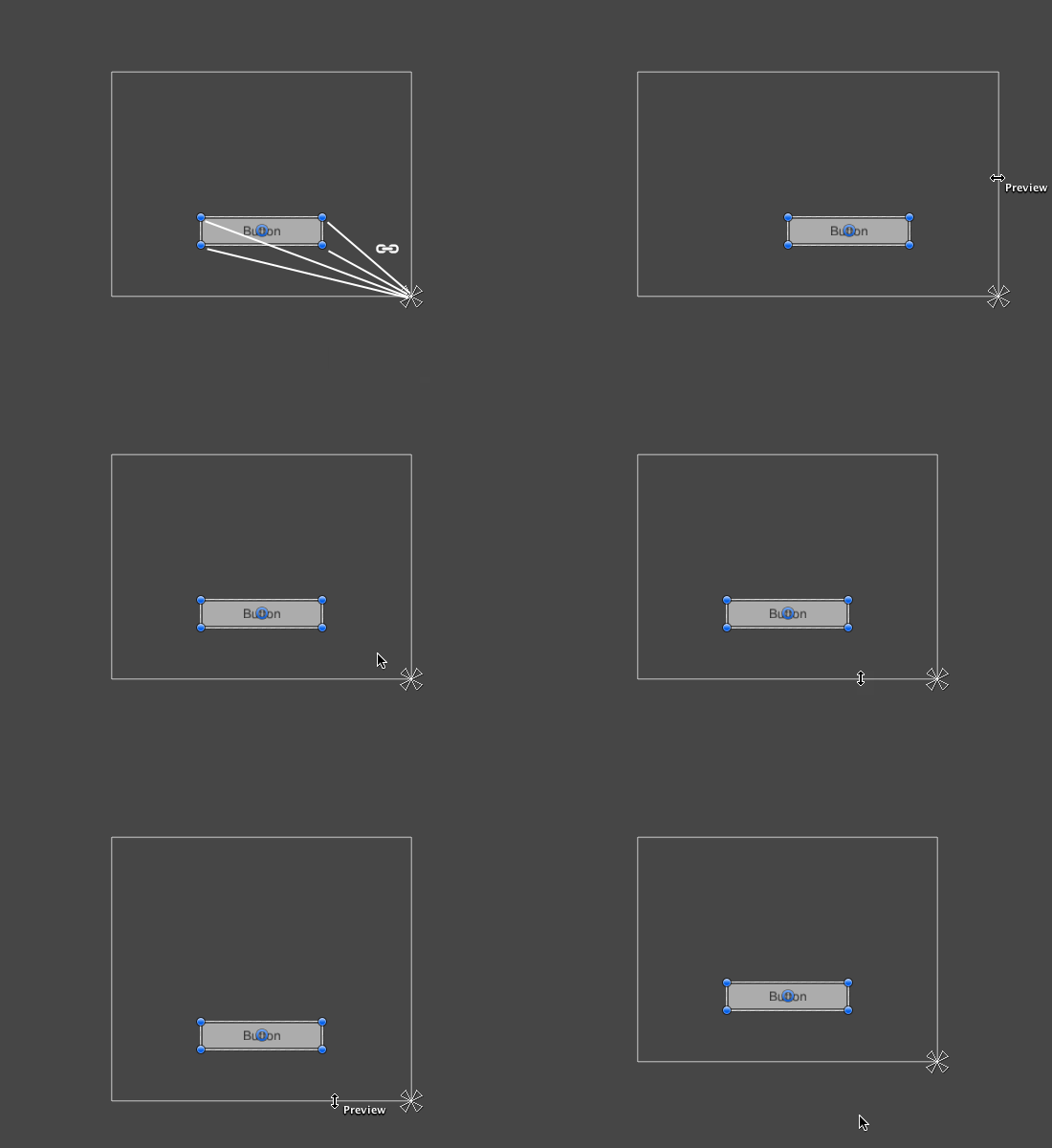
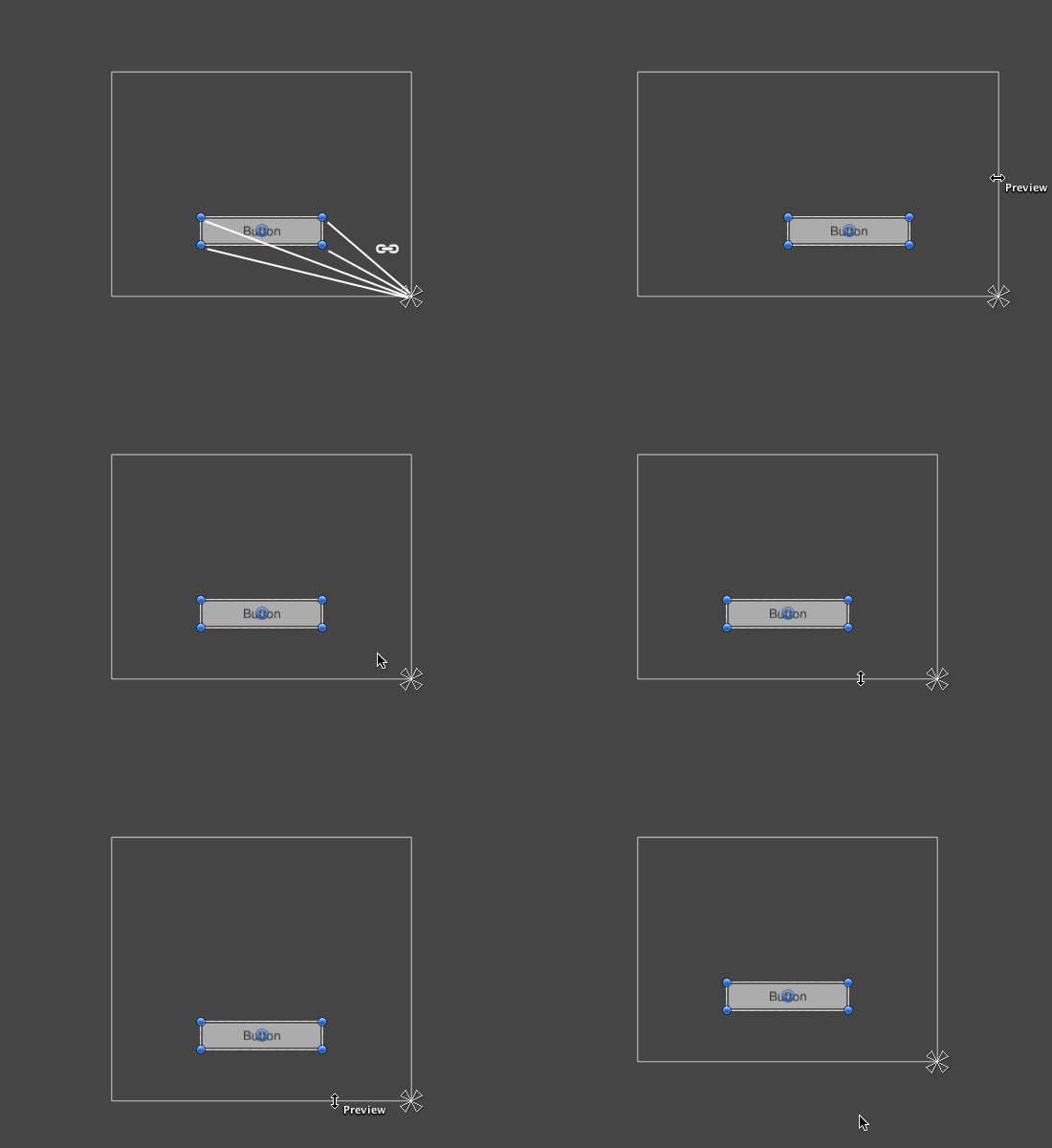 novel path
mortal robin
As I pointed out in the other channel use RectTransform anchoring and the Canvas...
novel path
mortal robin
As I pointed out in the other channel use RectTransform anchoring and the Canvas...
It works just how I wanted it to now, thank you so much
 austere sage
How do I make a Vertical Group Layout be scrollable and not go over borders, like it got its own space and anything overflowing will be removed
I tried with Scroll View, but it was bugged
Like it was not scrolling correctly, just staying in one place, and centered instead of being in the top
mortal robin
austere sage
How do I make a Vertical Group Layout be scrollable and not go over borders, lik...
scroll view is the way
if it wasn't scrolling properly you didn't set it up correctlyt
austere sage
I tried it, it looks cursed and it ruined the card
mortal robin
you just need to get it configured correctly
austere sage
the card should have text, and those stuff, those are gone but some are there
mortal robin
that means setting up the anchors and pivots for the scroll view and the viewport properly
clever mauve
my textmesh pro text wont change color to match vertex color, its stuck as black. the material's color is white. any help?
 finite plover
Hey all!
I'm exporting assets @1x and when I import them in to Unity at this size (1920x1080) they are poor quality reproduction compared the source (also FHD), I've obviously turned off all compression etc. and the canvas settings are what I would say are standard, but there's just not enough pixel data in there to capture the original file.
When I export @2x they look crisp but quite chunky in comparison to the source at (1920x1080 as we would expect) and at 4k they look as you would expect.
So I have a few options for FHD, change the scaler RPPU to 50 (from 100), sprite mode per sprite PPU change (100 > 200), or using the sprite component PPU multiplier (from 1-2).
These all get me really crisp 1-2-1 quality with the source at FHD.
Unity off the bat ignores @2x @3x (unlike web environments targeting different screen densities) as far as I can see and I don't see much content saying that changing the global RPPU is recommended, or bad practice, though it's the only way I can ensure really high quality consistent implementation.
I guess my question is what's the preferred best practice here?
Sorry for the long post! Cheers Warren
low pike
Can't say I've ever had this issue.
and the canvas settings are what I would say are standard
Have you got your canvas scalar set to a reference resolution (FHD)? Or left it at default?
finite plover
Still FHD atm, it's probably still the most used, though not checked for a while.
low pike
yeah, that's fine - was just checking you hadn't left it at default (which has no set resolution). as maybe that makes a difference
finite plover
It seems like it's most noticeable when you are really trying to match frame/stroke pixel widths and detail between the source and the client.
austere sage
Can Someone Help me in Scroll View? I have tried a lot since yesterday and it's still not right
I got a parent with Vertical Group Layout, I just want you to be able to scroll through them
through the children
steep warren
austere sage
I got a parent with Vertical Group Layout, I just want you to be able to scroll ...
you would need the vertical group inside the scroll view rect, iirc?
low pike
The 'content' game obejct (I think it's called that).. the parent of the content, needs a vertical layoutgroup on it .. and a content size fitter, so that it resizes to encompass all the children
austere sage
I did all that
And still doesn't work
I set the content parent as what contains the children, I gave it the fitter and the layout group. And it's still cursed and not working
It's not even masked at all
low pike
you're gonna need to show stuff then, rather than trying to explain this visual issue.. record a video, make sure it shows the hierarchy and the inspector.. and show the setup of each scroll view copmonent
austere sage
I will. When I rebuild my project, I worked overnight and a lot of hours consistently and at the end, an error appeared because of that scrolling thing and it kept spamming errors till it eventually crashed and the whole work got lost
I didn't save the scene
low pike
just to check , you did create the scroll view by doing right mouse click -> ui -> scroll view, yeah?
austere sage
Yes
I tried manually doing It with Scroll Rect component and tried doing it with Scroll View
low pike
goodo - some people try setting it up manaully and that's just hard work
austere sage
low pike
goodo - some people try setting it up manaully and that's just hard work
I tried both
low pike
Don't even bother manual way
austere sage
Saw that scroll view didn't work. Tried manual
The cool part that my pixel art, scripts, and prefab is still there
low pike
The usual reason for the scroll view "not working" is because people forget to resize it and so it's too small
austere sage
low pike
The usual reason for the scroll view "not working" is because people forget to r...
Mine is too big
The cards are overflowing at this point
I think I got an old picture when I asked AI, wait

I made the scroll view bigger. And still cursed
As you can see. Inside the scrolling area it got some text. Which should be all over the card.
So the blue bar is not masked. But everything else is
low pike
The card being each blue section?
austere sage
 austere sage
low pike
The card being each blue section?
austere sage
low pike
The card being each blue section?
Yes
low pike
this isn't cursed, it's just a setup issue
austere sage
Why is everything masked except the blue bar
low pike
all that text and image etc - are they a child of the blue bar?
austere sage
Yes
low pike
iirc the image component has a tickbox for 'maskable'
low pike
there you go, you cannot use a sprite renderer with UI.
austere sage

Okay but why is the top and the bottom element doesn't show completely, like the scrolling ends before the whole element is shown, wait, I think because the rest is just the bar, and it doesn't care about the bar
Hell I crashed and lost all my work just because of a component?
Cool
low pike
no, probably not
austere sage
not at exactly what
the component crashing my game or that the reason it's not fully showing because it's a sprite renderer
low pike
the component probably did not crash the editor
austere sage
I know, I had an error appear out of the blue when I tried creating the prefab, it kept spamming in the background while I talked to AI in another window, and when I returned it crashed and that report feedback thingy appeared
I don't remember the error exactly, it was like isFinite();
I missed around with Scrolling a lot that I broke it and it crashed
Found it in my histroy, Assertion failed on expression: 'IsFinite(distanceAlongView)'
Any idea what that is, to avoid it?
low pike
nope, have a google
austere sage
The cards object appeared in the hierarchy. But didn't appear in the game and it kept spamming this. But thank you a lot for the help. Now I just have to recreate everything and scrolling shouldn't be a problem
 ionic umbra
Right place? UX stuff? I'd love to get some feedback/trials on this command palette + right click menu. Heavily used in other apps, is a great option in Unity to finally find all those little "hidden" actions, or create custom ones.
Also, UITK is amazing. Thanks folks 🙂

 opal yacht
i hope this is where i put my question...
how do I make buttons play a sound if you hold the mouse onto it and when you click it?
ionic umbra
opal yacht
i hope this is where i put my question...
how do I make buttons play a sound if ...
I think you want #🔊┃audio 🙂
low pike
ionic umbra
I think you want <#531974372714610688> 🙂
no, here is the correct place.
low pike
opal yacht
i hope this is where i put my question...
how do I make buttons play a sound if ...
"hold the mouse onto it" isn't clea .. do you mean on hover? on mouse down, held?
Buttons have events. Listen to those events and play the sound on those calls.
https://docs.unity3d.com/6000.0/Documentation/ScriptReference/UIElements.Button-clicked.html
 solid snow
opal yacht
i hope this is where i put my question...
how do I make buttons play a sound if ...
solid snow
opal yacht
i hope this is where i put my question...
how do I make buttons play a sound if ...
I made a tutorial on that a few weeks ago, maybe it'll help  https://youtu.be/ZyY8QBWdmmk?si=o8YPM_4wi_5IjGZW

Learn how to create a simple system that plays sounds when you interact with your UI in Unity. This tutorial explains how to create a system to tag elements that should emit sound with a central manager keeping track of every interaction type and sound to play.
✍️ GitHub Code
https://github.com/Maraakis/ChristinaCreatesGames/tree/main/Addin...
 valid zealot
hey, how do i make the slider object in unity go from left to right, to both sides inwards
so like rn it goes down from left to right, or the otherway idk
but i want it to go from both sides inwards
 proud sandal
valid zealot
but i want it to go from both sides inwards
proud sandal
valid zealot
but i want it to go from both sides inwards
you need to make a custom slider that scales the "fill" rect transform with a center pivot and place the handle transform accordingly. Generally you should not use a slider when you want to scale with a center pivot, for example when abusing a slider component to draw a health bar or timer.
mighty ridge
i just use regular image w/ it anchored where i want it to originate from..
and then fiddle with teh settings until i know the min and max values
^ then i just use lerp or something to remap the value to the "slider"
mighty ridge
mighty ridge
i just use regular image w/ it anchored where i want it to originate from..
and ...
you can use regular images/raw images and use the anchors/scaling to make them go any direction you want..
if this is a UI slider w/ a clickable handle its a bit more complicated (you'll have to do what anikki said)
timid needle
i want the ui not be shown in the 3d world. only in camera. idk what the issue is but in my past i never had this issue
 hazy smelt
can anyone help me? i have two sprite mask (red and blue) and i want my sprite only show in the blue mask and not in the red and the blue mask only show inside the red mask instead

 junior bluff
Hey, I was working on creating my main menu buttons and stuff, and it works fine for the buttons such as Play, Options, Credits, etc.
But when I click Play, the buttons that show don't work. It doesn't let me click on any of them. I feel like it might be something to do with how I ordered my stuff in the hierarchy.
tame shell
hazy smelt
can anyone help me? i have two sprite mask (red and blue) and i want my sprite o...
Is one mask a child of the other?
clear pulsar
junior bluff
Hey, I was working on creating my main menu buttons and stuff, and it works fine...
If you load in a new scene does that scene also have Event System in the hierarchy
junior bluff
clear pulsar
If you load in a new scene does that scene also have Event System in the hierarc...
yes
clear pulsar
In play mode can you double check just to ensure it isn't deleted by accident etc.
junior bluff
clear pulsar
In play mode can you double check just to ensure it isn't deleted by accident et...
it doesn't get deleted
clear pulsar
Okay just making sure, when a button isn't activated it's often event system that's missing, are they raycast targetable?
junior bluff
clear pulsar
Okay just making sure, when a button isn't activated it's often event system tha...
Not sure what you mean by raycast targetable. I am pretty new to unity.
Right now I have the canvas of that as inactive and it turns active after I click play. After it's active, the event system is still there.
frosty pewter
clear pulsar
Okay so a raycast target is where it takes a line from your mouse to the UI element and sends a message back saying if it's a valid element. You have raycast target enabled which is good, since it's a button.
junior bluff
clear pulsar
Okay so a raycast target is where it takes a line from your mouse to the UI elem...
ahh, i see.
clear pulsar
In general if the UI element does not need interacting with (backgrounds etc) you can disable raycast target, it's a minor change but saves some processing. It also allows you to have text on buttons that aren't interactive but the button is
junior bluff
clear pulsar
In general if the UI element does not need interacting with (backgrounds etc) yo...
The raycast target doesn't seem to be a problem for me. I tested it with and without.
should i try creating a new event system
clear pulsar
junior bluff
The raycast target doesn't seem to be a problem for me. I tested it with and wit...
See the above link it is helpful for minor issues. If all else fails unity docs helps. The issues I've mentioned are the more common problems and further than that UI isn't my speciality
junior bluff
clear pulsar
See the above link it is helpful for minor issues. If all else fails unity docs ...
alright, thank you for your help.
junior bluff
i fixed it. It had to do something with the order of my texts in the hierarchy
clear pulsar
Hey good going
 arctic hemlock
Today I started working on developing an UI dialogue system! But as you can see in the video still needs much work, but I seem to have this error mainly when recording. Really glad I did this in a separate project haha.
hazy smelt
tame shell
Is one mask a child of the other?
do i want it to?
hazy smelt
can someone explain the front and back setting on sprite mask?
my layer are
-defaultt
-inventory card

i thought setting both to default will only mask the default mask layer but it not masking anything
setting front to inventory card and back to default enable masking to the default layer only when the default sprite is on top of mask?????
okay.... i think the the custom range is for layer between front and back?????? instead of equal+between
 tame shell
hazy smelt
do i want it to?
tame shell
hazy smelt
do i want it to?
No but if this is not relating to ugui or uitk then this is probably the wrong channel.
We don't usually make UI with sprite renderers.
Id expect it to work properly though as long as layer settings are correct
hazy smelt
ah sorry yeah its a wrong channel.i making UI with sprite renderer so i thought i'd asking here
timid needle
timid needle
i want the ui not be shown in the 3d world. only in camera. idk what the issue i...
can anyone help me with this?
low pike
timid needle
can anyone help me with this?
There is no issue here. That's how the UI is shown in the scene view. Screenspace Overlay UI (the default setting) will not be in the world space in game view, it's rendered on the screen after.
To edit UI press the 2d button on the scene view window, and press F with the canvas game object selected.
To go back to editing the game world, toggle the 2d view off, and focus (press F) on a game object in the scene that isn't UI.
timid needle
low pike
There is no issue here. That's how the UI is shown in the scene view. Screenspac...
but it wasnt like that before
low pike
Yes it was, you just didn't notice
 ember needle
Yeah I agree with Carwash. At least in my perspective, the UI settings in your video is working as expected.
To quickly test things out, you can try running the scene and observe if the screen space UI is visible to a third-person, like from another camera perspective.
 arctic jewel
I'm having trouble creating the scroll view, for a cellphone with messages. Each message will go under the last one, which the vertical layout group works properly, and I can align it to the left or right depending if its someone sending you a text or a text you sent.
The problem comes when I try to make a chat bubble that fits with the size of the message. I cant put the content fitter in the message because unity doesnt like me putting a content fitter in a child of a layout group, and If i put the content fitter in the object with text, then the bubble will appear in front of the text
mortal robin
arctic jewel
I'm having trouble creating the scroll view, for a cellphone with messages. Each...
I cant put the content fitter in the message because unity doesnt like me putting a content fitter in a child of a layout group
Be a rebel. Ignore the warning
arctic jewel
That's what I was trying to do, but then the message doesn't scale 😂
low pike
make sure the layout group isn't setting the size of it's children
arctic jewel
Here is my problem with more detail
Basically I want to be able to create the white blocks that are in this group, so it stretches beyond the screen (For the viewport) but that I can also align then to the left or the right (Depending on who sent the message).
Although I have been able to do so by putting a "background" child inside my "messageGroup" and aligning it to the right or the left, I cant make it so the "background" change the size of my messageGroup (So I have diferent sized message bubbles but with the same padding between them)

Like this

Pretty much Unity doesnt let me use a content fitter inside an object that has a layout group parent
If I try, it gives me a warning, and the object that has a content fitter stays the same size forever without changing
proud sandal
arctic jewel
If I try, it gives me a warning, and the object that has a content fitter stays ...
the fitter works if the layout group does not also try to modify the same parameter of the rect-transform as the content-size-fitter. generally though, you will be less frustrated when you heed the warning.
 wind flicker
So, i have an Picture of an UI i want to create in Unity, is there like an easy way?
i always struggle with the vertical layout groups and stuff, its always weird idk
low pike
Export the individual elements and build it with the various elements required.
You can just put a single "picture" in and get UI from it.
wind flicker
but like for this. do i make an extra panel and add an layout group? or do i just use an empty gameobject put an layout group on that, add 7 buttons on it
 low pike
panel is just a pre-made recttransform with an image on it - I personally never use that from the create menu
wind flicker
oh, got it. makes sense
i always used to use 1 panel for every thing i wanna create as like the head of my UI
low pike
To do that, I'd have an empty parent with a horizontal layout group and content size fitter on it. Then each child would be TMP and the highlight would be a child of the empty thing, with a layout element for 'ignore layout' so I can move it around
wind flicker
if i have like an level up ui and pause ui in my game scene i have an
LevelUpPanel
PausePanel
and in code i activate and deactivate these panels if somethings happens
low pike
Yeah, that's a good way to do it. Just the "panel" bit doesn't really mean anything.
wind flicker
i stuff every ui element within 1 canvas, idk if thats good or not lol
low pike
If you put a canvas group on those panels, you can fade the alpha in/ out for a nice transition
wind flicker
i tried this once in another project and it just bricked the ui
low pike
wind flicker
i stuff every ui element within 1 canvas, idk if thats good or not lol
Can be bad, can not matter.. depends
wind flicker
i have it like this
 low pike
wind flicker
i tried this once in another project and it just bricked the ui
low pike
wind flicker
i tried this once in another project and it just bricked the ui
you probably left on the interactable flags, so it still blocks graphic casts and the stuff underneath can't be hit
wind flicker
it works good how it is tho
low pike
ok, so don't do it.
It was just a suggestion that can be used for improving the look, not something everyone always has to do.
wind flicker
i mean its still in early early development so idk who knows where im going
all my ui elements are in a work in progress rn
 low pike
see that looks great
wind flicker
grrr i hate ui so much
wind flicker
ill continue tomorrow. isnt to bad for now even it took extremly long lol

 surreal sparrow
I'm feeling a little lost on solving a UI issue. The issue is basically that some of my TextMeshPro text isn't rendering pixel perfect like I expect. Here are some details:
- The UI is UGUI
- The hierarchy is a Canvas + Canvas Scaler, and under that is a panel, under that is some labels and textboxes
- The canvas is set to
Pixel Perfect = trueandRender Mode = Screen Space - Overlay - The canvas scaler is set to
Scale Factor = 1andReference Pixels Per Unit = 1andUI Scale Mode = Constant Pixel Size - The font is set to 16, which is the same as the sampling point size I used
From the screenshots, hopefully you can see that at some window sizes, the font rendering looks weird, not what I expect at all. At other sizes, it looks perfect and crisp. The actual size of the UI doesn't change due to my settings. I'd appreciate any info to guide me on possibly fixing this issue. FWIW, the font I am using is Unifont EX.
Even when the font rendering looks wrong as it does here, the actual size of the panel is the same in both screenshots (350x263, which is what I specified in Unity).


 oblique plank
Anyone know why using a separate camera overlay with only UI reduces performance by a lot compared to just using it on the main camera?
Project is using URP
 fervent sand
oblique plank
Anyone know why using a separate camera overlay with only UI reduces performance...
fervent sand
oblique plank
Anyone know why using a separate camera overlay with only UI reduces performance...
Two cameras
That means 2x camera passes
oblique plank
yeah but it only had UI as culling mask and still took over 2ms. Just didn't expect it to have that big of a performance hit. Maybe I set something wrong though
low pike
did you make sure to remove UI from the other cam
oblique plank
yea I'm pretty sure I did
can double check
After checking again it adds roughly around 1ms extra compared to putting the UI canvas on main camera.
Main camera 1.7ms and UI camera 1ms with UI culling mask removed from main camera and UI camera only having UI in culling mask. UI camera is added as stack on the main camera.
When I only have main camera and UI set to display on that, it's total 1.7ms still
potent swan
hello, i have a small problem with Localization.
I can't find the String Table Collection
 mortal robin
potent swan
hello, i have a small problem with Localization.
I can't find the String Table ...
mortal robin
potent swan
hello, i have a small problem with Localization.
I can't find the String Table ...
Make sure whatever documentation or tutorial you're looking at is using the same version of the package you have installed
potent swan
alright thanks
 cerulean rock
im trying to make a messaging app and i want to position incoming messages on left and outgoing messages on right like real messaging apps but i couldnt find a solution for that can anyone help?
 steep warren
cerulean rock
im trying to make a messaging app and i want to position incoming messages on le...
steep warren
cerulean rock
im trying to make a messaging app and i want to position incoming messages on le...
probably use a vertical layout group and have the incoming/outgoing messages on different pivots?
cerulean rock
steep warren
probably use a vertical layout group and have the incoming/outgoing messages on ...
yeah i have a vertical layout group let me try that solution
didnt work
 meager basin
Hello, I just finished a game jam, and am really happy with my final game, so I decided to keep working on it and try to make a full release for it. As I was making a list of things I want to change between the jam and full version of the game, I noticed that the UI was sort of ugly, and I want to change it, but I have no idea where to start. If anyone has any suggestions, please let me know how I can improve this! Thanks!
 cerulean rock
im trying to make a messaging app and i want to position incoming messages on le...
cerulean rock
cerulean rock
im trying to make a messaging app and i want to position incoming messages on le...
i still couldnt find a solution... im stuck at vertical layout group
clear pulsar
Two split elements, and if you add a message to one it adds a blank space to the other
Example
Message on left. _____
_____. Message on the right
Two loops can be used to do this
cerulean rock
clear pulsar
Two split elements, and if you add a message to one it adds a blank space to the...
ive tried making something like this:
Message Container ( Horizontal layout group):
Filler (empty width)
Message Bubble (message buble)
it worked on editor but as i have a script that modify the bubble according to the text size the positions slipped depending on the text size
clear pulsar
Then calculate offset and add that to the positioning
 wise temple
hey, just curious how would u guys rate this start menu UI i have and any feedback/improvements for me so i can make it better?
 steep warren
wise temple
hey, just curious how would u guys rate this start menu UI i have and any feedba...
steep warren
wise temple
hey, just curious how would u guys rate this start menu UI i have and any feedba...
clashes with the background a bit too much. perhaps make the background of the menu more opaque/darker
wise temple
steep warren
clashes with the background a bit too much. perhaps make the background of the m...
here is the revised one
 steep warren
the contrast is kinda worse there
wise temple
i think ill just sketch for a better one then
 edgy plaza
wise temple
here is the revised one
edgy plaza
wise temple
here is the revised one
Imo Background panel should be black and set high value for alpha and add labels for buttons it can be in right or bottom like
🏆 LEADERBOARD
. 🏆
LEADERBOARD
if u gonna use bottom label set size small
And color icon isnt visible well u can move it to middle of capsule icon and set color cyan or black
 wise temple
edgy plaza
Imo Background panel should be black and set high value for alpha and add labels...
wise temple
edgy plaza
Imo Background panel should be black and set high value for alpha and add labels...
i tried setting it to black but the neon edge effects just gone too
and the button sizes dont really allow me to add labels into them
wise temple
edgy plaza
And color icon isnt visible well u can move it to middle of capsule icon and set...
alr ill keep it in mind
i made 2 versions and i dunno which one fits more now

 edgy plaza
wise temple
i made 2 versions and i dunno which one fits more now
edgy plaza
wise temple
i made 2 versions and i dunno which one fits more now
2nd looks better but looks like background color isnt fit well with environment
edgy plaza
wise temple
i tried setting it to black but the neon edge effects just gone too
and the but...
I didnt get it how u cant add labels due to size of button can u explain it or show me with some record or ss
 midnight gust
How do I make my 3d text (tmpro) lit ie responsive to real-time lighting
frigid bone
so, I have this image that I want to scale according to the contents, but I'm not sure what settings to apply. If I select preferred size vertical, it defaults to the actual preferred size of the image, but I only want it to care about the contents

 wise temple
edgy plaza
I didnt get it how u cant add labels due to size of button can u explain it or s...
wise temple
edgy plaza
I didnt get it how u cant add labels due to size of button can u explain it or s...
its possible to add labels to them but the icon size itself takes around 1/5 the button size horzinontally
so ig ill make the button bigger horizontally?
 gritty flax
does anyone know where to find the font import settings?
my ui stopped appearing and the error message is telling me to check the font import settings but I can't find them and the manual doesn't say either
static ice
Is it possible to implement a sort of custom UI component (In this case a 2 dimensional slider) into an editor script (as in have one of the fields be dictated by the two return values of a custom 2 dimensional slider)?
mortal robin
static ice
Is it possible to implement a sort of custom UI component (In this case a 2 dime...
yes
though #🧰┃ui-toolkit is probably where you want to be
static ice
mortal robin
though <#892762498464374796> is probably where you want to be
Oh it's only possible through UI Toolkit then?
mortal robin
static ice
Oh it's only possible through UI Toolkit then?
no it's possible with IMGUI too, UITK is just more modern/supported
 versed vortex
Hey fellas, how does one make a basic UI that literally just shows player hearts, and movement speed, and how do I organize all that assuming I have a playerstats script and movement script so that I can already extract player HP and speed rate?
versed vortex
A tool for sharing your source code with the world!
I have managed to get speed tracking working, but how to set up a basic health bar evades me
midnight gust
How do I make my 3d text (tmpro) lit ie responsive to real-time lighting
low pike
versed vortex
I have managed to get speed tracking working, but how to set up a basic health b...
Health bars are an extremely common feature of games, surprisingly there are a lot of tutorials on how to do them. Have a quick google, you'll find them! 🙂
low pike
midnight gust
How do I make my 3d text (tmpro) lit ie responsive to real-time lighting
make sure the material is using a lit shader
midnight gust
low pike
make sure the material is using a lit shader
I have to use the text material for my font which is unlit by default
And I can't change it
edgy plaza
 sonic citrus
any tips to make the ui more proffesional or just overall better looking
sonic citrus
any tips to make the ui more proffesional or just overall better looking
Redesign buttons and use different font
ui looks so simple