
#📲┃ui-ux
1 messages · Page 34 of 1
 outer belfry
 mortal robin
Did you correctly make it out of UI elements?
That's not the inspector
that's the hierarchy
Make sure you didn't make it out of SpriteRenderers


 magic walrus
how do you make scrolling follow the selected item when using gamepad? it continues selecting down the list but doesn't move the scroll bar down to visually follow it
edit: not sure if there was an easier way but using some script from a youtube vid and all good now: https://www.youtube.com/watch?v=x10WS4fv5GU
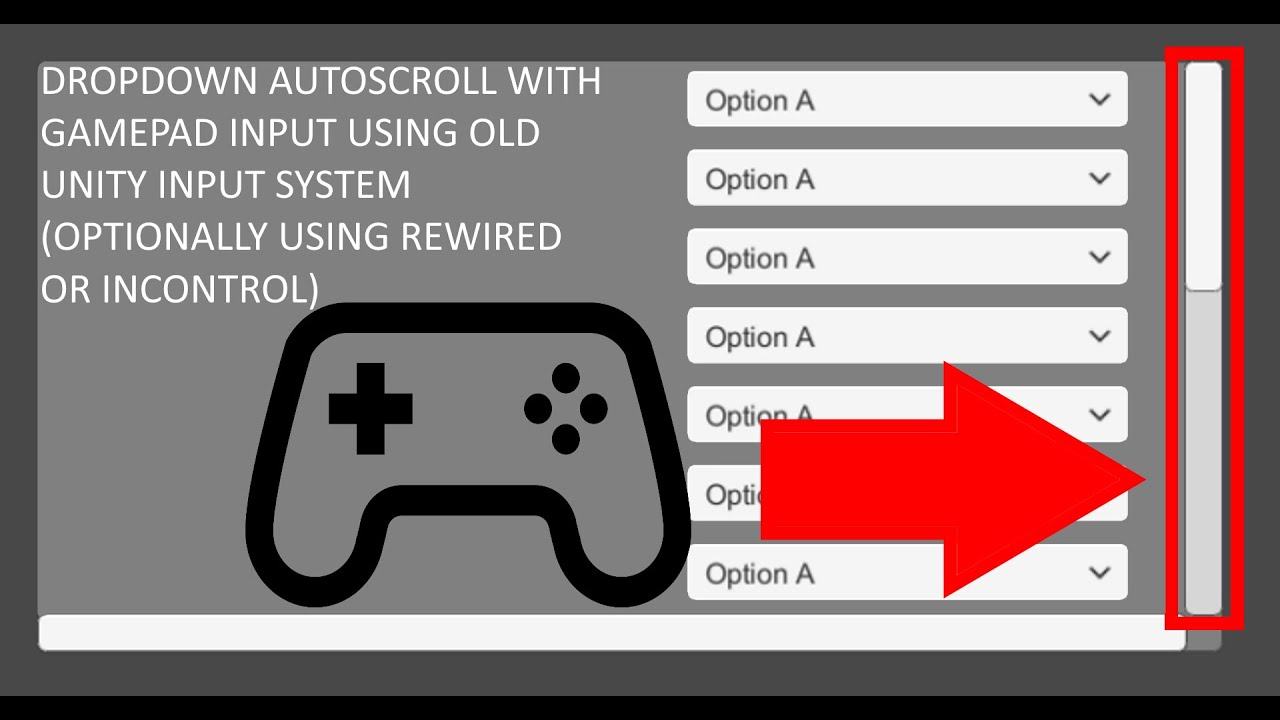
My Rewired modified script: https://gist.github.com/spireggs/2b8221a2961f2352542fad8f9a9dc07e
Original modified (Missing get axis calls at line 52, which makes the auto-scroll not work properly for joystick input either): https://gist.github.com/mandarinx/eae10c9e8d1a5534b7b19b74aeb2a665
New to Unity or the Unity asset store? Then I have an a...
 jovial grove
hey guys, new to this discord server, was just wondering if you could give me any advice regarding my UI design (how to make the page look more unique and better) 🙏

 lavish garden
jovial grove
hey guys, new to this discord server, was just wondering if you could give me an...
lavish garden
jovial grove
hey guys, new to this discord server, was just wondering if you could give me an...
looks pretty cool, I think the graph could probably use something like an outline or some other thing to place it in frame. and there's something about the colors that feel like there'stoo much happening and not much cohesion in terms of a single color theme besides the grey. I think a stronger emphasis on a single "secondary" color would be a really strong step forward
 wooden thorn
Hello everyone, I’d like to ask: which tools do you usually use to configure UI animations? So far, I’ve only used NGUI’s tween components, but now I’m looking for a more flexible solution that’s easy to set up in the inspector and highly reusable.
If you’ve tried any libraries or frameworks, please share:
- Key advantages,,
- Drawbacks or awkward parts that could be improved,,
- Any small tips for implementation 😊
Thanks a lot!
 low pike
wooden thorn
Hello everyone, I’d like to ask: which tools do you usually use to configure **U...
low pike
wooden thorn
Hello everyone, I’d like to ask: which tools do you usually use to configure **U...
I use DOTween to make my own.
 odd peak
Hi guys, not sure in which room i should ask but i need ur help. I have health bar like this and found something like a "frame" for my healthbar and i really like it, but no idea how to put it on the healthbar could anybody please help?

 low pike
it's the same for any sprite.
Import it -> set it as sprite/ UI -> add an image component -> assign the sprite -> resize (using width/ height) and anchor it correctly
odd peak
low pike
it's the same for any sprite.
Import it -> set it as sprite/ UI -> add an image...
is it supposed to be child object to healthbar in canvas or separate object?
low pike
It's "supposed" to be whatever makes sense to be
low pike
odd peak
nvm i had sprite renderer instead image on it
FYI - if you drag a sprite from the project window into the hierarchy, it'll always create a sprite renderer. For UI you always have to rmb -> create -> UI -> image -> add sprite to that
 minor ocean
jovial grove
hey guys, new to this discord server, was just wondering if you could give me an...
minor ocean
jovial grove
hey guys, new to this discord server, was just wondering if you could give me an...
I agree with Eapple here. Is the design goal to emulate a productivity software UI? Your design direction might help dictate how far you can push different design elements.
Some additional general things I would consider without knowing your final goal here:
*less space on each cell for each task.
*Better backgrounds for character and total growth plots
*If the "COMPLETED 🙂 " is a button, it should probably have a call to action instead of a status. If it's just a status, it looks too much like a button.
*The two progress bars we see have different designs, which could be OK as far as background colors go, but they should both have a round or flat tip. The gradient on the blue one is also more pronounced so it looks like it doesn't fit in.
*The background behind the letter grade is too small for what's on top of it.
jovial grove
minor ocean
I agree with Eapple here. Is the design goal to emulate a productivity software ...
thanks for the input :)
 sullen scaffold
how do u make something not included in a vertical layout group
mortal robin
sullen scaffold
how do u make something not included in a vertical layout group
put a layout element component on it and check the "Ignore Layout" box
sullen scaffold
mortal robin
put a layout element component on it and check the "Ignore Layout" box
thank you that fixes it
 slate sentinel
wat the heck parent material do

how do i get more atlast material in the same font asset

nvm
 red aspen
why is the joystick UI and Panel for sliding my Screen not like the beginning when I pressed the pause and resume it button, so before the joystick was smooth and after pausing and resuming the joystick was broken.
low pike
red aspen
why is the joystick UI and Panel for sliding my Screen not like the beginning wh...
I've consulted my magic eight ball, it said "concentrate and ask again"
minor ocean
red aspen
why is the joystick UI and Panel for sliding my Screen not like the beginning wh...
We'll need more details. Screenshots? Code? Video? Something to help us understand what you mean. None of the things you mention are off-the-shelf items, so we don't really get what you're talking about.
 glad drift
is it common for people to have issues with scroll views? I've been bashing my head against the wall, trying to get mine to work, and every time i try to find an answer online it looks like that person has a different problem than mine.
i know its not raycast weirdness, because my event system is reacting to the scrollbar, it just looks like my scroll view is deciding not to work
mortal robin
glad drift
is it common for people to have issues with scroll views? I've been bashing my h...
if the event system is responding normally and the scrollbar won't move, that would be an issue with the RectTransforms of either the Viewport Or Content object or both most likely.
something is not sized right or using the correct pivots or something of that nature
glad drift
i got a horizontal layout group in the viewport, maybe that's what's messing it up?

no dice, tried tweaking the rects of both, but the scroll wheel isn't even working
minor ocean
glad drift
no dice, tried tweaking the rects of both, but the scroll wheel isn't even worki...
Is the viewport rect size the size of what you want the viewable area to be and the content the size to fit all of the content? This are the same things PraetorBlue is talking about, and that's definitely what looks like is going on. Maybe some other setting in the scroll section, I can only see the actual scrollbar in the video, which shouldn't really impact this.
Not sure why you would have a HLG on the actual viewport, but I don't think that would matter for the scrolling.
mortal robin
glad drift
i got a horizontal layout group in the viewport, maybe that's what's messing it ...
no, the layout group would be irrelevant really. It's more about the ~~viewport ~~ content rect itself
is it large enough to cover all of the things inside it?
I would guess it'snot
glad drift
so i set the content window correctly, but now the mask is freaking out. When i looked up how to fix it, I was told to add a RectMask 2d and now the whole thing is borked. i'm just gonna try to implement the thing from scratch I must have gotten something wrong earlier on
Got it working! adding a content size fitter to the viewport seems to have done the trick. (now i just gotta hope it works with my prefabs)
 dusk lynx
Hey, does anyone know why my UI is not registering any clicks? It worked fine just earlier but now everything is broken and I don't know why. Here is a deminstration of my UI and my UI structure
mortal robin
dusk lynx
Hey, does anyone know why my UI is not registering any clicks? It worked fine ju...
You don't appear to have an event system in your scene
dusk lynx
It is a child of the canvas as seen in the video
mortal robin
dusk lynx
It is a child of the canvas as seen in the video
TBH I'm on my phone and can't really see much fine detail in the video, all I saw was the lack of it in the main hierarchy
How is your "clicked outside UI" thing working?
dusk lynx
mortal robin
How is your "clicked outside UI" thing working?
I use the event system for that as seen in the script at the end
The button is now also working again after a restart
But I still have an issue with another Button
minor ocean
Nothing obvious except maybe the Dialog Options item in the hierarchy is blocking the clicks on your big 'button'?
sullen scaffold
getting a weird drag and drop bug
im currently dragging the tick icon in the middle of my screen

however my mouse is bottom corner of the screen yet it thinks its in the middle
yet when i let go it thinks its where the mouse is
sullen scaffold
found the issue
its cause i changed to a world space canvas
so is there a way to fix the drag system on a world space canvas
 mossy needle
I might just be a moron, but I have a canvas to hold world space elements (progress bar over an object) and when implementing the progress bar, I've noticed that the actual bar works fine with the "filled" sprite type, while trying to use "sliced" or "tiled" for the background completely fucks it up. White outline is the canvas rect (this is correct), yellow is the bar (this is correct), the black is the "background" set to sliced and scaled up to 5.0 in height (the canvas is (1.0f, 0.25f) but this makes the background sprite vanish)

This is with the background set to "filled" instead, and it looks normal enough lmao

I'm guessing sliced/tiled just weren't meant to be used in world space or something
FWIW, this is all being created via script, since I'm trying to ensure modders can add new UI and modify existing UI elements without having to create a Unity project, but it does the same thing if I recreate it in the editor
low pike
@mossy needle just a few tips for working with UI, which might be helpful if you're not already doing them.
1- Press T and use the UI tools
2- Keep ALL child elements of the canvas at a scale of 1,1,1. Edit their size with the height/ width fields.
3- Resizing scale of the world space canvas is ok, but keep it uniformed (eg: 1,1,1 or 0.25, 0.25, 0.25) - I usually have my world space canvas scales at 0.002, 0.002, 0.002
mossy needle
low pike
<@218169424132177920> just a few tips for working with UI, which might be helpfu...
how does tip 1 work when everything's being done through code? i'm not using the editor at all, except to preview assets and playtest
can't pull the editor up right now or i'd check for myself, sorry
also to clarify these dimensions are being set through sizeDelta (which roughly corresponds to setting the "real" dimensions - it's the size beyond the difference in anchor points), not scale, I used the term "scale" in a colloquial sense in my first message lmao
that's on me for not communicating that clearly enough, my bad
 ripe pelican
Hey, guys! When I am trying to load my logos after the "Made with Unity" logo for one reason there is a white flashing thats happening after the logo for 1-2 seconds and then my other logos are being displayed. I cant understand why this white color is covering my whole screen and then its loading the other logo?
Check!
minor ocean
ripe pelican
Hey, guys! When I am trying to load my logos after the "Made with Unity" logo fo...
It's hard to say what's happening based on the video and what you're saying. I am guessing it's something in the sequence you have showing your other logos; I can't recreate the white flashing with just the Splash Image settings.
 tulip kite
Was there a tutorial on canvas/text?
 trail stone
When I remove the scroll bar from the dropdown, items just disappear? They're here in the inspector, but I don't see them
 ripe pelican
trail stone
When I remove the scroll bar from the dropdown, items just disappear? They're he...
ripe pelican
trail stone
When I remove the scroll bar from the dropdown, items just disappear? They're he...
Check your dropdown settings something is happening there probably maybe you have white color and you have to change it in order to see them not clear whats the problem you have to send your dropdown settings in the inspector
trail stone
ripe pelican
Check your dropdown settings something is happening there probably maybe you hav...
 ripe pelican
trail stone
ripe pelican
trail stone
You see you have all colors white probably this is the issue
Player around with the settings do not give up and test what is happening if this isn't the problem
Something with the dropdown for sure
 lime edge
I'm not exactly sure why my UI is jittering like this when it's following the player. I've implemented it to use LateUpdate and the fix doesn't work. Also, FIxedUpdate apparently solves the problem on my pc, but the jittering persists on players with lower-end computers
mortal robin
lime edge
I'm not exactly sure why my UI is jittering like this when it's following the pl...
you'd h ave to show the code and explain how the player object and the camera are moving too
lime edge
mortal robin
you'd h ave to show the code and explain how the player object and the camera ar...
Alright, just give me a minute
lime edge
mortal robin
you'd h ave to show the code and explain how the player object and the camera ar...
This piece of code is responsible for allowing the camera to follow the player, up to a certain distance
https://paste.ofcode.org/tnAEmwreRPMBpq7JZMDSCV
mortal robin
lime edge
This piece of code is responsible for allowing the camera to follow the player, ...
sure and how does the player move?
and the camera
lime edge
...and this piece of code is responsible for allowing certain UI elements to follow the player
https://paste.ofcode.org/8MciZz97VWypth9bYXnAYr
lime edge
mortal robin
sure and how does the player move?
Because the player is using rigidbody, I needed to implement its movement in FixedUpdate
mortal robin
lime edge
Because the player is using rigidbody, I needed to implement its movement in Fix...
You need to turn on interpolation for the player's Rigidbody
also showing the code for the player movement will be helpful to make sure you're not doing anything uncouth
lime edge
mortal robin
also showing the code for the player movement will be helpful to make sure you'r...
lime edge
Although it does fix the issue for the player, everything else is jittery now
And it's unhealthy for my bullet-hell game
 pine ginkgo
whats that weird thing around each letter?

i first thought its an editor only thing but its ingame too
mortal robin
lime edge
Although it does fix the issue for the player, everything else is jittery now
any moving rigidbody needs interpolation enabled if you don't want it to appear jittery
mortal robin
pine ginkgo
whats that weird thing around each letter?
pine ginkgo
mortal robin
https://discussions.unity.com/t/text-mesh-pro-box-around-text-unwanted-effect-bu...
thanks :D
lime edge
mortal robin
any moving rigidbody needs interpolation enabled if you don't want it to appear ...
Most of the bullets are not using rigidbody :((
mortal robin
lime edge
Most of the bullets are not using rigidbody :((
how are they moving
if you're moving them in FixedUpdate they are naturally going to appear jittery. That's the nature of FixedUpdate - it's not in sync with the game's rendering framerate
also if they are moving and they have colliders, they really should have a Rigidbody
BTW I'm a bit curious why you seem to have used 3D physics for this game which seems very 2D.
mortal robin
The 2D physics engine is a lot more performant generally
so if there's no good reason to use the 3D one, I recommend switching to the 2D physics system
lime edge
If that's the case I'll have to refactor the entire game to use 2D physics
lime edge
Does it mean I'll also need to change objects using rigidbody to rigidbody 2d instead?
mortal robin
I think you made some questionable design decisions here early on and now you are paying the price.
mortal robin
lime edge
Does it mean I'll also need to change objects using rigidbody to rigidbody 2d in...
of course
lime edge
mortal robin
I think you made some questionable design decisions here early on and now you ar...
Part of learning to be a successful gamedev
@mortal robin This video is where I found the UI jitter issue and why I wanted to fix it in the first place
https://www.youtube.com/watch?v=sgwRKLfi-XA

Developer:Alexis986
Category:サイドビューシューティング
To tell you the truth, I honestly wasn't expecting a playtester who wasn't one of my fellow university students
This version was using FixedUpdate for the tracking script, which I thought it solved the problem until now
I was getting SO CLOSE to updating this demo too, until you said 2d physics system was a better choice for games like this 🥲
@mortal robin You still there? For now, I'll have to stick with 3D physics until I've uploaded the new demo with that jitter fixed
 small phoenix
This happens to many npcs
Their sprite ui is deformed as hell the second time i speak to them, or anyone really
Only first npc interaction is normal
And then they start flying
Anyone know the cause?
 rapid magnet
Asked in #💻┃unity-talk and got told to ask here
Does anyone knows how to get functional UI buttons to render over sprites with a sorting layer higher than 1?
mortal robin
small phoenix
hard to say without seeing the code and the hierarchy. Usually deformation like that is from some scaling issues. Possiblky related to parenting/unparenting objects.
mortal robin
rapid magnet
Asked in <#497872424281440267> and got told to ask here
Does anyone knows how to...
UI doesn't use the sorting layer system
To draw UI over your sprites you either use a Screen Space Overlay canvas, or you use a Screen Space - Camera canvas with a Plane Distance less than the distance between your camera and the sprite renderers (i.e. put the UI closerr to the camera than the sprites)
small phoenix
mortal robin
hard to say without seeing the code and the hierarchy. Usually deformation like ...
The sprite is positioned inside a small panel that moves the dialogue icon left and right (depending on if its the bug or the mushroom guy), it has it's own animator and so does the dialogue sprite itself (to show expressions)
 plucky gulch
so i have a prefab that acts like a multi purpose button
the hierarchy is:
root
- container (has a image component)
- text (has a TMP component)
i want the text to take whatever space he needs to show the content, and container to stretch with it (with some padding)
its been 40m im playing with the rect transforms pivot and components such as content size fitter, but i cant do what i desire
minor ocean
You should be able to use a Horizontal Layout Group on the button "container" and let the text control the size with a content size fitter, even though Unity will complain about this.
To me, it is easier to just write some code to resize the button as you populate the text.
 tired narwhal
how do i make a ui gameobject fit the size of its child? content size fitter doesnt work
minor ocean
tired narwhal
how do i make a ui gameobject fit the size of its child? content size fitter doe...
Same answer as the above question. Use a layout group and a content size fitter if needed. Or write code to do this for you (which is easy, and avoids layout groups)
tired narwhal
minor ocean
Same answer as the above question. Use a layout group and a content size fitter ...
so the reason content size fitter doesnt work is because the min width it can take is of the image its own gameobject uses
minor ocean
I don't really follow, but in your parent object, add a Horizontal or Vertical Layout Group.
tired narwhal
the component should have a checkbox to override that
tired narwhal
minor ocean
I don't really follow, but in your parent object, add a Horizontal or Vertical L...
didnt work
parent object is a ui image, child is a text
minor ocean
OK. So on your text, add a content size fitter. Unity will have a "!" warning when you do this. Ignore.
tired narwhal
i already have one on it, it works nicely, now i also want to resize the parent image to fit the text
im tryna make a simple toast
minor ocean
In the layoutgroup, there are options there to accommodate resizing the parent. Mess with those. I don't remember what they are all called.
tired narwhal
yea u right those may do it by themselves
minor ocean
Ideally, you can just populate the text, measure the text size, resize the parent in your code and avoid layout groups. But up to you.
minor ocean
OK, my bad. I think you also need a Content Size Fitter at the level with the layout group


 mellow vapor
reposting from the animation tab, but maybe this question makes more sense here:
I have a question about UI Animation and how one uses Layers.
I have some text that I'd like to animate scrolling in from offscreen, doing a scale, and during that scale, also change to one of five colors, and activate one of five particlesystems for a duration and then change back and turn off the systems.
I thought what I could do was in my main animator controller, have an animation state that does the translate and sale on the text (since it's the same across all 5), and then make 5 small layer animations that tween to the correct color, and activate and deactive the relevant particle system.
However, it seems like if i use override mode on the color layer, it fights with the translation effect in the main animator (despite not modifying the position in the layer animations), or if i try changing the color layer to additive instead, it does some bizarre scaling effects to objects that are not even part of the layer animaions at all.
Am I fundamentally misunderstanding how layering works for UI, and just need to make 5 different versions of the main animation instead?
glad drift
been making a lot of progress on my basic 2D RPG's UI, and I feel like I've finally hit the 25% completion point!


 last bone
Hello, I'm currently having trouble with my Unity input System button input as the system is just stuck on one button and doesn't change with arrow keys. The visualized system shows the correct system, but my game doesn't seem to follow it when running.
Here is my event system parameters and visualized path:

 mortal robin
last bone
Hello, I'm currently having trouble with my Unity input System button input as t...
mortal robin
last bone
Hello, I'm currently having trouble with my Unity input System button input as t...
Are you sure the first button is actually getting selected? I've found that "First Selected" thing on EventSystem often doesn't work prooperly. See if doing like EventSystem.current.SetSelectedGameObject(theButton); in OnEnable for example works.
last bone
mortal robin
Are you sure the first button is actually getting selected? I've found that "Fir...
Don't know about any code, but the fist button is being selected, I just can't move to other buttons via arrow keys or joystick controls

 rigid fulcrum
I need something quite specific, and that's why I need to render a Mesh (flat) in the UI
Can it be done?
 proud sandal
rigid fulcrum
I need something quite specific, and that's why I need to render a Mesh (flat) i...
proud sandal
rigid fulcrum
I need something quite specific, and that's why I need to render a Mesh (flat) i...
maybe explain that specific thing
last bone
mortal robin
Are you sure the first button is actually getting selected? I've found that "Fir...
Figured it out, it was a navigation issue due to my buttons being rated 90 degrees
 atomic orchid
last bone
Don't know about any code, but the fist button is being selected, I just can't m...
atomic orchid
last bone
Don't know about any code, but the fist button is being selected, I just can't m...
Des-
mortal robin
rigid fulcrum
I need something quite specific, and that's why I need to render a Mesh (flat) i...
you can render a camera (pointing at your mesh object) to a RenderTexture and display that texture image in the UI with RawImage.
 dull hollow
is there a way to stretch/anchor slider based on the canvas? cuz it just broken if i change resolution, example from iphon 12 to ipad mini 4
mortal robin
dull hollow
is there a way to stretch/anchor slider based on the canvas? cuz it just broken ...
dull hollow
turns out its broken becuz i use scale, somehow scale broke the rect stretch
mortal robin
dull hollow
turns out its broken becuz i use scale, somehow scale broke the rect stretch
You should not be scaling UI elements in the vast majority of cases
 coral echo
Hello. Im newbie in creating UI. I have a problem with that "corners". How to dele them? im using mask to hide the backgrounf
 low pike
coral echo
Hello. Im newbie in creating UI. I have a problem with that "corners". How to de...
low pike
coral echo
Hello. Im newbie in creating UI. I have a problem with that "corners". How to de...
what "corners" ?
coral echo
low pike
what "corners" ?
These parts have to be hidden behind the mask - transparent, but it shows the background weirdly. When I look at the mask image, I don't see this in picture.
Exported PNG from online Photoshop -> changed to sprite -> mask component
 low pike
that to me looks like the original image being used for the mask isn't clean
do a test
Create a new image, set its colour to pink. Make it as big as the canvas.
Create a 2nd new image, put it over the pink and see if you have the same issue.
coral echo
low pike
do a test
Create a new image, set its colour to pink. Make it as big as the ca...
Oki I will try it. Thank you 
coral echo
low pike
do a test
Create a new image, set its colour to pink. Make it as big as the ca...
Oh I found it out. I had to change format in unity inspector to rgba 32 bit
 spare dirge
@steep warren Doing that breaks the whole thing making everything stack on top of each other


solved with a GridLayoutGroup 👍 Thanks
 sharp oracle
I have a UI Input field that I'm using to basically make a Text label that you can highlight and copy from. It's set to ReadOnly and Rich Text Enabled, but I don't get text colors showing up in the UI object. If I select the whole thing, I get the Rich Text tags when I paste it elsewhere. This is the opposite of what I want.
How can I make aTMP_InputFielddisplay the text colors? They show up fine when I type it directly into the box in the editor, but in play mode it's all black.- How can I make it so you don't copy rich text tags when you select an input field?
Ope, actually, scratch that first question. Turns out I had enabled rich text on the instance of the prefab, not the prefab. Second question still stands
 restive jungle
How would you approach drawing a bezier curve on ugui canvas?
mortal robin
Depends what the curve is for
 fallen sorrel
mortal robin
Depends what the curve is for
fallen sorrel
mortal robin
Depends what the curve is for
Can u check ur dm bro
 wild pebble
fallen sorrel
Can u check ur dm bro
wild pebble
fallen sorrel
Can u check ur dm bro
Can you read the #📖┃code-of-conduct before sending unsolicited DMs?
restive jungle
mortal robin
Depends what the curve is for
I am making a node editor for runtime. The player will be attaching/detaching ports, something similar to unity graph.
sharp oracle
I have a bunch of interactable elements in a ScrollView (UI Inputs, Buttons, etc.) and they seem to be blocking the mousewheel from scrolling the scroll view. Is there a built-in way to let these things pass through the scroll onto the scroll view, or would I need to create a script that reads when you scroll over it and manually adjusts the position of the scroll rect?
Actually, the buttons all seem to work, it's just the UI Inputs. I assume because they have their own scroll events
 surreal hull

anybody know how to make the outline component solid color?
its kinda useless like this
wild pebble
surreal hull
anybody know how to make the outline component solid color?
Did you make the color fully opaque?
surreal hull
yup
wild pebble
surreal hull
yup
Did you try turning off the Use Graphic Alpha? That sounds like it could do something
surreal hull
does nothing
I had to make a shader that is totally solid color and then outline that
I think thats the only way to do it
 prisma stream
 dry rapids
Textmesh pro text looks kinda blurry in the game view, any way i can make it look sharper?

I guess it's because the rest of my assets have hard edges, but the text is anti-aliased, so it looks way offf

 peak mirage
How do I center allign the text of TextMeshPro?
plucky gulch
so i got a text, the parent is an image with a content size fitter and vertical layout group, this allow the image to fit whatever the length of the text is
my issue comes up when i place this in a horizontal layout parent, my text is just overlapping with everything and not wrapping, it looks like the text has an absolute control of the horizontal spacing
screenshots of my setup:
- horizontal layout group
- image parent
- image container
- child text


 low pike
plucky gulch
so i got a text, the parent is an image with a content size fitter and vertical ...
low pike
plucky gulch
so i got a text, the parent is an image with a content size fitter and vertical ...
The gameobject in the second screenshot, with the UI Button Text Base component needs to be resizing to the the same size as it's children. It's this gameobject the horizontal layout group on the Actions gameobject is using.
Two ways to sort it. Either..
- Don't have this additional game object, move the
UI Button Text Baseto the child with the image component and then remove the empty parent
or - put a horizontal layout group on with the
UI Button Text Baseand get it to resize itself to the children
plucky gulch
thanks, ill try that
 charred grove
Any advice on how to get my health bar on the 2d adventure game looking better? Really struggling with getting it shrunk down

 drowsy ravine
I have a life bar on the enemies using a world space canvas and I have it as a child of the enemy object but I don't know why when I press play the canvas is removed
Idk why
I dont understand
mortal robin
drowsy ravine
I have a life bar on the enemies using a world space canvas and I have it as a c...
Can you be more specific about what "removed" means here?
Is it still in the hierarchy?
Is it disabled?
Is it simply moved out of view of the camera or rotated?
Check

 subtle pilot
 silent egret
Hello, how do I import this image onto the UI button?
silent egret
Hello, how do I import this image onto the UI button?
set it to 2D/sprite in texture import settings
make sure it's also using single sprite mode
 atomic cedar
holy moly 2d pixel text is gonna make me go ballistic
 shell pulsar
can you not override prefabs inside prefabs?
I have this layout:
Prefab1
- Prefab2
-- Text```
But when I change `Text` in `Prefab1` to something else, it will display the default text from `Prefab2` in game, but not in the editor. mortal robin
shell pulsar
can you not override prefabs inside prefabs?
I have this layout:
```
Prefab1
- P...
mortal robin
shell pulsar
can you not override prefabs inside prefabs?
I have this layout:
```
Prefab1
- P...
What you described should work fine.
shell pulsar
sorry, I forgot the localize 
 viral tulip
how do i make my button sprite be split into parts like the default UI button does.
 viral tulip
chaat
mortal robin
viral tulip
how do i make my button sprite be split into parts like the default UI button do...
Do you mean 9 slicing?
https://docs.unity3d.com/Manual/sprite/9-slice/9-slicing.html
 viral tulip
mortal robin
Do you mean 9 slicing?
https://docs.unity3d.com/Manual/sprite/9-slice/9-slicing...
viral tulip
mortal robin
Do you mean 9 slicing?
https://docs.unity3d.com/Manual/sprite/9-slice/9-slicing...
yeah
 blissful oyster
wa
 wild axle
Hey guys, I’m having trouble understanding how to activate a text effect when hovering over a text object on my main menu.
I recently installed this text effect asset pack https://github.com/LeiQiaoZhi/Easy-Text-Effects-for-Unity

GitHub
An open-source Unity package for animating TextMeshPro text with customizable effects. Includes ready-to-use samples, real-time previews, and per-vertex animation capabilities. - LeiQiaoZhi/Easy-Te...
I can apply the text effects to my tmp objects, but I’d really like to activate an effect on hover, obviously per object
I understand that I would have to write a script for this, but I don’t understand exactly how the documentation wants me to do it so I’m left scratching my head 😅 should I create a separate object to control only the text effects? Or can I can use my menu controller script for this?
mortal robin
wild axle
Hey guys, I’m having trouble understanding how to activate a text effect when ho...
You would use https://docs.unity3d.com/2019.1/Documentation/ScriptReference/EventSystems.IPointerEnterHandler.html
wild axle
mortal robin
You would use https://docs.unity3d.com/2019.1/Documentation/ScriptReference/Even...
Perfect thanks
I got this to detect when I’m hovering over something, that’s great
Now I’m not sure how to handle the activation of the individual text effects
 thin canyon
I'm using Unity's TextMeshPro - InputField and the caret + selection is always misplaced.
my camera's Orthographic, my canvas is Screen Space - Camera.
caret seems to be either one em above my text, or in a completely random spot. It's always consistent though.
seems like I've fixed it by making sure the Text Component of the InputField is a child instead of on the same GameObject. Yippie.
mortal robin
thin canyon
seems like I've fixed it by making sure the `Text Component` of the `InputField`...
Isn't that the default when you create it? How'd you get in the situation where they're on the same object?
thin canyon
mortal robin
Isn't that the default when you create it? How'd you get in the situation where ...
yeah, I didn't use the default. I added the components instead.
Another question regarding the same object:
I'm looking for a build-in way to differentiate submitting an InputField vs deselecting (ESC).
I'm looking at a video that talks about InputField having an event OnSubmit, but it's not exposed. Any reason for this?
 digital pumice
when i build my game my first canvas doesnt match the screen size, but it does on unity anyone can help? its just the canvas of the principal menu
 tired inlet
probably because your ui elements are not using anchor points.
what happens when you resize the editor window, does the same problem occur?
digital pumice
what do you mean with resize the editor window?
tired inlet
in unity test out if your ui elements are ancored and positioned correctly. if you resize the editor window it will indicate that
never just place ui elements on the screen , use anchored position instead. you do that by holding the ALT key and then choosing a anchored position from the inspector of your ui element
digital pumice
ok i understand now
i put it on centered
but i dont know how to do the same with the elements inside the HUD, can i move the anchor and use a custom position?
tired inlet
no you position every ui element like i said
digital pumice
but i can only put it on corners or almost the middle
tired inlet
you can fine tune it of course after you anchored them
digital pumice
ohh
tired inlet
use the left and right values
digital pumice
okey ill try thanks ❤️
tired inlet
you are welcome, unity shouldn´t allow free positioning of ui elements but ok
 thick fiber
are there any guides that actually helps? ive spent 2 days following youtube videos and none of them worked lol
 pine hare
If I have a UI Panel with an image (background of a grid inventory) how do I make it dynamically scale to fit the contents of the GridLayout (Inventory slots)?
tired inlet
actually you would do the opposite and fit the child elements to the parent panel
tired inlet
pine hare
If I have a UI Panel with an image (background of a grid inventory) how do I mak...
'Fit to size of UI element with child Text'
could be the part you are looking for
pine hare
tired inlet
actually you would do the opposite and fit the child elements to the parent pane...
I dont understand. I want the Parent panel to be resized to fit the entirety of the grid. If I have a 4x8 grid with cells that are 32x32 pixels large I want the panel to scale to 128x256. I don't want the cells to scale to fit the panel. I feel like this should be a basic function of a UI system...
I went through that guide in the link earlier and it did not solve my problem unfortunately.
tired inlet
pine hare
I dont understand. I want the Parent panel to be resized to fit the entirety of ...
ok so i just tried the content size fiter out and it is reiszing the parent panel when you add new child items
you need to change horizontal and vertical to "prefered size"
pine hare
tired inlet
so you don´t have a fixed 4x8 it could also change?
I have storage objects with variable sized grids.
What are you adding the content size fitter to? Have you tried it with a GridLayout?
tired inlet
yep with grid layout it kind of works resizes the panel but only to 4 cells
i dont think that is the behaviour you are looking for and i am not sure if there is a soloution to that.
pine hare
tired inlet
yep with grid layout it kind of works resizes the panel but only to 4 cells
I want a fixed width of 4 grid cells and a height that scales down based on the amount of rows in the grid layout. I guess I could just write a script that does it but I can already see this causing god knows what issues next... im shocked this behavior isn't supported in Unity out of the box... I would have imagined this behavior to be straight forwards for a UI system.
tired inlet
maybe it is somehow possible
unity´s ui system is very powerful so they provide many tools and features. i don´´t know maybe change to #🧰┃ui-toolkit
proud sandal
pine hare
I want a fixed width of 4 grid cells and a height that scales down based on the ...
The virtue of ugui is that it’s so incredibly simple (unlike most other ui systems) that you can easily make such a layout group yourself. Making a system that does everything out of the box makes it more complicated and less easy to extend. Offering a modular and extensible base is the unity philosophy.
digital pumice
its an UI problem that my game shows a canvas when my character dies but on android and linux it doesnt??
and it does on Unity editor
for all platforms
tired inlet
pretty sure it is the same problem we already talked about yesterday
in the game view switch between the resoloutions and you will see how your ui will act
 latent sparrow
Hey I have this scrollview which I resize height wise, however when it has elements the scrollbar appears and the handle gets stuck at a height of 20. How can I fix this so it will scale properly?
https://gyazo.com/f43a80fa8cda3a340f0995432f28ed43


 digital pumice
tired inlet
pretty sure it is the same problem we already talked about yesterday
digital pumice
tired inlet
pretty sure it is the same problem we already talked about yesterday
i fixed it, there was ocurring an error with my firebase and not landing the code after it i just switched the lines and make the canvas show first
the problem from yesterday is solved thanks to you men ❤️ already done with my game suu
 golden oriole
im trying to add a text legacy ui to my project, but it will not display nomatter what i do

i have changed its scale, the font size, its colour, its position, what the text says, but nothing will work
mortal robin
golden oriole
Start by showing a screenshot that isn't cropped
We need to see the full inspector and the hierarchy etc
golden oriole

 sharp oracle
golden oriole
sharp oracle
golden oriole
I thought you said you were going to make it bigger
This is still 10x10
mortal robin
golden oriole
You didn't change the size only the scale
Leave the scale at 1 always
For ui
golden oriole
fine, 100x100
its now bigger than the canvas

is that large enough?
the font size was always being changed too
sharp oracle
golden oriole
its now bigger than the canvas
Did you change the actual size this time? You cropped it out so we can't see it
golden oriole
here you go#
 sharp oracle
golden oriole
its not
sharp oracle
golden oriole
its not
What numbers do you see here
 sharp oracle
golden oriole
look at the scale
sharp oracle
golden oriole
look at the scale
The scale is 1000% irrelevant
That's why we specifically said not the scale

 sharp oracle
Put the scale to 1, 1, 1.
Set the size to how big in pixels you want the text to be.
Choose a font size that makes sense for that pixel scale.
golden oriole
font size is 10, width and height re both 100, scale is 1 1 1

still no text apearing
i think i could figure out what width and height meant
ofc i would try that
sharp oracle
golden oriole
ofc i would try that
Then why didn't you for the first six times we asked
Also, is there a particular reason you're using Legacy instead of TextMeshPro?
golden oriole
sharp oracle
Then why didn't you for the first six times we asked
for the first time i was asked to changed channels
sharp oracle
golden oriole
for the first time i was asked to changed channels
Because you shotgun blasted your question in like twelve different channels, none of which had to do with UI
golden oriole
secondly, me being confused about how "size" and "scale" are different is why i am here
golden oriole
sharp oracle
Because you shotgun blasted your question in like twelve different channels, non...
fuck no i did not
i asked in the wrong channel, then i moved
you act like ive been spamming chats or smt
sharp oracle
golden oriole
fuck no i did not
Ah, I thought I had seen it in #💻┃unity-talk as well before it was in #💻┃code-beginner , but I was mistaken. I apologize for that one, that wasn't the case
 ionic beacon
Scroll down the inspector and show the rest of it
sharp oracle
Anywho, we're at this point:
#📲┃ui-ux message
golden oriole
ionic beacon
Scroll down the inspector and show the rest of it
sure
golden oriole
sharp oracle
Also, is there a particular _reason_ you're using Legacy instead of TextMeshPro?
im following a tutorial to add a score system. ive used the legacy before in a seperate project, but for some reason i cant get it to work this time
sharp oracle
You should probably use TextMeshPro
It's effectively the same except you use TMP_Text instead of Text in code
golden oriole
i think youre probably right
i should just give up on trying to make legacy work for me
sharp oracle
It's "Legacy" for a reason
 mighty ridge
Legacy ☝️ But TextMeshPro is superior in everyway 👇

try recreating it like the video.. (right click hiearchy in an empty location.. then go to UI -> Legacy -> Text
and it should create a Canvas and already be setup.. if its not visible after doing simply that.. theres something else going on
w/ the text object selected hover scene-view and press Focus

 sinful pilot
when i instantiate an empty GameObject as a child to a canvas, it has a normal transform instead of a rect transform like it would if i used "Create Empty" under my canvas
is it possible to create an object with a rect transform rather than a normal one in code?
mortal robin
sinful pilot
is it possible to create an object with a rect transform rather than a normal on...
GameObject myGO = new GameObject("MyGO", typeof(RectTransform));```though the better thing is probably to just use a prefab
sinful pilot
thanks a bunch
 primal hatch
When i import a png image and place them before an object, so in the image where any 2 colors blend there a space being created from where the object behind the image become visible through those spaces, any idea why this happening?
Screenshot attacked those skin colored line shouldn't be visible and i opened same image in image viewer and even in paint, there everything looks clean only trouble is in when i place them in game scene.


 outer tree
Heya, was wondering if anyone could help me out here! I am using a line renderer to draw in my game/ But when I do sharp turns or whatever, the line / corner goes super thin! Anyone know why, or how I could go about fixing this?

 edgy plaza
outer tree
Heya, was wondering if anyone could help me out here! I am using a line renderer...
edgy plaza
outer tree
Heya, was wondering if anyone could help me out here! I am using a line renderer...
Can you show your line renderer component
minor ocean
primal hatch
When i import a png image and place them before an object, so in the image where...
I would verify in photoshop or whatever you're using for art that those areas aren't transparent. Seems like there is just some transparency in those places to me.
 steep warren
is it normal for tmp_text in a world space canvas to need a really small (like 0.5) font size to show at a normal size? it works but i feel like i'm doing something wrong
the same font works at like 40+ font size in a screenspace canvas so it's not just the font being weird
minor ocean
steep warren
is it normal for tmp_text in a world space canvas to need a really small (like 0...
You normally have to scale the canvas itself pretty small. Like on the order of 0.005. But if you've already scaled the canvas and now have to set the font size that small, that sounds odd, and I'm not sure what is up.
steep warren
minor ocean
You normally have to scale the canvas itself pretty small. Like on the order of ...
i set the canvas size rather than the scale - i thought you weren't supposed to touch the scale?
minor ocean
steep warren
i set the canvas size rather than the scale - i thought you weren't supposed to ...
That is true for almost everything except the canvas in world-space. It is kind of a special case.
steep warren
 ive always just set world-space canvases to their intended world-space size lol
minor ocean
I think that can generally work except for Text and TMP Text. That gets real weird.
steep warren
i guess since the size changes from px (in screen space) to worldspace units (in my version of world space), huh
minor ocean
Yeah, that's a funky conversion. You can kind of get a feel for it by seeing how crazy huge an overlay canvas is in your scene.
steep warren
i suppose that makes sense then
well i have so many worldspace canvases already, guess i'll apply this to my next project lol
minor ocean
I guess if TMP is fine with ridiculous font sizes, that could be a cleaner setup than a ridiculous canvas size at the top level. I think the only other place things get funky is sliced sprites, but I'm not sure. ymmv on that one.
steep warren
it was mentioned here - #💻┃code-beginner message
that ui elements should be moved by anchoredPosition rather than position/localPosition.
does that also apply to root canvases?
(i asked as a reply earlier and didn't get a response, so hopefully moving it to somewhere that makes more sense)
low pike
steep warren
it was mentioned here - https://discord.com/channels/489222168727519232/49787400...
You can't move root canvases around - for camera/screenspace.
You can move a world space canvas, in which case you use the normal transform because you're moving its position in "real" world.. not moving canvas elements around (you'd still use anchoredPosition for the children of the world canvas
steep warren
low pike
You can't move root canvases around - for camera/screenspace.
You can move a wo...
yeah these are world-space canvases - does that make it not a root canvas?
steep warren
nested canvases would still have the same anchoredPosition thing though, right?
low pike
yes
steep warren
regardless of whether it's in world or screen space
low pike
You're not moving UI around the canvas when you move a world space canvas.. you're setting that transforms position in the world. (it has no anchoredPosition)
All the children are still adhering to the canvas layout
 foggy mirage
Does anyone know how to get these textMeshes to render above the UI? The "Particle Canvas" has a higher sorting layer than "Canvas" This is the code im using to instantiate them:
    {
        Debug.Log("Creating instance at: " + position);
        RectTransform pinsParticleTransform = Instantiate(GameAssets.Instance.pfPinsParticle, GameAssets.Instance.camera.ScreenToWorldPoint(Input.mousePosition), Quaternion.identity, GameAssets.Instance.CanvasTransform);
        PinsParticle pinsParticle = pinsParticleTransform.GetComponent<PinsParticle>();
        pinsParticle.Setup(pins);
        return pinsParticle;

    }```
Worked it out I needed to change the Vector2 to a Vector3 and set the z component to >0
 wide sedge
Anyone know a lot about fonts?
I'm making a multiplayer competitive fantasy RTS.
I'm looking for a good font, I like Montserrat, but it feels a little bit too serious, what's a good similar alternative that fits a competitive fantasy game?
 fallen valve
I'm using world space XR unity UI and the UI seems kinda buggy and unresponsive. Like the UI doesn't react when you hover over specific parts of buttons? Any ideas why?
Is this a known thing that tends to happen with the UI if you make some kind of mistake?
minor ocean
Hard to know for sure, but sounds like something is probably blocking the interaction. Could be any sort of collider in world space getting in the way, or something in your UI hierarchy blocking raycasts that isn't obvious and only matters at certain angles or similar.
fallen valve
minor ocean
Hard to know for sure, but sounds like something is probably blocking the intera...
i was wondering if it was the textmesh that was blocking the interaction
minor ocean
fallen valve
i was wondering if it was the textmesh that was blocking the interaction
You should turn off blocks raycasts on your TMP or UI Text items in most cases, yeah.
fallen valve
minor ocean
You should turn off blocks raycasts on your TMP or UI Text items in most cases, ...
good call, i found an option called "raycast target", i disabled that. actually worked
minor ocean
fallen valve
good call, i found an option called "raycast target", i disabled that. actually ...
Oh yeah, sorry, I forget the way it's stated. That one. IMO, it should be off by default, but so it goes.
Glad it's working now!
fallen valve
thnx
odd that if was on by default, i was using the standard Button - textmeshpro asset
minor ocean
Yeah, all of the UI Text and TMP has that on by default. If it was off, I assume more people would have issues with hits not registering on text.
low pike
It's more odd that it stops the button working .. events are supposed to propagate up. I dunno what would eat the event on the TMP object so it doesn't get passed to the parent
fallen valve
idk
could be a peculiarity of the XR implementation / extension
thnx for the help tho
minor ocean
I agree, it's strange the event doesn't pass through, but remember running into this before. I don't remember if it was just world space when I hit it or in AR.
fallen valve
right now i have the UI canvases structured like this, but i'm getting an issue if i have more than one, should i rather make the eventsystem one entity at root, and remove it from each canvas?
 low pike
fallen valve
right now i have the UI canvases structured like this, but i'm getting an issue ...
low pike
fallen valve
right now i have the UI canvases structured like this, but i'm getting an issue ...
EventSystem shouldn't be in your UI hierarchy at all really - which, I assume, is why when it's auto created with a canvas it's not a child of the canvas
Regardless, you can't have two of them active... do what you need to to have just 1
fallen valve
top level object is just an empty container object
i moved it to root and seems to work fine
fallen valve
should the UI neccecarily be a child of the eventsystem?
low pike
that's what I'm saying.. it should not
EventSystem should be it's own .. (usually) no parent and (usually) no children
fallen valve
that's how it is now
low pike
if you turn these hand UI off, you don't want to have to have another eventsyem to turn on
 indigo cedar
An Issue I am facing:
My UI health bar image (MainHealthBar) has a special shape and with the prset "image Type" filled it just gets cut off due to some cropping which I do NOT want.
I came up with a script gemini helped me with, the MainHealthBar gets a mask parent (HealthBarMaskContainer), so it basically "shrinks down" when recieving damage instead of cropping down.
The issue I am facing, even tho the image perfectly fits the container, it doesnt get scaled properly, either not enough, or too much.
I assume its due to the container having a width of 57 and the image ...... -612?
Any help would be appreciated, I can send the script if that helps gather information


{
if (healthBarMaskContainerRect != null && initialHealthBarWidth > 0)
{
float healthPercentage = currentHealth / maxHealth;
float newWidth = initialHealthBarWidth * healthPercentage;
Debug.Log($"UpdateHealthBarUI: currentHealth={currentHealth}, healthPercentage={healthPercentage:F2}, initialHealthBarWidth={initialHealthBarWidth}, newWidth={newWidth:F2}");
healthBarMaskContainerRect.SetSizeWithCurrentAnchors(RectTransform.Axis.Horizontal, newWidth);
}
else if (healthBarMaskContainerRect == null)
{
Debug.LogWarning("Health Bar Mask Container RectTransform not assigned in PlayerMovement script. Cannot update health bar UI.");
}
else if (initialHealthBarWidth <= 0)
{
Debug.LogWarning("Initial Health Bar Width is not set correctly. Check healthBarMaskContainerRect assignment in Inspector or its RectTransform width.");
}
}``` finite heart
indigo cedar
An Issue I am facing:
My UI health bar image (MainHealthBar) has a special shap...
finite heart
indigo cedar
An Issue I am facing:
My UI health bar image (MainHealthBar) has a special shap...
the scaling changes each time?
am i correct in assuming this is unity 2022.3.29 btw
indigo cedar
finite heart
the scaling changes each time?
For each call of the method, ye
indigo cedar
finite heart
am i correct in assuming this is unity 2022.3.29 btw
no 6000.32f
indigo cedar
indigo cedar
```private void UpdateHealthBarUI()
{
if (healthBarMaskContainerRect != null...
Yeah that is :> Or you want the whole one (its included with my player character script)
steep warren
prset "image Type" filled it just gets cut off due to some cropping
filled is cropping - perhaps you want sliced?
finite heart
indigo cedar
```private void UpdateHealthBarUI()
{
if (healthBarMaskContainerRect != null...
is there a reason for the initial bar width to ever go negative?
steep warren
i'm confused what exactly the issue with the filled type is though
the red part of the health bar is its own image, right?
indigo cedar
steep warren
i'm confused what exactly the issue with the filled type is though
The blue one would be filled
The red one is how it should look


it should keep the shape without it getting cropped at the end
steep warren
ah, gotcha, sounds like you might want sliced then
indigo cedar
Lemme try
steep warren
actually - what should it look like at low health? should it still show the 4px right edge, or just be nearly empty?
indigo cedar
steep warren
actually - what should it look like at low health? should it still show the 4px ...
When low health it should actually just be gone.
The mask should have shrunk so much that its all the way to the left and not visible anymore
steep warren
im not sure sliced would work then, but it'd be simpler than using a mask at least
indigo cedar
and in some cases, i honestly don't know what I am changing for that to work...

its doing this
it just slides outside the frame, tho the mask should cut it off
steep warren
did you perhaps also move the mask
indigo cedar
steep warren
did you perhaps also move the mask
Nope, mask is still covering the image
steep warren
not sure what you mean by that
indigo cedar


The Image is still inside the mask, yet it moves outside the masks frame...for some reason
steep warren
indigo cedar
The Image is still inside the mask, yet it moves outside the masks frame...for s...
show your setup, with the inspector stuff
the image you've shown doesn't really tell me much

 steep warren
you haven't actually set anything as the mask?
oh wait whoops was thinking of sprite mask
one sec
what's the code you're using with this again?
the UpdateHealthBarUI?
indigo cedar
{
    if (healthBarMaskContainerRect != null && initialHealthBarWidth > 0)
    {
        float healthPercentage = currentHealth / maxHealth;
        float newWidth = initialHealthBarWidth * healthPercentage;

        Debug.Log($"UpdateHealthBarUI: currentHealth={currentHealth}, healthPercentage={healthPercentage:F2}, initialHealthBarWidth={initialHealthBarWidth}, newWidth={newWidth:F2}");

        healthBarMaskContainerRect.SetSizeWithCurrentAnchors(RectTransform.Axis.Horizontal, newWidth);
    }
    else if (healthBarMaskContainerRect == null)
    {
        Debug.LogWarning("Health Bar Mask Container RectTransform not assigned in PlayerMovement script. Cannot update health bar UI.");
    }
    else if (initialHealthBarWidth <= 0)
    {
        Debug.LogWarning("Initial Health Bar Width is not set correctly. Check healthBarMaskContainerRect assignment in Inspector or its RectTransform width.");
    }
}```yea
steep warren
yeah that's definitely not right for what you want
steep warren
think about what it's doing though, you're setting the width of the parent
that's just gonna crop the child, like what image type filled would do
you'd just want to move the child horizontally, no?
indigo cedar
steep warren
that's just gonna crop the child, like what image type filled would do
No its not, since the child fits the mask (parent), its just getting shrunk down instead of being cropped
indigo cedar
steep warren
you'd just want to move the child horizontally, no?
If Id just move it horizontally, itd be moving outside the background UI, which should be holding the health image
There should be an anchor on the very left of the Mask/Image which prevents it from sliding horizontally outside the frame, and is keeping the child inside the mask (which is being shrunk)
Or I am overcomplicating things
steep warren
indigo cedar
If Id just move it horizontally, itd be moving outside the background UI, which ...
which is why you're using a mask..?
anyways i think Mask works on graphics, which the container doesn't have
you'd have to use a RectMask2D instead i think
steep warren
steep warren
you haven't actually set anything as the mask?
(funnily enough this was correct)
indigo cedar
steep warren
you'd have to use a `RectMask2D` instead i think
That actually worked
didnt know there was a difference
Thanks
 steep warren
btw i'm pretty sure you're generally not supposed to scale UI elements
make sure you've set the PPU correctly
steep warren
that's just the default
it's not supposed to be correct
you have to set it to whatever's right for your sprites
indigo cedar
How would I determine that?
steep warren
also about the width thing - well yeah this is cropping the image lol, just to the left instead of the right. i forgot about anchors
steep warren
indigo cedar
How would I determine that?
you don't, this is something you decide on
indigo cedar
Ah I seeeeeee I think I understand, idk I am just a software engineer, I just got into unity
steep warren
for example if your player sprite is 32x64 and it should be approximately 1x2 units in size, that would be a PPU of 32
it's just a conversion factor of sizes
indigo cedar
I think I am most proud of this
steep warren
!code
 onyx flowerBOT

Posting code
📃 Large Code Blocks
Use links to services like:
https://paste.mod.gg/, https://hastebin.skyra.pw/, https://paste.ofcode.org/, https://paste.myst.rs/
📃 Inline Code
Surround code with three backquotes. Not quotation marks.
To format as C#, add cs to the first line:
```cs
// Your code here
```
Add a comment with a line number if there is an error message.
indigo cedar
yeah that doesnt work if the text is too big 😅
steep warren
there's an entire section called "large code blocks"
indigo cedar
Coding, is what I do daily for work, the unity documentation is pretty well explained and with some help of gemini coding aint an issue.
Honestly I should sell this code as an asset xD
 mighty grove
how do i fix this im tryna make a hotbar but my knife image is being messed up but my other images like a ball is fine its anything thats got 1 scale bigger than the other
 steep warren
mighty grove
how do i fix this im tryna make a hotbar but my knife image is being messed up b...
steep warren
mighty grove
how do i fix this im tryna make a hotbar but my knife image is being messed up b...
check "preserve aspect ratio"
steep warren
 steep warren
is your asset perhaps set to multiple instead of single
mighty grove
steep warren
is your asset perhaps set to multiple instead of single
like this right?

OH
steep warren
it should be single, yeah

 sage lagoon
I'm a little confused as to why the F and the E images look different..


They are the same in photoshop
Figured it out my bad
steep warren
sage lagoon
Figured it out my bad
im curious, what was it
wide sedge
Does anyone have a good tutorial on how to set up health bars that stay perfectly still above their unit (and move with it) regardless of camera position, angle & zoom?
Like the health bars in League of Legends.
I currently have my canvas in screen space, using cinemachine
{
    Vector3 offset = new Vector3(0, 3.5f, 0);
    Vector3 worldPos = transform.position + offset;
    Vector3 screenPos = _cam.WorldToScreenPoint(worldPos);

    healthbar.transform.position = screenPos;
}```
But the healthbar jumps a bit every time I move the camera and it gets bigger/smaller as I zoom in.You need to scale it based on camera distance to remove the perspective foreshortening
And you can match/microadjust the scale+size to your screen resolution to make it pixel perfect
It’s all much easier if you use a canvas ui for them, worldspace and overlay work. They have different tradeoffs.
wide sedge
proud sandal
It’s all much easier if you use a canvas ui for them, worldspace and overlay wor...
I've tried with world-space too, but I can't get the canvas to stay rotated towards the camera, tried 9000 different methods but there's always some issue with it, either the canvas rotates on the y-axis, but then if I freeze that if you put the camera over the unit the canvas turns into a line.
transform.rotation = Quaternion.LookRotation(transform.position - Camera.main.transform.position);
This is the method for world space that I've seen recommended in several tutorials, but if I use this the edges of my health bar float up/down with camera movement. So my health bar doesn't stay horizontal.
proud sandal
wide sedge
I've tried with world-space too, but I can't get the canvas to stay rotated towa...
You simply do canvas.transform.forward = camera.transform.forward
steep warren
oh bruh that's so simple 😭
wide sedge
proud sandal
You simply do canvas.transform.forward = camera.transform.forward
tried it, didn't work
well it works, but then the healthbar doesn't stay nicely above the unit
 proud sandal
wide sedge
well it works, but then the healthbar doesn't stay nicely above the unit
proud sandal
wide sedge
well it works, but then the healthbar doesn't stay nicely above the unit
You still need to add a position offset. No need to mess with the orientation.
wide sedge
 rapid ferry
Hey guys how do i stop a textmeshpro text from clipping through 3d objects
wide sedge
proud sandal
You still need to add a position offset. No need to mess with the orientation.
I don't really understand.
Do I need to change the offset based on the camera location then? How would that work?
https://www.youtube.com/live/fZSaPDz-GJc?si=B868wwF5KAPCuEtw&t=3305
Look at the health bars, they just sit perfectly above the unit, no matter where the unit moves, no matter how you move the camera.
That's what I want, I have no idea how to achieve it, nothing I've tried so far comes close.
proud sandal
wide sedge
I don't really understand.
Do I need to change the offset based on the camera lo...
Depends what you want. Based on your description the canvas needs a fixed offset above the unit, orientation alignment with camera.forward and scale inversely proportional to camera distance
steep warren
wide sedge
https://www.youtube.com/live/fZSaPDz-GJc?si=B868wwF5KAPCuEtw&t=3305
Look at the ...
i think that's in isometric view
wide sedge
steep warren
i think that's in isometric view
what's that? how do I get it?
proud sandal
Nvm the isometric view, it doesn’t fix your problem
steep warren
isometric/orthogonal view doesn't have depth
proud sandal
doesn’t matter, then you don’t need the dynamic scale. Doesn’t change the fundamentals of what needs to happen
steep warren
in your current view notice how as you move the camera away the unit gets smaller and as you move closer you transition to seeing it from above instead of from the side
that's perspective view
wide sedge
so this would be a lot easier to do with an ortographic camera?
steep warren
proud sandal
doesn’t matter, then you don’t need the dynamic scale. Doesn’t change the fundam...
shouldn't it?
the issue right now is that the healthbar has a fixed offset and thus doesn't obey perspective, no?
wide sedge
kinda works perfectly if I swap my camera to ortographic though
but it makes the rest of the game look a bit weird, that's why I went with perspective
wide sedge
steep warren
shouldn't it?
the issue right now is that the healthbar has a fixed offset and t...
wouldn't using screen-space have the same effect? if I could get the canvas to sit still 😛
how is this this hard to solve? tons of games have this not?
proud sandal
steep warren
shouldn't it?
the issue right now is that the healthbar has a fixed offset and t...
The offset must be applied in worldspace before the orientation or zoom/scale, not in camera space after the orientation
steep warren
if the offset is upwards from the unit, it'd overlap the unit when the camera is overhead
if the offset is away from the camera, lateral to the unit, it'd overlap the unit when the camera is far away
applying it in screenspace would give the right effect 
proud sandal
If that’s what you want, yes
steep warren
a fixed distance above the unit on the screen
proud sandal
It’s all just a matter of ordering the transformations differently
steep warren
man i'm not super experienced with ui and i want to believe you but you aren't presenting this very well
wide sedge
proud sandal
It’s all just a matter of ordering the transformations differently
do you know of any example or tutorial that shows this? because I do not understand what you're saying
This is what I have with an ortographic camera now, pretty perfect, just need to figure out the camera angles:
wide sedge
steep warren
man i'm not super experienced with ui and i want to believe you but you aren't p...
thx a lot for trying to help with this! I pretty much spent the entire day on it 😅
steep warren
my understanding so far is:
orthogonal camera + worldspace canvas ->
- offset the hud from the unit vertically
- billboard the hud to the plane of the camera
perspective camera + worldspace canvas ->
- billboard the hud to the plane of the camera
- project the unit's position onto the screen
- offset the hud from the unit's projected position vertically
- set scale to fix foreshortening?
screenspace canvas (regardless of camera type) ->
- project the unit's position onto the screen
- move the hud to that position
does that sound right...?
steep warren
wide sedge
This is what I have with an ortographic camera now, pretty perfect, just need to...
this looks like it's at 45°, i think most games with this view use a shallower angle(?)
not sure though
wide sedge
I think any attempt to move/scale the health bar is going to look jittery
wide sedge
steep warren
this looks like it's at 45°, i think most games with this view use a shallower a...
time to go watch some more lol to get inspiration I guess
looks like lol just uses either 0 or 90
steep warren
huh? that'd mean it's directly horizontal or directly vertical
that doesn't sound right
wide sedge
think we're talking about a different angle 😛
steep warren
i'm talking about the vertical angle from the horizon, altitude in stargazing terms
wide sedge
yeah, probably needs to be a bit more shallow, like 20-30?
steep warren
also btw - isometric view is mathematically a camera at infinite distance, so perspective effects become 0
you could reduce perspective effects by moving the camera farther away and reducing fov, i think? that might help if full-on isometric view doesn't work (maybe LoL/RoV use that, i can't tell 🥲)
i think that's all you're gonna get from me, i'm way out of my depth here lol
wide sedge
steep warren
i think that's all you're gonna get from me, i'm way out of my depth here lol
imagine how I feel 😉
I'm just a silly programmer, I have no idea how cameras and angles work
but I think we got on the right track, it's looking better now, just gotta tweak a bit
 vast bay
the text won't show up and i have no idea why 😭

the text isn't in the canvas but i can't move the canvas
i js moved everything into the canvas andit's still not showing
mortal robin
vast bay
the text won't show up and i have no idea why 😭
what are we even looking at here
vast bay
a 2d universal rendering game
mortal robin
where's the canvas? What mode is the canvas in? What components is that background made of? What components is the text made of?
vast bay
canvas is the red. i tried the other 2 render modes for canvas. background is a blue picture, a picture of back buildings, and a picture of front buildings. the text is tmp


i put it under the population icon thing to see if that did anything
mortal robin
vast bay
canvas is the red. i tried the other 2 render modes for canvas. background is a ...
when you say "picute" what do you mean?
I'm asking which components are being used
vast bay
picture
 mortal robin
Yes that's a spriteRenderer
it's not UI
it cannot be intermingled with UI basically
As for the text it most likely is just not placed in the canvas
I see the position of the text is like -200,-300
vast bay
can i not have like a game with sprites and then put ui over it?
mortal robin
You can
but you are positioning your UI improperly
Double click the canvas to see the full extent of the canvas
 mortal robin
That big size represents your full screen
you need to position and size the text accordingly
vast bay
mortal robin
you need to position and size the text accordingly
like the text needs to be as big as the canvas?
mortal robin
No
vast bay
the text is inside of the canvas
mortal robin
If you make it as big as the canvas, it will cover the entire screen
vast bay
oh
mortal robin
vast bay
the text is inside of the canvas
It's very small and located to the bottom left area
vast bay
i get it i think
mortal robin
so it will appear small and in the bottom left in the game
mortal robin
vast bay
the text won't show up and i have no idea why 😭
The Main Camera preview window is not going to show the overlay UI because the camera doesn't render Overlay UI
you will be able to see your UI in the Game Window
vast bay
why is the canvas so big tho? i didn't change the camera size and built everything based on the camera
this is game window without changing anything

so i wanna place the text based on everything else in the scene. should i js scale the entire scene to the size of the canvas
wouldn't the canvas change based on which screen it's played in?
mortal robin
vast bay
why is the canvas so big tho? i didn't change the camera size and built everythi...
it's not big
it's the size of your game window
1px = 1 unit in scene view
it just seems large in scene view compared with game objects because of that scaling
mortal robin
vast bay
so i wanna place the text based on everything else in the scene. should i js sca...
absolutely not
mortal robin
vast bay
this black bar thing you have at the bottom looks like a UI element
it should be part of the UI/Canvas, it should not be a SpriteRenderer
vast bay
mortal robin
this black bar thing you have at the bottom looks like a UI element
It's made in the same way as the background js a different layer
Everything visible but the text & canvas is a sprite
vast bay
mortal robin
it just seems large in scene view compared with game objects because of that sca...
So how do I move the text based on everything else to look like it does in the 2d scene view?
 mortal robin
I don't understand the question
mortal robin
vast bay
It looks like you're trying to align your UI based on the camera bounds
that's not how it works
again, double click the canvas and align your UI based on that
vast bay
I want the game view to look like that. It looks like this, without the text
 mortal robin
and make the black bar part of the UI, not a SpriteRenderer
vast bay
mortal robin
again, double click the canvas and align your UI based on that
But I want to place it relative to things in the scene, like the black bar
mortal robin
vast bay
But I want to place it relative to things in the scene, like the black bar
that's not how UI works
UI is based on the screen
not on things in the game world
mortal robin
vast bay
But I want to place it relative to things in the scene, like the black bar
the black bar should not be in in the scene
it should be a UI element
I said that 3 times now 🤔
vast bay
yeah i understand that
So in the "scene" view all the UI (black bar, icon, and text) should be way bigger than all the rest of the things?
Scaled to the canvas?
mortal robin
vast bay
So in the "scene" view all the UI (black bar, icon, and text) should be way bigg...
Yes because it has nothing to do with the things in the game world
ignore the game world objects when designing your UI
it's about the screen
also you should not scale them
use the RectTransform to properly position, size, and anchor them
I recommend giving this a once-over: https://docs.unity3d.com/2021.3/Documentation/Manual/UIBasicLayout.html
vast bay
I'll check it out. Thanks, gotta go now.
edgy plaza
vast bay
I want the game view to look like that. It looks like this, without the text
your game window is in free aspect mode
 pearl jungle
How does this UI I made look?
https://z-spider.itch.io/ornate-retro-ui-free-sample

itch.io
small sample of a more detailed UI that is coming soon
i feel like the hearts might not be readable, not sure though
its hard to see in that image, but two of them are cut in half.
 azure flame
pearl jungle
How does this UI I made look?
https://z-spider.itch.io/ornate-retro-ui-free-samp...
azure flame
pearl jungle
How does this UI I made look?
https://z-spider.itch.io/ornate-retro-ui-free-samp...
For design questions create a thread in #1180170818983051344 or in #archived-game-design
azure flame
If it's a Unity project you ask for testers in #1180170818983051344 , it must be properly pulished, see pin there for details.
 modest steeple
Can someone help me? I'd like my tooltip to be horizontally aligned to the right of my upgrade, but I'm encountering a bug. Thanks!
 minor ocean
modest steeple
Can someone help me? I'd like my tooltip to be horizontally aligned to the right...
minor ocean
modest steeple
Can someone help me? I'd like my tooltip to be horizontally aligned to the right...
The easiest thing is to make the tooltip a child of what you want it to be aligned with and just set it up in the position you want there. Right now, it is under the parent.
modest steeple
minor ocean
The easiest thing is to make the tooltip a child of what you want it to be align...
The issue is that my tooltip is instantiated dynamically via a script (1 tooltip for 10 upgrades).
minor ocean
modest steeple
The issue is that my tooltip is instantiated dynamically via a script (1 tooltip...
So just instantiate it as a child of where you want it hanging off of.
Instantiate(original, parent);
You can put the parent transform in the Instantiate call like this.
Then adjust the position or anything you need after that.
steep warren
or just set the position directly in the Instantiate call
 rustic dagger
I'm looking for some help on a problem I've been unable to solve.
I want to have nested vertical layout groups like this:
        ├── Block
        │   ├── StaticHeader
        │   ├── StaticButton
        │   └── NotesContainer (VerticalLayoutGroup)
        │         ├── Note 1
        │         ├── Note 2
        │         └── ...
        ├── Block 2
        └── ...```
The problem I'm running into is that the Block Object will not resize based on the size of its children (the notes container), because the Container's Vert Layout Group is preventing resizing of its children.


Is there a workaround, or am I doing this fundamentally wrong?
rustic dagger
rustic dagger
I'm looking for some help on a problem I've been unable to solve.
I want to have...
So, I found a solution, but I'm not yet sure why it works:
-Add a vertical layout group to the "Block"
-Add Layout Element components to the static objects (title and button), and enable "ignore layout" for them
-Enable "Control Child Size" for the newly added vert layout group on the "Block"
something about an intermediary container object without a vert layout group was messing up the parent-child size relations.
that's my theory anyway.
 limber remnant
what UI does everyone prefer?

 rustic ruin
Hey have anyone tried implementing Glass Morph-ism/ Liquid glass UI in unity. Will it be heavy for Web build or can it be optimized.
 vestal dust
rustic ruin
Hey have anyone tried implementing Glass Morph-ism/ Liquid glass UI in unity. Wi...
vestal dust
rustic ruin
Hey have anyone tried implementing Glass Morph-ism/ Liquid glass UI in unity. Wi...
it's going to be very performance intensive, it'll require a second pass which is likely going to be more expensive than is worth it for webgl
wild pebble
limber remnant
what UI does everyone prefer?
I like the second one though I'm not convinced the buttons need the outline at all. To me the background on 3 and 4 is not needed either, the close proximity of the buttons already suggest they are somewhat related. At least on this scene, the buttons themselves would stand out enough
The inconsistency between the vertical and horizontal padding is also very noticeable but that's bit beyond the point, I'm arguing the panel behind may be redundant

 high walrus
@tame shell so as i said , it will be hard to get used to as u know some phone ratio is too off
 tame shell
You get used to it, ive been doing UI for mobile for many years
high walrus
lets say reference ratio mostly is 1920x1080 right? so most things are referenced and based on a 16:9 designs
tame shell
i dont need to be told this stuff 😆
high walrus
even if u have flexible UIs, and they can resize themselves
some phones got wicked 21:9 ratios so height is actually 10-15% off
and that "5:9" off ratio is actually almost 33% off from 16:9
low pike
You don't always want to keep the match height/width slider at 0.5
and if you're supporting tablets.. I believe a lot of games will have a completely separate UI for the larger screen
tame shell
Make use of layout groups to make sizing more automatic and use the device simulator to easily test different phone sizes in editor (this also lets you test safe area)
Another tip. Projects I work in have lots of UI prefabs so setting a UI prefab scene that has your canvas scaler settings will make things much better:

otherwise it wont match and will look different when you open the prefab to edit
high walrus
ok turns out using layout group/layout element is much safer for me
i guess thats my way to go
modest steeple
Hello!
Someone could help me ?
When I am in editer mode everything is ok, but when I start the game, my Panel "TotalGainDisplay" with TextMeshPro (dB/sec and GlobalMult), disappear suddenly.

 brisk monolith
Is there a way to get a Grid Layout Group without having it fix the cell size? I was hoping to make a grid of tags, which adjust their size based on their text
 brisk monolith
modest steeple
Hello!
Someone could help me ?
When I am in editer mode everything is ok, but wh...
brisk monolith
modest steeple
Hello!
Someone could help me ?
When I am in editer mode everything is ok, but wh...
maybe because it's not applied to the prefab, or you didn't unpack the prefab?
tired inlet
i don´t think that is possible. It will create evenly sized child elements in general
brisk monolith
tired inlet
i don´t think that is possible. It will create evenly sized child elements in ge...
is there another way to achieve this maybe?
minor ocean
brisk monolith
is there another way to achieve this maybe?
You'll have to roll your own. It's not too hard. Just find the size of the text of each, do the math to figure out how many in each row and lay them out.
brisk monolith
do you have an idea how to figure out the size of the text?
minor ocean
modest steeple
Hello!
Someone could help me ?
When I am in editer mode everything is ok, but wh...
You say the "disappear," but what is their state in the hierarchy when you can't see them? Are they deleted or just deactivated? We'll need a few details to understand here.
minor ocean
brisk monolith
do you have an idea how to figure out the size of the text?
You should just populate each cell, then get the size.
You will have to do something like this for each cell when populating:
myTMPthing.text = "a string of stuff"
myTMPthing.ForceMeshUpdate();
float textWidth = myTMPthing.preferredWidth;
//Add in any horizontal padding or whatever
interesting, didn't know about this method and field
minor ocean
The main inefficient thing you'll have to do is run through your array/list/whatever of strings/items twice to set it up. This is still much better than grid layout or any unity layout groups that will basically do the same thing anytime anything on the canvas changes. Normally not a big deal, but can burn you in some situations.
 wild ridge
Hi, i'm doing a 3D game and for some reason, even tho the canvas is set to "scale with screen size", it seems like it is larger than the screen.
Here, the test image fits nicely into the canvas, but when I load the game I get a white screen.
I tried deleting and making another canvas for scrath and it didn't work. Even when the reference resolution and the image resolution is set to my screen resolution it doesn't scale properly.

 low pike
wild ridge
Hi, i'm doing a 3D game and for some reason, even tho the canvas is set to "scal...
low pike
wild ridge
Hi, i'm doing a 3D game and for some reason, even tho the canvas is set to "scal...
2 things here.
1- When working with UI, do not have the game window set to 'free aspect'. Change it to an actual resolution/ aspect ratio.
2- Your game window is zoomed in to 1.3
wild ridge
thanks, i'm stupid I tried changing the parameters for like 3 hours
low pike
Inexperience isn't stupidity
indigo cedar


is it possible to make my 2D pixelart UI canvas, static so it does not move with the camera? Like if my player moves, it should stay static and eventually leave the screen after I walked enough
steep warren
if you want it to exist in the world you would have it be worldspace instead of screenspace
indigo cedar
steep warren
if you want it to exist in the world you would have it be worldspace instead of ...
I tried that, but after I did that, the UI is completley gone in the game view.
steep warren
indigo cedar
I tried that, but after I did that, the UI is completley gone in the game view.
make sure it's layered correctly to be on top
indigo cedar
steep warren
make sure it's layered correctly to be on top
ah, thanks 👍
minor ocean
Is your game view zoomed to some level? It starts to look pretty janky when it gets farther away from a zoom level of 1.
 upper wigeon
minor ocean
Is your game view zoomed to some level? It starts to look pretty janky when it g...
upper wigeon
minor ocean
Is your game view zoomed to some level? It starts to look pretty janky when it g...
In the Game view I have the scale set to 0.44x, which is the minimum required to see the entire game scene without clipping. I’ve noticed that when zooming to 1x, the sprites look sharp, and I’m wondering if that’s how they’ll appear on a real mobile device
minor ocean
upper wigeon
In the Game view I have the scale set to 0.44x, which is the minimum required to...
Yes, you should be good then. The defects are just from the scaling in game view.
 meager cairn
How do you do buttons with custom sizes?
limber remnant
wild pebble
The inconsistency between the vertical and horizontal padding is also very notic...
Awesome ty for the advice
limber remnant
wild pebble
I like the second one though I'm not convinced the buttons need the outline at a...
so like this


 winged yew
Is there a way to use TMP Style Sheets in this list without changing the defaults?

Using tags kind of complicates the workflow with any text that's changed via script. And changing the default style sheet breaks any text objects thats already using it
wild pebble
limber remnant
so like this
Yeah, to me that looks like the cleanest, only my opinion of course. In this case in the zoomed view the buttons seems to stand out but if you have some grayish colors in some scenes that would make it harder and justify the outline
limber remnant
wild pebble
Yeah, to me that looks like the cleanest, only my opinion of course. In this cas...
true, but most of my stuff doesn’t have any grey colors
thanks bro
 drifting matrix
https://streamable.com/2clp3q how's this looking? been working on an object-highlight system for interaction
 minor ocean
drifting matrix
https://streamable.com/2clp3q how's this looking? been working on an object-high...
minor ocean
drifting matrix
https://streamable.com/2clp3q how's this looking? been working on an object-high...
I like it. A nice change from glinting or actual highlighting. The long one is a little funky, and understandably so.
drifting matrix
minor ocean
I like it. A nice change from glinting or actual highlighting. The long one is a...
yeah nothing should actually end up being that long lol, just wanted to show the scaling more exaggerated
minor ocean
I figured it was an edge case, lol
winged yew
Is there anyway to get a count of how many non-persistent listeners are on a UI Button's onClick event?
There's a method for getting persistent listeners, but I don't see anyway to getting the count of runtime listeners.
mortal robin
winged yew
Is there anyway to get a count of how many non-persistent listeners are on a UI ...
Not really, what do you want it for?
 lunar abyss
why does my UI have a blue hue to it?

I added an image to a panel and it turned blue, I'm not sure if this is meant to happen or not
edgy plaza
lunar abyss
I added an image to a panel and it turned blue, I'm not sure if this is meant to...
Looks like yes can you share canvas hierarchy and panel inspector screenshots
lunar abyss


 lunar abyss
im blind, where's alpha?
edgy plaza
lunar abyss
im blind, where's alpha?
Tap color
There is alpha in bottom
If im not wrong its called alpha
Transperent slider
lunar abyss
thnx, appreciate the help
edgy plaza
lunar abyss
thnx, appreciate the help
is it fixed
lunar abyss
yup
edgy plaza
goodluck with the project!
lunar abyss
thnx, I'm almost finished with it, just need to set up the Itch page for it
 smoky siren
Hey guys I just "finish" my first mobile app but I build everything in 1080x1920 ^^'
I'm seeking a way to adapt my app screen to every mobile screen size
Any tips ?
Thanks
tired inlet
smoky siren
Hey guys I just "finish" my first mobile app but I build everything in 1080x1920...
does that mean that when you resize your window your ui elements are not positioned as you want?
you can find that out by using a device simulator or even simpler, resize your editor window
 quartz whale
is there a better alternative to the outline component? its kind of a joke

"outline" 😭

 cedar nacelle
spaces (both full width and half width) cause text that follows to appear blurry on my game, using a 12x12 japanese pixel font. any ideas?

using textmeshpro
btw, trying to show this part specifically

there's a space after the arrow
settings for my font asset
 smoky siren
tired inlet
does that mean that when you resize your window your ui elements are not positio...
smoky siren
tired inlet
does that mean that when you resize your window your ui elements are not positio...
I mean I have just a fix window at 1080x1920
If the screen is smaller than that some part will be croped
If the screen is larger than that I will have blue background (nothing)


 edgy plaza
smoky siren
edgy plaza
smoky siren
Do you use anchors?
 edgy plaza
smoky siren
I don't think
edgy plaza
smoky siren
I don't think
Background should be stretched to fill up whole screen

The Unity UI Anchors menu looks intimidating? I'll explain how to use it. We'll have a look at how anchors and pivot points determine where your game's UI elements sit on different screen resolutions, how those positions are calculated and how understanding them helps a lot in building a general UI layout as well as a modal window.
💬 Disco...
Hope this video helps
smoky siren
edgy plaza
Background should be stretched to fill up whole screen
For the backgrounds I see but I will have to try the best for all my GameObjects ?
No script or something like to optimize for all screen from a specific screen size ?
edgy plaza
smoky siren
For the backgrounds I see but I will have to try the best for all my GameObjects...
UIs work according to anchors, for example, if you want an image to stay on the top right, you should use the Top Right anchor so that it will continue to stay on the top right as the screen gets bigger or smaller
edgy plaza
smoky siren
No script or something like to optimize for all screen from a specific screen si...
I dont have idea about that but maybe you need for mobile platform need a research :)
smoky siren
edgy plaza
I dont have idea about that but maybe you need for mobile platform need a resear...
I tried but find nothing. I ask here maybe some one make it for himself
smoky siren
edgy plaza
UIs work according to anchors, for example, if you want an image to stay on the ...
Ok I see. I will try that
thanks
edgy plaza
smoky siren
I tried but find nothing. I ask here maybe some one make it for himself
You can use search feature and check if there are some messages about that
 split finch
hey, does anyone know about any free tree view solutions
I've been trying to implement my own, but failing miserably
split finch
This is a projects that's using ugui
 fathom merlin
Does UI image move on X amount differ from screen to other screen?
My image was supposed to move to the side a bit when clicked on, but on a different device it moves really far from my desired distance
ionic beacon
Screen space units are in pixels. On a smaller screen moving the same amount of pixels goes further relative to the screen than in bigger resolutions
this is assuming moving the image was done correctly
fathom merlin
ionic beacon
this is assuming moving the image was done correctly
I used leentween to move them on X/Y
Is there something I could read/watch to learn more?
ionic beacon
It's the same principle as with designing the UI for multiple resolutions: https://docs.unity3d.com/Packages/com.unity.ugui@3.0/manual/HOWTO-UIMultiResolution.html
fathom merlin
Thanks ✨
fathom merlin
I tried many things but I'm unable to make the move distance match on different resolutions
ionic beacon
You'll have to show the code
mortal robin
fathom merlin
I tried many things but I'm unable to make the move distance match on different ...
lay out RectTransforms that are properly anchored at the positions you want.
Then just tween the hand to the positions of those pre-laid-out objects
fathom merlin
ionic beacon
You'll have to show the code
        LeanTween.move(P2H1,new Vector3(P2H1X,P2H1Y,0),1f).setEase(LeanTweenType.easeOutExpo);
        playPopSound();
        P2H1IsClicked = true;

}```all of the hands are written like this
ionic beacon
That doesn't tell much without knowing what the variable values are
also is that the correct method? GUI move should take a Vector2 position
ionic beacon
mortal robin
lay out RectTransforms that are properly anchored at the positions you want.
The...
althought this is the correct way to do it
spare dirge
Guys I struggle making my grid generate in the center, how can I do that please ?
Like depending on the FOV of the Camera, the grid size, etc... the grid isn't in the middle of the screen, big grids have their right side outside of the visible part, so I can't press those tiles there making the game unfinishable 😬
What's the best approach to make it adapt to the screen size and be in the middle of the screen please.
Here's my code : https://paste.mod.gg/ujggasskdyjt/0

A tool for sharing your source code with the world!
fathom merlin
ionic beacon
That doesn't tell much without knowing what the variable values are
idk if the numbers make a difference
they always end up different in every other resolution
 mortal robin
spare dirge
Guys I struggle making my grid generate in the center, how can I do that please ...
mortal robin
spare dirge
Guys I struggle making my grid generate in the center, how can I do that please ...
You should generate the grid in the same place always and then change the camera settings to be able to view it properly
steep warren
spare dirge
Guys I struggle making my grid generate in the center, how can I do that please ...
Both on the Tile should be set to centered ? what about the construction of the grid itself ?
make sure the grid is centered
oh your tiles aren't even in a container
fathom merlin
ionic beacon
also is that the correct method? GUI move should take a Vector2 position
idk 🫠
I'm a new user (lmao)
fathom merlin
mortal robin
lay out RectTransforms that are properly anchored at the positions you want.
The...
will try this
 little relic
in scene view why do my lines look not straight
but in game view its okay?

 spare dirge
mortal robin
You should generate the grid in the same place always and then change the camera...
spare dirge
mortal robin
You should generate the grid in the same place always and then change the camera...
It's always generated in the same place, the bottom left tile is always at 0,0
mortal robin
little relic
in scene view why do my lines look not straight
but in game view its okay?
different camera settings probably
spare dirge
steep warren
oh your tiles aren't even in a container
yeah
little relic
mortal robin
different camera settings probably
what do you mean? like I have my ingame camera which is default but the scene camera?
mortal robin
little relic
what do you mean? like I have my ingame camera which is default but the scene ca...
the scene camera is at a different orientation, for example
maybe slightly tilted on the z axis
You can align it with your in game camera like this

Align View To Selected
you also might be using an orthographic camera in the game but not in the scene, or vice versa
spare dirge
steep warren
> Both on the Tile should be set to centered ? what about the construction of th...
what do you mean by "grid" here, because there's no "Grid" gameObject as the "grid" is only in Code
steep warren
spare dirge
what do you mean by "grid" here, because there's no "Grid" gameObject as the "gr...
yeah if you had a container for the grid you could easily center that, but then you wouldn't be able to position the tiles easily
spare dirge
steep warren
yeah if you had a container for the grid you could easily center that, but then ...
yeah, does Grid Layout would work for non UI things ? As here I'm using gameObjects for my tiles
fathom merlin
fathom merlin
I tried many things but I'm unable to make the move distance match on different ...
Lean tween move local worked best, thank goodness


 wind flicker
hey guys, idk what am i dong wrong. on here this looks ok. its an Canvas liked to World Space sized to be on top of this Cube. but when i open it it gets weird. im not quite sure whats wrong there? (i hope this is the correct channel)=

 low pike
wind flicker
hey guys, idk what am i dong wrong. on here this looks ok. its an Canvas liked t...
low pike
wind flicker
hey guys, idk what am i dong wrong. on here this looks ok. its an Canvas liked t...
You're looking at the back of the UI... and your TMP rect isn't stretched, and the font is too large for the size of the area
wind flicker
i got it, thanks !
wind flicker
any idea why this buttons are not clickable? i try since quite a while now and idk for some reason they just not clickable


my spawn manager seems to work. it shows both missions and generates the buttons for it

this is my hierachy when these buttons spawn
 mortal robin
wind flicker
my spawn manager seems to work. it shows both missions and generates the buttons...
mortal robin
wind flicker
my spawn manager seems to work. it shows both missions and generates the buttons...
Looks like it's a first person game with the cursor locked/hidden?
wind flicker
umm mmaybe. im sure i saw a blue line coming out from the player somewhen but not anymore, i think this is the raycast thingy thats mising?
looks like this in plymode

but i cant see a cursor thats right. i dont have one
mortal robin
Maybe it's first person?
You don't know?
Maybe the cursor is locked? It is or it isn't
wind flicker
it is first person
mortal robin
If you are using locked cursor this thread is relevant for you
https://discussions.unity.com/t/cursor-cant-click-in-locked-mouse-state/855886/7
wind flicker
works
well not directly but atleast it showed me an error clicking it now
so i see the detection works
thanks. this was easier than expected
system works entirely now. thansk thanks
tired inlet
limber remnant
Hey guys, left or right?
the right one looks nice.
limber remnant
tired inlet
the right one looks nice.
Okay thanks!!
 static ice
Is there a reason my canvas is acting like this? I'm guessing that, because of this, a bunch of objects in the canvas have NaN in their coordinates and they keep reverting back when ever I try to zero them out. I have no idea why it's acting like this. I know it's somehow attached to the Canvas Scaler since it's only when I set the Scale Mode to Scale with Screen Size that it does this. What I DON'T get, however, is why now. This project has had this same canvas scaling for weeks and it never had a problem until today.

 bleak tree
i'm watching a tutorial by brackeys (https://www.youtube.com/watch?v=BLfNP4Sc_iA) on how to implement a health bar and i follow it, it works however it doesn't show up on the actual game, just the scene. please help

Let's create a simple health bar using the Unity UI-system!
Get up to 91% OFF yearly Hostinger Plans: https://hostinger.com/brackeys/
Code: "BRACKEYS"
● Brackeys Game Jam: https://itch.io/jam/brackeys-3
● Project Files: https://github.com/Brackeys/Health-Bar
·······································...
bleak tree
nvm solved
 steady kraken
I have this prefab for a room node for this tile based map builder I'm making. The red part is the room and it scales to what you click and all. Now I want to add the x to delete the node and the textbox to name the room but when scaling the room the things didn't scale. I tried the scale with parent anchor but that makes them scale like the second picture. What can I do to make it scale nicely?

 steady kraken
Fixed my anchors
 pearl raven
how do you support wide screens like 2560x1440?
ionic beacon
The same way as all other screens
 celest pond
Hello There :D
Whenever I press the FF/JO buttons, the input field Gebot gets selected aswell. If I press enter, the big "Aufdecken" button also gets pressed

why is that and how do I fix that? There is no code, that would lead to any interaction between those buttons
is it maybe something in the inspector?
 lone cipher
anybody knows why when I drop a spreadsheet with an animator on canvas, it's always behind? Tried playing with layers and z and it won't come up. Tried talking with my bff chatgpt but just tells generic things
mortal robin
What do you mean by "spreadsheet"?
Render order for Unity UI elements is based on hierarchy order, not z position or layers
lone cipher
mortal robin
Render order for Unity UI elements is based on hierarchy order, not z position o...
tried to move it around too, nothing. I have a spreadsheet, dropped it on canvas ( added an animation component) and it's stuck behind any ui
mortal robin
How are you "dropping a spreadsheet on canvas"???
lone cipher
idk, literally dropping it. Added an animator to it and a script to change it's speed and it works, being behind is my only problem
ionic beacon
A spreadsheet as in one of these?
 lone cipher
spritesheet**
ionic beacon
makes more sense
 mild kernel
Is it using the SpriteRenderer or Image component?
lone cipher
 lone cipher
got you
meager cairn
is there a reason why my screen started on settings menu rather than main menu here
 mortal robin
meager cairn
is there a reason why my screen started on settings menu rather than main menu h...
mortal robin
meager cairn
is there a reason why my screen started on settings menu rather than main menu h...
Which screen?
meager cairn
mortal robin
Which screen?
mortal robin
meager cairn
You're providing very little context here
meager cairn
mortal robin
You're providing very little context here
Sorry I'm outside so couldn't show much
I'll give more context when I'm able to access the project
tired narwhal
how do i get the height of a stretched rect? sizedelta and rect.height dont work
mortal robin
tired narwhal
how do i get the height of a stretched rect? sizedelta and rect.height dont work
Define "stretched"
tired narwhal
mortal robin
Define "stretched"
 mortal robin
tired narwhal
mortal robin
tired narwhal
.rect will tell you the current size of it
tired narwhal
mortal robin
.rect will tell you the current size of it
tried it doesnt work
mortal robin
What exactly did you try
Because that's exactly what rect is for
Can you show your code?
tired narwhal
i print the value and its wrong
            SelectedArtifact.Properties
                .Where(kvp => !new[] { "Location", "Slot", "Equipped", "Clones" }.Contains(kvp.Key))
                .ForEach(kvp => CreatePropertyUI(kvp.Key));

            GetComponent<RectTransform>().sizeDelta = new Vector2(GetComponent<RectTransform>().sizeDelta.x, properties.GetComponent<RectTransform>().rect.height + 25);
I don't see anything printing anything here
 fluid oriole
is there an easy way to hide UI objects in the scene but not disable them so they are still found by tag when hitting play? I have 3 different UI tabs and have to enable them all so the references in code can be established with FindGameObjectWithTag, so if I want to adjust some things in UI I have to constantly disable/enable those objects so they don't clash visually and still work in play mode
low pike
fluid oriole
is there an easy way to hide UI objects in the scene but not disable them so the...
You can put a Canvas Group on the tagged game object, set it's alpha to 0 and set the flags to false so it's not interactable. But then you'll have to deal with setting the alpha to 0/1 and those flags to enable the interactivity.
The best way, when possible, is to just assign things like this in the inspector (tho this would still require you to toggle the GO for editing)
minor ocean
It's also best to disable stuff you are hiding or else you'll be stacking up draw calls you don't really need.
fluid oriole
I see, so it's still not that easy. Ideally there would be a toggle like "hide in scene view, but activate when hitting play"
for now I'm using Alt+Shift+A to quickly deactivate relevant GOs and tbh it's not that bad
I'll probably stick to it if other solutions require additional updates in code
thanks a lot
minor ocean
If you just want them visibly hidden in editor while working, you can toggle the eye icon in the inspector on the items you want to hide. Similarly, the finger icon if you want them to be non-interactable but still visible.
fluid oriole
my bad, I think I would need the eye icon to work for the game window, I'm not using the scene window. any option to enable that? that would be perfect
minor ocean
Ah, nope. That's just for scene view.
wind flicker
my minimap doesnt seem to correctly work. it should render everythingwith ground layer but its just a black minimap. also the players are triangles but the corner is cut off for whatever reason. any idea what i should look at?
        GameObject camObj = new GameObject($"NetworkedMinimapCamera_Client_{NetworkManager.Singleton.LocalClientId}");
        minimapCamera = camObj.AddComponent<Camera>();

        // Camera setup
        minimapCamera.orthographic = true;
        minimapCamera.orthographicSize = mapSize;
        minimapCamera.transform.rotation = Quaternion.Euler(90f, 0f, 0f);
        minimapCamera.cullingMask = -1; // Everything
        minimapCamera.clearFlags = CameraClearFlags.SolidColor;
        minimapCamera.backgroundColor = new Color(0.2f, 0.4f, 0.6f, 1f);
        minimapCamera.depth = -10 - (int)NetworkManager.Singleton.LocalClientId;```
its a networked minimap. the locations of both players are getting displayed correctly, when i spawn in a new location it gets displayed at the correct location aswell but its all black and the corner are cut
seem to get generated inside the hierachy correctly

fixed it
tired narwhal
mortal robin
I don't see anything printing anything here
i managed to get it to work by summing the heights of the children
 main jackal
Hello everyone, I hope you're having a great day. I have a small mobile screen compatibility issue in Unity and I'd really appreciate your help.
Before testing the game through Unity’s simulator, I tried it on a few different mobile devices. There seems to be an empty gap at the top of some screens—it doesn’t scale properly to fill the entire space. When I try to fix it by filling the background, it ends up disrupting the composition of my game view. This especially looks awkward in menu screens.
I’ve adjusted the Canvas settings, set the screen resolution to 1080x1920, and even configured minimum and maximum scaling options. Still, the background doesn't fit correctly across all devices. I've attached a visual for reference—what would you recommend I do?
settings I use
UI Scale Mode: Scale With Screen Size,
Reference Resolution: 1080 x 1920,
Screen Match Mode: Match Width Or Height,
Match: 0.5
 edgy plaza
main jackal
Hello everyone, I hope you're having a great day. I have a small mobile screen c...
edgy plaza
main jackal
Hello everyone, I hope you're having a great day. I have a small mobile screen c...
Do you use stretched anchor for background?
coral echo
Hello, i have little problem with UI and object colliding. In unity editor is everything fine, but starts doing this in build app.
In build app i see the z-fightining effect of interseting UI and 3D object. I cant change the Z position, because i need that intersection of these objects. Dont you know what to do?
i hope this theme belongs here. I think the main problem is because of canvas/UI.
main jackal
edgy plaza
Do you use stretched anchor for background?
standart
main jackal
edgy plaza
Do you use stretched anchor for background?
Settings ı use


 low pike
main jackal
Settings ı use
low pike
main jackal
Settings ı use
Assuming StartGame is the parent of BackgroundImage .. you have set the rect to 1080x1912.7 (why not 1920?), it won't change with the screen size. You need StarGame anchors to be stretched like BackgroundImage is
quartz whale
I have no idea how to size different elements of a game/UI, and I always end up making everything too big. Does anyone have a good video/resource on this kind of thing?
low pike
quartz whale
I have no idea how to size different elements of a game/UI, and I always end up ...
-
Press T to use the UI gizmo tools
-
Always have the game window set to a resolution/ aspect ratio. IE: DO NOT leave it at 'free aspect', it'll be a pain to get right and keep correct
-
Pretty much "never" change the scale of UI elements, keep them at 1,1,1. Changing the scale can lead to unwanted aspect ratios. Use height/ width to size things. (the canvas game object can change scale, but keep it uniform (the same vale for all three))
-
!learn 👇 will have tutorials on
onyx flowerBOT
:teacher: Unity Learn ↗
Over 750 hours of free live and on-demand learning content for all levels of experience!
 hushed bone
I'm trying to have a vertical layout for a chat prototype, but when I add another ui element as a child instead of adding from bottom to top, it just starts at the center and then expands both upwards and downwards
How do I solve that one?
 humble relic
hushed bone
I'm trying to have a vertical layout for a chat prototype, but when I add anothe...
humble relic
hushed bone
I'm trying to have a vertical layout for a chat prototype, but when I add anothe...
and your Content in ScrollView must have a min height equal to the viewport height

 plucky salmon
i have a texture that i want to add to my UI but for some reason i cant add it to the canva,i did change the texture type to sprite and it doesent get added
the file type is a .png btw
mortal robin
plucky salmon
i have a texture that i want to add to my UI but for some reason i cant add it t...
How are you trying to add it?
The correct approach is to create a UI Image
plucky salmon
drag and drop and i also tried adding it to the sprite parameter when adding a normal UI image
mortal robin
plucky salmon
drag and drop and i also tried adding it to the sprite parameter when adding a n...
Drag and drop is wrong
Creating an image and dragging it into there is correct
plucky salmon
i havent tried raw image tho
humble relic
The Image component is specifically for Sprite
mortal robin
plucky salmon
raw image worked for some reason
That means you didn't set your image mode as sprite
So go back and double check that
plucky salmon
it should work tho right?
 mortal robin
No
Why do you have it in multiple mode
Is that intended?
If it's intended then you need to drag one of the individual sprites into the slot not the whole image
plucky salmon
oh wait nope,now it works on single mode
low pike
mortal robin
Why do you have it in multiple mode
It does that by default - which is annoying
lone cipher
have any idea why when I try to activate my setting panel in the scene it doesn't show anything, but when I do that in-game, it works? (this only happens to me, my friend can see it)
 tired inlet
lone cipher
have any idea why when I try to activate my setting panel in the scene it doesn'...
tired inlet
lone cipher
have any idea why when I try to activate my setting panel in the scene it doesn'...
does it show in the game view?
to make it clear, you don´t have to see the ui in the scene view, it is ment for the game view
edgy plaza
lone cipher
have any idea why when I try to activate my setting panel in the scene it doesn'...
Would be more useful if you show hierarchy and settings panel in game view
lone cipher
tired inlet
does it show in the game view?
i know but I still have to do changes to it, you know?
lone cipher
edgy plaza
Would be more useful if you show hierarchy and settings panel in game view
Nothing to do with the hierarchy, changed my changeset to my friend who could see it and I still couldnt see it, restarting unity doesnt do anything
Everything on that panel is active, yet I cant see it in the scene
wind flicker
im so confused about unity canvas things. i created a new canvas and its just invisible in my scene
i thought it might be an sorting layer problem but actually it seems its not
mortal robin
wind flicker
im so confused about unity canvas things. i created a new canvas and its just in...
Canvases on their own are not visible
wind flicker
mortal robin
Canvases on their own are not visible
i have buttons on it
my session canvas is visible
but my pause canvas is not
mortal robin
wind flicker
i have buttons on it
For beginners the most common error is mispositioning things outside the canvas and not understanding the workflow of laying things out on the canvas
In scene view, if you double click the canvas or press F on it, you will see the full extent of it. Make sure you are using the Rect tool
You need to lay things out on the canvas as though it is the full game screen
wind flicker
yeah im hella confused by now
mortal robin
Yes I'm trying to help you alleviate that confusion
wind flicker
Ok idk how can i visualize it for you? like my SessionUI in a canvas is fine. its there i can see it working perfectly fine. but my PauseMenu i just cant see evnen when it should be rendered
mortal robin
mortal robin
In scene view, if you double click the canvas or press F on it, you will see the...
Try this
Also for visualization, screenshots help
 mortal robin
Switch to the Rect tool
wind flicker
where do we switch it?
 mortal robin
Anyway I don't see the buttons anywhere on the canvas in your screenshots
wind flicker

thts what i told you. the buttons are invisible
i thought its a sorting layer problem
mortal robin
Zoom out
wind flicker
 mortal robin
Zoom out so we can see where you positioned it in the canvas
mortal robin
wind flicker
i thought its a sorting layer problem
UI doesn't use sorting layers
wind flicker
but why is this Canvas Sort Order then?
i needed to use a higher sort order for my MissionBoard
so the buttons were clickable
wind flicker
yeah but rn i have no idea why my buttons are not visible
its showing like this when i click a button, idk

my other canvas the sessionui is working perfectly
this stuff works fine and idk why
 mortal robin
Is this all one canvas?
wind flicker
but when i drag a button inside the session ui canvas its not disaplyed aswell
i have 3 canvas in my game
one is for displaying money. works. one is for displaying the session before u login
works
and now i want a pause menu, works not
mortal robin
wind flicker
this stuff works fine and idk why
Can you show the inspector for the session canvas?
wind flicker
code seems okay too, when i click escape the canvas gets activated and i see my mouse cursor. when i click escape again its disabled

ye sure 1sec

let me move session ui to another scene anywy. its not neeeded in the game scene
removing the SessionUI from the mainscene did change nothing
mortal robin
I wouldn't expect it to
If you create a brand new fresh canvas with fresh UI elements does that new one show?
edgy plaza
lone cipher
Nothing to do with the hierarchy, changed my changeset to my friend who could se...
we need specific infos to understand why it happens.
 balmy harness
anyone know what this kind of ui element is called?
 ionic beacon
Carousel
balmy harness
ionic beacon
Carousel
thank you that was killing me
brisk monolith
Can somebody give me a tip on how to implement this? I want to have buttons that can switch tabs in my app; and I want the user to be able to reorder them within their Layout Group by dragging them (preferable on a little handle like in the screenshot)
switching tabs is already implemented, but with a system that doesn't yet allow for the reordering

(another reference in post)

 spiral fog
Hey all, im having an issue with a screen space - camera canvas. For some reason when i start the game normally, the UI doesnt show properly in game view (works as expected in scene view). If i switch the UI cameras projection setting while the game is running, it starts working (doesnt matter which setting I change it to). But it wont work when i start the game normally on either projection setting.
Any ideas on what could be going on here?
restarting unity fixed it  i have been trying to fix this for hours
 molten hill
Maybe you can try to chose the correct screen resolution in PlayMode (the same values as CanvasScaler on your canvas)
