#📲┃ui-ux
1 messages · Page 28 of 1
 red onyx
When I get home I could probably show the settings both in the panel with the text and the empty gameobject that contains the panel with both having vertical layout groups and the panel having a content size fitter
 azure flame
Try testing on a clean scene with default font for starters.
Default asset/text does not have monospace offsets

Then compare and figure out what's different in your setup.
 sharp belfry
Scene view:

Game view:

wtf
The text has the same settings as other text on the same canvas that looks fine
I copy pasted the other text to the location of this text and it looks like this as well. Same canvas though, and it and all parents have scale of 1. And all fonts look blocky like this
OMG nevermind, a parent had a z scale of 0
which apparently does that
 pliant ether
You should make the fill a child of the border, or vice verse if you prefer. Then, set the child to scale with it.
 fleet wadi
Woudl this channel be an appropriate palce for font related questions?
 teal wedge
I want to use the auto size feature with tmp, but it resizes the panel parent. Is there a way to make it not do that? I used Unity 6 preview
 compact fox
Hello, I need to have heart bar, and if my players takes damage, hearts change into empty one, but mine doesnt work at all.
Maybe somebody could help me out?
 mortal robin
compact fox
Maybe somebody could help me out?
mortal robin
compact fox
Maybe somebody could help me out?
If you show your code and explain your object hierarchy/setup and explain what's going wrong, someone might be able to help you.
compact fox
mortal robin
If you show your code and explain your object hierarchy/setup and explain what's...
i will wait.
what is the best way to share it?
using System.Collections.Generic;
using UnityEngine;
using UnityEngine.UI;

public class Health : MonoBehaviour
{
  public int lives = 3; // Pradinis gyvybių skaičius
  public Image[] hearts;
  public Sprite heartFull;
  public Sprite heartEmpty;

    void Start()
    {
        UpdateHearts();
    }

    public void LoseLife(int damage)
    {
        lives -= damage;
        Debug.Log("Gyvybės liko: " + lives);


        if (lives <= 0)
        {
            Debug.Log("Žaidėjas mirė!");

            gameObject.SetActive(false); // Pasleps žaideja kai mirs
        }
    }

    void UpdateHearts()
    {
         for (int i = 0; i < hearts.Length; i++)
        {
            if (i < lives)
            {
                hearts[i].sprite = heartFull; // Nustato pilną širdelę
            }
            else
            {
                hearts[i].sprite = heartEmpty; // Nustato tuščią širdelę
            }
        }
    }

}
you're only ever running UpdateHearts in Start
you need to run it every time LoseLife runs
e.g.
    public void LoseLife(int damage)
    {
        lives -= damage;
UpdateHearts();``` obtuse linden
Why cant I see my Particals in my Game?
 mortal robin
obtuse linden
Why cant I see my Particals in my Game?
mortal robin
obtuse linden
Why cant I see my Particals in my Game?
Maybe they're behind the camera
pliant ether
obtuse linden
Why cant I see my Particals in my Game?
Particles do not render on the canvas iirc
 safe briar
hello i have a problem, when i move the achievement and go full screen the achievement just go higher than i put ithttps://cdn.discordapp.com/attachments/497872424281440267/1301207932121382985/20241030-1533-52.0992303.mp4?ex=6723a3d2&is=67225252&hm=753ba05cd146cf7913d7b8b9df6f189abe1f5fc50b4fa0b52f50bca1fb6a5783&
 low pike
heh, I told you the problem ;p
safe briar
low pike
heh, I told you the problem ;p
yea but still, i dont know what to do
low pike
anchor it to the bottom right
also, when you're editing UI.. press T and use the UI tools
 jade oriole
hey yall, how would I go about attaching a minimap to the player wrist in VR ? Ive been watching the below tutorial and all they did was drag it under the left controller (parent it?) and he was able to fiddle with it in the editor. When I did it tho, it doesnt show up once the game runs.

oh yeah tutorial: https://www.youtube.com/watch?v=YISa0PvQTGk
mortal robin
jade oriole
hey yall, how would I go about attaching a minimap to the player wrist in VR ? I...
Drag "it"? You'd have to explain what they used
And what you tried
 covert tiger
anyone knows why the UI profiler doesnt show preview for batches?

made a dummy canvas with default images , here Batch 0 , still no preview

oooh, could it be that URP isn't supported ?
there's an issue tracker at https://issuetracker.unity3d.com/issues/ugui-profiler-no-preview-is-displayed-for-ui-profiler-objects but it says its been solved, yet its still hapening..
 fervent leaf
I have an issue that ONLY happens on Mac. We have defined a default cursor, and it falls back to the system cursor randomly after a few seconds. If I alt-tab out and back in the game, or move the mouse to another screen and back to the game screen, the cursor comes back. Happens on single screen as wel (so unrelated to the multi screen setup).
covert tiger
fervent leaf
I have an issue that ONLY happens on Mac. We have defined a default cursor, and ...
Can't you set the cursor every frame?
It's not that slow performance-wise
fervent leaf
that really feels like an overkill solution. I guess if it's negligible I could do it, but it feels to me like treating a symptom rather than its cause.
covert tiger
fervent leaf
that really feels like an overkill solution. I guess if it's negligible I could ...
if the OnFocus event works, you can use that, but I doubt it works
Besides, the cursor setter probably does checks internally to avoid setting the same icon over and over anyway
low pike
fervent leaf
I have an issue that ONLY happens on Mac. We have defined a default cursor, and ...
What version of Unity are you using?
There's this bug, that's been fixed, that is sort of similar so your issue could be connected to it and solved by the bug fix...
Reproduction steps: 1. Open the attached "PROJECTFILE" project 2. Build And Run the project (File > Build And Run) 3. Observe the...
 celest lodge
anyone jknow why all my text just broke
 low pike
lol, fs
celest lodge
what
low pike
 celest lodge
oh, i mean like im not sure what i'm meant to debug here. no errors are popping up, and it wasnt an issue before
just happened out of nowhere
low pike
there's no debugging, it's not code related
You need to trouble shoot it.. and we cannot help with that if you don't show anything
celest lodge
every time I undo, this error shows up, could be something to do with it
 low pike
unrelated
celest lodge
i mean it could be if it has to do with the renderer?
low pike
Doubt it's the cause of this issue, but go fix that first I guess
the volume profile is for post processing
celest lodge
 low pike
global settings does quite a few things
celest lodge
the atlas looks broken
low pike
ok
celest lodge
thats probably it
celest lodge
low pike
quick test would be to change the font
every font but liberationsans seems to work
sorry i mean
the other way around
the only working fonts are liberation sans
okay, i imported TMPro essentials and its fixed
low pike
When I've not had the essentials imported the text just hasn't shown at all for me
 low pike
It's just another gameobject that you set the position of.. by either changing the .anchoredPosition or set it as a child and zero out the .anchoredPosition
 stone pollen
How can I fix this?
I mean, I'm a bit confused, what checkbox is for what name exactly, because "StandingPlace_LargeHitbox" and "StandingPlace_SmallHitbox" are both highlighted:

How can I adjust the position of the Text and the highlight in there, so they are directly on top of every checkbox and not shifted so strangely?
low pike
go through the layer names and make sure none of them have any carraige returns or blank space
to work out which row is which text... count
stone pollen
low pike
go through the layer names and make sure none of them have any carraige returns ...

Do you mean empty text boxes or spacebar between words?
stone pollen
Nope, not a single spacebar in there.
Its really weird, it behaves different in Unity 6000.0.24 than in Unity 2022.3.22.

 low pike
It's not weird, it's obviously a bug 😂
stone pollen
Left Image Is Unity 6000.0.24
Right Image is Unity 2022.3.22
You don't see it if there are 0nly 5 layers in the beginning, but the more you add, the more they shift.
stone pollen
low pike
It's not weird, it's obviously a bug 😂
Is it fixed in 6000.0.25 with this realese note?
Or does it mean something else?
Physics

    6000.0.25f1
Fixed a race condition inside Physics Debugger's contacts tab. Where the underlying contacts array would be incorrectly passed onto new jobs while still in use inside the previous set of contacts display jobs. ```This is obviously not the physics debugger.
nor an array
stone pollen
So, not worth testing Version 25 just for this only fix in category "Physics" ?
https://alpha.release-notes.ds.unity3d.com/search?fromVersion=6000.0.25f1&toVersion=6000.0.25f1
stone pollen
low pike
you've already spent waaaaaay more time on this than I ever would have
If you only knew...
low pike
update/ don't update.. whatever.. report the bug and move on
you're wasting your time on something you can't fix , instead of doing actual development
stone pollen
Already doing.
celest lodge
low pike
It's just another gameobject that you set the position of.. by either changing t...
but how do I like get the objects to scan? like if I move left how do I know what to move to? or up and down
low pike
if there it's mouse, then IPointerEnter / Exit
if it's a controller - then use the navigation thing. You know what is selected because you're selecting the character to choose to play as
celest lodge
low pike
if there it's mouse, then `IPointerEnter / Exit`
if it's a controller - then us...
do I make each little card a Selectable thing? idk how else to make an object selectable. what if there are multiple cursors for a local match, for example? I'm pretty sure you can only have one event system
low pike
you're gonna have to google this
 tardy canyon
Is there a way to get the nearest selectable relative to another in screen space?
for example, i have a selectable button that refreshes a list of servers. is there a method i can call in order to dynamically switch between said button, and the newly populated UI elements below it, without depending on hierarchal structure?
i understand selectables have a Selectable.FindSelectableOn(up,down,left,right), But i cant seem to get it to play correctly
low pike
the list of servers are a child of something? could probably just use transform.GetChild(0);
 rugged wadi
somewhat related to UI, but I'm having an issue where this particular asset keeps changing
 low pike
not related to Unity UI at all.. this is for game UI, not editor (or git client) UI
just discard it all the time
rugged wadi
it's a textmeshpro asset
rugged wadi
low pike
just discard it all the time
it would be helpful to know what's causing it
low pike
look at the diff and see what's changing
rugged wadi
no idea what's changing and what is causing it, it's seems like a bunch of binary and other data
1000+ lines of this essentially
 low pike
did you google?
rugged wadi
of course..
low pike
99% of people come here and don't..
rugged wadi
I found a veeery long answer here but it doesn't seem to answer the question
https://discussions.unity.com/t/textmeshpro-font-asset-keeps-changing-in-source-control-despite-not-editing-it/754628/6
low pike
He's the dev of TMP.. reply to that post
tardy canyon
low pike
the list of servers are a child of something? could probably just use `transform...
yeah actually youre cooking with that
was curious if there was a screenspace optin
 crimson valve
How to calculate the minimum, and preferred height and width of a specific ui game object?
 karmic galleon
Regarding my message earlier, wouldn't there be a simpler way to do this using masking? I'm trying to do a workaround with a second camera, but my cameras seem to just be fighting for rendering dominance right now
 nova silo
Mornin' all, having a weird issue that I can't figure out.
Can anyone see from the current setup as to why my buttons aren't receiving mouse button clicks in game please? Little bit confused. 😕

 ionic beacon
That's a non-standard hierarchy but I don't see the event system there
 copper cedar
what does mean width & height of TMP object?
nova silo
ionic beacon
That's a non-standard hierarchy but I don't see the event system there
The event system is in there (it's up top somewhere. Using Hierarchy Designer)

Oh balls. I just figured it out, my bad. I'm using a 'mouse controller' that's all raycast driven and that was interfering.
 turbid plume
so I have two canvases. On each I have a button which goes above another button on the other canvas
but I can't click on the button on top even if the other canvas is disabled
how come
 vestal yoke
guys I need some advice while creating a game UI anyone plzzzzzzzzzz
 heavy sentinel
turbid plume
so I have two canvases. On each I have a button which goes above another button ...
heavy sentinel
turbid plume
so I have two canvases. On each I have a button which goes above another button ...
Check if GraphicRaycaster is attached to the Canvas.
turbid plume
already sovled nvm
 wild pebble
vestal yoke
guys I need some advice while creating a game UI anyone plzzzzzzzzzz
wild pebble
vestal yoke
guys I need some advice while creating a game UI anyone plzzzzzzzzzz
That's not a question
 graceful rapids
for example, I have a picture that fills the entire screen, and there are buttons under it on a layer below, and how can I make these buttons clickable???
 radiant sorrel
there is supposed to be text at the top of my dialogue stating the name of the NPC ypu're talking to but it's empty? it was working a second ago but it's not now. The text object is active and there is text inside of it as well. what's wrong?

 mortal robin
graceful rapids
for example, I have a picture that fills the entire screen, and there are button...
mortal robin
graceful rapids
for example, I have a picture that fills the entire screen, and there are button...
Use UI buttons.
Not sure I understand the question fully.
mortal robin
radiant sorrel
there is supposed to be text at the top of my dialogue stating the name of the N...
maybe it's behind something
maybe it's not in the right position
graceful rapids
mortal robin
Use UI buttons.
Not sure I understand the question fully.
Alright! Let's break this down as simply as possible:
Imagine you have a big picture on your screen. This picture is covering everything, including some buttons that are hiding underneath it.
If you want to be able to touch those hidden buttons, you need to either:
- Make a hole in the picture where each button is, so you can reach the buttons through those holes.
OR
- Tell the picture to ignore touches, so when you press on it, it doesn't stop you from pressing what's behind it.
In Unity, for example, you can do this by changing the settings on the picture so it doesn’t block the buttons underneath it from being pressed!
(chat gpt used)
mortal robin
graceful rapids
Alright! Let's break this down as simply as possible:
Imagine you have a big pi...
So are you telling me something or asking me something
graceful rapids
mortal robin
So are you telling me something or asking me something
asking
mortal robin
what are you asking
you just want the image to not block the clicks?
disable Raycast Target on it.
graceful rapids
yes
graceful rapids
mortal robin
disable Raycast Target on it.
thank
radiant sorrel
mortal robin
maybe it's behind something
maybe it's not in the right position
im pretty sure its in the right position as in the editor it is where i want it to be and im pretty sure it isn't behind anything as it is on top of everything i want it to be in the hierachy and changing the poz z didn't solve it either
radiant sorrel
radiant sorrel
im pretty sure its in the right position as in the editor it is where i want it ...
nvm this has been solved
 honest saffron
vestal yoke
guys I need some advice while creating a game UI anyone plzzzzzzzzzz
honest saffron
vestal yoke
guys I need some advice while creating a game UI anyone plzzzzzzzzzz
i can give some advice. use textmeshpro
 loud egret
soo, does this line over here is just line render that track pos index 0 from the source and index 1 to targeted object(since it follow the y pos of the HP bar)? or is there any UI feature that does this and i missed it


Zenless Zone Zero Gameplay Walkthrough of Dead End Butcher Boss Fight using the Male MC Wise in ZZZ with No Commentary on PC & PS5.
Zenless Zone Zero is an upcoming free-to-play urban fantasy action role-playing game developed and published by miHoYo in mainland China, with global publishing by Cognosphere, d/b/a HoYoverse. Zenless Zone Zero is...
covert tiger
loud egret
soo, does this line over here is just line render that track pos index 0 from th...
Could be, could also be just a normal and rotated image
Is this game made with Unity? The visuals are impressive
loud egret
covert tiger
Is this game made with Unity? The visuals are impressive
yup, it made by unity china version tho, so it's heavily modified version by Mihoyo
loud egret
covert tiger
Could be, could also be just a normal and rotated image
thanks, going to try the line render first and see the result
 quartz ether
@ancient vapor Full context: I'm debating whether it's worth developing an AI asset that prototypes and iterates on Unity UI based on user input
that led to wanting to check out the current state of the art -- what's been achieved so far. And I didn't find any assets in the asset store that do that
thus I asked about what others have seen or heard of 😛
But right now it sounds like too much work to develop something that would do simple stuff.
 ancient vapor
quartz ether
<@670797575216955395> Full context: I'm debating whether it's worth developing a...
ancient vapor
quartz ether
<@670797575216955395> Full context: I'm debating whether it's worth developing a...
you are correct it would be to much work for such a simple problem, I would not call it AI rather UI generation as it requires user input to work and will not do it itself, you could make a script that randomly generates UI based off of percentage or chance but I do not know how good that would look
since it would be randomized 🤷♂️
quartz ether
hmm.. have you ever asked ChatGPT for example to generate code for a website or something? It's pretty good at designing UI stuff.
ancient vapor
I'm guessing people have never created such things because it is not really necessary for UI
ancient vapor
quartz ether
hmm.. have you ever asked ChatGPT for example to generate code for a website or ...
well it depends on the sources it has gotten really
quartz ether
but it's only good at html/css etc haha, Unity is much more complex for it to work with, since it normally involves right click --> create GameObject --> set it up from the inspector
quartz ether
ancient vapor
I'm guessing people have never created such things because it is not really nece...
yeah I think that's the case
ancient vapor
quartz ether
but it's only good at html/css etc haha, Unity is much more complex for it to wo...
it gives some absolute horrifying code most of the time 🤮
quartz ether
true it's terrible at C#, much more in Unity 😆
ancient vapor
that's probably because people on the internet have zilch of what they are doing 😁
 quaint elk
I need some help with one part of my UI refusing to resize to fit all the children. My current hierachy of gameobjects are:
- Audio Clips (Scroll Rect, content=Content, vertical)
- - Content (Scroll Rect, content=Tracks, horizontal), (Content Size Fitter, both preferred size)
- - - Tracks (Content Size Fitter, both preferred size), (Vertical Layout Group)
- - - - Clip Bar (Layout Element, min width = 1320, preferred height = 200)
- - - Panels (unrelated, but needs to scroll vertically along with Tracks)
At runtime there can be 0 to infinite clip bars on scene at once. The Tracks object is scaling correctly to fit all the clip bars, but Content refuses to change its size from (0, 0). How do I get Content to rescale to fit all of Tracks?
 worldly gyro
Hello!
I am trying to make this for an UI

here's the video: https://www.youtube.com/watch?v=YtAR1qYU6zU
worldly gyro
worldly gyro
In here, when the player hovers on the weapon, it shows a video of what the weapon does
I am trying to achieve this and I do not know the best way to do it
in my game I want this to show pieces, around 30 or 40
should I just record it one by one in a GIF or is it better to use Render textures?
thank you in advance!
 rapid ferry
Is it possible to exclude some UI Elements from Post Processing? The Canva is in camera space
mortal robin
rapid ferry
Is it possible to exclude some UI Elements from Post Processing? The Canva is in...
Render it on a different camera
Or use an overlay canvas
rapid ferry
mortal robin
Render it on a different camera
I've tried rendering it on a different camera, but it's not working.
I seperated the UI elements into another layer, but the post still affected the whole scene.
Maybe it doesn't work because of camera is in the canvas camera space section?
I do set it in camera space for the 3D look, overlay would remove this effect.
low pike
You'll have to also put the UI on a different layer, and exclude that layer from PP/ the non-UI camera
 tidal apex
quick question is there a way in unity to make some kind of posititioning so i can put it right on middle?

 lilac relic
anybody know how to replicate the background effect from deltarune during the opening character creation? Video for reference: https://www.youtube.com/watch?v=R278lYnkfko

 high basin
 sinful pilot
are there any downsides/upsides to text mesh pro? or should i just use normal text components
mortal robin
sinful pilot
are there any downsides/upsides to text mesh pro? or should i just use normal te...
TextMeshPro is the normal/default text component
Text is legacy
 golden stump
Not being able to use SVGs for UI icons is a pain for scalable UI. There was an asset in development but looked a bit clunky.
 merry rampart
Hey, I wanted to add an outline to the current text. However, it looks really weird on a light background. In addition to the outline of the letters, their square surface is also colored. Does anyone know how to remove this? Do I need to change something in the font itself?
 honest saffron
merry rampart
Hey, I wanted to add an outline to the current text. However, it looks really we...
merry rampart
honest saffron
https://discussions.unity.com/t/text-mesh-pro-box-around-text-unwanted-effect-bu...
honest saffron
merry rampart
Hey, I wanted to add an outline to the current text. However, it looks really we...
merry rampart
honest saffron
https://discussions.unity.com/t/text-mesh-pro-box-around-text-unwanted-effect-bu...
Yes, increasing the padding helped. Thanks ^^
 static fog
Can anyone help me make sense of this bug where one button's events are affecting another button?
 low pike
Most likely cause is that the rect for the button getting the events is big enough to cover the other one.
If you want further help.. actually provide information about the setup, so that we don't have to guess 🙂
static fog
I figured it out~~ and basically confirmed it to be a Unity bug.~~
If I re-add the button component, then the color API calls work as expected. As soon as I copy the component values from the trash button, it then starts applying all of the check-button's color API calls to the trash button.
low pike
copying values from one button to another will assign the image to change the colour of ... doesn't sound like a bug
 celest garden
I tried using TMPro with pixel font, but when i use outline effect its almost imposible to see, any way to fix it?

"Jump" uses clasic Text component and outline
low pike
Which outline effect are you trying to use on the TMP?
low pike
target graphic
 static fog
You are right. Thanks.
 west wind
Hey everyone! 👋
I'm building a WebXR portfolio to showcase my Unity and XR skills, and I’m currently experimenting with the menu design (screenshot attached).
Any feedback or tips on how to improve it? Also, if you know good places for design inspiration, I'd love some recommendations! Thanks! 😊

 teal wedge
west wind
Hey everyone! 👋
I'm building a WebXR portfolio to showcase my Unity and XR skil...
teal wedge
west wind
Hey everyone! 👋
I'm building a WebXR portfolio to showcase my Unity and XR skil...
maybe make the information bigger when selected just like how it is with the buttons on the top. or make the grey hover background fade. or make the icons animated when hovered, like the sheets of paper going more on top of each other
I want a back button on my UI for my mobile game, but I don't know where I should put it, does anybody have a suggestion?

the text is Dutch
 untold plover
Is there a way I could force an aspect ratio? My game is designed for 16:9, but when I am testing things out on a steamdeck, it's becoming 16:10, and my UI is being placed in strange ways.
Just curious to know if I can do something -- I checked this option but the issue still persists:

 mortal robin
untold plover
Is there a way I could force an aspect ratio? My game is designed for 16:9, but ...
mortal robin
untold plover
Is there a way I could force an aspect ratio? My game is designed for 16:9, but ...
The best option is to make your UI work at different aspect ratios.
Second best option is letterboxing
west wind
teal wedge
maybe make the information bigger when selected just like how it is with the but...
okay I think that should be enough for a start 😄
what do you think 😄
 teal wedge
west wind
okay I think that should be enough for a start 😄
what do you think 😄
teal wedge
west wind
okay I think that should be enough for a start 😄
what do you think 😄
wow! amazing!
west wind
teal wedge
wow! amazing!
I made this UnityGifImageAnimator for it also and thought it might come in handy for others too! Maybe it’ll help! 😄
📷 GitHub: https://github.com/freddynewton/UnityGifImageAnimator
GitHub
ImageSpriteSheetAnimator is a Unity script for playing sprite sheet animations. Convert GIFs or frame-based animations into sprite sheets and control playback speed, loop behavior, and frame rates....
radiant sorrel
how can i fix richtext tags jitter when i display my dialogue?
https://gyazo.com/f18d3f57eb8adef700199358fe1b337a
 ionic beacon
Use maxVisibleCharacters for the effect instead
untold plover
mortal robin
The best option is to make your UI work at different aspect ratios.
Second best...
Ah yes makes sense!! I went ahead and just changed them to work both on 16:9 and 16:10 — wasn’t too much work thankfully
Appreciate the heads up!! 😃😃
copper cedar
i have a 2d ui with img & text on the same place
i don't see the text
how 2 make it visible? when i drag it from image i see it
mortal robin
copper cedar
i don't see the text
Hard to answer without seeing what's going on. Presumably you just haven't positioned things properly
Or you're using the wrong components
copper cedar
mortal robin
Hard to answer without seeing what's going on. Presumably you just haven't posit...
 mortal robin
copper cedar
mortal robin
copper cedar
What components are you using?
What's the hierarchy order?
UI elements are ordered by hierarchy order
Lower in the hierarchy gets drawn on top
But you have to make sure they're actually both UI elements and on the same canvas for that to work
 mortal robin
copper cedar
mortal robin
copper cedar
The image is below in the hierarchy
As I mentioned, things below are drawn on top
copper cedar
thx
 proven sage
Hi guys, i have a probleme with the UI in the scene its like its flipped but in game its ok but i have a line in the middle
 mortal robin
proven sage
Hi guys, i have a probleme with the UI in the scene its like its flipped but in ...
mortal robin
proven sage
Hi guys, i have a probleme with the UI in the scene its like its flipped but in ...
Wdym by flipped
proven sage
mortal robin
Wdym by flipped
You don't see the line in the middle
its mean its the back of the panel
but i look on the front
But my canvas is not flipped and same for the panel and the text
copper cedar
i have an image, how 2 use it in 2d ui?
mortal robin
copper cedar
i have an image, how 2 use it in 2d ui?
Import it as a sprite and use it with the Image component
copper cedar
mortal robin
Import it as a sprite and use it with the Image component
how 2 import as asset?
mortal robin
You mean as sprite? Just change it to sprite in the import settings
celest lodge
downgraded to 2022 and my text is gone


 earnest spoke
Any good asset store packages or tutorials etc that teaches industry ways to handle mobile reward flyouts/flyoffs? Is it called something different? Not finding much out there.
celest lodge
celest lodge
downgraded to 2022 and my text is gone
fixed it

 eternal fox
Not saying a complete tutorial, just like a way I can make something close to how the buttons look
Cause I don't know if its actually a 3d object with a button component, or if it's a ui mask or something
copper cedar
mortal robin
You mean as sprite? Just change it to sprite in the import settings
i don't see import settings?
mortal robin
copper cedar
i don't see import settings?
Just click on the asset
Look at the inspector
celest lodge
does anyone know what this selection system is called?
 copper cedar
celest lodge
does anyone know what this selection system is called?
copper cedar
celest lodge
does anyone know what this selection system is called?
i made it by saving current selected, unselecting it & select clicked in script. if unity has built-in system for this idk
celest lodge
copper cedar
i made it by saving current selected, unselecting it & select clicked in script....
this would be for multiple controllers though
pliant ether
celest lodge
does anyone know what this selection system is called?
Character selection screen
 civic carbon
Hi yall! I just joing this server to just ask this question but I need help with importing packages from github to unity.
anyone able to help?
ionic beacon
civic carbon
Hi yall! I just joing this server to just ask this question but I need help with...
Just ask the question and if someone knows they'll answer. But this is the wrong channel, use #💻┃unity-talk
civic carbon
Thanks!
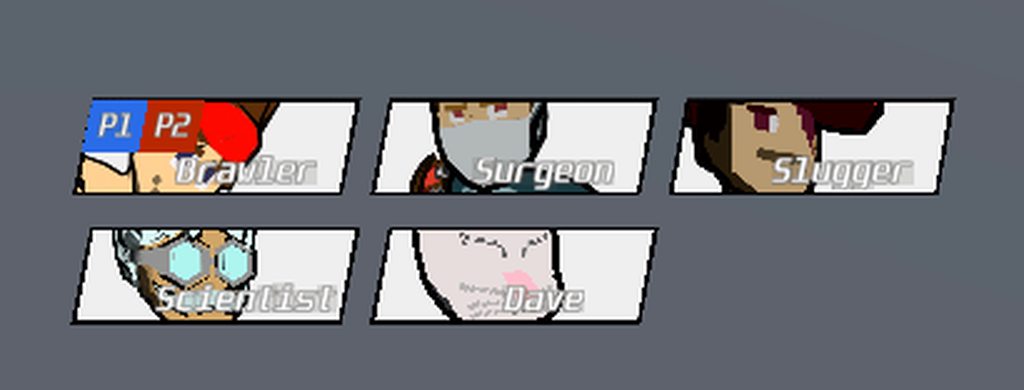
 nova flower
hey, I'm trying to make an overlay that obstructs ui to prevent it from being clicked
i created a rawimage (also tested with image) that goes on top of ui with the raycast target box checked
the color is set to black slightly transparent
the issue is that I can still click a UnityEngine.UI.Button that's behind, is that an expected result?


The UI Button I'm trying to block is inside Menu Canvas
(I've tried putting it both under and above in the hierarchy)
low pike
UI is drawn in hierarchy order - from top (first) to bottom (last) .. your blocker isn't on top of anything
nova flower
low pike
UI is drawn in hierarchy order - from top (first) to bottom (last) .. your block...
so if they are on the same level in hierarchy, they can 't be above or below one another?
low pike
it isn't possible to have anything on the same level in the heirarchy
nova flower
low pike
it isn't possible to have anything on the same level in the heirarchy
So my global canvas should be on top of my main menu canvas then?
low pike
If you want the 'Raycast Blocker' to block things on the 'Menu Canvas' then yes.
nova flower
low pike
If you want the 'Raycast Blocker' to block things on the 'Menu Canvas' then yes.
That's what I thought too.. yet it's not working somehow
low pike
'somehow' == because you've not got ti setup right 😄
Does global canvas have a graphics raycaster on it.
if it has a canvas group on it, are the tick boxes endabled?
are both canvases on the order 0? (on canvas component)
nova flower
low pike
Does global canvas have a graphics raycaster on it.
ah forgot about that, tyvm!
sort order i set to 999 just to be safe
low pike
nova flower
So my global canvas should be on top of my main menu canvas then?
I don't think this matters then .. use the sort order to say which canvas is in front of the other. The hierarchy ordering is for the children of that canvas
celest lodge
is there a way to fake perspective in UI?


the first one is with screenspace camera, and the second is without.
mortal robin
celest lodge
Postprocessing is one way
celest lodge
screen space camera looks good but if im too close to a wall, it gets obscured by the wall
so i want to use overlay, but then the effect is lost.
mortal robin
celest lodge
screen space camera looks good but if im too close to a wall, it gets obscured b...
You could draw the UI on a secondary overlay camera
celest lodge
mortal robin
You could draw the UI on a secondary overlay camera
oo interesting, how would i get that overlaid on the main camera?
or like
drawn to the screen
mortal robin
Just set up an overlay camera
And use the culling masks on the cameras to determine what each one sees
celest lodge
mortal robin
And use the culling masks on the cameras to determine what each one sees
Okay i've created an overlay camera that can only see the UI layer, and the main camera can see everything, but i can't see the UI. the hovering is still audible, so its there, but i can't see it. what have i done wrong?

wait i fixed it
i added it to the camera stack
celest lodge
i'm trying to make a scrolling marquee text. I have this thing that works in a overlay space, but in a world space, it doesnt seem to show any text.
 low pike
look on the other side
 low pike
it's the right way
celest lodge
nvm i fixed my problem
low pike
celest lodge
nvm i fixed my problem
In future things to check (and share... so that we don't have to go through each thing..)
- it's facing the right way
- colour, make sure alpha isn't 0
- no canvas groups are set to alpha 0
- alignment
- everything is enabled
celest lodge
low pike
In future things to check (and share... so that we don't have to go through each...
okay, thanks!
 meager apex
hi im trying to link my button to a method in my script but for some reason its not detecting the method

its already linked to the object
!code
 onyx flowerBOT

Posting code
📃 Large Code Blocks
Use links to services like:
https://gdl.space/, https://paste.ofcode.org/, https://hatebin.com/, https://paste.myst.rs/, https://hastebin.com/
📃 Inline Code
Surround code with three backquotes. Not quotation marks.
To format as C#, add cs to the first line:
```cs
// Your code here
```
Add a comment with a line number if there is an error message.
meager apex
this is the code for the method
oh nvm i figured it out
hi i managed to link the button but for some reason i cannot click on it or use the textinputfield
low pike
meager apex
hi i managed to link the button but for some reason i cannot click on it or use ...
things to check
- is anything blocking them
- have you got an active event system in the scene
- is there a canvas group present (on itself or any of the parent objects) and are the two interactable box ticked
- is there a graphics caster on the canvas game object
- are you using the new input sytem? -> If so I believe the setup is different for interacting with UI..
meager apex
low pike
things to check
- is anything blocking them
- have you got an active event syste...
oh yea it was the event system thank you for the help
i accidentally deleted it from the hierarchy
nova flower
i have an issue with my canvas drawing behind the game geometry (clipping)
here's my global canvas, the camera is set to the same one that draws the geometry like this


yet, it's draw under the geometry, thoughts?
wish i could just use an overlay canvas but it breaks the ui sprites in my canvas (invisible in play mode)
low pike
nova flower
wish i could just use an overlay canvas but it breaks the ui sprites in my canva...
you've two choices.
- lower the plane distance on the screen space - camera canvas
- use Overlay and fix the issue
rapid ferry
hii, I was trying to make a text in Unity with this kind of stylization by using TextMesh Pro but found out it being a bit hard than it should be since the outline was getting inside the text and I couldn't move the offset of the outline... what's the best recommendation to recreate something like this?
 nova flower
low pike
you've two choices.
- lower the plane distance on the screen space - camera can...
nova flower
low pike
you've two choices.
- lower the plane distance on the screen space - camera can...
yeah, i guess there's no reason not to have a super low plane distance?
low pike
Unsure of the answer to that, I've never used screenspace camera
low pike
rapid ferry
hii, I was trying to make a text in Unity with this kind of stylization by using...
I do not believe there's a built in way to do this. The solution is either to write your own shader or buy one
OR do it a hacky way and have an additional TMP underneath, slightly offset to create the shadow
rapid ferry
yheea I was planning on trying to do my own shader or script to be able to do it
 low pike
what's in an inventory bar?
 foggy harness
 foggy harness
inventory bar contains a couple inventoryslot prefabs

which looks like this
the white square is an image, I just put it like that because I was debugging
foggy harness
low pike
so the 100 width isn't too short?
yeah, the buttons just spill out
ok, thanks for trying to help, I think I may know where to look
foggy harness
I got it. for the horizontal layout group, Control Child Size defaults to true in-game, and defaults to false in editor
I just have to explicitly set it in code for it to work as expected
wow 💀 what a stupid thing to lose a lot of time over
 north void
to make sure it fits most screens, should i be setting it to the scaling id expect people to use or the reference resolution to the smallest one possible?

because my screen is 1920 x 1080
ive never really understood how im supposed to do this part
north void
i dont understand...


okay i should be testing out the UI on the Full HD option, right?
because thats what my reference resolution is set to?
north void
im just going to do that from now on
celest lodge
im trying to mess with text stuff, but i keep getting these errors. how do i fix this?
 tardy canyon
Anyone know the proper way to activate and deactivate an input field for controller support?
I really hate pressing submit twice to deselect it
I want to be able to call DeactivateInputField() and go back to the selected, but none interacting state
If that makes sense
Seems simple but can't for the life of me figure out what I need to call
low pike
north void
okay i should be testing out the UI on the Full HD option, right?
Yes, never setup UI while the game view is in 'free aspect'
tardy canyon
tardy canyon
I want to be able to call DeactivateInputField() and go back to the selected, bu...
Im going to guess that Unity hasnt fixed this yet, last post i read is from 9 years ago
9 years and we still presumably need to use a wrapper for inputfields is crazy
 torn marlin
Thoughts on this as a Turn Order Tracker for a turn based game?
 heavy sentinel
torn marlin
https://cdn.discordapp.com/attachments/1182065885834379274/1307086781740486728/i...
heavy sentinel
torn marlin
https://cdn.discordapp.com/attachments/1182065885834379274/1307086781740486728/i...
Not sure what kind of game it is. If it's a game where players have multiple units, it might make it easier for players to track their order if you add some visual representation of the unit's ownership (e.g. a strip in its team's color).
 wispy bay
For TMP text assets is there any way to make the "Italic style" less than 15? Or am I gonna have to use something else to make it that
low pike
does it not depend on the font ?
sinful pilot
i've been trying for like 3 hours to make my ui elements layer over tilemaps and so far i have not been sucessful

how would i achieve this?
also how do you order ui elements in layers
celest lodge
My pause menu buttons are not pressing. I've disabled every other graphics raycaster and every other canvas, but highlighting is still not working 😭 in a scene by itself, the buttons do work, so im not certain whats happening here

what else would block scanning like that?
mortal robin
celest lodge
My pause menu buttons are not pressing. I've disabled every other graphics rayca...
I don't see an event system?
mortal robin
sinful pilot
i've been trying for like 3 hours to make my ui elements layer over tilemaps and...
Use an overlay canvas, or a screen space camera canvas with a plane distance smaller than the distance from your camera to the tilemap
or - draw that UI on a stacked camera
sinful pilot
mortal robin
Use an overlay canvas, or a screen space camera canvas with a plane distance sma...
fixed both of my issues, TY!!!!
 round dome
I design ui
celest lodge
mortal robin
I don't see an event system?
there is not one, i didnt realise. thank you!
 sullen vine
anyone know how to fix this issue where when i try set the render mode of the canvas to the screen space camera, it comes up as black. i'm trying to get it so the UI also renders in a lower pixel size(?)
the game objects renders in a lower texture but not the ui

 azure flame
sullen vine
anyone know how to fix this issue where when i try set the render mode of the ca...
azure flame
sullen vine
anyone know how to fix this issue where when i try set the render mode of the ca...
Camera space is a world space fixed to a camera. Your camera parented to a character and default plane distance is 100, placing UI far behind the character. Make sure it's between the character and the camera or render it with different camera.
sullen vine
azure flame
Camera space is a world space fixed to a camera. Your camera parented to a chara...
Tysm I’ll give it a try once I’m back
 vernal granite
Hi there (moved message)
just wanted to ask, how do y'all ensure UI navigation when switching between Mouse & Controller inputs?
golden stump
I can not seem to combine a panel with horizontal layout, with a shadow, properly. Because the panel auto lays out depending on when I hide or show children but then the shadow does not always scale to fit. Probably because I can not see how to do it without 2 content size fitters - 1 to control panel and one to size shadow (which is the parent)
ah seems you set first layout group to control child size and remove child content size fitter. It is not easy to understand!
 sturdy crown


can any one explain why tmpro text is doing this on run time but not in the editor
driving me crazy
 heavy sentinel
sturdy crown
can any one explain why tmpro text is doing this on run time but not in the edit...
heavy sentinel
sturdy crown
can any one explain why tmpro text is doing this on run time but not in the edit...
Some text in the background seems to work. Does it have a different font or material?
sturdy crown
heavy sentinel
Some text in the background seems to work. Does it have a different font or mate...
text mesh in the background, and different font as i read something about the materials conflicting
sturdy crown
if i forget screen space, theres no issue either

Never mind, i have found the issue. UI element scale is setting to 0 on the Z axis at run time, seems to be the issue, but not sure why lol
 sharp kite
How can I make sure that the "Pixels Per Unit Multiplier" scales to the current resolution? The edges get rounder and rounder the lower the resolution


Also, the items in the Vertical layout group don't scale. I want them to be perfectly square every time with the same spacing. Just the scale should change

 mortal robin
sharp kite
How can I make sure that the "Pixels Per Unit Multiplier" scales to the current ...
mortal robin
sharp kite
How can I make sure that the "Pixels Per Unit Multiplier" scales to the current ...
If 9 slicing isn't working properly it's usually because you've scaled some object in the hiearchy instead of resizing it.
you should basically never touch the scale on UGUI RectTransforms unless you're doing something out of the ordinary
rapid ferry
why doesnt this work for me? I am trying both mask and rect mask 2d

 celest lodge
how can I get a callback for pressing enter inside an input field? end edit will call for when you click off. I just want it so enter does something
low pike
submitevent , maybe
sharp kite
mortal robin
If 9 slicing isn't working properly it's usually because you've _scaled_ some ob...
Thank you for the response. I haven't scaled any of the RectTransforms. I think it's because it used pixels to determine the 9-slicing. The elements stretch to fit the resolution based on percentages of the screen they should take up, but the 9-slicing works in pixels. I just don't know how to fix it

 fervent fox
Edit: Fixed
 mint dust
I have this image (discord logo), and i want to have it into my button, but when i drap and drop it in "Source Image" in the Image component it doesnt work
If someone can tell me what i did wrong

 mint dust
i still need help 😦
low pike
mint dust
i still need help 😦
You have the 'Sprite Mode' set as 'Multiple', change it to 'Single'
 spare rapids
hey I am having a problem with a scroll view where the content appears correct in the editor, but when I play the game it is always shifted left. Any UI experts that may know what my issue is? I can screenshare.

 low pike
from the information provided, cant know for sure
spare rapids
low pike
from the information provided, cant know for sure
I am not really sure what information I can provide thus I'd like to be able to screenshare with anyone that may have a few minutes.
low pike
no one is gonna screenshare
for a start.. show screenshots of the gameobjects that can affect the layout - the one you've chosen has no components on it
Desc is the first one
spare rapids
low pike
no one is gonna screenshare
I have screenshared previously. And I have helped someone else with screenshare. it is very useful.
spare rapids
low pike
Desc is the first one
 low pike
right, I see the issue now.. struggling with the size of the text on your images on my screen
Content is moving.. you've got it anchored weird
spare rapids
Yes, something is definitely off... I thought it might be the anchoring, but im just not getting it...
low pike
Anchor it to the top middle, put a vertical layout group on it and tell it to stretch to the size of the children
and then let's see what's on Viewport
spare rapids
k. is this the change you were looking for with the desc?
 spare rapids
low pike
and then let's see what's on `Viewport`
spare rapids
low pike
and then let's see what's on `Viewport`
Here is the viewport
 low pike
ok , nothing to change there
spare rapids
k. After testing with the vertical layout group on the desc gameobject it is still shifted left. Hmmm...
low pike
Check ALL the game objects up to diaglogue one and see if they move
spare rapids
low pike
Check ALL the game objects up to diaglogue one and see if they move
I'm sorry. I am not understanding that direction. "Check"?
spare rapids
low pike
see what happens to them in play mode
k. when I look in the hierarchy the first one to be placed incorrectly is the content.

It is shifted left and outside of the viewport
low pike
pls don't cut off info
you've still got that object pivot at the bottom, it should be at the top and anchored to 0,0
if you toggle the viewport off/on does the layout change
spare rapids
I think i have the content as you suggested now.
 spare rapids
low pike
if you toggle the viewport off/on does the layout change
spare rapids
low pike
if you toggle the viewport off/on does the layout change
toggling the viewport off does not change the layout
low pike
I can't remember if anything references Content - look on scroll view and dialoguepanel for a link to content
spare rapids
low pike
I can't remember if anything references Content - look on scroll view and dialog...
 low pike
I doubt it makes a difference in this case, but "never" change the scale of UI elements. Always resize with width/ height..
you've got the scale uniform, so it's probably ok.. but change it back to 1,1,1 and get the size correct with width/ height
spare rapids
hmmm... so yeah... if I want to hide the ui element then setting scale to 0 is not the way to go? I should use width/height?
low pike
for animating on/ off you can change the scale - lerp/ tweening between 0->1 .. that's fine
spare rapids
low pike
for animating on/ off you can change the scale - lerp/ tweening between 0->1 .. ...
well, after wrestling with it for a while and implementing your suggestions I am able to get it to look correct in the editor and when playing in the editor. However, when I build to my android device the text is not correct.
 low pike
this now becomes even more frustrating, because you cant see the inspector
spare rapids
low pike
for animating on/ off you can change the scale - lerp/ tweening between 0->1 .. ...
Ok. Getting closer. I placed a vertical layout group component on the viewport and that seemed to get everything positioned correctly. Maybe you told me to do this? I had the vertical layout group on the Desc gameobject previously.
So this works much better for the horizontal positioning, but now the scroll bar starts at the bottom so you have to scroll up to see the content. need it to start at the top. Hmmm...
 low pike
I said to put it on Content
Your pivots and anchors are (or were) all aligned at the bottom
spare rapids
low pike
Your pivots and anchors are (or were) all aligned at the bottom
Got it! Had to set the Y pivot on Content to 1. Seems to be working well now. Thank you for your time!
 void quail
can you set a simple string by using the TextMeshProUGUI.text property? I keep trying and I'm getting nullRef exceptions
mortal robin
void quail
can you set a simple string by using the TextMeshProUGUI.text property? I keep ...
That's what it's for
If you're getting an NRE that would be for the typical reasons
You're trying to access a null reference
Whatever variable you're calling .text on is null
void quail
mortal robin
That's what it's for
ok thanks. I wanted to make sure I wasn't going crazy or missing something obscure with how TMP works. I'll do another audit and see why it's nulling out
torn marlin
I did some research into other games I like for inspiration, and have been working on a mockup for my game's battle UI.
Thoughts on this setup? Too noisy? Anything seem out of place?
This is basically what you would see once your turn begins, before you open any menus or use any actions.

 midnight gate
Specific Post-Processing + UI Issue regarding Chromatic Aberration
 radiant turtle
Why wont my textmeshpro text let me turn on outline or anything else? Its all grayed out
 low pike
why would you share a screenshot of it without Outline expanded?
 low pike
Reddit
Explore this post and more from the Unity3D community
 royal sky
If I put an input field down but can't edit it in play mode, is there some setting or configuration I should be checking?
honest saffron
royal sky
If I put an input field down but can't edit it in play mode, is there some setti...
is it detecting your click?
royal sky
honest saffron
is it detecting your click?
It doesn't seem to be. The edit cursor doesn't appear.
honest saffron
royal sky
It doesn't seem to be. The edit cursor doesn't appear.
check if you have an eventsystem in your scene (if you have anything else in your scene that is clickable and that works then this part is fine), the second cause might be that something else is covering it up. if you click on it without being in play mode, does it select it immediately or does it select something else? could be some text which has bounds that are too big and covering it up for example
royal sky
honest saffron
check if you have an eventsystem in your scene (if you have anything else in you...
No event system
honest saffron
royal sky
No event system
you can create that easily with Create > Event System or something like that. in your hierarchy
royal sky
honest saffron
check if you have an eventsystem in your scene (if you have anything else in you...
ok cool
royal sky
honest saffron
you can create that easily with Create > Event System or something like that. in...
That did the trick. Thank you!
 spice horizon
hiya
i've got a very specific problem
i'm using Lerps and Coroutines to transition menus in/out
and it all works great except for Color Alphas
basically i used to do this via Animator, i'm now doing it via code now
and it seems that in Image components, the Color component doesnt Lerp the Alpha value in the same way in Animator vs acessing its fields via code
basically i'm trying to lerp betwen 0/255 Alpha and 5/255 Alpha on a Color and in code it goes via steps (0, then 1, then 2, etc)
via Animator it smoothly interploates it from 0 to 5 and looks much better
is there a way to fix this? i cant just "scale the colors up" unfortunately
ionic beacon
Show the code
spice horizon
i'm just using Color.Lerp
lerping on Time.unscaledDeltaTime and it works great for everything else than Color.Lerp
so i'm thinking it must be casting the Alpha to an int
ionic beacon
Could be, but can't tell without seeing the code ¯_(ツ)_/¯
mortal robin
spice horizon
i'm just using Color.Lerp
Not e that Color uses a float between 0 and 1, not 0 and 255
 wheat venture
sup gang

I have this button, which for some reason I can't raycast it
everything else works except for 2 of my buttons

I tried removing and readding the button component, changing the objects parent but still nothing work
they don't even get highlighted
the pink button btw, I tried moving it around the screen and still
mortal robin
wheat venture
the pink button btw, I tried moving it around the screen and still
Does your scene have an event system?
wheat venture
yeah, it's probably because of my mask I think
wheat venture
cause I made the buttons a separate object from my scroll list and such~ and now they work 🤔 ... it's messy... I'm just happy it works XD
but I appreciate you coming to help ❤️ It works nicely
 craggy stag
UI toolkit will replace UGUI?
wild pebble
craggy stag
UI toolkit will replace UGUI?
Yes
 violet sandal
i have a massive performance problem with a ui screen in my game.
It takes about 4 seconds and 277 drawcalls to open it, and i have no real clue how to fix that.
It seems that every single element is loaded piece by piece.
I created a video of the frame debugger while loading the ui.
mortal robin
violet sandal
i have a massive performance problem with a ui screen in my game.
It takes about...
This might help
https://unity.com/how-to/unity-ui-optimization-tips
violet sandal
mortal robin
This might help
https://unity.com/how-to/unity-ui-optimization-tips
ill have a look 🙂
violet sandal
mortal robin
This might help
https://unity.com/how-to/unity-ui-optimization-tips
Sadly nothing happened.
It seems that the initialisation of the UI is the problem.
It needs 4000ms to open the screen. When its opened, it runs at 10000fps ^^
honest saffron
violet sandal
Sadly nothing happened.
It seems that the initialisation of the UI is the proble...
could it be coming from your code? or is it just from the ui being enabled?
did you try using the profiler?
violet sandal
honest saffron
could it be coming from your code? or is it just from the ui being enabled?
yeah, sure. The profiler says that:

we have a bunch of tooltips in this screen which are loaded
feels like initiating the TMP loads forever
honest saffron
violet sandal
feels like initiating the TMP loads forever
well if you google this then you see a message from the creator of textmeshpro that says text autosize destroys your performance if you're using it on those objects, are you?
celest lodge
why does the text on the bottom right have a weird square around it?

 plain thicket
using textmesh pro:
i have a text box for users to input messages, and recently after updating to unity 6 i notice this box at the end of the text. how can i disable it?

 azure flame
plain thicket
using textmesh pro:
i have a text box for users to input messages, and recently ...
azure flame
plain thicket
using textmesh pro:
i have a text box for users to input messages, and recently ...
Do you have that if you create default new input field?
plain thicket
seemingly not, just tried
i should mention its only with text input fields and not normal text
azure flame
then examine it and compare what creates that
honest saffron
plain thicket
i should mention its only with text input fields and not normal text
have you looked at all the settings the textmeshpro input field has? through the inspector
plain thicket
i had looked through them but didnt notice anything out of the ordinary. i have to compare the fresh one to the old one. thanks both
 teal gust
wheat venture
teal gust
wheat venture
How do you have those colors associated with the different tree branches in the scene view? :o
low pike
teal gust
How do you have those colors associated with the different tree branches in the ...
asset from the asset store
teal gust
Yeah but like. What's the asset?
Im dyslexic and have an awful time telling scopes apart in the scene tree
low pike
search in the store 'hierarchy'
wheat venture
teal gust
How do you have those colors associated with the different tree branches in the ...
what?
ohhh
the hierarchy

Use the Rainbow Hierarchy 2 from Borodar on your next project. Find this utility tool & more on the Unity Asset Store.
it's $15
and this one is free

Febucci
Custom Hierarchy for Unity' helps you organizinig all your gameObjects automatically, drawing icons for each Component, a 'tree view' and more.
teal gust
Hell yeah!
 errant saddle
I have a GUIWindow that has a custom style, when not selecting the window, it draws the style properly (1st image), when selecting the window, it draws incorrectly (2nd image). How do i make it draw the exact same way both when selected and unselected?

 torn marlin
Attention Width is the resource/meter which determines how many things you can focus on at once, so, for example, Summoning a minion will occupy some of your Attention Width, since you have to focus on commanding them, and maintaining a psychic grip on an enemy also takes up some of your Attention Width, since you have to focus on them the entire time you're doing it.
Attention Width is not permanently lost when doing this, but rather, limits how many "effects" you can have out at once.
Considering that, which conveys better, in your opinion:
Your Attention Width (Basically Focus Points) Fill up as you divide your focus among multiple things (The meter starts empty, and fills up as you summon more things)
Your Attention Width depletes as you divide your focus among multiple things. (So the meter starts full, and empties like any other resource)

 night river
Is there something you have to set to be able to add children to "content" of a scroll view

Set content to have Vertical Layout Group. And then added the two children maually as a test
and nada they aren't showing
 scarlet jetty
How should I handle the situation where a user has the in-game menu open to adjust settings and they get disconnected from the host and kicked back out to the main menu? Should I leave the settings UI up until they close it? My concern is that if they are in the middle of changing something, it could be misleading whether or not their changes to effect
 brave tide
I please would like to ask for help regarding Fonts.
I need to use fonts that support English, Japanese, Simplified Chinese and Korean, and I have tracked down a couple of fonts to use, however because my App uses TMP, I need to convert a lot of those font files to SDF files, which causes a lot of the font data to get lost.
This results in a lot of Characters going missing.
So far, google has not been of much help.
Does anyone please know how I can convert normal font files to SDF files without Characters being lost, or perhaps know another way that I can properly use these fonts?
The nuclear option is that I completely remove TMP from the project and use the base UI elements that work with the original fonts, but that would most likely cause more problems than it would solve.
 cyan pumice
does anyone know why my prefab within a within prefab isnt displaying proply?
 low pike
all Z pos should be 0 - it doesn't affect the draw order of UI, draw order goes off order in hierarchy from top (first) to bottom (last)
The Canvas component also has a 'draw order' field on it
 vapid edge
scarlet jetty
How should I handle the situation where a user has the in-game menu open to adju...
vapid edge
scarlet jetty
How should I handle the situation where a user has the in-game menu open to adju...
I think you should make it somehow visible in the background that they were dropped, but keep the settings menu open until they close it
 quartz whale
Any idea why the keyboard changes size when built?


nvm I figured it out, had canvas scaler set to 1
rapid ferry
does anyone know how to put post processing on some items in a canvas?
im very new to ui in general but i want my post processing volume to affect these things but not the monitor which is supposed overlay ontop of it


 long timber
anyone here got any ideas / tips how i can improve my UI? the combo thing is only on screen for 1 second after you kill an enemy


 mild kernel
Don't use default font? Don't use solid bars that look placeholder?
You can use https://www.gameuidatabase.com/ for inspiration.

Game UI Database
The ultimate interface reference Tool for game designers. Explore over 1,300 games, and 55,000 UI screenshots and videos, and filter by screen category, animation, colour, material, layout, texture, shapes, patterns, genre and more!
long timber
its not default font
ive tried to make it look clean and not super over the top
like the aethetic of the maps
i meant moreso layout
i just dont want it to be cluttered
quartz whale
any idea how I could improve this keyboard? it feels really clunky on mobile and I'm not sure why
 celest lodge
https://www.youtube.com/watch?v=_SxB5xrLGhQ
anyone know how I could recreate the loading effect at the very start? where it like scratches through some iamge and then loads?

Compilation of all character victory animations in Super Smash Bros. Ultimate for the Nintendo Switch (DLC Included)
00:00 Mario
00:24 Donkey Kong
00:47 Link
01:09 Samus
01:29 Dark Samus
01:54 Yoshi
02:18 Kirby
02:36 Fox
02:57 Pikachu
03:18 Luigi
03:43 Ness
04:04 Captain Falcon
04:26 Jigglypuff
04:49 Peach
05:13 Daisy
05:38 Bowser
06:01 Ice Cli...
low pike
@honest herald let's move here, to the correct channel
If you add an image to the canvas is that visible?
 honest herald
let me try
if I do this I don't see anything in the headset, and in the scene I just see a blue circle instead of the image
 low pike
the blue circle is the pivot
I wonder if either of the warnings you have on your canvas are the reason
fix them I guess
honest herald
so I tried to fix it, this is weird, the warning goes away only if I put "nothing" on the additional shader channels. However, when I build the project, it automatically goes back to select a list of things:

and it still won't appear
(on the headset or in the scene)
low pike
select everything
honest herald
I tried and built, it stayed at "everything" setting however still nothing on the headset, and the scene still has the blue circle
low pike
stop building, just get it working in editor first - building wont make a difference
"the blue circle" is the pivot.. the gizmo, it is supposed to be there and is only in the scene view
also, this is a screen space overlay canvas.. you will NEVER see anything in the headset. This type of canvas can't be used in VR... but you should still be seeing it in the scene view
honest herald
I see, ok. So in order to see something in VR I should use something else than that screen space overlay canvas?
honest herald
ok, now that I put it in screen space camera I can see that stuff in front of my nose, however I lost the rest (passthrough, transparent cube, etc). I think I must be close
pliant ether
celest lodge
https://www.youtube.com/watch?v=_SxB5xrLGhQ
anyone know how I could recreate th...
Adobe Ae
pliant ether
celest lodge
what
I would use Ae and export it.
There is likely a better way but that how I do mine.
celest lodge
pliant ether
I would use Ae and export it.
but export it how, i dont understand. waht are you exporting?
pliant ether
celest lodge
but export it how, i dont understand. waht are you exporting?
The after effects file
celest lodge
pliant ether
The after effects file
what is the after effects file for. what is the actual effect youre making in after effects
honest herald
must be some kind of layer order thing. When I have the camera and canvas, I just don't see through with the passthrough anymore. I just get the background of unity (blue sky and brown earth)
or i am not sure what it can be
pliant ether
celest lodge
what is the after effects file for. what is the actual effect youre making in af...
Yes. I make them in affect effects and export them to Unity
celest lodge
pliant ether
Yes. I make them in affect effects and export them to Unity
i dont think you understand my question
low pike
I don’t think you understand the answer
The fancy background stuff can be made in AE , exported into a format for Unity. Then you use it in Unity with the models and post processing.
celest lodge
low pike
The fancy background stuff can be made in AE , exported into a format for Unity....
what do you actually export, im confused. i assumed the screen fracture was like a shader or something
 summer swan
Hey there, I'm making a PSX style game, and I would like the canvas to match the low-resolution aesthetic of the rest of the game, however I'm not sure how to get the UI to kinda 'Scale down' if that makes sense.
For example, here's a picture of my scene: How would I get the text/ui to a lower resolution similar to the rest of the scene

 lilac egret
How can i make the Image component shift the tiled sprite, like, animated?


 lilac egret
Nvm i noiced if i change the size of the image the sprite shifts relative to the camera becouse it's computing the sprite from the corners so im just changing the size using:
Background.sizeDelta = new Vector2(3000, 2000 - (spriteSize * 2) + ((Time.time * 80) % (spriteSize * 2)));
which is enough for a shifting look
celest lodge
how can i make a scroll rect start at the bottom instead of the top?
 lilac egret
celest lodge
how can i make a scroll rect start at the bottom instead of the top?
lilac egret
celest lodge
how can i make a scroll rect start at the bottom instead of the top?
You mean the scrollbar? Idk what a scroll rect is but i've worked with UI enough in the past months that i think i can help.
celest lodge
lilac egret
You mean the scrollbar? Idk what a scroll rect is but i've worked with UI enough...
the scroll rect is like the area where the messages are kept
it starts at the top, but i want it to start at the bottom
celest lodge
ive fixed it
 serene tusk
summer swan
For example, here's a picture of my scene: How would I get the text/ui to a lowe...
serene tusk
summer swan
For example, here's a picture of my scene: How would I get the text/ui to a lowe...
try setting the Canvas Render Mode to world space or screen space - camera
summer swan
serene tusk
try setting the Canvas Render Mode to world space or screen space - camera
Thanks
celest lodge
is there a way to make the text go along the slant?

i tried doing it manually but
it doesnt looks very good
low pike
colliders and raycasting isn't required for world space ui
what is the map? UI?
oh, sorry.. the 3d environment
how come the inventory is using world space UI?
Select the canvas -> change the layer to UI -> say yes to change child layers too
This won't fix the issue on its own, but should be something you do anyway

can or cant?
🙂
The inventory looks like it could be screenspace, and keep the dialogue/ popup UI as worldspace
.. assuming there's no interaction on them
screen space camera or overlay
that doesn't make sense to my question 🤔
screen space overlay can't be blocked by the world
so on the screenspace camera setting - what plane distance do you have set?
 vivid path
Hi. I was wondering if anyone knows how to make an element in a scroll rect become a header. I'm trying to achieve something like this: https://youtu.be/jXCrM1rzLZY?si=nnvxm5tIKOG-3_xF&t=71
Thanks in advance.

Retweet: http://clicktotweet.com/lUIci
Name: iOS 6: App Store
Description: An in-depth overview of the new features contained within the iOS 6 version of the App Store.
~Gear I use~
Camera I use: https://amzn.to/2GyStT0
New favorite lens for it: https://amzn.to/2JjJJ4P
Other great lens: https://amzn.to/2JeKHPI
^But you need this adapter: https...
 low pike
 neon birch
how can i make the map less seeying trhew set a alr at 255
neon birch
how can i make the map less seeying trhew set a alr at 255
I can't understand this.. too many typos and poorly written question
and what is the map there? the scroll that is selected?
neon birch

this is just the start menu
you can see the mountain in the start menu want it to be less transparent
low pike
I cannot see the mountain through the scroll. Only where nothing is covering it
neon birch
oh guess im triping then 
low pike
your scroll has some pattern on it - disable the mountains gameobject and it'll still be there
or just move the scroll around, the pattern wont change
neon birch
low pike
or just move the scroll around, the pattern wont change
yeah i see my bad
 gloomy raven
Hey All, Can anybody tell me how can i create this game?
 mortal robin
gloomy raven
Hey All, Can anybody tell me how can i create this game?
mortal robin
gloomy raven
Hey All, Can anybody tell me how can i create this game?
"how do i make this entire game" is way too broad a question. Also what does it have to do with UI?
 nocturne valley
why does my canvas, that is an overlay canvas with just a constant pixel size canvas scaler, with 0 scene changes between 2 projects, display buttons in completely different spots between the 2 projects?
it's the same resolution, same screen, same anchoring, same everything. But in one project, buttons render properly in a corner, the other it's at the bottom of the screen
mortal robin
nocturne valley
it's the same resolution, same screen, same anchoring, same everything. But in o...
it's the same resolution, same screen, same anchoring, same everything.
I would venture that you are mistaken about something here.
possibly different canvas scaler settings for example
nocturne valley
maybe--I even created a new scene, dropped in the prefab instance, changed NOTHING, and it still is different
mortal robin
nocturne valley
maybe--I even created a new scene, dropped in the prefab instance, changed NOTHI...
what's in the prefab?
nocturne valley
I'm losing my mind. I'm going to make a text asset in the scene to display all of the info on the parent transform
mortal robin
why not just look at the inspector(s)?
nocturne valley
it only displays this behavior on a build
in the editor it behaves correctly
inside the prefab lives a canvas (overlay), a root rect transform under that has a button under the rect transform. the rect transform has a horizontal layout group object that has the same settings between each project
mortal robin
nocturne valley
it only displays this behavior on a build
For what platform? Could you recreate it by setting the resolution in game view?
nocturne valley
windows--I set the game view resolution to be the same as the target build resolution
I've played around with nuking the horizontal layout group and it just never works right
I've tried setting the anchored position of the rect transform at runtime too and in the problem scene it seems to think the highest y value is 400 (which is like a 3rd of the screen size vertical)
mortal robin
nocturne valley
inside the prefab lives a canvas (overlay), a root rect transform under that has...
Are the two projects on the same Unity version?
nocturne valley
Yes
nocturne valley
Hm I'm going to try recreating it from scratch--there may be a prefab specific change that is messing up the anchoring
nocturne valley
Yeah no, recreating it to be exactly the same--in one project the button appears in the top left, the other project it appears in the bottom left corner. Both are anchored to the bottom left corner
mortal robin
nocturne valley
Yeah no, recreating it to be exactly the same--in one project the button appears...
Any difference on the anchor settings of the parent?
IIRC the direction of the group layout depends on where the parent is anchored... or something
I always have to re-figure this stuff out
nocturne valley
no differences bettween the projects
mortal robin
I mean, presumably something is different. It's not like Unity is doing a hash on the project name or something... right?
nocturne valley
well yes the projects are different. I could create 2 additional projects and drop this in. There's no scripts making any changes to these ui items either
In this case, I need to anchor to the bottom left corner and move the layout group containing the button up to kinda be in the upper left corner--the anchoring on the bottom left is important so it always has the same height
I think in this specific case it's a Unity bug
quartz whale
does the shadow component just not work with textmeshprougui?
 shell trout
Hello everyone, beginner here wondering if you can help me, my issue is simple. Color of font is different from the one I chose. Already tried to change the materials, but all the others look even worse (blurry, change colors, etc.)


 sharp kite
Hi! I am wondering if there is a way to remove the extra spacing on the bottom of the "Dropdown List" that is created. Thanks in advance
 nocturne valley
I think in this specific case it's a Unity bug
nocturne valley
nocturne valley
I think in this specific case it's a Unity bug
it's changing the Y value in one project from being set at 1100 to 0. When I set the position using
GetComponent<RectTransform>().position = new Vector3(xPos, yPos, 0);
(also tried using anchoredPosition w/ vec2)
it sets the yPosition value like 4x the value put in.
aha, I see why. I was setting the position via registry key and it was reading default hexadecimal. Using decimal and setting position works normally. Now to figure out WHY unity is resetting the y position at all
 supple basalt
sharp kite
Hi! I am wondering if there is a way to remove the extra spacing on the bottom o...
supple basalt
sharp kite
Hi! I am wondering if there is a way to remove the extra spacing on the bottom o...
Make sure that Lighting isn't just taking up a lot of space. Select its object and see if its rectangle reaches all the way to the bottom of the dropdown
(you'll need to unfold Content)
sharp kite
supple basalt
Make sure that Lighting isn't just taking up a lot of space. Select its object a...
Thank you. Now I've checked that it doesn't

How do I proceed from here?
supple basalt
Looks like I have something similar going on in my game. I have a little gap at the bottom of a dropdown
 sharp kite
supple basalt
Looks like I have something similar going on in my game. I have a little gap at ...
sharp kite
supple basalt
Looks like I have something similar going on in my game. I have a little gap at ...
Interesting. I don't suppose that there is an easy fix?
supple basalt
had to snoop around in the code, but it looks like it measures the difference in height in that template between the "Content" and "Item" objects
If you reduce the height of the "Content" object to 20 (which is what I have for Item's height), the margin goes away

(i increased the height of Item to 28 here, but, same outcome)

There are no layout groups on these objects, so I knew it had to be somewhere in the dropdown code
All of Unity UI is implemented in a package, so you can actually look at how it works!
(not that it's easy to grok...)
sharp kite
supple basalt
If you reduce the height of the "Content" object to 20 (which is what I have for...
You're an angel 🙏 Thank you very much
supple basalt
no prob! now I know how that works, too :p
 rich crescent
Hello, I'm trying to make a slider ring with smoothed edges like in this video

Breathing exercises for kids are a way to learn important coping skills and build resilience. Practice mindfulness in a calming video exercise for children. | Subscribe and check out more great videos ➡ https://www.youtube.com/c/SagoMini | Giggles that help kids grow: https://sagomini.com/world/
Post a p...
Someone else recommended me to use 2 circles on each sliders end, is there any way i could achieve this or is this the way. if so how?
That's what i currently have
 low pike
There isn't a built in way, there are assets on the store that do procedural UI like this - check them to see if they do what you require
rich crescent
low pike
There isn't a built in way, there are assets on the store that do procedural UI ...
https://assetstore.unity.com/packages/tools/gui/procedural-health-and-progress-bars-237711 I only found this one which is out of budget for me

Use the Procedural Health and Progress Bars from Sam Schiffer on your next project. Find this GUI tool & more on the Unity Asset Store.
low pike
then I guess you'll have to do it the way you've already been suggested
 dark lance
Hey, guys. I have some buttons on my canvas and a RawImage above it all that just darkens the screen in transitions. Is there a way to make this RawImage untouchable? If it's above the buttons it won't let me press on them, and if it's under them it looks bad.
dark lance
dark lance
Hey, guys. I have some buttons on my canvas and a RawImage above it all that jus...
Problem solved, I found the Raycast Target variable

 pliant ether
serene tusk
what's these gray squares around the TextMeshPro Text
pliant ether
serene tusk
what's these gray squares around the TextMeshPro Text
Filtering probably
serene tusk
Any way to fix it?
celest lodge
why doesnt the caret show up in my text input?
low pike
serene tusk
Any way to fix it?
It’s usually because there isn’t enough padding in the font asset. Remake the .sdf with a larger padding.
Weird things can also happen if you use a font size of < 1
 modest flame
why is my 2d game looking all weird like this, is my text too small in text mesh pro?
 golden stump
Hi when importing images to Sprites they always get a 2 pixel border added and a new Image is sliced not simple. I don't need any 9 slicing for most sprites and it goes bad with atlasing anyway so can I change these defaults?
low pike
golden stump
Hi when importing images to Sprites they always get a 2 pixel border added and a...
Show the issue.
Show the import settings.
low pike
modest flame
why is my 2d game looking all weird like this, is my text too small in text mesh...
Show the inspector for the text.
golden stump

I have Import settings I can apply optionally but they can not sepcify border on import
azure flame
You can set default presets in Presets manager as well https://docs.unity3d.com/Manual/Presets.html
golden stump
azure flame
You can set default presets in Presets manager as well <https://docs.unity3d.com...
Ah yes I think it does take the border settings from an existing asset - it is just that those settings are invisible as you can not manually edit them in the preset inspector!
OK sorted thanks - their UI is missing all the details saved
editing via notepad I cansee the sprite border is saved
modest flame
low pike
Show the inspector for the text.
 low pike
you've left off loads of the inspector.
 devout hearth
Hey guys, i have a window with image, horizonalLayout and contentSizeFitter components, with a child text mesh pro that has a contentSizeFitter too. The problem is that when i set contentSizeFitter on parent to preferred, it uses the size of the image component from the same object. How do i make content size fitter ignore the image component?
supple basalt
devout hearth
Hey guys, i have a window with image, horizonalLayout and contentSizeFitter comp...
If the parent's horizontal layout group is already controlling the size of its children, then you must remove the content size fitter from the child object
Show your whole hierarchy
As for ignoring the image, I believe you'd just need to add a LayoutElement to the offending object (and then set the minimum and preferred sizes to whatever you want)
devout hearth
supple basalt
As for ignoring the image, I believe you'd just need to add a LayoutElement to t...
yes, i found out that if you put the type of the image to sliced it ignores it
supple basalt
That's because that changes how the Image component computes its minimum and preferred sizes
devout hearth
but you say it's not necessary?

(the content size fitter on tmp)
because if i remove the content size fitter on TMP it stops working
supple basalt
supple basalt
That's because that changes how the Image component computes its minimum and pre...
You can view the layout properties of an object in the inspector (you might have to expand the window; it can be collapsed down)
 supple basalt
devout hearth
(the content size fitter on tmp)
supple basalt
devout hearth
(the content size fitter on tmp)
Do you see a warning on the ContentSizeFitter you've attached to the text object?
devout hearth
supple basalt
Do you see a warning on the ContentSizeFitter you've attached to the text object...
yes, i do wanna avoid this, but i'm not sure if i can without coding my own layout system
i want to make it so when text dynamically becomes bigger, the parent becomes bigger too
this is the parent's configuration
 supple basalt
Turn off "Child Force Expand". Turn on "Control Child Size"
The default layout settings suck. I don't know why they're set up like that.
I guess they "just work" in very basic situations
devout hearth
supple basalt
Turn off "Child Force Expand". Turn on "Control Child Size"
ohhhh oh my god, thanks
supple basalt
supple basalt
Turn off "Child Force Expand". Turn on "Control Child Size"
This may cause your UI to implode down to 0 width / 0 height
In that case, that means your child objects aren't asking for any space. They either need layout groups (so they can ask for space for their OWN children) or LayoutElements (to ask for space on their own)
I really need to write a tutorial on this. I've explained it to quite a few people, haha
It's not very obvious from reading the documentation
devout hearth
supple basalt
I really need to write a tutorial on this. I've explained it to quite a few peop...
this would be pretty cool
supple basalt
basically, you use a ContentSizeFitter only when your size shouldn't be controlled by your parent
a fitter lets you control your own size
devout hearth
layout system is really confusing, especially when you need multiple dynamic elements nested in another layout element
supple basalt
You use them in scroll views, for example, to make the Content object as large as it needs to be
devout hearth
supple basalt
basically, you use a ContentSizeFitter only when your size shouldn't be controll...
What if, for example, you have a scroll rect and you have the content child that has content size fitter and layout element. After that you need to have a button as a child that also needs to change its content based on its children, what do you do?
in previous project i just put content size fitters on all children and manually updated the UI within code, which is a horrible way
supple basalt
devout hearth
What if, for example, you have a scroll rect and you have the content child that...
Where is this button attached? I don't understand the layout you're describing.
here's an example of a scroll view from my game
 devout hearth
supple basalt
Where is this button attached? I don't understand the layout you're describing.
devout hearth
supple basalt
Where is this button attached? I don't understand the layout you're describing.
sorry, let me make it real quick for an example
supple basalt
Content has a ContentSizeFitter and a VerticalLayoutGroup
all of the children are single text elements (with a non-auto-layout-controlled child)
devout hearth
@supple basalt nevermind, turns out turning on "control child size" works for nested layout groups too! In the past i did it in a very silly way, putting content size fitter on every element instead
supple basalt
Oh yeah -- you'll want that all the way down
You may also want "use scale" -- if it's on, scaling up a child will make it use more space
if it's off, it'll take up the same amount of space at all times
Both can be useful -- you might want to make part of the UI shrink away without giving up it space
but you also might want to adjust the size of buttons in a list by just scaling them up and down directly
devout hearth
oooo i didn't know that, thank you so much! Ugh, if i had known this sooner i would've saved myself so much trouble in previous projects
this advice is absolutely lifesaving

supple basalt
hah, you're welcome (:
modest flame
low pike
you've left off loads of the inspector.
can you elaborate, what did I leave off?
low pike
modest flame
can you elaborate, what did I leave off?
Obviously the stuff above? You’re scrolled down..
modest flame
low pike
Obviously the stuff above? You’re scrolled down..
sorry about that
 low pike
modest flame
sorry about that
low pike
modest flame
sorry about that
You're using the 3d version of TMP (mesh renderer), not the UI TMP... is this intentional?
modest flame
low pike
You're using the 3d version of TMP (mesh renderer), not the UI TMP... is this in...
If i use UI TMP the text doesnt display:
 low pike
well, because you've done something wrong
I do wonder why you keep cropping stuff out instead of sending the whole screen, and being scrolled up in the inspector
mortal robin
modest flame
If i use UI TMP the text doesnt display:
is it on a canvas?
modest flame
mortal robin
is it on a canvas?
my apologies it was not, thank you so much
 tropic sapphire
everything is supposed to instantiate at the top but for some reason its at the bottom only the first at the top

fixed it a bit but i now can scroll beneath the buttons

 ancient saffron
Hey guys, I have a bit of an issue and I was wondering if anyone could help. Keep in mind UI is not my strongest suit haha
So I'm developping a mobile game and I'm trying to fit UI to different resolutions.
Because I want the buttons in my game to keep their Aspect Ratio, I get an issue when trying to line-up certain text on the button/image (not centered). Visual representation in the image.
Anyone know how I can keep the text relative not to the Rect, but to the Sprite/Texture inside the Image component, taking into consideration any uniform scalings that might've happened to it?
The simulator on the right is the good scenario
Edit: Should also mention that I'm using a tool called BetterUI to anchor elements in accordance to "Perfect Scenario"

 low pike
ancient saffron
Hey guys, I have a bit of an issue and I was wondering if anyone could help. Kee...
low pike
ancient saffron
Hey guys, I have a bit of an issue and I was wondering if anyone could help. Kee...
The background should be the parent.
The stars/ middle text/ alpha'd box children of the parent, and anchored appropriately.
The text in the alpha box, should be a child of that box and anchored to the center of it.
Atm, looks like the text is anchored to the side of the screen and not the button
ancient saffron
low pike
The background should be the parent.
The stars/ middle text/ alpha'd box childre...
Yes, I should definetly separate them like that, but does that change the fact that the anchor "cares" about the Rect and not the "View" size of the button, and will try to place it percentually in the correct spot?
Like for example, let's say the text and alpha'd box should always be 25% to the left of the end of the button (visible button I mean), but in different resest the button's Rect is for example:


and due to that difference of the Rect, 25% to the left of the end is still outside the visual
low pike
Press T and use the UI gizmo tools
That looks like you've edited the margins of the TMP element and the rect transform for the text is the size of the button ... this is wrong
rich crescent
I have this circular progress bars filled with circles, Each circle has a mask

Which works if i only have the first circle enabled but after adding next ones, circles also show up on the second bars mask

how can i make the mask only affect the childs of that object and don't interact with other sprites
these shouldn't be shown on my 2.nd circles mask area
 golden stump
There seems to be a bug with TMP_InputField not disabling the caret as a raycast target when you make it non-Interactable. So it still blocks raycasts
vernal granite
Hi there
does anyone have any experience with using <sprite> tags within Text Mesh Pro?
Could use some help in the setup...
 balmy yoke
Got another question, how can I bring the Health TMP Text to the front? In the Circle there was a layer int I could change but I dont see anything for the Text.. Also I thought the hierarchy changed the order but it's not changing anything?
 low pike
balmy yoke
Got another question, how can I bring the Health TMP Text to the front? In the C...
low pike
balmy yoke
Got another question, how can I bring the Health TMP Text to the front? In the C...
UI is drawn in hierarchy order, from top (first) to bottom (last).. so if that Health object has text entered.. it should be on top. Assuming the font isn't too large and being hidden/ truncated
You should have just shared a screenshot of the entire screen, instead of cropping off the inspector - it could include details that would show the reason.. now gotta wait for ages ¯_(ツ)_/¯
serene tusk
tropic sapphire
fixed it a bit but i now can scroll beneath the buttons
probably because of your anchor points being improperly set up
tropic sapphire
serene tusk
probably because of your anchor points being improperly set up
well how should they be set up
and which anchor points
serene tusk
well do you want them to be offset from the top, the middle, or the bottom
serene tusk
tropic sapphire
and which anchor points
what objects are misbehaving?
tropic sapphire
serene tusk
well do you want them to be offset from the top, the middle, or the bottom
i want it to look like this with the ability to scroll down
 tropic sapphire
serene tusk
what objects are misbehaving?
tropic sapphire
serene tusk
what objects are misbehaving?
i am able to scroll past even when there is two buttons like in the pictures
serene tusk
you click on this. And then when its parent is resized the distance from the anchor point is kept the same
 serene tusk
tropic sapphire
i want it to look like this with the ability to scroll down
serene tusk
tropic sapphire
i want it to look like this with the ability to scroll down
are you using a scroll preset?
I think it's called a scrollview maybe
tropic sapphire
serene tusk
I think it's called a scrollview maybe
no
low pike
the content rect just needs to resize to it's child.
That's it. If you have the rect larger, the children will spread out
tropic sapphire
my settings

 serene tusk
tropic sapphire
no
serene tusk
tropic sapphire
no
How are you scrolling then?
tropic sapphire
low pike
the content rect just needs to resize to it's child.
how do i do that
tropic sapphire
serene tusk
How are you scrolling then?
oh i thought u meant i got a scroll view by right clicking and creating
serene tusk
that is what I meant
low pike
If you have a vertical layoutgroup... then it's one of the tick boxes, you'll have to faff I can't remember which is which
resize to child size or something
tropic sapphire
low pike
resize to child size or something
use child scale?
low pike
try it and see..
serene tusk
low pike
It’s usually because there isn’t enough padding in the font asset. Remake the .s...
oh also that just makes this happen

 low pike
What just makes that happen?
serene tusk
changing the padding
the rightmost one is padding 100 and the left is padding 10
my sampling point size is 100
currently the font size is 4.75
low pike
what scale is the rect transform?
serene tusk
Huh, I didn't know that
low pike
use the height/ width to change the size of things
I don't think going larger here is the issue (going smaller than 1 can cause TMP issues, not seen issues going larger)
serene tusk
low pike
use the height/ width to change the size of things
what about with 9sliced things?
low pike
what about them?
low pike
with height/ width .. why would that change anything?
serene tusk
height/width just tiles it
does a different thing
scale makes the source image bigger
low pike
serene tusk
height/width just tiles it
... no it doesn't
low pike
Changing the scale of a rect (especially when done in a non-uniform way) leads to very strange and unwanted scaling of children
serene tusk
Well either way setting it to 1 did not fix the issue
low pike
I didn't say it would, in fact I even said it's not the issue
low pike
share a video (of the entire editor, don't clip anything out) and show the inspector for the canvas and every game object that leads directly down to the text
low pike
When you created the sdf, did you change anything from the default settings? (expect the padding)
Mine looks like this, and as far as I remember, always does

yours is like this

No idea if that makes a difference, but it doesn't look right atm and is worth investigating
I just use default settings like this
 serene tusk
low pike
When you created the sdf, did you change anything from the default settings? (ex...
serene tusk
low pike
When you created the sdf, did you change anything from the default settings? (ex...
I changed the sampling point
how I created it was by right clicking on a normal font file to make a tmp font file
I set the sampling point size to 100
 pine lark
my textmeshpro install appears to be broken - whenever i try to open the font asset creator, my entire unity editor crashes. anyone got any ideas? should i reinstall? might i have to make a new project?
mortal robin
pine lark
my textmeshpro install appears to be broken - whenever i try to open the font as...
Ideas:
- Reading the editor logs for a clue as to the crash
- reinstalling TMP
- Updating unity editor and all packages to the latest versions
pine lark
okay, i'm on u6 23f1, i'm going to update to 30f1. i'll take a look at the logs too
serene tusk
serene tusk
I set the sampling point size to 100
Ok it's definitely the padding after some testing
I'm not allowed to set it to 0
But this is a pixelart game
how do I get the text to have sharp edges
serene tusk
yeah for some reason unity just doesn't have a lot of support for pixelart
pine lark
it started out that the editor just wouldn't let me generate a font atlas thing using hinted raster
and now the font asset creator is bricked entirely
serene tusk
I guess I'll need to not use a preset font and watch a 15 minute tutorial
I do not like tutorials they take forever
pine lark
cant tell if maybe i should ditch TMP and use the default unity text
or what
i still cant rly tell if tmp is like
the intended text tool for unity
or if its deprecated or being replaced or whatever
serene tusk
I'm pretty sure TMP came after the original text tool for unity, but it's an addon. It might be mostly designed for Vector-based text though
I'm going to try using the default text
pine lark
please do let me know if you manage to get that working more smoothly
im at a loose end with this LMAO


 serene tusk
well the top layer is the default text, the bottom one is the tmp
the tmp has been massively misbehaving but the default one is just gross
tmp was on 3.0.6 for some reason
after upgrading this looks a bit better with padding 9

This is pretty good

Any way to make the text make the object bigger when the text gets too long?
azure flame
serene tusk
Any way to make the text make the object bigger when the text gets too long?
low pike
serene tusk
This is pretty good
enable pixel perfect on the canvas?
(never used it, may not be relevant)
serene tusk
hmm it only seems to scale from the middle, but if It scales too big I think it will go out of bounds
I want it to extend downwards only
serene tusk
low pike
enable pixel perfect on the canvas?
Doesn't really fix it it just makes the pixels snap better
oh pivot change works
for the extension
supple basalt
serene tusk
hmm it only seems to scale from the middle, but if It scales too big I think it ...
You need to adjust the anchors on the RectTransform, then
specifically, you want to put the anchors at the top-center
Changing the height of the RectTransform will now cause it to grow downwards
serene tusk
It was actually the pivot
supple basalt
oh, right, wrong word :p
it's easy to mix the two up
the anchors control how the RectTransform grows and positions itself relative to its parent
serene tusk
supple basalt
it's easy to mix the two up
yeah
balmy yoke
low pike
You should have just shared a screenshot of the entire screen, instead of croppi...
My bad, heres the inspector included
 low pike
What's going on there then? 🤔
Scale should all be 1,1,1 .. but your width/ height values being set at 1 is tiny
balmy yoke
I dont know if I'm doing the whole UI thing correctly 😂
I was told to set the canvas to World Space and resize it to the card which seems fine but everytime I create a new element, its absolutely massive
ionic beacon
Have you looked at it in the game view? Based on the grid the entire card is 2 pixels wide
The size in the scene view doesn't mean anything
balmy yoke
yea it seems to be the same size in both

 serene tusk
why did you set it to world space?
balmy yoke
If I take it off world space then the size is super big and cant be adjusted to fit the card
Im probably doing it wrong, im open to any tips or videos yall know of
serene tusk
card?
Are you trying to fit a gameobject?
I'd recommend building the entire card in ui
Then you can nest everything in one object
Much simpler to manage
I don't suppose there's any way to automatically organize objects like the Containers in godot?
mortal robin
serene tusk
I don't suppose there's any way to automatically organize objects like the Conta...
Can you explain what these Godot containers do?
Then maybe we could answer
Based on what I see here: https://docs.godotengine.org/en/stable/tutorials/ui/gui_containers.html
Yes UGUI has similar features
Seems like Container in Godot more or less == RectTransform in Unity.
serene tusk
What exactly I'm trying to do is take a bunch of rect transforms, and arrange them vertically so that they don't overlap with one another, but I don't want to nest them all.
I could do this through script but I'm wondering if there's a better way
low pike
Don't want to nest them
You wouldn't nest them to each other. You would have a parent and they'd be children of that parent (making them siblings) and the parent would have a vertical layout group on it
mortal robin
serene tusk
What exactly I'm trying to do is take a bunch of rect transforms, and arrange th...
VerticalLayoutGroup
Mentioned in the links i shared (AutoLayout)
serene tusk
Alright Thanks it tiles things properly after a bit of property management
Also, where in the docs do I see where a component is located in the Add Component Menu, if possible?
mortal robin
serene tusk
Also, where in the docs do I see where a component is located in the Add Compone...
I don't think that's listed anywheere in the docs. YOu can always use the search bar at the top of the add component menu to quickly find things
UI stuff is typically under UI
serene tusk
strangely it isn't there

 mortal robin
serene tusk
strangely it isn't there
mortal robin
serene tusk
strangely it isn't there
what are you looking for
The layout stuff is under Layout
serene tusk
the vertical layout component, and its related components
Oooh I didn't see that category
mortal robin
honestly I never use those categories - I just start typing the name
low pike
just type 'vertical'
serene tusk
I just wanted to see its related components
mortal robin
By the way there is also a newer UI system in Unity called UI Toolkit.
If you want to add to your confusion you can check that out too
serene tusk
lol
supple basalt
mortal robin
honestly I never use those categories - I just start typing the name
I thought about putting all of my components into categories
then I realized I literally never used them, ever
(that DOES get rid of the (Script) after your component's name, though)
serene tusk
This is inside a vertical layout group. Is this fine to ignore?

it also happens to be a vertical layout group of its own
mortal robin
serene tusk
This is inside a vertical layout group. Is this fine to ignore?
yes ignore it
summer swan
Hi there! I'm trying to make a ui element in my scene follow the position of the mouse, though it's currently not going anywhere near it, and when I move the mouse, the image moves at a faster rate creating a kind of disconnect between the two. I know I'm doing something wrong, but I'm not sure of a better way to do this. Here's an example of the issue and the code:

 supple basalt
serene tusk
This is inside a vertical layout group. Is this fine to ignore?
supple basalt
serene tusk
This is inside a vertical layout group. Is this fine to ignore?
This means that your auto layout isn't set up correctly.
You should not have a content size fitter here. The parent's layout group should be controlling the size of this object's RectTransform.
summer swan
A couple other things: 1. know the moving pos is not the set to the new position, that's intentional for now
supple basalt
supple basalt
This means that your auto layout isn't set up correctly.
Have a look at this conversation.
summer swan
and 2. It has to be with localpos as I am using a world space canvas due to the way my camera and UI works
serene tusk
supple basalt
https://discord.com/channels/489222168727519232/502171135350407168/1313908596781...
I don't think that vertical layout has any sort of support for making the object bigger when the text is bigger
supple basalt
Content Size Fitter is doing the exact same thing that the vertical layout groups are doing
...it's just that the default settings for a layout group don't make it control the child size
Get rid of the fitter, then configure your vertical layout groups so that they control child size in both directions. Turn off "Child Force Expand" too
This may cause your UI to collapse into a weird 0 pixel wide mess. That means that some of your objects aren't asking for any space
They either need a layout group (to make space for all of their children) or a layout element (to directly specify a size)
pine lark
does anyone know how to reinstall textmeshpro? i don't seem to be able to even find it as a package
it seems to me it's been folded into the UI package, but that seems like it would be a nightmare to reinstall bc of so many dependencies
 maiden pasture
serene tusk
This is inside a vertical layout group. Is this fine to ignore?
maiden pasture
serene tusk
This is inside a vertical layout group. Is this fine to ignore?
Ideally you use one 🥲 but you can totally get away with more
maiden pasture
supple basalt
This may cause your UI to collapse into a weird 0 pixel wide mess. That means th...
This is so annoying haha
supple basalt
maiden pasture
This is so annoying haha
it's simple enough once you understand how auto layout works
The problem is that none of the UI elements you can add through the GameObject menu are set up for auto layout
a Button will only ask for enough space to show the edges of its sliced texture (so, something like 10 pixels)
the text content gets obliterated
a Slider will just
disintegrate
 thin canyon
So, regarding strings in Unity, the TMP seems to cut off the spaces at the end of strings.
if I write: /// , the two spaces at the end disappear.
I tried using normal spaces as well as the No-Break Space (U+00A0) character.
They're both snipped off.
Anyone know how to create empty space with TMP?
supple basalt
Does this happen even when you directly set the .text property on the component?
summer swan
summer swan
Hi there! I'm trying to make a ui element in my scene follow the position of the...
Hi there I'm still having this issue, if anyone can help please do, thanks!
mortal robin
summer swan
Hi there! I'm trying to make a ui element in my scene follow the position of the...
you're mixing up world space positions and screen space positions.
mouse position comes in as the pixel location on the screen, not an in-game world position
summer swan
I am aware of that, my bad for not mentioning, how can I kinda translate it so that it's screen space?
 sudden veldt
Hi guys, I have created my own customized dropdown button. What I want is, when I press the first dropdown button, it should not overlap with the next one. There should be an animation for the upcoming dropdown, making it move down smoothly. i have added this buttons in Scroll view
how cam i achive it

 mortal robin
sudden veldt
Hi guys, I have created my own customized dropdown button. What I want is, when ...
mortal robin
sudden veldt
Hi guys, I have created my own customized dropdown button. What I want is, when ...
out of curiosity, what was wrong with the built in DropDown?
serene tusk
my slider is getting vertically squished by my verticallayout
 mortal robin
serene tusk
my slider is getting vertically squished by my verticallayout
mortal robin
serene tusk
my slider is getting vertically squished by my verticallayout
Which slider? What's it supposed to look like?
supple basalt
This means that your slider is not asking for any space.
serene tusk
mortal robin
but it looks ok in the first screenshot
Yeah because I'm counteracting it by going outside the bounds
mortal robin
The settings on the layout group will matter, and if you want special stuff you should be using LayoutElements
supple basalt
so its parent says "ok, you get 0"
serene tusk
How do I make it ask for space?
mortal robin
LayoutElement
supple basalt
Yeah -- that lets you manually specify the min/preferred/flex width and height
Look at the bottom of the inspector. You should see a Layout Properties window (it might be collapsed). It shows you the values for the selected game object.
 serene tusk
Oooh finally a way to do that
I was getting annoyed by vertical layout for so long without that
supple basalt
serene tusk
my slider is getting vertically squished by my verticallayout
What object do you have selected here, exactly?
serene tusk
oops I clipped out the heirarchy