#📲┃ui-ux
1 messages · Page 22 of 1
 low pike
so all you need to do is move the locations lower in the hierarchy, so they're below the background (and anything else they need to be)
 silk merlin
And that way the squares will appear over the background?
I didn’t think it’d be this difficult to get some squares to pop up on a screen 😭😭
low pike
it's really not
silk merlin

Also I did change the scales of the playerbeasts but I’ll change that back when I can get on my pc 
low pike
You should keep the scale of UI always at 1,1,1 .. if you change the scale it can lead to things acting weird because the parent/ children aren't the same uniformed scale.
Always use the width/height of the RecTransform to change the size
silk merlin
Ok thanks 🫡
silk merlin
@low pike It worked!! they appear in front of the battle screencanvas now

Just gotta adjust the size now lol
 low pike
This looks like you're making a game using the UI, which is ... ill advised
silk merlin
low pike
This looks like you're making a game using the UI, which is ... ill advised
its not supposed to be very complicated, just button click and health goes down
thats literally it
So I figured this way would work
low pike
It'll work.. and in this instance is probably ok, but UI isn't intended to be for gameplay and has terrible performance issues the bigger it gets
silk merlin
This isn't a massive personal project so it'll be fine, game won't be big at all
this is as big as it will get
low pike
I'm linking directly to the UI bit, but the entire video is very interesting/ useful
https://www.youtube.com/watch?v=_wxitgdx-UI
silk merlin
Ah cool
 upper beacon
For my Unity Sprite sheet, the Slice button is greyed out. What do I do?
 harsh inlet
Is animating the Unity UI using animation clip or animator still ill-advised and should be avoided?
 acoustic arrow
question if I want to create 2 panel that takes side on left and right side that is responsive how should I do it?right now I tried this style but it's overlapping?

 jagged monolith
acoustic arrow
question if I want to create 2 panel that takes side on left and right side that...
jagged monolith
acoustic arrow
question if I want to create 2 panel that takes side on left and right side that...
I prefer doing this by using the anchors, it's the most stable option
 acoustic arrow
jagged monolith
I prefer doing this by using the anchors, it's the most stable option
acoustic arrow
jagged monolith
I prefer doing this by using the anchors, it's the most stable option
I don't really understand but i tried to copy your settings and I think it's working perfectly thanks

 covert tiger
hey, is there a way to make a TMP_Text render the text in specific color mix? (darken, overlay, lighten, difference etc.)
covert tiger
ok found it. we can change the Blend property in the shader
for those who don't use Rider, these are the options

 tiny condor
About to implement sprites for various items on my Ui, but the items are generated at runtime by the user, but im not sure how file saving will work. Say I have a load of images saved to my assets folder, and each item uses a different sprite, in general how would you save which image needs to be used as json? Would it literally just be the path of the image?
 swift basin
tiny condor
About to implement sprites for various items on my Ui, but the items are generat...
swift basin
tiny condor
About to implement sprites for various items on my Ui, but the items are generat...
Why would save the image? The image is not generated at runtime, just the items isn't it?
tiny condor
Well essentially it's a game that is integrated into a phone app, so they take pictures and those pictures then act as sprites. But I wasn't sure how to then save those for use later
 mortal robin
 shy sparrow
im using Ui Button text MeshPro
shy sparrow
im using Ui Button text MeshPro
do you have a question?


 supple basalt
That's looking reasonable. You will also need a layout group on the "Inventory" object.
Without it, its parent ("Content") will not understand that it has children that need space
Also, set all of your layout groups to control child size on both axes
and to not force expand them
This might make your UI vanish.
This means that you're missing layout groups somewhere
or that you need to go add a LayoutElement component to something
supple basalt
you should really have a prefab that each kind of inventory is an instance of
so that it's easy to make changes to all of them
supple basalt
 mild dome
the inventory is a thing on its own
mild dome
the inventory is a thing on its own
Doesn't matter. If you don't have a layout group on the "Inventory" object, you'll wind up with a broken layout.
"Force Expand" can mask some of these problems
mild dome
supple basalt
Doesn't matter. If you don't have a layout group on the "Inventory" object, you'...
oh alright
supple basalt
by forcibly growing child RectTransforms, even when they don't actually need any space
this can wind up giving you inconsistent results
 supple basalt
Untick "Child Force Expand" and tick "Control Child Size".
supple basalt
"Control Child Size" means that the layout element asks its children for how much space they need and then resizes them accordingly.
"Use Child Scale" makes it respect the scale of child elements. If this is off, a 50%-scaled child still gets as much space as a 100%-scaled child needs, which will leave gaps.
"Child Force Expand" means that child are (evenly?) given extra space if any is left over
so if the Inventory object is given 1000 pixels of space and its children ask for 100 each, they'll get expanded to use all 1000 pixels of space
even if the children said "no flexible space for me, please"
mild dome
i think i kind of understand it
its a lot of information lmao


but i still dont know what to do for the categories
mild dome
supple basalt
My UIs are way more reliable now.
i can tell
supple basalt
mild dome
Each category should be identical to the main inventory
well -- do you want something other than a grid there?
shy sparrow
mortal robin
do you have a question?
the video below
mild dome
supple basalt
well -- do you want something other than a grid there?
i just want them to go down
mortal robin
shy sparrow
the video below
that's not a question
it's a video
What's the question?
supple basalt
mild dome
i just want them to go down
The VerticalLayoutGroup on the "Content" object will arrange all of its children vertically.
Do you mean that you want there to be more space?


 supple basalt
first, fix the "child size" checkboxes on the Content object
they're still wrong
next, look at the bottom of the inspector for the "Jacket" object

the minimum height of this object is apparently zero
that means that the layout system thinks this object needs 0 pixels of space
it can use up to about 106 pixels of space vertically, but that's just a request
This means that the VerticalLayoutGroup on the "Jacket" object thinks that its children have no minimum height.
 supple basalt
Right. The true form of the UI is now exposed (:

Nobody has a minimum height at all
and it thinks that it can fit everyone into like
150 pixels
"Child Force Expand" hides a broken layout
so let's go find out why this is happening
Show me the child objects of "Inventory"

 supple basalt
First, let's add a LayoutElement to the "Title" object.
Give it a minimum height of 24 pixels
This will tell the layout system that this object must be given at least 24 pixels of space vertically
mild dome
 supple basalt
So now it has vertical space, but it still has no width
We could add a min width here, but I'd rather just make sure that the entire inventory category gets the space it needs.
Turn on the Grid Layout Group component. It should start taking up space.
 supple basalt
what does Cells's inspector look like?
mild dome
 supple basalt
Do you want to have a fixed number of columns in your inventory?
Or do you want it to vary with the size of the inventory window?
mild dome
vary
supple basalt
This will make the grid try to form a square shape.
I'll have to see how it works out once we give it the space it needs
so let's do that
go up to the "Inventory" object and give it a layout element. Set it to have a flexible width of 1.
mild dome
 supple basalt
we'll then need to adjust the ContentSizeFitter on the "Content" object.
Currently, it's only granting minimum space
what we should do here is actually disable it on the horizontal axis (and stick it on "Preferred" for the vertical axis while you're there)
 supple basalt
then set it to stretch horizontally.
 mild dome
the content?
supple basalt
and make sure the "Left" and "Right" values are both zero
correct
This will make it stretch horizontally to fill the "Viewport" object
mild dome
 supple basalt
There it is (:
the "Viewport" object stretches in both directions to fill the "Scroll Rect"
and now "Content" is stretching horizontally (but not vertically)
the content object is going to wind up being much taller than the viewport object
that's where the scroll rect comes in -- it moves the content up and down
Try duplicating the Inventory object a few times to see how the layout will look with more stuff in it
 supple basalt
are you talking about the overlapping T-shirt and Jacket cells?
 supple basalt
ah, that's just because you only have 15 cells in there
 supple basalt
yes, they're controlled by the VerticalLayoutGroup on the parent

You don't manually move RectTransforms around when using automatic layout.
(at least, not when the layout is controlling the position and size!)
If you want the cells to form a rectangle, you'll need to switch to the "Fixed Column Count" and specify how many columns should be used
You could update that via script if needed.
mild dome
wasnt there a way to do this any simpler way? 😅
im getting so confused now
i dont even know what we're doing
supple basalt
The fundamentals aren't too complicated. You have two options:
- Let the RectTransform control the size normally. You can adjust how much of its parent's space a RectTransform takes up. That's what we did to the "Content" object -- we told it to stretch horizontally.
- Use a layout group to control the size for us. Layout groups need to understand how much space their children need, and other layout groups can provide that information (along with layout elements)
The rule of thumb is that you need layout groups all the way down the hierarchy
since each layout group needs its children to tell it how much space they want
things like Image, TextMeshProUGUI, and LayoutElement can tell you how much space they want, too
ContentSizeFitter is used if you don't have a parent layout group, but still want your size to change
That's why we put it on the "Content" object -- it has no parent layout group, and we need it to grow to fit its children
I'd suggest making some small UI layouts to get a better feel for how it works.
and read https://docs.unity3d.com/Packages/com.unity.ugui@1.0/manual/UIBasicLayout.html to learn more about RectTransform.
 lethal finch
Hello
2 days trying to solve this. Made that with guides but mask just dont work. I think i missed something... i think i tried everything


squeres outside scroll view not hiding
supple basalt
you're missing a Mask component
oh, there it is
can you show me the inspector for one of the "9 sliced" objects?
those kinda sounds like sprite renderers...
lethal finch
supple basalt
those kinda sounds like sprite renderers...
it is
 supple basalt
SpriteRenderer components are not meant to be used in a UI
use an Image component
you can set the image to the "Sliced" mode after assigning a sprite
lethal finch
Thanks a lot! And why is there not a word about this in any guide...
supple basalt
the UI docs talk about UI components and the 2D docs talk about 2D components
https://docs.unity3d.com/Packages/com.unity.ugui@1.0/manual/index.html
You can read about all of the UI components in the docs
(although Text is the legacy component replaced by TextMeshProUGUI)
lethal finch
❤️
 thin raptor
Hey, quick question. I have situation where i'm required to have world space ui with two planes that can be freely rotatet and positioned (let's say a bit like in laptop - keyboard and screen are roration independent).
Can i do it with single worldspace UI canvas to avoid problems with in build or am I required to create two canvases with elements positioned flat?
 radiant eagle
Even if I hide the androids inbuilt keyboard input field. And adjust my Uis height exactly on top of it.
The inbuilt keyboard is still "on top" Of my ui despite being hidden. So my UIs button "send" Is not clickable.
Any workaround?
 soft sail
I couldnt be bothered with device keyboards so I've made my own on unity's UI
radiant eagle
Could you tell me how I can do that Or some link that could help?
Thank you for your suggestion!
radiant eagle
soft sail
I couldnt be bothered with device keyboards so I've made my own on unity's UI
Thanks
soft sail
radiant eagle
Could you tell me how I can do that Or some link that could help?
Thank you for...
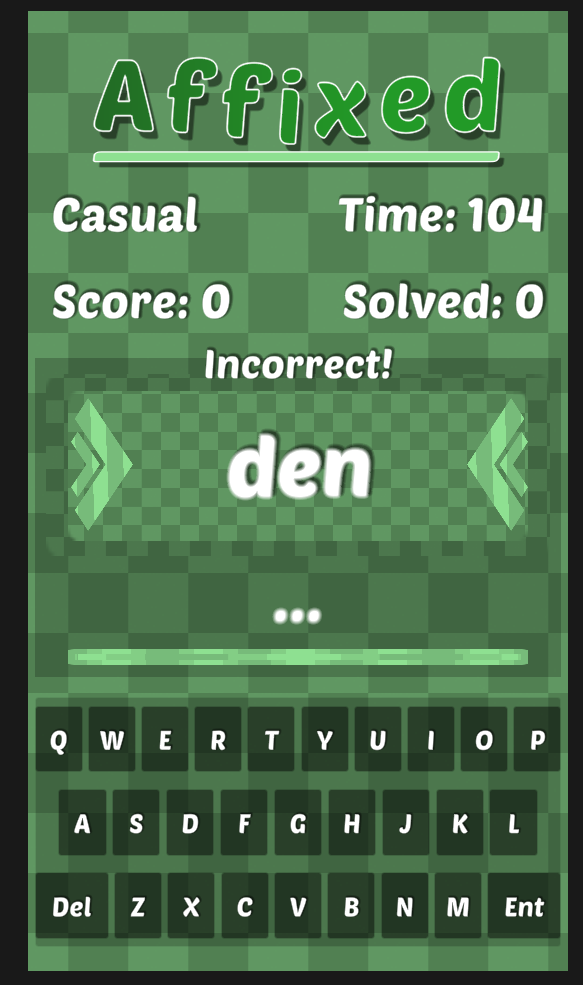
Basically I just disable the device's stuff and bind input directly
radiant eagle
That looks great
radiant eagle
soft sail
Basically I just disable the device's stuff and bind input directly
Can you share any link that demonstrates how to do that?
Or what I should search for?
soft sail
No idea for a tutorial but was an idea I found on the forums. It's basically just a few layout groups
and made it resizable enough
radiant eagle
Oh ok 👍👍
radiant eagle
radiant eagle
Even if I hide the androids inbuilt keyboard input field. And adjust my Uis heig...
Sorry the approach mentioned below won't work for this project.
If anyone knows any other way
Kindly suggest
 narrow seal
If making a camera move from one location to another for a UI transition would it be a waste of resources to use a game object as a target location?
 sterile wedge
narrow seal
If making a camera move from one location to another for a UI transition would i...
sterile wedge
narrow seal
If making a camera move from one location to another for a UI transition would i...
I think adding one extra empty gameobject would hardly take up any resources
low pike
That's how cinemachine works..
narrow seal
Yeah I was actually just remembering cinemachine.
mortal robin
narrow seal
If making a camera move from one location to another for a UI transition would i...
More than made up for by the workflow improvement it provides over hardcoding numbers.
 boreal remnant
Silly problem but I can't seem to find an easy solution.
I have a UI Canvas that's 10:9 aspect ratio. I want it to remain 10:9 regardless of what resolution is the display is, and add black bars at the top/bottom or sides if needed.
What's the easiest way to do that?
 smoky wagon
I have a rather annoying problem. I created a scroll view for my list of planets and it works, I can scroll left and right with no problems. The thing is, while the planet sprites are correctly hidden when outside of the scroll view, the planet names aren't. I have tried replacing the mesh renderer of the text with a canvas renderer, but the text completely disappeard. I tried having both renderers, it still didn't work. The only thing I understood is that the hiding process depends on the "Mask" script in the viewport, which for some reason won't hide text. Anybody here has a suggestion to help me fix this issue?
Btw I can't just use a sprite with a picture of the text, due to the fact that the player should have the ability to change the planets names.

 indigo egret
Hi, I'm trying to use SVGImage Component provided by a Unity Staff from the forums. And I'm having Runtime NullRef errors whenever I try to GetComponent<SVGImage>().sprite = newSprite.
It seems that the Script Component is missing something that I can't get the SVGImage Component itself to modify it. Anyone here uses SVG Images for their UIs? How do you update/modify it during runtime without getting NullReffed? The built-in Image Component obviously does not have this problem.
The SVGImage Script Component is provided by the Unity Dev Staff here: https://forum.unity.com/threads/unity-ui-svg-support-script.551254/

Unity Forum
SVG in Unity UI
[ATTACH]
You've all be asking so we worked on it and are ready to share at least the first step towards SVG support inside Unity UI....
mortal robin
indigo egret
Hi, I'm trying to use SVGImage Component provided by a Unity Staff from the foru...
What are you trying to do? Are you aware of the Vector Graphics package?
 quick jay
I have a canvas called "BackgroundImageCanvas", which contains one image. Regardless of which layer I set it to, and regardless of where I place the canvas in the hierarchy, the image goes over all of my buttons. I have another scene which contains a background image that doesn't have this issue, and I can't figure out what the difference is even after comparing all the Inspector values. I also tried creating a new layer and assigning the canvas and image to it so it's a lower priority layer, and still the image stays on top.

Well.. I moved things around, then moved them back, and the image is behind now. Strange because restarting Unity did nothing, but this somehow did.
low pike
quick jay
I have a canvas called "BackgroundImageCanvas", which contains one image. Regard...
You don’t use the layer names to order canvases, you use the field on the canvas.. order priority.. or something like that
 gleaming junco
Hi Folks, we have an issue where the project broke so we can't move around in scene or anything, can't use the mouse to change the view
we tried the same project on another computer even, same thing. It's on the project level
low pike
gleaming junco
Hi Folks, we have an issue where the project broke so we can't move around in sc...
This channel is for game UI, not editor ui/ issues.. delete and pop over to #💻┃unity-talk
 shy beacon
how to fix that all TMP text is this?

 lime topaz
Is there a easier way to make chatbubbles?
mortal robin
lime topaz
Is there a easier way to make chatbubbles?
Is there an easier way than what?
lime topaz
mortal robin
Is there an easier way than what?
whatever codemonkey was doing
 mild kernel
What a vague question. Make it as simple as you want?
gleaming junco
low pike
This channel is for game UI, not editor ui/ issues.. delete and pop over to <#49...
Thank you
low pike
shy beacon
how to fix that all TMP text is this?
Have you imported the TMP essentials?
Is your rect transform size 1,1,1?
Is your font size >1?
Does your font sdf have enough padding/ space (whatever it’s called)
shy beacon
low pike
Have you imported the TMP essentials?
Is your rect transform size 1,1,1?
Is your...
idk what was wrong, i just regenerated the font atlas and it works lol, but thx anyway
mild dome
how can i make it like a alpha mask?

so the white is fully invisible
and the more it gets transparent (up) the more it reveals of whats behind it
 tiny mauve
I could use some advice on this, because I am not sure the best way to approach it. I am working on a game that is 100% going to be UI elements. It is a boring Idle game concept, but I am trying. I would like to have outlines around the objects that I decide to put them around to make them stand out more. I am not sure if red with be the final color yet.
How I was originally doing it was doing a background panel, then making another panel the child, just a little smaller to give the appearance of an outline, but I didn't like how that was turning out, and how it was to manage, and didn't really allow much for dynamic panels.
Now I am using an image. I originally tried to use one image, and let Unity resize it, but that was causing problems with the rescaling and the thickness of the lines to be different depending on the object.
Now I have a image file for each dimension, but that is going to become a lot, and that doesn't allow for dynamic sizes.
So, I can think of other options, but I don't want to dive into them without knowing if they are going to be a good way to do this. I have though about a Shader, but my shader knowledge is low, so I would have to find a tutorial to do this. I don't think Vector Images are an option, since I thought I read that Unity can't use Vector Images.
What other options are there? Thanks in advance, and I am sure I will thank you again. 🙂
 lime topaz
mild kernel
What a vague question. Make it as simple as you want?
lime topaz
mild kernel
What a vague question. Make it as simple as you want?
Im working on a game that is kinda like Disneyland Adventures and i want NPC to have a ! above their head + a chatbubble so i tried to look it up and the only useful one was from CodeMonkey and when i imported the stuff it doesnt even work bc aparently the class isnt working (idk why) so i was wondering if there is a easier and actual way to make chatbubbles and maybe highlight
mortal robin
tiny mauve
I could use some advice on this, because I am not sure the best way to approach ...

 twin birch
Any ideas why my list of items is empty after I converted all of the UI elements to prefabs and then importing them into a new project?
When pressing play the list of items does get generated, but it doesn't get displayed in the scene anymore.

 sterile wedge
twin birch
Any ideas why my list of items is empty after I converted all of the UI elements...
sterile wedge
twin birch
Any ideas why my list of items is empty after I converted all of the UI elements...
a bit confused on what's happening here
but scene references don't persist in prefabs
twin birch
sterile wedge
a bit confused on what's happening here
So the elements from 0-9 (right pic) has to be shown on that grey box so that the user could select the displayed items from it
twin birch
sterile wedge
but scene references don't persist in prefabs
I've tried unpacking the prefabs, but no difference
sterile wedge
sorry, I dont follow
tiny mauve
mortal robin
https://docs.unity3d.com/Manual/9SliceSprites.html
Thank you so much for the reply. I appreciate you so much. I have never heard of this and I am excited to try it. Thank you!
 wicked hamlet
I cannot seem to get my world space canvas to work. or the text i render on it just doesn't want to render in front of anything else ;-;
And yes the sorting layer on the canvas is above everything
soft sail
wicked hamlet
I cannot seem to get my world space canvas to work. or the text i render on it j...
sorting groups or transparent sorting order of the material
low pike
wicked hamlet
I cannot seem to get my world space canvas to work. or the text i render on it j...
You're doing something wrong.
There's a mesh renderer on there..
You shouldn't really have the TMP component on the same gameobject as the canvas either.. though that's probably just for tidiness.
If all you want is text in world space, then use the TMP under right mouse click -> 3d object -> tmp .. this doesn't need a canvas or anything else, and will have the required mesh renderer
wicked hamlet
Ahaaa. Oki i'll try that
 steel cairn
Could any of you guys help me with an issue I'm having with my layout? I have a prefab that has child GameObjects TMP Text, and Buttons. They're the child of my content GameObject, and I just cannot get this thing to set each prefab's size according to the text component. I can send more pictures if needed. I added another picture of how it looks in a thread here

Also attached a video in the thread above
 rotund ledge
Is it reasonable to ask for feedback here on UI/UX in a game im working on in another engine? I don't expect help or anything, I just am looking for feedback lol
steel cairn
I've been trying things for like 5 hours. I thought the hard part of my app would be getting it to connect to a firebase database but I'm really struggling to just get the messages from Firebase to display correctly despite all of the backend working, please help 🙏
 fresh dune
Hi, I have a TextMeshPro problem here. I created TMP asset from chinese localization fonts, but TMP still cannot show the character, what could be the problem?

I suspect the problem is TMP uses the default atlas in the auto created submesh object, however it is not editable
 nova silo
Hi all, I'm trying to mask out something, but I'm having a weird issue where the image I want to mask isn't 'fading' with the mask alpha. (white = mask, black = image to mask out).
Am I missing something really obvious?


 low pike
Feedback
quick jay
I have a menu with three buttons that has become invisible (which I don't want), and I can't figure out how to make it visible again. It's active. I can't see it in game mode or scene mode. If I zoom in all the way, one of the buttons looks like just a text icon.


No matter where I put the canvas in the hierarchy, it's still not visible.
I've also tried changing to a higher priority layer. No luck.
And I've copied the canvas over to a completely new scene so no other objects are in my way. Still, it's invisible.
mortal robin
quick jay
I have a menu with three buttons that has become invisible (which I don't want),...
Show the inspector of the canvas?
 mortal robin
quick jay
I have a menu with three buttons that has become invisible (which I don't want),...
mortal robin
quick jay
I have a menu with three buttons that has become invisible (which I don't want),...
if you double click or press F in the hierarchy you stuill can't see it?
what was it
quick jay
The scale on the KeyboardPauseMenu object got set to 0.
mortal robin
that'll do it
quick jay
Some reason when moving things around in the hierarchy, my scale gets set to 0 on certain objects.
And I'm not sure why.
 uncut mantle
how can you put sorting order to ui
mortal robin
uncut mantle
how can you put sorting order to ui
UI is ordered based on the hierarchy order
uncut mantle
mortal robin
UI is ordered based on the hierarchy order
alright thanks
steel cairn
Could any of you guys help me with an issue I'm having with my layout? I have a prefab that has child GameObjects TMP Text, and Buttons. They're the child of my content GameObject, and I just cannot get this thing to set each prefab's size according to the text component. I can send more pictures if needed. I added another picture of how it looks in a thread here
 regal bane
I was moving my UI to a separate level but I am unable to click any of the buttons. I already created a gamemanager and assigned each button its own purpose but when in game I press escape it comes up but my mouse in unable to interact with any of the buttons would anyone have any idea why?

Nevermind Realized its because I dont have standalone input module.
 slender viper
Is anyone familiar with this bug? I click a button and suddenly the event system starts cycling through the other buttons for a second.
slender viper
Not a bug, it's my machine 😅

 storm wharf
How can I setup my objects to allow both children to resize properly + stay connected?
https://gyazo.com/ae797fb0953df71a449b0c483497116a

i want that box with ??? to stay connected and resize together with the larger box below it
storm wharf
After using my brain cells I was able to get this working using anchors 😄
For anyone struggling:
https://gyazo.com/cd1069692f632e95c91b476fed6a595c

Top container has an anchor set to min Y 0.8
Bottom to max Y 0.8

 outer oriole
hi
I have am overlay ui that doesn't work if the player's camera was enabled before the scene was activated
if I disabled the player's camera before loading the scne the overlay works without any issues
Im setting the ui-canvas settings as shown via script
canvas.renderMode = RenderMode.ScreenSpaceCamera;
canvas.worldCamera = playerCam;
canvas.planeDistance = 0.5f;
Raycaster :

any Idea why whenever the overlay ui appears and I attempt to click on it the mouse disappears and I never be able to click on it ?
 teal bronze
can someone explain the UI text system
slender viper
teal bronze
can someone explain the UI text system
TextMeshPro is the recommended way to do text in Unity now. You can find the documentation here: https://docs.unity3d.com/Packages/com.unity.textmeshpro@3.2/manual/index.html#sidetoggle
 lost fox
Hi, why do anchors not work on child objects?
i have a pause menu that is anchord to the center, as a child i have a back button that should be anchord to the bottom
but that doesnt work
only when i take it out of the pause menu so its a direct child of the canvas
low pike
lost fox
Hi, why do anchors not work on child objects?
They do. Anchors are for telling this object where to align to the parent
lost fox
low pike
They do. Anchors are for telling _this_ object where to align to the parent
why doesnt my anchor work then?
low pike
you haven't shown what's happening, nor the setup, so ¯_(ツ)_/¯
lost fox
lost fox
i have a pause menu that is anchord to the center, as a child i have a back butt...
this
but ill send a ss
low pike
right, that's not showing
lost fox
this is the object setup

pause menu is anchorded to the center

back button to the bottom

back button does not anchor to the bottom
 low pike
several things wrong with your setup here
low pike
1- Your pause menu UI is only 100x100 in size
2- Don't setup UI with the game view set to 'Free Aspect', it'll mess up completely when you go to an actual resolution
3- NEVER scale your UI, always keep the scale size to 1,1,1 and change the width/ height
lost fox
ye i know about that
but that is not the solution to my problem
why should i not scale the ui tho?
low pike
fix those, now or you're going to have issues in the future
lost fox
tbh i dont have time for that at this moment, i need to have this game finishised today, its a school project
low pike
scaling UI casuses problems with children and doesn't size things correctly when the UI needs to change
lost fox
ah
low pike
Just change from Free Aspect to 1920x1080 and see if it messes up
low pike
if you're set to a resolution, it doesn't matter how you scale it..
lost fox
quick question, can i scale the ui by %? like that it always takes up lets say 70% of the width
or do i need to make some logic for that in code to get something like that
low pike
canvas scalar on the canvas object, set it to scale with screen size.. and then a slider appears for weighting between height/width
lost fox
ui is already lot better now
 unkempt pasture
Hello i want place this star on my button but when the star is on the button i cant use the button.
Someone know how can i fix this problem ?
 mortal robin
unkempt pasture
Hello i want place this star on my button but when the star is on the button i c...
mortal robin
unkempt pasture
Hello i want place this star on my button but when the star is on the button i c...
Disable Raycast Target on the star
unkempt pasture
Ty
regal bane

I made a build of my game and the UI is messed up any ideas why?


I think it may be an issue with the canvas scaler I'm trying to scale it with resolution but Its not working and I have no clue why
low pike
regal bane
I think it may be an issue with the canvas scaler I'm trying to scale it with re...
for a start, you have the reference resolution at 0x1080
Also, a wild guess, you may have your game view start to 'free aspect' , which is bad and should never be used when creating UI
 tiny spade
hi, i have 3 scroll views, the problem is when the screen size changes, they scale like this, any idea how i can fix this?

 low pike
on the layout, untick .. the option that controls child size
tiny spade
low pike
on the layout, untick .. the option that controls child size
layout?
low pike
yep
low pike
I mean the layout group that is doing the layout for those.
I ASSUME... because you didn't share anything about that, and that's the best way to do it 😄
tiny spade
i hate unity's ui system sometimes
now everything broke
ok now it works
thx @low pike
 snow crystal
Hi all! I made a video comparing two approaches for creating floating UI like health bars, text labels, waypoint markers, ... using either screen space UI or world space UI. Might be helpful for some of you ☺️ https://youtu.be/0DdIeQ-TGlc
► Get Floating UI (package on the Unity Asset Store) at 30% off ◀
https://assetstore.unity.com/packages/slug/275047
Comparing two approaches for creating floating UI like health bars, text labels, damage numbers, ... using either world space UI or screen space UI.
Both approaches have their pros and cons and can be useful in different situati...
soft sail
snow crystal
Hi all! I made a video comparing two approaches for creating floating UI like he...
pretty helpful though #1179447338188673034 would be the better channel for this
tiny spade
hey do you know why it doesn't scroll properly but bounces back? (ignore that it is only the same ships, it's a placeholder)
low pike
tiny spade
hey do you know why it doesn't scroll properly but bounces back? (ignore that it...
Because your content object hasn’t been resized to encompass the children. Usually just requires a content size fitter on it
tiny spade
low pike
Because your content object hasn’t been resized to encompass the children. Usual...
ok thx, i had to set it to preffered size
 tired sinew
Im trying to get Detector to trigger OnPointerEnter but its parents are blocking it i think, how do i fix this... dont want to move any object around because im modding this in so it would mess up some code
 low pike
Detector.. at the bottom of the screenshot… the object that is disabled? So it won’t get event messages..
tired sinew
it gets enabled in game
 zealous iris
Bro, does anyone have a script for UI buttons. Like up down left right movement for 2D games. And how do you apply or use it?
mild kernel
What have you tried?
low pike
tired sinew
it gets enabled in game
UI is drawn from hierarchy orde - top (first) to bottom (last).. so nothing above Detector in this screenshot is blocking it.
You can find out what is blocking it though, select the 'Event System', make sure the info panel at the bottom of the inspector is visible, and then in play mode as you move the cursor around info on this updates.
mortal robin
zealous iris
Bro, does anyone have a script for UI buttons. Like up down left right movement ...
Look up On Screen Controls in the new input system
 muted eagle
Can someone help me?, im having problems using TMP [text mesh pro] when add it into the game using the + button in the heirachy ui -> text- Text mesh pro, the text and the canvas show up 'in-game' but not on my screen because i am workig on an interact system ; this problem has been halting my progression for a coupole days now, i have tried searching for ansswers but none of them seem to work. Could someone help? Thanks
low pike
show screenshots/ video of the problem
 mortal wharf
less about the art, but why does my button only register clicks in a think line at the top of the rect? Never seen something like that before.
(ignore the horrible project organization - it's temporary)

 low verge
teal bronze
low verge
teal bronze
why can't i drag my text UI into my scirpt (I can send a video if I need to)
mortal robin
teal bronze
why can't i drag my text UI into my scirpt (I can send a video if I need to)
likely mismatch between the class you used for the variable and the object you are trying to drag in
Common beginner mistake is using Text in code and using a TextMeshPro UI text on your object.
teal bronze
i dont really get it now (mb, im new to unity)
mortal robin
teal bronze
i dont really get it now (mb, im new to unity)
What are you confused about
Is your setup as I described?
teal bronze
yeah, like im just not to sure how to fix it exactly
mortal robin
teal bronze
yeah, like im just not to sure how to fix it exactly
Uise the correct type
Text is the legacy text component which you are not using
for TextMeshPro you should be using TMP_Text
teal bronze
like this ?

 nimble orbit
I figured out how to do background blur in legacy RP for my game, and it looks really pleasing in this image, but I have a question

this terminal uses TextMeshPro and I'm wondering how I'd go about making the text glow subtly
mortal robin
teal bronze
like this ?
sure but you also have to import the TMPro namespace.
mortal robin
nimble orbit
this terminal uses TextMeshPro and I'm wondering how I'd go about making the tex...
PostProcessing
nimble orbit
I tried that the other night but it won't affect UIs rendered as screen space overlays
and setting everything up to render to a camera just causes lots of problems
things appearing visually above other things when they shouldn't be, input going to UI elements that are behind what's actually visible, stuff like that
And even if I forget about that for a bit and just focus on the post-processing, the global volume still doesn't affect the UI
mortal robin
nimble orbit
I tried that the other night but it won't affect UIs rendered as screen space ov...
yeah you can't do this with an overlay canvas
needs to be rendered to a camera to use PostProcessing
mortal robin
nimble orbit
things appearing visually above other things when they shouldn't be, input going...
These are all solvable
nimble orbit
Another issue I had is, since all of my UI is instantiated at runtime by a UiManager from prefabs
the canvases aren't aware of the main camera in the scene
so I need to attach a script that sets the canvas render mode and render camera when the UI is instantiated
problem is, even if I do this in Start(), there seems to be a race condition and some of the UI canvases revert to overlay ones
mortal robin
nimble orbit
the canvases aren't aware of the main camera in the scene
very simple to fix
mortal robin
nimble orbit
problem is, even if I do this in Start(), there seems to be a race condition and...
Start is way too late
do it in Awake/OnEnable
nimble orbit
Doing it in Awake is just making them all revert
#nullable enable
using Core.Config;
using UI.Widgets.Settings;
using UnityEngine;
using UnityEngine.UI;
using UnityExtensions;

namespace UI.PlayerUI
{
    public sealed class GuiSettingsListener : SettingsListener
    {
        private Canvas canvas;
        private CanvasScaler canvasScaler;

        /// <inheritdoc />
        protected override void Awake()
        {
            base.Awake();
            this.MustGetComponent(out canvas);
            this.MustGetComponent(out canvasScaler);

            canvas.renderMode = RenderMode.ScreenSpaceCamera;
            canvas.worldCamera = Camera.main;
        }

        /// <inheritdoc />
        protected override void OnSettingsChanged(ISettingsManager settingsManager)
        {
        }
    }
}
(yes I tried swapping the camera assignment and render mode assignment)
Same with OnEnable
oh I'm stupid
Ancient legacy code in my UiManager was causing this
nimble orbit
alrighty @mortal robin I have it all working except

those input issues are back
I can't interact with that dialog box at all
and its background isn't just supposed to gray out the game's UI
it's supposed to blur it
but you can clearly read the time of day in the background
and I can click on and interact with the Terminal
changing the plane distance of the desktop canvas to 1 fixes it, but I can't do that in the prefab because the setting doesn't show until you have a camera assigned to the canvas
mortal robin
nimble orbit
changing the plane distance of the desktop canvas to 1 fixes it, but I can't do ...
you can do it with the inspector in debug mode
 quiet hare
eveyrhting seems to be fine even no warning error, but when i look at the don'tdestroyonload, i can see that the white transition imafe is behind all the other images and the white image doesn't even fade away, how can i fix that?
 nimble orbit
mortal robin
you can do it with the inspector in debug mode
nimble orbit
mortal robin
you can do it with the inspector in debug mode
Since my canvas render settings are driven by script, I opted to just add my own layer system to it so U can designate certain canvases to certain plane distances
though....now I'm running into a different issue
the icons just developed cateracts
 quiet hare
eveyrhting seems to be fine even no warning error, but when i look at the don'td...
quiet hare
quiet hare
eveyrhting seems to be fine even no warning error, but when i look at the don'td...
and how do i sort the layers?
because since the fading image is like literally behind, even i don't know how to sort them all in the dontdestroyonload
nimble orbit
@mortal robin yeah the post-processing is still not affecting the UI

the bloom is set to a nasty intensity value
the game should be unreadable
mortal robin
bloom operates on a threshold too
also make sure the volumes and layers etc are all set up properly for pp
 quiet hare
because since the fading image is like literally behind, even i don't know how t...
quiet hare
quiet hare
because since the fading image is like literally behind, even i don't know how t...
anyone?
teal bronze
mortal robin
sure but you also have to import the TMPro namespace.
i’m sorry, you gotta be patient with me can you explain how to do this or at some video ?
mortal robin
teal bronze
i’m sorry, you gotta be patient with me can you explain how to do this or at som...
your IDE should automatically suggest the fix for this
you don't have to do it yourself
but it's as simple as adding a using TMPro; to your file
soft sail
quiet hare
because since the fading image is like literally behind, even i don't know how t...
if everything is part of a single canvas then it sorts from greatest parent to greatest child, but if you dont want to reorder the hierarchy then you can add another canvas for your other image and change the sorting layer between them (can also gives a gameobject child to a canvas its own canvas which allows you to override sorting)
quiet hare
soft sail
if everything is part of a single canvas then it sorts from greatest parent to g...
I don't get with the add another canvas for my other image even though it's jsut one image. I am so confused on this. I don't have other image


 quiet hare
soft sail
if everything is part of a single canvas then it sorts from greatest parent to g...
quiet hare
soft sail
if everything is part of a single canvas then it sorts from greatest parent to g...
also how can i have another canvas for my other image even though my other image is like over in a different scene?
soft sail
move your image there to a canvas
when you fade in to your other scene, just had another white image on that scene that is on the top most layer and fade out
quiet hare
soft sail
move your image there to a canvas
I don't get what I'm doing


 sour geyser
How do I change the position of a UI VisualElement at runtime through the editor.
quiet hare
soft sail
when you fade in to your other scene, just had another white image on that scene...
how can i ever have another image in my other scene while it is not focusing on that one image from the other scene while it's only focused on the white image from the first scene?
 young shell
Hey people! In my 1st scene I'm seeing my canvas alright. But in my 2nd, I don't see any of its content. Could anyone have a look and share ideas why/how to fix?
low pike
expanding those game objects to show the children doesn't really help, why didn't you show the inspectors of everything? So we can see what's on them ?
young shell
@low pike perhaps this is more helpful.
low pike
It did
nothing is obvious as to why it's not showing
if you add an image to that canvas does it show?
If you create a second canvas with an image does it show?
young shell
@low pike perhaps this is helpful. This is what I see whenever I press the "F" key.
low pike
nah, that's just the gizmos for the TMP compnent
young shell
low pike
if you add an image to that canvas does it show?
If you create a second canvas ...
Yes, it does.
 low pike
and the first question?
young shell
low pike
and the first question?
Yep, that works too.
low pike
what happens if you add a new TMP to the 2nd canvas
young shell
low pike
what happens if you add a new TMP to the 2nd canvas
Works too.
 low pike
does that work on the 1st canvas?
young shell
Does too...
low pike
compare this TMP to the ones that aren't visible
I've seen it now... the scale of your TMP's are at 0,0,0
young shell
low pike
I've seen it now... the scale of your TMP's are at 0,0,0
Indeed! And how strange... all of them?
I wonder if it has something to do with my OBS recording hotkey. I set that to CTRL+SHIFT+R, which I believe is not in use by Unity. Perhaps I mistyped once and did something.
low pike
I only checked 1, the vid is small
young shell
Yeah it's all of them.
low pike
afaik there's no hotkey in Unity to set the scale..
young shell
Thanks for help @low pike 🙂
low pike
got there in the end
teal bronze
why… 😶
teal bronze
hmm so i how can make them the same and mb i’m just used to doing that
low pike
well, you're using a textmeshpro component (good)... your field is declared as Text, which is the legacy component (bad)
teal bronze
it was auto set to that tho, yk how should i change it
soft sail
quiet hare
how can i ever have another image in my other scene while it is not focusing on ...
if you're using UI, you need to use multiple canvas if you want to use sorting layers
 short nebula
Does anyone know why world space buttons don't work? They don't react at all when clicked. I have an event camera in the canvas, and the ignore reversed graphics is off.
 full heath
Hi, I have a panel with a Image as a frame to give the panel a pixelart look. I want inside this panel an image that extends inside the panel but without passing the borders, is there any way to do it? I want an image inside of the big panel but without "overwritting" it

 low pike
teal bronze
it was auto set to that tho, yk how should i change it
low pike
teal bronze
it was auto set to that tho, yk how should i change it
did you write the 'Score' code?
quiet hare
soft sail
if you're using UI, you need to use multiple canvas if you want to use sorting l...
my head is literally spinning around right now
teal bronze
low pike
did you write the 'Score' code?
yes
quiet hare
quiet hare
my head is literally spinning around right now
because Uicontainer is a gameobject, canvastransition is canvas and transitionimage is ui image
while PlayerManager stands out as it's own and is a gameobject


 gray bolt
Hello, so in my game, when i click like for example a button named story, and it opens a panel with more buttons, for some reason i cant click the buttons that appear on the panel that pops up, is there a way to fix it?
heres my hierachy:
 short nebula
Hey is there a reason why UI world canvas buttons wouldn't wont work on one button but works on the other.
 latent sparrow
Why cant I interact with this button? Colors dont change on hover and OnClick doesnt execute
 full heath
gray bolt
Hello, so in my game, when i click like for example a button named story, and it...
full heath
gray bolt
Hello, so in my game, when i click like for example a button named story, and it...
I had a similar problem trying to use the same GameController for functionallity throught different scenes, and the problem was the gameobject from the scene was overwritten by the GameController that becames from the previous scene, so the references to the methods unlink and broke. MAybe you are having the same problem. Try executing the game and where you are calling the method that should execute (as my image) see if this is correct or says Missing Object
 low pike
teal bronze
yes
low pike
teal bronze
yes
So none of this was auto set to anything
low pike
gray bolt
Hello, so in my game, when i click like for example a button named story, and it...
Probably being blocked by something
Same reason for you @short nebula
 frosty pewter
The pin called "UGUI input issues" goes over the possible problems
quiet hare
quiet hare
because Uicontainer is a gameobject, canvastransition is canvas and transitionim...
...is anyone busy?
low pike
I don't understand your problem, explain it again/ better
quiet hare
quiet hare
eveyrhting seems to be fine even no warning error, but when i look at the don'td...
I did explain here
quiet hare
quiet hare
and how do i sort the layers?
and there
low pike
The canvas component has an order field. Set the canvas for the transition image to 100
quiet hare
oh, even canvas also an order field?
it is working, but the white image doesn't fade away like what i wanted when going to the next scene
even if i change it by putting the script on the uicontainer and it works bu the whtie iamge fading away but instead I have to double click on the button instead of one time

 low pike
You had it fading before, so what did you change?
 copper ivy
Hi, i have a small problem when switching between an Ipad and an Iphone resolution.
When i am at "match height and width" mode and change between the devices some objects will not appear correctly in the camera view but when i change the mode to "Expand" the objects appears correctly in the view but the empty space between the red squares especially the right bottom one becomes bigger which gives unfair advantage to different devices.
What should i do to fix that?
gray bolt
low pike
Probably being blocked by something
Yeah I ended up making two separate ui canvases and it worked for some reason

low pike
copper ivy
Hi, i have a small problem when switching between an Ipad and an Iphone resoluti...
Can you do another video, showing the inspectors for your white background, red blocks and player
copper ivy
low pike
Can you do another video, showing the inspectors for your white background, red ...
low pike
You've set this up completely wrong.
That canvas is not needed at all.
Sprite Renderers are for the world space, and for game objects (player/ environment/ etc).
A canvas is for UI, and only UI.
This is why your sprite renderers have to be such a large scale, because you've incorrectly them under the canvas - their scale should be 1,1,1
As the sprite renderers aren't for UI, the canvas scalar doesn't affect them, it is only for sizing UI elements.
The correct way to resize the game for different resolutions is to be resizing the camera view, I believe.. been a long time since I've done it
quiet hare
low pike
You had it fading before, so what did you change?
all i did was change the sorting layer, in the third screenshot when i use that, the fading away do work but i have to double click on the button instead of one time
low pike
quiet hare
all i did was change the sorting layer, in the third screenshot when i use that,...
Share your !code
 onyx flowerBOT

Posting code
📃 Large Code Blocks
Use links to services like:
https://gdl.space/, https://paste.ofcode.org/, https://hatebin.com/, https://paste.myst.rs/, https://hastebin.com/
📃 Inline Code
Surround code with three backquotes. Not quotation marks.
To format as C#, add cs to the first line:
```cs
// Your code here
```
Add a comment with a line number if there is an error message.
quiet hare
low pike
Share your !code
short nebula
Hey does EventSystem still debug what your looking at or hovering on? I pulled up the debug panel but it only shows whats selected
low pike
Yes, why would that get removed?
I do not believe it works with the new input system, that is different... I believe
short nebula
ooh okay gotcha I was using hte new input system and was wondering where it went
low pike
quiet hare
https://gdl.space/fivecovisa.cs here
You're probably / possibly getting conflicts with the corountines overlapping.
I'd do it in 1 coroutine, and I'd fade a canvas group alpha (0 -> 1, 1 -> 0) rather than a colour
low pike
short nebula
ooh okay gotcha I was using hte new input system and was wondering where it went
I haven't used the new input system with UI at all
quiet hare
low pike
You're _probably_ / possibly getting conflicts with the corountines overlapping....
(0 -> 1, 1 -> 0) in 1 coroutine? how do i do that while i have only 3 coroutines?
 hushed bone
kay, nevermind, I had gizmos enabled
full heath
This is my hierarchy where in "PanelNivel" I have as sourceImage a 9-sliced frame. Inside this panel I have Lvl-Background that i want to extend to all the panel but without the border. If I just extend the Lvl-Background in the Rect Transform component it just "overwritte" the panel and appears as a rectangle without borders. As far as I adding the Mask component to the Panel so it respect the form and corners but I also want the black border. I tried with outline in the Lvl-Background (Canvas) but it just didn't work. How should I do it?

 low pike
quiet hare
(0 -> 1, 1 -> 0) in 1 coroutine? how do i do that while i have only 3 coroutines...
low pike
quiet hare
(0 -> 1, 1 -> 0) in 1 coroutine? how do i do that while i have only 3 coroutines...
You seem confused.
Have 1 coroutine.
Fade the image to white -> do the load -> fade the image to clear.
 lean fog
can anyone give me some feedback on the ui placement? should i rearrange it or should i keep it how it is ?
 quiet hare
low pike
You seem confused.
Have 1 coroutine.
Fade the image to white -> do the load -> ...
quiet hare
low pike
You seem confused.
Have 1 coroutine.
Fade the image to white -> do the load -> ...
and where should i put it in?
quiet hare
low pike
You seem confused.
Have 1 coroutine.
Fade the image to white -> do the load -> ...
like this? (even though there's red underline)

 wild pebble
lean fog
can anyone give me some feedback on the ui placement? should i rearrange it or s...
wild pebble
lean fog
can anyone give me some feedback on the ui placement? should i rearrange it or s...
I'm not the right person to comment on this (but I'll do anyways) but I would consider adding more white space around the bottom left corner bars, now they are almost hugging the wall. also the score thing on top left doesn't seem to have the same amount of white space both on top and on the left side, I think it would look visually more pleasing if it did.
lean fog
wild pebble
I'm not the right person to comment on this (but I'll do anyways) but I would co...

what about this ?
low pike
quiet hare
like this? (even though there's red underline)
You're trying to start THREE coroutines. You can't do this.
I said have ONE coroutine.
wild pebble
lean fog
I'd still add more white space, especially to the score text. and talking about colors, I think the score text has slightly too low contrast against the background, it's bit hard to read at the moment. btw love how simple yet effective your game looks ,I'd never achieve anything so cool looking myself, yet here I'm judging others
quiet hare
low pike
You're trying to start THREE coroutines. You can't do this.
I said have ONE cor...
I have one coroutine https://gdl.space/xosegidada.cs
low pike
quiet hare
I have one coroutine https://gdl.space/xosegidada.cs
No, you do not, you have 2.
lean fog
wild pebble
I'd still add more white space, especially to the score text. and talking about ...
thank for the compliment :), i added outline to the text so it can be more easy to read
 quiet hare
low pike
No, you do not, you have 2.
quiet hare
low pike
No, you do not, you have 2.
I don't see a second coroutine anywhere though, all i see is one
low pike
quiet hare
I don't see a second coroutine anywhere though, all i see is one
What do you think a coroutine is? 🤔
quiet hare
low pike
What do you think a coroutine is? 🤔
I thought it's just by the name, because I don't see another name with "coroutine" anywhere
 wild pebble
lean fog
thank for the compliment :), i added outline to the text so it can be more easy ...
wild pebble
lean fog
thank for the compliment :), i added outline to the text so it can be more easy ...
the numbers are lot better now. now that I see the text, it seems like the 2x text is not aligned with the larger numbers, you should preferably use same amount of white space for elements next to each other
low pike
quiet hare
I thought it's just by the name, because I don't see another name with "coroutin...
that's not a coroutine, that's a method to START a coroutine.. you also had that method twice, a few lines away from each other
This is a coroutine
private IEnumerator FadeImage(bool fadeIn)
lean fog
wild pebble
the numbers are lot better now. now that I see the text, it seems like the 2x te...
what if the score text is down ?
 wild pebble
lean fog
what if the score text is down ?
wild pebble
lean fog
what if the score text is down ?
I think I prefer the earlier one more and even more so the first option where it was on top left, I think that looked the best of them all, I'm no graphics designer though so don't take my judgements as a fact
quiet hare
low pike
that's not a coroutine, that's a method to _START_ a coroutine.. you also had th...
should i remove one of them? but what will happen to WaitAndLoadNextScene?
https://gdl.space/kefupebana.cs even if i remove that and do that, it jsut won't work. what am i doing wrong?
low pike
oh dear god, this is frustrating.
COMBINE them.
You should have 1 coroutine
quiet hare
https://gdl.space/isupovotim.cs like this?
 plucky crescent
can some explain how to make ui hollow like make a hole in unity ui
wild pebble
plucky crescent
can some explain how to make ui hollow like make a hole in unity ui
holes in ui, sounds like masks could help
 split stone
is there a way to make a render texture background invisible? I just want the diamond to be in frame
 wild pebble
split stone
is there a way to make a render texture background invisible? I just want the di...
wild pebble
split stone
is there a way to make a render texture background invisible? I just want the di...
how about changing the cameras background? I'm not sure whether you can just use transparent color as a background color. at least the render texture must use a format that does include alpha channel. you could also try different clear flag settings, not really remember how those work so not sure which would be the right one
low pike
Camera background/ ClearFlags .. depending which renderpipeline
lean fog
dose anyone know how can i render text pixxelated ?
low pike
probably needs a shader for it
wild pebble
Either shader or render texture to render the text pixelated with a different camera. Usually I prefer not to use multi camera set ups when possible though
split stone
low pike
Camera background/ ClearFlags .. depending which renderpipeline
urp
i did try to add a plane with the alpha set to 0
 plucky crescent
wild pebble
holes in ui, sounds like masks could help
plucky crescent
wild pebble
holes in ui, sounds like masks could help
that dosent work with images for slider
or is there a alternative way ?
wild pebble
plucky crescent
that dosent work with images for slider
why wouldn't it?
plucky crescent
it dosent give option to interact with sprite mask
or is there a diferent mask ?
wild pebble
split stone
i did try to add a plane with the alpha set to 0
that's not it, we meant the background color of the camera
 plucky crescent
where do i change the setting for it to interact with my mask
 wild pebble
plucky crescent
where do i change the setting for it to interact with my mask
wild pebble
plucky crescent
where do i change the setting for it to interact with my mask
doesn't Maskable sound about right?
lean fog
how do i render ui pixelated ?
wild pebble
lean fog
how do i render ui pixelated ?
didn't we answer you already?
wild pebble
plucky crescent
nuh dosent wrok
then you are doing something else wrong. it should definitely be toggled in order for masking to work
 wild pebble
plucky crescent
is this a wrong setup for a sprite mask to work ?
wild pebble
plucky crescent
is this a wrong setup for a sprite mask to work ?
what does the mask look like?

 wild pebble
plucky crescent
this ?
wild pebble
plucky crescent
this ?
first of all, we ain't working with sprites, I think the UI mask is just called Mask
 low pike
plucky crescent
is this a wrong setup for a sprite mask to work ?
low pike
plucky crescent
is this a wrong setup for a sprite mask to work ?
This isn’t how a mask works..
A mask keeps its children visible as long as they are within its bounds
plucky crescent
within bounds like under it ?
low pike
plucky crescent
this ?
Always keep UI scale at 1,1,1 and change the width/ height to resize
low pike
Eg: The mask is a square, if you put an image on the edge of a square (so that half is inside the square and half out), only the half inside the square will show
A mask won’t put a hole inside something else
plucky crescent
got it
 karmic shadow
Hey I got a question. My game has controller and mouse and keyboard support. How do people go about doing both the mouse and a controller controlling a cursor? Is it a virtual mouse?
 brazen cradle
i've got a scrollbar, but the scroll rect keeps setting it's size to very close to max (~0.998), so i can't actually use the scrollbar to scroll. dragging and pulling the items up and down does work normally though


 livid hill
 rapid ferry
to this:
rapid ferry
to this:
Learn about anchoring
https://docs.unity3d.com/Packages/com.unity.ugui@2.0/manual/UIBasicLayout.html
rapid ferry
livid hill
Learn about anchoring
<https://docs.unity3d.com/Packages/com.unity.ugui@2.0/manu...
I fixed it
 civic sand
hello, i have an arrow in the UI and i want it to rotate around its base, but changing pivot in sprite settings simply does nothing to it. So my question is how to do it? Is there any other method to rotate around a point?
mortal robin
civic sand
hello, i have an arrow in the UI and i want it to rotate around its base, but ch...
Do you have your tool handle position set to Pivot?
civic sand
mortal robin
Do you have your tool handle position set to Pivot?
idk, where can i find it?
oh, found it
civic sand
mortal robin
Do you have your tool handle position set to Pivot?
tysm, I'm so dumb

 mortal robin
split stone
anyone know why text mesh pro would be invisible at some angles?
mortal robin
split stone
anyone know why text mesh pro would be invisible at some angles?
Is it at the exact same position as the placard thing? Could just be z-fighting
split stone
mortal robin
Is it at the exact same position as the placard thing? Could just be z-fighting
its infront quite a bit

 mortal robin
split stone
its infront quite a bit
mortal robin
split stone
its infront quite a bit
what is the text made of? That's a UI image
mortal robin
split stone
ok you're mixing up UI stuff with mesh renderers
split stone
mortal robin
ok you're mixing up UI stuff with mesh renderers
what do you mean?
mortal robin
Image is a UI component
MeshRenderer is a 3D world space renderer
Why are you mixing them
mortal robin
split stone
its on a canvas
You should only put UI elements on a canvas
is there a reason you're not using the UI text?
split stone
without the mesh rendered the text or image is gone
err. probably lol. but i watched the brackeys video months ago lol
split stone
this entire development has been a bundle of weirdness lol
mortal robin
well stop doing weird things 😉
split stone
it worked fine with text before I changed it to text mesh pro
mortal robin
Yes because Text is a UI element
You're using the 3D world space version of TextMeshPro
there's a UI version
use that
split stone
somehow as I was trying to find a fix I broke rotating in scene view lol
oh there is? I didnt know that lol
split stone
oh lol. i only just started using text mesh pro
mortal robin
What does "my ui isn't doing anything" mean exactly? What are you expecting it to do?
low pike
got an event system in the scene ?
mortal robin
Sounds like you don't have an event system
low pike
sure, why not
be carefull though, if you toggle that object off, then you can no longer interact with any other UI that's still around
mortal robin
there's no good reason to really but sure
 solar pollen
how do you make sure that sprites shrunk/scaled down don't lose quality/don't blur when mipmaps are active
full heath
solar pollen
how do you make sure that sprites shrunk/scaled down don't lose quality/don't bl...
I'm not very pro on game developing either Unity, but if this can help when you click at one Sprite on the Inspector you can set Filter Mode to Point and Compression to None (as seen in the image) to have the full quality of the image
 low pike
That does mean there's no compression on that sprite in the build, so if build size is a concern (which it can be, especially on mobile), then don't do that blindly
wild pebble
solar pollen
how do you make sure that sprites shrunk/scaled down don't lose quality/don't bl...
Doesn't really sound issue with compression or filter mode (Point would just make the sprite look pixelated, I assume you are not looking for pixelated style). You can adjust the Texture.mipMapBias to shift the mip map selection into blurrier or sharper direction. That setting is not exposed to the Texture Import Settings menu so you need to do that via code
solar pollen
wild pebble
Doesn't really sound issue with compression or filter mode (`Point` would just m...
tyty
wild pebble
solar pollen
tyty
if you would like to change the bias value in editor, you can take a look at something like this: https://github.com/LuviKunG/MipMapBiasEditor
 young flame
I wanted to ask, if you are importing a 4k video into unity and playing it through the video player what format would you have the video in so the quality doesn't drop? I apologise if this isnt the right channel to ask this question
plucky crescent
i got this setup with a simple pause script but the pause menu wont seem to respond to me it just cant be interacted with even though i have my interations on
 mortal robin
plucky crescent
i got this setup with a simple pause script but the pause menu wont seem to resp...
mortal robin
plucky crescent
i got this setup with a simple pause script but the pause menu wont seem to resp...
What kind of interaction are you expecting?
plucky crescent
but the script makes its active
mortal robin
what script
plucky crescent
 mortal robin
show the full code
plucky crescent
when i pause i do this script
mortal robin
which object is this script attached to?
plucky crescent
the main canvas
mortal robin
ok show the full code
plucky crescent
ok
mortal robin
and show how PauseUi is assigned
plucky crescent
Hastebin is a free web-based pastebin service for storing and sharing text and code snippets with anyone. Get started now.
code
 mortal robin
What happens if you change the key from KeyCode.Escape to KeyCode.J?
mortal robin
Escape doesn't work in the editor I think
plucky crescent
nope still dosent let me interact with buttons even though they show up and main ui gets remove and vice versa wit hyou press the button again
mortal robin
plucky crescent
nope still dosent let me interact with buttons even though they show up and main...
oh I thought the problem was thjis code not running
plucky crescent
mortal robin
oh I thought the problem was thjis code not running
no it runs
mortal robin
if your buttons aren't interactable you probably just don't have an Event System in the scene
 mortal robin
select the event system
run the game with it selected
watch the preview window in the inspector
you probably have some other object blocking your UI
plucky crescent
i dunno what dis
 plucky crescent
ok
mortal robin
look at the preview window that comes up
it tells you what it thinks your mouse is hovering over etc
so you'll see if there's an object blocking the UI
 plucky crescent
ok
mortal robin
and look at the preview window
plucky crescent
where is that bottom right ?
mortal robin
mhmm
 mortal robin
ugh the new input module is annoying 😢
plucky crescent
i dunno what is it a youtube video said its gud i download it
it messed up most of my stuff
 plucky crescent
yeah ik
mortal robin
not the input system
mortal robin
start disabling everything in the scene except the pause menu stuff
until it starts working
(while in runtime)
plucky crescent
ok
mortal robin
you'll find the culprit
plucky crescent
everything ?
mortal robin
it's still not working after disabling everything?
Do your buttons have raycast target enabled?
What kind of canvas is this?
plucky crescent
whatever this is ?
 mortal robin
Aok that's fine
plucky crescent
mortal robin
it's still not working after disabling everything?
Do your buttons have raycast ...
they do have reycast target enabled
disabaled everything no culprit 😭
 plucky crescent
nvm a package input v2 i think messed me up reall bad fixed it 👍
 covert tendon
I am trying to make my game scalable to all different resolutions and have changed my canvas to scale with screen size. However, testing on different simulators on unity shows that the UI doesnt scale properly and some elements go off the screen. Is this an issue with Unity simulators or is there something else I should be doing. I have used anchors wherever I can but it seems to not fix the issue
sterile wedge
covert tendon
I am trying to make my game scalable to all different resolutions and have chang...
some screenshots will be helpful
of the ideal UI layout and when it goes wrong
as well as your canvas scaler setting
covert tendon
For example, on iphone 12 it looks fine. I cannot use an anchor fo this for because I want it slightly offset.


the text disappears on a different screen
 sterile wedge
you need a safe area asset

Use the Safe Area Helper from Crystal Pug on your next project. Find this GUI tool & more on the Unity Asset Store.
it automatically caters for the notch
covert tendon
ok ill try that
covert tendon
sterile wedge
https://assetstore.unity.com/packages/tools/gui/safe-area-helper-130488
what about non - canvas items. I am spawning in random objects, and need to know the coordinates of the safe area view. Does this asset allow me to access that
sterile wedge
covert tendon
ok ill try that
just put the safe area component it gives you onto a RectTransform that is set to stretch both ways
then put all other UI elements that need to remain inside the safe area under that
sterile wedge
covert tendon
what about non - canvas items. I am spawning in random objects, and need to know...
no
wait
coordinates of safe area view... I guess you could use some ViewportToWorld stuff
https://docs.unity3d.com/ScriptReference/Camera.ViewportToWorldPoint.html
not too sure
you'll have to experiment with some coordinates, either Viewport, World or Screen
covert tendon
sterile wedge
you'll have to experiment with some coordinates, either Viewport, World or Scree...
ok got it thanks
sterile wedge
this asset just handles UI
doesnt actually deal with camera though, if i remember correctly
covert tendon
sterile wedge
just put the safe area component it gives you onto a RectTransform that is set t...
i dragged the safearea.cs file onto my canvas, is that right?
sterile wedge
sterile wedge
just put the safe area component it gives you onto a RectTransform that is set t...
this
make a new empty recttransform
@covert tendon
covert tendon
sterile wedge
make a new empty recttransform
hmm i tried that and it doesnt seem to work

 covert tendon
 sterile wedge
is your game meant to be in landscape or portrait mode
covert tendon
portrait
sterile wedge
you need to set the reference resolution to reflect that then
just pick a mobile device's resolution and use that
right now your X is more than your Y. that's landscape
covert tendon
sterile wedge
just pick a mobile device's resolution and use that
ok i set it to 1080x1920
 sterile wedge

Create a UI that will work for all mobile devices!
👉 SAFE AREA ASSET: https://assetstore.unity.com/packages/tools/gui/safe-area-helper-130488#description
✅ Get my courses with discount:
👉 Unity Mobile Course: https://www.udemy.com/course/unitymobilecourse/?couponCode=NEW-MOBILE-APRIL
👉 Unity 2D Master: https://www.udemy.com/course/unity2dmaste...
covert tendon
sterile wedge
https://www.youtube.com/watch?v=MKx2NVdQafo
ill look at it thanks
 outer dune
this looks promising https://odininspector.com/blog/announcing-pangui
Odin Inspector
steel cairn
How do I use the layout components to get my notes to expand based on the text within them?

I got the messages boxes to expand but I can't get them to still have the right spacing
 soft sail
content size fitter
split stone
could I get opinions on my font colour? any one have any ideas or suggestions on how I could make it look better/ be easier to read for people

 heavy sentinel
split stone
could I get opinions on my font colour? any one have any ideas or suggestions on...
heavy sentinel
split stone
could I get opinions on my font colour? any one have any ideas or suggestions on...
Shadows behind dark text make it feel more blury, which might sometimes slightly lower readability (especially for letters that have narrow gaps inside).
I feel like the font here in general is relatively hard to read. Letter M on the UPGRADE button has so thin connections, that it's barely noticeable after squinting eyes. It could be mistaken with some other letters, e.g. III. It slightly reminds me a problem with the russian cursive (like in the picture below). In case of dark text those thin connections feel better, because they feel like they're widden by the shadows mentioned earlier. But I also thing that the bold text here is much more readable in general.
I don't feel like font color is a problem. Generally you would want to keep the contrast between text and background as huge as possible.
 quiet hare
one question, must something always have a pixel perfect camera whenevr it comes to pixel games?
 fallow wind
Is there a way for a camera to see a canvas that is in screen mode?
mortal robin
fallow wind
Is there a way for a camera to see a canvas that is in screen mode?
Wdym by "screen mode"?
There's a Screen Space - Overlay and Screen Space - Camera
In Overlay mode, no.
In Camera mode, yes.
fallow wind
Okeii thanks
low pike
quiet hare
one question, must something always have a pixel perfect camera whenevr it comes...
that depends on you, doesn't it. If you're ok with your game looking however it looks without a pixel perfect camera... then..
quiet hare
low pike
that depends on you, doesn't it. If you're ok with your game looking however it ...
Hmmm... It would depends what everyone think once the demo is out
split stone
for my tower defence game should I have the towers as multiple on one page with a scroll bar, multiple on different pages, or a single on each page that can be flicked through with an arrow?

so for the grid with scrollbar something like this. (the icons will edfinetly change)

 lethal breach
I started using SpriteShape package, and so far I like it. But the issue I'm running into is that I can't get it to render inside the canvas, it treats the sprite as if it's only in world space. Is there a way to convert it to canvas space? If not, is there another package that will allow me to do this but in canvas space?
low pike
lethal breach
I started using SpriteShape package, and so far I like it. But the issue I'm run...
You'd have to ask the developer of the asset for the first part of your question
oh, sorry.. it's a Unity package.. in that case, no, it's for 2d the sprite renderer
There are UI assets on the store to make shapes, this one is free.. no idea if it fits your needs though https://assetstore.unity.com/packages/tools/sprite-management/shapes2d-procedural-sprites-and-ui-62586
lethal breach
low pike
There are UI assets on the store to make shapes, this one is free.. no idea if i...
thanks for the suggestion, i'm gonna check it out, i think it will do what i need. fingers crossed
nimble orbit
On today's episode of really annoying Unity UGUI quirks that just make you question who wrote this code and why:
Mouse move events.... they behave differently in screen space overlay canvases from how they do in screen space camera canvases
which makes writing a generic window dragging script a royal pain
because if ya get it working in ONE of the rendering modes, it breaks with the other
U have no idea how to handle mouse positions properly across both modes
 muted gazelle
Am I stuck using this component's values for every single Canvas that I want to manipulate?
I want to have multiple minigames in my 3D game, as world space canvases where the player can sit on a chair in front of each minigame (canvas), activating a new action map for that specific minigame. Problem is, it looks like every single canvas in the scene has to use the same action map (named UI by default) for this? Do I really have to manually hook every Action to each individdual minigame in code?

 queen apex
what can cause to this problem?
horizontal layout jumping back
Solved, if someone has the same issue, just add a content size filter component and change these to preffered size
 willow geyser
TMP Text elements dont appear when i build the game. I did some more testes and here is what i got :
The others UI elements shows (Images, Buttons, only text is affected) and secondly it seems like 3D objects shows above my Text elements of the UI. (I tried to remove the plane object that I use for the ground and the text elements showed)
The first screenshot is the inspector of my main canvas, and the second one is my main camera (this is an isometric view game)


 broken pulsar
what did i do wrong for the button to just strech and not have fillings?


 solar steppe
Beginner question here. Hello all.
Imagine this situation:
- you need ui only for windows platform desktop (no rotation, no portrait)
- you need to have ui that will look the same in different resolutions
- but on bigger resolution you want to have possibility to increase the size ui (without braking the layout)
- the font size will be always the same (difficult to explain.... basicaly in small resolution will be 10px, but on monitor screen will have like 1cm, but in bigger resolution will be 20px, but still same size of 1cm....)
Should I use UIToolkit or legacy UI?
Is my case difficult to do with legacy UI? (as it seems still the best from functionality perspective)
mortal robin
solar steppe
Beginner question here. Hello all.
Imagine this situation:
- you need ui only f...
both systems can handle your use case
 austere nest
either one works, if by legacy UI you mean UGUI its not legacy btw its still supported
mortal robin
how complicated it would be depends on how complicated your UI is
solar steppe
austere nest
either one works, if by legacy UI you mean UGUI its not legacy btw its still sup...
Yeah I meant "the old one" UGUI .... my apologies


 gritty loom
im wondering how do you make icons look really sharp and the same size with the unity icon slots when building, thigs like google chrome they have icons that looks as good in taskbar as they look for desktop icons
 honest saffron
mild dome
the overlay to be behind the slots
honest saffron
mild dome
the overlay to be behind the slots
move the overlay above the slots in the hierarchy
 sage torrent
Does anyone have feedback on this UI design for an ingame shop? I can set it up however technically with little problem but I'm not sure I should lay it out and why. This current state is inspired by a game I saw on the game ui database

top left repeatable healing, top mid upgrade your current active item, top right upgrade shop. shop upgrades can fill out the bottom 2 slots to be a full 3x3 grid
 tame nebula
Lets say I have a ui object which is center aligned and stretches to fit the entire width of the screen. I'd like to be able to dynamically add objects to it have them layout horizontally and scale up/down depending on how many child objects are added. Anyone have any suggestions? I've tried adding a horizontal layout group and trying several different configurations. None of them seem to work. Any ideas?
mortal robin
tame nebula
Lets say I have a ui object which is center aligned and stretches to fit the ent...
a horizontal layout group is definitely what you want
tame nebula
Ok. That's a start.
mortal robin
If you want the objects inside to scale automatically you'll need to add a LayoutElement to the children
and use the settings there
 brazen wedge
i cant seem to find any references to creating TextMeshPro text on screen via only scripting. Everything i can find seems to require some prep via the Editor. Is there no way to dynamically generate text objects and throw them on screen?
mortal robin
brazen wedge
i cant seem to find any references to creating TextMeshPro text on screen via on...
If course you can but it's simpler to use a prefab
brazen wedge
mortal robin
If course you can but it's simpler to use a prefab
Ah. A prefab. Of course. ty
mortal robin
prefabs are "some editor prep" so I wasn't sure if that was acceptable to you
without that you have to create everything manually
brazen wedge
ty
 ashen shard
I have An Alpha Background and a game over text. I tried everything to make the Game Over text not get affected by the alpha bg but i cant seem to make it work. My Canvas has a order of 3 and the alpha bg has an order of 2. The button seem to be fine but not the text


 low pike
You've got that all messed up, mixing non-UI elements in with the UI
Sprite renderers are for the game, not for UI.
TextMeshPro for the UI doesn't have a mesh renderer on it, that's the world space version that doesn't require a canvas.
This is also why you've had to put the scales of those up so rediculously high -> UI scales should be lefter at 1,1,1
You can't drag a sprite from the project window, into a scene for use with UI - doing so creates a SpriteRenderer.
You have to right mouse click -> UI -> Image -> drag the sprite from the project window into the Sprite field on the Image component.
For that background though, you don't need a sprite, just an image component with it's colour/ alpha set to the values you want.
ashen shard
oh ok thank you so much
ashen shard
low pike
For that background though, you don't need a sprite, just an image component wit...
so i have to use a white background image and set its alpha values right?
low pike
You have to use an Image component.
ashen shard
ok thanks
low pike
UI is drawn in hierarchy order, from top (first) to bottom (last)
ashen shard
low pike
You have to use an Image component.
why is it still not workinh
 ashen shard
ok then
low pike
click this and set it to the bottom right option
 ashen shard
ok
low pike
change the left/ right/ top/ bottom values to 0
That should be covering the screen again
And will resize correctly for different resolutions, never leaving any gaps
ashen shard
low pike
change the left/ right/ top/ bottom values to 0
where do i change it?
low pike
where it says left/ right/ top/ bottom..
ashen shard
i cant find it here
 low pike
click this and set it to the bottom right option
low pike
low pike
click this and set it to the bottom right option
you haven't done this step.
That one you selected, isn't bottom right, is it?
ashen shard
it is bottom right
low pike
I said bottom right, not bottom right, 1 in and 1 up
ashen shard
got it
 low pike
yep, wasn't hidden 🙂
ashen shard
low pike
change the left/ right/ top/ bottom values to 0
done
low pike
ok, NOW it should be filling the screen again
ashen shard
yes
low pike
Now onto the text, show the inspector for it
ashen shard
 low pike
Sprite renderers are for the game, not for UI.
TextMeshPro for the UI doesn't ha...
low pike
low pike
Sprite renderers are for the game, not for UI.
TextMeshPro for the UI doesn't ha...
You haven't made any changes to it, I told you why it was an issue
Delete that game object
ashen shard
deleted the text game obkect
low pike
In the hierarchy -> Right mouse click on the canvas we're working on -> UI -> try and work out which one to select
ashen shard
ok
ashen shard
low pike
In the hierarchy -> Right mouse click on the canvas we're working on -> UI -> tr...
i selected TextMeshPro but still the issue persists
low pike
Wanna show me what you've done ? Or should I ask every single time?
 rustic moat
Hello, I'm having a problem with dropdowns and its generated DropDown List. I've want to set it's generated height to 800, but it's always generating 298. I've already set it to the template to be 800, but something is overriding it to be 298. What could be the problem here?


 thin canyon
rustic moat
Hello, I'm having a problem with dropdowns and its generated DropDown List. I've...
thin canyon
rustic moat
Hello, I'm having a problem with dropdowns and its generated DropDown List. I've...
it's probably set to fit whatever items you have, so it's tryint to set the minimal space?
Looks like something's being cut off from the dropdown there though, so maybe not...
Check if you have any content-size fitter that's overriding your stuff.
Also check the template size, the object that's holding the stuff in the list. Does it change at runtime even if you change it in-editor?
 deep kindle
Hello there! Im just starting a new mobile game project and was wondering what the best file format for UI elements would be? Previously I got a bunch of my art in SVGs but im not sure if thats optimal for unity. Thanks!
mortal robin
SVG is supported (with an extra package) to import in Unity, but that doesn't mean it's good or bad. It's up to you how you want to work.
mortal robin
The nice thing about SVG is you don't have to decide on a resolution ahead of time.
thin canyon
they might be a bit more intensive though.
mortal robin
but I do think the svg importer is still limited a bit
thin canyon
if you're doing a lot of close zooming and really need the crisp edges then SVG seems good.
otherwise you can get away with pretty much any common file format. Unity supports most of 'em
as far as I know - as a non-artist mind you.
I've got a goofy problem with TextMeshPro InputField. My text just disappears when I rotate it...
This only happens to the UI on the World-canvas, not Pixel- or Scale-Canvas.
Any ideas?
low pike
thin canyon
are the rotation values for all children of the input field 0,0,0 ?
low pike
does it happen in the game view/ a build?
thin canyon
I'll build and see
seems to happen at exactly the 90-degree cutoff by the way. Strange...
appears the same in game-view.
 low pike
What version of Unity ?
thin canyon
thin canyon
I've got a goofy problem with TextMeshPro InputField. My text just disappears wh...
so... anyone wanna try'n figure this one out?
 tawdry ferry
thin canyon
so... anyone wanna try'n figure this one out?
tawdry ferry
thin canyon
so... anyone wanna try'n figure this one out?
The issue happens because of the InputField's Rect Mask 2D component of the Text Area having its Mask's borders not being rotated correctly.
By not being rotated correctly I mean not being rotated at all, as their position is fixed to perfectly fit just the InputField with the Vector3.zero rotation, not other.
Disabling the Rect Mask 2D component fixes the issue, but in order to still enjoy applying the Mask to your text, you'd probably want to consider
- Finding the built-in solution, which might exist, and would be really great to exist, but is unfortunately not known to me
- Applying the sufficient amount of
Imagesto the desired blocks in order to block the text. This way theImagesare being rotated correctly, unlike theMask - Copying both
RectMask2DandRectMask2DEditorscripts and creating your own versions, changing the broken behavior - Changing the behavior of the
RectMask2Dscript by modifying themanifest.jsonfile, found inYourProject -> Packages(which I obviously don't recommend) - Creating your own script and implementing your own logic, which, if is aimed to be done easily, may implement the initially manual behavior in the 2nd variant
thin canyon
tawdry ferry
The issue happens because of the `InputField`'s `Rect Mask 2D` component of the ...
you're a legend. Thank you very much.
 foggy copper
hello I need help I start programming and I encountered a problem, I want each set of 16*16 is a clickable button that allows access to an interface however how to do, I create a canvas and a button and a good code but I can not see this button.
mortal robin
foggy copper
hello I need help I start programming and I encountered a problem, I want each s...
what do you mean by "I can not see this button"? Where did you put it?
foggy copper
mortal robin
what do you mean by "I can not see this button"? Where did you put it?
I built a map and then wanted to add this button but so I see it and I know how I could place it.
mortal robin
foggy copper
I built a map and then wanted to add this button but so I see it and I know how ...
That doesn't answer the question
maybe share some screenshots of what's going on?
foggy copper
mortal robin
what do you mean by "I can not see this button"? Where did you put it?
I put it in canvas, and in the scene idk
foggy copper
I give up for today but tommorow i can show u , sorry bro
 sage anchor
Does anyone know how to make a transparent mask? I have an underlying UI Image that's doing some buffer lookups so I need a custom shader. To apply the correct shape I'm parenting it to a mask and using it's stencil buffer.
However I also want the underlying UI image to be semitransparent--but it seems that the mask is not only writing to the stencil buffer, but the color buffer as well because the Child Image(custom shader) is reading the mask's color data.
Do I need to write a custom mask shader? Is there a proper way to do this?
 untold plover
When I'm entering text in game view in a TMP input field, it looks like the text is being shifted around sometimes when I add more characters. The box looks like it is being shifted around -- is there a way I can prevent this behavior?
This is what is currently happening:
versus this is what I want to happen (how it is when I paste things into the TMP Input_Field directly in prefab mode):
 wild charm
untold plover
When I'm entering text in game view in a TMP input field, it looks like the text...
wild charm
untold plover
When I'm entering text in game view in a TMP input field, it looks like the text...
the text shifts when you exceed the box size right ? isn't that because of the scrollbars ?
ashen shard
I Have 2 Box Colliders on both sides of my game. Both are in a canvas and the canvas has been set to scale with screen size with reference resolution as 1920x1080 and 0.5match. in FHD resolution (the one which i placed the box colliders in) its in the perfect place when i switch to other resolutions 2412x1080, the colliders are in the wrong place


 low pike
ashen shard
I Have 2 Box Colliders on both sides of my game. Both are in a canvas and the ca...
low pike
ashen shard
I Have 2 Box Colliders on both sides of my game. Both are in a canvas and the ca...
The colliders should not be on the canvas, stop mixing non-UI things with the UI
 low pike
foggy copper
low pike
foggy copper
Click on the canvas. Press F
 low pike
The canvas is massive in the scene view
Read the pinned msgs.
Do some basic UI tutorials !learn
onyx flowerBOT
:teacher: Unity Learn ↗
Over 750 hours of free live and on-demand learning content for all levels of experience!
foggy copper
ok ok
low pike
That looks like compression settings
 celest garden
This button is made out of 3 sprites and text, any ideas how to make it apply alpha to all parts?
 low pike
Either
untold plover
wild charm
the text shifts when you exceed the box size right ? isn't that because of the s...
I wasn't sure since I disabled scrolling -- I made it truncate text if it exceeds the limit -- is there another place I should check for this?
 rotund basalt
I am creating a 2D mobile game but my buttons for choosing levels have its hitboxes offsetted for some reason does someone know how to repair it?
mild kernel
Check the button's children and make sure nothing is actually larger than it needs to be? Like an oversized textbox or some invisible image.
 velvet fjord
I have a URP project and I created a image object in the canvas renderer. The image appears to be black. Assigning it unlit shader material fixes this so I assume this is because the camera does not have light. But it is UI so I dont want to add light source o fix this. The default UI shader should be unlit I guess. How can I best fix this?
I can show screenshots but my setup is using composite cameras
So Im not sure what part exactly is relevant
mortal robin
You set the color as black
velvet fjord
😭
So embarrasing
I forgot about that from my prior messing around
Thank you and sorry for this pointless question. I thought I checked everything
 cobalt latch
hey there!
I'm struggling with masks these days and I'm wondering if there's a unity's native solution for the soft masks in canvas. cause the regular mask gives me the artifacts and the internet suggesting to use the plugin


 mortal wharf
if I have a content size fitter set to preffered size (which im suppose to need to make the scroll rect work), when I have fewer elements than the height of the scroll rect they appear at the center. How do I make it appear at the top? Please help, I've been at this for too long. it shouldn't be this hard.

I've been searching the internet for forever and it feels as if im the only person thats ever had this problem :(
Seriously a problem this simple shouldn't take ~6 hours of on and off solving to fix. Like is there no way to get the content to appear at the top when I have a content size fitter set to preferred size?
low pike
mortal wharf
Put a ‘layout element’ component on it tick preferred size and set it to the min you want
 misty lagoon
I have this piece of code that calculates the canvas space and saves the size as a rect, because I want to lerp some panels exactly 1 screen to the left/right/etc. Now this function does that for me and saves the center/size of the screen, as well as the four "surrounding" screens.
static void CalculateScreens(RectTransform canvas)
{
    if (s_screens != null) return;

    Rect center = new Rect(canvas.rect.center, canvas.rect.size);
    s_screens = new Rect[] {
        center,
        new Rect(center.position + Vector2.up * canvas.rect.size.y, center.size),
        new Rect(center.position + Vector2.right * canvas.rect.size.x, center.size),
        new Rect(center.position + Vector2.down * canvas.rect.size.y, center.size),
        new Rect(center.position + Vector2.left * canvas.rect.size.x, center.size)
    };
}
Unfortunately I have to do this in a coroutine that waits one frame because otherwise my canvas has not been built yet by Unity. This is driving me crazy. Is there a way around that? The problem is that I can't use Screen.width because my project works on mobile devices where the rescaled canvas is often not similar to the screen.
tawdry ferry
misty lagoon
I have this piece of code that calculates the canvas space and saves the size as...
You can forcibly update the Canvases. They're updated every frame, so you don't have to worry about the performance if you don't call this method too often.
Canvas.ForceUpdateCanvases();
Also I wonder why you wouldn't use the center.size, as it's assigned to canvas.rect.size
s_screens = new Rect[]
{
    center,
    new(center.position + Vector2.up * center.size.y, center.size),
    new(center.position + Vector2.right * center.size.x, center.size),
    new(center.position + Vector2.down * center.size.y, center.size),
    new(center.position + Vector2.left * center.size.x, center.size)
};
 rigid oar
Hello, I have a question. How to disable UI from Oclussion Culling?
I can't use second camera because HDRP
I was trying every static combinations, rebaking but this will not help
of course I mean world space canvas
low pike
rigid oar
Hello, I have a question. How to disable UI from Oclussion Culling?
I can't use ...
Does just having the UI disabled when you bake the occlusion culling make a difference ?
 solemn pivot

Im trying to fit an image around text yet again
and for some reason its massive, can you see why?
misty lagoon
tawdry ferry
You can forcibly update the `Canvases`. They're updated every frame, so you don'...
I'm afraid this does not work. If I call this in my first frame before calculating my rects I get wrong results. 😦
 toxic mural
I want to achieve a scalable text popup where popup size increases with respect to length of a text, how would I go about achieving it?
Any suggestions or asset recommendation pls
misty lagoon
toxic mural
I want to achieve a scalable text popup where popup size increases with respect ...
Feel free to Like and Share to show support for this channel.
Don't forget to leave a comment if anything comes to mind.
Have a nice day :)
#Unity #TextBg #UGui
Another quick question: The lower part of this UI element is layouted via VerticalLayoutGroup. But unfortunately the TextMesh takes up way more space than required. Is there an easy fix to move the circles (in red) a notch up by correctly setting up the TextMesh?
 toxic mural
misty lagoon
https://youtu.be/qlKaFJS6RMg?feature=shared
toxic mural
misty lagoon
https://youtu.be/qlKaFJS6RMg?feature=shared
Thanks!! It works well but there's an issue with it. If it's a really long string and you don't go to new line manually, it doesn't go to new line
Essentially text overflowing out of screen
toxic mural
toxic mural
Thanks!! It works well but there's an issue with it. If it's a really long strin...
Nevermind, changed horizontal fit to unconstrained and kept a compromiise
velvet fjord
TMPro text seems to have a limitation with rich text tag stylesheet. Generally I always apply auto size on all of my texts since when the text is localized it often ends up being a necessity for pretty much every text element. But setting <size> in the rich text ignores the auto size attribute and overrides the font size denoted by the tag completely. As far as I could see there is no tag to update max size which makes style sheets pretty much useless when it comes to setting font size standards?
tawdry ferry
misty lagoon
I'm afraid this does not work. If I call this in my first frame before calculati...
You get the wrong results just calling it in your first frame? Then you should consider calling it just from the second frame.
Canvas.ForceUpdateCanvases
A canvas performs its layout and content generation calculations at the end of a frame, just before rendering, in order to ensure that it's based on all the latest changes that may have happened during that frame. This means that in the
Startcallback and the firstUpdatecallback, the layout and content under the canvas may not be up-to-date.
tawdry ferry
misty lagoon
Another quick question: The lower part of this UI element is layouted via Vertic...
-
- Create an empty
GameObjectas a parent of your text.
- Create an empty
-
- Add the
HorizontalorVertical Layout GroupwithControl child sizeenabled for itsheight
- Add the
-
- Add the
Content Size FitterwithVertical Fitset toPreffered Size
- Add the
This way your text's height will be adjusted based on the content
misty lagoon
tawdry ferry
You get the wrong results just calling it in your **first** frame? Then you shou...
Thanks, yeah I am doing this with my coroutine. I don't like but there probably is no other way. 😦
tawdry ferry
misty lagoon
Thanks, yeah I am doing this with my coroutine. I don't like but there probably ...
Well, as I have said, simply update the canvases from the second frame.
misty lagoon
tawdry ferry
Well, as I have said, simply update the canvases from the second frame.
Yes I get that. But my originial question was if I can do this in the first frame, which apparently is not possible - which I dont like.
tawdry ferry
misty lagoon
Yes I get that. But my originial question was if I can do this in the first fram...
I see, that's right, it's, apparently, not possible with the mentioned method
misty lagoon
tawdry ferry
* 1. Create an empty `GameObject` as a parent of your text.
* 2. Add the `Horizo...
This is also causing issues because the text and the circles are layouted via a vertical layout component. If I put the text in a textbox with a content size fitter the fitter is not happy about being layouted by a layour group in its parent object. 😦
 grand night
is there a way to change the canvas's resolution without causing the existing UI to get messed up?
misty lagoon
grand night
is there a way to change the canvas's resolution without causing the existing UI...
Don't think so. You are talking about the canvas scaler-component, right?
I think I misunderstood the question. Changing the reference resolution should not cause problems, but changing from "Constant Pixel Size" to "Scale with screen size" will mess up your UI.
grand night
yeah
I mistakenly made my entire games UI with the resolution at 800x600 and I need to change it to 1920 x 1080
misty lagoon
grand night
yeah
That's one of the mistakes you do once, get really annoyed and keep it in the back of your head for the future so it won't happen again. Been there, done that. 😄
low pike
grand night
I mistakenly made my entire games UI with the resolution at 800x600 and I need t...
If you've anchored things correctly, changing the reference resolution on the canvas scalar should be fine
 karmic gale
how do u refer a TextMeshPro button?
misty lagoon
A button and TextMeshrPro are two different components, which do you want to reference? To reference a button you need to put using UnityEngine.UI; in the top of your class, for referencing a TextMeshPro text you need using TMPro;. The TextMeshPro text-component is of type TextMeshProUGUI.
tawdry ferry
misty lagoon
This is also causing issues because the text and the circles are layouted via a ...
In the 1st image
Grouphas aVertical Layout GroupwithControl child scale WidthandChild force expand Widthset totrue, and aContent Size FitterwithVertical Fitset toPreffered sizeHolderhas the same components and settings as theGroup, and alsoControl Child Size Heightset totrue
This way, in the 2nd image, Text (TMP), Holder and Group are adjusted according to the text being written.


Now, you'll, obviously, have this warning popping up on Holder, but I would just ignore it, as I don't think that's possible to do without the 2nd Content Size Fitter

 white veldt
is there a way to make a button toggle between two images when selected using only the button properties shown in the image? So far I can make it so that the button changes when selected, but if I try to select the button again it will not revert to its original state.

 orchid vale
Curious about UI..... lets say I make UI inside an Adobe product.... how should I design it? Should I separate each component (like health as one photo, score as another)?
And what happens if I want to use After Effects for animation purposes?
ashen shard
i watched some tutorials on how to add a collider to a tilemap and the told to check the use by composite check box but i dont have it instead i have a dropdown which should i select

Also how do i stop the player from sticking to the collider
tawdry ferry
orchid vale
Curious about UI..... lets say I make UI inside an Adobe product.... how should ...
What do you mean by making an UI inside of an Adobe product?
Yes, in you'll have to separate the different components, as you probably won't be able to store the health and the score as a single photo, or better, a text
 brittle lily
btw, I dunno if I have misunderstood the necessity of the optimization of UI elements for potential performance reasons, but I have begun swapping out my game's menu UI boxes.
basically, I previously had it so the buttons are inside a black image object, which itself is a child object of a dark-grey image object that is slightly larger (so it creates an outline).
however, I just now realized the amount of objects that is required in total for the whole UI if I were to keep using the same process, so I have now begun to remove the black images and replace the dark-grey solid colours with a sprite that looks like a black square with a dark-grey outline.
tawdry ferry
brittle lily
btw, I dunno if I have misunderstood the necessity of the optimization of UI ele...
You'll still have to set up this sprite properly
And you'll also have some problems with the colors
Because Unity doesn't allow you to change the border and the fill separately, the color applied will thus affect them both
brittle lily
I mean, the colour of the whole sprite is easily edited within unity itself and I just leave the colour white anyway (so the dark grey and black of the sprite are like they should be), and I don't care about perfection in terms of the sprite proportions.
tawdry ferry
brittle lily
I mean, the colour of the whole sprite is easily edited within unity itself and ...
This way you're going to end up having borders with different sizes?
brittle lily
tawdry ferry
This way you're going to end up having borders with different sizes?
does it really matter? not to me at least, because like I said, I don't care about perfection with the proportions.
tawdry ferry
white veldt
is there a way to make a button toggle between two images when selected using on...
Change the graphic for the Pressed sprite
white veldt
tawdry ferry
Change the graphic for the `Pressed sprite`
Thank you!
tawdry ferry
celest garden
Why this happens?
Where does the error come from?
celest garden
tawdry ferry
Where does the error come from?
Its not about error, it happens onky when i move from game to editor while typing
Its about changing transform, when i remove letter it changes left value for no reason
tawdry ferry
celest garden
Its not about error, it happens onky when i move from game to editor while typin...
The error is exactly about the caret
celest garden
Im not on pc rn, ill check soon
orchid vale
tawdry ferry
What do you mean by making an `UI` inside of an `Adobe` product?
basically how should I export the UI I guess?
Both stationary and motion graphics for a video game UI in Unity
tawdry ferry
orchid vale
basically how should I export the UI I guess?
Both stationary and motion graphi...
I don't get it. What do you mean by exporting the UI?
orchid vale
exporting the graphic file into Unity
cause I don't think motion graphics made in After Effects can be exported into Unity can it?
tawdry ferry
orchid vale
cause I don't think motion graphics made in After Effects can be exported into U...
I don't think so too
You'll probably have to make your own animation in unity
tawdry ferry
orchid vale
so I have to learn Adobe products **and** Unity animation? 😭
No, I'm sorry, I was mistaken. You can export an animation from After Effects into Unity. See this video
orchid vale
so a spritesheet?
tawdry ferry
orchid vale
so a spritesheet?
Yes