#📲┃ui-ux
1 messages · Page 2 of 1
 low pike
 tidal osprey
low pike
the alpha on that colour is set to 0
tidal osprey
low pike
the alpha on that colour is set to 0
Duh. Thanks !
 void solstice
trying to figure out a good way to do the menu tabs for this
I want to make this book into my pause menu, with tabs for equipment/stats, magic, map, and options
but I can't think of a good way to do the menu tabs. What I have here is my current iteration, but and those tabs in the bottom right are all fully extended (the unselected ones will be drawn more into the book pages)
but its not really ideal, because they are along the bottom edge of the screen, there is no more room down there

anyone got any ideas about this?
 violet sandal
void solstice
trying to figure out a good way to do the menu tabs for this
I want to make thi...
violet sandal
void solstice
trying to figure out a good way to do the menu tabs for this
I want to make thi...
i like them, but they are all on the same page, what doesnt make sense, and i would give some variation to the upper edge, where they stick in the page. Its to straight
void solstice
im working on it a bit more

I want to give the book marks more detail and depth like in this second picture, but then there isn't really room for the icons. I can solve this thought by just have the leaflets on the side be the things that change, and notate which tabs are left and right
maybe make those side leaflets into bookmarks themselves, instead of bits of page sticking out
this way its clear what LB and RB will do, and I dont have to rely on icons packed into the bottom edge of the screen
 gloomy zephyr
Hey, I started working on a UI for a game. I made a Particle Effect however, Whenever I Click play in Unity, It does not play it. Any ideas would be appreciated.
Please ping me on response. Thanks
low pike
It is playing, it's just off screen
You've positioned it up to where the UI is in the scene.
low pike
What's the best way to do 'inner shadow' on TMP text?
gloomy zephyr
low pike
It is playing, it's just off screen
Im a bit more confused now. I made sure the position is 0,0,0 to make it in the center but it still does not play
 tawny rivet
Hello guys! I'm building a ui interface for mobile and i need to force the UI in portrait mode, i can't force in portrait from project settings because i need also the landscape mode, is it possible to block the ui like the portrait mode in landscape? Thank you 🙂
low pike
is it possible to block the ui like the portrait mode in landscape?
This doesn't make sense
 random ginkgo
How do I scale UI to the size of the screen?

Im using DOTween rn and im very happy with it
 mortal robin
random ginkgo
How do I scale UI to the size of the screen?
mortal robin
random ginkgo
How do I scale UI to the size of the screen?
the canvas scaler
random ginkgo
mortal robin
the canvas scaler
Thx
mortal robin
plus anchoring your object properly
 buoyant crescent
Hi, may canyone help me with an issue about building?
Thing is that I have UI buttons on the level which are clickable to restart level, open menu, etc
But when I build the game, the buttons are no longer clickable, any suggestion?
 wary mauve
buoyant crescent
Hi, may canyone help me with an issue about building?
Thing is that I have UI bu...
wary mauve
buoyant crescent
Hi, may canyone help me with an issue about building?
Thing is that I have UI bu...
Probably something to do with your resolution. If you play in the editor with the game view maximized, does it still work?
low pike
a resolution change wouldn't stop the event system working
buoyant crescent
Works fine on maximized
low pike
Use the device simulator for mobile games, not the game view
wary mauve
But it would change the size of the components if you set them up incorrectly. I helped a couple of guys figure it out when they changed the resolution in the game.
His banana texture covered the whole screen maximized
low pike
If they haven't got all the scales at 1,1,1 , I guess
wary mauve
The click part that is, the texture itself was still small
low pike
@buoyant crescent change to 'simulator'
 buoyant crescent
Still works in simulator
low pike
You need to see what's happening on device, mebbe a NRE or something else missing.
I use this asset to get a console on mobile.
https://assetstore.unity.com/packages/tools/gui/lunar-mobile-console-free-82881
Throw debug logs into your code when things should happen button press, and test on device with that so you can narrow down the problem
buoyant crescent
Okai, thanks I'll try to solve any debug problem
 coarse grove
how do I change the size of a viewport without scaling the content?
 storm pilot
I have a imgui UILabel, and I wanted to know how to calculate the width in pixels, so I can draw graphics at the end of the text
buoyant crescent
buoyant crescent
Okai, thanks I'll try to solve any debug problem
Solved by changing the button for a new one overlapping it xd, thing that I tried before but it didn't work
thanks for all your responses! ^^
 rapid ferry
Idk if you solved this yet or not but using the canvas mode screenspace-Overlay makes the UI render on its own layer or whatever so it's not affected by the pixilation
 weary flare
oh crap really?!!
 sour geyser
I have a scoreboard that's supposed to show up when the player presses <tab>. Well the canvas for the scoreboard show's correctly but the child UI elements are off the screen. Do you know how I can make the child elements stay on the scoreboard? The scoreboard follows the camera, but I don't think the child UI elements that are made at runtime are following the camera, and the child UI elements position are outside the canvas.
 wise elk
Can anyone name this text?

 frigid cobalt
wise elk
Can anyone name this text?
frigid cobalt
wise elk
Can anyone name this text?
It could be Montserrat - https://fonts.google.com/specimen/Montserrat/tester?category=Sans+Serif
 shadow fulcrum
Guys, I have a problem, my text in the canvas is too blurry, i want it to be hair sharp


 mortal robin
shadow fulcrum
Guys, I have a problem, my text in the canvas is too blurry, i want it to be hai...
mortal robin
shadow fulcrum
Guys, I have a problem, my text in the canvas is too blurry, i want it to be hai...
Your game view scale is zoomed in to 2
shadow fulcrum
mortal robin
Your game view scale is zoomed in to 2
thats the minimum, it cant go any smaller than that
wise elk
frigid cobalt
It could be Montserrat - https://fonts.google.com/specimen/Montserrat/tester?cat...
Thanks!
 frail jewel
Why when you set a button to Interactable = false it stops all navigation on it?
im using a button like a toggle, and for gamepad, when its Selected and i click on it. I can't get off it since the Navigation struct, i guess is disabled too?
i can think of some work arounds, but none are ideal
 sharp vessel
Hey, I have a world-space canvas in my game. My problem is that images and text mesh pro are visible from behind even though there's a panel behind these elements. Is there any way to fix this?


 lost hazel
hey im makeing an android game but the ui scale is broken or something because when i try the game on difrent deavisces the ui scale is wack
 mild kernel
It's "wack" because you didn't design your UI with a reference resolution set, which unfortunately for you, means redoing it all properly when it should have been done as you made it.
Choose a resolution (1080*1920 is common) and set you canvas reference resolution to that.
Change your game view to use this resolution too, not free aspect.
Position your UI and properly anchor them to the sides and corners where appropriate.
Change your game view resolution to different ones to test how the UI will change.
lost hazel
mild kernel
It's "wack" because you didn't design your UI with a reference resolution set, w...
you talking to me?
mild kernel
I mean ... if you had to guess at this moment, what do you think?
lost hazel
u might have been talking to the person above me 🤷♂️
mild kernel
Yes, because quoting the word "wack" is that common. 🙄
But yes I was responding to you.
lost hazel
ok thanks ill try it
it works for every phone apart from this one


the 2 small butttons are not showing
mild kernel
Anchor them to the bottom left corner
lost hazel
mild kernel
Anchor them to the bottom left corner
how do i do that
mild kernel
A little google time. It requires a visual aid that I can't provide on mobile.
lost hazel
ok
lost hazel
mild kernel
A little google time. It requires a visual aid that I can't provide on mobile.
wait 1 thing the square thing on the rext transform isnt there is tehre a fixable reason
mild kernel
If it's not showing, then you might have made them not children of another rectTransform.
 haughty drift
So i have positioned some elements in scene view yet when im in play mode they are a complete different location and i don no why?
prefab is upto date
mortal robin
haughty drift
So i have positioned some elements in scene view yet when im in play mode they a...
Because you're looking at your scene view wrong
Double click your canvas in the hierarchy
make sure gizmos are on
the big rectangle you see is the full size of your screen
lay out your UI elements as such

 sharp vessel
Hi all, any ideas how I can make sure my world space UI isn’t rendering from the back too? Thanks
 rough summit
sharp vessel
Hi all, any ideas how I can make sure my world space UI isn’t rendering from the...
rough summit
sharp vessel
Hi all, any ideas how I can make sure my world space UI isn’t rendering from the...
https://forum.unity.com/threads/worldspace-canvas-backface-culling.310857/
Linked forum post is from 2016, with a Unity UI Dev stating that back-face culling on UI stuff is disabled by default, I couldn't immediately find a button to enable back-face culling on World Space Canvases in a Unity 2021 project so I assume the solution is still the same as in the forum post?
:/

Unity Forum
Hello guys,
I have a bunch of worldspace canvases and when i move around my world, I can see the backfaces of my UI. I am using a separate camera for...
 digital orchid
hello, when in play mode (minimized) and in editor, this panel looks like this

but even with scale with screen size on, when i maximize it looks like this

ignoring the terrible sprites, what could i do to fix this?
 low pike
anchored to the wrong place
They need to be children of the black background, and anchored to the top of it
digital orchid
low pike
They need to be children of the black background, and anchored to the top of it
ok
does it have to be the black background?
(stuff is funky, it's a runtime level loader with funky stuff in it)
digital orchid
digital orchid
does it have to be the black background?
i could make a copy of the background, set alpha to 0
low pike
digital orchid
does it have to be the black background?
haven't the foggiest of ideas, I do not know your project. I'm going off of 2 images..
digital orchid
it worked thanks
digital orchid
low pike
haven't the foggiest of ideas, I do not know your project. I'm going off of 2 im...
yea, in the end i just copied it, made alpha 0 and now it worked
violet sandal
Does someone have an idea why the line at the bottom is flickering like this?

hm. i think i fixed it by changing the spacing of the layout group by .1
 urban copper
hi! I would like to ask for some indications for something I want to do in UI and I don't know how to approach it.
im trying to do a ui behaviour like some games, where the player can navigate and interact through the menus with only d-pad / arrows in this way

i draw my guess about how this kind of thing is made, but i dont really know
and there is no navigable panel, so i should do it myself or something?
 gaunt yew
i have an inventory and want to sort button order by enum ItemTier. How can I change the button order? I don't think destroying all buttons and instantiating new ones when just 1 item is added to the inventory is a good idea..
i am using a gridlayout to store the buttons
gaunt yew
setsiblingindex did not work for me. Maybe unparenting and reparenting is a decent solution?
 pulsar patio
Hello! I am using unity and wanted to edit this gray box so it perfectly fits the text is there anyway to do that?

Sorry I meant Unity 2021.3.6f1
I have added the button component to the text
 exotic coyote
Hi, how can I make height and width of Horizontal layout group children the same? I want it to scale to keep 1:1 ratio

 pulsar patio
Hello! I am using Unity 2021.3.6f1 and wanted to edit this gray box so it perfectly fits the text is there anyway to do that?
I have added the button component to the text
 gaunt yew
exotic coyote
Hi, how can I make height and width of Horizontal layout group children the same...
gaunt yew
exotic coyote
Hi, how can I make height and width of Horizontal layout group children the same...
 gaunt yew
pulsar patio
Hello! I am using Unity 2021.3.6f1 and wanted to edit this gray box so it perfec...
gaunt yew
pulsar patio
Hello! I am using Unity 2021.3.6f1 and wanted to edit this gray box so it perfec...
hold alt and shift and press the one on the bottom right
 low pike
pulsar patio
Hello! I am using Unity 2021.3.6f1 and wanted to edit this gray box so it perfec...
low pike
pulsar patio
Hello! I am using Unity 2021.3.6f1 and wanted to edit this gray box so it perfec...
You're not using the UI tools, and you've changed the size of the TMP margins (the yellow rect).
1- Press T to swap to the UI tools
2- Change the margins back to 0
 pulsar patio
low pike
You're not using the UI tools, and you've changed the size of the TMP margins (t...
pulsar patio
low pike
You're not using the UI tools, and you've changed the size of the TMP margins (t...
It worked! Ty
pulsar patio
gaunt yew
hold alt and shift and press the one on the bottom right
That didn't worked
gaunt yew
i have an inventory and want to sort button order by enum ItemTier. How can I change the button order? I don't think destroying all buttons and instantiating new ones when just 1 item is added to the inventory is a good idea..
i am using a gridlayout to store the buttons
 jagged monolith
A gridlayout will sort your buttons based on their order in the hierarchy. So just shuffle them around
 grave surge
if I wanted to make tutorial text for a 2d platformer, would I need to stretch a canvas over the whole level?
mortal robin
grave surge
if I wanted to make tutorial text for a 2d platformer, would I need to stretch a...
no just use a screen space canvas
grave surge
Would i need to make multiple screen space canvases?
mortal robin
why would you need to do that?
 severe crescent
Good evening! Does anybody knows, is there a way to interact with UI via render texture?
mortal robin
severe crescent
Good evening! Does anybody knows, is there a way to interact with UI via render ...
wdym by this?
a render texture is just an image
severe crescent
mortal robin
a render texture is just an image
I know, but for example, something like this can be achievable via noesisGUI, so I am wondering is there some kind of a workaround to make it work within unity UI
mortal robin
I have no idea what noesisGUI is
Looks like they have an integration guide though https://www.noesisengine.com/docs/Gui.Core.Unity3DTutorial.html
severe crescent
Well, noesisGUI is out of equation, I am wondering about something like this but using default unity UI
mortal robin
I'm not really sure what "like this" actually means though
severe crescent
Interacting with UI via render texture
 scarlet owl
how do I center this UI Canvas in my scene viewport?

 frank osprey
Looks like the answer would be simple, if I understood the question correctly. Have you searched the internet before posting here?
It would just be tweaking the anchoring presets of whatever that image is, to center it horizontally
I'd recommend going through that https://docs.unity3d.com/Packages/com.unity.ugui@1.0/manual/UIBasicLayout.html if you aren't familiar with how anchoring works
 dapper quiver
How can I set the position of a gameobject on a canvas inside a script?
(in this case an image's position
I imported UnityEngine.UI but I don't have any options for changing RectTransform
low pike
dapper quiver
I imported UnityEngine.UI but I don't have any options for changing RectTransfor...
eh?
dapper quiver
low pike
eh?
well
How should i explain this
so whenever something happens, I want an image get repositioned on a canvas
low pike
No, explain why you can't get RectTransform
dapper quiver
So my first idea was transform.position
low pike
it doesn't require the UI namespace
dapper quiver
low pike
it doesn't require the UI namespace
well it doesnt show
low pike
what colour is your MonoBehaviour?
dapper quiver
if I try to type it in VS community says its unknown
dapper quiver
low pike
what colour is your MonoBehaviour?
green like usual
Everything else works fine
But I dont know how to set the position of it correctly on the canvas
low pike
.anchoredposition like I told ya
dapper quiver
that counts like posx and posy in the inspector?
low pike
once you figure out why RectTransform won't show up
low pike
dapper quiver
that counts like posx and posy in the inspector?
yes, read the docs for it!
dapper quiver
"gameObject does not contain a definition for RectTransform"
low pike
right, because it's not part of GameObject..
dapper quiver
even though the gameobject the script is attached to is the image
low pike
GameObject doesn't have a property of RectTransform
you can't do gameObject.rectTransform it's not a thing
 sterile wedge
dapper quiver
How can I call for that component then?
sterile wedge
dapper quiver
How can I call for that component then?
like any other component
low pike
Same way you would any other component
dapper quiver
gotta figure that out real quick
I know how to call for an object but thats not enough
sterile wedge
dapper quiver
I know how to call for an object but thats not enough
how would you do that
dapper quiver
Either SerializeField or FindObjectOfType<>()
sterile wedge
dapper quiver
Either SerializeField or FindObjectOfType<>()
uh ok. have you ever heard of GetComponent?
sterile wedge
it's really basic
really? damn
that's like one of the basics of Unity

Unity Learn
Learn about programming for game development, from the very beginning with these easy to follow video tutorials.
here. the very first video
dapper quiver
so just gameObject.GetComponent(RectTransform)?
sterile wedge
no. watch the vid
dapper quiver
sterile wedge
no. watch the vid
I am having a smoothbrain moment
first the video doesnt even start and I cant watch it
second, I looked up the documentary on it and it still just doesnt work cuz im being dumb
I swear to god I used this before in a different project
But I completely forgot
sterile wedge
dapper quiver
first the video doesnt even start and I cant watch it

Watch this video in context on Unity Learn:
https://learn.unity.com/tutorial/scripts-as-behaviour-components
What are Scripts in Unity? Learn about the behaviour component that is a Unity script, and how to Create and Attach them to objects.
dapper quiver
Wow.
I tried doing that
And now I have a whole different issue
That shouldnt even be related to this
What the hell
Nevermind.
Yep it works
Thanks for the help @sterile wedge and @low pike
sorry for the smoothbrain moment
 hexed plank
What is the best approach regarding UI when developing a game that is designed for both PC and Mobile ?
Should I count on canvas scaling and some tricks here and there, or just have different canvases for PC & Mobile, with a device checker to enable the one or the other ?
sterile wedge
hexed plank
What is the best approach regarding UI when developing a game that is designed f...
canvas scaler and proper anchoring
hexed plank
sterile wedge
canvas scaler and proper anchoring
How about cases where I would like to have a different layout for a certain panel on PC ?
hexed plank
sterile wedge
not sure what you mean
Here is a quick mockup
 sterile wedge
hexed plank
Here is a quick mockup
sterile wedge
hexed plank
Here is a quick mockup
I see.. I'm afraid I dont really know how i'd handle for both landscape and portrait layouts. i'll have to sit this one out
hexed plank
sterile wedge
I see.. I'm afraid I dont really know how i'd handle for both landscape and port...
Alright no worries. What are your thoughts on layout groups vs anchoring in the context of canvas scaling ?
sterile wedge
hexed plank
Alright no worries. What are your thoughts on layout groups vs anchoring in the ...
my thoughts are that they're not interchangeable
dapper quiver
hexed plank
Here is a quick mockup

How to set orientation of your game
Check out my Udemy Course:
Space Shooter Game: https://www.udemy.com/course/unity-space-shooter-game-development-tutorial-using-c/?referralCode=D95008364085FA7CA1FB
ASSETS STORE:
https://assetstore.unity.com/publishers/46326
Subsc...
Maybe this?
Probably not
low pike
hexed plank
Here is a quick mockup
Unity doesn't have an in-built way to do this. I THINK web would be using something like flexbox
There are assets on the store for it
 deft surge
Is there a way to stop this weird "highlighting" on TMP text?

it's pronounced at lower resolutions or smaller font sizes

 sturdy shuttle
deft surge
Is there a way to stop this weird "highlighting" on TMP text?
sturdy shuttle
deft surge
Is there a way to stop this weird "highlighting" on TMP text?
i vaguely remember the amount of padding having something to do with that. try recreating your font asset with a larger padding
 frosty pewter
deft surge
frosty pewter
deft surge
Worked, thanks! 👍
 candid meadow
Heya, Im currently having troubles controlling a canvas through rendered texture
It works but is completely not aligned with the camera viewing the texture
any ideas?
how it should be, use mouse to interact directly with the tv screen to control the menu

how it actually is right now: the menu is completely not in the right area but can be interacted with the mouse

 stone pollen
what do I have to make, so the text field shows the newest text e.g. the bottom of the textbox and not the top of it?

 main meteor
I have a minimap in the top left of the screen, and when resizing my canvas, the minimap zooms in and out. Does anyone know how I can keep this the same size when the canvas is rescaled?
mortal robin
use the "constant pixel size" mode on your canvas scaler
 paper hill
stone pollen
what do I have to make, so the text field shows the newest text e.g. the bottom ...
paper hill
stone pollen
what do I have to make, so the text field shows the newest text e.g. the bottom ...
try using TMPro it gives you a lot more customization
 inner dagger
Can TMPro handle tricolor vertical gradients? If I want the text to have a white center and a slightly darker top and bottom, can TMPro handle this? It seems I can only do this diagonally, with up to 4 colors at each vertex.
 rustic warren
I have a Panel with HorizontalLayout component with two child Panel components. Both components take up 50% of the layout as expected. When I add something to one component, eg TMP_Text object, the width of that containing panel expands even though the TMP_Text does not exceed the parent Panel's width. How do I enforce width percentage constraints with UI components?
 dapper quiver
Hey guys. So I am trying to use InputFields to save strings into different ScriptableObjects, but for whatever reason, each time I write into one of these InputFields, it just acts like I've written nothing.
public class GameResources : MonoBehaviour
{
    public DIReference ball;
    public DIReference leftSprite;
    public DIReference rightSprite;

    [SerializeField] GameObject menu;
    public void Back()
    {
        menu.gameObject.SetActive(true);
        gameObject.SetActive(false);
    }

    public void BallInput(string ballName)
    {
        ball.spriteName = ballName;
        Debug.Log(ballName);
        Debug.Log(ball.spriteName);
    }
    public void RightPlatformInput(string rSprite)
    {
        rightSprite.spriteName = rSprite;
        Debug.Log(rSprite);
        Debug.Log(rightSprite.spriteName);
    }
    public void LeftPlatformInput(string lSprite)
    {
        leftSprite.spriteName = lSprite;
        Debug.Log(lSprite);
        Debug.Log(leftSprite.spriteName);
    }

}
Somehow, it can detect whenever I type into one of those InputFields, it just doesn't change the strings.

Whenever I try to Log it, I just get nothing back

 kindred bolt
Don’t think that’s how those works
See that empty space at On End Edit, right below “GaneResources.BallInput”
dapper quiver
what about it?
kindred bolt
If you have “Crow” there that’s what will change
That empty space is the parameter for BallInput()
dapper quiver
....but it didnt change there either
dapper quiver
kindred bolt
That empty space is the parameter for BallInput()
weird....
I used the same code
dapper quiver
kindred bolt
What did you do
where
I used the exact same method to set it up the 1st time
and it worked perfectly
then I copied it twice
and then all 3 stopped working.
kindred bolt
Not sure then
dapper quiver
this makes no fucking sense
It can detect that I'm typing into it
it can detect when I finish typing
it just doesn't save the variable??
or completely ignores it?
 quiet silo
maybe you are overwriting the string somewhere
dapper quiver
quiet silo
maybe you are overwriting the string somewhere
thats also what im thinking
but where?
quiet silo
maybe ball / leftsprite / rightsprite are pointing to the same DIReference?
dapper quiver
quiet silo
maybe ball / leftsprite / rightsprite are pointing to the same DIReference?
thats impossible?
I declared them separately
They are declared on a single gameobject in a single script
But everything seems to check out...
quiet silo
screenshot the GameResources object
dapper quiver
I mean ofc they are also declared on the gameobjects to which they are meant to send the string's value to
quiet silo
did you change onEndEdit event for each object?
stone pollen
paper hill
try using TMPro it gives you a lot more customization
but how to make, that the newest text ( the one on the bottom, is the last one visible in the textbox?
like hide everytghing on top of it.
I want that work like a Terminal, where your old text is not visible in the upper edge and you new wroten text is vissible on the bottom of your textfield.
dapper quiver
quiet silo
did you change onEndEdit event for each object?
Yes. I even made sure that I have the right gameObject attached to it
In which case Resources, cuz thats the one that holds the function
Oh my god.
I am so fucking dumb.
It was because I tried to use the functions with Static parameters...
And not dynamic
I just chose the function name at the bottom instead of at the top
Wow.
no bloody surprise that it cant log anything
I am trying to read a string instead of change it basically
quiet silo
are you talking about in the unity event dropdown? I don't use unity events so not too familiar with them
dapper quiver
quiet silo
are you talking about in the unity event dropdown? I don't use unity events so n...
Yes.
Thats why there was a textbox
as you said
dapper quiver
kindred bolt
See that empty space at On End Edit, right below “GaneResources.BallInput”
Or ig how j0sh said
It works.
I am very ashamed of the current state of my existence
quiet silo
oh.. I was confusing what you were doing and a problem I had recently where my editor input box kept getting overwritten
dapper quiver
quiet silo
oh.. I was confusing what you were doing and a problem I had recently where my e...
Thats what I also thought
I thought that I an overwriting the value of the input strings with the value of the DIReference strings each time (which is null)
but no, the syntax was correct
It was just me being dumb in the editor
ughhh that was so much time wasted
at least this makes up for it somewhat

- no clue what happened to the size of the pedals but I honestly think its better this way lol *
paper hill
stone pollen
but how to make, that the newest text ( the one on the bottom, is the last one v...
hmm. do you have a reference picture. im not sure im understanding
stone pollen
I already made something same with VIsual Studio Console Application... And I want to rebuild it with unity and multi threading.
The textfield should work same with the text output, like every else terminal, for example the Windows "CMD"
the old text is over the top corner and not visible and the new text is down somewhere.
stone pollen
paper hill
hmm. do you have a reference picture. im not sure im understanding

and that is what I try to make in unity
 paper hill
and you want the text to just type normally down?
stone pollen
but how can I make, that the lowest in the textbox is visible on the bottom of the canvas and everything else that doesent fit over it in the textfield, should be invisible.
 stone pollen
and that is what I try to make in unity
stone pollen
stone pollen
and that is what I try to make in unity
the "aaaaaa" is the latest text in the textfield and should be visible on the down-side of the textfield in the game view:
stone pollen
stone pollen
and that is what I try to make in unity
.
stone pollen
paper hill
and you want the text to just type normally down?
the aaa should be visible something there in here: but how to orientate the text like that, that the newest text is on the lowest visible line in the "text" field?
 stone pollen
but how can I make, that the lowest in the textbox is visible on the bottom of t...
stone pollen
stone pollen
but how can I make, that the lowest in the textbox is visible on the bottom of t...
.
candid meadow
candid meadow
any ideas?
No one?
 fringe jay
Is there anyway to find free UI designs and UI Text that I can use for Prototyping games and for Portfolio games?
frigid cobalt
stone pollen
the aaa should be visible something there in here: but how to orientate the text...
When you need to update the text, just concatenate the old text with the new text and pass it to the text component.
https://docs.unity3d.com/Packages/com.unity.render-pipelines.high-definition@12.1/manual/Override-Shadows.html
 hollow karma
I have a load of buttons laid out in a grid. Each row is tied to one NPC. The parent object row stores a load of values which are shown in the individual buttons.
I'm trying to make a system where the player can navigate to an individual button with the arrow keys, and then press "<" or ">" to raise or lower the amount of resources on each button. I'm trying to figure out how to make it so that when < or > is pressed, it only changes the resources on one of the buttons.
Currently no matter which I have selected, pressing them changes the resources for all the buttons. Is there an easy way to script so that the function to change resources only runs on the currently selected button?
paper hill
stone pollen
the aaa should be visible something there in here: but how to orientate the text...
ohhhh. just add a line break <br>. I believe this is what you are looking for.
sterile wedge
fringe jay
Is there anyway to find free UI designs and UI Text that I can use for Prototyp...
stone pollen
paper hill
ohhhh. just add a line break `<br>`. I believe this is what you are looking for.
<br>?
in what context? I don't know your context how I should add this in the code? I mean I don't even know what it should do and self searching stuff like that doesn't help me:
https://forum.unity.com/threads/inputing-a-line-break-in-a-text-field-for-ui.319223/
Unity Forum
Hello all,
I'm working on making tooltip-like functionality for my UI and running into a simple, yet strangely hard problem. I have a text "string"...
stone pollen
//Why is it still not showing me the lowest character in the field at first?
    private void My_SinglethreadTask()
    {
        int MeineRandomZahl2 = Random.Range(0, 9);

        Text_tmp.text = Text_tmp.text + MeineRandomZahl2.ToString();
        Text_tmp.text = Text_tmp.text.Replace("<br>", "\n");
    }
 stone pollen
paper hill
ohhhh. just add a line break `<br>`. I believe this is what you are looking for.
stone pollen
paper hill
ohhhh. just add a line break `<br>`. I believe this is what you are looking for.
or do you mean something else with: <br> ?
frigid cobalt
stone pollen
//Why is it still not showing me the lowest character in the field at first?
```...
It looks like you have your overflow set to ellipsis. Set it to Overflow, then set the Alignment to Bottom. See if that helps.

 flat ice
so when i make changes to the material, it changes all of the other textmeshpro text i have on my scene, how do i make it so that i can only change one instance of it?

like I just want the outline on reloading, not on Equipped.
flat ice
low pike
It's because you changed the material which they all use
how do i add a new mat for it?
frigid cobalt
flat ice
how do i add a new mat for it?
Make a copy of the material, change its name and update the properties. Then add that new material to your object.
low pike
flat ice
how do i add a new mat for it?
I dunno. But I’m pretty sure the link I gave you teaches you about them and how to create them…
flat ice
k thanks
 lost lake
Hello, how to have a Toggle call different events for On and Off ?
 bold raptor
Let me know if this isn't allowed.

I was wondering what you thought of the layout here, and I was also wondering what you thought of the readability of the text
And if you're up for it, I'd also love to know what sort of thoughts, feelings, or emotions you had looking at the whole picture
 clear terrace
hello, I'm working with a UI, and I want to make an inventory with some 3D gems, I'm using URP and use a render feature, but I can't use masks to hide them if they come out of a grid. does anybody know how I can fix it?
mortal robin
lost lake
Hello, how to have a Toggle call different events for On and Off ?
An if/else statement
lost lake
mortal robin
An if/else statement
right but then I need an intermediate script to have that if:
if (on) {
    OnEvent.Invoke();
} else {
    OffEvent.Invoke();
}
And I will need to add my events to this separate script and possibly will need to add it to every Toggle
Im looking for an elegant solution if it exists
 analog jay
Spent Sunday working on extending TextMeshPro to add dropshadow and outline effect to bitmap font

 tribal saddle
How can I put UI behind 3D objects in way I can still interact with the UI but with the 3D object in front of it?
I an game named Star citizen I saw some terminals made that way. I dont knwo how they did it, but is it doable in Unity?
One of those looks like this:
 low pike
world space UI canvas, no collider on the 3d infront of it
tribal saddle
would that make the 3D objects appear in front of the UI
I want to achieve a glass effect over the UI
like in the image above
low pike
Yes, I understood what you wanted. And I gave you the solution
 hot roost
Quick question; when you have a few different HUD elements (example score box, then a "Goal" popup that sometimes appears etc..). Is it better to have these under completely separate Canvas' or put them all in the same Canvas?
low pike
both ways have pros / cons
hot roost
So it's just up to me? There's not a "Best practice"?
low pike
If you've got a lot of UI going on, then multiple canvases is better

Mark and Ian from Unity's Enterprise Support team run through performance best practices drawn from real-world problems. Learn the underlying architecture of Unity's core systems to better understand how to push Unity to its absolute limits.
For more information on Unite Europe and future Unite events visit this page. https://unite.unity.com/
...
tribal saddle
low pike
world space UI canvas, no collider on the 3d infront of it
There is another problem. I can't interact with the Ui in world space even if i put it in front of everything. I was sure to lock the cursor in the center of the screen while in play mode and even looked in the Unity Manual, but there it said that once set up in world space it should work. What could be the problem?

 storm wharf
Hey,
How can I make a scrollable rect for a TMPro if the structure goes like this:
Scroll
  Viewport
    Content
      Title
      Header
      Text Body(overflowing with a mask)
I want to scroll Content, but the Content has to be the size of its child elements(Text Body is overflowing beyond visible area)
This is the result
I'd like it to scroll properly(unrestricted allows for that, but it goes on forever)
Use Child Scale width/height doesn't do anything either
I found out that the text actual height is not larger than the parent container, it is just text overflowing.
So the parent container won't resize, because it doesn't know how much text there is to scroll through.
Any solutions to that?
low pike
content size fitter
storm wharf
I am using it, but it does nothing.
The problem seems to be that Text Body/header/title have total height of 1080, even if there is more text outside of that area.

The header/title have around ~200 height so a total of 1080
low pike
You didn't show the content size fitter in that screenshot
low pike
You shouldn't be able to change the height of this recttransform
layout group should control child size height, and content size fitter set to prefered for height
storm wharf
It kinda did something, but controlling child size breaks it a bit, I guess that I have to use Padding on the child element tmpro to make it look the same?
It basically reduced their height to the minimum needed to display the text.(squeezed it)
I have a problem now tho, the scroll rect starts in the center, instead at the top.
low pike
You can add padding/ spacing on the layout group
None of the changes we've spoken about would change the scroll rect alignment
storm wharf
Yeah I got that, I wanted to add padding for title/header/separately, but that is still possible without using layout group padding.
It only reduces their width/height to the minimum, so it removed white space which is fine, I can fix that with padding/margin probably.
How can I fix the rect scroll starting at the top?
Do I have to use a script?
At the end of the day, I am going to be loading text via a script so maybe that's a good idea.
Actually I spoke too soon, it is still not working as expected
low pike
change the pivot so it's at the top and aligned to the top
 azure flame
Also if you are going to add text procedurally you may have to trigger update for elements manually, this might help if you run into problems. <#📲┃ui-ux message>
storm wharf
azure flame
Also if you are going to add text procedurally you may have to trigger update fo...
Thanks I will keep that in mind
storm wharf
low pike
change the pivot so it's at the top and aligned to the top
I changed it on all elements one at a time(I tried this earlier too), but that still starts scroll rect at a default position instead of resetting to the top.
But that can be fixed with a script, the issue I am having still is this:
https://i.gyazo.com/7177b0e08a2c905891db4e6fb1f78072.mp4
low pike
Doesn't need to be fixed with a script..
storm wharf
sure
low pike
That issue looks like you've got a massive empty rect at the top, and the text is outside of the content rect
storm wharf
I havent touched Unity in a long time so I forgot a lot, just wanted to do something simple and I am already stuck 😄
No rect above
and the empty area above is not clickable/scrollable so definitely dont want it 😄
I made it start at the top by moving the content to the top
low pike
scrollable content is only half the size of the background
storm wharf
but for some reason I have to make it -75 y to match it, since at 0 the title would be outside the view.
low pike
 storm wharf
its the size of a background
low pike
I bet if you move/reisze this.. it'll be aligned correct
 storm wharf
ok 1 sec
Right so this is what I Moved to make Prologue appear at the top
I moved it so it sticks to the top of the content area
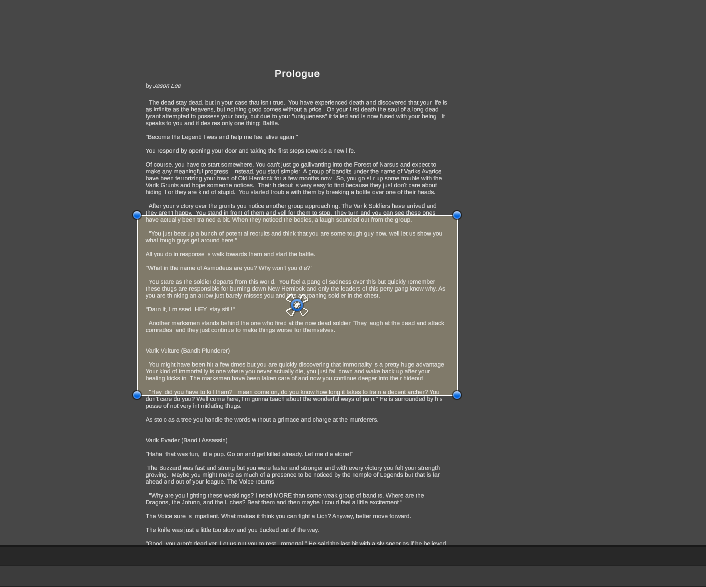
this is at Y 0
so the scroll will start in the middle
But it works properly
so the issue now is to make it start at the top
Playing around with Pivot settings, but it doesnt seem to do anything for the Story Content object
low pike
The Value field on the scrollbar sets the start point
 low pike
Did you not do this?
 storm wharf
no I added it by hand
Also adding scrollbar causes the whole thing to move to the side :c
alright I will follow this one and see if I can recreate it
storm wharf
low pike
Did you not do this?
Alright, it all works now, thanks for the help 😄
1 more thing tho, I think its a bug
Horizontal scroll bar Value changes to some random numbers like 56 when I leave test mode
And Vertical changes back to 0.5
 north smelt
guys
I need help with dropdown
I have settings menu with json data saving
at start of Settings Scene I want to make dropdown select options which is the same as option from json
example:
one of dropdowns selects screen resolution which I can save to json
when I enter settings scene, it must have the same screen resolution option as in json file
storm wharf
Content Size Fitter is the cause of the resetting values, trying to make it work without it
Alright works :<
north smelt
storm wharf
Content Size Fitter is the cause of the resetting values, trying to make it work...
in script or inspector?
storm wharf
in inspector
north smelt
tnx
storm wharf
content size fitter broke it, I just found some post on forums
this one 😄
ah
@north smelt sorry, I am not answering your question
north smelt
got another problem
but I must show it to you, gimme some minutes
after 2nd and more scene loading input field doesn't change string value
if this question should be in another text channel - warn about it pls
low pike
- What does 'reload' do?
- How is the input field connected to DataManager?
 plain whale
I'm using Pixel Perfect Camera's "Upscale Render Texture" for my pixel art game. Is it possible to make this ignore certain UI texts? I'm using pixel fonts for the game, but unless I manually perfectly match the pixels of the font with the game it becomes unreadable and blurry. Is there a way of doing this that I'm missing?
analog jay
studying other games, especially those u like 😄
rapid ferry
Hitman games UI is amazing
 flat nymph
how do I open a scene in a new tab? When I create a new scene tab and open a scene in it the other scene tab changes to that scene as well
low pike
flat nymph
how do I open a scene in a new tab? When I create a new scene tab and open a sce...
This channel is for implementing UI in your game, not for the editor UI - this quesiton would be best in #💻┃unity-talk .
However, to answer your question - You can't do what you're wanting to do.
Unity can open multiple scenes at once, but the scene window will show ALL of the scenes. Even multiple scene windows will show all scenes.
flat nymph
low pike
This channel is for implementing UI in your game, not for the editor UI - this q...
okay, thanks, that's strange indeed
low pike
I don't have any specifics, but udemy and educational places like that are gonna have UI/UX courses
north smelt
low pike
- What does 'reload' do?
- How is the input field connected to DataManager?
reload this scene (it was quit button, changed for some purposes)
it's not connected to DataManager, it's connected to MenuManager
but MenuManager is connected with DataManager (DataManager is serializable)
low pike
How is MenuManager connected to DataManager?
north smelt
wait a min
north smelt
low pike
How is MenuManager connected to DataManager?
it helped me tnx
I forgot that I can connect with DataManager by using Instance, not assigning to new object
I usually used to do this
 mossy widget
Im having some very peculiar UI issues. The UI does not seem to update certain elements until the screen is updated via slightly resizing the menu.
This issue is also present when switching between scenes, a bit of the UI from the previous screen enters the background of the current screen untill I do the resize thing
Ive found online threads of ppl with the same issue, but seems like no one has the solution
Been stuck on this problem for nearly a week now
any idea?
 chilly hemlock
mossy widget
any idea?
chilly hemlock
mossy widget
any idea?
What version are you using?
mossy widget
Just updated fully yesterday
chilly hemlock
?
mossy widget
2021.3.9f1
mossy widget
Ight Ill do that
chilly hemlock
mossy widget
Ight Ill do that
Might help. Sometimes bugs happen, and that's one reason we have updates. To fix bugs
mossy widget
On the unity hub menu it says 2021.3.9f1 is the most recent LTS version
I assumed the 2022 was legacy
Thanks Though
chilly hemlock
Oh okay
chilly hemlock
mossy widget
On the unity hub menu it says 2021.3.9f1 is the most recent LTS version
You can still get the newer versions...
If you go to the website you can get every released version ever.
mossy widget
Im jsut going to pick the most recent one on the hub just to be safe
so that is 2022.1.15f1
Damn I just updated and the issue is still there
Gemini radio has a similar issue https://forum.unity.com/threads/unity-ui-showing-in-editor-but-not-in-build.287403/
Unity Forum
I should start by saying that I am new to UI in general. Never touched the legacy GUI UI in Unity before.
I am using the new Canvas UI system. I have...
Another similar one https://stackoverflow.com/questions/71475579/previous-scene-lingering-in-the-background-unity

Stack Overflow
I've been trying to switch from the main menu for our game into the first level. But the main menu keeps showing in the background no matter what I try.
So, this is our main menu (the loading screen
Both these issues are present. The slight resizing always fixed them
 modern vigil
how do you handle different screen size for UI design?
let's say that on a 1080 screen I have an icon with a size of 48px, on a 4k monitor it doesn't look good, and if I try to design for 4k it looks really bad on smaller screen.
For some things like buttons I can use the 9 slices but I don't understand how to nicely scale images.
anyone got a link to a good documentation/reference on that?
 somber mortar
Hi I am working on a little clicker game and I am looking for someone that could make a few UI pictures/designs Please Reply or Dm if interested
storm wharf
If I want to be able to detect mouse clicks on an object, I need to make it a button?
mortal robin
You don't need to use a Button to detect clicks, no @storm wharf
you can use an EventTrigger and add the Pointer Click event, or you can add a script to the object that implements IPointerClickHandler
storm wharf
Thanks
 sand wagon
Hye I have a question if I want to do a drag and drop object should I use 2d or UI image ? and if I need to use 2d(sprite) how do I make it responsive to every resolution ?
 turbid crow
sand wagon
Hye I have a question if I want to do a drag and drop object should I use 2d or ...
turbid crow
sand wagon
Hye I have a question if I want to do a drag and drop object should I use 2d or ...
If you're making a ui, use a UI image
 boreal mirage
i have a question, is it possible to get object on screenspace overlay?
sand wagon
turbid crow
If you're making a ui, use a UI image
but when I use UI image i cant drag the object when in the play mode
 fiery lava
any idea how i can add some text jsut on the wall or something in my scene? i dont want it to bu UI i want it to be actually in the scene
low pike
TMP under 3d
mossy widget
mossy widget
Im having some very peculiar UI issues. The UI does not seem to update certain e...
Could I get help on this issue
 fleet kite
how do I render UI with a different camera if I have pixel perfect camera enabled?
 azure tinsel
I am having a problem, I need to move the layer of an image that I am using as a toggle, but when I add canvas to move layer the toggle doesn't recognize me clicking on the image. What do I do?
sterile wedge
azure tinsel
I am having a problem, I need to move the layer of an image that I am using as a...
Canvas also needs graphic raycaster
azure tinsel
sterile wedge
Canvas also needs graphic raycaster
You're an angel thank you!
weary flare
Having a discussion with my boss and he said scaling in Unity is not one click. As far as I know its literally a dropdown setting right?
sterile wedge
You're going to need to be more specific on what kind of scaling you mean
weary flare
eg: scale with screen size or not.
lock scaling or have the ui scale with the browser window/screen size
sterile wedge
Kind of sounds like a combination of the canvas scaler component and how the UI elements are anchored e.g. fixed size or set to stretch
weary flare
Our ui implemtation is a bit of a mess
Its react components and Unity
Needs to be just one
 shrewd egret
My experience with UI/UX is in web-css and if I wanted this dropdown to be on top I'd change it's z-level, but I don't see anything like that here.
I know that I can move it lower in the hierarchy and it'd show up on top but then I'd run into the same problem with the ones on bottom, because it's a pixle-game I have limited area to work with so the drop downs on the second level will have to be "drop-up's" and open upwards.

Do I need to make multiple layers for the Ui?
shrewd egret
Tried multiple layers and it didn't work,
from googling it seems like it's just impossible to do any type of sorting besides hierarchical... Is this really true?
low pike
UI is drop from top to bottom.
Things that are higher in the hierachy are drawn first, so are at the back, lower are drawn last.. at the front
You can have multiple canvases, each with a sorting layer
probably put a canvas on each player panel, give them sorting orders
sturdy shuttle
my game is very UI heavy. right now my prototype is set up with roughly 15 canvases that are always active, and i control which UI is visible with Canvas Group alpha. Two questions regarding this
1- when the canvases are set to screen space overlay mode things are smooth, but when i use a UI camera the game grinds to a hault, going from 60fps to 10fps.
2- even if the alpha is 0, should i still be hiding my canvases when they're not needed for optimization reasons? (I leave them active so they can still listen to game events and update appropriately)
Anyone's insight would be greatly appreciated!
somber mortar
I am having this weird thing that I don't know how to fix so basically whenever I change some settings on one Text it changes it for the whole project. so basically if I change the outline it changes the outline of all the text in the project
sturdy shuttle
are you changing the outline in the textmeshpro shader?
or on an outline component with legacy text
somber mortar
TextMeshPro
 nimble orbit
Anyone know what I can do to improve the quality of the text in the Terminal here?
It's really blurry and hard to read. I've read that TMP doesn't handle small font sizes well, but I don't want to increase the font size just for this to be readable.

The font is Fira Code 12pt
sturdy shuttle
somber mortar
TextMeshPro
you have to make separate shaders, that TMP shader is global
if you duplicate the font material, it should show up in a material drop down on the textmeshpro component
nimble orbit
I'm really struggling with text qualitty with small font sizes. Since my game's UI is meant to be used like a fake desktop operating system, I can't just increase the font size of everything - because thinggs won't fit on screen
What can I do to optimize my TMP fonts for smaller font sizes?
sand wagon
Hey I have a problem where the canvas covering my sprite. How do I want to bring the sprite infront of the canvas ?
low pike
sturdy shuttle
my game is very UI heavy. right now my prototype is set up with roughly 15 canva...
Just to double check, you've got your UI camera to render JUST the UI? Not accidentally left on everything else?
hollow karma
I'm trying to make a fake ascii frame for my canvases. What's a good tutorial on fine ui management?
I need to make sure that it aligns with the text in the canvas so it looks convincing.
I'm currently trying to use TMP buttons and layout elements but it feels a little messy with all the objects.
 dreamy haven
 dreamy haven
https://youtu.be/XLMt-ksvQSg
dreamy haven
dreamy haven
https://youtu.be/XLMt-ksvQSg
I made a health bar using screen long slider, unticked interactable, Transition: None, Navigation: None
And it was working exactly as I expected.
Then I added a pause function to the game, which doesn't manipulate the time scale but instead deactivates player and the enemies
And now when I click something while the game is paused, the slider lines with the Y axis of the mouse position.
what might be the reason for this behaviour?
this is the slider component
 sturdy shuttle
low pike
Just to double check, you've got your UI camera to render _JUST_ the UI? Not acc...
sturdy shuttle
low pike
Just to double check, you've got your UI camera to render _JUST_ the UI? Not acc...
yeah it's just the UI layer. here are all the settings
 low pike
It doesn't need occlusion culling or shadows
low pike
dreamy haven
https://youtu.be/XLMt-ksvQSg
That is odd. I've never used the slider for this, and to me.. it seems really odd to do it this way.
I would recommend using an Image, add a sprite (can just be a white square that's 2x2), change it to "filled" with the settings horizontal. Then you can change the fill amount between 0 and 1 (same as the slider)
[SerializeField] private Image healthBar;

float currentHealth = 100f;
float maxHealth = 100f;

public void TakeDamage(float damage)
{
  currentHealth -= damage;
  healthBar.fillAmount(currentHealth / maxHealth);
}
https://youtu.be/BLfNP4Sc_iA
I was following this tutorial which uses slider. Thanks for the advice, I will try that next time but still it is a curious behaviour and I would like to know if I am missing something or this is just a bug.

Let's create a simple health bar using the Unity UI-system!
Get up to 91% OFF yearly Hostinger Plans: https://hostinger.com/brackeys/
Code: "BRACKEYS"
● Brackeys Game Jam: https://itch.io/jam/brackeys-3
● Project Files: https://github.com/Brackeys/Health-Bar
···················································································...
things would've been quite easy if this was a known bug
low pike
I don't rate brackey's highly, better than a lot of others.. but meh ¯_(ツ)_/¯
dreamy haven
it was the top result in my search I think
low pike
Doesn't always mean it's the best
dreamy haven
I would think that there was a widely accepted best method for something as common as a health bar and any half decent tutorial would show it
apparently that is not the case
that or bracket isn't even half decent
low pike
Beginners tutorials don't show the best way to do things
They show the easiest way to do something, whilst being able to understand it
somber mortar
This might sound dumb but how do I make a TMP material
sturdy shuttle
somber mortar
This might sound dumb but how do I make a TMP material
I would just find the default material created when you create your text, and duplicate it
so i took Regular Title Material, duplicated it out a few times to create an outlined version, and a drop shadow version

then in the text mesh pro text component they'll show up in this drop down
sorry, the default material is a child of the SDF, so open that up and duplicate it from there
 wise elk
Can anyone here make text? (create a .tff)
low pike
somber mortar
This might sound dumb but how do I make a TMP material

Unity Learn
Much like other GameObjects, text created with TextMesh Pro can have multiple Materials applied to it. These Materials are powered behind the scenes by a Shader and determine the look of your text in ways that ordinary font weights can’t.
 raven herald
when I test the game on my phone the the text look a bit blurry and so the other UI element how can i fix it?
raven herald
 mild kernel
Are you actually testing it on the phone, or are you using remote?
low pike
This channel is for game UI, you'll want to ask that in #↕️┃editor-extensions
 tawdry aurora
how do you center text when the handles were moved around? rect pivot is already at 0.5
 tawdry aurora
ok then what do i do with that to precisely center that padding thing?
and what's padding, like how do i turn that thing off to get UI text behavior?
sterile wedge
tawdry aurora
and what's padding, like how do i turn that thing off to get UI text behavior?
it's margin. look under the extra settings in the tmp component
mild kernel
To make it not sit right on the edge
mossy widget
Im having some very peculiar UI issues. The UI does not seem to update certain elements until the screen is updated via slightly resizing the menu.
This issue is also present when switching between scenes, a bit of the UI from the previous screen enters the background of the current screen untill I do the resize thing
Ive found online threads of ppl with the same issue, but seems like no one has the solution
Been stuck on this problem for nearly a week now
Could I please get some help
low pike
a video of the problem will help
mossy widget
Sure
Can I DM it to you. Im Using unity for a research project and I dont want it to be public
https://forum.unity.com/threads/unity-ui-showing-in-editor-but-not-in-build.287403/
the user geminiradio is having a similar issue
Unity Forum
I should start by saying that I am new to UI in general. Never touched the legacy GUI UI in Unity before.
I am using the new Canvas UI system. I have...
 cold plinth
watching a tutorial on UI, they're able to drag a rect using little point handles in the inspector (handles at each corner of the rect)
I don't see these, how can I enable them?
mossy widget
low pike
a video of the problem will help
Ive Simplified the Project to the very barebones issue
Found the issue after. The issue occures if there is a region where there are not cameras present
low pike
That looks like the camera region has changed size, and the previous frame hasn't been cleared
low pike
cold plinth
watching a tutorial on UI, they're able to drag a rect using little point handle...
press T
cold plinth
low pike
press T
thanks
low pike
QWERT swap between tools
cold plinth
low pike
QWERT swap between tools
damn I thought it was only wer
any good tutorials on how unity ui should be laid out?
Like right now I don't know if I should always have rect -> image -> children
or if I can gave just image -> children
yeah idk I'm totally new to UI I can't stand it
 sly elk
https://cdn.discordapp.com/attachments/497874004401586176/1017811348773671045/asdasdadsasda.png
https://cdn.discordapp.com/attachments/497874004401586176/1017811312476172318/asdasdadsasda.png


Why my textmeshpro is blurry at the game
its not blurry in the scene but its blurry in the game
 ionic beacon
Looks like the scale slider is not at 1x
sly elk
ionic beacon
Looks like the scale slider is not at 1x
what do you mean by scale slider?
 sly elk
ionic beacon
There's a number just to the right side of it which needs to be x1
sly elk
ionic beacon
There's a number just to the right side of it which needs to be x1
Woooooow it worked
but its soo small
thanks alot
cold plinth
how do I make a grid view thing for UI?
Apparently the built in grid group is really bad, idk why that's just what I heard
But I wanna make something where it places as many items as it can horizontally (without stretching), and then lets you scroll down
low pike
The included grid layout is ok. But the cell size is fixed, if the grid area changes in size, the cells stay the same.
You either need to use horizontal + vertical layout groups nested... or write your own grid layout... or buy one from the store
 tardy palm
If I want to learn more intermediate/advanced UGUI (canvas), does anyone have good resources on it? Detailed dev blogs or forum posts would be great
For example I would love to know how the pros do animations, shaders/materials, layered effects and scaling in the UI. It feels like if I try doing it myself there will be a million ways to subtly screw myself.
Kind of stuck in search hell and can't break past baby's first canvas button tutorials.
 trail lion
I created this prefab, and I want to put it in a vertical layout group

but this is what happenes

I don't understand
 rigid kelp
How do I fix my slider, it seems to contract and expand while moving
mild kernel
Change the image type to filled on the bar.
 spice horizon
hey! is there any way to select an input field via code?
i'd like to select my chatbox when you press Enter
 torn grove
spice horizon
i'd like to select my chatbox when you press Enter
torn grove
spice horizon
i'd like to select my chatbox when you press Enter
Something like this:
using UnityEngine;
using UnityEngine.UI;

public class MyClass : MonoBehaviour
{
    [SerializeField] private InputField _inputField;

    private void Update()
    {
        if (Input.GetKeyDown(KeyCode.Return))
            _inputField.Select();
    }
}
Note that:
• KeyCode.Return is "Enter"
• InputField is derived from the Selectable class, just like Button, Dropdown, Toggle, etc. So you can assign navigations, call Select() on it, etc, just the same!
• When you select the InputField, you will deselect whatever Selectable was selected before. In terms of navigation, you can only have 1 selectable selected at any one time.
spice horizon
hoho tysm for the quick answer! i didn't know it was this simple
frigid cobalt
trail lion
but this is what happenes
Yeah, the Unity UI can be quite annoying as parent items can often have an effect on child elements. You might want to start by adding a horizontal-group component to the PlayerListItem prefab and see if that helps.
trail lion
frigid cobalt
Yeah, the Unity UI can be quite annoying as parent items can often have an effec...
oh ok, I'll try that thanks
nimble orbit
Is there anything like ILayoutElement that can notify me to recalculate my own layout based on the space available in my layout element's parent?
I'm writing a vt100 emulator and I need to calculate the amount of rows and columns supported by the terminal based on the actual width/height of the UI element it's rendered in
And I want to make it so that it can respond to resizing properly
...so if the terminal is currently 800x600 units but its parent decides to scale down to 640x480, the terminal should resize.
 compact needle
I dont know if this belongs here but i'm getting crazy trying to figure why my input field (TMP) clears the content when i press back button on mobile (i already uncheck the "Restore on ESC Key" in case that counts as "ESC" but it stills clears the content)
bold raptor
Could you possibly screen record what you mean @compact needle Im a little confused
Could I have some opinions on this UI? Colors, design, or anything 🙂
compact needle
bold raptor
Could you possibly screen record what you mean <@309252108614369282> Im a little...
sure, there is it
as you can see, the content of the input field only stays if i press the confirm button
if i edit the input field and press the android back button, it cancels whatever i did in it
compact needle
wow
low pike
it's a cancel input action, it's not a confirm input action
compact needle
maybe it's me that i'm so used to leave an input field with android back button...
but that didnt happen to me in any app
i mean, sure there apps that happens the same, but it's not what i usually see...
should i just let it like this? my muscle memory just press it again and again
low pike
I only use Android for dev, and never even thought about using back to dismiss the keyboard
Depends how big of an issue it is for you?
Is your game full of inputfields? Is there a lot of typing in them? -> try to fix.
Is there very few inputfields which you barely interact with? -> ignore and move onto something more important.
compact needle
thank you for your response, i'll think about that 😅
 trail trail
So I'm trying to setup input controls for keyboard/mouse and controller for my game. I'm currently struggling with "Selected" events I suppose?
So right now I have my main menu setup so that it is "Explicit" navigation instead of automatic. This works great.
However, the problem I'm having is that when I open up a submenu, it doesn't automatically have a "First selected" in that sub menu. I could however, code this, but I'm just overall feeling that its a bit clunky to setup via code.
Is there something I'm missing?
I'd also really like it to easily pick "First Selected" or not depending on if its mouse or controller driven, but again, doesn't seem like theres an easy solution to that.
mortal robin
trail trail
So I'm trying to setup input controls for keyboard/mouse and controller for my g...
a lot of times the first selected stuff doesn't work well and you need to just call EventSystem.SetSelectedGameObject manually
trail trail
mortal robin
a lot of times the first selected stuff doesn't work well and you need to just c...
Yeah thats sort of what I'm attempting to do instead.
However, I am noticing that in order to properly set that up, I need reference tot he PlayerInput, and setup an event for every time the PlayerInput changes.
I sort of was hoping Unity would have figured this out by now lol
 rancid skiff
is there a way to deselect a buttopn through code ?
rancid skiff
thx
 sharp oracle
Having a weird issue with TMP Dropdowns. It seems the box that pops up when you click on them is invisible in a camera-space canvas. I can see it in the editor exactly where it should be, and if I switch the UI Camera to Screen Space - Overlay, it works normally. But I need the canvas to be Screen Space - Camera in order to work with some other aspect ratio adjusting code I have.
How can I get my TMP Dropdowns to appear on Camera space canvases?
Okay, so, it seems like it's actually the camera stack that is the issue. I can set the canvas to be a camera-space canvas for the main camera and it works, except it can then be covered up by meshes in the world. Making it a second overlay camera in the camera stack prevents the clipping, but also means the dropdown is invisible.
sharp oracle
Ah, found it. The Template object that the dropdown clones to make the menu was not on the UI layer, so my overlay camera was culling it. Whenever I had the canvas to overlay, it was being seen by the main camera, instead of the UI camera. Resolved.
Thanks for the assistance
 timber wind
Im trying to make a build for my project to make sure everything is working in a build so far. but some of the ui isn't appearing in the build version of the game and i cant find out why. I circled the ui that is not showing up in blue and have tried building the project like 3 times.
 somber mortar
How do I scale the UI good I find that unity automatic scaling is very bad on big screens the text looks like an ant and on smaller screens you can only see one letter
fleet kite
How do I make TextMeshPro invert color from white to black depending on what's behind it?
mortal robin
somber mortar
How do I scale the UI good I find that unity automatic scaling is very bad on bi...
There are different canvas scaler settings
low pike
#archived-game-design and #archived-works-in-progress for questions to do with feedback
 dusty tree
sorry my bad
shadow fulcrum
any suggestions on this UI? its for this game: https://simmer.io/@EmielV/pill-game

 low pike
<#532311577576210432> and <#502171560359100437> for questions to do with feedbac...
low pike
low pike
<#532311577576210432> and <#502171560359100437> for questions to do with feedbac...
@shadow fulcrum ^
somber mortar
mortal robin
There are different canvas scaler settings
where is that?
somber mortar
shadow fulcrum
any suggestions on this UI? its for this game: https://simmer.io/@EmielV/pill-ga...
I think it fits pretty well
 old girder
hi guys, how would one go about making a filling bar similar to diablo's HP glass sphere that moves up or down with HP changes?
i got the glass and background images but idk how to make the "liquid", even faking it is good for me
somber mortar
old girder
hi guys, how would one go about making a filling bar similar to diablo's HP glas...
try searching it up on google and youtube
mortal robin
old girder
hi guys, how would one go about making a filling bar similar to diablo's HP glas...
Just a filled Image component will do
 vast furnace
okay so im creating an options menu, and it has a scroll rect. However, when I use the volume slider it scrolls the window and it's pretty annoying
does anyone know how to disable scrolling unless you use the scrollbar or your scrollwheel?
sterile wedge
vast furnace
okay so im creating an options menu, and it has a scroll rect. However, when I u...
You can try turning the raycast target property off for the areas you don't want to scroll the window
vast furnace
ty
but ive made my own scroll script by now so yeah
thanks for the help anyway! 😄
old girder
does unity have the ability to use blending modes like photoshop to determine an image's alpha?
i want to fade in a certain image but just using opacity settings would be pretty boring compared to an effect that blending modes would create
low pike
I reckon you'd have to do it with a shader
 wise haven
hey everyone, i have a question regarding button. how do i make it so that after i click a button then click another one, the last one that i clicked reset its scale and color to default? thanks in advance
frigid cobalt
wise haven
hey everyone, i have a question regarding button. how do i make it so that after...
You can either keep a reference of the lastButtonClicked and reset it it's size before then assigning the new button to it.
Or, when a button is clicked, loop through all your buttons and reset their sizes, then change the colour and size button you clicked.
wise haven
frigid cobalt
You can either keep a reference of the lastButtonClicked and reset it it's size ...
ah i see, thanks for the answer
will try
 abstract stream
Hello all, just want to ask a super simple question: what is this element called?
I've been calling it "carousel UI element" internally, but an internet search turned up a different (though somewhat related) UI element. I might want to release this as a free asset so I'd like to be sure I'm not messing up my terminologies. Thank you!
 rare carbon
Hey, I have many performances issues with my game, when I look at the profiler in deep profile mode for the standalone I see that GraphicRaycaster.RaycastAll is very expensive.
I have only one or two canvas in my scene with a graphic raycaster component, and I have unticked all the unecessary "raycast target" toggles on my UI components, any idea how I can optimize my game or have more information about what is causing this ?
(above is a screenshot of my profiler, the blue part is corresponding to the moments where I have my cursor on my game, and the right part (good performances) is corresponding to the moments where I have the cursor on my second screen for example (but the focus is still on my app)
Thanks a lot
 low pike
Looks like the same blue for animation?
rare carbon
low pike
Looks like the same blue for animation?
No it's Scripts, it looks like but it's because I clicked on an item on the "overview" tab so it show me the corresponding part of the graph in color
 odd falcon
Hello everyone I am wondering if someone can help me. I have a canvas UI with button tabs, however, I can not press these buttons. (e.g not executing script). I am able to sort of getting to work via setting one of the button tab gameobjects to be the "First Selected" property of the EventSystem, however this only allows me to select one option.
The first screenshot below is the hierarchy of the UI and as you can see I do have an Icon and a gameobject as children of the button (StatsTab/BackpackTab etc). If I disable these it does not work.
In my scene I do have another UI canvas that does work, but this one does not. The second image is the contents of a tab gameobject.
If anyone can help me, that would be great

 low pike
probably something blocking the buttons
odd falcon
I am thinking that too. However in scene view, if I click from a different gameobject to the button tab it selects the tab (albeit after disabling my dialogue canvas), however this does not solve anything
low pike
..so.. the dialogue canvas is in the way..?
odd falcon
it was, but even after disabling the dialogue canvas game object, I still can not interact with the button
low pike
Use the event system to see what the pointer is hitting when hovering over your buttons
odd falcon
hmm, okay, the raycasts aren't hitting then cause I dont see a change in the EventSystem viewer
low pike
click in the game view first, make sure it has focus
odd falcon
i have
the the selected part of the event system view just sticks at "Selected: " even after me spamming so I presume that the raycasts just arent hitting
low pike
at some point in the hierarchy the raycasts are disabled
odd falcon
the only gameobjects which wasnt were the icon images but they are now raycasts but the raycasts still arent hitting
 raw stratus
shadow fulcrum
any suggestions on this UI? its for this game: https://simmer.io/@EmielV/pill-ga...
raw stratus
shadow fulcrum
any suggestions on this UI? its for this game: https://simmer.io/@EmielV/pill-ga...
Maybe the "play" and "skins" buttons could be pills, and they open when you hover / click on them. Just a lil fun idea.
rare carbon
Hey, I have many performances issues with my game, when I look at the profiler in deep profile mode for the standalone I see that GraphicRaycaster.RaycastAll is very expensive.
I have only one or two canvas in my scene with a graphic raycaster component, and I have unticked all the unecessary "raycast target" toggles on my UI components, any idea how I can optimize my game or have more information about what is causing this ?
(above is a screenshot of my profiler, the blue part is corresponding to the moments where I have my cursor on my game, and the right part (good performances) is corresponding to the moments where I have the cursor on my second screen for example (but the focus is still on my app)
Thanks a lot
 low pike
feedback requests go in #archived-works-in-progress
please delete from here and post there
lost lake
Hello, I just noticed in a recent update on Unity 2021 there can only be 1 raycast target element in a given Button hierarchy or else the raycast would get immediately blocked thus OnHover events wont stay like in this example:

That was not the case before but I cannot find any info about this
Is anybody else experiencing the same thing or anybody knows how exactly this is supposed to work?
low pike
Had weird issues like that in versions before 2021, I've only been having 1 raycast target on interactable elements for a long time
 tropic comet
how do i fix the gray background on the text far away frrom me
Image

 hallow sigil
I wonder why my clean png file doesn’t change to correct quality in gameplay?
I have watched YT showing what I need for settings and it slightly improved but still pixelated.
Using “raw image”
odd falcon
odd falcon
Hello everyone I am wondering if someone can help me. I have a canvas UI with bu...
Hello, can someone please look at the issue I am still having?
 outer siren
Trying to choose between uGUI and UI Toolkit for a new, solo project. I'm no artist and I'm new to uGUI but my experience in frontend might make it easier for me to work with UI Toolkit (and easier for me to style them and make quick UI controls that look good rather than make a bunch of image assets). Which one to choose?
 green arch
for some reason my canvas disappears when I click on any other gameobject or it's children.
it reappears when I click on the canvas gameobject itself:


 green kettle

How can the Image not be effected by the Grid Layout Group
Is there a way to do this?
I want the Image to be adjusted based on the size of its Children commonly used on Tooltip systems
But it looks like its prioritizing the Cell Size of the grid layout group rather then its Content Size fitter
sterile wedge
green kettle
But it looks like its prioritizing the Cell Size of the grid layout group rather...
Layout element component has an ignore layout option
rapid ferry
my UI object with a collider does not detect OnMouseEnter and I have no idea what could be causing it
sterile wedge
rapid ferry
my UI object with a collider does not detect OnMouseEnter and I have no idea wha...
Don't use OnMouseEnter for UI. Just use the event trigger component. Don't need collider
mortal robin
rapid ferry
my UI object with a collider does not detect OnMouseEnter and I have no idea wha...
you should not use colliders nor OnMouseEnter on UI objects.
rapid ferry
sterile wedge
Don't use OnMouseEnter for UI. Just use the event trigger component. Don't need ...
still not working for me
mortal robin
rapid ferry
still not working for me
you'd have to show what you tried
mortal robin
and what other components are on this object?
do you have an event system in the scene>?
Is there a graphic raycaster on the canvas?
rapid ferry
mortal robin
do you have an event system in the scene>?
yes and yes
mortal robin
rapid ferry
yes and yes
then likely some other UI element is blocking this one
try experimentally disabling all the other UI until it works
rapid ferry
I have disabled every single gameobject in the scene

and it still does not work
could the problem be that the object is under the content of a scroll rect?
i have no idea what this is anymore
mortal robin
rapid ferry
I have disabled every single gameobject in the scene
well don't disable the event system and the canvas
mortal robin
rapid ferry
could the problem be that the object is under the content of a scroll rect?
if the scroll rect itself has raycast target, possibly
rapid ferry
mortal robin
well don't disable the event system and the canvas
I didn't, disabled everything else one by one though
I'll check if it does
okay no im stumped
i give up for today
 blissful acorn
hello - im not sure what category this should fall under, however i'm trying to make a ui like the one shown in the attached mockup, I was just wondering if anyone had any helpful tutorials or such for this type of menu! i'm a bit new to ui design so anything that helped you guys would probably be helpful for me, thank you!


 swift flax
I have several UI images/buttons that I want to be set inactive at runtime but I don't want to have to reference each individual one in code to set them inactive, is there a property I'm not seeing?
frigid cobalt
swift flax
I have several UI images/buttons that I want to be set inactive at runtime but I...
Have a parent gameObject that loops over (i.e., foreach transform) the children images/buttons and active or deactivates them.
swift flax
I considered this method but the GetComponentsInChildren returns all children and the parent
mortal robin
swift flax
I have several UI images/buttons that I want to be set inactive at runtime but I...
Use an array or list or the ones you want to deactivate and just loop over it
or just deactivate a parent object, which will automatically deactivate all of its children
mortal robin
blissful acorn
hello - im not sure what category this should fall under, however i'm trying to ...
Use GridLayoutGroup
mortal robin
 gilded quest
Anybody know if there's a way to make UI rects snap to grid?
gilded quest
Anybody know if there's a way to make UI rects snap to grid?
If you set the tool handle rotation to Global you should be enable to enable grid snapping
blissful acorn
mortal robin
Use GridLayoutGroup
thank you! any tips on how I could implement a container up top that holds the content from the buttons or is that a question for somewhere else
mortal robin
not really sure what you mean by "the content from the buttons".
blissful acorn
the buttons will have text on them, i essentially want a copy of the text from the button to show up in the list 🙂
mortal robin
the top part would just be a HorizontalLayoutGroup then
and you just instantiate prefabs into it as buttons are pressed
blissful acorn
thank you very much!
 mighty bane
so i am making a vr game but the thing i am trying to do is make it so that when the button in the canvas is pressed the player teleports to the next part of the game
mortal robin
mighty bane
so i am making a vr game but the thing i am trying to do is make it so that when...
so what are you struggling with?
mighty bane
so i have the button and interaction but when i click it nothing happens because well idk how to make it so i teleport
mortal robin
you'd have to define what teleporting means
loading a new scene?
or just moving your player to a different location
mighty bane
I did it
 slender zenith
I want to make a big skill tree like PoE's.
I've already all the logic and data/parsing handled, all that's left is the actual UI part.
How do I do it with Unity's UI without destroying my performance?
I need to be able to zoom in/out, and will have hundreds of nodes interconnected to each other. Most nodes have unique arts so if I go the naive way that will be hundreds of different images being updated whenever I move around in the skill tree.
Any advices? Thanks in advance.
 warped oyster
hi, so i have post processing applied to ui, and it distorts buttons to the point where the button visually is and where you can click the button is different, is there any way to fix this?
 night dove
anyone have thoughts on best practices for limiting player input to specific windows/panels?
I'm considering a manager script that lets you cycle between canvas groups, forcing all except the "focused" one to be uninteractable
 nimble moat
Has anyone ever had this problem with TextMeshPro InputField. When I put the options on Multi Line Submit and the text CONTAINS a random spam you can scroll WAY past the text. However if the text seems a little more normal you are limited on your scroll:
No Spaces: https://gyazo.com/0b75c76096afd71d574a7b865888e1e9
With random spam:
https://gyazo.com/7ff901402dfee04cc60a462eb752e8ec


 chrome rivet
Anyone know why a single UI Mask is dropping my FPS from ~500 to below 100? sorry if this is the wrong channel
mortal robin
chrome rivet
Anyone know why a single UI Mask is dropping my FPS from ~500 to below 100? sorr...
https://docs.unity3d.com/Manual/Profiler.html is the best way to diagnose framerate issues
chrome rivet
Hmm, turns out it runs fine in Build and was just an Editor issue. Can't figure out why but whatever...
 slow turret
Hey.
I'm currently building a settings menu and now want to implement keyboard / controller navigation.
To navigate between the settings I enabled vertical navigation for each setting-container and disabled navigation for the child controls.
Now when a container is selected, I want any input to be delegated to the child control.
Example: Like in the screen shot, the Textures setting is selected. When I now press left or right on the keyboard / controller, I want to control the inner slider controller.
Is this possible without additional scripting or am I maybe misunderstanding UI navigation?
 mortal robin
slow turret
Hey.
I'm currently building a settings menu and now want to implement keyboard /...
mortal robin
slow turret
Hey.
I'm currently building a settings menu and now want to implement keyboard /...
Can you control sliders with the keyboard without additional scripting? Not sure you can by default
but that's not navigation
the up/down stuff is navigation
slow turret
Unity would allow me to change the values by keyboard if I could select the slider or navigate to the slider. Since I disabled navigation to the slider, it doesn't work anymore.
 amber void
Hey, I don't know how to go about implementing this desired behaviour. I have an inventory window that will pop open, but it will have a dynamic number of item slot entries. Instead of making 1000 different container windows each with different sizes I want this one to resize itself appropriately to a maximum size, whereupon it will use its scroll view/rect to show the rest of the container's contents.
So far I have a working scrollview and rect, but it looks wrong when it has less than the max window size. I want it to resize the window to fit only the number of itemslots.
 mortal robin
slow turret
Unity would allow me to change the values by keyboard if I could select the slid...
mortal robin
slow turret
Unity would allow me to change the values by keyboard if I could select the slid...
you'll want to navigate to the slider itself, not the row that contains it
You can have the slider's selection transition graphic be the row panel if you wish
slow turret
Ah, that's smart. I'll try that, thanks :)
 sly tulip
is there a way to make a background image scale with the size of a grid?
so as more things are added to the grid, the background image will keep growing with it
answer is: content size fitter
 cursive moon
hmm... why could my vertical layout group not account for the height of the child objects?

the only offset is the spacing value
mortal robin
cursive moon
hmm... why could my vertical layout group not account for the height of the chil...
play with all the checkboxes
cursive moon
hmm okay my problem is something else actually...
it's because the wrapper on the child objects have a size of 0
is there a way to tell the wrapper to be the same size as its content?
ohhhh, i was missing a layout group on the child object
 chilly sorrel
Hey I need to create a menu that allows arrow keys as navigation and 'return' as an button interaction key
Does anyone know a good guide to this? I already have the buttons and what they are supposed to do. I just need that navigation
mortal robin
chilly sorrel
Hey I need to create a menu that allows arrow keys as navigation and 'return' as...
What you described is already the default in Unity I believe
Just using automatic navigation should get you there.
chilly sorrel
mortal robin
Just using automatic navigation should get you there.
Thanks
green arch
Does this look good for a Main Menu UI?

 gray garnet
green arch
Does this look good for a Main Menu UI?
gray garnet
green arch
Does this look good for a Main Menu UI?
It's okay, it's just odd that there are different fonts
green arch
I will try changing them all to the one I use at the top
 ocean steeple
was watching Brackey and i notice he have this Example game file that show the window of his game instead of his scene, how do u do this in unity ?
 mortal robin
ocean steeple
was watching Brackey and i notice he have this Example game file that show the w...
mortal robin
ocean steeple
was watching Brackey and i notice he have this Example game file that show the w...
Your screenshot just looks like a folder that contains two scenes.
Not sure what you mean
ocean steeple
mortal robin
Your screenshot just looks like a folder that contains two scenes.
ok here is the full image, i was trying to set my health bar into the game view but i can't for some reason, and Brackey never explained how he actually did it in his video
 mortal robin
ocean steeple
ok here is the full image, i was trying to set my health bar into the game view ...
mortal robin
ocean steeple
ok here is the full image, i was trying to set my health bar into the game view ...
you can't drag things into game view, only scene view
ocean steeple
mortal robin
you can't drag things into game view, only scene view
but that's what happened in the tutorial video tho idk
mortal robin
ocean steeple
but that's what happened in the tutorial video tho idk
What is "that" which happened in the video?
please be more clear
ocean steeple
mortal robin
What is "that" which happened in the video?
the health bar
ocean steeple
mortal robin
what is "the health bar"?
the canvas file when u created a new image in the ui
mortal robin
ocean steeple
the canvas file when u created a new image in the ui
???
You have to realize that I have absolutely no context as to what you're asking about
Please come up with a clear question with context so that people can understand what you are asking about.
ocean steeple
mortal robin
Please come up with a clear question with context so that people can understand ...
ok so i have this health bar ui that i created and i wanna put it above my player in the game scene but i don't know how to, that's all

 mortal robin
ocean steeple
ok so i have this health bar ui that i created and i wanna put it above my playe...
mortal robin
ocean steeple
ok so i have this health bar ui that i created and i wanna put it above my playe...
define "above my player"
like you want it to follow the player?
ocean steeple
mortal robin
like you want it to follow the player?
yeah
mortal robin
ocean steeple
yeah
put it in a wold space canvas which is a child of the player
ocean steeple
or at least make it visible when i play test my game
mortal robin
ocean steeple
or at least make it visible when i play test my game
just put it in the scene
it will be there
position it properly that's all
ocean steeple
mortal robin
position it properly that's all
i dragged the health bar into the scene but when i play test it the health bar didn't appear
mortal robin
ocean steeple
i dragged the health bar into the scene but when i play test it the health bar d...
you didn't position it properly
ocean steeple
mortal robin
you didn't position it properly
well how do i position it properly then ?
mortal robin
ocean steeple
well how do i position it properly then ?
open scene view
double click the Canvas
you will see the whole canvas
position it where you want on the screen
middle of the canvas is middle of the screen
 soft wave
Anyone know if it’s possible to make a child that masks it’s parent?
sterile wedge
soft wave
Anyone know if it’s possible to make a child that masks it’s parent?
i dont, but if you show your hierarchy and the components it has, like which image you want to mask, maybe there can be an alternative
soft wave
I have
- parent which I want masked
- mask which I need to move and I want it to move independently of parent and mask it obviously
- other children of parent
sterile wedge
soft wave
I have
- parent which I want masked
- mask which I need to move and I want it ...
are you able to separate the image component of the parent into a separate gameobject that you can then put as a child of the mask?
soft wave
sterile wedge
are you able to separate the image component of the parent into a separate gameo...
Yeah I can
green arch
Is TMP_InputField.OnChangeEvent the right event for collecting information after editing a tmp input field?
 unkempt echo
When I add a UI element to my canvas on runtime it isn't showing up, what can I do to fix this?
Never mind
It was an issue with another script that was causing it
It was a networking script that for some reason blocked the UI from showing when it failed
mighty bane
i am making a settings menu and have the drop down for Graphics but with my script i am using it doesn't change the graphics with the drop down and idk the problem i have it on on value change and i chose the right part of the script but it still wont change anything
 fading fractal
Can anyone please explain me why the "content" of "Scroll Rect" is visible outside of scroll rect. For example the right eye in the image above (selected gameobject is scroll rect).
 mortal robin
fading fractal
Can anyone please explain me why the "content" of "Scroll Rect" is visible outsi...
mortal robin
fading fractal
Can anyone please explain me why the "content" of "Scroll Rect" is visible outsi...
Typically a mask is used in conjuction with a scroll rect to hide things outside the viewport of the rect
ScrollRect comes with a mask
you probably just need to adjust the one you have
rapid ferry
I'd use a rect mask here
 sleek cipher
Is there a way on unity UI to do a sprite segment repeat? Like slice sprite into three parts with middle part being repeatable on UI?
mortal robin
sleek cipher
Is there a way on unity UI to do a sprite segment repeat? Like slice sprite into...
yep
sleek cipher
thanks
 vocal reef
Anyone ever have issues with the rotation of an image affecting how it's filled when using Radial 360 fill method? In editor it works perfectly, but in play mode it seems like rotating the image causes the fill origin to change suddenly.
mortal robin
vocal reef
Anyone ever have issues with the rotation of an image affecting how it's filled ...
I would expect the rotation to change where the fill origin is, no?
seems like a bug if you're seeing different behavior in edit mode and play mode though
vocal reef
mortal robin
seems like a bug if you're seeing different behavior in edit mode and play mode ...
I have fill origin set to right. If I rotate the object in edit mode, the fill origin rotates with the object as expected. Locally its still pointing to its right, but globally, its pointing in some other direction that I've set due to rotation. That's all good. In play mode though, for some reason at some angles the fill will jump to a different position and appear more like its fill origin is bottom or something.
mortal robin
vocal reef
I have fill origin set to right. If I rotate the object in edit mode, the fill o...
sounds like a bug
vocal reef
Damn any ideas for how I can work around it? I tried rotating the parent object but same issue.
mortal robin
vocal reef
Damn any ideas for how I can work around it? I tried rotating the parent object ...
maybe show some code and video of the issue? Maybe there's a bug in your code for rotation?
vocal reef
mortal robin
maybe show some code and video of the issue? Maybe there's a bug in your code fo...
Spent 10 hours yesterday and couldn't find any issues in my code, but after you said that I took another look and turns out it was because I was for some reason flipping the scale depending on the direction the enemy was facing instead of just using flipX on the sprite renderer for them. All good now, thanks!
mortal robin
vocal reef
Spent 10 hours yesterday and couldn't find any issues in my code, but after you ...
That explains it - but I'll also warn that flipx has its own set of pitfalls as well.
vocal reef
I was trying to remember if there were any, because I feel like I must have chosen to use scale for a reason.
What are the pitfalls?
mortal robin
One being that there's no indication from the Transform that the object is facing the other direction. So facing needs to be separately accounted for for any Raycasts or directional things etc being emitted from the object
 magic walrus
I have the health bar in the top right in a Screen Space - Camera overlay, when i look down, or even at some spots on the wall it just disappears. I have it set up where a UI camera is rendering it, not the main. Any thoughts on what's causing this? Thanks

i lowered the Plane Distance on the canvas and that seems to fix it, but i dont really understand why, just got lucky fiddling with things
 cold glacier
any idea why only half of the button responds to clicks, the other half does not? Any ideas on this?
magic walrus
cold glacier
any idea why only half of the button responds to clicks, the other half does not...
do you have some raycast targets blocking it? like TMP's or something?
cold glacier
magic walrus
do you have some raycast targets blocking it? like TMP's or something?
Only text is on it, I tried disabling this and it didnt change anything
mortal robin
magic walrus
i lowered the Plane Distance on the canvas and that seems to fix it, but i dont ...
it's going behind the floor
magic walrus
mortal robin
it's going behind the floor
but the UI camera doesnt render the floor, it can still block it?
mortal robin
If you're doing camera stacking then IDK what the issue is
somber mortar
quick question how do you adjust your mobile app for landscape and portrait
 vital linden
I'm trying to create a gui where there is an interface around the border of the whole screen and in the center will be more guis I'd like to display. Any idea of how to go about doing this? I'm using two canvas atm and they're just stacking ontop of each other trying to consume the whole screen
sturdy shuttle
what reasons should
CanvasRenderer.cullTransparentMesh
ever not be checked on?
is it exchanging a GPU hit for a CPU hit?
vital linden
im so confused as how do canvas work, seems like they just overlay my entire screen, i can't shrink them or anytihng
mortal robin
vital linden
im so confused as how do canvas work, seems like they just overlay my entire scr...
Screen Space - Overlay Canvases cover the whole screen yes
There's no need to shrink the canvas itself
You just need to familiarize yourself with https://docs.unity3d.com/Packages/com.unity.ugui@1.0/manual/UIBasicLayout.html
vital linden
I donno, did game design before, even web design. You usually have a bunch of boxes to create a ordered layout. In here, seems like it doesn't conform to that at all.
 errant creek
so im trying to use an image/sprite as a health bar but i need to set its draw mode to fill, the issue is i cant get the FILL option to appear no matter what i do, i did it once on accident but then unity crashed and i need to redo it and im going crazy trying to figure it out
mortal robin
errant creek
so im trying to use an image/sprite as a health bar but i need to set its draw m...
you have to set a sprite
if there is no sprite, the option won't appear
errant creek
mortal robin
you have to set a sprite
its a square sprite, i have a canvas and then add a 2d sprite image but i dont get the fill option
mortal robin
errant creek
its a square sprite, i have a canvas and then add a 2d sprite image but i dont g...
show the Image or SpriteRenderer inspector
you have to set the sprite there
errant creek
 errant creek
mortal robin
you have to set the sprite there
errant creek
mortal robin
you have to set the sprite there
i'm not doing anything different from the time it worked unless i'm missing something completely
mortal robin
errant creek
you just need to change Draw Mode to Filled
wait also
why are you using a SpriteRenderer?
If this is UI it's supposed to be an Image
errant creek
mortal robin
you just need to change Draw Mode to Filled
thats what im having an issue with it wont appear.
mortal robin
mortal robin
why are you using a SpriteRenderer?
^^^
errant creek
mortal robin
If this is UI it's supposed to be an `Image`
ahh ill try that
image seems to fix my issue thank you!
somber mortar
quick question how do you adjust your mobile app for landscape and portrait
 brisk sandal
I have a GUI window object with a layout group and a content size fitter, that starts off disabled. But when I enable it it's not aligned properly, the object is too small and everything is crammed together. But when I close or re-open the window (or manually disable/re-enable the layout group or content size fitter) that fixes it. Any of you guys know what's happening here and what a good way is to fix it?
I tried running Canvas.ForceUpdateCanvases() when the window is set active, but that didn't help. I can't imagine disabling/re-enabling the layout group and content size fitter in the same function would help either, and it would also mean having to add extra references. Or perhaps I could add a UnityEvent and assign enabled = whatever calls to them in the Inspector.
brisk sandal
somber mortar
quick question how do you adjust your mobile app for landscape and portrait
as in set if it can load in portrait or landscape?
brisk sandal
somber mortar
quick question how do you adjust your mobile app for landscape and portrait
when you set the player settings for iOS and Android, in 'Resolution and Presentation' there should be an 'Orientation' variable
 patent cargo
I'm having a issue with my UI. I have set the Canvas to scale with screen size then created panels for the different areas of the UI.
However when the screen size changes all the UI elements are out of place. What can I do to fix this?
 tardy shore
Hello so me and some classmates are working on a game project in Unity that is somewhat similar to Defcon/Hearts of Iron IV. I'm currently working on the UI since we need it to display some information about the nation (ideologies, goverment etc). I'm also wondering how I could make the button deselect-able by just clicking anywhere except the UI.
I appreciate any help, thanks!
 somber mortar
brisk sandal
when you set the player settings for iOS and Android, in 'Resolution and Present...
somber mortar
brisk sandal
when you set the player settings for iOS and Android, in 'Resolution and Present...
but what if I want to play on Landscape and Portrait
brisk sandal
somber mortar
but what if I want to play on Landscape and Portrait
Set it to auto-rotate
mortal robin
tardy shore
Hello so me and some classmates are working on a game project in Unity that is s...
The "hack" i like to use is to put a big invisible UI element underneath everything else with an IPointerDownHandler script on it which closes any other modals, deselects things, etc..
tardy shore
mortal robin
The "hack" i like to use is to put a big invisible UI element underneath everyth...
Thanks! I have another question though, do you know how I would make the countries clickable? Like how would i give the countries territory?
somber mortar
brisk sandal
Set it to auto-rotate
Is there a way to rearange the UI depending on lanscape or portrait
 uncut cape
Question: looking at TextMeshPro richtext, is there a known way to accomplish something like "mark" tag that highlights words but eitehr a) underlays or b) has rounded corners. I'd like to have a section that has a rounded capsule around it
 honest belfry
I have a dropdown and i cannot for the life of me get it to open downwards, it always expands above the dropdown... any help?
template shows fine

but in game opens upwards
 azure flame
 pliant viper
edit: ty my custom script didnt work but content size fitter worked :D
 rustic moat
honest belfry
but in game opens upwards
rustic moat
honest belfry
but in game opens upwards
up on this, I have the same problem
rustic moat
honest belfry
template shows fine
I've experimented on this and it is cause by the height of our window. The template of our dropdown has limits on the height of our window, so if its within the range it will normally display downward.
honest belfry
rustic moat
I've experimented on this and it is cause by the height of our window. The templ...
Yeah I read about this but there plenty of room below… doesn’t make any sense
rustic moat
the rect transform changes to top-stretch
 rustic moat
honest belfry
Yeah I read about this but there plenty of room below… doesn’t make any sense
rustic moat
honest belfry
Yeah I read about this but there plenty of room below… doesn’t make any sense
maybe your containing them inside a panel?
honest belfry
rustic moat
maybe your containing them inside a panel?
I’m afk atm, I’ll have to get back to you on that
brisk sandal
somber mortar
Is there a way to rearange the UI depending on lanscape or portrait
hm you could just have an update loop that checks if it changes?
@somber mortar e.g. check the screen's current resolution, and if the width is less than the height that means it's vertical
 wanton quiver
following a tutorial atm to set up a slider serving as a healthbar.
its telling me to set up the SliderCanvas like this (screenshot 1), looks ok.
But then it tells me to turn it into a prefab and attach it to the game object it'll be the health bar of (in this case, the dog). (screenshot 2)
Now it's all the way in Narnia, completely the wrong size (despite the dimensions seemingly being the same as in the Prefab) and just overall a complete headache. What am I missing?
This is what I'm following:
https://connect-prd-cdn.unity.com/20210505/70ffeabd-706f-4556-b9a9-ea6bd8ba631a/Unit 2 - Bonus Features Solutions.pdf?_ga=2.263578828.1186801097.1620052249-59568313.1601905412
Page 25, Steps 1 - 11


of note thats not apparent on first glance:
on screenshot 2, the healthbar in the game view is not the big one in the scene view, but rather the same one from screenshot 1
the really frustrating part is that im following these steps, redoing them several times in case i missed something, and the end result just looks nothing like what it says it should.
but between the solutions being wrong and me just doing something wrong, theres an infinitely greater chance that im just doing something wrong, but i dont get it.
wanton quiver
turns out the tutorial completely neglected to mention that the animals are scaled.
found this:
If anyone runs into the issue where the sliders become gigantic or minuscule after adding them to the animals, it's because the animals are scaled, and the slider, being a child of the animal, is in turn affected by animal scaling. What I did is divide the slider scale values by the corresponding animal scale values to end up with the original design. Hope that helps!
 wanton zodiac
Does anyone know how to always have a UI object x pixels from a corner/border?
 cerulean spoke
can anyone help me i tried to make my self a scroll view with buttons it kind of except for the content in the viewport. the Content teleports to a random point on the canvas after starting and closing the game
I didn't started coding yet
mortal robin
wanton zodiac
Does anyone know how to always have a UI object x pixels from a corner/border?
yep just anchor it to that corner and set its position/offset to x
mortal robin
wanton zodiac
Does anyone know how to always have a UI object x pixels from a corner/border?
 olive lintel
im making platformer game, and I want to make a background that has square pixels
how would I do that with ui?

do I need to make it a scale with screen thing
I want the canvas to be set
mortal robin
olive lintel
this is for how you want the UI to scale
it has nothing to do with building the UI itself
mortal robin
why would it move
olive lintel
its not alighned anymore

 livid reef
why does my ui look different in game
olive lintel
thats what IM saying lmao
its dumb
I think its because the scene view isn't correct
 olive lintel
yeaH
 olive lintel
lmao

 olive lintel
lmao
 livid reef
olive lintel
lmao
livid reef
olive lintel
lmao
bs
livid reef
livid reef
stupid
olive lintel
I can;t help you
livid reef
how do i make the slider middle pattern thing look better this is a test project for testing stuff
 olive lintel
how do i make it so that an image doesn't cover objects
mortal robin
livid reef
how do i make the slider middle pattern thing look better this is a test project...
learn how to use the basic layout tools of the UI
livid reef
ye i need to do that
olive lintel
olive lintel
how do i make it so that an image doesn't cover objects
im just making a sprite behind everything
 scarlet owl
How to make an animation play in OnDisable before the actual disable gets called?
cerulean spoke
can anyone help me i tried to make my self a scroll view with buttons it kind of except for the content in the viewport. the Content teleports to a random point on the canvas after starting and closing the game I didn't started coding yet
prestart

after closing the game

 flat ibex
Does someone know how I can delete the green screen of a video clip?
 stone oxide
hey all, I have some action buttons that map to keyboard / xbox controller / playstation controller / touch, depending on the platform. for touch (mobile only) these buttons should be big and interactable, for desktop / console the buttons should be smaller, more of a guide than actual buttons. what do you think the best approach would be to handle this scenario? 2 different UI setups or scaling RectTransforms on one platform? or something else?
 livid reef
olive lintel
do ya think this is too high detail?
livid reef
olive lintel
do ya think this is too high detail?
too low and the back ground colors

 cerulean spoke
XD
livid reef
lol
ye my bad
how do i make it look like that
and im not reading any articles or anythjing since my attention span when it comes to reading is that of a 2 yr old
stone oxide
i would start reading
i actually have no idea
i'd start by checking texture filtering settings, game view resolution
livid reef
wheres that
stone oxide
missing keyboard bindings atm, but what do you think on the input device switch notification?
 livid reef
stone oxide
i'd start by checking texture filtering settings, game view resolution
livid reef
stone oxide
i'd start by checking texture filtering settings, game view resolution
wheres that tho

 livid reef
oh i already done these
stone oxide
ok, but we need more context on the issue
livid reef
wait
stone oxide
is it a pixel type ?
livid reef
for format i was always told to do rgb 32
stone oxide
set it to point


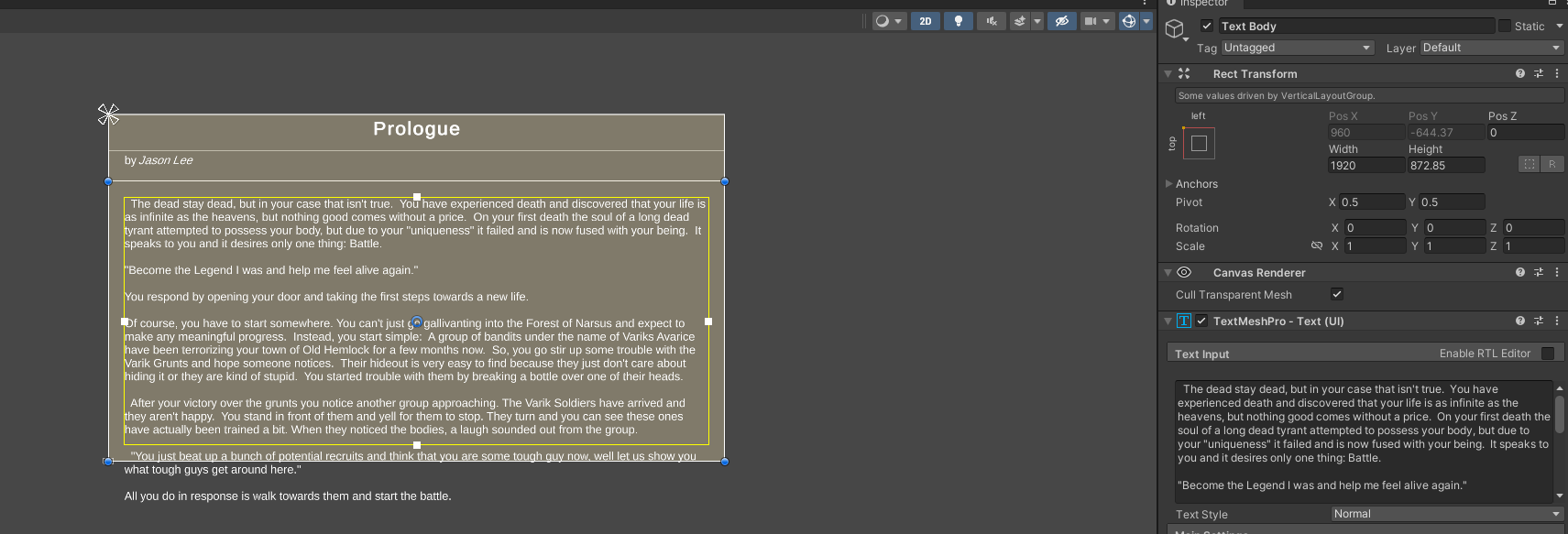
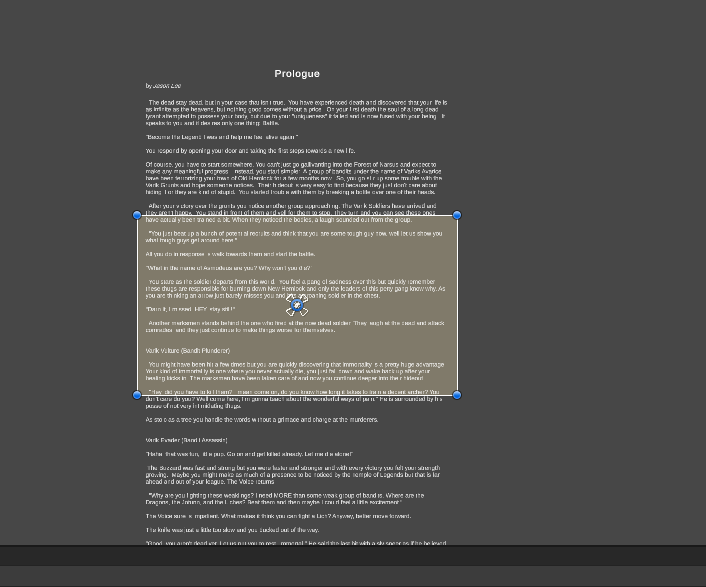


 stone oxide
maybe your texture is too low res?
stone oxide
what's the image size?
livid reef
let me chekc
stone oxide
the original
livid reef
1800 x 200
stone oxide
wait, each banner is 1800x200 ?