#⛰️┃terrain-3d
1 messages · Page 22 of 1
 glass wigeon
but didnt found so much
im using the default HDRP by unity
it doesnt draw the grass when i do place them
 daring yacht
I have added 2000 trees through the mass place trees button, but it won't let me remove some trees with ctrl click
is there something I need to do?
I have the tree selected in the paint trees option
 snow cypress
I'm two days into learning Unity, and I've run into a problem I have no idea how to solve. I've downloaded and imported the terrain toolbox addon, but I'm not seeing it in the drop-down menu under Window. before posting this, I wanted to see if anyone else has had this problem, and the only thing I could find was an unanswered post from 2019 in the #💻┃unity-talk channel. I know the addon is installed correctly, because I can see the brushes, textures, and other bits in the asset folder. The button for the Terrain Toolbox is nowhere to be found. If any of you more experienced people can help, I would hugely grateful.
 visual cliff
Does anyone know how to make grass and leaves and branched "run on a toaster"? Because I would expect grass, and leaves and such are very hard to render do to the quantity? How can I make them render better?
 dull comet
why does my terrain look shiny in some areas?
visual cliff
dull comet
why does my terrain look shiny in some areas?
I would advise looking at your texture settings and changing its settings (metallic and smoothness) Though I still have this same issue with both turned all the way down.
dull comet
Yeah both at 0
this just started happening when i changed the texure compresssion in my build settings
@visual cliff put your aplha source to none
visual cliff
dull comet
<@!805145760575520789> put your aplha source to none
Where? Did you figure it out?
dull comet
ok go to your texture( I turn the resoultion down to 512 also)
and set it to alpha source > none
Disable your read write(thats twice as much memory usage no need for that)
put it to power of 2 > ToNearest
visual cliff
Woo! Thank you so much!
dull comet
im doing a build for android so i use override for android and compressed ASTC

only thing i have been going thorugh all the textures and changing them and it wants to reimport all my assets each time i do it
and then i have to sit and wait for 3 hours for each, so if u edit allot at once be sure to have your netflix ready
visual cliff
Alright cool! Thank you so much I have been trying to figure this out for a couple days now.
dull comet
it just happened to me lat night, or this mornining, i was changing textures to get them to render faster on android
 shell jolt
visual cliff
Does anyone know how to make grass and leaves and branched "run on a toaster"? B...
shell jolt
visual cliff
Does anyone know how to make grass and leaves and branched "run on a toaster"? B...
Turn on instancing if you have hundreds of them, do note it won't work to legacy devices
 frozen depot
Hello there! I'm looking for a smart way to copy-paste 2d custom-physics for a tilemap. As you can see i got 3 sets which share the same outlines but have a different style. This is the case for several assets of mine and i did this once for my overworld and I dont think i can handle this anymore. The solution to singly copy them all is driving me nuts. Any suggestions on this?

 limber kraken
frozen depot
Hello there! I'm looking for a smart way to copy-paste 2d custom-physics for a t...
limber kraken
frozen depot
Hello there! I'm looking for a smart way to copy-paste 2d custom-physics for a t...
I would have one tilemap for collision and another for the actual art. unity allows for tiles with no rendering
frozen depot
I dont think you got my point, I might have explained it bad
I create custom physics for every tile up there. So i can walk into the slightest area.
Like the stairs. You can walk right up the stairs until there's the border/grass. And I have to do that 3 times even though they are pretty much the same.
does this make sense?
I also got a tilemap for collision, but its not detailed enaugh to fit every tile. And i really don't want to create a map and overlay the colliders everywhere since my world is pretty huge.
 cold hinge
@tawny ore maybe someone here could help. Here’s a forums post that might also help https://answers.unity.com/questions/1125545/cant-paint-terrain-or-use-terrain-tools.html
Unity is the ultimate game development platform. Use Unity to build high-quality 3D and 2D games, deploy them across mobile, desktop, VR/AR, consoles or the Web, and connect with loyal and enthusiastic players and customers.
 tawny ore
cold hinge
<@554467753453551617> maybe someone here could help. Here’s a forums post that m...
tawny ore
cold hinge
<@554467753453551617> maybe someone here could help. Here’s a forums post that m...
Alright cool thanks.
 drifting badger
I had to up the import scale for some tree meshes from 1 to 3 and now the generated billboards are way too big.. Is there any solution for this?
Nevermind, found out that it was the random tree height just not being applied to the prefabs...
visual cliff
Does anyone have any tips on making realistic trees? I want to make the most realistic but easy to render and.. exist "on a toaster".
shell jolt
visual cliff
Does anyone have any tips on making realistic trees? I want to make the most rea...
Make two versions of your model, a high poly and low poly, then bake the normal map from high poly into your low poly one... Whether it's running on a toaster or not, this a bit of trials n errors on your part, meaning, test them out yourself
you can do this technique for lod as well
visual cliff
shell jolt
Make two versions of your model, a high poly and low poly, then bake the normal ...
Hmm but How would I add leaves to something like this?
I was thinking of how to make trees with the tree creator tool. Is that a good idea?
 gray ice
Does anyone know how to apply rotation to terrain-painted details based on the steepness of the terrain? Right now I have patches of grass hanging mid-air when painted on steep terrain.
shell jolt
gray ice
Does anyone know how to apply rotation to terrain-painted details based on the s...
You must make your own custom tools unfortunately , I made similar scattering brush but sadly it won't work for the terrain, only for regular meshes.
The idea is to get the normal direction split it's dimension so you'd get the center most of it then add your own calculations for the offset position so it can be centered on the face of the meshes' coordinate or according to the grass-detail asset's dimension... this looks complex n yeah, it is actually kinda finicky to deal with if you had different meshes with weird world's origin (non-centered origin)
shell jolt
visual cliff
I was thinking of how to make trees with the tree creator tool. Is that a good i...
I'm not sure what tree creator is, I assume that's the built-in one in Unity, if so, I can't answer that... I suggest use 3d software instead such as blender. Many procedural addons to make trees/foliage in blender, and you can use decimate modifier to reduce the amount of poly on the trunk part
 mystic geyser
Can anyone recommend some terrain tool assets that replace the Unity terrain?
The terrain tools even with the package are so completely broken that I can't fathom how stuff like this even gets shipped
Working with brush strengths of 0.005 to avoid maxing out your terrain height with one click etc
Smoothing not working at all
shell jolt
mystic geyser
Smoothing not working at all
wdym.. I used smooth brush a lot, and it did a great job
shell jolt
mystic geyser
The terrain tools even with the package are so completely broken that I can't fa...
elaborate pls
mystic geyser
Having to use brush strength of 0.00X digits to avoid blowing up your terrain
Meanwhile the smooth tool is effectively useless regardless of strength
shell jolt
the strength ratio is sadly based on your heighmap resolution..
shell jolt
mystic geyser
Having to use brush strength of 0.00X digits to avoid blowing up your terrain
I recommend use Noise brush instead to elevate the terrain..
And as for smooth-brush, use the most soft brush... it works best with those soft brushes than a sharp ones
shell jolt
shell jolt
the strength ratio is sadly based on your heighmap resolution..
the higher the heighmap resolution, you'd get a smoother transition for any brush operations.. the default 1025px is not cut for the job, bump it up much higher.. and ofcourse it comes with price, performance wise, especially in the editor
@mystic geyser and here I posted sometime ago how smooth-brush in action #⛰️┃terrain-3d message
mystic geyser
It's not that it doesnt make a smoother transition
It just literally doesn't smooth at all lol
Extreeemely minute
shell jolt
mystic geyser
It just literally doesn't smooth at all lol
You're doing it wrong! see the post I linked above... it would work, with a certain type of brush.. namely, the brush with smooth edges
mystic geyser

Meanwhile with same brush strength for raise/lower
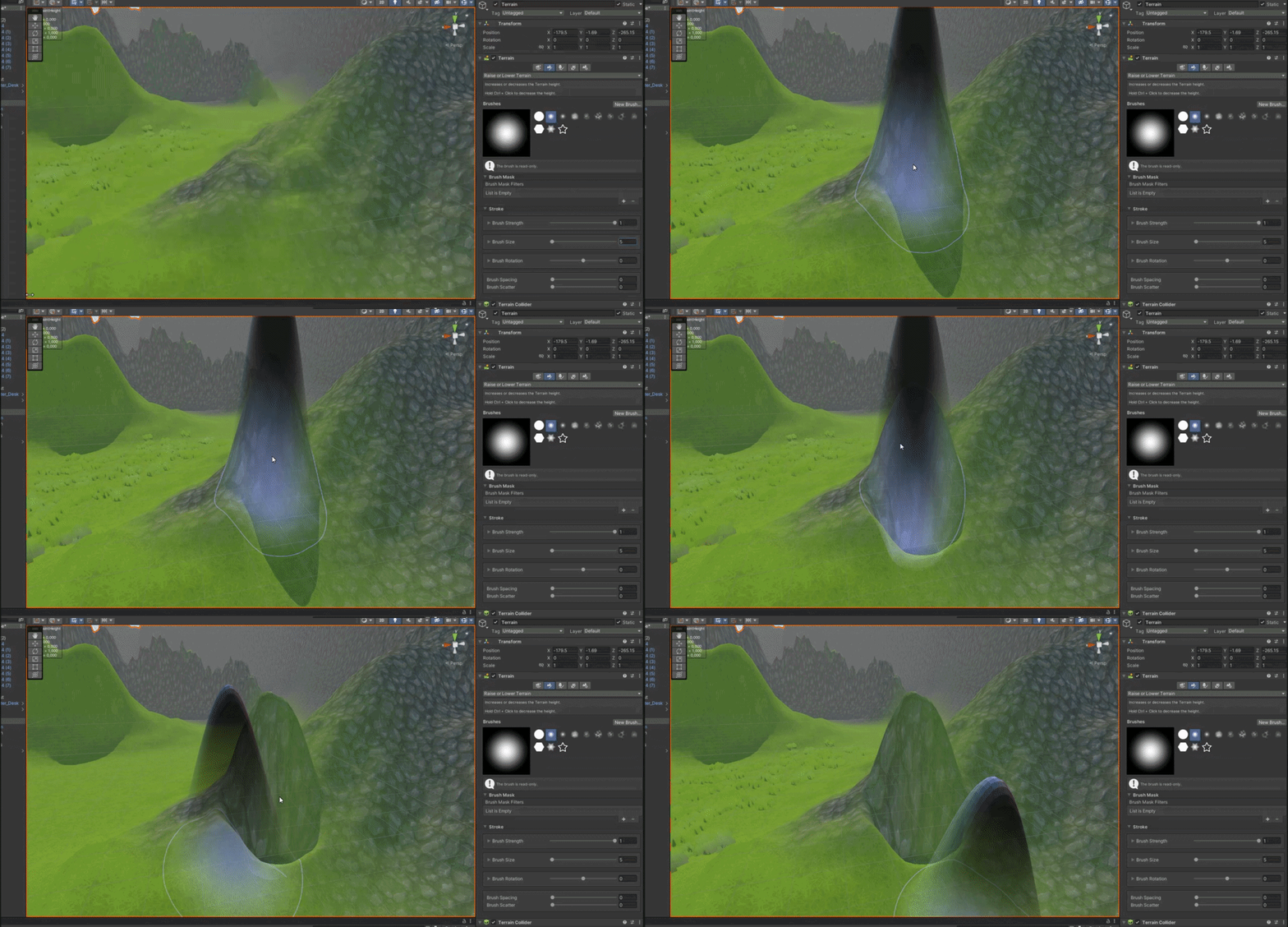
Except you can never smooth it back down
I'd expect it to work like sculpting in zbrush or blender
But it just doesn't
Same with any kind of detail painting -- you either get 0 objects with 0 target strength or you get 1500 meshes with 0.0625 target strength
mystic geyser
Just tested it with a changed brush type, it didn't work like I mentioned above ;/
shell jolt
🤷
 mystic geyser
My terrain resolution is 4k
shell jolt
I'm using terrain tool 4.x. btw, perhaps that's matter, but who knows
mystic geyser
I'm using unity terrain tools 4.0.3
mystic geyser
I have 2021.2.3
2021.2.3f1
Just add it to the rest of the stuff that is broken in Unity
If you add more than 4 layers to your terrain in URP it bricks your project
Despite the documentation saying it should support endless layers in URP at the cost of performance
etc etc.
shell jolt
4k terrain is a big deal.. especially if it's massive in size.. so.. uuhh
 next tangle
anyone has a good yt video to make realistic water I don't know which chat I should write it in. I have been messing around for about 3 days now looking everywhere and I cant find a good explanation on how to make my own water material and all. I have also created it in blender but could not export it to unity
 warm radish
mystic geyser
https://gyazo.com/c353f8bea42099c73dd9214d224bddd2
warm radish
mystic geyser
https://gyazo.com/c353f8bea42099c73dd9214d224bddd2
heya. are you getting any errors in your console window when you trying to smooth the terrain?
mystic geyser
@warm radish None
warm radish
can you send a screenshot of the smooth controls section?
mystic geyser
@warm radish That solved it -- blur radius is set to 1 by default

having it set to 1 renders it more or less inoperable
warm radish
sweet. maybe something for us to think about there UX-wise. blur radius is currently based on the heightmap resolution. so with a 4k texture, that's gonna be pretty small depending on your terrain size. maybe it should be a percentage based on brush radius instead
mystic geyser
@warm radish You probably can't tell, but do you have any updates when it comes to the memory leak and crash upon exiting play mode caused by having more than 4 layers on terrain in URP? vertx submitted a case using my project with a guaranteed repro
These people don't seem to have isolated the cause but it's most likely the same reason

Unity Forum
Hi everyone. I've found a few threads in regards to this error message, but none related to selecting a terrain, and none of the suggestions I found...
warm radish
looks like it is still in "triage" meaning it's yet to be looked at and assigned to a team. i'll assign to the terrain team
 worldly dune
Hi! What terrain tools are people using? After manually adding com.unity.terrain-tools@3.0 I managed to install it in 2021.1.23. Is this discouraged?
terrain-tools 3.0 look really nice, and https://www.youtube.com/watch?v=smnLYvF40s4 is a good tutorial
In this video, we are going to walk you through Unity's Terrain Tools to show you how you can easily create beautiful landscapes in your own projects!
Learn more about Unity's Terrain Tools here!
https://on.unity.com/3qA8mPP
Assets used in this video:
Terrain Tools Sample Assets - https://on.unity.com/2NIGevj
Azure[Sky] Dynamic Skybox - https:...
 verbal lichen
Is it possible to use Unity Terrains for Mobile?
i need to use EasyRoadsV3 and the Assets seems to require Terrains to properly work
id wanna 3D Model the Terrain myself so they're alot less expensive to render but that doesnt seem to be an option
im considering using the Unity Terrain for the Roads and then 3D Modelled lower poly Mountains and such for anything other than the roads?
worldly dune
Does anyone know of a good solution to work around terrain textures being stretched on steep vertical cliff sides? I understand why it's happening and that a triplanar shader could help, but was interested in hearing whether this is something the terrain tools can help mitigate
verbal lichen
worldly dune
Does anyone know of a good solution to work around terrain textures being stretc...
noticed that too
i think theres an asset for that
 ocean gazelle
Hi all! I am planning on building out the terrain of my game using 3d tiles. I stumbled upon the Terrain Toolset and it seems like it would give me the tools necessary to create my tiles. I am thinking of using about 5x5x1 meters as the scale of my tiles.
Is creating my tiles out of terrain objects a reasonable approach? Is it doomed to fail for reasons that I won't see until much later in the process? Is there another tool that would make what I want to do much more simple? (when all you have is a hammer...)
Assuming this is a good approach, I then need to be able to design my tiles so that they snap/transition together seamlessly. I was using the Paint Terrain tools to get a decent rough version of a few tiles, but couldn't figure out a good way to generate tiles that will seamlessly transition from one to the next. My next thought was to do a rough version, export a heightmap, and then do the mirror/tiling in an image editor, and then re-import the edited heightmap. The problem that I ran into there was I can't seem to get the exported heightmap to have enough contrast to be workable.
Thanks!!
I am just starting out and am having some difficulties, and help would be appreciated. 🙂
 hybrid copper
Hey and so how could I optimize the terrain so much until it basically looks like a ps2 game? Or is there a better way to render the terrain that im not aware of?
shell jolt
@verbal lichen @worldly dune you can fix it with Smooth-height.. see Smooth-height in action #⛰️┃terrain-3d message...
This is a common question every now and then, I wonder why there's no pin about this?
shell jolt
Optionally, set the verticality of Smooth-height to positive value, to something like 1 so those textures would be fixed upwards without changing how your slope looks like... 1 is high enough for 1025p terrain.. you may need a larger value if the terrain is 2k/4k + 1.. just play with it

These are undocumented for no reason by Unity... kinda confusing tbh
worldly dune
shell jolt
<@!234398317583400961> <@!309076471081730049> you can fix it with Smooth-height....
Thank you, this is a really great tip! I had all but given up and considered modeling all my canyon/mesa like mountains in blender. But that would have been painful from a texturing perspective.
Cliff sides will never be as good as horizontal planes, but this is definitely an acceptable compromise
shell jolt
A little tip tho, you can make a slope tile in blender, make sure they're seamless when attached from each sides... that said, use the terrain editor as base terrain.. but it's up to you
 shell jolt
Glad you solved it 👍
 tawdry onyx
when baking a scene is the step setting how close it bakes to the terrain or if it not then how would i bake a scene and have it bake closer to the terrain cause when I place my navmesh agents on it they seem to be floating a little up from the terrain surface.
 sturdy escarp
Hello! I'm learning about the Terrain Editor. I'm reading a tutorial in Unity Learn and the screenshot that is shared in the tutorial page there looks like this

The thing is that in my Unity Editor window it doesn't look that detailed, it's all grey in the Scene tab

I'm not sure how to fix that so it looks more clear how the terrain is changing
I found this, I tried different options here and it helped 
 shell jolt
you must assign texture to the terrain layer
shell jolt
worldly dune
This is such a night and day difference
I suggest to ditch this method and use triplanar shader instead, so just use your terrain as a base then all slopes, hills, overhangs are just gonna be moveable objects..
See triplanar shader in action... it can stitch objects seamlessly without too much efforts
worldly dune
shell jolt
I suggest to ditch this method and use triplanar shader instead, so just use you...
Thanks, that does indeed look like a better solution. I've been researching triplanar (eg https://www.youtube.com/watch?v=eZqd68YaY2U) but struggled to find a good tool for it (haven't tried purchasing anything yet though).
In this video, we'll take a look at how you can simulate a triplanar effect in the Universal Render Pipeline using Shader Graph.
Get the Boat Attack Demo here!
https://on.unity.com/3fIw3QV
Learn more about Universal Render Pipeline here!
https://on.unity.com/38WY7NH
Get more information on Shader Graph here!
https://on.unity.com/3fwXyg7
 mellow sapphire
Is it possible to change the sprite shape controller settings when screen size changes in order to make my sprite shapes fill the screen when i change device? Im refering to a 2D game ofc.
Ps I dont want to change the scale as it messes up my polygon colliders.
Thanks in advance
shell jolt
worldly dune
Thanks, that does indeed look like a better solution. I've been researching trip...
yes, you can follow that tutorial 👍
 keen latch
@worldly dune ... Not a fix for the texture stretching on steep terrains .. but Look at TerrainToolkit. It's FREE & and great for basic terrain texturing plus it has ALLOT of terrain modifying functions built in (smoothing, eroding, adding noise, etc.).
 split verge
im trying to apply a basic grass texture to a terrain, i simply cant, im trying to use a brush but it does nothing
worldly dune
shell jolt
yes, you can follow that tutorial 👍
perhaps another solution could be to go with a voxel terrain like https://assetstore.unity.com/packages/tools/terrain/voxeland-9180

Get the Voxeland package from Denis Pahunov and speed up your game development process. Find this & other Terrain options on the Unity Asset Store.
 edgy portal
Hey there,
Can anyone help me with how I can create a huge open world map? What are good tools for the design and how do I render everything properly etcetera?
 unborn summit
Anyone know why when I call terrainData.size = new Vector3(256, 40, 256); the actual size of the terrain ends up being 2048, 40, 2048?
shell jolt
Looking at Unity's roadmap for world building, there's nothing much to expect tbh.. kinda .. sighs...
Product roadmap and feature requests. Welcome to our product portal.
 marble sentinel
@edgy portal depends how much you wanna spend. Gaia is one of the best: few clicks everything is done costs almost 300€ if you want something for free but that only generates a height map which you have to paint and add grass and stones yourself then terre sculptor might work. Not entirely sure if that was the name. Another one would be world machine, not sure if it costs or not
unborn summit
Anyone know what could be causing this:

 last sundial
im trying to make a pond with unity terrain, how do I dig down?
shell jolt
you must make the terrain higher when 1st time creating it
 past dragon
worldly dune
Thanks, that does indeed look like a better solution. I've been researching trip...
past dragon
worldly dune
Thanks, that does indeed look like a better solution. I've been researching trip...
awesome
worldly dune
I am coming to terms with requiring a voxel terrain system for my game. Does anyone have any recommendations?
shell jolt
Go for Blender and make your terrain with it.. no assets on the assets store can do what blender does
 minor vessel
how can i make that the mesh is not selectable in single parts but in a complete Mesh for the Meshfilter component prefab ?

 barren oak
minor vessel
how can i make that the mesh is not selectable in single parts but in a complete...
barren oak
minor vessel
how can i make that the mesh is not selectable in single parts but in a complete...
gotta combine them into a single mesh in Blender or any 3d modeling software
 north crypt

Get the Ferr2D Terrain Tool package from Simbryo and speed up your game development process. Find this & other Level Design options on the Unity Asset Store.
does this work on the latest unity version?
says 2017 and later i just want to make sure
 jagged lily
is there an automated way to set the base height of a terrain to a certain number? i find it very annoying that you can't dig holes with the standard height
i can set the height of the terrain of course via "Set Height" + "Flatten Tile"; but tiles i add later will have a very strange shape
 bleak iris
what kind of landscape could go well with this? cities are so complicated. (also don't mind the fps, obs sometimes does that to me, idk y)
so yh, if possible, not a city
 frosty shoal
any reasons my scene view would be doing this clipping? 2019.4
nm i wasnt on perspective
 rose sentinel
how do i make the terain bigger
shell jolt
rose sentinel
how do i make the terain bigger

 weak hinge
Anyone else getting this error with Terrain Tools in Unity 2021?
MissingReferenceException: The object of type 'Material' has been destroyed but you are still trying to access it.
Your script should either check if it is null or you should not destroy the object.
UnityEditor.TerrainTools.TerrainToolboxUtilities.RevertPreviewMaterial () (at Library/PackageCache/com.unity.terrain-tools@4.0.3/Editor/TerrainToolbox/TerrainToolboxUtilities.cs:1853)
UnityEditor.TerrainTools.TerrainToolboxUtilities.OnPlayModeChanged (UnityEditor.PlayModeStateChange state) (at Library/PackageCache/com.unity.terrain-tools@4.0.3/Editor/TerrainToolbox/TerrainToolboxUtilities.cs:2082)
UnityEditor.EditorApplication.Internal_PlayModeStateChanged (UnityEditor.PlayModeStateChange state) (at <ba030cc3475e41258f58c8c467eb72e2>:0)
UnityEngine.GUIUtility:ProcessEvent(Int32, IntPtr, Boolean&)
It's obvious what the issue is in the script but as its a package I can't change the code.
shell jolt
restart the ditor
rose sentinel
How do I add grass?
shell jolt
rose sentinel
How do I add *grass*?
Pray to Jesus to give you the most perfect grass mesh?.. JK.. 😃
Assign your grass object on Paint Details tab, just like you'd with the trees
shell jolt
Anybody experiencing this issue where all the tree thumbnails are not previewing?
Unity 2021.2... I'd love to hear a solution to this if any.. thanks!

 dusty storm
@shell jolt I think it has something to do with the shader on those objects or maybe it's as stupid as the prefab not being at 0,0,0.. no it cant be that. Let me know if you find out.
 tardy orchid
shell jolt
Anybody experiencing this issue where all the tree thumbnails are not previewing...
tardy orchid
shell jolt
Anybody experiencing this issue where all the tree thumbnails are not previewing...
maybe enable the uv generation in the models import settings
 silver sierra
Hi! Does anyone have a good method for making custom terrain in a quicker fashion than the way I'm doing it? I'll get into how I'm doing it in a moment:

I'm making 3d terrain but currently making it entirely in blender, and I'm just expanding it from a plane, I'm going for toy-like visuals (sort of playmobil-ish), so it doesn't have to be super defined, but I also don't want it to be super blocky,
So for that reason I don't really want to use other terrain tools to build up my terrain, so that it can be really custom and fit the material I'm inspired by better

^ That's Hype the time quest, which is the game that's inspired my current one, as a sort of spiritual successor, but with non playmobil assets [so that I don't get sued lol]
How do I make terrain in blender in a quick and effective manner?
silver sierra
silver sierra
This has already taken me roughly 3 hours to make. And it's a VERY small portion
shell jolt
silver sierra
In Blender, you can sculpt terrain very quick.. like super quick... with custom brushes.. 🙂 ...google those custom brushes for terrains/rocks
as for the blocky looks... you can use decimate modifier after you're done with the high poly
silver sierra
shell jolt
as for the blocky looks... you can use decimate modifier after you're done with ...
Thanks!!
shell jolt
you can get the blocky result with the default terrain editor in Unity I think, by lowering it's heightmap resolution (correct me if I'm wrong, never personally tried this)
silver sierra
shell jolt
you can get the blocky result with the default terrain editor in Unity I think, ...
Oh! In Unity? Not in Blender?
Oh oh, the terrain editor, I see
 quartz crown
what are the tricks to making a decent terrain track? It took me so long only to make this abomination
 rose sentinel
ok i have no idea where to ask this but
how do i make sprite masks work like in baldis basics?
where it puts the doors on normal walls or whatever
rose sentinel
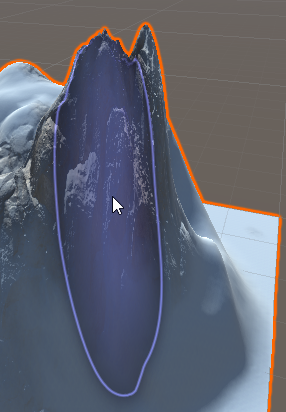
Just testing out terrain and the paintbrush has a really annoying quirk which I don't know how to disable where it'll stretch to try and fit the shape of the terrain that the mouse cursor is over causing the size to change and this just causes more problems than any actual benefits on my end.
Is there any way to make it retain its original size whilst painting?
https://i.imgur.com/tOIouso.png
 thorny swift
rose sentinel
Just testing out terrain and the paintbrush has a really annoying quirk which I ...
thorny swift
rose sentinel
Just testing out terrain and the paintbrush has a really annoying quirk which I ...
It does not changes the size, it is projected from top down perspective, so from your camera perspective it seems stretched, but from top down perspective it is still same sized brush.
thorny swift
quartz crown
what are the tricks to making a decent terrain track? It took me so long only to...
Hi, try looking into https://www.world-machine.com, you could setup a curve and generate map based on that.
quartz crown
thorny swift
Hi, try looking into https://www.world-machine.com, you could setup a curve and ...
hmm i see, thanks
does it do canyons?
thorny swift
Or if you wanna free solution to make some sort of terrain fast based on track, you could setup a spline in tools like Gimp, blender, and overlay it with some noise texture. Then simply import it as heightmap.
quartz crown
yeah free would be preferable 😄
thorny swift
quartz crown
does it do canyons?
yes, it makes pretty much any shape you want as it is nodes driven system.
thorny swift
quartz crown
yeah free would be preferable 😄
so yeah, making heightmap out of tool like gimp or other free painting programs might be a lot faster than sculpting it in Unity 😄
quartz crown
well i dont exactly want a heightmap but a proper looking map
im kind of amazed the terrain tools havent changed much in 10 years
if anything its more cluttered and slower to use now
shell jolt
Use terrain editor for base only, like grounds, then use Blender or any 3d software of your pick to make a tileable slopes , overhangs, hills, caves etc combined with triplanar shader
Terrain editor is pretty much bare-bones in terms of modelling in Unity, but it's a nice tool for quick prototyping and for simple terrains

 neon totem
Does anybody have a good resource on how to use Megascans 3d grass assets with Unity's detail painting for terrain?
Megascans exported prefabs don't seem to work for details painting out of the box (?)
Many thanks!
 quick elk
Smooth Height? when I apply it nothing happens
shell jolt
play around with the Blur Radius in Smooth Height
 fluid ferry
Hey i need little bit help. Is it possible to create terrain "walls" with 90 degrees? I build and house with cellar but if i set or raise the height, always the terrain around the housewall also raise. In this case you can see from outside under the house
 stiff gyro
Whenever I add terrain to my scene it breaks unity somehow
the unity window turns white
and i have to close and open it again but if i add terrain it just breaks again
stiff gyro
okay the problem is with when I start sculpting the terrain it starts to break unity
only when i change the brush settings
like size, strength and opacity
 latent notch
guys
can someone help

here's my code
i need to make them parent to the this.transform
of course
btw
waterBlock and islandBlock is a prefab
pls ping me
latent notch
ok problem solved
shell jolt
fluid ferry
Hey i need little bit help. Is it possible to create terrain "walls" with 90 deg...
Having difficulties understanding this question, perhaps a screenshot?
 frosty dove
fluid ferry
Hey i need little bit help. Is it possible to create terrain "walls" with 90 deg...
frosty dove
fluid ferry
Hey i need little bit help. Is it possible to create terrain "walls" with 90 deg...
if you install the extra terrain tools you could make terrain holes
 solar siren
So I encountered a issue that when I try to paint trees the trees are a bit down or clipped in the terrain

Im facing the problem with this specific tree pack rest are working fine
 frosty dove
Could be that the prefabs miss colliders and the terrain cant calculate them for you?
shell jolt
@solar siren check for its world origin...
mellow sapphire
Hey , why even tho in my spriteshape profile angle ranges the sprites look fine, inside the game are inverted?
 shell jolt
my current workflow with Unity's terrain system... wish Unity would improve the tools to make; cliff walls, bridges, overhangs, true terrain holes (not just some hacky-janky terrain hole like we have now) .. Basically the terrain is used as a base ground
last but not least, shadergraph supports for the terrain...
frosty dove
Gaia Pro is what you are looking for
Still waiting when unity intergrates Gaia pro
Or use photoshop and blender to make a custom terrain
 undone lark
No reaction/meme gifs here please.
frosty dove
Ah aight sorry
 grizzled crystal
I need help designing a map ;-;
frosty dove
What do you need help with?
rose sentinel
do u know why my brush doesnt show preview? in course im following when he hovers brush it shows a preview of what it looks if u apply it
 radiant plinth
can someone tell me how i fix the materials ?

i tried to upgrade the render pipeline but it didnt worked 😦
verbal lichen
radiant plinth
can someone tell me how i fix the materials ?
are you in URP?
shell jolt
pls elaborate @heady field ... did you make your map with the default Unity terrain editor? if so, yes you can plant your trees!
Plant digital trees, save the world! ... oh.. wait
shell jolt
then you can scatter your tree with Probuilder instead
 heady field
ok
radiant plinth
verbal lichen
are you in URP?
Yes
verbal lichen
radiant plinth
Yes
what type of texture is it
like a nature texture?
try selecting URP>Nature>Speedtree8
radiant plinth
no the prototype gridbox
verbal lichen
in its shader
verbal lichen
radiant plinth
no the prototype gridbox
oh then just do URP>Lit
 river mauve
What if i want to have a enormous world (map) and i use the unity Terrain System?
When i create multiple terrains with the create neighbor terrains feature i get an insane batches count and my fps drop from 200 -> 60...
Can i just use one terrain object scale it up and increase the tris count of that terrain object?
Because if i understand it right that would lower my draw calls, right?
So how do i increase the mesh resolution? If increase the detail resolution it doesnt seam to do anything when viewing it with wireframe mode.
frosty dove
Quick question. Do terrain Holes still have colliders or is it pass trough?
shell jolt
river mauve
What if i want to have a enormous world (map) and i use the unity Terrain System...
You can enable Draw Instanced, pls do your own research on this..
For details, you can bump up the Heightmap Resolution, also do your own research on this
 slender glen
Just saw this on the twitter
https://twitter.com/EmrecanCubukcu/status/1470288016300285963


Rule-based terrain texturing tool for @unitygames that I have developed. It will be open-source on my Github, soon! I hope you like it!
#madewithunity #gamedev #indiedev #indiegames https://t.co/bwlGDQAKaJ
Retweets
268
Likes
1471
 Twitter
·
shell jolt
slender glen
Just saw this on the twitter
https://twitter.com/EmrecanCubukcu/status/147028801...
Twitter
·
shell jolt
slender glen
Just saw this on the twitter
https://twitter.com/EmrecanCubukcu/status/147028801...
Wish Unity would do something to their barebone terrain editor, baffled with what a single person can do but a corporate can't...or at least I hope they would look at twitter a lot, many cool stuffs happening there,,,
 cinder hull
Wtf why my grass is like this
 shell jolt
whats the problem?
cinder hull
It looks like shit
 stuck pelican
being told im putting unity down for people who are laughing at their navmesh overshooting the location and circling back around
as if saying a non-perfected local avoidance means shoddy
 lime crest
Anyone knows what the hotkey for changing terrain tools stamp brush rotation?
 trail jetty
Trying to create some terrain was wondering if i can get some help the youtube vods out there have different options then me so kinda confused
shell jolt
before the video usually they mentioned the version they are using
even so, there's not much changes done to the terrain editor
terrain editor in Unity is like a brother from another mother... not too much love poured into it
 silent dagger
anyone who knows if unity is working on supporting custom terrain meshes ? my startpoint is usually real world terrain meshes (from autocad/civil/ etc) ?
shell jolt
Not really, no, but you can always put your custom meshes on top of it, like in this video #⛰️┃terrain-3d message
silent dagger
yeah, but i would like to have the terrain tools (painting grass, tree, etc) available for custom meshes 😄
Currently using third party plugins for that
shell jolt
yeah, that's where the terrain editor is lacking
making your own scattering tool isn't that hard tho.. otherwise just use probuilder to scatter your prefabs and don't be confused if some of your meshes are floating when using it 😃
 swift oyster
Hey guys, I'm getting an odd bug all of a sudden. When I do "Set Height" in the Terrain it causes all my grass/trees to disappear. This only happens when I try to set the height by holding Shift and left click. Just clicking what it was previously set to works. Thoughts?
 thorny swift
swift oyster
Hey guys, I'm getting an odd bug all of a sudden. When I do "Set Height" in the ...
thorny swift
swift oyster
Hey guys, I'm getting an odd bug all of a sudden. When I do "Set Height" in the ...
Unity hides terrain details so you can see what and where you are painting, not sure if it can be disabled, haven't yet tried.
swift oyster
Odd I wonder where that could be at. I've been working with the set height tools for months and haven't ran into that issue, but once I Shift + left click to set the height its all gone and wont come back then.
frosty dove
shell jolt
terrain editor in Unity is like a brother from another mother... not too much lo...
Yes this is why i really hope unity buys up Gaia
Gaia pro 2021

 swift kernel
idk why but the terrain toolbox doesn't show for some reason even though i selected show premium packages and the other option while downloading them
 shy scaffold
Tried refreshing ?
 south marten
not sure if this is the correct channel to post this or not (tell me if should put this somewhere else). so i have an orthographic camera pointing at a cube, but the edges of the cube seem really pixelated, is there any fix for this? i couldn't find anything online and google didn't seem to understand what i was asking.
 shell jolt
turn on antialiasing
 haughty birch
Hi, does anyone know how to fix that trees on terrain are rotated according to the normal of where its placed?


 next shadow
Anyone know if its possible to make tiled terrains from one large heightmap? i.e. have a 51200x10240 pixel heightmap that populates a a 50x10 tileset of 1024 tiles?
I know I can split the heightmap into a bunch of smaller files and import them all but if I'm missing an automated option it would save me a bunch of time to know about that.
rose sentinel
 deep gazelle
is there some way to make terrain go below 0 height
say if you wanna do giant holes or crevices below the general play area
or do people just typically start the terrain at a Y value higher than 0 to account for future holes they might wanna make
if that makes sense
swift kernel
i accidentaly deleted the terrain platform i had just painted so i went to window for the toolbox that wasn't there all though i downloaded the premium package from assests
i didn't even save project it just dissapered so i require the location of the terrain toolbox window if it's not from the window at the upper corner
shy scaffold
swift kernel
i accidentaly deleted the terrain platform i had just painted so i went to windo...
I had same problem just go to package manager and select preview package of terrain toolbox
swift kernel
cant sign on my unity id which sucks
shy scaffold
Yeah it does that alot i can't sign in either
next shadow
deep gazelle
is there some way to make terrain go below 0 height
Just lower the group your terrain is in. My project is all islands so my terrain's 0 is at my world's -50 to make room for water.
I'm letting that terrain clip into a second terrain group that is just going to have height defined by stretched out noise to form a sandy floor.
So I should be able to get like 300 meter depth below world 0.
deep gazelle
im confused what you mean by group
next shadow
When you use the Terrain Tools preview package by Unity it groups your terrains and makes them auto snap together.
Its useful if you want to paint your heights manually over a large area.
next shadow
So those 9 in the middle are part of the same group.
 deep gazelle
so youre using one terrain object for the main ground
and another for the ocean floor
or lake floor or whatever
next shadow
That's my plan, yeah. And ill just match the materials at the bottom and have the highest point on my seafloor terrain just clip into the lowest point of the island terrain
deep gazelle
ah that makes sense
wait now im having another problem
my initial solution was to have the terrain raised higher in the world position
so that I can make "holes" or river beds or whatever else
but now for some reason I cant lower the terrain
the lower terrain brush does nothing and paint holes seems to make square holes with no proper edges
 next shadow
I think the holes it makes assume you will be matching the edges in a mesh and using that instead of terrain in that spot
If that's a new terrain its probably all already at the lowest position possible.
Do you have photoshop or gimp or something? You can import a heightmap to get a good starting point.
deep gazelle
i set the height higher than it is at default because i was having this problem with the default height
its alright I think im jus gonna paint areas in one at a time instead of using set height over the entire terrain object and then maybe itll work
i have gimp I may do something like that in the future
thanks for your help
next shadow
No worries. I'm new to this too, just getting everything to work the way I wanted recently 🙂
deep gazelle
same the hardest part is learning enough to have a work flow
next shadow
Anyone have any idea why my 16-bit raw heightmaps import all weird? The terrain's all vertical walls with gaps in between.
I took a valid 8-bit heightmap that imported great but left all sorts of ridges on slopes that were supposed to be smooth. So I switched it to 16-bit, threw another gaussian blur on it, saved it back out and now it won't work...
rose sentinel
Is there any way to sync wind with multiple connected terrains? right now connections of wind terrains are not smooth
shell jolt
So your character can see the difference across terrains? 🙃
 analog basin
Is there something so I can make the hitbox of my building fast? Doing it with the boxcollider takes ages
shell jolt
wdym?
analog basin
shell jolt
wdym?
I used a asset for buildings, but I can walk thru them. So I need to use collider to make it so I can't walk thru it.
But using colliders is a pain in the b*tt
shell jolt
you can AddComponent from script... either way, nothing wrong with adding the collider by hand, most of us do that
analog basin
shell jolt
you can AddComponent from script... either way, nothing wrong with adding the co...
But it takes so long 🤣😂
shell jolt
yeah... game making perhaps not for you
analog basin
Need to do it for school 😂🤣 don't want to do it for work
So this is 1 time only
It's fun and all, but the colliders takes ages. The other things are kinda fun to do so
 woven kestrel
anyone knows why my terrain texture looks repeated? i tried to increase the tilling settings but its always repeated, does this mean my terrain is too big or something
shell jolt
Dont see it from far away, look from you characters POV
the further you're looking, the more obvious the repetition can be seen
 fleet bane
analog basin
It's fun and all, but the colliders takes ages. The other things are kinda fun t...
fleet bane
analog basin
It's fun and all, but the colliders takes ages. The other things are kinda fun t...
Mesh collider?
analog basin
fleet bane
Mesh collider?
Box colliders
fleet bane
analog basin
Box colliders
I know, but colliders are the same thing. The only difference is the shape pretty much.
analog basin
fleet bane
I know, but colliders are the same thing. The only difference is the shape prett...
Aaah oke, making a 3d game so I'm using box colliders. Will try mesh. Now going to play games with my friends 😂🤣
Every day a hour in unity is good enough for my school project. My classmates are doing it in the last week, so I'm doing pretty good I think.
The most time is in the terain, programming is ez.
Have a nice day
fleet bane
analog basin
Aaah oke, making a 3d game so I'm using box colliders. Will try mesh. Now going ...
Mesh colliders are 3D only, and the terrain system is super easy
analog basin
Oke, i use 3d box collider or what it's named
analog basin
fleet bane
Mesh colliders are 3D only, and the terrain system is super easy
True that the terrain is ez, but it takes some time 😆
fleet bane
analog basin
Oke, i use 3d box collider or what it's named
Mesh collider, then set it to convex (this depends on how detailed you want the collider to be)
analog basin
fleet bane
Mesh collider, then set it to convex (this depends on how detailed you want the ...
Just so u can't walk in to the building 🤣😂😅
Most terrain is trees and a path of sand
Trees have a natural collider so I don't worry about that...
Need to make a waterfall also, that will be some what diffucult I think. But I have YouTube and Google so no stress
fleet bane
analog basin
Need to make a waterfall also, that will be some what diffucult I think. But I h...
Don't take this to heart, but a Unity's beginner should not be playing around with shaders. Start with core concepts.
analog basin
fleet bane
Don't take this to heart, but a Unity's beginner should not be playing around wi...
Just a basic waterfall, no shaders or something I think... Just some water going downwards
Downloaded an asset for that 😂
Most of the things are assets, trees are. Fallen trees are, buildings are, textures are. Water things are
Don't make it yourself harder make it easier 😂🤣 now I just click and poof there it is
 real knot
Hello! I have a strange bug in unity terrain. I made a tree model and assigned it to the unity terrain, after that I changed the textures of the leaves to be more white. Now I saw that the leaves' textures are not correct(unity terrain uses the old one - image 1). If I make a copy of the tree and assign it to the terrain, all the textures are changed to the correct one, but when I press play/refresh the terrain they get reverted to the old texture(image 2).


 cold sedge
I have no clue how this works.. but does the tree has a LOD system? (Level Of Details) @real knot
real knot
cold sedge
I have no clue how this works.. but does the tree has a LOD system? (Level Of De...
no
cold sedge
real knot
no
Have you changed the Terrain settings? (Any setting in there)
real knot
just fade lenght and tree distance
cold sedge
Then i have no idea.. Sorry, good luck tho! 
 ionic agate
Any way to get trees to work with terrain builder if they have 2 mesh renderers? (One for branches and one for leaves) I tried adding an LOD group and setting it to not cull the renderers but terrain builder still complains about having multiple mesh renderers and it doesn't display the trees
woven kestrel
why i cant place trees on the terrain? with paint trees
ionic agate
I'm also having this issue ^ My trees have 2 mesh renderers and set my LOD to cull nothing but still won't paint them
shell jolt
woven kestrel
why i cant place trees on the terrain? with paint trees
see your terrain editor tab, usually there's a warning why it can't be placed on a terrain
also check your console logs
sometimes the when the terrain is too convoluted with objects/meshes that you already painted before, you should set the Density value a bit higher
woven kestrel
shell jolt
see your terrain editor tab, usually there's a warning why it can't be placed on...
i have these warnings but idk what they mean
 ionic agate
I had the same warning, so I added an LOD group to the prefab (it was an fbx so I created a prefab with it) and dragged the renderers into the LOD 0 group and removed the other LOD groups. Even after adding an LOD group it complained that I didn't add an LOD group
woven kestrel
ionic agate
I had the same warning, so I added an LOD group to the prefab (it was an fbx so ...
this worked for me. i can paint terrain with my tree now
https://youtu.be/dp8iTFYpaSM?t=1014

Hey folks! It's been a minute since I uploaded since I figure why not start things up with a decent tutorial? I noticed I've been getting a lot of traffic due to previous tutorials, so I figure why not create more and see if I can grow this channel more. Thanks to everyone who did not unsubscribe to the channel. This is for you guys. Will go bac...
just a weird thing thats happening is that the trees dont spawn where my brush is
ionic agate
hmm, I did that and I'm still having issues. Oh well, I'm sure I'll find what my issue is haha
 fading pasture
Guessing I clicked something but have no idea what. My terrain is no longer growing when I'm editing it. I'm in Raise or Lower terrain, not set height but I can't get my terrain any higher. full opacity and it goes to maybe 1 height and that's it
shell jolt
for prefabs that aren't being spawned on center of the brush, that's bcos the world origin is not at center...
 safe sable
In PolyBrush How do increase the ammount of vertexs in my plane
safe sable
i did it but when i try to edit the terrain it turns black
woven kestrel
anyone knows why my trees are lying down when painting onto the terrain but the prefab is fine?
safe sable
it appened to me once i think people said to check the export settings in blender
when i try to edit the terrain with polybrush this appens
woven kestrel
safe sable
it appened to me once i think people said to check the export settings in blende...
don't you know which setings, i tried to change transform but it didn't fix
shell jolt
shell jolt
for prefabs that aren't being spawned on center of the brush, that's bcos the wo...
This is your problem 👆
Youre basically asking same problem over n over
And the solution is just as mentioned... World origin
Google it, n save your time... You'll find your answer regarding world origin in like 5 sconds
 whole wyvern
hello there, i'm having this such problem
on 1000x1000 the brush painting does like that

if i decrease the terrain size like 1000x170 it does like that
 whole wyvern
on 1000x1000 the brush painting does like that
whole wyvern
whole wyvern
on 1000x1000 the brush painting does like that
can i keep this on shrinked terrain?
 modern cypress
you could decrease the size and then repaint the star...?
whole wyvern
modern cypress
you could decrease the size and then repaint the star...?
is exactly what's happening, the brush shrink together
whole wyvern
whole wyvern
if i decrease the terrain size like 1000x170 it does like that
when i paint in the terrain with not exactly proportions, spawns like this
 pallid kraken
hi guys I am trying to make a mountaintop forest scene in urp. I can't find any free tree assets that works with urp. Can anyone suggest some assets? thank you
shell jolt
Any models should work you just need to remap all the textures into urp
 halcyon patrol
whole wyvern
when i paint in the terrain with not exactly proportions, spawns like this
halcyon patrol
whole wyvern
when i paint in the terrain with not exactly proportions, spawns like this
Details are a texture ontop in terms of the data that is read.
So if you made a star in proportion 1:1 on a terrain that is 1000x1000 and then as you did changed the proportion to a non 1:1 ratio you'll get that. This is the same as resizing an image and doing the same thing.
Ideally unity terrains should stay square, if you want a rectangular shape, create smaller terrains with neighbors in a non 1:1 ratio, like 1:2.
Apologies for the awful reference image 😅
 whole wyvern
halcyon patrol
Details are a texture ontop in terms of the data that is read.
So if you made a...
whole wyvern
halcyon patrol
Details are a texture ontop in terms of the data that is read.
So if you made a...
cool response, tks
rose sentinel
I have a problem with trees. I click Edit Trees -> Add Tree and nothing happens
I know there should appear a section where I assign a prefab but it just doesn't... I am using Unity 2020.3
rose sentinel
OMG it opened on my second monitor.... it was turned off
deep gazelle
is there a way to make terrain details not use the healthy and dry color
and just use the original color from their texture
shell jolt
deep gazelle
is there a way to make terrain details not use the healthy and dry color
Create your own LODs, if you don't have them in the prefabs then the default billboard will be used, thus the ugly colors
Scratch that, I thought it was about tree again 🙂 ...I'm not sure with the terrain detail
deep gazelle
Thanks anyways bro
 formal vessel
Does anyone know of a Tri-planar terrain shader that supports terrain holes in the HDRP?
And no, Microsplat will not work for my purposes.
deep gazelle
is it performant to have every texture use normal maps
is that pretty typical nowadays for even basic textures just for low level detail??
deep gazelle
also

if all my textures are 128x128 should all these settings be set to 128x128?
what are the optimal settings for this based on the textures
 faint mauve
is there any way to make the textures blend in better and remove those squares that connect them?

also the terrain res is at max

 desert sun
faint mauve
is there any way to make the textures blend in better and remove those squares t...
desert sun
faint mauve
is there any way to make the textures blend in better and remove those squares t...
have you tried to enable a height based blending in terrain shader? is your terrain textures support height map or have heightmap in one of packed color channel?
faint mauve
ok i guess this is a dumb question but i am new to unity so istg i don't know what height based blending is
and what terrain shader you are talking about
u mind telling me in more detail?
 cedar basalt
 shell jolt

 shell jolt
do what the warnig suggestws
modern cypress
 turbid falcon
When I'm trying to add grass this pops up. Can someone help?
turbid falcon
When I'm trying to add grass this pops up. Can someone help?
Create a larger grass mesh so that you don't have to paint so many
turbid falcon
Ill try, tnx
faint mauve
anybody knows how to fix this:

so this happened because i changed my terrain size
from 1000x1000 to 10000x10000
 frail vector
is there a way to make a detail brush that has more that one texture and places a random texture each time? For example I have 6 different grass textures and I would like to use all of them to make the grass look less uniform
shell jolt
frail vector
is there a way to make a detail brush that has more that one texture and places ...
you can do that from your grass prefab, see below image

to those small grass patches just assign different type of grasses
just be creative... otherwise make individual prefabs for those grasses so you can scatter them manually
frail vector
shell jolt
you can do that from your grass prefab, see below image
is there a way to do it with a brush though?
shell jolt
wdym?
frail vector
shell jolt
wdym?
i mean that there is this brush that you can use when wanting to place some grass. (Its location is shown in the below image). But it only allows me to use one grass texture at a time. I was wondering as I have lots of variations if there was a way that it could place all of them instead of just the same every time.

 clear plank
Have someone managed to get the new Terrain Sample Pack (https://blog.unity.com/games/the-latest-unity-terrain-sample-pack-is-here) working on Unity 2020 LTS? Or is it really needed to use Unity 2021.2? In the Asset Store description of the package it says that Unity 2019+ is supported, but I have only been able to get it working on 2021.2.
 rough turret
got no clue how this works, but im makin procedural terrain but i want it to stay in the editor while the scene is stopped, is that possible? also when my mesh terrain is generated, my character just goes through it which doesnt make any sense bc i added a rigidbody and a mesh collider. the mesh collider gives me an option to add a hitbox but i cant make it the same shape as the mesh 🤔 is there a way i can give the mesh a perfect hitbox and make it visible while the scene is stopped?
 somber quest
rough turret
got no clue how this works, but im makin procedural terrain but i want it to sta...
somber quest
rough turret
got no clue how this works, but im makin procedural terrain but i want it to sta...
How is the mesh for your terrain generated?
Your Mesh Collider Component use a plane mesh
 rough turret
somber quest
How is the mesh for your terrain generated?
rough turret
somber quest
How is the mesh for your terrain generated?
i followed Brackey's tutorial, it uses points to make a grid, fills the grid with squares made of triangles, then overlays a noise map.
somber quest
rough turret
i followed Brackey's tutorial, it uses points to make a grid, fills the grid wit...
ok i looked up the video, i think it was the right one. I think it should work if you assign the mesh var in the start routine to the meshcollider after the UpdateMesh() call
GetComponent<MeshCollider>().sharedMesh = mesh;
 tough laurel
im not sure if this is the right channel but what would be the best method of creating terrain in 2d
and creating hitboxes for it
 warm isle
I'm new to unity , i can't place brushes (it says "this brush is read only" ) , what should i do ?
rose sentinel
warm isle
I'm new to unity , i can't place brushes (it says "this brush is read only" ) ,...
ig u have to make a brush tool first
warm isle
How to Make it
warm isle
What's SS lol?
rose sentinel
 rose sentinel
warm isle
What's SS lol?
rose sentinel
warm isle
What's SS lol?
screenshot xD
warm isle
Ok
rose sentinel
use this after create
 rose sentinel
oo lol
rough turret
somber quest
ok i looked up the video, i think it was the right one. I think it should work i...
its still the same :/
 rose sentinel
warm isle
But thanks
rose sentinel
warm isle
But thanks
u also have to assign it in the terrain data thing
 rose sentinel
warm isle
But Blender is better right?
rose sentinel
warm isle
But Blender is better right?
for making 3d modle its better such as building ,props , character , and animation many more but for terrain i prefer unity terrain system
blender is very usefull
rose sentinel
nice
rose sentinel
many ways to goo about roads
u can use some mesh on the terrain
u can make map in blender too and then export it into unity
rose sentinel
warm isle
Blender or?
for making a terrain just use unity
warm isle
Ok
rose sentinel
warm isle
Is it hard to add Multiplayer into a Game?
there are 2 ways to make multiplayer
1st use photon or mirror thing they are quite easy and u can learn them in 1 month or so
2nd is make ur own server this one is complicated thing xD
warm isle
Ok
rose sentinel
but there are tutorial's for multiplayer of dedicated server which u can follow and do easily and also for photon or other multiplayer type
warm isle
Ok
rose sentinel
with photon or mirror u can setup multiplayer in 1 day only
warm isle
Ok
rose sentinel
u have xp in c++?
i cant do a single thing after using it for 4 days straight xD
in unreal ofc
warm isle
Im using c++ but still learning
rose sentinel
warm isle
<@456226577798135808> which version you use?
i just started learning unreal and idk how to make anything in that its quite hard as a newbie xD unreal 4.27 ig thats what
warm isle
ok
 inner inlet
my tree colliders are not working. I have them set to active, and I have a character controller on my character, as well as a box collider on the "player object" but is still passes right through the trees.
the trees are FBX, is that what could be causing it?
 dusky atlas
Has anyone seen this error and know what a possible fix may be? I have a minimal project with no terrain assets in it, I've just added the terrain package and that's all. This is on 2021.2
MissingReferenceException: The object of type 'Material' has been destroyed but you are still trying to access it.
Your script should either check if it is null or you should not destroy the object.
UnityEditor.TerrainTools.TerrainToolboxUtilities.RevertPreviewMaterial () (at Library/PackageCache/com.unity.terrain-tools@4.0.3/Editor/TerrainToolbox/TerrainToolboxUtilities.cs:1853)
UnityEditor.TerrainTools.TerrainToolboxUtilities.OnPlayModeChanged (UnityEditor.PlayModeStateChange state) (at Library/PackageCache/com.unity.terrain-tools@4.0.3/Editor/TerrainToolbox/TerrainToolboxUtilities.cs:2082)
UnityEditor.EditorApplication.Internal_PlayModeStateChanged (UnityEditor.PlayModeStateChange state) (at <12f9706bdb064a6c8a1d1b6f565a0097>:0)
Seems the only way to get rid of the error is to reinstall the terrain package
inner inlet
I figured out the issue with the trees!
 past relic
is there any way to quickly mirror objects around chosen axis?

nvm, negative scale did the trick
sooo, is there any way to quickly randomize all those objects with different objects/materials?

I have 3 more types of floor tiles and I simply want to randomize it a couple times
shell jolt
past relic
nvm, negative scale did the trick
This would mess up later on if you have some logic to rotate, scale etc... you must change this from 3d software instead.. but it's up to you
shell jolt
past relic
sooo, is there any way to quickly randomize all those objects with different obj...
Making your own scattering tool to randomize the materials is not hard by any means, either way, you can't randomized the material with the terrain editor
oh wait, you're not talking about terrain editor weren't you 🥲 .. my bad
past relic
shell jolt
This would mess up later on if you have some logic to rotate, scale etc... you m...
what about local coordinates? I feel like they already mess up when I put objects inside of object
shell jolt
It shouldnt if you have a proper world origin setup
It should follow the parent
The origin of the child should be based of the parent
This simple matters can be tricky to understand thh 😀
past relic
no I mean, I do understand relativity of coordinates. But I just don't get this:
Parent object XYZ all 0
And it's child, XYZ also all 0
Why pivot is somewhere else


ok, it was center of object, not actual pivot
but now I don't get this:

why progrids drawn grid like this
meanwhile object is exactly square
with 6x6 dimensions
 hardy kindle
These trees are made using the inbuilt unity tree editor and placed using the terrain tools. The project is in HDRP. Why are the trees that are converted to billboards being both invisible and also showing up as this white ghosting when viewed at a particular angle?
The console log displays a warning regarding the tree shader but using the shader it recommends causes the trees to display as just purple. They are currently using HDRP Lit which displays properly when not billboards.
How can I fix this so it still displays in the HDRP scene?

 shell jolt
past relic
no I mean, I do understand relativity of coordinates. But I just don't get this:...
shell jolt
past relic
no I mean, I do understand relativity of coordinates. But I just don't get this:...
With all respect, sorry to say, you still don't get it unfortunately 😃 ...
Like I said, it all based on the origin of the object(either the parent or child), in your case, it should be your child's origin is not at center
past relic
shell jolt
With all respect, sorry to say, you still don't get it unfortunately 😃 ...
Lik...
actually I got it xD
Took a while to realise that progrid doesn't adjust grid to local coordinates
warm isle
how to fix this
warm isle
fixed
 mellow agate
So, I know nothing about terrain and environment creation and I'm looking for a starting point. I'm guessing I need to know, roughly, about
- creating a 3d model that has the rough topological terrain - a heightmap, I guess is the word?
- generating stuff that makes that model visible (a mesh, trees, textures)
- slicing up a large world into chunks so that it can be efficiently loaded during runtime
... does anyone have any notions about what I might start looking at to break into this topic?
like, some initial questions, what kind of data format is scene geometry generally stored as? is it a series of 3d points or is it 2d points plus height data? is it a standard format for most modern level modelling applications or is it proprietary for different tools?
past relic
Is there any way to get total dimensions of object or at least visualise it? I want to somehow fit without having to guess scale
 past relic
mellow agate
like, some initial questions, what kind of data format is scene geometry general...
past relic
mellow agate
like, some initial questions, what kind of data format is scene geometry general...
you can simply look up ready assets and look at what they have (or what their prefabs are made of)
mellow agate
Alright, did that, figured out that its generally a grayscale image for a heightmap.
So now, I have what is probably a hopelessly abstract question, so I'm going to ask it in the form of my love language: a shitty MS paint diagram.
so basically I have a question about downsampling complex meshes in a way that preserves important qualities of the overall image.
in my case, I have a huge map of antarctica taken from satellite data that I want to ______ (I don't know the word). I want to smoosh it down to a lower level of detail that still preserves texture in important places in the terrain, whereas simple bilinear downsampling would produce a kind of smoothing effect
so, imagine a hypothetical line, lets say it represents a mountain chain or a coastline. it has areas that are jagged, almost serrated and areas that are smooth

if you just did a basic downsampling, you'd average out the peaks and valleys of jagged features and would kind of lose them
whereas it would be preferable if the final product still had those jagged featues with the same salience, but just fewer of them
so like, preserving feature salience when downsampling. I don't know if that has a word in terrain design / world building, but if so I want to know what it is and what strategies people have used
for some context, I have this ~5000x5000 grayscale heightmap of antarctica from satellite data. you can see there are some jagged features and coastlines in certain places along the southern edge and northern edge, etc:

naive downsampling this would create less satisfying/natural geometry details along those jagged coasts
 dire badger
My trees disappear very quickly when i zoom out. I have LOD set and the tree distance is at the maximum. Why do my trees disappear so fast?
thorny swift
mellow agate
for some context, I have this ~5000x5000 grayscale heightmap of antarctica from ...
Why do you want downsample it, Antarctic is big so you would have to use multiple terrain's, just cut it into peaces and import into terrain grid?
 heady estuary
Is it a meme that terrain performance on mobile is bad ?
rose sentinel
warm isle
fixed
how plz
warm isle
rose sentinel
how plz
Redownloaded the asset
mellow agate
thorny swift
Why do you want downsample it, Antarctic is big so you would have to use multipl...
ah, see thats a really good way of accomplishing that. so thats why I said I don't know the right vocabulary for this - downsampling isn't quite right because it excludes other mechanisms of accomplishing the same thing, like what you just said
thorny swift
Yeah understand that
rose sentinel
Isometric pixelated game. How do I make it so players can go behind a sprite if they... go behind it? and infront of it if they're infront of it?
 smoky ivy
Does anyone know of a similar system/technique as that shown on the Unity Blog regarding terrain systems as part of the Algoryx Unity solution?
https://blog-api.unity.com/sites/default/files/2021-12/terrain.gif

 quick schooner
How do i convert this into terrain ( mesh ), online tutorials doesn't help me
 thorny swift
smoky ivy
Does anyone know of a similar system/technique as that shown on the Unity Blog r...
thorny swift
smoky ivy
Does anyone know of a similar system/technique as that shown on the Unity Blog r...
looks kinda like voxels, when he gets into contact of "ghost" aka point that has a value it converts it into a particle which is then added a physics, while updating the mesh with just ghost points and when a particle stops moving it is then turned into ghost particle and calls the terrain to regenerate mesh.
thorny swift
quick schooner
How do i convert this into terrain ( mesh ), online tutorials doesn't help me
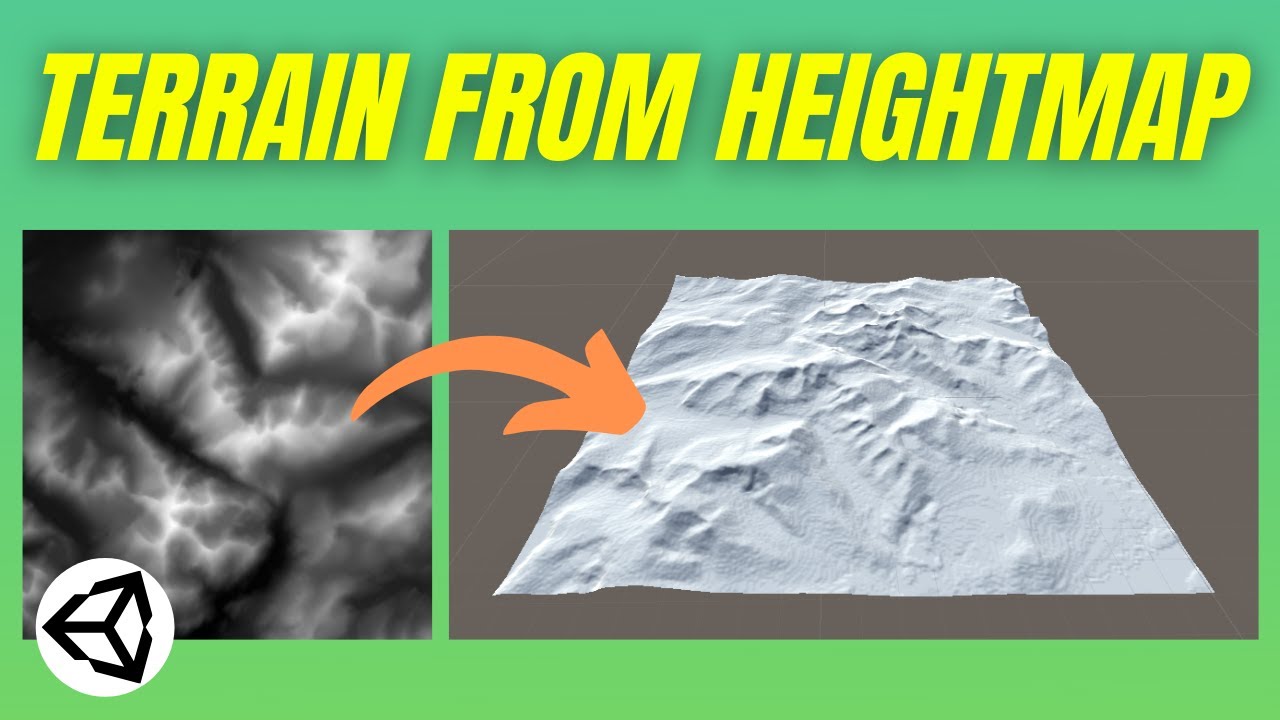
In this Unity game development tutorial we're going to look at how we can create realistic looking terrain from real world height data, using greyscale images known as heightmaps.
We'll start by explaining how heightmaps work before using a free resource to generate a heightmap from real world terrain data.
We'll then install the Terrain Tools...
quick schooner
thorny swift
https://www.youtube.com/watch?v=bFGXghavsD8
not working
it said something like TerrainToolbox: Heightmap resolution per tile is not square size with current settings.
UnityEngine.GUIUtility:ProcessEvent (int,intptr,bool&)
thorny swift
Yes, you need to cut your texture into 1:1 ratio, so 512x512px or 1024x1024px etc. it has to have both sides same
rough turret
got no clue how this works, but im makin procedural terrain but i want it to stay in the editor while the scene is stopped, is that possible? also when my mesh terrain is generated, my character just goes through it which doesnt make any sense bc i added a rigidbody and a mesh collider. the mesh collider gives me an option to add a hitbox but i cant make it the same shape as the mesh 🤔 is there a way i can give the mesh a perfect hitbox and make it visible while the scene is stopped?
 reef berry
guys when i brush the terrain the height is more then what i expected , how can i reduce it
 analog basin
i cant walk any further, there are no colliders that i will colide with and the slope limiit is 90 degrees. Anyone knows a fix?

 burnt ermine
Hello, I was wondering if anyone has experienced something similar with terrains and know a solution. As shown in the attached image, I have a capsule with a rigidbody that is pushed to a location. When I push the rigidbody is pushed up on the hills of the terrain (as it should) but many times I experience that the rigidbody will clip trough the terrain. For now I just have a script that teleports the rigidbody up to a higher y value if the y value is below some value. This solution are not really sustainable. Any tips for how this can be improved? I might suspect that the terrain might be to "uneven" can this cause problems?
 burnt ermine
I have also tried to tweak the rigidbody collision detection without any difference
 soft meteor
does anyone know how to incerease treee render sdistance
warm radish
analog basin
i cant walk any further, there are no colliders that i will colide with and the ...
heya. what are you using for the player controller you have? and what is your terrain setup like? multiple terrains, are you using again plugins/asset packages, etc
analog basin
warm radish
heya. what are you using for the player controller you have? and what is your te...
Hello, I used a player controller form brackys on yt, but changed the movement. Also I just use the terrain of unity, and I am multiple plugins. But it wors fine in the rest of the map.
Only that area acts weird...
warm radish
rough turret
got no clue how this works, but im makin procedural terrain but i want it to sta...
based on the inspector contents in the video, looks like the mesh collider for the generated terrain is a plane. can you provide more info on why you cant make it the same shape as the generated mesh?
warm radish
analog basin
Hello, I used a player controller form brackys on yt, but changed the movement. ...
do you know if you are using nav meshes and if the brackeys character controller makes use of them as well?
analog basin
warm radish
do you know if you are using nav meshes and if the brackeys character controller...
I did use a navmesh agent, but can't say it for sure. Don't have acces to my pc right now.
But I did use navmesh
warm radish
ok. i'd check to see if nav mesh is generated in that area. maybe it isn't?
analog basin
Didnt use normal walking but used animations for walking 🤣😂 because it was easier to make
analog basin
warm radish
ok. i'd check to see if nav mesh is generated in that area. maybe it isn't?
Aaaah good one, didn't think about that. U need to bake that right? Ty
warm radish
analog basin
Aaaah good one, didn't think about that. U need to bake that right? Ty
yup! when you get the chance, check that out and let me know what you find here in chat
analog basin
warm radish
yup! when you get the chance, check that out and let me know what you find here ...
Ty, also baking takes a few minutes but I have the time. I'll let you know, probably over 2 days or so.
Have a nice weekend, cya
warm radish
thanks. you too!
 errant bobcat
Question: I have Gaia 2, would The Vegetation Engine be able to work with it? I am wanting realistic grass\tree movement.
Side note: or would it be better to go for the Gaia 2021? or both?
rough turret
warm radish
based on the inspector contents in the video, looks like the mesh collider for t...
when i click the mesh option in the mesh collider, it doesnt show me my mesh which ive seen in other tutorials. im thinking this might be because im procedurally generating it
warm radish
in your script you'll probably have to get a reference to the MeshCollider with GetComponent and assign your generated terrain mesh to the MeshCollider
rough turret
im new to unity and C# so i have no clue how to do that lol, and since i sent the original message, 6 days ago, my pc is broken :/ i cant fix anything rn
 short pagoda
Anyone know of any pre-built assets that sector the coordinate system in the editor? I keep hitting walls with how vast distances need to be between planetary bodies.
thorny swift
Is there a way to get Terrain Renderer? I would like to push it into RTStructure so it can be traced against, but it seems like terrain lives only on GPU side?
 autumn ice
hi guys! How can i make textures less tiled? I saw some tutorials in blender but i am not familiar with it. Are there any ways to do it in unity? Maybe some plugins?

 scenic dome
Why is this happening to the corner? Is there a way to avoid it?

No idea why it does this
 still rock
How can I make my terrain have a pixel art texture? I'm using probuilder to make my 2.5D terrain.
desert sun
scenic dome
No idea why it does this
its called z-fighting when surface of models align with each others. try to learn blender 3d for creating primitive levels without z-fighting
 hybrid briar
kind of like this a bit, finding it hard to micro manage the different bits of terrain

flattening it and such without making it dead flat
scenic dome
Alright so im trying to find a quick fix to remove z fighting without really changing the scene around, anyone know a way to to that?
nvm fixed it
 haughty urchin
Anyone know if there's a discord dedicated to MapMagic2? would be great to discuss with other people using it
 haughty lotus
Not really sure if this is the right place to ask but i am wondering if anyone can help me with randomly generated world/terrain for 2D topdown survival type game?
it will have the usual stuff like grass, sand, water, trees, rocks ect all that stuff kinda like minecraft, i have had a little look online for stuff i know that it uses perlin noise butttttt i aint really sure what the best videos of articals are to help me so if anyone could help point me in the right direction that would be great!
 cosmic pollen
shell jolt
I suggest to ditch this method and use triplanar shader instead, so just use you...
cosmic pollen
shell jolt
I suggest to ditch this method and use triplanar shader instead, so just use you...
yep this is exactly what i want
shell jolt
now google it! 👍
cosmic pollen
but is it only work on terrain?
shell jolt
uh, no.. everything in worldspace
cosmic pollen
shell jolt
uh, no.. everything in worldspace
oh okay
 rough tusk
Does anyone have an idea on a colour scheme for the back planet so it contrasts well but doesnt overwhelm?
 deep gazelle
Any color would do just adjust the brightness so its appropriately in the background
 stuck epoch
Does anyone know how to translate noise into height. I don't need that specifically but there is something else, that I want to do with this
rough tusk
deep gazelle
Any color would do just adjust the brightness so its appropriately in the backgr...
How's this looking? Been working really hard on it.
 analog basin
warm radish
yup! when you get the chance, check that out and let me know what you find here ...
analog basin
warm radish
yup! when you get the chance, check that out and let me know what you find here ...
sorry for late reaction, i baked it but doesnt work...

cant walk any further, iam blocked there. no collider or someting
warm radish
analog basin
👋 heya. what happens if you have a large plane there on top of the terrain. are you able to walk on that?
analog basin
warm radish
👋 heya. what happens if you have a large plane there on top of the terrain. are...
Heya, I'm now in bed 😆 will try again if I have the time.
Ty for responding, have a nice day
warm radish
analog basin
Heya, I'm now in bed 😆 will try again if I have the time.
Ty for responding, h...
ok haha. will talk to you later!
analog basin
💪
rose sentinel
How do I assign something as Terrain?
 modern wolf
why is my terrain not rendering when i enable path tracing?
 sharp meadow
How can i fix the height?

 drifting crown
@sharp meadow This is the appropriate channel. To get an actual answer you should provide relevant details. Whatever method you are using to import height map, normalize it to the range, if it hits limits.
sharp meadow
drifting crown
<@!790929721739182149> This is the appropriate channel. To get an actual answer ...
Can height limits be raised? I imported heightmap with Terrain toolbox. I entered the parameters provided by https://heightmap.skydark.pl/ from here I also took Heightmap
drifting crown
You need to examine the data and see how you can reduce it to the limits.
Or find a tool that does it.
sharp meadow
drifting crown
You need to examine the data and see how you can reduce it to the limits.
What is the maximum height limit?
drifting crown
Not familiar with Terrain system. Usually it's 0-1
You'll get that from testing the data and debugging results.
fluid ferry
can anyone say me why unity reset every start my Default-Terrain-Standard Material from "transparent" to "from shader" ? Will this also happens if i render and play my game?
 quaint lake
Can anyone help me make procedural generation
 rigid echo
quaint lake
Can anyone help me make procedural generation
rigid echo
quaint lake
Can anyone help me make procedural generation
Sebastian lague has a whole series on that.
 forest pike
Hello, does anyone know why this happening? and how i can fix it? thanksss (i mean the border)
 shell jolt
forest pike
Hello, does anyone know why this happening? and how i can fix it? thanksss (i me...
shell jolt
forest pike
Hello, does anyone know why this happening? and how i can fix it? thanksss (i me...
what border?
perhaps make an outline for problematic part
sometimes, when you see it from far away the textures can be seen a bit weird, but not when you see it up close, at least from your character's pov
 wise fable
rough tusk
How's this looking? Been working really hard on it.
wise fable
rough tusk
How's this looking? Been working really hard on it.
that is awesome
forest pike
@shell jolt I mean the light green, the texture is the green at right and even if a zoom out or play with character that light green is there
 proven crystal
Terrain Shader's Stochastic Texturing (Tiling Remover)
shell jolt
Most stochastic tillings need to be done procedurally...
 lapis wave
hey, I want to generate a 500m terrain but most heightmap generators only generate height maps that are too large, any ideas?
like this here
I can only generate a heightmap of 17km
and the terrain is too large to me from it
 last linden
Tree 001 is the Bark
Tree_1 is the leefs they both have separate mesh renderers

i have a LOD group

but i still have this problem of the tree loading only the bark

when i paint with terrain brush

The tree is made with Tree It
analog basin
warm radish
👋 heya. what happens if you have a large plane there on top of the terrain. are...
doesnt work lmao
analog basin
found the fix
warm radish
analog basin
found the fix
nice. what was it?
analog basin
warm radish
nice. what was it?
Dunno
shell jolt
you can do cross-quads for the grass so it would look a bit nicer. Or just circular pattern for variance. either way, it looks good! 👍
last linden
shell jolt
you can do cross-quads for the grass so it would look a bit nicer. Or just circu...
unity terrain built in grass tool is also decent if you disable billboard and have a good looking PNG grass
 latent torrent
The terrain tree paint - does it only allow prefabs that have one root element that has a mesh renderer? so if I had a prefab that consists of 2 meshs (leaves and the trunk) as a child, do we expect the tree terrain painter to work?
latent torrent
shell jolt
it should work, yes
Is that reply to me? about the terrain tree painter painting prefabs of this structure:
parentContainer (no mesh)
- child1 container (with mesh and mesh renderer) - eg. the leaves
- child2 container (with mesh and mesh renderer) - eg. the trunk
It doens't seem to work, doesn't end up painting anything, although I can select the prefab as a tree - just doesn't do anything.
lapis wave
this brush of mine has a different shape and effect than the one in the tutorial (below) even though they are the same brushes, any ideas?


mine looks like a football, is full round
^also gives shape as a football
shell jolt
latent torrent
Is that reply to me? about the terrain tree painter painting prefabs of this str...
Check if the origin of your object is centered and at the botom of the trunk... bcos if it's not, it will be spawned anywhere based on the object's origin even below the terrain
Either way, Unity would complain in form of a warnings in the editor's console if it doesn't meet the requirement
if there's no warnings, then most probably it gets spawned outside the terrain, like way above, below or anywhere else bcos of the object's origin I mentioned
 merry snow
hello can I ask about 2d here?
warm radish
lapis wave
this brush of mine has a different shape and effect than the one in the tutorial...
it might be that they are different versions of unity and terrain tools package? i know we changed some of the brush preview code between releases so that might explain why the brush shape itself looks different. for what it's worth, the top one looks like the correct preview to me.
as to why the painted results might be different, maybe it is due to heightmap resolution. the terrain from the bottom picture looks like it has a higher resolution heightmap than the terrain from the top picture. it might also have instancing enabled. i recommend heightmap of at least 2k to get decent results with the hydraulic erosion tool
and to enable instancing, enable "draw instanced" in the terrain's settings tab of the inspector
 sinful tree
Does anyone know how can I use google maps as a game terrain?
I mean, I only need the 2D terrain
lapis wave
warm radish
and to enable instancing, enable "draw instanced" in the terrain's settings tab ...
thanks, i'll try it out
lapis wave
sinful tree
Does anyone know how can I use google maps as a game terrain?
heightmaps
 left steppe
Hello im having trouble with terrian toolbox I followed the instructions https://docs.unity3d.com/Packages/com.unity.terrain-tools@2.0/manual/toolbox-import-heightmap.html for batch importing but no matter what I do it only thinks there 1 x 1 tiles? my folder has hundreds named correctly but even if I tried to mimic the example it doesn't seem to find the 2x2 grid. I can load them up individually anyone else have this issue?
 molten dagger
Hey guys, I'm working on some procedural planets. I got some mad issues with the normals. they are so close to displaying correctly, yet they aren't

each triangle is a separate mesh where every vertex of a triangle shares the same normal/tangent, with the normal pointing straight out from the triangle and the tangent matching the x axis of the texture
the world normals when i draw to the texture represent a perfect sphere, and I've debugged them in multiple ways by drawing them to the regular texture, it all looks good and seamless
but when i put it on the normal map, this happens
This is how i draw the normals
// Texture settings
                Texture2D normalTexture = new Texture2D(texSize, texSize, TextureFormat.RGBA32, false, false);
                normalTexture.filterMode = FilterMode.Trilinear;

                // Per pixel on the normal texture

                Vector3 tangentSpaceNormal = new Vector3(
                    Vector3.Dot(objectSpaceNormal, tangent),
                    Vector3.Dot(objectSpaceNormal, bitangent),
                    Vector3.Dot(objectSpaceNormal, normal)
                ).normalized;

                Color normalColor = new Color(
                    tangentSpaceNormal.x * 0.5f + 0.5f,
                    tangentSpaceNormal.y * 0.5f + 0.5f,
                    1,
                    1
                );
                normalPix[i] = normalColor;
I have tried playing with those last two boolean parameters to rule out srgb troubles and such, but it makes no difference
molten dagger
Sorry for crap video but this shows the issues quite well i think
For example on the back half of the sphere, the light intensity is almost black in some corners, which is weird since its supposed to be unshaded
molten dagger
Been spending way too many hours on this. Maybe I should just write my own shader that can handle object space normals
 cerulean skiff
Question which might be obvious and I'm missing it, but how do you create LOD for Unity Editor created trees? The documentation says the extension takes care of the LOD, but I can't figure out how to enable that function. I need this to work because whenever I paint the trees, they're all the same orientation. In order to enable random rotation, it seems that you need to enable the LOD group.
cerulean skiff

 lost field
If i got a basic terrain and i just want like a rectangular hole in the ground, is there any way I could just make a cube and have it cut the cube out of the terrain? Sorry if this is explained poorly, this is my first time using the terrain editor
latent torrent
shell jolt
if there's no warnings, then most probably it gets spawned outside the terrain, ...
Turns out there was a warning, but it only appeared if you clicked "refresh" on the terrain paint trees tab, not if you try painting with it. The error is:
The tree treeModel couldn't be instanced because the prefab contains no valid mesh renderer.
Due to my prefab containing the tree (leaf and trunk) meshes as child objects - I can't use it as a painter.
So that means the terrain tree painter cannot paint anything that has more than one mesh, dang.
shell jolt
latent torrent
Turns out there was a warning, but it only appeared if you clicked "refresh" on ...
Save your headache, and use this https://github.com/Whinarn/UnityMeshSimplifier/... Add the LodGeneratorComponent to your prefab and follow the instruction...
once generated, it will pool all your mesh renderer in one place(parent) as if it's one object (but it's not)
Your issue is pretty simple, and don't require to use that tbh... but to save your time, just use it
I used that almost in all my 3d projects..
latent torrent
shell jolt
Save your headache, and use this https://github.com/Whinarn/UnityMeshSimplifier/...
wow, very neat! Sounds like it'll do the job, I'll give it a try
shell jolt
Note: Read the WIKI
see the DOs and Don'ts
Turns out there was a warning, but it only appeared if you clicked "refresh" on the terrain paint trees that sounds like a bug, you can report it if you want
cerulean skiff
shell jolt
`Turns out there was a warning, but it only appeared if you clicked "refresh" on...
This might be a fix for the problem I was having as well, but I can't get it to install and I'm too nervous to mess with the manifest.
I get the following error
[Package Manager Window] Error adding package: https://github.com/Whinarn/UnityMeshSimplifier.git. UnityEditor.EditorApplication:Internal_CallUpdateFunctions ()
[Package Manager Window] Cannot perform upm operation: Unable to add package [https://github.com/Whinarn/UnityMeshSimplifier.git]: No 'git' executable was found. Please install Git on your system then restart Unity and Unity Hub [NotFound]. UnityEditor.EditorApplication:Internal_CallUpdateFunctions ()
Installed Git after getting the message and restarted both Unity and the Hub
rose sentinel
Is there any performance benefit when spawning trees with Terrain system?
Or I can just spawn them as gameobjects with no performance overhead?
shell jolt
rose sentinel
Is there any performance benefit when spawning trees with Terrain system?
Or I c...
No, no magic or anything, just pure convenience
you should make/manage your own LODs to get the most of it
latent torrent
shell jolt
Save your headache, and use this https://github.com/Whinarn/UnityMeshSimplifier/...
Have to come back here and say what a fantastic recommendation - this LODGenerator is amazing.
shell jolt
Yeah, I've been using it a lot in my project... and quite simple to use out of the box
You can go beyond the default, it has a built in apis for culling states, the package is very powerful if you're doing it from code... just saying, you don't have to do this
Btw, Unity has a similar implementation to that officially (a work based on MeshSimplifier as well), but it quite stale at the moment. No reason to switching to that
 wild sable
Yo guys, how can I fixed tree collider doesn't work on my terrain? I've already add collider to my tree but it still doesn't work at all
Btw I'm using terrain tools package
shell jolt
Define not working!
how do you know they are weren't working? What if,... and what if... it was your collission code that caused it not to work?
or your setup in general...
 smoky vigil
Does anyone know of a good way to make an environment with elements? Think Breath of the Wild. The world is stored in mesh parts but how does the game know where to put trees and what kind of tree to put and how to angle or position the tree? I was thinking of exporting a model with several empties to show where everything should spawn but that sounds tedious and potentially not good for the FPS
There's also the fact that Unity itself can load scenes and a scene can just consist of your terrain and foliage but I'm not sure if that's a good idea as well
Trying to work with optimization and well, a better way to do this
Alright, I believe what I'm looking for is Subscenes
shell jolt
smoky vigil
Does anyone know of a good way to make an environment with elements? Think Breat...
If you know how to do c# placing trees based on certain coordinates based on certain condition of the terrain wouldn't be too hard, even I personally think this is not the preferred way if you're looking for perfections
last linden
Hello my custom made tree doesn't have a bend factor when adding it to terrain tree brush
how can i fix that
shell jolt
I think only if you made your tree in Unity... SpeedTree would work too... Other than that, I don't think it would work
Don''t count me on this, google it if you'd
last linden
shell jolt
I think only if you made your tree in Unity... SpeedTree would work too... Other...
ah ok i see so i'd better just use shader graph to simulate wind ?
for the trees at least
and grass i use wind zone it works well
 safe scroll
i need help with a problem im having trouble with a grass mesh it wont let me place grass across the entire terrain it says the density is too high and to change the opacity but the opacity is already on 0.025
 elfin inlet
 worldly forge
this is more a question of concept than actually asking for help, but how feasible would it be to generate a world made of premade chunks, but using like vertex colors to designate what tiles could be built next to the previous.
example, like 2 corners of a hexagon that would be a premade chunk of terrain and is raised like on a hill and have a color or value based on the height and have the adjacent tile not generate unless that point shares the same value.
asking here since it's more asking opinions of an idea
safe scroll
Is someone willing to help me with some terrain issues in a call cause no one seems to even help me
lapis wave
bringing up the altitude heatmap makes the terrain whole pink. Not happening in a simple 3d project. Any ideas? solutions on internet don't seem to work.
safe scroll
iv been asking for days but no one helps or respomds
 floral sand
safe scroll
iv been asking for days but no one helps or respomds
floral sand
safe scroll
iv been asking for days but no one helps or respomds
Not everyone has a solution to you specific problem, my tip is to troubleshoot, make a new project solely to create the terrain and do the grass painting, I'm not well versed in Unity Terrain myself so I can't give you more directions other than help you understand the steps of troubleshooting.
-
Make a new project and try to recreate the problem
-
If the problem doesn't exist in your new project, check what's different, something it bound to have changed.
-
Google is great, Discord is not the only resource.
-
Don't dig yourself in a hole, if something doesn't work you can try to solve it or simply take a completely different approach.
Your problem doesn't sound all too complicated however, I'm sure you'll solve it. 🙂
last linden
Hello how can i fix the camera looking insde the terrain ?

do these lines have something to do with it

 storm elm
does anyone know how to fix this? on some areas of my map my character just keeps hovering over the floor and going through it, like he keeps falling in one place


i have a terrain collider
but it doesn't completely work
proven crystal
Hi it might be useful, Geo-Location & Geo-Referencing Objects On Real-World Terrains (Terrain Tools) 📌 🛰️
Refer to the following link: https://terraunity.com/geo-location-geo-referencing-in-terraland/

 hidden juniper
why does it do this when I rotate my terrain?


 crystal oracle
this is tree in prefab that I use to spawn trees on terrain

It did not change when I change length in prefab
does anyone know why?

it is way bigger in prefab, but when I spawn it it is little
 hollow saffron
hello
I imported a grass 2D texture
its a pixel art
16x16
and it's blurred
i changed filter mode to point and compression to high quality but it's still blurred when i paint it through terrain
last linden
hollow saffron
i changed filter mode to point and compression to high quality but it's still bl...
for starters pixel art shouldn't be compressed at all cause it could ruin you colors on some ocasions
hollow saffron
ok ty
undone lark
You were already told that this discord isn't the place for job/collab posts, use the forums.
If you have a specific question about terrain, then you're free to ask.
 ember turtle
How to import a terrain that I made from blender to unity? I choose it in texture resolution but the result is ugly. Did I miss something in blender?
 zealous belfry
Hi, I need to create a 3D arena, is it better to create the full model in blender or create the single objects in blender and then build the arena in unity?
 winter minnow
ember turtle
How to import a terrain that I made from blender to unity? I choose it in textur...
winter minnow
ember turtle
How to import a terrain that I made from blender to unity? I choose it in textur...
"Terrains" created without the Terrain tool aren't Terrains, they are simple meshes and you should follow the standard mesh import procedure
 potent grove
heyo, i have a super noob question and google isnt helping...am i missing something when it comes to exporting my terrain/assets from blender into unity? none of the textures or materials come through even if I bake it all. ive followd the steps from peoples youtube videos and even though i go step-by-step it doesnt work for me.
 crystal latch
Hi so when I am using the terrain tools that come with Unity for some reason when I try to scroll in and do the detail work the camera clips through. According to google search's I did I have to highlight the terrain piece and the change the clipping and far values and this will fix it. after trying this I can say this is not fixing it does any one know how to fix it ??? Please and thanks for the help YOU GURU'S
 fringe ivy
Hey, If i create a game how big should it be? in Meters like i could create a 1x1 meter map and just have my characters small to why would i need to make 1x1 km map??
 crystal latch
@fringe ivy I think I saw in the Unity Manual they recommend a size in there I be leave But i think it also depends on the type of game you are working on
Sorry I dont have a link for you
fringe ivy
okey Thanks you 😉
winter minnow
fringe ivy
Hey, If i create a game how big should it be? in Meters like i could create a 1x...
If you go too small or too big, the coordinate system will run out of accuracy to represent objects
Generally you'll want to operate in the ballpark between 5 kilometers and 1 cm
fringe ivy
winter minnow
If you go too small or too big, the coordinate system will run out of accuracy t...
Thx
winter minnow
But if you're about to go near those limits it's worth considering some kind of solution
 mellow hamlet
Is anyone able to help me figure out why my grass doesn't light up when using Paint Details 🤔. When I use Paint Trees it's fine. I am using GPU instancing for the Paint Details. Could that be the problem?

 willow parrot
https://www.youtube.com/watch?v=XdahmaohYvI im following this YouTube tutorial on how to make terrain and its doing something with shader i don't understand (im at around 8:30 in video) and im just getting something completely white when ist suposed to go from light to dark


Welcome to this series on procedural landmass generation. In this episode we'll begin work on a custom terrain shader.
The full source code for this episode can be found here:
https://github.com/SebLague/Procedural-Landmass-Generation
If you'd like to support these videos, you can do so with a recurring pledge on Patreon, or a one-time donatio...
rose sentinel
Is the Terrain Sample Asset Pack by Unity free to use commercially? I can't find anything about it's licensing
drifting crown
If it's by Unity it should be ok for commercial use unless explicitly stated otherwise.
shell jolt
rose sentinel
Is the Terrain Sample Asset Pack by Unity free to use commercially? I can't fin...
Unless it's restricted, see this https://support.unity.com/hc/en-us/articles/205623589-Can-I-use-assets-from-the-Asset-Store-in-my-commercial-game-
 storm vapor
I have two terrains in my scene. When I try to elevate one through brush the elevation appears on the second one automatically 🤔 I am new in it don't understand why it's happening.
 safe sable
hello how do i massplace tree wile still be able to edit each prefab seperatly in hierarchy
shell jolt
safe sable
hello how do i massplace tree wile still be able to edit each prefab seperatly i...
You don't... you must edit the prefab instead
thorny swift
storm vapor
I have two terrains in my scene. When I try to elevate one through brush the ele...
Did you just make copy of the first terrain? because that wont create new TerrainData meaning both terrain's will use the same one. So change on one will be seen on the other one aswell.
 fallen zealot
Does anyone know how to get tree color variation working? I made a custom tree added an LOD group and rotation and height work but not color? Can't find a tutorial on it
 tame raven
fallen zealot
Does anyone know how to get tree color variation working? I made a custom tree a...
tame raven
fallen zealot
Does anyone know how to get tree color variation working? I made a custom tree a...
Hmm, I guess you could just add some different prefabs on the Trees list, using the same tree mesh but with different materials.
||If you want to make use of only one material for better batching purposes, you can think on a complex shader that changes the color based on something like it's position in world space, for example.||
 fallen zealot
Yeah I gave up trying to get it to work, So I just added 4 different shades of the same tree.
 stone hull
Hey. I was wondering if It's possible that the terrain be modified by the player inside the game? like can I have a system in my game that the player can maybe rise/lower the terrain? if so, can someone sent me a documentation page or something about it?
 cerulean sentinel
stone hull
Hey. I was wondering if It's possible that the terrain be modified by the player...
stone hull
cerulean sentinel
https://docs.unity3d.com/ScriptReference/TerrainData.SetHeightsDelayLOD.html
cerulean sentinel
stone hull
Hey. I was wondering if It's possible that the terrain be modified by the player...
stone hull
cerulean sentinel
https://docs.unity3d.com/ScriptReference/TerrainData.SetHeightsDelayLOD.html
Thanks 👍
cerulean sentinel
Unity is the ultimate game development platform. Use Unity to build high-quality 3D and 2D games, deploy them across mobile, desktop, VR/AR, consoles or the Web, and connect with loyal and enthusiastic players and customers.
 compact ferry
Any idea why my terrain would reset itself between last night and this morning?

It made some weird 5 box thing too.
Oh, the box is the create more. Get that now. Still not sure why it wiped out everything. :/
 pure matrix
Guys, has a limit about how low a terrain can be? i mean, i was trying to use the terrain tool to lower my sea beach scene and it dont go lower
winter minnow
pure matrix
Guys, has a limit about how low a terrain can be? i mean, i was trying to use th...
A limit has indeed
defined by "terrain height"
pure matrix
winter minnow
A limit has indeed
defined by "terrain height"
but this terrain height are the limit up and not the limit to go down right?
i mean this
 winter minnow
pure matrix
but this terrain height are the limit up and not the limit to go down right?
winter minnow
pure matrix
but this terrain height are the limit up and not the limit to go down right?
A height is just height
It's not up or down
forest pike
I dont know if this is the right place but is there a way to paint a square for example at run time?
pure matrix
winter minnow
A height is just height
It's not up or down
do u know if is possible to change the limit without change the mesh? because if i double the limit the mesh change a lot
winter minnow
Not off the top of my head
pure matrix
someone know where i can add displacement/height/bump for a terrain paint texture? i only see albedo/normal/mask on the layer option
 rose sentinel
hello to all can you give me advice for creating a map that has the theme of ghetto crime things like that (I don't know me at all I usually start with unity)
undone lark
Also start with compiling a bunch of references. You can use a program like pureref to organize it.
 lofty fjord
Are levels best made in blender so that you can better blend models in the scene?
undone lark
You use a combination of terrain and models. Or, if it's an interior, just models. How you make those models are up to you.
The fact Blender is called that isn't an indication that it's good at "blending" models into a scene. That's up to you and your ability to make it look that way.
lofty fjord
Lol I knew that about the name blender that was just me asking about is it easier to blend environments together in a modeling software rather than directly in the engine
undone lark
It's a combination
 slate lantern
Hey! Making a 2.5D game, and I have every object rotated on the X coordinate by 60 degrees.
Now I am trying to add grass with the Paint Details tool on the terrain, and I want to make it so that the grass sprites I use as Detail Texture are also rotated by 60 degrees on X. Is there a way to do this? Couldn't find a solution so far
rose sentinel
lofty fjord
Lol I knew that about the name blender that was just me asking about is it easie...
what is the software to model is it paying ?
shell jolt
lofty fjord
Lol I knew that about the name blender that was just me asking about is it easie...
Use both, currently, we can't do much customization to the default terrain editor, but this soon will be much better at least, after the PR for shaderGraph supports for terrain being merged
on that note...
Sorta a bad news
https://github.com/Unity-Technologies/Graphics/pull/6056

GitHub
Please read the Contributing guide before making a PR.
Read the Graphics repository & Yamato FAQ.
Checklist for PR maker
Have you added a backport label (if needed)? For example, the ne...
See last comment...
Means another delay.. sighs
lofty fjord
rose sentinel
what is the software to model is it paying ?
say that again?
Blender is free
 stiff crag
hello everyone! can anyone suggest in pm how i can pull the maps out of the game and use them in my project?
shell jolt
Try it with FBX Exporter, as whether it would work perfectly or not, you should test it yourself
jagged lily
Anyone knows why Unity (2021) spits out dozens of empty warnings for my two trees with LODs, every time I load the project?

 prime stone
i tried adding a texture to my terrain, but this is happening. can someone help me out pls?
only after zooming in is it visible + it's not getting applied to the others
winter minnow
@prime stone Check scene's fog settings
prime stone
winter minnow
<@!693705888036290560> Check scene's fog settings
where do i go to check that?
winter minnow
prime stone
where do i go to check that?
Lighting window > Environment tab
It could be controlled by post processing if you're using PPs2
 trim cliff
the player is no supposed to fall when i have freezed position but it does what to do?
 night aspen
storm elm
night aspen
storm elm
does anyone know how I can cut a hole in my terrain?

 jade minnow
I can't add water from the standard assets to my project, both Basic Water and Water (pro) give compiler errors. I'm using HDRP.
...
Well, I assume it's the water. I'm getting the error 'All compiler errors have to be fixed before you enter playmode'
I don't know how to view compiler errors. Are these just the errors in the console? If so, they are hardly anything I can fix, it looks like it's up to Unity to fix these things.
None of them seem relevant to my project. Stuff about GUI.Text being deprecated etc. I'm not using text. Various other issues with shaders and Speed Tree etc. Nothing used in my project.
prime stone
winter minnow
Lighting window > Environment tab
It could be controlled by post processing if y...
sorry for the late reply but thank u!
 dusky ivy
Hi, is there any way you can create heightmap png file from a terrain created in unity? The idea is to create a terrain in Unity and export it to an OpenGL project
winter minnow
dusky ivy
Hi, is there any way you can create heightmap png file from a terrain created in...
https://docs.unity3d.com/Manual/terrain-Heightmaps.html
Instructions how to export here
Raw files can be converted to png using various image editors
dusky ivy
Hi, again. So I am having this issue that im not sure how to deal with. I could export the raw file and convert it to import it to my OpenGL project. I'll show you a couple of screenshots that would explain the issue by themselves.

so, that's the terrain ive done n Unity and here is the result in my other project

does anyone have any tip or would recommend any other tool?
dusky ivy
well, the heightmap i got from unity is been imported to my other project and the difference is quite interesting
the height is clearly different and i dont know how to fix that
dusky ivy
 rare night
Probably don't have correct y max as well
rare night
Probably don't have correct y max as well
do you mean on the unity editor? Ive changed the mesh height and the output has been the same
doing this does not make any difference in my other project
 rare night
Right, height is mapped the same. The height there is essentially just a multiplier in unity
Height is encoded 0-255?
dusky ivy
8 bits, yes
dusky ivy
well yes the center is flattened because in the unity editor is flattened too. Ive tried to a kind of volcano
the issue is more the height of the volcano
and also the perimeter that limits the terrain
rare night
Are you decoding the image in srgb?
dusky ivy
grayscale
rare night
Perhaps color space is causing issue. Kk
Was thinking gamma correction but I'll stop guessing now. 😉
pure matrix
Guys, when i try to convert my terrain from HDRP to URP everything become pink, and i cant convert the material bc he cant use the terrain material
winter minnow
dusky ivy
the issue is more the height of the volcano
It's all about the encoding from raw to png
There's no one to one way to do it so the values can change
winter minnow
pure matrix
Guys, when i try to convert my terrain from HDRP to URP everything become pink, ...
Is the terrain material's shader from HDRP or some external asset?
 ripe elm
Hey can you help me how to make 3D Hex tilemaps? I have some issue

size does not match and not the center
pure matrix
winter minnow
Is the terrain material's shader from HDRP or some external asset?
ye its from hdrp
winter minnow
pure matrix
ye its from hdrp
If it can't be converted then I guess you could switch the material to URP terrain manually
pure matrix
winter minnow
If it can't be converted then I guess you could switch the material to URP terra...
i tried it but now everything are black

i'm trying to use a URP>Terrain material>lit
 haughty kernel
What to do so that the tree does not change its quality over the distance?
pure matrix
haughty kernel
What to do so that the tree does not change its quality over the distance?
change the LOD
like this
 haughty kernel
Where can I find LOD?
haughty kernel
Ok, thanks
pure matrix
pure matrix
i tried it but now everything are black
i solved it, was a wrong settings on the light setup
jade minnow
In order to paint grass, the docs say to Edit Details / Add Grass Texture. But that is grayed out.
jade minnow
I've tried to Add Detail Mesh - but it crashes Unity when I start painting. It looks like it's painting very densely. In the Inspector...
Detail patches currently allocated = 4096
Detail instance density = 16 million
Those numbers don't look right to me, but I have no idea.
warm radish
jade minnow
I've tried to Add Detail Mesh - but it crashes Unity when I start painting. It l...
heya. if i am remembering correctly, the detail patches are along each the x and y axis so 4096*4096 = 16,777,216.
jade minnow
So how can i change the density?
I've set brush strength to 0.0625 (minimum value), and it paints the grass as densely as you can imagine.

Sometimes when I'm painting or erasing details, the Scene View goes blank, but if I zoom out I can see the terrain again, although the performance is bad (jerky). Any idea what's going on?
I have this error - which I always see - the index 44 error ...
halcyon patrol
jade minnow
I've set brush strength to 0.0625 (minimum value), and it paints the grass as de...
The density of your details and trees is also controlled by your
Terrain Scale
Detail Resolution per patch
Detail Resolution
Brush Strength and Brush opacity
If you have a terrain that's much smaller than the detail Res and patch size for example, you'd have a lot of density overlap like this.
It is a really confusing balance to make in all honesty.
But I'd try finding a good balance with your brush Strength/ opacity and Details Res/patch
jade minnow
@halcyon patrol OK, the balance is very important then. I made a much larger terrain, and it was immediately more natural - a splattering of grass instead of a dense clump.
halcyon patrol
jade minnow
<@!362937055665324049> OK, the balance is very important then. I made a much lar...
Yup! Absolutely.
As a general rule, I try to keep my details resolution at least double my terrain tile.
I get a good brush balance and natural density from the texels of the details maps size.
Details resolution per patch can also increase density at 128 and perform better in some cases, but there is a balance point there too.
The downside of painting by hand here is it's very easy to overlap meshes without knowing.
If you use "Terrain Tools" and also the asset store add on for it.
You can a few more options that may help you fine tune broad scene wide strokes like the texture/noise filters.
Over all, I'll be happy to witness the terrains in general get a large overhaul to allow better control for "larger and smaller brush strokes".
For the most part by default we use a procedural Spawner with rule sets to Spawn the initial ideas and then go in by hand or volumes. For much finer details.
 supple roost
is this the right place to ask about tiled stuff?
jade minnow
@supple roost I think so, as in a 2d tilemap? It's not really terrain, but it's pretty close.
...
Tiles X Axis = number of tiles along x axis
And Unity's default values are 1 for X,Z axes ... wth!!
Is that just bad configuration, or does Unity mean something different when they say Tile compared to what everyone else means?
Because for me, a tile is a logical region on the grid that is navigable or for terrain purposes it could represent a quad of the terrain. I can't think of any interpretation of tile that would result in a 1 x 1 tile over a 1000 x 1000 m terrain.
Further, the terrain toolbox even says that I can assign a heightmap to an individual tile .. that doesn't even make sense.
Does Unity mean chunk when they say tile?
Also, I'm trying to import a heightmap, it's resolution is 501x501, my terrain details...
Size = 500 x 500
Tiles = 10 x 10
But I'm getting an error the inputed heightmaps resolution of 52 x 52 does not match selected heightmaps resolution. The generated heightmap will be resized to 513 x 513 ... ahm, these numbers don't match anything I'm using.
jade minnow
Another question, I've changed the material on my terrain, but nothing works. I was looking to apply a single texture to the terrain as a base texture or replacer for splat map.
How can I restore the material to the default material? There is no option, just a big list of materials. Even choosing New Terrain Material doesn't work, it says 'The provided material's shader is unsuitable'.
 quaint mango
if the terrain is broken in my project (and i know it is cuz i tried another project and it worked), is there a way to fix it or do i just have to upgrade my unity version?
I'm using 2021.1.22f1 and the terrain tool won't let me use trees
i opened a 2021.1.4f1 project and imported my trees in there and they worked just fine
oh yeah and i made a second terrain to see if it worked and it did not
 dreamy trench
Hi folks, I'm having trouble with the terrain that I draw using the Unity terrain editor looking extremely bumpy. I'm also using Microsplat and contacted the creator about it but he doesn't believe it's related as he doesn't do anything with heightmaps and I don't have tessellation on. The only thing I seem to be able to come up with is having to do with 8-bit and 16-bit heightmaps, but I don't see how it could possibly be a problem since this isn't an imported heightmap. Any ideas?
Thanks in advance!


 raw urchin
Hello I have a question wondering if anyone can help me
i'm currently sculpting a plane but for some reason my sculpting tool isn't behaving correctly
no matter how man times a subdivide it keeps this behavior
 undone lark
@raw urchin That doesn't look like Unity.
raw urchin
oh shoot my bad wrong channel
undone lark
Wrong discord*
pure matrix
someone know why this is happening when i select a terrain?


 turbid linden
Heya ! Does anyone know what's this weird line effect? Thanks !

 hasty basalt
Is there a way to take a flat 3d world and essentially wrap it around a sphere?
 minor fable
Does anyone know why I get that yellow line when I paint the terrain?


 faint pond
minor fable
Does anyone know why I get that yellow line when I paint the terrain?
faint pond
minor fable
Does anyone know why I get that yellow line when I paint the terrain?
it just shows that you selected the terrain object

 serene summit
Hey folks, I'm having an issue with the smooth height of Unity's terrain tools. It was working fine a day ago, but Unity suddenly crashed on me. Now when I try to use any smooth height brush, it will work as intended the very first time I click on the terrain and after, it will smooth the terrain further out on the forward vector of the brush's position.
I'm trying to smooth the terrain in by these canyon cliffs that I made and the terrain is instead smoothed around the canyon's cliff peaks. Also, I selected a separate brush once and the smooth height brush stayed in its former position on the terrain. Anyone have a clue as to what's going on here? I tried using Unity 2021.2.2 and upgrading to 2021.2.12 today. Nothing fixes the smoothing brush.
As full disclosure, I'm also using Gaia Pro 2021, but I've had that in the project for a long time and this is the first time I've ever encountered this problem.


 still bolt
Hey guys, I'm new to Unity and I'm sorry if this question sounds very stupid, but how can I rotate the terrain brush? I've been spamming and holding D based on what the docs say, but nothing seems to happen
 undone ibex
Hello there!
I am hoving some problems with my terrains
For some reason all my terrain layers are shiny and reflecting even though the smoothness is set to 0
Can anyone help?
willow parrot
I'm trying to create a terrain system that's procedurally generated that create planets or at least the illusion of one like in astroneer but i don't know where to start any tips on how i should tackle this or where to begin (never made a terrain system before)
 balmy dove
Excuse me!
Who can send a water object for me?
stone hull
undone ibex
Hello there!
I am hoving some problems with my terrains
For some reason all my t...
Can you send an screenshot?
undone ibex
Not possible at the moment
stone hull
willow parrot
I'm trying to create a terrain system that's procedurally generated that create ...
you're probably looking for "procedural terrain generation"
try googling it, there are many resources online about that topic
willow parrot
stone hull
you're probably looking for "procedural terrain generation"
try googling it, the...
I did and found a video on it but it generated flat terrain and then I found one for a planet but it was just a small one without a chunk system
 summer latch
Im using a terrain (HDRP) and try to put some cubes down with a sand material with the detail feature. While they are not pure black, they are super dark. Does it not work with real time lighting?
stone hull
summer latch
Im using a terrain (HDRP) and try to put some cubes down with a sand material wi...
You probably need to upgrade your material. Google "How to upgrade materials for HDRP"
summer latch
I found a solution if some1 is interested: https://issuetracker.unity3d.com/issues/terrain-details-become-very-dark-when-light-layers-are-enabled-in-hdrp Disabling light layers for now fixed it for me :)
Steps to reproduce: 1. Open the attached project "HDRPproblem.zip" 2. Open Scenes/New Scene in the Project window 3. Set Edit>Pro...
 dusty sable
hei, i have a question.
does anyone know what happen here? in some areas, the shadow looks so strong (as i pointed with blue arrow) and some areas looks like as i pointed with red arrow here..


 minor geyser
How can I randomize the Y rotation of a detail mesh

 gentle acorn
Does anyone know how to accurately auto-generate invisible mesh colliders for walls?
I have arbitrary 3D scans for terrains and I am trying prevent my avatar from falling over the edges of the scan

 tawdry briar
hi, i have a question about tiling and how i can make it better scaled without letting this happen
 prime stone
hi how do i add the water shader to the road mesh? when i drag and drop, it isnt working
 prime stone
^can anyone help pls?
 light nova
when zoom out of my scene
my terrain disappears
and I have to soom into it again to see it
 wintry aurora
Any tip to make realistic grass?
 cold pond
can someone help? when i paint trees on my terrain and zoom out or go far away they turn into 2d trees and always look at the camera, how do i stop this?
 tranquil thorn
how do i add textures to terrain?
nvm i found out
i cant apply the texture
nvm i found out
 soft socket
dusty sable
hei, i have a question.
does anyone know what happen here? in some areas, the s...
soft socket
dusty sable
hei, i have a question.
does anyone know what happen here? in some areas, the s...
it’s how it works
 tropic swan


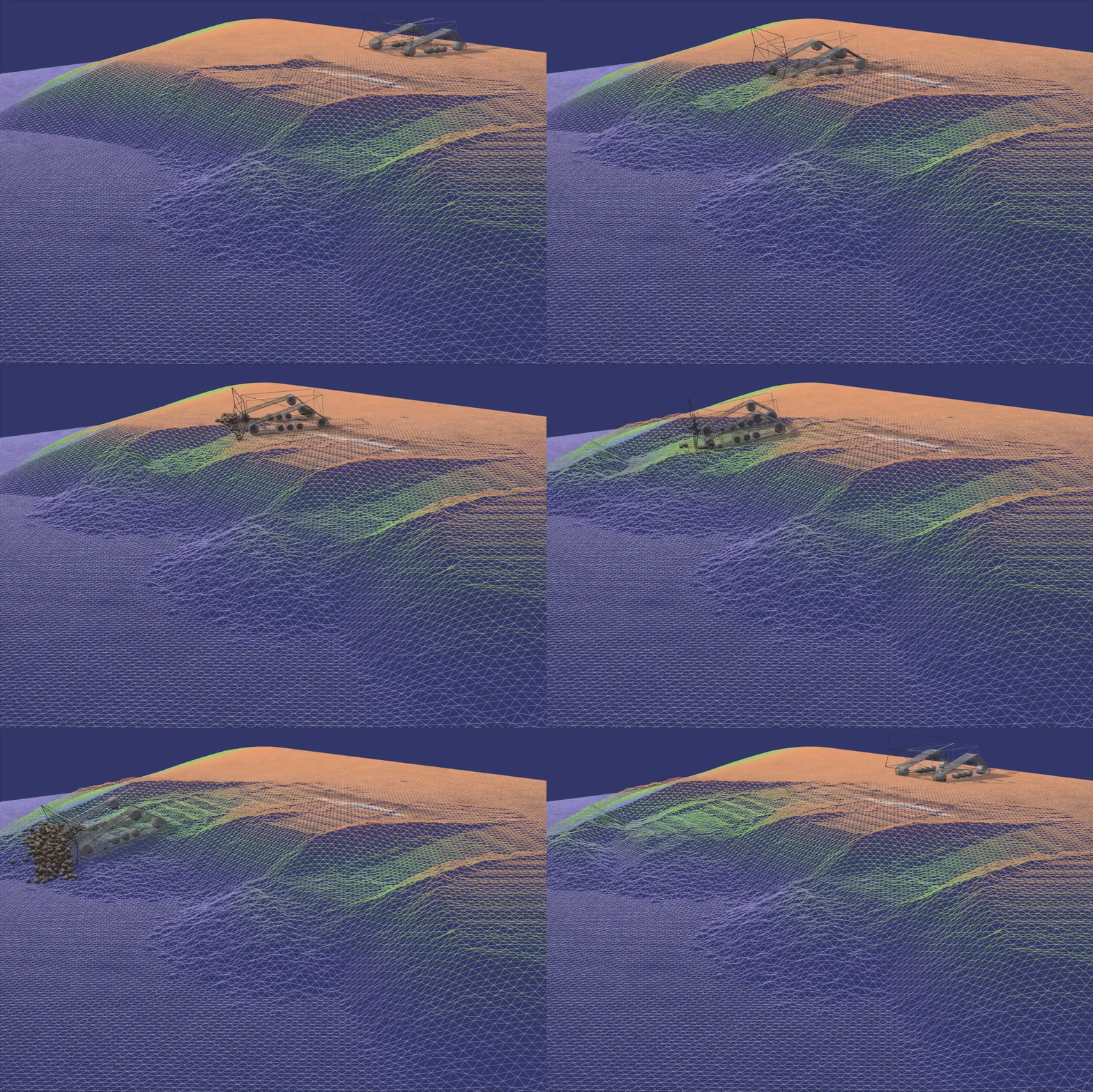 rare night
Usually waters a separate mesh...
shell jolt
cold pond
can someone help? when i paint trees on my terrain and zoom out or go far away t...
generate your own LOD or else the default billboards will be used
faint pond
dusty sable
hei, i have a question.
does anyone know what happen here? in some areas, the s...
that is normal, the color of the ground makes it seam lighter
last linden
I'm using an hdri as skybox but i want to remove the hdri background and keep its lighting data how can i do that

 vapid thorn
My simple capsule player keeps going through the in-built terrain in the latest Unity LTS version. (3D)
Can someone help me?
 cosmic comet
Would anyone know how i can reduce drawcalls on Terrain and its objects?(Like trees and grass) I already use Gpu instancing but the terrain keeps giving me 150-300 setpasses.
rose sentinel
Is there a way to make the terrain grass work with the 2D renderer?
 tribal gyro
I am baking with Bakery and I have a terrain in the scene as my floor because it allows me to paint textures.
Terrains are weird with baking with Bakery so I need to create a model that has the terrain's splatmap on it, how would I do that?
shell jolt
cosmic comet
Would anyone know how i can reduce drawcalls on Terrain and its objects?(Like tr...
Read the requirements of how instancing work, also profile it and see which of those prefabs for grasses or trees that aren't successfully instanced, the profiler will give you a clue what was failed and what not
Also note, gpu-instancing doesn't play along with srp batcher
cosmic comet
I red that, but does the srp batcher not work on terrain then?
 sinful star
Yo guys, I'm planning on doing a big af terrain on unity and I'm not that confident about it, so I'm looking for all the suggestions I can get, like optimising the workflow and how to, like using specific tools ecc.
Thaks in advance to everyone.
P. S
I know that one tip would be don't do it by yourself because it's too much, but I can't pay anyone rn, bit sad, plus it's part of an actual project so...
shell jolt
How big 'af' the terrain would be 😀 just make youself comfortable with the super-simplistic-barebone unity terrain editor 1st... Doeasnt matter how big the terrain will be
sinful star
shell jolt
How big 'af' the terrain would be 😀 just make youself comfortable with the supe...
i'm use to the terrain tools for small scenes, but it is actually a pretty big map i want to do, like 100 km on one dimension, im doing this also to explore the optimising tools unity offers that im not that familiar with, like streaming, subscenes ecc
note that is a stylized tipe world
type
shell jolt
You dont need that big of a terrain in one go ..split them into chuncks
sinful star
yes at the master i0ve done i've been told to use chunks and streaming together
shell jolt
The super-basic-and-barebone unity terrain editor has a feature to stitch multiple terrains
sinful star
the thing i'm worried about is to set up all correctly before placing any terrain or i'm afraid i might have to start all over for some minor issue
cause connecting a lot of terrain might actually end up like christmas tree lights, you broke one and all broke after
do you perhaps know a guide that can help me start all?
rose sentinel
if i create a layer and i will select it in editor i became the error : ArgumentOutOfRangeException: Index was out of range. Must be non-negative and less than the size of the collection. What can i do ?
 drowsy prairie
how do I normalise the terrain UV
faint mauve
For grass, should i use billboard or mesh?
because mesh looks way better but uses a lot of resources, and billboard looks decent but if you look at it from top down
you get this

nvm, disabling billboard looks decent enough
 uncut olive
Does anybody know how topdown stairs work? Like in undertale
As in how to build them for a 2d topdown perspective
 native mango
how do you connect terrain? i cant make my terrain match up
last linden
native mango
how do you connect terrain? i cant make my terrain match up
what are you doing exactly to add terrain ?
 austere plume
im making 2D game in unity and i want to make a map without using tiles or something like that, just straight image 1920x1080 and make like invisible walls for the character to collide is it possible?
 robust surge
Hello, I try to use the terrain toolbox to import my heightmap to unity. After importing it's just flat terrain, any ideas? Thanks.
 hearty obsidian
anyone has one free premade forest for unity? thats all i need right now. i dont know how to make forests
shell jolt
People rarely asked for a complete forest (as in completely done forest), rather what's in the forest such as; trees, grasses, flowers etc...
Sketchfab is the way to go
or even assets store
 velvet crow
hello
can someone help me please
i cant place grass or trees on my terrain in hdrp
rose sentinel
why is my mesh terrain looking like this

i want it to look like this but i don't know what is causing it to look like that
 thorny swift
rose sentinel
why is my mesh terrain looking like this
thorny swift
rose sentinel
why is my mesh terrain looking like this
Check if you have Int somewhere where there should be float, it looks like it getting floored, maybe even when using lower than 16bit it could have similar result
rose sentinel
Ok, i'll check
 vapid cairn
why doesn't my layer get added to the ground?

 ashen verge
would water related questions go here? bcs im looking for some tutorial for making water and infinate amounts of it
vapid cairn
meh, i dont think so
thorny swift
vapid cairn
why doesn't my layer get added to the ground?
You have to use Terrain compatible Material to use Terrain Layers
vapid cairn
i figured i had to get the awnser myself after looking at the relevancy of this chat, but thanks xD
i got it working :)
thorny swift
yeah, its not most active one 😄 np 😄
 spring swan
Is there a reason why the brush strength on the terrain is way too strong? It's set at 0.174 and a single click on the terrain rises up so quickly
 shell jolt
spring swan
Is there a reason why the brush strength on the terrain is way too strong? It's ...
shell jolt
spring swan
Is there a reason why the brush strength on the terrain is way too strong? It's ...
your resolution is not high enough, but I do agree, it should behave the same for both low and high resolution
 dry maple
Im working with a terrain generator that ill probably have to modify further, but right now it generates fairly uniform patches in a smooth elevation gradient, which is desirable but Im looking at doing this in layers. thoughts on how i might approach this? i can send code if needed.

Im thinking of sorting the tiles based upon z position and then putting them into a tilemap per layer but based upon how the code is right now im not totally sure how to approach this. maybe a list of tile maps where the index is the height? idk.