#⛰️┃terrain-3d
1 messages · Page 21 of 1
 rain dagger
 winter minnow
Yes, but you'll be trading it for texture memory with lightmaps
Huge terrain needs huge lightmaps
Usually
winter minnow
It has to be stored on disk, then loaded into RAM, then kept in VRAM during rendering, afaik
Realtime lights only need the VRAM + the calculation cost
If the point is to render a lot of mostly flat vastness, it's a bit of an unique situation for optimization
Most of the tricks and tech we have is for rendering lots of detailed stuff and shadows and effects
rain dagger
hahaha, as I said I'm just trying to get a better understanding of these topics, not to literally do what I ask about, but thanks a lot!
I learned that in the case of flat surfaces, just using low poly will easily solve the problem for example :), but learned much more on the way about other things as well (;
 lapis geyser
Hello. I'm having an issue with creating a terrain and assigning an asset store material that I downloaded to it. I can't seem to make the texture smaller/tile more on the terrain...

Any thoughts? I thought it was the "control texture resolution" setting but that doesn't seem to change anything
 thorny swift
lapis geyser
Any thoughts? I thought it was the "control texture resolution" setting but that...
thorny swift
lapis geyser
Any thoughts? I thought it was the "control texture resolution" setting but that...
to use terrain create terrain material or leave default, and use terrain layers to paint textures onto a terrain.
 lapis geyser
thanks will give it a shot
lapis geyser
thorny swift
to use terrain create terrain material or leave default, and use terrain layers ...
Thanks, that seems to have worked.
thorny swift
glad it works
 rose sentinel
Are terrains in HDRP supposed to have borked shadows?

It has more shadow acne than a teenager.
It even does it with shadows disabled.

 spiral garden
rose sentinel
It even does it with shadows disabled.
spiral garden
rose sentinel
It even does it with shadows disabled.
Are you sure it's not the normal map?
 wispy token
hello everyone, i have a question. i used unity standard terrain detail to paint grass. i use mesh grass. is there a way to place grass without y random rotation? i use topdown ortho graphics and i want that grass is like billboard.
rose sentinel
@spiral garden yes. I get the same artifacts when the terrain layer doesn't have a normal map.
spiral garden
rose sentinel
<@!209684227720085505> yes. I get the same artifacts when the terrain layer does...
Then I can only guess that it's shadow settings.🤷♂️
rose sentinel
I played with shadow and normal bias and nothing is changing 😢
Also remember, it does this even with shadows disabled.
spiral garden
Ah, then no clue...
The last screenshot looks like it's normals.
Are you sure it's not just bumps on the terrain?
Some places look ok.
Try creating a plane terrain without any height modifications and apply the same texture. Does the issue happen?
 olive flame
everytime I click to paint I get a loading bar

this is very annoying
please help how do I make it faster?
 rose sentinel
spiral garden
Are you sure it's not just bumps on the terrain?
rose sentinel
spiral garden
Are you sure it's not just bumps on the terrain?
Well, actually there are very small bumps there.
But normals are supposed to be smoothed aren't they.
rose sentinel
😩 Does everyone have to run a smooth brush 20 times to get a smooth terrain then?
spiral garden
Donno. I don't really use unity terrain.
rose sentinel
What do you use then?
 brisk chasm
How do you make terrains that don't look like shit default unity terrain. Asking for a friend
winter minnow
@olive flame Disable "auto generate lighting" in lighting window
spiral garden
rose sentinel
What do you use then?
Currently working on a procedurally generated terrain.
rose sentinel
That says nothing about the rendering 👀
spiral garden
rose sentinel
That says nothing about the rendering 👀
Marching cubes to generate the mesh data and a shader I'm still working on to render and blender between different textures based on some custom vertex data.
rose sentinel
Aight.


 thin ibex
Do you know what "power of two" means?
winter minnow
Fairly straightforward
 analog basin
thin ibex
Do you know what "power of two" means?
analog basin
thin ibex
Do you know what "power of two" means?
no, im new to 3d game making
the turtorial man just used a raw image of photoshop an booom
but he had 512 and i have 513
thin ibex
Your heightmap is 541x541 but the dimensions should be a power of two so e.g. 512x512
analog basin
aaah oke, ill do it without the import because i dunno how to change it 😂
winter minnow
analog basin
aaah oke, ill do it without the import because i dunno how to change it 😂
You can set resizing to power of two dimensions in import settings
 restive ice
I am trying to change the grass to not be checkered, How do I do this?
 restive ice
^^^ Never mind got help from a friend.
rain dagger
Any tips on how to make this terrain look sharper/better fast? I tried erosion but they all either suck or I don't know how to use them properly, anyone willing to help?


 slender olive
Brackeys has a tutorial on it. You might find something in there
 shell jolt
Make your own custom brush with sharp edges
 nocturne quarry
Hi, I'm doing this open game, but the idea is that it be a race, therefore the player will always be moving forward, but also I want to restrict the movement inside something like a tube-shaped track and that the player is find inside of it, I need it to be transparent so I can see the universe out, any idea what resource I could use to make that track? I was looking at a custom mesh called Splinemesh, but it seems to be more complex than I need; TLDR: i need a way to make a tube-track to restrict the player movement in a race-like game to be almost just forward but cappable of avoiding obstacles
 rose sentinel
Does anyone know how I can make a good terrain? I wanna make it forest/ open landscape type ish
 meager wigeon
Good terrain comes from trial and error, overall for not paying and minimal work you could just use unity's terrain maker and sine tree, bush, flower, grass, rock, etc assets and move them around
 agile lodge
any idea why I get this result in Unity after I bake, export as fbx, and import into Unity?

it also has an animation, but from everything I've been able to find, I cannot export an animation (not using an armature) from blender to unity
 undone lark
Blender shaders are not compatible outside of Blender. You need to recreate all the look in Unity using their shaders, or in this case, a custom one.
agile lodge
ah ok, ty
 split hawk
Can someone explain why terrain generation using perlin noise always divides the input by something? I am trying to implement Ore generation in my game, and I don´t see why I shouldn´t just sample the coordinate directly?
rose sentinel
I'm trying to add grass to my scene however I only have the option to Add Detail Mesh and not able to click Add Grass Texture
 spiral garden
rose sentinel
its simply just greyed out i cant add grass texture
spiral garden
rose sentinel
its simply just greyed out i cant add grass texture
What render pipeline is that?
rose sentinel
spiral garden
What render pipeline is that?
hdrp
spiral garden
Okay, then did you have a look at the terrain - grass section of the manual?
Read the Note at the start of the page
rose sentinel
spiral garden
Okay, then did you have a look at the terrain - grass section of the manual?
There's many videos of people doing grass in hdrp the way I'm trying to do it though so I don't understand
spiral garden
rose sentinel
There's many videos of people doing grass in hdrp the way I'm trying to do it th...
Can you share at least one video demonstrating that?
spiral garden
@rose sentinel I was curious as to why it's grayed out for you and why the interface is different and after a few tests found out that it's only like that in the latest alpha version. Which you really shouldn't be using as a beginner...
I also think that you should've researched it on your own, but whatever...
 neat drift
today was a webinar on sculpting terrain in unity can i get the link to the recordings it was on unity asian class
spiral garden
That's a question of worldbuilding. There are plenty of videos on youtube about it. Also use common sense, like "cities are often on planes and close to rivers", "rivers flow from the mountains down to the sea/ocean, while connecting into bigger rivers on the way".
winter minnow
There are voxel-based systems that do that
Or you can use meshes for overhangs and caves
olive flame
rose sentinel
that looks very pretty
 spiral hare
Hi all,
I'm experiencing a strange behaviour ot terrain, I made a video to show it properly.
I need to make a river in my scene, crossed by some bridges, and I decided to dig a long hole in the terrain and then put another terrain under the upper one where I placed the river.
The first strange thing is that in scene editor when I'm over the upper terrain I don't see the river on the lower terrain (but this could be a shader problem, so it's not important right now), but the second and most important problem is that all around my view, both in editor and in game all the objects under the higher terrain are covered by strong shadows, almost like if the light didn't pass through the hole in the upper terrain.
And actually, if I disable the upper terrain then the light hits correctly the lower terrain and the bridge.
In the video all of these issues are visible.
Am I making some mistakes, od didn't I understand how the holes in terrain work?
Thanks to who will help!!
The video is here: https://youtu.be/0X7Qi2OEpXI
 spiral hare
Found the solution (it's what I thought to do by myself as plan B) here: https://forum.unity.com/threads/terrain-hole-and-lightmapping.1071017/

Unity Forum
Hi!
I'm trying to make a house with a basement. Unity version 2020.2.2f1. I created a terrain with a hole for the basement level. I used the built-in...
 faint mauve
does anyone know how i can make the texture paint smooth
instead of it being squareish

remove those edges
 frozen crystal
How do I increase brushsize on tilemap brush
rose sentinel
spiral garden
<@456226577798135808> I was curious as to why it's grayed out for you and why th...
which version should i be using then
because right about now i need grass haha
rose sentinel
spiral garden
Can you share at least one video demonstrating that?
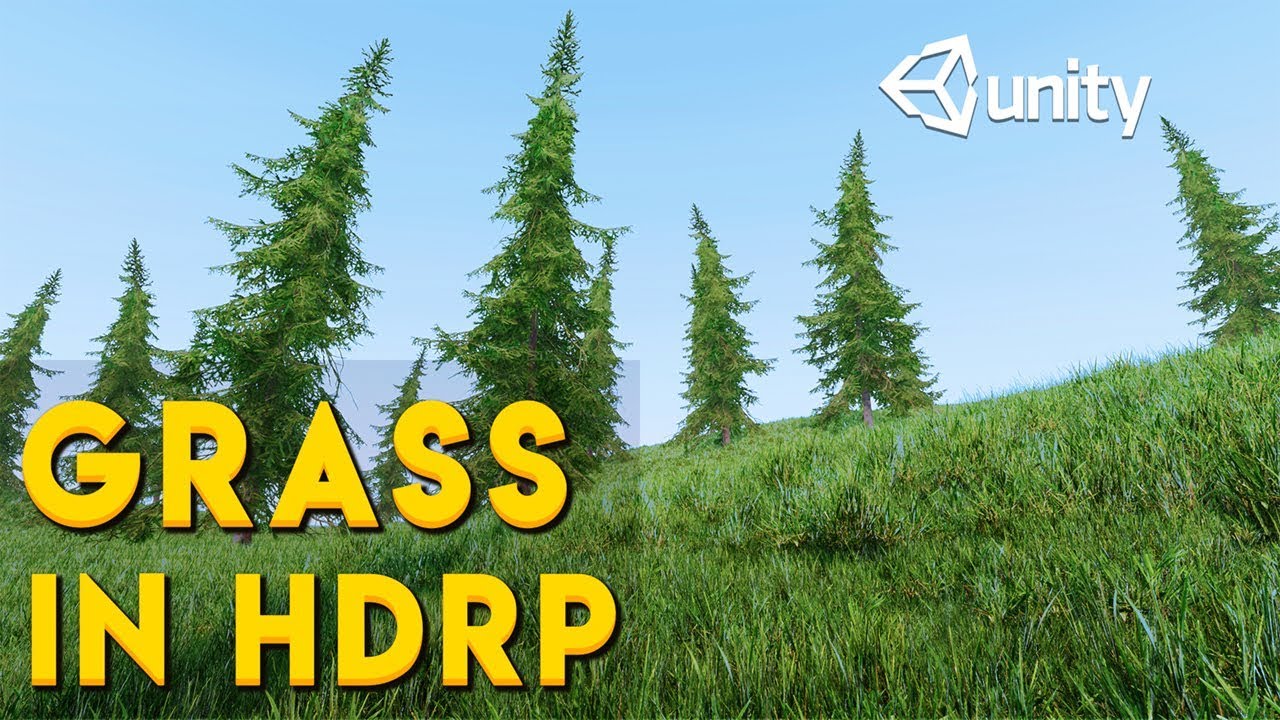
In this video you will learn how to add high quality grass on terrain in Unity's High Definition Render Pipeline.
In Unity 2019(Any version) the default grass system is not supported in HDRP. So in this video I will show you a few tricks to solve this issue. You will also learn a little bit about LOD system for grass.
Unity Book of the Dead D...
they use the tree section but i still get a error


i dont even use baked lighting so lil confused also
spiral garden
rose sentinel
which version should i be using then
Whichever you use it wouldn't change the fact that you can't use default grass with HDRP.
spiral garden
rose sentinel
This is a warning, not an error. Does it prevent you from placing the grass(as a tree)?
rose sentinel
yeah i believe so
trying vegetation spawner instead of terrain tools and i get this
 rose sentinel
rose sentinel
rose sentinel
This is terrain tools

idk wtf i did lol
oh ok so i glitched it using vegetation spawner
rose sentinel
rose sentinel
This is terrain tools
then it puts it down in the terrain tools giving me this
rose sentinel
spiral garden
This is a warning, not an error. Does it prevent you from placing the grass(as a...
yeah ^^^^
apparently something about book of the dead old terrain project might be useful?
gonna download it and try it for the grass
spiral garden
rose sentinel
This is terrain tools
This is not via the trees tool though. You can still do it the way he did in the video.
rose sentinel
rose sentinel
that gets me this error
spiral garden
rose sentinel
apparently something about book of the dead old terrain project might be useful?
Yes, although you:ll need a particular editor version for that and I'm pretty sure that it's not something simple to achieve.
spiral garden
rose sentinel
that gets me this error
As I said, this is not an error.
rose sentinel
spiral garden
As I said, this is not an error.
warning* and it prevents me from adding the grass
spiral garden
Make sure you're actually using hdrp in your graphics settings.
rose sentinel
 spiral garden
Let me test it
rose sentinel
oki
rose sentinel
spiral garden
Yes, although you:ll need a particular editor version for that and I'm pretty su...
its taking a min but im still gonna try it
spiral garden
rose sentinel
its taking a min but im still gonna try it
Well, I donno if it's something about your prefab, but I've just managed to add some random prefab via the tree tool.
 rose sentinel
spiral garden
Well, I donno if it's something about your prefab, but I've just managed to add ...
rose sentinel
spiral garden
Well, I donno if it's something about your prefab, but I've just managed to add ...
can you see if any type of grass will work?
spiral garden
If you share your grass asset, I can try it out
rose sentinel
ok sure thing
its from the naturestaterkit2
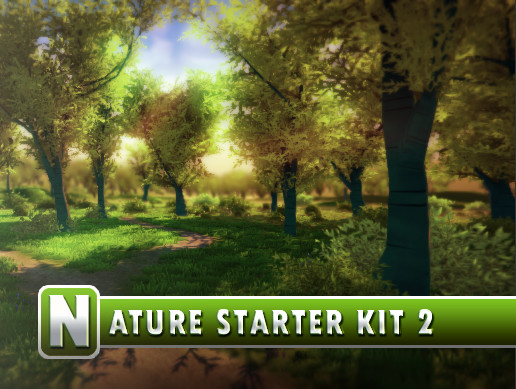
Elevate your workflow with the Nature Starter Kit 2 asset from Shapes. Find this & other Environments options on the Unity Asset Store.
 rose sentinel
spiral garden
What grass exactly did you test?
rose sentinel
spiral garden
What grass exactly did you test?
grass 1 and 2
rose sentinel
rose sentinel
This is terrain tools
^
spiral garden
These are textures...
If you want to use them with the tree tool, you need to create a prefab with a model that uses them
I think that was clear from the youtube video.
I tried bush01 and it works fine, aside from using incompatible shader
 rose sentinel
spiral garden
If you want to use them with the tree tool, you need to create a prefab with a m...
rose sentinel
spiral garden
If you want to use them with the tree tool, you need to create a prefab with a m...
sorry lol how would i make a texture into a prefab
spiral garden
You create a model that uses the texture and create a prefab from it
rose sentinel
spiral garden
You create a model that uses the texture and create a prefab from it
do you know of any good realistic grass assets
spiral garden
Not really

@rose sentinelCreated a quick model in blender and made a prefab with the model using the mentioned texture.
 shy scaffold
I thought it was gonna paint the color of the flat terrain so
How do i make this flat again?

 swift kernel
shy scaffold
I thought it was gonna paint the color of the flat terrain so
How do i make thi...
swift kernel
shy scaffold
I thought it was gonna paint the color of the flat terrain so
How do i make thi...
its easy just use ese the brush effect slope flatten brush
shy scaffold
I know but cant find it there only
Raise or lower
Paint holes
Paint texture
Set height smooth height
And stamp terrain
swift kernel
do you even know what your doing
 warm radish
shy scaffold
I thought it was gonna paint the color of the flat terrain so
How do i make thi...
warm radish
shy scaffold
I thought it was gonna paint the color of the flat terrain so
How do i make thi...
heya. the slope flatten tool is part of the Terrain Tools package. you can get that through Package Manager if you want to download it. otherwise, you should be able to either use the Smooth Height tool or use the Raise/Lower height tool and hold the left Ctrl key to remove height until it is flat again. Or maybe it is the left Shift key to paint negative height if you don't have Terrain Tools installed
warm radish
faint mauve
you might have to increase the resolution of your "control" texture in the Terrain Settings. this will increase the alpha/splatmap resolution.
you could also work at a larger scale relative to your Terrain so that your textures cover less area per pixel (by decreasing terrain size in Terrain Settings) or so that your brush covers more area per pixel (by increasing brush size). that's an option, but definitely depends on the scale you are currently working at in your scene
 bitter ingot
Uhh, my lowest size of the brush is stuck at 62.5, how do i make it lower?
 shy scaffold
warm radish
heya. the slope flatten tool is part of the Terrain Tools package. you can get t...
shy scaffold
warm radish
heya. the slope flatten tool is part of the Terrain Tools package. you can get t...
Thank you i was able to fix it and i found cinemacamera too
 lilac raptor
Hey, can someone help me with terrain colliders and that type of stuff??
 edgy marsh
no
lilac raptor
ok
edgy marsh
ok
lilac raptor
ok
undone lark
edgy marsh
no
Refrain from shitposting.
 tribal gyro
How would I use a custom shader that needs tangent geometry?
 limpid acorn
Has anyone seen this? Haven't found an answer with my googling, but its a fresh URP project - just installed terrain tools and it gives me that error message at the bottom
 shell jolt
My pc crashed while editing terrain, and this error shows up.. any idea how to fix this?

 onyx crow
To create a level, should I be using probuilder? or can i modify primitive shapes without it?
 west pebble
Hey there
How do I make my terrain with holes
Please can you help me? I want to learn
Sorry for pinging, I have been searching for weeks
I made my terrain with holes in blender and then put it in Unity but i cant still go through the holes

Help me please,
@drifting crown
 drifting crown
@west pebble Please don't ping people not in conversation with you. Also I know very little about terrains.
I think there's some experimental terrain version that can have holes, should research that
 lucid badge
Hey all. I am expirencing an issue. I'm not sure what to call it, but how would I solve this? https://gyazo.com/a218b867433e0c2edb5938d3f569d612
 winter minnow
lucid badge
Hey all. I am expirencing an issue. I'm not sure what to call it, but how would ...
winter minnow
lucid badge
Hey all. I am expirencing an issue. I'm not sure what to call it, but how would ...
If you mean how the rock and tree swap depths, that's a consequence of using 2D sprites with a perspective camera
2D sprites need an orthographic camera or they will do that
If you want to keep using a perspective camera, use textured quads instead of sprites
lucid badge
winter minnow
If you mean how the rock and tree swap depths, that's a consequence of using 2D ...
Thats what I was using
But I fixed the issue with using sorting groups on the sprites
winter minnow
lucid badge
But I fixed the issue with using sorting groups on the sprites
That'll work, but the sprites will still rotate to face the camera so they don't sort correctly based on depth
lucid badge
My camera is fixed, so it works out
winter minnow
If you say so
There's still rotation because of perspective, but it's not necessarily an issue
lucid badge
winter minnow
If you say so
There's still rotation because of perspective, but it's not necess...
You seem knowledgeable. Any idea on how I would go about having 3D shadows for these sprites (they are on quads)
winter minnow
lucid badge
You seem knowledgeable. Any idea on how I would go about having 3D shadows for t...
If they're on quads / other 3D geometry, using a lit shader that's set to opaque with alpha clipping enabled, they should have shadows no problem
 lucid badge
winter minnow
If they're on quads / other 3D geometry, using a lit shader that's set to opaque...
lucid badge
winter minnow
If they're on quads / other 3D geometry, using a lit shader that's set to opaque...
I'm using a custom shader, how would I implement that into mine?
winter minnow
lucid badge
I'm using a custom shader, how would I implement that into mine?
What kind of shader is it?
lucid badge
I have a custom shader that serves 2 purposes.
1.Vertex movement to simulate wind movement in my vegetation
2.The ability to change the object's color
winter minnow
Made in Shader Graph?
lucid badge
Yes
winter minnow
SG shaders work the same way, if they're opaque they will cast shadows, if they're lit they'll recieve shadows
The grass in your video seems to be casting and recieving shadows
lucid badge
My shader is a sprite lit, but I dont seem to have anything like alpha clipping
 shell jolt
Are there any ways to disable LOD of grass detail in the new terrain editor in unity3d 2021.2b ? ....The tool is nice now in HDRP but I can't find a way to disable the grass lod option anywhere
winter minnow
lucid badge
My shader is a sprite lit, but I dont seem to have anything like alpha clipping
You should use Lit instead of Sprite Lit for shaders that will be on quads / 3D geometry that isn't of type sprite
Graph Inspector > Graph Settings will reveal the relevant options
 lucid badge
I see
I've changed it to lit, but I get this result


And no sign of shadows
Well nevermind, I now see it. But what of the blackness issue?
winter minnow
hard to guess
lucid badge
winter minnow
hard to guess
It lights up quite a bit when I move the directional light to behind them
winter minnow
lucid badge
It lights up quite a bit when I move the directional light to behind them
You could try flipping the tree around
lucid badge
Here, let me get a ss
winter minnow
Sure it's a quad, not a sprite?

 sudden seal
Hi mates! Does anyone know how to make higher the Terrain Collider? I explain created through scripting Open World Game Music System. It reproduces a clip depending on the floor where is the player colliding, and of course, it is easy to edit a box collider to collide with the player and reproduce its correspondent Audioclip, but how do I make highter a terrain Collider to detect the player and trigger its Clip?
winter minnow
sudden seal
Hi mates! **Does anyone know how to make higher the Terrain Collider?** I explai...
What do you mean by make higher?
sudden seal
winter minnow
What do you mean by make higher?
let´s say to be bigger in the y axis, in this way, the terrain wouldn´t down the player feet, it will rise to collide with the player
 marsh wolf
Is there a relatively simple way to render a terrain like a map, i.e. top down ortho, with contour lines?
 clear yacht
@marsh wolf use a shader that change color depends on the worldPosition.y?
 haughty kernel
Hi, did somebody know how to fix these square lines on the banks of the river and sea?
 shell jolt
in new terrain, you can.. this requires you to upgrade to 2021.2 beta
I don't know tbh, just give it a try
I used 3d model for planting shrubs on a cliff side with grass detail... I'm not sure if this feature available in 2020 or below...

 still smelt
hey
I have a very weird glitch or something.
so i made a terrain and painted it with trees,
while in the editor the trees render correctly, trees doesn't render if they are too far. and that's fine.
but when i build my game, trees outside of the render area also render but they are "smaller" and have a very odd color...
the trees inside the render radius render correctly tho.

i also got an error, suggesting to change the shader of trees, but that made trees look much weirder

its a billboard asset ig
shell jolt
still smelt
I have a very weird glitch or something.
so i made a terrain and painted it with...
doesn't render if they are too far. and that's fine.. this is expected behavior if you have LOD system... The odd looking color thingy, it's the default billboard kicked in if you didn't setup LOD group for your tree for the terrain
still smelt
shell jolt
`doesn't render if they are too far. and that's fine..` this is expected behavio...
so what do i do? i just want the far objects to just disapear...
still smelt
ok, thanks a lot..
Ill try to solve it..
shell jolt
there's a cull level in LOD Group component, if you want your tree to be invisible, just the distance of that cull level
still smelt
ok!
still smelt
shell jolt
set your LOD system for your tree
I added LOD group to my tree prefab, now its completly invisible in the game
 shell jolt
you should learn how LOD Group work tbh 🥲
click that LOD 0 in the screenshot
add your assets/model
Delete the LOD 1 & 2 if you don't need it
still smelt
shell jolt
you should learn how LOD Group work tbh 🥲
isnt it like, if u go far, level of detail decreases meaning it will render whatever render you have selected depending on how far it is?
shell jolt
yes yes.. thats the idea
 shell jolt
there's a requirement, read the link I gave above
still smelt
OHH got it
you have to "open" the prefab first
yea i tried it without opening it 😓
what happened to the sizes lmao
 shell jolt
Thats why the terrain editor gave you an option for just that 🥲
 shell jolt
When you click the tree asset/model in the terrain editor there will be options below it
yep
🙆♂️
still smelt
but there was no diffrence when i didnt add the lod 😭
so i ignored it
shell jolt
tbh, I just learned about terrain editor recently, like a month ago.. all you just need to do is read the doc.. that simple 🥲
still smelt
oh ok,
anyways thanks for your help.. really appreciate it 👍
ill come for help if i need to 🥲
Yup works fine now, i just have to rework on height again 😭
 bronze kindle
Hi. Anyone knows why my navmesh shows some empty spots?

 frail crypt
Hey is there a way to mass place grass? SPECIFICALLY on one part and not the path?
 rustic stratus
still smelt
what happened to the sizes lmao
rustic stratus
still smelt
what happened to the sizes lmao
bruh LMAO
rose sentinel
hey i made a grass prefab but im getting this and cant see any of my grass through terrain editor
 rose sentinel
im now having troubles with my shader i says soft occulision but i dont seem to have it
im in hdrp btw

 shell jolt
rose sentinel
im now having troubles with my shader i says soft occulision but i dont seem to ...
shell jolt
rose sentinel
im now having troubles with my shader i says soft occulision but i dont seem to ...
Upgrade your project materials
rose sentinel
shell jolt
Upgrade your project materials
im in hdrp btw-
shell jolt
yes, same thing as urp.. you must upgrade your project materials
rose sentinel
shell jolt
yes, same thing as urp.. you must upgrade your project materials
thats in package manager right?
shell jolt
no no
rose sentinel
shell jolt
no no
then where
shell jolt
rose sentinel
then where
rose sentinel
shell jolt
https://docs.unity3d.com/Packages/com.unity.render-pipelines.high-definition@7.1...
?

 rose sentinel
so hdrp wizard
rose sentinel
shell jolt
didnt work
shell jolt
change your material to lit and see what happens
I'm using hdrp for terrain as well and didn't find any trouble with it
shell jolt
shell jolt
I'm using hdrp for terrain as well and didn't find any trouble with it
oh wait, I'm using 2021.2b.. if you're using 2020, many things changed in the latest terrain editor in beta, so yours probably different than mine
but your material issue is just a common thing happens with a mismatch material type
shell jolt
rose sentinel
and for this issue, if your grass prefab is parented to a gameobject, make sure it uses the default position (0, 0, 0) or else it will be spawned based on it's parent's position while the grass itself offsetted somewhere
shell jolt
rose sentinel
now im realizing the terrain tools places small models but i cant see the grass
this same as above answer
it's Unity basic understanding of local vs non local position.. here for example
 rose sentinel
shell jolt
it's Unity basic understanding of local vs non local position.. here for example
rose sentinel
shell jolt
it's Unity basic understanding of local vs non local position.. here for example
i made it one model, there is no parents
shell jolt
everything under cliffside-00 must be 0,.0,0
rose sentinel
rose sentinel
i made it one model, there is no parents
^
shell jolt
I've no idea then 🥲 sorry, can't help with that
 shell jolt
I've only used hdrp for my current project, and I used a cut down version of lit shader(custom shader) for my grasses. I have some of my fooliage set to Lit shader and didn't find any trouble..
Again, I'm using 2021.2b, with a lot of new features.. so yours might be different
rose sentinel
im on that version
shell jolt
Sorry, can't help 🥲
 dusky oyster
i tried using URP but nothing
 limpid acorn
Pink in urp/hdrp means the material isn't a lit shader, the terrain tool (the beta one) shouldn't show up as that but my personal experience I have had issues with brand new urp projects and the material for the terrain tool loading correctly (but never pink, just weird blue patterns vs grey). Which it did throw an error.
Any materials that show up pink you will need to go through their steps to convert the material to a lit shader, I have even had it still show pink after running through the wizard to fix them but if you dropped them into the scene they were correct, had to restart unity for that to be fixed.
rose sentinel
anyone got a tutorial on teraining, with textures?
shell jolt
rose sentinel
anyone got a tutorial on teraining, with textures?
My friend has tons of it! his name is Youtube
frail crypt
can someone give me advice on how to make these tree's randomly rotated?

 zinc flare
how do i add color to a hight map
shell jolt
frail crypt
can someone give me advice on how to make these tree's randomly rotated?
there's option to do just that in the same tab you assign your tree prefab
frail crypt
shell jolt
there's option to do just that in the same tab you assign your tree prefab
ok pls tell how because im dumb and idk how
what here can i change to get the tree's to be Non uniformed and more natural like you said 😭 My brain hurts
 shell jolt
wait, no... in your terrain editor
frail crypt
But im using Vegetation spawner does that matter?
shell jolt
Then I don't know about that sorry.. whats even vegetation spwner
frail crypt
it spawns tree's and grass randomly on the map for you
frail crypt
shell jolt
wait, no... in your terrain editor
can you still tell me how to do it?
shell jolt
but your in Terrain channel, so I was assuming you're using terrain-editor
no sorry, I don't even know what vegetation spawner is
frail crypt
oof
if i get terrain editor can you help me with the tree's thing? srry for asking alot of questions 😓
shell jolt
Don't depend on one person answering your questions, if you have problems related to terrain editor just post it here.. Others would be glad to help you out if they know the answer
frail crypt
alr
is this the right terrain editor thou

Get the Mesh Terrain Editor Free package from zwcloud and speed up your game development process. Find this & other Terrain options on the Unity Asset Store.
i assume so lol
shell jolt

Unity Learn
This project covers the basics of Unity’s Terrain tool, the project demonstrates sculpting terrains, painting textures, adding trees and models, as well as details such as grass. In addition to the terrain tool, the project takes advantage of Unity’s standard assets to add water and speed tree assets to the scene.
shell jolt
they named it introduction for a reason. I posted that video link above so you can watch it

Unity Learn
The Unity Terrain Editor enables you to create detailed and realistic terrains. Using the provided sets of Terrain tools, you are able to efficiently design optimized landscapes with ease. In this tutorial, you will learn how to create and customize a terrain using specific tools and techniques, ranging from shaping the landscape, adding trees, ...
frail crypt
so i'm assuming that
this: https://learn.unity.com/project/introduction-to-terrain-editor
is how to use
this: https://assetstore.unity.com/packages/tools/terrain/mesh-terrain-editor-free-67758
shell jolt
frail crypt
so i'm assuming that
this: https://learn.unity.com/project/introduction-to-terr...
your assumption is incorrect
frail crypt
bruh
shell jolt
Unity Learn
The Unity Terrain Editor enables you to create detailed and realistic terrains. Using the provided sets of Terrain tools, you are able to efficiently design optimized landscapes with ease. In this tutorial, you will learn how to create and customize a terrain using specific tools and techniques, ranging from shaping the landscape, adding trees, ...
just follow the steps explained there
frail crypt
is terrain tools already built in because if so then i already know how to use it lol
shell jolt
frail crypt
is terrain tools already built in because if so then i already know how to use i...
so, whats the problem then?
frail crypt
shell jolt
so, whats the problem then?
the problem is that i can't get the tree's to look a little more naturally. but yea i know i said i know it but i only needed the basic's since im only making a poly game and the terrain isn't gonna be that interesting
shell jolt
again, I don't know the 3rd party assets you're using... AND terrain editor has the same functionality to spawn trees, grasses etc
shell jolt
frail crypt
is terrain tools already built in because if so then i already know how to use i...
then you're probably already know that terrain editor can spawn trees, grasses
frail crypt
you know what i'd wish unity had. a feature that when placing tree's or grass using the editor you can specifcy which material it goes on let's say i don't want it to go on grass then it would only spawn on dirt no mater how hard i tried
frail crypt
shell jolt
then you're probably already know that terrain editor can spawn trees, grasses
mhm yup
shell jolt
frail crypt
can someone give me advice on how to make these tree's randomly rotated?
Your original question was this 👆
frail crypt
yup and im still wondering how
shell jolt
shell jolt
there's option to do just that in the same tab you assign your tree prefab
and I answered that already 👆
IF you're using terrain editor... But you're using 3rd party assets, so.. who knows
frail crypt
bro im sorry im tired i woke up at like 6
i got like 3hrs-4hrs sleep cuz i went to bed at like 2
shell jolt
aight, thats unrelated
frail crypt
shell jolt
aight, thats unrelated
yea ofc but like it explains a bit why i missed that sorta. anyway were's the prefab for it? i've gone into the folder where the tree is and found the prefab but there's nothing in there that might help change it
shell jolt
Sorry, I had to do this again.. https://learn.unity.com/project/introduction-to-terrain-editor
Unity Learn
This project covers the basics of Unity’s Terrain tool, the project demonstrates sculpting terrains, painting textures, adding trees and models, as well as details such as grass. In addition to the terrain tool, the project takes advantage of Unity’s standard assets to add water and speed tree assets to the scene.
Unity Learn
The Unity Terrain Editor enables you to create detailed and realistic terrains. Using the provided sets of Terrain tools, you are able to efficiently design optimized landscapes with ease. In this tutorial, you will learn how to create and customize a terrain using specific tools and techniques, ranging from shaping the landscape, adding trees, ...
shell jolt
frail crypt
yea ofc but like it explains a bit why i missed that sorta. anyway were's the pr...
you're hoping for people to spoon-fed you. Save your time and just watch the videos
And sorry for having to say this, you definitely need to learn the basic
frail crypt
well yea ofc i do
frail crypt
@shell jolt Just found this out 😭 is there any poly tree's with LOD?

that's the cause of my issue lmao
 shell jolt
frail crypt
all that link does is confuse me
shell jolt
frail crypt
all that link does is confuse me
This is the last time I'm answering your wuestion https://www.youtube.com/watch?v=ifNyVS2_6f8&t=2s

Make your game run smooth by using Level of Detail!
♥ Support Brackeys on Patreon: http://patreon.com/brackeys/
····················································································
♥ Donate: http://brackeys.com/donate/
♥ Subscribe: http://bit.ly/1kMekJV
● Website: http://brackeys.com/
● Facebook: https://facebook.com/brackeys...
frail crypt
ok does that cover random rotation
undone lark
LODs have nothing to do with the rotation of an object.
undone lark
Because you asked about LOD.
frail crypt
bruh ok
is there a video on how to do random rotation because a video helps me alot more then text
undone lark
You've literally been asking people to send you videos since yesterday. This discord isn't your personal secretary. Go out and find one, if it exists.
frail crypt
im bad at wording things
undone lark
Not to mention
#⛰️┃terrain-3d message
frail crypt
yea and i asked but got smacked around with links and paragraphs and not simple video's that i understand more 😔
shell jolt
Those bushes/plants will be counted as a Navmesh Obstacle when generating the navmesh @rose sentinel
I am not sure if this still applies to the new Terrain editor in 2021.2b, bcos lots of things changed there... My guess it is still the same behavior
any reason why you're not using terrain detail instead?
shell jolt
wdym doesn't display? If your grass childed to a gameobject, make sure to set the position of it to 0,0,0
If you mean the grass would not show up from certain distance, proly bcos the LOD system was doing it's work
shell jolt
Ah yes, but the new terrain editor in 2021.2b can do that
just saying, you don't have to upgrade...
oh wait, I think there was a 3d mesh option in 2020, I am not sure,
 night ore
Does anyone here have knowledge of the Gaia Terrain Generator?
I am trying to figure out how to apply vegetation below sea level with this tool.
 rose sentinel
frail crypt
rose sentinel
frail crypt
I can barely see it, if hadn't told me it existed I probably wouldn't guess that it is one
From zooming up tho, they seem very smooth and clean, nice
frail crypt
thanks
 spiral onyx
so uh why is my neighboring terrain tilted like this?

neither the main terrain or the tilted one have any rotation (0,0,0)
and I can't rotate it manually
it's not a height thing either
 fading vine
hey I'm new to using terrain in unity. I wanted to know if there was a way to use materials as layers in the terrain
i want to generate procedural shaders and use them in layers
frail crypt
to say I've never made terrain before this is looking pretty good ngl
 fading vine
huh hi the grass doesnt show any material on it even though the prefab does. im using the vegetation spawner asset

 pale echo
frail crypt
pale echo
frail crypt
Pog

 calm quail
none of the built in tree shaders are compatible with URP? 😦
winter minnow
 nocturne falcon
This happens always when trying to display extremely smooth dark color gradients as our monitors aren't capable of more than 16 million colors
nocturne falcon
winter minnow
This happens always when trying to display extremely smooth dark color gradients...
So what do I do?
winter minnow
Normally this is imperceptible if you have textures on surfaces and more varied light, but also there's an option called "dithering" that blends those edges
A post processing effect
In URP it might've been a camera or quality setting, I don't precisely recall
nocturne falcon
Thx a lot
 floral crow
I have a bit of doubt: is polybrush comparable to unity's native terrain tools? I was under the impression that they both do the same thing based off videos on unity's youtube channel. But I did some more reading and there are apparently situations when you should use terrain over polybrush... Some clarification from more knowledgable folks would be greatly appreciated if one would be so kind.
pale echo
wip using Viking Village pack. Need to do some lighting in a bit eg add fog. Also need to add more foliage. 👍

 woven osprey
Reminds me of Mordhau
 zinc radish
hello guys! very happy to be here 😄 new guy, I transferred from unreal engine 😄
i would like to ask, what tools are you guys using for building terrains? 😄

 flint sapphire

Why does erosion seem to just not work at all
2021.2.0b2
Default erosion settings
terrain heightmap scale is 2049x2049
Draw instanced is on
Pixel error is 1
it seems it only works on like specific angles too?
like the tops of peaks and the bottom get affected but the cliffs dont
warm radish
flint sapphire
Why does erosion seem to just not work at all
heya. can you share a screenshot of the inspector with the tool selected?
warm radish
floral crow
I have a bit of doubt: is polybrush comparable to unity's native terrain tools? ...
polybrush is for things like vertex painting or scattering on Mesh surfaces and won't work on terrain. terrain tools is specialized for Terrain and mostly operates on the Terrain textures instead of verts and the scattering tools generate data that goes through a specific rendering path tied to Terrain
flint sapphire
warm radish
heya. can you share a screenshot of the inspector with the tool selected?

sorry for later reply
floral crow
warm radish
polybrush is for things like vertex painting or scattering on Mesh surfaces and ...
Ah! So they are actually distinct despite sharing some functionality. Thank you for the clarification!
rose sentinel
Idk where to ask this but why are my tiles in my palette so big

I only want it to fill one of the squares
 steep thistle
HMM HOw can I GENARATE A PROCCEDURAL map for my game ?
flint sapphire
steep thistle
HMM HOw can I GENARATE A PROCCEDURAL map for my game ?
Generate a height map using perlin noise
steep thistle
o
 thorny yew
hi, im using Terrain Tools, im messing around with the tools and the bridge is not working, I set my point but when i click somewhere else, it doesnt create a bridge
shell jolt
The bdrige isn't what you think it was.. It's not to make a bridge but rather automatically fills the distance between the two spots
thorny yew
i know it doesnt create like a proper bridge, im watching a video on what it is and it's raising the terrain but mine isnt doing that
this is what it's doing
shell jolt
Add some heights to your terrain first
not on a plain flat surface like in the video.. give it a try
Off topic : If you're not using MaskMap yet for your terrain, use it!
It absorbs lights and reflects the environment lights much better with it

See this to see why mask map is important https://www.youtube.com/watch?v=pjIYswwijcc
Not my video or anything, proly w'all could learn from it too
winter minnow
Mask map is just a texture that has metallic, occlusion, detail mask and smoothness maps packed together
shell jolt
True, but some still confused on how to use it, especially on a terrain..
rose sentinel
Can someone tell me where to ask the question I asked earlier
 raw trail
I made this small shader + floating simulation but now I don't know how to make the sea bigger (infinite if possible ?)
shell jolt
You don't make the sea bigger, but rather, make a couple of it then loop it
You need to change how your shader reacts to object in world space, by this I mean, if you have a couple of planes and those water ripples still moving around so if you have a couple of it, the ripples would be stitched or connected seamlessly from one to another..
Tbh, I'm having a hard time typing this in english... sorry
and by looping I mean something like this. It slightly different but you should get the idea
 winter minnow
rose sentinel
Hey, how would I make a cell terrain level like this?
winter minnow
rose sentinel
Hey, how would I make a cell terrain level like this?
Definitely possible
Just depends a lot on how you want it to work
 raw onyx
pale echo
wip using Viking Village pack. Need to do some lighting in a bit eg add fog. Als...
raw onyx
pale echo
wip using Viking Village pack. Need to do some lighting in a bit eg add fog. Als...
awesome
how i apply emision map?

 sly kindle
rose sentinel
Idk where to ask this but why are my tiles in my palette so big
sly kindle
rose sentinel
Idk where to ask this but why are my tiles in my palette so big
I think you probably have to change the tile size in tilemap
rose sentinel
How do I do that
 pine sierra
steep thistle
HMM HOw can I GENARATE A PROCCEDURAL map for my game ?
pine sierra
steep thistle
HMM HOw can I GENARATE A PROCCEDURAL map for my game ?
did u figure it out
pine sierra
steep thistle
HMM HOw can I GENARATE A PROCCEDURAL map for my game ?
can you help me about it
frail crypt
idk what it is but something about this feels off can anyone understand what it is?
 rose sentinel
frail crypt
idk what it is but something about this feels off can anyone understand what it ...
rose sentinel
frail crypt
idk what it is but something about this feels off can anyone understand what it ...
The fact there are no rocks, trees and that the grass is textures and not models?
also, considering it's a valley, perhaps you could add a river here
shell jolt
frail crypt
idk what it is but something about this feels off can anyone understand what it ...
You should capture it with your in-game camera pov instead. If you mean by feels off is the texture repetition that looks a bit obvious or less seamless, you can set the tiling number a bit larger
frail crypt
shell jolt
You should capture it with your in-game camera pov instead. If you mean by `feel...
yea i can't find any asset's that have good grass
rose sentinel
Silva3D Plant Model Sampler may work
I've never used it in terragen or any terrain, but from the look it seems good
 rustic cipher
Hey guys, can I somehow increase the tree distance render setting beyond 5000 without using a script?
Nevermind got it xd
frail crypt
Does anyone know why my Tree's Are BLUE! WTH

 coarse sphinx
@frail crypt this thread may help you https://forum.unity.com/threads/blue-trees-problem.161733/

Unity Forum
Hello, I'm trying to follow the tutorial about how to create a simple tree with the Tree Creator, but every time I come to the part where I create and...
frail crypt
how can that help?
frail crypt
it doesn't help me at all
 royal hatch
Hi there, I've a question, so I'm doing a custom terrain (it's something really specific) and I wonder if there's a way to add vegetation to it once it's imported.
shell jolt
royal hatch
Hi there, I've a question, so I'm doing a custom terrain (it's something really...
Polybrush able to do that

Unity Learn
In this tutorial, you will learn how to use Polybrush to Scatter Objects.
Or you can make your own editor tools to scatter them, ofcourse you need a bit of c# knowledge
rose sentinel
hello guys. i have this summoners rift(sr) model on .obj but when i import to unity the model looks like that. i also tried .fbx and nothing changed but when i import the sr to blender the model is fine. someone knows how to help me? this project is just for learning about unity and blender


 shell jackal
hey how do you import 3d terrain into unity
rose sentinel
shell jackal
hey how do you import 3d terrain into unity
i just get this model from internet. i just pull the model into my unity and then i put into my scene
shell jolt
rose sentinel
hello guys. i have this summoners rift(sr) model on .obj but when i import to un...
Set the normals to Calculate when importing
And for the mess up/missing faces, check the normals and make sure they weren't flipped in Blender. If the terrain model you downloaded was hand made (non-procedural) this should be an easy task, but if it was procedurally generated then you may have a hard time flipping those normals. Just a heads up
Note: Blue -> facing outward, red -> inwards (if you're using Blender)
royal hatch
shell jolt
Polybrush able to do that
yay, thanks!
rose sentinel
I figured out how to make procedurely generated terrain but it makes unity editor lag after i wander a bit is there a way i can increase performance because i think you can delete terrian as you go by and make it as the player wanders
 low whale
Do whatever calculations that need to be done on a different thread and don't destroy/delete terrains but rather disable them when they shouldn't be visible
rose sentinel
Thank you
 stuck dust
hi please if you could help me im trying to smoothen the edges of the terrain

how can i do this?
please i really could use some help its urgent 😦
 marble sentinel
stuck dust
hi please if you could help me im trying to smoothen the edges of the terrain
marble sentinel
stuck dust
hi please if you could help me im trying to smoothen the edges of the terrain
to be honest i am not entirely sure what you want to achieve. unity seems to work as intended from what i see or i don't udnerstand the problem
stuck dust
im trying to smooth the terrain edges out so its not as rough
marble sentinel
so you want the checkerboard to fade out into transparent?
stuck dust
just a second ill try and show what i mean
when i use the paint holes option the edges are super rough i would like to smoothen these out

 stuck dust
bottom
marble sentinel
ok that has to do with your texture size
stuck dust
there is currently no texture
stuck dust
so its to do with the base texture unity provides me?
marble sentinel
it is a greyscale to determine how high your terrain is and where which texture is applied
give me a sec i will try to recreate your problem
stuck dust
okay so if i wanted to fix this i would have to what exactly use a smaller brush size or apply a texture and then paint
sure
tyt
rn this is simply a terrain and all i did was use a default brush and painted holes
marble sentinel


the heightmap resolution changes how many pixel your terrain uses to determine things like height or "hole"
so using a higher res should make the edges mores smooth
If you use the correct brush of corse
also important: if you increase the resolution AFTER you painted a hole, it won't smooth the holes already existing
stuck dust
yep it works much smoother thank you so much!! @marble sentinel
marble sentinel
glad i was able to help. now finish your project and become a good game dev 😄
 stuck dust
@marble sentinel as nice as it was it was very intense on my laptop will have to redesign the map or leave it as a square
i also have auto generated lighting on which is draining enough as it is xD
i tried to run it both my cpu and ram shot up to 100%
marble sentinel
stuck dust
i also have auto generated lighting on which is draining enough as it is xD
tip: don't do that. it will constantly regenerating the lightmaps which drains the best PC's. and its uneccessary in most cases since you only need the correct lightmaps when everything is finished and you don't move stuff around anymore. so turn it off and generate them manually when needed
stuck dust
marble sentinel
tip: don't do that. it will constantly regenerating the lightmaps which drains t...
yeah will turn this off i think for my first level its fine because the level was running super smooth with it on.. for this level will find a solution
marble sentinel
stuck dust
<@!556095118738718756> as nice as it was it was very intense on my laptop will h...
yes if you put it to 4k it becomes more heavy since its a 4k texture you work with. 2k should be fine. also since it is for your prof i assume, you don't need high detail on that part
if its for your study, then your prof mainly wants to see that you know about features and can use them. write a proper documentation so he knows "what you do and why you do it" thats worth way more than a nice edge on the terrain
trust me. have been there^^
marble sentinel
at least for the moment
you can crank up to 4k if you have a project that benefits from such high Heightmap Resolution
but for now its not worth it
stuck dust
Alright thank you!! @marble sentinel big help
marble sentinel
You are welcome 🙂
shell jolt
Accidentally found out that the terrain editor has Orthographic mode, not specifically for the terrain editor, but it feels right when using it for terrain prototyping . The documentation of this is a bit hidden tbh

well, better late than nothing I guess
frail crypt
Someone please save my sanity 😭

the grass is ugly. and the grass terrain doesn't look THAT good. does anyone know of an asset that deals with this?
 neon hemlock
does anyone know why my grass is dark at the bottom? it's not the texture.

the one on the right is a detail mesh and the left is a grass texture
neon hemlock
nevermind it was a problem on the mesh side of things, so i just went into blender and dissolved the faces so the grasses are just single planes
like so:

they're still dark at the bottom when i go under the terrain, but i guess i can just move the mesh down in blender:
 neon hemlock
frail crypt
Someone please save my sanity 😭
neon hemlock
frail crypt
Someone please save my sanity 😭
just saw that we kinda had the same question lol. It looks like your ground texture is too realistic that it's clashing with your grass
or you can find realistic grass textures on textures.com or quixel megascan
floral crow
are terrain shortcuts in unity 2021 reduced? every tutorial ive come across seem to have more shortcuts for direct brush manipulation (scale, rotation etc)
 shell jolt
No.. still the same
floral crow
for some reason i can't make use of scaling and rotating shortcuts? (or even the sample height shortcut)
obviously i can manually set the sliders anyway, but it is a bit nicer to have the shortcuts
shell jolt
I'm not sure whats happening with yours.. I'm on 2021.2b and all fine and dandy
floral crow
maybe its bcos im on 2021.1.22?
i doubt thats the problem though as most tutorials are on 2019 or 2020. it would be strange to have 2021.1 be an outlier
shell jolt
nah.. they won't change it
floral crow
thts my thought yes... at the very least not being able to sample height is a pain
shell jolt
also, you must hold the buttons while moving your mouse to adjust the values.. incase you did it wrong
floral crow
wait...without clicking on any of the buttons?
shell jolt
Figured thats might be the case with yours ahaha
no need to hold your mouse buttons
just the keyboard button + move your mouse
floral crow
it doesnt appear to work for rotation unfortunately
floral crow
well i did a silly with the scaling, it as pretty obvious that [ ] controls though, but sample height is a mystery
floral crow
shell jolt
you need to figure it out yourself I think
75% of my unity autodidactic experience lol
shell jolt
sample height? just hold ctrl + left click to sample then do whatever you want after
shell jolt
floral crow
well i did a silly with the scaling, it as pretty obvious that [ ] controls thou...
Nah, I doubt it's unity.. you just need to read the docs properly
floral crow
im not disagreeing, im prone to missing things because of my propensity to pingpong from one thing to another haha
floral crow
shell jolt
sample height? just hold ctrl + left click to sample then do whatever you want a...
tried this again, unfortunately still the same result as before; acts like its just mouse0/leftclick
shift+click lowers terrain however
shell jolt
just read the docs. that would save you a lot of time tbh
floral crow
shell jolt
language barrier
i wasn't even aware there was one haha
yeah its time to check
floral crow
shell jolt
just read the docs. that would save you a lot of time tbh
I eventually realized i missed a step, i did not have the terrain tools enabled, and i had to enable the package through a link for some reason. NOW everything works as in the tutorials.... except for the smoothing shortcut which was the thing that started this whole sidetrack in the first place 😅 Plus side is i figured out how to use smooth height effectively shortcut not withstanding. Thanks for the pointers regardless!
and i just noticed that the latest version of the terrain tools were last updated november 2020...
shell jolt
they revamped the terrain tool quite a lot (internally) on 2021.2 beta... nothing to worry about...
floral crow
oh! thats good to hear. weird how even as a preview the terrain tools are not present in the package manager though
shell jolt
enable experimental
shell jolt
floral crow
oh! thats good to hear. weird how even as a preview the terrain tools are not pr...
enable this in project settings.. it's called experimental package in official release
 floral crow
shell jolt
enable this in project settings.. it's called experimental package in official r...
floral crow
shell jolt
enable this in project settings.. it's called experimental package in official r...
I have done tht, it didnt seem to appear anyway so i did it via a link
floral crow
Ivehad access to it since last i mentioned 👍
I actually did try to refresh, it still didnt appear. A quick search led me to a video tht helped
frail crypt
neon hemlock
or you can find realistic grass textures on textures.com or quixel megascan
can i use quixel megascan's and the things from textures.com with unity?
floral crow
frail crypt
can i use `quixel megascan`'s and the things from textures.com with unity?
Textures.com absolutely. Quixel megascans, only if youre not on the epic account according to T&C
frail crypt
floral crow
Textures.com absolutely. Quixel megascans, only if youre not on the epic account...
so all i have to do is sign out and then im good?
floral crow
frail crypt
so all i have to do is sign out and then im good?
Legally, you need to have a quixel subscription if you wish to use it outside of UE
Based on my understanding
frail crypt
Ok so how do i download textures from textures.com? because i can't be bothered to mess around with all this stuff with Quixel
@neon hemlock even with the links you gave i can't find any good grass or grass textures 😐
floral crow
frail crypt
Ok so how do i download textures from textures.com? because i can't be bothered ...
You need to make an account there, a free accoubt gives you 15 credits to spend which refreshes every 24 hours. Assets differ in cost depending on type. Usually "raw" assets are cheaper (or sometimes free)
They have some grass alpha textures iirc, but its been a hot minute i cant confirm
frail crypt
floral crow
You need to make an account there, a free accoubt gives you 15 credits to spend ...
but how do i download textures from textures.com tho?
Like this one for example https://www.textures.com/download/3DAtlas0252/132473
shell jolt
Legend once said, you don't need to bother with the licenses and what not until you're done with the prototype...
either way, this is for terrain related questions... otherwise #💻┃unity-talk
 paper grove
is it possible to make 3d mesh like stones inside unity (v5.6.7f1) or do i have to make it with another program and then import it?
or edit existing meshes
shell jolt
paper grove
is it possible to make 3d mesh like stones inside unity (v5.6.7f1) or do i have ...
You could, with probuilder.. but .. pls don't!
use blender and use rock generator instead 😃
and decimate the vertices after so you'll get low enough poly
winter minnow
I haven't used probuilder but I guess it can do simple rocks
But learning some proper modeling 100% worth it over trying to make meshes with tools not really specialized for it
winter minnow
shell jolt
and decimate the vertices after so you'll get low enough poly
You can also shrinkwrap a mesh such as a subdivided cube onto the rock if you want to preserve proper quad topology
shell jolt
I really wish they would add overhangs and true terrain holes supports in the terrain editor...


 primal stag
primal stag
primal stag
this is working
primal stag
primal stag
but why cant i use this one
frail crypt
does anyone have a path texture that'd go well with this?

 desert sun
frail crypt
does anyone have a path texture that'd go well with this?
desert sun
frail crypt
does anyone have a path texture that'd go well with this?
paint here terrain dirt texture. on top place a decals of vehicle track or footsteps
frail crypt
desert sun
paint here terrain dirt texture. on top place a decals of vehicle track or foots...
how
frail crypt
desert sun
paint here terrain dirt texture. on top place a decals of vehicle track or foots...
Firstly. tf do you mean by paint here terrain dirt texture. 🥴 secondly how do i do this on top place a decals of vehicle track or footsteps
desert sun
frail crypt
Firstly. tf do you mean by `paint here terrain dirt texture.` 🥴 secondly how do...
HDRP and latest URP 12x have decals, you can use decals for make path.
Below decal you can paint dirt terrain texture.
frail crypt
desert sun
HDRP and latest URP 12x have decals, you can use decals for make path.
Below dec...
Ok nvm 🥴 is there any asset's you'd recommend me check out instead for textures?
desert sun
frail crypt
Ok nvm 🥴 is there any asset's you'd recommend me check out instead for textures...
well you can find assets that will draw a 3d path model with texture on top. for example easy road
frail crypt
desert sun
well you can find assets that will draw a 3d path model with texture on top. for...
what
Does this look good?
 shell jolt
frail crypt
Does this look good?
shell jolt
frail crypt
Does this look good?
Sure! 👍
frail crypt
shell jolt
Sure! 👍
I'm just trying this for testing purposes and was wondering how to get rid of these weird repeating lines in my texture
 shell jolt
set the tilling offset a bit larger
also, you must see it from your character's POV not scene view
this part
 frail crypt
shell jolt
this part
frail crypt
shell jolt
this part
i don't know how to get there
shell jolt
in the material of your terrain layer
frail crypt
? this is all i see

 frail crypt
also from my character's POV it's ok. it's just for the future if i ever add sopmething that let's you see it from a top down view or something i wouldn't have to worry
shell jolt
frail crypt
also from my character's POV it's ok. it's just for the future if i ever add sop...
well, bad new for you.. the higher the pov the more the seams look obvious
sorry for my bad english..
frail crypt
shell jolt
well, bad new for you.. the higher the pov the more the seams look obvious
Ah alr
frail crypt
shell jolt
sorry for my bad english..
np
im just a little stuck and confused as to what to change to make it a little less ugly looking
shell jolt
See Mask Map there in the last screenshot
and play around with the channel values
and here how to create Mask Map https://docs.unity3d.com/Packages/com.unity.render-pipelines.high-definition@7.1/manual/Mask-Map-and-Detail-Map.html
frail crypt
these change nothing

Metallic and smoothness do and the black thing does but the other stuff doesn't
shell jolt
frail crypt
im just a little stuck and confused as to what to change to make it a little les...
yes.. but you must make the maskmap first if you didn't have one
just do it from your Terrain properties

much clearer
frail crypt
but idk which is my mask map though
shell jolt
shell jolt
and here how to create Mask Map https://docs.unity3d.com/Packages/com.unity.rend...
thus 👆
frail crypt
shell jolt
thus 👆
this confuses me
shell jolt
thats understandable 🙂 ... baby steps
which part of the documentation linked above you do not understand?
frail crypt
shell jolt
which part of the documentation linked above you do not understand?
Never mind I've just switched to a plain texture. but i still can't decipher what could be added to this to make it look a lot better... if you have suggestions please let me know and let me now if they're is an asset for it (Free)

 peak otter
Hi everyone, is it possible rise terrains based on the texture in the terrain level?
 blazing lynx
peak otter
Hi everyone, is it possible rise terrains based on the texture in the terrain le...
blazing lynx
peak otter
Hi everyone, is it possible rise terrains based on the texture in the terrain le...
you usually do it the other way
change texture based on height
peak otter
I know thats why I'm asking if is possible the other way
 swift oyster
hey guys. I was hoping I could get some help understanding why my Navmesh and Terrain is messed up. I have it set to Static -- Navigation Static. Advanced set the height map, but its like my water area extends forever and tons of chunks all over causing the NavMesh to freak out. When I place a NPC Spawner it ends up under my mountain since it is maybe taking the mesh of the water vs height?

and my NPC Spawner below where it should be.
 shell jolt
Make sure you're not scattering anything other than just tree using Paint Trees... other than that, they would be counted as navMesh obstacles
e.g: Scattering rocks, grass using Paint Trees... <- don't do that
every tree instances in the terrain editor would be counted as obstacle
so if you scattered grasses or rocks using Paint Tree they would mess up your navmesh pretty much. The rocks may not be that bad bcos you only want a little amount of it scattered on your terrain, but grasses would become a problem as they used to have a very high density space/tight space (I'm not sure what this should be called in english, sorry!) between them
swift oyster
ah ok that makes sense. Thanks!
shell jolt
If you're not using Navmesh, you can do that tho, bcos Paint Trees gives us flexibility to use our own LODs 🙂
frail crypt
Anyone know of an asset that would let me scatter things on the path?

because right now it's looking kinda plane and boring
shell jolt
what things? terrain details of the terrain editor would let you do that
frail crypt
shell jolt
what things? terrain details of the terrain editor would let you do that
Like sticks and rocks and stuff
frail crypt
but i don't have an asset with good rocks or twigs or anything
frail crypt
shell jolt
well lots of others tbh
is there any other websites?
and what do i search for specifically im bad at wording things
shell jolt
🥲 I'm not sure how to answer this haha... try sketchfab 1st
or you can ask some fellas at #💻┃unity-talk lots of them very knowledgeable about this
frail crypt
how do i word it in sketchfab though?
shell jolt
frail crypt
but i don't have an asset with good rocks or twigs or anything
these things 👆
frail crypt
UGH THIS IS PERFECT BUT IT'S PAID 😭 https://sketchfab.com/3d-models/21-twigs-1-texture-37970c2d2be7462580460fa44ebbd256

Set of 21 branches. The idea was to create twigs with outcutted mesh to avoid lot of overdrawing (good for realtime and VR)
These twigs are for creating dry/ dead trees.
Twigs can be used in other tree creation software as branch-parts.
All twigs have pivot point at buttom center of main branch.
Aprox. triangle-count per twig 21
1 diffuse PNG ...
frail crypt
what should i put on this island?
 shell jolt
how about, add a character instead, or a box or anything so you can roaming around based on it's pov rather than from scene view 😃
frail crypt
shell jolt
how about, add a character instead, or a box or anything so you can roaming arou...
well you can actually go on the island and stuff i was thinking of adding a bridge so it's accessible and then a wooden cabin on the island or something
i just can't find the cabin (my games Poly themed)
 lilac falcon
 velvet radish
A quick question.. Arent Unity Trees still not supported in HDRP on Unity 2020.3?
shell jolt
velvet radish
A quick question.. Arent Unity Trees still not supported in HDRP on Unity 2020.3...
you proly mean Terrain Detail ? if so, the answer is yes
velvet radish
I meant the 3D trees we can create inside Unity and add them on terrain using add tree.. does your yes mean they are supported or or yes they are not supported yet.. sorry been looking at this from morning
shell jolt
I've never used the tree gen in Unity.. i always made them via maya/blender
velvet radish
Do they sway in wind?
shell jolt
the yes answer was for terrain detail... it still can't scatter grass
shell jolt
velvet radish
Do they sway in wind?
I used my own shader for this type of thing.. and it's quite simple
like 5x much better than the wind solution that comes with the terrain editor
velvet radish
would you be kind enuff to share any link on how to approach it
shell jolt
sent it... that's mine ...with built in lod system which is still quite simple..
don't dm.. just talk here
for more appropriate solution, you can use the vertex painting method which shown in this video... still same level of difficulty level... beginner friendly https://www.youtube.com/watch?v=ZsoqrHHtg4I

In this video, we’re going to show you how you can use Shader Graph to simulate wind interacting with vegetation in your scene.
Check out the Boat Attack Repository here!
https://on.unity.com/3jeA8yg
For more information about the Universal Render Pipeline click here!
https://on.unity.com/2ZD1ma0
Learn more about Shader Graph here!
https://o...
pls do your own research about vertex painting
velvet radish
Thank you so much
shell jolt
good luck!
 opaque coral
frail crypt
what should i put on this island?
opaque coral
frail crypt
what should i put on this island?
Some trees
 coarse ember
Am I crazy? Did they remove Navmesh Surface?
Nevermind. Just read in the documentation that it's something you have to manually download.
 dire flower
I have a problem. I updated my Unity project from 2019.4.30f1 to 31f1 and all the trees on my terrain have seemingly disappeared. I say seemingly, because they're still there, but just invisible. If I change their shader to standard shader, they reappear but without all the wind and other effects the foliage shaders provide. And if I load the demo sceme from the asset I'm using, I see those trees, and if I then load my original scene, I see the trees again. But if I save that scene, and reload Unity, the trees are gone again when I restart. I have tried reloading the tree assets and deleting the library folder they and the shaders and materials they use no no avail.
Does anyone have any suggestions as to what I can do to un-corrupt this project?
I should probably mention that these shaders were made in Amplify shader editor, I'm using the standard pipeline, and the issue affects not only the trees painted on my terrains, but also the trees which were manually placed in the heirarchy. So it seems to be some kinda issue that involves the shaders, but the shaders otherwise seem fine. I have not changed them and they were working okay until the upgrade.
dire flower
Another strange piece of the puzzle is that I have found if this script's code is in the scene, the trees appear again...
    {
        Shader.SetGlobalInt("TFW_EnableWind", EnableWind ? 1 : 0);
        WindDirection = transform.forward;
        Shader.SetGlobalVector("TFW_WindDirection", WindDirection);
        Shader.SetGlobalFloat("TFW_WindStrength", WindStrength);
        Shader.SetGlobalFloat("TFW_WindSpeed", WindSpeed);
        Shader.SetGlobalFloat("TFW_WindNoiseScale", WindScale);
        Shader.SetGlobalFloat("TFW_DirectionRandomness", DirectionRandomness);
        Shader.SetGlobalFloat("TFW_LeafFlutterStrength", LeafFlutterStrength);
        Shader.SetGlobalFloat("TFW_LeafFlutterScale", LeafFlutterScale);
        Shader.SetGlobalFloat("TFW_LeafFlutterSpeed", LeafFlutterSpeed);
    }
}```If the game object with the script is disabled when I first open Unity, the trees aren't there. The minute I enable the game object the trees appear. If I then disable the game object, the trees remain. If I uncheck "enable wind" in the inspector, it does not make the trees disappear either.
dire flower
Well it turns out the shaders had globals in them which apparently don't work even if you set default values in Amplify, if they're not set from a script. By changing those to constants instead, the shaders now work without the script. Granted, I can't change the values without recompiling the shaders now, but VRChat doesn't allow scripts, and I didn't feel like re-writing that in their custom scripting language just to be able to adjust the wind in my scene.
 fringe yarrow
TerrainToolbox: Heightmap resolution per tile is not square size with current settings. UnityEngine.GUIUtility:ProcessEvent (int,intptr,bool&)
No results on google or on this discord 🤔
Holy moly the TerrainToolbox is picky about its input data
shell jolt
heightmap resolution must be power of 2 + 1
incase you have some fancy custom script messing around with the terrain
frail crypt
is there a way of placing fences fast in a straight line? because i've got this MASSIVE terrain and i need to place fences on one side but i don't want to manually place fences 1 at a time and aligning them tediously
 shell jolt
Sounds like a perfect job for custom c# script?
otherwise, if you're sure how many of them would be lined up along with their rotation, just use 3d software you're using to quickly line them up then import it to unity
shell jolt
shell jolt
Sounds like a perfect job for custom c# script?
by this I mean, you can make your own tilling script so they would end up lining up perfectly
dire flower
frail crypt
is there a way of placing fences fast in a straight line? because i've got this ...
Place one. Duplicate. Move into position. Select both. Duplicate, move into positon. Select all four, duplicate...
frail crypt
dire flower
Place one. Duplicate. Move into position. Select both. Duplicate, move into posi...
yea that's not going to work there's to much terrain
frail crypt
Found an asset that does this PERFECTLY https://assetstore.unity.com/packages/tools/utilities/fence-layout-tool-162856

Use the Fence Layout Tool from PolygonPi on your next project. Find this utility tool & more on the Unity Asset Store.
shell jolt
go to #💻┃unity-talk some good fellas there are very knowledgeable about this
shell jolt
Man, I really wish they would add support for overhangs and true terrain holes to the terrain editor....
 pale echo
And trees by any chance?
shell jolt
sketchfab ?
 woeful shoal
My world will randomly occlusion cull things that are in direct vision with nothing blocking thier view, like the entire floor
 brazen reef
im having an issue with trees being placed way too big with the tree painter in the terrain tools, despite being scaled correctly in blender and the prefab having the correct scale. Anyone know how to fix this issue?
when i drag the prefab into the scene, the tree is the correct size, however when i try to paint them onto the terrain they are placed so big that they can only be seen from a certain angle due to the camera clipping
shell jolt
brazen reef
im having an issue with trees being placed way too big with the tree painter in ...
Howdy!
Adjust this part..

good luck!
brazen reef
@shell jolt I put it to 0.001 and there is no difference
shell jolt
no no.. did you slide the slide way down?
I don't recall we can input any numeric values to it... proly in the older version but not qure
Also check your scale when importing

and when exporting from Blender, make sure to Apply Transform AND make sure your object's scaling is also applied by hitting ctrl + a in blender..
you can see at your object's transform in Blender.. if they are not (1, 1, 1) then you must apply it first by hitting ctrl + a
 brazen reef
applying transforms didn't work however lowering the scale factor did work.
thanks for the help
shell jolt
brazen reef
applying transforms didn't work however lowering the scale factor did work.
Meaning, the transform was correctly applied, you just had somewhat dejavu, thinking that it was the wrong size.. I think 😃
Either way, glad you solved it
pale echo

 rose holly
how y ou guys use this complicated tool terrain so well
shell jolt
rose holly
how y ou guys use this complicated tool terrain so well
Complicated? wdym? it's the most basic terrain system ever, and I'm not even joking
if you think Unity's default terrain system is complicated, then perhaps, Polybrush is your cup of tea.. it's like a cutdown version of unity's terrain editor
rose holly
oh well i made this
https://gyazo.com/3608f6eefea0d6cce072d60edb9b4b9d

i think it looks meh
its my first terrain
shell jolt
after you're done with the terrain then go to #archived-lighting bunch of cool fellas over there that can help you out
in the mean time, enjoy scattering those trees!
shell jolt
I dont think you're allowed to promote tiktok or whatever that is
<@&502884371011731486>
 sour totem
@bronze lance no reaction videos or off-topic posts thanks.
peak otter
Hi I have a .png map I tryed to convert in .raw but when I import it in the terrain it make only spikes. How can be solved?
pale echo
Bean
rose sentinel
im guessing Unity terrain layers dont have an option for Emissive Maps?
shell jolt
rose sentinel
im guessing Unity terrain layers dont have an option for Emissive Maps?
Nope, that would be useless I think.. and expensive as hell especially if you have a large terrain
rose sentinel
shell jolt
Nope, that would be useless I think.. and expensive as hell especially if you ha...
wouldnt be useless at all if you wanted your terrain layers to be emissive....
Not sure about performance, would depend on the size of the project.
shell jolt
well, you can make your own shader for your terrain...
shell jolt
rose sentinel
wouldnt be useless at all if you wanted your terrain layers to be emissive....
...
that's not the workflow you're looking for with the terrain editor... if you want some specific parts to glow, just create your own meshes with 3d program and import it then have it emissive property on in the material
rose sentinel
unless I want to be able to sculpt the terrain within the editor. But i gather the answer is basically no unless I do my own shader.
shell jolt
you sculpt your terrain with the terrain editor, then make your custom meshes that you're expecting to glow, import it to unity and add material with emission on...
That said, terrain editor is only for general use cases...
shell jolt
well, you must use MaskMap for those to work properly... been like that for ages I guess
can;t say much, just make your MaskMap.. quite easy to make with channelPacker https://docs.unity3d.com/Packages/com.unity.render-pipelines.high-definition@7.1/manual/Mask-Map-and-Detail-Map.html
shell jolt
thats not how maskMap supposed to be used 🥲
The Alpha in MaskMap should affect smoothness (that is if you had the Alpha channel assigned to it when you packed your texture).. either way, you must make your Mask Map for those to work correctly
shell jolt
shell jolt
can;t say much, just make your MaskMap.. quite easy to make with channelPacker h...
Not trying to be a jackass, but this 👆
if you're confused how to make one with channelPacker, let me know, I can show you.. it's super super easy
put every textures to RGBA channel as mentioned in the doc.. You can leave detailMap slot empty(if you don't have one ready) but you must still need to toggle on the blue channel
then generate.. as easy as that
@silk needle
I don't think a greyScale texture would work for maskMapping, but hey, glad it worked for you!
 raw cargo
Hi I am using a terrain to paint trees and they don't appear in scene or game view when they are too far
any solution?
shell jolt
change your tree distance
shell jolt
raw cargo
Hi I am using a terrain to paint trees and they don't appear in scene or game vi...
thats the expected behavior when culling is happening..
raw cargo
shell jolt
change your tree distance
it's at max
shell jolt
 raw cargo
yeah even at max it still doesnt show
shell jolt
dayum... how far you want those tree to show up 😃
raw cargo
I won't know it is fairly close
shell jolt
set your camera far plane
thats the unintuitive way of doing it, the other way is to make your own lod
 covert viper
don't be intimidated by LOD groups
they super simple and super powerful
5 min youtube video and you're lod'in
raw cargo
here nothing
 shell jolt
5000 for far clipping plane of a camera is a bit too much.. I mean waaay too much 😃
raw cargo
yeah this is just to show
shell jolt
try from 400 then increase it from there
shell jolt
Here, have fun https://docs.unity3d.com/Manual/LevelOfDetail.html
you can set your level of detail to those trees to whatever distance you want...
nocturne quarry
somone knows why it is kind of an offset on y axis on my tile palette? and how i can fix it?
 shell jolt
raw cargo
here nothing
shell jolt
raw cargo
here nothing
You know... having all those trees show up at once at a very far distance is not a good thing. Usually, in any of your favorite games you played that show those entire island/terrain they packed it into single or a couple of joined meshes with less polygons... thats why you must learn how to use LOD
raw cargo
shell jolt
You know... having all those trees show up at once at a very far distance is not...
So basically instead of painting I make a small small mesh of many trees?
shell jolt
no no... read the link I posted above regarding LOD
read it first, take your time... you'll understand what it means
shell jolt
raw cargo
So basically instead of painting I make a small small mesh of many trees?
at certain distance only, where details of those polygons aren't a concern... *Sorry my broken english
here to help you get started https://www.youtube.com/watch?v=KRRPreI6SNM
tbh, you can do this at a later time, but it's up to you
raw cargo
shell jolt
at certain distance only, where details of those polygons aren't a concern... *S...
hmm ok I will read more on it, I am just making this for the mini game jam
raw cargo
shell jolt
tbh, you can do this at a later time, but it's up to you
ok thanks
shell jolt
aight, good luck!
shell jolt
raw cargo
I can do it later
yes, leave it for now.. make your prototype 1st 👍
 umbral beacon
Hello all, I have been looking around trying to learn about procedural terrain generation 3D (similar to that of Minecraft/Valheim) however, I cant find any clear guides/explanations. If anyone has helpful links/sources that would be greatly appreciated? Thanks!
shell jolt
You can generate the terrain procedurally with Blender, then later on in Unity you can use triplanar shader for it's surfaces
many ways, thats the easiest
Also keep in mind, procedurally generated terrain most of the time would not give the best result or at least not the one you're looking for... depends on your use cases I guess
If you somehow know how to code, I can give you some insights on how to do it. I made some procedurally generated terrain myself for my past projects
umbral beacon
Thank you! (yes in my case I wanted random terrain like the game Valheim to make a survival-type game) (I am also fairly new to unity coding)
 hollow kindle
Hi all, new to using Unity, so I'm starting with some tutorials.
I've got a weird issue where my terrain doesn't have shadows, so I can't see what I'm editing, but it doesn't have the issue in the tutorial: https://learn.unity.com/tutorial/working-with-the-terrain-editor-1

Unity Learn
The Unity Terrain Editor enables you to create detailed and realistic terrains. Using the provided sets of Terrain tools, you are able to efficiently design optimized landscapes with ease. In this tutorial, you will learn how to create and customize a terrain using specific tools and techniques, ranging from shaping the landscape, adding trees, ...
spiral garden
hollow kindle
Hi all, new to using Unity, so I'm starting with some tutorials.
I've got a we...
Do you have lighting working on any other objects?
hollow kindle
Yes.
spiral garden
Also, why are you so sure that it's actually lighting and not brushes for example?
Is there anything drawn on your terrain?

 hollow kindle
It says "none (physic material)" I haven't added a material because the tutorial didn't say to add one.
spiral garden
Not the physics material. There should be a field for terrain material in the terrain component settings.
hollow kindle
Oh. "TerrainLit"
spiral garden
double click it and take a screenshot
hollow kindle
 spiral garden
I mean, take a screenshot of it's inspector.😅
hollow kindle
Oops, here you go
 spiral garden
No, the inspector of the material...😅

 spiral garden
Interesting. I just tried out creating material in URP and it becomes unlit like that in a certain situation as well
Go to Window - Rendering - Lighting - Environment and take a screenshot
hollow kindle
 hollow kindle
No, I just opened up a URP per the tutorial and started following directions.
It's working now. Is there a reason it would be on to begin with?
spiral garden
Donno. For me the setting was on 0.01 by default.🤷♂️
hollow kindle
Thank you so much for your help!
 haughty sage
so bois, I'm following an official unity tutorial

and they said they need to use a special plane with more subdivisions
how do I get that special plane or at least make it
shell jolt
No such thing as special plane...
watch closely, proly you missed something
for high poly terrains, more polygons mean more smooth... same rule applies to other 3d objects you make in 3d software
and it comes with price... you must do your own research on this.. google is your bff
 glossy canopy
anyone here know how unity terrain grass works? what opitimisations do they use?
i would like to implement my own grass with billboarding on custom meshes
how do you make a bunch of sprites/billboards
without it costing a lot of performance
shell jolt
May I asked how far your progress with the game? You should concern about this at a later time
glossy canopy
I'm not looking to make a game yet, I am concerned with making a custom pixel art renderer.
Unity grass doesn't make sense for what i'm doing
hence i'm "reinventing the wheel" (but not really)
 limber garden
 strong fox
Hi, I'm kind of at an impasse of how to best approach making a "rainbow" road in my terrain. I think it may just be best to create a cube walkway and just unwrap the UV's on that and kind of set it on top of the terrain. Though it obviously wouldn't "blend" as well as painting the texture on it. Unless there is a better way to make sure the rainbow is always aligned with the way the path I paint is?
shell jolt
make the texture rainbow instead?
strong fox
shell jolt
make the texture rainbow instead?
Yes, but if I draw a curvy path, the rainbow will always be orientated in the same direction. I want it to "flow" with the path.
 nocturne obsidian
why terrain change shapes when i go away i made some holes but when i go a little bit away holes looks like buggy shapes how can i fix this annoying thing
for example there is a road but at game and scene lookls like its look like a normal lake


 wooden sleet
Hi I have a question guys
Is it possible to make terrain in blender then import it ?
Or should I just make it using Unity?
shell jolt
wooden sleet
Is it possible to make terrain in blender then import it ?
Sure, go for it!
 shell jolt
Why not give the terrain editor a try? It's quite easy to use if you're just starting
The good thing is that, you can spread your trees and what not with it...
 safe sable
hey, guys, I need some help I bought an asset pack (low poly trees) and when I try to open it the trees are all together I cant separate them can someone help me?
 shell jolt
do that in 3d software such as Blender or something
 deft hornet
Hey guys. I'm trying to make a moon surface. It doesn't have to have huge craters or anything. I need it to be relatively flat, but still feel like you are on the moon. Any tips on where to start?
shell jolt
whats wrong with those terrain brushes? Have you tried to use them?
 marble lagoon
How hard is it to voxelize your terrain? My game is gonna have building mechanics and I figured players should probably be able to manipulate the terrain
Or maybe it doesn't need to be voxelized, maybe just a meshing system?
I am a little concerned on how much overhead this would create. Both in terms of work done and memory used
pale echo

 earnest lynx
I have an open question for anyone browsing the channel.
Has anyone brought over a generated city into Unity from another program?
I'm thinking of generating a city in Blender, and then importing the city over to Unity.
shell jolt
earnest lynx
I have an open question for anyone browsing the channel.
Has anyone brought over...
thats what we've always do, so go for it
 topaz smelt
Anyone know why I cant import my 16-bit RAW heightmap? I can only import it as 8 bit, and its a little too jaggy for my taste. I'm getting the following error when trying to import as 16-bit : IndexOutOfRangeException: Index was outside the bounds of the array. UnityEditor.ImportRawHeightmap.ReadRaw (System.String path) (at <44c3723143904fb88deebc993c7bb491>:0) UnityEditor.ImportRawHeightmap.OnWizardCreate () (at <44c3723143904fb88deebc993c7bb491>:0)
According to GIMP, the image is 16-bit
 vale gulch

i'm trying to use my custom tree i made , but i need LOD groups to support custom rotation
but if i use an LOD group it throws this error at me and i cant paint it with the terrain tree painter
shell jolt
post a screenshot on how you setup your LODs
vale gulch
shell jolt
post a screenshot on how you setup your LODs
am a bit late ;_;

i just add the LOD group component
shell jolt
hit that recalc bbounds
vale gulch
same issue
shell jolt
are those LODs use a very high scaling?
play around with it, also try restarting your unity
sometimes, this kind of warnings are false-positive and would be gone once restarted
shell jolt
shell jolt
are those LODs use a very high scaling?
Also, try not to change their transform properties such as object scale etc once prefabbed
vale gulch
no luck :/
deft hornet
Any idea how to get rid of the glossy/shinyness of this URP terrain? I've tried setting the alpha source of the texture to "None"
 shell jolt
Play around with the smoothness/metalic properties of the material
 deep gazelle
ive googled a lot and I still dont understand what a mask map is
what does it do
also how do people do texture tiling which doesnt look terrible
do AAA studios basically jus use giant textures for large areas so that the seams are less noticeable
 dusky atlas
deep gazelle
do AAA studios basically jus use giant textures for large areas so that the seam...
dusky atlas
deep gazelle
do AAA studios basically jus use giant textures for large areas so that the seam...
GPU have a max texture size so that wouldn't be possible. e.g. 4k textures are 4096x4096, and that wouldn't be even close to high enough resolution to fill a large area.
Properly tiled multi texturing combined with things like shrubbery/grass etc to break up the terrain is usually enough
deep gazelle
👍
shell jolt
Testing my custom lighting
 dry moth
shell jolt
Testing my custom lighting
dry moth
shell jolt
Testing my custom lighting
Laggy
shell jolt
what can I say, 6 y/o pc
 median plover
shell jolt
Testing my custom lighting
median plover
shell jolt
Testing my custom lighting
Looks awesome! Gives me zelda vibes for some reason lmao
shell jolt
Still looks empty tho 🥲
 karmic echo
I saved my project and reopened it and the tiles are now pink and no texture? Except the stone monument everything has changed

 nocturne seal
I think that's because the file has been deleted or corrupted
go back into tile pallet and see if the image is still there.
 crude rampart
hi! im making a mountain with the terrain tools, and i cant seem to figure out how to make the steeper parts of the mountain made out of rock, and the flatter parts of snow. i would like to do this with a shader. does anyone know how to do it?
karmic echo
nocturne seal
I think that's because the file has been deleted or corrupted
yeah but they are very small
neon hemlock
Help please! I created a shader graph material for my grass to sway like in the wind but the material doesn't show when I paint the grass as a detail mesh on terrain:
 topaz smelt
Anyone ever seen this before? Touching a 2K terrain in play mode freezes the editor while it just eats all available ram and crashes out of memory? 🙂

 raven pond
Hey! Im looking for an asset that can make a 3D tree to a quad / low tris LOD item - kind of like this https://assetstore.unity.com/packages/tools/modeling/quadit-70519
Any tips?
This is last released 2017 so i imagine there would be other options too

Get the QuadIT package from Hammer Development and speed up your game development process. Find this & other Modeling options on the Unity Asset Store.
topaz smelt
raven pond
Hey! Im looking for an asset that can make a 3D tree to a quad / low tris LOD it...
Amplify Impostors
neon hemlock
 languid trellis
Hello so how do i put my texture into my terrain
languid trellis
Hello so how do i put my texture into my terrain
Go to your terrain and create a layer under Paint Terrain

You have to click on edit terrain layers
Does anyone know why my grass color keeps changing to another color? My grass is painted as a detail mesh. I tried playing around with the grass tint under wind settings but it didn't change the color changing like the grass is glowing
raven pond
topaz smelt
Amplify Impostors
Hi, i looked it up. Is it good for mobile?
Why doesnt unity have a solution like this
topaz smelt
Why doesnt unity have a solution like this If you're new to Unity, prepare to ask this question many many many many times
It is good for mobile, yes. As far as I know, its the go-to solution
raven pond
What about this one ? https://assetstore.unity.com/packages/vfx/shaders/the-vegetation-engine-amplify-impostors-module-189099

Add depth to your next project with The Vegetation Engine | Amplify Impostors Module from BOXOPHOBIC. Find this & more VFX Shaders on the Unity Asset Store.
Im not totally new, just some things man, like wouldnt that be an obvious solution
I have no problem paying for good solutions, but its weird that some of them doesnt come out of the box in a leading game engine
I have a game that is based in a forest, recently i purchased Mobile forest vision that allows me to create a big forest with VERY few drawcalls
But my problem after that is that that asset does not have billboards / LODs
So Mobile forest vision will reduce my drawcalls alot, but now my tris count is just too much
Anyways, the Amplify Impostor asset looks great on the preview videos, can barely see a difference in 6tris vs 6k
But for 50 euros i want to be sure it will work :p
Hmm i wonder if it will break Mobile Forest Vision
rose sentinel
hey guys, how do I use assets I downloaded from Quixel Bridge in Unity
I did install the Unity plugin and imported the package
but how I use it in my game
crude rampart
anyone know how i can make the steep parts of my terrain made out of rock while the rest is made out of snow? i've been trying to figure this out for ages and i cant find any help. a bit like this image:
 raven pond
topaz smelt
It is good for mobile, yes. As far as I know, its the go-to solution
raven pond
topaz smelt
It is good for mobile, yes. As far as I know, its the go-to solution
That asset work dynamically i assume, i mean just like LODs if i come closer it changes it to LOD0?
Or is it just for really far away assets that will remain billboarded?
topaz smelt
I dont know. You could read about it or check their youtube video presentations
I dont know why anyone would use it if it didnt dynamically switch LOD
 solid crag
anyone knows how to export terrain as obj?
 leaden niche
crude rampart
anyone know how i can make the steep parts of my terrain made out of rock while ...
leaden niche
crude rampart
anyone know how i can make the steep parts of my terrain made out of rock while ...
I just took a class on Udemy where we built a terrain editor. That had settings for slope. So I set snow for elevations above .5 but grass and trees for 0-45 degree slopes. So, anything over 45 degree slopes would be bare. The grass was in the splat maps section.
 crude rampart
leaden niche
I just took a class on Udemy where we built a terrain editor. That had settings...
crude rampart
leaden niche
I just took a class on Udemy where we built a terrain editor. That had settings...
Which course may i ask?
 gilded fox
I've added this free Nature kit to my project to just get up and running with some grass and trees real quickly
Elevate your workflow with the Nature Starter Kit 2 asset from Shapes. Find this & other Environments options on the Unity Asset Store.
But the textures won't load correctly on all the assets - they just appear pink

Not really sure what the issue here is.. but I'm just a fledgling developer trying to handle 3d design and substance painter for the first time and trying to use my web programming skills to translate for game programming - so im guessing im missing something like a shader or something?
shell jolt
you're using urp or hdrp? either way, you must upgrade those materials
rose sentinel
crude rampart
anyone know how i can make the steep parts of my terrain made out of rock while ...
If you don't have a paid terrain generator that supports mask generation, I guess you can check the normal angle to world up to blend between snow and rock. Then multiply the mask by procedural noise to add feathering.
 calm summit
Using the terrain tool to create a a cliff. As you can see it stretches the texture. Is there a way around this that creates new polygons?

 tardy raft
calm summit
Using the terrain tool to create a a cliff. As you can see it stretches the text...
tardy raft
calm summit
Using the terrain tool to create a a cliff. As you can see it stretches the text...
i guess get a smaller brush and paint a more gradual slope
calm summit
brush size affects texture stretch?
deep gazelle
Is there much of a performance hit using like 100 terrain layers
Of textures that are 128x128
If anyone is aware
 potent acorn
100 terrain layers sounds insane
warm radish
deep gazelle
Is there much of a performance hit using like 100 terrain layers
most likely. you are also usually limited to 8 layers depending on the render pipeline and settings you have on
perf cost would come from the number of passes needed to blend 100 terrain layers. terrain blends 4 terrain layers each pass so you'd need 25 passes
shell jolt
calm summit
Using the terrain tool to create a a cliff. As you can see it stretches the text...
Yes you definitely can, use smooth-height with the soft most brush then gradually smooth those stretched textures.. it's one of feature that smooth-height is for other than just smooth the edges.. see sample image below

And here's the smooth-height in action fixing those stretched textures
Note: You must use the most soft brush
 long flame
Hi! I wonder if anyone can point out solutions on achieving Top Down grass 🙂
 forest belfry
ArgumentException: UnityEditor.TerrainTools.PaintHolesTool and UnityEditor.TerrainTools.PaintHolesTool have a conflict in the stable type hashhey bros, how would you solve this problem ?
as far as i can tellUnityEditor.TerrainTools.PaintHolesToollooks exactly likeUnityEditor.TerrainTools.PaintHolesToolwith case sensitive, i'm clueless
just import the terrain tool and didn't do anything with it tho
unity 2021.2.2f1
shell jolt
long flame
Hi! I wonder if anyone can point out solutions on achieving Top Down grass 🙂
need more context for this, most flat textures would be fine, I guess..
A proper solution for this if it's 3d, Mesh slicing would be nice for this job, also you can't use this method with terrain editor as it's requires standalone meshes to be sliced and use it as a canopy/ top down grass
 visual cliff
When I add a texture layer to my Terrain it gets really shiny. How can I stop this?
shell jolt
visual cliff
When I add a texture layer to my Terrain it gets ***really*** shiny. How can I s...
Adjust this part
 visual cliff
shell jolt
Adjust this part
visual cliff
shell jolt
Adjust this part
They all defaulted to 0.
shell jolt
tweak them still.. just give t a try
and check your normal map, make another one with less contrast to test around
 burnt oracle
Is it possible to save out the paint details as a template to use on another terrain?
 rustic cipher
Hey, when I create reflection probes and place them, my entire terrain gets affected by them. Does anyone have any experience with this problem?
 glass wigeon
