#⛰️┃terrain-3d
1 messages · Page 19 of 1
 simple bloom
 rose sentinel
@warm radish - just curious if you were able to reproduce the problem. I'm trying to hold off on splitting my 20 x 20 KM terrain until this is fixed so I can get my more accurate details.
One detail i forgot to leave out though is I'm on HDRP.
 warm radish
@rose sentinel i have not been able to reproduce this so far using the "easier way" repro steps or the more involved repro steps. which brush texture are you using and what's the opacity value?
if you watch these vids (can skip the middle part of the second video) i should have been able to repro the issue, right?
this is with 2021.1.0f1, TerrainTools 3.0.2-preview-3, and HDRP 11.0.0
rose sentinel
@warm radish Alright I went and retraced my steps back, i've determined (at least this time), that I made Terrain Tools increase the heightmap resolution and it causes the problem. Perhaps that was the issue? 256 x 256 is simply not enough resolution for 1,250 terrain sizes (I do a 20 x 20 terrain) and split it into 16 chunks to be as close to 1,000 tile sizes.
The result is 256 x 256 heightmap resolution tiles, I raise the height and it's fine. However the moment I increase the heightmap resolution for all terrains in Terrain Tools I notice the heightmaps get noisy and when I paint - the issue happens.
Ill record a short video of this.
Ill DM you a video of it
 edgy niche
I'm a begginer . I just painted a road. but how do I add collider on the 2 sides of the irregular road to make the character not to walk out of it
edgy niche
Such as genshin. players who are close to line of unlocked map will be detected.
 zenith hull
Where does Unity stores it's terrain layer data?
I upgraded my project to URP and now all my textures are the exact same... The materials work and the layers are there, it's just that now everything is sand instead of having snow, grass, rock, etc
 strong tapir
Hi can anyone tell me how do i change the WavingGrass shader to my Custom shader on URP?
rose sentinel
how to i add textures to my terrain?
 sour totem
rose sentinel
how to i add textures to my terrain?
sour totem
rose sentinel
how to i add textures to my terrain?
Random youtube video https://youtu.be/ddy12WHqt-M?t=206
the results from googling "unity terrain textures"
 sonic jolt
using System.Collections;
using System.Collections.Generic;
using UnityEngine;
using UnityEditor;

[CustomEditor(typeof(Planet))]
public class PlanetEditor : Editor
{
    Planet planet;
    Editor shapeEditor;
    Editor colourEditor;

    public override void OnInspectorGUI()
    {
        using (var check = new EditorGUI.ChangeCheckScope())
        {
            base.OnInspectorGUI();
            if (check.changed)
            {
                planet.GeneratePlanet();
            }

        if (GUILayout.Button("Generate Planet"))
        {
            planet.GeneratePlanet();
        }

        DrawSettingsEditor(planet.ShapeSettings, planet.OnShapeSettingsUpdated, ref planet.shapeSettingsFoldout, ref shapeEditor);
        DrawSettingsEditor(planet.colourSettings, planet.OnColourSettingsUpdated, ref planet.colourSettingsFoldout, ref colourEditor);
    }

    void DrawSettingsEditor(Object settings, System.Action onSettingsUpdated, ref bool foldout, ref Editor editor)
    {
        if (settings != null)
        {
        foldout = EditorGUILayout.InspectorTitlebar(foldout, settings);
        using (var check = new EditorGUI.ChangeCheckScope())
            {
                if (foldout)
                {
                CreateCachedEditor(settings, null, ref editor);
                editor.OnInspectorGUI();
                    if (check.changed)
                    {
                        if (onSettingsUpdated != null)
                        {
                            onSettingsUpdated();
                        }
                    }
                }
            }
        }
    }

      private void OnEnable()
      {
        planet = (Planet)target;
      }
   }
}
im getting the error private is not a valid for this item
at line 55,3
sonic jolt
Assets\Editor\PlanetEditor.cs(55,3): error CS0106: The modifier 'private' is not valid for this item
 coarse solar
Hard to tell in the paste, but I think you might have imbalanced braces
Like, there's three }'s following OnEnable() where as far as I can see there should only be 2
Which probably means OnEnable is declared at the wrong level, therefore private is invalid.
sonic jolt
coarse solar
Like, there's three }'s following OnEnable() where as far as I can see there sho...
Il see if thats the issue
coarse solar
I'm on a phone so it's tough to eyeball it, but your editor should help with matching them up
I thiiink I see it, your first "using" clause is missing its closing brace
sonic jolt
using System.Collections;
using System.Collections.Generic;
using UnityEngine;
using UnityEditor;

[CustomEditor(typeof(Planet))]
public class PlanetEditor : Editor
{
    Planet planet;
    Editor shapeEditor;
    Editor colourEditor;

    public override void OnInspectorGUI()
    {
        using (var check = new EditorGUI.ChangeCheckScope())
        {
            base.OnInspectorGUI();
            if (check.changed)
            {
                planet.GeneratePlanet();
            }

        if (GUILayout.Button("Generate Planet"))
        {
            planet.GeneratePlanet();
        }

        DrawSettingsEditor(planet.ShapeSettings, planet.OnShapeSettingsUpdated, ref planet.shapeSettingsFoldout, ref shapeEditor);
        DrawSettingsEditor(planet.colourSettings, planet.OnColourSettingsUpdated, ref planet.colourSettingsFoldout, ref colourEditor);
    }

    void DrawSettingsEditor(Object settings, System.Action onSettingsUpdated, ref bool foldout, ref Editor editor)
        {
            if (settings != null)
            {
            foldout = EditorGUILayout.InspectorTitlebar(foldout, settings);
            using (var check = new EditorGUI.ChangeCheckScope())
                {
                    if (foldout)
                    {
                    CreateCachedEditor(settings, null, ref editor);
                    editor.OnInspectorGUI();
                        if (check.changed)
                        {
                            if (onSettingsUpdated != null)
                            {
                                onSettingsUpdated();
                            }

                        }
                    }
                }
            }
        }
    }
    private void OnEnable()
    {
        planet = (Planet)target;
    }
}
i move a them around and fixed that error
you made me relise i had a void fuction in a void function
coarse solar
Right
Still looks like there's a problem with that first "using" clause, but maybe I'm just not seeing it right on the small screen 🙂
sonic jolt
where?
coarse solar
The "using (var check = new EditorGUI.ChangeCheckScope())
{"
I can't see where the closing } is for that
sonic jolt
     using (var check = new EditorGUI.ChangeCheckScope())
        {
            base.OnInspectorGUI();
            if (check.changed)
            {
                planet.GeneratePlanet();
            }
        }
Yeah, that looks right
sonic jolt
I now have an object reference error
which is still from the same script
NullReferenceException: Object reference not set to an instance of an object
PlanetEditor.OnInspectorGUI () (at Assets/Editor/PlanetEditor.cs:28)
UnityEditor.UIElements.InspectorElement+<>c__DisplayClass58_0.<CreateIMGUIInspectorFromEditor>b__0 () (at <b5e754b172ef4f1b82e78043441796df>:0)
UnityEngine.GUIUtility:ProcessEvent(Int32, IntPtr, Boolean&)
Well, something isn't assigned. Though, this doesn't seem to be related to terrain so might be better to continue in #💻┃code-beginner or #archived-code-general
 outer wharf
Hello, does anyone know how to put a texture (Grass, Dirt etc..)on a chunk terrain in unity 3D
zenith hull
Terrain inspector, brush icon, down the dropdown where it says (raise/lower terrain) click on it and set it to "Paint Texture". Create a Layer, choose your texture and paint it.
It's better that you Youtube it though, because seeing it in action is much better.
zenith hull
No you need a plugin for that
rose sentinel
Thats dumb
 drifting cove
Hey! Does anyone know a script or way to mass place details like grass onto my very big terrain? I also have a big mountain where I dont want grass to spawn on rocks, so if mass placing grass is possible is there a way to only do it on certain textures?
 wind sparrow
 warm radish
zenith hull
Where does Unity stores it's terrain layer data?
warm radish
zenith hull
Where does Unity stores it's terrain layer data?
they are stored as separate .terrainlayer assets now. you might have a new folder in your project call Terrain_AutoUpgrade or something like that if you upgraded from an older version like 2018.2 or 2018.3.
warm radish
rose sentinel
Can you make caves with terian
we only support hiding portions of the terrain via the Paint Holes Tool for creating things like the openings to your caves. you'll need to find a separate tool or mesh authoring software to make the actual geometry for the cave
 jagged rover
Is there any way to merge/combine terrain layers?
I want to combine two existing texture paint layers
All I can seem to do is replace existing ones and deleting them
 pulsar bridge
Is there a substantial enough performance increase to justify having an 8x8 grid of 256m tiles (or even 4x4 of 512 tiles over a single 2048 (large map)? At what point do the terrain tiles become too small that their performance increase is negligible?
warm radish
jagged rover
Is there any way to merge/combine terrain layers?
heya. in what way would you like them to combine?
jagged rover
@warm radish i would like to merge two layers into one so that i can reduce the total amount of layers. Similar to e.g. photoshop merge layer
I have 9 layers currently and need to get down to 8 for performance reasons. Unity batches draw calls in multiples of 4 apparently so 9 is a bad number
warm radish
jagged rover
<@!157401942656548865> i would like to merge two layers into one so that i can r...
ok, thanks. if it's merging the different textures in the Terrain Layer (diffuse map, normal map, mask map, etc), you'll have to combine them in photoshop. the Terrain Layers are more like Terrain Materials. if you want to merge the painted splatmaps for the parts where those Terrain Layers are showing up on your Terrain, there's currently no way to do that between multiple TerrainLayers since each channel of each splatmap maps to a separate TerrainLayer. that data is used at runtime and is not "baked out" in a way that would permit merging multiple Terrain Layers/splatmap channels into one
im assuming you've already painted on the Terrain and that's why you are wanting to perform this merge operation on two of them?
 south condor
Does anyone have any experience with this bug using the terrain trees (not speed tree) using a prefab?


 formal flame
Is it possible to turn off camera clipping or perhaps change the camera clipping to infinite? I have 16 tiles I am working on for a total of 100 sqkm real world size, which means each tile is 6250x6250. I need to be able to see all of the tiles so I can align them properly and also texture properly.
The camera clipping is holding me back from accomplishing this.
warm radish
formal flame
Is it possible to turn off camera clipping or perhaps change the camera clipping...
heya. do you mean the editor/sceneview camera?
warm radish
south condor
yikes lol. i take it the issue is the giant tree billboard when zoomed out away from your terrain. is that correct?
south condor
yeah it is
warm radish
are you able to share that project at all? or have steps we can take to reproduce the issue?
south condor
Ive actually decided to use LOD Groups instead
tree painter was too much of a headache
strong tapir
it is possible to change the terrain grass shader with urp?
 past bobcat
How i can make a 2d cube destructibile terrain?
simple bloom
can you change the angle of the tree along the Y axis with the tree painter? And can you paint with more than one model of tree at a time? I want slight variations on trees, which is easy to do in Blender
 granite violet
Helloo, does anyone know whether i can expose the color tint of a diffuse texture in the terrain layer in a custom shader?
 wide sundial

Anyone know why my URP terrain shader is always so smooth, no matter what settings I apply?
Some terrain layers randomly decide to have a smoothness slider, the changing of which changes nothing
And some other terrain layers, randomly decide to let the diffuse alpha channel control the smoothness. Awesome!
It's so cool of Unity to include exciting randomisation in the shader. I think they should expand on this and make it so that users cannot manipulate any values at all for terrain layers.
Instead they are all always 100% random. Why not go all the way.
 silk scroll
Hey guy,
I am making my own map for a vr game called blade and sorcery. That being said, everything is done and when I get ingame and load the map everything is there, except the terrain is invisible. Ive been on this issue for days and can't figure it out, anyone have any ideas?
Note; I can walk on the terrain. It is as if it is there, just invisible.
Unity version 2019.4.21f1
 elder sedge
Hey Im new but i got a handle on this. Still i have a problem i cant find an answer too. How to change the brush from read only been trying like 2 days now please please help.
It regarding Terian tools in preview
I build a VR world with new imput mode for OpenVR and quest i have a basic terrain down and i can click on the brushes but not use them. i read the manual it doesnt explian anywhere.

 vivid kettle
Is there a way to fix this shadow issue caused by terrains other than just turning off terrain shadows completely? Every other shadowcasting mode causes it, and I'd like the cliff edges to cast shadows if possible
 warm radish
vivid kettle
Is there a way to fix this shadow issue caused by terrains other than just turni...
warm radish
vivid kettle
Is there a way to fix this shadow issue caused by terrains other than just turni...
heya. does it happen to go away if you move/rotate the camera around? ie if you only have the one Terrain tile in view of the camera?
warm radish
elder sedge
Hey Im new but i got a handle on this. Still i have a problem i cant find an ans...
those are the built-in brushes so they will always be read only as far as changing falloff and value remapping goes for the brush asset. if you want modifiable ones, you can make new brush assets with the same textures by right-clicking in your project window > create > Brush Asset (should be towards the bottom iirc)
warm radish
silk scroll
Hey guy,
I am making my own map for a vr game called blade and sorcery. That be...
can you share which renderpipeline you are using? also, are there any errors that show up when you build a development build of the game? thanks
vivid kettle
warm radish
heya. does it happen to go away if you move/rotate the camera around? ie if you ...
It does, but then I lose the entire shadow. For example, if the terrain tile border is in view, we can see the shadow, but if I angle slightly to the side the entire shadow from the terrain disappears

 warm radish
wide sundial
And some other terrain layers, randomly decide to let the diffuse alpha channel ...
warm radish
wide sundial
And some other terrain layers, randomly decide to let the diffuse alpha channel ...
heya. the alpha channel of the diffuse map is used when no mask map is applied to the terrain layer. when a mask map is used, diffuse alpha is reserved for "density" values and only used when you have "Opacity as Density Blend" enabled on the Terrain Layer. smoothness then becomes the mask map alpha when a mask map is used for that terrain layer.
can you check if some of your terrain layers have/don't have mask maps on them? maybe that's where the unexpected smoothness is coming from. having a mask map also brings up the additional smoothness, metallic, and height sliders iirc
warm radish
vivid kettle
It does, but then I lose the entire shadow. For example, if the terrain tile bor...
ok. i think this is a known bug. are you on 2019.4 by any chance?
vivid kettle
warm radish
ok. i think this is a known bug. are you on 2019.4 by any chance?
2020.3.4, but URP
warm radish
hmm. ok. then im not sure. are you able to submit a bug report and upload the scene/project? i can take a look at it this week
vivid kettle
No worries, I can try to strip it down and file one. Thanks!
warm radish
thanks. i'd appreciate that!
vivid kettle
warm radish
thanks. i'd appreciate that!
As I was setting up the demo I realized it's largely a side effect of the shadow distance + height of the cliff. Don't think it's a bug anymore but rather me totally glossing over that. However, there is this cut into the shadow that does appear in my current project but not the repo one

Noticeably, this only occurs when the cascade count is 2 or 4, 1 and 3 it does not. So at the moment I guess I will also count this one as maybe user error with regards to shadow settings?
warm radish
vivid kettle
Noticeably, this *only* occurs when the cascade count is 2 or 4, 1 and 3 it does...
up to you. i don't mind still taking a look at it. does seem a little odd that shadows won't show up as you get closer to the terrain. might be a cascade setting that's gone awry
vivid kettle
Sounds good, I'll play with it some more and the demo one and see if I can get it to replicate again and if so I'll send it off
 surreal niche
add a new material, change the color or add a spirt to the texture
and add it to the mountian
@pallid flame thats all i know what to do as im new to.
sorry those two things is all i know what to do with something like that
elder sedge
warm radish
those are the built-in brushes so they will always be read only as far as changi...
Thank you I didn't know I could do that
silk scroll
warm radish
can you share which renderpipeline you are using? also, are there any errors tha...
Using URP and the errors that come up are the following;
ForwardRenderer is missing RendererFeatures
 timber tulip
Anyone know how to get rid of the color change? I can't figure out what's causing that. I'm not seeing a lighting setting anywhere for painting grass, not even sure if that's what it is either.
The grass changes color just from spinning around even, what a headache 😦
timber tulip
Even with no wind on, just walking from a distance towards the grass is a visible color difference.
timber tulip
It can again be seen here (only look at the grass in the back, the side grass is separate shader I made) the grass that is directly ahead where I'm walking towards, not by the house.
It almost looks like it's a rendering/culling thing, but it even happens when I'm directly in front of the grass.
coarse solar
Any possibility it's an illusion caused by the repeating billboard pattern? Along the lines of a moire pattern, that sorta thing?
 scarlet elm

technically speaking this is my second attempt at making terrain
in unity
i have tree and detail distance really low for more fps its not actually empty over there lol

 gloomy shore
hey everyone i'm a beginer in terrain creation, i started yesterday 🙂 and i'm facing my first issue my terrain collider don't seem to work my player keep falling and falling
 paper grove
i want to use an picture as my camera background, but i don't seem to find GameObject -> Create Other -> GUI Texture, actualy there is no create other in my unity, im using ver : 2020.2.7f1, what should i do?
 hazy adder
hi how do you use probuilder in 2d its kinda weird how it works
 neon hazel
So, I am making my first game. I am randomly generating a 10,000 tile map of ground tiles that are all considered "ore" of some kind. it's a flat map initially. Is it standard to do a height map first, then generate things on it based on height restrictions? Is it weird to generate where each ore is first, then generate a height map based on that initial set of conditions? Will there be problems doing it like this?
 compact canopy
Could anyone help me make like a grass terrain
 winter carbon
timber tulip
It almost looks like it's a rendering/culling thing, but it even happens when I'...
winter carbon
timber tulip
It almost looks like it's a rendering/culling thing, but it even happens when I'...
Could it be related to the mipmaps on your grass texture? I notice the grass has a dark outline around it - it may be that at a lower mip level the darker colors around the edge are bleeding in more resulting in a darker look.
timber tulip
winter carbon
Could it be related to the mipmaps on your grass texture? I notice the grass has...
Not sure. I spent way too much time on it and just scrapped it for now. Totally possible though, I'm quite new with how textures work and all the different maps of them. Thanks for the info though.
winter carbon
timber tulip
Not sure. I spent way too much time on it and just scrapped it for now. Totall...
The way to do a quick test would be to replace the grass texture you're using with one that's just a completely opaque square of roughly the same color and see if the same thing happens.
 wanton hound
hello guys i have spent quite some time looking for a solution but couldnt find it.
I m working with polybrush and i m trying to paint/blend textures (same as on a normal terrain) i have found videos showing that its possible but they are not using URP.
I tried the standard shader(which allways me to do what i need) but cant convert it to URP
Please help me figure this out
The texture is just the size of the hole terain
rose sentinel
Hey, I just got some materials fom the asset store how do I set a material as a texture
 rancid badger
wanton hound
hello guys i have spent quite some time looking for a solution but couldnt find ...
rancid badger
wanton hound
hello guys i have spent quite some time looking for a solution but couldnt find ...

Unity Forum
Hello, I am looking to find out if PolyBrush is the tool I need for my current project! Does the new Universal Pipeline from Unity support PolyBrush?...
sooo, I see there's a mention of an URP shader there - come to think of it, have you tried using UniversalRenderPipeline -> Terrain -> Lit
comes with urp 🙂
wanton hound
@rancid badger thank you.
I have found a "fix"(more of the right way to do it, import the polybrush shaders)
But now my textures are bigger than the mesh of the terain and i cant paint texture the way i expect it
rancid badger
wanton hound
<@!632694672191389767> thank you.
I have found a "fix"(more of the right way to ...
hmm not really sure - sounds like a compatibility thing, I'm not familiar at all with polybrush shaders, but I'd expect you can set the texture tiling in them somewhere
to get the scale of the texture more appropriate
timber tulip
winter carbon
The way to do a quick test would be to replace the grass texture you're using wi...
Looks like it was the texture. Thanks mate.
winter carbon
timber tulip
Looks like it was the texture. Thanks mate.
👍🏻

 rose sentinel
Hey, I just got some materials fom the asset store how do I set a material as a texture
 rose sentinel
hey
idk whats going on but everytime im paiting with my brush it keeps getting smaller and bigger everything i click
rose sentinel
im having an issue my plant also
i imported it from maya and i got this

instead of this

also added some materials

 onyx raptor
@rose sentinel probably didn't check the proper boxes in the texture to use alpha
rose sentinel
in maya
rose sentinel
thing is it came out like this from the start
my fbx came with a material already since i created it in maya
but it wont let me edit it
heres my export settings in maya
 rose sentinel
Anyone there?
 paper blade
what a size tilemap must have?
winter carbon
rose sentinel
thing is it came out like this from the start
Find the texture for your material, and ensure that 'Alpha is transparency' is checked. If you check it, make sure you press 'Apply' to apply the settings and force a re-import of the texture.
rose sentinel
guys my tilemap isnt working for mt game screen anymore even though it worked earlier got any idea on how to help?
 charred karma
Hey not sure where exactly this belongs. I'm using the GameObject tilemap brush to create levels for my game (an isometric rpg type, best example I can give is a little like minecraft dungeons), im wondering if theres either a way to optimise this (its still rendering the inside faces so eventually its gonna cause lag) or any better way of creating levels
 uncut orbit
Is there a way to apply a terrain layer based on a mask instead of manually painting it? I have a heightmap and several layer masks that are grayscale masks of where to apply a specific layer. I've got the layers set up in the terrain inspector, but how would I go about applying the mask to them? The "Mask Map" property is apparently just for things like metallic, specular, etc. maps encoded into a single image, and has nothing to do with these sorts of masks
 barren oak
rose sentinel
barren oak
rose sentinel
You want the "Cutout" rendering mode
 karmic moss
how do we import terrain from one project to another?
 humble egret
Hello Guys can u give any tips for creating terrain in Mobile because unity terrain drop my fps 60 to 34 but mesh terrain I got 60fps even though I got 60fps I couldn't active high quality texture in mesh terrain but unity terrain gives high quality texture but it drop fps to 34 so I asking tips for creating terrain in Mobile as well as my fps shouldn't drop😀
 fallow jacinth
Hi ! Does anyone know how to export several terrains from unity to substance painter ? I can only export one atm, the obj export plugin doesn't want to take more (I have 6 terrains)
It only exports this one


 uncut orbit
There has to be a way to do layer maps. Why would they even have layers if you couldn't?!? I've tried looking for masks, splat maps, maps, layer maps, and all searches came up with nothing. Is this seriously not something that Unity ever considered might be useful to have?

 soft temple
Is there a way to raise terrain up to a set height without lowering other terrain?
If you use Set Height it will set everything to that height, also things that are higher
winter carbon
uncut orbit
There _has_ to be a way to do layer maps. Why would they even have layers if you...
There are tools to import/export splatmaps in the terrain-tools package. (See https://docs.unity3d.com/Packages/com.unity.terrain-tools@2.0/manual/toolbox-import-splatmaps.html). At the moment you have to install the package manually by going to 'Add package by name' in the package manager and typing com.unity.terrain-tools. This will become more straightforward once the package has gone through the verification process.
uncut orbit
winter carbon
There are tools to import/export splatmaps in the terrain-tools package. (See ht...
Is this package available in 2018.3? I don't see it in my package manager and I am unfortunately shackled to this version for compatibility's sake
winter carbon
Terrain Tools is a 2019.1 or later package, I'm afraid.
 winter carbon
You can change the import scale in the model import settings for that model if it's the wrong size.
winter carbon
I'm not really here to provide criticism on people's work 😆
soft temple
Wait, the heightmap is actually flipped?
I just converted all heightmap values to world positions, and it seems like it's completely flipped
Wait, it's not flipped, it's turned
x on the heightmap is z in the world, and y on the heightmap is x in the world
That's really bizarre
I wonder who had THAT idea
There must be some reason for this that I just don't see, I cannot believe that this is just a mistake or an oversight by the Unity team
rose sentinel
sigh
winter carbon
@rose sentinel , if you want some feedback on your work, I would suggest posting in the #archived-works-in-progress channel.
humble egret
Guys any budy know how to create the optimised terrain for mobile device? Pls give me a few tips
 limber garden
whats a good splatmap swapper
 oblique fox
What’s the best way to make textures look not tiled without blender? Can’t find any tutorials on it and I don’t really know a good way to do it
 glad pine
limber garden
whats a good splatmap swapper
glad pine
limber garden
whats a good splatmap swapper
Hey there PZ3, you can swap splatmaps using the Terrain Toolbox within the Terrain Tools package.
https://docs.unity3d.com/Packages/com.unity.terrain-tools@2.0/manual/toolbox-import-splatmaps.html
glad pine
humble egret
Guys any budy know how to create the optimised terrain for mobile device? Pls gi...
Hey there Gasron, there are acouple great findings on the Unity Forum. Here's one for example https://forum.unity.com/threads/the-secret-to-great-terrain-on-mobile.305899/
The team is also looking into mobile specific terrain solutions as well if you'd like to leave your thoughts https://portal.productboard.com/dzcznunfgebtky7ipmhrc22z/c/494-mobile-terrain-scriptable-rendering?utm_medium=social&utm_source=portal_share
limber garden
Hey thanks, Barrington.
glad pine
oblique fox
What’s the best way to make textures look not tiled without blender? Can’t find ...
A common technique for breaking tiling within terrain textures is to blend in other textures. You can also use foliage and other objects to obscure the tiling.
oblique fox
Is there anyway to procedurally offset tiling?
Actually it shouldn’t be that hard to just code it in
I appreciate the help Barrington
 spiral onyx
Need to export my terrain to model some roads for it in Blender (please don't respond with addons for making roads for terrains in Unity. I don't want to make the roads in Unity)
The problem is, I have multiple terrain neighbours and I also need the terrain aligned perfectly with the rest of the map
I need to find a way to export them all at the same time (because exporting them individually takes an annoying amount of time) while also making sure they stay in the right position
also, from what I can tell, the export I'm using doesn't even seem to be exporting them correctly
there's massive differences between the terrain in Unity and the exported terrain
 slender zinc

 minor thunder
hi, how is the terrain tools asset missing in the online store?
i cant find it but i found the terrain tools sample pack
im talking about the one by unity
winter carbon
Hi @minor thunder, it has been removed from the package list while it goes through verification. You can still get it though - check out my comment about it from earlier: https://discordapp.com/channels/489222168727519232/497875195718271004/836640153367085079
 earnest torrent
 minor thunder
winter carbon
Hi <@!616998307893477419>, it has been removed from the package list while it go...
minor thunder
winter carbon
Hi <@!616998307893477419>, it has been removed from the package list while it go...
Ok thanks I managed without it(:

 sonic dawn
I have a map image I’d like to use as reference while creating terrain. Is there a method by which I could utilize the reference in-engine? Ideally, it would be like a reference photo in 3D modeling that remains visible, either with the image or the terrain being semi-transparent to facilitate a direct comparison.
winter carbon
I have done that before with just putting the map onto a material and sticking it on a massive quad, and putting that a few meters over the terrain.
sonic dawn
Would I be able to lock the quad in a way that would prevent me from clicking on it and interacting with the terrain underneath? I’d like to get as close to a persistent solution as I can that doesn’t require toggling for interaction, but this is still a vastly better solution than trying to compare between monitors.
winter carbon
In (I think) 2019 and later, there is a little icon to the left of objects in the Hierarchy that allows you to toggle whether they are selectable or not.
 sonic dawn
Oh, perfect. Thank you very much! This is great.
 tight goblet
Hi. Anyone know a good brush to use to paint terrain? I tried the polybrush, but was wondering if someone knew another one
glad pine
tight goblet
Hi. Anyone know a good brush to use to paint terrain? I tried the polybrush, but...
Hi there Mayonnaise, are you currently using unity's Terrain System or a custom Mesh?
tight goblet
glad pine
Hi there Mayonnaise, are you currently using unity's Terrain System or a custom ...
I'm using a custom mesh
 formal fable
im very new to unity, does anyone happen to know why my trees are pink?

ive tried downloading two different tree packs but both are pink so i think its something IM doing wrong
its pink here too idk what it means or what this is but yeah someone please help

 analog basin
Pink is a shader error. Make sure that the shaders you are using are compatible with whatever Unity rendering pipeline you are using
Shaders are not automatically cross compatible between built-in/URP/HDRP.
formal fable
where can i change that? im very new to the program
glad pine
tight goblet
I'm using a custom mesh
I personally haven't used many painting brushes for custom mesh terrain since most of my projects use the in-editor Terrain System. I did find a few brushes on the asset store which might be worth a try.
https://assetstore.unity.com/publishers/1?price=0-4000&q=mesh brush&orderBy=3
Do you mind me asking what software you used to create your terrain mesh?
analog basin
@formal fable Through the shader fields visible in the inspector on the last screenshot. If you are using something other than built-in, there should be a section for the render pipeline you are using
The asset also may have come with an appropriate shader that you can swap for different render pipelines
Odds are this is mentioned somewhere if that is the case
 tawdry matrix
Can we use terrain brushes provided by unity terrain tools sample for commercial projects? It has lots of cool heightmaps. It mentions some licence. If anyone knows about it.
humble egret
Anybudy having knowledge in creating mesh terrain with lot/more than 5 texture for mobile device but it shouldn't drop the fps it should maintain in 60fps also terrain should be like this If you know any other tips for texturing the mesh terrain for mobile device you are most welcome

 desert sun
humble egret
Anybudy having knowledge in creating mesh terrain with lot/more than 5 texture f...
desert sun
humble egret
Anybudy having knowledge in creating mesh terrain with lot/more than 5 texture f...
you can find in one of unity blog a guide about making own terrain shader in shadergraph with support up to 8 textures
and it will be optimized and compressed
 cunning raven
humble egret
cunning raven
humble egret
use microsplat
humble egret
@cunning raven I use microsplat but it drop my fps😭
cunning raven
try using his debugger and remove features you don't need
maybe its the height resolution of the terrain itself or something else
 vale gate
humble egret
Anybudy having knowledge in creating mesh terrain with lot/more than 5 texture f...
vale gate
humble egret
Anybudy having knowledge in creating mesh terrain with lot/more than 5 texture f...
you will need 2 blend textures, each textures has 4 channels (rgba) that can be used to blend up to 9 textures. It can be done in a single pass (if you are using opengl es 3), so it should fast enough
humble egret
@vale gate how to assign rgba to texture? Do you recommend some video?
vale gate
unfortunately I dont have any video, it's just something I'd do to achieve the goal
basically, you use the blend texture to blend... uh... textures
like
color2 = lerp(color1, tex3, blend1.g);
color3 = lerp(color2, tex4, blend1.b);//and so on
@vale gate thk for information
 warm radish
rose sentinel
hwo do i change the render distance
warm radish
rose sentinel
hwo do i change the render distance
in the terrain component settings there's a draw distance field that you can modify. might be called base map distance
 thorny swift
is there a way to Instance terrain while using ShaderGraph? already my whole scene is taking 12 batches but the terrain alone is taking 29 :/
 tight goblet
glad pine
I personally haven't used many painting brushes for custom mesh terrain since mo...
tight goblet
glad pine
I personally haven't used many painting brushes for custom mesh terrain since mo...
Thank u, I'll check them out. Sorry I was out of town and just got back home. I bought the pack from polyperfect in the unity asset store. They probably used blender, but I'm not sure

 drifting crown
Thing you can do is to create another scene and create new or try to make this terrain work there. Then compare working one to the broken, what you need to change.
 vocal lantern
drifting crown
Thing you can do is to create another scene and create new or try to make this t...
vocal lantern
drifting crown
Thing you can do is to create another scene and create new or try to make this t...
i fixed it
the material was wrong
glad pine
thorny swift
is there a way to Instance terrain while using ShaderGraph? already my whole sce...
Hey there,
I might not understand your question correctly but theres an option in the Terrain Setting to enable terrain instancing. Do you mind clarifying what you mean by "While using shadergraph"
thorny swift
@glad pine Hi, I am using custom ShaderGraph shader for terrain, which when I enable Terrain instancing literally destroys the terrain. As seen in Image.

And how its supposed to look.

Also I loose around 200-300fps so yeah, something is terribly wrong with using shader graph and terrain together. I know there is still Shader Graph for terrain being worked on but its simple instancing so no idea why would it do that.
If there is any info on how could I implement this properties to handle myself the height modification that would be awesome.
 glad pine
thorny swift
<@!712400959543705643> Hi, I am using custom ShaderGraph shader for terrain, whi...
glad pine
thorny swift
<@!712400959543705643> Hi, I am using custom ShaderGraph shader for terrain, whi...
Gotcha, currently the terrain system doesn't support instancing without the correct shader hooks. Shader graph's instancing differs from terrain instancing which is why you're seeing artifacts.
thorny swift
Okay, got it, well hopefully I will manage something or I will just work with this for the time being till the new system comes. At least hoping APVs will work with my setup.
Okay, got it, well hopefully I will manage something or I will just work with this for the time being till the new system comes. At least hoping APVs will work with my setup.
 sleek copper
Hi I am new to game making and want to know where I can find a tutorial / course on procedural 3D terrain generation
 void fiber
If I setup a basic terrain and it's currently at y:0 , is there a way to lower the terrain under 0? to go negative on y axis? I'd like to make a pond of water using a plane for the water, but the terrain to go under 0.
right now when i flatted the terrain it stays at zero and wont go negative.
 runic elm
sleek copper
Hi I am new to game making and want to know where I can find a tutorial / course...
runic elm
sleek copper
Hi I am new to game making and want to know where I can find a tutorial / course...

Generate a landscape through code!
Check out Skillshare! http://skl.sh/brackeys11
This video is based on this greatwritten tutorial by Catlike Coding:
https://bit.ly/2Qd1o1d
● Perlin Noise: https://youtu.be/bG0uEXV6aHQ
● More on generating terrain: https://youtu.be/wbpMiKiSKm8
● Singleton: http://wiki.unity3d.com/index.php/Singleton
♥ ...
glad pine
void fiber
If I setup a basic terrain and it's currently at y:0 , is there a way to lower t...
Hey there Shuu!
What's recommended is to raise your terrain to a height high enough to allow you to then sculpt downward. You can use the set height brush to raise your terrain tile
 fervent shell
Hey guys, are trees placed with the unity terrain system still static if the tree prefab is set to static? And can you batch or instance the trees if you use the terrain system???
I'm running into some performance problems....
 tame raven
Yes, the trees stays statics. Also, you can group the Trees within the Terrain Collider, so you dont need to have separate colliders on every prefab instance.
I suppose the Trees are batched.
Another optmization tricks are that with Tree Editor you can make Trees that are shown as Billboard on some LOD. Making it way faster to render them. Also, you have control from the distance from the camera, the Trees should be drawn
On the documentation there is more detailed information about the Tree usage on terrain system: https://docs.unity3d.com/Manual/terrain-Trees.html
 ivory mauve
how can I make a material tile
tame raven
ivory mauve
how can I make a material tile
You mean a Tilemap?
ivory mauve
tame raven
You mean a Tilemap?
done
 haughty hull
hi , i've got a mesh (all it is is just a subdivided plane without smoothing on since the default plane is too low poly) that im using as a smaller terrain and im using polybrush but the plane keeps turning black everytime i try sculpt on it ...... could someone help please... and could u ping me if u dont mind .... thanks
 errant walrus
Hey all, quick question cause I'm not exactly sure what to even google...I'm just starting to play around with terrains, and I've loaded in a 14km x 14km terrain I've made in World Creator 2. I just want to confirm my assumption that the shiny purple areas are showing where unstreamed terrain resides and the grey areas are terrain segments that have streamed in...I'm assuming this because the grey areas area specific range around the camera...Thanks.

 snow granite
hey, anyone know what could be causing my trees to glow in the dark like this?
 rose sentinel
snow granite
hey, anyone know what could be causing my trees to glow in the dark like this?
rose sentinel
snow granite
hey, anyone know what could be causing my trees to glow in the dark like this?
a bit late, but if you are reading this, its probably the material/shader on the trees
Does anyone know, are Terrain Trees bugged in 2019LTS? Without an LOD Group all trees have the same rotation, with LOD Group Component it wont let me paint them on the Terrain, it will give an error saying the Tree could not be placed because the bounds could not be determined. Putting the LOD on an empty parent object doesnt work either.
Neither does manually making multiple prefabs with different rotations as all rotations are reset to 0 when a tree is painted. Using SpeedTree shaders also doesnt change anything, but in URP 2019LTS 2/3 SpeedTree shaders are broken anyway, and according to the forums they have been for many years now.
scarlet elm
Im trying to figure out... how to make like a undergroudn sort of structure
does anyone know a good way to make like a domed cave like level

i havent done many interiors so im wondering how to do this
like a large spherre and i hollow it out somewhere?
rancid badger
scarlet elm
Im trying to figure out... how to make like a undergroudn sort of structure
There's all kinds of ways you can do this - probably the simplest, like you say, is using a scaled up hollowed out sphere, if your goal is a perfect dome
scarlet elm
im already almost half done
rancid badger
how'd you end up doing it 🙂
scarlet elm
6-7 different cave walls i foudn and adhering em to half a sphere

imperfect sphere
because nothing is perfect in sense ill just have to work on it more
rancid badger
that works too - I was going to suggest when hollowing out a sphere in blender, you could add interior surface details 🙂
 rancid badger
Oh yeah, nothing wrong with that
a little shiny for my liking, but yeah, looks great 🙂
scarlet elm
ah im just trying to get the shape right before that
i dont have any of the proper lighting setup yet either
rancid badger
believe it or not I've made a room using an almost identical technique
cept I used a script to place the walls in a circle
which made it very hard to put doors in lol
rancid badger
the blender method, which I wasn't confident enough to attempt back then, would be even faster 😛
scarlet elm
i havent launched blender once so rip
 rancid badger
looks good 🙂
scarlet elm

needs a lot of work still but better to have a example of what you want it too look like
rancid badger
you should totally install blender! I didn't use it a lot for like the first many months I had it, just frustrating non-attempts at failing to make bad models - but eventually you start to figure out the basics, and the basics can get you real far
but its free, making a model like that would be a 5-10 min thing, one piece, one gameobject 😛
snow granite
anybody know how to spawn enemies on top of a terrain with varying height
so that they aren't floating in the air or underneath the terrain
rancid badger
snow granite
anybody know how to spawn enemies on top of a terrain with varying height
before spawning them, do a raycast down from the spawn location, then set the spawn position to the hit point
two raycasts I guess, down and up 😛
snow granite
thanks i was actually working on it and i figured it out 🙂
 lofty zinc
uhh... just screweing around in tile maps... how do i stop this?

i want them to pack so they touch
spiral onyx
For some reason, my terrain has neighbors that aren't "connected". I have no clue what's caused this and I don't know how to fix it. I don't want to recreate the entire terrain (because it'll be hours of trying to make the terrain match the geometry of the map again)

I've tried deleting the offending neighbor and re-adding it but that didn't work
there's spots in the terrain that have holes that are noticeable in game which I do not want
 winter carbon
spiral onyx
there's spots in the terrain that have holes that are noticeable in game which I...
winter carbon
spiral onyx
there's spots in the terrain that have holes that are noticeable in game which I...
This shot looks like it has a hole painted in the terrain. Try selecting the "Paint Holes' tool, hold down ctrl, and painting it out.
winter carbon
spiral onyx
For some reason, my terrain has neighbors that aren't "connected". I have no clu...
I can't quite tell what's happening - is it that the heights of two tiles don't match? What happens if you do a smooth over that section?
spiral onyx
I can't.
spiral onyx
winter carbon
I can't quite tell what's happening - is it that the heights of two tiles don't ...
 spiral onyx
winter carbon
This shot looks like it has a hole painted in the terrain. Try selecting the "Pa...
spiral onyx
winter carbon
This shot looks like it has a hole painted in the terrain. Try selecting the "Pa...
It isn't. I haven't used that tool at all.
It doesn't see this specific piece of terrain as a neighbor it seems (even if I try to delete and recreate it using the Add Neighbor tool)
here's a (hopefully) more clear gif of what happens when I move my brush over the seam between the problematic neighboring terrain and a different neighboring terrain that works
 glad pine
lofty zinc
uhh... just screweing around in tile maps... how do i stop this?
glad pine
lofty zinc
uhh... just screweing around in tile maps... how do i stop this?
Hey there kilgarragh, I usually recommend asking 2D tilemapping issues in the #archived-art-asset-showcase channel. They'll be able to better assist you.
winter carbon
spiral onyx
here's a (hopefully) more clear gif of what happens when I move my brush over th...
Could you select the terrain settings on each of those tiles and check that they are all set to the same Grouping ID?
winter carbon
spiral onyx
It isn't. I haven't used that tool at all.
I guess I'm wondering if there could have been a bit of data corruption or a bug that had put a hole in there, so it might be worth checking.
spiral onyx
winter carbon
Could you select the terrain settings on each of those tiles and check that they...
Figured it out. It had a different heightmap resolution to the other terrains around it

 chilly forum
Hi all, not sure if this is the right place to post but I want to create small arena maps for my 3d game. I can mock up really basic stuff like the one here but I'd like to know what people would recommend for an asset that can help me build something more natural (curved walls but still flat ground, etc)

And i don't (think) ProBuilder can do anything like that
lofty zinc
glad pine
Hey there kilgarragh, I usually recommend asking 2D tilemapping issues in the <#...
oh, sorry... thanks for the tip!
 proper fog
What's the difference between placing trees through the terrain (paint trees) versus placing them as a prefab? Are there any performance benefits?
rose sentinel
chilly forum
And i don't (think) ProBuilder can do anything like that
i think the pro builder team built polybrush for this and painting and placement of props
but i havent had a chance to use it yet

Polybrush enables you to blend textures and colors, sculpt meshes directly in the Unity editor. More info: https://blogs.unity3d.com/2018/02/15/probuilder-joins-unity-offering-integrated-in-editor-advanced-level-design/
 echo carbon
Hi guys, I don't know it's the right topic to ask but I wonder what I need to look for these terrain and building, not ui. Could it be done with 2d isometric? Is this terrain a 3d model? What I need for this kind of building?. I am not planning moving or placement for building just fixed building. Is there any "keyword" or "video" that could help me? I am not familiar with this part. Thanks!

 raw rose
I'm looking for an example on how to create a new detail prototype at runtime. I can edit existing ones, but not if all the slots are still empty. Couldn't find anything in the documentation yet.
 orchid cedar
hi, what i have to do for delete this smoothing

 woven citrus
Hi. I have a sprite that is 16x16 pixel-art. The filter mode set to Point (no filter). But if I try to use brush with this sprite to make grass on terrain grass becomes smooth and non-pixel. Do you know how to fix that?
 barren oak
echo carbon
Hi guys, I don't know it's the right topic to ask but I wonder what I need to lo...
barren oak
echo carbon
Hi guys, I don't know it's the right topic to ask but I wonder what I need to lo...
From your description and the picture, as far as I can tell it's all just a static image.
winter carbon
woven citrus
Hi. I have a sprite that is 16x16 pixel-art. The filter mode set to Point (no fi...
The easiest thing to do would be to replace them with your own quad with your own material on, and set them up as detail objects, unless you want the wind swaying effect.
woven citrus
I have an issue that does not allow me to use mesh for grass.
 manic wind
Hi I'm kinda new to unity, and I've acquired an asset pack with trees and plants but wanted to use the terrain feature to simplify my map design. The problem is that the random height feature doesn't work, and I can't seem to scale any of the assets used. Does anybody know a possible solution?
winter carbon
woven citrus
I have an issue that does not allow me to use mesh for grass.
If you are in builtin, I believe you should be able to override the grass shader by writing your own Hidden/TerrainEngine/Details/BillboardWavingDoublePass or Hidden/TerrainEngine/Details/WavingDoublePass shader, but I have not tried it myself yet.
limber garden
@chilly forum Download Blender3d.
 dusk coyote
Is it possible in Unity to procedurally generate various type of foliage and trees like in Unreal?
I know it can be done with trees but I didn't see the option to do the same with details( foliage).
 waxen salmon
Hi all! I need suggestions. How do you think it's possible to achieve such a water effect?

Consider that my terrain is made of separate square tiles that are proc generated and I need to achieve that effect. I know how to make the coast curved, but I'm struggling to find a good shader to reach this effect on the water, since the water is composed by separate tiles
rose sentinel
hello everyone I cant open my terrain settings every tutorial says open the packet manager and search in the unity registry for terrain but I can't find it at all
I know that its built in
but I can't open this tab
 barren oak
rose sentinel
hello everyone I cant open my terrain settings every tutorial says open the pack...
barren oak
rose sentinel
hello everyone I cant open my terrain settings every tutorial says open the pack...
it's a preview package
barren oak
rose sentinel
hello everyone I cant open my terrain settings every tutorial says open the pack...
Make sure you do this first
 winter carbon
waxen salmon
Hi all! I need suggestions. How do you think it's possible to achieve such a wat...
winter carbon
waxen salmon
Hi all! I need suggestions. How do you think it's possible to achieve such a wat...
Which effect is it that you're looking for? is it the ripples going across the stretch of water, or is it the foam where the water meets the land?
waxen salmon
winter carbon
Which effect is it that you're looking for? is it the ripples going across the s...
both!
winter carbon
waxen salmon
both!
So I guess your issue with the ripples is that the water is made of tiles, so if you just applied a water material to them, they would look tiled?
waxen salmon
correct
winter carbon
Okay, so I would imagine that if in the shader you used the world x,z position instead of the tile uv position to do the texturing it would fix that problem for you.
waxen salmon
interesting. Ok so I need to write a displacement shader that create waves based on the world position
or are you thinking about having a texture that is somehow animated instead of deforming the mesh?
winter carbon
I guess that will depend on you! I had assumed from your screenshot that it was for an isometric game in which case displacement etc might be overkill
You could have a couple of textures that you animate, which you combine to create a final normal vector
I seem to remember I saw a free water asset on the asset store that did something like that
winter carbon
rose sentinel
hello everyone I cant open my terrain settings every tutorial says open the pack...
Which version of Unity are you using?
waxen salmon
winter carbon
I seem to remember I saw a free water asset on the asset store that did somethin...
cool i'll investigate. So basically you have two textures moving, and they contribute to the normal map? do you remember the name of the asset? (and yes it's a 3d game with an isometric view)
winter carbon
It might have been this one: https://assetstore.unity.com/packages/vfx/shaders/urp-stylized-water-shader-proto-series-187485

Add depth to your next project with URP Stylized Water Shader - Proto Series from BitGem. Find this & more VFX Shaders on the Unity Asset Store.
URP only
 lusty pumice
If any devs read this channel, can you take a second look at the Terrain AutoConnect method? As far as I can tell is is terribly unoptimized, the first thing it does is clear every neighbor of every terrain in the scene, even when some terrain neighbors don't change. It is called automatically when a terrain is added or removed from the scene, even if no terrain have the auto connect option enabled. This means that even if you don't use auto connect but rather neighbor the terrains manually yourself via SetNeighbors, the neighbors for your terrain are still cleared. Not only is this annoying because it means you have to re-neighbor every terrain in the scene, it also produces 2kb of unnecessary garbage.
winter carbon
lusty pumice
If any devs read this channel, can you take a second look at the Terrain AutoCon...
Thanks for the feedback - I would encourage you to submit this as a bug report as you will then be kept up to date with any progress on it.
winter carbon
lusty pumice
If any devs read this channel, can you take a second look at the Terrain AutoCon...
Also, which version of Unity are you seeing this in?
lusty pumice
winter carbon
Also, which version of Unity are you seeing this in?
All versions that have AutoConnect
winter carbon
I had noticed that there was a fix related to this problem that went in to 2021.1, but it looks like you were in on that bug anyway: https://issuetracker.unity3d.com/issues/terrain-normals-produce-artifacts-when-connecting-neighboring-terrain-using-terrain-dot-setneighbors?_ga=2.93392413.1623646183.1621269984-319436073.1618266941
How to reproduce: 1. Open the attached "1241302 repro"project 2. Open the "SampleScene" from the Assets folder 3. Enter Play Mode Ex...
lusty pumice
winter carbon
I had noticed that there was a fix related to this problem that went in to 2021....
Haha yes, I guess I'm the only one using SetNeighbors! Fortunately it appears to me that fix was backported to 2019 and up, though it does not state it in the bug report. However, this is a separate issue than that. I have submitted a bug report as you suggested. In case anyone is interested in tracking it: https://fogbugz.unity3d.com/default.asp?1337420_7k4gqgotmaj2jdj5
winter carbon
lusty pumice
Haha yes, I guess I'm the only one using SetNeighbors! Fortunately it appears to...
Awesome! Thank you.
rose sentinel
winter carbon
Which version of Unity are you using?
2021.1.51f
 potent carbon
hi, is thre a way to use polybrush on terrains? i'm trying to paint some custom density maps
winter carbon
rose sentinel
2021.1.51f
Unity changed the way packages are handled, to make sure they don't stay forever in preview: https://blogs.unity3d.com/2021/03/22/package-manager-updates/
A result of this is that terrain tools is not discoverable in the package manager while it gets verified for release with 2021.2.
However, you can still get terrain tools by hitting the '+' dropdown in package manager and selecting 'Add package by name'. After that type in com.unity.terrain-tools .

 minor moat
any idea on how to mass place grass on terrain ?
polybrush doesn't let me put it on unity made terrain
winter carbon
minor moat
any idea on how to mass place grass on terrain ?
Hi Kozu, use the 'paint details' button on the Unity terrain to paint in grass.
warm radish
potent carbon
hi, is thre a way to use polybrush on terrains? i'm trying to paint some custom ...
Heya! Not currently afaik. If you are looking to make a custom tool that would only give you brush information related to terrain height, for raycasts specifically, you could make a your own TerrainPaintTool. Please note that if you are using 2021.2, this and the rest of the TerrainAPI namespace is no longer experimental and have been renamed to UnityEngine.TerrainTools and UnityEditor.TerrainTools
https://docs.unity3d.com/ScriptReference/Experimental.TerrainAPI.TerrainPaintTool_1.html
potent carbon
warm radish
Heya! Not currently afaik. If you are looking to make a custom tool that would o...
thanks for the tip!
manic wind
Hello im trying to use terrain but the brush feature litterally spawns trees wherever it pleases even outside the terrain does anyone have any idea how to fix it?
 safe barn
Hello ! Do you guys use a sketch software to draw your levels before modeling it ?
 sour glade
Is there a way to paint multiple grasses onto a terrain at once?
That is, if I have a dozen types of grass/plant can I scatter them all at once or do each one need to be painted individually?
 night pike
hi guys
why in scene the lines of cubes are like broken shadow and shape !? (its happen when i rotate scene) how i can fix this ?

 burnt moon
https://cdn.discordapp.com/attachments/845722029575503893/845764063329779783/42ecf8afdd17c5c909bc436acc1017c2_original.png
https://ksr-ugc.imgix.net/assets/025/501/296/6b8e2bc73e61310745568e5a21b4ea62_original.gif?ixlib=rb-4.0.2&w=680&fit=max&v=1560650437&auto=format&gif-q=50&q=92&s=3bd97a579a108e195c242087c0e24b80


Could anyone identify what terrain creation asset was used to make this? ^
rose sentinel
burnt moon
Could anyone identify what terrain creation asset was used to make this? ^
Maybe Gaia Pro?
 true basalt
burnt moon
Could anyone identify what terrain creation asset was used to make this? ^
true basalt
burnt moon
Could anyone identify what terrain creation asset was used to make this? ^
looks amazing mate. Are you prepared to tell us your secret which asset it was? 😏
burnt moon
true basalt
looks amazing mate. Are you prepared to tell us your secret which asset it was? ...
No i was genuinely asking LOL
true basalt
oh - lol - thought it was yours - ha
 proud harbor
so, terrain in VR
is there something dumb I'm missing to go from 120fps to 20fps with openxr enabled? 😅
is that just how it be
 analog tartan
My stupid terrain layers isn't opening
 winter carbon
analog tartan
My stupid terrain layers isn't opening
winter carbon
analog tartan
My stupid terrain layers isn't opening
When you click the bit where it says 'Layers' that you've highlighted, do the layers not appear at that point?
Also, could you open your Console window and check to see if Unity throws out any errors when you do that?
winter carbon
proud harbor
so, terrain in VR
Have you turned on 'Draw Instanced' on the settings for your terrain?

Also, if you are using the builtin renderer, turn on GPU instancing on the terrain material.
winter carbon
manic wind
Hello im trying to use terrain but the brush feature litterally spawns trees whe...
I was able to get that to happen by creating a new terrain tile off the edge of my terrain, and then turning off the 'draw' checkbox on the new terrain tile. Seems unlikely to be what's going on, but could you check?
manic wind
Well I truly still don't know what I've done to fix it but after some very extensive tinkering it's working as intended thanks for your advice anyway
winter carbon
sour glade
That is, if I have a dozen types of grass/plant can I scatter them all at once o...
I'm sorry, I don't think that is supported at the moment.
sour glade
Aw, too bad.
proud harbor
winter carbon
Have you turned on 'Draw Instanced' on the settings for your terrain?
aha! thanks, instancing did make a reasonable difference. As did disabling SSAO as it turns out
as for renderer I'm using URP so I assume there's nothing to do WRT GPU instancing?
proud harbor
WOW I'm not very smart. Did not realise that unity would dutifully continue to render the regular camera while VR is enabled 🙃 makes sense that it would but oof my performance
 silent narwhal
I need help regarding terrains. My code instantiates terrain in chunks infinitely once the player is in range. The terrain also has random heights using perlin noise. The problem that I am having is that when each terrain is instantiated, there is a very small gap between the all of the terrains. If I try to adjust the transform of one to fill the gap, it messes up terrain depth where the two terrains aren't smoothly even anymore. I can attach an image if that is easier. Any suggestions?
proud harbor
silent narwhal
I need help regarding terrains. My code instantiates terrain in chunks infinitel...
Only suggestion I have is to look into the map magic 2 package on the asset store. The base version is free and it handles this problem with a margin parameter which is used to iterate over the vertices and smooth them over. You may get some inspiration in the code on how best to go about that
winter carbon
silent narwhal
I need help regarding terrains. My code instantiates terrain in chunks infinitel...
An image would probably help. Do the new chunks have the same group id and are they set to autoconnect?
 silent narwhal
proud harbor
Only suggestion I have is to look into the map magic 2 package on the asset stor...
silent narwhal
proud harbor
Only suggestion I have is to look into the map magic 2 package on the asset stor...
Thank you, I'll check it out if I can't figure out a solution
using System.Collections.Generic;
using UnityEngine;

public class TerrainManager : MonoBehaviour
{
    public PlayerManager player;
    public GameObject terrain;

    public float terrainSize;
    public int tileX, tileZ;

    public List<GameObject> allTerrains;

    public TerrainLayer[] terrainLayer;

    private void Start()
    {
        terrainSize = 512;
        allTerrains = new List<GameObject>();

    }

    private void Update()
    {
        instantiateTerrain();


    }

    void instantiateTerrain()
    {


        for (int x = 0; x <= 1; x++)
        {
            for (int y = -1; y <= 1; y++)
            {
                if (!hasTerrain(player.xTile + x, player.yTile + y))
                {
                    allTerrains.Add(Instantiate(terrain, new Vector3(terrainSize * (x + player.xTile),
                        -60, terrainSize * (y + player.yTile)), Quaternion.identity)); //Instantiating terriain/adding to list
                    allTerrains[allTerrains.Count - 1].name = "Terrain[" + (player.xTile + x) + "][" + (player.yTile + y) + "]"; //Changing name of terrain to coordinate
                    allTerrains[allTerrains.Count - 1].transform.parent = gameObject.transform; //Setting terrain object to child of Terrain Manager

                }

            }
        }

    }

    public void resetTiles()
    {
        while (allTerrains.Count > 6)
        {
            Destroy(allTerrains[allTerrains.Count - 1]);
            allTerrains.RemoveAt(allTerrains.Count - 1);

        }
    }

    bool hasTerrain(int x, int y)
    {

        foreach (GameObject g in allTerrains)
        {
            if (g.name.Equals("Terrain[" + x + "][" + y + "]"))
                return true;
        }

        return false;
    }

}
This is my code that instantiates each of the terrains if there is not already one present in the squares around the player (player.xTile/yTile are the coordinates of the player by the chunk)
The perlin noise and other controls for the terrain are in a different class. I can send that too if it would help
winter carbon
What happens if you do not apply the Perlin noise, and leave it flat?
winter carbon
I think you are somehow not setting the very edge heights of your terrain segments
silent narwhal
This is the class in charge of the perlin noise
winter carbon
You're setting the heightmap resolution to width + 1, but only setting for 0 .. (width - 1)
silent narwhal
I'm not following, what do you suggest I change?
silent narwhal
I'm assuming you're talking about the for loop, but no changes I've made fix it.. I'm stuck
winter carbon
float [,] GenerateHeights()
    {
        float[,] heights = new float[width + 1, height + 1];
        for (int x = 0; x <= width; x++)
        {
            for(int y = 0; y <= height; y++)
            {
                heights[x, y] = CalculateHeight(x, y);

            }
        }
        return heights;
    }
This means that if your size is set to 512, it's creating as 513x513 heightmap
 delicate pivot
Hey guys, I see in a lot of level design videos that they build the terrain with rock prefabs, adding them and building new shapes. My question is about performance: is this method sustainable given the fact that with this method, a lot of polygons will be hidden to the player, but still computing and taxing performance? Something that I'm missing about that method in terms of optimization? Thank you!
silent narwhal
winter carbon
```
float [,] GenerateHeights()
{
float[,] heights = new float[width...
Ah, makes sense. Thanks so much!
 mellow sapphire

Hey im making an ml agents implementation for my thesis. Any idea of how to make the Goal ( green cube ) and the walls look better?\

the cube can be replaced with any item
the Agents learn to run and grab it
id like to make it futuristic
silent narwhal
So my terrain is infinite and will have to keep generating accordingly. But the instantiations cause a lag spike. Is there a way I can instantiate the terrain in another way that wouldn’t cause the lag or is there a different method how I can implement this?
glad pine
silent narwhal
So my terrain is infinite and will have to keep generating accordingly. But the ...
Hey there,
Another technique commonly used is Pooling. You instantiate all the objects (terrains) you'll need at the start. These objects will be placed in a pooling system, basically a list that is managed. Instead of instantiating a new terrain you just grab it from the pool (list of terrains) and move it to the location it's needed. When you don't need the terrain anymore you just move it to a unseen location and put it back in the pool to be used again. This way you don't have to consistently instantiate and destroy objects which is expensive.
Here's a article going more in-depth https://thegamedev.guru/unity-cpu-performance/object-pooling/
silent narwhal
Hey thanks for the response,
I was considering object pooling, but the terrain I’m making is infinite so I don’t know the amount of objects the would be needed.
Do you think if I pooled a couple of terrains, moved them, and changed the terrain data when one is needed would work and just keep moving it as more terrain is needed?
glad pine
mellow sapphire
Hey im making an ml agents implementation for my thesis. Any idea of how to make...
Hey there Alec,
I'd recommend asking your question in #🔀┃art-asset-workflow or possibly #archived-game-design. These channels are better suited for more level design questions.
glad pine
silent narwhal
Do you think if I pooled a couple of terrains, moved them, and changed the terra...
Yeah, I'd give it a go.
I'd also recommend having a general idea of how many terrains you want in your scene. If you're just instantiating an infinite amount of terrains without destroying them you'll end up running into more performance and memory issues as the amount of terrains in the scene will bog down your system.
silent narwhal
glad pine
Yeah, I'd give it a go.
I'd also recommend having a general idea of how many t...
Got it thank you 👍
glad pine
delicate pivot
Hey guys, I see in a lot of level design videos that they build the terrain with...
Hey 3k,
Great question. It's not uncommon for level designers, environment artist, and devs to hand place prefabs directly on the terrain. This gives them more control over the the objects they're manipulating. There are a couple of techniques used to minimize the slight performance hit (if there is any). For example, using LOD's are very common and recommended in most cases. In simple terms LODing changes an objects level of depending on the distance of between the camera and the object. It can also cull objects so they're not rendered at far distances. Some people go as far as pre-cull or cutting out faces that intersect with their terrain. There's a lot of techniques that can be used.
I usually recommend not worrying about performance too much in the beginning as it usually over complicates things. You can always profile as you go on and make tweaks when you see issues.
winter carbon
silent narwhal
So my terrain is infinite and will have to keep generating accordingly. But the ...
I think the first thing you need to do is profile your game to work out what's causing the frame spikes. As Barrington has pointed out the initial object creation may be contributing to the spikes, but it may also be the running of the Perlin noise generation, or whatever work terrainData.SetHeight does when you call it. You can use the Unity Profiler to do that (Window->Analysis->Profiler).
silent narwhal
winter carbon
I think the first thing you need to do is profile your game to work out what's c...
I believe it’s the terrain itself. For example if I make chunks 512x512, it runs relatively smoothly (but it’s to small for my likening as you can see it being instantiates as the player) but when raise it to 1024x1024, there’s about a half a second spike.
winter carbon
silent narwhal
I believe it’s the terrain itself. For example if I make chunks 512x512, it runs...
My guess is that it's the perlin noise generation loop that's doing it then, but I really recommend running the profiler to confirm before putting any energy in to a fix.
silent narwhal
It looks like you’re mostly correct. What’s causing the lag spike is the SetHeights(0, 0, GenerateHeights()) call. I’m guessing the heights matrix is what’s too big, causing it lag.
silent narwhal
winter carbon
My guess is that it's the perlin noise generation loop that's doing it then, but...
Is there anyway around this? Or should I just create a set amount of terrains and just change the transform and terraindata for each of them as needed
winter carbon
silent narwhal
Is there anyway around this? Or should I just create a set amount of terrains an...
There's a bunch of different ways - you could do it on the GPU with a compute shader, you could do it on one or more background threads, but the simplest thing to do right now would probably be to make your GenerateHeights function into a coroutine and have it yield so that it takes several frames to generate the data.
It would still be doing the terrain generation on the main thread, but only a bit of it each frame.
silent narwhal
winter carbon
It would still be doing the terrain generation on the main thread, but only a bi...
So what would the yield statement be? WaitFor...?
winter carbon
yield return null will just wait for the next frame.
silent narwhal
winter carbon
`yield return null` will just wait for the next frame.
How would I put that into the SetHeights call since it would return an IEnumerator
Sorry for the dumb questions, I don’t know much about coroutines
winter carbon
I think you'd need to rearrange things a little so that you have a function that:
- Creates the terrain
- Creates terrain data
- Sets the terrain not to render
It would call StartCoroutine on your coroutine which would:
- loop through all your data, yielding every so often (every 64 lines maybe?)
- At the end call terrainData.SetHeight
- Set the terrain to render
silent narwhal
winter carbon
I think you'd need to rearrange things a little so that you have a function that...
Ok, I think I understand. So I would call SetHeight after the yield statement, correct?
What do you mean by ever 64 lines? Like every 64 iterations in the for loop?
winter carbon
for (int x = 0; x <= width; x++)
{
    for(int y = 0; y <= height; y++)
    {
        heights[x, y] = CalculateHeight(x, y);
    }
    if (x % 64 == 63)
    {
        yield return null;
    }
}
terrainData.SetHeight(heights)
Something like that
silent narwhal
Thank you so much. You’ve been a great help. I’ll do it in a little while and see if it works!
 dull void
Anyone know why my terrain texture might be looking like this? Looks really bad. I'm using HDRP, so I'm not sure if it's an HDRP issue, or something else.
 silent narwhal
winter carbon
```
for (int x = 0; x <= width; x++)
{
for(int y = 0; y <= height; y++)
...
silent narwhal
winter carbon
```
for (int x = 0; x <= width; x++)
{
for(int y = 0; y <= height; y++)
...
So it did make it run a little bit smoother. However, there is still a noticeable spike. I believe it has to do more with iterating through the entire terrain rather than the perlin math.
Not sure if I did this right but here is the class as of right now:
winter carbon
Have you profiled it again?
silent narwhal
winter carbon
Have you profiled it again?
All I can see from the profiler is that it comes from calling the GenerateHeights method. However, even if remove the line that calls the perlin noise (heights[x, y] = CalculateHeight(x, y);), it will still lag which means that it is probably the iteration rather than the perlin noise.
winter carbon
I would try splitting it up into smaller amounts - say, 32 lines per frame instead
silent narwhal
Tried a bunch of different lines per frame, none of them helped too much
silent narwhal
winter carbon
I would try splitting it up into smaller amounts - say, 32 lines per frame inste...
Should I try using background threads?
winter carbon
That's up to you! It probably would be faster, especially as you could have several threads working in parallel. However, it would be more complicated.
silent narwhal
winter carbon
That's up to you! It probably would be faster, especially as you could have seve...
I have no clue how to do that to be honest haha. Do you have any resources you know of or any advice of how I can implement that?
winter carbon
I can't think of anything off the top of my head. I'm sure there resources out there.
silent narwhal
Ok no problem, this will also work on iOS, correct?
winter carbon
Sure
delicate pivot
sorry if I'm asking in the wrong channel, but when I'm using ProBuilder+ProGrids I can't change manually the transform position of anything. Is there any way to disable ProBuilder+ProGrids temporarily to setup some stuff without it?
barren oak
delicate pivot
sorry if I'm asking in the wrong channel, but when I'm using ProBuilder+ProGrids...
Are you accidentally in a mode other than "Object" mode?
I'm referring to the 4 ProBuilder buttons that show up in Scene view
 brazen agate
Hey, I'm trying to make terrain but the smooth isn't good enough. I still get very jittery terrain. How do I make decent small-scale terrain?

 dense hound
hello!
i was wondering what the easiest way to make low poly terrain like this is:
https://www.youtube.com/watch?v=Urs2oS83Cw0
Music from the animation "Temptation Stairway" by Joel G.
Joel's animation can be found here:
https://www.youtube.com/watch?v=juBv2XWnwt8
The OST can be purchased here:
https://oliver-buckland.bandcamp.com/album/temptation-stairway-ost
Soundcloud:
https://soundcloud.com/oliver-buckland/sets/temptation-stairway-ost
Spotify: https://open.spo...
drifting crown
I think it still involves converting terrain through Blender into low poly and/or using a custom shader that ignores smoothing. There are some resources for that online.
(Or just using low poly mesh as terrain)
dense hound
i found out how to do it!
sour glade
Is grass entirely unaffected by wind zones?
 hot bronze
Can anyone give me some advice on terrain? I have made several terrain scenes but at the end I just delete it because in my mind it doesn’t look good. Maybe some pointers or tips?
winter carbon
brazen agate
It may be that you don't have enough height resolution in your heightmap. Unity terrains use 15 bits of height resolution, so that they can represent 32768 different height values. If you have the terrain default height mapping set, that is spread over 600 meters, which means that the smallest value a height can change by is around 18mm.
You can go in to the settings and change the terrain height to something less which will give you finer control of height - a terrain tile height of 200m would give you a 6mm height quantum, for instance.
Unfortunately if you change the Unity terrain height, it will not rescale your heightmap to match, so you have to do that manually. I was able to do it using the open source Krita art package. I exported the heightmap to a .raw file using the Export Raw button, but in order to get Krita to load it, you need to change the extension to .r16. After that I used the levels tool to brighten the image to 300% of the original (I had tried reducing the terrain height from 600 to 200), and then I saved the file. After that I imported the heightmap in Unity using the Import Raw on the terrain.
 vocal cave
Hi, how do I adjust the size of my tiles in my tile palette?
winter carbon
vocal cave
Hi, how do I adjust the size of my tiles in my tile palette?
I'm not sure what you mean
 hollow tiger
is there any setting that would fix the tree jitter/AA issue here? (The trees look like they are made out of crystals). Even with FXAA,SMAA they still jitter with every camera movement.
Issue: https://streamable.com/u17tm4

 opaque lintel
hollow tiger
is there any setting that would fix the tree jitter/AA issue here? (The trees lo...
opaque lintel
hollow tiger
is there any setting that would fix the tree jitter/AA issue here? (The trees lo...
Do you have mipmapping enabled for the tree texture?
hollow tiger
where is that option? I'm using URP renderer with mesh renderer and shader on trees
 hollow tiger
opaque lintel
Do you have mipmapping enabled for the tree texture?
hollow tiger
opaque lintel
Do you have mipmapping enabled for the tree texture?
PeppeJ I've tried multiple combinations with Mip maps and no luck
 bright mortar
Hello! I paint my Terrain, and sodentli it start to lack and the Console says:
TLS Allocator ALLOC_TEMP_THREAD, underlying allocator ALLOC_TEMP_THREAD has unfreed allocations, size 8346128
Internal: Stack allocator ALLOC_TEMP_THREAD has unfreed allocations, size 8346128
Allocation of 56 bytes at 0000022001895750
Waht do I wrong?

 desert sun
 faint mauve
is it possible to make paths curved like this in unity?
faint mauve
is it possible to make paths curved like this in unity?
you have to buy a Spline builder in Asset Store
Unity do not have Spline system from the box. but that will come in future (i hope soon)
 novel ridge
I want to know how to add grass to my game without causing a whole lot of lag. Does anyone know how to do that?
I know how to add the grass, but I dont know how to reduce the lag
 jade portal
I have the same issue
does someone know how to solve ?
Unity is the ultimate game development platform. Use Unity to build high-quality 3D and 2D games, deploy them across mobile, desktop, VR/AR, consoles or the Web, and connect with loyal and enthusiastic players and customers.


the mountains are visible at the side of the screen but disappear in the center of the screen
why?
 fresh maple
Anyone know of any way to port the shapes available in 2020 to 2018’s terrain tool?
fresh maple
jade portal
the mountains are visible at the side of the screen but disappear in the center ...
Pixel error I assume
jade portal
jade portal
the mountains are visible at the side of the screen but disappear in the center ...
Hello? Someone knows?
winter carbon
jade portal
the mountains are visible at the side of the screen but disappear in the center ...
It's because the clipping planes of the camera are flat planes at a given distance from the camera. This results in the clip distance getting longer the further from the center of the viewport.
rose sentinel
terrain brush trees stay bright when in absolute darkness hlep
fog somewhat fixes it but its still there
 winter carbon
rose sentinel
fog somewhat fixes it but its still there
winter carbon
rose sentinel
fog somewhat fixes it but its still there
Have you had a look at the material on the trees to see if they have some ambient term set?
 shadow burrow
ambient occlusion making terrain transparent, bug or feature?

 halcyon briar
hi can anyone tell me a road system that follows if my terrain is higher so the road will go higher too i have tried road archtict but it does not work so if someone has please tell me
rose sentinel
winter carbon
Have you had a look at the material on the trees to see if they have some ambien...
when i manually place the trees by hand it works
but that takes 50 years
so thats not it
rose sentinel
you need to be a little more specific than that
glad pine
halcyon briar
hi can anyone tell me a road system that follows if my terrain is higher so the ...
Hey there simon,
There are quite a few asset store packages that can be used for roads. For example this package might be of use https://assetstore.unity.com/packages/3d/characters/easyroads3d-free-v3-987.
halcyon briar
glad pine
Hey there simon,
There are quite a few asset store packages that can be used fo...
easy roads isn'tt working it just throughs an error
 scarlet temple
this is my terrain right now....
(ignore the colors)
it takes place underwater...and on the left side is the starting area. on the right side is an island...
now...idk why but I dont have enough ideas for the map..should I just paint or draw my map on a paper before I actually do it?

 ornate sable
How do I add a ship to unity in the Terrain area
scarlet temple
well.. you can use the .blend file and copy it into the assets
and then into the map
glad pine
halcyon briar
easy roads isn'tt working it just throughs an error
Hmm, I'm not sure how much I can help since it's third party. Though maybe you can share the errors you're seeing.
glad pine
scarlet temple
this is my terrain right now....
(ignore the colors)
it takes place underwater.....
Hey there Sven,
Everyone has different workflows when it comes to designing their level/terrain layout. Trying to layout your terrain on paper sounds like a good idea. Sometimes looking at games/videos/images is helpful for finding inspiration and new ideas as well.
scarlet temple
hey Barrington,
thank you for your answer 🙂 hm so I doesnt need to think too much about it if I take inspiration from other games? because I always feel like I'm copying something away ^^
glad pine
scarlet temple
hey Barrington,
thank you for your answer 🙂 hm so I doesnt need to think too ...
I wouldn't say taking inspiration is the same as copying. It's very common for designers and game studios in general to use other games as inspiration.
 trim basin
for some reason when i put this prefab or some other in my project it gets black every time, i dunno why
 rose sentinel
Hi everyone 🙂
I wanted to ask for your help. If I bake will that then create the navmesh in Unity? Ive clicked on my terrain, then on Navigation...that should be it right? Its not displaying a navmesh at the moment so the bake should create it?
 dense hound
you need to use a script to export terrain as an .obj. then you import the obj into blender, use certain modifiers then bring it back into unity
here's the tutorial i found: https://www.youtube.com/watch?v=6WeS8dLgGIk

Script Download: https://pastebin.com/E3GQPEYn
I didn't write this script. It's a very old script from some unity forum, which I modified.
ASSETS
https://assetstore.unity.com/packages/essentials/legacy-image-effects-83913
https://assetstore.unity.com/packages/3d/environments/low-poly-pack-946...
still works in unity 2020
rose sentinel
😂 worth a shot. Thanks Tyler, it got the answer in another server. Just had to bake and make game objects static
halcyon briar
glad pine
Hmm, I'm not sure how much I can help since it's third party. Though maybe you c...
all the scripts aren't working at all when i even try to go o the test scene they have all the scripts they have inside the road network game object they all don't work i

 short cove
rose sentinel
short cove
rose sentinel
yes. If u click bake on the navigation tab then it'll create the navmesh.
Please note that if an object should not be walkable you need to mark it as non walkable :))
 shadow plover
Hi ! I'm trying to develop what is basically a board game with hex tiles.
I've got the basic gist of it, but I've found some assets I would really like to use that aren't flat-top nor point-top.
Do you know how I could adapt the grid and tilemap to fit the asset ? I've got pretty close by rotating the grid one way and the tilemap the other way, but I can't get the last bits right.
Here's my asset :
 barren oak
shadow plover
Hi ! I'm trying to develop what is basically a board game with hex tiles.
I've g...
barren oak
shadow plover
Hi ! I'm trying to develop what is basically a board game with hex tiles.
I've g...
looks like a 3D tile
tilemaps are for sprites
shadow plover
It's supposed to give the illusion of 3D but be usable as a 2D sprite.
I made this sprite, for example, and managed to make it look convincingly 3D on a tilemap, and I wanted to do the same with the tile above. But it would require to "shear" the tilemap, and I don't know if it's possible

 smoky monolith
Hello all i wanted to use heigth map for my terrain but cant find source for high resolution Height maps does it exist or i am just being too optimistic?
 frail osprey
how can i add grass into my terrain
halcyon briar
how can i shape my terrain with my road
 undone lark
You've asked this before, and have gotten answers. Easy Roads is an asset that was suggested.
trim basin
for some reason some prefabs looks like this after baking(i dont what means)
 undone lark
trim basin
for some reason some prefabs looks like this after baking(i dont what means)
undone lark
trim basin
for some reason some prefabs looks like this after baking(i dont what means)
Unity is the ultimate game development platform. Use Unity to build high-quality 3D and 2D games, deploy them across mobile, desktop, VR/AR, consoles or the Web, and connect with loyal and enthusiastic players and customers.
That's the shadow of the prefab that was part of the light baking. If the prefab is not going to be a static one (in other words it may move or may be turned off), then turn off the static flag on it.
 outer token
I am creating a mobile game and most of my levels will have a big flat ground(~200x200) without heights. I still need to paint textures on my ground. Is terrain performance acceptable for mobile if its that large? Do i have an alternative like just a single flat mesh/plane would be more performant? How would i paint on it though?
winter carbon
outer token
I am creating a mobile game and most of my levels will have a big flat ground(~2...
If you just want a flat plane with a texture on it, I think you should probably just use a flat plane with a texture on it. If you want to have tiling terrain textures painted according to a splat map texture, try using terrain and see how it does.
 spiral hawk
so does anyone know any guides or anything you could point us towards for creating a large open world ocean..
Im asking as im currently at almost 9k tiles, I don't think that's going to be too great for performance!
 barren oak
spiral hawk
so does anyone know any guides or anything you could point us towards for creati...
barren oak
spiral hawk
so does anyone know any guides or anything you could point us towards for creati...
you would almost definitely want to do some kind of chunk streaming approach with any kind of open world game
where you dynamically load/unload portions of the map as the player moves around it.
spiral hawk
outer token
I am creating a mobile game and most of my levels will have a big flat ground(~2...
Yea, basically cull everything out with a certain radius of the player.
could you put a lod on the ocean as such, possibly render a non moving 2d sprite or a flat texture in the distance, then nothing after a certain range?
 cyan fern
So I have a question about Unity terrain. I got a texture I use to paint grass onto a terrain. The camera is at a certain angle where billboard grass looks somewhat weird when applying wind effects and whatnot.
Does anyone have any idea on how to control what the grass billboard use as "center" to rotate towards?
 steel egret
Does anyone know if you can set certain brush textures (say my grass texture) to certain physics material while also having other brushes having different physics materials?
barren oak
Is anyone here familiar with MapMagic 2? Is it possible to create terrain holes with it?
 wheat hemlock
Hey guysssssss.....i need to pick someoens brain and ask them a few questions
specifically....I am trying to create a large open world with multiple islands
these islands will have different biomes... i made a bunch of neighboring terrains and started sculpting.. however.. .now i am trying to paint materials...
but i realize it only wants to paint one terrain square at a time. is there a way to stitch these terrain tiles otgether, where i can layer and paint them as one solid group?

i selected all these terrains, but idk how to join them together
scarlet temple
Join them?
scarlet temple
wheat hemlock
but i realize it only wants to paint one terrain square at a time. is there a wa...
Oh yea I had this once.... Mhhh
You can create neigbor terrains..
You can also download the terrain tool package in the package manager. It makes things easier
But otherwise idk why unity does this sometimes :/
wheat hemlock
scarlet temple
Oh yea I had this once.... Mhhh
You can create neigbor terrains..
You can also d...
ah thank you! I wasnt familiar with the terrain tool package. May have to download this regardless if it makes thigns easier
so... what I am trying to accomplish is to be able to paint all of these tiles as if it's one large tile
i suppose i dont need to 'stitch' anything lol, that seems to be an outdated feature on iunity. everything you see above is made by neoighboring terrain tiles that i sculpted
scarlet temple
wheat hemlock
ah thank you! I wasnt familiar with the terrain tool package. May have to downlo...
did it help? o_o
hmm
scarlet temple
wheat hemlock
i suppose i dont need to 'stitch' anything lol, that seems to be an outdated fea...
I hope you could do what you wanted 🙂
 severe sigil
Has anyone ever done some infinite procedural generation with EasyRoads3d or something similar? I like to generate all the things 😄
scarlet temple
hmmm how big can a map be without performance issues?
undone lark
There's no number that could define that.
scarlet temple
oh..hmm
undone lark
It depends on how big, how dense, how populated among other factors.
scarlet temple
50km2....is that too big?
its pretty big .. I mean for an open world survival game map
I just always think about the witcher 3 as a reference which is huge
undone lark
Well, apparently Genshin Impact is currently 20x30. So take from that what you will. With anything, you need to test and adapt.
undone lark
That was according to the internet, so I can't confirm. But the world is definitely large.
Whether or not it's one single terrain, I have no idea. Considering the draw distance, possibly?
scarlet temple
ehhhm
another question
I somehow cannot paint on these terrains but on all others...and I have no idea why

 pallid dome
I created an empty and gave it a material and mesh renderer and a mesh filter but why does it look like this

its black with a lot of space between the triangles
pallid dome
wdym
 whole moth
Post your script in a paste, I’ll be on my pc in a second
pallid dome
ok
whole moth
So presumably, you're generating the terrain through script
pallid dome
Pastebin
Pastebin.com is the number one paste tool since 2002. Pastebin is a website where you can store text online for a set period of time.
whole moth

I thought I recognised it, Seb Lague
On the second AddTriangle, the 3rd parameter is vertexIndex + 1, but you use vertexIndex + width
scarlet temple
hey are there any tips on painting the terrain(not the textures) here...because I can only hard see the heigt differences
 barren oak
Maybe a stupid question but what width/height arguments would I pass into TerrainData.GetHeights(0, 0, width, height) to get the entire heightmap at once? or is there a better way to get the entire heightmap?
spiral hawk
anyone using enviro?? cant seem to get snow or rain particle effects to actually active.
Dont seem to work/show in there example scene either.
smoky monolith
terrain is not easy yet.
I am working on a project similar to image above in which is a very small terrain with a small city a mountain and a seashore , in which player will have to install new building here and there for which i need to make it tiled can anyone suggest any tutorial to begin i mean for tiled terrain and scripting for same .

 hushed pendant
what software can I use to make a terrain?
(free)
undone lark
Unity has it's own terrain editor, that's as free as you can get.
 split verge
I'm currently having issues with painting terrain, when I attempt to apply a texture, it simply does nothing, I'm using free nature assets, on version 2020.3.3f1 Personal
split verge
Nevermind, figured it out, i had to add a whole extra layer.
barren oak
What I want to do: turn the red highlighted areas into terrain holes based on the terrain height. (Terrain height of 0 should become holes).

What is happening instead:

My code: https://paste.myst.rs/o683qhzg
Anyone have any idea where I'm going astray? It's doing almost exactly the opposite of what I want, and I can't figure out why.
Oh wait - I may have just rubber ducky'd my way to victory here...
Thanks 🦆 - my holes array was inverted. true is for surface - false is for hole. I had it the other way around. Oops!
Hmm something is still off. The circle around the edge for the most part is being culled properly, but some spots like in red here are not, and others like in blue are being culled that shouldn't be:

Wait a sec - my code is working properly it's just... creating holes that are weirdly mirrored or rotated or something?

private void CutHoles(Terrain terrain, float threshold) {
    var td = terrain.terrainData;
    bool[,] holes = new bool[td.holesResolution, td.holesResolution];
    for (int x = 0; x < td.holesResolution; x++) {
        for (int y = 0; y < td.holesResolution; y++) {
            // x, y for sampling height
            float height = td.GetInterpolatedHeight((float)x / td.holesResolution, (float)y / td.holesResolution);
            // y, x for the holes array?
            holes[y, x] = height >= threshold;
        }
    }

    td.SetHoles(0, 0, holes);
}``` This code works perfectly? Why do I have to invert my x/y for creating the holes? queen harness
Hi all!
In 2020.3 / HDRP 10.5 I have noticed that adding a terrain significantly darkens the lighting of objects above it (up to 100m in altitude difference). Does anyone know why it happen? Is that a normal/intended effect?
See pictures below for reference.
With terrain enabled

With terrain disabled
 shadow burrow
Hey, is there a way to swap two terrain layers without messing existing data?

I want to put grass with grass, rocks with rocks etc.
but swapping places mess up existing terrain data, any workarounds?
spiral hawk
Anyone hear have/use Gaia 2? - Just imported, all fine - no errors. But nothing seems to be showing up for it in "window"
 hybrid ember
Ive tried a smoothness texture as alpha information, black/white image, neither work for terrain smoothness mask
hybrid ember
queen harness
With terrain enabled
This is because of the exposure value of the camera. that is how light works and is the point of HDRP. Without ground these objects are floating in space and are and isolated source of reflection which means they are perceived as brighter. With the ground added there is more reflections and context and so the overall brightness of the reflections from these objects is darker.
 cobalt epoch
I imported the sample terrain tools but the features are still limited and not diverse anyone can tell a way out?
 sour totem
cobalt epoch
I imported the sample terrain tools but the features are still limited and not d...
sour totem
cobalt epoch
I imported the sample terrain tools but the features are still limited and not d...
are you using the Terrain Tools package?
cobalt epoch
sour totem
are you using the Terrain Tools package?
I mean the package we get in unity asset store named Terrain tools sample assets
sour totem
you need the package I've linked as well
sour totem
You may have to enable preview packages, you can do that in the project settings
there'll be a cog you can press at the top of the package manager
if that doesn't work you can always add the package by name com.unity.terrain-tools, via the + (if it doesn't have an Add Via Name, use the Git URL option with the same name)
cobalt epoch
sour totem
if that doesn't work you can always add the package by name `com.unity.terrain-t...
this one will work ig
queen harness
hybrid ember
This is because of the exposure value of the camera. that is how light works and...
Hey Atezian! Yes, that was one of my first thought as well. However, adjusting the exposure on the camera doesn't change anything to this behaviour. Even more strangely there is an uneven interaction of light with the terrain and objects in the scene depending on the relative intensity of the main directional light and ambient lighting.
rose sentinel
where the heck did the terrain tools go in the package manager
scarlet temple
oof...is there a way to make caves and sculp like....bridges with terrains?
I want to make a game similar to subnautica, but like this I cannot really draw a map like this...
should I use a cube as a terrain? I have no idea....
(I am not advanced with unity so...I'm asking to learn things or how you guys would...begin if I want to make a terrain like this)
rose sentinel
Hey
does anyone know how to add materials from the assets

to the terrain layers?
 barren oak
scarlet temple
oof...is there a way to make caves and sculp like....bridges with terrains?
I w...
barren oak
scarlet temple
oof...is there a way to make caves and sculp like....bridges with terrains?
I w...
Caves can be made by painting holes in your terrain:
https://docs.unity3d.com/Manual/terrain-PaintHoles.html
As for bridges and the actual interior of the caves: they would be separate objects/meshes
not part of the terrain itself
Terrains are not allowed to have features that exist at the same x/z coordinate but different y heights. This is because terrains are based on a single height map texture and there's no way to express overlapping features on a heightmap
scarlet temple
barren oak
Caves can be made by painting holes in your terrain:
https://docs.unity3d.com/Ma...
... Yes I kbow but... I meant like... Not like that
scarlet temple
barren oak
Terrains are not allowed to have features that exist at the same x/z coordinate ...
Oh.. Okey thabk you so mich ^~^
spiral hawk
anyone got any experience with R.A.M and creating lava lakes??
spiral hawk
scarlet temple
... Yes I kbow but... I meant like... Not like that
DiggerPro, pretty good asset for banging out caves
scarlet temple
spiral hawk
DiggerPro, pretty good asset for banging out caves
yes!! 😮
cave/overhangs meshes is what I want and need..and it works with terrains? but..its 90 $ oof
scarlet temple
:/ oh ... I cannot really use the Digger asset...idk why but there are errors in my console...
edit: I restarted unity and its working now
spiral hawk
scarlet temple
:/ oh ... I cannot really use the Digger asset...idk why but there are errors in...
ive had quite good fun and results using it so far! there is an integration for microsplat as well if you are using their terrain shaders
scarlet temple
oh okey 😮
is it problematic if I move the digger folder into another folder to sort my assets interface in unity?
 safe merlin
Hi, I have problem with terrain cut tool. I have created a tunnel and cut the hole in terrain that is "raised". In editor everything looks good, however in build not at all.
Have someone came across similar problem?
I have updated Unity to the newest beta version but that didn't fix anything.


Build
 desert sun
safe merlin
Hi, I have problem with terrain cut tool. I have created a tunnel and cut the ho...
desert sun
safe merlin
Hi, I have problem with terrain cut tool. I have created a tunnel and cut the ho...
have you enabled Terrain Holes in HDRP Graphic Assets?
safe merlin
No idea, I will check that out.
desert sun
make build use another HDRP assets that do not have checkbox at Terrain Holes
safe merlin

works perfectly
@desert sun, thank you so much for the help. Have a wonderful day!
desert sun
safe merlin
nice, good luck
scarlet temple
I have a pretty beginner question.
I made a terrain and I had a wall..now I wanted to make a hole into the terrain because I want to add a cave with Probuilder...
now....I just installed Digger (another Asset)
can I make a hole with digger or is there another method to make it look...better?

 vernal shard
Hi, just a quick question
I'm simply trying to paint a new texture layer on the scene but nothing is showing up
I just want to paint this rock layer
 desert sun
scarlet temple
I have a pretty beginner question.
I made a terrain and I had a wall..now I want...
desert sun
scarlet temple
I have a pretty beginner question.
I made a terrain and I had a wall..now I want...
have you tried new terrain hole feature made by unity?
scarlet temple
...the new feature? idk I just know one hole tool from unity
glad pine
vernal shard
I just want to know how to apply the texture when I paint
Hey there, do you mind sharing your brush settings?
 glad pine
No, everything seems to be fine from the pic. Is it that specific "Rocky1" layer that doesn't work or you can't paint any layers?
vernal shard
any
glad pine
What Render Pipeline are you using (URP, HDRP, or Builtin)? What version of Terrain Tools?
 glad pine
To find the Terrain Tools Version go... Window > Package Manager > On the Top Right select "In project"

From there you should see Terrain Tools with a Number to the right of it
Do you mind also sending another screen shot of the terrain settings. It seems like you added a material to your terrain?
I can't tell since there's a text box blocking it 😆

 small stream
are these levels made with tilemaps or any other thing????
 scarlet temple
I once wanted to make a game like limbo...:)
but I gave up..this was like 5 years ago
oh and...another question... I have multiply terrains but I cannot draw on all terrains...some are not drawable its weird...
 strange wave
Hey, guys. New to Unity. How do I "paint" floor textures? I just installed the Polybrush in hopes to make adding textures easier, but can't figure this out.
Is it the Paint Vertex Colors on Mesh? Would the texture need to have Vertex Color support?
I'm trying to make it easier for me to apply floor textures instead of having to drag from the Project into the Scene window one at a time for each tile.
This is for a 3D environment
 unborn mountain
jade portal
unborn mountain
jade portal
do you mean lower the terrain or make the terrain smaller
@strange wave look at videos
 median burrow
hey everyone im super confused by this bug, i turned off occlusion culling cause I thought it was that, I messed with LOD settings but I couldn't find any setting that allows me to change distant trees from being culled when I look at them! Check out the vid for an example
another example:
 fringe crescent
hi there... I'm trying to paint trees onto a terrain. It works fine. However, I want to add random rotation, so I add an LODGroup (as the tooltip says this is required). However, now all the painted trees disappear. If I remove the LODGroup component, they reappear. How can I fix this? (please ping me if you know any tips!)
 azure quail
Hi there! I joined today on this discord bcs im planning on realizing my game project(2d pixelart thriller) and I have some questions, the first one would be - can I do something like 'rooms' to explore in game with Unity engine ? and also can someone recommend me a program to make/paint scenery/background ? screens that I add are something similar to what im planning to do

another screen

 bronze knoll
small stream
are these levels made with tilemaps or any other thing????
bronze knoll
small stream
are these levels made with tilemaps or any other thing????
They are made with sprites with polygon colliders around them, im making something similar
 ornate bridge
can sb help me im trying to make water for my game but the shader i need to create does not exist!!!
rose sentinel
Hello?
 strange moth
rose sentinel
Hello?
strange moth
rose sentinel
Hello?
ok, so to reiterate, what is your current problem?
rose sentinel
so basically
when I was wanting to place grass in my scene
it didn't place at all
so I used this tutorial to place it with a tool https://www.youtube.com/watch?v=qV9YaRXupK8

Let's learn how to quickly and easily scatter vegetation on terrain in Unity.
✅Terrain in Unity 2020 | Beginner Tutorial : https://youtu.be/ddy12WHqt-M
✅ Terrain with URP in Unity 2020 | Beginner Tutorial : https://youtu.be/Fhx7t0REfMI
✅A Beginner's Dev Vlog Channel :- https://bit.ly/2FAi5mW
▬▬▬▬▬▬▬▬▬▬▬▬▬▬▬▬▬▬▬▬
☑️[Unity Asset Store links(Affil...
and there 2d
and idk how to place grass
because it doesn't work
when I click
strange moth
and suddenly all the grass now got placed into your scene?
as you showed in the picture on the other channel?
so i'm going to assume you're not sure how to delete the grass?
 strange moth
ok, so basically, your grass IS meant to be 2D
but its just meant to look like 3D
so what you want to do now
is go to the material you use for your grass
and turn on an alpha setting
which would then make your 2D plane/grass object have some transparent sections to it
if that doesnt work, I suggest trying to find a different grass object to use
small stream
bronze knoll
They are made with sprites with polygon colliders around them, im making somethi...
Did they drew all of the sprites or just duplicated em?
smoky monolith
Hello all is it possible to use terrain tools like brush texture painting on an imported mesh ??
barren oak
smoky monolith
Hello all is it possible to use terrain tools like brush texture painting on an ...
Nope
barren oak
smoky monolith
Hello all is it possible to use terrain tools like brush texture painting on an ...
Maybe look into Polybrush though? https://unity.com/features/polybrush
 spice spade
Anyone know how to isolate sections of a texture?
Im using some synty assets and for some reason they compile all their textures for every asset into 5 massive textures
I dont know how they tell their models which parts to use
bronze knoll
small stream
Did they drew all of the sprites or just duplicated em?
Its usually a hand drawn, but there is a lot of duplication with this style
But, keep the hit box (or collider) separate from the sprite
rose sentinel
Why wind zone is not working on terrain grass?
sour totem
rose sentinel
<@!332468003151282176>
Please do not ping me or anyone else into your questions
rose sentinel
ok
 fluid zephyr
I need help
 spiral hawk
so does anyone using Microsplat???
Converted my terrain to a Microsplat terrain and well... see above lol

 slow compass
do you guys know of a tool to convert mesh to terrain objects? It should be as simple as scanning a grid with a raycast down and write the heigh values in a terrain asset, I'm just lazy
smoky monolith
@slow compass it's not though a while I saw a video about an script which gives your mesh tearrain property , you can also use free map magic too that allows yo to use terrain tool on gerated terrain very fast to implement
strange wave
I'm trying to create a curved shape with a single primitive cube. Is this possible? I'm searching for tutorials but not getting related results. I don't know what the term would be for shaping an object in such a way. If someone could just guide me to the correct term then I can continue the search on my own.
analog basin
Sculpting?
strange wave
My plan is to create a curved platform or object to allow a sphere to fall down onto and roll. Then I'll be creating a continuous path for it shaped like hills.
I'm seeing sculpting with use of the Polybrush
I think that might be it.
 upper pasture
spiral hawk
so does anyone using Microsplat???
Converted my terrain to a Microsplat terrain ...
upper pasture
spiral hawk
so does anyone using Microsplat???
Converted my terrain to a Microsplat terrain ...
Your probably in a render pipeline without the render pipeline adapter installed..
spiral hawk
upper pasture
Your probably in a render pipeline without the render pipeline adapter installed...
Hi jason, yea that was exactly it... i had purchased the compatibility pack but hadn't changed over the render pipeline on the material.
However i am getting some weird effect from time to time.. Can i send you a photo and possibly help pin point what is causing the issue?
Also im currently using 2020.3 with the 2020 adapter installed for microspalt... i see you have a 2019 and 2020 adapters, do you have a 2021. adapter? i only ask as ive been looking in to changing over to the newer version but microsplat with all the modules is a must these days.
upper pasture
spiral hawk
Hi jason, yea that was exactly it... i had purchased the compatibility pack but ...
I don't make adapters until the LTS version ships, as the render pipelines break constantly and require large rewrites of the shader code. You should join my discord for MS support, I don't check here often.
spiral hawk
@upper pasture ahh i was looking for your discord! I didnt see one anywhere, just your unity forum.
Can you ping a link over at some point?
upper pasture
it's on every asset description I have on the store.
spiral hawk
I do apologises, I must be blind.. I'll have a better look. I was only clicking the support "visit site" link..
mellow sapphire

Any suggestions on the walls and floor texture? It kinda fills plain and not properly working with the lights
I want to have white tiles like the ones here and grey or white walls but better looking
while ofc it runs smoothly
😄
median burrow
median burrow
hey everyone im super confused by this bug, i turned off occlusion culling cause...
I fixed the issue, if anyone has behavior similar to this its going to be CULLING SETTINGS. I checked all mine except for potential 3rd party assets (in this case gaia) that had their own culling settings that produced this error
rose sentinel
how do i scale in just one direction?
the default is scale or change in both sides.
 ancient briar
so, question. I want to make a somewhat large forested area, with cabins, abandoned structures, the likes, would it be best to make the terrain within unity, change all the assets like trees and grass to the style i want with blender objects, and then just import more blender models for the structures, or create the whole thing in blender? i know some people do the latter but i have no clue
 worthy scarab
@ancient briar I dont think you should create the whole thing in Blender, because the look wont transfer over easily, because Unity has its oen lighting and shaders and Blender has its.
If the final product is in Unity you should do everything in Unity thst you can and then use Blender to plug in the things that Unity can't do.
However, you might be a pro st Blender ?? In which case you could make it all in Blender.
rose sentinel
would tilemaps count as terrain
worthy scarab
@rose sentinel dont think so.
rose sentinel
I got no idea on how to make cliffs like that using Unity terrain. I could add some cliff prefab 3D models but that would not be terrain and whatever I put on top of it would be prefabs rather than terrain.
 ancient briar
rose sentinel
I got no idea on how to make cliffs like that using Unity terrain. I could add s...
ancient briar
rose sentinel
I got no idea on how to make cliffs like that using Unity terrain. I could add s...
I tried making cliffs as well, I found unitys terrain brushes were to aggressive so making something flat like that was impossible for me
barren oak
rose sentinel
I got no idea on how to make cliffs like that using Unity terrain. I could add s...
Can't be done with Unity terrain
Not directly
It doesn't support any overhangs
 winter minnow
rose sentinel
I got no idea on how to make cliffs like that using Unity terrain. I could add s...
winter minnow
rose sentinel
I got no idea on how to make cliffs like that using Unity terrain. I could add s...
These are very skillfully made cliffs
From the look of it there's an overhang mesh covered by a layer of terrain that had its edges masked out where the cliff ends
barren oak
You either need to abandon Terrain entirely or use extra meshes in addition to the terrain
winter minnow
ancient briar
I tried making cliffs as well, I found unitys terrain brushes were to aggressive...
Did you try the bridge tool? It can create perfectly smooth slopes between any two elevations which you just need to tweak afterwards to make a bit more organic
rose sentinel
I see, so basically mix meshes and terrain then
undone lark
The cliffs in Genshin Impact are modeled, they're not terrain.
They combine the two. The terrain is just the base layer for he ground.
rose sentinel
I think I found a solution
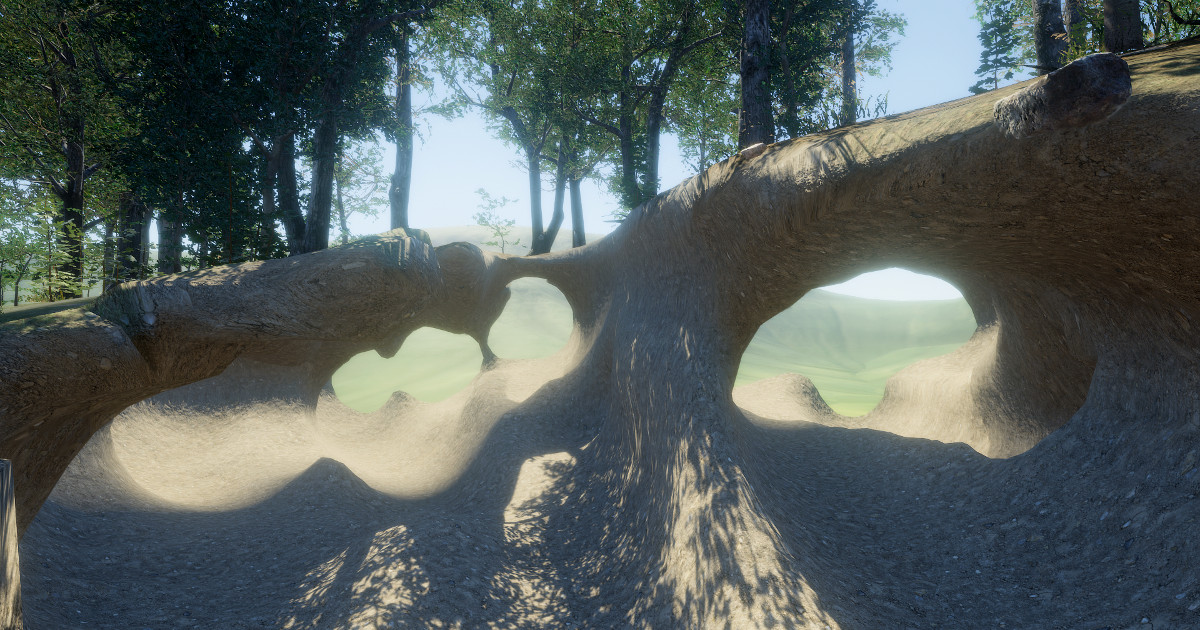
Get the Digger PRO package from Amandine Entertainment and speed up your game development process. Find this & other Terrain options on the Unity Asset Store.
undone lark
This is for digging though. If you want that nice looking cliff face, it's going to have to be hand crafted.
rose sentinel
Well, I will check it out.
 winter minnow
Sounds like marketing talk 😄
Artists and level designers together can use the mesh method for greater effect
That's the reason Genshin Impact devs did it that way
But it's also true that if you don't have that artist and level designer, that tool will make it simpler for you
rose sentinel
Or I could just use the cliffs that come out of the box with the Pure Nature asset

I will try both and check which one is better
winter minnow
The top surface of the cliff doesn't have to be terrain
And you could skip some effort by just using the cliff
If you don't necessarily need the topsoil to use the terrain shader's features then it's a smart corner to cut
rose sentinel
Yeah but what worries me if performance because I wanna make a big open world, if I use mesh clifs then I won't be able to add terrain trees on top, but prefabs instead. Not sure how bad will that be for performance.
 winter minnow
If they have proper LODs as they look to have, and you mark them as static it shouldn't be prohibitively expensive
I'm getting a chill in my spine looking at that tree not marked as static
rose sentinel
Hmm well the pure nature asset fortunately seems to come with exactly the type of aesthetic Genshin Impact has which is what I am trying to replicate. I guess I will try with this first.
undone lark
Genshin runs on mobile just fine. If you're smart about it, you can do it.
On the other hand, if you're not targeting mobile, then it's even easier.
winter minnow
On the third hand, genshin impact devs are wicked good at optimization
rose sentinel
Good thing I migrated my entire project to URP before starting to work on terrain. 🥲
timber tulip
Any tips/cheats on creating a fairly downward linear like hill? I'm trying to make a generic snowboarding game that has one hill going down that i can fill with jumps. I'm using the terrain editor, but this is proving to be way more difficult than I expected. Any other options?
 winter minnow
timber tulip
Any tips/cheats on creating a fairly downward linear like hill? I'm trying to ma...
winter minnow
timber tulip
Any tips/cheats on creating a fairly downward linear like hill? I'm trying to ma...
Bridge tool might give you pretty good control over the steepness and smoothness of the slope
 mossy swan
I've been doing some GPU profiling and noticed that Camera.RenderSkybox increases by around 5x when a terrain is being drawn vs when one isn't. Any idea why that would be?
barren oak
timber tulip
Any tips/cheats on creating a fairly downward linear like hill? I'm trying to ma...
Maybe overkill, but MapMagic 2 has a "Gradient" simple form that can give you a baseline gradient across the terrain which you could further customize either manually or with MapMagic's other tools:
https://gitlab.com/denispahunov/mapmagic/-/wikis/MatrixGenerators/SimpleForm
(it's also free, or at least the part of it that you need here is)
timber tulip
winter minnow
Bridge tool might give you pretty good control over the steepness and smoothness...
Hm don't think I've seen bridge tool before actually, will check it. Thanks.
timber tulip
barren oak
Maybe overkill, but MapMagic 2 has a "Gradient" simple form that can give you a ...
Interesting, thanks for sharing. I'm starting to wonder if I should try just making a Cube and scale it up by a thousand, slant it, and then slap on the snow texture lol.
barren oak
timber tulip
Interesting, thanks for sharing. I'm starting to wonder if I should try just mak...
haha that's always an option

 real kestrel
Hello, do you know where I could have an island ??
barren oak
 placid apex
that "Terrain" just looks like an image
placid apex
barren oak
that "Terrain" just looks like an image
i meant how to make a tile but i found out thanks
 tranquil kestrel
Hello, I'm kinda new to making games but I seem to have a problem with the unity brush system when trying to sculpt my terrain.
Does anyone know if there is another way to get the hotkeys to work? I can't rotate my brush or change the size or opacity with the hotkeys
rose sentinel
Is it possible to upgrade Unity terrain to URP? Or just normal materials.
 thorny swift
rose sentinel
Is it possible to upgrade Unity terrain to URP? Or just normal materials.
thorny swift
rose sentinel
Is it possible to upgrade Unity terrain to URP? Or just normal materials.
Create material with [UniversalRenderingPipeling/Terrain/lit] and put it onto terrain, If you don't have Terrain Layers you gotta create those for every texture you have originally on terrain and put them into terrain component
I don't know about any auto upgrade, all of the times it got broken for me, but maybe its already out somewhere not sure
rose sentinel
Thnx👍
 ionic pasture
Need help, currently studying Terrain in Unity, Just want to ask if its normal for the trees or grass to not appear when my camera is far from it
ionic pasture
anyone?
barren oak
ionic pasture
Need help, currently studying Terrain in Unity, Just want to ask if its normal f...
yes it's probably due to LODs
it's an intentional performance optimization
ionic pasture
Yup already played with LOD and finally fixed, I still have the problem for the grasses appearing red, or the grass LOD group not supported. Probably will ask more later when I woke up. 
ornate bridge
hey is there a way to set a loading distance in order to make my game lighter?
ionic pasture
ornate bridge
hey is there a way to set a loading distance in order to make my game lighter?
LOD maybe? not sure but just play with it
 hard fossil
rose sentinel
I got no idea on how to make cliffs like that using Unity terrain. I could add s...
hard fossil
rose sentinel
I got no idea on how to make cliffs like that using Unity terrain. I could add s...
Same,
I saw this and I still can't find a way to make such beautiful terrains
https://youtu.be/2E_Kx9ROX08
Hi and thanks for joining me in this devlog video! In this video I do some level design, I improve climbing for the player creature and I also add a couple new alien animals to the game.
In case anyone is wondering;
the smoke was a motion tracked simulation (my laptop wasn't actually on fire) and you can't actually drag code directly into the ...
(3:36)
i really want to start working on my game and that's the only problem that is driving my motivation away
 grizzled pewter
How do I texture my terain
grizzled pewter
?
 primal kiln
@grizzled pewter I use the Terrain Tools asset pack from the store. Brackeys does a decent enough tutorial on using it to create and texture your terrains.

Let's have a look at the new Terrain System in Unity!
● Learn more: https://ole.unity.com/TerrainTools
● Terrain Samples: https://bit.ly/2Y25AEX
····················································································
♥ Subscribe: http://bit.ly/1kMekJV
👕 Check out Line of Code! https://lineofcode.io/
● Join our Discord: https:/...
 rustic hearth
grizzled pewter
How do I texture my terain
rustic hearth
grizzled pewter
How do I texture my terain
you can use the paint tool
grizzled pewter
ok
rose sentinel
so I duplicated terrains
but now when I add and paint a terrain layer to one, it adds it to all
how do I stop this?
please @ me if you can help me
barren oak
rose sentinel
so I duplicated terrains
but now when I add and paint a terrain layer to one, it...
if you duplicate terrains they will use the same terrain data
 naive parcel
Anyone know how to help with Polybrush? I have an issue where I can't paint on my material (in normal unity 3d project), even though it's set to the correct polybrush vertex color shader. I tried painting colors in URP unity project having the polybrush URP shader and it worked, but not in my normal unity project, where I need it working.
rose sentinel
@barren oak How do I unlink them?
barren oak
rose sentinel
<@!179367739574583296> How do I unlink them?
there used to be a field for the TerrainData itself in the inspector somewhere but I don't see it. Instead maybe you can export the heightmap and import it into a new terrain?
rose sentinel
barren oak
there used to be a field for the TerrainData itself in the inspector somewhere b...
I think imma just delete them all and remake them 😦
rose sentinel
Is there a keyboard shortcut to create terrains?
right now i'm manually clicking the create terrain button
 rose dew
My terrain went invisible and I have no idea why. I aligned the camera where it needed to be and hit play and it vanished. I'm using URP and a single standard unity camera though the terrain is invisible in both scene and game view. I also moved the terrain folder but I don't know it that makes any difference. The texture file is still being picked up by the terrain component. When I go to paint mode, the terrain is visible when highlighted by the brush but otherwise is entirely invisible. Any advice?

 shut venture
So I recently just made grass in my hobby project. Its more of a stylized grass so I loaded it into the terrain trees tool, and I am getting this weird circular glow on the grass I am close to and then outside the sphere looks awkwardly discolored. Anyone have a idea why this is happening? I have use process of elimination and deduces it has something to do with the terrain trees tool because if I place the grass manually I don't have the issue. Is there a built in LOD feature in terrain trees that you cant edit?

 long ridge
Hi new here can you make floating land masses in base unity?
barren oak
long ridge
Hi new here can you make floating land masses in base unity?
it would have to be a seperate terrain or just a mesh
grizzled pewter
why can i not see terrain tools?
 winter carbon
rose dew
My terrain went invisible and I have no idea why. I aligned the camera where it ...
winter carbon
rose dew
My terrain went invisible and I have no idea why. I aligned the camera where it ...
Could you check to see if the 'Draw' checkbox on your terrain settings has been unchecked?
winter carbon
grizzled pewter
why can i not see terrain tools?
You can get terrain tools by clicking the '+' button and selecting 'add package by name', and typing in com.unity.terrain-tools. You can read about why that change was made here: https://blog.unity.com/technology/a-new-package-manager-experience-in-unity-20211
Terrain tools is coming out of preview in 2021.2, and so will be visible to everybody from then on.
grizzled pewter
winter carbon
You can get terrain tools by clicking the '+' button and selecting 'add package ...
I have this now is that good
 winter carbon
grizzled pewter
I have this now is that good
winter carbon
grizzled pewter
I have this now is that good
Looks good to me! I suggest also downloading the terrain tools sample asset pack from the asset store: https://assetstore.unity.com/packages/2d/textures-materials/nature/terrain-tools-sample-asset-pack-145808

Elevate your workflow with the Terrain Tools Sample Asset Pack asset from Unity Technologies. Browse more 2D Textures & Materials on the Unity Asset Store.
grizzled pewter
just got it. Thanks!
 potent blaze
hey, unity duplicated my splatmaps for some reason, covering the actual map. how do i fix this?
 rose sentinel
Hi I have a road system using road architect. I want to line the roads with grass, but I have more than 30000+ meters in road so if I use the traditional paint tool for grass, it is too slow. Is there another way to paint that's more efficient?
Basically is there an easier way to paint large amounts of terrain accurately?
rustic hearth
rose sentinel
Hi I have a road system using road architect. I want to line the roads with gras...
i guess like we can plant trees randomly you can plant grass to by using the grass as prefab instead of any tree
 crude quartz
As you can see the density slider is set to its lowest yet for some reason thee trees are extremely close together?
naive parcel
naive parcel
Anyone know how to help with Polybrush? I have an issue where I can't paint on m...
Anyone knows how to help with polybrush?
 sonic basin
hi . um we have a big problem.
i modeled my own Rock and Grass and when im painting these models as Detail on terrian it lock like this .
How can i fix it ?
(this image is not mine but i have same problem)
 drifting crown
@sonic basin Did you follow any of the tutorials on how to paint the terrain?
sonic basin
drifting crown
<@!545655000689279008> Did you follow any of the tutorials on how to paint the t...
yes . didn't work
drifting crown
You have to be more specific. You can assume that under normal condition everything works properly, especially when you follow a tutorial. So you need to indicate what you are doing differently.
So pick an official tutorial, like this one, https://learn.unity.com/tutorial/working-with-the-terrain-editor Follow it and see if you get different results
Note which render pipeline you are using and if materials are setup properly for it
sonic basin
drifting crown
You have to be more specific. You can assume that under normal condition everyth...
i watched so many videos about this but.... same :/
sonic basin
drifting crown
So pick an official tutorial, like this one, <https://learn.unity.com/tutorial/w...
tnx imma take look
drifting crown
Does it work if you create a clean new project and just follow a tutorial?
sonic basin
drifting crown
Does it work if you create a clean new project and just follow a tutorial?
nah i tested it does not work
btw its my own Model . i made it in Blender
drifting crown
Then you likely not using correct shader mode.
If you assets used in a tutorial does it work?
sonic basin
drifting crown
Then you likely not using correct shader mode.
Trees my own model too
trees are working correctly
if i paint grass/rock As Tree its working
sonic basin
drifting crown
If you assets used in a tutorial does it work?
imma use grass assets but . im 100% sure it will work
but i wanna use my own models
drifting crown
Yea, I never use terrains someone might point out proper shader to use for custom models. Make sure their UV in order and there should be a tutorial for importing own assets in terrain as well.
sonic basin
drifting crown
Yea, I never use terrains someone might point out proper shader to use for custo...
yes im gonna research it on yt and somewhere to solve it but if any one know the solution can help
 pine hatch
Hi, im using Unity default terrain shader/material, and it works in the editor, like shown in the left. But when I build the game, the checker material doesnt render or show up. I tried creating that material and its the same output. Other materials/textures work fine. Anyone know whats the problem?

 hasty moon
Hello! I need to update these bush prefab metariels to hdrp, but i dont know how to access the materials in this one, cause usually they have the lil expand arrow and these have FOD settings if i double click

 sly idol
Hello, is it possible to somehow give trees a different tag from the rest of the terrain collider? I tried copying the collider to a separate game object, but as expected, it also creates a second terrain collider with the different tag, and it breaks my game badly. Any ideas on how to deal with this? Thanks in advance
winter minnow
hasty moon
Hello! I need to update these bush prefab metariels to hdrp, but i dont know how...
From my experience, only imported mesh -type prefabs contain their materials inside of the asset
Most likely those prefabs are getting their meshes and materials from somewhere else
By looking at the gameobjects inside of the prefab through the inspector you sohuld be able to see where
 reef stone
Hoping someone can help me here. I need to offset the Sand dune shader that we have, to match up with the chunks in the terrain generation. But i have never really worked with shaders, so i am hoping someone here can help me on how i offset the shader.

So i am not sure, since i have not worked with shaders before, but i would imagine that i would simply need to offset the starting point of the shader by the offset of each chunk that is being generated. I ofcourse know my offset of the chunks, but how do i translate that to the material that is being applied? I found the code for "material.SetTextureOffset" but i have not been able to get any results using that. But i am also not strong on this topic :) Hoping someone can enlighten me.
ivory mauve
how do I add a custom paint so I can paint on my texture
ivory mauve
how d oI download terrain tools in untiy 2020.1.13f
hasty moon
how do i update prefab materials that dont have inspector content?
 ivory mauve
For some reason my player(a capsule) jumps low and high randomly the ground is terrain
ivory mauve
hasty moon
how do i update prefab materials that dont have inspector content?
you can go to edit hdrp and change materials I thing
thnk
how do I get the trees unity has for the terrain editor
ivory mauve
hasty moon
Hello! I need to update these bush prefab metariels to hdrp, but i dont know how...
where did you get them I'm trying to find the one that unity gives you automatically
hasty moon
ivory mauve
where did you get them I'm trying to find the one that unity gives you automatic...
the standard tree?
grizzled pewter
does anyone know what this means
 grizzled pewter
also i impoted this grass mesh and its not textured

 tribal prairie
grizzled pewter
also i impoted this grass mesh and its not textured
tribal prairie
grizzled pewter
also i impoted this grass mesh and its not textured
Because it has no textures lol
You have no material on it 🤦♂️
grizzled pewter
sorry im not very good at this
tribal prairie
You need to add a material with the texture
grizzled pewter
When I imported the other ones they came with a texture that's why I was wondering sorry
rose sentinel
Hi, I am trying to make a nice terrain, but I am really bad at it, so I am trying thru internet or photshop etc. can anyone help me?
@signal sphinx Do you think its easier with a photoshop program?
 signal sphinx
A quick, simple, not very realistic one is easier with photoshop
It will also get you started and you could make a better one later when you decide you need it
rose sentinel
I do want to make a quality map, but I can always adjust in game
How do you think I should start?
signal sphinx
I think you should start with a really bad quality terrain and get your game WORKING
and then you should make a good terrain for it
or you could just google something like this: https://leveldev.files.wordpress.com/2012/12/heightmap.jpeg, import it into unity as per https://docs.unity3d.com/Manual/terrain-Heightmaps.html and then tweak it :)
though you might want to think about copyright when you do that
You might find, playtesting on a terrain, that a certain style or formation doesn't really work in your game. It would be a shame to have spent hours making a good one before you discover that
ivory mauve
hasty moon
the standard tree?
ok
 dusty dome
Hello I don't know why but when I'm trying to paint texture on my terrain, nothing appears

:c
rose dew
winter carbon
Could you check to see if the 'Draw' checkbox on your terrain settings has been...
so I know I'm really late responding but apparently in trying to make the terrain a material, (not realising that it isn't possible without a specialised shader) I removed the material from the terrain and never put it back... I didn't realise until I'd created another terrain and cross referenced them. I spent 3 hours searching for the solution to a problem when I could have just made a new, different terrain in 10 minutes. Moral of the story... work smart... not hard
rose dew
dusty dome
Hello I don't know why but when I'm trying to paint texture on my terrain, nothi...
ah perfect timing... read my above comment... it's probably related. Check to make sure you have a material assigned to the terrain 🙂
dusty dome
oh so I can't paint on my terrain with a special shader
rose dew
dusty dome
oh so I can't paint on my terrain with a special shader
oh if you have a special shader that you've written then you should assign a material under that shader to the terrain. If you haven't written a shader then that's fine. You can still use the texture on the terrain but it still needs to have a material assigned to it. Default material. can you send a screenshot of the terrain settings?
ah, I see you're using a toon shader. I have no idea how shaders interact with terrain to be honest with you. This might be a question that #archived-shaders could better help with. This channel tends not to be that active
 winter carbon
The terrain shader uses the so-called 'splat map' to determine which textures to blend when you paint. Most normal shaders don't do that, so will not support texture painting when applied to a terrain. It is possible to write custom terrain shaders.
potent blaze
Hey there I'm looking for suggestions,
I'm looking for an asset that handles vegetation in Unity. I tried Vegetation Studio Pro, and I like the placement functionalities and especially the performance optimisations, but it seems far too complex for my needs, and I cant work out how to properly use it. Vegetation Studio Pro seems very focused on automatic placement, but I only need manual placement functionality and some kind of performance optimisation, no other features. Should I just bite my tongue and learn Vegetation Studio Pro, or are there better fitting assets for my needs?
I'm using URP btw.
 wispy token
guys i updated from unity 2019 to unity 2021 project uses URP. problem is my billboard grass is not dark at night. this pictures is from 2019 https://gyazo.com/f5e4115b48f7a41ea4f048688e8dfa5f and this is from 2021 https://gyazo.com/5442dce58826071e1f79da17da3e5282 any ideas?


 ivory mauve
I'm trying to place down a mesh I made using the flower section but these keep coming up here is configuration

 winter minnow
ivory mauve
I'm trying to place down a mesh I made using the flower section but these keep c...
winter minnow
ivory mauve
I'm trying to place down a mesh I made using the flower section but these keep c...
The errors seem to point out to there being too many vertices in your mesh
 vivid crow
hey , i know this only kidna relates to terrain but , i was used to right clicking and an eye symbol appearing that lets me observe the scene , now its a hand that moves the scene camera , any idea how to make it eye again ?
now that i looked more into it , there are 3 modes for hand tool , moving , orbiting and zooming , for some reason i can no longer orbit even if i press alt , anyone knows anything ?
 strong fox
Not sure if this is the right chat for it but; I have a question about LODs and prefabs. I am building out a cityscape and I want to add details to the city such as barrels and vases/pots. I've made 3 LOD levels for every object including the buildings. Should I bundle the details with the building prefabs? Is this performant? This would make each building very very similar. Or does it not matter, (Since I have LODs for each item anyway) that I not bundle them with the prefabs and just place them how I want across the cityscape?
 winter minnow
strong fox
Not sure if this is the right chat for it but; I have a question about LODs and ...
winter minnow
strong fox
Not sure if this is the right chat for it but; I have a question about LODs and ...
Are you asking about LODs or prefabs, specifically? I'm not understanding fully what the connection is
strong fox
Sorry I wasn't clear. I have 10 buildings each with 3 levels of LOD. Each building has been made into a prefab. They are are all "bare" as in they have no props on them. I also have a number of props that I created like the barrels in the above photo which also all have 3 levels of LOD each and have in turn also been turned into prefabs.
My question being, should I put the prop prefabs as childen of the builldings? Is there a benefit to doing that over let's say not creating a hierarchy of prefabs within prefabs
winter minnow
I can't think of any issues with having prefabs as children of other prefabs
You could even have prefab variants of the buildings that are decorated differently with the barrel prefabs
strong fox
Is there a benefit to doing this over lets say not parenting them?
winter minnow
It's a convenient way to re-use assets quickly, as prefabing usually is
Plus if you need to instantiate or destroy the buildings at runtime, you can get the children in the same process
strong fox
Ahhh... so in that case it would be more performant to do it that way.
winter minnow
It's mostly just a matter of convenience for what you want to do how the prefabs and their hierarchies are set up, there's no any hard and fast rules
strong fox
I'm trying to build out a moderately sized city, I don't really mind being tedious and placing every barrel and pot across the whole city if there isn't really much of a performance benefit/hit to not parenting the prefabs.