#⛰️┃terrain-3d
1 messages · Page 16 of 1
 rose sentinel
 zenith flame
I've got a few quick questions about how to generate procedural infinite 3D terrain
I know I need to use 3D Perlin noise, which should give me something close to what i'm looking for
but I can't seem to find any good resources on how to do something like this
everything i'm finding is only using 2D perlin noise which does sortof what I want, but only makes a flat plane of terrain, whereas I want caves and overhangs and such in my terrain
 gaunt field
Is there a way to use Tessellated materials on a terrain?
gaunt field
In the HDRP specifically
gaunt field
Or are there any different terrain solutions that include tessellation?
 warm radish
@zenith flame what kind of info are you looking for? stuff regarding implementation, theory, or do you want some tutorial, code, or asset links?
@gaunt field i dont think the terrain shaders we ship support tessellation. microsplat or CTS shaders probably do
im assuming you've tried this, but if you select the HDRP terrain material, is there an option for tessellation? there might be if the material is HDRP/Lit
zenith flame
I’m looking for basically all of the things you listed
Theory, and tutorials mainly
As I’ve never worked with perlin noise or marching cubes or any of that stuff
@warm radish
warm radish
alright. i will procure some links and get back to you
warm radish
ya looks like there isnt any tessellation on the HDRP terrain lit shader
warm radish
@zenith flame some material
https://www.iquilezles.org/www/articles/morenoise/morenoise.htm
https://www.iquilezles.org/www/articles/fbm/fbm.htm
https://www.iquilezles.org/www/index.htm there's a few other noise articles here
https://discordapp.com/channels/489222168727519232/497875195718271004/676170022573441036
https://www.reddit.com/r/proceduralgeneration/comments/64ns8f/building_worlds_with_noise_generation_sean_murray/
https://adrianb.io/2014/08/09/perlinnoise.html
unfortunately, some of them are for 2d. the main difference between 2d and 3d is that you are calculating and interpolating gradient vectors for a cube instead of a square. and some of these are for more general gradient noise implementations and not specifically perlin. that link might help a bit though
 halcyon path
Heyo, can someone help me a bit?
I have 1 cactus that i want to use as a "tree" in the terrain, but it has 3 different object in 1 prefab and for some reason it doesnt appear ( i think its because it has 3 object instead of only 1)
is there a way to make them appear?
 little badge
How can i make a terrain in this blank space 😢
halcyon path
@little badge GameObject -> 3D objects -> Terrain
 crisp hemlock
Good morning all, I hope you can enjoy this serene view I've created for us.
I continue to treat this space as my Opus. Deciding that before I pass into the mud I would like to create 'A Place to Be'.
https://www.youtube.com/watch?v=E-fwzqotGEk
Thank you for helping me.

Made lots of progress. Will write more about it soon over at
AndrewChasonDesign.com.
Not much there right now. But I hope you like this serene Scene.
Breathe Well, Drink Water, Stay Curious!
little badge
@halcyon path thanks mate
 unreal yarrow
Hello everyone . Is thre anyway you can remove parts of terrain or even make some areas transparent?
 glad pine
@unreal yarrow Yes! Terrain now supports painting holes.
https://blogs.unity3d.com/2020/01/31/digging-into-terrain-paint-holes-in-unity-2019-3/

Unity Technologies Blog
Unity 2019.3 continues to bring more exciting updates to Unity’s Terrain system, including – by popular demand – the ability to create holes in your Terrai...
unreal yarrow
Alright thanks.
 desert sun
pls add simple terrain URP shader! Mobile cant handle current URP Simple Lit Terrain shaders, but can hadle without any problems a custom terrain shader with only diffuse and normals with simple blending
but custom URP shaders for terrain not very well in supporting instancing and terrain holes....
 sly fulcrum
hey folks super newbie here trying to learn the ways of unity :D
currently I'm attempting to fit a road prefab with the terrain, but the road itself is not fitting well cause it's not custom made for this and likely expects that it doesn't have a surface under it. Thus the terrain overlaps the road details.
Need some guidance here how to approach this as googling didn't really work out...
 errant hornet
@sly fulcrum you can always dig a trench in the terrain and just plop the road in it
sly fulcrum
tried that
the terrain i use is also low poly so the "triangles" are very sparse and i'm not able to properly make a canal that would fit
errant hornet
are you using a custom terrain or the built in unity one
sly fulcrum
I guess it's custom
errant hornet
also what is the scale of your project. you can have issues with things like that if your game is not properly scaled
sly fulcrum
the modular terrain plates are 100x100 units, they come like that
errant hornet
a good way to check scale is to just spawn a cube in and it should be roughly 3 feet wide
sly fulcrum
the road could be larger
errant hornet
and if that doesent fix your problem(youre to scale) then try using the built in terrain system
sly fulcrum
the built in one doesn't look good with low poly stuff, at least I'm unable to make it look good
errant hornet
i think it is possible to adjust the poly count manualy
sly fulcrum
unfortunately scale did not really work 😦
I think this road asset doesn't really "want" anything under it 😄
errant hornet
F
sly fulcrum
thanks anyways
I'll try playing around a bit with unity terrain as well
perhaps i can mix something up
errant hornet
with some changed setting i got the terrain to be lower poly
sly fulcrum
yeah much more options there this "terrain" is just a prefab i got
errant hornet
ok
 mild patio
https://github.com/AK-Saigyouji/Procedural-Cave-Generator
Guys, I used this project to design enlosed caves

GitHub
Unity scripts that procedurally generate ready-to-use cave meshes. - AK-Saigyouji/Procedural-Cave-Generator
but failed to know how can I increase the path size
If anyone can help me, it will save a lot of my time of designing it entirely by myself.
Its pretty simple how to manipulate cave size, wall height and ceiling height as well but
Thanks a lot, in advance.
 hearty cedar
Are you placing more than you actually need? The brush is pretty sensitive.
Could also lower the Detail Distance to like 25 and Detail Resolution Per Patch to 64 or 128. @hard shard
 hard shard
ah ok thanks
i lowered it down a lot cuz my game is completely dark with a flashlight
 delicate pumice
hello there
I am currently working on optimizing the GPU performance of our game and kinda hitting a wall with the unity base terrain regarding how low I can go with quality settings / resolutions
now I was wondering if there are any experienced users that could point me towards a direction on how I'm supposed to further improve GPU performance of my base terrain whitout losing more resolution?
crisp hemlock
I've got a big, beautiful Terrain; luckily I'm not married to it. It's based off real USGS data. And you can see it's about 8k.
The "patches" are quite large. About 12 meters.
Seems the only way I can make these smaller is to lower the terrain witdth?
I made it 512x512 and that was better, I could actually paint detailed paths and whatnot.
I did "split" this by 8 once, I was hoping it'd increase the density and restich it. No such thing.
So is there a setting I'm missing? Is there a tesselation brush I can add more ground patches to a certain POI if I need more control/detail over my dirtBrush?
Thanks for your help.
crisp hemlock
For now I've got the terrain down to 1024mx1024m and am getting the resolution I need to be able to paint a dirt path to a front door. Odd that the paintbrush targets the middle of the mesh. I figured this was all just vertex painting.
Guess the other good side-effect of going smaller is better shadows.
 tall ruin
Ok guys, grass in top down games. Using the terrain system it just looks shit - and is often weirdly culled by the camera - how can I make this look good
https://i.imgur.com/PHgu0xE.png
Not entirely sure what the culling circle is either. This is using paint details with a grass texture. I've tried a bunch of different ones, they're all pretty bad looking
In 3rd person the grass looks great, trying to find examples of top-down grass done well :/
it's the wind blowing that's causing it
delicate pumice
@tall ruin the main problem is that the grass is just two planes that are not angled towards your camera in the picture
we made our own mesh that has the planes angled outward which looks better in a topdown view
so in your picture the inner circle of grass missing comes from looking straight down on a plane that has no thickness
as far as I can tell
tall ruin
Yeah meshes work a lot better it seems
I also tried out a few vegetation systems, and they really render things much nicer (vegetation studio for example)
 plush pawn
i need a help
Assets/SampleScenes/Scripts/ParticleSceneControls.cs(60,19): error CS1061: Type Button' does not contain a definition for onClick' and no extension method onClick' of type Button' could be found. Are you missing an assembly reference?
 static field
ah yes, that error. showing some code would help. also you are in the completely wrong channel for coding questions. @plush pawn try #💻┃code-beginner
 lapis sierra
Hey folks, anyone know a good solution for auto-applying terrain details (grass/flowers etc) based on height and/or slope? I'm generating terrains from a custom script (and auto-painting splats via Microsplat) so I can't use a full-featured solution like Gaia
rose sentinel
does anyone knows a terrain ground texture free compatible with hdrp
delicate pumice
@lapis sierra there is a method called terrain.SampleHeight(Vector3 worldPosition) that you could use to figure out the y position of your terrain at a given world position
don't know about spawning in grass into the detail layer of the terrain since we are using HDRP which does not support details yet
 marble sentinel
does the unity terrain allow to use rgba splatmaps? (figured out a way for my problem without splatmaps)
 strong tapir
hi, how can i modify the default shader of terrain on URP 7.4.1?
 severe rover
i watch at youtube about creating cave on unity with 2 terrain..
can i make the first terrain as my main world and cave floor then the second terrain as cave roof?
just think the second terrain is an additional assets (mountain, mouth cave)
but.. how to make them not invisible?
maybe like layer between layer
 candid acorn
Backface culling?
severe rover
hm... is that applicable for terrain?
cause i dont see the option on the menu..
im new at this
candid acorn
https://blogs.unity3d.com/2020/01/31/digging-into-terrain-paint-holes-in-unity-2019-3/ Haven't read that, but maybe this helps?
Unity Technologies Blog
Unity 2019.3 continues to bring more exciting updates to Unity’s Terrain system, including – by popular demand – the ability to create holes in your Terrai...
severe rover
is that addon with $30 price?
hm.. ok. the paint make a hole on the terrain.. but. how did he make the cylinder?
hmm wait wait
they should explain first and then show the image.. not image first then tell the program at the end
damn.. ok i got this..
thank you @candid acorn
i think i need more coffee
strong tapir
hi, how can i modify the default shader of terrain on URP 7.4.1?
 slender cape
Y are my trees huge
hearty cedar
Lol. Check the scale on the trees import settings.
 frosty panther
I am creating an open world game with a few people and we are wondering if we could switch from Unity's Terrain to using only Meshes (Bought 3D lowpoly Models) as our Terrain and Planetary Environment. There is even this new Unity Tool called PolyBrush which lets you edit the Meshes right inside of Unity like a TerrainBrushTool.
Now my question is: Is the performance gonna be worse if we use the 3D Models as our Terrain compared to the Unity's Terrain System. If so how much worse performance should we expect for a rather large open world?
hearty cedar
No real difference. Unless you are using some absurdly high poly mesh for a ground.
frosty panther
@hearty cedar Thanks for the answer. We are using low poly assets, for a mobile game.
However we are not planning on using one huge connected mesh-plane as a ground. We rather would like to stack/overlap several mesh-planes between medium and large sizes with different forms to build up unique terrains. And of course all the grass, rocks and trees would also be real 3d models.
 brittle yacht
Hello my dudes, I need help with the terrain tools package
I can't find it in the package manager in Unity 2020.2 Alpha, so some help would be nice :D
 nimble sable
@brittle yacht, there's a known issue with the terrain tools package currently not showing up in the 2020.2 package manager. We're working on addressing it, but in the meantime you could add the following line to the package manifest
"com.unity.terrain-tools": "3.0.1-preview"
Once that is added to the manifest and you restart your project you should have it.
 frigid surge
need help with tilemaps
I'm learning and got to the point that I have my tilemaps setup
but need colliding for the tilemap Obstacle
I have no idea how to automate this, other than just manually putting certain tiles to Collider: Grid
glad pine
Hey @frigid surge , are you talking about a 2D tilemap?
frigid surge
yep
glad pine
I recommend posting your question in #archived-art-asset-showcase , they'll be able to assist you further than the terrain channel.
frigid surge
I see, thanks
 upper vapor
How do i fix those black line on my tilemap
glad pine
Hey @upper vapor, I see you already posted in the #archived-art-asset-showcase . They'll be able to assist you further than the terrain channel.
severe rover
in the unity video about terrain.. i see them can click edit terrain and choose grass..
then paint the grass on the terrain
on my unity there is no "edit terrain layers"
instead this
and make the whole terrain sand
glad pine
@severe rover The terrain tools package updates your layer painting UI giving you more features and improving workflow. You can add and create layers below your layer pallet
severe rover
on layer properties?
glad pine
What are you trying to do?
severe rover
i am trying to make an island
and want to paint the sand then grass
but iif i didn use pallete and make them all sand
i cant do anything
the youtube guide is clear.. but the "edit terrain layer" button isnt there
glad pine
You have to add both the Sand and Grass layer by clicking the Add Layer button. Once you do that you can highlight the layer you want to paint with and paint
glad pine
You do, In order to paint you need to add the layers you want first. Then select the one you want to paint with.
severe rover
hm.. there 3 youtube guide all same and not complicated like this..
so how do i do it correctly?
glad pine
@severe rover
glad pine

Elevate your workflow with the Terrain Tools Sample Asset Pack asset from Unity Technologies. Find this & more Textures & Materials on the Unity Asset Store.
glad pine
Yes
glad pine
Those look like the same ones from the Asset Store Samples. You can always create a new layer and use a texture of your own.
severe rover
is it this one? because i already use it
glad pine
Yes, you can also create your own layers using textures.
severe rover
did i must use "set heigh" to make a lake or beach? because i cant lower the ground
if i make a high ground first then "set heigh" the mountain i made gone and become flat
glad pine
You don't have to use set height. You can start sculpting at a height of 0 by doing the beach walls first and then keep sculpting up to the mountain. Or you can set the height high enough to sculpt down creating a beach. Either or works.
severe rover
ok. i think set height is work for me.
but is there a way to raise the map height without destroying my mountain?
glad pine
Changing the Terrain Height in the terrain settings will allow you to sculpt higher.
severe rover
ah yes.. i use terrain height 1000. i tought it was raising my sea level
but turn out it was for maximum boundry
im afraid if i already make mountain and other high place.. but then when make the lower part like beach i run out "height" to make them more lower
glad pine
I see what you're saying. Unfortunately, there currently isn't a simple way of setting the sea level without changing the proportions of the terrain.
severe rover
ah ok then.. thanks
um.. where i can get water prefab for free?
i want to test making water body
only have these on my asset :p
even on tutorial with standard assets have them..
and i got nothing on my asset..
glad pine
You should be able to find free water assets on the asset store.
severe rover
yes i download 1 of them.. but no prefab like in the video
can you recommend one? im confused to pick one
or tell me what option have water prefab like in these video
glad pine
Unfortunately I don't
severe rover
i didn know
glad pine
I would recommend trying different ones to see. You can also make your own using Shader Graph https://www.youtube.com/watch?v=FbTAbOnhRcI
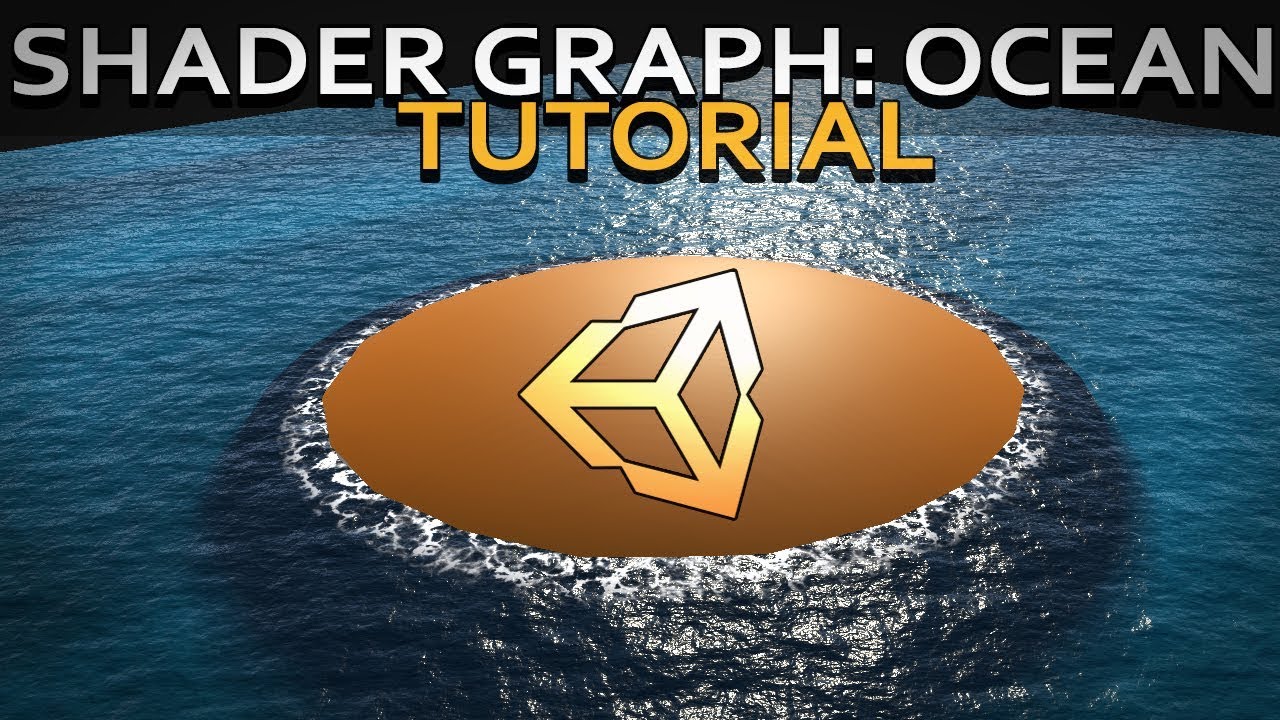
Hello and welcome to, like, the 10 millionth water tutorial I’ve done. In this week’s video we’re looking at some more in-depth Unity Shader Graph features to make water, or an ocean, with shoreline/edge foam, depth, and waves.
Shader is compatible with HDRP., Edit: it used...
There's a few tutorials online to help with that.
severe rover
ok thanks i will check it first
severe rover
why we need so many planes? why not use only few big one.. that will solve the seam problem?
and.. is there will be a problem if it overlap and not perfect square?
im curious what will happen.. but
i got this error
severe rover
help?
glad pine
@severe rover I recommend posting your question in #archived-shaders. They'll be able to help you further with Shaders/Shader graph compared to this channel.
severe rover
ok
 sacred parrot
question is there any cloud asstes that i could find that could give the effect of my setting taking place very high in the sky
 storm glade
Any isometric-experienced artist/devs about. I need to have an ELI5 convo with them about how to tackle a perspective issue. It's not something I can really ask in one question though. If anyone is feeling brave, please feel free to message me directly.
 simple patio
how do i get water in 2019.3.14
 silk escarp
@glad pine Why does that water look so drinkable, like damn that looks good!
 twilit helm
Is it possible to make the terrain texture more reflective in any way? I know you can only select textures and not materials but is there another way to do it? I've been told that URP (that's what I use atm) supports pbr textures, and that could help me achieve that effect. However I don't know what pbr textures are and how to create them
 forest thistle
Someone worked with the Terrain Tools ? The Unity Terrain Editor is just awesome. I use it to make heightmaps and the Splatmaps(Texture Placement) but there is a problem with the png. It only use 1 Color with Alpha. Using 4 Layers but didnt figure it out to convert the Splatmaps 🤔 Does my image editor need some specific setting to identify the Image ?
glad pine
@twilit helm Try playing around with the Channel Remapping within the Layer Properties.
Also here's a quick tutorial on PBR material https://learn.unity.com/tutorial/creating-physically-based-materials-unity-2019-3#

Unity Learn
The Unity Editor uses Physically Based Rendering (PBR) in order to more accurately simulate realistic lighting scenarios. To fully take advantage of PBR, a material should be physically based. This is done through the Shader — the script that mathematically calculates how a m...
twilit helm
Thanks, looks just like what I'm looking for
glad pine
@twilit helm If you don't see the Channel Remapper it's most likely because you don't have a PBR layer setup. In that case you can just turn up the Smoothness and it should do the same thing.
glad pine
No problem 👍🏾
@forest thistle Thanks for the compliment! The team is happy to hear we're making awesome tools for even more awesome people. What image editor are you using?
forest thistle
Iam using Krita
glad pine
Hmm, I haven't used Krita before. How are you exporting splatmaps from the editor? Terrain Toolbox?
forest thistle
Jep using the Terrain Tools
glad pine
Okay, I'm assuming it's Krita since we work with and export the splatmaps by packing different channels like you previously said.
I'm not sure if this will help but I found a video on setting up Krita to work with separate channels. https://www.youtube.com/watch?v=lWuwegJ-mIQ

Illustration by David Revoy
http://www.peppercarrot.com/
forest thistle
Oh jeah that worked thank you very much 👍
strong tapir
hi how can i modify the terrain grass shader?
 raw lake
Hi someone know very well Map Magic ? i have a prefab of grass with wind shader and when i import to the node grass->Object it spawn everywhere but the no more wind :/
 wispy drift
Hey guys how I can create a tilemap what moves itself from right to left That my player doesn’t have to run (it’s automatic) but just Jump
twilit helm
How could I add water on URP?
desert sun
strange bug with little terrain painting brush.
1(left) - simple path painted in Unity 2019.3.11.
2(right) - same brush size and settings in Unity 2019.4.1 but they cant paint that small details anymore, only generate a noisy texture around small brush.
All brush mask like noise and slope was disabled.
forest thistle
Is there a option to Texture paint on a Terrain Below a Layer, like i have Mountain Texture on Layer 4 and some grass on layer 3 but dont want to overdraw the Layer 4
warm radish
@forest thistle no there is not. when painting with a layer (which is really just a "material" description and nothing like a photoshop layer) the other layers are also adjusted according to the newly painting weights in the selected terrain layer
glad pine
@rose sentinel Edit Terrain Layers --> Add Layer...
rose sentinel
but I dont want the whole thing to be grass
glad pine
@rose sentinel When you paint with say a rock layer it replaces it.
rose sentinel
ooooo
glad pine
Here's the doc for future reference https://docs.unity3d.com/Manual/class-TerrainLayer.html

 left jackal
If there is a bump in the terrain my character rather then going over it, goes through it, any idea how can I fix that?
rose sentinel
can someone give me a reference on .raw files used for terrain heightmaps?
i want to write a tool that programmatically converts png to raw
guys if i make a script / unity asset that can convert between .png and .raw
would anyone be interested?
 hidden trail
please god someone explain to me why do my trees shadows vanish?
tall ruin
Terrain tree colliders: When scene starts I have to disable and enable the terrain collider component for tree colliders to work correctly. Any thoughts?
simple patio
How do I fix my texture so that it doesn't reflect light?
 noble crest
does anyone know why my first layer of terrain isnt being added as the default texture?
I have to paint the entire thing first
 silver radish
Are there any transparent terrain shaders that work (I mean ones where you can paint a transparent texture to it and it will make terrain transparent)?
rose sentinel
Those of you who have made 2D overworld games, do you usually pivot your tilemap sprites BOTTOM center, bottom LEFT, or Center?
 rocky lion
@hidden trail i don't know the answer but holy shit that looks beautiful
hidden trail
Thanks if only it didn't cause me grief! DX
 earnest grove
So I changed my Render Pipeline to URP and everything works except for speed tree its just black and gray so if anyone knows how to fix this Please help me
warm radish
@silver radish if you are using 19.3+ you can paint holes with the built-in terrain tools
@earnest grove what are the shaders that your speedtree assets are using?
@hidden trail what kind of trees are they? are they instanced via the terrain painting tools or something else?
hidden trail
Yeah terrain painting
Some trees don't cull cause they're not terrain
And this is 2018.4.18
rose sentinel
I designed it in blender
It had lakes and stuff
And was bright
But then when I inserted it into blender
It came out all grey
forest thistle
I have a problem with the TerraintoOBJ exporter, it only exports a part from the 25 Terrains that i have. using the one from https://wiki.unity3d.com/index.php/TerrainObjExporter Using the TerrainTools
frigid surge
anyone have links etc to Top Down game terrain generation?
Almost all tutorials are about platformers, and I have no idea how to even fill a 10x10 area with tiles through script.
I know I can use .SetTile(), but dunno how to get the positions of a certain area
Using Tilemaps of course
simple patio
how do i see all the grass in my terrain
 devout yoke
Hey guys
I've ran into an issue
Where basically whenever I use a "raise/lower" terrain brush, everything in my scene view just goes black
rose sentinel
Hi my dudes, im using poly brush to mix my textures but while following This tutorial https://www.youtube.com/watch?v=QHslFO0vlGg
My material turned black and nothing happens. can anyone help me out?

Polybrush is a fantastic tool for Unity, which you can use for level design, scattering prefabs, painting and sculpting meshes! In Unity 2019.2, Polybrush was added to the Package Manager, and introduced the Prefab Scatter mode!
Learn more about Polybrush here: https://ole.u...
 grim marsh
I'm trying to raise my terrain, but when I drag anywhere it goes to select instead of raising it.
warm radish
is it doing the box selection when you drag?
hidden trail
@warm radish any input on the tree thing? :<
 icy violet
Hi there. I'm trying to find the Mesh Stamp (using unity 2019.4) as detailed here https://docs.unity3d.com/Packages/com.unity.terrain-tools@3.0/manual/mesh-stamp.html
I can't find it in the brush operations. The list is actually quite a bit shorted than the docs indicate in that page. Am I missing something. Have these extra features been dropped? These are my available options.
 odd crystal
Whats the preferred method for adding caves into (heightfield) terrain in unity? I've seen mentions of both converting the heighfield to polygons and just using that, and using some kind of shader to cut a hole in the height field and build a poly cave around that. Whats the best method, and have you any good tutorials for it?
icy violet
@glad pine thank you so much, that did the trick. I must be suffering from reading incomprehension 😅 The answer was right there in my original link 🤪
rose sentinel
Hi Everyone, im pretty new to unity and currently making a map with polybrush. So i have a material with 4 textures. linked to red, blue and green. but i cant seem to figure out how i paint the top texture. in the RGB Channel. can soemone help me? would be greatly appreciated😁
 forest gust
Hello Unity lovers!  How to combine Terrain with objects to import them together in the game (I'm importing only the terrain now using Export Asset bundles )?
 onyx hinge
yo um,I dont have a paint texture button for some reason.What do I do now?
 floral crypt
HI! is there a way to increase the terrain size without deforming the actual terrain?
 tired sigil
Is it possible to disable Terrain Layers from carrying over to different Terrain, when you have that Terrain brush open but accidentally click a different Terrain piece? Sometimes it seriously messes me up, and borks the Terrain order.
 empty ingot
Good day everyone! I am hoping somebody can offer to help with this question : https://forum.unity.com/threads/what-are-the-rules-for-avoiding-gaps-in-seams-between-terrain-tiles.928635/ Any feedback thoughts or suggestions happily received. @quasi badger @drifting crown @prime sundial I really hope you can maybe help lead here, as there is just no responses at all.....
Unity Forum
Hi all!
I am wondering what the rules are for avoiding gaps in seams between terrain tiles.
I have a simple game at the moment which is 12 x 4 tiles...
 jaunty widget
Hello :)
I wanted to ask if it is possible to use the foliage placing tools on Objects which are not Terrain ?
We have an Island which has Concave areas so we cant have it as a Unity Terrain 😮
 unique saffron
How do I make my terrain look nice from a distance, instead of having spiky and unsightly shadows?
 earnest briar
Hello! I have a terrain with trees on them (specifically the BOTD conifers by Forst) and am making a realistic FPS. I need the trees to be visible from hundreds of meters away, but for some reason they don't get seen from far away, even though I changed the detail distance to max. So I thought "ok, I'll write a script" and came up with this:
using System;
using UnityEngine;

class TerrainConfig : MonoBehaviour
{

    public int treeDistance;
    public Terrain m_terrain;
    public float DrawDistance;

    void Start()
    {
        var terrainScripts = GameObject.FindSceneObjectsOfType(typeof(Terrain));

        foreach (var terrain in terrainScripts)
        {
            (terrain as Terrain).treeDistance = treeDistance;
        }

        m_terrain.detailObjectDistance = DrawDistance;
        m_terrain.treeDistance = treeDistance;
    }
}
This worked for grass, but not trees. I even changed (afterwards deleted) the LODs on the prefabs, but to no avail. Does anyone know how to make this work?
warm radish
@hidden trail i am sorry for such a delayed reply. i am not quite familiar with the lighting code for tree prototypes but i have started digging around to see if i can find something. i will also ask the rest of our terrain team and the lighting team for some insight.
can you tell me if you instantiate one of those trees in the scene as a regular gameobject/prefab instance, are the shadows removed when the tree is culled by the camera as well?
are the tree assets dynamic? is the static flag checked on the asset?
@jaunty widget unfortunately, no. you can use Polybrush for that. It is an additional package you can get through PackageManager. you won't have the benefits of instancing from the terrain though unless you handle the instancing yourself for rendering
@onyx hinge can you provide some additional information? what are you seeing if not the paint texture button?
hidden trail
@warm radish the assets are set as static, they are prefabs added to the terrain system, the culling of the camera is what causes the shadows to vanish.
warm radish
alright thanks
jaunty widget
Thank you for the answer, wyatt :)
We´ll probably use Houdini for placing most of it then. And Handplace the ones near the keyframes 😮
empty ingot
@warm radish do you have any experience around the Unity Terrain system, I have been pointed towards the PaintContext to be used to alter the height of different tiles in a terrain having tried on my own and found it very , very complex
I have documented my efforts so far on the official forums
but would really love a conversation and some show and tell?
 polar merlin
ArmyAndy. Lower opacity to allow minute control about 8 is good and increase brush size to allow quicker work flow. Change the brush based on what type of terrain ur making whether jagged or smooth. My recommendation is to test each brush out to know exactly what they produce.
Terrain is mostly just a base. U will import stones and such to make the terrain lively. PS. U cannot make overhangs or caves with the basic terrain
empty ingot
@polar merlin thank you -- but I am referencing these changes being made at runtime 🙂
and I know those limitations exist 🙂
polar merlin
Go in depth. Do u mean adding an object to the terrain or changing the shape of the terrain itself
U can paint terrain at run time
Just not details or tress if I remember correctly
empty ingot
Ok
let's go more indepth
so
I have some code which adjusts the height of terrain at right time
I want to create a 'dig' action, as if you were digging a small hole into the earth
i have that
problem is, across a fairly small terrain, it is very slow at runtime, which causes it to be problematic to gameplay
so
i cut my terrain into about 12 smaller 10x10 meter chunks, each are neighbors of each other
problem now is, sometimes the 'dig' goes cross 'terrain' which results in gaps at the seams of the terrain
I was then programming around that, but it gets complex quick
so I create the thread here : https://forum.unity.com/threads/what-are-the-rules-for-avoiding-gaps-in-seams-between-terrain-tiles.928635/ to ask for some general advice, as it felt to me, as if this had to have been solved before
Unity Forum
Hi all!
I am wondering what the rules are for avoiding gaps in seams between terrain tiles.
I have a simple game at the moment which is 12 x 4 tiles...
That thread brought me to the PaintContext class
however my pieced together example doesn't really work it was from another forum post and @upper charm suggested i tried emulate what that thread had achieved, which was hard, as i had to reverse engineer something i didnt understand
The result of that effort was https://github.com/renegadeandy/gardencopy - which did something but really wasn't demonstrating what the linked to forum post was describing (my lack of experience probably led to some basic mistakes). I am looking for someone! Hopefully you! Who can perhaps set me straight on that

GitHub
Contribute to renegadeandy/gardencopy development by creating an account on GitHub.
empty ingot
@polar merlin thats the detail ^^
polar merlin
Oh
Well my usefulness has ended when u talked about painting holes cuz I still celebrate making a cube move
Jk
But I def can't help. Use terrain digger to punch holes. But to do it ingame is a diff ordeal all together.
Which version of unity u using
Maybe 2019.x will fix ur prob
warm radish
@empty ingot are you currently doing this on the CPU?
earnest briar
@warm radish Sorry for the late response. The trees are part of the terrain, not prefabs.
And yes, the shadows are removed although after the tree models
I think I narrowed it down
The billboard material is just black
And whenever I select the LOD witht he billboard
It just dissapears
empty ingot
@warm radish I believe so? I don't really know
The code should say, a shader is involved (GPU?) so perhaps in this example in my github repo above, it's actually doing some of it on the gpu - https://github.com/renegadeandy/gardencopy
GitHub
Contribute to renegadeandy/gardencopy development by creating an account on GitHub.
warm radish
@empty ingot ok. i'll have a look
ok. so GPU. you have a compute shader that runs in your mouse look script
// 0.5, because that's the range devs decided to treat the texture internally. Bugs occur beyond 0.5.
as a note, and if i am remembering correctly, the reason the heightmap is clamped at .5 is because the format for the texture is unsigned normalized meaning half the range is for negative height values but we currently only allow for positive height. so half the range of values is not in use.
ok. back to the script. looks like it is using the terrain painting APIs as there is a PaintContext there. that was going to be my suggestion if you happened to be attempting this on the CPU because those APIs will gather the correct portions of neighboring heightmaps into a single render target for you to work with
are you able to show the result of the "heightmap" texture after the compute dispatch?
can you share some more screenshots of what is happening in scene? kinda hard to tell from the ones you posted on the forums
empty ingot
@warm radish i Click, and at at a nearby terrain block, it just shoots WAY down to the bottom , making a massive hole
happy to make a little video of it
warm radish
That would be great
empty ingot
maybe @warm radish we could do a screen share? itd be super easy for me to show you that way
ill ping you later in the hope you are around 🙂
that ok?
empty ingot
Ok ready to share when you are @warm radish
 dark sun
Does anyone know why my grass looks awful. I just picked up Unity last night. I built a scene and the grass looks pretty bad - it's like it's unaffected by post processing
empty ingot
@dark sun pics please
dark sun
sorry, didnt know if I could post them here
 jaunty dew
its just not a good grass texture/model
also grass shadows would make it look better too
dark sun
ok ty, i'll try to look that up. I appreciate it!
 keen latch
Not sure if this is the correct place to start this but ... does anyone have any suggestions on how I would go about visualizing perlin noise overlaid on a terrain (editor only)? I'm trying to visualize where the dark/light parches will fall on the terrain while adjusting the scale & offset of the noise.
@dark sun ... Try using more that one grass. Also, change the scale ranges and Noise Spread. Also, because the grass texture has it's own color, I find it better to use grey scales for the Healthy/Dry colors.
 sour crow
is it possible to add more than 1 shader in terain?
for example i want to paint desert texture but i need to change shader for it to work
but when i change shader whole terrain changes
 twilit saffron
@empty ingot did you also fix the gap between terrain by now?
keen latch
@arctic elm The trees are from 'Mountain Pine Package', the grasses came from the old 'Boot Camp' demo, and the terrain textures from 'Nature Environments'. I downloaded the terrain data via 'Terrain.party', somewhere in the North Western US, Idaho I think, and then used 'Terrain Toolkit' to paint & erode it a bit. As for grass & tree placement, I have my own procedural code that places everything based on terrain data & texture. I mentioned above how by setting the grass min/max scales & noise spread you can create thick/patchy areas. As for shaders, I used 'Distingo' for this terrain (it's now depreciated) but now use 'Complete Terrain Shader' for managing near/far terrain texture mappings & details. A final note is that nothing was hand painted/planted ... everything was procedurally generated.
Something new ... but I'm not quite happy with it yet 😉
An older project, but using the same techniques plus some post processing effects 😉
keen latch
@earnest briar ... It may be that you need to adjust other settings? What is your camera far Plane set at? What are your other 'Terrain & Detail Settings'?
earnest briar
Hold on
Reimporting the trees because it took so long to build them because of the extra shaders so I just took em out
@keen latch
Are you here?
keen latch
Yes
keen latch
So you want to see trees past 5 Km?
keen latch
Well, if those are you settings you should be able to see trees out to 5km. Unless the Trees have LODs on them that dictate otherwise.
earnest briar
Lemme remove lods
And see
Removed em, now they don't show at all
Maybe their billboard isn't correct
keen latch
Waht trees are you using?
earnest briar
Well, for this
keen latch
looking
earnest briar
Conifers [BOTD] By Forst
keen latch
I see what you mean 😦
It's either the LODs or the tree shaders.
OK ... I know what to do 😉
earnest briar
What's it it?
keen latch
It was the LOD settings ... the cull setting was too close.
earnest briar
Yeah
 arctic elm
@keen latch and the clouds?
arctic elm
thanks! I thought they were volumetric 😄
did you notice how many FPS you had in this scene?
it looks really good
@keen latch also, did you just use the unity terrain tools to create the terrain from the heightmap or used gaia?
keen latch
As I said, imported heightmap and then user Terrain Toolkit to normalize, erode, smooth, add noise, etc. and
arctic elm
thanks
that's one of the best looking terrain I've seen in Unity
I never really made a terrain from scratch, I use tools to generate easily, barely takes any effort lol https://media.discordapp.net/attachments/596275512129749003/734003077019074580/unknown.png?width=1442&height=626
 keen latch
Nice! I have Gaia too ... but haven't used it much.
arctic elm
I want to generate a realistic looking terrain like that, but not sure how
or rather
I thought using HDRP would help for realistic terrain shading, but HDRP is so broken right now
keen latch
I'm having good results with CTS.
arctic elm
yes
the 2019 version?
@keen latch oh, something like that. I want to have beautiful realistic terrain like that, but I'm not sure if it's even possible https://assetstore.unity.com/packages/3d/environments/landscapes/alpine-lake-environment-162065
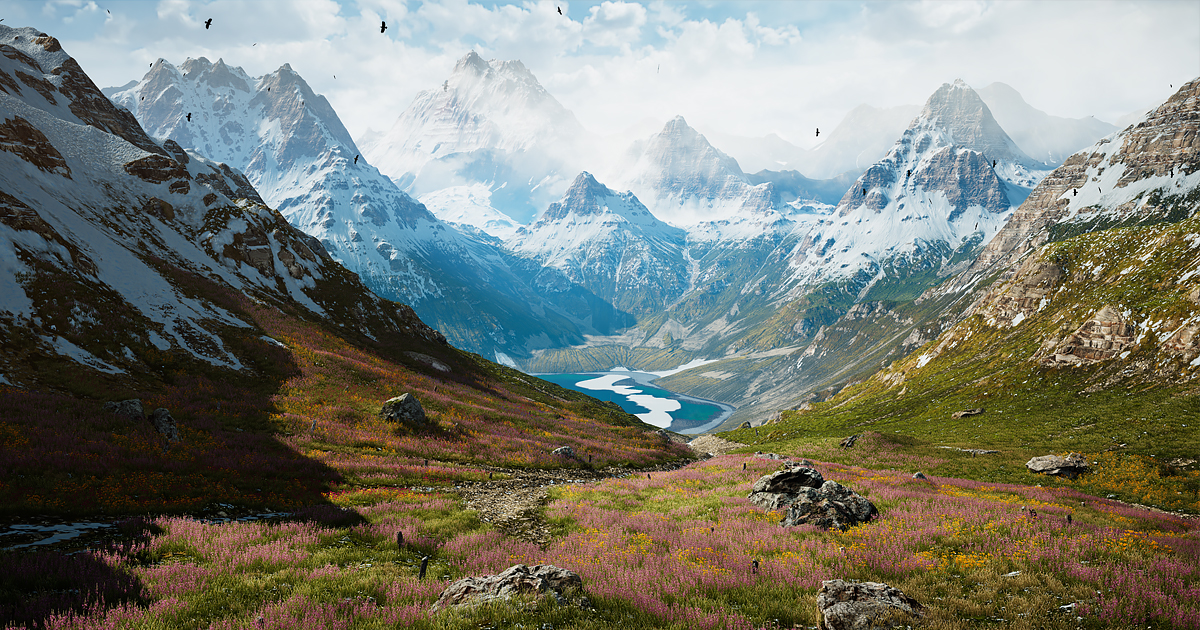
Elevate your workflow with the Alpine Lake Environment asset from Svchost74. Find this & other Landscapes options on the Unity Asset Store.
keen latch
That is a Unity Asset you can buy 😉
arctic elm
yeah, I meant
I believe this was photoscanned, but to make something like that by hand
could a human make something that good looking by hand
if so how
keen latch
that would take allot of time ... which is why I'm writing my own procedural stuff 😉
arctic elm
well, by hand or procedural. how can you make it look that good
keen latch
Mostly it's the assets ... textures, grasses etc.
keen latch
Most of the assets I have are either free or under $10
That can be done in Unity ... remember 'Post Processing 🙂
keen latch
Not with CTS ... that gives you more Near/Far detail control
Just on the terrain not other objects
arctic elm
the description says the terrain is made in world machine
but how did he do the texturing
keen latch
WOrld Machine does it I believe
Command powerful tools like erosion and advanced colormaps to create terrain heightmaps, meshes, and textures for your game or 3D scene. Download for Free!
Only $120 for Indie and $300 for Pro 😉
But it looks to be well worth it 😉 if you are doing something that requires allot of terrains 😉
keen latch
YES!
Learn about the 6 powerful abilities that World Machine offers you to create virtual environments. Fractal Terrains are just the start...
But there is a learning curve for all of the settings 😉
Scroll down to the Texturing section 😉
left jackal
My character doesn't falls through the terrain but doesn't responds to bumps in the terrain. It walks the entire terrain as if its a flat ground. Why is this happening?
So if there is a hip high bump, it will walk straight through it without going over it
keen latch
@left jackal ... I would look at your terrain & character controller colliders ... make sure they are set correctly
left jackal
What exactly "set correctly" mean? I have terrain collider on the terrain and capsule collider on the character
@keen latch
Do I need any physics materials?
I have none
keen latch
No ... can you share your Character setup?
left jackal
left jackal
I control them from scripts so dont need unity's physics effecting the rotation
keen latch
ok
left jackal
keen latch
perhaps your controlling code is overriding the terrain collisions
left jackal
I dont have any physics in my code tho
keen latch
Why the RigidBody on the terrain?
left jackal
No idea, always there
keen latch
try unchecking it 😉
left jackal
ok
keen latch
Terrain is usually static and doesn't need RB
keen latch
😉
unique saffron
How do I make it so the player doesn't see ugly jagged shadows when viewing terrain from a far distance?
keen latch
@unique saffron ... The shadows are not jagged ... the terrain in those areas is jagged/faceted because you stretched it vertically and the acutely flattened it.
The solutions are to either increase the terrain resolution or model the cliff faces to cover up those jagged edges (where the terrain transitions from horizontal to vertical and then back to horizontal). The terrain mesh is not meant for these things.
What are your terrain settings?
unique saffron
@keen latch But when I am close to them, the shadows are no nearly as jagged?
Here is the same area but closer: Looking better
And very close! ^^
It's not perfectly smooth to be sure, but it definitely is not physically as jagged as the shadows make it look from far away;
I believe it is a rendering issue. Is this where fog or a shader comes in? Is there an easy fix?
Here are the settings @keen latch , what do you think?
keen latch
You mised the terrain resolution part
sour crow
anyone knows good terrain painter tool that i can use to create biomes on my terrain
rose sentinel
is there any way to reduce the height of the raise/lower terrain painter? it's massively spikey at the moment, I only need the terrain toraise a little...
 fleet sparrow
Pls can someone help me my unity was working fine the it just got worse i cant paint detail on a terrain it doesnt work
 hasty mauve
I was modelling a custom island and when I tried it out I got this weird flicker in the shadows. Does anyone know what the could problem be?
 hard snow
 ruby meteor
@hasty mauve probably the distance between near clipping plane and far clipping plane is too big, this causes the shadows to flicker. Try increasing the near clipping plane as much as possible without visible clipping. Also make sure the far clipping plane is not bigger then needed
 cloud dove
What's the easiest way to create a custom navmesh for a terrain ? For now I create walkable planes that connect with each other and create "roads" for the navmesh which I bake. It feels quite tiresome actually so I thought there could be a better way. How do experienced people do it generally ? I thought maybe exporting the terrain in Blender and using its tools to better paint the roads might work.
 tame imp
I'm having FPS drops while using Unity's Terrain package, is there a way to make Unity use less CPU/GPU to run the game smoothly?
glad pine
@rose sentinel Try changing the brush opacity (If you're using Terrain Tools then try changing the brush strength)
@tame imp Are you only seeing these issues when playing the game?
 wide oar
Hi 🙂 I generate mesh myself but I just realized that there is terrain object. What do you prefer to use having in mind performance and some customization which maybe cannot be done by terrain object oob?
tame imp
yes only when playing the game I have Fps drops
dropping from 1400 to 1000
and you can clearly see them
glad pine
@tame imp That's weird, in most cases using the terrain package shouldn't affect your game since it's comprised of editing tools. Did the FPS issue appear after you downloaded the package?
tame imp
I started messing around with the tools and made some cool terrain
and when I started moving my mouse around the screen I noticed fps change
and I had to be sure it is changing and it drops from 1400 to 1000 for some reason...
is Blender better for making terrain editing? or should I use Unity's terrain package for FPS boost
glad pine
Do you mind sharing a screencapture/video of the issue?
It depends on the use case. For example, the amount of fidelity in your game and the features you need. But, most of the time Unity's Terrain system will suit your needs.
tame imp
Yes I will try to record it, I'm not sure if the video will catch the drops but we'll see
rose sentinel
any good terrain plugins?
wide oar
Hi could you recommend me some good texture websites you use?
 slate bobcat
Hey, @tame imp I see that you have Hebrew on your computer, and I was shocked that there is more than one Israeli in the server. Just interesting who are you. Ty honey and good luck in your next projects.
so if you can add me to your frind list for talk with me later
 lavish heron
Where can I get the physical property’s for a mesh collider I’ve just started doing this are they asset downloads?
 soft obsidian
I recently ran into a question with tilemaps. I have one tilemap that looks like this:
And I want to overlay a second tilemap that will transform it into this:
Is there any way to mask away the bottom tilemap so that transparency will show through?
 hollow sedge
I'm on Linux Mint, and I tried to import the terrain tools, but it kept trying to reimport something. The error was about something with the same name, since files on linux arent case sensitive. What could I do?
warm radish
@hollow sedge not sure what you can do atm as the package is probably read-only. we need to get a fix out for that and have that bug logged already. if you can change the package so it is not read-only, you might be able to change the file paths in the code. issue is with the noise library. it uses "Fbm" and "FBM" for some paths, iirc
 subtle kayak
Please help) dunno how to add water in unity 2019
desert sun
Unity 2020.1 HDRP 9.3.
Placing terrain trees cause Unity stuck for 15 seconds
desert sun
after each click for spawn trees i see this loading screen that take a while...
 proud lava
will I have issues if i import a map with lots of duplicate assets directly from blender to unity or no?
 hollow dome
where can i hire Unity environment designers?
 tired sand
What happened to the Terrain tools in unity 2020?
There is no sculpt tool or anything, it's very barebones
glad pine
@tired sand Did you import the terrain tools package?
glad pine
You have to check Enable preview packages in Project Settings First
tired sand
ah, thank you!
tired sand
Hmm, now I can't seem to get the paint texture tool to work
I hover over my terrain and have no circle, clicking does nothing
I added 2 layers to my terrain layers, have the second one selected
glad pine
Your brush size might be too small
tired sand
I've got a 100x100x200 terrain, brush size tried 1, 20, 500.. nothing. Works fine on the "raise/lower terrain" setting
glad pine
Make sure to select the layer not the checkbox
tired sand
hmm. I'm getting tons of MissingReferenceException: The object of type 'Terrain' has been destroyed but you are still trying to access it. when I select my terrain in my scene
I deleted my first terrain created without terrain tools and generated a new one. no idea why it still referencing old
glad pine
It could have cached your last terrains data. I can look into this issue. For now try restarting the editor
Did you paint on the first terrain and then delete it?
glad pine
Did you paint on it without the package?
Delete it, add the package, and try to paint on a new terrain?
I'm trying to reproduce the issue so I can get it fixed
tired sand
Can't exactly remember but I'm sure I clicked paint before I downloaded the package
Downloaded package -> tried to paint on old terrain, selector circle was stuck in 1 spot -> clicked a few times -> deleted old terrain and generated new with terrain toolbo
glad pine
Awesome thanks, I'll report the bug and have it looked at. Everything else working as expected?
tired sand
mostly.. except now my illumination is recalculating infinitely
gets to 99% and does it again been over 2 mins now
all I have is the URP base scene and a 100x100 terrain
tired sand
yep, I had auto generate off, wanted to see it generate after I messed with terrain a bit so I clicked "generate"
glad pine
Oh interesting, not sure why that's happening. Is it only with the terrain in your scene?
tired sand
hmm, after clicking cancel then generate again it worked fine.. must have been a fluke
Thanks for all your help!
glad pine
No problem Taylor, Enjoy!
 brazen reef
Hello guys, is there any way to use unity 5.6.3p1 terrain tools to create a floating island?
brazen reef
i want to make terrain like the one in this picture
or am i better off making it in blender
 vagrant maple
yep you better model it by yourself
 icy plinth
Hey all any one in here good at pro builder by chance?
 sage stag
@vagrant maple your pfp fits your response perfectly.
vagrant maple
@vagrant maple your pfp fits your response perfectly.
@sage stag lmao
 narrow dirge
Its there a way i could merge multiple mesh and pack the uv maps into an atlas?
 fresh valve
@narrow dirge i don't know if there's an easier solution for this, but what comes to my mind is that you have to rebuild your mesh assigning each vertex a texture id per vertex. and then in the shader you pick the texture you want to use for each mesh based on the texture id of the vertex
e.g. mesh 1 uses texture1 so every vertex in mesh1 gets textureid 1 per vertex. in the shader then it renders texture1 for each vertex that has textureid = 1
and so on
 tardy walrus
@narrow dirge what is your goal with this, to save draw calls, or some other reason?
 gloomy kestrel
How can I import custom splatmap? I found information that I need to use terrain toolbox but it doesn't show up in the package manager?
narrow dirge
@tardy walrus yeah saving drawcalls. I currently have too many objects
tardy walrus
doing it by hand isn't that hard if you just bin the parts together (like tetris), hell even blender might have a script for that, unreal actually has one built in
how complex a model?
and how many materials, are all materials the same resolution (as far as textures)?
tardy walrus
yeah, I'd look for a model merging tool in unity store
it'd be some work to do all that by hand, it'd be better if you did, but maybe a store bought thing like https://assetstore.unity.com/packages/tools/utilities/advanced-merger-toolkit-129869 could help
Use the Advanced Merger Toolkit from Drunken Lizard Games on your next project. Find this utility tool & more on the Unity Asset Store.
gloomy kestrel
@narrow dirge Export the scene to Blender, create new UV channel and bake textures. Easy, but then again I have used 3D software over 10 years. 😛
tardy walrus
you'd have to do some more configuration to get the normals properly processed/transferred though, you can't just bake those like albedo
 olive nexus
@brazen reef i would recommend to make a baseshape of your islands -> subdivide -> sculpt
olive nexus
you are on the right path but it is not done. if this should be a giant island, subdiv more and put more work into the rock/mountain part
use some brushes to break up the smooth surface as well
this was an old project of mine for example, this was the original low-box version
and this is what it turned out after sculpting
i used a script in the path to convert a mesh into a unity terrain
maybe you can use it as well, splitting the downside from the upside of the island
so then you turn your upside into a terrain and can leave the downside of it just to be seen when the cam would be like in your reference
How to convert mesh to Unity terrain. By using this script, you can easily convert (.obj or .fbx) mesh to Unity Terrain.
brazen reef
Thanks for the tips however I'm making it for a map mod for a game called ravenfield which sticks to a low poly style so I dont want to use too many verts
icy plinth
Wish i knew dealing with the same thing myself atm lol
glad pine
@rose sentinel & @icy plinth Make sure your textures are seamless
tardy walrus
even if they are seamless it can happen if the texture is on an atlas and you have no gutter between the parts, and if you have anything but point filtering, you'll sample and bring in some of the colors from the neighboring pixels
what does your atlas look like if so?
that goes for normals too
 frozen ruin
Been having a lot of issues with the grass never matching the terrain color underneath in terms of color. I guess I’m looking for my grass to be more realistic but I’m not sure how. Any ideas?
I did this little test yesterday as my second time using unity terrain, gotta day went pretty nice until moving onto grass and my computer crashed (it didn’t save anything)
rose sentinel
When using the Terrain Tool, is it possible to use more maps than base color, normal and mask? I've made some cobble in Substance Designer that I'd like to use with Terrain Tool 🙂
warm radish
@hollow sedge i have a fix for the import issues on linux. you can expect that in our next terrain tools release
hollow sedge
@warm radish thanks, I cannot wait to makke an awesome looking forest. Also, when will that be?
warm radish
im personally not sure of an exact date. quite a few bugs we'd like to get through
 upper pasture
@frozen ruin the traditional solution is to render out a grass image of all the grass on your terrain and blend to that in the distance.
frozen ruin
alright thank u
 thorn heart
Is it possible to edit the opacity/alpha of a tilemap within Unity? Found it! Under Tilemap component -> Color
 proven forum
how do you apply a layer to a script generated mesh?
empty ingot
I am trying to alter my terrain at runtime (unity terrain engine) and have some success but have some specific questions, can somebody experienced in the art please take a look and help me out here : https://forum.unity.com/threads/what-are-the-rules-for-avoiding-gaps-in-seams-between-terrain-tiles.928635/#post-6090747
Unity Forum
Hi all!
I am wondering what the rules are for avoiding gaps in seams between terrain tiles.
I have a simple game at the moment which is 12 x 4 tiles...
 hushed stream
How can I fix the jagged teeth the lightmap seems to be giving me?
I turn off lighting its gone, should I just increase quality or ?
I only ask because baking takes a while would like to nail this tonight
 grave basalt
is that on very steep edges?
hushed stream
Oh yeah
And I'd like to avoid smoothing
being that they are cliffs, as well as considering its making use of a trip shader that needs those edges to work in the certain style I'm going for
Clamping it evenly somehow ?
hushed stream
Fixed it by increasing and rebaking thankfully
 sharp star
I am having a issue where none of the propertys for the terrain layers are working. If I turn up the smoothness, metalic it does nothing. Also the mask maps are not working either
I have tried diffrent terrain textures to see if it was just that one but it seems to be all of the textures
Never mind, it had the wrong material attached in "Basic Terrain"
 earnest torrent
hi i have a question on probuilder and polybrush
i want to paint my red channel of my heightblend material, before you can use probuilder's vertex painting now how can i do that with polybrush?
rose sentinel
I am trying to bend a plane in Polybrush and it's not working.I don't see a result.
Does it take ram to do this? I only have 4GB ram cos my 8GB ram failed
Oh! The plane actually seems to be raised from the way the cursor/brush is oriented or moves, but I don't see the result in the Editor
empty ingot
Hi all, I am having a problem with gaps in my terrain tiles in unity when making changes at runtime. this video shows the issue - can anyone help me https://www.youtube.com/watch?v=0yZaWV7vXUc&feature=youtu.be

I am wondering what the rules are for avoiding gaps in seams between terrain tiles.
I have a simple game at the moment which is 12 x 4 tiles of 10mx10m each.
I can click and adjust the height of the surrounding area I click on at runtime (this is quick because we are using su...
 flat galleon
rose sentinel
flat galleon
rose sentinel
any quick tips on how to make good looking terrain?
 desert bridge
Is it possible to make a custom terrain layer?
I wanted to have a terrain layer that uses procedural stochastic texturing
warm radish
@desert bridge are you looking to implement stochastic texturing via the terrain layer or do you want to only use stochastic texture where that terrain layer is painted?
you can make a custom terrain layer but, if you are trying to do the former, that's most likely not what you want. terrain layers mostly contain texture data that is used to render the terrain and not the shader code. you'd want to create a custom shader/material for the terrain instead for both cases
 teal night
@rose sentinel I usually use reference photos and model it off of that.
and when I'm satisfied with the terrain, I move onto lighting.
 hallow dove
yo guys is there a free realistic water on asset store?
olive nexus
@hallow dove there is a water asset in the 3D with extras template already
desert bridge
@warm radish yeah, I want universal stochastic texturing on the whole terrain so yeah a shader is the way to go
 crystal talon
Don’t think it’s terrain, maybe someone can reference a better text chat.
So I’ve got a texture on a material, I add the material to a plane, now I need to set the tiling on the material, but it’s relative to the surface!
So it tiles really badly if I have two surfaces, one being bigger
rose sentinel
when i place trees and grass in my terrain, the textures for the trees dont load in unless i get close to them, how do i fix that?
im new to unity btw
warm radish
@crystal talon you could ask in #archived-shaders or #archived-hdrp. you probably want triplanar mapping or some world-aligned tiling instead of tiling in uv space.
@rose sentinel do you know if they are speedtree trees or some other type of tree?
rose sentinel
wat are speedtrees?
im new to unity so i dont know much
i got the trees from Conifers [BOTD] in the asset store
teal night
@hallow dove there is water on the standard assets I believe
rose sentinel
@teal night but it has lots of errros
desert bridge
So, anyone play around with generating topographic maps as an early step in a map generation process?
I'm trying to construct a spline based approach to terrain generation
rose sentinel
desert bridge
and I have some naïve solutions, but they are imperfect

this is what I have now, but if you pzay attention you can see a lot of really bad geometry shows up, especially when splines intersect
sharp star
Hope this makes sense, Is there a way or a script that will will disable when you paint on the terrain the continuse overlapping paint brush.
I want to be able to paint an area ontop of another layer with a lets say a 20% opacity without it adding on during mouse hold
e.g Paint over a area with mouse held will only apply the 20% opacity
as usually its you hold the mouse button to paint the 20% but when you start going over where you just painted, it will add another 20% ontop of that
warm radish
@sharp star nothing that would be straight forward atm. if you scripted something, you'd have to maintain a texture for the active brush stroke and apply your logic for which values to keep there.
or keep a backing buffer of the entire heightmap/splatmap when the brushstroke begins and a working buffer for the brush stroke, then composite those when the brush stroke ends. you'd use the terrain painting API but all the intermediate PaintContexts would mostly be throwaway and only used to build the buffer for the paint stroke
sharp star
I unfortunately know nothing about scripting xD I am honestly surprised its not a feature already . Seems simple
earnest briar
Does anyone know what grass is just white squares? I am using HDRP?
 upbeat solar
what might cause my terrain to accelerate upwards? it has no scripts attached
no wait its falling
fixed, for some reason it had a rigidbody
 indigo geode
Gpu based noise and erosion generation I am working on, 1024x1024 mesh generated with all erosion in about 6-8 seconds total
reddit
7 votes and 2 comments so far on Reddit
video and a few other images on my post there
desert bridge
sharing any source?
I tried to do erosion, but I only came up with a pretty meh sediment transfer emulation setup
it just transfers fractions of higher values to lower values in sets of 9 pixels
sharp star
Would anyone have any good tips on making grass texture for landscape look as real as possible? I have been spending about a week trying diffrent methods but it always looks.... off espially when I have areas where its longer grass (E.G Golf Course)
I am aiming for this quality
 upper charm
@desert bridge Sebastian League made a pretty good video about hydraulic erosion. https://www.youtube.com/watch?v=eaXk97ujbPQ

In this coding adventure I attempt to implement a simulation of hydraulic erosion to make a procedural terrain look more natural.
If you're enjoying these videos and would like to support me in creating more of them, I have a patreon page here: https://www.patreon.com/Sebasti...
desert bridge
oh man, thank you, I was trying to remember this guys name
 hexed aurora
hi
So uh, I made some perlin noise picture  That's cool and all. HOw do I use it now, to generate an infinite terrain like minecraft and cubeworld do ?
Is it like : one pixel of the picture defines the height of one block in the terrain ?
glad pine
@sharp star You might want look into using Photogrammetry PBR textures.
Hey @hexed aurora I recommend starting out with a simple and inefficient solution. Instantiate a grid of cubes and then set the height of each cube by using GetPixel (https://docs.unity3d.com/ScriptReference/Texture2D.GetPixel.html) and your perlin noise as a lookup. Again this is a very inefficient way of doing things but it'll give you a foundation to start with. From there you can look into a Pooling system, Compute shaders, and etc. There should also be a few tutorials online for creating voxel terrain.
@hexed aurora Little old but may be a good start https://www.youtube.com/watch?v=r77vL_bmg-o&list=PLmP1LNMzp97p0xu2cSMv9hju6J27Ukxwo
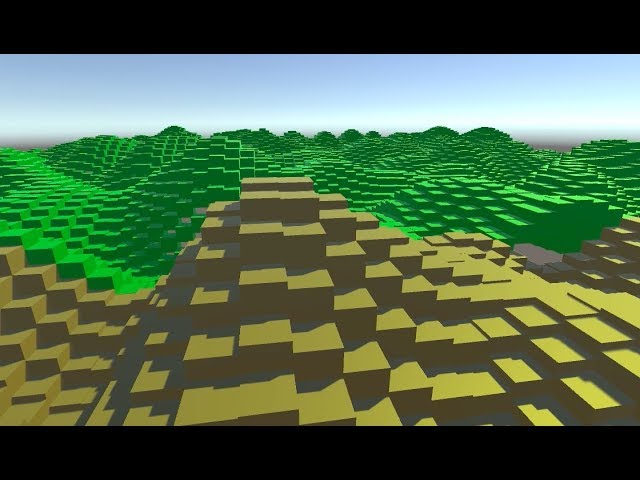
How to code different block types, Perlin Noise terrain, and to use different 'tiles' across your terrain that match up nicely.
Hope this is helpful :)
hexed aurora
yay
glad pine
Nice, What a great start! @hexed aurora
hexed aurora
okay, now I need to find how to do it infinitely
I also need to find how to fill the gaps when neighbour cubes are to high
hexed aurora
I'll do it later. For now I need the player to walk smoothly on the blocks, instead of getting stuck on every higher block.
 frosty garnet
IDK if this is the right channel, but how do i prevent texture stretching when moving edge loops with probuilder?
static field
cant you just re-unwrap the object with some button? @frosty garnet
frosty garnet
found it
maybe i skimmed through the video too fast but i don't think brackeys mentioned that in his tutorial
so i just assumed auto UV was on automatically
static field
@frosty garnet I would not be surprised if a brackeys tutorial had incomplete information
frosty garnet
is he not good at making tutorials?
static field
meh, he makes youtube content and advertising for Unity. I dont go to his channel for a tutorial, I just look around for my problem
its just... idk, he targets beginners. But he also expects them to know some stuff already.
frosty garnet
that's understandable
i don't really go to his vids to learn completely new stuff, but mostly just stuff that i don't know completely, or need a refresher on
or stuff i just didn't learn in school
static field
but the problem is that people watch his videos, and when they try it out and it doesnt work or it doesnt work exactly the way they need it. Which in most cases deviates from the video they end up getting stuck
i don't really go to his vids to learn completely new stuff, but mostly just stuff that i don't know completely, or need a refresher on
@frosty garnet why not just read the documentation page at that point
static field
i spend way more time looking at documentation, its all there and you can scroll through it compared to listen to some guy explain it
like if someone asks you smt you arent going to tell them to go watch a 20 minute video on it
I just send the doc page
hexed aurora
Is it possible, in unity, to make a mesh with cubes ? I mean doing the same shape as the screen I sent above, but using a mesh instead of a list of cubes
Or what should I use if it's not possible ?
hexed aurora
Probably voxels yes
sharp star
Its like its a flat plane following the cameras view
static field
im looking at that like "that grass looks great" and then I look at the box just standing there
sharp star
Which box? the gray annoying thing blocking my view? xD
Fixed it, It was Dynamic clipping on the editor camera
static field
@sharp star I meant the box that was probably your size reference
sharp star
Oh yea, I read somewhere that 2 unity cube height is about a persons height
hexed aurora
So, how do I render a voxel terrain ? Let's say I've got an 3d array with the voxels of a chunk How do I render this with unity ? I'm totally new about terrain generation and modelization. I heard a bit of vertices and meshes but that's it...
sharp star
The 2D grass has been a real pain in the back to get right and im still not happy with it
hexed aurora
(I need help especially about which tools or object to use that unity offers)
static field
@hexed aurora unity doesnt rly have much in terms of voxel tools iirc
that is, there probably arent any
hexed aurora
Well I mean, you could just use one cube for each voxel, or use a mesh, or vertices, idk
static field
usually its 6 planes that make up a box, where the visibilty of the plane is controlled by verifying if the block next to it is open to see if it needs to be rendered
static field
I gotta admit I was not expecting that to happen at this speed
unless you made that in the editor.
oh you did, its not coded
static field
you probably should, and I would make that controlled by a custom shader in the end as well
maybe even DOTS honestly 🤔 if you are up for it idk
@hexed aurora
hexed aurora
what is it ?
static field
its a new kind of system that can run multithreaded stuff. it might be good for this
but I would get it working first before considering it
hexed aurora
And wdym with a shader ? I never used it before too
static field
well, you can control the visibility of planes with a shader, its better than enabling / disabling stuff in the editor
hexed aurora
I tried creating 64*64*64*7 gameobjects, turns out it's not a good idea
static field
@hexed aurora I expected that 🙂
hexed aurora
Ok, for now i'm just filling an array with 1 or 0 to tell if at x, y, z coordinates, there's a block
If so, i'm placing a block. But what I'll do now is : if so, then check each neighbour blocks, and place a plane if the neighbour is an empty block.
static field
@hexed aurora you could store the data to be rendered in bitflags btw. you have 6 sides per cube so you need only 6 bytes. its more efficient with one object than an array per object
you just kinda flip them if they need or need not be rendered
hexed aurora
How can I create a plane directly in code ?
What I'm doing now is generating the terrain blocks in an array, then iterating through the array and determine which side of each block to render, and I was planning to create a plane for each side to display for now
Then whe this work, probably change it to a a single mesh that I modify by adding vertices or something like this
hexed aurora
It's happening !
hexed aurora
yay
Okay, now, how to merge all these cubes into one single mesh ? Cuz performances are quite bad right now
glad pine
@hexed aurora I would recommend looking into Instancing first. https://docs.unity3d.com/Manual/GPUInstancing.html
Then I would recommend working on your infinite scrolling and a simple object pooling system. If the performance is still bad after those two, then you might want to look into Batching (Combining) meshes or other optimizations.
hexed aurora
Wait, it's that simple ?
glad pine
Usually yep!
glad pine
^Oh yeah, 30fps for 1 checkbox SIGN ME UP!🥳
hexed aurora
Ok it's more 50
Let's try with 128*128 map now
I've got another problem : when the character falls and touches the ground, he suddenly stops, instead of keeping walking
hexed aurora
That's funny, because it works with small terrains
But not bigger
Whenever I take a terrain too big, it messes up the planes coordinates  and end up doing this
But it's making cool stuff.
Ohhh, that's because the amount of vertices on a single mesh is limited to 16 bits by default.
Setting indexFormat to Uint32 works Thanks, stranger from the internet.
unintentionally flood a channel 101
 runic vine
 blissful pulsar
Cc
 trim fog
So i want to build a pretty big terrain with a heightmap but if i just scale up the terrain when terraforming it gets a little wonky when trying to make small stuff. Is there a way to use a heightmap and make it out of a bunch of smaller terrains?
sharp star
Any advice on getting the highest detail out of 2D Grass textures such as PBR's on a terrain
hexed aurora
How can I assign a sprite to one plane of my combined mesh ?

Or a color, anything, but individually
i tried assigning a texture to the whole mesh, and each plane was displaying the whole texture, so I guess assigning different textures to planes is possible
hexed aurora
okay, so apparently, placing 1000 planes then merging them together into one mesh isn't very optimized It takes 1 literal second to load a chunk
hexed aurora
Imagine confounding plane mesh and quad mesh, and end up having 8 millions vertices instead of 20 times less in your terrain
 ivory ravine
Hey, is there a simple way to get the Terrain grass to follow terrain normals ?
 reef thunder
Hi everyone . When testing out the terrain system I realized that when I started painting textures suddenly my post processing didn't work and the same with my shaders.
hexed aurora
How can I use multithread to load a chunk ?
hexed aurora
Cuz the rendering of my chunks is pretty nice I think
But the generation of the terrain mesh for the first time a chunk loads is awfully slow
hexed aurora
halp
warm radish
@hexed aurora take a look at C# jobs for loading/generating chunks in parallel
 drifting crown
@hidden mirage This isn't related to #⛰️┃terrain-3d
 hidden mirage
ok :3
ivory ravine
Hey, is there a simple way to get the Terrain grass to follow terrain normals ?
I'm still wondering for a solution to this. Anyone ?
desert sun
@ivory ravine you can find only Paid solutions i think.
 green rock
Hey lads, i have a lil problem here, you see my trees is too big so i scaled it down to 0.15 as you see there (the smallest one) but if i use the terrain/tree painter, the tree goes back to its original scale (the biggest one in the background), how do i fix this?
 neon gorge
Anyone know how I can sharpen the view so I can see small terrain changes from further out?
I'm working on a default 1000x1000 terrain, and trying to paint in terrain level changes of 1-5 units. While I'm holding down left click to paint, it sharpens the changes so I can actually see which areas have been painted on. But as soon as I let go of left click, it all looks virtually identical. I can't see what I'm doing.
warm radish
@neon gorge you can try changing a few things in the settings tab of the terrain inspector
- enable "draw instanced"
- set "pixel error" to as small of a value as your setup will support without dropping a whole bunch of frames
- you could also try increasing the "base map dist." value so that the base maps don't take over for rendering until the camera is further away from the terrain
usually the first two steps will get you what you want
teal night
@sly idol the grass over here
looks a bit off
I would give it a solid 8/10. Lighting would bump that up to a 9.
to add onto about the grass
the grass tint could change
maybe to a dark green
 sly idol
Hmm... Well yeah, i could change the gras to be a bit more dark
although i dont know how well will it look with other part of the same map. Lemme send a screenshot
here the fun begins
i'm not an expert in terrain designing but this just doesn't look good to me. Any ideas on how to improve it? I think that what's partially killing it, is the short detail render distance
Any idea what would make it better?
 jaunty gale
Which procedural terrain gen plugin do you guys recommend
 cunning plover
@sly idol you could replace the rocky parts with actual meshes. you always end up with it looking a bit too smooth with a heightmap
sly idol
hmm... Migth be a good idea. Do you know any package with nice rock/mountain meshes from Asset Store you could recommend?
 rocky peak
do tilemap questions go here?
teal night
no
it would be in #archived-art-asset-showcase or #🔀┃art-asset-workflow depending on what style
 crimson heath
does anyone have an idea, how to approach a very simple moving grass in just black for a 2D game? Right now, I have something like this:
i was thinking about letting that move and now I'm trying to approach this. I'm not sure if I should use a 3D shader and just have the 2D Sideview on it.
I think sprites wouldn't achieve the desired effect
olive nexus
This is a way too big chunk in my opinion,
or you want it to be that big.
but wouldnt it be more sufficient to use the usual grass size you can also paint with the terrain?
warm radish
@crimson heath you could do it a few ways but they all would use similar ideas. main two being you limit movement based on height and offset something (vertices or fragment samples) based on some noise implementation
sly idol
how to make it look better? note: i know literally nothing about making good terrain, i'm a programmer, not a terrain designer so...
that's how it looks with fog
warm radish
@sly idol what are you using for grass?
sly idol
A texture from this asset package https://assetstore.unity.com/packages/2d/textures-materials/grass-flowers-pack-free-138810
indigo geode
this took longer than I would like to admit but it's a cool starting point for players for procedural land
based off bcrooks234s post on reddit I thought it would be a nice little addition to my landscape generator
frosty panther
I have started a new project. And it is the first time working on something of this scale, so I would really really appreciate if you guys could give me some tips and ideas. This are my pain points:
- The 25 sq m tiles (the city models are mostly square tile with details) make it really hard to build something organic. Should I break up the city parts and place them on more natural roads? But this would mean for me to create new models (streets, pathways, ...) because syntys models for cities are a lot based on these grid tiles.
- Do games like GTA also use grid tiles or what other approach is there?
- Should I go with the little more detail rich terrain or stick to mono colors?
- Should I go completely with mesh based design and ditch unitys terrain?
- The village on the rightyou can see syntys grass texture clash a lot with my terrain. Removing the green models would essentially mean again removing pathways, streets, ... Because the grid tiles contain a lot of the details that make the village a village.
- Finally if any resources (books, videos, ...) come to mind that explains the process of how people in the industries would do it, please share them.
TLDR: I am really struggeling to find a way to go forward
here you can see what i mean with grid tiles. All the details like pathways or street decals or the street curbs are part of one tile
rose sentinel
hey so i know its not really code related but my character is a cylinder and my terrain is low poly so its hilly and stuff, basically i have a ground check at the bootom of cylinder. is there a better way to do this? player cant always jump
 rancid thistle
I have the same problem. Haven't found a fix yet
 placid harness
@rose sentinel @rancid thistle Would it work to get rid of the separate ground check at the bottom and just make the entire cylinder a collider and check if it’s in contact with the floor? That way if the cylinder is on a slope and only a corner is touching the ground, it’ll still register?
You’d just have to make sure cliffs, walls and any other vertical structures have non-ground tags.
sage stag
rose sentinel
hey guys, so when i have my cylinder on a terrain, the bottom part of it falls throught the terrain
it has colliders and everything
sage stag
Expand on what you mean by the “bottom part”
 bleak trellis
Hi guys, how can I set my terrain not to flicker and to be a ball? (MSG me or write in this Channel!)
 fiery haven
Anyone here working on a terrain for a mobile device? Just seeking some advice on, how big can it handle. 🤔
 mossy swan
Is there no way to stamp a circular shape into a terrain? I'm trying to make a circular terrace, but it comes out with these huge jagged edges. The heightmap resolution is 4097 on an 8192 terrain.
glad pine
@fiery haven Terrain does have limitation when it comes to working in mobile. It also highly depends on what you're trying to get out of the terrain system for your mobile application.
@mossy swan Is that after terracing? What are you using to perform the terracing?
mossy swan
@mossy swan Is that after terracing? What are you using to perform the terracing?
@glad pine No, I just use set height and used the circle brush, setting the height to 2 units below the surrounding terrain.
Although, using the terrace tool seems to have the same effect.
It is smooth on some sides and very jagged in others.
This is a better screenshot:
glad pine
I'm curious if it's because noise is being introduced with such a high resolution.
@mossy swan Do you mind trying with a lower resolution heightmap?
mossy swan
Hmm, yes it looks like that must be the case. The odd thing is that I tried splitting the terrain into 4 chunks and the performance tanked on the scene.
glad pine
@mossy swan Hmm weird, How badly did it tank?
@hollow dome What do you mean by "Make this fit together"?
hollow dome
@glad pine I mean like make it look flush and together, my aims to build an fps map with trenches running through but I can’t figure how to either make the slopes so sharp that the wood wall just sits in front or if there’s some weird method I’m missing
desert sun
@hollow dome there is two ways:
A) increase resolution of terrain heightmap for more detailed terrain mesh.
B) do a 3d model with planar shader that will math with your ground and wooden wall
drifting crown
@robust vale Please don't cross post.
 robust vale
@drifting crown i posted it forst in VFX, but thought i would be more fitting here
can i post it here?
or do you think vfx is more fitting
drifting crown
@robust vale Sure, repost it if it's better suited here.
robust vale
Hey. Does anyone know how i can use a .raw file in a VFX graph?
Basically i would like to use the Heightmap of a Terrain inside my VFX graph, but i can only import and export .raw file directly into a terrain. I tried to create my own texture from the Terrain by using Terrain.SampleHeight() and saving them as colors, but colors have only 8 bit precision or 256 in decimal, which makes my heightmap VERY chunky. I need that 16bit precision from the .raw Heightmap export, but i can only make unity textures with SetPixel() which takes a 8bit Color. You see where my problem lies?
So can anyone tell me how i can get from a 16bit .raw file to a 16bit texture in unity?
[16:48]
i already tried to increase the precision from 255 to 1024 by seperating the rgba values into 256meter steps, but a precision of 1024 is still nothing compared the the precision of 16bit with 65535
 rustic delta
how to texture paint straight lines?
hidden trail
@mossy swan usually that issue relates to color bitdepth
especially with grayscale bit depth is super important
fiery haven
Hello friends, I'm currently looking for some opinions in regards with using openstreetmap.org, has anyone here ever used it?
 barren spire
Can a nav mesh be baked onto a non-flat surface?
sharp star
Grass marks like this to break up tiling and add realistic inperfections
So what I have done is make the main course grass using Probuilder to make the diffrent sections and then applied a substance grass material with a seacondary normal map to add the idents in the ground. I just need know how to be able to somehow add a 2nd material or something to the geomatry
rose sentinel
anyone know what the problem is ?
or rather the solution to the problem of the flickering(?) textures
sharp star
Might be lighting bias need changing or duplicate model
 wild gale
What's the best way to make a flat and low poly landscape with a hill or two (something like pokemon) ? I've been doing research but I'd like to ask people what's their best practices?
 dense parrot
Use a plain and model it in a 3D software like blender
 maiden oyster
hello, here I am starting on unity but the problem being that after having made my ground I would like to add texture to it like grass but when I listen to nothing it is impossible to add anything.
I'm on the version; 2019.4.4.9f1
glad pine
@maiden oyster Here's how you add Terrain Layers to paint with
maiden oyster
yes, i do that but nothing happens
glad pine
Are you selecting the layer before painting? Also if you're painting with one layer you won't be able to see the difference
Do you mind taking a screenshot of what layers and parameters you have?
maiden oyster
I send this to you when I get home
 static hornet
hello, how do i generate a terrain based on a height map?
i tried looking it up
it told me to get an external tool
i treid doing it myself
it didnt work when i put it in height map section of terrain
okay thank you
i just want a quick valley for a prototype, ya know
dont have time to design it
glad pine
Gotcha, that should do what you need. You might have to adjust the Terrain Height and Tile Height Resolution to get the fidelity you want
glad pine
@static hornet You'll have to enable preview packages https://docs.unity3d.com/2020.1/Documentation/Manual/class-PackageManager.html
static hornet
thanks
static hornet
i cant import .raw files
and it doesnt show the option to not use .raw like your image you sent me
@glad pine
glad pine
Sorry about that, I'm on an internal branch that hasn't been released to the public yet. What I recommend doing instead is exporting the heightmap as a .raw file.
Then importing it in
@static hornet
glad pine
The files don't show up in your project folder or when you try putting the .raw file as the input in the HeightMap Import section?
glad pine
Try finding it by clicking the 3 dots to the right of where it says "Select Heightmap File" inside of the toolbox
static hornet
okay i got it to work i think, thanks for your help
glad pine
No problem, enjoy!
static hornet
Well, there is one problem
its not smooth
its very "voxely"
is there a way to apply smoothing?
there is also a black wall for some reason
@glad pine i apologize that this has gone on for so long, your probably bored of this4
static hornet
alright i would have been done by now if i did it by hand
im just going to do it by hand, i guess
 naive jungle
does urp support the terrain system? I couldn't get textures to work...
rose sentinel
Hi I Want Asset For Beginners Level Design Include: Texture Brushes Thanks
warm radish
@static hornet do you know whether the texture is 8-bit or 16-bit?
static hornet
im not sure, but i just did it by hand
warm radish
@naive jungle yes it does. could you share more about how textures didn't work for you?
@static hornet you did this in unity? created the heightmap, i mean
warm radish
gotcha
when you imported the heightmap, was there an option to set the bit depth of the image?
static hornet
i dont think so
warm radish
ok. there's an info box when you import in the terrain tools toolbox. does it say that the bit depth of the image is 8-bit or 16-bit there?
if it's an 8-bit texture, you will probably have to apply some smoothing to the image which is unfortunate. maybe you can manually attempt to apply bilinear filtering to texel values in a new image as well using a shader? i'll try to find some more info on that
static hornet
sorry im not sure, i dont have access to my project right now as it is on my other computer
warm radish
ok np. when you get the chance, let us know!
 devout brook
hey my terrain is z fighting with some unlit color plane even when it's way under them
like, any given point of the terrain that's above 0 height will zfight with the planes no matter what height it actually is
oh nvm I think I figured it out
rose sentinel
Can someone help me design my Low Poly world? I have all the assests, I just need help putting it all together.
 past cove
@static hornet the black wall can be caused by the image being the wrong size; unity expects a power of two plus 1.
 low whale
@static hornet there was a version of Unity that had a bug and it would make the terrain look like that, I hope you don't have that one
static hornet
Guys im no longer using unity, im making my own 2D game from scratch, so this terrain thing isnt a problem anymore
 dry harbor
How do I cancel baking whenever I edit my terrain? My laptop lags like crazy when it bakes. Everytime. Is there a way to disable baking temporarily?
 wraith urchin
just disable auto generate if you're talking about lighting
dry harbor
I'm not. I'm talking about terrain.
glad pine
What's being baked on to the terrain. I would assume it was lighting which is a common culpritwhen it comes to slowed down performance when making changes within the editor scene.
dry harbor
Well then, how do I disable baking??
glad pine
Lighting Tab > Bottom of the tab you should see "Auto Generate"
dry harbor
I didn't mean to be so yelling. Sorry.
dry harbor
Where's the lighting tab? I'm using 2018 LTS-- Oh.
wraith urchin
you just said you're not talking about lighting tho 😔
glad pine
dry harbor
Hmm... The terrain paint doesn't seem to work now...
glad pine
Did it fix the performance issue? You might want to try restarting the editor.
glad pine
Happens to the best of us 😆
dry harbor
Ikr lol
glad pine
Is your performance fine now?
Thanks for the Hasty response @wraith urchin. Always appreciated 😁
wraith urchin
np
sharp star
I am making golf courses and I am modeling the grass as I cannot get the sharp grass edges using the terrain system.
What would be the best method to add grass imperfections such as dirt marks, Dead grass and such
PGA TOUR 2K21
Would anyone know how to grass in this was made or any idea's. They used Unity as there game engine
desert sun
@sharp star well you can try to use HDRP with apply on mesh mask texture and to each RGB channel of mask texture assign right materials
sharp star
Thank you, We are using standard unity for the project and I have no say I am afriad to upgrade it to hdrp
desert sun
well then try to do/find a custom layerred lit shaders
its should be exist somewhere in asset store
sharp star
needs more*
I was thinking dirt decals might work
At the moment I am using a substance grass material ontop of a probuilder model to make the grass and then applying a 2nd normal map to add the dents in the grass
 junior harness
My protip for creating loop-free procedural noise is stacking noise on noise on noise.
Use prime numbers for your frequencies, and it'll prevent things from ever looping. You still have to mix high/medium/low octaves to get something to look nice, but the technique works!
sharp star
Does Unity have a method of layering 2 materials or more on top of each other with some sort of opactiy on one of the layers
I would use poly brush but the only problem is that my materials have a height map on them as well which gives the grass a more realistic none flat look and polybrush only has Albedo and normal map inputs
sharp star
So I tried the decal method but then everything lags when it gets to big
sharp star
Sorted out the problem, Was more simple then I thought it would be. All I had to do was add a 2nd material to the inspector and make sure the material was a png and set it as a fade in render
 pallid fern


 drifting crown
@strong gust Not an ad board.
 violet glade
What is the code for procedural generation for c#?
rose sentinel
@violet glade gotta use a noise generator to play around with your meshes