#⛰️┃terrain-3d
1 messages · Page 13 of 1
 craggy granite
 warm radish
for which submenu is there only one tool?
craggy granite
warm radish
ahhh
craggy granite
hmmm, it does work on 2019.2.0a14 without error when use it on new project
it must clash with some other package
the project where I imported it has no content, it's just place where I import new packages
warm radish
ya i think that is standard menu item convention
it shouldn't be in that location though
craggy granite
yeah, would have expected it to be on the bottom somewhere
craggy granite
I think that's the slot where the menu items go on window if you don't put the index number there
(didn't check if it was there)
warm radish
ya we probably aren't setting a priority for the menu item
craggy granite
ah, priority, thought I mixed something 😃
warm radish
it's something. i dont know how unity works 🤷
craggy granite
well, on the bright side, I don't think the error I saw earlier is related to 2019.2 at all
but it's probably first time I see packages clash
it's coming from having both com.unity.terrain-tools@0.1.0 and com.unity.immediate-windows@1.0.0-preview.4 packages both in the project at the same time
after immediate window is installed, I get reflection error on terrain tools
warm radish
does it give you a file and line for the error?
craggy granite
it could also come from immediate windows dependency which is com.unity.code-analysis
warm radish
ah immediate window is the code editor
craggy granite
full error System.Reflection.ReflectionTypeLoadException: Exception of type 'System.Reflection.ReflectionTypeLoadException' was thrown. at (wrapper managed-to-native) System.Reflection.Assembly.GetTypes(System.Reflection.Assembly,bool) at System.Reflection.Assembly.GetTypes () [0x00000] in <23c160f925be47d7a4fd083a3a62c920>:0 at UnityEditor.Experimental.TerrainAPI.NoiseLib+<>c.<GatherNoiseTypes>b__25_0 (System.Reflection.Assembly asm) [0x00000] in C:\Unity\Unity Projects\_2019.2_terrain_tools\Library\PackageCache\com.unity.terrain-tools@0.1.0-preview\Editor\TerrainTools\NoiseLib\API\NoiseLib.cs:296 at System.Linq.Enumerable+SelectManySingleSelectorIterator`2[TSource,TResult].MoveNext () [0x00051] in <b7efe7e6e548497fac3c4a6049a0a4b6>:0 at System.Collections.Generic.List`1[T]..ctor (System.Collections.Generic.IEnumerable`1[T] collection) [0x00077] in <23c160f925be47d7a4fd083a3a62c920>:0 at UnityEditor.Experimental.TerrainAPI.NoiseLib.GatherNoiseTypes () [0x0000d] in C:\Unity\Unity Projects\_2019.2_terrain_tools\Library\PackageCache\com.unity.terrain-tools@0.1.0-preview\Editor\TerrainTools\NoiseLib\API\NoiseLib.cs:294 at UnityEditor.Experimental.TerrainAPI.NoiseLib.GenerateHeaderFiles () [0x00001] in C:\Unity\Unity Projects\_2019.2_terrain_tools\Library\PackageCache\com.unity.terrain-tools@0.1.0-preview\Editor\TerrainTools\NoiseLib\API\NoiseLib.cs:542 at UnityEditor.Experimental.TerrainAPI.NoiseLib..cctor () [0x00008] in C:\Unity\Unity Projects\_2019.2_terrain_tools\Library\PackageCache\com.unity.terrain-tools@0.1.0-preview\Editor\TerrainTools\NoiseLib\API\NoiseLib.cs:40 UnityEditor.EditorAssemblies:ProcessInitializeOnLoadAttributes(Type[])
craggy granite
noiselib gets called out... quite many times
warm radish
in just this one case or are you getting other errors for noise?
craggy granite
I get that error when I launch the editor when both packages are installed (or when I install both packages)
it's not spamming it actively after editor is running
warm radish
do you know how to open immediate window?
craggy granite
window->analysis->immediate window
warm radish
this is kinda cool
i'll have to take a look at that later. not sure what would be causing it just yet
craggy granite
you see the same error tho right?
warm radish
ya
warm radish
indeed it is
but im intrigued now. it is failing here
            List<Type> types = new List<Type>(
                AppDomain.CurrentDomain.GetAssemblies().SelectMany(
                    asm => GetSubclassesOfGenericType( asm.GetTypes(), typeof(NoiseType<>) )
                )
            );
maybe it doesnt like lambdas
oh weird. the tool doesnt even work
craggy granite
immediate window?
warm radish
no the noise terrain tool
warm radish
it just completely fails on loading the noise and fractal types
no. with the immediate window package installed
you'd think the tool would still work. i figured it was immediate window trying to examine some API and only the immediate window would fail but it's preventing the Types from being loaded in our package somehow
craggy granite
there's two exception logged actually
UnityEditor.EditorAssemblies:ProcessInitializeOnLoadAttributes(Type[])```
and
```Could not resolve type with token 01000066 (from typeref, class/assembly System.Runtime.Loader.AssemblyLoadContext, System.Runtime.Loader, Version=4.0.0.0, Culture=neutral, PublicKeyToken=b03f5f7f11d50a3a) assembly:System.Runtime.Loader, Version=4.0.0.0, Culture=neutral, PublicKeyToken=b03f5f7f11d50a3a type:System.Runtime.Loader.AssemblyLoadContext member:(null) signature:<none>
UnityEditor.EditorAssemblies:ProcessInitializeOnLoadAttributes(Type[])```same line of code though right?
craggy granite
yeah
I just put try catch and logged the exceptions
that didn't make me any wiser 😄
hmmm, the idea on the noise generator is to generate texture that is then used on terrain?
you can't apply the noise directly to terrain?
warm radish
you can
for the noise tool i do: blit noise to texture, then use that texture to combine with source heightmap texture
i use to have it so you operate directly on the source heightmap texture with the noise, if that's what you mean
craggy granite
yeah, that's what I meant
warm radish
it's just an extra step
craggy granite
or if one creates a stamp, it's extra step to add the generated thing there too
warm radish
but you could make a noise shader template and generator file to generate the noise passes and use that for the tool instead
this is what i was doing originally
i changed it to blit to a noise texture then composite as a possibly optimization step and also groundwork for a feature that i may not be able to get in to the initial release
also needed to be able to export noise textures to disk
so i went that route
craggy granite
tbh, I'm not really sure if I'm right person to give any feedback on terrain tools right now, I've barely used the new ones 😃
there's one thing that I don't like tho and it's the dropdown menus 😃
warm radish
then you may be the best person for that haha
craggy granite
there are hotkeys tho
warm radish
we have to stick with the dropdown menus for now haha
craggy granite
I always liked Unity's terrain editing more than unreals as unreals got every tool behind dropdown
warm radish
i'll probably start working on some better options in the near future
craggy granite
it's just really unintuitive unless you use hotkeys
warm radish
is there a reason you asked about the noise tool blitting?
craggy granite
ah, just trying to understand the tooling
warm radish
ok
craggy granite
plus I've done some ux stuff in past so I kinda get triggered by extra steps 😄
warm radish
haha. i get that. but the noise blit is an "internal" step
unless you are talking about code UX
craggy granite
nah, just how it's used
warm radish
i definitely would like to change some of the API
craggy granite
could be cool if someday the terrain tools could be integrated to the scene views edges, little like on the mockup for probuilder and progrids on the new ui
like, some smart toolbars for terrain editing mode
craggy granite
😄
warm radish
we would like that too
craggy granite
I do like the current toolset, it's a lot improved from what I've used before
there was some terrain toolkit for Unity 4 I think, I don't even remember if it was done for Unity as google summer project or something? it had erosion and noise passes
warm radish
don't think i've seen that before
craggy granite
oh wow, it was even older https://blogs.unity3d.com/2009/08/23/summer-of-code-progress-of-terrain-erosion-tools/

Unity Technologies Blog
This blog post is written by Sándor Moldán who is working on a set of Terrain Erosion tools for Unity. The project is one of four selected projects that we...
from 2009
warm radish
interesting
craggy granite
oh it was "unity summer of code" not google 😄
is that still a thing? 😄
that tooling was pretty nice by that time
too bad it never went to anywhere
I do like having full terrain erosion passes too, instead of just brushes
warm radish
we do have that but i guess there's a bug with it
noise had it too but i haven't updated it since changing to the noise blit method
will need to do that in the next couple of days
 wind garnet
I've no idea what is happening in terrain land but I think it's probably for the best I work with what Unity can do out of the box or I'll find myself tooling, then Unity releases a tool and I feel like being a tool for making a tool.
 cerulean wigeon
any one know why this is happening?
i have a shader simply returning a gradient that should go from 0 - 1. but i have to half it or else it goes outside the terrain bounds for some reason
the white box is the bounding box of the terrain.
wind garnet
probably just on uv boundary so it would be one height or the other when sampling the pixel
cerulean wigeon
i'm not sampling anything. it's just creating a texture with pixels from 0-1. even if i sample a texture, pixels over 0.5 will become -0.5 on the terrain (notice how the first terrain drops below the bounding box)
warm radish
@cerulean wigeon it's because the terrain heightmap format is signed and normalized R16 but terrain uses unsigned values so effectively terrain is using half the range/precision available. unsigned normalized formats need to be values between 0 and 1 but since we are using half that range, values need to be between 0 and .5 otherwise the values become negative as far as heightmap format is concerned
so in the first image, as you said, the terrain goes outside the bounds because that is actually negative height
cerulean wigeon
ok. so my shaders need to draw to the 0 - 0.5 range?
cerulean wigeon
ok thanks. doesn't this cost half the resolution though? or the R16 is high enough it doesn't matter i guess
warm radish
we do end up losing out on half the resolution unfortunately
R16 is still high enough for most purposes i would say. loss in precision gets obvious when painting terrain at low opacities because it's small opacity value * small R16 value from brush mask = loss of precision
wind garnet
It'd be cool if terrains did away with the height scale concept or had a mode that was "scale to fit" giving the maximum amount of precision for a given tile, while offsetting along Y.
Bonus points if that's a live updating feature.
Should just see quality increasing overall.
 carmine crater
Is this the best place to ask for help regarding texturing a mesh that i use for terrain?
warm radish
depends! go ahead and ask and we can direct you to the proper channel if needed. i'll try to answer your question to the best of my abilities first
carmine crater
I am trying to blend textures between the 2 on the bottom, after a lot of googling i figured out how to do the blending on the top just the bottom i am clueless since they are horizontal neighbors.
Any clue? I have a unity answer topic as well with the shader that i made attached
warm radish
both are meshes or is one of them Terrain?
carmine crater
Its one mesh
warm radish
so you are trying to blend two textures on a single mesh
carmine crater
Its just my attempt of writing a shader with a hightmap, just cant get the fading to work
Yes, just like the top
It is slightly faded there
warm radish
and you're trying to blend purely based on height?
carmine crater
I am using a float array with a vertex index as key and a y height as value to check what to place based on percentage
Atm it is mainly hight
https://answers.unity.com/questions/1633387/i-need-some-helpadvice-on-how-to-blend-textures-in.html This is the question i made with the shader i have now

Unity is the ultimate game development platform. Use Unity to build high-quality 3D and 2D games, deploy them across mobile, desktop, VR/AR, consoles or the Web, and connect with loyal and enthusiastic players and customers.
carmine crater
To come back to my issue, i don't know if its a better idea to calculate the textures per surface threaded and let the shader only apply it?
I really have no clue what the best course of action is right now 🤔
 upper pasture
Just do it all in the shader; GPUs are crazy fast if you use them right
carmine crater
I tried that but I am newb at shaders and terrain so I have no clue how to do the fading
wind garnet
You could learn a lot buying assets like microsplat, if you're on the builtin pipeline, pretty much does everything possible at as fast as Unity can manage it.
carmine crater
Problem with that shader is that it is made for the unity terrain and not a mesh with caves
warm radish
is the entire mesh minus the caves basiaclly a heightmap? or do you have other overhangs etc
craggy granite
is unity terrain ever going to be DOTS compatible?
warm radish
Short answer: yes
craggy granite
so, more info in 2 years? 😄
anyway, not really looking for in depth answer as I know I'm not going to get one, just curious where the grand plan is going with the terrain knowing that current terrain isn't supported by hybrid renderer/conversion workflow
but it's not really an issue right now as you can still render the terrain on the old side
carmine crater
The mesh is created from 3d perlin noise mixed with the unity perlin noise to generate the heightmap indeed
wind garnet
If you ask Unity when is X ready then they'll tell you a pack of lY's
 forest charm
ooo that's true @wind garnet
sometimes it results with cool stuff like ECS and the Job System but most of the time it's just very niche things
like animation rigging
(which I don't mind, but still)
warm radish
what are IYs lol
 rose sentinel
How can i use a custom material for the foliage on terrain?
 thorny swift
Set the shader path same to the one on standard foliage shader, you can find it on forums etc. Search for like standard foliage/grass shader
rose sentinel
thanks that works but how can I get access to the material itself so that i can set properties via C#?
thorny swift
Maybe try global variables in shader and then change them globally
craggy granite

The Terrain Tools Sample Asset Pack contains a collection of Assets to jump-start development for users interested in utilizing Unity’s growing Terrain system. It includes 35 Terrain Brushes as well as many high quality Terrain features such as canyons, ridges, and mountain...
wind garnet
@warm radish lies! I just punned my words too much and defeated myself :(
ooooo terrain pack and tools out???
thanks a lot <3
wind garnet
going to dive right in
any advice on tree rendering? I got grass nailed with bf2's still high performing approach
 flint pagoda
@wind garnet which approach?
warm radish
We've not done anything with trees or foliage is this package if that's what your question pertains to
craggy granite
I hope there will be some performant instancing setup out of the box eventually
warm radish
me too haha
let me know if you find any bugs or have any issues with the terrain tools package
already have a few issues i need to patch
also that link is just for additional textures and brush masks
the actual package is on Package Manager (to be clear)
we were unable to ship the package with the assets included due to file size limits so we tossed them up on the asset store
craggy granite

Unity Technologies Blog
We’re excited to introduce the Terrain Tools package (preview) for Unity 2019.1. This package contains over 15 new sculpting tools, as well as a utility to...
@warm radish can you tell what size limits you enforce?
warm radish
the package itself has to be under 100 mb or else it wont be publishable to package manager or something like that
craggy granite
ah, it's that tiny
that'll limit the amount of fancy stuff the samples can hold then too
I guess it's good it's limited but would expect it to be bit more
but I guess it's also a compromise to be able to update the packages quickly regardless the internet speed
warm radish
ya. would have been nice to ship the assets in the samples folder but it forces us to keep packages small or branch off into core/modular packages
craggy granite
I'd kinda wish there would be a setup to have samples as separate package but linked to the main thing
warm radish
we could have done that but we'd have to run it through our test suite in order for it to be a release candidate
craggy granite
I know how the current package sample thing works and it's kinda funky setup
this limit also can't be in place when asset store publishers move to package manager
warm radish
i don't think we wanted to run code tests just for a package full of textures
that's a good point
it might just be a hard limit for unity packages
craggy granite
there are pure code assets that fit into that size easily, but many assets aren't such
warm radish
it might just be a hard limit for unity packages. something that we check in our tests
craggy granite
tbh, I'm eager to see asset store stuff in package manager
can't wait to get rid of that project folder bloating
warm radish
haha
craggy granite
I do kinda wonder how it'll all work tho, especially if you have bigger things. imagine something like book of the dead environment, it takes like 2.5 GB in unitypackage alone, then if you have this on package manager, it means the same content will need to be trice on your disk before you get to use it
now in asset store, it's double
but in package manager, the content is cached once per version (asset store only caches the latest package), then when you install the package it puts extra copy to project folders library and then if you need the files in assets folder, you have to copy them again (so third time)
of course you don't have to do the last step for all assets
anyway, this is offtopic already, sorry about that 😃
warm radish
no worries haha. it's definitely something that i hope folks on the appropriate teams are thinking about
 wild pewter
pre Unity 2019 saving terraindata as an asset worked perfectly fine, but now it seems pretty broken and i dont know any way to fix it, tried everything :/
Here is a video demonstration
https://youtu.be/QYPkhb-Swbg
 warm radish
this might be something we know of. we've had a few issues submitted about cloning / instantiating terrainData at runtime
could you make a bug report and link to this video and include a zip for a project we can use to reproduce the bug
wild pewter
cant include a project zip sadly, my code is to messy to make a single project out of that 😦 but here is some more info
decided to save the terraindata before painting it, and loading it next start and painting it then
getting this now
also the whole gpu instancing is completly broken with runtime generated terrain
warm radish
is "TerrainMaterial" a custom material?
the shader that Material uses has to support instancing
wild pewter
ah i see, ok thats that then
still, the splatmap issue is the important one :/ broke everything for me in 2019, hope this gets resolved, thats what the beta is for right 😄
wild pewter
just saw this https://blogs.unity3d.com/2019/05/28/speed-up-your-work-with-the-new-terrain-tools-package/
Unity Technologies Blog
We’re excited to introduce the Terrain Tools package (preview) for Unity 2019.1. This package contains over 15 new sculpting tools, as well as a utility to...
gotta check it out tomorrow
wild pewter
yeah replacing splatmaps and stuff doesnt really work at all
warm radish
with the terrain tools package or with your script?
wild pewter
terrain toolbox, or maybe i did it wrong?
I exported the splatmap, removed it and wanted to replace it
but as soon as I remove old splatalpha it doesnt do anything
also what exactly is the .asset that unity creates when you create a new terrain in editor ? it behaves like a gameobject but its an asset
warm radish
that's the terrainData for the Terrain
wild pewter
huh
warm radish
is it named "TerrainData_" and then some weird hash value?
warm radish
or "New Terrain"
wild pewter
but when i create everything via code and save the terrainData
warm radish
ya then that's the TerrainData asset for that given Terrain GameObject
warm radish
the splatmaps are subassets so you might also need to copy/create those and add them as subassets
ya
i am not sure whether our serialization and assetdatabase systems do a deep copy on assets when you try and create and save them
wild pewter
why the change tho? It was fine pre 2019, im clueless now, still fairly new to this stuff
whats your suggestion what i should try/do if I may ask
add splatmap as subasset?
warm radish
try to also make a copy of the splatmaps
add those as subassets (using the AssetDatabase API) to the terrainData asset that you are creating
then save the TerrainData you created
wild pewter
how can I get the splatmap texture? alphamaps is just a float[,,]
warm radish
i think the function is AssetDatabase.AddAssetToObject or AssetDatabase.AddObjectToAsset
terrainData.alphamapTextures
wild pewter
oh wow, is that new?
or did i miss it the whole time
thanks, im going to try that
hm close but no cigar
got it added but i think i also have to assign it back to the terrain then
aaaand its readonly
wild pewter
but thats for float[,,]
warm radish
right
you will have to GetPixels on each alphamapTexture you are copying and SetPixels on the new TerrainDatas alphamap Textures
Texture2D.GetPixels and Texture2D.SetPixels
wild pewter
please change it back to how it was before 😂 oh boi
i was trying this
didnt really work out, let me see what i can do with get and setpixels
warm radish
haha. i wish i knew how it was before. you are not the first to bring an issue like this up for 2019
wild pewter
how is it supposed to combine 2 splatmaps into one float[,,]
at this point im completely lost
wild pewter
thank you
just to confirm it again, after using CreateAsset for my terrindata
alphamapTextures entry become NULL
so i just have to reassign those somehow, atleast now i know what is broken
warm radish
is the array null or does it have the correct length?
and just the array elements are null
warm radish
ok cool
thanks
so the behavior you are seeing is this bit "does it have the correct length and just the array elements are null" and the answer is yes
wild pewter
ah okay
im checking the terraintoolbox scripts to see how it gets splatmaps and replaces them etc, glad its viewable
warm radish
you're trying to clone an existing terrainData right?
wild pewter
well im creating and painting a terrain at runtime and want to save its terraindata for use in editor/later
warm radish
ahhh
wild pewter
so there is no way to assign splatmap textures if they are null?
SetAlphamaps, doesnt make it not null
wild pewter
i should add: using2019.2 beta 1, going to try beta 3 soon, saw some changes/fixes, who knows
nope, nothing changed sadly
warm radish
sorry got pulled into another discussion
wild pewter
the way i see it, its broken and i can do nothing and only wait for a patch right?
because both alphamaps are NULL and not just empty textures and there is no way to assign anything
warm radish
ya it's most likely broken
you could try setting the terrain layer references on the new terrainData and see if that populates the alphamapTexture array
as a hacky, last ditch effort
wild pewter
but the team knows about this and is going to fix it, right  ?
?
 haughty rampart
My terrain turned pink after I deleted an outdated texture I was using. Ho can I reset it to the default texture ?
Applying my new textures on it does nothing.
warm radish
no haha. but i was gonna say we had a bugfix for something similar to your issue that was put in a week or two ago
wild pewter
going to install .4 and try it out, ill report back
warm radish
cool. interested in hearing if that fixes it
wild pewter
nope didnt change a thing
😦
as soon as I createasset, the alphamapTextures become NULL ;w;
warm radish
you could try doing UnityEngine.Object.Instantiate( terrainData ); to create a copy of it then save that
iirc, that's what the users who reported the above bugs were doing to clone terrainData
wild pewter
@warm radish i have very interesting news but i dont know how to even explain it
i got it working, im going to try and explain what i did
before i had a class that had a Terrain terrain; var and i would save that terrainData
the terrain for that was generated , etc
i would paint that terrain and save the <class>.terrain.terrainData as an asset and get the issue with NULL splatmaps right
now
when im creating the actual terrain, before assinging it to the class.terrain
im creating the terrainData asset, before I paint it etc
"lnd" is my class
im creating the terrainData asset, before I paint it etc
after that is done, i just paint the terrain, dont save anything
and it saves it automatically and it works
¯_(ツ)_/¯
warm radish
smells like magic to me
anyone here using the Terrain Tools package yet and able to use the Sculpt > Noise tool?
wild pewter
i bring new issues 😂 loading terraindata from an assetbundle worked but now it doesnt and I dont know why
instantiating the terraindata directly via reference or dragging into the scene, all terrainlayers are there and its painted
loading it from the assetbundle doesnt load the terrainlayers
here is a video showcasing the issue

now for some more weirdness
loading the assetbundle that contains all my terrainlayers, just loading it, fixes the issue 🤔
but when i assigned them to the asset i was using Resources.Load so wth
 night stream
Our current level was modeled in maya and exported as an FBX, we decided to rebuild our levels using unity terrain. Any thoughts on this? I'm assuming unity terrain will make everything easier in the long run
 wraith tinsel
depends on your requirements, if you have lots of caves for example... Unity terrain alone will not manage
It will help if you have normal use scenario, allowing easier use of grass and tree resources etc.
warm radish
@night stream did you build your terrain as an fbx in maya?
night stream
Yeah the original is an fbx, why?
warm radish
If you want, you can download the Terrain Tools package off package manager and there is a Mesh Stamp tool you can use to stamp that FBX on to the Terrain
depending on how large the Terrain is and how much of it you see, Terrain may be better than a mesh
but the mesh needs to be purely height without caves and overhangs
Mesh Stamp won't work with that
there's an update to the tool that I am hoping comes out on Monday
night stream
Thanks!!
warm radish
with that tool it should be easy enough to at least try Terrain out. That way you don't have to rebuild everything
 tired sigil
Is there an easy way to grab all sculpted terrain below a certain height and flatten it up to another height?
 short helm
Does anyone know a way to have LOD on a quad sphere using the quad tree method depending on camera position
warm radish
@tired sigil you could use TerrainPaintUtility.BeginPaintHeightmap and TerrainPaintUtility.EndPaintHeightmap on a region of the Terrain. That will give you a PaintContext with a sourceRenderTexture and destinationRenderTexture. The source one contains the heights that are currently used by the Terrain and the destination one is the RenderTexture you'd want to Blit into using a Material / Shader that modifies the heights
tired sigil
Thanks, I ended up just pulling the Heightmap and adjusting values in Photoshop. x_x
warm radish
that works too haha
wind garnet
there's a hole range of techniques you can do
 violet axle
Any idea why under terrain I have no "Add Grass", only "Add Trees"
violet axle
One person?
 drifting crown
This is an international community, and there are many European members here, who are sleeping at this time. Have some patience.
warm radish
there's options for adding grass in the details section of the terrain inspector
wind garnet
Does terrain render and cull detail meshes in any special way or does it just say "here, render this however you can" without instanced indirect + job culling + etc ?
Just wondering if it's been touched perf wise since the ancient evil days of yore
back when billboards and bloom ruled the low poly earth
warm radish
i believe they are rendered using the quadtree node renderer that's built in to terrain but no jobs or indirect rendering associated with them. that's something that's being worked on now
violet axle
Anybody got a good grass asset to recommend that has good performance but can be dense for like forestry
wind garnet
@warm radish I guess the trees will come first, then grass or are they internally actually the same sort of thing (detail mesh) ? and dare I hope for a peek in late 2019.3 or ... more likely 2020 ? - don't worry I know things can slip :D
warm radish
haha. most likely during the 2020-2025 release cycle
craggy granite
ouch 😄
well, those 3rd party asset store vegetation spawners need to make money still...
I hope some day Unity will be all around ready engine which you can just take and use all AAA level feats out of the box
it's getting there
 grand summit
Just moved project over to unity 2018.4, which has the new terrain system. I'm wondering is there a way to cut my already existing 7km x 7km terrain into 7 1km x 1km terrain pieces using the new terrain neighbors?
craggy granite
@grand summit I dunno if there's built-in splits or built-in import that would automatically expand to the new terrain chunks (I have barely touched the new terrain system) but if everything else fails, you can always go to your terrains settings tab (cogwheel) and export the heightmap, split the heightmap in image-editor etc and import back into individual terrain chunks
grand summit
@craggy granite Yh i have the raw heightmaps, more concerned about the splatmaps, is this accessible yet?
craggy granite
no idea tbh 😄
grand summit
Ok ty anyway 😄
warm radish
if you were on 2019.1 you could use the Terrain Tools package
i don't know if you can use that in 2018.4. there might be some API changes between those two versions that would make it not work
back on the trees and details thing because i realized i forgot to give a serious answer haha. so ya, 2020 most likely. we are looking at using DOTs and compute paths for building patches and rendering. im assuming that trees, grass, detail meshes would use 90% of the same stuff
grand summit
Cheers I'll have a look on Monday 👍
night stream
The current game level of lil’ Sherman was a single model, this made it extremely difficult to add content, make changes and expand.
We are now redesigning our levels using Unity terrain. With this powerful tool we can add a multitude of environment content, expand our level and most importantly make all changes within the game engine. https://www.youtube.com/watch?v=-qWhFKSRz0Y
The current game level of lil’ Sherman was a single model, this made it extremely difficult to add content, make changes and expand. We are now redesigning o...
night stream
Anyone having problems with probuilder Save UV Image function? its saving nothing in the image
 normal ridge
How do i update a terrain to HDRP?
craggy granite
answered same question @ #archived-hdrp
night stream
anyone using probuilder?
tired sigil
Any idea why my grass is super pixelated? Doesn't matter what texture I use, and I only have 1 texture.
Distance affects it, but I can't see where to control mipmap off of camera view.
wind garnet
Is it part of an atlas?
tired sigil
Doesn't matter what texture I use, not point
 coarse widget
Is there any way to set the "Set Height Controls - Height" from a script?
tired sigil
@wind garnet How can I tell if it's apart of an atlas? I'd imagine if it were crunched in an atlas, then the texture would be pixelated even zoomed in. But it's full resolution when I zoom in directly to the face of the grass.
It just seems like there's a mipmap to distance setting I'm not seeing.. :/
wind garnet
Tree meshes have atlas billboards so I was wondering what the detail mesh was for you
this mipmap stuff should never be touched
its the wrong thing to use, if you want to alter them you should know it's serialised at editor time
or used to be
so it's very easy to forget
wind garnet
@warm radish I call upon thee, fount of all terrain knowledge:
How may we achieve height blending? :)
Tis a pretty common thing (even wow has it now) so would love to rectify for HDRP if possible - any pointers? please! :)
Oh it seems built in? Olento says it is - will peep further
(thanks!)
craggy granite
btw, if you have used HDRP wizard to fix everything, when you make a new terrain, it'll default to HDRP terrain material
at least on bleeding edge version
I dunno when they added this change, in past you had to manually assign the hd material on terrain
@wind garnet
wind garnet
I love you Olento, as a man loves another man in a non sexy way. Thanks! :)
warm radish
glad i could help
wind garnet
:D
I do have one query though - in the terrain docs it refers to the diffuse map's alpha channel being density. What does that mean?
craggy granite
@wind garnet you have link to that doc?
also did you check it for HDRP or built-in?
there could be a difference as I remember that HDRP textures were practically same with HD Lit or with some tiny difference
@wind garnet well, I checked the tooltip as that's where the channel info should be:
where did you see the density?
hmmm, mask map has this:
so if mask has alpha, smoothness is from mask and diffuse alpha changes to density?
they actually check this ?
warm radish
^^ confusing
but also how it be atm
if you have a mask texture provided in the terrain layer field, then the alpha channels have different uses
craggy granite
@warm radish what is the density input used for?
is it related to some future foliage spawning or actually used in current terrain shaders?
I guess I could just check the shader
and I just realized from the shader comments that you HAVE TO put smoothness into mask if you has mask
it's just checking if you have mask map or not and that changes the diffuse map behavior
not if mask map has alpha channel used or not (was wondering how one would even check that)
// Denser layers are more visible.
so, I assume it weighs the denser layers more on blending
and otherwise just ignore it
warm radish
right. it only checks if the texture reference is assigned
you could check the texture format to see if there is an alpha channel
--
as for density, i am pretty sure it is just used in a plain old lerp in the terrain lit shader
wind garnet
Honestly none of what you guys said made any sense to me. So assuming I use mask map (I always do), density does what?
why not call it intensity or something?
density is so vague and undefined
even visibility would be better
or strength
warm radish
strength is probably closer to how it actually behaves. i'd have to look at the hdrp shader again
so, by default in HDRP, if a mask map is not provided, the alpha channel of the diffuse texture = Smoothness. If a mask map is provided, the alpha channel of the Diffuse Texture becomes Density and the Alpha channel of the Mask Map Texture becomes Smoothness
but i think there are additional settings on the HDRP asset that determine if that data is actually used
like you have to actually enable them on the HDRP asset, then the data and static branches are set in the shader so you can use all the fancy settings you just enabled
wind garnet
I think it's worth making a clear break from the old naming for terrain assets. Back in 2004 or whenever, unity tried to obsfusicate development with relatable wording and naming. nobody does that much any more so adhering to legacy terrain terminology is harming communication and I would love to see it cleaned up so materials are materials, layers are layers and so on. I mean at some point it just becomes a mess like density (wtf :) )
Nuance mapping was thankfully shelved
(thanks for the clarification btw)
craggy granite
so.. since the terrains have gotten upgrades, has there been any automatic LOD work for current terrains?
I don't know if Unity previously had such either, never really looked closer at this
unreal for example does this on their terrains:
their terrains are split into small chunks and they can render close by chunks at higher resolution
wind garnet
Unity's terrain has had lod forever I thought?
Change pixel error to see it
which surely is another random word inside the landscape of terrain api
lol
brb using the kettle. Actually this isnt a terrain feature, I'm really using the kettle to make a cuppa.
stops teasing for a bit
Also it's vital to use non 2049 heightmaps, destroying all accepted wisdom in game dev
(note: I'm not actually unhappy or moaning, just it's mildly amusing how oddball Unity's terrain is, with terms and conditions) - it performs great so no worries.
warm radish
in the future, we will be trying to fix our terminology. layers are going to mean layers of your typical compositing app like photoshop. "terrain layers" will become "terrain materials" probably
we do have LODs on terrain through the quadtree renderer and pixel error is a screen-space metric for determining when a node in the quadtree needs to be subdivided
craggy granite
oh right, it's coming back to me now that pixel error was mentioned 😄
I've used Unity terrain in actual game last in Unity 4 days and didn't remember noticing it there
current terrain docs leave a lot to be desired
I did look at them before asking that question
IMO there should be some overview how the terrain system works too so people know what they get with it
as for pixel error, I checked the manual now for it and it says:
Pixel Error The accuracy of the mapping between Terrain maps (such as height maps and textures) and generated Terrain. Higher values indicate lower accuracy, but with lower rendering overhead.
would be nice to have more control over this though
rather than just one linear scalar
craggy granite
oh, I totally missed this on 2019.3.0a5 release notes: Terrain: Terrain holes support added
it appears that SRP support will take a while still
We decided to give name terrain holes instead of terrain surface mask, I renamed everything. I also merged master. Please wait until C++ PR with the same renaming will land in trunk
 desert bridge
I got a question, I'm making a tool that updates a terrain from a set of splines, and sometimes unity just becomes incredibly slow while I'm not doing anything. I only update the terrain when I move the splines, and thats not usually when the slow downs occur
its typically a little while after I haven't edited anything
Is this normal?
 shut crescent
What are your PC specs?
desert bridge
Ryzen 7 1700x, nvidia gtx 1080, 16gb ram
a couples SSDs
should be more than enough
shut crescent
Then I have no clue, since I barely use the terrain feature
desert bridge
I thought maybe it was some kind of baking process I wasn't aware of, but I couldn't find anything to suggest as such
I don't have light baking turned on either
shut crescent
Is the profiler displaying any useful information
craggy granite
can you even profile editor if the game is not running?
or is this in game thing?
shut crescent
Yes, the profile editor can still run even if a game is not running
craggy granite
ah,I see it now
desert bridge
yeah, you can profile in edit mode, I did but I didn't see anything specific
I'm not actually in unity atm, currently working but I'll check it out again later
shut crescent
Wonder it the task manager can detect if it's the CPU or memory
desert bridge
I'm using a lot of compute shaders and compute buffers, I suppose that its possible I'm maybe not cleaning up properly
shut crescent
That's probably it
warm radish
is the slow down immediately after moving the splines/applying the moved spline?
 dusk plinth
@rose sentinel i think u need GAIA
btw want ask some feedback
how to make this more realistic?
rose sentinel
Tbh thats a AAA title right there thats rust feeling
warm radish
@rose sentinel in what way do you want to generate terrain using textures?
wind garnet
Don't recommend GAIA because the Unity tools can and do all that for you, in a native and simple way without subscription fees and a barrage of upselling.
 unreal bridge
How can i export a Terrarian for blender? to be an fbx or obj?
wind garnet
I would suggest just exporting the heightmap itself
you may already have this available somewhere
unreal bridge
okay thanks
warm radish
there are probably tools on the asset store that will let you do this. we dont have anything built-in in Unity yet
craggy granite
@warm radish fbx exporter package can't include terrains as meshes?
anyway, terrain itself has heightmap export option so it's always an option to do it elsewhere with it
warm radish
Didn't know we had an fbx exporter package haha
unreal bridge
I tired that but not exported
craggy granite
yeah, it could be just for actual meshes
and yeah, the exporter is relatively new thing, I happened during 2018 cycle
ok, 2018.3 and later
and it lists things it exports, no terrain mentioned
but it makes sense considering this is more of a tool to enable roundtripping
and you can't import terrain from mesh automatically
warm radish
i dont know what the plans are for that package but we will probably have something like this for Environment in the future
tired sigil
Is there any way to fix the Terrain Grass from color changing due to the wind? I really want to use the wind, but the color gradient is obnoxious. I can set the Terrain's Grass Tint to 128 grey, but then for some reason it doesn't show in the Editor, but in-game it's pretty awkwardly colored..
warm radish
is this a separate color variation from the live/dead grass that gets applied?
 hollow haven
Actually - creating beautiful environments is about far more than having the ability to place a stamp (what a cool idea!), and when looked at holistically, Unity terrain tools while an awesome step in the right direction, do not have even a fraction of the capabilities provided by Gaia 😉
For a sneek peek of what we are doing - check out our presentation - we were invited to contribute to the Unity Keynote at Unite in Sydney last month. We talk about our world creation suite, and our new world augmentation suite (ambient sounds, skies and ai), and provide a sneak preview of Origami. You can see it here: https://www.linkedin.com/pulse/pw-unite-sydney-keynote-adam-goodrich/. In other news work on Gaia 2 is well advanced! We leverage the power of the new unity terrain tools, and take them to whole new level.

As an Asset Store Publisher we were humbled and excited recently to be invited by Unity to present as part of their keynote at Unite Sydney 2019. What I particularly liked is that this is a practical demonstration of how Unity gets behind and supports its community, and I loo...
 grizzled kiln
AAA quality there.. ^^
 haughty forum
If I make a map in Unity 2018 or plus. And someone wants to integrate it into his game but made it in Unity 2017. Will there be any problems?
craggy granite
yes
wind garnet
Moved away from stamping etc, to a more iterative thing so we can focus on gameplay stuff
haughty forum
I can't place the grass in these perimeters. Why is that?
Also when placing grass with large brushes it keeps disappearing.
haughty forum
It said something like to many things in that area.
grizzled kiln
make it as one map. before you do.
 sour totem
Documentation
Terrain Tools: https://docs.unity3d.com/Packages/com.unity.terrain-tools@latest
Terrain: https://docs.unity3d.com/Manual/terrain-UsingTerrains.html
Terrain Paint Holes: https://docs.unity3d.com/Manual/terrain-PaintHoles.html
Forums
World Building: https://forum.unity.com/forums/world-building.146/
Blog Posts & Videos
Authoring Workflows for Terrain and Vegetation: https://www.youtube.com/watch?v=gonFJQrNe_c
2018 Terrain Update: Getting Started: https://blogs.unity3d.com/2018/10/10/2018-3-terrain-update-getting-started/
Terrain Tools: https://blogs.unity3d.com/2019/05/28/speed-up-your-work-with-the-new-terrain-tools-package/
https://www.youtube.com/watch?v=aExdxF4OKBo
Terrain Paint Holes: https://blogs.unity3d.com/2020/01/31/digging-into-terrain-paint-holes-in-unity-2019-3/
Mesh Sculpting for realistic terrain features: https://www.youtube.com/watch?v=lVyNk4gxeIo
Samples
https://assetstore.unity.com/packages/3d/environments/landscapes/terrain-sample-asset-pack-145808
Roadmap
https://unity.com/roadmap/unity-platform/3d-world-building
tired sigil
Any idea about the grass changing color based on the wind? Any way to disable it but keep wind?
flint pagoda
set the grass color to white or grey on grass setting in the terrain panel
tired sigil
Yeah I tried that, but it just blinks grey to white, or grey to black in both of those scenarios.
It's not even subtle, it will literally always have my grass darker than normal, then go straight to pure black, and back again.
I just want to disable the color altogether and only use the grass static color if possible.
flint pagoda
all color are set to white? in grass setting and wind bending option?
tired sigil
No, the grass setting is green
tired sigil
Also, is there any way to create a shader that forces the grass to NoDraw in the prefab/models area?
 somber mist
hey, i was wondering if you can set the terrain with minable voxels??
craggy granite
this is like the weirdest name for world building channel 😄
but I guess probuilder is covered by this place
somber mist
not square voxels but smooth terrain voxels
 buoyant sandal
what, out of the box?
 vale rain
If you build your own voxel poligonization system or use one of the ones in the asset store you can! I did my own at some point but I should probably revisit that at some point.
You can even manipulate the normal height map terrain for some "digging" but since you can't have overhangs, caves etc. with that.
somber mist
thanks, if only there was a way to set float points in the terrain, in 3D
vale rain
Well, that's what the mentioned voxel poligonization kind of does. Standard terrain in pretty much all engines I know except maybe C4 use height map data which is just 2d 1 height point per xy coordinate terrain.
If you are interested in doing voxel poligonization for terrain or other voxel stuff yourself. I'd suggest reading up on marching cubes for a start.
somber mist
@vale rain thanks, would be able to code this but i just started coding at the beginning of is year a little late but i'm learning it fast.
vale rain
Well, it's relatively advanced actually.
somber mist
it doesn't sound that advanced with floats and vectors
vale rain
Well, it's more the understanding of how it works etc. and for some people vector math is already advanced. ^^
You also have to understand a bit about how meshes and general triangulation works.
All I'm saying it's not the easiest thing to do for most beginners.
somber mist
oh im no beginner
i picked up C++ real fast
@vale rain but why not draw the triangles at the float point of the square
vale rain
above you said you don't want cubes. :P
somber mist
yeah i dont, im looking for more advanced polyhedron
somber mist
thanks ill read it it, even tho you been talking about it this whole time
vale rain
Well, I haven't really said much about its details.
somber mist
im just looking to get ride of the edge index and just use the vertex index to edit the shape, with more points then 8 tho.
vale rain
What do you mean more points than 8? The 8 points are considered for each "voxel".
somber mist
more point for a icosahedron
Dodecahedron 20 vertices
@vale rain i don't want to make the shape relative 2 the cube i want the cube to be the shape, if the vertex is 0 you loss 3 sides.
mabye it cant be done ill have 2 look into it
craggy granite

Check out more about the Terrain Tools package here: https://ole.unity.com/TerrainToolsPackage This is the Asset Pack we used for the sky in this video: http...
Sykoo has different Unity hoodie, I only got tiny unity logo on the front
 elfin quiver
I have been searching youtube, unity asset store, google, etc. I am looking for a low poly terrain editor for Unity, that is non procedural and doesn't use shaders to provide the facetted look. The closest thing I have found is a project by Sebastian Starke that is no longer compatible with newer unity. I am trying to reach him, but not sure he provides any support.
https://www.youtube.com/watch?v=moRNfwl1JoU
Additional Features I would be looking for:
- Seamless Tiling between terrain
- In Unity Editor ( not external 3D editor like blender, maya, etc. )
- Ability to paint terrain
- control sizing of facets ( shrink/enlarge ) in relation to the terrain tile.

The Github, just in case someone has the technical skill to fix the compatibility issue. https://github.com/sebastianstarke/LowPolyLandscaper

GitHub
Editor Extension for Unity3D to automatically create and manually modulate 3D Low Poly Landscapes - sebastianstarke/LowPolyLandscaper
warm radish
@craggy granite perks of being a Unity employee? though i don't have a hoodie...
craggy granite
I actually checked and that hoodie isn't sold even today 😃
I got mine from 2018 beta bug report raffle
warm radish
@elfin quiver the only way you could do it with Unity terrain is via the shader
elfin quiver
Is there any way to make a really light shader for mobile gpu? The versions in Asset store LOD pop a lot and seem pretty heavy even on non gaming computers.
warm radish
ya. you could make one that doesn't use any texture blending and just uses the generated basemap texture
are you using a render-pipeline or the built-in renderer?
elfin quiver
built in renderer
I am pretty non-advanced lol
When you say doesn't use texture blending, means it won't gradient between the two terrain textures just abrupt end between both?
warm radish
not exactly. it will still gradient but depending on the LOD of the Terrain segment, we either actively blend between the Terrain Layers that are painted on the Terrain or use the generated pre-blended or baked Terrain texture that has all the Terrain Layers already blended
elfin quiver
Got it, I honestly don't have the skill, and I am an artist trying to code, not a pretty sight, lol. Do you recommend I try to learn how to make the shader and implement myself or would be it be better to seek help?
warm radish
sorry was afk.
the benefit to blending would be that you get higher resolution textures in regions closer to the camera but that requires more texture samples and blending operations
the benefit to just using the basemap is that it is one texture sample per pixel being rendered
but you are limited to the resolution set in the Terrain settings
elfin quiver
Not looking to texture as much as color the terrain
Just a heads up if it matters
The sizing of the terrain polygon facets would be important.
warm radish
as an artist it will probably be beneficial to at least know some coding or shader programming just so you have a better idea about what's happening
in a studio setting, you may be required to know your performance limitations for assets you are making. good tooling will help with that, as will any understanding of how shaders work
elfin quiver
Yeah, I think that scenario would be less applicable to me.
I mean i understand what shaders do, just not how to write them.
warm radish
even if you arent in a studio setting, it will probably help. but depends on your project.
 glacial mirage
good evening
glacial mirage
@warm radish is the set height brush not able to sample below Y:0 world space?
when an area of my terrain is below 0,0,0 in the scene, it does not seem to be able to sample those parts
warm radish
I'll check but I think you are correct. There have been a few folks reporting this
wind garnet
@warm radish I call the king of the mountain down from his peak to speak in booming tones at us, the gathered crowd... about splatting!
I'm interested in having a nondestructive workflow for splatting details and wondered if Unity's making moves here at the moment?
I was thinking that:
-
each time the terrain height or parameters of my tool are adjusted, I generate new splats procedurally
-
however, the user's own splatmap would blend with this in a nondestructive way so that they're really only guiding or touching up rather than doing the bulk of the work.
This means I'd need to keep user splats separate from terrain splat at all times so if a small adjustment was made somewhere that caused procedural to rebuild, it didn't obliterate artist tweaks / changes.
Any advice on this and thoughts if it's a good or bad workflow? My general reasoning for terrain is: I like to have the machine do the bulk of work, then have course corrections locally - it's generally what you want anyway, and suits even tiny teams.
As you're the grim underlord of hill of doom, I figured I'd ask.
warm radish


i am here
this should all be possible with the layer workflow
you'd just move the hand authored layers to a lower priority / lower in the stack so they are evaluated after the procedural layers
plan on letting you write to arbitrary data or have arbitrary outputs to layers that you can use later on. hopefully i wil have more info on that soon. havent started on that code yet
 fiery lance
Nice. Now show me how to make it and how to render it to an avi from ground level.
tired sigil
If I have a a lot of Terrain sections, is there any way to do a large Splatmap image import to bake to all of them?
warm radish
There will be soon. That's part of our 19.2 Terrain Tools package
craggy granite
@warm radish does that also work with tiled source maps from say world machine etc or do you have to combine the heightmaps manually to one then to import to all terrains at once?
warm radish
If they are textures you should be able to import them and specify which tiles they map to
tired sigil
Thanks! I'm also curious if there's a way to soften the blend of the textures on a splatmap. Should I just do this by hand in the texture?
I can't even find a tool on the asset store to do it.
 viral idol
I'm struggling with the terrain in Unity right now. My prefabs have lights in them that are set to "baked" and are set to "soft shadows" (though I also tried hard shadows). The meshes are receiving shadows, and they look good, but the prefabs and meshes are not casting shadows onto the terrain. Does anybody have any idea why this might be happening?
 solid flame
Hey, does anyone know how to make this grass go together
They are apart for some reason
 thorny siren
So anyone got a good tool for level design? I'm using probuilder and it's really annoying
warm radish
@solid flame mess around with the opacity and target strength
@thorny siren what are you finding annoying about probuilder?
 dry sail
Apparently this is what my TerrainCollider is doing, never seen this before, any ideas?
 desert sun
@dry sail what wrong there???
dry sail
The colliders are creating obscene geometry
desert sun
its really terrain colider?
dry sail
Yeah, it appears to be creating strips of broken geometry. Doesn't affect RigidBodies or collision in gameplay. But rayscasts are picking it up for sure 🤔
craggy granite
that sounds very unlikely
raycasts use the same terrain collision
it could be bug in the physics debugger too
warm radish
@dry sail that was a bug with the physics debugger. which version of unity are you on?
"when your debuggers have bugs, what do you do?!"
 clear geyser
anyone here able to help me out a bit with Terrains created at runtime.? I have done Pennys procedural Terrain course, but im trying now to create terrain not from scene , but from runtime, and running into a hitch (odd behaviour) with the terrain data.
dry sail
@warm radish Using 2018.2.18, but good to know. Upgrading to 2018.4 in september, so I'll just hold out 😃
warm radish
👍 i want to say it was fixed in 2018.3
rose sentinel
The Detail Texture of Terrain "Grass" can this be a 3D object with shader attached ?
warm radish
@orchid skiff try out our terrain tool package too!
@rose sentinel the texture for grass would have to be a texture. if you want to use a 3D mesh, use then you'll have to use a detail mesh. both use their own shaders but you can override them by having a shader with the same name/shader category
 upper charm
Hello, is there an option to sync heightmaps on the GPU without SyncHeightmap() for vert/tris LOD? The FPS loss from SyncHeightmap() is too much for what i'm working on. I'm manipulating 2048x2048 heightmaps each frame which refreshes the LOD data on all of the verts/tris which then spikes their count from a few thousand to 24mil verts and 43mil tris.
Due to this behaviour i've also tested some numbers on how many max verts can be rendered in total relative to terrain's heightmap resolution without doing any LOD syncing. I used an orthographic camera for this so that i could see all of the terrain easily. I expected the max vert count to be simply a multiple of the heightmap resolutions for X and Y, 4097*4097 = 16,7mil as an example, however, the total maximum is way higher than that. From my testing the 4097x4097 terrain resolution had over 113.6 mil verts at 490+ vector distance, 94.7mil verts at 490-135 vector distance, 75.8 mil verts at 135-12 vector distance and 56.8 mil verts at 12-0 vector distance. Instead of the expected 16,7 mil cap, the highest count looks to be 6.8 times higher, how come that's the case? Also, how come the rendered vert count gets higher with greater distance, even though the terrain obviously is at much lower visible resolution at large distances? These results seem backwards to me.
 orchid skiff
Are you using forward rendering?
 acoustic mauve
Anyone know where a good place would be to find N64 style textures
I need some reference for an idea I had
Also I am trying to figure out the largest texture size the N64 could handle for additional reference
orchid skiff
Usually small / low detail hand drawn textures.
acoustic mauve
From my understanding N64 was capable of greater detailed textures than the PS1. It was mainly the limited cartridge space that caused the blurriness
Certain Devs like Rare often used tiling for a sharper image
 torpid oasis
is there a way to mass place trees only depending on textures on my terrain ? Typicaly I want to place trees where there is grass texture and not in sand and rock textures
 spiral garden
Does anybody know if in some recent updates or with the new terrain tools the default grass shader name was changed?
I'm trying to use a replacement shader, but it doesn't seem to have any effect at all
warm radish
@orchid skiff someone's currently working on it
@torpid oasis not anything out of the box but you could sample the splatmap textures to get the blendweights for each texture and generate your geometry based on that
@spiral garden I don't believe so. Do you need to render with a replacement shader or can you get by with overriding the shader via category for your use case?
orchid skiff
Thanks wyatt, appreciate it.
acoustic mauve
okay so I got some answers and solutions to my textures question over on reddit
okay so the max size an N64 texture can be is 4KB
another guy suggested downsampling
craggy granite
@acoustic mauve that doesn't sound like #⛰️┃terrain-3d topic at all
acoustic mauve
oh I thought it was since I figured textures correspond to terrain
where would be the best place to ask about textures then?
craggy granite
well, if you are actually talking about textures you are going to use on Unity terrain, then this is the place
otherwise it's offtopic here
acoustic mauve
well to clarify I was talking about implementing N64 style textures in Unity Terrain
rose sentinel
so i have this empty spot on my terrain, how would i add a flat image to the ground??
spiral garden
@warm radish I'm not sure that I know what's "overriding the shader via category" and how it is different from rendering with replacement shader. There's an asset on the store that provides a different shader for terrain grass(makes it accept alpha for transparency). Apparently you just need to put it in your assets folder and it will override unity's default shader. It doesn't seem to work for me though...
warm radish
@spiral garden that's what I mean. Sorry. You just have to name it the same and the string or path in the shader needs to be the same as the built-in one. Like "Hidden/Nature/Grass"
I forgot what it actually is
spiral garden
yeah, it seems to be the correct one
unless they changed the default path or name
that or something in my project is getting in the way
I guess I should try it with an empty project and see if it works
spiral garden
Anyone knows a way to prevent the grass from looking like that when looked on from above?
billboarding the grass makes it turn to the camera but it starts looking kinda artificial if I may say so? oO
without billboard
with billboard
which do you think looks better?
spiral garden
Nope, just put more grass lol
at the end I covered the terrain with 2 layers of grass. One is shorter with billboard on, and the other is higher with billboard off
I think that looks ok for now
something like that
one you put the camera pointing directly down, the billboard grass disappears completely though
But I guess, I can just limit the camera very slightly
no one will even notice
 fathom token
You can use meshes for grass also
acoustic mauve
I took the grass texture I was using for my experiment and resized it in paint.net to be more in line with N64 specifications
64 wide x 32 high with a resolution of 60 pixels/inch
how does it look?
 dusty solar
very N64-y
acoustic mauve
good
acoustic mauve
since my aim is to create a 90s platformer realized with modern hardware I thought perhaps I could double it
desert sun
@acoustic mauve why your textures not have size aspect 1:1 ? like 64x64 etc
acoustic mauve
hmmm I nhever thought of that
I was primarily following N64 specifications for texture sizes
I decided to make grass 64x64 instead
any way I could make it more seamless?
warm radish
fiddle around with tthe texture in a image processing app. i think most will have an offset filter and clone brush feature that you can use to get rid of the seams
acoustic mauve
@warm radish I know paint.net has a clone stamp could that work
I used clone stamp to get rid of some of the darker areas
acoustic mauve
I am having some trouble finding the exact seams rigft now in Unity
I cant help but notice the textures dont seem to repeat naturally
there seems to be some kind of strip between
acoustic mauve
heres my latest revision its starting to look better I think
Okay I think I got it now
tired sigil
Anyone know if there's a tool, or setting that lets you paint a specific Detail when you paint the Terrain Texture as well?
I'm lazy and have a massive map, don't want to duplicate efforts.
 olive prism
How do I select a texture for my brush to paint the terrain ?
warm radish
@olive prism from the UI? you select the Paint Texture tool from the dropdown menu at the top of the Terrain Inspector. From there you can add Terrain Layers to the Terrain and select one of those and then start painting
 olive prism
Ohh ok, thanks !:D
 upper ridge
Hi . there is a way to remove tree Terrain on trigger enter?
 sterile ruin
Question about Terrain Neighbours.
I know you can "Create Neighbour Terrains" option and then click one of the tiles to create a new terrain that Unity will consider its neighbour.
But say you already have multiple terrains (edges matching up perfectly), how can you "set" the other terrains as neighbours so that when you paint on the edges it transitions seamlessly as you'd expect?
Apparently just setting the group numbers the same and enabling the checkbox for Auto Connect (and making sure the positions and edges are correct) does not make two terrains act as neighbours.
sterile ruin
I'll rephrase my question after trying some more:
How can you create neighbour terrains out of already existing terraindata?
If you make a new terrain, create neighbours and then change the terraindata in debug mode painting on multiple terrain tiles no longer works properly. Any way to do this?
warm radish
@sterile ruin is there a "Reconnect" button in your UI?
sterile ruin
There is but didn't fix it sadly.
Exporting the heightdata as raw and importing it in terrain tiles created with Create Neighbour Terrains worked mostly.
Only issue is the texture painting is missing. Will try to script something to copy/paste splatmasks from one terrain asset to the other tomorrow.
 foggy jacinth
Hi there, any news of tessellation and or parallax occlusion support in HDRP TerrainLit shader? or does anywone know of a hack/custom terrain shader to have these working with the new Unity terrain system? 🏔
 formal zephyr
Has anyone heard of Unity doing weird things to the borders of terrains when you have 2 terrains right next to each other?
I am trying to load 4 Unity Terrain squares into my game world via my game's special loading methods, to form a 2 by 2 square of them. However, Unity does... weird things between the terrain borders sometimes, like (at runtime ) creating odd permanent shadows at border intersections, and it almost feels like it is rounding the edges of terrain borders at times instead if using the literal heightmap I am loading. I know for a fact that my data is not causing this: does Unity auto-alter touching terrain borders in some weird way at runtime?
 jovial fox
Looking to hire someone who's a 3d generalist, we have a terrain that needs populating with rocks, foliage, towns environment/particles and paths, ect. We have plenty of assets ready to go but may need texture tweaking. We're doing semi realistic medieval fantasy. You'll need extensive portfolio before considering speaking about cost. This would be short term. Please message me your portfolio, CV and anything that would benifits your application.
warm radish
Hey folks! We just released the 2019.2 update for the Terrain Tools package! You can download it from Package Manager. The version is 2.0.0. Blog post coming soon
foggy jacinth
Hey @warm radish oh thanks for the update, I am going to check that right away. Do you also plan to release some update to the TerrainLit shader for HDRP any soon?
 real wraith
hey guys I need some help, its my first time using unity and I cant seem to figure out how to add 3d grass. already looked at tutorials. I downloaded a pack for grass and flowers, just dont know how to actually get it on my terrain in 3d
 hushed stream
out of the box unity does not come with 3d grass blade mesh, but there are free assets out there with a google search, once you have some mesh you want on your terrain you add them instead of texture2d you select mesh i believe and adjust the scale accordingly to your terrains size, and begin painting @real wraith
 final wadi
I don't suppose theres a way to get an area of triangles from the terrain mesh, factoring some LOD level
I can generate it myself from the heightmap of course
real wraith
@hushed stream thx ill try and see if it works
hushed stream
Speaking of lod yeah definitely want some grass lod if you're using mesh instead of billboard texture
formal zephyr
Does anyone have any ideas what may be causing the terrain border issue I mentioned above? I heard other people have experienced this, but I can not find what is going on : (
hushed stream
i would check out a terrain welding asset, hear it works great for multiple terrains, no seams to go all buggy on ya
@formal zephyr
warm radish
@formal zephyr this is a known issue and we are looking into it
 hallow meteor
So I was editing and i kinda lock my raise and lower brush somehow
hallow meteor
Anyone got any fixes, ik it's an easy fix...
hallow meteor
@warm radish it wouldnt move what so ever
warm radish
I think that is a known issue
hallow meteor
And now its gone after i readded it
warm radish
Is this with or without the Terrain Tools Package?
warm radish
Ok
hallow meteor
Any suggestions?
warm radish
Reloading the project should work. Maybe entering Play Mode and then exiting it
Do you remember what you were doing before it happened?
sterile ruin
Found what was causing an issue I had with terrain neighbours. Feel like there should've been a warning on the docs for this but maybe I'm just stupid.
Apparently if Terrains that are set up to be neighbours have different heightmap resolutions it can't actually connect them. Which might seem logical and not needing any mention but I thought it would still be able to blend the heightmaps, you'd just see a contrast in detail. Guess I tried to save performance a bit too much.
Couldn't find any mention in the docs that neighbours had to have the same resolution settings though.
formal zephyr
Thanks @hushed stream and Wyatt!
@warm radish Do you know where I can find out more about this issue? Where can I check in with or see any developments about the multi-terrain issue?
Also, what would the issue be called so that I can look up info about it? Thanks!
warm radish
@sterile ruin agreed. there should be documentation about this. i do believe we log a warning in the console but this might only be when painting on Terrain in the Editor
@formal zephyr are you using the Terrain Tool package or the built-in Terrain Tools
sterile ruin
Ah I might've missed the warning in the console then.
Yep, as you said. Console warnings. If only I hadn't forgotten to unhide warnings.
warm radish
to be fair, we need a better way to relay that info. more often than not, my console warnings are set to hidden
 errant lotus
if i have a big terrain mesh thats just 8.5k tris, is it even worth trying to split it up for occlusion culling? would there be any benefit with that
foggy jacinth
@errant lotus not much benefit I think. what platform?
errant lotus
just desktop i guess
splitting the mesh would probably messy and its not a terrain so if i can get away with it, that would be good
foggy jacinth
8.5k is really not much then, I would not split it up
Anyone knows if I can get the Draw Instanced option in terrain settings working when using a custom shadergraph shader for the terrain material?
 ocean anvil
Hey I have a question
Does anyone know why my Nav mesh agent stops following my character only when he jumps and then resumes when Im grounded again
formal zephyr
@warm radish built in!
tired sigil
Are there any good 3rd party systems for auto-detail placement? Maybe something that generates based on the painted textures on the Terrain?
Really not looking forward to manually painting the grass detail everywhere..
 tiny juniper
@tired sigil MapMagic is good.
tired sigil
Thanks! I'm checking out Vegetation Studio
formal zephyr
@warm radish Do you know what the terrain issue I mentioned would be called, and know any links / forums where it is discussed? I use the built in Unity terrain system, and I am stumped on this issue : (
craggy granite

Unity Technologies Blog
After receiving your feedback, we are excited to share some new improvements to Terrain Material painting. Our 2019.2 Terrain Tools package lets you paint ...
desert sun
@warm radish i can export PNG file of that terrain visualization?
 spark herald
that blog post says "terrain material painting", does that mean painting "unity materials" as in multiple shaders or just painting "terrain texture layers that we're now calling materials to be extra confusing"?
warm radish
@formal zephyr i would look up terrain seams in unity
@desert sun you might be able to if you rendered the Terrain and set a RenderTexture so you render into that. We don't have anything in TerrainTools that lets you do that
@spark herald it means terrain texture layers
desert sun
@warm radish alright thanks
 civic carbon
I just spent an hour, or so looking at the new experimental TerrainAPI, and the brushs. I wanted to try and do my own. But man it seems so convoluted. I ended up just giving up. I mean there isn't really any docs and there are no doc comments. So that doesn't help of course (Though it is experimental, so I wasn't really expecting any web docs). But still. I feel like it could be implemented in a bit simpler, and more intuitive way.
tired sigil
Anyone know how to mass change Splatmap(Texture Resolution) on 400 Terrain? 😄
I'm using Terrain Former, and it'll change the Texture Resolution, but it also wipes the Splatmaps.
If I change it normally without Terrain Former, it doesn't destroy the Splatmap.
Goal is to not destroy the Splatmaps.. lol
 formal cave
could i convert the terrain to a mesh in my assets folder?
 ivory flume
Hiya, I'm having an issue with tree batching not working on HDRP Shadergraph instanced materials
I'm using a grass mesh with ~27 verts, painting at max density over a small area, and ending up with 3000 batches and 23+ms CPU time in a scene with nothing but a terrain and grass
I've fiddled with the detail density options but they don't seem to help much
Obvs max density is higher than I would probably use in game but the performance is unacceptable
foggy jacinth
Is it planned to add ShaderGraph shaders support for the terrain's "Draw instanced" option in the near future?
 narrow cape
Anyone getting a bug with Terrain Tools? When i spawn my terrain, the model appears to have a checkered pattern on it and it doesnt allow me to texture paint it!
narrow cape
desert sun
@remote ravine try up it to 4096
 remote ravine
@desert sun a number greater than 2048 cannot be set for me, it is reset
 low lagoon
Hi, iam trying to build my first big "Map" and iam looking for a tool that will help me do that. Is probuilder and snaps good for this?
Iam not looking for actual stuff i wanna be able to do shapes etc
upper charm
hello, does anyone know of a better way to update terrain colliders for collissions other than using TerrainCollider's SetHeights or mesh collider setvertices? Both methods are bottlenecking on the main thread pretty hard.
 daring cobalt
Helloo!! Sorry but im new on this and i have a little issue. Im sure it is a stupid question but i need to ask if someone have a second for me 😗
 spiral trail
Hi! I just updated to Unity2019 and my terrains lost all there textures 😦 is there anyway to get them back?
 merry swallow
 stoic kindle
Does anyone have any experience with the EasyRoads3D asset? I've been trying to create a usable roadway/ highway tunnel (don't need help tunneling into terrain) and having a hell of a challenge. The dev tried to give me some direction, but it still doesn't seem to be working. Anyone have any ideas or alternatives to creating a tunnel?
Dev Q/A: https://forum.unity.com/threads/easyroads3d-v3-the-upcoming-new-road-system.229327/page-147#post-4898360
Unity Forum
Glad to hear that!
After seeing your previous post I just created a new 2019.1 test project and imported v3.2 beta 6, opened "AI Traffic Scene", it...
Oh and asset information has this to say about Shapes and the shape editor, if that helps at all:
http://unityterraintools.com/EasyRoads3D/v3/html/side_objects.html#shapeditor
http://unityterraintools.com/EasyRoads3D/v3/html/side_objects.html#shapeObject
 magic yew
When using speedtree to generate trees I then paint on the terrain using Unity's tree painting, the density seems to have little to no effect? Things get really dense really quickly if I hold down the mouse button, any idea why or how to prevent this?
 restive obsidian
Is there a good way to place grass outside of a terrain object?
warm radish
Hey folks, been on vacation. I'll try to get to your questions next week
upper charm
hello, does anyone know if terrain grass details are coming to HDRP any time soon or a workaround to make them work for 2019.3?
ivory flume
@restive obsidian PolyBrush package
that assumes you want grass meshes and not billboards
@upper charm the solution they used for the demonstration project was using the tree system to place grass meshes. Combined with a ShaderGraph shader for adding sway and transparency, it's far superior to the grass billboard system... though right now im struggling to get the grass to place correctly and also batch correctly
ivory flume
In fact, I have a question about that
I'm using the Tree system for grass meshes. The grass doesn't seem to be batching. I've read that adding an LOD component can fix that, but any time I try to paint grass objects with an LOD Group component (in Terrain Tools 2.0.1, HDRP 7.0.1, Unity 2019.3.0b1) I get the warning message "The tree grass couldn't be instanced because bounds could not be determined"
The same mesh works perfectly without an LOD Group component
SOLVED: you need to click on each section of the LOD group and assign a renderer :/
restive obsidian
I tried using the tree system to place grass as independent branches, but the node rotation tool did not seem to work properly. Has anyone else had this issue?
ivory flume
Nah, you don't use an actual speedtree, you just add a tree object that is your grass prefab
restive obsidian
@ivory flume Wait what?
ivory flume
tree system to place grass as independent branches, but the node rotation tool
that's referring to the SpeedTree tree builder right? the nodes with trunk/branch/leaf?
restive obsidian
I saw a post on the forums that used the 3D/Tree tool and placed crossed textures with a grass material instead of branches. It seemed to work well until I had to rotate the branch.
 minor vault
On the topic of trees, I'm learning the setup for trees that respond to wind zones. Are there any examples for the UV setups for the trees themselves? If I read all that correctly, the nature tree leaf occlusion shader uses UV height to determine the strength of the wind effect, but I want to see how other people are laying out their uv's to achieve specific effects, and to make sure my leaves don't flop clean off their branches
minor vault
I'm actually having strange troubles with it, where my entire mesh is behaving like it's made of cloth, instead of being stiff in certain areas and flimsy in others, are there any good tutorials on how to set up custom trees? I tried following the cgcookie from from 2013 but still running into issues
ivory flume
Anyone else having issues with invisible terrain in builds? 2019.3.0b1 HDRP
 still torrent
Aha, the page I've been looking for.
Now to tune out to Tchaikovsky and absorb data like a sponge absorbs whatever a sponge absorbs.
craggy granite
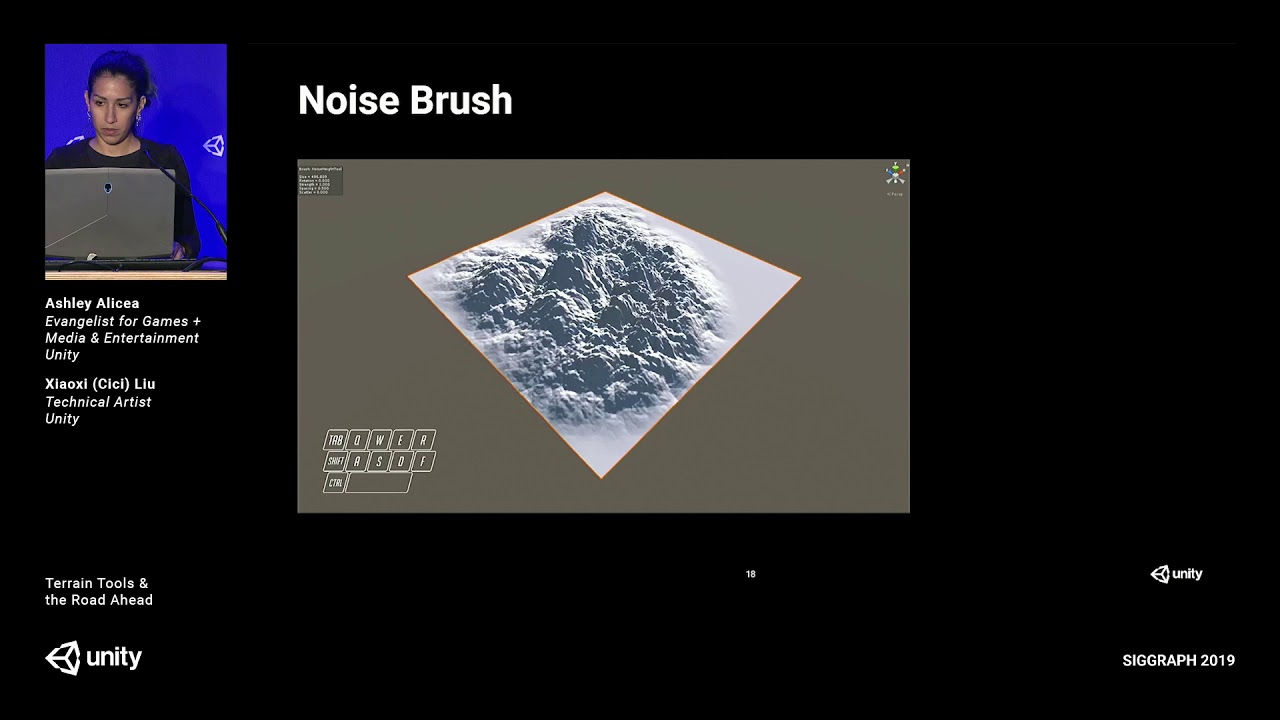
Creating landscapes for interactive experiences can be difficult, but Unity’s new Terrain tools are designed to streamline that process! This video covers Te...
ivory flume
Honestly the new terrain tools are really awesome
Hydro erosion alone elevates a scene from "garbage" to "acceptable" immediately
"acceptable" used to be really really difficult to achieve before 2019
 jagged karma
If anyone has a better recommendation of where to post this, I'm having some issues where navmeshes just .... don't go
I hit bake, I wait forever, it pops up as "done" and... there's no navmesh
Got all my environment geo marked as navmesh static
Have any of you experienced this? Has Unity changed the navmesh process? How do you debug this stuff?
Do I need to get special navmesh components from github?
jagged karma
(IS THIS LWRP STUFF)
jagged karma
Update: it was
ivory flume
Wait @jagged karma what was the solution?
jagged karma
@ivory flume For some, vexing, unknown reason
Unity will, if using the LWRP renderer
just
"forget"
to draw the navmesh blue overlay gizmo
despite having gizmos enabled
so what you do
is you turn the gizmos button off
and on again
and it works like magic
And that is what ate hours of my day yesterday hahaha
It was generating the navmesh totally fine, as it turns out. You just couldn't see it
Y'know. Despite the option to see it being turned on.
I think they fixed it for reals in 2019.3
But that's a beta branch atm
 covert osprey
anyone have any experience with optimizing terrains for mobile?
 hoary spindle
Can anyone point me to a resource that might teach how to make brushes for the new terrain tools. I'm trying to make some desert dunes with nice sharp peaks, and was hoping custom brushes would help speed it up.
 cinder epoch
custom-make something like the dunes you want and then extract the heights from that into a brush
I haven't tried the new tools yet so I can't say specifically what steps to follow but as long as you can export the heightmap from a couple hand-sculpted dunes you can make those partial bitmaps into brushes
actually people have made these already for you
here is a heightmap of sand dunes you can use pieces of for brushes
@hoary spindle
here is a tutorial explaining the methodology for making such things https://www.youtube.com/watch?v=rpY504Zxy7c

Tutorial onde mostro como criar heightmap de um deserto arenoso usando Gimp e Photoshop. --------------------------------------------- Tutorial where I show ...
hoary spindle
Ix, you're amazing. Thank you
cinder epoch
good luck! With 2019.3 you can even punch holes in terrains.
 sage stag
im going to work on low-poly procedural terrain generation. Any tips?
 onyx pagoda
Any roadmap for the Experimental terrain tools package/api atm? Any idea of when/if it will be made official?
flint pagoda
Hmm they need live preview for the brush adjustment, ie when changing the brush size/strength show the brush preview projected from the center of the screen to the current terrain.
This way user know what is the current settings applied without have to flicking the cursor back and forth from inspector to scene view when changing the brush setting
hmm @warm radish ?
oh he is in vacation isn't?
warm radish
If you are using the Terrain Tools package, you can use A,S,D to change the brush strength, size, and rotation, respectively from within the sceneview
So you don't have to go to the inspector for that
 sour glade
@hoary spindle you can do it entirely in photoshop; the 'erode' filter he uses looks like it is just the photoshop 'minimum' filter with a low value and 'preserve roundness'
Doing it all in photoshop means you can do it 16 bit from the start to the end
sour glade
So I decided to try making a terrain after seeing that, and it seemed to go fine, but when I added a second terrain to the edge it came out like this
it seems to be absurdly bright
actually
And this happens with any new neighbor terrain I add
sour glade
sour glade
also, can you delete a terrain brush?
 untold adder
How do I put grass on my terrain. Were it sticks up so the player can walk through it.
Btw I’m new with this terrain stuff
Anyone got a forest pack that has everything in it? Trees/Grass/Dirt/Sand. etc...
ivory flume
@untold adder there are some packs like that on the asset store. I'm working on some assets now and might release them for free at some point.
To paint grass on your terrain, either take a grass texture, go to the "flower" tab on the terrain, add a new grass and use the texture you chose, OR
create a mesh in your modeling package, texture that mesh with a grass texture, go to the "tree" tab of the terrain, and add your mesh as a tree
In either case, then just select your new tree/grass in the terrain menu and paint it on
untold adder
K thanks
warm radish
@sour glade you can only delete it if the script is in your project. you would just delete the script
also for the height modifications applied to new neighbors created with the Create Neighbor Tool, the tool blends the height between that of any adjacent Tiles and the created Tile
 sour glade
@warm radish I am not sure what script you mean. I added an image to the list of brushes in the terrain tool, and am not sure how to remove it.
And I understand about the height blending; my problem is that the terrain has a brilliant white checkerboard overlay to it.
The height seems to be perfectly fine, but any 'neighbor' I add has that visual issue.
warm radish
aahh ok. there should be a brush asset in your Assets folder somewhere that you can delete
 whole sail
does anybody know how to make hdrp terrains?
ivory flume
@whole sail wdym? It's the same as always if you have HDRP, TerrainTools, and 2019.2+ installed
whole sail
Oh
ivory flume
Grass billboards don't have a shader I don't think but using custom meshes with a swaying shader is better anyway
whole sail
Ok
ivory flume
Just use the tree system for grass :)
upper charm
Is tree painting working properly with LOD Group componant? It's supposed to give the tree rotative properties. I can paint any object with the tree painter, but i cannot if the object has an LOD Group componant on it. Tested on 2019.2.3f1 and 2019.3.0b1 without any RPs with an empty scene.
ivory flume
@upper charm try changing the lod type on the component to 'speedtree'
I can't get batching to work, so I wouldn't be surprised if lod is part of what's broken
upper charm
@ivory flume I've tried all of the configurations, none of them worked.
ivory flume
Huh. Allow me a moment to check my trees. I remember having a lot of problems setting lod up.
2019.3.0b1 hdrp/terraintools btw
upper charm
just remembered i haven't updated the tools to newest version, gonna recheck.
nope, still not rendering. The trees do actually get placed though. If i add the LOD Group to the prefab they disappear, if remove it, they reappear.
Restarted Unity, not sure what happened, but it works now, weird.
ivory flume
Now I have an issue.
My terrain works fine in-editor but in builds the terrain mesh is invisible
Again, HDRP 7.0.1, Terrain Tools 2.0.1, Unity 2019.3.0b1
 quartz drift
pls, someone can shared a package for texture of grass and ground?
ivory flume
I use Substance Share textures for ground, but I can give you my grass mesh and texture if you'd like
@quartz drift
upper charm
Hello, is triple axis rotation achievable with Unity's terrain per tree? I only see Y axis rotation on the TreeInstance. I'm looking to do something like what you can see in the vid, where
details would get displaced based on the current heightmap. The details in the vid are just spawned independently as a new GameObject and have great rendering costs. https://www.youtube.com/watch?v=dJIxj3U9vYI&feature=youtu.be

 warm radish
@ivory flume are there any errors logged in the build console about missing materials or anything like that?
tired sigil
Is there any way to Set Height + Paint Texture at the same time?
rose sentinel
I can funnily see that actually being useful even though I've never thought of it before. But I don't believe it's built in, but I'm sure you could extend upon the terrain system and build that in... From what I've gathered - the Terrain API is exposed now as of the release of the Terrain Tools package. But whether that lets you actually build new functionalities such as brushes and such I'm not sure.
sour glade
Is there a way to stitch already created terrains together the same way it does when you create a neighbor?
warm radish
@tired sigil yes you can. if you have the TerrainTools package downloaded, you can look at the Twist Height Tool code. That writes to heightmap and alphamap. You basically just create both types of PaintContext via TerrainPaintUtility.BeginPaintHeightmap and TerrainPaintUtility.BeginPaintAlphamap
 solar raft
Why does grass density decrease when the width of the terrain increases
please I need to fix this
ivory flume
@solar raft look for the Detail Density settings in the "cog" tab of the Terrain
i.e. the terrain settings
solar raft
I did i have it on max
warm radish
reposting from #💻┃unity-talk
hey folks! we have a survey floating around where we want your feedback on graphics features. feel free to take a look! https://forms.gle/MpYJC6s8wkgcANSh6
Unity's Graphics team wants your feedback to help inform us as we set our priorities and plan our work for future releases. Unity graphics areas include: lighting, rendering (SRP, HDRP, Universal/LWRP, Hybrid Renderer), environment (terrain), shader graph, VFX graph, particles, post-processing, meshes, mesh API, graphics APIs, shaders, textures, materials, and frame debugger

Google Docs
Unity's Graphics team wants your feedback to help inform us as we set our priorities and plan our work for future releases.
Unity graphics areas include: lighting, rendering (SRP, HDRP, Universal/LWRP, Hybrid Renderer), environment (terrain), shader graph, VFX graph, particl...
torpid oasis
i would like to place a lot of trees on my terrain. I can't use the tree terrain tool since those trees should have a collider and be destructible since i want to be able to cut them
basically i need a prefab placement tool but can't get any for free, anyone has a tip ?
ivory flume
Polybrush but I don't think it works on terrains
desert sun
is there a way to Auto Details (Grass,Rock) placement on grass terrain layer?
torpid oasis
i'll check it out thanks
final wadi
We have in-game terrain painting that uses the same exact logic as the standard terrain editor painting, via TerrainPaintUtility Begin/EndPaintTexture. It works great except when trying to save the modified terrain splatmaps to disk, as accessing terrainData.alphaMapTextures or even calling terrainData.GetAlphamaps() does not return the modified splatmap data (I assume because the modifications are only on the GPU textures, and I guess those functions do not sync to CPU at all?). It appears as if TerrainData.DirtyTextureRegion could resolve this, but we are on 2018.4 and that is only available on 2019. Is there built in way to get the modified splatmaps from the GPU so I can save them in 2018.4? heightmaps work fine and properly sync but not alphamaps.
final wadi
judging by this, SyncTexture calls internal_syncalphamaps()

GitHub
Unity C# reference source code. Contribute to Unity-Technologies/UnityCsReference development by creating an account on GitHub.
any idea how I can do something similar in 2018.4?
rose sentinel
how to make roads ?
fathom token
Easyroads3D

Road infrastructures and Parametric Modeling inside Unity
Create unique road networks directly in Unity with both built-in customizable dynamic crossing prefabs and custom crossing prefabs based on your own imported models.
Bring your scenes alive with additional side ob...
rose sentinel
there's also an open source alternative https://forum.unity.com/threads/1-11-0-srp-lwrp-free-opensource-road-creator.629983/
Unity Forum
Imo there are no really good free road creators at the moment. There are some good paid alternatives like EasyRoads3D, but for people who want to...
warm radish
@final wadi I'll check for you
final wadi
Thanks ❤
torpid oasis
still having issues to paint prefabs on my terrain since polybrush does not support it
desert sun
Hey @warm radish ! Just simple question:
THere any plans to add new brush in terrain tool that will detect the mesh or collider in run-time and for example dont paint the texture under that object?
warm radish
@desert sun Hey! Not at the moment. Could you give me a little more detail for the use case?
desert sun
@warm radish alright, will write to your DM
final wadi
How static are your colliders/meshes? we have a similar system for our buildings, we render all the building bounds to a terrain mask texture and factor that mask in during painting to prevent painting under buildings.
warm radish
@desert sun this is what i was going to basically suggest to you ^^
there's a util function somewhere in the Terrain Tool package for rendering a Mesh to a RenderTexture for use as a mask or heightmap
TerrainToolUtility.MeshUtils.RenderTopdownProjection
desert sun
thanks !
After that i need to figure, how to spawn grass on special terrain layer like grass
warm radish
for the Material parameter, you can just pass it TerrainToolUtility.MeshUtility.defaultProjectionMaterial
once you have that mask generated for your mesh, you will probably want to sync that texture from the GPU to CPU and add your Details instances according to that (i dont recall if we have any way to do that on the GPU unless you did some compute stuff or had your own details system)
 cedar drift
guys i want to make a 2d game with a Battle Royale theme and i dont know how to add a background as a map
I mean i want to put the map
but i dont know how to
final wadi
we ended up using grassflow for our grass and are very happy with the results. we can then use the gpu splatmap data in the grassflow shader to control grass height/density/coloring based on the texture beneath it. gives very nice real-time blending and editing. these are fairly outdated now, but as an example:
https://crytivo.com/img/pages/2019/5/2/devlog-16-april-2019/o_1d9pdu3v018un1q5pnnd1j6eoat3j.jpg
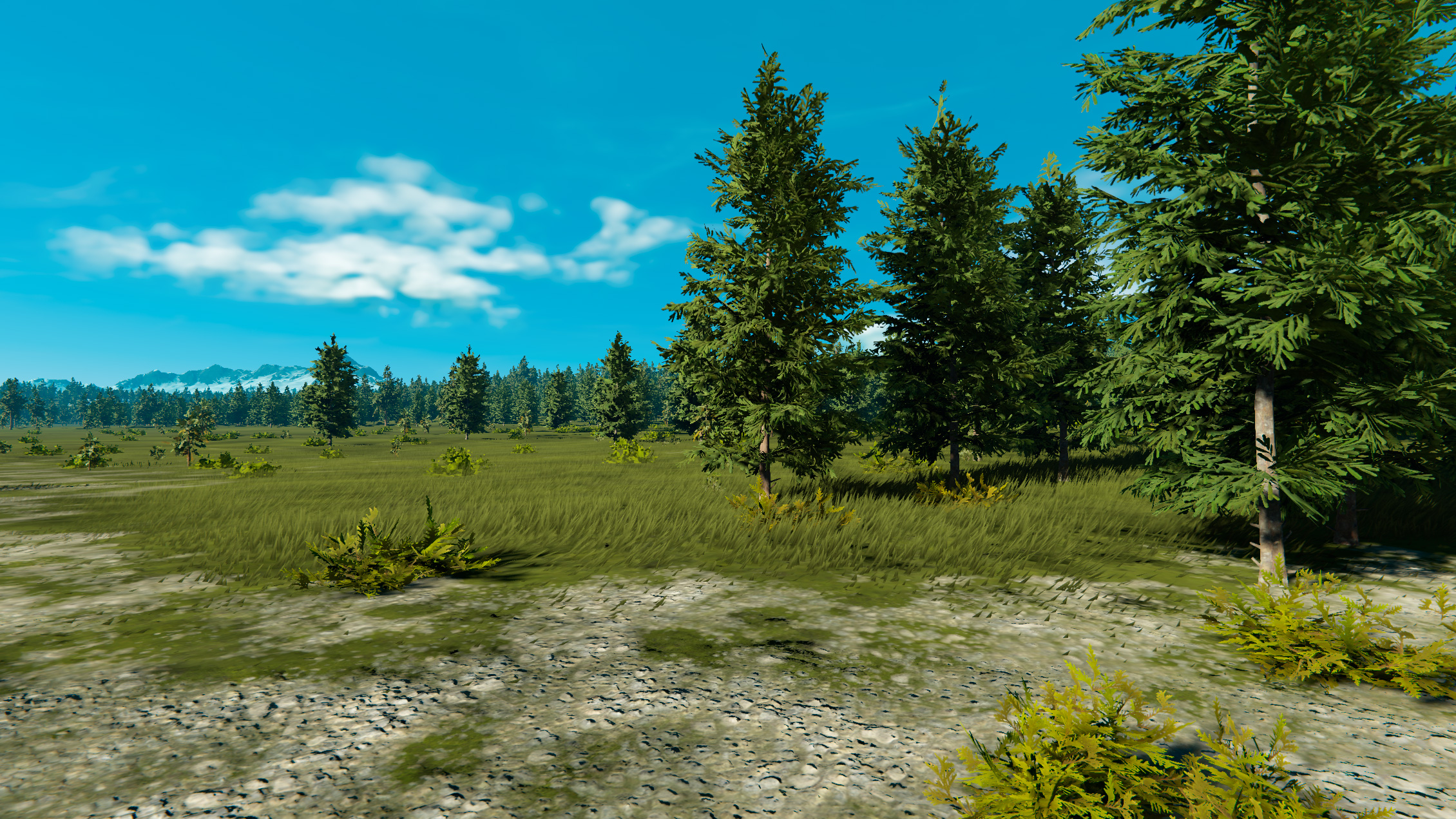

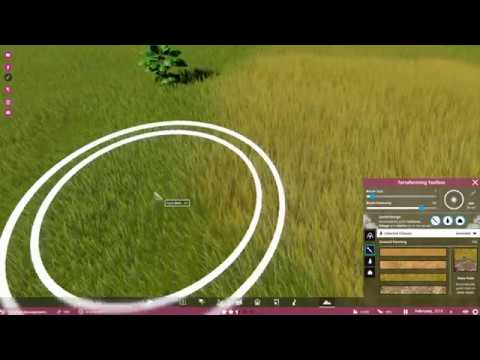
WIP demonstration for the grass visuals in Prehistoric Kingdom.
you'd have to modify the grassflow shader though so a bit more work involved
warm radish
@final wadi that looks awesome!
rose sentinel
Think I done asked this I am new to Unity ( sort of) and this is my first time with trees
warm radish
@final wadi you are calling TerrainPaintUtility.EndPaintHeightmap?
that should be reading the data back into the alpha maps...
final wadi
EndPaintTexture. Height maps work fine though I have to call applylods or whatever to force them to sync. But even though the terrain painting modifications render fine, actually calling them via getalpha or the actual alphamaptextures property returns the unmodified splats instead of the modified ones being used to render. So I imagine it is returning cpu copy while modified splat is still on gpu. Maybe I just need to do a gpu copy to some RT and read it out that way? Will experiment more tonight
But yeah even though terrain renders modified splats any attempt to save them only saves the unmodified ones
I have gpu instancing on for the terrain as well. Will try turning that off too
warm radish
you could try calling PaintContext.ApplyDelayedActions or manually setting the base map as dirty and calling ReadPixels for each of the alphamaps. this will be expensive though
terrainData.SetBaseMapDirty();
if (TerrainPaintUtility.paintTextureUsesCopyTexture)
{
        // pull the data from GPU to CPU
        var rtdesc = new RenderTextureDescriptor(terrainData.alphamapResolution, terrainData.alphamapResolution, RenderTextureFormat.ARGB32);
        rtdesc.sRGB = false;
        rtdesc.useMipMap = false;
        rtdesc.autoGenerateMips = false;
        RenderTexture tmp = RenderTexture.GetTemporary(rtdesc);
        for (int c = 0; c < terrainData.alphamapTextureCount; ++c)
        {
                Graphics.Blit(terrainData.alphamapTextures[c], tmp);
                terrainData.alphamapTextures[c].ReadPixels(new Rect(0, 0, rtdesc.width, rtdesc.height), 0, 0, true);
        }
        RenderTexture.ReleaseTemporary(tmp);
}
@warm radish Will try it out, thanks!
warm radish
@rose sentinel is there an option of a leaf node to set the material?
 vapid saddle
lol