#⛰️┃terrain-3d
1 messages · Page 6 of 1

 desert rock
 split inlet
use polybrush to scatter prefabs on any mesh
 cedar basalt
how to understand how to put togheter a beutful simple level with assets.
 nova perch

any1 know how to use this as a detail mesh? you have to have exactly one material but my prefab isn't li ke that
 rancid nimbus
cedar basalt
how to understand how to put togheter a beutful simple level with assets.
rancid nimbus
cedar basalt
how to understand how to put togheter a beutful simple level with assets.
great question, I m a beginner myself and I cant find many resources either
What helped me a bit was this video, he plays around with shadow settings, fog, lighting etc
https://www.youtube.com/watch?v=IotV3yHAdJ8
Its not much bit its something
If you find out what the magic trick for making simple but good looking levels is, let me know

I made a low poly desert game environment in Unity URP (in 40 minutes) using my game-ready assets. This video will show you a speed up version of me creating a game environment in Unity 2020.1 URP.
👉More info + Final Scene Render Image:
https://www.lmhpoly.com/timelapse-videos/i-made-low-poly-desert-environment-in-unity-urp-in-40-minutes
✨RELA...
cedar basalt
rancid nimbus
great question, I m a beginner myself and I cant find many resources either
Wha...
there are enough assets. i'm talking about more put it togheter for a level.
 last linden
cedar basalt
how to understand how to put togheter a beutful simple level with assets.
last linden
cedar basalt
how to understand how to put togheter a beutful simple level with assets.
You have to look at it from a different angle that's why use of Level blocking is preferred as you don't get blinded by the assets themselves you make a blockout then make it look good with assets
grass that i painted with the terrain tree paint becomes so much big when i move the terrain any idea why ?

hmm i noticed the scale on the model itself is not 1 so maybe that's the issue

Edit: making the model 0.01 in import settings and 1 in model fixed it
now when i move the terrain the detail doesn't become big
rancid nimbus
cedar basalt
there are enough assets. i'm talking about more put it togheter for a level.
I wasnt talking about assets, I was talking about making them look good
 snow hare
can you have a 4097x4097 heightmap on a 2048x2048 terrain
and will it result in better quality or smth
and what is a pixel error
 civic carbon
snow hare
can you have a 4097x4097 heightmap on a 2048x2048 terrain
and will it result in...
civic carbon
snow hare
can you have a 4097x4097 heightmap on a 2048x2048 terrain
and will it result in...
The terrain just reads the interpolated pixels of the texture. So if the terrain and the texture are the same size, then it will sample every 1 meter basically. If the texture is 2x the size, it will sample 2 times every 1 meter, etc.
civic carbon
No, just more accurate.
snow hare
does it affect performance somehow
or read operation is done once when building the terrain
civic carbon
Bigger texture worse performance when editing. Not sure how much of a difference it makes at runtime. I am pretty sure that it is a one and done sort of thing. But you would have the memory overhead of having the texture loaded
snow hare
well, it's only a single terrain
shouldn't really eat much memory
i'm currently building up a large terrain out of small pieces
each piece has 64x64 size and 65x65 heightmap
i collect the pieces into a single terrain with 2048x2048 size and 2049x2049 heightmap
if i instead have 129x129 heightmap on each 64x64 piece and 4097x4097 heightmap on resulting 2048x2048 terrain, will the output be more accurate?
snow hare
snow hare
if i instead have 129x129 heightmap on each 64x64 piece and 4097x4097 heightmap ...
if it's true, then i'm definitely switching to higher resolution approach
 tight tide
Is there an easy way of creating a sloping terrain instead of manually painting it? I'm just wondering if I'm doing this right

 solar swan
tight tide
Is there an easy way of creating a sloping terrain instead of manually painting ...
solar swan
tight tide
Is there an easy way of creating a sloping terrain instead of manually painting ...
Use a stamp/brush with a ramp mask. There are also some assets floating around that allow you to create the terrain displacement from meshes, like a blanket dropped onto objects.
tight tide
solar swan
Use a stamp/brush with a ramp mask. There are also some assets floating around t...
I did use the stamp but it has a lot of waves because it is too large, pixel is having a problem. But i didn't know about the blanket thing, thanks!
solar swan
tight tide
I did use the stamp but it has a lot of waves because it is too large, pixel is ...
Have you tried a large (2k+) 16bit mask for your stamp?
 nova heron
Does anyone know how to create tiles that dont end up looking like squares? How can I make them transition smoothly to each other?

 winter minnow
nova heron
Does anyone know how to create tiles that dont end up looking like squares? How ...
winter minnow
nova heron
Does anyone know how to create tiles that dont end up looking like squares? How ...
They could be authored using repeating patterns to begin with, either from procedural algorithms or a tiled paint mode the likes of which photoshop and Aseprite have
But there's also a technique to paint over the seams with an offset version of the texture itself
 charred jolt
GetInterpolatedNormal seems to point along the terrain instead of perpendicular, is that supposed to happen?
var normal = _terrain.terrainData.GetInterpolatedNormal((x + halfSize) / _terrain.terrainData.size.x, (y + halfSize) / _terrain.terrainData.size.y);

grass.transform.rotation = Quaternion.LookRotation(normal);
This makes the object face along the terrain
charred jolt
I'm adding halfSize because my terrain is centred so it adds half of the size of the terrain
 slow relic

hey
can any one tell me how to fic this
i want to so that thw wall whould appear on top of the ground tiles and not just deleate the ground tiles
winter minnow
slow relic
i want to so that thw wall whould appear on top of the ground tiles and not just...
A single tilemap can have only one tile per grid cell, so you need another tilemap on top
Or for your wall/floor tiles to also include the background in their sprite
#🖼️┃2d-tools next time
slow relic
winter minnow
A single tilemap can have only one tile per grid cell, so you need another tilem...
ok
 green gorge
Hello! Can anyone tell me waht is happening here? I am using a simple directiona llight on a terrain with fast trees and grass meshes paited atop of it. They don't seem to get shadows cast on them though.. Does anyone know how to fix this issue?

 rotund forum
is there a way to make asset pallets in terrain similar to the polybrush?
 torpid oasis
green gorge
Hello! Can anyone tell me waht is happening here? I am using a simple directiona...
torpid oasis
green gorge
Hello! Can anyone tell me waht is happening here? I am using a simple directiona...
verify you use a lit shader, also verify on some components (maybe the mesh renderer or the terrain) that it can receive shadows
 vagrant bough
hey im trying to set up my tree (improted as an fbx) and at first the tree couldnt be instance bc of no valid mehs renderer but then i found an solution on reddit saying to create a prefab of the model with an mehs renderer and an lod group. somehow this worked for one model but my other model gets another error: the tree couldnt b instanced because one material is missing. but there shouldnt be a missing material actually
 manic cairn
Can somebody help me with procedurally generated terrain
 cosmic hawk
manic cairn
Can somebody help me with procedurally generated terrain
cosmic hawk
manic cairn
Can somebody help me with procedurally generated terrain
Look into stuff like height maps noise and unity terrain
manic cairn
cosmic hawk
Look into stuff like height maps noise and unity terrain
Cool thanks
snow hare
I'm still on my large terrain with high view distance problem
Anybody has a clue how to make 6144x6144 terrain while still having good splatmap which isn't squared like on this picture, and also display far-away mountains lods(like 4k units away from player)
 winter minnow
snow hare
Anybody has a clue how to make 6144x6144 terrain while still having good splatma...
winter minnow
snow hare
Anybody has a clue how to make 6144x6144 terrain while still having good splatma...
You would want to use neighbor terrains rather than one extremely huge one with a massive resolution
snow hare
How much terrain pieces i can have without unity dying cuz it has to process exsitance of many terrain/terraincollider components?
And if there are many terrains, how do i hande runtime splatmap/heightmap rebuilding so terrains get higher-res maps only when i approach them
for heightmaps i can probably store refs to .raw, and well, apply it to the terrain
but for splatmaps with all those layers idk what to do
for 6144x6144 world coverage i use 12x12 grid of 512x512 terrains
and each of those 144 terrain has 4k splatmap
snow hare
9216 cells of 64x64 size Xd

if i cant use primary size, then i need to combine heightmaps of cell grids to a larger chunk
but in that case combining splatmaps is gonna be painful
because each individual 64x64 piece has own set of layers
solar swan
snow hare
How much terrain pieces i can have without unity dying cuz it has to process exs...
Unity and editor performance dies primarily because of the insane memory requirements that terrains have.
144 terrains with 4K splats alone are 2.8 GB (and this doesn’t count mips). These maps also cannot be streamed or compressed.
unity terrain works best when there is just 1 terrain. That’s what it was originally designed for. Any adjacent chunks you may have loaded need to have their full set of maps and textures loaded and render their full shader. If they don’t share the same shader, your perform dies potentially because of the texture sample counts which can go crazy if you use anti tiling tricks, many layers or stuff like POM
If you want to do proper world streaming with actual terrain LOD and assets loading incrementally you pretty much have to rebuild the entire terrain engine or spend equivalent time on coercing the builtin system to approximate what you need
4K splat on 512 unit terrain size is quite extreme (.125 unit resolution), 0.5 units would be more sensible. AAA doesn’t go beyond .25 either
you gain nothing from that kind of texture placement resolution. All that detail should come from height blending, detail meshes and overall clever texture design
snow hare
snow hare
this is 2k splat on 512 terrain
well, it's an equivalent
256 splat on 64 terrain
and this is 512

it's quite hard to see the blocky thing
snow hare
well, then how am i supposed to use them
solar swan
Make a transition zone where both textures fade into each other
snow hare
how
solar swan
turn on height blending
solar swan
snow hare
how
By painting with a soft brush
snow hare


i now have 1 layer
added second one

set resolution to 128 instead of 512 just to test
and painted a road diagonally
 solar swan
The blend are must be wider
snow hare
blend what?
 solar swan
Use a softer brush
snow hare
which one

and with which settings
i tried different brushes, but it's still squared

some parts are kinda covering transitions, but with transparent version of the texture
snow hare
solar swan
Use a softer brush
alr i found out how to make it look great on .5
 opaque rover
OK so what is my best option for painting a giant terrain mesh?
It would be blocked out via digger, exported (only the underground section), then sculpted further in blender, then I'd need a way to texture it
I know painting a texture for it in substance painter doesn't work because the mesh will be too big
I'd love to paint it unity terrain style with splat maps
as far as I've seen, I am able to do it with this
https://assetstore.unity.com/packages/tools/painting/microsplat-mesh-workflow-120008

Get the MicroSplat - Mesh Workflow package from Jason Booth and speed up your game development process. Find this & other Painting options on the Unity Asset Store.

 snow hare
 cosmic tinsel
make sure your prefab is rotated properly
in blender if you do it there
since YZ are flipped there
solar swan
opaque rover
OK so what is my best option for painting a giant terrain mesh?
For large terrains you’d typically use a combination of procedural generation and manual painting&sculpting in multiple passes. You start with a manual layout, potentially sculpted in blender, feed that into a procedural terrain generator like gaea/world-machine for erosion and mask/map creation, then bring that into unity and do local modification around your gameplay/objects, typically via procedural tool like microverse (biomes, texturing, roads, rivers, object scattering), then finally do more manual local adaptations via painting. In all these steps splat map texturing is a side-product. there is typically no manual direct painting of splat maps due to the burden that such a destructive manual process would be.
opaque rover
solar swan
For large terrains you’d typically use a combination of procedural generation an...
It's a cave tho so nothing other than texturing would be needed
I can sculpt it myself
I would be able to do all this with digger, no exporting anywhere, but the digger shader doesn't work with unity 6 unfortunately
solar swan
opaque rover
I would be able to do all this with digger, no exporting anywhere, but the digge...
you'd want to use microsplat anyway. which works for 6000 and replaces the digger shader, but it'll cost ya dearly to get all the nice stuff.
solar swan
opaque rover
no?
yes, but then you won't have all the nice stuff
opaque rover
solar swan
yes, but then you won't have all the nice stuff
Lol like what
I don't know that I need anything more
solar swan
opaque rover
Lol like what
anti-tiling, triplanar shading, mesh terrains, tesselation/POM, object-terrain blending
 coarse lava
Please suggest how I can improve on this

when I add too much grass or trees, my PC is unable to handle.. so please suggest low performance improvements
snow hare
solar swan
unity terrain works best when there is just 1 terrain. That’s what it was origin...
so is there anything i can do to actually create a 6144x6144 world
winter minnow
snow hare
so is there anything i can do to actually create a 6144x6144 world
I think Anikki listed all your practical options
- make your own terrain system that supports chunk loading
- figure out how to get the builtin terrain to do chunk loading
- try and see if you can make one big terrain work, but reduce resolutions and use softer brushes to hide the jagged edges
snow hare
by chunk loading you mean some parts of the world are not loaded/rendered at certain conditions?
winter minnow
Yes
In many games you might only see the tile you're in and ones next to it so ones beyond that don't have to exist at all at that time
Or you may see the further tiles (or all tiles) from afar so only low LOD levels need to be loaded (as well as low mip levels but that might require "virtual texture streaming")
snow hare
winter minnow
Or you may see the further tiles (or all tiles) from afar so only low LOD levels...
well, speaking about lod levels
aren't far away tiles also terrains
or they are meshes
i mean in case i have 64x64 tiles for 6144x6144 world then total amount of them is ~9200
9200 terrains is too much for unity to handle
winter minnow
snow hare
i mean in case i have 64x64 tiles for 6144x6144 world then total amount of them ...
By "64x64 tile" you mean 64 unit wide terrain?
winter minnow
That seems quite small
A terrain is already internally broken into tiles with their own LODs
LODs can be used for all meshes, not just terrains
snow hare
so what's the preferred terrain size and what's the preferred heightmapres / terrainres
snow hare
winter minnow
LODs can be used for all meshes, not just terrains
i mean distant lands LODs
not distant rocks or houses
Anikki said that 2/1 is optimal and 4/1 is like AAA-game stuff
winter minnow
That's probably the ballpark estimate
But note that triple-A games have much heavier optimizations than what unity terrain can offer
You don't generally expect to make a full open world with the terrain system
snow hare
so well, terrains are not for me
have to write smth to suit my 6144x6144 needs xD
or 4096x4096 or 7168, or 8192...
or for sub-worlds 1024/2048
cosmic tinsel
snow hare
since YZ are flipped there
okk
solar swan
snow hare
have to write smth to suit my 6144x6144 needs xD
Do you have some sort of trick or clever idea how to fill such a huge world with content? That’s basically the size of GTA5
snow hare
i'm doing a proof-of-concept demo
solar swan
proof of what?
solar swan
you can’t prove that without content
the limiting factor here is lack of editor support for managing this kind of world, not the render performance of terrain meshes
the editor performance will die long before you have filled a 2k map with detailed content
provided you have the memory you can easily render a 8k map with 0.25 m resolution
you just can’t fill it with content unless you heavily reuse models and textures and build tools for managing the chunks in the editor.
snow hare
solar swan
you can’t prove that without content
well, basically i decided to achieve same things bethesda achieved in 2013...
large world + modding
snow hare
solar swan
the limiting factor here is lack of editor support for managing this kind of wor...
well, it's 3 fps when i play it
so performance is a limiting factor
snow hare
well, when i play skyrim, it feels like i have memory
solar swan
Skyrim doesn’t use Unity and has proper asset streaming
it doesn’t need to load the whole world at once like vanilla Unity does
snow hare
solar swan
Skyrim doesn’t use Unity and has proper asset streaming
yeah, but it's devkit is straight from 2005
with some upgrades to 2013
and unity 6 is 2024...
solar swan
why does it matter when it was made?
It’s not a technology issue, it’s an architecture issue
Unity is a generic engine for all sorts of compact games . Creation engine is made specifically for open world Bethesda style games
unreal didn’t support open world streaming either before 5.0
snow hare
solar swan
why does it matter when it was made?
well, skyrim is not using advantage of multiple cores, it doesn't support ray tracing, it's scripting language is relatively slow, it's CK is slow and has a lot of limitations, which require giant libraries to be written to add support for some functionality, game doesn't support compute shaders and so on...
winter minnow
How's that relevant? Each game supports the features it needs
snow hare
so well, games made on unity 6.0 in 2024 might give out more performance than skyrim while keeping same world size(6kx6k)
snow hare
solar swan
unreal didn’t support open world streaming either before 5.0
i never used world streaming and idk what it really is
snow hare
winter minnow
How's that relevant? Each game supports the features it needs
well, modders have kinda different opinion
they add things which were not possible back then
winter minnow
Daggerfall in 1996 had a world size equivalent to 314 000 x 530 000 units
snow hare
winter minnow
Daggerfall in 1996 had a world size equivalent to 314 000 x 530 000 units
well, it loads the world partially
winter minnow
Daggerfall was also ported to Unity
winter minnow
snow hare
well, it loads the world partially
So I expect you will have to, too
snow hare
Well, skyrim keeps the entire 6kx6k terrain visible every frame
it uses fog to hide low quality of LODs, but it has tons of lod meshes existing at the same time
so well, equivalent to 9216 low-res terrains
except some terrains which are relatively close are not LODs but actual terrains with colliders and high resolution textures, which calculate the "life" of npcs, not fake it
and my question is how can i make a game which also keeps the entire landscape visible from any point, but also have beautiful landscape textures, and more than 1 fps
i tried 9 2048x2048 terrains to fill the world up and it gave me desired 150+ fps
but i kinda didn't like the 4k splatmap resolution, it felt to squared for me
winter minnow
snow hare
Well, skyrim keeps the entire 6kx6k terrain visible every frame
The "distant land" lod meshes are not technically terrain
snow hare
so i experimented with other approaches
snow hare
winter minnow
The "distant land" lod meshes are not technically terrain
well, it's techincally a mesh with material/shader
but since the game is moddable, skyrim generates lod mesh at runtime somehow
from the cell/chunk data
at least it looks like it does
winter minnow
Creation engine is optimized for exactly the kind of distant land it uses
Unity is not optimized for the kind of distant land Creation engine uses
snow hare
so that means if i have enough time and knowledge, i can code my own terrain solution
winter minnow
That's one of Anikki's suggestions
snow hare
Or maybe if there is a different open-world engine avaliable, i should try switching
snow hare
winter minnow
That's one of Anikki's suggestions
well, time to google how
don't you know any point where i can start from
winter minnow
There may be Asset Store solutions also
winter minnow
Not at hand
snow hare
winter minnow
There may be Asset Store solutions also
well, i can't buy stuff from asset store
cuz 🇷🇺
so now i'm just copypasting what i can find or brainstorming myself for weeks
that's how i created plugin support
used reflection to load custom plugins for the game
created simple OnEnable() OnDisable() and EventHandler with custom events
winter minnow
I can only say with confidence that the Terrain component is not specialized or particularly good for any purpose
And it's not practical to modify it, if even possible
It's just kinda "there" if you need it for prototyping or something
snow hare
You can create custom editor for the component, that's only thing i know
And well, terrain is a sealed class
So you can't extend from it
snow hare
winter minnow
I can only say with confidence that the Terrain component is not specialized or ...
Assets like Gaia/WorldCreator/Atlas use own solution, right?
Not unity terrain
snow hare
snow hare
well, i can't buy stuff from asset store
Also if i want my game to be moddable, i need those assets to be included to my devkit, but it's kinda illegal
winter minnow
snow hare
Assets like Gaia/WorldCreator/Atlas use own solution, right?
I believe they do
winter minnow
snow hare
Also if i want my game to be moddable, i need those assets to be included to my ...
Moddability is not my wheelhouse, but sounds like that limits your to your own assets or free assets with permissive license
It's technically possible to negotiate that some part of a proprietary asset be included in your mod tool, likely as a baseline requirement that it can't extracted out for use with other unity projects
snow hare
winter minnow
It's technically possible to negotiate that some part of a proprietary asset be ...
Yeah, might need to use my C999 English level to write some emails xD
snow hare
winter minnow
Moddability is not my wheelhouse, but sounds like that limits your to your own a...
If i create a new instance of a Texture2D to operate with it somewhere, can it have resolution higher than 4k?
winter minnow
snow hare
If i create a new instance of a Texture2D to operate with it somewhere, can it h...
I think the technical upper limit is 16k
snow hare
alr, gives some hopes
 half mason
Hey guys I've seen a lot of people try to bake collision meshes on a job like here.
https://github.com/Delt06/voxel-terrain/blob/master/Assets/Scripts/Chunks/ColliderGeneration/ChunkMeshColliderGenerator.cs
but the job runs on the main thread. I tried running it on a background thread like this but apparently I can neither bake nor set colliders in a background thread.
private void BakeCollision(Mesh mesh){
Task.Run(() => {
Physics.BakeMesh(mesh.GetInstanceID(), false);
meshCollider.sharedMesh = mesh;
});
}
if that's the case, what's the benefit of doing it on a job? And is there any workaround to bake the data on a background thread?
 chrome mango
half mason
Hey guys I've seen a lot of people try to bake collision meshes on a job like he...
chrome mango
half mason
Hey guys I've seen a lot of people try to bake collision meshes on a job like he...
the job will run on the main thread if it's available (work stealing). Physics.BakeMesh is thread-safe, but your other two calls in there are not so it barfs. Have a closer look at the example in the docs
snow hare
winter minnow
I think the technical upper limit is 16k
just noticed another interesting thing
In skyrim CK each chunk is divided in 4 quads(around 16x16), and each quad can have own 6-8(don't remember the exact number) layers
so it's like 10+ layers per cell in total xD
 north oasis
when i'm painting the terrain, it seems like it's made out of squares, or something like that. look at this screenshot - i tried to paint something with a black texture, and i can't freely draw, because it's very grid-like. what settings do i adjust to make it more free to paint textures, without this grid snapping?
 winter minnow
north oasis
when i'm painting the terrain, it seems like it's made out of squares, or someth...
winter minnow
north oasis
when i'm painting the terrain, it seems like it's made out of squares, or someth...
You are seeing the invdividual pixels of the control texture
Control texture resolution can be increased, but there are practical limits with how big it can get before it's prohibitively expensive to keep in memory
north oasis
winter minnow
Control texture resolution can be increased, but there are practical limits with...
how do I change the Control texture resolution? where is the setting for it located?
winter minnow
north oasis
how do I change the Control texture resolution? where is the setting for it loca...
In Terrain... settings, I believe
north oasis
winter minnow
In Terrain... settings, I believe
ok, thank you
half mason
chrome mango
the job will run on the main thread if it's available (work stealing). Physics.B...
Oh you mean GetInstanceID and changing shared mesh is not thread-safe? Got it thanks.
I though Physics.BakeMesh was giving me the error lol
This works thanks! I put GetInstanceID inside BakeMesh so the callstack was pointing to the same place lol
*AppendGenTask is some locked queue I use for reinserting into the main unity thread
 obsidian cave
where can i find a terrain generator?
i dont need anything very specific
i just wanna mess around with unity
half mason
obsidian cave
where can i find a terrain generator?
I'm not very qualified to discuss it, but if you're looking for some static terrain you can create you can go into your scene click create > 3D object > terrain. If you need to create more terrain in runtime(generator), you need to look into terrain generation of which I'm more qualified to discuss.
obsidian cave
half mason
I'm not very qualified to discuss it, but if you're looking for some static terr...
you could help me with terrain generation
creating the terrain by myself isnt easy
half mason
obsidian cave
you could help me with terrain generation
Do you mean procedural runtime generation or static terrain creation?
obsidian cave
static terrain creation
half mason
as I said I'm not very qualified for that, you can refer to tutorials on how to do that
obsidian cave
how's procedural runtime generation?
generates terrain everytime the game turns on?
half mason
Basically, it refers to generating new terrain off noise maps when you run your game. Since these noise maps are functions they're essentially infinite(as long as your calculations maintains precision) and unique. But I don't recommend if you want a simple game/new to unity.
half mason
probably work with the terrain editor then
 prime pebble
A common issue I see with Unity games and water. How do I fix it? The LOD on the mesh looks like it messes everything up

 prime pebble
In general, the amount of pop in with LODs is really bad. How do I mitigate that?
solar swan
prime pebble
In general, the amount of pop in with LODs is really bad. How do I mitigate that...
Play around with the pixel error value , don’t make coastlines overly shallow.
prime pebble
Well what if I did want to make a shallow coastline? After all, it is how a beach looks
I will try pixel error
solar swan
prime pebble
Well what if I did want to make a shallow coastline? After all, it is how a beac...
You can’t really make very shallow, Denmark style beaches
solar swan
not if you want to use a generic LOD system that aims to solve the common situations people want to use terrain for.
prime pebble
Hmm, okay
solar swan
shallow beaches. Actually any beaches are commonly ignored or masked in games because making believable shorelines is a yet unsolved problem
winter minnow
prime pebble
A common issue I see with Unity games and water. How do I fix it? The LOD on the...
A workaround might be to include the shoreline also in the textures (including smoothness maps) of your terrain so the only threshold you see might not be the low quality mesh intersection
solar swan
you will find that all games have really bad beaches, except those who are only about beaches and don’t use standard tools
 solar swan
prime pebble
Why is it not like this usually?
solar swan
prime pebble
Why is it not like this usually?
It removes the LOD
prime pebble
This doesn't seem so bad for performance
 solar swan
prime pebble
This doesn't seem so bad for performance
solar swan
prime pebble
This doesn't seem so bad for performance
Empty scenes never seem bad. It will add up.
prime pebble
we will see
 bold blade
Still kind of new to this unity thing. I'm playing around with perlin noise and procedural gen. I just figured out how to create a smooth gradient from the top of my terraces to my valleys. ( first picture ). I'm aiming for an effect like the age of empires 2 map. The difference between mine and the AOE2 map is that the AOE2 map has squared tiles in a grid like system, but mine has multiple triangles. I'm not really sure what i should be googling to start resolving this.

 opaque rover
So, I'm guessing having a giant UV mapped, textured mesh as a terrain would be a terrible idea
Giant file size, right?
Wait, can't I do it with polybrush on an unmapped mesh? It does splatmaps afaik
 dawn pond
i need help with procedual generating rooms if anyone could help that would be amazing
solar swan
bold blade
Still kind of new to this unity thing. I'm playing around with perlin noise and ...
You can’t do AOE2, SimCity2000, TransportTycoon style elevation with a unity terrain because you can’t arbitrarily flip the triangles. Which will always leave some corners and diagonals in a jagged shape. You can only use unity terrain for terrain shapes that are smooth over multiple grid cells. If you really want that look, you need to make the terrain mesh yourself (procedurally).
solar swan
opaque rover
Giant file size, right?
Correct. You typically use tiled texturing blended via splatmaps. With a custom shader you can modify that base texturing with additional global textures, for example to override tint or smoothness.
bold blade
solar swan
You can’t do AOE2, SimCity2000, TransportTycoon style elevation with a unity ter...
I am making the mesh. Perhaps i need to adjust the number of vertices and triangles?
    ```private void CreateShape()
    {
        int width = TerrainSettings.width;
        int height = TerrainSettings.height;
        float[,] heightMap = HeightMapGenerator.GenerateHeights(TerrainSettings);

        vertices = new Vector3[(width + 1) * (height + 1)];
        uvs = new Vector2[vertices.Length];

        for (int i = 0, z = 0; z <= height; z++)
        {
            for (int x = 0; x <= width; x++)
            {
                float y = heightMap[x, z] * TerrainSettings.heightMultiplier;
                vertices[i] = new Vector3(x, y, z);
                uvs[i] = new Vector2((float)x / width, (float)z / height); // Adjust UV coordinates here
                i++;
            }
        }

        triangles = new int[width * height * 6];
        int vert = 0;
        int tris = 0;
        for (int z = 0; z < height; z++)
        {
            for (int x = 0; x < width; x++)
            {
                triangles[tris + 0] = vert + 0;
                triangles[tris + 1] = vert + width + 1;
                triangles[tris + 2] = vert + 1;
                triangles[tris + 3] = vert + 1;
                triangles[tris + 4] = vert + width + 1;
                triangles[tris + 5] = vert + width + 2;

                vert++;
                tris += 6;
            }
            vert++;
        }
    }```
 ionic ember
oh help, I lost my map and the polybrush or probuilder textures are pink 😥 (it happened when I was looking for a bug in the package and manually deleted some of them from the manifest.json file, but I already reinstalled them again)****
#💻┃unity-talk message


 glacial coyote
ionic ember
oh help, I lost my map and the polybrush or probuilder textures are pink 😥 (it...
glacial coyote
ionic ember
oh help, I lost my map and the polybrush or probuilder textures are pink 😥 (it...
reimport the textures.
ionic ember
I managed to recover some textures, but I lost my terrain data, since it was located in a folder of a plugin that I had deleted. No problem, I was thinking of creating another land
 split sedge
I'm working on a project with the goal of procedurally generating a huge low-poly cave system, and I'm thinking of using Constructive Solid Geometry, but I'm not sure how to approach it. Are there any examples of procedural generation in CSG that I could examine? I believe Deep Rock Galactic has CSG caves, but their stuff is proprietary so I don't really know how it works
 vapid slate
how can we get custom brushes in this toolbox?
 rose sentinel
split sedge
I'm working on a project with the goal of procedurally generating a huge low-pol...
rose sentinel
split sedge
I'm working on a project with the goal of procedurally generating a huge low-pol...
Check out Sebastian Lague on Youtube, he has some great videos on terrain and cave generation
rancid nimbus
I feel like I absolutely ungodly suck at creating terrain
how do I learn to make it look good?

I m making a game inspired by muck
half mason
rancid nimbus
I feel like I absolutely **ungodly suck** at creating terrain
how do I learn to ...
Make the texture more detailed and/or smaller
half mason
bold blade
I am making the mesh. Perhaps i need to adjust the number of vertices and trian...
You should always try to use triangles. The GPU can take in quads, but they are secretly converted to triangles for rendering(because triangles define a surface). If you proceed to use quads, you have less control on where specifically the GPU decides to split your quad into triangles, so I recommend you stick to triangles.
For 2D terrain, lock your vertex positions to grid coordinates on a 2D plane. For a grid of N^2 quads you need (N+1)^2 vertices. You can define a lookup table for these vertices. Then for each quad you just need to create two triangles. I highly recommend parallelizing mesh generation, either in a compute shader/unity job. With this your geometry will be limited to a 2D squares. You can define a custom shader to display just the square wireframe.
 thin hearth
rancid nimbus
I feel like I absolutely **ungodly suck** at creating terrain
how do I learn to ...
thin hearth
rancid nimbus
I feel like I absolutely **ungodly suck** at creating terrain
how do I learn to ...
Here's one of the techniques I developed for a hilly landscape. First I raise the terrain:

Then randomly flatten some parts of it

Use the slope filter to paint a cliff texture

Add a bit of random noise

Add some trees, water.

Then add various grass and shrub detail meshes where the grass texture is (don't have a screenshot of this, sorry).
Variation with trees. Bushes.
Rocks
Beyond this, you can study rules of landscape photography to improve your composition. Colour theory for improving your textures and how they work together.
 tulip cobalt
can someone explain to me why there is still some part of the terrain still got rendered although its not in the game view?
 thin hearth
tulip cobalt
can someone explain to me why there is still some part of the terrain still got ...
thin hearth
tulip cobalt
can someone explain to me why there is still some part of the terrain still got ...
Are the buildings static occluders? It seems like it's only performing view frustum culling on the terrain.
tulip cobalt
thin hearth
Are the buildings static occluders? It seems like it's only performing view frus...
yeah, all of them are statics and occluders and occludee are both true
just re-bake occlusion, got different result but some of the further terrain still got rendered
 rotund forum
i have a big ass terrain i worked on for quite a while already and performance is taking a dip. 5x5 km made from a 4k map. will it improve performance if i use something like terra slicer to make them into smaller chunks? ive read it helps but i want to reconfirm before i spend money
solar swan
rotund forum
i have a big ass terrain i worked on for quite a while already and performance i...
slicing it up will not improve performance, all terrains are still loaded, queried and rendered. Can you show a screenshot of what you're dealing with? is it render performance or editor/cpu performance? One 4k terrain should still be fairly usable priovided all other settings are reasonable. You get the best experience with unity terrains if you use a 1k terrain with a 2k heightmap (amortized over quality, runtime performance and workflow concerns). To realize a large world you may need to implement your own streaming world system with small world chunks or somehow coerce the existing unity system to just load nearby chunks (64-512 units in size) and eliminate all init calls (start/enable/awake) on objects that live in these chunks to work around frame-drops on activation of these. Both approaches are equally non-trivial.
rotund forum
solar swan
slicing it up will not improve performance, all terrains are still loaded, queri...
this is inside a buid and my cpu is 100%ed

though only like the first row of bamboo is a proper 3d object, everything behind is just a quad with billboard shader
the only way i could explain that is if the billboard shader takes the cpu to calculate
solar swan
you are rendering too many terrain details for the builtin shader/renderer to handle performantly
see what dialing down the grass density and distance does
rotund forum
the grass is not that big of an issue, the bamboo is, and if i dial it down it looks barren and ugly
solar swan
rotund forum
the grass is not that big of an issue, the bamboo is, and if i dial it down it l...
thats just how it is unless you invest (a lot of) time in a custom renderer or buy an (expensive) renderer asset
rotund forum
solar swan
thats just how it is unless you invest (a lot of) time in a custom renderer or b...
so something like the nature renderer in the asset store would mitigate that problem?
solar swan
there are ofc art/design tricks you can use, to skip all that but you'd have to figure those out yourself, it seems your world is relatively open, and that will always be problematic. The key to good performance in large worlds is actually by aggressively limiting view distance by designing all locations to be bounded by large objects (mountains/walls) that obstruct long-distance views.
solar swan
rotund forum
so something like the nature renderer in the asset store would mitigate that pro...
yes
solar swan
rotund forum
so something like the nature renderer in the asset store would mitigate that pro...
though you should rather get Foliage Renderer (less abusive business model, better community, better support)
rotund forum
solar swan
though you should rather get Foliage Renderer (less abusive business model, bett...
ok, reading the store page, it only replaces the tree and detail rendering so will it work in conjunction with microsplat?
solar swan
rotund forum
ok, reading the store page, it only replaces the tree and detail rendering so wi...
yes, its made to cooperate with Microsplat, if you also get FoliageRenderer Deluxe Shader and Better Lit Shader you get a very well integrated rendering solution where you can perfectly match up and blend everything (they share many options and features). Alternatively The Vegetation Engine (foliage shader and asset conforming tool) can be very helpful if you are sourcing assets from various places that don't quite match up.
 royal wharf
Hey, so I am following Sebastian Lague's procedural landmass generation videos and I am at E16 at 8:22, where we are working on colour shaders, and I have done the same things and wrote the same code as him but in the video his map, is black and white where mine is just pink. Anyone who has seen his video or just know a fix to it?


 solar swan
royal wharf
Hey, so I am following Sebastian Lague's procedural landmass generation videos a...
solar swan
royal wharf
Hey, so I am following Sebastian Lague's procedural landmass generation videos a...
does your shader have a compile error? are you on the same render pipeline + version as the video?
royal wharf
solar swan
does your shader have a compile error? are you on the same render pipeline + ver...
Nope, and nope and nope. I just saw in the comments that The shader method does not work with urp, and that i need to use the shader graph system instead of a standard surface shader
half mason
royal wharf
Nope, and nope and nope. I just saw in the comments that The shader method does ...
Oh u were using urp? I highly recommend learning how to write unlit urp shaders. You get a good idea on how shaders work
royal wharf
half mason
Oh u were using urp? I highly recommend learning how to write unlit urp shaders....
Yea, I just chose something in the unity hub. I have never touched shaders or URP og anything like that 😅
half mason
I think one of the main reasons anyone chooses URP over built-in is the SRP. It's a very useful tool that allows you to inject your own code into the render pipeline
solar swan
half mason
I think one of the main reasons anyone chooses URP over built-in is the SRP. It'...
Main reason is portability. It runs anywhere. SRP just means you can progressively turn it into HDRP if you have money for assets/hiring to spare and don’t need the portability.
rotund forum
solar swan
yes, its made to cooperate with _Microsplat_, if you also get _FoliageRenderer D...
fr this is a live saver, thx so much. money well spent
 sleek notch
Does anyone know why my terrain is transparent ish?
 zenith halo
if i was working in 3D and i was making a building, and i was exporting from blender to unity, would it be best to build the entire thing in one blender file to send over to unity, or if i separately made each floor in blender to work on them in unity?
 untold basin

 static sparrow
When i edit one terrain, all the others get affected, such as if i raise an area in one terrain, all of them get raised in the same area. How do i fix?
 hollow timber
how do you increase the lod distance of a terrain? It seems to be dynamically adjusting the LOD's, can't figure out what setting does it
 solar swan
hollow timber
how do you increase the lod distance of a terrain? It seems to be dynamically ad...
solar swan
hollow timber
how do you increase the lod distance of a terrain? It seems to be dynamically ad...
It’s called ‘Pixel error’
hollow timber
solar swan
It’s called ‘Pixel error’
omg ty!

 cursive basalt
Im having trouble locating the view menu in 2021.3.40f1
Im trying to add terrain tab to my toolbar


Im trying to convert a plane into terrain
But cant do so if i dont have the terrain box
cursive basalt
cursive basalt
I am not trying to spawn in a new terrain, im trying to edit my toolbar to get rid of doctrina and replace it with the terrain tab following this
cursive basalt
cursive basalt
And this tutorial from youtube
 cursive basalt
It was the dingus video uploaders fault
This whole time
He renamed it from "object2terrain.cs"
To object2terrain.cs**.txt**
🙃🙃🙃🙃🙃
rotund forum
is there a way to limit the rotation of painted details? i want to paint sunflowers and they should all look in the same direction
rotund forum
i also have this hard edge when detail painting where i cant paint into and idk why. does someone know how to fix that?

 pliant bough
static sparrow
When i edit one terrain, all the others get affected, such as if i raise an area...
pliant bough
static sparrow
When i edit one terrain, all the others get affected, such as if i raise an area...
It sounds like you duplicated the terrain. You need to create each terrain separately
If you duplicate it, the duplicates use the same terrain data as the original.
static sparrow
Thx
 rocky folio
Hi, how can i achieve this kinda look with unity terrain?
The 2nd pic is a bit of manual triangulation to flatten the diagonals

 rocky folio
Basically like this. It looks like terrain, but i wanna get that kinda predictable diagonal ramps
 winter minnow
rocky folio
Hi, how can i achieve this kinda look with unity terrain?
The 2nd pic is a bit o...
winter minnow
rocky folio
Hi, how can i achieve this kinda look with unity terrain?
The 2nd pic is a bit o...
Aside from posterizing your heightmap to explicit steps of height there's no official way to do this
However, if your height texture has too low bit depth, or your terrain runs out of vertical accuracy, you will get that type of effect as a symptom
The simplest way to achieve it would be to have a very big Terrain Height and then painting anything on it normally
But that's a bit hacky
 marble sky
i downloaded a procedural terrain painter and there should be a terrain painter script which i dont have
what do i do
 glad basin
Hello everyone. I'm looking for the best way to make realistic looking desert terrain. This is where I'm at so far (dislike). I looked at MicroSplat based on reading previous comments in this channel, but it looks like it's only free for the basic rendering system and not for URP and HDRP. I am using URP, so I'm wondering if there are techniques to get some realism or where I should start looking if I want to make improvements for free

I'm not opposed to spending money completely, but I kind of don't like the whole 'Freemium' model where it's like "Buy this upgrade pack, and this one, and this one..."
So if there is one solution that stands out as having great bang-for-your-buck I'd be interested in that also
solar swan
glad basin
So if there is one solution that stands out as having great bang-for-your-buck I...
Microsplat won’t automagically enable you to make a desert. Find nice textures and paint them on a suitably sculpted terrain is all you need.
glad basin
I'd actually prefer a solution that doesn't so I can learn on a lower level how things like shaders and textures and heightmaps are working
I'm just not even sure.... like I saw a video that said to get textures with a blue channel(?) and then use them to paint, but you can only do 4 layers on URP so it isn't a good solution or something
solar swan
Microsplat is certainly worth the money, but it’s not helping with lack of art skills
glad basin
Not sure why you're pressing that angle...
This is the first time I've used unity for attempting anything serious
I understand there is a learning curve
I'm a professional Python developer at my 9-5
I'm not expecting instant results
solar swan
well you’re not making it entirely clear what your problem is
glad basin
Ah. I'm basically just looking for someone to point me in the right direction. Right now the texture is all tiled which I think looks obviously silly, it doesn't have any height to it, it's all basically uniform
I'd like to move more toward the direction of realism
As a beginner to Unity I'm not sure exactly where to start
solar swan
well, that’s very difficult without advanced knowledge in shader programming or spending on assets. But you technically don’t need to spend any money to make a pretty desert. But realism is just not quite approachable just with builtin tools.
Depends ofc on what you mean by realism
a great texture set goes a long way
for modeling the heightmap you probably need some desert stamps or a tool like gaea or world creator
glad basin
https://www.youtube.com/watch?v=-KrTYnCApC0&list=LL&index=2 I did watch this video and it was an interesting technique, but in the comments the author said it only allows for 4 layers on URP and kind of suggested not to do it. Is that a sentiment you'd share (if you're familiar with his technique)? The terrain is going to be integral to my gameplay so I don't want to do a lot of work on it and then find out in 3 months that it won't work due to some unforeseen limitation

Hi :) Very often in my videos, I use height-blending when creating terrain, and I also often get questions on how to set and use it. So this time I decided to prepare a tutorial about Height- based blending, that anyone who doesn't know this technique yet, can create even more realistic terrain:)
Have a nice week:)
- This is a tutorial for begi...
solar swan
glad basin
https://www.youtube.com/watch?v=-KrTYnCApC0&list=LL&index=2 I did watch this vid...
My sentiment is to not deal with this limitation and use Microsplat. I find a generic recommendation on not using height blending because of 4-layer-limit silly.
glad basin
Ok. I've seen you recommend MicroSplat before. Is that the one you're most familiar with or is it better than others like Gaea or World Creator?
solar swan
The unity terrain renderer/shader is quite inefficient and severely lacking in features.
glad basin
Yeah I'm starting to notice that lol
solar swan
glad basin
Ok. I've seen you recommend MicroSplat before. Is that the one you're most famil...
Those other two are external tools. They do something entirely different
glad basin
Ohhh I see
solar swan
Microsplat is a shader
It does nothing for you without textures and a great heightmap and well painted splats
glad basin
Hmmm. Ok, so this is a good start for me. I'll avoid trying to do things completely in the basic terrain creation tools
I'll have to do some research into how these other things work
solar swan
To get that heightmap and potentially the splat maps you use gaea/world creator or paint with stamps
glad basin
Oh interesting
solar swan
For textures you can use quixel megascans and other such repositories or make your own with substance/zbrush/3dcoat/photogrammetry and similar tools
glad basin
Nice! Tyvm for that info. I'll look into all of these things. Definitely was feeling that "hitting a wall" feeling from not knowing how to work with this terrain
rocky folio
winter minnow
Aside from posterizing your heightmap to explicit steps of height there's no off...
Export, edit posterize, re-import heightmap is a way to do it yes. But is there a way to directly do this in unity via script?
Make a button and do p = Mathf.Ceil(p * stepSize) for every pixel? This is to avoid converting to external tool in the workflow
Sry just asking here bcoz don't have unity until next week..
 soft tartan
hi so i just duplicated a terrain but when i place trees on 1 terrain it copies to the other which i dont want
i want 2 terrains with the same heights and stuff but cant copy it so what do i do
winter minnow
rocky folio
Export, edit posterize, re-import heightmap is a way to do it yes. But is there ...
If you find some method to do it directly to height data, that could be convenient as it'd save you doing the export and import steps
Otherwise it doesn't make a practical difference if you posterize in Unity or in some other program if you have to re-import the height map anyway
Still, could try stretching the depth very thin, with a large height or otherwise, that way the effect would be fully real time
solar swan
soft tartan
i want 2 terrains with the same heights and stuff but cant copy it so what do i ...
You can duplicate the terrain data object and assign the duplicate to a new terrain. You need to enable debug mode in the inspector panel to be able to do this
 lost sundial
how does built in terrain handle trees? using Graphics.DrawMesh?
 glacial bramble
dos anybody know why when i build out my game, my terrain textures are all shiny but not in the editor ?
rocky folio
winter minnow
If you find some method to do it directly to height data, that could be convenie...
Hi, what do u mean by depth, and large height? U mean the max height?
thin hearth
lost sundial
how does built in terrain handle trees? using Graphics.DrawMesh?
I’ve heard claims that it’s instanced rendering but given the amount of draw calls the system produces I don’t think that’s true…
glacial bramble
pls if any body knows how to fix this problem HELP, when i build-out my game my terrain dos this to the textures they become all lite or spec Anybody know why, did not use to happen when i used older version of unity like 2021 all was fine i updated to unity 2022 and this happens ?
pliant bough
glacial bramble
pls if any body knows how to fix this problem HELP, when i build-out my game my ...
Try switching your color space
glacial bramble
pliant bough
Try switching your color space
i get that but what if i like my game to be in linear space, like i explained unity version 2021 my build out game did not do this, only started to happen when i updated to new version 2022 so what dos that change have to do with anything i don't understand your help here 😀 no offence but dos not make any sense i need my game to be linear space it worked in unity 2021 on linear space so why not now in 2022 its just ode to me ?
pliant bough
glacial bramble
i get that but what if i like my game to be in linear space, like i explained un...
Honestly I thought you needed to switch to linear. If that's not it, I don't know what is causing the issue.
glacial bramble
NP ty for trying
 sterile carbon
Hey all,
It is better to add grasses and trees to the terrain as a gameObject or by Paint Trees and Paint Details ?
Also if it is better by Paint tools on Terrain, it is better to paint grasses by Paint Details or Paint Trees ?
And what do you think about using Foliage Renderer ?

Get the Foliage Renderer package from Jason Booth and speed up your game development process. Find this & other Terrain options on the Unity Asset Store.
I'm asking performance-wise
desert rock
sterile carbon
Hey all,
It is better to add grasses and trees to the terrain as a gameObject or...
Paint trees and details
for grass use paint details
performance depends on how well optimized the assets are, LOD's and terrain settings
sterile carbon
As far as I noticed, Unity Terrain is not good that much specially on mobile devices and WebGL. So I've started to use MicroSplat instead. Is it right ? So my question about performance is more something general.
About paint details vs paint trees for grasses. I want to use grass mesh, so it is better to use it with paint details or use it with paint trees but with LOD (As far as I know if it has LOD it can't be use in paint details) ?
desert rock
I dont use 3rd party stuff so i cant say anything on microsplat. But generaly you would want grass to be painted with terrain details
paint details had its own built in LOD like system
i think they are called patches or something
for low end devices you can simply decrease the grass density and disable shadows
this guy has a great video on it: https://www.youtube.com/watch?v=E4qE-Tc4u9M&t=175s

Hi:) This time I have prepared a tutorial on terrain details in Unity, or in simple terms, how to add grass to the terrain:) However, I would like to point out that this will not be a tutorial where I show you how to magically create a huge meadow with a million grass models with one click (and without proper knowledge kill optimization at the s...
is using HDRP but should also apply to URP
sterile carbon
Thanks
Also which one is better ? Grasses and trees work with terrain wind system or with custom shader ?
desert rock
sterile carbon
Also which one is better ? Grasses and trees work with terrain wind system or wi...
wdym which one?
also idk about the wind, i havent used it
but it should work
sterile carbon
desert rock
wdym which one?
I'm talking about terrain wind vs shader wind
sterile carbon
Sorry for asking too many question.
Is it possible to remove some part of the terrain ? I already have a terrain which was created before but it is too big and almost 0.75 of the terrain is empty and I don't want to have those empty areas.
sterile carbon
Or if I can export terrain data and reimport on smaller terrain ?
 quasi dragon
Hi! I am trying to paint trees on terrain but the leaves don't show up. The tree is a prefab and the leaves are a child in this prefab. When I manually add the tree to the scene, the leaves do show up
 last cliff
Hi I'm trying to paint texture onto the terrain but it's not working, I am able to raise and lower the terrain, i can also paint trees, but not textures? Any ideas?
desert rock
sterile carbon
Sorry for asking too many question.
Is it possible to remove some part of the te...
you can use the paint holes tool to remove that part
desert rock
last cliff
Hi I'm trying to paint texture onto the terrain but it's not working, I am able ...
show your terrain layer settings
last cliff
last cliff
Hi I'm trying to paint texture onto the terrain but it's not working, I am able ...
Didn't realise i had to change the shader from standard to texture, terrain, nature...
desert rock
nvm i guess
 foggy jacinth
am i understanding this correctly.. Pen Pressure still does not work with Terrain? or perhaps i missed a toggle somewhere
 shell geyser
Hey folks. Does anyone know of a guide or tutorial for manually setting up adjacent scenes with their own terrains and managing seamless edge-line ups? I've been experimenting with Gaia Pro (which does this in its own way), but really need the ability to runtime deform terrain and cull trees/grass without resorting to making them game objects. Gaia implements its own terrain which prevents much of this. So I was thinking of moving to using Microverse and Worldstreamer, and the admittedly less performant Unity Terrains. But plenty of examples exist for deforming that at runtime. Just from a high level what workflows have worked well for devs! Thanks.
solar swan
shell geyser
Hey folks. Does anyone know of a guide or tutorial for manually setting up adja...
Just so you know, microverse is not a runtime tool
shell geyser
solar swan
Just so you know, microverse is not a runtime tool
Oh I know, its more that by using Unity terrains I can get access to the underlying terrain / trees and grass, and modify them using my own tools.
 signal steppe
why when i place tree on my terrain they are small and dont have leaves ?

 jaunty nimbus
hey, not sure if this is where I go to ask this so apologies in advance, but how would I go about making a cave similar to little lamplight, I know bridges and lights would be made in blender, but how would I go about making the cave itself?
 winter minnow
jaunty nimbus
hey, not sure if this is where I go to ask this so apologies in advance, but how...
winter minnow
jaunty nimbus
hey, not sure if this is where I go to ask this so apologies in advance, but how...
External meshes, same as the bridges and lights
Unity's Terrain can't do caves
signal steppe
signal steppe
why when i place tree on my terrain they are small and dont have leaves ?
someone pls
winter minnow
signal steppe
someone pls
If I had to guess maybe the leaves have a material not supported by terrain, or the leaves are a separate object
The detail prefab must have only one mesh
signal steppe
winter minnow
The detail prefab must have only one mesh
ok and why they are small ?
winter minnow
signal steppe
ok and why they are small ?
I expect your tree mesh was imported with a scaled transform, or got one in the conversion process which is a very common mesh export problem
jaunty nimbus
winter minnow
Unity's Terrain can't do caves
Sorry. I was asleep thank you
signal steppe
winter minnow
I expect your tree mesh was imported with a scaled transform, or got one in the ...
so if i change the scale of my prefab my tree will be at the right size ?
 tidal dove
Hello everyone
winter minnow
signal steppe
so if i change the scale of my prefab my tree will be at the right size ?
Probably not
As far as I know terrain details ignore the scale of the prefab, which could be why you're having the scale issue in the first place
signal steppe
winter minnow
Probably not
As far as I know terrain details ignore the scale of the prefab, wh...
so what i have to do ???
winter minnow
signal steppe
so what i have to do ???
First check if the mesh prefab has non 1 scale, or if it shrinks when you reset the scale to 1
If it does, apply a scale modifier in its import settings to negate it, or re-export it with proper units so there is no scale
Also check if the leaves are a different object
signal steppe
winter minnow
First check if the mesh prefab has non 1 scale, or if it shrinks when you reset ...
ok so i change the scale on blender and i export again thats it ?
winter minnow
signal steppe
ok so i change the scale on blender and i export again thats it ?
Preferably you'd export with the correct units so there's no need to tweak the scale
That's only assuming your prefab has a weird scale and this is a unit conversion problem
Scale chapter here: https://polynook.com/learn/how-to-export-models-from-blender-to-unity
signal steppe
winter minnow
Preferably you'd export with the correct units so there's no need to tweak the s...
i finally did it but my tree are in the ground now 😦
 winter minnow
signal steppe
i finally did it but my tree are in the ground now 😦
winter minnow
signal steppe
i finally did it but my tree are in the ground now 😦
The object origin is in the wrong place
signal steppe
winter minnow
The object origin is in the wrong place
how can i change his place ?
winter minnow
signal steppe
how can i change his place ?
There's many ways to do that, but it seems you should first look into what an object origin is so you can understand what to do
signal steppe
but if my object origin is not my leaves i cant put material on my tree
winter minnow
signal steppe
but if my object origin is not my leaves i cant put material on my tree
That doesn't make any sense
signal steppe
winter minnow
That doesn't make any sense
its my only tree who do this to me 😦
winter minnow
signal steppe
its my only tree who do this to me 😦
That doesn't have anything to do with object origins
signal steppe
its me again  so i have mass place my trees but how can i random y rotation of my trees and what can i do for this 👇
winter minnow
signal steppe
i finally did it but my tree are in the ground now 😦
the editor tells you in this screenshot what's the issue with rotation is
 winter minnow
signal steppe
its me again <:UnityChanThumbsUp:885169594808029275> so i have mass place my tr...
winter minnow
signal steppe
its me again <:UnityChanThumbsUp:885169594808029275> so i have mass place my tr...
If by "this" you mean the disappearing trees, it's tree/detail distance in your terrain settings that controls it
Terrain attempts to swap them to billboard impostors, but as the UI tells you that's not possible without a compatible shader
signal steppe
winter minnow
If by "this" you mean the disappearing trees, it's tree/detail distance in your ...
ty
signal steppe
winter minnow
the editor tells you in this screenshot what's the issue with rotation is
i dont understand what i have to do with this for use the random rotate
winter minnow
signal steppe
i dont understand what i have to do with this for use the random rotate
You need to look up what LOD groups are in Unity and how to add them in
signal steppe
ok
signal steppe
i have placed detail mesh but my box colliders dont works 😦
 winter minnow
signal steppe
i have placed detail mesh but my box colliders dont works 😦
winter minnow
signal steppe
i have placed detail mesh but my box colliders dont works 😦
Terrain details are meant for grass and foliage and do not support colliders
solar swan
signal steppe
i have placed detail mesh but my box colliders dont works 😦
you need to place these rocks as trees
signal steppe
solar swan
you need to place these rocks as trees
oh ok
signal steppe
why my meshs appears when they are near but my tree appears when they are far ???


 proper sparrow
Sorry idk where else to ask this
winter minnow
proper sparrow
Sorry idk where else to ask this
RectTransform is the 2D counterpart of the Transform component
It doesn't really make sense to use it for objects that are not UI
The Pivot of 3D objects is always the Transform position, unless a specific component allows you to modify it (like collider components do)
If you want your mesh to be at an offset, make it a child object and move its transform relative to the parent transform
Or use a mesh that has the pivot baked into its geometry
proper sparrow
winter minnow
If you want your mesh to be at an offset, make it a child object and move its tr...
Thank you ❤️
signal steppe
signal steppe
why my meshs appears when they are near but my tree appears when they are far ?...
someone pls ?
 livid bobcat
Do trees just not work in URP? The shader doesnt work at all, its just magenta

Speedtree7 seems to render but im not sure if this is the correct solution, and if it is why does the error give an incorrect solution
solar swan
livid bobcat
Do trees just not work in URP? The shader doesnt work at all, its just magenta
Use the URP shaders. Synty assets should supply a package with materials for all RP
livid bobcat
solar swan
Use the URP shaders. Synty assets should supply a package with materials for all...
I don't remember seeing a URP material folder, I can check again I guess
livid bobcat
solar swan
Use the URP shaders. Synty assets should supply a package with materials for all...
 solar swan
livid bobcat
solar swan
livid bobcat
Normally there would be a unitypackage that you have to unpack
In any case, you can convert them manually
livid bobcat
solar swan
In any case, you can convert them manually
That's not the issue
I've already converted them, the issue is with the tree shader
Speedtree8 shader seems to work but its not what the warning says
solar swan
livid bobcat
I've already converted them, the issue is with the tree shader
Dude, that’s exactly what I told you earlier
pick the URP shader. If you don’t have it, ask synty for it, they will probably tell you to use the default URP shader.
livid bobcat
solar swan
pick the URP shader. If you don’t have it, ask synty for it, they will probably ...
I'm assuming you're referring to the Standard Lit material for URP
Unless theres a soft occlusion shader available in URP that i dont know about
URP/Lit doesn't work for terrain trees
if i try to use URP/Lit it gives me the error "couldn't be instanced because bounds could not be determined"

Then if i get rid of the LOD group i get the error "The tree X must use the Nature/Soft Occlusion shader"
the problem is the Soft Occlusion shader doesn't work in URP

or at least I couldn't get it to work
anyway speedtree seems to work so im just going to use that
signal steppe
signal steppe
why my meshs appears when they are near but my tree appears when they are far ?...
someone pls ?
 ivory mauve
Library\PackageCache\com.unity.terrain-tools@5.0.1\Editor\TerrainTools\DetailsScatterTool.cs(14,9): error CS0246: The type or namespace name 'DetailBrushRepresentation' could not be found (are you missing a using directive or an assembly reference?)
I'm getting this error I just upgraded my project to the latest verison
 unborn hedge
Hey there, I have an issue where since my trees are two seperate objects (trunk and tree), I'm unable to use the paint tree tool, is there any way to solve this issue?
 smoky wren
hi chat, how to draw texture on terrain without blending?
winter minnow
smoky wren
hi chat, how to draw texture on terrain without blending?
Blending is built into the terrain shader, so generally you don't
The next best thing would be to use decals or meshes, but it depends on the situation
smoky wren
winter minnow
Blending is built into the terrain shader, so generally you don't
The next best ...
i need to draw a trail but it has a bit blurred edges
and looks like made of pixels
winter minnow
smoky wren
and looks like made of pixels
If you're using terrain painting, it is
The splatmap is a texture and it has to be fairly low resolution if your terrain is big
By splatmap I mean control texture
smoky wren
winter minnow
If you're using terrain painting, it is
The splatmap is a texture and it has to ...
i mean the trail is a bit curved and it looks pixelated
winter minnow
Yea
smoky wren
i can't fix it right?
winter minnow
smoky wren
i can't fix it right?
You can't just with terrain painting
smoky wren
winter minnow
You can't just with terrain painting
ok, thanks
 neat iris
Which color theme do you like better? A or B? 🤔
 smoky wren
neat iris
Which color theme do you like better? A or B? 🤔
smoky wren
neat iris
Which color theme do you like better? A or B? 🤔
i think B
how to fix my trees overlapping with each other? i need to place lot's of trees (to get forest)
smoky wren
also when i'm painting grass it makes unfilled lines and i can't fill them
 humble veldt
i have a question, is that possible to fix those shadows on the grass prefab?
 signal steppe
why my meshs appears when they are near but my tree appears when they are far ?...
signal steppe
signal steppe
why my meshs appears when they are near but my tree appears when they are far ?...
someone know how i can fix my problem ?
humble veldt
signal steppe
someone know how i can fix my problem ?
maybe you have differrent distance of visuallisation
humble veldt
signal steppe
someone know how i can fix my problem ?
chek it here
 solar swan
humble veldt
i have a question, is that possible to fix those shadows on the grass prefab?
solar swan
humble veldt
i have a question, is that possible to fix those shadows on the grass prefab?
Make your vertex normals on the grass mesh point towards 0,1,0 in object space. Add some noise to this direction to make it look more puffy. Use a grass renderer that can align grass instances with the terrain normal.
 fervent ridge
nvm fixed it
 torpid reef
Am I allowed to post custom terrain things I've been helping on?
Such as a planet builder thing
 proud forum
Hello
Can somebody tell me how to fix this error when applying splatmap to unity terrain? I am using splat node from Gaea to create a RGBA png.

 wise surge
Anyone know how can I paint or place grass on mesh terrain for Android, or what tool is good for Android?
 thorny swift
proud forum
Hello
Can somebody tell me how to fix this error when applying splatmap to uni...
thorny swift
proud forum
Hello
Can somebody tell me how to fix this error when applying splatmap to uni...
Hi, try assigning those TerrainLayers to terrain first and then copying splatmap. Toolbox just copies to a Unity Terrain SplatMap array which in this case is empty as your terrain does not contain single TerrainLayer (visible by default checkerboard texture on terrain)
proud forum
thorny swift
Hi, try assigning those TerrainLayers to terrain first and then copying splatmap...
Thank you, will try.
proud forum
it worked
 silk berry
How do I get rid of this werid shine? I changed it to greyscale yet it still looks like that

 winter minnow
silk berry
How do I get rid of this werid shine? I changed it to greyscale yet it still loo...
winter minnow
silk berry
How do I get rid of this werid shine? I changed it to greyscale yet it still loo...
If you're using Terrain, the terrain layers let you specify a smoothness
Texture import settings would not have anything to do with it
signal steppe
humble veldt
chek it here
I dont find
silk berry
winter minnow
If you're using Terrain, the terrain layers let you specify a smoothness
It's on the lowest smoothness though
winter minnow
silk berry
It's on the lowest smoothness though
Can you triple check that it really is
Your terrain layers can be seen having different smoothnesses
silk berry
winter minnow
Can you triple check that it really is
Your terrain layers can be seen having di...
all on 0.
 winter minnow
silk berry
all on 0.
winter minnow
silk berry
all on 0.
What's cropped out above those sliders
Actually I'd rather see the terrain layer settings from the terrain editor
Since it may have properties the asset doesn't show
silk berry
Not sure where terrain layer settings is located but I found layer properties which doesnt have anything

 winter minnow
silk berry
Not sure where terrain layer settings is located but I found layer properties wh...
winter minnow
silk berry
Not sure where terrain layer settings is located but I found layer properties wh...
It has nothing even if you select a layer?
What render pipeline and unity version are you using by the way
silk berry
Oh! Mb forgot to select a layer lol. Here:
 silk berry
winter minnow
What render pipeline and unity version are you using by the way
silk berry
winter minnow
What render pipeline and unity version are you using by the way
URP and unity 2022.3.40F
winter minnow
silk berry
Oh! Mb forgot to select a layer lol. Here:
I think since you put Alpha Source to greyscale that gave your texture an alpha channel, which is then used as smoothness
If you hover over Opacity as Density it tells you that without that alpha will be used as smoothness
In this case I'd set Alpha Source to import texture alpha (so that it's pure white or not imported at all), enable Opacity as Density and then tweak Channel Default Values field you see there
silk berry
I changed a few settings like I changed the textures to Input Texture Alpha but I now get a plastic kind of look.
 winter minnow
silk berry
I changed a few settings like I changed the textures to Input Texture Alpha but ...
winter minnow
silk berry
I changed a few settings like I changed the textures to Input Texture Alpha but ...
"A few settings"? Did you do the three steps I asked
silk berry
oh yeah and also turned on Opacity as density and tried to adjust some of the Layers Values
winter minnow
silk berry
oh yeah and also turned on Opacity as density and tried to adjust some of the La...
I don't know what's happening in your end, but if Opacity as Density is not checked and the material has data in the alpha channel, that alpha will be used as smoothness
Otherwise the sliders will be used
silk berry
hmm werid
thanks for your help anyways. Didn't know about the layer settings!
EDIT: I found that when swithing from building anddroid to Windows it fixed it
winter minnow
silk berry
EDIT: I found that when swithing from building anddroid to Windows it fixed it
Seems a bit nonsensical to me, it's not like android is restricted to plasticy terrains
It's possible an editor restart could've helped just as well
silk berry
yeah maybe
just saw it on reddit and thought to try it out
people also say switching it to 24 bit RGB helps too
winter minnow
silk berry
people also say switching it to 24 bit RGB helps too
24 bit RGB in what context?
winter minnow
silk berry
changing the texture import to 24 bit RGB
24 bit RGB does not support alpha, so it might coincidentally help by removing the alpha channel
Otherwise there's not technically a relation
silk berry
Do you know what it's called or where I can find it?
scrap that I found :D :D
Lets GOOOOOO
ty
winter minnow
silk berry
scrap that I found :D :D
Default tab has some generic formats, overrides in the platform tabs have some more specific ones
Still, terrain layer smoothness works just the same regardless of format
 woeful halo
hi! Need a little help with terrain. i want to make a map from real life. any advise how to make it?
solar swan
woeful halo
hi! Need a little help with terrain. i want to make a map from real life. any ad...
can you be more specific? general concern with reality based maps: proportions in reality are not usable for games (as in at all).
woeful halo
I want to make a map that looks like the real life place. Thats all. I just dont know how
signal steppe
i have made a script when i touch my tree he burn and become black but i have placed my trees on terrain and it dont seem to work someone know why ???
        {
            col.gameObject.GetComponent<Material>().color = Color.black;
            firePrefab = Instantiate(fireObject);
            firePrefab.transform.position = col.gameObject.transform.position + new Vector3(0f, 1.5f, 0f);
            firePrefab.transform.localScale = col.gameObject.transform.localScale * 1.5f;
        }```
 humble veldt
Have you placed your trees with terrain tool ? Or placed them by yourself ?
@signal steppe
signal steppe
humble veldt
Have you placed your trees with terrain tool ? Or placed them by yourself ?
massplace
humble veldt
Try to drag them by ourself from assets and test if it’s work
signal steppe
ok
humble veldt
Because i think it’s because you have any game object on the scene with same tag. When you use a mass place it not create any game objects whose script can interact with
signal steppe
ok
 gentle musk
how do I make I more random?

I am a complete begginer on terrain this is my first time using this tool
signal steppe
humble veldt
Because i think it’s because you have any game object on the scene with same tag...
so what can i do my map is big i will really need to place them by myself ???
 mystic topaz
Most likely yeah, that's what I do in my game at least, I have a scene with like 2k trees handplaced
signal steppe
mystic topaz
Most likely yeah, that's what I do in my game at least, I have a scene with like...
💀
why they just dont make something to fix this problem
mystic topaz
there surely is a way but I just didn't find it yet
signal steppe
oh ok
 azure veldt
Hi could I get some help with Terrain textures please? I want to have an effect at runtime that changes a small patch of the texture when a bomb hits, imagine a paintball hits the terrain and splashes
I am curently using decals but its not effective because it doesnt follow the contour of the terrain
winter minnow
azure veldt
I am curently using decals but its not effective because it doesnt follow the c...
Doesn't follow contours how exactly? I think decals are known to adapt to their target surfaces
azure veldt
winter minnow
Doesn't follow contours how exactly? I think decals are known to adapt to their ...
thats what I thought too, but no I dig a hole and the decal continues to just lay across the original terrain and doesnt recognise the hole that I have dug
winter minnow
azure veldt
thats what I thought too, but no I dig a hole and the decal continues to just la...
"Does not recognize"?
azure veldt
winter minnow
"Does not recognize"?
Thats not clear? sorry, I make a indentation in the terrain, and expect the decal to follow the contours of the terrain but it does not. It behaves as if there is no indentation and the decal is placed on the terrain as if ther is no indentation.
winter minnow
azure veldt
Thats not clear? sorry, I make a indentation in the terrain, and expect the deca...
I wonder what that looks like
The one thing decals are supposed to do well is bend to match contours of the surfaces they're placed on
azure veldt
winter minnow
I wonder what that looks like
The one thing decals are supposed to do well is be...
yeah its not working as expected, the idea I had was that the terrain deform happens and the decal happens at the same time and the decal hasnt registered the change in the terrain
winter minnow
azure veldt
yeah its not working as expected, the idea I had was that the terrain deform hap...
Can you show what it looks like
azure veldt
ok it will take a few minutes to set up
also theres another glitch, what I am doing is digging a hole with a pick, and I want the ground to look like its been dug, what happens is the decal leaves an outline of the pick
like when the decal is placed, the pick just happens to be in the scene
give me a minute to set it up
ok Imma drop several images here is that ok?
azure veldt
winter minnow
Can you show what it looks like
ok tpo spam this channel with several images??
north oasis
Hi, do you think it's better to use the built-in Unity terrain creation tool, or rather create it in another model creation software like Blender?
winter minnow
north oasis
Hi, do you think it's better to use the built-in Unity terrain creation tool, or...
If Unity's Terrain does what you need, it's perfectly good
north oasis
winter minnow
If Unity's Terrain does what you need, it's perfectly good
alright, thanks
winter minnow
Those with a need for hardcore optimizations or particular land features may find it lacking
 uneven glen
Hello guys. I hope someone can help me out
I'm using a tree from the asset store. My project is (unity hdrp versión 2022.3.32f1 lts ). I'm creating a terrain with trees and grass for a cinematic . Everything is ok on the scenes even on the game mod ( the grass and the trees are moving) . When I create the build . Only the grass is moving, the trees 🌴 are static , why ?
 gritty plover
what is the actual and optimized way to handle Huge terrain for Mobile Games in Unity ??
solar swan
gritty plover
what is the actual and optimized way to handle Huge terrain for Mobile Games in ...
There is none. You need to custom build that. Built in terrains cannot be ‚huge‘ (in any practical sense).
winter minnow
What "huge" means entirely depends on the game anyway
What optimizations can be done and how they should be done likewise
winter minnow
uneven glen
I'm using a tree from the asset store. My project is (unity hdrp versión 2022.3...
The most common reason why editor and build are different is that they're set to use different quality levels
Although if by "mod" you mean it's a mod to a game, then it's impossible for us to speculate what's wrong
 tulip hamlet
is there any way to paint details on terrain if the details are sprites?
solar swan
tulip hamlet
is there any way to paint details on terrain if the details are sprites?
Paint the texture in the sprite?
tulip hamlet
solar swan
Paint the texture in the sprite?
you misunderstood
basically
u can paint rocks and stuff on terrain
i want to do the same
but im using sprites
solar swan
Same answer
tulip hamlet
not painting as in painting textures
solar swan
the simplest form of terrain detail is a quad with a texture inside it, which is also what a sprite is, by a different name. In terrain they are called billboards
 queen rivet
yes sprite is terminology that is more likely for 2D games, they don't align with view direction
smoky wren
hi guys, how to make cliffs on terrain so player couldn't climb them?
 vale salmon
how do i place these onto the ground? i am terrible with the tile palette

 cold vine
vale salmon
how do i place these onto the ground? i am terrible with the tile palette
cold vine
vale salmon
how do i place these onto the ground? i am terrible with the tile palette
It’s probably slicing your image in a way where those ground elements start in the middle. Might have to redraw them
 errant scroll
Is it possible to make my own trees that can use the unity wind system? Ive so far been unable to work out how?
rose sentinel
How do i carve out a shape for a river? All the in built options i cannot see any carve tool only ones that increase the terrains height any fixes?
solar swan
rose sentinel
How do i carve out a shape for a river? All the in built options i cannot see an...
There is no builtin tool for making rivers, roads or similar shapes. You can however custom code one with a spline or use an asset.
rose sentinel
solar swan
There is no builtin tool for making rivers, roads or similar shapes. You can how...
how i use spline i am a noob
a tunity
i live off mf tutorials 💀
i have no skills
solar swan
Then your only option is to buy an asset like microverse.
rose sentinel
i have no money
solar swan
sorry, this is not a tutorial service 😉
winter minnow
rose sentinel
How do i carve out a shape for a river? All the in built options i cannot see an...
Any tool that raises and lowers terrain can be used to make a river
There's no difference between "carving" and lowering terrain
But note that the terrain has minimum and maximum height levels, and iirc it starts at minimum
To be able to dig below minimum you have to increase the whole terrain first
There was a button for that functionality somewhere
 prime fossil
hey, i got this problem in terrain, my trees are white, i got no clue why but if anyone could help me i would appreciate it 😄

im using assetstore assets, also when i change to hdrp all trees are pink 🤔
jaunty nimbus
sorry if this isn't the right area, but can anyone suggest a good environment tutorial to make a level in games, preferably from blockout to finish? I am a very visual learner so while I understand the process it would help me understand it more if I saw someone do it
 minor merlin
prime fossil
im using assetstore assets, also when i change to hdrp all trees are pink 🤔
minor merlin
prime fossil
im using assetstore assets, also when i change to hdrp all trees are pink 🤔
It might be due to shader error
You may need to set the shader properties manually
The white issue might also be related with shader error
prime fossil
whats shader error
minor merlin
Are these trees still white when youre close to them?
prime fossil
yup, if im far they arent
minor merlin
prime fossil
yup, if im far they arent
Then the LOD groups shader might be wrong
prime fossil
how i fix it
minor merlin
prime fossil
how i fix it
Go to the prefab of your tree
Then select the main obj
Navigate to bottom and youll see there is LOD component
Or just go to the LOD group and set their materials properties
prime fossil
and just changing it, that will help?
minor merlin
prime fossil
and just changing it, that will help?
Yes if anything wrong with the material it will
prime fossil
do you mean LOD Quality
minor merlin
prime fossil
do you mean LOD Quality
No not the quality
basically when you go close to the tree the selected mesh with material is displayed and in your first selected mesh, your material might be wrong.
minor merlin
jaunty nimbus
sorry if this isn't the right area, but can anyone suggest a good environment tu...
If you are new these might help you
1.Use Smooth Height tool to make terrain's sharp holes/peak smooth.
2.Use real-life reference.
3.Use Terrain Stamper tool to speed up your project
I love to help people, if you need more help in future let me know.
prime fossil
minor merlin
basically when you go close to the tree the selected mesh with material is displ...
now i missed the idea, im sorry xD
minor merlin
winter minnow
Any tool that raises and lowers terrain can be used to make a river
Use the tool called "Set Height " and smooth them using Smooth Height tool.
minor merlin
prime fossil
now i missed the idea, im sorry xD
No prob
prime fossil
did u mean in hdrp 🤔
minor merlin
prime fossil
did u mean in hdrp 🤔
Its for all cases
prime fossil
aight, do i have to dpuble clic that asset or just drag that tree on the game and then change in inspector
it looks like this rn, got no clue why it has white colour
 minor merlin
prime fossil
it looks like this rn, got no clue why it has white colour
minor merlin
prime fossil
it looks like this rn, got no clue why it has white colour
Is it set to specular?
The material
 prime fossil
 minor merlin
try changing the main colour and translucency colour
prime fossil
to green?
minor merlin
also the translucency colours most probably would be lighter then the main colour
prime fossil
i got no clue what translucency color does but main clr helped 😄
minor merlin
it might be for subsurfaces scattering
hey make sure your translucency colour is lighter than the main colour
prime fossil
aight
minor merlin
prime fossil
aight
Thanks have a good day
prime fossil
you too 😄
 prime fossil
minor merlin
Thanks have a good day
prime fossil
minor merlin
Thanks have a good day
one more thing xD
if there is no material what will help then

that trans color didnt help, tried to change
minor merlin
Well asset creator messed up. They used their script to control the shader properties. It looks like they didnt provided the main color option

 minor merlin
Hey
minor merlin
prime fossil
this looks weird
Try closing scene view tab
And add again from window>project>scene view
prime fossil
ill try once i get back, thx tho 😄
im working on laptop rn, but when i change to hdrp my terrain just dissappears and trees stays 🤔
and are pink, do you know how i get all textures back xD
@minor merlin

 minor merlin
prime fossil
ill try once i get back, thx tho 😄
minor merlin
prime fossil
ill try once i get back, thx tho 😄
Sry late reply. I am not free today ill text you tomorrow. For now i think its due to terrain shader error. You may need to build terrain again or backup the height map of terrain and stamp it.
prime fossil
minor merlin
Sry late reply. I am not free today ill text you tomorrow. For now i think its ...
Dw, thx 😁
minor merlin
prime fossil
Dw, thx 😁
You're welcome
proud forum
Hello
I am using Unity terrain in URP. I am using a 2k heightmap and 2k splatmap. I see weird deformations in the terrain. What could be the cause? Has anyone see something similar?


These small deformations are not present in source heightmap.
minor merlin
proud forum
Hello
I am using Unity terrain in URP. I am using a 2k heightmap and 2k splatm...
Tho it looks more realistic with small deformation but you can still fix it.
In your height map texture if there is any change in color (black>>red) it will be visible since it deforms the terrain by getting the value from texture.
Solution:
1.You can use Smooth Height tool in Paint Terrain section (Set the blur amount to 70-100)
2.Try fixing the texture by bluring them where the small holes appear.
If i were in this i would choose first one because its easy and takes less time. Hope that helps.
proud forum
minor merlin
Tho it looks more realistic with small deformation but you can still fix it.
In...
Thanks for the help. Let me try these.
prime fossil
hey, i got a problem with terrain, im tryin to add grass and its not showing up, i donno whats goin on
im using vegetation spawner
minor merlin
prime fossil
hey, i got a problem with terrain, im tryin to add grass and its not showing up,...
Check your Lod for grass and your rendering asset.
prime fossil
Ill check tmrw, can i dm u then? Or smthn i got no clue what to check there🙊
minor merlin
prime fossil
Ill check tmrw, can i dm u then? Or smthn i got no clue what to check there🙊
Ok you can
prime fossil
Thx
prime fossil
Huh?
prime fossil
Ah dw 😆
 ember gust
Hello! I am very new to Unity, I have created a terrain and added a texture to the whole terrain. And now I want to start painting the terrain, but it looks pixelated for some reason when I paint it? The screenshot includes some terrain settings, does anyone have any idea why it looks like this? 😅
 winter minnow
ember gust
Hello! I am very new to Unity, I have created a terrain and added a texture to t...
winter minnow
ember gust
Hello! I am very new to Unity, I have created a terrain and added a texture to t...
It looks pixelated because they are pixels you are painting
All terrain painting is limited by your control texture resolution
You could increase it, but your first option is to simply use a softer brush
minor merlin
Although, spazi is correct you can also increase Control Texture Resolution.
How to:
Just navigate to bottom of terrain settings and Increase Control Texture Resolution.
Tip:
Since you are increasing the Control Texture Resolution , I would also increase the Height Map Resolution and Base Map Resolution. It will look better.
Note:
After Increasing Resolution, you might not see the difference, you may need to repaint textures.
minor merlin
Question:
by the way I was about to ask a question I have made a really big terrain, its about 16 square meters.
the reason I am mentioning the size is, I put a lot of hard work designing the whole terrain and was little away from completing and then i felt needing of the terrain tool package (from unity)
so if i import it will it break my terrain?
prime fossil
@minor merlin i sent u a friend request 😄
minor merlin
prime fossil
<@1197173380793782335> i sent u a friend request 😄
Accepted
 quartz wyvern
I found a terrain tool called eden painter... is this ok to use or should I just stick with the Terrain tools in the pined posts? Also. I'm brand new to making terrain.
azure veldt
HI, I have a terrain question but its in script form, so not sure if it belongs here or in scripting. The following script changes the terrain texture from texture 0 to texture 1 on the press of the spacebar. I want to simplify it so it just changes all terrain texture to texture 1 and nothing more. I appreciate any advice. https://paste.ofcode.org/jhAxPqQszaCDcs8T3txfHQ
 severe pumice
might be a big ask but how do i generate a noise/height map for an island (it'll be surrounded by water so the player cant escape) and then make the map like that
preferably a new height map every time
so seeds ig
solar swan
severe pumice
might be a big ask but how do i generate a noise/height map for an island (it'll...
Use a library like FastNoise and layer a few noise functions on top of each other, multiply that with a radial gradient centered on the middle to make it an island
there are assets on the store that give you a node based ui to define the noises and masks
 swift sage
I'm making terrain in runtime, but I notice this "artifact", I suppose that means the terrain aren't connected as they should right?

I'm doing this.
    {
        for (int x = 0; x < terrainTiles; x++)
        {
            Vector3 tilePosition = new Vector3(x * tileWorldSize, 0, z * tileWorldSize);
            Terrain terrainTile = CreateTerrainTile(terrains, x, z, tilePosition, terrainHeight, resolutionPerTile, tileWorldSize);
            terrainTile.terrainData.SetDetailResolution(heightMapSize, 16);
            terrainTile.shadowCastingMode = UnityEngine.Rendering.ShadowCastingMode.On;

            // Calculate the portion of the heightmap for this tile
            int startX = x * (resolutionPerTile - 1);
            int startZ = z * (resolutionPerTile - 1);

            ApplyHeightMapToTile(terrainTile, heightMap, gridSize, cellSize, startX, startZ, resolutionPerTile);

            terrainGrid[x,z] = terrainTile;

            // Come on dude be nice with others! :-\
            terrainTile.allowAutoConnect = true;
            Debug.Log(terrainTile.terrainData.detailPatchCount);
        }
    }

    AlignAllTileBorders(terrainTiles, 5);

    // Connect terrains... again.
    ConnectTerrains(terrains);
}```AlignAllTileBorders is just used to smoothly align the vertex with the next tile.
Then I run ConnectTerrains
private void ConnectTerrains(Transform terrainParent)
{
    Terrain[] allTerrains = terrainParent.GetComponentsInChildren<Terrain>();

    if (allTerrains.Length > 0)
    {
        for (int i = 0; i < allTerrains.Length; i++)
        {
            Terrain terrain = allTerrains[i];
            Terrain leftTerrain = GetTerrainAt(i - 1, 0);  // Tile a sinistra
            Terrain topTerrain = GetTerrainAt(0, i + 1);   // Tile sopra
            Terrain rightTerrain = GetTerrainAt(i + 1, 0); // Tile a destra
            Terrain bottomTerrain = GetTerrainAt(0, i - 1); // Tile sotto

            terrain.SetNeighbors(leftTerrain, topTerrain, rightTerrain, bottomTerrain);
        }
    }
}
But from the pixture looks like something is wrong and for sure with the texture it will looks ugly 😕
swift sage
Anywone?
swift sage
please 🙏😅
minor merlin
swift sage
I'm making terrain in runtime, but I notice this "artifact", I suppose that mean...
To fix the issue with the visible line between your terrain tiles, here's what you can do
-
Ensure Consistent Heights at Borders
When generating the heightmap data for each terrain tile, make sure the heights at the edges match exactly with those of the adjacent tiles. This alignment is critical for seamless terrain transitions. -
Check Alignment Logic in AlignAllTileBorders
The AlignAllTileBorders method should ensure that the vertices at the borders of adjacent tiles are identical. Double-check this method to ensure it's correctly averaging or copying the height values at the edges. -
Recalculate Neighboring Heights Manually
After generating heightmaps, you may need to manually adjust the heights at the borders to match the neighboring tiles. You can iterate over the border vertices and average their heights to ensure they align perfectly.
These steps should help you eliminate the visible line between terrain tiles and create a seamless environment in your game.

 solar swan
 fallow bobcat
how do i make the terrain not become low polly like this on steep uphills
fallow bobcat
how do i make the terrain not become low polly like this on steep uphills
Terrain has a constant atomic resolution. If you want more detail you need to increase your overall terrain resolution (wasteful if you don’t need that detail in many places) or represent these tiny hills with meshes.
fallow bobcat
solar swan
Terrain has a constant atomic resolution. If you want more detail you need to in...
Thanks!
prime fossil
nm 😄
minor merlin
fallow bobcat
how do i make the terrain not become low polly like this on steep uphills
This happened because your Height Map resolution is low.
Solution:
1.Increase the Height Map resolution.
Navigate to terrain settings in the terrain component. Then scroll down and increase the Height Map resolution.
rose sentinel
 zinc mason
hello
zinc mason
hello
Hello!
minor merlin
zinc mason
hello
You can introduce your self at #🤝┃introductions
 wild verge
I've never worked in 3d, been working in unity 2d for a year now, I'm a programmer, have near 0 graphical skills.
How hard is it to build a good looking forest that I can use in a horror game? It needs to look good enough to create a scary vibe. How long would it take to build a forest that is large enough to make a simple hide/search game that takes about 2 hours to complete?
It doesn't have to look extremely realistic, just good enough to make it scary
thin hearth
Is it possible to fix that when painting multiple terrains it changes the selection, resetting all the tools?
It doesn't even seem to respect an inspector lock
minor merlin
thin hearth
Is it possible to fix that when painting multiple terrains it changes the select...
Use Terrain Tool package from package manager (unity registry)
thin hearth
This is the terrain tools package
I forked it probably some time last year but this behaviour is handled by the UnityEditor.TerrainTools DLL.
 blissful shard
Hi. So I am wanting to make a floating island that the player plays on. I have a system in place which does footstep sounds depending on what surface you walk on. How can I do this via a 3D mesh from blender? I tried to get polybrush to work but it just wouldnt do it
 rigid junco
blissful shard
Hi. So I am wanting to make a floating island that the player plays on. I have a...
rigid junco
blissful shard
Hi. So I am wanting to make a floating island that the player plays on. I have a...
Which part are you having problems with?
blissful shard
rigid junco
Which part are you having problems with?
Hai. So I want a floating island as the playable area. I want to be able to use terrain so I can paint it. I have a footstep system which detects what surface im on which is why i'd like to use terrain. I just cant figure a way to do it. I've tried poly brush. I've tried mesh to terrain (messes it up) . I've also tried putting a terrain ontop of my floating island fbx which looked terrible. The image is what I'd like
 rigid junco
blissful shard
Hai. So I want a floating island as the playable area. I want to be able to use ...
rigid junco
blissful shard
Hai. So I want a floating island as the playable area. I want to be able to use ...
I thought PolyBrush is made for this kind of purpose, no? What about it didn't work?
blissful shard
rigid junco
I thought PolyBrush is made for this kind of purpose, no? What about it didn't w...
I'll show you. Give me a sec
rigid junco
One way to do it is to use vertex colors and have a shader that interpolates between textures based on the vertex color. This limits you to 4-5 textures though
blissful shard
Any tutorial i wathced literally pull their mesh in then paint away with 0 issues

 marble sentinel
is your mesh unwrapped and has a material?
rigid junco
And is the material supported by polybrush?
blissful shard
rigid junco
And is the material supported by polybrush?
How would I know if it is/is not?
rigid junco
I haven't used it. But I would start by reading the doc https://docs.unity3d.com/Packages/com.unity.polybrush@1.0/manual/modes_texture.html
blissful shard
marble sentinel
is your mesh unwrapped and has a material?
My mesh didnt have a material when i exported it. I added a normal one in unity
blissful shard
rigid junco
I haven't used it. But I would start by reading the doc <https://docs.unity3d.co...
Ty. Looking at it now. I did look earlier but no harm looking again :p
marble sentinel
are you on hdrp or urp?
blissful shard
URP
marble sentinel
shame. found a thread but its about hdrp :/
blissful shard
aaah TY for looking
Even the paint part of polybrush looks way different than every tutorial i see. They have bits where they can add stuff like layers etc.
 rigid junco
So did you fix the material problem?
blissful shard
rigid junco
So did you fix the material problem?
trying to now
rigid junco
Just read the doc carefully and do every step and I'm sure you'll get it to work
 rigid junco
blissful shard
I mean. atleast its something
rigid junco
blissful shard
I mean. atleast its something
What does your mesh look like? Show it in wireframe mode
Looks like there might not be enough vertices to store detail on it
blissful shard
 rigid junco
Yeah that topology looks horrible
blissful shard
:/ I'm new to blender. Thought i did a sick job 😭
rigid junco
I mean it would be acceptable if you didn't need vertex colors
You can only paint on vertices, but you only have vertices on the edges
Could try to "grid fill" the top plane instead - I think blender has that
blissful shard
Will look now. This is way harder than it has to be :/
rigid junco
blissful shard
Will look now. This is way harder than it has to be :/
Delete the top faces and select the top edges

Then hit F3 and search for Grid fill
blissful shard
rigid junco
Delete the top faces and select the top edges
I shall try that now. So close in giving up. So tricky
blissful shard
rigid junco
Then hit F3 and search for Grid fill
oooh it works. fills the top in with virtices. Will need to sculpt a new one
 haughty basalt
Hi, everyone. Nice to meet you. I'd like someone to help me in using SpeedTrees.
minor merlin
haughty basalt
Hi, everyone. Nice to meet you. I'd like someone to help me in using SpeedTrees.
Can you explain you problems
haughty basalt
minor merlin
Can you explain you problems
HI, are you there?
winter minnow
haughty basalt
HI, are you there?
You'll have to start by describing your issue before you can get someone to commit to it
severe pumice
i converted to a android game and this happened

everything is reflective
idk how to fix it
before image
 solar swan
severe pumice
i converted to a android game and this happened
solar swan
severe pumice
i converted to a android game and this happened
turn down the smoothness on your material?
solar swan
severe pumice
changing metalic didnt work either
does the material have mask texture?
severe pumice
solar swan
does the material have mask texture?
dawg idk tbh

im the definition if winging it

not even materials
i put the albedo as the diffuse
normal map
wasnt sure what to put in the mask
i get my textures like this an put it on a material normally

idk anything about a mask map
im new
solar swan
severe pumice
your mask is broken, probably has no alpha channel, which means smoothness is 100%, metalness is 0 (which is correct), and AO is 0 (should be either flat 100% or paired with your texture. you can remove the mask and assign flat values to all channels with the sliders. if that doesn't help, IDK.
severe pumice
how can i get a mask
this is my first time using terrain
this only happens when i convert the project to mobile too so idk whats happening
solar swan
your normal map also looks wrong, check the import settings, it should be marked as a normal map there
also check if your channel remapping has funky settings
severe pumice
solar swan
also check if your channel remapping has funky settings
what is that
pretty sure the normal map is fine
they normally have issues but i fix them
rose sentinel
Hey everyone,
I’m trying to apply a texture to a large surface using one material, but the texture doesn’t adjust properly (stretched or not tiling correctly). How can I make the texture auto-fit the surface?

 gilded rover
anybody know how to paint a terrain during runtime? Like make a blue stain on the terrain when a blue paint bucket drops
solar swan
rose sentinel
Hey everyone,
I’m trying to apply a texture to a large surface using one materi...
Your mesh has incorrect normals or is scaled non uniformly. Normals can be auto-fixed to a limited extent with your modeling software (probuilder, blender, etc.) You can also (at reduced render performance due to extra texture samples and math) use a triplanar shader to ignore UVs
solar swan
gilded rover
anybody know how to paint a terrain during runtime? Like make a blue stain on th...
One easy thing you can look into is decals, more difficult and probably too coarse for that example would be runtime splatmap modifications. Those however take some effort to perform efficiently.
gilded rover
solar swan
One easy thing you can look into is decals, more difficult and probably too coar...
Thank you Anikki! Ill check out decals, if not i guess i have shell out for the MicroSplat asset from the store
rose sentinel
solar swan
Your mesh has incorrect normals or is scaled non uniformly. Normals can be auto-...
I'll try here, tysm!
foggy jacinth
i must be missing something here. I made a terrain, spent time fooling around sculpting it. decided to make a lake by lowering the level (sculpt decrease height), but that stops at the original origin. i try to just move the landscape up in Y, and try again, but it still stops at the original origin. I try to use Terrain Toolbox to shift it, but i see no option to do so, short of making another landscape at a greater height to start with.
minor merlin
foggy jacinth
i must be missing something here. I made a terrain, spent time fooling around ...
increase the whole terrain Heights
foggy jacinth
minor merlin
increase the whole terrain Heights
With Position? if not with Position, i do not know how to do that..
found it, thanks 🙂
ok, that does not seem to fix it though..
 foggy jacinth
are we still dependent on things like microsplat for more than four layers?
pliant bough
No.
foggy jacinth
pliant bough
No.
would you mind expanding on that? perhaps examples of solutions
ok, i decided to RTFM again, and see that i can use more, it just triggers another render pass
 sudden burrow
any one have just face the problem when click 'Mass Place Trees' but didnt show anything
 foggy jacinth
is this just not a basic function of Unity yet?
https://www.youtube.com/watch?app=desktop&v=YH1zm-Xm-Do
Height Blended Vertex Painting.
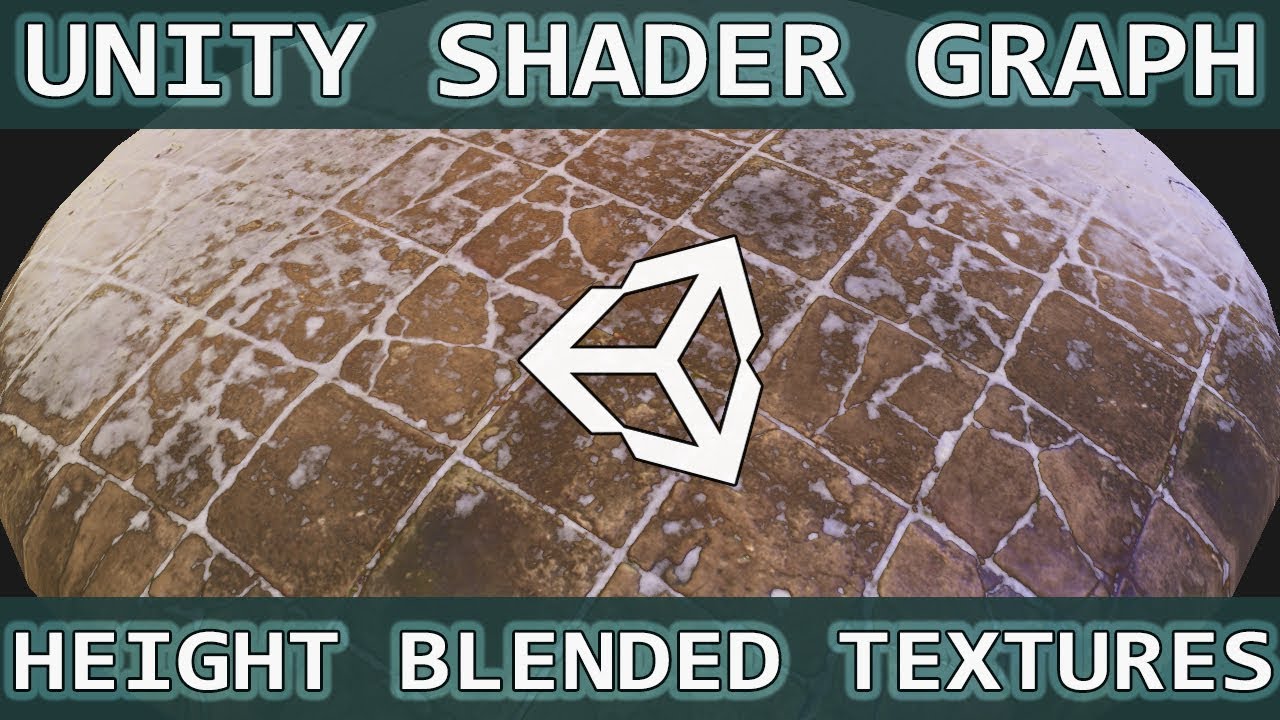
Hello and happy almost-new year, in this last video of 2018 we're taking an earlier lesson of vertex painting and expanding upon it to include height map blending and I also remember to include normal mapping too, so that's good.
We also take a look at world space UV's to make your tiling worries disappear, and show off a little free plugin cal...
foggy jacinth
foggy jacinth
ok, i decided to RTFM again, and see that i can use more, it just triggers anoth...
well, it also disables Height Based Blending, which was my intial question
winter minnow
foggy jacinth
well, it also disables Height Based Blending, which was my intial question
Unclear if you noticed this
https://docs.unity3d.com/Manual/class-TerrainLayer.html
Opacity as Density is a feature available in HDRP and URP. This option becomes available on each Terrain Layer when you disable the Enable Height-based Blend option on the Terrain’s Terrain Lit Material, and when you assign Diffuse and Mask Map Textures to the Terrain Layer.
I don't recall reading anything about extra terrain blending passes disabling any feature of the terrain layers
It could be a bug, or possibly some obscure feature I suppose
foggy jacinth
i did notice that, thank you, but i think i do not fully understand it. I figured i'd be hand-painting the splat, and i do not understand if this does a height type of blending to begin with
Shoot! i Literally just read that (about the more than four layers), and now i cannot find it again. I will link when i do
winter minnow
foggy jacinth
i did notice that, thank you, but i think i do not fully understand it. I figur...
If I'm understanding the issue correctly, height based blending means "masking the layer by its height map"
You'll still be painting it manually and it won't have anything to do with the height of the terrain itself, I believe
foggy jacinth
winter minnow
If I'm understanding the issue correctly, height based blending means "masking t...
Basically, yes.. that is the combination of Vertex Painting, and Height Blending in the above linked video. I may just be going in circles becuase i do not understand that there is a a way already in place to do this (or i am just fundamentally misunderstanding the concept)
winter minnow
Vertex painting is a separate thing from the blending that's happening here
Unity's Terrain does support that kind of blending by height map, and when you paint with it you paint on splat map / control texture rather than vertex color
But the result should be the same
foggy jacinth
Ok, thank you. are you aware of a video tutorial that shows how to do this? i have been going in so many circles, that i am in need of a video at this point, lest i lose more hair
winter minnow
foggy jacinth
Ok, thank you. are you aware of a video tutorial that shows how to do this? i ha...
If you already know how to paint some terrain layers, getting the "height blending" effect is simple as assigning a diffuse texture with the height as the alpha, and enabling Opacity as Density
So basically the instructions in my above link
foggy jacinth
ok, but then how to i change the height, 'on the fly' i mean, how can i adjust that opacity, by painting in Unity
winter minnow
By the brush's softness and opacity
foggy jacinth
Ok, thank you. i will go attempt this now
winter minnow
@foggy jacinth Previously I just had to tick the box for it to work
Maybe the worst terrain texture to test with but it should show the "height blend" effect in action
 foggy jacinth
Awesome, thanks. gathering textures now to get a test setup going
winter minnow
foggy jacinth
Awesome, thanks. gathering textures now to get a test setup going
Also, even without Opacity as Density, height blending is done by alpha channel of the mask map while diffuse alpha is smoothness
The checkbox swaps them around
foggy jacinth
Oh, regarding the Height Based Blending being disabled, the message was right in the inspector :/ I was to distracted. @winter minnow
 foggy jacinth
indeed
Ok, i did not quite get the results i was looking for with that method (but i still think it is just not clicking in my brain. still to used to UE for Terrain techniques), but this looks promising..~~ Polybrush just did this~~


lol, or maybe i just fully tricked myself and this is just standard height blending 😁, yeah, pretty sure it is that. (polybrush is not even compatible with terrains)
woeful halo
hey, noob programmer here. May I ask someone for help?
Im trying to make a moon with a sphere. My problem is that there's a line i want to get rid of, but i cant figure it out how. Any advise?
 winter minnow
woeful halo
hey, noob programmer here. May I ask someone for help?
Im trying to make a moon ...
winter minnow
woeful halo
hey, noob programmer here. May I ask someone for help?
Im trying to make a moon ...
The texture is not designed to tile seamlessly
You'll need a new texture, or to learn enough texturing to make it seamless
woeful halo
okay, thanks
foggy jacinth
rose sentinel
Hey everyone,
I’m trying to apply a texture to a large surface using one materi...
Why are you sending me DMs? i do not think we've ever even interacted. make sure to read the #📖┃code-of-conduct
rose sentinel
foggy jacinth
Why are you sending me DMs? i do not think we've ever even interacted. make sur...
Yes, we never interacted, but I had just said "Hey", if you didn't want to just ignore it, I apologize if that in any way bothered you.
foggy jacinth
rose sentinel
Yes, we never interacted, but I had just said "Hey", if you didn't want to just ...
as mentioned, read the #📖┃code-of-conduct as that is literally against the rules of the server. if you have a Unity question, feel free to ask the rooms here
foggy jacinth
I assume this is just Unity be Unity? the Terrain system keeps yelling at me
"Saving has no effect. Your class 'UnityEditor.TerrainTools.NoiseHeightTool' is missing the FilePathAttribute. Use this attribute to specify where to save your ScriptableSingleton.
Only call Save() and use this attribute if you want your state to survive between sessions of Unity.
UnityEngine.GUIUtility:ProcessEvent (int,intptr,bool&)"
It seems to do this for any brush
Why does this not exist anymore?

 desert rock
foggy jacinth
Why does this not exist anymore?
desert rock
foggy jacinth
Why does this not exist anymore?
it does
it comes with the terrain tools package
foggy jacinth
desert rock
it does
Not that i can find. could you point out where?, thanks

 foggy jacinth
I checked that last night, and did not see a fill option, but checking again now. thanks @desert rock
yeah, unless i am just missing something, the option is not there for Fill, as it was in earlier version of Unity. I am using 2022.3
 rotund forum
i have a performance issue i think has something to do with terrain
i use the Nature Renderer package because i have a lot of foliage
i have a grass patch asset which covers approx. 40x40 cm, and i tried painting it with detail paint, however it turned out i could paint 256 squares max which is far from enough, i tried playing the the terrain settings to increase the size of the squares but i couldnt change them.
then in frustration, i painted each individual grassblade as a tree
my game is not that big or compute heavy, i have pretty well optimized LoDs for everything and in the entire scene there maybe exist 7-8 4k textures, 10 2k textures and tops 30 below 1k textures, however it still takes forever to load the game in the build (like 2 minutes) and then takes 30 gb ram
here comes in my question:
could it be, that the poor performance comes from the grass being painted as trees instead of details?
and if so, how can i paint more than 256 squares of detail paint
rose sentinel
What would be the best way you would recommend me to create a horror house for my game?
 brisk wolf
anyone know how i can increase the distance at which i can see a texture at its max detail?
 prime fossil
anyone knows why i cant see my brush in terrain?
brisk wolf
prime fossil
anyone knows why i cant see my brush in terrain?
could the size too small?
brisk wolf
i dont think an entire scene has anything to do with it
maybe try duplicating the terrain or creating a new terrain game obj
prime fossil
umm.... i cant do that in my other scene eitherr
brisk wolf
prime fossil
umm.... i cant do that in my other scene eitherr
with a new terrain game obj?
prime fossil
well its scene iv made while ago, its ready almost, now when i try to add trees it aint workinf
i can massplace but not with brush
prime fossil
brisk wolf
with a new terrain game obj?
what could make this happen?
brisk wolf
i was thinking it was maybe a terrain settings issue that i was unaware of
but if it happens on a new terrain then probably not
brisk wolf
oh ive seen more than id like to admit in unity6 bugs so maybe
prime fossil
hahah
prime fossil
prime fossil
maybe ill restart unity
didnt help either
prime fossil
brisk wolf
oh ive seen more than id like to admit in unity6 bugs so maybe
well this is error i get MissingReferenceException: The object of type 'UnityEngine.Material' has been destroyed but you are still trying to access it.
Your script should either check if it is null or you should not destroy the object.
UnityEngine.Object+MarshalledUnityObject.TryThrowEditorNullExceptionObject (UnityEngine.Object unityObj, System.String parameterName) (at <c01ea92c157f4fadb827b390bd34dd65>:0)
UnityEngine.Bindings.ThrowHelper.ThrowNullReferenceException (System.Object obj) (at <c01ea92c157f4fadb827b390bd34dd65>:0)
UnityEngine.Material.DisableKeyword (System.String keyword) (at <c01ea92c157f4fadb827b390bd34dd65>:0)
UnityEditor.TerrainTools.TerrainToolboxUtilities.RevertPreviewMaterial () (at ./Library/PackageCache/com.unity.terrain-tools/Editor/TerrainToolbox/TerrainToolboxUtilities.cs:2061)
UnityEditor.TerrainTools.TerrainToolboxUtilities.SaveSettings () (at ./Library/PackageCache/com.unity.terrain-tools/Editor/TerrainToolbox/TerrainToolboxUtilities.cs:2224)
UnityEditor.TerrainTools.TerrainToolboxWindow.OnDisable () (at ./Library/PackageCache/com.unity.terrain-tools/Editor/TerrainToolbox/TerrainToolboxWindow.cs:82)
XD
brisk wolf
prime fossil
well this is error i get MissingReferenceException: The object of type 'UnityEng...
It means you're trying to access something that doesn't exist
winter minnow
Or more likely the editor is trying to
prime fossil
oh thats wrong one i meant to sent you hah, its bug in terrain tools
ig
Unable to load the icon: 'd_winbtn_mac_close'.
Note that either full project path should be used (with extension) or just the icon name if the icon is located in the following location: 'Assets/Editor Default Resources/Icons/' (without extension, since png is assumed)
UnityEditor.EditorGUIUtility:IconContent (string)
sc.terrain.proceduralpainter.TerrainPainterInspector:DrawLayers () (at Assets/assetit/ProceduralTerrainPainter/Editor/TerrainPainterInspector.cs:431)
sc.terrain.proceduralpainter.TerrainPainterInspector:OnInspectorGUI () (at Assets/assetit/ProceduralTerrainPainter/Editor/TerrainPainterInspector.cs:230)
UnityEditor.InspectorWindow:RedrawFromNative ()
this one is right one
brisk wolf
prime fossil
Unable to load the icon: 'd_winbtn_mac_close'.
Note that either full project pat...
Maybe a corrupted icon? 🤷♂️
It says it's unable to load the icon but I'm unsure why
prime fossil
XD
prime fossil
well there i svideo of it
 last viper
Ay guys i have a problem with my terrain brushes
They are all read only
Changed to another project and also another version but it didnt get fixed
 tight cloud
When ever i try to use this: https://assetstore.unity.com/packages/3d/environments/lowpoly-environment-nature-free-medieval-fantasy-series-187052 in my urp project it comes through in light pink(The materials have failed or something) and with errors. The most basic fix of Edit->Rendering->Materials->change selected materials to urp doesn't do anything. I have no idea what to do. ps. I am using unity 2022.3.37f1

Elevate your workflow with the Lowpoly Environment - Nature Free - MEDIEVAL FANTASY SERIES asset from Polytope Studio. Find this & other Environments options on the Unity Asset Store.
 shell marsh
Hello! I've made a Terrain in blender and want to use it as a heightmap in my Unity game. How can i achieve that?
winter minnow
tight cloud
When ever i try to use this: https://assetstore.unity.com/packages/3d/environmen...
You are trying to use the BiRP variants
URP variants are under the folder "SRP"
winter minnow
shell marsh
Hello! I've made a Terrain in blender and want to use it as a heightmap in my Un...
Heightmaps are used to create terrains, not vice versa, unless you intend to export the terrain you made in unity out of unity
But then why would you ask how to use it in unity?
 lofty compass
can someone help with the grass chunks being so obvious?
like can i not make them like how 2d detail falloff?
desert rock
lofty compass
can someone help with the grass chunks being so obvious?
like can i not make the...
play arround with the detail resolution per patch setting in the terrain component
 torpid cloud
Any idea how I can do this in unity?


 shell marsh
winter minnow
Heightmaps are used to create terrains, not vice versa, unless you intend to exp...
shell marsh
winter minnow
Heightmaps are used to create terrains, not vice versa, unless you intend to exp...
I want to do this:
Blender Heightmap > Unity Plane with the same hieght
rigid junco
torpid cloud
Any idea how I can do this in unity?
Do what exactly? I see some vegetation, volumetric fog and a color filter
winter minnow
shell marsh
I want to do this:
Blender Heightmap > Unity Plane with the same hieght
Terrain lets you import a raw file heightmap
 rotund minnow
Hi, i placed some tree on a terrain, it's night and i don't know why but i can see them from where i am why?
 torpid cloud
rigid junco
Do what exactly? I see some vegetation, volumetric fog and a color filter
torpid cloud
rigid junco
Do what exactly? I see some vegetation, volumetric fog and a color filter
How do i do that?
 winter minnow
 upbeat thorn
I believe tree and foliage meshes must be only one object, not multiple
Also heed the warnings in your editor about LODs and correct shaders
Terrain is quite particular about how trees must be set up
upbeat thorn
winter minnow
I believe tree and foliage meshes must be only one object, not multiple
Also hee...
is there any way i can merge the package into one
or wait i have an idea