#⛰️┃terrain-3d
1 messages · Page 4 of 1
 inland jetty
unless you tried to drag in TerrainCustomEditor
or if you accidentally pasted that code into the first script
you may have done that
 inland jetty
You put the RaiseTerrainHeightmap script in the Editor folder.
It does not go in the Editor folder.
 ionic plinth
🤦♂️
inland jetty
(anything in Editor will not get included when you build the game, so it stops you from trying to add it)
didn't know it would give that extra error
ionic plinth
inland jetty
(anything in Editor will not get included when you build the game, so it stops y...
Okay so i recreated the script as a component of that terrain tile was that right?
 fluid meadow
hi, i have a problem
somebody know how to change the size of threes in terrain editor?
 winter minnow
In this video the Placement Settings appear when the prefab icon itself is clicked rather than the tiny checkbox on it, would it appear for you then?
I notice the new included shaders don't implement tiling settings, which suggests they simply didn't bother adding them in
If you're on URP or HDRP it should be relatively easy to implement it yourself using Shader Graph
fluid meadow
its like, i have a prefab of the three, and its have 4x4 transform size, but in terrain, looks 1x1
ionic plinth
inland jetty
you just need to move it out of the Editor folder
Okay i think im closer, I moved it out. I think i now have to add it as a component to the terrain?
inland jetty
Yes.
Then assign the terrain into the "my terrain" field
and configure the height change you want
ionic plinth
inland jetty
Yes.
Thanks so much for your help!
fluid meadow
inland jetty
Yes.
bro help me too
 drifting crown
@fluid meadow Stop spamming the channel. If someone can help you they will. Also make a single search for your question.
fluid meadow
drifting crown
<@855610361230524447> Stop spamming the channel. If someone can help you they wi...
well
drifting crown
!mute 855610361230524447 1h Stop spamming.
 reef bayBOT
 Capitán Mayonesa#6539 was muted.
winter minnow
fluid meadow
somebody know how to change the size of threes in terrain editor?
https://docs.unity3d.com/Manual/terrain-Trees.html
The answer can be found here
Always check the documentation first
 paper violet
winter minnow
In this video the Placement Settings appear when the prefab icon itself is click...
paper violet
winter minnow
In this video the Placement Settings appear when the prefab icon itself is click...
No, density settings for the prefab don't show up among the placement settings for the selected palette. I see frequency, randomize scale, and randomize rotation. Not sure what frequency does, but it's not increasing the prefab placement density for sure.
winter minnow
paper violet
No, density settings for the prefab don't show up among the placement settings f...
"Strength" appears to be the rate at which prefabs are placed
Not sure if it can be increased above 1, but you should be able to paint in the same spot for longer for a tighter group
It's possible to enable "unclamped falloff" and manually set the upper end of the falloff curve to above 1, but it doesn't feel like it actually could go above 1
Conceptually there doesn't seem to be a "density", at least not in a way that'd track how many prefabs are already placed in that spot for a controlled prefab density
Frequency is the likelihood at which a prefab appears relative to other prefabs in the "brush loadout", meaning prefabs selected from the palette
paper violet
winter minnow
"Strength" appears to be the rate at which prefabs are placed
Not sure if it can...
Sounds like there's no easy way to cover a small landscape. That's unfortunate.
winter minnow
paper violet
Sounds like there's no easy way to cover a small landscape. That's unfortunate.
Why not? As long as I increase brush min and max radius it seems to paint even huge areas quite tightly at max strength
paper violet
winter minnow
Why not? As long as I increase brush min and max radius it seems to paint even h...
Not quite dense enough for my purposes, they're still pretty sparse and require a lot of movement to get a nice layer down
I have the strength dialed to 1 and can't go past that
 random cobalt
hello, I have this basic terrain and lets say I wanted to slice the mountain in half horizontally. but since unity's terrain is height map based I cant do that easily. does anyone have a work around for this?
 winter minnow
random cobalt
hello, I have this basic terrain and lets say I wanted to slice the mountain in ...
winter minnow
random cobalt
hello, I have this basic terrain and lets say I wanted to slice the mountain in ...
Can't do it at all with Terrain alone*
The sliced mountain would have to be a mesh
Or possibly the topside is another smaller Terrain that has its edges cut with Terrain holes and the underside plugged with a mesh of the sliced surface
 snow plover
can someone tell me how do i get these terrains brushes?

 visual fog
Hey all. Not sure I should ask here. Let me know if I should go to another channel please! My question is: can I set some kind of 'threshold' for when my Player is able to move on top of an object (the sidewalk) or bounce into an object (a wall)? I have no idea what other terms to describe this... Here's a quick video explaining: my characters can't walk enter the sidewalk. But he should be able to! And when he's on the sidewalk, he should be moved up a bit, but still bounce against the house.
random cobalt
Hi so the paint holes brush does not function properly when your terrain material's shader is not set to "URP -> TERRAIN -> LIT". But I cannot set my terrain material to that because it has custom shader. What should I do?
 reef berry
guys how would I know how many vertices the terrain has
reef berry
 inland jetty
I am trying to bake a navmesh that includes a terrain with trees on it. This is in Unity 2023.1.6f1.
The existence of this setting for trees makes me think I should be able to include them in the navmesh bake: https://docs.unity3d.com/ScriptReference/TreePrototype-navMeshLod.html
I tried putting a capsule collider on the root of the tree object, as well as on the first LOD (after setting navMeshLod to "first"). Both produce trees that I can collide with, but my NavMeshSurface isn't including them.
I've tried setting the NavMeshSurface to bake based on physics colliders and render meshes. I've also tried setting it to use all game objects, rather than just those in the hierarchy, and I'm also including all layers.
It works as expected if I drag a tree prefab in manually -- I get a hole in the navmesh around the tree.
winter minnow
inland jetty
I am trying to bake a navmesh that includes a terrain with trees on it. This is ...
Terrains can be tricky because it draws trees by GPU instancing rather than mesh renderers afaik
But still it should at least be able to produce some kind of colliders for the trees
I'd try to check if it seems rigidbodies can collide with trees
inland jetty
It's the navMeshLod part that really makes me think this should work...
The colliders work fine.
I can bang into trees
winter minnow
That seems to point towards the issue being with navmesh generation settings somewhere
Terrain component is not something I'd fully trust in any situation
 faint robin
What is easiest way to add water level to terrain nowadays? I'm using 2022 lts
 undone lark
If using HDRP, there's the new ocean system. Otherwise, the same old way of displacing a plane via shader.
 hybrid wedge
anyone here having used quadspinner gaea?
i'm considering to use it for my open world instead of MapMagic which has been one big headache so far
hybrid wedge
faint robin
What is easiest way to add water level to terrain nowadays? I'm using 2022 lts
one big plane with a water material 
 brave aspen
fluid meadow
somebody know how to change the size of threes in terrain editor?
brave aspen
fluid meadow
somebody know how to change the size of threes in terrain editor?
did u solve it?
i really need it too
 hallow sequoia
Looking for a simple code for procedural map generating
 summer bay
faint robin
What is easiest way to add water level to terrain nowadays? I'm using 2022 lts
summer bay
faint robin
What is easiest way to add water level to terrain nowadays? I'm using 2022 lts
If you're on HDRP, you get the fancy new water system, otherwise, a big plane with a nice water shader is your best bet
 idle breach
Hey there! I was wondering if anyone else struggles alot with Grass in Unity. For Some reason i can not figure out, it changes color with the Wind Settings. I cant find a Color where it just keeps its color. Alpha to 0 doesnt work 😦 its driving me insane - does someone more experienced know anything about that D:
 fringe thunder
i must have pressed something on my keyboard but im getting a null reference error whenever i click on my terrain, and i cant paint anything any help?
NullReferenceException: Object reference not set to an instance of an object
UnityEditor.TerrainTools.BrushSizeVariator.OnEnterToolMode (UnityEditor.TerrainTools.BrushShortcutHandler`1[TKey] shortcutHandler) (at Library/PackageCache/com.unity.terrain-tools@4.0.5/Editor/TerrainTools/BrushControllers/BrushSizeVariator.cs:70)
the error is longer than this a little bit but idk
 neat acorn
i dont know if this is the right place to ask, but I have a .raw file for a terrain I generated. the file is 2560x2560 which is not a power of 2. how can I resize this file? gimp doesnt allow .raw files and I tried a converter and it doesn't allow .raw files that arent taken by a camera. do you guys know how to resize a .raw file?
winter minnow
neat acorn
i dont know if this is the right place to ask, but I have a .raw file for a terr...
It's been a while since went through that process but I seem to remember using Gimp for importing, editing and exporting the .raw, and also that you got to define the dimensions freely when importing it into Unity's Terrain component
neat acorn
winter minnow
It's been a while since went through that process but I seem to remember using G...
thanks, ill try that. do you know how i could use a non square sized heightmap? I don't want to change the proportions because this is based on a real life location.
winter minnow
neat acorn
thanks, ill try that. do you know how i could use a non square sized heightmap? ...
Yes, you've got the width and length settings so if they have the same proportions as the heightmap, the proportions should match
Even if the textures themselves are power of two
 neat acorn
winter minnow
Yes, you've got the width and length settings so if they have the same proportio...
neat acorn
winter minnow
Yes, you've got the width and length settings so if they have the same proportio...
hm, this is in meters right?
winter minnow
neat acorn
hm, this is in meters right?
Yes, or more precisely units but units are meters by default
neat acorn
thanks man
 oblique bison
i downloaded this

how to get these flowers on the plane?
as depicted in the asset store
 winter minnow
oblique bison
i downloaded this
winter minnow
oblique bison
i downloaded this
Did you check if it has instructions or if it has a demo scene that shows how they're implemented?
oblique bison
winter minnow
Did you check if it has instructions or if it has a demo scene that shows how th...
no
😓
 hazy axle
Hi. i was wondering if its possible to make circular shape terrain in unity ?
hazy axle
also i face this weird error in unity terrain tool ? : Saving has no effect. Your class 'UnityEditor.TerrainTools.SmoothHeightTool' is missing the FilePathAttribute. Use this attribute to specify where to save your ScriptableSingleton.
idle breach
Hey there! I was wondering if anyone else struggles alot with Grass in Unity. For Some reason i can not figure out, it changes color with the Wind Settings. I cant find a Color where it just keeps its color. Alpha to 0 doesnt work 😦 its driving me insane - does someone more experienced know anything about that D:
 jolly sparrow
Hello anyone know how to make the layers work please ? i can't paint my terrain
if anyone want to help please ping me
 void sparrow
hazy axle
also i face this weird error in unity terrain tool ? : Saving has no effect. You...
void sparrow
hazy axle
also i face this weird error in unity terrain tool ? : Saving has no effect. You...
hey I'm getting that same strange error message too rn
were you able to figure it out?
 young gate
This is an outside the box kind of question, but I'm wondering this:
If I'm not using a section of terrain in a scene, say a corner or water you cant access anyways, would cutting holes out increase performance when rendering?
I'm trying to scrape out every pixel on mobile possible.
Thanks
Edit: Probably no since the renderer only renders the FOV of what the camera is looking at
winter minnow
young gate
This is an outside the box kind of question, but I'm wondering this:
If I'm not...
based on my understanding of the terrain shader, it's cheaper to skip over rendering terrain using holes, but only if those pixels on screen would otherwise be rendering terrain, meaning those areas of the terrain are being looked at and not covered by opaque geometry
But having terrain holes enabled in quality settings itself has an overhead cost for every pixel of the terrain, since it increases shader complexity
young gate
So the trade off of having holes enabled would potentially negate any performance I save using holes.
winter minnow
Most likely
young gate
winter minnow
Most likely
Much obliged.
 drowsy crown
Is there a way to place grass mesh without random rotations? I have a grass mesh and a shader that displaces the vertices in a particular direction ( wind direction ) but because meshes are placed with random rotation, they end up swaying in diffrent directions.
winter minnow
drowsy crown
Is there a way to place grass mesh without random rotations? I have a grass mesh...
Why not make wind shader's direction in world instead
Identically rotated grass would look pretty weird I expect
 broken mist
why i can't put grass?

 ivory smelt
broken mist
why i can't put grass?
ivory smelt
broken mist
why i can't put grass?
do you got any assets or anything els for grass?
 tardy lark
broken mist
why i can't put grass?
tardy lark
broken mist
why i can't put grass?
yep a well known issue that is a mystery
you are using urp ?
you can place gras in the tree tab..
hazy axle
void sparrow
hey I'm getting that same strange error message too rn
were you able to figure...
Hey, I deleted all the terrain packages and whatever was related to them. I also deleted some other templates that have the terrain tool or brushes and reinstalled them, and it fixed everything.
 short glade
Asking low poly builders: Once im done with the basic map layout which has some wierd turns and twists in the terrain. How do i go about making the low poly terrain for the map, such as the mountins, and all the elevations.

Do i make it in pieces?
and
How do i make the terrain in a way that it first the layout. For example if i make it in blender i might have an offset or scale wrong so i have to redo a part of terrain multiple times just to get it to work
 rose sentinel
those fragments are being drawn ontop of the close up fragments
must be something up with the depth buffer
 molten prawn
Hi guys !
I'm trying to make objects flotable on a water area and it works perfectly with Unity base 3D objects like cube and sphere, but when i try to use custom objects whit mesh renderer, i have to passe the mesh into convex otherwise the object wont detect water. But with that my custom object bounce very hard on water and waves, any ideas on why ?
 forest siren
Does unity have a auto-LOD setting?
winter minnow
forest siren
Does unity have a auto-LOD setting?
I guess it depends on what you mean by "auto" LOD
forest siren
winter minnow
I guess it depends on what you mean by "auto" LOD
You dont need to manually create lods of every game object.
I search for a feature like in unreal 5.
winter minnow
forest siren
You dont need to manually create lods of every game object.
I search for a featu...
It's not built-in functionality but should be some tools on the asset store that can do it
Terrain component can generate billboards for any tree mesh
forest siren
Whats with the game object like bushes, vehicles, buildings.
winter minnow
Maybe Terrain can generate mesh LODs for trees too but I expect that may require SpeedTree trees
winter minnow
forest siren
Whats with the game object like bushes, vehicles, buildings.
What's "with" the gameobjects? Meaning what
forest siren
Everything in your game should automaticly lower its polygon count after long distance without even having different lod models of the same object.
winter minnow
forest siren
Everything in your game should automaticly lower its polygon count after long di...
The only technology that does that is Unreal's Nanite
forest siren
winter minnow
The only technology that does that is Unreal's Nanite
Is there anything planned by unity to make a competitor against nanite?
winter minnow
forest siren
Is there anything planned by unity to make a competitor against nanite?
No, but there's a third party asset in the works named "Nano Tech"
There isn't that big of a demand for it since LOD authoring is a trivial task for most studios and provides some benefits of its own
 sharp oak
I'm new to Unity it wants me to use the Nature/Soft Occlusion shader, where would I find that?

 sharp oak
ivory smelt
why does my mountain not look as awsome as others?
sharp oak
ivory smelt
why does my mountain not look as awsome as others?
I just said that I'm new to unity so like not sure if this is advice but I suppose turning up the brush size when raising or lowering terrain, I would try a bigger brush then opt for half the size etc etc
or try using a different brush altogether for different affect
ivory smelt
sharp oak
I just said that I'm new to unity so like not sure if this is advice but I suppo...
the mountain is on a 5000 X 5000 X 10000 grid thats equal to 250000000000 cubic meters so i dont think the size is the problem here and i cant think what is tho =/
ivory smelt
sharp oak
or try using a different brush altogether for different affect
like what kind of affect?
sharp oak
what brush were you using
ivory smelt
sharp oak
I just said that I'm new to unity so like not sure if this is advice but I suppo...
and i am also new i started literly 3 days ago
sharp oak
try brush 6 the really gritty looking one
sharp oak
ivory smelt
and i am also new i started literly 3 days ago
haha i downloaded unity 3 hours ago
ivory smelt
sharp oak
what brush were you using
pretty much all of them


 feral otter
Hello, I am making a game with a relatively large map (using neighboring terrain tiles), and was wondering how to render the tiles to increase performance
winter minnow
feral otter
Hello, I am making a game with a relatively large map (using neighboring terrain...
I believe the Terrain component by includes its own LOD and culling systems by default
This means it's already optimized in what it does, but that you can't implement your own optimizations even if you'd prefer them
 minor arch
can someone explain something to me: why can't I carve the default terrain?
winter minnow
minor arch
can someone explain something to me: why can't I carve the default terrain?
What does carve mean in this context?
You mean dig below zero depth, cut holes into terrain or dig horizontal caves?
feral otter
winter minnow
I believe the Terrain component by includes its own LOD and culling systems by d...
ok, so trees and grass placed with terrain tools will have LODs and culling handeled by the terrain system?
and I assume we would need our own system for game objects placed in the world seperate from the terrain
I know one of our group members is looking into scene loading atm, would that be a good approach or are there some caveats that we should know about?
winter minnow
feral otter
ok, so trees and grass placed with terrain tools will have LODs and culling hand...
Culling and billboarding yes, LODs I think not automatically unless you're using SpeedTree tree editor trees
winter minnow
feral otter
and I assume we would need our own system for game objects placed in the world s...
Yes
winter minnow
feral otter
I know one of our group members is looking into scene loading atm, would that be...
I think so yes, additive scenes can be loaded in asynchronously so that could make them a good option
 calm flax
Hello! I have a problem with baked shadows on terrain trees (everything works completely fine with hand placing trees on terrain). Using URPin Unity 2021.3
My terrain trees don't receive baked shadows if my light is in mixed mode when I generate lighting. All is fine with fully baked or fully dynamic lights. Dynamic shadows work fine in dynamic or mixed mode. Baked shadows appear exactly as they should in baked mode. Only problem with terrain trees - shadows work fine on the terrain itself, or anything that's hand placed.
Anyone have any suggestions what might be happening? Once again it's baked shadows not being received by trees, but only with mixed lights, and only for the terrain trees, nothing else.
feral otter
winter minnow
Culling and billboarding yes, LODs I think not automatically unless you're using...
Ok, thank you for your help ❤️
 trim ice
Hello, I have a problem, my cat stepped on my power button and shut down my pc during a terrain modification. After rebooting my pc, reopening my project and going to "Paint Texture" menu, I'm getting a lot of error. I tried to remove temp and library folders and restart, delete my project and clone it again, reinstall unity... but nothing seems to work. I get the same error (screen). Any idea about how to solve this ?

 glacial bramble

can any body from unity start working on better navmesh this has been forever a problem its so bad pls spend some time on trying to test out on complex surfaces not just flat stuff and if you say did you try slopes PLS DONT, I tryid it all for many years your navmesh system has been a Joke Nightmare just not good for complex terrains PLS AND THANKS
 rare linden
glacial bramble
rare linden
glacial bramble
Pretty sure there's setting to adjust that 😂
 limber fox
How random rotate grass?
 winter minnow
limber fox
How random rotate grass?
winter minnow
limber fox
How random rotate grass?
It may be better to use a grass texture that doesn't have such obvious repeating patterns like shadows
There are shaders that can add random rotations when sampling, but custom Terrain shaders are a lot of work and you don't usually need that
Once your terrain has details like grass, trees and rocks you usually don't need perfectly nonrepeating textures
limber fox
How to make such a shader?
minor arch
winter minnow
What does carve mean in this context?
You mean dig below zero depth, cut holes i...
I just want to 'dig' down or 'lower' it below 0, but that doesn't work out-of-the-box wtf. Instead I have to lower transform to guess number, then set height to 0... am I doing it wrong? I just want it to lower without having to do all of this
 main citrus
hey. I need help with the tree colliders.
They only work if i place them manualy but not if I place them with the paint tree option

I am using a mesh collider on the tree and that does not work
winter minnow
minor arch
I just want to 'dig' down or 'lower' it below 0, but that doesn't work out-of-th...
Terrain data is stored in a height map texture that cannot represent values below 0 or above 1, so its values have to be mapped between min and max heights of the terrain
As a consequence you need to know beforehand the lowest and highest physical points your terrain will have if you want to get the most out of vertical resolution available to you
And then raise the whole terrain to the level you have arbitrarily determined as baseline
 wise estuary
Does anyone know how they baked terrain basemap into texture in Unity Terrain Demo scenes for HDRP?

 amber cloud
I am making my first game, and I am currently making a terrain in blender using the ANT landscape generator. I wanna make one entire level for the game, and I was thinking about cutting it up into pieces and use LOD, and also streaming the level piece by piece like WoW
But how many vertices is too much for the ENTIRE level? Imagine that the size of the level should be something like fallout 4, where you can walk from one end to the other in like one hour. From google. "Fallout 4 game map is approximately 43 square kilometers (16.6 square miles)" I wanna make something around this.
So is 500k vertices too much? 5 million? 50? I have no frame of reference and google doesn't really say much, as it is context-dependant ofc.
 royal peak
Hi, any way to have a particle system on the tree prefabs placed by the terrain?
winter minnow
royal peak
Hi, any way to have a particle system on the tree prefabs placed by the terrain?
I think you may need to get the tree positions from Terrain data and instantiate particle systems on them manually
I'd look for resources for how to add scripts or colliders to terrain trees as a reference, since particle systems are just another component like them
You may end up having to implement some kind of optimization to only have particle systems on nearby trees or to disable them over distance if your forest is very big
 thorny swift
amber cloud
I am making my first game, and I am currently making a terrain in blender using ...
thorny swift
amber cloud
I am making my first game, and I am currently making a terrain in blender using ...
If you are gonna stream in the world I would mainly look at how big disk size you wanna take for users. For HighEnd PCs can handle 1mil polygons on screen quite okay if they are not in many batches. Lower End PCs you wanna go around 100-200k polygons. And mobile is 100k under, high end 300k under. Then all it depends on how much is it going to cost your disk to hold onto that much data. There are other factors like Shader complexity etc. But this is mostly calculated on Standard Shaders with nothing extra like parallax, tessellation etc.
amber cloud
Great thanks for the general pointers
thorny swift
Your welcome
winter minnow
@amber cloud The actual performance depends on a lot more than polycounts alone, so you have to be ready to test and profile and in general study the concepts of optimizing for your target platform
Lights and shadow casting may require meshes to be rendered again so even the polycounts the GPU is pushing through can vary a lot
 hot oriole
glacial bramble
can any body from unity start working on better navmesh this has been forever a ...
hot oriole
glacial bramble
can any body from unity start working on better navmesh this has been forever a ...
Maybe adjusting the voxels of the NavMeshSurface will solve this problem
royal peak
winter minnow
You may end up having to implement some kind of optimization to only have partic...
Thank you for your reply, then I will have to do so. Have a nice day ! 🙂
 hushed juniper
Can anyone tell me why when I use the paint trees tool they all are floating? Not by much but its noticable
winter minnow
hushed juniper
Can anyone tell me why when I use the paint trees tool they all are floating? No...
Does the tree mesh/prefab have the same offset as well?
 knotty seal
I'm really struggling and don't understand what's wrong with this navmesh, if I move it a bit closer to the bridge, my navmesh agent proceed to move to destination, if it's 1cm away, it can't. I don't see anything wrong on the navmesh baked...
 lone laurel
In my scene view there are no enemies around me, but when i move over certain areas like my stair case or some tiles upstairs, i take damage. Issue stops when I turn off enemy spawner.
 deft pagoda
Please tell me if this can be done or how to do it. For example, let's say I need to make fields on which there will be grass, trees, etc. And it is necessary that these models spawn themselves, at random coordinates inside this field. Is it possible to do this?
knotty seal
knotty seal
I'm really struggling and don't understand what's wrong with this navmesh, if I ...
I fixed it, for anyone who would be curious, it's very weird, but it was the nav mesh remaining distance that was showing "0" during a frame instead of "+infinite", so as it was showing 0 during a frame, it was directly going to play the animation that is supposed to play when it arrives at destination. I tried to fix it by adding a "wait next frame" but after I just added a "pending path" node and a if to check when the path is not pending anymore, then proceed to calculate remaining distance.

 fleet tendon
Fixed this by brute forcing it with script, thanks though
main citrus
anyone knows how I can play a particle attached to a specific terrain tree?
 ivory ravine
Any terrain in any project show this warning, even with only 1 prefab added, forums and discord says it's an old bug, but I have this question though :
If my detailMeshs are already atlased, do Unity re-atlas the atlases ?
Or do this only work with detailTextures, which are cards, no UV control, no atlas possible (all the imported above are detailMeshs).

 dense vector
soo, i've been struggling to get the unity terrain grass textures to cast shadows. how can i create a shader to get them to cast shadows? and although there are a number of tutorials on this, it seems that they are using individual grass objects with a material and then applying the shader to the material. not sure how to replicate this with terrain grass textures.
 gaunt ice
Hello, I have two textures: one is the base texture (sand), and the other one I want to add by painting (grass). However, I'm having trouble achieving a clear border between the two. Please refer to the attached image :

How can I ensure I have a clean border?
winter minnow
gaunt ice
Hello, I have two textures: one is the base texture (sand), and the other one I ...
No easy way to do it
You'd need a custom Terrain shader that replicates all the features except that it uses step instead of lerp for blending texture layers
And Terrain shader has a lot of features
gaunt ice
winter minnow
No easy way to do it
You'd need a custom Terrain shader that replicates all the ...
And Is it possible to do this using a third-party software like Blender or another one
winter minnow
gaunt ice
And Is it possible to do this using a third-party software like Blender or anoth...
Naturally
But then it's up to you to implement every feature you require for your terrain
These might be splat mapping, material layering, LODs, trees and foliage potentially
 hollow wadi
Hey guys,
For games like farming simulator, in which the terrain texture is altered all the time, is there something I need to know about Unity's terrain system?
Or the basics of the tutorial is enough?
I am worried about updating the splatmap all the time
wise estuary
Do you also have an issue with painting layers on terrain in Unity 2023.1.15f1 when using Terrain Tools 5.1.0?
 crimson ibex
anyone know why this is happening?
 cedar jolt
why unity is getting super slow when i paint with another layer
feral otter
Is there a way to get navmesh to work with painted trees?
crimson ibex
crimson ibex
anyone know why this is happening?
just gone through every setting, nothing to do with splatmaps or resolution, and ive never seen anyone else mention something like this
 jaunty harbor
Hey all!
I'm having an issue where I'm unable to paint holes onto my terrain. I'm using HDRP, custom landscape heightmap, and custom landscape material/shader
Unity's documentation is pretty sparse on the paint holes option so I don't really know what's going wrong here.
rose sentinel
do you have a collider on the new terrain?
rose sentinel
does the player use a check for ground instead of normal collider, if so do you have your new terrain in correct layer
yeah maybe try doing that and lmk if it works
ivory ravine
Ehm, there is no MeshCollider for Terrain tree instances (for like rocks) ?
 near yew
How would I "sculpt" this river? I want it to flow downhill slightly. Should I just export the terrain mesh to blender or something?

 gritty shoal
Maybe
winter minnow
near yew
How would I "sculpt" this river? I want it to flow downhill slightly. Should I j...
Terrain component terrain can't do sharp inclines or walls very well so you might want to plop in extra meshes as cliff walls
Or just make the whole thing in a modeling program instead though you do lose terrain features that way
For a "flowing" river you need an animated material, and would realisticially have water on multiple elevations and waterfalls of some kind between them
near yew
winter minnow
Terrain component terrain can't do sharp inclines or walls very well so you migh...
Thanks. Was more so wondering how I could warp the "water" plane (or use something besides a plane) to adjust the geometry to match the terrain. I tried just using another terrain object, but even when disabling the earth terrain's "selectable" setting in the hierarchy, the terrain brush still wanted to sculpt on that one rather than the water terrain. Oh well, I'm going to start fresh in blender some other time. Thanks again 🙂
 jovial sphinx
Hi, do you guys know why in Unity, when I try to add grass, it appears transparent, and I can only see shadows? I've encountered the same issue with two different grass shaders, so I'm thinking there might be a general solution. Also, when I had my project in URP and switched from Built-In, the prefab icons turned pink at first, and then after I updated them to URP, the prefab icons became transparent, as if there's nothing on them. I'm not sure why this is happening because I followed the add-on's documentation and updated it to URP, but I still can't see the grass, only the shadows, also when I add the texture included in this add-on, the shadows stop moving at all, even though they should, does anyone have any ideas?
 naive ravine
jovial sphinx
Hi, do you guys know why in Unity, when I try to add grass, it appears transpare...
naive ravine
jovial sphinx
Hi, do you guys know why in Unity, when I try to add grass, it appears transpare...
What shader were you using for the grass materials? Was it a built in shader or a custom one
winter minnow
jovial sphinx
Hi, do you guys know why in Unity, when I try to add grass, it appears transpare...
The problem is the shader/material used by the foliage, but we can't see that in the video
Each time you "add a texture" to a mesh, it's just a shortcut to create and assign a new material with the default shader using that texture
jovial sphinx
naive ravine
What shader were you using for the grass materials? Was it a built in shader or ...
it is a custom grass material, specifically from the free add-on "Low Poly Wind" https://assetstore.unity.com/packages/vfx/shaders/low-poly-wind-182586#description

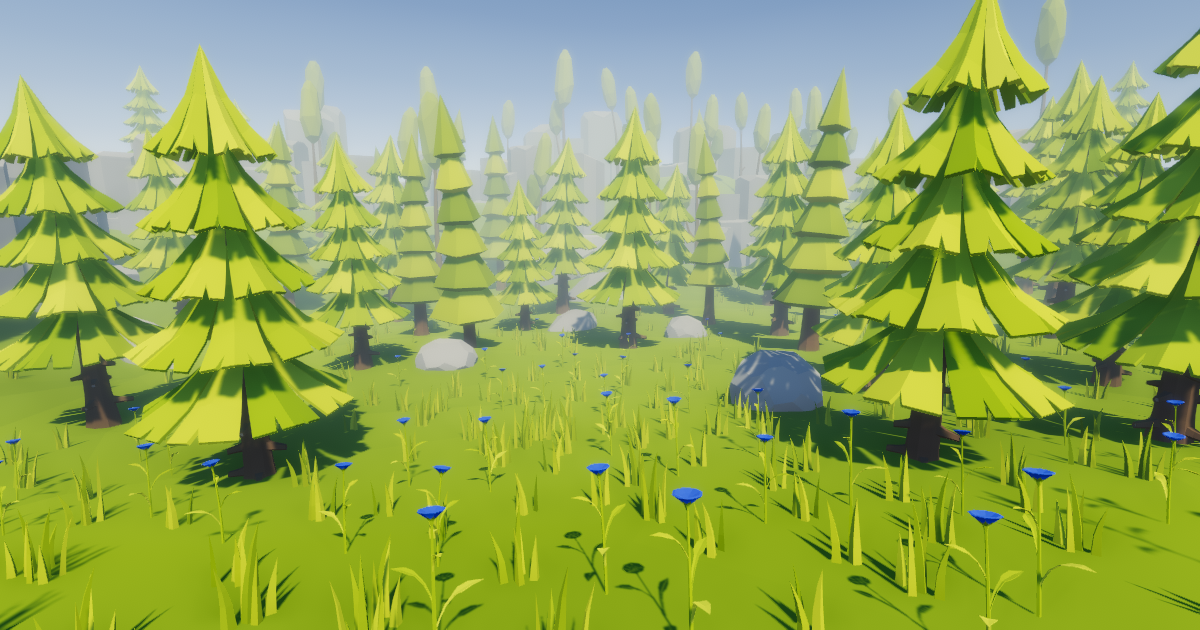
Add depth to your next project with Low Poly Wind from Nicrom. Find this & more VFX Shaders on the Unity Asset Store.
and the material looks like this, if it helps somehow

 naive ravine
jovial sphinx
it is a custom grass material, specifically from the free add-on "Low Poly Wind"...
naive ravine
jovial sphinx
it is a custom grass material, specifically from the free add-on "Low Poly Wind"...
If a custom shader is updated to URP, it usually results in some errors. You might be able to fix this by editing the shader script to support URP
jovial sphinx
naive ravine
If a custom shader is updated to URP, it usually results in some errors. You mig...
the only problem is that there is even an upgrade in the files to make the add-on work on urp, and that's why I'm wondering how to solve it, because after using it I can't see the grass at all

do you have any idea?
naive ravine
jovial sphinx
the only problem is that there is even an upgrade in the files to make the add-o...
Oh that is strange
naive ravine
jovial sphinx
do you have any idea?
Unfortunately no I don’t
crimson ibex
anyone know why this is greyed out?

 pearl seal
how can i make a super small cylinder cut out on terrain. the smallest hole i can make is a square. im trying to cut a golf hole. maybe a stencial buffer to fake the hole?
crimson ibex
crimson ibex
anyone know why this is greyed out?
still struggling with this, has anyone else had this problem
wise estuary
Does anyone know why every layer above 4 in HDRP show up well in the editor but appear black in the build?

 ivory ravine

 ivory ravine
Same behaviors in various versions of Unity (from 2022.3 to 2023.2) am I missing something here ?

pointLights won't affect detailMeshs that use standard shader, scattered on a terrain
can anyone just confirm to me that pointlight work on their terrain normally ?
 hardy shell
I am working on a procedurally generated 2d world. It currently looks like this. My goal is that it can be used in both 2d and isometric.
Anyone know how I should go about making hills and mountains? Do i just layer sprites on top of the hexes? Should I create procedural mesh mountains?
My goal is to have mountains as shown in the 2nd picture?
Anyone know any good art assets for mountains?
Thanks

 ivory ravine
Do you maybe happend to have pointLight working on your detailMeshs ?
do ANYONE have this issue, seriously i'm losing my mind here
yo
rose sentinel
Hi
Is it possible to make the snow on the terrain be affected by the wind?
This is what I have currently, but the snow on the ground is "static" (for a lack of a better word)
I've tried googleing this but I can't find anything, maybe I'm missing a keyword here...
ivory ravine
rose sentinel
This is what I have currently, but the snow on the ground is "static" (for a lac...
I'd just put a few particles of snow dust, a bit like that

look at references like maybe God of War, Skyrim, RDR2..
rose sentinel
ivory ravine
look at references like maybe God of War, Skyrim, RDR2..
Thanks, I'll look into that 🙂
rose sentinel
ivory ravine
I'd just put a few particles of snow dust, a bit like that
Also this seems like an already good enough solution
It's more realistic at the very least
 spice trellis
If I have a terrain script error should I post it here because its about the terrain tools or in scripting?
like this

 rapid coral
is there a big performance difference of having 1000x1000 planes with simple plane mesh or having 1000 bigger plane mesh (but one) with small variations
or is it optimized somehow?
ivory ravine
Day 4 of my endeavour, maybe someone will answer today :
Do anyone have pointLight working on detailMesh of their terrain (does light affect your grass color) ? - Using Built-in, 2022.2 and above.
 bright lark
 ivory ravine
for anyone passing by, I'm still looking for someone to confirm that PointLights are broken and don't affect Terrain detailMeshs (grass).
Using Built-in, Standard shader, 2022.2 and above, can anyone replicate this ? Or am I alone ?
rose sentinel
i need help
geniunly
its 3:30am and i am gonna mentally explode
this is the code
https://hastebin.com/share/eriyivavag.java
https://www.youtube.com/watch?v=1HV8GbFnCik
i follow this tutorial
I get shit like this

Hastebin is a free web-based pastebin service for storing and sharing text and code snippets with anyone. Get started now.

In this video, we will look at how to go at creating a procedural terrain using the Diamond-Square algorithm.
Custom Mesh video: https://youtu.be/UeqBwK27sV4
when it should be like this

i am usig diamond square algorithm
its going to be neraly 4am so ama go sleep and if i wake up in 4hrs and know that someone told me how to fix it then I will pray for that person success
ivory ravine
@rose sentinel I don't know for your issue but I've been asking the same one for a week now,
Can you put grass on your wrongly made terrain, and tell me if f***ing pointLights affect your grass ?
Seriously I have asked for a thousand people I've got no response, I'm desesperate to find an ANSWER TO THIS FOR A WEEK>
CAN SOMEONE TEST THIS FOR GOD SAKE
POINTLIGH ON GRASS
please
f* please
just anyone put a light on your grass and tell me YES or NO
it's simple
rose sentinel
ivory ravine
<@456226577798135808> I don't know for your issue but I've been asking the same...
i figured out the mistake
in the getting value of mid
i missed out a vlaue [botleft].y
ivory ravine
@rose sentinel Okay nice ! Now what happend if you put a PointLight on some grass, does it take the color ?
rose sentinel
i wont be doing textures
ivory ravine
could you maybe test for a few seconds ?
rose sentinel
i am doing a memory usage test depending on fps and terrain size for two algorithms
rose sentinel
ivory ravine
could you maybe test for a few seconds ?
idk how
i am a beignner
it would take me time\
ivory ravine
ah nevermind then
ivory ravine
for anyone passing by, Day 6, I'm still looking for someone to confirm that PointLights are broken and don't affect Terrain detailMeshs (grass).
Using Built-in - Standard shader - 2022.2 and above - can anyone replicate this ?
winter minnow
ivory ravine
for anyone passing by, Day 6, I'm still looking for someone to confirm that **Po...
At this point it would've likely been quicker to get QA to look at it by filing a bug report with a repro project
ivory ravine
winter minnow
At this point it would've likely been quicker to get QA to look at it by filing ...
Yeah that's what I did several days ago, and they responded next to the question, not the question itself.
I'm still waiting for the correct test and answer from them, or from anyone at this point.
 earnest current
i feel like im losing my mind

i swear to god the terrain layers thing was here
where i apply the pallete
ive done it before but now i cant find where terrain layers are
 tame depot
cannot add my trees

How do I add a mesh render component to a prefab that's in my project files?
 calm summit
I created a neighbour terrain. The colours are washed out, as far as I can see, all the settings are the same. Anyone recognise this?

 molten bluff
calm summit
I created a neighbour terrain. The colours are washed out, as far as I can see, ...
molten bluff
calm summit
I created a neighbour terrain. The colours are washed out, as far as I can see, ...
lightmapped?
 rich pumice
Why can't I add bendfactor to my tree?

 rocky folio
Hi all. Is there anything in unity that can help with this terrain style workflow?
https://youtu.be/oBLjMWCEsXM?si=24zKcRnfSHnm2Chb
Series of videos helping newcomers with the game making engine, RPG Paper Maker. This video focuses on Adding Terrain to your map.
RPG Paper Maker Users Guide: https://rpg-paper-maker.github.io/
rocky folio
https://youtu.be/fucZzuVPgrg?si=0LKxKy1v0_MsEH8v
This. But is this the only option?
Or this, but not available
https://www.reddit.com/r/gamedev/s/L0dDjoZDvm

Autotiles 3D is a tile map and grid level editor tool with auto-tiling functionality for Unity.
Define your own tile rules and build out your level!
Now available on the Unity Asset Store

Reddit
Posted by SayAllenthing - 222 votes and 14 comments
rocky folio

Unity Forum
3D Tilemap System is a tool for painting tiles on Unity terrains or even on custom meshs using tilesets in the same way as it is popularly made and...
 shadow burrow
hiiiiiiiiii,
every time I async load terrain with lot of grass textures,
through addressables it freezes main thread for 0.2 seconds with TerrainData.AwakeFromLoad call
it happens only for terrains with a lot of grass variation
how do you guys stream your world terrains with grass considering this issue?
 fleet jasper
Hello, why is my terrain tool doing this?
- Extreme density of plants
- Field mode??? Lol
 naive ravine
fleet jasper
Hello, why is my terrain tool doing this?
1. Extreme density of plants
2. Field ...
naive ravine
fleet jasper
Hello, why is my terrain tool doing this?
1. Extreme density of plants
2. Field ...
What is the problem? It’s spawning too many detail objects at once?
 pastel solstice
does anybody know where I can find historical landscape data from like the 30’s and 40’s in Poland
To be able to recreate those kinds of landscapes
shadow burrow
this place is black hole, people asking questions and no one answering 💡
fleet jasper
naive ravine
What is the problem? It’s spawning too many detail objects at once?
kinda... it's supposted to be a plant but it spawns so many of them that it looks like grass. Also it's putting them in stripes, which i dont want.
naive ravine
fleet jasper
kinda... it's supposted to be a plant but it spawns so many of them that it look...
Turn down the detail density
winter minnow
shadow burrow
this place is black hole, people asking questions and no one answering 💡
Seems like a lot of people are using Terrains since there's so many questions but they don't stick around to help each other much
shadow burrow
Makes sense.
 mint mason
I got this simple grass object here but when I go to paint it onto terrain it goes sideways, if you need more info please say I'm a bit lost


 rigid junco
mint mason
I got this simple grass object here but when I go to paint it onto terrain it go...
rigid junco
mint mason
I got this simple grass object here but when I go to paint it onto terrain it go...
Rotate the grass -90 degrees on the X axis in blender (in edit mode), or change the export settings
Unity and blender use different coordinate spaces so the rotation wont match by default
 lethal tangle
im really new to unity how can i make this look better
 mint mason
rigid junco
Rotate the grass -90 degrees on the X axis in blender (in edit mode), or change ...
mint mason
rigid junco
Rotate the grass -90 degrees on the X axis in blender (in edit mode), or change ...
Thanks
 desert rock
lethal tangle
im really new to unity how can i make this look better
desert rock
lethal tangle
im really new to unity how can i make this look better
lighting and shadows
naive ravine
lethal tangle
im really new to unity how can i make this look better
Did you make those trees? They look pretty good already, at least the shape
ivory ravine
lethal tangle
im really new to unity how can i make this look better
Add more variation to your grass, I mean more prefabs.
At least 3 types of grass, 1 patch of clovers, and flowers.
Painted with a different seed, it will fill the holes, and be much more natural, vary their maxHeight, and use different noise scale (in the detailMesh parameters).
Place some trees manually, and tilt them a bit randomly, again feels more natural.
Add some clouds and volumetric fog if you can afford it.
 candid python
I am developing for mid-low end devices any tips on how to optimize trees and foilage in terrain?
ivory ravine
candid python
I am developing for mid-low end devices any tips on how to optimize trees and fo...
It's the game of the minimum,
use as few polys as possible, as few draw calls as possible, and set the shadow distance to a minimum if for real-time.
"Atlas" your textures/UVs, have meshes share the same materials, utilize simple shaders (with few texture slots). Use impostors/billboards for trees and large objects that can be seen from a distance.
Reduce "overdraw" by ensuring that your meshes are not quads, but custom meshes that better match the shape of the plant.
And it depends on what you want to achieve I guess.
candid python
ivory ravine
It's the game of the minimum,
use as few polys as possible, as few draw calls as...
Thanks
 pale canyon
Hello everyone, Is it possible to rotate a skybox 180 degree? I have downloaded AllSky and using the Space Skybox but would like to make it so the earth is underneath not ontop. Thanks in advance
 past glen
how can i make terrain?
im trying to make an open world but i dont know where to make my own terrain
earnest current
Use a program like gaea
Speaking of gaea... how do I make the terrain not ridgy like this one the stone area
 past glen
Speaking of gaea... i have no idea what to do bro
i just have a square
and a gray texture
i want low poly too
imma use blende
 ionic otter
is it possible to automatically change the terrain layer bordering an object on top of the terrain or do i just have to do it manually?

 celest gust
When generating terrain from a randomly generated height map that is sharp (Only black and white, no greys), it still kind of smooths out the edges like shown in the picture. Id like for the terrainb to go straight down with at most a little bevel if not with a completely sharp edge. How could I achieve that?
 earnest current
this area i've red circled is going to be a cave in the future.
would i be better just making it a solid object and digging it out with a plugin like digger? or is there a better way to do this

 ornate karma
Is there a way to increase Terrain Detail Distance more than limit in Terrain Object? It's really annoying to work with when you need to be soo close to ground in order to see what you are doing, especially with big terrains.
 vital aspen
Hi, i need some help, I've painted trees with the Terrain Tree Painter, but they ONLY appear on a super close distance, i've added LOD groups to my prefabs and maxed out the values in the terrain editor, nothing has worked, help please


 knotty delta
celest gust
When generating terrain from a randomly generated height map that is sharp (Only...
knotty delta
celest gust
When generating terrain from a randomly generated height map that is sharp (Only...
You cant, the terrain system uses a grid of vertices displaced by height data. You can fake it by increasing the amount of vertices so the distance between one vertex and another is small and increase the height. But it will never be straight 90 degree wall.
 dreamy sapphire
I am learning how to use auto tiling but its not going to plan

The tiles that ive set rules for are tiny for some reason lol
winter minnow
dreamy sapphire
The tiles that ive set rules for are tiny for some reason lol
Texture PPU problem, not a tile rule problem
Prefer #🖼️┃2d-tools for sprite related questions
dreamy sapphire
winter minnow
Texture PPU problem, not a tile rule problem
Prefer <#763500535554375750> for sp...
Alright cheers
I do have another rule tile question though, this isn't working as planned either
winter minnow
dreamy sapphire
I do have another rule tile question though, this isn't working as planned eithe...
Sure could ask that in the 2D channel
dreamy sapphire
winter minnow
Sure could ask that in the 2D channel
its ok I figured it out thanks 🙂
 fringe belfry
earnest current
this area i've red circled is going to be a cave in the future.
would i be bette...
fringe belfry
earnest current
this area i've red circled is going to be a cave in the future.
would i be bette...
Hello!
Have your question answered?
If not, I would recommend you to make the terrain as if like the cave is in the mountain, so fill it up.
Then the cave area in a separate object.
For the entrance, you should look for a Stencil buffer for cutting the terrain + a collision trigger (box) for allow clipping through the terrain.
Or maybe this tutorial
https://www.youtube.com/watch?v=7Q22A2QkDRI
Either way you have to create the ceiling. I would go with the 3d model approach.
A quick guide to how and why you'd cut holes in a standard terrain. We'll cut a hole and then build a quick cave from a collection of meshes to get things a little more 3d and let us break out of the terrain! This quick Unity terrain tutorial has you covered for making everything from a cave to tunnel in your game.
In the video I'm using a hand...
 north carbon
i am trying to get grass to my terrain but the add grass texture is not appearing and the detail mesh is not showing up on my terrain. is this a known issue? because internet cannot help me.
 earnest current
Wonder if doing 2 terrain layers on top of eachother like this would also work 
obviously once i add in extra objects to hide the edges n fix the rough stuff
fringe belfry
earnest current
Wonder if doing 2 terrain layers on top of eachother like this would also work <...
Looks interesting with the holes!
I still believe you would be better off if you would make a separate cave model (multiple models). And put it in it's own scene and load it additively:
https://docs.unity3d.com/ScriptReference/SceneManagement.LoadSceneMode.Additive.html
I'm not sure how light sources behaves with 2 terrain. You might end up having performance issues because of a few light sources in the caves...
Make some testing before you dwell into the nitty-gritty parts of this!
And share what you have fund!

 ancient lynx
Hi, is there a way to make a change to the matreal of my trees at run time? It seems like i need to refresh the terrain somehow, is there any way to do this?
 onyx maple
Anyone really good at terrain stuff that could help me out? I have a specific issue that I can't seem to find a solution for.
Basically I am raising the vertex position of my terrain in a tessellation shader and because of that, the Terrain LOD (I think) makes my camera un-render the terrain sometimes at the bottom / corners because it thinks it is out of "frame", but because I have raised the vertex positions they should be visible.
Maybe I'm explaining it poorly, but I attached a picture that shows the problem. The camera near clip is set to 0.01
And increasing the pixel error does help but it maxes out at 200 and it is not enough for all cases sadly.
I'm pretty new to terrain stuff, wondering if anyone has had a similar issue :D thanks <3

 high axle
What's a good away to make roads?

 shy blade
How are overlapping mesh's textures blended like this after they are merged (I assume they are merged) ? Is it something done in Unity, or something done in modeling software?
Refering to the rocks being blended into the ground.
I'm sure its just done with masks, but can it be automated?
https://i.gyazo.com/59d155b722de64e8f7074c6bd970aeeb.png
 soft drum
high axle
What's a good away to make roads?
soft drum
high axle
What's a good away to make roads?
make them in a 3rd party program like blender
or use splines
 spice edge
Ill try here aswell: Unitys terrain details arent working with WEBGL... is that just a feature or is something else going on... like in everything else its fine. but meshes turn almost transparent if theire used as terrain details when ran on webGL... Any ideas

 fickle narwhal
how do i put the water material on a terrain?

 night stream
Is this an overkill tri count for trees?

 distant rampart
night stream
Is this an overkill tri count for trees?
distant rampart
night stream
Is this an overkill tri count for trees?
lod 1/2 should have much lower tri counts or billboards
 mint scarab
the edit deatails add grass texture wont open so i cant add grass to my terrain anyone know how to get it open?

 marble sentinel
mint scarab
the edit deatails add grass texture wont open so i cant add grass to my terrain ...
marble sentinel
mint scarab
the edit deatails add grass texture wont open so i cant add grass to my terrain ...
Never had that issue so cant help much only thing I can think of: Did it open on a different / no longer existing screen? Had it a few times where Windows opened things on the wrong screen which not exists anymore due to unplugging monitors and so on so I had to force windows to put all things back on the main screen... Tho I dont remember how I did that last time
mint scarab
it did thanks
mint scarab
marble sentinel
Never had that issue so cant help much only thing I can think of: Did it open on...
got it working but the grass is not visible unless i turn off bilboard
 cedar basalt
how to put one texture on my whole terrain
rigid junco
cedar basalt
how to put one texture on my whole terrain
Use one terrain layer?
 sharp ember
dunno if this fits better here, or under HDR or someplace else but i'll fling it here too :
does anyone know of a free skydome creator? i want to make my own hdri's but the only thing ive seen is either using blender nodes, Ai or terragon4... does anyone know of a free app that i can use to make seamless skydomes with?
 snow heron
im following this guide
https://gamedevacademy.org/complete-guide-to-procedural-level-generation-in-unity-part-1/
everything seems fine except when it comes to heightmultiplier part, i have no errors in the script, but my map remains flat
GameDev Academy
In this tutorial series, we are going to dive into Unity procedural generation for creating levels. For the first part of the tutorial, we are going to use
anyone could help out
rose sentinel
Yo, is there a simple way to set the terrain's height only for a specific area?

e.g. in here I'd like to set a certain height only for this area, since I'd build a building there
 hollow warren
rose sentinel
hollow warren
rose sentinel
Yeah, one of the tools is to force a height to the area you select.
snow heron
snow heron
im following this guide
https://gamedevacademy.org/complete-guide-to-procedural-...
funny thing is when i added debug.log my mesh does generate heights now, this is so weird
maybe my height code wasnt placed at the right spot in the script, so it doesnt get called when it should? but debug log made it delay so it works?
hollow warren
rose sentinel
https://docs.unity3d.com/Manual/terrain-SetHeight.html
This one I think
rose sentinel
hollow warren
https://docs.unity3d.com/Manual/terrain-SetHeight.html
This one I think
exactly what I needed
and it was that easy, thanks!
hollow warren

 modest flax
Can someone PLEASE give me some examples of 2d pixel art moon terrain because ive been searching for hours and i cant find anything, nor can i think of anything.
 vale crag
what is the best/easiest way to create race tracks?
modest flax
vale crag
what is the best/easiest way to create race tracks?
easiest is probably to steal some or get an asset from the asset store
 graceful jasper
vale crag
what is the best/easiest way to create race tracks?
graceful jasper
vale crag
what is the best/easiest way to create race tracks?
i suppose there should be some auto building road plugins out here
vale crag
i mean using assets like probuilder or smt
sharp ember
is there a way to do a tutorial like this in unity? if so how? https://www.youtube.com/watch?v=kXH1-uY0wjY

Download the bonus tutorial video, its already live: https://patreon.com/stylizedstation
Learn how to make beautiful trees, fluffy grass, and sweeping landscapes with my brand new Unreal Engine for Beginners course: https://bit.ly/3k5xCNH
My other courses: https://courses.stylizedstation.com/
🎥 What...
cause i have no idea what i'm doing but i want to recreate this possibly in blender and save these settings to be used in UE, unity and godot. and i wanna upload the finished shader to github or gumroad. but wanna know if its possible first
 small flint
can anyone explain why I get this patch after build

 woven oxide
does anyone have Gaia 2021 because I need help with the Tree Spawner. here´s the problem i have now created the trees manually with Terrain tool so added but as soon as i use GeNa tool they are not removed and stuff like that but there i have much more trees and with Gaia only some places are placed and i don't know how to do that so that i show him where all the trees go. does anyone know how to do that or is that generally not possible?
 fathom mortar
i imported a tree mesh from blender, it has two objects main which is the stick and a child which is the leaf's when i go to paint and i select the prefab for the tree what happens is that the tree main part only gets painted how do i make it so it paints the parent(trunk) and children(leafs)
 green nebula
hey guys, need some help importing a heightmap into unity terrain.
I cant seem to get it to look how I want it, I might just be typing wrong settings in for import but I am a bit lost
 short sleet
What's a good way to trick the player into seeing a dense forest without actually placing a lot of trees
rigid junco
short sleet
What's a good way to trick the player into seeing a dense forest without actuall...
You can use simple quad/billboard trees.

They will look bad up close, of course
short sleet
how about low poly trees, is there any way to "make" billboard trees out of models you already have so that they match?
@rigid junco
rigid junco
short sleet
how about low poly trees, is there any way to "make" billboard trees out of mode...
The only thing I know that does that is SpeedTree I think
The billboard I showed is from my own editor tool that renders billboards from 3D meshes
It's very much WIP though, I forgot about it until I read your question 😄
But yeah you can check out SpeedTree. I don't think it's free though
rigid junco
@short sleet Tell me if you find a free solution. Meanwhile I will be working on my own tool
rich pumice
Why does my water plane have a white line around the edge?

It's something to do with the alpha
 keen moat
Heey
i need help with my terrain
i have a little scene with 3 terrains... but i need to aplicate them the shader that makes the curve...

but i can't modify it

not as in a mesh...

so i need to applicate by any way or just convert the terrain on a plane or extract it textures...
Any ideas?
rigid junco
rich pumice
Why does my water plane have a white line around the edge?
Probably intentional, looks like foam. Pretty common in water shaders
rich pumice
rigid junco
Probably intentional, looks like foam. Pretty common in water shaders
It turned out to be the shadow of the plane
 paper moss
Hey, I'm working on an ungodly big scene (1000km2) I'm using 1000 1x1km terrains for it, no idea if this is optimal for performance. I got it to run pretty well in game by using an LOD script I wrote (but that was with ~100 terrains in the scene). My question is basically: does anyone know of a resource for terrain performance optimization and is it even feasible to have a scene this big?
rigid junco
paper moss
Hey, I'm working on an ungodly big scene (1000km2) I'm using 1000 1x1km terrains...
Terrain/world streaming is probably a relevant keyword to look for here
 tired oak
public class TDS_DetectTrees : MonoBehaviour
{
    public Terrain terrain;
    private List<Vector3> treePositions = new List<Vector3>();

    void Start()
    {
        if (terrain == null)
        {
            Debug.LogError("Terrain reference not set!");
            return;
        }

        TerrainData terrainData = terrain.terrainData;
        TreeInstance[] treeInstances = terrainData.treeInstances;

        treePositions = treeInstances
            .Select(tree => Vector3.Scale(tree.position, terrainData.size) + terrain.transform.position)
            .ToList();
    }

    void Update()
    {
        if (treePositions.Count == 0)
        {
            Debug.Log("No tree positions found!");
            return;
        }

        Vector3 closestTreePosition = treePositions.OrderBy(treePos => Vector3.Distance(treePos, transform.position)).FirstOrDefault();

        if (closestTreePosition != null)
        {
            closestTreePosition.y += 1;
            Debug.DrawLine(transform.position, closestTreePosition, Color.red);
        }
    }
}``` Someone have better way to do this? Find closest tree?!code
reef bayBOT

Posting code
📃 Large Code Blocks
Use links to services like:
https://gdl.space/, https://paste.ofcode.org/, https://hatebin.com/, https://paste.myst.rs/, https://hastebin.com/
📃 Inline Code
Surround code with three backquotes. Not quotation marks.
To format as C#, add cs to the first line:
```cs
// Your code here
```
Add a comment with a line number if there is an error message.
 hollow timber
Trying to figure out a good method of adding a road shape file to the terrain, something with dynamic occlusion and all that
rigid junco
tired oak
```cs
public class TDS_DetectTrees : MonoBehaviour
{
public Terrain terrain;...
If you would use gameobject-based trees (not terrain trees), you could use Physics.OverlapSphere to get the closest trees.
But to further optimize your current code you could use a spatial data structure such as a quadtree
Can also replace Vector3.Distance(a, b) with Vector3.SqrMagnitude(a - b)
I would also just manually write a distance-comparison for loop instead of using Linq here
AFAIK it generates garbage
tired oak
im think right now if i want make this feature and building system 🙂
thank you for tips - i will check them both
tired oak
How hide terrrain detalis inside e.g. sphere?
 jaunty patrol
Hello,
Do you have any idea on how I can fix the collisions in my game ? beacause they didn't work very well😅
where the problem is from ? my models ? my script ? some component ?
BTW sorry for the bad quality of the videos , I don't know why my fps rate is so low
undone lark
It can be fraom any of those things. The first question is, how are you moving your character?
hollow timber
jaunty patrol
Hello,
Do you have any idea on how I can fix the collisions in my game ? beacau...
give it a mesh collider
jaunty patrol
hollow timber
give it a mesh collider
that the problem all the meshes have mesh collider
jaunty patrol
undone lark
It can be fraom any of those things. The first question is, how are you moving y...
here is the code :
using UnityEngine;

public class DeplacementFPS : MonoBehaviour
{
    public float vitesseDeplacement = 5.0f;
    public float sensibiliteRotation = 2.0f;
    public float forceDeSaut = 10.0f;
    private bool peutSauter = true;


    private void Start()
    {
        Debug.Log("Start");
        Cursor.lockState = CursorLockMode.Locked;
        Cursor.visible = false;
    }

    private void Update()
    {
        float deplacementHorizontal = Input.GetAxis("Horizontal")/3;
        float deplacementVertical = Input.GetAxis("Vertical");

        Vector3 deplacement = new Vector3(deplacementHorizontal, 0, deplacementVertical) * vitesseDeplacement * Time.deltaTime;

        transform.Translate(deplacement);

        float rotationY = Input.GetAxis("Mouse X") * sensibiliteRotation;
        transform.Rotate(0, rotationY, 0);

        if (Input.GetKeyDown(KeyCode.Space) && peutSauter)
        {
            RaycastHit hit;
            if (Physics.Raycast(transform.position, Vector3.down, out hit, 1.1f))
            {
                Rigidbody rb = GetComponent<Rigidbody>();
                rb.AddForce(Vector3.up * forceDeSaut, ForceMode.Impulse);
                peutSauter = false;
            }
        }
    }

    private void OnCollisionEnter(Collision collision)
    {
        peutSauter = true;
    }
}
You cannot use .Translate to move physics objects. You need to be using .AddForce(...) for your colliders to work properly. You may want to find a tutorial on using rigidbody movement.
jaunty patrol
undone lark
You cannot use `.Translate` to move physics objects. You need to be using `.AddF...
oh yes I see , thx a lot !
hollow timber
Anyone know of a fast way to get road splines onto terrain in unity? The road network I have is pretty complicated

I plan on doing highways by hand, but everything else can be automated
I don't care if I have to buy the tool
cause I'm about to go make them all by hand entirely in blender and I want to save myself from that pain xD
since most of them are just a flat plain
and if im doing it by hand, how do I manage it in the game? Do I slice everything up in pieces and create lods (even though most of it is a plane)? Do I set everything as one prefab? I know how to make a road, but what is the best practice for having roads?
like this is where I'm getting confused, this microverse guy has a spline tool but then he has a road tool, they both do the same thing on surface, and yet none of them explicitly say they let me import a shape file
all the tools are like that
then theres gaia gena, but I don't know if I need to own the latest version of gaia, same with microverse, do I need to own microverse and splines AND roads to do roads?
I'mma start pinging people lol
https://assetstore.unity.com/packages/tools/terrain/easyroads3d-pro-v3-469
This and plus its on sale

Get the EasyRoads3D Pro v3 package from AndaSoft and speed up your game development process. Find this & other Terrain options on the Unity Asset Store.
jaunty patrol
undone lark
You cannot use `.Translate` to move physics objects. You need to be using `.AddF...
I modify my code , and I have no more collision issue, but now the more I advance, the more my caracter accelerates
using UnityEngine;

public class DeplacementFPS : MonoBehaviour
{
    public float vitesseDeplacement = 5.0f;
    public float sensibiliteRotation = 2.0f;
    public float forceDeSaut = 10.0f;
    private bool peutSauter = true;

    private Rigidbody rb;

    private void Start()
    {
        Debug.Log("Start");
        Cursor.lockState = CursorLockMode.Locked;
        Cursor.visible = false;

    rb = GetComponent<Rigidbody>();
        rb.freezeRotation = true;
        rb.useGravity = true;
    }

    private void Update()
    {
        float deplacementHorizontal = Input.GetAxis("Horizontal");
        float deplacementVertical = Input.GetAxis("Vertical");

        Vector3 deplacement = new Vector3(deplacementHorizontal, 0, deplacementVertical) * vitesseDeplacement;

        rb.AddForce(transform.TransformDirection(deplacement), ForceMode.VelocityChange);

        float rotationY = Input.GetAxis("Mouse X") * sensibiliteRotation;
        transform.Rotate(0, rotationY, 0);

        if (Input.GetKeyDown(KeyCode.Space) && peutSauter)
        {
            RaycastHit hit;
            if (Physics.Raycast(transform.position, Vector3.down, out hit, 1.1f))
            {
                rb.AddForce(Vector3.up * forceDeSaut, ForceMode.Impulse);
                peutSauter = false;
            }
        }
    }

    private void OnCollisionEnter(Collision collision)
    {
        peutSauter = true;
    }
}
 magic cove
Hey, I’m working on a game and I need a large terrain for it. I’m trying to figure out the best way to do this without it being too complicated or taking forever. I’m thinking about using Blender to generate a terrain mesh from a black and white image using a displace modifier, and then converting that into a terrain in Unity.
Another consideration is using either a self-made custom procedural terrain generation or leveraging a procedural terrain Unity asset pack, which might offer greater customization options. I'm a bit torn between these possibilities. What are your thoughts on the most efficient way to craft this map, thanks!
rigid junco
jaunty patrol
I modify my code , and I have no more collision issue, but now the more I advanc...
For easy snappy movement you can try directly setting rb.velocity instead of using AddForce
Wait why is this in the terrain channel
jaunty patrol
rigid junco
Wait why is this in the terrain channel
because at first it was a problem with colision and I solved the collision problem but it give me this issue with my caracter movement 😅
 tepid valve
How can I reduce the density of a terrain painter detail brush?
it's way too many right now than intended
rose sentinel
Anyone have some resources where I can learn to use textures on terrain correctly? I feel like im doing random shit
I have a lot of textures I can use which ultimately makes it more difficult to make it look nice

so if anyone can direct me to a video or something that they found useful, cuz I dont even know what to google
 slender glen
How do you get the detail draw distance even further than the settings allow for? There's a very hard line where the details stop drawing and it's not that far away from the camera

 fleet jasper
I'm having a problem with the detail mesh tool. It doesn't paint my detail mesh.
(I'm using Unity 2019.4.40f1 becouse no newer version works on school computers, noone knows why. Techer doesn't know what the detail mesh problem might be so i'm asking here)


 slow turret
Hello, I bought a Cyberpunk asset, and when I open it on Unity, it shows me pink, how to solve it?
 fleet jasper
slow turret
Hello, I bought a Cyberpunk asset, and when I open it on Unity, it shows me pink...
fleet jasper
slow turret
Hello, I bought a Cyberpunk asset, and when I open it on Unity, it shows me pink...
i think you click it and extract textures? Should be a button at the top of the mesh. Will work only if textures are part of the file, which depends. What file type is it?
slow turret
fleet jasper
i think you click it and extract textures? Should be a button at the top of the ...
I find the problem, thanks
I open URP project
 safe basin
Does Unity's Terrain Toolbox allow you to auto-assign textures based on slope and height like the old TerrainToolkit back in the day?
 compact ferry
Any idea why my tree colliders don't work in 2023.3.0a15? I have capsule colliders on the tree prefab.
All my other collisions work for the same layer mask on other objects.
fleet jasper
fleet jasper
I'm having a problem with the detail mesh tool. It doesn't paint my detail mesh....
Still looking for an answer to thiss pls
 supple grove
where do i download assets for free ( context - i need a forest pack to make enviroment and it should be compatable with 3d urp )
 exotic wing
slender glen
How do you get the detail draw distance even further than the settings allow for...
exotic wing
slender glen
How do you get the detail draw distance even further than the settings allow for...
Does anyone have the answer to this exact issue?
 last linden

both have the same grouping id of 0 but they won't connect
i created the other terrain with this

i'm also getting this when selecting heigh tool
 last linden
deleting library folder, removing and reimporting terrain tools yet nothing got fixed

 real crater
hi, how do i make the trees spawn a bit lower so that they dont get out of the terrain
last linden
real crater
hi, how do i make the trees spawn a bit lower so that they dont get out of the t...
In blender or your 3d software make the origin point of the tree higher up the tree where you want it to touch the terrain
real crater
alright ty
last linden
 delicate pivot
hey guys, what's the general perception around SECTR 2019? is it used? liked? hated?
delicate pivot
and also: are there any games launched that uses gaia?
 pliant vector
I don't know if i am using the right jargon or wording, but is there a reason unity will stop responding when baking a navmesh? I have static, gizmos, and other stuff on and its on a 125x125 terrain and my laptop has way more than enough memory
pliant vector
paper moss
Hey, I'm working on an ungodly big scene (1000km2) I'm using 1000 1x1km terrains...
Did you use anything other than the built in navmesh for your big world? Did you run into any issues baking?
Problem solved: i had to disable all other meshes for unity to get back to work
 storm leaf
anyone know why this happens? (i apologize if this isn't the right channel)
the position that the editor logs is somewhere waaaay off where the object actually is, all things that point to the position get transported to the incorrect one indicated by the arrows

 civic hatch
hello i am having an issue when i paint on the terrain sometimes it goes black. but i only see it when i turn on the lighting
 paper moss
pliant vector
Did you use anything other than the built in navmesh for your big world? Did you...
paper moss
pliant vector
Did you use anything other than the built in navmesh for your big world? Did you...
I'm using the World Streamer 2 asset at the moment and havent gotten around to navmesh stuff yet, I'm sure ill figure something out, might use the navmesh volume to bake it in chunks if that's possible
pliant vector
I'm also using that and i was wondering what others were using. Today was a day full of frozen scenes for me
After a certain amount of terrains in scene it starts to act up and wont even bake a single plane
 full thunder
Failed to create Object Undo, because the action (PaintTextureTool - Texture) is too large. Clearing undo buffer.
UnityEngine.GUIUtility:ProcessEvent (int,intptr,bool&)
The problem is as in the photo I posted. There isn't much I can tell.
If the Control Texture Resolution is 1024x1024, the problem is solved. But the quality is decreasing.
How can I solve it?
If anyone knows and can help, thank you very much.

 civic hatch
Hello can someone help me with my question


 civic hatch
hello
pliant vector
The black terrain thing... are you using microsplat or urp?
Sometimes when what you are using has a limit of 8 per terrain wnd you are using number 9 that can happen with some assets or you are using more than specified it can do that. What terrain or painting/stamp assets are you using?
civic hatch
pliant vector
Sometimes when what you are using has a limit of 8 per terrain wnd you are using...
i was only able to use 4 textures until the black ones went away
pliant vector
civic hatch
i was only able to use 4 textures until the black ones went away
Yeah you are using stuff over your limit. I use microsplat personally so I don't know the limitations and stuff on the basic unity terrain paint
 frail vector
I have used the paint trees tool to paint same bushes on my terrain. I then went and changed my bush to have a sphere collider and then I set it to trigger, but when I go and try to trigger it with my player it interacts as a collider. Instead of my getting through it, I get blocked. Even weirder neither OnTriggerEnter, neither OnCollisionEnter works. Why is that, and is there a way to fix it or should I just hand place all the bushes?
 viral shuttle
Hello, can anyone help me with this
Is there any easy way that I can combine these two terrains?
I cant seem to raise the terrain perfectly

 brittle knot
Hi guys, i paint a dirt texture using unity terrain tool but i don't know when some of the textures that i add as new, when i paint it look alike a shiny white tint cover the actual texture...If somebody help this means appreciated !
 pliant vector
Donor: Your terrain seems to be split. Are they neighbors? Is one a stamp?
@brittle knot can you show the textures inspector?
 copper veldt
someone Can Help me with Tree shading?

its just a dark forest map but the trees just dont follow the shading of the terrain
brittle knot
i not sure but i use one terrain only in my scene
 pliant vector
@brittle knot remove the last and see if it fixes itself. Also i see that pesky unity bug again. Also did you have any options to set smoothness or metallic? If so then lower those values
brittle knot
pliant vector
<@900937633646137374> remove the last and see if it fixes itself. Also i see tha...
Alright I try
Thanks
 sly idol
hey, is it possible to disable just specific details?
like, let's say I want to make a winter mode, and if player selects it then grass is gone, but the bushes just change texture, for example
 pliant vector
Some people write scripts and some use weather assets like Enviro
If you use enviro and the vegetation engine you can also have them change colors or height for seasons
sly idol
I guess writing a custom script it is then, as Enviro seems out of budget. An interesting journey ahead of me, I can feel.
night stream
anyone us a detailed mesh for grass
pliant vector
I don't know how much enviro goes for, but most things go on sale. If you are states side then i would suggest something like uber eats on a weekend to fund assets if that is an option available
sly idol
Yeah... Maybe that is an option, but I guess for now I'll stick to my $0 budget for the game (0 spent 0 earned). It is quite an interesting learning opportunity though, doing all things myself.
 junior dawn
hey, i have a problem with terrain and projector. when i project a texture on a terrain with greater terrain layer index than 4, the projector stops working. like it was burrowed under that terrain layer. ive tried searching but i couldnt seem to find anything related. is there any way of fixing this?


 novel monolith
Hey, how can we take our terrain center at the world center ??
Is there any way to change the terrain position having (0,0,0) at the center not on the corner ??
 fair lily
hi, im trying to use a height map of the moon to create some terrain, is it possible for me to use a little snippet of it? only thing is that i have no idea about is how much to set the terrain width length and height to

 steep hinge
so the best thing imo is to break your terrain into square segments
also your moon picture is... an unwrapped sphere, which is maybe not ideal unless you modify it
then you'll need something 16 bit to convert your heightmap. photoshop works, paint.net doesn't, there was a browser one that worked but I can't remember its name for the life of me.
anwyay, you will want your heightmap sectors to be no larger than 2048x2048 so you can use your texture at 1:1 with the geometry
if you need to scale it you can do that later, but lightmaps won't play well with it... so you may need smaller or larger physical space but the control texture should match the heightmap resolution
then you need to calibrate your min and maximum height.
0 is the bottom, but that image looks like it has very little fully black pixels
so I would use photoshop again to find your darkest pixel, your brightest pixel, and decide how much elevation difference you want
so lets say your mid pixel is 128 light value... and max is 256 and you want the elevation deference to be 30 units... you need to make sure your max height is 60 not 30
between them*
because your darkest pixel being only 128 means its half the height of the map already.
but likely you will have overhead in your difference as well, then it gets more complicated...
another thing you may want to do is decide how many units in size you want your typical crater... then you can adjust the size according to the resolution in advacne which is almost certainly best
for example, this heightmap is only 1024x512... so I would suggest finding a bigger one... but you could use it and possibly scale it....
steep hinge
fair lily
hi, im trying to use a height map of the moon to create some terrain, is it poss...

this big crater here is only 27 units across
im going to assume... thats not big enough
so you're going to have pretty low resolution terrain detail you will have to clean up
im bored, i wanna take a stab at it... sec lol
lets test with this...

256x256
this is the distribution of luminance

so I can adjust the image with the sliders to make the bell curve distributed better across the ranges but clipping the top and bottom.
something like this


Now lets see what we can do in unity...
https://www.photopea.com/ is the browser editor i just rememberd.
Photopea Online Photo Editor lets you edit photos, apply effects, filters, add text, crop or resize pictures. Do Online Photo Editing in your browser for free!
Export settings...


Looks interesting from above... using a max height of 30....
right...

so, how do we fix this?
we can constrain the height further, but if thats not okay we can also try scaling it up... or reduce the contrast in the map
Now I have limited the height to 5 and applied the map as a texture

its looking better... maybe... but its still very noisy
Raising it back up to 30 and smoothing it with the smooth tool kinda works... but it will all depend on how much detail and size you want

then you'll probably also want to make some different terrain textures and paint over it with something with more detail
otherwise your craters end up like this:

which idk, maybe you're going for a n64 look? 😄 but if not, there is a lot of work to be done, its not magic ^^;
vale crag
i have drawn a spline to make a road with it. Unity has a "Spline extrude" script which extrudes a tube, but i need a road. Is there an asset or something to extrude a road and not a tube?
 fluid tartan

 sly pivot
Is it best to merge one massive terrain to one terrain object, 10x10km or have them at 1000 each stitched together?
 lusty pumice
Does anyone know the minimum resolution allowed for the holes texture?
lusty pumice
lusty pumice
Does anyone know the minimum resolution allowed for the holes texture?
Found the answer. The resolution of the holes texture is equal to the resolution of the Terrain's heightmap - 1. The minimum heightmap resolution is 33 x 33, so the minimum holes resolution is 32 x 32.
rigid junco
sly pivot
Is it best to merge one massive terrain to one terrain object, 10x10km or have t...
It is likely that multiple smaller terrains will be better for performance
 shell jolt
sly pivot
Is it best to merge one massive terrain to one terrain object, 10x10km or have t...
shell jolt
sly pivot
Is it best to merge one massive terrain to one terrain object, 10x10km or have t...
depends, without instancing that'd be the way to go
If you enable instancing for the terrain, it doesn't matter how big your terrain is, the drawcall will be very minimal
by default Unity terrain is doing arbitrary chunking, so without instancing toggled on the drawcalls will be massive on a huge terrain
 restive ravine
!blender
reef bayBOT
A supportive community for Blender artists of all levels. Share your work, ask for help, and learn from others! https://discord.com/invite/blender
restive ravine
apologies, needed the link
sly pivot
@shell joltI need the AI to walk around on the massive terrain even if I do not render it, will they be able to do pathfinding on a chunked terrain or instanced outside of render view?
 umbral marsh
i have a problem
umbral marsh
umbral marsh
i have a problem
This
hybrid wedge
why is my terrain looking like chrome, all i did was use microsplat

 vapid jacinth
hey ! this might be a dumb question, buy how do i make my level design consistent in terms of pixel ratio. for example, i have a 32x32 tileset for level design but i wanted to add a parallax background. however, the background isn't a 32x32 tileset, it's a pixel art background. when i add it the pixel ratio of the background, and for example the player has bigger pixels than the background. i know the solution is really simple but i rly can't put my hand on it (im new to unity btw, i know how to code but i'm tryna learn 2D level design)
 rose sentinel

how can i change my terrain size
Even though I changed the scale size it still looks the same
 shell atlas
rose sentinel
Even though I changed the scale size it still looks the same
shell atlas
rose sentinel
Even though I changed the scale size it still looks the same
Usually you add new tiles iirc.
I don't use terrain so I'm not positive
The leftmost button in the terrain component I think
hybrid wedge
Click on the terrain settings button. It's the rightmost one of the 5 buttons next to your right red arrow
There you can change the size iirc
rose sentinel
tysm for replies
rose sentinel
hybrid wedge
Click on the terrain settings button. It's the rightmost one of the 5 buttons ne...

now i can change
lusty pumice
I think I have discovered a major bug with TerrainData.GetAlphamaps (Unity 2022.3.0f1), but want to make sure I'm not missing a huge bug in my code.
The bug that I believe exists: Calling GetAlphamaps for the entire Terrain returns an array with some quadrants of the terrain correct, and others reversed. By quadrants, imagine a terrain split into 4 equal sized parts. The bottom left and top right quadrants have the correct alphamap values, but the values for the top left quadrant are located in the alphamap where the bottom right quadrant is, while the values for the bottom right quadrant are located in the alphamap where the top left quadrant is. Simple example (2x2 alphamap):
Expected Alphamap values:
[.5, .2]
[.7, .3]
Actual Alphamap values returned by GetAlphamaps:
[.3, .2]
[.7, .5]
The thing is, if I call GetAlphamaps for a sub-region, the correct values are returned, i.e., GetAlphamaps(0, 1, 1, 1) would return the correct value of .5.
I have some pretty simple code to test the issue, which is basically calling TerrainData.GetAlphamaps twice, once for the entirety of the terrain and another time for a sub-region. The code compares the values from the sub-region against the values in the full terrain alphamap. Through other testing I have confirmed that the sub-region only alphamap is correct. Here's the code:
{
    //sourceData.alphamapWidth = 64 & sourceData.alphamapHeight = 64
    float[,,] sourceAlphamap = sourceData.GetAlphamaps(0, 0, sourceData.alphamapWidth, sourceData.alphamapHeight);
    int layers = sourceAlphamap.GetLength(2);
    int xStart = 0, yStart = sourceData.alphamapResolution / 2;
    int testRegionResolution = sourceData.alphamapResolution / 2;

    float[,,] testRegion = sourceData.GetAlphamaps(xStart, yStart, testRegionResolution, testRegionResolution);
    for (int x = 0; x < testRegionResolution; x++)
    {
        for (int y = 0; y < testRegionResolution; y++)
        {
            for (int i = 0; i < layers; i++)
                Debug.Log($"x = {x}, y = {y}, i = {i}. Values Equal = {Mathf.Approximately(testRegion[x, y, i], sourceAlphamap[x + xStart, y + yStart, i])}");
        }
    }
}```Am I missing something obvious with my testing code that is causing this issue?
lusty pumice
Also, to be clear this is not a floating point issue. The values from the testRegion and sourceAlphamap are completely different (0 vs 1, etc.).
lusty pumice
Okay, I have figured out what is going on. GetAlphamaps is actually completely correct. The issue is that in order to access the values, you need to use the y value as the first index and x value as the second. This makes sense in that this is usaully how 2/3D arrays are stored, however the problem is that Unity's documentation tells you to use x as the first index and y as the second: https://docs.unity3d.com/2023.3/Documentation/ScriptReference/TerrainData.GetAlphamaps.html. So basically, whoever wrote that made a mistake. Submitting a correction to the documentation now.
 ripe shard
hybrid wedge
why is my terrain looking like chrome, all i did was use microsplat
ripe shard
hybrid wedge
why is my terrain looking like chrome, all i did was use microsplat
do you have postprocessing ? maybe about hdr or exposure settings. look at your directional light too, maybe too much intensity
I have a more general question: what tools do you use for creating realistic terrain? I see a lot of tools, but they are not free, and I like to understand what I'm making when I create terrain. I understand heightmaps and noise TIFF images, but I want to know what you use to paint textures in the right places on the terrain (like erosion and things like that). I tried using the brush mask filter (concavity setting), but it doesn’t look very realistic.


are you making your own scripts for that ?
 plush hamlet
hi , is it possible to paint material on trrrain not a texture ??
i have a sonw material that I've made , can I paint it on terrain ?
ripe shard
If you want to paint your terrain, you will need a 2D texture (maybe convert your material), because the terrain has one material (the entire painted texture). I think a shader is the way to go, like with modular shader MicroSplat.
winter minnow
vapid jacinth
hey ! this might be a dumb question, buy how do i make my level design consisten...
If your sprites are not supersampled (scaled up before importing), then using the same PPU value will standardize the pixel sizes
It's a bit hard to see but it looks like your background sprite is supersampled, and doesn't appear correctly because of it
This is a #🖼️┃2d-tools question, you'll get help quicker there for this
 pale igloo
I'm running into an issue with my tilemap where it works perfectly moving up on the Y axis, but is shoddy at best for everything else. I'm using unity's built in transparency sort. Anybody know how to resolve this?


 winter minnow
pale igloo
I'm running into an issue with my tilemap where it works perfectly moving up on ...
winter minnow
pale igloo
I'm running into an issue with my tilemap where it works perfectly moving up on ...
The "built in transparency sort" works on multiple priorities
https://docs.unity3d.com/Manual/2DSorting.html
You could use them to determine objects that are always below others, but another option (that works with it) is a custom sort axis
You'd probably always want water to be below, but tree sorting determined by player vertical position
Also, this is a 2D question so #🖼️┃2d-tools
pale igloo
Thank you
winter minnow
pale igloo
Thank you
Just in case my wording was misleading; custom sort axis would make all object determine their sorting by verticality, so it's not something you'd manually have to control with scripts or the like
pale igloo
I’m currently using the custom sort and that’s what’s giving me this issue
I think I’ll just create a separate layer for water edge tiles and adjust the collider. Hopefully that’ll allow them to collide on the water part but still be walked over like normal otherwise. I’m not at my computer rn tho so I can’t test it
winter minnow
pale igloo
I’m currently using the custom sort and that’s what’s giving me this issue
Iirc it works by sprite pivot point, which usually should be at the very bottom or "floor height" of each sprite so that they work consistently
Ground layers are a bit difficult with it though since they are the floor
Usually they can always be below, so you can put them on a lower sorting layer or order in layer so they'll ignore the custom axis sorting relative to characters
pale igloo
I tried changing the pivot point earlier but it also messed up my tilemap and didn’t really work. I saw people recommending setting it to bottom left/right but it still didn’t work
 tropic axle
does anyone know how i can convert a mesh to a terrain?
winter minnow
tropic axle
does anyone know how i can convert a mesh to a terrain?
The only way is to convert the mesh to a raw height map first, then apply that to the terrain
tropic axle
winter minnow
The only way is to convert the mesh to a raw height map first, then apply that t...
i couldnt find any tutorials on how to do that, but i found this: https://www.lmhpoly.com/tutorials/convert-mesh-to-unity-terrain
on the third step it tells me to "select Terrain > Object To Terrain at the top toolbar" which i literally do not have even though i followed every other step beforehand. could you help me on that?

Easily convert (.obj or .fbx) mesh to Unity terrain by using a simple script.
winter minnow
tropic axle
i couldnt find any tutorials on how to do that, but i found this: https://www.lm...
Did you get the script that the tutorial uses
tropic axle
winter minnow
Did you get the script that the tutorial uses
yea
i put it in the editor folder
is there a specific unity version i need to be using?
winter minnow
tropic axle
is there a specific unity version i need to be using?
That's possible
The tutorial is for Unity 5
That's over 8 years old by now
 crystal oracle
Hi, does anyone know how to fix this issue, my light doesnt affect objects in my scene, only enviroment around it(terrain)
 winter minnow
crystal oracle
Hi, does anyone know how to fix this issue, my light doesnt affect objects in my...
winter minnow
crystal oracle
Hi, does anyone know how to fix this issue, my light doesnt affect objects in my...
Mostly to do with the material/shader of the meshes
Not related to Terrain considering that part is working correctly
crystal oracle
okay, what sshould I do with material
im using Unlit/Texture to get this old look but then it doesnt recognize light

 naive gust
I made grass in blender and when I try to paint it in unity its sideways. Anyone know why this would be?
 final snow
naive gust
I made grass in blender and when I try to paint it in unity its sideways. Anyone...
final snow
naive gust
I made grass in blender and when I try to paint it in unity its sideways. Anyone...
I had the same problem for five minutes ago, see this video 😄
https://youtu.be/CD4C0AvLxP4?si=ssc4uVPnLrMxFbxZ
naive gust
final snow
I had the same problem for five minutes ago, see this video 😄
https://youtu.be/...
hey thanks! i just saw this!
 magic meadow
any idea how i can make the mountains look better?
 winter minnow
magic meadow
any idea how i can make the mountains look better?
winter minnow
magic meadow
any idea how i can make the mountains look better?
Add dragons to take attention away from the bland mountain
Or maybe some interesting textures, or detail meshes like cliff faces or foliage
magic meadow
winter minnow
Add dragons to take attention away from the bland mountain
Or maybe some interes...
dragons? XDDDD
winter minnow
magic meadow
dragons? XDDDD
Sounds a bit silly, but it's actually true that you don't have to put a lot of care and detail into something that you can trick the players/viewers to glance over
 little raft
I have a problem with painting details tab when trying to add a "detail" to paint.
"In the Inspector, click the Edit Details button" -Unity Documentation.
I don't see this button anywhere.
I'm using 2022.3.6f1 version of unity.
 magic meadow
little raft
I have a problem with painting details tab when trying to add a "detail" to pain...
magic meadow
little raft
I have a problem with painting details tab when trying to add a "detail" to pain...
i would help you but mine looks different XD

ah i have the same editor
idk why it looks different
sly pivot
So, V Rising split their world into chunks using scenes. Is there a workflow to do the same? Like, how do you make a mountain seamlessly blend into chunk 2 from chunk 1. Can I create the entire world in one scene and split it up after?
little raft
magic meadow
i would help you but mine looks different XD
It appears that unity's terrain tools package doesn't work with painting details so I just had to remove it and now everything works.
magic meadow
little raft
It appears that unity's terrain tools package doesn't work with painting details...
ah
rose sentinel
I have maps, but does anyone have any advice on how to make a map-based game?
winter minnow
rose sentinel
I have maps, but does anyone have any advice on how to make a map-based game?
Go wild, your imagination is the limit?
 grizzled lake
Did Unity 2023 fcked up something with vertex Coloros/Polybrush?
My whole terrain and some shaders using vertex colors are broken after upgrading 😄
 winter minnow
grizzled lake
Did Unity 2023 fcked up something with vertex Coloros/Polybrush?
My whole terrai...
winter minnow
grizzled lake
Did Unity 2023 fcked up something with vertex Coloros/Polybrush?
My whole terrai...
Looks pretty gruesome!
I would've imagined that polybrush saves the vertex colors to mesh data so they can't spontaneously change afterwards
Upgrades are always risky so hopefully you have backups
grizzled lake
winter minnow
Looks pretty gruesome!
I would've imagined that polybrush saves the vertex color...
I dont think that i can fix that with a backup.
But maybe i could have a look how to save the vertex color somehow for future updates ^^
Maybe by exporting the PolybrushMesh to Blender and create a new FBX out of it.
winter minnow
grizzled lake
I dont think that i can fix that with a backup.
But maybe i could have a look ho...
Why couldn't it be fixed? I assume it's a change to the asset
grizzled lake
winter minnow
Why couldn't it be fixed? I assume it's a change to the asset
my guess is, that like you said, polybrush did something with the PolybrushMesh.


i guess i have to go back to unity 2021 via version control and save the old mesh somehow to fix that.
winter minnow
grizzled lake
i guess i have to go back to unity 2021 via version control and save the old mes...
If anything it's often much better to import your game as assets into a freshly created project on the new version rather than upgrading
grizzled lake
winter minnow
If anything it's often much better to import your game as assets into a freshly ...
You mean exporting the whole project as unity asset, install new project and import this asset to the new version?
winter minnow
grizzled lake
You mean exporting the whole project as unity asset, install new project and imp...
Yes, but not the "whole project", just the scripts and assets necessary for the game
grizzled lake
Good to know for the future.
But i guess only for major updates like 2022 > 2023?
@winter minnow
winter minnow
grizzled lake
Good to know for the future.
But i guess only for major updates like 2022 > 2023...
Yes
With patches (the third version number) I wouldn't worry
The upgrading the middle number from .1. or .2. is a bit so-so
grizzled lake
winter minnow
Yes
With patches (the third version number) I wouldn't worry
The upgrading the m...
Alright.
I guess after releasing the game, i wouldnt take the risk of upgrading anyway 😄
Thanks!
grizzled lake
winter minnow
Yes
With patches (the third version number) I wouldn't worry
The upgrading the m...
Funny.. "Undo" the changes on the Terrain Scene fixed the Vertex-Color Problems.
Dont know how, but it did.
 vivid kettle
Hopefully this makes sense, but is there a way to remove the ridge when using the Stamp feature of the terrain? Settings wise I have it set to Set and Blend = 0.
The first picture shows that the stamp is larger/higher than the cliff, but when trying to stamp into the cliff, it includes the ridge and raises it all up, instead of just applying the height over the top where applicable.
I know it's something Gaia can do, but if possible I'd like to use built in (this is with Terrain Toolbox too)


 tribal prairie
if anyone wants to continue helping where he stopped it would be appreciated i have no idea how to do what he said 💀 idk where or what thats supposed to mean
 exotic wing
tribal prairie
if anyone wants to continue helping where he stopped it would be appreciated i h...
exotic wing
tribal prairie
if anyone wants to continue helping where he stopped it would be appreciated i h...
Terrains are stored in files, so if two terrains use the same file, when you change one the other one will change too
Just duplicate the terrain file, and use it on another terrain. Aso why would you want to make it a prefab
Its unnecessary
tribal prairie
exotic wing
Terrains are stored in files, so if two terrains use the same file, when you cha...
hey i fixed it thanks for the help tho fr hes the one that went on about prefabs i didnt say anything about them
 fair cipher
Im new to game dev, Is there a better way to do this? 😭
 winter minnow
fair cipher
Im new to game dev, Is there a better way to do this? 😭
winter minnow
fair cipher
Im new to game dev, Is there a better way to do this? 😭
What's "this" in this case?
fair cipher
winter minnow
What's "this" in this case?
Sorry, The platforms, is there a way to make it more "cleaner"? Rather than having hundreds of duplicates?
winter minnow
fair cipher
Sorry, The platforms, is there a way to make it more "cleaner"? Rather than havi...
Hundreds of duplicates aren't by themselves an issue, but you'll probably want to make them into prefabs before you start duplicating them
That way you can modify the base prefab later to apply changes to all of them
fair cipher
winter minnow
Hundreds of duplicates aren't by themselves an issue, but you'll probably want t...
Ah thanks ill try it out.
winter minnow
fair cipher
Ah thanks ill try it out.
You can also have prefabs consisting of prefabs, such as a group of islands you want to reuse
None of it cuts down the number of gameobjects, but makes them more organized and a bit easier to build levels with
There's also the option of "gameobject tiles" but those are only for if you specifically want/need to work with the tilemap painting tools
exotic wing
Guys how do i do triplanar mapping on the default unity terrain system??
There is no option for it in terrain settings or the terrain textures i use
Is there a way tosomehow do it with shadergraph? On built in terrain?
winter minnow
exotic wing
Is there a way tosomehow do it with shadergraph? On built in terrain?
Only if you recreate the whole Terrain shader in SG
Unfortunately it uses features that are unavailable to SG
exotic wing
Like splatmaps and the terrain holes?
winter minnow
Those aren't the problem, but rather how many texture samples it requires to support so many layers
exotic wing
So cant we make a texture 2d array?
winter minnow
The Terrain is rendered in multiple passes past a certain number of texture layers, which you can't do with custom shaders
Triplanar mapping requires even more texture samples, three per texture afaik
winter minnow
That'd be much easier
You'd first have to track down instructions how to recreate Terrain shader in SG normally, then figure out how to modify it as needed
winter minnow
I tried doing it at some point but gave up
sly pivot
Where is the terrain tint option depending on height option? I can't find it, for some reason my terrain gets this color:
 winter minnow
sly pivot
Where is the terrain tint option depending on height option? I can't find it, fo...
winter minnow
sly pivot
Where is the terrain tint option depending on height option? I can't find it, fo...
I have never spotted an option like that in the Terrain component
Let me know if you find it
shell jolt
is there any good changes in recent versions for Unity's terrain package?
 copper bear
Is better to place grass as individual gameobjects or to make them part of the Terrain foliage? Which one is more performant?
 quartz spade
hello, im trying to learn unity and i need a meshed terrain like this because unity's models are so clear that i cant distinguish the objects
 exotic wing
quartz spade
hello, im trying to learn unity and i need a meshed terrain like this because un...
exotic wing
quartz spade
hello, im trying to learn unity and i need a meshed terrain like this because un...
Create a terrain texture with a grid texture and then put it in your terrain layers
quartz spade
thanks
 iron dew
is there a way to paint with a material and not a texture? or a way to convert a material to a 2d texture
 ancient bloom
Does anyone know why it could be that the road mesh can be seen through the terrain's trees?

Another problem I have is that the terrain in the minimap appears above the road, while in the player camera it doesn't

 lyric vortex
how to i stop it looknig smooth I use TERRAIN
sorry for my bed english I use google translate

@ancient bloom
lyric vortex
@iron dew
iron dew
lyric vortex
<@539213950688952320>
yes?
 delicate needle
lyric vortex
how to i stop it looknig smooth I use TERRAIN
sorry for my bed english I use go...
delicate needle
lyric vortex
how to i stop it looknig smooth I use TERRAIN
sorry for my bed english I use go...
use a Opacity of 100 when painting the textures i guess, and use a solid brush
lyric vortex
delicate needle
use a Opacity of 100 when painting the textures i guess, and use a solid brush
I'm using that 😁
delicate needle
i have my doubts.. can you show a screenshot of the brush settings?
the terrain layers shouldn't be fading into each other if both of the points i made are being respected, if it still does then it's weird.
i never had this happening when using a max opacity and a solid brush 😵💫
ok, i just tested it by myself, it does fade between the layers even with solid brush and max opacity, seems like i just didn't notice it

 delicate needle
apparently, after doing some research on google
you need a custom terrain shader for that, but idk how accurate that is
another thing you could do is to increase your "Control Texture Resolution" under Terrain Settings -> Terrain Resolution, but that might impact performance and it's not a perfect solution. at a resolution of 4096 the blur isn't really noticable
Control Texture Resolution - 1024x1024 vs 4096x4096

 lyric vortex
delicate needle
Control Texture Resolution - 1024x1024 vs 4096x4096
lyric vortex
delicate needle
Control Texture Resolution - 1024x1024 vs 4096x4096
Thank you
delicate needle
https://www.youtube.com/watch?v=F_jP3_FKOEE&t=7s
this might be helpful as well, even if you're not going for a Toon look, the part about having sharp edges could be relevant.
and apparently, if we can believe Google, if you use URP there should be a "Height-Based Blending" option available, which you could simply disable, but i don't know if this is true 😄
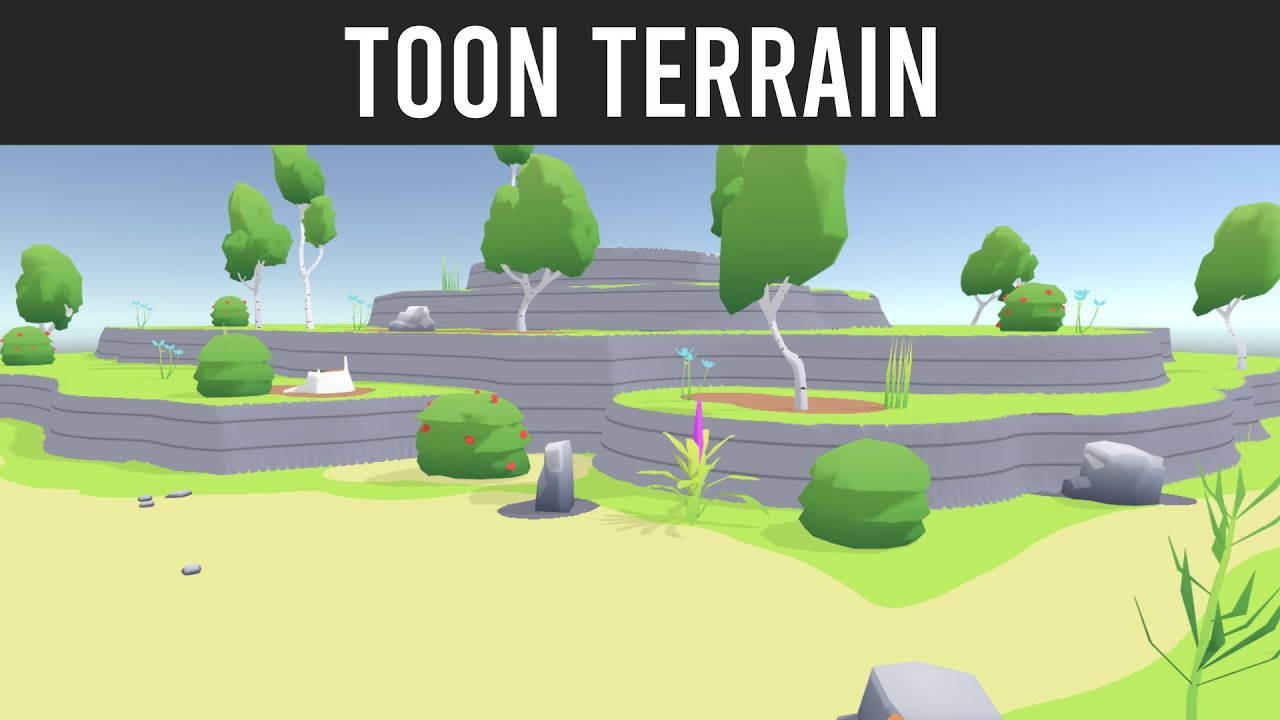
Got a bunch of requests on how I did terrain, so here it is!
Source code: https://gist.github.com/Glynn-Taylor/b232965ed972702df133137b3295e7f2
Freya Holmes shader lessons: https://www.twitch.tv/videos/860796006 (if this has expired check acegikmo on youtube)
 thorny rain
https://www.youtube.com/watch?v=SSD7w1W9dt4&ab_channel=Farrukh3D does anybody know how I can get large realistic rocks like this without sacrificing texture quality?

This is a new real-time level demo I made in Unity 2018. I have used megascans and some custom 3d models for this scene.
More can be found here
https://www.artstation.com/artwork/8JZLm
Thanks for viewing.
Thankful for Music by Artist: Ender Güney
I could bake my texture quality in blender higher, but its not very efficient, or practical
 foggy jacinth
Is Pen Pressure supported on Terrain at Editor level, when designing?
foggy jacinth
thorny rain
I could bake my texture quality in blender higher, but its not very efficient, o...
Probably Layered Materials, or Tiling Mitigation, such as Cell Bombing or overlayed Decals. Perhaps UDIMs
 copper stratus
the whole terrain looks same and it looks like 2014 roblox textures

how can I fix it, that the texture looks realistic
 winter minnow
copper stratus
the whole terrain looks same and it looks like 2014 roblox textures
winter minnow
copper stratus
the whole terrain looks same and it looks like 2014 roblox textures
Is your goal to make endless rolling hills of grass, or will there be foliage or buildings as well?
Your texture is not very well repeating, but in most cases if there is foliage and other objects, the repetition won't be noticeable anyway
If you need a lot of big plain lawn where it will be visible, you would need a texture that has had all those repetitions carefully hidden, or even look into shaders that rearrange the UVs to break up any pattern
 thorny mason
Not sure which thread to ask this in: Has anyone used ArcGIS with Unity before to create 3D Maps? I've gone through the "getting started" part and successfully completed the tutorial which was about creating a Map and applying a 3D layer on top of it that had buildings. Although the buildings do not have textures. I'm trying to do a similar thing but with textures.
winter minnow
thorny mason
Not sure which thread to ask this in: Has anyone used ArcGIS with Unity before t...
Entirely unfamiliar with arcgis but there's very little compatibility with Unity's materials and other 3D programs' materials so usually you'll just need to create a new material asset and assign the correct textures
thorny mason
Gotcha, that's good to know. Thanks!
winter minnow
thorny mason
Gotcha, that's good to know. Thanks!
There's usually some way to "embed materials" and then extract them in unity to automate that step but the process varies by program
thorny mason
Yeah, I know some 3D modelers and technical art people that know how to do that, although ArcGIS wats me to upload the 3D models on it's site, then I import them using the Map Creator based on the latitude and longitude. Kinda fussy.
 dapper gorge
delicate needle
https://www.youtube.com/watch?v=F_jP3_FKOEE&t=7s
this might be helpful as well, ...
dapper gorge
delicate needle
https://www.youtube.com/watch?v=F_jP3_FKOEE&t=7s
this might be helpful as well, ...
been stuck on how to design a toonish terrain for the whole week, this video gave me some light. im not using unity yet, just learning art in general, but this video just casted some light on my mind.

i find it very hard to find resources on toonified terrain, u usually have to rely on playing/seeing what other games are doing
delicate needle
that looks cool! i have nooooo skill with shaders
dapper gorge
theres no shader. Im a huge fan of the gradient technique, its all texture

tho im finding it pretty hard to test and experiment with terrain

this is all blender btw
delicate needle
pretty cool, it has it's own stylized look
 wheat hemlock
Any way someone can help me figure out this thing with terrains?
Here is my situation..
I want change the terrain size... how exactly can I go about this by changing all of the tiles as one large size? or does it have to be each individual tile?
 rose sentinel
Hey!
Does anyone know why all my terrain drawing is so bumpy?

Even on low opacity it makes it super bumpy
Using the smooth tool on full opacity doesn't change anything
Forget that
Does anyone know how to make a circular terrain?
Similar to skylander islands
delicate needle
rose sentinel
Does anyone know how to make a circular terrain?
you could use the Terrain Holes feature to give your Terrain a circular shape.
but, not sure about that, but Skylander probably doesn't use a Terrain System for the Environment, it looks more like different Island Meshes, stuff like that could be done within Blender or with a Procedural approach.
rose sentinel
delicate needle
you *could* use the Terrain Holes feature to give your Terrain a circular shape....
This is the worst part
I am quite bad at blender, I cannot even texture paint

This is my attempt at texture painting this stupid island
I was struggling for a solid hour with @copper bear
And neither of us could get it to work.
delicate needle
not sure if Polybrush is still a thing
rose sentinel
it doesn't work.
delicate needle
but if yes, you should be able to use it to paint the Mesh inside the Editor
rose sentinel
delicate needle
but if yes, you should be able to use it to paint the Mesh inside the Editor
yeah
but i'm struggling to add terrain detail to that as well 🥲
are you proficient at blender?
delicate needle
no, not really proficient, i'm only able to do the basics 😄
rose sentinel
ah
do you know how to make floating islands 🥲
i'm looking for a 3d moddeler
Cause we've got all the 2d art but none of the 3d terrain :C
 lyric vortex
rose sentinel
ah
lyric vortex
rose sentinel
ah
Oh, I’m-a sorry, but I’m only-a good at jumping and-a collecting stars. Maybe Toad could-a help you...
 brittle comet
Hi
 velvet cosmos
Is there no way to control layer opacity directly in Unity for terrains?

 rose sentinel
Hey!
Does anyone know how to make a circle on terrain?
I'm trying to get my shooter enemy to draw a red circle on the terrain where he is going to shoot
But the tutorials online don't use URP which can't use surface shaders
winter minnow
rose sentinel
But the tutorials online don't use URP which can't use surface shaders
This shouldn't require shaders
Try decal projectors
 glass galleon
is there a way to increase optimisation on large amounts of grass?
rose sentinel
winter minnow
This shouldn't require shaders
Try decal projectors
Sure
desert rock
glass galleon
is there a way to increase optimisation on large amounts of grass?
GPU instancing
winter minnow
Terrain trees and foliage by default are already instanced, I believe
There's not particularly much you can do to make them run faster, besides utilizing less detailed meshes, LODs and billboards
glass galleon
i decreased the detail range and increased the fog
seemed to work
thanks for the advice though
winter minnow
Rendering less of something is always an option to make it render cheaper
 vast cloud
Anyone here have intermediate+ skills with unity auto-tiling (rule tile)?
winter minnow
vast cloud
Anyone here have intermediate+ skills with unity auto-tiling (rule tile)?
Ask your question in #🖼️┃2d-tools and don't ask to ask
vast cloud
winter minnow
Ask your question in <#763500535554375750> and don't ask to ask
Sorry, don’t ask to ask?
winter minnow
vast cloud
Sorry, don’t ask to ask?
 shut rune
I am trying to create I 2d pixel art style in 3d, I have a toon shader with 2d pixelization but I can't apply it to a terrain without it covering the textures that are painted. How can I make it so I can't get that effect on the terrain but also paint on it. I understand the shader I have is not build for terrain but how can I make it so it is for terrain.
 alpine mist
Hello! I'm quite new to Unity overall, I've been wanting to create a map as a mod for a game I've been playing :)
I've looked at a few tutorials and I've gotten a general feel of how I want the map to look. I've set up my own little sticky-notes of what area should include what and the general look and feel of the areas :)
Now, an issue I have is that I want to make cliff overhangs. The cliff begins at the base of the terrain, and goes up horizontally in a NW direction, making it so essentially if you're right at the beginning of the cliff at ground level, the cliff would be right above you. Here is a sub-optimal Paint drawing that I made to give some visual explanation XD

Now, I don't actually know how to do this and can't seem to figure it out by myself, hence why I'm asking here for help :0
I'm wondering if anyone of you talented people may know a solution to my problem :)
 unreal ferry
my textures are looking funky and i was wondering if any body can help me this is them in unity

and this is the look im going for:

 cobalt jasper
unreal ferry
cobalt jasper
unreal ferry
on the texture, set filter mode to point
inland jetty
alpine mist
Hello! I'm quite new to Unity overall, I've been wanting to create a map as a mo...
Terrain can't have overhangs like this.
The terrain has a heightmap: a texture where each pixel defines how high the terrain is at that point
it's not like sculpting an arbitrary shape in Blender
alpine mist
Alright so, in that case
Is it possible to use like paint terrain on objects?
Like, could I make rocks and "ground" using like a cube? With the right dimensions
inland jetty
you could make a model of a cliff, sure
alpine mist
And then just add the textures I want on top of that? I know there are grass meshes that I have from the Asset Store that I could use to make it look more natural
inland jetty
you could then shape the terrain so that the cliff fits into the surrounding terrain
alpine mist
Ah, alright I'll try and do that :)
Thanks for the help!
Objects can be rotated right? :o
I might also use that method to make a path up the mountain
Making nice looking paths using the terrain tool is... complicated to say the least.
Especially if they aren't just flat paths
inland jetty
alpine mist
Objects can be rotated right? :o
well, of course -- every game object has a transform, and every transform can be rotated
alpine mist
Alright nice! Thank you 
winter minnow
inland jetty
well, of course -- every game object has a transform, and every transform can be...
Terrain itself is a notable exception to this
Weirdly enough
inland jetty
True! I forgot about that
 stable patrol
how do i fix the texture streching on my terrain?

 rose valve
I created a terrain that I like and want one that is very similar but with slight changes to it. I have duplicated it and moved it to a different scene and made some changes but when I went back to my original terrain it also made the changes. I played around with the terrain data stuff but I can't seem to figure it out. Anyone know how to stop themfrom both being the same so I can have two seperate terrains where I make changes to one the other won't be affected?
exotic wing
stable patrol
how do i fix the texture streching on my terrain?
You cant, you would need to use triplanar shaders which, trying to get that working on the terrain system is a pain in the ass.
People usually cover up these cliffs, using models(rocks, vegetation, etc)
Alternatively you can use terrain creation assets on the asset store instead of the unity terrain system.
exotic wing
rose valve
I created a terrain that I like and want one that is very similar but with sligh...
Terrain data is stored in files, the two terrains you have are both using the same file, which is the reason both of them get modified when you modify one. Try duplicating the original terrain file and assigning it to the second terrain game object.
steep hinge
It used to be easily possible to just put a texture on your terrain, like if you had some kind of road map or something to follow as a template
now I can't seem to do that anymore
Im sure its still possible.... what did they change, how do I accomplish this
steep hinge
steep hinge
Raising it back up to 30 and smoothing it with the smooth tool kinda works... bu...
I literally did this easily a few weeks ago and now its not working...
rose valve
exotic wing
Terrain data is stored in files, the two terrains you have are both using the sa...
I realized that I was assigning different terrain data’s but I think it might have just been for the texture or something but once I dragged the whole different terrain data onto my scene it worked and didn’t both have same changes. Thank you
molten bluff
hy
what the f wrong happening here? im painting texture on the terrain , but it's getting painted like pixel
any idea what's wrong here?(the painted part is procedurally generated using mapmagic)
huh , got it
had to increase the control texture resolution
 delicate relic
total noob question guys, how do i cast shadows i though i enable it it seems not visible
 delicate relic
i cant cast shadows
winter minnow
delicate relic
total noob question guys, how do i cast shadows i though i enable it it seems no...
Your meshes must have shadow casting enabled, and the shader must support shadow casting and receiving
Most toon shaders don't
Additionally shadows are rendered only up to shadow distance defined in quality settings, so the camera can't be too far away either
More relevant question for #archived-lighting, no Terrain or world building tools are involved here
rigid junco
molten bluff
what the f wrong happening here? im painting texture on the terrain , but it's g...
Terrain splatmaps are literally stored in pixels
molten bluff
yeah
unreal ferry
cobalt jasper
on the texture, set filter mode to point
where is filter mode?
nvm i got it
 open vigil
Is there any way to use the terrain paint tool to draw a shader material on a terrain?
rose sentinel
Is there any way i could crop a terrain with the outline of a map i drew ?
Let's just say this is the map I drew (it's the UK)

How could use that outline and get my terrain to have this shape ?
winter minnow
open vigil
Is there any way to use the terrain paint tool to draw a shader material on a te...
No
open vigil
winter minnow
No
What about painting objects that contain VFXgraphs?
winter minnow
open vigil
What about painting objects that contain VFXgraphs?
Not to my knowledge
Terrain painting produces a splatmap texture
That splatmap texture is read by the Terrain shader to blend between texture samplers, and to determine where detail meshes are instanced
Nothing beyond that, unless you make your own system that reads the splatmap
Because function to use the splatmap for texturing is within the shader code itself, it can't be used to apply different shaders
And as the code reads the splatmap only the determine where to instance meshes on the GPU
Which means they have no gameobject representation
 civic valley
How to increase the visibility of trees for terrain?
winter minnow
civic valley
How to increase the visibility of trees for terrain?
There's a slider for it in terrain settings
 glad pendant
I feel like I'm running into a wall concerning the "paint trees" part of the terrain tool:
I thought I'd use a procedurally generated tree prefab to paint over my terrain to get random trees, but while I can change the seed in the prefab it always paints the same tree with the same seed with the terrain tool. Is this normal?
 sleek jackal
hello, I need help I have a free tree asset named "Conifers [BOTD] (default asset) I saw it in a youtube video and the animations seemed quite smooth, but when I import them and put the trees into the terrain the animations seem very bad, and the trees seem to run at 2 fps, My computer aint the issue as it should be capable of running a couple trees no issue, so IDK what the problem is. Is it maybe a setting?
 strong rapids
Hello, i'm currently develloping an procedural map. I made it and now, according to the height, i want to apply differents textures/shaders/materials to my mesh. My mesh is directly generate in the code and i wante to know how can i do that. Thank you !
 gentle grail
Is there any way to apply a different material other than URP/Terrain/Lit to the material? I'm especially trying to make use of a shader made from the shader graph from the terrain to get cel lighting
Thanks
 devout knoll
does anybody know how to fix this bug?
 jaunty patrol
I made a script that make a grid of 3D tiles and generate random roadtiles. Do you know if their is any way to place the tiles logically , for exemple put road tiles to continue the road and avoid just having road tile place randomly. like what we can do with the tile systeme in 2D .


 honest cloak

my grass is standing wrong how do i fix this?
(i know they are huge blade of grass, i want them to stand up before i carry on tho)
honest cloak
still havent got it working
 zinc valve
bruv does this channel even have helpers
 spiral garden
zinc valve
any fixes?
spiral garden
zinc valve
any fixes?
Remove the lod group.🤷♂️
It tells you that it's unsupported.
zinc valve
makes sense
winter minnow
zinc valve
bruv does this channel even have helpers<:emoji_3:900801270774919228>
There seems to be a lot of people using Terrain still
Don't know why they don't stick around to help each other as well
 snow kite
why does my terrain have theese black artifacts?
https://gyazo.com/d0d0fe82d07380415f6461ea51b31d31


changing the pixel error value makes them disappear but when I move my camera they reapear again :/
desert rock
why does the terrain layer draw weirdly when i try to paint it, it only happens with the layers past the 4th one


im on URP btw
snow kite
desert rock
why does the terrain layer draw weirdly when i try to paint it, it only happens ...
Im not sure about URP but HDRP only support up to 8 textures, maby URP has the same stupid problem
desert rock
i read this in the docs

they "reccomend" to not go over 4 layers
but it seems to simply not let you go over 4
snow kite
got to love that recommendation 😂
 mint sphinx
Guys does anyone know how I can save a procedurally generated terrain as an object or a scene?
I'm generating terrain but im not sure where that data goes or how to keep it to use later
rigid junco
mint sphinx
I'm generating terrain but im not sure where that data goes or how to keep it to...
Though it seems to be for the textures only (splatmaps+heightmaps)
The terrain's data is stored in a TerrainData asset
One should be created automatically when you create a terrain in the scene
molten bluff
is there any method or asset using which I can set a limit to "set height" of the terrain upto a mesh collider under it? like a plane under the terrain, and when lowering terrains height, the terrain wont be lowered beyond the plane
 solar swan
molten bluff
is there any method or asset using which I can set a limit to "set height" of th...
solar swan
molten bluff
is there any method or asset using which I can set a limit to "set height" of th...
you can do terrain edits with scripting, so technically you can make such a tool quite easily yourself
plush hamlet
hi,
how do I duplicate a terrain with seperate materials ?
when i make changes to the new terrain, it also reflects to the old one :S
I tried to add a layer of snow on some and the older one was supposed to stay green as its. but as soon as I picked the snow layer on the new one the old one also turned into snow :S
 fresh bronze
So when making an environment such as a forest, is it better to create it in blender or unity itself?
solar swan
fresh bronze
So when making an environment such as a forest, is it better to create it in ble...
Depends on how big it is and how it looks. Typically you make assets in blender (foliage, rocks, props, trees) and arrange them in unity, but you can mix that up if you have a good reason.
 proud python
It may seem incredibly simple, but how do I move a terrain, (if I can)
fresh bronze
solar swan
Depends on how big it is and how it looks. Typically you make assets in blender ...
Alr got it thanks
solar swan
proud python
It may seem incredibly simple, but how do I move a terrain, (if I can)
Move it’s transform
proud python
I’ve tried
 wispy token
guys i have a question. when i have a map e.g 2k x 2k made with 512x512 terrain chunks and the heighmap resolution is set to 4k do i notice any performance impact when teh game is top down?
solar swan
wispy token
guys i have a question. when i have a map e.g 2k x 2k made with 512x512 terrain ...
yes, thats a very big terrain
mind that unity has no terrain streaming, so you are loading all that terrain, no matter what the camera can see or where it is located, which consumes a lot of memory, 512 MB just for the heightmaps and multiples of that for splatmaps and other helper textures.
plush hamlet
Does anyone know how to duplicate the terrain correctly ???
i have a terrain that I have duplicated it and duplicated its data with different name ofc but yet any changes I do to the new one effects the old one .... not sure how they're still connected
also Im getting this
 solar swan
plush hamlet
Does anyone know how to duplicate the terrain correctly ???
i have a terrain th...
solar swan
plush hamlet
Does anyone know how to duplicate the terrain correctly ???
i have a terrain th...
duplicate the data asset, then duplicate the terrain in the scene view, then switch the inspector to debug mode, and drag&drop your duplicated terrain data asset into the duplicated terrain gameobject's data-property
unity does not want you to duplicate terrains 😉
solar swan
plush hamlet
also Im getting this
thats easily fixed by clicking the "assign" button
plush hamlet
solar swan
thats easily fixed by clicking the "assign" button
if I do that , it addes the old terrain data back :S
solar swan
do the other thing first obviously
plush hamlet
solar swan
do the other thing first obviously
Didnt work 😦 , i tried duplicating the terrain first then the data .>> failed , then data first then the terrain .... also failed 😦
solar swan
then you're not doing it right
plush hamlet
solar swan
then you're not doing it right
how am i doing it wrong ? ..
solar swan
idk, this totally works, done it 100s of times
you can try making a new terrain instead of duplicating the terrain in scene view and copy the properties manually
to be sure
then delete the now unused data-asset of that new terrain
plush hamlet
solar swan
you can try making a new terrain instead of duplicating the terrain in scene vie...
is it possible to copy the exact high and low points ?
like all the hills and mountains
plush hamlet
solar swan
thats all stored in the data asset
I fixed it , the game object must match the file name
plush hamlet
solar swan
you can also export the heightmap to a raw-image
thanks ❤️
wispy token
solar swan
mind that unity has no terrain streaming, so you are loading all that terrain, n...
Thx, so even when u banke with bake occlusion culling? So what does it min with 512mb heighmaps. If i have 16 terrains a 512x512 all with 4k heighmaps i have 16x4k mb?
solar swan
wispy token
Thx, so even when u banke with bake occlusion culling? So what does it min with ...
Occlusion culling doesn’t fix memory problems. You would need world streaming to fix that, which Unity doesn’t have.
Depending on your exact settings you'll have:
16 Heightmaps, each 4097 x 4097 px x 2 bytes per sample
= 16 * 4097 * 4097 * 2 bytes
= 537133088 bytes
= 512.25 MB

4 texture layers, requiring 16 splatmaps, each 4097 x 4097 px x 4 bytes per texel
= 16 * 4097 * 4097 * 4 bytes
= 1074266176 bytes
= 1024.5 MB
More layers, more memory.
for a 512x512 meter chunk of terrain you'd need no more than a 1k height/splatmap, that would give you 0.5 m resolution and would be what you'd typically see in a AAA game. Some go to 2k for 0.25 m resolution, but that is extreme any only done if you have great streaming. 0.125 m resolution, like in your settings is overkill. You could probably get away with 1m resolution depending on the visual style and overall art pipeline capability in your project.
wispy token
solar swan
Occlusion culling doesn’t fix memory problems. You would need world streaming to...
i tried sectr. but its overkill for a 2k x 2k map. so what can you recomment for a terrain that size? are 512x512 chunks good? i dont think i need to stream a 2k x 2k map for a top down game
the point why i ask for 4k heighmap resolution is. i use heighmap like y 0 where player walk and y2 for mountains as border. with lower heighmap resolution it looks bad
solar swan
you're conflating size with resolution here, streaming (via sectr or something homebrew) is by no means overkill. Depending on what you put on the map and your target hardware you might need it for even smaller maps.
wispy token
that i wanted to increase the heighmap resolution. but 4k is maybe to much. 2k would be enough
solar swan
if you want to make a small game that doesn't need to deal with memory, make 1 terrain, 2k size, 2K resolution
if you must, make 1 terrain with 4k resolution, thats it, beyond that you'll get painful authoring experience in unity
wispy token
so maybe better to have only one terrain 2k x 2k
and increase resolution to 2k also
i try that
solar swan
and FYI occlusion culling on a large map is way too expensive, you'd be better off with sectr & co. + manual triggers here too
wispy token
i just want to stream chunk obkects but not the terrain
it leads to issue in my game since its networked
player falling through ground ec
solar swan
well, world streaming in unity doesn't work properly, no matter what you do you'll get frame-drops during object instantiation, and you need to do a lot of manual work to avoid, mask it or spread it out.
solar swan
wispy token
player falling through ground ec
the player can't fall through missing terrain that's 1 km away
wispy token
on init load
but anyway i tried sectr streaming 2k x 2k map with 256 chunks and it was overkill. and lead to bad fps. even developer of sectr told me its bad using sectr for only 2k x 2k map
solar swan
yes
256 chunks is overkill, not the 2k map
thats 128 meters per chunk
also you don't do streaming for FPS, you do it to fit your game into memory and maybe for very coarse occlusion culling
wispy token
yea i have no experience in terrain. my idea was to use sectr to load undload chunks when needed. since i have alot of objects in my 2kx2k map
i just notice i cant use a sinlge terrain of 2k x 2k. because i want to have diffrent biomes and 4 textures to paint is to less
so i need to split it to 512x512 chunks
 heavy birch
anyone know why these lines are here when i am adding fog
 solar swan
wispy token
so i need to split it to 512x512 chunks
solar swan
wispy token
so i need to split it to 512x512 chunks
You can have more than 4 layers. Using multiple materials on the terrains is also less than ideal. You can also have a look at https://assetstore.unity.com/packages/tools/terrain/microsplat-96478

Get the MicroSplat package from Jason Booth and speed up your game development process. Find this & other Terrain options on the Unity Asset Store.
 brittle wave
hii
can someone please help me make a terrain in the shape of elysium(Movie) world
i have used the mesh method but it cant build roads or spawn trees like in terrain.
rose sentinel
hey all I made a Rigidbody controller and when i mess around with terrain the player can just slide up it is there a simple fix for this?
 verbal lichen
If i were to make a large map for a driving game with mountainous roads cities/towns, tunnels etc
What would be the best way to go about it?
One of my ideas was to use something like Gaea to create a large landscape, Then draw a map onto the landscape where roads, cities etc will be
Like nature
But then it becomes alot more random and different from what i would imagine in my head i assume
 digital plaza
rose sentinel
hey all I made a Rigidbody controller and when i mess around with terrain the pl...
digital plaza
rose sentinel
hey all I made a Rigidbody controller and when i mess around with terrain the pl...
Simplest fix is to use the built in CharacterController component (https://docs.unity3d.com/ScriptReference/CharacterController.html) and adjust the slopeLimit (https://docs.unity3d.com/ScriptReference/CharacterController-slopeLimit.html). How that may or may not work with your current Rigidbody controller will depend on your specifics.
digital plaza
verbal lichen
But then it becomes alot more random and different from what i would imagine in ...
Idk about Gaea, but I've used Gaia from Procedural Worlds. You can get really specific with your spawners, stampers, rules and masks to create the exact look you want. I assume Gaea is the same. Just because it helps automate the placement process doesn't mean you lose creative control.
verbal lichen
digital plaza
Idk about Gaea, but I've used Gaia from Procedural Worlds. You can get really sp...
They seem to be very different, Gaia looks alot less realistic but seems alot more optimized for Unity Games
the biggest problem for me is sort of drawing out an actual 2D map of where roads, towns etc should be
i feel like once you know exactly what the layout of the map is gonna look like in a flat 2D top down image its much easier to turn it into a 3D world
rose sentinel
digital plaza
Simplest fix is to use the built in CharacterController component (https://docs....
yeah think i might rewrite it with the CharacterController
ughhhh wish i didn't already do so much movement based things
digital plaza
rose sentinel
ughhhh wish i didn't already do so much movement based things
if you don't want to switch, you could probably write some logic that looks at the upcoming delta in your character's Y position. if it's greater than what you want to allow, don't move the player.
honest cloak

i have a problem with painting grass on my terrain which causes it to paint amount of grass over my door object causing masive fps loss and a tone of invisible grass on my door and dont know how to fix it, hiding the door while paining doesnt fix it either
digital plaza
verbal lichen
the biggest problem for me is sort of drawing out an actual 2D map of where road...
Yeah, Gaia seems super different from Gaea, I've only used the former. It's not necessarily more optimized for Unity, it still comes down to the way you use it, what kinds of assets you give it, etc. You could check out GeNa from Procedural Worlds for an easy way to create road and river systems. I like to change my scene view to orthographic top-down perspective, then quickly lay out my road system like I'm drawing on a 2D map.
digital plaza
brittle wave
i have used the mesh method but it cant build roads or spawn trees like in terra...
Hi, you might have better luck getting a response here if you leave a specific, well-scoped question, like "does anyone know of a unity road system they'd recommend". Asking "can someone help me make a world" is a pretty big request to ask strangers, tbh.
verbal lichen
digital plaza
Yeah, Gaia seems super different from Gaea, I've only used the former. It's not ...
i agree, Tbh Gaia by Procedural Worlds seems to give off that Unity Smooth Terrain look which i don't like at all and would like to stray away from. I'm gonna continue looking around for an alternative, Stuff like Gaea, World Creator etc give off a much more realistic rough look to the environment but as you said that depends on how you use it
my plan is to go into blender and reduce the poly count where its not needed and keep it mid-high poly on the roads where the player will be
verbal lichen
digital plaza
Yeah, Gaia seems super different from Gaea, I've only used the former. It's not ...
the problem right now is i have 0 clue how cities, countrysides, highways, moutainous roads etc are designed lol
digital plaza
verbal lichen
the problem right now is i have 0 clue how cities, countrysides, highways, mouta...
Like just from an artistic perspective? I'm not a 3D artist, but I'd recommend just doing a deep dive on photography websites
verbal lichen
digital plaza
Like just from an artistic perspective? I'm not a 3D artist, but I'd recommend j...
No from like an Urban Planning perspective
digital plaza
verbal lichen
i agree, Tbh Gaia by Procedural Worlds seems to give off that Unity Smooth Terra...
Yeah, I hate that look lol. That's pretty much a result of your heightmap resolution. No matter if you're using a tool, or sculpting yourself, if you're using a low hm res, it'll look smooth. But if you up it to 2048 or higher, then use a detailed RAW heightmap file, you'll get that roughness you're after. Unfortunately, then you have more verts to render, so it's a performance tradeoff, if that's a concern.
digital plaza
verbal lichen
No from like an Urban Planning perspective
ah gotcha. i don't know anything about that lol
verbal lichen
digital plaza
ah gotcha. i don't know anything about that lol
Yep lol, i'm trying to figure out a way to create an island with 0 urban planning background 🤣
digital plaza
verbal lichen
Yep lol, i'm trying to figure out a way to create an island with 0 urban plannin...
is this for a game?
verbal lichen
honestly might just say f it and start drawing stuff around till it starts to connect
verbal lichen
digital plaza
is this for a game?
Yeah im just making a simple driving game and wanna make an interesting map to explore
digital plaza
awesome
honestly, yeah just go for it. unless you're trying to make a hyper realistic sim or something, don't worry about all that stuff. just go with what's interesting and fun
i understand the impulse to do that kind of research lol but something i think it hinders the creative process
verbal lichen
The funny thing is that there's a bunch of "Fantasy Map" creation sites but no one bothered to make one for real life maps lol
Worldspinner brings you custom character portraits and other roleplaying game tools for any RPG: Dungeons and Dragons, Pathfinder, and more.
This one for example
 dusk viper
Anyone knows how can I fix this line that appears when light moves? Y is the same

 wooden vault
do painted trees' shaders still work? for example a displacement shader
winter minnow
dusk viper
Anyone knows how can I fix this line that appears when light moves? Y is the sam...
Looks like there are visible gaps between your meshes
Holding V enables vertex snapping, which may help when moving the pieces but the meshes need to be authored with exact measurements
 icy drift
I need help with my Unity Trees, please!
I'm using Unity URP 2022.3.10f1, and my Unity Trees won't blow with any wind whatsoever! I don't know what to do
desert rock
icy drift
I need help with my Unity Trees, please!
I'm using Unity URP 2022.3.10f1, and ...
if they do when you add a tree to the pallete you will see a bend factor field in the add tree menu, if its not there it means your trees dont support wind
icy drift
desert rock
if they do when you add a tree to the pallete you will see a bend factor field i...
I did this even for the unity tree builder, and they still don’t work
digital plaza
anyone know what unity version first included a terrain system? was it Unity 5? or even earlier?
undone lark
According to docs, 5.2
 unborn reef
anyone know how to fix this? (tree in the middle was manually place, while the others using unity terrain system)
 elfin flicker
 digital plaza
undone lark
According to docs, 5.2
digital plaza
undone lark
According to docs, 5.2
thank you! out of curiosity, would you mind sharing where in the docs you found that info? I wasn't able to find it, but I clearly didn't look hard enough
undone lark
digital plaza
thank you! out of curiosity, would you mind sharing where in the docs you found ...
Just went to the docs and looked how far back the version went.
 elfin flicker
 digital plaza
undone lark
Just went to the docs and looked how far back the version went.
digital plaza
undone lark
Just went to the docs and looked how far back the version went.
Wow, TIL that was a dropdown, thank you!
 hybrid cedar
Hi! Is it normal for my terrain brush to be so clunky and unprecise? It's extremely hard to do any details with it
molten bluff
what is the keyboard shortcut of controlling the tree density and brush size of tree painting in unity terrain?
is there any?
rigid junco
molten bluff
what is the keyboard shortcut of controlling the tree density and brush size of...
Not sure, but check you can find it from the shortcut manager https://docs.unity3d.com/Manual/UnityHotkeys.html searching for terrain
elfin flicker
 digital plaza
hybrid cedar
Hi! Is it normal for my terrain brush to be so clunky and unprecise? It's extrem...
digital plaza
hybrid cedar
Hi! Is it normal for my terrain brush to be so clunky and unprecise? It's extrem...
That might be your Heightmap Resolution. Go to the Terrain component, then click on Terrain Settings (on the far right of the toolbar). Scroll down to the Texture Resolutions (On Terrain Data) section. Try increasing the Heightmap Resolution to a higher value.
Note that the higher that value, the more vertices will potentially be sent to your GPU, if performance is a concern for you
hybrid cedar
digital plaza
That *might* be your Heightmap Resolution. Go to the Terrain component, then cli...
This very much works! Thank you so much 🙂
 solar hemlock
I'm building multiple meshes from scratch, but I am over 64k vertices. What's the proper way to split this mesh to render all possible vertices?
 flat bane
i cant use paint texture on terrain but the others things work fine
rose sentinel
why my scene is like this ?
 winter minnow
rose sentinel
why my scene is like this ?
winter minnow
rose sentinel
why my scene is like this ?
Incompatible shaders
rose sentinel
winter minnow
Incompatible shaders
how can i fix that
winter minnow
rose sentinel
how can i fix that
Find shaders that are compatible with your project's render pipeline, or change your project's render pipeline so that they're compatible with the shaders
If those are Unity's default shaders, you may be able to convert them to your render pipeline using the render pipeline material converter
rose sentinel
winter minnow
Find shaders that are compatible with your project's render pipeline, or change ...
Yes is the default shader
winter minnow
@rose sentinel When starting a project you should have knowledge of what render pipeline you choose, which is the rendering backend of the project
And you should consider that choice when importing assets, as they can be made for different render pipelines
rose sentinel
winter minnow
<@456226577798135808> When starting a project you should have knowledge of what ...
okay i have found and where i can add a start point ?
winter minnow
rose sentinel
okay i have found and where i can add a start point ?
What does "add a start point" mean?
rose sentinel
winter minnow
What does "add a start point" mean?
a place where the player will start
rose sentinel
winter minnow
What does "add a start point" mean?
you know wath i wan to mean ?
winter minnow
rose sentinel
you know wath i wan to mean ?
Not a clue
rose sentinel
winter minnow
Not a clue
But how can I do so that when I press start I appear on the map and I can move around?
elfin flicker
 winter minnow
rose sentinel
But how can I do so that when I press start I appear on the map and I can move a...
winter minnow
rose sentinel
But how can I do so that when I press start I appear on the map and I can move a...
That 100% depends on your project
Unity is not a game making tool, it's an engine and generally expects you to build that kind of functionality yourself
From the earlier screenshot I see a glimpse of some tutorial project you may be using
I expect it has its own method for doing what you ask
 lucid cove
rose sentinel
But how can I do so that when I press start I appear on the map and I can move a...
lucid cove
rose sentinel
But how can I do so that when I press start I appear on the map and I can move a...
well you'll need a controller to move around.
 silent flame
hey guys, does anyone know how i would be able to have these trees in my terrain affect the navmesh?

i'm not sure what i'm missing here, i've tried adding a box collider to the trees and resizing but nothing happens
looks like i may be screwed? https://issuetracker.unity3d.com/issues/navmeshsurface-trees-placed-on-terrain-are-not-taken-into-account-when-baking-navmesh
How to reproduce: 1. Open the attached project (TreeTest.zip) 2. Open scene Scenes/SampleScene 3. In the Hierarchy window, double-cl...
winter minnow
silent flame
looks like i may be screwed? https://issuetracker.unity3d.com/issues/navmeshsurf...
One of the comments links a tool for adding colliders to terrain trees just for this purpose
elfin flicker
 winter minnow
elfin flicker
winter minnow
elfin flicker
If you want to showcase your progress, make a thread in #1180170818983051344
These channels are meant for problem solving and discussion
elfin flicker

 hasty tapir
hey, I got 2 problems, the first one is trees will not render in editor if they are far away, second problem is that tree density is super high when I try to place them, even at 10 trees
please ping me if you reply
winter minnow
hasty tapir
hey, I got 2 problems, the first one is trees will not render in editor if they ...
Terrain trees have a built-in LOD, which is supposed to replace them with 2D billboards over a certain distance
The billboards can't be generated unless they're using a correct shader though
For the density issue you've probably checked the placement density, but you can also check that the tree meshes aren't much bigger than the Terrain would expect
silent flame
winter minnow
One of the comments links a tool for adding colliders to terrain trees just for ...
i saw this, but im new to unity and using this for a separate game that doesn't allow c#, only lua. do scripts like this have to run every time, or is this something you could just run once and then remove it?
ive seen lots of scripts regarding this but wasn't sure if i could actually use it
winter minnow
silent flame
i saw this, but im new to unity and using this for a separate game that doesn't ...
Looks like it runs once, simply converting tree colliders into navmesh obstacles